

Technical Documentation: zyddnys/manga-image-translator
ℹ️ Provenance: Multi-Tier Ingestion · CodeWiki Reference
Overview (README.md)
Manga/Image Translator (English Readme)
Last Updated: 2025/05/10
One-click translation of text in various images
中文说明 | Changelog
Welcome to join our Discord https://discord.gg/Ak8APNy4vb
This project aims to translate images that are unlikely to be professionally translated, such as comics/images on various group chats and image boards, making it possible for Japanese novices like me to understand the content.
It mainly supports Japanese, but also supports Simplified and Traditional Chinese, English and 20 other minor languages.
Supports image repair (text removal) and typesetting.
This project is v2 of Qiú wén zhuǎn yì zhì.
Note: This project is still in the early stages of development and has many shortcomings. We need your help to improve it!
📂 Directory
- Showcase
- Online Version
- Rust Version
- Installation
- Usage
- Option and Configuration
- Future Plans
- Support Us
- Star Growth Curve
Showcase
The following examples may not be frequently updated and may not represent the effect of the current main branch version.
| Original Image | Translated Image |
|---|---|
| (Source @09ra_19ra) | (Mask) |
| (Source @VERTIGRIS_ART) | --detector ctd |
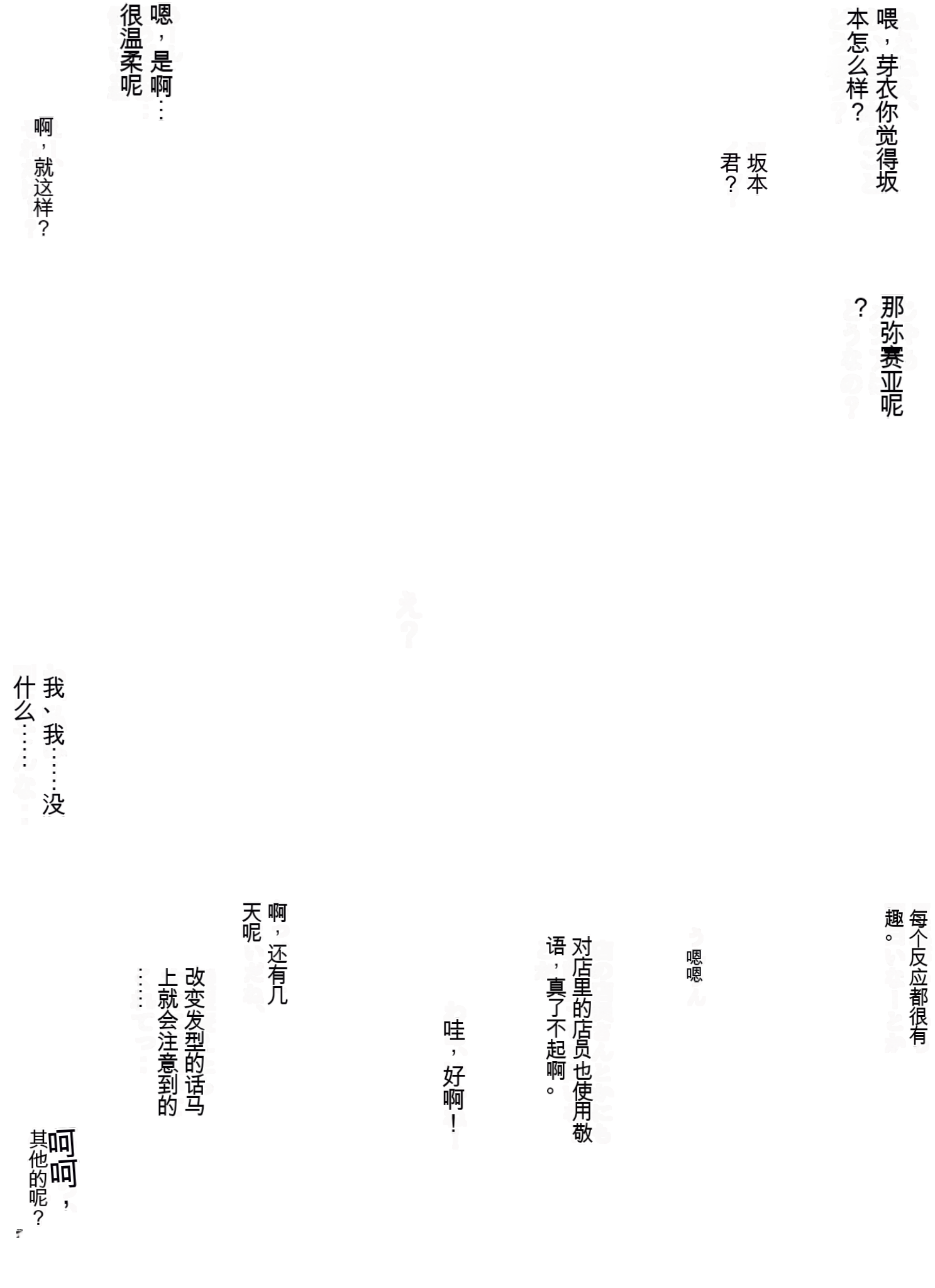
[(Mask)](https://user-images.githubusercontent.com/31543482/232265483-99ad20af-dca8-4b78-90f9-a6599eb0e70b.png) || (Source @hiduki_yayoi) | --translator none
(Mask) |
| (Source @rikak) | (Mask) |


Online Version
Official demo site (maintained by zyddnys): https://touhou.ai/imgtrans/
Browser script (maintained by QiroNT): https://greasyfork.org/scripts/437569
- Note: If the online version is inaccessible, it might be due to Google GCP restarting the server. Please wait a moment for the service to restart.
- The online version uses the latest version from the main branch.
Rust Version
Manga Image Translator Rust may be easier to setup as its a compiled binary
- Note: stable diffusion is not rewritten yet & only a cli version is available
Installation
Local Setup
Using Pip/venv (Recommended)
# First, ensure you have Python 3.12 or later installed on your machine
# The very latest version of Python might not be compatible with some PyTorch libraries yet
$ python --version
Python 3.13.16

# Clone this repository
$ git clone https://github.com/zyddnys/manga-image-translator.git

# Create a venv (optional, but recommended)
$ python -m venv venv

# Activate the venv
$ source venv/bin/activate

# If you want to use the --use-gpu option, please visit https://pytorch.org/get-started/locally/ to install PyTorch, which needs to correspond to your CUDA version.
# If you did not use venv to create a virtual environment, you need to add --upgrade --force-reinstall to the pip command to overwrite the currently installed PyTorch version.

# Install dependencies
$ pip install -r requirements.txt
Dependencies are pinned to current releases. websockets stays on the latest 16.x release because google-genai requires <17. pydensecrf is built from the Python 3.13 / Cython 3 source branch; install Git and a C++ compiler before running pip (for example, sudo apt install git build-essential on Ubuntu). Pip installs its Cython build dependency automatically.
Models will be automatically downloaded to the ./models directory at runtime.
Notes for Windows Users:
Please install Microsoft C++ Build Tools (Download, Instructions) before performing the pip install, as some pip dependencies need it to compile. (See #114).
To use CUDA on Windows, install the correct PyTorch version as described on https://pytorch.org/get-started/locally/.
Docker
Requirements:
- Docker (19.03+ for CUDA / GPU acceleration)
- Docker Compose (Optional, if you want to use the files in
demo/docfolder) - Nvidia Container Runtime (Optional, if you want to use CUDA)
This project supports Docker, with the image being zyddnys/manga-image-translator:main.
This Docker image contains all the dependencies and models required for the project.
Please note that this image is quite large (~15GB).
Run Web Server
You can start the Web Server (CPU) using the following command:
Note that you need to add the required environment variables using
-eor--env
docker run \
  --name manga_image_translator_cpu \
  -p 5003:5003 \
  --ipc=host \
  --entrypoint python \
  --rm \
  -v /demo/doc/../../result:/app/result \
  -v /demo/doc/../../server/main.py:/app/server/main.py \
  -v /demo/doc/../../server/instance.py:/app/server/instance.py \
  -e OPENAI_API_KEY='' \
  -e OPENAI_API_BASE='' \
  zyddnys/manga-image-translator:main \
  server/main.py --verbose --start-instance --host=0.0.0.0 --port=5003
Or use the compose file
Note that you need to add the required environment variables in the file first
docker-compose -f demo/doc/docker-compose-web-with-cpu.yml upThe Web Server starts on port 8000 by default, and the translation results will be saved in the /result folder.
Using Nvidia GPU
To use a supported GPU, please read the
Dockersection above first. You will need some special dependencies.
You can start the Web Server (GPU) using the following command:
Note that you need to add the required environment variables using
-eor--env
docker run \
  --name manga_image_translator_gpu \
  -p 5003:5003 \
  --ipc=host \
  --gpus all \
  --entrypoint python \
  --rm \
  -v /demo/doc/../../result:/app/result \
  -v /demo/doc/../../server/main.py:/app/server/main.py \
  -v /demo/doc/../../server/instance.py:/app/server/instance.py \
  -e OPENAI_API_KEY='' \
  -e OPENAI_API_BASE='' \
  -e OPENAI_HTTP_PROXY='' \
  zyddnys/manga-image-translator:main \
  server/main.py --verbose --start-instance --host=0.0.0.0 --port=5003 --use-gpu
Or use the compose file (for Web Server + GPU):
Note that you need to add the required environment variables in the file first
docker-compose -f demo/doc/docker-compose-web-with-gpu.yml upUse as CLI
To use Docker via CLI (i.e., Batch Mode):
Some translation services require API keys to run, pass them to your docker container as environment variables.
docker run --env="DEEPL_AUTH_KEY=xxx" -v <targetFolder>:/app/<targetFolder> -v <targetFolder>-translated:/app/<targetFolder>-translated --ipc=host --rm zyddnys/manga-image-translator:main local -i=/app/<targetFolder> <cli flags>Note: If you need to reference files on your host, you will need to mount the relevant files as volumes into the /app folder inside the container. The CLI paths will need to be the internal Docker path /app/... and not the path on your host.
Build Locally
To build the docker image locally, you can run the following command (you need to have make tool installed on your machine):
make build-imageThen test the built image, run:
Some translation services require API keys to run, pass them to your docker container as environment variables. Add environment variables in the Dockerfile.
make run-web-serverUsage
Local (Batch) Mode
# Replace <path> with the path to your image folder or file.
$ python -m manga_translator local -v -i <path>
# The results can be found in `<path_to_image_folder>-translated`.
Web Mode
Old UI
# Start a web server.
$ cd server
$ python main.py --use-gpu
# The web demo service address is http://127.0.0.1:8000
New UI
API Mode
# Start a web server.
$ cd server
$ python main.py --use-gpu
# The API service address is http://127.0.0.1:8001
API Documentation
Read the openapi documentation at: 127.0.0.1:8000/docs
Config-help Mode
python -m manga_translator config-helpOptions and Configuration Description
Recommended Options
Detector:
- English: ??
- Japanese: ??
- Chinese (Simplified): ??
- Korean: ??
- Using
{"detector":{"detector": "ctd"}}can increase the number of text lines detected
Update: Actual testing shows that default works better with related parameter adjustments in black and white comics.
OCR:
- English: ??
- Japanese: 48px
- Chinese (Simplified): ??
- Korean: 48px
Translator:
- Japanese -> English: Sugoi
- Chinese (Simplified) -> English: ??
- Chinese (Simplified) -> Japanese: ??
- Japanese -> Chinese (Simplified): sakura or opanai
- English -> Japanese: ??
- English -> Chinese (Simplified): ??
Inpainter: lama_large
Colorizer: mc2
Tips to Improve Translation Quality
- Small resolutions can sometimes trip up the detector, which is not so good at picking up irregular text sizes. To
circumvent this you can use an upscaler by specifyingupscale_ratio 2or any other value - If the rendered text is too small to read, specify
font_size_offsetor use the--manga2engrenderer, which will try to fit the detected text bubble rather than detected textline area. - Specify a font with
--font-path fonts/anime_ace_3.ttffor example - Set
mask_dilation_offsetto 10~30 to increase the mask coverage and better wrap the source text - change inpainter.
- Increasing the
box_thresholdcan help filter out gibberish from OCR error detection to some extent. - Use
OpenaiTranslatorto load the glossary file (custom_openaicannot load it) - When the image resolution is low, lower
detection_size, otherwise it may cause some sentences to be missed. The opposite is true when the image resolution is high. - When the image resolution is high, increase
inpainting_size, otherwise it may not completely cover the mask, resulting in source text leakage. In other cases, you can increasekernel_sizeto reduce the accuracy of text removal so that the model gets a larger field of view (Note: Judge whether the text leakage is caused by inpainting based on the consistency between the source text and the translated text. If consistent, it is caused by inpainting, otherwise it is caused by text detection and OCR)
Command Line Options
Basic Options
-h, --help                     show this help message and exit
-v, --verbose                  print debug messages and save intermediate images in results folder
--attempts ATTEMPTS            Number of attempts when an error occurs. -1 for infinite attempts.
--ignore-errors                Skip images when an error occurs.
--model-dir MODEL_DIR          Model directory (defaults to ./models in the project root)
--use-gpu                      Turns on/off GPU (automatically switches between mps and cuda)
--use-gpu-limited              Turns on/off GPU (excluding offline translators)
--font-path FONT_PATH          Path to the font file
--pre-dict PRE_DICT            Path to the pre-translation replacement dictionary file
--post-dict POST_DICT          Path to the post-translation replacement dictionary file
--kernel-size KERNEL_SIZE      Set the kernel size for the convolution of text erasure area to completely clear residual text
--context-size                 Pages of context are needed for translating the current page. currently, this only applies to openaitranslator.
Additional Options
Local Mode Options
local                         run in batch translation mode
-i, --input INPUT [INPUT ...] Image folder path (required)
-o, --dest DEST               Destination folder path for translated images (default: '')
-f, --format FORMAT           Output format for the translation. Options: [List OUTPUT_FORMATS here, png,webp,jpg,jpeg,xcf,psd,pdf]
--overwrite                   Overwrite already translated images
--skip-no-text                Skip images with no text (won't be saved).
--use-mtpe                    Turn on/off Machine Translation Post-Editing (MTPE) on the command line (currently Linux only)
--save-text                   Save extracted text and translations to a text file.
--load-text                   Load extracted text and translations from a text file.
--save-text-file SAVE_TEXT_FILE  Similar to --save-text, but with a specified file path. (default: '')
--prep-manual                 Prepare for manual typesetting by outputting blanked, inpainted images, and copies of the original image for reference
--save-quality SAVE_QUALITY   Quality of saved JPEG images, from 0 to 100 where 100 is best (default: 100)
--config-file CONFIG_FILE     Path to a configuration file (default: None)
WebSocket Mode Options
ws                  run in WebSocket mode
--host HOST         Host of the WebSocket service (default: 127.0.0.1)
--port PORT         Port of the WebSocket service (default: 5003)
--nonce NONCE       Nonce used to secure internal WebSocket communication
--ws-url WS_URL     Server URL for WebSocket mode (default: ws://localhost:5000)
--models-ttl MODELS_TTL  Time in seconds to keep models in memory after last use (0 means forever)
API Mode Options
shared              run in API mode
--host HOST         Host of the API service (default: 127.0.0.1)
--port PORT         Port of the API service (default: 5003)
--nonce NONCE       Nonce used to secure internal API server communication, set to "None" to disable
--report REPORT     Report to server to register instance (default: None)
--models-ttl MODELS_TTL  TTL of models in memory in seconds (0 means forever)
Web Mode Options (missing some basic options, still needs to be added)
--host HOST           Host address (default: 127.0.0.1)
--port PORT           Port number (default: 8000)
--start-instance      Whether an instance of the translator should be started automatically
--nonce NONCE         Nonce used to secure internal Web Server communication, set to "None" to disable
--models-ttl MODELS_TTL  Time in seconds to keep models in memory after last use (0 means forever)
Configuration File
Run python -m manga_translator config-help >> config-info.json to see the documentation for the JSON schema
An example config file can be found in example/config-example.json
Expand the full config JSON
{
  "$defs": {
    "Alignment": {
      "enum": [
        "auto",
        "left",
        "center",
        "right"
      ],
      "title": "Alignment",
      "type": "string"
    },
    "Colorizer": {
      "enum": [
        "none",
        "mc2"
      ],
      "title": "Colorizer",
      "type": "string"
    },
    "ColorizerConfig": {
      "properties": {
        "colorization_size": {
          "default": 576,
          "title": "Colorization Size",
          "type": "integer"
        },
        "denoise_sigma": {
          "default": 30,
          "title": "Denoise Sigma",
          "type": "integer"
        },
        "colorizer": {
          "$ref": "#/$defs/Colorizer",
          "default": "none"
        }
      },
      "title": "ColorizerConfig",
      "type": "object"
    },
    "Detector": {
      "enum": [
        "default",
        "dbconvnext",
        "ctd",
        "craft",
        "paddle",
        "none"
      ],
      "title": "Detector",
      "type": "string"
    },
    "DetectorConfig": {
      "properties": {
        "detector": {
          "$ref": "#/$defs/Detector",
          "default": "default"
        },
        "detection_size": {
          "default": 2048,
          "title": "Detection Size",
          "type": "integer"
        },
        "text_threshold": {
          "default": 0.5,
          "title": "Text Threshold",
          "type": "number"
        },
        "det_rotate": {
          "default": false,
          "title": "Det Rotate",
          "type": "boolean"
        },
        "det_auto_rotate": {
          "default": false,
          "title": "Det Auto Rotate",
          "type": "boolean"
        },
        "det_invert": {
          "default": false,
          "title": "Det Invert",
          "type": "boolean"
        },
        "det_gamma_correct": {
          "default": false,
          "title": "Det Gamma Correct",
          "type": "boolean"
        },
        "box_threshold": {
          "default": 0.75,
          "title": "Box Threshold",
          "type": "number"
        },
        "unclip_ratio": {
          "default": 2.3,
          "title": "Unclip Ratio",
          "type": "number"
        }
      },
      "title": "DetectorConfig",
      "type": "object"
    },
    "Direction": {
      "enum": [
        "auto",
        "horizontal",
        "vertical"
      ],
      "title": "Direction",
      "type": "string"
    },
    "InpaintPrecision": {
      "enum": [
        "fp32",
        "fp16",
        "bf16"
      ],
      "title": "InpaintPrecision",
      "type": "string"
    },
    "Inpainter": {
      "enum": [
        "default",
        "lama_large",
        "lama_mpe",
        "sd",
        "none",
        "original"
      ],
      "title": "Inpainter",
      "type": "string"
    },
    "InpainterConfig": {
      "properties": {
        "inpainter": {
          "$ref": "#/$defs/Inpainter",
          "default": "lama_large"
        },
        "inpainting_size": {
          "default": 2048,
          "title": "Inpainting Size",
          "type": "integer"
        },
        "inpainting_precision": {
          "$ref": "#/$defs/InpaintPrecision",
          "default": "bf16"
        }
      },
      "title": "InpainterConfig",
      "type": "object"
    },
    "Ocr": {
      "enum": [
        "32px",
        "48px",
        "48px_ctc",
        "mocr"
      ],
      "title": "Ocr",
      "type": "string"
    },
    "OcrConfig": {
      "properties": {
        "use_mocr_merge": {
          "default": false,
          "title": "Use Mocr Merge",
          "type": "boolean"
        },
        "ocr": {
          "$ref": "#/$defs/Ocr",
          "default": "48px"
        },
        "min_text_length": {
          "default": 0,
          "title": "Min Text Length",
          "type": "integer"
        },
        "ignore_bubble": {
          "default": 0,
          "title": "Ignore Bubble",
          "type": "integer"
        }
      },
      "title": "OcrConfig",
      "type": "object"
    },
    "RenderConfig": {
      "properties": {
        "renderer": {
          "$ref": "#/$defs/Renderer",
          "default": "default"
        },
        "alignment": {
          "$ref": "#/$defs/Alignment",
          "default": "auto"
        },
        "disable_font_border": {
          "default": false,
          "title": "Disable Font Border",
          "type": "boolean"
        },
        "font_size_offset": {
          "default": 0,
          "title": "Font Size Offset",
          "type": "integer"
        },
        "font_size_minimum": {
          "default": -1,
          "title": "Font Size Minimum",
          "type": "integer"
        },
        "direction": {
          "$ref": "#/$defs/Direction",
          "default": "auto"
        },
        "uppercase": {
          "default": false,
          "title": "Uppercase",
          "type": "boolean"
        },
        "lowercase": {
          "default": false,
          "title": "Lowercase",
          "type": "boolean"
        },
        "gimp_font": {
          "default": "Sans-serif",
          "title": "Gimp Font",
          "type": "string"
        },
        "no_hyphenation": {
          "default": false,
          "title": "No Hyphenation",
          "type": "boolean"
        },
        "font_color": {
          "anyOf": [
            {
              "type": "string"
            },
            {
              "type": "null"
            }
          ],
          "default": null,
          "title": "Font Color"
        },
        "line_spacing": {
          "anyOf": [
            {
              "type": "integer"
            },
            {
              "type": "null"
            }
          ],
          "default": null,
          "title": "Line Spacing"
        },
        "font_size": {
          "anyOf": [
            {
              "type": "integer"
            },
            {
              "type": "null"
            }
          ],
          "default": null,
          "title": "Font Size"
        },
        "rtl": {
          "default": false,
          "title": "Rtl",
          "type": "boolean"
        }
      },
      "title": "RenderConfig",
      "type": "object"
    },
    "Renderer": {
      "enum": [
        "default",
        "manga2eng",
        "none"
      ],
      "title": "Renderer",
      "type": "string"
    },
    "Translator": {
      "enum": [
        "youdao",
        "baidu",
        "deepl",
        "papago",
        "caiyun",
        "chatgpt",
        "none",
        "original",
        "sakura",
        "deepseek",
        "groq",
        "atlascloud",
        "custom_openai",
        "offline",
        "nllb",
        "nllb_big",
        "sugoi",
        "jparacrawl",
        "jparacrawl_big",
        "m2m100",
        "m2m100_big",
        "m2m100_hf",
        "m2m100_hf_big",
        "mbart50",
        "qwen2",
        "qwen2_big"
      ],
      "title": "Translator",
      "type": "string"
    },
    "TranslatorConfig": {
      "properties": {
        "translator": {
          "$ref": "#/$defs/Translator",
          "default": "sugoi"
        },
        "target_lang": {
          "default": "CHS",
          "title": "Target Lang",
          "type": "string"
        },
        "no_text_lang_skip": {
          "default": false,
          "title": "No Text Lang Skip",
          "type": "boolean"
        },
        "skip_lang": {
          "anyOf": [
            {
              "type": "string"
            },
            {
              "type": "null"
            }
          ],
          "default": null,
          "title": "Skip Lang"
        },
        "gpt_config": {
          "anyOf": [
            {
              "type": "string"
            },
            {
              "type": "null"
            }
          ],
          "default": null,
          "title": "Gpt Config"
        },
        "translator_chain": {
          "anyOf": [
            {
              "type": "string"
            },
            {
              "type": "null"
            }
          ],
          "default": null,
          "title": "Translator Chain"
        },
        "selective_translation": {
          "anyOf": [
            {
              "type": "string"
            },
            {
              "type": "null"
            }
          ],
          "default": null,
          "title": "Selective Translation"
        }
      },
      "title": "TranslatorConfig",
      "type": "object"
    },
    "UpscaleConfig": {
      "properties": {
        "upscaler": {
          "$ref": "#/$defs/Upscaler",
          "default": "esrgan"
        },
        "revert_upscaling": {
          "default": false,
          "title": "Revert Upscaling",
          "type": "boolean"
        },
        "upscale_ratio": {
          "anyOf": [
            {
              "type": "integer"
            },
            {
              "type": "null"
            }
          ],
          "default": null,
          "title": "Upscale Ratio"
        }
      },
      "title": "UpscaleConfig",
      "type": "object"
    },
    "Upscaler": {
      "enum": [
        "waifu2x",
        "esrgan",
        "4xultrasharp"
      ],
      "title": "Upscaler",
      "type": "string"
    }
  },
  "properties": {
    "filter_text": {
      "anyOf": [
        {
          "type": "string"
        },
        {
          "type": "null"
        }
      ],
      "default": null,
      "title": "Filter Text"
    },
    "render": {
      "$ref": "#/$defs/RenderConfig",
      "default": {
        "renderer": "default",
        "alignment": "auto",
        "disable_font_border": false,
        "font_size_offset": 0,
        "font_size_minimum": -1,
        "direction": "auto",
        "uppercase": false,
        "lowercase": false,
        "gimp_font": "Sans-serif",
        "no_hyphenation": false,
        "font_color": null,
        "line_spacing": null,
        "font_size": null,
        "rtl": true
      }
    },
    "upscale": {
      "$ref": "#/$defs/UpscaleConfig",
      "default": {
        "upscaler": "esrgan",
        "revert_upscaling": false,
        "upscale_ratio": null
      }
    },
    "translator": {
      "$ref": "#/$defs/TranslatorConfig",
      "default": {
        "translator": "sugoi",
        "target_lang": "CHS",
        "no_text_lang_skip": false,
        "skip_lang": null,
        "gpt_config": null,
        "translator_chain": null,
        "selective_translation": null
      }
    },
    "detector": {
      "$ref": "#/$defs/DetectorConfig",
      "default": {
        "detector": "default",
        "detection_size": 2048,
        "text_threshold": 0.5,
        "det_rotate": false,
        "det_auto_rotate": false,
        "det_invert": false,
        "det_gamma_correct": false,
        "box_threshold": 0.75,
        "unclip_ratio": 2.3
      }
    },
    "colorizer": {
      "$ref": "#/$defs/ColorizerConfig",
      "default": {
        "colorization_size": 576,
        "denoise_sigma": 30,
        "colorizer": "none"
      }
    },
    "inpainter": {
      "$ref": "#/$defs/InpainterConfig",
      "default": {
        "inpainter": "lama_large",
        "inpainting_size": 2048,
      }
    },
    "ocr": {
      "$ref": "#/$defs/OcrConfig",
      "default": {
        "use_mocr_merge": false,
        "ocr": "48px",
        "min_text_length": 0,
        "ignore_bubble": 0
      }
    },
    "kernel_size": {
      "default": 3,
      "title": "Kernel Size",
      "type": "integer"
    },
    "mask_dilation_offset": {
      "default": 30,
      "title": "Mask Dilation Offset",
      "type": "integer"
    }
  },
  "title": "Config",
  "type": "object"
}
Render Options
renderer          Renders translated text from manga and does additional typesetting. Will override some other param options
alignment         Align rendered text
disable_font_border Disable font border
font_size_offset  Offset for font size, positive increases font size, negative decreases
font_size_minimum Minimum output font size. Defaults to image longer side / 200
direction         Force horizontal/vertical text rendering or not specify
uppercase         Converts text to uppercase
lowercase         Converts text to lowercase
gimp_font         Font family used for GIMP rendering
no_hyphenation    Whether to disable hyphenation by the renderer
font_color        Overrides the text foreground/background color detected by the OCR model. Use a hex string without "#", e.g., FFFFFF: for white foreground, :000000 for black background, FFFFFF:000000 to set both.
line_spacing      Line spacing is font size * this value. Default is 0.01 for horizontal, 0.2 for vertical text
font_size         Use a fixed font size for rendering
rtl               Right-to-left reading order for panel and text_region sorting. Defalt is true
Upscale Options
upscaler          The upscaler to use. Requires --upscale-ratio to be set to be active
revert_upscaling  Scale the image back down to original size after translating if upscaled before (works with --upscale-ratio)
upscale_ratio     Image upscale ratio to apply before detection. Can improve text detection performance
Translator Options
translator        The language translator to use
target_lang       The target language
no_text_lang_skip Do not skip text that appears to be the target language
skip_lang         Skip translation if the source image is one of the specified languages, comma-separated for multiple languages. Example: JPN,ENG
gpt_config        Path to GPT config file, see README for more info
translator_chain  Output of one translator is input to another until translated to target language. Example: --translator-chain "google:JPN;sugoi:ENG"
selective_translation Select translator based on language detected in image. Note that if a language isn't defined, the first translation service will be used as a default. Example: --translator-chain "google:JPN;sugoi:ENG"
Detector Options
detector          The text detector to use to create a text mask from the image, don't use craft for manga, it's not designed for that
detection_size    The size of the image to use for detection
text_threshold    Text detection threshold
det_rotate        Rotate image for detection. Can improve detection
det_auto_rotate   Rotate image to prioritize detection of vertical text lines. Can improve detection
det_invert        Invert image colors for detection. Can improve detection
det_gamma_correct Apply gamma correction for detection. Can improve detection
box_threshold     Threshold for bounding box generation
unclip_ratio      How much to expand the text skeleton to form a bounding box
Inpainter Options
inpainter         The inpainting model to use
inpainting_size   The size of the image to use for inpainting (too large can cause out of memory)
inpainting_precision Precision for lama inpainting, bf16 is an option
Colorizer Options
colorization_size The size of the image to use for colorization. Set to -1 to use the full image size
denoise_sigma     Used for colorizer and affects color intensity, ranging from 0 to 255 (default 30). -1 to disable
colorizer         The colorization model to use
OCR Options
use_mocr_merge    Use bounding box merging during Manga OCR inference
ocr               The Optical Character Recognition (OCR) model to use
min_text_length   Minimum text length for a text area
ignore_bubble     Threshold for ignoring non-bubble area text, valid values range from 1-50. Recommended 5 to 10. If too low, normal bubble areas might be ignored, if too large, non-bubble areas might be treated as normal bubbles
Other Options
filter_text       Filter text areas using a regular expression. Example usage: '.*badtext.*'
kernel_size       Set the kernel size for the convolution of text erasure area to completely clear residual text
mask_dilation_offset Amount to expand the text mask to remove remaining text pixels in the original image
Language Code Reference
Used by translator/language in config
CHS: Simplified Chinese
CHT: Traditional Chinese
CSY: Czech
NLD: Dutch
ENG: English
FRA: French
DEU: German
HUN: Hungarian
ITA: Italian
JPN: Japanese
KOR: Korean
POL: Polish
PTB: Portuguese (Brazilian)
ROM: Romanian
RUS: Russian
ESP: Spanish
TRK: Turkish
UKR: Ukrainian
VIN: Vietnamese
ARA: Arabic
SRP: Serbian
HRV: Croatian
THA: Thai
IND: Indonesian
FIL: Filipino (Tagalog)
Translator Reference
| Name | API Key | Offline | Note |
|---|---|---|---|
| Temporarily disabled | |||
| youdao | ✔️ | Requires YOUDAO_APP_KEY and YOUDAO_SECRET_KEY |
|
| baidu | ✔️ | Requires BAIDU_APP_ID and BAIDU_SECRET_KEY |
|
| deepl | ✔️ | Requires DEEPL_AUTH_KEY |
|
| caiyun | ✔️ | Requires CAIYUN_TOKEN |
|
| chatgpt | ✔️ | GPT-6 Luna only; requires OPENAI_API_KEY. Aliases: openai, gpt-6-luna |
|
| chatgpt_2stage | ✔️ | GPT-6 Luna for both OCR correction and translation; requires OPENAI_API_KEY |
|
| deepseek | ✔️ | Requires DEEPSEEK_API_KEY |
|
| groq | ✔️ | Requires GROQ_API_KEY |
|
| atlascloud | ✔️ | Requires ATLASCLOUD_API_KEY |
|
| gemini | ✔️ | Requires GEMINI_API_KEY |
|
| papago | |||
| sakura | Requires SAKURA_API_BASE |
||
| custom_openai | Requires CUSTOM_OPENAI_API_BASE CUSTOM_OPENAI_MODEL |
||
| offline | ✔️ | Use the most suitable offline translator for the language | |
| nllb | ✔️ | Offline translation model | |
| nllb_big | ✔️ | Larger NLLB model | |
| sugoi | ✔️ | Sugoi V4.0 model | |
| jparacrawl | ✔️ | Japanese translation model | |
| jparacrawl_big | ✔️ | Larger Japanese translation model | |
| m2m100 | ✔️ | Supports multilingual translation (requires NVIDIA/ctranslate2) | |
| m2m100_big | ✔️ | Larger M2M100 model (requires NVIDIA/ctranslate2) | |
| m2m100_hf | ✔️ | M2M100 418M via HuggingFace — works on PyTorch (Nvidia CUDA / AMD ROCm) | |
| m2m100_hf_big | ✔️ | M2M100 1.2B via HuggingFace — works on PyTorch (Nvidia CUDA / AMD ROCm) | |
| mbart50 | ✔️ | Multilingual translation model | |
| qwen2 | ✔️ | Qwen2 model | |
| qwen2_big | ✔️ | Larger Qwen2 model | |
| none | ✔️ | Translate to empty text | |
| original | ✔️ | Keep original text |
- API Key: Indicates whether the translator requires API keys to be set as environment variables.
To do this, you can create a .env file in the project root directory and include your API keys, for example:
OPENAI_API_KEY=sk-xxxxxxx...
DEEPL_AUTH_KEY=xxxxxxxx...
Offline: Indicates whether the translator can be used offline.
Sugoi is created by mingshiba, please support him at https://www.patreon.com/mingshiba
Glossary
mit_glossory: Sending a glossary to the AI model to guide its translation can effectively improve translation quality, for example, ensuring consistent translation of proper names and character names. It automatically extracts valid entries related to the text to be sent from the glossary, so there is no need to worry that a large number of entries in the glossary will affect the translation quality. (Only effective for openaitranslator, compatible with sakura_dict and galtransl_dict.)
sakura_dict: Sakura glossary, only effective for sakuratranslator. No automatic glossary feature.
OPENAI_GLOSSARY_PATH=PATH_TO_YOUR_FILE
SAKURA_DICT_PATH=PATH_TO_YOUR_FILE
Replacement Dictionary
- Using
--pre-dictcan correct common OCR errors or irrelevant special effect text before translation. - Using
--post-dictcan modify common mistranslations or unnatural phrasing after translation to make them conform to the habits of the target language. - Combine regular expressions with both
--pre-dictand--post-dictto achieve more flexible operations, such as setting items to be excluded from translation:
First, use--pre-dictto change the source text that does not need to be translated into an emoji, and then use--post-dictto change the emoji back to the source text.
This can achieve further optimization of the translation effect and make it possible to automatically segment within long text based on the excluded content.
Environment Variables Summary
chatgpt and chatgpt_2stage always use gpt-6-luna. Remove old OPENAI_MODEL, OPENAI_STAGE1_MODEL, OPENAI_STAGE2_MODEL, and OPENAI_FALLBACK_MODEL settings; they no longer select a model. Use custom_openai with CUSTOM_OPENAI_MODEL for other models. Old gpt-* translator aliases are no longer accepted; use chatgpt, openai, or gpt-6-luna.
Requests use Chat Completions with max_completion_tokens and reasoning_effort="none", preserving the configurable temperature and top_p settings. See the OpenAI migration guide.
| Environment Variable Name | Description | Default Value | Remarks |
|---|---|---|---|
BAIDU_APP_ID |
Baidu Translate appid | '' |
|
BAIDU_SECRET_KEY |
Baidu Translate secret key | '' |
|
YOUDAO_APP_KEY |
Youdao Translate application ID | '' |
|
YOUDAO_SECRET_KEY |
Youdao Translate application secret key | '' |
|
DEEPL_AUTH_KEY |
DeepL Translate AUTH_KEY | '' |
|
OPENAI_API_KEY |
OpenAI API Key | '' |
|
OPENAI_HTTP_PROXY |
OpenAI HTTP Proxy | '' |
Replaces --proxy |
OPENAI_GLOSSARY_PATH |
Path to OpenAI glossary | ./dict/mit_glossary.txt |
|
OPENAI_API_BASE |
OpenAI API Base URL | https://api.openai.com/v1 |
Defaults to official address |
GROQ_API_KEY |
Groq API Key | '' |
|
GROQ_MODEL |
Groq Model name | 'mixtral-8x7b-32768' |
|
SAKURA_API_BASE |
SAKURA API Address | http://127.0.0.1:8080/v1 |
|
SAKURA_VERSION |
SAKURA API Version | '0.9' |
0.9 or 0.10 |
SAKURA_DICT_PATH |
Path to SAKURA dictionary | ./dict/sakura_dict.txt |
|
CAIYUN_TOKEN |
Caiyun Xiaoyi API access token | '' |
|
GEMINI_API_KEY |
Gemini API Key | '' |
|
GEMINI_MODEL |
Gemini Model name | 'gemini-1.5-flash-002' |
|
DEEPSEEK_API_KEY |
DeepSeek API Key | '' |
|
DEEPSEEK_API_BASE |
DeepSeek API Base URL | https://api.deepseek.com |
|
DEEPSEEK_MODEL |
DeepSeek Model name | deepseek-chat |
Options: deepseek-chat or deepseek-reasoner |
ATLASCLOUD_API_KEY |
Atlas Cloud API Key | '' |
|
ATLASCLOUD_API_BASE |
Atlas Cloud API Base URL | https://api.atlascloud.ai/v1 |
|
ATLASCLOUD_MODEL |
Atlas Cloud Model name | deepseek-ai/deepseek-v4-flash |
Full list: https://api.atlascloud.ai/v1/models |
CUSTOM_OPENAI_API_KEY |
Custom OpenAI API Key | ollama |
Not needed for Ollama, but possibly required for other tools |
CUSTOM_OPENAI_API_BASE |
Custom OpenAI API Base URL | http://localhost:11434/v1 |
Use OLLAMA_HOST environment variable to change bind IP and port |
CUSTOM_OPENAI_MODEL |
Custom OpenAI compatible model name | '' |
Example: qwen2.5:7b, ensure you pull and run it before usage |
CUSTOM_OPENAI_MODEL_CONF |
Custom OpenAI compatible model configuration | '' |
Example: qwen2 |
Instructions for use:
- Create
.envfile: Create a file named.envin the project root directory. - Copy and Paste: Copy and paste the text above into the
.envfile. - Fill in Keys: Replace the content within
''with your own API keys, IDs, etc.
Important Note:
- The
.envfile contains sensitive information. Please be careful to prevent accidental leakage.
GPT Configuration Reference
Used by the gpt_config parameter.
Expand the full config YAML
/* Detailed source-code truncated for AI context efficiency. */Rendering with Gimp
When setting the output format to {xcf, psd, pdf}, Gimp will be used to generate the files.
On Windows, this assumes Gimp 2.x is installed to C:\Users\\AppData\Local\Programs\Gimp 2.
The resulting .xcf file contains the original image as the lowest layer, and the inpainting as a separate layer.
The translated text boxes have their own layers, with the original text as the layer name for ease of access.
Limitations:
- Gimp will convert text layers to regular images when saving
.psdfiles. - Gimp doesn't handle rotated text well. When editing rotated text boxes, it will also display a popup indicating that it has been modified by an external program.
- The font family is controlled separately by the
--gimp-fontparameter.
Future Plans
Here are some things that need to be done to improve this project in the future. Contributions are welcome!
- Use diffusion model based image inpainting algorithms, but this will make image inpainting much slower.
【Important, seeking help】The current text rendering engine is just barely functional, and is significantly different from Adobe's rendering engine. We need your help to improve text rendering!I have tried to extract text color from the OCR model, but all attempts have failed. Currently, I can only use DPGMM to extract text color, but the effect is not ideal. I will try my best to improve text color extraction. If you have any good suggestions, please feel free to submit an issue.Text detection currently does not handle English and Korean well. I will train a new version of the text detection model after the image inpainting model is trained.Korean support is in progress- The text rendering area is determined by the detected text, not the bubbles. This can handle images without bubbles, but it cannot perfectly perform English typesetting. There is currently no good solution.
- Ryota et al. proposed obtaining paired manga as training data to train a model that can translate based on image content. In the future, we can consider converting a large number of images to VQVAE and inputting them into the NMT encoder to assist translation, instead of extracting tags frame by frame to assist translation. This requires us to also obtain a large amount of paired translated manga/image data and train the VQVAE model.
- Qiu Wen Zhuan Yi Zhi was designed for videos. In the future, this project should be optimized to handle videos, extract text color to generate ASS subtitles, and further assist Touhou video subtitle groups. It can even modify video content to remove subtitles within the video.
Combine traditional algorithm-based mask generation optimization. Currently testing CRF related algorithms.Does not support merging of tilted text regions yet.
Support Us
GPU server costs are high, please consider supporting us. Thank you very much!
Ko-fi: https://ko-fi.com/voilelabs
Patreon: https://www.patreon.com/voilelabs
Ai Fa Dian: https://afdian.net/@voilelabs
Thanks to all contributors
Star Growth Curve
--- METRICS ---
- Files Extracted: 1
- Estimated Token Budget: ~13565 tokens
- Canonical Reference: https://codewiki.google/github.com/zyddnys/manga-image-translator