

Technical Documentation: webpro-nl/knip
ℹ️ Provenance: Multi-Tier Ingestion · CodeWiki Reference
Overview (`packages/create-config/README.md`)
@knip/create-config
Add Knip to a repository.
npm init @knip/configThis adds Knip and its peer dependencies to devDependencies.
Example result:
{
  "name": "my-package",
  "scripts": {
    "knip": "knip"
  },
  "devDependencies": {
    "@types/node": "^20.14.8",
    "knip": "^5.30.1",
    "typescript": "^5.5.4"
  }
}
Overview (`packages/docs/README.md`)
knip.dev
The source of knip.dev.
Overview (`packages/knip/README.md`)
Knip finds and fixes unused dependencies, exports and files in your
JavaScript and TypeScript projects. Less code and dependencies lead to improved
performance, less maintenance and easier refactorings.
- Website: knip.dev
- GitHub repo: webpro-nl/knip
- Official npm packages: knip, @knip/create-config,
@knip/language-server, @knip/mcp - Knip on the VS Code Marketplace, Knip on the Open VSX Registry
- Contributing Guide
- Follow @webpro.nl on Bluesky for updates
- Sponsor Knip!
Contributors
Special thanks to the wonderful people who have contributed to Knip!
Knip
/'knɪp/ means "(to) cut" and is pronounced with a hard "K" 🇳🇱
License
Knip is free and open-source software licensed under the ISC License.
Parts of Knip have been inspired by and/or partially copy code from the
following projects:
- @npmcli/package-json (ISC)
- @pnpm/deps.graph-sequencer (MIT)
- file-entry-cache (MIT)
- json-parse-even-better-errors (MIT)
Overview (`packages/language-server/README.md`)
Knip Language Server
Knip
The Knip Language Server is powered by Knip: Find unused files, dependencies,
and exports in your JavaScript/TypeScript projects.
- Website: knip.dev
- GitHub repo: webpro-nl/knip
- Follow @webpro.nl on Bluesky for updates
- Blogpost: Knip for Editors & Agents
- Sponsor Knip
Contents
Configuration
Latest version of available settings: types.d.ts
Diagnostics
Diagnostics should work out of the box.
Most Knip issue types are translated to Diagnostic items with aDiagnosticSeverity and emitted using this.connection.sendDiagnostics(). Also
see diagnostics.js for details.
Code Actions
Code actions should work out of the box.
Some issues/diagnostics have code actions available. Also see
code-actions.js for details.
File Descriptor
Clients request a file descriptor to get available data for a document by
sending the REQUEST_FILE_NODE request, in short:
const file = await this.#client.sendRequest(REQUEST_FILE_NODE, {
  uri: editor.document.uri.toString(),
});
Type definition for File: session/types.ts
The file descriptor can be used to implement features like Annotations,
Export Hover, Imports and Exports.
Annotations
Annotations (aka "Code Lens" or "Inlay Hint") for exported identifiers can be
implemented using data from the file descriptor.
Example:
Export Hover
On hover of an export identifier, the file descriptor can be used to render
import locations for the exported identifier.
Optionally, code snippets can be searched for using the provided locations and
mixed into the rendered list.
Example:
Imports
The file descriptor can be used to display an overview of imports of a document
with direct links to their definition location.
Optionally, the client can implement:
- Follow cursor between open document and highlight import in view
- Show cyclic dependencies
Example:
Exports
The file descriptor can be used to display an overview of exports of a document
with direct links to their usage locations.
Optionally, the client can implement:
- Follow cursor between open document and highlight export in view
- Show contention: ambiguous or shadowed exports behind re-exports
- Show contention: converged (diamond-shaped) re-export paths
Each File.contention[name].sites entry describes where contention occurs, its kind, and the originating bindings.
Example:
File Descriptor for package.json
Clients request the package.json file descriptor to get dependency usage data
by sending the REQUEST_PACKAGE_JSON request:
const packageJson = await this.#client.sendRequest(REQUEST_PACKAGE_JSON);Type definition for DependencyNodes: session/types.ts
Dependency Hover
On hover of a dependency name in package.json, the packageJson descriptor
can be used to render import locations for the dependency.
Example:
CLI
To run the language server directly from CLI:
npx @knip/language-serverAdd --node-ipc, --stdio, --socket or --pipe <name> to set
transport (default: --stdio).
Overview (`packages/mcp-server/README.md`)
Knip MCP Server
Knip
The Knip MCP Server is powered by Knip: Find unused files, dependencies, and
exports in your JavaScript/TypeScript projects.
- Website: knip.dev
- GitHub repo: webpro-nl/knip
- Follow @webpro.nl on Bluesky for updates
- Blogpost: Knip for Editors & Agents
- Sponsor Knip
VS Code Extension
Install the Knip VS Code Extension or Knip Open VSX Extension — it
comes with the MCP Server included.
MCP Server
Add to your MCP configuration:
{
  // or "mcpServers"
  "servers": {
    "knip": {
      "command": "npx",
      "args": ["-y", "@knip/mcp"],
    },
  },
}
Prompts
knip-configure— Guided workflow to set up and optimize Knip configuration
Tools
knip-run— Run Knip, returns configuration hints and issuesknip-docs— Get Knip documentation by topic
Resources
All pages of the Knip documentation are available as MCP resources
(knip://docs/{topic}).
Overview (`packages/vscode-knip/README.md`)
Knip Editor Extension for VS Code/Open VSX
The Knip Editor Extension for VS Code/Open VSX is powered by Knip: Find unused
files, dependencies, and exports in your JavaScript/TypeScript projects.
- Website: knip.dev
- GitHub repo: webpro-nl/knip
- Follow @webpro.nl on Bluesky for updates
- Blogpost: Knip for Editors & Agents
- Sponsor Knip
What Is This?
The usual suspects like red squiggles for unused exports are there. What
really moves the needle for DX with Knip's module graph is navigation. A
completely unique way to view & fly through codebases for developers who care.
Connect the dots during development and refactors, while keeping things in
check. We're starting out with 3 key features:
- Hover over Export for import & usage locations
- Imports Tree View for direct links to implementations
- Exports Tree View for direct links to import & usage locations
Features
- Diagnostics for unused files, dependencies, and exports
- Hover on exports to see import locations
- Tree views for imports and exports
- Code actions to fix or ignore issues
- CodeLens showing import counts for exports
MCP Tools
The extension provides MCP tools for coding agents:
knip-configure— Run Knip and configureknip-docs— Get Knip documentation by topic
In other words, you can tell your coding agent to "configure knip" and it will
RTFM so you don't have to. Using a newer model results in an optimizedknip.json file and an uncluttered codebase.
Screenshots
Lint Findings
Imports & Exports
Contention
The extension shows circular dependencies and three kinds of export contention: ambiguous, shadowed, and converged.
Circular Dependencies
If an import is part of a circular dependency, Knip will display:
Ambiguous
Different bindings compete for the same name, with no winner. Knip lists the competing bindings.
Shadowed
An explicit export hides bindings from export *. Knip labels the site as "shadowing" and lists the winning and hidden bindings.
Converged
The same binding arrives through multiple re-export paths. Knip shows where those paths meet and the binding they share.
VS Code Extension Settings
Overview (`templates/vscode-nested-root/README.md`)
vscode-nested-root — repro for PR #1667
The VS Code workspace folder (repository/) has no package.json. The
actual project lives one level down in repository/frontend/.
repository.code-workspaceopens./repositoryand sets"knip.cwd": "./frontend".
Expected
| Knip root | Result |
|---|---|
repository/ (no knip.cwd, current main) |
❌ ERROR: Unable to find package.json in the Knip Output channel |
repository/frontend/ (with knip.cwd, PR #1667) |
✅ runs; reports src/unused.ts (genuine unused file) |
CLI check
cd repository            && knip   # → ERROR: Unable to find package.json
cd repository/frontend && knip   # → src/unused.ts unused (correct)
Test in the editor
packages/vscode-knip/scripts/dev-install.shThen open repository.code-workspace and watch View → Output → "Knip".
Overview (`templates/issue-reproduction/basic/README.md`)
Knip Minimal Reproduction
This is a template with only Knip (and TypeScript) pre-installed.
Add files and configuration to this project to create a minimal reproduction of
the issue:
- Add source files
- Add relevant TypeScript configuration to
tsconfig.json - Add relevant Knip configuration to
knip.json(or createknip.ts) - Install and double-check the latest versions of Knip and TypeScript
Use the terminal inside this project to run Knip from the root of the project
with npx knip.
Overview (`templates/issue-reproduction/monorepo/README.md`)
Knip Minimal Reproduction
This is a template with only Knip (and TypeScript) pre-installed.
Add files and configuration to this project to create a minimal reproduction of
the issue:
- Add source files
- Add relevant TypeScript configuration to
tsconfig.json - Add relevant Knip configuration to
knip.json(or createknip.ts) - Install and double-check the latest versions of Knip and TypeScript
Use the terminal inside this project to run Knip from the root of the project
with npx knip.
Overview (`templates/playground/basic/README.md`)
Knip Playground (basic)
Welcome to this Knip playground. There are issues on purpose in this codebase
below so Knip will report various types of issues.
Feel free to (fork this project and) play around!
Run npm run knip on this codebase in the terminal below and Knip will report
the following issues:
$ npm run knip
Unused files (1)
clutter.ts
Unlisted dependencies (1)
lodash  util.ts
Unused exports (1)
unusedFunction unknown util.ts:6:14clutter.tsis an unused file, since it's not imported by any of the otherslodashis an unlisted dependency, because it's used inutil.ts, but not
listed inpackage.jsonunusedFunctionis exported fromutil.tsbut it's not imported anywhere, so
it's reported as an unused export.
Overview (`templates/playground/monorepo/README.md`)
Knip Playground (monorepo)
Welcome to this Knip playground. There are issues on purpose in this codebase
below so Knip will report various types of issues.
Feel free to (fork this project and) play around!
Run npm run knip on this codebase in the terminal below and Knip will report
the following issues:
$ npm run knip
Unused dependencies (1)
tinyglobby  package.json
Unlisted dependencies (1)
js-yaml  packages/shared/src/used-fn.ts
Unused exports (1)
unusedFunction unknown packages/shared/src/exports.ts:7:14tinyglobbyis unused in the rootpackage.json. It's listed and used in thepackages/sharedworkspace, but not referenced elsewhere in the root
workspace.js-yamlis used inpackages/shared/src/used-fn.ts, but it's not listed as
a dependency inpackages/shared/package.json.unusedFunctionis exported frompackages/shared/src/exports.tsbut it's
not imported anywhere.
Packages Docs Src Content Docs Index (`packages/docs/src/content/docs/index.mdx`)
title: Declutter your JavaScript & TypeScript projects
template: splash
hero:
title: Knip
tagline: Declutter your JavaScript & TypeScript projects
image:
file: ../../assets/logo.svg
actions:
- text: Let's Get Started
link: ./overview/getting-started
icon: right-arrow
variant: primary
- text: View on GitHub
link: https://github.com/webpro-nl/knip
icon: external
variant: minimal
import { Card, CardGrid } from '@astrojs/starlight/components';
import { YouTube } from '@astro-community/astro-embed-youtube';
import Posts from '../../components/Posts.astro';
import Sponsors from '../../components/Sponsors.astro';
import Projects from '../../components/Projects.astro';
import Contributors from '../../components/Contributors.astro';
import ContributorCount from '../../components/ContributorCount.astro';
:::section{.badges}


:::
:::div{.sponsor}
:::
:a[Sponsored by:]{.sponsors-intro href="/sponsors"}
Trusted by the world's best software teams
:::section{.projects}
:::
Introduction video
James Shopland has a great introduction and overview of Knip (thanks
James!):
Created by
Special thanks to the wonderful people who have contributed to this project:
Articles about Knip
A curated selection of articles about Knip, most recent first:
- Tom McWright: How to keep package.json under control (2025-09-11)
- Mohammed Farmaan: Declutter Your JavaScript and TypeScript Projects
(2025-08-13) - dip Engineer Blog: Knipで安心してデッドコードを撲滅する
(2025-04-04/Japanese 🇯🇵) - Tom MacWright: Knip: good software for cleaning up TypeScript tech debt
(2024-10-25) - Neng Apichet: มาทำความสะอาด Project โค้ดของเราด้วย Knip กัน
(2024-10-22/Thai 🇹🇭) - Anthony Pena: Knip: l'ultime outil pour faire le ménage dans vos
projets! (2024-10-08/French 🇫🇷) - Taro: TypeScript/JavaScriptの不要なコードを削除するツール「Knip」の紹介
(2024-07-25/Japanese 🇯🇵) - Kevin Bailey: Delete Code with Knip (2025-10-31)
- Maddy Miller: Using Knip to find dead code in a high-traffic git repo
(2023-09-17) - Josh Goldberg: Speeding Up Centered Part 4: Unused Code Bloat
(2023-08-21) - Smashing Magazine: Knip: An Automated Tool For Finding Unused Files, Exports,
And Dependencies (2023-08-14) - Effective TypeScript: Recommendation Update: ✂️ Use knip to detect dead code
and types (2023-07-29)
Don't just take our word for it
Read More
Packages Docs Src Content Docs Overview Getting Started (`packages/docs/src/content/docs/overview/getting-started.mdx`)
title: Getting Started
import { Tabs, TabItem } from '@astrojs/starlight/components';
Requirements
Knip v6 requires at least Node.js v20.19.0. Or Bun.
Want to try Knip without installation? Visit the playground.
Installation
The easiest and recommended way to install Knip:
Run
Now you can run Knip to lint your project:
Knip will lint your project and report unused dependencies, exports and files.
The next step is to learn more about how Knip works or go straight to your
first cleanup.
:::tip
Try the Knip Editor Extension! Let your coding agent use the built-in MCP
Server and create a custom knip.json for you.
:::
Manual
Alternatively, manually install Knip using your package manager:
Knip uses typescript and @types/node as peer dependencies to increase
compatibility with your project. No worries, they're probably in yournode_modules already.
Then add a knip script to your package.json:
{
  "name": "my-project",
  "scripts": {
    "knip": "knip"
  }
}
Without installation
To run Knip without adding it to your project:
In this scenario typescript and @types/node are expected to be installed
already.
Packages Docs Src Content Docs Writing A Plugin Index (`packages/docs/src/content/docs/writing-a-plugin/index.md`)
title: Writing A Plugin
Plugins provide Knip with entry files and dependencies it would be unable to
find otherwise. Plugins always do at least one of the following:
- Define entry file patterns
- Find dependencies in configuration files
Knip v5.1.0 introduced a new plugin API, which makes them a breeze to write and
maintain.
:::tip[The new plugin API]
Easy things should be easy, and complex things possible.
:::
This tutorial walks through example plugins so you'll be ready to write your
own! The following examples demonstrate the elements a plugin can implement.
There's a handy command available to easily create a new plugin and get
started right away.
Example 1: entry
Let's dive right in. Here's the entire source code of the Tailwind plugin:
import type { IsPluginEnabled, Plugin } from '../../types/config.js';
import { hasDependency } from '../../util/plugin.js';

const title = 'Tailwind';

const enablers = ['tailwindcss'];

const isEnabled: IsPluginEnabled = ({ dependencies }) =>
  hasDependency(dependencies, enablers);

const entry = ['tailwind.config.{js,cjs,mjs,ts}'];

const plugin: Plugin = {
  title,
  enablers,
  isEnabled,
  entry,
};

export default plugin;
Yes, that's the entire plugin! Let's go over each item one by one:
1. `title`
The title of the plugin displayed in the list of plugins and in debug
output.
2. `enablers`
An array of strings to match one or more dependencies in package.json so theisEnabled function can determine whether the plugin should be enabled or not.
Regular expressions are allowed as well.
3. `isEnabled`
This function checks whether a match is found in the dependencies ordevDependencies in package.json. The plugin is enabled if the dependency is
listed in package.json.
This function can be kept straightforward with the hasDependency helper.
4. `entry`
This plugin exports entry file patterns. This means that if the Tailwind
plugin is enabled, then tailwind.config.* files are added as entry files. A
Tailwind configuration file does not contain anything particular, so adding it
as an entry to treat it as a regular source file is enough.
The next example shows how to handle a tool that has its own particular
configuration object.
Example 2: config
Here's the full source code of the nyc plugin:
import { toDeferResolve } from '../../util/input.js';
import { hasDependency } from '../../util/plugin.js';
import type { NycConfig } from './types.js';
import type {
  IsPluginEnabled,
  Plugin,
  ResolveConfig,
} from '../../types/config.js';

const title = 'nyc';

const enablers = ['nyc'];

const isEnabled: IsPluginEnabled = ({ dependencies }) =>
  hasDependency(dependencies, enablers);

const config = [
  '.nycrc',
  '.nycrc.{json,yml,yaml}',
  'nyc.config.js',
  'package.json',
];

const resolveConfig: ResolveConfig<NycConfig> = config => {
  const extend = config?.extends ?? [];
  const requires = config?.require ?? [];
  return [extend, requires].flat().map(id => toDeferResolve(id));
};

const plugin: Plugin = {
  title,
  enablers,
  isEnabled,
  config,
  resolveConfig,
};

export default plugin;
Here's an example config file that will be handled by this plugin:
{
  "extends": "@istanbuljs/nyc-config-typescript",
  "check-coverage": true
}
Compared to the first example, this plugin has two new variables:
5. `config`
The config array contains all possible locations of the config file for the
tool. Knip loads matching files and passes the results (i.e. its default export)
into the resolveConfig function:
6. `resolveConfig`
This function receives the exported value of the config file, and executes theresolveConfig function with this object. The plugin should return the entry
paths and dependencies referenced in this object.
Knip supports JSON, YAML, TOML, JavaScript and TypeScript config files. Files
without an extension are provided as plain text strings.
:::tip[Should I implement resolveConfig?]
You should implement resolveConfig if any of these are true:
- The
configfile contains one or more options that represent entry
points - The
configfile references dependencies by strings (not import statements)
:::
Example 3: entry paths
7. entry and production
Some tools operate mostly on entry files, some examples:
- Mocha looks for test files at
test/*.{js,cjs,mjs} - Storybook looks for stories at
*.stories.@(mdx|js|jsx|tsx)
And some of those tools allow to configure those locations and patterns in
configuration files, such as next.config.js or vite.config.ts. If that's the
case we can define resolveConfig in our plugin to take this from the
configuration object and return it to Knip:
Here's an example from the Mocha plugin:
const entry = ['**/test/*.{js,cjs,mjs}'];

const resolveConfig: ResolveConfig<MochaConfig> = localConfig => {
  const entryPatterns = localConfig.spec ? [localConfig.spec].flat() : entry;
  return entryPatterns.map(id => toEntry(id));
};

export default {
  entry,
  resolveConfig,
};
With Mocha, you can configure spec file patterns. The result of implementingresolveConfig is that users don't need to duplicate this configuration in both
the tool (e.g. Mocha) and Knip.
Use production entries to target source files that represent production code.
:::tip
Regardless of the presence of resolveConfig, add entry and production to
the default export so they will be displayed in the plugin's documentation as
default values.
:::
Example 4: Use the AST directly
If the resolveConfig function is implemented, Knip loads the configuration
file and passes the default-exported object to this plugin function. However,
that object might then not contain the information we need.
Here's an example astro.config.ts configuration file with a Starlight
integration:
import starlight from '@astrojs/starlight';
import { defineConfig } from 'astro/config';

export default defineConfig({
  integrations: [
    starlight({
      components: {
        Head: './src/components/Head.astro',
        Footer: './src/components/Footer.astro',
      },
    }),
  ],
});
With Starlight, components can be defined to override the default internal ones.
They're not otherwise referenced in your source code, so you'd have to manually
add them as entry files (Knip itself did this).
In the Astro plugin, there's no way to access this object containingcomponents to add the component files as entry files if we were to try:
const resolveConfig: ResolveConfig<AstroConfig> = async config => {
  console.log(config); //  ¯\_(ツ)_/¯
};
This is why plugins can implement the resolveFromAST function.
8. resolveFromAST
Let's take a look at the Astro plugin implementation. This example assumes some
familiarity with Abstract Syntax Trees (AST). Knip provides AST helpers to make
implementing plugins more fun and a little less tedious.
Anyway, let's dive in. Here's how we're adding the Starlight components paths
to the default production file patterns:
import type { Program } from 'oxc-parser';
import {
  findCallArg,
  getDefaultImportName,
  getImportMap,
  getPropertyValues,
} from '../../typescript/ast-helpers.ts';

const title = 'Astro';

const production = [
  'src/pages/**/*.{astro,mdx,js,ts}',
  'src/content/**/*.mdx',
  'src/middleware.{js,ts}',
  'src/actions/index.{js,ts}',
];

const getComponentPaths = (program: Program) => {
  const importMap = getImportMap(program);
  const importName = getDefaultImportName(importMap, '@astrojs/starlight');
  if (!importName) return new Set<string>();
  const starlightConfig = findCallArg(program, importName);
  return getPropertyValues(starlightConfig, 'components');
};

const resolveFromAST: ResolveFromAST = (program: Program) => {
  const componentPaths = getComponentPaths(program);
  return [...production, ...componentPaths].map(id => toProductionEntry(id));
};

const plugin: Plugin = {
  title,
  production,
  resolveFromAST,
};

export default plugin;
None Of The Above
9. `resolve`
If there is no configuration file to parse or there is a need for customization,
use resolve:
const resolve: Resolve = async options => {
  return toDependency('troublesome', { optional: true });
};
Inputs
You may have noticed functions like toDeferResolve and toEntry. They're a
way for plugins to tell what they've found and how Knip should handle those. The
more precision a plugin can provide here, the better results and performance
will be.
Find all the details over at Writing A Plugin → Inputs.
Argument Parsing
As part of the script parser, Knip parses command-line arguments. Plugins
can implement the arg object to add custom argument parsing tailored to the
tool.
Read more in Writing A Plugin → Argument Parsing.
Create a new plugin
The easiest way to create a new plugin is to use the create-plugin script:
cd packages/knip
pnpm create-plugin --name tool
This adds source and test files and fixtures to get you started. Keep fixtures
tidy, remove clutter that isn't required to test the plugin properly. E.g. using
a starterkit, script or wizard often creates more than what we need here.
The script adds the plugin to the JSON Schema and type definitions.
Run the test for your new plugin using one of the following commands:
node --test test/plugins/tool.test.ts
bun test test/plugins/tool.test.ts
You're ready to implement and submit a new Knip plugin! 🆕 🎉
Wrapping Up
Feel free to check out the implementation of other similar plugins, and borrow
ideas and code from those!
The documentation website takes care of generating the plugin list and the
individual plugin pages from the exported plugin values.
Thanks for reading. If you have been following this guide to create a new
plugin, this might be the right time to open a pull request!
Packages Docs Package.Json (`packages/docs/package.json`)
{
"name": "@knip/docs",
"version": "0.0.0",
"private": true,
"description": "Documentation for Knip, hosted at knip.dev",
"homepage": "https://knip.dev",
"repository": {
"type": "git",
"url": "github:webpro-nl/knip",
"directory": "packages/docs"
},
"type": "module",
"scripts": {
"prebuild": "node ./scripts/generate-plugin-docs.ts",
"build": "astro check && astro build",
"postbuild": "[ "$CF_PAGES" = "1" ] && find dist -mindepth 2 -type f -name 'index.html' -exec bash -c 'f="$1"; d=$(dirname "$f"); bn=$(basename "$d"); mv -v "$f" "$d/../$bn.html"' _ {} \; && find dist -mindepth 1 -type d -empty -print -delete || true",
"dev": "astro dev",
"remark": "remark README.md 'src/content/docs//*.md' --verbose -o && mdxlint 'src/content/docs//*.mdx' --verbose -o"
},
"dependencies": {
"@astro-community/astro-embed-youtube": "0.5.10",
"@astrojs/starlight": "0.42.6",
"@octokit/graphql": "^9.0.5",
"astro": "7.3.8",
"sharp": "0.35.5"
},
"devDependencies": {
"@astrojs/check": "0.9.10",
"@astrojs/markdown-satteri": "0.4.3",
"picocolors": "^1.1.1",
"satteri": "0.10.5",
"starlight-blog": "^0.30.2",
"typescript": "6.0.3"
},
"engines": {
"node": ">=22.12.0"
}
}
Packages Docs Mock Contributors.Json (`packages/docs/mock/contributors.json`)
[
{
"login": "webpro",
"id": 456426,
"node_id": "MDQ6VXNlcjQ1NjQyNg==",
"avatar_url": "https://avatars.githubusercontent.com/u/456426?v=4",
"gravatar_id": "",
"url": "https://api.github.com/users/webpro",
"html_url": "https://github.com/webpro",
"followers_url": "https://api.github.com/users/webpro/followers",
"following_url": "https://api.github.com/users/webpro/following{/other_user}",
"gists_url": "https://api.github.com/users/webpro/gists{/gist_id}",
"starred_url": "https://api.github.com/users/webpro/starred{/owner}{/repo}",
"subscriptions_url": "https://api.github.com/users/webpro/subscriptions",
"organizations_url": "https://api.github.com/users/webpro/orgs",
"repos_url": "https://api.github.com/users/webpro/repos",
"events_url": "https://api.github.com/users/webpro/events{/privacy}",
"received_events_url": "https://api.github.com/users/webpro/received_events",
"type": "User",
"site_admin": false,
"contributions": 1282
}
]
Packages Docs Public Manifest.Json (`packages/docs/public/manifest.json`)
{
"name": "Knip",
"short_name": "Knip",
"icons": [
{
"src": "/favicon.svg",
"type": "image/svg+xml",
"sizes": "512x512"
},
{
"src": "/icon-192x192.png",
"sizes": "192x192",
"type": "image/png"
},
{
"src": "/icon-512x512.png",
"sizes": "512x512",
"type": "image/png"
}
],
"theme_color": "#fbfbfb",
"background_color": "#f56e0f",
"display": "standalone",
"scope": "/",
"start_url": "/overview/getting-started/"
}
Packages Docs Public Robots (`packages/docs/public/robots.txt`)
User-agent: *
Allow: /
Sitemap: https://knip.dev/sitemap.txt
Packages Docs Src Assets Testimonials.Json (`packages/docs/src/assets/testimonials.json`)
{
"data": [
{
"entities": {
"urls": []
},
"id": "2061954856638967917",
"author_id": "5",
"created_at": "2026-06-02T23:35:21.000Z",
"text": "Knip is still my all time favorite piece of software."
},
{
"entities": {
"urls": []
},
"id": "2061775207518343569",
"author_id": "20",
"created_at": "2026-06-02T11:41:30.000Z",
"text": "adding knip to our CI after deleting like 100k LOC of dead code was a game changer"
},
{
"entities": {
"urls": []
},
"id": "3mn5ccucpvk2z",
"author_id": "13",
"created_at": "2026-05-31T09:54:50.000Z",
"text": "Knip is essential tooling."
},
{
"entities": {
"urls": []
},
"id": "2059921462891622770",
"author_id": "21",
"created_at": "2026-05-28T08:55:22.000Z",
"text": "Please dont ask your ai agent to find unused, dead code and remove them. Instead for js/ts projects install knip and see the magic it does. Save tokens🙏😂"
},
{
"entities": {
"mentions": [
{
"username": "webpro.nl"
}
],
"urls": []
},
"id": "3mgkwe4digs2l",
"author_id": "19",
"created_at": "2026-03-25T12:00:00.000Z",
"text": "Two things about knip.dev I don't get:\n- how did we live without it for so long\n- how did @webpro.nl NAIL the timing? Gave it to us right when AI started to produce left-overs in our codes faster than we ever could."
},
{
"entities": {
"urls": [
{
"url": "cdn.bsky.app/img/dummy-02",
"display_url": "cdn.bsky.app/img/julien.deniau.me",
"media_key": "4"
}
]
},
"id": "3mdrubg3y5c2z",
"author_id": "11",
"created_at": "2026-02-01T07:57:00.000Z",
"attachments": {},
"text": "Done on a mono-repo in two times.\nWhat's impressive is that there were no false positive!\ncdn.bsky.app/img/dummy-02"
},
{
"entities": {
"urls": [
{
"url": "https://t.co/EwIeRiHaXf",
"display_url": "pic.x.com/EwIeRiHaXf",
"media_key": "6"
}
]
},
"id": "2017122504914161979",
"author_id": "16",
"created_at": "2026-01-30T06:27:00.000Z",
"text": "Good morning 🌄\nA tool I discovered lately.\nIf you care about clean codebases, this one's a gem 💎"
},
{
"entities": {
"urls": []
},
"id": "3mcky5ps3r22p",
"author_id": "12",
"created_at": "2026-01-16T20:53:09.000Z",
"text": "Knip is a cracking-looking open source tool for trimming unused JavaScript."
},
{
"entities": {
"urls": [
{
"url": "cdn.bsky.app/img/dummy-03",
"display_url": "cdn.bsky.app/img/patak.dev",
"media_key": "5"
}
]
},
"id": "3mcjtmv35wc2y",
"author_id": "15",
"created_at": "2026-01-16T09:59:29.000Z",
"attachments": {},
"text": "From the report, we could improve the situation if we stop sending unused JavaScript. @webpro.nl is doing an incredible job growing the usage of knip.dev, and that should hopefully make a dent in the future.\ncdn.bsky.app/img/dummy-03"
},
{
"entities": {
"urls": [
{
"url": "https://knip.dev/blog/for-editors-and-agents",
"expanded_url": "https://knip.dev/blog/for-editors-and-agents",
"display_url": "knip.dev/blog/for-edi..."
}
]
},
"id": "3mby3zkzhfs2t",
"author_id": "13",
"created_at": "2026-01-09T08:41:49.000Z",
"text": "The VSCode/Cursor extension is ace!\nAnd you can use the Knip MCP to create the config file.\nIt works for Svelte as well.\nKnip is really really good 🙏"
},
{
"entities": {
"urls": [
{
"url": "https://t.co/6rcslWBqIV",
"display_url": "pic.x.com/6rcslWBqIV",
"media_key": "6"
}
]
},
"id": "2007481125610914217",
"author_id": "17",
"created_at": "2026-01-03T15:56:00.000Z",
"attachments": { "media_keys": ["6"] },
"text": "This is both embarrassing and satisfying after running @Knip https://t.co/6rcslWBqIV"
},
{
"entities": {
"urls": [
{
"url": "https://t.co/hneEWMqdnm",
"expanded_url": "https://knip.dev",
"display_url": "Knip.dev"
}
]
},
"id": "2007221517562904675",
"author_id": "18",
"created_at": "2026-01-02T23:44:00.000Z",
"text": "You can't spell Opus without https://t.co/hneEWMqdnm"
},
{
"entities": {
"urls": []
},
"id": "3mbggqrihuk2r",
"author_id": "14",
"created_at": "2026-01-02T08:05:50.000Z",
"text": "Knip is amazing and you should be using it."
},
{
"entities": {
"urls": []
},
"id": "3lvwax6bemc22",
"author_id": "22",
"created_at": "2025-08-08T22:02:18.000Z",
"text": "Just used npx knip to find my unused files, components, and packages and 😱! So cool. \n\nHow have I not come across it before?"
},
{
"entities": {
"urls": []
},
"id": "1932778410691949034",
"author_id": "10",
"created_at": "2025-06-11T14:34:00.000Z",
"text": ""Thanks Knip!"\neveryday,\nevery team member,\nliterally..\nknip.dev 🏅"
},
{
"entities": {
"urls": []
},
"url": "https://github.com/webpro-nl/knip/issues/1120#issuecomment-2943978262",
"author_id": "9",
"created_at": "2025-06-05T14:00:00.000Z",
"text": "Thank you so much for this incredible piece of software! Knip is one of the most impressive tools I've seen in my career."
},
{
"entities": {
"urls": [
{
"url": "https://github.com/webpro-nl/knip/pull/1022",
"expanded_url": "https://github.com/webpro-nl/knip/pull/1022",
"display_url": "https://github.com/webpro-nl/knip/pull/1022",
"title": "feat: add create-typescript-app plugin",
"description": "feat: add create-typescript-app plugin",
"unwound_url": "https://github.com/webpro-nl/knip/pull/1022"
}
]
},
"id": "3lmhgsj2n622o",
"author_id": "7",
"created_at": "2025-04-10T13:50:00.000Z",
"attachments": {},
"text": "Got my first plugin merged into Knip by @webpro.nl today! ☺️\n\nThe contribution experience was fantastic: the docs were super clear, the code was straightforward to navigate, and the helper script to generate a new plugin got me 90% of the way there. Awesome. Thanks Lars!\n\nhttps://github.com/webpro-nl/knip/pull/1022"
},
{
"entities": {
"urls": []
},
"id": "1904580358307250634",
"author_id": "6",
"created_at": "2025-03-25T18:05:00.000Z",
"attachments": {},
"text": "All of the TanStack monorepos make use of knip.dev\n\nIt's like eslint for detecting unused dependencies or even your own files/modules."
},
{
"entities": {
"urls": [
{
"url": "cdn.bsky.app/img/dummy-01",
"display_url": "cdn.bsky.app/img/opw3iapscc55nlgrx6q2yjah",
"media_key": "2"
}
]
},
"id": "3ll5ioywml223",
"author_id": "8",
"created_at": "2025-03-24T20:32:00.000Z",
"attachments": {},
"text": "The joy of adding knip.dev (by @webpro.nl) on a codebase! Right in time for spring cleaning 🧹🍃\ncdn.bsky.app/img/dummy-01"
},
{
"entities": {
"urls": []
},
"id": "1874692207472726401",
"author_id": "5",
"created_at": "2025-01-02T06:40:00.000Z",
"attachments": {},
"text": "Knip helped us delete ~300k lines of unused code at Vercel."
},
{
"entities": {
"urls": [
{
"url": "https://t.co/kA81p5gkmP",
"expanded_url": "https://www.npmx.dev/package/knip",
"display_url": "npmx.dev/package/knip",
"title": "Knip",
"description": "Find unused dependencies, exports and files in your TypeScript and JavaScript projects.",
"unwound_url": "https://www.npmx.dev/package/knip"
}
]
},
"id": "1850975288362221628",
"author_id": "5",
"created_at": "2024-10-28T19:57:00.000Z",
"attachments": {},
"text": "Knip may be the greatest tool ever conceived.\nhttps://t.co/kA81p5gkmP"
},
{
"entities": {
"urls": []
},
"id": "3k3obqi65oy2p",
"author_id": "4",
"created_at": "2023-07-29T17:33:00.000Z",
"attachments": {},
"text": "knip is the best code maintenance tool I've used in my 20 years of development, just an absolute work of art"
},
{
"entities": {
"urls": []
},
"id": "1808672067900092505",
"author_id": "3",
"created_at": "2024-07-04T03:19:00.000Z",
"attachments": {},
"text": "knip is great.\n\nA great example of stuff just working. It detects your environment so well and its defaults are almost too good because I didn’t realise it was doing everything automatically."
},
{
"entities": {
"urls": []
},
"id": "1808808208229707835",
"author_id": "3",
"created_at": "2024-07-04T12:20:00.000Z",
"attachments": {},
"text": "Then was like “this is how tooling should be, this has taken me an hour not a day and it’s faster and more accurate and more future proof”\n\nFive stars ⭐️⭐️⭐️⭐️⭐️"
},
{
"entities": {
"urls": []
},
"id": "1803013555907698921",
"author_id": "2",
"created_at": "2024-06-18T12:35:00.000Z",
"attachments": {},
"text": "Crazy useful tool. Thought it would be a nightmare to setup in my Next.js+Workers repo but it has crazy good automatic detection for code dependencies. In short, Knip creates a graph of code use and highlights dead code for you to snip (knip)."
},
{
"entities": {
"urls": []
},
"id": "1793913676896031033",
"author_id": "44217212",
"created_at": "2024-05-24T09:55:00.000Z",
"attachments": {},
"text": "Lars is singlehandedly building the best tool to keep your code clean and your dependencies minimal. And he's so engaging and helpful. Can't imagine going back to not using knip 👏"
},
{
"entities": {
"urls": [
{
"url": "https://t.co/dummy-01",
"display_url": "pic.twitter.com/uOuO1ch5ij",
"media_key": "1"
}
]
},
"id": "1745972825490604506",
"author_id": "1",
"created_at": "2024-01-13T01:55:00.000Z",
"attachments": { "media_keys": ["1"] },
"text": "warning: do not use a tool like knip.dev + code search to delete a ton of unused code. It works too well.\n\nI just did this in https://github.com/sourcegraph/cody/pull/2705, and my boss said if I end the week with net negative lines of code committed, I'm in deep trouble. https://t.co/dummy-01"
},
{
"entities": {
"mentions": [
{
"username": "argos_ci",
"id": "1554000987022663681"
},
{
"username": "webprolific",
"id": "218833730"
}
],
"annotations": [
{
"probability": 0.6699,
"type": "Other",
"normalized_text": "Prettier"
},
{
"probability": 0.7586,
"type": "Other",
"normalized_text": "ESLint"
}
],
"urls": [
{
"url": "https://t.co/uOuO1ch5ij",
"expanded_url": "https://twitter.com/gregberge_/status/1730180003453927560/photo/1",
"display_url": "pic.twitter.com/uOuO1ch5ij",
"media_key": "3_1730179997682552832"
}
]
},
"author_id": "22918124",
"text": "Ran knip.dev in @argos_ci, and boom 💥! Dead code detected instantly. With a good config, it can run on CI to keep projects clean. Installing this tool should be a no-brainer, like Prettier or ESLint.\n\nKudos, @webprolific! 👏 https://t.co/uOuO1ch5ij",
"id": "1730180003453927560",
  "created_at": "2023-11-30T11:00:32.000Z",
  "edit_history_tweet_ids": ["1730180003453927560"],
  "attachments": { "media_keys": ["3_1730179997682552832"] }
},
{
  "note_tweet": {
    "text": "Problem: \n🚫 Your project has unused files.\n🚫 It has unused npm dependencies.\n🚫 It has unused TypeScript exports.\n\nBut you haven't noticed, because these things are hard to spot.\n\nSolution: knip\n\nI just used knip to find and resolve dozens of issues.\n\nhttps://t.co/QmN3sNlmbm",
    "entities": {
      "urls": [
        {
          "url": "https://t.co/QmN3sNlmbm",
          "expanded_url": "https://github.com/webpro-nl/knip",
          "display_url": "github.com/webpro-nl/knip"
        }
      ]
    }
  },
  "entities": {
    "annotations": [
      {
        "probability": 0.8569,
        "type": "Other",
        "normalized_text": "TypeScript"
      }
    ],
    "urls": [
      {
        "url": "https://t.co/grbeTqMtt6",
        "expanded_url": "https://github.com/webpro-nl/knip",
        "display_url": "github.com/webpro-nl/knip",
        "images": [
          {
            "url": "https://pbs.twimg.com/news_img/1729485824314548224/0xZughNs?format=png&name=orig",
            "width": 1280,
            "height": 640
          },
          {
            "url": "https://pbs.twimg.com/news_img/1729485824314548224/0xZughNs?format=png&name=150x150",
            "width": 150,
            "height": 150
          }
        ],
        "title": "GitHub - webpro-nl/knip: ✂️ Find unused dependencies, exports and files in your JavaScript and TypeScript projects. Knip it before you ship it!",
        "description": "✂️ Find unused dependencies, exports and files in your JavaScript and TypeScript projects. Knip it before you ship it! - GitHub - webpro-nl/knip: ✂️ Find unused dependencies, exports and files in yo...",
        "unwound_url": "https://github.com/webpro-nl/knip"
      },
      {
        "url": "https://t.co/qaOXBlD3eo",
        "expanded_url": "https://twitter.com/i/web/status/1691460974518353920",
        "display_url": "twitter.com/i/web/status/1…"
      }
    ]
  },
  "author_id": "19268321",
  "text": "Problem: \n🚫 Your project has unused files.\n🚫 It has unused npm dependencies.\n🚫 It has unused TypeScript exports.\n\nBut you haven't noticed, because these things are hard to spot.\n\nSolution: knip\n\nI just used knip to find and resolve dozens of issues.\n\nhttps://t.co/grbeTqMtt6 https://t.co/qaOXBlD3eo",

  "id": "1691460974518353920",
  "created_at": "2023-08-15T14:44:56.000Z",
  "edit_history_tweet_ids": ["1691460974518353920"]
},
{
  "entities": {
    "mentions": [
      {
        "username": "webprolific",
        "id": "218833730"
      }
    ],
    "annotations": [
      {
        "probability": 0.6322,
        "type": "Other",
        "normalized_text": "Knip"
      }
    ]
  },
  "author_id": "3126044440",
  "text": "@webprolific Knip helped me get rid of over 41k lines of code in legacy codebase 🥺🥺💕",

  "id": "1729181106715632088",
  "created_at": "2023-11-27T16:51:17.000Z",
  "edit_history_tweet_ids": ["1729181106715632088"]
},
{
  "entities": {
    "mentions": [
      {
        "username": "contra",
        "id": "973313523790082053"
      }
    ],
    "annotations": [
      {
        "probability": 0.8474,
        "type": "Other",
        "normalized_text": "Knip"
      }
    ],
    "urls": [
      {
        "url": "https://t.co/UgCunYQWzu",
        "expanded_url": "https://twitter.com/webprolific/status/1729105865683435542",
        "display_url": "twitter.com/webprolific/st…"
      }
    ]
  },
  "author_id": "95668959",
  "text": "Big fans of Knip at @Contra. Such an extremely well developed and maintained project https://t.co/UgCunYQWzu",

  "id": "1729157761215369264",
  "created_at": "2023-11-27T15:18:31.000Z",
  "edit_history_tweet_ids": ["1729157761215369264"]
},
{
  "entities": {
    "mentions": [
      {
        "username": "webprolific",
        "id": "218833730"
      }
    ],
    "urls": [
      {
        "url": "https://t.co/ZUYYdvkBJc",
        "expanded_url": "https://github.com/getsentry/sentry/",
        "display_url": "github.com/getsentry/sent…",
        "title": "GitHub - getsentry/sentry: Developer-first error tracking and performance monitoring",
        "description": "Developer-first error tracking and performance monitoring - GitHub - getsentry/sentry: Developer-first error tracking and performance monitoring",
        "unwound_url": "https://github.com/getsentry/sentry/"
      }
    ]
  },
  "author_id": "1632752318994153472",
  "text": "@webprolific Just tried this on https://t.co/ZUYYdvkBJc - got some super useful results! Nice work.",

  "id": "1727040036334424406",
  "created_at": "2023-11-21T19:03:26.000Z",
  "edit_history_tweet_ids": ["1727040036334424406"]
},
{
  "entities": {
    "mentions": [
      { "username": "TkDodo", "id": "44217212" },
      {
        "username": "webprolific",
        "id": "218833730"
      },
      {
        "username": "webprolific",
        "id": "218833730"
      }
    ]
  },
  "author_id": "1513218780167655427",
  "text": "@TkDodo @webprolific I've manage to delete 6k LOC in the last 30 minutes 🫣\n\nGreat job here @webprolific 👍🏽",

  "id": "1726807293583609935",
  "created_at": "2023-11-21T03:38:35.000Z",
  "edit_history_tweet_ids": ["1726807293583609935"]
},
{
  "entities": {
    "mentions": [
      {
        "username": "webprolific",
        "id": "218833730"
      }
    ],
    "urls": [
      {
        "url": "https://t.co/Tg5E6C7gqa",
        "expanded_url": "https://twitter.com/housecor/status/1713975785273303286",
        "display_url": "twitter.com/housecor/statu…"
      }
    ]
  },
  "author_id": "44217212",
  "text": "knip is an amazing tool. Shoutout to @webprolific for building it 🙌.\n\nNot cleaning up correctly has a real maintenance cost. I've deleted lots of dead code - functions that were only used in tests and components that were only used in stories - all thanks to knip 🚀. https://t.co/Tg5E6C7gqa",

  "id": "1714023231689031941",
  "created_at": "2023-10-16T20:59:18.000Z",
  "edit_history_tweet_ids": ["1714023231689031941"]
},
{
  "entities": {
    "annotations": [
      {
        "probability": 0.9562,
        "type": "Other",
        "normalized_text": "JavaScript"
      },
      {
        "probability": 0.8666,
        "type": "Other",
        "normalized_text": "TypeScript"
      }
    ],
    "urls": [
      {
        "url": "https://t.co/f3fzC5UPtR",
        "expanded_url": "https://github.com/webpro-nl/knip",
        "display_url": "github.com/webpro-nl/knip",
        "images": [
          {
            "url": "https://pbs.twimg.com/news_img/1729485824314548224/0xZughNs?format=png&name=orig",
            "width": 1280,
            "height": 640
          },
          {
            "url": "https://pbs.twimg.com/news_img/1729485824314548224/0xZughNs?format=png&name=150x150",
            "width": 150,
            "height": 150
          }
        ],
        "title": "GitHub - webpro-nl/knip: ✂️ Find unused dependencies, exports and files in your JavaScript and TypeScript projects. Knip it before you ship it!",
        "description": "✂️ Find unused dependencies, exports and files in your JavaScript and TypeScript projects. Knip it before you ship it! - GitHub - webpro-nl/knip: ✂️ Find unused dependencies, exports and files in yo...",
        "unwound_url": "https://github.com/webpro-nl/knip"
      }
    ]
  },
  "author_id": "481186762",
  "text": "🛠️ Knip\n\n👉🏻 Knip finds unused dependencies, exports and files in your JavaScript and TypeScript projects.\n👉🏻 Less code and dependencies lead to improved performance, less maintenance and easier refactorings. \n\nhttps://t.co/f3fzC5UPtR",
  "id": "1696221274039595363",
  "created_at": "2023-08-28T18:00:40.000Z",
  "edit_history_tweet_ids": ["1696221274039595363"]
},
{
  "entities": {
    "annotations": [
      {
        "probability": 0.9354,
        "type": "Other",
        "normalized_text": "JavaScript"
      },
      {
        "probability": 0.7027,
        "type": "Other",
        "normalized_text": "TypeScript"
      },
      {
        "probability": 0.7208,
        "type": "Other",
        "normalized_text": "Josh"
      }
    ],
    "urls": [
      {
        "url": "https://t.co/nKtvr2wEg6",
        "expanded_url": "https://twitter.com/JoshuaKGoldberg/status/1693713311836115286",
        "display_url": "twitter.com/JoshuaKGoldberg"
      }
    ]
  },
  "author_id": "416394303",
  "text": "Knip is wonderful at finding out unused code/dependencies in a legacy JavaScript/TypeScript application\n\nRecommend 💯\n\nHere's how Josh used it to remove code bloat in Centered: https://t.co/nKtvr2wEg6",
  "id": "1693944495472046382",
  "created_at": "2023-08-22T11:13:34.000Z",
  "edit_history_tweet_ids": ["1693944495472046382"]
},
{
  "entities": {
    "annotations": [
      {
        "probability": 0.5513,
        "type": "Other",
        "normalized_text": "Knip"
      }
    ],
    "urls": [
      {
        "url": "https://t.co/L8w9V11PRL",
        "expanded_url": "https://www.smashingmagazine.com/2023/08/knip-automated-tool-find-unused-files-exports-dependencies/",
        "display_url": "smashingmagazine.com/2023/08/knip-a…",
        "images": [
          {
            "url": "https://pbs.twimg.com/news_img/1727384011872366592/W-M5klkJ?format=jpg&name=orig",
            "width": 1200,
            "height": 675
          },
          {
            "url": "https://pbs.twimg.com/news_img/1727384011872366592/W-M5klkJ?format=jpg&name=150x150",
            "width": 150,
            "height": 150
          }
        ],
        "title": "Knip: An Automated Tool For Finding Unused Files, Exports, And Dependencies — Smashing Magazine",
        "description": "Most of the projects have at least a few unused files, exports, and dependencies lying around, often because it’s difficult knowing when one thing relies on another and scary removing something you’re not sure is in use. Lars Kappert shares a tool he’s been working on that offers a solution.",
        "unwound_url": "https://www.smashingmagazine.com/2023/08/knip-automated-tool-find-unused-files-exports-dependencies/"
      }
    ]
  },
  "author_id": "15736190",
  "text": "Unused files, exports, and dependencies often clutter projects, as it’s difficult knowing when one thing relies on another and scary to remove something you’re not sure is in use. 👀\n\n↬ Meet Knip, which scours projects for these unused artifacts: https://t.co/L8w9V11PRL",
  "id": "1691120132901240832",
  "created_at": "2023-08-14T16:10:33.000Z",
  "edit_history_tweet_ids": ["1691120132901240832"]
},
{
  "entities": {
    "mentions": [
      {
        "username": "typescript",
        "id": "809233214"
      }
    ],
    "urls": [
      {
        "url": "https://t.co/1mRMwvjIpw",
        "expanded_url": "https://effectivetypescript.com/2023/07/29/knip/",
        "display_url": "effectivetypescript.com/2023/07/29/kni…",
        "images": [
          {
            "url": "https://pbs.twimg.com/news_img/1696204795353219085/ZjmFlTVW?format=jpg&name=orig",
            "width": 560,
            "height": 735
          },
          {
            "url": "https://pbs.twimg.com/news_img/1696204795353219085/ZjmFlTVW?format=jpg&name=150x150",
            "width": 150,
            "height": 150
          }
        ],
        "title": "Effective TypeScript › Recommendation Update: ✂️ Use knip to detect dead code and types",
        "description": "TL;DR: Use ts-prune is in maintenance mode. Use knip to find dead code instead. It's great!",
        "unwound_url": "https://effectivetypescript.com/2023/07/29/knip/"
      }
    ]
  },
  "author_id": "21046936",
  "text": "Recommendation update: use knip to find dead code, types and dependencies in your @typescript ✂️https://t.co/1mRMwvjIpw",
  "id": "1685298103094554625",
  "created_at": "2023-07-29T14:35:53.000Z",
  "edit_history_tweet_ids": ["1685298103094554625"]
},
{
  "entities": {
    "annotations": [
      {
        "probability": 0.9661,
        "type": "Other",
        "normalized_text": "GitHub"
      }
    ],
    "urls": [
      {
        "url": "https://t.co/vnxNbiJs1I",
        "expanded_url": "https://github.com/webpro-nl/knip",
        "display_url": "github.com/webpro-nl/knip",
        "images": [
          {
            "url": "https://pbs.twimg.com/news_img/1729485824314548224/0xZughNs?format=png&name=orig",
            "width": 1280,
            "height": 640
          },
          {
            "url": "https://pbs.twimg.com/news_img/1729485824314548224/0xZughNs?format=png&name=150x150",
            "width": 150,
            "height": 150
          }
        ],
        "title": "GitHub - webpro-nl/knip: ✂️ Find unused dependencies, exports and files in your JavaScript and TypeScript projects. Knip it before you ship it!",
        "description": "✂️ Find unused dependencies, exports and files in your JavaScript and TypeScript projects. Knip it before you ship it! - GitHub - webpro-nl/knip: ✂️ Find unused dependencies, exports and files in yo...",
        "unwound_url": "https://github.com/webpro-nl/knip"
      }
    ]
  },
  "author_id": "380616577",
  "text": "This is worth checking out on GitHub. 👍 https://t.co/vnxNbiJs1I",
  "id": "1581910299846012928",
  "created_at": "2022-10-17T07:29:40.000Z",
  "edit_history_tweet_ids": ["1581910299846012928"]
},
{
  "note_tweet": {
    "text": "Streamlining React projects with Knip:\n\nRecently, I employed Knip for a project, and it worked wonders! \n\nIt efficiently resolved issues with removing\n✅ Unused files, \n✅ Unused npm dependencies, \n✅ Unneeded TypeScript exports.\n\n A real time-saver for maintaining a clean and efficient codebase. 🛠️ #ReactDevelopment \n\nhttps://t.co/IbJH2fIzsE",
    "entities": {
      "urls": [
        {
          "url": "https://t.co/IbJH2fIzsE",
          "expanded_url": "https://github.com/webpro-nl/knip",
          "display_url": "github.com/webpro-nl/knip"
        }
      ],
      "hashtags": [{ "tag": "ReactDevelopment" }]
    }
  },
  "entities": {
    "annotations": [
      {
        "probability": 0.743,
        "type": "Other",
        "normalized_text": "Knip"
      },
      {
        "probability": 0.7667,
        "type": "Other",
        "normalized_text": "Knip"
      }
    ],
    "urls": [
      {
        "url": "https://t.co/P39xg0qCrT",
        "expanded_url": "https://twitter.com/i/web/status/1693502146128281657",
        "display_url": "twitter.com/i/web/status/1…"
      }
    ]
  },
  "author_id": "827145937030148097",
  "text": "Streamlining React projects with Knip:\n\nRecently, I employed Knip for a project, and it worked wonders! \n\nIt efficiently resolved issues with removing\n✅ Unused files, \n✅ Unused npm dependencies, \n✅ Unneeded TypeScript exports.\n\n A real time-saver for maintaining a clean and… https://t.co/P39xg0qCrT",
  "id": "1693502146128281657",
  "created_at": "2023-08-21T05:55:50.000Z",
  "edit_history_tweet_ids": ["1693502146128281657"]
},
{
  "entities": {
    "annotations": [
      {
        "probability": 0.9331,
        "type": "Other",
        "normalized_text": "JavaScript"
      },
      {
        "probability": 0.5907,
        "type": "Other",
        "normalized_text": "Knip"
      }
    ]
  },
  "author_id": "18191376",
  "text": "Found a bunch of unused code, -dependencies, and unnecessary exports. Had just one false positive but overall pretty good. 10/10 would recommend.\n\nIf you’ve got a JavaScript package/project use Knip and remove unnecessary code. ✂️",
  "id": "1692942539614028086",
  "created_at": "2023-08-19T16:52:09.000Z",
  "edit_history_tweet_ids": ["1692942539614028086"]
}
],
"includes": {
"media": [
{
"media_key": "1",
"url": "https://pbs.twimg.com/media/GDrwdB3aYAAu4am?format=png&name=orig",
"type": "photo"
},
{
"media_key": "2",
"url": "https://cdn.bsky.app/img/feed_fullsize/plain/did:plc:opw3iapscc55nlgrx6q2yjah/bafkreihzszb56agbe6dtuf6xfutl65mjg5ethnrvw264d5bljbm377jora@jpeg",
"type": "photo"
},
{
"media_key": "3_1730179997682552832",
"url": "https://pbs.twimg.com/media/GALVin9a0AAsn0-.jpg",
"type": "photo"
},
{
"media_key": "4",
"url": "https://cdn.bsky.app/img/feed_fullsize/plain/did:plc:4dsclu5hjmht3shxutxtge6h/bafkreid63o3hwvwpk6emgzj64vywusztofhz2yihuvwkywuuajn4eekvom@jpeg",
"type": "photo"
},
{
"media_key": "5",
"url": "https://cdn.bsky.app/img/feed_fullsize/plain/did:plc:2gkh62xvzokhlf6li4ol3b3d/bafkreiahk2jbsb2stw276lkrkxrkvialqs25zrpgo2n3cigzfb7qvgfsmq@jpeg",
"type": "photo"
},
{
"media_key": "6",
"url": "https://pbs.twimg.com/media/G9wBaMFWoAAkgv5.png",
"type": "photo"
}
],
"users": [
{
"id": "22",
"username": "molliboyle.bsky.social",
"profile_image_url": "https://cdn.bsky.app/img/avatar/plain/did:plc:uwwm2qtpni4gvzzhujhh56ps/bafkreib5w76mmc6lxazhkymadd3oj5skped63b6ugvswiikrss7ljgcfi4@jpeg",
"name": "Molly Boyle"
},
{
"id": "20",
"username": "RozenMD",
"profile_image_url": "https://unavatar.io/x/RozenMD",
"name": "Max Rozen"
},
{
"id": "21",
"username": "06_Shreehari",
"profile_image_url": "https://unavatar.io/x/06_Shreehari",
"name": "Shreehari"
},
{
"id": "19",
"username": "janis.me",
"profile_image_url": "https://cdn.bsky.app/img/avatar/plain/did:plc:kmekwulhn26kgfwjzrry76d7/bafkreihtzvhhk7oz6cjbgnsbaravu46zhai3zwogkcg7hxv3dlhvecrqw4@jpeg",
"name": "Janis Jansen"
},
{
"id": "11",
"username": "julien.deniau.me",
"profile_image_url": "https://cdn.bsky.app/img/avatar/plain/did:plc:4dsclu5hjmht3shxutxtge6h/bafkreiht3iqxcmelwe7oysawrdpynzevf4dt2ndzeln4f5c2izf62zm57q@jpeg",
"name": "Julien Deniau"
},
{
"id": "12",
"username": "alexharfordseo.bsky.social",
"profile_image_url": "https://cdn.bsky.app/img/avatar/plain/did:plc:y3arowkhgiexpyvmmxvquavg/bafkreiazlcx5fdxylsqtsdng3beq3ayuoc7nzyqcddeequhi7uploqcjny@jpeg",
"name": "AlexHarford-TechSEO"
},
{
"id": "13",
"username": "fubits.dev",
"profile_image_url": "https://cdn.bsky.app/img/avatar/plain/did:plc:6aglx53tojyuwxwueap5og3h/bafkreiclnob3mnfvo74an6ugrnbdikrkxcskndjojrdtkwf5vwjuu77z5u@jpeg",
"name": "Ilja"
},
{
"id": "14",
"username": "alexanderkaran.bsky.social",
"profile_image_url": "https://cdn.bsky.app/img/avatar/plain/did:plc:3n4fccuhdomkkebojjdurnco/bafkreiggltcvdoh4igf5yxvrxggysmasv5efn6hffyav2o6swxslbc3lp4@jpeg",
"name": "Alexander Karan"
},
{
"id": "15",
"username": "patak.dev",
"profile_image_url": "https://cdn.bsky.app/img/avatar/plain/did:plc:2gkh62xvzokhlf6li4ol3b3d/bafkreibi7rw745tbcea7ljrpbkkkoragy2xa5a2lrxhdb3m23s7n3wkv3q@jpeg",
"name": "patak"
},
{
"id": "16",
"username": "psparwez",
"profile_image_url": "https://unavatar.io/x/psparwez",
"name": "PS"
},
{
"id": "17",
"username": "k_shehadeh",
"profile_image_url": "https://unavatar.io/x/k_shehadeh",
"name": "Karim Shehadeh"
},
{
"id": "18",
"username": "cramforce",
"profile_image_url": "https://unavatar.io/x/cramforce",
"name": "Malte Ubl"
},
{
"id": "1",
"username": "sqs",
"profile_image_url": "https://unavatar.io/x/sqs",
"name": "Quinn Slack"
},
{
"id": "2",
"username": "jokull",
"profile_image_url": "https://unavatar.io/x/jokull",
"name": "Jökull Solberg"
},
{
"id": "3",
"username": "Hicksyfern",
"profile_image_url": "https://unavatar.io/x/Hicksyfern",
"name": "Tom Hicks"
},
{
"id": "4",
"username": "daviduzumeri.bsky.social",
"profile_image_url": "https://cdn.bsky.app/img/avatar/plain/did:plc:6ykajndqngy2kxozo37mpsgc/bafkreif2xu6bini3tpv2hfauw53ng43zbefgqol36yt4baehcbdfxahihu@jpeg",
"name": "Old Man Uzi"
},
{
"id": "5",
"username": "gary__tyr",
"profile_image_url": "https://unavatar.io/x/gary__tyr",
"name": "Gary Tyr"
},
{
"id": "6",
"username": "KevinVanCott",
"profile_image_url": "https://unavatar.io/x/KevinVanCott",
"name": "Kevin Thomas Van Cott"
},
{
"id": "7",
"username": "joshuakgoldberg.com",
"profile_image_url": "https://cdn.bsky.app/img/avatar/plain/did:plc:hwtki3j7oghodc7h6gqnrtro/bafkreicvkrpjmc7yoviwf5vhkecgcgyn23x24ix4aqdwiikcl226c64k2q@jpeg",
"name": "Josh Goldberg 💖"
},
{
"id": "8",
"username": "beaussan.io",
"profile_image_url": "https://cdn.bsky.app/img/avatar/plain/did:plc:opw3iapscc55nlgrx6q2yjah/bafkreiaj72657msogojjdk4wr76fe3umimydon3pzzrquuj7opcftntrqa@jpeg",
"name": "Nicolas Beaussart"
},
{
"id": "9",
"username": "MidnightDesign",
"name": "Rudolph Gottesheim",
"profile_image_url": "https://avatars.githubusercontent.com/u/743172?v=4"
},
{
"id": "10",
"username": "stephaneledorze",
"name": "stephane le dorze",
"profile_image_url": "https://unavatar.io/x/stephaneledorze"
},
{
"id": "22918124",
"username": "gregberge_",
"profile_image_url": "https://unavatar.io/x/gregberge_",
"name": "Greg Bergé"
},
{
"id": "19268321",
"username": "housecor",
"profile_image_url": "https://unavatar.io/x/housecor",
"name": "Cory House"
},
{
"id": "3126044440",
"username": "pkgacek",
"profile_image_url": "https://unavatar.io/x/pkgacek",
"name": "Piotr Gacek 🐟"
},
{
"id": "95668959",
"username": "kuizinas",
"profile_image_url": "https://unavatar.io/x/kuizinas",
"name": "Gajus"
},
{
"id": "1632752318994153472",
"username": "imabhiprasad",
"profile_image_url": "https://unavatar.io/x/imabhiprasad",
"name": "Abhijeet Prasad"
},
{
"id": "1513218780167655427",
"username": "fernandoeeu_dev",
"profile_image_url": "https://unavatar.io/x/fernandoeeu_dev",
"name": "Fernando"
},
{
"id": "44217212",
"username": "TkDodo",
"profile_image_url": "https://unavatar.io/x/TkDodo",
"name": "Dominik 🔮"
},
{
"id": "481186762",
"username": "Mokkapps",
"profile_image_url": "https://unavatar.io/x/Mokkapps",
"name": "Michael Hoffmann"
},
{
"id": "416394303",
"username": "nicoespeon",
"profile_image_url": "https://unavatar.io/x/nicoespeon",
"name": "Nicolas Carlo"
},
{
"id": "15736190",
"username": "smashingmag",
"profile_image_url": "https://unavatar.io/x/smashingmag",
"name": "Smashing Magazine 🇺🇦 🏳️🌈"
},
{
"id": "21046936",
"username": "danvdk",
"profile_image_url": "https://unavatar.io/x/danvdk",
"name": "Dan Vanderkam"
},
{
"id": "380616577",
"username": "stefanjudis",
"profile_image_url": "https://unavatar.io/x/stefanjudis",
"name": "Stefan Judis"
},
{
"id": "827145937030148097",
"username": "BKailaash",
"profile_image_url": "https://unavatar.io/x/BKailaash",
"name": "Kailaash"
},
{
"id": "18191376",
"username": "waldekm",
"profile_image_url": "https://unavatar.io/x/waldekm",
"name": "Waldek Mastykarz"
}
]
}
}
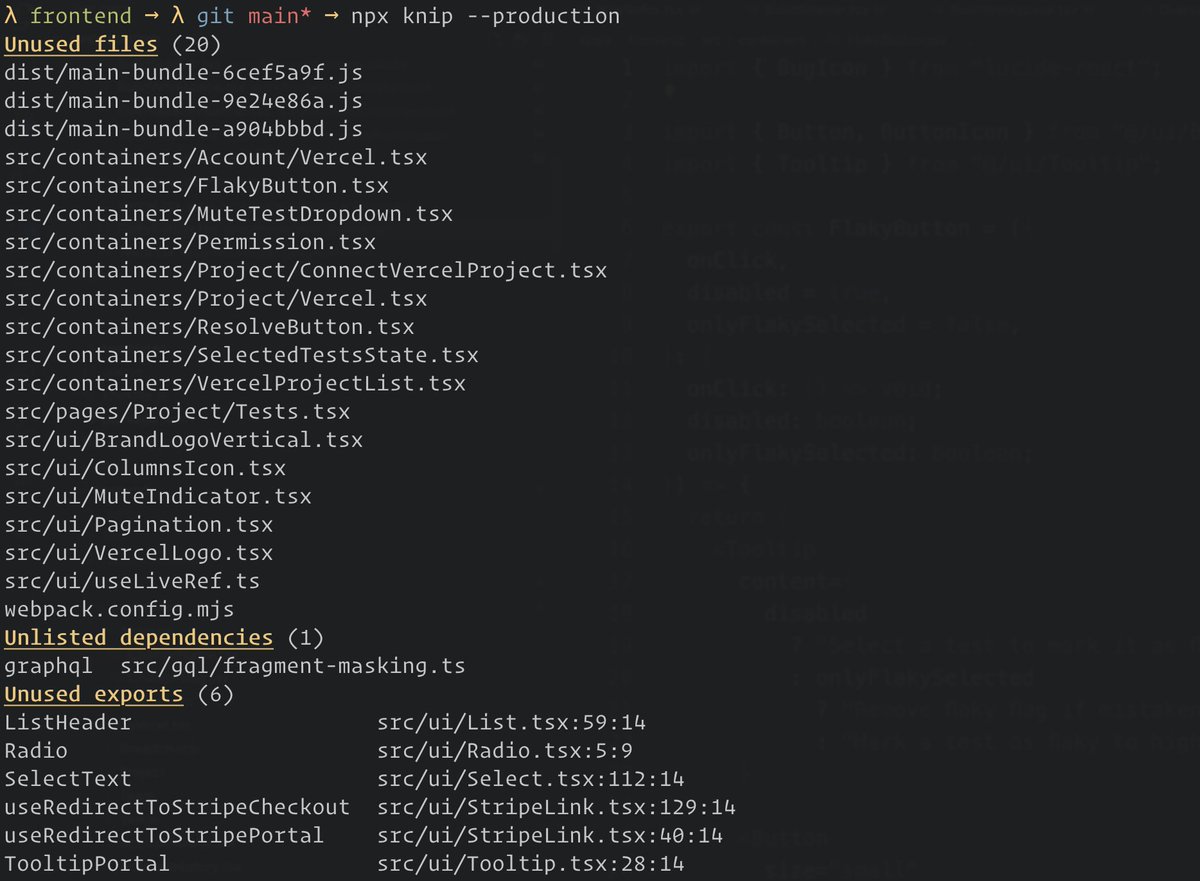
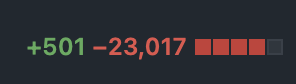
Packages Docs Src Content Docs Playground (`packages/docs/src/content/docs/playground.mdx`)
title: 'Playground' template: splash
Welcome to the Knip playground. The codebases below have linting issues on
purpose in the codebases, so Knip will report various types of issues.
Feel free to play around! There are currently two playgrounds:
Shoutout to StackBlitz for generously
providing these free dev containers.
Basic
Visit this Knip playground on StackBlitz to try out Knip:
Monorepo
Visit this Knip playground on StackBlitz to try out Knip in a monorepo
setting:
Packages Docs Src Content Docs Sponsors (`packages/docs/src/content/docs/sponsors.mdx`)
title: 'Become a sponsor!' template: splash
import StarlightPage from '@astrojs/starlight/components/StarlightPage.astro';
import Posts from '../../components/Posts.astro';
import Projects from '../../components/Projects.astro';
import SponsorsComponent from '../../components/Sponsors.astro';
import SponsorsChart from '../../components/SponsorsChart.astro';
:::article{.prose}
Knip is a powerful tool that helps thousands of developers keep their JavaScript
and TypeScript projects lean and maintainable. Knip saves teams valuable time
and resources.
Building and maintaining Knip has been, and remains, a lot of work. Supportive
resources allow me to focus on maintenance and development of Knip, which is
relied upon by many in the JavaScript community. Please consider
supporting the project! The following platforms are available to support Knip:
You or your company logo with a backlink to your website will be added to this
page if you decide to support the project on an ongoing basis. Eternal gratitude
to the companies and people supporting the project!
:::
Monthly Overview
Overview of gross GitHub and OpenCollective sponsorships and invoices, starting
from the moment the project openly asked for support. Actual development started
one year before that.
- The monthly aggregated average over the charted period is $880.
- The monthly recurring average without one-time payments is $492.
- One-time donations of at least $1000:
- September 2024: Microsoft, $2500
- July 2026: Mocha, $5000
- August 2026: StackBlitz, $1500
- September 2026: Guillermo Rauch, $1000
- GitHub Sponsors is for my GitHub account. This has more repositories, but in
practice targets mostly Knip (and perhaps some release-it). - Chart generated using Venz.
Trusted by the world's best software teams
Don't just take our word for it
Packages Docs Src Content Docs Blog Brief History (`packages/docs/src/content/docs/blog/brief-history.mdx`)
title: A Brief History Of Knip
date: 2023-10-15
authors:
- lars
tags: - History
If you are fond of short lists and brief histories, then this page was written
just for you!
{/* excerpt */}
- 2022-10-04: The initial commit. Still so tiny at that point, but the seed
was planted. Starting out with finding unused files and exports, the name was
Exportman! 🦸 - 2022-10-09: Big plans and a rename 5 days later, the first published version
of Knip was v0.1.2. - 2022-11-22: Unused dependencies and support for workspaces and plugins in the
first alpha of v1. - 2023-01-10: Lots of testing and fixes led to Knip v1.
- 2023-03-22: Knip v2 saw a full rewrite of the TypeScript backend.
- 2023-10-15: Introduction of Knip v3.
Packages Docs Src Content Docs Blog For Editors And Agents (`packages/docs/src/content/docs/blog/for-editors-and-agents.mdx`)
title: Knip for Editors & Agents
date: 2025-12-17
authors:
- lars
tags: - Announcement
Three years in, Knip has found its place in over 10.000 projects and is
downloaded over 18M times/month. A long period of steady growth in usage
and stability allows Knip to become more accessible to more people. That's why
I'm excited and proud to introduce the brand new Editor Extension and
MCP Server. For humans and coding agents alike, Knip will help keep your
codebases tidy.
Don't forget... Knip it before you ship it!
{/* excerpt */}
Editor Extension
This one is for you.
The usual suspects like red squiggles for unused exports are there. What
really moves the needle for DX with Knip's module graph is navigation. A
completely unique way to view & fly through codebases. Connect the dots during
development and refactors, while keeping things in check. We're starting out
with 3 key features:
- Hover over Export for import & usage locations
- Imports Tree View for direct links to implementations
- Exports Tree View for direct links to import & usage locations
The extension has a built-in MCP Server with a command and resources to
configure Knip for you, completely automated.
Find Knip on the VS Code Marketplace and find Knip in the Open VSX
Registry.
MCP Server
Configuring Knip has always been a major headache to many. No more. Tell your
coding agent to "configure knip" and it will RTFM so you don't have to. Using a
newer model like Opus 4.5 or GPT 5.2 results in an optimized knip.json file
and an uncluttered codebase.
The MCP Server is available separately and built into the VS Code
Extension.
Language Server
The VS Code Extension and the MCP Server are powered by the new Language Server.
It's a custom server that builds the full module graph of your project, and
provides a session with a graph explorer to request all sorts of interesting
information. Queries like "where is an export imported" or "is this import part
of a circular dependency" are just scratching the surface here.
Extensions for other IDEs can be built on top. See
language-server/README.md
Screenshots
Lint Findings
Imports & Exports
Contention
The IDE extension shows extra issues in the tree views like circular
dependencies. We're starting out with some extra novelties like conflicting and
branched/diamond-shaped import chains.
Circular Dependencies
If an import is part of a circular dependency, Knip will display:
Conflicts
TypeScript shows direct conflicts when importing or re-exporting the same named
export from different files. Except when the problem is more subtle and the
chain spans more than one file. Knip warns:
Branching
Branched or diamond-shaped imports chains indicate unnecessary re-exports and
complexity. They help to untangle large codebases and shrink or get rid of
barrel files. Knip warns:
VS Code Extension Settings
Packages Docs Src Content Docs Blog Knip V1 (`packages/docs/src/content/docs/blog/knip-v1.mdx`)
title: Announcing Knip v1
date: 2023-01-04
authors:
- lars
tags: - Announcement
excerpt: Learn how to migrate to Knip v1.
When coming from version v0.13.3 or before, there are some breaking changes:
- The
entryFilesandprojectFilesoptions have been renamed toentryandproject. - The
--devargument anddev: trueoption are gone, this is now the default
mode (see production mode). - Workspaces have been moved from the root of the config to the
workspaceskey
(see workspaces). - The
--dirargument has been renamed to--workspace.
Example
A configuration like this in v0.13.3 or before...
{
  "entryFiles": ["src/index.ts"],
  "projectFiles": ["src/**/*.ts", "!**/*.spec.ts"],
  "dev": {
    "entryFiles": ["src/index.ts", "src/**/*.spec.ts", "src/**/*.e2e.ts"],
    "projectFiles": ["src/**/*.ts"]
  }
}
...should become this for v1...
{
  "entry": ["src/index.ts!"],
  "project": ["src/**/*.ts!"]
}
Much cleaner, right? For some more details:
- The
devproperty for the--devflag is now the default mode. - Use
--productionto analyze only theentryandprojectfiles suffixed
with!. - The glob patterns for both types of test files (
*.spec.tsand*.e2e.ts)
are no longer needed:- Regular test files like
*.test.jsand*.spec.tsetc. are automatically
handled by Knip. - The
*.e2e.tsfiles is configured with the Cypress or other plugin. Note
that Cypress uses*.cy.tsfor spec files, but this could be overridden
like so:
- Regular test files like
{
  "entry": "src/index.ts!",
  "project": "src/**/*.ts!",
  "cypress": {
    "entry": "src/**/*.e2e.ts"
  }
}
Packages Docs Src Content Docs Blog Knip V2 (`packages/docs/src/content/docs/blog/knip-v2.mdx`)
title: Announcing Knip v2
date: 2023-03-22
authors:
- lars
tags: - Announcement
excerpt: Learn what's new in Knip v2.
Breaking changes
When coming from v1, there are no breaking changes in terms of configuration.
Changes
There are some changes regarding CLI arguments and output:
- Knip now runs on every workspace automatically (except for the ones in
ignoreWorkspaces: []). - The "Unlisted or unresolved dependencies" is split in "Unlisted dependencies"
and "Unresolved imports". - Bug fixes and increased correctness impact output (potentially causing CI to
now succeed or fail).
New features
Rewriting a major part of Knip's core from scratch allows for some new exciting
features:
- Performance. Files are read only once, and their ASTs are traversed only
once. Projects of any size will notice the difference. Total running time for
some projects decreases with 90%. - Compilers. You can now include other file types such as
.mdx,.vueand.sveltein the analysis.
Internally, the ts-morph dependency is replaced by typescript itself.
Other improvements
- Improved support for workspaces.
- Improved module resolutions, self-referencing imports, and other things you
don't want to worry about. - Configure
ignoreDependenciesandignoreBinariesat the workspace level. - Simplified plugins model: plugin dependency finder may now return any type of
dependency in a single array: npm packages, local workspace packages, local
files, etc. (module and path resolution are handled outside the plugin). - Many bugfixes.
Packages Docs Src Content Docs Blog Knip V3 (`packages/docs/src/content/docs/blog/knip-v3.mdx`)
title: Announcing Knip v3
date: 2023-10-15
authors:
- lars
tags: - Announcement
excerpt: Learn what's new in Knip v3.
import { Tabs, TabItem } from '@astrojs/starlight/components';
Lots of new users got introduced to Knip, coming with clear bug reports, helpful
insights, superb reproductions and great suggestions this year. You're all a
friendly and helpful bunch! Recently I've opened a Discord channel where more
communication, collaboration, ideas and updates are happening: feel free to join
The Knip Barn!
Today, Knip has over 140k weekly downloads on npm, almost 4000 stars on
GitHub, and over 500 repositories using it. While numbers are just
numbers, they do add to the positive feedback I'm receiving daily. Everything
combined makes me think I'm on the right track which is very motivating to keep
working on Knip.
So... What's Been Cooking Lately?
- Migration to a monorepo setup
- This very website built with Starlight 🌟
- Extended documentation for just about everything
- Improved JSON reporter for external integrations (e.g. GitHub Action)
- Some breaking changes, but you probably don't need to make any changes
Breaking Changes
A major bump comes with breaking changes, but most likely no changes necessary
on your end:
- Removed support for Node.js v16, Knip v3 requires at least Node.js v18.6
- Simplified exit codes
- Production mode now includes types by default (add
--exclude typesfor
previous behavior) - Removed
--ignore-internalflag;@internalexports ignored in
production mode now - The
--debug-file-filterflag is removed - The
jsonExtreporter is now the default JSON reporter (the previous one
is gone) - Moved
typescripttopeerDependencies(requires>=5.0.4)
Installation
Try out the latest Knip v3 release today!
Remember, Knip it before you ship it! Have a great day ☀️
Packages Docs Src Content Docs Blog Knip V4 (`packages/docs/src/content/docs/blog/knip-v4.mdx`)
title: Announcing Knip v4
date: 2024-01-16
authors:
- lars
tags: - Announcement
excerpt: Learn what's new in Knip v4.
import { Tabs, TabItem } from '@astrojs/starlight/components';
I'm happy to announce that Knip v4 is available!
The work took over a month and the process of slimming down to speed up
ended up really well: significant faster runs and reduced memory usage. In the
meantime, v3 continued to receive more contributions, plugins and bug fixes.
Highlights
Compared to v3, here are the highlights:
- Performance: significant speed bump (up to 80%!)
- Performance: globbing in combo with
.gitignoreis a lot more efficient - Configuration: built-in compilers (for Astro, MDX, Svelte & Vue)
- The
ignoreoption has been improved - Internal refactoring to serialize data for future improvements like caching.
The actual performance win in your projects depends on various factors like size
and complexity.
Major Changes
The changes have been tested against various repositories, but it's possible
that you will encounter false positives caused by the major refactoring that has
been done. If you do, please report!
Unused Class Members
Finding unused class members is no longer enabled by default. Here's why it's
now opt-in:
- When using Knip for the first time on a large repository it can crash after a
while with an out of memory error. This is a terrible experience. - Plenty of codebases don't use classes at all, keeping TS programs in memory is
a waste of resources. - Many configurations already exclude
classMembersfrom the output.
Enable unused class members by using the CLI argument or the configuration
option:
knip --include classMembers{
"include": ["classMembers"]
}Now that unused class members is opt-in and better organized within Knip, it
might be interesting to start looking at opt-ins for other unused members, such
as those of types and interfaces.
By the way, enum members are "cheap" with the v4 refactor, so those are still
included by default.
Compilers
You can remove the compilers option from your configuration. Since you can
override them, your custom compilers can stay where they are. This also means
that you can go back from knip.ts to knip.json if you prefer.
Ignore Files
The ignore option accepted patterns like examples/, but if you want to
ignore the files inside this folder you should update to globs likeexamples/**.
What's Next?
The refactoring for this release opens the door to more optimizations, such as
caching. I'm also very excited to see how deeper integrations such as in GitHub
Actions or IDEs like VS Code or WebStorm may further develop.
Remember, if you are you using Knip at work your company can sponsor me!
One More Thing...
An idea I've been toying with is "tagged exports". The idea is that you can tag
exports in a JSDoc comment. The tag does not need to be part of the JSDoc or
TSDoc spec. For example:
/** @custom */
export const myExport = 1;
Then, include or exclude such tagged exports from the report like so:
knip --experimental-tags=+custom
knip --experimental-tags=-custom,-internal
This way, you can either focus on or ignore specific tagged exports with tags
you define yourself. This also works for individual class or enum members.
Once this feature is intuitive and stable, the experimental flag will be
removed and option(s) added to the Knip configuration file. The docs are in the
CLI reference.
Let's Go!
What are you waiting for? Start using Knip v4 today!
Remember, Knip it before you ship it! Have a great day ☀️
Packages Docs Src Content Docs Blog Knip V5 (`packages/docs/src/content/docs/blog/knip-v5.mdx`)
title: Announcing Knip v5
date: 2024-02-10
authors:
- lars
tags: - Announcement
excerpt: Learn what's new in Knip v5.
import { Tabs, TabItem } from '@astrojs/starlight/components';
Today brings the smallest major release so far. Tiny yet mighty!
Below are two cases to demonstrate the change in how unused exports are
reported.
Case 1
The first case shows two exports with a namespaced import that references one of
those exports explicitly:
export const version = 'v5';
export const getRocket = () => '🚀';import * as NS from './knip.js';
console.log(NS.version);In this case we see that getRocket is an unused export.
Previously it would go into the "Unused exports in namespaces" category
(nsExports). This issue has been moved to the "Unused exports" category
(exports).
Case 2
The second case is similar, but only the imported namespace itself is
referenced. None of the individual exports is referenced:
import * as NS from './knip.js';
import send from 'stats';

send(NS);
Are the version and getRocket exports used? We can't know. The same is true
for the spread object pattern:
import * as NS from './knip.js';

const Spread = { ...NS };
Previously those exports would go into the "Unused exports in namespaces"
category. This is still the case, but this category is no longer enabled by
default.
Include unused exports in namespaces
To enable this type of issues in Knip v5, add this argument to the command:
knip --include nsExportsOr in your configuration file:
{
  "include": ["nsExports", "nsTypes"]
}
Now version and getRocket will be reported as "Unused exports in
namespaces".
Note that nsExports and nsTypes are split for more granular control.
Handling exports in namespaced imports
You have a few options to handle namespaced imports when it comes to unused
exports.
1. Use named imports
Regardless of whether nsExports is enabled or not, it's often good practice to
replace the namespaced imports with named imports:
import { version, getRocket } from './knip.js';

send({ version, getRocket });
Whenever possible, explicit over implicit is often the better choice.
2. Standardized JSDoc tags
Using one of the available JSDoc tags like @public or @internal:
export const version = 'v5';
/** @public */
export const getRocket = () => '🚀';
Assuming only imported using a namespace (like in the example cases above), this
will exclude the getRocket export from the report, even though it isn't
explicitly referenced.
3. Arbitrary JSDoc tags
Another solution is to tag individual exports arbitrarily:
export const version = 'v5';
/** @launch */
export const getRocket = () => '🚀';
And then exclude the tag like so:
$ knip --experimental-tags=-launch
Exports in used namespace (1)
version  NS  unknown  knip.js:1:1
Assuming only imported using a namespace (like in the example cases above), this
will exclude the getRocket export from the report, even though it isn't
explicitly referenced.
A better default
I believe this behavior in v5 is the better default: have all exports you want
to know about in a single category, and those you probably want to ignore in
another that's disabled by default.
Before the v4 refactoring, this would be a lot harder to implement. That
refactoring turns out to be a better investment than expected. Combined with a
better understanding of how people write code and use Knip, this change is a
natural iteration.
Why the major bump? It's not breaking for the large majority of users, but for
some it may be breaking. For instance when relying on the JSON reporter,
other reporter output, or custom preprocessing. It's not a bug fix, it's
not a new feature, but since semver is all about setting expectations I feel the
change is large enough to warrant a major bump.
Let's Go!
What are you waiting for? Start using Knip v5 today!
Remember, Knip it before you ship it! Have a great day ☀️
Packages Docs Src Content Docs Blog Knip V6 (`packages/docs/src/content/docs/blog/knip-v6.mdx`)
title: Announcing Knip v6
date: 2026-03-20
authors:
- lars
tags: - Announcement
excerpt: Learn what's new in Knip v6.
Knip v6 is out!
This release is all about replacing the TypeScript backend entirely withoxc-parser and oxc-resolver, and making Knip a whole lot faster!
From TypeScript to oxc
Two years ago, the "slim down to speed up" and Knip v4 work removed a
lot of overhead around TypeScript programs, made serialization and caching
practical, and improved memory efficiency a lot. But there was still a ceiling:
parsing and module resolution still depended on TypeScript APIs designed for
IDEs and language servers — not for the kind of single-pass static analysis Knip
does.
Starting today, Knip v6 parses your source files with oxc-parser. This is
more than just a parser swap for the sake of using the latest 'n greatest.
Knip has always been designed to parse each file only once, but the TypeScript
backend carried the overhead of wiring up an entire program along with the
typechecker. That's useful for IDEs keeping symbols connected, but much less so
when you only need to traverse an AST once to collect imports and exports. The
TypeScript backend made the setup as a whole harder and slower than it needed to
be, especially to keep large monorepos in check.
Now with TypeScript itself Go-ing places, replacing that backend was only a
matter of time.
Unsurprisingly, the search didn't take long: oxc-parser offers everything we
need and its (experimental) raw transfer is crazy fast. Massive props to
overlookmotel, Boshen and all contributors for all the work on the
oxc suite!
Performance tuning
Next to this major refactor, I've been having a ball tuning Knip's performance
further. One thing to highlight here is that a few more plugins have been
refactored to statically analyze configuration files directly, as opposed to
actually importing them (including transitive dependencies...). This includes
the ESLint ("flat config"), tsdown and tsup plugins.
The numbers
Comparing v5 and v6 in some projects using Knip, all boosts are in the 2-4x
range:
Trust me, I could look at this chart all day long! The same numbers in a table:
| Project | v5.88.0 | v6.0.0 |
|---|---|---|
| astro | 4.0s | 2.0s |
| query | 3.8s | 1.7s |
| rolldown | 3.7s | 1.7s |
| sentry | 11.0s | 4.0s |
| TypeScript | 3.7s | 0.9s |
What's new
- Did I already mention Knip got 2-4x faster?
- Support for TS namespaces (and modules), new issue type
namespaceMembers:
export namespace MyNamespace {
  export const myName = 'knip'; // we were ignored in v5,
  export type MyType = string; // yet in v6 we are included
}
Breaking changes
Granted, most of you won't even notice. Here's the list:
- Dropped support for Node.js v18 → Knip v6 requires Node.js v20.19.0 or newer
- Dropped issue type
classMembers - Dropped
--include-libs→ this is now the default and only behavior - Dropped
--isolate-workspaces→ this is now the default and only behavior - Dropped
--experimental-tags→ use--tags - In reporter functions,
issues.filesis consistent with other issue
shapes. Removedissues._files. - In the JSON reporter, issues are consistently arrays for any issue type.
Removed rootfiles.
Editor Extensions
Editor extensions benefit from the core upgrades, for being faster and
more memory-efficient. Regardless of new extension releases, the local version
of Knip will be detected and used. Upgrade knip in your dependencies when
you're ready.
What about classMembers?
I feel you. Even Knip itself was using it. Until today.
The problem is that the implementation relies on the JS-basedts.LanguageService API that exposes the findReferences method. TypeScript v6
is the last JS-based release, and TypeScript v7 is a full rewrite in Go. I am
left wondering if it ever will be feasible and practical to build such features
using primitives (i.e. not via LSP) in a JS-based CLI (references:
microsoft/typescript-go#455, @typescript/api). Knip was already
pretty unique for even trying this in a CLI tool.
Not that many projects seem to be using it either: github.com search for
"classMembers path:knip.json".
If your project relies on it, feel free to open an issue on GitHub or contact me
and maybe we can work something out. Maybe a separate dedicated tool could work,
or extended support for Knip v5.
Upgrade today
npm install -D knip@latestDeep closing thoughts...
Remember, Knip it before you ship it! Have a great day ☀️
Packages Docs Src Content Docs Blog Slim Down To Speed Up (`packages/docs/src/content/docs/blog/slim-down-to-speed-up.mdx`)
title: Slim down to speed up
date: 2023-12-14
authors:
- lars
tags: - Update
tl;dr; Memory usage is up to 50% lower, runs are up to 60% faster and you
can start using v4 canary today. No "unused class members" for the time being,
but this feature is planned to be restored.
{/* excerpt */}
Introduction
Honestly, performance has always been a challenge for Knip. A longstanding
bottleneck has finally been eliminated and Knip is going to be a lot faster.
Skip straight to the bottom to install v4 canary and try it out! Or grab
yourself a nice drink and read on if you're interested in where we are coming
from, and where we are heading.
Projects & Workspaces
From the start, Knip has relied on TypeScript for its robust parser for
JavaScript and TypeScript files. And on lots of machinery important to Knip,
like module resolution and accurately finding references to exported values.
Parts of it can be customized, such as the (virtual) file system and the module
resolver.
In TypeScript terms, a "project" is like a workspace in a monorepo. Same as each
workspace has a package.json, each project has a tsconfig.json. Thets.createProgram() method is used to create a program based on atsconfig.json and the machinery starts to read and parse source code files,
resolve modules, and so on.
Up until v2, when Knip wanted to find unused things in a monorepo, all programs
for all workspaces were loaded into memory. Workspaces often depend on each
other, so Knip couldn't load one project, analyze it and dispose it. This way,
connections across workspaces would be lost.
Shared Workspaces
Knip v2 said goodbye to this approach and implemented its own TypeScript backend
(after using ts-morph for this). Based on the compatibility ofcompilerOptions, workspaces were merged into shared programs whenever
possible. Having less programs in memory led to significant performance
improvements. Yet ultimately it was still a stopgap, since everything was still
kept in memory for the duration of the process.
"Why does everything need to stay in memory?", you may wonder. The answer is
that Knip uses findReferences at the end of the process. Knip relied on this
TypeScript Language Server method for everything that's not easy to find. More
about that later in the story of findReferences
Serialization
Fortunately, everything that's imported and exported from source files
(including things like members of namespaces and enums) can be found relatively
easily during AST traversal. This way, references to exports don't have to be
"traced back" later on.
It's mostly class members that are harder to find due to their dynamic nature.
Without these, all information can be serialized for storage and retrieval (in
memory or on disk). Slimming down by taking class members out of the equation
simplifies things a lot and paves the way for all sorts of improvements.
We Have To Slim Down
The relevant part in the linting process can be summarized in 5 steps:
- Collect entry files and feed them to TypeScript
- Read files, resolve modules, and create ASTs
- Traverse ASTs and collect imports & exports
- Match exports against imports to determine what's unused
- Find references to hard-to-find exported values and members
If we would hold on to reporting unused class members, then especially steps 2
and 5 are hard to decouple. The program and the language service containing the
source files used to eventually trace back references can't really be decoupled.
So class members had to go. Sometimes you have to slim down to keep moving. One
step back, two steps forward.
If you rely on this feature, fear not. I plan to bring it back before the final
v4, but possibly behind a flag.
What's In Store?
So with this out of the way, everything becomes a lot clearer and we can finally
really start thinking about significant memory and performance improvements. So
what's in store here? A lot!
- We no longer need to keep everything in memory, so workspaces are read and
disposed in isolation, one at a time. Memory usage will be spread out more
even. This does not make it faster, but reducing "out of memory" issues is
definitely a Good Thing™️ in my book. - Knip could recover from unexpected exits and continue from the last completed
workspace. - The imports and exports are in a format that can be serialized for storage and
retrieval. This opens up interesting opportunities, such as local caching on
disk, skipping work in subsequent runs, remote caching, and so on. - Handling workspaces in isolation and serialization result in parallelization
becoming a possibility. This becomes essential, as module resolution and AST
creation and traversal are now the slowest parts of the process and are not
easy to optimize significantly (unless perhaps switching to e.g Rust). - No longer relying on
findReferencesspeeds up the export/import matching
part part significantly. So far I've seen improvements of up to 60% on total
runtime, and my guess is that some larger codebases may profit even more. - The serialization format is still being explored and there is no caching yet,
but having the steps more decoupled is another Good Thing™️ that future me
should be happy about.
Back It Up, Please
I heard you. Here's some example data. You can get it directly from Knip using
the --performance flag when running it on any codebase. Below we have some
data after linting the Remix monorepo.
Knip v3
$ knip --performance

Name                           size  min     max      median   sum
-----------------------------  ----  ------  -------  -------  -------
findReferences                  223    0.55  2252.35     8.46  5826.95
createProgram                     2   50.78  1959.92  1005.35  2010.70
getTypeChecker                    2    5.04   667.45   336.24   672.48
getImportsAndExports            396    0.00     7.19     0.11   104.46

Total running time: 9.7s (mem: 1487.39MB)
Knip v4
$ knip --performance

...

Name                           size  min     max      median   sum
-----------------------------  ----  ------  -------  -------  -------
createProgram                     2   54.36  2138.45  1096.40  2192.81
getTypeChecker                    2    7.40   664.83   336.12   672.23
getImportsAndExports            396    0.00    36.36     0.16   224.37
getSymbolAtLocation            2915    0.00    29.71     0.00    65.63

Total running time: 4.3s (mem: 729.67MB)
Takeaways
The main takeaways here:
- In v3,
findReferencesis where Knip potentially spends most of its time - In v4, total running time is down over 50%
- In v4, memory usage is down 50% (calculated using
process.memoryUsage().heapUsage) - In v4,
getImportsAndExportsis more comprehensive to compensate for the
absence offindReferences- more on that below
Remember, unused class members are no longer reported by default in v4.
The story of `findReferences`
Did I mention Knip uses findReferences...? Knip relied on it for everything
that's not easy to find. Here's an example of an export/import match that is
easy to find:
import { MyThing } from './thing.ts';export const MyThing = 'cool';In v2 and v3, Knip collects many of such easy patterns. Other patterns are
harder to find with static analysis. This is especially true for class members.
Let's take a look at the next example:
class MyClass {
  constructor() {
    this.method();
  }
  method() {}
  do() {}
}

export const OtherName = MyClass;import * as MyNamespace from './MyClass.ts';
const { OtherName } = MyNamespace;
const instance = new OtherName();
instance.do();Without a call or new expression to instantiate OtherName, its method
member would not be used (since the constructor would not be executed). To
figure this out using static analysis goes a long way. Through export
declarations, import declarations, aliases, initializers, call expressions...
the list goes on and on. Yet all this magic is exactly what happens when you use
"Find all references" or "Go to definition" in VS Code.
Knip used findReferences extensively, but it's what makes a part of Knip
rather slow. TypeScript needs to wire things up (throughts.createLanguageService and program.getTypeChecker) before it can use this,
and then it tries hard to find all references to anything you throw at it. It
does this very well, but the more class members, enum members and namespaced
imports your codebase has, the longer it inevitably takes to complete the
process.
Besides letting go of class members, a slightly more comprehensive AST traversal
is required to compensate for the absence of findReferences (it's thegetImportsAndExports function in the metrics above). I'd like to give you an
idea of what "more comprehensive" means here.
In the following example, referencedExport was stored as export fromnamespace.ts, but it was not imported directly as such:
export const referencedExport = () => {};import * as NS from './namespace.ts';
NS.referencedExport();Previously, Knip used findReferences() to "trace back" the usage of the
exported referencedExport.
The gist of the optimization is to pre-determine all imports and exports. During
AST traversal of index.ts , Knip sees that referencedExport is attached to
the imported NS namespace, and stores that as an imported identifier ofnamespace.ts. When matching exports against imports, this lookup comes at no
extra cost. Additionally, this can be stored as strings, so it can be serialized
too. And that means it can be cached.
Knip already did this for trivial cases as shown in the first example of this
article. This has now been extended to cover more patterns. This is also what
needs to be tested more extensively before v4 can be released. Its own test
suite and the projects in the integration tests are already covered so we're
well on our way.
For the record, findReferences is an absolute gem of functionality provided by
TypeScript. Knip is still backed by TypeScript, and tries to speed things up by
shaking things off. In the end it's all about trade-offs.
Let's Go!
You can start using Knip v4 today, feel free to try it out! You might find a
false positive that wasn't there in v3, please report this.
npm install -D knip@canaryRemember, Knip it before you ship it! Have a great day ☀️
Packages Docs Src Content Docs Blog State Of Knip (`packages/docs/src/content/docs/blog/state-of-knip.mdx`)
title: The State of Knip
date: 2025-02-28
authors:
- lars
tags: - Update
Honestly, Knip was a bit of a "cursed" project from the get-go. Getting anywhere
near a level of being broadly-ish valuable requires a good amount offoolishness determination, and it has always been clear it would stay far
from perfect. It's telling that most of similar projects have been
abandoned.
And even though Knip is in its infancy, this update is meant as a sign we feel
we're still on to something. External indicators include increased usage looking
at numbers such as dependent repositories on GitHub and weekly downloads on npm,
and bug reports about increasingly less rudimentary issues.
{/* excerpt */}
Two Cases
For those interested, let's take a look at two cases that hopefully give an
impression of how Knip works under the hood and the level of issues we're
currently dealing with. It's assumed you already have a basic understanding of
Knip (otherwise please consider to read at least entry files and
plugins first).
Case 1: Next.js
Let's say this default configuration represents, greatly simplified, the
default entry patterns for projects using Next.js:
{
  "next": {
    "entry": ["next.config.ts", "src/pages/**/*.tsx"]
  }
}
Those files will be searched for and then statically analyzed to collectimport statements and find other local files and external dependencies. This
is the generic way Knip handles all source files.
However, the game changes if the project uses the following Next.js
configuration:
const nextConfig = {
  pageExtensions: ['page.tsx'],
};

export default nextConfig;
Next.js will now look for files matching src/pages/**/*.page.tsx instead (note
the subtle change of the glob pattern). Knip should respect this to find used
and unused files properly.
Moving the burden to users for them to either not notice at all and get
incorrect results, or having to override the next.entry patterns and includesrc/pages/**/*.page.tsx isn't good DX. Knip should take care of it.
To get the configuration object and the value of pageExtensions, Knip has to
actually load and execute next.config.ts ¹... and trouble is right around the
corner:
const nextConfig = {
  pageExtensions: ['page.tsx'],
  env: {
    BASE_URL: process.env.BASE_URL.toLowerCase(),
  },
};

export default nextConfig;$ knip
💥 LoaderError: Error loading next.config.ts
💥 Reason: Cannot read properties of undefined (reading 'toLowerCase')Obviously a contrived example, but the gist is that lots of tooling
configuration expects environment variables to be defined. But when running Knip
there might not be a mechanism to set those. Clearly a breaking change when Knip
starts doing this, only for Next.js projects with a configuration file that
doesn't read environment variables safely (or has other contextual
dependencies).
By the way, the ESLint v9 plugin has a similar issue.
¹ Another approach could be to statically analyze the next.config.ts
configuration file. That would require some additional efforts and get us only
so far, but is definitely useful in some cases and on the radar.
EDIT: This has been solved in the Next.js plugin in v5.48.0.
Case 2: Knip does that?!
To further bring down user configuration and the number of false positives, the
system required more components. New components have been introduced to keep
improving and nail it for an increasing number of projects. This case is an
illustration of some of those components.
Let's just dive into this example and find out what's happening:
{
  "scripts": {
    "test": "yarn --cwd packages/frontend vitest -c vitest.components.config.ts"
  }
}
Orchestration is necessary between various components within Knip, such as:
- Plugins, the Vitest plugin parses
vitest.components.config.ts - Custom CLI argument parsing for executables, e.g.
yarn --cwd [dir]andvitest --config [file] - The workspace graph, to see
packages/frontendis a descendant workspace of
the root workspace
Patterns like in the script above do not occur only in package.json files, but
could be anywhere. Here's a similar example in a GitHub Actions workflow:
jobs:
  integration:
    runs-on: ubuntu-latest
    steps:
      - run: playwright test -c playwright.e2e.config.ts
        working-directory: e2e
The pattern is very similar, because Knip needs to assign a configuration file
to a specific workspace (assuming there's one in ./e2e) and apply the Vitest
configuration to that particular workspace with its own set of directory and
entry file patterns.
An essential part of Knip is to build up the module graph for source files. With
the configuration files still in mind, this is the pattern Knip follows towards
this goal:
- Find configuration files at default and custom locations
- Assign them to the right workspace
- Run plugins in their own workspace to take entry file patterns from the
configuration objects - Load and parse configuration files to get referenced dependencies
The referenced dependencies are stored in the DependencyDeputy class to
eventually determine what dependencies are unused or missing in package.json
in each workspace.
Both the configuration and entry files are then used to start building up the
module graph.
Comprehensive
Discussing the two cases briefly covers only part of the whole process. This
might give a sense of the reason why Knip is pretty comprehensive. After all,
building the module graph for internal source files to find unused files and
exports requires the list of external dependencies including internal
workspaces. And on the other hand, a complete module graph is required to find
unused or missing external dependencies.
The comprehensiveness also requires a range of components in the system, such as
the aforementioned ones, compilers for popular frameworks and a script
parser, and other affordances such as auto-fix.
That said, code organization could be improved to make it more accessible for
contributions and, for instance, expose programmatic APIs to use the generated
module graph outside of Knip. Additionally, existing plugins can better take
advantage of existing components in the system, and new plugins can be developed
to further reduce user configuration and false positives.
The End
That's all for today, thanks for reading! Have a great one, and don't forget:
Knip it before you ship it! ✂️
Packages Docs Src Content Docs Blog Two Years (`packages/docs/src/content/docs/blog/two-years.mdx`)
title: Two Years
date: 2024-10-04
authors:
- lars
tags: - Update
import EmojiBlastButton from '../../../components/EmojiBlastButton.astro';
import Projects from '../../../components/Projects.astro';
import Sponsors from '../../../components/Sponsors.astro';
Exactly two years ago the first commit was pushed to GitHub and the first
version of Knip was published to the npm registry. The name was initially
Exportman! We've come a loooong way... The JavaScript ecosystem is highly
dynamic and I've been crazy enough to even start, try and keep up with it! But
here we are.
{/* excerpt */}
October 4th is World Animal Day, so there was really no choice but bring in the
crazy mascot that early adopters may remember:
Today we celebrate an unknown but CRAZY amount of clutter removed from so many
codebases with Knip's help. Every single day I see many of those little red
blocks for thousands of lines of deleted code and dependencies. Call me crazy,
but to me this is pure joy and never gets old! 🟩 🟥 🟥 🟥 🟥
Smiling faces
The actual amount of code and dependencies removed and the number of smiling
faces this brings is what matters most, but also remain a good mystery. Clearly
more and more projects add Knip to their projects and CI workflows to keep
ever-growing codebases tidy. It's wonderful to see if Knip plays its part in
today's ecosystem to help with that. Thanks for bearing with me, here's to a lot
more little red blocks in your PRs! 🟩 🟥 🟥 🟥 🟥
Updates
Why not throw in some freshly cooked updates in v5.31.0 for you while we're
at it:
- The auto-fix feature has been completely revamped, it's much better and a
lot more comprehensive! You have to see it to believe it. - Knip has upgraded to Jiti v2, resolving a bunch of known issues when
loading configuration files authored in TypeScript and ESM, such as:
Cannot use 'import.meta' outside a module
await is only valid in async functions and the top level bodies of modules
Unexpected identifier 'Promise'
Reflect.metadata is not a function
And that pesky "CJS build of Vite's Node API is deprecated" warning is finally
gone!
Thanks to everyone involved in making this happen, it's truly much appreciated.
Stable
If you haven't tried Knip recently, it's worth taking another look! Version 5
was released 8 months ago, and even though there were no breaking changes, it
includes many enhancements. In fact, Knip has been largely stable since version
3, which came out a year ago. Many releases have a compound effect, as Knip has
kept the pace for two years now.
Projects using Knip
This list of projects using Knip to keep their codebases tidy is something I
couldn't be more proud of:
:::section{.columns.min200}
:::
And so many more on and off the radar. Very, very cool!
Sponsors
Last but not least, eternal gratitude for all the sponsors that have been
supporting me along the way. THANK YOU, THANK YOU, THANK YOU!
And eh.. gotta take my chances: how about joining this awesome club?
:::section{.columns.min300.mt}
:::
Acknowledgements
Thanks to Joshua Goldberg for emoji-blast! 🎉
Packages Docs Src Content Docs Explanations Comparison And Migration (`packages/docs/src/content/docs/explanations/comparison-and-migration.md`)
title: Comparison & Migration
First of all, Knip owes a lot to the projects on this page and they've all been
inspirational in their own way. For best results, Knip has a vision embracing
comprehensiveness which is larger in scope than any of the alternatives. So
if any of those tools has the right scope for your requirements, then by all
means, use what suits you best. Note that most projects are no longer
maintained.
All tools have in common that they have less features and don't support the
concept of monorepos/workspaces. Feel free to send in projects that Knip
does not handle better, Knip loves to be challenged!
Migration
A migration consists of deleting the dependency and its configuration file and
getting started with Knip. You should end up with less configuration.
Comparison
depcheck
Depcheck is a tool for analyzing the dependencies in a project to see:
how each dependency is used, which dependencies are useless, and which
dependencies are missing from package.json.
The project has plugins (specials), yet not as many as Knip has and they're not
as advanced. It also supports compilers (parsers) for non-standard files.
The following commands are similar:
depcheck
knip --dependencies
Project status: The project is archived and recommends Knip.
unimported
Find and fix dangling files and unused dependencies in your JavaScript
projects.
unimported is fast and works well. It works in what Knip calls "production
mode" exclusively. If you're fine with a little bit of configuration and don't
want or need to deal with non-production items (such as devDependencies and
test files), then this might work well for you.
The following commands are similar:
unimported
knip --production --dependencies --files
Project status: The project is archived and recommends Knip.
ts-prune
Find unused exports in a typescript project. 🛀
ts-prune aims to find potentially unused exports in your TypeScript project
with zero configuration.
The following commands are similar:
ts-prune
knip --include exports,types,nsExports,nsTypes
Use knip --exports to also include enum and namespace members.
Project status: The project is archived and recommends Knip.
ts-unused-exports
ts-unused-exports finds unused exported symbols in your Typescript
project
The following commands are similar:
ts-unused-exports
knip --include exports,types,nsExports,nsTypes
Use knip --exports to also include enum and namespace members.
tsr
Remove unused code from your TypeScript Project
tsr (previously ts-remove-unused) removes unused exports, and works based
on a single tsconfig.json file (includes and excludes) and requires no
configuration. It removes the export keyword or the whole export declaration.
Project status: The project is archived and recommends Knip.
Related projects
Additional alternative and related projects include:
In general, the e18e.dev website and in particular the Cleanup
section is a great resource when dealing with technical debt.
Packages Docs Src Content Docs Explanations Entry Files (`packages/docs/src/content/docs/explanations/entry-files.md`)
title: Entry Files
Entry files are the starting point for Knip to determine what files are used in
the codebase. More entry files lead to increased coverage of the codebase. This
also leads to more dependencies to be discovered. This page explains how Knip
and its plugins try to find entry files so you don't need to configure them
yourself.
Default entry file patterns
For brevity, the default configuration on the previous page mentions onlyindex.js and index.ts, but the default set of file names and extensions is
actually a bit larger:
index,mainandclijs,mjs,cjs,jsx,ts,mts,ctsandtsx
This means files like main.cjs and src/cli.ts are automatically added as
entry files. Here's the default configuration in full:
{
  "entry": [
    "{index,cli,main}.{js,cjs,mjs,jsx,ts,cts,mts,tsx}",
    "src/{index,cli,main}.{js,cjs,mjs,jsx,ts,cts,mts,tsx}"
  ],
  "project": ["**/*.{js,cjs,mjs,jsx,ts,cts,mts,tsx}!"]
}
Next to the default locations, Knip looks for entry files in other places. In
a monorepo, this is done for each workspace separately.
The values you set override the default values, they are not merged.
Plugins
Plugins often add entry files. For instance, the Remix, Storybook and Vitest
plugins add additional entry files. See the next page about plugins for
more details about this.
Scripts in package.json
The package.json is scanned for entry files. The main, bin, and exports
fields may contain entry files. The scripts are also parsed to find entry
files and dependencies. See Script Parser for more details.
Ignored files
Knip respects .gitignore files. By default, ignored files are not added as
entry files. This behavior can be disabled by using the --no-gitignore
flag on the CLI.
Configuring project files
See configuring project files for guidance on tuning entry and project
and when to use ignore.
Where Knip looks for entry files
Putting it together, Knip discovers entry files from:
- Default locations such as
index.jsandsrc/index.ts - The
main,binandexportsfields inpackage.json - Entry and config files added by enabled plugins (the config files are entry
files too) - Dynamic imports:
require()andimport() require.resolve()andimport.meta.resolve()new URL('./file.js', import.meta.url)new Worker(…)andchild_processfork/spawn/execFilewhen the target
ispath.join(__dirname, …)module.register('./loader.js')loader registration- Scripts the script parser extracts:
package.jsonscripts, CI workflowruncommands, and source-code calls (tagged$templates,node:child_process,execa,nano-spawn)
Entry files are added to the module graph, and module resolution may pull in
further entry files recursively until none remain.
Packages Docs Src Content Docs Explanations How Knip Works (`packages/docs/src/content/docs/explanations/how-knip-works.md`)
title: How Knip works
Knip finds and removes unused code and dependencies. It starts at your entry
files, follows every import to the files they reach, and builds a graph of
everything connected. Anything left out is reported as unused: a file no entry
reaches, an export no file imports, a dependency no file uses.
This page explains how Knip produces its results.
Build and analyze
Knip runs in two phases.
The build phase starts from the entry files. Knip reads a file, parses it,
collects its imports and exports, resolves each import to another file, and
repeats for every newly reached file. The result is a graph of the project:
every reachable file, what it imports, and what imports it.
Resolution is broad by design. Knip follows custom path aliases and extensions,
reads references out of config files and shell scripts, and "compiles"
non-standard files like .vue and .svelte so their imports are in the graph
too.
The analysis phase queries that graph. It never re-parses anything. It walks the
edges already recorded:
- a file is unused when no entry reaches it
- an export is unused when no other file imports it
- a dependency is unused when no file imports it (and unlisted when a file
imports it butpackage.jsondoesn't list it)
Analysis happens by quering the graph. Your results are only as accurate as the
graph is complete. And the graph depends on your entry files.
Entry files decide what Knip can see
The graph contains only what's reachable from an entry file. Miss one entry, and
everything reachable only from it looks unused.
Ideally you don't need to list entries by hand. Knip starts from sensible
defaults like src/index.ts, and plugins automatically add the entry
points specific to your frameworks and libraries. The Vitest plugin adds your
test files, the Astro plugin adds your pages, and so on. This is why plugins are
important: each one tells Knip about a whole class of files it might otherwise
never reach.
Findings come in chains
Unused results cascade. They don't appear in isolation. Say a tool generates an
entry file Knip doesn't know about:
- that file looks unused, because nothing reaches it
- every file it imports looks unused too, because nothing else reaches them
- every export in those files looks unused
- every dependency only those files used looks unused
One unreached entry can turn into dozens of findings. The chain also runs in
reverse: add the entry, and the whole cascade collapses at once.
So read the output from the root down: unused files first, then exports, then
dependencies. A single unused file usually explains a long list of results
below it. Fix causes at the root and the rest disappears.
Some chains only show up one run at a time. An export counts as used when
another file imports it, even if the importing code is unused. Remove that code,
and the next run may report the export. Unused exports that import each other
across files are never reported.
A surprising result might be a gap, not a bug
When Knip flags something you're sure is used, it's based on the graph: it
couldn't reach that code from an entry. The cause is usually one of:
- a missing entry for a tool or convention Knip doesn't know yet
- a dynamic import Knip can't follow statically, or a path it can't resolve
- a transitive dependency of a package that resolves only because something else
installs it
In each case the fix is to teach Knip: add the entry, configure the plugin, list
the dependency. Don't hide the result. Configuring project files and
resolving reported issues cover how, issue type by issue type.
Packages Docs Src Content Docs Explanations Plugins (`packages/docs/src/content/docs/explanations/plugins.md`)
title: Plugins
This page describes why Knip uses plugins and the difference between config
and entry files.
Knip has an extensive and growing list of built-in plugins. Feel free to
write a plugin so others can benefit too!
What does a plugin do?
Plugins are enabled if the related package is listed in the list of dependencies
in package.json. For instance, if astro is listed in dependencies ordevDependencies, then the Astro plugin is enabled. And this means that this
plugin will:
- Handle configuration files like
astro.config.mjs - Add entry files such as
src/pages/**/*.astro - Define command-line arguments
Configuration files
Knip uses entry files as starting points to scan your source code and
resolve other internal files and external dependencies. The module graph can be
statically resolved through the require and import statements in those
source files. However, configuration files reference external dependencies in
various ways. Knip uses a plugin for each tool to parse configuration files and
find those dependencies.
Example: ESLint
In the first example we look at the ESLint plugin. The default config
file patterns include .eslintrc.json. Here's a minimal example:
{
  "extends": ["airbnb", "prettier"],
  "plugins": ["@typescript-eslint"]
}
Configuration files like this don't import or require anything, but they do
require the referenced dependencies to be installed.
In this case, the plugin will return three dependencies:
eslint-config-airbnbeslint-config-prettier@typescript-eslint/eslint-plugin
Knip will then look for missing dependencies in package.json and report those
as unlisted. And vice versa, if there are any ESLint plugins listed inpackage.json, but unused, those will be reported as well.
Example: Vitest
The second example uses the Vitest plugin. Here's a minimal example of a
Vitest configuration file:
import { defineConfig } from 'vitest/config';

export default defineConfig({
  test: {
    coverage: {
      provider: 'istanbul',
    },
    environment: 'happy-dom',
  },
});
The Vitest plugin reads this configuration and returns two dependencies:
@vitest/coverage-istanbulvitest-environment-happy-dom
Knip will look for missing and unused dependencies in package.json and report
accordingly.
Some tools allow configuration to be stored in package.json, that's why some
plugins contain package.json in the list of config files.
:::tip[Summary]
Plugins load configuration files to find referenced dependencies, and determine
unused and unlisted dependencies.
:::
Entry files
Many plugins have default entry files configured. When the plugin is enabled,
Knip will add entry files as configured by the plugin to resolve used files and
dependencies.
For example, if next is listed as a dependency in package.json, the Next.js
plugin will automatically add multiple patterns as entry files, such aspages/**/*.{js,jsx,ts,tsx}. If vitest is listed, the Vitest plugin adds**/*.{test,test-d,spec,spec-d}.ts as entry file patterns. Most plugins have
entry files configured, so you don't have to.
It's mostly plugins for meta frameworks and test runners that have entry files
configured.
:::tip[Plugins result in less configuration]
Plugins use entry file patterns as defined in your configuration file of these
tools. So you don't need to repeat this in your Knip configuration.
:::
For example, let's say your Playwright configuration contains the following:
import type { PlaywrightTestConfig } from '@playwright/test';

const config: PlaywrightTestConfig = {
  testDir: 'integration',
  testMatch: ['**/*-test.ts'],
};

export default config;
The Playwright plugin will read this configuration file and return those entry
patterns (integration/**/*-test.ts). Knip will then not use the default entry
patterns.
You can still override this behavior in your Knip configuration:
{
  "playwright": {
    "entry": "src/**/*.integration.ts"
  }
}
This should not be necessary though. Please consider opening a pull request or a
bug report if any plugin is not behaving as expected.
:::tip[Summary]
Plugins try hard to automatically add the correct entry files.
:::
Entry files from config files
Entry files are part of plugin configuration (as described in the previous
section). Yet plugins can also return additional entry files after parsing
configuration files. Below are some examples of configuration files parsed by
plugins to return additional entry files. The goal of these examples is to give
you an idea about the various ways Knip and its plugins try to find entry files
so you don't need to configure them yourself.
Angular
The Angular plugin parses the Angular configuration file. Here's a fragment:
{
  "$schema": "./node_modules/@angular/cli/lib/config/schema.json",
  "projects": {
    "knip-angular-example": {
      "architect": {
        "build": {
          "builder": "@angular-devkit/build-angular:browser",
          "options": {
            "outputPath": "dist/knip-angular-example",
            "main": "src/main.ts",
            "tsConfig": "tsconfig.app.json"
          }
        }
      }
    }
  }
}
This will result in src/main.ts being added as an entry file (and@angular-devkit/build-angular as a referenced dependency).
Additionally, the Angular plugin returns tsconfig.app.json as a configuration
file for the TypeScript plugin.
GitHub Actions
This plugin parses workflow YAML files. This fragment contains three run
scripts:
jobs:
  integration:
    runs-on: ubuntu-latest
    steps:
      - run: npm install
      - run: node scripts/build.js
      - run: node --loader tsx scripts/deploy.ts
      - run: playwright test -c playwright.web.config.ts
        working-directory: e2e
From these scripts, the scripts/build.js and scripts/deploy.ts files will be
added as entry files by the GitHub Actions plugin.
Additionally, the file e2e/playwright.web.config.ts is detected and will be
handed over as a Playwright configuration file.
Read more about this in command-line arguments.
webpack
Let's take a look at this example webpack configuration file:
module.exports = env => {
  return {
    entry: {
      main: './src/app.ts',
      vendor: './src/vendor.ts',
    },
    module: {
      rules: [
        {
          test: /\.(woff|ttf|ico|woff2|jpg|jpeg|png|webp)$/i,
          use: 'base64-inline-loader',
        },
      ],
    },
  };
};
The webpack plugin will parse this and add ./src/app.ts and ./src/vendor.ts
as entry files. It will also add base64-inline-loader as a referenced
dependency.
:::tip[Summary]
In your config files, plugins can find additional entry files and also other
config files recursively.
:::
Bringing it all together
Sometimes a configuration file is a JavaScript or TypeScript file that imports
dependencies, but also contains configuration that needs to be parsed by a
plugin to find additional dependencies.
Let's take a look at this example Vite configuration file:
import { defineConfig } from 'vite';
import react from '@vitejs/plugin-react';

export default defineConfig(async ({ mode, command }) => {
  return {
    plugins: [react()],
    test: {
      setupFiles: ['./setup-tests.ts'],
      environment: 'happy-dom',
      coverage: {
        provider: 'c8',
      },
    },
  };
});
This file imports vite and @vitejs/plugin-react directly, but also
indirectly references the happy-dom and @vitest/coverage-c8 packages.
The Vite plugin of Knip will dynamically load this configuration file and
parse the exported configuration. But it's not aware of the vite and@vitejs/plugin-react imports. This is why such config files are also
automatically added as entry files for Knip to statically resolve theimport and require statements.
Additionally, ./setup-tests.ts will be added as an entry file.
:::note
When plugins dynamically load configuration files, conditional dependencies may
not be detected if the condition evaluates differently during analysis. See
conditional or dynamic dependencies for details and workarounds.
:::
Command-Line Arguments
Plugins may define the arguments where Knip should look for entry files,
configuration files and dependencies. We've already seen some examples above:
node --loader tsx scripts/deploy.ts
playwright test -c playwright.web.config.ts
Please see script parser for more details.
Config File Location
If configuration files aren't in their default location and they are not
referenced through some script like vite -c ./dir/vite.config.ts, then make
sure to tell Knip about it. Two examples:
{
  "playwright": { "config": ["e2e/playwright.config.ts"] },
  "vite": "packages/*/vite.config.ts" // shorthand without `config` and array notation
}
This is common in projects where a directory like packages/lib is not an
actual workspace with a package.json file. Also see integrated monorepos
for similar cases.
Summary
:::tip[Summary]
Plugins are configured with two distinct types of files:
configfiles are dynamically loaded and parsed by the pluginentryfiles are added to the module graph- Both can recursively lead to additional entry files, config files and
dependencies
:::
Packages Docs Src Content Docs Explanations Why Use Knip (`packages/docs/src/content/docs/explanations/why-use-knip.md`)
title: Why use Knip?
The value of removing clutter is clear, but finding it manually is tedious. Meet
Knip: comprehensive and accurate results at any scale.
:::tip[TL;DR]
Unused files, exports and dependencies pile up as projects grow. Removing them
improves maintenance, performance, security and onboarding, and prevents
regressions in CI. Knip automates finding (and fixing) all three,
comprehensively and at any scale.
:::
Less is more
There are plenty of reasons to delete unused files, dependencies and "dead
code":
- Easier maintenance: things are easier to manage when there's less of it.
- Improved performance: startup time, build time and/or bundle size can be
negatively impacted when unused code, files and/or dependencies are included.
Relying on tree-shaking when bundling code helps, but it's not a silver
bullet. - Increased security: less code and dependencies means less room for weak spots.
- Easier onboarding: there should be no doubts about whether files, dependencies
and exports are actually in use or not. Especially for people new to the
project and/or taking over responsibilities this is harder to grasp. - Prevent regressions: tools like TypeScript, ESLint and Prettier do all sorts
of checks and linting to report violations and prevent regressions. Knip does
the same for dependencies, exports and files that are obsolete. - Keeping dead code around has a negative value on readability, as it can be
misleading and distracting. Even if it serves no purpose it will need to be
maintained (source: Safe dead code removal → YAGNI). - Also see Why are unused dependencies a problem? and Why are unused
exports a problem?.
Automation
Code and dependency management is usually not the most exciting task for most of
us. Knip's mission is to automate finding clutter. This is such a tedious job if
you were to do it manually, and where would you even start? Knip applies many
techniques and heuristics to report what you need and save a lot of time.
:::tip
Knip not only finds clutter, it can also remove clutter!
Use Knip next to a linter like ESLint or Biome: after removing unused variables
inside files, Knip might find even more unused code. Rinse and repeat!
:::
Comprehensive
You can use alternative tools that do the same. However, the advantage of a
strategy that addresses all of dependencies, exports and files is in their
synergy:
- Utilizing plugins to find their dependencies includes the capacity to find
additional entry and configuration files. This results in more resolved and
used files. Better coverage gives better insights into unused files and
exports. - Analyzing more files reveals more unused exports and dependency usage,
refining the list of both unused and unlisted dependencies. - This approach is amplified in a monorepo setting. In fact, files and
internal dependencies can recursively reference each other (across
workspaces).
Knip reaches this coverage through fine-grained entry points, custom
module resolution, configuration-file parsers, an advanced
shell-script parser, and built-in and custom compilers, then fixes
most of it automatically.
Greenfield or Legacy
Installing Knip in greenfield projects ensures the project stays neat and tidy
from the start. Add it to your CI workflow and prevent any regressions from
entering the codebase.
:::tip
Use Knip in a CI environment to prevent future regressions.
:::
In large and/or legacy projects, Knip may report false positives and require
some configuration. It aims to be a great assistant when cleaning up parts of
the project or doing large refactors. Even a list of results with a few false
positives is many times better and faster than if you were to do it manually.
Unobtrusive
Knip does not introduce new syntax for you to learn. This may sound obvious, but
consider comments like the following:
// eslint-disable-next-line
// prettier-ignore
// @ts-expect-error
Knip doesn't have similar comments like // knip-ignore so you can get rid of
false positives for a variety of reasons:
- A false positive may be a bug in Knip, and should be reported, not dismissed.
- Instead of proprietary comments, use standardized annotations that also
serve as documentation. - In the event you want to remove Knip, just uninstall
knipwithout having to
remove useless comments scattered throughout the codebase.
Tip: use @lintignore in JSDoc comments, so other linters can use the same.
Packages Docs Src Content Docs Features Auto Fix (`packages/docs/src/content/docs/features/auto-fix.mdx`)
title: Auto-fix
import { Tabs, TabItem } from '@astrojs/starlight/components';
import { Badge } from '@astrojs/starlight/components';
Run Knip as you normally would, and if the report looks good then run it again
with the --fix flag to let Knip automatically apply fixes. It fixes the
following issue types:
- Remove unused files
- Remove
exportkeyword for unused exports, re-exports, and exported types - Remove
export defaultkeywords for unused default exports - Remove unused enum and namespace members
- Remove unused
dependenciesanddevDependenciesfrompackage.json - Remove unused catalog entries
:::caution
Use a VCS (version control system) like Git to review and undo changes as
necessary.
:::
Flags
Fix
Add the --fix flag to remove unused exports and dependencies:
knip --fixAdd --allow-remove-files to allow Knip to remove unused files:
knip --fix --allow-remove-filesUse --fix-type to fix only specific issue types:
dependenciesexportstypesfilescatalog
Example:
knip --fix-type exports,types
knip --fix-type exports --fix-type types   # same as above
Format
Add --format to format the modified files using the formatter and
configuration in your project. Supports Biome, deno fmt, dprint and Prettier
(using Formatly):
knip --fix --formatDemo
Post-fix
After Knip has fixed issues, there are four things to consider:
1. Use a formatter
Use a tool like Prettier or Biome if the code needs formatting. Knip removes the
minimum amount of code while leaving it in a working state.
:::tip
Add the --format flag to format the modified files using the formatter and
configuration in your project.
:::
2. Unused variables
Use a tool like ESLint or Biome to find and remove unused imports and variables
inside files. Even better, try remove-unused-vars to remove unused
variables within files.
This may result in more deleted code, and Knip may then find more unused code.
Rinse and repeat!
3. Unused dependencies
Verify changes in package.json and update dependencies using your package
manager.
4. Install unlisted dependencies
If Knip reports unlisted dependencies or binaries, they should be installed
using the package manager in the project, for example:
Example results
Exports
The export keyword for unused exports is removed:
-export const unused = 1;
-export default class MyClass {}
+const unused = 1;
+class MyClass {}
The default keyword was also removed here.
Knip removes the whole or part of export declarations:
type Snake = 'python' | 'anaconda';
const Owl = 'Hedwig';
const Hawk = 'Tony';
-export type { Snake };
-export { Owl, Hawk };
+;
+;
Re-exports
Knip removes the whole or part of re-exports:
-export { Cat, Dog } from './pets';
-export { Lion, Elephant } from './jungle';
+export { Elephant } from './jungle'
Also across any chain of re-exports:
Export assignments
Knip removes individual exported items in "export assignments", but does not
remove the entire export declaration if it's empty:
-export const { a, b  } = fn();
+export const {   } = fn();

-export const [c, d] = [c, d];
+export const [, ] = [c, d];
Reason: the right-hand side of the assignment might have side-effects. It's not
safe to always remove the whole declaration. This could be improved in the
future (feel free to open an issue/RFC).
Enum members
Unused members of enums are removed:
export enum Directions {
  North = 1,
  East = 2,
-  South = 3,
  West = 4,
}
CommonJS
Knip supports CommonJS and removes unused exports:
-module.exports = { identifier, unused };
+module.exports = { identifier,  };

-module.exports.UNUSED = 1;
-module.exports['ACCESS'] = 1;
+
+
Warning: the right-hand side of such an assignment might have side-effects. Knip
currently removes the whole declaration (feel free to open an issue/RFC).
Dependencies
Unused dependencies are removed from package.json:
{
   "name": "my-package",
   "dependencies": {
-    "rimraf": "*",
-    "unused-dependency": "*"
+    "rimraf": "*"
   },
-  "devDependencies": {
-    "unreferenced-package": "5.3.3"
-  }
+  "devDependencies": {}
 }
Catalog entries
Unused catalog entries are removed from pnpm-workspace.yaml:
packages:
   - 'packages/*'
 catalog:
   react: ^18.0.0
-  unused-package: ^1.0.0
Catalogs in package.json are supported as well.
What's not included
Operations that auto-fix does not (yet) perform and why:
- Add unlisted (dev) dependencies to
package.json(should it go intodependenciesordevDependencies? For monorepos in current workspace or
root?) - Add unlisted binaries (which package and package version contains the used
binary?) - Fix duplicate exports (which one should be removed?)
Packages Docs Src Content Docs Features Catalogs (`packages/docs/src/content/docs/features/catalogs.md`)
title: Catalogs
Catalogs let you define dependency version ranges once and reference them across
workspaces in a monorepo. Knip reports catalog entries that are defined but no
longer referenced, and references to entries that do not exist. It can remove
unused entries with auto-fix.
Supported catalogs
Knip reads catalogs from the first applicable location:
pnpm-workspace.yaml— thecatalog(default) andcatalogs(named) keys.yarnrc.yml— thecatalogandcatalogskeyspackage.json— thecatalogandcatalogskeyspackage.json#workspaces— thecatalogandcatalogskeys (Bun)
Unused catalog entries
A catalog entry is reported as unused when no workspace references it through
the catalog: protocol in its package.json:
{
  "dependencies": {
    "react": "catalog:",
    "zod": "catalog:validation"
  }
}
catalog: references the default catalog, while catalog:validation
references the named validation catalog. References are resolved fromdependencies, devDependencies, peerDependencies, optionalDependencies,resolutions, pnpm-workspace.yaml#overrides, and pnpm.overrides in the rootpackage.json (pnpm 10 and older).
Entries defined in a catalog but not referenced anywhere are reported as unused
catalog entries.
Unresolved catalog references
A catalog: reference is reported when the selected catalog does not define
that package. These issues point to the consuming package.json orpnpm-workspace.yaml, where package managers would otherwise fail to resolve
the version.
Filter and fix
The catalog and catalogReferences issue types are included by the--dependencies shortcut. Focus on them (or exclude them) like any other
issue type:
knip --include catalog,catalogReferences
knip --exclude catalog,catalogReferences
Auto-fix removes unused catalog entries from the catalog file:
knip --fix --fix-type catalogPackages Docs Src Content Docs Features Compilers (`packages/docs/src/content/docs/features/compilers.md`)
title: Compilers
Projects may have source files that are not JavaScript or TypeScript, and thus
require compilation (or transpilation, or pre-processing, you name it). Files
like .mdx, .astro, .vue and .svelte may also import other source files
and external dependencies. So ideally, these files are included when linting the
project. That's why Knip supports compilers.
Built-in compilers
Knip has built-in "compilers" for the following file extensions:
.astro.css(only enabled bytailwindcss).mdx.prisma.sass+.scss.less.styl+.stylus.svelte.tsrx.vue
Knip does not include real compilers for those files, but regular expressions to
collect import statements. This is fast, requires no dependencies, and enough
for Knip to build the module graph. The tradeoff is that unused exports inside
these files go unreported.
Real compilers recover those exports, but bring their own challenges. The Svelte
compiler, for instance, keeps exports intact even when they represent
component properties, so Knip reports them as unused. When you need that
fidelity, override any built-in with the framework's own compiler (see the
Svelte and Vue examples below). For example, to report unused exports
in .tsrx files.
Compilers are enabled only when a related dependency is found. The .tsrx
compiler when a @tsrx/* package is installed, for example. If that detection
doesn't work for your project, set true to enable any compiler manually:
export default {
  compilers: {
    mdx: true,
  },
};
Compiled files and `project` patterns
The default project patterns include compiler extensions automatically. When
you override project, list them explicitly:
export default {
  project: ['src/**/*.{ts,tsx,css}'],
};
Files outside project are not analyzed, so their imports don't count. A
narrowed pattern like ['src/**/*.{ts,tsx}'] silently drops everything a
stylesheet imports, which is a common source of false positives: @import 'tailwindcss' in an excluded .css file gets tailwindcss reported as an
unused dependency. Knip reports a configuration hint when a compiled extension
is excluded this way.
Custom compilers
Built-in compilers can be overridden, and additional compilers can be added.
Since compilers are functions, the Knip configuration file must be a dynamic.js or .ts file.
Interface
The compiler function interface is straightforward. Text in, text out:
(source: string, filename: string) => string | PromiseLike<string>;Return a string or a Promise-like value that resolves to a string. Knip compiles
files on demand and awaits asynchronous results; the async keyword is
optional.
Examples
CSS
Here's an example, minimal compiler for CSS files:
export default {
  compilers: {
    css: (text: string) => [...text.matchAll(/(?<=@)import[^;]+/g)].join('\n'),
  },
};
You may wonder why the CSS compiler is not included by default. It's currently
not clear if it should be included. And if so, what would be the best way to
determine it should be enabled, and what syntax(es) it should support. Note that
Tailwind CSS, SASS/SCSS, Less and Stylus compilers are included.
MDX
Another example, in case the built-in MDX compiler is not enough:
import { compile } from '@mdx-js/mdx';

export default {
  compilers: {
    mdx: async text => (await compile(text)).toString(),
  },
};
Svelte
In a Svelte project, the compiler is automatically enabled. Override and use
Svelte's compiler for better results if the built-in "compiler" is not enough:
import type { KnipConfig } from 'knip';
import { compile } from 'svelte/compiler';

export default {
  compilers: {
    svelte: (source: string) => compile(source, {}).js.code,
  },
} satisfies KnipConfig;
Vue
In a Vue project, the compiler is automatically enabled. Override and use Vue's
parser for better results if the built-in "compiler" is not enough:
import type { KnipConfig } from 'knip';
import {
  parse,
  type SFCScriptBlock,
  type SFCStyleBlock,
} from 'vue/compiler-sfc';

function getScriptBlockContent(block: SFCScriptBlock | null): string[] {
  if (!block) return [];
  if (block.src) return [`import '${block.src}'`];
  return [block.content];
}

function getStyleBlockContent(block: SFCStyleBlock | null): string[] {
  if (!block) return [];
  if (block.src) return [`@import '${block.src}';`];
  return [block.content];
}

function getStyleImports(content: string): string {
  return [...content.matchAll(/(?<=@)import[^;]+/g)].join('\n');
}

const config = {
  compilers: {
    vue: (text: string, filename: string) => {
      const { descriptor } = parse(text, { filename, sourceMap: false });
      return [
        ...getScriptBlockContent(descriptor.script),
        ...getScriptBlockContent(descriptor.scriptSetup),
        ...descriptor.styles.flatMap(getStyleBlockContent).map(getStyleImports),
      ].join('\n');
    },
  },
} satisfies KnipConfig;

export default config;
Tracking non-source files
To track any file extension that's not meant to compile to JavaScript, register
a no-op compiler:
export default {
  compilers: { template: () => '' },
};
Packages Docs Src Content Docs Features Custom Elements (`packages/docs/src/content/docs/features/custom-elements.md`)
title: Custom Elements
Custom elements are registered under a tag name. When such a class isn't
referenced elsewhere, Knip would report the export as unused. Instead, Knip
recognizes the registration and considers the class used.
Native registration needs no configuration. Framework registrations are credited
through their plugin, which is enabled when the framework is a dependency.
Native registration
The web standard customElements.define() credits the registered class:
export class MyCard extends HTMLElement {}

customElements.define('my-card', MyCard);
The registry can be the global customElements — directly, through a window,globalThis or self prefix, or a local alias — a CustomElementRegistry
instance, or a shadow root's scoped registry:
const registry = new CustomElementRegistry();
registry.define('my-card', MyCard);
A class can also register itself from a static block using this:
export class MyCard extends HTMLElement {
  static {
    customElements.define('my-card', this);
  }
}
Framework registration
| Framework | Plugin | Registration | Imported from |
|---|---|---|---|
| Lit | lit | @customElement('tag') |
lit/decorators, lit-element, @lit/reactive-element |
| FAST | fast | @customElement or .define() |
@microsoft/fast-element |
| Stencil | stencil | @Component({ tag }) |
@stencil/core |
| Catalyst | catalyst | @controller |
@github/catalyst |
The decorator counts only when imported from the framework. A locally defined or
differently-imported decorator is ignored.
Lit
A @customElement('tag') decorator credits the class when the matching plugin
is enabled:
import { LitElement } from 'lit';
import { customElement } from 'lit/decorators.js';

@customElement('my-card')
export class MyCard extends LitElement {}
FAST
FAST also registers elements through a static define() or defineAsync()
method. A class extending FASTElement, directly or through a mixin, is
credited when registered this way:
import { FASTElement } from '@microsoft/fast-element';

export class MyCard extends FASTElement {}

MyCard.define('my-card');
Stencil
A @Component decorator credits the class:
import { Component } from '@stencil/core';

@Component({ tag: 'my-card' })
export class MyCard {}
Catalyst
The bare @controller decorator registers the element under a tag derived from
the class name:
import { controller } from '@github/catalyst';

@controller
export class MyCardElement extends HTMLElement {}
Packages Docs Src Content Docs Features Integrated Monorepos (`packages/docs/src/content/docs/features/integrated-monorepos.md`)
title: Integrated Monorepos
Some repositories have a single package.json, but consist of multiple projects
with configuration files across the repository. A good example is the Nx
integrated monorepo style.
:::tip
An integrated monorepo is a single workspace.
:::
Entry Files
The default entrypoints files might not be enough. Here's an idea that might fit
this type of monorepo:
{
  "entry": ["{apps,libs}/**/src/index.{ts,tsx}"],
  "project": ["{apps,libs}/**/src/**/*.{ts,tsx}"]
}
Plugins
Let's assume some of these projects are applications ("apps") which have their
own ESLint configuration files and Cypress configuration and test files. This
may result in those files getting reported as unused, and consequently also the
dependencies they import and refer to.
In that case, we could configure the ESLint and Cypress plugins like this:
{
  "eslint": {
    "config": ["{apps,libs}/**/.eslintrc.json"]
  },
  "cypress": {
    "entry": ["apps/**/cypress.config.ts", "apps/**/cypress/e2e/*.spec.ts"]
  }
}
Adapt the file patterns to your project, and the relevant config and entry
files and dependencies should no longer be reported as unused.
Internal Workspace Dependencies
A note about repositories with multiple package.json files and internal
workspace packages: it is recommended to list all dependencies in each consumingpackage.json, allowing Knip to do fine-grained reporting of both unused and
unlisted dependencies.
An alternative is to ignoreDependencies: ["@internal/*"].
Packages Docs Src Content Docs Features Monorepos And Workspaces (`packages/docs/src/content/docs/features/monorepos-and-workspaces.md`)
title: Monorepos & Workspaces
Workspaces are handled out-of-the-box by Knip.
Workspaces are sometimes also referred to as package-based monorepos, or as
packages in a monorepo. Knip uses the term workspace exclusively to indicate a
directory that has a package.json.
Configuration
Here's example configuration with custom entry and project patterns:
{
  "workspaces": {
    ".": {
      "entry": "scripts/*.js",
      "project": "scripts/**/*.js"
    },
    "packages/*": {
      "entry": "{index,cli}.ts",
      "project": "**/*.ts"
    },
    "packages/cli": {
      "entry": "bin/cli.js"
    }
  }
}
:::tip
Run Knip without any configuration to see if and where custom entry and/orproject files are necessary per workspace.
:::
Each workspace has the same default configuration.
The root workspace is named "." under workspaces (like in the example
above).
:::caution
In a project with workspaces, the entry and project options at the root
level are ignored. Use the workspace named "." for those (like in the example
above).
:::
Workspaces
Knip reads workspaces from four possible locations:
- The
workspacesarray inpackage.json(npm, Bun, Yarn, Lerna) - The
packagesarray inpnpm-workspace.yaml(pnpm) - The
workspaces.packagesarray inpackage.json(legacy) - The
workspacesobject in Knip configuration
The workspaces in Knip configuration (4) not already defined in the rootpackage.json or pnpm-workspace.yaml (1, 2, 3) are added to the analysis.
:::caution
A workspace must have a package.json file.
:::
For projects with only a root package.json, please see integrated
monorepos.
Additional workspaces
If a workspace is not configured as such in package.json#workspaces (orpnpm-workspace.yaml) it can be added to the Knip configuration manually. Add
their path to the workspaces configuration object the same way as"packages/cli": {} in the example above.
Source mapping
See Source Mapping.
Additional options
The following options are available inside workspace configurations:
- ignore
- ignoreBinaries
- ignoreDependencies
- ignoreIssues
- ignoreMembers
- ignoreUnresolved
- includeEntryExports
Plugins can be configured separately per workspace.
Use --debug for verbose output and see the workspaces Knip includes, their
configurations, enabled plugins, glob options and resolved files.
Filter workspaces
Use the --workspace (or -W) argument to select one or more workspaces:
knip --workspace packages/my-libThe filter supports multiple formats:
knip --workspace @myorg/my-lib     # Package name
knip --workspace '@myorg/*'        # Package name glob
knip --workspace packages/my-lib   # Directory path
knip --workspace './apps/*'        # Directory glob
Combine selectors to include or exclude workspaces:
knip --workspace @myorg/* --workspace '!@myorg/legacy'
knip --workspace './apps/*' --workspace '@shared/utils'
This will include the target workspace(s), but also ancestor, dependency and
dependent workspaces. For three reasons:
- Ancestor workspaces may list dependencies in
package.jsonthe linted
workspace uses. - Dependency workspaces may provide configuration and source information used by
the linted workspace. - Dependent workspaces may reference exports from the linted workspace.
To lint the workspace in isolation, there are two options:
- Combine the
workspaceargument with strict production mode. - Run Knip from inside the workspace directory.
Packages Docs Src Content Docs Features Production Mode (`packages/docs/src/content/docs/features/production-mode.md`)
title: Production Mode
The default mode for Knip is comprehensive and targets all project code,
including configuration files, test files, Storybook stories, and so on. Test
files usually import production files. This prevents production files or their
exports from being reported as unused, while sometimes both of them can be
deleted. Knip features a "production mode" to focus only on the code that you
ship.
Configuration
To tell Knip what is production code, add an exclamation mark behind eachpattern! that represents production code:
{
  "entry": ["src/index.ts!", "build/script.js"],
  "project": ["src/**/*.ts!", "build/*.js"]
}
Depending on file structure and enabled plugins, you might not need to modify
your configuration at all.
Run Knip with the --production flag:
knip --productionHere's what's included in production mode:
- Only
entryandprojectpatterns suffixed with! - Only production
entryfile patterns exported by plugins (such as Next.js and
Remix) - Only the
startscript (ofpackage.json#scripts) - Ignore exports with the
@internaltag
:::note
The production run does not replace the default run. Depending on your needs you
can run either of them or both separately. Usually both modes can share the same
configuration.
:::
To see the difference between default and production mode in great detail, use
the --debug flag and inspect what entry and project files are used, and the
plugins that are enabled. For instance, in production mode this shows that files
such as tests and Storybook files (stories) are excluded from the analysis.
In case files like mocks and test helpers are reported as unused files, use
negated patterns to exclude those files in production mode:
{
  "entry": ["src/index.ts!"],
  "project": ["src/**/*.ts!", "!src/test-helpers/**!"]
}
Also see configuring project files to align entry and project with
production mode.
Strict Mode
In production mode, only dependencies (not devDependencies) are considered
when finding unused or unlisted dependencies.
Additionally, the --strict flag can be added to:
- Verify isolation: workspaces should use strictly their own
dependencies - Include required
peerDependencieswhen finding unused or unlisted
dependencies - Distinguish development-only type imports from types exposed to package
consumers
knip --production --strictUsing --strict implies --production, so the latter can be omitted.
Types
Add --exclude types if you don't want to include types in the report:
knip --production --exclude typesPackages Docs Src Content Docs Features Reporters (`packages/docs/src/content/docs/features/reporters.md`)
title: Reporters & Preprocessors
Built-in Reporters
Knip provides the following built-in reporters:
codeclimatecodeownerscompactcyclesdisclosuregithub-actionsjsonmarkdownsarifsymbols(default)
Example usage:
knip --reporter compactCodeClimate
The built-in codeclimate reporter generates output in the Code Climate Report
JSON format. Example usage:
$ knip --reporter codeclimate

[
  {
    "type": "issue",
    "check_name": "Unused exports",
    "description": "isUnused",
    "categories": ["Bug Risk"],
    "location": {
      "path": "path/to/file.ts",
      "positions": {
        "begin": {
          "line": 6,
          "column": 1
        }
      }
    },
    "severity": "major",
    "fingerprint": "e9789995c1fe9f7d75eed6a0c0f89e84"
  }
]
CODEOWNERS
When a .github/CODEOWNERS file exists, each entry gains an owners array.
Point the reporter at a different path through --reporter-options:
knip --reporter json --reporter-options '{"codeowners":"docs/CODEOWNERS"}'Cycles
A verbose, multi-line tree view of circular dependencies. Each file path
is suffixed with the location of the import that continues the cycle. Each edge
shows the import kind and specifier, descends one file per level, and closes
(↩) back to the file it started from.
Use --cycles to report only circular dependencies and --reporter cycles to
display them as a tree:
$ knip --cycles --reporter cycles

Circular dependencies (1)

src/i18n/index.ts:1:28
└── import ./middleware → src/i18n/middleware.ts:3:15
    └── re-export ../core/i18n/handler → src/core/i18n/handler.ts:5:10
        └── import ../../i18n → src/i18n/index.ts:1:28 ↩
Knip reports representative cycle paths found while walking the module graph.
This is not an exhaustive list of every possible simple cycle in a cyclic
subgraph, because that can produce a noisy and very large report. If the same
file participates in multiple distinct reported paths, each path is shown
separately.
Use cycles.allow to accept known cycle paths.
Dynamic imports are ignored by default because they are commonly used to avoid
synchronous circular loads. Set cycles.dynamicImports to include them.
Repeated starting imports are grouped under one heading.
For one line per cycle path, use knip --cycles with the default reporter. To
report unused code as well, combine the issue-type shorthands.
Cycles are warnings by default. Set "rules": { "cycles": "error" } to make
reported cycles cause a non-zero exit code.
Disclosure
This reporter is useful for sharing large reports. Groups of issues are rendered
in a closed state initially. The reporter renders this:
$ knip --reporter disclosure

<details>
<summary>Unused files (2)</summary>

```
unused.ts
dangling.js
```

</details>

<details>
<summary>Unused dependencies (2)</summary>

```
my-package     package.json:17:5
unused-dep     package.json:20:5
```

</details>
The above can be copy-pasted where HTML and Markdown is supported, such as a
GitHub issue or pull request, and renders like so:
Unused files (2)
unused.ts
dangling.js
Unused dependencies (2)
my-package     package.json:17:5
unused-dep     package.json:20:5
GitHub Actions
Use the GitHub Actions reporter in a workflow for annotations in pull requests.
Example usage:
knip --reporter github-actionsChanged files in pull requests will now contain inline annotations for lint
findings.
JSON
The json reporter prints machine-readable results for scripts, CI, and tools
(including coding agents) to consume:
knip --reporter jsonOutput is one line of JSON. Formatted here for readability:
{
  "issues": [
    {
      "file": "src/legacy.ts",
      "files": [{ "name": "src/legacy.ts" }]
    },
    {
      "file": "src/math.ts",
      "exports": [{ "name": "factorial", "line": 12, "col": 14, "pos": 256 }],
      "types": [{ "name": "Radians", "line": 20, "col": 13, "pos": 410 }]
    },
    {
      "file": "package.json",
      "dependencies": [{ "name": "lodash" }],
      "unlisted": [{ "name": "rimraf" }]
    }
  ]
}
The top level is an object with a single issues array. Each element groups
every issue found in one file:
| Field | Type | Notes |
|---|---|---|
file |
string |
Path relative to the working directory |
owners |
{ name }[] |
Code owners, only when a CODEOWNERS file is found |
| issue type | array | One key per enabled issue type (see below) |
Each entry carries a key for every enabled issue type, so the keys are
the same across entries. An array is empty when that file has no issues of that
type. Drop a type's key by disabling it with filters or rules.
Issue-type items are objects with position info:
| Field | Type | Notes |
|---|---|---|
name |
string |
The unused symbol, dependency, file, or import |
namespace |
string? |
Set for namespace members |
line |
number? |
1-based line |
col |
number? |
1-based column |
pos |
number? |
Character offset |
See Issue types for the full set of issue-type keys.
For a typed object instead of JSON to parse, write a custom reporter.
Coding agents can also call Knip through the MCP server, which returns
structured results and configuration hints directly.
SARIF
The sarif reporter emits SARIF 2.1.0 for code-scanning integrations:
knip --reporter sarif > knip.sarifFor example, upload the report to GitHub Code Scanning after installing project
dependencies:
permissions:
  contents: read
  security-events: write

steps:
  - uses: actions/checkout@v4
  - run: pnpm exec knip --reporter sarif > knip.sarif
  - if: always()
    uses: github/codeql-action/upload-sarif@v4
    with:
      sarif_file: knip.sarif
The upload step runs even when Knip finds issues and exits non-zero. GitHub Code
Scanning availability for private repositories depends on the repository's
GitHub Code Security plan.
Markdown
The built-in markdown reporter output is meant to be saved to a Markdown file.
This allows following the changes in issues over time. It reports issues in
Markdown tables separated by issue types as headings, for example:
# Knip report

## Unused files (1)

- src/unused.ts

## Unlisted dependencies (2)

| Name            | Location          | Severity |
| :-------------- | :---------------- | :------- |
| unresolved      | src/index.ts:8:23 | error    |
| @org/unresolved | src/index.ts:9:23 | error    |

## Unresolved imports (1)

| Name         | Location           | Severity |
| :----------- | :----------------- | :------- |
| ./unresolved | src/index.ts:10:12 | error    |
Custom Reporters
When the provided built-in reporters are not sufficient, a custom local reporter
can be implemented or an external reporter can be used. Multiple reporters can
be used at once by repeating the --reporter argument.
The results are passed to the function from its default export and can be used
to write issues to stdout, a JSON or CSV file, or sent to a service. It
supports a local JavaScript or TypeScript file or an external dependency.
Local
The default export of the reporter should be a function with this interface:
type Reporter = (options: ReporterOptions) => void;

type ReporterOptions = {
  report: Report;
  issues: Issues;
  counters: Counters;
  configurationHints: ConfigurationHints;
  isDisableConfigHints: boolean;
  isTreatConfigHintsAsErrors: boolean;
  cwd: string;
  isProduction: boolean;
  isShowProgress: boolean;
  options: string;
};
The data can then be used to write issues to stdout, a JSON or CSV file, or
sent to a service.
Here's a most minimal reporter example:
import type { Reporter } from 'knip';

const reporter: Reporter = function (options) {
  console.log(options.issues);
  console.log(options.counters);
};

export default reporter;
Example usage:
knip --reporter ./my-reporter.tsExternal
Pass --reporter [pkg-name] to use an external reporter. The default exported
function of the main script (default: index.js) will be invoked with theReporterOptions, just like a local reporter.
Preprocessors
A preprocessor is a function that runs after the analysis is finished. It
receives the results from the analysis and should return data in the same
shape/structure (unless you pass it to only your own reporter).
The data goes through the preprocessors before the final data is passed to the
reporters. There are no built-in preprocessors. Just like reporters, use e.g.--preprocessor ./my-preprocessor from the command line (can be repeated).
The default export of the preprocessor should be a function with this interface:
type Preprocessor = (options: ReporterOptions) => ReporterOptions;Like reporters, you can use local JavaScript or TypeScript files and external
npm packages as preprocessors.
Example preprocessor:
import type { Preprocessor } from 'knip';

const preprocess: Preprocessor = function (options) {
  // modify options.issues and options.counters
  return options;
};

export default preprocess;
Example usage:
knip --preprocessor ./preprocess.tsPreprocessors can also be configured in the Knip configuration file:
{
  "preprocessor": "./preprocess.ts"
}
Packages Docs Src Content Docs Features Rules And Filters (`packages/docs/src/content/docs/features/rules-and-filters.md`)
title: Rules & Filters
Use rules or filters to customize Knip's output. This has various use cases, a
few examples:
- Temporarily focus on a specific issue type.
- You don't want to see unused
type,interfaceandenumexports reported. - Specific issue types should be printed, but not counted against the total
error count.
If you're looking to handle one-off exceptions, also see JSDoc tags.
Filters
You can --include or --exclude any of the reported issue types to slice &
dice the report to your needs. Alternatively, they can be added to the
configuration (e.g. "exclude": ["dependencies"]).
Use --include to report only specific issue types. The following example
commands do the same:
knip --include files --include dependencies
knip --include files,dependencies
Or the other way around, use --exclude to ignore the types you're not
interested in:
knip --include files --exclude enumMembers,duplicatesThe nsExports and nsTypes types are off by default. Including only
those adds them to the default report, rather than narrowing it to just those.
cycles is also off by default. --include cycles (or "include": ["cycles"]
in configuration) reports only circular dependencies. Use it with the cycles
reporter for a detailed tree view.
Also see the list of issue types.
Shorthands
Knip has shortcuts to report only specific issue types.
The
--dependenciesflag includes:dependencies(anddevDependencies+optionalPeerDependencies)unlistedbinariesunresolvedcatalogcatalogReferences
The
--exportsflag includes:exportstypesenumMembersnamespaceMembersduplicates
The
--filesflag is a shortcut to report only unused files.The
--cyclesflag is a shortcut to report only circular dependencies.
Combine shorthands to report the default issue types plus circular dependencies:
knip --dependencies --exports --files --cyclesRules
Use rules in the configuration to customize the issue types that count towards
the total error count, or to exclude them altogether.
| Value | Default | Printed | Counted | Description |
|---|---|---|---|---|
"error" |
✓ ¹ | ✓ | ✓ | Similar to the --include filter |
"warn" |
- | ✓ | - | Printed in faded/gray color |
"off" |
- | - | - | Similar to the --exclude filter |
Example:
{
  "rules": {
    "files": "warn",
    "duplicates": "off"
  }
}
Notes:
- ¹ Exception: the
cyclesissue type is a warning by default. - If the
dependenciesissue type is included, thedevDependenciesandoptionalPeerDependenciestypes can still be set to"warn"separately. - The rules are modeled after the ESLint
rulesconfiguration, and could be
extended in the future.
Also see the issue types overview.
Rules or filters?
Filters are meant to be used as command-line flags, rules allow for more
fine-grained configuration.
- Rules are more fine-grained since they also have "warn".
- Rules could be extended in the future.
- Filters can be set in configuration and from CLI (rules only in
configuration). - Filters have shorthands (rules don't have this).
Packages Docs Src Content Docs Features Script Parser (`packages/docs/src/content/docs/features/script-parser.md`)
title: Script Parser
Knip parses shell commands and scripts to find additional dependencies, entry
files and configuration files in various places:
- In
package.json - In CLI arguments
- In scripts
- In source code
Shell scripts are parsed and statically analyzed, but they're not executed.
package.json
The main, bin, exports and scripts fields may contain entry files. Let's
take a look at this example:
{
  "name": "my-package",
  "main": "index.js",
  "exports": {
    "./lib": {
      "import": "./dist/index.mjs",
      "require": "./dist/index.cjs"
    }
  },
  "bin": {
    "program": "bin/cli.js"
  },
  "scripts": {
    "build": "rollup src/entry.ts",
    "start": "node --loader tsx server.ts"
  }
}
From this example, Knip automatically adds the following files as entry files:
index.js./dist/index.mjs./dist/index.cjsbin/cli.jssrc/entry.tsserver.ts
Excluded files
Knip would not add the exports if the dist folder is matching a pattern in a
relevant .gitignore file or ignore option.
Knip does not add scripts without a standard extension. For instance, thebin/tool file might be a valid executable for Node.js, but wouldn't be added
or parsed by Knip.
CLI Arguments
When parsing the scripts of package.json and other files, Knip detects
various types of inputs. Some examples:
- The first positional argument is usually an entry file
- Configuration files are often in the
-cor--configargument - The
--require,--loaderor--importarguments are often dependencies
{
  "name": "my-lib",
  "scripts": {
    "start": "node --import tsx/esm run.ts",
    "bundle": "tsup -c tsup.lib.config.ts",
    "type-check": "tsc -p tsconfig.app.json"
  }
}
The "start" script will have tsx marked as a referenced dependency, and addsrun.ts as an entry file.
Additionally, the following files are detected as configuration files:
tsup.lib.config.ts- to be handled by the tsup plugintsconfig.app.json- to be handled by the TypeScript plugin
Such executables and their arguments are all defined in plugins separately for
fine-grained results.
Scripts
Plugins may also use the script parser to extract entry files and dependencies
from commands. A few examples:
- GitHub Actions: workflow files may contain
runcommands (e.g..github/workflows/ci.yml) - Husky & Lefthook: Git hooks such as
.git/hooks/pre-pushcontain scripts;
alsolefthook.ymlhasruncommands - Lint Staged: configuration values are all commands
- Nx: task executors and
nx:run-commandsexecutors inproject.jsoncontains
scripts - Release It:
hookscontain commands
Plugins can also return configuration files. Some examples:
- The Angular plugin detects
options.tsConfigas a TypeScript config file - The GitHub Actions plugin parses
runcommands which may contain
configuration file paths
Source Code
When Knip is walking the abstract syntax trees (ASTs) of JavaScript and
TypeScript source code files, it looks for imports and exports. But there's a
few more (rather obscure) things that Knip detects in the process. Below are
examples of additional scripts Knip parses to find entry files and dependencies.
bun
If the bun dependency is imported in source code, Knip considers the contents
of $ template tags to be scripts:
import { $ } from 'bun';
await $`bun boxen I ❤ unicorns`;
await $`boxen I ❤ unicorns`;
Parsing the script results in the boxen binary (the boxen-cli dependency) as
referenced (twice).
execa
If the execa dependency is imported in source code, Knip considers the
contents of $ template tags to be scripts:
await $({ stdio: 'inherit' })`c8 node hydrate.js`;Parsing the script results in hydrate.js added as an entry file and the c8
binary/dependency as referenced. The execa(), execaSync(), execaCommand()
and execaCommandSync() call forms are parsed the same way.
zx
If the zx dependency is imported in source code, Knip considers the contents
of $ template tags to be scripts:
await $`node scripts/parse.js`;This will add scripts/parse.js as an entry file.
child\_process
If node:child_process is imported in source code, Knip parses the command inexec/execSync calls and the executable (with its arguments) inspawn/spawnSync/execFile/execFileSync calls:
import { execSync, execFile } from 'node:child_process';
execSync('eslint --cache');
execFile('boxen', ['I ❤ unicorns']);
This marks the eslint and boxen binaries as referenced. An inlinepath.join(__dirname, …) argument to spawn, execFile or fork is added as
an entry file instead.
nano-spawn
If nano-spawn is imported in source code, Knip parses the executable and its
arguments:
import spawn from 'nano-spawn';
await spawn('gsutil', ['cp', './file.txt', 'gs://bucket/']);
This marks the gsutil binary as referenced.
Packages Docs Src Content Docs Features Source Mapping (`packages/docs/src/content/docs/features/source-mapping.md`)
title: Source Mapping
Knip is mostly interested in source code. Analyzing build artifacts hurts
performance and often leads to false positives, as they potentially contain
bundled code and unresolvable imports.
That's why Knip tries to map such build artifacts back to their original source
files and analyze those instead. This is done based on tsconfig.json settings.
Example 1: package.json
Let's look at an example case with package.json and tsconfig.json files, and
see how "dist" files are mapped to "src" files.
{
  "name": "my-workspace",
  "main": "index.js",
  "exports": {
    ".": "./src/entry.js",
    "./feat": "./lib/feat.js",
    "./public": "./dist/app.js",
    "./public/*": "./dist/*.js",
    "./public/*.js": "./dist/*.js",
    "./dist/internal/*": null,
  },
}
With this TypeScript configuration:
{
  "compilerOptions": {
    "baseUrl": "src",
    "outDir": "dist"
  }
}./src/entry.jsis not in anoutDirfolder, so it's added as an entry file./lib/feat.jsis not in anoutDirfolder, so it's added as an entry file./dist/app.jsis in adistfolder and mapped to./src/app.{js,ts}(¹)./dist/*.jsis in adistfolder and mapped to./src/**/*.{js,ts}(¹)./dist/internal/*is translated to./dist/internal/**and files in this
directory and deeper are ignored when globbing entry files
(¹) full extensions list is actually: js, mjs, cjs, jsx, ts, tsx,mts, cts
In --debug mode, look for "Source mapping" to see this in action.
:::tip
Using ./dist/*.js means that all files matching ./src/**/*.{js,ts} are added
as entry files. By default, unused exports of entry files are not reported. Use
includeEntryExports to include them.
:::
Example 2: monorepo
Let's say we have this module in a monorepo that imports helper from another
workspace in the same monorepo:
import { helper } from '@org/shared';The target workspace @org/shared has this package.json:
{
  "name": "@org/shared",
  "main": "dist/index.js"
}
The module resolver will resolve @org/shared to dist/index.js. That file is
usually compiled and git-ignored, while Knip wants the source file instead.
:::tip
You may need to compile build artifacts to outDir first before Knip can
successfully apply source mapping for internal references in a monorepo.
:::
If the target workspace has a tsconfig.json file with an outDir option, Knip
will try to map the "dist" file to the "src" file. Then if src/index.ts
exists, Knip will use that file instead of dist/index.js.
Currently this only works based on tsconfig.json, in the future more source
mappings may be added.
Example 3: source conditions
Source-first monorepos may expose source files directly through a custom
condition in package.json#exports or #imports maps:
{
  "name": "@org/shared",
  "exports": {
    ".": {
      "@org/source": "./src/index.ts",
      "types": "./dist/index.d.ts",
      "default": "./dist/index.js"
    }
  }
}
When module resolution fails because the targets aren't built, Knip falls back
to the first conditional target of the workspace package that exists on disk,
regardless of the condition's name. No build step or configuration required.
Packages Docs Src Content Docs Guides Adopt Gradually (`packages/docs/src/content/docs/guides/adopt-gradually.md`)
title: Adopt Knip gradually
On a large or legacy codebase the first run can report a lot. Reaching zero in
one sitting is then the wrong goal. Get a trustworthy signal first, then ratchet
the codebase toward clean and keep it there.
Actionable baseline
Most of the noise on a first run comes from gaps in what Knip can reach: a
dependency that Knip does not have a plugin for yet, an entry point it can't
resolve, a phantom dependency. Fix the gaps before you delete anything:
- Address configuration hints.
- Tune entry and project files so Knip analyzes the right set of files.
- Tune configuration for your tools' plugins.
Read the output from the top. One unused file hides its exports and
dependencies, so files come first.
Once the report reflects real findings instead of gaps, you have an actionable
baseline.
Focus one issue type at a time
Don't fix everything at once. Narrow the report with filters:
knip --files        # unused files only (the major cascade!)
knip --dependencies # then dependencies
knip --exports      # then exports and types
Clear one type, commit, move to the next.
Stage by rules
Rules set a severity per issue type. Start by setting all types to"warn", and then the types you've cleaned to "error". Warnings are printed
in gray, and they don't fail the run. Example:
{
  "rules": {
    "files": "error",
    "dependencies": "error",
    "exports": "warn",
    "duplicates": "off"
  }
}
As each "warn" type reaches zero, set it to "error". Keep iterating and
prune the codebase to perfection.
Gate CI without blocking the team
Add Knip to CI as soon as you have a baseline, so new clutter is caught in
review. A few ways to stage it:
- Mark cleaned types
"error"and the rest"warn", so CI fails only on the
types you've finished. - Workspace by workspace: in a monorepo, scope passes with
--workspace
(accepts multiple workspaces and glob patterns). - Production first:
--productionlimits analysis to shipped code, so you
can clean what matters most and defer tests and tooling. - Set a budget, so CI fails only when the count exceeds the number (e.g.
knip --max-issues 50). This blocks regressions while you burn down the rest. - Run report-only with
--no-exit-codewhile you're still triaging.
Suppress only what's justified
When something is genuinely fine as-is, prefer a specific, documented signal
over a blanket ignore, for example:
- tag an export with e.g.
@lintignoreor@internal - use
ignoreExportsUsedInFilefor internal-only exports - list known exceptions in
ignoreDependencies
Resolving reported issues covers the right tool for each case.
Packages Docs Src Content Docs Guides Configuring Project Files (`packages/docs/src/content/docs/guides/configuring-project-files.md`)
title: Configuring Project Files
The entry and project file patterns are the first and most important
options. Getting those right is essential to help you delete more code and make
Knip faster:
- Start with defaults. Only add targeted
entryoverrides when needed. - Use
projectpatterns (with negations) to define the scope for Knip. - Use production mode to exclude tests and other non-production files.
- Use
ignoreonly to suppress issues in specific files; it does not exclude
files from analysis.
Let's dive in and expand on all of these.
Entry files
Avoid adding too many files as entry files:
- Knip does not report unused exports in entry files by default.
- Proper
entryandprojectpatterns allow Knip to find unused files and
exports.
Unused files
Files are reported as unused if they are in the set of project files, but are
not resolved from the entry files:
unused files = project files - (entry files + resolved files)See entry files to see where Knip looks for entry files. Fine-tune entry
and adjust project to fit your codebase.
:::tip
Use negated project patterns to precisely include/exclude files for unused
files detection.
Use ignore* to suppress specific issues in matching files; it does not exclude
files from analysis.
:::
Negated patterns
When there are too many files in the analysis, start here.
For instance, routes are entry files except those prefixed with an underscore:
{
  "entry": ["src/routes/*.ts", "!src/routes/_*.ts"]
}
Some files are not part of your source and are reported as unused (false
positives)? Use negated project patterns:
{
  "entry": ["src/index.ts"],
  "project": ["src/**/*.ts", "!src/exclude/**"]
}
❌ Don't use ignore for generated artifacts:
{
  "entry": ["src/index.ts", "scripts/*.ts"],
  "ignore": ["build/**", "dist/**", "src/generated.ts"]
}
✅ Do define your project boundaries:
{
  "entry": ["src/index.ts", "scripts/*.ts"],
  "project": ["src/**", "scripts/**"],
  "ignore": ["src/generated.ts"]
}
Why this is better:
projectdefines what belongs to the codebase, so build outputs are excluded
from analysis and unused file detectionignoreis for the few files that should be analyzed but contain exceptions- Improves performance by analyzing fewer files
Ignore issues in specific files
Use ignore when a specific analyzed file is not handled properly by Knip or
intentionally contains unused exports (e.g. generated files exporting
"everything"):
{
  "entry": ["src/index.ts"],
  "project": ["src/**/*.ts"],
  "ignore": ["src/generated.ts"]
}
Also see ignoreExportsUsedInFile for a more targeted approach.
Production Mode
Default mode includes tests and other non-production files in the analysis. To
focus on production code, use production mode.
Don't try to exclude tests via ignore or negated project patterns. That's
inefficient and ineffective due to entries added by plugins. Use production mode
instead.
❌ Don't do this:
{
  "ignore": ["**/*.test.js"]
}
Why not: ignore hides issues from the report; it does not exclude files from
analysis.
❌ Also don't do this:
{
  "entry": ["index.ts", "!**/*.test.js"]
}
Why not: plugins add test files as entry files; you can't and shouldn't
override that globally.
❌ Or this:
{
  "project": ["**/*.ts", "!**/*.spec.ts"]
}
Why not: project is for unused file detection; negating test files is
ineffective because they are entry files.
✅ Do this instead:
knip --productionTo fine-tune the resulting production file set, for instance to exclude test
helper files that still show as unused, use the exclamation mark suffix on
production patterns:
{
  "entry": ["src/index.ts!"],
  "project": ["src/**/*.ts!", "!src/test-helpers/**!"]
}
Remember to keep adding the exclamation mark suffix! for production file
patterns.
:::tip
Use the exclamation mark (!) on both ends (!) to exclude files in production
mode.
:::
Defaults & Plugins
To reiterate, the default entry and project files for each workspace:
{
  "entry": [
    "{index,cli,main}.{js,cjs,mjs,jsx,ts,cts,mts,tsx}",
    "src/{index,cli,main}.{js,cjs,mjs,jsx,ts,cts,mts,tsx}"
  ],
  "project": ["**/*.{js,cjs,mjs,jsx,ts,cts,mts,tsx}!"]
}
Next to this, there are other places where Knip looks for entry files.
Additionally, plugins have plenty of entry files configured that are
automatically added as well.
Packages Docs Src Content Docs Guides Contributing (`packages/docs/src/content/docs/guides/contributing.md`)
title: Contributing to Knip
Here are some ways to contribute to Knip:
- Spread the word!
- Star the project
- File an issue with a reproduction
- Pull requests are welcome
Writing a plugin is a great and fun way to get started.
The CONTRIBUTING.md and DEVELOPMENT.md guides should get you up and
running quickly.
The main goal of Knip is to keep projects clean & tidy. Everything that
contributes to that goal is welcome!
Packages Docs Src Content Docs Guides Handling Issues (`packages/docs/src/content/docs/guides/handling-issues.mdx`)
title: Resolve reported issues
import { Tabs, TabItem } from '@astrojs/starlight/components';
When Knip reports something you didn't expect, it's telling the truth about its
module graph: it couldn't reach that code from an entry file. So a
surprising result is usually a real finding or a configuration gap, not a false
positive to silence. The fix is to teach Knip about your project, issue type by
issue type.
Work the types top-down. Findings come in chains, so reducing unused files also
reduces unused exports and dependencies:
Reach for ignore* options only as a last resort, and never before reading
Configuring project files. Hiding a result is not the same as resolving it.
:::tip
Let your coding agent do this for you: the Knip Editor Extension ships an
MCP server that uses these docs to write knip.json for any project.
:::
Unused files
Getting the list of unused files right trickles down into the other issue types
as well, so we start here. Files are reported as unused if they are in the set
of project files, but not in the set of files resolved from the entry files:
unused files = project files - (entry files + resolved files):::tip
Addressing reported Configuration Hints first might help significantly,
especially when handling unused files.
:::
Common causes for unused files include:
- Missing generated files
- Dynamic import specifiers
- Unsupported arguments in scripts
- Unsupported file formats
- Missing plugin
- Incomplete plugin
- Relative paths across workspaces
- Integrated monorepos
- Auto-mocking or auto-imports
In most cases you can add entry patterns manually.
Use --files to filter the report and focus only on unused files:
knip --filesThis works with other issue types as well. For instance, use --dependencies to
focus only on dependencies and exclude issues related to unused files and
exports.
:::caution
Don't add unused files to the ignore option before reading configuring
project files. Learn why and when to use entry, project, production mode
and ignore* patterns for better results and performance.
:::
Missing generated files
For certain features, Knip needs to run after relevant files are generated. For
instance, source mapping in a monorepo may require files to be built intodist folders first. And generated files in the src directory may import
other files. For instance, the src/routeTree.gen.ts file generated by@tanstack/router must exist so Knip can find the imported route files.
Solution: compile and/or generate the relevant files first so Knip can
resolve and find the source files.
If Knip still reports false positives, you may need to strategically add anentry file manually.
Dynamic import specifiers
Dynamic import specifiers aren't resolved, such as:
const entry = await import(path.join(baseDir, 'entry.ts'));Solution: add entry.ts to entry patterns.
Unsupported arguments in scripts
Some tooling command arguments aren't recognized:
{
  "name": "my-lib",
  "version": "1.0.0",
  "scripts": {
    "build": "unknown-build-cli --entry production.ts"
  }
}Solution: add production.ts to entry patterns.
This works the same for any script, also those in GitHub Actions workflows or
Git hooks. See script parser for more details about Knip's script parser.
Unsupported file formats
Entry files referenced in HTML files (e.g. <script src="production.js">).
<html>
  <body>
    <script type="module" src="production.js"></script>
  </body>
</html>Solution: add production.js to entry patterns. Or add an .html
compiler to extract and resolve the value of <script src> elements.
Knip has support for some popular framework formats through compilers, and
additional compilers can be added for any file type. The recommended solution is
usually to add the file as shown in each example as an entry file.
Missing plugin
You might be using a tool or framework for which Knip doesn't have a plugin
(yet). Configuration and entry files (and related dependencies) may be reported
as unused because there is no plugin yet that would include those files. Two
examples:
- Configuration file
tool.config.jscontains a reference to the package"@tool/plugin"→ both the file and the dependency are reported as unused. - A framework automatically imports all files matching
src/models/*.ts→ those
files are reported as unused.
Solution: create a new plugin for the tool or framework that's not in
the list yet. Or work around it and add entry patterns and maybe ignore a
dependency or two (using ignoreDependencies).
Incomplete plugin
Files may be reported as unused if existing plugins do not include that entry
file pattern yet. See the plugins section of entry files for more details.
Solution: override plugin configuration to customize default patterns
for existing plugins. Or even better: send a pull request to improve the plugin.
Relative paths across workspaces
Relative paths to import from other workspaces are not special-cased. For Knip,
it's better to be explicit and list other workspaces as dependencies inpackage.json to be used in imports.
Solution: migrate from relative paths...
import { something } from '../../common/file.ts';...to dependency-based imports...
import { something } from '@org/common';An additional benefit is that Knip will report unused and unlisted dependencies
from now on.
Integrated monorepos
Multiple instances of configuration files like .eslintrc andjest.config.json across the repository may be reported as unused when working
in a (mono)repo with a single package.json.
Solution: see integrated monorepos for more details and how to
configure plugins to target those configuration files.
Auto-mocking or auto-imports
Some frameworks have features like "auto-mocking" or "auto-imports" enabled,
such as Jest and Nuxt.
Solution: include such entry files by extending the entry file patterns.
This is recommended in most cases:
{
  "entry": ["src/index.ts", "src/models/*.ts"]
}
Alternatively, exceptions and outliers can be excluded from the analysis using
negated project patterns:
{
  "project": ["src/**/*.ts", "!**/__mocks__/**"]
}
Unresolved imports
Knip may ignore or be unable to resolve an import specifier or dependency
references. The most common causes for unresolved imports:
Template strings
Using template strings in dynamic imports might be ignored or not handled
properly by Knip, resulting in false positives. Examples of dynamic import
template strings:
import(`./${value}.ts`);
import(`@org/name/dist/${value}.js`);Solution: for internal source files, add the file(s) to the entry
patterns. For external dependencies, add the dependency to theignoreDependencies list.
Extensionless imports
Knip does not support extensionless imports for some non-standard extensions,
such as for .svg files. Bundlers like Webpack may support this, but Knip does
not. Here's an example:
import Component from './Component';    // → ✅ Should resolve to ./Component.vue
import ArrowIcon from '../icons/Arrow'; // → ❌ Does NOT resolve to ../icons/Arrow.svg
The first import is resolved properly, because .vue is a known extension if a
compiler is registered for that extension (e.g. via the Vue plugin). The second
import might not be resolved, because .svg is not a known extension.
Solution: include the extension. Hosts supporting ES Modules (e.g. Node.js,
browsers) require a file extension for import specifiers.
Unrecognized path aliases
Knip resolves config paths, aliases from enabled plugins that read framework
config (e.g. Vite/Webpack resolve.alias, SvelteKit $lib, Nuxt ~/@, Astro,
Docusaurus), and paths configured in knip.json.
Aliases go unrecognized only when no plugin covers the tool, the plugin is
disabled, or the alias lives somewhere Knip doesn't read.
Solution: configure paths or try relative imports. Otherwise, useignoreUnresolved as a last resort.
External aliased imports
External libraries may use virtual modules not declared in tsconfig.json,knip.json or readable from a plugin's config.
For instance, unplugin-icons does this to import icons from icon sets as
components. Such imports are reported as unused. Use the paths configuration
option to tell Knip where to find the icon types:
{
  "paths": {
    "~icons/*": ["node_modules/unplugin-icons/types/[framework].d.ts"]
  }
}
Where [framework] is the name of the framework you're using (see available
types).
Solution: configure paths.
Unused exports
By default, Knip does not report unused exports of entry files.
The most common causes for unused exports include:
Use the --exports flag to filter and focus only on issues related to
exports:
knip --exportsUse includeEntryExports to report unused exports of entry files as well.
This can be set per workspace.
Namespace enumerations
For exports on an imported namespace, Knip considers all exports referenced if
that namespace is used in certain patterns like enumeration. Individual exports
are then not reported.
Solution: if all exports on imported namespaces should be considered
individually, include the nsExports issue type to disable the heuristic.
See namespace imports to see all related patterns.
External libraries
Are the exports consumed or imported by an external library, resulting in a
non-standard consumption of your exports? Here's an example:
export const DynamicApple = dynamic(() =>
  import('./components.js').then(mod => mod.Apple)
);

export const LoadableOrange = loadable(() => import('./components.js'), {
  resolveComponent: components => components.Orange,
});
```Knip understands Apple is used, since it's standard usage. But Orange is
referenced through a function of an external library. Knip includes external
type definitions to trace such usage, but in some cases it may not be able to
follow the reference through the library's API.
Custom elements
A custom element is registered under a tag name rather than imported by its
class name. Knip recognizes the registration and considers the class used. See
Custom Elements for all recognized patterns.
CommonJS member access
Named exports consumed via member access on a required variable (const mod = require('./mod'); mod.fn()) are not traced, so they may be reported as unused.
Destructuring (const { fn } = require('./mod')) is traced. See Working with
CommonJS for the conventions that avoid these false positives.
Exclude exports from the report
To exclude false positives from the report, there are a few options:
Ignore exports used in file for exports used internally.
Individual exports can be tagged using JSDoc syntax.
Have the export in an entry file:
- Add the file to the
entryfile patterns array in the configuration. - Move the export(s) to an entry file.
- Add the file to the
exportsfield ofpackage.json
- Add the file to the
Re-export the unused export(s) from an entry file.
Missing unused exports?
Did you expect certain exports in the report, but are they missing? They might
be exported from an entry file. In that case, use --include-entry-exports
to make Knip also report unused exports in entry files.
The exports of non-standard extensions like .astro, .mdx, .vue or.svelte are not available by default. See compilers for more details on
how to include them.
Types used only in signatures of used exports are not reported either.
TypeScript may need them in declaration files, which Knip cannot rule out for
the project or its consumers. Without such output, un-exporting them is safe.
Enum members
Unused enums and unused members of exported enums are reported by default.
Reporting such members can be disabled:
knip --exclude enumMembersIndividual enum members can be tagged using JSDoc syntax.
Enums exported from entry files are ignored, and so are their members. Use
--include-entry-exports to make Knip also report members of unused exports
in entry files.
Namespace members
Unused members of exported TypeScript namespaces are reported by default.
Reporting such members can be disabled:
knip --exclude namespaceMembersIndividual namespace members can be tagged using JSDoc syntax.
Namespaces exported from entry files are ignored, and so are their members. Use
--include-entry-exports to make Knip also report members of unused exports
in entry files.
Unused dependencies
Dependencies imported in unused files are reported as unused dependencies.
That's why it's strongly recommended to try and remedy unused files first.
Better entry and project file coverage will solve many cases of reported
unused dependencies.
The most common causes for unused dependencies include:
- Missing or incomplete plugins
- Unrecognized references
- Dependencies named after Node.js builtins
- Conditional or dynamic dependencies
- Type Definition Packages
- Unlisted dependencies
- Unlisted binaries
Use --dependencies to filter the report and focus only on issues related
to dependencies:
knip --dependencies:::caution[Monorepo]
In a monorepo, a dependency is unused in the root workspace's package.json if
it's also listed in a descendant workspace, and referenced only in the
descendant workspace.
:::
Missing or incomplete plugin
If a plugin exists and the dependency is referenced in the configuration file,
but its custom dependency finder does not detect it, then that's a false
positive. Please open a pull request or issue to fix it.
Solution: adding the configuration file as an entry file pattern may be a
temporary stopgap that fixes your situation, but it's better to create a new
plugin or fix an existing one.
Unrecognized reference
Sometimes a reference to a dependency is unrecognizable or unreachable to Knip,
so it's a false positive and incorrectly reported as unused.
Solution: add a new plugin or improve an existing one. If you don't feel
like a plugin could solve it, a last resort is to use ignoreDependencies.
If a binary (or "executable") is referenced you'll want to use ignoreBinaries
instead. See unlisted binaries.
Dependencies named after Node.js builtins
Some packages have the same name as a Node.js builtin (for instance buffer orprocess).
Solution: if Knip reports such a dependency as unused, add it to
ignoreDependencies.
Conditional or dynamic dependencies
Dependencies added conditionally in configuration files may not be detected by
Knip. This happens because Knip loads and executes config files, and conditional
logic may evaluate differently during analysis.
For example, this Playwright configuration conditionally adds a reporter:
import { defineConfig } from '@playwright/test';

const reporters: any[] = [['list']];
if (process.env.REPORT_PORTAL_ENABLED) {
  reporters.push(['@reportportal/agent-js-playwright', config]);
}

export default defineConfig({
  reporter: reporters,
});
If process.env.REPORT_PORTAL_ENABLED evaluates to false when Knip runs, the@reportportal/agent-js-playwright dependency won't be detected and may be
reported as unused.
This limitation exists because Knip executes configuration files to parse their
exported value. While Knip can parse configuration files statically using AST
(Abstract Syntax Tree) analysis, this approach becomes complex very quickly and
most of the time it is easier to use the ignoreDependencies
configuration option for conditionals.
{
  "ignoreDependencies": ["@reportportal/agent-js-playwright"]
}
This pattern can be applied to any plugin that loads configuration files.
Type Definition Packages
Bundled types
Many packages come with their type definitions bundled. This means thepackage.json#types field in the package points to an internal/local type
definition file. In this case, the separate types package is obsolete.
Knip reporting this is also useful for future regressions: if a package had a
DefinitelyTyped or similar package for its types before and later on starts
shipping those types bundled with the source code, Knip will report the obsolete
types dependency as unused.
Examples include ESLint, Webpack and React Router, rendering the@types/eslint, @types/webpack and @types/react-router dependencies
obsolete respectively.
Solution: remove the types dependency (often @types/...)
Production types
In strict mode, a dependency used only in type-only source imports can
live in devDependencies. If the dependency is exposed through the package's
built declaration files, it is production usage and must instead be listed independencies or required peerDependencies.
Knip finds this public type graph by following existing declaration files
exposed through main, types, typings, exports, and typesVersions. If
pnpm publishConfig overrides those manifest fields, Knip uses their published
values.
Private workspaces and packages using publishConfig.directory are not
analyzed. Knip only follows existing declaration output and does not guess from
source imports.
Unlisted dependencies
This means that a dependency is referenced directly in source code or
configuration, but not listed in package.json.
An unlisted dependency is usually a transitive dependency that's imported or
referenced directly. The dependency is installed (since it's a dependency of
another dependency) and lives in node_modules, but it's not listed explicitly
in package.json.
You should not rely on transitive dependencies for various reasons, including
control, security and stability.
Solution: install and list the dependency in dependencies ordevDependencies.
Unlisted binaries
Binaries are executable Node.js scripts. Some npm packages, when installed, add
one or more executable files to be used from scripts in package.json. Examples
include TypeScript that comes with the tsc binary, ESLint comes with eslint,
Next.js with next, and so on.
Knip detects such binaries in scripts and checks whether there's a package
installed that includes that binary. It looks up the bin field in thepackage.json file of installed packages. If it doesn't find it, it will be
reported as an unlisted binary as there is no package that contains it.
Binaries that are installed on the OS already and thus likely not meant to be
installed from npm are not reported as unlisted (details: list of ignored
binaries in source).
Missing binaries
An unused dependency and an unlisted binary with the same name indicatesnode_modules not containing the relevant package. And this might be caused by
either the way your package manager installs dependencies and binaries, or by
not running Knip from the root of the repository.
Solution: run Knip from the project root. If needed, lint workspaces
individually.
Sometimes binaries and how they're reported can be a bit confusing. See this
example:
{
  "name": "lib",
  "scripts": {
    "commitlint": "commitlint --edit"
  },
  "devDependencies": {
    "@commitlint/cli": "*"
  }
}
This example works fine without anything reported, as the @commitlint/cli
package includes the commitlint binary. However, some script may contain npx commitlint and here Knip assumes commitlint is the name of the package. This
technically works, as commitlint is a transitive dependency of@commitlint/cli.
Solution: use npx @commitlint/cli
Feedback or false positives?
If you believe Knip incorrectly reports something as unused (i.e. there's a
false positive), feel free to create a minimal reproduction and open an
issue on GitHub. It'll make Knip better for everyone!
Packages Docs Src Content Docs Guides Issue Reproduction (`packages/docs/src/content/docs/guides/issue-reproduction.md`)
title: Issue Reproduction
If you encounter an issue or false positives when using Knip, you can open an
issue on GitHub. This will help you in your project, and will also improve
Knip for everyone else!
Think of Knip as a kitchen sink, it handles a large amount of projects and
configurations, and your project is different from all others. Many factors may
influence the issue at hand, such as:
- Code syntax, import and export structure in source files
- Dependencies, scripts and entry files in
package.json - TypeScript configuration in
tsconfig.json - Enabled plugins and related configuration files
- Dependent or depending workspaces in a monorepo
- Knip configuration in
knip.json
Keep it minimal
Create the minimum of source code and configuration with a few files to
reproduce and demonstrate the issue. Having this as a basis has many benefits:
- Minimize barriers and unrelated contextual overhead
- Optimize shared understanding of the situation
- Serves as a "contract" to fix the actual issue
- Files serve as a fixture to the project
Providing this with an issue description will help us help you and improve the
chances the issue can be looked into efficiently and in a timely manner.
Useful complements to a minimal reproduction might include:
- Screenshots, videos, code snippets or log output
- Links to an existing project repository
- Applications scaffolded by tools like Angular or Svelte CLI
Before opening an issue
Before opening an issue, please make sure you:
- are using the latest version
- have read the relevant documentation
- have searched existing issues
- have checked the list of known issues
Please file only a single issue at a time, so each of them can be labeled and
tracked separately.
There is no need to open an issue if you're going to submit a pull request to
close it right away anyway. In that case it's preferred to keep things central
in either an issue or pull request.
Templates
A convenient way to create a minimal reproduction is by starting with one of
these templates in CodeSandbox or StackBlitz:
| Template | ||
|---|---|---|
| Basic | CodeSandbox | StackBlitz |
| Monorepo | CodeSandbox | StackBlitz |
Shoutout to CodeSandbox and StackBlitz for generously providing these
free dev containers!
Alternatives
Other solutions to share a minimal and reproducible case may work well too,
including:
- A public repository on e.g. GitHub or GitLab.
- A pull request with a new test and/or fixture folder.
The goal is to have an easy and common understanding and reproduction. If you're
unable to create a reproduction using one of the methods described then please
clearly explain this in the issue or contact me.
Pull Request
The optimal way is to add fixtures and failing tests to the Knip repository, and
open a pull request to discuss the issue! Also see instructions for
development.
Packages Docs Src Content Docs Guides Namespace Imports (`packages/docs/src/content/docs/guides/namespace-imports.md`)
title: Namespace Imports
The intention of exports used through namespace imports may not always be clear
to Knip. Here's a guide to better understand how Knip handles such exports.
Example
We start off by having two exports:
export const version = 'v5';
export const getRocket = () => '🚀';
The next snippet shows how to import all the exports above on a namespace. All
exports of the my-namespace.js module will be members on the NS object:
import * as NS from './my-namespace.js';
import send from 'stats';
send(NS);
The intention of export usage is not always clear. In the example above isversion or getRocket used? We're not sure, but we probably don't want them
to be reported as unused. The same goes for the next example:
import * as NS from './my-namespace.js';

export { NS };
If this is all usage of the NS namespace object, we also don't know whether
individual exports like version or getRocket will be used. However, if at
least one reference to a property such as NS.version is found, then the
individual exports are considered separately again and getRocket will be
marked as unused:
import { NS } from './my-module.js';

const version = NS.version;
The default heuristic
Knip uses the following heuristic to determine which of the individual exports
are used:
- If there's one or more references to the import namespace object, but without
any property access, all exports on that namespace are considered used. - Otherwise, exports are considered separately.
Below are a few more examples, and a way to disable this default behavior.
Examples
Let's take a look at more examples:
export const start = 1;

export const end = 1;
In the following cases all exports of my-namespace.ts are considered used:
import * as NS from './my-namespace.js';
import send from 'stats';

send(NS);

const spread = { ...NS };

const shorthand = { NS };

const assignment = NS;

const item = [NS];

type TypeOf = typeof NS;

Object.values(NS);

for (const fruit in NS) {
  //
}

export { NS };

export { NS as AliasedNS };

export = NS;
However, this is no longer the case when one of the properties is accessed:
import * as NS from './namespace.js';

const begin = NS.start;

send(NS);
In this case, the end export will be reported as unused, even though the NS
object itself is referenced on its own as well.
Include `nsExports` and `nsTypes`
To disable the heuristic as explained above, and enforce Knip to consider each
export on a namespace individually, include the nsExports issue type:
{
  "include": ["nsExports"]
}
Or use the --include nsExports argument from the CLI. The nsTypes can be
added as well to do the same for exported types.
Including these adds them to the report; all other issue types are still
reported.
Packages Docs Src Content Docs Guides Performance (`packages/docs/src/content/docs/guides/performance.md`)
title: Performance
This page describes a few topics around Knip's performance, and how you might
improve it.
Knip does not want to tell you how to structure files or how to write your code,
but it might still be good to understand inefficient patterns for Knip.
Use the --debug and --performance flags to find potential bottlenecks.
Cache
Use --cache to speed up consecutive runs.
Ignoring files
Files matching the ignore patterns are not excluded from the analysis. They're
just not printed in the report. Use negated entry and project patterns to
exclude files from the analysis.
Read configuring project files for details and examples. Improving
configuration may have a significant impact on performance.
Metrics
Use the --performance flag to see how many times potentially expensive
functions (e.g. findReferences) are invoked and how much time is spent in
those functions. Example usage:
knip --performanceignoreExportsUsedInFile
The ignoreExportsUsedInFile option slows down the process slightly.
Typically, anywhere between 0.25% and 10% of total running time. To find out:
knip --performance-fn hasRefsInFileA last resort
In case Knip is unbearably slow (or even crashes), you could resort to lint
individual workspaces.
Packages Docs Src Content Docs Guides Troubleshooting (`packages/docs/src/content/docs/guides/troubleshooting.md`)
title: Troubleshooting
We can distinguish two types of issues:
Also see the debug and trace options below that can help to
troubleshoot issues.
:::note[Rationale]
The JavaScript/TypeScript ecosystem has a vast amount of frameworks and tools.
Additionally, file locations, configuration semantics, command-line arguments
and so on vary wildly. Files and dependencies are referenced in many ways. Knip
tries harder than you think to cover it all.
Knip is intentionally strict to maximize its potential. It may initially report
many unused files. However, getting this right will result in great reports and
tidy codebases.
If it doesn't work out at first, a small change can go a long way.
:::
Lint issues reported by Knip
Knip reports lint issues in your codebase. See handling issues to deal with
the reported issues.
If you're considering filing an issue, please read issue reproduction
first.
Exit code 1 indicates a successful run, but lint issues were found.
Exceptions thrown by Knip
Knip may throw an exception, resulting in an unsuccessful run.
See known issues as it may be listed there and a workaround may be
available. If it isn't clear what's throwing the exception, try another run with--debug to locate the cause of the issue with more details.
If you're considering filing an issue, please read issue reproduction
first.
Exit code 2 indicates an exception was thrown by Knip.
Debug
To better understand why Knip reports what it does, run it in debug mode by
adding --debug to the command:
knip --debugThis will give a lengthy output, including:
- Included workspaces
- Used configuration per workspace
- Enabled plugins per workspace
- Glob patterns and options followed by matching file paths
- Plugin config file paths and found dependencies per plugin
- Compiled non-standard source files
Trace
Use --trace to see where exports or dependencies are used:
- Use
--trace-file [path]to output this only for the given file. - Use
--trace-export [name]to output this only for the given export name. - Use
--trace-dependency [name]to find where a dependency is imported - Use both to trace a specific named or default export of a certain file.
This works across re-exports, barrel files and workspaces. Here's an example
screenshot:
It's like a reversed module graph. Instead of traversing imports it goes in the
opposite direction and shows where exports are imported.
The --trace-dependency accepts strings for exact matches, but if it looks like
a regex that works too:
Use --workspace [filter] to filter accordingly.
Legend
| Marker | Description |
|---|---|
✓ |
Referenced (not reported as unused) |
✗ |
Reported as unused |
⎆ |
Entry file |
Each child node is prefixed with how the export is consumed: import,importAs (shown as original → alias), importNS, or a re-export
(reExport, reExportAs, reExportNS, reExportStar). A refs: line lists
the references found in that file; a members: line shows per-member status for
namespaces and enums. An [ambiguous] line lists the competing definitions when
a name reaches the file through more than one export *. A name that reaches
the file only through export * is traced from its definition.
Opening an issue
If you want to open an issue, please see issue reproduction.
Understanding Knip
Looking to better understand how Knip works? The entry files and
plugins explanations cover two core concepts. After this you might want to
check out features like production mode and monorepos & workspaces.
In a more general sense, Why use Knip? explains what Knip can do for you.
Asking for help
If you can't find your answer in any of the aforementioned resources, feel free
to open an issue on GitHub.
Packages Docs Src Content Docs Guides Using Knip In Ci (`packages/docs/src/content/docs/guides/using-knip-in-ci.md`)
title: Using Knip in CI
Knip is your companion during local development. But it is even more valuable in
a continuous integration (CI) environment to prevent regressions over time. Knip
will notify you of unused dependencies, exports and files if you forgot to
remove them.
Knip will exit the process with code 1 if there are one or more issues.
GitHub Actions
Here's an example workflow configuration for GitHub Actions:
name: Lint project

on: push

jobs:
  lint:
    runs-on: ubuntu-latest
    name: Ubuntu/Node v24
    steps:
      - uses: actions/checkout@v6
      - uses: actions/setup-node@v6
        with:
          node-version: 24
      - name: Install dependencies
        run: npm install --ignore-scripts
      - name: Run knip
        run: npm run knip
Notes
- Use --cache to speed up consecutive runs (default location:
./node_modules/.cache/knip). - See Reporters including the GitHub Actions reporter.
- Consider running Knip twice: a default run and a production mode run.
- See CLI arguments → Output for some relevant options such as
--treat-config-hints-as-errorsand--no-exit-code. - In CI environments, the --no-progress flag is set automatically.
Packages Docs Src Content Docs Guides Working With Commonjs (`packages/docs/src/content/docs/guides/working-with-commonjs.md`)
title: Working with CommonJS
CommonJS is the JavaScript module system using require() and module.exports
statements.
Knip works well with CommonJS. You don't need to use ES Modules or atsconfig.json to use Knip.
The dynamic nature of CommonJS leaves room for ambiguity: it's sometimes unclear
whether an export is a default or a named export (and thus how it should be
imported). So we'll have to agree on a few conventions to prevent false
positives. Those conventions are designed to minimize impact on existing
codebases, improve consistency, and ease migration to ES Modules or TypeScript.
For named exports, the recommendation is to assign keys to module.exports:
const B = function () {};

module.exports.A = { option: true };
module.exports.B = B;
Alternatively, assign an object with ONLY shorthand property assignments tomodule.exports:
const A = function () {};
const B = { option: true };

module.exports = { A, B };
Anything else assigned to module.exports is considered a default export, and
should be imported as such.
The following default import of the named exports above will result in
all those exports reported as unused, even when referenced like below:
const DefaultImport = require('./common.js');
const runtime = [DefaultImport.A, DefaultImport.B];
Instead, do this:
const { A, B } = require('./common.js');
const runtime = [A, B];
Not recommended per se, but the following import syntax also results in the
named export A being used:
const runtime = [require('./common.js').A];Add a non-shorthand property to turn the named object notation into a single
default export:
const A = function () {};
const B = { option: true };

module.exports = { __esModule: true, A, B };
The __esModule key could be named differently (but makes sense given it's an
informal "CJS/ESM interop" standard amongst compilers and bundlers).
Packages Docs Src Content Docs Overview Configuration (`packages/docs/src/content/docs/overview/configuration.md`)
title: Configuration
Defaults
Knip has good defaults and aims for "zero config". Here's a simplified version
of the default entry and project values:
{
  "entry": ["index.{js,ts}", "src/index.{js,ts}"],
  "project": ["**/*.{js,ts}"]
}
Entry files are the starting point for Knip to find more source files and
external dependencies.
Location
By default, Knip will look for a configuration file with the following names:
knip.jsonknip.jsonc.knip.json.knip.jsoncknip.tsknip.jsknip.config.tsknip.config.jspackage.json(in the"knip"property)
If you want to use a custom file name or path, use the --config flag:
knip --config path/to/knip.jsonCustomize
Your project structure may not match the default entry and project files.
Here's an example custom configuration to include .js files in the scripts
folder:
{
  "$schema": "https://unpkg.com/knip@6/schema.json",
  "entry": ["src/index.ts", "scripts/{build,create}.js"],
  "project": ["src/**/*.ts", "scripts/**/*.js"]
}
The set of project files determines the analysis scope. Use negated project
patterns to exclude files from the analysis. See configuring project files
for details.
The values you set override the default values, they are not merged.
:::tip
Be specific with entry files. Minimize the number of entry files and wildcards
for better results.
Plugins are enabled automatically, and their entry files are added
automatically. Such as for Next.js, Astro, Remix, Vitest, Playwright and many
more.
:::
Knip looks for entry files in many places. Learn more in the next page about
entry files.
Configuration Options
See configuration file options.
Use JavaScript or TypeScript in a dynamic configuration file.
What's next?
The best way to understand Knip and what it can do for you is to read the pages
in the "Understanding Knip" sections, starting with entry files.
Want to learn more about some of the main features?
- Working with monorepos & workspaces.
- Learn more about production mode.
Having trouble configuring Knip?
Search this website using the bar at the top (Ctrl+K or ⌘+K).
Packages Docs Src Content Docs Overview Features (`packages/docs/src/content/docs/overview/features.md`)
title: Features
Overview of capabilities in support of the core feature: find many types of
issues.
Also see related tooling.
Overview
| Name | Description or example |
|---|---|
| Auto-fix | Use --fix to auto-fix issues |
| Cache | Use --cache to speed up consecutive runs |
| Catalog | Report & fix unused catalog entries |
| CommonJS | CommonJS is still widely used & supported, but conditions apply |
| Compilers | Support for Astro, MDX, Svelte, Vue and custom compilers |
| Configuration hints | Display configuration hints to keep knip.json tidy |
| Debug | Use --debug for troubleshooting |
| Filters | Exclude or focus on specific issue types |
| Format | Use --format with --fix to auto-format modified files |
| JSDoc tags | Tag and exclude specific exports from the report |
| Memory usage | Use --memory for detailed memory usage insights |
| Monorepos | Workspaces are first-class citizen |
| Performance | Use --performance for detailed timing insights |
| Plugins | Over 100 plugins with custom entry paths and config parsing |
| Plugins: inputs | Inputs are an affective mechanism to add entries, dependencies & more |
| Plugins: CLI arguments | Tool-specific CLI argument parsing make plugins go the extra mile |
| Preprocessors | Preprocess issues before being reported |
| Production mode | Use --production to lint only production code |
| Reporters | Choose from many built-in reporters or use your own |
| Rules | Exclude or focus on specific issue types |
| Script parser | Shell scripts and package.json contain entry paths and dependencies |
| Source mapping | Map dist files back to src files |
| Strict mode | Use --strict to tighten and lint only production dependencies |
| Trace | Trace exports to find where they are used |
| Watch mode | Use --watch for live updates of unused files and exports |
| Workspace | Use --workspace to filter workspaces in a monorepo |
Packages Docs Src Content Docs Overview First Cleanup (`packages/docs/src/content/docs/overview/first-cleanup.mdx`)
title: Your First Cleanup
import { Tabs, TabItem } from '@astrojs/starlight/components';
You installed Knip and ran it once. The first report can look like a lot. This
page helps you sort it out.
If the output is overwhelming, start with only a few issues:
# alternatively, include only a single type of issue:
npm run knip -- --include files
```# alternatively, include only a single type of issue:
pnpm knip --include files
```# alternatively, include only a single type of issue:
bun knip --include files
```# alternatively, include only a single type of issue:
yarn knip --include files
```:::tip
Address any configuration issues: they help you to help Knip!
:::
Read the report from the top
Knip groups issues by type, and unused files come first. Work the report
top-down, because findings come in chains: one unused file also makes its
exports and the dependencies it imports look unused. Fix the file and the rest
disappears. How Knip works explains why.
:::tip
Resist the urge to fix everything at once. Start at the top.
:::
Fix an unused file
Take the first unused file and decide which kind it is:
- Genuinely dead: nothing references it and no dependency loads it. Delete it.
- A reachability gap: some tool or convention loads it that Knip doesn't know
about yet (a config file, a route, a generated entry). Don't delete it, but
instead teach Knip: add the file toentry. Or rather, add the first file in
its import chain.
Not sure which? Search the codebase for the filename. And for dynamic patterns
like import() or require() with a variable.
Re-run Knip after you delete a file. Exports and dependencies used only by that
chain of files are now gone from the report too.
Fix an unused export
An unused export is a value or type nothing else imports. Either remove only theexport keyword or delete the whole declaration if it has no use at all.
Knip can do this for you:
knip --fix --exportsThe export keyword is stripped from unused exports and types.
This might reveal more unused variables and types, resulting in more code to
delete. Then, Knip may find even more unused code. Rinse and repeat!
Fix a dependency
Two findings, two different fixes:
- Unused dependency: in
package.json, but nothing imports it. Remove it,
unless a tool uses it that Knip has no plugin for (a reachability gap again). - Unlisted dependency: imported, but it's not in
package.json. It resolves
today only because something else happens to install it (a phantom or
transitive dependency). Add it topackage.jsonso it can't vanish from under
you and to control the version being used.
When a result looks wrong
If Knip flags something you're sure is used, there might be a gap in what it can
reach. The fix is usually to teach Knip (add an entry, customize a plugin, add a
dependency), not to silence it with ignore.
Often the issue is subtle. There could be a typo, a missing file or room for
improvement in the configuration. Not filing it under ignore immediately will
pay off in the long run.
Resolving reported issues walks through every issue type. Configuring
project files helps you tune and get the most out of Knip.
Keep it tidy
Commit your cleanup, then add Knip to CI so unused code can't pile up again. See
Running Knip in CI.
On a large or legacy codebase, adopt Knip gradually over chasing "inbox
zero" in one pass.
:::tip
Let your coding agent handle it for you: there are Knip Editor Extensions
and an MCP server using these docs to write the perfect knip.json for any
project.
:::
Packages Docs Src Content Docs Overview Screenshots Videos (`packages/docs/src/content/docs/overview/screenshots-videos.md`)
title: Screenshots & videos
Watch & auto-fix
This video demonstrates using the --watch and --fix options inside Visual
Studio Code:
This works in any terminal. See --watch and auto-fix for more details.
Trace
Here's an example screenshot that traces the mapIterator export in the
TypeScript codebase:
Inspect complicated import and re-export chains at a glance:
See Trace for more details.
Performance
An example screenshot showing --performance output for the Knip codebase:
Also see --performance.
Packages Docs Src Content Docs Reference Cli (`packages/docs/src/content/docs/reference/cli.md`)
title: CLI Arguments
General
`--help`
Shortcut: -h
Prints a summary of this page.
`--version`
Shortcut: -V
Print the version number.
`--no-progress`
Shortcut: -n
Don't show dynamic progress updates. Progress is automatically disabled in CI
environments.
`--config [file]`
Use an alternative path for the configuration file. Default locations:
knip.jsonknip.jsonc.knip.json.knip.jsoncknip.tsknip.jsknip.config.tsknip.config.jspackage.json#knip
Shortcut: -c
`--use-tsconfig-files`
Per workspace, take project files from tsconfig.json (files + include,
minus exclude, node_modules and outDir) and from the tsconfig files in itsreferences instead of the project patterns. Workspaces without atsconfig.json fall back to their project patterns.
Implicitly enabled in the editor extension, MCP server and language server
when there is no Knip configuration file.
`--tsConfig [file]`
Shortcut: -t
Use an alternative path for the TypeScript configuration file.
Using -t jsconfig.json is also supported.
Default location: tsconfig.json
`knip-bun`
Run Knip using the Bun runtime (instead of Node.js + jiti).
knip-bunThis is equal to bunx --bun knip
Requires Bun to be installed. Also see known issues for the type of
issues this might help with.
NO\_COLOR
The built-in reporters use the NO_COLOR friendly picocolors:
NO_COLOR=1 knipKNIP\_DISABLE\_RAW\_TRANSFER
Set KNIP_DISABLE_RAW_TRANSFER=1 to disable oxc-parser raw transfer and use the
normal parser path.
Mode
`--cache`
Enable caching.
Consecutive runs are 10-40% faster as the results of file analysis (AST
traversal) are cached. Conservative. Cache strategy based on file meta data
(modification time + file size).
See stale cache results for limitations and workarounds.
`--cache-location`
Provide alternative cache location.
Default location: ./node_modules/.cache/knip
`--include-entry-exports`
When a repository is self-contained or private, you may want to include entry
files when reporting unused exports:
knip --include-entry-exportsAlso see includeEntryExports.
`--no-gitignore`
Ignore .gitignore files.
`--production`
Shortcut: -p
Lint only production source files. This excludes:
- entry files defined by plugins:
- test files
- configuration files
- Storybook stories
devDependenciesfrompackage.json
Read more at Production Mode.
`--strict`
Shortcut: -s
Isolate workspaces and consider only direct dependencies. Implies production
mode.
Read more at Production Mode.
`--watch`
Shortcut: -w
Watch current directory, and update reported issues when a file is modified,
added or deleted.
Watch mode focuses on imports and exports in source files. During watch mode,
changes in package.json or node_modules may not cause an updated report.
Scope
`--workspace [filter]`
Select one or multiple workspaces (including its ancestor, dependency and
dependent workspaces). The default behavior is to lint all configured
workspaces.
Shortcut: -W
See filter workspaces for more details and examples.
`--directory [dir]`
Shortcut: -D
Default: cwd (current directory)
Run the process from a different directory.
`--exclude`
Exclude provided issue types from report. Can be comma-separated or repeated.
Example:
knip --exclude enumMembers`--include`
Report only provided issue types. Can be comma-separated or repeated.
Example:
knip --include files,dependencies
knip --include files --include dependencies
nsExports and nsTypes are off by default; including only those adds
them to the default report instead of narrowing it.
Available issue types when filtering output using --include or--exclude:
filesdependenciesunlistedbinariesunresolvedexportsnsExportstypesnsTypesenumMembersnamespaceMembersduplicatescatalogcatalogReferences
`--dependencies`
Shortcut to report only all types of dependency issues:
--include dependencies,unlisted,binaries,unresolved,catalog,catalogReferences`--exports`
Shortcut to report only all types of export issues:
--include exports,nsExports,types,nsTypes,enumMembers,namespaceMembers,duplicates`--files`
Shortcut to report only file issues:
--include files`--cycles`
Shortcut to report only circular dependencies:
--include cyclesAlso see the cycles reporter.
`--tags`
Exports can be tagged with known or arbitrary JSDoc/TSDoc tags:
/**
 * Description of my exported value
 *
 * @type number
 * @internal Important matters
 * @lintignore
 */
export const myExport = 1;
And then include (+) or exclude (-) these tagged exports from the report
like so:
knip --tags=-lintignore,-internal
knip --tags=+custom
This way, you can either focus on or ignore specific tagged exports with tags
you define yourself. This also works for individual enum and namespace members.
The default directive is + (include) and the @ prefix is ignored, so the
notation below is valid and will report only exports tagged @lintignore or@internal:
knip --tags @lintignore --tags @internalFix
`--fix`
Shortcut: -f
Read more at auto-fix.
`--fix-type`
Fix only issues of type, can be comma-separated or repeated.
More info about fixable types at issue types
`--allow-remove-files`
Allow Knip to remove files (with --fix).
`--format`
Shortcut: -F
Format modified files after --fix using the local formatter.
Output
`--preprocessor [preprocessor]`
Preprocess the results before providing it to the reporter(s).
Can be repeated. Examples:
knip --preprocessor ./my-preprocessor.tsknip --preprocessor preprocessor-packagePreprocessors can also be configured in the Knip configuration file.
Also see Reporters & Preprocessors.
`--preprocessor-options [json]`
Pass extra options to the preprocessor as JSON string.
knip --preprocessor ./preproc.ts --preprocessor-options '{"key":"value"}'`--reporter [reporter]`
Available reporters:
symbols(default)compactcodeownersjsoncodeclimatemarkdowndisclosuregithub-actionssarif
Can be repeated. Example:
knip --reporter compactAlso see Reporters & Preprocessors.
`--reporter-options [json]`
Pass extra options to the reporter (as JSON string):
Example:
knip --reporter codeowners --reporter-options '{"path":".github/CODEOWNERS"}'`--no-config-hints`
Suppress configuration hints.
`--no-tag-hints`
Suppress tag hints.
`--treat-config-hints-as-errors`
Exit with non-zero exit code (1) if there are any configuration hints.
`--treat-tag-hints-as-errors`
Exit with non-zero exit code (1) if there are any tag hints.
`--max-issues`
Maximum number of issues before non-zero exit code. Default: 0
`--max-show-issues`
Maximum number of issues per type to display (does not affect exit code).
`--no-exit-code`
Exit with code zero (0) even when there are lint issues. Config load failures
and internal errors still exit with code 2.
The default exit codes:
| Code | Description |
|---|---|
0 |
Knip ran successfully, no lint issues |
1 |
Knip ran successfully, but there is at least one lint issue |
2 |
Knip did not run successfully due to bad input, a plugin config load error or an internal error |
Troubleshooting
`--debug`
Shortcut: -d
Show debug output.
`--memory`
knip --memory

(results)

 # heapUsed  heapTotal  freemem
-- --------  ---------  -------
 0    42.09      70.91  2251.00
 1   927.04    1042.58  1166.47
 2   973.29    1047.33  1160.92
 3   971.54    1079.83  1121.66
 4   997.80    1080.33  1120.34
 5  1001.88    1098.08  1100.72
 6  1038.69    1116.58  1100.72
 7  1082.12    1166.33  1100.72
 8  1145.46    1224.50  1100.72
 9  1115.82    1240.25  1100.72
10  1182.35    1249.75   973.05
11   637.32    1029.17   943.63
12   674.30    1029.33   943.39
13   682.24    1029.33   941.63
14   707.70    1029.33   937.48

Total running time: 4.3s
`--memory-realtime`
Use this if Knip crashes to still see memory usage info over time:
knip --memory-realtime

#  heapUsed  heapTotal  freemem
-  --------  ---------  -------
0     42.09      70.91  2251.00
1    927.04    1042.58  1166.47
...mem info keeps being logged...

(results)
`--performance`
Use this flag to get the count and execution time of potentially expensive
functions in a table. Example:
$ knip --performance

(results)

Name                           size  min       max       median    sum
-----------------------------  ----  --------  --------  --------  --------
findReferences                  648     84.98   7698.61     96.41  70941.70
createProgram                     2   6295.84   7064.68   6680.26  13360.52
glob                              6      0.05    995.78    513.82   3150.87
findESLintDependencies            2      0.01     74.41     37.21     74.41
findGithubActionsDependencies     6      0.16     12.71      0.65     23.45
findBabelDependencies             2      0.00     38.75     19.37     38.75
...

Total running time: 5sname: the internal Knip function namesize: number of function invocationsmin: the fastest invocationmax: the slowest invocationmedian: the median invocationsumthe accumulated time of all invocations
This is not yet available in Bun, since it does not supportperformance.timerify (GitHub issue).
`--duration`
Shortcut: -u
Print total running time. Zero overhead — no timerify instrumentation, unlike--performance.
`--performance-fn`
Limit the output of --performance to a single function to minimize the
overhead of the timerify Node.js built-in and focus on that function alone:
$ knip --performance-fn resolveSync

(results)

Name         size   min   max   median   sum
-----------  -----  ----  ----  ------  ------
resolveSync  66176  0.00  5.69    0.00  204.85

Total running time: 12.9s
`--trace`
Trace exports to see where they are imported.
Also see Trace.
`--trace-dependency [name]`
Trace package or binary name to see where it's referenced. Implies
--trace.
`--trace-export [name]`
Trace export name to see where it's imported. Implies --trace.
`--trace-file [path]`
Trace file to see where its exports are imported. Implies --trace.
Packages Docs Src Content Docs Reference Configuration Hints (`packages/docs/src/content/docs/reference/configuration-hints.md`)
title: Configuration Hints
Knip emits configuration hints to help keep your configuration file tidy and
reduce drift.
They're warnings by default, not lint findings. But addressing the hints might
improve results significantly. The hints on this page are sorted by
impact/importance (most impactful first).
Use --treat-config-hints-as-errors or treatConfigHintsAsErrors to
make any configuration hint an error and result in a non-zero exit code to fail
CI.
Unconfigured projects
Too many unused files in a single workspace-codebase, caused by a missing
configuration file or incomplete configuration:
Create knip.json configuration file, and add entry and/or refine project files (42 unused files)Or if you have a config file:
Add entry and/or refine project files (42 unused files)Solution: Add and refine entry and/or project patterns.
Related resources:
Unconfigured workspaces
Too many unused files in a monorepo, caused by a missing configuration file or
incomplete configuration:
Create knip.json configuration file with workspaces["packages/app"] object (42 unused files)Or if you have a config file:
Add entry and/or refine project files in workspaces["packages/app"] (42 unused files)Solution: add a workspaces object to configuration. Add and refine entry
and/or project patterns. For instance, the example message translates to
configuration like this:
{
  "workspaces": {
    "packages/app": {
      "entry": ["src/App.tsx"],
      "project": ["src/**/*.ts"]
    }
  }
}
Related resources:
Top-level entry/project
In monorepos, Knip uses only entry and project under workspaces. The
top-level keys with the same name are ignored.
Remove, or move unused top-level entry to one of "workspaces"
Remove, or move unused top-level project to one of "workspaces"Solution: Remove top-level entry and project keys, use these options inworkspaces instead.
{
  "entry": ["src/App.tsx"], // move entry/project from here... ↴
  "project": ["src/**/*.ts"],
  "workspaces": {
    ".": {
      "entry": ["src/App.tsx"], // ...to the correct workspace(s) ↲
      "project": ["src/**/*.ts"],
    },
  },
}
Stale workspace configuration
A key in the workspaces configuration matches no workspace in the project, for
instance after the workspace was removed or renamed.
Remove from workspacesSolution: Remove the stale key from workspaces, or correct its path.
Unused entry in ignore group
An entry of an ignore list is no longer needed, remove it.
Remove from ignoreWorkspaces
Remove from ignoreDependencies
Remove from ignoreBinaries
Remove from ignoreUnresolvedSolution: Remove the entry from the array.
Useless patterns
A glob pattern in entry or project does not match any files.
Refine entry pattern (no matches)
Refine project pattern (no matches)Solution: Refine or remove the entry or project entry.
Redundant patterns
A glob/pattern is redundant, because it's already covered by defaults or added
by an enabled plugin.
Remove redundant entry pattern
Remove redundant project patternSolution: Remove the entry or project entry.
Missing package entry file
Package entry file not foundSolution: Refine or remove the entry in package.json.
Packages Docs Src Content Docs Reference Configuration (`packages/docs/src/content/docs/reference/configuration.md`)
title: Configuration
This page lists all configuration file options.
File Types
JSON Schema
A $schema field is a URL that you put at the top of your JSON file. This
allows you to get red squiggly lines inside of your IDE when you make a typo or
provide an otherwise invalid configuration option.
In JSON, use the provided JSON schema:
{
  "$schema": "https://unpkg.com/knip@6/schema.json"
}
JSONC
In JSONC, use the provided JSONC schema:
{
  "$schema": "https://unpkg.com/knip@6/schema-jsonc.json"
}
Use JSONC if you want to use comments and/or trailing commas.
TypeScript
See dynamic configuration about dynamic and typed configuration files.
Project
`entry`
Array of glob patterns to find entry files. Prefix with ! for negation.
Example:
{
  "entry": ["src/index.ts", "scripts/*.ts", "!scripts/except-this-one.ts"]
}
Also see configuration and entry files.
`project`
Array of glob patterns to find project files. Example:
{
  "project": ["src/**/*.ts", "scripts/**/*.ts"]
}
Also see configuration and entry files.
`paths`
Tools like TypeScript, webpack and Babel support import aliases in various ways.
Knip automatically includes compilerOptions.paths from the TypeScript
configuration, but does not automatically use other types of import aliases.
They can be configured manually:
{
  "paths": {
    "@lib": ["./lib/index.ts"],
    "@lib/*": ["./lib/*"]
  }
}
Each workspace can have its own paths configured. Knip paths follow the
TypeScript semantics:
- Path values are an array of relative paths.
- Paths without an
*are exact matches.
Workspaces
`workspaces`
Configure entry, project, plugins and most other options per workspace. Keys
are workspace directories (globs allowed); the root workspace is ".".
{
  "workspaces": {
    ".": {
      "entry": ["scripts/*.ts"],
      "project": ["scripts/**/*.ts"]
    },
    "packages/*": {
      "entry": ["src/index.ts"],
      "project": ["src/**/*.ts"]
    }
  }
}
Workspaces configured here that aren't already defined in the rootpackage.json (or pnpm-workspace.yaml) are added to the analysis. Also see
Monorepos & Workspaces.
Individual workspace configurations may contain all other options listed on this
page, except for the following root-only options:
exclude/includeignoreWorkspacesworkspaces
Workspaces can't be nested in a Knip configuration, but they can be nested in a
monorepo folder structure.
Also see Monorepos and workspaces.
Plugins
There are a few options to modify the behavior of a plugin:
- Override a plugin's
configorentrylocation - Force-enable a plugin by setting its value to
true - Disable a plugin by setting its value to
false
{
  "mocha": {
    "config": "config/mocha.config.js",
    "entry": ["**/*.spec.js"]
  },
  "playwright": true,
  "webpack": false
}
It should be rarely necessary to override the entry patterns, since plugins
also read custom entry file patterns from the tooling configuration (see
Plugins → entry files).
Plugin configuration can be set on root and on a per-workspace level. If enabled
on root level, it can be disabled on workspace level by setting it to false
there, and vice versa.
Also see Plugins.
Rules & Filters
`rules`
See Rules & Filters.
`include`
See Rules & Filters.
`exclude`
See Rules & Filters.
`tags`
Exports can be tagged with known or arbitrary JSDoc/TSDoc tags:
/**
 * Description of my exported value
 *
 * @type number
 * @internal Important matters
 * @lintignore
 */
export const myExport = 1;
And then include (+) or exclude (-) these tagged exports from the report
like so:
{
  "tags": ["-lintignore"]
}
This way, you can either focus on or ignore specific tagged exports with tags
you define yourself. This also works for individual enum and namespace members.
The default directive is + (include) and the @ prefix is ignored, so the
notation below is valid and will report only exports tagged @lintignore or@internal:
{
  "tags": ["@lintignore", "@internal"]
}
:::caution
Tags must not contain hyphens or plus symbols, so it is recommended to stick to
letters and avoid snake-case.
:::
Also see JSDoc & TSDoc Tags.
`preprocessor`
Preprocess the results before providing them to the reporter(s). Can be a single
preprocessor or an array of preprocessors. Each value is a path to a local file
or an npm package name.
{
  "preprocessor": ["./first.ts", "./second.ts"]
}
Also see Preprocessors.
`preprocessorOptions`
Extra options to pass to the preprocessor.
{
  "preprocessor": "./my-preprocessor.ts",
  "preprocessorOptions": { "key": "value" }
}
`treatConfigHintsAsErrors`
Exit with non-zero code (1) if there are any configuration hints.
{
  "treatConfigHintsAsErrors": true
}
`treatTagHintsAsErrors`
Exit with non-zero code (1) if there are any tag hints.
{
  "treatTagHintsAsErrors": true
}
Ignore Issues
`ignore`
:::tip
Please read configuring project files before using the ignore option.
:::
Avoid ignore patterns. There is almost always a better solution:
- Follow up on configuration hints (if there are any).
- Fine-tune
entryandprojectpatterns. - Use production mode.
- Other
ignore*options.
NOTE: An exception to the rule: to temporarily report only issues in files
that match the negated ignore pattern:
{
  "ignore": ["!src/dir/**"]
}
`ignoreFiles`
Array of glob patterns of files to exclude from the "Unused files" section only.
Unlike ignore, which suppresses all issue types for matching files,ignoreFiles only affects the files issue type. Use this when a file should
remain analyzed for other issues (exports, dependencies, unresolved) but should
not be considered for unused file detection.
{
  "ignoreFiles": ["src/generated/**", "fixtures/**"]
}
Suffix an item with ! to enable it only in production mode.
`ignoreBinaries`
Exclude binaries that are used but not provided by any dependency from the
report. Value is an array of binary names or regular expressions. Example:
{
  "ignoreBinaries": ["zip", "docker-compose", "pm2-.+"]
}
Actual regular expressions can be used in dynamic configurations:
export default {
  ignoreBinaries: [/^pm2-.+/],
};
Suffix an item with ! to enable it only in production mode.
`ignoreGlobalBinaries`
Defaults to true, suppressing missing-binary reports for common global commands such as git and docker. Set it to false to report these commands where a project dependency is expected:
{
  "ignoreGlobalBinaries": false,
  "ignoreBinaries": ["git"]
}
Dependencies that provide a referenced binary still count as used, and ignoreBinaries still applies. Optional commands, including bare CI/hook commands and commands installed on demand, produce no missing-binary reports. Workspaces inherit the top-level value unless they override it.
`ignoreDependencies`
Array of package names to exclude from the report. Regular expressions allowed.
Example:
{
  "ignoreDependencies": ["hidden-package", "@org/.+"]
}
Actual regular expressions can be used in dynamic configurations:
export default {
  ignoreDependencies: [/@org\/.*/, /^lib-.+/],
};
Suffix an item with ! to enable it only in production mode.
Also see Unused dependencies.
`ignoreMembers`
Array of enum and namespace members to exclude from the report. Regular
expressions allowed. Example:
{
  "ignoreMembers": ["render", "on.+"]
}
Actual regular expressions can be used in dynamic configurations.
`ignoreUnresolved`
Array of specifiers to exclude from the report. Regular expressions allowed.
Example:
{
  "ignoreUnresolved": ["ignore-unresolved-import", "#virtual/.+"]
}
Actual regular expressions can be used in dynamic configurations:
export default {
  ignoreUnresolved: [/^#virtual\/.+/],
};
`ignoreWorkspaces`
Array of workspaces to ignore, globs allowed. Example:
{
  "ignoreWorkspaces": [
    "packages/go-server",
    "packages/flat/*",
    "packages/deep/**"
  ]
}
Suffix an item with ! to enable it only in production mode.
Prefix an item with ! to override an earlier wildcard.
`ignoreIssues`
Ignore specific issue types for specific file patterns. Keys are glob patterns
and values are arrays of issue types to ignore for matching files. This allows
ignoring specific issues (like unused exports) in generated files while still
reporting other issues in those same files.
{
  "ignoreIssues": {
    "src/generated/**": ["exports", "types"],
    "**/*.generated.ts": ["exports", "enumMembers", "namespaceMembers"]
  }
}
`cycles`
Configure circular dependency (cycles) detection.
Set dynamicImports to include dynamic import() edges, which are excluded by
default (a dynamic import defers evaluation, so it does not cause the
initialization hazard cycles are meant to catch).
Use allow to accept specific cycles by exact path while keeping other cycles
issues enabled. Path entries are relative to the project root and omit the
closing repeat of the first file.
{
  "cycles": {
    "dynamicImports": true,
    "allow": [["src/i18n/index.ts", "src/i18n/middleware.ts"]]
  }
}
Exports
`ignoreExportsUsedInFile`
In files with multiple exports, some of them might be used only internally. If
these exports should not be reported, there is a ignoreExportsUsedInFile
option available. With this option enabled, when something is also no longer
used internally, it will be reported as unused.
{
"ignoreExportsUsedInFile": true
}In a more fine-grained manner, to ignore only specific issue types:
{
"ignoreExportsUsedInFile": {
"interface": true,
"type": true
}
}Valid keys are the symbol types Knip distinguishes: class, enum, function,interface, member, namespace, type and variable.
Set this option at root level to enable this globally, or within workspace
configurations individually.
`includeEntryExports`
By default, Knip does not report unused exports in entry files. When a
repository (or workspace) is self-contained or private, you may want to include
entry files when reporting unused exports:
{
"includeEntryExports": true
}If enabled, Knip will report unused exports in entry source files. But not in
entry and configuration files as configured by plugins, such as next.config.js
or src/routes/+page.svelte. Entry files discovered only through package.json
scripts are also excluded; add them to entry to include their exports.
This will also enable reporting unused members of exported enums and namespaces.
Set this option at root level to enable this globally, or within workspace
configurations individually.
Compilers
Knip supports custom compilers to transform files before analysis.
:::note
Since compilers are functions, they can only be used in dynamic configuration
files (.js or .ts), not in JSON configuration files.
:::
`compilers`
Override built-in compilers or add custom compilers for additional file types.
Also see Compilers.
Packages Docs Src Content Docs Reference Dynamic Configuration (`packages/docs/src/content/docs/reference/dynamic-configuration.mdx`)
title: Dynamic Configuration
import { Tabs, TabItem } from '@astrojs/starlight/components';
TypeScript
Instead of a JSON file, you can use a JavaScript or TypeScript file for a
dynamic configuration and type annotations:
const config: KnipConfig = {
entry: ['src/index.ts'],
project: ['src/**/*.ts'],
};
export default config;
```export default config;
```Function
You can export a regular or async function that returns the configuration object
as well:
const config: KnipConfig = async () => {
const items = await fetchRepoInfo();
return {
entry: ['src/index.ts', ...items],
project: ['src/**/*.ts'],
};
};
export default config;
```export default config;
```defineConfig
Knip also exports a defineConfig helper. It returns the configuration
unchanged, so its only purpose is to type what you pass in:
import { defineConfig } from 'knip/config';
export default defineConfig({
entry: ['src/index.ts'],
project: ['src/**/*.ts'],
});The same works in a JavaScript configuration file, without the JSDoc annotation.
A function is accepted as well:
import { defineConfig } from 'knip/config';
export default defineConfig(async () => ({
entry: ['src/index.ts', ...(await fetchRepoInfo())],
project: ['src/**/*.ts'],
}));Packages Docs Src Content Docs Reference Faq (`packages/docs/src/content/docs/reference/faq.md`)
title: FAQ date: 2024-08-20
Introduction
Knip finds and fixes unused dependencies, exports and files. As a "kitchen sink"
in the npm ecosystem, it creates a comprehensive module graph of your project.
:::note[Rationale]
The JavaScript/TypeScript ecosystem has a vast amount of frameworks and tools.
Additionally, file locations, configuration semantics, command-line arguments
and so on vary wildly. Files and dependencies are referenced in many ways. Knip
tries harder than you think to cover it all.
:::
This FAQ explains a few design decisions and why certain things work the way
they do, here and there in more depth than the rest of the docs.
:::tip
Try the Knip MCP Server or the Knip Editor Extension. Let your coding
agent use the built-in MCP Server and create a custom knip.json for you, so
you don't have to.
:::
Common Pitfalls
Why shouldn't I ignore or disable configuration hints?
Configuration hints are critical for building a healthy and accurate module
graph. They usually indicate that Knip cannot resolve a dependency, plugin, or
entry file. If you ignore or disable these hints, Knip's understanding of your
project will be incomplete, which inevitably leads to false positives (reporting
used code as unused). Always address configuration hints first before looking at
other reported issues.
Why is it a bad idea to use `ignore` patterns like I do in ESLint?
Knip is not a regular file-based linter like ESLint. It works by analyzing the
entire interconnected module graph of your project. Using ignore patterns does
not exclude files from the analysis, it only suppresses the reporting of issues
in those files. This hides real issues and creates blind spots. Instead of
ignoring files, ensure your entry points and plugins are configured correctly,
and use project patterns to define the boundaries of your codebase. Read more:
Configuring Project Files.
If you have specific exports (such as types) that are only used within the file
they are defined, use the ignoreExportsUsedInFile configuration option
rather than ignoring the file entirely.
How should I exclude tests and development tools from the analysis?
A common mistake is trying to exclude test files, storybooks, or development
tools using project or ignore patterns. The correct approach is to use
production mode. This mode is specifically designed to strictly analyze
only your production source code and dependencies, automatically excluding
tests and devDependencies without requiring complex ignore rules.
Why shouldn't I run `knip --fix` immediately?
Running knip --fix before your configuration is fully settled is dangerous. If
your configuration is missing entry points or has unresolved hints, Knip might
think perfectly valid, actively used code is unused. Auto-fixing in this state
can lead to deleting code that your application relies on. Always verify the
reported issues manually and ensure your configuration is solid before using the--fix flag.
Comparison
Why isn't Knip an ESLint plugin?
Linters like ESLint analyze files separately, while Knip lints projects as a
whole.
Knip requires a full module and dependency graph to find clutter across the
project. Building the graph is substantial work, especially in monorepos.
File-oriented linters like ESLint are complementary to Knip.
Isn't tree-shaking enough?
No. They share a goal: improving UX by removing unused code. But tree-shaking
and Knip are different, complementary tools.
Tree-shaking is a build-time optimization to reduce production bundle size. It
operates on bundled production code, which might include external code, and runs
automatically (out of your hands).
On the other hand, Knip is a project linter for the development and QA phase. It
reports and fixes only your own source code, and leaves the changes for you to
review. It focuses on inter-file dependencies, so dead code within a single file
may slip through.
Besides those differences, Knip has a broader scope:
- Improve DX (see less is more).
- Unless using production mode, also lint all source code like tests,
scripts and Storybook stories. - Handle more types of issues (such as unlisted dependencies).
For how Knip compares to other unused-code tools and how to migrate from them,
see Comparison & Migration.
Synergy
Why does Knip have plugins?
Plugins are an essential part of Knip. They save you a lot of configuration out
of the box, by adding entry files as accurately as possible and only for the
tools actually installed. More powerful still are their custom parsers for
configuration files and command-line argument definitions.
For instance, Vitest has the environment configuration option. The Vitest
plugin knows "node" is the default value for environment which does not
require an extra package, but will translate "edge-runtime" to the@edge-runtime/vm package. This allows Knip to report it if this package is not
listed in package.json, or when it is no longer used after changes in the
Vitest configuration.
Configuration files may also contain references to entry files. For instance,
Jest has setupFilesAfterEnv: "<rootDir>/jest.setup.js" or a reference may
point to a file in another workspace in the same monorepo, e.g. setupFiles: ['@org/shared/jest-setup.ts']. Those entry files may also contain imports of
internal modules or external dependencies, and so on.
Why is Knip so heavily engineered?
Even though a modular approach has its merits, for Knip it makes sense to have
all the pieces in a single tool.
Building up the module and dependency graph takes more than standard module
resolution. It needs dynamic analysis, not just static: plugin parsers actually
load and execute dynamic tooling configuration files to read their exported
value. On top of that, exports consumed by external libraries require type
information. And shell script parsing is needed to find the right entry files,
configuration files and dependencies accurately.
The rippling effect of plugins recursively pulling in more entry files and
dependencies is exactly what "comprehensive" refers to.
Design decisions
Why isn't production mode the default?
The default mode of Knip includes all source files, tests, dependencies, dev
dependencies and tooling configuration.
On the other hand, production mode considers only source files and production
dependencies. Plugins add only production entry files.
Which mode should've been the default? They both have their merits:
- Production mode catches dead production code and dependencies. This mode has
the most impact on UX, since less code tends to be faster and safer. - Default mode potentially catches more issues, e.g. lots of unused plugins of
tooling, including most issues found in production mode. This mode has the
most impact on DX, for the same reason.
Also see production mode.
Why doesn't Knip just read the lockfile?
Knip reads the package.json file of each dependency. Most of the information
required is in the lockfile as well, which would be more efficient. However,
lockfiles lack some data, including:
- It requires lockfile parsing for each lockfile format and version of each
package manager. - The lockfile doesn't contain whether the package has types included.
- The lockfile doesn't contain entry point fields (
main,module,exports)
needed to resolve what a dependency actually exposes. - The lockfile doesn't contain
binentries to determine installed binaries.
Why doesn't Knip use an existing module resolver?
It does: Knip uses oxc-resolver. A runtime or bundler resolver can't be
used as-is, because Knip resolves imports to your source across every workspace
in a (mono)repo. It has to:
- Resolve to source (
src/module.ts), not type definitions (module.d.ts) or
the build artifact apackage.json#mainlikedist/module.jspoints to - Resolve non-standard extensions like
.svelte,.astroand.cssso those
files enter the module graph
oxc-resolver is configurable enough for this. Combined with a thin layer for
Knip-configured paths and plugin aliases. This covers resolution across all
workspaces andscript parsing and references to files in other workspaces.
Why doesn't Knip match my TypeScript project structure?
Repositories and workspaces in a monorepo aren't necessarily structured like
TypeScript projects. Put simply, the location of package.json files isn't
always adjacent to tsconfig.json files. Knip follows the structure of
workspaces in a monorepo.
An additional layering of TypeScript projects would complicate things. The
downside is that a tsconfig.json file not used by Knip may have conflicting
module resolution settings, potentially resulting in missed files.
In practice, this is rarely an issue. Knip sticks to the workspaces structure
and installs a single "kitchen sink" module resolver function per workspace.
Different strategies might add more complexity and performance penalties, while
the current strategy is simple, fast and good enough.
Note that any directory with a package.json not listed in the rootpackage.json#workspaces can be added to the Knip configuration manually to
have it handled as a separate workspace.
If you do want Knip to take its project files from tsconfig.json rather than
its own project patterns, see --use-tsconfig-files.
Why doesn't Knip just use `ts.findReferences`?
TypeScript has a very good "Find references" feature, that you might be using in
your IDE as well. There are a few reasons Knip doesn't use it:
- It requires the full TypeScript language service, which is heavy to
initialize. - It must be called per symbol. A project with thousands of exports would need
thousands of calls, each scanning potentially all files. Knip parses each file
once and resolves all export usages from the resulting graph. - It operates within a single TypeScript program. Monorepos with multiple
tsconfig.jsonfiles would need separate language service instances. - It cannot see into non-standard files like
.vue,.svelteand.astro.
Knip's module graph is also serializable and cacheable, and usable for other
tools to build upon.
Why doesn't Knip have...?
Examples of features that have been requested include:
- Expose programmatic API
- Add local/custom plugins
- Expose the module and dependency graph
- Custom AST visitors, e.g. to find and return:
- Unused interface/type members
- Unused object members (and e.g. React component props)
- Unused object props in function return values
- Analyze workspaces in parallel
- Support Deno
These are all interesting ideas, but most increase the API surface area, and all
require more development efforts and maintenance. Time is limited and
sponsorships currently don't cover - this can change though!
Under the hood
Where does Knip look for entry files?
Knip discovers them from defaults, package.json, enabled plugins, source-code
imports and resolution calls (require.resolve, import.meta.resolve, new URL, new Worker, module.register), and parsed scripts. See Entry
Files for the complete list. Entry files are added to the module graph, and
module resolution may result in more entry files recursively until none
remain.
What does Knip look for in source files?
Knip uses oxc-parser to parse source files, it's powerful and fault-tolerant.
Knip visits all nodes of the generated AST to find:
- Imports and dynamic imports of internal modules and external dependencies
- Exports
- Accessed properties on namespace imports and re-exports to track individual
export usage - Entry files from
require.resolve,import.meta.resolve,new URL(specifier, import.meta.url),new Worker(…),child_processfork/spawn/execFile,
andmodule.register() - Scripts passed to the script parser: tagged
$templates (bun,execa,zx) andnode:child_process,execaandnano-spawncalls
What's in the graph?
Once built, the graph holds everything needed to produce the report: every
issue type, from unused files and dependencies to unused exports, types and
enum members.
The graph also surfaces more interesting details, such as:
- Circular references
- Usage numbers per export
- Export usage across workspaces in a monorepo
- List of all binaries used
- List of all used (OS) binaries not installed in
node_modules
How does Knip handle non-standard import syntax?
Knip tries to be resilient against import syntax like what's used by e.g.
webpack loaders or Vite asset imports. Knip strips off the prefixes and suffixes
in import specifiers like this:
import Icon from './icon.svg?raw';
import Styles from '-!style-loader!css-loader?modules!./styles.css';In this example, the style-loader and css-loader dependencies should be
dependencies found in webpack configuration, handled by Knip's webpack plugin.
TypeScript
What's the difference between workspaces, projects and programs?
A workspace is a directory with a package.json file. They're configured inpackage.json#workspaces (or pnpm-workspaces.yml). In case a directory has apackage.json file, but is not a workspace (from a package manager
perspective), it can be added as a workspace to the Knip configuration.
Projects - in the context of TypeScript - are directories with a tsconfig.json
file. They're not a concept in Knip.
Knip analyzes all workspaces using a single module graph with a shared module
resolver.
What's up with that configurable `tsconfig.json` location?
Two settings point Knip at a tsconfig.json, and they do different things:
--tsConfig [file](CLI, root only) sets an alternative location for
the roottsconfig.json. Knip reads itscompilerOptions, notablypaths
andmoduleResolution.typescript.config(plugin, per workspace) sets the location the
TypeScript plugin reads to extract referenced dependencies fromextends,compilerOptions.typesand JSX settings:
{
"extends": "@tsconfig/node20/tsconfig.json",
"compilerOptions": {
"jsxImportSource": "hastscript/svg"
}
}From this example, Knip can tell whether @tsconfig/node20 and hastscript are
listed in package.json.
Note that the TypeScript plugin doesn't add TypeScript support to Knip (that's
built-in); like other plugins, it extracts dependencies from tsconfig.json. If
path aliases from compilerOptions.paths aren't picked up, either point--tsConfig at the right tsconfig.json or add paths to the Knip config
(per workspace).
What does `--use-tsconfig-files` do?
By default Knip discovers project files with its own project patterns. The--use-tsconfig-files flag instead takes them from tsconfig.json per
workspace. Those become TypeScript program files, so Knip analyzes their exports
and dependencies but does not report them as unused files: delegating project
definition to tsconfig.json declares them intentional, including empty files.
This is by design: use the default project patterns (discovery mode) to flag
dangling files. Implicitly enabled in the editor extension, MCP server and
language server without a Knip configuration file.
Compilers
How does Knip handle Svelte or Astro files?
To further increase the coverage of the module graph, non-standard files other
than JavaScript and TypeScript modules should be included as well. For instance,.mdx and .astro files can import each other, internal modules and external
dependencies.
Knip includes basic "compilers" for a few common file types (Astro, MDX, Svelte,
Vue). These are lightweight regex-based extractors, not actual compilers. You
can override the built-in compilers with your project's actual compiler, and add
additional ones for other file types.
Why are the exports of my `.vue` files not used?
The built-in compilers extract import statements only, so the exports declared
in a .vue or .svelte file aren't analyzed and may be reported as unused.
Override the built-in with a real compiler. See Compilers.
Packages Docs Src Content Docs Reference Integrations (`packages/docs/src/content/docs/reference/integrations.md`)
title: Integrations
VS Code Extension
The official VS Code extension provides a rich integration with the Knip
Language Server:
- Diagnostics: Inline warnings for unused dependencies, exports and files
- Hover Information: Hover over exports to see import and usage locations
- Imports Tree View: Direct links to implementations
- Exports Tree View: Direct links to import and usage locations
- Contention Detection: Warnings for circular dependencies, ambiguous,
shadowed and diamond-shaped import chains - Built-in MCP Server: Automated configuration support for coding agents
Find Knip on the VS Code Marketplace and find Knip in the Open VSX
Registry.
See below for screenshots.
JetBrains Plugin
A community plugin is available for JetBrains IDEs including WebStorm, IntelliJ
IDEA, and others. The plugin is powered by the Knip Language Server and
provides diagnostics. Find Knip on the JetBrains Marketplace.
MCP Server
The standalone MCP Server enables coding agents to configure Knip automatically.
Tell your agent to "configure knip" and it will use the available tools to
create, analyze and optimize your knip.json configuration.
The Knip MCP Server is available separately and built into the Knip VS
Code Extension.
Start:
npx @knip/mcpNote: The VS Code extension has this MCP Server built-in.
Language Server
The IDE integrations are powered by the Knip Language Server. It builds the full
module graph of your project and provides a session with a graph explorer. See
the Knip Language Server documentation for more details and information on
integrating Knip.
VS Code Extension Screenshots
Lint Findings
Imports & Exports
Contention
The extension shows circular dependencies and three kinds of export contention:
ambiguous, shadowed, and converged.
Circular Dependencies
Ambiguous
Different bindings compete for the same name, with no winner. Knip lists the
competing bindings:
Shadowed
An explicit export hides bindings from export *. Knip labels the site as
"shadowing" and lists the winning and hidden bindings:
Converged
The same binding arrives through multiple re-export paths. Knip shows where
those paths meet and the binding they share.
Settings
Packages Docs Src Content Docs Reference Issue Types (`packages/docs/src/content/docs/reference/issue-types.md`)
title: Issue Types tableOfContents: false
Knip reports the following types of issues:
| Title | Description | Key | |
|---|---|---|---|
| Unused files | Unable to find a reference to this file | 🔧 | files |
| Unused dependencies | Unable to find a reference to this dependency | 🔧 | dependencies |
| Unused devDependencies | Unable to find a reference to this devDependency | 🔧 | dependencies² |
| Referenced optional peerDependencies | Optional peer dependency is referenced | dependencies² |
|
| Unlisted dependencies | Used dependencies not listed in package.json | unlisted |
|
| Unlisted binaries | Binaries from dependencies not listed in package.json | binaries |
|
| Unused catalog entries | Unable to find a reference to this catalog entry | 🔧 | catalog |
| Unresolved catalog references | Catalog does not contain the referenced package | catalogReferences |
|
| Unresolved imports | Unable to resolve this (import) specifier | unresolved |
|
| Unused exports | Unable to find a reference to this export | 🔧 | exports |
| Unused exported types | Unable to find a reference to this exported type | 🔧 | types |
| Exports in used namespace | Namespace with export is referenced, but not export itself | 🔧 🟠 | nsExports |
| Exported types in used namespace | Namespace with type is referenced, but not type itself | 🔧 🟠 | nsTypes |
| Unused exported enum members | Unable to find a reference to this enum member | 🔧 | enumMembers |
| Unused exported namespace members | Unable to find a reference to this namespace member | 🔧 | namespaceMembers |
| Duplicate exports | This is exported more than once | duplicates |
|
| Circular dependencies | These files (in)directly import each other at runtime | 🟠 | cycles |
Legend
| Description | |
|---|---|
| 🔧 | Auto-fixable issue types |
| 🟠 | Not included by default (include with filters) |
Notes
- When an issue type has zero issues, it is not shown.
- Including or excluding
dependencies(via CLI or configuration)
automatically includes or excludesdevDependenciesandoptionalPeerDependencies. In rules, each key can be set individually. - In strict production mode,
devDependenciesare not included. - The
typesissue type includesenum,interfaceandtypeexports. cyclesdefaults to thewarnrule (reported, but not counted as an
error). Setrules.cyclestoerrorto fail on circular dependencies.
Packages Docs Src Content Docs Reference Jsdoc Tsdoc Tags (`packages/docs/src/content/docs/reference/jsdoc-tsdoc-tags.md`)
title: JSDoc & TSDoc Tags
JSDoc or TSDoc tags can be used to make exceptions for unused or duplicate
exports.
Knip tries to minimize configuration and introduces no new syntax. That's why it
hooks into JSDoc and TSDoc tags.
:::caution
Adding tags or excluding a certain type of issues from the report is usually not
recommended. It hides issues, which is often a sign of code smell or ambiguity
and ends up harder to maintain. It's usually better to refactor the code (or
report an issue with Knip for false positives).
:::
Tags also work in regular block comments (/* ... */) and standalone line
comments (// ...) before a declaration. These comments keep suppression tags
out of JSDoc hover information.
Tags in consecutive comments are combined. Trailing // comments are ignored.
Tags
Use arbitrary tags to exclude or include tagged exports from the report.
Example:
/** @lintignore */
export const myUnusedExport = 1;
// @lintignore
import Unresolved from './generated/lib.js';And then include (+) or exclude (-) these tagged exports from the report
like so:
knip --tags=-lintignore,-internalTags can also be configured in knip.json.
When an excluded tag is no longer necessary because the export is actually used,
Knip reports a tag hint:
Tag hints (1)
ignored unimported.ts Unused tag in unimported.ts: ignored → @customThis helps you clean up tags that were added to suppress issues that have since
been resolved.
`@public`
By default, Knip reports unused exports in non-entry files.
Tag the export as @public and Knip will not report it.
Example:
/**
* @public
*/
export const unusedFunction = () => {};This tag can also be used to make exceptions in entry files when using
--include-entry-exports.
JSDoc: @public and TSDoc: @public
`@internal`
Internal exports are not meant for public consumption, but only for internal
usage such as tests. This means they would be reported in production mode.
Mark the export with @internal and Knip will not report the export in
production mode.
Example:
/** @internal */
export const internalTestedFunction = () => {};In general it's not recommended to expose and test implementation details, but
exceptions are possible. Those should not be reported as false positives, so
when using production mode you'll need to help Knip out by tagging them as@internal.
`@alias`
Knip reports duplicate exports. To prevent this, tag one of the exports as@alias.
Example:
export const Component = () => {};
/** @alias */
export default Component;An alternative solution is to use --exclude duplicates and exclude all
duplicates from being reported.
`@beta`
Works identical to @public. Knip ignores other tags like @alpha and@experimental.
Packages Docs Src Content Docs Reference Known Issues (`packages/docs/src/content/docs/reference/known-issues.md`)
title: Known Issues
Known limitations and workarounds for errors during a Knip run.
See handling issues to learn more about dealing with lint issues.
Exceptions from config files
Knip plugins may fail to load a JavaScript or TypeScript configuration file such
as webpack.config.js or vite.config.ts:
$ knip
ERROR: Error loading vite.config.tsKnip exits with code 2 when a plugin config file fails to load.--no-exit-code does not suppress this error.
Knip may load such files differently, in a different environment, with missing
environment variables, missing path aliases, etcetera. Use --debug to locate
the cause of the issue with more details.
Potential workarounds:
- For "Cannot find module" and "ENOENT: no such file/dir, open './file'" errors:
- Install dependencies
- Use absolute paths, e.g. with
path.join()orpath.resolve() - Set path aliases
- Set missing environment variable(s), potential solutions:
- Use a helper package like dotenvx
KEY=VAL knipnode --env-file .env $(which knip)
- Run the build script to generate required files.
- Disable loading the file by overriding the default
configfor that plugin.- Example:
vite: { config: [] } - In a monorepo, be more specific like so:
workspaces: { "packages/lib": { vite: { config: [] } } } - If this helps, add the file as an
entryfile for static analysis.
- Example:
- Disable the related plugin.
- Example:
eslint: false - In a monorepo, be more specific like so:
workspaces: { "packages/lib": { eslint: false } } - If this helps, add the file as an
entryfile for static analysis.
- Example:
- As a last resort, ignore the workspace:
ignoreWorkspaces: ["packages/lib"].
Path aliases in config files
Loading the configuration file (e.g. cypress.config.ts) for one of Knip's
plugins may give an error:
$ knip
Analyzing workspace ....
Error loading .../cypress.config.ts
Reason: Cannot find module '@alias/name'
Require stack:
- .../cypress.config.tsSome tools (such as Cypress and Jest) support using TypeScript path aliases in
the configuration file.
Potential workarounds:
- Rewrite the import in the configuration file to a relative import.
- Inject support with a module like
tsx:NODE_OPTIONS="--import tsx" knip - Or
tsconfig-paths:NODE_OPTIONS="--import tsconfig-paths/register.js" knip - Use Bun with knip-bun.
- See exceptions from config files for more potential workarounds.
Nx Daemon
In Nx projects you might encounter this error:
NX Daemon process terminated and closed the connectionThe solution is to disable the Nx Daemon:
NX_DAEMON=false knipRaw transfer memory errors
On machines with low RAM or Windows with Node.js >=22, oxc-parser raw transfer
may fail under memory pressure:
RangeError: Array buffer allocation failedDisable raw transfer to use the normal parser path:
KNIP_DISABLE_RAW_TRANSFER=1 knipStale cache results
With --cache, configuration or path alias changes may leave results stale. An
import may still be reported as unresolved after the missing file is added.
Newly added .gitignore files are also not detected automatically.
Run without --cache for fresh results, or delete the cache directory
(node_modules/.cache/knip by default, configurable with --cache-location)
before running with --cache again.
Packages Docs Src Content Docs Reference Plugins (`packages/docs/src/content/docs/reference/plugins.md`)
title: Plugins (177) tableOfContents: false
:::section{.columns.min200}
- Angular
- Astro
- Astro DB
- Astro Markdoc
- astro-og-canvas
- Ava
- Babel
- Biome
- bumpp
- Bun
- c8
- Capacitor
- Catalyst
- Changelogen
- Changelogithub
- Changesets
- Commitizen
- commitlint
- Convex
- create-typescript-app
- CSpell
- Cucumber
- Cypress
- Danger
- dependency-cruiser
- Docusaurus
- dotenv
- Drizzle
- electron-vite
- Eleventy
- esbuild
- ESLint
- eve
- execa
- Expo
- Expressive Code
- FAST
- Fumadocs
- Gatsby
- GitHub Action
- GitHub Actions
- glob
- GraphQL Codegen
- Hardhat
- husky
- i18next Parser
- Jest
- Karma
- Knex
- Ladle
- laravel-vite-plugin
- Lefthook
- lint-staged
- LintHTML
- Lit
- lockfile-lint
- Lost Pixel
- Lunaria
- markdownlint
- MDX
- mdxlint
- Metro
- Mocha
- moonrepo
- Mock Service Worker
- nano-spawn
- Nano Staged
- Nest
- Netlify
- Next.js
- next-intl
- Next.js MDX
- Nitro
- Node.js
- node-modules-inspector
- nodemon
- npm-package-json-lint
- Nuxt
- @nuxtjs/i18n
- Nx
- nyc
- oclif
- openapi-ts
- orval
- Oxfmt
- Oxlint
- Panda CSS
- Parcel
- Payload CMS
- pino
- Playwright
- Playwright for components
- playwright-test
- Plop
- pm2
- pnpm
- PostCSS
- Preconstruct
- Prettier
- Prisma
- Quasar
- Qwik
- Raycast
- React Cosmos
- React Email
- React Native
- React Router
- Relay
- Release It!
- Remark
- Remix
- Rolldown
- Rollup
- Rsbuild
- Rslib
- Rspack
- Rstest
- Sanity
- Semantic Release
- Sentry
- Serverless Framework
- simple-git-hooks
- size-limit
- SST
- Starlight
- Stencil
- Storybook
- Stryker
- Stylelint
- Svelte
- @sveltejs/package
- SvelteKit
- SVGO
- SVGR
- SWC
- Syncpack
- Tailwind
- TanStack Router
- Taskfile
- Tauri
- Temporal.io
- Travis CI
- ts-node
- tsdown
- tsup
- tsx
- TypeDoc
- TypeScript
- unbuild
- UnoCSS
- unplugin-auto-import
- unplugin-icons
- unplugin-vue-components
- @intlify/unplugin-vue-i18n
- unplugin-vue-markdown
- unplugin-vue-router
- Vercel
- Vercel OG
- Vike
- Vite
- vite-plugin-pages
- vite-plugin-pwa
- vite-plugin-vue-layouts-next
- vite-plus
- @vite-pwa/assets-generator
- VitePress
- Vitest
- Vue
- WebdriverIO
- webpack
- Wireit
- Wrangler
- WXT
- xo
- Yarn
- yorkie
- zx
:::
Packages Docs Src Content Docs Reference Related Tooling (`packages/docs/src/content/docs/reference/related-tooling.md`)
title: Related Tooling
This is an overview of related tooling for features Knip does not support.
Unused imports & variables
Knip doesn't look for unused imports and variables within a file. The focus is
on exported values and types across files.
Use ESLint, Biome or oxlint to find unused variables within
files.
Use remove-unused-vars to remove unused code within files, but in a more
valiant way. Using input from any of the above linters, it actually removes a
lot more unused code. This pairs great with Knip.
Unused properties
Knip does not yet support finding unused members of types, interfaces and
objects. This includes returned objects from exported functions and objects
passed as React component props.
Knip does support finding unused members of enums and classes, and exported
values and types on imported namespaces.
Circular dependencies
Knip reports circular dependencies as an opt-in cycles issue type. The
editor integrations show cyclic paths directly in IDE.
Other dedicated tools include DPDM, Madge and skott. Linters such
as ESLint have similar plugins and rules, e.g. the eslint-plugin-import-x
plugin has the import-x/no-cycle and oxlint has the import/no-cycle
rule.
Cleanup
The e18e.dev website and in particular the Cleanup section is a
great resource when dealing with technical debt.
Packages Docs Src Content Docs Typescript Unused Dependencies (`packages/docs/src/content/docs/typescript/unused-dependencies.md`)
title: Unused dependencies prev: false next: false
One of Knip's core features is finding unused dependencies in your JavaScript
and TypeScript projects. And it comes with many more features to remove clutter
and keep your projects in great shape.
Why are unused dependencies a problem?
Having unused dependencies in your package.json is an issue for various
reasons:
- They might end up in the final production bundle, increasing size and load
times for end users. - They waste space in
node_modulesand add to the installation time of the
project. - They slow down tooling such as linters and bundlers that analyze dependencies.
- They are confusing and noisy in
package.json. - They cause unnecessary extra work when managing and upgrading dependencies.
- They can cause version conflicts with other dependencies in use.
- They can cause false security alerts.
- They might have restrictive licenses and make your project subject to theirs.
- They usually come with transitive dependencies that have the same issues.
How do I find unused dependencies?
Use Knip to find and remove unused dependencies. It also finds dependencies that
are missing in package.json and has a lot more features to keep your
JavaScript and TypeScript projects tidy.
It's easy to get started and make package management easier and more fun!
How does Knip identify unused dependencies?
Knip works by analyzing package.json files, source code and configuration
files for other tooling in the project to find unused and missing dependencies.
Knip has many heuristics, plugins and compilers to fully automate the
process.
Can Knip remove unused dependencies?
Yes, Knip can automatically remove unused dependencies installed by a package
manager like npm or pnpm for you. Add the --fix argument to auto-fix and
remove unused dependencies from package.json.
Can Knip detect missing dependencies?
Yes, Knip detects missing dependencies. It analyzes package.json files, and
reports packages that are missing. They should be added to package.json to
avoid relying on transitive dependencies that can cause version mismatches and
breakage.
Does Knip work with monorepos?
Yes, Knip has first-class support for monorepos and workspaces. It analyzes
all workspaces in the project and understands their relationship.
For instance, if a dependency is listed in the root package.json it does not
need to be listed in other workspaces. Except if you enable --strict checking.
Does Knip separate dependencies and devDependencies?
Yes, Knip understands the difference between dependencies and devDependencies.
It has a production mode to focus on production code only and find dead
code and dependencies that would otherwise only be referenced by tests and other
tooling. This allows you to remove both unused exported code and their tests.
Does Knip work with my package manager?
Yes, Knip works with any package manager: npm, pnpm, Bun and Yarn are all
supported. It's easy to get started with any package manager.
Packages Docs Src Content Docs Typescript Unused Exports (`packages/docs/src/content/docs/typescript/unused-exports.md`)
title: Unused exports prev: false next: false
Finding unused exports in your JavaScript and TypeScript projects is one of
Knip's core features. And it comes with even more features to identify and
remove clutter to keep your projects in great shape.
Why are unused exports a problem?
Having unused exports in your codebase is problematic for several reasons:
- They increase bundle sizes if not properly eliminated by tree-shaking.
- They clutter the codebase and make it harder to navigate and understand.
- They mislead developers into thinking certain code is used when it's not.
- They make refactoring and maintaining the codebase more difficult.
- They slow down tooling that analyze the codebase, such as bundlers, linters
and type checkers. - They may represent dead code that is no longer needed but hasn't been cleaned
up.
How do I find unused exports?
Knip is a powerful tool that can help you find and remove unused exports in your
JavaScript and TypeScript projects. It analyzes the codebase, identifies exports
that are not imported anywhere, and reports them.
Get started and install Knip to run it on your project. Knip will scan your
files and provide a detailed report of unused exports, and much more.
How does Knip identify unused exports?
Knip performs both static and dynamic analysis to determine which exports are
actually being used in your codebase. It looks at import statements, export
usage, and a lot more code patterns to identify unused exports.
Knip supports JavaScript and TypeScript projects, and handles both CommonJS
and ES Modules syntax.
Can Knip remove unused exports?
Yes, Knip not only finds unused exports but can also remove them for you. Run
Knip with the --fix flag to enable the auto-fix feature, and it will
modify your source code and remove the unused exports.
It's always recommended to review the changes made by Knip before committing
them to ensure no unintended modifications were made.
Can Knip handle large codebases?
Absolutely. Knip supports monorepos with workspaces to efficiently analyze
large monorepos. This makes it easier and more fun to manage and optimize large
multi-package projects.
Does Knip work with my favorite editor or IDE?
Knip is a command-line tool that runs independently of your editor or IDE.
However, if you run Knip inside an integrated IDE terminal, the report contains
file names and positions in a format IDEs like VS Code and WebStorm understand
to easily navigate around.
How is Knip different from ESLint for finding unused exports?
While linters like ESLint can find unused imports and variables within
individual files, Knip analyzes the entire project to determine which exports
are actually unused. By building a comprehensive module graph, Knip
identifies exports that are not imported or used anywhere in the codebase. This
allows Knip to catch unused exports and dead code that ESLint and other linters
would miss.
Also see Why isn't Knip an ESLint plugin?
Packages Docs Src Content Docs Writing A Plugin Argument Parsing (`packages/docs/src/content/docs/writing-a-plugin/argument-parsing.md`)
title: Argument Parsing
Some plugins have an arg object in their implementation. It's a way for
plugins to customize how command-line arguments are parsed for their tool's
executables. Argument parsing in plugins help Knip identify dependencies and
entry files from scripts.
Knip parses these arguments with a built-in parser. The options below customize
how a tool's scripts are parsed. Here's an example:
const args = {
args: (args) => args // modify/filter the array of raw args
config: true, // shorthand to add `--config [config file]` (and shortcut `-c`) as a `config` file
fromArgs: ['exec'], // re-parse what's behind `exec` as a new script
};
export default {
title: 'my-plugin',
args
}Also see type definitions and examples in existing plugins.
alias
Define aliases.
Example:
{
require: ['r'];
}Also see nodeImportArgs.
args
Modify or filter arguments before parsing. For edge cases preprocessing is
useful, e.g. if the parser has trouble parsing or to modify/discard arguments.
Example:
{
args: (args: string[]) => args.filter(arg => arg !== 'omit');
}binaries
Executables for the dependency.
Example:
{
binaries: ['tsc'];
}Default: plugin name, e.g. for the ESLint plugin the value is ["eslint"]
boolean
Mark arguments as boolean. By default, arguments are expected to have string
values.
config
Define arguments that contain the configuration file path. Usually you'll want
to set aliases too. Use true for shorthand to set alias + string +config.
Example:
{
config: true;
}The tsup plugin has this. Now tsup --config tsup.client.json will havetsup.client.json go through resolveConfig (also -c alias).
Example:
{
config: ['p'];
}This will mark e.g. tsc -p tsconfig.lib.json as a configuration file and it
will be handled by resolveConfig of the (typescript) plugin.
fromArgs
Parse return value as a new script. Can be a an array of strings, or function
that returns an array of strings and those values will be parsed separately.
Example:
{
fromArgs: ['exec'];
}Then this script:
nodemon --exec "node index.js"Will have "node index.js" being parsed as a new script.
nodeImportArgs
Set to true as a shorthand for this alias:
{
import: ['r', 'experimental-loader', 'require', 'loader']
}Example:
{
nodeImportArgs: true;
}positional
Set to true to use the first positional argument as an entry point.
Example:
{
positional: true;
}The tsx plugin has this and "tsx script.ts" as a script will result in thescript.ts file being an entry point.
resolve
List of arguments to resolve to a dependency or entry file path.
Example:
{
resolve: ['plugin'];
}Now for a script like "program --plugin package" this will result in"package" being resolved as a dependency.
resolveInputs
Return inputs from parsed arguments
{
resolveInputs: (parsed: ParsedArgs) =>
parsed['flag'] ? [toDependency('package')] : [];
}string
Mark arguments as string. This is the default, but number-looking arguments are
returned as numbers.
Packages Docs Src Content Docs Writing A Plugin Inputs (`packages/docs/src/content/docs/writing-a-plugin/inputs.md`)
title: Inputs
You may have noticed functions like toDeferResolve and toEntry. They're a
way for plugins to tell what they've found and how Knip should handle those. The
more precise a plugin can be, the better it is for results and performance.
Here's an overview of all input type functions:
- toEntry
- toProductionEntry
- toProject
- toDependency
- toProductionDependency
- toDeferResolve
- toDeferResolveEntry
- toConfig
- toBinary
- toAlias
- Options
toEntry
An entry input is just like an entry in the configuration. It should either
be an absolute or relative path, and glob patterns are allowed.
toProductionEntry
A production entry input is just like an production in the configuration. It
should either be an absolute or relative path, and it can have glob patterns.
toProject
A project input is the equivalent of project patterns in the configuration.
It should either be an absolute or relative path, and (negated) glob patterns
are allowed.
toDependency
The dependency indicates the entry is a dependency, belonging in either the"dependencies" or "devDependencies" section of package.json. Use it for
package names referenced from configuration, such as a plugin or transformer a
tool loads at build time.
Knip marks the package as referenced, and reports it as an unlisted dependency
if it isn't listed at all. Such a reference is development-only: in production
mode the package is still marked as referenced, but an unlisted one is no
longer reported.
toProductionDependency
The production dependency indicates the entry is a production dependency,
expected to be listed in "dependencies". Unlike toDependency it's also
reported as unlisted in production mode.
toDeferResolve
The deferResolve input type is used to defer the resolution of a specifier.
This could be resolved to a dependency or an entry file. For instance, the
specifier "input" could be resolved to "input.js", "input.tsx","input/index.js" or the "input" package name. Local files are added as entry
files, package names are external dependencies.
If this does not lead to a resolution, the specifier will be reported under
"unresolved imports".
toDeferResolveEntry
The deferResolveEntry input type is similar to deferResolve, but it's used
for entry files only (not dependencies) and unresolved inputs are ignored. It's
different from toEntry as glob patterns are not supported.
toConfig
The config input type is a way for plugins to reference a configuration file
that should be handled by a different plugin. The specifier is a path to that
file.
For instance, angular.json has tsConfig and karmaConfig options pointing
to files the TypeScript and Karma plugins know how to handle, so the Angular
plugin hands them over:
toConfig('typescript', 'tsconfig.app.json');
toConfig('karma', 'karma.conf.js');toBinary
The binary input type isn't used by plugins directly, but by the shell script
parser (through the getInputsFromScripts helper). Think of GitHub Actions
workflow YAML files or husky scripts. Using this input type, a binary is
"assigned" to the dependency that has it as a "bin" in their package.json.
toAlias
The alias input type adds path aliases to the core module resolver. They're
added to compilerOptions.paths so the syntax is identical.
Options
When creating inputs from specifiers, an extra options object as the second
argument can be provided.
dir
The optional dir option assigns the input to a different workspace. For
instance, GitHub Action workflows are always stored in the root workspace, and
support working-directory in job steps. For example:
jobs:
stylelint:
runs-on: ubuntu-latest
steps:
- run: npx esbuild
working-directory: packages/appThe GitHub Action plugin understands working-directory and adds this dir to
the input:
toDependency('esbuild', { dir: 'packages/app' });Knip now understands esbuild is a dependency of the workspace in thepackages/app directory.
optional
Use the optional flag to indicate the dependency is optional. Then, a
dependency won't be flagged as unlisted if it isn't.
isTypeOnly
Use isTypeOnly when only the types of a package are used, such as the packages
listed in compilerOptions.types. A @types/pkg dependency then satisfies the
reference on its own, without pkg itself being installed. Don't use it for
packages the tool actually loads, even if it does so only at build time.
allowIncludeExports
By default, exports of entry files such as src/index.ts or the files inpackage.json#exports are not reported as unused. When using the--include-entry-exports flag or isIncludeExports: true option, unused
exports on such entry files are also reported.
Exports of entry files coming from plugins are not included in the analysis,
even with the option enabled. This is because certain tools and frameworks
consume named exports from entry files, causing false positives.
The allowIncludeExports option allows the exports of entry files to be
reported as unused when using --include-entry-exports. This option is
typically used with the toProductionEntry input type.
Example:
toProductionEntry('./entry.ts', { allowIncludeExports: true });--- METRICS ---
- Files Extracted: 77
- Estimated Token Budget: ~91944 tokens
- Canonical Reference: https://codewiki.google/github.com/webpro-nl/knip