

File: docs/BACKENDS.md
(You may browse this at https://github.com/ocornut/imgui/blob/master/docs/BACKENDS.md or view this file with any Markdown viewer)
Dear ImGui: Backends
Index
Introduction
Getting Started
💡 The Getting Started wiki guide has examples of how to integrate Dear ImGui into an existing application.
The EXAMPLES.MD documentation may also be worth a read.
What are Backends?
Dear ImGui is highly portable and only requires a few things to run and render, typically:
- Required: providing mouse/keyboard inputs (fed into the
ImGuiIOstructure). - Required: creating, updating and destroying textures.
- Required: rendering indexed textured triangles with a clipping rectangle.
Extra features are opt-in, our backends try to support as many as possible:
- Optional: custom texture binding support.
- Optional: clipboard support.
- Optional: gamepad support.
- Optional: mouse cursor shape support.
- Optional: IME support.
- Optional: multi-viewports support.
etc.
This is essentially what each backend is doing + obligatory portability cruft. Using standard backends ensure you can get all those features including the ones that would be harder to implement on your side (e.g. multi-viewports support).
It is important to understand the difference between the core Dear ImGui library (files in the root folder)
and the backends which we are describing here (backends/ folder).
- Some issues may only be backend or platform specific.
- You should be able to write backends for pretty much any platform and any 3D graphics API.
e.g. you can get creative and use software rendering or render remotely on a different machine.
Using standard Backends
The backends/ folder contains backends for popular platforms/graphics API, which you can use in
your application or engine to easily integrate Dear ImGui. Each backend is typically self-contained in a pair of files: imgui_impl_XXXX.cpp + imgui_impl_XXXX.h.
The 'Platform' backends are in charge of: mouse/keyboard/gamepad inputs, cursor shape, timing, and windowing.
e.g. Windows (imgui_impl_win32.cpp), SDL3 (imgui_impl_sdl3.cpp), GLFW (imgui_impl_glfw.cpp), etc.The 'Renderer' backends are in charge of: creating atlas texture, and rendering imgui draw data.
e.g. DirectX11 (imgui_impl_dx11.cpp), OpenGL/WebGL (imgui_impl_opengl3.cpp), Vulkan (imgui_impl_vulkan.cpp), etc.For some high-level frameworks, a single backend usually handles both 'Platform' and 'Renderer' parts.
e.g. Allegro 5 (imgui_impl_allegro5.cpp). If you end up creating a custom backend for your engine, you may want to do the same.
An application usually combines one Platform backend + one Renderer backend + main Dear ImGui sources.
For example, the example_win32_directx11 application combines imgui_impl_win32.cpp + imgui_impl_dx11.cpp. There are 20+ examples in the examples/ folder. See EXAMPLES.MD for details.
Once Dear ImGui is setup and running, run and refer to ImGui::ShowDemoWindow() in imgui_demo.cpp for usage of the end-user API.
List of standard Backends
In the backends/ folder:
List of Platforms Backends:
imgui_impl_android.cpp      ; Android native app API
imgui_impl_glfw.cpp         ; GLFW (Windows, macOS, Linux, etc.) http://www.glfw.org/
imgui_impl_osx.mm           ; macOS native API (not as feature complete as glfw/sdl backends)
imgui_impl_sdl2.cpp         ; SDL2 (Windows, macOS, Linux, iOS, Android) https://www.libsdl.org
imgui_impl_sdl3.cpp         ; SDL3 (Windows, macOS, Linux, iOS, Android) https://www.libsdl.org
imgui_impl_qnx.cpp          ; QNX Screen
imgui_impl_win32.cpp        ; Win32 native API (Windows)
imgui_impl_glut.cpp         ; GLUT/FreeGLUT (this is prehistoric software and absolutely not recommended today!)
List of Renderer Backends:
imgui_impl_dx9.cpp          ; DirectX9
imgui_impl_dx10.cpp         ; DirectX10
imgui_impl_dx11.cpp         ; DirectX11
imgui_impl_dx12.cpp         ; DirectX12
imgui_impl_metal.mm         ; Metal (ObjC or C++)
imgui_impl_metal4.mm        ; Metal 4 (ObjC or C++)
imgui_impl_opengl2.cpp      ; OpenGL 2 (legacy fixed pipeline. Don't use with modern OpenGL code!)
imgui_impl_opengl3.cpp      ; OpenGL 3/4, OpenGL ES 2/3, WebGL
imgui_impl_sdlgpu3.cpp      ; SDL_GPU (portable 3D graphics API of SDL3)
imgui_impl_sdlrenderer2.cpp ; SDL_Renderer (optional component of SDL2 available from SDL 2.0.18+)
imgui_impl_sdlrenderer3.cpp ; SDL_Renderer (optional component of SDL3. Prefer using SDL_GPU!).
imgui_impl_vulkan.cpp       ; Vulkan
imgui_impl_wgpu.cpp         ; WebGPU (web + desktop)
List of high-level Frameworks Backends (combining Platform + Renderer):
imgui_impl_allegro5.cpp
imgui_impl_null.cpp
Emscripten is also supported!
The SDL2+GL, SDL3+GL, GLFW+GL and GLFW+WebGPU examples are all ready to build and run with Emscripten.
Recommended Backends
If you are not sure which backend to use, the recommended platform/frameworks for portable applications:
| Library | Website | Backend | Note |
|---|---|---|---|
| SDL3 | https://www.libsdl.org | imgui_impl_sdl3.cpp | Recommended |
| SDL2 | https://www.libsdl.org | imgui_impl_sdl2.cpp | |
| GLFW | https://github.com/glfw/glfw | imgui_impl_glfw.cpp | |
| Sokol | https://github.com/floooh/sokol | util/sokol_imgui.h | Lower-level than GLFW/SDL |
If your application runs on Windows or if you are using multi-viewports, the imgui_impl_win32 backend handles some details better than other backends.
Using third-party Backends
See https://github.com/ocornut/imgui/wiki/Bindings for the full list (e.g. Adventure Game Studio, Cinder, Cocos2d-x, Game Maker Studio2, Godot, LÖVE+LUA, Magnum, Monogame, Ogre, openFrameworks, OpenSceneGraph, SFML, Sokol, Unity, Unreal Engine and many others).
Writing your own Backend
Using a custom engine?
You will likely be tempted to start by rewrite your own backend using your own custom/high-level facilities...
Think twice!
TL;DR;
- Writing your own Renderer Backend is easy.
- Writing your own Platform Backend is harder and you are more likely to introduce bugs.
- It is unlikely you will add value to your project by creating your own backend.
Consider using the existing backends as-is.
You will save lots of time integrating the library.
Standard backends are battle-tested and handle subtleties that you are likely to implement incorrectly.
You can LATER decide to rewrite yourself a custom backend if you really need to.
In most situations, custom backends have fewer features and more bugs than the standard backends we provide.
If you want portability, you can use multiple backends and choose between them either at compile time
or at runtime.
Example A: your engine is built over Windows + DirectX11 but you have your own high-level rendering
system layered over DirectX11.
Suggestion: try using imgui_impl_win32.cpp + imgui_impl_dx11.cpp first.
Once it works, if you really need it, you can replace the imgui_impl_dx11.cpp code with a
custom renderer using your own rendering functions, and keep using the standard Win32 code etc.
Example B: your engine runs on Windows, Mac, Linux and uses DirectX11, Metal, and Vulkan respectively.
Suggestion: use multiple generic backends!
Once it works, if you really need it, you can replace parts of backends with your own abstractions.
Example C: your engine runs on platforms we can't provide public backends for (e.g. PS4/PS5, Switch),
and you have high-level systems everywhere.
Suggestion: try using a non-portable backend first (e.g. win32 + underlying graphics API) to get
your desktop builds working first. This will get you running faster and get your acquainted with
how Dear ImGui works and is setup. You can then rewrite a custom backend using your own engine API...
Also:
The multi-viewports feature of the 'docking' branch allows
Dear ImGui windows to be seamlessly detached from the main application window. This is achieved using an
extra layer to the Platform and Renderer backends, which allows Dear ImGui to communicate platform-specific
requests such as: "create an additional OS window", "create a render context", "get the OS position of this
window", but some things are more difficult "find OS window under mouse position BUT with some windows marked as passthrough". See 'ImGuiPlatformIO' for details.
Supporting the multi-viewports feature correctly using 100% of your own abstractions is more difficult
than supporting single-viewport.
If you decide to use unmodified imgui_impl_XXXX.cpp files, you can automatically benefit from
improvements and fixes related to viewports and platform windows without extra work on your side.
Platform: Implementing your Platform Backend
The Platform backends in impl_impl_XXX.cpp files contain many implementations.
In your ImGui_ImplXXX_Init() function:
- You can allocate your backend data and use
io.BackendPlatformUserDatato store/retrieve it later. - Set
io.BackendPlatformNameto a name"imgui_impl_xxxx"which will be available in e.g. About box. - Set
io.BackendPlatformUserDatato your backend data. - Set
io.BackendFlagswith supported optional features:ImGuiBackendFlags_HasGamepad: supports gamepad and currently has one connected.ImGuiBackendFlags_HasMouseCursors: supports honoring GetMouseCursor() value to change the OS cursor shape.ImGuiBackendFlags_HasSetMousePos: supports io.WantSetMousePos requests to reposition the OS mouse position (only used if io.ConfigNavMoveSetMousePos is set).ImGuiBackendFlags_PlatformHasViewportssupports multiple viewports. (multi-viewports only)ImGuiBackendFlags_HasMouseHoveredViewportsupports calling io.AddMouseViewportEvent() with the viewport under the mouse. IF POSSIBLE, ignore viewports with the ImGuiViewportFlags_NoInputs flag. If this cannot be done, Dear ImGui needs to use a flawed heuristic to find the viewport under mouse position, as it doesn't know about foreign windows. (multi-viewports only)
In your ImGui_ImplXXX_NewFrame() function:
- Set
io.DeltaTimeto the time elapsed (in seconds) since last frame. - Set
io.DisplaySizeto your window size. - Set
io.DisplayFrameBufferSizeto your window pixel density (macOS/iOS only). - Update mouse cursor shape is supported.
In your ImGui_ImplXXX_NewFrame() function or event handlers:
- Mouse Support
- Use
io.AddMousePosEvent(),io.AddMouseButtonEvent(),io.AddMouseWheelEvent()to pass mouse events. - Use
io.AddMouseSourceEvent()if you are able to distinguish Mouse from TouchScreen from Pen inputs. TouchScreen and Pen inputs requires different logic for some Dear ImGui features. - Use
io.AddMouseViewportEvent()to specify which viewport/OS window is being hovered by the mouse. Read instructions carefully as this is not as simple as it seems! (multi-viewports only)
- Use
- Keyboard Support
- Use
io.AddKeyEvent()to pass key events. - Use
io.AddInputCharacter()to pass text/character events.
- Use
- Gamepad Support
- Use
io.AddKeyEvent()andio.AddKeyAnalogEvent()to pass gamepad events, usingImGuiKey_GamepadXXXvalues.
- Use
- Miscellaneous
- Clipboard Support: setup
Platform_GetClipboardTextFn(),Platform_SetClipboardTextFn()handlers inImGuiPlatformIO. - Open in Shell support: setup
Platform_OpenInShellFn()handler inImGuiPlatformIO. - IME Support: setup
Platform_SetImeDataFn()handler inImGuiPlatformIO. - Use
io.AddFocusEvent()to notify when application window gets focused/unfocused.
- Clipboard Support: setup
- Multi-viewport Support
- Update monitor list if supported.
- Setup all required handlers in
ImGuiPlatformIOto create/destroy/move/resize/title/focus/etc. windows.
Rendering: Implementing your RenderDrawData function
Note: set ImGuiBackendFlags_RendererHasVtxOffset to signify your backend can handle rendering with a vertex offset (ImDrawCmd::VtxOffset field).
Otherwise, rendering will be limited to 64K vertices per window, which may be limiting for advanced plot.
As an alternative, you may also use #define ImDrawIdx unsigned int in your imconfig.h file to support 32-bit indices.
/* Detailed source-code truncated for AI context efficiency. */Rendering: Adding support for `ImGuiBackendFlags_RendererHasTextures` (1.92+)
Version 1.92.0 (June 2025), added texture support in Rendering Backends, which is the backbone for supporting dynamic font scaling among other things.
In order to move forward and take advantage of all new features, support for ImGuiBackendFlags_RendererHasTextures will likely be REQUIRED for all backends before June 2026.
ImFontAtlas functions such as Build(), GetTexDataAsRGBA32(), GetTexDataAsAlpha8(), SetTexID(), IsBuilt() were obsoleted in favor if iterating a Textures[] array and updating their state when requested by Dear ImGui.
TD;DR: List of commits which added support for ImGuiBackendFlags_RendererHasTextures in standard backends:
- Allegro5: ee8941e (+35 lines)
- DirectX9: 75efba7 (+48 lines)
- DirectX10: 2d2b1bc (+40 lines)
- DirectX11: 372fd27 (+40 lines)
- DirectX12: eefe5d5 (+87 lines)
- Metal: 26c017d (+55 lines)
- OpenGL Legacy: 0430c55 (+25 lines)
- OpenGL3/WebGL/ES: dbb91a5 (+47 lines)
- SDL_Renderer2: 9fa65cd (+20 lines)
- SDL_Renderer3: e538883 (+19 lines)
- SDL_GPU: 16fe666 (+41 lines)
- Vulkan: abe294b (+33 lines)
- WGPU: 571dae9 (+30 lines)
Instructions:
- Set
ImGuiBackendFlags_RendererHasTexturesto signify your backend can handle the feature. - During rendering, e.g. in your RenderDrawData function, iterate
ImDrawData->Texturesarray and process all textures. - During shutdown, iterate the
ImGui::GetPlatformIO().Texturesand destroy all textures. - (Both arrays are
ImVector. They are only in different location because: to allow advanced users to perform multi-threaded rendering, we store a pointer to the texture list in ImDrawData, with the aim that multi-threaded rendering users replace it with their own pointer.)
Pseudo-code for processing a texture:
if (draw_data->Textures != nullptr)
    for (ImTextureData* tex : *draw_data->Textures)
        if (tex->Status != ImTextureStatus_OK)
MyImGuiBackend_UpdateTexture(tex);/* Detailed source-code truncated for AI context efficiency. */Refer to "List of commits which added support for ImGuiBackendFlags_RendererHasTextures in standard backends" above for concrete examples of this.
File: docs/CONTRIBUTING.md
Contributing Guidelines
Index
- Getting Started & General Advice
- Issues vs Discussions
- How to open an Issue
- How to open a Pull Request
- Copyright / Contributor License Agreement
Getting Started & General Advice
- Article: How To Ask Good Questions.
- Please browse the Wiki to find code snippets, links and other resources (e.g. Getting Started, Useful extensions).
- Please read Getting Started if your question relates to setting up Dear ImGui.
- Please read docs/FAQ.md.
- Please read docs/FONTS.md if your question relates to fonts or text.
- Please run
ImGui::ShowDemoWindow()to explore the demo and its sources. - Please use the search function of your IDE to search for symbols and comments related to your situation.
- Please use the search function of GitHub to look for similar topics (always include 'Closed' issues/pr in your search).
- You may browse issues by Labels.
- Please use a web search engine to look for similar issues.
- If you get a crash or assert, use a debugger to locate the line triggering it and read the comments around.
- Please don't be a Help Vampire.
'Issues' vs 'Discussions'
We are happy to use 'Issues' for many type of open-ended questions. We are encouraging 'Issues' becoming an enormous, centralized and cross-referenced database of Dear ImGui contents.
Only if you:
- Cannot BUILD or LINK examples.
- Cannot BUILD, or LINK, or RUN Dear ImGui in your application or custom engine.
- Cannot LOAD a font.
Then please use the Discussions forums instead of opening an issue.
If Dear ImGui is successfully showing in your app and you have used Dear ImGui before, you can open an Issue. Any form of discussions is welcome as a new issue.
How to open an issue
You may use the Issue Tracker to submit bug reports, feature requests or suggestions. You may ask for help or advice as well. But PLEASE CAREFULLY READ THIS WALL OF TEXT. ISSUES IGNORING THOSE GUIDELINES MAY BE CLOSED. USERS IGNORING THOSE GUIDELINES MIGHT BE BLOCKED.
Please do your best to clarify your request. The amount of incomplete or ambiguous requests due to people not following those guidelines is often overwhelming. Issues created without the requested information may be closed prematurely. Exceptionally entitled, impolite, or lazy requests may lead to bans.
PLEASE UNDERSTAND THAT OPEN-SOURCE SOFTWARE LIVES OR DIES BY THE AMOUNT OF ENERGY MAINTAINERS CAN SPARE. WE HAVE LOTS OF STUFF TO DO. THIS IS AN ATTENTION ECONOMY AND MANY LAZY OR MINOR ISSUES ARE HOGGING OUR ATTENTION AND DRAINING ENERGY, TAKING US AWAY FROM MORE IMPORTANT WORK.
Steps:
- Article: How To Ask Good Questions.
- PLEASE DO FILL THE REQUESTED NEW ISSUE TEMPLATE. Including Dear ImGui version number, branch name, platform/renderer back-ends (imgui_impl_XXX files), operating system.
- Try to be explicit with your GOALS, your EXPECTATIONS and what you have tried. Be mindful of The XY Problem. What you have in mind or in your code is not obvious to other people. People frequently discuss problems and suggest incorrect solutions without first clarifying their goals. When requesting a new feature, please describe the usage context (how you intend to use it, why you need it, etc.). If you tried something and it failed, show us what you tried.
- Please INCLUDE CODE. Provide a Minimal, Complete, and Verifiable Example (MCVE) to demonstrate your problem. An ideal submission includes a small piece of code that anyone can paste into one of the examples applications (examples/../main.cpp) or demo (imgui_demo.cpp) to understand and reproduce it. Narrowing your problem to its shortest and purest form is the easiest way to understand it, explain it and fix it. Please test your shortened code to ensure it exhibits the problem. Often while creating the MCVE you will solve the problem! Many questions that are missing a standalone verifiable example are missing the actual cause of their issue in the description, which ends up wasting everyone's time.
- Attach screenshots (or GIF/video) to clarify the context. They often convey useful information that is omitted by the description. You can drag pictures/files in the message edit box. Avoid using 3rd party image hosting services, prefer the long-term longevity of GitHub attachments (you can drag pictures into your post). On Windows, you can use ScreenToGif to easily capture .gif files.
- If you are discussing an assert or a crash, please provide a debugger callstack. Never state "it crashes" without additional information. If you don't know how to use a debugger and retrieve a callstack, learning about it will be useful.
- Please make sure that your project has asserts enabled. Calls to IM_ASSERT() are scattered in the code to help catch common issues. When an assert is triggered read the comments around it. By default IM_ASSERT() calls the standard assert() function. To verify that your asserts are enabled, add the line
IM_ASSERT(false);in your main() function. Your application should display an error message and abort. If your application doesn't report an error, your asserts are disabled. - Please state if you have made substantial modifications to your copy of Dear ImGui or the back-end.
- If you are not calling Dear ImGui directly from C++, please provide information about your Language and the wrapper/binding you are using.
- Be mindful that messages are being sent to the mailbox of "Watching" users. Try to proofread your messages before sending them. Edits are not seen by those users unless they browse the site.
Some unfortunate words of warning
- If you are involved in cheating schemes (e.g. DLL injection) for competitive online multiplayer games, please don't post here. We won't answer and you will be blocked. It doesn't matter if your question relates to said project. We've had too many of you and need to protect our time and sanity.
- Due to frequent abuse of this service from the aforementioned users, if your GitHub account is anonymous and was created five minutes ago please understand that your post will receive more scrutiny and incomplete questions will be harshly dismissed.
If you have been using Dear ImGui for a while or have been using C/C++ for several years or have demonstrated good behavior here, it is ok to not fulfill every item to the letter. Those are guidelines and experienced users or members of the community will know which information is useful in a given context.
How to open a Pull Request
- Please understand that by submitting a PR you are also submitting a request for the maintainer to review your code and then take over its maintenance. PR should be crafted both in the interest of the end-users and also to ease the maintainer into understanding and accepting it.
- Many PRs are useful to demonstrate a need and a possible solution but aren't adequate for merging (causing other issues, not seeing other aspects of the big picture, etc.). In doubt, don't hesitate to push a PR because that is always the first step toward pointing toward a problem, and finding the mergeable solution! Even if a PR stays unmerged for a long time, its presence can be useful for other users and helps toward finding a general solution.
- When adding a feature, please describe the usage context (how you intend to use it, why you need it, etc.). Be mindful of The XY Problem.
- When fixing a warning or compilation problem, please post the compiler log and specify the compiler version and platform you are using.
- Attach screenshots (or GIF/video) to clarify the context and demonstrate the feature at a glance. You can drag pictures/files in the message edit box. Prefer the long-term longevity of GitHub attachments over 3rd party hosting (you can drag pictures into your post).
- Make sure your code follows the coding style already used in the codebase: 4 spaces indentations (no tabs),
local_variable,FunctionName(),MemberName,// Text Comment,//CodeComment();, C-style casts, etc.. We don't use modern C++ idioms and tend to use only a minimum of C++11 features. The applications under examples/ are generally less consistent because they sometimes try to mimic the coding style often adopted by a certain ecosystem (e.g. DirectX-related code tend to use the style of their sample). - Make sure you create a branch dedicated to the pull request. In Git, 1 PR is associated to 1 branch. If you keep pushing to the same branch after you submitted the PR, your new commits will appear in the PR (we can still cherry-pick individual commits).
Copyright / Contributor License Agreement
Any code you submit will become part of the repository and be distributed under the Dear ImGui license. By submitting code to the project you agree that the code is your work and that you can give it to the project.
You also agree by submitting your code that you grant all transferable rights to the code to the project maintainer, including for example re-licensing the code, modifying the code, and distributing it in source or binary forms. Specifically, this includes a requirement that you assign copyright to the project maintainer. For this reason, do not modify any copyright statements in files in any PRs.
File: docs/EXAMPLES.md
(You may browse this at https://github.com/ocornut/imgui/blob/master/docs/EXAMPLES.md or view this file with any Markdown viewer)
Dear ImGui: Examples
The examples/ folder example applications (standalone, ready-to-build) for variety of
platforms and graphics APIs. They all use standard backends from the backends/ folder (see docs/BACKENDS.md).
The purpose of Examples is to showcase integration with backends, let you try Dear ImGui, and guide you toward
integrating Dear ImGui in your own application/game/engine.
Once Dear ImGui is setup and running, run and refer to ImGui::ShowDemoWindow() in imgui_demo.cpp for usage of the end-user API.
You can find Windows binaries for some of those example applications at:
https://www.dearimgui.com/binaries
Getting Started
Integration in a typical existing application, should take <20 lines when using standard backends.
At initialization:
  call ImGui::CreateContext()
  call ImGui_ImplXXXX_Init() for each backend.

At the beginning of your frame:
  call ImGui_ImplXXXX_NewFrame() for each backend.
  call ImGui::NewFrame()

At the end of your frame:
  call ImGui::Render()
  call ImGui_ImplXXXX_RenderDrawData() for your Renderer backend.

At shutdown:
  call ImGui_ImplXXXX_Shutdown() for each backend.
  call ImGui::DestroyContext()
Main resource:
- Read Getting Started wiki guide for detailed examples of how to integrate Dear ImGui in an existing application.
Additional resources:
- Read FAQ at https://www.dearimgui.com/faq
- Read 'PROGRAMMER GUIDE' section in imgui.cpp.
- Read the comments and instruction at the top of each file.
If you are using any of the backends provided here, you can add the backends/imgui_impl_xxxx(.cpp,.h)
files to your project and use as-in. Each imgui_impl_xxxx.cpp file comes with its own individual
Changelog, so if you want to update them later it will be easier to catch up with what changed.
Examples Applications
example_allegro5/
Allegro 5 example.
= main.cpp + imgui_impl_allegro5.cpp
example_android_opengl3/
Android + OpenGL3 (ES) example.
= main.cpp + imgui_impl_android.cpp + imgui_impl_opengl3.cpp
example_apple_metal/
OSX & iOS + Metal example.
= main.mm + imgui_impl_osx.mm + imgui_impl_metal.mm
It is based on the "cross-platform" game template provided with Xcode as of Xcode 9.
example_apple_metal4/
OSX & iOS + Metal4 example, Mac only.
= main.mm + imgui_impl_osx.mm + imgui_impl_metal4.mm
example_apple_opengl2/
OSX + OpenGL2 example.
= main.mm + imgui_impl_osx.mm + imgui_impl_opengl2.cpp
example_apple_opengl3/
OSX + OpenGL3 example.
= main.mm + imgui_impl_osx.mm + imgui_impl_opengl3.cpp
example_glfw_wgpu/
GLFW + WebGPU example. Supports Emscripten (web), Dawn (native), WGPU (native).
= main.cpp + imgui_impl_glfw.cpp + imgui_impl_wgpu.cpp
Note that the 'example_glfw_opengl3' and 'example_sdl2_opengl3' examples also supports Emscripten!
example_glfw_metal/
GLFW (Mac) + Metal example.
= main.mm + imgui_impl_glfw.cpp + imgui_impl_metal.mm
example_glfw_opengl2/
GLFW + OpenGL2 example (legacy, fixed pipeline).
= main.cpp + imgui_impl_glfw.cpp + imgui_impl_opengl2.cpp
DO NOT USE THIS IF YOUR CODE/ENGINE IS USING MODERN GL or WEBGL (SHADERS, VBO, VAO, etc.)
This code is mostly provided as a reference to learn about Dear ImGui integration, because it is shorter.
If your code is using GL3+ context or any semi modern GL calls, using this renderer is likely to
make things more complicated, will require your code to reset many GL attributes to their initial
state, and might confuse your GPU driver. One star, not recommended.
example_glfw_opengl3/
GLFW (Win32, Mac, Linux) + OpenGL3+/ES2/ES3 example (modern, programmable pipeline).
= main.cpp + imgui_impl_glfw.cpp + imgui_impl_opengl3.cpp
This uses more modern GL calls and custom shaders.
This support building with Emscripten and targeting WebGL.
Prefer using that if you are using modern GL or WebGL in your application.
example_glfw_vulkan/
GLFW (Win32, Mac, Linux) + Vulkan example.
= main.cpp + imgui_impl_glfw.cpp + imgui_impl_vulkan.cpp
This is quite long and tedious, because: Vulkan.
For this example, the main.cpp file exceptionally use helpers function from imgui_impl_vulkan.h/cpp.
example_glut_opengl2/
GLUT (e.g., FreeGLUT on Linux/Windows, GLUT framework on OSX) + OpenGL2 example.
= main.cpp + imgui_impl_glut.cpp + imgui_impl_opengl2.cpp
Note that GLUT/FreeGLUT is largely obsolete software, prefer using GLFW or SDL.
example_null/
Null example, compile and link imgui, create context, run headless with no inputs and no graphics output.
= main.cpp + imgui_impl_null.cpp
This is used to quickly test compilation of core imgui files in as many setups as possible.
Because this application doesn't create a window nor a graphic context, there's no graphics output.
Please note that imgui_impl_null itself is a rather empty backend. We provide it for consistency but
it is similarly easy to create a skeleton application without the null backend.
example_qnx_opengl3/
QNX Screen + OpenGL ES 3 example.
= main.cpp + imgui_impl_qnx.cpp + imgui_impl_opengl3.cpp
Uses the QNX recursive make build system and compiles the OpenGL3 renderer with IMGUI_IMPL_OPENGL_ES3.
example_qnx_vulkan/
QNX Screen + Vulkan example using VK_QNX_screen_surface.
= main.cpp + imgui_impl_qnx.cpp + imgui_impl_vulkan.cpp
Uses the QNX recursive make build system and the Vulkan backend's example helper structures.
example_sdl2_directx11/
SDL2 + DirectX11 example, Windows only.
= main.cpp + imgui_impl_sdl2.cpp + imgui_impl_dx11.cpp
This to demonstrate usage of DirectX with SDL2.
example_sdl2_metal/
SDL2 + Metal example, Mac only.
= main.mm + imgui_impl_sdl2.cpp + imgui_impl_metal.mm
example_sdl2_opengl2/
SDL2 (Win32, Mac, Linux etc.) + OpenGL example (legacy, fixed pipeline).
= main.cpp + imgui_impl_sdl2.cpp + imgui_impl_opengl2.cpp
DO NOT USE OPENGL2 CODE IF YOUR CODE/ENGINE IS USING GL OR WEBGL (SHADERS, VBO, VAO, etc.)
This code is mostly provided as a reference to learn about Dear ImGui integration, because it is shorter.
If your code is using GL3+ context or any semi modern GL calls, using this renderer is likely to
make things more complicated, will require your code to reset many GL attributes to their initial
state, and might confuse your GPU driver. One star, not recommended.
example_sdl2_opengl3/
SDL2 (Win32, Mac, Linux, etc.) + OpenGL3+/ES2/ES3 example.
= main.cpp + imgui_impl_sdl2.cpp + imgui_impl_opengl3.cpp
This uses more modern GL calls and custom shaders.
This support building with Emscripten and targeting WebGL.
Prefer using that if you are using modern GL or WebGL in your application.
example_sdl2_sdlrenderer2/
SDL2 (Win32, Mac, Linux, etc.) + SDL_Renderer for SDL2 example.
= main.cpp + imgui_impl_sdl2.cpp + imgui_impl_sdlrenderer2.cpp
This requires SDL 2.0.18+ (released November 2021)
example_sdl2_vulkan/
SDL2 (Win32, Mac, Linux, etc.) + Vulkan example.
= main.cpp + imgui_impl_sdl2.cpp + imgui_impl_vulkan.cpp
This is quite long and tedious, because: Vulkan.
For this example, the main.cpp file exceptionally use helpers function from imgui_impl_vulkan.h/cpp.
example_sdl2_wgpu/
SDL2 + WebGPU example. Supports Emscripten (web), Dawn (native), WGPU (native).
= main.cpp + imgui_impl_sdl2.cpp + imgui_impl_wgpu.cpp
(note that the 'example_sdl2_opengl3' example also supports Emscripten!)
example_sdl3_directx11/
SDL3 + DirectX11 examples, Windows only.
= main.cpp + imgui_impl_sdl3.cpp + imgui_impl_dx11.cpp
example_sdl3_metal/
SDL3 + Metal example, Mac only.
= main.cpp + imgui_impl_sdl3.cpp + imgui_impl_metal.mm
example_sdl3_metal4/
SDL3 + Metal4 example, Mac only.
= main.cpp + imgui_impl_sdl3.cpp + imgui_impl_metal4.mm
example_sdl3_opengl3/
SDL3 (Win32, Mac, Linux, etc.) + OpenGL3+/ES2/ES3 example.
= main.cpp + imgui_impl_sdl3.cpp + imgui_impl_opengl3.cpp
This uses more modern GL calls and custom shaders.
This support building with Emscripten and targeting WebGL.
example_sdl3_sdlgpu3/
SDL3 (Win32, Mac, Linux, etc.) + SDL_GPU for SDL3 example.
= main.cpp + imgui_impl_sdl3.cpp + imgui_impl_sdlrenderer3.cpp
example_sdl3_sdlrenderer3/
SDL3 (Win32, Mac, Linux, etc.) + SDL_Renderer for SDL3 example.
= main.cpp + imgui_impl_sdl3.cpp + imgui_impl_sdlrenderer3.cpp
example_sdl3_vulkan/
SDL3 (Win32, Mac, Linux, etc.) + Vulkan example.
= main.cpp + imgui_impl_sdl3.cpp + imgui_impl_vulkan.cpp
This is quite long and tedious, because: Vulkan.
For this example, the main.cpp file exceptionally use helpers function from imgui_impl_vulkan.h/cpp.
example_sdl3_wgpu/
SDL3 + WebGPU example. Supports Emscripten (web), Dawn (native), WGPU (native).
= main.cpp + imgui_impl_sdl3.cpp + imgui_impl_wgpu.cpp
(note that the 'example_sdl3_opengl3' example also supports Emscripten!)
example_win32_directx9/
DirectX9 example, Windows only.
= main.cpp + imgui_impl_win32.cpp + imgui_impl_dx9.cpp
example_win32_directx10/
DirectX10 example, Windows only.
= main.cpp + imgui_impl_win32.cpp + imgui_impl_dx10.cpp
example_win32_directx11/
DirectX11 example, Windows only.
= main.cpp + imgui_impl_win32.cpp + imgui_impl_dx11.cpp
example_win32_directx12/
DirectX12 example, Windows only.
= main.cpp + imgui_impl_win32.cpp + imgui_impl_dx12.cpp
This is quite long and tedious, because: DirectX12.
example_win32_opengl3/
Raw Windows + OpenGL3 example (modern, programmable pipeline)
= main.cpp + imgui_impl_win32.cpp + imgui_impl_opengl3.cpp
example_win32_vulkan/
Raw Windows + Vulkan example
= main.cpp + imgui_impl_win32.cpp + imgui_impl_vulkan.cpp
Miscellaneous
Building
Unfortunately, nowadays it is still tedious to create and maintain portable build files using external
libraries (the kind we're using here to create a window and render 3D triangles) without relying on
third party software and build systems. For most examples here we choose to provide:
- Makefiles for Linux/OSX
- Batch files for Visual Studio 2008+
- A .sln project file for Visual Studio 2012+
- Xcode project files for the Apple examples
Please let us know if they don't work with your setup!
You can probably just import the imgui_impl_xxx.cpp/.h files into your own codebase or compile those
directly with a command-line compiler.
If you are interested in using Cmake to build and links examples, see:
https://github.com/ocornut/imgui/pull/1713 and https://github.com/ocornut/imgui/pull/3027
About mouse cursor latency
Dear ImGui does not introduce significant extra lag for most behaviors,
e.g. the last value passed to 'io.AddMousePosEvent()' before NewFrame() will result in windows being moved
to the right spot at the time of EndFrame()/Render(). At 60 FPS your experience should be pleasant.
However, consider that OS mouse cursors are typically rendered through a very specific hardware-accelerated
path, which makes them feel smoother than the majority of content rendered via regular graphics API (including,
but not limited to Dear ImGui windows). Because UI rendering and interaction happens on the same plane
as the mouse, that disconnect may be jarring to particularly sensitive users.
You may experiment with enabling the io.MouseDrawCursor flag to request Dear ImGui to draw a mouse cursor
using the regular graphics API, to help you visualize the difference between a "hardware" cursor and a
regularly rendered software cursor.
However, rendering a mouse cursor at 60 FPS will feel sluggish, so you likely won't want to enable that at
all times. It might be beneficial for the user experience to switch to a software rendered cursor only
when an interactive drag is in progress.
Note that some setup configurations or GPU drivers may introduce additional display lag depending on their settings.
If you notice that dragging windows is laggy and you are not sure what the cause is: try drawing a simple
2D shape directly under the mouse cursor to help identify the issue!
File: docs/FAQ.md
FAQ (Frequently Asked Questions)
You may link to this document using short form:
https://www.dearimgui.com/faq
or its real address:
https://github.com/ocornut/imgui/blob/master/docs/FAQ.md
or view this file with any Markdown viewer.
Index
Basics
- Where is the documentation?
- What is this library called?
- What is the difference between Dear ImGui and traditional UI toolkits?
- Which version should I get?
Integration
- How to get started?
- How can I tell whether to dispatch mouse/keyboard to Dear ImGui or my application?
- How can I enable keyboard or gamepad controls?
- How can I use this on a machine without mouse, keyboard or screen? (input share, remote display)
- How can I create my own backend?
- I integrated Dear ImGui in my engine and little squares are showing instead of text...
- I integrated Dear ImGui in my engine and some elements are clipping or disappearing when I move windows around...
- I integrated Dear ImGui in my engine and some elements are displaying outside their expected windows boundaries...
Usage
- About the ID Stack system...
- How can I have multiple widgets with the same label? (using
##orPushID()) - How can I have widgets with an empty label? (using
##) - How can I make a label dynamic? (using
###) - General description of the label and ID Stack system.
- How can I have multiple widgets with the same label? (using
- How can I display an image?, What are ImTextureID/ImTextureRef?
- How can I use maths operators with ImVec2?
- How can I use my own maths types instead of ImVec2/ImVec4?
- How can I interact with standard C++ types (such as std::string and std::vector)?
- How can I display custom shapes? (using low-level ImDrawList API)
- About Multi-Threading
Fonts, Text
- How should I handle DPI in my application?
- How can I load a different font than the default?
- How can I easily use icons in my application?
- How can I load multiple fonts?
- How can I display and input non-Latin characters such as Chinese, Japanese, Korean, Cyrillic?
Concerns
- Who uses Dear ImGui?
- Can you create elaborate/serious tools with Dear ImGui?
- Can you reskin the look of Dear ImGui?
- Why using C++ (as opposed to C)?
Community
Q&A: Basics
Q: Where is the documentation?
This library is poorly documented at the moment and expects the user to be acquainted with C/C++.
- The Wiki is a hub to many resources and links.
- Handy Getting Started guide to integrate Dear ImGui in an existing application.
- 20+ standalone example applications using e.g. OpenGL/DirectX are provided in the examples/ folder to explain how to integrate Dear ImGui with your own engine/application. You can run those applications and explore them.
- See demo code in imgui_demo.cpp and particularly the
ImGui::ShowDemoWindow()function. The demo covers most features of Dear ImGui, so you can read the code and see its output. - See pthom's online imgui_explorer which is a web version of the demo with a source code browser.
- See documentation: Backends, Examples, Fonts.
- See documentation and comments at the top of imgui.cpp + general API comments in imgui.h.
- The Glossary page may be useful.
- The Issues and Discussions sections can be searched for past questions and issues.
- Your programming IDE is your friend, find the type or function declaration to find comments associated with it.
- The
ImGui::ShowMetricsWindow()function exposes lots of internal information and tools. Although it is primarily designed as a debugging tool, having access to that information tends to help understands concepts.
[Return to Index](#index)
Q. What is this library called?
This library is called Dear ImGui. Please refer to it as Dear ImGui (not ImGui, not IMGUI).
(The library misleadingly started its life in 2014 as "ImGui" due to the fact that I didn't give it a proper name when I released 1.0, and had no particular expectation that it would take off. However, the term IMGUI (immediate-mode graphical user interface) was coined before and is being used in variety of other situations e.g. Unity uses it own implementation of the IMGUI paradigm. To reduce the ambiguity without affecting existing code bases, I have decided in December 2015 a fully qualified name "Dear ImGui" for this library.
[Return to Index](#index)
Q: What is the difference between Dear ImGui and traditional UI toolkits?
Here's a very simplified comparison between the approach taken by Dear ImGui vs traditional toolkits:
| Dear ImGui | Qt/GTK/WPF... |
|---|---|
| UI fully issued on every update. | UI issued once then later modified. |
| UI layout is fully dynamic and can change at any time.UI is generally emitted programmatically, which empowers reflecting a dynamic set of data. | UI layout is mostly static.UI may be emitted programmatically or from data created by offline tools. UI need extra code to evolve, which is often tedious and error-prone if it needs to be reflecting dynamic data and systems. |
| UI system is optimized for the worst case and designed to be optimal even under frequent changes. | UI system is optimized for the case where nothing changes. Performances tends to degrade when anything changes. |
| Application can submit UI based on arbitrary logic without bookkeeping all aspects of that logic. | Application needs more bookkeeping of UI elements. |
| UI library stores minimal amounts of data. At one point in time, it typically doesn't know or remember which other widgets are displayed and which widgets are coming next. As a result, certain layout features (alignment, resizing) are not as easy to implement or require ad-hoc code. | UI library stores entire widgets tree and state. UI library can use this retained data to easily layout things. |
| UI code may be added anywhere.You can even create UI to edit a local variable! | UI code needs to be added in dedicated spots. |
| UI layout/logic/action/data bindings are all nearby in the code. | UI layout/logic/action/data bindings in distinct functions, files or formats. |
| Data is naturally always synchronized. | Use callback/signal/slot for synchronizing data (error-prone). |
| API is simple and easy to learn. In particular, doing basic things is very easy.Attractive to more programmers. | API is more complex and specialized.Tends to require specialized programmers. |
| API is low-level. Few abstractions, uses raw language types and your existing data. | API are higher-level. More abstractions, advanced language features. |
| Less fancy look and feel. But keeps improving :) | Standard look and feel. |
| Compile yourself. Easy to debug, hack, modify, study. | Mostly use precompiled libraries. Compiling, modifying or studying is daunting if not impossible. |
| Run on every platform (incl. web, consoles, mobiles, legacy systems). | Run on major desktop platforms. |
Idiomatic Dear ImGui code:
if (ImGui::Button("Save"))
    MySaveFunction();

ImGui::SliderFloat("Slider", &m_MyValue, 0.0f, 1.0f);
Idiomatic code with traditional toolkit:
UiButton* button = new UiButton("Save");
button->OnClick = &MySaveFunction;
parent->Add(button);

UiSlider* slider = new UiSlider("Slider");
slider->SetRange(0.0f, 1.0f);
slider->BindData<float>(&m_MyValue);
parent->Add(slider);
This is only meant to give you a intuitive feeling of the main differences, but pros & cons go deeper than that.
Some of those properties are typically associated to the umbrella term "IMGUI", but the term has no simple and well-agreed definition. There are many erroneous statements and misunderstandings with what IMGUI means. It is partly caused by the fact that most popular IMGUI implementations (including Dear ImGui) have originated from game industry needs and have targeted specific use cases, causing people to conflate IMGUI properties with what a specific library does. However, it is perfectly possible to implement an IMGUI library that would have very different properties than e.g. Dear ImGui. My take on defining what an IMGUI is:
IMGUI refers to the API: literally the interface between the application and the UI system.
- An IMGUI API favors the application code owning its data and being the single source of truth for it.
- An IMGUI API tries to minimize the application having to retain/manage data related to the UI system.
- An IMGUI API tries to minimize the UI system having to retain/manage data related to the application.
- Synchronization between application data and UI data is natural and less error-prone.
IMGUI does NOT refer to the implementation. Whatever happens inside the UI library code doesn't matter.
Also see: Links to many articles about the IMGUI paradigm.
[Return to Index](#index)
Q: Which version should I get?
I occasionally tag Releases but it is generally safe and recommended to sync to master/latest. The library is fairly stable and regressions tend to be fixed fast when reported.
You may use the 'docking' branch which includes:
Many projects are using this branch and it is kept in sync with master regularly.
[Return to Index](#index)
Q&A: Integration
Q: How to get started?
Read Getting Started.
Read docs/EXAMPLES.md.
Read docs/BACKENDS.md.
Read PROGRAMMER GUIDE section of imgui.cpp.
The Wiki is a hub to many resources and links.
For first-time users having issues compiling/linking/running or issues loading fonts, please use GitHub Discussions.
[Return to Index](#index)
Q: How can I tell whether to dispatch mouse/keyboard to Dear ImGui or my application?
You can read the io.WantCaptureMouse, io.WantCaptureKeyboard and io.WantTextInput flags from the ImGuiIO structure.
- When
io.WantCaptureMouseis set, you need to discard/hide the mouse inputs from your underlying application. - When
io.WantCaptureKeyboardis set, you need to discard/hide the keyboard inputs from your underlying application. - When
io.WantTextInputis set, you can notify your OS/engine to popup an on-screen keyboard, if available (e.g. on a mobile phone, or console OS).
Important: you should always pass your mouse/keyboard inputs to Dear ImGui, regardless of the value io.WantCaptureMouse/io.WantCaptureKeyboard. This is because e.g. we need to detect that you clicked in the void to unfocus its own windows, and other reasons.
void MyLowLevelMouseButtonHandler(int button, bool down)
{
    // (1) ALWAYS forward mouse data to ImGui! This is automatic with default backends. With your own backend:
    ImGuiIO& io = ImGui::GetIO();
    io.AddMouseButtonEvent(button, down);

    // (2) ONLY forward mouse data to your underlying app/game.
    if (!io.WantCaptureMouse)
        my_game->HandleMouseData(...);
}
Note: The io.WantCaptureMouse is more correct that any manual attempt to "check if the mouse is hovering a window" (don't do that!). It handles mouse dragging correctly (both dragging that started over your application or over a Dear ImGui window) and handle e.g. popup and modal windows blocking inputs.
Note: Text input widget releases focus on the "KeyDown" event of the Return key, so the subsequent "KeyUp" event that your application receive will typically have io.WantCaptureKeyboard == false. Depending on your application logic it may or not be inconvenient to receive that KeyUp event. You might want to track which key-downs were targeted for Dear ImGui, e.g. with an array of bool, and filter out the corresponding key-ups.)
[Return to Index](#index)
Q: How can I enable keyboard or gamepad controls?
- The gamepad/keyboard navigation is fairly functional and keeps being improved. The initial focus was to support game controllers, but keyboard is becoming increasingly and decently usable. Gamepad support is particularly useful to use Dear ImGui on a game console (e.g. PS4, Switch, XB1) without a mouse connected!
- Keyboard: set
io.ConfigFlags |= ImGuiConfigFlags_NavEnableKeyboardto enable. - Gamepad: set
io.ConfigFlags |= ImGuiConfigFlags_NavEnableGamepadto enable (with a supporting backend). - See Control Sheets for Gamepads (reference PNG/PSD for PS4, XB1, Switch gamepads).
- See
USING GAMEPAD/KEYBOARD NAVIGATION CONTROLSsection of imgui.cpp for more details.
[Return to Index](#index)
Q: How can I use this on a machine without mouse, keyboard or screen? (input share, remote display)
- You can share your computer mouse seamlessly with your console/tablet/phone using solutions such as Synergy
This is the preferred solution for developer productivity.
In particular, the micro-synergy-client repository has simple
and portable source code (uSynergy.c/.h) for a small embeddable client that you can use on any platform to connect
to your host computer, based on the Synergy 1.x protocol. Make sure you download the Synergy 1 server on your computer.
Console SDK also sometimes provide equivalent tooling or wrapper for Synergy-like protocols. - Game console users: consider emulating a mouse cursor with DualShock4 touch pad or a spare analog stick as a mouse-emulation fallback.
- You may also use a third party solution such as netImgui, Remote ImGui or imgui-ws which sends the vertices to render over the local network, allowing you to use Dear ImGui even on a screen-less machine. See Wiki index for most details.
- For touch inputs, you can increase the hit box of widgets (via the
style.TouchPaddingsetting) to accommodate for the lack of precision of touch inputs, but it is recommended you use a mouse or gamepad to allow optimizing for screen real-estate and precision.
[Return to Index](#index)
Q: How can I create my own backend?
- See docs/BACKENDS.md.
- See Documentation at the top of imgui.cpp.
[Return to Index](#index)
Q: I integrated Dear ImGui in my engine and little squares are showing instead of text...
Your renderer backend is not using the font texture correctly or it hasn't been uploaded to the GPU.
- If this happens using standard backends (before 1.92): A) have you modified the font atlas after
ImGui_ImplXXX_NewFrame()? B) maybe the texture failed to upload, which can if your texture atlas is too big. Also see docs/FONTS.md. - If this happens using standard backends (after 1.92): please report.
- If this happens with a custom backend: make sure you have uploaded the font texture to the GPU, that all shaders are rendering states are setup properly (e.g. texture is bound). Compare your code to existing backends and use a graphics debugger such as RenderDoc to debug your rendering states.
[Return to Index](#index)
Q: I integrated Dear ImGui in my engine and some elements are clipping or disappearing when I move windows around...
Q: I integrated Dear ImGui in my engine and some elements are displaying outside their expected windows boundaries...
You are probably mishandling the clipping rectangles in your render function.
Each draw command needs the triangle rendered using the clipping rectangle provided in the ImDrawCmd structure (ImDrawCmd->CllipRect).
Rectangles provided by Dear ImGui are defined as(x1=left,y1=top,x2=right,y2=bottom)
and NOT as(x1,y1,width,height).
Refer to rendering backends in the backends/ folder for references of how to handle the ClipRect field.
For example, the DirectX11 backend does this:
// Project scissor/clipping rectangles into framebuffer space
ImVec2 clip_off = draw_data->DisplayPos;
ImVec2 clip_min(pcmd->ClipRect.x - clip_off.x, pcmd->ClipRect.y - clip_off.y);
ImVec2 clip_max(pcmd->ClipRect.z - clip_off.x, pcmd->ClipRect.w - clip_off.y);
if (clip_max.x <= clip_min.x || clip_max.y <= clip_min.y)
    continue;

// Apply scissor/clipping rectangle
const D3D11_RECT r = { (LONG)clip_min.x, (LONG)clip_min.y, (LONG)clip_max.x, (LONG)clip_max.y };
ctx->RSSetScissorRects(1, &r);
[Return to Index](#index)
Q&A: Usage
Q: About the ID Stack system...
USING THE SAME LABEL+ID IS THE MOST COMMON USER MISTAKE!
USING AN EMPTY LABEL IS THE SAME AS USING THE SAME LABEL AS YOUR PARENT WIDGET!
Read the questions in this section for a more general understand of how labels and ID works in Dear ImGui.
TL;DR;
- Widgets labels are also used to compute Widgets unique identifiers.
- Unique identifiers are hashes of the label + of the parent scope (e.g. parent window or parent tree node labels).
- You can use
PushID()to append to the identifier without making it visible. - You can use
"##something"in a label to append to the identifier without making it visible. - You can use
"###something"in a label to make the identifier ignore the visible part.
| | ImGui::Begin("Incorrect!");
ImGui::DragFloat2("My value", &objects[0]->pos.x);
ImGui::DragFloat2("My value", &objects[1]->pos.x);
ImGui::DragFloat2("My value", &objects[2]->pos.x);
ImGui::End();
ImGui::Begin("Correct!");
ImGui::DragFloat2("My value", &objects[0]->pos.x);
ImGui::DragFloat2("My value##2", &objects[1]->pos.x);
ImGui::DragFloat2("My value##3", &objects[2]->pos.x);
ImGui::End();
ImGui::Begin("Also Correct!");
for (int n = 0; n pos.x);
ImGui::PopID();
}
ImGui::End(); |
| --- | --- |
Q: How can I have multiple widgets with the same label?
A. When widgets are in a same scope and finite, you can use a "##something" suffix which will be part of the identifier but not visible as a label.
Button("Play");        // Label = "Play",   ID = hash of ("MyWindow", "Play")
Button("Play##foo1");  // Label = "Play",   ID = hash of ("MyWindow", "Play##foo1")  // Different from other buttons
Button("Play##foo2");  // Label = "Play",   ID = hash of ("MyWindow", "Play##foo2")  // Different from other buttons
B. More generally, e.g. in loops, you can use PushID()/PopID() to push a prefix which will be part of the identifier.
// Using PushID() with a string
for (int i = 0; i < 100; i++)
{
  MyObject* obj = Objects[i];
  PushID(obj->Name);
  Button("Click");     // Label = "Click",  ID = hash of ("Window", obj->Name, "Click")
  PopID();
}// Using PushID() with an index
for (int i = 0; i < 100; i++)
{
PushID(i);
Button("Click"); // Label = "Click", ID = hash of ("Window", i, "Click")
PopID();
}Q: How can I have widgets with an empty label?
If you want to completely hide the label, but still need an ID:
Checkbox("##On", &b); // Label = "", ID = hash of (..., "##On") // No visible label, just a checkbox
Q: How can I make a label dynamic?
Dear ImGui is very dynamic so you can submit different widgets every frame.
However, in order to preserve widget state (eg. which tree node is open; which button is focused) the library internaly refers to their unique ID.
Occasionally you might want to change a label while preserving a constant ID. This allows you to change/animate labels while persisting associated state.
For example, you may want to include varying information in a window title bar or button label.
Using "###" exclude the preceeding part from ID computation:
Button("Hello###ID");   // Label = "Enable",   ID = hash of (..., "ID")
Button("World###ID");   // Label = "Disable",  ID = hash of (..., "ID")  // Same ID, different label
Using a same ID ensure that associated related e.g. weither the widget is focused, won't be lost when the label changes.
| | // Window label has animating FPS counter
// Window ID stays the same = hash of "MyGame"
char buf[128];
sprintf(buf, "My game (%.1f FPS)###MyGame", io.Framerate);
ImGui::Begin(buf);
// Label changes between "Enable" and "Disable"
// ID stays the same = hash of ("MyGame", "MyButton")
if (ImGui::Button(enabled ? "Disable###MyButton" : "Enable###MyButton", { -FLT_MIN, 0.0f }))
enabled = !enabled;
ImGui::End(); |
| --- | --- |
(Hint: I'd suggest wrapping sprintf in something more compact to use, e.g. ocornut/Str for what I personally use).
[Return to Index](#index)
General description of the label and ID Stack system
Dear ImGui internally needs to uniquely identify UI elements.
Elements that are typically not clickable (such as calls to Text() functions) don't need an ID.
Interactive widgets (such as calls to Button() functions) need a unique ID.
Unique IDs are used internally to track active widgets and occasionally associate state to widgets.
Unique IDs are implicitly built from the hash of multiple elements that identify the "path" to the UI element.
You can use Demo>Tools>ID Stack Tool or call ImGui::ShowIDStackToolWindow(). The tool display intermediate values leading to the creation of a unique ID, making things easier to debug and understand.
- Unique ID are often derived from a string label and at minimum scoped within their host window:
Begin("MyWindow");
Button("OK");          // Label = "OK",     ID = hash of ("MyWindow", "OK")
Button("Cancel");      // Label = "Cancel", ID = hash of ("MyWindow", "Cancel")
End();- Other elements such as tree nodes, etc. also pushes to the ID stack:
Begin("MyWindow");
if (TreeNode("MyTreeNode"))
{
    Button("OK");      // Label = "OK",     ID = hash of ("MyWindow", "MyTreeNode", "OK")
    TreePop();
}
End();- Two items labeled "OK" in different windows or different tree locations won't collide:
Begin("MyFirstWindow");
Button("OK");          // Label = "OK",     ID = hash of ("MyFirstWindow", "OK")
End();
Begin("MyOtherWindow");
Button("OK");          // Label = "OK",     ID = hash of ("MyOtherWindow", "OK")
End();- If you have a same ID twice in the same location, you'll have a conflict:
Begin("MyWindow");
Button("OK");
Button("OK");      // ERROR: ID collision with the first button! Interacting with either button will trigger the first one.
Button("");        // ERROR: ID collision with Begin("MyWindow")!
End();
Fear not! This is easy to solve and there are many ways to solve it!
- Solving ID conflict in a simple/local context:
When passing a label you can optionally specify extra ID information within the string itself.
Use "##" to pass a complement to the ID that won't be visible to the end-user.
This helps solve the simple collision cases when you know e.g. at compilation time which items
are going to be created:
Begin("MyWindow");
Button("Play");        // Label = "Play",   ID = hash of ("MyWindow", "Play")
Button("Play##foo1");  // Label = "Play",   ID = hash of ("MyWindow", "Play##foo1")  // Different from other buttons
Button("Play##foo2");  // Label = "Play",   ID = hash of ("MyWindow", "Play##foo2")  // Different from other buttons
Button("##foo");       // Label = "",       ID = hash of ("MyWindow", "##foo")       // Different from window
End();- Solving ID conflict in a more general manner:
UsePushID()/PopID()to create scopes and manipulate the ID stack, as to avoid ID conflicts
within the same window. This is the most convenient way of distinguishing ID when iterating and
creating many UI elements programmatically.
You can push a pointer, a string, or an integer value into the ID stack.
Remember that IDs are formed from the concatenation of everything pushed into the ID stack.
At each level of the stack, we store the seed used for items at this level of the ID stack.
Begin("Window");
for (int i = 0; i < 100; i++)
{
  PushID(i);           // Push i to the id tack
  Button("Click");     // Label = "Click",  ID = hash of ("Window", i, "Click")
  PopID();
}
for (int i = 0; i < 100; i++)
{
  MyObject* obj = Objects[i];
  PushID(obj);
  Button("Click");     // Label = "Click",  ID = hash of ("Window", obj pointer, "Click")
  PopID();
}
for (int i = 0; i < 100; i++)
{
  MyObject* obj = Objects[i];
  PushID(obj->Name);
  Button("Click");     // Label = "Click",  ID = hash of ("Window", obj->Name, "Click")
  PopID();
}
End();- You can stack multiple prefixes into the ID stack:
Button("Click");       // Label = "Click",  ID = hash of (..., "Click")
PushID("node");
  Button("Click");     // Label = "Click",  ID = hash of (..., "node", "Click")
  PushID(my_ptr);
    Button("Click");   // Label = "Click",  ID = hash of (..., "node", my_ptr, "Click")
  PopID();
PopID();- Tree nodes implicitly create a scope for you by calling
PushID():
Button("Click");       // Label = "Click",  ID = hash of (..., "Click")
if (TreeNode("node"))  // <-- this function call will do a PushID() for you (unless instructed not to, with a special flag)
{
  Button("Click");     // Label = "Click",  ID = hash of (..., "node", "Click")
  TreePop();
}
When working with trees, IDs are used to preserve the open/close state of each tree node.
Depending on your use cases you may want to use strings, indices, or pointers as ID.
- e.g. when following a single pointer that may change over time, using a static string as ID
will preserve your node open/closed state when the targeted object change. - e.g. when displaying a list of objects, using indices or pointers as ID will preserve the
node open/closed state differently. See what makes more sense in your situation!
[Return to Index](#index)
Q: How can I display an image?
Q: What are ImTextureID/ImTextureRef?
Short explanation:
- You may use functions such as
ImGui::Image(),ImGui::ImageButton()or lower-levelImDrawList::AddImage()to emit draw calls that will use your own textures. - To load and display your own textures, refer to Image Loading and Displaying Examples on the Wiki.
- Actual textures are identified in a way that is up to the user/engine. Those identifiers are stored and passed as an opaque ImTextureID value.
- By default ImTextureID can store up to 64-bits. You may
#defineit to a custom type/structure if you need. - Loading image files from the disk and turning them into a texture is not within the scope of Dear ImGui (for a good reason), but the examples linked above may be useful references.
Details:
1.92 introduced ImTextureRef in June 2025.
- All drawing functions using
ImTextureIDwere changed to useImTextureRef. - You can trivially create a
ImTextureReffrom aImTextureID. - If you use Image functions with textures that you have loaded/created yourself, you will mostly likely only ever store/manipulate
ImTextureIDand then pass them asImTextureRef. - You only NEED to manipulate
ImTextureRefwhen dealing with textures managed by the backend itself, aka mainly the atlas texture for now. - We intentionally do not provide an implicit
ImTextureRef->ImTextureIDcast operator because it is technically lossy to convert ImTextureRef to ImTextureID before rendering.
ImTextureID = backend specific, low-level identifier for a texture uploaded in GPU/graphics system.
#ifndef ImTextureID
typedef ImU64 ImTextureID;  // Default: store up to 64-bits (any pointer or integer). A majority of backends are ok with that.
#endif- When a Rendered Backend creates a texture, it store its native identifier into a ImTextureID value (e.g. Used by DX11 backend to a
ID3D11ShaderResourceView*; Used by OpenGL backends to storeGLuint; Used by SDLGPU backend to store aSDL_GPUTextureSamplerBinding*, etc.). - User may submit their own textures to e.g.
ImGui::Image()function by passing this value. - During the rendering loop, the Renderer Backend retrieve the ImTextureID, which stored inside a ImTextureRef, which is stored inside ImDrawCmd.
- Compile-time type configuration:
- To use something other than a 64-bit value: add '#define ImTextureID MyTextureType*' in your imconfig.h file.
- This can be whatever to you want it to be! read the FAQ entry about textures for details.
- You may decide to store a higher-level structure containing texture, sampler, shader etc. with various constructors if you like. You will need to implement ==/!= operators.
ImTextureRef = higher-level identifier for a texture.
// Store a ImTextureID _or_ a ImTextureData*.
struct ImTextureRef
{
    ImTextureRef()                          { _TexData = nullptr; _TexID = ImTextureID_Invalid; }
    ImTextureRef(ImTextureID tex_id)        { _TexData = nullptr; _TexID = tex_id; }
    inline ImTextureID  GetTexID() const    { return _TexData ? _TexData->TexID : _TexID; }

    // Members (either are set, never both!)
    ImTextureData*      _TexData;           //      A texture, generally owned by a ImFontAtlas. Will convert to ImTextureID during render loop, after texture has been uploaded.
    ImTextureID         _TexID;             // _OR_ Low-level backend texture identifier, if already uploaded or created by user/app. Generally provided to e.g. ImGui::Image() calls.
};- The identifier is valid even before the texture has been uploaded to the GPU/graphics system.
- This is what gets passed to functions such as
ImGui::Image(),ImDrawList::AddImage(). - This is what gets stored in draw commands (
ImDrawCmd) to identify a texture during rendering. - When a texture is created by user code (e.g. custom images), we directly store the low-level
ImTextureID.- Because of this, when displaying your own texture you are likely to ever only manage ImTextureID values on your side.
- When a texture is created by the backend, we store a
ImTextureData*which becomes an indirection to extract theImTextureIDvalue during rendering, after texture upload has happened. - To create a
ImTextureReffrom aImTextureData*you can useImTextureData::GetTexRef().
We intentionally do not provide anImTextureRefconstructor for this: we don't expect this to be frequently useful to the end-user, and it would be erroneously called by many legacy code. - There is no constructor to create a
ImTextureReffrom aImTextureData*as we don't expect this to be useful to the end-user, and it would be erroneously called by many legacy code. - If you want to bind the current atlas when using custom rectangles, you can use
io.Fonts->TexRef. - Binding generators for languages such as C (which don't have constructors), should provide a helper, e.g.
inline ImTextureRef ImTextureRefFromID(ImTextureID tex_id) { ImTextureRef tex_ref = { ._TexData = nullptr, .TexID = tex_id }; return tex_ref; }
Please read documentations or tutorials on your graphics API to understand how to display textures on the screen before moving onward.
Long explanation:
- Dear ImGui's job is to create "meshes", defined in a renderer-agnostic format made of draw commands and vertices. At the end of the frame, those meshes (ImDrawList) will be displayed by your rendering function. They are made up of textured polygons and the code to render them is generally fairly short (a few dozen lines). In the examples/ folder, we provide functions for popular graphics APIs (OpenGL, DirectX, etc.).
- Each rendering function decides on a data type to represent "textures". The concept of what is a "texture" is entirely tied to your underlying engine/graphics API.
We carry the information to identify a "texture" in the ImTextureID type, which itself tends to be stored inside a ImTextureRef.
ImTextureID default to ImU64 aka 8 bytes worth of data: just enough to store one pointer or integer of your choice.
Dear ImGui doesn't know or understand what you are storing in ImTextureID, it merely passes values until they reach your rendering function. - In the examples/ backends, for each graphics API we decided on a type that is likely to be a good representation for specifying an image from the end-user perspective. This is what the examples rendering functions are using:
OpenGL:
- ImTextureID should contains 'GLuint' (GL texture identifier).
- See ImGui_ImplOpenGL3_RenderDrawData() function in imgui_impl_opengl3.cppDirectX9:
- ImTextureID should contain a 'LPDIRECT3DTEXTURE9' (pointer).
- See ImGui_ImplDX9_RenderDrawData() function in imgui_impl_dx9.cppDirectX11:
- ImTextureID should contain a 'ID3D11ShaderResourceView*' (pointer)
- See ImGui_ImplDX11_RenderDrawData() function in imgui_impl_dx11.cppDirectX12:
- ImTextureID should contain a 'D3D12_GPU_DESCRIPTOR_HANDLE' (always 64-bits)
- See ImGui_ImplDX12_RenderDrawData() function in imgui_impl_dx12.cppFor example, in the OpenGL example backend we store raw OpenGL texture identifier (GLuint) inside ImTextureID.
Whereas in the DirectX11 example backend we store a pointer to ID3D11ShaderResourceView inside ImTextureID, which is a higher-level structure tying together both the texture and information about its format and how to read it.
- If you have a custom engine built over e.g. OpenGL, instead of passing GLuint around you may decide to use a high-level data type to carry information about the texture as well as how to display it (shaders, etc.). The decision of what to use as ImTextureID can always be made better by knowing how your codebase is designed. If your engine has high-level data types for "textures" and "material" then you may want to use them.
If you are starting with OpenGL or DirectX or Vulkan and haven't built much of a rendering engine over them, keeping the default ImTextureID representation suggested by the example backends is probably the best choice.
(Advanced users may also decide to keep a low-level type in ImTextureID, use ImDrawList callback and pass information to their renderer)
User code may do:
// Cast our texture type to ImTextureID
MyTexture* texture = g_CoffeeTableTexture;
ImGui::Image((ImTextureID)(intptr_t)texture, ImVec2(texture->Width, texture->Height));
The renderer function called after ImGui::Render() will receive that same value that the user code passed:
// Cast ImTextureID stored in the draw command as our texture type
MyTexture* texture = (MyTexture*)(intptr_t)pcmd->GetTexID();
MyEngineBindTexture2D(texture);
Once you understand this design, you will understand that loading image files and turning them into displayable textures is not within the scope of Dear ImGui.
This is by design and is a good thing because it means your code has full control over your data types and how you display them.
If you want to display an image file (e.g. PNG file) on the screen, please refer to documentation and tutorials for the graphics API you are using.
Refer to Image Loading and Displaying Examples on the Wiki to find simplified examples for loading textures with OpenGL, DirectX9 and DirectX11.
C/C++ tip: a u64 is 8 bytes. You may safely store any pointer or integer into it by casting your value to ImTextureID, and vice-versa.
Because both end-points (user code and rendering function) are under your control, you know exactly what is stored inside the ImTextureID.
Here are some examples:
GLuint my_tex = XXX;
ImTextureID my_imtexid;
my_imtexid = (ImTextureID)(intptr_t)my_tex;                     // cast a GLuint into a ImTextureID (we don't take its address! we just copy the address)
my_tex = (GLuint)(intptr_t)my_imtexid;                          // cast a ImTextureID into a GLuint

ID3D11ShaderResourceView* my_dx11_srv = XXX;
ImTextureID my_imtexid;
my_imtexid = (ImTextureID)(intptr_t)my_dx11_srv;                // cast a ID3D11ShaderResourceView* into an opaque ImTextureID
my_dx11_srv = (ID3D11ShaderResourceView*)(intptr_t)_my_imtexid; // cast a ImTextureID into a ID3D11ShaderResourceView*
Finally, you may call ImGui::ShowMetricsWindow() to explore/visualize/understand how the ImDrawList are generated.
[Return to Index](#index)
Q: How can I use maths operators with ImVec2?
We do not export maths operators by default in imgui.h in order to not conflict with the use of your own maths types and maths operators. As a convenience, you may use #define IMGUI_DEFINE_MATH_OPERATORS + #include "imgui.h" to access our basic maths operators.
[Return to Index](#index)
Q: How can I use my own maths types instead of ImVec2/ImVec4?
You can setup your imconfig.h file with IM_VEC2_CLASS_EXTRA/IM_VEC4_CLASS_EXTRA macros to add implicit type conversions to our own maths types.
This way you will be able to use your own types everywhere, e.g. passing MyVector2 or glm::vec2 to ImGui functions instead of ImVec2.
[Return to Index](#index)
Q: How can I interact with standard C++ types (such as std::string and std::vector)?
- Being highly portable (backends/bindings for several languages, frameworks, programming styles, obscure or older platforms/compilers), and aiming for compatibility & performance suitable for every modern real-time game engine, Dear ImGui does not use any of std C++ types. We use raw types (e.g. char* instead of std::string) because they adapt to more use cases.
- To use ImGui::InputText() with a std::string or any resizable string class, see misc/cpp/imgui_stdlib.h.
- To use combo boxes and list boxes with
std::vectoror any other data structure: theBeginCombo()/EndCombo()API
lets you iterate and submit items yourself, so does theListBoxHeader()/ListBoxFooter()API.
Prefer using them over the old and awkwardCombo()/ListBox()api. - Generally for most high-level types you should be able to access the underlying data type.
You may write your own one-liner wrappers to facilitate user code (tip: add new functions in ImGui:: namespace from your code). - Dear ImGui applications often need to make intensive use of strings. It is expected that many of the strings you will pass
to the API are raw literals (free in C/C++) or allocated in a manner that won't incur a large cost on your application.
Please bear in mind that usingstd::stringon applications with a large amount of UI may incur unsatisfactory performances.
Modern implementations ofstd::stringoften include small-string optimization (which is often a local buffer) but those
are not configurable and not the same across implementations. - If you are finding your UI traversal cost to be too large, make sure your string usage is not leading to an excessive amount
of heap allocations. Consider using literals, statically sized buffers, and your own helper functions. A common pattern
is that you will need to build lots of strings on the fly, and their maximum length can be easily scoped ahead.
One possible implementation of a helper to facilitate printf-style building of strings: https://github.com/ocornut/Str
This is a small helper where you can instance strings with configurable local buffers length. Many game engines will
provide similar or better string helpers.
Using string views:
- String view types such as
std::string_viewmay be used with the feature/string_view branch. This branch is actively maintained and supported. Please provide feedback if you use it. We are waiting for a good moment to merge it.
[Return to Index](#index)
Q: How can I display custom shapes? (using low-level ImDrawList API)
- You can use the low-level
ImDrawListapi to render shapes within a window.
ImGui::Begin("My shapes");

ImDrawList* draw_list = ImGui::GetWindowDrawList();

// Get the current ImGui cursor position
ImVec2 p = ImGui::GetCursorScreenPos();

// Draw a red circle
draw_list->AddCircleFilled(ImVec2(p.x + 50, p.y + 50), 30.0f, IM_COL32(255, 0, 0, 255));

// Draw a 3 pixel thick yellow line
draw_list->AddLine(ImVec2(p.x, p.y), ImVec2(p.x + 100.0f, p.y + 100.0f), IM_COL32(255, 255, 0, 255), 3.0f);

// Advance the ImGui cursor to claim space in the window (otherwise the window will appear small and needs to be resized)
ImGui::Dummy(ImVec2(200, 200));

ImGui::End();- Refer to "Demo > Examples > Custom Rendering" in the demo window and read the code of
ShowExampleAppCustomRendering()inimgui_demo.cppfrom more examples. - To generate colors: you can use the macro
IM_COL32(255,255,255,255)to generate them at compile time, or useImGui::GetColorU32(IM_COL32(255,255,255,255))orImGui::GetColorU32(ImVec4(1.0f,1.0f,1.0f,1.0f))to generate a color that is multiplied by the current value ofstyle.Alpha. - Math operators: if you have setup
IM_VEC2_CLASS_EXTRAinimconfig.hto bind your own math types, you can use your own math types and their natural operators instead of ImVec2. ImVec2 by default doesn't export any math operators in the public API. You may use#define IMGUI_DEFINE_MATH_OPERATORS#include "imgui.h"to use our math operators, but instead prefer using your own math library and set it up inimconfig.h. - You can use
ImGui::GetBackgroundDrawList()orImGui::GetForegroundDrawList()to access draw lists which will be displayed behind and over every other Dear ImGui window (one bg/fg drawlist per viewport). This is very convenient if you need to quickly display something on the screen that is not associated with a Dear ImGui window. - You can also create your own empty window and draw inside it. Call Begin() with the NoBackground | NoDecoration | NoSavedSettings | NoInputs flags (The
ImGuiWindowFlags_NoDecorationflag itself is a shortcut for NoTitleBar | NoResize | NoScrollbar | NoCollapse). Then you can retrieve the ImDrawList* viaGetWindowDrawList()and draw to it in any way you like. - You can create your own ImDrawList instance. You'll need to initialize them with
ImGui::GetDrawListSharedData(), or create your own instancingImDrawListSharedData, and then call your renderer function with your own ImDrawList or ImDrawData data. - Looking for fun? The ImDrawList coding party 2020 thread is full of "don't do this at home" extreme uses of the ImDrawList API.
[Return to Index](#index)
About Multi-Threading
A same Dear ImGui context may be not used from multiple threads in parallel.
If you want to use a same context within parallel tasks for occasional debug purpose, consider using a lock.
If you want to submit contents from a main/update thread but render Dear ImGui output in a dedicated render thread, you'll need to stage ImDrawData and texture requests. See the ImDrawDataSnapshot and ImTextureQueue helpers in imgui_threaded_rendering. Also see topics with label: multi-threading.
If you use multiple Dear ImGui contexts and want to use them from multiple threads, you need to #define GImGui to become a TLS variable (see details near the definition of GImGui. If you need to display multiple contexts simultaneously, consider using imgui_multicontext_compositor. Also see topics with label: multi-contexts.
There is a script/patch to make the API take an explicit context pointer: #5856. It is presently unmaintained and likely to easy to update. It has been decided that the change is not currently worth applying to main-line but maybe will be in a future version.
Q&A: Fonts, Text
Q: How should I handle DPI in my application?
Since 1.92 (June 2025) fonts may be dynamically used at any size.
Scaling fonts
Select default size:
style.FontSizeBase = 20.0f;Scale all fonts:
style.FontScaleDpi = 2.0f;To change font size:
ImGui::PushFont(nullptr, 42.0f); // This will be multiplied by style.FontScaleDpiTo change font and font size:
ImGui::PushFont(new_font, 42.0f);In docking branch or with multi-viewports:
io.ConfigDpiScaleFonts = true;          // (Docking branch only) Automatically overwrite style.FontScaleDpi in Begin() when Monitor DPI changes. This will scale fonts but _NOT_ scale sizes/padding for now.
io.ConfigDpiScaleViewports = true;      // (Docking branch only) Scale Dear ImGui and Platform Windows when Monitor DPI changes.
Scaling style (paddings, spacings, thicknesses)
This is still massively work in progress, expect turbulence.
Style values are currently not easily scalable dynamically.
For single viewport application you can call once:
style.ScaleAllSizes(factor); // call once!If you need to change the scaling factor, it is currently most practical to reset the style and call this again with a new value.
Your UI code should avoid using hardcoded constants for size and positioning. Prefer to express values as multiple of reference values such as ImGui::GetFontSize() or ImGui::GetFrameHeight(). So e.g. instead of seeing a hardcoded height of 500 for a given item/window, you may want to use 30*ImGui::GetFontSize() instead.
Down the line Dear ImGui will provide a variety of standardized reference values to facilitate using this. This is expected to happen during subsequent 1.92.x releases.
Applications in the examples/ folder are partly DPI aware but they are unable to load a custom font from the file-system, so they look ugly (may change that in the future).
The reason DPI is not auto-magically solved in stock examples is that we don't yet have a satisfying solution for the "multi-dpi" problem (using the docking branch: when multiple viewport windows are over multiple monitors using different DPI scales) specifically for the ImGuiStyle structure. Fonts are however now perfectly scalable.
On Windows, you need to inform Windows that your application is DPI aware!
If this is not done, Windows will scale the application window and the UI text will be blurry. Potential solutions to indicate DPI awareness on Windows are:
- For SDL2: the flag
SDL_WINDOW_ALLOW_HIGHDPIneeds to be passed toSDL_CreateWindow()+ call::SetProcessDPIAware(). - For SDL3: the flag
SDL_WINDOW_HIGH_PIXEL_DENSITYneeds to be passed toSDL_CreateWindow(). - For GLFW: this is done automatically.
- For other Windows projects with other backends, or wrapper projects:
- We provide a
ImGui_ImplWin32_EnableDpiAwareness()helper method in the Win32 backend. - Use an application manifest file to set the
<dpiAware>property.
- We provide a
Q: How can I load a different font than the default?
Use the font atlas to load the TTF/OTF file you want:
ImGuiIO& io = ImGui::GetIO();
io.Fonts->AddFontFromFileTTF("myfontfile.ttf", size_in_pixels);
io.Fonts->GetTexDataAsRGBA32() or GetTexDataAsAlpha8()
Default is ProggyClean.ttf, monospace, rendered at size 13, embedded in dear imgui's source code.
(Tip: monospace fonts are convenient because they allow to facilitate horizontal alignment directly at the string level.)
(Read the docs/FONTS.md file for more details about font loading.)
New programmers: remember that in C/C++ and most programming languages if you want to use a
backslash \ within a string literal, you need to write it double backslash "\":
io.Fonts->AddFontFromFileTTF("MyFolder\MyFont.ttf", size);  // WRONG (you are escaping the M here!)
io.Fonts->AddFontFromFileTTF("MyFolder\\MyFont.ttf", size); // CORRECT (Windows only)
io.Fonts->AddFontFromFileTTF("MyFolder/MyFont.ttf", size);  // ALSO CORRECT
[Return to Index](#index)
Q: How can I easily use icons in my application?
The most convenient and practical way is to merge an icon font such as FontAwesome inside your
main font. Then you can refer to icons within your strings.
Read the docs/FONTS.md file for more details about icons font loading.
[Return to Index](#index)
Q: How can I load multiple fonts?
Use the font atlas to pack them into a single texture. Read docs/FONTS.md for more details.
[Return to Index](#index)
Q: How can I display and input non-Latin characters such as Chinese, Japanese, Korean, Cyrillic?
Since 1.92 (June 2025) and with an updated backend, it is not necessary to specify glyph ranges at all.
Before 1.92, when loading a font, pass custom Unicode ranges to specify the glyphs to load.
// [BEFORE 1.92]
// Add default Japanese ranges
io.Fonts->AddFontFromFileTTF("myfontfile.ttf", size_in_pixels, nullptr, io.Fonts->GetGlyphRangesJapanese());

// Or create your own custom ranges (e.g. for a game you can feed your entire game script and only build the characters the game need)
ImVector ranges;
ImFontGlyphRangesBuilder builder;
builder.AddText("Hello world");                        // Add a string (here "Hello world" contains 7 unique characters)
builder.AddChar(0x7262);                               // Add a specific character
builder.AddRanges(io.Fonts->GetGlyphRangesJapanese()); // Add one of the default ranges
builder.BuildRanges(&ranges);                          // Build the final result (ordered ranges with all the unique characters submitted)
io.Fonts->AddFontFromFileTTF("myfontfile.ttf", 16.0f, nullptr, ranges.Data);
All your strings need to use UTF-8 encoding.
You need to tell your compiler to use UTF-8, or in C++11 you can encode a string literal in UTF-8 by using the u8"hello" syntax.
Specifying literal in your source code using a local code page (such as CP-923 for Japanese or CP-1251 for Cyrillic) will NOT work!
See About UTF-8 Encoding section
of FONTS.md for details about UTF-8 Encoding.
Text input: it is up to your application to pass the right character code by calling io.AddInputCharacter().
The applications in examples/ are doing that.
Windows: you can use the WM_CHAR or WM_UNICHAR or WM_IME_CHAR message (depending if your app is built using Unicode or MultiByte mode).
You may also use MultiByteToWideChar() or ToUnicode() to retrieve Unicode codepoints from MultiByte characters or keyboard state.
Windows: if your language is relying on an Input Method Editor (IME), you can write your HWND to ImGui::GetMainViewport()->PlatformHandleRaw
for the default implementation of GetPlatformIO().Platform_SetImeDataFn() to set your Microsoft IME position correctly.
[Return to Index](#index)
Q&A: Concerns
Q: Who uses Dear ImGui?
You may take a look at:
[Return to Index](#index)
Q: Can you create elaborate/serious tools with Dear ImGui?
Yes. People have written game editors, data browsers, debuggers, profilers, and all sorts of non-trivial tools with the library. In my experience, the simplicity of the API is very empowering. Your UI runs close to your live data. Make the tools always-on and everybody in the team will be inclined to create new tools (as opposed to more "offline" UI toolkits where only a fraction of your team effectively creates tools). The list of sponsors below is also an indicator that serious game teams have been using the library.
Dear ImGui is very programmer-centric and the immediate-mode GUI paradigm might require you to readjust some habits before you can realize its full potential. Dear ImGui is about making things that are simple, efficient, and powerful.
Dear ImGui is built to be efficient and scalable toward the needs for AAA-quality applications running all day. The IMGUI paradigm offers different opportunities for optimization than the more typical RMGUI paradigm.
[Return to Index](#index)
Q: Can you reskin the look of Dear ImGui?
Somewhat. You can alter the look of the interface to some degree: changing colors, sizes, padding, rounding, and fonts. However, as Dear ImGui is designed and optimized to create debug tools, the amount of skinning you can apply is limited. There is only so much you can stray away from the default look and feel of the interface. Dear ImGui is NOT designed to create a user interface for games, although with ingenious use of the low-level API you can do it.
A reasonably skinned application may look like (screenshot from #2529):
[Return to Index](#index)
Q: Why using C++ (as opposed to C)?
Dear ImGui takes advantage of a few C++ language features for convenience but nothing anywhere Boost insanity/quagmire. Dear ImGui doesn't use any C++ header file. Dear ImGui uses a very small subset of C++11 features. In particular, function overloading and default parameters are used to make the API easier to use and code terser. Doing so I believe the API is sitting on a sweet spot and giving up on those features would make the API more cumbersome. Other features such as namespace, constructors, and templates (in the case of the ImVector<> class) are also relied on as a convenience.
There is an auto-generated c-api for Dear ImGui (cimgui) by Sonoro1234 and Stephan Dilly. It is designed for creating bindings to other languages. If possible, I would suggest using your target language functionalities to try replicating the function overloading and default parameters used in C++ else the API may be harder to use. Also see Bindings for various third-party bindings.
[Return to Index](#index)
Q&A: Community
Q: How can I help?
- Businesses: please reach out to
omar AT dearimgui.comif you work in a place using Dear ImGui! We can discuss ways for your company to fund development via invoiced technical support, maintenance, or sponsoring contacts. This is among the most useful thing you can do for Dear ImGui. With increased funding, we can hire more people to work on this project. Please see Funding page. - Individuals: you can support continued maintenance and development via PayPal donations. See README.
- If you are experienced with Dear ImGui and C++, look at GitHub Issues, GitHub Discussions, the Wiki, read docs/TODO.txt, and see how you want to help and can help!
- Disclose your usage of Dear ImGui via a dev blog post, a tweet, a screenshot, a mention somewhere, etc.
You may post screenshots or links in the gallery threads. Visuals are ideal as they inspire other programmers. Disclosing your use of Dear ImGui helps the library grow credibility, and helps other teams and programmers with taking decisions. - If you have issues or if you need to hack into the library, even if you don't expect any support it is useful that you share your issues or sometimes incomplete PR.
[Return to Index](#index)
File: docs/FONTS.md
(You may browse this at https://github.com/ocornut/imgui/blob/master/docs/FONTS.md or view this file with any Markdown viewer)
Dear ImGui: Using Fonts
The code in Dear ImGui embeds a copy of ProggyClean.ttf by Tristan Grimmer,
a 13 pixels high, pixel-perfect font used by default. ProggyClean does not scale very nicely.
The code in Dear ImGui embeds a partial copy of ProggyForever.ttf by Disco Hello & Tristan Grimmer,
a new font mimicking ProggyClean which does scale nicely.
We embed fonts in the code so you can use Dear ImGui without any file system access.
If you don't use them you can set IMGUI_DISABLE_DEFAULT_FONT in your imconfig.h file to ship binaries without the fonts and save about ~26 KB.
Calling io.Fonts->AddFontDefaultVector() loads ProggyForever.
Calling io.Fonts->AddFontDefaultBitmap() loads ProggyClean.
Calling io.Fonts->AddFontDefault() selects one based on the expected default font size (when style.FontSizeBase * style.FontScaleMain * style.FontSizeDpi >= 15 we use ProggyForever).
You may also load external .TTF/.OTF files, see instructions on this page.
In the misc/fonts/ folder you can find a few suggested fonts, provided as a convenience.
Also read the FAQ: https://www.dearimgui.com/faq (there is a Fonts section!)
Index
- Troubleshooting
- New! Dynamic Fonts system in 1.92 (June 2025)
- How should I handle DPI in my application?
- Fonts Loading Instructions
- Loading Font Data from Memory
- Loading Font Data Embedded In Source Code
- Using Icon Fonts
- Using FreeType Rasterizer (imgui_freetype)
- Using Colorful Glyphs/Emojis
- Using Custom Glyph Ranges
- Using Custom Colorful Icons
- About Filenames
- About UTF-8 Encoding
- Debug Tools
- Credits/Licenses For Fonts Included In Repository
- Font Links
Troubleshooting
A vast majority of font and text related issues encountered comes from 4 things:
(1) Invalid filename due to use of `\` or unexpected working directory.
See About Filenames. AddFontXXX() functions should assert if the filename is incorrect.
(2) Invalid UTF-8 encoding of your non-ASCII strings.
See About UTF-8 Encoding. Use the encoding viewer to confirm encoding of string literal in your source code is correct.
(3) Missing glyph ranges.
🆕 Since 1.92, with an up to date backend: specifying glyph ranges is unnecessary.
⏪ Before 1.92: you need to load a font with explicit glyph ranges if you want to use non-ASCII characters. See Fonts Loading Instructions. Use Debug Tools confirm loaded fonts and loaded glyph ranges.
This was a previous constraint of Dear ImGui (lifted in 1.92): when loading a font you need to specify which characters glyphs to load.
All loaded fonts glyphs are rendered into a single texture atlas ahead of time. Calling either of io.Fonts->GetTexDataAsAlpha8(), io.Fonts->GetTexDataAsRGBA32() or io.Fonts->Build() will build the atlas. This is generally called by the Renderer backend, e.g. ImGui_ImplDX11_NewFrame() calls it. If you use custom glyphs ranges, make sure the array is persistent and available during the calls to GetTexDataAsAlpha8()/GetTexDataAsRGBA32()/Build().
(4) Font atlas texture fails to upload to GPU.
🆕 Since 1.92, with an up to date backend: atlas is built incrementally and dynamically resized, this is less likely to happen
:rewind: This is often of byproduct of point 3. If you have large number of glyphs or multiple fonts, the texture may become too big for your graphics API. The typical result of failing to upload a texture is if every glyph or everything appears as empty white rectangles. Mind the fact that some graphics drivers have texture size limitation. If you are building a PC application, mind the fact that your users may use hardware with lower limitations than yours.
Some solutions:
- You may reduce oversampling, e.g.
font_config.OversampleH = 1, this will half your texture size for a quality loss.
Note that while OversampleH = 2 looks visibly very close to 3 in most situations, with OversampleH = 1 the quality drop will be noticeable. Read about oversampling here. - Reduce glyphs ranges by calculating them from source localization data.
You can use theImFontGlyphRangesBuilderfor this purpose and rebuilding your atlas between frames when new characters are needed. This will be the biggest win! - Set
io.Fonts.Flags |= ImFontAtlasFlags_NoPowerOfTwoHeight;to disable rounding the texture height to the next power of two.
(5) Reduce texture resizes/copy on startup
🆕 Since 1.92, the ImFontAtlas is initially created using a 512x128 texture, then grows as glyphs and fonts are used. Atlas growth leads to alloc+copy, and both the old and new sized textures are present in memory for a short time (typically one frame). If you use known fonts and want to reduce initial growth, you may set TexMinWidth and TexMinHeight during initializaton.
ImFontAtlas* atlas = io.Fonts;
atlas->TexMinWidth = 1024;
atlas->TexMinHeight = 1024;
atlas->AddFont(...);
[Return to Index](#index)
New! Dynamic Fonts system in 1.92 (June 2025)
v1.92 introduces a newer, dynamic font system. It requires backend to support the ImGuiBackendFlags_HasTextures feature:
- Users of icons, Asian and non-English languages do not need to pre-build all glyphs ahead of time. Saving on loading time, memory, and also reducing issues with missing glyphs. Specifying glyph ranges is not needed anymore.
PushFont(nullptr, new_size)may be used anytime to change font size.- Packing custom rectangles is more convenient as pixels may be written to immediately.
- Any update to fonts previously required backend specific calls to re-upload the texture, and said calls were not portable across backends. It is now possible to scale fonts etc. in a way that doesn't require you to make backend-specific calls.
- It is possible to plug a custom loader/backend to any font source.
See #8465 for more details.
[Return to Index](#index)
How should I handle DPI in my application?
Since 1.92, with an updated backend, you can set style.FontScaleDpi = your_content_scale; to scale all fonts.
You can call style.ScaleAllSizes(xxx) at init time or every frame at the beginning of your main loop to scale sizes/paddings.
Since 1.92, with an updated backend, macOS style pixel/backing style scale is automatically handled.
See FAQ entry for more details.
[Return to Index](#index)
Fonts Loading Instructions
Select base size
ImGuiStyle& style = ImGui::GetStyle();
style.FontSizeBase = 20.0f;
Load default font:
ImGuiIO& io = ImGui::GetIO();
io.Fonts->AddFontDefaultVector(); // Load embedded scalable font.io.Fonts->AddFontDefaultBitmap(); // Load embedded bitmap font (legacy).io.Fonts->AddFontDefault(); // Load embedded font (legacy: auto-selected between the two above).Load .TTF/.OTF file with:
🆕 Since 1.92, with an up to date backend: passing a size is not necessary
ImGuiIO& io = ImGui::GetIO();
io.Fonts->AddFontFromFileTTF("font.ttf");
:rewind: Before 1.92, or without an up to date backend:
ImGuiIO& io = ImGui::GetIO();
io.Fonts->AddFontFromFileTTF("font.ttf", size_pixels);
If you get an assert stating "Could not load font file!", your font filename is likely incorrect. Read About filenames carefully.
Load multiple fonts:
// Init
ImGuiIO& io = ImGui::GetIO();
ImFont* font1 = io.Fonts->AddFontFromFileTTF("font.ttf",);
ImFont* font2 = io.Fonts->AddFontFromFileTTF("anotherfont.otf");
In your application loop, select which font to use:
ImGui::Text("Hello"); // use the default font (which is the first loaded font)
ImGui::PushFont(font2, 0.0f); // change font, keep current size
ImGui::Text("Hello with another font");
ImGui::PopFont();
For advanced options create a ImFontConfig structure and pass it to the AddFont() function (it will be copied internally):
ImFontConfig config;
config.OversampleH = 1.0f;
ImFont* font = io.Fonts->AddFontFromFileTTF("font.ttf", size_pixels, &config);
Combine multiple fonts into one:
🆕 Since 1.92, with an up to date backend: specifying glyph ranges is unnecessary.
// Load a first font
ImFont* font = io.Fonts->AddFontDefaultVector();
ImFontConfig config;
config.MergeMode = true;
io.Fonts->AddFontFromFileTTF("DroidSans.ttf", 0.0f, &config);           // Merge into first font to add e.g. Asian characters
io.Fonts->AddFontFromFileTTF("fontawesome-webfont.ttf", 0.0f, &config); // Merge into first font to add Icons
:rewind: Before 1.92, or without an up to date backend:
// Load a first font
ImFont* font = io.Fonts->AddFontDefault();

// Add character ranges and merge into the previous font
// The ranges array is not copied by the AddFont* functions and is used lazily
// so ensure it is available at the time of building or calling GetTexDataAsRGBA32().
static const ImWchar icons_ranges[] = { 0xf000, 0xf3ff, 0 }; // Will not be copied by AddFont* so keep in scope.
ImFontConfig config;
config.MergeMode = true;
io.Fonts->AddFontFromFileTTF("DroidSans.ttf", 18.0f, &config, io.Fonts->GetGlyphRangesJapanese()); // Merge into first font
io.Fonts->AddFontFromFileTTF("fontawesome-webfont.ttf", 18.0f, &config, icons_ranges);             // Merge into first font
io.Fonts->Build();
Add a fourth parameter to bake specific font ranges only:
🆕 Since 1.92, with an up to date backend: specifying glyph ranges is unnecessary. All the GetGlyphRangesXXX() functions are marked obsolete.
// Basic Latin, Extended Latin
io.Fonts->AddFontFromFileTTF("font.ttf", size_pixels, nullptr, io.Fonts->GetGlyphRangesDefault());

// Default + Selection of 2500 Ideographs used by Simplified Chinese
io.Fonts->AddFontFromFileTTF("font.ttf", size_pixels, nullptr, io.Fonts->GetGlyphRangesChineseSimplifiedCommon());

// Default + Hiragana, Katakana, Half-Width, Selection of 1946 Ideographs
io.Fonts->AddFontFromFileTTF("font.ttf", size_pixels, nullptr, io.Fonts->GetGlyphRangesJapanese());
See Using Custom Glyph Ranges section to create your own ranges.
Example loading and using a Japanese font:
🆕 Since 1.92, with an up to date backend:
ImGuiIO& io = ImGui::GetIO();
io.Fonts->AddFontFromFileTTF("NotoSansCJKjp-Medium.otf");
:rewind: Before 1.92, or without an up to date backend:
ImGuiIO& io = ImGui::GetIO();
io.Fonts->AddFontFromFileTTF("NotoSansCJKjp-Medium.otf", 20.0f, nullptr, io.Fonts->GetGlyphRangesJapanese());ImGui::Text(u8"こんにちは!テスト %d", 123);
if (ImGui::Button(u8"ロード"))
{
// do stuff
}
ImGui::InputText("string", buf, IM_COUNTOF(buf));
ImGui::SliderFloat("float", &f, 0.0f, 1.0f);(settings: Dark style (left), Light style (right) / Font: NotoSansCJKjp-Medium, 20px / Rounding: 5)
[Return to Index](#index)
Loading Font Data from Memory
ImFont* font = io.Fonts->AddFontFromMemoryTTF(data, data_size, size_pixels, ...);IMPORTANT: AddFontFromMemoryTTF() by default transfer ownership of the data buffer to the font atlas, which will attempt to free it on destruction.
This was to avoid an unnecessary copy, and is perhaps not a good API (a future version will redesign it).
If you want to keep ownership of the data and free it yourself, you need to clear the FontDataOwnedByAtlas field:
ImFontConfig font_cfg;
font_cfg.FontDataOwnedByAtlas = false;
ImFont* font = io.Fonts->AddFontFromMemoryTTF(data, data_size, size_pixels, &font_cfg);
IMPORTANT: Since 1.92, when using FontDataOwnedByAtlas = false, font data needs to available until atlas->RemoveFont(), or more typically until a shutdown of the owning context or font atlas. It was not immediately noticeable in 1.92.0 due to a bug in handling FontDataOwnedByAtlas = false, which was fixed in 1.92.6.
[Return to Index](#index)
Loading Font Data Embedded In Source Code
- Compile and use binary_to_compressed_c.cpp to create a compressed C style array that you can embed in source code.
- See the documentation in binary_to_compressed_c.cpp for instructions on how to use the tool.
- You may find a precompiled version binary_to_compressed_c.exe for Windows inside the demo binaries package (see README).
- The tool can optionally output Base85 encoding to reduce the size of source code but the read-only arrays in the actual binary will be about 20% bigger.
Then load the font with:
ImFont* font = io.Fonts->AddFontFromMemoryCompressedTTF(compressed_data, compressed_data_size, size_pixels, ...);or
ImFont* font = io.Fonts->AddFontFromMemoryCompressedBase85TTF(compressed_data_base85, size_pixels, ...);[Return to Index](#index)
Using Icon Fonts
Using an icon font (such as FontAwesome or OpenFontIcons) is an easy and practical way to use icons in your Dear ImGui application.
A common pattern is to merge the icon font within your main font, so you can embed icons directly from your strings without having to change fonts back and forth.
To refer to the icon UTF-8 codepoints from your C++ code, you may use those headers files created by Juliette Foucaut: https://github.com/juliettef/IconFontCppHeaders.
So you can use ICON_FA_SEARCH as a string that will render as a "Search" icon.
🆕 Since 1.92, with an up to date backend: specifying glyph ranges is unnecessary. You can omit this parameter.
Example Setup:
// Merge icons into default tool font
#include "IconsFontAwesome.h"
ImGuiIO& io = ImGui::GetIO();
io.Fonts->AddFontDefaultVector();
ImFontConfig config;
config.MergeMode = true;
config.GlyphMinAdvanceX = 13.0f; // Use if you want to make the icon monospaced
io.Fonts->AddFontFromFileTTF("fonts/fontawesome-webfont.ttf", 13.0f, &config);
:rewind: Before 1.92:
// Merge icons into default tool font
#include "IconsFontAwesome.h"
ImGuiIO& io = ImGui::GetIO();
io.Fonts->AddFontDefault();

ImFontConfig config;
config.MergeMode = true;
config.GlyphMinAdvanceX = 13.0f; // Use if you want to make the icon monospaced
static const ImWchar icon_ranges[] = { ICON_MIN_FA, ICON_MAX_FA, 0 };
io.Fonts->AddFontFromFileTTF("fonts/fontawesome-webfont.ttf", 13.0f, &config, icon_ranges);
Example Usage:
// Usage, e.g.
ImGui::Text("%s among %d items", ICON_FA_SEARCH, count);
ImGui::Button(ICON_FA_SEARCH " Search");
// C string _literals_ can be concatenated at compilation time, e.g. "hello" " world"
// ICON_FA_SEARCH is defined as a string literal so this is the same as "A" "B" becoming "AB"
See Links below for other icons fonts and related tools.
Monospace Icons?
To make your icon look more monospace and facilitate alignment, you may want to set the ImFontConfig::GlyphMinAdvanceX value when loading an icon font.
If you GlyphMinAdvanceX you need to pass a font_size to AddFontXXX() calls, as the MinAdvanceX value will be specified for the given size and scaled otherwise.
Screenshot
Here's an application using icons ("Avoyd", https://www.avoyd.com):
[Return to Index](#index)
Excluding Overlapping Ranges
🆕 Since 1.92, with an up to date backend: glyphs ranges are ignored: when loading a glyph, input fonts in the merge list are queried in order. The first font which has the glyph loads it.
‼️ If you are merging several fonts, you may have undesirable overlapping ranges. You can use ImFontConfig::GlyphExcludeRanges[] to specify ranges to ignore in a given Input.
// Add Font Source 1 but ignore ICON_MIN_FA..ICON_MAX_FA range
static ImWchar exclude_ranges[] = { ICON_MIN_FA, ICON_MAX_FA, 0 };
ImFontConfig cfg1;
cfg1.GlyphExcludeRanges = exclude_ranges;
io.Fonts->AddFontFromFileTTF("segoeui.ttf", 0.0f, &cfg1);

// Add Font Source 2, which expects to use the range above
ImFontConfig cfg2;
cfg2.MergeMode = true;
io.Fonts->AddFontFromFileTTF("FontAwesome4.ttf", 0.0f, &cfg2);
Another (silly) example:
// Remove 'A'-'Z' from first font
static ImWchar exclude_ranges[] = { 'A', 'Z', 0 };
ImFontConfig cfg1;
cfg1.GlyphExcludeRanges = exclude_ranges;
io.Fonts->AddFontFromFileTTF("segoeui.ttf", 0.0f, &cfg1);

// Load another font to fill the gaps
ImFontConfig cfg2;
cfg2.MergeMode = true;
io.Fonts->AddFontFromFileTTF("Roboto-Medium.ttf", 0.0f, &cfg2);
You can use Metrics/Debugger->Fonts->Font->Input Glyphs Overlap Detection Tool to see list of glyphs available in multiple font sources. This can facilitate understanding which font input is providing which glyph.
[Return to Index](#index)
Using FreeType Rasterizer (imgui_freetype)
- Dear ImGui uses stb_truetype.h to rasterize fonts (with optional oversampling). This technique and its implementation are not ideal for fonts rendered at small sizes, which may appear a little blurry or hard to read.
- You can however use
imgui_freetype.cppfrom the misc/freetype/ folder. Compile with this file and add#define IMGUI_ENABLE_FREETYPEto your imconfig.h file or build system to automatically activate it. - FreeType supports auto-hinting which tends to improve the readability of small fonts. It makes a big difference especially at smaller resolutions.
- Read documentation in the misc/freetype/ folder.
- Correct sRGB space blending will have an important effect on your font rendering quality.
[Return to Index](#index)
Using Colorful Glyphs/Emojis
- Rendering of colored emojis is supported by imgui_freetype with FreeType 2.10+.
- You will need to load fonts with the
ImGuiFreeTypeBuilderFlags_LoadColorflag. - Emojis are frequently encoded in upper Unicode layers (character codes >0x10000) and will need dear imgui compiled with
IMGUI_USE_WCHAR32. - Not all types of color fonts are supported by FreeType at the moment.
- Stateful Unicode features such as skin tone modifiers are not supported by the text renderer.
io.Fonts->AddFontFromFileTTF("../../../imgui_dev/data/fonts/NotoSans-Regular.ttf", 16.0f);
static ImWchar ranges[] = { 0x1, 0x1FFFF, 0 };
static ImFontConfig cfg;
cfg.MergeMode = true;
cfg.FontLoaderFlags |= ImGuiFreeTypeLoaderFlags_LoadColor;
io.Fonts->AddFontFromFileTTF("C:\\Windows\\Fonts\\seguiemj.ttf", 16.0f, &cfg);
[Return to Index](#index)
Using Custom Glyph Ranges
🆕 Since 1.92, with an up to date backend: specifying glyph ranges is unnecessary. Therefore this is not really useful any more.
:rewind: You can use the ImFontGlyphRangesBuilder helper to create glyph ranges based on text input. For example: for a game where your script is known, if you can feed your entire script to it and only build the characters the game needs.
ImVector ranges;
ImFontGlyphRangesBuilder builder;
builder.AddText("Hello world");                        // Add a string (here "Hello world" contains 7 unique characters)
builder.AddChar(0x7262);                               // Add a specific character
builder.AddRanges(io.Fonts->GetGlyphRangesJapanese()); // Add one of the default ranges
builder.BuildRanges(&ranges);                          // Build the final result (ordered ranges with all the unique characters submitted)

io.Fonts->AddFontFromFileTTF("myfontfile.ttf", size_in_pixels, nullptr, ranges.Data);
io.Fonts->Build();                                     // Build the atlas while 'ranges' is still in scope and not deleted.
[Return to Index](#index)
Using Custom Colorful Icons
🆕 Since 1.92, with an up to date backend: this system has been revamped.
TL;DR; With the new system, it is recommended that you create a custom ImFontLoader and register your fonts with it.AddCustomRectFontGlyph() has been obsoleted because its API does not make much sense with resizable fonts.
You can ask questions in #8466.
:rewind: Before 1.92:
As an alternative to rendering colorful glyphs using imgui_freetype with ImGuiFreeTypeBuilderFlags_LoadColor, you may allocate your own space in the texture atlas and write yourself into it. (This is a BETA api, use if you are familiar with dear imgui and with your rendering backend)
- You can use the
ImFontAtlas::AddCustomRect()andImFontAtlas::AddCustomRectFontGlyph()api to register rectangles that will be packed into the font atlas texture. Register them before building the atlas, then call Build()`. - You can then use
ImFontAtlas::GetCustomRect(int)to query the position/size of your rectangle within the texture, and blit/copy any graphics data of your choice into those rectangles. - This API is beta because it is likely to change in order to support multi-dpi (multiple viewports on multiple monitors with varying DPI scale).
Pseudo-code:
// Add font, then register two custom 13x13 rectangles mapped to glyph 'a' and 'b' of this font
ImFont* font = io.Fonts->AddFontDefaultVector();
int rect_ids[2];
rect_ids[0] = io.Fonts->AddCustomRectFontGlyph(font, 'a', 13, 13, 13+1);
rect_ids[1] = io.Fonts->AddCustomRectFontGlyph(font, 'b', 13, 13, 13+1);

// Build atlas
io.Fonts->Build();

// Retrieve texture in RGBA format
unsigned char* tex_pixels = nullptr;
int tex_width, tex_height;
io.Fonts->GetTexDataAsRGBA32(&tex_pixels, &tex_width, &tex_height);

for (int rect_n = 0; rect_n < IM_COUNTOF(rect_ids); rect_n++)
    if (const ImTextureRect* rect = io.Fonts->GetCustomRect(rect_ids[rect_n]))
    {
        // Fill the custom rectangle with red pixels (in reality you would draw/copy your bitmap data here!)
        for (int y = 0; y < rect->Height; y++)
        {
            ImU32* p = (ImU32*)tex_pixels + (rect->Y + y) * tex_width + (rect->X);
            for (int x = rect->Width; x > 0; x--)
                *p++ = IM_COL32(255, 0, 0, 255);
        }
    }
[Return to Index](#index)
About Filenames
Please note that many new C/C++ users have issues loading their files because the filename they provide is wrong due to incorrect assumption of what is the current directory.
Two things to watch for:
(1) In C/C++ and most programming languages if you want to use a backslash \ within a string literal, you need to write it double backslash \\. At it happens, Windows uses backslashes as a path separator, so be mindful.
io.Fonts->AddFontFromFileTTF("MyFiles\MyImage01.jpg", ...);   // This is INCORRECT!!
io.Fonts->AddFontFromFileTTF("MyFiles\\MyImage01.jpg", ...);  // This is CORRECT
In some situations, you may also use / path separator under Windows.
(2) Make sure your IDE/debugger settings starts your executable from the right working (current) directory. In Visual Studio you can change your working directory in project Properties > General > Debugging > Working Directory. People assume that their execution will start from the root folder of the project, where by default it often starts from the folder where object or executable files are stored.
io.Fonts->AddFontFromFileTTF("MyImage01.jpg", ...);       // Relative filename depends on your Working Directory when running your program!
io.Fonts->AddFontFromFileTTF("../MyImage01.jpg", ...);    // Load from the parent folder of your Working Directory
[Return to Index](#index)
About UTF-8 Encoding
For non-ASCII characters display, a common user issue is not passing correctly UTF-8 encoded strings.
(1) We provide a function ImGui::DebugTextEncoding(const char* text) which you can call to verify the content of your UTF-8 strings.
This is a convenient way to confirm that your encoding is correct.
ImGui::SeparatorText("CORRECT");
ImGui::DebugTextEncoding(u8"こんにちは");

ImGui::SeparatorText("INCORRECT");
ImGui::DebugTextEncoding("こんにちは");
You can also find this tool under Metrics/Debuggers->Tools->UTF-8 Encoding viewer if you want to paste from clipboard, but this won't validate the UTF-8 encoding done by your compiler.
(2) To encode in UTF-8:
There are also compiler-specific ways to enforce UTF-8 encoding by default:
- Visual Studio compiler:
/utf-8command-line flag. - Visual Studio compiler:
#pragma execution_character_set("utf-8")inside your code. - Since May 2023 we have changed the Visual Studio projects of all our examples to use
/utf-8(see commit).
Or, since C++11, you can use the u8"my text" syntax to encode literal strings as UTF-8. e.g.:
ImGui::Text(u8"hello");
ImGui::Text(u8"こんにちは");   // this will always be encoded as UTF-8
ImGui::Text("こんにちは");     // the encoding of this is depending on compiler settings/flags and may be incorrect.
Since C++20, because the C++ committee hate its users, they decided to change the u8"" syntax to not return const char* but a new type const char8_t* which doesn't cast to const char*.
Because of type usage of u8"" in C++20 is a little more tedious:
ImGui::Text((const char*)u8"こんにちは");However, you can disable this behavior completely using the compiler option /Zc:char8_t- for MSVC and -fno-char8_t for Clang and GCC.
[Return to Index](#index)
Debug Tools
Metrics/Debugger->Fonts
You can use the Metrics/Debugger window (available in Demo>Tools) to browse your fonts and understand what's going on if you have an issue. You can also reach it in Demo->Tools->Style Editor->Fonts. The same information are also available in the Style Editor under Fonts.
UTF-8 Encoding Viewer**
You can use the UTF-8 Encoding viewer in Metrics/Debugger to verify the content of your UTF-8 strings. From C/C++ code, you can call ImGui::DebugTextEncoding("my string"); function to verify that your UTF-8 encoding is correct.
[Return to Index](#index)
Credits/Licenses For Fonts Included In Repository
Embedded in source code:
ProggyClean.ttf, by Tristan Grimmer
MIT License
(recommended loading setting: Size = 13.0, GlyphOffset.y = +1, PixelSnapH = true)
https://github.com/bluescan/proggyfonts
ProggyForever.ttf, by Disco Hello, Tristan Grimmer
MIT License
https://github.com/ocornut/proggyforever
Extra fonts files are available in the misc/fonts/ folder.
Compared to 2014 when they were first introduced, we now have better font support and we embed ProggyForever.
I believe all the files here are unnecessary nowadays. You can find font yourself. They might eventually be removed.
Roboto-Medium.ttf, by Christian Robetson
Apache License 2.0
https://fonts.google.com/specimen/Roboto
Cousine-Regular.ttf, by Steve Matteson
Digitized data copyright (c) 2010 Google Corporation.
Licensed under the SIL Open Font License, Version 1.1
https://fonts.google.com/specimen/Cousine
DroidSans.ttf, by Steve Matteson
Apache License 2.0
https://www.fontsquirrel.com/fonts/droid-sans
ProggyTiny.ttf, by Tristan Grimmer
MIT License
(recommended loading setting: Size = 10.0, GlyphOffset.y = +1)
https://github.com/bluescan/proggyfonts
Karla-Regular.ttf, by Jonathan Pinhorn
SIL OPEN FONT LICENSE Version 1.1
[Return to Index](#index)
Font Links
ICON FONTS
- C/C++ header for icon fonts (#define with code points to use in source code string literals) https://github.com/juliettef/IconFontCppHeaders
- FontAwesome https://fortawesome.github.io/Font-Awesome
- OpenFontIcons https://github.com/traverseda/OpenFontIcons
- Google Icon Fonts https://design.google.com/icons/
- Kenney Icon Font (Game Controller Icons) https://github.com/nicodinh/kenney-icon-font
- IcoMoon - Custom Icon font builder https://icomoon.io/app
REGULAR FONTS
- Google Noto Fonts (worldwide languages) https://www.google.com/get/noto/
- Open Sans Fonts https://fonts.google.com/specimen/Open+Sans
- (Japanese) M+ fonts by Coji Morishita http://mplus-fonts.sourceforge.jp/mplus-outline-fonts/index-en.html
MONOSPACE FONTS
- Proggy Fonts, by Tristan Grimmer https://github.com/bluescan/proggyfonts
- Sweet16, Sweet16 Mono, by Martin Sedlak (Latin + Supplemental + Extended A) https://github.com/kmar/Sweet16Font
- Google Noto Mono Fonts: https://www.google.com/get/noto/
- Typefaces for source code beautification: https://github.com/chrissimpkins/codeface
- Programmation fonts: http://s9w.github.io/font_compare/
- Inconsolata: http://www.levien.com/type/myfonts/inconsolata.html
- Adobe Source Code Pro: Monospaced font family for ui & coding environments https://github.com/adobe-fonts/source-code-pro
- Monospace/Fixed Width Programmer's Fonts http://www.lowing.org/fonts/
Or use Arial Unicode or other Unicode fonts provided with Windows for full characters coverage (not sure of their licensing).
[Return to Index](#index)
File: docs/README.md
Dear ImGui
"Give someone state and they'll have a bug one day, but teach them how to represent state in two separate locations that have to be kept in sync and they'll have bugs for a lifetime." -ryg
(This library is available under a free and permissive license, but needs financial support to sustain its continued improvements. In addition to maintenance and stability there are many desirable features yet to be added. If your company is using Dear ImGui, please consider reaching out.)
Businesses: support continued development and maintenance via invoiced sponsoring/support contracts:
E-mail: contact @ dearimgui dot com
Individuals: support continued development and maintenance here. Also see Funding page.
The Pitch
Dear ImGui is a bloat-free graphical user interface library for C++. It outputs optimized vertex buffers that you can render anytime in your 3D-pipeline-enabled application. It is fast, portable, renderer agnostic, and self-contained (no external dependencies).
Dear ImGui is designed to enable fast iterations and to empower programmers to create content creation tools and visualization / debug tools (as opposed to UI for the average end-user). It favors simplicity and productivity toward this goal and lacks certain features commonly found in more high-level libraries. Among other things, full internationalization (right-to-left text, bidirectional text, text shaping etc.) and accessibility features are not supported.
Dear ImGui is particularly suited to integration in game engines (for tooling), real-time 3D applications, fullscreen applications, embedded applications, or any applications on console platforms where operating system features are non-standard.
- Minimize state synchronization.
- Minimize UI-related state storage on user side.
- Minimize setup and maintenance.
- Easy to use to create dynamic UI which are the reflection of a dynamic data set.
- Easy to use to create code-driven and data-driven tools.
- Easy to use to create ad hoc short-lived tools and long-lived, more elaborate tools.
- Easy to hack and improve.
- Portable, minimize dependencies, run on target (consoles, phones, etc.).
- Efficient runtime and memory consumption.
- Battle-tested, used by many major actors in the game industry.
Usage
The core of Dear ImGui is self-contained within a few platform-agnostic files which you can easily compile in your application/engine. They are all the files in the root folder of the repository (imgui*.cpp, imgui*.h). No specific build process is required: you can add all files into your existing project.
Backends for a variety of graphics API and rendering platforms are provided in the backends/ folder, along with example applications in the examples/ folder. You may also create your own backend. Anywhere where you can render textured triangles, you can render Dear ImGui.
C++20 users wishing to use a module may use the stripe2933/imgui-module third-party extension.
See the Getting Started & Integration section of this document for more details.
After Dear ImGui is set up in your application, you can use it from _anywhere_ in your program loop:
ImGui::Text("Hello, world %d", 123);
if (ImGui::Button("Save"))
    MySaveFunction();
ImGui::InputText("string", buf, IM_COUNTOF(buf));
ImGui::SliderFloat("float", &f, 0.0f, 1.0f);// Create a window called "My First Tool", with a menu bar.
ImGui::Begin("My First Tool", &my_tool_active, ImGuiWindowFlags_MenuBar);
if (ImGui::BeginMenuBar())
{
if (ImGui::BeginMenu("File"))
{
if (ImGui::MenuItem("Open..", "Ctrl+O")) { /* Do stuff */ }
if (ImGui::MenuItem("Save", "Ctrl+S")) { /* Do stuff */ }
if (ImGui::MenuItem("Close", "Ctrl+W")) { my_tool_active = false; }
ImGui::EndMenu();
}
ImGui::EndMenuBar();
}
// Edit a color stored as 4 floats
ImGui::ColorEdit4("Color", my_color);
// Generate samples and plot them
float samples[100];
for (int n = 0; n < 100; n++)
samples[n] = sinf(n * 0.2f + ImGui::GetTime() * 1.5f);
ImGui::PlotLines("Samples", samples, 100);
// Display contents in a scrolling region
ImGui::TextColored(ImVec4(1,1,0,1), "Important Stuff");
ImGui::BeginChild("Scrolling");
for (int n = 0; n < 50; n++)
ImGui::Text("%04d: Some text", n);
ImGui::EndChild();
ImGui::End();Dear ImGui allows you to create elaborate tools as well as very short-lived ones. On the extreme side of short-livedness: using the Edit&Continue (hot code reload) feature of modern compilers you can add a few widgets to tweak variables while your application is running, and remove the code a minute later! Dear ImGui is not just for tweaking values. You can use it to trace a running algorithm by just emitting text commands. You can use it along with your own reflection data to browse your dataset live. You can use it to expose the internals of a subsystem in your engine, to create a logger, an inspection tool, a profiler, a debugger, an entire game-making editor/framework, etc.
How it works
The IMGUI paradigm through its API tries to minimize superfluous state duplication, state synchronization, and state retention from the user's point of view. It is less error-prone (less code and fewer bugs) than traditional retained-mode interfaces, and lends itself to creating dynamic user interfaces. Check out the Wiki's About the IMGUI paradigm section for more details.
Dear ImGui outputs vertex buffers and command lists that you can easily render in your application. The number of draw calls and state changes required to render them is fairly small. Because Dear ImGui doesn't know or touch graphics state directly, you can call its functions anywhere in your code (e.g. in the middle of a running algorithm, or in the middle of your own rendering process). Refer to the sample applications in the examples/ folder for instructions on how to integrate Dear ImGui with your existing codebase.
A common misunderstanding is to mistake immediate mode GUI for immediate mode rendering, which usually implies hammering your driver/GPU with a bunch of inefficient draw calls and state changes as the GUI functions are called. This is NOT what Dear ImGui does. Dear ImGui outputs vertex buffers and a small list of draw calls batches. It never touches your GPU directly. The draw call batches are decently optimal and you can render them later, in your app or even remotely.
Releases & Changelogs
See Releases page for decorated Changelogs.
Reading the changelogs is a good way to keep up to date with the things Dear ImGui has to offer, and maybe will give you ideas of some features that you've been ignoring until now!
Demo
Calling the ImGui::ShowDemoWindow() function will create a demo window showcasing a variety of features and examples. The code is always available for reference in imgui_demo.cpp.
- imgui_explorer: Web version of the demo w/ source code browser, courtesy of @pthom.
You should be able to build the examples from sources. If you don't, let us know! If you want to have a quick look at some Dear ImGui features, you can download Windows binaries of the demo app here:
- imgui-demo-binaries-20260225.zip (Windows, 1.92.6, built 2026/02/25, master) or older binaries.
Gallery
Examples projects using Dear ImGui: Tracy (profiler), ImHex (hex editor/data analysis), RemedyBG (debugger) and hundreds of others.
For more user-submitted screenshots of projects using Dear ImGui, check out the Gallery Threads!
For a list of third-party widgets and extensions, check out the Useful Extensions/Widgets wiki page.
| Custom engine erhe (docking branch) | Custom engine for Wonder Boy: The Dragon's Trap (2017) |
| Custom engine (untitled) | Tracy Profiler (github) |


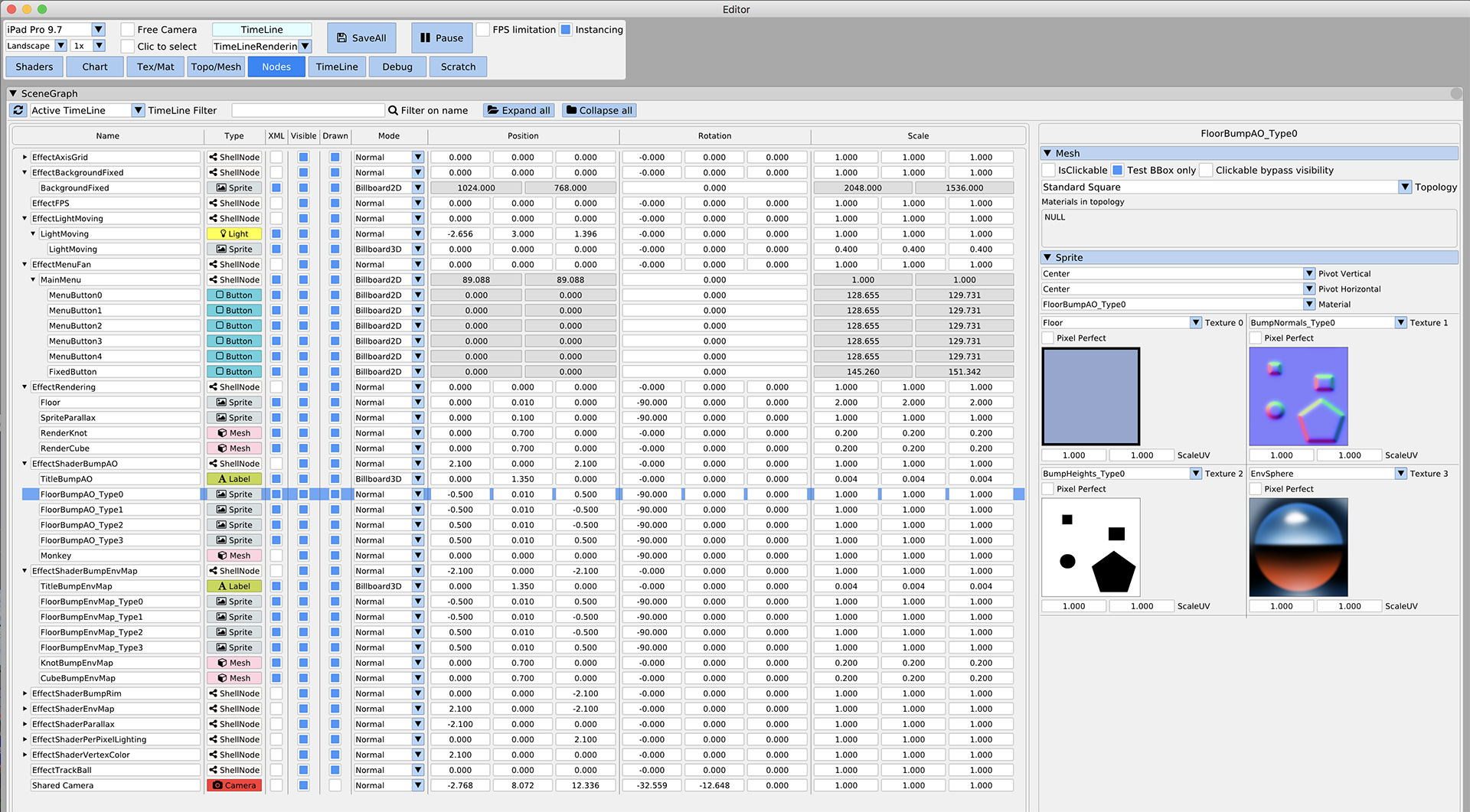
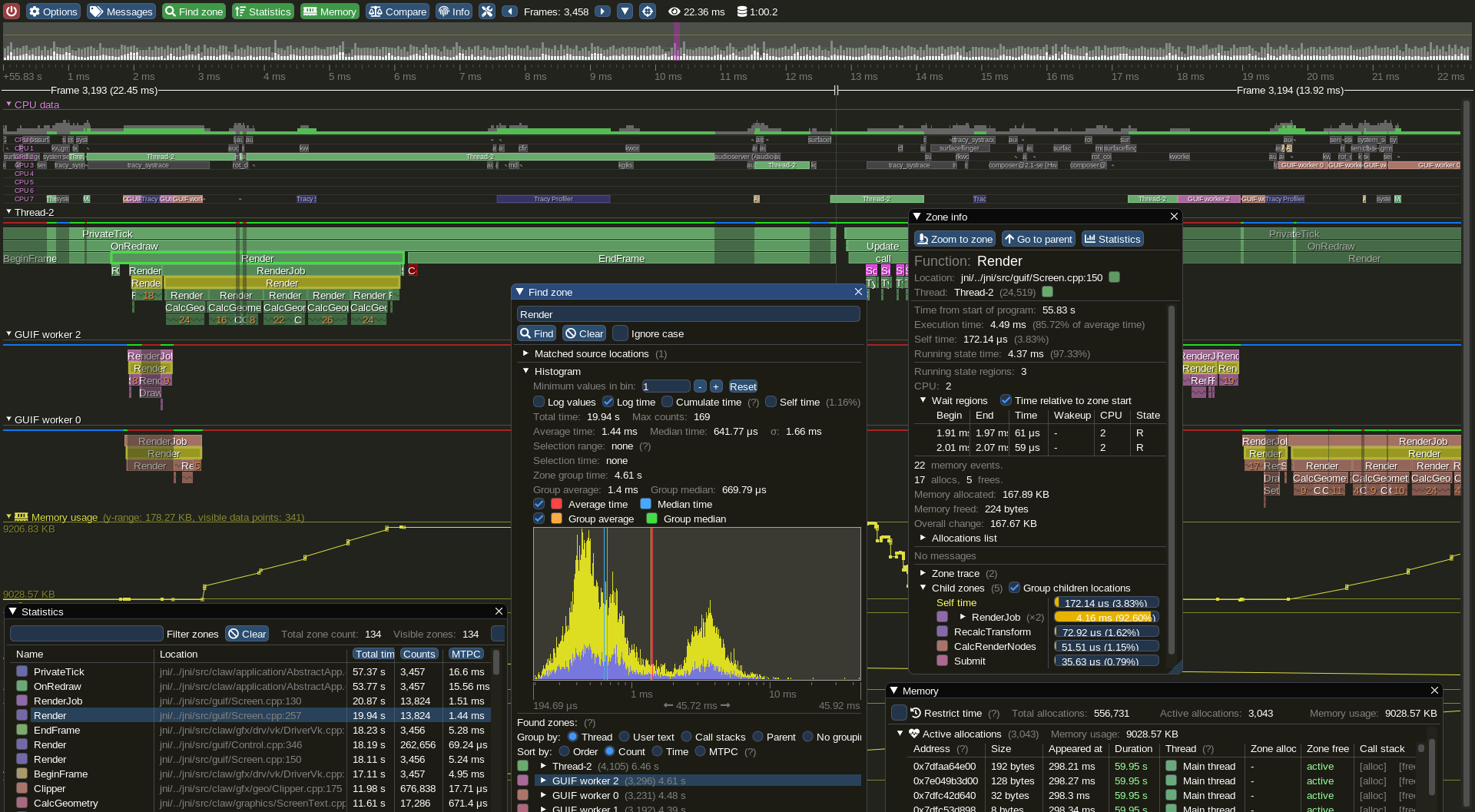
Getting Started & Integration
See the Getting Started guide for details.
On most platforms and when using C++, you should be able to use a combination of the imgui_impl_xxxx backends without modification (e.g. imgui_impl_win32.cpp + imgui_impl_dx11.cpp). If your engine supports multiple platforms, consider using more imgui_impl_xxxx files instead of rewriting them: this will be less work for you, and you can get Dear ImGui running immediately. You can later decide to rewrite a custom backend using your custom engine functions if you wish so.
Integrating Dear ImGui within your custom engine is a matter of mainly 1) wiring mouse/keyboard/gamepad inputs 2) uploading a texture to your GPU/render engine 3) providing a render function that can create/update textures and render textured triangles. This is exactly what backends are doing.
- The examples/ folder is populated with applications setting up a window and using standard backends.
- The Getting Started guide has instructions to integrate imgui into an existing application using standard backends. It should in theory take you less than an hour to integrate Dear ImGui into your existing codebase where support libraries are linked. Less if you read carefully.
- The Backends guide explains what backends are doing, and has instructions to implement a custom backend. You can also refer to the source code of our ~20 backends to understand how they work.
- Generally, make sure to spend time reading the FAQ, comments, and the examples applications!
Officially maintained backends (in repository):
- Renderers: DirectX9, DirectX10, DirectX11, DirectX12, Metal 3/4, OpenGL/ES/ES2, SDL_GPU, SDL_Renderer2/3, Vulkan, WebGPU.
- Platforms: GLFW, SDL2/SDL3, Win32, Glut, OSX, Android.
- Frameworks: Allegro5, Emscripten.
Third-party backends/bindings wiki page:
- Languages: C, C# and: Beef, ChaiScript, CovScript, Crystal, D, Go, Haskell, Haxe/hxcpp, Java, JavaScript, Julia, Kotlin, Lobster, Lua, Nim, Odin, Pascal, PureBasic, Python, ReaScript, Ruby, Rust, Swift, Zig...
- Frameworks: AGS/Adventure Game Studio, Amethyst, Blender, bsf, Cinder, Cocos2d-x, Defold, Diligent Engine, Ebiten, Flexium, GML/Game Maker Studio, GLEQ, Godot, GTK3, Irrlicht Engine, JUCE, LÖVE+LUA, Mach Engine, Magnum, Marmalade, Monogame, NanoRT, nCine, Nim Game Lib, Nintendo 3DS/Switch/WiiU (homebrew), Ogre, openFrameworks, OSG/OpenSceneGraph, Orx, Photoshop, px_render, Qt/QtDirect3D, raylib, SFML, Sokol, Unity, Unreal Engine 4/5, UWP, vtk, VulkanHpp, VulkanSceneGraph, Win32 GDI, WxWidgets.
- Many bindings are auto-generated (by good old cimgui or our newer dear_bindings), you can use their metadata output to generate bindings for other languages.
Useful Extensions/Widgets wiki page:
- Automation/testing, Text editors, node editors, timeline editors, plotting, software renderers, remote network access, memory editors, gizmos, etc. Notable and well supported extensions include ImPlot, ImPlot3d and Dear ImGui Test Engine.
Also see Wiki for more links and ideas.
Support, Frequently Asked Questions (FAQ)
See: Frequently Asked Questions (FAQ) where common questions are answered.
See: Getting Started and Wiki for many links, references, articles.
See: Articles about the IMGUI paradigm to read/learn about the Immediate Mode GUI paradigm.
See: Upcoming Changes.
See: Dear ImGui Test Engine + Test Suite for Automation & Testing.
For the purposes of getting search engines to crawl the wiki, here's a link to the Crawlable Wiki (not for humans, here's why).
Getting started? For first-time users having issues compiling/linking/running or issues loading fonts, please use GitHub Discussions. For ANY other questions, bug reports, requests, feedback, please post on GitHub Issues. Please read and fill the New Issue template carefully.
Private support is available for paying business customers (E-mail: contact @ dearimgui dot com).
Which version should I get?
We occasionally tag Releases (with nice releases notes) but it is generally safe and recommended to sync to latest master or docking branch. The library is fairly stable and regressions tend to be fixed fast when reported. Advanced users may want to use the docking branch with Multi-Viewport and Docking features. This branch is kept in sync with master regularly.
Who uses Dear ImGui?
See the Quotes, Funding & Sponsors, and Software using Dear ImGui Wiki pages for an idea of who is using Dear ImGui. Please add your game/software if you can! Also, see the Gallery Threads!
How to help
How can I help?
- See GitHub Forum/Issues.
- You may help with development and submit pull requests! Please understand that by submitting a PR you are also submitting a request for the maintainer to review your code and then take over its maintenance forever. PR should be crafted both in the interest of the end-users and also to ease the maintainer into understanding and accepting it.
- See Help wanted on the Wiki for some more ideas.
- Be a Funding Supporter! Have your company financially support this project via invoiced sponsors/maintenance or by buying a license for Dear ImGui Test Engine (please reach out: contact AT dearimgui DOT com).
Sponsors
Ongoing Dear ImGui development is and has been financially supported by users and private sponsors.
Please see the detailed list of current and past Dear ImGui funding supporters and sponsors for details.
From November 2014 to December 2019, ongoing development has also been financially supported by its users on Patreon and through individual donations.
THANK YOU to all past and present supporters for helping to keep this project alive and thriving!
Dear ImGui is using software and services provided free of charge for open source projects:
- PVS-Studio for static analysis (supports C/C++/C#/Java).
- GitHub actions for continuous integration systems.
- OpenCppCoverage for code coverage analysis.
Credits
Developed by Omar Cornut and every direct or indirect contributors to the GitHub. The early version of this library was developed with the support of Media Molecule and first used internally on the game Tearaway (PS Vita).
Recurring contributors include Rokas Kupstys @rokups (2020-2022): a good portion of work on automation system and regression tests now available in Dear ImGui Test Engine.
Maintenance/support contracts, sponsoring invoices and other B2B transactions are hosted and handled by Disco Hello.
Omar: "I first discovered the IMGUI paradigm at Q-Games where Atman Binstock had dropped his own simple implementation in the codebase, which I spent quite some time improving and thinking about. It turned out that Atman was exposed to the concept directly by working with Casey. When I moved to Media Molecule I rewrote a new library trying to overcome the flaws and limitations of the first one I've worked with. It became this library and since then I have spent an unreasonable amount of time iterating and improving it."
Embeds ProggyClean font by Tristan Grimmer (MIT license).
Embeds ProggyForever fonts by Disco Hello, Tristan Grimmer (MIT license).
Embeds stb_textedit.h, stb_truetype.h, stb_rect_pack.h by Sean Barrett (public domain).
Inspiration, feedback, and testing for early versions: Casey Muratori, Atman Binstock, Mikko Mononen, Emmanuel Briney, Stefan Kamoda, Anton Mikhailov, Matt Willis. Special thanks to Alex Evans, Patrick Doane, Marco Koegler for kindly helping. Also thank you to everyone posting feedback, questions and patches on GitHub.
License
Dear ImGui is licensed under the MIT License, see LICENSE.txt for more information.
File: examples/example_sdl3_opengl3/README.md
How to Build
Windows with Visual Studio's IDE
Use the provided project file (.vcxproj). Add to solution (imgui_examples.sln) if necessary.
Windows with Visual Studio's CLI
Use build_win32.bat or directly:
set SDL3_DIR=path_to_your_sdl3_folder
cl /Zi /MD /utf-8 /I.. /I..\.. /I%SDL3_DIR%\include main.cpp ..\..\backends\imgui_impl_sdl3.cpp ..\..\backends\imgui_impl_opengl3.cpp ..\..\imgui*.cpp /FeDebug/example_sdl3_opengl3.exe /FoDebug/ /link /libpath:%SDL3_DIR%\lib\x86 SDL3.lib opengl32.lib /subsystem:console
#                 ^^ include paths     ^^ source files                                                                                    ^^ output exe                    ^^ output dir   ^^ libraries
# or for 64-bit:
cl /Zi /MD /utf-8 /I.. /I..\.. /I%SDL3_DIR%\include main.cpp ..\..\backends\imgui_impl_sdl3.cpp ..\..\backends\imgui_impl_opengl3.cpp ..\..\imgui*.cpp /FeDebug/example_sdl3_opengl3.exe /FoDebug/ /link /libpath:%SDL3_DIR%\lib\x64 SDL3.lib SDL2mainopengl32.lib /subsystem:console
Linux and similar Unixes
Use our Makefile or directly:
c++ `sdl3-config --cflags` -I .. -I ../.. -I ../../backends
  main.cpp ../../backends/imgui_impl_sdl3.cpp ../../backends/imgui_impl_opengl3.cpp ../../imgui*.cpp
  `sdl3-config --libs` -lGL -ldl
macOS
Use our Makefile or directly:
brew install sdl3
c++ `sdl3-config --cflags` -I .. -I ../.. -I ../../backends
  main.cpp ../../backends/imgui_impl_sdl3.cpp ../../backends/imgui_impl_opengl3.cpp ../../imgui*.cpp
  `sdl3-config --libs` -framework OpenGl -framework CoreFoundation
Emscripten
As of 2023-05-30 Emscripten doesn't support SDL3 yet.
File: examples/example_sdl2_sdlrenderer2/README.md
How to Build
- On Windows with Visual Studio's CLI
set SDL2_DIR=path_to_your_sdl2_folder
cl /Zi /MD /utf-8 /I.. /I..\.. /I%SDL2_DIR%\include main.cpp ..\..\backends\imgui_impl_sdl2.cpp ..\..\backends\imgui_impl_sdlrenderer2.cpp ..\..\imgui*.cpp /FeDebug/example_sdl2_sdlrenderer.exe /FoDebug/ /link /libpath:%SDL2_DIR%\lib\x86 SDL2.lib SDL2main.lib /subsystem:console
#                 ^^ include paths                  ^^ source files                                                                                         ^^ output exe                         ^^ output dir  ^^ libraries
# or for 64-bit:
cl /Zi /MD /utf-8 /I.. /I..\.. /I%SDL2_DIR%\include main.cpp ..\..\backends\imgui_impl_sdl2.cpp ..\..\backends\imgui_impl_sdlrenderer2.cpp ..\..\imgui*.cpp /FeDebug/example_sdl2_sdlrenderer.exe /FoDebug/ /link /libpath:%SDL2_DIR%\lib\x64 SDL2.lib SDL2main.lib /subsystem:console- On Linux and similar Unixes
c++ `sdl2-config --cflags` -I .. -I ../.. main.cpp ../../backends/imgui_impl_sdl2.cpp ../../backends/imgui_impl_sdlrenderer2.cpp ../../imgui*.cpp `sdl2-config --libs` -lGL- On Mac OS X
brew install sdl2
c++ `sdl2-config --cflags` -I .. -I ../.. main.cpp ../../backends/imgui_impl_sdl2.cpp ../../backends/imgui_impl_sdlrenderer2.cpp ../../imgui*.cpp `sdl2-config --libs` -framework OpenGl