
Repository: mps-youtube/yewtube
Stars: 8699
README.md
 
STOP GENOCIDE OF INNOCENT PEOPLE

<pre>
_ _
| | | |
_ _ _____ _| |_ _ _| |__ ___
| | | |/ _ \ \ /\ / / __| | | | '_ \ / _ \
| |_| | __/\ V V /| |_| |_| | |_) | __/
\__, |\___| \_/\_/ \__|\__,_|_.__/ \___|
__/ |
|___/
</pre>
yewtube, forked from mps-youtube , is a Terminal based YouTube player and downloader. No Youtube API key required. <br>
Visit this page if you want to support maintainers of this project.
Installation
-----------
Stable Version
Using pip
1. Install using
pip install yewtube2. Run using,
yt. Enjoy! Using pipx (Recommended)
1. Install _pipx_ using
pip install pipx2. Install
yewtube using pipx install yewtube3. Now, type
yt That's it.Latest Version
Using pip
1. Install using
pip install git+https://github.com/mps-youtube/yewtube.git2. Run using,
yt. Enjoy! Using pipx
1. Install _pipx_ using
pip install pipx2. Install
yewtube using pipx install git+https://github.com/mps-youtube/yewtube.git3. Now, type
yt That's it.What's new in yewtube?
----------------------
- No Youtube API Key required
- Run audio in VLC with no GUI
See complete and up-to-date changelog here.
These features are still inherited from mps-youtube.
- Search and play audio/video from YouTube
- Search tracks of albums by album title
- Search and import YouTube playlists
- Create and save local playlists
- Download audio/video
- Convert to mp3 & other formats (requires ffmpeg or avconv)
- View video comments
- Works with Python 3.x
- Works with Windows, Linux and Mac OS X
- Requires mplayer, mpv or VLC
This project is based on mps-youtube and mps-youtube is based on mps, a terminal based program to search, stream and download music. This
implementation uses YouTube as a source of content and can play and
download video as well as audio. The pafy library handles interfacing with YouTube.
mps-youtube wiki <br>
yewtube wiki
Screenshots
-----------
Search:<br>
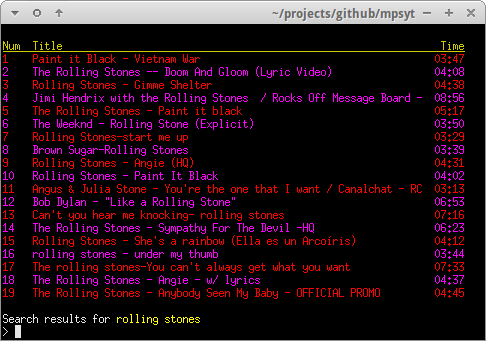
A standard search is performed by entering / followed by search terms.
You can play all of the search results by giving 1- as input
Repeating song/songs can be done with song_number[loop], for example:1[3] or 4-6[2]
Local Playlists:<br>
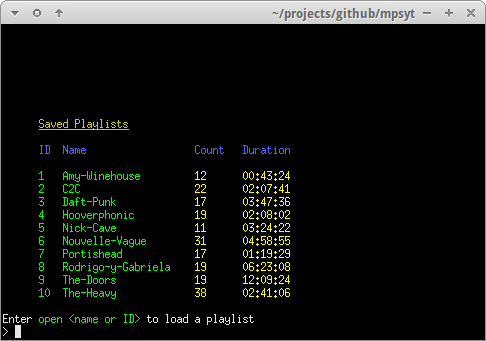
Search result items can easily be stored in local playlists.
YouTube Playlists:<br>
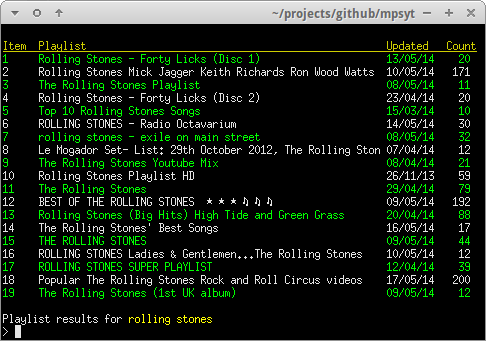
YouTube playlists can be searched and played or saved as local
playlists.
A playlist search is performed by // followed by search term.
Download:<br>
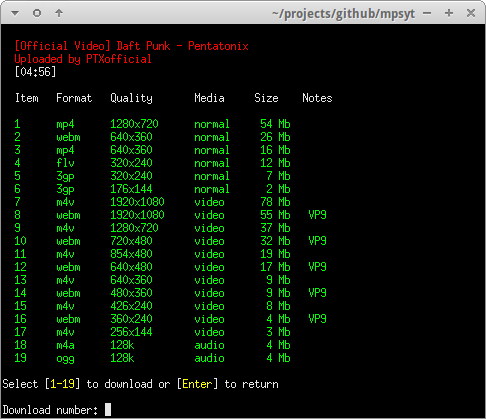
Content can be downloaded in various formats and resolutions.
Comments:<br>
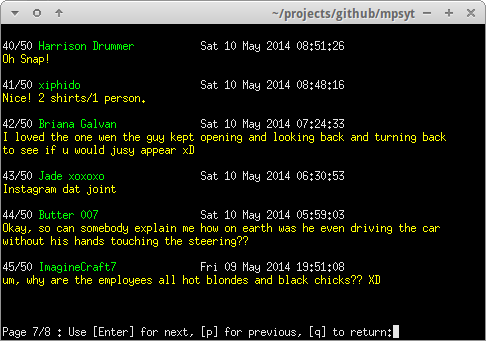
A basic comments browser is available to view YouTube user comments.
Music Album Matching:<br>
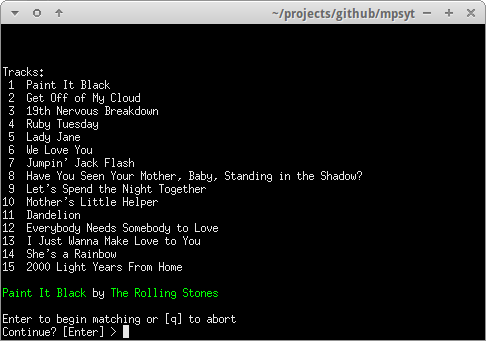
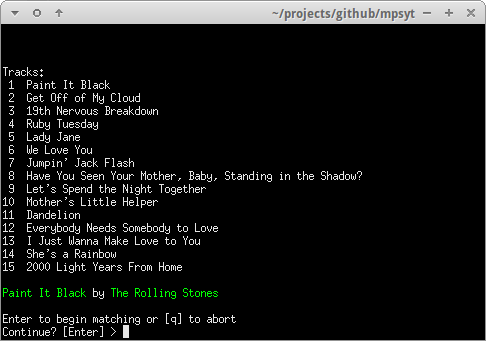
An album title can be specified and yewtube will attempt to find
matches for each track of the album, based on title and duration. Typehelp search for more info.
Customisation:<br>
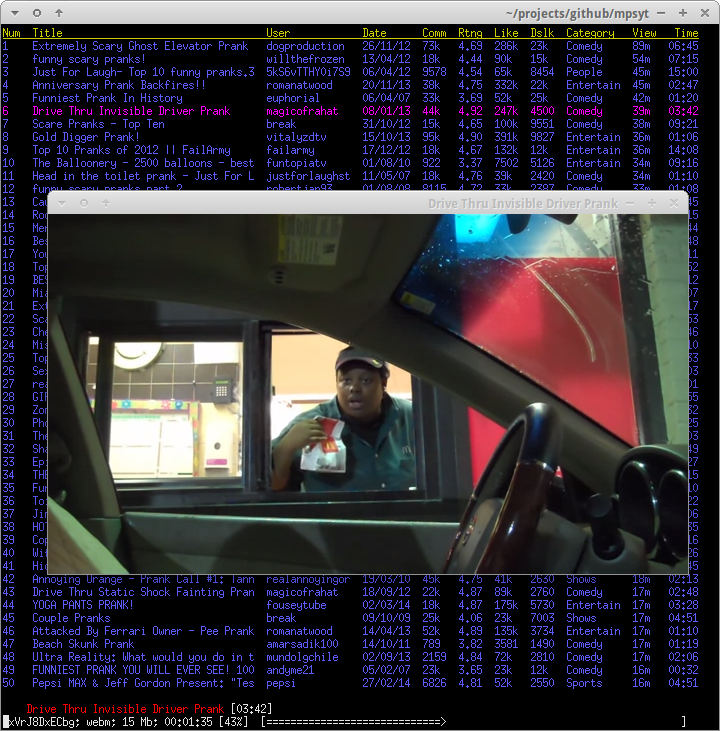
Search results can be customised to display additional fields and
ordered by various criteria.
This configuration was set up using the following commands
set order views
set columns user:14 date comments rating likes dislikes category:9 views
Type help config for help on configuration options
Upgrading
---------
If installed using pipx
pipx upgrade yewtube
Optionally with upgrading all dependencies:
pipx runpip yewtube install --upgrade-strategy eager --upgrade yewtube
If installed using pip
pip install --upgrade yewtube
Optionally with upgrading all dependencies:
pip install --upgrade-strategy eager --upgrade yewtube
Usage
-----
yewtube is run on the command line using the command:
yt
Enter h from within the program for help.
Using yewtube with mpv
----------------------
If you have mpv player installed and you set it to be used as the player
you can have yewtube to use its input bindings (with only a few usability changes
done automatically by yewtube) by soft-linking to it from ~/.config/mps-youtube/mpv-input.conf
like so:
ln -sr ~/.config/mpv/input.conf ~/.config/mps-youtube/mpv-input.conf
Using yewtube with mpris
------------------------
1. Install PyGObject, GTK and their dependencies based on this guide https://pygobject.readthedocs.io/en/latest/getting_started.html
2. Install yewtube with mpris extra
# recommended
pipx install 'yewtube[mpris]'
# or
pip install 'yewtube[mpris]'
3. check yewtube version
yt --version
yewtube version    : 2.8.2
yt_dlp version     : 2022.02.04
Python version     : 3.9.7 (default, Nov  7 2021, 15:17:57)
[GCC 11.2.0]
Processor          : x86_64
Machine type       : x86_64
Architecture       : 64bit, ELF
Platform           : Linux-5.13.0-35-generic-x86_64-with-glibc2.34
sys.stdout.enc     : utf-8
default enc        : utf-8
Config dir         : /home/user/.config/mps-youtube
dbus               : 1.2.18
glib               : True
env:TERM           : tmux-256color
env:SHELL          : /usr/bin/zsh
env:LANG           : en_US.UTF-8
If everything working correctly, dbug and glib would have similar result as above text
4. run set mpris true on yewtube
5. check with playerctl
playerctl -l
mps-youtube.instance567867
Check also the common-issue if you are having problem with yewtube.
How to Contribute
-----------------
Contributions are warmly welcomed! However, please check out the contribution page before making a contribution.