

Technical Documentation: mayswind/ezbookkeeping
ℹ️ Provenance: Multi-Tier Ingestion · CodeWiki Reference
Overview (`README.md`)
ezBookkeeping
Introduction
ezBookkeeping is an open source, powerful, self-hosted personal finance app that is easy to use. It helps you record daily transactions, import data from various sources, and quickly search and filter your bills. You can analyze historical data using built-in charts or perform custom queries with your own chart dimensions to better understand spending patterns and financial trends. ezBookkeeping is easy to deploy, and you can start it with just one single Docker command. Designed to be resource-efficient, it runs smoothly on devices such as home servers, NAS and Raspberry Pi.
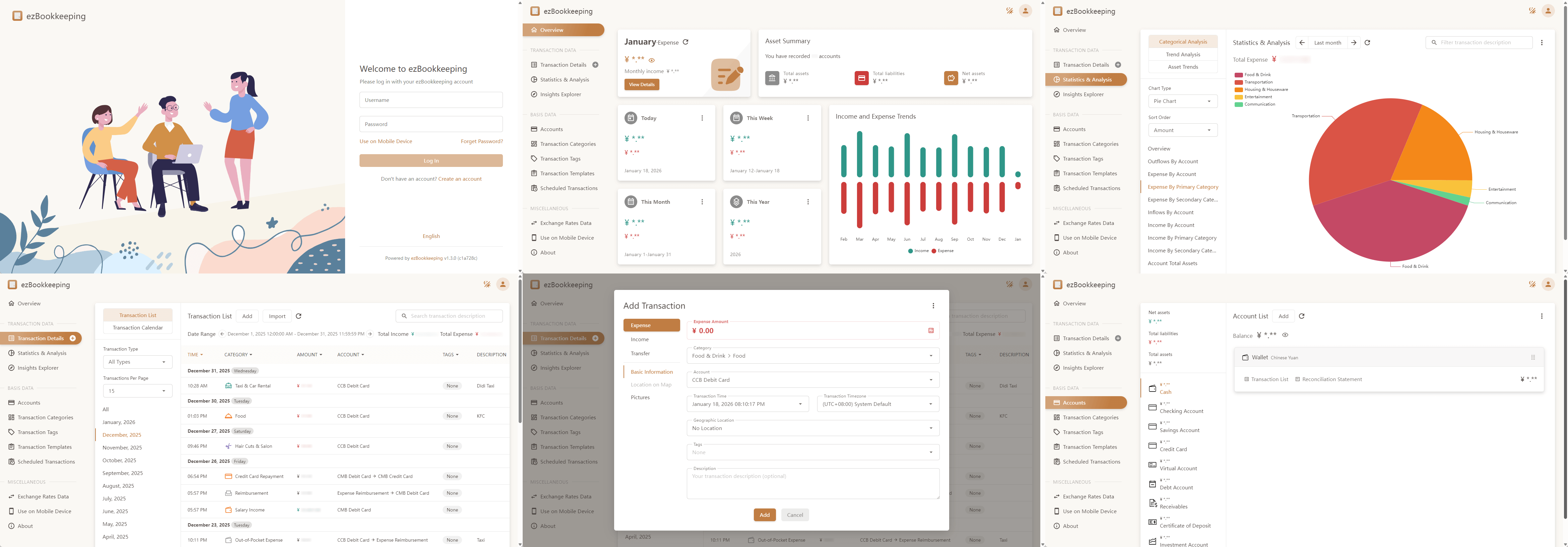
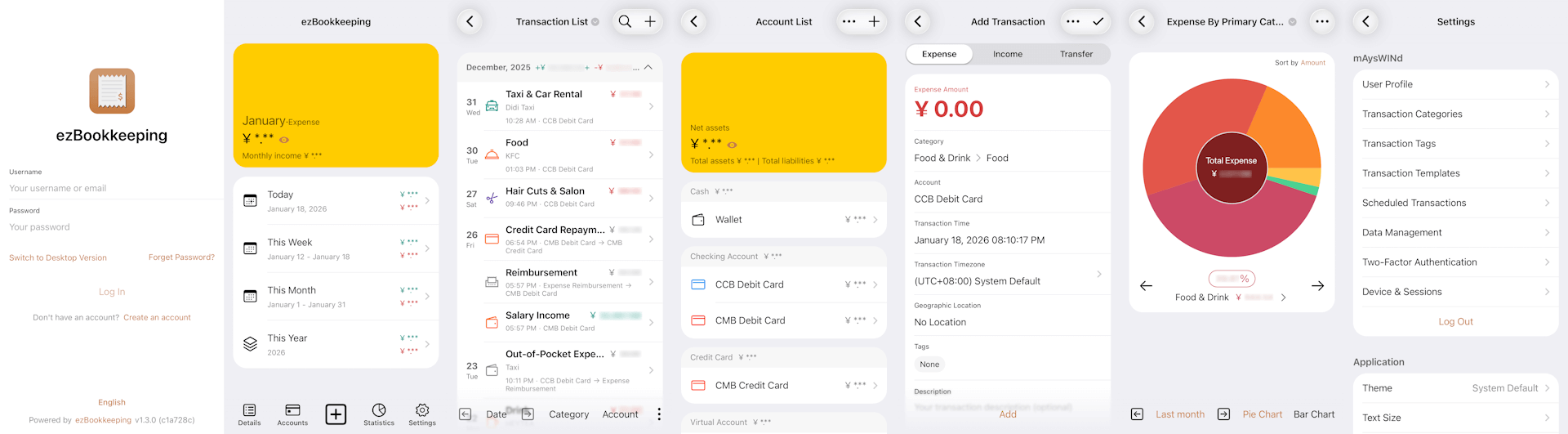
ezBookkeeping offers tailored interfaces for mobile and desktop devices. With PWA (Progressive Web Apps) support, you can add it to your mobile home screen and use it like a native app.
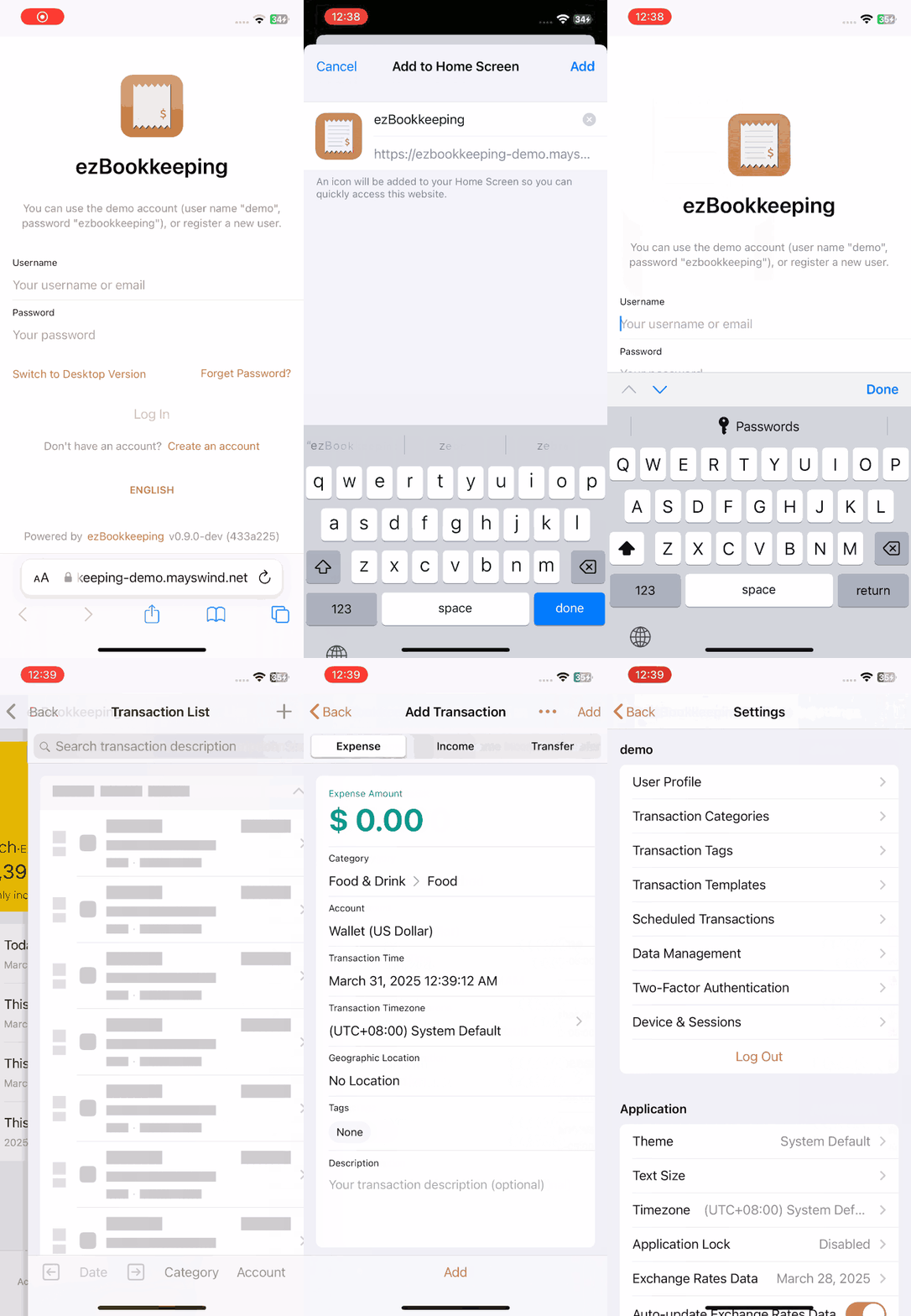
Live Demo: https://ezbookkeeping-demo.mayswind.net
Features
- Open Source & Self-Hosted
- Built for privacy and control
- Lightweight & Fast
- Minimal resource usage, suitable for home servers, NAS and Raspberry Pi
- Easy Installation
- Docker support
- SQLite, MySQL and PostgreSQL support
- Cross-platform (Windows, macOS, Linux)
- Works on x86, amd64, ARM architectures
- User-Friendly Interface
- UI optimized for both mobile and desktop
- PWA support for native-like mobile experience
- Customizable overview layouts
- Dark mode
- AI-Powered Features
- Text and receipt image recognition
- AI custom chart generation
- MCP (Model Context Protocol) for AI integration
- Agent Skill and API command-line script tools for AI integration
- Powerful Bookkeeping
- Two-level accounts and categories
- Image attachments for transactions
- Location tracking with maps
- Scheduled transactions
- Advanced filtering, search, visualization and analysis
- Localization & Internationalization
- Multi-language and multi-currency support
- Multiple exchange rate sources with automatic updates
- Multi-timezone support
- Custom formats for dates, numbers and currencies
- Security
- Two-factor authentication (2FA)
- OIDC external authentication
- Login rate limiting
- Application lock (PIN code / WebAuthn)
- Data Import & Export
- Import CSV, Excel, OFX, QFX, QIF, IIF, Camt.052, Camt.053, MT940, GnuCash, Firefly III, Beancount and more
- Custom column mapping, rules and scripts for CSV / Excel imports
For a full list of features, visit the Full Feature List.
Screenshots
Desktop Version
Mobile Version
Installation
Run with Docker
Visit Docker Hub to see all images and tags.
Latest Release:
$ docker run -p8080:8080 mayswind/ezbookkeepingLatest Daily Build:
$ docker run -p8080:8080 mayswind/ezbookkeeping:latest-snapshotFor production use of ezBookkeeping, you need to mount a persistent volume when starting the container to prevent data loss. For more information, see documentation.
Install from Binary
Download the latest release: https://github.com/mayswind/ezbookkeeping/releases
Linux / macOS
$ ./ezbookkeeping server runWindows
> .\ezbookkeeping.exe server runBy default, ezBookkeeping listens on port 8080. You can then visit http://{YOUR_HOST_ADDRESS}:8080/ .
Build from Source
Make sure you have Golang, GCC, Node.js and NPM installed. Then download the source code, and follow these steps:
Linux / macOS
$ ./build.sh package -o ezbookkeeping.tar.gzAll the files will be packaged in ezbookkeeping.tar.gz.
Windows
> .\build.bat package -o ezbookkeeping.zipor
PS > .\build.ps1 package -Output ezbookkeeping.zipAll the files will be packaged in ezbookkeeping.zip.
You can also build a Docker image. Make sure you have Docker installed, then follow these steps:
Linux
$ ./build.sh dockerContributing
We welcome contributions of all kinds.
If you find a bug, please submit an issue on GitHub.
If you would like to contribute code, you can fork the repository and open a pull request.
Improvements to documentation, feature suggestions, and other forms of feedback are also appreciated.
You can view existing contributors on the Contributor Graph.
Translating
Help make ezBookkeeping accessible to users around the world. We welcome help to improve existing translations or add new ones. If you would like to contribute a translation, please refer to the translation guide.
Currently available translations:
| Tag | Language | Progress | Contributors |
|---|---|---|---|
| de | Deutsch | @chrgm, @1270o1, @martinschilliger, @marcelweikum | |
| el | Ελληνικά | @konet-gr | |
| en | English | / | |
| es | Español | @Miguelonlonlon, @abrugues, @AndresTeller, @diegofercri | |
| fr | Français | @brieucdlf | |
| it | Italiano | @waron97, @albanobattistella | |
| ja | 日本語 | @tkymmm, @Mink16, @x0x0b | |
| kn | ಕನ್ನಡ | @Darshanbm05 | |
| ko | 한국어 | @overworks | |
| nl | Nederlands | @automagics | |
| pl | Polski | @mnowok | |
| pt-BR | Português (Brasil) | @thecodergus, @balaios | |
| ro | Română | @gg64nou | |
| ru | Русский | @artegoser, @dshemin, @zhugaru | |
| sl | Slovenščina | @thehijacker | |
| ta | தமிழ் | @hhharsha36 | |
| th | ไทย | @natthavat28 | |
| tr | Türkçe | @aydnykn, @snizamaddinov | |
| uk | Українська | @nktlitvinenko, @grid-pilot, @infinit1ve | |
| vi | Tiếng Việt | @f97 | |
| zh-Hans | 中文 (简体) | / | |
| zh-Hant | 中文 (繁體) | / |
Documentation
License
--- METRICS ---
- Files Extracted: 1
- Estimated Token Budget: ~2504 tokens
- Canonical Reference: https://codewiki.google/github.com/mayswind/ezbookkeeping