

File: README.md
Features
- Simple, easy-to-use, batteries-included API
- Type-safe, reactive programming model
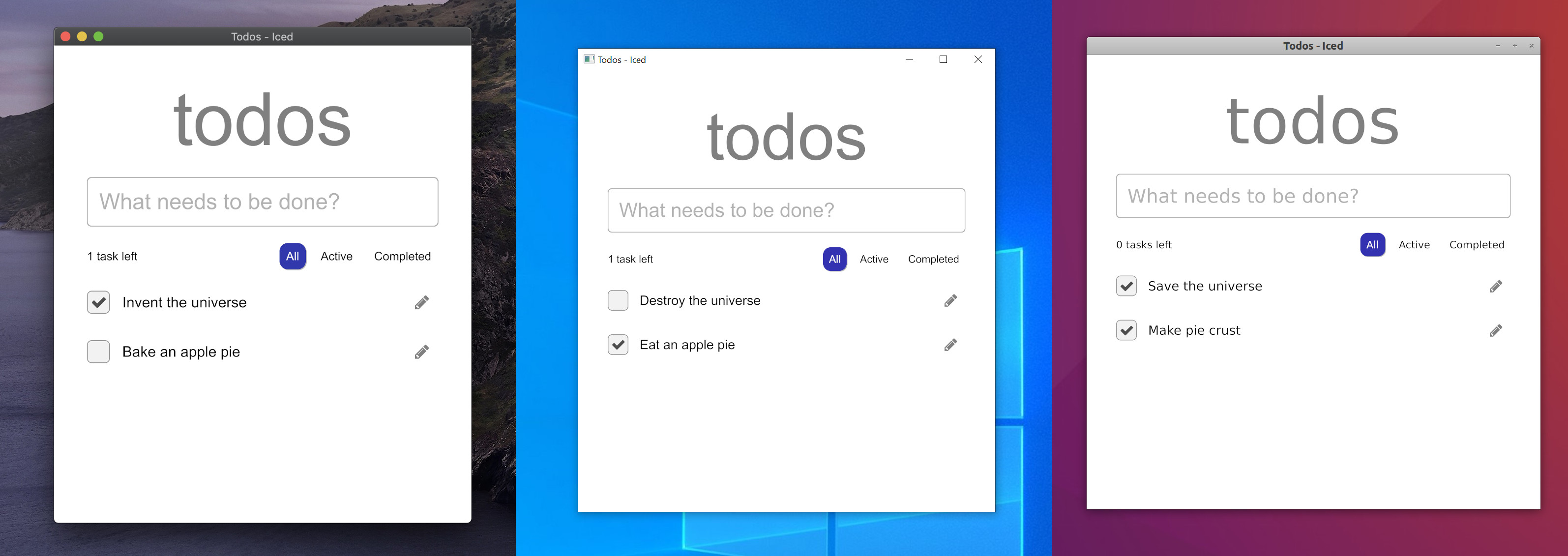
- Cross-platform support (Windows, macOS, Linux, and the Web)
- Responsive layout
- Built-in widgets (including text inputs, scrollables, and more!)
- Custom widget support (create your own!)
- Debug tooling with performance metrics and time traveling
- First-class support for async actions (use futures!)
- Modular ecosystem split into reusable parts:
- A renderer-agnostic native runtime enabling integration with existing systems
- Two built-in renderers leveraging
wgpuandtiny-skiaiced_wgpusupporting Vulkan, Metal and DX12iced_tiny_skiaoffering a software alternative as a fallback
- A windowing shell
Iced is currently experimental software. Take a look at the roadmap and
check out the issues.
Overview
Inspired by The Elm Architecture, Iced expects you to split user interfaces
into four different concepts:
- State — the state of your application
- Messages — user interactions or meaningful events that you care
about - View logic — a way to display your state as widgets that
may produce messages on user interaction - Update logic — a way to react to messages and update your
state
We can build something to see how this works! Let's say we want a simple counter
that can be incremented and decremented using two buttons.
We start by modelling the state of our application:
#[derive(Default)]
struct Counter {
    value: i32,
}
Next, we need to define the possible user interactions of our counter:
the button presses. These interactions are our messages:
#[derive(Debug, Clone, Copy)]
pub enum Message {
    Increment,
    Decrement,
}
Now, let's show the actual counter by putting it all together in our
view logic:
use iced::widget::{button, column, text, Column};

impl Counter {
    pub fn view(&self) -> Column<'_, Message> {
        // We use a column: a simple vertical layout
        column![
            // The increment button. We tell it to produce an
            // `Increment` message when pressed
            button("+").on_press(Message::Increment),

            // We show the value of the counter here
            text(self.value).size(50),

            // The decrement button. We tell it to produce a
            // `Decrement` message when pressed
            button("-").on_press(Message::Decrement),
        ]
    }
}
Finally, we need to be able to react to any produced messages and change our
state accordingly in our update logic:
impl Counter {
    // ...

    pub fn update(&mut self, message: Message) {
        match message {
            Message::Increment => {
                self.value += 1;
            }
            Message::Decrement => {
                self.value -= 1;
            }
        }
    }
}
And that's everything! We just wrote a whole user interface. Let's run it:
fn main() -> iced::Result {
    iced::run(Counter::update, Counter::view)
}
Iced will automatically:
- Take the result of our view logic and layout its widgets.
- Process events from our system and produce messages for our
update logic. - Draw the resulting user interface.
Read the book, the documentation, and the examples to learn more!
Implementation details
Iced was originally born as an attempt at bringing the simplicity of Elm and
The Elm Architecture into Coffee, a 2D game library I am working on.
The core of the library was implemented during May 2019 in this pull request.
The first alpha version was eventually released as
a renderer-agnostic GUI library. The library did not provide a renderer and
implemented the current tour example on top of ggez, a game library.
Since then, the focus has shifted towards providing a batteries-included,
end-user-oriented GUI library, while keeping the ecosystem modular.
Contributing / Feedback
If you want to contribute, please read our contributing guidelines for more details.
Feedback is also welcome! You can create a new topic in our Zulip forum or
come chat to our Discord server.
Sponsors
The development of Iced is sponsored by the Cryptowatch team at Kraken.com
File: core/README.md
`iced_core`
iced_core holds basic reusable types of the public API. For instance, basic data types like Point, Rectangle, Length, etc.
This crate is meant to be a starting point for an Iced runtime.
File: examples/qr_code/README.md
QR Code Generator
A basic QR code generator that showcases the QRCode widget.
The main file contains all the code of the example.
You can run it with cargo run:
cargo run --package qr_codeFile: examples/progress_bar/README.md
Progress bar
A simple progress bar that can be filled by using a slider.
The main file contains all the code of the example.
You can run it with cargo run:
cargo run --package progress_barFile: examples/pokedex/README.md
Pokédex
An application that loads a random Pokédex entry using the PokéAPI.
All the example code can be found in the main file.
You can run it on native platforms with cargo run:
cargo run --package pokedexFile: examples/pick_list/README.md
Pick-list
A dropdown list of selectable options.
It displays and positions an overlay based on the window position of the widget.
The main file contains all the code of the example.
You can run it with cargo run:
cargo run --package pick_listFile: examples/pane_grid/README.md
Pane grid
A grid of panes that can be split, resized, and reorganized.
This example showcases the PaneGrid widget, which features:
- Vertical and horizontal splits
- Tracking of the last active pane
- Mouse-based resizing
- Drag and drop to reorganize panes
- Hotkey support
- Configurable modifier keys
- API to perform actions programmatically (
split,swap,resize, etc.)
The main file contains all the code of the example.
You can run it with cargo run:
cargo run --package pane_gridFile: examples/loading_spinners/README.md
Loading Spinners
Example implementation of animated indeterminate loading spinners.
You can run it with cargo run:
cargo run --package loading_spinnersFile: examples/integration/README.md
`wgpu` integration
A demonstration of how to integrate Iced in an existing wgpu application.
The main file contains all the code of the example.
You can run it with cargo run:
cargo run --package integrationFile: examples/geometry/README.md
Geometry
A custom widget showcasing how to draw geometry with the Mesh2D primitive in iced_wgpu.
The main file contains all the code of the example.
You can run it with cargo run:
cargo run --package geometry