

File: README.md
Gemini CLI
Gemini CLI is an open-source AI agent that brings the power of Gemini directly
into your terminal. It provides lightweight access to Gemini, giving you the
most direct path from your prompt to our model.
Learn all about Gemini CLI in our documentation.
🚀 Why Gemini CLI?
- 🎯 Free tier: 60 requests/min and 1,000 requests/day with personal Google
account. - 🧠 Powerful Gemini 3 models: Access to improved reasoning and 1M token
context window. - 🔧 Built-in tools: Google Search grounding, file operations, shell
commands, web fetching. - 🔌 Extensible: MCP (Model Context Protocol) support for custom
integrations. - 💻 Terminal-first: Designed for developers who live in the command line.
- 🛡️ Open source: Apache 2.0 licensed.
📦 Installation
See
Gemini CLI installation, execution, and releases
for recommended system specifications and a detailed installation guide.
Quick Install
Run instantly with npx
# Using npx (no installation required)
npx @google/gemini-cli
Install globally with npm
npm install @google/gemini-cliInstall globally with Homebrew (macOS/Linux)
brew install gemini-cliInstall globally with MacPorts (macOS)
sudo port install gemini-cliInstall with Anaconda (for restricted environments)
# Create and activate a new environment
conda create -y -n gemini_env -c conda-forge nodejs
conda activate gemini_env

# Install Gemini CLI globally via npm (inside the environment)
npm install @google/gemini-cli
Release Channels
See Releases for more details.
Preview
New preview releases will be published each week at UTC 23:59 on Tuesdays. These
releases will not have been fully vetted and may contain regressions or other
outstanding issues. Please help us test and install with preview tag.
npm install @google/gemini-cli@previewStable
- New stable releases will be published each week at UTC 20:00 on Tuesdays, this
will be the full promotion of last week'spreviewrelease + any bug fixes
and validations. Uselatesttag.
npm install @google/gemini-cli@latestNightly
- New releases will be published each day at UTC 00:00. This will be all changes
from the main branch as represented at time of release. It should be assumed
there are pending validations and issues. Usenightlytag.
npm install @google/gemini-cli@nightly📋 Key Features
Code Understanding & Generation
- Query and edit large codebases
- Generate new apps from PDFs, images, or sketches using multimodal capabilities
- Debug issues and troubleshoot with natural language
Automation & Integration
- Automate operational tasks like querying pull requests or handling complex
rebases - Use MCP servers to connect new capabilities, including
media generation with Imagen, Veo or Lyria - Run non-interactively in scripts for workflow automation
Advanced Capabilities
- Ground your queries with built-in
Google Search for real-time
information - Conversation checkpointing to save and resume complex sessions
- Custom context files (GEMINI.md) to tailor behavior for your projects
GitHub Integration
Integrate Gemini CLI directly into your GitHub workflows with
Gemini CLI GitHub Action:
- Pull Request Reviews: Automated code review with contextual feedback and
suggestions - Issue Triage: Automated labeling and prioritization of GitHub issues based
on content analysis - On-demand Assistance: Mention
@gemini-cliin issues and pull requests
for help with debugging, explanations, or task delegation - Custom Workflows: Build automated, scheduled and on-demand workflows
tailored to your team's needs
🔐 Authentication Options
Choose the authentication method that best fits your needs:
Option 1: Sign in with Google (OAuth login using your Google Account)
✨ Best for: Individual developers as well as anyone who has a Gemini Code
Assist License. (see
quota limits and terms of service
for details)
Benefits:
- Free tier: 60 requests/min and 1,000 requests/day
- Gemini 3 models with 1M token context window
- No API key management - just sign in with your Google account
- Automatic updates to latest models
Start Gemini CLI, then choose _Sign in with Google_ and follow the browser authentication flow when prompted
geminiIf you are using a paid Code Assist License from your organization, remember to set the Google Cloud Project
# Set your Google Cloud Project
export GOOGLE_CLOUD_PROJECT="YOUR_PROJECT_ID"
gemini
Option 2: Gemini API Key
✨ Best for: Developers who need specific model control or paid tier access
Benefits:
- Free tier: 1000 requests/day with Gemini 3 (mix of flash and pro)
- Model selection: Choose specific Gemini models
- Usage-based billing: Upgrade for higher limits when needed
# Get your key from https://aistudio.google.com/apikey
export GEMINI_API_KEY="YOUR_API_KEY"
gemini
Option 3: Vertex AI
✨ Best for: Enterprise teams and production workloads
Benefits:
- Enterprise features: Advanced security and compliance
- Scalable: Higher rate limits with billing account
- Integration: Works with existing Google Cloud infrastructure
# Get your key from Google Cloud Console
export GOOGLE_API_KEY="YOUR_API_KEY"
export GOOGLE_GENAI_USE_VERTEXAI=true
gemini
For Google Workspace accounts and other authentication methods, see the
authentication guide.
🚀 Getting Started
Basic Usage
Start in current directory
geminiInclude multiple directories
gemini --include-directories ../lib,../docsUse specific model
gemini -m gemini-2.5-flashNon-interactive mode for scripts
Get a simple text response:
gemini -p "Explain the architecture of this codebase"For more advanced scripting, including how to parse JSON and handle errors, use
the --output-format json flag to get structured output:
gemini -p "Explain the architecture of this codebase" --output-format jsonFor real-time event streaming (useful for monitoring long-running operations),
use --output-format stream-json to get newline-delimited JSON events:
gemini -p "Run tests and deploy" --output-format stream-jsonQuick Examples
Start a new project
cd new-project/
gemini
> Write me a Discord bot that answers questions using a FAQ.md file I will provide
Analyze existing code
git clone https://github.com/google-gemini/gemini-cli
cd gemini-cli
gemini
> Give me a summary of all of the changes that went in yesterday
📚 Documentation
Getting Started
- Quickstart Guide - Get up
and running quickly. - Authentication Setup -
Detailed auth configuration. - Configuration Guide -
Settings and customization. - Keyboard Shortcuts -
Productivity tips.
Core Features
- Commands Reference -
All slash commands (/help,/chat, etc). - Custom Commands -
Create your own reusable commands. - Context Files (GEMINI.md) -
Provide persistent context to Gemini CLI. - Checkpointing - Save
and resume conversations. - Token Caching -
Optimize token usage.
Tools & Extensions
- Built-in Tools Overview
- MCP Server Integration -
Extend with custom tools. - Custom Extensions -
Build and share your own commands.
Advanced Topics
- Headless Mode (Scripting) -
Use Gemini CLI in automated workflows. - IDE Integration - VS
Code companion. - Sandboxing & Security - Safe
execution environments. - Trusted Folders -
Control execution policies by folder. - Enterprise Guide - Deploy
and manage in a corporate environment. - Telemetry & Monitoring -
Usage tracking. - Tools reference -
Built-in tools overview. - Local development -
Local development tooling.
Troubleshooting & Support
- Troubleshooting Guide -
Common issues and solutions. - FAQ - Frequently asked
questions. - Use
/bugcommand to report issues directly from the CLI.
Using MCP Servers
Configure MCP servers in ~/.gemini/settings.json to extend Gemini CLI with
custom tools:
> @github List my open pull requests
> @slack Send a summary of today's commits to #dev channel
> @database Run a query to find inactive users
See the
MCP Server Integration guide
for setup instructions.
🤝 Contributing
We welcome contributions! Gemini CLI is fully open source (Apache 2.0), and we
encourage the community to:
- Report bugs and suggest features.
- Improve documentation.
- Submit code improvements.
- Share your MCP servers and extensions.
See our Contributing Guide for development setup, coding
standards, and how to submit pull requests.
Check our Official Roadmap
for planned features and priorities.
📖 Resources
- Free Course -
Learn the basics. - Official Roadmap - See what's coming next.
- Changelog - See recent
notable updates. - NPM Package - Package
registry. - GitHub Issues -
Report bugs or request features. - Security Advisories -
Security updates.
Uninstall
See the Uninstall Guide
for removal instructions.
📄 Legal
- License: Apache License 2.0
- Terms of Service:
Terms & Privacy - Security: Security Policy
File: docs/changelogs/index.md
Gemini CLI release notes
Gemini CLI has three major release channels: nightly, preview, and stable. For
most users, we recommend the stable release.
On this page, you can find information regarding the current releases and
announcements from each release.
For the full changelog, refer to
Releases - google-gemini/gemini-cli
on GitHub.
Current releases
| Release channel | Notes |
|---|---|
| Nightly | Nightly release with the most recent changes. |
| Preview | Experimental features ready for early feedback. |
| Stable | Stable, recommended for general use. |
Announcements: v0.54.0 - 2026-08-06
- PR Automation & Antigravity Agent: Integrated the Antigravity agent runner
with dual-locking Firestore concurrency controls to secure the PR generator
(#28434,
#28432 by
@joneba-google). - Caretaker Triaging & Security: Enhanced caretaker triage to post comments
prior to auto-closing issues and sanitized issue titles under untrusted
context (#28411,
#28352 by @chadd28). - Security and Session Robustness: Prevented cleartext credential leakage by
enforcing HTTPS, rotated session IDs on model fallbacks, and skipped merged
function-response turns in active loops
(#28517 by
@amelidev, #28565 by
@adamfweidman).
Announcements: v0.53.0 - 2026-07-28
- Caretaker Triage Orchestration: Implemented an LLM triage orchestrator and
container build setup
(#28345 by
@chadd28). - Eval Coverage Reporting: Introduced a new command for generating
evaluation coverage reports
(#28169 by @ved015). - Security & Loop Mitigations: Enforced workspace trust and task isolation
in the A2A server, aligned macOS Seatbelt profiles with the deny-default
model, and mitigated infinite ReAct/prompt injection loops
(#28470 by
@luisfelipe-alt,
#28424 by
@ompatel-aiml).
Announcements: v0.52.0 - 2026-07-22
- Caretaker Triage & Egress Services: Implemented the core triage worker
foundational modules, main worker execution loops, and egress action
publishers alongside the octokit GitHub Action handler for egress services
(#28163,
#28306 by @chadd28). - Core Tool Enhancements: Bypassed LLM correction for JSON and IPYNB files
inwrite_fileandreplacetools, and simplified plan mode write policy to
support relative paths
(#28223 by
@amelidev, #28398 by
@DavidAPierce). - Auth & Privacy Improvements: Displayed clear error messages when user
account has no Code Assist tier, and bumpedgoogle-auth-libraryto version
10.9.0 (#28304 by
@ompatel-aiml,
#28385 by
@jerrylin3321).
Announcements: v0.50.0 - 2026-07-08
- Tool Registry Discovery: Introduced tool registry discovery capabilities
to automatically detect and register available tools
(#28113 by @ved015). - Release Verification & CI Stability: Enhanced release verification by
ignoring scripts during verification, preventing workspace binary shadowing,
and safeguarding against bad NPM releases
(#28116 by
@rmedranollamas,
#28132 by
@galdawave).
Announcements: v0.45.0 - 2026-06-03
- Context Simplification: Completed major architectural work to simplify the
ContextManager, improving system robustness and performance
(#27345 by
@joshualitt). - A2A Usage Metadata: Exposed critical usage metadata in the Agent-to-Agent
(A2A) protocol for better resource tracking
(#27288 by
@jvargassanchez-dot). - Reliability Fixes: Addressed Termux relaunch loops, PTY resize errors, and
forced sequential execution for topic updates
(#27110 by @saymanq,
#27357 by
@jvargassanchez-dot,
#27461 by
@scidomino).
Announcements: v0.44.0 - 2026-05-27
- Unified Auto Mode: Streamlined the automation experience by merging
specialized Auto modes into a single, unified mode
(#26714 by
@DavidAPierce). - New Editor Integrations: Added native support for Sublime Text and Emacs
Client (#21090 by
@alberti42). - Enhanced TUI Testing: Introduced
agent-tuiandtui-testerskills for
programmatic testing and automation of terminal UI applications
(#27121 by
@adamfweidman).
Announcements: v0.43.0 - 2026-05-22
- Surgical Code Edits: Steered Gemini models to prefer the
edittool for
surgical modifications, improving speed and precision
(#26480 by
@aishaneeshah). - Session Export and Import: Added the ability to export sessions to files
and import them via a new flag, facilitating session portability
(#26514 by
@cocosheng-g). - Adaptive Token Estimation: Introduced an adaptive token calculator for
more accurate content size estimation, enhancing context management efficiency
(#26888 by
@joshualitt).
Announcements: v0.42.0 - 2026-05-12
- Auto Memory Inbox: Introduced a new inbox flow for Auto Memory with a
canonical-patch contract for seamless skill management
(#26338 by
@SandyTao520). - Gemma 4 by Default: Enabled Gemma 4 models by default via the Gemini API
for all users
(#26307 by
@Abhijit-2592). - Voice Mode Enhancements: Added wave animations and privacy/compliance UX
warnings for the Gemini Live backend
(#26284 by
@devr0306, #26454 by
@cocosheng-g).
Announcements: v0.41.0 - 2026-05-05
- Real-time Voice Mode: Implemented real-time voice mode with cloud and
local backends
(#24174 by
@Abhijit-2592). - Secure Environment Loading: Enforced workspace trust and secured .env
loading in headless mode
(#25814 by
@ehedlund). - Advanced Shell Validation: Enhanced shell command validation and added
core tools allowlist for improved security
(#25720 by @galz10).
Announcements: v0.40.0 - 2026-04-28
- Offline Search and Themes: Bundled ripgrep for offline search support and
added GitHub-style colorblind themes
(#25342 by
@scidomino, #15504
by @Z1xus). - Advanced Resource and Memory Management: Introduced MCP resource tools and
transitioned to a prompt-driven, four-tier memory management system
(#25395 by
@ruomengz, #25716 by
@SandyTao520). - UX and Local Models: Enabled topic update narrations by default and
streamlined Gemma local model setup withgemini gemma
(#25586 by
@gundermanc, #25498
by @Samee24).
Announcements: v0.39.0 - 2026-04-23
- Skill Management: Added a new
/memoryinbox command for reviewing and
patching skills extracted during sessions
(#24544 by
@SandyTao520, #25148
by @SandyTao520). - Improved Transparency: Plan Mode now requires confirmation for skill
activation and allows plan inspection
(#24946,
#25058 by
@ruomengz). - Architecture & Reliability: Introduced a decoupled
ContextManager
architecture and resolved several critical memory leaks and PTY exhaustion
issues (#24752 by
@joshualitt, #25079
by @spencer426).
Announcements: v0.38.0 - 2026-04-14
- Chapters Narrative Flow: Group agent interactions into "Chapters" based on
intent and tool usage for better session structure
(#23150 by
@Abhijit-2592,
#24079 by
@gundermanc). - Context Compression Service: Advanced context management to efficiently
distill conversation history
(#24483 by
@joshualitt). - UI Flicker & UX Enhancements: Solved rendering flicker with "Terminal
Buffer" mode and introduced selective topic expansion
(#24512 by
@jacob314, #24793 by
@Abhijit-2592). - Persistent Policy Approvals: Implemented context-aware persistent
approvals for tool execution
(#23257 by @jerop).
Announcements: v0.37.0 - 2026-04-08
- Dynamic Sandbox Expansion: Implemented dynamic sandbox expansion and
worktree support for Linux and Windows, improving developer workflows in
isolated environments
(#23692 by @galz10,
#23691 by
@scidomino). - Chapters Narrative Flow: Introduced tool-based topic grouping ("Chapters")
to provide better session structure and narrative continuity
(#23150 by
@Abhijit-2592,
#24079 by
@gundermanc). - Advanced Browser Capabilities: Enhanced the browser agent with persistent
sessions and dynamic tool discovery
(#21306 by
@kunal-10-cloud,
#23805 by
@cynthialong0-0).
Announcements: v0.36.0 - 2026-04-01
- Multi-Registry Architecture and Sandboxing: Introduced a multi-registry
architecture and implemented native macOS Seatbelt and Windows sandboxing for
enhanced subagent security
(#22712,
#22718 by @akh64bit,
#22832 by @ehedlund,
#21807 by
@mattKorwel). - Refreshed Composer UX: Implemented a refreshed user experience for the
Composer layout and improved terminal interaction robustness
(#21212,
#23286 by
@jwhelangoog). - Git Worktree Support: Added native support for Git worktrees, allowing for
isolated parallel sessions
(#22973,
#23265 by @jerop). - Subagent Context and Feedback: Enhanced subagents with JIT context
injection and resilient tool rejection with contextual feedback
(#23032,
#22951 by
@abhipatel12).
Announcements: v0.35.0 - 2026-03-24
- Customizable Keyboard Shortcuts: Users can now customize their keyboard
shortcuts, including support for literal character keybindings and the
extended Kitty protocol
(#21945,
#21972 by
@scidomino). - Vim Mode Improvements: Added missing motions (X, ~, r, f/F/t/T) and
yank/paste support with the unnamed register
(#21932,
#22026 by @aanari). - Tool Isolation and Sandboxing: Introduced
SandboxManagerto isolate
process-spawning tools and added Linux bubblewrap/seccomp sandboxing support
(#21774,
#22231 by @galz10,
#22680 by
@DavidAPierce). - JIT Context Discovery: Implemented Just-In-Time context discovery for file
system tools to improve model performance and accuracy
(#22082,
#22736 by
@SandyTao520).
Announcements: v0.34.0 - 2026-03-17
- Plan Mode Enabled by Default: Plan Mode is now enabled by default to help
you break down complex tasks and execute them systematically
(#21713 by @jerop). - Sandboxing Enhancements: We've added native gVisor (runsc) and
experimental LXC container sandboxing support for safer execution environments
(#21062 by
@Zheyuan-Lin, #20735
by @h30s).
Announcements: v0.33.0 - 2026-03-11
- Agent Architecture Enhancements: Introduced HTTP authentication for A2A
remote agents and authenticated A2A agent card discovery
(#20510 by
@SandyTao520, #20622
by @SandyTao520). - Plan Mode Updates: Expanded Plan Mode with built-in research subagents,
annotation support for feedback, and a newcopysubcommand
(#20972 by @Adib234,
#20988 by
@ruomengz). - CLI UX & Admin Controls: Redesigned the header to be compact with an ASCII
icon, inverted context window display to show usage, and enabled a 30-day
default retention for chat history
(#18713 by
@keithguerin, #20853
by @skeshive).
Announcements: v0.32.0 - 2026-03-03
- Generalist Agent: The generalist agent is now enabled to improve task
delegation and routing
(#19665 by
@joshualitt). - Model Steering in Workspace: Added support for model steering directly in
the workspace
(#20343 by
@joshualitt). - Plan Mode Enhancements: Users can now open and modify plans in an external
editor, and the planning workflow has been adapted to handle complex tasks
more effectively with multi-select options
(#20348 by @Adib234,
#20465 by @jerop). - Interactive Shell Autocompletion: Introduced interactive shell
autocompletion for a more seamless experience
(#20082 by
@mrpmohiburrahman). - Parallel Extension Loading: Extensions are now loaded in parallel to
improve startup times
(#20229 by
@scidomino).
Announcements: v0.31.0 - 2026-02-27
- Gemini 3.1 Pro Preview: Gemini CLI now supports the new Gemini 3.1 Pro
Preview model
(#19676 by
@sehoon38). - Experimental Browser Agent: We've introduced a new experimental browser
agent to interact with web pages
(#19284 by
@gsquared94). - Policy Engine Updates: The policy engine now supports project-level
policies, MCP server wildcards, and tool annotation matching
(#18682 by
@Abhijit-2592,
#20024 by @jerop). - Web Fetch Improvements: We've implemented an experimental direct web fetch
feature and added rate limiting to mitigate DDoS risks
(#19557 by @mbleigh,
#19567 by
@mattKorwel).
Announcements: v0.30.0 - 2026-02-25
- SDK & Custom Skills: Introduced the initial SDK package, enabling dynamic
system instructions,SessionContextfor SDK tool calls, and support for
custom skills
(#18861 by
@mbleigh). - Policy Engine Enhancements: Added a new
--policyflag for user-defined
policies, introduced strict seatbelt profiles, and deprecated--allowed-toolsin favor of the policy engine
(#18500 by
@allenhutchison). - UI & Themes: Added a generic searchable list for settings and extensions,
new Solarized themes, text wrapping for markdown tables, and a clean UI toggle
prototype (#19064 by
@rmedranollamas). - Vim & Terminal Interaction: Improved Vim support to feel more complete and
added support for Ctrl-Z terminal suspension
(#18755 by
@ppgranger, #18931
by @scidomino).
Announcements: v0.29.0 - 2026-02-17
- Plan Mode: A new comprehensive planning capability with
/plan,enter_plan_modetool, and dedicated documentation
(#17698 by @Adib234,
#18324 by @jerop). - Gemini 3 Default: We've removed the preview flag and enabled Gemini 3 by
default for all users
(#18414 by
@sehoon38). - Extension Exploration: New UI and settings to explore and manage
extensions more easily
(#18686 by
@sripasg). - Admin Control: Administrators can now allowlist specific MCP server
configurations
(#18311 by
@skeshive).
Announcements: v0.28.0 - 2026-02-10
- IDE Support: Gemini CLI now supports the Positron IDE
(#15047 by
@kapsner). - Customization: You can now use custom themes in extensions, and we've
implemented automatic theme switching based on your terminal's background
(#17327 by
@spencer426, #17976
by @Abhijit-2592). - Authentication: We've added interactive and non-interactive consent for
OAuth, and you can now include your auth method in bug reports
(#17699 by
@ehedlund, #17569 by
@erikus).
Announcements: v0.27.0 - 2026-02-03
- Event-Driven Architecture: The CLI now uses a new event-driven scheduler
for tool execution, resulting in a more responsive and performant experience
(#17078 by
@abhipatel12). - Enhanced User Experience: This release includes queued tool confirmations,
and expandable large text pastes for a smoother workflow. - New
/rewindCommand: Easily navigate your session history with the new/rewindcommand
(#15720 by
@Adib234). - Linux Clipboard Support: You can now paste images on Linux with Wayland
and X11 (#17144 by
@devr0306).
Announcements: v0.26.0 - 2026-01-27
- Agents and Skills: We've introduced a new
skill-creatorskill
(#16394 by
@NTaylorMullen), enabled agent skills by default, and added a generalist agent
to improve task routing
(#16638 by
@joshualitt). - UI/UX Improvements: You can now "Rewind" through your conversation history
(#15717 by
@Adib234). - Core and Scheduler Refactoring: The core scheduler has been significantly
refactored to improve performance and reliability
(#16895 by
@abhipatel12), and numerous performance and stability fixes have been
included.
Announcements: v0.25.0 - 2026-01-20
- Skills and Agents Improvements: We've enhanced the
activate_skilltool,
added a newpr-creatorskill
(#16232 by
@NTaylorMullen), enabled skills by
default, improved thecli_helpagent
(#16100 by
@scidomino), and added a new/agents refresh
command (#16204 by
@joshualitt). - UI/UX Refinements: You'll notice more transparent feedback for skills
(#15954 by
@NTaylorMullen), the ability to switch
focus between the shell and input with Tab
(#14332 by
@jacob314), and dynamic terminal tab titles
(#16378 by
@NTaylorMullen). - Core Functionality & Performance: This release includes support for
built-in agent skills
(#16045 by
@NTaylorMullen), refined Gemini 3 system
instructions (#16139
by @NTaylorMullen), caching for ignore
instances to improve performance
(#16185 by
@EricRahm), and enhanced retry mechanisms
(#16489 by
@sehoon38). - Bug Fixes and Stability: We've squashed numerous bugs across the CLI,
core, and workflows, addressing issues with subagent delegation, unicode
character crashes, and sticky header regressions.
Announcements: v0.24.0 - 2026-01-14
- Agent Skills: We've introduced significant advancements in Agent Skills.
This includes initial documentation and tutorials to help you get started,
alongside enhanced support for remote agents, allowing for more distributed
and powerful automation within Gemini CLI.
(#15869 by
@NTaylorMullen),
(#16013 by
@adamweidman) - Improved UI/UX: The user interface has received several updates, featuring
visual indicators for hook execution, a more refined display for settings, and
the ability to use the Tab key to effortlessly switch focus between the shell
and input areas.
(#15408 by
@abhipatel12),
(#14332 by
@galz10) - Enhanced Security: Security has been a major focus, with default folder
trust now set to untrusted for increased safety. The Policy Engine has been
improved to allow specific modes in user and administrator policies, and
granular allowlisting for shell commands has been implemented, providing finer
control over tool execution.
(#15943 by
@galz10),
(#15977 by
@NTaylorMullen) - Core Functionality: This release includes a mandatory MessageBus
injection, marking Phase 3 of a hard migration to a more robust internal
communication system. We've also added support for built-in skills with the
CLI itself, and enhanced model routing to effectively utilize subagents.
(#15776 by
@abhipatel12),
(#16300 by
@NTaylorMullen) - Terminal Features: Terminal interactions are more seamless with new
features like OSC 52 paste support, along with fixes for Windows clipboard
paste issues and general improvements to pasting in Windows terminals.
(#15336 by
@scidomino),
(#15932 by
@scidomino) - New Commands: To manage the new features, we've added several new
commands:/agents refreshto update agent configurations,/skills reload
to refresh skill definitions, and/skills install/uninstallfor easier
management of your Agent Skills.
(#16204 by
@NTaylorMullen),
(#15865 by
@NTaylorMullen),
(#16377 by
@NTaylorMullen)
Announcements: v0.23.0 - 2026-01-07
- 🎉 Experimental Agent Skills Support in Preview: Gemini CLI now supports
Agent Skills in our preview builds. This is an
early preview where we’re looking for feedback!- Install Preview:
npm install @google/gemini-cli@preview - Enable in
/settings - Docs:
https://geminicli.com/docs/cli/skills/
- Install Preview:
- Gemini CLI wrapped: Run
npx gemini-wrappedto visualize your usage
stats, top models, languages, and more! - Windows clipboard image support: Windows users can now paste images
directly from their clipboard into the CLI usingAlt+V.
(pr by
@sgeraldes) - Terminal background color detection: Automatically optimizes your
terminal's background color to select compatible themes and provide
accessibility warnings.
(pr by
@jacob314) - Session logout: Use the new
/logoutcommand to instantly clear
credentials and reset your authentication state for seamless account
switching. (pr by
@CN-Scars)
Announcements: v0.22.0 - 2025-12-22
🎉Free Tier + Gemini 3: Free tier users now all have access to Gemini 3
Pro & Flash. Enable in/settingsby toggling "Preview Features" totrue.🎉Gemini CLI + Colab: Gemini CLI is now pre-installed. Can be used
headlessly in notebook cells or interactively in the built-in terminal
(pic)🎉Gemini CLI Extensions:
Conductor: Planning++, Gemini works with you to build out a detailed
plan, pull in extra details as needed, ultimately to give the LLM guardrails
with artifacts. Measure twice, implement once!gemini extensions install https://github.com/gemini-cli-extensions/conductorBlog:
https://developers.googleblog.com/conductor-introducing-context-driven-development-for-gemini-cli/Endor Labs: Perform code analysis, vulnerability scanning, and
dependency checks using natural language.gemini extensions install https://github.com/endorlabs/gemini-extension
Announcements: v0.21.0 - 2025-12-15
- ⚡️⚡️⚡️ Gemini 3 Flash + Gemini CLI: Better, faster and cheaper than 2.5
Pro - and in some scenarios better than 3 Pro! For paid tiers + free tier
users who were on the wait list enable Preview Features in/settings. - For more information:
Gemini 3 Flash is now available in Gemini CLI. - 🎉 Gemini CLI Extensions:
- Rill: Utilize natural language to analyze Rill data, enabling the
exploration of metrics and trends without the need for manual queries.gemini extensions install https://github.com/rilldata/rill-gemini-extension - Browserbase: Interact with web pages, take screenshots, extract information,
and perform automated actions with atomic precision.gemini extensions install https://github.com/browserbase/mcp-server-browserbase
- Rill: Utilize natural language to analyze Rill data, enabling the
- Quota Visibility: The
/statscommand now displays quota information for all
available models, including those not used in the current session. (@sehoon38) - Fuzzy Setting Search: Users can now quickly find settings using fuzzy search
within the settings dialog. (@sehoon38) - MCP Resource Support: Users can now discover, view, and search through
resources using the @ command. (@MrLesk) - Auto-execute Simple Slash Commands: Simple slash commands are now executed
immediately on enter. (@jackwotherspoon)
Announcements: v0.20.0 - 2025-12-01
- Multi-file Drag & Drop: Users can now drag and drop multiple files into
the terminal, and the CLI will automatically prefix each valid path with@.
(pr by
@jackwotherspoon) - Persistent "Always Allow" Policies: Users can now save "Always Allow"
decisions for tool executions, with granular control over specific shell
commands and multi-cloud platform tools.
(pr by
@allenhutchison)
Announcements: v0.19.0 - 2025-11-24
- 🎉 New extensions:
- Eleven Labs: Create, play, manage your audio play tracks with the Eleven
Labs Gemini CLI extension:gemini extensions install https://github.com/elevenlabs/elevenlabs-mcp
- Eleven Labs: Create, play, manage your audio play tracks with the Eleven
- Zed integration: Users can now leverage Gemini 3 within the Zed
integration after enabling "Preview Features" in their CLI’s/settings.
(pr by
@benbrandt) - Interactive shell:
- Click-to-Focus: When "Use Alternate Buffer" setting is enabled, users
can click within the embedded shell output to focus it for input.
(pr by
@galz10) - Loading phrase: Clearly indicates when the interactive shell is awaiting
user input. (vid,
pr by
@jackwotherspoon)
- Click-to-Focus: When "Use Alternate Buffer" setting is enabled, users
Announcements: v0.18.0 - 2025-11-17
- 🎉 New extensions:
- Google Workspace: Integrate Gemini CLI with your Workspace data. Write
docs, build slides, chat with others or even get your calc on in sheets:gemini extensions install https://github.com/gemini-cli-extensions/workspace - Redis: Manage and search data in Redis with natural language:
gemini extensions install https://github.com/redis/mcp-redis - Anomalo: Query your data warehouse table metadata and quality status
through commands and natural language:gemini extensions install https://github.com/datagravity-ai/anomalo-gemini-extension
- Google Workspace: Integrate Gemini CLI with your Workspace data. Write
- Experimental permission improvements: We are now experimenting with a new
policy engine in Gemini CLI. This allows users and administrators to create
fine-grained policy for tool calls. Currently behind a flag. See
policy engine documentation for more
information. - Gemini 3 support for paid: Gemini 3 support has been rolled out to all API
key, Google AI Pro or Google AI Ultra (for individuals, not businesses) and
Gemini Code Assist Enterprise users. Enable it via/settingsand toggling on
Preview Features. - Updated UI rollback: We’ve temporarily rolled back our updated UI to give
it more time to bake. This means for a time you won’t have embedded scrolling
or mouse support. You can re-enable with/settings-> Use Alternate Screen
Buffer ->true. - Model in history: Users can now toggle in
/settingsto display model in
their chat history. (gif,
pr by
@scidomino) - Multi-uninstall: Users can now uninstall multiple extensions with a single
command. (pic,
pr by
@JayadityaGit)
Announcements: v0.16.0 - 2025-11-10
- Gemini 3 + Gemini CLI: launch 🚀🚀🚀
- Data Commons Gemini CLI Extension - A new Data Commons Gemini CLI
extension that lets you query open-source statistical data from
datacommons.org. To get started, you'll need a Data Commons API key and uv
installed. These and other details to get you started with the extension can
be found at
https://github.com/gemini-cli-extensions/datacommons.
Announcements: v0.15.0 - 2025-11-03
🎉 Seamless scrollable UI and mouse support: We’ve given Gemini CLI a
major facelift to make your terminal experience smoother and much more
polished. You now get a flicker-free display with sticky headers that keep
important context visible and a stable input prompt that doesn't jump around.
We even added mouse support so you can click right where you need to type!
(gif,
@jacob314).🎉 New partner extensions:
Arize: Seamlessly instrument AI applications with Arize AX and grant
direct access to Arize support:gemini extensions install https://github.com/Arize-ai/arize-tracing-assistantChronosphere: Retrieve logs, metrics, traces, events, and specific
entities:gemini extensions install https://github.com/chronosphereio/chronosphere-mcpTransmit: Comprehensive context, validation, and automated fixes for
creating production-ready authentication and identity workflows:gemini extensions install https://github.com/TransmitSecurity/transmit-security-journey-builder
Todo planning: Complex questions now get broken down into todo lists that
the model can manage and check off. (gif,
pr by
@anj-s)Disable GitHub extensions: Users can now prevent the installation and
loading of extensions from GitHub.
(pr by
@kevinjwang1).Extensions restart: Users can now explicitly restart extensions using the
/extensions restartcommand.
(pr by
@jakemac53).Better Angular support: Angular workflows should now be more seamless
(pr by
@MarkTechson).Validate command: Users can now check that local extensions are formatted
correctly. (pr by
@kevinjwang1).
Announcements: v0.12.0 - 2025-10-27
🎉 New partner extensions:
🤗 Hugging Face extension: Access the Hugging Face hub.
(gif)gemini extensions install https://github.com/huggingface/hf-mcp-serverMonday.com extension: Analyze your sprints, update your task boards,
etc.
(gif)gemini extensions install https://github.com/mondaycom/mcpData Commons extension: Query public datasets or ground responses on
data from Data Commons
(gif).gemini extensions install https://github.com/gemini-cli-extensions/datacommons
Model selection: Choose the Gemini model for your session with
/model.
(pic,
pr by
@abhipatel12).Model routing: Gemini CLI will now intelligently pick the best model for
the task. Simple queries will be sent to Flash while complex analytical or
creative tasks will still use the power of Pro. This ensures your quota will
last for a longer period of time. You can always opt-out of this via/model.
(pr by
@abhipatel12).Codebase investigator subagent: We now have a new built-in subagent that
will explore your workspace and resolve relevant information to improve
overall performance.
(pr by
@abhipatel12,
pr by
@silviojr).Explore extensions with
/extension: Users can now open the extensions
page in their default browser directly from the CLI using the/extension
explore command. (pr
by @JayadityaGit).Configurable compression: Users can modify the context compression
threshold in/settings(decimal with percentage display). The default has
been made more proactive
(pr by
@scidomino).API key authentication: Users can now securely enter and store their
Gemini API key via a new dialog, eliminating the need for environment
variables and repeated entry.
(pr by
@galz10).Sequential approval: Users can now approve multiple tool calls
sequentially during execution.
(pr by
@joshualitt).
Announcements: v0.11.0 - 2025-10-20
- 🎉 Gemini CLI Jules Extension: Use Gemini CLI to orchestrate Jules. Spawn
remote workers, delegate tedious tasks, or check in on running jobs!- Install:
gemini extensions install https://github.com/gemini-cli-extensions/jules - Announcement:
https://developers.googleblog.com/en/introducing-the-jules-extension-for-gemini-cli/
- Install:
- Stream JSON output: Stream real-time JSONL events with
--output-format stream-jsonto monitor AI agent progress when run
headlessly. (gif,
pr by
@anj-s) - Markdown toggle: Users can now switch between rendered and raw markdown
display usingalt+morctrl+m. (gif,
pr by
@srivatsj) - Queued message editing: Users can now quickly edit queued messages by
pressing the up arrow key when the input is empty.
(gif,
pr by
@akhil29) - JSON web fetch: Non-HTML content like JSON APIs or raw source code are now
properly shown to the model (previously only supported HTML)
(gif,
pr by
@abhipatel12) - Non-interactive MCP commands: Users can now run MCP slash commands in
non-interactive modegemini "/some-mcp-prompt".
(pr by
@capachino) - Removal of deprecated flags: We’ve finally removed a number of deprecated
flags to cleanup Gemini CLI’s invocation profile:--all-files/-ain favor of@from within Gemini CLI.
(pr by
@allenhutchison)--telemetry-*flags in favor of
environment variables
(pr by
@allenhutchison)
Announcements: v0.10.0 - 2025-10-13
- Polish: The team has been heads down bug fixing and investing heavily into
polishing existing flows, tools, and interactions. - Interactive Shell Tool calling: Gemini CLI can now also execute
interactive tools if needed
(pr by
@galz10). - Alt+Key support: Enables broader support for Alt+Key keyboard shortcuts
across different terminals.
(pr by
@srivatsj). - Telemetry Diff stats: Track line changes made by the model and user during
file operations via OTEL.
(pr by
@jerop).
Announcements: v0.9.0 - 2025-10-06
- 🎉 Interactive Shell: Run interactive commands like
vim,rebase -i, or
evengemini😎 directly in Gemini CLI: - Install pre-release extensions: Install the latest
--pre-release
versions of extensions. Used for when an extension’s release hasn’t been
marked as "latest".
(pr by
@jakemac53) - Simplified extension creation: Create a new, empty extension. Templates
are no longer required.
(pr by
@chrstnb) - OpenTelemetry GenAI metrics: Aligns telemetry with industry-standard
semantic conventions for improved interoperability.
(spec,
pr by
@jerop) - List memory files: Quickly find the location of your long-term memory
files with/memory list.
(pr by
@sgnagnarella)
Announcements: v0.8.0 - 2025-09-29
- 🎉 Announcing Gemini CLI Extensions 🎉
- Completely customize your Gemini CLI experience to fit your workflow.
- Build and share your own Gemini CLI extensions with the world.
- Launching with a growing catalog of community, partner, and Google-built
extensions.- Check extensions from
key launch partners.
- Check extensions from
- Easy install:
gemini extensions install <github url|folder path>
- Easy management:
gemini extensions install|uninstall|linkgemini extensions enable|disablegemini extensions list|update|new
- Or use commands while running with
/extensions list|update. - Everything you need to know:
Now open for building: Introducing Gemini CLI extensions.
- 🎉 Our New Home Page & Better Documentation 🎉
- Check out our new home page for better getting started material, reference
documentation, extensions and more! - Homepage: https://geminicli.com
- ‼️NEW documentation:
https://geminicli.com/docs (Have any
suggestions?) - Extensions:
https://geminicli.com/extensions
- Check out our new home page for better getting started material, reference
- Non-Interactive Allowed Tools:
--allowed-toolswill now also work in
non-interactive mode.
(pr by
@mistergarrison) - Terminal Title Status: See the CLI's real-time status and thoughts
directly in the terminal window's title by settingshowStatusInTitle: true.
(pr by
@Fridayxiao) - Small features, polish, reliability & bug fixes: A large amount of
changes, smaller features, UI updates, reliability and bug fixes + general
polish made it in this week!
Announcements: v0.7.0 - 2025-09-22
- 🎉Build your own Gemini CLI IDE plugin: We've published a spec for
creating IDE plugins to enable rich context-aware experiences and native
in-editor diffing in your IDE of choice.
(pr by
@skeshive) - 🎉 Gemini CLI extensions
- Telemetry config via environment: Manage telemetry settings using
environment variables for a more flexible setup.
(docs,
pr by
@jerop) - Experimental todos: Track and display progress on complex tasks with a
managed checklist. Off by default but can be enabled via"useWriteTodos": true
(pr by
@anj-s) - Share chat support for tools: Using
/chat sharewill now also render
function calls and responses in the final markdown file.
(pr by
@rramkumar1) - Citations: Now enabled for all users
(pr by
@scidomino) - Custom commands in Headless Mode: Run custom slash commands directly from
the command line in non-interactive mode:gemini "/joke Chuck Norris"
(pr by
@capachino) - Small features, polish, reliability & bug fixes: A large amount of
changes, smaller features, UI updates, reliability and bug fixes + general
polish made it in this week!
Announcements: v0.6.0 - 2025-09-15
- 🎉 Higher limits for Google AI Pro and Ultra subscribers: We’re psyched to
finally announce that Google AI Pro and AI Ultra subscribers now get access to
significantly higher 2.5 quota limits for Gemini CLI! - 🎉Gemini CLI Databases and BigQuery Extensions: Connect Gemini CLI to all
of your cloud data with Gemini CLI.- Announcement and how to get started with each of the below extensions:
https://cloud.google.com/blog/products/databases/gemini-cli-extensions-for-google-data-cloud?e=48754805 - AlloyDB: Interact, manage and observe AlloyDB for PostgreSQL databases
(manage,
observe) - BigQuery: Connect and query your BigQuery datasets or utilize a
sub-agent for contextual insights
(query,
sub-agent) - Cloud SQL: Interact, manage and observe Cloud SQL for PostgreSQL
(manage, observe),
Cloud SQL for MySQL
(manage, observe)
and Cloud SQL for SQL Server
(manage, observe)
databases. - Dataplex: Discover, manage, and govern data and AI artifacts
(extension) - Firestore: Interact with Firestore databases, collections and documents
(extension) - Looker: Query data, run Looks and create dashboards
(extension) - MySQL: Interact with MySQL databases
(extension) - Postgres: Interact with PostgreSQL databases
(extension) - Spanner: Interact with Spanner databases
(extension) - SQL Server: Interact with SQL Server databases
(extension) - MCP Toolbox: Configure and load custom tools for more than 30+ data
sources
(extension)
- Announcement and how to get started with each of the below extensions:
- JSON output mode: Have Gemini CLI output JSON with
--output-format json
when invoked headlessly for easy parsing and post-processing. Includes
response, stats and errors.
(pr by
@jerop) - Keybinding triggered approvals: When you use shortcuts (
shift+yorshift+tab) to activate YOLO/auto-edit modes any pending confirmation dialogs
will now approve. (pr
by @bulkypanda) - Chat sharing: Convert the current conversation to a Markdown or JSON file
with /chat share <file.md|file.json>
(pr by
@rramkumar1) - Prompt search: Search your prompt history using
ctrl+r.
(pr by
@Aisha630) - Input undo/redo: Recover accidentally deleted text in the input prompt
usingctrl+z(undo) andctrl+shift+z(redo).
(pr by
@masiafrest) - Loop detection confirmation: When loops are detected you are now presented
with a dialog to disable detection for the current session.
(pr by
@SandyTao520) - Direct to Google Cloud Telemetry: Directly send telemetry to Google Cloud
for a simpler and more streamlined setup.
(pr by
@jerop) - Visual Mode Indicator Revamp: ‘shell’, 'accept edits' and 'yolo' modes now
have colors to match their impact / usage. Input box now also updates.
(shell,
accept-edits,
yolo,
pr by
@miguelsolorio) - Small features, polish, reliability & bug fixes: A large amount of
changes, smaller features, UI updates, reliability and bug fixes + general
polish made it in this week!
Announcements: v0.5.0 - 2025-09-08
- 🎉FastMCP + Gemini CLI🎉: Quickly install and manage your Gemini CLI MCP
servers with FastMCP (video,
pr by
@jackwotherspoon)- Getting started:
https://gofastmcp.com/integrations/gemini-cli
- Getting started:
- Positional Prompt for Non-Interactive: Seamlessly invoke Gemini CLI
headlessly viagemini "Hello". Synonymous with passing-p.
(gif,
pr by
@allenhutchison) - Experimental Tool output truncation: Enable truncating shell tool outputs
and saving full output to a file by setting"enableToolOutputTruncation": true(pr
by @SandyTao520) - Edit Tool improvements: Gemini CLI’s ability to edit files should now be
far more capable. (pr
by @silviojr) - Custom witty messages: The feature you’ve all been waiting for…
Personalized witty loading messages via"ui": { "customWittyPhrases": ["YOLO"]}insettings.json.
(pr by
@JayadityaGit) - Nested .gitignore File Handling: Nested
.gitignorefiles are now
respected. (pr by
@gsquared94) - Enforced authentication: System administrators can now mandate a specific
authentication method via"enforcedAuthType": "oauth-personal|gemini-api-key|…"insettings.json.
(pr by
@chrstnb) - A2A development-tool extension: An RFC for an Agent2Agent
(A2A) powered extension for developer tool
use cases.
(feedback,
pr by
@skeshive) - **Hands on Codelab:
**https://codelabs.developers.google.com/gemini-cli-hands-on - Small features, polish, reliability & bug fixes: A large amount of
changes, smaller features, UI updates, reliability and bug fixes + general
polish made it in this week!
Announcements: v0.4.0 - 2025-09-01
- 🎉Gemini CLI CloudRun and Security Integrations🎉: Automate app deployment
and security analysis with CloudRun and Security extension integrations. Once
installed deploy your app to the cloud with/deployand find and fix
security vulnerabilities with/security:analyze.- Announcement and how to get started:
https://cloud.google.com/blog/products/ai-machine-learning/automate-app-deployment-and-security-analysis-with-new-gemini-cli-extensions
- Announcement and how to get started:
- Experimental
- Edit Tool: Give our new edit tool a try by setting
"useSmartEdit": trueinsettings.json!
(feedback,
pr by
@silviojr) - Model talking to itself fix: We’ve removed a model workaround that would
encourage Gemini CLI to continue conversations on your behalf. This may be
disruptive and can be disabled via"skipNextSpeakerCheck": falsein yoursettings.json
(feedback,
pr by
@SandyTao520) - Prompt completion: Get real-time AI suggestions to complete your prompts
as you type. Enable it with"general": { "enablePromptCompletion": true }
and share your feedback!
(gif,
pr by
@3ks)
- Edit Tool: Give our new edit tool a try by setting
- Footer visibility configuration: Customize the CLI's footer look and feel
insettings.json
(pr by
@miguelsolorio)hideCWD: hide current working directory.hideSandboxStatus: hide sandbox status.hideModelInfo: hide current model information.hideContextSummary: hide request context summary.
- Citations: For enterprise Code Assist licenses users will now see
citations in their responses by default. Enable this yourself with"showCitations": true
(pr by
@scidomino) - Pro Quota Dialog: Handle daily Pro model usage limits with an interactive
dialog that lets you immediately switch auth or fallback.
(pr by
@JayadityaGit) - Custom commands @: Embed local file or directory content directly into
your custom command prompts using@{path}syntax
(gif,
pr by
@abhipatel12) - 2.5 Flash Lite support: You can now use the
gemini-2.5-flash-litemodel
for Gemini CLI viagemini -m ….
(gif,
pr by
@psinha40898) - CLI streamlining: We have deprecated a number of command line arguments in
favor ofsettings.jsonalternatives. We will remove these arguments in a
future release. See the PR for the full list of deprecations.
(pr by
@allenhutchison) - JSON session summary: Track and save detailed CLI session statistics to a
JSON file for performance analysis with--session-summary
(pr by
@leehagoodjames) - Robust keyboard handling: More reliable and consistent behavior for arrow
keys, special keys (Home, End, etc.), and modifier combinations across various
terminals. (pr by
@deepankarsharma) - MCP loading indicator: Provides visual feedback during CLI initialization
when connecting to multiple servers.
(pr by
@swissspidy) - Small features, polish, reliability & bug fixes: A large amount of
changes, smaller features, UI updates, reliability and bug fixes + general
polish made it in this week!
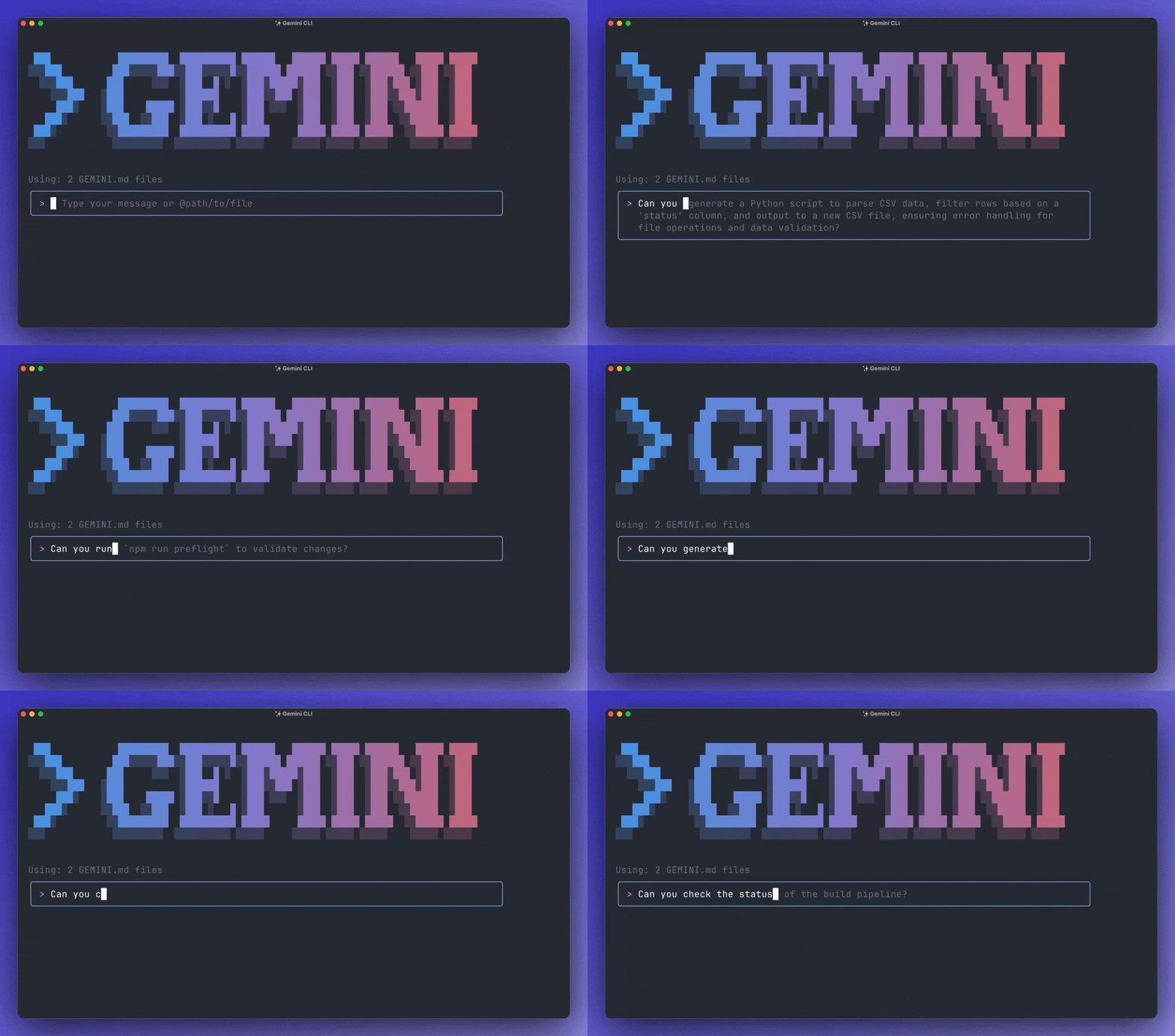
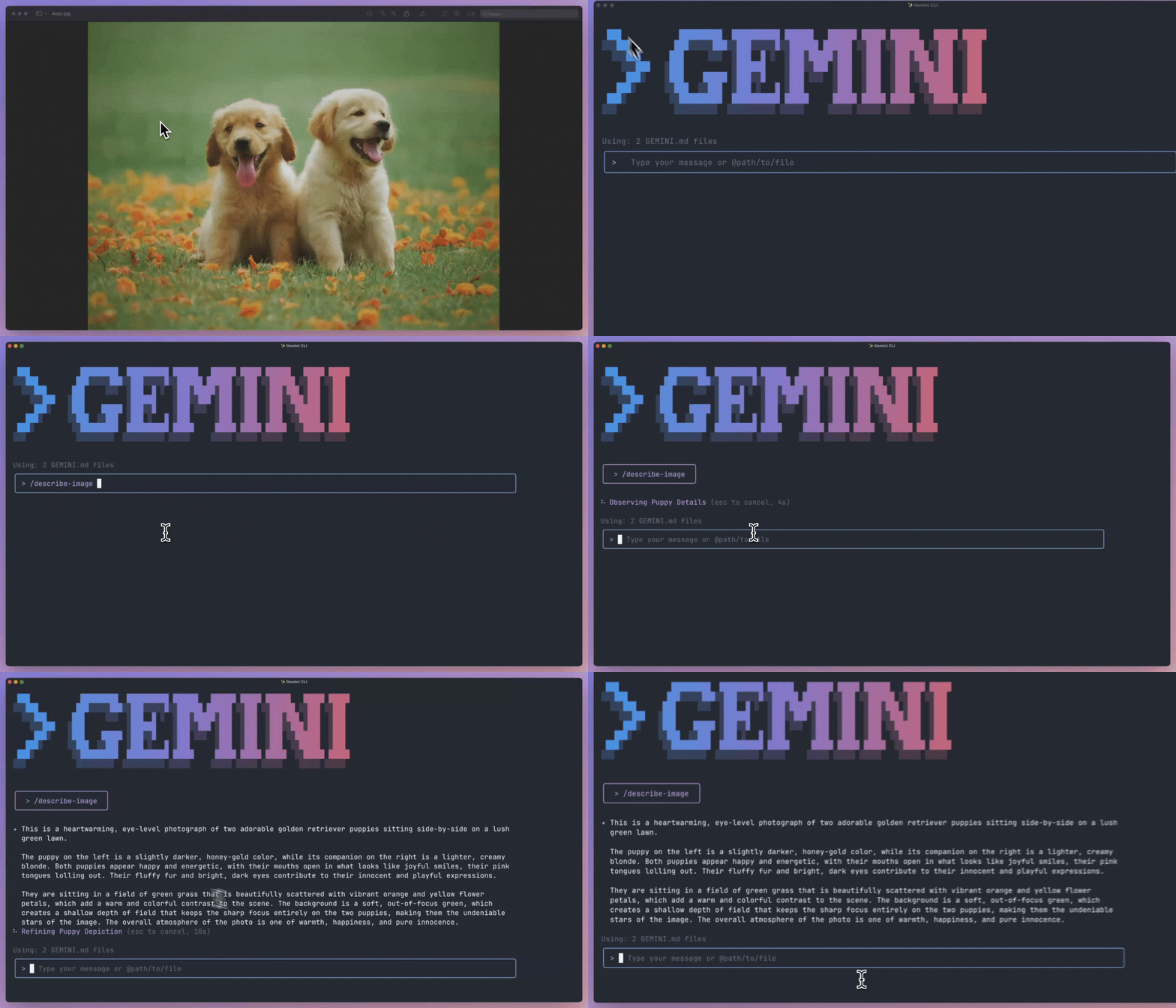
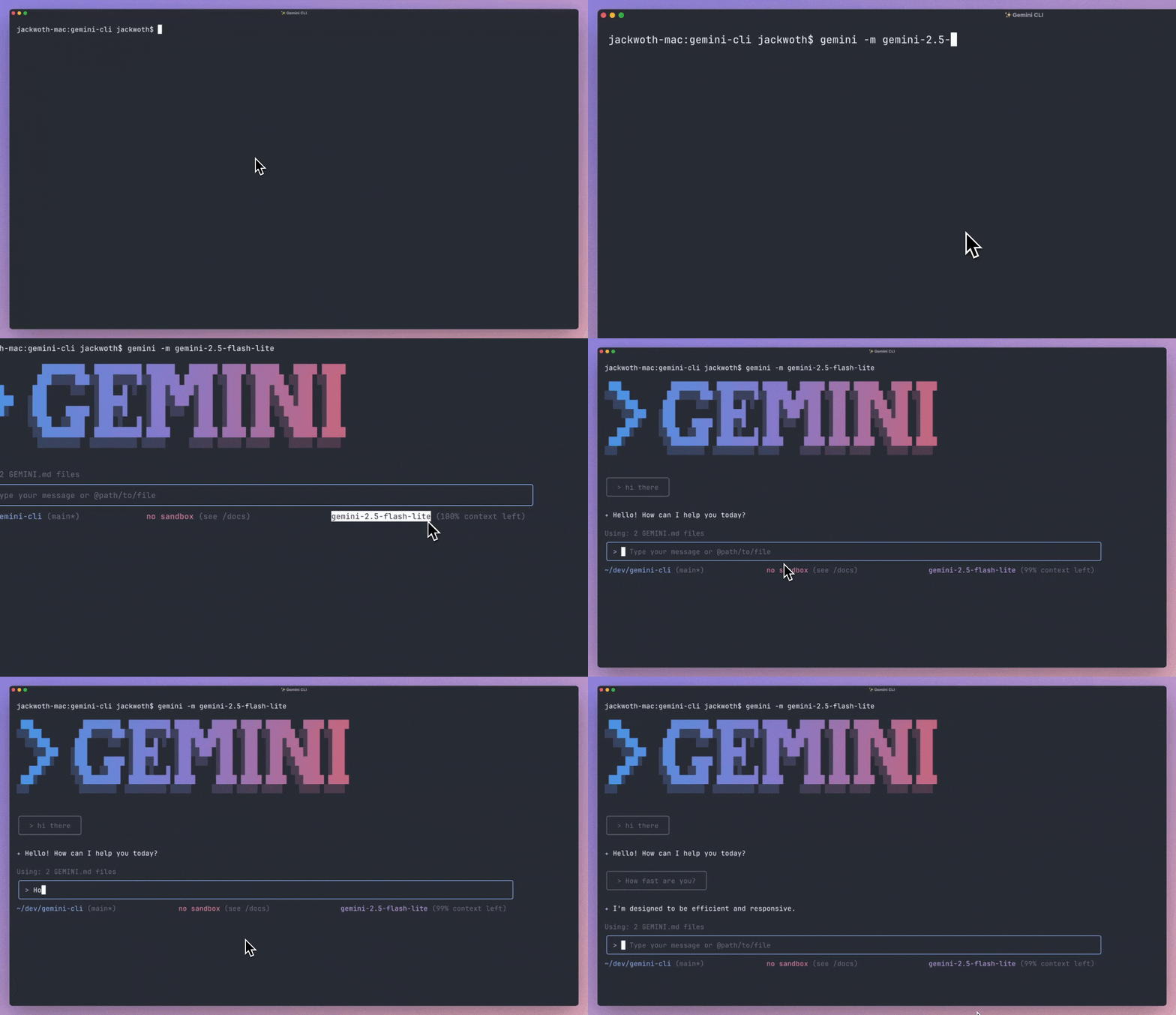
File: docs/changelogs/latest.md
Latest stable release: v0.55.1
Released: August 11, 2026
For most users, our latest stable release is the recommended release. Install
the latest stable version with:
npm install @google/gemini-cliHighlights
- PR Generation & Antigravity Agent: Implemented Firestore concurrency
dual-locking mechanisms in the database and introduced the Antigravity agent
runner with comprehensive prompt templates. - Caretaker Triaging & Issue Security: Improved the caretaker triage loop to
post a descriptive comment prior to auto-closing issues, and sanitized issue
titles within an untrusted context to ensure secure processing. - Enhanced Authentication & Security: Enforced strict HTTPS validation for
GoogleCredentialsAuthProvider to block cleartext leakage, and implemented tag
length validation for the file keychain system. - Model Fallback & History Filtering: Resolved stateful API errors by
rotating session IDs on model fallback, optimized conversation history
retrieval by filtering out thought parts when context management is disabled,
and correctly skipped merged function responses when tracking active loops.
What's Changed
- fix/verify release npm ci ignore scripts by @rmedranollamas in
#28116 - fix(ci): prevent workspace binary shadowing in release verification by
@galdawave in #28132 - Feat/tool registry discovery by @ved015 in
#28113 - fix(ci): prevent bad NPM releases and promote job crashes by @galdawave in
#28147 - Changelog for v0.50.0-preview.1 by @gemini-cli-robot in
#28150 - Fix no_proxy test by @jerrylin3321 in
#28131 - chore(release): bump version to 0.51.0-nightly.20260625.g3fbf93e26 by
@gemini-cli-robot in
#28151 - Vertex base url update by @DavidAPierce in
#28145 - fix(security): enforce case-insensitive sensitive path blocklist and vscode
hitl by @luisfelipe-alt in
#27966 - fix(core-tools): resolve defensive path resolution for at-reference files and
fix macOS tests by @luisfelipe-alt in
#28053 - feat(caretaker): implement Cloud Run webhook ingestion service by @chadd28 in
#28015 - fix(core): resolve symbolic link directory escape in memory import processor
by @luisfelipe-alt in
#28233 - feat(caretaker): egress cloud run service skeleton by @chadd28 in
#28167 - fix(sandbox): make ~/.gitconfig read-only in the macOS sandbox by
@ompatel-aiml in
#28221 - fix(core): preserve escape sequences in string literals for modern models by
@luisfelipe-alt in
#28299 - fix(core): strip thoughts from scrubbed history turns and resolve thought
leakage by @amelidev in
#27971 - Refactor: exclude transient CI configuration files from workspace context by
@DavidAPierce in
#28216 - feat(caretaker-triage): add triage worker core foundational modules by
@chadd28 in #28163 - feat(caretaker-egress): implement octokit github action handler for egress
service by @chadd28 in
#28303 - chore(release): bump version to 0.52.0-nightly.20260707.g27a3da3e8 by
@gemini-cli-robot in
#28323 - Changelog for v0.51.0-preview.0 by @gemini-cli-robot in
#28320 - Changelog for v0.50.0 by @gemini-cli-robot in
#28322 - fix(core-tools): bypass LLM correction for JSON and IPYNB files in write_file
and replace by @amelidev in
#28223 - fix(core): use unambiguous previous intent label in fallback summary by
@amelidev in #28343 - feat(caretaker-triage): implement main worker execution loop and egress action
publisher by @chadd28 in
#28306 - fix(privacy): show a clear message when the account has no Code Assist tier by
@ompatel-aiml in
#28304 - fix(core): enrich shared project quota limit errors with setup hint by
@amelidev in #28391 - fix(a2a-server): ensure task cancellation aborts execution loop by
@luisfelipe-alt in
#28316 - fix(core): simplify plan mode write policy to support relative paths by
@DavidAPierce in
#28398 - feat(core): Bump node google-auth-library version to 10.9.0 by @jerrylin3321
in #28385 - chore/release: bump version to 0.52.0-nightly.20260715.gfa975395b by
@gemini-cli-robot in
#28402 - fix(core,a2a): group cancelled tool responses and coalesce consecutive roles
to prevent 400 Bad Request by @luisfelipe-alt in
#28407 - feat(caretaker-triage): implement LLM triage orchestrator and container build
by @chadd28 in
#28345 - refactor(cli): align macOS permissive Seatbelt profiles with deny-default
model by @ompatel-aiml in
#28424 - fix(core): mitigate infinite ReAct loops and prompt injection loops by
@amelidev in #28429 - fix(a2a-server): enforce workspace trust and task isolation to prevent RCE by
@luisfelipe-alt in
#28470 - fix(core): sequentially verify cached credentials and restore
GOOGLE_APPLICATION_CREDENTIALS fallback by @luisfelipe-alt in
#28472 - feat(evals): add eval coverage report command by @ved015 in
#28169 - Changelog for v0.53.0-preview.0 by @gemini-cli-robot in
#28507 - Changelog for v0.52.0 by @gemini-cli-robot in
#28508 - chore(release): bump version to 0.54.0-nightly.20260722.gf743ab579 by
@gemini-cli-robot in
#28510 - fix(caretaker): sanitize and wrap issue title in untrusted_context by @chadd28
in #28352 - chore(caretaker): update vitest to v3.2.4 and add package-lock.json files by
@chadd28 in #28409 - fix(core): rotate session ID on model fallback to prevent stateful API errors
by @amelidev in
#28469 - feat(caretaker-triage): post comment before auto-closing issues by @chadd28 in
#28411 - fix(core): enforce HTTPS for GoogleCredentialsAuthProvider to prevent
cleartext leakage by @amelidev in
#28517 - fix(core): filter out thought parts from getHistoryTurns when context
management is disabled by @DavidAPierce in
#28509 - fix(a2a-server): normalize CRLF line endings to LF in getProposedContent by
@luisfelipe-alt in
#28531 - fix(core): enforce explicit tag length and validation in file keychain by
@luisfelipe-alt in
#28523 - chore/release: bump version to 0.54.0-nightly.20260728.gbef611950 by
@gemini-cli-robot in
#28552 - feat(pr-generator-db): implement Firestore concurrency dual-locking and test
ingestion utilities by @joneba-google in
#28432 - feat(pr-generator-agent): implement Antigravity agent runner and prompt
templates … by @joneba-google in
#28434 - fix(core): skip merged function-response turns when finding the active loop by
@adamfweidman in
#28565 - chore(release): bump version to 0.55.0-nightly.20260728.gd29268d36 by
@gemini-cli-robot in
#28569 - Changelog for v0.54.0-preview.0 by @gemini-cli-robot in
#28567 - Changelog for v0.53.0 by @gemini-cli-robot in
#28568 - chore/release: bump version to 0.55.0-nightly.20260729.g3499c84f7 by
@gemini-cli-robot in
#28573 - fix(core): classify capacity exhaustion as terminal to prevent retry hangs by
@luisfelipe-alt in
#28599 - fix(core,cli): propagate InvalidStreamError details to UI for specific empty
response guidance by @DavidAPierce in
#28566 - fix(cli): fall back to embedded macOS seatbelt profiles if missing by
@amelidev in #28551 - feat(pr-generator-core): add environment config parser, command executor,
GitHub R… by @joneba-google in
#28435 - feat(pr-generator-orchestrator): implement iterative bug-fixing state machine
and container worker entrypoint by @joneba-google in
#28433 - feat(pr-generator-infra): configure Cloud Run job, Workflows definition, and
Dockerfile by @joneba-google in
#28431 - fix(release): handle npm dist-tag deletion failures on registries that forbid
it by @DavidAPierce in
#28694 - fix(core): stop a new user message fusing into an unanswered tool response by
@adamfweidman in
#28700 - fix(core,cli): repair /compress session reload and quota-fallback tool
response loss by @adamfweidman in
#28672 - fix(core): preserve functionCall thoughtSignature when stripping thought parts
by @sarbojitrana in
#28607 - fix(core): unwrap and parse nested gaxios streaming errors from cause message
by @luisfelipe-alt in
#28689 - Changelog for v0.55.0-preview.1 by @gemini-cli-robot in
#28706 - chore(release): bump version to 0.56.0-nightly.20260806.g761f604c1 by
@gemini-cli-robot in
#28707 - Changelog for v0.54.0 by @gemini-cli-robot in
#28708 - Reclassifying Capacity Exhaustion as Terminal Error by @luisfelipe-alt in
#28716 - feat(caretaker): update Firestore schema with error, and pr_number fields by
@chadd28 in #28467 - feat(caretaker-triage): prompt hill-climbing & orchestrator updates by
@chadd28 in #28524 - feat(caretaker): add triage Cloud Run job workflow by @chadd28 in
#28468 - feat(caretaker-evals): add triage evaluation framework and judge runner by
@chadd28 in #28530 - feat(caretaker-evals): add local golden issue collection and firestore sync
tools by @chadd28 in
#28532 - feat(caretaker): publish workable spec event to ready-for-code Pub/Sub topic
by @chadd28 in
#28588 - feat(caretaker): add GCP deployment script for caretaker agent services by
@chadd28 in #28529 - feat(caretaker-evals): add Cloud Run job entrypoint for eval runner by
@chadd28 in #28727 - fix(caretaker): clear lock on NEEDS_HUMAN transition by @chadd28 in
#28601 - feat(ingestion): add issue comment handling and re-triage workflow by @chadd28
in #28690 - fix(core): refresh MCP OAuth tokens with the stored client ID by
@ParthivNaresh in
#28481 - fix(core,cli): resolve false model capacity exhaustion and fix core quota
lookup model mapping by @DavidAPierce in
#28730 - feat(evals): add local report command and developer documentation by @ved015
in #28369 - fix(core): dynamically resolve Cloud Workstations proxy redirect URI for OAuth
flows by @amelidev in
#28688 - Changelog for v0.53.0-preview.0 by @gemini-cli-robot in
#28507 - Changelog for v0.52.0 by @gemini-cli-robot in
#28508 - chore(release): bump version to 0.54.0-nightly.20260722.gf743ab579 by
@gemini-cli-robot in
#28510 - fix(caretaker): sanitize and wrap issue title in untrusted_context by @chadd28
in #28352 - chore(caretaker): update vitest to v3.2.4 and add package-lock.json files by
@chadd28 in #28409 - fix(core): rotate session ID on model fallback to prevent stateful API errors
by @amelidev in
#28469 - feat(caretaker-triage): post comment before auto-closing issues by @chadd28 in
#28411 - fix(core): enforce HTTPS for GoogleCredentialsAuthProvider to prevent
cleartext leakage by @amelidev in
#28517 - fix(core): filter out thought parts from getHistoryTurns when context
management is disabled by @DavidAPierce in
#28509 - fix(a2a-server): normalize CRLF line endings to LF in getProposedContent by
@luisfelipe-alt in
#28531 - fix(core): enforce explicit tag length and validation in file keychain by
@luisfelipe-alt in
#28523 - chore/release: bump version to 0.54.0-nightly.20260728.gbef611950 by
@gemini-cli-robot in
#28552 - feat(pr-generator-db): implement Firestore concurrency dual-locking and test
ingestion utilities by @joneba-google in
#28432 - feat(pr-generator-agent): implement Antigravity agent runner and prompt
templates … by @joneba-google in
#28434 - fix(core): skip merged function-response turns when finding the active loop by
@adamfweidman in
#28565 - fix(patch): cherry-pick f47d6c6 to release/v0.54.0-preview.0-pr-28566 to patch
version v0.54.0-preview.0 and create version 0.54.0-preview.1 by
@gemini-cli-robot in
#28609
Full Changelog:
https://github.com/google-gemini/gemini-cli/compare/v0.53.1...v0.55.1
File: docs/changelogs/preview.md
Preview release: v0.55.0-preview.1
Released: August 06, 2026
Our preview release includes the latest, new, and experimental features. This
release may not be as stable as our latest weekly release.
To install the preview release:
npm install @google/gemini-cli@previewHighlights
- Antigravity Agent & PR Generator: Integrated the Antigravity agent runner,
Firestore dual-locking for concurrency, prompt templates, and ingestion
testing utilities. - Caretaker Triage & Issue Management: Enhanced the issue triage workflow by
automatically posting a comment before closing issues, and sanitizing and
wrapping issue titles inuntrusted_context. - Core API & Session Stability: Enforced HTTPS for
GoogleCredentialsAuthProvider to prevent cleartext leakage, rotated session
IDs on model fallback to prevent stateful API errors, and refined chat history
by filtering out thought parts when context management is disabled.
What's Changed
- chore(release): bump version to 0.55.0-nightly.20260728.gd29268d36 by
@gemini-cli-robot in
#28569 - Changelog for v0.54.0-preview.0 by @gemini-cli-robot in
#28567 - Changelog for v0.53.0 by @gemini-cli-robot in
#28568 - chore/release: bump version to 0.55.0-nightly.20260729.g3499c84f7 by
@gemini-cli-robot in
#28573 - fix(core): classify capacity exhaustion as terminal to prevent retry hangs by
@luisfelipe-alt in
#28599 - fix(core,cli): propagate InvalidStreamError details to UI for specific empty
response guidance by @DavidAPierce in
#28566 - fix(cli): fall back to embedded macOS seatbelt profiles if missing by
@amelidev in #28551 - feat(pr-generator-core): add environment config parser, command executor,
GitHub R… by @joneba-google in
#28435 - feat(pr-generator-orchestrator): implement iterative bug-fixing state machine
and container worker entrypoint by @joneba-google in
#28433 - feat(pr-generator-infra): configure Cloud Run job, Workflows definition, and
Dockerfile by @joneba-google in
#28431 - fix(release): handle npm dist-tag deletion failures on registries that forbid
it by @DavidAPierce in
#28694 - fix(core): stop a new user message fusing into an unanswered tool response by
@adamfweidman in
#28700 - fix(core,cli): repair /compress session reload and quota-fallback tool
response loss by @adamfweidman in
#28672 - fix(core): preserve functionCall thoughtSignature when stripping thought parts
by @sarbojitrana in
#28607 - fix(core): unwrap and parse nested gaxios streaming errors from cause message
by @luisfelipe-alt in
#28689 - Changelog for v0.53.0-preview.0 by @gemini-cli-robot in
#28507 - Changelog for v0.52.0 by @gemini-cli-robot in
#28508 - chore(release): bump version to 0.54.0-nightly.20260722.gf743ab579 by
@gemini-cli-robot in
#28510 - fix(caretaker): sanitize and wrap issue title in untrusted_context by @chadd28
in #28352 - chore(caretaker): update vitest to v3.2.4 and add package-lock.json files by
@chadd28 in #28409 - fix(core): rotate session ID on model fallback to prevent stateful API errors
by @amelidev in
#28469 - feat(caretaker-triage): post comment before auto-closing issues by @chadd28 in
#28411 - fix(core): enforce HTTPS for GoogleCredentialsAuthProvider to prevent
cleartext leakage by @amelidev in
#28517 - fix(core): filter out thought parts from getHistoryTurns when context
management is disabled by @DavidAPierce in
#28509 - fix(a2a-server): normalize CRLF line endings to LF in getProposedContent by
@luisfelipe-alt in
#28531 - fix(core): enforce explicit tag length and validation in file keychain by
@luisfelipe-alt in
#28523 - chore/release: bump version to 0.54.0-nightly.20260728.gbef611950 by
@gemini-cli-robot in
#28552 - feat(pr-generator-db): implement Firestore concurrency dual-locking and test
ingestion utilities by @joneba-google in
#28432 - feat(pr-generator-agent): implement Antigravity agent runner and prompt
templates … by @joneba-google in
#28434 - fix(core): skip merged function-response turns when finding the active loop by
@adamfweidman in
#28565
Full Changelog:
https://github.com/google-gemini/gemini-cli/compare/v0.53.0-preview.0...v0.55.0-preview.1
File: docs/cli/tutorials/skills-getting-started.md
Get started with Agent Skills
Agent Skills extend Gemini CLI with specialized expertise. In this tutorial,
you'll learn how to create your first skill, bundle custom logic, and activate
it during a session.
Create your first skill
A skill is defined by a directory containing a SKILL.md file and
subdirectories containing reference materials or scripts used by the skill.
Let's create an API Auditor skill that runs a script to help you verify if
local or remote endpoints are responding correctly.
1. Create the directory structure
The first step is to create the necessary folders for your skill and its
scripts.
macOS/Linux
mkdir -p .gemini/skills/api-auditor/scriptsWindows (PowerShell)
New-Item -ItemType Directory -Force -Path ".gemini\skills\api-auditor\scripts"2. Create the definition (`SKILL.md`)
The SKILL.md file defines the skill's purpose and instructions for the agent.
Create a file at .gemini/skills/api-auditor/SKILL.md. This tells the agent
when to use the skill and how to behave.
---
name: api-auditor
  Expertise in auditing and testing API endpoints. Use when the user asks to
  "check", "test", or "audit" a URL or API.
---

# API Auditor Instructions

You act as a QA engineer specialized in API reliability. When this skill is
active, you MUST:

1.  **Audit**: Use the bundled `scripts/audit.js` utility to check the status of
    the provided URL.
2.  **Report**: Analyze the output (status codes, latency) and explain any
    failures in plain English.
3.  **Secure**: Remind the user if they are testing a sensitive endpoint without
    an `https://` protocol.
3. Add the tool logic
Skills can bundle resources like scripts to perform deterministic tasks. Create
a file at .gemini/skills/api-auditor/scripts/audit.js. This is the code the
agent will run.
// .gemini/skills/api-auditor/scripts/audit.js
const url = process.argv[2];

if (!url) {
  console.error('Usage: node audit.js ');
  process.exit(1);
}

console.log(`Auditing ${url}...`);
fetch(url, { method: 'HEAD' })
  .then((r) => console.log(`Result: Success (Status ${r.status})`))
  .catch((e) => console.error(`Result: Failed (${e.message})`));
Verify discovery
Gemini CLI automatically discovers skills in the .gemini/skills directory (as
well as the .agents/skills alias).
To check if Gemini CLI found your new skill, use the /skills list command
within an interactive session:
/skills listYou should see api-auditor in the list of available skills. If you just added
the files, you can run /skills reload to refresh the list without restarting
the session.
If your skill doesn't appear
If /skills list doesn't show your skill, check the following:
- The folder must be trusted (workspace skills only). Skills under
<workspace>/.gemini/skills/are only loaded when the workspace folder is
marked as trusted. Run/trustand restart the session if needed. Skills
under~/.gemini/skills/(user scope) are not affected by trust. - Check the path layout.
SKILL.mdis discovered either at the root of
the skills directory (.gemini/skills/SKILL.md) or one directory deep
(.gemini/skills/<skill-name>/SKILL.md). The recommended layout uses a
subdirectory per skill so you can bundle scripts and other resources
alongside it. Files nested more than one directory deep are not discovered. - The filename must be exactly
SKILL.md. Capitalization matters on
case-sensitive filesystems (Linux, and macOS when configured as such):skill.mdorSkill.mdwill be ignored. - Frontmatter must include both
name:anddescription:, and must be the
first thing in the file. ASKILL.mdis silently skipped if either field
is missing, if the delimiters (---on their own lines) are absent, or if
any text (an H1 title, a comment, even a blank line) appears before the
opening---. - The skill name comes from the
name:field, not the directory name. If
your frontmatter saysname: foo, the skill appears asfooin/skills listregardless of what its parent directory is called. The
characters: \ / < > * ? " |in the name are replaced with-.
How to use the skill
Now that the skill is discovered, you can trigger its activation by asking a
relevant question.
- Trigger: Start a new session and ask: "Can you audit https://google.com"
- Activation: Gemini identifies that the request matches the
api-auditor
description and calls theactivate_skilltool. - Consent: You will see a confirmation prompt. Type y to approve.
- Execution: Once activated, Gemini uses the
run_shell_commandtool to
execute your bundled script:node .gemini/skills/api-auditor/scripts/audit.js https://google.com
Pro tip: Use the skill-creator
If you don't want to create the files manually, you can use the built-inskill-creator skill. Simply ask Gemini:
"Create a new skill called 'api-auditor' that tests if URLs are responding."
The skill-creator will handle the directory structure and boilerplate for you.
Manage skills
You can also manage skills using the gemini skills command from your terminal:
- Install:
gemini skills install - Link:
gemini skills link(useful for local development) - Uninstall:
gemini skills uninstall <name>
Next steps
- Creating Agent Skills: Detailed guide on advanced
skill features and metadata. - Using Agent Skills: More ways to discover and
manage your skill library. - Skill best practices: Learn how to design
reliable and effective expertise.
File: docs/cli/checkpointing.md
Checkpointing
Gemini CLI includes a Checkpointing feature that automatically saves a snapshot
of your project's state before any file modifications are made by AI-powered
tools. This lets you safely experiment with and apply code changes, knowing you
can instantly revert back to the state before the tool was run.
How it works
When you approve a tool that modifies the file system (like write_file orreplace), the CLI automatically creates a "checkpoint." This checkpoint
includes:
- A Git snapshot: A commit is made in a special, shadow Git repository
located in your home directory (~/.gemini/history/). This
snapshot captures the complete state of your project files at that moment.
It does not interfere with your own project's Git repository. - Conversation history: The entire conversation you've had with the agent
up to that point is saved. - The tool call: The specific tool call that was about to be executed is
also stored.
If you want to undo the change or simply go back, you can use the /restore
command. Restoring a checkpoint will:
- Revert all files in your project to the state captured in the snapshot.
- Restore the conversation history in the CLI.
- Re-propose the original tool call, allowing you to run it again, modify it, or
simply ignore it.
All checkpoint data, including the Git snapshot and conversation history, is
stored locally on your machine. The Git snapshot is stored in the shadow
repository while the conversation history and tool calls are saved in a JSON
file in your project's temporary directory, typically located at~/.gemini/tmp//checkpoints.
Enabling the feature
The Checkpointing feature is disabled by default. To enable it, you need to edit
your settings.json file.
[!CAUTION]
The--checkpointingcommand-line flag was removed in version
0.11.0. Checkpointing can now only be enabled through thesettings.json
configuration file.
Add the following key to your settings.json:
{
  "general": {
    "checkpointing": {
      "enabled": true
    }
  }
}
Using the `/restore` command
Once enabled, checkpoints are created automatically. To manage them, you use the/restore command.
List available checkpoints
To see a list of all saved checkpoints for the current project, simply run:
/restoreThe CLI will display a list of available checkpoint files. These file names are
typically composed of a timestamp, the name of the file being modified, and the
name of the tool that was about to be run (for example,2025-06-22T10-00-00_000Z-my-file.txt-write_file).
Restore a specific checkpoint
To restore your project to a specific checkpoint, use the checkpoint file from
the list:
/restore <checkpoint_file>For example:
/restore 2025-06-22T10-00-00_000Z-my-file.txt-write_fileAfter running the command, your files and conversation will be immediately
restored to the state they were in when the checkpoint was created, and the
original tool prompt will reappear.
File: docs/cli/custom-commands.md
Custom commands
Custom commands let you save and reuse your favorite or most frequently used
prompts as personal shortcuts within Gemini CLI. You can create commands that
are specific to a single project or commands that are available globally across
all your projects, streamlining your workflow and ensuring consistency.
File locations and precedence
Gemini CLI discovers commands from two locations, loaded in a specific order:
- User commands (global): Located in
~/.gemini/commands/. These commands
are available in any project you are working on. - Project commands (local): Located in
<your-project-root>/.gemini/commands/. These commands are specific to the
current project and can be checked into version control to be shared with
your team.
If a command in the project directory has the same name as a command in the user
directory, the project command will always be used. This allows projects to
override global commands with project-specific versions.
Naming and namespacing
The name of a command is determined by its file path relative to its commands
directory. Subdirectories are used to create namespaced commands, with the path
separator (/ or \) being converted to a colon (:).
- A file at
~/.gemini/commands/test.tomlbecomes the command/test. - A file at
/.gemini/commands/git/commit.tomlbecomes the namespaced
command/git:commit.
[!TIP]
After creating or modifying.tomlcommand files, run/commands reloadto pick up your changes without restarting the CLI.
To see all available command files, run/commands list.
TOML file format (v1)
Your command definition files must be written in the TOML format and use the.toml file extension.
Required fields
prompt(String): The prompt that will be sent to the Gemini model when the
command is executed. This can be a single-line or multi-line string.
Optional fields
description(String): A brief, one-line description of what the command
does. This text will be displayed next to your command in the/helpmenu.
If you omit this field, a generic description will be generated from the
filename.
Handling arguments
Custom commands support two powerful methods for handling arguments. The CLI
automatically chooses the correct method based on the content of your command'sprompt.
1. Context-aware injection with `{{args}}`
If your prompt contains the special placeholder {{args}}, the CLI will
replace that placeholder with the text the user typed after the command name.
The behavior of this injection depends on where it is used:
A. Raw injection (outside shell commands)
When used in the main body of the prompt, the arguments are injected exactly as
the user typed them.
Example (git/fix.toml):
# Invoked via: /git:fix "Button is misaligned"

description = "Generates a fix for a given issue."
prompt = "Please provide a code fix for the issue described here: {{args}}."
The model receives:Please provide a code fix for the issue described here: "Button is misaligned".
B. Using arguments in shell commands (inside !{...} blocks)
When you use {{args}} inside a shell injection block (!{...}), the arguments
are automatically shell-escaped before replacement. This lets you safely
pass arguments to shell commands, ensuring the resulting command is
syntactically correct and secure while preventing command injection
vulnerabilities.
Example (/grep-code.toml):
prompt = """
Please summarize the findings for the pattern `{{args}}`.

Search Results:
!{grep -r {{args}} .}
"""
When you run /grep-code It's complicated:
- The CLI sees
{{args}}used both outside and inside!{...}. - Outside: The first
{{args}}is replaced raw withIt's complicated. - Inside: The second
{{args}}is replaced with the escaped version (for
example, on Linux:"It\'s complicated"). - The command executed is
grep -r "It's complicated" .. - The CLI prompts you to confirm this exact, secure command before execution.
- The final prompt is sent.
2. Default argument handling
If your prompt does not contain the special placeholder {{args}}, the
CLI uses a default behavior for handling arguments.
If you provide arguments to the command (for example, /mycommand arg1), the
CLI will append the full command you typed to the end of the prompt, separated
by two newlines. This allows the model to see both the original instructions and
the specific arguments you just provided.
If you do not provide any arguments (for example, /mycommand), the prompt
is sent to the model exactly as it is, with nothing appended.
Example (changelog.toml):
This example shows how to create a robust command by defining a role for the
model, explaining where to find the user's input, and specifying the expected
format and behavior.
# In: /.gemini/commands/changelog.toml
# Invoked via: /changelog 1.2.0 added "Support for default argument parsing."

description = "Adds a new entry to the project's CHANGELOG.md file."
prompt = """
# Task: Update Changelog

You are an expert maintainer of this software project. A user has invoked a command to add a new entry to the changelog.

**The user's raw command is appended below your instructions.**

Your task is to parse the `<version>`, `<change_type>`, and `<message>` from their input and use the `write_file` tool to correctly update the `CHANGELOG.md` file.

## Expected Format
The command follows this format: `/changelog <version> <type> <message>`
- `<type>` must be one of: "added", "changed", "fixed", "removed".

## Behavior
1. Read the `CHANGELOG.md` file.
2. Find the section for the specified `<version>`.
3. Add the `<message>` under the correct `<type>` heading.
4. If the version or type section doesn't exist, create it.
5. Adhere strictly to the "Keep a Changelog" format.
"""
When you run /changelog 1.2.0 added "New feature", the final text sent to the
model will be the original prompt followed by two newlines and the command you
typed.
3. Executing shell commands with `!{...}`
You can make your commands dynamic by executing shell commands directly within
your prompt and injecting their output. This is ideal for gathering context
from your local environment, like reading file content or checking the status of
Git.
When a custom command attempts to execute a shell command, Gemini CLI will now
prompt you for confirmation before proceeding. This is a security measure to
ensure that only intended commands can be run.
How it works:
- Inject commands: Use the
!{...}syntax. - Argument substitution: If
{{args}}is present inside the block, it is
automatically shell-escaped (see
Context-Aware Injection above). - Robust parsing: The parser correctly handles complex shell commands that
include nested braces, such as JSON payloads. The content inside!{...}
must have balanced braces ({and}). If you need to execute a command
containing unbalanced braces, consider wrapping it in an external script
file and calling the script within the!{...}block. - Security check and confirmation: The CLI performs a security check on
the final, resolved command (after arguments are escaped and substituted). A
dialog will appear showing the exact command(s) to be executed. - Execution and error reporting: The command is executed. If the command
fails, the output injected into the prompt will include the error messages
(stderr) followed by a status line, for example,[Shell command exited with code 1]. This helps the model understand the
context of the failure.
Example (git/commit.toml):
This command gets the staged git diff and uses it to ask the model to write a
commit message.
# In: /.gemini/commands/git/commit.toml
# Invoked via: /git:commit

description = "Generates a Git commit message based on staged changes."

# The prompt uses !{...} to execute the command and inject its output.
prompt = """
Please generate a Conventional Commit message based on the following git diff:

```diff
!{git diff --staged}
```

"""
When you run /git:commit, the CLI first executes git diff --staged, then
replaces !{git diff --staged} with the output of that command before sending
the final, complete prompt to the model.
4. Injecting file content with `@{...}`
You can directly embed the content of a file or a directory listing into your
prompt using the @{...} syntax. This is useful for creating commands that
operate on specific files.
How it works:
- File injection:
@{path/to/file.txt}is replaced by the content offile.txt. - Multimodal support: If the path points to a supported image (for example,
PNG, JPEG), PDF, audio, or video file, it will be correctly encoded and
injected as multimodal input. Other binary files are handled gracefully and
skipped. - Directory listing:
@{path/to/dir}is traversed and each file present
within the directory and all subdirectories is inserted into the prompt. This
respects.gitignoreand.geminiignoreif enabled. - Workspace-aware: The command searches for the path in the current
directory and any other workspace directories. Absolute paths are allowed if
they are within the workspace. - Processing order: File content injection with
@{...}is processed
before shell commands (!{...}) and argument substitution ({{args}}). - Parsing: The parser requires the content inside
@{...}(the path) to
have balanced braces ({and}).
Example (review.toml):
This command injects the content of a fixed best practices file
(docs/best-practices.md) and uses the user's arguments to provide context for
the review.
# In: /.gemini/commands/review.toml
# Invoked via: /review FileCommandLoader.ts

description = "Reviews the provided context using a best practice guide."
prompt = """
You are an expert code reviewer.

Your task is to review {{args}}.

Use the following best practices when providing your review:

@{docs/best-practices.md}
"""
When you run /review FileCommandLoader.ts, the @{docs/best-practices.md}
placeholder is replaced by the content of that file, and {{args}} is replaced
by the text you provided, before the final prompt is sent to the model.
Example: A "Pure Function" refactoring command
Let's create a global command that asks the model to refactor a piece of code.
1. Create the file and directories:
First, ensure the user commands directory exists, then create a refactor
subdirectory for organization and the final TOML file.
macOS/Linux
mkdir -p ~/.gemini/commands/refactor
touch ~/.gemini/commands/refactor/pure.toml
Windows (PowerShell)
New-Item -ItemType Directory -Force -Path "$env:USERPROFILE\.gemini\commands\refactor"
New-Item -ItemType File -Force -Path "$env:USERPROFILE\.gemini\commands\refactor\pure.toml"
2. Add the content to the file:
Open ~/.gemini/commands/refactor/pure.toml in your editor and add the
following content. We are including the optional description for best
practice.
# In: ~/.gemini/commands/refactor/pure.toml
# This command will be invoked via: /refactor:pure

description = "Asks the model to refactor the current context into a pure function."

prompt = """
Please analyze the code I've provided in the current context.
Refactor it into a pure function.

Your response should include:
1. The refactored, pure function code block.
2. A brief explanation of the key changes you made and why they contribute to purity.
"""
3. Run the command:
That's it! You can now run your command in the CLI. First, you might add a file
to the context, and then invoke your command:
> @my-messy-function.js
> /refactor:pure
Gemini CLI will then execute the multi-line prompt defined in your TOML file.
File: docs/cli/enterprise.md
Gemini CLI for the enterprise
This document outlines configuration patterns and best practices for deploying
and managing Gemini CLI in an enterprise environment. By leveraging system-level
settings, administrators can enforce security policies, manage tool access, and
ensure a consistent experience for all users.
[!WARNING]
The patterns described in this document are intended to help
administrators create a more controlled and secure environment for using
Gemini CLI. However, they should not be considered a foolproof security
boundary. A determined user with sufficient privileges on their local machine
may still be able to circumvent these configurations. These measures are
designed to prevent accidental misuse and enforce corporate policy in a
managed environment, not to defend against a malicious actor with local
administrative rights.
Centralized configuration: The system settings file
The most powerful tools for enterprise administration are the system-wide
settings files. These files allow you to define a baseline configuration
(system-defaults.json) and a set of overrides (settings.json) that apply to
all users on a machine. For a complete overview of configuration options, see
the Configuration documentation.
Settings are merged from four files. The precedence order for single-value
settings (like theme) is:
- System Defaults (
system-defaults.json) - User Settings (
~/.gemini/settings.json) - Workspace Settings (
/.gemini/settings.json) - System Overrides (
settings.json)
This means the System Overrides file has the final say. For settings that are
arrays (includeDirectories) or objects (mcpServers), the values are merged.
Example of merging and precedence:
Here is how settings from different levels are combined.
System defaults
system-defaults.json:json{ "ui": { "theme": "default-corporate-theme" }, "context": { "includeDirectories": ["/etc/gemini-cli/common-context"] } }User
settings.json(~/.gemini/settings.json):json{ "ui": { "theme": "user-preferred-dark-theme" }, "mcpServers": { "corp-server": { "command": "/usr/local/bin/corp-server-dev" }, "user-tool": { "command": "npm start --prefix ~/tools/my-tool" } }, "context": { "includeDirectories": ["~/gemini-context"] } }Workspace
settings.json(/.gemini/settings.json):json{ "ui": { "theme": "project-specific-light-theme" }, "mcpServers": { "project-tool": { "command": "npm start" } }, "context": { "includeDirectories": ["./project-context"] } }System overrides
settings.json:json{ "ui": { "theme": "system-enforced-theme" }, "mcpServers": { "corp-server": { "command": "/usr/local/bin/corp-server-prod" } }, "context": { "includeDirectories": ["/etc/gemini-cli/global-context"] } }
This results in the following merged configuration:
- Final merged configuration:json
{
  "ui": {
    "theme": "system-enforced-theme"
  },
  "mcpServers": {
    "corp-server": {
      "command": "/usr/local/bin/corp-server-prod"
    },
    "user-tool": {
      "command": "npm start --prefix ~/tools/my-tool"
    },
    "project-tool": {
      "command": "npm start"
    }
  },
  "context": {
    "includeDirectories": [
      "/etc/gemini-cli/common-context",
      "~/gemini-context",
      "./project-context",
      "/etc/gemini-cli/global-context"
    ]
  }
}
Why:
theme: The value from the system overrides (system-enforced-theme) is
used, as it has the highest precedence.mcpServers: The objects are merged. Thecorp-serverdefinition from
the system overrides takes precedence over the user's definition. The uniqueuser-toolandproject-toolare included.includeDirectories: The arrays are concatenated in the order of System
Defaults, User, Workspace, and then System Overrides.Location:
- Linux:
/etc/gemini-cli/settings.json - Windows:
C:\ProgramData\gemini-cli\settings.json - macOS:
/Library/Application Support/GeminiCli/settings.json - The path can be overridden using the
GEMINI_CLI_SYSTEM_SETTINGS_PATH
environment variable.
- Linux:
Control: This file should be managed by system administrators and
protected with appropriate file permissions to prevent unauthorized
modification by users.
By using the system settings file, you can enforce the security and
configuration patterns described below.
Enforcing system settings with a wrapper script
While the GEMINI_CLI_SYSTEM_SETTINGS_PATH environment variable provides
flexibility, a user could potentially override it to point to a different
settings file, bypassing the centrally managed configuration. To mitigate this,
enterprises can deploy a wrapper script or alias that ensures the environment
variable is always set to the corporate-controlled path.
This approach ensures that no matter how the user calls the gemini command,
the enterprise settings are always loaded with the highest precedence.
Example wrapper script:
Administrators can create a script named gemini and place it in a directory
that appears earlier in the user's PATH than the actual Gemini CLI binary (for
example, /usr/local/bin/gemini).
#!/bin/bash

# Enforce the path to the corporate system settings file.
# This ensures that the company's configuration is always applied.
export GEMINI_CLI_SYSTEM_SETTINGS_PATH="/etc/gemini-cli/settings.json"

# Find the original gemini executable.
# This is a simple example; a more robust solution might be needed
# depending on the installation method.
REAL_GEMINI_PATH=$(type -aP gemini | grep -v "^$(type -P gemini)$" | head -n 1)

if [ -z "$REAL_GEMINI_PATH" ]; then
  echo "Error: The original 'gemini' executable was not found." >&2
  exit 1
fi

# Pass all arguments to the real Gemini CLI executable.
exec "$REAL_GEMINI_PATH" "$@"
By deploying this script, the GEMINI_CLI_SYSTEM_SETTINGS_PATH is set within
the script's environment, and the exec command replaces the script process
with the actual Gemini CLI process, which inherits the environment variable.
This makes it significantly more difficult for a user to bypass the enforced
settings.
PowerShell Profile (Windows alternative):
On Windows, administrators can achieve similar results by adding the environment
variable to the system-wide or user-specific PowerShell profile:
Add-Content -Path $PROFILE -Value '$env:GEMINI_CLI_SYSTEM_SETTINGS_PATH="C:\ProgramData\gemini-cli\settings.json"'User isolation in shared environments
In shared compute environments (like ML experiment runners or shared build
servers), you can isolate Gemini CLI state by overriding the user's home
directory.
By default, Gemini CLI stores configuration and history in ~/.gemini. You can
use the GEMINI_CLI_HOME environment variable to point to a unique directory
for a specific user or job. The CLI will create a .gemini folder inside the
specified path.
macOS/Linux
# Isolate state for a specific job
export GEMINI_CLI_HOME="/tmp/gemini-job-123"
gemini
Windows (PowerShell)
# Isolate state for a specific job
$env:GEMINI_CLI_HOME="C:\temp\gemini-job-123"
gemini
Restricting tool access
You can significantly enhance security by controlling which tools the Gemini
model can use. This is achieved through the tools.core setting and the
Policy Engine. For a list of available tools,
see the Tools reference.
Allowlisting with `coreTools`
The most secure approach is to explicitly add the tools and commands that users
are permitted to execute to an allowlist. This prevents the use of any tool not
on the approved list.
Example: Allow only safe, read-only file operations and listing files.
{
  "tools": {
    "core": ["ReadFileTool", "GlobTool", "ShellTool(ls)"]
  }
}
Blocklisting with `excludeTools` (Deprecated)
Deprecated: Use the Policy Engine for
more robust control.
Alternatively, you can add specific tools that are considered dangerous in your
environment to a blocklist.
Example: Prevent the use of the shell tool for removing files.
{
  "tools": {
    "exclude": ["ShellTool(rm -rf)"]
  }
}
[!WARNING]
Blocklisting withexcludeToolsis less secure than
allowlisting withtools.core, as it relies on blocking known-bad commands,
and clever users may find ways to bypass simple string-based blocks.
Allowlisting is the recommended approach.
Disabling YOLO mode
To ensure that users cannot bypass the confirmation prompt for tool execution,
you can disable YOLO mode at the policy level. This adds a critical layer of
safety, as it prevents the model from executing tools without explicit user
approval.
Example: Force all tool executions to require user confirmation.
{
  "security": {
    "disableYoloMode": true
  }
}
This setting is highly recommended in an enterprise environment to prevent
unintended tool execution.
Managing custom tools (MCP servers)
If your organization uses custom tools via
Model-Context Protocol (MCP) servers, it is crucial to
understand how server configurations are managed to apply security policies
effectively.
How MCP server configurations are merged
Gemini CLI loads settings.json files from three levels: System, Workspace, and
User. When it comes to the mcpServers object, these configurations are
merged:
- Merging: The lists of servers from all three levels are combined into a
single list. - Precedence: If a server with the same name is defined at multiple
levels (for example, a server namedcorp-apiexists in both system and
user settings), the definition from the highest-precedence level is used.
The order of precedence is: System > Workspace > User.
This means a user cannot override the definition of a server that is already
defined in the system-level settings. However, they can add new servers with
unique names.
Enforcing a catalog of tools
The security of your MCP tool ecosystem depends on a combination of defining the
canonical servers and adding their names to an allowlist.
Restricting tools within an MCP server
For even greater security, especially when dealing with third-party MCP servers,
you can restrict which specific tools from a server are exposed to the model.
This is done using the includeTools and excludeTools properties within a
server's definition. This lets you use a subset of tools from a server without
allowing potentially dangerous ones.
Following the principle of least privilege, it is highly recommended to useincludeTools to create an allowlist of only the necessary tools.
Example: Only allow the code-search and get-ticket-details tools from a
third-party MCP server, even if the server offers other tools likedelete-ticket.
{
  "mcp": {
    "allowed": ["third-party-analyzer"]
  },
  "mcpServers": {
    "third-party-analyzer": {
      "command": "/usr/local/bin/start-3p-analyzer.sh",
      "includeTools": ["code-search", "get-ticket-details"]
    }
  }
}
More secure pattern: Define and add to allowlist in system settings
To create a secure, centrally-managed catalog of tools, the system administrator
must do both of the following in the system-level settings.json file:
- Define the full configuration for every approved server in the
mcpServersobject. This ensures that even if a user defines a server with
the same name, the secure system-level definition will take precedence. - Add the names of those servers to an allowlist using the
mcp.allowed
setting. This is a critical security step that prevents users from running
any servers that are not on this list. If this setting is omitted, the CLI
will merge and allow any server defined by the user.
Example system settings.json:
Add the names of all approved servers to an allowlist. This will prevent
users from adding their own servers.Provide the canonical definition for each server on the allowlist.
{
  "mcp": {
    "allowed": ["corp-data-api", "source-code-analyzer"]
  },
  "mcpServers": {
    "corp-data-api": {
      "command": "/usr/local/bin/start-corp-api.sh",
      "timeout": 5000
    },
    "source-code-analyzer": {
      "command": "/usr/local/bin/start-analyzer.sh"
    }
  }
}
This pattern is more secure because it uses both definition and an allowlist.
Any server a user defines will either be overridden by the system definition (if
it has the same name) or blocked because its name is not in the mcp.allowed
list.
Less secure pattern: Omitting the allowlist
If the administrator defines the mcpServers object but fails to also specify
the mcp.allowed allowlist, users may add their own servers.
Example system settings.json:
This configuration defines servers but does not enforce the allowlist. The
administrator has NOT included the "mcp.allowed" setting.
{
  "mcpServers": {
    "corp-data-api": {
      "command": "/usr/local/bin/start-corp-api.sh"
    }
  }
}
In this scenario, a user can add their own server in their localsettings.json. Because there is no mcp.allowed list to filter the merged
results, the user's server will be added to the list of available tools and
allowed to run.
Enforcing sandboxing for security
To mitigate the risk of potentially harmful operations, you can enforce the use
of sandboxing for all tool execution. The sandbox isolates tool execution in a
containerized environment.
Example: Force all tool execution to happen within a Docker sandbox.
{
  "tools": {
    "sandbox": "docker"
  }
}
You can also specify a custom, hardened Docker image for the sandbox by building
a custom sandbox.Dockerfile as described in the
Sandboxing documentation.
Controlling network access via proxy
In corporate environments with strict network policies, you can configure Gemini
CLI to route all outbound traffic through a corporate proxy. This can be set via
an environment variable, but it can also be enforced for custom tools via themcpServers configuration.
Example (for an MCP server):
{
  "mcpServers": {
    "proxied-server": {
      "command": "node",
      "args": ["mcp_server.js"],
      "env": {
        "HTTP_PROXY": "http://proxy.example.com:8080",
        "HTTPS_PROXY": "http://proxy.example.com:8080"
      }
    }
  }
}
Telemetry and auditing
For auditing and monitoring purposes, you can configure Gemini CLI to send
telemetry data to a central location. This lets you track tool usage and other
events. For more information, see the telemetry documentation.
Example: Enable telemetry and send it to a local OTLP collector. IfotlpEndpoint is not specified, it defaults to http://localhost:4317.
{
  "telemetry": {
    "enabled": true,
    "target": "gcp",
    "logPrompts": false
  }
}
[!NOTE]
Ensure thatlogPromptsis set tofalsein an enterprise setting to
avoid collecting potentially sensitive information from user prompts.
Authentication
You can enforce a specific authentication method for all users by setting thesecurity.auth.enforcedType in the system-level settings.json file. This
prevents users from choosing a different authentication method. See the
Authentication docs for more details.
Example: Enforce the use of Google login for all users.
{
  "security": {
    "auth": {
      "enforcedType": "oauth-personal"
    }
  }
}
If a user has a different authentication method configured, they will be
prompted to switch to the enforced method. In non-interactive mode, the CLI will
exit with an error if the configured authentication method does not match the
enforced one.
Restricting logins to corporate domains
For enterprises using Google Workspace, you can enforce that users only
authenticate with their corporate Google accounts. This is a network-level
control that is configured on a proxy server, not within Gemini CLI itself. It
works by intercepting authentication requests to Google and adding a special
HTTP header.
This policy prevents users from logging in with personal Gmail accounts or other
non-corporate Google accounts.
For detailed instructions, see the Google Workspace Admin Help article on
blocking access to consumer accounts.
The general steps are as follows:
- Intercept Requests: Configure your web proxy to intercept all requests
togoogle.com. - Add HTTP Header: For each intercepted request, add the
X-GoogApps-Allowed-DomainsHTTP header. - Specify Domains: The value of the header should be a comma-separated
list of your approved Google Workspace domain names.
Example header:
X-GoogApps-Allowed-Domains: my-corporate-domain.com, secondary-domain.comWhen this header is present, Google's authentication service will only allow
logins from accounts belonging to the specified domains.
Putting it all together: example system `settings.json`
Here is an example of a system settings.json file that combines several of the
patterns discussed above to create a secure, controlled environment for Gemini
CLI.
{
  "tools": {
    "sandbox": "docker",
    "core": [
      "ReadFileTool",
      "GlobTool",
      "ShellTool(ls)",
      "ShellTool(cat)",
      "ShellTool(grep)"
    ]
  },
  "mcp": {
    "allowed": ["corp-tools"]
  },
  "mcpServers": {
    "corp-tools": {
      "command": "/opt/gemini-tools/start.sh",
      "timeout": 5000
    }
  },
  "telemetry": {
    "enabled": true,
    "target": "gcp",
    "otlpEndpoint": "https://telemetry-prod.example.com:4317",
    "logPrompts": false
  },
  "advanced": {
    "bugCommand": {
      "urlTemplate": "https://servicedesk.example.com/new-ticket?title={title}&details={info}"
    }
  },
  "privacy": {
    "usageStatisticsEnabled": false
  }
}
This configuration:
- Forces all tool execution into a Docker sandbox.
- Strictly uses an allowlist for a small set of safe shell commands and file
tools. - Defines and allows a single corporate MCP server for custom tools.
- Enables telemetry for auditing, without logging prompt content.
- Redirects the
/bugcommand to an internal ticketing system. - Disables general usage statistics collection.