

File: README.md
Supporting
If you like my work, please consider supporting me on GitHub Sponsors, Ko-Fi or PayPal. Thanks a lot!
Notable Sponsors
Would you like to appear here as well? Contact us at [email protected]!
Screenshots
More Screenshots
Features
Featureful hex view
- Byte patching
- Patch management
- Infinite Undo/Redo
- "Copy bytes as..."
- Bytes
- Hex string
- C, C++, C#, Rust, Python, Java & JavaScript array
- ASCII-Art hex view
- HTML self-contained div
- Simple string and hex search
- Goto from start, end and current cursor position
- Colorful highlighting
- Configurable foreground highlighting rules
- Background highlighting using patterns, find results and bookmarks
- Displaying data as a list of many different types
- Hexadecimal integers (8, 16, 32, 64 bit)
- Signed and unsigned decimal integers (8, 16, 32, 64 bit)
- Floats (16, 32, 64 bit)
- RGBA8 Colors
- HexII
- Binary
- Decoding data as ASCII and custom encodings
- Built-in support for UTF-8, UTF-16, ShiftJIS, most Windows encodings and many more
- Paged data view
Custom C++-like pattern language for parsing highlighting a file's content
- Automatic loading based on MIME types and magic values
- Arrays, pointers, structs, unions, enums, bitfields, namespaces, little and big endian support, conditionals and much more!
- Useful error messages, syntax highlighting and error marking
- Support for visualizing many different types of data
- Images
- Audio
- 3D Models
- Coordinates
- Time stamps
Theming support
- Doesn't burn out your retinas when used in late-night sessions
- Dark mode by default, but a light mode is available as well
- Customizable colors and styles for all UI elements through shareable theme files
- Support for custom fonts
Importing and Exporting data
- Base64 files
- IPS and IPS32 patches
- Markdown reports
- Binary arrays for various programming languages
Data Inspector
- Interpreting data as many different types with endianness, decimal, hexadecimal and octal support and bit inversion
- Unsigned and signed integers (8, 16, 24, 32, 48, 64 bit)
- Floats (16, 32, 64 bit)
- Signed and Unsigned LEB128
- ASCII, Wide and UTF-8 characters and strings
- time32_t, time64_t, DOS date and time
- GUIDs
- RGBA8 and RGB65 Colors
- Copying and modifying bytes through the inspector
- Adding new data types through the pattern language
- Support for hiding rows that aren't used
Node-based data pre-processor
- Modify, decrypt and decode data before it's being displayed in the hex editor
- Modify data without touching the underlying source
- Support for adding custom nodes
Loading data from many different data sources
- Local Files
- Support for huge files with fast and efficient loading
- Raw Disks
- Loading data from raw disks and partitions
- GDB Server
- Access the RAM of a running process or embedded devices through GDB
- Intel Hex and Motorola SREC data
- Base64 encoded data
- UDP Packets
- Support for displaying raw data received over UDP
- Process Memory
- Inspect the entire address space of a running process
- Remote Files over SSH with SFTP
- Support for loading files from remote servers using SSH and SFTP
Data searching
- Support for searching the entire file or only a selection
- String extraction
- Option to specify minimum length and character set (lower case, upper case, digits, symbols)
- Option to specify encoding (ASCII, UTF-8, UTF-16 big and little endian)
- Sequence search
- Search for a sequence of bytes or characters
- Option to ignore character case
- Regex search
- Search for strings using regular expressions
- Binary Pattern
- Search for sequences of bytes with optional wildcards
- Numeric Value search
- Search for signed/unsigned integers and floats
- Search for ranges of values
- Option to specify size and endianness
- Option to ignore unaligned values
Data hashing support
- Many different algorithms available
- CRC8, CRC16 and CRC32 with custom initial values and polynomials
- Many default polynomials available
- MD5
- SHA-1, SHA-224, SHA-256, SHA-384, SHA-512
- Adler32
- AP
- BKDR
- Bernstein, Bernstein1
- DEK, DJB, ELF, FNV1, FNV1a, JS, PJW, RS, SDBM
- OneAtTime, Rotating, ShiftAndXor, SuperFast
- Murmur2_32, MurmurHash3_x86_32, MurmurHash3_x86_128, MurmurHash3_x64_128
- SipHash64, SipHash128
- XXHash32, XXHash64
- Tiger, Tiger2
- Blake2B, Blake2S
- CRC8, CRC16 and CRC32 with custom initial values and polynomials
- Hashing of specific regions of the loaded data
- Hashing of arbitrary strings
Diffing support
- Compare data of different data sources
- Difference highlighting
- Table view of differences
Integrated disassembler
- Support for all architectures supported by Capstone
- ARM32 (ARM, Thumb, Cortex-M, AArch32)
- ARM64
- MIPS (MIPS32, MIPS64, MIPS32R6, Micro)
- x86 (16-bit, 32-bit, 64-bit)
- PowerPC (32-bit, 64-bit)
- SPARC
- IBM SystemZ
- xCORE
- M68K
- TMS320C64X
- M680X
- Ethereum
- RISC-V
- WebAssembly
- MOS65XX
- Berkeley Packet Filter
- Support for writing custom disassemblers for your own architectures
Bookmarks
- Support for bookmarks with custom names and colors
- Highlighting of bookmarked region in the hex editor
- Jump to bookmarks
- Open content of bookmark in a new tab
- Add comments to bookmarks
Featureful data analyzer and visualizer
- File magic-based file parser and MIME type database
- Byte type distribution graph
- Entropy graph
- Highest and average entropy
- Encrypted / Compressed file detection
- Digram and Layered distribution graphs
YARA Rule support
- Scan a file for vulnerabilities with official yara rules
- Highlight matches in the hex editor
- Jump to matches
- Apply multiple rules at once
Helpful tools
- Itanium, MSVC, Rust and D-Lang demangler based on LLVM
- ASCII table
- Regex replacer
- Mathematical expression evaluator (Calculator)
- Graphing calculator
- Hexadecimal Color picker with support for many different formats
- Base converter
- Byte swapper
- UNIX Permissions calculator
- Wikipedia term definition finder
- File utilities
- File splitter
- File combiner
- File shredder
- IEEE754 Float visualizer
- Division by invariant multiplication calculator
- TCP Client/Server
- Euclidean algorithm calculator
- HTTP Requests
Built-in Content updater
- Download all files found in the database directly from within ImHex
- Pattern files for decoding various file formats
- Libraries for the pattern language
- Magic files for file type detection
- Custom data processor nodes
- Custom encodings
- Custom themes
- Yara rules
Modern Interface
- Support for multiple workspaces
- Support for custom layouts
- Detachable windows
Easy to get started
- Support for many different languages
- Simplified mode for beginners
- Extensive documentation
- Many example files available on the Database
- Achievements guiding you through the features of ImHex
- Interactive tutorials
Pattern Language
The Pattern Language is the completely custom programming language developed for ImHex.
It allows you to define structures and data types in a C-like syntax and then use them to parse and highlight a file's content.
Database
For format patterns, libraries, magic and constant files, check out the ImHex-Patterns repository.
Feel free to PR your own files there as well!
Requirements
To use ImHex, the following minimal system requirements need to be met.
[!IMPORTANT]
ImHex requires a GPU with OpenGL 3.0 support in general.
There are releases available (with the-NoGPUsuffix) that are software rendered and don't require a GPU, however these can be a lot slower than the GPU accelerated versions.If possible at all, make ImHex use the dedicated GPU on your system instead of the integrated one.
ImHex will usually run fine with integrated GPUs as well but certain Intel HD GPU drivers on Windows are known to cause graphical artifacts.
- OS:
- Windows: Windows 7 or higher (Windows 10/11 recommended)
- macOS: macOS 15 (Sequoia) or higher,
- Lower versions should still work too, but you'll need to compile ImHex yourself. The release binaries will NOT work due to GitHub not having any macOS 15 or lower CI runners available.
- The macOS build is not signed and will require you to manually allow them in the Security & Privacy settings.
- Linux: "Modern" Linux. The following distributions have official releases available. Other distros are supported through the AppImage, Flatpak and Snap releases.
- Ubuntu and Debian
- Fedora
- RHEL/AlmaLinux
- Arch Linux
- Basically any other distro will work as well when compiling ImHex from sources.
- FreeBSD: Tested on FreeBSD 14.3
- Other versions will most likely work too but are untested
- CPU: Officially supported are x86, AMD64 and ARM64, though any Little Endian CPU should work.
- GPU: OpenGL 3.0 or higher
- Integrated Intel HD iGPUs are supported, however certain drivers are known to cause various graphical artifacts, especially on Windows. Use at your own risk.
- In case you don't have a GPU available, there are software rendered releases available for Windows and macOS
- RAM: ~50MiB, more is required for more complex analysis
- Storage: ~100MiB
Installing
Information on how to install ImHex can be found in the Install guide
Compiling
To compile ImHex on any platform, GCC (or Clang) is required with a version that supports C++23 or higher.
Windows and Linux releases are being built using latest available GCC.
MacOS releases are being built using latest available LLVM Clang.
Important to note is, the MSVC and AppleClang compilers are both NOT supported since they're both generally severely outdated and lack features GCC and LLVM Clang have.
[!NOTE]
Many dependencies are bundled into the repository using submodules so make sure to clone it using the--recurse-submodulesoption.
All dependencies that aren't bundled, can be installed using the dependency installer scripts found in the/distfolder.
For more information, check out the Compiling guide.
Contributing
See Contributing
Plugin development
To develop plugins for ImHex, use the following template project to get started. You then have access to the entirety of libimhex as well as the ImHex API and the Content Registry to interact with ImHex or to add new content.
To build a plugin, you will need to use our SDK
Getting the SDK locally
You can build the SDK by compiling ImHex like this:
cmake -G Ninja -DIMHEX_BUNDLE_PLUGIN_SDK=ON -B buildcd buildDESTDIR=install ninja install
The SDK will then be available atinstall/usr/local/share/imhex/sdk. You will need to set the variableIMHEX_SDK_PATHto that (absolute) path.
Getting the SDK in a Github Actions CI
You can use this action to automatically download the SDK to your Github Runner
Credits
Contributors
- AxCut for a gigantic amount of contributions to the Pattern Text Editor and tons of other parts of ImHex
- iTrooz for getting ImHex onto the Web as well as hundreds of contributions in every part of the project
- jumanji144 for huge contributions to the Pattern Language and ImHex's infrastructure
- Mary for her immense help porting ImHex to macOS and help during development
- Roblabla for adding MSI Installer support to ImHex
- Mailaender for getting ImHex onto Flathub
- Everybody else who has reported issues on Discord or GitHub that I had great conversations with :)
Dependencies
- Thanks a lot to ocornut for their amazing Dear ImGui which is used for building the entire interface
- Thanks to epezent for ImPlot used to plot data in various places
- Thanks to Nelarius for ImNodes used as base for the data processor
- Thanks to BalazsJako for ImGuiColorTextEdit used for the pattern language syntax highlighting
- Thanks to nlohmann for their json library used for configuration files
- Thanks to vitaut for their libfmt library which makes formatting and logging so much better
- Thanks to btzy for nativefiledialog-extended and their great support, used for handling file dialogs on all platforms
- Thanks to danyspin97 for xdgpp used to handle folder paths on Linux
- Thanks to aquynh for capstone which is the base of the disassembly window
- Thanks to rxi for microtar used for extracting downloaded store assets
- Thanks to VirusTotal for Yara used by the Yara plugin
- Thanks to Martinsos for edlib used for sequence searching in the diffing view
- Thanks to ron4fun for HashLibPlus which implements every hashing algorithm under the sun
- Thanks to mackron for miniaudio used to play audio files
- Thanks to all other groups and organizations whose libraries are used in ImHex
License
The biggest part of ImHex is under the GPLv2-only license.
Notable exceptions to this are the following parts which are under the LGPLv2.1 license:
- /lib/libimhex: The library that allows Plugins to interact with ImHex.
- /plugins/ui: The UI plugin library that contains some common UI elements that can be used by other plugins
The reason for this is to allow for proprietary plugins to be developed for ImHex.
Code Signing Policy
Free code signing provided by SignPath.io,
certificate by SignPath Foundation.
This program will not transfer any information to other networked systems
unless specifically requested by the user or the person installing or
operating it.
People with direct push access
File: lib/third_party/microtar/README.md
microtar
A lightweight tar library written in ANSI C
Basic Usage
The library consists of microtar.c and microtar.h. These two files can be
dropped into an existing project and compiled along with it.
Reading
mtar_t tar;
mtar_header_t h;
char *p;

/* Open archive for reading */
mtar_open(&tar, "test.tar", "r");

/* Print all file names and sizes */
while ( (mtar_read_header(&tar, &h)) != MTAR_ENULLRECORD ) {
  printf("%s (%d bytes)\n", h.name, h.size);
  mtar_next(&tar);
}

/* Load and print contents of file "test.txt" */
mtar_find(&tar, "test.txt", &h);
p = calloc(1, h.size + 1);
mtar_read_data(&tar, p, h.size);
printf("%s", p);
free(p);

/* Close archive */
mtar_close(&tar);
Writing
mtar_t tar;
const char *str1 = "Hello world";
const char *str2 = "Goodbye world";

/* Open archive for writing */
mtar_open(&tar, "test.tar", "w");

/* Write strings to files `test1.txt` and `test2.txt` */
mtar_write_file_header(&tar, "test1.txt", strlen(str1));
mtar_write_data(&tar, str1, strlen(str1));
mtar_write_file_header(&tar, "test2.txt", strlen(str2));
mtar_write_data(&tar, str2, strlen(str2));

/* Finalize -- this needs to be the last thing done before closing */
mtar_finalize(&tar);

/* Close archive */
mtar_close(&tar);
Error handling
All functions which return an int will return MTAR_ESUCCESS if the operation
is successful. If an error occurs an error value less-than-zero will be
returned; this value can be passed to the function mtar_strerror() to get its
corresponding error string.
Wrapping a stream
If you want to read or write from something other than a file, the mtar_t
struct can be manually initialized with your own callback functions and astream pointer.
All callback functions are passed a pointer to the mtar_t struct as their
first argument. They should return MTAR_ESUCCESS if the operation succeeds
without an error, or an integer below zero if an error occurs.
After the stream field has been set, all required callbacks have been set and
all unused fields have been zeroset the mtar_t struct can be safely used with
the microtar functions. mtar_open should not be called if the mtar_t
struct was initialized manually.
Reading
The following callbacks should be set for reading an archive from a stream:
| Name | Arguments | Description |
|---|---|---|
read |
mtar_t *tar, void *data, unsigned size |
Read data from the stream |
seek |
mtar_t *tar, unsigned pos |
Set the position indicator |
close |
mtar_t *tar |
Close the stream |
Writing
The following callbacks should be set for writing an archive to a stream:
| Name | Arguments | Description |
|---|---|---|
write |
mtar_t *tar, const void *data, unsigned size |
Write data to the stream |
License
This library is free software; you can redistribute it and/or modify it under
the terms of the MIT license. See LICENSE for details.
File: lib/third_party/imgui/imgui/README.md
Dear ImGui
"Give someone state and they'll have a bug one day, but teach them how to represent state in two separate locations that have to be kept in sync and they'll have bugs for a lifetime." -ryg
(This library is available under a free and permissive license, but needs financial support to sustain its continued improvements. In addition to maintenance and stability there are many desirable features yet to be added. If your company is using Dear ImGui, please consider reaching out.)
Businesses: support continued development and maintenance via invoiced sponsoring/support contracts:
E-mail: contact @ dearimgui dot com
Individuals: support continued development and maintenance here. Also see Sponsors page.
The Pitch
Dear ImGui is a bloat-free graphical user interface library for C++. It outputs optimized vertex buffers that you can render anytime in your 3D-pipeline-enabled application. It is fast, portable, renderer agnostic, and self-contained (no external dependencies).
Dear ImGui is designed to enable fast iterations and to empower programmers to create content creation tools and visualization / debug tools (as opposed to UI for the average end-user). It favors simplicity and productivity toward this goal and lacks certain features commonly found in more high-level libraries.
Dear ImGui is particularly suited to integration in game engines (for tooling), real-time 3D applications, fullscreen applications, embedded applications, or any applications on console platforms where operating system features are non-standard.
- Minimize state synchronization.
- Minimize UI-related state storage on user side.
- Minimize setup and maintenance.
- Easy to use to create dynamic UI which are the reflection of a dynamic data set.
- Easy to use to create code-driven and data-driven tools.
- Easy to use to create ad hoc short-lived tools and long-lived, more elaborate tools.
- Easy to hack and improve.
- Portable, minimize dependencies, run on target (consoles, phones, etc.).
- Efficient runtime and memory consumption.
- Battle-tested, used by many major actors in the game industry.
Usage
The core of Dear ImGui is self-contained within a few platform-agnostic files which you can easily compile in your application/engine. They are all the files in the root folder of the repository (imgui*.cpp, imgui*.h). No specific build process is required. You can add the .cpp files into your existing project.
Backends for a variety of graphics API and rendering platforms are provided in the backends/ folder, along with example applications in the examples/ folder. You may also create your own backend. Anywhere where you can render textured triangles, you can render Dear ImGui.
See the Getting Started guide and Integration section of this document for more details.
After Dear ImGui is set up in your application, you can use it from _anywhere_ in your program loop:
ImGui::Text("Hello, world %d", 123);
if (ImGui::Button("Save"))
    MySaveFunction();
ImGui::InputText("string", buf, IM_ARRAYSIZE(buf));
ImGui::SliderFloat("float", &f, 0.0f, 1.0f);// Create a window called "My First Tool", with a menu bar.
ImGui::Begin("My First Tool", &my_tool_active, ImGuiWindowFlags_MenuBar);
if (ImGui::BeginMenuBar())
{
if (ImGui::BeginMenu("File"))
{
if (ImGui::MenuItem("Open..", "Ctrl+O")) { /* Do stuff */ }
if (ImGui::MenuItem("Save", "Ctrl+S")) { /* Do stuff */ }
if (ImGui::MenuItem("Close", "Ctrl+W")) { my_tool_active = false; }
ImGui::EndMenu();
}
ImGui::EndMenuBar();
}
// Edit a color stored as 4 floats
ImGui::ColorEdit4("Color", my_color);
// Generate samples and plot them
float samples[100];
for (int n = 0; n < 100; n++)
samples[n] = sinf(n * 0.2f + ImGui::GetTime() * 1.5f);
ImGui::PlotLines("Samples", samples, 100);
// Display contents in a scrolling region
ImGui::TextColored(ImVec4(1,1,0,1), "Important Stuff");
ImGui::BeginChild("Scrolling");
for (int n = 0; n < 50; n++)
ImGui::Text("%04d: Some text", n);
ImGui::EndChild();
ImGui::End();Dear ImGui allows you to create elaborate tools as well as very short-lived ones. On the extreme side of short-livedness: using the Edit&Continue (hot code reload) feature of modern compilers you can add a few widgets to tweak variables while your application is running, and remove the code a minute later! Dear ImGui is not just for tweaking values. You can use it to trace a running algorithm by just emitting text commands. You can use it along with your own reflection data to browse your dataset live. You can use it to expose the internals of a subsystem in your engine, to create a logger, an inspection tool, a profiler, a debugger, an entire game-making editor/framework, etc.
How it works
The IMGUI paradigm through its API tries to minimize superfluous state duplication, state synchronization, and state retention from the user's point of view. It is less error-prone (less code and fewer bugs) than traditional retained-mode interfaces, and lends itself to creating dynamic user interfaces. Check out the Wiki's About the IMGUI paradigm section for more details.
Dear ImGui outputs vertex buffers and command lists that you can easily render in your application. The number of draw calls and state changes required to render them is fairly small. Because Dear ImGui doesn't know or touch graphics state directly, you can call its functions anywhere in your code (e.g. in the middle of a running algorithm, or in the middle of your own rendering process). Refer to the sample applications in the examples/ folder for instructions on how to integrate Dear ImGui with your existing codebase.
A common misunderstanding is to mistake immediate mode GUI for immediate mode rendering, which usually implies hammering your driver/GPU with a bunch of inefficient draw calls and state changes as the GUI functions are called. This is NOT what Dear ImGui does. Dear ImGui outputs vertex buffers and a small list of draw calls batches. It never touches your GPU directly. The draw call batches are decently optimal and you can render them later, in your app or even remotely.
Releases & Changelogs
See Releases page for decorated Changelogs.
Reading the changelogs is a good way to keep up to date with the things Dear ImGui has to offer, and maybe will give you ideas of some features that you've been ignoring until now!
Demo
Calling the ImGui::ShowDemoWindow() function will create a demo window showcasing a variety of features and examples. The code is always available for reference in imgui_demo.cpp. Here's how the demo looks.
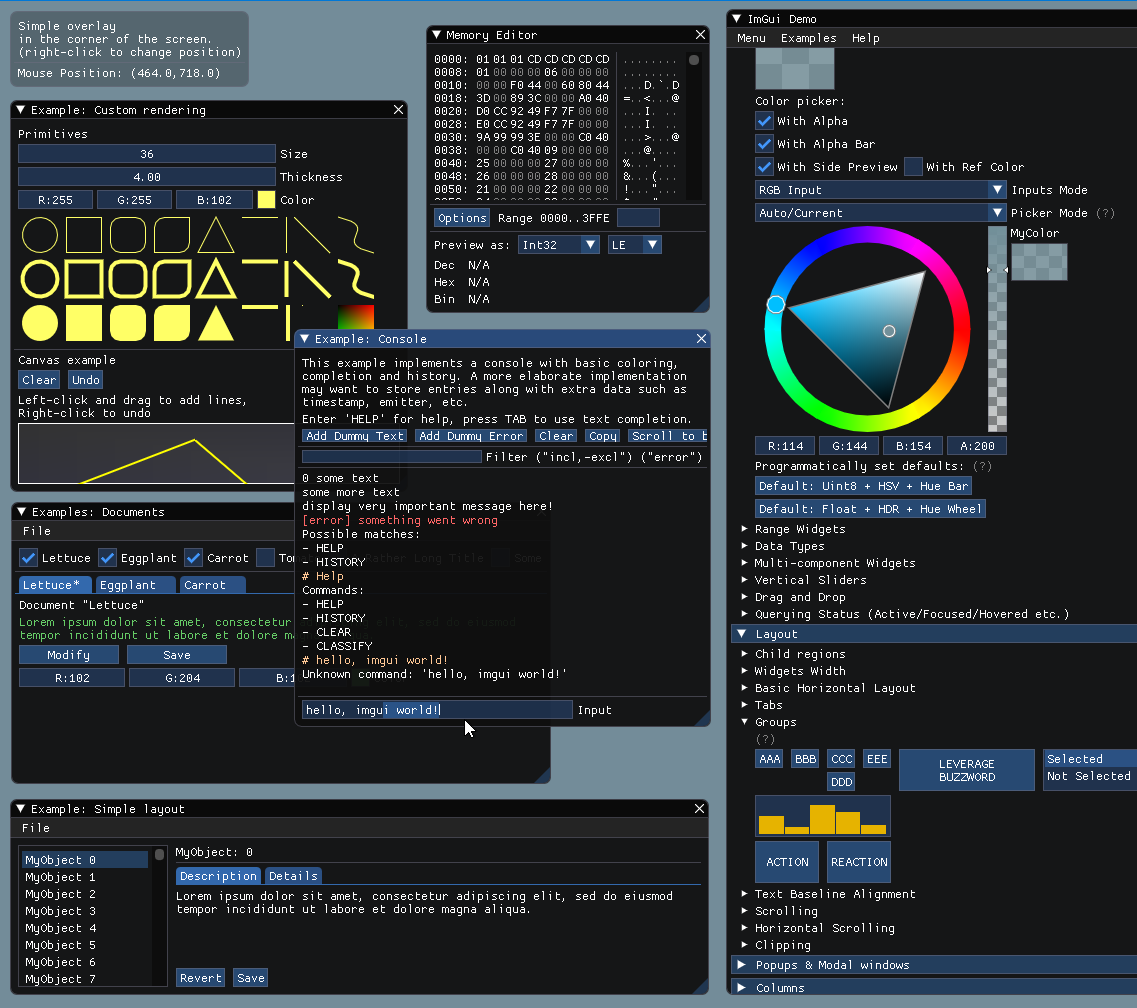
You should be able to build the examples from sources. If you don't, let us know! If you want to have a quick look at some Dear ImGui features, you can download Windows binaries of the demo app here:
- imgui-demo-binaries-20230704.zip (Windows, 1.89.7, built 2023/07/04, master) or older binaries.
The demo applications are not DPI aware so expect some blurriness on a 4K screen. For DPI awareness in your application, you can load/reload your font at a different scale and scale your style with style.ScaleAllSizes() (see FAQ).
Integration
See the Getting Started guide for details.
On most platforms and when using C++, you should be able to use a combination of the imgui_impl_xxxx backends without modification (e.g. imgui_impl_win32.cpp + imgui_impl_dx11.cpp). If your engine supports multiple platforms, consider using more imgui_impl_xxxx files instead of rewriting them: this will be less work for you, and you can get Dear ImGui running immediately. You can later decide to rewrite a custom backend using your custom engine functions if you wish so.
Integrating Dear ImGui within your custom engine is a matter of 1) wiring mouse/keyboard/gamepad inputs 2) uploading a texture to your GPU/render engine 3) providing a render function that can bind textures and render textured triangles, which is essentially what Backends are doing. The examples/ folder is populated with applications doing just that: setting up a window and using backends. If you follow the Getting Started guide it should in theory takes you less than an hour to integrate Dear ImGui. Make sure to spend time reading the FAQ, comments, and the examples applications!
Officially maintained backends/bindings (in repository):
- Renderers: DirectX9, DirectX10, DirectX11, DirectX12, Metal, OpenGL/ES/ES2, SDL_Renderer, Vulkan, WebGPU.
- Platforms: GLFW, SDL2/SDL3, Win32, Glut, OSX, Android.
- Frameworks: Allegro5, Emscripten.
Third-party backends/bindings wiki page:
- Languages: C, C# and: Beef, ChaiScript, CovScript, Crystal, D, Go, Haskell, Haxe/hxcpp, Java, JavaScript, Julia, Kotlin, Lobster, Lua, Nim, Odin, Pascal, PureBasic, Python, ReaScript, Ruby, Rust, Swift, Zig...
- Frameworks: AGS/Adventure Game Studio, Amethyst, Blender, bsf, Cinder, Cocos2d-x, Defold, Diligent Engine, Ebiten, Flexium, GML/Game Maker Studio, GLEQ, Godot, GTK3, Irrlicht Engine, JUCE, LÖVE+LUA, Mach Engine, Magnum, Marmalade, Monogame, NanoRT, nCine, Nim Game Lib, Nintendo 3DS/Switch/WiiU (homebrew), Ogre, openFrameworks, OSG/OpenSceneGraph, Orx, Photoshop, px_render, Qt/QtDirect3D, raylib, SFML, Sokol, Unity, Unreal Engine 4/5, UWP, vtk, VulkanHpp, VulkanSceneGraph, Win32 GDI, WxWidgets.
- Many bindings are auto-generated (by good old cimgui or newer/experimental dear_bindings), you can use their metadata output to generate bindings for other languages.
Useful Extensions/Widgets wiki page:
- Automation/testing, Text editors, node editors, timeline editors, plotting, software renderers, remote network access, memory editors, gizmos, etc. Notable and well supported extensions include ImPlot and Dear ImGui Test Engine.
Also see Wiki for more links and ideas.
Gallery
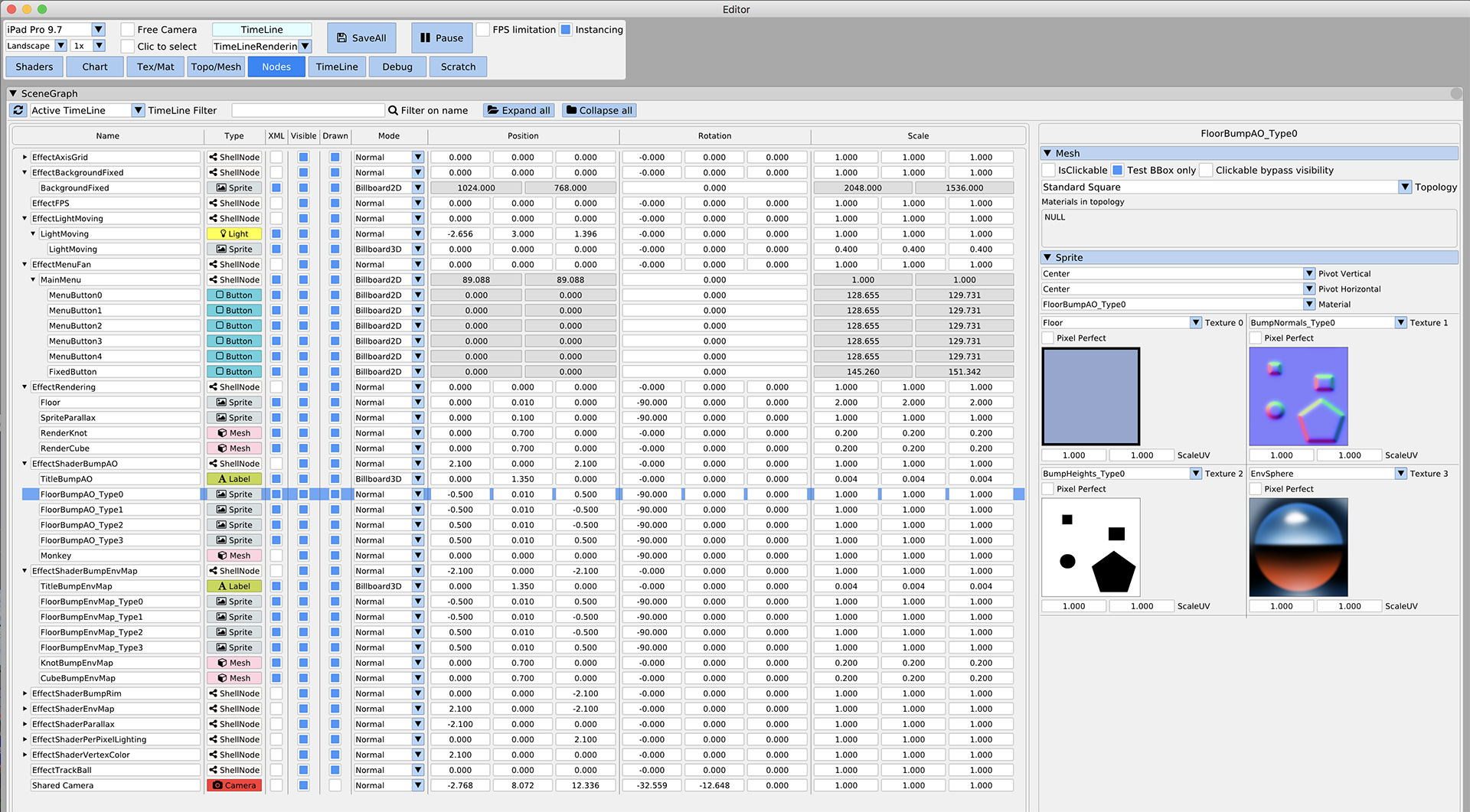
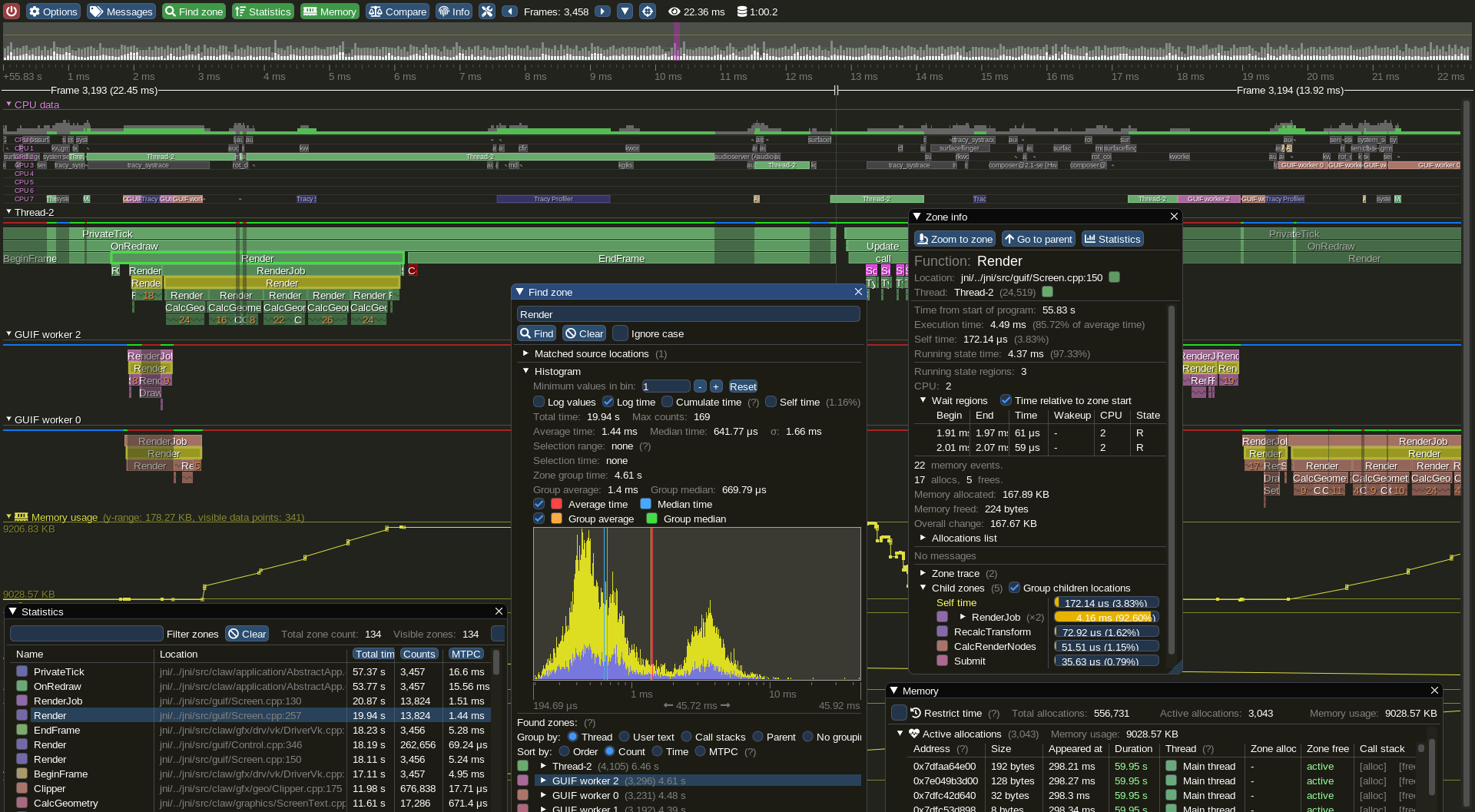
For more user-submitted screenshots of projects using Dear ImGui, check out the Gallery Threads!
For a list of third-party widgets and extensions, check out the Useful Extensions/Widgets wiki page.
| Custom engine erhe (docking branch) | Custom engine for Wonder Boy: The Dragon's Trap (2017) |
| Custom engine (untitled) | Tracy Profiler (github) |


Support, Frequently Asked Questions (FAQ)
See: Frequently Asked Questions (FAQ) where common questions are answered.
See: Getting Started and Wiki for many links, references, articles.
See: Articles about the IMGUI paradigm to read/learn about the Immediate Mode GUI paradigm.
See: Upcoming Changes.
See: Dear ImGui Test Engine + Test Suite for Automation & Testing.
Getting started? For first-time users having issues compiling/linking/running or issues loading fonts, please use GitHub Discussions. For ANY other questions, bug reports, requests, feedback, please post on GitHub Issues. Please read and fill the New Issue template carefully.
Private support is available for paying business customers (E-mail: contact @ dearimgui dot com).
Which version should I get?
We occasionally tag Releases (with nice releases notes) but it is generally safe and recommended to sync to latest master or docking branch. The library is fairly stable and regressions tend to be fixed fast when reported. Advanced users may want to use the docking branch with Multi-Viewport and Docking features. This branch is kept in sync with master regularly.
Who uses Dear ImGui?
See the Quotes, Sponsors, and Software using Dear ImGui Wiki pages for an idea of who is using Dear ImGui. Please add your game/software if you can! Also, see the Gallery Threads!
How to help
How can I help?
- See GitHub Forum/Issues.
- You may help with development and submit pull requests! Please understand that by submitting a PR you are also submitting a request for the maintainer to review your code and then take over its maintenance forever. PR should be crafted both in the interest of the end-users and also to ease the maintainer into understanding and accepting it.
- See Help wanted on the Wiki for some more ideas.
- Be a sponsor! Have your company financially support this project via invoiced sponsors/maintenance or by buying a license for Dear ImGui Test Engine (please reach out: omar AT dearimgui DOT com).
Sponsors
Ongoing Dear ImGui development is and has been financially supported by users and private sponsors.
Please see the detailed list of current and past Dear ImGui supporters for details.
From November 2014 to December 2019, ongoing development has also been financially supported by its users on Patreon and through individual donations.
THANK YOU to all past and present supporters for helping to keep this project alive and thriving!
Dear ImGui is using software and services provided free of charge for open source projects:
- PVS-Studio for static analysis.
- GitHub actions for continuous integration systems.
- OpenCppCoverage for code coverage analysis.
Credits
Developed by Omar Cornut and every direct or indirect contributors to the GitHub. The early version of this library was developed with the support of Media Molecule and first used internally on the game Tearaway (PS Vita).
Recurring contributors include Rokas Kupstys @rokups (2020-2022): a good portion of work on automation system and regression tests now available in Dear ImGui Test Engine.
Sponsoring, maintenance/support contracts and other B2B transactions are hosted and handled by Disco Hello.
Omar: "I first discovered the IMGUI paradigm at Q-Games where Atman Binstock had dropped his own simple implementation in the codebase, which I spent quite some time improving and thinking about. It turned out that Atman was exposed to the concept directly by working with Casey. When I moved to Media Molecule I rewrote a new library trying to overcome the flaws and limitations of the first one I've worked with. It became this library and since then I have spent an unreasonable amount of time iterating and improving it."
Embeds ProggyClean.ttf font by Tristan Grimmer (MIT license).
Embeds stb_textedit.h, stb_truetype.h, stb_rect_pack.h by Sean Barrett (public domain).
Inspiration, feedback, and testing for early versions: Casey Muratori, Atman Binstock, Mikko Mononen, Emmanuel Briney, Stefan Kamoda, Anton Mikhailov, Matt Willis. Also thank you to everyone posting feedback, questions and patches on GitHub.
License
Dear ImGui is licensed under the MIT License, see LICENSE.txt for more information.
File: lib/third_party/imgui/imnodes/README.md
imnodes
Imnodes aims to provide a simple, immediate-mode interface for creating a node editor within an ImGui window. Imnodes provides simple, customizable building blocks that a user needs to build their node editor.
Features:
- Create nodes, links, and pins in an immediate-mode style. The user controls all the state.
- Nest ImGui widgets inside nodes
- Simple distribution, just copy-paste
imnodes.h,imnodes_internal.h, andimnodes.cppinto your project along side ImGui.
Examples
This repository includes a few example files, under example/. They are intended as simple examples giving you an idea of what you can build with imnodes.
If you need to build the examples, you can use the provided CMake script to do so.
# Initialize the vcpkg submodule
$ git submodule update --init
# Run the generation step and build
$ cmake -B build-release/ -S . -DCMAKE_BUILD_TYPE=Release -DCMAKE_TOOLCHAIN_FILE=vcpkg/scripts/buildsystems/vcpkg.cmake
$ cmake --build build-release -- -j
Note that this has not been tested on Linux and is likely to fail on the platform.
A brief tour
Here is a small overview of how the extension is used. For more information on example usage, scroll to the bottom of the README.
Before anything can be done, the library must be initialized. This can be done at the same time as dear imgui initialization.
ImGui::CreateContext();
ImNodes::CreateContext();

// elsewhere in the code...
ImNodes::DestroyContext();
ImGui::DestroyContext();
The node editor is a workspace which contains nodes. The node editor must be instantiated within a window, like any other UI element.
ImGui::Begin("node editor");

ImNodes::BeginNodeEditor();
ImNodes::EndNodeEditor();

ImGui::End();
Now you should have a workspace with a grid visible in the window. An empty node can now be instantiated:
const int hardcoded_node_id = 1;

ImNodes::BeginNodeEditor();

ImNodes::BeginNode(hardcoded_node_id);
ImGui::Dummy(ImVec2(80.0f, 45.0f));
ImNodes::EndNode();

ImNodes::EndNodeEditor();
Nodes, like windows in dear imgui must be uniquely identified. But we can't use the node titles for identification, because it should be possible to have many nodes of the same name in the workspace. Instead, you just use integers for identification.
Attributes are the UI content of the node. An attribute will have a pin (the little circle) on either side of the node. There are two types of attributes: input, and output attributes. Input attribute pins are on the left side of the node, and output attribute pins are on the right. Like nodes, pins must be uniquely identified.
ImNodes::BeginNode(hardcoded_node_id);

const int output_attr_id = 2;
ImNodes::BeginOutputAttribute(output_attr_id);
// in between Begin|EndAttribute calls, you can call ImGui
// UI functions
ImGui::Text("output pin");
ImNodes::EndOutputAttribute();

ImNodes::EndNode();
The extension doesn't really care what is in the attribute. It just renders the pin for the attribute, and allows the user to create links between pins.
A title bar can be added to the node using BeginNodeTitleBar and EndNodeTitleBar. Like attributes, you place your title bar's content between the function calls. Note that these functions have to be called before adding attributes or other dear imgui UI elements to the node, since the node's layout is built in order, top-to-bottom.
ImNodes::BeginNode(hardcoded_node_id);

ImNodes::BeginNodeTitleBar();
ImGui::TextUnformatted("output node");
ImNodes::EndNodeTitleBar();

// pins and other node UI content omitted...

ImNodes::EndNode();
The user has to render their own links between nodes as well. A link is a curve which connects two attributes. A link is just a pair of attribute ids. And like nodes and attributes, links too have to be identified by unique integer values:
std::vector<std::pair> links;
// elsewhere in the code...
for (int i = 0; i < links.size(); ++i)
{
  const std::pair p = links[i];
  // in this case, we just use the array index of the link
  // as the unique identifier
  ImNodes::Link(i, p.first, p.second);
}
After EndNodeEditor has been called, you can check if a link was created during the frame with the function call IsLinkCreated:
int start_attr, end_attr;
if (ImNodes::IsLinkCreated(&start_attr, &end_attr))
{
  links.push_back(std::make_pair(start_attr, end_attr));
}
In addition to checking for new links, you can also check whether UI elements are being hovered over by the mouse cursor:
int node_id;
if (ImNodes::IsNodeHovered(&node_id))
{
  node_hovered = node_id;
}
You can also check to see if any node has been selected. Nodes can be clicked on, or they can be selected by clicking and dragging the box selector over them.
// Note that since many nodes can be selected at once, we first need to query the number of
// selected nodes before getting them.
const int num_selected_nodes = ImNodes::NumSelectedNodes();
if (num_selected_nodes > 0)
{
  std::vector selected_nodes;
  selected_nodes.resize(num_selected_nodes);
  ImNodes::GetSelectedNodes(selected_nodes.data());
}
See imnodes.h for more UI event-related functions.
Like dear imgui, the style of the UI can be changed. You can set the color style of individual nodes, pins, and links mid-frame by calling ImNodes::PushColorStyle and ImNodes::PopColorStyle.
// set the titlebar color of an individual node
ImNodes::PushColorStyle(
  ImNodesCol_TitleBar, IM_COL32(11, 109, 191, 255));
ImNodes::PushColorStyle(
  ImNodesCol_TitleBarSelected, IM_COL32(81, 148, 204, 255));

ImNodes::BeginNode(hardcoded_node_id);
// node internals here...
ImNodes::EndNode();

ImNodes::PopColorStyle();
ImNodes::PopColorStyle();
If the style is not being set mid-frame, ImNodes::GetStyle can be called instead, and the values can be set into the style array directly.
// set the titlebar color for all nodes
ImNodesStyle& style = ImNodes::GetStyle();
style.colors[ImNodesCol_TitleBar] = IM_COL32(232, 27, 86, 255);
style.colors[ImNodesCol_TitleBarSelected] = IM_COL32(241, 108, 146, 255);
To handle quicker navigation of large graphs you can use an interactive mini-map overlay. The mini-map can be zoomed and scrolled. Editor nodes will track the panning of the mini-map accordingly.
ImGui::Begin("node editor");

ImNodes::BeginNodeEditor();

// add nodes...

// must be called right before EndNodeEditor
ImNodes::MiniMap();
ImNodes::EndNodeEditor();

ImGui::End();
The relative sizing and corner location of the mini-map in the editor space can be specified like so:
// MiniMap is a square region with a side length that is 20% the largest editor canvas dimension
// See ImNodesMiniMapLocation_ for other corner locations
ImNodes::MiniMap(0.2f, ImNodesMiniMapLocation_TopRight);
The mini-map also supports limited node hovering customization through a user-defined callback.
// User callback
void mini_map_node_hovering_callback(int node_id, void* user_data)
{
  ImGui::SetTooltip("This is node %d", node_id);
}

// Later on...
ImNodes::MiniMap(0.2f, ImNodesMiniMapLocation_TopRight, mini_map_node_hovering_callback, custom_user_data);

// 'custom_user_data' can be used to supply extra information needed for drawing within the callback
Customizing ImNodes
ImNodes can be customized by providing an imnodes_config.h header and specifying defining IMNODES_USER_CONFIG=imnodes_config.h when compiling.
It is currently possible to override the type of the minimap hovering callback function. This is useful when generating bindings for another language.
Here's an example imnodes_config.h, which generates a pybind wrapper for the callback.
#pragma once

#include

namespace pybind11 {

inline bool PyWrapper_Check(PyObject *o) { return true; }

class wrapper : public object {
public:
    PYBIND11_OBJECT_DEFAULT(wrapper, object, PyWrapper_Check)
    wrapper(void* x) { m_ptr = (PyObject*)x; }
    explicit operator bool() const { return m_ptr != nullptr && m_ptr != Py_None; }
};

} //namespace pybind11

namespace py = pybind11;

#define ImNodesMiniMapNodeHoveringCallback py::wrapper

#define ImNodesMiniMapNodeHoveringCallbackUserData py::wrapper
Known issues
ImGui::Separator()spans the current window span. As a result, using a separator inside a node will result in the separator spilling out of the node into the node editor grid.
Further information
See the examples/ directory to see library usage in greater detail.
- simple.cpp is a simple hello-world style program which displays two nodes
- save_load.cpp is enables you to add and remove nodes and links, and serializes/deserializes them, so that the program state is retained between restarting the program
- color_node_editor.cpp is a more complete example, which shows how a simple node editor is implemented with a graph.
File: lib/third_party/imgui/implot/README.md
ImPlot
ImPlot is an immediate mode, GPU accelerated plotting library for Dear ImGui. It aims to provide a first-class API that ImGui fans will love. ImPlot is well suited for visualizing program data in real-time or creating interactive plots, and requires minimal code to integrate. Just like ImGui, it does not burden the end user with GUI state management, avoids STL containers and C++ headers, and has no external dependencies except for ImGui itself.
Features
- GPU accelerated rendering
- multiple plot types:
- line plots
- shaded plots
- scatter plots
- vertical/horizontal/stacked bars graphs
- vertical/horizontal error bars
- stem plots
- stair plots
- pie charts
- heatmap charts
- 1D/2D histograms
- images
- and more likely to come
- mix/match multiple plot items on a single plot
- configurable axes ranges and scaling (linear/log)
- subplots
- time formatted x-axes (US formatted or ISO 8601)
- reversible and lockable axes
- multiple x-axes and y-axes
- controls for zooming, panning, box selection, and auto-fitting data
- controls for creating persistent query ranges (see demo)
- several plot styling options: 10 marker types, adjustable marker sizes, line weights, outline colors, fill colors, etc.
- 16 built-in colormaps and support for and user-added colormaps
- optional plot titles, axis labels, and grid labels
- optional and configurable legends with toggle buttons to quickly show/hide plot items
- default styling based on current ImGui theme, or completely custom plot styles
- customizable data getters and data striding (just like ImGui:PlotLine)
- accepts data as float, double, and 8, 16, 32, and 64-bit signed/unsigned integral types
- and more! (see Announcements 2022/2021/2020)
Usage
The API is used just like any other ImGui BeginX/EndX pair. First, start a new plot with ImPlot::BeginPlot(). Next, plot as many items as you want with the provided PlotX functions (e.g. PlotLine(), PlotBars(), PlotScatter(), etc). Finally, wrap things up with a call to ImPlot::EndPlot(). That's it!
int   bar_data[11] = ...;
float x_data[1000] = ...;
float y_data[1000] = ...;

ImGui::Begin("My Window");
if (ImPlot::BeginPlot("My Plot")) {
    ImPlot::PlotBars("My Bar Plot", bar_data, 11);
    ImPlot::PlotLine("My Line Plot", x_data, y_data, 1000);
    ...
    ImPlot::EndPlot();
}
ImGui::End();
Of course, there's much more you can do with ImPlot...
Demos
A comprehensive example of ImPlot's features can be found in implot_demo.cpp. Add this file to your sources and call ImPlot::ShowDemoWindow() somewhere in your update loop. You are encouraged to use this file as a reference when needing to implement various plot types. The demo is always updated to show new plot types and features as they are added, so check back with each release!
An online version of the demo is hosted here. You can view the plots and the source code that generated them. Note that this demo may not always be up to date and is not as performant as a desktop implementation, but it should give you a general taste of what's possible with ImPlot. Special thanks to pthom for creating and hosting this!
More sophisticated demos requiring lengthier code and/or third-party libraries can be found in a separate repository: implot_demos. Here, you will find advanced signal processing and ImPlot usage in action. Please read the Contributing section of that repository if you have an idea for a new demo!
Integration
- Set up an ImGui environment if you don't already have one.
- Add
implot.h,implot_internal.h,implot.cpp,implot_items.cppand optionallyimplot_demo.cppto your sources. Alternatively, you can get ImPlot using vcpkg. - Create and destroy an
ImPlotContextwherever you do so for yourImGuiContext:
ImGui::CreateContext();
ImPlot::CreateContext();
...
ImPlot::DestroyContext();
ImGui::DestroyContext();
You should be good to go!
Installing ImPlot using vcpkg
You can download and install ImPlot using the vcpkg dependency manager:
git clone https://github.com/Microsoft/vcpkg.git
cd vcpkg
./bootstrap-vcpkg.sh
./vcpkg integrate install
./vcpkg install implot
The ImPlot port in vcpkg is kept up to date by Microsoft team members and community contributors. If the version is out of date, please create an issue or pull request on the vcpkg repository.
Extremely Important Note
Dear ImGui uses 16-bit indexing by default, so high-density ImPlot widgets like ImPlot::PlotHeatmap() may produce too many vertices into ImDrawList, which causes an assertion failure and will result in data truncation and/or visual glitches. Therefore, it is HIGHLY recommended that you EITHER:
- Option 1: Enable 32-bit indices by uncommenting
#define ImDrawIdx unsigned intin your ImGuiimconfig.hfile. - Option 2: Handle the
ImGuiBackendFlags_RendererHasVtxOffsetflag in your renderer if you must use 16-bit indices. Many of the default ImGui rendering backends already supportImGuiBackendFlags_RendererHasVtxOffset. Refer to this issue for more information.
FAQ
Q: Why?
A: ImGui is an incredibly powerful tool for rapid prototyping and development, but provides only limited mechanisms for data visualization. Two dimensional plots are ubiquitous and useful to almost any application. Being able to visualize your data in real-time will give you insight and better understanding of your application.
Q: Is ImPlot the right plotting library for me?
A: If you're looking to generate publication quality plots and/or export plots to a file, ImPlot is NOT the library for you! ImPlot is geared toward plotting application data at realtime speeds with high levels of interactivity. ImPlot does its best to create pretty plots (indeed, there are quite a few styling options available), but it will always favor function over form.
Q: Where is the documentation?
A: The API is thoroughly commented in implot.h, and the demo in implot_demo.cpp should be more than enough to get you started. Also take a look at the implot_demos repository.
Q: Is ImPlot suitable for plotting large datasets?
A: Yes, within reason. You can plot tens to hundreds of thousands of points without issue, but don't expect millions to be a buttery smooth experience. That said, you can always downsample extremely large datasets by telling ImPlot to stride your data at larger intervals if needed. Also try the experimental backends branch which aims to provide GPU acceleration support.
Q: What data types can I plot?
A: ImPlot plotting functions accept most scalar types:float, double, int8, uint8, int16, uint16, int32, uint32, int64, uint64. Arrays of custom structs or classes (e.g. Vector2f or similar) are easily passed to ImPlot functions using the built-in striding features (see implot.h for documentation), and many plotters provide a "getter" overload which accepts data generating callbacks. You can fully customize the list of accepted types by defining IMPLOT_CUSTOM_NUMERIC_TYPES at compile time: see doc in implot_items.cpp.
Q: Can plot styles be modified?
A: Yes. Data colormaps and various styling colors and variables can be pushed/popped or modified permanently on startup. Three default styles are available, as well as an automatic style that attempts to match you ImGui style.
Q: Does ImPlot support logarithmic scaling or time formatting?
A: Yep! Both logscale and timescale are supported.
Q: Does ImPlot support multiple y-axes? x-axes?
A: Yes. Up to three x-axes and three y-axes can be enabled.
Q: Does ImPlot support [insert plot type]?
A: Maybe. Check the demo, gallery, or Announcements (2020/2021)to see if your desired plot type is shown. If not, consider submitting an issue or better yet, a PR!
Q: Does ImPlot support 3D plots?
A: No, and likely never will since ImGui only deals in 2D rendering.
Q: Does ImPlot provide analytic tools?
A: Not exactly, but it does give you the ability to query plot sub-ranges, with which you can process your data however you like.
Q: Can plots be exported/saved to image?
A: Not currently. Use your OS's screen capturing mechanisms if you need to capture a plot. ImPlot is not suitable for rendering publication quality plots; it is only intended to be used as a visualization tool. Post-process your data with MATLAB or matplotlib for these purposes.
Q: Why are my plot lines showing aliasing?
A: You probably need to enable ImGuiStyle::AntiAliasedLinesUseTex (or possibly ImGuiStyle:AntiAliasedLines). If those settings are already enabled, then you must ensure your backend supports texture based anti-aliasing (i.e. uses bilinear sampling). Most of the default ImGui backends support this feature out of the box. Learn more here. Alternatively, you can enable MSAA at the application level if your hardware supports it (4x should do).
Q: Can I compile ImPlot as a dynamic library?
A: Like ImGui, it is recommended that you compile and link ImPlot as a static library or directly as a part of your sources. However, if you must and are compiling ImPlot and ImGui as separate DLLs, make sure you set the current ImGui context with ImPlot::SetImGuiContext(ImGuiContext* ctx). This ensures that global ImGui variables are correctly shared across the DLL boundary.
Q: Can ImPlot be used with other languages/bindings?
A: Yes, you can use the generated C binding, cimplot with most high level languages. DearPyGui provides a Python wrapper, among other things. DearImGui/DearImPlot provides bindings for .NET. imgui-java provides bindings for Java. ImPlot.jl provides bindings for Julia. A Rust binding, implot-rs, is currently in the works. An example using Emscripten can be found here.
File: lib/third_party/imgui/implot3d/README.md
ImPlot3D
ImPlot3D is an extension of Dear ImGui that provides easy-to-use, high-performance 3D plotting functionality. Inspired by ImPlot, it brings a familiar and intuitive API for developers already acquainted with ImPlot. ImPlot3D is designed for rendering 3D plots with customizable markers, lines, surfaces, and meshes, providing an ideal solution for applications requiring visual representation of 3D data.
🚀 Features
- GPU-accelerated rendering
- Multiple plot types:
- Line plots
- Scatter plots
- Surface plots
- Quad plots
- Triangle plots
- Mesh plots
- Text plots
- Rotate, pan, and zoom 3D plots interactively
- Several plot styling options: 10 marker types, adjustable marker sizes, line weights, outline colors, fill colors, etc.
- 16 built-in colormaps and support for and user-added colormaps
- Optional plot titles, axis labels, and grid labels
- Optional and configurable legends with toggle buttons to quickly show/hide plot items
- Default styling based on the current ImGui theme, or completely custom plot styles
🛠️ Usage
The ImPlot3D API is designed to feel very similar to Dear ImGui and ImPlot. You start by calling ImPlot3D::BeginPlot() to initialize a 3D plot, followed by plotting various data using the PlotX functions (e.g., PlotLine() , PlotScatter() , PlotSurface() ). Finally, you end the plot with ImPlot3D::EndPlot() .
float x_data[1000] = ...;
float y_data[1000] = ...;
float z_data[1000] = ...;

ImGui::Begin("My Window");
if (ImPlot3D::BeginPlot("My Plot")) {
    ImPlot3D::PlotLine("My Line Plot", x_data, y_data, z_data, 1000);
    ImPlot3D::PlotScatter("My Scatter Plot", x_data, y_data, z_data, 1000);
    ...
    ImPlot3D::EndPlot();
}
ImGui::End();
🎨 Demos
A comprehensive example showcasing ImPlot3D features can be found in implot3d_demo.cpp. Add this file to your project and call ImPlot3D::ShowDemoWindow() in your update loop. This demo provides a wide variety of 3D plotting examples, serving as a reference for creating different types of 3D plots. The demo is regularly updated to reflect new features and plot types, so be sure to revisit it with each release!
⚙️ Integration
To integrate ImPlot3D into your application, follow these steps:
- Ensure you have a working Dear ImGui environment. ImPlot3D requires only Dear ImGui to function and does not depend on ImPlot.
- Add the following source files to your project:
implot3d.h,implot3d.cpp,implot3d_internal.h,implot3d_items.cpp. Optionally, includeimplot3d_demo.cppfor examples andimplot3d_meshes.cppto support pre-loaded meshes. - Create and destroy an ImPlot3DContext alongside your ImGuiContext:
ImGui::CreateContext();
ImPlot3D::CreateContext();
...
ImPlot3D::DestroyContext();
ImGui::DestroyContext();
You're now ready to start plotting in 3D!
⚠️ Extremely Important Note
Dear ImGui, by default, uses 16-bit indexing, which might cause issues with high-density 3D visualizations such as complex surfaces or meshes. This can lead to assertion failures, data truncation, or visual glitches. To avoid these problems, it's recommended to:
- Option 1: Enable 32-bit indices by uncommenting
#define ImDrawIdx unsigned intin your ImGui imconfig.h file. - Option 2: Ensure your renderer supports the
ImGuiBackendFlags_RendererHasVtxOffsetflag. Many official ImGui backends already support this functionality.
💬 FAQ
Why ImPlot3D?
While ImGui excels at building UI, it lacks tools for 3D data visualization. ImPlot3D fills this gap, offering a lightweight, real-time library for 3D plotting, designed with interactivity and ease of use in mind.
Inspired by ImPlot, ImPlot3D provides a similar API, making it easy for existing ImPlot users to adopt. It focuses on real-time, application-level 3D visualizations for debugging, simulations, and data analysis, with performance as a priority.
ImPlot is great for 2D visualizations; ImPlot3D extends this power to 3D, offering the same simplicity and speed.
Where can I find documentation?
The API for ImPlot3D is thoroughly commented in implot3d.h, and a comprehensive demo file, implot3d_demo.cpp, showcases all the features. You are encouraged to explore the demo file as it is regularly updated to reflect new functionality. Additionally, if you're familiar with ImPlot, you'll notice many similarities in usage patterns.
How is ImPlot3D different from ImPlot?
ImPlot3D is highly inspired by ImPlot, so if you're already familiar with ImPlot, you'll feel right at home. However, ImPlot3D is specifically built for 3D visualizations, offering interactive 3D rotations, panning, and scaling.
Do I need ImPlot to use ImPlot3D?
No. ImPlot3D is a standalone library and does not depend on ImPlot. You only need Dear ImGui to get started.
Does ImPlot3D support 2D plots?
While you can rotate the 3D view to align with a 2D plane, ImPlot is far better suited for visualizing 2D data. ImPlot3D is specifically designed for 3D plotting and interaction, so we recommend using ImPlot for all your 2D visualization needs.
Can I customize the appearance of plots?
Absolutely. ImPlot3D allows you to modify plot styles, including line colors, thickness, fill opacity, and marker sizes. You can also use colormaps for surfaces and customize axis labels, grid styles, and background colors.
Can I export 3D plots to an image?
Not currently. You can use your OS's screen capturing tools to save a plot. ImPlot3D is designed for real-time visualization and interaction, not for creating publication-quality renders. For publication-quality output, consider exporting your data to a dedicated 3D rendering tool.
Is ImPlot3D suitable for publication-quality visuals?
ImPlot3D prioritizes interactivity and real-time performance. If you need high-quality visualizations, use ImPlot3D for initial exploration and then switch to tools like MATLAB, matplotlib, or ParaView for the final output.
License
This project is licensed under the MIT License - check LICENSE for details.