
Technical Documentation: Orange-OpenSource/hurl
ℹ️ Provenance: Multi-Tier Ingestion · CodeWiki Reference
Overview (`README.md`)
What's Hurl?
Hurl is a command line tool that runs HTTP requests defined in a simple plain text format.
It can chain requests, capture values and evaluate queries on headers and body response. Hurl is very
versatile: it can be used for both fetching data and testing HTTP sessions.
Hurl makes it easy to work with HTML content, REST / SOAP / GraphQL APIs, or any other XML / JSON based APIs.
# Go home and capture token
GET https://example.org
HTTP 200
[Captures]
csrf_token: xpath "string(//meta[@name='_csrf_token']/@content)"


# Do login!
POST https://example.org/login
[Form]
user: toto
password: 1234
token: {{csrf_token}}
HTTP 302
Chaining multiple requests is easy:
GET https://example.org/api/health
GET https://example.org/api/step1
GET https://example.org/api/step2
GET https://example.org/api/step3
Also an HTTP Test Tool
Hurl can run HTTP requests but can also be used to test HTTP responses.
Different types of queries and predicates are supported, from XPath and JSONPath on body response,
to assert on status code and response headers.
It is well adapted for REST / JSON APIs
POST https://example.org/api/tests
{
    "id": "4568",
    "evaluate": true
}
HTTP 200
[Asserts]
header "X-Frame-Options" == "SAMEORIGIN"
jsonpath "$.status" == "RUNNING"    # Check the status code
jsonpath "$.tests" count == 25      # Check the number of items
jsonpath "$.id" matches /\d{4}/     # Check the format of the id
HTML content
GET https://example.org
HTTP 200
[Asserts]
xpath "normalize-space(//head/title)" == "Hello world!"
GraphQL
POST https://example.org/graphql
```graphql
{
  human(id: "1000") {
    name
    height(unit: FOOT)
  }
}
```
HTTP 200
and even SOAP APIs
POST https://example.org/InStock
Content-Type: application/soap+xml; charset=utf-8
SOAPAction: "http://www.w3.org/2003/05/soap-envelope"
<?xml version="1.0" encoding="UTF-8"?>
<soap:Envelope xmlns:soap="http://www.w3.org/2003/05/soap-envelope" xmlns:m="https://example.org">
  <soap:Header></soap:Header>
  <soap:Body>
    <m:GetStockPrice>
      <m:StockName>GOOG</m:StockName>
    </m:GetStockPrice>
  </soap:Body>
</soap:Envelope>
HTTP 200
Hurl can also be used to test the performance of HTTP endpoints
GET https://example.org/api/v1/pets
HTTP 200
[Asserts]
duration < 1000  # Duration in ms
And check response bytes
GET https://example.org/data.tar.gz
HTTP 200
[Asserts]
sha256 == hex,039058c6f2c0cb492c533b0a4d14ef77cc0f78abccced5287d84a1a2011cfb81;
Finally, Hurl is easy to integrate in CI/CD, with text, JUnit, TAP and HTML reports
Why Hurl?
<li>**Text Format:** for both devops and developers</li>
<li>**Fast CLI:** a command line for local dev and continuous integration</li>
<li>**Single Binary:** easy to install, with no runtime required</li>
Powered by curl
Hurl is a lightweight binary written in Rust. Under the hood, Hurl HTTP engine is
powered by libcurl, one of the most powerful and reliable file transfer libraries.
With its text file format, Hurl adds syntactic sugar to run and test HTTP requests,
but it's still the curl that we love: fast, efficient and IPv6 / HTTP/3 ready.
Feedbacks
To support its development, star Hurl on GitHub!
Feedback, suggestion, bugs or improvements are welcome.
POST https://hurl.dev/api/feedback
{
  "name": "John Doe",
  "feedback": "Hurl is awesome!"
}
HTTP 200
Resources
Documentation (download HTML, PDF, Markdown)
Table of Contents
- Samples
- Manual
- Installation
Samples
To run a sample, edit a file with the sample content, and run Hurl:
$ vi sample.hurl

GET https://example.org

$ hurl sample.hurl
By default, Hurl behaves like curl and outputs the last HTTP response's entry. To have a test
oriented output, you can use --test option:
$ hurl --test sample.hurlA particular response can be saved with [Options] section:
GET https://example.org/cats/123
[Options]
output: cat123.txt    # use - to output to stdout
HTTP 200

GET https://example.org/dogs/567
HTTP 200
Finally, Hurl can take files as input, or directories. In the latter case, Hurl will search files with .hurl extension recursively.
$ hurl --test integration/*.hurl
$ hurl --test .
You can check Hurl tests suite for more samples.
Getting Data
A simple GET:
GET https://example.orgRequests can be chained:
GET https://example.org/a
GET https://example.org/b
HEAD https://example.org/c
GET https://example.org/cHTTP Headers
A simple GET with headers:
GET https://example.org/news
User-Agent: Mozilla/5.0
Accept: */*
Accept-Language: en-US,en;q=0.5
Accept-Encoding: gzip, deflate, br
Connection: keep-aliveQuery Params
GET https://example.org/news
[Query]
order: newest
search: something to search
count: 100
Or:
GET https://example.org/news?order=newest&search=something%20to%20search&count=100With
[Query]section, params don't need to be URL escaped.
Basic Authentication
GET https://example.org/protected
[BasicAuth]
bob: secretThis is equivalent to construct the request with a Authorization header:
# Authorization header value can be computed with `echo -n 'bob:secret' | base64`
GET https://example.org/protected
Authorization: Basic Ym9iOnNlY3JldA==
Basic authentication section allows per request authentication. If you want to add basic authentication to all the
requests of a Hurl file you could use -u/--user option:
$ hurl --user bob:secret login.hurl--user option can also be set per request:
GET https://example.org/login
[Options]
user: bob:secret
HTTP 200

GET https://example.org/login
[Options]
user: alice:secret
HTTP 200
Passing Data between Requests
Captures can be used to pass data from one request to another:
POST https://sample.org/orders
HTTP 201
[Captures]
order_id: jsonpath "$.order.id"

GET https://sample.org/orders/{{order_id}}
HTTP 200Sending Data
Sending HTML Form Data
POST https://example.org/contact
[Form]
default: false
token: {{token}}
email: [email protected]
number: 33611223344Sending Multipart Form Data
POST https://example.org/upload
[Multipart]
field1: value1
field2: file,example.txt;
# One can specify the file content type:
field3: file,example.zip; application/zipMultipart forms can also be sent with a multiline string body:
POST https://example.org/upload
Content-Type: multipart/form-data; boundary="boundary"
```
--boundary
Content-Disposition: form-data; name="key1"

value1
--boundary
Content-Disposition: form-data; name="upload1"; filename="data.txt"
Content-Type: text/plain

Hello World!
--boundary
Content-Disposition: form-data; name="upload2"; filename="data.html"
Content-Type: text/html

<div>Hello <b>World</b>!</div>
--boundary--
```
In that case, files have to be inlined in the Hurl file.
Posting a JSON Body
With an inline JSON:
POST https://example.org/api/tests
{
    "id": "456",
    "evaluate": true
}With a local file:
POST https://example.org/api/tests
Content-Type: application/json
file,data.json;Templating a JSON Body
PUT https://example.org/api/hits
Content-Type: application/json
{
    "key0": "{{a_string}}",
    "key1": {{a_bool}},
    "key2": {{a_null}},
    "key3": {{a_number}}
}
Variables can be initialized via command line:
$ hurl --variable a_string=apple \
       --variable a_bool=true \
       --variable a_null=null \
       --variable a_number=42 \
       test.hurl
Resulting in a PUT request with the following JSON body:
{
    "key0": "apple",
    "key1": true,
    "key2": null,
    "key3": 42
}Templating a XML Body
Using templates with XML body is not currently supported in Hurl. You can use templates in
XML multiline string body with variables to send a variable XML body:
POST https://example.org/echo/post/xml
```xml
<?xml version="1.0" encoding="utf-8"?>
<Request>
    <Login>{{login}}</Login>
    <Password>{{password}}</Password>
</Request>
```Using GraphQL Query
A simple GraphQL query:
POST https://example.org/starwars/graphql
```graphql
{
  human(id: "1000") {
    name
    height(unit: FOOT)
  }
}
```
A GraphQL query with variables:
POST https://example.org/starwars/graphql
```graphql
query Hero($episode: Episode, $withFriends: Boolean!) {
  hero(episode: $episode) {
    name
    friends @include(if: $withFriends) {
      name
    }
  }
}

variables {
  "episode": "JEDI",
  "withFriends": false
}
```
GraphQL queries can also use Hurl templates.
Using Dynamic Datas
Functions like newUuid and newDate can be used in templates to create dynamic datas:
A file that creates a dynamic email (i.e [email protected]):
POST https://example.org/api/foo
{
  "name": "foo",
  "email": "{{newUuid}}@test.com"
}
A file that creates a dynamic query parameter (i.e 2024-12-02T10:35:44.461731Z):
GET https://example.org/api/foo
[Query]
date: {{newDate}}
HTTP 200Testing Response
Responses are optional, everything after HTTP is part of the response asserts.
# A request with (almost) no check:
GET https://foo.com

# A status code check:
GET https://foo.com
HTTP 200

# A test on response body
GET https://foo.com
HTTP 200
[Asserts]
jsonpath "$.state" == "running"
Testing Status Code
GET https://example.org/order/435
HTTP 200GET https://example.org/order/435
# Testing status code is in a 200-300 range
HTTP *
[Asserts]
status >= 200
status < 300Testing Response Headers
Use implicit response asserts to test header values:
GET https://example.org/index.html
HTTP 200
Set-Cookie: theme=light
Set-Cookie: sessionToken=abc123; Expires=Wed, 09 Jun 2021 10:18:14 GMTOr use explicit response asserts with predicates:
GET https://example.org
HTTP 302
[Asserts]
header "Location" contains "www.example.net"Implicit and explicit asserts can be combined:
GET https://example.org/index.html
HTTP 200
Set-Cookie: theme=light
Set-Cookie: sessionToken=abc123; Expires=Wed, 09 Jun 2021 10:18:14 GMT
[Asserts]
header "Location" contains "www.example.net"
Testing REST APIs
Asserting JSON body response (node values, collection count etc...) with JSONPath:
GET https://example.org/order
screencapability: low
HTTP 200
[Asserts]
jsonpath "$.validated" == true
jsonpath "$.userInfo" isObject
jsonpath "$.userInfo.firstName" == "Franck"
jsonpath "$.userInfo.lastName" == "Herbert"
jsonpath "$.hasDevice" == false
jsonpath "$.links" count == 12
jsonpath "$.state" != null
jsonpath "$.order" matches "^order-\\d{8}$"
jsonpath "$.order" matches /^order-\d{8}$/  # Alternative syntax with regex literal
jsonpath "$.id" matches /(?i)[a-z]*/        # See syntax for flags <https://docs.rs/regex/latest/regex/#grouping-and-flags>
jsonpath "$.created" isIsoDateTesting HTML Response
GET https://example.org
HTTP 200
Content-Type: text/html; charset=UTF-8
[Asserts]
xpath "string(/html/head/title)" contains "Example" # Check title
xpath "count(//p)" == 2  # Check the number of p
xpath "//p" count == 2  # Similar assert for p
xpath "boolean(count(//h2))" == false  # Check there is no h2
xpath "//h2" not exists  # Similar assert for h2
xpath "string(//div[1])" matches /Hello.*/Testing Set-Cookie Attributes
GET https://example.org/home
HTTP 200
[Asserts]
cookie "JSESSIONID" == "8400BAFE2F66443613DC38AE3D9D6239"
cookie "JSESSIONID[Value]" == "8400BAFE2F66443613DC38AE3D9D6239"
cookie "JSESSIONID[Expires]" contains "Wed, 13 Jan 2021"
cookie "JSESSIONID[Secure]" exists
cookie "JSESSIONID[HttpOnly]" exists
cookie "JSESSIONID[SameSite]" == "Lax"Testing Bytes Content
Check the SHA-256 response body hash:
GET https://example.org/data.tar.gz
HTTP 200
[Asserts]
sha256 == hex,039058c6f2c0cb492c533b0a4d14ef77cc0f78abccced5287d84a1a2011cfb81;SSL Certificate
Check the properties of a SSL certificate:
GET https://example.org
HTTP 200
[Asserts]
certificate "Subject" == "CN=example.org"
certificate "Issuer" == "C=US, O=Let's Encrypt, CN=R3"
certificate "Expire-Date" daysAfterNow > 15
certificate "Serial-Number" matches /[\da-f]+/
certificate "Subject-Alt-Name" contains "DNS:example.org"
certificate "Subject-Alt-Name" split "," count == 2
certificate "Value" startsWith "-----BEGIN CERTIFICATE-----"Checking Full Body
Use implicit body to test an exact JSON body match:
GET https://example.org/api/cats/123
HTTP 200
{
  "name" : "Purrsloud",
  "species" : "Cat",
  "favFoods" : ["wet food", "dry food", "<strong>any</strong> food"],
  "birthYear" : 2016,
  "photo" : "https://learnwebcode.github.io/json-example/images/cat-2.jpg"
}Or an explicit assert file:
GET https://example.org/index.html
HTTP 200
[Asserts]
body == file,cat.json;Implicit asserts supports XML body:
GET https://example.org/api/catalog
HTTP 200
<?xml version="1.0" encoding="UTF-8"?>
<catalog>
   <book id="bk101">
      <author>Gambardella, Matthew</author>
      <title>XML Developer's Guide</title>
      <genre>Computer</genre>
      <price>44.95</price>
      <publish_date>2000-10-01</publish_date>
      <description>An in-depth look at creating applications with XML.</description>
   </book>
</catalog>Plain text:
GET https://example.org/models
HTTP 200
```
Year,Make,Model,Description,Price
1997,Ford,E350,"ac, abs, moon",3000.00
1999,Chevy,"Venture ""Extended Edition""","",4900.00
1999,Chevy,"Venture ""Extended Edition, Very Large""",,5000.00
1996,Jeep,Grand Cherokee,"MUST SELL! air, moon roof, loaded",4799.00
```One line:
POST https://example.org/helloworld
HTTP 200
`Hello world!`File:
GET https://example.org
HTTP 200
file,data.bin;Testing Redirections
By default, Hurl doesn't follow redirection so each step of a redirect must be run manually and can be analysed:
GET https://example.org/step1
HTTP 301
[Asserts]
header "Location" == "https://example.org/step2"


GET https://example.org/step2
HTTP 301
[Asserts]
header "Location" == "https://example.org/step3"


GET https://example.org/step3
HTTP 200Using --location and --location-trusted (either with command line option or per request), Hurl follows
redirection and each step of the redirection can be checked.
GET https://example.org/step1
[Options]
location: true
HTTP 200
[Asserts]
redirects count == 2
redirects nth 0 location == "https://example.org/step2"
redirects nth 1 location == "https://example.org/step3"GET https://example.org/step1
[Options]
location-trusted: true
HTTP 200
[Asserts]
redirects last location == "https://example.org/step2"Debug Tips
Verbose Mode
To get more info on a given request/response, use [Options] section:
GET https://example.org
HTTP 200

GET https://example.org/api/cats/123
[Options]
very-verbose: true
HTTP 200
--verbose and --very-verbose can be also used globally as command line options.
Error Format
$ hurl --test --error-format long *.hurlOutput Response Body
Use --output on a specific request to get the response body (- can be used as standard output):
GET https://foo.com/failure
[Options]
# use - to output on standard output, foo.bin to save on disk
output: -
HTTP 200

GET https://foo.com/success
HTTP 200Export curl Commands
$ hurl ---curl /tmp/curl.txt *.hurlUsing Proxy
Use --proxy on a specific request or globally as command line option:
GET https://foo.com/a
HTTP 200

GET https://foo.com/b
[Options]
proxy: localhost:8888
HTTP 200

GET https://foo.com/c
HTTP 200
Reports
HTML Report
$ hurl --test --report-html build/report/ *.hurlJSON Report
$ hurl --test --report-json build/report/ *.hurlJUnit Report
$ hurl --test --report-junit build/report.xml *.hurlTAP Report
$ hurl --test --report-tap build/report.txt *.hurlJSON Output
A structured output of running Hurl files can be obtained with --json option. Each file will produce a JSON export of the run.
$ hurl --json *.hurlOthers
HTTP Version
Testing HTTP version (HTTP/1.0, HTTP/1.1, HTTP/2 or HTTP/3) can be done using implicit asserts:
GET https://foo.com
HTTP/3 200

GET https://bar.com
HTTP/2 200Or explicit:
GET https://foo.com
HTTP 200
[Asserts]
version == "3"

GET https://bar.com
HTTP 200
[Asserts]
version == "2"
version toFloat > 1.1IP Address
Testing the IP address of the response, as a string. This string may be IPv6 address:
GET https://foo.com
HTTP 200
[Asserts]
ip == "2001:0db8:85a3:0000:0000:8a2e:0370:733"
ip startsWith "2001"
ip isIpv6
Polling and Retry
Retry request on any errors (asserts, captures, status code, runtime etc...):
# Create a new job
POST https://api.example.org/jobs
HTTP 201
[Captures]
job_id: jsonpath "$.id"
[Asserts]
jsonpath "$.state" == "RUNNING"


# Pull job status until it is completed
GET https://api.example.org/jobs/{{job_id}}
[Options]
retry: 10   # maximum number of retry, -1 for unlimited
retry-interval: 500ms
HTTP 200
[Asserts]
jsonpath "$.state" == "COMPLETED"Delaying Requests
Add delay for every request, or a particular request:
# Delaying this request by 5 seconds (aka sleep)
GET https://example.org/turtle
[Options]
delay: 5s
HTTP 200

# No delay!
GET https://example.org/turtle
HTTP 200Skipping Requests
# a, c, d are run, b is skipped
GET https://example.org/a

GET https://example.org/b
[Options]
skip: true

GET https://example.org/c

GET https://example.org/dTesting Endpoint Performance
GET https://sample.org/helloworld
HTTP *
[Asserts]
duration < 1000 # Check that response time is less than one secondUsing SOAP APIs
POST https://example.org/InStock
Content-Type: application/soap+xml; charset=utf-8
SOAPAction: "http://www.w3.org/2003/05/soap-envelope"
<?xml version="1.0" encoding="UTF-8"?>
<soap:Envelope xmlns:soap="http://www.w3.org/2003/05/soap-envelope" xmlns:m="https://example.org">
  <soap:Header></soap:Header>
  <soap:Body>
    <m:GetStockPrice>
      <m:StockName>GOOG</m:StockName>
    </m:GetStockPrice>
  </soap:Body>
</soap:Envelope>
HTTP 200Capturing and Using a CSRF Token
GET https://example.org
HTTP 200
[Captures]
csrf_token: xpath "string(//meta[@name='_csrf_token']/@content)"


POST https://example.org/login?user=toto&password=1234
X-CSRF-TOKEN: {{csrf_token}}
HTTP 302Redacting Secrets
Using command-line for known values:
$ hurl --secret token=1234 file.hurlPOST https://example.org
X-Token: {{token}}
{
"name": "Alice",
"value": 100
}
HTTP 200Using redact for dynamic values:
# Get an authorization token:
GET https://example.org/token
HTTP 200
[Captures]
token: header "X-Token" redact
# Send an authorized request:
POST https://example.org
X-Token: {{token}}
{
  "name": "Alice",
  "value": 100
}
HTTP 200Checking Byte Order Mark (BOM) in Response Body
GET https://example.org/data.bin
HTTP 200
[Asserts]
bytes startsWith hex,efbbbf;AWS Signature Version 4 Requests
Generate signed API requests with AWS Signature Version 4, as used by several cloud providers.
POST https://sts.eu-central-1.amazonaws.com/
[Options]
aws-sigv4: aws:amz:eu-central-1:sts
[Form]
Action: GetCallerIdentity
Version: 2011-06-15The Access Key is given per --user, either with command line option or within the [Options] section:
POST https://sts.eu-central-1.amazonaws.com/
[Options]
aws-sigv4: aws:amz:eu-central-1:sts
user: bob=secret
[Form]
Action: GetCallerIdentity
Version: 2011-06-15Using curl Options
curl options (for instance --resolve or --connect-to) can be used as CLI argument. In this case, they're applicable
to each request of an Hurl file.
$ hurl --resolve foo.com:8000:127.0.0.1 foo.hurlUse [Options] section to configure a specific request:
GET http://bar.com
HTTP 200
GET http://foo.com:8000/resolve
[Options]
resolve: foo.com:8000:127.0.0.1
HTTP 200
`Hello World!`Manual
Name
hurl - run and test HTTP requests.
Synopsis
hurl OPTIONS [FILES...]
hurl --test OPTIONS [FILES...]
Description
Hurl is a command line tool that runs HTTP requests defined in a simple plain text format.
It can chain requests, capture values and evaluate queries on headers and body response. Hurl is very versatile, it can be used for fetching data and testing HTTP sessions: HTML content, REST / SOAP / GraphQL APIs, or any other XML / JSON based APIs.
$ hurl session.hurlIf no input files are specified, input is read from stdin.
$ echo GET http://httpbin.org/get | hurl
{
"args": {},
"headers": {
"Accept": "*/*",
"Accept-Encoding": "gzip",
"Content-Length": "0",
"Host": "httpbin.org",
"User-Agent": "hurl/0.99.10",
"X-Amzn-Trace-Id": "Root=1-5eedf4c7-520814d64e2f9249ea44e0"
},
"origin": "1.2.3.4",
"url": "http://httpbin.org/get"
}Hurl can take files as input, or directories. In the latter case, Hurl will search files with .hurl extension recursively.
Output goes to stdout by default. To have output go to a file, use the -o, --output option:
$ hurl -o output input.hurlBy default, Hurl executes all HTTP requests and outputs the response body of the last HTTP call.
To have a test oriented output, you can use --test option:
$ hurl --test *.hurlHurl File Format
The Hurl file format is fully documented in https://hurl.dev/docs/hurl-file.html
It consists of one or several HTTP requests
GET http://example.org/endpoint1
GET http://example.org/endpoint2Capturing values
A value from an HTTP response can be-reused for successive HTTP requests.
A typical example occurs with CSRF tokens.
GET https://example.org
HTTP 200
# Capture the CSRF token value from html body.
[Captures]
csrf_token: xpath "normalize-space(//meta[@name='_csrf_token']/@content)"
# Do the login !
POST https://example.org/login?user=toto&password=1234
X-CSRF-TOKEN: {{csrf_token}}More information on captures can be found here https://hurl.dev/docs/capturing-response.html
Asserts
The HTTP response defined in the Hurl file are used to make asserts. Responses are optional.
At the minimum, response includes assert on the HTTP status code.
GET http://example.org
HTTP 301It can also include asserts on the response headers
GET http://example.org
HTTP 301
Location: http://www.example.orgExplicit asserts can be included by combining a query and a predicate
GET http://example.org
HTTP 301
[Asserts]
xpath "string(//title)" == "301 Moved"With the addition of asserts, Hurl can be used as a testing tool to run scenarios.
More information on asserts can be found here https://hurl.dev/docs/asserting-response.html
Configuration
Options that exist in curl have exactly the same semantics.
Options specified on the command line are defined for every Hurl file's entry, except if they are tagged as cli-only
(can not be defined in the Hurl request [Options] entry)
For instance:
$ hurl --location foo.hurlwill follow redirection for each entry in foo.hurl. You can also define an option only for a particular entry with an [Options] section. For instance, this Hurl file:
GET https://example.org
HTTP 301
GET https://example.org
[Options]
location: true
HTTP 200will follow a redirection only for the second entry.
Hurl looks also for a configuration file at the following places $XDG_CONFIG_HOME/hurl/config if $XDG_CONFIG_HOME exists,
or $HOME/.config/hurl/config. The configuration file is a list of options added to each Hurl run.
$ cat ~/.config/hurl/config
# Hurl config file
--header x-identifier:quux
--verbose
--delay=1s
--fail-with-bodyMost of the options can also be defined with environment variables (like HURL_INSECURE for --insecure). So, in order
to configure Hurl, there are four sources from the lowest priority (most easily overridden) to highest (overrides all others):
- Configuration file (ex:
~/.config/hurl/config) - Environment variables (ex:
export HURL_INSECURE=true) - Command-line options (ex:
hurl --insecure) - Options section options (ex:
insecure: truein file)
All Options
HTTP options
| Option | Description |
|---|---|
--aws-sigv4 <PROVIDER1[:PROVIDER2[:REGION[:SERVICE]]]> |
Generate an Authorization header with an AWS SigV4 signature.Use -u, --user to specify Access Key Id (username) and Secret Key (password).To use temporary session credentials (e.g. for an AWS IAM Role), add the X-Amz-Security-Token header containing the session token. |
--cacert <FILE> |
Specifies the certificate file for peer verification. The file may contain multiple CA certificates and must be in PEM format.Normally Hurl is built to use a default file for this, so this option is typically used to alter that default file. |
-E, --cert <CERTIFICATE[:PASSWORD]> |
Client certificate file and password.See also --key. |
--compressed |
Request a compressed response using one of the algorithms br, gzip, deflate and automatically decompress the content.Environment variables: HURL_COMPRESSED |
--connect-timeout <SECONDS> |
Maximum time in seconds that you allow Hurl's connection to take.You can specify time units in the connect timeout expression. Set Hurl to use a connect timeout of 20 seconds with --connect-timeout 20s or set it to 35,000 milliseconds with --connect-timeout 35000ms. No spaces allowed.See also -m, --max-time.Environment variables: HURL_CONNECT_TIMEOUT |
--connect-to <HOST1:PORT1:HOST2:PORT2> |
For a request to the given HOST1:PORT1 pair, connect to HOST2:PORT2 instead. This option can be used several times in a command line.See also --resolve. |
--digest |
Tell Hurl to use HTTP Digest authentication |
-H, --header <NAME:VALUE> |
Add an extra header to include in information sent. Can be used several times in a command.Do not add newlines or carriage returns.Environment variables: HURL_HEADER='name1:value1|name2:value2' (headers are separated by |) |
-0, --http1.0 |
Tells Hurl to use HTTP version 1.0 instead of using its internally preferred HTTP version.Environment variables: HURL_HTTP10 |
--http1.1 |
Tells Hurl to use HTTP version 1.1.Environment variables: HURL_HTTP11 |
--http2 |
Tells Hurl to use HTTP version 2.For HTTPS, this means Hurl negotiates HTTP/2 in the TLS handshake. Hurl does this by default.For HTTP, this means Hurl attempts to upgrade the request to HTTP/2 using the Upgrade: request header.Environment variables: HURL_HTTP2 |
--http2-prior-knowledge |
Tells Hurl to issue a non-TLS HTTP request using HTTP/2 directly without HTTP/1.1 Upgrade. It requires prior knowledge that the server supports HTTP/2 straight away. HTTPS requests still do HTTP/2 the standard way with negotiated protocol versions in the TLS handshake.Environment variables: HURL_HTTP2_PRIOR_KNOWLEDGE |
--http3 |
Tells Hurl to try HTTP version 3 to the host in the URL, but fallback to earlier HTTP versions if the HTTP/3 connection establishment fails. HTTP/3 is only available for HTTPS and not for HTTP URLs.Environment variables: HURL_HTTP3 |
-k, --insecure |
This option explicitly allows Hurl to perform "insecure" SSL connections and transfers.Environment variables: HURL_INSECURE |
-4, --ipv4 |
This option tells Hurl to use IPv4 addresses only when resolving host names, and not for example try IPv6.Environment variables: HURL_IPV4 |
-6, --ipv6 |
This option tells Hurl to use IPv6 addresses only when resolving host names, and not for example try IPv4.Environment variables: HURL_IPV6 |
--key <KEY> |
Private key file name. |
--limit-rate <SPEED> |
Specify the maximum transfer rate you want Hurl to use, for both downloads and uploads. This feature is useful if you have a limited pipe and you would like your transfer not to use your entire bandwidth. To make it slower than it otherwise would be.The given speed is measured in bytes/second.Environment variables: HURL_LIMIT_RATE |
-L, --location |
Follow redirect. To limit the amount of redirects to follow use the --max-redirs optionEnvironment variables: HURL_LOCATION |
--location-trusted |
Like -L, --location, but allows sending the name + password to all hosts that the site may redirect to.This may or may not introduce a security breach if the site redirects you to a site to which you send your authentication info (which is plaintext in the case of HTTP Basic authentication).Environment variables: HURL_LOCATION_TRUSTED |
--max-filesize <BYTES> |
Specify the maximum size in bytes of a file to download. If the file requested is larger than this value, the transfer does not start.Environment variables: HURL_MAX_FILESIZEThis is a cli-only option. |
--max-redirs <NUM> |
Set maximum number of redirection-followings allowedBy default, the limit is set to 50 redirections. Set this option to -1 to make it unlimited.Environment variables: HURL_MAX_REDIRS |
-m, --max-time <SECONDS> |
Maximum time in seconds that you allow a request/response to take. This is the standard timeout.You can specify time units in the maximum time expression. Set Hurl to use a maximum time of 20 seconds with --max-time 20s or set it to 35,000 milliseconds with --max-time 35000ms. No spaces allowed.See also --connect-timeout.Environment variables: HURL_MAX_TIME |
--negotiate |
Tell Hurl to use Negotiate (SPNEGO) authentication. |
--no-cookie-store |
Do not use cookie storage for requests/responses in a file. By default, requests in the same Hurl file share cookie storage, this option deactivates cookie engine.Environment variables: HURL_NO_COOKIE_STOREThis is a cli-only option. |
--no-header <NAME> |
Remove a header from information sent. Can be used several times in a command.Environment variables: HURL_NO_HEADER='name1|name2' (names are separated by |) |
--no-proxy <HOST(S)> |
Comma-separated list of hosts which do not use a proxy.Environment variables: no_proxy |
--ntlm |
Tell Hurl to use NTLM authentication |
--path-as-is |
Tell Hurl to not handle sequences of /../ or /./ in the given URL path. Normally Hurl will squash or merge them according to standards but with this option set you tell it not to do that. |
--pinnedpubkey <HASHES> |
When negotiating a TLS or SSL connection, the server sends a certificate indicating its identity. A public key is extracted from this certificate and if it does not exactly match the public key provided to this option, Hurl aborts the connection before sending or receiving any data. |
-x, --proxy <[PROTOCOL://]HOST[:PORT]> |
Use the specified proxy.Environment variables: http_proxy https_proxy all_proxy |
--proxy-header <HEADER> |
Extra header to include in the request when sending to a proxy. These headers are only applied when a proxy is involved; if Hurl connects directly to the target server, they are ignored.Environment variables: HURL_PROXY_HEADER='name1:value1|name2:value2' (headers are separated by |)This is a cli-only option. |
--resolve <HOST:PORT:ADDR> |
Provide a custom address for a specific host and port pair. Using this, you can make the Hurl requests(s) use a specified address and prevent the otherwise normally resolved address to be used. Consider it a sort of /etc/hosts alternative provided on the command line. |
--ssl-no-revoke |
(Windows) This option tells Hurl to disable certificate revocation checks. WARNING: this option loosens the SSL security, and by using this flag you ask for exactly that.This is a cli-only option. |
--tls-max <VERSION> |
Set the maximum allowed TLS version. If the connection is done without TLS, this option has no effect. This includes QUIC-using (HTTP/3) transfers.default Use up to the recommended TLS version.1.0 Use up to TLSv1.0.1.1 Use up to TLSv1.1.1.2 Use up to TLSv1.2.1.3 Use up to TLSv1.3.Environment variables: HURL_TLS_MAX |
--unix-socket <PATH> |
(HTTP) Connect through this Unix domain socket, instead of using the network. |
-u, --user <USER:PASSWORD> |
Add basic Authentication header to each request.Environment variables: HURL_USER |
-A, --user-agent <NAME> |
Specify the User-Agent string to send to the HTTP server.Environment variables: HURL_USER_AGENTThis is a cli-only option. |
Output options
| Option | Description |
|---|---|
--color |
Colorize standard output and standard error.By default, Hurl outputs a prettified and colorized response. When redirected through pipes, standard streams are not colorized and color can be forced with this option.Environment variables: HURL_COLORThis is a cli-only option. |
--curl <FILE> |
Export each request to a list of curl commands.This is a cli-only option. |
--error-format <FORMAT> |
Control the format of error message (short by default or long). When using long, the response body is logged when there are errors.Environment variables: HURL_ERROR_FORMATThis is a cli-only option. |
--fail-with-body |
Output body response on standard output if there are any errors. By default, Hurl outputs the last body response on standard output only when a run is successful.Environment variables: HURL_FAIL_WITH_BODY |
-i, --include |
Include the HTTP headers in the outputThis is a cli-only option. |
--json |
Output each Hurl file result to JSON. The format is very closed to HAR format.This is a cli-only option. |
--no-color |
Do not colorize standard output nor standard error.Environment variables: HURL_NO_COLOR NO_COLORThis is a cli-only option. |
--no-output |
Suppress output. By default, Hurl outputs the body of the last response.Environment variables: HURL_NO_OUTPUTThis is a cli-only option. |
--no-pretty |
Do not prettify response output for supported content type (JSON only for the moment). By default, output is prettified ifstandard output is a terminal.Environment variables: HURL_NO_PRETTYThis is a cli-only option. |
-o, --output <FILE> |
Write output to FILE instead of stdout. Use '-' for stdout in Options sections. |
--pretty |
Prettify response output for supported content type (JSON only for the moment). By default, JSON response is prettified if standard output is a terminal, and colorized, see--no-color to format without color.Environment variables: HURL_PRETTYThis is a cli-only option. |
--progress-bar |
Display a progress bar in test mode. The progress bar is displayed only in interactive TTYs. This option forces the progress bar to be displayed even in non-interactive TTYs.This is a cli-only option. |
-v, --verbose |
Turn on verbose output on standard error stream.Useful for debugging.A line starting with '>' means data sent by Hurl.A line staring with '<' means data received by Hurl.A line starting with '*' means additional info provided by Hurl.If you only want HTTP headers in the output, -i, --include might be the option you're looking for.Environment variables: HURL_VERBOSE |
--verbosity <LEVEL> |
Set the verbosity level for debug logs on standard error stream (brief, verbose or debug)If you only want HTTP headers in the output, -i, --include might be the option you're looking for.-v, --verbose is an alias for --verbosity verbose--very-verbose is an alias for --verbosity debugEnvironment variables: HURL_VERBOSITY |
--very-verbose |
Turn on more verbose output on standard error stream.In contrast to --verbose option, this option outputs the full HTTP body request and response on standard error. In addition, lines starting with '**' are libcurl debug logs.Environment variables: HURL_VERY_VERBOSE |
Run options
| Option | Description |
|---|---|
--continue-on-error |
Continue executing requests to the end of the Hurl file even when an assert error occurs. By default, Hurl exits after an assert error in the HTTP response.Note that this option does not affect the behavior with multiple input Hurl files.All the input files are executed independently. The result of one file does not affect the execution of the other Hurl files.Environment variables: HURL_CONTINUE_ON_ERRORThis is a cli-only option. |
--delay <MILLISECONDS> |
Sets delay before each request (aka sleep). The delay is not applied to requests that have been retried because of --retry. See --retry-interval to space retried requests.You can specify time units in the delay expression. Set Hurl to use a delay of 2 seconds with --delay 2s or set it to 500 milliseconds with --delay 500ms. Supported time units: ms, s, m, h. No spaces allowed.Environment variables: HURL_DELAY |
--from-entry <ENTRY_NUMBER> |
Execute Hurl file from ENTRY_NUMBER (starting at 1).This is a cli-only option. |
--jobs <NUM> |
Maximum number of parallel jobs in parallel mode. Default value corresponds (in most cases) to the current amount of CPUs. Set to 1 to disable parallel execution of files.See also --parallel.Environment variables: HURL_JOBSThis is a cli-only option. |
--no-assert |
Ignore all asserts defined in the Hurl file.Environment variables: HURL_NO_ASSERTThis is a cli-only option. |
--no-jsonpath-coercion |
Disable JSONPath result coercion.By default, when JSONPath coercion is enabled, empty JSONPath results are returned as no value and single JSONPath results are returned as a scalar value. With this option, JSONPath results are always returned as arrays.Environment variables: HURL_NO_JSONPATH_COERCION |
--parallel |
Run files in parallel.Each Hurl file is executed in its own worker thread, without sharing anything with the other workers. The default run mode is sequential. Parallel execution is by default in --test mode.See also --jobs.This is a cli-only option. |
--repeat <NUM> |
Repeat the input files sequence NUM times, -1 for infinite loop. Given a.hurl, b.hurl, c.hurl as input, repeat twotimes will run a.hurl, b.hurl, c.hurl, a.hurl, b.hurl, c.hurl. |
--retry <NUM> |
Maximum number of retries, 0 for no retries, -1 for unlimited retries. Retry happens if any error occurs (asserts, captures, runtimes etc...).Environment variables: HURL_RETRY |
--retry-interval <MILLISECONDS> |
Duration in milliseconds between each retry. Default is 1000 ms.You can specify time units in the retry interval expression. Set Hurl to use a retry interval of 2 seconds with --retry-interval 2s or set it to 500 milliseconds with --retry-interval 500ms. No spaces allowed.Environment variables: HURL_RETRY_INTERVAL |
--secret <NAME=VALUE> |
Define secret value to be redacted from logs and report. When defined, secrets can be used as variable everywhere variables are used.Environment variables: HURL_SECRET_nameThis is a cli-only option. |
--secrets-file <FILE> |
Define a secrets file in which you define your secretsEach secret is defined as name=value exactly as with --secret option.Note that defining a secret twice produces an error.This is a cli-only option. |
--test |
Activate test mode: with this, the HTTP response is not outputted anymore, progress is reported for each Hurl file tested, and a text summary is displayed when all files have been run.In test mode, files are executed in parallel. To run test in a sequential way use --jobs 1.See also --jobs.Environment variables: HURL_TESTThis is a cli-only option. |
--to-entry <ENTRY_NUMBER> |
Execute Hurl file to ENTRY_NUMBER (starting at 1).Ignore the remaining of the file. It is useful for debugging a session.This is a cli-only option. |
--variable <NAME=VALUE> |
Define variable (name/value) to be used in Hurl templates.Environment variables: HURL_VARIABLE_name |
--variables-file <FILE> |
Set properties file in which your define your variables.Each variable is defined as name=value exactly as with --variable option.Note that defining a variable twice produces an error.This is a cli-only option. |
Report options
| Option | Description |
|---|---|
--report-html <DIR> |
Generate HTML report in DIR.If the HTML report already exists, it will be updated with the new test results.This is a cli-only option. |
--report-json <DIR> |
Generate JSON report in DIR.If the JSON report already exists, it will be updated with the new test results.This is a cli-only option. |
--report-junit <FILE> |
Generate JUnit File.If the FILE report already exists, it will be updated with the new test results.This is a cli-only option. |
--report-tap <FILE> |
Generate TAP report.If the FILE report already exists, it will be updated with the new test results.This is a cli-only option. |
Other options
| Option | Description |
|---|---|
-b, --cookie <FILE> |
Read cookies from FILE (using the Netscape cookie file format).Combined with -c, --cookie-jar, you can simulate a cookie storage between successive Hurl runs.This is a cli-only option. |
-c, --cookie-jar <FILE> |
Write cookies to FILE after running the session.The file will be written using the Netscape cookie file format.Combined with -b, --cookie, you can simulate a cookie storage between successive Hurl runs.This is a cli-only option. |
--file-root <DIR> |
Set root directory to import files in Hurl. This is used for files in multipart form data, request body and response output.When it is not explicitly defined, files are relative to the Hurl file's directory.This is a cli-only option. |
--glob <GLOB> |
Specify input files that match the given glob pattern.Multiple glob flags may be used. This flag supports common Unix glob patterns like *, ? and [].However, to avoid your shell accidentally expanding glob patterns before Hurl handles them, you must use single quotes or double quotes around each pattern.This is a cli-only option. |
-n, --netrc |
Scan the .netrc file in the user's home directory for the username and password.See also --netrc-file and --netrc-optional. |
--netrc-file <FILE> |
Like --netrc, but provide the path to the netrc file.See also --netrc-optional. |
--netrc-optional |
Similar to --netrc, but make the .netrc usage optional.See also --netrc-file. |
-h, --help |
Usage help. This lists all current command line options with a short description. |
-V, --version |
Prints version information |
Exit Codes
| Value | Description |
|---|---|
0 |
Success. |
1 |
Failed to parse command-line options. |
2 |
Input file parsing error. |
3 |
Runtime error (such as failure to connect to host). |
4 |
Assert error. |
WWW
See Also
curl(1) hurlfmt(1)
Installation
Binaries Installation
Linux
Precompiled binary (depending on libc >=2.35) is available at Hurl latest GitHub release:
$ INSTALL_DIR=/tmp
$ VERSION=8.0.1
$ curl --silent --location https://github.com/Orange-OpenSource/hurl/releases/download/$VERSION/hurl-$VERSION-x86_64-unknown-linux-gnu.tar.gz | tar xvz -C $INSTALL_DIR
$ export PATH=$INSTALL_DIR/hurl-$VERSION-x86_64-unknown-linux-gnu/bin:$PATHDebian / Ubuntu
For Debian >=12 / Ubuntu 22.04 and 24.04, Hurl can be installed using a binary .deb file provided in each Hurl release.
$ VERSION=8.0.1
$ curl --location --remote-name https://github.com/Orange-OpenSource/hurl/releases/download/$VERSION/hurl_${VERSION}_amd64.deb
$ sudo apt update && sudo apt install ./hurl_${VERSION}_amd64.debFor Ubuntu >=22.04, Hurl can be installed from ppa:lepapareil/hurl
$ VERSION=8.0.1
$ sudo apt-add-repository -y ppa:lepapareil/hurl
$ sudo apt install hurl="${VERSION}"*Alpine
Hurl is available on testing channel.
$ apk add --repository http://dl-cdn.alpinelinux.org/alpine/edge/testing hurlArch Linux / Manjaro
Hurl is available on extra channel.
$ pacman -Sy hurlNixOS / Nix
NixOS / Nix package is available on stable channel.
Guix
$ guix install hurlmacOS
Precompiled binaries for Intel and ARM CPUs are available at Hurl latest GitHub release.
Homebrew
$ brew install hurlMacPorts
$ sudo port install hurlFreeBSD
$ sudo pkg install hurlWindows
Windows requires the Visual C++ Redistributable Package to be installed manually, as this is not included in the installer.
Zip File
Hurl can be installed from a standalone zip file at Hurl latest GitHub release. You will need to update your PATH variable.
Installer
An executable installer is also available at Hurl latest GitHub release.
Chocolatey
$ choco install hurlScoop
$ scoop install hurlWindows Package Manager
$ winget install hurlCargo
If you're a Rust programmer, Hurl can be installed with cargo.
$ cargo install --locked hurlconda-forge
$ conda install -c conda-forge hurlHurl can also be installed with conda-forge powered package manager like pixi.
Docker
$ docker pull ghcr.io/orange-opensource/hurl:latestnpm
$ npm install --save-dev @orangeopensource/hurlBuilding From Sources
Hurl sources are available in GitHub.
Build on Linux
Hurl depends on libssl, libcurl and libxml2 native libraries. You will need their development files in your platform.
Debian based distributions
$ apt install build-essential pkg-config libssl-dev libcurl4-openssl-dev libxml2-dev libclang-devFedora based distributions
$ dnf install pkgconf-pkg-config gcc openssl-devel libxml2-devel clang-develRed Hat based distributions
$ yum install pkg-config gcc openssl-devel libxml2-devel clang-develArch based distributions
$ pacman -S pkgconf gcc glibc openssl libxml2 clangAlpine based distributions
$ apk add curl-dev gcc libxml2-dev musl-dev openssl-dev clang-devBuild on macOS
$ xcode-select --install
$ brew install pkg-config opensslHurl is written in Rust. You should install the latest stable release.
$ curl https://sh.rustup.rs -sSf | sh -s -- -y
$ source $HOME/.cargo/env
$ rustc --version
$ cargo --versionThen build hurl:
$ git clone https://github.com/Orange-OpenSource/hurl
$ cd hurl
$ cargo build --release
$ ./target/release/hurl --versionBuild on Windows
Please follow the contrib on Windows section.
Overview (`docs/README.md`)
Hurl Documentation
This directory is the canonical source for Hurl documentation. The site https://hurl.dev, powered by Jekyll,
is generated from it. If you want to modify https://hurl.dev, you can make a PR in this repo.
[!TIP]
TLDR
To update all docs:shell$ bin/docs/update_all.sh
Documentation Generation
Some files are dependent and needs to be generated appropriated.
docs/spec/options/**/*.option: define the command line option ofhurlandhurlfmt. These are text declarative
files that will update project files (Rust files to produce the output of--help, Rust file options etc..., shell completion
script etc...). These files are also used to generate part of man filesdocs/manual/hurl.md,docs/manual/hurlfmt.mddocs/manual/hurl.md/docs/manual/hurlfmt.md: Markdown source files of man pageshurl.1``hurlfmt.1README.md/packages/hurl/README.md, /packages/hurlfmt/README.md: GitHub and https://crates.io READMEs. These
files are entirely generated from previous files (.optionsfiles,.mdmanual)
Options
Hurl options files describes each option of hurl and hurlfmt. They're used to generated various files of the project.
Manual Page
The canonical source for the Hurl manual pages is at https://github.com/Orange-OpenSource/hurl/tree/master/docs/manual.
The markdown files hurl.md and hurlfmt.md are used :
- to generate manual pages
hurl.1andhurlfmt.1 - to generate Markdown documentation page
manual.mdfor https://hurl.dev
Dependencies:
docs/manual/hurl.md => docs/manual/hurl.1
docs/manual/hurl.md => docs/manual.md
docs/manual/hurlfmt.md => docs/manual/hurlfmt.1READMEs
GitHub README and crates.io README are generated from the canonical docs.
Dependencies:
docs/*.md => README.md
docs/*.md => packages/hurl/README.mdScripts to update manual and READMEs
- generate manual
- generate <hurl.dev> manual
- generate GitHub README
- generate crates.io README
$ cd ..
$ python3 bin/docs/build_man.py docs/manual/hurl.md > docs/manual/hurl.1
$ python3 bin/docs/build_man.py docs/manual/hurlfmt.md > docs/manual/hurlfmt.1
$ python3 bin/docs/build_man_md.py docs/manual/hurl.md > docs/manual.md
$ python3 bin/docs/build_readme.py github > README.md
$ python3 bin/docs/build_readme.py crates > packages/hurl/README.mdOverview (`integration/README.md`)
Hurl Integration Tests Suite
Introduction
In the Hurl project, there are three type of tests:
- Rust unit tests: run at the root of the project with
cargo test --lib - Rust integration tests: run at the root of the project with
cargo test. You will also run unit test with this command.
To run Rust integration tests, you need to launch a local test server (see below).
These tests are "classic" Rust tests and should not surprise a Rust developer.
Along with tests, we have an extensive integration test suite. These tests launch scripts to run hurl andhurlfmt and test various options and Hurl files. To run these tests you have to set up a local server (see below)
All these tests will be performed automatically in Hurl CI/CD, on various OS, for every pull request.
Set up Test Local Server
Python 3.9+
The local test server is a Flask application, so you will need Python 3.9+ on your machine. You can create a Python
virtual environment and install required dependencies:
$ python3 -m venv .venv
$ source .venv/bin/activate
$ pip install --requirement bin/requirements-frozen.txtProxy
Some integration tests need a proxy. Given our cross-platform needs, we selected squid rather than mitmproxy.
Start local server
You can use the scripts bin/test/test_prerequisites.sh / bin/test/test_prerequisites.ps1 depending on your OS to start the
local test server and proxy. Once launch, there is:
- a Flask server instance listening on http://localhost:8000
- a Flask server instance listening on https://localhost:8001
- a Flask server instance listening on https://localhost:8002
- a Flask server instance listening on https://localhost:8003
- a Flask server instance listening on
build/unix_socket.sock - a HTTP proxy listening on http://localhost:8888
Now, everything is ready to run the integration tests!
Integration Tests
Organisation
Integration tests to test hurl binary are grouped in integration/hurl directory:
hurl/tests_ok: every test there must be successful (exit code 0). The Hurl files in this folder are formatted withhurlfmt.hurl/tests_ok_not_linted: every test here must be successful but are not necessary formatted withhurlfmt. This way we can
ensure that there is no regression even if a Hurl file doesn't follow a stricter format.hurl/tests_failed: every test must fail (exit code different from 0). Tests are syntactically correct, so the error
raised by the test is a runtime error.hurl/tests_error_parser: every test is not a syntactically correct Hurl file. We test here the parsing error message.hurl/tests_ssl: tests SSL features (server, client certificates and test files)hurl/tests_unix_socket: tests Unix Socket (server and test files)- [
hurl/tests_pty]: tests that need a "terminal" env, contrary to other tests where standard output and error output
are captured. These tests use a PTY only available on *Nix platform (Windows WSL included, but not "standard" Windows).
Integration tests to test hurlfmt binary are grouped in integration/hurlfmt directory:
hurlfmt/tests_ok: every test there must be successful (exit code 0)- [
hurlfmt/tests_failed]: every test must fail (exit code different from 0) hurlfmt/tests_export: every Hurl file has its own JSON and HTML version/export. Hurl files are not linted.hurlfmt/tests_error_lint: every test is syntactically correct, but is not formatted throughhurlfmt. We test here the linting.
Files Description
An integration test consists of:
- two runnable scripts: one for Linux, macOS (
foo.sh) and one for Windows (foo.ps1). These are the
integration tests that we want to execute. - a Hurl file (
foo.hurl) - a Flask endpoint (
foo.py). This is the server side used by the Hurl file. You can add as many assert as you want
to test that our Hurl client conforms to what is expected. Generally, each integration test has its own Flask endpoint,
even if there is some duplication between tests. - an expected stdout file (
foo.out). This file is the expected value for stdout. This file is not dependent from the OS, as we
want a Hurl file to have the same stdout on any OS. If the stdout have some variant data (like timestamp for instance), one
can use a patterned expected file, with~~~for wildcard matching (foo.out.pattern) - an expected stderr file (
foo.err). This file is the expected value for stderr. This file is not dependent from the OS, as we
want a Hurl file to have the same stderr on any OS. Like stdout, stderr expected file can be patterned (foo.err.pattern) - an expected exit code (
foo.exit). This file is the expected value of the script. If absent, the default exit code is 0.
is a JSON view of the Hurl source file and can serve to convert from/to Hurl format. - an expected list of
curlcommands. This list is the curl command equivalent to each request in the Hurl file
(which is logged in--verbose/--very-verbosemode). Each curl command is run against the server.
To run all integration tests:
$ bin/test/test_integ.shTo run a particular integration test without any check:
$ cd integration/hurl
$ tests_ok/hello.shTo run a particular integration test with all check (stdout, stderr, HTML/JSON export etc...):
$ cd integration/hurl
$ python3 ../test_script.py tests_ok/hello.shSample
include.sh:
#!/bin/bash
set -Eeuo pipefail
hurl --include --verbose tests_ok/include.hurlinclude.ps1:
Set-StrictMode -Version latest
$ErrorActionPreference = 'Stop'
hurl tests_ok/include.hurl --include --verboseinclude.hurl:
GET http://localhost:8000/include
HTTP 200
`Hello`include.py:
from app import app
from flask import Response
@app.route("/include")
def include():
return Response("Hello")include.out.pattern:
HTTP/1.1 200
Server: Werkzeug/~~~ Python/~~~
Date: ~~~
Content-Type: text/html; charset=utf-8
Content-Length: 5
Server: Flask Server
Connection: close
Helloinclude.html:
<code class="language-hurl">GET http://localhost:8000/include
HTTP 200
`Hello`
</code>include.json:
{"entries":[{"request":{"method":"GET","url":"http://localhost:8000/include"},"response":{"status":200,"body":{"type":"text","value":"Hello"}}}]}include.curl:
curl 'http://localhost:8000/include'Overview (`contrib/brew/README.md`)
Hurl on Homebrew
Publish
https://docs.brew.sh/How-To-Open-a-Homebrew-Pull-Request
On local terminal, to publish a new version x.y.z:
$ brew bump-formula-pr --url https://github.com/Orange-OpenSource/hurl/archive/refs/tags/x.y.z.tar.gz hurl --verbose --dry-run
$ brew bump-formula-pr --url https://github.com/Orange-OpenSource/hurl/archive/refs/tags/x.y.z.tar.gz hurl --verboseGit config is from /opt/homebrew.
Overview (`contrib/conda-forge/README.md`)
Hurl on conda-forge
Useful Links
- Public package web page: https://anaconda.org/conda-forge/hurl
- Git repo package (feedstock in conda-forge terminology): https://github.com/conda-forge/hurl-feedstock
- Help & community channel: https://conda-forge.zulipchat.com
How to Publish a New Hurl Version
Update to the feedstock can be made via forking the repo https://github.com/conda-forge/hurl-feedstock and PR.
Overview (`contrib/cross_compile/README.md`)
Create generic arm64 linux package
Prepare docker build env
docker system prune -fa
docker buildx prune -fa
docker buildx rm mybuilder
export DOCKER_CLI_EXPERIMENTAL=enabled
sudo apt-get install -y qemu-user-static
ls -l /usr/bin/qemu-aarch64-static
qemu-aarch64-static --version
sudo apt-get install -y binfmt-support
update-binfmts --version
docker run --rm --privileged multiarch/qemu-user-static --reset -p yes
docker buildx create --name mybuilder
docker buildx use mybuilder
docker buildx inspect --bootstrap
docker buildx lsChoose desired tag
echo -n "tag: "
read -r tag
export tag
echo "tag=${tag}"Clone desired tag
git clone --depth 1 https://github.com/Orange-OpenSource/hurl.git --branch "${tag}" /tmp/hurl-"${tag}"
cd /tmp/hurl-"${tag}"Run docker arm64 ubuntu
ubuntu_docker_image=$(grep -E "package-generic-linux-x64|runs-on" .github/workflows/package.yml | head -2 | tail -1 | cut --delimiter ":" --field 2 | tr "-" ":" | tr -d " ")
echo "ubuntu_docker_image=${ubuntu_docker_image}"
docker run --platform linux/arm64 --volume /tmp/hurl-"${tag}":/hurl --workdir /hurl -it --rm "${ubuntu_docker_image}" bashInstall system prerequisistes
uname -m
export DEBIAN_FRONTEND=noninteractive
apt update
bin/install_prerequisites_ubuntu.shBuild
source bin/export_cross_compile_env.sh
bin/install_rust.sh
bin/release/release.shCreate generic arm64 linux tarball
export PATH="${PWD}/target/release:${PATH}"
export VERSION=$(bin/release/get_version.sh)
bin/release/man.sh
bin/release/create_tarball.sh linuxTest generic arm64 linux binary
bin/release/install_generic_linux_package.sh
export PATH="/tmp/hurl-generic-linux:${PATH}"
bin/activate_python3_venv.sh
export PATH=/tmp/hurl-python3-venv/bin:$PATH
bin/test/test_prerequisites.sh
bin/test/test_integ.shList generic arm64 linux package
exit
cd target/upload
ls -lrt hurl*Overview (`contrib/docker/README.md`)
Build multiplatform amd64 and arm64 with buildx
Prepare docker build env
docker system prune -fa
docker buildx prune -fa
docker buildx rm mybuilder
export DOCKER_CLI_EXPERIMENTAL=enabled
sudo apt-get install -y qemu-user-static
ls -l /usr/bin/qemu-aarch64-static
qemu-aarch64-static --version
sudo apt-get install -y binfmt-support
update-binfmts --version
docker run --rm --privileged multiarch/qemu-user-static --reset -p yes
docker buildx create --name mybuilder
docker buildx use mybuilder
docker buildx inspect --bootstrap
docker buildx lsConnect to GitHub container registry
read -s -p "Hurl-bot github token: " hurl_bot_token
echo "${hurl_bot_token}" | docker login ghcr.io --username hurl-bot --password-stdinClone desired tag
read -e -i "" -p "Hurl version: " tag
read -e -i "orange-opensource" -p "organisation: " organisation
git clone --depth 1 https://github.com/"${organisation}"/hurl.git --branch "${tag}" /tmp/hurl-"${tag}"
cd /tmp/hurl-"${tag}"Build and push
docker_build_tag=$(grep ^version packages/hurl/Cargo.toml | cut --delimiter '=' --field 2 | tr -d '" ')
echo "docker_build_tag=${docker_build_tag}"
docker_build_date=$(date "+%Y-%m-%d %H-%M-%S")
echo "docker_build_date=${docker_build_date}"
docker buildx build --platform linux/amd64,linux/arm64 --file contrib/docker/Dockerfile --build-arg docker_build_date="${docker_build_date}" --build-arg docker_build_tag="${docker_build_tag}" --tag ghcr.io/"${organisation}"/hurl:"${docker_build_tag}" --push .Get docker hurl version
docker run --rm ghcr.io/"${organisation}"/hurl:"${docker_build_tag}" --versionRun docker hurl from STDIN
echo -e "GET https://hurl.dev\n\nHTTP 200" | docker run --rm -i ghcr.io/"${organisation}"/hurl:"${docker_build_tag}" --test --color --very-verboseRun docker hurl from FILE
echo -e "GET https://hurl.dev\n\nHTTP 200" > /tmp/test.hurl
docker run --rm -v /tmp/test.hurl:/tmp/test.hurl ghcr.io/"${organisation}"/hurl:"${docker_build_tag}" --test --color --very-verbose /tmp/test.hurlTag latest
Get manifest list sha256 from github packages page (ex: sha256:d7727dcc0166de8aea88916e73ea435ee09bfecb8ba0c281200206b6cf37cf64) and :
read -e -i "" -p "Hurl ${docker_build_tag} manifest sha256: " sha
docker buildx imagetools create -t ghcr.io/"${organisation}"/hurl:latest ghcr.io/orange-opensource/hurl@"${sha}"Build and push
Build amd64 image only
Clone desired tag
read -e -i "" -p "Hurl version: " tag
read -e -i "orange-opensource" -p "organisation: " organisation
git clone --depth 1 https://github.com/"${organisation}"/hurl.git --branch "${tag}" /tmp/hurl-"${tag}"Prepare docker build env
docker rmi --force \
ghcr.io/"${organisation}"/hurl:amd64-"${docker_build_tag}" \
local/hurlBuild
cd /tmp/hurl-"${tag}"
docker_build_tag=$(grep ^version packages/hurl/Cargo.toml | cut --delimiter '=' --field 2 | tr -d '" ')
echo "docker_build_tag=${docker_build_tag}"
docker_build_date=$(date "+%Y-%m-%d %H-%M-%S")
echo "docker_build_date=${docker_build_date}"
docker build --file contrib/docker/Dockerfile --build-arg docker_build_date="${docker_build_date}" --build-arg docker_build_tag="${docker_build_tag}" --tag local/hurl --tag ghcr.io/"${organisation}"/hurl:amd64-"${docker_build_tag}" .Get docker hurl version
docker run --rm local/hurl --versionRun docker hurl from STDIN
echo -e "GET https://hurl.dev\n\nHTTP 200" | docker run --rm -i local/hurl --test --color --very-verboseRun docker hurl from FILE
echo -e "GET https://hurl.dev\n\nHTTP 200" > /tmp/test.hurl
docker run --rm -v /tmp/test.hurl:/tmp/test.hurl local/hurl --test --color --very-verbose /tmp/test.hurlConnect to GitHub container registry
echo <hurl-bot github token> | docker login ghcr.io --username hurl-bot --password-stdinPush to GitHub registry
docker push ghcr.io/"${organisation}"/hurl:amd64-"${docker_build_tag}"Build arm64 image only
Clone desired tag
read -e -i "" -p "Hurl version: " tag
read -e -i "orange-opensource" -p "organisation: " organisation
git clone --depth 1 https://github.com/"${organisation}"/hurl.git --branch "${tag}" /tmp/hurl-"${tag}"Prepare docker build env
docker rmi --force \
ghcr.io/"${organisation}"/hurl:arm64-"${docker_build_tag}" \
local/hurlBuild
cd /tmp/hurl-"${tag}"
docker_build_tag=$(grep ^version packages/hurl/Cargo.toml | cut --delimiter '=' --field 2 | tr -d '" ')
echo "docker_build_tag=${docker_build_tag}"
docker_build_date=$(date "+%Y-%m-%d %H-%M-%S")
echo "docker_build_date=${docker_build_date}"
docker build --file contrib/docker/Dockerfile --build-arg docker_build_date="${docker_build_date}" --build-arg docker_build_tag="${docker_build_tag}" --tag local/hurl --tag ghcr.io/"${organisation}"/hurl:arm64-"${docker_build_tag}" .Get docker hurl version
docker run --rm local/hurl --versionRun docker hurl from STDIN
echo -e "GET https://hurl.dev\n\nHTTP 200" | docker run --rm -i local/hurl --test --colorRun docker hurl from FILE
echo -e "GET https://hurl.dev\n\nHTTP 200" > /tmp/test.hurl
docker run --rm -v /tmp/test.hurl:/tmp/test.hurl local/hurl --test --color /tmp/test.hurlConnect to github container registry
echo <hurl-bot github token> | docker login ghcr.io --username hurl-bot --password-stdinPush to github registry
docker push ghcr.io/"${organisation}"/hurl:arm64-"${docker_build_tag}"Create image containing built amd64 and arm64 images
Create tag and latest manifest
docker manifest create \
ghcr.io/"${organisation}"/hurl:"${docker_build_tag}" \
--amend ghcr.io/"${organisation}"/hurl:amd64-"${docker_build_tag}" \
--amend ghcr.io/"${organisation}"/hurl:arm64-"${docker_build_tag}"
docker manifest create \
ghcr.io/"${organisation}"/hurl:latest" \
--amend ghcr.io/"${organisation}"/hurl:amd64-"${docker_build_tag}" \
--amend ghcr.io/"${organisation}"/hurl:arm64-"${docker_build_tag}"Push new manifest
docker manifest push ghcr.io/"${organisation}"/hurl:"${docker_build_tag}"
docker manifest push ghcr.io/"${organisation}"/hurl:latestOverview (`contrib/docker/dockerhub_readme.md`)
Container image has moved to github
Since hurl 2.0.0, docker hub is no more supported, please use https://github.com/Orange-OpenSource/hurl/pkgs/container/hurl :)
Quick references
- Maintained by: Filipe PINTO, Fabrice REIX (Orange-OpenSource/hurl maintainers).
- Home: https://hurl.dev
- Where to get help: https://github.com/Orange-OpenSource/hurl/issues
What is Hurl ?
Hurl is a command line tool that runs HTTP requests defined in a simple plain text format.
It can perform requests, capture values and evaluate queries on headers and body response. Hurl is very versatile: it can be used for both fetching data and testing HTTP sessions.
How to use this image
Get Hurl version:
docker run --rm ghcr.io/orange-opensource/hurl:latest --versionRun Hurl from STDIN:
echo -e "GET https://hurl.dev\n\nHTTP/1.1 200" | docker run --rm -i ghcr.io/orange-opensource/hurl:latest --test --colorRun Hurl from FILE:
echo -e "GET https://hurl.dev\n\nHTTP/1.1 200" > /tmp/test.hurl
docker run --rm -v /tmp/test.hurl:/tmp/test.hurl -w /tmp ghcr.io/orange-opensource/hurl:latest --test --color /tmp/test.hurlOverview (`contrib/emacs/README.md`)
Emacs Hurl
Emacs major mode for Hurl.
Features
- Keyword highlight
Installation
Doom Emacs
in packages.el
(package! hurl-mode :recipe
(:host github
:repo "Orange-OpenSource/hurl"
:files ("contrib/emacs/*.el")))straight.el
(straight-use-package
'(hurl-mode
:type git :host github :repo "Orange-OpenSource/hurl" :files ("contrib/emacs/*.el")))Overview (`contrib/intellij/README.md`)
Support for Hurl Syntax coloring
This enables basic syntax coloring for Hurl files in IntelliJ, until a proper Hurl Intellij plugin is developed (help
is welcome 🤓).
Linux
- Quit IntelliJ (or CLion etc...)
- Copy Hurl.xml to ~/.config/JetBrains/[YOUR IDE DIR]/filetypes
- Start IntelliJ
macOS
- Quit IntelliJ (or CLion etc...)
- Copy Hurl.xml to ~/Library/Application Support/JetBrains/[YOUR IDE DIR]/filetypes
- Start IntelliJ
Windows
- Quit IntelliJ (or CLion etc...)
- Copy Hurl.xml to C:\Users[YOUR USER]\AppData\Roaming\JetBrains[YOUR IDE DIR]\filetypes
- Start IntelliJ
Overview (`contrib/linux/README.md`)
Information on Linux Hurl Package
Alpine
Information
Site: https://www.alpinelinux.org
There is one Hurl package https://pkgs.alpinelinux.org/package/edge/testing/x86_64/hurl
Contributing
Repo: https://gitlab.alpinelinux.org/alpine/aports.git
File: https://git.alpinelinux.org/aports/tree/testing/hurl/APKBUILD
Contributing is done through the GitLab Alpine: https://gitlab.alpinelinux.org
Arch Linux
Information
Site: https://archlinux.org
There are two Hurl packages in AUR user repository:
- https://aur.archlinux.org/packages/hurl-bin: the original ones, we contribute to it. This package uses the
GitHub binaries released and do not try to build from source. - https://aur.archlinux.org/packages/hurl-rs: a package that build Hurl from sources, including Integration tests. We
should contact the package maintainers to simplify this package (mainly remove dependencies from python etc...)
Contributing
Repo: ssh://[email protected]/hurl-bin.git https://aur.archlinux.org/hurl-bin.git (read only)
Register an account: https://aur.archlinux.org/register
File: https://aur.archlinux.org/cgit/aur.git/tree/PKGBUILD?h=hurl-bin
File: https://aur.archlinux.org/cgit/aur.git/tree/PKGBUILD?h=hurl-rs
Debian
??
NixOS
Information
Site: https://nixos.org
Contributing
Repo: https://github.com/NixOS/nixpkgs
File: https://github.com/NixOS/nixpkgs/blob/nixos-unstable/pkgs/tools/networking/hurl/default.nix
Overview (`contrib/npm/README.md`)
Hurl on npm
Hurl is distributed on npm as a thin wrapper around the native binary.
Build
Publish
To publish a new version of the package PACKAGE_VERSION using the binary HURL_VERSION:
$ cp docs/manual/*.1 contrib/npm/hurl/docs/
$ python3 ./contrib/npm/check_publish.py $HURL_VERSION $PACKAGE_VERSION
$ rm -rfd contrib/npm/hurl/dist contrib/npm/hurl/node_modules
$ npm publish --dry-run contrib/npm/hurl/
$ npm publish contrib/npm/hurl/Overview (`contrib/ppa/README.md`)
Build and push to PPA
Create the PPA for Ubuntu focal and newer
- Go to https://launchpad.net
- Create an account
- Create PPA
- Add your GPG Public key to https://keyserver.ubuntu.com/#submitKey
- Add your GPG public key to your PPA
########## gpg memo ##########
# get <gpg_keyid>
gpg_keyid=$(gpg --list-keys | grep -E "^ " | tr -d ' ')
# get <GPG-FINGERPRINT>
gpg --fingerprint "${gpg_keyid}"
# export ascii-armored gpg public key
gpg --armor --export "${gpg_keyid}"
# export public and private key
gpg --armor --export "${gpg_keyid}" > /tmp/mypublickey.asc
gpg --armor --export-secret-keys "${gpg_keyid}" > /tmp/myprivatekey.asc
# import public and private key
gpg --import /tmp/mypublickey.asc
gpg --import /tmp/myprivatekey.ascChoose Hurl version and Ubuntu codename
read -e -i "" -p "Hurl version: " hurl_version
read -e -i "" -p "Ubuntu codename: " codename
read -s -p "Gpg passphrase: " passphraseExport gpg key
mkdir -p /tmp/gpg
chmod 777 /tmp/gpg
gpg_keyid=$(gpg --list-keys | grep -E "^ " | tr -d ' ')
gpg --batch --passphrase "${passphrase}" --pinentry-mode loopback --armor --export "${gpg_keyid}" > /tmp/gpg/mypublickey.asc
gpg --batch --passphrase "${passphrase}" --pinentry-mode loopback --armor --export-secret-keys "${gpg_keyid}" > /tmp/gpg/myprivatekey.ascRun ubuntu container
docker run -it --rm --env gpg_keyid="${gpg_keyid}" --env hurl_version="${hurl_version}" --env codename="${codename}" --env passphrase="${passphrase}" --env date="$(date -u "+%a, %d %b %Y %H:%M:%S")" --volume "/tmp/gpg:/tmp/gpg" ubuntu:"${codename}" bashInstall user prerequisites and build dependencies
export DEBIAN_FRONTEND=noninteractive
apt update
apt install -y gpg git curl wget vim xz-utils gettext moreutils pv && \
apt install -y pkg-config gcc libclang-dev curl libxml2-dev libssl-dev devscripts debhelperImport GPG key into container
export GPG_TTY=$(tty)
gpg --batch --passphrase "${passphrase}" --pinentry-mode loopback --import /tmp/gpg/mypublickey.asc
gpg --batch --passphrase "${passphrase}" --pinentry-mode loopback --import /tmp/gpg/myprivatekey.ascClone Hurl
rm -fr /tmp/ppa || true
git clone --depth 1 https://github.com/Orange-OpenSource/hurl.git --branch "${hurl_version}" /tmp/ppa/hurl-"${hurl_version}"
cd /tmp/ppa/hurl-"${hurl_version}"Get debian conf from master
git clone --depth 1 https://github.com/Orange-OpenSource/hurl.git /tmp/ppa/hurl-ppa
cp -r ../hurl-ppa/contrib/ppa/debian .Minimize repo
rm -fr .github \
.git \
rustfmt.toml \
ruff.toml \
art \
contrib \
integration \
RELEASING.md \
CONTRIBUTING.md
while read -r dir ; do
rm -fr $dir
done < <(find bin -mindepth 1 -type d | grep -Ev "bin/release|bin/docs")
while read -r file ; do
rm -fr $file
done < <(find bin -type f | grep -Ev "man\.sh|release\.sh|build_man\.py")
while read -r dir ; do
rm -fr $dir
done < <(find docs -mindepth 1 -type d | grep -v "docs/manual")
while read -r file ; do
rm -fr $file
done < <(find docs -type f | grep -Ev "manual/")Create minimized offline rust and cargo installer (because ppa workers do not have internet)
rust_version=$(grep '^rust-version' packages/hurl/Cargo.toml | cut -f2 -d'"')
for arch in x86_64 aarch64 ; do
package="rust-${rust_version}-${arch}-unknown-linux-gnu"
packagelight="${package}-light"
wget "https://static.rust-lang.org/dist/${package}.tar.xz"
xz -T0 -vd "${package}.tar.xz"
tar -x -f "${package}.tar"
dirs_to_delete=$(find "${package}" -type d | cut --delimiter "/" --field 1,2 | grep "/" | grep -Ev "/cargo$|/rust-std-${arch}-unknown-linux-gnu$|/rustc$" | sort -u | tr '\n' ' ')
rm -fr $dirs_to_delete
grep -E "^cargo$|^rust-std-${arch}-unknown-linux-gnu$|^rustc$" "${package}/components" | sponge "${package}/components"
mv "${package}" "${packagelight}"
tar -c -f - "${packagelight}" | pv > "${packagelight}.tar"
xz -T0 -9 -v "${packagelight}.tar"
rm -fr "${package}.tar" "${packagelight}"
doneInstall rust and cargo
arch=$(uname -m)
package="rust-${rust_version}-${arch}-unknown-linux-gnu"
packagelight="${package}-light"
tar -x -f "${packagelight}".tar.xz
./"${packagelight}"/install.sh --destdir=/tmp/rust --disable-ldconfig
export PATH="/tmp/rust/usr/local/bin:$PATH"
rustc --version
cargo --version
rm -fr "${packagelight}"Create vendor.tar.xz (offline cargo deps)
cargo vendor
tar -p -c -J -f - vendor | pv > vendor.tar.xz
rm -rf vendorCreate debian/cargo-checksum.json
cargo package --package hurl
sum=$(sha256sum target/package/hurl-"${hurl_version}".crate | cut -d' ' -f1 | tr -d ' ')
echo "{\"package\": \"${sum}\",\"files\": {}}" > debian/cargo-checksum.json
cat debian/cargo-checksum.json
rm -fr targetCreate debian/cargo_home/config and update .cargo/config
mkdir -p debian/cargo_home
cp Cargo.toml debian/cargo_home/config
{
cat .cargo/config.toml
echo
cat debian/cargo.config
} > .cargo/configCreate debian/changelog
envsubst < debian/changelog.template > debian/changelog
cat debian/changelogFix debian/control for Ubuntu <24
ubuntu_major_version=$(cat /etc/lsb-release | grep DISTRIB_RELEASE | cut -d'=' -f2 | cut -d'.' -f1)
if [[ $ubuntu_major_version -lt 24 ]] ; then
sed -i "s/pkgconf/pkg-config/g" debian/control
fiCreate deb package source
hurl_long_version=$(head -1 debian/changelog | cut -d'(' -f2 | cut -d')' -f1)
cd ..
tar --exclude="hurl-${hurl_version}/debian" -c -z -f - "hurl-${hurl_version}" | pv > "hurl_${hurl_long_version}.orig.tar.gz"
cd "hurl-${hurl_version}"
lintian -i -E --profile debian --display-info --display-experimental --suppress-tags source-is-missing
yes | debuild -S -sa -k"${gpg_keyid}" -p"gpg --batch --passphrase ${passphrase} --pinentry-mode loopback"Verify deb package source
cd ..
ls -l hurl_*Push to PPA
dput ppa:lepapareil/hurl hurl_*_source.changesClean debuild packages
rm -fr hurl_"${hurl_version}"*Test Hurl from published PPA
Choose Hurl version and Ubuntu codename
echo -n "hurl_version=" && read -r hurl_version
echo -n "Ubuntu codename=" && read -r codename
docker run -it --rm --env hurl_version="${hurl_version}" --env codename="${codename}" --volume "/tmp:/tmp" "ubuntu:${codename}" bashInstall Hurl
export DEBIAN_FRONTEND=noninteractive
yes | unminimize
# apt-key adv --keyserver keyserver.ubuntu.com --recv-keys 1550DC447B95F03B
apt install -y git sudo man-db curl software-properties-common && \
apt-add-repository -y ppa:lepapareil/hurl && \
apt list --all-versions hurl && \
apt install -y hurl="${hurl_version}"*Check Hurl installed version
hurl --version
hurlfmt --version
man hurl | head -1
man hurlfmt | head -1Run Hurl from STDIN
echo -e "GET https://hurl.dev\n\nHTTP 200" | hurl --test --colorRun Hurl from FILE
echo -e "GET https://hurl.dev\n\nHTTP 200" > /tmp/test.hurl
hurl --test --color /tmp/test.hurlBuild libxml2
If you want to build another version of libxml2 on ubuntu:
minimum_version="2.9.11"
libxml2_installed_version=$(apt list --installed 2>/dev/null | grep libxml2 | cut --delimiter ' ' --field 2 | cut --delimiter '+' --field 1)
if dpkg --compare-versions "${libxml2_installed_version}" ge "${minimum_version}" ; then
echo "ok"
else
tar xf libxml2-"${minimum_version}".tar.gz
cd libxml2-"${minimum_version}"
./configure --prefix=/opt/libxml2-"${minimum_version}" --with-zlib
make -j$(nproc)
make install
export PKG_CONFIG_PATH=/opt/libxml2-"${minimum_version}"/lib/pkgconfig:$PKG_CONFIG_PATH
export LD_LIBRARY_PATH=/opt/libxml2-"${minimum_version}"/lib:$LD_LIBRARY_PATH
export PATH=/opt/libxml2-"${minimum_version}"/bin:$PATH
fiOverview (`contrib/sublime-text/README.md`)
Support for Hurl Syntax Highlighting
This enables syntax coloring for Hurl files in Sublime Text, and in any tool
that reuses Sublime Text syntax definitions, such as bat.
The Hurl.sublime-syntax definition covers methods, URLs, versions and status,
sections, headers and parameters, queries, predicates, filters, functions,
templates/placeholders ({{ ... }}), comments, and bodies (JSON, XML,
multiline strings, oneline strings, and base64,/hex,/file, values).
Sublime Text
File-extension detection is built into the syntax (.hurl), so a single file
is all that is needed.
In Sublime Text, open
Preferences > Browse Packages…to open thePackagesdirectory.Copy
Hurl.sublime-syntaxinto theUsersub-directory:bash# Linux cp Hurl.sublime-syntax ~/.config/sublime-text/Packages/User/ # macOS cp Hurl.sublime-syntax "~/Library/Application Support/Sublime Text/Packages/User/" # Windows copy Hurl.sublime-syntax "%APPDATA%\Sublime Text\Packages\User\"Open any
.hurlfile; theHurlsyntax is applied automatically.
bat
bat reuses Sublime Text syntaxes.
mkdir -p "$(bat --config-dir)/syntaxes"
cp Hurl.sublime-syntax "$(bat --config-dir)/syntaxes/"
bat cache --buildThen:
bat test.hurlOverview (`contrib/vim/README.md`)
Support for Hurl Syntax Highlighting
This enables basic syntax coloring for Hurl files in Vim/Neovim.
Installation
Vim
Install Vim syntax highlighting for Hurl
mkdir -p ~/.vim/{ftdetect,syntax}
cp ftdetect/hurl.vim ~/.vim/ftdetect
cp syntax/hurl.vim ~/.vim/syntaxNeovim
Install Neovim syntax highlighting for Hurl
mkdir -p ~/.config/nvim/{ftdetect,syntax}
cp ftdetect/hurl.vim ~/.config/nvim/ftdetect
cp syntax/hurl.vim ~/.config/nvim/syntaxConfiguration
Activate syntax highlighting in your ~/.vimrc or ~/.config/nvim/init.vim
syntax onOverview (`contrib/windows/README.md`)
What ?
This document describes the steps to build the windows 64bits hurl binary with Powershell 7.
All command have been launched with admin privileges on c:\ root dir and executed sequentially. (If you don't want to use c:\ as installation path and git clone path, please replace all its references before executing commands )
All the steps have been tested on a blank Windows 10 64bits and total operation time is about 30 minutes with a xdsl connection (5mb/sec).
You just have to follow each chapter sequentially until you get a windows installer allowing the native installation of hurl on your favorite windows 64bits computer.
Build requirements
Install vs_buildtools
cd c:\
Invoke-WebRequest -UseBasicParsing https://aka.ms/vs/17/release/vs_buildtools.exe -Outfile vs_buildtools.exe
Start-Process -Wait -PassThru -FilePath .\vs_buildtools.exe -ArgumentList "--addProductLang", "En-us", "--add", "Microsoft.VisualStudio.Workload.VCTools", "--includeRecommended", "--passive", "--norestart", "--nocache", "--wait"Install chocolatey
Set-ExecutionPolicy Bypass -Scope Process -Force; [System.Net.ServicePointManager]::SecurityProtocol = [System.Net.ServicePointManager]::SecurityProtocol -bor 3072; iex ((New-Object System.Net.WebClient).DownloadString('https://community.chocolatey.org/install.ps1'))Install git, llvm, nsis and python3
choco install --confirm --no-progress git winlibs-llvm-free llvm nsis
choco install --confirm --no-progress python311
python -m pip install --upgrade pip --quietInstall rust
Invoke-WebRequest -UseBasicParsing -OutFile "c:\rustup-init.exe" "https://static.rust-lang.org/rustup/dist/i686-pc-windows-gnu/rustup-init.exe"
c:\rustup-init.exe -y --default-toolchain stable-x86_64-pc-windows-msvc
Set-ItemProperty -Path HKCU:\Environment -Name RUST_BACKTRACE -Value "full"
$env:Path = [System.Environment]::GetEnvironmentVariable("Path","Machine") + ";" + [System.Environment]::GetEnvironmentVariable("Path","User")Install vcpkg
git.exe config --global core.autocrlf false
git.exe config --global core.eol lf
git.exe clone https://github.com/microsoft/vcpkg
c:\vcpkg\bootstrap-vcpkg.bat
$oldpath = Get-ItemProperty -Path HKCU:\Environment -Name Path
$newpath = $oldpath.Path += ";c:\vcpkg"
Set-ItemProperty -Path HKCU:\Environment -Name Path -Value $newpath
$env:Path = [System.Environment]::GetEnvironmentVariable("Path","Machine") + ";" + [System.Environment]::GetEnvironmentVariable("Path","User")Clone hurl project
cd c:\
git.exe clone https://github.com/Orange-OpenSource/hurl.gitBuild
cd c:\hurl
.\bin\install_prerequisites_windows.ps1
.\bin\release\release.ps1Create a simple zip package
cd c:\hurl
.\bin\release\create_windows64_zip_package.ps1Create a package installer for win64
cd c:\hurl
.\bin\release\create_windows64_installer.ps1Overview (`packages/hurl/README.md`)

What's Hurl?
Hurl is a command line tool that runs HTTP requests defined in a simple plain text format.
It can chain requests, capture values and evaluate queries on headers and body response. Hurl is very
versatile: it can be used for both fetching data and testing HTTP sessions.
Hurl makes it easy to work with HTML content, REST / SOAP / GraphQL APIs, or any other XML / JSON based APIs.
# Go home and capture token
GET https://example.org
HTTP 200
[Captures]
csrf_token: xpath "string(//meta[@name='_csrf_token']/@content)"
# Do login!
POST https://example.org/login
[Form]
user: toto
password: 1234
token: {{csrf_token}}
HTTP 302Chaining multiple requests is easy:
GET https://example.org/api/health
GET https://example.org/api/step1
GET https://example.org/api/step2
GET https://example.org/api/step3Also an HTTP Test Tool
Hurl can run HTTP requests but can also be used to test HTTP responses.
Different types of queries and predicates are supported, from XPath and JSONPath on body response,
to assert on status code and response headers.
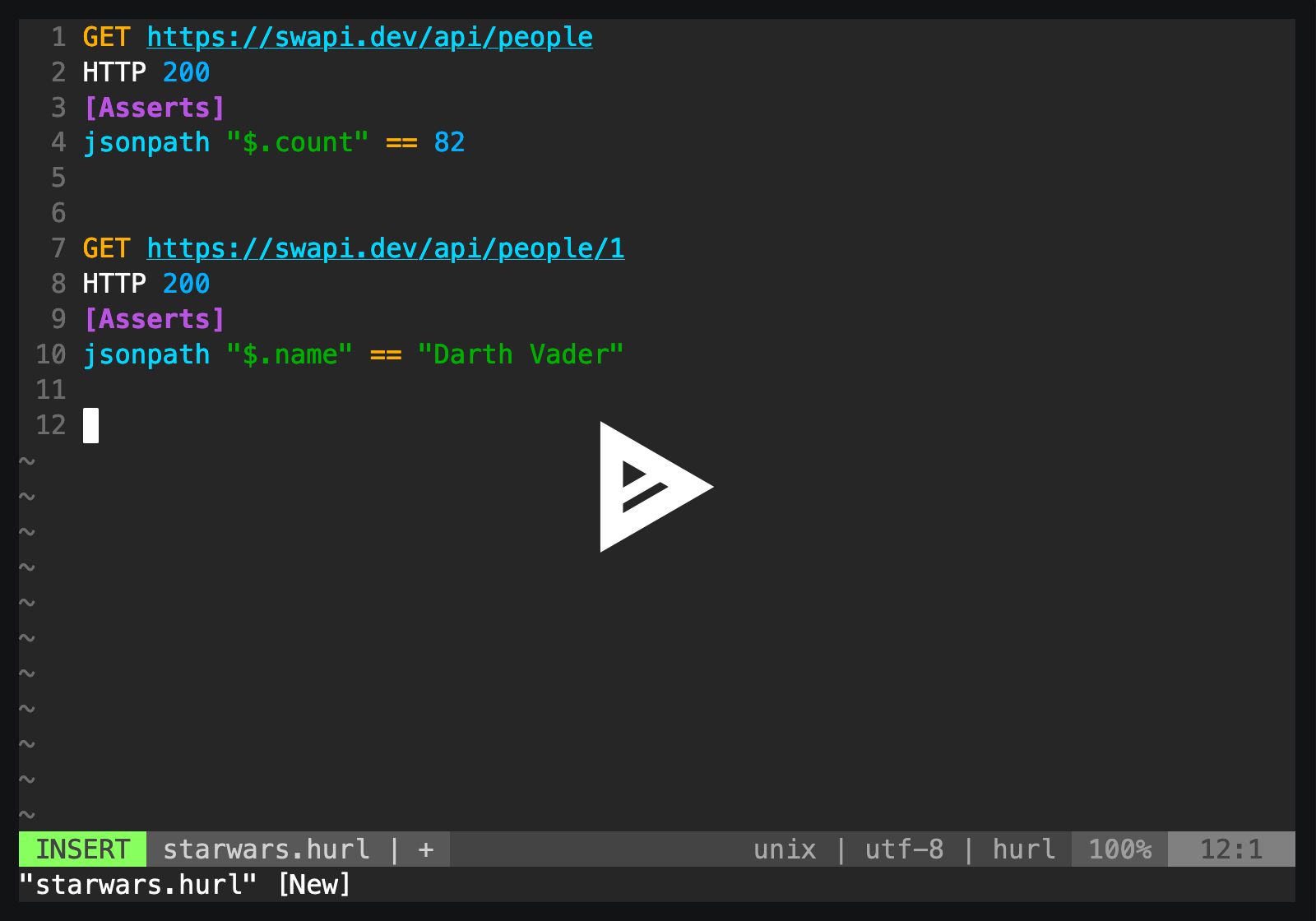
It is well adapted for REST / JSON APIs
POST https://example.org/api/tests
{
"id": "4568",
"evaluate": true
}
HTTP 200
[Asserts]
header "X-Frame-Options" == "SAMEORIGIN"
jsonpath "$.status" == "RUNNING" # Check the status code
jsonpath "$.tests" count == 25 # Check the number of items
jsonpath "$.id" matches /\d{4}/ # Check the format of the idHTML content
GET https://example.org
HTTP 200
[Asserts]
xpath "normalize-space(//head/title)" == "Hello world!"GraphQL
POST https://example.org/graphql
```graphql
{
human(id: "1000") {
name
height(unit: FOOT)
}
}
```
HTTP 200and even SOAP APIs
POST https://example.org/InStock
Content-Type: application/soap+xml; charset=utf-8
SOAPAction: "http://www.w3.org/2003/05/soap-envelope"
<?xml version="1.0" encoding="UTF-8"?>
<soap:Envelope xmlns:soap="http://www.w3.org/2003/05/soap-envelope" xmlns:m="https://example.org">
<soap:Header></soap:Header>
<soap:Body>
<m:GetStockPrice>
<m:StockName>GOOG</m:StockName>
</m:GetStockPrice>
</soap:Body>
</soap:Envelope>
HTTP 200Hurl can also be used to test the performance of HTTP endpoints
GET https://example.org/api/v1/pets
HTTP 200
[Asserts]
duration < 1000 # Duration in msAnd check response bytes
GET https://example.org/data.tar.gz
HTTP 200
[Asserts]
sha256 == hex,039058c6f2c0cb492c533b0a4d14ef77cc0f78abccced5287d84a1a2011cfb81;Finally, Hurl is easy to integrate in CI/CD, with text, JUnit, TAP and HTML reports
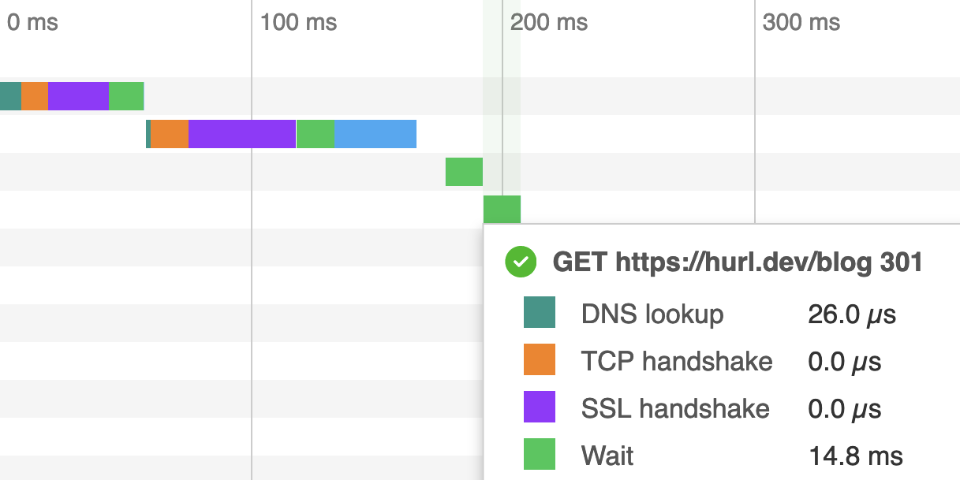
Why Hurl?
- Text Format: for both devops and developers
- Fast CLI: a command line for local dev and continuous integration
- Single Binary: easy to install, with no runtime required
Powered by curl
Hurl is a lightweight binary written in Rust. Under the hood, Hurl HTTP engine is
powered by libcurl, one of the most powerful and reliable file transfer libraries.
With its text file format, Hurl adds syntactic sugar to run and test HTTP requests,
but it's still the curl that we love: fast, efficient and IPv6 / HTTP/3 ready.
Feedbacks
To support its development, star Hurl on GitHub!
Feedback, suggestion, bugs or improvements are welcome.
POST https://hurl.dev/api/feedback
{
"name": "John Doe",
"feedback": "Hurl is awesome!"
}
HTTP 200Resources
Documentation (download HTML, PDF, Markdown)
Table of Contents
- Samples
- Manual
- Installation
Samples
To run a sample, edit a file with the sample content, and run Hurl:
$ vi sample.hurl
GET https://example.org
$ hurl sample.hurlBy default, Hurl behaves like curl and outputs the last HTTP response's entry. To have a test
oriented output, you can use --test option:
$ hurl --test sample.hurlA particular response can be saved with [Options] section:
GET https://example.org/cats/123
[Options]
output: cat123.txt # use - to output to stdout
HTTP 200
GET https://example.org/dogs/567
HTTP 200Finally, Hurl can take files as input, or directories. In the latter case, Hurl will search files with .hurl extension recursively.
$ hurl --test integration/*.hurl
$ hurl --test .You can check Hurl tests suite for more samples.
Getting Data
A simple GET:
GET https://example.orgRequests can be chained:
GET https://example.org/a
GET https://example.org/b
HEAD https://example.org/c
GET https://example.org/cHTTP Headers
A simple GET with headers:
GET https://example.org/news
User-Agent: Mozilla/5.0
Accept: */*
Accept-Language: en-US,en;q=0.5
Accept-Encoding: gzip, deflate, br
Connection: keep-aliveQuery Params
GET https://example.org/news
[Query]
order: newest
search: something to search
count: 100Or:
GET https://example.org/news?order=newest&search=something%20to%20search&count=100With
[Query]section, params don't need to be URL escaped.
Basic Authentication
GET https://example.org/protected
[BasicAuth]
bob: secretThis is equivalent to construct the request with a Authorization header:
# Authorization header value can be computed with `echo -n 'bob:secret' | base64`
GET https://example.org/protected
Authorization: Basic Ym9iOnNlY3JldA==Basic authentication section allows per request authentication. If you want to add basic authentication to all the
requests of a Hurl file you could use -u/--user option:
$ hurl --user bob:secret login.hurl--user option can also be set per request:
GET https://example.org/login
[Options]
user: bob:secret
HTTP 200
GET https://example.org/login
[Options]
user: alice:secret
HTTP 200Passing Data between Requests
Captures can be used to pass data from one request to another:
POST https://sample.org/orders
HTTP 201
[Captures]
order_id: jsonpath "$.order.id"
GET https://sample.org/orders/{{order_id}}
HTTP 200Sending Data
Sending HTML Form Data
POST https://example.org/contact
[Form]
default: false
token: {{token}}
email: [email protected]
number: 33611223344Sending Multipart Form Data
POST https://example.org/upload
[Multipart]
field1: value1
field2: file,example.txt;
# One can specify the file content type:
field3: file,example.zip; application/zipMultipart forms can also be sent with a multiline string body:
POST https://example.org/upload
Content-Type: multipart/form-data; boundary="boundary"
```
--boundary
Content-Disposition: form-data; name="key1"
value1
--boundary
Content-Disposition: form-data; name="upload1"; filename="data.txt"
Content-Type: text/plain
Hello World!
--boundary
Content-Disposition: form-data; name="upload2"; filename="data.html"
Content-Type: text/html
Hello **World**!
--boundary--
```In that case, files have to be inlined in the Hurl file.
Posting a JSON Body
With an inline JSON:
POST https://example.org/api/tests
{
"id": "456",
"evaluate": true
}With a local file:
POST https://example.org/api/tests
Content-Type: application/json
file,data.json;Templating a JSON Body
PUT https://example.org/api/hits
Content-Type: application/json
{
"key0": "{{a_string}}",
"key1": {{a_bool}},
"key2": {{a_null}},
"key3": {{a_number}}
}Variables can be initialized via command line:
$ hurl --variable a_string=apple \
--variable a_bool=true \
--variable a_null=null \
--variable a_number=42 \
test.hurlResulting in a PUT request with the following JSON body:
{
"key0": "apple",
"key1": true,
"key2": null,
"key3": 42
}Templating a XML Body
Using templates with XML body is not currently supported in Hurl. You can use templates in
XML multiline string body with variables to send a variable XML body:
POST https://example.org/echo/post/xml
```xml
<?xml version="1.0" encoding="utf-8"?>
<Request>
<Login>{{login}}</Login>
{{password}}
</Request>
```Using GraphQL Query
A simple GraphQL query:
POST https://example.org/starwars/graphql
```graphql
{
human(id: "1000") {
name
height(unit: FOOT)
}
}
```A GraphQL query with variables:
POST https://example.org/starwars/graphql
```graphql
query Hero($episode: Episode, $withFriends: Boolean!) {
hero(episode: $episode) {
name
friends @include(if: $withFriends) {
name
}
}
}
variables {
"episode": "JEDI",
"withFriends": false
}
```GraphQL queries can also use Hurl templates.
Using Dynamic Datas
Functions like newUuid and newDate can be used in templates to create dynamic datas:
A file that creates a dynamic email (i.e [email protected]):
POST https://example.org/api/foo
{
"name": "foo",
"email": "{{newUuid}}@test.com"
}A file that creates a dynamic query parameter (i.e 2024-12-02T10:35:44.461731Z):
GET https://example.org/api/foo
[Query]
date: {{newDate}}
HTTP 200Testing Response
Responses are optional, everything after HTTP is part of the response asserts.
# A request with (almost) no check:
GET https://foo.com
# A status code check:
GET https://foo.com
HTTP 200
# A test on response body
GET https://foo.com
HTTP 200
[Asserts]
jsonpath "$.state" == "running"Testing Status Code
GET https://example.org/order/435
HTTP 200GET https://example.org/order/435
# Testing status code is in a 200-300 range
HTTP *
[Asserts]
status >= 200
status < 300Testing Response Headers
Use implicit response asserts to test header values:
GET https://example.org/index.html
HTTP 200
Set-Cookie: theme=light
Set-Cookie: sessionToken=abc123; Expires=Wed, 09 Jun 2021 10:18:14 GMTOr use explicit response asserts with predicates:
GET https://example.org
HTTP 302
[Asserts]
header "Location" contains "www.example.net"Implicit and explicit asserts can be combined:
GET https://example.org/index.html
HTTP 200
Set-Cookie: theme=light
Set-Cookie: sessionToken=abc123; Expires=Wed, 09 Jun 2021 10:18:14 GMT
[Asserts]
header "Location" contains "www.example.net"Testing REST APIs
Asserting JSON body response (node values, collection count etc...) with JSONPath:
GET https://example.org/order
screencapability: low
HTTP 200
[Asserts]
jsonpath "$.validated" == true
jsonpath "$.userInfo" isObject
jsonpath "$.userInfo.firstName" == "Franck"
jsonpath "$.userInfo.lastName" == "Herbert"
jsonpath "$.hasDevice" == false
jsonpath "$.links" count == 12
jsonpath "$.state" != null
jsonpath "$.order" matches "^order-\\d{8}$"
jsonpath "$.order" matches /^order-\d{8}$/ # Alternative syntax with regex literal
jsonpath "$.id" matches /(?i)[a-z]*/ # See syntax for flags <https://docs.rs/regex/latest/regex/#grouping-and-flags>
jsonpath "$.created" isIsoDateTesting HTML Response
GET https://example.org
HTTP 200
Content-Type: text/html; charset=UTF-8
[Asserts]
xpath "string(/html/head/title)" contains "Example" # Check title
xpath "count(//p)" == 2 # Check the number of p
xpath "//p" count == 2 # Similar assert for p
xpath "boolean(count(//h2))" == false # Check there is no h2
xpath "//h2" not exists # Similar assert for h2
xpath "string(//div[1])" matches /Hello.*/Testing Set-Cookie Attributes
GET https://example.org/home
HTTP 200
[Asserts]
cookie "JSESSIONID" == "8400BAFE2F66443613DC38AE3D9D6239"
cookie "JSESSIONID[Value]" == "8400BAFE2F66443613DC38AE3D9D6239"
cookie "JSESSIONID[Expires]" contains "Wed, 13 Jan 2021"
cookie "JSESSIONID[Secure]" exists
cookie "JSESSIONID[HttpOnly]" exists
cookie "JSESSIONID[SameSite]" == "Lax"Testing Bytes Content
Check the SHA-256 response body hash:
GET https://example.org/data.tar.gz
HTTP 200
[Asserts]
sha256 == hex,039058c6f2c0cb492c533b0a4d14ef77cc0f78abccced5287d84a1a2011cfb81;SSL Certificate
Check the properties of a SSL certificate:
GET https://example.org
HTTP 200
[Asserts]
certificate "Subject" == "CN=example.org"
certificate "Issuer" == "C=US, O=Let's Encrypt, CN=R3"
certificate "Expire-Date" daysAfterNow > 15
certificate "Serial-Number" matches /[\da-f]+/
certificate "Subject-Alt-Name" contains "DNS:example.org"
certificate "Subject-Alt-Name" split "," count == 2
certificate "Value" startsWith "-----BEGIN CERTIFICATE-----"Checking Full Body
Use implicit body to test an exact JSON body match:
GET https://example.org/api/cats/123
HTTP 200
{
"name" : "Purrsloud",
"species" : "Cat",
"favFoods" : ["wet food", "dry food", "**any** food"],
"birthYear" : 2016,
"photo" : "https://learnwebcode.github.io/json-example/images/cat-2.jpg"
}Or an explicit assert file:
GET https://example.org/index.html
HTTP 200
[Asserts]
body == file,cat.json;Implicit asserts supports XML body:
GET https://example.org/api/catalog
HTTP 200
<?xml version="1.0" encoding="UTF-8"?>
<catalog>
<author>Gambardella, Matthew</author>
<title>XML Developer's Guide</title>
<genre>Computer</genre>
44.95
2000-10-01
<description>An in-depth look at creating applications with XML.</description>
</catalog>Plain text:
GET https://example.org/models
HTTP 200
```
Year,Make,Model,Description,Price
1997,Ford,E350,"ac, abs, moon",3000.00
1999,Chevy,"Venture ""Extended Edition""","",4900.00
1999,Chevy,"Venture ""Extended Edition, Very Large""",,5000.00
1996,Jeep,Grand Cherokee,"MUST SELL! air, moon roof, loaded",4799.00
```One line:
POST https://example.org/helloworld
HTTP 200
`Hello world!`File:
GET https://example.org
HTTP 200
file,data.bin;Testing Redirections
By default, Hurl doesn't follow redirection so each step of a redirect must be run manually and can be analysed:
GET https://example.org/step1
HTTP 301
[Asserts]
header "Location" == "https://example.org/step2"
GET https://example.org/step2
HTTP 301
[Asserts]
header "Location" == "https://example.org/step3"
GET https://example.org/step3
HTTP 200Using --location and --location-trusted (either with command line option or per request), Hurl follows
redirection and each step of the redirection can be checked.
GET https://example.org/step1
[Options]
location: true
HTTP 200
[Asserts]
redirects count == 2
redirects nth 0 location == "https://example.org/step2"
redirects nth 1 location == "https://example.org/step3"GET https://example.org/step1
[Options]
location-trusted: true
HTTP 200
[Asserts]
redirects last location == "https://example.org/step2"Debug Tips
Verbose Mode
To get more info on a given request/response, use [Options] section:
GET https://example.org
HTTP 200
GET https://example.org/api/cats/123
[Options]
very-verbose: true
HTTP 200--verbose and --very-verbose can be also used globally as command line options.
Error Format
$ hurl --test --error-format long *.hurlOutput Response Body
Use --output on a specific request to get the response body (- can be used as standard output):
GET https://foo.com/failure
[Options]
# use - to output on standard output, foo.bin to save on disk
output: -
HTTP 200
GET https://foo.com/success
HTTP 200Export curl Commands
$ hurl ---curl /tmp/curl.txt *.hurlUsing Proxy
Use --proxy on a specific request or globally as command line option:
GET https://foo.com/a
HTTP 200
GET https://foo.com/b
[Options]
proxy: localhost:8888
HTTP 200
GET https://foo.com/c
HTTP 200Reports
HTML Report
$ hurl --test --report-html build/report/ *.hurlJSON Report
$ hurl --test --report-json build/report/ *.hurlJUnit Report
$ hurl --test --report-junit build/report.xml *.hurlTAP Report
$ hurl --test --report-tap build/report.txt *.hurlJSON Output
A structured output of running Hurl files can be obtained with --json option. Each file will produce a JSON export of the run.
$ hurl --json *.hurlOthers
HTTP Version
Testing HTTP version (HTTP/1.0, HTTP/1.1, HTTP/2 or HTTP/3) can be done using implicit asserts:
GET https://foo.com
HTTP/3 200
GET https://bar.com
HTTP/2 200Or explicit:
GET https://foo.com
HTTP 200
[Asserts]
version == "3"
GET https://bar.com
HTTP 200
[Asserts]
version == "2"
version toFloat > 1.1IP Address
Testing the IP address of the response, as a string. This string may be IPv6 address:
GET https://foo.com
HTTP 200
[Asserts]
ip == "2001:0db8:85a3:0000:0000:8a2e:0370:733"
ip startsWith "2001"
ip isIpv6Polling and Retry
Retry request on any errors (asserts, captures, status code, runtime etc...):
# Create a new job
POST https://api.example.org/jobs
HTTP 201
[Captures]
job_id: jsonpath "$.id"
[Asserts]
jsonpath "$.state" == "RUNNING"
# Pull job status until it is completed
GET https://api.example.org/jobs/{{job_id}}
[Options]
retry: 10 # maximum number of retry, -1 for unlimited
retry-interval: 500ms
HTTP 200
[Asserts]
jsonpath "$.state" == "COMPLETED"Delaying Requests
Add delay for every request, or a particular request:
# Delaying this request by 5 seconds (aka sleep)
GET https://example.org/turtle
[Options]
delay: 5s
HTTP 200
# No delay!
GET https://example.org/turtle
HTTP 200Skipping Requests
# a, c, d are run, b is skipped
GET https://example.org/a
GET https://example.org/b
[Options]
skip: true
GET https://example.org/c
GET https://example.org/dTesting Endpoint Performance
GET https://sample.org/helloworld
HTTP *
[Asserts]
duration < 1000 # Check that response time is less than one secondUsing SOAP APIs
POST https://example.org/InStock
Content-Type: application/soap+xml; charset=utf-8
SOAPAction: "http://www.w3.org/2003/05/soap-envelope"
<?xml version="1.0" encoding="UTF-8"?>
<soap:Envelope xmlns:soap="http://www.w3.org/2003/05/soap-envelope" xmlns:m="https://example.org">
<soap:Header></soap:Header>
<soap:Body>
<m:GetStockPrice>
<m:StockName>GOOG</m:StockName>
</m:GetStockPrice>
</soap:Body>
</soap:Envelope>
HTTP 200Capturing and Using a CSRF Token
GET https://example.org
HTTP 200
[Captures]
csrf_token: xpath "string(//meta[@name='_csrf_token']/@content)"
POST https://example.org/login?user=toto&password=1234
X-CSRF-TOKEN: {{csrf_token}}
HTTP 302Redacting Secrets
Using command-line for known values:
$ hurl --secret token=1234 file.hurlPOST https://example.org
X-Token: {{token}}
{
"name": "Alice",
"value": 100
}
HTTP 200Using redact for dynamic values:
# Get an authorization token:
GET https://example.org/token
HTTP 200
[Captures]
token: header "X-Token" redact

# Send an authorized request:
POST https://example.org
X-Token: {{token}}
{
  "name": "Alice",
  "value": 100
}
HTTP 200Checking Byte Order Mark (BOM) in Response Body
GET https://example.org/data.bin
HTTP 200
[Asserts]
bytes startsWith hex,efbbbf;AWS Signature Version 4 Requests
Generate signed API requests with AWS Signature Version 4, as used by several cloud providers.
POST https://sts.eu-central-1.amazonaws.com/
[Options]
aws-sigv4: aws:amz:eu-central-1:sts
[Form]
Action: GetCallerIdentity
Version: 2011-06-15
The Access Key is given per --user, either with command line option or within the [Options] section:
POST https://sts.eu-central-1.amazonaws.com/
[Options]
aws-sigv4: aws:amz:eu-central-1:sts
user: bob=secret
[Form]
Action: GetCallerIdentity
Version: 2011-06-15Using curl Options
curl options (for instance --resolve or --connect-to) can be used as CLI argument. In this case, they're applicable
to each request of an Hurl file.
$ hurl --resolve foo.com:8000:127.0.0.1 foo.hurlUse [Options] section to configure a specific request:
GET http://bar.com
HTTP 200


GET http://foo.com:8000/resolve
[Options]
resolve: foo.com:8000:127.0.0.1
HTTP 200
`Hello World!`Manual
Name
hurl - run and test HTTP requests.
Synopsis
hurl OPTIONS [FILES...]
hurl --test OPTIONS [FILES...]
Description
Hurl is a command line tool that runs HTTP requests defined in a simple plain text format.
It can chain requests, capture values and evaluate queries on headers and body response. Hurl is very versatile, it can be used for fetching data and testing HTTP sessions: HTML content, REST / SOAP / GraphQL APIs, or any other XML / JSON based APIs.
$ hurl session.hurlIf no input files are specified, input is read from stdin.
$ echo GET http://httpbin.org/get | hurl
    {
      "args": {},
      "headers": {
        "Accept": "*/*",
        "Accept-Encoding": "gzip",
        "Content-Length": "0",
        "Host": "httpbin.org",
        "User-Agent": "hurl/0.99.10",
        "X-Amzn-Trace-Id": "Root=1-5eedf4c7-520814d64e2f9249ea44e0"
      },
      "origin": "1.2.3.4",
      "url": "http://httpbin.org/get"
    }
Hurl can take files as input, or directories. In the latter case, Hurl will search files with .hurl extension recursively.
Output goes to stdout by default. To have output go to a file, use the -o, --output option:
$ hurl -o output input.hurlBy default, Hurl executes all HTTP requests and outputs the response body of the last HTTP call.
To have a test oriented output, you can use --test option:
$ hurl --test *.hurlHurl File Format
The Hurl file format is fully documented in https://hurl.dev/docs/hurl-file.html
It consists of one or several HTTP requests
GET http://example.org/endpoint1
GET http://example.org/endpoint2
Capturing values
A value from an HTTP response can be-reused for successive HTTP requests.
A typical example occurs with CSRF tokens.
GET https://example.org
HTTP 200
# Capture the CSRF token value from html body.
[Captures]
csrf_token: xpath "normalize-space(//meta[@name='_csrf_token']/@content)"

# Do the login !
POST https://example.org/login?user=toto&password=1234
X-CSRF-TOKEN: {{csrf_token}}
More information on captures can be found here https://hurl.dev/docs/capturing-response.html
Asserts
The HTTP response defined in the Hurl file are used to make asserts. Responses are optional.
At the minimum, response includes assert on the HTTP status code.
GET http://example.org
HTTP 301
It can also include asserts on the response headers
GET http://example.org
HTTP 301
Location: http://www.example.org
Explicit asserts can be included by combining a query and a predicate
GET http://example.org
HTTP 301
[Asserts]
xpath "string(//title)" == "301 Moved"
With the addition of asserts, Hurl can be used as a testing tool to run scenarios.
More information on asserts can be found here https://hurl.dev/docs/asserting-response.html
Configuration
Options that exist in curl have exactly the same semantics.
Options specified on the command line are defined for every Hurl file's entry, except if they are tagged as cli-only
(can not be defined in the Hurl request [Options] entry)
For instance:
$ hurl --location foo.hurlwill follow redirection for each entry in foo.hurl. You can also define an option only for a particular entry with an [Options] section. For instance, this Hurl file:
GET https://example.org
HTTP 301

GET https://example.org
[Options]
location: true
HTTP 200
will follow a redirection only for the second entry.
Hurl looks also for a configuration file at the following places $XDG_CONFIG_HOME/hurl/config if $XDG_CONFIG_HOME exists,
or $HOME/.config/hurl/config. The configuration file is a list of options added to each Hurl run.
$ cat ~/.config/hurl/config
# Hurl config file
--header x-identifier:quux
--verbose
--delay=1s
--fail-with-body
Most of the options can also be defined with environment variables (like HURL_INSECURE for --insecure). So, in order
to configure Hurl, there are four sources from the lowest priority (most easily overridden) to highest (overrides all others):
- Configuration file (ex:
~/.config/hurl/config) - Environment variables (ex:
export HURL_INSECURE=true) - Command-line options (ex:
hurl --insecure) - Options section options (ex:
insecure: truein file)
All Options
HTTP options
| Option | Description |
|---|---|
--aws-sigv4 <PROVIDER1[:PROVIDER2[:REGION[:SERVICE]]]> |
Generate an Authorization header with an AWS SigV4 signature.Use -u, --user to specify Access Key Id (username) and Secret Key (password).To use temporary session credentials (e.g. for an AWS IAM Role), add the X-Amz-Security-Token header containing the session token. |
--cacert <FILE> |
Specifies the certificate file for peer verification. The file may contain multiple CA certificates and must be in PEM format. Normally Hurl is built to use a default file for this, so this option is typically used to alter that default file. |
-E, --cert <CERTIFICATE[:PASSWORD]> |
Client certificate file and password. See also --key. |
--compressed |
Request a compressed response using one of the algorithms br, gzip, deflate and automatically decompress the content. Environment variables: HURL_COMPRESSED |
--connect-timeout <SECONDS> |
Maximum time in seconds that you allow Hurl's connection to take. You can specify time units in the connect timeout expression. Set Hurl to use a connect timeout of 20 seconds with --connect-timeout 20s or set it to 35,000 milliseconds with --connect-timeout 35000ms. No spaces allowed.See also -m, --max-time.Environment variables: HURL_CONNECT_TIMEOUT |
--connect-to <HOST1:PORT1:HOST2:PORT2> |
For a request to the given HOST1:PORT1 pair, connect to HOST2:PORT2 instead. This option can be used several times in a command line. See also --resolve. |
--digest |
Tell Hurl to use HTTP Digest authentication |
-H, --header <NAME:VALUE> |
Add an extra header to include in information sent. Can be used several times in a command. Do not add newlines or carriage returns. Environment variables: HURL_HEADER='name1:value1|name2:value2' (headers are separated by |) |
-0, --http1.0 |
Tells Hurl to use HTTP version 1.0 instead of using its internally preferred HTTP version. Environment variables: HURL_HTTP10 |
--http1.1 |
Tells Hurl to use HTTP version 1.1. Environment variables: HURL_HTTP11 |
--http2 |
Tells Hurl to use HTTP version 2. For HTTPS, this means Hurl negotiates HTTP/2 in the TLS handshake. Hurl does this by default. For HTTP, this means Hurl attempts to upgrade the request to HTTP/2 using the Upgrade: request header. Environment variables: HURL_HTTP2 |
--http2-prior-knowledge |
Tells Hurl to issue a non-TLS HTTP request using HTTP/2 directly without HTTP/1.1 Upgrade. It requires prior knowledge that the server supports HTTP/2 straight away. HTTPS requests still do HTTP/2 the standard way with negotiated protocol versions in the TLS handshake. Environment variables: HURL_HTTP2_PRIOR_KNOWLEDGE |
--http3 |
Tells Hurl to try HTTP version 3 to the host in the URL, but fallback to earlier HTTP versions if the HTTP/3 connection establishment fails. HTTP/3 is only available for HTTPS and not for HTTP URLs. Environment variables: HURL_HTTP3 |
-k, --insecure |
This option explicitly allows Hurl to perform "insecure" SSL connections and transfers. Environment variables: HURL_INSECURE |
-4, --ipv4 |
This option tells Hurl to use IPv4 addresses only when resolving host names, and not for example try IPv6. Environment variables: HURL_IPV4 |
-6, --ipv6 |
This option tells Hurl to use IPv6 addresses only when resolving host names, and not for example try IPv4. Environment variables: HURL_IPV6 |
--key <KEY> |
Private key file name. |
--limit-rate <SPEED> |
Specify the maximum transfer rate you want Hurl to use, for both downloads and uploads. This feature is useful if you have a limited pipe and you would like your transfer not to use your entire bandwidth. To make it slower than it otherwise would be. The given speed is measured in bytes/second. Environment variables: HURL_LIMIT_RATE |
-L, --location |
Follow redirect. To limit the amount of redirects to follow use the --max-redirs optionEnvironment variables: HURL_LOCATION |
--location-trusted |
Like -L, --location, but allows sending the name + password to all hosts that the site may redirect to.This may or may not introduce a security breach if the site redirects you to a site to which you send your authentication info (which is plaintext in the case of HTTP Basic authentication). Environment variables: HURL_LOCATION_TRUSTED |
--max-filesize <BYTES> |
Specify the maximum size in bytes of a file to download. If the file requested is larger than this value, the transfer does not start. Environment variables: HURL_MAX_FILESIZE This is a cli-only option. |
--max-redirs <NUM> |
Set maximum number of redirection-followings allowed By default, the limit is set to 50 redirections. Set this option to -1 to make it unlimited. Environment variables: HURL_MAX_REDIRS |
-m, --max-time <SECONDS> |
Maximum time in seconds that you allow a request/response to take. This is the standard timeout. You can specify time units in the maximum time expression. Set Hurl to use a maximum time of 20 seconds with --max-time 20s or set it to 35,000 milliseconds with --max-time 35000ms. No spaces allowed.See also --connect-timeout.Environment variables: HURL_MAX_TIME |
--negotiate |
Tell Hurl to use Negotiate (SPNEGO) authentication. |
--no-cookie-store |
Do not use cookie storage for requests/responses in a file. By default, requests in the same Hurl file share cookie storage, this option deactivates cookie engine. Environment variables: HURL_NO_COOKIE_STORE This is a cli-only option. |
--no-header <NAME> |
Remove a header from information sent. Can be used several times in a command. Environment variables: HURL_NO_HEADER='name1|name2' (names are separated by |) |
--no-proxy <HOST(S)> |
Comma-separated list of hosts which do not use a proxy. Environment variables: no_proxy |
--ntlm |
Tell Hurl to use NTLM authentication |
--path-as-is |
Tell Hurl to not handle sequences of /../ or /./ in the given URL path. Normally Hurl will squash or merge them according to standards but with this option set you tell it not to do that. |
--pinnedpubkey <HASHES> |
When negotiating a TLS or SSL connection, the server sends a certificate indicating its identity. A public key is extracted from this certificate and if it does not exactly match the public key provided to this option, Hurl aborts the connection before sending or receiving any data. |
-x, --proxy <[PROTOCOL://]HOST[:PORT]> |
Use the specified proxy. Environment variables: http_proxy https_proxy all_proxy |
--proxy-header <HEADER> |
Extra header to include in the request when sending to a proxy. These headers are only applied when a proxy is involved; if Hurl connects directly to the target server, they are ignored. Environment variables: HURL_PROXY_HEADER='name1:value1|name2:value2' (headers are separated by |) This is a cli-only option. |
--resolve <HOST:PORT:ADDR> |
Provide a custom address for a specific host and port pair. Using this, you can make the Hurl requests(s) use a specified address and prevent the otherwise normally resolved address to be used. Consider it a sort of /etc/hosts alternative provided on the command line. |
--ssl-no-revoke |
(Windows) This option tells Hurl to disable certificate revocation checks. WARNING: this option loosens the SSL security, and by using this flag you ask for exactly that. This is a cli-only option. |
--tls-max <VERSION> |
Set the maximum allowed TLS version. If the connection is done without TLS, this option has no effect. This includes QUIC-using (HTTP/3) transfers. default Use up to the recommended TLS version. 1.0 Use up to TLSv1.0. 1.1 Use up to TLSv1.1. 1.2 Use up to TLSv1.2. 1.3 Use up to TLSv1.3. Environment variables: HURL_TLS_MAX |
--unix-socket <PATH> |
(HTTP) Connect through this Unix domain socket, instead of using the network. |
-u, --user <USER:PASSWORD> |
Add basic Authentication header to each request. Environment variables: HURL_USER |
-A, --user-agent <NAME> |
Specify the User-Agent string to send to the HTTP server. Environment variables: HURL_USER_AGENT This is a cli-only option. |
Output options
| Option | Description |
|---|---|
--color |
Colorize standard output and standard error. By default, Hurl outputs a prettified and colorized response. When redirected through pipes, standard streams are not colorized and color can be forced with this option. Environment variables: HURL_COLOR This is a cli-only option. |
--curl <FILE> |
Export each request to a list of curl commands. This is a cli-only option. |
--error-format <FORMAT> |
Control the format of error message (short by default or long). When using long, the response body is logged when there are errors. Environment variables: HURL_ERROR_FORMAT This is a cli-only option. |
--fail-with-body |
Output body response on standard output if there are any errors. By default, Hurl outputs the last body response on standard output only when a run is successful. Environment variables: HURL_FAIL_WITH_BODY |
-i, --include |
Include the HTTP headers in the output This is a cli-only option. |
--json |
Output each Hurl file result to JSON. The format is very closed to HAR format. This is a cli-only option. |
--no-color |
Do not colorize standard output nor standard error. Environment variables: HURL_NO_COLOR NO_COLOR This is a cli-only option. |
--no-output |
Suppress output. By default, Hurl outputs the body of the last response. Environment variables: HURL_NO_OUTPUT This is a cli-only option. |
--no-pretty |
Do not prettify response output for supported content type (JSON only for the moment). By default, output is prettified if standard output is a terminal. Environment variables: HURL_NO_PRETTY This is a cli-only option. |
-o, --output <FILE> |
Write output to FILE instead of stdout. Use '-' for stdout in Options sections. |
--pretty |
Prettify response output for supported content type (JSON only for the moment). By default, JSON response is prettified if standard output is a terminal, and colorized, see--no-color to format without color.Environment variables: HURL_PRETTY This is a cli-only option. |
--progress-bar |
Display a progress bar in test mode. The progress bar is displayed only in interactive TTYs. This option forces the progress bar to be displayed even in non-interactive TTYs. This is a cli-only option. |
-v, --verbose |
Turn on verbose output on standard error stream. Useful for debugging. A line starting with '>' means data sent by Hurl. A line staring with '<' means data received by Hurl. A line starting with '*' means additional info provided by Hurl. If you only want HTTP headers in the output, -i, --include might be the option you're looking for.Environment variables: HURL_VERBOSE |
--verbosity <LEVEL> |
Set the verbosity level for debug logs on standard error stream (brief, verbose or debug) If you only want HTTP headers in the output, -i, --include might be the option you're looking for.-v, --verbose is an alias for --verbosity verbose--very-verbose is an alias for --verbosity debugEnvironment variables: HURL_VERBOSITY |
--very-verbose |
Turn on more verbose output on standard error stream. In contrast to --verbose option, this option outputs the full HTTP body request and response on standard error. In addition, lines starting with '**' are libcurl debug logs.Environment variables: HURL_VERY_VERBOSE |
Run options
| Option | Description |
|---|---|
--continue-on-error |
Continue executing requests to the end of the Hurl file even when an assert error occurs. By default, Hurl exits after an assert error in the HTTP response. Note that this option does not affect the behavior with multiple input Hurl files. All the input files are executed independently. The result of one file does not affect the execution of the other Hurl files. Environment variables: HURL_CONTINUE_ON_ERROR This is a cli-only option. |
--delay <MILLISECONDS> |
Sets delay before each request (aka sleep). The delay is not applied to requests that have been retried because of --retry. See --retry-interval to space retried requests.You can specify time units in the delay expression. Set Hurl to use a delay of 2 seconds with --delay 2s or set it to 500 milliseconds with --delay 500ms. Supported time units: ms, s, m, h. No spaces allowed.Environment variables: HURL_DELAY |
--from-entry <ENTRY_NUMBER> |
Execute Hurl file from ENTRY_NUMBER (starting at 1). This is a cli-only option. |
--jobs <NUM> |
Maximum number of parallel jobs in parallel mode. Default value corresponds (in most cases) to the current amount of CPUs. Set to 1 to disable parallel execution of files. See also --parallel.Environment variables: HURL_JOBS This is a cli-only option. |
--no-assert |
Ignore all asserts defined in the Hurl file. Environment variables: HURL_NO_ASSERT This is a cli-only option. |
--no-jsonpath-coercion |
Disable JSONPath result coercion. By default, when JSONPath coercion is enabled, empty JSONPath results are returned as no value and single JSONPath results are returned as a scalar value. With this option, JSONPath results are always returned as arrays. Environment variables: HURL_NO_JSONPATH_COERCION |
--parallel |
Run files in parallel. Each Hurl file is executed in its own worker thread, without sharing anything with the other workers. The default run mode is sequential. Parallel execution is by default in --test mode.See also --jobs.This is a cli-only option. |
--repeat <NUM> |
Repeat the input files sequence NUM times, -1 for infinite loop. Given a.hurl, b.hurl, c.hurl as input, repeat two times will run a.hurl, b.hurl, c.hurl, a.hurl, b.hurl, c.hurl. |
--retry <NUM> |
Maximum number of retries, 0 for no retries, -1 for unlimited retries. Retry happens if any error occurs (asserts, captures, runtimes etc...). Environment variables: HURL_RETRY |
--retry-interval <MILLISECONDS> |
Duration in milliseconds between each retry. Default is 1000 ms. You can specify time units in the retry interval expression. Set Hurl to use a retry interval of 2 seconds with --retry-interval 2s or set it to 500 milliseconds with --retry-interval 500ms. No spaces allowed.Environment variables: HURL_RETRY_INTERVAL |
--secret <NAME=VALUE> |
Define secret value to be redacted from logs and report. When defined, secrets can be used as variable everywhere variables are used. Environment variables: HURL_SECRET_name This is a cli-only option. |
--secrets-file <FILE> |
Define a secrets file in which you define your secrets Each secret is defined as name=value exactly as with --secret option.Note that defining a secret twice produces an error. This is a cli-only option. |
--test |
Activate test mode: with this, the HTTP response is not outputted anymore, progress is reported for each Hurl file tested, and a text summary is displayed when all files have been run. In test mode, files are executed in parallel. To run test in a sequential way use --jobs 1.See also --jobs.Environment variables: HURL_TEST This is a cli-only option. |
--to-entry <ENTRY_NUMBER> |
Execute Hurl file to ENTRY_NUMBER (starting at 1). Ignore the remaining of the file. It is useful for debugging a session. This is a cli-only option. |
--variable <NAME=VALUE> |
Define variable (name/value) to be used in Hurl templates. Environment variables: HURL_VARIABLE_name |
--variables-file <FILE> |
Set properties file in which your define your variables. Each variable is defined as name=value exactly as with --variable option.Note that defining a variable twice produces an error. This is a cli-only option. |
Report options
| Option | Description |
|---|---|
--report-html <DIR> |
Generate HTML report in DIR. If the HTML report already exists, it will be updated with the new test results. This is a cli-only option. |
--report-json <DIR> |
Generate JSON report in DIR. If the JSON report already exists, it will be updated with the new test results. This is a cli-only option. |
--report-junit <FILE> |
Generate JUnit File. If the FILE report already exists, it will be updated with the new test results. This is a cli-only option. |
--report-tap <FILE> |
Generate TAP report. If the FILE report already exists, it will be updated with the new test results. This is a cli-only option. |
Other options
| Option | Description |
|---|---|
-b, --cookie <FILE> |
Read cookies from FILE (using the Netscape cookie file format). Combined with -c, --cookie-jar, you can simulate a cookie storage between successive Hurl runs.This is a cli-only option. |
-c, --cookie-jar <FILE> |
Write cookies to FILE after running the session. The file will be written using the Netscape cookie file format. Combined with -b, --cookie, you can simulate a cookie storage between successive Hurl runs.This is a cli-only option. |
--file-root <DIR> |
Set root directory to import files in Hurl. This is used for files in multipart form data, request body and response output. When it is not explicitly defined, files are relative to the Hurl file's directory. This is a cli-only option. |
--glob <GLOB> |
Specify input files that match the given glob pattern. Multiple glob flags may be used. This flag supports common Unix glob patterns like *, ? and []. However, to avoid your shell accidentally expanding glob patterns before Hurl handles them, you must use single quotes or double quotes around each pattern. This is a cli-only option. |
-n, --netrc |
Scan the .netrc file in the user's home directory for the username and password. See also --netrc-file and --netrc-optional. |
--netrc-file <FILE> |
Like --netrc, but provide the path to the netrc file.See also --netrc-optional. |
--netrc-optional |
Similar to --netrc, but make the .netrc usage optional.See also --netrc-file. |
-h, --help |
Usage help. This lists all current command line options with a short description. |
-V, --version |
Prints version information |
Exit Codes
| Value | Description |
|---|---|
0 |
Success. |
1 |
Failed to parse command-line options. |
2 |
Input file parsing error. |
3 |
Runtime error (such as failure to connect to host). |
4 |
Assert error. |
WWW
See Also
curl(1) hurlfmt(1)
Installation
Binaries Installation
Linux
Precompiled binary (depending on libc >=2.35) is available at Hurl latest GitHub release:
$ INSTALL_DIR=/tmp
$ VERSION=8.0.1
$ curl --silent --location https://github.com/Orange-OpenSource/hurl/releases/download/$VERSION/hurl-$VERSION-x86_64-unknown-linux-gnu.tar.gz | tar xvz -C $INSTALL_DIR
$ export PATH=$INSTALL_DIR/hurl-$VERSION-x86_64-unknown-linux-gnu/bin:$PATH
Debian / Ubuntu
For Debian >=12 / Ubuntu 22.04 and 24.04, Hurl can be installed using a binary .deb file provided in each Hurl release.
$ VERSION=8.0.1
$ curl --location --remote-name https://github.com/Orange-OpenSource/hurl/releases/download/$VERSION/hurl_${VERSION}_amd64.deb
$ sudo apt update && sudo apt install ./hurl_${VERSION}_amd64.deb
For Ubuntu >=22.04, Hurl can be installed from ppa:lepapareil/hurl
$ VERSION=8.0.1
$ sudo apt-add-repository -y ppa:lepapareil/hurl
$ sudo apt install hurl="${VERSION}"*
Alpine
Hurl is available on testing channel.
$ apk add --repository http://dl-cdn.alpinelinux.org/alpine/edge/testing hurlArch Linux / Manjaro
Hurl is available on extra channel.
$ pacman -Sy hurlNixOS / Nix
NixOS / Nix package is available on stable channel.
Guix
$ guix install hurlmacOS
Precompiled binaries for Intel and ARM CPUs are available at Hurl latest GitHub release.
Homebrew
$ brew install hurlMacPorts
$ sudo port install hurlFreeBSD
$ sudo pkg install hurlWindows
Windows requires the Visual C++ Redistributable Package to be installed manually, as this is not included in the installer.
Zip File
Hurl can be installed from a standalone zip file at Hurl latest GitHub release. You will need to update your PATH variable.
Installer
An executable installer is also available at Hurl latest GitHub release.
Chocolatey
$ choco install hurlScoop
$ scoop install hurlWindows Package Manager
$ winget install hurlCargo
If you're a Rust programmer, Hurl can be installed with cargo.
$ cargo install --locked hurlconda-forge
$ conda install -c conda-forge hurlHurl can also be installed with conda-forge powered package manager like pixi.
Docker
$ docker pull ghcr.io/orange-opensource/hurl:latestnpm
$ npm install --save-dev @orangeopensource/hurlBuilding From Sources
Hurl sources are available in GitHub.
Build on Linux
Hurl depends on libssl, libcurl and libxml2 native libraries. You will need their development files in your platform.
Debian based distributions
$ apt install build-essential pkg-config libssl-dev libcurl4-openssl-dev libxml2-dev libclang-devFedora based distributions
$ dnf install pkgconf-pkg-config gcc openssl-devel libxml2-devel clang-develRed Hat based distributions
$ yum install pkg-config gcc openssl-devel libxml2-devel clang-develArch based distributions
$ pacman -S pkgconf gcc glibc openssl libxml2 clangAlpine based distributions
$ apk add curl-dev gcc libxml2-dev musl-dev openssl-dev clang-devBuild on macOS
$ xcode-select --install
$ brew install pkg-config openssl
Hurl is written in Rust. You should install the latest stable release.
$ curl https://sh.rustup.rs -sSf | sh -s -- -y
$ source $HOME/.cargo/env
$ rustc --version
$ cargo --version
Then build hurl:
$ git clone https://github.com/Orange-OpenSource/hurl
$ cd hurl
$ cargo build --release
$ ./target/release/hurl --version
Build on Windows
Please follow the contrib on Windows section.
Overview (`packages/hurl_core/README.md`)
hurl_core
The hurl_core crate provides the common functionalities used by both hurl and hurlfmt.
Overview (`packages/hurlfmt/README.md`)
hurlfmt
The hurlfmt crate provides the hurlfmt binary.
It can format hurl files and to export them to JSON/HTML.
Overview (`contrib/npm/hurl/README.md`)
Hurl
Hurl is a command line tool written in Rust that runs HTTP requests defined in a simple plain text format.
The @orangeopensource/hurl package allows JavaScript developers to use Hurl in npm scripts.
It can chain requests, capture values and evaluate queries on headers and body response. Hurl is very
versatile, it can be used for fetching data and testing HTTP sessions: HTML content, REST / SOAP / GraphQL APIs, or any other XML / JSON based APIs.
# Get home:
GET https://example.net
HTTP 200
[Captures]
csrf_token: xpath "string(//meta[@name='_csrf_token']/@content)"
# Do login!
POST https://example.net/login?user=toto&password=1234
X-CSRF-TOKEN: {{csrf_token}}
HTTP 302Hurl can run HTTP requests but can also be used to test HTTP responses.
Different types of queries and predicates are supported, from XPath and
JSONPath on body response, to assert on status code and response headers.
It is well adapted for REST / JSON APIs
POST https://example.org/api/tests
{
"id": "4568",
"evaluate": true
}
HTTP 200
[Asserts]
header "X-Frame-Options" == "SAMEORIGIN"
jsonpath "$.status" == "RUNNING" # Check the status code
jsonpath "$.tests" count == 25 # Check the number of items
jsonpath "$.id" matches /\d{4}/ # Check the format of the idHTML content
GET https://example.org
HTTP 200
[Asserts]
xpath "normalize-space(//head/title)" == "Hello world!"GraphQL
POST https://example.org/graphql
```graphql
{
human(id: "1000") {
name
height(unit: FOOT)
}
}
```
HTTP 200and even SOAP APIs
POST https://example.org/InStock
Content-Type: application/soap+xml; charset=utf-8
SOAPAction: "http://www.w3.org/2003/05/soap-envelope"
<?xml version="1.0" encoding="UTF-8"?>
<soap:Envelope xmlns:soap="http://www.w3.org/2003/05/soap-envelope" xmlns:m="https://example.org">
<soap:Header></soap:Header>
<soap:Body>
<m:GetStockPrice>
<m:StockName>GOOG</m:StockName>
</m:GetStockPrice>
</soap:Body>
</soap:Envelope>
HTTP 200Installation
npm install --save-dev @orangeopensource/hurlThis will download the appropriate Hurl binaries for your platform. hurlmft binary is also installed, which
you can use for exporting Hurl files to JSON files.
Usage
In your package.json file:
{
"name": "sample-app",
"scripts": {
"test": "hurl --test --glob test/*.hurl",
...
},
...Documentation
See https://hurl.dev
Samples
See https://hurl.dev/docs/samples.html
Overview (`docs/spec/grammar/README.md`)
This grammar can be validated and converted to HTML with the cli from
https://github.com/fabricereix/grammar
Validate and generate HTML
$ ./generate_html.shOverview (`docs/spec/options/README.md`)
Command Line Options
Hurl command line options are described with .option files. These files are used to generate:
- Rust code to parse this options in
hurl/hurlfmtpackages - Man options
Format all option files
$ bin/spec/options/format.py docs/spec/options/**/*.optionThis script insures that all .option files are well formatted.
Generate/Update clap command source file
$ bin/spec/options/generate_source.py docs/spec/options/hurl/*.option > packages/hurl/src/cli/options/commands.rs
$ bin/spec/options/generate_source.py docs/spec/options/hurlfmt/*.option >packages/hurlfmt/src/cli/options/commands.rsThis script generates Rust source file for parsing command line option.
Generate/Update man options
$ bin/spec/options/generate_man.py docs/spec/options/hurl/*.option
$ bin/spec/options/generate_man.py docs/spec/options/hurlfmt/*.optionThis script generates (part of) man file for hurl / hurlfmt.
A script is provided to run all these commands:
$ bin/spec/options/generate_all.pyOverview (`contrib/windows/windows_package_managers/chocolatey/README.md`)
how to manage hurl chocolatey package
Get latest released version
$hurl_latest_version=((Invoke-WebRequest -Headers @{'Authorisation' = '<github token>'} -UseBasicParsing https://api.github.com/repos/Orange-OpenSource/hurl/releases/latest).content | ConvertFrom-Json | Select -exp tag_name)
echo ${hurl_latest_version}Get latest released hurl-x.y.z-x86_64-pc-windows-msvc.zip file's sha256 sum
Invoke-WebRequest -UseBasicParsing https://github.com/Orange-OpenSource/hurl/releases/download/${hurl_latest_version}/hurl-${hurl_latest_version}-x86_64-pc-windows-msvc.zip -OutFile C:\Windows\Temp\hurl-latest-win64.zip
$hurl_latest_sha=(Get-FileHash C:\Windows\Temp\hurl-latest-win64.zip).Hash
echo ${hurl_latest_sha}Update choco package files with the latest released version and sha256 sum
(Get-Content -Path hurl.nuspec) | foreach{$_.replace('${hurl_latest_version}',${hurl_latest_version})} | Set-Content hurl.nuspec
(Get-Content -Path tools\chocolateyinstall.ps1) | foreach{$_.replace('${hurl_latest_version}',${hurl_latest_version})} | Set-Content tools\chocolateyinstall.ps1
(Get-Content -Path tools\chocolateyinstall.ps1) | foreach{$_.replace('${hurl_latest_sha}',${hurl_latest_sha})} | Set-Content tools\chocolateyinstall.ps1Execute local installer:
choco pack
choco install hurl -s .
hurl --version
echo "GET https://google.fr" | hurl --locationAnd finally push package to official chocolatey repository
choco apikey -k <choco api key> --source https://push.chocolatey.org/
choco push --source https://push.chocolatey.org/Overview (`contrib/windows/windows_package_managers/scoop/README.md`)
Official Hurl bucket URL #289 :
Update manifest command:
- The update is automatically committed by scoop scheduled GitHub Actions.
Overview (`contrib/windows/windows_package_managers/winget/README.md`)
Official hurl manifest URL:
Update manifest command:
$hurl_latest_version=((Invoke-WebRequest -UseBasicParsing https://api.github.com/repos/Orange-OpenSource/hurl/releases/latest).content | ConvertFrom-Json | Select -exp tag_name)
echo ${hurl_latest_version}
wingetcreate update --submit --token --urls https://github.com/Orange-OpenSource/hurl/releases/download/${hurl_latest_version}/hurl-${hurl_latest_version}-x86_64-pc-windows-msvc-installer.exe --version ${hurl_latest_version} Orange-OpenSource.HurlIndex (`docs/index.md`)
Documentation
[Getting Started]
[File Format]
[Tutorial]
[Resources]
Tutorial Index (`docs/tutorial/index.md`)
Tutorial
- Your First Hurl File
- Adding Asserts
- Chaining Requests
- Debug Tips
- Captures
- Security
- CI/CD Integration
Asserting Response (`docs/asserting-response.md`)
Asserting Response
Asserts
Asserts are used to test various properties of an HTTP response. Asserts can be implicits (such as version, status,
headers) or explicit within an [Asserts] section. The delimiter of the request / response is HTTP <STATUS-CODE>:
after this delimiter, you'll find the implicit asserts, then an [Asserts] section with all the explicit checks.
GET https://example.org/api/cats
HTTP 200
# Implicit assert on `Content-Type` Header
Content-Type: application/json; charset=utf-8
[Asserts]
# Explicit asserts section
bytes count == 120
header "Content-Type" contains "utf-8"
jsonpath "$.cats" count == 49
jsonpath "$.cats[0].name" == "Felix"
jsonpath "$.cats[0].lives" == 9Body responses can be encoded by server (see Content-Encoding HTTP header) but asserts in Hurl files are not
affected by this content compression. All body asserts (body, bytes, sha256 etc...) except rawbytes work after content decoding.
Finally, body text asserts (body, jsonpath, xpath etc...) are also decoded to strings based on Content-Type header
so these asserts can be written with usual strings.
Structure
The asserts order in a Hurl file is:
- implicit asserts on version and status
- implicit asserts on headers
- explicit asserts
- implicit assert on body
accept-ranges: bytes
user-agent: Test
...
...
"type": "FOO",
"value": 356789,
"ordered": true,
"index": 10
}
HTTP response headers (optional)
Implicit asserts
Version - Status
Expected protocol version and status code of the HTTP response.
Protocol version is one of HTTP/1.0, HTTP/1.1, HTTP/2, HTTP/3 orHTTP; HTTP describes any version. Note that there are no status text following the status code.
GET https://example.org/404.html
HTTP 404Wildcard keywords HTTP and * can be used to disable tests on protocol version and status:
GET https://example.org/api/pets
HTTP *
# Check that response status code is > 400 and <= 500
[Asserts]
status > 400
status <= 500While HTTP/1.0, HTTP/1.1, HTTP/2 and HTTP/3 explicitly check HTTP version:
# Check that our server responds with HTTP/2
GET https://example.org/api/pets
HTTP/2 200Headers
Optional list of the expected HTTP response headers that must be in the received response.
A header consists of a name, followed by a : and a value.
For each expected header, the received response headers are checked. If the received header is not equal to the
expected, or not present, an error is raised. The comparison is case-insensitive for the name: expecting aContent-Type header is equivalent to a content-type one. Note that the expected headers list is not fully
descriptive: headers present in the response and not in the expected list doesn't raise error.
# Check that user toto is redirected to home after login.
POST https://example.org/login
[Form]
user: toto
password: 12345678
HTTP 302
Location: https://example.org/homeQuotes in the header value are part of the value itself.
This is used by the ETag Header
textETag: W/"<etag_value>" ETag: "<etag_value>"
Testing duplicated headers is also possible.
For example with the Set-Cookie header:
Set-Cookie: theme=light
Set-Cookie: sessionToken=abc123; Expires=Wed, 09 Jun 2021 10:18:14 GMTYou can either test the two header values:
GET https://example.org/index.html
Host: example.net
HTTP 200
Set-Cookie: theme=light
Set-Cookie: sessionToken=abc123; Expires=Wed, 09 Jun 2021 10:18:14 GMTOr only one:
GET https://example.org/index.html
Host: example.net
HTTP 200
Set-Cookie: theme=lightIf you want to test specifically the number of headers returned for a given header name, or if you want to test header
value with predicates (like startsWith, contains, exists)you can use the explicit header assert.
Body
Optional assertion on the received HTTP response body. Body section can be seen as syntactic sugar over body asserts
(with == predicate). If the body of the response is a JSON string or a XML string, the body assertion can be
directly inserted without any modification. For a text based body that is neither JSON nor XML, one can use multiline
string that starts with ``` and ends with ```. For a precise byte
control of the response body, a Base64 encoded string or an input file can be used to describe exactly the body byte
content to check.
Like explicit body assert, the body section is automatically decompressed based on the value of Content-Encoding
response header. So, whatever is the response compression (gzip, brotli, etc...) body section doesn't depend on
the content encoding. For textual body sections (JSON, XML, multiline, etc...), content is also decoded to string, based
on the value of Content-Type response header.
JSON body
# Get a doggy thing:
GET https://example.org/api/dogs/{{dog-id}}
HTTP 200
{
"id": 0,
"name": "Frieda",
"picture": "images/scottish-terrier.jpeg",
"age": 3,
"breed": "Scottish Terrier",
"location": "Lisco, Alabama"
}JSON response body can be seen as syntactic sugar of multiline string body with json identifier:
# Get a doggy thing:
GET https://example.org/api/dogs/{{dog-id}}
HTTP 200
```json
{
"id": 0,
"name": "Frieda",
"picture": "images/scottish-terrier.jpeg",
"age": 3,
"breed": "Scottish Terrier",
"location": "Lisco, Alabama"
}
```XML body
GET https://example.org/api/catalog
HTTP 200
<?xml version="1.0" encoding="UTF-8"?>
<catalog>
<book id="bk101">
<author>Gambardella, Matthew</author>
<title>XML Developer's Guide</title>
<genre>Computer</genre>
<price>44.95</price>
<publish_date>2000-10-01</publish_date>
<description>An in-depth look at creating applications with XML.</description>
</book>
</catalog>XML response body can be seen as syntactic sugar of multiline string body with xml identifier:
GET https://example.org/api/catalog
HTTP 200
```xml
<?xml version="1.0" encoding="UTF-8"?>
<catalog>
<author>Gambardella, Matthew</author>
<title>XML Developer's Guide</title>
<genre>Computer</genre>
44.95
2000-10-01
<description>An in-depth look at creating applications with XML.</description>
</catalog>
```Multiline string body
GET https://example.org/models
HTTP 200
```
Year,Make,Model,Description,Price
1997,Ford,E350,"ac, abs, moon",3000.00
1999,Chevy,"Venture ""Extended Edition""","",4900.00
1999,Chevy,"Venture ""Extended Edition, Very Large""",,5000.00
1996,Jeep,Grand Cherokee,"MUST SELL! air, moon roof, loaded",4799.00
```The standard usage of a multiline string is :
```
line1
line2
line3
```Oneline string body
For text based response body that do not contain newlines, one can use oneline string, started and ending with `.
POST https://example.org/helloworld
HTTP 200
`Hello world!`Base64 body
Base64 response body assert starts with base64, and end with ;. MIME's Base64 encoding is supported (newlines and
white spaces may be present anywhere but are to be ignored on decoding), and = padding characters might be added.
GET https://example.org
HTTP 200
base64,TG9yZW0gaXBzdW0gZG9sb3Igc2l0IGFtZXQsIGNvbnNlY3RldHVyIG
FkaXBpc2NpbmcgZWxpdC4gSW4gbWFsZXN1YWRhLCBuaXNsIHZlbCBkaWN0dW0g
aGVuZHJlcml0LCBlc3QganVzdG8gYmliZW5kdW0gbWV0dXMsIG5lYyBydXRydW
0gdG9ydG9yIG1hc3NhIGlkIG1ldHVzLiA=;File body
To use the binary content of a local file as the body response assert, file body
can be used. File body starts with file, and ends with `;``
GET https://example.org
HTTP 200
file,data.bin;File are relative to the input Hurl file, and cannot contain implicit parent directory (..). You can use --file-root option
to specify the root directory of all file nodes.
Explicit asserts
Optional list of assertions on the HTTP response within an [Asserts] section. Assertions can describe checks
on status code, on the received body (or part of it) and on response headers.
Structure of an explicit assert:
An assert consists of a query followed by a predicate. The format of the query is shared with captures, and queries
can extract data from
- status line:
- headers:
- body:
- others:
Queries, in asserts and in captures, can be refined with filters, like count to add tests on collections
sizes.
Predicates
Predicates consist of a predicate function and a predicate value. Predicate functions are:
| Predicate | Description | Example |
|---|---|---|
== |
Query and predicate value are equal | jsonpath "$.book" == "Dune" |
!= |
Query and predicate value are different | jsonpath "$.color" != "red" |
> |
Query number or date is greater than predicate value | jsonpath "$.year" > 1978jsonpath "$.createdAt" toDate "%+" > {{ a_date }} |
>= |
Query number or date is greater than or equal to the predicate value | jsonpath "$.year" >= 1978 |
< |
Query number or date is less than that predicate value | jsonpath "$.year" < 1978 |
<= |
Query number or date is less than or equal to the predicate value | jsonpath "$.year" <= 1978 |
startsWith |
Query starts with the predicate value Value is string or a binary content |
jsonpath "$.movie" startsWith "The"bytes startsWith hex,efbbbf; |
endsWith |
Query ends with the predicate value Value is string or a binary content |
jsonpath "$.movie" endsWith "Back"bytes endsWith hex,ab23456; |
contains |
If query returns a collection of string or numbers, query collection includes the predicate value (string or number) If query returns a string or a binary content, query contains the predicate value (string or bytes) |
jsonpath "$.movie" contains "Empire"bytes contains hex,beef;jsonpath "$.numbers" contains 42 |
matches |
Part of the query string matches the regex pattern described by the predicate value (see regex syntax) | jsonpath "$.release" matches "\\d{4}"jsonpath "$.release" matches /\d{4}/ |
exists |
Query returns a value | jsonpath "$.book" exists |
isBoolean |
Query returns a boolean | jsonpath "$.succeeded" isBoolean |
isEmpty |
Query returns an empty collection (list, object) | jsonpath "$.movies" isEmpty |
isFloat |
Query returns a float | jsonpath "$.height" isFloat |
isInteger |
Query returns an integer | jsonpath "$.count" isInteger |
isIpv4 |
Query returns an IPv4 address | ip isIpv4 |
isIpv6 |
Query returns an IPv6 address | ip isIpv6 |
isIsoDate |
Query string returns a RFC 3339 date (YYYY-MM-DDTHH:mm:ss.sssZ) |
jsonpath "$.publication_date" isIsoDate |
isList |
Query returns a list | jsonpath "$.books" isList |
isNumber |
Query returns an integer or a float | jsonpath "$.count" isNumber |
isObject |
Query returns an object (JSON object or XML node set) | jsonpath "$.books[0]" isObject |
isString |
Query returns a string | jsonpath "$.name" isString |
isUuid |
Query returns a UUID v4 | ip isUuid |
Each predicate can be negated by prefixing it with not (for instance, not contains or not exists)
A predicate value is typed, and can be a string, a boolean, a number, a bytestream, null or a collection. Note that"true" is a string, whereas true is a boolean.
For instance, to test the presence of a h1 node in an HTML response, the following assert can be used:
GET https://example.org/home
HTTP 200
[Asserts]
xpath "boolean(count(//h1))" == true
xpath "//h1" exists # Equivalent but simplerAs the XPath query boolean(count(//h1)) returns a boolean, the predicate value in the assert must be eithertrue or false without double quotes. On the other side, say you have an article node and you want to check the value of some
data attributes:
<article
id="electric-cars"
data-visible="true"
...
</article>The following assert will check the value of the data-visible attribute:
GET https://example.org/home
HTTP 200
[Asserts]
xpath "string(//article/@data-visible)" == "true"In this case, the XPath query string(//article/@data-visible) returns a string, so the predicate value must be a
string.
The predicate function == can be used with string, numbers or booleans; startWith and contains can only
be used with strings and bytes, while matches only works on string. If a query returns a number, using a matches
predicate will cause a runner error.
# A really well tested web page...
GET https://example.org/home
HTTP 200
[Asserts]
header "Content-Type" contains "text/html"
header "Last-Modified" == "Wed, 21 Oct 2015 07:28:00 GMT"
xpath "//h1" exists # Check we've at least one h1
xpath "normalize-space(//h1)" contains "Welcome"
xpath "//h2" count == 13
xpath "string(//article/@data-id)" startsWith "electric"Status assert
Check the received HTTP response status code. Status assert consists of the keyword status followed by a predicate
function and value.
GET https://example.org
HTTP *
[Asserts]
status < 300Version assert
Check the received HTTP version. Version assert consists of the keyword version followed by a predicate function
and value. The value returns by version is a string:
GET https://example.org
HTTP *
[Asserts]
version == "2"Header assert
Check the value of a received HTTP response header. Header assert consists of the keyword header followed by the value
of the header, a predicate function and a predicate value. Like headers implicit asserts, the check is
case-insensitive for the name: comparing a Content-Type header is equivalent to a content-type one.
GET https://example.org
HTTP 302
[Asserts]
header "Location" contains "www.example.net"
header "Last-Modified" matches /\d{2} [a-z-A-Z]{3} \d{4}/If there are multiple headers with the same name, the header assert returns a collection, so count, contains can be
used in this case to test the header list.
Let's say we have this request and response:
> GET /hello HTTP/1.1
> Host: example.org
> Accept: */*
> User-Agent: hurl/2.0.0-SNAPSHOT
>
* Response: (received 12 bytes in 11 ms)
*
< HTTP/1.0 200 OK
< Vary: Content-Type
< Vary: User-Agent
< Content-Type: text/html; charset=utf-8
< Content-Length: 12
< Server: Flask Server
< Date: Fri, 07 Oct 2022 20:53:35 GMTOne can use explicit header asserts:
GET https://example.org/hello
HTTP 200
[Asserts]
header "Vary" count == 2
header "Vary" contains "User-Agent"
header "Vary" contains "Content-Type"Or implicit header asserts:
GET https://example.org/hello
HTTP 200
Vary: User-Agent
Vary: Content-TypeCookie assert
Check value or attributes of a Set-Cookie response header. Cookie assert consists of the keyword cookie, followed
by the cookie name (and optionally a cookie attribute), a predicate function and value.
Cookie attributes value can be checked by using the following format:<cookie-name>[cookie-attribute]. The following
attributes are supported: Value, Expires, Max-Age, Domain, Path, Secure, HttpOnly and SameSite.
GET http://localhost:8000/cookies/set
HTTP 200
# Explicit check of Set-Cookie header value. If the attributes are
# not in this exact order, this assert will fail.
Set-Cookie: LSID=DQAAAKEaem_vYg; Expires=Wed, 13 Jan 2021 22:23:01 GMT; Secure; HttpOnly; Path=/accounts; SameSite=Lax;
Set-Cookie: HSID=AYQEVnDKrdst; Domain=localhost; Expires=Wed, 13 Jan 2021 22:23:01 GMT; HttpOnly; Path=/
Set-Cookie: SSID=Ap4PGTEq; Domain=localhost; Expires=Wed, 13 Jan 2021 22:23:01 GMT; Secure; HttpOnly; Path=/
# Using cookie assert, one can check cookie value and various attributes.
[Asserts]
cookie "LSID" == "DQAAAKEaem_vYg"
cookie "LSID[Value]" == "DQAAAKEaem_vYg"
cookie "LSID[Expires]" exists
cookie "LSID[Expires]" contains "Wed, 13 Jan 2021"
cookie "LSID[Max-Age]" not exists
cookie "LSID[Domain]" not exists
cookie "LSID[Path]" == "/accounts"
cookie "LSID[Secure]" exists
cookie "LSID[HttpOnly]" exists
cookie "LSID[SameSite]" == "Lax"
SecureandHttpOnlyattributes can only be tested withexistsornot existspredicates
to reflect the Set-Cookie header semantics (in other words, queries<cookie-name>[HttpOnly]
and<cookie-name>[Secure]don't return boolean).
Body assert
Check the value of the received HTTP response body when decoded as a string. Body assert consists of the keyword body
followed by a predicate function and value.
GET https://example.org
HTTP 200
[Asserts]
body contains "<h1>Welcome!</h1>"The encoding used to decode the response body bytes to a string is based on the charset value in the Content-Type
header response.
# Our HTML response is encoded with GB 2312 (see https://en.wikipedia.org/wiki/GB_2312)
GET https://example.org/cn
HTTP 200
[Asserts]
header "Content-Type" == "text/html; charset=gb2312"
# bytes of the response, without any text decoding:
bytes contains hex,c4e3bac3cac0bde7; # 你好世界 encoded in GB 2312
# text of the response, decoded with GB 2312:
body contains "你好世界"If the Content-Type response header doesn't include any encoding hint, a decode filter can be used to explicitly
decode the response body bytes.
# Our HTML response is encoded using GB 2312.
# But, the 'Content-Type' HTTP response header doesn't precise any charset,
# so we decode explicitly the bytes.
GET https://example.org/cn
HTTP 200
[Asserts]
header "Content-Type" == "text/html"
bytes contains hex,c4e3bac3cac0bde7; # 你好世界 encoded in GB2312
bytes charsetDecode "gb2312" contains "你好世界"Body asserts are automatically decompressed based on the value of Content-Encoding response header. So,
whatever is the response compression (gzip, brotli) etc... asserts values don't depend on the content encoding.
# Request a gzipped reponse, the `body` asserts works with ungzipped response
GET https://example.org
Accept-Encoding: gzip
HTTP 200
[Asserts]
header "Content-Encoding" == "gzip"
body contains "<h1>Welcome!</h1>"
# Without content encoding, asserts remains identical
GET https://example.org
HTTP 200
[Asserts]
header "Content-Encoding" not exists
body contains "<h1>Welcome!</h1>"Bytes assert
Check the value of the received HTTP response body as a bytestream. Body assert consists of the keyword bytes
followed by a predicate function and value.
GET https://example.org/data.bin
HTTP 200
[Asserts]
bytes startsWith hex,efbbbf;
bytes count == 12424
header "Content-Length" == "12424"Like body assert, bytes assert works after content encoding decompression (so the predicates values are not
affected by Content-Encoding response header value).
RawBytes assert
Check the value of the received HTTP response body as a raw bytestream. RawBytes assert consists of the keyword rawbytes
followed by a predicate function and value.
GET https://example.org/data.bin
HTTP 200
Content-Encoding: gzip
[Asserts]
header "Content-Length" == "32"
rawbytes count == 32 # matches Content-Length (compressed size)
bytes count == 100 # decompressed size is larger
rawbytes startsWith hex,1f8b; # gzip magic bytes
bytes startsWith hex,48656c6c6f; # decompressed content starts with "Hello"Unlike bytes assert, rawbytes returns the raw bytes before any content decoding. For uncompressed responses, rawbytes and bytes return the same data.
XPath assert
Check the value of a XPath query on the received HTTP body decoded as a string (using the charset value in theContent-Type header response). Currently, only XPath 1.0 expression can be used. Body assert consists of the
keyword xpath followed by a predicate function and value. Values can be string,
boolean or number depending on the XPath query.
Let's say we want to check this HTML response:
$ curl -v https://example.org
< HTTP/1.1 200 OK
< Content-Type: text/html; charset=UTF-8
...
<!doctype html>
<html>
<head>
<title>Example Domain</title>
...
</head>
<h1>Example</h1>
This domain is for use in illustrative examples in documents. You may use this domain in literature without prior coordination or asking for permission.
[More information...](https://www.iana.org/domains/example)
</html>With Hurl, we can write multiple XPath asserts describing the DOM content:
GET https://example.org
HTTP 200
Content-Type: text/html; charset=UTF-8
[Asserts]
xpath "string(/html/head/title)" contains "Example" # Check title
xpath "count(//p)" == 2 # Check the number of
xpath "//p" count == 2 # Similar assert for
xpath "boolean(count(//h2))" == false # Check there is no <h2>
xpath "//h2" not exists # Similar assert for <h2>XML Namespaces are also supported. Let's say you want to check this XML response:
<?xml version="1.0"?>
Cheaper by the Dozen
1568491379This XML response can be tested with the following Hurl file:
GET http://localhost:8000/assert-xpath
HTTP 200
[Asserts]
xpath "string(//bk:book/bk:title)" == "Cheaper by the Dozen"
xpath "string(//*[name()='bk:book']/*[name()='bk:title'])" == "Cheaper by the Dozen"
xpath "string(//*[local-name()='book']/*[local-name()='title'])" == "Cheaper by the Dozen"
xpath "string(//bk:book/isbn:number)" == "1568491379"
xpath "string(//*[name()='bk:book']/*[name()='isbn:number'])" == "1568491379"
xpath "string(//*[local-name()='book']/*[local-name()='number'])" == "1568491379"The XPath expressions string(//bk:book/bk:title) and string(//bk:book/isbn:number) are written with bk and isbn
namespaces.
For convenience, the first default namespace can be used with
_
JSONPath assert
Check the value of a JSONPath query on the received HTTP body decoded as a JSON document. JSONPath assert consists
of the keyword jsonpath followed by a predicate function and value.
Let's say we want to check this JSON response:
curl -v http://httpbin.org/json
< HTTP/1.1 200 OK
< Content-Type: application/json
...
{
"slideshow": {
"author": "Yours Truly",
"date": "date of publication",
"slides": [
{
"title": "Wake up to WonderWidgets!",
"type": "all"
},
...
],
"title": "Sample Slide Show"
}
}With Hurl, we can write multiple JSONPath asserts describing the DOM content:
GET http://httpbin.org/json
HTTP 200
[Asserts]
jsonpath "$.slideshow.author" == "Yours Truly"
jsonpath "$.slideshow.slides[0].title" contains "Wonder"
jsonpath "$.slideshow.slides" count == 2
jsonpath "$.slideshow.date" != null
jsonpath "$.slideshow.slides[*].title" contains "Mind Blowing!"Explain that the value selected by the JSONPath is coerced to a string when only
one node is selected.
In matches predicates, metacharacters beginning with a backslash (like \d, \s) must be escaped. Alternatively,matches predicate support JavaScript-like Regular expression syntax to enhance the readability:
GET https://example.org/hello
HTTP 200
[Asserts]
# Predicate value with matches predicate:
jsonpath "$.date" matches "^\\d{4}-\\d{2}-\\d{2}$"
jsonpath "$.name" matches "Hello [a-zA-Z]+!"
# Equivalent syntax:
jsonpath "$.date" matches /^\d{4}-\d{2}-\d{2}$/
jsonpath "$.name" matches /Hello [a-zA-Z]+!/Regex assert
Check that the HTTP received body, decoded as text, matches a regex pattern.
GET https://example.org/hello
HTTP 200
[Asserts]
regex "^(\\d{4}-\\d{2}-\\d{2})$" == "2018-12-31"
# Same assert as previous using regex literals
regex /^(\d{4}-\d{2}-\d{2})$/ == "2018-12-31"The regex pattern must have at least one capture group, otherwise the assert will fail. The assertion is done on the
captured group value. When the regex pattern is a double-quoted string, metacharacters beginning with a backslash in the
pattern (like \d, \s) must be escaped; literal pattern enclosed by / can also be used to avoid metacharacters
escaping.
The regex syntax is documented at https://docs.rs/regex/latest/regex/#syntax. For instance, once can use flags
to enable case-insensitive match:
GET https://example.org/hello
HTTP 200
[Asserts]
regex /(?i)hello (\w+)!/ == "World"SHA-256 assert
Check response body SHA-256 hash.
GET https://example.org/data.tar.gz
HTTP 200
[Asserts]
sha256 == hex,039058c6f2c0cb492c533b0a4d14ef77cc0f78abccced5287d84a1a2011cfb81;Like body assert, sha256 assert works after content encoding decompression (so the predicates values are not
affected by Content-Encoding response header). For instance, if we have a resource a.txt on a server with a
given hash abcdef, sha256 value is not affected by Content-Encoding:
# Without content encoding compression:
GET https://example.org/a.txt
HTTP 200
[Asserts]
sha256 == hex,abcdef;
# With content encoding compression:
GET https://example.org/a.txt
Accept-Encoding: brotli
HTTP 200
[Asserts]
header "Content-Encoding" == "brotli"
sha256 == hex,abcdef;MD5 assert
Check response body MD5 hash.
GET https://example.org/data.tar.gz
HTTP 200
[Asserts]
md5 == hex,ed076287532e86365e841e92bfc50d8c;Like sha256 asserts, md5 assert works after content encoding decompression (so the predicates values are not
affected by Content-Encoding response header)
URL assert
Check the last fetched URL. This is most meaningful if you have told Hurl to follow redirection (see [Options]section or--location option). URL assert consists of the keyword url followed by a predicate function and value.
GET https://example.org/redirecting
[Options]
location: true
HTTP 200
[Asserts]
url == "https://example.org/redirected"Redirects assert
Check each step of redirection. This is most meaningful if you have told Hurl to follow redirection (see [Options]section or--location option). Redirects assert consists of the keyword redirects followed by a predicate function and value. The redirects
query returns a collection of redirections that can be tested with a location filter:
GET https://example.org/redirecting/1
[Options]
location: true
HTTP 200
[Asserts]
redirects count == 3
redirects nth 0 location == "https://example.org/redirecting/2"
redirects nth 1 location == "https://example.org/redirecting/3"
redirects nth 2 location == "https://example.org/redirected"IP address assert
Check the IP address of the last connection. The value of the ip query is a string.
Predicates
isIpv4andisIpv6are available to check if a particular string matches an IPv4 or IPv6 address and
can use withipqueries.
GET https://example.org/hello
HTTP 200
[Asserts]
ip isIpv4
ip not isIpv6
ip == "172.16.45.87"Variable assert
# Test that the XML endpoint return 200 pets
GET https://example.org/api/pets
HTTP 200
[Captures]
pets: xpath "//pets"
[Asserts]
variable "pets" count == 200Duration assert
Check the total duration (sending plus receiving time) of the HTTP transaction.
GET https://example.org/helloworld
HTTP 200
[Asserts]
duration < 1000 # Check that response time is less than one secondSSL certificate assert
Check the SSL certificate properties. Certificate assert consists of the keyword certificate, followed by the
certificate attribute value.
The following attributes are supported: Subject, Issuer, Start-Date, Expire-Date, Serial-Number,Subject-Alt-Name and Value.
GET https://example.org
HTTP 200
[Asserts]
certificate "Subject" == "CN=example.org"
certificate "Issuer" == "C=US, O=Let's Encrypt, CN=R3"
certificate "Expire-Date" daysAfterNow > 15
certificate "Serial-Number" matches "[0-9af]+"
certificate "Subject-Alt-Name" contains "DNS:example.org"
certificate "Subject-Alt-Name" split "," count == 2
certificate "Value" startsWith "-----BEGIN CERTIFICATE-----"Capturing Response (`docs/capturing-response.md`)
Capturing Response
Captures
Captures are optional values that are extracted from the HTTP response and stored in a named variable.
These captures may be the response status code, part of or the entire the body, and response headers.
Captured variables can be accessed through a run session; each new value of a given variable overrides the last value.
Captures can be useful for using data from one request in another request, such as when working with CSRF tokens.
Variables in a Hurl file can be created from captures or [injected into the session].
# An example to show how to pass a CSRF token
# from one request to another:
# First GET request to get CSRF token value:
GET https://example.org
HTTP 200
# Capture the CSRF token value from html body.
[Captures]
csrf_token: xpath "normalize-space(//meta[@name='_csrf_token']/@content)"
# Do the login !
POST https://acmecorp.net/login?user=toto&password=1234
X-CSRF-TOKEN: {{csrf_token}}
HTTP 302Body responses can be encoded by server (see Content-Encoding HTTP header) but captures in Hurl files are not
affected by this content compression. All body captures (body, bytes, sha256 etc...) except rawbytes work after content decoding.
Finally, body text captures (body, jsonpath, xpath etc...) are also decoded to strings based on Content-Type header
so these queries can be captures as usual strings.
Structure of a capture:
A capture consists of a variable name, followed by : and a query. Captures
section starts with [Captures].
Query
Queries are used to extract data from an HTTP response.
A query can extract data from
- status line:
- headers:
- body:
- others:
Extracted data can then be further refined using filters.
Status capture
Capture the received HTTP response status code. Status capture consists of a variable name, followed by a :, and the
keyword status.
GET https://example.org
HTTP 200
[Captures]
my_status: statusVersion capture
Capture the received HTTP version. Version capture consists of a variable name, followed by a :, and the
keyword version. The value captured is a string:
GET https://example.org
HTTP 200
[Captures]
http_version: versionHeader capture
Capture a header from the received HTTP response headers. Header capture consists of a variable name, followed by a :,
then the keyword header and a header name.
POST https://example.org/login
[Form]
user: toto
password: 12345678
HTTP 302
[Captures]
next_url: header "Location"Cookie capture
Capture a Set-Cookie header from the received HTTP response headers. Cookie
capture consists of a variable name, followed by a :, then the keyword cookie
and a cookie name.
GET https://example.org/cookies/set
HTTP 200
[Captures]
session-id: cookie "LSID"Cookie attributes value can also be captured by using the following format:<cookie-name>[cookie-attribute]. The following attributes are supported:Value, Expires, Max-Age, Domain, Path, Secure, HttpOnly and SameSite.
GET https://example.org/cookies/set
HTTP 200
[Captures]
value1: cookie "LSID"
value2: cookie "LSID[Value]" # Equivalent to the previous capture
expires: cookie "LSID[Expires]"
max-age: cookie "LSID[Max-Age]"
domain: cookie "LSID[Domain]"
path: cookie "LSID[Path]"
secure: cookie "LSID[Secure]"
http-only: cookie "LSID[HttpOnly]"
same-site: cookie "LSID[SameSite]"Body capture
Capture the entire body (decoded as text) from the received HTTP response. The encoding used to decode the body
is based on the charset value in the Content-Type header response.
GET https://example.org/home
HTTP 200
[Captures]
my_body: bodyIf the Content-Type doesn't include any encoding hint, a decode filter can be used to explicitly decode the body response
bytes.
# Our HTML response is encoded using GB 2312.
# But, the 'Content-Type' HTTP response header doesn't precise any charset,
# so we decode explicitly the bytes.
GET https://example.org/cn
HTTP 200
[Captures]
my_body: bytes charsetDecode "gb2312"body capture works after content encoding decompression (so the captured value is not affected by Content-Encoding response header).
Bytes capture
Capture the entire body (as a raw bytestream) from the received HTTP response
GET https://example.org/data.bin
HTTP 200
[Captures]
my_data: bytesLike body capture, bytes capture works after content encoding decompression (so the captured value is not
affected by Content-Encoding response header).
RawBytes capture
Capture the entire body as a raw bytestream from the received HTTP response, before any content decoding.
GET https://example.org/data.bin
HTTP 200
[Captures]
raw_data: rawbytesUnlike bytes capture, rawbytes returns the raw bytes before content encoding decompression. For uncompressed responses, rawbytes and bytes capture the same data.
XPath capture
Capture a XPath query from the received HTTP body decoded as a string.
Currently, only XPath 1.0 expression can be used.
GET https://example.org/home
# Capture the identifier from the dom node 5646eaf23 15daysBeforeNow
Returns the number of days between now and a date in the past.
GET https://example.org
HTTP 200
[Asserts]
certificate "Start-Date" daysBeforeNow < 100first
Returns the first element from a collection.
GET https://example.org
HTTP 200
[Asserts]
jsonpath "$.books" first == "Dune"htmlEscape
Converts the characters &, < and > to HTML-safe sequence.
GET https://example.org/api
HTTP 200
[Asserts]
jsonpath "$.text" htmlEscape == "a > b"htmlUnescape
Converts all named and numeric character references (e.g. >, >, >) to the corresponding Unicode characters.
GET https://example.org/api
HTTP 200
[Asserts]
jsonpath "$.escaped_html[1]" htmlUnescape == "Foo © bar 𝌆"jsonpath
Evaluates a JSONPath expression.
GET https://example.org/api
HTTP 200
[Captures]
books: xpath "string(//body/@data-books)"
[Asserts]
variable "books" jsonpath "$[0].name" == "Dune"
variable "books" jsonpath "$[0].author" == "Franck Herbert"last
Returns the last element from a collection.
GET https://example.org
HTTP 200
[Asserts]
jsonpath "$.books" last == "Les Misérables"location
Returns the target URL location of a redirection; the returned URL is always absolute, contrary to the Location header from
which it's originated that can be absolute or relative.
GET https://example.org/step1
[Options]
location: true
HTTP 200
[Asserts]
redirects count == 2
redirects nth 0 location == "https://example.org/step2"
redirects nth 1 location == "https://example.org/step3"nth
Returns the element from a collection at a zero-based index, accepts negative indices for indexing from the end of the collection.
GET https://example.org/api
HTTP 200
[Asserts]
jsonpath "$.books" nth 2 == "Children of Dune"regex
Extracts regex capture group. Pattern must have at least one capture group.
GET https://example.org/foo
HTTP 200
[Captures]
param1: header "header1"
param2: header "header2" regex "Hello (.*)!"
param3: header "header2" regex /Hello (.*)!/
param3: header "header2" regex /(?i)Hello (.*)!/The regex syntax is documented at https://docs.rs/regex/latest/regex/#syntax.
replace
Replaces all occurrences of old string with new string.
GET https://example.org/foo
HTTP 200
[Captures]
url: jsonpath "$.url" replace "http://" "https://"
[Asserts]
jsonpath "$.ips" replace ", " "|" == "192.168.2.1|10.0.0.20|10.0.0.10"replaceRegex
Replaces all occurrences of a pattern with new string.
GET https://example.org/foo
HTTP 200
[Captures]
url: jsonpath "$.id" replaceRegex /\d/ "x"
[Asserts]
jsonpath "$.message" replaceRegex "B[aoi]b" "Dude" == "Welcome Dude!"split
Splits to a list of strings around occurrences of the specified delimiter.
GET https://example.org/foo
HTTP 200
[Asserts]
jsonpath "$.ips" split ", " count == 3toDate
Converts a string to a date given a specification format.
GET https:///example.org
HTTP 200
[Asserts]
header "Expires" toDate "%a, %d %b %Y %H:%M:%S GMT" daysBeforeNow > 1000ISO 8601 / RFC 3339 date and time format have shorthand format %+:
GET https://example.org/api/books
HTTP 200
[Asserts]
jsonpath "$.published" == "2023-01-23T18:25:43.511Z"
jsonpath "$.published" toDate "%Y-%m-%dT%H:%M:%S%.fZ" dateFormat "%A" == "Monday"
jsonpath "$.published" toDate "%+" dateFormat "%A" == "Monday" # %+ can be used to parse ISO 8601 / RFC 3339toFloat
Converts value to float number.
GET https://example.org/foo
HTTP 200
[Asserts]
jsonpath "$.pi" toFloat == 3.14toHex
Converts bytes to hexadecimal string.
GET https://example.org/foo
HTTP 200
[Asserts]
bytes toHex == "d188d0b5d0bbd0bbd18b"toInt
Converts value to integer number.
GET https://example.org/foo
HTTP 200
[Asserts]
jsonpath "$.id" toInt == 123toString
Converts value to string.
GET https://example.org/foo
HTTP 200
[Asserts]
jsonpath "$.count" toString == "42"urlDecode
Replaces %xx escapes with their single-character equivalent.
GET https://example.org/foo
HTTP 200
[Asserts]
jsonpath "$.encoded_url" urlDecode == "https://mozilla.org/?x=шеллы"urlEncode
Percent-encodes all the characters which are not included in unreserved chars (see RFC3986) except forward slash (/).
GET https://example.org/foo
HTTP 200
[Asserts]
jsonpath "$.url" urlEncode == "https%3A//mozilla.org/%3Fx%3D%D1%88%D0%B5%D0%BB%D0%BB%D1%8B"urlQueryParam
Returns the value of a query parameter in a URL.
GET https://example.org/foo
HTTP 200
[Asserts]
jsonpath "$.url" urlQueryParam "x" == "шеллы"utf8Decode
Decodes bytes to string using UTF-8 encoding.
GET https://example.org/messages
HTTP 200
[Asserts]
# From a Base64 string to UTF-8 bytes to final string
jsonpath "$.bytesInBase64" base64Decode utf8Decode == "Hello World"utf8Encode
Encodes a string to bytes using UTF-8 encoding.
GET https://example.org/drinks
HTTP 200
[Asserts]
jsonpath "$.beverage" utf8Encode toHex == "636166C3A9"xpath
Evaluates a XPath expression.
GET https://example.org/hello_gb2312
HTTP 200
[Asserts]
bytes charsetDecode "gb2312" xpath "string(//body)" == "你好世界"Frequently Asked Questions (`docs/frequently-asked-questions.md`)
Frequently Asked Questions
General
Why "Hurl"?
The name Hurl is a tribute to the awesome curl, with a focus on the HTTP protocol.
While it may have an informal meaning not particularly elegant, other eminent tools have set a precedent in naming.
Yet Another Tool, I already use X
We think that Hurl has some advantages compared to similar tools.
Hurl is foremost a command line tool and should be easy to use on a local computer, or in a CI/CD pipeline. Some
tools in the same space as Hurl (Postman for instance), are GUI oriented, and we find it
less attractive than CLI. As a command line tool, Hurl can be used to get HTTP data (like curl),
but also as a test tool for HTTP sessions, or even as documentation.
Having a text based file format is another advantage. The Hurl format is simple,
focused on the HTTP domain, can serve as documentation and can be read or written by non-technical people.
For instance putting JSON data with Hurl can be done with this simple file:
PUT http://localhost:3000/api/login
{
"username": "xyz",
"password": "xyz"
}With curl:
curl --header "Content-Type: application/json" \
--request PUT \
--data '{"username": "xyz","password": "xyz"}' \
http://localhost:3000/api/loginKarate, a tool combining API test automation, mocking, performance-testing, has
similar features but offers also much more at a cost of an increased complexity.
Comparing Karate file format:
Scenario: create and retrieve a cat
Given url 'http://myhost.com/v1/cats'
And request { name: 'Billie' }
When method post
Then status 201
And match response == { id: '#notnull', name: 'Billie }
Given path response.id
When method get
Then status 200And Hurl:
# Scenario: create and retrieve a cat
POST http://myhost.com/v1/cats
{ "name": "Billie" }
HTTP 201
[Captures]
cat_id: jsonpath "$.id"
[Asserts]
jsonpath "$.name" == "Billie"
GET http://myshost.com/v1/cats/{{cat_id}}
HTTP 200A key point of Hurl is to work on the HTTP domain. In particular, there is no JavaScript runtime, Hurl works on the
raw HTTP requests/responses, and not on a DOM managed by a HTML engine. For security, this can be seen as a feature:
let's say you want to test backend validation, you want to be able to bypass the browser or javascript validations and
directly test a backend endpoint.
Finally, with no headless browser and working on the raw HTTP data, Hurl is also
really reliable with a very small probability of false positives. Integration tests with tools like
Selenium can, in this regard, be challenging to maintain.
Just use what is convenient for you. In our case, it's Hurl!
Hurl is build on top of libcurl, but what is added?
Hurl has two main functionalities on top of curl:
Chain several requests:
With its captures, it enables to inject data received from a response into
following requests. CSRF tokens
are typical examples in a standard web session.Test HTTP responses:
With its asserts, responses can be easily tested.
Hurl benefits from the features of the libcurl against it is linked. You can check libcurl version with hurl --version.
For instance on macOS:
$ hurl --version
hurl 2.0.0 libcurl/7.79.1 (SecureTransport) LibreSSL/3.3.6 zlib/1.2.11 nghttp2/1.45.1
Features (libcurl): alt-svc AsynchDNS HSTS HTTP2 IPv6 Largefile libz NTLM NTLM_WB SPNEGO SSL UnixSockets
Features (built-in): brotliYou can also check which libcurl is used.
On macOS:
$ which hurl
/opt/homebrew/bin/hurl
$ otool -L /opt/homebrew/bin/hurl:
/usr/lib/libxml2.2.dylib (compatibility version 10.0.0, current version 10.9.0)
/System/Library/Frameworks/CoreFoundation.framework/Versions/A/CoreFoundation (compatibility version 150.0.0, current version 1858.112.0)
/usr/lib/libcurl.4.dylib (compatibility version 7.0.0, current version 9.0.0)
/usr/lib/libiconv.2.dylib (compatibility version 7.0.0, current version 7.0.0)
/usr/lib/libSystem.B.dylib (compatibility version 1.0.0, current version 1311.100.3)On Linux:
$ which hurl
/root/.cargo/bin/hurl
$ ldd /root/.cargo/bin/hurl
ldd /root/.cargo/bin/hurl
linux-vdso.so.1 (0x0000ffff8656a000)
libxml2.so.2 => /usr/lib/aarch64-linux-gnu/libxml2.so.2 (0x0000ffff85fe8000)
libcurl.so.4 => /usr/lib/aarch64-linux-gnu/libcurl.so.4 (0x0000ffff85f45000)
libgcc_s.so.1 => /lib/aarch64-linux-gnu/libgcc_s.so.1 (0x0000ffff85f21000)
...
libkeyutils.so.1 => /lib/aarch64-linux-gnu/libkeyutils.so.1 (0x0000ffff82ed5000)
libffi.so.7 => /usr/lib/aarch64-linux-gnu/libffi.so.7 (0x0000ffff82ebc000)Note that some Hurl features are dependent on libcurl capacities: for instance, if your libcurl doesn't support
HTTP/2 Hurl won't be able to send HTTP/2 request.
Why shouldn't I use Hurl?
If you need a GUI. Currently, Hurl does not offer a GUI version (like Postman). While we
think that it can be useful, we prefer to focus for the time-being on the core, keeping something simple and fast.
Contributions to build a GUI are welcome.
I have a large numbers of tests, how to run just specific tests?
By convention, you can organize Hurl files into different folders or prefix them.
For example, you can split your tests into two folders critical and additional.
critical/test1.hurl
critical/test2.hurl
additional/test1.hurl
additional/test2.hurlYou can simply run your critical tests with
$ hurl --test critical/*.hurlHow can I use my Hurl files outside Hurl?
Hurl file can be exported to a JSON file with hurlfmt.
This JSON file can then be easily parsed for converting a different format, getting ad-hoc information,...
For example, the Hurl file
GET https://example.org/api/users/1
User-Agent: Custom
HTTP 200
[Asserts]
jsonpath "$.name" == "Bob"will be converted to JSON with the following command:
$ hurlfmt test.hurl --out json | jq
{
"entries": [
{
"request": {
"method": "GET",
"url": "https://example.org/api/users/1",
"headers": [
{
"name": "User-Agent",
"value": "Custom"
}
]
},
"response": {
"version": "HTTP",
"status": 200,
"asserts": [
{
"query": {
"type": "jsonpath",
"expr": "$.name"
},
"predicate": {
"type": "==",
"value": "Bob"
}
}
]
}
}
]
}Can I do calculation within a Hurl file?
Currently, the templating is very simple, only accessing variables.
Calculations can be done beforehand, before running the Hurl File.
For example, with date calculations, variables now and tomorrow can be used as param or expected value.
$ TODAY=$(date '+%y%m%d')
$ TOMORROW=$(date '+%y%m%d' -d"+1days")
$ hurl --variable "today=$TODAY" --variable "tomorrow=$TOMORROW" test.hurlYou can also use environment variables that begins with HURL_VARIABLE_ to inject data in an Hurl file.
For instance, to inject today and tomorrow variables:
$ export HURL_VARIABLE_today=$(date '+%y%m%d')
$ export HURL_VARIABLE_tomorrow=$(date '+%y%m%d' -d"+1days")
$ hurl test.hurlYou can also use filters to process HTTP responses in asserts and captures.
macOS
How can I use a custom libcurl (from Homebrew by instance)?
No matter how you've installed Hurl (using the precompiled binary for macOS or with Homebrew)
Hurl is linked against the built-in system libcurl. If you want to use another libcurl (for instance,
if you've installed curl with Homebrew and want Hurl to use Homebrew's libcurl), you can patch Hurl with
the following command:
$ sudo install_name_tool -change /usr/lib/libcurl.4.dylib PATH_TO_CUSTOM_LIBCURL PATH_TO_HURL_BINFor instance:
# /usr/local/opt/curl/lib/libcurl.4.dylib is installed by `brew install curl`
$ sudo install_name_tool -change /usr/lib/libcurl.4.dylib /usr/local/opt/curl/lib/libcurl.4.dylib /usr/local/bin/hurlGrammar (`docs/grammar.md`)
Grammar
Definitions
Short description:
- operator | denotes alternative,
- operator * denotes iteration (zero or more),
- operator + denotes iteration (one or more),
Syntax Grammar
General
|HTTP/1.1
|HTTP/2
|HTTP
Sections
(aws-sigv4-option|ca-certificate-option|client-certificate-option|client-key-option|compressed-option|connect-to-option|connect-timeout-option|delay-option|digest-option|fail-with-body-option|follow-redirect-option|follow-redirect-trusted-option|header-option|http10-option|http11-option|http2-option|http3-option|insecure-option|ipv4-option|ipv6-option|limit-rate-option|max-redirs-option|max-time-option|negotiate-option|netrc-option|netrc-file-option|netrc-optional-option|output-option|path-as-is-option|pinned-public-key-option|proxy-option|repeat-option|resolve-option|retry-option|retry-interval-option|skip-option|unix-socket-option|user-option|variable-option|variables-file-option|verbose-option|verbosity-option|very-verbose-option)
Query
Predicates
|boolean-predicate
|contain-predicate
|end-with-predicate
|exist-predicate
|greater-or-equal-predicate
|greater-predicate
|include-predicate
|is-collection-predicate
|is-date-predicate
|is-float-predicate
|is-empty-predicate
|is-integer-predicate
|is-ipv4-predicate
|is-ipv6-predicate
|is-iso-date-predicate
|is-list
|is-object
|is-string-predicate
|is-uuid-predicate
|less-or-equal-predicate
|less-predicate
|match-predicate
|not-equal-predicate
|start-with-predicate
Bytes
Strings
|hex
|json
|xml
|graphql
|raw
JSON
json-value(used by [bytes](#bytes), [json-key-value](#json-key-value), [json-array](#json-array)) [placeholder](#placeholder) |[json-object](#json-object) |[json-array](#json-array) |[json-string](#json-string) |[json-number](#json-number) |[boolean](#boolean) |[null](#null) json-object(used by [json-value](#json-value)){ [json-key-value](#json-key-value) (, [json-key-value](#json-key-value))* } json-key-value(used by [json-object](#json-object))[json-string](#json-string) : [json-value](#json-value) json-array(used by [json-value](#json-value))[ [json-value](#json-value) (, [json-value](#json-value))* ] json-string(used by [json-value](#json-value), [json-key-value](#json-key-value))" ([json-string-content](#json-string-content)|[placeholder](#placeholder))* " json-string-content(used by [json-string](#json-string))[json-string-text](#json-string-text)|[json-string-escaped-char](#json-string-escaped-char) json-string-text(used by [json-string-content](#json-string-content))~["\\] json-string-escaped-char(used by [json-string-content](#json-string-content))\ ("|\|b|f|n|r|t|u [hexdigit](#hexdigit) [hexdigit](#hexdigit) [hexdigit](#hexdigit) [hexdigit](#hexdigit)) json-number(used by [json-value](#json-value))[-]? [json-integer](#json-integer) [fraction](#fraction)? [exponent](#exponent)? json-integer(used by [json-number](#json-number))0|[1-9] [digit](#digit)*Expression
placeholder(used by [boolean-option](#boolean-option), [integer-option](#integer-option), [duration-option](#duration-option), [greater-or-equal-predicate](#greater-or-equal-predicate), [greater-predicate](#greater-predicate), [less-or-equal-predicate](#less-or-equal-predicate), [less-predicate](#less-predicate), [predicate-value](#predicate-value), [quoted-string](#quoted-string), [key-string](#key-string), [value-string](#value-string), [oneline-string](#oneline-string), [multiline-string](#multiline-string), [filename](#filename), [filename-password](#filename-password), [json-value](#json-value), [json-string](#json-string), [nth-filter](#nth-filter)){{ [expr](#expr) }} expr(used by [placeholder](#placeholder))([variable-name](#variable-name)|[function](#function)) ([sp](#sp) [filter](#filter))* variable-name(used by [variable-definition](#variable-definition), [expr](#expr))[A-Za-z] [A-Za-z_-0-9]*Function
function(used by [expr](#expr)) [env-function](#env-function) |[now-function](#now-function) |[uuid-function](#uuid-function) env-function(used by [function](#function))getEnv now-function(used by [function](#function))newDate uuid-function(used by [function](#function))newUuidFilter
filter(used by [capture](#capture), [assert](#assert), [expr](#expr)) [base64-decode-filter](#base64-decode-filter) |[base64-encode-filter](#base64-encode-filter) |[base64-url-safe-decode-filter](#base64-url-safe-decode-filter) |[base64-url-safe-encode-filter](#base64-url-safe-encode-filter) |[charset-decode-filter](#charset-decode-filter) |[count-filter](#count-filter) |[days-after-now-filter](#days-after-now-filter) |[days-before-now-filter](#days-before-now-filter) |[first-filter](#first-filter) |[date-format-filter](#date-format-filter) |[html-escape-filter](#html-escape-filter) |[html-unescape-filter](#html-unescape-filter) |[jsonpath-filter](#jsonpath-filter) |[last-filter](#last-filter) |[location-filter](#location-filter) |[nth-filter](#nth-filter) |[regex-filter](#regex-filter) |[replace-filter](#replace-filter) |[replace-regex-filter](#replace-regex-filter) |[split-filter](#split-filter) |[to-date-filter](#to-date-filter) |[to-float-filter](#to-float-filter) |[to-hex-filter](#to-hex-filter) |[to-int-filter](#to-int-filter) |[to-string-filter](#to-string-filter) |[url-decode-filter](#url-decode-filter) |[url-encode-filter](#url-encode-filter) |[url-query-param-filter](#url-query-param-filter) |[utf8-decode-filter](#utf8-decode-filter) |[utf8-encode-filter](#utf8-encode-filter) |[xpath-filter](#xpath-filter) base64-decode-filter(used by [filter](#filter))base64Decode base64-encode-filter(used by [filter](#filter))base64Encode base64-url-safe-decode-filter(used by [filter](#filter))base64UrlSafeDecode base64-url-safe-encode-filter(used by [filter](#filter))base64UrlSafeEncode charset-decode-filter(used by [filter](#filter))charsetDecode [sp](#sp) [quoted-string](#quoted-string) count-filter(used by [filter](#filter))count days-after-now-filter(used by [filter](#filter))daysAfterNow days-before-now-filter(used by [filter](#filter))daysBeforeNow first-filter(used by [filter](#filter))first date-format-filter(used by [filter](#filter))dateFormat [sp](#sp) [quoted-string](#quoted-string) html-escape-filter(used by [filter](#filter))htmlEscape html-unescape-filter(used by [filter](#filter))htmlUnescape jsonpath-filter(used by [filter](#filter))jsonpath [sp](#sp) [quoted-string](#quoted-string) last-filter(used by [filter](#filter))last location-filter(used by [filter](#filter))location nth-filter(used by [filter](#filter))nth [sp](#sp) ([integer](#integer)|[placeholder](#placeholder)) regex-filter(used by [filter](#filter))regex [sp](#sp) ([quoted-string](#quoted-string)|[regex](#regex)) replace-filter(used by [filter](#filter))replace [sp](#sp) [quoted-string](#quoted-string) [sp](#sp) [quoted-string](#quoted-string) replace-regex-filter(used by [filter](#filter))replaceRegex [sp](#sp) ([quoted-string](#quoted-string)|[regex](#regex)) [sp](#sp) [quoted-string](#quoted-string) split-filter(used by [filter](#filter))split [sp](#sp) [quoted-string](#quoted-string) to-date-filter(used by [filter](#filter))toDate [sp](#sp) [quoted-string](#quoted-string) to-float-filter(used by [filter](#filter))toFloat to-hex-filter(used by [filter](#filter))toHex to-int-filter(used by [filter](#filter))toInt to-string-filter(used by [filter](#filter))toString url-decode-filter(used by [filter](#filter))urlDecode url-encode-filter(used by [filter](#filter))urlEncode url-query-param-filter(used by [filter](#filter))urlQueryParam [sp](#sp) [quoted-string](#quoted-string) utf8-decode-filter(used by [filter](#filter))utf8Decode utf8-encode-filter(used by [filter](#filter))utf8Encode xpath-filter(used by [filter](#filter))xpath [sp](#sp) [quoted-string](#quoted-string)Lexical Grammar
boolean(used by [boolean-option](#boolean-option), [variable-value](#variable-value), [predicate-value](#predicate-value), [json-value](#json-value))true|false null(used by [variable-value](#variable-value), [predicate-value](#predicate-value), [json-value](#json-value))null alphanum(used by [key-string-text](#key-string-text))[A-Za-z0-9] integer(used by [integer-option](#integer-option), [duration-option](#duration-option), [variable-value](#variable-value), [nth-filter](#nth-filter), [float](#float), [number](#number))[digit](#digit)+ float(used by [variable-value](#variable-value), [number](#number))[integer](#integer) [fraction](#fraction) number(used by [greater-or-equal-predicate](#greater-or-equal-predicate), [greater-predicate](#greater-predicate), [less-or-equal-predicate](#less-or-equal-predicate), [less-predicate](#less-predicate), [predicate-value](#predicate-value))[integer](#integer)|[float](#float) digit(used by [json-integer](#json-integer), [integer](#integer), [fraction](#fraction), [exponent](#exponent))[0-9] hexdigit(used by [oneline-hex](#oneline-hex), [unicode-char](#unicode-char), [json-string-escaped-char](#json-string-escaped-char))[0-9A-Fa-f] fraction(used by [json-number](#json-number), [float](#float)). [digit](#digit)+ exponent(used by [json-number](#json-number))(e|E) (+|-)? [digit](#digit)+ sp(used by [request](#request), [response](#response), [capture](#capture), [assert](#assert), [header-query](#header-query), [certificate-query](#certificate-query), [cookie-query](#cookie-query), [xpath-query](#xpath-query), [jsonpath-query](#jsonpath-query), [regex-query](#regex-query), [variable-query](#variable-query), [predicate](#predicate), [equal-predicate](#equal-predicate), [contain-predicate](#contain-predicate), [end-with-predicate](#end-with-predicate), [greater-or-equal-predicate](#greater-or-equal-predicate), [greater-predicate](#greater-predicate), [include-predicate](#include-predicate), [less-or-equal-predicate](#less-or-equal-predicate), [less-predicate](#less-predicate), [match-predicate](#match-predicate), [not-equal-predicate](#not-equal-predicate), [start-with-predicate](#start-with-predicate), [expr](#expr), [charset-decode-filter](#charset-decode-filter), [date-format-filter](#date-format-filter), [jsonpath-filter](#jsonpath-filter), [nth-filter](#nth-filter), [regex-filter](#regex-filter), [replace-filter](#replace-filter), [replace-regex-filter](#replace-regex-filter), [split-filter](#split-filter), [to-date-filter](#to-date-filter), [url-query-param-filter](#url-query-param-filter), [xpath-filter](#xpath-filter), [lt](#lt))[ \t] lt(used by [hurl-file](#hurl-file), [request](#request), [response](#response), [header](#header), [body](#body), [query-string-params-section](#query-string-params-section), [form-params-section](#form-params-section), [multipart-form-data-section](#multipart-form-data-section), [cookies-section](#cookies-section), [captures-section](#captures-section), [asserts-section](#asserts-section), [basic-auth-section](#basic-auth-section), [options-section](#options-section), [filename-param](#filename-param), [capture](#capture), [assert](#assert), [option](#option), [aws-sigv4-option](#aws-sigv4-option), [ca-certificate-option](#ca-certificate-option), [client-certificate-option](#client-certificate-option), [client-key-option](#client-key-option), [compressed-option](#compressed-option), [connect-to-option](#connect-to-option), [connect-timeout-option](#connect-timeout-option), [delay-option](#delay-option), [digest-option](#digest-option), [fail-with-body-option](#fail-with-body-option), [follow-redirect-option](#follow-redirect-option), [follow-redirect-trusted-option](#follow-redirect-trusted-option), [header-option](#header-option), [http10-option](#http10-option), [http11-option](#http11-option), [http2-option](#http2-option), [http3-option](#http3-option), [insecure-option](#insecure-option), [ipv4-option](#ipv4-option), [ipv6-option](#ipv6-option), [limit-rate-option](#limit-rate-option), [max-redirs-option](#max-redirs-option), [max-time-option](#max-time-option), [negotiate-option](#negotiate-option), [netrc-option](#netrc-option), [netrc-file-option](#netrc-file-option), [netrc-optional-option](#netrc-optional-option), [output-option](#output-option), [path-as-is-option](#path-as-is-option), [pinned-public-key-option](#pinned-public-key-option), [proxy-option](#proxy-option), [resolve-option](#resolve-option), [repeat-option](#repeat-option), [retry-option](#retry-option), [retry-interval-option](#retry-interval-option), [skip-option](#skip-option), [unix-socket-option](#unix-socket-option), [user-option](#user-option), [variable-option](#variable-option), [variables-file-option](#variables-file-option), [verbose-option](#verbose-option), [very-verbose-option](#very-verbose-option), [multiline-string](#multiline-string))[sp](#sp)* [comment](#comment)? [\n]? comment(used by [lt](#lt))# ~[\n]* regex(used by [regex-query](#regex-query), [match-predicate](#match-predicate), [regex-filter](#regex-filter), [replace-regex-filter](#replace-regex-filter))/ [regex-content](#regex-content) / regex-content(used by [regex](#regex))([regex-text](#regex-text)|[regex-escaped-char](#regex-escaped-char))* regex-text(used by [regex-content](#regex-content))~[\n\/]+ regex-escaped-char(used by [regex-content](#regex-content))\ ~[\n]Home (`docs/home.md`)
What's Hurl?
Hurl is a command line tool that runs HTTP requests defined in a simple plain text format.
It can chain requests, capture values and evaluate queries on headers and body response. Hurl is very
versatile: it can be used for both fetching data and testing HTTP sessions.
Hurl makes it easy to work with HTML content, REST / SOAP / GraphQL APIs, or any other XML / JSON based APIs.
# Go home and capture token
GET https://example.org
HTTP 200
[Captures]
csrf_token: xpath "string(//meta[@name='_csrf_token']/@content)"


# Do login!
POST https://example.org/login
[Form]
user: toto
password: 1234
token: {{csrf_token}}
HTTP 302
Chaining multiple requests is easy:
GET https://example.org/api/health
GET https://example.org/api/step1
GET https://example.org/api/step2
GET https://example.org/api/step3
Also an HTTP Test Tool
Hurl can run HTTP requests but can also be used to test HTTP responses.
Different types of queries and predicates are supported, from XPath and JSONPath on body response,
to assert on status code and response headers.
It is well adapted for REST / JSON APIs
POST https://example.org/api/tests
{
    "id": "4568",
    "evaluate": true
}
HTTP 200
[Asserts]
header "X-Frame-Options" == "SAMEORIGIN"
jsonpath "$.status" == "RUNNING"    # Check the status code
jsonpath "$.tests" count == 25      # Check the number of items
jsonpath "$.id" matches /\d{4}/     # Check the format of the id
HTML content
GET https://example.org
HTTP 200
[Asserts]
xpath "normalize-space(//head/title)" == "Hello world!"
GraphQL
POST https://example.org/graphql
```graphql
{
  human(id: "1000") {
    name
    height(unit: FOOT)
  }
}
```
HTTP 200
and even SOAP APIs
POST https://example.org/InStock
Content-Type: application/soap+xml; charset=utf-8
SOAPAction: "http://www.w3.org/2003/05/soap-envelope"
<?xml version="1.0" encoding="UTF-8"?>
<soap:Envelope xmlns:soap="http://www.w3.org/2003/05/soap-envelope" xmlns:m="https://example.org">
  <soap:Header></soap:Header>
  <soap:Body>
    <m:GetStockPrice>
      <m:StockName>GOOG</m:StockName>
    </m:GetStockPrice>
  </soap:Body>
</soap:Envelope>
HTTP 200
Hurl can also be used to test the performance of HTTP endpoints
GET https://example.org/api/v1/pets
HTTP 200
[Asserts]
duration < 1000  # Duration in ms
And check response bytes
GET https://example.org/data.tar.gz
HTTP 200
[Asserts]
sha256 == hex,039058c6f2c0cb492c533b0a4d14ef77cc0f78abccced5287d84a1a2011cfb81;
Finally, Hurl is easy to integrate in CI/CD, with text, JUnit, TAP and HTML reports
Why Hurl?
<li class="showcase-item"><h2 class="showcase-item-title">Text Format</h2>For both devops and developers</li>
<li class="showcase-item"><h2 class="showcase-item-title">Fast CLI</h2>A command line for local dev and continuous integration</li>
<li class="showcase-item"><h2 class="showcase-item-title">Single Binary</h2>Easy to install, with no runtime required</li>Powered by curl
Hurl is a lightweight binary written in Rust. Under the hood, Hurl HTTP engine is
powered by libcurl, one of the most powerful and reliable file transfer libraries.
With its text file format, Hurl adds syntactic sugar to run and test HTTP requests,
but it's still the curl that we love: fast, efficient and IPv6 / HTTP/3 ready.
Feedbacks
To support its development, star Hurl on GitHub!
Feedback, suggestion, bugs or improvements are welcome.
POST https://hurl.dev/api/feedback
{
  "name": "John Doe",
  "feedback": "Hurl is awesome!"
}
HTTP 200
Resources
Documentation (download HTML, PDF, Markdown)
Hurl File (`docs/hurl-file.md`)
Hurl File
Character Encoding
Hurl file should be encoded in UTF-8, without a byte order mark at the beginning
(while Hurl ignores the presence of a byte order mark rather than treating it as an error)
File Extension
Hurl file extension is .hurl
Comments
Comments begin with # and continue until the end of line. Hurl file can serve as
a documentation for HTTP based workflows so it can be useful to be very descriptive.
# A very simple Hurl file
# with tasty comments...
GET https://www.sample.net
x-app: MY_APP # Add a dummy header
HTTP 302 # Check that we have a redirection
[Asserts]
header "Location" exists
header "Location" contains "login" # Check that we are redirected to the login pageSpecial Characters in Strings
String can include the following special characters:
- The escaped special characters " (double quotation mark), \ (backslash), \b (backspace), \f (form feed),
\n (line feed), \r (carriage return), and \t (horizontal tab) - An arbitrary Unicode scalar value, written as \u{n}, where n is a 1–8 digit hexadecimal number
GET https://example.org/api
HTTP 200
# The following assert are equivalent:
[Asserts]
jsonpath "$.slideshow.title" == "A beautiful ✈!"
jsonpath "$.slideshow.title" == "A beautiful \u{2708}!"In some case, (in headers value, etc..), you will also need to escape # to distinguish it from a comment.
In the following example:
GET https://example.org/api
x-token: BEEF \#STEAK # Some comment
HTTP 200We're sending a header x-token with value BEEF #STEAK
Installation (`docs/installation.md`)
Installation
Binaries Installation
Linux
Precompiled binary (depending on libc >=2.35) is available at Hurl latest GitHub release:
$ INSTALL_DIR=/tmp
$ VERSION=8.0.1
$ curl --silent --location https://github.com/Orange-OpenSource/hurl/releases/download/$VERSION/hurl-$VERSION-x86_64-unknown-linux-gnu.tar.gz | tar xvz -C $INSTALL_DIR
$ export PATH=$INSTALL_DIR/hurl-$VERSION-x86_64-unknown-linux-gnu/bin:$PATHDebian / Ubuntu
For Debian >=12 / Ubuntu 22.04 and 24.04, Hurl can be installed using a binary .deb file provided in each Hurl release.
$ VERSION=8.0.1
$ curl --location --remote-name https://github.com/Orange-OpenSource/hurl/releases/download/$VERSION/hurl_${VERSION}_amd64.deb
$ sudo apt update && sudo apt install ./hurl_${VERSION}_amd64.debFor Ubuntu >=22.04, Hurl can be installed from ppa:lepapareil/hurl
$ VERSION=8.0.1
$ sudo apt-add-repository -y ppa:lepapareil/hurl
$ sudo apt install hurl="${VERSION}"*Alpine
Hurl is available on testing channel.
$ apk add --repository http://dl-cdn.alpinelinux.org/alpine/edge/testing hurlArch Linux / Manjaro
Hurl is available on extra channel.
$ pacman -Sy hurlNixOS / Nix
NixOS / Nix package is available on stable channel.
Guix
$ guix install hurlmacOS
Precompiled binaries for Intel and ARM CPUs are available at Hurl latest GitHub release.
Homebrew
$ brew install hurlMacPorts
$ sudo port install hurlFreeBSD
$ sudo pkg install hurlWindows
Windows requires the Visual C++ Redistributable Package to be installed manually, as this is not included in the installer.
Zip File
Hurl can be installed from a standalone zip file at Hurl latest GitHub release. You will need to update your PATH variable.
Installer
An executable installer is also available at Hurl latest GitHub release.
Chocolatey
$ choco install hurlScoop
$ scoop install hurlWindows Package Manager
$ winget install hurlCargo
If you're a Rust programmer, Hurl can be installed with cargo.
$ cargo install --locked hurlconda-forge
$ conda install -c conda-forge hurlHurl can also be installed with conda-forge powered package manager like pixi.
Docker
$ docker pull ghcr.io/orange-opensource/hurl:latestnpm
$ npm install --save-dev @orangeopensource/hurlBuilding From Sources
Hurl sources are available in GitHub.
Build on Linux
Hurl depends on libssl, libcurl and libxml2 native libraries. You will need their development files in your platform.
Debian based distributions
$ apt install build-essential pkg-config libssl-dev libcurl4-openssl-dev libxml2-dev libclang-devFedora based distributions
$ dnf install pkgconf-pkg-config gcc openssl-devel libxml2-devel clang-develRed Hat based distributions
$ yum install pkg-config gcc openssl-devel libxml2-devel clang-develArch based distributions
$ pacman -S pkgconf gcc glibc openssl libxml2 clangAlpine based distributions
$ apk add curl-dev gcc libxml2-dev musl-dev openssl-dev clang-devBuild on macOS
$ xcode-select --install
$ brew install pkg-config opensslHurl is written in Rust. You should install the latest stable release.
$ curl https://sh.rustup.rs -sSf | sh -s -- -y
$ source $HOME/.cargo/env
$ rustc --version
$ cargo --versionThen build hurl:
$ git clone https://github.com/Orange-OpenSource/hurl
$ cd hurl
$ cargo build --release
$ ./target/release/hurl --versionBuild on Windows
Please follow the contrib on Windows section.
License (`docs/license.md`)
License
/* Detailed source-code truncated for AI context efficiency. */Manual (`docs/manual.md`)
Manual
Name
hurl - run and test HTTP requests.
Synopsis
hurl OPTIONS [FILES...]
hurl --test OPTIONS [FILES...]
Description
Hurl is a command line tool that runs HTTP requests defined in a simple plain text format.
It can chain requests, capture values and evaluate queries on headers and body response. Hurl is very versatile, it can be used for fetching data and testing HTTP sessions: HTML content, REST / SOAP / GraphQL APIs, or any other XML / JSON based APIs.
$ hurl session.hurlIf no input files are specified, input is read from stdin.
$ echo GET http://httpbin.org/get | hurl
{
"args": {},
"headers": {
"Accept": "*/*",
"Accept-Encoding": "gzip",
"Content-Length": "0",
"Host": "httpbin.org",
"User-Agent": "hurl/0.99.10",
"X-Amzn-Trace-Id": "Root=1-5eedf4c7-520814d64e2f9249ea44e0"
},
"origin": "1.2.3.4",
"url": "http://httpbin.org/get"
}Hurl can take files as input, or directories. In the latter case, Hurl will search files with .hurl extension recursively.
Output goes to stdout by default. To have output go to a file, use the -o, --output option:
$ hurl -o output input.hurlBy default, Hurl executes all HTTP requests and outputs the response body of the last HTTP call.
To have a test oriented output, you can use --test option:
$ hurl --test *.hurlHurl File Format
The Hurl file format is fully documented in https://hurl.dev/docs/hurl-file.html
It consists of one or several HTTP requests
GET http://example.org/endpoint1
GET http://example.org/endpoint2Capturing values
A value from an HTTP response can be-reused for successive HTTP requests.
A typical example occurs with CSRF tokens.
GET https://example.org
HTTP 200
# Capture the CSRF token value from html body.
[Captures]
csrf_token: xpath "normalize-space(//meta[@name='_csrf_token']/@content)"
# Do the login !
POST https://example.org/login?user=toto&password=1234
X-CSRF-TOKEN: {{csrf_token}}More information on captures can be found here https://hurl.dev/docs/capturing-response.html
Asserts
The HTTP response defined in the Hurl file are used to make asserts. Responses are optional.
At the minimum, response includes assert on the HTTP status code.
GET http://example.org
HTTP 301It can also include asserts on the response headers
GET http://example.org
HTTP 301
Location: http://www.example.orgExplicit asserts can be included by combining a query and a predicate
GET http://example.org
HTTP 301
[Asserts]
xpath "string(//title)" == "301 Moved"With the addition of asserts, Hurl can be used as a testing tool to run scenarios.
More information on asserts can be found here https://hurl.dev/docs/asserting-response.html
Configuration
Options that exist in curl have exactly the same semantics.
Options specified on the command line are defined for every Hurl file's entry, except if they are tagged as cli-only
(can not be defined in the Hurl request [Options] entry)
For instance:
$ hurl --location foo.hurlwill follow redirection for each entry in foo.hurl. You can also define an option only for a particular entry with an [Options] section. For instance, this Hurl file:
GET https://example.org
HTTP 301
GET https://example.org
[Options]
location: true
HTTP 200will follow a redirection only for the second entry.
Hurl looks also for a configuration file at the following places $XDG_CONFIG_HOME/hurl/config if $XDG_CONFIG_HOME exists,
or $HOME/.config/hurl/config. The configuration file is a list of options added to each Hurl run.
$ cat ~/.config/hurl/config
# Hurl config file
--header x-identifier:quux
--verbose
--delay=1s
--fail-with-bodyMost of the options can also be defined with environment variables (like HURL_INSECURE for --insecure). So, in order
to configure Hurl, there are four sources from the lowest priority (most easily overridden) to highest (overrides all others):
- Configuration file (ex:
~/.config/hurl/config) - Environment variables (ex:
export HURL_INSECURE=true) - Command-line options (ex:
hurl --insecure) - Options section options (ex:
insecure: truein file)
All Options
HTTP options
| Option | Description |
|---|---|
--aws-sigv4 <PROVIDER1[:PROVIDER2[:REGION[:SERVICE]]]> |
Generate an Authorization header with an AWS SigV4 signature.Use -u, --user to specify Access Key Id (username) and Secret Key (password).To use temporary session credentials (e.g. for an AWS IAM Role), add the X-Amz-Security-Token header containing the session token. |
--cacert <FILE> |
Specifies the certificate file for peer verification. The file may contain multiple CA certificates and must be in PEM format.Normally Hurl is built to use a default file for this, so this option is typically used to alter that default file. |
-E, --cert <CERTIFICATE[:PASSWORD]> |
Client certificate file and password.See also --key. |
--compressed |
Request a compressed response using one of the algorithms br, gzip, deflate and automatically decompress the content.Environment variables: HURL_COMPRESSED |
--connect-timeout <SECONDS> |
Maximum time in seconds that you allow Hurl's connection to take.You can specify time units in the connect timeout expression. Set Hurl to use a connect timeout of 20 seconds with --connect-timeout 20s or set it to 35,000 milliseconds with --connect-timeout 35000ms. No spaces allowed.See also -m, --max-time.Environment variables: HURL_CONNECT_TIMEOUT |
--connect-to <HOST1:PORT1:HOST2:PORT2> |
For a request to the given HOST1:PORT1 pair, connect to HOST2:PORT2 instead. This option can be used several times in a command line.See also --resolve. |
--digest |
Tell Hurl to use HTTP Digest authentication |
-H, --header <NAME:VALUE> |
Add an extra header to include in information sent. Can be used several times in a command.Do not add newlines or carriage returns.Environment variables: HURL_HEADER='name1:value1|name2:value2' (headers are separated by |) |
-0, --http1.0 |
Tells Hurl to use HTTP version 1.0 instead of using its internally preferred HTTP version.Environment variables: HURL_HTTP10 |
--http1.1 |
Tells Hurl to use HTTP version 1.1.Environment variables: HURL_HTTP11 |
--http2 |
Tells Hurl to use HTTP version 2.For HTTPS, this means Hurl negotiates HTTP/2 in the TLS handshake. Hurl does this by default.For HTTP, this means Hurl attempts to upgrade the request to HTTP/2 using the Upgrade: request header.Environment variables: HURL_HTTP2 |
--http2-prior-knowledge |
Tells Hurl to issue a non-TLS HTTP request using HTTP/2 directly without HTTP/1.1 Upgrade. It requires prior knowledge that the server supports HTTP/2 straight away. HTTPS requests still do HTTP/2 the standard way with negotiated protocol versions in the TLS handshake.Environment variables: HURL_HTTP2_PRIOR_KNOWLEDGE |
--http3 |
Tells Hurl to try HTTP version 3 to the host in the URL, but fallback to earlier HTTP versions if the HTTP/3 connection establishment fails. HTTP/3 is only available for HTTPS and not for HTTP URLs.Environment variables: HURL_HTTP3 |
-k, --insecure |
This option explicitly allows Hurl to perform "insecure" SSL connections and transfers.Environment variables: HURL_INSECURE |
-4, --ipv4 |
This option tells Hurl to use IPv4 addresses only when resolving host names, and not for example try IPv6.Environment variables: HURL_IPV4 |
-6, --ipv6 |
This option tells Hurl to use IPv6 addresses only when resolving host names, and not for example try IPv4.Environment variables: HURL_IPV6 |
--key <KEY> |
Private key file name. |
--limit-rate <SPEED> |
Specify the maximum transfer rate you want Hurl to use, for both downloads and uploads. This feature is useful if you have a limited pipe and you would like your transfer not to use your entire bandwidth. To make it slower than it otherwise would be.The given speed is measured in bytes/second.Environment variables: HURL_LIMIT_RATE |
-L, --location |
Follow redirect. To limit the amount of redirects to follow use the --max-redirs optionEnvironment variables: HURL_LOCATION |
--location-trusted |
Like -L, --location, but allows sending the name + password to all hosts that the site may redirect to.This may or may not introduce a security breach if the site redirects you to a site to which you send your authentication info (which is plaintext in the case of HTTP Basic authentication).Environment variables: HURL_LOCATION_TRUSTED |
--max-filesize <BYTES> |
Specify the maximum size in bytes of a file to download. If the file requested is larger than this value, the transfer does not start.Environment variables: HURL_MAX_FILESIZEThis is a cli-only option. |
--max-redirs <NUM> |
Set maximum number of redirection-followings allowedBy default, the limit is set to 50 redirections. Set this option to -1 to make it unlimited.Environment variables: HURL_MAX_REDIRS |
-m, --max-time <SECONDS> |
Maximum time in seconds that you allow a request/response to take. This is the standard timeout.You can specify time units in the maximum time expression. Set Hurl to use a maximum time of 20 seconds with --max-time 20s or set it to 35,000 milliseconds with --max-time 35000ms. No spaces allowed.See also --connect-timeout.Environment variables: HURL_MAX_TIME |
--negotiate |
Tell Hurl to use Negotiate (SPNEGO) authentication. |
--no-cookie-store |
Do not use cookie storage for requests/responses in a file. By default, requests in the same Hurl file share cookie storage, this option deactivates cookie engine.Environment variables: HURL_NO_COOKIE_STOREThis is a cli-only option. |
--no-header <NAME> |
Remove a header from information sent. Can be used several times in a command.Environment variables: HURL_NO_HEADER='name1|name2' (names are separated by |) |
--no-proxy <HOST(S)> |
Comma-separated list of hosts which do not use a proxy.Environment variables: no_proxy |
--ntlm |
Tell Hurl to use NTLM authentication |
--path-as-is |
Tell Hurl to not handle sequences of /../ or /./ in the given URL path. Normally Hurl will squash or merge them according to standards but with this option set you tell it not to do that. |
--pinnedpubkey <HASHES> |
When negotiating a TLS or SSL connection, the server sends a certificate indicating its identity. A public key is extracted from this certificate and if it does not exactly match the public key provided to this option, Hurl aborts the connection before sending or receiving any data. |
-x, --proxy <[PROTOCOL://]HOST[:PORT]> |
Use the specified proxy.Environment variables: http_proxy https_proxy all_proxy |
--proxy-header <HEADER> |
Extra header to include in the request when sending to a proxy. These headers are only applied when a proxy is involved; if Hurl connects directly to the target server, they are ignored.Environment variables: HURL_PROXY_HEADER='name1:value1|name2:value2' (headers are separated by |)This is a cli-only option. |
--resolve <HOST:PORT:ADDR> |
Provide a custom address for a specific host and port pair. Using this, you can make the Hurl requests(s) use a specified address and prevent the otherwise normally resolved address to be used. Consider it a sort of /etc/hosts alternative provided on the command line. |
--ssl-no-revoke |
(Windows) This option tells Hurl to disable certificate revocation checks. WARNING: this option loosens the SSL security, and by using this flag you ask for exactly that.This is a cli-only option. |
--tls-max <VERSION> |
Set the maximum allowed TLS version. If the connection is done without TLS, this option has no effect. This includes QUIC-using (HTTP/3) transfers.default Use up to the recommended TLS version.1.0 Use up to TLSv1.0.1.1 Use up to TLSv1.1.1.2 Use up to TLSv1.2.1.3 Use up to TLSv1.3.Environment variables: HURL_TLS_MAX |
--unix-socket <PATH> |
(HTTP) Connect through this Unix domain socket, instead of using the network. |
-u, --user <USER:PASSWORD> |
Add basic Authentication header to each request.Environment variables: HURL_USER |
-A, --user-agent <NAME> |
Specify the User-Agent string to send to the HTTP server.Environment variables: HURL_USER_AGENTThis is a cli-only option. |
Output options
| Option | Description |
|---|---|
--color |
Colorize standard output and standard error.By default, Hurl outputs a prettified and colorized response. When redirected through pipes, standard streams are not colorized and color can be forced with this option.Environment variables: HURL_COLORThis is a cli-only option. |
--curl <FILE> |
Export each request to a list of curl commands.This is a cli-only option. |
--error-format <FORMAT> |
Control the format of error message (short by default or long). When using long, the response body is logged when there are errors.Environment variables: HURL_ERROR_FORMATThis is a cli-only option. |
--fail-with-body |
Output body response on standard output if there are any errors. By default, Hurl outputs the last body response on standard output only when a run is successful.Environment variables: HURL_FAIL_WITH_BODY |
-i, --include |
Include the HTTP headers in the outputThis is a cli-only option. |
--json |
Output each Hurl file result to JSON. The format is very closed to HAR format.This is a cli-only option. |
--no-color |
Do not colorize standard output nor standard error.Environment variables: HURL_NO_COLOR NO_COLORThis is a cli-only option. |
--no-output |
Suppress output. By default, Hurl outputs the body of the last response.Environment variables: HURL_NO_OUTPUTThis is a cli-only option. |
--no-pretty |
Do not prettify response output for supported content type (JSON only for the moment). By default, output is prettified ifstandard output is a terminal.Environment variables: HURL_NO_PRETTYThis is a cli-only option. |
-o, --output <FILE> |
Write output to FILE instead of stdout. Use '-' for stdout in Options sections. |
--pretty |
Prettify response output for supported content type (JSON only for the moment). By default, JSON response is prettified if standard output is a terminal, and colorized, see--no-color to format without color.Environment variables: HURL_PRETTYThis is a cli-only option. |
--progress-bar |
Display a progress bar in test mode. The progress bar is displayed only in interactive TTYs. This option forces the progress bar to be displayed even in non-interactive TTYs.This is a cli-only option. |
-v, --verbose |
Turn on verbose output on standard error stream.Useful for debugging.A line starting with '>' means data sent by Hurl.A line staring with '<' means data received by Hurl.A line starting with '*' means additional info provided by Hurl.If you only want HTTP headers in the output, -i, --include might be the option you're looking for.Environment variables: HURL_VERBOSE |
--verbosity <LEVEL> |
Set the verbosity level for debug logs on standard error stream (brief, verbose or debug)If you only want HTTP headers in the output, -i, --include might be the option you're looking for.-v, --verbose is an alias for --verbosity verbose--very-verbose is an alias for --verbosity debugEnvironment variables: HURL_VERBOSITY |
--very-verbose |
Turn on more verbose output on standard error stream.In contrast to --verbose option, this option outputs the full HTTP body request and response on standard error. In addition, lines starting with '**' are libcurl debug logs.Environment variables: HURL_VERY_VERBOSE |
Run options
| Option | Description |
|---|---|
--continue-on-error |
Continue executing requests to the end of the Hurl file even when an assert error occurs. By default, Hurl exits after an assert error in the HTTP response.Note that this option does not affect the behavior with multiple input Hurl files.All the input files are executed independently. The result of one file does not affect the execution of the other Hurl files.Environment variables: HURL_CONTINUE_ON_ERRORThis is a cli-only option. |
--delay <MILLISECONDS> |
Sets delay before each request (aka sleep). The delay is not applied to requests that have been retried because of --retry. See --retry-interval to space retried requests.You can specify time units in the delay expression. Set Hurl to use a delay of 2 seconds with --delay 2s or set it to 500 milliseconds with --delay 500ms. Supported time units: ms, s, m, h. No spaces allowed.Environment variables: HURL_DELAY |
--from-entry <ENTRY_NUMBER> |
Execute Hurl file from ENTRY_NUMBER (starting at 1).This is a cli-only option. |
--jobs <NUM> |
Maximum number of parallel jobs in parallel mode. Default value corresponds (in most cases) to the current amount of CPUs. Set to 1 to disable parallel execution of files.See also --parallel.Environment variables: HURL_JOBSThis is a cli-only option. |
--no-assert |
Ignore all asserts defined in the Hurl file.Environment variables: HURL_NO_ASSERTThis is a cli-only option. |
--no-jsonpath-coercion |
Disable JSONPath result coercion.By default, when JSONPath coercion is enabled, empty JSONPath results are returned as no value and single JSONPath results are returned as a scalar value. With this option, JSONPath results are always returned as arrays.Environment variables: HURL_NO_JSONPATH_COERCION |
--parallel |
Run files in parallel.Each Hurl file is executed in its own worker thread, without sharing anything with the other workers. The default run mode is sequential. Parallel execution is by default in --test mode.See also --jobs.This is a cli-only option. |
--repeat <NUM> |
Repeat the input files sequence NUM times, -1 for infinite loop. Given a.hurl, b.hurl, c.hurl as input, repeat twotimes will run a.hurl, b.hurl, c.hurl, a.hurl, b.hurl, c.hurl. |
--retry <NUM> |
Maximum number of retries, 0 for no retries, -1 for unlimited retries. Retry happens if any error occurs (asserts, captures, runtimes etc...).Environment variables: HURL_RETRY |
--retry-interval <MILLISECONDS> |
Duration in milliseconds between each retry. Default is 1000 ms.You can specify time units in the retry interval expression. Set Hurl to use a retry interval of 2 seconds with --retry-interval 2s or set it to 500 milliseconds with --retry-interval 500ms. No spaces allowed.Environment variables: HURL_RETRY_INTERVAL |
--secret <NAME=VALUE> |
Define secret value to be redacted from logs and report. When defined, secrets can be used as variable everywhere variables are used.Environment variables: HURL_SECRET_nameThis is a cli-only option. |
--secrets-file <FILE> |
Define a secrets file in which you define your secretsEach secret is defined as name=value exactly as with --secret option.Note that defining a secret twice produces an error.This is a cli-only option. |
--test |
Activate test mode: with this, the HTTP response is not outputted anymore, progress is reported for each Hurl file tested, and a text summary is displayed when all files have been run.In test mode, files are executed in parallel. To run test in a sequential way use --jobs 1.See also --jobs.Environment variables: HURL_TESTThis is a cli-only option. |
--to-entry <ENTRY_NUMBER> |
Execute Hurl file to ENTRY_NUMBER (starting at 1).Ignore the remaining of the file. It is useful for debugging a session.This is a cli-only option. |
--variable <NAME=VALUE> |
Define variable (name/value) to be used in Hurl templates.Environment variables: HURL_VARIABLE_name |
--variables-file <FILE> |
Set properties file in which your define your variables.Each variable is defined as name=value exactly as with --variable option.Note that defining a variable twice produces an error.This is a cli-only option. |
Report options
| Option | Description |
|---|---|
--report-html <DIR> |
Generate HTML report in DIR.If the HTML report already exists, it will be updated with the new test results.This is a cli-only option. |
--report-json <DIR> |
Generate JSON report in DIR.If the JSON report already exists, it will be updated with the new test results.This is a cli-only option. |
--report-junit <FILE> |
Generate JUnit File.If the FILE report already exists, it will be updated with the new test results.This is a cli-only option. |
--report-tap <FILE> |
Generate TAP report.If the FILE report already exists, it will be updated with the new test results.This is a cli-only option. |
Other options
| Option | Description |
|---|---|
-b, --cookie <FILE> |
Read cookies from FILE (using the Netscape cookie file format).Combined with -c, --cookie-jar, you can simulate a cookie storage between successive Hurl runs.This is a cli-only option. |
-c, --cookie-jar <FILE> |
Write cookies to FILE after running the session.The file will be written using the Netscape cookie file format.Combined with -b, --cookie, you can simulate a cookie storage between successive Hurl runs.This is a cli-only option. |
--file-root <DIR> |
Set root directory to import files in Hurl. This is used for files in multipart form data, request body and response output.When it is not explicitly defined, files are relative to the Hurl file's directory.This is a cli-only option. |
--glob <GLOB> |
Specify input files that match the given glob pattern.Multiple glob flags may be used. This flag supports common Unix glob patterns like *, ? and [].However, to avoid your shell accidentally expanding glob patterns before Hurl handles them, you must use single quotes or double quotes around each pattern.This is a cli-only option. |
-n, --netrc |
Scan the .netrc file in the user's home directory for the username and password.See also --netrc-file and --netrc-optional. |
--netrc-file <FILE> |
Like --netrc, but provide the path to the netrc file.See also --netrc-optional. |
--netrc-optional |
Similar to --netrc, but make the .netrc usage optional.See also --netrc-file. |
Table of Contents
507 sections
Navigation & Discovery
Topic hubs, agent specifications, and quick tools