

File: README.md
**NVIDIA NeMo Speech**
Checkout our HuggingFace🤗 collection for the latest open
weight checkpoints and demos!
Updates
NeMo Speech 3.0 is now available as release v3.0.0
and in the 26.07.00 NeMo Speech NGC container.
The final NeMo release before the repository split was
v2.7.3, available in the
26.04 NeMo NGC container.
- 2026-07: MagpieTTS v2607 has been released with support
for 3 new languages (Ar, Ko, Pt) + 9 existing languages (En, Es, De, Fr, Vi, It, Zh, Hi, Ja). Try out
the demo! - 2026-06: Nemotron-3.5-ASR-Streaming-0.6B has been released with 40 languages supported, controllable latency 80ms-1s, and 240-2400 1xH100 concurrent streams. Built on cache-aware Fastconformer architecture.
- 2026-04: Parakeet-unified-en-0.6b has been released with high-quality offline and streaming (with a minimum latency of 160ms) inference in one model for English language with punctuation and capitalization support.
- 2026-03: Nemotron 3 VoiceChat is now released in Early Access. Built on the Nemotron Nano v2 LLM backbone with Nemotron speech and TTS decoder, VoiceChat delivers full-duplex, natural, interruptible conversations with low latency. Try out the demo and apply for early access.
- 2026-03: Nemotron-Speech-Streaming v2603 has been
updated. It has been trained on a larger and more diverse corpus, resulting in lower WER across all latency modes.
Try out the demo and check out
the NIM. - 2026-03: MagpieTTS v2602 has been released with support
for 9 languages (En, Es, De, Fr, Vi, It, Zh, Hi, Ja). - 2026-01: Nemotron-Speech-Streaming was released: One checkpoint that enables users to pick their optimal point
on the latency-accuracy Pareto curve! - 2026-01: MagpieTTS v2512 was released.
- 2026: This repo has pivoted to focus on audio, speech, and multimodal LLMs. For the final pre-split NeMo release with
support for additional modalities, see v2.7.3. - 2025-08: Parakeet V3 and
Canary V2 have been released with speech recognition and translation
support for 25 European languages. - 2025-06: Canary-Qwen-2.5B has been released with record-setting
5.63% WER on English Open ASR Leaderboard.
Introduction
NVIDIA NeMo Speech is built for researchers and PyTorch developers working on Speech models including Automatic Speech
Recognition (ASR), Text to Speech (TTS), and Speech LLMs. It is designed to help you efficiently create, customize, and
deploy new AI models by leveraging existing code and pre-trained model checkpoints.
For technical documentation, please see the
NeMo Speech Developer Documentation.
Requirements
NeMo Speech works with the Python, PyTorch, and CUDA versions of your choosing:
- Python 3.12 or above
- PyTorch 2.7 or above (CPU, CUDA, etc. — your choice)
- NVIDIA GPU + CUDA (required for training; recommended for inference)
If you already have a Python/PyTorch/CUDA stack that satisfies those minimums, NeMo Speech installs on top of it without replacing it, so your existing PyTorch build is kept (see the install options below). The versions pinned in uv.lock and shipped in the official container — Python 3.13, PyTorch 2.11 with CUDA 12.9 or PyTorch 2.12 with CUDA 13.2 — are simply the combinations we actively test and support. They make setup turnkey and reproducible, but they are not a hard requirement.
As of Pytorch 2.6,torch.load defaults to using weights_only=True. Some model checkpoints may require using weights_only=False.
In this case, you can set the env var TORCH_FORCE_NO_WEIGHTS_ONLY_LOAD=1 before running code that uses torch.load.
However, this should only be done with trusted files. Loading files from untrusted sources with more than weights only
can have the risk of arbitrary code execution.
Developer Documentation
| Version | Description |
|---|---|
| 3.0.0 (latest release) | NeMo Speech 3.0.0 documentation |
| Nightly | Documentation for the latest main branch |
Install NeMo Speech
The recommended way to install NeMo Speech is from source with uv, which reproduces our actively-tested stack from the committed uv.lock. If you need different Python/PyTorch/CUDA versions, NeMo Speech also installs over your existing environment via pip — see the pip fallback below.
From source with uv (recommended)
git clone https://github.com/NVIDIA-NeMo/Speech.git
cd Speech
uv sync --extra all --extra cu13     # CUDA 13.x (recommended) — use --extra cu12 for CUDA 12.x
This installs our supported stack (Python 3.13, PyTorch 2.12, CUDA 13.2) into .venv/ with NeMo Speech editable. Add --group test for the test suite or --group docs to build the docs; run tools via uv run <cmd> or activate with source .venv/bin/activate. On Linux, cu12 and cu13 are mutually exclusive — pass exactly one (cu13 is the default). For the exact container baseline, add --locked --python 3.13 (the path the Dockerfile and CI use).
SpeechLM2 / Automodel: the Automodel backend runs without any compiled dependencies. It can optionally benefit from dedicated accelerated backends (Transformer Engine, FlashAttention, Mamba, grouped-GEMM/MoE, DeepEP) for better performance — these source-built kernels come from the
compiled(Hopper/Blackwell) orcompiled-a100(A100) extras, built bydocker/Dockerfile(GPU_TARGET=h100plus/a100). See the installation guide for the full list and build details.
Docker (turnkey, our supported stack)
The latest prebuilt NeMo Speech image is the
26.07.00 NGC container:
docker pull nvcr.io/nvidia/nemo-speech:26.07.00
docker run --rm -it --gpus all -v "$PWD:/workspace" nvcr.io/nvidia/nemo-speech:26.07.00 bash
To build the container from source (CUDA 13 / H100+ by default):
git clone https://github.com/NVIDIA-NeMo/Speech.git
cd Speech
docker buildx build -f docker/Dockerfile -t nemo-speech .          # CUDA 13 / H100+ (default)
docker run --rm -it --gpus all -v "$PWD:/workspace" nemo-speech bash
For A100, set GPU_TARGET=a100 — A100 works with both CUDA 12 and CUDA 13 (CUDA 13, the default base image, is recommended; the CUDA 12 base is a convenience). See the header of docker/Dockerfile for all build arguments (BASE_IMAGE, GPU_TARGET).
From PyPI with pip (fallback — bring your own versions)
Prefer your own Python/PyTorch/CUDA? Install your PyTorch first (any version ≥ 2.7 for your CPU/CUDA/etc. target — see the PyTorch install matrix), then add NeMo Speech and it keeps your build. uv pip (uv's fast, pip-compatible installer) works like pip:
uv pip install 'nemo-toolkit[asr,tts]' # or plain: pip install 'nemo-toolkit[asr,tts]'⚠️ Do not use
uv sync --lockedfor a bring-your-own stack — it appliesuv.lockand replaces your Python/PyTorch/CUDA with the supported baseline. Useuv pip/piphere; reserveuv sync --lockedfor reproducing our stack.
To instead pull our pinned PyTorch build, add the CUDA extra and the matching wheel index (pip/uv pip do not read uv's project index config, so --extra-index-url is required):
pip install 'nemo-toolkit[asr,tts,cu13]' --extra-index-url https://download.pytorch.org/whl/cu132   # CUDA 13.x
pip install 'nemo-toolkit[asr,tts,cu12]' --extra-index-url https://download.pytorch.org/whl/cu129   # CUDA 12.x
Contribute to NeMo Speech
We welcome community contributions! Please refer to
CONTRIBUTING.md for the process.
Licenses
NeMo Speech is licensed under the Apache License 2.0.
File: README.rst
|status| |documentation| |codeql| |license| |pypi| |pyversion| |downloads| |black|
.. |status| image:: http://www.repostatus.org/badges/latest/active.svg
:target: http://www.repostatus.org/#active
:alt: Project Status: Active – The project has reached a stable, usable state and is being actively developed.

.. |documentation| image:: https://readthedocs.com/projects/nvidia-nemo/badge/?version=main
:alt: Documentation
:target: https://docs.nvidia.com/deeplearning/nemo/user-guide/docs/en/main/
.. |license| image:: https://img.shields.io/badge/License-Apache%202.0-brightgreen.svg
:target: https://github.com/NVIDIA/NeMo/blob/master/LICENSE
:alt: NeMo core license and license for collections in this repo

.. |pypi| image:: https://badge.fury.io/py/nemo-toolkit.svg
:target: https://badge.fury.io/py/nemo-toolkit
:alt: Release version

.. |pyversion| image:: https://img.shields.io/pypi/pyversions/nemo-toolkit.svg
:target: https://badge.fury.io/py/nemo-toolkit
:alt: Python version

.. |downloads| image:: https://static.pepy.tech/personalized-badge/nemo-toolkit?period=total&units=international_system&left_color=grey&right_color=brightgreen&left_text=downloads
:target: https://pepy.tech/project/nemo-toolkit
:alt: PyPi total downloads
.. |codeql| image:: https://github.com/nvidia/nemo/actions/workflows/codeql.yml/badge.svg?branch=main&event=push
:target: https://github.com/nvidia/nemo/actions/workflows/codeql.yml
:alt: CodeQL

.. |black| image:: https://img.shields.io/badge/code%20style-black-000000.svg
:target: https://github.com/psf/black
:alt: Code style: black

.. _main-readme:
**NVIDIA NeMo**
Latest News
- 2023/12/06
New NVIDIA NeMo Framework Features and NVIDIA H200 <https://developer.nvidia.com/blog/new-nvidia-nemo-framework-features-and-nvidia-h200-supercharge-llm-training-performance-and-versatility/>_
.. image:: https://github.com/sbhavani/TransformerEngine/blob/main/docs/examples/H200-NeMo-performance.png
:target: https://developer.nvidia.com/blog/new-nvidia-nemo-framework-features-and-nvidia-h200-supercharge-llm-training-performance-and-versatility
:alt: H200-NeMo-performance
:width: 600

NeMo Framework has been updated with state-of-the-art features,
such as FSDP, Mixture-of-Experts, and RLHF with TensorRT-LLM to provide speedups up to 4.2x for Llama-2 pre-training on H200.
All of these features will be available in an upcoming release.
Introduction
NVIDIA NeMo is a conversational AI toolkit built for researchers working on automatic speech recognition (ASR),
text-to-speech synthesis (TTS), large language models (LLMs), and
natural language processing (NLP).
The primary objective of NeMo is to help researchers from industry and academia to reuse prior work (code and pretrained models)
and make it easier to create new conversational AI models <https://developer.nvidia.com/conversational-ai#started>_.
All NeMo models are trained with Lightning <https://github.com/Lightning-AI/lightning>_ and
training is automatically scalable to 1000s of GPUs.
Additionally, NeMo Megatron LLM models can be trained up to 1 trillion parameters using tensor and pipeline model parallelism.
NeMo models can be optimized for inference and deployed for production use-cases with NVIDIA Riva <https://developer.nvidia.com/riva>_.
Getting started with NeMo is simple.
State of the Art pretrained NeMo models are freely available on HuggingFace Hub <https://huggingface.co/models?library=nemo&sort=downloads&search=nvidia>_ andNVIDIA NGC <https://catalog.ngc.nvidia.com/models?query=nemo&orderBy=weightPopularDESC>_.
These models can be used to transcribe audio, synthesize speech, or translate text in just a few lines of code.
We have extensive tutorials <https://docs.nvidia.com/deeplearning/nemo/user-guide/docs/en/stable/starthere/tutorials.html>_ that
can be run on Google Colab <https://colab.research.google.com>_.
For advanced users that want to train NeMo models from scratch or finetune existing NeMo models
we have a full suite of example scripts <https://github.com/NVIDIA/NeMo/tree/main/examples>_ that support multi-GPU/multi-node training.
For scaling NeMo LLM training on Slurm clusters or public clouds, please see the NVIDIA NeMo Megatron Launcher <https://github.com/NVIDIA/NeMo-Megatron-Launcher>.
The NM launcher has extensive recipes, scripts, utilities, and documentation for training NeMo LLMs and also has an Autoconfigurator <https://github.com/NVIDIA/NeMo-Megatron-Launcher#53-using-autoconfigurator-to-find-the-optimal-configuration>
which can be used to find the optimal model parallel configuration for training on a specific cluster.
Key Features
- Speech processing
HuggingFace Space for Audio Transcription (File, Microphone and YouTube) <https://huggingface.co/spaces/smajumdar/nemo_multilingual_language_id>_Pretrained models <https://ngc.nvidia.com/catalog/collections/nvidia:nemo_asr>_ available in 14+ languagesAutomatic Speech Recognition (ASR) <https://docs.nvidia.com/deeplearning/nemo/user-guide/docs/en/main/asr/intro.html>_- Supported ASR
models <https://docs.nvidia.com/deeplearning/nemo/user-guide/docs/en/stable/asr/models.html>_:- Jasper, QuartzNet, CitriNet, ContextNet
- Conformer-CTC, Conformer-Transducer, FastConformer-CTC, FastConformer-Transducer
- Squeezeformer-CTC and Squeezeformer-Transducer
- LSTM-Transducer (RNNT) and LSTM-CTC
- Supports the following decoders/losses:
- CTC
- Transducer/RNNT
- Hybrid Transducer/CTC
- NeMo Original
Multi-blank Transducers <https://arxiv.org/abs/2211.03541>_ andToken-and-Duration Transducers (TDT) <https://arxiv.org/abs/2304.06795>_
- Streaming/Buffered ASR (CTC/Transducer) -
Chunked Inference Examples <https://github.com/NVIDIA/NeMo/tree/stable/examples/asr/asr_chunked_inference>_ Cache-aware Streaming Conformer <https://docs.nvidia.com/deeplearning/nemo/user-guide/docs/en/stable/asr/models.html#cache-aware-streaming-conformer>_ with multiple lookaheads.- Beam Search decoding
Language Modelling for ASR (CTC and RNNT) <https://docs.nvidia.com/deeplearning/nemo/user-guide/docs/en/main/asr/asr_language_modeling.html>_: N-gram LM in fusion with Beam Search decoding, Neural Rescoring with TransformerSupport of long audios for Conformer with memory efficient local attention <https://docs.nvidia.com/deeplearning/nemo/user-guide/docs/en/main/asr/results.html#inference-on-long-audio>_
- Supported ASR
Speech Classification, Speech Command Recognition and Language Identification <https://docs.nvidia.com/deeplearning/nemo/user-guide/docs/en/main/asr/speech_classification/intro.html>_: MatchboxNet (Command Recognition), AmberNet (LangID)Voice activity Detection (VAD) <https://docs.nvidia.com/deeplearning/nemo/user-guide/docs/en/stable/asr/speech_classification/models.html#marblenet-vad>_: MarbleNet- ASR with VAD Inference -
Example <https://github.com/NVIDIA/NeMo/tree/stable/examples/asr/asr_vad>_
- ASR with VAD Inference -
Speaker Recognition <https://docs.nvidia.com/deeplearning/nemo/user-guide/docs/en/main/asr/speaker_recognition/intro.html>_: TitaNet, ECAPA_TDNN, SpeakerNetSpeaker Diarization <https://docs.nvidia.com/deeplearning/nemo/user-guide/docs/en/main/asr/speaker_diarization/intro.html>_- Clustering Diarizer: TitaNet, ECAPA_TDNN, SpeakerNet
- Neural Diarizer: MSDD (Multi-scale Diarization Decoder)
Speech Intent Detection and Slot Filling <https://docs.nvidia.com/deeplearning/nemo/user-guide/docs/en/main/asr/speech_intent_slot/intro.html>_: Conformer-Transformer
- Natural Language Processing
NeMo Megatron pre-training of Large Language Models <https://docs.nvidia.com/deeplearning/nemo/user-guide/docs/en/stable/nlp/nemo_megatron/intro.html>_Neural Machine Translation (NMT) <https://docs.nvidia.com/deeplearning/nemo/user-guide/docs/en/main/nlp/machine_translation/machine_translation.html>_Punctuation and Capitalization <https://docs.nvidia.com/deeplearning/nemo/user-guide/docs/en/main/nlp/punctuation_and_capitalization.html>_Token classification (named entity recognition) <https://docs.nvidia.com/deeplearning/nemo/user-guide/docs/en/main/nlp/token_classification.html>_Text classification <https://docs.nvidia.com/deeplearning/nemo/user-guide/docs/en/main/nlp/text_classification.html>_Joint Intent and Slot Classification <https://docs.nvidia.com/deeplearning/nemo/user-guide/docs/en/main/nlp/joint_intent_slot.html>_Question answering <https://docs.nvidia.com/deeplearning/nemo/user-guide/docs/en/main/nlp/question_answering.html>_GLUE benchmark <https://docs.nvidia.com/deeplearning/nemo/user-guide/docs/en/main/nlp/glue_benchmark.html>_Information retrieval <https://docs.nvidia.com/deeplearning/nemo/user-guide/docs/en/main/nlp/information_retrieval.html>_Entity Linking <https://docs.nvidia.com/deeplearning/nemo/user-guide/docs/en/main/nlp/entity_linking.html>_Dialogue State Tracking <https://docs.nvidia.com/deeplearning/nemo/user-guide/docs/en/main/nlp/sgd_qa.html>_Prompt Learning <https://docs.nvidia.com/deeplearning/nemo/user-guide/docs/en/main/nlp/nemo_megatron/prompt_learning.html>_NGC collection of pre-trained NLP models. <https://ngc.nvidia.com/catalog/collections/nvidia:nemo_nlp>_Synthetic Tabular Data Generation <https://developer.nvidia.com/blog/generating-synthetic-data-with-transformers-a-solution-for-enterprise-data-challenges/>_
- Text-to-Speech Synthesis (TTS):
Documentation <https://docs.nvidia.com/deeplearning/nemo/user-guide/docs/en/main/tts/intro.html#>_- Mel-Spectrogram generators: FastPitch, SSL FastPitch, Mixer-TTS/Mixer-TTS-X, RAD-TTS, Tacotron2
- Vocoders: HiFiGAN, UnivNet, WaveGlow
- End-to-End Models: VITS
Pre-trained Model Checkpoints in NVIDIA GPU Cloud (NGC) <https://ngc.nvidia.com/catalog/collections/nvidia:nemo_tts>_
Tools <https://github.com/NVIDIA/NeMo/tree/stable/tools>_Text Processing (text normalization and inverse text normalization) <https://docs.nvidia.com/deeplearning/nemo/user-guide/docs/en/main/nlp/text_normalization/intro.html>_NeMo Forced Aligner <https://docs.nvidia.com/deeplearning/nemo/user-guide/docs/en/main/tools/nemo_forced_aligner.html>_CTC-Segmentation tool <https://docs.nvidia.com/deeplearning/nemo/user-guide/docs/en/main/tools/ctc_segmentation.html>_Speech Data Explorer <https://docs.nvidia.com/deeplearning/nemo/user-guide/docs/en/main/tools/speech_data_explorer.html>_: a dash-based tool for interactive exploration of ASR/TTS datasetsSpeech Data Processor <https://docs.nvidia.com/deeplearning/nemo/user-guide/docs/en/stable/tools/speech_data_processor.html>_
Built for speed, NeMo can utilize NVIDIA's Tensor Cores and scale out training to multiple GPUs and multiple nodes.
Requirements
- Python 3.10 or above
- Pytorch 1.13.1 or above
- NVIDIA GPU, if you intend to do model training
Documentation
.. |main| image:: https://readthedocs.com/projects/nvidia-nemo/badge/?version=main
:alt: Documentation Status
:scale: 100%
:target: https://docs.nvidia.com/deeplearning/nemo/user-guide/docs/en/main/
.. |stable| image:: https://readthedocs.com/projects/nvidia-nemo/badge/?version=stable
:alt: Documentation Status
:scale: 100%
:target: https://docs.nvidia.com/deeplearning/nemo/user-guide/docs/en/stable/
+---------+-------------+------------------------------------------------------------------------------------------------------------------------------------------+
| Version | Status | Description |
+=========+=============+==========================================================================================================================================+
| Latest | |main| | Documentation of the latest (i.e. main) branch. <https://docs.nvidia.com/deeplearning/nemo/user-guide/docs/en/main/>_ |
+---------+-------------+------------------------------------------------------------------------------------------------------------------------------------------+
| Stable | |stable| | Documentation of the stable (i.e. most recent release) branch. <https://docs.nvidia.com/deeplearning/nemo/user-guide/docs/en/stable/>_ |
+---------+-------------+------------------------------------------------------------------------------------------------------------------------------------------+
Tutorials
A great way to start with NeMo is by checking one of our tutorials <https://docs.nvidia.com/deeplearning/nemo/user-guide/docs/en/stable/starthere/tutorials.html>_.
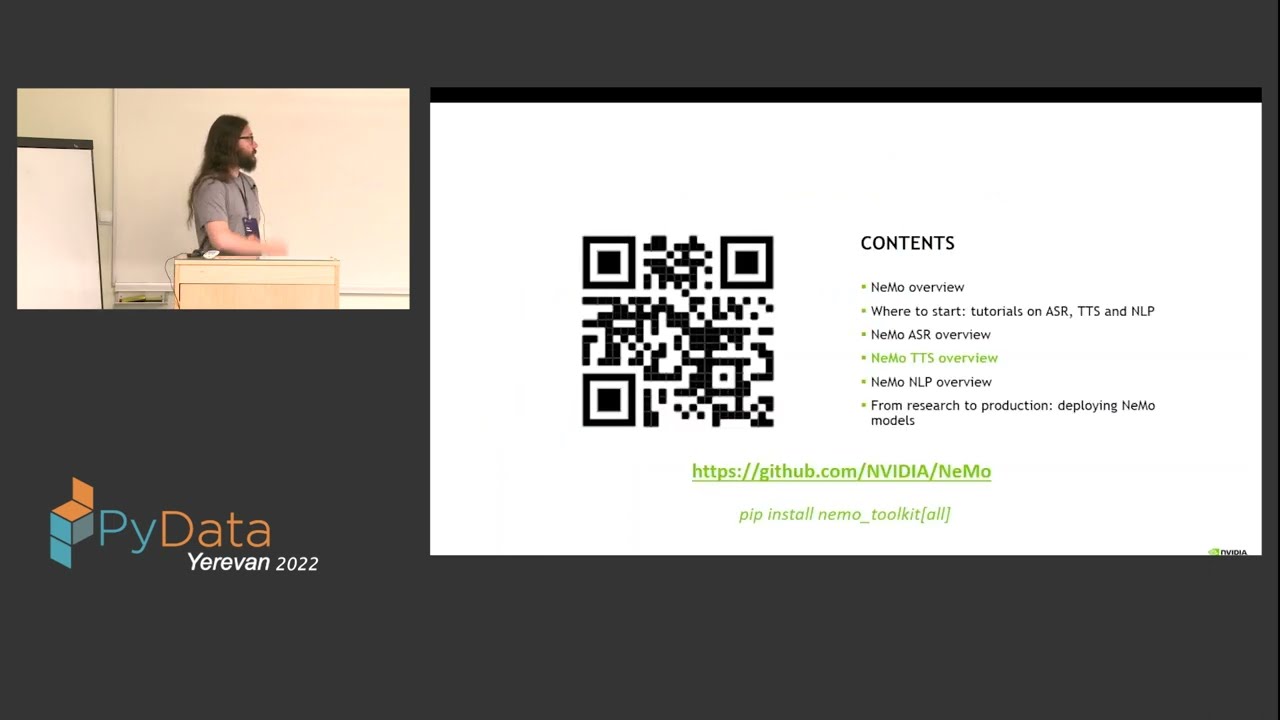
You can also get a high-level overview of NeMo by watching the talk NVIDIA NeMo: Toolkit for Conversational AI, presented at PyData Yerevan 2022:
|pydata|
.. |pydata| image:: https://img.youtube.com/vi/J-P6Sczmas8/maxres3.jpg
:target: https://www.youtube.com/embed/J-P6Sczmas8?mute=0&start=14&autoplay=0
:width: 600
:alt: NeMo presentation at PyData@Yerevan 2022
Getting help with NeMo
FAQ can be found on NeMo's Discussions board <https://github.com/NVIDIA/NeMo/discussions>_. You are welcome to ask questions or start discussions there.
Installation
Conda
We recommend installing NeMo in a fresh Conda environment.

.. code-block:: bash

    conda create --name nemo python==3.10.12
    conda activate nemo

Install PyTorch using their `configurator <https://pytorch.org/get-started/locally/>`_.

.. code-block:: bash

    conda install pytorch torchvision torchaudio pytorch-cuda=11.8 -c pytorch -c nvidia

The command used to install PyTorch may depend on your system. Please use the configurator linked above to find the right command for your system.

Pip
~~~
Use this installation mode if you want the latest released version.

.. code-block:: bash

    apt-get update && apt-get install -y libsndfile1 ffmpeg
    pip install Cython
    pip install nemo_toolkit['all']

Depending on the shell used, you may need to use ``"nemo_toolkit[all]"`` instead in the above command.

Pip from source
Use this installation mode if you want the version from a particular GitHub branch (e.g main).
.. code-block:: bash
apt-get update && apt-get install -y libsndfile1 ffmpeg
pip install Cython
python -m pip install git+https://github.com/NVIDIA/NeMo.git@{BRANCH}#egg=nemo_toolkit[all]
From source
Use this installation mode if you are contributing to NeMo.

.. code-block:: bash

    apt-get update && apt-get install -y libsndfile1 ffmpeg
    git clone https://github.com/NVIDIA/NeMo
    cd NeMo
    ./reinstall.sh

If you only want the toolkit without additional conda-based dependencies, you may replace ``reinstall.sh``
with ``pip install -e .`` when your PWD is the root of the NeMo repository.

Mac computers with Apple silicon
To install NeMo on Mac with Apple M-Series GPU:
create a new Conda environment
install PyTorch 2.0 or higher
run the following code:
.. code-block:: shell
# [optional] install mecab using Homebrew, to use sacrebleu for NLP collection
# you can install Homebrew here: https://brew.sh
brew install mecab

# [optional] install pynini using Conda, to use text normalization
conda install -c conda-forge pynini

# install Cython manually
pip install cython

# clone the repo and install in development mode
git clone https://github.com/NVIDIA/NeMo
cd NeMo
./reinstall.sh
RNNT
Note that RNNT requires numba to be installed from conda.

.. code-block:: bash

  conda remove numba
  pip uninstall numba
  conda install -c conda-forge numba

NeMo Megatron
NeMo Megatron training requires NVIDIA Apex to be installed.
Install it manually if not using the NVIDIA PyTorch container.
To install Apex, run
.. code-block:: bash
git clone https://github.com/NVIDIA/apex.git
cd apex
git checkout 52e18c894223800cb611682dce27d88050edf1de
pip install install -v --no-build-isolation --disable-pip-version-check --no-cache-dir --config-settings "--build-option=--cpp_ext --cuda_ext --fast_layer_norm --distributed_adam --deprecated_fused_adam" ./
It is highly recommended to use the NVIDIA PyTorch or NeMo container if having issues installing Apex or any other dependencies.
While installing Apex, it may raise an error if the CUDA version on your system does not match the CUDA version torch was compiled with.
This raise can be avoided by commenting it here: https://github.com/NVIDIA/apex/blob/master/setup.py#L32
cuda-nvprof is needed to install Apex. The version should match the CUDA version that you are using:
.. code-block:: bash
conda install -c nvidia cuda-nvprof=11.8
packaging is also needed:
.. code-block:: bash
pip install packaging
With the latest versions of Apex, the pyproject.toml file in Apex may need to be deleted in order to install locally.
Transformer Engine
NeMo Megatron GPT has been integrated with `NVIDIA Transformer Engine <https://github.com/NVIDIA/TransformerEngine>`_
Transformer Engine enables FP8 training on NVIDIA Hopper GPUs.
`Install <https://docs.nvidia.com/deeplearning/transformer-engine/user-guide/installation.html>`_ it manually if not using the NVIDIA PyTorch container.

.. code-block:: bash

  pip install --upgrade git+https://github.com/NVIDIA/TransformerEngine.git@stable

It is highly recommended to use the NVIDIA PyTorch or NeMo container if having issues installing Transformer Engine or any other dependencies.

Transformer Engine requires PyTorch to be built with CUDA 11.8.


Flash Attention
Transformer Engine already supports Flash Attention for GPT models. If you want to use Flash Attention for non-causal models, please install flash-attn <https://github.com/HazyResearch/flash-attention>. If you want to use Flash Attention with attention bias (introduced from position encoding, e.g. Alibi), please also install triton pinned version following the implementation <https://github.com/Dao-AILab/flash-attention/blob/main/flash_attn/flash_attn_triton.py#L3>.
.. code-block:: bash
pip install flash-attn
pip install triton==2.0.0.dev20221202
NLP inference UI
To launch the inference web UI server, please install the gradio `gradio <https://gradio.app/>`_.

.. code-block:: bash

  pip install gradio==3.34.0

NeMo Text Processing
NeMo Text Processing, specifically (Inverse) Text Normalization, is now a separate repository https://github.com/NVIDIA/NeMo-text-processing <https://github.com/NVIDIA/NeMo-text-processing>_.
Docker containers:
We release NeMo containers alongside NeMo releases. For example, NeMo ``r1.21.0`` comes with container ``nemo:23.08``, you may find more details about released containers in `releases page <https://github.com/NVIDIA/NeMo/releases>`_.

To use built container, please run

.. code-block:: bash

    docker pull nvcr.io/nvidia/nemo:23.08

To build a nemo container with Dockerfile from a branch, please run

.. code-block:: bash

    DOCKER_BUILDKIT=1 docker build -f Dockerfile -t nemo:latest .


If you choose to work with the main branch, we recommend using NVIDIA's PyTorch container version 23.08-py3 and then installing from GitHub.

.. code-block:: bash

    docker run --gpus all -it --rm -v <nemo_github_folder>:/NeMo --shm-size=8g \
    -p 8888:8888 -p 6006:6006 --ulimit memlock=-1 --ulimit \
    stack=67108864 --device=/dev/snd nvcr.io/nvidia/pytorch:23.08-py3

Examples
--------

Many examples can be found under the `"Examples" <https://github.com/NVIDIA/NeMo/tree/stable/examples>`_ folder.


Contributing
------------

We welcome community contributions! Please refer to `CONTRIBUTING.md <https://github.com/NVIDIA/NeMo/blob/stable/CONTRIBUTING.md>`_ for the process.

Publications
------------

We provide an ever-growing list of `publications <https://nvidia.github.io/NeMo/publications/>`_ that utilize the NeMo framework.

If you would like to add your own article to the list, you are welcome to do so via a pull request to this repository's ``gh-pages-src`` branch.
Please refer to the instructions in the `README of that branch <https://github.com/NVIDIA/NeMo/tree/gh-pages-src#readme>`_.

License
-------
NeMo is released under an `Apache 2.0 license <https://github.com/NVIDIA/NeMo/blob/stable/LICENSE>`_.

---

## File: docs/README.md

# Documentation Process for NeMo Speech

## Building the Documentation

1. Install the documentation dependencies into the locked `uv` environment:

   ```console
   $ uv sync --locked --group docs
   ```

1. Build the documentation:

   ```console
   $ uv run make -C docs html
   ```

## Checking for Broken Links

1. Build the documentation, as described in the preceding section, but use the following command:

   ```shell
   uv run make -C docs clean linkcheck
   ```

1. Run the link-checking script:

   ```shell
   ./docs/check_for_broken_links.sh
   ```

If there are no broken links, then the script exits with `0`.

If the script produces any output, cut and paste the `uri` value into your browser to confirm
that the link is broken.

```json
{
  "filename": "nlp/text_normalization/nn_text_normalization.rst",
  "lineno": 247,
  "status": "broken",
  "code": 0,
  "uri": "https://research.fb.com/wp-content/uploads/2019/03/Neural-Models-of-Text-Normalization-for-Speech-Applications.pdf",
  "info": "400 Client Error: Bad Request for url: https://research.facebook.com/wp-content/uploads/2019/03/Neural-Models-of-Text-Normalization-for-Speech-Applications.pdf"
}
```

If the link is OK, and this is the case with many URLs that reference GitHub repository file headings,
then cut and paste the JSON output and add it to `docs/false_positives.json`.
Run the script again to confirm that the URL is no longer reported as a broken link.

There may be false positives due to Sphinx not being able to detect links from built html files.
Instead of adding those to the `docs/false_positives.json` file, it would be best to rewrite the
reference using a [:ref:](https://www.sphinx-doc.org/en/master/usage/referencing.html#role-ref).

For example, instead of writing `Modules <../api.html#modules>` to link to the modules section of
a `api.rst` file, write it as ``:ref:`Modules <asr-api-modules>` ``. And in the `api.rst` file, add
this label before the section being linked to:

```
.. _asr-api-modules:
```