{"owner":"graphql-hive","repo":"graphql-yoga","hasSkills":true,"totalSkillsCount":55,"totalTokensCount":38446,"categories":["anthropic-skill","plugin-manifest"],"hasMcp":false,"mcpConfig":null,"found":["envelop-website/content/docs/plugins/meta.json","packages/envelop/README.md","packages/envelop/core/README.md","packages/envelop/core/docs/use-engine.md","packages/envelop/core/docs/use-error-handler.md","packages/envelop/core/docs/use-extend-context.md","packages/envelop/core/docs/use-logger.md","packages/envelop/core/docs/use-masked-errors.md","packages/envelop/core/docs/use-payload-formatter.md","packages/envelop/core/docs/use-schema-by-context.md","packages/envelop/core/docs/use-schema.md","packages/envelop/core/docs/use-validation-rule.md","packages/envelop/instrumentation/README.md","packages/envelop/plugins/apollo-datasources/README.md","packages/envelop/plugins/apollo-federation/README.md","packages/envelop/plugins/apollo-server-errors/README.md","packages/envelop/plugins/apollo-tracing/README.md","packages/envelop/plugins/auth0/README.md","packages/envelop/plugins/dataloader/README.md","packages/envelop/plugins/depth-limit/README.md","packages/envelop/plugins/disable-introspection/README.md","packages/envelop/plugins/execute-subscription-event/README.md","packages/envelop/plugins/extended-validation/README.md","packages/envelop/plugins/filter-operation-type/README.md","packages/envelop/plugins/fragment-arguments/README.md","packages/envelop/plugins/generic-auth/README.md","packages/envelop/plugins/graphql-jit/README.md","packages/envelop/plugins/graphql-middleware/README.md","packages/envelop/plugins/graphql-modules/README.md","packages/envelop/plugins/immediate-introspection/README.md","packages/envelop/plugins/live-query/README.md","packages/envelop/plugins/newrelic/README.md","packages/envelop/plugins/on-resolve/README.md","packages/envelop/plugins/opentelemetry/README.md","packages/envelop/plugins/operation-field-permissions/README.md","packages/envelop/plugins/parser-cache/README.md","packages/envelop/plugins/persisted-operations/README.md","packages/envelop/plugins/preload-assets/README.md","packages/envelop/plugins/prometheus/README.md","packages/envelop/plugins/rate-limiter/README.md","packages/envelop/plugins/resource-limitations/README.md","packages/envelop/plugins/response-cache-cloudflare-kv/README.md","packages/envelop/plugins/response-cache-redis/README.md","packages/envelop/plugins/response-cache/README.md","packages/envelop/plugins/sentry/README.md","packages/envelop/plugins/statsd/README.md","packages/envelop/plugins/validation-cache/README.md","packages/event-target/redis-event-target/README.md","packages/event-target/typed-event-target/README.md","packages/graphiql/README.md","packages/graphql-yoga/README.md","packages/nestjs-federation/README.md","packages/nestjs/README.md","packages/plugins/apollo-managed-federation/README.md","packages/plugins/response-cache/README.md"],"skills":{"envelop-website/content/docs/plugins/meta.json":"{\n \"pages\": [\"index\", \"custom-plugin\", \"lifecycle\", \"testing\", \"typescript\"],\n \"title\": \"Plugins\"\n}\n","packages/envelop/README.md":"## Envelop\n\n`envelop` is a lightweight JavaScript (/TypeScript) library for wrapping GraphQL execution layer and\nflow, allowing developers to develop, share and collaborate on GraphQL-related plugins while filling\nthe missing pieces in GraphQL implementations.\n\n`envelop` aims to extend the GraphQL execution flow by adding plugins that enrich the feature set of\nyour application.\n\n
\n \n
\n\n`@envelop/core`:\n[](https://www.npmjs.com/package/@envelop/core)\n\n> Envelop is created and maintained by [The Guild](https://the-guild.dev/), and used in production\n> by our clients.\n\n### [Envelop Key Concepts](<(https://www.envelop.dev/docs#key-concepts)>)\n\n- Lightweight\n- Wraps the entire GraphQL pipeline, based on plugins\n- Low-level API for extending the execution layer\n- Agnostic to GraphQL Engine\n- Agnostic to the HTTP layer\n- Agnostic to the schema tools\n- Plugins-based usage\n- No vendor lock-in\n- Amazing TypeScript support\n\n[You can read more about the key concepts or Envelop here](https://www.envelop.dev/docs#key-concepts)\n\n## [Getting Started](https://www.envelop.dev/docs/getting-started)\n\nStart by adding the core of Envelop to your codebase:\n\n```\nyarn add graphql @envelop/core\n```\n\nThen, create a simple Envelop based on your GraphQL schema:\n\n```ts\nimport * as GraphQLJS from 'graphql'\nimport { envelop, useEngine, useSchema } from '@envelop/core'\n\nconst mySchema = buildSchema(/* ... */) // GraphQLSchema\n\nconst getEnveloped = envelop({\n plugins: [useEngine(GraphQLJS), useSchema(mySchema)]\n})\n```\n\nThe result of `envelop` is a function that allows you to get everything you need for the GraphQL\nexecution: `parse`, `validate`, `contextBuilder` and `execute`. Use that to run the client's GraphQL\nqueries. Here's a pseudo-code example of how it should look like:\n\n```ts\nconst httpServer = createServer()\n\nhttpServer.on('request', async (req, res) => {\n // Here you get the alternative methods that are bundled with your plugins\n // You can also pass the \"req\" to make it available for your plugins or GraphQL context.\n const { parse, validate, contextFactory, execute, schema } = getEnveloped({ req })\n\n // Parse the initial request and validate it\n const { query, variables } = JSON.parse(req.payload)\n const document = parse(query)\n const validationErrors = validate(schema, document)\n\n if (validationErrors.length > 0) {\n return res.end(JSON.stringify({ errors: validationErrors }))\n }\n\n // Build the context and execute\n const context = await contextFactory(req)\n const result = await execute({\n document,\n schema,\n variableValues: variables,\n contextValue: context\n })\n\n // Send the response\n res.end(JSON.stringify(result))\n})\n\nhttpServer.listen(3000)\n```\n\nBehind the scenes, this simple workflow allows you to use **Envelop plugins** and hook into the\nentire request handling flow.\n\nHere's a simple example for collecting metrics and logging all incoming requests, using the built-in\nplugins:\n\n```ts\nconst getEnveloped = envelop({\n plugins: [useEngine(GraphQLJS), useSchema(schema), useLogger(), useTiming()]\n})\n```\n\n> [You can read more about here](https://www.envelop.dev/docs/getting-started)\n\n## [Integrations / Examples](https://www.envelop.dev/docs/integrations)\n\n[You can find the integrations and compatibility list, and code-based examples here](https://www.envelop.dev/docs/integrations)\n\n## Available Plugins\n\nYou can explore all plugins in our [Plugins Hub](https://www.envelop.dev/plugins). If you wish your\nplugin to be listed here and under PluginsHub, feel free to add your plugin information\n[in this file](https://github.com/graphql-hive/envelop/edit/main/website/src/lib/plugins.ts#L23) and\ncreate a Pull Request!\n\nWe provide a few built-in plugins within the `@envelop/core`, and many more plugins as standalone\npackages.\n\n**[Envelop's Plugin Hub](https://www.envelop.dev/plugins)**\n\n## Sharing / Composing `envelop`s\n\nAfter an `envelop` has been created, you can share it with others as a complete layer of plugins.\nThis is useful if you wish to create a predefined layer of plugins, and share it with others. You\ncan use it as a shell and as a base for writing shareable pieces of servers.\n\nYou can read more about\n[Sharing and Composing Envelops here](https://www.envelop.dev/docs/composing-envelop).\n\n## Write your own plugin!\n\nEnvelop plugins are just objects with functions, that provide contextual implementation for\nbefore/after each phase, with a flexible API.\n\nHere's a simple example that allows you to print the execution params:\n\n```ts\nconst myPlugin = {\n onExecute({ args }) {\n console.log('Execution started!', { args })\n\n return {\n onExecuteDone({ result }) {\n console.log('Execution done!', { result })\n }\n }\n }\n}\n\nconst getEnveloped = envelop({\n plugins: [\n /// ... other plugins ...,\n myPlugin\n ]\n})\n```\n\n[For a complete guide and API docs for custom plugins, please refer to Envelop website](https://www.envelop.dev/docs/plugins)\n\n### Contributing\n\nIf this is your first time contributing to this project, please do read our\n[Contributor Workflow Guide](https://github.com/the-guild-org/Stack/blob/master/CONTRIBUTING.md)\nbefore you get started off.\n\nFeel free to open issues and pull requests. We always welcome support from the community.\n\n### Code of Conduct\n\nHelp us keep Envelop open and inclusive. Please read and follow our\n[Code of Conduct](https://github.com/the-guild-org/Stack/blob/master/CODE_OF_CONDUCT.md) as adopted\nfrom [Contributor Covenant](https://www.contributor-covenant.org/)\n\n### License\n\n[](https://raw.githubusercontent.com/graphql-hive/envelop/master/LICENSE)\n\nMIT\n","packages/envelop/core/README.md":"## `@envelop/core`\n\nThis is the core package for Envelop. You can find a complete documentation here:\nhttps://github.com/graphql-hive/envelop\n\n### Built-in plugins\n\n- [`useSchema`](./docs/use-schema.md)\n- [`useSchemaByContext`](./docs/use-schema-by-context.md)\n- [`useErrorHandler`](./docs/use-error-handler.md)\n- [`useExtendContext`](./docs/use-extend-context.md)\n- [`useLogger`](./docs/use-logger.md)\n- [`useMaskedErrors`](./docs/use-masked-errors.md)\n- [`usePayloadFormatter`](./docs/use-payload-formatter.md)\n- [`useEngine`](./docs/use-engine.md)\n- [`useValidationRule`](./docs/use-validation-rule.md)\n","packages/envelop/core/docs/use-engine.md":"#### `useEngine`\n\nThis plugin can be used to customize the GraphQL Engine.\n\n```ts\nimport { execute, parse, specifiedRules, subscribe, validate } from 'graphql'\nimport { envelop, useEngine } from '@envelop/core'\n\nconst getEnveloped = envelop({\n plugins: [\n useEngine({\n parse,\n validate,\n specifiedRules,\n execute,\n subscribe\n })\n ]\n})\n```\n","packages/envelop/core/docs/use-error-handler.md":"#### `useErrorHandler`\n\nThis plugin triggers a custom function when execution encounters an error.\n\n```ts\nimport { execute, parse, specifiedRules, subscribe, validate } from 'graphql'\nimport { envelop, useEngine, useErrorHandler } from '@envelop/core'\n\nconst getEnveloped = envelop({\n plugins: [\n useEngine({ parse, validate, specifiedRules, execute, subscribe }),\n useErrorHandler((errors, args) => {\n // This callback is called once, containing all GraphQLError emitted during execution phase\n })\n // ... other plugins ...\n ]\n})\n```\n","packages/envelop/core/docs/use-extend-context.md":"#### `useExtendContext`\n\nEasily extends the context with custom fields.\n\n```ts\nimport { execute, parse, specifiedRules, subscribe, validate } from 'graphql'\nimport { envelop, useEngine, useExtendContext } from '@envelop/core'\n\nconst getEnveloped = envelop({\n plugins: [\n useEngine({ parse, validate, specifiedRules, execute, subscribe }),\n useExtendContext(async contextSoFar => {\n return {\n myCustomField: {\n /* ... */\n }\n }\n })\n // ... other plugins ...\n ]\n})\n```\n","packages/envelop/core/docs/use-logger.md":"#### `useLogger`\n\nLogs parameters and information about the execution phases. You can easily plug your custom logger.\n\n```ts\nimport { execute, parse, subscribe, validate } from 'graphql'\nimport { envelop, specifiedRules, useEngine, useLogger } from '@envelop/core'\n\nconst getEnveloped = envelop({\n plugins: [\n useEngine({ parse, validate, specifiedRules, execute, subscribe }),\n useLogger({\n logFn: (eventName, args) => {\n // Event could be `execute-start` / `execute-end` / `subscribe-start` / `subscribe-end`\n // `args` will include the arguments passed to execute/subscribe (in case of \"start\" event) and additional result in case of \"end\" event.\n }\n })\n // ... other plugins ...\n ]\n})\n```\n","packages/envelop/core/docs/use-masked-errors.md":"#### `useMaskedErrors`\n\nPrevent unexpected error messages from leaking to the GraphQL clients.\n\n```ts\nimport {\n execute,\n GraphQLError,\n makeExecutableSchema,\n parse,\n specifiedRules,\n subscribe,\n validate\n} from 'graphql'\nimport { envelop, useEngine, useMaskedErrors, useSchema } from '@envelop/core'\n\nconst schema = makeExecutableSchema({\n typeDefs: /* GraphQL */ `\n type Query {\n something: String!\n somethingElse: String!\n somethingSpecial: String!\n }\n `,\n resolvers: {\n Query: {\n something: () => {\n throw new GraphQLError('Error that is propagated to the clients.')\n },\n somethingElse: () => {\n throw new Error(\"Unsafe error that will be masked as 'Unexpected Error.'.\")\n },\n somethingSpecial: () => {\n throw new GraphQLError('The error will have an extensions field.', {\n code: 'ERR_CODE',\n randomNumber: 123\n })\n }\n }\n }\n})\n\nconst getEnveloped = envelop({\n plugins: [\n useEngine({ parse, validate, specifiedRules, execute, subscribe }),\n useSchema(schema),\n useMaskedErrors()\n ]\n})\n```\n\nYou may customize the default error message `Unexpected error.` with your own `errorMessage`:\n\n```ts\nimport { execute, parse, specifiedRules, subscribe, validate } from 'graphql'\nimport { envelop, useEngine, useMaskedErrors, useSchema } from '@envelop/core'\nimport { schema } from './schema'\n\nconst getEnveloped = envelop({\n plugins: [\n useEngine({ parse, validate, specifiedRules, execute, subscribe }),\n useSchema(schema),\n useMaskedErrors({ errorMessage: 'Something went wrong.' })\n ]\n})\n```\n\nOr provide a custom formatter when masking the output:\n\n```ts\nimport { execute, GraphQLError, parse, specifiedRules, subscribe, validate } from 'graphql'\nimport { isGraphQLError, MaskError, useEngine } from '@envelop/core'\n\nexport const customFormatError: MaskError = err => {\n if (isGraphQLError(err)) {\n return new GraphQLError('Sorry, something went wrong.')\n }\n\n return err\n}\n\nconst getEnveloped = envelop({\n plugins: [\n useEngine({ parse, validate, specifiedRules, execute, subscribe }),\n useSchema(schema),\n useMaskedErrors({ maskError: customFormatError })\n ]\n})\n```\n","packages/envelop/core/docs/use-payload-formatter.md":"#### `usePayloadFormatter`\n\nAllow you to format/modify execution result payload before returning it to your consumer.\n\nThe second argument `executionArgs` provides additional information for your formatter. It consists\nof contextValue, variableValues, document, operationName, and other properties.\n\n```ts\nimport { execute, parse, subscribe, validate } from 'graphql'\nimport { envelop, useEngine, usePayloadFormatter } from '@envelop/core'\n\nconst getEnveloped = envelop({\n plugins: [\n useEngine({ parse, validate, specifiedRules, execute, subscribe }),\n usePayloadFormatter((result, executionArgs) => {\n // Return a modified result here,\n // Or `false`y value to keep it as-is.\n })\n // ... other plugins ...\n ]\n})\n```\n","packages/envelop/core/docs/use-schema-by-context.md":"#### `useSchemaByContext`\n\nThis plugin is the simplest plugin for specifying your GraphQL schema. You can specify a schema\ncreated from any tool that emits `GraphQLSchema` object, and you can choose to load the schema based\non the initial context (or the incoming request).\n\n```ts\nimport { execute, parse, specifiedRules, subscribe, validate } from 'graphql'\nimport { envelop, useEngine, useSchemaByContext } from '@envelop/core'\n\nasync function getSchema({ req }): GraphQLSchema {\n if (req.isAdmin) {\n return adminSchema\n }\n\n return userSchema\n}\n\nconst getEnveloped = envelop({\n plugins: [\n useEngine({ parse, validate, specifiedRules, execute, subscribe }),\n useSchemaByContext(getSchema)\n // ... other plugins ...\n ]\n})\n```\n","packages/envelop/core/docs/use-schema.md":"#### `useSchema`\n\nThis plugin is the simplest plugin for specifying your GraphQL schema. You can specify a schema\ncreated from any tool that emits `GraphQLSchema` object.\n\n```ts\nimport { execute, parse, specifiedRules, subscribe, validate } from 'graphql'\nimport { envelop, useEngine, useSchema } from '@envelop/core'\n\nconst mySchema = buildSchema(/* ... */)\n\nconst getEnveloped = envelop({\n plugins: [\n useEngine({ parse, validate, specifiedRules, execute, subscribe }),\n useSchema(mySchema)\n // ... other plugins ...\n ]\n})\n```\n","packages/envelop/core/docs/use-validation-rule.md":"#### `useValidationRule`\n\nThis plugin is the simplest plugin for adding a validation rule to your GraphQL schema. You can\nspecify any function that conforms to\n[the `ValidationRule` type](https://github.com/graphql/graphql-js/blob/8a95335f545024c09abfa0f07cc326f73a0e466f/src/validation/ValidationContext.ts#L269).\n\n```ts\nimport { execute, parse, specifiedRules, subscribe, validate } from 'graphql'\nimport { envelop, useEngine, useValidationRule } from '@envelop/core'\nimport { depthLimit } from '@graphile/depth-limit'\n\nconst getEnveloped = envelop({\n plugins: [\n useEngine({ parse, validate, specifiedRules, execute, subscribe }),\n useValidationRule(\n depthLimit({\n maxDepth: 12,\n maxListDepth: 4,\n maxSelfReferentialDepth: 2\n })\n )\n // ... other plugins ...\n ]\n})\n```\n","packages/envelop/instrumentation/README.md":"## `@envelop/instrumentation`\n\nThis package contains utility functions and types to ease the use of instrumentation accross\nEnvelop, Yoga, whatwg-node and Hive Gateway plugins.\n\n> [!NOTE] Instrumentation are automatically composed together. This should only be used if the\n> default ordering doesn't suit your needs (ie. instrumentation and hooks should be executed in\n> different order)\n\n## `composeInstrumentation(instrumentation: Instrumentation[]): Instrumentation`\n\nThis function composes all the instrumentation into one. The instrumentation will be called in the\nsame order as they are in the array (from top to bottom).\n\n```ts\nimport { composeInstrumentation } from '@envelop/instrumentation'\n\n// Extract instrumentation to compose from their plugins\nconst { instrumentation: instrumentation1, ...plugin1 } = usePlugin1()\nconst { instrumentation: instrumentation2, ...plugin2 } = usePlugin2()\n\nconst getEnveloped = envelop({\n plugins: [\n plugin1,\n plugin2,\n // Plugin instrumentation and plugin hooks will be executed in a different order\n { instrumentation: composeInstrumentation([instrumentation1, instrumentation2]) }\n ]\n})\n```\n","packages/envelop/plugins/apollo-datasources/README.md":"## `@envelop/apollo-datasources`\n\nThis plugin integrates Apollo DataSources into Envelop.\n\n## Getting Started\n\n```\nyarn add @envelop/apollo-datasources\n```\n\n## Usage Example\n\n```ts\nimport { RESTDataSource } from 'apollo-datasource-rest'\nimport { execute, parse, specifiedRules, subscribe, validate } from 'graphql'\nimport { useApolloDataSources } from '@envelop/apollo-datasources'\nimport { envelop, useEngine } from '@envelop/core'\n\nclass MoviesAPI extends RESTDataSource {\n constructor() {\n super()\n this.baseURL = 'https://movies-api.example.com/'\n }\n\n async getMovie(id) {\n return this.get(`movies/${encodeURIComponent(id)}`)\n }\n\n async getMostViewedMovies(limit = 10) {\n const data = await this.get('movies', {\n per_page: limit,\n order_by: 'most_viewed'\n })\n return data.results\n }\n}\n\nconst getEnveloped = envelop({\n plugins: [\n useEngine({ parse, validate, specifiedRules, execute, subscribe }),\n // ... other plugins ...\n useApolloDataSources({\n dataSources() {\n return {\n moviesAPI: new MoviesAPI()\n }\n }\n // To provide a custom cache, you can use the following code (InMemoryLRUCache is used by default):\n // cache: new YourCustomCache()\n })\n ]\n})\n```\n","packages/envelop/plugins/apollo-federation/README.md":"## `@envelop/apollo-federation`\n\nThis plugin integrates Apollo Federation Gateway into Envelop.\n\n## Getting Started\n\n```\nyarn add @envelop/apollo-federation\n```\n\n## Usage Example\n\n```ts\nimport { execute, parse, specifiedRules, subscribe, validate } from 'graphql'\nimport { ApolloGateway } from '@apollo/gateway'\nimport { useApolloFederation } from '@envelop/apollo-federation'\nimport { envelop, useEngine } from '@envelop/core'\n\n// Initialize the gateway\nconst gateway = new ApolloGateway({\n serviceList: [\n { name: 'accounts', url: 'http://localhost:4001' },\n { name: 'products', url: 'http://localhost:4002' }\n // ...additional subgraphs...\n ]\n})\n\n// Make sure all services are loaded\nawait gateway.load()\n\n// Then pass it to the plugin configuration\nconst getEnveloped = envelop({\n plugins: [\n useEngine({ parse, validate, specifiedRules, execute, subscribe }),\n // ... other plugins ...\n useApolloFederation({ gateway })\n ]\n})\n```\n","packages/envelop/plugins/apollo-server-errors/README.md":"## `@envelop/apollo-server-errors`\n\nThis plugin exposes the same error structure as `apollo-server`. Use this plugin if you are moving\nto Envelop, and wish to get a compatibility layer for your errors, to make sure the clients receive\nthe same output.\n\n## Getting Started\n\n```\nyarn add @envelop/apollo-server-errors\n```\n\n## Usage Example\n\n```ts\nimport { execute, parse, specifiedRules, subscribe, validate } from 'graphql'\nimport { useApolloServerErrors } from '@envelop/apollo-server-errors'\nimport { envelop, useEngine } from '@envelop/core'\n\nconst getEnveloped = envelop({\n plugins: [\n useEngine({ parse, validate, specifiedRules, execute, subscribe }),\n // ... other plugins ...\n useApolloServerErrors({\n // All fields are optional, and should match what you pass today to ApolloServer\n debug: true, //\n formatter: () => {}\n })\n ]\n})\n```\n","packages/envelop/plugins/apollo-tracing/README.md":"## `@envelop/apollo-tracing`\n\nThis plugin tracks execution and resolvers and reports it using\n[`apollo-tracing`](https://github.com/apollographql/apollo-server/tree/main/packages/apollo-tracing)\nformat (based on GraphQL `extensions`).\n\nYou can see the results of the collected metrics if you are using\n[GraphQL Playground](https://github.com/graphql/graphql-playground).\n\nThis is how it looks like (note the `TRACING` section):\n\n\n\n## Getting Started\n\n```\nyarn add @envelop/apollo-tracing\n```\n\n## Usage Example\n\n```ts\nimport { execute, parse, specifiedRules, subscribe, validate } from 'graphql'\nimport { useApolloTracing } from '@envelop/apollo-tracing'\nimport { envelop, useEngine } from '@envelop/core'\n\nconst getEnveloped = envelop({\n plugins: [\n useEngine({ parse, validate, specifiedRules, execute, subscribe }),\n // ... other plugins ...\n useApolloTracing()\n ]\n})\n```\n\n## Notes\n\nIt's recommended to keep this plugin active only while developing only, since it's mainly used for\nperformance tracking while developing.\n","packages/envelop/plugins/auth0/README.md":"## `@envelop/auth0`\n\nThis plugin validates an JWT token created by [Auth0](https://auth0.com/), and injects the Auth0\nuser properties into your GraphQL context. With this plugin, you can implement authentication and\nauthorization in a simple way.\n\n> The plugins is using [JWKS](https://auth0.com/docs/tokens/json-web-tokens/json-web-key-sets)\n> standard in order to validate the token.\n\n## Getting Started\n\nWe recommend using the\n[Adding Authentication with Auth0 guide](https://www.envelop.dev/docs/guides/adding-authentication-with-auth0)\nif this is your first time using this plugin!\n\n1. Sign up for [Auth0](https://auth0.com/), create a tenant based on your needs, and then create an\n Auth0 Application (https://auth0.com/docs/applications).\n2. Setup Auth0 client based on your client app. You should be able to login on your app, and get a\n JWT token from Auth0. Make sure to pass that token in your GraphQL requests sent to your server,\n using headers (for example: `Authorization: Bearer XYZ`). You can find more info here:\n https://auth0.com/docs/quickstart/spa\n3. From your tenant configuration screen, find your `audience` and `domain` configurations.\n4. Setup Envelop with that plugin:\n\n```ts\nimport { execute, parse, specifiedRules, subscribe, validate } from 'graphql'\nimport { useAuth0 } from '@envelop/auth0'\nimport { envelop, useEngine } from '@envelop/core'\n\nconst getEnveloped = envelop({\n plugins: [\n useEngine({ parse, validate, specifiedRules, execute, subscribe }),\n // ... other plugins ...\n useAuth0({\n onError: e => {}, // In case of an error, you can override it and customize the error your client will get.\n domain: 'YOUR_AUTH0_DOMAIN_HERE',\n audience: 'YOUR_AUTH0_AUDIENCE_HERE',\n headerName: 'authorization', // Name of the header\n preventUnauthenticatedAccess: true, // If you need to have unauthenticated parts on your schema, make sure to disable that by setting it to `false` and the check it in your resolvers.\n extendContextField: 'auth0', // The name of the field injected to your `context`\n tokenType: 'Bearer' // Type of token to expect in the header\n })\n ]\n})\n```\n\n5. Make sure to pass your request as part of the context building:\n\n```ts\nmyHttpServer.on('request', async req => {\n const { contextFactory } = getEnveloped({ req })\n const contextValue = await contextFactory({ req }) // Make sure to pass it here\n})\n```\n\n> By default, this plugins looks for `req` or `request` properties in your base context. If you need\n> to override it, please use `extractTokenFn` and you can customize it.\n\n6. You should now be able to validate user tokens, and if a user is valid, you can get the Auth0\n user id (called `sub`) as part of your `context` during execution:\n\n```ts\nconst myResolvers = {\n Query: {\n me: (root, args, context, info) => {\n const auth0UserId = context.auth0.sub\n }\n }\n}\n```\n\n### API Reference\n\n#### `jwksClientOptions`\n\nPass this to customize the JWKS client creation. See: https://github.com/auth0/node-jwks-rsa\n\n> Setting this will override any other options defined by this plugin.\n\n#### `jwtDecodeOptions`\n\nPass this to customize the JWT `decode` phase. See:\nhttps://www.npmjs.com/package/jws#jwsdecodesignature\n\n#### `jwtVerifyOptions`\n\nPass this to customize the JWT `verify` phase. See:\nhttps://github.com/auth0/node-jsonwebtoken#jwtverifytoken-secretorpublickey-options-callback\n\n#### `onError(e: Error)`\n\nBy default, this library will throw an error during context building if an error has happened.\n\nIf you wish to customize the error, you can add `onError` callback and throw a custom error based on\nyour needs.\n\n#### `preventUnauthenticatedAccess`\n\nBy default, this library will prevent execution flow and throw an error in case of an authentication\nerror.\n\nSetting this to `false` will lead to a `null` value in case of authentication issue (and `onError`\nwill still get called).\n\n#### `domain`\n\nSpecifies the Auth0 domain, please note that you need to specify that field with a protocol, for\nexample: `my-domain.us.auth0.com`\n\n#### `audience`\n\nSpecifies the Auth0 audience.\n\n#### `extractTokenFn(context: any)`\n\nIf you wish to customize the token extraction from your HTTP request, override this function. It\ngets the `context` built so far as an argument, and you can extract your auth token based on your\nsetup.\n\n#### `headerName` + `tokenType`\n\nIf `extractTokenFn` is not set, the default behavior of this plugin is to look for `req` and\n`request` in the context, then look for `headers` and look for `authentication` header (you can\ncustomize it with `headerName`). Then, it validates that the token is of type `Bearer` (you can\ncustomize it with `tokenType` option).\n\n#### `extendContextField`\n\nThe name of the field to inject to your `context`. When the user is valid, the decoded and verified\npayload of the JWT is injected. In most cases, the field that you need is `sub` (which refers to the\ninternal Auth0 user identifier).\n\nYou can read more about the token structure here:\nhttps://auth0.com/docs/tokens/json-web-tokens/json-web-token-structure\n\nBy default, the `auth0` value is used.\n\n## Notes\n\n> Make sure to specify `audience` field in the client, otherwise you'll get an opaque token instead\n> of a JWT token.\n","packages/envelop/plugins/dataloader/README.md":"## `@envelop/dataloader`\n\nThis plugin helps you to create a new [DataLoader](https://github.com/graphql/dataloader) instance\nevery time your context is being built. The created instance is injected into the `context` with the\nname you wish to use.\n\n## Getting Started\n\n```\nyarn add dataloader @envelop/dataloader\n```\n\n## Usage Example\n\n```ts\nimport DataLoader from 'dataloader'\nimport { execute, parse, specifiedRules, subscribe, validate } from 'graphql'\nimport { envelop, useEngine } from '@envelop/core'\nimport { useDataLoader } from '@envelop/dataloader'\n\nconst getEnveloped = envelop({\n plugins: [\n useEngine({ parse, validate, specifiedRules, execute, subscribe }),\n // ... other plugins ...\n useDataLoader('users', context => new DataLoader(keys => myBatchGetUsers(keys)))\n ]\n})\n```\n\nThen, when you need to use it in your resolvers, just take it from the context:\n\n```ts\nexport const resolvers = {\n Query: {\n user: (root, args, context, info) => {\n return context.users.load(args.id)\n }\n }\n}\n```\n\n## Notes\n\nThere are several ways to create and use DataLoader, please refer to:\nhttps://github.com/graphql/dataloader#caching-per-request for more details.\n","packages/envelop/plugins/depth-limit/README.md":"## `@envelop/depth-limit`\n\nThis plugins uses [`graphql-depth-limit`](https://www.npmjs.com/package/graphql-depth-limit) in\norder to limit the depth of executed selection sets (by injecting a new GraphQL validation rule into\nyour execution).\n\n## Getting Started\n\n```\nyarn add @envelop/depth-limit\n```\n\n## Usage Example\n\n```ts\nimport { execute, parse, specifiedRules, subscribe, validate } from 'graphql'\nimport { envelop, useEngine } from '@envelop/core'\nimport { useDepthLimit } from '@envelop/depth-limit'\n\nconst getEnveloped = envelop({\n plugins: [\n useEngine({ parse, validate, specifiedRules, execute, subscribe }),\n // ... other plugins ...\n useDepthLimit({\n maxDepth: 10\n // ignore: [ ... ] - you can set this to ignore specific fields or types\n })\n ]\n})\n```\n\n## Notes\n\nYou can find more details here: https://www.npmjs.com/package/graphql-depth-limit#documentation\n","packages/envelop/plugins/disable-introspection/README.md":"## `@envelop/disable-introspection`\n\nThis plugin injects the `NoSchemaIntrospectionCustomRule` validation rule exported from the\n`graphql` module to the validation phase for disabling introspection.\n\n## Getting Started\n\n```\nyarn add @envelop/disable-introspection\n```\n\n## Usage Example\n\n```ts\nimport { execute, parse, specifiedRules, subscribe, validate } from 'graphql'\nimport { envelop, useEngine } from '@envelop/core'\nimport { useDisableIntrospection } from '@envelop/disable-introspection'\n\nconst getEnveloped = envelop({\n plugins: [\n useEngine({ parse, validate, specifiedRules, execute, subscribe }),\n useDisableIntrospection()\n ]\n})\n```\n\n## Optional configuration\n\nThe plugin optionally accepts a configuration object:\n\n```\n{\n disableIf?: ({context, params}) => boolean\n}\n```\n\n- `disableIf`: A function that allow you to evaluate the need to disable introspection, based on the\n incoming operation. If introspection needs to be disabled/enabled based on the dynamic parameter\n (GraphQL operation, or, incoming request/headers), use this function to determine when\n introspection needs to be disabled. Return true for disabling the introspection for the incoming\n operation, or false to allow introspection.\n","packages/envelop/plugins/execute-subscription-event/README.md":"## `@envelop/execute-subscription-event`\n\nUtilities for hooking into the\n[ExecuteSubscriptionEvent]() phase.\n\n### `useContextValuePerExecuteSubscriptionEvent`\n\nCreate a new context object per `ExecuteSubscriptionEvent` phase, allowing to bypass common issues\nwith context objects such as [`DataLoader`](https://github.com/graphql-hive/envelop/issues/80)\n[caching](https://github.com/graphql/graphql-js/issues/894)\n[issues](https://github.com/apollographql/subscriptions-transport-ws/issues/330).\n\n```ts\nimport { execute, parse, specifiedRules, subscribe, validate } from 'graphql'\nimport { envelop, useEngine } from '@envelop/core'\nimport { useContextValuePerExecuteSubscriptionEvent } from '@envelop/execute-subscription-event'\nimport { createContext, createDataLoaders } from './context'\n\nconst getEnveloped = envelop({\n plugins: [\n useEngine({ parse, validate, specifiedRules, execute, subscribe }),\n useContext(() => createContext()),\n useContextValuePerExecuteSubscriptionEvent(() => ({\n // Existing context is merged with this context partial\n // By recreating the DataLoader we ensure no DataLoader caches from the previous event/initial field subscribe call are are hit\n contextPartial: {\n dataLoaders: createDataLoaders()\n }\n }))\n // ... other plugins ...\n ]\n})\n```\n\nAlternatively, you can also provide a callback that is invoked after each\n[`ExecuteSubscriptionEvent`]() phase.\n\n```ts\nimport { execute, parse, specifiedRules, subscribe, validate } from 'graphql'\nimport { envelop, useEngine } from '@envelop/core'\nimport { useContextValuePerExecuteSubscriptionEvent } from '@envelop/execute-subscription-event'\nimport { createContext, createDataLoaders } from './context'\n\nconst getEnveloped = envelop({\n plugins: [\n useEngine({ parse, validate, specifiedRules, execute, subscribe }),\n useContext(() => createContext()),\n useContextValuePerExecuteSubscriptionEvent(({ args }) => ({\n onEnd: () => {\n // Note that onEnd is invoked only after each ExecuteSubscriptionEvent phase\n // This means the initial event will still use the cache from potential subscribe dataloader calls\n // If you use this to clear DataLoader caches it is recommended to not do any DataLoader calls within your field subscribe function.\n args.contextValue.dataLoaders.users.clearAll()\n args.contextValue.dataLoaders.posts.clearAll()\n }\n }))\n // ... other plugins ...\n ]\n})\n```\n","packages/envelop/plugins/extended-validation/README.md":"## `@envelop/extended-validation`\n\nExtended validation plugin adds support for writing GraphQL validation rules, that has access to all\n`execute` parameters, including variables.\n\nWhile GraphQL supports fair amount of built-in validations, and validations could be extended, it's\ndoesn't expose `variables` to the validation rules, since operation variables are not available\nduring `validate` flow (it's only available through execution of the operation, after\ninput/variables coercion is done).\n\nThis plugin runs before `validate` but allow developers to write their validation rules in the same\nway GraphQL `ValidationRule` is defined (based on a GraphQL visitor).\n\n## Getting Started\n\nStart by installing the plugin:\n\n```\nyarn add @envelop/extended-validation\n```\n\nThen, use the plugin with your validation rules:\n\n```ts\nimport { execute, parse, specifiedRules, subscribe, validate } from 'graphql'\nimport { envelop, useEngine } from '@envelop/core'\nimport { useExtendedValidation } from '@envelop/extended-validation'\n\nconst getEnveloped = envelop({\n plugins: [\n useEngine({ parse, validate, specifiedRules, execute, subscribe }),\n useExtendedValidation({\n rules: [\n /* ... your rules here */\n ]\n })\n ]\n})\n```\n\nTo create your custom rules, implement the `ExtendedValidationRule` interface and return your\nGraphQL AST visitor.\n\nFor example:\n\n```ts\nimport { ExtendedValidationRule } from '@envelop/extended-validation'\n\nexport const MyRule: ExtendedValidationRule = (validationContext, executionArgs) => {\n return {\n OperationDefinition: node => {\n // This will run for every executed Query/Mutation/Subscription\n // And now you also have access to the execution params like variables, context and so on.\n // If you wish to report an error, use validationContext.reportError or throw an exception.\n }\n }\n}\n```\n\n## Built-in Rules\n\n### Union Inputs: `@oneOf`\n\nThis directive provides validation for input types and implements the concept of union inputs. You\ncan find the [complete spec RFC here](https://github.com/graphql/graphql-spec/pull/825).\n\nYou can use union inputs either via a the SDL flow, by annotating types and fields with `@oneOf` or\nvia the `extensions` field.\n\nFirst, make sure to add that rule to your plugin usage:\n\n```ts\nimport { execute, parse, specifiedRules, subscribe, validate } from 'graphql'\nimport { envelop, useEngine } from '@envelop/core'\nimport { OneOfInputObjectsRule, useExtendedValidation } from '@envelop/extended-validation'\n\nconst getEnveloped = envelop({\n plugins: [\n useEngine({ parse, validate, specifiedRules, execute, subscribe }),\n useExtendedValidation({\n rules: [OneOfInputObjectsRule]\n })\n ]\n})\n```\n\n#### Schema Directive Flow\n\nMake sure to include the following directive in your schema:\n\n```graphql\ndirective @oneOf on INPUT_OBJECT | FIELD_DEFINITION\n```\n\nThen, apply it to field definitions, or to a complete `input` type:\n\n```graphql\n## Apply to entire input type\ninput FindUserInput @oneOf {\n id: ID\n organizationAndRegistrationNumber: GraphQLInt\n}\n\n## Or, apply to a set of input arguments\n\ntype Query {\n foo(id: ID, str1: String, str2: String): String @oneOf\n}\n```\n\n#### Programmatic extensions flow\n\n```tsx\nconst GraphQLFindUserInput = new GraphQLInputObjectType({\n name: 'FindUserInput',\n fields: {\n id: {\n type: GraphQLID\n },\n organizationAndRegistrationNumber: {\n type: GraphQLInt\n }\n },\n extensions: {\n oneOf: true\n }\n})\n\nconst Query = new GraphQLObjectType({\n name: 'Query',\n fields: {\n foo: {\n type: GraphQLString,\n args: {\n id: {\n type: GraphQLID\n },\n str1: {\n type: GraphQLString\n },\n str2: {\n type: GraphQLString\n }\n },\n extensions: {\n oneOf: true\n }\n }\n }\n})\n```\n","packages/envelop/plugins/filter-operation-type/README.md":"## `@envelop/filter-operation-type`\n\nThis plugins injects a validation rule into the validation phase that only allows the specified\noperation types (e.g. `subscription`, `query` or `mutation`).\n\n## Getting Started\n\n```\nyarn add @envelop/filter-operation-type\n```\n\n## Usage Example\n\n```ts\nimport { execute, parse, specifiedRules, subscribe, validate } from 'graphql'\nimport { envelop, useEngine } from '@envelop/core'\nimport { useFilterAllowedOperations } from '@envelop/filter-operation-type'\n\nconst getEnveloped = envelop({\n // only allow execution of subscription operations\n plugins: [\n useEngine({ parse, validate, specifiedRules, execute, subscribe }),\n useFilterAllowedOperations(['subscription'])\n ]\n})\n```\n","packages/envelop/plugins/fragment-arguments/README.md":"## `@envelop/fragment-arguments`\n\nThis plugins replaces the default GraphQL `parser` with an extended version that supports setting\narguments on fragments.\n\nFor reference, see: https://github.com/graphql/graphql-js/pull/3152\n\nPLEASE DON'T USE THIS IN PRODUCTION!\n\n## Getting Started\n\n```\nyarn add @envelop/fragment-arguments\n```\n\n## Usage Example\n\n```ts\nimport { execute, parse, specifiedRules, subscribe, validate } from 'graphql'\nimport { envelop, useEngine } from '@envelop/core'\nimport { useFragmentArguments } from '@envelop/fragment-arguments'\n\nconst getEnveloped = envelop({\n plugins: [\n useEngine({ parse, validate, specifiedRules, execute, subscribe }),\n // ... other plugins ...\n useFragmentArguments()\n ]\n})\n```\n","packages/envelop/plugins/generic-auth/README.md":"## `@envelop/generic-auth`\n\nThis plugin allows you to implement custom authentication flow by providing a custom user resolver\nbased on the original HTTP request. The resolved user is injected into the GraphQL execution\n`context`, and you can use it in your resolvers to fetch the current user.\n\n> The plugin also comes with an optional `@authenticated` directive that can be added to your\n> GraphQL schema and helps you to protect your GraphQL schema in a declarative way.\n\nThere are several possible flows for using this plugin (see below for setup examples):\n\n- **Option #1 - Complete Protection**: protected the entire GraphQL schema from unauthenticated\n access. Allow unauthenticated access for certain fields by annotating them with a `@skipAuth`\n directive or `skipAuth` field extension.\n- **Option #2 - Manual Validation**: the plugin will just resolve the user and injects it into the\n `context` without validating access to schema field.\n- **Option #3 - Granular field access by using schema field directives or field extensions**: Look\n for an `@authenticated` directive or `authenticated` extension field and automatically protect\n those specific GraphQL fields.\n\n## Getting Started\n\nStart by installing the plugin:\n\n```\nyarn add @envelop/generic-auth\n```\n\nThen, define your authentication methods:\n\n1. Resolve your user from the request by implementing `resolveUserFn`:\n\nUse this method to only extract the user from the context, with any custom code, for example:\n\n```ts\nimport { ResolveUserFn } from '@envelop/generic-auth'\n\ntype UserType = {\n id: string\n}\n\nconst resolveUserFn: ResolveUserFn = async context => {\n // Here you can implement any custom sync/async code, and use the context built so far in Envelop and the HTTP request\n // to find the current user.\n // Common practice is to use a JWT token here, validate it, and use the payload as-is, or fetch the user from an external services.\n // Make sure to either return `null` or the user object.\n\n try {\n const user = await context.authApi.authenticateUser(context.req.headers.authorization)\n\n return user\n } catch (e) {\n console.error('Failed to validate token')\n\n return null\n }\n}\n```\n\n2. Define an optional validation method by implementing `validateUser`:\n\nThis method is optional; the default method will just verify the value returned by `resolveUser` and\nthrow an error in case of a false value (`false | null | undefined`).\n\n```ts\nimport { ValidateUserFn } from '@envelop/generic-auth'\n\nconst validateUser: ValidateUserFn = params => {\n // Here you can implement any custom to check if the user is valid and have access to the server.\n // This method is being triggered in different flows, based on the mode you chose to implement.\n\n // If you are using the `protect-auth-directive` mode, you'll also get 2 additional parameters: the resolver parameters as object and the DirectiveNode of the auth directive.\n // In `protect-auth-directive` mode, this function will always get called and you can use these parameters to check if the field has the `@authenticated` or `@skipAuth` directive\n\n if (!user) {\n return new Error(`Unauthenticated!`)\n }\n}\n```\n\nNow, configure your plugin based on the mode you wish to use:\n\n#### Option #1 - `protect-all`\n\nThis mode offers complete protection for the entire API. It protects your entire GraphQL schema by\nvalidating the user before executing the request. You can optionally skip auth validation for\nspecific GraphQL fields by using the `@skipAuth` directive.\n\nTo setup this mode, use the following config:\n\n```ts\nimport { execute, parse, specifiedRules, subscribe, validate } from 'graphql'\nimport { envelop, useEngine } from '@envelop/core'\nimport { ResolveUserFn, useGenericAuth, ValidateUserFn } from '@envelop/generic-auth'\n\ntype UserType = {\n id: string\n}\nconst resolveUserFn: ResolveUserFn = async context => {\n /* ... */\n}\nconst validateUser: ValidateUserFn = params => {\n /* ... */\n}\n\nconst getEnveloped = envelop({\n plugins: [\n useEngine({ parse, validate, specifiedRules, execute, subscribe }),\n // ... other plugins ...\n useGenericAuth({\n resolveUserFn,\n validateUser,\n mode: 'protect-all'\n })\n ]\n})\n```\n\n##### Allow unauthenticated access for specific fields using a field `directive`\n\n> By default, we assume that you have the GraphQL directive definition as part of your GraphQL\n> schema (`directive @skipAuth on FIELD_DEFINITION`).\n\nThen, in your GraphQL schema SDL, you can add `@skipAuth` directive to your fields, and the default\n`validateUser` function will not get called while resolving that specific field:\n\n```graphql\ntype Query {\n me: User!\n protectedField: String\n publicField: String @skipAuth\n}\n```\n\n> You can apply that directive to any GraphQL `field` definition, not only to root fields.\n\n> If you are using a different directive for authentication, you can pass `authDirectiveName`\n> configuration to customize it.\n\n##### Allow unauthenticated access for specific fields using a field extension\n\n```typescript\nimport { GraphQLInt, GraphQLObjectType } from 'graphql'\n\nconst GraphQLQueryType = new GraphQLObjectType({\n name: 'Query',\n fields: {\n foo: {\n type: GraphQLInt,\n resolve: () => 1,\n extensions: {\n directives: {\n skipAuth: true\n }\n }\n }\n }\n})\n```\n\n> If you want to use a different directive for authentication, you can use the `authDirectiveName`\n> configuration to customize it.\n\n#### Option #2 - `resolve-only`\n\nThis mode uses the plugin to inject the authenticated user into the `context`, and later you can\nverify it in your resolvers.\n\n```ts\nimport { execute, parse, specifiedRules, subscribe, validate } from 'graphql'\nimport { envelop, useEngine } from '@envelop/core'\nimport { ResolveUserFn, useGenericAuth, ValidateUserFn } from '@envelop/generic-auth'\n\ntype UserType = {\n id: string\n}\nconst resolveUserFn: ResolveUserFn = async context => {\n /* ... */\n}\nconst validateUser: ValidateUserFn = params => {\n /* ... */\n}\n\nconst getEnveloped = envelop({\n plugins: [\n useEngine({ parse, validate, specifiedRules, execute, subscribe }),\n // ... other plugins ...\n useGenericAuth({\n resolveUserFn,\n validateUser,\n mode: 'resolve-only'\n })\n ]\n})\n```\n\nThen, in your resolvers, you can execute the check method based on your needs:\n\n```ts\nconst resolvers = {\n Query: {\n me: async (root, args, context) => {\n const validationError = context.validateUser()\n if (validationError) {\n throw validationError\n }\n\n const currentUser = context.currentUser\n\n return currentUser\n }\n }\n}\n```\n\n#### Option #3 - `protect-granular`\n\nThis mode is similar to option #2, but it uses the `@authenticated` SDL directive or `auth` field\nextension for protecting specific GraphQL fields.\n\n```ts\nimport { execute, parse, specifiedRules, subscribe, validate } from 'graphql'\nimport { envelop, useEngine } from '@envelop/core'\nimport { ResolveUserFn, useGenericAuth, ValidateUserFn } from '@envelop/generic-auth'\n\ntype UserType = {\n id: string\n}\nconst resolveUserFn: ResolveUserFn = async context => {\n /* ... */\n}\nconst validateUser: ValidateUserFn = params => {\n /* ... */\n}\n\nconst getEnveloped = envelop({\n plugins: [\n useEngine({ parse, validate, specifiedRules, execute, subscribe }),\n // ... other plugins ...\n useGenericAuth({\n resolveUserFn,\n validateUser,\n mode: 'protect-granular'\n })\n ]\n})\n```\n\n##### Protect a field using a field or type `directive`\n\n> By default, we assume that you have the GraphQL directive definition as part of your GraphQL\n> schema (`directive @authenticated on FIELD_DEFINITION | OBJECT | INTERFACE`).\n\nThen, in your GraphQL schema SDL, you can add `@authenticated` directive to your fields, and the\n`validateUser` will get called only while resolving that specific field:\n\n```graphql\ntype Query {\n me: User! @authenticated\n protectedField: String @authenticated\n # publicField: String\n}\n```\n\n> You can apply that directive to any GraphQL `field` definition, not only to root fields.\n\n> If you are using a different directive for authentication, you can pass `authDirectiveName`\n> configuration to customize it.\n\n##### Protect a field or type using extensions\n\n```typescript\nimport { GraphQLInt, GraphQLObjectType } from 'graphql'\n\nconst GraphQLQueryType = new GraphQLObjectType({\n name: 'Query',\n fields: {\n foo: {\n type: GraphQLInt,\n resolve: () => 1,\n extensions: {\n directives: {\n authenticated: true\n }\n }\n }\n }\n})\n```\n\n> If you are using a different field extension for authentication, you can pass `authDirectiveName`\n> configuration to customize it.\n\n#### Extend authentication with custom logic\n\nYou can also specify a custom `validateUser` function and get access to a handy object while using\nthe `protect-all` and `protect-granular` mode:\n\n```ts\nimport { GraphQLError } from 'graphql'\nimport { ValidateUserFn } from '@envelop/generic-auth'\n\nconst validateUser: ValidateUserFn = ({ user }) => {\n // Now you can use the 3rd parameter to implement custom logic for user validation, with access\n // to the resolver data and information.\n\n if (!user) {\n return new GraphQLError(`Unauthenticated.`)\n }\n}\n```\n\n##### Role/scope based authentication with `@requiresScope` directive\n\nYou can use `@requiresScope` directive to protect your schema based on the user's role or scope.\nHere's an example of how you can use it:\n\n```graphql\ndirective @requiresScopes(scopes: [[String!]!]!) on FIELD_DEFINITION | OBJECT | INTERFACE\n\ntype Query {\n me: User! @requiresScopes(scopes: [[\"read:user\"]])\n protectedField: String @requiresScopes(scopes: [[\"read:admin\"]])\n publicField: String\n}\n```\n\nBy default, the plugin will try to extract available scopes for the current user from `scope`\nproperty which is expected to be a string like `read:user read:admin`. However you can customize\nthis behavior by providing a custom `extractScopes` function.\n\n```ts\nuseGenericAuth({\n resolveUserFn,\n validateUser,\n mode: 'protect-granular',\n extractScopes: user => user.scopes // Expected to return an array of strings\n})\n```\n\nYou can also apply `AND` or `OR` logic to the scopes:\n\n```graphql\ntype Query {\n # This field requires the user to have `read:user` OR `read:admin` scopes\n me: User! @requiresScopes(scopes: [[\"read:user\"], [\"read:admin\"]])\n # This field requires the user to have `read:user` AND `read:admin` scopes\n protectedField: String @requiresScopes(scopes: [[\"read:admin\", \"read:user\"]])\n publicField: String\n}\n```\n\n##### `@policy` directive to fetch the roles from a policy service\n\nYou can use the `@policy` directive to fetch the roles from a policy service. Here's an example of\nhow you can use it:\n\n```graphql\ndirective @policy(name: String!) on FIELD_DEFINITION | OBJECT | INTERFACE\n\ntype Query {\n me: User! @policy(policies: [[\"read:user\"]])\n protectedField: String @policy(policies: [[\"read:admin\"]])\n publicField: String\n}\n```\n\nIt has the same logic with `@requiresScopes` but it can asynchronously fetch the roles from a\nsource;\n\n```ts\nuseGenericAuth({\n resolveUserFn,\n validateUser,\n mode: 'protect-granular',\n fetchPolicies: async user => {\n const res = await fetch('https://policy-service.com', {\n headers: {\n Authorization: `Bearer ${user.token}`\n }\n })\n // Expected to return an array of strings\n return res.json()\n }\n})\n```\n\n##### Reject the whole operation if the user is not authenticated for the entire selection set\n\nBy default, the plugin will reject the whole operation if the user is not authenticated for the\nselection set fully. But if you want to allow partial execution, you can set `rejectUnauthorized` to\n`false`.\n\nWhen `rejectUnauthorized` is set to `false`, the plugin will behave like below;\n\n```graphql\nquery {\n me {\n # This field will not be executed if the user is not authenticated\n id\n name\n email\n }\n protectedField # This field will not be executed if the user is not authenticated\n publicField # This field will be executed even if the user is not authenticated\n}\n```\n\n##### With a custom field extensions\n\nYou can use custom field extension to pass data to your `validateUser` function instead of using a\ndirective. Here's an example for adding role-aware authentication:\n\n```ts\nconst resolvers = {\n Query: {\n user: {\n me: (_, __, { currentUser }) => currentUser,\n extensions: {\n directives: {\n requiresScopes: {\n scopes: [['read:user']]\n }\n }\n }\n }\n }\n}\n```\n\n##### With a custom validation function per field\n\nYou can also have access to operation variables and context via the `executionArgs` parameter. This\ncan be useful in conjunction with the `fieldAuthExtension` parameter to achieve custom per field\nvalidation.\n\n```ts\nimport { ValidateUserFn } from '@envelop/generic-auth'\n\nconst validateUser: ValidateUserFn = ({ user, executionArgs, fieldAuthExtension }) => {\n if (!user) {\n return new Error(`Unauthenticated!`)\n }\n\n // You have access to the object define in the resolver tree, allowing to define any custom logic you want.\n const validate = fieldAuthExtension?.validate\n if (validate) {\n return validate({\n user,\n variables: executionArgs.variableValues,\n context: executionArgs.contextValue\n })\n }\n}\n\nconst resolvers = {\n Query: {\n user: {\n resolve: (_, { userId }) => getUser(userId),\n extensions: {\n directives: {\n authenticated: {\n validate: ({ user, variables, context }) => {\n // We can now have access to the operation and variables to decide if the user can execute the query\n if (user.id !== variables.userId) {\n return new Error(`Unauthorized`)\n }\n }\n }\n }\n }\n }\n }\n}\n```\n","packages/envelop/plugins/graphql-jit/README.md":"## `@envelop/graphql-jit`\n\nThis plugins replaces the original `execute` of GraphQL with\n[`graphql-jit`](https://github.com/zalando-incubator/graphql-jit).\n\n## Getting Started\n\n```\nyarn add @envelop/graphql-jit\n```\n\n## Usage Example\n\n```ts\nimport { execute, parse, specifiedRules, subscribe, validate } from 'graphql'\nimport { envelop, useEngine } from '@envelop/core'\nimport { useGraphQlJit } from '@envelop/graphql-jit'\n\nconst getEnveloped = envelop({\n plugins: [\n useEngine({ parse, validate, specifiedRules, execute, subscribe }),\n // ... other plugins ...\n useGraphQlJit(\n {\n // your compiler options here. See https://github.com/zalando-incubator/graphql-jit#compiledquery--compilequeryschema-document-operationname-compileroptions\n },\n {\n onError: (e: Error) => {} // custom error handler\n }\n )\n ]\n})\n```\n\n## Conditional Execution\n\nIf you wish to conditionally use the JIT executor based on the incoming request, you can use\n`enableIf` config flag and return a `boolean` based on the `ExecutionArgs`:\n\n```ts\nimport { execute, parse, specifiedRules, subscribe, validate } from 'graphql'\nimport { envelop, useEngine } from '@envelop/core'\nimport { useGraphQlJit } from '@envelop/graphql-jit'\n\nconst getEnveloped = envelop({\n plugins: [\n useEngine({ parse, validate, specifiedRules, execute, subscribe }),\n // ... other plugins ...\n useGraphQlJit(\n {\n // your compiler options here. See https://github.com/zalando-incubator/graphql-jit#compiledquery--compilequeryschema-document-operationname-compileroptions\n },\n {\n enableIf: executionArgs => executionArgs.contextValue.shouldUseJit\n }\n )\n ]\n})\n```\n\n## Configuring JIT cache\n\nYou can configure the JIT cache with the following options:\n\n```ts\nimport { execute, parse, specifiedRules, subscribe, validate } from 'graphql'\nimport { envelop, useEngine } from '@envelop/core'\nimport { useGraphQlJit } from '@envelop/graphql-jit'\n\nconst getEnveloped = envelop({\n plugins: [\n useEngine({ parse, validate, specifiedRules, execute, subscribe }),\n // ... other plugins ...\n useGraphQlJit(\n {\n // your compiler options here\n },\n {\n cache: lru() // Pass in a custom cache instance, by default a new LRU cache is created which uses the default `max` and `ttl` settings\n }\n )\n ]\n})\n```\n\n## Notes\n\nYou can find more details here: https://github.com/zalando-incubator/graphql-jit\n","packages/envelop/plugins/graphql-middleware/README.md":"## `@envelop/graphql-middleware`\n\nThis plugins wraps [`graphql-middleware`](https://github.com/maticzav/graphql-middleware) and allow\nyou to apply schema middlewares that uses the standard defined by `graphql-middleware`.\n\n> You can find an awesome\n> [list of middlewares here](https://github.com/maticzav/graphql-middleware#awesome-middlewares-)\n\n## Getting Started\n\n```\nyarn add graphql-middleware @envelop/graphql-middleware\n```\n\n## Usage Example\n\nYou can use any type of middleware defined for `graphql-middleware`, here's an example for doing\nthat with [`graphql-shield`](https://github.com/maticzav/graphql-shield):\n\n```ts\nimport { execute, parse, specifiedRules, subscribe, validate } from 'graphql'\nimport { and, not, or, rule, shield } from 'graphql-shield'\nimport { envelop, useEngine } from '@envelop/core'\nimport { useGraphQLMiddleware } from '@envelop/graphql-middleware'\n\n// ...\n// You can find a complete example here: https://github.com/maticzav/graphql-shield#graphql-yoga\n// ...\n\nconst permissions = shield({\n Query: {\n fruits: and(isAuthenticated, or(isAdmin, isEditor))\n },\n Mutation: {\n addFruitToBasket: isAuthenticated\n },\n Fruit: isAuthenticated,\n Customer: isAdmin\n})\n\nconst getEnveloped = envelop({\n plugins: [\n useEngine({ parse, validate, specifiedRules, execute, subscribe }),\n // ... other plugins ...\n useSchema(mySchema),\n useGraphQLMiddleware([permissions])\n ]\n})\n```\n","packages/envelop/plugins/graphql-modules/README.md":"## `@envelop/graphql-modules`\n\nThis plugins integrates [`graphql-modules`](https://github.com/Urigo/graphql-modules) execution\nlifecycle into the GraphQL execution flow.\n\nIf you are using `graphql-modules` dependency injection - this setup is needed in order to make sure\n`Injector` is created and destroyed at the right time.\n\n## Getting Started\n\n```\nyarn add @envelop/graphql-modules\n```\n\n## Usage Example\n\n```ts\nimport { execute, parse, specifiedRules, subscribe, validate } from 'graphql'\nimport { createApplication } from 'graphql-modules'\nimport { envelop, useEngine } from '@envelop/core'\nimport { useGraphQLModules } from '@envelop/graphql-modules'\n\nconst myApp = createApplication({\n modules: [\n /* ... */\n ]\n})\n\nconst getEnveloped = envelop({\n plugins: [\n useEngine({ parse, validate, specifiedRules, execute, subscribe }),\n // ... other plugins ...\n useGraphQLModules(myApp)\n ]\n})\n```\n\nThen, you can use GraphQL-Modules `injector` in your resolvers:\n\n```ts\nconst resolvers = {\n Query: {\n foo: (root, args, context, info) => {\n const myProviderInstance = context.injector.get(/* ... */)\n }\n }\n}\n```\n","packages/envelop/plugins/immediate-introspection/README.md":"## `@envelop/immediate-introspection`\n\n## Getting Started\n\n```\nyarn add @envelop/immediate-introspection\n```\n\n## Usage Example\n\nContext building can be costly and require calling remote services. For simple GraphQL operations\nthat only select introspection fields building a context is not necessary.\n\nThe `useImmediateIntrospection` can be used to short circuit any further context building if a\nGraphQL operation selection set only includes introspection fields within the selection set.\n\n```ts\nimport { execute, parse, specifiedRules, subscribe, validate } from 'graphql'\nimport { envelop, useEngine, useImmediateIntrospection } from '@envelop/core'\nimport { schema } from './schema'\n\nconst getEnveloped = envelop({\n plugins: [\n useEngine({ parse, validate, specifiedRules, execute, subscribe }),\n useSchema(schema),\n useImmediateIntrospection()\n // additional plugins\n ]\n})\n```\n\nIn case you want to authorize that an user is authenticated before allowing introspection the plugin\nmust be placed in front of the `useImmediateIntrospection()` call.\n\n```ts\nimport { execute, parse, specifiedRules, subscribe, validate } from 'graphql'\nimport { envelop, useEngine, useImmediateIntrospection } from '@envelop/core'\nimport { schema } from './schema'\nimport { useAuthorization } from './useAuthorization'\n\nconst getEnveloped = envelop({\n plugins: [\n useEngine({ parse, validate, specifiedRules, execute, subscribe }),\n useSchema(schema),\n useAuthorization(), // place this before\n useImmediateIntrospection()\n // additional plugins\n ]\n})\n```\n","packages/envelop/plugins/live-query/README.md":"## `@envelop/live-query`\n\nThe easiest way of adding live queries to your GraphQL server!\n\nPush new data to your clients automatically once the data selected by a GraphQL operation becomes\nstale by annotating your query operation with the `@live` directive.\n\n```graphql\nquery UserProfile @live {\n me {\n id\n login\n bio\n }\n}\n```\n\nThe invalidation mechanism is based on GraphQL ID fields and schema coordinates. Once a query\noperation has been invalidated, the query is re-executed and the result is pushed to the client.\n\n## Installation\n\n```bash\nyarn add @envelop/live-query @n1ru4l/in-memory-live-query-store\n```\n\n## Usage Example\n\n### `makeExecutableSchema` from `graphql-tools`\n\n```ts\nimport { execute, parse, specifiedRules, subscribe, validate } from 'graphql'\nimport { envelop, useEngine, useExtendContext, useSchema } from '@envelop/core'\nimport { useLiveQuery } from '@envelop/live-query'\nimport { makeExecutableSchema } from '@graphql-tools/schema'\nimport { InMemoryLiveQueryStore } from '@n1ru4l/in-memory-live-query-store'\n\nconst schema = makeExecutableSchema({\n typeDefs: [\n /* GraphQL */ `\n type Query {\n greetings: [String!]\n }\n `,\n GraphQLLiveDirectiveSDL\n ],\n resolvers: {\n Query: {\n greetings: (_, __, context) => context.greetings\n }\n }\n})\n\nconst liveQueryStore = new InMemoryLiveQueryStore()\n\nconst greetings = ['Hello', 'Hi', 'Ay', 'Sup']\n// Shuffle greetings and invalidate queries selecting Query.greetings every second.\nsetInterval(() => {\n const firstElement = greetings.pop()\n greetings.unshift(firstElement)\n liveQueryStore.invalidate('Query.greetings')\n}, 1000)\n\nconst getEnveloped = envelop({\n plugins: [\n useEngine({ parse, validate, specifiedRules, execute, subscribe }),\n useSchema(schema),\n useLiveQuery({ liveQueryStore }),\n useExtendContext(() => ({ greetings }))\n /* other plugins */\n ]\n})\n```\n\n### `GraphQLSchema` from `graphql`\n\nYou need to pass the `GraphQLLiveDirective` to the list of directives:\n\n```tsx\nimport { GraphQLSchema } from 'graphql'\nimport { GraphQLLiveDirective } from '@envelop/live-query'\n\nconst schema = new GraphQLSchema({\n directives: [...specifiedDirectives, GraphQLLiveDirective]\n})\n```\n\n### Applying a patch middleware\n\nBy using a patch middleware you can significantly reduce the size of the GraphQL execution result\npayload that is sent over the wire from the server to the client. We recommend using the\n`@n1ru4l/graphql-live-query-patch-jsondiffpatch` patch generator.\n[You can learn more about it here](https://github.com/n1ru4l/graphql-live-query/tree/main/packages/graphql-live-query-patch-jsondiffpatch).\n\n```bash\nyarn add @n1ru4l/graphql-live-query-patch-jsondiffpatch\n```\n\n```ts\nimport { applyLiveQueryJSONDiffPatchGenerator } from '@n1ru4l/graphql-live-query-patch-jsondiffpatch'\nimport { InMemoryLiveQueryStore } from '@n1ru4l/in-memory-live-query-store'\n\nconst liveQueryStore = new InMemoryLiveQueryStore()\n\nconst plugin = useLiveQuery({\n liveQueryStore,\n applyLiveQueryPatchGenerator: applyLiveQueryJSONDiffPatchGenerator\n})\n```\n\n## Further information\n\nThis plugin requires you to use a graphql transports that supports usage of the `@defer` and\n`@stream` directives, as it is built upon the same concepts (return an `AsyncIterable` from\n`execute`).\n\nThe following transports have been successfully tested:\n\n| Package | Transport | Version | Downloads |\n| -------------------------------------------------------------------------------------------------------------------------------- | --------------------------------------------------------------------------------------------------------- | ------------------------------------------------------------------------------------------------------------------------------------------------------------------------------- | ---------------------------------------------------------------------------------------------------------------------------------------------------------------------------------- |\n| [`@n1ru4l/socket-io-graphql-server`](https://github.com/n1ru4l/graphql-live-queries/blob/main/packages/socket-io-graphql-server) | GraphQL over Socket.io (WebSocket/HTTP Long Polling) | [](https://github.com/n1ru4l/graphql-live-queries/blob/main/packages/socket-io-graphql-server) | [](https://github.com/n1ru4l/graphql-live-queries/blob/main/packages/socket-io-graphql-server) |\n| [`graphql-helix`](https://github.com/danielrearden/graphql-helix) | [GraphQL over HTTP](https://github.com/graphql/graphql-over-http) (IncrementalDelivery/SSE) | [](https://github.com/danielrearden/graphql-helix) | [](https://github.com/danielrearden/graphql-helix) |\n| [`graphql-ws`](https://github.com/enisdenjo/graphql-ws) | [GraphQL over WebSocket](https://github.com/graphql/graphql-over-http/pull/140) (WebSocket) | [](https://github.com/enisdenjo/graphql-ws) | [](https://github.com/enisdenjo/graphql-ws) |\n| [`graphql-sse`](https://github.com/enisdenjo/graphql-sse) | [GraphQL over Server-Sent Events](https://github.com/enisdenjo/graphql-sse/blob/master/PROTOCOL.md) (SSE) | [](https://github.com/enisdenjo/graphql-sse) | [](https://github.com/enisdenjo/graphql-sse) |\n\nFor more details check out the [live query repository](https://github.com/n1ru4l/graphql-live-query)\nor the\n[introduction blog post](https://the-guild.dev/blog/subscriptions-and-live-queries-real-time-with-graphql).\n\n[There is also a full schema example available.](https://github.com/n1ru4l/graphql-live-query/blob/main/packages/todo-example/server-ws/src/schema.ts)\n","packages/envelop/plugins/newrelic/README.md":"## `@envelop/newrelic`\n\nInstrument your GraphQL application with New Relic reporting. Take advantage of Distributed tracing\nto monitor performance and errors whilst ultimately getting to the root cause of issues.\n\nBelow are some screenshots to show how tracking looks like in New Relic, in these examples all\nplugin options were set to `true`.\n\nError tracking, operation and resolver views:\n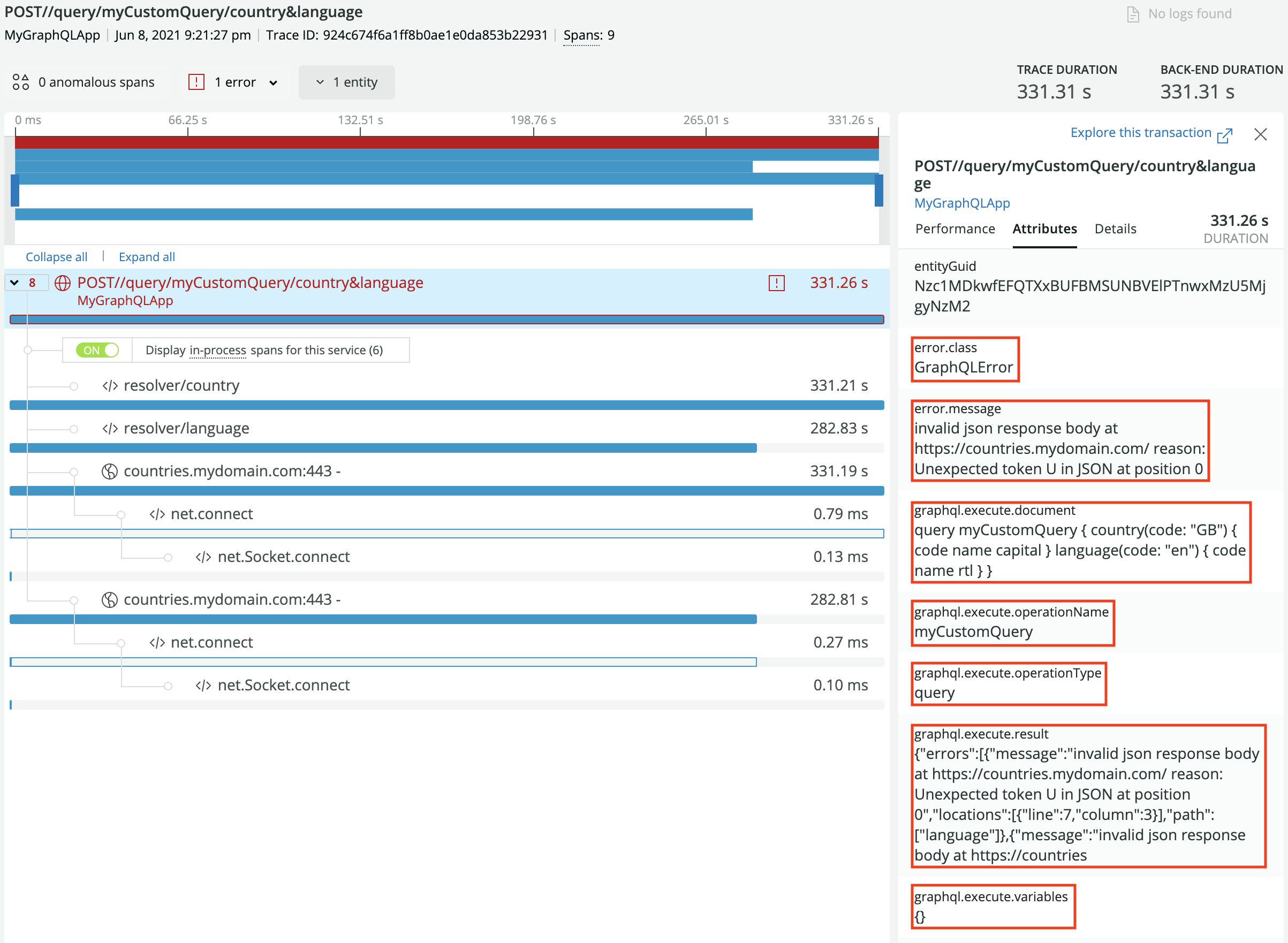\n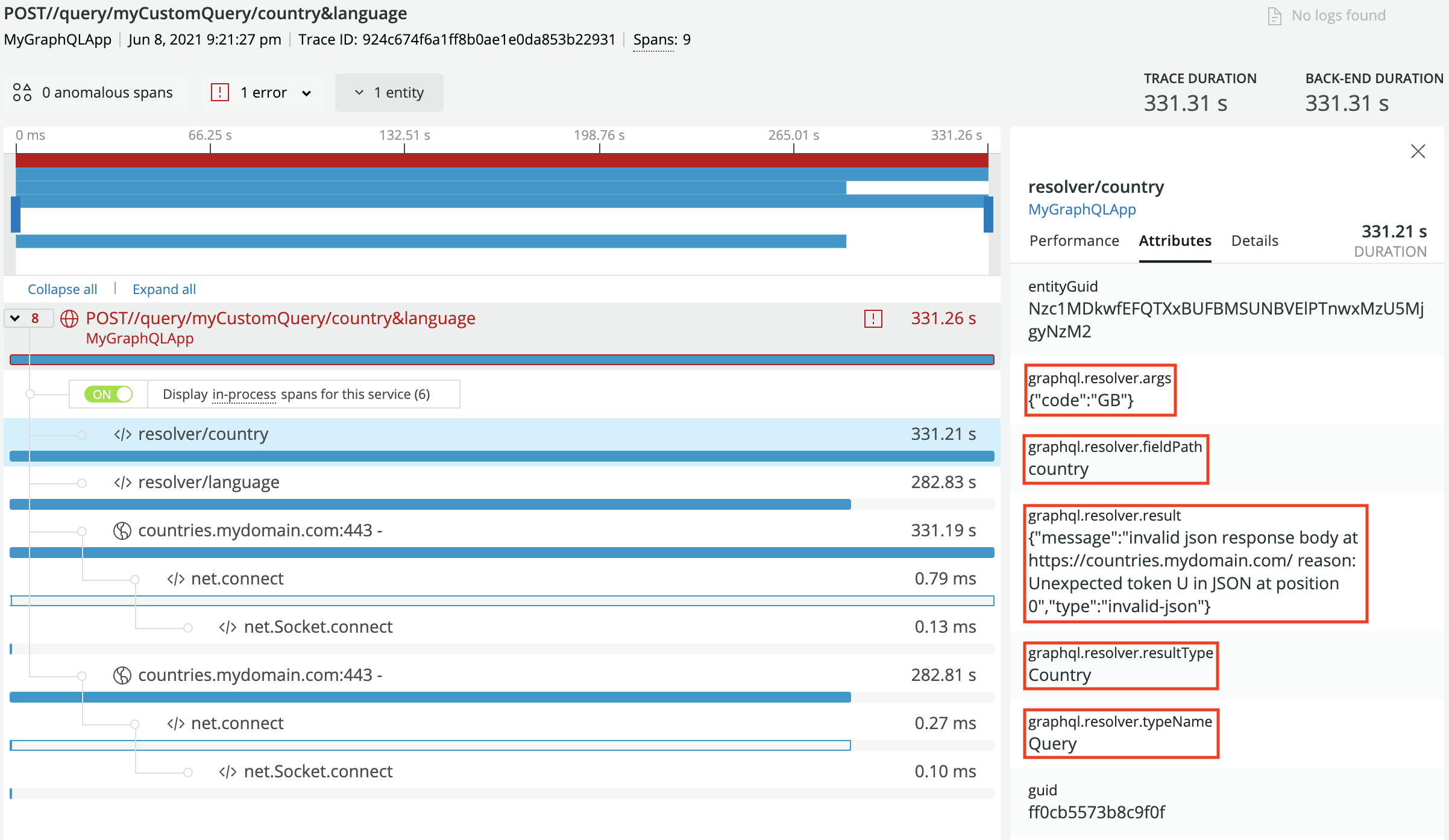\n\nSuccessful operation tracking, operation plus root-field and sub-field resolvers:\n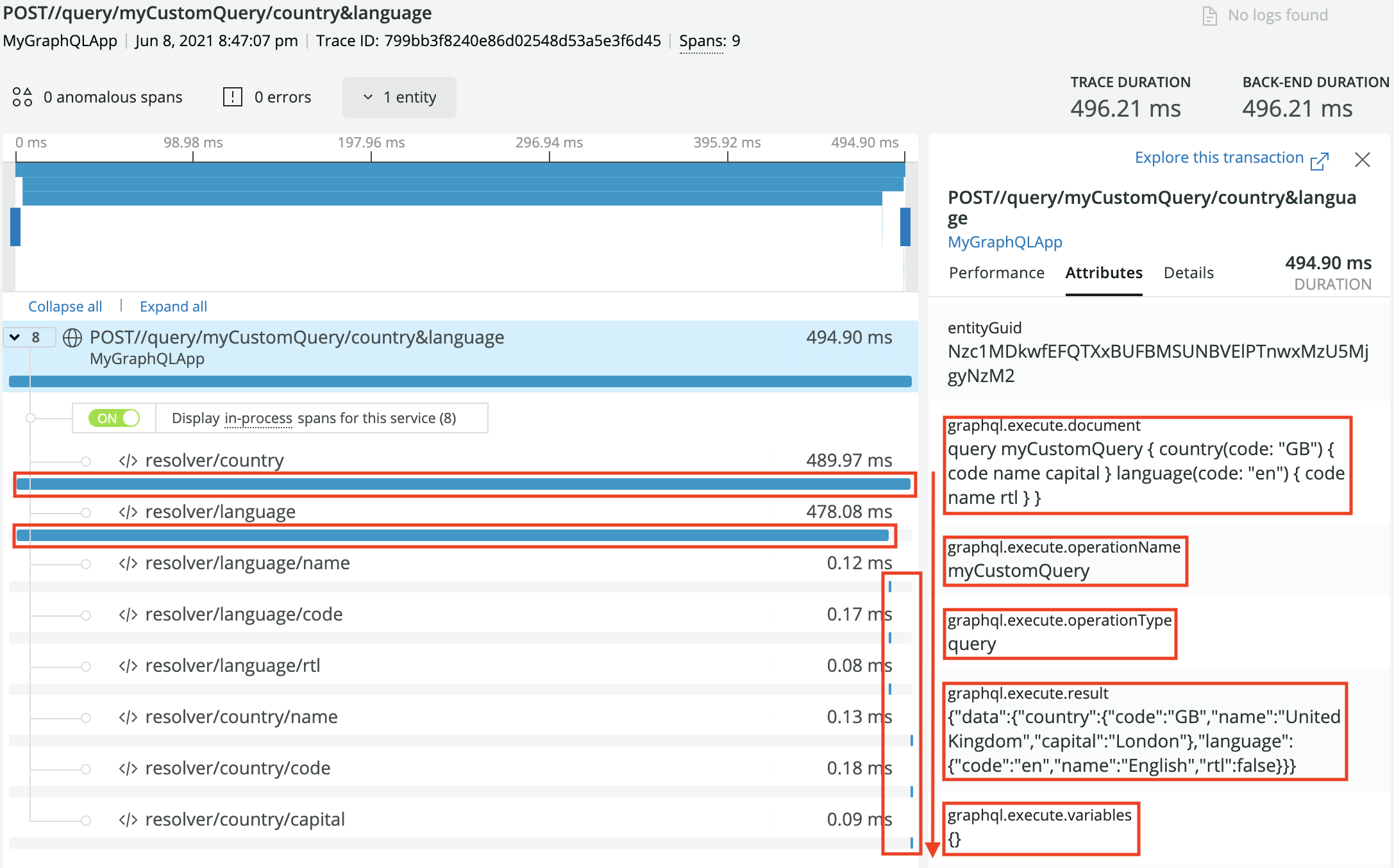\n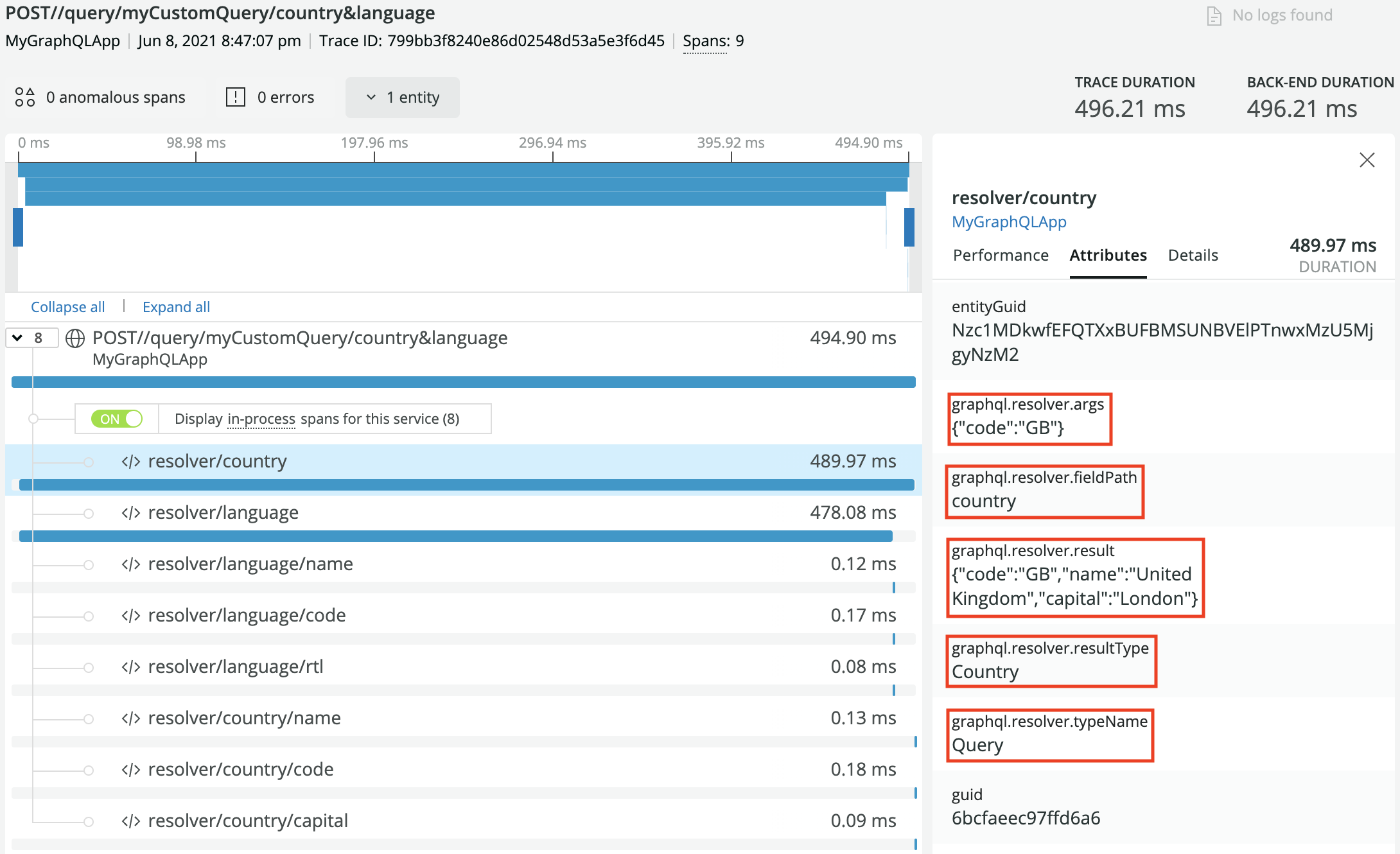\n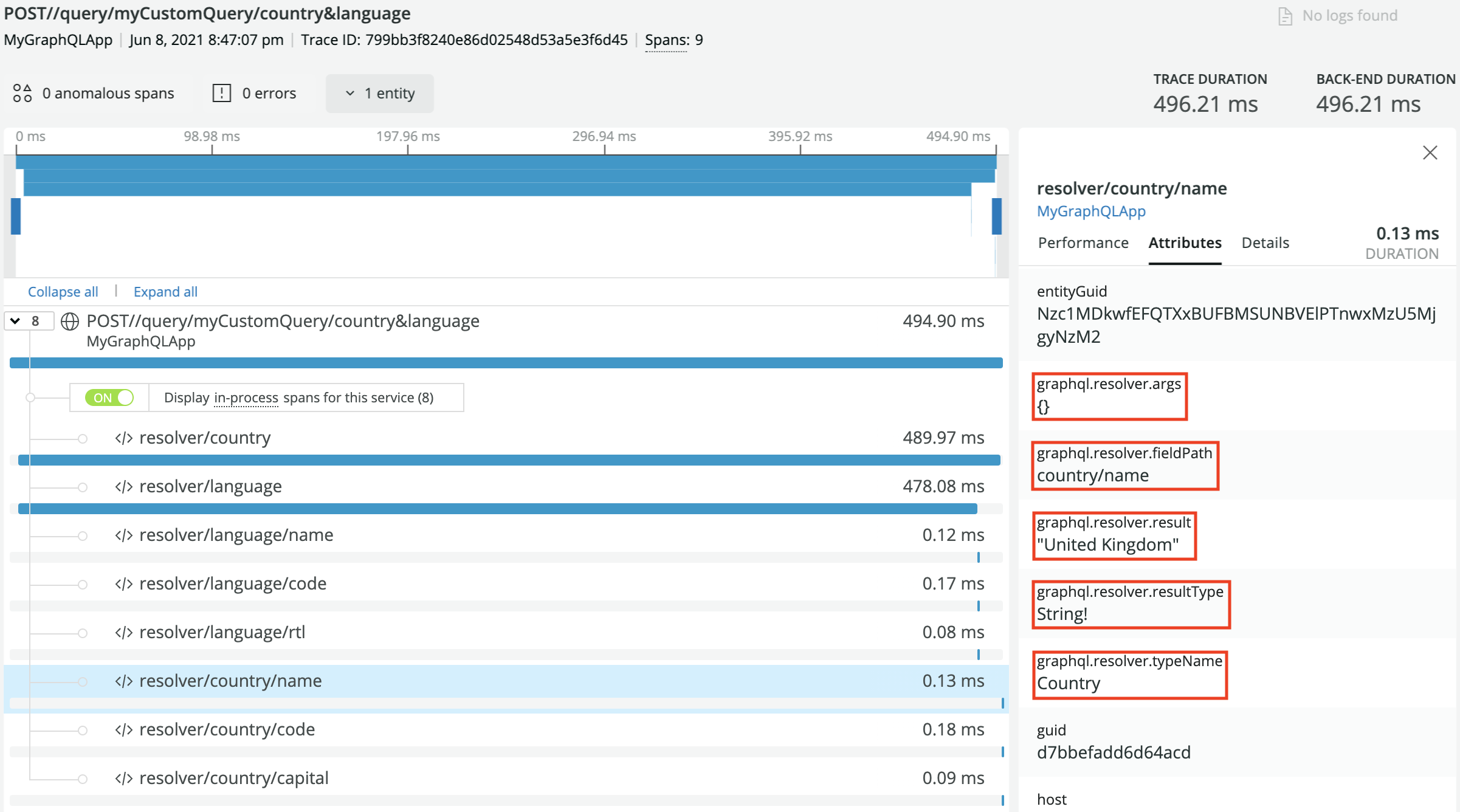\n\n## Getting Started\n\n1. Install dependencies\n2. Configure the New Relic Agent\n3. Setup the New Relic Envelop plugin\n\n## Installation\n\nThis plugin expects the Node.js agent,\n[newrelic npm package](https://www.npmjs.com/package/newrelic), to be installed in your application.\n\n```\nyarn add newrelic @envelop/newrelic\n```\n\n## Basic usage Example\n\n```ts\nimport { execute, parse, specifiedRules, subscribe, validate } from 'graphql'\nimport { envelop, useEngine } from '@envelop/core'\nimport { useNewRelic } from '@envelop/newrelic'\n\nconst getEnveloped = envelop({\n plugins: [\n useEngine({ parse, validate, specifiedRules, execute, subscribe }),\n // ... other plugins ...\n useNewRelic({\n includeOperationDocument: true, // default `false`. When set to `true`, includes the GraphQL document defining the operations and fragments\n includeExecuteVariables: false, // default `false`. When set to `true`, includes all the operation variables with their values\n includeRawResult: false, // default: `false`. When set to `true`, includes the execution result\n trackResolvers: true, // default `false`. When set to `true`, track resolvers as segments to monitor their performance\n includeResolverArgs: false, // default `false`. When set to `true`, includes all the arguments passed to resolvers with their values\n rootFieldsNaming: true, // default `false`. When set to `true` append the names of operation root fields to the transaction name\n skipError: error => {\n return true // a function that allows you to skip reporting a given error to NewRelic. By default custom `EnvelopError`s will be skipped\n },\n extractOperationName: context => context.request.body.customOperationName // Allows to set a custom operation name to be used as transaction name and attribute\n })\n ]\n})\n```\n\n> Note: Transaction and segment/span timings may be affected by other plugins used. In order to get\n> more accurate tracking, it is recommended to add the New Relic plugin last.\n\n## Advanced usage\n\nThe plugin allows you to keep control over the variables and arguments that are tracked in New\nRelic. In addition to the basic `true/false` boolean value, `includeExecuteVariables` and\n`includeResolverArgs` also accept a RegEx pattern. This allows you to implement white and black\nlisting of properties to be tracked in New Relic.\n\nThis is particularly useful if you have properties coming through variables and arguments that are\nuseful for debugging, but you don't want to leak users' data (such as PII). Below is a quick example\nof how you can use RegEx to set up white/black listing functionalities.\n\n```ts\nuseNewRelic({\n includeExecuteVariables: /client|application/i, // whitelist, track only variables whose name contains \"client\" or \"application\" (e.g. clientName, applicationId, xApplicationId)\n trackResolvers: true, // track resolvers, since we also want to track resolvers' arguments\n includeResolverArgs: /^(?!name|email|password).*/i, // blacklist, track all arguments whose name does not match 'name', 'email' nor 'password'\n}),\n```\n\nObviously, the ones above are just a couple of examples, but clearly you have endless options to use\nany RegEx pattern to filter the variables and arguments in the way that best work for you.\n\n> Be aware that the only way to filter variables and arguments is to loop through them, so there is\n> an O(_n_) cost when filtering, where _n_ is the number of variables sent to the operation (when\n> tracking execute variables), or the number of arguments passed to resolvers (when tracking\n> resolvers arguments).\n\n## Agent Configuration\n\nFor full details about New Relic Agent configuration, we recommend reading\n[New Relic's official Node.js agent configuration documentation](https://docs.newrelic.com/docs/agents/nodejs-agent/installation-configuration/nodejs-agent-configuration/).\n\nThe main methods to configure the New Relic Agent is through:\n\n- The newrelic.js file [or]\n- The environment variables\n\nIf you choose to use the newrelic.js file, then you need this file located in the root of your\napplication. You can look [here](https://github.com/newrelic/node-newrelic/blob/main/newrelic.js)\nfor a basic example of what this file can look like.\n\nIf you choose to configure the New Relic Agent through environment variables, then you can follow\nyour preferred strategy to make sure the variables are set and available when your application\nstarts. The variables are the same you can set in newrelic.js file, you just need to know that they\nneed to start with `NEW_RELIC_`, obviously, the variables name must be fully uppercase.\n\nThe two variables that are always required are:\n\n| Description | newrelic.js | Environment variable |\n| ---------------- | ---------------------------------------- | ----------------------------------------------- |\n| Application name | `app_name: ['MyAppName']` | `NEW_RELIC_APP_NAME=MyAppName` |\n| License key | `license_key: '40HexadecimalCharacters'` | `NEW_RELIC_LICENSE_KEY=40HexadecimalCharacters` |\n\nOther variables that are popularly used are:\n\n| Description | newrelic.js | Environment variable |\n| --------------------------- | ---------------------------------------- | -------------------------------------------- |\n| Enable distributed tracing | `distributed_tracing: { enabled: true }` | `NEW_RELIC_DISTRIBUTED_TRACING_ENABLED=true` |\n| Logging level | `logging: { level: 'info' }` | `NEW_RELIC_LOG_LEVEL=info` |\n| Capture all request headers | `allow_all_headers: true` | `NEW_RELIC_ALLOW_ALL_HEADERS=true` |\n| Enable error collection | `error_collector: { enabled: true }` | `NEW_RELIC_ERROR_COLLECTOR_ENABLED=true` |\n\nFinally, [here](https://github.com/newrelic/node-newrelic/blob/main/lib/config/default.js) is also a\nreference of all the configuration variables you can include in your newrelic.js file, or translate\ninto the env variables equivalent.\n","packages/envelop/plugins/on-resolve/README.md":"## `@envelop/on-resolve`\n\nThis plugin allows you to hook into resolves of every field in the GraphQL schema.\n\nUseful for tracing or augmenting resolvers (and their results) with custom logic.\n\n## Getting Started\n\n```\nyarn add @envelop/on-resolve\n```\n\n## Usage Example\n\n### Custom field resolutions\n\n```ts\nimport { execute, parse, specifiedRules, subscribe, validate } from 'graphql'\nimport { envelop, useEngine } from '@envelop/core'\nimport { useOnResolve } from '@envelop/on-resolve'\nimport { specialResolver } from './my-resolvers'\n\nconst getEnveloped = envelop({\n plugins: [\n useEngine({ parse, validate, specifiedRules, execute, subscribe }),\n // ... other plugins ...\n useOnResolve(async function onResolve({ context, root, args, info, replaceResolver }) {\n // replace special field's resolver\n if (info.fieldName === 'special') {\n replaceResolver(specialResolver)\n }\n\n // replace field's result\n if (info.fieldName === 'alwaysHello') {\n return ({ setResult }) => {\n setResult('hello')\n }\n }\n })\n ]\n})\n```\n\n### Tracing\n\n```ts\nimport { execute, parse, specifiedRules, subscribe, validate } from 'graphql'\nimport { envelop, Plugin, useEngine } from '@envelop/core'\nimport { useOnResolve } from '@envelop/on-resolve'\n\ninterface FieldTracingPluginContext {\n tracerUrl: string\n}\n\nfunction useFieldTracing() {\n return {\n onPluginInit({ addPlugin }) {\n addPlugin(\n useOnResolve(async function onResolve({ context, root, args, info }) {\n await fetch(context.tracerUrl, {\n method: 'POST',\n headers: {\n 'content-type': 'application/json'\n },\n body: JSON.stringify({\n startedResolving: {\n ...info,\n parent: root,\n args\n }\n })\n })\n\n return async () => {\n await fetch(context.tracerUrl, {\n method: 'POST',\n headers: {\n 'content-type': 'application/json'\n },\n body: JSON.stringify({\n endedResolving: {\n ...info,\n parent: root,\n args\n }\n })\n })\n }\n })\n )\n }\n }\n}\n\nconst getEnveloped = envelop({\n plugins: [\n useEngine({ parse, validate, specifiedRules, execute, subscribe }),\n // ... other plugins ...\n useSpecialResolve()\n ]\n})\n```\n","packages/envelop/plugins/opentelemetry/README.md":"## `@envelop/opentelemetry`\n\nThis plugins integrates [Open Telemetry](https://opentelemetry.io/) tracing with your GraphQL\nexecution. It also collects GraphQL execution errors and reports it as Exceptions.\n\nYou can use this plugin with any kind of Open Telemetry\n[tracer](https://github.com/open-telemetry/opentelemetry-specification/blob/main/specification/trace/api.md#tracer),\nand integrate it to any tracing/metric platform that supports this standard.\n\n## Getting Started\n\n```\nyarn add @envelop/opentelemetry\n```\n\n## Usage Example\n\nBy default, this plugin prints the collected telemetry to the console:\n\n```ts\nimport { execute, parse, specifiedRules, subscribe, validate } from 'graphql'\nimport { envelop, useEngine } from '@envelop/core'\nimport { useOpenTelemetry } from '@envelop/opentelemetry'\n\nconst getEnveloped = envelop({\n plugins: [\n useEngine({ parse, validate, specifiedRules, execute, subscribe }),\n // ... other plugins ...\n useOpenTelemetry({\n resolvers: true, // Tracks resolvers calls, and tracks resolvers thrown errors\n variables: true, // Includes the operation variables values as part of the metadata collected\n result: true // Includes execution result object as part of the metadata collected\n })\n ]\n})\n```\n\n## Integration with `@opentelemetry` packages\n\nBy default, this plugin is creating a console exporter for exporting the `Span`s.\n\nIf you wish to use custom tracer/exporter, create it and pass it to the plugin factory function.\n\nThe following example is taking the current global tracer:\n\n```ts\nimport { execute, parse, specifiedRules, subscribe, validate } from 'graphql'\nimport { envelop, useEngine } from '@envelop/core'\nimport { useOpenTelemetry } from '@envelop/opentelemetry'\nimport { trace } from '@opentelemetry/api'\nimport { BasicTracerProvider, SimpleSpanProcessor } from '@opentelemetry/sdk-trace-base'\n\nconst getEnveloped = envelop({\n plugins: [\n useEngine({ parse, validate, specifiedRules, execute, subscribe }),\n // ... other plugins ...\n useOpenTelemetry(\n {\n resolvers: true, // Tracks resolvers calls, and tracks resolvers thrown errors\n variables: true, // Includes the operation variables values as part of the metadata collected\n result: true // Includes execution result object as part of the metadata collected\n },\n trace.getTracerProvider()\n )\n ]\n})\n```\n\nThis example integrates Jaeger tracer. To use this example, start by running Jaeger locally in a\nDocker container (or, follow\n[other options to run Jaeger locally](https://www.npmjs.com/package/@opentelemetry/exporter-jaeger#prerequisites)):\n\n```\ndocker run -d --name jaeger \\\n -e COLLECTOR_ZIPKIN_HTTP_PORT=9411 \\\n -p 5775:5775/udp \\\n -p 6831:6831/udp \\\n -p 6832:6832/udp \\\n -p 5778:5778 \\\n -p 16686:16686 \\\n -p 14268:14268 \\\n -p 9411:9411 \\\n jaegertracing/all-in-one:latest\n```\n\n```ts\nimport { execute, parse, specifiedRules, subscribe, validate } from 'graphql'\nimport { envelop, useEngine } from '@envelop/core'\nimport { useOpenTelemetry } from '@envelop/opentelemetry'\nimport { JaegerExporter } from '@opentelemetry/exporter-jaeger'\nimport { BasicTracerProvider, SimpleSpanProcessor } from '@opentelemetry/sdk-trace-base'\n\n// Create your exporter\nconst exporter = new JaegerExporter({\n serviceName: 'my-service-name',\n host: 'localhost',\n port: 6832\n})\n\n// Configure opentelmetry to run for your service\nconst provider = new BasicTracerProvider()\nprovider.addSpanProcessor(new SimpleSpanProcessor(exporter))\nprovider.register()\n\nconst getEnveloped = envelop({\n plugins: [\n useEngine({ parse, validate, specifiedRules, execute, subscribe }),\n // ... other plugins ...\n useOpenTelemetry(\n {\n resolvers: true, // Tracks resolvers calls, and tracks resolvers thrown errors\n variables: true, // Includes the operation variables values as part of the metadata collected\n result: true // Includes execution result object as part of the metadata collected\n },\n provider\n )\n ]\n})\n```\n","packages/envelop/plugins/operation-field-permissions/README.md":"## `@envelop/operation-field-permissions`\n\nDisallow executing operations that select certain fields. Useful if you want to restrict the scope\nof certain public API users to a subset of the public GraphQL schema, without triggering execution\n(e.g. how [graphql-shield](https://github.com/maticzav/graphql-shield) works).\n\n**Note:** This plugin and authorization on a resolver level (or via middleware) are complementary.\nYou should still verify whether a viewer is allowed to access certain data within your resolvers.\n\n## Installation\n\n```bash\nyarn add @envelop/operation-field-permissions\n```\n\n## Usage Example\n\n```ts\nimport { execute, parse, specifiedRules, subscribe, validate } from 'graphql'\nimport { envelop, useEngine, useSchema } from '@envelop/core'\nimport { useOperationFieldPermissions } from '@envelop/operation-field-permissions'\n\nconst getEnveloped = envelop({\n plugins: [\n useEngine({ parse, validate, specifiedRules, execute, subscribe }),\n useSchema(schema),\n useOperationFieldPermissions({\n // we can access graphql context here\n getPermissions: async context => new Set(['Query.greetings', ...context.viewer.permissions])\n })\n /* ... other envelops */\n ]\n})\n```\n\n**Schema**\n\n```graphql\ntype Query {\n greetings: [String!]!\n foo: String\n}\n```\n\n**Operation**\n\n```graphql\nquery {\n foo\n}\n```\n\n**Response**\n\n```json\n{\n \"data\": null,\n \"errors\": [\n {\n \"message\": \"Insufficient permissions for selecting 'Query.foo'.\",\n \"locations\": [\n {\n \"line\": 2,\n \"column\": 2\n }\n ]\n }\n ]\n}\n```\n","packages/envelop/plugins/parser-cache/README.md":"## `@envelop/parser-cache`\n\nThis plugins adds simple LRU caching to your `parse`, to improve performance by caching the parsed\nresult.\n\nThis plugins improves performance of parsing by ~60% (based on benchmarks).\n\n## Getting Started\n\n```\nyarn add @envelop/parser-cache\n```\n\n## Usage Example\n\n```ts\nimport { execute, parse, specifiedRules, subscribe, validate } from 'graphql'\nimport { envelop, useEngine } from '@envelop/core'\nimport { useParserCache } from '@envelop/parser-cache'\n\nconst getEnveloped = envelop({\n plugins: [\n useEngine({ parse, validate, specifiedRules, execute, subscribe }),\n // ... other plugins ...\n useParserCache({\n // options goes here\n })\n ]\n})\n```\n\n### API Reference\n\n#### `documentCache`\n\nSet this to pass in a cache instance for caching documents. By default a new LRU cache is created\nusing default `max` and `ttl`.\n\n#### `errorCache`\n\nSet this to pass in a cache instance for caching errors. By default a new LRU cache is created using\ndefault `max` and `ttl`.\n","packages/envelop/plugins/persisted-operations/README.md":"## `@envelop/persisted-operations`\n\nThis plugin allow you to enforce execution of persisted (hashed) operation, using a custom store.\n\nThe idea behind running persisted operations is to allow clients to run only specific queries, that\ndefined ahead of time. This provides an enhances security and disables (optionally) the execution of\nother operations. This plugin is useful if you are looking for a way to improve security and reduce\nnetwork traffic.\n\n**Note:** If you are using **GraphQL Yoga**, please use the\n[dedicated Persisted Operations plugin](https://the-guild.dev/graphql/yoga-server/v3/features/persisted-operations)\ninstead.\n\n## Getting Started\n\n```\nyarn add @envelop/persisted-operations\n```\n\n## Usage Example\n\nThe most basic implementation can use an in-memory JS `Map` wrapper with a `Store` object:\n\n```ts\nimport { execute, parse, specifiedRules, subscribe, validate } from 'graphql'\nimport { envelop, useEngine } from '@envelop/core'\nimport { InMemoryStore, usePersistedOperations } from '@envelop/persisted-operations'\n\n// You can retrieve the store in any way (e.g. from a remote source) and implement it with a simple Map / Key->Value\nconst myData = new Map()\nmyData.set('persisted_1', parse(`query { ... }`))\nmyData.set('persisted_2', 'query { ... }')\n\nconst store = new InMemoryStore({\n initialData: myData\n})\n\nconst getEnveloped = envelop({\n plugins: [\n useEngine({ parse, validate, specifiedRules, execute, subscribe }),\n // ... other plugins ...\n usePersistedOperations({\n store: myStore\n })\n ]\n})\n```\n\nNow, when running operations through your GraphQL server, you can use a key instead of a query\nlanguage:\n\n```json\n{\n \"query\": \"persisted_1\",\n \"variables\": {}\n}\n```\n\nYou can also provide a function to retrieve the operation id from a custom property available in\nyour context / incoming request:\n\n```ts\nusePersistedOperations({\n store: myStore,\n extractOperationId: (context) => context.request.body.operationId // get id from custom property in body object\n}),\n```\n\n## Usage Example with built-in JsonFileStore\n\n```ts\nimport { execute, parse, specifiedRules, subscribe, validate } from 'graphql'\nimport { envelop, useEngine } from '@envelop/core'\nimport { JsonFileStore, usePersistedOperations } from '@envelop/persisted-operations'\n\nconst persistedOperationsStore = new JsonFilesStore()\nconst filePath = resolve(process.cwd(), 'assets/client1PersistedOperations.json')\n\n// sync\npersistedOperationsStore.loadFromFileSync(filePath) // load and parse persisted-operations files\n\n// or async\nawait persistedOperationsStore.loadFromFile(filePath) // load and parse persisted-operations files\n\nconst getEnveloped = envelop({\n plugins: [\n useEngine({ parse, validate, specifiedRules, execute, subscribe }),\n // ... other plugins ...\n usePersistedOperations({\n store: persistedOperationsStore\n })\n ]\n})\n```\n\n## Multiple Stores\n\nThe `store` parameter accepts both a `Store` instance, or a function. If you need to support\nmultiple stores (based on incoming GraphQL operation/HTTP request), you can provide a function to\ntoggle between the stores, based on your needs:\n\n```ts\nimport { execute, parse, specifiedRules, subscribe, validate } from 'graphql'\nimport { envelop, useEngine } from '@envelop/core'\n\nconst getEnveloped = envelop({\n plugins: [\n useEngine({ parse, validate, specifiedRules, execute, subscribe }),\n // ... other plugins ...\n usePersistedOperations({\n store: context => {\n if (context.req.headers['user-agent'].includes('Android')) {\n return mobileClientsStore\n }\n\n return defaultStore\n }\n })\n ]\n})\n\n// later, pass the initial context\nconst proxyFns = getEnveloped({ req })\n```\n\n## Additional options\n\n### onlyPersisted\n\nYou can pass `onlyPersisted: true` when you want to allow persisted operations only in your server.\nIn this case the plugin will issue a GraphQL error when it does not receive an operation Id, or when\nthe received operation id is not available in your store/s.\n\n### onMissingMatch\n\nYou might want to perform some actions, such as logging custom events, when your operation Id is not\nmatched in your store/s; in this case you can use the `onMissingMatch` callback function. The\nfunction receives the context and operationId as arguments, so you can use it like so:\n\n```js\nonMissingMatch: (context, operationId) => {\n myEventPool.add(\n `Missing match for operation \"${operationId}\" from agent \"${context.req.headers['user-agent']}\"`\n )\n}\n```\n\n## With Relay\n\nIf you are using Relay, you can leverage `relay-compiler` feature for hashing and and creating the\nstore for you, during build.\n\nYou can [read more about this feature here](https://relay.dev/docs/guides/persisted-queries/). After\nbuilding your hashes, you can use `queryMap.json` as your store.\n","packages/envelop/plugins/preload-assets/README.md":"## `@envelop/preload-assets`\n\nInject a function for registering assets that should be preloaded on the client. The registered\nassets will be added under the `extensions.preloadAssets` key on the execution result.\n\nOn your client network layer you can register a handler for preloading the given resources as soon\nas the operation result is arriving on the client!\n\n## Getting Started\n\n```\nyarn add @envelop/preload-assets\n```\n\n```ts\nimport { execute, makeExecutableSchema, parse, specifiedRules, subscribe, validate } from 'graphql'\nimport { envelop, useEngine } from '@envelop/core'\nimport { usePreloadAssets } from '@envelop/preload-asset'\n\nconst schema = makeExecutableSchema({\n typeDefs: /* GraphQL */ `\n type Query {\n imageUrl: String!\n }\n `,\n resolvers: {\n Query: {\n imageUrl: (_: unknown, __: unknown, context: any) => {\n const imageUrl = 'https://localhost/some-asset.png'\n context.registerPreloadAsset(imageUrl)\n return Promise.resolve(imageUrl)\n }\n }\n }\n})\n\nconst getEnveloped = envelop({\n plugins: [useEngine({ parse, validate, specifiedRules, execute, subscribe }), usePreloadAssets()]\n})\n```\n\n**Example response**\n\n```json\n{\n \"data\": {\n \"imageUrl\": \"https://localhost/some-asset.png\"\n },\n \"extensions\": {\n \"preloadAssets\": [\"https://localhost/some-asset.png\"]\n }\n}\n```\n\n**Example client prefetch logic**\n\n```ts\nconst preloadAsset = url => {\n var request = new XMLHttpRequest()\n request.open('GET', url)\n request.responseType = 'blob'\n request.onload = () => {\n if (request.status !== 200) {\n console.error(new Error(`Image preload failed; error code '${request.statusText}'.`))\n }\n }\n request.onerror = () => {\n console.error(new Error(`There was a network error while preloading '${url}'.`))\n }\n request.send()\n}\n\n// call this function with the execution result within your network layer.\nconst onExecutionResult = result => {\n if (Array.isArray(result?.extensions?.preloadAssets)) {\n result.extension.preloadAssets.forEach(url => {\n preloadAsset(url)\n })\n }\n}\n```\n","packages/envelop/plugins/prometheus/README.md":"## `@envelop/prometheus`\n\nThis plugin tracks the complete execution flow, and reports metrics using Prometheus tracing (based\non `prom-client`).\n\nYou can opt-in to collect tracing from the following phases:\n\n- Successful requests (`requestCount`)\n- Request summary (`requestSummary`)\n- errors (categorized by `phase`)\n- resolvers tracing and runtime\n- deprecated fields usage\n- count of graphql operations\n- `parse` execution time\n- `validate` execution time\n- `contextBuilding` execution time\n- `execute` execution time\n\n> You can also customize each phase reporter, and add custom metadata and labels to the metrics.\n\n## Getting Started\n\n```\nyarn add prom-client @envelop/prometheus\n```\n\n## Usage Example\n\n```ts\nimport { execute, parse, specifiedRules, subscribe, validate } from 'graphql'\nimport { envelop, useEngine } from '@envelop/core'\nimport { usePrometheus } from '@envelop/prometheus'\n\nconst getEnveloped = envelop({\n plugins: [\n useEngine({ parse, validate, specifiedRules, execute, subscribe }),\n // ... other plugins ...\n usePrometheus({\n // all metrics are disabled by default, please opt-in to the metrics you wish to get\n metrics: {\n graphql_envelop_request_time_summary: true,\n graphql_envelop_phase_parse: true,\n graphql_envelop_phase_validate: true,\n graphql_envelop_phase_context: true,\n graphql_envelop_phase_execute: true,\n graphql_envelop_phase_subscribe: true,\n graphql_envelop_error_result: true,\n graphql_envelop_deprecated_field: true,\n graphql_envelop_request_duration: true,\n graphql_envelop_schema_change: true,\n graphql_envelop_request: true,\n\n // Warning: enabling resolvers level metrics will introduce significant overhead\n graphql_envelop_execute_resolver: true\n },\n\n resolversWhitelist: ['Mutation.*', 'Query.user'] // reports metrics for these resolvers, leave `undefined` to report all fields\n })\n ]\n})\n```\n\n## Available Metrics\n\nAll metrics are disabled by default. You can enable the one you are interested in by setting the\ncorresponding key in the `metric` option object to `true`. You can also provide a string to\ncustomize the metric name, or an object to provide more options by using `createHistogram`,\n`createCounter` and `createSummary` (see\n[`siimon/prom-client` documentation](https://github.com/siimon/prom-client#custom-metrics)).\nHistogram metrics can be passed an array of numbers to configure buckets.\n\nEach metric also expose a set of labels. All labels are exposed by default but can be separately\ndisabled by setting the corresponding key in `labels` option object to `false`.\n\nA metric can observe events in different phases of of GraphQL request pipeline. By default, if a\nmetric is available, it will observe timing or events in every available phases for this metric. You\ncan configure this by either providing an array instead of `true` in the metrics config, or use the\n`phases` option in the custom metric factory.\n\n### `graphql_envelop_phase_parse`\n\nThis metric tracks the duration of the `parse` phase of the GraphQL execution. It reports the time\nspent parsing the incoming GraphQL operation.\n\nIt is reported as a [histogram](https://prometheus.io/docs/concepts/metric_types/#histogram).\n\nSince you don't have control over the parsing phase, this metric is mostly useful to track potential\nattacks. A spike in this metric could indicate someone is trying to send malicious operations to\nyour gateway.\n\n#### Labels\n\n| Label | Description |\n| --------------- | ------------------------------------------------------------------------------------------------------- |\n| `operationType` | The type of the GraphQL operation requested. This can be one of `query`, `mutation`, or `subscription`. |\n| `operationName` | The name of the GraphQL operation requested. It will be `Anonymous` if no `operationName` is found. |\n\n#### Sample Output\n\n```text\n# HELP graphql_envelop_phase_parse Time spent on running GraphQL \"parse\" function\n# TYPE graphql_envelop_phase_parse histogram\ngraphql_envelop_phase_parse_bucket{le=\"0.005\",operationName=\"Anonymous\",operationType=\"query\"} 1\ngraphql_envelop_phase_parse_bucket{le=\"0.01\",operationName=\"Anonymous\",operationType=\"query\"} 1\ngraphql_envelop_phase_parse_bucket{le=\"0.025\",operationName=\"Anonymous\",operationType=\"query\"} 1\ngraphql_envelop_phase_parse_bucket{le=\"0.05\",operationName=\"Anonymous\",operationType=\"query\"} 1\ngraphql_envelop_phase_parse_bucket{le=\"0.1\",operationName=\"Anonymous\",operationType=\"query\"} 1\ngraphql_envelop_phase_parse_bucket{le=\"0.25\",operationName=\"Anonymous\",operationType=\"query\"} 1\ngraphql_envelop_phase_parse_bucket{le=\"0.5\",operationName=\"Anonymous\",operationType=\"query\"} 1\ngraphql_envelop_phase_parse_bucket{le=\"1\",operationName=\"Anonymous\",operationType=\"query\"} 1\ngraphql_envelop_phase_parse_bucket{le=\"2.5\",operationName=\"Anonymous\",operationType=\"query\"} 1\ngraphql_envelop_phase_parse_bucket{le=\"5\",operationName=\"Anonymous\",operationType=\"query\"} 1\ngraphql_envelop_phase_parse_bucket{le=\"10\",operationName=\"Anonymous\",operationType=\"query\"} 1\ngraphql_envelop_phase_parse_bucket{le=\"+Inf\",operationName=\"Anonymous\",operationType=\"query\"} 1\ngraphql_envelop_phase_parse_sum{operationName=\"Anonymous\",operationType=\"query\"} 0.001\ngraphql_envelop_phase_parse_count{operationName=\"Anonymous\",operationType=\"query\"} 1\n```\n\n### `graphql_envelop_phase_validate`\n\nThis metric tracks the duration of the `validate` phase of the GraphQL execution. It reports the\ntime spent validating the incoming GraphQL operation.\n\nIt is reported as a [histogram](https://prometheus.io/docs/concepts/metric_types/#histogram).\n\n#### Labels\n\n| Label | Description |\n| --------------- | ------------------------------------------------------------------------------------------------------- |\n| `operationType` | The type of the GraphQL operation requested. This can be one of `query`, `mutation`, or `subscription`. |\n| `operationName` | The name of the GraphQL operation requested. It will be `Anonymous` if no `operationName` is found. |\n\n#### Sample Output\n\n```text\n# HELP graphql_envelop_phase_validate Time spent on running GraphQL \"validate\" function\n# TYPE graphql_envelop_phase_validate histogram\ngraphql_envelop_phase_validate_bucket{le=\"0.005\",operationName=\"Anonymous\",operationType=\"query\"} 1\ngraphql_envelop_phase_validate_bucket{le=\"0.01\",operationName=\"Anonymous\",operationType=\"query\"} 1\ngraphql_envelop_phase_validate_bucket{le=\"0.025\",operationName=\"Anonymous\",operationType=\"query\"} 1\ngraphql_envelop_phase_validate_bucket{le=\"0.05\",operationName=\"Anonymous\",operationType=\"query\"} 1\ngraphql_envelop_phase_validate_bucket{le=\"0.1\",operationName=\"Anonymous\",operationType=\"query\"} 1\ngraphql_envelop_phase_validate_bucket{le=\"0.25\",operationName=\"Anonymous\",operationType=\"query\"} 1\ngraphql_envelop_phase_validate_bucket{le=\"0.5\",operationName=\"Anonymous\",operationType=\"query\"} 1\ngraphql_envelop_phase_validate_bucket{le=\"1\",operationName=\"Anonymous\",operationType=\"query\"} 1\ngraphql_envelop_phase_validate_bucket{le=\"2.5\",operationName=\"Anonymous\",operationType=\"query\"} 1\ngraphql_envelop_phase_validate_bucket{le=\"5\",operationName=\"Anonymous\",operationType=\"query\"} 1\ngraphql_envelop_phase_validate_bucket{le=\"10\",operationName=\"Anonymous\",operationType=\"query\"} 1\ngraphql_envelop_phase_validate_bucket{le=\"+Inf\",operationName=\"Anonymous\",operationType=\"query\"} 1\ngraphql_envelop_phase_validate_sum{operationName=\"Anonymous\",operationType=\"query\"} 0.004\ngraphql_envelop_phase_validate_count{operationName=\"Anonymous\",operationType=\"query\"} 1\n```\n\n### `graphql_envelop_phase_context`\n\nThis metric tracks the duration of the `context` phase of the GraphQL execution. It reports the time\nspent building the context object that will be passed to the executors.\n\nIt is reported as a [histogram](https://prometheus.io/docs/concepts/metric_types/#histogram).\n\n#### Labels\n\n| Label | Description |\n| --------------- | ------------------------------------------------------------------------------------------------------- |\n| `operationType` | The type of the GraphQL operation requested. This can be one of `query`, `mutation`, or `subscription`. |\n| `operationName` | The name of the GraphQL operation requested. It will be `Anonymous` if no `operationName` is found. |\n\n#### Sample Output\n\n```text\n# HELP graphql_envelop_phase_context Time spent on building the GraphQL context\n# TYPE graphql_envelop_phase_context histogram\ngraphql_envelop_phase_context_bucket{le=\"0.005\",operationName=\"Anonymous\",operationType=\"query\"} 1\ngraphql_envelop_phase_context_bucket{le=\"0.01\",operationName=\"Anonymous\",operationType=\"query\"} 1\ngraphql_envelop_phase_context_bucket{le=\"0.025\",operationName=\"Anonymous\",operationType=\"query\"} 1\ngraphql_envelop_phase_context_bucket{le=\"0.05\",operationName=\"Anonymous\",operationType=\"query\"} 1\ngraphql_envelop_phase_context_bucket{le=\"0.1\",operationName=\"Anonymous\",operationType=\"query\"} 1\ngraphql_envelop_phase_context_bucket{le=\"0.25\",operationName=\"Anonymous\",operationType=\"query\"} 1\ngraphql_envelop_phase_context_bucket{le=\"0.5\",operationName=\"Anonymous\",operationType=\"query\"} 1\ngraphql_envelop_phase_context_bucket{le=\"1\",operationName=\"Anonymous\",operationType=\"query\"} 1\ngraphql_envelop_phase_context_bucket{le=\"2.5\",operationName=\"Anonymous\",operationType=\"query\"} 1\ngraphql_envelop_phase_context_bucket{le=\"5\",operationName=\"Anonymous\",operationType=\"query\"} 1\ngraphql_envelop_phase_context_bucket{le=\"10\",operationName=\"Anonymous\",operationType=\"query\"} 1\ngraphql_envelop_phase_context_bucket{le=\"+Inf\",operationName=\"Anonymous\",operationType=\"query\"} 1\ngraphql_envelop_phase_context_sum{operationName=\"Anonymous\",operationType=\"query\"} 0\ngraphql_envelop_phase_context_count{operationName=\"Anonymous\",operationType=\"query\"} 1\n```\n\n### `graphql_envelop_phase_execute`\n\nThis metric tracks the duration of the `execute` phase of the GraphQL execution. It reports the time\nspent actually resolving the response of the incoming operation. This includes the gathering of all\nthe data from all sources required to construct the final response. It is reported as a\n[histogram](https://prometheus.io/docs/concepts/metric_types/#histogram).\n\nIt is the metric that will give you the most insights into the performance of your own code, since\nthis is where most of the work from your code (resolvers) is done.\n\n#### Labels\n\n| Label | Description |\n| --------------- | ------------------------------------------------------------------------------------------------------- |\n| `operationType` | The type of the GraphQL operation requested. This can be one of `query`, `mutation`, or `subscription`. |\n| `operationName` | The name of the GraphQL operation requested. It will be `Anonymous` if no `operationName` is found. |\n\n#### Sample Output\n\n```text\n# HELP graphql_envelop_phase_execute Time spent on running the GraphQL \"execute\" function\n# TYPE graphql_envelop_phase_execute histogram\ngraphql_envelop_phase_execute_bucket{le=\"0.005\",operationName=\"Anonymous\",operationType=\"query\"} 1\ngraphql_envelop_phase_execute_bucket{le=\"0.01\",operationName=\"Anonymous\",operationType=\"query\"} 1\ngraphql_envelop_phase_execute_bucket{le=\"0.025\",operationName=\"Anonymous\",operationType=\"query\"} 1\ngraphql_envelop_phase_execute_bucket{le=\"0.05\",operationName=\"Anonymous\",operationType=\"query\"} 1\ngraphql_envelop_phase_execute_bucket{le=\"0.1\",operationName=\"Anonymous\",operationType=\"query\"} 1\ngraphql_envelop_phase_execute_bucket{le=\"0.25\",operationName=\"Anonymous\",operationType=\"query\"} 1\ngraphql_envelop_phase_execute_bucket{le=\"0.5\",operationName=\"Anonymous\",operationType=\"query\"} 1\ngraphql_envelop_phase_execute_bucket{le=\"1\",operationName=\"Anonymous\",operationType=\"query\"} 1\ngraphql_envelop_phase_execute_bucket{le=\"2.5\",operationName=\"Anonymous\",operationType=\"query\"} 1\ngraphql_envelop_phase_execute_bucket{le=\"5\",operationName=\"Anonymous\",operationType=\"query\"} 1\ngraphql_envelop_phase_execute_bucket{le=\"10\",operationName=\"Anonymous\",operationType=\"query\"} 1\ngraphql_envelop_phase_execute_bucket{le=\"+Inf\",operationName=\"Anonymous\",operationType=\"query\"} 1\ngraphql_envelop_phase_execute_sum{operationName=\"Anonymous\",operationType=\"query\"} 0.002\ngraphql_envelop_phase_execute_count{operationName=\"Anonymous\",operationType=\"query\"} 1\n```\n\n### `graphql_envelop_phase_subscribe`\n\nThis metric tracks the duration of the `subscribe` phase of the GraphQL execution. It reports the\ntime spent initiating a subscription (which doesn't include actually sending the first response).\n\nIt is reported as a [histogram](https://prometheus.io/docs/concepts/metric_types/#histogram).\n\n#### Labels\n\n| Label | Description |\n| --------------- | ------------------------------------------------------------------------------------------------------- |\n| `operationType` | The type of the GraphQL operation requested. This can be one of `query`, `mutation`, or `subscription`. |\n| `operationName` | The name of the GraphQL operation requested. It will be `Anonymous` if no `operationName` is found. |\n\n#### Sample Output\n\n```text\n# HELP graphql_envelop_phase_subscribe Time spent on running the GraphQL \"subscribe\" function\n# TYPE graphql_envelop_phase_subscribe histogram\ngraphql_envelop_phase_subscribe_bucket{le=\"0.005\",operationName=\"Anonymous\",operationType=\"subscription\"} 0\ngraphql_envelop_phase_subscribe_bucket{le=\"0.01\",operationName=\"Anonymous\",operationType=\"subscription\"} 0\ngraphql_envelop_phase_subscribe_bucket{le=\"0.025\",operationName=\"Anonymous\",operationType=\"subscription\"} 1\ngraphql_envelop_phase_subscribe_bucket{le=\"0.05\",operationName=\"Anonymous\",operationType=\"subscription\"} 1\ngraphql_envelop_phase_subscribe_bucket{le=\"0.1\",operationName=\"Anonymous\",operationType=\"subscription\"} 1\ngraphql_envelop_phase_subscribe_bucket{le=\"0.25\",operationName=\"Anonymous\",operationType=\"subscription\"} 1\ngraphql_envelop_phase_subscribe_bucket{le=\"0.5\",operationName=\"Anonymous\",operationType=\"subscription\"} 1\ngraphql_envelop_phase_subscribe_bucket{le=\"1\",operationName=\"Anonymous\",operationType=\"subscription\"} 1\ngraphql_envelop_phase_subscribe_bucket{le=\"2.5\",operationName=\"Anonymous\",operationType=\"subscription\"} 1\ngraphql_envelop_phase_subscribe_bucket{le=\"5\",operationName=\"Anonymous\",operationType=\"subscription\"} 1\ngraphql_envelop_phase_subscribe_bucket{le=\"10\",operationName=\"Anonymous\",operationType=\"subscription\"} 1\ngraphql_envelop_phase_subscribe_bucket{le=\"+Inf\",operationName=\"Anonymous\",operationType=\"subscription\"} 1\ngraphql_envelop_phase_subscribe_sum{operationName=\"Anonymous\",operationType=\"subscription\"} 0.011\ngraphql_envelop_phase_subscribe_count{operationName=\"Anonymous\",operationType=\"subscription\"} 1\n```\n\n### `graphql_envelop_request_duration`\n\nThis metric tracks the duration of the complete GraphQL operation execution.\n\nIt is reported as a [histogram](https://prometheus.io/docs/concepts/metric_types/#histogram).\n\n#### Labels\n\n| Label | Description |\n| --------------- | ------------------------------------------------------------------------------------------------------- |\n| `operationType` | The type of the GraphQL operation requested. This can be one of `query`, `mutation`, or `subscription`. |\n| `operationName` | The name of the GraphQL operation requested. It will be `Anonymous` if no `operationName` is found. |\n\n#### Sample Output\n\n```text\n# HELP graphql_envelop_request_duration Time spent on running the GraphQL operation from parse to execute\n# TYPE graphql_envelop_request_duration histogram\ngraphql_envelop_request_duration_bucket{le=\"0.005\",operationName=\"Anonymous\",operationType=\"subscription\"} 0\ngraphql_envelop_request_duration_bucket{le=\"0.01\",operationName=\"Anonymous\",operationType=\"subscription\"} 0\ngraphql_envelop_request_duration_bucket{le=\"0.025\",operationName=\"Anonymous\",operationType=\"subscription\"} 1\ngraphql_envelop_request_duration_bucket{le=\"0.05\",operationName=\"Anonymous\",operationType=\"subscription\"} 1\ngraphql_envelop_request_duration_bucket{le=\"0.1\",operationName=\"Anonymous\",operationType=\"subscription\"} 1\ngraphql_envelop_request_duration_bucket{le=\"0.25\",operationName=\"Anonymous\",operationType=\"subscription\"} 1\ngraphql_envelop_request_duration_bucket{le=\"0.5\",operationName=\"Anonymous\",operationType=\"subscription\"} 1\ngraphql_envelop_request_duration_bucket{le=\"1\",operationName=\"Anonymous\",operationType=\"subscription\"} 1\ngraphql_envelop_request_duration_bucket{le=\"2.5\",operationName=\"Anonymous\",operationType=\"subscription\"} 1\ngraphql_envelop_request_duration_bucket{le=\"5\",operationName=\"Anonymous\",operationType=\"subscription\"} 1\ngraphql_envelop_request_duration_bucket{le=\"10\",operationName=\"Anonymous\",operationType=\"subscription\"} 1\ngraphql_envelop_request_duration_bucket{le=\"+Inf\",operationName=\"Anonymous\",operationType=\"subscription\"} 1\ngraphql_envelop_request_duration_sum{operationName=\"Anonymous\",operationType=\"subscription\"} 0.011\ngraphql_envelop_request_duration_count{operationName=\"Anonymous\",operationType=\"subscription\"} 1\n```\n\n### `graphql_envelop_request_time_summary`\n\nThis metric provides a summary of the time spent on the GraphQL operation execution.\n\nIt reports the same timing than\n[`graphql_envelop_request_duration`](#graphql_envelop_request_duration) but as a\n[summary](https://prometheus.io/docs/concepts/metric_types/#summary).\n\n#### Labels\n\n| Label | Description |\n| --------------- | ------------------------------------------------------------------------------------------------------- |\n| `operationType` | The type of the GraphQL operation requested. This can be one of `query`, `mutation`, or `subscription`. |\n| `operationName` | The name of the GraphQL operation requested. It will be `Anonymous` if no `operationName` is found. |\n\n#### Sample output\n\n```text\n# HELP graphql_envelop_request_time_summary Summary to measure the time to complete GraphQL operations\n# TYPE graphql_envelop_request_time_summary summary\ngraphql_envelop_request_time_summary{quantile=\"0.01\",operationName=\"Anonymous\",operationType=\"subscription\"} 0.022\ngraphql_envelop_request_time_summary{quantile=\"0.05\",operationName=\"Anonymous\",operationType=\"subscription\"} 0.022\ngraphql_envelop_request_time_summary{quantile=\"0.5\",operationName=\"Anonymous\",operationType=\"subscription\"} 0.022\ngraphql_envelop_request_time_summary{quantile=\"0.9\",operationName=\"Anonymous\",operationType=\"subscription\"} 0.022\ngraphql_envelop_request_time_summary{quantile=\"0.95\",operationName=\"Anonymous\",operationType=\"subscription\"} 0.022\ngraphql_envelop_request_time_summary{quantile=\"0.99\",operationName=\"Anonymous\",operationType=\"subscription\"} 0.022\ngraphql_envelop_request_time_summary{quantile=\"0.999\",operationName=\"Anonymous\",operationType=\"subscription\"} 0.022\ngraphql_envelop_request_time_summary_sum{operationName=\"Anonymous\",operationType=\"subscription\"} 0.022\ngraphql_envelop_request_time_summary_count{operationName=\"Anonymous\",operationType=\"subscription\"} 1\n```\n\n### `graphql_envelop_error_result`\n\nThis metric tracks the number of errors that occurred returned by the GraphQL execution. It counts\nall errors found in the final response, but it also includes errors from other GraphQL processing\nphases (parsing, validation and context building).\n\nIt is exposed as a [counter](https://prometheus.io/docs/concepts/metric_types/#counter).\n\n#### Labels\n\nDepending on the phase when the error occurred, some labels may be missing. For example, if the\nerror occurred during the context phase, only the `phase` label will be present.\n\n| Label | Description |\n| --------------- | --------------------------------------------------------------------------------------------------------------------------------------------------------------------- |\n| `path` | The path of the field that caused the error. It can be `undefined` if the error is not related to a given field. |\n| `phase` | The phase of the GraphQL execution where the error occurred. It can be `parse`, `validate`, `context`, `execute` (for every operation types including subscriptions). |\n| `operationType` | The type of the GraphQL operation requested. This can be one of `query`, `mutation`, or `subscription`. |\n| `operationName` | The name of the GraphQL operation requested. It will be `Anonymous` if no `operationName` is found. |\n\n#### Sample Output\n\n```text\n# HELP graphql_envelop_error_result Counts the amount of errors reported from all phases\n# TYPE graphql_envelop_error_result counter\ngraphql_envelop_error_result{operationName=\"Anonymous\",operationType=\"query\",path=\"undefined\",phase=\"execute\"} 1\n```\n\n### `graphql_envelop_request`\n\nThis metric tracks the number of GraphQL operations executed. It counts all operations, either\nfailed or successful, including subscriptions.\n\nIt is exposed as a [counter](https://prometheus.io/docs/concepts/metric_types/#counter).\n\n#### Labels\n\n| Label | Description |\n| --------------- | ------------------------------------------------------------------------------------------------------- |\n| `operationType` | The type of the GraphQL operation requested. This can be one of `query`, `mutation`, or `subscription`. |\n| `operationName` | The name of the GraphQL operation requested. It will be `Anonymous` if no `operationName` is found. |\n\n#### Sample output\n\n```text\n# HELP graphql_envelop_request Counts the amount of GraphQL requests executed through Envelop\n# TYPE graphql_envelop_request counter\ngraphql_envelop_request{operationName=\"Anonymous\",operationType=\"query\"} 1\n```\n\n### `graphql_envelop_deprecated_field`\n\nThis metric tracks the number of deprecated fields used in the GraphQL operation.\n\n#### Labels\n\n| Label | Description |\n| --------------- | ------------------------------------------------------------------------------------------------------- |\n| `fieldName` | The name of the deprecated field that has been used. |\n| `typeName` | The name of the parent type of the deprecated field that has been used. |\n| `operationType` | The type of the GraphQL operation requested. This can be one of `query`, `mutation`, or `subscription`. |\n| `operationName` | The name of the GraphQL operation requested. It will be `Anonymous` if no `operationName` is found. |\n\n#### Sample Output\n\n```text\n# HELP graphql_envelop_deprecated_field Counts the amount of deprecated fields used in selection sets\n# TYPE graphql_envelop_deprecated_field counter\ngraphql_envelop_deprecated_field{operationName=\"Anonymous\",operationType=\"query\",fieldName=\"hello\",typeName=\"Query\"} 1\n```\n\n### `graphql_envelop_schema_change`\n\nThis metric tracks the number of schema changes that have occurred since the gateway started.\n\nIf you are using a plugin that modifies the schema on the fly, be aware that this metric will also\ninclude updates made by those plugins. Which means that one schema update can actually trigger\nmultiple schema changes.\n\n#### Labels\n\nThis metric does not include any labels.\n\n#### Sample output\n\n```text\n# HELP graphql_envelop_schema_change Counts the amount of schema changes\n# TYPE graphql_envelop_schema_change counter\ngraphql_envelop_schema_change 1\n```\n\n### `graphql_envelop_execute_resolver`\n\n> **Caution**: Enabling resolvers level metrics will introduce significant overhead.\n>\n> We highly recommend to enable this for debugging purpose only.\n\nThis metric tracks the duration of each resolver execution. It reports the time spent only on\nadditional resolvers, not on fields that are resolved by a subgraph. It is up to the subgraph server\nto implement resolver level metrics, the gateway can't remotely track their execution time.\n\n#### Filter resolvers to instrument\n\nTo mitigate the cost of instrumenting all resolvers, you can explicitly list the fields that should\nbe instrumented by providing a list of field names to the `instrumentResolvers` option.\n\nIt is a list of strings in the form of `TypeName.fieldName`. For example, to instrument the `hello`\nroot query, you would use `Query.hello`.\n\nYou can also use wildcards to instrument all the fields for a type. For example, to instrument all\nroot queries, you would use `Query.*`.\n\n#### Labels\n\n| Label | Description |\n| --------------- | ------------------------------------------------------------------------------------------------------- |\n| `operationType` | The type of the GraphQL operation requested. This can be one of `query`, `mutation`, or `subscription`. |\n| `operationName` | The name of the GraphQL operation requested. It will be `Anonymous` if no `operationName` is found. |\n| `fieldName` | The name of the field being resolved. |\n| `typeName` | The name of the parent type of the field being resolved. |\n| `returnType` | The name of the return type of the field being resolved. |\n\n#### Sample output\n\n```text\n# HELP graphql_envelop_execute_resolver Time spent on running the GraphQL resolvers\n# TYPE graphql_envelop_execute_resolver histogram\ngraphql_envelop_execute_resolver_bucket{le=\"0.005\",operationName=\"Anonymous\",operationType=\"query\",fieldName=\"hello\",typeName=\"Query\",returnType=\"String!\"} 1\ngraphql_envelop_execute_resolver_bucket{le=\"0.01\",operationName=\"Anonymous\",operationType=\"query\",fieldName=\"hello\",typeName=\"Query\",returnType=\"String!\"} 1\ngraphql_envelop_execute_resolver_bucket{le=\"0.025\",operationName=\"Anonymous\",operationType=\"query\",fieldName=\"hello\",typeName=\"Query\",returnType=\"String!\"} 1\ngraphql_envelop_execute_resolver_bucket{le=\"0.05\",operationName=\"Anonymous\",operationType=\"query\",fieldName=\"hello\",typeName=\"Query\",returnType=\"String!\"} 1\ngraphql_envelop_execute_resolver_bucket{le=\"0.1\",operationName=\"Anonymous\",operationType=\"query\",fieldName=\"hello\",typeName=\"Query\",returnType=\"String!\"} 1\ngraphql_envelop_execute_resolver_bucket{le=\"0.25\",operationName=\"Anonymous\",operationType=\"query\",fieldName=\"hello\",typeName=\"Query\",returnType=\"String!\"} 1\ngraphql_envelop_execute_resolver_bucket{le=\"0.5\",operationName=\"Anonymous\",operationType=\"query\",fieldName=\"hello\",typeName=\"Query\",returnType=\"String!\"} 1\ngraphql_envelop_execute_resolver_bucket{le=\"1\",operationName=\"Anonymous\",operationType=\"query\",fieldName=\"hello\",typeName=\"Query\",returnType=\"String!\"} 1\ngraphql_envelop_execute_resolver_bucket{le=\"2.5\",operationName=\"Anonymous\",operationType=\"query\",fieldName=\"hello\",typeName=\"Query\",returnType=\"String!\"} 1\ngraphql_envelop_execute_resolver_bucket{le=\"5\",operationName=\"Anonymous\",operationType=\"query\",fieldName=\"hello\",typeName=\"Query\",returnType=\"String!\"} 1\ngraphql_envelop_execute_resolver_bucket{le=\"10\",operationName=\"Anonymous\",operationType=\"query\",fieldName=\"hello\",typeName=\"Query\",returnType=\"String!\"} 1\ngraphql_envelop_execute_resolver_bucket{le=\"+Inf\",operationName=\"Anonymous\",operationType=\"query\",fieldName=\"hello\",typeName=\"Query\",returnType=\"String!\"} 1\ngraphql_envelop_execute_resolver_sum{operationName=\"Anonymous\",operationType=\"query\",fieldName=\"hello\",typeName=\"Query\",returnType=\"String!\"} 0\ngraphql_envelop_execute_resolver_count{operationName=\"Anonymous\",operationType=\"query\",fieldName=\"hello\",typeName=\"Query\",returnType=\"String!\"} 1\n```\n\n## Configuration\n\n### Custom registry\n\nYou can customize the `prom-client` `Registry` object if you are using a custom one, by passing it\nalong with the configuration object:\n\n```ts\nimport { execute, parse, specifiedRules, subscribe, validate } from 'graphql'\nimport { Registry } from 'prom-client'\nimport { envelop, useEngine } from '@envelop/core'\n\nconst myRegistry = new Registry()\n\nconst getEnveloped = envelop({\n plugins: [\n useEngine({ parse, validate, specifiedRules, execute, subscribe }),\n // ... other plugins ...\n usePrometheus({\n // ... config ...\n registry: myRegistry\n })\n ]\n})\n```\n\n> Note: if you are using custom `prom-client` instances, you need to make sure to pass your registry\n> there as well.\n\n### Introspection\n\nYou can exclude introspection from monitoring by setting `skipIntrospection: true` in your config\nobject.\n\n### Custom `prom-client` instances\n\nEach tracing field supports custom `prom-client` objects, and custom `labels` a metadata, you can\ncreate a custom extraction function for every `Histogram` / `Summary` / `Counter`:\n\n```ts\nimport { execute, parse, specifiedRules, subscribe, validate } from 'graphql'\nimport { Histogram, register as registry } from 'prom-client'\nimport { envelop, useEngine } from '@envelop/core'\nimport { createHistogram, usePrometheus } from '@envelop/prometheus'\n\nconst getEnveloped = envelop({\n plugins: [\n useEngine({ parse, validate, specifiedRules, execute, subscribe }),\n usePrometheus({\n metrics: {\n graphql_envelop_phase_parse: createHistogram({\n registry: registry // if you are not using the default one, make sure to add your custom registry,\n histogram: new Histogram({\n name: 'my_custom_name',\n help: 'HELP ME',\n labelNames: ['opText'] as const,\n }),\n phases: ['parse'], // This is an array of phases that should be hooked for this metric\n fillLabelsFn: params => {\n // if you wish to fill your `labels` with metadata, you can use the params in order to get access to things like DocumentNode, operationName, operationType, `error` (for error metrics) and `info` (for resolvers metrics)\n return {\n opText: print(params.document)\n }\n }\n }),\n }\n })\n ]\n})\n```\n\n### Configure metric phases\n\nEach metric observes timing or events in different phases of the GraphQL request pipeline.\n\nYou can configure which phases are observed for a given metric by providing an array of phases\ninstead of `true` for any metric configuration. You can also configure the phases when using custom\nmetrics factories by providing the `phases` option.\n\nBy default, all available phases are enabled when the metric is enabled.\n\n```ts\nimport { execute, parse, specifiedRules, subscribe, validate } from 'graphql'\nimport { envelop, useEngine } from '@envelop/core'\nimport { usePrometheus } from '@envelop/prometheus'\n\nconst getEnveloped = envelop({\n plugins: [\n useEngine({ parse, validate, specifiedRules, execute, subscribe }),\n usePrometheus({\n metrics: {\n graphql_envelop_phase_error: ['execute', 'subscribe'] // only trace errors of execute and subscribe phases\n }\n })\n ]\n})\n```\n\n### Skip observation based on request context\n\nTo save bandwidth or storage, you can reduce the amount of reported values by filtering which events\nare observed based on the request context.\n\nFor example, you can only monitor a subset of operations, because they are critical or that you want\nto debug it's performance:\n\n```ts\nimport { execute, parse, specifiedRules, subscribe, validate } from 'graphql'\nimport { envelop, useEngine } from '@envelop/core'\nimport { usePrometheus } from '@envelop/prometheus'\n\nconst TRACKED_OPERATION_NAMES = [\n // make a list of operation that you want to monitor\n]\n\nconst getEnveloped = envelop({\n plugins: [\n useEngine({ parse, validate, specifiedRules, execute, subscribe }),\n usePrometheus({\n metrics: {\n graphql_yoga_http_duration: createHistogram({\n registry,\n histogram: {\n name: 'graphql_yoga_http_duration',\n help: 'Time spent on HTTP connection',\n labelNames: ['operation_name']\n },\n fillLabelsFn: ({ operationName }, _rawContext) => ({\n operation_name: operationName\n }),\n shouldObserve: context => TRACKED_OPERATIONS.includes(context?.params?.operationName)\n })\n }\n })\n ]\n})\n```\n\n## Caveats\n\nDue to Prometheus client API limitations, if this plugin is initialized multiple times, only the\nmetrics configuration of the first initialization will be applied.\n\nIf necessary, use a different registry instance for each plugin instance, or clear the registry\nbefore plugin initialization.\n\n```ts\nfunction usePrometheusWithRegistry() {\n // create a new registry instance for each plugin instance\n const registry = new Registry()\n\n // or just clear the registry if you use only on plugin instance at a time\n registry.clear()\n\n return usePrometheus({\n registry,\n ...\n })\n}\n```\n\nKeep in mind that this implies potential data loss in pull mode if some data is produced between\nlast pull and the re-initialization of the plugin.\n","packages/envelop/plugins/rate-limiter/README.md":"## `@envelop/rate-limiter`\n\nThis plugins uses [`graphql-rate-limit`](https://github.com/teamplanes/graphql-rate-limit#readme) in\norder to limit the rate of calling queries and mutations.\n\n## Getting Started\n\n```\nyarn add @envelop/rate-limiter\n```\n\n## Usage Example\n\n```ts\nimport { execute, parse, specifiedRules, subscribe, validate } from 'graphql'\nimport { envelop, useEngine } from '@envelop/core'\nimport { IdentifyFn, useRateLimiter } from '@envelop/rate-limiter'\n\nconst identifyFn: IdentifyFn = context => {\n return context.request.ip\n}\n\nconst getEnveloped = envelop({\n plugins: [\n useEngine({ parse, validate, specifiedRules, execute, subscribe }),\n // ... other plugins ...\n useRateLimiter({\n identifyFn\n })\n ]\n})\n```\n\n> By default, we assume that you have the GraphQL directive definition as part of your GraphQL\n> schema (`directive @rateLimit(max: Int, window: String, message: String) on FIELD_DEFINITION`).\n\nThen, in your GraphQL schema SDL, you can add `@rateLimit` directive to your fields, and the limiter\nwill get called only while resolving that specific field:\n\n```graphql\ntype Query {\n posts: [Post]! @rateLimit(\n window: \"5s\", // time interval window for request limit quota\n max: 10, // maximum requests allowed in time window\n message: \"Too many calls!\" // quota reached error message\n )\n # unlimitedField: String\n}\n```\n\n> You can apply that directive to any GraphQL `field` definition, not only to root fields.\n\n### Error message interpolation\n\nThe `message` argument of the `@rateLimit` directive can be dynamic. You `{{var}}` or `{{ var }}`\nsyntax to interpolate variables.\n\n```graphql\ntype Query {\n posts: [Post]! @rateLimit(window: \"5s\", max: 10, message: \"Too many calls made by {{ id }}\")\n}\n```\n\n> The only available variable so far is `id`.\n\n## Notes\n\nAll options available to the graphql-rate-limit getGraphQLRateLimiter function may also be passed\ninto useRateLimiter.\n\nYou can find more details here: https://github.com/teamplanes/graphql-rate-limit#readme\n","packages/envelop/plugins/resource-limitations/README.md":"## `@envelop/resource-limitations`\n\nThis plugins uses `extended-validation` concept\n([details here](https://github.com/graphql-hive/envelop/tree/main/packages/plugins/extended-validation#envelopextended-validation))\nfor implementing a resource-limitations rate-limit similar to GitHub GraphQL API (see\nhttps://docs.github.com/en/graphql/overview/resource-limitations for more details)\n\n## Getting Started\n\n```\nyarn add @envelop/resource-limitations\n```\n\n## Usage Example\n\n```ts\nimport { execute, parse, specifiedRules, subscribe, validate } from 'graphql'\nimport { envelop, useEngine } from '@envelop/core'\nimport { useResourceLimitations } from '@envelop/resource-limitations'\n\nconst getEnveloped = envelop({\n plugins: [\n useEngine({ parse, validate, specifiedRules, execute, subscribe }),\n // ... other plugins ...\n useResourceLimitations({\n nodeCostLimit: 500000, // optional, default to 500000\n paginationArgumentMaximum: 100, // optional, default to 100\n paginationArgumentMinimum: 1, // optional, default to 1\n paginationArgumentScalars: ['ConnectionInt'], // optional, use if connections use a different scalar type as the argument instead of `Int`\n extensions: false // set this to `true` in order to add the calculated const to the response of queries\n })\n ]\n})\n```\n","packages/envelop/plugins/response-cache-cloudflare-kv/README.md":"## `@envelop/response-cache-cloudflare-kv`\n\n- Supports [Cloudflare KV](https://developers.cloudflare.com/kv/) cache for\n `@envelop/response-cache` plugin\n- Suitable for graphql servers running on [Cloudflare Workers](https://workers.cloudflare.com/)\n\n[Check out the GraphQL Response Cache Guide for more information](https://envelop.dev/docs/guides/adding-a-graphql-response-cache)\n\n## Getting Started\n\n```bash\nyarn add @envelop/response-cache\nyarn add @envelop/response-cache-cloudflare-kv\n```\n\n## Usage Example\n\nIn order to use the Cloudflare KV cache, you need to:\n\n- Create a Cloudflare KV namespace\n- Add that namespace to your `wrangler.toml` in order to access it from your worker. Read the\n [KV docs](https://developers.cloudflare.com/kv/get-started/) to get started.\n- Pass the KV namespace to the `createKvCache` function and set to the `useResponseCache` plugin\n options. See the example below.\n\n```ts\nimport { createSchema, createYoga, YogaInitialContext } from 'graphql-yoga'\nimport { useResponseCache } from '@envelop/response-cache'\nimport { createKvCache } from '@envelop/response-cache-cloudflare-kv'\nimport { resolvers } from './graphql-schema/resolvers.generated'\nimport { typeDefs } from './graphql-schema/typeDefs.generated'\n\nexport type Env = {\n GRAPHQL_RESPONSE_CACHE: KVNamespace\n}\n\nconst graphqlServer = createYoga({\n schema: createSchema({ typeDefs, resolvers }),\n plugins: [\n useResponseCache({\n cache: createKvCache({\n KVName: 'GRAPHQL_RESPONSE_CACHE',\n keyPrefix: 'graphql' // optional\n }),\n session: () => null,\n includeExtensionMetadata: true,\n ttl: 1000 * 10 // 10 seconds\n })\n ]\n})\n\nexport default {\n fetch: graphqlServer\n}\n```\n","packages/envelop/plugins/response-cache-redis/README.md":"## `@envelop/response-cache-redis`\n\n- Supports redis cache for `@envelop/response-cache` plugin\n- Suitable for serverless deployments where the LRU In-Memory Cache is not possible\n\n[Check out the GraphQL Response Cache Guide for more information](https://envelop.dev/docs/guides/adding-a-graphql-response-cache)\n\n## Getting Started\n\n```bash\nyarn add @envelop/response-cache\nyarn add @envelop/response-cache-redis\n```\n\n## Usage Example\n\nIn order to use the Redis cache, you need to:\n\n- Create a Redis database\n- Collect the connection settings (or its connection string), e.g., `host`, `port`, `username`,\n `password`, `tls`, etc.\n- Create and configure a [Redis client](https://github.com/luin/ioredis) with your\n [connection settings](https://github.com/luin/ioredis/blob/master/API.md#Redis) and any\n [additional options](https://github.com/luin/ioredis/blob/master/API.md#new_Redis_new)\n- Create an instance of the Redis Cache and set to the `useResponseCache` plugin options\n\n```ts\nimport { execute, parse, specifiedRules, subscribe, validate } from 'graphql'\nimport Redis from 'ioredis'\nimport { envelop, useEngine } from '@envelop/core'\nimport { useResponseCache } from '@envelop/response-cache'\nimport { createRedisCache } from '@envelop/response-cache-redis'\n\n/**\n * For additional Redis options to create the ioredis client\n * @see: https://github.com/luin/ioredis/blob/master/API.md#new_Redis_new\n *\n **/\nconst redis = new Redis({\n host: 'my-redis-db.example.com',\n port: '30652',\n password: '1234567890'\n})\n\n// or, you can also specify connection options as a redis:// URL or rediss:// URL when using TLS encryption\nconst redis = new Redis('rediss://:1234567890@my-redis-db.example.com:30652')\n\nconst cache = createRedisCache({ redis })\n\nconst getEnveloped = envelop({\n plugins: [\n useEngine({ parse, validate, specifiedRules, execute, subscribe }),\n // ... other plugins ...\n useResponseCache({ cache })\n ]\n})\n```\n\n### Invalidate Cache based on custom logic\n\n```ts\nimport { execute, parse, specifiedRules, subscribe, validate } from 'graphql'\nimport { envelop, useEngine } from '@envelop/core'\nimport { useResponseCache } from '@envelop/response-cache'\nimport { createRedisCache } from '@envelop/response-cache-redis'\nimport { emitter } from './eventEmitter'\n\n// we create our cache instance, which allows calling all methods on it\nconst redis = new Redis('rediss://:1234567890@my-redis-db.example.com:30652')\n\nconst cache = createRedisCache({ redis })\n\nconst getEnveloped = envelop({\n plugins: [\n useEngine({ parse, validate, specifiedRules, execute, subscribe }),\n // ... other plugins ...\n useResponseCache({\n ttl: 2000,\n // we pass the cache instance to the request.\n cache\n })\n ]\n})\n\nemitter.on('invalidate', resource => {\n cache.invalidate([\n {\n typename: resource.type,\n id: resource.id\n }\n ])\n})\n```\n","packages/envelop/plugins/response-cache/README.md":"## `@envelop/response-cache`\n\n- Skip the execution phase and reduce server load by caching execution results in-memory.\n- Customize cache entry time to live based on fields and types within the execution result.\n- Automatically invalidate the cache based on mutation selection sets.\n- Customize invalidation through the cache api (e.g. listen to a database write log).\n- Implement your own global cache (e.g. using another key/value store) by implementing the `Cache`\n interface.\n\n[Check out the GraphQL Response Cache Guide for more information](https://envelop.dev/docs/guides/adding-a-graphql-response-cache)\n\n> Watch\n> [Episode #34 of `graphql.wtf`](https://graphql.wtf/episodes/34-response-cache-plugin-with-envelop)\n> for a quick introduction to using Response Cache plugin with Envelop:\n\n\n\n## Getting Started\n\n```bash\nyarn add @envelop/response-cache\n```\n\n## Usage Example\n\nWhen configuring the `useResponseCache`, you can choose the type of cache:\n\n- In-Memory LRU Cache (default)\n- Redis Cache (see: `@envelop/response-cache-redis`)\n\n### Note on Plugin ordering\n\nThis plugin rely on a custom executor to work. This means that this plugin should in most cases\nplaced last in the plugin list. Otherwise, some other plugin might override the custom executor.\n\nFor example, this would not work:\n\n```ts\nimport { execute, parse, specifiedRules, subscribe, validate } from 'graphql'\nimport { envelop, useEngine } from '@envelop/core'\nimport { useResponseCache } from '@envelop/response-cache'\n\n// Don't\nconst getEnveloped = envelop({\n plugins: [\n useResponseCache(),\n // Here, useEngine will override the `execute` function, leading to a non working cache.\n useEngine({ parse, validate, specifiedRules, execute, subscribe })\n ]\n})\n\n// Do\nconst getEnveloped = envelop({\n plugins: [\n useEngine({ parse, validate, specifiedRules, execute, subscribe }),\n // Here, the plugin can control the `execute` function\n useResponseCache()\n ]\n})\n```\n\n### In-Memory Cache\n\nThe in-memory LRU cache is used by default.\n\n```ts\nimport { execute, parse, specifiedRules, subscribe, validate } from 'graphql'\nimport { envelop, useEngine } from '@envelop/core'\nimport { useResponseCache } from '@envelop/response-cache'\n\nconst getEnveloped = envelop({\n plugins: [\n useEngine({ parse, validate, specifiedRules, execute, subscribe }),\n // ... other plugins ...\n useResponseCache({\n // use global cache for all operations\n session: () => null\n })\n ]\n})\n```\n\nOr, you may create the in-memory LRU cache explicitly.\n\n```ts\nimport { execute, parse, specifiedRules, subscribe, validate } from 'graphql'\nimport { envelop, useEngine } from '@envelop/core'\nimport { createInMemoryCache, useResponseCache } from '@envelop/response-cache'\n\nconst cache = createInMemoryCache()\n\nconst getEnveloped = envelop({\n plugins: [\n useEngine({ parse, validate, specifiedRules, execute, subscribe }),\n // ... other plugins ...\n useResponseCache({\n cache,\n session: () => null // use global cache for all operations\n })\n ]\n})\n```\n\n> Note: The in-memory LRU cache is not suitable for serverless deployments. Instead, consider the\n> Redis cache provided by `@envelop/response-cache-redis`.\n\n### Cache based on session/user\n\n```ts\nimport { execute, parse, specifiedRules, subscribe, validate } from 'graphql'\nimport { envelop, useEngine } from '@envelop/core'\nimport { useResponseCache } from '@envelop/response-cache'\n\nconst getEnveloped = envelop({\n plugins: [\n useEngine({ parse, validate, specifiedRules, execute, subscribe }),\n // ... other plugins ...\n useResponseCache({\n ttl: 2000,\n // context is the GraphQL context used for execution\n session: context => String(context.user?.id)\n })\n ]\n})\n```\n\n### Redis Cache\n\n```bash\nyarn add @envelop/response-cache-redis\n```\n\nIn order to use the Redis cache, you need to:\n\n- Create a Redis database\n- Collect the connection settings (or its connection string), e.g., `host`, `port`, `username`,\n `password`, `tls`, etc.\n- Create and configure a [Redis client](https://github.com/luin/ioredis) with your\n [connection settings](https://github.com/luin/ioredis/blob/master/API.md#Redis) and any\n [additional options](https://github.com/luin/ioredis/blob/master/API.md#new_Redis_new)\n- Create an instance of the Redis Cache and set to the `useResponseCache` plugin options\n\n```ts\nimport { execute, parse, subscribe, validate } from 'graphql'\nimport Redis from 'ioredis'\nimport { envelop } from '@envelop/core'\nimport { useResponseCache } from '@envelop/response-cache'\nimport { createRedisCache } from '@envelop/response-cache-redis'\n\nconst redis = new Redis({\n host: 'my-redis-db.example.com',\n port: '30652',\n password: '1234567890'\n})\n\nconst redis = new Redis('rediss://:1234567890@my-redis-db.example.com:30652')\n\nconst cache = createRedisCache({ redis })\n\nconst getEnveloped = envelop({\n parse,\n validate,\n execute,\n subscribe,\n plugins: [\n // ... other plugins ...\n useResponseCache({\n cache,\n session: () => null // use global cache for all operations\n })\n ]\n})\n```\n\n> Note: In the Recipes below, be sure to provide your Redis `cache` instance with\n> `useResponseCache({ cache })`.\n\n### Cloudflare KV Cache\n\n```bash\nyarn add @envelop/response-cache-cloudflare-kv\n```\n\nIn order to use the Cloudflare KV cache, you need to:\n\n- Create a Cloudflare KV namespace\n- Add that namespace to your `wrangler.toml` in order to access it from your worker. Read the\n [KV docs](https://developers.cloudflare.com/kv/get-started/) to get started.\n- Pass the KV namespace to the `createKvCache` function and set to the `useResponseCache` plugin\n options. See the example below.\n\nThe example below demonstrates how to use this with graphql-yoga within a Cloudflare Worker script.\n\n```ts\nimport { createSchema, createYoga, YogaInitialContext } from 'graphql-yoga'\nimport { useResponseCache } from '@envelop/response-cache'\nimport { createKvCache } from '@envelop/response-cache-cloudflare-kv'\nimport { resolvers } from './graphql-schema/resolvers.generated'\nimport { typeDefs } from './graphql-schema/typeDefs.generated'\n\nexport type Env = {\n GRAPHQL_RESPONSE_CACHE: KVNamespace\n}\n\nconst graphqlServer = createYoga({\n schema: createSchema({ typeDefs, resolvers }),\n plugins: [\n useResponseCache({\n cache: createKvCache({\n KVName: 'GRAPHQL_RESPONSE_CACHE',\n keyPrefix: 'graphql' // optional\n }),\n session: () => null,\n includeExtensionMetadata: true,\n ttl: 1000 * 10 // 10 seconds\n })\n ]\n})\n\nexport default {\n fetch: graphqlServer\n}\n```\n\n## Recipes\n\n### Cache with maximum TTL\n\n```ts\nimport { execute, parse, subscribe, validate } from 'graphql'\nimport { envelop } from '@envelop/core'\nimport { useResponseCache } from '@envelop/response-cache'\n\nconst getEnveloped = envelop({\n parse,\n validate,\n execute,\n subscribe,\n plugins: [\n // ... other plugins ...\n useResponseCache({\n ttl: 2000, // cached execution results become stale after 2 seconds\n session: () => null // use global cache for all operations\n })\n ]\n})\n```\n\n> Note: Setting `ttl: 0` will disable TTL for all types. You can use that if you wish to disable\n> caching for all type, and then enable caching for specific types using `ttlPerType`.\n\n### Cache with custom TTL per object type\n\n```ts\nimport { execute, parse, subscribe, validate } from 'graphql'\nimport { envelop } from '@envelop/core'\nimport { useResponseCache } from '@envelop/response-cache'\n\nconst getEnveloped = envelop({\n parse,\n validate,\n execute,\n subscribe,\n plugins: [\n // ... other plugins ...\n useResponseCache({\n ttl: 2000,\n ttlPerType: {\n // cached execution results that contain a `Stock` object become stale after 500ms\n Stock: 500\n }\n })\n ]\n})\n```\n\nIt is also possible to define the TTL by using the `@cacheControl` directive in your schema.\n\n```ts\nimport { execute, parse, subscribe, validate, buildSchema } from 'graphql'\nimport { envelop } from '@envelop/core'\nimport { useResponseCache, cacheControlDirective } from '@envelop/response-cache'\n\nconst schema = buildSchema(/* GraphQL */ `\n ${cacheControlDirective}\n\n type Stock @cacheControl(maxAge: 500) {\n # ... stock fields ...\n }\n\n # ... rest of the schema ...\n`)\n\nconst getEnveloped = envelop({\n parse,\n validate,\n execute,\n subscribe,\n plugins: [\n useSchema(schema)\n // ... other plugins ...\n useResponseCache({ ttl: 2000 })\n ]\n})\n```\n\n### Cache with custom TTL per schema coordinate\n\n```ts\nimport { execute, parse, subscribe, validate } from 'graphql'\nimport { envelop } from '@envelop/core'\nimport { useResponseCache } from '@envelop/response-cache'\n\nconst getEnveloped = envelop({\n parse,\n validate,\n execute,\n subscribe,\n plugins: [\n // ... other plugins ...\n useResponseCache({\n ttl: 2000,\n ttlPerSchemaCoordinate: {\n // cached execution results that select the `Query.user` field become stale after 100ms\n 'Query.rocketCoordinates': 100\n }\n })\n ]\n})\n```\n\nIt is also possible to define the TTL by using the `@cacheControl` directive in your schema.\n\n```ts\nimport { buildSchema, execute, parse, subscribe, validate } from 'graphql'\nimport { envelop } from '@envelop/core'\nimport { cacheControlDirective, useResponseCache } from '@envelop/response-cache'\n\nconst schema = buildSchema(/* GraphQL */ `\n ${cacheControlDirective}\n\n type Query {\n rocketCoordinates: Coordinates @cacheControl(maxAge: 100)\n }\n\n # ... rest of the schema ...\n`)\n\nconst getEnveloped = envelop({\n parse,\n validate,\n execute,\n subscribe,\n plugins: [\n useSchema(schema)\n // ... other plugins ...\n useResponseCache({ ttl: 2000 })\n ]\n})\n```\n\n### Disable cache based on session/user\n\n```ts\nimport { execute, parse, subscribe, validate } from 'graphql'\nimport { envelop } from '@envelop/core'\nimport { useResponseCache } from '@envelop/response-cache'\n\nconst getEnveloped = envelop({\n parse,\n validate,\n execute,\n subscribe,\n plugins: [\n // ... other plugins ...\n useResponseCache({\n ttl: 2000,\n // context is the GraphQL context used for execution\n enabled: context => context.user?.role !== 'admin',\n session: () => null\n })\n ]\n})\n```\n\n### Enforce if a type or a field should only be cached based on session/user\n\nSome types or fields in the schemas should never be globally cached. Its data is always linked to a\nsession or user. `PRIVATE` scope allows to enforce this fact and ensure that responses with a\n`PRIVATE` scope will never be cached without a session. The default scope for all types and fields\nis `PUBLIC`.\n\n```ts\nimport { execute, parse, subscribe, validate } from 'graphql'\nimport { envelop } from '@envelop/core'\nimport { useResponseCache } from '@envelop/response-cache'\n\nconst getEnveloped = envelop({\n parse,\n validate,\n execute,\n subscribe,\n plugins: [\n // ... other plugins ...\n useResponseCache({\n ttl: 2000,\n session: (request) => getSessionId(request)\n scopePerSchemaCoordinate: {\n // Set scope for an entire type\n PrivateProfile: 'PRIVATE',\n // Set scope for a single field\n 'Profile.privateData': 'PRIVATE',\n }\n })\n ]\n})\n```\n\nIt is also possible to define scopes using the `@cacheControl` directive in your schema.\n\n```ts\nimport { execute, parse, subscribe, validate, buildSchema } from 'graphql'\nimport { envelop, useSchema } from '@envelop/core'\nimport { useResponseCache, cacheControlDirective } from '@envelop/response-cache'\n\nconst schema = buildSchema(/* GraphQL */`\n ${cacheControlDirective}\n type PrivateProfile @cacheControl(scope: PRIVATE) {\n # ...\n }\n\n type Profile {\n privateData: String @cacheControl(scope: PRIVATE)\n }\n`)\n\nconst getEnveloped = envelop({\n parse,\n validate,\n execute,\n subscribe,\n plugins: [\n // ... other plugins ...\n useResponseCache({\n ttl: 2000,\n session: (request) => getSessionId(request)\n scopePerSchemaCoordinate: {\n // Set scope for an entire type\n PrivateProfile: 'PRIVATE',\n // Set scope for a single field\n 'Profile.privateData': 'PRIVATE',\n }\n })\n ]\n})\n```\n\n### Customize if result should be cached\n\nYou can define a custom function used to check if a query operation execution result should be\ncached.\n\n```ts\ntype ShouldCacheResultFunction = (params: { result: ExecutionResult }) => boolean\n```\n\nThis is useful for advanced use-cases. E.g. if you want to cache results with certain error types.\n\nBy default, the `defaultShouldCacheResult` function is used which never caches any query operation\nexecution results that includes any errors (unexpected, EnvelopError, or GraphQLError).\n\n```ts\nimport { execute, parse, subscribe, validate } from 'graphql'\nimport { envelop } from '@envelop/core'\nimport { ShouldCacheResultFunction, useResponseCache } from '@envelop/response-cache'\n\nexport const defaultShouldCacheResult: ShouldCacheResultFunction = (params): boolean => {\n // cache any query operation execution result\n // even if it includes errors\n return true\n}\n\nconst getEnveloped = envelop({\n parse,\n validate,\n execute,\n subscribe,\n plugins: [\n // ... other plugins ...\n useResponseCache({\n shouldCacheResult: myCustomShouldCacheResult,\n session: () => null\n })\n ]\n})\n```\n\n### Cache Introspection query operations\n\nBy default introspection query operations are not cached. In case you want to cache them you can do\nso with the `ttlPerSchemaCoordinate` parameter.\n\n**Infinite caching**\n\n```ts\nimport { execute, parse, subscribe, validate } from 'graphql'\nimport { envelop } from '@envelop/core'\nimport { useResponseCache } from '@envelop/response-cache'\n\nconst getEnveloped = envelop({\n parse,\n validate,\n execute,\n subscribe,\n plugins: [\n // ... other plugins ...\n useResponseCache({\n ttlPerSchemaCoordinate: {\n 'Query.__schema': undefined // cache infinitely\n },\n session: () => null\n })\n ]\n})\n```\n\n**TTL caching**\n\n```ts\nimport { execute, parse, subscribe, validate } from 'graphql'\nimport { envelop } from '@envelop/core'\nimport { useResponseCache } from '@envelop/response-cache'\n\nconst getEnveloped = envelop({\n parse,\n validate,\n execute,\n subscribe,\n plugins: [\n // ... other plugins ...\n useResponseCache({\n ttlPerSchemaCoordinate: {\n 'Query.__schema': 10_000 // cache for 10 seconds\n },\n session: () => null\n })\n ]\n})\n```\n\n### Cache with maximum TTL\n\n```ts\nimport { execute, parse, subscribe, validate } from 'graphql'\nimport { envelop } from '@envelop/core'\nimport { useResponseCache } from '@envelop/response-cache'\n\nconst getEnveloped = envelop({\n parse,\n validate,\n execute,\n subscribe,\n plugins: [\n // ... other plugins ...\n useResponseCache({\n ttl: 2000, // cached execution results become stale after 2 seconds\n session: () => null\n })\n ]\n})\n```\n\n### Customize the fields that are used for building the cache ID\n\n```ts\nimport { execute, parse, subscribe, validate } from 'graphql'\nimport { envelop } from '@envelop/core'\nimport { useResponseCache } from '@envelop/response-cache'\n\nconst getEnveloped = envelop({\n parse,\n validate,\n execute,\n subscribe,\n plugins: [\n // ... other plugins ...\n useResponseCache({\n ttl: 2000,\n // use the `_id` instead of `id` field.\n idFields: ['_id'],\n session: () => null\n })\n ]\n})\n```\n\n### Disable automatic cache invalidation via mutations\n\n```ts\nimport { execute, parse, subscribe, validate } from 'graphql'\nimport { envelop } from '@envelop/core'\nimport { useResponseCache } from '@envelop/response-cache'\n\nconst getEnveloped = envelop({\n parse,\n validate,\n execute,\n subscribe,\n plugins: [\n // ... other plugins ...\n useResponseCache({\n ttl: 2000,\n // some might prefer invalidating based on a database write log\n invalidateViaMutation: false,\n session: () => null\n })\n ]\n})\n```\n\n### Invalidate Cache based on custom logic\n\n```ts\nimport { execute, parse, subscribe, validate } from 'graphql'\nimport { envelop } from '@envelop/core'\nimport { createInMemoryCache, useResponseCache } from '@envelop/response-cache'\nimport { emitter } from './eventEmitter'\n\n// we create our cache instance, which allows calling all methods on it\nconst cache = createInMemoryCache()\n\nconst getEnveloped = envelop({\n parse,\n validate,\n execute,\n subscribe,\n plugins: [\n // ... other plugins ...\n useResponseCache({\n ttl: 2000,\n // we pass the cache instance to the request.\n cache,\n session: () => null\n })\n ]\n})\n\nemitter.on('invalidate', resource => {\n cache.invalidate([\n {\n typename: resource.type,\n id: resource.id\n }\n ])\n})\n```\n\n### Customize how cache ids are built\n\n```ts\nimport { execute, parse, subscribe, validate } from 'graphql'\nimport { envelop } from '@envelop/core'\nimport { createInMemoryCache, useResponseCache } from '@envelop/response-cache'\nimport { emitter } from './eventEmitter'\n\n// we create our cache instance, which allows calling all methods on it\nconst cache = createInMemoryCache({\n // in relay we have global unique ids, no need to use `typename:id`\n makeId: (typename, id) => id ?? typename\n})\n\nconst getEnveloped = envelop({\n parse,\n validate,\n execute,\n subscribe,\n plugins: [\n // ... other plugins ...\n useResponseCache({\n ttl: 2000,\n // we pass the cache instance to the request.\n cache,\n session: () => null\n })\n ]\n})\n```\n\n### Manipulate the calculated TTL\n\nIf you have a some kind of custom logic, that should be used to calculate the TTL for a specific\nreason. The following example tracks the `Cache-Control` header from a remote server and uses it to\ncalculate the TTL.\n\n```ts\nconst getEnveloped = envelop({\n parse,\n validate,\n execute,\n subscribe,\n plugins: [\n useSchema(\n makeExecutableSchema({\n typeDefs: /* GraphQL */ `\n type Query {\n dataFromRemote: String\n }\n `,\n resolvers: {\n Query: {\n dataFromRemote: async (_, __, context) => {\n const res = await fetch('https://api.example.com/data')\n const cacheControlHeader = res.headers.get('Cache-Control')\n if (cacheControlHeader) {\n const maxAgeInSeconds = cacheControlHeader.match(/max-age=(\\d+)/)\n if (maxAgeInSeconds) {\n const ttl = parseInt(maxAgeInSeconds[1]) * 1000\n if (context.ttl == null || ttl < context.ttl) {\n context.ttl = ttl\n }\n }\n }\n return res.text()\n }\n }\n }\n })\n ),\n useResponseCache({\n session: () => null,\n onTtl({ ttl, context }) {\n if (context.ttl != null && context.ttl < ttl) {\n return context.ttl\n }\n return ttl\n }\n })\n ]\n})\n```\n\n### Expose cache metadata via extensions\n\nFor debugging or monitoring it might be useful to know whether a response got served from the cache\nor not.\n\n```ts\nimport { execute, parse, subscribe, validate } from 'graphql'\nimport { envelop } from '@envelop/core'\n\nconst getEnveloped = envelop({\n parse,\n validate,\n execute,\n subscribe,\n plugins: [\n // ... other plugins ...\n useResponseCache({\n ttl: 2000,\n includeExtensionMetadata: true,\n session: () => null\n })\n ]\n})\n```\n\nThis option will attach the following fields to the execution result if set to true (or\n`process.env[\"NODE_ENV\"]` is `\"development\"`).\n\n- `extension.responseCache.hit` - Whether the result was served form the cache or not\n- `extension.responseCache.invalidatedEntities` - Entities that got invalidated by a mutation\n operation\n\n#### Examples:\n\n**Cache miss (response is generated by executing the query):**\n\n```graphql\nquery UserById {\n user(id: \"1\") {\n id\n name\n }\n}\n```\n\n```json\n{\n \"result\": {\n \"user\": {\n \"id\": \"1\",\n \"name\": \"Laurin\"\n }\n },\n \"extensions\": {\n \"responseCache\": {\n \"hit\": false\n }\n }\n}\n```\n\n**Cache hit (response served from response cache):**\n\n```graphql\nquery UserById {\n user(id: \"1\") {\n id\n name\n }\n}\n```\n\n```json\n{\n \"result\": {\n \"user\": {\n \"id\": \"1\",\n \"name\": \"Laurin\"\n }\n },\n \"extensions\": {\n \"responseCache\": {\n \"hit\": true\n }\n }\n}\n```\n\n**Invalidation via Mutation:**\n\n```graphql\nmutation SetNameMutation {\n userSetName(name: \"NotLaurin\") {\n user {\n id\n name\n }\n }\n}\n```\n\n```json\n{\n \"result\": {\n \"userSetName\": {\n \"user\": {\n \"id\": \"1\",\n \"name\": \"Laurin\"\n }\n }\n },\n \"extensions\": {\n \"invalidatedEntities\": [{ \"id\": \"1\", \"typename\": \"User\" }]\n }\n}\n```\n","packages/envelop/plugins/sentry/README.md":"## `@envelop/sentry`\n\nThis plugin collects errors and performance tracing for your execution flow, and reports it to\n[Sentry](https://sentry.io).\n\nThis is how it looks like in Sentry for error tracking:\n\n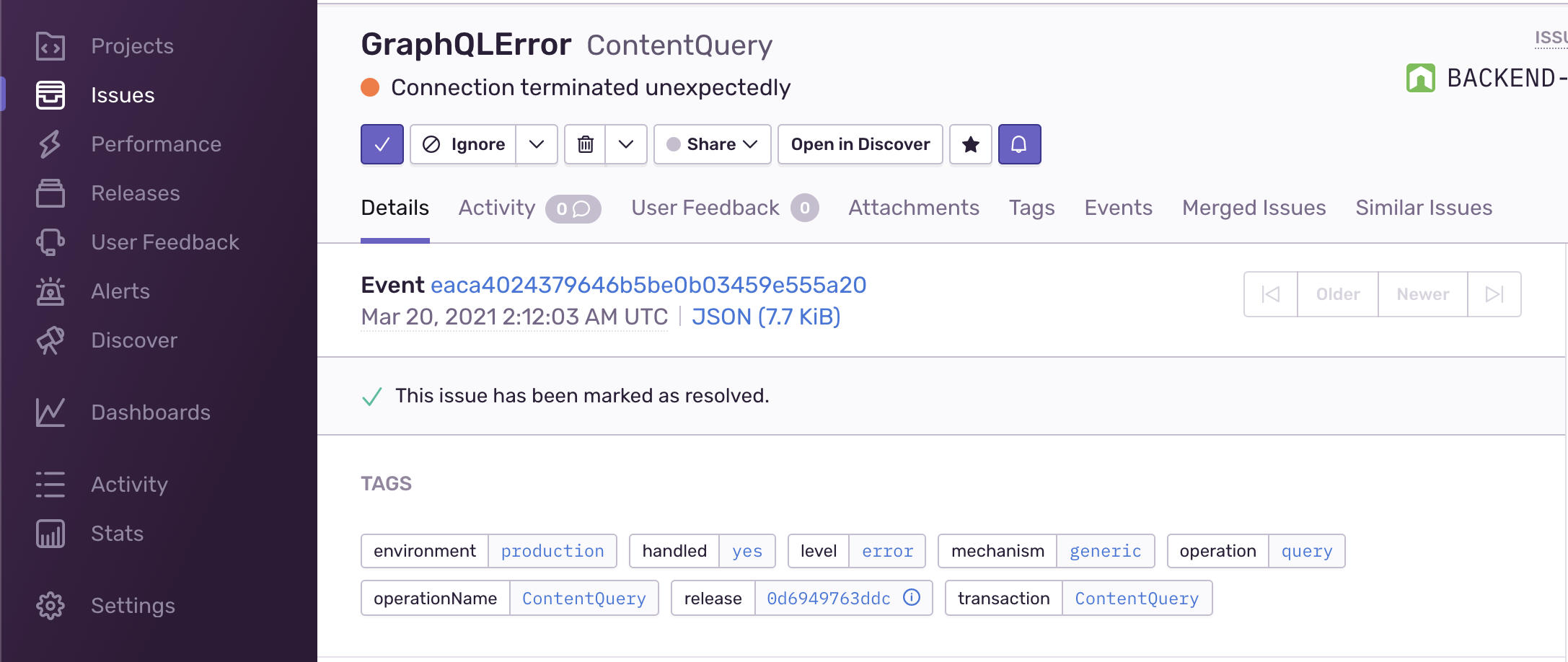\n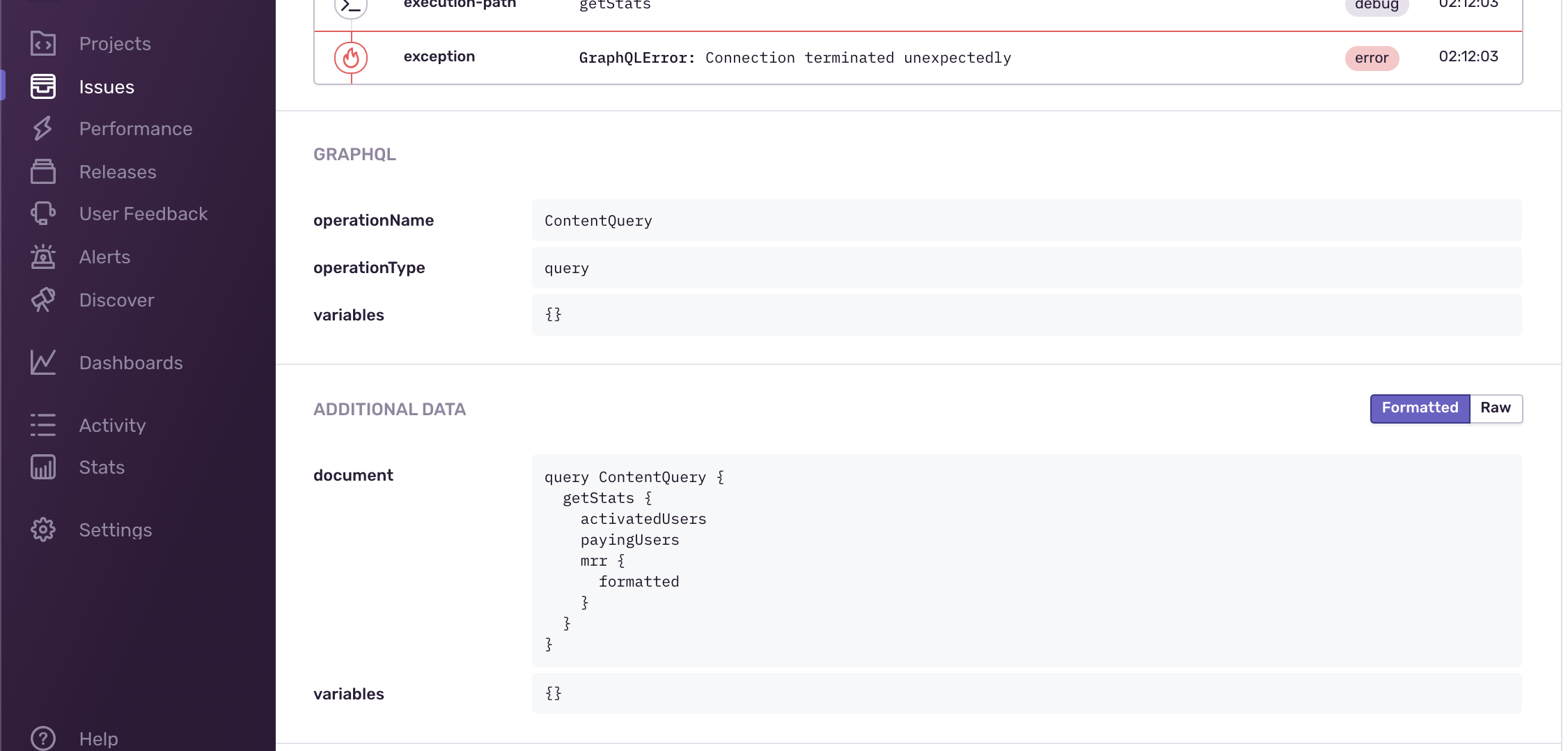\n\n> The operation name, document, variables are collected on errors, and the breadcrumbs that led to\n> the error. You can also add any custom values that you need.\n\nAnd for performance tracking:\n\n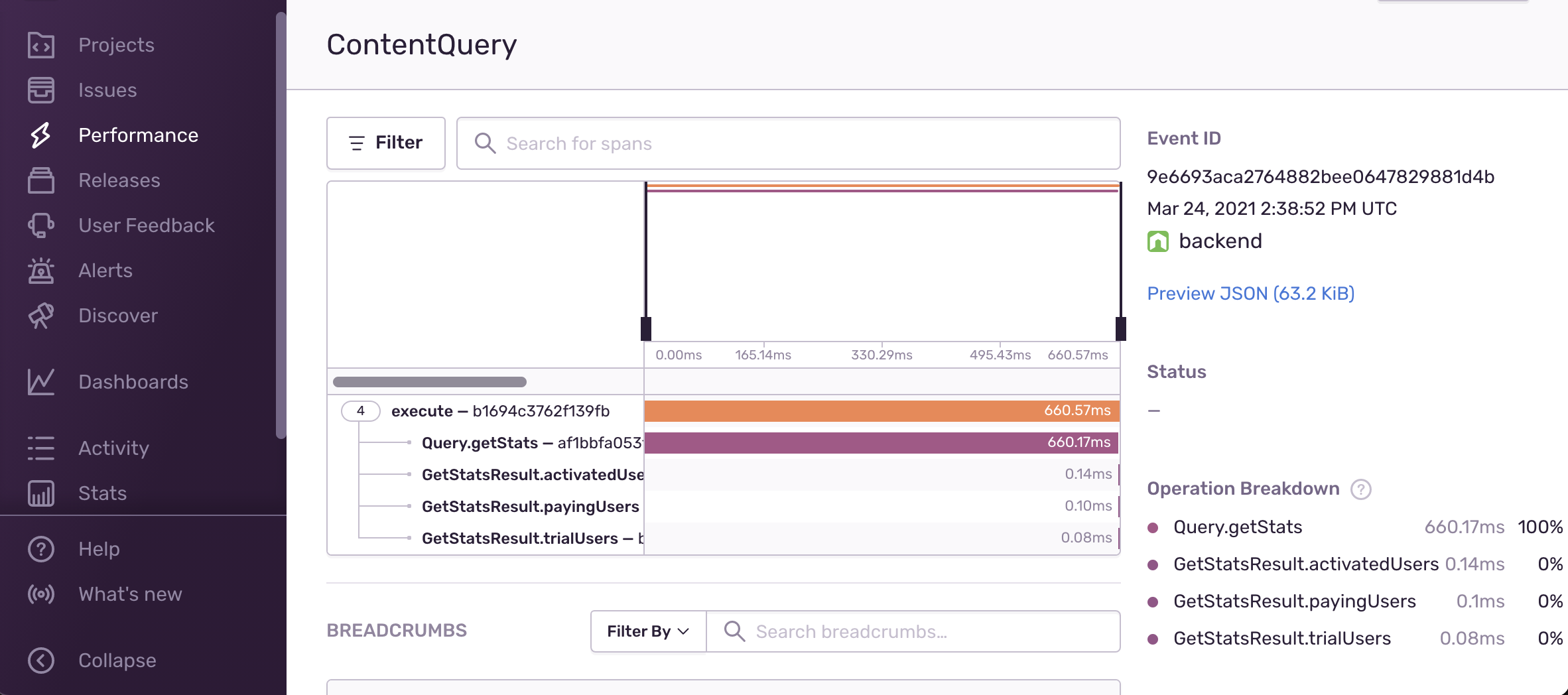\n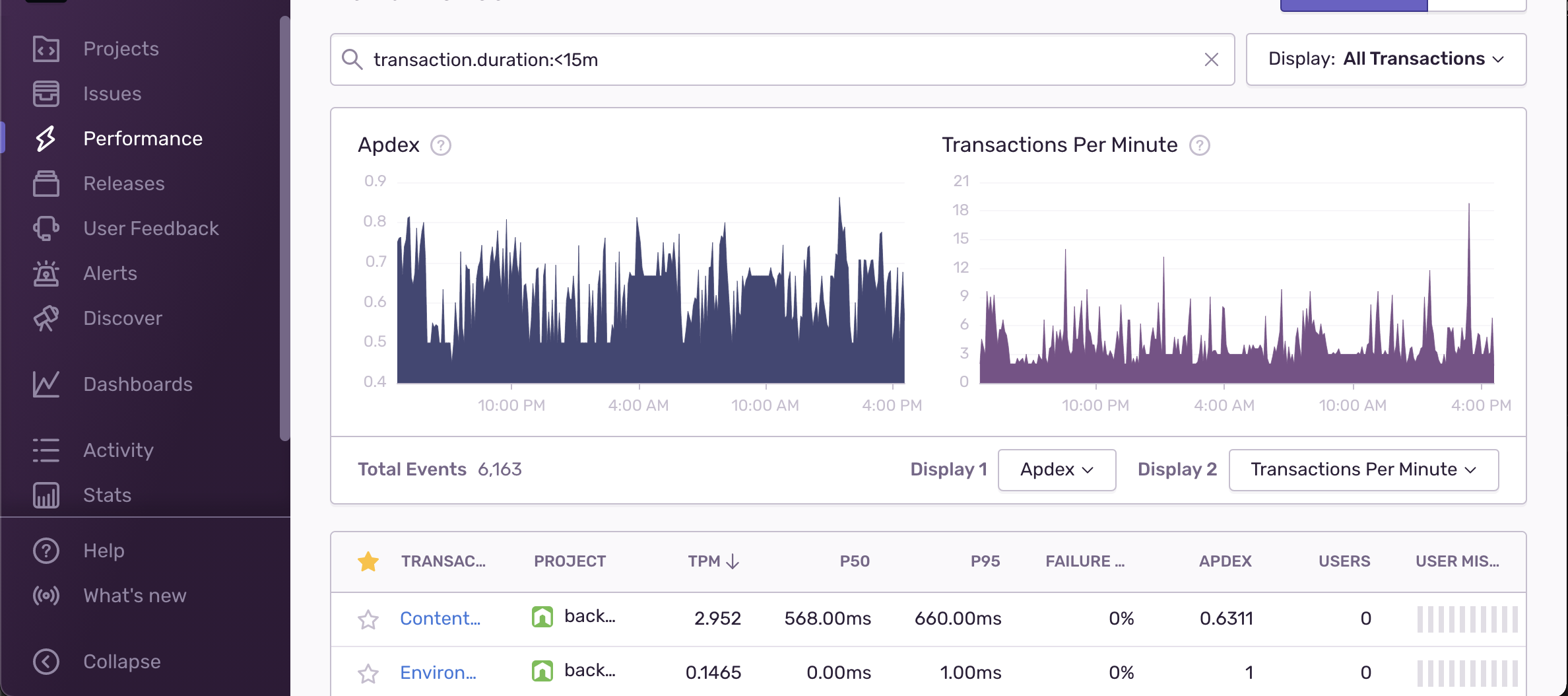\n\n> You can get information about each resolver (including field and type names), it's execution time\n> and arguments. Also, in case of an error, the performance log and info are attached automatically\n> to the reported Sentry error.\n\n## Getting Started\n\n```sh\nyarn add @sentry/node @sentry/tracing @envelop/sentry\n```\n\n1. Start by creating an account and a project in https://sentry.io\n2. Follow the instructions to setup your Sentry instance in your application.\n3. Setup Sentry global instance configuration.\n4. Setup the Envelop plugin.\n\n## Usage Example\n\n```ts\nimport { execute, parse, specifiedRules, subscribe, validate } from 'graphql'\nimport { envelop, useEngine } from '@envelop/core'\nimport { useSentry } from '@envelop/sentry'\n\nconst getEnveloped = envelop({\n plugins: [\n useEngine({ parse, validate, specifiedRules, execute, subscribe }),\n // ... other plugins ...\n useSentry({\n includeRawResult: false, // set to `true` in order to include the execution result in the metadata collected\n includeResolverArgs: false, // set to `true` in order to include the args passed to resolvers\n includeExecuteVariables: false, // set to `true` in order to include the operation variables values\n appendTags: args => {}, // if you wish to add custom \"tags\" to the Sentry transaction created per operation\n configureScope: (args, scope) => {}, // if you wish to modify the Sentry scope\n skip: executionArgs => {} // if you wish to modify the skip specific operations\n })\n ]\n})\n```\n\n### Configuration\n\n- `forceTransaction` (default: `true`) - Force the creation of a new transaction for every GraphQL\n Operation. By default, Sentry mange the creation of transactions automatically. By enabling this\n option, you can ensure that the GraphQL execution pipeline is always wrapped in its own\n transaction.\n\n- `renameTransaction` (default: `false`) - Renames Transaction.\n- `includeRawResult` (default: `false`) - Adds result of each resolver and operation to Span's data\n (available under \"result\")\n- `includeExecuteVariables` (default: `false`) - Adds operation's variables to a Scope (only in case\n of errors)\n- `appendTags` - See example above. Allow you to manipulate the tags reports on the Sentry\n transaction.\n- `configureScope` - See example above. Allow you to manipulate the tags reports on the Sentry\n transaction.\n- `transactionName` (default: operation name) - Produces a name of Transaction (only when\n \"renameTransaction\" or \"startTransaction\" are enabled) and description of created Span.\n- `traceparentData` (default: `{}`) - Adds tracing data to be sent to Sentry - this includes\n traceId, parentId and more.\n- `operationName` - Produces a \"op\" (operation) of created Span.\n- `skip` (default: none) - Produces a \"op\" (operation) of created Span.\n- `skipError` (default: ignored `GraphQLError`) - Indicates whether or not to skip Sentry exception\n reporting for a given error. By default, this plugin skips all `GraphQLError` errors and does not\n report it to Sentry.\n- `eventIdKey` (default: `'sentryEventId'`) - The key in the error's extensions field used to expose\n the generated Sentry event id. Set to `null` to disable.\n","packages/envelop/plugins/statsd/README.md":"## `@envelop/statsd`\n\nThis plugin tracks the complete execution flow, and reports metrics using StatsD (based on\n`hot-shots`).\n\nCompatible with:\n\n- Datadog's DogStatsD server\n- InfluxDB's Telegraf StatsD server\n- Etsy's StatsD serve\n\nAvailable metrics:\n\n- `graphql.operations.count` - the number of performed operations (including failures)\n- `graphql.operations.error_count` - the number of failed operations\n- `graphql.operations.latency` - a histogram of response times (in milliseconds)\n\n> You can also customize the `graphql` prefix and add custom tags to the metrics.\n\n## Getting Started\n\n```\nyarn add hot-shots @envelop/statsd\n```\n\n## Usage Example\n\n```ts\nimport { execute, parse, specifiedRules, subscribe, validate } from 'graphql'\nimport StatsD from 'hot-shots'\nimport { envelop, useEngine } from '@envelop/core'\nimport { useStatsD } from '@envelop/statsd'\n\nconst client = new StatsD({\n port: 8020,\n globalTags: { env: process.env.NODE_ENV }\n})\n\nconst getEnveloped = envelop({\n plugins: [\n useEngine({ parse, validate, specifiedRules, execute, subscribe }),\n // ... other plugins ...\n useStatsD({\n client,\n prefix: 'gql', // results in `gql.operations.count` instead of `graphql.operations.count`,\n skipIntrospection: true // if you wish to disable introspection logging\n })\n ]\n})\n```\n","packages/envelop/plugins/validation-cache/README.md":"## `@envelop/validation-cache`\n\nThis plugins adds simple LRU caching to your `validate`, to improve performance by caching the\nvalidation result.\n\nThis plugins improves performance of validating by ~50% (based on benchmarks).\n\n## Getting Started\n\n```\nyarn add @envelop/validation-cache\n```\n\n## Usage Example\n\n```ts\nimport { execute, parse, specifiedRules, subscribe, validate } from 'graphql'\nimport { envelop, useEngine } from '@envelop/core'\nimport { useValidationCache } from '@envelop/validation-cache'\n\nconst getEnveloped = envelop({\n plugins: [\n useEngine({ parse, validate, specifiedRules, execute, subscribe }),\n // ... other plugins ...\n useValidationCache({\n // options goes here\n })\n ]\n})\n```\n\n### API Reference\n\n#### `cache`\n\nSet this to pass in a cache instance. By default a new LRU cache is created using default `max` and\n`ttl`.\n","packages/event-target/redis-event-target/README.md":"# @graphql-yoga/redis-event-target\n\nDo distributed GraphQL subscriptions over Redis.\n\n[Learn more about GraphQL Subscriptions.](https://www.graphql-yoga.com/docs/features/subscriptions)\n","packages/event-target/typed-event-target/README.md":"# @graphql-yoga/typed-event-target\n\nThis is an internal package. Please don't use this package directly. The package will do unexpected\nbreaking changes.\n\n[Learn more about GraphQL Subscriptions.](https://www.graphql-yoga.com/docs/features/subscriptions)\n","packages/graphiql/README.md":"# Yoga GraphiQL\n\nThis the GraphiQL used by GraphQL Yoga. This package is currently not published to npm and only\ncontains the React component `GraphQLYoga`.\n\n## Development\n\nYou can run a local instance on `http://localhost:4001` with the following command\".\n\n```ts\npnpm --filter @graphql-yoga/graphiql start\n```\n\nThe development server will automatically proxy `http://localhost:4000/graphql`, so make sure you\nhave a Yoga instance running on that port.\n","packages/graphql-yoga/README.md":"","packages/nestjs-federation/README.md":"","packages/nestjs/README.md":"","packages/plugins/apollo-managed-federation/README.md":"","packages/plugins/response-cache/README.md":""},"files":{"envelop-website/content/docs/plugins/meta.json":"{\n \"pages\": [\"index\", \"custom-plugin\", \"lifecycle\", \"testing\", \"typescript\"],\n \"title\": \"Plugins\"\n}\n","packages/envelop/README.md":"## Envelop\n\n`envelop` is a lightweight JavaScript (/TypeScript) library for wrapping GraphQL execution layer and\nflow, allowing developers to develop, share and collaborate on GraphQL-related plugins while filling\nthe missing pieces in GraphQL implementations.\n\n`envelop` aims to extend the GraphQL execution flow by adding plugins that enrich the feature set of\nyour application.\n\n
\n \n
\n\n`@envelop/core`:\n[](https://www.npmjs.com/package/@envelop/core)\n\n> Envelop is created and maintained by [The Guild](https://the-guild.dev/), and used in production\n> by our clients.\n\n### [Envelop Key Concepts](<(https://www.envelop.dev/docs#key-concepts)>)\n\n- Lightweight\n- Wraps the entire GraphQL pipeline, based on plugins\n- Low-level API for extending the execution layer\n- Agnostic to GraphQL Engine\n- Agnostic to the HTTP layer\n- Agnostic to the schema tools\n- Plugins-based usage\n- No vendor lock-in\n- Amazing TypeScript support\n\n[You can read more about the key concepts or Envelop here](https://www.envelop.dev/docs#key-concepts)\n\n## [Getting Started](https://www.envelop.dev/docs/getting-started)\n\nStart by adding the core of Envelop to your codebase:\n\n```\nyarn add graphql @envelop/core\n```\n\nThen, create a simple Envelop based on your GraphQL schema:\n\n```ts\nimport * as GraphQLJS from 'graphql'\nimport { envelop, useEngine, useSchema } from '@envelop/core'\n\nconst mySchema = buildSchema(/* ... */) // GraphQLSchema\n\nconst getEnveloped = envelop({\n plugins: [useEngine(GraphQLJS), useSchema(mySchema)]\n})\n```\n\nThe result of `envelop` is a function that allows you to get everything you need for the GraphQL\nexecution: `parse`, `validate`, `contextBuilder` and `execute`. Use that to run the client's GraphQL\nqueries. Here's a pseudo-code example of how it should look like:\n\n```ts\nconst httpServer = createServer()\n\nhttpServer.on('request', async (req, res) => {\n // Here you get the alternative methods that are bundled with your plugins\n // You can also pass the \"req\" to make it available for your plugins or GraphQL context.\n const { parse, validate, contextFactory, execute, schema } = getEnveloped({ req })\n\n // Parse the initial request and validate it\n const { query, variables } = JSON.parse(req.payload)\n const document = parse(query)\n const validationErrors = validate(schema, document)\n\n if (validationErrors.length > 0) {\n return res.end(JSON.stringify({ errors: validationErrors }))\n }\n\n // Build the context and execute\n const context = await contextFactory(req)\n const result = await execute({\n document,\n schema,\n variableValues: variables,\n contextValue: context\n })\n\n // Send the response\n res.end(JSON.stringify(result))\n})\n\nhttpServer.listen(3000)\n```\n\nBehind the scenes, this simple workflow allows you to use **Envelop plugins** and hook into the\nentire request handling flow.\n\nHere's a simple example for collecting metrics and logging all incoming requests, using the built-in\nplugins:\n\n```ts\nconst getEnveloped = envelop({\n plugins: [useEngine(GraphQLJS), useSchema(schema), useLogger(), useTiming()]\n})\n```\n\n> [You can read more about here](https://www.envelop.dev/docs/getting-started)\n\n## [Integrations / Examples](https://www.envelop.dev/docs/integrations)\n\n[You can find the integrations and compatibility list, and code-based examples here](https://www.envelop.dev/docs/integrations)\n\n## Available Plugins\n\nYou can explore all plugins in our [Plugins Hub](https://www.envelop.dev/plugins). If you wish your\nplugin to be listed here and under PluginsHub, feel free to add your plugin information\n[in this file](https://github.com/graphql-hive/envelop/edit/main/website/src/lib/plugins.ts#L23) and\ncreate a Pull Request!\n\nWe provide a few built-in plugins within the `@envelop/core`, and many more plugins as standalone\npackages.\n\n**[Envelop's Plugin Hub](https://www.envelop.dev/plugins)**\n\n## Sharing / Composing `envelop`s\n\nAfter an `envelop` has been created, you can share it with others as a complete layer of plugins.\nThis is useful if you wish to create a predefined layer of plugins, and share it with others. You\ncan use it as a shell and as a base for writing shareable pieces of servers.\n\nYou can read more about\n[Sharing and Composing Envelops here](https://www.envelop.dev/docs/composing-envelop).\n\n## Write your own plugin!\n\nEnvelop plugins are just objects with functions, that provide contextual implementation for\nbefore/after each phase, with a flexible API.\n\nHere's a simple example that allows you to print the execution params:\n\n```ts\nconst myPlugin = {\n onExecute({ args }) {\n console.log('Execution started!', { args })\n\n return {\n onExecuteDone({ result }) {\n console.log('Execution done!', { result })\n }\n }\n }\n}\n\nconst getEnveloped = envelop({\n plugins: [\n /// ... other plugins ...,\n myPlugin\n ]\n})\n```\n\n[For a complete guide and API docs for custom plugins, please refer to Envelop website](https://www.envelop.dev/docs/plugins)\n\n### Contributing\n\nIf this is your first time contributing to this project, please do read our\n[Contributor Workflow Guide](https://github.com/the-guild-org/Stack/blob/master/CONTRIBUTING.md)\nbefore you get started off.\n\nFeel free to open issues and pull requests. We always welcome support from the community.\n\n### Code of Conduct\n\nHelp us keep Envelop open and inclusive. Please read and follow our\n[Code of Conduct](https://github.com/the-guild-org/Stack/blob/master/CODE_OF_CONDUCT.md) as adopted\nfrom [Contributor Covenant](https://www.contributor-covenant.org/)\n\n### License\n\n[](https://raw.githubusercontent.com/graphql-hive/envelop/master/LICENSE)\n\nMIT\n","packages/envelop/core/README.md":"## `@envelop/core`\n\nThis is the core package for Envelop. You can find a complete documentation here:\nhttps://github.com/graphql-hive/envelop\n\n### Built-in plugins\n\n- [`useSchema`](./docs/use-schema.md)\n- [`useSchemaByContext`](./docs/use-schema-by-context.md)\n- [`useErrorHandler`](./docs/use-error-handler.md)\n- [`useExtendContext`](./docs/use-extend-context.md)\n- [`useLogger`](./docs/use-logger.md)\n- [`useMaskedErrors`](./docs/use-masked-errors.md)\n- [`usePayloadFormatter`](./docs/use-payload-formatter.md)\n- [`useEngine`](./docs/use-engine.md)\n- [`useValidationRule`](./docs/use-validation-rule.md)\n","packages/envelop/core/docs/use-engine.md":"#### `useEngine`\n\nThis plugin can be used to customize the GraphQL Engine.\n\n```ts\nimport { execute, parse, specifiedRules, subscribe, validate } from 'graphql'\nimport { envelop, useEngine } from '@envelop/core'\n\nconst getEnveloped = envelop({\n plugins: [\n useEngine({\n parse,\n validate,\n specifiedRules,\n execute,\n subscribe\n })\n ]\n})\n```\n","packages/envelop/core/docs/use-error-handler.md":"#### `useErrorHandler`\n\nThis plugin triggers a custom function when execution encounters an error.\n\n```ts\nimport { execute, parse, specifiedRules, subscribe, validate } from 'graphql'\nimport { envelop, useEngine, useErrorHandler } from '@envelop/core'\n\nconst getEnveloped = envelop({\n plugins: [\n useEngine({ parse, validate, specifiedRules, execute, subscribe }),\n useErrorHandler((errors, args) => {\n // This callback is called once, containing all GraphQLError emitted during execution phase\n })\n // ... other plugins ...\n ]\n})\n```\n","packages/envelop/core/docs/use-extend-context.md":"#### `useExtendContext`\n\nEasily extends the context with custom fields.\n\n```ts\nimport { execute, parse, specifiedRules, subscribe, validate } from 'graphql'\nimport { envelop, useEngine, useExtendContext } from '@envelop/core'\n\nconst getEnveloped = envelop({\n plugins: [\n useEngine({ parse, validate, specifiedRules, execute, subscribe }),\n useExtendContext(async contextSoFar => {\n return {\n myCustomField: {\n /* ... */\n }\n }\n })\n // ... other plugins ...\n ]\n})\n```\n","packages/envelop/core/docs/use-logger.md":"#### `useLogger`\n\nLogs parameters and information about the execution phases. You can easily plug your custom logger.\n\n```ts\nimport { execute, parse, subscribe, validate } from 'graphql'\nimport { envelop, specifiedRules, useEngine, useLogger } from '@envelop/core'\n\nconst getEnveloped = envelop({\n plugins: [\n useEngine({ parse, validate, specifiedRules, execute, subscribe }),\n useLogger({\n logFn: (eventName, args) => {\n // Event could be `execute-start` / `execute-end` / `subscribe-start` / `subscribe-end`\n // `args` will include the arguments passed to execute/subscribe (in case of \"start\" event) and additional result in case of \"end\" event.\n }\n })\n // ... other plugins ...\n ]\n})\n```\n","packages/envelop/core/docs/use-masked-errors.md":"#### `useMaskedErrors`\n\nPrevent unexpected error messages from leaking to the GraphQL clients.\n\n```ts\nimport {\n execute,\n GraphQLError,\n makeExecutableSchema,\n parse,\n specifiedRules,\n subscribe,\n validate\n} from 'graphql'\nimport { envelop, useEngine, useMaskedErrors, useSchema } from '@envelop/core'\n\nconst schema = makeExecutableSchema({\n typeDefs: /* GraphQL */ `\n type Query {\n something: String!\n somethingElse: String!\n somethingSpecial: String!\n }\n `,\n resolvers: {\n Query: {\n something: () => {\n throw new GraphQLError('Error that is propagated to the clients.')\n },\n somethingElse: () => {\n throw new Error(\"Unsafe error that will be masked as 'Unexpected Error.'.\")\n },\n somethingSpecial: () => {\n throw new GraphQLError('The error will have an extensions field.', {\n code: 'ERR_CODE',\n randomNumber: 123\n })\n }\n }\n }\n})\n\nconst getEnveloped = envelop({\n plugins: [\n useEngine({ parse, validate, specifiedRules, execute, subscribe }),\n useSchema(schema),\n useMaskedErrors()\n ]\n})\n```\n\nYou may customize the default error message `Unexpected error.` with your own `errorMessage`:\n\n```ts\nimport { execute, parse, specifiedRules, subscribe, validate } from 'graphql'\nimport { envelop, useEngine, useMaskedErrors, useSchema } from '@envelop/core'\nimport { schema } from './schema'\n\nconst getEnveloped = envelop({\n plugins: [\n useEngine({ parse, validate, specifiedRules, execute, subscribe }),\n useSchema(schema),\n useMaskedErrors({ errorMessage: 'Something went wrong.' })\n ]\n})\n```\n\nOr provide a custom formatter when masking the output:\n\n```ts\nimport { execute, GraphQLError, parse, specifiedRules, subscribe, validate } from 'graphql'\nimport { isGraphQLError, MaskError, useEngine } from '@envelop/core'\n\nexport const customFormatError: MaskError = err => {\n if (isGraphQLError(err)) {\n return new GraphQLError('Sorry, something went wrong.')\n }\n\n return err\n}\n\nconst getEnveloped = envelop({\n plugins: [\n useEngine({ parse, validate, specifiedRules, execute, subscribe }),\n useSchema(schema),\n useMaskedErrors({ maskError: customFormatError })\n ]\n})\n```\n","packages/envelop/core/docs/use-payload-formatter.md":"#### `usePayloadFormatter`\n\nAllow you to format/modify execution result payload before returning it to your consumer.\n\nThe second argument `executionArgs` provides additional information for your formatter. It consists\nof contextValue, variableValues, document, operationName, and other properties.\n\n```ts\nimport { execute, parse, subscribe, validate } from 'graphql'\nimport { envelop, useEngine, usePayloadFormatter } from '@envelop/core'\n\nconst getEnveloped = envelop({\n plugins: [\n useEngine({ parse, validate, specifiedRules, execute, subscribe }),\n usePayloadFormatter((result, executionArgs) => {\n // Return a modified result here,\n // Or `false`y value to keep it as-is.\n })\n // ... other plugins ...\n ]\n})\n```\n","packages/envelop/core/docs/use-schema-by-context.md":"#### `useSchemaByContext`\n\nThis plugin is the simplest plugin for specifying your GraphQL schema. You can specify a schema\ncreated from any tool that emits `GraphQLSchema` object, and you can choose to load the schema based\non the initial context (or the incoming request).\n\n```ts\nimport { execute, parse, specifiedRules, subscribe, validate } from 'graphql'\nimport { envelop, useEngine, useSchemaByContext } from '@envelop/core'\n\nasync function getSchema({ req }): GraphQLSchema {\n if (req.isAdmin) {\n return adminSchema\n }\n\n return userSchema\n}\n\nconst getEnveloped = envelop({\n plugins: [\n useEngine({ parse, validate, specifiedRules, execute, subscribe }),\n useSchemaByContext(getSchema)\n // ... other plugins ...\n ]\n})\n```\n","packages/envelop/core/docs/use-schema.md":"#### `useSchema`\n\nThis plugin is the simplest plugin for specifying your GraphQL schema. You can specify a schema\ncreated from any tool that emits `GraphQLSchema` object.\n\n```ts\nimport { execute, parse, specifiedRules, subscribe, validate } from 'graphql'\nimport { envelop, useEngine, useSchema } from '@envelop/core'\n\nconst mySchema = buildSchema(/* ... */)\n\nconst getEnveloped = envelop({\n plugins: [\n useEngine({ parse, validate, specifiedRules, execute, subscribe }),\n useSchema(mySchema)\n // ... other plugins ...\n ]\n})\n```\n","packages/envelop/core/docs/use-validation-rule.md":"#### `useValidationRule`\n\nThis plugin is the simplest plugin for adding a validation rule to your GraphQL schema. You can\nspecify any function that conforms to\n[the `ValidationRule` type](https://github.com/graphql/graphql-js/blob/8a95335f545024c09abfa0f07cc326f73a0e466f/src/validation/ValidationContext.ts#L269).\n\n```ts\nimport { execute, parse, specifiedRules, subscribe, validate } from 'graphql'\nimport { envelop, useEngine, useValidationRule } from '@envelop/core'\nimport { depthLimit } from '@graphile/depth-limit'\n\nconst getEnveloped = envelop({\n plugins: [\n useEngine({ parse, validate, specifiedRules, execute, subscribe }),\n useValidationRule(\n depthLimit({\n maxDepth: 12,\n maxListDepth: 4,\n maxSelfReferentialDepth: 2\n })\n )\n // ... other plugins ...\n ]\n})\n```\n","packages/envelop/instrumentation/README.md":"## `@envelop/instrumentation`\n\nThis package contains utility functions and types to ease the use of instrumentation accross\nEnvelop, Yoga, whatwg-node and Hive Gateway plugins.\n\n> [!NOTE] Instrumentation are automatically composed together. This should only be used if the\n> default ordering doesn't suit your needs (ie. instrumentation and hooks should be executed in\n> different order)\n\n## `composeInstrumentation(instrumentation: Instrumentation[]): Instrumentation`\n\nThis function composes all the instrumentation into one. The instrumentation will be called in the\nsame order as they are in the array (from top to bottom).\n\n```ts\nimport { composeInstrumentation } from '@envelop/instrumentation'\n\n// Extract instrumentation to compose from their plugins\nconst { instrumentation: instrumentation1, ...plugin1 } = usePlugin1()\nconst { instrumentation: instrumentation2, ...plugin2 } = usePlugin2()\n\nconst getEnveloped = envelop({\n plugins: [\n plugin1,\n plugin2,\n // Plugin instrumentation and plugin hooks will be executed in a different order\n { instrumentation: composeInstrumentation([instrumentation1, instrumentation2]) }\n ]\n})\n```\n","packages/envelop/plugins/apollo-datasources/README.md":"## `@envelop/apollo-datasources`\n\nThis plugin integrates Apollo DataSources into Envelop.\n\n## Getting Started\n\n```\nyarn add @envelop/apollo-datasources\n```\n\n## Usage Example\n\n```ts\nimport { RESTDataSource } from 'apollo-datasource-rest'\nimport { execute, parse, specifiedRules, subscribe, validate } from 'graphql'\nimport { useApolloDataSources } from '@envelop/apollo-datasources'\nimport { envelop, useEngine } from '@envelop/core'\n\nclass MoviesAPI extends RESTDataSource {\n constructor() {\n super()\n this.baseURL = 'https://movies-api.example.com/'\n }\n\n async getMovie(id) {\n return this.get(`movies/${encodeURIComponent(id)}`)\n }\n\n async getMostViewedMovies(limit = 10) {\n const data = await this.get('movies', {\n per_page: limit,\n order_by: 'most_viewed'\n })\n return data.results\n }\n}\n\nconst getEnveloped = envelop({\n plugins: [\n useEngine({ parse, validate, specifiedRules, execute, subscribe }),\n // ... other plugins ...\n useApolloDataSources({\n dataSources() {\n return {\n moviesAPI: new MoviesAPI()\n }\n }\n // To provide a custom cache, you can use the following code (InMemoryLRUCache is used by default):\n // cache: new YourCustomCache()\n })\n ]\n})\n```\n","packages/envelop/plugins/apollo-federation/README.md":"## `@envelop/apollo-federation`\n\nThis plugin integrates Apollo Federation Gateway into Envelop.\n\n## Getting Started\n\n```\nyarn add @envelop/apollo-federation\n```\n\n## Usage Example\n\n```ts\nimport { execute, parse, specifiedRules, subscribe, validate } from 'graphql'\nimport { ApolloGateway } from '@apollo/gateway'\nimport { useApolloFederation } from '@envelop/apollo-federation'\nimport { envelop, useEngine } from '@envelop/core'\n\n// Initialize the gateway\nconst gateway = new ApolloGateway({\n serviceList: [\n { name: 'accounts', url: 'http://localhost:4001' },\n { name: 'products', url: 'http://localhost:4002' }\n // ...additional subgraphs...\n ]\n})\n\n// Make sure all services are loaded\nawait gateway.load()\n\n// Then pass it to the plugin configuration\nconst getEnveloped = envelop({\n plugins: [\n useEngine({ parse, validate, specifiedRules, execute, subscribe }),\n // ... other plugins ...\n useApolloFederation({ gateway })\n ]\n})\n```\n","packages/envelop/plugins/apollo-server-errors/README.md":"## `@envelop/apollo-server-errors`\n\nThis plugin exposes the same error structure as `apollo-server`. Use this plugin if you are moving\nto Envelop, and wish to get a compatibility layer for your errors, to make sure the clients receive\nthe same output.\n\n## Getting Started\n\n```\nyarn add @envelop/apollo-server-errors\n```\n\n## Usage Example\n\n```ts\nimport { execute, parse, specifiedRules, subscribe, validate } from 'graphql'\nimport { useApolloServerErrors } from '@envelop/apollo-server-errors'\nimport { envelop, useEngine } from '@envelop/core'\n\nconst getEnveloped = envelop({\n plugins: [\n useEngine({ parse, validate, specifiedRules, execute, subscribe }),\n // ... other plugins ...\n useApolloServerErrors({\n // All fields are optional, and should match what you pass today to ApolloServer\n debug: true, //\n formatter: () => {}\n })\n ]\n})\n```\n","packages/envelop/plugins/apollo-tracing/README.md":"## `@envelop/apollo-tracing`\n\nThis plugin tracks execution and resolvers and reports it using\n[`apollo-tracing`](https://github.com/apollographql/apollo-server/tree/main/packages/apollo-tracing)\nformat (based on GraphQL `extensions`).\n\nYou can see the results of the collected metrics if you are using\n[GraphQL Playground](https://github.com/graphql/graphql-playground).\n\nThis is how it looks like (note the `TRACING` section):\n\n\n\n## Getting Started\n\n```\nyarn add @envelop/apollo-tracing\n```\n\n## Usage Example\n\n```ts\nimport { execute, parse, specifiedRules, subscribe, validate } from 'graphql'\nimport { useApolloTracing } from '@envelop/apollo-tracing'\nimport { envelop, useEngine } from '@envelop/core'\n\nconst getEnveloped = envelop({\n plugins: [\n useEngine({ parse, validate, specifiedRules, execute, subscribe }),\n // ... other plugins ...\n useApolloTracing()\n ]\n})\n```\n\n## Notes\n\nIt's recommended to keep this plugin active only while developing only, since it's mainly used for\nperformance tracking while developing.\n","packages/envelop/plugins/auth0/README.md":"## `@envelop/auth0`\n\nThis plugin validates an JWT token created by [Auth0](https://auth0.com/), and injects the Auth0\nuser properties into your GraphQL context. With this plugin, you can implement authentication and\nauthorization in a simple way.\n\n> The plugins is using [JWKS](https://auth0.com/docs/tokens/json-web-tokens/json-web-key-sets)\n> standard in order to validate the token.\n\n## Getting Started\n\nWe recommend using the\n[Adding Authentication with Auth0 guide](https://www.envelop.dev/docs/guides/adding-authentication-with-auth0)\nif this is your first time using this plugin!\n\n1. Sign up for [Auth0](https://auth0.com/), create a tenant based on your needs, and then create an\n Auth0 Application (https://auth0.com/docs/applications).\n2. Setup Auth0 client based on your client app. You should be able to login on your app, and get a\n JWT token from Auth0. Make sure to pass that token in your GraphQL requests sent to your server,\n using headers (for example: `Authorization: Bearer XYZ`). You can find more info here:\n https://auth0.com/docs/quickstart/spa\n3. From your tenant configuration screen, find your `audience` and `domain` configurations.\n4. Setup Envelop with that plugin:\n\n```ts\nimport { execute, parse, specifiedRules, subscribe, validate } from 'graphql'\nimport { useAuth0 } from '@envelop/auth0'\nimport { envelop, useEngine } from '@envelop/core'\n\nconst getEnveloped = envelop({\n plugins: [\n useEngine({ parse, validate, specifiedRules, execute, subscribe }),\n // ... other plugins ...\n useAuth0({\n onError: e => {}, // In case of an error, you can override it and customize the error your client will get.\n domain: 'YOUR_AUTH0_DOMAIN_HERE',\n audience: 'YOUR_AUTH0_AUDIENCE_HERE',\n headerName: 'authorization', // Name of the header\n preventUnauthenticatedAccess: true, // If you need to have unauthenticated parts on your schema, make sure to disable that by setting it to `false` and the check it in your resolvers.\n extendContextField: 'auth0', // The name of the field injected to your `context`\n tokenType: 'Bearer' // Type of token to expect in the header\n })\n ]\n})\n```\n\n5. Make sure to pass your request as part of the context building:\n\n```ts\nmyHttpServer.on('request', async req => {\n const { contextFactory } = getEnveloped({ req })\n const contextValue = await contextFactory({ req }) // Make sure to pass it here\n})\n```\n\n> By default, this plugins looks for `req` or `request` properties in your base context. If you need\n> to override it, please use `extractTokenFn` and you can customize it.\n\n6. You should now be able to validate user tokens, and if a user is valid, you can get the Auth0\n user id (called `sub`) as part of your `context` during execution:\n\n```ts\nconst myResolvers = {\n Query: {\n me: (root, args, context, info) => {\n const auth0UserId = context.auth0.sub\n }\n }\n}\n```\n\n### API Reference\n\n#### `jwksClientOptions`\n\nPass this to customize the JWKS client creation. See: https://github.com/auth0/node-jwks-rsa\n\n> Setting this will override any other options defined by this plugin.\n\n#### `jwtDecodeOptions`\n\nPass this to customize the JWT `decode` phase. See:\nhttps://www.npmjs.com/package/jws#jwsdecodesignature\n\n#### `jwtVerifyOptions`\n\nPass this to customize the JWT `verify` phase. See:\nhttps://github.com/auth0/node-jsonwebtoken#jwtverifytoken-secretorpublickey-options-callback\n\n#### `onError(e: Error)`\n\nBy default, this library will throw an error during context building if an error has happened.\n\nIf you wish to customize the error, you can add `onError` callback and throw a custom error based on\nyour needs.\n\n#### `preventUnauthenticatedAccess`\n\nBy default, this library will prevent execution flow and throw an error in case of an authentication\nerror.\n\nSetting this to `false` will lead to a `null` value in case of authentication issue (and `onError`\nwill still get called).\n\n#### `domain`\n\nSpecifies the Auth0 domain, please note that you need to specify that field with a protocol, for\nexample: `my-domain.us.auth0.com`\n\n#### `audience`\n\nSpecifies the Auth0 audience.\n\n#### `extractTokenFn(context: any)`\n\nIf you wish to customize the token extraction from your HTTP request, override this function. It\ngets the `context` built so far as an argument, and you can extract your auth token based on your\nsetup.\n\n#### `headerName` + `tokenType`\n\nIf `extractTokenFn` is not set, the default behavior of this plugin is to look for `req` and\n`request` in the context, then look for `headers` and look for `authentication` header (you can\ncustomize it with `headerName`). Then, it validates that the token is of type `Bearer` (you can\ncustomize it with `tokenType` option).\n\n#### `extendContextField`\n\nThe name of the field to inject to your `context`. When the user is valid, the decoded and verified\npayload of the JWT is injected. In most cases, the field that you need is `sub` (which refers to the\ninternal Auth0 user identifier).\n\nYou can read more about the token structure here:\nhttps://auth0.com/docs/tokens/json-web-tokens/json-web-token-structure\n\nBy default, the `auth0` value is used.\n\n## Notes\n\n> Make sure to specify `audience` field in the client, otherwise you'll get an opaque token instead\n> of a JWT token.\n","packages/envelop/plugins/dataloader/README.md":"## `@envelop/dataloader`\n\nThis plugin helps you to create a new [DataLoader](https://github.com/graphql/dataloader) instance\nevery time your context is being built. The created instance is injected into the `context` with the\nname you wish to use.\n\n## Getting Started\n\n```\nyarn add dataloader @envelop/dataloader\n```\n\n## Usage Example\n\n```ts\nimport DataLoader from 'dataloader'\nimport { execute, parse, specifiedRules, subscribe, validate } from 'graphql'\nimport { envelop, useEngine } from '@envelop/core'\nimport { useDataLoader } from '@envelop/dataloader'\n\nconst getEnveloped = envelop({\n plugins: [\n useEngine({ parse, validate, specifiedRules, execute, subscribe }),\n // ... other plugins ...\n useDataLoader('users', context => new DataLoader(keys => myBatchGetUsers(keys)))\n ]\n})\n```\n\nThen, when you need to use it in your resolvers, just take it from the context:\n\n```ts\nexport const resolvers = {\n Query: {\n user: (root, args, context, info) => {\n return context.users.load(args.id)\n }\n }\n}\n```\n\n## Notes\n\nThere are several ways to create and use DataLoader, please refer to:\nhttps://github.com/graphql/dataloader#caching-per-request for more details.\n","packages/envelop/plugins/depth-limit/README.md":"## `@envelop/depth-limit`\n\nThis plugins uses [`graphql-depth-limit`](https://www.npmjs.com/package/graphql-depth-limit) in\norder to limit the depth of executed selection sets (by injecting a new GraphQL validation rule into\nyour execution).\n\n## Getting Started\n\n```\nyarn add @envelop/depth-limit\n```\n\n## Usage Example\n\n```ts\nimport { execute, parse, specifiedRules, subscribe, validate } from 'graphql'\nimport { envelop, useEngine } from '@envelop/core'\nimport { useDepthLimit } from '@envelop/depth-limit'\n\nconst getEnveloped = envelop({\n plugins: [\n useEngine({ parse, validate, specifiedRules, execute, subscribe }),\n // ... other plugins ...\n useDepthLimit({\n maxDepth: 10\n // ignore: [ ... ] - you can set this to ignore specific fields or types\n })\n ]\n})\n```\n\n## Notes\n\nYou can find more details here: https://www.npmjs.com/package/graphql-depth-limit#documentation\n","packages/envelop/plugins/disable-introspection/README.md":"## `@envelop/disable-introspection`\n\nThis plugin injects the `NoSchemaIntrospectionCustomRule` validation rule exported from the\n`graphql` module to the validation phase for disabling introspection.\n\n## Getting Started\n\n```\nyarn add @envelop/disable-introspection\n```\n\n## Usage Example\n\n```ts\nimport { execute, parse, specifiedRules, subscribe, validate } from 'graphql'\nimport { envelop, useEngine } from '@envelop/core'\nimport { useDisableIntrospection } from '@envelop/disable-introspection'\n\nconst getEnveloped = envelop({\n plugins: [\n useEngine({ parse, validate, specifiedRules, execute, subscribe }),\n useDisableIntrospection()\n ]\n})\n```\n\n## Optional configuration\n\nThe plugin optionally accepts a configuration object:\n\n```\n{\n disableIf?: ({context, params}) => boolean\n}\n```\n\n- `disableIf`: A function that allow you to evaluate the need to disable introspection, based on the\n incoming operation. If introspection needs to be disabled/enabled based on the dynamic parameter\n (GraphQL operation, or, incoming request/headers), use this function to determine when\n introspection needs to be disabled. Return true for disabling the introspection for the incoming\n operation, or false to allow introspection.\n","packages/envelop/plugins/execute-subscription-event/README.md":"## `@envelop/execute-subscription-event`\n\nUtilities for hooking into the\n[ExecuteSubscriptionEvent]() phase.\n\n### `useContextValuePerExecuteSubscriptionEvent`\n\nCreate a new context object per `ExecuteSubscriptionEvent` phase, allowing to bypass common issues\nwith context objects such as [`DataLoader`](https://github.com/graphql-hive/envelop/issues/80)\n[caching](https://github.com/graphql/graphql-js/issues/894)\n[issues](https://github.com/apollographql/subscriptions-transport-ws/issues/330).\n\n```ts\nimport { execute, parse, specifiedRules, subscribe, validate } from 'graphql'\nimport { envelop, useEngine } from '@envelop/core'\nimport { useContextValuePerExecuteSubscriptionEvent } from '@envelop/execute-subscription-event'\nimport { createContext, createDataLoaders } from './context'\n\nconst getEnveloped = envelop({\n plugins: [\n useEngine({ parse, validate, specifiedRules, execute, subscribe }),\n useContext(() => createContext()),\n useContextValuePerExecuteSubscriptionEvent(() => ({\n // Existing context is merged with this context partial\n // By recreating the DataLoader we ensure no DataLoader caches from the previous event/initial field subscribe call are are hit\n contextPartial: {\n dataLoaders: createDataLoaders()\n }\n }))\n // ... other plugins ...\n ]\n})\n```\n\nAlternatively, you can also provide a callback that is invoked after each\n[`ExecuteSubscriptionEvent`]() phase.\n\n```ts\nimport { execute, parse, specifiedRules, subscribe, validate } from 'graphql'\nimport { envelop, useEngine } from '@envelop/core'\nimport { useContextValuePerExecuteSubscriptionEvent } from '@envelop/execute-subscription-event'\nimport { createContext, createDataLoaders } from './context'\n\nconst getEnveloped = envelop({\n plugins: [\n useEngine({ parse, validate, specifiedRules, execute, subscribe }),\n useContext(() => createContext()),\n useContextValuePerExecuteSubscriptionEvent(({ args }) => ({\n onEnd: () => {\n // Note that onEnd is invoked only after each ExecuteSubscriptionEvent phase\n // This means the initial event will still use the cache from potential subscribe dataloader calls\n // If you use this to clear DataLoader caches it is recommended to not do any DataLoader calls within your field subscribe function.\n args.contextValue.dataLoaders.users.clearAll()\n args.contextValue.dataLoaders.posts.clearAll()\n }\n }))\n // ... other plugins ...\n ]\n})\n```\n","packages/envelop/plugins/extended-validation/README.md":"## `@envelop/extended-validation`\n\nExtended validation plugin adds support for writing GraphQL validation rules, that has access to all\n`execute` parameters, including variables.\n\nWhile GraphQL supports fair amount of built-in validations, and validations could be extended, it's\ndoesn't expose `variables` to the validation rules, since operation variables are not available\nduring `validate` flow (it's only available through execution of the operation, after\ninput/variables coercion is done).\n\nThis plugin runs before `validate` but allow developers to write their validation rules in the same\nway GraphQL `ValidationRule` is defined (based on a GraphQL visitor).\n\n## Getting Started\n\nStart by installing the plugin:\n\n```\nyarn add @envelop/extended-validation\n```\n\nThen, use the plugin with your validation rules:\n\n```ts\nimport { execute, parse, specifiedRules, subscribe, validate } from 'graphql'\nimport { envelop, useEngine } from '@envelop/core'\nimport { useExtendedValidation } from '@envelop/extended-validation'\n\nconst getEnveloped = envelop({\n plugins: [\n useEngine({ parse, validate, specifiedRules, execute, subscribe }),\n useExtendedValidation({\n rules: [\n /* ... your rules here */\n ]\n })\n ]\n})\n```\n\nTo create your custom rules, implement the `ExtendedValidationRule` interface and return your\nGraphQL AST visitor.\n\nFor example:\n\n```ts\nimport { ExtendedValidationRule } from '@envelop/extended-validation'\n\nexport const MyRule: ExtendedValidationRule = (validationContext, executionArgs) => {\n return {\n OperationDefinition: node => {\n // This will run for every executed Query/Mutation/Subscription\n // And now you also have access to the execution params like variables, context and so on.\n // If you wish to report an error, use validationContext.reportError or throw an exception.\n }\n }\n}\n```\n\n## Built-in Rules\n\n### Union Inputs: `@oneOf`\n\nThis directive provides validation for input types and implements the concept of union inputs. You\ncan find the [complete spec RFC here](https://github.com/graphql/graphql-spec/pull/825).\n\nYou can use union inputs either via a the SDL flow, by annotating types and fields with `@oneOf` or\nvia the `extensions` field.\n\nFirst, make sure to add that rule to your plugin usage:\n\n```ts\nimport { execute, parse, specifiedRules, subscribe, validate } from 'graphql'\nimport { envelop, useEngine } from '@envelop/core'\nimport { OneOfInputObjectsRule, useExtendedValidation } from '@envelop/extended-validation'\n\nconst getEnveloped = envelop({\n plugins: [\n useEngine({ parse, validate, specifiedRules, execute, subscribe }),\n useExtendedValidation({\n rules: [OneOfInputObjectsRule]\n })\n ]\n})\n```\n\n#### Schema Directive Flow\n\nMake sure to include the following directive in your schema:\n\n```graphql\ndirective @oneOf on INPUT_OBJECT | FIELD_DEFINITION\n```\n\nThen, apply it to field definitions, or to a complete `input` type:\n\n```graphql\n## Apply to entire input type\ninput FindUserInput @oneOf {\n id: ID\n organizationAndRegistrationNumber: GraphQLInt\n}\n\n## Or, apply to a set of input arguments\n\ntype Query {\n foo(id: ID, str1: String, str2: String): String @oneOf\n}\n```\n\n#### Programmatic extensions flow\n\n```tsx\nconst GraphQLFindUserInput = new GraphQLInputObjectType({\n name: 'FindUserInput',\n fields: {\n id: {\n type: GraphQLID\n },\n organizationAndRegistrationNumber: {\n type: GraphQLInt\n }\n },\n extensions: {\n oneOf: true\n }\n})\n\nconst Query = new GraphQLObjectType({\n name: 'Query',\n fields: {\n foo: {\n type: GraphQLString,\n args: {\n id: {\n type: GraphQLID\n },\n str1: {\n type: GraphQLString\n },\n str2: {\n type: GraphQLString\n }\n },\n extensions: {\n oneOf: true\n }\n }\n }\n})\n```\n","packages/envelop/plugins/filter-operation-type/README.md":"## `@envelop/filter-operation-type`\n\nThis plugins injects a validation rule into the validation phase that only allows the specified\noperation types (e.g. `subscription`, `query` or `mutation`).\n\n## Getting Started\n\n```\nyarn add @envelop/filter-operation-type\n```\n\n## Usage Example\n\n```ts\nimport { execute, parse, specifiedRules, subscribe, validate } from 'graphql'\nimport { envelop, useEngine } from '@envelop/core'\nimport { useFilterAllowedOperations } from '@envelop/filter-operation-type'\n\nconst getEnveloped = envelop({\n // only allow execution of subscription operations\n plugins: [\n useEngine({ parse, validate, specifiedRules, execute, subscribe }),\n useFilterAllowedOperations(['subscription'])\n ]\n})\n```\n","packages/envelop/plugins/fragment-arguments/README.md":"## `@envelop/fragment-arguments`\n\nThis plugins replaces the default GraphQL `parser` with an extended version that supports setting\narguments on fragments.\n\nFor reference, see: https://github.com/graphql/graphql-js/pull/3152\n\nPLEASE DON'T USE THIS IN PRODUCTION!\n\n## Getting Started\n\n```\nyarn add @envelop/fragment-arguments\n```\n\n## Usage Example\n\n```ts\nimport { execute, parse, specifiedRules, subscribe, validate } from 'graphql'\nimport { envelop, useEngine } from '@envelop/core'\nimport { useFragmentArguments } from '@envelop/fragment-arguments'\n\nconst getEnveloped = envelop({\n plugins: [\n useEngine({ parse, validate, specifiedRules, execute, subscribe }),\n // ... other plugins ...\n useFragmentArguments()\n ]\n})\n```\n","packages/envelop/plugins/generic-auth/README.md":"## `@envelop/generic-auth`\n\nThis plugin allows you to implement custom authentication flow by providing a custom user resolver\nbased on the original HTTP request. The resolved user is injected into the GraphQL execution\n`context`, and you can use it in your resolvers to fetch the current user.\n\n> The plugin also comes with an optional `@authenticated` directive that can be added to your\n> GraphQL schema and helps you to protect your GraphQL schema in a declarative way.\n\nThere are several possible flows for using this plugin (see below for setup examples):\n\n- **Option #1 - Complete Protection**: protected the entire GraphQL schema from unauthenticated\n access. Allow unauthenticated access for certain fields by annotating them with a `@skipAuth`\n directive or `skipAuth` field extension.\n- **Option #2 - Manual Validation**: the plugin will just resolve the user and injects it into the\n `context` without validating access to schema field.\n- **Option #3 - Granular field access by using schema field directives or field extensions**: Look\n for an `@authenticated` directive or `authenticated` extension field and automatically protect\n those specific GraphQL fields.\n\n## Getting Started\n\nStart by installing the plugin:\n\n```\nyarn add @envelop/generic-auth\n```\n\nThen, define your authentication methods:\n\n1. Resolve your user from the request by implementing `resolveUserFn`:\n\nUse this method to only extract the user from the context, with any custom code, for example:\n\n```ts\nimport { ResolveUserFn } from '@envelop/generic-auth'\n\ntype UserType = {\n id: string\n}\n\nconst resolveUserFn: ResolveUserFn = async context => {\n // Here you can implement any custom sync/async code, and use the context built so far in Envelop and the HTTP request\n // to find the current user.\n // Common practice is to use a JWT token here, validate it, and use the payload as-is, or fetch the user from an external services.\n // Make sure to either return `null` or the user object.\n\n try {\n const user = await context.authApi.authenticateUser(context.req.headers.authorization)\n\n return user\n } catch (e) {\n console.error('Failed to validate token')\n\n return null\n }\n}\n```\n\n2. Define an optional validation method by implementing `validateUser`:\n\nThis method is optional; the default method will just verify the value returned by `resolveUser` and\nthrow an error in case of a false value (`false | null | undefined`).\n\n```ts\nimport { ValidateUserFn } from '@envelop/generic-auth'\n\nconst validateUser: ValidateUserFn = params => {\n // Here you can implement any custom to check if the user is valid and have access to the server.\n // This method is being triggered in different flows, based on the mode you chose to implement.\n\n // If you are using the `protect-auth-directive` mode, you'll also get 2 additional parameters: the resolver parameters as object and the DirectiveNode of the auth directive.\n // In `protect-auth-directive` mode, this function will always get called and you can use these parameters to check if the field has the `@authenticated` or `@skipAuth` directive\n\n if (!user) {\n return new Error(`Unauthenticated!`)\n }\n}\n```\n\nNow, configure your plugin based on the mode you wish to use:\n\n#### Option #1 - `protect-all`\n\nThis mode offers complete protection for the entire API. It protects your entire GraphQL schema by\nvalidating the user before executing the request. You can optionally skip auth validation for\nspecific GraphQL fields by using the `@skipAuth` directive.\n\nTo setup this mode, use the following config:\n\n```ts\nimport { execute, parse, specifiedRules, subscribe, validate } from 'graphql'\nimport { envelop, useEngine } from '@envelop/core'\nimport { ResolveUserFn, useGenericAuth, ValidateUserFn } from '@envelop/generic-auth'\n\ntype UserType = {\n id: string\n}\nconst resolveUserFn: ResolveUserFn = async context => {\n /* ... */\n}\nconst validateUser: ValidateUserFn = params => {\n /* ... */\n}\n\nconst getEnveloped = envelop({\n plugins: [\n useEngine({ parse, validate, specifiedRules, execute, subscribe }),\n // ... other plugins ...\n useGenericAuth({\n resolveUserFn,\n validateUser,\n mode: 'protect-all'\n })\n ]\n})\n```\n\n##### Allow unauthenticated access for specific fields using a field `directive`\n\n> By default, we assume that you have the GraphQL directive definition as part of your GraphQL\n> schema (`directive @skipAuth on FIELD_DEFINITION`).\n\nThen, in your GraphQL schema SDL, you can add `@skipAuth` directive to your fields, and the default\n`validateUser` function will not get called while resolving that specific field:\n\n```graphql\ntype Query {\n me: User!\n protectedField: String\n publicField: String @skipAuth\n}\n```\n\n> You can apply that directive to any GraphQL `field` definition, not only to root fields.\n\n> If you are using a different directive for authentication, you can pass `authDirectiveName`\n> configuration to customize it.\n\n##### Allow unauthenticated access for specific fields using a field extension\n\n```typescript\nimport { GraphQLInt, GraphQLObjectType } from 'graphql'\n\nconst GraphQLQueryType = new GraphQLObjectType({\n name: 'Query',\n fields: {\n foo: {\n type: GraphQLInt,\n resolve: () => 1,\n extensions: {\n directives: {\n skipAuth: true\n }\n }\n }\n }\n})\n```\n\n> If you want to use a different directive for authentication, you can use the `authDirectiveName`\n> configuration to customize it.\n\n#### Option #2 - `resolve-only`\n\nThis mode uses the plugin to inject the authenticated user into the `context`, and later you can\nverify it in your resolvers.\n\n```ts\nimport { execute, parse, specifiedRules, subscribe, validate } from 'graphql'\nimport { envelop, useEngine } from '@envelop/core'\nimport { ResolveUserFn, useGenericAuth, ValidateUserFn } from '@envelop/generic-auth'\n\ntype UserType = {\n id: string\n}\nconst resolveUserFn: ResolveUserFn = async context => {\n /* ... */\n}\nconst validateUser: ValidateUserFn = params => {\n /* ... */\n}\n\nconst getEnveloped = envelop({\n plugins: [\n useEngine({ parse, validate, specifiedRules, execute, subscribe }),\n // ... other plugins ...\n useGenericAuth({\n resolveUserFn,\n validateUser,\n mode: 'resolve-only'\n })\n ]\n})\n```\n\nThen, in your resolvers, you can execute the check method based on your needs:\n\n```ts\nconst resolvers = {\n Query: {\n me: async (root, args, context) => {\n const validationError = context.validateUser()\n if (validationError) {\n throw validationError\n }\n\n const currentUser = context.currentUser\n\n return currentUser\n }\n }\n}\n```\n\n#### Option #3 - `protect-granular`\n\nThis mode is similar to option #2, but it uses the `@authenticated` SDL directive or `auth` field\nextension for protecting specific GraphQL fields.\n\n```ts\nimport { execute, parse, specifiedRules, subscribe, validate } from 'graphql'\nimport { envelop, useEngine } from '@envelop/core'\nimport { ResolveUserFn, useGenericAuth, ValidateUserFn } from '@envelop/generic-auth'\n\ntype UserType = {\n id: string\n}\nconst resolveUserFn: ResolveUserFn = async context => {\n /* ... */\n}\nconst validateUser: ValidateUserFn = params => {\n /* ... */\n}\n\nconst getEnveloped = envelop({\n plugins: [\n useEngine({ parse, validate, specifiedRules, execute, subscribe }),\n // ... other plugins ...\n useGenericAuth({\n resolveUserFn,\n validateUser,\n mode: 'protect-granular'\n })\n ]\n})\n```\n\n##### Protect a field using a field or type `directive`\n\n> By default, we assume that you have the GraphQL directive definition as part of your GraphQL\n> schema (`directive @authenticated on FIELD_DEFINITION | OBJECT | INTERFACE`).\n\nThen, in your GraphQL schema SDL, you can add `@authenticated` directive to your fields, and the\n`validateUser` will get called only while resolving that specific field:\n\n```graphql\ntype Query {\n me: User! @authenticated\n protectedField: String @authenticated\n # publicField: String\n}\n```\n\n> You can apply that directive to any GraphQL `field` definition, not only to root fields.\n\n> If you are using a different directive for authentication, you can pass `authDirectiveName`\n> configuration to customize it.\n\n##### Protect a field or type using extensions\n\n```typescript\nimport { GraphQLInt, GraphQLObjectType } from 'graphql'\n\nconst GraphQLQueryType = new GraphQLObjectType({\n name: 'Query',\n fields: {\n foo: {\n type: GraphQLInt,\n resolve: () => 1,\n extensions: {\n directives: {\n authenticated: true\n }\n }\n }\n }\n})\n```\n\n> If you are using a different field extension for authentication, you can pass `authDirectiveName`\n> configuration to customize it.\n\n#### Extend authentication with custom logic\n\nYou can also specify a custom `validateUser` function and get access to a handy object while using\nthe `protect-all` and `protect-granular` mode:\n\n```ts\nimport { GraphQLError } from 'graphql'\nimport { ValidateUserFn } from '@envelop/generic-auth'\n\nconst validateUser: ValidateUserFn = ({ user }) => {\n // Now you can use the 3rd parameter to implement custom logic for user validation, with access\n // to the resolver data and information.\n\n if (!user) {\n return new GraphQLError(`Unauthenticated.`)\n }\n}\n```\n\n##### Role/scope based authentication with `@requiresScope` directive\n\nYou can use `@requiresScope` directive to protect your schema based on the user's role or scope.\nHere's an example of how you can use it:\n\n```graphql\ndirective @requiresScopes(scopes: [[String!]!]!) on FIELD_DEFINITION | OBJECT | INTERFACE\n\ntype Query {\n me: User! @requiresScopes(scopes: [[\"read:user\"]])\n protectedField: String @requiresScopes(scopes: [[\"read:admin\"]])\n publicField: String\n}\n```\n\nBy default, the plugin will try to extract available scopes for the current user from `scope`\nproperty which is expected to be a string like `read:user read:admin`. However you can customize\nthis behavior by providing a custom `extractScopes` function.\n\n```ts\nuseGenericAuth({\n resolveUserFn,\n validateUser,\n mode: 'protect-granular',\n extractScopes: user => user.scopes // Expected to return an array of strings\n})\n```\n\nYou can also apply `AND` or `OR` logic to the scopes:\n\n```graphql\ntype Query {\n # This field requires the user to have `read:user` OR `read:admin` scopes\n me: User! @requiresScopes(scopes: [[\"read:user\"], [\"read:admin\"]])\n # This field requires the user to have `read:user` AND `read:admin` scopes\n protectedField: String @requiresScopes(scopes: [[\"read:admin\", \"read:user\"]])\n publicField: String\n}\n```\n\n##### `@policy` directive to fetch the roles from a policy service\n\nYou can use the `@policy` directive to fetch the roles from a policy service. Here's an example of\nhow you can use it:\n\n```graphql\ndirective @policy(name: String!) on FIELD_DEFINITION | OBJECT | INTERFACE\n\ntype Query {\n me: User! @policy(policies: [[\"read:user\"]])\n protectedField: String @policy(policies: [[\"read:admin\"]])\n publicField: String\n}\n```\n\nIt has the same logic with `@requiresScopes` but it can asynchronously fetch the roles from a\nsource;\n\n```ts\nuseGenericAuth({\n resolveUserFn,\n validateUser,\n mode: 'protect-granular',\n fetchPolicies: async user => {\n const res = await fetch('https://policy-service.com', {\n headers: {\n Authorization: `Bearer ${user.token}`\n }\n })\n // Expected to return an array of strings\n return res.json()\n }\n})\n```\n\n##### Reject the whole operation if the user is not authenticated for the entire selection set\n\nBy default, the plugin will reject the whole operation if the user is not authenticated for the\nselection set fully. But if you want to allow partial execution, you can set `rejectUnauthorized` to\n`false`.\n\nWhen `rejectUnauthorized` is set to `false`, the plugin will behave like below;\n\n```graphql\nquery {\n me {\n # This field will not be executed if the user is not authenticated\n id\n name\n email\n }\n protectedField # This field will not be executed if the user is not authenticated\n publicField # This field will be executed even if the user is not authenticated\n}\n```\n\n##### With a custom field extensions\n\nYou can use custom field extension to pass data to your `validateUser` function instead of using a\ndirective. Here's an example for adding role-aware authentication:\n\n```ts\nconst resolvers = {\n Query: {\n user: {\n me: (_, __, { currentUser }) => currentUser,\n extensions: {\n directives: {\n requiresScopes: {\n scopes: [['read:user']]\n }\n }\n }\n }\n }\n}\n```\n\n##### With a custom validation function per field\n\nYou can also have access to operation variables and context via the `executionArgs` parameter. This\ncan be useful in conjunction with the `fieldAuthExtension` parameter to achieve custom per field\nvalidation.\n\n```ts\nimport { ValidateUserFn } from '@envelop/generic-auth'\n\nconst validateUser: ValidateUserFn = ({ user, executionArgs, fieldAuthExtension }) => {\n if (!user) {\n return new Error(`Unauthenticated!`)\n }\n\n // You have access to the object define in the resolver tree, allowing to define any custom logic you want.\n const validate = fieldAuthExtension?.validate\n if (validate) {\n return validate({\n user,\n variables: executionArgs.variableValues,\n context: executionArgs.contextValue\n })\n }\n}\n\nconst resolvers = {\n Query: {\n user: {\n resolve: (_, { userId }) => getUser(userId),\n extensions: {\n directives: {\n authenticated: {\n validate: ({ user, variables, context }) => {\n // We can now have access to the operation and variables to decide if the user can execute the query\n if (user.id !== variables.userId) {\n return new Error(`Unauthorized`)\n }\n }\n }\n }\n }\n }\n }\n}\n```\n","packages/envelop/plugins/graphql-jit/README.md":"## `@envelop/graphql-jit`\n\nThis plugins replaces the original `execute` of GraphQL with\n[`graphql-jit`](https://github.com/zalando-incubator/graphql-jit).\n\n## Getting Started\n\n```\nyarn add @envelop/graphql-jit\n```\n\n## Usage Example\n\n```ts\nimport { execute, parse, specifiedRules, subscribe, validate } from 'graphql'\nimport { envelop, useEngine } from '@envelop/core'\nimport { useGraphQlJit } from '@envelop/graphql-jit'\n\nconst getEnveloped = envelop({\n plugins: [\n useEngine({ parse, validate, specifiedRules, execute, subscribe }),\n // ... other plugins ...\n useGraphQlJit(\n {\n // your compiler options here. See https://github.com/zalando-incubator/graphql-jit#compiledquery--compilequeryschema-document-operationname-compileroptions\n },\n {\n onError: (e: Error) => {} // custom error handler\n }\n )\n ]\n})\n```\n\n## Conditional Execution\n\nIf you wish to conditionally use the JIT executor based on the incoming request, you can use\n`enableIf` config flag and return a `boolean` based on the `ExecutionArgs`:\n\n```ts\nimport { execute, parse, specifiedRules, subscribe, validate } from 'graphql'\nimport { envelop, useEngine } from '@envelop/core'\nimport { useGraphQlJit } from '@envelop/graphql-jit'\n\nconst getEnveloped = envelop({\n plugins: [\n useEngine({ parse, validate, specifiedRules, execute, subscribe }),\n // ... other plugins ...\n useGraphQlJit(\n {\n // your compiler options here. See https://github.com/zalando-incubator/graphql-jit#compiledquery--compilequeryschema-document-operationname-compileroptions\n },\n {\n enableIf: executionArgs => executionArgs.contextValue.shouldUseJit\n }\n )\n ]\n})\n```\n\n## Configuring JIT cache\n\nYou can configure the JIT cache with the following options:\n\n```ts\nimport { execute, parse, specifiedRules, subscribe, validate } from 'graphql'\nimport { envelop, useEngine } from '@envelop/core'\nimport { useGraphQlJit } from '@envelop/graphql-jit'\n\nconst getEnveloped = envelop({\n plugins: [\n useEngine({ parse, validate, specifiedRules, execute, subscribe }),\n // ... other plugins ...\n useGraphQlJit(\n {\n // your compiler options here\n },\n {\n cache: lru() // Pass in a custom cache instance, by default a new LRU cache is created which uses the default `max` and `ttl` settings\n }\n )\n ]\n})\n```\n\n## Notes\n\nYou can find more details here: https://github.com/zalando-incubator/graphql-jit\n","packages/envelop/plugins/graphql-middleware/README.md":"## `@envelop/graphql-middleware`\n\nThis plugins wraps [`graphql-middleware`](https://github.com/maticzav/graphql-middleware) and allow\nyou to apply schema middlewares that uses the standard defined by `graphql-middleware`.\n\n> You can find an awesome\n> [list of middlewares here](https://github.com/maticzav/graphql-middleware#awesome-middlewares-)\n\n## Getting Started\n\n```\nyarn add graphql-middleware @envelop/graphql-middleware\n```\n\n## Usage Example\n\nYou can use any type of middleware defined for `graphql-middleware`, here's an example for doing\nthat with [`graphql-shield`](https://github.com/maticzav/graphql-shield):\n\n```ts\nimport { execute, parse, specifiedRules, subscribe, validate } from 'graphql'\nimport { and, not, or, rule, shield } from 'graphql-shield'\nimport { envelop, useEngine } from '@envelop/core'\nimport { useGraphQLMiddleware } from '@envelop/graphql-middleware'\n\n// ...\n// You can find a complete example here: https://github.com/maticzav/graphql-shield#graphql-yoga\n// ...\n\nconst permissions = shield({\n Query: {\n fruits: and(isAuthenticated, or(isAdmin, isEditor))\n },\n Mutation: {\n addFruitToBasket: isAuthenticated\n },\n Fruit: isAuthenticated,\n Customer: isAdmin\n})\n\nconst getEnveloped = envelop({\n plugins: [\n useEngine({ parse, validate, specifiedRules, execute, subscribe }),\n // ... other plugins ...\n useSchema(mySchema),\n useGraphQLMiddleware([permissions])\n ]\n})\n```\n","packages/envelop/plugins/graphql-modules/README.md":"## `@envelop/graphql-modules`\n\nThis plugins integrates [`graphql-modules`](https://github.com/Urigo/graphql-modules) execution\nlifecycle into the GraphQL execution flow.\n\nIf you are using `graphql-modules` dependency injection - this setup is needed in order to make sure\n`Injector` is created and destroyed at the right time.\n\n## Getting Started\n\n```\nyarn add @envelop/graphql-modules\n```\n\n## Usage Example\n\n```ts\nimport { execute, parse, specifiedRules, subscribe, validate } from 'graphql'\nimport { createApplication } from 'graphql-modules'\nimport { envelop, useEngine } from '@envelop/core'\nimport { useGraphQLModules } from '@envelop/graphql-modules'\n\nconst myApp = createApplication({\n modules: [\n /* ... */\n ]\n})\n\nconst getEnveloped = envelop({\n plugins: [\n useEngine({ parse, validate, specifiedRules, execute, subscribe }),\n // ... other plugins ...\n useGraphQLModules(myApp)\n ]\n})\n```\n\nThen, you can use GraphQL-Modules `injector` in your resolvers:\n\n```ts\nconst resolvers = {\n Query: {\n foo: (root, args, context, info) => {\n const myProviderInstance = context.injector.get(/* ... */)\n }\n }\n}\n```\n","packages/envelop/plugins/immediate-introspection/README.md":"## `@envelop/immediate-introspection`\n\n## Getting Started\n\n```\nyarn add @envelop/immediate-introspection\n```\n\n## Usage Example\n\nContext building can be costly and require calling remote services. For simple GraphQL operations\nthat only select introspection fields building a context is not necessary.\n\nThe `useImmediateIntrospection` can be used to short circuit any further context building if a\nGraphQL operation selection set only includes introspection fields within the selection set.\n\n```ts\nimport { execute, parse, specifiedRules, subscribe, validate } from 'graphql'\nimport { envelop, useEngine, useImmediateIntrospection } from '@envelop/core'\nimport { schema } from './schema'\n\nconst getEnveloped = envelop({\n plugins: [\n useEngine({ parse, validate, specifiedRules, execute, subscribe }),\n useSchema(schema),\n useImmediateIntrospection()\n // additional plugins\n ]\n})\n```\n\nIn case you want to authorize that an user is authenticated before allowing introspection the plugin\nmust be placed in front of the `useImmediateIntrospection()` call.\n\n```ts\nimport { execute, parse, specifiedRules, subscribe, validate } from 'graphql'\nimport { envelop, useEngine, useImmediateIntrospection } from '@envelop/core'\nimport { schema } from './schema'\nimport { useAuthorization } from './useAuthorization'\n\nconst getEnveloped = envelop({\n plugins: [\n useEngine({ parse, validate, specifiedRules, execute, subscribe }),\n useSchema(schema),\n useAuthorization(), // place this before\n useImmediateIntrospection()\n // additional plugins\n ]\n})\n```\n","packages/envelop/plugins/live-query/README.md":"## `@envelop/live-query`\n\nThe easiest way of adding live queries to your GraphQL server!\n\nPush new data to your clients automatically once the data selected by a GraphQL operation becomes\nstale by annotating your query operation with the `@live` directive.\n\n```graphql\nquery UserProfile @live {\n me {\n id\n login\n bio\n }\n}\n```\n\nThe invalidation mechanism is based on GraphQL ID fields and schema coordinates. Once a query\noperation has been invalidated, the query is re-executed and the result is pushed to the client.\n\n## Installation\n\n```bash\nyarn add @envelop/live-query @n1ru4l/in-memory-live-query-store\n```\n\n## Usage Example\n\n### `makeExecutableSchema` from `graphql-tools`\n\n```ts\nimport { execute, parse, specifiedRules, subscribe, validate } from 'graphql'\nimport { envelop, useEngine, useExtendContext, useSchema } from '@envelop/core'\nimport { useLiveQuery } from '@envelop/live-query'\nimport { makeExecutableSchema } from '@graphql-tools/schema'\nimport { InMemoryLiveQueryStore } from '@n1ru4l/in-memory-live-query-store'\n\nconst schema = makeExecutableSchema({\n typeDefs: [\n /* GraphQL */ `\n type Query {\n greetings: [String!]\n }\n `,\n GraphQLLiveDirectiveSDL\n ],\n resolvers: {\n Query: {\n greetings: (_, __, context) => context.greetings\n }\n }\n})\n\nconst liveQueryStore = new InMemoryLiveQueryStore()\n\nconst greetings = ['Hello', 'Hi', 'Ay', 'Sup']\n// Shuffle greetings and invalidate queries selecting Query.greetings every second.\nsetInterval(() => {\n const firstElement = greetings.pop()\n greetings.unshift(firstElement)\n liveQueryStore.invalidate('Query.greetings')\n}, 1000)\n\nconst getEnveloped = envelop({\n plugins: [\n useEngine({ parse, validate, specifiedRules, execute, subscribe }),\n useSchema(schema),\n useLiveQuery({ liveQueryStore }),\n useExtendContext(() => ({ greetings }))\n /* other plugins */\n ]\n})\n```\n\n### `GraphQLSchema` from `graphql`\n\nYou need to pass the `GraphQLLiveDirective` to the list of directives:\n\n```tsx\nimport { GraphQLSchema } from 'graphql'\nimport { GraphQLLiveDirective } from '@envelop/live-query'\n\nconst schema = new GraphQLSchema({\n directives: [...specifiedDirectives, GraphQLLiveDirective]\n})\n```\n\n### Applying a patch middleware\n\nBy using a patch middleware you can significantly reduce the size of the GraphQL execution result\npayload that is sent over the wire from the server to the client. We recommend using the\n`@n1ru4l/graphql-live-query-patch-jsondiffpatch` patch generator.\n[You can learn more about it here](https://github.com/n1ru4l/graphql-live-query/tree/main/packages/graphql-live-query-patch-jsondiffpatch).\n\n```bash\nyarn add @n1ru4l/graphql-live-query-patch-jsondiffpatch\n```\n\n```ts\nimport { applyLiveQueryJSONDiffPatchGenerator } from '@n1ru4l/graphql-live-query-patch-jsondiffpatch'\nimport { InMemoryLiveQueryStore } from '@n1ru4l/in-memory-live-query-store'\n\nconst liveQueryStore = new InMemoryLiveQueryStore()\n\nconst plugin = useLiveQuery({\n liveQueryStore,\n applyLiveQueryPatchGenerator: applyLiveQueryJSONDiffPatchGenerator\n})\n```\n\n## Further information\n\nThis plugin requires you to use a graphql transports that supports usage of the `@defer` and\n`@stream` directives, as it is built upon the same concepts (return an `AsyncIterable` from\n`execute`).\n\nThe following transports have been successfully tested:\n\n| Package | Transport | Version | Downloads |\n| -------------------------------------------------------------------------------------------------------------------------------- | --------------------------------------------------------------------------------------------------------- | ------------------------------------------------------------------------------------------------------------------------------------------------------------------------------- | ---------------------------------------------------------------------------------------------------------------------------------------------------------------------------------- |\n| [`@n1ru4l/socket-io-graphql-server`](https://github.com/n1ru4l/graphql-live-queries/blob/main/packages/socket-io-graphql-server) | GraphQL over Socket.io (WebSocket/HTTP Long Polling) | [](https://github.com/n1ru4l/graphql-live-queries/blob/main/packages/socket-io-graphql-server) | [](https://github.com/n1ru4l/graphql-live-queries/blob/main/packages/socket-io-graphql-server) |\n| [`graphql-helix`](https://github.com/danielrearden/graphql-helix) | [GraphQL over HTTP](https://github.com/graphql/graphql-over-http) (IncrementalDelivery/SSE) | [](https://github.com/danielrearden/graphql-helix) | [](https://github.com/danielrearden/graphql-helix) |\n| [`graphql-ws`](https://github.com/enisdenjo/graphql-ws) | [GraphQL over WebSocket](https://github.com/graphql/graphql-over-http/pull/140) (WebSocket) | [](https://github.com/enisdenjo/graphql-ws) | [](https://github.com/enisdenjo/graphql-ws) |\n| [`graphql-sse`](https://github.com/enisdenjo/graphql-sse) | [GraphQL over Server-Sent Events](https://github.com/enisdenjo/graphql-sse/blob/master/PROTOCOL.md) (SSE) | [](https://github.com/enisdenjo/graphql-sse) | [](https://github.com/enisdenjo/graphql-sse) |\n\nFor more details check out the [live query repository](https://github.com/n1ru4l/graphql-live-query)\nor the\n[introduction blog post](https://the-guild.dev/blog/subscriptions-and-live-queries-real-time-with-graphql).\n\n[There is also a full schema example available.](https://github.com/n1ru4l/graphql-live-query/blob/main/packages/todo-example/server-ws/src/schema.ts)\n","packages/envelop/plugins/newrelic/README.md":"## `@envelop/newrelic`\n\nInstrument your GraphQL application with New Relic reporting. Take advantage of Distributed tracing\nto monitor performance and errors whilst ultimately getting to the root cause of issues.\n\nBelow are some screenshots to show how tracking looks like in New Relic, in these examples all\nplugin options were set to `true`.\n\nError tracking, operation and resolver views:\n\n\n\nSuccessful operation tracking, operation plus root-field and sub-field resolvers:\n\n\n\n\n## Getting Started\n\n1. Install dependencies\n2. Configure the New Relic Agent\n3. Setup the New Relic Envelop plugin\n\n## Installation\n\nThis plugin expects the Node.js agent,\n[newrelic npm package](https://www.npmjs.com/package/newrelic), to be installed in your application.\n\n```\nyarn add newrelic @envelop/newrelic\n```\n\n## Basic usage Example\n\n```ts\nimport { execute, parse, specifiedRules, subscribe, validate } from 'graphql'\nimport { envelop, useEngine } from '@envelop/core'\nimport { useNewRelic } from '@envelop/newrelic'\n\nconst getEnveloped = envelop({\n plugins: [\n useEngine({ parse, validate, specifiedRules, execute, subscribe }),\n // ... other plugins ...\n useNewRelic({\n includeOperationDocument: true, // default `false`. When set to `true`, includes the GraphQL document defining the operations and fragments\n includeExecuteVariables: false, // default `false`. When set to `true`, includes all the operation variables with their values\n includeRawResult: false, // default: `false`. When set to `true`, includes the execution result\n trackResolvers: true, // default `false`. When set to `true`, track resolvers as segments to monitor their performance\n includeResolverArgs: false, // default `false`. When set to `true`, includes all the arguments passed to resolvers with their values\n rootFieldsNaming: true, // default `false`. When set to `true` append the names of operation root fields to the transaction name\n skipError: error => {\n return true // a function that allows you to skip reporting a given error to NewRelic. By default custom `EnvelopError`s will be skipped\n },\n extractOperationName: context => context.request.body.customOperationName // Allows to set a custom operation name to be used as transaction name and attribute\n })\n ]\n})\n```\n\n> Note: Transaction and segment/span timings may be affected by other plugins used. In order to get\n> more accurate tracking, it is recommended to add the New Relic plugin last.\n\n## Advanced usage\n\nThe plugin allows you to keep control over the variables and arguments that are tracked in New\nRelic. In addition to the basic `true/false` boolean value, `includeExecuteVariables` and\n`includeResolverArgs` also accept a RegEx pattern. This allows you to implement white and black\nlisting of properties to be tracked in New Relic.\n\nThis is particularly useful if you have properties coming through variables and arguments that are\nuseful for debugging, but you don't want to leak users' data (such as PII). Below is a quick example\nof how you can use RegEx to set up white/black listing functionalities.\n\n```ts\nuseNewRelic({\n includeExecuteVariables: /client|application/i, // whitelist, track only variables whose name contains \"client\" or \"application\" (e.g. clientName, applicationId, xApplicationId)\n trackResolvers: true, // track resolvers, since we also want to track resolvers' arguments\n includeResolverArgs: /^(?!name|email|password).*/i, // blacklist, track all arguments whose name does not match 'name', 'email' nor 'password'\n}),\n```\n\nObviously, the ones above are just a couple of examples, but clearly you have endless options to use\nany RegEx pattern to filter the variables and arguments in the way that best work for you.\n\n> Be aware that the only way to filter variables and arguments is to loop through them, so there is\n> an O(_n_) cost when filtering, where _n_ is the number of variables sent to the operation (when\n> tracking execute variables), or the number of arguments passed to resolvers (when tracking\n> resolvers arguments).\n\n## Agent Configuration\n\nFor full details about New Relic Agent configuration, we recommend reading\n[New Relic's official Node.js agent configuration documentation](https://docs.newrelic.com/docs/agents/nodejs-agent/installation-configuration/nodejs-agent-configuration/).\n\nThe main methods to configure the New Relic Agent is through:\n\n- The newrelic.js file [or]\n- The environment variables\n\nIf you choose to use the newrelic.js file, then you need this file located in the root of your\napplication. You can look [here](https://github.com/newrelic/node-newrelic/blob/main/newrelic.js)\nfor a basic example of what this file can look like.\n\nIf you choose to configure the New Relic Agent through environment variables, then you can follow\nyour preferred strategy to make sure the variables are set and available when your application\nstarts. The variables are the same you can set in newrelic.js file, you just need to know that they\nneed to start with `NEW_RELIC_`, obviously, the variables name must be fully uppercase.\n\nThe two variables that are always required are:\n\n| Description | newrelic.js | Environment variable |\n| ---------------- | ---------------------------------------- | ----------------------------------------------- |\n| Application name | `app_name: ['MyAppName']` | `NEW_RELIC_APP_NAME=MyAppName` |\n| License key | `license_key: '40HexadecimalCharacters'` | `NEW_RELIC_LICENSE_KEY=40HexadecimalCharacters` |\n\nOther variables that are popularly used are:\n\n| Description | newrelic.js | Environment variable |\n| --------------------------- | ---------------------------------------- | -------------------------------------------- |\n| Enable distributed tracing | `distributed_tracing: { enabled: true }` | `NEW_RELIC_DISTRIBUTED_TRACING_ENABLED=true` |\n| Logging level | `logging: { level: 'info' }` | `NEW_RELIC_LOG_LEVEL=info` |\n| Capture all request headers | `allow_all_headers: true` | `NEW_RELIC_ALLOW_ALL_HEADERS=true` |\n| Enable error collection | `error_collector: { enabled: true }` | `NEW_RELIC_ERROR_COLLECTOR_ENABLED=true` |\n\nFinally, [here](https://github.com/newrelic/node-newrelic/blob/main/lib/config/default.js) is also a\nreference of all the configuration variables you can include in your newrelic.js file, or translate\ninto the env variables equivalent.\n","packages/envelop/plugins/on-resolve/README.md":"## `@envelop/on-resolve`\n\nThis plugin allows you to hook into resolves of every field in the GraphQL schema.\n\nUseful for tracing or augmenting resolvers (and their results) with custom logic.\n\n## Getting Started\n\n```\nyarn add @envelop/on-resolve\n```\n\n## Usage Example\n\n### Custom field resolutions\n\n```ts\nimport { execute, parse, specifiedRules, subscribe, validate } from 'graphql'\nimport { envelop, useEngine } from '@envelop/core'\nimport { useOnResolve } from '@envelop/on-resolve'\nimport { specialResolver } from './my-resolvers'\n\nconst getEnveloped = envelop({\n plugins: [\n useEngine({ parse, validate, specifiedRules, execute, subscribe }),\n // ... other plugins ...\n useOnResolve(async function onResolve({ context, root, args, info, replaceResolver }) {\n // replace special field's resolver\n if (info.fieldName === 'special') {\n replaceResolver(specialResolver)\n }\n\n // replace field's result\n if (info.fieldName === 'alwaysHello') {\n return ({ setResult }) => {\n setResult('hello')\n }\n }\n })\n ]\n})\n```\n\n### Tracing\n\n```ts\nimport { execute, parse, specifiedRules, subscribe, validate } from 'graphql'\nimport { envelop, Plugin, useEngine } from '@envelop/core'\nimport { useOnResolve } from '@envelop/on-resolve'\n\ninterface FieldTracingPluginContext {\n tracerUrl: string\n}\n\nfunction useFieldTracing() {\n return {\n onPluginInit({ addPlugin }) {\n addPlugin(\n useOnResolve(async function onResolve({ context, root, args, info }) {\n await fetch(context.tracerUrl, {\n method: 'POST',\n headers: {\n 'content-type': 'application/json'\n },\n body: JSON.stringify({\n startedResolving: {\n ...info,\n parent: root,\n args\n }\n })\n })\n\n return async () => {\n await fetch(context.tracerUrl, {\n method: 'POST',\n headers: {\n 'content-type': 'application/json'\n },\n body: JSON.stringify({\n endedResolving: {\n ...info,\n parent: root,\n args\n }\n })\n })\n }\n })\n )\n }\n }\n}\n\nconst getEnveloped = envelop({\n plugins: [\n useEngine({ parse, validate, specifiedRules, execute, subscribe }),\n // ... other plugins ...\n useSpecialResolve()\n ]\n})\n```\n","packages/envelop/plugins/opentelemetry/README.md":"## `@envelop/opentelemetry`\n\nThis plugins integrates [Open Telemetry](https://opentelemetry.io/) tracing with your GraphQL\nexecution. It also collects GraphQL execution errors and reports it as Exceptions.\n\nYou can use this plugin with any kind of Open Telemetry\n[tracer](https://github.com/open-telemetry/opentelemetry-specification/blob/main/specification/trace/api.md#tracer),\nand integrate it to any tracing/metric platform that supports this standard.\n\n## Getting Started\n\n```\nyarn add @envelop/opentelemetry\n```\n\n## Usage Example\n\nBy default, this plugin prints the collected telemetry to the console:\n\n```ts\nimport { execute, parse, specifiedRules, subscribe, validate } from 'graphql'\nimport { envelop, useEngine } from '@envelop/core'\nimport { useOpenTelemetry } from '@envelop/opentelemetry'\n\nconst getEnveloped = envelop({\n plugins: [\n useEngine({ parse, validate, specifiedRules, execute, subscribe }),\n // ... other plugins ...\n useOpenTelemetry({\n resolvers: true, // Tracks resolvers calls, and tracks resolvers thrown errors\n variables: true, // Includes the operation variables values as part of the metadata collected\n result: true // Includes execution result object as part of the metadata collected\n })\n ]\n})\n```\n\n## Integration with `@opentelemetry` packages\n\nBy default, this plugin is creating a console exporter for exporting the `Span`s.\n\nIf you wish to use custom tracer/exporter, create it and pass it to the plugin factory function.\n\nThe following example is taking the current global tracer:\n\n```ts\nimport { execute, parse, specifiedRules, subscribe, validate } from 'graphql'\nimport { envelop, useEngine } from '@envelop/core'\nimport { useOpenTelemetry } from '@envelop/opentelemetry'\nimport { trace } from '@opentelemetry/api'\nimport { BasicTracerProvider, SimpleSpanProcessor } from '@opentelemetry/sdk-trace-base'\n\nconst getEnveloped = envelop({\n plugins: [\n useEngine({ parse, validate, specifiedRules, execute, subscribe }),\n // ... other plugins ...\n useOpenTelemetry(\n {\n resolvers: true, // Tracks resolvers calls, and tracks resolvers thrown errors\n variables: true, // Includes the operation variables values as part of the metadata collected\n result: true // Includes execution result object as part of the metadata collected\n },\n trace.getTracerProvider()\n )\n ]\n})\n```\n\nThis example integrates Jaeger tracer. To use this example, start by running Jaeger locally in a\nDocker container (or, follow\n[other options to run Jaeger locally](https://www.npmjs.com/package/@opentelemetry/exporter-jaeger#prerequisites)):\n\n```\ndocker run -d --name jaeger \\\n -e COLLECTOR_ZIPKIN_HTTP_PORT=9411 \\\n -p 5775:5775/udp \\\n -p 6831:6831/udp \\\n -p 6832:6832/udp \\\n -p 5778:5778 \\\n -p 16686:16686 \\\n -p 14268:14268 \\\n -p 9411:9411 \\\n jaegertracing/all-in-one:latest\n```\n\n```ts\nimport { execute, parse, specifiedRules, subscribe, validate } from 'graphql'\nimport { envelop, useEngine } from '@envelop/core'\nimport { useOpenTelemetry } from '@envelop/opentelemetry'\nimport { JaegerExporter } from '@opentelemetry/exporter-jaeger'\nimport { BasicTracerProvider, SimpleSpanProcessor } from '@opentelemetry/sdk-trace-base'\n\n// Create your exporter\nconst exporter = new JaegerExporter({\n serviceName: 'my-service-name',\n host: 'localhost',\n port: 6832\n})\n\n// Configure opentelmetry to run for your service\nconst provider = new BasicTracerProvider()\nprovider.addSpanProcessor(new SimpleSpanProcessor(exporter))\nprovider.register()\n\nconst getEnveloped = envelop({\n plugins: [\n useEngine({ parse, validate, specifiedRules, execute, subscribe }),\n // ... other plugins ...\n useOpenTelemetry(\n {\n resolvers: true, // Tracks resolvers calls, and tracks resolvers thrown errors\n variables: true, // Includes the operation variables values as part of the metadata collected\n result: true // Includes execution result object as part of the metadata collected\n },\n provider\n )\n ]\n})\n```\n","packages/envelop/plugins/operation-field-permissions/README.md":"## `@envelop/operation-field-permissions`\n\nDisallow executing operations that select certain fields. Useful if you want to restrict the scope\nof certain public API users to a subset of the public GraphQL schema, without triggering execution\n(e.g. how [graphql-shield](https://github.com/maticzav/graphql-shield) works).\n\n**Note:** This plugin and authorization on a resolver level (or via middleware) are complementary.\nYou should still verify whether a viewer is allowed to access certain data within your resolvers.\n\n## Installation\n\n```bash\nyarn add @envelop/operation-field-permissions\n```\n\n## Usage Example\n\n```ts\nimport { execute, parse, specifiedRules, subscribe, validate } from 'graphql'\nimport { envelop, useEngine, useSchema } from '@envelop/core'\nimport { useOperationFieldPermissions } from '@envelop/operation-field-permissions'\n\nconst getEnveloped = envelop({\n plugins: [\n useEngine({ parse, validate, specifiedRules, execute, subscribe }),\n useSchema(schema),\n useOperationFieldPermissions({\n // we can access graphql context here\n getPermissions: async context => new Set(['Query.greetings', ...context.viewer.permissions])\n })\n /* ... other envelops */\n ]\n})\n```\n\n**Schema**\n\n```graphql\ntype Query {\n greetings: [String!]!\n foo: String\n}\n```\n\n**Operation**\n\n```graphql\nquery {\n foo\n}\n```\n\n**Response**\n\n```json\n{\n \"data\": null,\n \"errors\": [\n {\n \"message\": \"Insufficient permissions for selecting 'Query.foo'.\",\n \"locations\": [\n {\n \"line\": 2,\n \"column\": 2\n }\n ]\n }\n ]\n}\n```\n","packages/envelop/plugins/parser-cache/README.md":"## `@envelop/parser-cache`\n\nThis plugins adds simple LRU caching to your `parse`, to improve performance by caching the parsed\nresult.\n\nThis plugins improves performance of parsing by ~60% (based on benchmarks).\n\n## Getting Started\n\n```\nyarn add @envelop/parser-cache\n```\n\n## Usage Example\n\n```ts\nimport { execute, parse, specifiedRules, subscribe, validate } from 'graphql'\nimport { envelop, useEngine } from '@envelop/core'\nimport { useParserCache } from '@envelop/parser-cache'\n\nconst getEnveloped = envelop({\n plugins: [\n useEngine({ parse, validate, specifiedRules, execute, subscribe }),\n // ... other plugins ...\n useParserCache({\n // options goes here\n })\n ]\n})\n```\n\n### API Reference\n\n#### `documentCache`\n\nSet this to pass in a cache instance for caching documents. By default a new LRU cache is created\nusing default `max` and `ttl`.\n\n#### `errorCache`\n\nSet this to pass in a cache instance for caching errors. By default a new LRU cache is created using\ndefault `max` and `ttl`.\n","packages/envelop/plugins/persisted-operations/README.md":"## `@envelop/persisted-operations`\n\nThis plugin allow you to enforce execution of persisted (hashed) operation, using a custom store.\n\nThe idea behind running persisted operations is to allow clients to run only specific queries, that\ndefined ahead of time. This provides an enhances security and disables (optionally) the execution of\nother operations. This plugin is useful if you are looking for a way to improve security and reduce\nnetwork traffic.\n\n**Note:** If you are using **GraphQL Yoga**, please use the\n[dedicated Persisted Operations plugin](https://the-guild.dev/graphql/yoga-server/v3/features/persisted-operations)\ninstead.\n\n## Getting Started\n\n```\nyarn add @envelop/persisted-operations\n```\n\n## Usage Example\n\nThe most basic implementation can use an in-memory JS `Map` wrapper with a `Store` object:\n\n```ts\nimport { execute, parse, specifiedRules, subscribe, validate } from 'graphql'\nimport { envelop, useEngine } from '@envelop/core'\nimport { InMemoryStore, usePersistedOperations } from '@envelop/persisted-operations'\n\n// You can retrieve the store in any way (e.g. from a remote source) and implement it with a simple Map / Key->Value\nconst myData = new Map()\nmyData.set('persisted_1', parse(`query { ... }`))\nmyData.set('persisted_2', 'query { ... }')\n\nconst store = new InMemoryStore({\n initialData: myData\n})\n\nconst getEnveloped = envelop({\n plugins: [\n useEngine({ parse, validate, specifiedRules, execute, subscribe }),\n // ... other plugins ...\n usePersistedOperations({\n store: myStore\n })\n ]\n})\n```\n\nNow, when running operations through your GraphQL server, you can use a key instead of a query\nlanguage:\n\n```json\n{\n \"query\": \"persisted_1\",\n \"variables\": {}\n}\n```\n\nYou can also provide a function to retrieve the operation id from a custom property available in\nyour context / incoming request:\n\n```ts\nusePersistedOperations({\n store: myStore,\n extractOperationId: (context) => context.request.body.operationId // get id from custom property in body object\n}),\n```\n\n## Usage Example with built-in JsonFileStore\n\n```ts\nimport { execute, parse, specifiedRules, subscribe, validate } from 'graphql'\nimport { envelop, useEngine } from '@envelop/core'\nimport { JsonFileStore, usePersistedOperations } from '@envelop/persisted-operations'\n\nconst persistedOperationsStore = new JsonFilesStore()\nconst filePath = resolve(process.cwd(), 'assets/client1PersistedOperations.json')\n\n// sync\npersistedOperationsStore.loadFromFileSync(filePath) // load and parse persisted-operations files\n\n// or async\nawait persistedOperationsStore.loadFromFile(filePath) // load and parse persisted-operations files\n\nconst getEnveloped = envelop({\n plugins: [\n useEngine({ parse, validate, specifiedRules, execute, subscribe }),\n // ... other plugins ...\n usePersistedOperations({\n store: persistedOperationsStore\n })\n ]\n})\n```\n\n## Multiple Stores\n\nThe `store` parameter accepts both a `Store` instance, or a function. If you need to support\nmultiple stores (based on incoming GraphQL operation/HTTP request), you can provide a function to\ntoggle between the stores, based on your needs:\n\n```ts\nimport { execute, parse, specifiedRules, subscribe, validate } from 'graphql'\nimport { envelop, useEngine } from '@envelop/core'\n\nconst getEnveloped = envelop({\n plugins: [\n useEngine({ parse, validate, specifiedRules, execute, subscribe }),\n // ... other plugins ...\n usePersistedOperations({\n store: context => {\n if (context.req.headers['user-agent'].includes('Android')) {\n return mobileClientsStore\n }\n\n return defaultStore\n }\n })\n ]\n})\n\n// later, pass the initial context\nconst proxyFns = getEnveloped({ req })\n```\n\n## Additional options\n\n### onlyPersisted\n\nYou can pass `onlyPersisted: true` when you want to allow persisted operations only in your server.\nIn this case the plugin will issue a GraphQL error when it does not receive an operation Id, or when\nthe received operation id is not available in your store/s.\n\n### onMissingMatch\n\nYou might want to perform some actions, such as logging custom events, when your operation Id is not\nmatched in your store/s; in this case you can use the `onMissingMatch` callback function. The\nfunction receives the context and operationId as arguments, so you can use it like so:\n\n```js\nonMissingMatch: (context, operationId) => {\n myEventPool.add(\n `Missing match for operation \"${operationId}\" from agent \"${context.req.headers['user-agent']}\"`\n )\n}\n```\n\n## With Relay\n\nIf you are using Relay, you can leverage `relay-compiler` feature for hashing and and creating the\nstore for you, during build.\n\nYou can [read more about this feature here](https://relay.dev/docs/guides/persisted-queries/). After\nbuilding your hashes, you can use `queryMap.json` as your store.\n","packages/envelop/plugins/preload-assets/README.md":"## `@envelop/preload-assets`\n\nInject a function for registering assets that should be preloaded on the client. The registered\nassets will be added under the `extensions.preloadAssets` key on the execution result.\n\nOn your client network layer you can register a handler for preloading the given resources as soon\nas the operation result is arriving on the client!\n\n## Getting Started\n\n```\nyarn add @envelop/preload-assets\n```\n\n```ts\nimport { execute, makeExecutableSchema, parse, specifiedRules, subscribe, validate } from 'graphql'\nimport { envelop, useEngine } from '@envelop/core'\nimport { usePreloadAssets } from '@envelop/preload-asset'\n\nconst schema = makeExecutableSchema({\n typeDefs: /* GraphQL */ `\n type Query {\n imageUrl: String!\n }\n `,\n resolvers: {\n Query: {\n imageUrl: (_: unknown, __: unknown, context: any) => {\n const imageUrl = 'https://localhost/some-asset.png'\n context.registerPreloadAsset(imageUrl)\n return Promise.resolve(imageUrl)\n }\n }\n }\n})\n\nconst getEnveloped = envelop({\n plugins: [useEngine({ parse, validate, specifiedRules, execute, subscribe }), usePreloadAssets()]\n})\n```\n\n**Example response**\n\n```json\n{\n \"data\": {\n \"imageUrl\": \"https://localhost/some-asset.png\"\n },\n \"extensions\": {\n \"preloadAssets\": [\"https://localhost/some-asset.png\"]\n }\n}\n```\n\n**Example client prefetch logic**\n\n```ts\nconst preloadAsset = url => {\n var request = new XMLHttpRequest()\n request.open('GET', url)\n request.responseType = 'blob'\n request.onload = () => {\n if (request.status !== 200) {\n console.error(new Error(`Image preload failed; error code '${request.statusText}'.`))\n }\n }\n request.onerror = () => {\n console.error(new Error(`There was a network error while preloading '${url}'.`))\n }\n request.send()\n}\n\n// call this function with the execution result within your network layer.\nconst onExecutionResult = result => {\n if (Array.isArray(result?.extensions?.preloadAssets)) {\n result.extension.preloadAssets.forEach(url => {\n preloadAsset(url)\n })\n }\n}\n```\n","packages/envelop/plugins/prometheus/README.md":"## `@envelop/prometheus`\n\nThis plugin tracks the complete execution flow, and reports metrics using Prometheus tracing (based\non `prom-client`).\n\nYou can opt-in to collect tracing from the following phases:\n\n- Successful requests (`requestCount`)\n- Request summary (`requestSummary`)\n- errors (categorized by `phase`)\n- resolvers tracing and runtime\n- deprecated fields usage\n- count of graphql operations\n- `parse` execution time\n- `validate` execution time\n- `contextBuilding` execution time\n- `execute` execution time\n\n> You can also customize each phase reporter, and add custom metadata and labels to the metrics.\n\n## Getting Started\n\n```\nyarn add prom-client @envelop/prometheus\n```\n\n## Usage Example\n\n```ts\nimport { execute, parse, specifiedRules, subscribe, validate } from 'graphql'\nimport { envelop, useEngine } from '@envelop/core'\nimport { usePrometheus } from '@envelop/prometheus'\n\nconst getEnveloped = envelop({\n plugins: [\n useEngine({ parse, validate, specifiedRules, execute, subscribe }),\n // ... other plugins ...\n usePrometheus({\n // all metrics are disabled by default, please opt-in to the metrics you wish to get\n metrics: {\n graphql_envelop_request_time_summary: true,\n graphql_envelop_phase_parse: true,\n graphql_envelop_phase_validate: true,\n graphql_envelop_phase_context: true,\n graphql_envelop_phase_execute: true,\n graphql_envelop_phase_subscribe: true,\n graphql_envelop_error_result: true,\n graphql_envelop_deprecated_field: true,\n graphql_envelop_request_duration: true,\n graphql_envelop_schema_change: true,\n graphql_envelop_request: true,\n\n // Warning: enabling resolvers level metrics will introduce significant overhead\n graphql_envelop_execute_resolver: true\n },\n\n resolversWhitelist: ['Mutation.*', 'Query.user'] // reports metrics for these resolvers, leave `undefined` to report all fields\n })\n ]\n})\n```\n\n## Available Metrics\n\nAll metrics are disabled by default. You can enable the one you are interested in by setting the\ncorresponding key in the `metric` option object to `true`. You can also provide a string to\ncustomize the metric name, or an object to provide more options by using `createHistogram`,\n`createCounter` and `createSummary` (see\n[`siimon/prom-client` documentation](https://github.com/siimon/prom-client#custom-metrics)).\nHistogram metrics can be passed an array of numbers to configure buckets.\n\nEach metric also expose a set of labels. All labels are exposed by default but can be separately\ndisabled by setting the corresponding key in `labels` option object to `false`.\n\nA metric can observe events in different phases of of GraphQL request pipeline. By default, if a\nmetric is available, it will observe timing or events in every available phases for this metric. You\ncan configure this by either providing an array instead of `true` in the metrics config, or use the\n`phases` option in the custom metric factory.\n\n### `graphql_envelop_phase_parse`\n\nThis metric tracks the duration of the `parse` phase of the GraphQL execution. It reports the time\nspent parsing the incoming GraphQL operation.\n\nIt is reported as a [histogram](https://prometheus.io/docs/concepts/metric_types/#histogram).\n\nSince you don't have control over the parsing phase, this metric is mostly useful to track potential\nattacks. A spike in this metric could indicate someone is trying to send malicious operations to\nyour gateway.\n\n#### Labels\n\n| Label | Description |\n| --------------- | ------------------------------------------------------------------------------------------------------- |\n| `operationType` | The type of the GraphQL operation requested. This can be one of `query`, `mutation`, or `subscription`. |\n| `operationName` | The name of the GraphQL operation requested. It will be `Anonymous` if no `operationName` is found. |\n\n#### Sample Output\n\n```text\n# HELP graphql_envelop_phase_parse Time spent on running GraphQL \"parse\" function\n# TYPE graphql_envelop_phase_parse histogram\ngraphql_envelop_phase_parse_bucket{le=\"0.005\",operationName=\"Anonymous\",operationType=\"query\"} 1\ngraphql_envelop_phase_parse_bucket{le=\"0.01\",operationName=\"Anonymous\",operationType=\"query\"} 1\ngraphql_envelop_phase_parse_bucket{le=\"0.025\",operationName=\"Anonymous\",operationType=\"query\"} 1\ngraphql_envelop_phase_parse_bucket{le=\"0.05\",operationName=\"Anonymous\",operationType=\"query\"} 1\ngraphql_envelop_phase_parse_bucket{le=\"0.1\",operationName=\"Anonymous\",operationType=\"query\"} 1\ngraphql_envelop_phase_parse_bucket{le=\"0.25\",operationName=\"Anonymous\",operationType=\"query\"} 1\ngraphql_envelop_phase_parse_bucket{le=\"0.5\",operationName=\"Anonymous\",operationType=\"query\"} 1\ngraphql_envelop_phase_parse_bucket{le=\"1\",operationName=\"Anonymous\",operationType=\"query\"} 1\ngraphql_envelop_phase_parse_bucket{le=\"2.5\",operationName=\"Anonymous\",operationType=\"query\"} 1\ngraphql_envelop_phase_parse_bucket{le=\"5\",operationName=\"Anonymous\",operationType=\"query\"} 1\ngraphql_envelop_phase_parse_bucket{le=\"10\",operationName=\"Anonymous\",operationType=\"query\"} 1\ngraphql_envelop_phase_parse_bucket{le=\"+Inf\",operationName=\"Anonymous\",operationType=\"query\"} 1\ngraphql_envelop_phase_parse_sum{operationName=\"Anonymous\",operationType=\"query\"} 0.001\ngraphql_envelop_phase_parse_count{operationName=\"Anonymous\",operationType=\"query\"} 1\n```\n\n### `graphql_envelop_phase_validate`\n\nThis metric tracks the duration of the `validate` phase of the GraphQL execution. It reports the\ntime spent validating the incoming GraphQL operation.\n\nIt is reported as a [histogram](https://prometheus.io/docs/concepts/metric_types/#histogram).\n\n#### Labels\n\n| Label | Description |\n| --------------- | ------------------------------------------------------------------------------------------------------- |\n| `operationType` | The type of the GraphQL operation requested. This can be one of `query`, `mutation`, or `subscription`. |\n| `operationName` | The name of the GraphQL operation requested. It will be `Anonymous` if no `operationName` is found. |\n\n#### Sample Output\n\n```text\n# HELP graphql_envelop_phase_validate Time spent on running GraphQL \"validate\" function\n# TYPE graphql_envelop_phase_validate histogram\ngraphql_envelop_phase_validate_bucket{le=\"0.005\",operationName=\"Anonymous\",operationType=\"query\"} 1\ngraphql_envelop_phase_validate_bucket{le=\"0.01\",operationName=\"Anonymous\",operationType=\"query\"} 1\ngraphql_envelop_phase_validate_bucket{le=\"0.025\",operationName=\"Anonymous\",operationType=\"query\"} 1\ngraphql_envelop_phase_validate_bucket{le=\"0.05\",operationName=\"Anonymous\",operationType=\"query\"} 1\ngraphql_envelop_phase_validate_bucket{le=\"0.1\",operationName=\"Anonymous\",operationType=\"query\"} 1\ngraphql_envelop_phase_validate_bucket{le=\"0.25\",operationName=\"Anonymous\",operationType=\"query\"} 1\ngraphql_envelop_phase_validate_bucket{le=\"0.5\",operationName=\"Anonymous\",operationType=\"query\"} 1\ngraphql_envelop_phase_validate_bucket{le=\"1\",operationName=\"Anonymous\",operationType=\"query\"} 1\ngraphql_envelop_phase_validate_bucket{le=\"2.5\",operationName=\"Anonymous\",operationType=\"query\"} 1\ngraphql_envelop_phase_validate_bucket{le=\"5\",operationName=\"Anonymous\",operationType=\"query\"} 1\ngraphql_envelop_phase_validate_bucket{le=\"10\",operationName=\"Anonymous\",operationType=\"query\"} 1\ngraphql_envelop_phase_validate_bucket{le=\"+Inf\",operationName=\"Anonymous\",operationType=\"query\"} 1\ngraphql_envelop_phase_validate_sum{operationName=\"Anonymous\",operationType=\"query\"} 0.004\ngraphql_envelop_phase_validate_count{operationName=\"Anonymous\",operationType=\"query\"} 1\n```\n\n### `graphql_envelop_phase_context`\n\nThis metric tracks the duration of the `context` phase of the GraphQL execution. It reports the time\nspent building the context object that will be passed to the executors.\n\nIt is reported as a [histogram](https://prometheus.io/docs/concepts/metric_types/#histogram).\n\n#### Labels\n\n| Label | Description |\n| --------------- | ------------------------------------------------------------------------------------------------------- |\n| `operationType` | The type of the GraphQL operation requested. This can be one of `query`, `mutation`, or `subscription`. |\n| `operationName` | The name of the GraphQL operation requested. It will be `Anonymous` if no `operationName` is found. |\n\n#### Sample Output\n\n```text\n# HELP graphql_envelop_phase_context Time spent on building the GraphQL context\n# TYPE graphql_envelop_phase_context histogram\ngraphql_envelop_phase_context_bucket{le=\"0.005\",operationName=\"Anonymous\",operationType=\"query\"} 1\ngraphql_envelop_phase_context_bucket{le=\"0.01\",operationName=\"Anonymous\",operationType=\"query\"} 1\ngraphql_envelop_phase_context_bucket{le=\"0.025\",operationName=\"Anonymous\",operationType=\"query\"} 1\ngraphql_envelop_phase_context_bucket{le=\"0.05\",operationName=\"Anonymous\",operationType=\"query\"} 1\ngraphql_envelop_phase_context_bucket{le=\"0.1\",operationName=\"Anonymous\",operationType=\"query\"} 1\ngraphql_envelop_phase_context_bucket{le=\"0.25\",operationName=\"Anonymous\",operationType=\"query\"} 1\ngraphql_envelop_phase_context_bucket{le=\"0.5\",operationName=\"Anonymous\",operationType=\"query\"} 1\ngraphql_envelop_phase_context_bucket{le=\"1\",operationName=\"Anonymous\",operationType=\"query\"} 1\ngraphql_envelop_phase_context_bucket{le=\"2.5\",operationName=\"Anonymous\",operationType=\"query\"} 1\ngraphql_envelop_phase_context_bucket{le=\"5\",operationName=\"Anonymous\",operationType=\"query\"} 1\ngraphql_envelop_phase_context_bucket{le=\"10\",operationName=\"Anonymous\",operationType=\"query\"} 1\ngraphql_envelop_phase_context_bucket{le=\"+Inf\",operationName=\"Anonymous\",operationType=\"query\"} 1\ngraphql_envelop_phase_context_sum{operationName=\"Anonymous\",operationType=\"query\"} 0\ngraphql_envelop_phase_context_count{operationName=\"Anonymous\",operationType=\"query\"} 1\n```\n\n### `graphql_envelop_phase_execute`\n\nThis metric tracks the duration of the `execute` phase of the GraphQL execution. It reports the time\nspent actually resolving the response of the incoming operation. This includes the gathering of all\nthe data from all sources required to construct the final response. It is reported as a\n[histogram](https://prometheus.io/docs/concepts/metric_types/#histogram).\n\nIt is the metric that will give you the most insights into the performance of your own code, since\nthis is where most of the work from your code (resolvers) is done.\n\n#### Labels\n\n| Label | Description |\n| --------------- | ------------------------------------------------------------------------------------------------------- |\n| `operationType` | The type of the GraphQL operation requested. This can be one of `query`, `mutation`, or `subscription`. |\n| `operationName` | The name of the GraphQL operation requested. It will be `Anonymous` if no `operationName` is found. |\n\n#### Sample Output\n\n```text\n# HELP graphql_envelop_phase_execute Time spent on running the GraphQL \"execute\" function\n# TYPE graphql_envelop_phase_execute histogram\ngraphql_envelop_phase_execute_bucket{le=\"0.005\",operationName=\"Anonymous\",operationType=\"query\"} 1\ngraphql_envelop_phase_execute_bucket{le=\"0.01\",operationName=\"Anonymous\",operationType=\"query\"} 1\ngraphql_envelop_phase_execute_bucket{le=\"0.025\",operationName=\"Anonymous\",operationType=\"query\"} 1\ngraphql_envelop_phase_execute_bucket{le=\"0.05\",operationName=\"Anonymous\",operationType=\"query\"} 1\ngraphql_envelop_phase_execute_bucket{le=\"0.1\",operationName=\"Anonymous\",operationType=\"query\"} 1\ngraphql_envelop_phase_execute_bucket{le=\"0.25\",operationName=\"Anonymous\",operationType=\"query\"} 1\ngraphql_envelop_phase_execute_bucket{le=\"0.5\",operationName=\"Anonymous\",operationType=\"query\"} 1\ngraphql_envelop_phase_execute_bucket{le=\"1\",operationName=\"Anonymous\",operationType=\"query\"} 1\ngraphql_envelop_phase_execute_bucket{le=\"2.5\",operationName=\"Anonymous\",operationType=\"query\"} 1\ngraphql_envelop_phase_execute_bucket{le=\"5\",operationName=\"Anonymous\",operationType=\"query\"} 1\ngraphql_envelop_phase_execute_bucket{le=\"10\",operationName=\"Anonymous\",operationType=\"query\"} 1\ngraphql_envelop_phase_execute_bucket{le=\"+Inf\",operationName=\"Anonymous\",operationType=\"query\"} 1\ngraphql_envelop_phase_execute_sum{operationName=\"Anonymous\",operationType=\"query\"} 0.002\ngraphql_envelop_phase_execute_count{operationName=\"Anonymous\",operationType=\"query\"} 1\n```\n\n### `graphql_envelop_phase_subscribe`\n\nThis metric tracks the duration of the `subscribe` phase of the GraphQL execution. It reports the\ntime spent initiating a subscription (which doesn't include actually sending the first response).\n\nIt is reported as a [histogram](https://prometheus.io/docs/concepts/metric_types/#histogram).\n\n#### Labels\n\n| Label | Description |\n| --------------- | ------------------------------------------------------------------------------------------------------- |\n| `operationType` | The type of the GraphQL operation requested. This can be one of `query`, `mutation`, or `subscription`. |\n| `operationName` | The name of the GraphQL operation requested. It will be `Anonymous` if no `operationName` is found. |\n\n#### Sample Output\n\n```text\n# HELP graphql_envelop_phase_subscribe Time spent on running the GraphQL \"subscribe\" function\n# TYPE graphql_envelop_phase_subscribe histogram\ngraphql_envelop_phase_subscribe_bucket{le=\"0.005\",operationName=\"Anonymous\",operationType=\"subscription\"} 0\ngraphql_envelop_phase_subscribe_bucket{le=\"0.01\",operationName=\"Anonymous\",operationType=\"subscription\"} 0\ngraphql_envelop_phase_subscribe_bucket{le=\"0.025\",operationName=\"Anonymous\",operationType=\"subscription\"} 1\ngraphql_envelop_phase_subscribe_bucket{le=\"0.05\",operationName=\"Anonymous\",operationType=\"subscription\"} 1\ngraphql_envelop_phase_subscribe_bucket{le=\"0.1\",operationName=\"Anonymous\",operationType=\"subscription\"} 1\ngraphql_envelop_phase_subscribe_bucket{le=\"0.25\",operationName=\"Anonymous\",operationType=\"subscription\"} 1\ngraphql_envelop_phase_subscribe_bucket{le=\"0.5\",operationName=\"Anonymous\",operationType=\"subscription\"} 1\ngraphql_envelop_phase_subscribe_bucket{le=\"1\",operationName=\"Anonymous\",operationType=\"subscription\"} 1\ngraphql_envelop_phase_subscribe_bucket{le=\"2.5\",operationName=\"Anonymous\",operationType=\"subscription\"} 1\ngraphql_envelop_phase_subscribe_bucket{le=\"5\",operationName=\"Anonymous\",operationType=\"subscription\"} 1\ngraphql_envelop_phase_subscribe_bucket{le=\"10\",operationName=\"Anonymous\",operationType=\"subscription\"} 1\ngraphql_envelop_phase_subscribe_bucket{le=\"+Inf\",operationName=\"Anonymous\",operationType=\"subscription\"} 1\ngraphql_envelop_phase_subscribe_sum{operationName=\"Anonymous\",operationType=\"subscription\"} 0.011\ngraphql_envelop_phase_subscribe_count{operationName=\"Anonymous\",operationType=\"subscription\"} 1\n```\n\n### `graphql_envelop_request_duration`\n\nThis metric tracks the duration of the complete GraphQL operation execution.\n\nIt is reported as a [histogram](https://prometheus.io/docs/concepts/metric_types/#histogram).\n\n#### Labels\n\n| Label | Description |\n| --------------- | ------------------------------------------------------------------------------------------------------- |\n| `operationType` | The type of the GraphQL operation requested. This can be one of `query`, `mutation`, or `subscription`. |\n| `operationName` | The name of the GraphQL operation requested. It will be `Anonymous` if no `operationName` is found. |\n\n#### Sample Output\n\n```text\n# HELP graphql_envelop_request_duration Time spent on running the GraphQL operation from parse to execute\n# TYPE graphql_envelop_request_duration histogram\ngraphql_envelop_request_duration_bucket{le=\"0.005\",operationName=\"Anonymous\",operationType=\"subscription\"} 0\ngraphql_envelop_request_duration_bucket{le=\"0.01\",operationName=\"Anonymous\",operationType=\"subscription\"} 0\ngraphql_envelop_request_duration_bucket{le=\"0.025\",operationName=\"Anonymous\",operationType=\"subscription\"} 1\ngraphql_envelop_request_duration_bucket{le=\"0.05\",operationName=\"Anonymous\",operationType=\"subscription\"} 1\ngraphql_envelop_request_duration_bucket{le=\"0.1\",operationName=\"Anonymous\",operationType=\"subscription\"} 1\ngraphql_envelop_request_duration_bucket{le=\"0.25\",operationName=\"Anonymous\",operationType=\"subscription\"} 1\ngraphql_envelop_request_duration_bucket{le=\"0.5\",operationName=\"Anonymous\",operationType=\"subscription\"} 1\ngraphql_envelop_request_duration_bucket{le=\"1\",operationName=\"Anonymous\",operationType=\"subscription\"} 1\ngraphql_envelop_request_duration_bucket{le=\"2.5\",operationName=\"Anonymous\",operationType=\"subscription\"} 1\ngraphql_envelop_request_duration_bucket{le=\"5\",operationName=\"Anonymous\",operationType=\"subscription\"} 1\ngraphql_envelop_request_duration_bucket{le=\"10\",operationName=\"Anonymous\",operationType=\"subscription\"} 1\ngraphql_envelop_request_duration_bucket{le=\"+Inf\",operationName=\"Anonymous\",operationType=\"subscription\"} 1\ngraphql_envelop_request_duration_sum{operationName=\"Anonymous\",operationType=\"subscription\"} 0.011\ngraphql_envelop_request_duration_count{operationName=\"Anonymous\",operationType=\"subscription\"} 1\n```\n\n### `graphql_envelop_request_time_summary`\n\nThis metric provides a summary of the time spent on the GraphQL operation execution.\n\nIt reports the same timing than\n[`graphql_envelop_request_duration`](#graphql_envelop_request_duration) but as a\n[summary](https://prometheus.io/docs/concepts/metric_types/#summary).\n\n#### Labels\n\n| Label | Description |\n| --------------- | ------------------------------------------------------------------------------------------------------- |\n| `operationType` | The type of the GraphQL operation requested. This can be one of `query`, `mutation`, or `subscription`. |\n| `operationName` | The name of the GraphQL operation requested. It will be `Anonymous` if no `operationName` is found. |\n\n#### Sample output\n\n```text\n# HELP graphql_envelop_request_time_summary Summary to measure the time to complete GraphQL operations\n# TYPE graphql_envelop_request_time_summary summary\ngraphql_envelop_request_time_summary{quantile=\"0.01\",operationName=\"Anonymous\",operationType=\"subscription\"} 0.022\ngraphql_envelop_request_time_summary{quantile=\"0.05\",operationName=\"Anonymous\",operationType=\"subscription\"} 0.022\ngraphql_envelop_request_time_summary{quantile=\"0.5\",operationName=\"Anonymous\",operationType=\"subscription\"} 0.022\ngraphql_envelop_request_time_summary{quantile=\"0.9\",operationName=\"Anonymous\",operationType=\"subscription\"} 0.022\ngraphql_envelop_request_time_summary{quantile=\"0.95\",operationName=\"Anonymous\",operationType=\"subscription\"} 0.022\ngraphql_envelop_request_time_summary{quantile=\"0.99\",operationName=\"Anonymous\",operationType=\"subscription\"} 0.022\ngraphql_envelop_request_time_summary{quantile=\"0.999\",operationName=\"Anonymous\",operationType=\"subscription\"} 0.022\ngraphql_envelop_request_time_summary_sum{operationName=\"Anonymous\",operationType=\"subscription\"} 0.022\ngraphql_envelop_request_time_summary_count{operationName=\"Anonymous\",operationType=\"subscription\"} 1\n```\n\n### `graphql_envelop_error_result`\n\nThis metric tracks the number of errors that occurred returned by the GraphQL execution. It counts\nall errors found in the final response, but it also includes errors from other GraphQL processing\nphases (parsing, validation and context building).\n\nIt is exposed as a [counter](https://prometheus.io/docs/concepts/metric_types/#counter).\n\n#### Labels\n\nDepending on the phase when the error occurred, some labels may be missing. For example, if the\nerror occurred during the context phase, only the `phase` label will be present.\n\n| Label | Description |\n| --------------- | --------------------------------------------------------------------------------------------------------------------------------------------------------------------- |\n| `path` | The path of the field that caused the error. It can be `undefined` if the error is not related to a given field. |\n| `phase` | The phase of the GraphQL execution where the error occurred. It can be `parse`, `validate`, `context`, `execute` (for every operation types including subscriptions). |\n| `operationType` | The type of the GraphQL operation requested. This can be one of `query`, `mutation`, or `subscription`. |\n| `operationName` | The name of the GraphQL operation requested. It will be `Anonymous` if no `operationName` is found. |\n\n#### Sample Output\n\n```text\n# HELP graphql_envelop_error_result Counts the amount of errors reported from all phases\n# TYPE graphql_envelop_error_result counter\ngraphql_envelop_error_result{operationName=\"Anonymous\",operationType=\"query\",path=\"undefined\",phase=\"execute\"} 1\n```\n\n### `graphql_envelop_request`\n\nThis metric tracks the number of GraphQL operations executed. It counts all operations, either\nfailed or successful, including subscriptions.\n\nIt is exposed as a [counter](https://prometheus.io/docs/concepts/metric_types/#counter).\n\n#### Labels\n\n| Label | Description |\n| --------------- | ------------------------------------------------------------------------------------------------------- |\n| `operationType` | The type of the GraphQL operation requested. This can be one of `query`, `mutation`, or `subscription`. |\n| `operationName` | The name of the GraphQL operation requested. It will be `Anonymous` if no `operationName` is found. |\n\n#### Sample output\n\n```text\n# HELP graphql_envelop_request Counts the amount of GraphQL requests executed through Envelop\n# TYPE graphql_envelop_request counter\ngraphql_envelop_request{operationName=\"Anonymous\",operationType=\"query\"} 1\n```\n\n### `graphql_envelop_deprecated_field`\n\nThis metric tracks the number of deprecated fields used in the GraphQL operation.\n\n#### Labels\n\n| Label | Description |\n| --------------- | ------------------------------------------------------------------------------------------------------- |\n| `fieldName` | The name of the deprecated field that has been used. |\n| `typeName` | The name of the parent type of the deprecated field that has been used. |\n| `operationType` | The type of the GraphQL operation requested. This can be one of `query`, `mutation`, or `subscription`. |\n| `operationName` | The name of the GraphQL operation requested. It will be `Anonymous` if no `operationName` is found. |\n\n#### Sample Output\n\n```text\n# HELP graphql_envelop_deprecated_field Counts the amount of deprecated fields used in selection sets\n# TYPE graphql_envelop_deprecated_field counter\ngraphql_envelop_deprecated_field{operationName=\"Anonymous\",operationType=\"query\",fieldName=\"hello\",typeName=\"Query\"} 1\n```\n\n### `graphql_envelop_schema_change`\n\nThis metric tracks the number of schema changes that have occurred since the gateway started.\n\nIf you are using a plugin that modifies the schema on the fly, be aware that this metric will also\ninclude updates made by those plugins. Which means that one schema update can actually trigger\nmultiple schema changes.\n\n#### Labels\n\nThis metric does not include any labels.\n\n#### Sample output\n\n```text\n# HELP graphql_envelop_schema_change Counts the amount of schema changes\n# TYPE graphql_envelop_schema_change counter\ngraphql_envelop_schema_change 1\n```\n\n### `graphql_envelop_execute_resolver`\n\n> **Caution**: Enabling resolvers level metrics will introduce significant overhead.\n>\n> We highly recommend to enable this for debugging purpose only.\n\nThis metric tracks the duration of each resolver execution. It reports the time spent only on\nadditional resolvers, not on fields that are resolved by a subgraph. It is up to the subgraph server\nto implement resolver level metrics, the gateway can't remotely track their execution time.\n\n#### Filter resolvers to instrument\n\nTo mitigate the cost of instrumenting all resolvers, you can explicitly list the fields that should\nbe instrumented by providing a list of field names to the `instrumentResolvers` option.\n\nIt is a list of strings in the form of `TypeName.fieldName`. For example, to instrument the `hello`\nroot query, you would use `Query.hello`.\n\nYou can also use wildcards to instrument all the fields for a type. For example, to instrument all\nroot queries, you would use `Query.*`.\n\n#### Labels\n\n| Label | Description |\n| --------------- | ------------------------------------------------------------------------------------------------------- |\n| `operationType` | The type of the GraphQL operation requested. This can be one of `query`, `mutation`, or `subscription`. |\n| `operationName` | The name of the GraphQL operation requested. It will be `Anonymous` if no `operationName` is found. |\n| `fieldName` | The name of the field being resolved. |\n| `typeName` | The name of the parent type of the field being resolved. |\n| `returnType` | The name of the return type of the field being resolved. |\n\n#### Sample output\n\n```text\n# HELP graphql_envelop_execute_resolver Time spent on running the GraphQL resolvers\n# TYPE graphql_envelop_execute_resolver histogram\ngraphql_envelop_execute_resolver_bucket{le=\"0.005\",operationName=\"Anonymous\",operationType=\"query\",fieldName=\"hello\",typeName=\"Query\",returnType=\"String!\"} 1\ngraphql_envelop_execute_resolver_bucket{le=\"0.01\",operationName=\"Anonymous\",operationType=\"query\",fieldName=\"hello\",typeName=\"Query\",returnType=\"String!\"} 1\ngraphql_envelop_execute_resolver_bucket{le=\"0.025\",operationName=\"Anonymous\",operationType=\"query\",fieldName=\"hello\",typeName=\"Query\",returnType=\"String!\"} 1\ngraphql_envelop_execute_resolver_bucket{le=\"0.05\",operationName=\"Anonymous\",operationType=\"query\",fieldName=\"hello\",typeName=\"Query\",returnType=\"String!\"} 1\ngraphql_envelop_execute_resolver_bucket{le=\"0.1\",operationName=\"Anonymous\",operationType=\"query\",fieldName=\"hello\",typeName=\"Query\",returnType=\"String!\"} 1\ngraphql_envelop_execute_resolver_bucket{le=\"0.25\",operationName=\"Anonymous\",operationType=\"query\",fieldName=\"hello\",typeName=\"Query\",returnType=\"String!\"} 1\ngraphql_envelop_execute_resolver_bucket{le=\"0.5\",operationName=\"Anonymous\",operationType=\"query\",fieldName=\"hello\",typeName=\"Query\",returnType=\"String!\"} 1\ngraphql_envelop_execute_resolver_bucket{le=\"1\",operationName=\"Anonymous\",operationType=\"query\",fieldName=\"hello\",typeName=\"Query\",returnType=\"String!\"} 1\ngraphql_envelop_execute_resolver_bucket{le=\"2.5\",operationName=\"Anonymous\",operationType=\"query\",fieldName=\"hello\",typeName=\"Query\",returnType=\"String!\"} 1\ngraphql_envelop_execute_resolver_bucket{le=\"5\",operationName=\"Anonymous\",operationType=\"query\",fieldName=\"hello\",typeName=\"Query\",returnType=\"String!\"} 1\ngraphql_envelop_execute_resolver_bucket{le=\"10\",operationName=\"Anonymous\",operationType=\"query\",fieldName=\"hello\",typeName=\"Query\",returnType=\"String!\"} 1\ngraphql_envelop_execute_resolver_bucket{le=\"+Inf\",operationName=\"Anonymous\",operationType=\"query\",fieldName=\"hello\",typeName=\"Query\",returnType=\"String!\"} 1\ngraphql_envelop_execute_resolver_sum{operationName=\"Anonymous\",operationType=\"query\",fieldName=\"hello\",typeName=\"Query\",returnType=\"String!\"} 0\ngraphql_envelop_execute_resolver_count{operationName=\"Anonymous\",operationType=\"query\",fieldName=\"hello\",typeName=\"Query\",returnType=\"String!\"} 1\n```\n\n## Configuration\n\n### Custom registry\n\nYou can customize the `prom-client` `Registry` object if you are using a custom one, by passing it\nalong with the configuration object:\n\n```ts\nimport { execute, parse, specifiedRules, subscribe, validate } from 'graphql'\nimport { Registry } from 'prom-client'\nimport { envelop, useEngine } from '@envelop/core'\n\nconst myRegistry = new Registry()\n\nconst getEnveloped = envelop({\n plugins: [\n useEngine({ parse, validate, specifiedRules, execute, subscribe }),\n // ... other plugins ...\n usePrometheus({\n // ... config ...\n registry: myRegistry\n })\n ]\n})\n```\n\n> Note: if you are using custom `prom-client` instances, you need to make sure to pass your registry\n> there as well.\n\n### Introspection\n\nYou can exclude introspection from monitoring by setting `skipIntrospection: true` in your config\nobject.\n\n### Custom `prom-client` instances\n\nEach tracing field supports custom `prom-client` objects, and custom `labels` a metadata, you can\ncreate a custom extraction function for every `Histogram` / `Summary` / `Counter`:\n\n```ts\nimport { execute, parse, specifiedRules, subscribe, validate } from 'graphql'\nimport { Histogram, register as registry } from 'prom-client'\nimport { envelop, useEngine } from '@envelop/core'\nimport { createHistogram, usePrometheus } from '@envelop/prometheus'\n\nconst getEnveloped = envelop({\n plugins: [\n useEngine({ parse, validate, specifiedRules, execute, subscribe }),\n usePrometheus({\n metrics: {\n graphql_envelop_phase_parse: createHistogram({\n registry: registry // if you are not using the default one, make sure to add your custom registry,\n histogram: new Histogram({\n name: 'my_custom_name',\n help: 'HELP ME',\n labelNames: ['opText'] as const,\n }),\n phases: ['parse'], // This is an array of phases that should be hooked for this metric\n fillLabelsFn: params => {\n // if you wish to fill your `labels` with metadata, you can use the params in order to get access to things like DocumentNode, operationName, operationType, `error` (for error metrics) and `info` (for resolvers metrics)\n return {\n opText: print(params.document)\n }\n }\n }),\n }\n })\n ]\n})\n```\n\n### Configure metric phases\n\nEach metric observes timing or events in different phases of the GraphQL request pipeline.\n\nYou can configure which phases are observed for a given metric by providing an array of phases\ninstead of `true` for any metric configuration. You can also configure the phases when using custom\nmetrics factories by providing the `phases` option.\n\nBy default, all available phases are enabled when the metric is enabled.\n\n```ts\nimport { execute, parse, specifiedRules, subscribe, validate } from 'graphql'\nimport { envelop, useEngine } from '@envelop/core'\nimport { usePrometheus } from '@envelop/prometheus'\n\nconst getEnveloped = envelop({\n plugins: [\n useEngine({ parse, validate, specifiedRules, execute, subscribe }),\n usePrometheus({\n metrics: {\n graphql_envelop_phase_error: ['execute', 'subscribe'] // only trace errors of execute and subscribe phases\n }\n })\n ]\n})\n```\n\n### Skip observation based on request context\n\nTo save bandwidth or storage, you can reduce the amount of reported values by filtering which events\nare observed based on the request context.\n\nFor example, you can only monitor a subset of operations, because they are critical or that you want\nto debug it's performance:\n\n```ts\nimport { execute, parse, specifiedRules, subscribe, validate } from 'graphql'\nimport { envelop, useEngine } from '@envelop/core'\nimport { usePrometheus } from '@envelop/prometheus'\n\nconst TRACKED_OPERATION_NAMES = [\n // make a list of operation that you want to monitor\n]\n\nconst getEnveloped = envelop({\n plugins: [\n useEngine({ parse, validate, specifiedRules, execute, subscribe }),\n usePrometheus({\n metrics: {\n graphql_yoga_http_duration: createHistogram({\n registry,\n histogram: {\n name: 'graphql_yoga_http_duration',\n help: 'Time spent on HTTP connection',\n labelNames: ['operation_name']\n },\n fillLabelsFn: ({ operationName }, _rawContext) => ({\n operation_name: operationName\n }),\n shouldObserve: context => TRACKED_OPERATIONS.includes(context?.params?.operationName)\n })\n }\n })\n ]\n})\n```\n\n## Caveats\n\nDue to Prometheus client API limitations, if this plugin is initialized multiple times, only the\nmetrics configuration of the first initialization will be applied.\n\nIf necessary, use a different registry instance for each plugin instance, or clear the registry\nbefore plugin initialization.\n\n```ts\nfunction usePrometheusWithRegistry() {\n // create a new registry instance for each plugin instance\n const registry = new Registry()\n\n // or just clear the registry if you use only on plugin instance at a time\n registry.clear()\n\n return usePrometheus({\n registry,\n ...\n })\n}\n```\n\nKeep in mind that this implies potential data loss in pull mode if some data is produced between\nlast pull and the re-initialization of the plugin.\n","packages/envelop/plugins/rate-limiter/README.md":"## `@envelop/rate-limiter`\n\nThis plugins uses [`graphql-rate-limit`](https://github.com/teamplanes/graphql-rate-limit#readme) in\norder to limit the rate of calling queries and mutations.\n\n## Getting Started\n\n```\nyarn add @envelop/rate-limiter\n```\n\n## Usage Example\n\n```ts\nimport { execute, parse, specifiedRules, subscribe, validate } from 'graphql'\nimport { envelop, useEngine } from '@envelop/core'\nimport { IdentifyFn, useRateLimiter } from '@envelop/rate-limiter'\n\nconst identifyFn: IdentifyFn = context => {\n return context.request.ip\n}\n\nconst getEnveloped = envelop({\n plugins: [\n useEngine({ parse, validate, specifiedRules, execute, subscribe }),\n // ... other plugins ...\n useRateLimiter({\n identifyFn\n })\n ]\n})\n```\n\n> By default, we assume that you have the GraphQL directive definition as part of your GraphQL\n> schema (`directive @rateLimit(max: Int, window: String, message: String) on FIELD_DEFINITION`).\n\nThen, in your GraphQL schema SDL, you can add `@rateLimit` directive to your fields, and the limiter\nwill get called only while resolving that specific field:\n\n```graphql\ntype Query {\n posts: [Post]! @rateLimit(\n window: \"5s\", // time interval window for request limit quota\n max: 10, // maximum requests allowed in time window\n message: \"Too many calls!\" // quota reached error message\n )\n # unlimitedField: String\n}\n```\n\n> You can apply that directive to any GraphQL `field` definition, not only to root fields.\n\n### Error message interpolation\n\nThe `message` argument of the `@rateLimit` directive can be dynamic. You `{{var}}` or `{{ var }}`\nsyntax to interpolate variables.\n\n```graphql\ntype Query {\n posts: [Post]! @rateLimit(window: \"5s\", max: 10, message: \"Too many calls made by {{ id }}\")\n}\n```\n\n> The only available variable so far is `id`.\n\n## Notes\n\nAll options available to the graphql-rate-limit getGraphQLRateLimiter function may also be passed\ninto useRateLimiter.\n\nYou can find more details here: https://github.com/teamplanes/graphql-rate-limit#readme\n","packages/envelop/plugins/resource-limitations/README.md":"## `@envelop/resource-limitations`\n\nThis plugins uses `extended-validation` concept\n([details here](https://github.com/graphql-hive/envelop/tree/main/packages/plugins/extended-validation#envelopextended-validation))\nfor implementing a resource-limitations rate-limit similar to GitHub GraphQL API (see\nhttps://docs.github.com/en/graphql/overview/resource-limitations for more details)\n\n## Getting Started\n\n```\nyarn add @envelop/resource-limitations\n```\n\n## Usage Example\n\n```ts\nimport { execute, parse, specifiedRules, subscribe, validate } from 'graphql'\nimport { envelop, useEngine } from '@envelop/core'\nimport { useResourceLimitations } from '@envelop/resource-limitations'\n\nconst getEnveloped = envelop({\n plugins: [\n useEngine({ parse, validate, specifiedRules, execute, subscribe }),\n // ... other plugins ...\n useResourceLimitations({\n nodeCostLimit: 500000, // optional, default to 500000\n paginationArgumentMaximum: 100, // optional, default to 100\n paginationArgumentMinimum: 1, // optional, default to 1\n paginationArgumentScalars: ['ConnectionInt'], // optional, use if connections use a different scalar type as the argument instead of `Int`\n extensions: false // set this to `true` in order to add the calculated const to the response of queries\n })\n ]\n})\n```\n","packages/envelop/plugins/response-cache-cloudflare-kv/README.md":"## `@envelop/response-cache-cloudflare-kv`\n\n- Supports [Cloudflare KV](https://developers.cloudflare.com/kv/) cache for\n `@envelop/response-cache` plugin\n- Suitable for graphql servers running on [Cloudflare Workers](https://workers.cloudflare.com/)\n\n[Check out the GraphQL Response Cache Guide for more information](https://envelop.dev/docs/guides/adding-a-graphql-response-cache)\n\n## Getting Started\n\n```bash\nyarn add @envelop/response-cache\nyarn add @envelop/response-cache-cloudflare-kv\n```\n\n## Usage Example\n\nIn order to use the Cloudflare KV cache, you need to:\n\n- Create a Cloudflare KV namespace\n- Add that namespace to your `wrangler.toml` in order to access it from your worker. Read the\n [KV docs](https://developers.cloudflare.com/kv/get-started/) to get started.\n- Pass the KV namespace to the `createKvCache` function and set to the `useResponseCache` plugin\n options. See the example below.\n\n```ts\nimport { createSchema, createYoga, YogaInitialContext } from 'graphql-yoga'\nimport { useResponseCache } from '@envelop/response-cache'\nimport { createKvCache } from '@envelop/response-cache-cloudflare-kv'\nimport { resolvers } from './graphql-schema/resolvers.generated'\nimport { typeDefs } from './graphql-schema/typeDefs.generated'\n\nexport type Env = {\n GRAPHQL_RESPONSE_CACHE: KVNamespace\n}\n\nconst graphqlServer = createYoga({\n schema: createSchema({ typeDefs, resolvers }),\n plugins: [\n useResponseCache({\n cache: createKvCache({\n KVName: 'GRAPHQL_RESPONSE_CACHE',\n keyPrefix: 'graphql' // optional\n }),\n session: () => null,\n includeExtensionMetadata: true,\n ttl: 1000 * 10 // 10 seconds\n })\n ]\n})\n\nexport default {\n fetch: graphqlServer\n}\n```\n","packages/envelop/plugins/response-cache-redis/README.md":"## `@envelop/response-cache-redis`\n\n- Supports redis cache for `@envelop/response-cache` plugin\n- Suitable for serverless deployments where the LRU In-Memory Cache is not possible\n\n[Check out the GraphQL Response Cache Guide for more information](https://envelop.dev/docs/guides/adding-a-graphql-response-cache)\n\n## Getting Started\n\n```bash\nyarn add @envelop/response-cache\nyarn add @envelop/response-cache-redis\n```\n\n## Usage Example\n\nIn order to use the Redis cache, you need to:\n\n- Create a Redis database\n- Collect the connection settings (or its connection string), e.g., `host`, `port`, `username`,\n `password`, `tls`, etc.\n- Create and configure a [Redis client](https://github.com/luin/ioredis) with your\n [connection settings](https://github.com/luin/ioredis/blob/master/API.md#Redis) and any\n [additional options](https://github.com/luin/ioredis/blob/master/API.md#new_Redis_new)\n- Create an instance of the Redis Cache and set to the `useResponseCache` plugin options\n\n```ts\nimport { execute, parse, specifiedRules, subscribe, validate } from 'graphql'\nimport Redis from 'ioredis'\nimport { envelop, useEngine } from '@envelop/core'\nimport { useResponseCache } from '@envelop/response-cache'\nimport { createRedisCache } from '@envelop/response-cache-redis'\n\n/**\n * For additional Redis options to create the ioredis client\n * @see: https://github.com/luin/ioredis/blob/master/API.md#new_Redis_new\n *\n **/\nconst redis = new Redis({\n host: 'my-redis-db.example.com',\n port: '30652',\n password: '1234567890'\n})\n\n// or, you can also specify connection options as a redis:// URL or rediss:// URL when using TLS encryption\nconst redis = new Redis('rediss://:1234567890@my-redis-db.example.com:30652')\n\nconst cache = createRedisCache({ redis })\n\nconst getEnveloped = envelop({\n plugins: [\n useEngine({ parse, validate, specifiedRules, execute, subscribe }),\n // ... other plugins ...\n useResponseCache({ cache })\n ]\n})\n```\n\n### Invalidate Cache based on custom logic\n\n```ts\nimport { execute, parse, specifiedRules, subscribe, validate } from 'graphql'\nimport { envelop, useEngine } from '@envelop/core'\nimport { useResponseCache } from '@envelop/response-cache'\nimport { createRedisCache } from '@envelop/response-cache-redis'\nimport { emitter } from './eventEmitter'\n\n// we create our cache instance, which allows calling all methods on it\nconst redis = new Redis('rediss://:1234567890@my-redis-db.example.com:30652')\n\nconst cache = createRedisCache({ redis })\n\nconst getEnveloped = envelop({\n plugins: [\n useEngine({ parse, validate, specifiedRules, execute, subscribe }),\n // ... other plugins ...\n useResponseCache({\n ttl: 2000,\n // we pass the cache instance to the request.\n cache\n })\n ]\n})\n\nemitter.on('invalidate', resource => {\n cache.invalidate([\n {\n typename: resource.type,\n id: resource.id\n }\n ])\n})\n```\n","packages/envelop/plugins/response-cache/README.md":"## `@envelop/response-cache`\n\n- Skip the execution phase and reduce server load by caching execution results in-memory.\n- Customize cache entry time to live based on fields and types within the execution result.\n- Automatically invalidate the cache based on mutation selection sets.\n- Customize invalidation through the cache api (e.g. listen to a database write log).\n- Implement your own global cache (e.g. using another key/value store) by implementing the `Cache`\n interface.\n\n[Check out the GraphQL Response Cache Guide for more information](https://envelop.dev/docs/guides/adding-a-graphql-response-cache)\n\n> Watch\n> [Episode #34 of `graphql.wtf`](https://graphql.wtf/episodes/34-response-cache-plugin-with-envelop)\n> for a quick introduction to using Response Cache plugin with Envelop:\n\n\n\n## Getting Started\n\n```bash\nyarn add @envelop/response-cache\n```\n\n## Usage Example\n\nWhen configuring the `useResponseCache`, you can choose the type of cache:\n\n- In-Memory LRU Cache (default)\n- Redis Cache (see: `@envelop/response-cache-redis`)\n\n### Note on Plugin ordering\n\nThis plugin rely on a custom executor to work. This means that this plugin should in most cases\nplaced last in the plugin list. Otherwise, some other plugin might override the custom executor.\n\nFor example, this would not work:\n\n```ts\nimport { execute, parse, specifiedRules, subscribe, validate } from 'graphql'\nimport { envelop, useEngine } from '@envelop/core'\nimport { useResponseCache } from '@envelop/response-cache'\n\n// Don't\nconst getEnveloped = envelop({\n plugins: [\n useResponseCache(),\n // Here, useEngine will override the `execute` function, leading to a non working cache.\n useEngine({ parse, validate, specifiedRules, execute, subscribe })\n ]\n})\n\n// Do\nconst getEnveloped = envelop({\n plugins: [\n useEngine({ parse, validate, specifiedRules, execute, subscribe }),\n // Here, the plugin can control the `execute` function\n useResponseCache()\n ]\n})\n```\n\n### In-Memory Cache\n\nThe in-memory LRU cache is used by default.\n\n```ts\nimport { execute, parse, specifiedRules, subscribe, validate } from 'graphql'\nimport { envelop, useEngine } from '@envelop/core'\nimport { useResponseCache } from '@envelop/response-cache'\n\nconst getEnveloped = envelop({\n plugins: [\n useEngine({ parse, validate, specifiedRules, execute, subscribe }),\n // ... other plugins ...\n useResponseCache({\n // use global cache for all operations\n session: () => null\n })\n ]\n})\n```\n\nOr, you may create the in-memory LRU cache explicitly.\n\n```ts\nimport { execute, parse, specifiedRules, subscribe, validate } from 'graphql'\nimport { envelop, useEngine } from '@envelop/core'\nimport { createInMemoryCache, useResponseCache } from '@envelop/response-cache'\n\nconst cache = createInMemoryCache()\n\nconst getEnveloped = envelop({\n plugins: [\n useEngine({ parse, validate, specifiedRules, execute, subscribe }),\n // ... other plugins ...\n useResponseCache({\n cache,\n session: () => null // use global cache for all operations\n })\n ]\n})\n```\n\n> Note: The in-memory LRU cache is not suitable for serverless deployments. Instead, consider the\n> Redis cache provided by `@envelop/response-cache-redis`.\n\n### Cache based on session/user\n\n```ts\nimport { execute, parse, specifiedRules, subscribe, validate } from 'graphql'\nimport { envelop, useEngine } from '@envelop/core'\nimport { useResponseCache } from '@envelop/response-cache'\n\nconst getEnveloped = envelop({\n plugins: [\n useEngine({ parse, validate, specifiedRules, execute, subscribe }),\n // ... other plugins ...\n useResponseCache({\n ttl: 2000,\n // context is the GraphQL context used for execution\n session: context => String(context.user?.id)\n })\n ]\n})\n```\n\n### Redis Cache\n\n```bash\nyarn add @envelop/response-cache-redis\n```\n\nIn order to use the Redis cache, you need to:\n\n- Create a Redis database\n- Collect the connection settings (or its connection string), e.g., `host`, `port`, `username`,\n `password`, `tls`, etc.\n- Create and configure a [Redis client](https://github.com/luin/ioredis) with your\n [connection settings](https://github.com/luin/ioredis/blob/master/API.md#Redis) and any\n [additional options](https://github.com/luin/ioredis/blob/master/API.md#new_Redis_new)\n- Create an instance of the Redis Cache and set to the `useResponseCache` plugin options\n\n```ts\nimport { execute, parse, subscribe, validate } from 'graphql'\nimport Redis from 'ioredis'\nimport { envelop } from '@envelop/core'\nimport { useResponseCache } from '@envelop/response-cache'\nimport { createRedisCache } from '@envelop/response-cache-redis'\n\nconst redis = new Redis({\n host: 'my-redis-db.example.com',\n port: '30652',\n password: '1234567890'\n})\n\nconst redis = new Redis('rediss://:1234567890@my-redis-db.example.com:30652')\n\nconst cache = createRedisCache({ redis })\n\nconst getEnveloped = envelop({\n parse,\n validate,\n execute,\n subscribe,\n plugins: [\n // ... other plugins ...\n useResponseCache({\n cache,\n session: () => null // use global cache for all operations\n })\n ]\n})\n```\n\n> Note: In the Recipes below, be sure to provide your Redis `cache` instance with\n> `useResponseCache({ cache })`.\n\n### Cloudflare KV Cache\n\n```bash\nyarn add @envelop/response-cache-cloudflare-kv\n```\n\nIn order to use the Cloudflare KV cache, you need to:\n\n- Create a Cloudflare KV namespace\n- Add that namespace to your `wrangler.toml` in order to access it from your worker. Read the\n [KV docs](https://developers.cloudflare.com/kv/get-started/) to get started.\n- Pass the KV namespace to the `createKvCache` function and set to the `useResponseCache` plugin\n options. See the example below.\n\nThe example below demonstrates how to use this with graphql-yoga within a Cloudflare Worker script.\n\n```ts\nimport { createSchema, createYoga, YogaInitialContext } from 'graphql-yoga'\nimport { useResponseCache } from '@envelop/response-cache'\nimport { createKvCache } from '@envelop/response-cache-cloudflare-kv'\nimport { resolvers } from './graphql-schema/resolvers.generated'\nimport { typeDefs } from './graphql-schema/typeDefs.generated'\n\nexport type Env = {\n GRAPHQL_RESPONSE_CACHE: KVNamespace\n}\n\nconst graphqlServer = createYoga({\n schema: createSchema({ typeDefs, resolvers }),\n plugins: [\n useResponseCache({\n cache: createKvCache({\n KVName: 'GRAPHQL_RESPONSE_CACHE',\n keyPrefix: 'graphql' // optional\n }),\n session: () => null,\n includeExtensionMetadata: true,\n ttl: 1000 * 10 // 10 seconds\n })\n ]\n})\n\nexport default {\n fetch: graphqlServer\n}\n```\n\n## Recipes\n\n### Cache with maximum TTL\n\n```ts\nimport { execute, parse, subscribe, validate } from 'graphql'\nimport { envelop } from '@envelop/core'\nimport { useResponseCache } from '@envelop/response-cache'\n\nconst getEnveloped = envelop({\n parse,\n validate,\n execute,\n subscribe,\n plugins: [\n // ... other plugins ...\n useResponseCache({\n ttl: 2000, // cached execution results become stale after 2 seconds\n session: () => null // use global cache for all operations\n })\n ]\n})\n```\n\n> Note: Setting `ttl: 0` will disable TTL for all types. You can use that if you wish to disable\n> caching for all type, and then enable caching for specific types using `ttlPerType`.\n\n### Cache with custom TTL per object type\n\n```ts\nimport { execute, parse, subscribe, validate } from 'graphql'\nimport { envelop } from '@envelop/core'\nimport { useResponseCache } from '@envelop/response-cache'\n\nconst getEnveloped = envelop({\n parse,\n validate,\n execute,\n subscribe,\n plugins: [\n // ... other plugins ...\n useResponseCache({\n ttl: 2000,\n ttlPerType: {\n // cached execution results that contain a `Stock` object become stale after 500ms\n Stock: 500\n }\n })\n ]\n})\n```\n\nIt is also possible to define the TTL by using the `@cacheControl` directive in your schema.\n\n```ts\nimport { execute, parse, subscribe, validate, buildSchema } from 'graphql'\nimport { envelop } from '@envelop/core'\nimport { useResponseCache, cacheControlDirective } from '@envelop/response-cache'\n\nconst schema = buildSchema(/* GraphQL */ `\n ${cacheControlDirective}\n\n type Stock @cacheControl(maxAge: 500) {\n # ... stock fields ...\n }\n\n # ... rest of the schema ...\n`)\n\nconst getEnveloped = envelop({\n parse,\n validate,\n execute,\n subscribe,\n plugins: [\n useSchema(schema)\n // ... other plugins ...\n useResponseCache({ ttl: 2000 })\n ]\n})\n```\n\n### Cache with custom TTL per schema coordinate\n\n```ts\nimport { execute, parse, subscribe, validate } from 'graphql'\nimport { envelop } from '@envelop/core'\nimport { useResponseCache } from '@envelop/response-cache'\n\nconst getEnveloped = envelop({\n parse,\n validate,\n execute,\n subscribe,\n plugins: [\n // ... other plugins ...\n useResponseCache({\n ttl: 2000,\n ttlPerSchemaCoordinate: {\n // cached execution results that select the `Query.user` field become stale after 100ms\n 'Query.rocketCoordinates': 100\n }\n })\n ]\n})\n```\n\nIt is also possible to define the TTL by using the `@cacheControl` directive in your schema.\n\n```ts\nimport { buildSchema, execute, parse, subscribe, validate } from 'graphql'\nimport { envelop } from '@envelop/core'\nimport { cacheControlDirective, useResponseCache } from '@envelop/response-cache'\n\nconst schema = buildSchema(/* GraphQL */ `\n ${cacheControlDirective}\n\n type Query {\n rocketCoordinates: Coordinates @cacheControl(maxAge: 100)\n }\n\n # ... rest of the schema ...\n`)\n\nconst getEnveloped = envelop({\n parse,\n validate,\n execute,\n subscribe,\n plugins: [\n useSchema(schema)\n // ... other plugins ...\n useResponseCache({ ttl: 2000 })\n ]\n})\n```\n\n### Disable cache based on session/user\n\n```ts\nimport { execute, parse, subscribe, validate } from 'graphql'\nimport { envelop } from '@envelop/core'\nimport { useResponseCache } from '@envelop/response-cache'\n\nconst getEnveloped = envelop({\n parse,\n validate,\n execute,\n subscribe,\n plugins: [\n // ... other plugins ...\n useResponseCache({\n ttl: 2000,\n // context is the GraphQL context used for execution\n enabled: context => context.user?.role !== 'admin',\n session: () => null\n })\n ]\n})\n```\n\n### Enforce if a type or a field should only be cached based on session/user\n\nSome types or fields in the schemas should never be globally cached. Its data is always linked to a\nsession or user. `PRIVATE` scope allows to enforce this fact and ensure that responses with a\n`PRIVATE` scope will never be cached without a session. The default scope for all types and fields\nis `PUBLIC`.\n\n```ts\nimport { execute, parse, subscribe, validate } from 'graphql'\nimport { envelop } from '@envelop/core'\nimport { useResponseCache } from '@envelop/response-cache'\n\nconst getEnveloped = envelop({\n parse,\n validate,\n execute,\n subscribe,\n plugins: [\n // ... other plugins ...\n useResponseCache({\n ttl: 2000,\n session: (request) => getSessionId(request)\n scopePerSchemaCoordinate: {\n // Set scope for an entire type\n PrivateProfile: 'PRIVATE',\n // Set scope for a single field\n 'Profile.privateData': 'PRIVATE',\n }\n })\n ]\n})\n```\n\nIt is also possible to define scopes using the `@cacheControl` directive in your schema.\n\n```ts\nimport { execute, parse, subscribe, validate, buildSchema } from 'graphql'\nimport { envelop, useSchema } from '@envelop/core'\nimport { useResponseCache, cacheControlDirective } from '@envelop/response-cache'\n\nconst schema = buildSchema(/* GraphQL */`\n ${cacheControlDirective}\n type PrivateProfile @cacheControl(scope: PRIVATE) {\n # ...\n }\n\n type Profile {\n privateData: String @cacheControl(scope: PRIVATE)\n }\n`)\n\nconst getEnveloped = envelop({\n parse,\n validate,\n execute,\n subscribe,\n plugins: [\n // ... other plugins ...\n useResponseCache({\n ttl: 2000,\n session: (request) => getSessionId(request)\n scopePerSchemaCoordinate: {\n // Set scope for an entire type\n PrivateProfile: 'PRIVATE',\n // Set scope for a single field\n 'Profile.privateData': 'PRIVATE',\n }\n })\n ]\n})\n```\n\n### Customize if result should be cached\n\nYou can define a custom function used to check if a query operation execution result should be\ncached.\n\n```ts\ntype ShouldCacheResultFunction = (params: { result: ExecutionResult }) => boolean\n```\n\nThis is useful for advanced use-cases. E.g. if you want to cache results with certain error types.\n\nBy default, the `defaultShouldCacheResult` function is used which never caches any query operation\nexecution results that includes any errors (unexpected, EnvelopError, or GraphQLError).\n\n```ts\nimport { execute, parse, subscribe, validate } from 'graphql'\nimport { envelop } from '@envelop/core'\nimport { ShouldCacheResultFunction, useResponseCache } from '@envelop/response-cache'\n\nexport const defaultShouldCacheResult: ShouldCacheResultFunction = (params): boolean => {\n // cache any query operation execution result\n // even if it includes errors\n return true\n}\n\nconst getEnveloped = envelop({\n parse,\n validate,\n execute,\n subscribe,\n plugins: [\n // ... other plugins ...\n useResponseCache({\n shouldCacheResult: myCustomShouldCacheResult,\n session: () => null\n })\n ]\n})\n```\n\n### Cache Introspection query operations\n\nBy default introspection query operations are not cached. In case you want to cache them you can do\nso with the `ttlPerSchemaCoordinate` parameter.\n\n**Infinite caching**\n\n```ts\nimport { execute, parse, subscribe, validate } from 'graphql'\nimport { envelop } from '@envelop/core'\nimport { useResponseCache } from '@envelop/response-cache'\n\nconst getEnveloped = envelop({\n parse,\n validate,\n execute,\n subscribe,\n plugins: [\n // ... other plugins ...\n useResponseCache({\n ttlPerSchemaCoordinate: {\n 'Query.__schema': undefined // cache infinitely\n },\n session: () => null\n })\n ]\n})\n```\n\n**TTL caching**\n\n```ts\nimport { execute, parse, subscribe, validate } from 'graphql'\nimport { envelop } from '@envelop/core'\nimport { useResponseCache } from '@envelop/response-cache'\n\nconst getEnveloped = envelop({\n parse,\n validate,\n execute,\n subscribe,\n plugins: [\n // ... other plugins ...\n useResponseCache({\n ttlPerSchemaCoordinate: {\n 'Query.__schema': 10_000 // cache for 10 seconds\n },\n session: () => null\n })\n ]\n})\n```\n\n### Cache with maximum TTL\n\n```ts\nimport { execute, parse, subscribe, validate } from 'graphql'\nimport { envelop } from '@envelop/core'\nimport { useResponseCache } from '@envelop/response-cache'\n\nconst getEnveloped = envelop({\n parse,\n validate,\n execute,\n subscribe,\n plugins: [\n // ... other plugins ...\n useResponseCache({\n ttl: 2000, // cached execution results become stale after 2 seconds\n session: () => null\n })\n ]\n})\n```\n\n### Customize the fields that are used for building the cache ID\n\n```ts\nimport { execute, parse, subscribe, validate } from 'graphql'\nimport { envelop } from '@envelop/core'\nimport { useResponseCache } from '@envelop/response-cache'\n\nconst getEnveloped = envelop({\n parse,\n validate,\n execute,\n subscribe,\n plugins: [\n // ... other plugins ...\n useResponseCache({\n ttl: 2000,\n // use the `_id` instead of `id` field.\n idFields: ['_id'],\n session: () => null\n })\n ]\n})\n```\n\n### Disable automatic cache invalidation via mutations\n\n```ts\nimport { execute, parse, subscribe, validate } from 'graphql'\nimport { envelop } from '@envelop/core'\nimport { useResponseCache } from '@envelop/response-cache'\n\nconst getEnveloped = envelop({\n parse,\n validate,\n execute,\n subscribe,\n plugins: [\n // ... other plugins ...\n useResponseCache({\n ttl: 2000,\n // some might prefer invalidating based on a database write log\n invalidateViaMutation: false,\n session: () => null\n })\n ]\n})\n```\n\n### Invalidate Cache based on custom logic\n\n```ts\nimport { execute, parse, subscribe, validate } from 'graphql'\nimport { envelop } from '@envelop/core'\nimport { createInMemoryCache, useResponseCache } from '@envelop/response-cache'\nimport { emitter } from './eventEmitter'\n\n// we create our cache instance, which allows calling all methods on it\nconst cache = createInMemoryCache()\n\nconst getEnveloped = envelop({\n parse,\n validate,\n execute,\n subscribe,\n plugins: [\n // ... other plugins ...\n useResponseCache({\n ttl: 2000,\n // we pass the cache instance to the request.\n cache,\n session: () => null\n })\n ]\n})\n\nemitter.on('invalidate', resource => {\n cache.invalidate([\n {\n typename: resource.type,\n id: resource.id\n }\n ])\n})\n```\n\n### Customize how cache ids are built\n\n```ts\nimport { execute, parse, subscribe, validate } from 'graphql'\nimport { envelop } from '@envelop/core'\nimport { createInMemoryCache, useResponseCache } from '@envelop/response-cache'\nimport { emitter } from './eventEmitter'\n\n// we create our cache instance, which allows calling all methods on it\nconst cache = createInMemoryCache({\n // in relay we have global unique ids, no need to use `typename:id`\n makeId: (typename, id) => id ?? typename\n})\n\nconst getEnveloped = envelop({\n parse,\n validate,\n execute,\n subscribe,\n plugins: [\n // ... other plugins ...\n useResponseCache({\n ttl: 2000,\n // we pass the cache instance to the request.\n cache,\n session: () => null\n })\n ]\n})\n```\n\n### Manipulate the calculated TTL\n\nIf you have a some kind of custom logic, that should be used to calculate the TTL for a specific\nreason. The following example tracks the `Cache-Control` header from a remote server and uses it to\ncalculate the TTL.\n\n```ts\nconst getEnveloped = envelop({\n parse,\n validate,\n execute,\n subscribe,\n plugins: [\n useSchema(\n makeExecutableSchema({\n typeDefs: /* GraphQL */ `\n type Query {\n dataFromRemote: String\n }\n `,\n resolvers: {\n Query: {\n dataFromRemote: async (_, __, context) => {\n const res = await fetch('https://api.example.com/data')\n const cacheControlHeader = res.headers.get('Cache-Control')\n if (cacheControlHeader) {\n const maxAgeInSeconds = cacheControlHeader.match(/max-age=(\\d+)/)\n if (maxAgeInSeconds) {\n const ttl = parseInt(maxAgeInSeconds[1]) * 1000\n if (context.ttl == null || ttl < context.ttl) {\n context.ttl = ttl\n }\n }\n }\n return res.text()\n }\n }\n }\n })\n ),\n useResponseCache({\n session: () => null,\n onTtl({ ttl, context }) {\n if (context.ttl != null && context.ttl < ttl) {\n return context.ttl\n }\n return ttl\n }\n })\n ]\n})\n```\n\n### Expose cache metadata via extensions\n\nFor debugging or monitoring it might be useful to know whether a response got served from the cache\nor not.\n\n```ts\nimport { execute, parse, subscribe, validate } from 'graphql'\nimport { envelop } from '@envelop/core'\n\nconst getEnveloped = envelop({\n parse,\n validate,\n execute,\n subscribe,\n plugins: [\n // ... other plugins ...\n useResponseCache({\n ttl: 2000,\n includeExtensionMetadata: true,\n session: () => null\n })\n ]\n})\n```\n\nThis option will attach the following fields to the execution result if set to true (or\n`process.env[\"NODE_ENV\"]` is `\"development\"`).\n\n- `extension.responseCache.hit` - Whether the result was served form the cache or not\n- `extension.responseCache.invalidatedEntities` - Entities that got invalidated by a mutation\n operation\n\n#### Examples:\n\n**Cache miss (response is generated by executing the query):**\n\n```graphql\nquery UserById {\n user(id: \"1\") {\n id\n name\n }\n}\n```\n\n```json\n{\n \"result\": {\n \"user\": {\n \"id\": \"1\",\n \"name\": \"Laurin\"\n }\n },\n \"extensions\": {\n \"responseCache\": {\n \"hit\": false\n }\n }\n}\n```\n\n**Cache hit (response served from response cache):**\n\n```graphql\nquery UserById {\n user(id: \"1\") {\n id\n name\n }\n}\n```\n\n```json\n{\n \"result\": {\n \"user\": {\n \"id\": \"1\",\n \"name\": \"Laurin\"\n }\n },\n \"extensions\": {\n \"responseCache\": {\n \"hit\": true\n }\n }\n}\n```\n\n**Invalidation via Mutation:**\n\n```graphql\nmutation SetNameMutation {\n userSetName(name: \"NotLaurin\") {\n user {\n id\n name\n }\n }\n}\n```\n\n```json\n{\n \"result\": {\n \"userSetName\": {\n \"user\": {\n \"id\": \"1\",\n \"name\": \"Laurin\"\n }\n }\n },\n \"extensions\": {\n \"invalidatedEntities\": [{ \"id\": \"1\", \"typename\": \"User\" }]\n }\n}\n```\n","packages/envelop/plugins/sentry/README.md":"## `@envelop/sentry`\n\nThis plugin collects errors and performance tracing for your execution flow, and reports it to\n[Sentry](https://sentry.io).\n\nThis is how it looks like in Sentry for error tracking:\n\n\n\n\n> The operation name, document, variables are collected on errors, and the breadcrumbs that led to\n> the error. You can also add any custom values that you need.\n\nAnd for performance tracking:\n\n\n\n\n> You can get information about each resolver (including field and type names), it's execution time\n> and arguments. Also, in case of an error, the performance log and info are attached automatically\n> to the reported Sentry error.\n\n## Getting Started\n\n```sh\nyarn add @sentry/node @sentry/tracing @envelop/sentry\n```\n\n1. Start by creating an account and a project in https://sentry.io\n2. Follow the instructions to setup your Sentry instance in your application.\n3. Setup Sentry global instance configuration.\n4. Setup the Envelop plugin.\n\n## Usage Example\n\n```ts\nimport { execute, parse, specifiedRules, subscribe, validate } from 'graphql'\nimport { envelop, useEngine } from '@envelop/core'\nimport { useSentry } from '@envelop/sentry'\n\nconst getEnveloped = envelop({\n plugins: [\n useEngine({ parse, validate, specifiedRules, execute, subscribe }),\n // ... other plugins ...\n useSentry({\n includeRawResult: false, // set to `true` in order to include the execution result in the metadata collected\n includeResolverArgs: false, // set to `true` in order to include the args passed to resolvers\n includeExecuteVariables: false, // set to `true` in order to include the operation variables values\n appendTags: args => {}, // if you wish to add custom \"tags\" to the Sentry transaction created per operation\n configureScope: (args, scope) => {}, // if you wish to modify the Sentry scope\n skip: executionArgs => {} // if you wish to modify the skip specific operations\n })\n ]\n})\n```\n\n### Configuration\n\n- `forceTransaction` (default: `true`) - Force the creation of a new transaction for every GraphQL\n Operation. By default, Sentry mange the creation of transactions automatically. By enabling this\n option, you can ensure that the GraphQL execution pipeline is always wrapped in its own\n transaction.\n\n- `renameTransaction` (default: `false`) - Renames Transaction.\n- `includeRawResult` (default: `false`) - Adds result of each resolver and operation to Span's data\n (available under \"result\")\n- `includeExecuteVariables` (default: `false`) - Adds operation's variables to a Scope (only in case\n of errors)\n- `appendTags` - See example above. Allow you to manipulate the tags reports on the Sentry\n transaction.\n- `configureScope` - See example above. Allow you to manipulate the tags reports on the Sentry\n transaction.\n- `transactionName` (default: operation name) - Produces a name of Transaction (only when\n \"renameTransaction\" or \"startTransaction\" are enabled) and description of created Span.\n- `traceparentData` (default: `{}`) - Adds tracing data to be sent to Sentry - this includes\n traceId, parentId and more.\n- `operationName` - Produces a \"op\" (operation) of created Span.\n- `skip` (default: none) - Produces a \"op\" (operation) of created Span.\n- `skipError` (default: ignored `GraphQLError`) - Indicates whether or not to skip Sentry exception\n reporting for a given error. By default, this plugin skips all `GraphQLError` errors and does not\n report it to Sentry.\n- `eventIdKey` (default: `'sentryEventId'`) - The key in the error's extensions field used to expose\n the generated Sentry event id. Set to `null` to disable.\n","packages/envelop/plugins/statsd/README.md":"## `@envelop/statsd`\n\nThis plugin tracks the complete execution flow, and reports metrics using StatsD (based on\n`hot-shots`).\n\nCompatible with:\n\n- Datadog's DogStatsD server\n- InfluxDB's Telegraf StatsD server\n- Etsy's StatsD serve\n\nAvailable metrics:\n\n- `graphql.operations.count` - the number of performed operations (including failures)\n- `graphql.operations.error_count` - the number of failed operations\n- `graphql.operations.latency` - a histogram of response times (in milliseconds)\n\n> You can also customize the `graphql` prefix and add custom tags to the metrics.\n\n## Getting Started\n\n```\nyarn add hot-shots @envelop/statsd\n```\n\n## Usage Example\n\n```ts\nimport { execute, parse, specifiedRules, subscribe, validate } from 'graphql'\nimport StatsD from 'hot-shots'\nimport { envelop, useEngine } from '@envelop/core'\nimport { useStatsD } from '@envelop/statsd'\n\nconst client = new StatsD({\n port: 8020,\n globalTags: { env: process.env.NODE_ENV }\n})\n\nconst getEnveloped = envelop({\n plugins: [\n useEngine({ parse, validate, specifiedRules, execute, subscribe }),\n // ... other plugins ...\n useStatsD({\n client,\n prefix: 'gql', // results in `gql.operations.count` instead of `graphql.operations.count`,\n skipIntrospection: true // if you wish to disable introspection logging\n })\n ]\n})\n```\n","packages/envelop/plugins/validation-cache/README.md":"## `@envelop/validation-cache`\n\nThis plugins adds simple LRU caching to your `validate`, to improve performance by caching the\nvalidation result.\n\nThis plugins improves performance of validating by ~50% (based on benchmarks).\n\n## Getting Started\n\n```\nyarn add @envelop/validation-cache\n```\n\n## Usage Example\n\n```ts\nimport { execute, parse, specifiedRules, subscribe, validate } from 'graphql'\nimport { envelop, useEngine } from '@envelop/core'\nimport { useValidationCache } from '@envelop/validation-cache'\n\nconst getEnveloped = envelop({\n plugins: [\n useEngine({ parse, validate, specifiedRules, execute, subscribe }),\n // ... other plugins ...\n useValidationCache({\n // options goes here\n })\n ]\n})\n```\n\n### API Reference\n\n#### `cache`\n\nSet this to pass in a cache instance. By default a new LRU cache is created using default `max` and\n`ttl`.\n","packages/event-target/redis-event-target/README.md":"# @graphql-yoga/redis-event-target\n\nDo distributed GraphQL subscriptions over Redis.\n\n[Learn more about GraphQL Subscriptions.](https://www.graphql-yoga.com/docs/features/subscriptions)\n","packages/event-target/typed-event-target/README.md":"# @graphql-yoga/typed-event-target\n\nThis is an internal package. Please don't use this package directly. The package will do unexpected\nbreaking changes.\n\n[Learn more about GraphQL Subscriptions.](https://www.graphql-yoga.com/docs/features/subscriptions)\n","packages/graphiql/README.md":"# Yoga GraphiQL\n\nThis the GraphiQL used by GraphQL Yoga. This package is currently not published to npm and only\ncontains the React component `GraphQLYoga`.\n\n## Development\n\nYou can run a local instance on `http://localhost:4001` with the following command\".\n\n```ts\npnpm --filter @graphql-yoga/graphiql start\n```\n\nThe development server will automatically proxy `http://localhost:4000/graphql`, so make sure you\nhave a Yoga instance running on that port.\n","packages/graphql-yoga/README.md":"","packages/nestjs-federation/README.md":"","packages/nestjs/README.md":"","packages/plugins/apollo-managed-federation/README.md":"","packages/plugins/response-cache/README.md":""},"items":[{"name":"meta.json","path":"envelop-website/content/docs/plugins/meta.json","rawUrl":"https://raw.githubusercontent.com/graphql-hive/graphql-yoga/HEAD/envelop-website/content/docs/plugins/meta.json","title":"Plugins Skill","category":"anthropic-skill","format":"json","content":"{\n \"pages\": [\"index\", \"custom-plugin\", \"lifecycle\", \"testing\", \"typescript\"],\n \"title\": \"Plugins\"\n}\n","frontmatter":{"pages":["index","custom-plugin","lifecycle","testing","typescript"],"title":"Plugins"},"isInternal":false,"tokens":30,"sizeBytes":102},{"name":"use-engine.md","path":"packages/envelop/core/docs/use-engine.md","rawUrl":"https://raw.githubusercontent.com/graphql-hive/graphql-yoga/HEAD/packages/envelop/core/docs/use-engine.md","title":"Docs Skill","category":"anthropic-skill","format":"markdown","content":"#### `useEngine`\n\nThis plugin can be used to customize the GraphQL Engine.\n\n```ts\nimport { execute, parse, specifiedRules, subscribe, validate } from 'graphql'\nimport { envelop, useEngine } from '@envelop/core'\n\nconst getEnveloped = envelop({\n plugins: [\n useEngine({\n parse,\n validate,\n specifiedRules,\n execute,\n subscribe\n })\n ]\n})\n```\n","isInternal":false,"tokens":88,"sizeBytes":372},{"name":"use-error-handler.md","path":"packages/envelop/core/docs/use-error-handler.md","rawUrl":"https://raw.githubusercontent.com/graphql-hive/graphql-yoga/HEAD/packages/envelop/core/docs/use-error-handler.md","title":"Docs Skill","category":"anthropic-skill","format":"markdown","content":"#### `useErrorHandler`\n\nThis plugin triggers a custom function when execution encounters an error.\n\n```ts\nimport { execute, parse, specifiedRules, subscribe, validate } from 'graphql'\nimport { envelop, useEngine, useErrorHandler } from '@envelop/core'\n\nconst getEnveloped = envelop({\n plugins: [\n useEngine({ parse, validate, specifiedRules, execute, subscribe }),\n useErrorHandler((errors, args) => {\n // This callback is called once, containing all GraphQLError emitted during execution phase\n })\n // ... other plugins ...\n ]\n})\n```\n","isInternal":false,"tokens":121,"sizeBytes":554},{"name":"use-extend-context.md","path":"packages/envelop/core/docs/use-extend-context.md","rawUrl":"https://raw.githubusercontent.com/graphql-hive/graphql-yoga/HEAD/packages/envelop/core/docs/use-extend-context.md","title":"Docs Skill","category":"anthropic-skill","format":"markdown","content":"#### `useExtendContext`\n\nEasily extends the context with custom fields.\n\n```ts\nimport { execute, parse, specifiedRules, subscribe, validate } from 'graphql'\nimport { envelop, useEngine, useExtendContext } from '@envelop/core'\n\nconst getEnveloped = envelop({\n plugins: [\n useEngine({ parse, validate, specifiedRules, execute, subscribe }),\n useExtendContext(async contextSoFar => {\n return {\n myCustomField: {\n /* ... */\n }\n }\n })\n // ... other plugins ...\n ]\n})\n```\n","isInternal":false,"tokens":119,"sizeBytes":513},{"name":"use-logger.md","path":"packages/envelop/core/docs/use-logger.md","rawUrl":"https://raw.githubusercontent.com/graphql-hive/graphql-yoga/HEAD/packages/envelop/core/docs/use-logger.md","title":"Docs Skill","category":"anthropic-skill","format":"markdown","content":"#### `useLogger`\n\nLogs parameters and information about the execution phases. You can easily plug your custom logger.\n\n```ts\nimport { execute, parse, subscribe, validate } from 'graphql'\nimport { envelop, specifiedRules, useEngine, useLogger } from '@envelop/core'\n\nconst getEnveloped = envelop({\n plugins: [\n useEngine({ parse, validate, specifiedRules, execute, subscribe }),\n useLogger({\n logFn: (eventName, args) => {\n // Event could be `execute-start` / `execute-end` / `subscribe-start` / `subscribe-end`\n // `args` will include the arguments passed to execute/subscribe (in case of \"start\" event) and additional result in case of \"end\" event.\n }\n })\n // ... other plugins ...\n ]\n})\n```\n","isInternal":false,"tokens":173,"sizeBytes":731},{"name":"use-masked-errors.md","path":"packages/envelop/core/docs/use-masked-errors.md","rawUrl":"https://raw.githubusercontent.com/graphql-hive/graphql-yoga/HEAD/packages/envelop/core/docs/use-masked-errors.md","title":"Docs Skill","category":"anthropic-skill","format":"markdown","content":"#### `useMaskedErrors`\n\nPrevent unexpected error messages from leaking to the GraphQL clients.\n\n```ts\nimport {\n execute,\n GraphQLError,\n makeExecutableSchema,\n parse,\n specifiedRules,\n subscribe,\n validate\n} from 'graphql'\nimport { envelop, useEngine, useMaskedErrors, useSchema } from '@envelop/core'\n\nconst schema = makeExecutableSchema({\n typeDefs: /* GraphQL */ `\n type Query {\n something: String!\n somethingElse: String!\n somethingSpecial: String!\n }\n `,\n resolvers: {\n Query: {\n something: () => {\n throw new GraphQLError('Error that is propagated to the clients.')\n },\n somethingElse: () => {\n throw new Error(\"Unsafe error that will be masked as 'Unexpected Error.'.\")\n },\n somethingSpecial: () => {\n throw new GraphQLError('The error will have an extensions field.', {\n code: 'ERR_CODE',\n randomNumber: 123\n })\n }\n }\n }\n})\n\nconst getEnveloped = envelop({\n plugins: [\n useEngine({ parse, validate, specifiedRules, execute, subscribe }),\n useSchema(schema),\n useMaskedErrors()\n ]\n})\n```\n\nYou may customize the default error message `Unexpected error.` with your own `errorMessage`:\n\n```ts\nimport { execute, parse, specifiedRules, subscribe, validate } from 'graphql'\nimport { envelop, useEngine, useMaskedErrors, useSchema } from '@envelop/core'\nimport { schema } from './schema'\n\nconst getEnveloped = envelop({\n plugins: [\n useEngine({ parse, validate, specifiedRules, execute, subscribe }),\n useSchema(schema),\n useMaskedErrors({ errorMessage: 'Something went wrong.' })\n ]\n})\n```\n\nOr provide a custom formatter when masking the output:\n\n```ts\nimport { execute, GraphQLError, parse, specifiedRules, subscribe, validate } from 'graphql'\nimport { isGraphQLError, MaskError, useEngine } from '@envelop/core'\n\nexport const customFormatError: MaskError = err => {\n if (isGraphQLError(err)) {\n return new GraphQLError('Sorry, something went wrong.')\n }\n\n return err\n}\n\nconst getEnveloped = envelop({\n plugins: [\n useEngine({ parse, validate, specifiedRules, execute, subscribe }),\n useSchema(schema),\n useMaskedErrors({ maskError: customFormatError })\n ]\n})\n```\n","isInternal":false,"tokens":525,"sizeBytes":2218},{"name":"use-payload-formatter.md","path":"packages/envelop/core/docs/use-payload-formatter.md","rawUrl":"https://raw.githubusercontent.com/graphql-hive/graphql-yoga/HEAD/packages/envelop/core/docs/use-payload-formatter.md","title":"Docs Skill","category":"anthropic-skill","format":"markdown","content":"#### `usePayloadFormatter`\n\nAllow you to format/modify execution result payload before returning it to your consumer.\n\nThe second argument `executionArgs` provides additional information for your formatter. It consists\nof contextValue, variableValues, document, operationName, and other properties.\n\n```ts\nimport { execute, parse, subscribe, validate } from 'graphql'\nimport { envelop, useEngine, usePayloadFormatter } from '@envelop/core'\n\nconst getEnveloped = envelop({\n plugins: [\n useEngine({ parse, validate, specifiedRules, execute, subscribe }),\n usePayloadFormatter((result, executionArgs) => {\n // Return a modified result here,\n // Or `false`y value to keep it as-is.\n })\n // ... other plugins ...\n ]\n})\n```\n","isInternal":false,"tokens":163,"sizeBytes":742},{"name":"use-schema-by-context.md","path":"packages/envelop/core/docs/use-schema-by-context.md","rawUrl":"https://raw.githubusercontent.com/graphql-hive/graphql-yoga/HEAD/packages/envelop/core/docs/use-schema-by-context.md","title":"Docs Skill","category":"anthropic-skill","format":"markdown","content":"#### `useSchemaByContext`\n\nThis plugin is the simplest plugin for specifying your GraphQL schema. You can specify a schema\ncreated from any tool that emits `GraphQLSchema` object, and you can choose to load the schema based\non the initial context (or the incoming request).\n\n```ts\nimport { execute, parse, specifiedRules, subscribe, validate } from 'graphql'\nimport { envelop, useEngine, useSchemaByContext } from '@envelop/core'\n\nasync function getSchema({ req }): GraphQLSchema {\n if (req.isAdmin) {\n return adminSchema\n }\n\n return userSchema\n}\n\nconst getEnveloped = envelop({\n plugins: [\n useEngine({ parse, validate, specifiedRules, execute, subscribe }),\n useSchemaByContext(getSchema)\n // ... other plugins ...\n ]\n})\n```\n","isInternal":false,"tokens":171,"sizeBytes":744},{"name":"use-schema.md","path":"packages/envelop/core/docs/use-schema.md","rawUrl":"https://raw.githubusercontent.com/graphql-hive/graphql-yoga/HEAD/packages/envelop/core/docs/use-schema.md","title":"Docs Skill","category":"anthropic-skill","format":"markdown","content":"#### `useSchema`\n\nThis plugin is the simplest plugin for specifying your GraphQL schema. You can specify a schema\ncreated from any tool that emits `GraphQLSchema` object.\n\n```ts\nimport { execute, parse, specifiedRules, subscribe, validate } from 'graphql'\nimport { envelop, useEngine, useSchema } from '@envelop/core'\n\nconst mySchema = buildSchema(/* ... */)\n\nconst getEnveloped = envelop({\n plugins: [\n useEngine({ parse, validate, specifiedRules, execute, subscribe }),\n useSchema(mySchema)\n // ... other plugins ...\n ]\n})\n```\n","isInternal":false,"tokens":125,"sizeBytes":540},{"name":"use-validation-rule.md","path":"packages/envelop/core/docs/use-validation-rule.md","rawUrl":"https://raw.githubusercontent.com/graphql-hive/graphql-yoga/HEAD/packages/envelop/core/docs/use-validation-rule.md","title":"Docs Skill","category":"anthropic-skill","format":"markdown","content":"#### `useValidationRule`\n\nThis plugin is the simplest plugin for adding a validation rule to your GraphQL schema. You can\nspecify any function that conforms to\n[the `ValidationRule` type](https://github.com/graphql/graphql-js/blob/8a95335f545024c09abfa0f07cc326f73a0e466f/src/validation/ValidationContext.ts#L269).\n\n```ts\nimport { execute, parse, specifiedRules, subscribe, validate } from 'graphql'\nimport { envelop, useEngine, useValidationRule } from '@envelop/core'\nimport { depthLimit } from '@graphile/depth-limit'\n\nconst getEnveloped = envelop({\n plugins: [\n useEngine({ parse, validate, specifiedRules, execute, subscribe }),\n useValidationRule(\n depthLimit({\n maxDepth: 12,\n maxListDepth: 4,\n maxSelfReferentialDepth: 2\n })\n )\n // ... other plugins ...\n ]\n})\n```\n","isInternal":false,"tokens":209,"sizeBytes":817},{"name":"README.md","path":"packages/envelop/core/README.md","rawUrl":"https://raw.githubusercontent.com/graphql-hive/graphql-yoga/HEAD/packages/envelop/core/README.md","title":"core Documentation","category":"plugin-manifest","format":"markdown","content":"## `@envelop/core`\n\nThis is the core package for Envelop. You can find a complete documentation here:\nhttps://github.com/graphql-hive/envelop\n\n### Built-in plugins\n\n- [`useSchema`](./docs/use-schema.md)\n- [`useSchemaByContext`](./docs/use-schema-by-context.md)\n- [`useErrorHandler`](./docs/use-error-handler.md)\n- [`useExtendContext`](./docs/use-extend-context.md)\n- [`useLogger`](./docs/use-logger.md)\n- [`useMaskedErrors`](./docs/use-masked-errors.md)\n- [`usePayloadFormatter`](./docs/use-payload-formatter.md)\n- [`useEngine`](./docs/use-engine.md)\n- [`useValidationRule`](./docs/use-validation-rule.md)\n","isInternal":false,"tokens":157,"sizeBytes":606},{"name":"README.md","path":"packages/envelop/instrumentation/README.md","rawUrl":"https://raw.githubusercontent.com/graphql-hive/graphql-yoga/HEAD/packages/envelop/instrumentation/README.md","title":"instrumentation Documentation","category":"plugin-manifest","format":"markdown","content":"## `@envelop/instrumentation`\n\nThis package contains utility functions and types to ease the use of instrumentation accross\nEnvelop, Yoga, whatwg-node and Hive Gateway plugins.\n\n> [!NOTE] Instrumentation are automatically composed together. This should only be used if the\n> default ordering doesn't suit your needs (ie. instrumentation and hooks should be executed in\n> different order)\n\n## `composeInstrumentation(instrumentation: Instrumentation[]): Instrumentation`\n\nThis function composes all the instrumentation into one. The instrumentation will be called in the\nsame order as they are in the array (from top to bottom).\n\n```ts\nimport { composeInstrumentation } from '@envelop/instrumentation'\n\n// Extract instrumentation to compose from their plugins\nconst { instrumentation: instrumentation1, ...plugin1 } = usePlugin1()\nconst { instrumentation: instrumentation2, ...plugin2 } = usePlugin2()\n\nconst getEnveloped = envelop({\n plugins: [\n plugin1,\n plugin2,\n // Plugin instrumentation and plugin hooks will be executed in a different order\n { instrumentation: composeInstrumentation([instrumentation1, instrumentation2]) }\n ]\n})\n```\n","isInternal":false,"tokens":242,"sizeBytes":1154},{"name":"README.md","path":"packages/envelop/plugins/apollo-datasources/README.md","rawUrl":"https://raw.githubusercontent.com/graphql-hive/graphql-yoga/HEAD/packages/envelop/plugins/apollo-datasources/README.md","title":"apollo-datasources Documentation","category":"plugin-manifest","format":"markdown","content":"## `@envelop/apollo-datasources`\n\nThis plugin integrates Apollo DataSources into Envelop.\n\n## Getting Started\n\n```\nyarn add @envelop/apollo-datasources\n```\n\n## Usage Example\n\n```ts\nimport { RESTDataSource } from 'apollo-datasource-rest'\nimport { execute, parse, specifiedRules, subscribe, validate } from 'graphql'\nimport { useApolloDataSources } from '@envelop/apollo-datasources'\nimport { envelop, useEngine } from '@envelop/core'\n\nclass MoviesAPI extends RESTDataSource {\n constructor() {\n super()\n this.baseURL = 'https://movies-api.example.com/'\n }\n\n async getMovie(id) {\n return this.get(`movies/${encodeURIComponent(id)}`)\n }\n\n async getMostViewedMovies(limit = 10) {\n const data = await this.get('movies', {\n per_page: limit,\n order_by: 'most_viewed'\n })\n return data.results\n }\n}\n\nconst getEnveloped = envelop({\n plugins: [\n useEngine({ parse, validate, specifiedRules, execute, subscribe }),\n // ... other plugins ...\n useApolloDataSources({\n dataSources() {\n return {\n moviesAPI: new MoviesAPI()\n }\n }\n // To provide a custom cache, you can use the following code (InMemoryLRUCache is used by default):\n // cache: new YourCustomCache()\n })\n ]\n})\n```\n","isInternal":false,"tokens":306,"sizeBytes":1252},{"name":"README.md","path":"packages/envelop/plugins/apollo-federation/README.md","rawUrl":"https://raw.githubusercontent.com/graphql-hive/graphql-yoga/HEAD/packages/envelop/plugins/apollo-federation/README.md","title":"apollo-federation Documentation","category":"plugin-manifest","format":"markdown","content":"## `@envelop/apollo-federation`\n\nThis plugin integrates Apollo Federation Gateway into Envelop.\n\n## Getting Started\n\n```\nyarn add @envelop/apollo-federation\n```\n\n## Usage Example\n\n```ts\nimport { execute, parse, specifiedRules, subscribe, validate } from 'graphql'\nimport { ApolloGateway } from '@apollo/gateway'\nimport { useApolloFederation } from '@envelop/apollo-federation'\nimport { envelop, useEngine } from '@envelop/core'\n\n// Initialize the gateway\nconst gateway = new ApolloGateway({\n serviceList: [\n { name: 'accounts', url: 'http://localhost:4001' },\n { name: 'products', url: 'http://localhost:4002' }\n // ...additional subgraphs...\n ]\n})\n\n// Make sure all services are loaded\nawait gateway.load()\n\n// Then pass it to the plugin configuration\nconst getEnveloped = envelop({\n plugins: [\n useEngine({ parse, validate, specifiedRules, execute, subscribe }),\n // ... other plugins ...\n useApolloFederation({ gateway })\n ]\n})\n```\n","isInternal":false,"tokens":233,"sizeBytes":957},{"name":"README.md","path":"packages/envelop/plugins/apollo-server-errors/README.md","rawUrl":"https://raw.githubusercontent.com/graphql-hive/graphql-yoga/HEAD/packages/envelop/plugins/apollo-server-errors/README.md","title":"apollo-server-errors Documentation","category":"plugin-manifest","format":"markdown","content":"## `@envelop/apollo-server-errors`\n\nThis plugin exposes the same error structure as `apollo-server`. Use this plugin if you are moving\nto Envelop, and wish to get a compatibility layer for your errors, to make sure the clients receive\nthe same output.\n\n## Getting Started\n\n```\nyarn add @envelop/apollo-server-errors\n```\n\n## Usage Example\n\n```ts\nimport { execute, parse, specifiedRules, subscribe, validate } from 'graphql'\nimport { useApolloServerErrors } from '@envelop/apollo-server-errors'\nimport { envelop, useEngine } from '@envelop/core'\n\nconst getEnveloped = envelop({\n plugins: [\n useEngine({ parse, validate, specifiedRules, execute, subscribe }),\n // ... other plugins ...\n useApolloServerErrors({\n // All fields are optional, and should match what you pass today to ApolloServer\n debug: true, //\n formatter: () => {}\n })\n ]\n})\n```\n","isInternal":false,"tokens":204,"sizeBytes":871},{"name":"README.md","path":"packages/envelop/plugins/apollo-tracing/README.md","rawUrl":"https://raw.githubusercontent.com/graphql-hive/graphql-yoga/HEAD/packages/envelop/plugins/apollo-tracing/README.md","title":"apollo-tracing Documentation","category":"plugin-manifest","format":"markdown","content":"## `@envelop/apollo-tracing`\n\nThis plugin tracks execution and resolvers and reports it using\n[`apollo-tracing`](https://github.com/apollographql/apollo-server/tree/main/packages/apollo-tracing)\nformat (based on GraphQL `extensions`).\n\nYou can see the results of the collected metrics if you are using\n[GraphQL Playground](https://github.com/graphql/graphql-playground).\n\nThis is how it looks like (note the `TRACING` section):\n\n\n\n## Getting Started\n\n```\nyarn add @envelop/apollo-tracing\n```\n\n## Usage Example\n\n```ts\nimport { execute, parse, specifiedRules, subscribe, validate } from 'graphql'\nimport { useApolloTracing } from '@envelop/apollo-tracing'\nimport { envelop, useEngine } from '@envelop/core'\n\nconst getEnveloped = envelop({\n plugins: [\n useEngine({ parse, validate, specifiedRules, execute, subscribe }),\n // ... other plugins ...\n useApolloTracing()\n ]\n})\n```\n\n## Notes\n\nIt's recommended to keep this plugin active only while developing only, since it's mainly used for\nperformance tracking while developing.\n","isInternal":false,"tokens":249,"sizeBytes":1059},{"name":"README.md","path":"packages/envelop/plugins/auth0/README.md","rawUrl":"https://raw.githubusercontent.com/graphql-hive/graphql-yoga/HEAD/packages/envelop/plugins/auth0/README.md","title":"auth0 Documentation","category":"plugin-manifest","format":"markdown","content":"## `@envelop/auth0`\n\nThis plugin validates an JWT token created by [Auth0](https://auth0.com/), and injects the Auth0\nuser properties into your GraphQL context. With this plugin, you can implement authentication and\nauthorization in a simple way.\n\n> The plugins is using [JWKS](https://auth0.com/docs/tokens/json-web-tokens/json-web-key-sets)\n> standard in order to validate the token.\n\n## Getting Started\n\nWe recommend using the\n[Adding Authentication with Auth0 guide](https://www.envelop.dev/docs/guides/adding-authentication-with-auth0)\nif this is your first time using this plugin!\n\n1. Sign up for [Auth0](https://auth0.com/), create a tenant based on your needs, and then create an\n Auth0 Application (https://auth0.com/docs/applications).\n2. Setup Auth0 client based on your client app. You should be able to login on your app, and get a\n JWT token from Auth0. Make sure to pass that token in your GraphQL requests sent to your server,\n using headers (for example: `Authorization: Bearer XYZ`). You can find more info here:\n https://auth0.com/docs/quickstart/spa\n3. From your tenant configuration screen, find your `audience` and `domain` configurations.\n4. Setup Envelop with that plugin:\n\n```ts\nimport { execute, parse, specifiedRules, subscribe, validate } from 'graphql'\nimport { useAuth0 } from '@envelop/auth0'\nimport { envelop, useEngine } from '@envelop/core'\n\nconst getEnveloped = envelop({\n plugins: [\n useEngine({ parse, validate, specifiedRules, execute, subscribe }),\n // ... other plugins ...\n useAuth0({\n onError: e => {}, // In case of an error, you can override it and customize the error your client will get.\n domain: 'YOUR_AUTH0_DOMAIN_HERE',\n audience: 'YOUR_AUTH0_AUDIENCE_HERE',\n headerName: 'authorization', // Name of the header\n preventUnauthenticatedAccess: true, // If you need to have unauthenticated parts on your schema, make sure to disable that by setting it to `false` and the check it in your resolvers.\n extendContextField: 'auth0', // The name of the field injected to your `context`\n tokenType: 'Bearer' // Type of token to expect in the header\n })\n ]\n})\n```\n\n5. Make sure to pass your request as part of the context building:\n\n```ts\nmyHttpServer.on('request', async req => {\n const { contextFactory } = getEnveloped({ req })\n const contextValue = await contextFactory({ req }) // Make sure to pass it here\n})\n```\n\n> By default, this plugins looks for `req` or `request` properties in your base context. If you need\n> to override it, please use `extractTokenFn` and you can customize it.\n\n6. You should now be able to validate user tokens, and if a user is valid, you can get the Auth0\n user id (called `sub`) as part of your `context` during execution:\n\n```ts\nconst myResolvers = {\n Query: {\n me: (root, args, context, info) => {\n const auth0UserId = context.auth0.sub\n }\n }\n}\n```\n\n### API Reference\n\n#### `jwksClientOptions`\n\nPass this to customize the JWKS client creation. See: https://github.com/auth0/node-jwks-rsa\n\n> Setting this will override any other options defined by this plugin.\n\n#### `jwtDecodeOptions`\n\nPass this to customize the JWT `decode` phase. See:\nhttps://www.npmjs.com/package/jws#jwsdecodesignature\n\n#### `jwtVerifyOptions`\n\nPass this to customize the JWT `verify` phase. See:\nhttps://github.com/auth0/node-jsonwebtoken#jwtverifytoken-secretorpublickey-options-callback\n\n#### `onError(e: Error)`\n\nBy default, this library will throw an error during context building if an error has happened.\n\nIf you wish to customize the error, you can add `onError` callback and throw a custom error based on\nyour needs.\n\n#### `preventUnauthenticatedAccess`\n\nBy default, this library will prevent execution flow and throw an error in case of an authentication\nerror.\n\nSetting this to `false` will lead to a `null` value in case of authentication issue (and `onError`\nwill still get called).\n\n#### `domain`\n\nSpecifies the Auth0 domain, please note that you need to specify that field with a protocol, for\nexample: `my-domain.us.auth0.com`\n\n#### `audience`\n\nSpecifies the Auth0 audience.\n\n#### `extractTokenFn(context: any)`\n\nIf you wish to customize the token extraction from your HTTP request, override this function. It\ngets the `context` built so far as an argument, and you can extract your auth token based on your\nsetup.\n\n#### `headerName` + `tokenType`\n\nIf `extractTokenFn` is not set, the default behavior of this plugin is to look for `req` and\n`request` in the context, then look for `headers` and look for `authentication` header (you can\ncustomize it with `headerName`). Then, it validates that the token is of type `Bearer` (you can\ncustomize it with `tokenType` option).\n\n#### `extendContextField`\n\nThe name of the field to inject to your `context`. When the user is valid, the decoded and verified\npayload of the JWT is injected. In most cases, the field that you need is `sub` (which refers to the\ninternal Auth0 user identifier).\n\nYou can read more about the token structure here:\nhttps://auth0.com/docs/tokens/json-web-tokens/json-web-token-structure\n\nBy default, the `auth0` value is used.\n\n## Notes\n\n> Make sure to specify `audience` field in the client, otherwise you'll get an opaque token instead\n> of a JWT token.\n","isInternal":false,"tokens":1285,"sizeBytes":5266},{"name":"README.md","path":"packages/envelop/plugins/dataloader/README.md","rawUrl":"https://raw.githubusercontent.com/graphql-hive/graphql-yoga/HEAD/packages/envelop/plugins/dataloader/README.md","title":"dataloader Documentation","category":"plugin-manifest","format":"markdown","content":"## `@envelop/dataloader`\n\nThis plugin helps you to create a new [DataLoader](https://github.com/graphql/dataloader) instance\nevery time your context is being built. The created instance is injected into the `context` with the\nname you wish to use.\n\n## Getting Started\n\n```\nyarn add dataloader @envelop/dataloader\n```\n\n## Usage Example\n\n```ts\nimport DataLoader from 'dataloader'\nimport { execute, parse, specifiedRules, subscribe, validate } from 'graphql'\nimport { envelop, useEngine } from '@envelop/core'\nimport { useDataLoader } from '@envelop/dataloader'\n\nconst getEnveloped = envelop({\n plugins: [\n useEngine({ parse, validate, specifiedRules, execute, subscribe }),\n // ... other plugins ...\n useDataLoader('users', context => new DataLoader(keys => myBatchGetUsers(keys)))\n ]\n})\n```\n\nThen, when you need to use it in your resolvers, just take it from the context:\n\n```ts\nexport const resolvers = {\n Query: {\n user: (root, args, context, info) => {\n return context.users.load(args.id)\n }\n }\n}\n```\n\n## Notes\n\nThere are several ways to create and use DataLoader, please refer to:\nhttps://github.com/graphql/dataloader#caching-per-request for more details.\n","isInternal":false,"tokens":285,"sizeBytes":1184},{"name":"README.md","path":"packages/envelop/plugins/depth-limit/README.md","rawUrl":"https://raw.githubusercontent.com/graphql-hive/graphql-yoga/HEAD/packages/envelop/plugins/depth-limit/README.md","title":"depth-limit Documentation","category":"plugin-manifest","format":"markdown","content":"## `@envelop/depth-limit`\n\nThis plugins uses [`graphql-depth-limit`](https://www.npmjs.com/package/graphql-depth-limit) in\norder to limit the depth of executed selection sets (by injecting a new GraphQL validation rule into\nyour execution).\n\n## Getting Started\n\n```\nyarn add @envelop/depth-limit\n```\n\n## Usage Example\n\n```ts\nimport { execute, parse, specifiedRules, subscribe, validate } from 'graphql'\nimport { envelop, useEngine } from '@envelop/core'\nimport { useDepthLimit } from '@envelop/depth-limit'\n\nconst getEnveloped = envelop({\n plugins: [\n useEngine({ parse, validate, specifiedRules, execute, subscribe }),\n // ... other plugins ...\n useDepthLimit({\n maxDepth: 10\n // ignore: [ ... ] - you can set this to ignore specific fields or types\n })\n ]\n})\n```\n\n## Notes\n\nYou can find more details here: https://www.npmjs.com/package/graphql-depth-limit#documentation\n","isInternal":false,"tokens":217,"sizeBytes":896},{"name":"README.md","path":"packages/envelop/plugins/disable-introspection/README.md","rawUrl":"https://raw.githubusercontent.com/graphql-hive/graphql-yoga/HEAD/packages/envelop/plugins/disable-introspection/README.md","title":"disable-introspection Documentation","category":"plugin-manifest","format":"markdown","content":"## `@envelop/disable-introspection`\n\nThis plugin injects the `NoSchemaIntrospectionCustomRule` validation rule exported from the\n`graphql` module to the validation phase for disabling introspection.\n\n## Getting Started\n\n```\nyarn add @envelop/disable-introspection\n```\n\n## Usage Example\n\n```ts\nimport { execute, parse, specifiedRules, subscribe, validate } from 'graphql'\nimport { envelop, useEngine } from '@envelop/core'\nimport { useDisableIntrospection } from '@envelop/disable-introspection'\n\nconst getEnveloped = envelop({\n plugins: [\n useEngine({ parse, validate, specifiedRules, execute, subscribe }),\n useDisableIntrospection()\n ]\n})\n```\n\n## Optional configuration\n\nThe plugin optionally accepts a configuration object:\n\n```\n{\n disableIf?: ({context, params}) => boolean\n}\n```\n\n- `disableIf`: A function that allow you to evaluate the need to disable introspection, based on the\n incoming operation. If introspection needs to be disabled/enabled based on the dynamic parameter\n (GraphQL operation, or, incoming request/headers), use this function to determine when\n introspection needs to be disabled. Return true for disabling the introspection for the incoming\n operation, or false to allow introspection.\n","isInternal":false,"tokens":275,"sizeBytes":1228},{"name":"README.md","path":"packages/envelop/plugins/execute-subscription-event/README.md","rawUrl":"https://raw.githubusercontent.com/graphql-hive/graphql-yoga/HEAD/packages/envelop/plugins/execute-subscription-event/README.md","title":"execute-subscription-event Documentation","category":"plugin-manifest","format":"markdown","content":"## `@envelop/execute-subscription-event`\n\nUtilities for hooking into the\n[ExecuteSubscriptionEvent]() phase.\n\n### `useContextValuePerExecuteSubscriptionEvent`\n\nCreate a new context object per `ExecuteSubscriptionEvent` phase, allowing to bypass common issues\nwith context objects such as [`DataLoader`](https://github.com/graphql-hive/envelop/issues/80)\n[caching](https://github.com/graphql/graphql-js/issues/894)\n[issues](https://github.com/apollographql/subscriptions-transport-ws/issues/330).\n\n```ts\nimport { execute, parse, specifiedRules, subscribe, validate } from 'graphql'\nimport { envelop, useEngine } from '@envelop/core'\nimport { useContextValuePerExecuteSubscriptionEvent } from '@envelop/execute-subscription-event'\nimport { createContext, createDataLoaders } from './context'\n\nconst getEnveloped = envelop({\n plugins: [\n useEngine({ parse, validate, specifiedRules, execute, subscribe }),\n useContext(() => createContext()),\n useContextValuePerExecuteSubscriptionEvent(() => ({\n // Existing context is merged with this context partial\n // By recreating the DataLoader we ensure no DataLoader caches from the previous event/initial field subscribe call are are hit\n contextPartial: {\n dataLoaders: createDataLoaders()\n }\n }))\n // ... other plugins ...\n ]\n})\n```\n\nAlternatively, you can also provide a callback that is invoked after each\n[`ExecuteSubscriptionEvent`]() phase.\n\n```ts\nimport { execute, parse, specifiedRules, subscribe, validate } from 'graphql'\nimport { envelop, useEngine } from '@envelop/core'\nimport { useContextValuePerExecuteSubscriptionEvent } from '@envelop/execute-subscription-event'\nimport { createContext, createDataLoaders } from './context'\n\nconst getEnveloped = envelop({\n plugins: [\n useEngine({ parse, validate, specifiedRules, execute, subscribe }),\n useContext(() => createContext()),\n useContextValuePerExecuteSubscriptionEvent(({ args }) => ({\n onEnd: () => {\n // Note that onEnd is invoked only after each ExecuteSubscriptionEvent phase\n // This means the initial event will still use the cache from potential subscribe dataloader calls\n // If you use this to clear DataLoader caches it is recommended to not do any DataLoader calls within your field subscribe function.\n args.contextValue.dataLoaders.users.clearAll()\n args.contextValue.dataLoaders.posts.clearAll()\n }\n }))\n // ... other plugins ...\n ]\n})\n```\n","isInternal":false,"tokens":552,"sizeBytes":2586},{"name":"README.md","path":"packages/envelop/plugins/extended-validation/README.md","rawUrl":"https://raw.githubusercontent.com/graphql-hive/graphql-yoga/HEAD/packages/envelop/plugins/extended-validation/README.md","title":"extended-validation Documentation","category":"plugin-manifest","format":"markdown","content":"## `@envelop/extended-validation`\n\nExtended validation plugin adds support for writing GraphQL validation rules, that has access to all\n`execute` parameters, including variables.\n\nWhile GraphQL supports fair amount of built-in validations, and validations could be extended, it's\ndoesn't expose `variables` to the validation rules, since operation variables are not available\nduring `validate` flow (it's only available through execution of the operation, after\ninput/variables coercion is done).\n\nThis plugin runs before `validate` but allow developers to write their validation rules in the same\nway GraphQL `ValidationRule` is defined (based on a GraphQL visitor).\n\n## Getting Started\n\nStart by installing the plugin:\n\n```\nyarn add @envelop/extended-validation\n```\n\nThen, use the plugin with your validation rules:\n\n```ts\nimport { execute, parse, specifiedRules, subscribe, validate } from 'graphql'\nimport { envelop, useEngine } from '@envelop/core'\nimport { useExtendedValidation } from '@envelop/extended-validation'\n\nconst getEnveloped = envelop({\n plugins: [\n useEngine({ parse, validate, specifiedRules, execute, subscribe }),\n useExtendedValidation({\n rules: [\n /* ... your rules here */\n ]\n })\n ]\n})\n```\n\nTo create your custom rules, implement the `ExtendedValidationRule` interface and return your\nGraphQL AST visitor.\n\nFor example:\n\n```ts\nimport { ExtendedValidationRule } from '@envelop/extended-validation'\n\nexport const MyRule: ExtendedValidationRule = (validationContext, executionArgs) => {\n return {\n OperationDefinition: node => {\n // This will run for every executed Query/Mutation/Subscription\n // And now you also have access to the execution params like variables, context and so on.\n // If you wish to report an error, use validationContext.reportError or throw an exception.\n }\n }\n}\n```\n\n## Built-in Rules\n\n### Union Inputs: `@oneOf`\n\nThis directive provides validation for input types and implements the concept of union inputs. You\ncan find the [complete spec RFC here](https://github.com/graphql/graphql-spec/pull/825).\n\nYou can use union inputs either via a the SDL flow, by annotating types and fields with `@oneOf` or\nvia the `extensions` field.\n\nFirst, make sure to add that rule to your plugin usage:\n\n```ts\nimport { execute, parse, specifiedRules, subscribe, validate } from 'graphql'\nimport { envelop, useEngine } from '@envelop/core'\nimport { OneOfInputObjectsRule, useExtendedValidation } from '@envelop/extended-validation'\n\nconst getEnveloped = envelop({\n plugins: [\n useEngine({ parse, validate, specifiedRules, execute, subscribe }),\n useExtendedValidation({\n rules: [OneOfInputObjectsRule]\n })\n ]\n})\n```\n\n#### Schema Directive Flow\n\nMake sure to include the following directive in your schema:\n\n```graphql\ndirective @oneOf on INPUT_OBJECT | FIELD_DEFINITION\n```\n\nThen, apply it to field definitions, or to a complete `input` type:\n\n```graphql\n## Apply to entire input type\ninput FindUserInput @oneOf {\n id: ID\n organizationAndRegistrationNumber: GraphQLInt\n}\n\n## Or, apply to a set of input arguments\n\ntype Query {\n foo(id: ID, str1: String, str2: String): String @oneOf\n}\n```\n\n#### Programmatic extensions flow\n\n```tsx\nconst GraphQLFindUserInput = new GraphQLInputObjectType({\n name: 'FindUserInput',\n fields: {\n id: {\n type: GraphQLID\n },\n organizationAndRegistrationNumber: {\n type: GraphQLInt\n }\n },\n extensions: {\n oneOf: true\n }\n})\n\nconst Query = new GraphQLObjectType({\n name: 'Query',\n fields: {\n foo: {\n type: GraphQLString,\n args: {\n id: {\n type: GraphQLID\n },\n str1: {\n type: GraphQLString\n },\n str2: {\n type: GraphQLString\n }\n },\n extensions: {\n oneOf: true\n }\n }\n }\n})\n```\n","isInternal":false,"tokens":879,"sizeBytes":3840},{"name":"README.md","path":"packages/envelop/plugins/filter-operation-type/README.md","rawUrl":"https://raw.githubusercontent.com/graphql-hive/graphql-yoga/HEAD/packages/envelop/plugins/filter-operation-type/README.md","title":"filter-operation-type Documentation","category":"plugin-manifest","format":"markdown","content":"## `@envelop/filter-operation-type`\n\nThis plugins injects a validation rule into the validation phase that only allows the specified\noperation types (e.g. `subscription`, `query` or `mutation`).\n\n## Getting Started\n\n```\nyarn add @envelop/filter-operation-type\n```\n\n## Usage Example\n\n```ts\nimport { execute, parse, specifiedRules, subscribe, validate } from 'graphql'\nimport { envelop, useEngine } from '@envelop/core'\nimport { useFilterAllowedOperations } from '@envelop/filter-operation-type'\n\nconst getEnveloped = envelop({\n // only allow execution of subscription operations\n plugins: [\n useEngine({ parse, validate, specifiedRules, execute, subscribe }),\n useFilterAllowedOperations(['subscription'])\n ]\n})\n```\n","isInternal":false,"tokens":162,"sizeBytes":724},{"name":"README.md","path":"packages/envelop/plugins/fragment-arguments/README.md","rawUrl":"https://raw.githubusercontent.com/graphql-hive/graphql-yoga/HEAD/packages/envelop/plugins/fragment-arguments/README.md","title":"fragment-arguments Documentation","category":"plugin-manifest","format":"markdown","content":"## `@envelop/fragment-arguments`\n\nThis plugins replaces the default GraphQL `parser` with an extended version that supports setting\narguments on fragments.\n\nFor reference, see: https://github.com/graphql/graphql-js/pull/3152\n\nPLEASE DON'T USE THIS IN PRODUCTION!\n\n## Getting Started\n\n```\nyarn add @envelop/fragment-arguments\n```\n\n## Usage Example\n\n```ts\nimport { execute, parse, specifiedRules, subscribe, validate } from 'graphql'\nimport { envelop, useEngine } from '@envelop/core'\nimport { useFragmentArguments } from '@envelop/fragment-arguments'\n\nconst getEnveloped = envelop({\n plugins: [\n useEngine({ parse, validate, specifiedRules, execute, subscribe }),\n // ... other plugins ...\n useFragmentArguments()\n ]\n})\n```\n","isInternal":false,"tokens":172,"sizeBytes":734},{"name":"README.md","path":"packages/envelop/plugins/generic-auth/README.md","rawUrl":"https://raw.githubusercontent.com/graphql-hive/graphql-yoga/HEAD/packages/envelop/plugins/generic-auth/README.md","title":"generic-auth Documentation","category":"plugin-manifest","format":"markdown","content":"## `@envelop/generic-auth`\n\nThis plugin allows you to implement custom authentication flow by providing a custom user resolver\nbased on the original HTTP request. The resolved user is injected into the GraphQL execution\n`context`, and you can use it in your resolvers to fetch the current user.\n\n> The plugin also comes with an optional `@authenticated` directive that can be added to your\n> GraphQL schema and helps you to protect your GraphQL schema in a declarative way.\n\nThere are several possible flows for using this plugin (see below for setup examples):\n\n- **Option #1 - Complete Protection**: protected the entire GraphQL schema from unauthenticated\n access. Allow unauthenticated access for certain fields by annotating them with a `@skipAuth`\n directive or `skipAuth` field extension.\n- **Option #2 - Manual Validation**: the plugin will just resolve the user and injects it into the\n `context` without validating access to schema field.\n- **Option #3 - Granular field access by using schema field directives or field extensions**: Look\n for an `@authenticated` directive or `authenticated` extension field and automatically protect\n those specific GraphQL fields.\n\n## Getting Started\n\nStart by installing the plugin:\n\n```\nyarn add @envelop/generic-auth\n```\n\nThen, define your authentication methods:\n\n1. Resolve your user from the request by implementing `resolveUserFn`:\n\nUse this method to only extract the user from the context, with any custom code, for example:\n\n```ts\nimport { ResolveUserFn } from '@envelop/generic-auth'\n\ntype UserType = {\n id: string\n}\n\nconst resolveUserFn: ResolveUserFn = async context => {\n // Here you can implement any custom sync/async code, and use the context built so far in Envelop and the HTTP request\n // to find the current user.\n // Common practice is to use a JWT token here, validate it, and use the payload as-is, or fetch the user from an external services.\n // Make sure to either return `null` or the user object.\n\n try {\n const user = await context.authApi.authenticateUser(context.req.headers.authorization)\n\n return user\n } catch (e) {\n console.error('Failed to validate token')\n\n return null\n }\n}\n```\n\n2. Define an optional validation method by implementing `validateUser`:\n\nThis method is optional; the default method will just verify the value returned by `resolveUser` and\nthrow an error in case of a false value (`false | null | undefined`).\n\n```ts\nimport { ValidateUserFn } from '@envelop/generic-auth'\n\nconst validateUser: ValidateUserFn = params => {\n // Here you can implement any custom to check if the user is valid and have access to the server.\n // This method is being triggered in different flows, based on the mode you chose to implement.\n\n // If you are using the `protect-auth-directive` mode, you'll also get 2 additional parameters: the resolver parameters as object and the DirectiveNode of the auth directive.\n // In `protect-auth-directive` mode, this function will always get called and you can use these parameters to check if the field has the `@authenticated` or `@skipAuth` directive\n\n if (!user) {\n return new Error(`Unauthenticated!`)\n }\n}\n```\n\nNow, configure your plugin based on the mode you wish to use:\n\n#### Option #1 - `protect-all`\n\nThis mode offers complete protection for the entire API. It protects your entire GraphQL schema by\nvalidating the user before executing the request. You can optionally skip auth validation for\nspecific GraphQL fields by using the `@skipAuth` directive.\n\nTo setup this mode, use the following config:\n\n```ts\nimport { execute, parse, specifiedRules, subscribe, validate } from 'graphql'\nimport { envelop, useEngine } from '@envelop/core'\nimport { ResolveUserFn, useGenericAuth, ValidateUserFn } from '@envelop/generic-auth'\n\ntype UserType = {\n id: string\n}\nconst resolveUserFn: ResolveUserFn = async context => {\n /* ... */\n}\nconst validateUser: ValidateUserFn = params => {\n /* ... */\n}\n\nconst getEnveloped = envelop({\n plugins: [\n useEngine({ parse, validate, specifiedRules, execute, subscribe }),\n // ... other plugins ...\n useGenericAuth({\n resolveUserFn,\n validateUser,\n mode: 'protect-all'\n })\n ]\n})\n```\n\n##### Allow unauthenticated access for specific fields using a field `directive`\n\n> By default, we assume that you have the GraphQL directive definition as part of your GraphQL\n> schema (`directive @skipAuth on FIELD_DEFINITION`).\n\nThen, in your GraphQL schema SDL, you can add `@skipAuth` directive to your fields, and the default\n`validateUser` function will not get called while resolving that specific field:\n\n```graphql\ntype Query {\n me: User!\n protectedField: String\n publicField: String @skipAuth\n}\n```\n\n> You can apply that directive to any GraphQL `field` definition, not only to root fields.\n\n> If you are using a different directive for authentication, you can pass `authDirectiveName`\n> configuration to customize it.\n\n##### Allow unauthenticated access for specific fields using a field extension\n\n```typescript\nimport { GraphQLInt, GraphQLObjectType } from 'graphql'\n\nconst GraphQLQueryType = new GraphQLObjectType({\n name: 'Query',\n fields: {\n foo: {\n type: GraphQLInt,\n resolve: () => 1,\n extensions: {\n directives: {\n skipAuth: true\n }\n }\n }\n }\n})\n```\n\n> If you want to use a different directive for authentication, you can use the `authDirectiveName`\n> configuration to customize it.\n\n#### Option #2 - `resolve-only`\n\nThis mode uses the plugin to inject the authenticated user into the `context`, and later you can\nverify it in your resolvers.\n\n```ts\nimport { execute, parse, specifiedRules, subscribe, validate } from 'graphql'\nimport { envelop, useEngine } from '@envelop/core'\nimport { ResolveUserFn, useGenericAuth, ValidateUserFn } from '@envelop/generic-auth'\n\ntype UserType = {\n id: string\n}\nconst resolveUserFn: ResolveUserFn = async context => {\n /* ... */\n}\nconst validateUser: ValidateUserFn = params => {\n /* ... */\n}\n\nconst getEnveloped = envelop({\n plugins: [\n useEngine({ parse, validate, specifiedRules, execute, subscribe }),\n // ... other plugins ...\n useGenericAuth({\n resolveUserFn,\n validateUser,\n mode: 'resolve-only'\n })\n ]\n})\n```\n\nThen, in your resolvers, you can execute the check method based on your needs:\n\n```ts\nconst resolvers = {\n Query: {\n me: async (root, args, context) => {\n const validationError = context.validateUser()\n if (validationError) {\n throw validationError\n }\n\n const currentUser = context.currentUser\n\n return currentUser\n }\n }\n}\n```\n\n#### Option #3 - `protect-granular`\n\nThis mode is similar to option #2, but it uses the `@authenticated` SDL directive or `auth` field\nextension for protecting specific GraphQL fields.\n\n```ts\nimport { execute, parse, specifiedRules, subscribe, validate } from 'graphql'\nimport { envelop, useEngine } from '@envelop/core'\nimport { ResolveUserFn, useGenericAuth, ValidateUserFn } from '@envelop/generic-auth'\n\ntype UserType = {\n id: string\n}\nconst resolveUserFn: ResolveUserFn = async context => {\n /* ... */\n}\nconst validateUser: ValidateUserFn = params => {\n /* ... */\n}\n\nconst getEnveloped = envelop({\n plugins: [\n useEngine({ parse, validate, specifiedRules, execute, subscribe }),\n // ... other plugins ...\n useGenericAuth({\n resolveUserFn,\n validateUser,\n mode: 'protect-granular'\n })\n ]\n})\n```\n\n##### Protect a field using a field or type `directive`\n\n> By default, we assume that you have the GraphQL directive definition as part of your GraphQL\n> schema (`directive @authenticated on FIELD_DEFINITION | OBJECT | INTERFACE`).\n\nThen, in your GraphQL schema SDL, you can add `@authenticated` directive to your fields, and the\n`validateUser` will get called only while resolving that specific field:\n\n```graphql\ntype Query {\n me: User! @authenticated\n protectedField: String @authenticated\n # publicField: String\n}\n```\n\n> You can apply that directive to any GraphQL `field` definition, not only to root fields.\n\n> If you are using a different directive for authentication, you can pass `authDirectiveName`\n> configuration to customize it.\n\n##### Protect a field or type using extensions\n\n```typescript\nimport { GraphQLInt, GraphQLObjectType } from 'graphql'\n\nconst GraphQLQueryType = new GraphQLObjectType({\n name: 'Query',\n fields: {\n foo: {\n type: GraphQLInt,\n resolve: () => 1,\n extensions: {\n directives: {\n authenticated: true\n }\n }\n }\n }\n})\n```\n\n> If you are using a different field extension for authentication, you can pass `authDirectiveName`\n> configuration to customize it.\n\n#### Extend authentication with custom logic\n\nYou can also specify a custom `validateUser` function and get access to a handy object while using\nthe `protect-all` and `protect-granular` mode:\n\n```ts\nimport { GraphQLError } from 'graphql'\nimport { ValidateUserFn } from '@envelop/generic-auth'\n\nconst validateUser: ValidateUserFn = ({ user }) => {\n // Now you can use the 3rd parameter to implement custom logic for user validation, with access\n // to the resolver data and information.\n\n if (!user) {\n return new GraphQLError(`Unauthenticated.`)\n }\n}\n```\n\n##### Role/scope based authentication with `@requiresScope` directive\n\nYou can use `@requiresScope` directive to protect your schema based on the user's role or scope.\nHere's an example of how you can use it:\n\n```graphql\ndirective @requiresScopes(scopes: [[String!]!]!) on FIELD_DEFINITION | OBJECT | INTERFACE\n\ntype Query {\n me: User! @requiresScopes(scopes: [[\"read:user\"]])\n protectedField: String @requiresScopes(scopes: [[\"read:admin\"]])\n publicField: String\n}\n```\n\nBy default, the plugin will try to extract available scopes for the current user from `scope`\nproperty which is expected to be a string like `read:user read:admin`. However you can customize\nthis behavior by providing a custom `extractScopes` function.\n\n```ts\nuseGenericAuth({\n resolveUserFn,\n validateUser,\n mode: 'protect-granular',\n extractScopes: user => user.scopes // Expected to return an array of strings\n})\n```\n\nYou can also apply `AND` or `OR` logic to the scopes:\n\n```graphql\ntype Query {\n # This field requires the user to have `read:user` OR `read:admin` scopes\n me: User! @requiresScopes(scopes: [[\"read:user\"], [\"read:admin\"]])\n # This field requires the user to have `read:user` AND `read:admin` scopes\n protectedField: String @requiresScopes(scopes: [[\"read:admin\", \"read:user\"]])\n publicField: String\n}\n```\n\n##### `@policy` directive to fetch the roles from a policy service\n\nYou can use the `@policy` directive to fetch the roles from a policy service. Here's an example of\nhow you can use it:\n\n```graphql\ndirective @policy(name: String!) on FIELD_DEFINITION | OBJECT | INTERFACE\n\ntype Query {\n me: User! @policy(policies: [[\"read:user\"]])\n protectedField: String @policy(policies: [[\"read:admin\"]])\n publicField: String\n}\n```\n\nIt has the same logic with `@requiresScopes` but it can asynchronously fetch the roles from a\nsource;\n\n```ts\nuseGenericAuth({\n resolveUserFn,\n validateUser,\n mode: 'protect-granular',\n fetchPolicies: async user => {\n const res = await fetch('https://policy-service.com', {\n headers: {\n Authorization: `Bearer ${user.token}`\n }\n })\n // Expected to return an array of strings\n return res.json()\n }\n})\n```\n\n##### Reject the whole operation if the user is not authenticated for the entire selection set\n\nBy default, the plugin will reject the whole operation if the user is not authenticated for the\nselection set fully. But if you want to allow partial execution, you can set `rejectUnauthorized` to\n`false`.\n\nWhen `rejectUnauthorized` is set to `false`, the plugin will behave like below;\n\n```graphql\nquery {\n me {\n # This field will not be executed if the user is not authenticated\n id\n name\n email\n }\n protectedField # This field will not be executed if the user is not authenticated\n publicField # This field will be executed even if the user is not authenticated\n}\n```\n\n##### With a custom field extensions\n\nYou can use custom field extension to pass data to your `validateUser` function instead of using a\ndirective. Here's an example for adding role-aware authentication:\n\n```ts\nconst resolvers = {\n Query: {\n user: {\n me: (_, __, { currentUser }) => currentUser,\n extensions: {\n directives: {\n requiresScopes: {\n scopes: [['read:user']]\n }\n }\n }\n }\n }\n}\n```\n\n##### With a custom validation function per field\n\nYou can also have access to operation variables and context via the `executionArgs` parameter. This\ncan be useful in conjunction with the `fieldAuthExtension` parameter to achieve custom per field\nvalidation.\n\n```ts\nimport { ValidateUserFn } from '@envelop/generic-auth'\n\nconst validateUser: ValidateUserFn = ({ user, executionArgs, fieldAuthExtension }) => {\n if (!user) {\n return new Error(`Unauthenticated!`)\n }\n\n // You have access to the object define in the resolver tree, allowing to define any custom logic you want.\n const validate = fieldAuthExtension?.validate\n if (validate) {\n return validate({\n user,\n variables: executionArgs.variableValues,\n context: executionArgs.contextValue\n })\n }\n}\n\nconst resolvers = {\n Query: {\n user: {\n resolve: (_, { userId }) => getUser(userId),\n extensions: {\n directives: {\n authenticated: {\n validate: ({ user, variables, context }) => {\n // We can now have access to the operation and variables to decide if the user can execute the query\n if (user.id !== variables.userId) {\n return new Error(`Unauthorized`)\n }\n }\n }\n }\n }\n }\n }\n}\n```\n","isInternal":false,"tokens":3214,"sizeBytes":13982},{"name":"README.md","path":"packages/envelop/plugins/graphql-jit/README.md","rawUrl":"https://raw.githubusercontent.com/graphql-hive/graphql-yoga/HEAD/packages/envelop/plugins/graphql-jit/README.md","title":"graphql-jit Documentation","category":"plugin-manifest","format":"markdown","content":"## `@envelop/graphql-jit`\n\nThis plugins replaces the original `execute` of GraphQL with\n[`graphql-jit`](https://github.com/zalando-incubator/graphql-jit).\n\n## Getting Started\n\n```\nyarn add @envelop/graphql-jit\n```\n\n## Usage Example\n\n```ts\nimport { execute, parse, specifiedRules, subscribe, validate } from 'graphql'\nimport { envelop, useEngine } from '@envelop/core'\nimport { useGraphQlJit } from '@envelop/graphql-jit'\n\nconst getEnveloped = envelop({\n plugins: [\n useEngine({ parse, validate, specifiedRules, execute, subscribe }),\n // ... other plugins ...\n useGraphQlJit(\n {\n // your compiler options here. See https://github.com/zalando-incubator/graphql-jit#compiledquery--compilequeryschema-document-operationname-compileroptions\n },\n {\n onError: (e: Error) => {} // custom error handler\n }\n )\n ]\n})\n```\n\n## Conditional Execution\n\nIf you wish to conditionally use the JIT executor based on the incoming request, you can use\n`enableIf` config flag and return a `boolean` based on the `ExecutionArgs`:\n\n```ts\nimport { execute, parse, specifiedRules, subscribe, validate } from 'graphql'\nimport { envelop, useEngine } from '@envelop/core'\nimport { useGraphQlJit } from '@envelop/graphql-jit'\n\nconst getEnveloped = envelop({\n plugins: [\n useEngine({ parse, validate, specifiedRules, execute, subscribe }),\n // ... other plugins ...\n useGraphQlJit(\n {\n // your compiler options here. See https://github.com/zalando-incubator/graphql-jit#compiledquery--compilequeryschema-document-operationname-compileroptions\n },\n {\n enableIf: executionArgs => executionArgs.contextValue.shouldUseJit\n }\n )\n ]\n})\n```\n\n## Configuring JIT cache\n\nYou can configure the JIT cache with the following options:\n\n```ts\nimport { execute, parse, specifiedRules, subscribe, validate } from 'graphql'\nimport { envelop, useEngine } from '@envelop/core'\nimport { useGraphQlJit } from '@envelop/graphql-jit'\n\nconst getEnveloped = envelop({\n plugins: [\n useEngine({ parse, validate, specifiedRules, execute, subscribe }),\n // ... other plugins ...\n useGraphQlJit(\n {\n // your compiler options here\n },\n {\n cache: lru() // Pass in a custom cache instance, by default a new LRU cache is created which uses the default `max` and `ttl` settings\n }\n )\n ]\n})\n```\n\n## Notes\n\nYou can find more details here: https://github.com/zalando-incubator/graphql-jit\n","isInternal":false,"tokens":612,"sizeBytes":2464},{"name":"README.md","path":"packages/envelop/plugins/graphql-middleware/README.md","rawUrl":"https://raw.githubusercontent.com/graphql-hive/graphql-yoga/HEAD/packages/envelop/plugins/graphql-middleware/README.md","title":"graphql-middleware Documentation","category":"plugin-manifest","format":"markdown","content":"## `@envelop/graphql-middleware`\n\nThis plugins wraps [`graphql-middleware`](https://github.com/maticzav/graphql-middleware) and allow\nyou to apply schema middlewares that uses the standard defined by `graphql-middleware`.\n\n> You can find an awesome\n> [list of middlewares here](https://github.com/maticzav/graphql-middleware#awesome-middlewares-)\n\n## Getting Started\n\n```\nyarn add graphql-middleware @envelop/graphql-middleware\n```\n\n## Usage Example\n\nYou can use any type of middleware defined for `graphql-middleware`, here's an example for doing\nthat with [`graphql-shield`](https://github.com/maticzav/graphql-shield):\n\n```ts\nimport { execute, parse, specifiedRules, subscribe, validate } from 'graphql'\nimport { and, not, or, rule, shield } from 'graphql-shield'\nimport { envelop, useEngine } from '@envelop/core'\nimport { useGraphQLMiddleware } from '@envelop/graphql-middleware'\n\n// ...\n// You can find a complete example here: https://github.com/maticzav/graphql-shield#graphql-yoga\n// ...\n\nconst permissions = shield({\n Query: {\n fruits: and(isAuthenticated, or(isAdmin, isEditor))\n },\n Mutation: {\n addFruitToBasket: isAuthenticated\n },\n Fruit: isAuthenticated,\n Customer: isAdmin\n})\n\nconst getEnveloped = envelop({\n plugins: [\n useEngine({ parse, validate, specifiedRules, execute, subscribe }),\n // ... other plugins ...\n useSchema(mySchema),\n useGraphQLMiddleware([permissions])\n ]\n})\n```\n","isInternal":false,"tokens":342,"sizeBytes":1427},{"name":"README.md","path":"packages/envelop/plugins/graphql-modules/README.md","rawUrl":"https://raw.githubusercontent.com/graphql-hive/graphql-yoga/HEAD/packages/envelop/plugins/graphql-modules/README.md","title":"graphql-modules Documentation","category":"plugin-manifest","format":"markdown","content":"## `@envelop/graphql-modules`\n\nThis plugins integrates [`graphql-modules`](https://github.com/Urigo/graphql-modules) execution\nlifecycle into the GraphQL execution flow.\n\nIf you are using `graphql-modules` dependency injection - this setup is needed in order to make sure\n`Injector` is created and destroyed at the right time.\n\n## Getting Started\n\n```\nyarn add @envelop/graphql-modules\n```\n\n## Usage Example\n\n```ts\nimport { execute, parse, specifiedRules, subscribe, validate } from 'graphql'\nimport { createApplication } from 'graphql-modules'\nimport { envelop, useEngine } from '@envelop/core'\nimport { useGraphQLModules } from '@envelop/graphql-modules'\n\nconst myApp = createApplication({\n modules: [\n /* ... */\n ]\n})\n\nconst getEnveloped = envelop({\n plugins: [\n useEngine({ parse, validate, specifiedRules, execute, subscribe }),\n // ... other plugins ...\n useGraphQLModules(myApp)\n ]\n})\n```\n\nThen, you can use GraphQL-Modules `injector` in your resolvers:\n\n```ts\nconst resolvers = {\n Query: {\n foo: (root, args, context, info) => {\n const myProviderInstance = context.injector.get(/* ... */)\n }\n }\n}\n```\n","isInternal":false,"tokens":272,"sizeBytes":1138},{"name":"README.md","path":"packages/envelop/plugins/immediate-introspection/README.md","rawUrl":"https://raw.githubusercontent.com/graphql-hive/graphql-yoga/HEAD/packages/envelop/plugins/immediate-introspection/README.md","title":"immediate-introspection Documentation","category":"plugin-manifest","format":"markdown","content":"## `@envelop/immediate-introspection`\n\n## Getting Started\n\n```\nyarn add @envelop/immediate-introspection\n```\n\n## Usage Example\n\nContext building can be costly and require calling remote services. For simple GraphQL operations\nthat only select introspection fields building a context is not necessary.\n\nThe `useImmediateIntrospection` can be used to short circuit any further context building if a\nGraphQL operation selection set only includes introspection fields within the selection set.\n\n```ts\nimport { execute, parse, specifiedRules, subscribe, validate } from 'graphql'\nimport { envelop, useEngine, useImmediateIntrospection } from '@envelop/core'\nimport { schema } from './schema'\n\nconst getEnveloped = envelop({\n plugins: [\n useEngine({ parse, validate, specifiedRules, execute, subscribe }),\n useSchema(schema),\n useImmediateIntrospection()\n // additional plugins\n ]\n})\n```\n\nIn case you want to authorize that an user is authenticated before allowing introspection the plugin\nmust be placed in front of the `useImmediateIntrospection()` call.\n\n```ts\nimport { execute, parse, specifiedRules, subscribe, validate } from 'graphql'\nimport { envelop, useEngine, useImmediateIntrospection } from '@envelop/core'\nimport { schema } from './schema'\nimport { useAuthorization } from './useAuthorization'\n\nconst getEnveloped = envelop({\n plugins: [\n useEngine({ parse, validate, specifiedRules, execute, subscribe }),\n useSchema(schema),\n useAuthorization(), // place this before\n useImmediateIntrospection()\n // additional plugins\n ]\n})\n```\n","isInternal":false,"tokens":344,"sizeBytes":1570},{"name":"README.md","path":"packages/envelop/plugins/live-query/README.md","rawUrl":"https://raw.githubusercontent.com/graphql-hive/graphql-yoga/HEAD/packages/envelop/plugins/live-query/README.md","title":"live-query Documentation","category":"plugin-manifest","format":"markdown","content":"## `@envelop/live-query`\n\nThe easiest way of adding live queries to your GraphQL server!\n\nPush new data to your clients automatically once the data selected by a GraphQL operation becomes\nstale by annotating your query operation with the `@live` directive.\n\n```graphql\nquery UserProfile @live {\n me {\n id\n login\n bio\n }\n}\n```\n\nThe invalidation mechanism is based on GraphQL ID fields and schema coordinates. Once a query\noperation has been invalidated, the query is re-executed and the result is pushed to the client.\n\n## Installation\n\n```bash\nyarn add @envelop/live-query @n1ru4l/in-memory-live-query-store\n```\n\n## Usage Example\n\n### `makeExecutableSchema` from `graphql-tools`\n\n```ts\nimport { execute, parse, specifiedRules, subscribe, validate } from 'graphql'\nimport { envelop, useEngine, useExtendContext, useSchema } from '@envelop/core'\nimport { useLiveQuery } from '@envelop/live-query'\nimport { makeExecutableSchema } from '@graphql-tools/schema'\nimport { InMemoryLiveQueryStore } from '@n1ru4l/in-memory-live-query-store'\n\nconst schema = makeExecutableSchema({\n typeDefs: [\n /* GraphQL */ `\n type Query {\n greetings: [String!]\n }\n `,\n GraphQLLiveDirectiveSDL\n ],\n resolvers: {\n Query: {\n greetings: (_, __, context) => context.greetings\n }\n }\n})\n\nconst liveQueryStore = new InMemoryLiveQueryStore()\n\nconst greetings = ['Hello', 'Hi', 'Ay', 'Sup']\n// Shuffle greetings and invalidate queries selecting Query.greetings every second.\nsetInterval(() => {\n const firstElement = greetings.pop()\n greetings.unshift(firstElement)\n liveQueryStore.invalidate('Query.greetings')\n}, 1000)\n\nconst getEnveloped = envelop({\n plugins: [\n useEngine({ parse, validate, specifiedRules, execute, subscribe }),\n useSchema(schema),\n useLiveQuery({ liveQueryStore }),\n useExtendContext(() => ({ greetings }))\n /* other plugins */\n ]\n})\n```\n\n### `GraphQLSchema` from `graphql`\n\nYou need to pass the `GraphQLLiveDirective` to the list of directives:\n\n```tsx\nimport { GraphQLSchema } from 'graphql'\nimport { GraphQLLiveDirective } from '@envelop/live-query'\n\nconst schema = new GraphQLSchema({\n directives: [...specifiedDirectives, GraphQLLiveDirective]\n})\n```\n\n### Applying a patch middleware\n\nBy using a patch middleware you can significantly reduce the size of the GraphQL execution result\npayload that is sent over the wire from the server to the client. We recommend using the\n`@n1ru4l/graphql-live-query-patch-jsondiffpatch` patch generator.\n[You can learn more about it here](https://github.com/n1ru4l/graphql-live-query/tree/main/packages/graphql-live-query-patch-jsondiffpatch).\n\n```bash\nyarn add @n1ru4l/graphql-live-query-patch-jsondiffpatch\n```\n\n```ts\nimport { applyLiveQueryJSONDiffPatchGenerator } from '@n1ru4l/graphql-live-query-patch-jsondiffpatch'\nimport { InMemoryLiveQueryStore } from '@n1ru4l/in-memory-live-query-store'\n\nconst liveQueryStore = new InMemoryLiveQueryStore()\n\nconst plugin = useLiveQuery({\n liveQueryStore,\n applyLiveQueryPatchGenerator: applyLiveQueryJSONDiffPatchGenerator\n})\n```\n\n## Further information\n\nThis plugin requires you to use a graphql transports that supports usage of the `@defer` and\n`@stream` directives, as it is built upon the same concepts (return an `AsyncIterable` from\n`execute`).\n\nThe following transports have been successfully tested:\n\n| Package | Transport | Version | Downloads |\n| -------------------------------------------------------------------------------------------------------------------------------- | --------------------------------------------------------------------------------------------------------- | ------------------------------------------------------------------------------------------------------------------------------------------------------------------------------- | ---------------------------------------------------------------------------------------------------------------------------------------------------------------------------------- |\n| [`@n1ru4l/socket-io-graphql-server`](https://github.com/n1ru4l/graphql-live-queries/blob/main/packages/socket-io-graphql-server) | GraphQL over Socket.io (WebSocket/HTTP Long Polling) | [](https://github.com/n1ru4l/graphql-live-queries/blob/main/packages/socket-io-graphql-server) | [](https://github.com/n1ru4l/graphql-live-queries/blob/main/packages/socket-io-graphql-server) |\n| [`graphql-helix`](https://github.com/danielrearden/graphql-helix) | [GraphQL over HTTP](https://github.com/graphql/graphql-over-http) (IncrementalDelivery/SSE) | [](https://github.com/danielrearden/graphql-helix) | [](https://github.com/danielrearden/graphql-helix) |\n| [`graphql-ws`](https://github.com/enisdenjo/graphql-ws) | [GraphQL over WebSocket](https://github.com/graphql/graphql-over-http/pull/140) (WebSocket) | [](https://github.com/enisdenjo/graphql-ws) | [](https://github.com/enisdenjo/graphql-ws) |\n| [`graphql-sse`](https://github.com/enisdenjo/graphql-sse) | [GraphQL over Server-Sent Events](https://github.com/enisdenjo/graphql-sse/blob/master/PROTOCOL.md) (SSE) | [](https://github.com/enisdenjo/graphql-sse) | [](https://github.com/enisdenjo/graphql-sse) |\n\nFor more details check out the [live query repository](https://github.com/n1ru4l/graphql-live-query)\nor the\n[introduction blog post](https://the-guild.dev/blog/subscriptions-and-live-queries-real-time-with-graphql).\n\n[There is also a full schema example available.](https://github.com/n1ru4l/graphql-live-query/blob/main/packages/todo-example/server-ws/src/schema.ts)\n","isInternal":false,"tokens":1395,"sizeBytes":7326},{"name":"README.md","path":"packages/envelop/plugins/newrelic/README.md","rawUrl":"https://raw.githubusercontent.com/graphql-hive/graphql-yoga/HEAD/packages/envelop/plugins/newrelic/README.md","title":"newrelic Documentation","category":"plugin-manifest","format":"markdown","content":"## `@envelop/newrelic`\n\nInstrument your GraphQL application with New Relic reporting. Take advantage of Distributed tracing\nto monitor performance and errors whilst ultimately getting to the root cause of issues.\n\nBelow are some screenshots to show how tracking looks like in New Relic, in these examples all\nplugin options were set to `true`.\n\nError tracking, operation and resolver views:\n\n\n\nSuccessful operation tracking, operation plus root-field and sub-field resolvers:\n\n\n\n\n## Getting Started\n\n1. Install dependencies\n2. Configure the New Relic Agent\n3. Setup the New Relic Envelop plugin\n\n## Installation\n\nThis plugin expects the Node.js agent,\n[newrelic npm package](https://www.npmjs.com/package/newrelic), to be installed in your application.\n\n```\nyarn add newrelic @envelop/newrelic\n```\n\n## Basic usage Example\n\n```ts\nimport { execute, parse, specifiedRules, subscribe, validate } from 'graphql'\nimport { envelop, useEngine } from '@envelop/core'\nimport { useNewRelic } from '@envelop/newrelic'\n\nconst getEnveloped = envelop({\n plugins: [\n useEngine({ parse, validate, specifiedRules, execute, subscribe }),\n // ... other plugins ...\n useNewRelic({\n includeOperationDocument: true, // default `false`. When set to `true`, includes the GraphQL document defining the operations and fragments\n includeExecuteVariables: false, // default `false`. When set to `true`, includes all the operation variables with their values\n includeRawResult: false, // default: `false`. When set to `true`, includes the execution result\n trackResolvers: true, // default `false`. When set to `true`, track resolvers as segments to monitor their performance\n includeResolverArgs: false, // default `false`. When set to `true`, includes all the arguments passed to resolvers with their values\n rootFieldsNaming: true, // default `false`. When set to `true` append the names of operation root fields to the transaction name\n skipError: error => {\n return true // a function that allows you to skip reporting a given error to NewRelic. By default custom `EnvelopError`s will be skipped\n },\n extractOperationName: context => context.request.body.customOperationName // Allows to set a custom operation name to be used as transaction name and attribute\n })\n ]\n})\n```\n\n> Note: Transaction and segment/span timings may be affected by other plugins used. In order to get\n> more accurate tracking, it is recommended to add the New Relic plugin last.\n\n## Advanced usage\n\nThe plugin allows you to keep control over the variables and arguments that are tracked in New\nRelic. In addition to the basic `true/false` boolean value, `includeExecuteVariables` and\n`includeResolverArgs` also accept a RegEx pattern. This allows you to implement white and black\nlisting of properties to be tracked in New Relic.\n\nThis is particularly useful if you have properties coming through variables and arguments that are\nuseful for debugging, but you don't want to leak users' data (such as PII). Below is a quick example\nof how you can use RegEx to set up white/black listing functionalities.\n\n```ts\nuseNewRelic({\n includeExecuteVariables: /client|application/i, // whitelist, track only variables whose name contains \"client\" or \"application\" (e.g. clientName, applicationId, xApplicationId)\n trackResolvers: true, // track resolvers, since we also want to track resolvers' arguments\n includeResolverArgs: /^(?!name|email|password).*/i, // blacklist, track all arguments whose name does not match 'name', 'email' nor 'password'\n}),\n```\n\nObviously, the ones above are just a couple of examples, but clearly you have endless options to use\nany RegEx pattern to filter the variables and arguments in the way that best work for you.\n\n> Be aware that the only way to filter variables and arguments is to loop through them, so there is\n> an O(_n_) cost when filtering, where _n_ is the number of variables sent to the operation (when\n> tracking execute variables), or the number of arguments passed to resolvers (when tracking\n> resolvers arguments).\n\n## Agent Configuration\n\nFor full details about New Relic Agent configuration, we recommend reading\n[New Relic's official Node.js agent configuration documentation](https://docs.newrelic.com/docs/agents/nodejs-agent/installation-configuration/nodejs-agent-configuration/).\n\nThe main methods to configure the New Relic Agent is through:\n\n- The newrelic.js file [or]\n- The environment variables\n\nIf you choose to use the newrelic.js file, then you need this file located in the root of your\napplication. You can look [here](https://github.com/newrelic/node-newrelic/blob/main/newrelic.js)\nfor a basic example of what this file can look like.\n\nIf you choose to configure the New Relic Agent through environment variables, then you can follow\nyour preferred strategy to make sure the variables are set and available when your application\nstarts. The variables are the same you can set in newrelic.js file, you just need to know that they\nneed to start with `NEW_RELIC_`, obviously, the variables name must be fully uppercase.\n\nThe two variables that are always required are:\n\n| Description | newrelic.js | Environment variable |\n| ---------------- | ---------------------------------------- | ----------------------------------------------- |\n| Application name | `app_name: ['MyAppName']` | `NEW_RELIC_APP_NAME=MyAppName` |\n| License key | `license_key: '40HexadecimalCharacters'` | `NEW_RELIC_LICENSE_KEY=40HexadecimalCharacters` |\n\nOther variables that are popularly used are:\n\n| Description | newrelic.js | Environment variable |\n| --------------------------- | ---------------------------------------- | -------------------------------------------- |\n| Enable distributed tracing | `distributed_tracing: { enabled: true }` | `NEW_RELIC_DISTRIBUTED_TRACING_ENABLED=true` |\n| Logging level | `logging: { level: 'info' }` | `NEW_RELIC_LOG_LEVEL=info` |\n| Capture all request headers | `allow_all_headers: true` | `NEW_RELIC_ALLOW_ALL_HEADERS=true` |\n| Enable error collection | `error_collector: { enabled: true }` | `NEW_RELIC_ERROR_COLLECTOR_ENABLED=true` |\n\nFinally, [here](https://github.com/newrelic/node-newrelic/blob/main/lib/config/default.js) is also a\nreference of all the configuration variables you can include in your newrelic.js file, or translate\ninto the env variables equivalent.\n","isInternal":false,"tokens":1709,"sizeBytes":7579},{"name":"README.md","path":"packages/envelop/plugins/on-resolve/README.md","rawUrl":"https://raw.githubusercontent.com/graphql-hive/graphql-yoga/HEAD/packages/envelop/plugins/on-resolve/README.md","title":"on-resolve Documentation","category":"plugin-manifest","format":"markdown","content":"## `@envelop/on-resolve`\n\nThis plugin allows you to hook into resolves of every field in the GraphQL schema.\n\nUseful for tracing or augmenting resolvers (and their results) with custom logic.\n\n## Getting Started\n\n```\nyarn add @envelop/on-resolve\n```\n\n## Usage Example\n\n### Custom field resolutions\n\n```ts\nimport { execute, parse, specifiedRules, subscribe, validate } from 'graphql'\nimport { envelop, useEngine } from '@envelop/core'\nimport { useOnResolve } from '@envelop/on-resolve'\nimport { specialResolver } from './my-resolvers'\n\nconst getEnveloped = envelop({\n plugins: [\n useEngine({ parse, validate, specifiedRules, execute, subscribe }),\n // ... other plugins ...\n useOnResolve(async function onResolve({ context, root, args, info, replaceResolver }) {\n // replace special field's resolver\n if (info.fieldName === 'special') {\n replaceResolver(specialResolver)\n }\n\n // replace field's result\n if (info.fieldName === 'alwaysHello') {\n return ({ setResult }) => {\n setResult('hello')\n }\n }\n })\n ]\n})\n```\n\n### Tracing\n\n```ts\nimport { execute, parse, specifiedRules, subscribe, validate } from 'graphql'\nimport { envelop, Plugin, useEngine } from '@envelop/core'\nimport { useOnResolve } from '@envelop/on-resolve'\n\ninterface FieldTracingPluginContext {\n tracerUrl: string\n}\n\nfunction useFieldTracing() {\n return {\n onPluginInit({ addPlugin }) {\n addPlugin(\n useOnResolve(async function onResolve({ context, root, args, info }) {\n await fetch(context.tracerUrl, {\n method: 'POST',\n headers: {\n 'content-type': 'application/json'\n },\n body: JSON.stringify({\n startedResolving: {\n ...info,\n parent: root,\n args\n }\n })\n })\n\n return async () => {\n await fetch(context.tracerUrl, {\n method: 'POST',\n headers: {\n 'content-type': 'application/json'\n },\n body: JSON.stringify({\n endedResolving: {\n ...info,\n parent: root,\n args\n }\n })\n })\n }\n })\n )\n }\n }\n}\n\nconst getEnveloped = envelop({\n plugins: [\n useEngine({ parse, validate, specifiedRules, execute, subscribe }),\n // ... other plugins ...\n useSpecialResolve()\n ]\n})\n```\n","isInternal":false,"tokens":540,"sizeBytes":2499},{"name":"README.md","path":"packages/envelop/plugins/opentelemetry/README.md","rawUrl":"https://raw.githubusercontent.com/graphql-hive/graphql-yoga/HEAD/packages/envelop/plugins/opentelemetry/README.md","title":"opentelemetry Documentation","category":"plugin-manifest","format":"markdown","content":"## `@envelop/opentelemetry`\n\nThis plugins integrates [Open Telemetry](https://opentelemetry.io/) tracing with your GraphQL\nexecution. It also collects GraphQL execution errors and reports it as Exceptions.\n\nYou can use this plugin with any kind of Open Telemetry\n[tracer](https://github.com/open-telemetry/opentelemetry-specification/blob/main/specification/trace/api.md#tracer),\nand integrate it to any tracing/metric platform that supports this standard.\n\n## Getting Started\n\n```\nyarn add @envelop/opentelemetry\n```\n\n## Usage Example\n\nBy default, this plugin prints the collected telemetry to the console:\n\n```ts\nimport { execute, parse, specifiedRules, subscribe, validate } from 'graphql'\nimport { envelop, useEngine } from '@envelop/core'\nimport { useOpenTelemetry } from '@envelop/opentelemetry'\n\nconst getEnveloped = envelop({\n plugins: [\n useEngine({ parse, validate, specifiedRules, execute, subscribe }),\n // ... other plugins ...\n useOpenTelemetry({\n resolvers: true, // Tracks resolvers calls, and tracks resolvers thrown errors\n variables: true, // Includes the operation variables values as part of the metadata collected\n result: true // Includes execution result object as part of the metadata collected\n })\n ]\n})\n```\n\n## Integration with `@opentelemetry` packages\n\nBy default, this plugin is creating a console exporter for exporting the `Span`s.\n\nIf you wish to use custom tracer/exporter, create it and pass it to the plugin factory function.\n\nThe following example is taking the current global tracer:\n\n```ts\nimport { execute, parse, specifiedRules, subscribe, validate } from 'graphql'\nimport { envelop, useEngine } from '@envelop/core'\nimport { useOpenTelemetry } from '@envelop/opentelemetry'\nimport { trace } from '@opentelemetry/api'\nimport { BasicTracerProvider, SimpleSpanProcessor } from '@opentelemetry/sdk-trace-base'\n\nconst getEnveloped = envelop({\n plugins: [\n useEngine({ parse, validate, specifiedRules, execute, subscribe }),\n // ... other plugins ...\n useOpenTelemetry(\n {\n resolvers: true, // Tracks resolvers calls, and tracks resolvers thrown errors\n variables: true, // Includes the operation variables values as part of the metadata collected\n result: true // Includes execution result object as part of the metadata collected\n },\n trace.getTracerProvider()\n )\n ]\n})\n```\n\nThis example integrates Jaeger tracer. To use this example, start by running Jaeger locally in a\nDocker container (or, follow\n[other options to run Jaeger locally](https://www.npmjs.com/package/@opentelemetry/exporter-jaeger#prerequisites)):\n\n```\ndocker run -d --name jaeger \\\n -e COLLECTOR_ZIPKIN_HTTP_PORT=9411 \\\n -p 5775:5775/udp \\\n -p 6831:6831/udp \\\n -p 6832:6832/udp \\\n -p 5778:5778 \\\n -p 16686:16686 \\\n -p 14268:14268 \\\n -p 9411:9411 \\\n jaegertracing/all-in-one:latest\n```\n\n```ts\nimport { execute, parse, specifiedRules, subscribe, validate } from 'graphql'\nimport { envelop, useEngine } from '@envelop/core'\nimport { useOpenTelemetry } from '@envelop/opentelemetry'\nimport { JaegerExporter } from '@opentelemetry/exporter-jaeger'\nimport { BasicTracerProvider, SimpleSpanProcessor } from '@opentelemetry/sdk-trace-base'\n\n// Create your exporter\nconst exporter = new JaegerExporter({\n serviceName: 'my-service-name',\n host: 'localhost',\n port: 6832\n})\n\n// Configure opentelmetry to run for your service\nconst provider = new BasicTracerProvider()\nprovider.addSpanProcessor(new SimpleSpanProcessor(exporter))\nprovider.register()\n\nconst getEnveloped = envelop({\n plugins: [\n useEngine({ parse, validate, specifiedRules, execute, subscribe }),\n // ... other plugins ...\n useOpenTelemetry(\n {\n resolvers: true, // Tracks resolvers calls, and tracks resolvers thrown errors\n variables: true, // Includes the operation variables values as part of the metadata collected\n result: true // Includes execution result object as part of the metadata collected\n },\n provider\n )\n ]\n})\n```\n","isInternal":false,"tokens":966,"sizeBytes":4034},{"name":"README.md","path":"packages/envelop/plugins/operation-field-permissions/README.md","rawUrl":"https://raw.githubusercontent.com/graphql-hive/graphql-yoga/HEAD/packages/envelop/plugins/operation-field-permissions/README.md","title":"operation-field-permissions Documentation","category":"plugin-manifest","format":"markdown","content":"## `@envelop/operation-field-permissions`\n\nDisallow executing operations that select certain fields. Useful if you want to restrict the scope\nof certain public API users to a subset of the public GraphQL schema, without triggering execution\n(e.g. how [graphql-shield](https://github.com/maticzav/graphql-shield) works).\n\n**Note:** This plugin and authorization on a resolver level (or via middleware) are complementary.\nYou should still verify whether a viewer is allowed to access certain data within your resolvers.\n\n## Installation\n\n```bash\nyarn add @envelop/operation-field-permissions\n```\n\n## Usage Example\n\n```ts\nimport { execute, parse, specifiedRules, subscribe, validate } from 'graphql'\nimport { envelop, useEngine, useSchema } from '@envelop/core'\nimport { useOperationFieldPermissions } from '@envelop/operation-field-permissions'\n\nconst getEnveloped = envelop({\n plugins: [\n useEngine({ parse, validate, specifiedRules, execute, subscribe }),\n useSchema(schema),\n useOperationFieldPermissions({\n // we can access graphql context here\n getPermissions: async context => new Set(['Query.greetings', ...context.viewer.permissions])\n })\n /* ... other envelops */\n ]\n})\n```\n\n**Schema**\n\n```graphql\ntype Query {\n greetings: [String!]!\n foo: String\n}\n```\n\n**Operation**\n\n```graphql\nquery {\n foo\n}\n```\n\n**Response**\n\n```json\n{\n \"data\": null,\n \"errors\": [\n {\n \"message\": \"Insufficient permissions for selecting 'Query.foo'.\",\n \"locations\": [\n {\n \"line\": 2,\n \"column\": 2\n }\n ]\n }\n ]\n}\n```\n","isInternal":false,"tokens":368,"sizeBytes":1577},{"name":"README.md","path":"packages/envelop/plugins/parser-cache/README.md","rawUrl":"https://raw.githubusercontent.com/graphql-hive/graphql-yoga/HEAD/packages/envelop/plugins/parser-cache/README.md","title":"parser-cache Documentation","category":"plugin-manifest","format":"markdown","content":"## `@envelop/parser-cache`\n\nThis plugins adds simple LRU caching to your `parse`, to improve performance by caching the parsed\nresult.\n\nThis plugins improves performance of parsing by ~60% (based on benchmarks).\n\n## Getting Started\n\n```\nyarn add @envelop/parser-cache\n```\n\n## Usage Example\n\n```ts\nimport { execute, parse, specifiedRules, subscribe, validate } from 'graphql'\nimport { envelop, useEngine } from '@envelop/core'\nimport { useParserCache } from '@envelop/parser-cache'\n\nconst getEnveloped = envelop({\n plugins: [\n useEngine({ parse, validate, specifiedRules, execute, subscribe }),\n // ... other plugins ...\n useParserCache({\n // options goes here\n })\n ]\n})\n```\n\n### API Reference\n\n#### `documentCache`\n\nSet this to pass in a cache instance for caching documents. By default a new LRU cache is created\nusing default `max` and `ttl`.\n\n#### `errorCache`\n\nSet this to pass in a cache instance for caching errors. By default a new LRU cache is created using\ndefault `max` and `ttl`.\n","isInternal":false,"tokens":239,"sizeBytes":1010},{"name":"README.md","path":"packages/envelop/plugins/persisted-operations/README.md","rawUrl":"https://raw.githubusercontent.com/graphql-hive/graphql-yoga/HEAD/packages/envelop/plugins/persisted-operations/README.md","title":"persisted-operations Documentation","category":"plugin-manifest","format":"markdown","content":"## `@envelop/persisted-operations`\n\nThis plugin allow you to enforce execution of persisted (hashed) operation, using a custom store.\n\nThe idea behind running persisted operations is to allow clients to run only specific queries, that\ndefined ahead of time. This provides an enhances security and disables (optionally) the execution of\nother operations. This plugin is useful if you are looking for a way to improve security and reduce\nnetwork traffic.\n\n**Note:** If you are using **GraphQL Yoga**, please use the\n[dedicated Persisted Operations plugin](https://the-guild.dev/graphql/yoga-server/v3/features/persisted-operations)\ninstead.\n\n## Getting Started\n\n```\nyarn add @envelop/persisted-operations\n```\n\n## Usage Example\n\nThe most basic implementation can use an in-memory JS `Map` wrapper with a `Store` object:\n\n```ts\nimport { execute, parse, specifiedRules, subscribe, validate } from 'graphql'\nimport { envelop, useEngine } from '@envelop/core'\nimport { InMemoryStore, usePersistedOperations } from '@envelop/persisted-operations'\n\n// You can retrieve the store in any way (e.g. from a remote source) and implement it with a simple Map / Key->Value\nconst myData = new Map()\nmyData.set('persisted_1', parse(`query { ... }`))\nmyData.set('persisted_2', 'query { ... }')\n\nconst store = new InMemoryStore({\n initialData: myData\n})\n\nconst getEnveloped = envelop({\n plugins: [\n useEngine({ parse, validate, specifiedRules, execute, subscribe }),\n // ... other plugins ...\n usePersistedOperations({\n store: myStore\n })\n ]\n})\n```\n\nNow, when running operations through your GraphQL server, you can use a key instead of a query\nlanguage:\n\n```json\n{\n \"query\": \"persisted_1\",\n \"variables\": {}\n}\n```\n\nYou can also provide a function to retrieve the operation id from a custom property available in\nyour context / incoming request:\n\n```ts\nusePersistedOperations({\n store: myStore,\n extractOperationId: (context) => context.request.body.operationId // get id from custom property in body object\n}),\n```\n\n## Usage Example with built-in JsonFileStore\n\n```ts\nimport { execute, parse, specifiedRules, subscribe, validate } from 'graphql'\nimport { envelop, useEngine } from '@envelop/core'\nimport { JsonFileStore, usePersistedOperations } from '@envelop/persisted-operations'\n\nconst persistedOperationsStore = new JsonFilesStore()\nconst filePath = resolve(process.cwd(), 'assets/client1PersistedOperations.json')\n\n// sync\npersistedOperationsStore.loadFromFileSync(filePath) // load and parse persisted-operations files\n\n// or async\nawait persistedOperationsStore.loadFromFile(filePath) // load and parse persisted-operations files\n\nconst getEnveloped = envelop({\n plugins: [\n useEngine({ parse, validate, specifiedRules, execute, subscribe }),\n // ... other plugins ...\n usePersistedOperations({\n store: persistedOperationsStore\n })\n ]\n})\n```\n\n## Multiple Stores\n\nThe `store` parameter accepts both a `Store` instance, or a function. If you need to support\nmultiple stores (based on incoming GraphQL operation/HTTP request), you can provide a function to\ntoggle between the stores, based on your needs:\n\n```ts\nimport { execute, parse, specifiedRules, subscribe, validate } from 'graphql'\nimport { envelop, useEngine } from '@envelop/core'\n\nconst getEnveloped = envelop({\n plugins: [\n useEngine({ parse, validate, specifiedRules, execute, subscribe }),\n // ... other plugins ...\n usePersistedOperations({\n store: context => {\n if (context.req.headers['user-agent'].includes('Android')) {\n return mobileClientsStore\n }\n\n return defaultStore\n }\n })\n ]\n})\n\n// later, pass the initial context\nconst proxyFns = getEnveloped({ req })\n```\n\n## Additional options\n\n### onlyPersisted\n\nYou can pass `onlyPersisted: true` when you want to allow persisted operations only in your server.\nIn this case the plugin will issue a GraphQL error when it does not receive an operation Id, or when\nthe received operation id is not available in your store/s.\n\n### onMissingMatch\n\nYou might want to perform some actions, such as logging custom events, when your operation Id is not\nmatched in your store/s; in this case you can use the `onMissingMatch` callback function. The\nfunction receives the context and operationId as arguments, so you can use it like so:\n\n```js\nonMissingMatch: (context, operationId) => {\n myEventPool.add(\n `Missing match for operation \"${operationId}\" from agent \"${context.req.headers['user-agent']}\"`\n )\n}\n```\n\n## With Relay\n\nIf you are using Relay, you can leverage `relay-compiler` feature for hashing and and creating the\nstore for you, during build.\n\nYou can [read more about this feature here](https://relay.dev/docs/guides/persisted-queries/). After\nbuilding your hashes, you can use `queryMap.json` as your store.\n","isInternal":false,"tokens":1111,"sizeBytes":4814},{"name":"README.md","path":"packages/envelop/plugins/preload-assets/README.md","rawUrl":"https://raw.githubusercontent.com/graphql-hive/graphql-yoga/HEAD/packages/envelop/plugins/preload-assets/README.md","title":"preload-assets Documentation","category":"plugin-manifest","format":"markdown","content":"## `@envelop/preload-assets`\n\nInject a function for registering assets that should be preloaded on the client. The registered\nassets will be added under the `extensions.preloadAssets` key on the execution result.\n\nOn your client network layer you can register a handler for preloading the given resources as soon\nas the operation result is arriving on the client!\n\n## Getting Started\n\n```\nyarn add @envelop/preload-assets\n```\n\n```ts\nimport { execute, makeExecutableSchema, parse, specifiedRules, subscribe, validate } from 'graphql'\nimport { envelop, useEngine } from '@envelop/core'\nimport { usePreloadAssets } from '@envelop/preload-asset'\n\nconst schema = makeExecutableSchema({\n typeDefs: /* GraphQL */ `\n type Query {\n imageUrl: String!\n }\n `,\n resolvers: {\n Query: {\n imageUrl: (_: unknown, __: unknown, context: any) => {\n const imageUrl = 'https://localhost/some-asset.png'\n context.registerPreloadAsset(imageUrl)\n return Promise.resolve(imageUrl)\n }\n }\n }\n})\n\nconst getEnveloped = envelop({\n plugins: [useEngine({ parse, validate, specifiedRules, execute, subscribe }), usePreloadAssets()]\n})\n```\n\n**Example response**\n\n```json\n{\n \"data\": {\n \"imageUrl\": \"https://localhost/some-asset.png\"\n },\n \"extensions\": {\n \"preloadAssets\": [\"https://localhost/some-asset.png\"]\n }\n}\n```\n\n**Example client prefetch logic**\n\n```ts\nconst preloadAsset = url => {\n var request = new XMLHttpRequest()\n request.open('GET', url)\n request.responseType = 'blob'\n request.onload = () => {\n if (request.status !== 200) {\n console.error(new Error(`Image preload failed; error code '${request.statusText}'.`))\n }\n }\n request.onerror = () => {\n console.error(new Error(`There was a network error while preloading '${url}'.`))\n }\n request.send()\n}\n\n// call this function with the execution result within your network layer.\nconst onExecutionResult = result => {\n if (Array.isArray(result?.extensions?.preloadAssets)) {\n result.extension.preloadAssets.forEach(url => {\n preloadAsset(url)\n })\n }\n}\n```\n","isInternal":false,"tokens":491,"sizeBytes":2077},{"name":"README.md","path":"packages/envelop/plugins/prometheus/README.md","rawUrl":"https://raw.githubusercontent.com/graphql-hive/graphql-yoga/HEAD/packages/envelop/plugins/prometheus/README.md","title":"prometheus Documentation","category":"plugin-manifest","format":"markdown","content":"## `@envelop/prometheus`\n\nThis plugin tracks the complete execution flow, and reports metrics using Prometheus tracing (based\non `prom-client`).\n\nYou can opt-in to collect tracing from the following phases:\n\n- Successful requests (`requestCount`)\n- Request summary (`requestSummary`)\n- errors (categorized by `phase`)\n- resolvers tracing and runtime\n- deprecated fields usage\n- count of graphql operations\n- `parse` execution time\n- `validate` execution time\n- `contextBuilding` execution time\n- `execute` execution time\n\n> You can also customize each phase reporter, and add custom metadata and labels to the metrics.\n\n## Getting Started\n\n```\nyarn add prom-client @envelop/prometheus\n```\n\n## Usage Example\n\n```ts\nimport { execute, parse, specifiedRules, subscribe, validate } from 'graphql'\nimport { envelop, useEngine } from '@envelop/core'\nimport { usePrometheus } from '@envelop/prometheus'\n\nconst getEnveloped = envelop({\n plugins: [\n useEngine({ parse, validate, specifiedRules, execute, subscribe }),\n // ... other plugins ...\n usePrometheus({\n // all metrics are disabled by default, please opt-in to the metrics you wish to get\n metrics: {\n graphql_envelop_request_time_summary: true,\n graphql_envelop_phase_parse: true,\n graphql_envelop_phase_validate: true,\n graphql_envelop_phase_context: true,\n graphql_envelop_phase_execute: true,\n graphql_envelop_phase_subscribe: true,\n graphql_envelop_error_result: true,\n graphql_envelop_deprecated_field: true,\n graphql_envelop_request_duration: true,\n graphql_envelop_schema_change: true,\n graphql_envelop_request: true,\n\n // Warning: enabling resolvers level metrics will introduce significant overhead\n graphql_envelop_execute_resolver: true\n },\n\n resolversWhitelist: ['Mutation.*', 'Query.user'] // reports metrics for these resolvers, leave `undefined` to report all fields\n })\n ]\n})\n```\n\n## Available Metrics\n\nAll metrics are disabled by default. You can enable the one you are interested in by setting the\ncorresponding key in the `metric` option object to `true`. You can also provide a string to\ncustomize the metric name, or an object to provide more options by using `createHistogram`,\n`createCounter` and `createSummary` (see\n[`siimon/prom-client` documentation](https://github.com/siimon/prom-client#custom-metrics)).\nHistogram metrics can be passed an array of numbers to configure buckets.\n\nEach metric also expose a set of labels. All labels are exposed by default but can be separately\ndisabled by setting the corresponding key in `labels` option object to `false`.\n\nA metric can observe events in different phases of of GraphQL request pipeline. By default, if a\nmetric is available, it will observe timing or events in every available phases for this metric. You\ncan configure this by either providing an array instead of `true` in the metrics config, or use the\n`phases` option in the custom metric factory.\n\n### `graphql_envelop_phase_parse`\n\nThis metric tracks the duration of the `parse` phase of the GraphQL execution. It reports the time\nspent parsing the incoming GraphQL operation.\n\nIt is reported as a [histogram](https://prometheus.io/docs/concepts/metric_types/#histogram).\n\nSince you don't have control over the parsing phase, this metric is mostly useful to track potential\nattacks. A spike in this metric could indicate someone is trying to send malicious operations to\nyour gateway.\n\n#### Labels\n\n| Label | Description |\n| --------------- | ------------------------------------------------------------------------------------------------------- |\n| `operationType` | The type of the GraphQL operation requested. This can be one of `query`, `mutation`, or `subscription`. |\n| `operationName` | The name of the GraphQL operation requested. It will be `Anonymous` if no `operationName` is found. |\n\n#### Sample Output\n\n```text\n# HELP graphql_envelop_phase_parse Time spent on running GraphQL \"parse\" function\n# TYPE graphql_envelop_phase_parse histogram\ngraphql_envelop_phase_parse_bucket{le=\"0.005\",operationName=\"Anonymous\",operationType=\"query\"} 1\ngraphql_envelop_phase_parse_bucket{le=\"0.01\",operationName=\"Anonymous\",operationType=\"query\"} 1\ngraphql_envelop_phase_parse_bucket{le=\"0.025\",operationName=\"Anonymous\",operationType=\"query\"} 1\ngraphql_envelop_phase_parse_bucket{le=\"0.05\",operationName=\"Anonymous\",operationType=\"query\"} 1\ngraphql_envelop_phase_parse_bucket{le=\"0.1\",operationName=\"Anonymous\",operationType=\"query\"} 1\ngraphql_envelop_phase_parse_bucket{le=\"0.25\",operationName=\"Anonymous\",operationType=\"query\"} 1\ngraphql_envelop_phase_parse_bucket{le=\"0.5\",operationName=\"Anonymous\",operationType=\"query\"} 1\ngraphql_envelop_phase_parse_bucket{le=\"1\",operationName=\"Anonymous\",operationType=\"query\"} 1\ngraphql_envelop_phase_parse_bucket{le=\"2.5\",operationName=\"Anonymous\",operationType=\"query\"} 1\ngraphql_envelop_phase_parse_bucket{le=\"5\",operationName=\"Anonymous\",operationType=\"query\"} 1\ngraphql_envelop_phase_parse_bucket{le=\"10\",operationName=\"Anonymous\",operationType=\"query\"} 1\ngraphql_envelop_phase_parse_bucket{le=\"+Inf\",operationName=\"Anonymous\",operationType=\"query\"} 1\ngraphql_envelop_phase_parse_sum{operationName=\"Anonymous\",operationType=\"query\"} 0.001\ngraphql_envelop_phase_parse_count{operationName=\"Anonymous\",operationType=\"query\"} 1\n```\n\n### `graphql_envelop_phase_validate`\n\nThis metric tracks the duration of the `validate` phase of the GraphQL execution. It reports the\ntime spent validating the incoming GraphQL operation.\n\nIt is reported as a [histogram](https://prometheus.io/docs/concepts/metric_types/#histogram).\n\n#### Labels\n\n| Label | Description |\n| --------------- | ------------------------------------------------------------------------------------------------------- |\n| `operationType` | The type of the GraphQL operation requested. This can be one of `query`, `mutation`, or `subscription`. |\n| `operationName` | The name of the GraphQL operation requested. It will be `Anonymous` if no `operationName` is found. |\n\n#### Sample Output\n\n```text\n# HELP graphql_envelop_phase_validate Time spent on running GraphQL \"validate\" function\n# TYPE graphql_envelop_phase_validate histogram\ngraphql_envelop_phase_validate_bucket{le=\"0.005\",operationName=\"Anonymous\",operationType=\"query\"} 1\ngraphql_envelop_phase_validate_bucket{le=\"0.01\",operationName=\"Anonymous\",operationType=\"query\"} 1\ngraphql_envelop_phase_validate_bucket{le=\"0.025\",operationName=\"Anonymous\",operationType=\"query\"} 1\ngraphql_envelop_phase_validate_bucket{le=\"0.05\",operationName=\"Anonymous\",operationType=\"query\"} 1\ngraphql_envelop_phase_validate_bucket{le=\"0.1\",operationName=\"Anonymous\",operationType=\"query\"} 1\ngraphql_envelop_phase_validate_bucket{le=\"0.25\",operationName=\"Anonymous\",operationType=\"query\"} 1\ngraphql_envelop_phase_validate_bucket{le=\"0.5\",operationName=\"Anonymous\",operationType=\"query\"} 1\ngraphql_envelop_phase_validate_bucket{le=\"1\",operationName=\"Anonymous\",operationType=\"query\"} 1\ngraphql_envelop_phase_validate_bucket{le=\"2.5\",operationName=\"Anonymous\",operationType=\"query\"} 1\ngraphql_envelop_phase_validate_bucket{le=\"5\",operationName=\"Anonymous\",operationType=\"query\"} 1\ngraphql_envelop_phase_validate_bucket{le=\"10\",operationName=\"Anonymous\",operationType=\"query\"} 1\ngraphql_envelop_phase_validate_bucket{le=\"+Inf\",operationName=\"Anonymous\",operationType=\"query\"} 1\ngraphql_envelop_phase_validate_sum{operationName=\"Anonymous\",operationType=\"query\"} 0.004\ngraphql_envelop_phase_validate_count{operationName=\"Anonymous\",operationType=\"query\"} 1\n```\n\n### `graphql_envelop_phase_context`\n\nThis metric tracks the duration of the `context` phase of the GraphQL execution. It reports the time\nspent building the context object that will be passed to the executors.\n\nIt is reported as a [histogram](https://prometheus.io/docs/concepts/metric_types/#histogram).\n\n#### Labels\n\n| Label | Description |\n| --------------- | ------------------------------------------------------------------------------------------------------- |\n| `operationType` | The type of the GraphQL operation requested. This can be one of `query`, `mutation`, or `subscription`. |\n| `operationName` | The name of the GraphQL operation requested. It will be `Anonymous` if no `operationName` is found. |\n\n#### Sample Output\n\n```text\n# HELP graphql_envelop_phase_context Time spent on building the GraphQL context\n# TYPE graphql_envelop_phase_context histogram\ngraphql_envelop_phase_context_bucket{le=\"0.005\",operationName=\"Anonymous\",operationType=\"query\"} 1\ngraphql_envelop_phase_context_bucket{le=\"0.01\",operationName=\"Anonymous\",operationType=\"query\"} 1\ngraphql_envelop_phase_context_bucket{le=\"0.025\",operationName=\"Anonymous\",operationType=\"query\"} 1\ngraphql_envelop_phase_context_bucket{le=\"0.05\",operationName=\"Anonymous\",operationType=\"query\"} 1\ngraphql_envelop_phase_context_bucket{le=\"0.1\",operationName=\"Anonymous\",operationType=\"query\"} 1\ngraphql_envelop_phase_context_bucket{le=\"0.25\",operationName=\"Anonymous\",operationType=\"query\"} 1\ngraphql_envelop_phase_context_bucket{le=\"0.5\",operationName=\"Anonymous\",operationType=\"query\"} 1\ngraphql_envelop_phase_context_bucket{le=\"1\",operationName=\"Anonymous\",operationType=\"query\"} 1\ngraphql_envelop_phase_context_bucket{le=\"2.5\",operationName=\"Anonymous\",operationType=\"query\"} 1\ngraphql_envelop_phase_context_bucket{le=\"5\",operationName=\"Anonymous\",operationType=\"query\"} 1\ngraphql_envelop_phase_context_bucket{le=\"10\",operationName=\"Anonymous\",operationType=\"query\"} 1\ngraphql_envelop_phase_context_bucket{le=\"+Inf\",operationName=\"Anonymous\",operationType=\"query\"} 1\ngraphql_envelop_phase_context_sum{operationName=\"Anonymous\",operationType=\"query\"} 0\ngraphql_envelop_phase_context_count{operationName=\"Anonymous\",operationType=\"query\"} 1\n```\n\n### `graphql_envelop_phase_execute`\n\nThis metric tracks the duration of the `execute` phase of the GraphQL execution. It reports the time\nspent actually resolving the response of the incoming operation. This includes the gathering of all\nthe data from all sources required to construct the final response. It is reported as a\n[histogram](https://prometheus.io/docs/concepts/metric_types/#histogram).\n\nIt is the metric that will give you the most insights into the performance of your own code, since\nthis is where most of the work from your code (resolvers) is done.\n\n#### Labels\n\n| Label | Description |\n| --------------- | ------------------------------------------------------------------------------------------------------- |\n| `operationType` | The type of the GraphQL operation requested. This can be one of `query`, `mutation`, or `subscription`. |\n| `operationName` | The name of the GraphQL operation requested. It will be `Anonymous` if no `operationName` is found. |\n\n#### Sample Output\n\n```text\n# HELP graphql_envelop_phase_execute Time spent on running the GraphQL \"execute\" function\n# TYPE graphql_envelop_phase_execute histogram\ngraphql_envelop_phase_execute_bucket{le=\"0.005\",operationName=\"Anonymous\",operationType=\"query\"} 1\ngraphql_envelop_phase_execute_bucket{le=\"0.01\",operationName=\"Anonymous\",operationType=\"query\"} 1\ngraphql_envelop_phase_execute_bucket{le=\"0.025\",operationName=\"Anonymous\",operationType=\"query\"} 1\ngraphql_envelop_phase_execute_bucket{le=\"0.05\",operationName=\"Anonymous\",operationType=\"query\"} 1\ngraphql_envelop_phase_execute_bucket{le=\"0.1\",operationName=\"Anonymous\",operationType=\"query\"} 1\ngraphql_envelop_phase_execute_bucket{le=\"0.25\",operationName=\"Anonymous\",operationType=\"query\"} 1\ngraphql_envelop_phase_execute_bucket{le=\"0.5\",operationName=\"Anonymous\",operationType=\"query\"} 1\ngraphql_envelop_phase_execute_bucket{le=\"1\",operationName=\"Anonymous\",operationType=\"query\"} 1\ngraphql_envelop_phase_execute_bucket{le=\"2.5\",operationName=\"Anonymous\",operationType=\"query\"} 1\ngraphql_envelop_phase_execute_bucket{le=\"5\",operationName=\"Anonymous\",operationType=\"query\"} 1\ngraphql_envelop_phase_execute_bucket{le=\"10\",operationName=\"Anonymous\",operationType=\"query\"} 1\ngraphql_envelop_phase_execute_bucket{le=\"+Inf\",operationName=\"Anonymous\",operationType=\"query\"} 1\ngraphql_envelop_phase_execute_sum{operationName=\"Anonymous\",operationType=\"query\"} 0.002\ngraphql_envelop_phase_execute_count{operationName=\"Anonymous\",operationType=\"query\"} 1\n```\n\n### `graphql_envelop_phase_subscribe`\n\nThis metric tracks the duration of the `subscribe` phase of the GraphQL execution. It reports the\ntime spent initiating a subscription (which doesn't include actually sending the first response).\n\nIt is reported as a [histogram](https://prometheus.io/docs/concepts/metric_types/#histogram).\n\n#### Labels\n\n| Label | Description |\n| --------------- | ------------------------------------------------------------------------------------------------------- |\n| `operationType` | The type of the GraphQL operation requested. This can be one of `query`, `mutation`, or `subscription`. |\n| `operationName` | The name of the GraphQL operation requested. It will be `Anonymous` if no `operationName` is found. |\n\n#### Sample Output\n\n```text\n# HELP graphql_envelop_phase_subscribe Time spent on running the GraphQL \"subscribe\" function\n# TYPE graphql_envelop_phase_subscribe histogram\ngraphql_envelop_phase_subscribe_bucket{le=\"0.005\",operationName=\"Anonymous\",operationType=\"subscription\"} 0\ngraphql_envelop_phase_subscribe_bucket{le=\"0.01\",operationName=\"Anonymous\",operationType=\"subscription\"} 0\ngraphql_envelop_phase_subscribe_bucket{le=\"0.025\",operationName=\"Anonymous\",operationType=\"subscription\"} 1\ngraphql_envelop_phase_subscribe_bucket{le=\"0.05\",operationName=\"Anonymous\",operationType=\"subscription\"} 1\ngraphql_envelop_phase_subscribe_bucket{le=\"0.1\",operationName=\"Anonymous\",operationType=\"subscription\"} 1\ngraphql_envelop_phase_subscribe_bucket{le=\"0.25\",operationName=\"Anonymous\",operationType=\"subscription\"} 1\ngraphql_envelop_phase_subscribe_bucket{le=\"0.5\",operationName=\"Anonymous\",operationType=\"subscription\"} 1\ngraphql_envelop_phase_subscribe_bucket{le=\"1\",operationName=\"Anonymous\",operationType=\"subscription\"} 1\ngraphql_envelop_phase_subscribe_bucket{le=\"2.5\",operationName=\"Anonymous\",operationType=\"subscription\"} 1\ngraphql_envelop_phase_subscribe_bucket{le=\"5\",operationName=\"Anonymous\",operationType=\"subscription\"} 1\ngraphql_envelop_phase_subscribe_bucket{le=\"10\",operationName=\"Anonymous\",operationType=\"subscription\"} 1\ngraphql_envelop_phase_subscribe_bucket{le=\"+Inf\",operationName=\"Anonymous\",operationType=\"subscription\"} 1\ngraphql_envelop_phase_subscribe_sum{operationName=\"Anonymous\",operationType=\"subscription\"} 0.011\ngraphql_envelop_phase_subscribe_count{operationName=\"Anonymous\",operationType=\"subscription\"} 1\n```\n\n### `graphql_envelop_request_duration`\n\nThis metric tracks the duration of the complete GraphQL operation execution.\n\nIt is reported as a [histogram](https://prometheus.io/docs/concepts/metric_types/#histogram).\n\n#### Labels\n\n| Label | Description |\n| --------------- | ------------------------------------------------------------------------------------------------------- |\n| `operationType` | The type of the GraphQL operation requested. This can be one of `query`, `mutation`, or `subscription`. |\n| `operationName` | The name of the GraphQL operation requested. It will be `Anonymous` if no `operationName` is found. |\n\n#### Sample Output\n\n```text\n# HELP graphql_envelop_request_duration Time spent on running the GraphQL operation from parse to execute\n# TYPE graphql_envelop_request_duration histogram\ngraphql_envelop_request_duration_bucket{le=\"0.005\",operationName=\"Anonymous\",operationType=\"subscription\"} 0\ngraphql_envelop_request_duration_bucket{le=\"0.01\",operationName=\"Anonymous\",operationType=\"subscription\"} 0\ngraphql_envelop_request_duration_bucket{le=\"0.025\",operationName=\"Anonymous\",operationType=\"subscription\"} 1\ngraphql_envelop_request_duration_bucket{le=\"0.05\",operationName=\"Anonymous\",operationType=\"subscription\"} 1\ngraphql_envelop_request_duration_bucket{le=\"0.1\",operationName=\"Anonymous\",operationType=\"subscription\"} 1\ngraphql_envelop_request_duration_bucket{le=\"0.25\",operationName=\"Anonymous\",operationType=\"subscription\"} 1\ngraphql_envelop_request_duration_bucket{le=\"0.5\",operationName=\"Anonymous\",operationType=\"subscription\"} 1\ngraphql_envelop_request_duration_bucket{le=\"1\",operationName=\"Anonymous\",operationType=\"subscription\"} 1\ngraphql_envelop_request_duration_bucket{le=\"2.5\",operationName=\"Anonymous\",operationType=\"subscription\"} 1\ngraphql_envelop_request_duration_bucket{le=\"5\",operationName=\"Anonymous\",operationType=\"subscription\"} 1\ngraphql_envelop_request_duration_bucket{le=\"10\",operationName=\"Anonymous\",operationType=\"subscription\"} 1\ngraphql_envelop_request_duration_bucket{le=\"+Inf\",operationName=\"Anonymous\",operationType=\"subscription\"} 1\ngraphql_envelop_request_duration_sum{operationName=\"Anonymous\",operationType=\"subscription\"} 0.011\ngraphql_envelop_request_duration_count{operationName=\"Anonymous\",operationType=\"subscription\"} 1\n```\n\n### `graphql_envelop_request_time_summary`\n\nThis metric provides a summary of the time spent on the GraphQL operation execution.\n\nIt reports the same timing than\n[`graphql_envelop_request_duration`](#graphql_envelop_request_duration) but as a\n[summary](https://prometheus.io/docs/concepts/metric_types/#summary).\n\n#### Labels\n\n| Label | Description |\n| --------------- | ------------------------------------------------------------------------------------------------------- |\n| `operationType` | The type of the GraphQL operation requested. This can be one of `query`, `mutation`, or `subscription`. |\n| `operationName` | The name of the GraphQL operation requested. It will be `Anonymous` if no `operationName` is found. |\n\n#### Sample output\n\n```text\n# HELP graphql_envelop_request_time_summary Summary to measure the time to complete GraphQL operations\n# TYPE graphql_envelop_request_time_summary summary\ngraphql_envelop_request_time_summary{quantile=\"0.01\",operationName=\"Anonymous\",operationType=\"subscription\"} 0.022\ngraphql_envelop_request_time_summary{quantile=\"0.05\",operationName=\"Anonymous\",operationType=\"subscription\"} 0.022\ngraphql_envelop_request_time_summary{quantile=\"0.5\",operationName=\"Anonymous\",operationType=\"subscription\"} 0.022\ngraphql_envelop_request_time_summary{quantile=\"0.9\",operationName=\"Anonymous\",operationType=\"subscription\"} 0.022\ngraphql_envelop_request_time_summary{quantile=\"0.95\",operationName=\"Anonymous\",operationType=\"subscription\"} 0.022\ngraphql_envelop_request_time_summary{quantile=\"0.99\",operationName=\"Anonymous\",operationType=\"subscription\"} 0.022\ngraphql_envelop_request_time_summary{quantile=\"0.999\",operationName=\"Anonymous\",operationType=\"subscription\"} 0.022\ngraphql_envelop_request_time_summary_sum{operationName=\"Anonymous\",operationType=\"subscription\"} 0.022\ngraphql_envelop_request_time_summary_count{operationName=\"Anonymous\",operationType=\"subscription\"} 1\n```\n\n### `graphql_envelop_error_result`\n\nThis metric tracks the number of errors that occurred returned by the GraphQL execution. It counts\nall errors found in the final response, but it also includes errors from other GraphQL processing\nphases (parsing, validation and context building).\n\nIt is exposed as a [counter](https://prometheus.io/docs/concepts/metric_types/#counter).\n\n#### Labels\n\nDepending on the phase when the error occurred, some labels may be missing. For example, if the\nerror occurred during the context phase, only the `phase` label will be present.\n\n| Label | Description |\n| --------------- | --------------------------------------------------------------------------------------------------------------------------------------------------------------------- |\n| `path` | The path of the field that caused the error. It can be `undefined` if the error is not related to a given field. |\n| `phase` | The phase of the GraphQL execution where the error occurred. It can be `parse`, `validate`, `context`, `execute` (for every operation types including subscriptions). |\n| `operationType` | The type of the GraphQL operation requested. This can be one of `query`, `mutation`, or `subscription`. |\n| `operationName` | The name of the GraphQL operation requested. It will be `Anonymous` if no `operationName` is found. |\n\n#### Sample Output\n\n```text\n# HELP graphql_envelop_error_result Counts the amount of errors reported from all phases\n# TYPE graphql_envelop_error_result counter\ngraphql_envelop_error_result{operationName=\"Anonymous\",operationType=\"query\",path=\"undefined\",phase=\"execute\"} 1\n```\n\n### `graphql_envelop_request`\n\nThis metric tracks the number of GraphQL operations executed. It counts all operations, either\nfailed or successful, including subscriptions.\n\nIt is exposed as a [counter](https://prometheus.io/docs/concepts/metric_types/#counter).\n\n#### Labels\n\n| Label | Description |\n| --------------- | ------------------------------------------------------------------------------------------------------- |\n| `operationType` | The type of the GraphQL operation requested. This can be one of `query`, `mutation`, or `subscription`. |\n| `operationName` | The name of the GraphQL operation requested. It will be `Anonymous` if no `operationName` is found. |\n\n#### Sample output\n\n```text\n# HELP graphql_envelop_request Counts the amount of GraphQL requests executed through Envelop\n# TYPE graphql_envelop_request counter\ngraphql_envelop_request{operationName=\"Anonymous\",operationType=\"query\"} 1\n```\n\n### `graphql_envelop_deprecated_field`\n\nThis metric tracks the number of deprecated fields used in the GraphQL operation.\n\n#### Labels\n\n| Label | Description |\n| --------------- | ------------------------------------------------------------------------------------------------------- |\n| `fieldName` | The name of the deprecated field that has been used. |\n| `typeName` | The name of the parent type of the deprecated field that has been used. |\n| `operationType` | The type of the GraphQL operation requested. This can be one of `query`, `mutation`, or `subscription`. |\n| `operationName` | The name of the GraphQL operation requested. It will be `Anonymous` if no `operationName` is found. |\n\n#### Sample Output\n\n```text\n# HELP graphql_envelop_deprecated_field Counts the amount of deprecated fields used in selection sets\n# TYPE graphql_envelop_deprecated_field counter\ngraphql_envelop_deprecated_field{operationName=\"Anonymous\",operationType=\"query\",fieldName=\"hello\",typeName=\"Query\"} 1\n```\n\n### `graphql_envelop_schema_change`\n\nThis metric tracks the number of schema changes that have occurred since the gateway started.\n\nIf you are using a plugin that modifies the schema on the fly, be aware that this metric will also\ninclude updates made by those plugins. Which means that one schema update can actually trigger\nmultiple schema changes.\n\n#### Labels\n\nThis metric does not include any labels.\n\n#### Sample output\n\n```text\n# HELP graphql_envelop_schema_change Counts the amount of schema changes\n# TYPE graphql_envelop_schema_change counter\ngraphql_envelop_schema_change 1\n```\n\n### `graphql_envelop_execute_resolver`\n\n> **Caution**: Enabling resolvers level metrics will introduce significant overhead.\n>\n> We highly recommend to enable this for debugging purpose only.\n\nThis metric tracks the duration of each resolver execution. It reports the time spent only on\nadditional resolvers, not on fields that are resolved by a subgraph. It is up to the subgraph server\nto implement resolver level metrics, the gateway can't remotely track their execution time.\n\n#### Filter resolvers to instrument\n\nTo mitigate the cost of instrumenting all resolvers, you can explicitly list the fields that should\nbe instrumented by providing a list of field names to the `instrumentResolvers` option.\n\nIt is a list of strings in the form of `TypeName.fieldName`. For example, to instrument the `hello`\nroot query, you would use `Query.hello`.\n\nYou can also use wildcards to instrument all the fields for a type. For example, to instrument all\nroot queries, you would use `Query.*`.\n\n#### Labels\n\n| Label | Description |\n| --------------- | ------------------------------------------------------------------------------------------------------- |\n| `operationType` | The type of the GraphQL operation requested. This can be one of `query`, `mutation`, or `subscription`. |\n| `operationName` | The name of the GraphQL operation requested. It will be `Anonymous` if no `operationName` is found. |\n| `fieldName` | The name of the field being resolved. |\n| `typeName` | The name of the parent type of the field being resolved. |\n| `returnType` | The name of the return type of the field being resolved. |\n\n#### Sample output\n\n```text\n# HELP graphql_envelop_execute_resolver Time spent on running the GraphQL resolvers\n# TYPE graphql_envelop_execute_resolver histogram\ngraphql_envelop_execute_resolver_bucket{le=\"0.005\",operationName=\"Anonymous\",operationType=\"query\",fieldName=\"hello\",typeName=\"Query\",returnType=\"String!\"} 1\ngraphql_envelop_execute_resolver_bucket{le=\"0.01\",operationName=\"Anonymous\",operationType=\"query\",fieldName=\"hello\",typeName=\"Query\",returnType=\"String!\"} 1\ngraphql_envelop_execute_resolver_bucket{le=\"0.025\",operationName=\"Anonymous\",operationType=\"query\",fieldName=\"hello\",typeName=\"Query\",returnType=\"String!\"} 1\ngraphql_envelop_execute_resolver_bucket{le=\"0.05\",operationName=\"Anonymous\",operationType=\"query\",fieldName=\"hello\",typeName=\"Query\",returnType=\"String!\"} 1\ngraphql_envelop_execute_resolver_bucket{le=\"0.1\",operationName=\"Anonymous\",operationType=\"query\",fieldName=\"hello\",typeName=\"Query\",returnType=\"String!\"} 1\ngraphql_envelop_execute_resolver_bucket{le=\"0.25\",operationName=\"Anonymous\",operationType=\"query\",fieldName=\"hello\",typeName=\"Query\",returnType=\"String!\"} 1\ngraphql_envelop_execute_resolver_bucket{le=\"0.5\",operationName=\"Anonymous\",operationType=\"query\",fieldName=\"hello\",typeName=\"Query\",returnType=\"String!\"} 1\ngraphql_envelop_execute_resolver_bucket{le=\"1\",operationName=\"Anonymous\",operationType=\"query\",fieldName=\"hello\",typeName=\"Query\",returnType=\"String!\"} 1\ngraphql_envelop_execute_resolver_bucket{le=\"2.5\",operationName=\"Anonymous\",operationType=\"query\",fieldName=\"hello\",typeName=\"Query\",returnType=\"String!\"} 1\ngraphql_envelop_execute_resolver_bucket{le=\"5\",operationName=\"Anonymous\",operationType=\"query\",fieldName=\"hello\",typeName=\"Query\",returnType=\"String!\"} 1\ngraphql_envelop_execute_resolver_bucket{le=\"10\",operationName=\"Anonymous\",operationType=\"query\",fieldName=\"hello\",typeName=\"Query\",returnType=\"String!\"} 1\ngraphql_envelop_execute_resolver_bucket{le=\"+Inf\",operationName=\"Anonymous\",operationType=\"query\",fieldName=\"hello\",typeName=\"Query\",returnType=\"String!\"} 1\ngraphql_envelop_execute_resolver_sum{operationName=\"Anonymous\",operationType=\"query\",fieldName=\"hello\",typeName=\"Query\",returnType=\"String!\"} 0\ngraphql_envelop_execute_resolver_count{operationName=\"Anonymous\",operationType=\"query\",fieldName=\"hello\",typeName=\"Query\",returnType=\"String!\"} 1\n```\n\n## Configuration\n\n### Custom registry\n\nYou can customize the `prom-client` `Registry` object if you are using a custom one, by passing it\nalong with the configuration object:\n\n```ts\nimport { execute, parse, specifiedRules, subscribe, validate } from 'graphql'\nimport { Registry } from 'prom-client'\nimport { envelop, useEngine } from '@envelop/core'\n\nconst myRegistry = new Registry()\n\nconst getEnveloped = envelop({\n plugins: [\n useEngine({ parse, validate, specifiedRules, execute, subscribe }),\n // ... other plugins ...\n usePrometheus({\n // ... config ...\n registry: myRegistry\n })\n ]\n})\n```\n\n> Note: if you are using custom `prom-client` instances, you need to make sure to pass your registry\n> there as well.\n\n### Introspection\n\nYou can exclude introspection from monitoring by setting `skipIntrospection: true` in your config\nobject.\n\n### Custom `prom-client` instances\n\nEach tracing field supports custom `prom-client` objects, and custom `labels` a metadata, you can\ncreate a custom extraction function for every `Histogram` / `Summary` / `Counter`:\n\n```ts\nimport { execute, parse, specifiedRules, subscribe, validate } from 'graphql'\nimport { Histogram, register as registry } from 'prom-client'\nimport { envelop, useEngine } from '@envelop/core'\nimport { createHistogram, usePrometheus } from '@envelop/prometheus'\n\nconst getEnveloped = envelop({\n plugins: [\n useEngine({ parse, validate, specifiedRules, execute, subscribe }),\n usePrometheus({\n metrics: {\n graphql_envelop_phase_parse: createHistogram({\n registry: registry // if you are not using the default one, make sure to add your custom registry,\n histogram: new Histogram({\n name: 'my_custom_name',\n help: 'HELP ME',\n labelNames: ['opText'] as const,\n }),\n phases: ['parse'], // This is an array of phases that should be hooked for this metric\n fillLabelsFn: params => {\n // if you wish to fill your `labels` with metadata, you can use the params in order to get access to things like DocumentNode, operationName, operationType, `error` (for error metrics) and `info` (for resolvers metrics)\n return {\n opText: print(params.document)\n }\n }\n }),\n }\n })\n ]\n})\n```\n\n### Configure metric phases\n\nEach metric observes timing or events in different phases of the GraphQL request pipeline.\n\nYou can configure which phases are observed for a given metric by providing an array of phases\ninstead of `true` for any metric configuration. You can also configure the phases when using custom\nmetrics factories by providing the `phases` option.\n\nBy default, all available phases are enabled when the metric is enabled.\n\n```ts\nimport { execute, parse, specifiedRules, subscribe, validate } from 'graphql'\nimport { envelop, useEngine } from '@envelop/core'\nimport { usePrometheus } from '@envelop/prometheus'\n\nconst getEnveloped = envelop({\n plugins: [\n useEngine({ parse, validate, specifiedRules, execute, subscribe }),\n usePrometheus({\n metrics: {\n graphql_envelop_phase_error: ['execute', 'subscribe'] // only trace errors of execute and subscribe phases\n }\n })\n ]\n})\n```\n\n### Skip observation based on request context\n\nTo save bandwidth or storage, you can reduce the amount of reported values by filtering which events\nare observed based on the request context.\n\nFor example, you can only monitor a subset of operations, because they are critical or that you want\nto debug it's performance:\n\n```ts\nimport { execute, parse, specifiedRules, subscribe, validate } from 'graphql'\nimport { envelop, useEngine } from '@envelop/core'\nimport { usePrometheus } from '@envelop/prometheus'\n\nconst TRACKED_OPERATION_NAMES = [\n // make a list of operation that you want to monitor\n]\n\nconst getEnveloped = envelop({\n plugins: [\n useEngine({ parse, validate, specifiedRules, execute, subscribe }),\n usePrometheus({\n metrics: {\n graphql_yoga_http_duration: createHistogram({\n registry,\n histogram: {\n name: 'graphql_yoga_http_duration',\n help: 'Time spent on HTTP connection',\n labelNames: ['operation_name']\n },\n fillLabelsFn: ({ operationName }, _rawContext) => ({\n operation_name: operationName\n }),\n shouldObserve: context => TRACKED_OPERATIONS.includes(context?.params?.operationName)\n })\n }\n })\n ]\n})\n```\n\n## Caveats\n\nDue to Prometheus client API limitations, if this plugin is initialized multiple times, only the\nmetrics configuration of the first initialization will be applied.\n\nIf necessary, use a different registry instance for each plugin instance, or clear the registry\nbefore plugin initialization.\n\n```ts\nfunction usePrometheusWithRegistry() {\n // create a new registry instance for each plugin instance\n const registry = new Registry()\n\n // or just clear the registry if you use only on plugin instance at a time\n registry.clear()\n\n return usePrometheus({\n registry,\n ...\n })\n}\n```\n\nKeep in mind that this implies potential data loss in pull mode if some data is produced between\nlast pull and the re-initialization of the plugin.\n","isInternal":false,"tokens":7197,"sizeBytes":33921},{"name":"README.md","path":"packages/envelop/plugins/rate-limiter/README.md","rawUrl":"https://raw.githubusercontent.com/graphql-hive/graphql-yoga/HEAD/packages/envelop/plugins/rate-limiter/README.md","title":"rate-limiter Documentation","category":"plugin-manifest","format":"markdown","content":"## `@envelop/rate-limiter`\n\nThis plugins uses [`graphql-rate-limit`](https://github.com/teamplanes/graphql-rate-limit#readme) in\norder to limit the rate of calling queries and mutations.\n\n## Getting Started\n\n```\nyarn add @envelop/rate-limiter\n```\n\n## Usage Example\n\n```ts\nimport { execute, parse, specifiedRules, subscribe, validate } from 'graphql'\nimport { envelop, useEngine } from '@envelop/core'\nimport { IdentifyFn, useRateLimiter } from '@envelop/rate-limiter'\n\nconst identifyFn: IdentifyFn = context => {\n return context.request.ip\n}\n\nconst getEnveloped = envelop({\n plugins: [\n useEngine({ parse, validate, specifiedRules, execute, subscribe }),\n // ... other plugins ...\n useRateLimiter({\n identifyFn\n })\n ]\n})\n```\n\n> By default, we assume that you have the GraphQL directive definition as part of your GraphQL\n> schema (`directive @rateLimit(max: Int, window: String, message: String) on FIELD_DEFINITION`).\n\nThen, in your GraphQL schema SDL, you can add `@rateLimit` directive to your fields, and the limiter\nwill get called only while resolving that specific field:\n\n```graphql\ntype Query {\n posts: [Post]! @rateLimit(\n window: \"5s\", // time interval window for request limit quota\n max: 10, // maximum requests allowed in time window\n message: \"Too many calls!\" // quota reached error message\n )\n # unlimitedField: String\n}\n```\n\n> You can apply that directive to any GraphQL `field` definition, not only to root fields.\n\n### Error message interpolation\n\nThe `message` argument of the `@rateLimit` directive can be dynamic. You `{{var}}` or `{{ var }}`\nsyntax to interpolate variables.\n\n```graphql\ntype Query {\n posts: [Post]! @rateLimit(window: \"5s\", max: 10, message: \"Too many calls made by {{ id }}\")\n}\n```\n\n> The only available variable so far is `id`.\n\n## Notes\n\nAll options available to the graphql-rate-limit getGraphQLRateLimiter function may also be passed\ninto useRateLimiter.\n\nYou can find more details here: https://github.com/teamplanes/graphql-rate-limit#readme\n","isInternal":false,"tokens":500,"sizeBytes":2025},{"name":"README.md","path":"packages/envelop/plugins/resource-limitations/README.md","rawUrl":"https://raw.githubusercontent.com/graphql-hive/graphql-yoga/HEAD/packages/envelop/plugins/resource-limitations/README.md","title":"resource-limitations Documentation","category":"plugin-manifest","format":"markdown","content":"## `@envelop/resource-limitations`\n\nThis plugins uses `extended-validation` concept\n([details here](https://github.com/graphql-hive/envelop/tree/main/packages/plugins/extended-validation#envelopextended-validation))\nfor implementing a resource-limitations rate-limit similar to GitHub GraphQL API (see\nhttps://docs.github.com/en/graphql/overview/resource-limitations for more details)\n\n## Getting Started\n\n```\nyarn add @envelop/resource-limitations\n```\n\n## Usage Example\n\n```ts\nimport { execute, parse, specifiedRules, subscribe, validate } from 'graphql'\nimport { envelop, useEngine } from '@envelop/core'\nimport { useResourceLimitations } from '@envelop/resource-limitations'\n\nconst getEnveloped = envelop({\n plugins: [\n useEngine({ parse, validate, specifiedRules, execute, subscribe }),\n // ... other plugins ...\n useResourceLimitations({\n nodeCostLimit: 500000, // optional, default to 500000\n paginationArgumentMaximum: 100, // optional, default to 100\n paginationArgumentMinimum: 1, // optional, default to 1\n paginationArgumentScalars: ['ConnectionInt'], // optional, use if connections use a different scalar type as the argument instead of `Int`\n extensions: false // set this to `true` in order to add the calculated const to the response of queries\n })\n ]\n})\n```\n","isInternal":false,"tokens":294,"sizeBytes":1314},{"name":"README.md","path":"packages/envelop/plugins/response-cache-cloudflare-kv/README.md","rawUrl":"https://raw.githubusercontent.com/graphql-hive/graphql-yoga/HEAD/packages/envelop/plugins/response-cache-cloudflare-kv/README.md","title":"response-cache-cloudflare-kv Documentation","category":"plugin-manifest","format":"markdown","content":"## `@envelop/response-cache-cloudflare-kv`\n\n- Supports [Cloudflare KV](https://developers.cloudflare.com/kv/) cache for\n `@envelop/response-cache` plugin\n- Suitable for graphql servers running on [Cloudflare Workers](https://workers.cloudflare.com/)\n\n[Check out the GraphQL Response Cache Guide for more information](https://envelop.dev/docs/guides/adding-a-graphql-response-cache)\n\n## Getting Started\n\n```bash\nyarn add @envelop/response-cache\nyarn add @envelop/response-cache-cloudflare-kv\n```\n\n## Usage Example\n\nIn order to use the Cloudflare KV cache, you need to:\n\n- Create a Cloudflare KV namespace\n- Add that namespace to your `wrangler.toml` in order to access it from your worker. Read the\n [KV docs](https://developers.cloudflare.com/kv/get-started/) to get started.\n- Pass the KV namespace to the `createKvCache` function and set to the `useResponseCache` plugin\n options. See the example below.\n\n```ts\nimport { createSchema, createYoga, YogaInitialContext } from 'graphql-yoga'\nimport { useResponseCache } from '@envelop/response-cache'\nimport { createKvCache } from '@envelop/response-cache-cloudflare-kv'\nimport { resolvers } from './graphql-schema/resolvers.generated'\nimport { typeDefs } from './graphql-schema/typeDefs.generated'\n\nexport type Env = {\n GRAPHQL_RESPONSE_CACHE: KVNamespace\n}\n\nconst graphqlServer = createYoga({\n schema: createSchema({ typeDefs, resolvers }),\n plugins: [\n useResponseCache({\n cache: createKvCache({\n KVName: 'GRAPHQL_RESPONSE_CACHE',\n keyPrefix: 'graphql' // optional\n }),\n session: () => null,\n includeExtensionMetadata: true,\n ttl: 1000 * 10 // 10 seconds\n })\n ]\n})\n\nexport default {\n fetch: graphqlServer\n}\n```\n","isInternal":false,"tokens":424,"sizeBytes":1738},{"name":"README.md","path":"packages/envelop/plugins/response-cache-redis/README.md","rawUrl":"https://raw.githubusercontent.com/graphql-hive/graphql-yoga/HEAD/packages/envelop/plugins/response-cache-redis/README.md","title":"response-cache-redis Documentation","category":"plugin-manifest","format":"markdown","content":"## `@envelop/response-cache-redis`\n\n- Supports redis cache for `@envelop/response-cache` plugin\n- Suitable for serverless deployments where the LRU In-Memory Cache is not possible\n\n[Check out the GraphQL Response Cache Guide for more information](https://envelop.dev/docs/guides/adding-a-graphql-response-cache)\n\n## Getting Started\n\n```bash\nyarn add @envelop/response-cache\nyarn add @envelop/response-cache-redis\n```\n\n## Usage Example\n\nIn order to use the Redis cache, you need to:\n\n- Create a Redis database\n- Collect the connection settings (or its connection string), e.g., `host`, `port`, `username`,\n `password`, `tls`, etc.\n- Create and configure a [Redis client](https://github.com/luin/ioredis) with your\n [connection settings](https://github.com/luin/ioredis/blob/master/API.md#Redis) and any\n [additional options](https://github.com/luin/ioredis/blob/master/API.md#new_Redis_new)\n- Create an instance of the Redis Cache and set to the `useResponseCache` plugin options\n\n```ts\nimport { execute, parse, specifiedRules, subscribe, validate } from 'graphql'\nimport Redis from 'ioredis'\nimport { envelop, useEngine } from '@envelop/core'\nimport { useResponseCache } from '@envelop/response-cache'\nimport { createRedisCache } from '@envelop/response-cache-redis'\n\n/**\n * For additional Redis options to create the ioredis client\n * @see: https://github.com/luin/ioredis/blob/master/API.md#new_Redis_new\n *\n **/\nconst redis = new Redis({\n host: 'my-redis-db.example.com',\n port: '30652',\n password: '1234567890'\n})\n\n// or, you can also specify connection options as a redis:// URL or rediss:// URL when using TLS encryption\nconst redis = new Redis('rediss://:1234567890@my-redis-db.example.com:30652')\n\nconst cache = createRedisCache({ redis })\n\nconst getEnveloped = envelop({\n plugins: [\n useEngine({ parse, validate, specifiedRules, execute, subscribe }),\n // ... other plugins ...\n useResponseCache({ cache })\n ]\n})\n```\n\n### Invalidate Cache based on custom logic\n\n```ts\nimport { execute, parse, specifiedRules, subscribe, validate } from 'graphql'\nimport { envelop, useEngine } from '@envelop/core'\nimport { useResponseCache } from '@envelop/response-cache'\nimport { createRedisCache } from '@envelop/response-cache-redis'\nimport { emitter } from './eventEmitter'\n\n// we create our cache instance, which allows calling all methods on it\nconst redis = new Redis('rediss://:1234567890@my-redis-db.example.com:30652')\n\nconst cache = createRedisCache({ redis })\n\nconst getEnveloped = envelop({\n plugins: [\n useEngine({ parse, validate, specifiedRules, execute, subscribe }),\n // ... other plugins ...\n useResponseCache({\n ttl: 2000,\n // we pass the cache instance to the request.\n cache\n })\n ]\n})\n\nemitter.on('invalidate', resource => {\n cache.invalidate([\n {\n typename: resource.type,\n id: resource.id\n }\n ])\n})\n```\n","isInternal":false,"tokens":718,"sizeBytes":2884},{"name":"README.md","path":"packages/envelop/plugins/response-cache/README.md","rawUrl":"https://raw.githubusercontent.com/graphql-hive/graphql-yoga/HEAD/packages/envelop/plugins/response-cache/README.md","title":"response-cache Documentation","category":"plugin-manifest","format":"markdown","content":"## `@envelop/response-cache`\n\n- Skip the execution phase and reduce server load by caching execution results in-memory.\n- Customize cache entry time to live based on fields and types within the execution result.\n- Automatically invalidate the cache based on mutation selection sets.\n- Customize invalidation through the cache api (e.g. listen to a database write log).\n- Implement your own global cache (e.g. using another key/value store) by implementing the `Cache`\n interface.\n\n[Check out the GraphQL Response Cache Guide for more information](https://envelop.dev/docs/guides/adding-a-graphql-response-cache)\n\n> Watch\n> [Episode #34 of `graphql.wtf`](https://graphql.wtf/episodes/34-response-cache-plugin-with-envelop)\n> for a quick introduction to using Response Cache plugin with Envelop:\n\n\n\n## Getting Started\n\n```bash\nyarn add @envelop/response-cache\n```\n\n## Usage Example\n\nWhen configuring the `useResponseCache`, you can choose the type of cache:\n\n- In-Memory LRU Cache (default)\n- Redis Cache (see: `@envelop/response-cache-redis`)\n\n### Note on Plugin ordering\n\nThis plugin rely on a custom executor to work. This means that this plugin should in most cases\nplaced last in the plugin list. Otherwise, some other plugin might override the custom executor.\n\nFor example, this would not work:\n\n```ts\nimport { execute, parse, specifiedRules, subscribe, validate } from 'graphql'\nimport { envelop, useEngine } from '@envelop/core'\nimport { useResponseCache } from '@envelop/response-cache'\n\n// Don't\nconst getEnveloped = envelop({\n plugins: [\n useResponseCache(),\n // Here, useEngine will override the `execute` function, leading to a non working cache.\n useEngine({ parse, validate, specifiedRules, execute, subscribe })\n ]\n})\n\n// Do\nconst getEnveloped = envelop({\n plugins: [\n useEngine({ parse, validate, specifiedRules, execute, subscribe }),\n // Here, the plugin can control the `execute` function\n useResponseCache()\n ]\n})\n```\n\n### In-Memory Cache\n\nThe in-memory LRU cache is used by default.\n\n```ts\nimport { execute, parse, specifiedRules, subscribe, validate } from 'graphql'\nimport { envelop, useEngine } from '@envelop/core'\nimport { useResponseCache } from '@envelop/response-cache'\n\nconst getEnveloped = envelop({\n plugins: [\n useEngine({ parse, validate, specifiedRules, execute, subscribe }),\n // ... other plugins ...\n useResponseCache({\n // use global cache for all operations\n session: () => null\n })\n ]\n})\n```\n\nOr, you may create the in-memory LRU cache explicitly.\n\n```ts\nimport { execute, parse, specifiedRules, subscribe, validate } from 'graphql'\nimport { envelop, useEngine } from '@envelop/core'\nimport { createInMemoryCache, useResponseCache } from '@envelop/response-cache'\n\nconst cache = createInMemoryCache()\n\nconst getEnveloped = envelop({\n plugins: [\n useEngine({ parse, validate, specifiedRules, execute, subscribe }),\n // ... other plugins ...\n useResponseCache({\n cache,\n session: () => null // use global cache for all operations\n })\n ]\n})\n```\n\n> Note: The in-memory LRU cache is not suitable for serverless deployments. Instead, consider the\n> Redis cache provided by `@envelop/response-cache-redis`.\n\n### Cache based on session/user\n\n```ts\nimport { execute, parse, specifiedRules, subscribe, validate } from 'graphql'\nimport { envelop, useEngine } from '@envelop/core'\nimport { useResponseCache } from '@envelop/response-cache'\n\nconst getEnveloped = envelop({\n plugins: [\n useEngine({ parse, validate, specifiedRules, execute, subscribe }),\n // ... other plugins ...\n useResponseCache({\n ttl: 2000,\n // context is the GraphQL context used for execution\n session: context => String(context.user?.id)\n })\n ]\n})\n```\n\n### Redis Cache\n\n```bash\nyarn add @envelop/response-cache-redis\n```\n\nIn order to use the Redis cache, you need to:\n\n- Create a Redis database\n- Collect the connection settings (or its connection string), e.g., `host`, `port`, `username`,\n `password`, `tls`, etc.\n- Create and configure a [Redis client](https://github.com/luin/ioredis) with your\n [connection settings](https://github.com/luin/ioredis/blob/master/API.md#Redis) and any\n [additional options](https://github.com/luin/ioredis/blob/master/API.md#new_Redis_new)\n- Create an instance of the Redis Cache and set to the `useResponseCache` plugin options\n\n```ts\nimport { execute, parse, subscribe, validate } from 'graphql'\nimport Redis from 'ioredis'\nimport { envelop } from '@envelop/core'\nimport { useResponseCache } from '@envelop/response-cache'\nimport { createRedisCache } from '@envelop/response-cache-redis'\n\nconst redis = new Redis({\n host: 'my-redis-db.example.com',\n port: '30652',\n password: '1234567890'\n})\n\nconst redis = new Redis('rediss://:1234567890@my-redis-db.example.com:30652')\n\nconst cache = createRedisCache({ redis })\n\nconst getEnveloped = envelop({\n parse,\n validate,\n execute,\n subscribe,\n plugins: [\n // ... other plugins ...\n useResponseCache({\n cache,\n session: () => null // use global cache for all operations\n })\n ]\n})\n```\n\n> Note: In the Recipes below, be sure to provide your Redis `cache` instance with\n> `useResponseCache({ cache })`.\n\n### Cloudflare KV Cache\n\n```bash\nyarn add @envelop/response-cache-cloudflare-kv\n```\n\nIn order to use the Cloudflare KV cache, you need to:\n\n- Create a Cloudflare KV namespace\n- Add that namespace to your `wrangler.toml` in order to access it from your worker. Read the\n [KV docs](https://developers.cloudflare.com/kv/get-started/) to get started.\n- Pass the KV namespace to the `createKvCache` function and set to the `useResponseCache` plugin\n options. See the example below.\n\nThe example below demonstrates how to use this with graphql-yoga within a Cloudflare Worker script.\n\n```ts\nimport { createSchema, createYoga, YogaInitialContext } from 'graphql-yoga'\nimport { useResponseCache } from '@envelop/response-cache'\nimport { createKvCache } from '@envelop/response-cache-cloudflare-kv'\nimport { resolvers } from './graphql-schema/resolvers.generated'\nimport { typeDefs } from './graphql-schema/typeDefs.generated'\n\nexport type Env = {\n GRAPHQL_RESPONSE_CACHE: KVNamespace\n}\n\nconst graphqlServer = createYoga({\n schema: createSchema({ typeDefs, resolvers }),\n plugins: [\n useResponseCache({\n cache: createKvCache({\n KVName: 'GRAPHQL_RESPONSE_CACHE',\n keyPrefix: 'graphql' // optional\n }),\n session: () => null,\n includeExtensionMetadata: true,\n ttl: 1000 * 10 // 10 seconds\n })\n ]\n})\n\nexport default {\n fetch: graphqlServer\n}\n```\n\n## Recipes\n\n### Cache with maximum TTL\n\n```ts\nimport { execute, parse, subscribe, validate } from 'graphql'\nimport { envelop } from '@envelop/core'\nimport { useResponseCache } from '@envelop/response-cache'\n\nconst getEnveloped = envelop({\n parse,\n validate,\n execute,\n subscribe,\n plugins: [\n // ... other plugins ...\n useResponseCache({\n ttl: 2000, // cached execution results become stale after 2 seconds\n session: () => null // use global cache for all operations\n })\n ]\n})\n```\n\n> Note: Setting `ttl: 0` will disable TTL for all types. You can use that if you wish to disable\n> caching for all type, and then enable caching for specific types using `ttlPerType`.\n\n### Cache with custom TTL per object type\n\n```ts\nimport { execute, parse, subscribe, validate } from 'graphql'\nimport { envelop } from '@envelop/core'\nimport { useResponseCache } from '@envelop/response-cache'\n\nconst getEnveloped = envelop({\n parse,\n validate,\n execute,\n subscribe,\n plugins: [\n // ... other plugins ...\n useResponseCache({\n ttl: 2000,\n ttlPerType: {\n // cached execution results that contain a `Stock` object become stale after 500ms\n Stock: 500\n }\n })\n ]\n})\n```\n\nIt is also possible to define the TTL by using the `@cacheControl` directive in your schema.\n\n```ts\nimport { execute, parse, subscribe, validate, buildSchema } from 'graphql'\nimport { envelop } from '@envelop/core'\nimport { useResponseCache, cacheControlDirective } from '@envelop/response-cache'\n\nconst schema = buildSchema(/* GraphQL */ `\n ${cacheControlDirective}\n\n type Stock @cacheControl(maxAge: 500) {\n # ... stock fields ...\n }\n\n # ... rest of the schema ...\n`)\n\nconst getEnveloped = envelop({\n parse,\n validate,\n execute,\n subscribe,\n plugins: [\n useSchema(schema)\n // ... other plugins ...\n useResponseCache({ ttl: 2000 })\n ]\n})\n```\n\n### Cache with custom TTL per schema coordinate\n\n```ts\nimport { execute, parse, subscribe, validate } from 'graphql'\nimport { envelop } from '@envelop/core'\nimport { useResponseCache } from '@envelop/response-cache'\n\nconst getEnveloped = envelop({\n parse,\n validate,\n execute,\n subscribe,\n plugins: [\n // ... other plugins ...\n useResponseCache({\n ttl: 2000,\n ttlPerSchemaCoordinate: {\n // cached execution results that select the `Query.user` field become stale after 100ms\n 'Query.rocketCoordinates': 100\n }\n })\n ]\n})\n```\n\nIt is also possible to define the TTL by using the `@cacheControl` directive in your schema.\n\n```ts\nimport { buildSchema, execute, parse, subscribe, validate } from 'graphql'\nimport { envelop } from '@envelop/core'\nimport { cacheControlDirective, useResponseCache } from '@envelop/response-cache'\n\nconst schema = buildSchema(/* GraphQL */ `\n ${cacheControlDirective}\n\n type Query {\n rocketCoordinates: Coordinates @cacheControl(maxAge: 100)\n }\n\n # ... rest of the schema ...\n`)\n\nconst getEnveloped = envelop({\n parse,\n validate,\n execute,\n subscribe,\n plugins: [\n useSchema(schema)\n // ... other plugins ...\n useResponseCache({ ttl: 2000 })\n ]\n})\n```\n\n### Disable cache based on session/user\n\n```ts\nimport { execute, parse, subscribe, validate } from 'graphql'\nimport { envelop } from '@envelop/core'\nimport { useResponseCache } from '@envelop/response-cache'\n\nconst getEnveloped = envelop({\n parse,\n validate,\n execute,\n subscribe,\n plugins: [\n // ... other plugins ...\n useResponseCache({\n ttl: 2000,\n // context is the GraphQL context used for execution\n enabled: context => context.user?.role !== 'admin',\n session: () => null\n })\n ]\n})\n```\n\n### Enforce if a type or a field should only be cached based on session/user\n\nSome types or fields in the schemas should never be globally cached. Its data is always linked to a\nsession or user. `PRIVATE` scope allows to enforce this fact and ensure that responses with a\n`PRIVATE` scope will never be cached without a session. The default scope for all types and fields\nis `PUBLIC`.\n\n```ts\nimport { execute, parse, subscribe, validate } from 'graphql'\nimport { envelop } from '@envelop/core'\nimport { useResponseCache } from '@envelop/response-cache'\n\nconst getEnveloped = envelop({\n parse,\n validate,\n execute,\n subscribe,\n plugins: [\n // ... other plugins ...\n useResponseCache({\n ttl: 2000,\n session: (request) => getSessionId(request)\n scopePerSchemaCoordinate: {\n // Set scope for an entire type\n PrivateProfile: 'PRIVATE',\n // Set scope for a single field\n 'Profile.privateData': 'PRIVATE',\n }\n })\n ]\n})\n```\n\nIt is also possible to define scopes using the `@cacheControl` directive in your schema.\n\n```ts\nimport { execute, parse, subscribe, validate, buildSchema } from 'graphql'\nimport { envelop, useSchema } from '@envelop/core'\nimport { useResponseCache, cacheControlDirective } from '@envelop/response-cache'\n\nconst schema = buildSchema(/* GraphQL */`\n ${cacheControlDirective}\n type PrivateProfile @cacheControl(scope: PRIVATE) {\n # ...\n }\n\n type Profile {\n privateData: String @cacheControl(scope: PRIVATE)\n }\n`)\n\nconst getEnveloped = envelop({\n parse,\n validate,\n execute,\n subscribe,\n plugins: [\n // ... other plugins ...\n useResponseCache({\n ttl: 2000,\n session: (request) => getSessionId(request)\n scopePerSchemaCoordinate: {\n // Set scope for an entire type\n PrivateProfile: 'PRIVATE',\n // Set scope for a single field\n 'Profile.privateData': 'PRIVATE',\n }\n })\n ]\n})\n```\n\n### Customize if result should be cached\n\nYou can define a custom function used to check if a query operation execution result should be\ncached.\n\n```ts\ntype ShouldCacheResultFunction = (params: { result: ExecutionResult }) => boolean\n```\n\nThis is useful for advanced use-cases. E.g. if you want to cache results with certain error types.\n\nBy default, the `defaultShouldCacheResult` function is used which never caches any query operation\nexecution results that includes any errors (unexpected, EnvelopError, or GraphQLError).\n\n```ts\nimport { execute, parse, subscribe, validate } from 'graphql'\nimport { envelop } from '@envelop/core'\nimport { ShouldCacheResultFunction, useResponseCache } from '@envelop/response-cache'\n\nexport const defaultShouldCacheResult: ShouldCacheResultFunction = (params): boolean => {\n // cache any query operation execution result\n // even if it includes errors\n return true\n}\n\nconst getEnveloped = envelop({\n parse,\n validate,\n execute,\n subscribe,\n plugins: [\n // ... other plugins ...\n useResponseCache({\n shouldCacheResult: myCustomShouldCacheResult,\n session: () => null\n })\n ]\n})\n```\n\n### Cache Introspection query operations\n\nBy default introspection query operations are not cached. In case you want to cache them you can do\nso with the `ttlPerSchemaCoordinate` parameter.\n\n**Infinite caching**\n\n```ts\nimport { execute, parse, subscribe, validate } from 'graphql'\nimport { envelop } from '@envelop/core'\nimport { useResponseCache } from '@envelop/response-cache'\n\nconst getEnveloped = envelop({\n parse,\n validate,\n execute,\n subscribe,\n plugins: [\n // ... other plugins ...\n useResponseCache({\n ttlPerSchemaCoordinate: {\n 'Query.__schema': undefined // cache infinitely\n },\n session: () => null\n })\n ]\n})\n```\n\n**TTL caching**\n\n```ts\nimport { execute, parse, subscribe, validate } from 'graphql'\nimport { envelop } from '@envelop/core'\nimport { useResponseCache } from '@envelop/response-cache'\n\nconst getEnveloped = envelop({\n parse,\n validate,\n execute,\n subscribe,\n plugins: [\n // ... other plugins ...\n useResponseCache({\n ttlPerSchemaCoordinate: {\n 'Query.__schema': 10_000 // cache for 10 seconds\n },\n session: () => null\n })\n ]\n})\n```\n\n### Cache with maximum TTL\n\n```ts\nimport { execute, parse, subscribe, validate } from 'graphql'\nimport { envelop } from '@envelop/core'\nimport { useResponseCache } from '@envelop/response-cache'\n\nconst getEnveloped = envelop({\n parse,\n validate,\n execute,\n subscribe,\n plugins: [\n // ... other plugins ...\n useResponseCache({\n ttl: 2000, // cached execution results become stale after 2 seconds\n session: () => null\n })\n ]\n})\n```\n\n### Customize the fields that are used for building the cache ID\n\n```ts\nimport { execute, parse, subscribe, validate } from 'graphql'\nimport { envelop } from '@envelop/core'\nimport { useResponseCache } from '@envelop/response-cache'\n\nconst getEnveloped = envelop({\n parse,\n validate,\n execute,\n subscribe,\n plugins: [\n // ... other plugins ...\n useResponseCache({\n ttl: 2000,\n // use the `_id` instead of `id` field.\n idFields: ['_id'],\n session: () => null\n })\n ]\n})\n```\n\n### Disable automatic cache invalidation via mutations\n\n```ts\nimport { execute, parse, subscribe, validate } from 'graphql'\nimport { envelop } from '@envelop/core'\nimport { useResponseCache } from '@envelop/response-cache'\n\nconst getEnveloped = envelop({\n parse,\n validate,\n execute,\n subscribe,\n plugins: [\n // ... other plugins ...\n useResponseCache({\n ttl: 2000,\n // some might prefer invalidating based on a database write log\n invalidateViaMutation: false,\n session: () => null\n })\n ]\n})\n```\n\n### Invalidate Cache based on custom logic\n\n```ts\nimport { execute, parse, subscribe, validate } from 'graphql'\nimport { envelop } from '@envelop/core'\nimport { createInMemoryCache, useResponseCache } from '@envelop/response-cache'\nimport { emitter } from './eventEmitter'\n\n// we create our cache instance, which allows calling all methods on it\nconst cache = createInMemoryCache()\n\nconst getEnveloped = envelop({\n parse,\n validate,\n execute,\n subscribe,\n plugins: [\n // ... other plugins ...\n useResponseCache({\n ttl: 2000,\n // we pass the cache instance to the request.\n cache,\n session: () => null\n })\n ]\n})\n\nemitter.on('invalidate', resource => {\n cache.invalidate([\n {\n typename: resource.type,\n id: resource.id\n }\n ])\n})\n```\n\n### Customize how cache ids are built\n\n```ts\nimport { execute, parse, subscribe, validate } from 'graphql'\nimport { envelop } from '@envelop/core'\nimport { createInMemoryCache, useResponseCache } from '@envelop/response-cache'\nimport { emitter } from './eventEmitter'\n\n// we create our cache instance, which allows calling all methods on it\nconst cache = createInMemoryCache({\n // in relay we have global unique ids, no need to use `typename:id`\n makeId: (typename, id) => id ?? typename\n})\n\nconst getEnveloped = envelop({\n parse,\n validate,\n execute,\n subscribe,\n plugins: [\n // ... other plugins ...\n useResponseCache({\n ttl: 2000,\n // we pass the cache instance to the request.\n cache,\n session: () => null\n })\n ]\n})\n```\n\n### Manipulate the calculated TTL\n\nIf you have a some kind of custom logic, that should be used to calculate the TTL for a specific\nreason. The following example tracks the `Cache-Control` header from a remote server and uses it to\ncalculate the TTL.\n\n```ts\nconst getEnveloped = envelop({\n parse,\n validate,\n execute,\n subscribe,\n plugins: [\n useSchema(\n makeExecutableSchema({\n typeDefs: /* GraphQL */ `\n type Query {\n dataFromRemote: String\n }\n `,\n resolvers: {\n Query: {\n dataFromRemote: async (_, __, context) => {\n const res = await fetch('https://api.example.com/data')\n const cacheControlHeader = res.headers.get('Cache-Control')\n if (cacheControlHeader) {\n const maxAgeInSeconds = cacheControlHeader.match(/max-age=(\\d+)/)\n if (maxAgeInSeconds) {\n const ttl = parseInt(maxAgeInSeconds[1]) * 1000\n if (context.ttl == null || ttl < context.ttl) {\n context.ttl = ttl\n }\n }\n }\n return res.text()\n }\n }\n }\n })\n ),\n useResponseCache({\n session: () => null,\n onTtl({ ttl, context }) {\n if (context.ttl != null && context.ttl < ttl) {\n return context.ttl\n }\n return ttl\n }\n })\n ]\n})\n```\n\n### Expose cache metadata via extensions\n\nFor debugging or monitoring it might be useful to know whether a response got served from the cache\nor not.\n\n```ts\nimport { execute, parse, subscribe, validate } from 'graphql'\nimport { envelop } from '@envelop/core'\n\nconst getEnveloped = envelop({\n parse,\n validate,\n execute,\n subscribe,\n plugins: [\n // ... other plugins ...\n useResponseCache({\n ttl: 2000,\n includeExtensionMetadata: true,\n session: () => null\n })\n ]\n})\n```\n\nThis option will attach the following fields to the execution result if set to true (or\n`process.env[\"NODE_ENV\"]` is `\"development\"`).\n\n- `extension.responseCache.hit` - Whether the result was served form the cache or not\n- `extension.responseCache.invalidatedEntities` - Entities that got invalidated by a mutation\n operation\n\n#### Examples:\n\n**Cache miss (response is generated by executing the query):**\n\n```graphql\nquery UserById {\n user(id: \"1\") {\n id\n name\n }\n}\n```\n\n```json\n{\n \"result\": {\n \"user\": {\n \"id\": \"1\",\n \"name\": \"Laurin\"\n }\n },\n \"extensions\": {\n \"responseCache\": {\n \"hit\": false\n }\n }\n}\n```\n\n**Cache hit (response served from response cache):**\n\n```graphql\nquery UserById {\n user(id: \"1\") {\n id\n name\n }\n}\n```\n\n```json\n{\n \"result\": {\n \"user\": {\n \"id\": \"1\",\n \"name\": \"Laurin\"\n }\n },\n \"extensions\": {\n \"responseCache\": {\n \"hit\": true\n }\n }\n}\n```\n\n**Invalidation via Mutation:**\n\n```graphql\nmutation SetNameMutation {\n userSetName(name: \"NotLaurin\") {\n user {\n id\n name\n }\n }\n}\n```\n\n```json\n{\n \"result\": {\n \"userSetName\": {\n \"user\": {\n \"id\": \"1\",\n \"name\": \"Laurin\"\n }\n }\n },\n \"extensions\": {\n \"invalidatedEntities\": [{ \"id\": \"1\", \"typename\": \"User\" }]\n }\n}\n```\n","isInternal":false,"tokens":5103,"sizeBytes":21043},{"name":"README.md","path":"packages/envelop/plugins/sentry/README.md","rawUrl":"https://raw.githubusercontent.com/graphql-hive/graphql-yoga/HEAD/packages/envelop/plugins/sentry/README.md","title":"sentry Documentation","category":"plugin-manifest","format":"markdown","content":"## `@envelop/sentry`\n\nThis plugin collects errors and performance tracing for your execution flow, and reports it to\n[Sentry](https://sentry.io).\n\nThis is how it looks like in Sentry for error tracking:\n\n\n\n\n> The operation name, document, variables are collected on errors, and the breadcrumbs that led to\n> the error. You can also add any custom values that you need.\n\nAnd for performance tracking:\n\n\n\n\n> You can get information about each resolver (including field and type names), it's execution time\n> and arguments. Also, in case of an error, the performance log and info are attached automatically\n> to the reported Sentry error.\n\n## Getting Started\n\n```sh\nyarn add @sentry/node @sentry/tracing @envelop/sentry\n```\n\n1. Start by creating an account and a project in https://sentry.io\n2. Follow the instructions to setup your Sentry instance in your application.\n3. Setup Sentry global instance configuration.\n4. Setup the Envelop plugin.\n\n## Usage Example\n\n```ts\nimport { execute, parse, specifiedRules, subscribe, validate } from 'graphql'\nimport { envelop, useEngine } from '@envelop/core'\nimport { useSentry } from '@envelop/sentry'\n\nconst getEnveloped = envelop({\n plugins: [\n useEngine({ parse, validate, specifiedRules, execute, subscribe }),\n // ... other plugins ...\n useSentry({\n includeRawResult: false, // set to `true` in order to include the execution result in the metadata collected\n includeResolverArgs: false, // set to `true` in order to include the args passed to resolvers\n includeExecuteVariables: false, // set to `true` in order to include the operation variables values\n appendTags: args => {}, // if you wish to add custom \"tags\" to the Sentry transaction created per operation\n configureScope: (args, scope) => {}, // if you wish to modify the Sentry scope\n skip: executionArgs => {} // if you wish to modify the skip specific operations\n })\n ]\n})\n```\n\n### Configuration\n\n- `forceTransaction` (default: `true`) - Force the creation of a new transaction for every GraphQL\n Operation. By default, Sentry mange the creation of transactions automatically. By enabling this\n option, you can ensure that the GraphQL execution pipeline is always wrapped in its own\n transaction.\n\n- `renameTransaction` (default: `false`) - Renames Transaction.\n- `includeRawResult` (default: `false`) - Adds result of each resolver and operation to Span's data\n (available under \"result\")\n- `includeExecuteVariables` (default: `false`) - Adds operation's variables to a Scope (only in case\n of errors)\n- `appendTags` - See example above. Allow you to manipulate the tags reports on the Sentry\n transaction.\n- `configureScope` - See example above. Allow you to manipulate the tags reports on the Sentry\n transaction.\n- `transactionName` (default: operation name) - Produces a name of Transaction (only when\n \"renameTransaction\" or \"startTransaction\" are enabled) and description of created Span.\n- `traceparentData` (default: `{}`) - Adds tracing data to be sent to Sentry - this includes\n traceId, parentId and more.\n- `operationName` - Produces a \"op\" (operation) of created Span.\n- `skip` (default: none) - Produces a \"op\" (operation) of created Span.\n- `skipError` (default: ignored `GraphQLError`) - Indicates whether or not to skip Sentry exception\n reporting for a given error. By default, this plugin skips all `GraphQLError` errors and does not\n report it to Sentry.\n- `eventIdKey` (default: `'sentryEventId'`) - The key in the error's extensions field used to expose\n the generated Sentry event id. Set to `null` to disable.\n","isInternal":false,"tokens":943,"sizeBytes":4071},{"name":"README.md","path":"packages/envelop/plugins/statsd/README.md","rawUrl":"https://raw.githubusercontent.com/graphql-hive/graphql-yoga/HEAD/packages/envelop/plugins/statsd/README.md","title":"statsd Documentation","category":"plugin-manifest","format":"markdown","content":"## `@envelop/statsd`\n\nThis plugin tracks the complete execution flow, and reports metrics using StatsD (based on\n`hot-shots`).\n\nCompatible with:\n\n- Datadog's DogStatsD server\n- InfluxDB's Telegraf StatsD server\n- Etsy's StatsD serve\n\nAvailable metrics:\n\n- `graphql.operations.count` - the number of performed operations (including failures)\n- `graphql.operations.error_count` - the number of failed operations\n- `graphql.operations.latency` - a histogram of response times (in milliseconds)\n\n> You can also customize the `graphql` prefix and add custom tags to the metrics.\n\n## Getting Started\n\n```\nyarn add hot-shots @envelop/statsd\n```\n\n## Usage Example\n\n```ts\nimport { execute, parse, specifiedRules, subscribe, validate } from 'graphql'\nimport StatsD from 'hot-shots'\nimport { envelop, useEngine } from '@envelop/core'\nimport { useStatsD } from '@envelop/statsd'\n\nconst client = new StatsD({\n port: 8020,\n globalTags: { env: process.env.NODE_ENV }\n})\n\nconst getEnveloped = envelop({\n plugins: [\n useEngine({ parse, validate, specifiedRules, execute, subscribe }),\n // ... other plugins ...\n useStatsD({\n client,\n prefix: 'gql', // results in `gql.operations.count` instead of `graphql.operations.count`,\n skipIntrospection: true // if you wish to disable introspection logging\n })\n ]\n})\n```\n","isInternal":false,"tokens":325,"sizeBytes":1326},{"name":"README.md","path":"packages/envelop/plugins/validation-cache/README.md","rawUrl":"https://raw.githubusercontent.com/graphql-hive/graphql-yoga/HEAD/packages/envelop/plugins/validation-cache/README.md","title":"validation-cache Documentation","category":"plugin-manifest","format":"markdown","content":"## `@envelop/validation-cache`\n\nThis plugins adds simple LRU caching to your `validate`, to improve performance by caching the\nvalidation result.\n\nThis plugins improves performance of validating by ~50% (based on benchmarks).\n\n## Getting Started\n\n```\nyarn add @envelop/validation-cache\n```\n\n## Usage Example\n\n```ts\nimport { execute, parse, specifiedRules, subscribe, validate } from 'graphql'\nimport { envelop, useEngine } from '@envelop/core'\nimport { useValidationCache } from '@envelop/validation-cache'\n\nconst getEnveloped = envelop({\n plugins: [\n useEngine({ parse, validate, specifiedRules, execute, subscribe }),\n // ... other plugins ...\n useValidationCache({\n // options goes here\n })\n ]\n})\n```\n\n### API Reference\n\n#### `cache`\n\nSet this to pass in a cache instance. By default a new LRU cache is created using default `max` and\n`ttl`.\n","isInternal":false,"tokens":199,"sizeBytes":864},{"name":"README.md","path":"packages/envelop/README.md","rawUrl":"https://raw.githubusercontent.com/graphql-hive/graphql-yoga/HEAD/packages/envelop/README.md","title":"envelop Documentation","category":"plugin-manifest","format":"markdown","content":"## Envelop\n\n`envelop` is a lightweight JavaScript (/TypeScript) library for wrapping GraphQL execution layer and\nflow, allowing developers to develop, share and collaborate on GraphQL-related plugins while filling\nthe missing pieces in GraphQL implementations.\n\n`envelop` aims to extend the GraphQL execution flow by adding plugins that enrich the feature set of\nyour application.\n\n
\n \n
\n\n`@envelop/core`:\n[](https://www.npmjs.com/package/@envelop/core)\n\n> Envelop is created and maintained by [The Guild](https://the-guild.dev/), and used in production\n> by our clients.\n\n### [Envelop Key Concepts](<(https://www.envelop.dev/docs#key-concepts)>)\n\n- Lightweight\n- Wraps the entire GraphQL pipeline, based on plugins\n- Low-level API for extending the execution layer\n- Agnostic to GraphQL Engine\n- Agnostic to the HTTP layer\n- Agnostic to the schema tools\n- Plugins-based usage\n- No vendor lock-in\n- Amazing TypeScript support\n\n[You can read more about the key concepts or Envelop here](https://www.envelop.dev/docs#key-concepts)\n\n## [Getting Started](https://www.envelop.dev/docs/getting-started)\n\nStart by adding the core of Envelop to your codebase:\n\n```\nyarn add graphql @envelop/core\n```\n\nThen, create a simple Envelop based on your GraphQL schema:\n\n```ts\nimport * as GraphQLJS from 'graphql'\nimport { envelop, useEngine, useSchema } from '@envelop/core'\n\nconst mySchema = buildSchema(/* ... */) // GraphQLSchema\n\nconst getEnveloped = envelop({\n plugins: [useEngine(GraphQLJS), useSchema(mySchema)]\n})\n```\n\nThe result of `envelop` is a function that allows you to get everything you need for the GraphQL\nexecution: `parse`, `validate`, `contextBuilder` and `execute`. Use that to run the client's GraphQL\nqueries. Here's a pseudo-code example of how it should look like:\n\n```ts\nconst httpServer = createServer()\n\nhttpServer.on('request', async (req, res) => {\n // Here you get the alternative methods that are bundled with your plugins\n // You can also pass the \"req\" to make it available for your plugins or GraphQL context.\n const { parse, validate, contextFactory, execute, schema } = getEnveloped({ req })\n\n // Parse the initial request and validate it\n const { query, variables } = JSON.parse(req.payload)\n const document = parse(query)\n const validationErrors = validate(schema, document)\n\n if (validationErrors.length > 0) {\n return res.end(JSON.stringify({ errors: validationErrors }))\n }\n\n // Build the context and execute\n const context = await contextFactory(req)\n const result = await execute({\n document,\n schema,\n variableValues: variables,\n contextValue: context\n })\n\n // Send the response\n res.end(JSON.stringify(result))\n})\n\nhttpServer.listen(3000)\n```\n\nBehind the scenes, this simple workflow allows you to use **Envelop plugins** and hook into the\nentire request handling flow.\n\nHere's a simple example for collecting metrics and logging all incoming requests, using the built-in\nplugins:\n\n```ts\nconst getEnveloped = envelop({\n plugins: [useEngine(GraphQLJS), useSchema(schema), useLogger(), useTiming()]\n})\n```\n\n> [You can read more about here](https://www.envelop.dev/docs/getting-started)\n\n## [Integrations / Examples](https://www.envelop.dev/docs/integrations)\n\n[You can find the integrations and compatibility list, and code-based examples here](https://www.envelop.dev/docs/integrations)\n\n## Available Plugins\n\nYou can explore all plugins in our [Plugins Hub](https://www.envelop.dev/plugins). If you wish your\nplugin to be listed here and under PluginsHub, feel free to add your plugin information\n[in this file](https://github.com/graphql-hive/envelop/edit/main/website/src/lib/plugins.ts#L23) and\ncreate a Pull Request!\n\nWe provide a few built-in plugins within the `@envelop/core`, and many more plugins as standalone\npackages.\n\n**[Envelop's Plugin Hub](https://www.envelop.dev/plugins)**\n\n## Sharing / Composing `envelop`s\n\nAfter an `envelop` has been created, you can share it with others as a complete layer of plugins.\nThis is useful if you wish to create a predefined layer of plugins, and share it with others. You\ncan use it as a shell and as a base for writing shareable pieces of servers.\n\nYou can read more about\n[Sharing and Composing Envelops here](https://www.envelop.dev/docs/composing-envelop).\n\n## Write your own plugin!\n\nEnvelop plugins are just objects with functions, that provide contextual implementation for\nbefore/after each phase, with a flexible API.\n\nHere's a simple example that allows you to print the execution params:\n\n```ts\nconst myPlugin = {\n onExecute({ args }) {\n console.log('Execution started!', { args })\n\n return {\n onExecuteDone({ result }) {\n console.log('Execution done!', { result })\n }\n }\n }\n}\n\nconst getEnveloped = envelop({\n plugins: [\n /// ... other plugins ...,\n myPlugin\n ]\n})\n```\n\n[For a complete guide and API docs for custom plugins, please refer to Envelop website](https://www.envelop.dev/docs/plugins)\n\n### Contributing\n\nIf this is your first time contributing to this project, please do read our\n[Contributor Workflow Guide](https://github.com/the-guild-org/Stack/blob/master/CONTRIBUTING.md)\nbefore you get started off.\n\nFeel free to open issues and pull requests. We always welcome support from the community.\n\n### Code of Conduct\n\nHelp us keep Envelop open and inclusive. Please read and follow our\n[Code of Conduct](https://github.com/the-guild-org/Stack/blob/master/CODE_OF_CONDUCT.md) as adopted\nfrom [Contributor Covenant](https://www.contributor-covenant.org/)\n\n### License\n\n[](https://raw.githubusercontent.com/graphql-hive/envelop/master/LICENSE)\n\nMIT\n","isInternal":false,"tokens":1377,"sizeBytes":5824},{"name":"README.md","path":"packages/event-target/redis-event-target/README.md","rawUrl":"https://raw.githubusercontent.com/graphql-hive/graphql-yoga/HEAD/packages/event-target/redis-event-target/README.md","title":"redis-event-target Documentation","category":"plugin-manifest","format":"markdown","content":"# @graphql-yoga/redis-event-target\n\nDo distributed GraphQL subscriptions over Redis.\n\n[Learn more about GraphQL Subscriptions.](https://www.graphql-yoga.com/docs/features/subscriptions)\n","isInternal":false,"tokens":39,"sizeBytes":186},{"name":"README.md","path":"packages/event-target/typed-event-target/README.md","rawUrl":"https://raw.githubusercontent.com/graphql-hive/graphql-yoga/HEAD/packages/event-target/typed-event-target/README.md","title":"typed-event-target Documentation","category":"plugin-manifest","format":"markdown","content":"# @graphql-yoga/typed-event-target\n\nThis is an internal package. Please don't use this package directly. The package will do unexpected\nbreaking changes.\n\n[Learn more about GraphQL Subscriptions.](https://www.graphql-yoga.com/docs/features/subscriptions)\n","isInternal":false,"tokens":55,"sizeBytes":255},{"name":"README.md","path":"packages/graphiql/README.md","rawUrl":"https://raw.githubusercontent.com/graphql-hive/graphql-yoga/HEAD/packages/graphiql/README.md","title":"graphiql Documentation","category":"plugin-manifest","format":"markdown","content":"# Yoga GraphiQL\n\nThis the GraphiQL used by GraphQL Yoga. This package is currently not published to npm and only\ncontains the React component `GraphQLYoga`.\n\n## Development\n\nYou can run a local instance on `http://localhost:4001` with the following command\".\n\n```ts\npnpm --filter @graphql-yoga/graphiql start\n```\n\nThe development server will automatically proxy `http://localhost:4000/graphql`, so make sure you\nhave a Yoga instance running on that port.\n","isInternal":false,"tokens":106,"sizeBytes":455},{"name":"README.md","path":"packages/graphql-yoga/README.md","rawUrl":"https://raw.githubusercontent.com/graphql-hive/graphql-yoga/HEAD/packages/graphql-yoga/README.md","title":"graphql-yoga Documentation","category":"plugin-manifest","format":"markdown","content":"","isInternal":false,"tokens":1416,"sizeBytes":5680},{"name":"README.md","path":"packages/nestjs-federation/README.md","rawUrl":"https://raw.githubusercontent.com/graphql-hive/graphql-yoga/HEAD/packages/nestjs-federation/README.md","title":"nestjs-federation Documentation","category":"plugin-manifest","format":"markdown","content":"","isInternal":false,"tokens":434,"sizeBytes":1792},{"name":"README.md","path":"packages/nestjs/README.md","rawUrl":"https://raw.githubusercontent.com/graphql-hive/graphql-yoga/HEAD/packages/nestjs/README.md","title":"nestjs Documentation","category":"plugin-manifest","format":"markdown","content":"","isInternal":false,"tokens":454,"sizeBytes":1848},{"name":"README.md","path":"packages/plugins/apollo-managed-federation/README.md","rawUrl":"https://raw.githubusercontent.com/graphql-hive/graphql-yoga/HEAD/packages/plugins/apollo-managed-federation/README.md","title":"apollo-managed-federation Documentation","category":"plugin-manifest","format":"markdown","content":"","isInternal":false,"tokens":293,"sizeBytes":1185},{"name":"README.md","path":"packages/plugins/response-cache/README.md","rawUrl":"https://raw.githubusercontent.com/graphql-hive/graphql-yoga/HEAD/packages/plugins/response-cache/README.md","title":"response-cache Documentation","category":"plugin-manifest","format":"markdown","content":"","isInternal":false,"tokens":24,"sizeBytes":113}],"systemPromptSnippet":"\n\n{\n \"pages\": [\"index\", \"custom-plugin\", \"lifecycle\", \"testing\", \"typescript\"],\n \"title\": \"Plugins\"\n}\n\n\n#### `useEngine`\n\nThis plugin can be used to customize the GraphQL Engine.\n\n```ts\nimport { execute, parse, specifiedRules, subscribe, validate } from 'graphql'\nimport { envelop, useEngine } from '@envelop/core'\n\nconst getEnveloped = envelop({\n plugins: [\n useEngine({\n parse,\n validate,\n specifiedRules,\n execute,\n subscribe\n })\n ]\n})\n```\n\n\n#### `useErrorHandler`\n\nThis plugin triggers a custom function when execution encounters an error.\n\n```ts\nimport { execute, parse, specifiedRules, subscribe, validate } from 'graphql'\nimport { envelop, useEngine, useErrorHandler } from '@envelop/core'\n\nconst getEnveloped = envelop({\n plugins: [\n useEngine({ parse, validate, specifiedRules, execute, subscribe }),\n useErrorHandler((errors, args) => {\n // This callback is called once, containing all GraphQLError emitted during execution phase\n })\n // ... other plugins ...\n ]\n})\n```\n\n\n#### `useExtendContext`\n\nEasily extends the context with custom fields.\n\n```ts\nimport { execute, parse, specifiedRules, subscribe, validate } from 'graphql'\nimport { envelop, useEngine, useExtendContext } from '@envelop/core'\n\nconst getEnveloped = envelop({\n plugins: [\n useEngine({ parse, validate, specifiedRules, execute, subscribe }),\n useExtendContext(async contextSoFar => {\n return {\n myCustomField: {\n /* ... */\n }\n }\n })\n // ... other plugins ...\n ]\n})\n```\n\n\n#### `useLogger`\n\nLogs parameters and information about the execution phases. You can easily plug your custom logger.\n\n```ts\nimport { execute, parse, subscribe, validate } from 'graphql'\nimport { envelop, specifiedRules, useEngine, useLogger } from '@envelop/core'\n\nconst getEnveloped = envelop({\n plugins: [\n useEngine({ parse, validate, specifiedRules, execute, subscribe }),\n useLogger({\n logFn: (eventName, args) => {\n // Event could be `execute-start` / `execute-end` / `subscribe-start` / `subscribe-end`\n // `args` will include the arguments passed to execute/subscribe (in case of \"start\" event) and additional result in case of \"end\" event.\n }\n })\n // ... other plugins ...\n ]\n})\n```\n\n\n#### `useMaskedErrors`\n\nPrevent unexpected error messages from leaking to the GraphQL clients.\n\n```ts\nimport {\n execute,\n GraphQLError,\n makeExecutableSchema,\n parse,\n specifiedRules,\n subscribe,\n validate\n} from 'graphql'\nimport { envelop, useEngine, useMaskedErrors, useSchema } from '@envelop/core'\n\nconst schema = makeExecutableSchema({\n typeDefs: /* GraphQL */ `\n type Query {\n something: String!\n somethingElse: String!\n somethingSpecial: String!\n }\n `,\n resolvers: {\n Query: {\n something: () => {\n throw new GraphQLError('Error that is propagated to the clients.')\n },\n somethingElse: () => {\n throw new Error(\"Unsafe error that will be masked as 'Unexpected Error.'.\")\n },\n somethingSpecial: () => {\n throw new GraphQLError('The error will have an extensions field.', {\n code: 'ERR_CODE',\n randomNumber: 123\n })\n }\n }\n }\n})\n\nconst getEnveloped = envelop({\n plugins: [\n useEngine({ parse, validate, specifiedRules, execute, subscribe }),\n useSchema(schema),\n useMaskedErrors()\n ]\n})\n```\n\nYou may customize the default error message `Unexpected error.` with your own `errorMessage`:\n\n```ts\nimport { execute, parse, specifiedRules, subscribe, validate } from 'graphql'\nimport { envelop, useEngine, useMaskedErrors, useSchema } from '@envelop/core'\nimport { schema } from './schema'\n\nconst getEnveloped = envelop({\n plugins: [\n useEngine({ parse, validate, specifiedRules, execute, subscribe }),\n useSchema(schema),\n useMaskedErrors({ errorMessage: 'Something went wrong.' })\n ]\n})\n```\n\nOr provide a custom formatter when masking the output:\n\n```ts\nimport { execute, GraphQLError, parse, specifiedRules, subscribe, validate } from 'graphql'\nimport { isGraphQLError, MaskError, useEngine } from '@envelop/core'\n\nexport const customFormatError: MaskError = err => {\n if (isGraphQLError(err)) {\n return new GraphQLError('Sorry, something went wrong.')\n }\n\n return err\n}\n\nconst getEnveloped = envelop({\n plugins: [\n useEngine({ parse, validate, specifiedRules, execute, subscribe }),\n useSchema(schema),\n useMaskedErrors({ maskError: customFormatError })\n ]\n})\n```\n\n\n#### `usePayloadFormatter`\n\nAllow you to format/modify execution result payload before returning it to your consumer.\n\nThe second argument `executionArgs` provides additional information for your formatter. It consists\nof contextValue, variableValues, document, operationName, and other properties.\n\n```ts\nimport { execute, parse, subscribe, validate } from 'graphql'\nimport { envelop, useEngine, usePayloadFormatter } from '@envelop/core'\n\nconst getEnveloped = envelop({\n plugins: [\n useEngine({ parse, validate, specifiedRules, execute, subscribe }),\n usePayloadFormatter((result, executionArgs) => {\n // Return a modified result here,\n // Or `false`y value to keep it as-is.\n })\n // ... other plugins ...\n ]\n})\n```\n\n\n#### `useSchemaByContext`\n\nThis plugin is the simplest plugin for specifying your GraphQL schema. You can specify a schema\ncreated from any tool that emits `GraphQLSchema` object, and you can choose to load the schema based\non the initial context (or the incoming request).\n\n```ts\nimport { execute, parse, specifiedRules, subscribe, validate } from 'graphql'\nimport { envelop, useEngine, useSchemaByContext } from '@envelop/core'\n\nasync function getSchema({ req }): GraphQLSchema {\n if (req.isAdmin) {\n return adminSchema\n }\n\n return userSchema\n}\n\nconst getEnveloped = envelop({\n plugins: [\n useEngine({ parse, validate, specifiedRules, execute, subscribe }),\n useSchemaByContext(getSchema)\n // ... other plugins ...\n ]\n})\n```\n\n\n#### `useSchema`\n\nThis plugin is the simplest plugin for specifying your GraphQL schema. You can specify a schema\ncreated from any tool that emits `GraphQLSchema` object.\n\n```ts\nimport { execute, parse, specifiedRules, subscribe, validate } from 'graphql'\nimport { envelop, useEngine, useSchema } from '@envelop/core'\n\nconst mySchema = buildSchema(/* ... */)\n\nconst getEnveloped = envelop({\n plugins: [\n useEngine({ parse, validate, specifiedRules, execute, subscribe }),\n useSchema(mySchema)\n // ... other plugins ...\n ]\n})\n```\n\n\n#### `useValidationRule`\n\nThis plugin is the simplest plugin for adding a validation rule to your GraphQL schema. You can\nspecify any function that conforms to\n[the `ValidationRule` type](https://github.com/graphql/graphql-js/blob/8a95335f545024c09abfa0f07cc326f73a0e466f/src/validation/ValidationContext.ts#L269).\n\n```ts\nimport { execute, parse, specifiedRules, subscribe, validate } from 'graphql'\nimport { envelop, useEngine, useValidationRule } from '@envelop/core'\nimport { depthLimit } from '@graphile/depth-limit'\n\nconst getEnveloped = envelop({\n plugins: [\n useEngine({ parse, validate, specifiedRules, execute, subscribe }),\n useValidationRule(\n depthLimit({\n maxDepth: 12,\n maxListDepth: 4,\n maxSelfReferentialDepth: 2\n })\n )\n // ... other plugins ...\n ]\n})\n```\n\n\n## `@envelop/core`\n\nThis is the core package for Envelop. You can find a complete documentation here:\nhttps://github.com/graphql-hive/envelop\n\n### Built-in plugins\n\n- [`useSchema`](./docs/use-schema.md)\n- [`useSchemaByContext`](./docs/use-schema-by-context.md)\n- [`useErrorHandler`](./docs/use-error-handler.md)\n- [`useExtendContext`](./docs/use-extend-context.md)\n- [`useLogger`](./docs/use-logger.md)\n- [`useMaskedErrors`](./docs/use-masked-errors.md)\n- [`usePayloadFormatter`](./docs/use-payload-formatter.md)\n- [`useEngine`](./docs/use-engine.md)\n- [`useValidationRule`](./docs/use-validation-rule.md)\n\n\n## `@envelop/instrumentation`\n\nThis package contains utility functions and types to ease the use of instrumentation accross\nEnvelop, Yoga, whatwg-node and Hive Gateway plugins.\n\n> [!NOTE] Instrumentation are automatically composed together. This should only be used if the\n> default ordering doesn't suit your needs (ie. instrumentation and hooks should be executed in\n> different order)\n\n## `composeInstrumentation(instrumentation: Instrumentation[]): Instrumentation`\n\nThis function composes all the instrumentation into one. The instrumentation will be called in the\nsame order as they are in the array (from top to bottom).\n\n```ts\nimport { composeInstrumentation } from '@envelop/instrumentation'\n\n// Extract instrumentation to compose from their plugins\nconst { instrumentation: instrumentation1, ...plugin1 } = usePlugin1()\nconst { instrumentation: instrumentation2, ...plugin2 } = usePlugin2()\n\nconst getEnveloped = envelop({\n plugins: [\n plugin1,\n plugin2,\n // Plugin instrumentation and plugin hooks will be executed in a different order\n { instrumentation: composeInstrumentation([instrumentation1, instrumentation2]) }\n ]\n})\n```\n\n\n## `@envelop/apollo-datasources`\n\nThis plugin integrates Apollo DataSources into Envelop.\n\n## Getting Started\n\n```\nyarn add @envelop/apollo-datasources\n```\n\n## Usage Example\n\n```ts\nimport { RESTDataSource } from 'apollo-datasource-rest'\nimport { execute, parse, specifiedRules, subscribe, validate } from 'graphql'\nimport { useApolloDataSources } from '@envelop/apollo-datasources'\nimport { envelop, useEngine } from '@envelop/core'\n\nclass MoviesAPI extends RESTDataSource {\n constructor() {\n super()\n this.baseURL = 'https://movies-api.example.com/'\n }\n\n async getMovie(id) {\n return this.get(`movies/${encodeURIComponent(id)}`)\n }\n\n async getMostViewedMovies(limit = 10) {\n const data = await this.get('movies', {\n per_page: limit,\n order_by: 'most_viewed'\n })\n return data.results\n }\n}\n\nconst getEnveloped = envelop({\n plugins: [\n useEngine({ parse, validate, specifiedRules, execute, subscribe }),\n // ... other plugins ...\n useApolloDataSources({\n dataSources() {\n return {\n moviesAPI: new MoviesAPI()\n }\n }\n // To provide a custom cache, you can use the following code (InMemoryLRUCache is used by default):\n // cache: new YourCustomCache()\n })\n ]\n})\n```\n\n\n## `@envelop/apollo-federation`\n\nThis plugin integrates Apollo Federation Gateway into Envelop.\n\n## Getting Started\n\n```\nyarn add @envelop/apollo-federation\n```\n\n## Usage Example\n\n```ts\nimport { execute, parse, specifiedRules, subscribe, validate } from 'graphql'\nimport { ApolloGateway } from '@apollo/gateway'\nimport { useApolloFederation } from '@envelop/apollo-federation'\nimport { envelop, useEngine } from '@envelop/core'\n\n// Initialize the gateway\nconst gateway = new ApolloGateway({\n serviceList: [\n { name: 'accounts', url: 'http://localhost:4001' },\n { name: 'products', url: 'http://localhost:4002' }\n // ...additional subgraphs...\n ]\n})\n\n// Make sure all services are loaded\nawait gateway.load()\n\n// Then pass it to the plugin configuration\nconst getEnveloped = envelop({\n plugins: [\n useEngine({ parse, validate, specifiedRules, execute, subscribe }),\n // ... other plugins ...\n useApolloFederation({ gateway })\n ]\n})\n```\n\n\n## `@envelop/apollo-server-errors`\n\nThis plugin exposes the same error structure as `apollo-server`. Use this plugin if you are moving\nto Envelop, and wish to get a compatibility layer for your errors, to make sure the clients receive\nthe same output.\n\n## Getting Started\n\n```\nyarn add @envelop/apollo-server-errors\n```\n\n## Usage Example\n\n```ts\nimport { execute, parse, specifiedRules, subscribe, validate } from 'graphql'\nimport { useApolloServerErrors } from '@envelop/apollo-server-errors'\nimport { envelop, useEngine } from '@envelop/core'\n\nconst getEnveloped = envelop({\n plugins: [\n useEngine({ parse, validate, specifiedRules, execute, subscribe }),\n // ... other plugins ...\n useApolloServerErrors({\n // All fields are optional, and should match what you pass today to ApolloServer\n debug: true, //\n formatter: () => {}\n })\n ]\n})\n```\n\n\n## `@envelop/apollo-tracing`\n\nThis plugin tracks execution and resolvers and reports it using\n[`apollo-tracing`](https://github.com/apollographql/apollo-server/tree/main/packages/apollo-tracing)\nformat (based on GraphQL `extensions`).\n\nYou can see the results of the collected metrics if you are using\n[GraphQL Playground](https://github.com/graphql/graphql-playground).\n\nThis is how it looks like (note the `TRACING` section):\n\n\n\n## Getting Started\n\n```\nyarn add @envelop/apollo-tracing\n```\n\n## Usage Example\n\n```ts\nimport { execute, parse, specifiedRules, subscribe, validate } from 'graphql'\nimport { useApolloTracing } from '@envelop/apollo-tracing'\nimport { envelop, useEngine } from '@envelop/core'\n\nconst getEnveloped = envelop({\n plugins: [\n useEngine({ parse, validate, specifiedRules, execute, subscribe }),\n // ... other plugins ...\n useApolloTracing()\n ]\n})\n```\n\n## Notes\n\nIt's recommended to keep this plugin active only while developing only, since it's mainly used for\nperformance tracking while developing.\n\n\n## `@envelop/auth0`\n\nThis plugin validates an JWT token created by [Auth0](https://auth0.com/), and injects the Auth0\nuser properties into your GraphQL context. With this plugin, you can implement authentication and\nauthorization in a simple way.\n\n> The plugins is using [JWKS](https://auth0.com/docs/tokens/json-web-tokens/json-web-key-sets)\n> standard in order to validate the token.\n\n## Getting Started\n\nWe recommend using the\n[Adding Authentication with Auth0 guide](https://www.envelop.dev/docs/guides/adding-authentication-with-auth0)\nif this is your first time using this plugin!\n\n1. Sign up for [Auth0](https://auth0.com/), create a tenant based on your needs, and then create an\n Auth0 Application (https://auth0.com/docs/applications).\n2. Setup Auth0 client based on your client app. You should be able to login on your app, and get a\n JWT token from Auth0. Make sure to pass that token in your GraphQL requests sent to your server,\n using headers (for example: `Authorization: Bearer XYZ`). You can find more info here:\n https://auth0.com/docs/quickstart/spa\n3. From your tenant configuration screen, find your `audience` and `domain` configurations.\n4. Setup Envelop with that plugin:\n\n```ts\nimport { execute, parse, specifiedRules, subscribe, validate } from 'graphql'\nimport { useAuth0 } from '@envelop/auth0'\nimport { envelop, useEngine } from '@envelop/core'\n\nconst getEnveloped = envelop({\n plugins: [\n useEngine({ parse, validate, specifiedRules, execute, subscribe }),\n // ... other plugins ...\n useAuth0({\n onError: e => {}, // In case of an error, you can override it and customize the error your client will get.\n domain: 'YOUR_AUTH0_DOMAIN_HERE',\n audience: 'YOUR_AUTH0_AUDIENCE_HERE',\n headerName: 'authorization', // Name of the header\n preventUnauthenticatedAccess: true, // If you need to have unauthenticated parts on your schema, make sure to disable that by setting it to `false` and the check it in your resolvers.\n extendContextField: 'auth0', // The name of the field injected to your `context`\n tokenType: 'Bearer' // Type of token to expect in the header\n })\n ]\n})\n```\n\n5. Make sure to pass your request as part of the context building:\n\n```ts\nmyHttpServer.on('request', async req => {\n const { contextFactory } = getEnveloped({ req })\n const contextValue = await contextFactory({ req }) // Make sure to pass it here\n})\n```\n\n> By default, this plugins looks for `req` or `request` properties in your base context. If you need\n> to override it, please use `extractTokenFn` and you can customize it.\n\n6. You should now be able to validate user tokens, and if a user is valid, you can get the Auth0\n user id (called `sub`) as part of your `context` during execution:\n\n```ts\nconst myResolvers = {\n Query: {\n me: (root, args, context, info) => {\n const auth0UserId = context.auth0.sub\n }\n }\n}\n```\n\n### API Reference\n\n#### `jwksClientOptions`\n\nPass this to customize the JWKS client creation. See: https://github.com/auth0/node-jwks-rsa\n\n> Setting this will override any other options defined by this plugin.\n\n#### `jwtDecodeOptions`\n\nPass this to customize the JWT `decode` phase. See:\nhttps://www.npmjs.com/package/jws#jwsdecodesignature\n\n#### `jwtVerifyOptions`\n\nPass this to customize the JWT `verify` phase. See:\nhttps://github.com/auth0/node-jsonwebtoken#jwtverifytoken-secretorpublickey-options-callback\n\n#### `onError(e: Error)`\n\nBy default, this library will throw an error during context building if an error has happened.\n\nIf you wish to customize the error, you can add `onError` callback and throw a custom error based on\nyour needs.\n\n#### `preventUnauthenticatedAccess`\n\nBy default, this library will prevent execution flow and throw an error in case of an authentication\nerror.\n\nSetting this to `false` will lead to a `null` value in case of authentication issue (and `onError`\nwill still get called).\n\n#### `domain`\n\nSpecifies the Auth0 domain, please note that you need to specify that field with a protocol, for\nexample: `my-domain.us.auth0.com`\n\n#### `audience`\n\nSpecifies the Auth0 audience.\n\n#### `extractTokenFn(context: any)`\n\nIf you wish to customize the token extraction from your HTTP request, override this function. It\ngets the `context` built so far as an argument, and you can extract your auth token based on your\nsetup.\n\n#### `headerName` + `tokenType`\n\nIf `extractTokenFn` is not set, the default behavior of this plugin is to look for `req` and\n`request` in the context, then look for `headers` and look for `authentication` header (you can\ncustomize it with `headerName`). Then, it validates that the token is of type `Bearer` (you can\ncustomize it with `tokenType` option).\n\n#### `extendContextField`\n\nThe name of the field to inject to your `context`. When the user is valid, the decoded and verified\npayload of the JWT is injected. In most cases, the field that you need is `sub` (which refers to the\ninternal Auth0 user identifier).\n\nYou can read more about the token structure here:\nhttps://auth0.com/docs/tokens/json-web-tokens/json-web-token-structure\n\nBy default, the `auth0` value is used.\n\n## Notes\n\n> Make sure to specify `audience` field in the client, otherwise you'll get an opaque token instead\n> of a JWT token.\n\n\n## `@envelop/dataloader`\n\nThis plugin helps you to create a new [DataLoader](https://github.com/graphql/dataloader) instance\nevery time your context is being built. The created instance is injected into the `context` with the\nname you wish to use.\n\n## Getting Started\n\n```\nyarn add dataloader @envelop/dataloader\n```\n\n## Usage Example\n\n```ts\nimport DataLoader from 'dataloader'\nimport { execute, parse, specifiedRules, subscribe, validate } from 'graphql'\nimport { envelop, useEngine } from '@envelop/core'\nimport { useDataLoader } from '@envelop/dataloader'\n\nconst getEnveloped = envelop({\n plugins: [\n useEngine({ parse, validate, specifiedRules, execute, subscribe }),\n // ... other plugins ...\n useDataLoader('users', context => new DataLoader(keys => myBatchGetUsers(keys)))\n ]\n})\n```\n\nThen, when you need to use it in your resolvers, just take it from the context:\n\n```ts\nexport const resolvers = {\n Query: {\n user: (root, args, context, info) => {\n return context.users.load(args.id)\n }\n }\n}\n```\n\n## Notes\n\nThere are several ways to create and use DataLoader, please refer to:\nhttps://github.com/graphql/dataloader#caching-per-request for more details.\n\n\n## `@envelop/depth-limit`\n\nThis plugins uses [`graphql-depth-limit`](https://www.npmjs.com/package/graphql-depth-limit) in\norder to limit the depth of executed selection sets (by injecting a new GraphQL validation rule into\nyour execution).\n\n## Getting Started\n\n```\nyarn add @envelop/depth-limit\n```\n\n## Usage Example\n\n```ts\nimport { execute, parse, specifiedRules, subscribe, validate } from 'graphql'\nimport { envelop, useEngine } from '@envelop/core'\nimport { useDepthLimit } from '@envelop/depth-limit'\n\nconst getEnveloped = envelop({\n plugins: [\n useEngine({ parse, validate, specifiedRules, execute, subscribe }),\n // ... other plugins ...\n useDepthLimit({\n maxDepth: 10\n // ignore: [ ... ] - you can set this to ignore specific fields or types\n })\n ]\n})\n```\n\n## Notes\n\nYou can find more details here: https://www.npmjs.com/package/graphql-depth-limit#documentation\n\n\n## `@envelop/disable-introspection`\n\nThis plugin injects the `NoSchemaIntrospectionCustomRule` validation rule exported from the\n`graphql` module to the validation phase for disabling introspection.\n\n## Getting Started\n\n```\nyarn add @envelop/disable-introspection\n```\n\n## Usage Example\n\n```ts\nimport { execute, parse, specifiedRules, subscribe, validate } from 'graphql'\nimport { envelop, useEngine } from '@envelop/core'\nimport { useDisableIntrospection } from '@envelop/disable-introspection'\n\nconst getEnveloped = envelop({\n plugins: [\n useEngine({ parse, validate, specifiedRules, execute, subscribe }),\n useDisableIntrospection()\n ]\n})\n```\n\n## Optional configuration\n\nThe plugin optionally accepts a configuration object:\n\n```\n{\n disableIf?: ({context, params}) => boolean\n}\n```\n\n- `disableIf`: A function that allow you to evaluate the need to disable introspection, based on the\n incoming operation. If introspection needs to be disabled/enabled based on the dynamic parameter\n (GraphQL operation, or, incoming request/headers), use this function to determine when\n introspection needs to be disabled. Return true for disabling the introspection for the incoming\n operation, or false to allow introspection.\n\n\n## `@envelop/execute-subscription-event`\n\nUtilities for hooking into the\n[ExecuteSubscriptionEvent]() phase.\n\n### `useContextValuePerExecuteSubscriptionEvent`\n\nCreate a new context object per `ExecuteSubscriptionEvent` phase, allowing to bypass common issues\nwith context objects such as [`DataLoader`](https://github.com/graphql-hive/envelop/issues/80)\n[caching](https://github.com/graphql/graphql-js/issues/894)\n[issues](https://github.com/apollographql/subscriptions-transport-ws/issues/330).\n\n```ts\nimport { execute, parse, specifiedRules, subscribe, validate } from 'graphql'\nimport { envelop, useEngine } from '@envelop/core'\nimport { useContextValuePerExecuteSubscriptionEvent } from '@envelop/execute-subscription-event'\nimport { createContext, createDataLoaders } from './context'\n\nconst getEnveloped = envelop({\n plugins: [\n useEngine({ parse, validate, specifiedRules, execute, subscribe }),\n useContext(() => createContext()),\n useContextValuePerExecuteSubscriptionEvent(() => ({\n // Existing context is merged with this context partial\n // By recreating the DataLoader we ensure no DataLoader caches from the previous event/initial field subscribe call are are hit\n contextPartial: {\n dataLoaders: createDataLoaders()\n }\n }))\n // ... other plugins ...\n ]\n})\n```\n\nAlternatively, you can also provide a callback that is invoked after each\n[`ExecuteSubscriptionEvent`]() phase.\n\n```ts\nimport { execute, parse, specifiedRules, subscribe, validate } from 'graphql'\nimport { envelop, useEngine } from '@envelop/core'\nimport { useContextValuePerExecuteSubscriptionEvent } from '@envelop/execute-subscription-event'\nimport { createContext, createDataLoaders } from './context'\n\nconst getEnveloped = envelop({\n plugins: [\n useEngine({ parse, validate, specifiedRules, execute, subscribe }),\n useContext(() => createContext()),\n useContextValuePerExecuteSubscriptionEvent(({ args }) => ({\n onEnd: () => {\n // Note that onEnd is invoked only after each ExecuteSubscriptionEvent phase\n // This means the initial event will still use the cache from potential subscribe dataloader calls\n // If you use this to clear DataLoader caches it is recommended to not do any DataLoader calls within your field subscribe function.\n args.contextValue.dataLoaders.users.clearAll()\n args.contextValue.dataLoaders.posts.clearAll()\n }\n }))\n // ... other plugins ...\n ]\n})\n```\n\n\n## `@envelop/extended-validation`\n\nExtended validation plugin adds support for writing GraphQL validation rules, that has access to all\n`execute` parameters, including variables.\n\nWhile GraphQL supports fair amount of built-in validations, and validations could be extended, it's\ndoesn't expose `variables` to the validation rules, since operation variables are not available\nduring `validate` flow (it's only available through execution of the operation, after\ninput/variables coercion is done).\n\nThis plugin runs before `validate` but allow developers to write their validation rules in the same\nway GraphQL `ValidationRule` is defined (based on a GraphQL visitor).\n\n## Getting Started\n\nStart by installing the plugin:\n\n```\nyarn add @envelop/extended-validation\n```\n\nThen, use the plugin with your validation rules:\n\n```ts\nimport { execute, parse, specifiedRules, subscribe, validate } from 'graphql'\nimport { envelop, useEngine } from '@envelop/core'\nimport { useExtendedValidation } from '@envelop/extended-validation'\n\nconst getEnveloped = envelop({\n plugins: [\n useEngine({ parse, validate, specifiedRules, execute, subscribe }),\n useExtendedValidation({\n rules: [\n /* ... your rules here */\n ]\n })\n ]\n})\n```\n\nTo create your custom rules, implement the `ExtendedValidationRule` interface and return your\nGraphQL AST visitor.\n\nFor example:\n\n```ts\nimport { ExtendedValidationRule } from '@envelop/extended-validation'\n\nexport const MyRule: ExtendedValidationRule = (validationContext, executionArgs) => {\n return {\n OperationDefinition: node => {\n // This will run for every executed Query/Mutation/Subscription\n // And now you also have access to the execution params like variables, context and so on.\n // If you wish to report an error, use validationContext.reportError or throw an exception.\n }\n }\n}\n```\n\n## Built-in Rules\n\n### Union Inputs: `@oneOf`\n\nThis directive provides validation for input types and implements the concept of union inputs. You\ncan find the [complete spec RFC here](https://github.com/graphql/graphql-spec/pull/825).\n\nYou can use union inputs either via a the SDL flow, by annotating types and fields with `@oneOf` or\nvia the `extensions` field.\n\nFirst, make sure to add that rule to your plugin usage:\n\n```ts\nimport { execute, parse, specifiedRules, subscribe, validate } from 'graphql'\nimport { envelop, useEngine } from '@envelop/core'\nimport { OneOfInputObjectsRule, useExtendedValidation } from '@envelop/extended-validation'\n\nconst getEnveloped = envelop({\n plugins: [\n useEngine({ parse, validate, specifiedRules, execute, subscribe }),\n useExtendedValidation({\n rules: [OneOfInputObjectsRule]\n })\n ]\n})\n```\n\n#### Schema Directive Flow\n\nMake sure to include the following directive in your schema:\n\n```graphql\ndirective @oneOf on INPUT_OBJECT | FIELD_DEFINITION\n```\n\nThen, apply it to field definitions, or to a complete `input` type:\n\n```graphql\n## Apply to entire input type\ninput FindUserInput @oneOf {\n id: ID\n organizationAndRegistrationNumber: GraphQLInt\n}\n\n## Or, apply to a set of input arguments\n\ntype Query {\n foo(id: ID, str1: String, str2: String): String @oneOf\n}\n```\n\n#### Programmatic extensions flow\n\n```tsx\nconst GraphQLFindUserInput = new GraphQLInputObjectType({\n name: 'FindUserInput',\n fields: {\n id: {\n type: GraphQLID\n },\n organizationAndRegistrationNumber: {\n type: GraphQLInt\n }\n },\n extensions: {\n oneOf: true\n }\n})\n\nconst Query = new GraphQLObjectType({\n name: 'Query',\n fields: {\n foo: {\n type: GraphQLString,\n args: {\n id: {\n type: GraphQLID\n },\n str1: {\n type: GraphQLString\n },\n str2: {\n type: GraphQLString\n }\n },\n extensions: {\n oneOf: true\n }\n }\n }\n})\n```\n\n\n## `@envelop/filter-operation-type`\n\nThis plugins injects a validation rule into the validation phase that only allows the specified\noperation types (e.g. `subscription`, `query` or `mutation`).\n\n## Getting Started\n\n```\nyarn add @envelop/filter-operation-type\n```\n\n## Usage Example\n\n```ts\nimport { execute, parse, specifiedRules, subscribe, validate } from 'graphql'\nimport { envelop, useEngine } from '@envelop/core'\nimport { useFilterAllowedOperations } from '@envelop/filter-operation-type'\n\nconst getEnveloped = envelop({\n // only allow execution of subscription operations\n plugins: [\n useEngine({ parse, validate, specifiedRules, execute, subscribe }),\n useFilterAllowedOperations(['subscription'])\n ]\n})\n```\n\n\n## `@envelop/fragment-arguments`\n\nThis plugins replaces the default GraphQL `parser` with an extended version that supports setting\narguments on fragments.\n\nFor reference, see: https://github.com/graphql/graphql-js/pull/3152\n\nPLEASE DON'T USE THIS IN PRODUCTION!\n\n## Getting Started\n\n```\nyarn add @envelop/fragment-arguments\n```\n\n## Usage Example\n\n```ts\nimport { execute, parse, specifiedRules, subscribe, validate } from 'graphql'\nimport { envelop, useEngine } from '@envelop/core'\nimport { useFragmentArguments } from '@envelop/fragment-arguments'\n\nconst getEnveloped = envelop({\n plugins: [\n useEngine({ parse, validate, specifiedRules, execute, subscribe }),\n // ... other plugins ...\n useFragmentArguments()\n ]\n})\n```\n\n\n## `@envelop/generic-auth`\n\nThis plugin allows you to implement custom authentication flow by providing a custom user resolver\nbased on the original HTTP request. The resolved user is injected into the GraphQL execution\n`context`, and you can use it in your resolvers to fetch the current user.\n\n> The plugin also comes with an optional `@authenticated` directive that can be added to your\n> GraphQL schema and helps you to protect your GraphQL schema in a declarative way.\n\nThere are several possible flows for using this plugin (see below for setup examples):\n\n- **Option #1 - Complete Protection**: protected the entire GraphQL schema from unauthenticated\n access. Allow unauthenticated access for certain fields by annotating them with a `@skipAuth`\n directive or `skipAuth` field extension.\n- **Option #2 - Manual Validation**: the plugin will just resolve the user and injects it into the\n `context` without validating access to schema field.\n- **Option #3 - Granular field access by using schema field directives or field extensions**: Look\n for an `@authenticated` directive or `authenticated` extension field and automatically protect\n those specific GraphQL fields.\n\n## Getting Started\n\nStart by installing the plugin:\n\n```\nyarn add @envelop/generic-auth\n```\n\nThen, define your authentication methods:\n\n1. Resolve your user from the request by implementing `resolveUserFn`:\n\nUse this method to only extract the user from the context, with any custom code, for example:\n\n```ts\nimport { ResolveUserFn } from '@envelop/generic-auth'\n\ntype UserType = {\n id: string\n}\n\nconst resolveUserFn: ResolveUserFn = async context => {\n // Here you can implement any custom sync/async code, and use the context built so far in Envelop and the HTTP request\n // to find the current user.\n // Common practice is to use a JWT token here, validate it, and use the payload as-is, or fetch the user from an external services.\n // Make sure to either return `null` or the user object.\n\n try {\n const user = await context.authApi.authenticateUser(context.req.headers.authorization)\n\n return user\n } catch (e) {\n console.error('Failed to validate token')\n\n return null\n }\n}\n```\n\n2. Define an optional validation method by implementing `validateUser`:\n\nThis method is optional; the default method will just verify the value returned by `resolveUser` and\nthrow an error in case of a false value (`false | null | undefined`).\n\n```ts\nimport { ValidateUserFn } from '@envelop/generic-auth'\n\nconst validateUser: ValidateUserFn = params => {\n // Here you can implement any custom to check if the user is valid and have access to the server.\n // This method is being triggered in different flows, based on the mode you chose to implement.\n\n // If you are using the `protect-auth-directive` mode, you'll also get 2 additional parameters: the resolver parameters as object and the DirectiveNode of the auth directive.\n // In `protect-auth-directive` mode, this function will always get called and you can use these parameters to check if the field has the `@authenticated` or `@skipAuth` directive\n\n if (!user) {\n return new Error(`Unauthenticated!`)\n }\n}\n```\n\nNow, configure your plugin based on the mode you wish to use:\n\n#### Option #1 - `protect-all`\n\nThis mode offers complete protection for the entire API. It protects your entire GraphQL schema by\nvalidating the user before executing the request. You can optionally skip auth validation for\nspecific GraphQL fields by using the `@skipAuth` directive.\n\nTo setup this mode, use the following config:\n\n```ts\nimport { execute, parse, specifiedRules, subscribe, validate } from 'graphql'\nimport { envelop, useEngine } from '@envelop/core'\nimport { ResolveUserFn, useGenericAuth, ValidateUserFn } from '@envelop/generic-auth'\n\ntype UserType = {\n id: string\n}\nconst resolveUserFn: ResolveUserFn = async context => {\n /* ... */\n}\nconst validateUser: ValidateUserFn = params => {\n /* ... */\n}\n\nconst getEnveloped = envelop({\n plugins: [\n useEngine({ parse, validate, specifiedRules, execute, subscribe }),\n // ... other plugins ...\n useGenericAuth({\n resolveUserFn,\n validateUser,\n mode: 'protect-all'\n })\n ]\n})\n```\n\n##### Allow unauthenticated access for specific fields using a field `directive`\n\n> By default, we assume that you have the GraphQL directive definition as part of your GraphQL\n> schema (`directive @skipAuth on FIELD_DEFINITION`).\n\nThen, in your GraphQL schema SDL, you can add `@skipAuth` directive to your fields, and the default\n`validateUser` function will not get called while resolving that specific field:\n\n```graphql\ntype Query {\n me: User!\n protectedField: String\n publicField: String @skipAuth\n}\n```\n\n> You can apply that directive to any GraphQL `field` definition, not only to root fields.\n\n> If you are using a different directive for authentication, you can pass `authDirectiveName`\n> configuration to customize it.\n\n##### Allow unauthenticated access for specific fields using a field extension\n\n```typescript\nimport { GraphQLInt, GraphQLObjectType } from 'graphql'\n\nconst GraphQLQueryType = new GraphQLObjectType({\n name: 'Query',\n fields: {\n foo: {\n type: GraphQLInt,\n resolve: () => 1,\n extensions: {\n directives: {\n skipAuth: true\n }\n }\n }\n }\n})\n```\n\n> If you want to use a different directive for authentication, you can use the `authDirectiveName`\n> configuration to customize it.\n\n#### Option #2 - `resolve-only`\n\nThis mode uses the plugin to inject the authenticated user into the `context`, and later you can\nverify it in your resolvers.\n\n```ts\nimport { execute, parse, specifiedRules, subscribe, validate } from 'graphql'\nimport { envelop, useEngine } from '@envelop/core'\nimport { ResolveUserFn, useGenericAuth, ValidateUserFn } from '@envelop/generic-auth'\n\ntype UserType = {\n id: string\n}\nconst resolveUserFn: ResolveUserFn = async context => {\n /* ... */\n}\nconst validateUser: ValidateUserFn = params => {\n /* ... */\n}\n\nconst getEnveloped = envelop({\n plugins: [\n useEngine({ parse, validate, specifiedRules, execute, subscribe }),\n // ... other plugins ...\n useGenericAuth({\n resolveUserFn,\n validateUser,\n mode: 'resolve-only'\n })\n ]\n})\n```\n\nThen, in your resolvers, you can execute the check method based on your needs:\n\n```ts\nconst resolvers = {\n Query: {\n me: async (root, args, context) => {\n const validationError = context.validateUser()\n if (validationError) {\n throw validationError\n }\n\n const currentUser = context.currentUser\n\n return currentUser\n }\n }\n}\n```\n\n#### Option #3 - `protect-granular`\n\nThis mode is similar to option #2, but it uses the `@authenticated` SDL directive or `auth` field\nextension for protecting specific GraphQL fields.\n\n```ts\nimport { execute, parse, specifiedRules, subscribe, validate } from 'graphql'\nimport { envelop, useEngine } from '@envelop/core'\nimport { ResolveUserFn, useGenericAuth, ValidateUserFn } from '@envelop/generic-auth'\n\ntype UserType = {\n id: string\n}\nconst resolveUserFn: ResolveUserFn = async context => {\n /* ... */\n}\nconst validateUser: ValidateUserFn = params => {\n /* ... */\n}\n\nconst getEnveloped = envelop({\n plugins: [\n useEngine({ parse, validate, specifiedRules, execute, subscribe }),\n // ... other plugins ...\n useGenericAuth({\n resolveUserFn,\n validateUser,\n mode: 'protect-granular'\n })\n ]\n})\n```\n\n##### Protect a field using a field or type `directive`\n\n> By default, we assume that you have the GraphQL directive definition as part of your GraphQL\n> schema (`directive @authenticated on FIELD_DEFINITION | OBJECT | INTERFACE`).\n\nThen, in your GraphQL schema SDL, you can add `@authenticated` directive to your fields, and the\n`validateUser` will get called only while resolving that specific field:\n\n```graphql\ntype Query {\n me: User! @authenticated\n protectedField: String @authenticated\n # publicField: String\n}\n```\n\n> You can apply that directive to any GraphQL `field` definition, not only to root fields.\n\n> If you are using a different directive for authentication, you can pass `authDirectiveName`\n> configuration to customize it.\n\n##### Protect a field or type using extensions\n\n```typescript\nimport { GraphQLInt, GraphQLObjectType } from 'graphql'\n\nconst GraphQLQueryType = new GraphQLObjectType({\n name: 'Query',\n fields: {\n foo: {\n type: GraphQLInt,\n resolve: () => 1,\n extensions: {\n directives: {\n authenticated: true\n }\n }\n }\n }\n})\n```\n\n> If you are using a different field extension for authentication, you can pass `authDirectiveName`\n> configuration to customize it.\n\n#### Extend authentication with custom logic\n\nYou can also specify a custom `validateUser` function and get access to a handy object while using\nthe `protect-all` and `protect-granular` mode:\n\n```ts\nimport { GraphQLError } from 'graphql'\nimport { ValidateUserFn } from '@envelop/generic-auth'\n\nconst validateUser: ValidateUserFn = ({ user }) => {\n // Now you can use the 3rd parameter to implement custom logic for user validation, with access\n // to the resolver data and information.\n\n if (!user) {\n return new GraphQLError(`Unauthenticated.`)\n }\n}\n```\n\n##### Role/scope based authentication with `@requiresScope` directive\n\nYou can use `@requiresScope` directive to protect your schema based on the user's role or scope.\nHere's an example of how you can use it:\n\n```graphql\ndirective @requiresScopes(scopes: [[String!]!]!) on FIELD_DEFINITION | OBJECT | INTERFACE\n\ntype Query {\n me: User! @requiresScopes(scopes: [[\"read:user\"]])\n protectedField: String @requiresScopes(scopes: [[\"read:admin\"]])\n publicField: String\n}\n```\n\nBy default, the plugin will try to extract available scopes for the current user from `scope`\nproperty which is expected to be a string like `read:user read:admin`. However you can customize\nthis behavior by providing a custom `extractScopes` function.\n\n```ts\nuseGenericAuth({\n resolveUserFn,\n validateUser,\n mode: 'protect-granular',\n extractScopes: user => user.scopes // Expected to return an array of strings\n})\n```\n\nYou can also apply `AND` or `OR` logic to the scopes:\n\n```graphql\ntype Query {\n # This field requires the user to have `read:user` OR `read:admin` scopes\n me: User! @requiresScopes(scopes: [[\"read:user\"], [\"read:admin\"]])\n # This field requires the user to have `read:user` AND `read:admin` scopes\n protectedField: String @requiresScopes(scopes: [[\"read:admin\", \"read:user\"]])\n publicField: String\n}\n```\n\n##### `@policy` directive to fetch the roles from a policy service\n\nYou can use the `@policy` directive to fetch the roles from a policy service. Here's an example of\nhow you can use it:\n\n```graphql\ndirective @policy(name: String!) on FIELD_DEFINITION | OBJECT | INTERFACE\n\ntype Query {\n me: User! @policy(policies: [[\"read:user\"]])\n protectedField: String @policy(policies: [[\"read:admin\"]])\n publicField: String\n}\n```\n\nIt has the same logic with `@requiresScopes` but it can asynchronously fetch the roles from a\nsource;\n\n```ts\nuseGenericAuth({\n resolveUserFn,\n validateUser,\n mode: 'protect-granular',\n fetchPolicies: async user => {\n const res = await fetch('https://policy-service.com', {\n headers: {\n Authorization: `Bearer ${user.token}`\n }\n })\n // Expected to return an array of strings\n return res.json()\n }\n})\n```\n\n##### Reject the whole operation if the user is not authenticated for the entire selection set\n\nBy default, the plugin will reject the whole operation if the user is not authenticated for the\nselection set fully. But if you want to allow partial execution, you can set `rejectUnauthorized` to\n`false`.\n\nWhen `rejectUnauthorized` is set to `false`, the plugin will behave like below;\n\n```graphql\nquery {\n me {\n # This field will not be executed if the user is not authenticated\n id\n name\n email\n }\n protectedField # This field will not be executed if the user is not authenticated\n publicField # This field will be executed even if the user is not authenticated\n}\n```\n\n##### With a custom field extensions\n\nYou can use custom field extension to pass data to your `validateUser` function instead of using a\ndirective. Here's an example for adding role-aware authentication:\n\n```ts\nconst resolvers = {\n Query: {\n user: {\n me: (_, __, { currentUser }) => currentUser,\n extensions: {\n directives: {\n requiresScopes: {\n scopes: [['read:user']]\n }\n }\n }\n }\n }\n}\n```\n\n##### With a custom validation function per field\n\nYou can also have access to operation variables and context via the `executionArgs` parameter. This\ncan be useful in conjunction with the `fieldAuthExtension` parameter to achieve custom per field\nvalidation.\n\n```ts\nimport { ValidateUserFn } from '@envelop/generic-auth'\n\nconst validateUser: ValidateUserFn = ({ user, executionArgs, fieldAuthExtension }) => {\n if (!user) {\n return new Error(`Unauthenticated!`)\n }\n\n // You have access to the object define in the resolver tree, allowing to define any custom logic you want.\n const validate = fieldAuthExtension?.validate\n if (validate) {\n return validate({\n user,\n variables: executionArgs.variableValues,\n context: executionArgs.contextValue\n })\n }\n}\n\nconst resolvers = {\n Query: {\n user: {\n resolve: (_, { userId }) => getUser(userId),\n extensions: {\n directives: {\n authenticated: {\n validate: ({ user, variables, context }) => {\n // We can now have access to the operation and variables to decide if the user can execute the query\n if (user.id !== variables.userId) {\n return new Error(`Unauthorized`)\n }\n }\n }\n }\n }\n }\n }\n}\n```\n\n\n## `@envelop/graphql-jit`\n\nThis plugins replaces the original `execute` of GraphQL with\n[`graphql-jit`](https://github.com/zalando-incubator/graphql-jit).\n\n## Getting Started\n\n```\nyarn add @envelop/graphql-jit\n```\n\n## Usage Example\n\n```ts\nimport { execute, parse, specifiedRules, subscribe, validate } from 'graphql'\nimport { envelop, useEngine } from '@envelop/core'\nimport { useGraphQlJit } from '@envelop/graphql-jit'\n\nconst getEnveloped = envelop({\n plugins: [\n useEngine({ parse, validate, specifiedRules, execute, subscribe }),\n // ... other plugins ...\n useGraphQlJit(\n {\n // your compiler options here. See https://github.com/zalando-incubator/graphql-jit#compiledquery--compilequeryschema-document-operationname-compileroptions\n },\n {\n onError: (e: Error) => {} // custom error handler\n }\n )\n ]\n})\n```\n\n## Conditional Execution\n\nIf you wish to conditionally use the JIT executor based on the incoming request, you can use\n`enableIf` config flag and return a `boolean` based on the `ExecutionArgs`:\n\n```ts\nimport { execute, parse, specifiedRules, subscribe, validate } from 'graphql'\nimport { envelop, useEngine } from '@envelop/core'\nimport { useGraphQlJit } from '@envelop/graphql-jit'\n\nconst getEnveloped = envelop({\n plugins: [\n useEngine({ parse, validate, specifiedRules, execute, subscribe }),\n // ... other plugins ...\n useGraphQlJit(\n {\n // your compiler options here. See https://github.com/zalando-incubator/graphql-jit#compiledquery--compilequeryschema-document-operationname-compileroptions\n },\n {\n enableIf: executionArgs => executionArgs.contextValue.shouldUseJit\n }\n )\n ]\n})\n```\n\n## Configuring JIT cache\n\nYou can configure the JIT cache with the following options:\n\n```ts\nimport { execute, parse, specifiedRules, subscribe, validate } from 'graphql'\nimport { envelop, useEngine } from '@envelop/core'\nimport { useGraphQlJit } from '@envelop/graphql-jit'\n\nconst getEnveloped = envelop({\n plugins: [\n useEngine({ parse, validate, specifiedRules, execute, subscribe }),\n // ... other plugins ...\n useGraphQlJit(\n {\n // your compiler options here\n },\n {\n cache: lru() // Pass in a custom cache instance, by default a new LRU cache is created which uses the default `max` and `ttl` settings\n }\n )\n ]\n})\n```\n\n## Notes\n\nYou can find more details here: https://github.com/zalando-incubator/graphql-jit\n\n\n## `@envelop/graphql-middleware`\n\nThis plugins wraps [`graphql-middleware`](https://github.com/maticzav/graphql-middleware) and allow\nyou to apply schema middlewares that uses the standard defined by `graphql-middleware`.\n\n> You can find an awesome\n> [list of middlewares here](https://github.com/maticzav/graphql-middleware#awesome-middlewares-)\n\n## Getting Started\n\n```\nyarn add graphql-middleware @envelop/graphql-middleware\n```\n\n## Usage Example\n\nYou can use any type of middleware defined for `graphql-middleware`, here's an example for doing\nthat with [`graphql-shield`](https://github.com/maticzav/graphql-shield):\n\n```ts\nimport { execute, parse, specifiedRules, subscribe, validate } from 'graphql'\nimport { and, not, or, rule, shield } from 'graphql-shield'\nimport { envelop, useEngine } from '@envelop/core'\nimport { useGraphQLMiddleware } from '@envelop/graphql-middleware'\n\n// ...\n// You can find a complete example here: https://github.com/maticzav/graphql-shield#graphql-yoga\n// ...\n\nconst permissions = shield({\n Query: {\n fruits: and(isAuthenticated, or(isAdmin, isEditor))\n },\n Mutation: {\n addFruitToBasket: isAuthenticated\n },\n Fruit: isAuthenticated,\n Customer: isAdmin\n})\n\nconst getEnveloped = envelop({\n plugins: [\n useEngine({ parse, validate, specifiedRules, execute, subscribe }),\n // ... other plugins ...\n useSchema(mySchema),\n useGraphQLMiddleware([permissions])\n ]\n})\n```\n\n\n## `@envelop/graphql-modules`\n\nThis plugins integrates [`graphql-modules`](https://github.com/Urigo/graphql-modules) execution\nlifecycle into the GraphQL execution flow.\n\nIf you are using `graphql-modules` dependency injection - this setup is needed in order to make sure\n`Injector` is created and destroyed at the right time.\n\n## Getting Started\n\n```\nyarn add @envelop/graphql-modules\n```\n\n## Usage Example\n\n```ts\nimport { execute, parse, specifiedRules, subscribe, validate } from 'graphql'\nimport { createApplication } from 'graphql-modules'\nimport { envelop, useEngine } from '@envelop/core'\nimport { useGraphQLModules } from '@envelop/graphql-modules'\n\nconst myApp = createApplication({\n modules: [\n /* ... */\n ]\n})\n\nconst getEnveloped = envelop({\n plugins: [\n useEngine({ parse, validate, specifiedRules, execute, subscribe }),\n // ... other plugins ...\n useGraphQLModules(myApp)\n ]\n})\n```\n\nThen, you can use GraphQL-Modules `injector` in your resolvers:\n\n```ts\nconst resolvers = {\n Query: {\n foo: (root, args, context, info) => {\n const myProviderInstance = context.injector.get(/* ... */)\n }\n }\n}\n```\n\n\n## `@envelop/immediate-introspection`\n\n## Getting Started\n\n```\nyarn add @envelop/immediate-introspection\n```\n\n## Usage Example\n\nContext building can be costly and require calling remote services. For simple GraphQL operations\nthat only select introspection fields building a context is not necessary.\n\nThe `useImmediateIntrospection` can be used to short circuit any further context building if a\nGraphQL operation selection set only includes introspection fields within the selection set.\n\n```ts\nimport { execute, parse, specifiedRules, subscribe, validate } from 'graphql'\nimport { envelop, useEngine, useImmediateIntrospection } from '@envelop/core'\nimport { schema } from './schema'\n\nconst getEnveloped = envelop({\n plugins: [\n useEngine({ parse, validate, specifiedRules, execute, subscribe }),\n useSchema(schema),\n useImmediateIntrospection()\n // additional plugins\n ]\n})\n```\n\nIn case you want to authorize that an user is authenticated before allowing introspection the plugin\nmust be placed in front of the `useImmediateIntrospection()` call.\n\n```ts\nimport { execute, parse, specifiedRules, subscribe, validate } from 'graphql'\nimport { envelop, useEngine, useImmediateIntrospection } from '@envelop/core'\nimport { schema } from './schema'\nimport { useAuthorization } from './useAuthorization'\n\nconst getEnveloped = envelop({\n plugins: [\n useEngine({ parse, validate, specifiedRules, execute, subscribe }),\n useSchema(schema),\n useAuthorization(), // place this before\n useImmediateIntrospection()\n // additional plugins\n ]\n})\n```\n\n\n## `@envelop/live-query`\n\nThe easiest way of adding live queries to your GraphQL server!\n\nPush new data to your clients automatically once the data selected by a GraphQL operation becomes\nstale by annotating your query operation with the `@live` directive.\n\n```graphql\nquery UserProfile @live {\n me {\n id\n login\n bio\n }\n}\n```\n\nThe invalidation mechanism is based on GraphQL ID fields and schema coordinates. Once a query\noperation has been invalidated, the query is re-executed and the result is pushed to the client.\n\n## Installation\n\n```bash\nyarn add @envelop/live-query @n1ru4l/in-memory-live-query-store\n```\n\n## Usage Example\n\n### `makeExecutableSchema` from `graphql-tools`\n\n```ts\nimport { execute, parse, specifiedRules, subscribe, validate } from 'graphql'\nimport { envelop, useEngine, useExtendContext, useSchema } from '@envelop/core'\nimport { useLiveQuery } from '@envelop/live-query'\nimport { makeExecutableSchema } from '@graphql-tools/schema'\nimport { InMemoryLiveQueryStore } from '@n1ru4l/in-memory-live-query-store'\n\nconst schema = makeExecutableSchema({\n typeDefs: [\n /* GraphQL */ `\n type Query {\n greetings: [String!]\n }\n `,\n GraphQLLiveDirectiveSDL\n ],\n resolvers: {\n Query: {\n greetings: (_, __, context) => context.greetings\n }\n }\n})\n\nconst liveQueryStore = new InMemoryLiveQueryStore()\n\nconst greetings = ['Hello', 'Hi', 'Ay', 'Sup']\n// Shuffle greetings and invalidate queries selecting Query.greetings every second.\nsetInterval(() => {\n const firstElement = greetings.pop()\n greetings.unshift(firstElement)\n liveQueryStore.invalidate('Query.greetings')\n}, 1000)\n\nconst getEnveloped = envelop({\n plugins: [\n useEngine({ parse, validate, specifiedRules, execute, subscribe }),\n useSchema(schema),\n useLiveQuery({ liveQueryStore }),\n useExtendContext(() => ({ greetings }))\n /* other plugins */\n ]\n})\n```\n\n### `GraphQLSchema` from `graphql`\n\nYou need to pass the `GraphQLLiveDirective` to the list of directives:\n\n```tsx\nimport { GraphQLSchema } from 'graphql'\nimport { GraphQLLiveDirective } from '@envelop/live-query'\n\nconst schema = new GraphQLSchema({\n directives: [...specifiedDirectives, GraphQLLiveDirective]\n})\n```\n\n### Applying a patch middleware\n\nBy using a patch middleware you can significantly reduce the size of the GraphQL execution result\npayload that is sent over the wire from the server to the client. We recommend using the\n`@n1ru4l/graphql-live-query-patch-jsondiffpatch` patch generator.\n[You can learn more about it here](https://github.com/n1ru4l/graphql-live-query/tree/main/packages/graphql-live-query-patch-jsondiffpatch).\n\n```bash\nyarn add @n1ru4l/graphql-live-query-patch-jsondiffpatch\n```\n\n```ts\nimport { applyLiveQueryJSONDiffPatchGenerator } from '@n1ru4l/graphql-live-query-patch-jsondiffpatch'\nimport { InMemoryLiveQueryStore } from '@n1ru4l/in-memory-live-query-store'\n\nconst liveQueryStore = new InMemoryLiveQueryStore()\n\nconst plugin = useLiveQuery({\n liveQueryStore,\n applyLiveQueryPatchGenerator: applyLiveQueryJSONDiffPatchGenerator\n})\n```\n\n## Further information\n\nThis plugin requires you to use a graphql transports that supports usage of the `@defer` and\n`@stream` directives, as it is built upon the same concepts (return an `AsyncIterable` from\n`execute`).\n\nThe following transports have been successfully tested:\n\n| Package | Transport | Version | Downloads |\n| -------------------------------------------------------------------------------------------------------------------------------- | --------------------------------------------------------------------------------------------------------- | ------------------------------------------------------------------------------------------------------------------------------------------------------------------------------- | ---------------------------------------------------------------------------------------------------------------------------------------------------------------------------------- |\n| [`@n1ru4l/socket-io-graphql-server`](https://github.com/n1ru4l/graphql-live-queries/blob/main/packages/socket-io-graphql-server) | GraphQL over Socket.io (WebSocket/HTTP Long Polling) | [](https://github.com/n1ru4l/graphql-live-queries/blob/main/packages/socket-io-graphql-server) | [](https://github.com/n1ru4l/graphql-live-queries/blob/main/packages/socket-io-graphql-server) |\n| [`graphql-helix`](https://github.com/danielrearden/graphql-helix) | [GraphQL over HTTP](https://github.com/graphql/graphql-over-http) (IncrementalDelivery/SSE) | [](https://github.com/danielrearden/graphql-helix) | [](https://github.com/danielrearden/graphql-helix) |\n| [`graphql-ws`](https://github.com/enisdenjo/graphql-ws) | [GraphQL over WebSocket](https://github.com/graphql/graphql-over-http/pull/140) (WebSocket) | [](https://github.com/enisdenjo/graphql-ws) | [](https://github.com/enisdenjo/graphql-ws) |\n| [`graphql-sse`](https://github.com/enisdenjo/graphql-sse) | [GraphQL over Server-Sent Events](https://github.com/enisdenjo/graphql-sse/blob/master/PROTOCOL.md) (SSE) | [](https://github.com/enisdenjo/graphql-sse) | [](https://github.com/enisdenjo/graphql-sse) |\n\nFor more details check out the [live query repository](https://github.com/n1ru4l/graphql-live-query)\nor the\n[introduction blog post](https://the-guild.dev/blog/subscriptions-and-live-queries-real-time-with-graphql).\n\n[There is also a full schema example available.](https://github.com/n1ru4l/graphql-live-query/blob/main/packages/todo-example/server-ws/src/schema.ts)\n\n\n"}
 \n
\n