
# Technical Documentation: vlang/v

> ℹ️ **Provenance:** Multi-Tier Ingestion · [CodeWiki Reference](https://codewiki.google/github.com/vlang/v)

### Overview (README.md)

<div align="center" style="display:grid;place-items:center;">
<p>
    <a href="https://vlang.io/" target="_blank"><img width="80" src="https://raw.githubusercontent.com/vlang/v-logo/master/dist/v-logo.svg?sanitize=true" alt="V logo"></a>
</p>
<h1>The V Programming Language</h1>

[vlang.io](https://vlang.io)
| [Docs](https://github.com/vlang/v/blob/master/doc/docs.md)
| [Changelog](https://github.com/vlang/v/blob/master/CHANGELOG.md)
| [Speed](https://fast.vlang.io/)
| [Contributing & compiler design](https://github.com/vlang/v/blob/master/CONTRIBUTING.md)

</div>
<div align="center" style="display:grid;place-items:center;">


[![Sponsor][SponsorBadge]][SponsorUrl]
[![Patreon][PatreonBadge]][PatreonUrl]
[![Discord][DiscordBadge]][DiscordUrl]
[![X][XBadge]][XUrl]
[![Modules][ModulesBadge]][ModulesUrl]

</div>

## Key Features of V

- Simplicity: the language can be learned over the course of a weekend
- Fast compilation: ≈110k loc/s with a Clang backend,
  ≈500k loc/s with native and tcc backends *(Intel i5-7500, SSD, no
  optimization)* ([demo video](https://www.youtube.com/watch?v=pvP6wmcl_Sc))
- Easy to develop: V compiles itself in less than a second
- Performance: as fast as C (V's main backend compiles to human-readable C)
- Safety: no null, no globals, no undefined behavior (wip), immutability by default
- C to V translation ([Translating DOOM demo video](https://www.youtube.com/watch?v=6oXrz3oRoEg))
- Hot code reloading
- [Flexible memory management](https://vlang.io/#memory). GC by default, manual via `v -gc none`,
  arena allocation via `v -prealloc`, autofree via `v -autofree`
  ([autofree demo video](https://www.youtube.com/watch?v=gmB8ea8uLsM)).
- [Cross-platform UI library](https://github.com/vlang/ui)
- Built-in graphics library
- Easy cross-compilation
- REPL
- [Built-in ORM](https://github.com/vlang/v/blob/master/doc/docs.md#orm)
- [Built-in web framework](https://github.com/vlang/v/blob/master/vlib/veb/README.md)
- C and JavaScript backends
- Great for writing low-level software ([Vinix OS](https://github.com/vlang/vinix))

## Stability, future changes, post 1.0 freeze

Despite being at an early development stage, the V language is relatively stable, and doesn't
change often. But there will be changes before 1.0.
Most changes in the syntax are handled via vfmt automatically.

The V core APIs (primarily the `os` module) will also have minor changes until
they are stabilized in V 1.0. Of course, the APIs will grow after that, but without breaking
existing code.

After the 1.0 release V is going to be in the "feature freeze" mode. That means no breaking changes
in the language, only bug fixes and performance improvements. Similar to Go.

Will there be V 2.0? Not within a decade after 1.0, perhaps not ever.

To sum it up, unlike many other languages, V is not going to be always changing, with new features
introduced and old features modified. It is always going to be a small and simple
language, very similar to the way it is right now.

## Installing V from source

**This is the preferred method.**

### Linux, macOS, Windows, \*BSD, Solaris, WSL, etc.

Usually, installing V is quite simple if you have an environment that already has a
functional `git` installation.

Note: On Windows, run `makev.bat` instead of `make` in CMD, or `./makev.bat` in
PowerShell.
To build with Visual Studio, run `makev.bat -msvc`. If the bundled TCC bootstrap cannot be
compiled or fails while building the next compiler stage, the script retries with MSVC,
then Clang and GCC.
Note: On FreeBSD, OpenBSD, NetBSD, DragonFly, and Solaris, install GNU `make` and run it as
`gmake`.
Note: On Ubuntu/Debian, you may need to run `sudo apt install git build-essential make` first.

To get started, execute the following in your terminal/shell:
```bash
git clone --depth=1 https://github.com/vlang/v
cd v
make
```

That should be it, and you should find your V executable at `[path to V repo]/v`.
`[path to V repo]` can be anywhere.

On Unix-like systems, `make` and the `v self` bootstrap fallback stream compatibility fixes
for older `vc/v.c` snapshots to the C compiler. These match the peak RSS helper's return type
to `i64` and guard Linux-only `prctl` code. The snapshot stays unchanged on disk.
The compatibility filter uses the system `sh`; Bash is not required.

On Windows, `makev.bat` generates the first compiler stage as C and links it directly.
This also works with older bootstrap snapshots whose process-spawn code is broken.
Direct TCC links add the installed bundle's `thirdparty\tcc\lib\openlibm.o`, when present,
for C99 math functions such as `remainder`. Each bundle ships this object for its own compiler,
so an existing amd64 or i386 checkout links a matching object even when it differs from the
branch selected by the host, `-tcc32`, or `TCC_BRANCH`.
For paths longer than 260 characters, see [Long paths on Windows](doc/windows_long_paths.md).

(Like the note above says, on Windows, use `makev.bat`, instead of `make`.)

Now try running `./v run examples/hello_world.v` (or `v run examples/hello_world.v` in cmd shell).

- *Trouble? Please see the notes above, and link to
  [Installation Issues](https://github.com/vlang/v/discussions/categories/installation-issues)
  for help.*

Note: V is being constantly updated. To update V to its latest version, simply run:

```bash
v up
```

This also refreshes the bundled TCC binaries used for fast C compilation.
Previously cached modules are validated with the updated compiler. Successful checks that
produce no output remain quiet; `Caching module <name>...` reports actual C compilation.
Different build configurations can compile the same module separately.
Use `v up -v` to show progress for every checked cache configuration, including reused objects.

> [!NOTE]
> If you run into any trouble, or you have a different operating
> system or Linux distribution that doesn't install or work immediately, please see
> [Installation Issues](https://github.com/vlang/v/discussions/categories/installation-issues)
> and search for your OS and problem.
>
> If you can't find your problem, please add it to an existing discussion if one exists for
> your OS, or create a new one if a main discussion doesn't yet exist for your OS.

### Void Linux

```bash
# xbps-install -Su base-devel
# xbps-install libatomic-devel
$ git clone --depth=1 https://github.com/vlang/v
$ cd v
$ make
```

### Docker

```bash
git clone --depth=1 https://github.com/vlang/v
cd v
docker build -t vlang .
docker run --rm -it vlang:latest
```

### Docker with Alpine/musl

```bash
git clone --depth=1 https://github.com/vlang/v
cd v
docker build -t vlang_alpine - < Dockerfile.alpine
alias with_alpine='docker run -u 1000:1000 --rm -it -v .:/src -w /src vlang_alpine:latest'
```

Compiling *static* executables, ready to be copied to a server, that is running
another linux distro, without dependencies:
```bash
with_alpine v -prod -cc gcc -cflags -static -compress examples/http_server.v
with_alpine v -prod -cc gcc -cflags -static -compress -gc none examples/hello_world.v
ls -la examples/http_server examples/hello_world
file   examples/http_server examples/hello_world
examples/http_server: ELF 64-bit LSB executable, x86-64, version 1 (SYSV), statically linked, no section header
examples/hello_world: ELF 64-bit LSB executable, x86-64, version 1 (SYSV), statically linked, no section header
```

You should see something like this:
```
-rwxr-xr-x 1 root root  16612 May 27 17:07 examples/hello_world
-rwxr-xr-x 1 root root 335308 May 27 17:07 examples/http_server
```

### FreeBSD

On FreeBSD, V needs `boehm-gc-threaded` and GNU `make` packages preinstalled. After installing
them, use `gmake` to build V:

```bash
pkg install boehm-gc-threaded gmake
git clone --depth=1 https://github.com/vlang/v
cd v
gmake
```

### OpenBSD

On OpenBSD (release 7.8), V needs `boehm-gc` and `openssl-3.5` packages preinstalled. After
installing them, use GNU `make` (installed with `gmake` package), to build V.

```bash
pkg_add boehm-gc openssl%3.5 gmake
git clone --depth=1 https://github.com/vlang/v
cd v
gmake
```

### Termux/Android

On Termux, V needs some packages preinstalled - a working C compiler, also `libexecinfo`,
`libgc` and `libgc-static`. After installing them, you can use the same script, like on
Linux/macos:

```bash
pkg install clang libexecinfo libgc libgc-static tcc make git
pkg update
git clone --depth=1 https://github.com/vlang/v
cd v
make
./v symlink
```
Note: there is *no* need for `sudo ./v symlink` on Termux (and sudo is not installed by default).
For faster development builds, keep the Termux `tcc` package installed; V will use it by default
when no compatible bundled `thirdparty/tcc` binary is available on the host.

### C compiler

The [Tiny C Compiler (tcc)](https://repo.or.cz/w/tinycc.git) is downloaded for you by `make` if
there is a compatible version for your system, and installed under the V `thirdparty` directory.

For regular non-production builds on supported hosts, V prefers a working bundled TCC, then a
working `tcc` from `PATH`, before using the platform compiler. The system fallback is selected only
when required V runtime artifacts are available, including the bundled `libgc.a` used by default
glibc and Windows Boehm builds.

On macOS 27 (Darwin 27) and later, V never selects TCC by itself, and `make` and `v self` build
V with the system compiler: depending on their layout, TCC-linked executables can start there
with corrupted global variables ([#29744](https://github.com/vlang/v/issues/29744)). An explicit
`-cc tcc` is still honored.

`-prod` builds never default to TCC, which cannot do their optimizations. On x64 Windows,
without `-cc`, a `-prod` build uses MSVC when an x64 Visual Studio Developer environment is
active (`cl` on `PATH`, with `INCLUDE` and `LIB` set; not for `-o file.o`), otherwise a `clang`
that targets x86_64 MinGW, otherwise `gcc`. A native `-prod` build on another Windows
architecture uses `gcc`. An explicit `-cc` always wins.

An explicit `-cc msvc` on Windows does not need a Developer environment. When `INCLUDE` or `LIB`
is not set, V finds the Visual Studio C++ tools (the `cl` on `PATH`, `VCToolsInstallDir`, or the
newest installation `vswhere` reports) and the Windows SDK (`WindowsSdkDir`, the `KitsRoot10`
registry value, or `Program Files (x86)\Windows Kits\10`). Expandable registry values use the
current environment. V puts a `cl` for the architecture V
builds for on `PATH` when none is there, or when the one there is for another architecture (unless
`-cc` names it by its path), and sets the missing variables for the C compiler. Variables that are
already set, as in a Developer Command Prompt, are left as they are. The program that `v run`
starts gets the environment it was started with, not these changes. If V cannot find tools for
the requested architecture or a usable SDK, it reports what is missing before `cl` fails.

On macOS, `-cc tcc -gc boehm` uses a persistent bundled `libgc.dylib` store when the physical V
installation path contains a comma. The store is under `$XDG_DATA_HOME/v-tcc-libgc-v1`, or
`$HOME/.local/share/v-tcc-libgc-v1` when the XDG variable is unset or empty. V creates the fallback
directories with private permissions. An explicit `XDG_DATA_HOME` must already be absolute,
user-owned, not group/world-writable, and have a safe, comma-free canonical path. Compiled binaries
can depend on this store at runtime, so do not delete it while they are in use.

This compiler is very fast, but does almost no optimizations. It is best for development builds.

For production builds (using the `-prod` option to V), it's recommended to use clang, gcc, or
Microsoft Visual C++. If you are doing development, you most likely already have one of those
installed.

Otherwise, follow these instructions:

- [Installing a C compiler on Linux and macOS](https://github.com/vlang/v/wiki/Installing-a-C-compiler-on-Linux-and-macOS)

- [Installing a C compiler on Windows](https://github.com/vlang/v/wiki/Installing-a-C-compiler-on-Windows)

### Symlinking

> [!NOTE]
> It is *highly recommended*, that you put V on your PATH. That saves
> you the effort to type in the full path to your v executable every time.
> V provides a convenience `v symlink` command to do that more easily.

On Unix systems, it creates a `v` symlink in `/usr/local/bin` by
default. To do that, run:

```bash
sudo ./v symlink
```

You can also pass a different directory, for example:

```bash
./v symlink ~/.local/bin
```

On Windows, start a new shell with administrative privileges, for example by pressing the
<kbd>Windows Key</kbd>, then type `cmd.exe`, right-click on its menu entry, and choose `Run as
administrator`. In the new administrative shell, cd to the path where you have compiled V, then
type:

```bat
v symlink
```

(or `.\v symlink` in PowerShell)

You can pass a different directory there too, for example
`v symlink C:\Users\you\bin`.

That will make V available everywhere, by adding it to your PATH. Please restart your
shell/editor after that, so that it can pick up the new PATH variable.

> [!NOTE]
> There is no need to run `v symlink` more than once - v will still be available, even after
> `v up`, restarts, and so on. You only need to run it again if you decide to move the V repo
> folder somewhere else.

## Editor/IDE Plugins

- [Atom](https://github.com/vlang/awesome-v#atom)
- [CodeLite](doc/codelite.md)
- [Emacs](https://github.com/vlang/awesome-v#emacs)
- [JetBrains](https://plugins.jetbrains.com/plugin/20287-vlang/docs/syntax-highlighting.html)
- [Sublime Text 3](https://github.com/vlang/awesome-v#sublime-text-3)
- [Vim](https://github.com/vlang/awesome-v#vim)
- [Vim/Neovim Runtime Files](editors/vim)
- [VS Code](https://marketplace.visualstudio.com/items?itemName=VOSCA.vscode-v-analyzer)
- [Zed](https://github.com/lv37/zed-v)


To bring IDE functions for the V programming languages to your editor, check out
[v-analyzer](https://github.com/vlang/v-analyzer). It provides language server capabilities.

`v ls --check` reports whether the VLS launcher has an installed, executable language server.
It exits successfully when none is installed. Use `--path` to check a specific executable.


## Testing and running the examples

Make sure V can compile itself:

```bash
$ v self
$ v
V 0.3.x
Use Ctrl-C or `exit` to exit

>>> println('hello world')
hello world
>>>
```

`v self` defaults to `-gc none`. Pass `-gc <mode>` if you need a different GC mode.
`v -prod self` uses a single production build of one C unit instead of the three-pass
PGO cycle. Use `v -prod -parallel-cc self` to compile the generated C units in parallel.

On macOS ARM64, first run `v -compile-backend arm64 self` to include the native backend in
the current compiler. Then use `v -b arm64 self` to rebuild the full compiler with the native
ARM64 backend. `v -b arm64 self x2` replaces the compiler twice, so the second build runs the
compiler produced by the first native build. Use `-o v_arm64` to keep the current compiler
and write a separate executable. Native self-builds use `-gc none` and retain commands
such as `self`, `fmt`, and `version`. The native compiler includes the C backend and leaves
out FastC by default.

```bash
cd examples
v hello_world.v && ./hello_world    # or simply
v run hello_world.v                 # this builds the program and runs it right away

v run word_counter/word_counter.v word_counter/cinderella.txt
v run news_fetcher.v
v run tetris/tetris.v
```

When a project has a `.vvmrc` file, `v <project>` and `v run <project>` try
to use the requested V binary (for example `v0.4.6`) before falling back to
the current compiler.


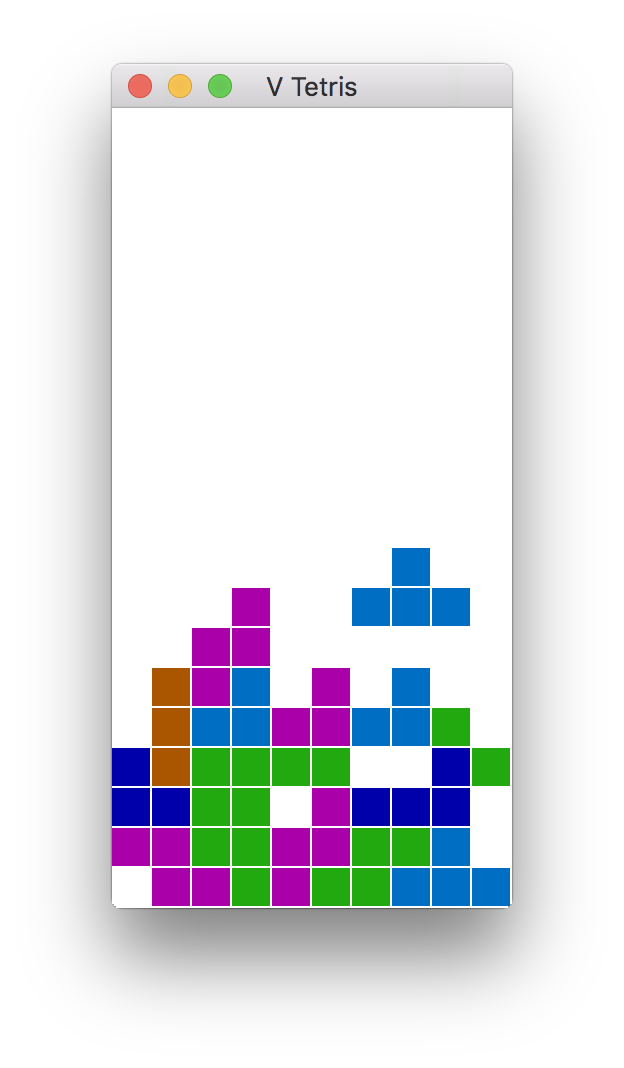
<img src='https://raw.githubusercontent.com/vlang/v/master/examples/tetris/screenshot.png' width=300 alt='tetris screenshot'>

## Sokol and GG GUI apps/games:

In order to build Tetris or 2048 (or anything else using the `sokol` or `gg` graphics modules),
you will need to install additional development libraries for your system.

| System              | Installation method                                                                                |
|---------------------|----------------------------------------------------------------------------------------------------|
| Debian/Ubuntu based | Run `sudo apt install libxi-dev libxcursor-dev libgl-dev libxrandr-dev libasound2-dev`             |
| Fedora/RH/CentOS    | Run `sudo dnf install libXi-devel libXcursor-devel libX11-devel libXrandr-devel libglvnd-devel`    |
|                     |                                                                                                    |
| NixOS               | Add `xorg.libX11.dev xorg.libXcursor.dev xorg.libXi.dev xorg.libXrandr.dev libGL.dev` to           |
|                     | to `environment.systemPackages`                                                                    |

## V net.http, net.websocket, `v install`

The net.http module, the net.websocket module, and the `v install` command may all use SSL.
V comes with a version of mbedtls, which should work on all systems. If you find a need to
use OpenSSL instead, you will need to make sure that it is installed on your system, then
use the `-d use_openssl` switch when you compile.

Note: Mbed-TLS is smaller and easier to install on windows too (V comes with it), but if you
write programs, that do lots of http requests to HTTPS/SSL servers, in most cases, it is *best*
to compile with `-d use_openssl`, and do so on a system, where you do have OpenSSL installed
(see below). Mbed-TLS is slower, and can have more issues, especially when you are doing parallel
http requests to multiple hosts (for example in web scrapers, REST API clients, RSS readers, etc).
On windows, it is better to run such programs in WSL2.

To install OpenSSL on non-Windows systems:

| System              | Installation command             |
|---------------------|----------------------------------|
| macOS               | `brew install openssl`           |
| Debian/Ubuntu based | `sudo apt install libssl-dev`    |
| Arch/Manjaro        | openssl is installed by default  |
| Fedora/CentOS/RH    | `sudo dnf install openssl-devel` |

On Windows, OpenSSL is simply hard to get working correctly. The instructions
[here](https://tecadmin.net/install-openssl-on-windows/) may (or may not) help.

## V sync

V's `sync` module and channel implementation uses libatomic.
It is most likely already installed on your system, but if not,
you can install it, by doing the following:

| System              | Installation command                |
|---------------------|-------------------------------------|
| macOS               | already installed                   |
| Debian/Ubuntu based | `sudo apt install libatomic1`       |
| Fedora/CentOS/RH    | `sudo dnf install libatomic-static` |

## V UI
<a href="https://github.com/vlang/ui">
<img src='https://raw.githubusercontent.com/vlang/ui/master/examples/screenshot.png' width=712 alt='V UI example screenshot'>
</a>

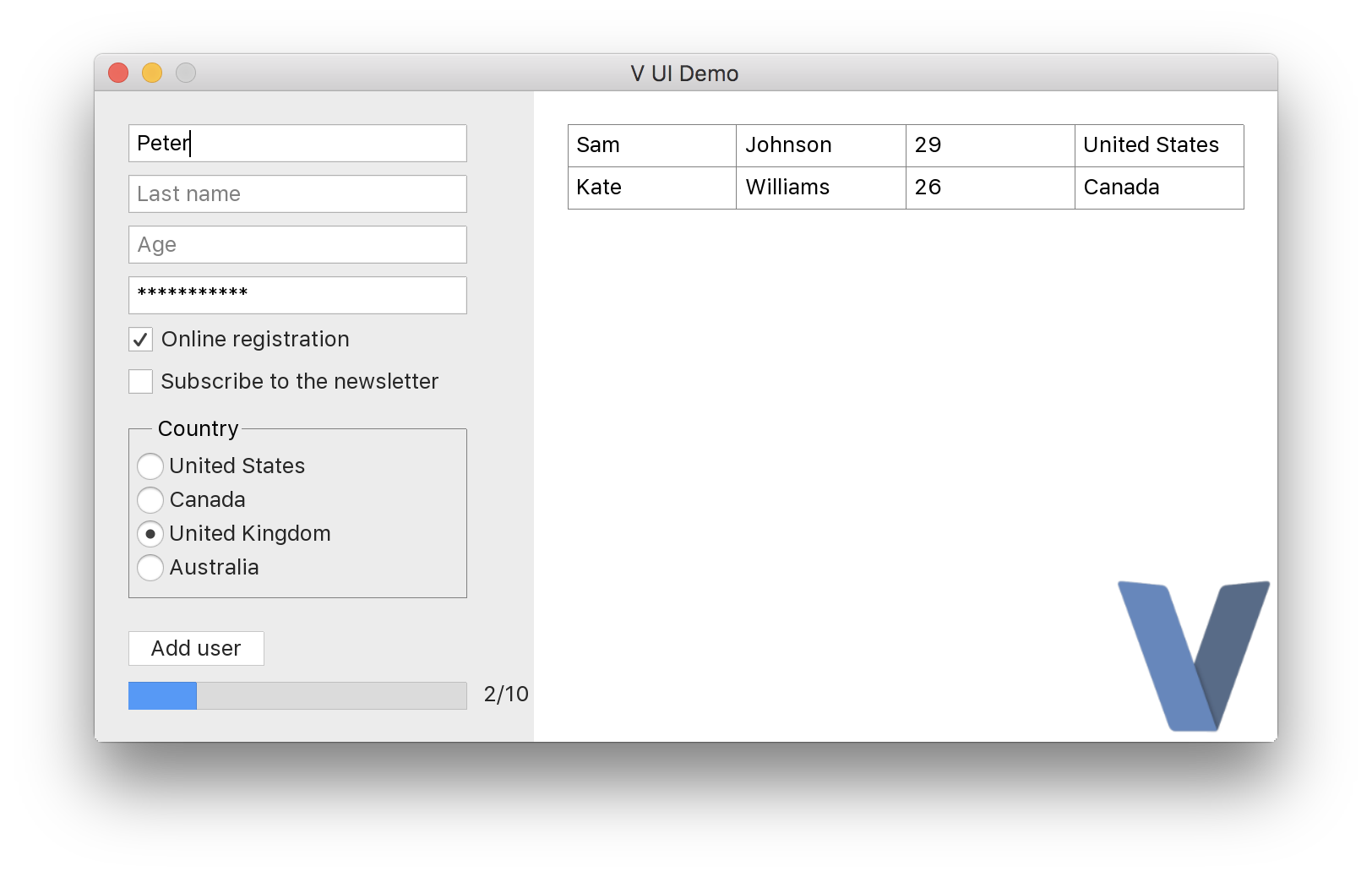
https://github.com/vlang/ui


## Android graphical apps

With V's `vab` tool, building V UI and graphical apps for Android can become as easy as:

```
./vab /path/to/v/examples/2048
```

[https://github.com/vlang/vab](https://github.com/vlang/vab).

<img src="https://user-images.githubusercontent.com/768942/107622846-c13f3900-6c58-11eb-8a66-55db12979b73.png" alt="vab examples screenshot">

## Developing web applications

Check out the
[Building a simple web blog](https://github.com/vlang/v/blob/master/tutorials/building_a_simple_web_blog_with_veb/README.md)
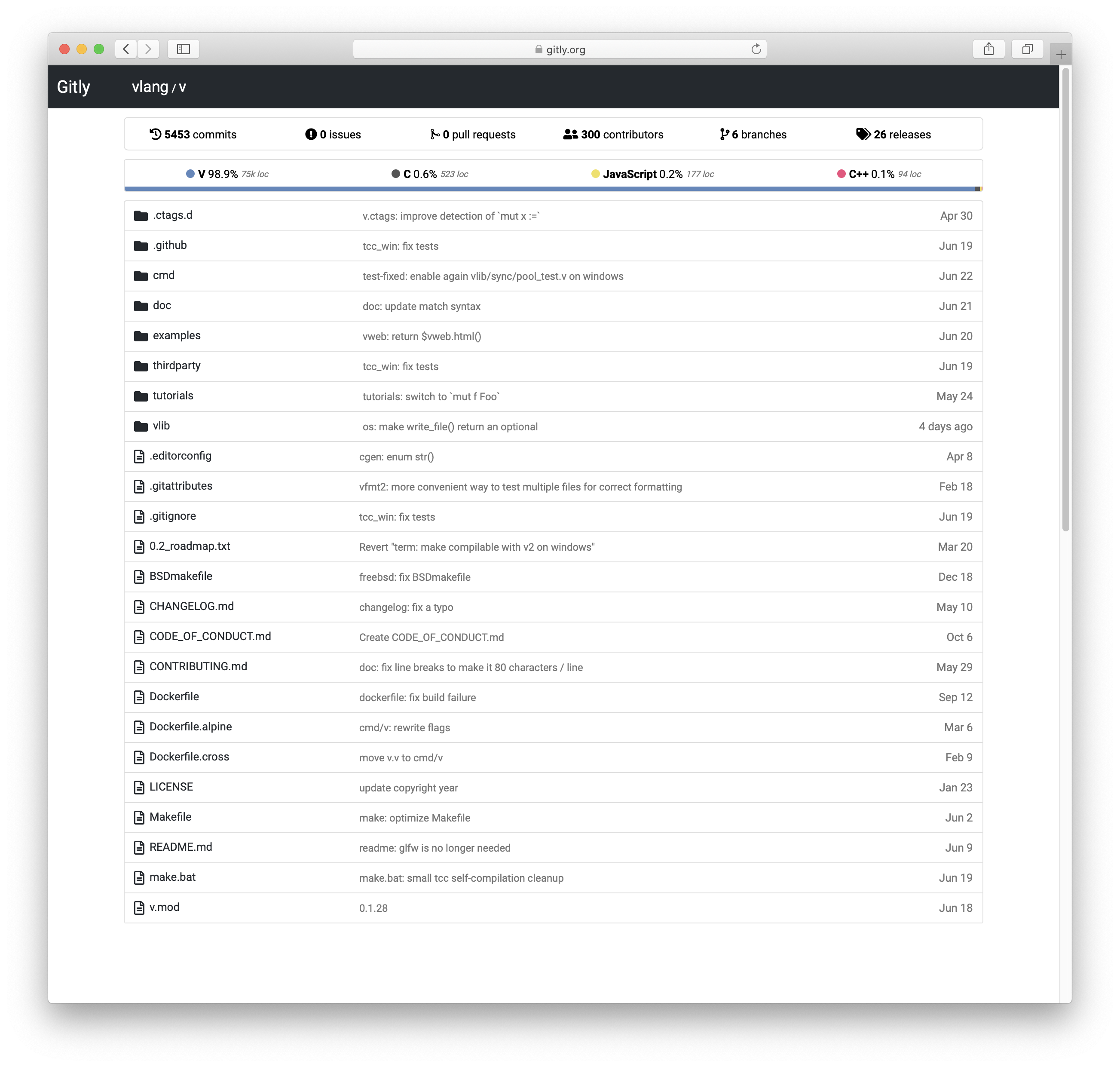
tutorial and Gitly, a light and fast alternative to GitHub/GitLab:

https://github.com/vlang/gitly
<img src="https://user-images.githubusercontent.com/687996/85933714-b195fe80-b8da-11ea-9ddd-09cadc2103e4.png" alt="gitly screenshot">

## Vinix, an OS/kernel written in V

V is great for writing low-level software like drivers and kernels.
Vinix is an OS/kernel that already runs bash, GCC, V, and nano.

https://github.com/vlang/vinix

<img src="https://github.com/vlang/vinix/blob/main/screenshot0.png?raw=true" alt="vinix screenshot 1">
<img src="https://github.com/vlang/vinix/blob/main/screenshot1.png?raw=true" alt="vinix screenshot 2">

## Acknowledgement

### TCC

V thanks Fabrice Bellard for his original work on the
[TCC - Tiny C Compiler](https://bellard.org/tcc/).
Note the TCC website is old; the current TCC repository can be found
[here](https://repo.or.cz/w/tinycc.git).
V utilizes pre-built TCC binaries located at
[https://github.com/vlang/tccbin/](https://github.com/vlang/tccbin/).
On Linux, `make` retries the portable `thirdparty-linuxmusl-*` TCC bundle when
the host-specific bundle does not run on the current system.
To rebuild the bundled `thirdparty/tcc` in place from upstream TinyCC on the
platforms that have an in-tree build script, run `make latest_tcc_source`.
Pass `TCC_COMMIT=<hash-or-branch>` to pin a specific upstream revision.

### PVS-Studio

[PVS-Studio](https://pvs-studio.com/pvs-studio/?utm_source=website&utm_medium=github&utm_campaign=open_source) - static analyzer for C, C++, C#, and Java code.

## Troubleshooting

Please see the
[Troubleshooting](https://github.com/vlang/v/wiki/Troubleshooting)
section on our
[wiki page](https://github.com/vlang/v/wiki).

[WorkflowBadge]: https://github.com/vlang/v/workflows/CI/badge.svg
[DiscordBadge]: https://img.shields.io/discord/592103645835821068?label=Discord&logo=discord&logoColor=white
[PatreonBadge]: https://img.shields.io/endpoint.svg?url=https%3A%2F%2Fshieldsio-patreon.vercel.app%2Fapi%3Fusername%3Dvlang%26type%3Dpatrons&style=flat
[SponsorBadge]: https://img.shields.io/github/sponsors/medvednikov?style=flat&logo=github&logoColor=white
[XBadge]: https://img.shields.io/badge/follow-%40v__language-1DA1F2?logo=x&style=flat&logoColor=white
[ModulesBadge]: https://img.shields.io/badge/modules-reference-027d9c?logo=v&logoColor=white&logoWidth=10

[WorkflowUrl]: https://github.com/vlang/v/commits/master
[DiscordUrl]: https://discord.gg/vlang
[PatreonUrl]: https://patreon.com/vlang
[SponsorUrl]: https://github.com/sponsors/medvednikov
[XUrl]: https://x.com/v_language
[ModulesUrl]: https://modules.vlang.io

---

### Doc Assertion Output (`doc/assertion_output.md`)

# Assertion and test output

Failed assertions and failed test error propagation write their reports to standard error.
Generated reports flush standard output before each diagnostic line and standard error afterwards.
When both streams share a pipe or file, earlier standard output appears before the report,
including when standard error is fully buffered on Windows.
Assertions marked `@[assert_continues]` keep the same output order when execution continues.

---

### Doc C Aggregate Members (`doc/c_aggregate_members.md`)

# C aggregate member names

C struct and union members retain their declared spelling, including names such as `index`
and `select` that are also C library functions. C keeps aggregate members in a separate
namespace, so these field names do not conflict with function names.

A binding such as `struct C.Record { index u64 }` accesses the C member `index` in both
`C.Record{ index: 42 }` and `record.index`. This also applies through V aliases and pointers,
and when the C aggregate is embedded in a V struct. Escapes for V keywords, such as `@type`,
refer to the native C member `type`.

Ordinary V struct fields retain V's generated identifier spelling, even when an alias or
pointer is used. This includes fields whose names overlap with C library functions.
The name `complex` is escaped for V identifiers so including `<complex.h>` does not expand
them as C macros. A C binding's `complex` member still retains its external spelling.

---

### Doc C And V Type Interoperability (`doc/c_and_v_type_interoperability.md`)

> [!NOTE]
> an important detail to remember, is that in V, the type always follows
> the identifier in declarations, i.e. you use `x int` in V in function parameters,
> and in struct declarations, not `int x`, like you would in C.

## Number types in C and V:

* A V `i8`  is equivalent to C `signed char`,  or `int8_t`.
* A V `i16` is equivalent to C `short`, or `int16_t`.
* A V `i32` is equivalent to C `int`,   or `int32_t`.
* A V `i64` is equivalent to C `long`,  or `int64_t`.

* A V `u8`  is equivalent to C `unsigned char`,  or `uint8_t`.
* A V `u16` is equivalent to C `unsigned short`, or `uint16_t`.
* A V `u32` is equivalent to C `unsigned int`,   or `uint32_t`.
* A V `u64` is equivalent to C `unsigned long`,  or `uint64_t`.

* A V `f32` is equivalent to C `float`.
* A V `f64` is equivalent to C `double`.

`char` in C is a distinct type with implementation-defined signedness, so use
V `char`, `&char`, or `charptr` when you need to match C `char`, `char*`,
or `char**`.

* A V `isize` is equivalent to C `ssize_t`.
It is a signed integer, and `isize` is guaranteed to be at least 16 bits.
It is 32 bit on 32 bit platforms, and 64 bits on 64 bit ones.

* A V `usize` is equivalent to C `size_t`.
It is an unsigned integer, and `usize` is guaranteed to be at least 16 bits.
It is 32 bit on 32 bit platforms, and 64 bits on 64 bit ones.

* A V `int` is currently equivalent to C `int`,  or `int64_t`.
There are plans to make it equivalent to `isize`, so if you want to write C
library wrappers, it is better to describe your `fn C.` parameters using `i32`
instead of using `int`.


## Representing pointers in C and V:
Pointers in V are equivalent to pointers in C in usage.
One difference in their declarations, is that the order of placing the pointer
sign is swapped. For example, you use `long *` in C, which is equivalent to `&i64` in V.

If you have a C function `func_name`, that accepts a `int *`, and an `int` index,
and returns an `unsigned char`:
```c ignore
unsigned char func_name(int * p, index int);
```
... then you can represent its function signature in V like this:

```v ignore
fn C.func_name(p &int, index i32) u8
```

For a C output parameter, pass the address of the variable or struct field that C should update.
A cast such as `voidptr(&handle)` preserves that address when passed to a C `void **`
parameter declared as `&voidptr` in V. Writes by C update the original caller storage,
including fields in heap allocated structs.


## Representing compound types in C and V:
A V struct is the same as a C struct, with the same field names and
types, but the order of declaring field names and their types in C structs
and V structs is different - in C you use: `short field_name;`, but in V,
that would be: `field_name i16`.

V does not scan C headers to discover declarations. Redeclare the fields you use
in a `.c.v` file, and mark a C typedef with `@[typedef]`. For example,
`typedef struct { int x; } Foo;` needs this V binding:

```v ignore
@[typedef]
struct C.Foo {
	x int
}
```

The attribute is required with both `#include` and `#insert`.

## Passing V strings to C functions:
The V string type, is currently defined like this:
```c
struct string {
    u8* str;
    int len;
    int is_lit;
};
```

If you have a string `s` in V, and you also have a C function which 
accepts `unsigned char *` in C, you can pass `s.str` to that function.
Do *not* pass `&s`, since that will be the address of the `s` struct
itself, and not the address of the characters in it (which is pointed
by `s.str`).


## Passing V dynamic array elements to C functions:
All V array types currently share the same C type, currently defined like this:
```c
struct array {
    void * data;
    // For arrays, the following `offset` field is 0.
    // For slices, the `offset` field contains the offset (in elements) from
    // the start of the original array.
    int offset; 
    int len;
    int cap;
    int flags;
    int element_size;
};
```									
									
If you want to pass a pointer to the elements of a V array `a`, to a C function,
use `a.data`. NOTE: do *not* use `&a` for that purpose. That will result in the address
of the `array` itself, getting passed to the C function, and *not* the address of the
elements of the V array.

Passing `a.data` to a V pointer parameter also passes the element buffer directly.
Parenthesizing the argument, such as `(a.data)`, preserves that behavior.
This holds when `a` is a pointer to an array or a mutable array parameter.


## Passing V fixed array elements to C functions:
Unlike dynamic arrays, fixed arrays are the same in both V and C.
The address of the first element of the V fixed array of integers `fa` with
type `[5]i32`, is `&fa[0]` . That address can be directly used a parameter to
C functions, that accept `int * p` or `int arr[]` parameters.


## Functions in V and C:
The type of a V function, with no receiver, is equivalent to a C function, 
given that the types of the parameters are equivalent.

Ordinary V functions named `sync` or `syncfs` can coexist with the system C functions.
Their generated C names also remain distinct from V functions named `main__sync` or `main__syncfs`.
Use the `C.` prefix to refer to the C function.
For Linux bindings that declare `fn C.syncfs`, V enables GNU header declarations before
including C headers, so `<unistd.h>` supplies the `syncfs` prototype.

When a V function returns more than one value, the C function returns a struct.
For example, these functions have equivalent types:
```v ignore
fn v_function(a u64, b i8) (i32, f32)
```
```c ignore
struct { int i; float f; } c_function(unsigned long a, signed char b);
````

A pointer to a V function is equivalent to a pointer to a C function, when the
functions have equivalent types.

For V functions taking `...voidptr`, non-pointer scalar arguments are stored in temporaries.
Integers and enum values narrower than the target's V `int` are widened to `int`, and `f32`
is widened to `f64`. The callee must read each slot using its corresponding storage type.


## Other V types, that are currently not supported/documented for use with C:
Other V types like interface, thread, chan, and map types are represented
as C structs, but they are deliberately not yet completely documented for the
purposes of C interoperability, since their implementations can still change.

C struct types containing bitfields, currently have no corresponding V types.

C++ class types have no corresponding V types.


## Memory allocation in V and C
Keep in mind, that V uses the Boehm's garbage collector by default. You can pass
a pointer to allocated memory from C to V, just remember that the responsibility
of freeing the pointer will remain with the C side, and if the C side frees the
pointer while the V side still has a copy, your program will fail.

When passing a pointer from V to C, the V function must retain a visible copy
of it in some V variable. Otherwise the V garbage collector may free the
corresponding memory, while the C function is still using it. You can use the
attribute `@[keep_args_alive]` to tag your `fn C.` declarations, that accept
pointers, to keep them from being freed, while the call to your `C.fname()`
function has not returned.
For more details, see also this
[test for keep_args_alive](vlib/v/slow_tests/keep_args_alive_test.c.v) .

---

### Doc C Backend Headers (`doc/c_backend_headers.md`)

# Headers in generated C

Literal hello world programs generate C without `#include` directives on supported hosted Unix,
Windows, Android and iOS targets. Windows keeps its CRT output mode; mobile targets retain
their platform logging APIs. Compiler self builds use standalone core declarations on
macOS, Linux, Windows and the BSD targets with a described libc ABI.

NetBSD, Solaris, Haiku, QNX, Serenity, Vinix and Emscripten retain the SDK preamble for
compiler and runtime builds. Their symbol versions, storage or constants require native
declarations that the standalone preamble does not yet describe completely. Literal
hello output still avoids those headers on the other hosted targets. Vinix retains the complete
runtime even for literal output. Native execution must be validated on each
platform; generating C for a target alone does not verify its runtime ABI.
The compiler's string literals can contain the text of includes for other generated programs.
The C backend emits libc prototypes from bodyless V declarations such as
`fn C.strlen(const_s &char) usize`. Without system headers, this includes the bindings that a
program declares itself, such as `fn C.getpgrp() int` or a Win32 function in Windows C,
which nothing else would declare. Runtime bindings are marked used so cached modules
retain their prototypes. Native backends retain C declarations without rooting same-named
V functions.
With `-target-libc-headers`, `<errno.h>` owns the errno accessor declarations.
This avoids conflicting `i32*` prototypes on targets whose `int32_t` is `long`,
such as ARM newlib.
Explicit headers for other C libraries remain included. Core SDK headers are also
restored when another binding requests headers, so native declarations stay authoritative
regardless of source collection order.
The headerless requirement covers hello world and compiler self builds, rather than every
library binding. Modules such as `compress.brotli` retain their C headers and cached
implementations.
Coverage and profiling retain file I/O and timer declarations even when the application
imports no standard library modules.
On macOS, standalone `statvfs` storage retains the native 32-bit block and inode counters;
its field offsets and widths are checked against the installed SDK.
Mach task APIs declared by the application also keep their prototypes in headerless C.
An explicit Mach SDK header remains authoritative when supplied by the application.

On FreeBSD and OpenBSD, builds with system headers include `<sys/sysctl.h>` for
`os.executable()` and retain its native `sysctl` declaration. Headerless builds supply
the sysctl constants and prototype directly.

Win32 API names in headerless C declarations receive `WINAPI` and their wide export
names only for Windows targets. On other targets, names such as `Sleep` and `CreateFile`
keep the spelling and calling convention of the program's own C functions.

For a single-file hosted program containing only literal `print`, `println`, `eprint`,
and `eprintln` calls, the compiler proves that no V allocations are needed. It emits
only `main` and the required native declarations, without linking a collector or initializing
the V runtime. Platform logging adapters remain linked when required.
On POSIX targets a single `println` uses `puts`; other output preserves
embedded NUL bytes and handles partial writes. Windows ASCII output uses the CRT in binary mode,
with bounded write counts and partial-write retries. Unicode console output retains
the normal Windows runtime. Android retains log priorities, formatting and configurable
tags. iOS retains the native logger; allocations within platform loggers belong to those
libraries. iOS format literals containing `%` retain the normal runtime. Programs with
allocations, initialization, or other runtime requirements retain their normal runtime.
Instrumented, library, freestanding,
and `-file-list` builds also retain their runtime support. Portable `-os cross` and `-cross`
snapshots retain the complete runtime, pointer-width checks, and custom-define metadata even
for literal output.

The GC, signal, process, and compiler helpers are linked from native objects. Their platform headers
are parsed when those objects are built. V caches the objects using the C compiler, target,
flags, and source and header dependencies. `-nocache` disables the V module cache; native
objects can still be reused. The collector's thread registration and signal handling stay
in the native helpers.
Missing shipped C objects are built with the selected compiler, including TinyCC.
On macOS, existing or external object inputs still select the platform C compiler.
Wrappers that expand Boehm allocation macros include the collector header explicitly.
Warm incremental builds share the cached declaration prefix's string storage and retain
new program literals and cleanup hooks after source edits.
Warm builds using `os` also retain system-header ownership, so platform stat macros do not
conflict with compatibility declarations. Windows standalone and custom-libc builds keep
their required native layouts.
Windows file and console APIs preserve `C.DWORD` output pointer types at SDK call sites.
This preserves the SDK's pointer types when a C compiler checks calls against Windows headers.
Core file mappings retain standalone declarations on verified 64-bit targets, including native
mapping flags and the synchronization function signature. Other targets and programs using
explicit C headers or custom libc headers keep platform-header ownership.

Regular generated C declares interned strings with `_SL(_str_N, "...", byte_length)`.
The macro expands to a `static const string` with a plain brace initializer. V supplies the byte
length, including embedded NUL bytes, so the C compiler needs no compound literal or `sizeof`.
Literal IDs remain ordinary identifiers so they do not expand C struct member names. This form also
works in portable snapshots and MSVC output. Cached modules retain explicit literal initializers
for sharing and rewriting through their declaration prefix.
The `_SL` helper is defined only around each literal table and undefined before generated functions,
so a C binding can declare and call a function named `_SL`. A `_SL` macro defined by an included C
header or a `-D` flag is saved with `#pragma push_macro` before the table and restored after it.

Generated C still needs the native objects and library flags when linked. Use V to build
executables, or `-generate-c-project` to export a build command with the native sources
and library flags.

Autofree uses a monolithic build so cleanup retains complete local-variable metadata.

Scalar array appends can use typed stores into spare capacity in library modules as well as
`main`. Growth and slice handling retain the runtime append helper. User functions and callbacks
named `array_push` keep their own calls.

Older bootstrap compilers use compatibility headers for their first compiler build.
The BSD constants used by `os.executable()` are defined in V. The current compiler
supplies an internal capability define and omits the compatibility headers.
FreeBSD resident memory lookup also uses V-owned sysctl identifiers without `libprocstat`.

Portable `-os cross` snapshots and `-is_o` objects embed their V-owned native runtime helpers,
so standalone C consumers do not need helper paths from the compiler checkout. These modes
and `-no-builtin` use compatibility headers when complete V bindings are unavailable.

Portable compiler snapshots generated with `-cross cmd/v` or `-os cross cmd/v` supply
their runtime declarations and helper definitions from V without include directives on
the supported hosted targets, except explicit Windows targets. Windows compiler snapshots
use the Windows SDK and embed the native stream, clock, thread, tool-cache, and atomic helpers,
so they can be compiled and linked without native objects from the generating checkout.
They retain the complete compiler runtime and disable the platform signal handler.
The text of includes inside compiler string literals is still present for other generated programs.

Malformed embedded compatibility headers are diagnosed before C compilation in portable,
object, and `-no-builtin` modes. Parallel builds can reuse a native object cache directory
created by another compiler process; filesystem failures remain errors.

Negated integer literals above `INT_MAX` and within the signed 64-bit range receive an `LL`
suffix in C output, including parenthesized operands and constant initializers. This preserves
their sign with MSVC.

With `-target-libc-headers`, the target libc owns the accessor behind its `errno` macro.
The generated C includes `<errno.h>` and leaves the libc accessor declaration to that header,
avoiding conflicts where the target's `int32_t` differs from C's `int`. Headerless output
retains the V-owned declarations.

---

### Doc C Compiler Selection (`doc/c_compiler_selection.md`)

# C compiler selection

For ordinary C builds without `-cc`, V uses an available TinyCC when the target and build
options allow it. For binary output, V checks native flags and probes link dependencies before
transforming or monomorphizing the program. Known incompatible C++ or Objective-C inputs, external
objects on macOS, and missing or incompatible dependencies select the platform compiler.
Deferred compile-time branches are excluded from this probe until their conditions are known.
C and object output skip the link dependency probe.

If headers or generated program symbols expose a later TinyCC failure, V regenerates the program
for the platform compiler. Regeneration re-evaluates compiler-specific conditions such as
`$if tinyc`. On POSIX systems it replaces the compiler process, releasing the earlier AST and C
buffers before the retry. Windows waits for the retry to preserve its exit status.

Known incompatible native inputs select the platform compiler quietly; `-v` reports the reason.
Dependency probe failures and later TinyCC failures print a warning after semantic validation.
Invalid programs retain their existing error diagnostics. `-silent` suppresses this warning.
An explicit `-cc tcc` bypasses early preflight and retains the existing
retry behavior for recognized TinyCC failures. `-no-retry-compilation` disables these retries.
Passing `-cc clang`, `-cc gcc`, or `-cc cc` selects that compiler directly.

---

### Doc C String Literals (`doc/c_string_literals.md`)

# Generated C string literals

The C backend emits long string table entries as adjacent C string literals on separate
source lines. Each piece stays below the per-literal and source-line limits used by MSVC.
This includes strings embedded in the compiler itself, such as its C prelude, so they can
be compiled during `makev.bat -msvc` bootstrap stages.

Splitting preserves the string's bytes and byte length, including embedded zero bytes and
escaped characters. It applies to regular, split, and cached string table declarations.
The limits on the total size of concatenated literals still depend on the target C compiler.

---

### Doc Closure Sum Returns (`doc/closure_sum_returns.md`)

# Closures returning sum types

Closures can return imported sum types and containers of them, such as `[]json2.Any`.
Their variables remain function values and can be called or assigned to other callback variables.

```v ignore
import json2

parts := fn (s string) []json2.Any {
    return s.split(',').map(json2.Any(it))
}
println(json2.encode(parts('a,b'))) // ["a","b"]
```

---

### Doc Codelite (`doc/codelite.md`)

# CodeLite Setup

CodeLite works well with V when you open the code as a
[File System Workspace](https://docs.codelite.org/workspaces/file_system/)
and define custom build targets with
[CodeLite macros](https://docs.codelite.org/settings/macros/).

This guide uses POSIX shell commands, which match Linux and macOS. On Windows,
use `.exe` outputs and replace `rm -f` with `del`.

## Prerequisites

- Put `v` on your `PATH`. If it is not on your `PATH`, replace `v` below
  with the absolute path to your V compiler.
- Create a CodeLite workspace from your existing source tree:
  1. Open `File` -> `New` -> `New workspace`
  2. Choose `File System Workspace`
  3. Select the folder containing your V sources

Open the workspace settings by right-clicking the top-level folder and choosing
`Settings...`.

## General Settings

Set these fields first:

- `Tool chain`: `gcc` or `clang`
- `File extensions`: add `v`, `vsh`, and `vv`

CodeLite uses the selected tool chain mainly to parse build output, so any
GNU-like tool chain is fine here.

For single-file programs, use:

- `Executable`: `$(CurrentFilePath)/$(CurrentFileName)`
- `Working directory`: `$(CurrentFilePath)`

For a project rooted at the workspace folder, use:

- `Executable`: `$(WorkspacePath)/$(WorkspaceName)`
- `Working directory`: `$(WorkspacePath)`

## Build Targets

The default `build` and `clean` targets can not be removed. Add `run` and
`test` targets if you want them in the `Build` menu.

### Build the current file

This is the simplest setup for scripts, examples, and small programs:

- `build`:
  `v -g -o "$(CurrentFilePath)/$(CurrentFileName)" "$(CurrentFileFullPath)"`
- `clean`: `rm -f "$(CurrentFilePath)/$(CurrentFileName)"`
- `run`: `v run "$(CurrentFileFullPath)"`
- `test`: `v test "$(CurrentFileFullPath)"`

### Build the whole workspace

If the workspace root is a V project with `v.mod`, or the workspace folder is
your app entry point, use:

- `build`: `v -g -o "$(WorkspacePath)/$(WorkspaceName)" "$(WorkspacePath)"`
- `clean`: `rm -f "$(WorkspacePath)/$(WorkspaceName)"`

If your app starts from a specific file such as `src/main.v`, replace
`"$(WorkspacePath)"` with that file path in the `build` target.

## Running and Debugging

- Press `F7` to run the `build` target.
- Use `Run` or `Debug` after `Executable` points to the file produced by the
  build target.
- Keep `-g` in the build command so `gdb` or `lldb` can show V source
  locations.

## Better Compiler Errors in the IDE

If CodeLite opens the wrong file from compiler errors, add this workspace
environment variable:

- `VERROR_PATHS=absolute`

That makes `v` print absolute file paths, which is often better for IDE
launchers.

## Formatting and Language Features

For manual formatting, or for a formatter command inside CodeLite, use:

- `v fmt -w "$(CurrentFileFullPath)"`

For completion, go-to-definition, hover information, and related IDE features,
use [v-analyzer](https://github.com/vlang/v-analyzer) alongside CodeLite.

---

### Doc Compile Error Messages (`doc/compile_error_messages.md`)

# Compile-time error messages

`$compile_error` accepts a plain string literal as its message.
Concatenated strings, interpolation, and other expressions receive an explicit parser diagnostic.
In generic reflection loops, selected errors include the directive's source location and are
reported once, without treating the directive as an ordinary function call.
With `-json-errors`, the diagnostic keeps its structured file, line, column, and message fields.

---

### Doc Compiler Fallback (`doc/compiler-fallback.md`)

# Compiler fallback diagnostics

V automatically retries with the V 0.5.2 compatibility compiler only after a
`c_compilation_error` failure. V errors (`compiler_error`), including parser and
checker errors, and unsupported inline assembly (`inline_asm`) do not trigger a
compatibility retry. They retain the original compiler's failure exit status,
without locating, installing, or launching the compatibility compiler.

If a V executable embeds an incomplete `vlib/v/gen/c/manual_stdlib_c_headers.h`, builds that
need its manual libc preamble report the damaged header before generating C and exit 1.
The diagnostic appears once and does not trigger a compatibility retry. Restore the header
with `git restore vlib/v/gen/c/manual_stdlib_c_headers.h`, then rebuild V with `make`.
Headerless C output and `-target-libc-headers` builds do not use this embedded header.

Hard checker errors in dependency functions referenced by the selected source files,
including callbacks, stored function values, and transitive calls, are reported at the
dependency's source location before C generation. This also applies to standard-library
and installed modules. Dependency warnings and notices remain limited to project-owned files.

Compiler builds report ordinary checker diagnostics before C generation, including `v -check cmd/v`.
The compiler entry paths select self-build optimizations; naming an ordinary program `v.v` does
not. Explicit `-building-v` builds still validate assignments, field access, and mutability.

For a C compiler failure, V prints the saved output when available, without compiling
again, before retrying. It is labeled `C compiler output from the default V compiler:`.
Internal arguments used to restart the default compiler are removed before launching
the compatibility compiler, so a prior implicit TCC warning cannot cause an unknown-argument error.
Option values and arguments passed to a program remain intact during this filtering.

Literal-output programs retain the array iteration helpers used by Linux backtrace formatting.
For example, `v -show-timings examples/hello_world.v` builds without a missing `array__get` symbol.

If V diagnostics were deferred while a failure marker was armed, V replays only the
default compiler with fallback disabled to display them. This diagnostic replay is
not a compatibility retry and cannot turn the original failure into success.
When saved C output is missing or empty, the same replay recovers the C diagnostic
before the compatibility retry. Replayed output is labeled
`Compiler output from the default V compiler:`.
The replay uses `-skip-running` and `VNORUN=1`, so user programs and `.vsh` scripts
are not executed even if compilation succeeds on the second attempt. Already-merged
`VFLAGS` are not applied twice, and the replay's environment changes do not affect
the parent or an actual C-error retry. If the replay produces no output, V reports
that explicitly instead of silently omitting the diagnostic.

V diagnostics use the compatibility compiler's colors: errors are red, notices are
yellow, and warnings and conflicting declarations are magenta. Source locations,
severity labels, and underlines are bold; the highlighted source span uses the
severity's color. Diagnostic replay preserves the parent terminal's color support
even though it captures the compiler output through a pipe. Use `-color` or `-nocolor`
to override detection, or `VCOLORS=always` / `VCOLORS=never` to set its default.
Redirected diagnostics remain plain unless colors are explicitly enabled.

Diagnostic output does not depend on automatic bug reporting being enabled. For C
errors, it is shown before locating or launching the fallback, even when that
fallback succeeds. A successful C-error fallback still returns success, and
unsuccessful retries retain their exit status. Diagnostics already shown are not
replayed again if the fallback is unavailable.

Use `v -new-compiler ...` to disable the C-error compatibility fallback as well.
An explicit `v -old-compiler ...` request still selects V 0.5.2 directly and does not
have a failed default compilation to display.

When a compatibility compiler must be built, V searches PATH for `make`, then `gmake`.
On Windows it also accepts MSYS2's `mingw32-make`. Install GNU make and ensure that
MSYS2's make executable and `sh` are on PATH: the `make v1` target uses POSIX shell recipes.

The `-vls-mode` compatibility protocol suppresses successful on-demand installation progress
so the first response contains only the requested compiler output. Installation failures still
include the installer's output and a failing exit status. Other commands retain installation
progress.

If a build needs a missing bundled Boehm GC archive, V reports the missing library
before invoking the C compiler. Reinstall V to restore the bundled libraries, or
pass `-d use_bundled_libgc` to build GC from source. `-gc none` compiles without GC.
Generating C or an object file does not require this archive. Missing system `-lgc`
libraries retain the linker diagnostic and advice to install the development package.

On Linux amd64, V's TCC fence shim uses a private symbol so it can link alongside
TCC's atomic runtime helpers. Boehm GC builds use the canonical GC header under
TCC, avoiding a duplicate compatibility definition of `GC_noop1_ptr`. These builds
can use TCC directly without a duplicate-symbol warning and a retry with `cc`.

The compatibility compiler cache uses `V1_FALLBACK_CACHE_DIR` when set, followed by
`XDG_CACHE_HOME/v/v1-fallback` and `HOME/.cache/v/v1-fallback`. On Windows, when those
variables are unset, it uses `LOCALAPPDATA\v\v1-fallback`, reusing the same cache
across invocations. Looking up this path does not create directories. If none of
these variables is set, V reserves a private cache under the temporary directory;
on Windows, that last-resort cache has a fresh random name.

Implicit C compiler selection excludes TCC for `-race`, because TCC has no ThreadSanitizer
runtime. Test build facts follow this rule on every host, including Windows, where race
builds themselves are unsupported. Explicit compiler requests are checked separately.

User builds have a default memory safety limit of 10176 MiB. Set `-memory-limit <size>`
(or `--memory-limit <size>`) before the source or subcommand to choose another limit.
Unsuffixed values and `M`/`m` values use MiB; `K`/`k` use KiB and `G`/`g` use GiB.
The value must be a nonnegative integer whose converted KiB value fits in a signed 64-bit
integer. Missing, empty, malformed, negative, and overflowing values produce a CLI error.
An explicit zero disables the limit, as does `-no-memory-limit`.

The Windows TCC backend supports `-cstrict`, including the startup code that sets the compiler's
`VEXE` environment variable. Generated CRT calls retain explicit declarations and strict checks
for implicit function declarations.

---

### Doc Compiler Output (`doc/compiler_output.md`)

# Compiler output files

With the C or FastC backend, `./v -b c -o app source.v` retains generated C as `app.c`.
For a Windows target, the executable is `app.exe`; its suffix does not change the C filename.
An explicit `.exe` output name is respected: `-o app.exe` retains C as `app.exe.c`.
An output name ending in `.c` generates only C and does not invoke the C compiler.

In constant fixed arrays, shorthand enum values resolve against the array element type,
including aliases of enum types. Other enums with the same member name do not affect the value.

---

### Doc Comptime Reflection Sources (`doc/comptime-reflection-sources.md`)

# Compile-time reflection sources

Reflection loops such as `$for variant in val.variants` resolve their source in the scope
of the function containing the loop. In a generic function, a parameter of type `T` can
be reflected on inside `$if T is $sumtype`. The compiler checks that parameter when its
function scope and type are available.

Importing a module with an unused generic reflection function does not resolve its
parameter as a type in another imported module. Named types used as reflection sources
are checked in the source file's own module, including before function body checking.

A concrete type passed to a generic reflection function keeps its declaring module.
For example, `config.Cfg` retains its own fields when another dependency imports
`rand.config`; an unrelated module import cannot change `$for field in T.fields`.

An explicit import alias keeps the type imported by that source file. A generic
reflection function can import another type under the same alias as its caller
without changing the concrete type passed as `T`.

Repeated method reflection loops in generic specializations borrow AST node headers during
metadata lookup. Empty method scans allocate only their metadata containers instead of a
node copy for every scanned AST entry.

---

### Doc Custom Attribute Arguments (`doc/custom_attribute_arguments.md`)

# Attribute arguments

Typed attributes accept positional and named arguments. Each schema field must be supplied once;
repeating a named field or supplying it both positionally and by name is an error.

Enum values use a leading dot. A call such as `@[Route(method: .get)]` can begin with a named
enum argument, including when the schema is qualified with its module name.

---

### Doc Custom Attributes (`doc/custom_attributes.md`)

# Attribute schemas

A struct marked with `@[attribute]` declares a metadata schema. Schemas cannot be initialized,
embedded, or supplied as generic type arguments. This restriction covers generic types,
function and method calls, and generic functions taken as values.

---

### Doc Docs (`doc/docs.md`)

# V Documentation

(See https://modules.vlang.io/ for documentation of V's standard library)
(See also https://docs.vlang.io/introduction.html, which has the same information as this document,
but split in separate pages for each section, for easier reading on mobile devices)

## Introduction

V is a statically typed compiled programming language designed for building maintainable software.

It's similar to Go and its design has also been influenced by Oberon, Rust, Swift,
Kotlin, and Python.

V is a very simple language. Going through this documentation will take you about a weekend,
and by the end of it you will have pretty much learned the entire language.

The language promotes writing simple and clear code with minimal abstraction.

Despite being simple, V gives the developer a lot of power.
Anything you can do in other languages, you can do in V.

## Language specification

V does not yet have a separate formal language specification document like the Go spec.

Until V 1.0, the language reference is defined by:
* This document (`doc/docs.md`) for syntax and semantics.
* The compiler implementation in `vlib/v/`.
* The executable language tests in `vlib/v/tests/`, `vlib/v/parser/tests/`,
  `vlib/v/checker/tests/`, and `vlib/v/slow_tests/inout/`.

When documentation and implementation diverge, compiler behavior and tests are the source of truth.

## Installing V from source

The best way to get the latest and greatest V, is to install it from source.
It is easy, and it takes only a few seconds:
```bash
git clone --depth=1 https://github.com/vlang/v
cd v
make
```

Note: If you are on windows, outside of WSL, run `makev.bat` instead of `make`, in a CMD shell.
Note: On Ubuntu/Debian, you may need to run `sudo apt install git build-essential make` first.

For more details, see the
[Installing V](https://github.com/vlang/v/blob/master/README.md#installing-v-from-source)
section in the README.md.

## Upgrading V to latest version

If V is already installed on a machine, it can be upgraded to its latest version
by using the V's built-in self-updater.
To do so, run the command `v up`.
This also refreshes the bundled TCC binaries used for fast C compilation.

After updating, `v up` refreshes previously cached vlib modules with the compiler
and flags used to cache them, including normal and `-prod` builds. Unchanged
modules are reused. Each module being cached is printed to standard output as
`Caching module <name>...`. A failed cache refresh makes `v up` fail.
Cached module headers preserve struct field attribute groups, so valid deprecation
attributes do not introduce warnings during refresh.
Ordinary builds report cache progress on standard error. Refreshes retain absolute
module search paths, resolved C compiler commands, and build modes. They omit
linker-only flags, including operands embedded in `-cflags`. Relative `V3CACHE`
and `VTMP` paths are resolved against the directory where `v up` was invoked.
Refreshes retain each build's working directory for relative C compilation inputs
and its effective `-run-only` test selectors and assertion display mode.
Object flags include source `#flag` directives. Records with vanished project
directories or required compile inputs are skipped. Builds without relative inputs
or project interface scopes share refresh records across projects.
Project directives are merged with flags from the updated modules, so changes to
vlib `#flag` directives take effect during refresh. Cached TCC production builds
apply the production optimization flags to both module objects and the program.
Refreshes use the original entry when needed to preserve project interface
implementers, stopping before linking or running the program. Refreshes
retain absolute `-file-list` operands for live entries, re-expanding directories
to include their current sources. Records whose listed files or directories vanished
are skipped. Historical records sharing the same live command, working directory,
entry and assertion display mode refresh once. Synthetic refreshes
also replay source C driver options such as sanitizers at link time. Records for
unavailable C compilers are skipped.
Unreadable, truncated, and unsupported inventory files are skipped. Live entries
retain their project source identity; after the project input changes, obsolete
configurations are skipped until a successful build records the current inputs.
Older live records without source identities require rebuilding the project once.
Isolated test caches use the primary V compiler executable, including when
`v up` runs through the fallback compiler or as a separate tool, or a build uses
the delegated ownership compiler. Ownership dispatch preserves the primary path
through `V3_PRIMARY_VEXE`, independently of the helper's `VEXE`.

For caches created before V recorded their build settings, `v up` identifies the
cached vlib modules and refreshes them in both modes for the available C compilers,
for programs and tests. Successful migrations mark the old headers so subsequent
updates use the new inventory without repeating the fallback matrix.

`v up` reports the agent skills that the new revision left behind, since a new
revision may ship updated copies of them. It writes nothing: the skills belong to
the user, and updating the compiler is not consent to overwrite them. Pass
`-skills` to refresh the ones that were not edited locally, or run
`v skills update --global` to choose which ones.

The report is about the skills installed for the whole machine, so
`v skills update` needs `--global` to act on them; on its own it defaults to the
project directory, which is a different installation. Skills with local changes,
and skills installed before V recorded what it installed, are reported either way
and left alone; see `v skills update` below.

## Project-local compiler versions with `.vvmrc`

If a project contains a `.vvmrc` file, commands like `v run .`, `v run file.v`,
or `v file.v` will try to find and delegate to the requested V compiler version.
This makes it easier to keep a project pinned to a known compiler release.

The file should contain one version per project, for example:

```text
0.4.12
```

Both `0.4.12` and `v0.4.12` are accepted. The special aliases `latest` and
`current` keep using the currently running compiler.

V searches for `.vvmrc` from the target path upward and stops at repository and
project boundaries such as `.git`, `.hg`, `.svn`, and `.v.mod.stop`.

## The default compiler

On every native platform, the top-level `v` executable contains the default
compiler whose source lives in `vlib/v`. Every direct C build, including compiler
self-builds, is compiled in-process. The CLI remains in `cmd/v`; `test` is
handled by the default compiler, and external tools are compiled with it first.

External tools are cached under the user's V cache directory. Rebuilding a tool
prunes stale builds while retaining fresh builds for other flags and checkouts.
Pruning accepts only regular metadata files opened without following symbolic
links. On Unix, it also checks ownership before reading another cache entry.

The standard bootstrap does not build the sibling `v1_fallback` executable
(`v1_fallback.exe` on Windows). When V needs the compatibility compiler and the
sibling is missing, it reports that it is running `make v1`. That target reuses
or downloads the complete 0.5.2 release under the user cache. If no release
binary can run, `oldv` clones the 0.5.2 V sources and matching `vc` snapshot and
builds the fallback there. You can run `make v1` explicitly to prepare it ahead
of time. Automatic provisioning keeps its launcher metadata in the user cache,
so an older read-only sibling installation can remain untouched. `-old-compiler`
launches the fallback explicitly, and ordinary user builds and external tools
retry through it after a compiler or C compilation failure. Explicit
`-new-compiler` builds remain strict default-compiler operations.
`-new-compiler` remains accepted for command-line compatibility and otherwise
selects the same embedded driver.

`oldv --command` runs a shell command in the checked-out repository, using `sh -c`
on Unix and `cmd /c` on Windows. Commands can use shell operators such as `&&`,
pipes, and redirection; `oldv` returns the command's exit status.

The installer supplements the cached fallback vlib with modules whose public
paths moved after 0.5.2. Fallback roots missing these compatibility modules are
not used. The fallback identity check also rejects a current launcher copied into the
fallback slot, including older launchers that report the same compiler version, so
compatibility commands cannot recursively launch it.
If a fallback command exits unsuccessfully, V notes where the default
compiler stopped and how to show its suppressed diagnostics. For a command
that may have run user code, the note preserves the child's status without
mislabeling it as a compiler failure, including JavaScript tests run by the compatibility compiler.
Re-run the command with `-new-compiler`
to see the default-compiler diagnostics without a fallback retry.

## Packaging V for distribution
See the [notes on how to prepare a package for V](packaging_v_for_distributions.md) .

## Getting started

You can let V automatically set up the bare-bones structure of a project for you
by using any of the following commands in a terminal:

* `v init` → adds necessary files to the current folder to make it a V project
* `v new abc` → creates a new project in the new folder `abc`, by default a "hello world" project.
* `v new --web abcd` → creates a new project in the new folder `abcd`, using the veb template.

The `v new --web` template uses `veb`, V's web framework.

When run in a terminal, `v new` and `v init` interactively prompt for the project's
description, version and license. When stdin is *not* a terminal (for example when the
input is piped or redirected, as in CI), the prompts are skipped and the defaults are
used instead of blocking on input; in that case the project name must be passed as an
argument, e.g. `v new abc`.

## Table of Contents

<table>
<tr><td width=33% valign=top>

* [Language specification](#language-specification)
* [Hello world](#hello-world)
* [Running a project folder](#running-a-project-folder-with-several-files)
* [Comments](#comments)
* [Functions](#functions)
    * [Hoisting](#hoisting)
    * [Returning multiple values](#returning-multiple-values)
* [Symbol visibility](#symbol-visibility)
* [Variables](#variables)
    * [Mutable variables](#mutable-variables)
    * [Initialization vs assignment](#initialization-vs-assignment)
    * [Warnings and declaration errors](#warnings-and-declaration-errors)
* [V types](#v-types)
    * [Primitive types](#primitive-types)
    * [Strings](#strings)
    * [Runes](#runes)
    * [Numbers](#numbers)
    * [Arrays](#arrays)
        * [Array update syntax](#array-update-syntax)
        * [Multidimensional arrays](#multidimensional-arrays)
        * [Array methods](#array-methods)
        * [Array slices](#array-slices)
    * [Fixed size arrays](#fixed-size-arrays)
    * [Maps](#maps)
        * [Map update syntax](#map-update-syntax)

</td><td width=33% valign=top>

* [Module imports](#module-imports)
    * [Selective imports](#selective-imports)
    * [Module hierarchy](#module-hierarchy)
    * [Module import aliasing](#module-import-aliasing)
* [Statements & expressions](#statements--expressions)
    * [If](#if)
        * [`If` expressions](#if-expressions)
        * [`If` unwrapping](#if-unwrapping)
    * [Match](#match)
    * [In operator](#in-operator)
    * [For loop](#for-loop)
    * [Defer](#defer)
    * [Goto](#goto)
* [Structs](#structs)
    * [Heap structs](#heap-structs)
    * [Default field values](#default-field-values)
    * [Required fields](#required-fields)
    * [Short struct literal syntax](#short-struct-literal-syntax)
    * [Struct update syntax](#struct-update-syntax)
    * [Trailing struct literal arguments](#trailing-struct-literal-arguments)
    * [Access modifiers](#access-modifiers)
    * [Anonymous structs](#anonymous-structs)
    * [Static type methods](#static-type-methods)
    * [[noinit] structs](#noinit-structs)
    * [Methods](#methods)
    * [Embedded structs](#embedded-structs)
* [Unions](#unions)
    * [Why use unions?](#why-use-unions)
    * [Embedding](#embedding)

</td><td valign=top>

* [Functions 2](#functions-2)
    * [Immutable function args by default](#immutable-function-args-by-default)
    * [Mutable arguments](#mutable-arguments)
    * [Variable number of arguments](#variable-number-of-arguments)
    * [Anonymous & higher-order functions](#anonymous--higher-order-functions)
    * [Lambda expressions](#lambda-expressions)
    * [Closures](#closures)
    * [Parameter evaluation order](#parameter-evaluation-order)
* [References](#references)
* [Constants](#constants)
    * [Required module prefix](#required-module-prefix)
* [Builtin functions](#builtin-functions)
    * [println](#println)
    * [Printing custom types](#printing-custom-types)
    * [Dumping expressions at runtime](#dumping-expressions-at-runtime)
* [Modules](#modules)
    * [Create modules](#create-modules)
    * [Special considerations for project folders](#special-considerations-for-project-folders)
    * [init functions](#init-functions)
    * [cleanup functions](#cleanup-functions)

</td></tr>
<tr><td width=33% valign=top>

* [Type Declarations](#type-declarations)
    * [Type aliases](#type-aliases)
    * [Enums](#enums)
    * [Function Types](#function-types)
    * [Interfaces](#interfaces)
    * [Sum types](#sum-types)
    * [Option/Result types & error handling](#optionresult-types-and-error-handling)
        * [Handling options/results](#handling-optionsresults)
    * [Custom error types](#custom-error-types)
    * [Generics](#generics)
* [Concurrency](#concurrency)
    * [Spawning Concurrent Tasks](#spawning-concurrent-tasks)
    * [Channels](#channels)
    * [Shared Objects](#shared-objects)
    * [Race Detector](#race-detector)
* [JSON](#json)
    * [Decoding JSON](#decoding-json)
    * [Encoding JSON](#encoding-json)
* [Testing](#testing)
    * [Asserts](#asserts)
    * [Asserts with an extra message](#asserts-with-an-extra-message)
    * [Asserts that do not abort your program](#asserts-that-do-not-abort-your-program)
    * [Test files](#test-files)
    * [Running tests](#running-tests)
* [Memory management](#memory-management)
    * [Control](#control)
    * [Stack and Heap](#stack-and-heap)
    * [Ownership](ownership.md)
* [ORM](#orm)
* [Writing documentation](#writing-documentation)
    * [Newlines in Documentation Comments](#newlines-in-documentation-comments)

</td><td width=33% valign=top>

* [Tools](#tools)
    * [v fmt](#v-fmt)
    * [v mcp](#v-mcp)
    * [v skills](#v-skills)

    * [v clean](#v-clean)
    * [v env](#v-env)
    * [v shader](#v-shader)
    * [v tool](#v-tool)
    * [Profiling](#profiling)
        * [Profiling the compiler](#profiling-the-compiler)
* [Package Management](#package-management)
    * [v mod why](#v-mod-why)
    * [Package commands](#package-commands)
    * [Locking dependency revisions](#locking-dependency-revisions)
    * [Publish package](#publish-package)
* [Advanced Topics](#advanced-topics)
    * [Attributes](#attributes)
    * [Conditional compilation](#conditional-compilation)
        * [Compile time pseudo variables](#compile-time-pseudo-variables)
        * [Compile time reflection](#compile-time-reflection)
        * [Compile time code](#compile-time-code)
        * [Compile time types](#compile-time-types)
        * [Environment specific files](#environment-specific-files)
	* [Debugger](#debugger)
 		* [Call stack](#call-stack)
   		* [Trace](#trace)
    * [Memory-unsafe code](#memory-unsafe-code)
    * [Structs with reference fields](#structs-with-reference-fields)
    * [sizeof and __offsetof](#sizeof-and-__offsetof)
    * [Limited operator overloading](#limited-operator-overloading)
    * [Performance tuning](#performance-tuning)
    * [Atomics](#atomics)
    * [Global Variables](#global-variables)
    * [Static Variables](#static-variables)
    * [Cross compilation](#cross-compilation)
    * [Compiling for iOS](#compiling-for-ios)
    * [Debugging](#debugging)
        * [C Backend binaries Default](#c-backend-binaries-default)
        * [Native Backend binaries](#native-backend-binaries)
        * [Javascript Backend](#javascript-backend)

</td><td valign=top>

* [V and C](#v-and-c)
    * [Calling C from V](#calling-c-from-v)
    * [Calling V from C](#calling-v-from-c)
    * [Passing C compilation flags](#passing-c-compilation-flags)
    * [#pkgconfig](#pkgconfig)
    * [Including C code](#including-c-code)
    * [C types](#c-types)
    * [C Declarations](#c-declarations)
    * [Export to shared library](#export-to-shared-library)
    * [Translating C to V](#translating-c-to-v)
    * [Working around C issues](#working-around-c-issues)
* [Other V Features](#other-v-features)
    * [Inline assembly](#inline-assembly)
    * [Hot code reloading](#hot-code-reloading)
    * [Cross-platform shell scripts in V](#cross-platform-shell-scripts-in-v)
    * [Vsh scripts with no extension](#vsh-scripts-with-no-extension)
    * [Source locations in generated code](#source-locations-in-generated-code)
* [Appendices](#appendices)
    * [Keywords](#appendix-i-keywords)
    * [Operators](#appendix-ii-operators)
    * [Other online resources](#other-online-resources)

</td></tr>
</table>


## Hello World

```v
fn main() {
	println('hello world')
}
```

Save this snippet into a file named `hello.v`. Now do: `v run hello.v`.

V source files use UTF-8. A UTF-8 byte order mark at the start of a file is ignored;
a byte order mark outside a string or comment elsewhere in the file is rejected.

> That is assuming you have symlinked your V with `v symlink`, as described
[here](https://github.com/vlang/v/blob/master/README.md#symlinking).
> If you haven't yet, you have to type the path to V manually.

Congratulations - you just wrote and executed your first V program!

You can compile a program without execution with `v hello.v`.
See `v help` for all supported commands.

From the example above, you can see that functions are declared with the `fn` keyword.
The return type is specified after the function name.
In this case `main` doesn't return anything, so there is no return type.

As in many other languages (such as C, Go, and Rust), `main` is the entry point of your program.

[`println`](#println) is one of the few [built-in functions](#builtin-functions).
It prints the value passed to it to standard output.

`fn main()` declaration can be skipped in single file programs.
This is useful when writing small programs, "scripts", or just learning the language.
Imports and script statements can share a line when separated by semicolons.
For brevity, `fn main()` will be skipped in this tutorial.

Scripts can print values returned by imported functions, including floating-point values,
and interpolate them with the same formatting available inside an explicit `main` function.

This means that a "hello world" program in V is as simple as

```v
println('hello world')
```

> [!NOTE]
> If you do not explicitly use `fn main() {}`, you need to make sure that all your
> declarations come before any variable assignment statements or top level function calls,
> since V will consider everything after the first assignment/function call as part of your
> implicit main function.

## Running a project folder with several files

Suppose you have a folder with several .v files in it, where one of them
contains your `main()` function, and the other files have other helper
functions. They may be organized by topic, but still *not yet* structured
enough to be their own separate reusable modules, and you want to compile
them all into one program.

As long as those files are in the same folder and declare the same module
(usually `module main` for an application), you can call the helper
functions directly from the other files. You do not need to `import`
sibling `.v` files.

In other languages, you would have to use includes or a build system
to enumerate all files, compile them separately to object files,
then link them into one final executable.

In V however, you can compile and run the whole folder of .v files together,
using just `v run .`. Passing parameters also works, so you can
do: `v run . --yourparam some_other_stuff`

The above will first compile your files into a single program (named
after your folder/project), and then it will execute the program with
`--yourparam some_other_stuff` passed to it as CLI parameters.

Your program can then use the CLI parameters like this:

```v
import os

println(os.args)
```

> [!NOTE]
> After a successful run, V will delete the generated executable.
> If you want to keep it, use `v -keepc run .` instead, or just compile
> manually with `v .` .

> [!NOTE]
> Any V compiler flags should be passed *before* the `run` command.
> Everything after the source file/folder, will be passed to the program
> as is - it will not be processed by V.

## Comments

```v
// This is a single line comment.
/*
This is a multiline comment.
   /* It can be nested. */
*/
```

## Functions

```v
fn main() {
	println(add(77, 33))
	println(sub(100, 50))
}

fn add(x int, y int) int {
	return x + y
}

fn sub(x int, y int) int {
	return x - y
}
```

Again, the type comes after the argument's name.

When a function signature spans multiple lines, commas between parameters are optional:

```v nofmt
fn greet(
	salutation string
	name string
) string {
	return 'Hey, ${salutation} ${name}!'
}
```

Just like in Go and C, functions cannot be overloaded.
This simplifies the code and improves maintainability and readability.

### Hoisting

Functions can be used before their declaration:
`add` and `sub` are declared after `main`, but can still be called from `main`.
This is true for all declarations in V and eliminates the need for header files
or thinking about the order of files and declarations.

### Returning multiple values

```v
fn foo() (int, int) {
	return 2, 3
}

a, b := foo()
println(a) // 2
println(b) // 3
c, _ := foo() // ignore values using `_`
```

## Symbol visibility

```v
pub fn public_function() {
}

fn private_function() {
}
```

Functions are private (not exported) by default.
To allow other [modules](#module-imports) to use them, prepend `pub`. The same applies
to [structs](#structs), [constants](#constants) and [types](#type-declarations).

> [!NOTE]
> `pub` can only be used from a named module.
> For information about creating a module, see [Modules](#modules).

## Variables

```v
name := 'Bob'
age := 20
large_number := i64(9999999999)
println(name)
println(age)
println(large_number)
```

Variables are declared and initialized with `:=`. This is the only
way to declare variables in V. This means that variables always have an initial
value.

The variable's type is inferred from the value on the right hand side.
To choose a different type, use type conversion:
the expression `T(v)` converts the value `v` to the
type `T`.

Unlike most other languages, V only allows defining variables in functions.
By default V does not allow **global variables**. See more [details](#global-variables).

For consistency across different code bases, all variable and function names
must use the `snake_case` style, as opposed to type names, which must use `PascalCase`.

### Mutable variables

```v
mut age := 20
println(age)
age = 21
println(age)
```

To change the value of the variable use `=`. In V, variables are
immutable by default.
To be able to change the value of the variable, you have to declare it with `mut`.

Try compiling the program above after removing `mut` from the first line.

### Initialization vs assignment

Note the (important) difference between `:=` and `=`.
`:=` is used for declaring and initializing, `=` is used for assigning.

```v failcompile
fn main() {
	age = 21
}
```

This code will not compile, because the variable `age` is not declared.
All variables need to be declared in V.

```v
fn main() {
	age := 21
}
```

The values of multiple variables can be changed in one line.
In this way, their values can be swapped without an intermediary variable.

```v
mut a := 0
mut b := 1
println('${a}, ${b}') // 0, 1
a, b = b, a
println('${a}, ${b}') // 1, 0
```

### Warnings and declaration errors

In development mode the compiler will warn you that you haven't used the variable
(you'll get an "unused variable" warning).
In production mode (enabled by passing the `-prod` flag to v – `v -prod foo.v`)
it will not compile at all (like in Go).
The compiler also emits an informational notice for private top-level functions
and constants in the `main` module when they are never referenced.
```v
fn main() {
	a := 10
	// warning: unused variable `a`
}
```

The compiler also warns about obviously constant conditions, for example
self-comparisons like `if x == x { ... }` or `match` branches that can never be
reached. These warnings help catch redundant checks and dead branches early.

To ignore values returned by a function `_` can be used
```v
fn foo() (int, int) {
	return 2, 3
}

fn main() {
	c, _ := foo()
	println(c)
	// no warning about unused variable returned by foo.
}
```

Unlike most languages, variable shadowing is not allowed. Declaring a variable with a name
that is already used in a parent scope will cause a compilation error.
```v failcompile nofmt
fn main() {
	a := 10
	{
		a := 20 // error: redefinition of `a`
	}
}
```
While variable shadowing is not allowed, field shadowing is allowed.
```v
pub struct Dimension {
	width  int = -1
	height int = -1
}

pub struct Test {
	Dimension
	width int = 100
	// height int
}

fn main() {
	test := Test{}
	println('${test.width} ${test.height} ${test.Dimension.width}') // 100 -1 -1
}
```
## V Types

### Primitive types

```v ignore
bool

string

i8    i16  int  i64  i128
u8    u16  u32  u64  u128

rune // represents a Unicode code point

f32 f64

isize, usize // platform-dependent, the size is how many bytes it takes to reference any location in memory

voidptr // this one is mostly used for [C interoperability](#v-and-c)
```

> [!NOTE]
> `int` is a platform-width signed integer: 64 bits on 64-bit targets and 32 bits on 32-bit
> targets. Use `i32` or `i64` when you need a fixed width.
> Integer literal casts to `int` are checked against the target platform's width.

### 128-bit integers

`i128` and `u128` hold 128 bits. The usual operators work on them: arithmetic,
bitwise, shifts, comparisons, and casts to and from the other numeric types.

```v
fn main() {
	total := u128(1) << 100 // 2^100
	assert total / u128(4) == u128(1) << 98
	assert (u128(1) << 127) * u128(2) == u128(0) // wraps at 128 bits
	assert i128(-8) >> 1 == i128(-4) // keeps the sign
	assert i128(-8) >>> 1 == (u128(1) << 127) - u128(4)
}
```

A shift by 128 or more gives `0`. The count is read at its own width, so a count
that does not fit in 64 bits shifts everything out rather than being taken for a
small one. `>>` on a negative signed value is an arithmetic shift, so it gives
`-1` once the value is all ones, while `>>>` reads the same bits as unsigned and
its result is a `u128`, whatever the sign of the operand.
Division or modulo by zero panics, as it does for the other integer types, and
overflow wraps.

The compiler does not require a 128-bit C type. Every operation becomes a call
to a small helper, and the helper has two implementations: the C compiler's own
`__int128` where it exists (gcc, clang), and one built from 64-bit limbs
everywhere else (tcc, MSVC, every 32-bit target), where a 128-bit value is a
struct. Both answer identically, down to the rounding of a cast to `f64`: the
whole 128-bit magnitude is rounded once, rather than each limb on its own. Pass
`-d v3_no_native_int128` to force the portable implementation on a compiler that
has the native type.

Managed arrays of wide integers and structs containing them retain 16-byte
element alignment on both 32-bit and 64-bit targets, including after growth or cloning.

Printing works through `str()`, so println and string interpolation show the
decimal value, including the minimum `i128` that has no positive counterpart.

A literal that needs more than 64 bits can be written directly and keeps its
exact value:

```v
fn main() {
	assert u128(31732946804115296442105984367).str() == '31732946804115296442105984367'
}
```

The digits are split into two halves in the compiler, so the C compiler never
sees a constant it would quietly cut down to its low 64 bits. A value outside
the range of the target type is an error: `u128(2^128)` is rejected rather than
wrapped, and `i128(-2^127)` is allowed because that is the minimum.

A bare literal still follows the rule that applies to every other integer in V, so
it wants an explicit cast.

The promotion ladder has a row for both new types, so `wide + u64(1)` is a `u128`
and keeps all 128 bits, and asking the expression for its own type answers `u128`
too. A narrower operand widens by its own sign, so `i128(0) + u64(0xffffffffffffffff)`
is 2^64 - 1 rather than -1.

The usual conversions are there, so text, hex and binary work on a 128-bit value:

```v
fn main() {
	wide := u128(1) << 100
	assert '12345'.u128() == u128(12345)
	assert wide.hex() == '10000000000000000000000000'
	assert wide.bin().len == 101
}
```

Format specifiers work on a 128-bit value, and a map of them prints its values:

```v
fn main() {
	wide := (u128(1) << 100) + u128(255)
	assert '${wide:08x}' == '100000000000000000000000ff'
	m := {
		'a': wide
	}
	assert m.str().contains('100000000000000000000000ff')
}
```

`str_base` covers the bases a specifier cannot spell out: `wide.str_base(2)` writes
the value in binary, and `char_str` writes the code point in the low bits.

`typeof` and a method called on a mixed-width expression name the wider operand:
`typeof(x + u64(1))` is `u128`, and `(x + u64(1)).str()` keeps all of its digits.
Only `json` and `json2` still have no encoder for either type.

There is an exception to the rule that all operators
in V must have values of the same type on both sides. A small primitive type
on one side can be automatically promoted if it fits
completely into the data range of the type on the other side.
These are the allowed possibilities:

```v ignore
   i8 → i16 → int → i64
                  ↘     ↘
                    f32 → f64
                  ↗     ↗
   u8 → u16 → u32 → u64 ⬎
      ↘     ↘     ↘      ptr
   i8 → i16 → int → i64 ⬏
```

An `int` value for example can be automatically promoted to `f64`
or `i64` but not to `u32`. (`u32` would mean loss of the sign for
negative values).
Promotion from `int` to `f32`, however, is currently done automatically
(but can lead to precision loss for large values).

Literals like `123` or `4.56` are treated in a special way. They do
not lead to type promotions, however they default to `int` and `f64`
respectively, when their type has to be decided:

```v nofmt
u := u16(12)
v := 13 + u    // v is of type `u16` - no promotion
x := f32(45.6)
y := x + 3.14  // y is of type `f32` - no promotion
a := 75        // a is of type `int` - default for int literal
b := 14.7      // b is of type `f64` - default for float literal
c := u + a     // c is of type `int` - automatic promotion of `u`'s value
d := b + x     // d is of type `f64` - automatic promotion of `x`'s value
```

### Strings

In V, strings are encoded in UTF-8, and are immutable (read-only) by default:

```v
s := 'hello 🌎' // the `world` emoji takes 4 bytes, and string length is reported in bytes
assert s.len == 10

arr := s.bytes() // convert `string` to `[]u8`
assert arr.len == 10

s2 := arr.bytestr() // convert `[]u8` to `string`
assert s2 == s

name := 'Bob'
assert name.len == 3
// indexing gives a byte, u8(66) == `B`
assert name[0] == u8(66)
// slicing gives a string 'ob'
assert name[1..3] == 'ob'

// escape codes
// escape special characters like in C
windows_newline := '\r\n'
assert windows_newline.len == 2

// arbitrary bytes can be directly specified using `\x##` notation where `#` is
// a hex digit
aardvark_str := '\x61ardvark'
assert aardvark_str == 'aardvark'
assert '\xc0'[0] == u8(0xc0)

// or using octal escape `\###` notation where `#` is an octal digit
aardvark_str2 := '\141ardvark'
assert aardvark_str2 == 'aardvark'

// Unicode can be specified directly as `\u####` where # is a hex digit
// and will be converted internally to its UTF-8 representation
star_str := '\u2605' // ★
assert star_str == '★'
// UTF-8 can be specified this way too, as individual bytes.
assert star_str == '\xe2\x98\x85'
```

Since strings are immutable, you cannot directly change characters in a string:

```v failcompile
mut s := 'hello 🌎'
s[0] = `H` // not allowed
```

> error: cannot assign to `s[i]` since V strings are immutable

Note that indexing a string normally will produce a `u8` (byte), not a `rune` nor another `string`.
Indexes correspond to _bytes_ in the string, not Unicode code points.
If you want to convert the `u8` to a `string`, use the `.ascii_str()` method on the `u8`:

```v
country := 'Netherlands'
println(country[0]) // Output: 78
println(country[0].ascii_str()) // Output: N
```

However, you can easily get the runes for a string with the `runes()` method, which will return an
array of the UTF-8 characters from the string.  You can then index this array.  Just be aware that
there may be fewer indexes available on the `rune` array than on the bytes in the string, if there
_are_ any non-ASCII characters.

```v
mut s := 'hello 🌎'
// there are 10 bytes in the string (as shown earlier), but only 7 runes, since the `world` emoji
// only counts as one `rune` (one Unicode character)
assert s.runes().len == 7
println(s.runes()[6])
```

If you want the code point from a specific `string` index or other more advanced UTF-8 processing
and conversions, refer to the
[vlib/encoding/utf8](https://modules.vlang.io/encoding.utf8.html) module.

Both single and double quotes can be used to denote strings. For consistency, `vfmt` converts double
quotes to single quotes unless the string contains a single quote character.

Prepend `r` for raw strings. Escapes are not handled, so you will get exactly what you type:

```v
s := r'hello\nworld' // the `\n` will be preserved as two characters
println(s) // "hello\nworld"
```

Strings can be easily converted to integers:

```v
s := '42'
n := s.int() // 42

// all int literals are supported
assert '0xc3'.int() == 195
assert '0o10'.int() == 8
assert '0b1111_0000_1010'.int() == 3850
assert '-0b1111_0000_1010'.int() == -3850
```

For more advanced `string` processing and conversions, refer to the
[vlib/strconv](https://modules.vlang.io/strconv.html) module.

#### String interpolation

Basic interpolation syntax is pretty simple - use `${` before a variable name and `}` after. The
variable will be converted to a string and embedded into the literal:

```v
name := 'Bob'
println('Hello, ${name}!') // Hello, Bob!
```

It also works with fields: `'age = ${user.age}'`. You may also use more complex expressions:
`'can register = ${user.age > 13}'`.

Format specifiers similar to those in C's `printf()` are also supported. `f`, `g`, `x`, `o`, `b`,
etc. are optional and specify the output format. The compiler takes care of the storage size, so
there is no `hd` or `llu`.

To use a format specifier, follow this pattern:

`${varname:[flags][width][.precision][type]}`

- flags: may be zero or more of the following: `-` to left-align output within the field, `0` to use
  `0` as the padding character instead of the default `space` character, and `+` to show
  the sign of decimal integers and floats with a width or precision.
  The `+` flag may be combined with `-` and `0` in any order; left alignment uses trailing
  spaces even when `0` is also present.
  > **Note**
  >
  > V does not currently support the use of `'` or `#` as format flags.
- width: may be an integer value describing the minimum width of total field to output. For
  runtime widths, wrap an `int` expression in parentheses, for example `${name:(width)}`.
- precision: an integer value preceded by a `.` will guarantee that many digits after the decimal
  point without any insignificant trailing zeros. If displaying insignificant zero's is desired,
  append a `f` specifier to the precision value (see examples below). Applies only to float
  variables and is ignored for integer variables. Runtime precisions use the same parenthesized
  form, for example `${value:(width).(precision)f}`.
  Negative zero keeps its sign when formatted, including when trailing zeros are omitted.
- type: `f` and `F` specify the input is a float and should be rendered as such, `e` and `E` specify
  the input is a float and should be rendered as an exponent (partially broken), `g` and `G` specify
  the input is a float--the renderer will use floating point notation for small values and exponent
  notation for large values, `d` specifies the input is an integer and should be rendered in base-10
  digits, `x` and `X` require an integer and will render it as hexadecimal digits, `o` requires an
  integer and will render it as octal digits, `b` requires an integer and will render it as binary
  digits, `s` requires a string (almost never used).

  > **Note**
  >
  > When a numeric type can render alphabetic characters, such as hex strings or special values
  > like `infinity`, the lowercase version of the type forces lowercase alphabetics and the
  > uppercase version forces uppercase alphabetics.

  > **Note**
  >
  > In most cases, it's best to leave the format type empty. Floats will be rendered by
  > default as `g`, integers will be rendered by default as `d`, and `s` is almost always redundant.
  > There are only three cases where specifying a type is recommended:

- format strings are parsed at compile time, so specifying a type can help detect errors then
- format strings default to using lowercase letters for hex digits and the `e` in exponents. Use a
  uppercase type to force the use of uppercase hex digits and an uppercase `E` in exponents.
- format strings are the most convenient way to get hex, binary or octal strings from an integer.

See
[Format Placeholder Specification](https://en.wikipedia.org/wiki/Printf_format_string#Format_placeholder_specification)
for more information.

Scientific float interpolation (`e`, `E`, `g`, or `G`) uses at least two exponent digits,
without additional leading zeroes, including when a precision is specified.

```v
x := 123.4567
println('[${x:.2}]') // round to two decimal places => [123.46]
println('[${x:10}]') // right-align with spaces on the left => [   123.457]
println('[${int(x):-10}]') // left-align with spaces on the right => [123       ]
println('[${int(x):010}]') // pad with zeros on the left => [0000000123]
println('[${int(x):+05}]') // include the sign in the padded width => [+0123]
println('[${x:+08.2f}]') // sign, zero padding, and precision => [+0123.46]
println('[${x:-+010.2f}]') // sign and left alignment override zero padding => [+123.46   ]
println('[${int(x):b}]') // output as binary => [1111011]
println('[${int(x):o}]') // output as octal => [173]
println('[${int(x):X}]') // output as uppercase hex => [7B]

println('[${10.0000:.2}]') // remove insignificant 0s at the end => [10]
println('[${10.0000:.2f}]') // do show the 0s at the end, even though they do not change the number => [10.00]
```

V also has `r` and `R` switches, which will repeat the string the specified amount of times.

```v
println('[${'abc':3r}]') // [abcabcabc]
println('[${'abc':3R}]') // [ABCABCABC]
```

#### String operators

```v
name := 'Bob'
bobby := name + 'by' // + is used to concatenate strings
println(bobby) // "Bobby"
mut s := 'hello '
s += 'world' // `+=` is used to append to a string
println(s) // "hello world"
```

All operators in V must have values of the same type on both sides. You cannot concatenate an
integer to a string:

```v failcompile
age := 10
println('age = ' + age) // not allowed
```

> error: infix expr: cannot use `int` (right expression) as `string`

We have to either convert `age` to a `string`:

```v
age := 11
println('age = ' + age.str())
```

or use string interpolation (preferred):

```v
age := 12
println('age = ${age}')
```

See all methods of [string](https://modules.vlang.io/builtin.html#string)
and related modules [strings](https://modules.vlang.io/strings.html),
[strconv](https://modules.vlang.io/strconv.html).

### Runes

A `rune` represents a single UTF-32 encoded Unicode character and is an alias for `u32`.
To denote them, use <code>`</code> (backticks) :

```v
rocket := `🚀`
```

A `rune` can be converted to a UTF-8 string by using the `.str()` method.

```v
rocket := `🚀`
assert rocket.str() == '🚀'
```

A `rune` can be converted to UTF-8 bytes by using the `.bytes()` method.

```v
rocket := `🚀`
assert rocket.bytes() == [u8(0xf0), 0x9f, 0x9a, 0x80]
```

Hex, Unicode, and Octal escape sequences also work in a `rune` literal:

```v
assert `\x61` == `a`
assert `\141` == `a`
assert `\u0061` == `a`

// multibyte literals work too
assert `\u2605` == `★`
assert `\u2605`.bytes() == [u8(0xe2), 0x98, 0x85]
assert `\xe2\x98\x85`.bytes() == [u8(0xe2), 0x98, 0x85]
assert `\342\230\205`.bytes() == [u8(0xe2), 0x98, 0x85]
```

Note that `rune` literals use the same escape syntax as strings, but they can only hold one unicode
character. Therefore, if your code does not specify a single Unicode character, you will receive an
error at compile time.

Also remember that strings are indexed as bytes, not runes, so beware:

```v
rocket_string := '🚀'
assert rocket_string[0] != `🚀`
assert 'aloha!'[0] == `a`
```

A string can be converted to runes by the `.runes()` method.

```v
hello := 'Hello World 👋'
hello_runes := hello.runes() // [`H`, `e`, `l`, `l`, `o`, ` `, `W`, `o`, `r`, `l`, `d`, ` `, `👋`]
assert hello_runes.string() == hello
```

### Numbers

```v
a := 123
```

This will assign the value of 123 to `a`. By default `a` will have the
type `int`.

You can also use hexadecimal, binary or octal notation for integer literals:

```v
a := 0x7B
b := 0b01111011
c := 0o173
```

All of these will be assigned the same value, 123. They will all have type
`int`, no matter what notation you used.

V also supports writing numbers with `_` as separator:

```v
num := 1_000_000 // same as 1000000
three := 0b0_11 // same as 0b11
float_num := 3_122.55 // same as 3122.55
hexa := 0xF_F // same as 255
oct := 0o17_3 // same as 0o173
```

If you want a different type of integer, you can use casting:

```v
a := i64(123)
b := u8(42)
c := i16(12345)
```

Assigning floating point numbers works the same way:

```v
f := 1.0
f1 := f64(3.14)
f2 := f32(3.14)
```

If you do not specify the type explicitly, by default float literals
will have the type of `f64`.

Integer literals can be assigned to `f32` and `f64` variables without a cast.
Unary `+`, unary `-`, parentheses, and arithmetic on integer literals and on the
constants declared with them preserve this behavior:

```v
const tile_size = 32

mut a := f32(0)
a = 1
a = -1
assert a == f32(-1)
a = 6 * tile_size
assert a == f32(192)
```

This does not make typed integer variables implicitly assignable to `f32`;
use an explicit conversion such as `a = f32(value)` for those variables.

Float literals can also be declared as a power of ten:

```v
f0 := 42e1 // 420
f1 := 123e-2 // 1.23
f2 := 456e+2 // 45600
```

#### Checked integer arithmetic

Integer arithmetic wraps on overflow, a shift by the bit width or more gives `0`,
and a cast to a smaller integer type keeps the low bits.
Two opt-in flags turn these into runtime panics:

* `v -check-overflow` checks `+`, `-`, `*`, `++`, `--`, and `min / -1` and `min % -1`
  (with their compound forms like `-=`, `/=`). In code outside the standard library, it also
  checks the negation of the minimum value (`-x` for `x == min_i64`), and shifts whose count is
  negative or not less than the bit width of the left operand.
* `v -check-casts` checks integer casts that lose information, like `i8(i64(300))`, `u8(-1)`
  or `u64(i64(-5))`. Casts from floats, or to `char` and enums, are not checked. Only code
  outside the standard library is checked, since vlib uses truncating casts on purpose
  (hashes, byte extraction).

A function tagged with `@[ignore_overflow]` is not checked by either flag:

```v
@[ignore_overflow]
fn hash_step(h u32, b u8) u32 {
	return (h ^ u32(b)) * 16777619 // wraps on purpose
}
```

### Arrays

Returning a new array through helper calls preserves each helper's parameter scope.


An array is a collection of data elements of the same type. An array literal is a
list of expressions surrounded by square brackets. An individual element can be
accessed using an *index* expression. Indexing starts from `0`.

A string literal keeps its string type even when its text names a type alias.
For example, `['Speed']` contains strings, while `[Speed(7)]` contains `Speed` values.

After an array literal, separate `&&` from either adjacent token with whitespace or a comment
to use logical AND, as in `a == [] && flag`. An attached `[]&&Type{}` declares an array of
references to references. Separate `&` on both sides to use the binary AND operator;
`[]&Type{}` and `[] &Type{}` remain array initializers with reference elements.

```v
mut nums := [10, 20, 30]
println(nums) // `[10, 20, 30]`
println(nums[0]) // `10`
println(nums[1]) // `20`

nums[1] = 5
println(nums) // `[10, 5, 30]`
```

<a id='array-operations'></a>

An element can be appended to the end of an array using the push operator `<<`.
It can also append an entire array.

The C backend uses typed stores for scalar element assignments and single-element appends.
Assignments retain bounds checking. Appends retain capacity checks and detach slice storage
when needed. The right-hand side can grow the array before the final element address is resolved.

```v
mut nums := [1, 2, 3]
nums << 4
println(nums) // "[1, 2, 3, 4]"

// append array
nums << [5, 6, 7]
println(nums) // "[1, 2, 3, 4, 5, 6, 7]"
```

Use `<< ...array` to explicitly append the array's elements. When appending an array of
concrete values to an empty interface array, `<< array` appends the whole array as one
interface value, while `<< ...array` converts and appends each element separately.
For example, with `interface Value {}`, appending `['IT']` to `[]Value{}` produces
`[Value(['IT'])]` with `<<` and `[Value('IT')]` with `<< ...`.
`insert(index, ...array)` and `prepend(...array)` also convert each source element to the
destination element type before inserting it.

```v
mut names := ['John']
names << 'Peter'
names << 'Sam'
// names << 10  <-- This will not compile. `names` is an array of strings.
```

`val in array` returns true if the array contains `val`. See [`in` operator](#in-operator).

```v
names := ['John', 'Peter', 'Sam']
println('Alex' in names) // "false"
```

Use `<< ...array` to explicitly append the array's elements. For an interface array,
`<< array` can append the whole array as one interface value, while `<< ...array`
converts each element separately. `array.insert(index, ...values)` and
`array.prepend(...values)` also convert each source element to the destination element type.

#### Array Fields

There are two fields that control the "size" of an array:

* `len`: *length* - the number of pre-allocated and initialized elements in the array
* `cap`: *capacity* - the amount of memory space which has been reserved for elements,
  but not initialized or counted as elements. The array can grow up to this size without
  being reallocated. Usually, V takes care of this field automatically but there are
  cases where the user may want to do manual optimizations (see [below](#array-initialization)).

```v
mut nums := [1, 2, 3]
println(nums.len) // "3"
println(nums.cap) // "3" or greater
nums = [] // The array is now empty
println(nums.len) // "0"
```

`data` is a field (of type `voidptr`) with the address of the first
element. This is for low-level [`unsafe`](#memory-unsafe-code) code.

> [!NOTE]
> Fields are read-only and can't be modified by the user.

#### Array Initialization

The type of an array is determined by the first element:

* `[1, 2, 3]` is an array of ints (`[]int`).
* `['a', 'b']` is an array of strings (`[]string`).

The user can explicitly specify the type for the first element: `[u8(16), 32, 64, 128]`.
V arrays are homogeneous (all elements must have the same type).
This means that code like `[1, 'a']` will not compile.

Array elements must be written inside square brackets. Braces accept named initializer
parameters only; `[]int{1, 2, 3}` and `[3]int{1, 2, 3}` are syntax errors.
Use `[1, 2, 3]` for a dynamic array or `[1, 2, 3]!` for a fixed array instead.

The above syntax is fine for a small number of known elements but for very large or empty
arrays there is a second initialization syntax:

```v
mut a := []int{len: 10000, cap: 30000, init: 3}
```

This creates an array of 10000 `int` elements that are all initialized with `3`. Memory
space is reserved for 30000 elements. The parameters `len`, `cap` and `init` are optional;
`len` defaults to `0` and `init` to the default initialization of the element type (`0`
for numerical type, `''` for `string`, etc). The run time system makes sure that the
capacity is not smaller than `len` (even if a smaller value is specified explicitly):

```v
arr := []int{len: 5, init: -1}
// `arr == [-1, -1, -1, -1, -1]`, arr.cap == 5

// Declare an empty array:
users := []int{}
```

Setting the capacity improves performance of pushing elements to the array
as reallocations can be avoided:

```v
mut numbers := []int{cap: 1000}
println(numbers.len) // 0
// Now appending elements won't reallocate
for i in 0 .. 1000 {
	numbers << i
}
```

> [!NOTE]
> The above code uses a [range `for`](#range-for) statement.

You can initialize the array by accessing the `index` variable which gives
the index as shown here:

```v
count := []int{len: 4, init: index}
assert count == [0, 1, 2, 3]

mut square := []int{len: 6, init: index * index}
// square == [0, 1, 4, 9, 16, 25]
```

#### Array update syntax

V lets you initialise an array by spreading an existing array, optionally
followed by additional elements:

```v
base := [1, 2]
a := [...base, 3, 4]
assert a == [1, 2, 3, 4]

// Append to a copy of `base`, leaving `base` itself unchanged:
mut b := [...base]
b << 99
assert base == [1, 2]
assert b == [1, 2, 99]
```

This is functionally equivalent to cloning the array and appending to it,
except that you don't have to declare a mutable variable for the intermediate
value, and the additional elements may be inlined at the call site.

#### Array Types

An array can be of these types:

| Types        | Example Definition                   |
|--------------|--------------------------------------|
| Number       | `[]int,[]i64`                        |
| String       | `[]string`                           |
| Rune         | `[]rune`                             |
| Boolean      | `[]bool`                             |
| Array        | `[][]int`                            |
| Struct       | `[]MyStructName`                     |
| Channel      | `[]chan f64`                         |
| Function     | `[]MyFunctionType` `[]fn (int) bool` |
| Interface    | `[]MyInterfaceName`                  |
| Sum Type     | `[]MySumTypeName`                    |
| Generic Type | `[]T`                                |
| Map          | `[]map[string]f64`                   |
| Enum         | `[]MyEnumType`                       |
| Alias        | `[]MyAliasTypeName`                  |
| Thread       | `[]thread int`                       |
| Reference    | `[]&f64`                             |
| Shared       | `[]shared MyStructType`              |
| Option       | `[]?f64`                          |

**Example Code:**

This example uses [Structs](#structs) and [Sum Types](#sum-types) to create an array
which can handle different types (e.g. Points, Lines) of data elements.

```v
struct Point {
	x int
	y int
}

struct Line {
	p1 Point
	p2 Point
}

type ObjectSumType = Line | Point

mut object_list := []ObjectSumType{}
object_list << Point{1, 1}
object_list << Line{
	p1: Point{3, 3}
	p2: Point{4, 4}
}
dump(object_list)
/*
object_list: [ObjectSumType(Point{
    x: 1
    y: 1
}), ObjectSumType(Line{
    p1: Point{
        x: 3
        y: 3
    }
    p2: Point{
        x: 4
        y: 4
    }
})]
*/
```

#### Multidimensional Arrays

Arrays can have more than one dimension.

2d array example:

```v
mut a := [][]int{len: 2, init: []int{len: 3}}
a[0][1] = 2
println(a) // [[0, 2, 0], [0, 0, 0]]
```

3d array example:

```v
mut a := [][][]int{len: 2, init: [][]int{len: 3, init: []int{len: 2}}}
a[0][1][1] = 2
println(a) // [[[0, 0], [0, 2], [0, 0]], [[0, 0], [0, 0], [0, 0]]]
```

#### Array methods

A function literal passed to `map` uses its return type for the output elements. Its parameters
and nested array expressions have their own scope, including parameters named `it`.

All arrays can be easily printed with `println(arr)` and converted to a string
with `s := arr.str()`.

Copying the data from the array is done with `.clone()`:

```v
nums := [1, 2, 3]
nums_copy := nums.clone()
```

Arrays can be efficiently filtered and mapped with the `.filter()` and
`.map()` methods:

```v
nums := [1, 2, 3, 4, 5, 6]
even := nums.filter(it % 2 == 0)
println(even) // [2, 4, 6]
// filter can accept anonymous functions
even_fn := nums.filter(fn (x int) bool {
	return x % 2 == 0
})
println(even_fn)
```

```v
words := ['hello', 'world']
upper := words.map(it.to_upper())
println(upper) // ['HELLO', 'WORLD']
// map can also accept anonymous functions
upper_fn := words.map(fn (w string) string {
	return w.to_upper()
})
println(upper_fn) // ['HELLO', 'WORLD']
```

`it` is a builtin variable which refers to the element currently being
processed in filter/map methods.

Additionally, `.any()` and `.all()` can be used to conveniently test
for elements that satisfy a condition.

```v
nums := [1, 2, 3]
println(nums.any(it == 2)) // true
println(nums.all(it >= 2)) // false
```

There are further built-in methods for arrays:

* `a.repeat(n)` concatenates the array elements `n` times
* `a.insert(i, val)` inserts a new element `val` at index `i` and
  shifts all following elements to the right
* `a.insert(i, [3, 4, 5])` inserts several elements
* `a.prepend(val)` inserts a value at the beginning, equivalent to `a.insert(0, val)`
* `a.prepend(arr)` inserts elements of array `arr` at the beginning
* `a.trim(new_len)` truncates the length (if `new_length < a.len`, otherwise does nothing)
* `a.clear()` empties the array without changing `cap` (equivalent to `a.trim(0)`)
* `a.delete_many(start, size)` removes `size` consecutive elements from index `start`,
  preserving order. On the C backend, it reuses the backing buffer and keeps capacity when
  no slices share it
* `a.delete(index)` equivalent to `a.delete_many(index, 1)`
* `a.delete_last()` removes the last element; on the C backend it does not change `cap`
* `a.first()` equivalent to `a[0]`
* `a.last()` equivalent to `a[a.len - 1]`
* `a.pop()` removes the last element and returns it
* `a.reverse()` makes a new array with the elements of `a` in reverse order
* `a.reverse_in_place()` reverses the order of elements in `a`
* `a.join(joiner)` concatenates an array of strings into one string
  using `joiner` string as a separator

See all methods of [array](https://modules.vlang.io/builtin.html#array)

See also [vlib/arrays](https://modules.vlang.io/arrays.html).

##### Sorting Arrays

Sorting arrays of all kinds is very simple and intuitive. Special variables `a` and `b`
are used when providing a custom sorting condition.

```v
mut numbers := [1, 3, 2]
numbers.sort() // 1, 2, 3
numbers.sort(a > b) // 3, 2, 1
```

`sorted()` returns a sorted copy. Alias element types keep their overloaded `<` operator,
including when the receiver is an array literal or a parenthesized array literal.

```v
struct User {
	age  int
	name string
}

mut users := [User{21, 'Bob'}, User{20, 'Zarkon'}, User{25, 'Alice'}]
users.sort(a.age < b.age) // sort by User.age int field
users.sort(a.name > b.name) // reverse sort by User.name string field
```

V also supports custom sorting, through the `sort_with_compare` array method.
Which expects a comparing function which will define the sort order.
Useful for sorting on multiple fields at the same time by custom sorting rules.
The code below sorts the array ascending on `name` and descending `age`.

```v
struct User {
	age  int
	name string
}

mut users := [User{21, 'Bob'}, User{65, 'Bob'}, User{25, 'Alice'}]

custom_sort_fn := fn (a &User, b &User) int {
	// return -1 when a comes before b
	// return 0, when both are in same order
	// return 1 when b comes before a
	if a.name == b.name {
		if a.age < b.age {
			return 1
		}
		if a.age > b.age {
			return -1
		}
		return 0
	}
	if a.name < b.name {
		return -1
	} else if a.name > b.name {
		return 1
	}
	return 0
}
users.sort_with_compare(custom_sort_fn)
```

#### Array Slices

Iteration over an array slice keeps the array's element type: iterating `[]string` yields
strings, including when the containing function is reached through generic calls.

A slice is a part of a parent array. Initially it refers to the elements
between two indices separated by a `..` operator. The right-side index must
be greater than or equal to the left side index.

If a right-side index is absent, it is assumed to be the array length. If a
left-side index is absent, it is assumed to be 0.

```v
nums := [0, 10, 20, 30, 40]
println(nums[1..4]) // [10, 20, 30]
println(nums[..4]) // [0, 10, 20, 30]
println(nums[1..]) // [10, 20, 30, 40]
```

In V slices are arrays themselves (they are not distinct types). As a result
all array operations may be performed on them. E.g. they can be pushed onto an
array of the same type:

```v
array_1 := [3, 5, 4, 7, 6]
mut array_2 := [0, 1]
array_2 << array_1[..3]
println(array_2) // `[0, 1, 3, 5, 4]`
```

A slice is always created with the smallest possible capacity `cap == len` (see
[`cap` above](#array-initialization)) no matter what the capacity or length
of the parent array is. As a result it is immediately reallocated and copied to another
memory location when the size increases thus becoming independent from the
parent array (*copy on grow*). In particular pushing elements to a slice
does not alter the parent:

When a slice expression like `a[2..4]` is assigned outside `unsafe` and either
the parent array or the resulting slice is mutable, V inserts an implicit
`.clone()` and shows a notice. This prevents changes through one array from
affecting the other. If both arrays are immutable, the slice safely reuses the
parent array's memory without cloning. The shared-memory examples below
therefore use `unsafe {}` intentionally.

```v
mut a := [0, 1, 2, 3, 4, 5]

// Create a slice, that reuses the *same memory* as the parent array
// initially, without doing a new allocation:
mut b := unsafe { a[2..4] } // the contents of `b`, reuses the memory, used by the contents of `a`.

b[0] = 7 // Note that `b[0]` and `a[2]` refer to *the same element* in memory.
println(a) // `[0, 1, 7, 3, 4, 5]` - changing `b[0]` above, changed `a[2]` too.

// the content of `b` will get reallocated, to have room for the `9` element:
b << 9
// The content of `b`, is now reallocated, and fully independent from the content of `a`.

println(a) // `[0, 1, 7, 3, 4, 5]` - no change, since the content of `b` was reallocated,
// to a larger block, before the appending.

println(b) // `[7, 3, 9]` - the contents of `b`, after the reallocation, and appending of the `9`.
```

Appending to the parent array, may or may not make it independent from its child slices.
The behaviour depends on the *parent's capacity* and is predictable:

```v
mut a := []int{len: 5, cap: 6, init: 2}
mut b := unsafe { a[1..4] } // the contents of `b` uses part of the same memory, that is used by `a` too

a << 3
// still no reallocation of `a`, since `a.len` still fits in `a.cap`
b[2] = 13 // `a[3]` is modified, through the slice `b`.

a << 4
// the content of `a` has been reallocated now, and is independent from `b` (`cap` was exceeded by `len`)
b[1] = 3 // no change in `a`

println(a) // `[2, 2, 2, 13, 2, 3, 4]`
println(b) // `[2, 3, 13]`
```

You can call .clone() on the slice, if you *do* want to have an independent copy right away:

```v
mut a := [0, 1, 2, 3, 4, 5]
mut b := a[2..4].clone()
b[0] = 7 // Note: `b[0]` is NOT referring to `a[2]`, as it would have been, without the `.clone()`
println(a) // [0, 1, 2, 3, 4, 5]
println(b) // [7, 3]
```

If either the parent array or the slice is mutable, V makes an implicit clone
of the slice and displays a notice. Therefore, without the `.clone()` call,
the result of the code above will be the same. When both arrays are immutable,
the slice reuses the parent array's memory because neither array can be changed.
Make the slice in an `unsafe {}` block if you want to share mutable memory;
otherwise use explicit cloning.

##### Slices with negative indexes

V supports array and string slices with negative indexes.
Negative indexing starts from the end of the array towards the start,
for example `-3` is equal to `array.len - 3`.
Negative slices have a different syntax from normal slices, i.e. you need
to add a `gate` between the array name and the square bracket: `a#[..-3]`.
The `gate` specifies that this is a different type of slice and remember that
the result is "locked" inside the array.
The returned slice is always a valid array, though it may be empty:

```v
a := [0, 1, 2, 3, 4, 5, 6, 7, 8, 9]
println(a#[-3..]) // [7, 8, 9]
println(a#[-20..]) // [0, 1, 2, 3, 4, 5, 6, 7, 8, 9]
println(a#[-20..-8]) // [0, 1]
println(a#[..-3]) // [0, 1, 2, 3, 4, 5, 6]

// empty arrays
println(a#[-20..-10]) // []
println(a#[20..10]) // []
println(a#[20..30]) // []
```

#### Array method chaining

You can chain the calls of array methods like `.filter()` and `.map()` and use
the `it` built-in variable to achieve a classic `map/filter` functional paradigm:

```v
// using filter, map and negatives array slices
files := ['pippo.jpg', '01.bmp', '_v.txt', 'img_02.jpg', 'img_01.JPG']
filtered := files.filter(it#[-4..].to_lower() == '.jpg').map(it.to_upper())
// ['PIPPO.JPG', 'IMG_02.JPG', 'IMG_01.JPG']
```

### Fixed size arrays

Mapping a fixed size array preserves its length and uses the mapping expression or function
return type as its element type. Filtering still produces a dynamic array.

V also supports arrays with fixed size. Unlike ordinary arrays, their
length is constant. You cannot append elements to them, nor shrink them.
You can only modify their elements in place.

However, access to the elements of fixed size arrays is more efficient,
they need less memory than ordinary arrays, and unlike ordinary arrays,
their data is on the stack, so you may want to use them as buffers if you
do not want additional heap allocations.

Most methods are defined to work on ordinary arrays, not on fixed size arrays.
You can convert a fixed size array to an ordinary array with slicing:

```v
mut fnums := [3]int{} // fnums is a fixed size array with 3 elements.
fnums[0] = 1
fnums[1] = 10
fnums[2] = 100
println(fnums) // => [1, 10, 100]
println(typeof(fnums).name) // => [3]int

fnums2 := [1, 10, 100].to_fixed_size() // explicit conversion syntax
fnums3 := [1, 10, 100]! // short init syntax, equivalent to `.to_fixed_size()`

anums := fnums[..] // same as `anums := fnums[0..fnums.len]`
println(anums) // => [1, 10, 100]
println(typeof(anums).name) // => []int
```

Whole fixed size arrays and their ranges can be passed to mutable array parameters.
These arguments borrow the original elements, so writes through either the array parameter
or another alias are immediately visible through both. Returned or stored views keep sharing
those elements. Local storage is moved to the heap before references to it are formed, so
retained views remain valid after the local goes out of scope. A callee can also retain a
reference to the separately allocated array header. Growing or reassigning that header follows
the usual array slice rules and leaves the original fixed array's size unchanged.
Immutable array-reference parameters, including each variadic argument, also borrow the
original elements. These rules also apply to array-reference parameters declared through aliases.
Fixed array values introduced by guards, multi-declarations, loop bindings, or select receives
also receive durable storage when passed to a retaining array-reference parameter.
Indexed fixed elements of dynamic arrays retain their original backing buffer, including through
managed slice aliases, so retained headers preserve writes and remain valid after owner cleanup.
The same rule applies to fixed elements obtained through `first()` or `last()`.
Fixed values read from maps, including inline fields, are copied into independent durable storage.
Mutable iteration over those fixed elements preserves the same backing lifetime.
Pointer fields and indexed pointers retain the original fixed-array roots recorded by their owners.
Borrowing does not clone elements or require a `clone()` method.

Passing a local struct's fixed-array storage by reference keeps the local on the stack when
the called function only reads or writes scalar fields and array elements, or passes the
reference, or the address of an element (`&buf[i]`), straight on to a function that does the
same. Calls that may retain the storage still move it to the heap; `-warn-about-allocs` reports
these moves.
Calls through local function values remain conservative, including values that shadow
function names.
Explicitly destroying owned source elements invalidates views of those elements, as with other
borrowed slices.
With ownership checking enabled, returning or storing a view copies its buffer to independent
storage. Owned elements are cloned so the retained value has independent owners. Retained array
references, including those stored inside options, receive a separate header, so other aliases
in the callee still share the original elements.
An operation that detaches a borrowed buffer also clones its owned elements. Such elements
need a compatible `clone()` method or `IClone` support. Retaining or detaching a nonempty
uncloneable borrowed buffer panics; borrowing it or changing its elements in place is allowed.
An empty view can grow without cloning any source elements.

Note that slicing will cause the data of the fixed size array to be copied to
the newly created ordinary array. The exception is a slice that is written to:
passing it as a `mut` argument, changing its elements, iterating over it with
`for mut`, or calling `sort()`, `sort_with_compare()` or `reverse_in_place()` on it,
updates the fixed size array itself:

```v
fn fill(mut a []int) {
	for i in 0 .. a.len {
		a[i] = 9
	}
}

mut fixed := [4, 3, 2, 1]!
fill(mut fixed[2..])
println(fixed) // => [4, 3, 9, 9]
fixed[..2].sort()
println(fixed) // => [3, 4, 9, 9]
```

To copy elements into an existing array instead, use the builtin `copy` function.
Like Go's `copy`, it copies as many elements as both arguments have, returns that
number, and handles overlapping arguments. The destination can be an ordinary array,
a fixed size array, or a slice of either, and is updated in place. The source can
also be a string, when the destination holds bytes:

```v
items := [1, 2, 3, 4, 5]
mut fixed := [4]int{}
println(copy(mut fixed, items)) // => 4
println(fixed) // => [1, 2, 3, 4]
copy(mut fixed[2..], [9, 9, 9])
println(fixed) // => [1, 2, 9, 9]
mut buf := []u8{len: 3}
copy(mut buf, 'hello')
println(buf.bytestr()) // => hel
```

### Maps

Methods and references on map iteration values address the stored element, including nested maps.
Postfix updates to a mutable map value field, such as `m[key].level++`, update the stored
entry and insert a zero value first when the key is absent. The key is evaluated once.

```v
mut m := map[string]int{} // a map with `string` keys and `int` values
m['one'] = 1
m['two'] = 2
println(m['one']) // "1"
println(m['bad_key']) // "0"
println('bad_key' in m) // Use `in` to detect whether such key exists
println(m.keys()) // ['one', 'two']
m.delete('two')
```

Maps can have keys of type string, rune, integer, float, voidptr,
enum, or fixed arrays of those supported key types.
Struct keys are rejected, including when a generic key parameter is instantiated with a struct.

The whole map can be initialized using this short syntax:

```v
numbers := {
	'one': 1
	'two': 2
}
println(numbers)
```

If a key is not found, a zero value is returned by default:

```v
sm := {
	'abc': 'xyz'
}
val := sm['bad_key']
println(val) // ''
```

```v
intm := {
	1: 1234
	2: 5678
}
s := intm[3]
println(s) // 0
```

It's also possible to use an `or {}` block to handle missing keys:

```v
mm := map[string]int{}
val := mm['bad_key'] or { panic('key not found') }
```

Modules can opt into stricter map indexing:

```v
@[strict_map_index]
module main

fn main() {
	m := {
		'abc': 'xyz'
	}
	value := m['abc'] or { panic('missing map key') }
	if other := m['abc'] {
		println(other)
	}
	// m['bad_key'] // compile error in `@[strict_map_index]` modules
	println(value)
}
```

You can also check, if a key is present, and get its value, if it was present, in one go:

```v
m := {
	'abc': 'def'
}
if v := m['abc'] {
	println('the map value for that key is: ${v}')
}
```

Note: map indexing returns a copy of the stored value, including with `or {}`
and `if v := m[key] {}`. Mutating that local value does not update the value
stored in the map.

To update a stored value, mutate `m[key]` directly or assign the modified value
back to the map:

```v
mut data := map[string][]int{}
key := 'odd'
value := 1
if _ := data[key] {
	data[key] << value
} else {
	data[key] = [value]
}
```

The same option check applies to arrays:

```v
arr := [1, 2, 3]
large_index := 999
val := arr[large_index] or { panic('out of bounds') }
println(val)
// you can also do this, if you want to *propagate* the access error:
val2 := arr[333]!
println(val2)
```

V also supports nested maps:

```v
mut m := map[string]map[string]int{}
m['greet'] = {
	'Hello': 1
}
m['place'] = {
	'world': 2
}
m['code']['orange'] = 123
print(m)
```

Maps are ordered by insertion, like dictionaries in Python. The order is a
guaranteed language feature. This may change in the future.

See all methods of
[map](https://modules.vlang.io/builtin.html#map)
and
[maps](https://modules.vlang.io/maps.html).

### Map update syntax

As with structs, V lets you initialise a map with an update applied on top of
another map:

```v
const base_map = {
	'a': 4
	'b': 5
}

foo := {
	...base_map
	'b': 88
	'c': 99
}

println(foo) // {'a': 4, 'b': 88, 'c': 99}
```

This is functionally equivalent to cloning the map and updating it, except that
you don't have to declare a mutable variable:

```v failcompile
// same as above (except mutable)
mut foo := base_map.clone()
foo['b'] = 88
foo['c'] = 99
```

## Module imports

For information about creating a module, see [Modules](#modules).

Modules can be imported using the `import` keyword:

```v
import os

fn main() {
	// read text from stdin
	name := os.input('Enter your name: ')
	println('Hello, ${name}!')
}
```

This program can use any public definitions from the `os` module, such
as the `input` function. See the [standard library](https://modules.vlang.io/)
documentation for a list of common modules and their public symbols.

By default, you have to specify the module prefix every time you call an external function.
This may seem verbose at first, but it makes code much more readable
and easier to understand - it's always clear which function from
which module is being called. This is especially useful in large code bases.

Cyclic module imports are not allowed, like in Go.

### Selective imports

You can also import specific functions and types from modules directly:

```v
import os { input }

fn main() {
	// read text from stdin
	name := input('Enter your name: ')
	println('Hello, ${name}!')
}
```

> [!NOTE]
> This will import the module as well. Also, this is not allowed for
> constants - they must always be prefixed.

You can import several specific symbols at once:

```v
import os { input, user_os }

name := input('Enter your name: ')
println('Name: ${name}')
current_os := user_os()
println('Your OS is ${current_os}.')
```
### Module hierarchy

> [!NOTE]
> This section is valid when .v files are not in the project's root directory.

Modules names in .v files, must match the name of their directory.

A .v file `./abc/source.v` must start with `module abc`. All .v files in this directory
belong to the same module `abc`. They should also start with `module abc`.

If you have `abc/def/`, and .v files in both folders, you can `import abc`, but you will have
to `import abc.def` too, to get to the symbols in the subfolder. It is independent.

In `module name` statement, name never repeats directory's hierarchy, but only its directory.
So in `abc/def/source.v` the first line will be `module def`, and not `module abc.def`.

`import module_name` statements must respect file hierarchy, you cannot `import def`, only
`abc.def`

Referring to a module symbol such as a function or const, only needs module name as prefix:

```v ignore
module def

// func is a dummy example function.
pub fn func() {
	println('func')
}
```

can be called like this:

```v ignore
module main

import def

fn main() {
	def.func()
}
```

A function, located in `abc/def/source.v`, is called with `def.func()`, not `abc.def.func()`

This always implies a *single prefix*, whatever sub-module depth. This behavior flattens
modules/sub-modules hierarchy. Should you have two modules with the same name in different
directories, then you should use Module import aliasing (see below).


### Module import aliasing

Any imported module name can be aliased using the `as` keyword:

> [!NOTE]
> This example will not compile unless you have created `mymod/sha256/somename.v`
> (submodule names are determined by their path, not by the names of the .v file(s) in them).

```v failcompile
import crypto.sha256
import mymod.sha256 as mysha256

fn main() {
	v_hash := sha256.sum('hi'.bytes()).hex()
	my_hash := mysha256.sum('hi'.bytes()).hex()
	assert my_hash == v_hash
}
```

A nested module such as `app.html` can import a distinct module named `net.html`, with or without
an alias. Their full module paths determine their identities.
A module cannot import its own full path, even when the project has no `v.mod` file.

You cannot alias an imported function or type.
However, you _can_ redeclare a type.

```v
import time
import math

type MyTime = time.Time

fn (mut t MyTime) century() int {
	return int(1.0 + math.trunc(f64(t.year) * 0.009999794661191))
}

fn main() {
	mut my_time := MyTime{
		year:  2020
		month: 12
		day:   25
	}
	println(time.new(my_time).http_header_string())
	println('Century: ${my_time.century()}')
}
```

## Statements & expressions

### If

```v
a := 10
b := 20
if a < b {
	println('${a} < ${b}')
} else if a > b {
	println('${a} > ${b}')
} else {
	println('${a} == ${b}')
}
```

`if` statements are pretty straightforward and similar to most other languages.
Unlike other C-like languages,
there are no parentheses surrounding the condition and the braces are always required.
The condition cannot start with another `if`, not even a parenthesized one: store the result of
the inner `if` expression in a variable first.
When the condition starts with a `match` expression, parentheses are required around the
condition, for example `if (match enabled { true { false } else { true } }) { ... }`.

#### `If` expressions
Unlike C, V does not have a ternary operator, that would allow you to do: `x = c ? 1 : 2` .
Instead, it has a bit more verbose, but also clearer to read, ability to use `if` as an
expression. The direct translation in V of the ternary construct above, assuming `c` is a
boolean condition, would be: `x = if c { 1 } else { 2 }`.

Here is another example:
```v
num := 777
s := if num % 2 == 0 { 'even' } else { 'odd' }
println(s)
// "odd"
```

You can use multiple statements in each of the branches of an `if` expression, followed by a final
value, that will become the value of the entire `if` expression, when it takes that branch:
```v
n := arguments().len
x := if n > 2 {
	dump(arguments())
	42
} else {
	println('something else')
	100
}
dump(x)
```

When comparing an enum value with an `if` or `match` expression using `==` or `!=`,
the enum operand supplies the type for shorthand values such as `.red` in the branches.
This works with the enum operand on either side of the comparison.
Branch-local values keep their declared types; unrelated enum types cannot be compared this way.

Appending an `if` or `match` expression to an enum array also supplies the element type
for shorthand values in its branches. Every branch must produce a compatible enum value.

#### `If` unwrapping
Anywhere you can use `or {}`, you can also use "if unwrapping". This binds the unwrapped value
of an expression to a variable when that expression is not none nor an error.
An optional struct field can be unwrapped this way even after an earlier `none` check.

```v
m := {
	'foo': 'bar'
}

// handle missing keys
if v := m['foo'] {
	println(v) // bar
} else {
	println('not found')
}
```

```v
fn res() !int {
	return 42
}

// functions that return a result type
if v := res() {
	println(v)
}
```

```v
struct User {
	name string
}

arr := [User{'John'}]

// if unwrapping with assignment of a variable
u_name := if v := arr[0] {
	v.name
} else {
	'Unnamed'
}
println(u_name) // John
```

#### Type checks and casts

You can check the current type of a sum type using `is` and its negated form `!is`.

Note that the variable's declared type stays the sum type itself. In the example
below, `x` has the static type `Alphabet`, even though the value it holds is an
`Abc`. Inside an `is` check (or a `match` branch) the compiler automatically
*smart casts* `x` to the matched variant, so within that block `x` has the static
type `Abc` and you can access its fields directly and safely, without writing an
explicit `as` cast.

You can do it either in an `if`:

```v cgen
struct Abc {
	val string
}

struct Xyz {
	foo string
}

type Alphabet = Abc | Xyz

x := Alphabet(Abc{'test'}) // sum type
if x is Abc {
	// x is automatically cast to Abc and can be used here
	println(x)
}
if x !is Abc {
	println('Not Abc')
}
```

or using `match`:

```v oksyntax
match x {
	Abc {
		// x is automatically cast to Abc and can be used here
		println(x)
	}
	Xyz {
		// x is automatically cast to Xyz and can be used here
		println(x)
	}
}
```

This works also with struct fields:

```v
struct MyStruct {
	x int
}

struct MyStruct2 {
	y string
}

type MySumType = MyStruct | MyStruct2

struct Abc {
	bar MySumType
}

x := Abc{
	bar: MyStruct{123} // MyStruct will be converted to MySumType type automatically
}
if x.bar is MyStruct {
	// x.bar is automatically cast
	println(x.bar)
} else if x.bar is MyStruct2 {
	new_var := x.bar as MyStruct2
	// ... or you can use `as` to create a type cast an alias manually:
	println(new_var)
}
match x.bar {
	MyStruct {
		// x.bar is automatically cast
		println(x.bar)
	}
	else {}
}
```

Mutable variables can change, and doing a cast would be unsafe.
However, sometimes it's useful to type cast despite mutability.
In such cases the developer must mark the expression with the `mut` keyword
to tell the compiler that they know what they're doing.

It works like this:

```v oksyntax
mut x := MySumType(MyStruct{123})
if mut x is MyStruct {
	// x is cast to MyStruct even if it's mutable
	// without the mut keyword that wouldn't work
	println(x)
}
// same with match
match mut x {
	MyStruct {
		// x is cast to MyStruct even if it's mutable
		// without the mut keyword that wouldn't work
		println(x)
	}
}
```

### Match

A match expression can return multiple values. A branch ending with comma-separated values can
be combined with a branch ending in a call that returns the same types.

Conditions that compare different nested fields remain distinct match cases, even when
their final field names and comparison operators are the same.

```v
os := 'windows'
print('V is running on ')
match os {
	'darwin' { println('macOS.') }
	'linux' { println('Linux.') }
	else { println(os) }
}
```

A match statement is a shorter way to write a sequence of `if - else` statements.
When a matching branch is found, the following statement block will be run.
The else branch will be run when no other branches match.

```v
number := 2
s := match number {
	1 { 'one' }
	2 { 'two' }
	else { 'many' }
}
```

A match statement can also to be used as an `if - else if - else` alternative:

```v
match true {
	2 > 4 { println('if') }
	3 == 4 { println('else if') }
	2 == 2 { println('else if2') }
	else { println('else') }
}

// 'else if2' should be printed
```

or as an `unless` alternative: [unless Ruby](https://www.tutorialspoint.com/ruby/ruby_if_else.htm)

```v
match false {
	2 > 4 { println('if') }
	3 == 4 { println('else if') }
	2 == 2 { println('else if2') }
	else { println('else') }
}

// 'if' should be printed
```

A match expression returns the value of the final expression from the matching branch.

A `match` expression can propagate results with `!` in its branches, including results
containing pointers to interfaces. A branch error propagates from the enclosing function.
Where a pointer to an interface is expected, such as `&Shape` or `?&Shape`, the branches
can return pointers to different types that implement that interface.

When inferring an enum result, a qualified value in the first branch, such as `Color.red`,
provides the type for shorthand values such as `.blue` in subsequent branches.
This also applies to parenthesized shorthand values and bitwise expressions with flag enums.

```v
enum Color {
	red
	blue
	green
}

fn is_red_or_blue(c Color) bool {
	return match c {
		.red, .blue { true } // comma can be used to test multiple values
		.green { false }
	}
}
```

A match statement can also be used to branch on the variants of an `enum`
by using the shorthand `.variant_here` syntax. An `else` branch is not allowed
when all the branches are exhaustive.

```v
c := `v`
typ := match c {
	`0`...`9` { 'digit' }
	`A`...`Z` { 'uppercase' }
	`a`...`z` { 'lowercase' }
	else { 'other' }
}

println(typ)
// 'lowercase'
```

A match statement also can match the variant types of a `sumtype`. Note that
in that case, the match is exhaustive, since all variant types are mentioned
explicitly, so there is no need for an `else{}` branch.

```v nofmt
struct Dog {}
struct Cat {}
struct Veasel {}
type Animal = Dog | Cat | Veasel
a := Animal(Veasel{})
match a {
	Dog { println('Bay') }
	Cat { println('Meow') }
	Veasel { println('Vrrrrr-eeee') } // see: https://www.youtube.com/watch?v=qTJEDyj2N0Q
}
```

You can also use ranges as `match` patterns. If the value falls within the range
of a branch, that branch will be executed.

Note that the ranges use `...` (three dots) rather than `..` (two dots). This is
because the range is *inclusive* of the last element, rather than exclusive
(as `..` ranges are). Using `..` in a match branch will throw an error.

```v
const start = 1

const end = 10

c := 2
num := match c {
	start...end {
		1000
	}
	else {
		0
	}
}

println(num)
// 1000
```

Constants can also be used in the range branch expressions.

> [!NOTE]
> `match` as an expression is not usable in `for` loop and `if` statements.

### In operator

`in` allows to check whether an array or a map contains an element.
To do the opposite, use `!in`.

```v
nums := [1, 2, 3]
println(1 in nums) // true
println(4 !in nums) // true
```

> [!NOTE]
> `in` checks if map contains a key, not a value.

```v
m := {
	'one': 1
	'two': 2
}

println('one' in m) // true
println('three' !in m) // true
```

It's also useful for writing boolean expressions that are clearer and more compact:

```v
enum Token {
	plus
	minus
	div
	mult
}

struct Parser {
	token Token
}

parser := Parser{}
if parser.token == .plus || parser.token == .minus || parser.token == .div || parser.token == .mult {
	// ...
}
if parser.token in [.plus, .minus, .div, .mult] {
	// ...
}
```

V optimizes such expressions,
so both `if` statements above produce the same machine code and no arrays are created.

### For loop

V has only one looping keyword: `for`, with several forms.

#### `for`/`in`

This is the most common form. You can use it with an array, map or
numeric range.
The opening `{` of the loop body may appear on the next line after the iterable or range.

##### Array `for`

```v
numbers := [1, 2, 3, 4, 5]
for num in numbers {
	println(num)
}
names := ['Sam', 'Peter']
for i, name in names {
	println('${i}) ${name}')
	// Output: 0) Sam
	//         1) Peter
}
```

The `for value in arr` form is used for going through elements of an array.
If an index is required, an alternative form `for index, value in arr` can be used.

Note that the value is read-only.
If you need to modify the array while looping, you need to declare the element as mutable:

```v
mut numbers := [0, 1, 2]
for mut num in numbers {
	num++
}
println(numbers) // [1, 2, 3]
```

By default, array elements are taken by value, if you need elements to be taken by
reference, use `&` on the array you want to iterate over:

```v
struct User {
	name string
}

users := [User{
	name: 'someuserwow99'
}, User{
	name: 'visgod'
}]
// note `&users`, this is how a reference to the elements of the array is received
for user in &users {
	// some operations with `user`
}
```

The same applies to maps.

When an identifier is just a single underscore, it is ignored.

##### Custom iterators

Types that implement a `next` method returning an `Option` can be iterated
with a `for` loop.

```v
struct SquareIterator {
	arr []int
mut:
	idx int
}

fn (mut iter SquareIterator) next() ?int {
	if iter.idx >= iter.arr.len {
		return none
	}
	defer {
		iter.idx++
	}
	return iter.arr[iter.idx] * iter.arr[iter.idx]
}

nums := [1, 2, 3, 4, 5]
iter := SquareIterator{
	arr: nums
}
for squared in iter {
	println(squared)
}
```

The code above prints:

```
1
4
9
16
25
```

##### Map `for`

```v
m := {
	'one': 1
	'two': 2
}
for key, value in m {
	println('${key} -> ${value}')
	// Output: one -> 1
	//         two -> 2
}
```

A mutable map iteration value still has the map's element type. Assigning it to a map entry copies
that element, including when its struct type comes from another module.
When iterating a reference to a map (`for key, value in &m`), values with ordinary element types
are pointers to their entries. Assigning one to another variable preserves its reference to the
same entry. If the map element is already a pointer or an optional, the loop value keeps that
element type instead.
A pointer to a nested array or map remains a reference container when iterated again,
including through parentheses or a closure capture.
Fixed-array map values also refer to their entry storage, so changes through the reference update
the map value.
Aliases of array and map pointers preserve these reference semantics, including pointer rebinding.
Parentheses around a mutable map container do not change whether assigning the loop value updates
its entry.
Mutable map parameters, including explicit pointer parameters (`mut m &map[K]V`),
keep ordinary value iteration. A mutable loop value writes through to the map entry.
A mutable pointer-valued loop argument can rebind the stored pointer, including through
parentheses, while a mutable struct argument updates the pointed-to struct.

Either key or value can be ignored by using a single underscore as the identifier.

```v
m := {
	'one': 1
	'two': 2
}
// iterate over keys
for key, _ in m {
	println(key)
	// Output: one
	//         two
}
// iterate over values
for _, value in m {
	println(value)
	// Output: 1
	//         2
}
```

##### Range `for`

```v
// Prints '01234'
for i in 0 .. 5 {
	print(i)
}
```

`low..high` means an *exclusive* range, which represents all values
from `low` up to *but not including* `high`.

> [!NOTE]
> This exclusive range notation and zero-based indexing follow principles of
logical consistency and error reduction. As Edsger W. Dijkstra outlines in
'Why Numbering Should Start at Zero'
([EWD831](https://www.cs.utexas.edu/users/EWD/transcriptions/EWD08xx/EWD831.html)),
zero-based indexing aligns the index with the preceding elements in a sequence,
simplifying handling and minimizing errors, especially with adjacent subsequences.
This logical and efficient approach shapes our language design, emphasizing clarity
and reducing confusion in programming.

#### Condition `for`

```v
mut sum := 0
mut i := 0
for i <= 100 {
	sum += i
	i++
}
println(sum) // "5050"
```

This form of the loop is similar to `while` loops in other languages.
The loop will stop iterating once the boolean condition evaluates to false.
Again, there are no parentheses surrounding the condition, and the braces are always required.

#### Bare `for`

```v
mut num := 0
for {
	num += 2
	if num >= 10 {
		break
	}
}
println(num) // "10"
```

The condition can be omitted, resulting in an infinite loop.

#### C `for`

```v
for i := 0; i < 10; i += 2 {
	// Don't print 6
	if i == 6 {
		continue
	}
	println(i)
}
```

Finally, there's the traditional C style `for` loop. It's safer than the `while` form
because with the latter it's easy to forget to update the counter and get
stuck in an infinite loop.

Here `i` doesn't need to be declared with `mut` since it's always going to be mutable by definition.

#### Labelled break & continue

`break` and `continue` control the innermost `for` loop by default.
You can also use `break` and `continue` followed by a label name to refer to an outer `for`
loop:

```v
outer: for i := 4; true; i++ {
	println(i)
	for {
		if i < 7 {
			continue outer
		} else {
			break outer
		}
	}
}
```

The label must immediately precede the outer loop.
A labelled loop can iterate over a `filter` or `map` result; `break` and `continue`
refer to that loop after its iterable has been evaluated.
The above code prints:

```
4
5
6
7
```

### Defer

A `defer {}` statement, defers the execution of the block of statements
until the surrounding scope of the defer ends. It is a convenient feature
that allows you to group related actions (getting access to a resource
and cleaning/freeing it after you are done) closely together, instead
of spreading them across multiple potentially very remote lines of code.

```v
import os

fn read_log() ! {
	mut ok := false
	mut f := os.open('log.txt')!
	defer { f.close() }
	// ...
	if !ok {
		// ...
		// defer statement will be called here, the file will be closed
		return
	}
	// ...
	// defer statement will be called here too, the file will be closed
}
```

If the function returns a value the `defer` block is executed *after* the return
expression is evaluated:

```v
import os

enum State {
	normal
	write_log
	return_error
}

// write log file and return number of bytes written

fn write_log(s State) !int {
	mut f := os.create('log.txt')!
	defer {
		f.close()
	}
	if s == .write_log {
		// `f.close()` will be called after `f.write()` has been
		// executed, but before `write_log()` finally returns the
		// number of bytes written to `main()`
		return f.writeln('This is a log file')
	} else if s == .return_error {
		// the file will be closed after the `error()` function
		// has returned - so the error message will still report
		// it as open
		return error('nothing written; file open: ${f.is_opened}')
	}
	// the file will be closed here, too
	return 0
}

fn main() {
	n := write_log(.return_error) or {
		println('Error: ${err}')
		0
	}
	println('${n} bytes written')
}
```

To access the result of the function inside a `defer` block the `$res()` expression can be used.
`$res()` is only used when a single value is returned, while on multi-return the `$res(idx)`
is parameterized.

```v ignore
fn (mut app App) auth_middleware() bool {
	defer {
		if !$res() {
			app.response.status_code = 401
			app.response.body = 'Unauthorized'
		}
	}
	header := app.get_header('Authorization')
	if header == '' {
		return false
	}
	return true
}

fn (mut app App) auth_with_user_middleware() (bool, string) {
	defer {
		if !$res(0) {
			app.response.status_code = 401
			app.response.body = 'Unauthorized'
		} else {
			app.user = $res(1)
		}
	}
	header := app.get_header('Authorization')
	if header == '' {
		return false, ''
	}
	return true, 'TestUser'
}
```

#### defer in loop scopes:
Defer can be used inside loops too, and the deferred statement will be executed once for each
iteration. You can also have multiple defer statements in the same scope, in which case, they
will be executed in reverse order of their appearance in the source code:
```v
fn main() {
	defer { println('Program finish.') }
	println('Loop start.')
	for i in 1 .. 4 {
		defer { println('Deferred execution for ${i}. Defer 1.') }
		defer { println('Deferred execution for ${i}. Defer 2.') }
		defer { println('Deferred execution for ${i}. Defer 3.') }
		println('Loop iteration: ${i}')
	}
	println('Loop done.')
}
```

The example will print this:
```txt
Loop start.
Loop iteration: 1
Deferred execution for 1. Defer 3.
Deferred execution for 1. Defer 2.
Deferred execution for 1. Defer 1.
Loop iteration: 2
Deferred execution for 2. Defer 3.
Deferred execution for 2. Defer 2.
Deferred execution for 2. Defer 1.
Loop iteration: 3
Deferred execution for 3. Defer 3.
Deferred execution for 3. Defer 2.
Deferred execution for 3. Defer 1.
Loop done.
Program finish.
```

#### defer(fn) {}

Note, that in most of the examples above, the `defer{}` statement was directly inside
a function scope, so it was executed when the function itself returned. Sometimes, you
need to defer a statement to execute right at the function end (like the above), even
if you are inside an inner scope (deep inside an `if` or `for`).

For these more rare cases, you can use: `defer(fn) {}` instead of just `defer {}`.

#### Recovering from panics

A panic runs the pending `defer` blocks of every function on the stack, newest
first. Calling `recover()` directly in one of these blocks stops the panic, and
returns its message. The function that deferred the block then runs its other
deferred blocks, and returns normally, with the zero value of its result type.
This works like `recover` in Go.

```v
fn parse_age(s string) int {
	defer {
		if msg := recover() {
			eprintln('invalid age ${s}: ${msg}')
		}
	}
	age := s.int()
	if age < 0 {
		panic('negative age')
	}
	return age
}

fn main() {
	println(parse_age('42')) // 42
	println(parse_age('-1')) // 0, after printing `invalid age -1: negative age`
}
```

`recover()` returns `none` when there is no panic, and when it is not called
directly in a deferred block that runs because of the panic (for example, in a
function that such a block calls). A block can also run cleanup code without
calling `recover()`: the panic then goes on to the callers, and if nothing
recovers it, the program prints the message and exits once all deferred blocks
ran. Runtime errors that panic, like an array index out of range, can be
recovered as well. Signals, like a segmentation fault, cannot.

### Goto

V allows unconditionally jumping to a label with `goto`. The label name must be contained
within the same function as the `goto` statement. A program may `goto` a label outside
or deeper than the current scope. `goto` allows jumping past variable initialization or
jumping back to code that accesses memory that has already been freed, so it requires
`unsafe`.

```v ignore
if x {
	// ...
	if y {
		unsafe {
			goto my_label
		}
	}
	// ...
}
my_label:
```

`goto` should be avoided, particularly when `for` can be used instead.
[Labelled break/continue](#labelled-break--continue) can be used to break out of
a nested loop, and those do not risk violating memory-safety.

## Structs

Concrete struct names can be a single capital letter, such as `M`. Functions can return these
structs directly, as results (`!M`), or as options (`?M`).

```v
struct Point {
	x int
	y int
}

mut p := Point{
	x: 10
	y: 20
}
println(p.x) // Struct fields are accessed using a dot
// Alternative positional syntax; values follow the field declaration order.
p = Point{10, 20}
assert p.x == 10
```

Struct fields can re-use reserved keywords:

```v
struct Employee {
	type string
	name string
}

employee := Employee{
	type: 'FTE'
	name: 'John Doe'
}
println(employee.type)
```

### Heap structs

Structs are allocated on the stack. To allocate a struct on the heap
and get a [reference](#references) to it, use the `&` prefix:

```v
struct Point {
	x int
	y int
}

p := &Point{10, 10}
// References have the same syntax for accessing fields
println(p.x)
```

The type of `p` is `&Point`. It's a [reference](#references) to `Point`.
References are similar to Go pointers and C++ references.

```v
struct Foo {
mut:
	x int
}

fa := Foo{1}
mut a := fa
a.x = 2
assert fa.x == 1
assert a.x == 2

// fb := Foo{ 1 }
// mut b := &fb  // error: `fb` is immutable, cannot have a mutable reference to it
// b.x = 2

mut fc := Foo{1}
mut c := &fc
c.x = 2
assert fc.x == 2
assert c.x == 2
println(fc) // Foo{ x: 2 }
println(c) // &Foo{ x: 2 } // Note `&` prefixed.
```

see also [Stack and Heap](#stack-and-heap)

### Default field values

```v
struct Foo {
	n   int    // n is 0 by default
	s   string // s is '' by default
	a   []int  // a is `[]int{}` by default
	pos int = -1 // custom default value
}
```

All struct fields are zeroed by default during the creation of the struct.
Array and map fields are allocated.
In case of reference value, see [here](#structs-with-reference-fields).

It's also possible to define custom default values.

### Required fields

```v
struct Foo {
	n int @[required]
}
```

You can mark a struct field with the `[required]` [attribute](#attributes), to tell V that
that field must be initialized when creating an instance of that struct.

This example will not compile, since the field `n` isn't explicitly initialized:

```v failcompile
_ = Foo{}
```

<a id='short-struct-initialization-syntax'></a>

### Short struct literal syntax

Here "short" means omitting the field names and relying on the struct field
order, so `Point{10, 20}` is a shorter form of `Point{x: 10, y: 20}`.

For imported struct types, both forms report an unknown type using its qualified name
and the same suggestions. Dots in field values do not affect which type name is highlighted.

```v
struct Point {
	x int
	y int
}

long_form := Point{
	x: 30
	y: 4
}
short_form := Point{30, 4}
assert short_form == long_form

// Arrays still use `Point{...}` for each element.
// The short part is omitting field names, not the struct type name.
points := [Point{10, 20}, Point{20, 30}, Point{40, 50}]
println(points) // [Point{x: 10, y: 20}, Point{x: 20, y: 30}, Point{x: 40,y: 50}]
```

When the expected type is already known, V can also omit the struct name entirely
when returning a struct literal or passing one as a function argument. That is a
separate shorthand from the positional `Point{10, 20}` syntax above.

### Struct update syntax

V makes it easy to return a modified version of an object:

```v
struct User {
	name          string
	age           int
	is_registered bool
}

fn register(u User) User {
	return User{
		...u
		is_registered: true
	}
}

mut user := User{
	name: 'abc'
	age:  23
}
user = register(user)
println(user)
```

### Trailing struct literal arguments

V doesn't have default function arguments or named arguments, for that trailing struct
literal syntax can be used instead:

```v
@[params]
struct ButtonConfig {
	text        string
	is_disabled bool
	width       int = 70
	height      int = 20
}

struct Button {
	text   string
	width  int
	height int
}

fn new_button(c ButtonConfig) &Button {
	return &Button{
		width:  c.width
		height: c.height
		text:   c.text
	}
}

button := new_button(text: 'Click me', width: 100)
// the height is unset, so it's the default value
assert button.height == 20
```

As you can see, both the struct name and braces can be omitted, instead of:

```v oksyntax nofmt
new_button(ButtonConfig{text:'Click me', width:100})
```

This only works for functions that take a struct for the last argument.

> [!NOTE]
> Note the `[params]` tag is used to tell V, that the trailing struct parameter
> can be omitted *entirely*, so that you can write `button := new_button()`.
> Without it, you have to specify *at least* one of the field names, even if it
> has its default value, otherwise the compiler will produce this error message,
> when you call the function with no parameters:
> `error: expected 1 arguments, but got 0`.

### Access modifiers

Struct fields are private and immutable by default (making structs immutable as well).
Their access modifiers can be changed with
`pub` and `mut`. In total, there are 5 possible options:

```v
struct Foo {
	a int // private immutable (default)
mut:
	b int // private mutable
	c int // (you can list multiple fields with the same access modifier)
pub:
	d int // public immutable (readonly)
pub mut:
	e int // public, but mutable only in parent module
__global:
	// (not recommended to use, that's why the 'global' keyword starts with __)
	f int // public and mutable both inside and outside parent module
}
```

Access modifiers can also be written before individual fields to preserve their declaration order:

```v
struct Record {
	a         int
	mut     b int
	pub     c int
	pub mut d int
}
```

An inline `pub`, `mut`, or `pub mut` applies only to that field (or comma-separated field group).
It overrides the current section for that declaration; following fields still use the section's
modifiers. Without a section, following fields remain private and immutable.
`v fmt` preserves inline modifiers and aligns their field types.

Private fields are available only inside the same [module](#modules), any attempt
to directly access them from another module will cause an error during compilation.
Public immutable fields are readonly everywhere.
A public function can return a value of a private struct type. The caller can read its public
fields without naming the private type; its private fields remain inaccessible.

### Anonymous structs

V supports anonymous structs: structs that don't have to be declared separately
with a struct name.

```v
struct Book {
	author struct {
		name string
		age  int
	}

	title string
}

book := Book{
	author: struct {
		name: 'Samantha Black'
		age:  24
	}
}
assert book.author.name == 'Samantha Black'
assert book.author.age == 24
```

### Static type methods

V now supports static type methods like `User.new()`. These are defined on a struct via
`fn [Type name].[function name]` and allow to organize all functions related to a struct:

```v oksyntax
struct User {}

fn User.new() User {
	return User{}
}

user := User.new()
```

This is an alternative to factory functions like `fn new_user() User {}` and should be used
instead.

Static type methods can also be used as function values by omitting the call parentheses,
such as `make_user := User.new`. A field selector rooted in a local variable, constant, or
global reads that value's field; it does not name a static type method.

A static type method and an instance method can share a name. `User.draw(...)` calls the
static method, while `user.draw(...)` calls the instance method. Each method has its own
visibility: a `pub fn User.draw(...)` is accessible from other modules as
`module_name.User.draw(...)`, even when the instance method `draw` is private.

Instance methods can also be used as unbound function values, such as `f := User.register`.
The receiver becomes the first parameter, so a mutable receiver is passed as `f(mut user)`.
Inside a method reflection loop, `T.$method` likewise creates an unbound function value.
Unbound and reflected method values follow the same method privacy and `mut` argument rules.

> [!NOTE]
> Note, that these are not constructors, but simple functions. V doesn't have constructors or
> classes.

### `[noinit]` structs

V supports `[noinit]` structs, which are structs that cannot be initialised outside the module
they are defined in. They are either meant to be used internally or they can be used externally
through _factory functions_.

The restriction applies to empty literals and literals with explicit fields, including aliases
and concrete generic instances of the struct.

For an example, consider the following source in a directory `sample`:

```v oksyntax
module sample

@[noinit]
pub struct Information {
pub:
	data string
}

pub fn new_information(data string) !Information {
	if data.len == 0 || data.len > 100 {
		return error('data must be between 1 and 100 characters')
	}
	return Information{
		data: data
	}
}
```

Note that `new_information` is a _factory_ function. Now when we want to use this struct
outside the module:

```v okfmt
import sample

fn main() {
	// This doesn't work when the [noinit] attribute is present:
	// info := sample.Information{
	// 	data: 'Sample information.'
	// }

	// Use this instead:
	info := sample.new_information('Sample information.')!

	println(info)
}
```

### Methods

```v
struct User {
	age int
}

fn (u User) can_register() bool {
	return u.age > 16
}

user := User{
	age: 10
}
println(user.can_register()) // "false"
user2 := User{
	age: 20
}
println(user2.can_register()) // "true"
```

V doesn't have classes, but you can define methods on types.
A method is a function with a special receiver argument.
The receiver appears in its own argument list between the `fn` keyword and the method name.
Methods must be in the same module as the receiver type.
This also applies to receivers with any number of pointer levels
and to types imported under another name.
To add methods for an imported type, declare a local type alias and use it as the receiver.
For a generic receiver such as `other.Box[T]`, the alias must also declare its type parameters:
`type LocalBox[T] = other.Box[T]`. Use `LocalBox[T]` as the receiver and repeat `T` in the method's
generic parameter list.

In this example, the `can_register` method has a receiver of type `User` named `u`.
The convention is not to use receiver names like `self` or `this`,
but a short, preferably one letter long, name.

### Embedded structs

Promoted fields from different nested embeds can be initialized together. Their shared parent
is initialized once, retaining the explicitly supplied fields and defaults for omitted fields.

V supports embedded structs.

```v
struct Size {
mut:
	width  int
	height int
}

fn (s &Size) area() int {
	return s.width * s.height
}

struct Button {
	Size
	title string
}
```

With embedding, the struct `Button` will automatically get all the fields and methods from
the struct `Size`, which allows you to do:

```v oksyntax
mut button := Button{
	title:  'Click me'
	height: 2
}

button.width = 3
assert button.area() == 6
assert button.Size.area() == 6
print(button)
```

output :

```
Button{
    Size: Size{
        width: 3
        height: 2
    }
    title: 'Click me'
}
```

Unlike inheritance, you cannot type cast between structs and embedded structs
(the embedding struct can also have its own fields, and it can also embed multiple structs).

If you need to access embedded structs directly, use an explicit reference like `button.Size`.

Optional fields keep their optional type when accessed through multiple embedded structs.
You can unwrap them with an `if` guard, including after an earlier check against `none`.

Omitted embedded structs retain their declared field defaults, including interface values.

Conceptually, embedded structs are similar to [mixin](https://en.wikipedia.org/wiki/Mixin)s
in OOP, *NOT* base classes.

You can also initialize an embedded struct:

```v oksyntax
mut button := Button{
	Size: Size{
		width:  3
		height: 2
	}
}
```

or assign values:

```v oksyntax
button.Size = Size{
	width:  4
	height: 5
}
```

If multiple embedded structs have methods or fields with the same name, or if methods or fields
with the same name are defined in the struct, you can call methods or assign to variables in
the embedded struct like `button.Size.area()`.
When you do not specify the embedded struct name, the method of the outermost struct will be
targeted.

## Unions

A union is a special type of struct that allows storing different data types in the same memory
location. You can define a union with many members, but only one member may contain a valid value
at any time, depending on the data types of the members. Unions provide an efficient way of using
the same memory location for multiple purposes.

All the members of a union share the same memory location. This means that modifying one member
automatically modifies all the rest. The largest union member defines the size of the union.
When constructing a union that contains interface storage, V clears the entire storage before
initializing the selected member. This also applies to interfaces inside nested union members.
An inactive interface member with no valid type tag formats as `unknown interface value`.
Accessing an inactive member still requires `unsafe` and does not create a valid interface value.

### Why use unions?

One reason, as stated above, is to use less memory for storing things.  Since the size of a union
is the size of the largest field in it, and the size of a struct is the size of all the fields in
the struct added together, a union is definitely better for lower memory usage.  As long as you
only need one of the fields to be valid at any time, the union wins.

Another reason is to allow easier access to parts of a field.  For example, without using a union,
if you want to look at each of the bytes of a 32-bit integer separately, you'll need bitwise
`RIGHT-SHIFT`s and `AND` operations.  With a union, you can access the individual bytes directly.
```v
union ThirtyTwo {
	a u32
	b [4]u8
}
```
Since `ThirtyTwo.a` and `ThirtyTwo.b` share the same memory locations, you can directly access
each byte of `a` by referencing `b[byte_offset]`.

### Embedding

Unions also support embedding, the same as structs.

```v
struct Rgba32_Component {
	r u8
	g u8
	b u8
	a u8
}

union Rgba32 {
	Rgba32_Component
	value u32
}

clr1 := Rgba32{
	value: 0x008811FF
}

clr2 := Rgba32{
	Rgba32_Component: Rgba32_Component{
		a: 128
	}
}

sz := sizeof(Rgba32)
unsafe {
	println('Size: ${sz}B,clr1.b: ${clr1.b},clr2.b: ${clr2.b}')
}
```

Output: `Size: 4B, clr1.b: 136, clr2.b: 0`

Union member access must be performed in an `unsafe` block.

> [!NOTE]
> Embedded struct arguments are not necessarily stored in the order listed.

## Functions 2

### Immutable function args by default

In V function arguments are immutable by default, and mutable args have to be
marked on call.

Since there are also no globals, that means that the return values of the functions,
are a function of their arguments only, and their evaluation has no side effects
(unless the function uses I/O).

Function arguments are immutable by default, even when [references](#references) are passed.
An array returned from an immutable argument remains immutable, including when returned through
a local function value, a narrowed `if` or `match` branch, or after an exiting `if` guard.
Use `.clone()` for a mutable copy.

A pointer returned through a callback can still refer to an immutable argument, even if the
callback returns `voidptr`. Converting that result to a typed reference does not make the
underlying object mutable. Different pointee types do not prove separate storage: a `voidptr`
can erase the type of an existing reference. For an opaque container lookup that guarantees
separate mutable component storage, place the conversion in `unsafe { ... }`. The caller must
ensure the returned pointer does not provide mutable access to an immutable argument.

When a readable function returns a stored pointer to separate storage, or newly allocated storage
that contains no references or other shared storage from its arguments, the returned reference does
not borrow the containing object or the function's other arguments. A new outer object can still
borrow an argument through a reference-bearing field, such as `&Box{item: item}`.

A scalar passed by value to a callback is independent of the caller's storage. If a callback
parameter is a reference, an implicitly referenced scalar remains borrowed from its immutable
argument; the scalar's expression type alone does not establish a by-value copy.
Scalar fields supplied with collapsed struct argument syntax and scalar elements decomposed
into by-value parameters are copied too. Pointer fields and elements can still share storage.

> [!NOTE]
> However, V is not a purely functional language.

There is a compiler flag to enable global variables (`-enable-globals`), but this is
intended for low-level applications like kernels and drivers.

### Mutable arguments

It is possible to modify function arguments by declaring them with the keyword `mut`:

A method with a `mut` receiver requires a mutable value receiver even when it only
changes private fields in another module. An immutable value parameter cannot call
such a method: mutations would affect its copy and be lost when the function returns.
Declare the parameter or receiver with `mut` when its changes must reach the caller.

An explicit `mut param &T` takes mutable pointer storage. Passing `mut &value`
creates temporary pointer storage for that call, including when `value` is a
`mut value T` parameter. Changes to fields reach `value`; rebinding the temporary
pointer does not rebind the caller's value.

```v
struct User {
	name string
mut:
	is_registered bool
}

fn (mut u User) register() {
	u.is_registered = true
}

mut user := User{}
println(user.is_registered) // "false"
user.register()
println(user.is_registered) // "true"
```

In this example, the receiver (which is just the first argument) is explicitly marked as mutable,
so `register()` can change the user object. The same works with non-receiver arguments:

```v
fn multiply_by_2(mut arr []int) {
	for i in 0 .. arr.len {
		arr[i] *= 2
	}
}

mut nums := [1, 2, 3]
multiply_by_2(mut nums)
println(nums)
// "[2, 4, 6]"
```

Note that you have to add `mut` before `nums` when calling this function. This makes
it clear that the function being called will modify the value.

A comptime `app.$method(...)` call also requires `mut` when passing a pointer variable
to an explicit `mut param &T` parameter.

It is preferable to return values instead of modifying arguments,
e.g. `user = register(user)` (or `user.register()`) instead of `register(mut user)`.
Modifying arguments should only be done in performance-critical parts of your application
to reduce allocations and copying.

For this reason V doesn't allow the modification of arguments with primitive types (e.g. integers).
Only more complex types such as arrays and maps may be modified.

### Variable number of arguments
V supports functions that receive an arbitrary, variable amounts of arguments, denoted with the
`...` prefix.
Below, `a ...int` refers to an arbitrary amount of parameters that will be collected
into an array named `a`.

Methods on generic structs can also accept these arguments. The receiver type determines
the specialization, and the arguments are collected into the parameter array.
The element type keeps its declaring module when the method is called from another module.

```v
fn sum(a ...int) int {
	mut total := 0
	for x in a {
		total += x
	}
	return total
}

println(sum()) // 0
println(sum(1)) // 1
println(sum(2, 3)) // 5
// using array decomposition
a := [2, 3, 4]
println(sum(...a)) // <-- using prefix ... here. output: 9
b := [5, 6, 7]
println(sum(...b)) // output: 18
```

### Anonymous & higher order functions

Calling a function parameter or local function variable uses that binding, even when
another module defines a function constant with the same name.

```v
fn sqr(n int) int {
	return n * n
}

fn cube(n int) int {
	return n * n * n
}

fn run(value int, op fn (int) int) int {
	return op(value)
}

fn main() {
	// Functions can be passed to other functions
	println(run(5, sqr)) // "25"
	// Anonymous functions can be declared inside other functions:
	double_fn := fn (n int) int {
		return n + n
	}
	println(run(5, double_fn)) // "10"
	// Functions can be passed around without assigning them to variables:
	res := run(5, fn (n int) int {
		return n + n
	})
	println(res) // "10"
	// You can even have an array/map of functions:
	fns := [sqr, cube]
	println(fns[0](10)) // "100"
	fns_map := {
		'sqr':  sqr
		'cube': cube
	}
	println(fns_map['cube'](2)) // "8"
}
```

### Lambda expressions

Lambda expressions in V are small anonymous functions, defined using
the `|variables| expression` syntax. Note: this syntax is valid only inside calls to higher
order functions.

Here are some examples:
```v
mut a := [1, 2, 3]
a.sort(|x, y| x > y) // sorts the array, defining the comparator with a lambda expression
println(a.map(|x| x * 10)) // prints [30, 20, 10]
```

```v
// Lambda function can be used as callback
fn f(cb fn (a int) int) int {
	return cb(10)
}

println(f(|x| x + 4)) // prints 14
```

Function values passed to generic methods are checked by their parameter and return types.
Parameter names and whitespace do not affect function type compatibility.

### Closures

An instance method can be used as an unbound function value through its type, such as
`App.method`. Its first parameter is the receiver, including the receiver's `&` or `mut`
modifier. This form captures no receiver and creates no closure. The same applies to
`T.$method` inside a compile-time loop over `T.methods`.

Callbacks in specialized generic functions retain the functions they call, including imported
functions referenced only from the callback body.

V supports closures too.
This means that anonymous functions can inherit variables from the scope they were created in.
They must do so explicitly by listing all variables that are inherited.

```v oksyntax
my_int := 1
my_closure := fn [my_int] () {
	println(my_int)
}
my_closure() // prints 1
```

Inherited variables are copied when the anonymous function is created.
This means that if the original variable is modified after the creation of the function,
the modification won't be reflected in the function.

```v oksyntax
mut i := 1
func := fn [i] () int {
	return i
}
println(func() == 1) // true
i = 123
println(func() == 1) // still true
```

However, the captured copy can be modified inside the anonymous function.
`mut` only makes the closure's copy mutable; it does not capture the original
variable by reference. The change won't be reflected outside, but will be in
later function calls.

This also applies to captured arrays, maps, and structs. For example,
`fn [mut files]` inside `os.walk(...)` will modify the closure's `files` copy,
not the outer `files` variable.

```v oksyntax
fn new_counter() fn () int {
	mut i := 0
	return fn [mut i] () int {
		i++
		return i
	}
}

c := new_counter()
println(c()) // 1
println(c()) // 2
println(c()) // 3
```

A callback's captured values remain available while the callback is stored in a
struct field, including when that field is assigned through a pointer to the struct.

If you need the value to be modified outside the function, use a reference.
Capturing a `mut` parameter preserves its reference to the caller's value, including when the
closure passes it to a spawned function.

```v oksyntax
mut i := 0
mut ref := &i
print_counter := fn [ref] () {
	println(*ref)
}

print_counter() // 0
i = 10
print_counter() // 10
```

For callbacks like `os.walk`, use `os.walk_with_context` when the callback
needs to update caller-owned state:

```v oksyntax
import os

mut files := []string{}
os.walk_with_context('.', &files, fn (mut files []string, file string) {
	files << file
})
println(files.len > 0)
```

### Parameter evaluation order

The evaluation order of the parameters of function calls is *NOT* guaranteed.
Take for example the following program:

```v
fn f(a1 int, a2 int, a3 int) {
	dump(a1 + a2 + a3)
}

fn main() {
	f(dump(100), dump(200), dump(300))
}
```

V currently does not guarantee that it will print 100, 200, 300 in that order.
The only guarantee is that 600 (from the body of `f`) will be printed after all of them.

This *may* change in V 1.0 .

## References

Pointers to concrete values can be passed to optional interface parameters when their types
implement the interface. The option contains an interface value referring to the original object.
Additional pointer layers, such as `&&Record`, must be dereferenced before passing the object.
Pointers to interface values, such as `&Named`, must also be dereferenced first.

Returning a stored pointer field returns that pointer value. It does not borrow the storage of
the containing struct, unlike taking the address of one of its fields.

```v
struct Foo {}

fn (foo Foo) bar_method() {
	// ...
}

fn bar_function(foo Foo) {
	// ...
}
```

If a function argument is immutable (like `foo` in the examples above)
V can pass it either by value or by reference. The compiler will decide,
and the developer doesn't need to think about it.

You no longer need to remember whether you should pass the struct by value
or by reference.

You can ensure that the struct is always passed by reference by
adding `&`:

```v
struct Foo {
	abc int
}

fn (foo &Foo) bar() {
	println(foo.abc)
}
```

`foo` is still immutable and can't be changed. For that,
`(mut foo Foo)` must be used.

When immutable reference parameters to structs are compared with `==` or `!=`,
V compares their addresses, not their fields. Dereference the parameters explicitly
to compare their values instead:

```v
struct Point {
	x int
}

fn same_reference(a &Point, b &Point) bool {
	return a == b
}

fn same_value(a &Point, b &Point) bool {
	return *a == *b
}

a := Point{
	x: 1
}
b := Point{
	x: 1
}
assert !same_reference(a, b)
assert same_reference(a, a)
assert same_value(a, b)
```

This address-comparison rule also applies when reference parameters are captured by
a closure or their reference types are written through aliases. A user-defined `==`
operator takes precedence over the default address or value comparison.

In general, V's references are similar to Go pointers and C++ references.
For example, a generic tree structure definition would look like this:

```v
struct Node[T] {
	val   T
	left  &Node[T]
	right &Node[T]
}
```

To dereference a reference, use the `*` operator, just like in C.

## Constants

A constant can be qualified with its module name inside that module, including in module tests.

A fixed array constant can be initialized by a function call; the call runs during initialization.

```v
const pi = 3.14
const world = '世界'

println(pi)
println(world)
```

Constants are declared with `const`. They can only be defined
at the module level (outside of functions).
Global variables can infer their types from constants, including constants initialized by functions.
Global pointers to fixed-array literals are initialized at startup, including nested elements
computed by function calls.

Constant values can never be changed. You can also declare a single
constant separately:

```v
const e = 2.71828
```

A constant initializer may call a function with the same name, such as `const answer = answer()`.
Reading the constant itself in its initializer is still a cycle.

V constants are more flexible than in most languages. You can assign more complex values:

```v
struct Color {
	r int
	g int
	b int
}

fn rgb(r int, g int, b int) Color {
	return Color{
		r: r
		g: g
		b: b
	}
}

const numbers = [1, 2, 3]
const red = Color{
	r: 255
	g: 0
	b: 0
}
// evaluate function call at compile time*
const blue = rgb(0, 0, 255)

println(numbers)
println(red)
println(blue)
```

\* WIP - for now function calls are evaluated at program start-up

Global variables are not normally allowed, so this can be really useful.

**Modules**

Constants can be made public with `pub const`:

```v oksyntax
module mymodule

pub const golden_ratio = 1.61803

fn calc() {
	println(golden_ratio)
}
```

The `pub` keyword is only allowed before the `const` keyword and cannot be used inside
a `const ( )` block.

Constants can be referenced without a module prefix from within the module where they are
defined. To access a public constant from another module, prefix it with the module name.

### Required module prefix

When naming constants, `snake_case` must be used. Outside the module where a constant is
defined, its full path must be specified. For example, use `math.pi` to access the public
`pi` constant from another module. Inside the `math` module, the unqualified name `pi` can
be used.


## Builtin functions

Some functions are builtin like `println`. Here is the complete list:

```v ignore
fn print(s string) // prints anything on stdout
fn println(s string) // prints anything and a newline on stdout

fn eprint(s string) // same as print(), but uses stderr
fn eprintln(s string) // same as println(), but uses stderr

fn exit(code int) // terminates the program with a custom error code
fn panic(s string) // prints a message and backtraces on stderr, and terminates the program with error code 1
fn recover() ?string // stops a panic from a `defer` block, see [Recovering from panics](#recovering-from-panics)
fn print_backtrace() // prints backtraces on stderr
```

> [!NOTE]
> Although the `print` functions take a string, V accepts other printable types too.
> See below for details.

There is also a special built-in function called [`dump`](#dumping-expressions-at-runtime).

### println

`println` is a simple yet powerful builtin function, that can print anything:
strings, numbers, arrays, maps, structs.

```v
struct User {
	name string
	age  int
}

println(1) // "1"
println('hi') // "hi"
println([1, 2, 3]) // "[1, 2, 3]"
println(User{ name: 'Bob', age: 20 }) // "User{name:'Bob', age:20}"
```

See also [String interpolation](#string-interpolation).

<a id='custom-print-of-types'></a>

### Printing custom types

Automatic string conversion also works for values whose local name was used for a reference in
an earlier scope.

Recursive sum types print nested values, including repeated types and shared payloads.
An actual circular reference is shown as `<circular>`.

If you want to define a custom print value for your type, simply define a
`str() string` method:

```v
struct Color {
	r int
	g int
	b int
}

pub fn (c Color) str() string {
	return '{${c.r}, ${c.g}, ${c.b}}'
}

red := Color{
	r: 255
	g: 0
	b: 0
}
println(red)
```

**Note:** Calling `.str()` on an unchanged receiver, or an unchanged alias of it,
inside a custom `str()` method is not allowed because it causes infinite recursion.
Use string interpolation of the individual fields instead, or for type aliases,
cast to the underlying type first:

```v failcompile
struct Color {
	r int
	g int
	b int
}

fn (c Color) str() string {
	return c.str() // error: cannot call `str()` method recursively
}
```

### Dumping expressions at runtime

You can dump/trace the value of any V expression using `dump(expr)`.
For example, save this code sample as `factorial.v`, then run it with
`v run factorial.v`:

```v
fn factorial(n u32) u32 {
	if dump(n <= 1) {
		return dump(1)
	}
	return dump(n * factorial(n - 1))
}

fn main() {
	println(factorial(5))
}
```

You will get:

```
[factorial.v:2] n <= 1: false
[factorial.v:2] n <= 1: false
[factorial.v:2] n <= 1: false
[factorial.v:2] n <= 1: false
[factorial.v:2] n <= 1: true
[factorial.v:3] 1: 1
[factorial.v:5] n * factorial(n - 1): 2
[factorial.v:5] n * factorial(n - 1): 6
[factorial.v:5] n * factorial(n - 1): 24
[factorial.v:5] n * factorial(n - 1): 120
120
```

Note that `dump(expr)` will trace both the source location,
the expression itself, and the expression value.

## Modules

Every file in the root of a folder is part of the same module.
Simple programs don't need to specify module name, in which case it defaults to 'main'.
This also applies to scripts with top-level statements that import other modules.

See [symbol visibility](#symbol-visibility), [Access modifiers](#access-modifiers).

### Create modules

V is a very modular language. Creating reusable modules is encouraged and is
quite easy to do.
To create a new module, create a directory with your module's name containing
.v files with code:

```shell
cd ~/code/modules
mkdir mymodule
vim mymodule/myfile.v
```

```v failcompile
// myfile.v
module mymodule

// To export a function we have to use `pub`
pub fn say_hi() {
	println('hello from mymodule!')
}
```
All items inside a module can be used between the files of a module regardless of whether or
not they are prefaced with the `pub` keyword.
```v failcompile
// myfile2.v
module mymodule

pub fn say_hi_and_bye() {
	say_hi() // from myfile.v
	println('goodbye from mymodule')
}
```

You can now use `mymodule` in your code:

```v failcompile
import mymodule

fn main() {
	mymodule.say_hi()
	mymodule.say_hi_and_bye()
}
```

* Module names should be short, under 10 characters.
* Module names must use `snake_case`.
* Circular imports are not allowed.
* You can have as many .v files in a module as you want.
* You can create modules anywhere under a valid V module lookup root.
* All modules are compiled statically into a single executable.

Reserved keywords can be module names without escaping. For example, `type/type.v` can declare
`module type`; another file can use `import type` and call `type.value()`. Keywords also work in
longer import paths, such as `import type.bar`. If a keyword cannot be used as an expression
qualifier, give the import an alias with `as`.
Module path segments must not start with `@`.

In normal projects, the nearest `v.mod` file is that lookup root.
Besides package metadata, `v.mod` also acts as a relative module anchor:
V prepends the folder containing `v.mod` to the module lookup path, so
files beside or below it can import sibling modules under the same tree.

To keep module lookup inside a project, place an empty `.v.mod.stop` file in
its root. When V walks upward from a source file, it searches that directory
but not its parents. The marker also prevents V from selecting a `v.mod` above
it as the project's root. An explicit `-path` can still name modules outside
the boundary. `v doc` follows the same boundary when resolving a module name.

A `.git`, `.hg`, or `.svn` entry also prevents V from selecting a parent
directory's `v.mod`. These repository markers do not stop the upward module
search, so projects can still import a module checked out beside them.

For example, this layout works:

```text
myapp/
├── v.mod
├── main.v
└── myapp/common/structs.v
```

`main.v` can use `import myapp.common`, and `structs.v` should still
declare `module common`.

A module's import path is its path under that lookup root, so the directory
holding a module has to sit at the root itself. There is no virtual `modules/`
directory anymore: `modules/mymod` is not searched, the same way the virtual
`src/` source root is no longer searched. Move such a directory up beside the
`v.mod` it belongs to, which leaves every `import` unchanged:

```text
myapp/
├── v.mod
├── main.v
└── mymod/            # was myapp/modules/mymod
```

V reports the move for you when an import would otherwise have resolved there.

### Module aliases

When a module moves, an `alias.v` file can keep its old import path working without copying its
implementation. The alias module contains only a module declaration with an `alias` attribute:

```v ignore
@[alias: '@VMODROOT/new_name']
module old_name
```

The attribute value is the path to the canonical module. Relative paths are resolved from the
alias directory. `@VMODROOT` is resolved from the `v.mod` that contains `alias.v`. An alias also
applies to submodules: if `old_name` aliases `new_name`, importing `old_name.sub` resolves to
`new_name.sub`. The old and new import paths refer to the same module and use the same types.

### Special considerations for project folders

For the top level project folder (the one, compiled with `v .`), and *only*
that folder, you can have several .v files, that may be mentioning different modules
with `module main`, `module abc` etc

This is to ease the prototyping workflow in that folder:
- you can start developing some new project with a single .v file
- split functionality as necessary to different .v files in the same folder
- when that makes logical sense to be further organised, put them into their own directory module.

Note that in ordinary modules, all .v files must start with `module name_of_folder`.

### `init` functions

If you want a module to automatically call some setup/initialization code when it is imported,
you can define a module `init` function:

```v
fn init() {
	// your setup code here ...
}
```

The `init` function cannot be public - it will be called automatically by V, *just once*, no matter
how many times the module was imported in your program. This feature is particularly useful for
initializing a C library.

### `cleanup` functions

If you want a module to automatically call some cleanup/deinitialization code, when your program
ends, you can define a module `cleanup` function:

```v
fn cleanup() {
	// your deinitialisation code here ...
}
```

Just like the `init` function, the `cleanup` function for a module cannot be public - it will be
called automatically, when your program ends, once per module, even if the module was imported
transitively by other modules several times, in the reverse order of the init calls.

## Type Declarations

### Type aliases

To define a new type `NewType` as an alias for `ExistingType`,
do `type NewType = ExistingType`.<br/>
This is a special case of a [sum type](#sum-types) declaration.

Methods declared on a fixed-array alias keep that alias receiver, including methods whose names
match builtin array methods.

Numeric aliases use ordinary conversions for initialization:

```v
type Decimal = f64

amount := Decimal(0.0)
```

### Enums

Methods on an ordinary enum keep their definitions even when another module declares a
flag enum with the same type name.

An enum is a group of constant integer values, each having its own name,
whose values start at 0 and increase by 1 for each name listed.
For example:
```v
enum Color as u8 {
	red   // the default start value is 0
	green // the value is automatically incremented to 1
	blue  // the final value is now 2
}

mut color := Color.red
// V knows that `color` is a `Color`. No need to use `color = Color.green` here.
color = .green
println(color) // "green"
match color {
	.red { println('the color was red') }
	.green { println('the color was green') }
	.blue { println('the color was blue') }
}

println(int(color)) // prints 1
```

The enum type can be any integer type, but can be omitted, if it is `int`: `enum Color {`.
When a struct field expects an enum, its value can use the short `.field` form, including
inside parentheses in a collapsed struct call argument.

An unqualified enum name or alias in a struct field's default resolves in the struct's module.
An importing module's same-named enum does not change that default, including in fixed arrays.

Enum match must be exhaustive or have an `else` branch.
This ensures that if a new enum field is added, it's handled everywhere in the code.

Enum fields can re-use reserved keywords:

The `@` escape is also accepted in qualified and shorthand member references, including
comparisons, assignments, struct defaults, `match` branches, and constant integer expressions.
These references also work with the eval backend, with shorthand on either side of a comparison.
Enum initializers can refer to earlier keyword members, for example `next = int(Kind.@struct) + 1`.
Exact declarations take precedence: if both `none` and `@none` are declared, they retain distinct
values and match coverage.

```v
enum Color {
	none
	red
	green
	blue
}

color := Color.none
println(color)
```

Integers may be assigned to enum fields.

```v
enum Grocery {
	apple
	orange = 5
	pear
}

g1 := int(Grocery.apple)
g2 := int(Grocery.orange)
g3 := int(Grocery.pear)
println('Grocery IDs: ${g1}, ${g2}, ${g3}')
```

Output: `Grocery IDs: 0, 5, 6`.

Compile-time `$if` blocks can also be used inside enum bodies to include fields conditionally.

```v nofmt
enum Feature {
	base
	$if beta ? {
		beta_extension
	}
}
```

Operations are not allowed on enum variables; they must be explicitly cast to `int`.

Enums can have methods, just like structs.

```v
enum Cycle {
	one
	two
	three
}

fn (c Cycle) next() Cycle {
	match c {
		.one {
			return .two
		}
		.two {
			return .three
		}
		.three {
			return .one
		}
	}
}

mut c := Cycle.one
for _ in 0 .. 10 {
	println(c)
	c = c.next()
}
```

Output:

```
one
two
three
one
two
three
one
two
three
one
```

Enums can be created from string or integer value and converted into string

`Enum.from(value)` returns a Result. It can be forwarded directly from a function returning
`!Enum`, preserving the enum value on success and the conversion error on failure.

```v
enum Cycle {
	one
	two = 2
	three
}

// Create enum from value
println(Cycle.from(10) or { Cycle.three })
println(Cycle.from('two')!)

// Convert an enum value to a string
println(Cycle.one.str())
```

Output:

```
three
two
one
```

### Function Types

You can use type aliases for naming specific function signatures - for
example:

```v
type Filter = fn (string) string
```

Function signatures can include fixed-size arrays, pointers to fixed-size arrays, and other
function types. Arrays of explicitly backed enums retain their element type in these signatures.
This also applies to optional and result callback return types.

This works like any other type - for example, a function can accept an
argument of a function type:

```v
type Filter = fn (string) string

fn filter(s string, f Filter) string {
	return f(s)
}
```

V has duck-typing, so functions don't need to declare compatibility with
a function type - they just have to be compatible:

```v
fn uppercase(s string) string {
	return s.to_upper()
}

// now `uppercase` can be used everywhere where Filter is expected
```

Compatible functions can also be explicitly cast to a function type:

```v oksyntax
my_filter := Filter(uppercase)
```

The cast here is purely informational - again, duck-typing means that the
resulting type is the same without an explicit cast:

```v oksyntax
my_filter := uppercase
```

You can pass the assigned function as an argument:

```v oksyntax
println(filter('Hello world', my_filter)) // prints `HELLO WORLD`
```

And you could of course have passed it directly as well, without using a
local variable:

```v oksyntax
println(filter('Hello world', uppercase))
```

And this works with anonymous functions as well:

```v oksyntax
println(filter('Hello world', fn (s string) string {
	return s.to_upper()
}))
```

You can see the complete
[example here](https://github.com/vlang/v/tree/master/examples/function_types.v).

### Interfaces

A mutable interface alias can use `mut value as OtherInterface` when its source is mutable.
A narrowed interface value can be cast for an immediate scalar getter that only reads fields.
Type tests joined by `||` do not narrow the value in the true branch; they do not require `mut`
unless a nested condition itself narrows the value.
A negative type guard whose body exits also narrows the value after the guard and requires `mut`.

Casting a pointer to an interface can be used directly as the receiver of a method returning
multiple values. Interface data fields retain their individual types during the conversion.

```v
// interface-example.1
struct Dog {
	breed string
}

fn (d Dog) speak() string {
	return 'woof'
}

struct Cat {
	breed string
}

fn (c Cat) speak() string {
	return 'meow'
}

// unlike Go, but like TypeScript, V's interfaces can define both fields and methods.
interface Speaker {
	breed string
	speak() string
}

fn main() {
	dog := Dog{'Leonberger'}
	cat := Cat{'Siamese'}

	mut arr := []Speaker{}
	arr << dog
	arr << cat
	for item in arr {
		println('a ${item.breed} says: ${item.speak()}')
	}
}
```

#### Implement an interface

A type implements an interface by implementing its methods and fields.
Equivalent fixed array lengths in method signatures may use different constant expressions.
Callback userdata parameters may use `voidptr` or a concrete pointer type.
An interface field's default value may be a pointer to a type that implements the interface.
Fixed array fields are supported when converting a pointer to an interface with `I(value)`
or `&I(value)`. Mutable fields continue to refer to the concrete object's fields.

An interface can have a `mut:` section. Implementing types will need
to have a `mut` receiver, for methods declared in the `mut:` section
of an interface.

```v
// interface-example.2
module main

interface Foo {
	write(string) string
}

// => the method signature of a type, implementing interface Foo should be:
// `fn (s Type) write(a string) string`

interface Bar {
mut:
	write(string) string
}

// => the method signature of a type, implementing interface Bar should be:
// `fn (mut s Type) write(a string) string`

struct MyStruct {}

// MyStruct implements the interface Foo, but *not* interface Bar
fn (s MyStruct) write(a string) string {
	return a
}

fn main() {
	s1 := MyStruct{}
	fn1(s1)
	// fn2(s1) -> compile error, since MyStruct does not implement Bar
}

fn fn1(s Foo) {
	println(s.write('Foo'))
}

// fn fn2(s Bar) { // does not match
//      println(s.write('Foo'))
// }
```

There is an **optional** `implements` keyword for explicit declaration
of intent, which applies to `struct` declarations.

```v
struct PathError implements IError {
	Error
	path string
}

fn (err PathError) msg() string {
	return 'Failed to open path: ${err.path}'
}

fn try_open(path string) ! {
	return PathError{
		path: path
	}
}

fn main() {
	try_open('/tmp') or { panic(err) }
}
```

#### Casting an interface

We can test the underlying type of an interface using dynamic cast operators.
> [!NOTE]
> Dynamic cast converts variable `s` into a pointer inside the `if` statements in this example:

```v oksyntax
// interface-example.3 (continued from interface-example.1)
interface Something {}

fn announce(s Something) {
	if s is Dog {
		println('a ${s.breed} dog') // `s` is automatically cast to `Dog` (smart cast)
	} else if s is Cat {
		println('a cat speaks ${s.speak()}')
	} else {
		println('something else')
	}
}

fn main() {
	dog := Dog{'Leonberger'}
	cat := Cat{'Siamese'}
	announce(dog)
	announce(cat)
}
```

Smart casting an interface value to `T` also means the smart-casted variable has type `&T`
inside that branch. This matters when returning the value from a generic function:

```v oksyntax
fn get_component[T](entity Entity) !T {
	for component in entity.components {
		if component is T {
			return *component
		}
	}
	return error('Entity does not have component')
}
```

If you want to return the smart-casted pointer itself, use `!&T` as the return type instead.

Appending a smart-casted value to an array of its original interface type preserves the
complete interface value. Both `animals << animal` and `animals << Animal(animal)` retain
the underlying type and allow interface method calls on the appended element.

```v
// interface-example.4
interface IFoo {
	foo()
}

interface IBar {
	bar()
}

// implements only IFoo
struct SFoo {}

fn (sf SFoo) foo() {}

// implements both IFoo and IBar
struct SFooBar {}

fn (sfb SFooBar) foo() {}

fn (sfb SFooBar) bar() {
	dump('This implements IBar')
}

fn main() {
	mut arr := []IFoo{}
	arr << SFoo{}
	arr << SFooBar{}

	for a in arr {
		dump(a)
		// In order to execute instances that implements IBar.
		if a is IBar {
			a.bar()
		}
	}
}
```

A test against another interface checks the type of the stored value at run time. It compiles
even when no type implements both interfaces; it is then always `false`. Casting with
`a as IBar` panics when the stored value does not implement `IBar`.

For more information, see [Dynamic casts](#dynamic-casts).

#### Interface method definitions

Also unlike Go, an interface can have its own methods, similar to how
structs can have their methods. These 'interface methods' do not have
to be implemented, by structs which implement that interface.
They are just a convenient way to write `i.some_function()` instead of
`some_function(i)`, similar to how struct methods can be looked at, as
a convenience for writing `s.xyz()` instead of `xyz(s)`.

An immediate read-only interface method call on a smart-casted value can return
a scalar, including `char`, `rune`, `isize`, `usize`, or an enum.

Receiver methods are also available through embedded interfaces. A mutable receiver method
updates the underlying concrete object's mutable fields, including when called through an
interface pointer or multiple levels of interface embedding.

> [!NOTE]
> This feature is NOT a "default implementation" like in C#.

For example, if a struct `cat` is wrapped in an interface `a`, that has
implemented a method with the same name `speak`, as a method implemented by
the struct, and you do `a.speak()`, *only* the interface method is called:

```v
interface Adoptable {}

fn (a Adoptable) speak() string {
	return 'adopt me!'
}

struct Cat {}

fn (c Cat) speak() string {
	return 'meow!'
}

struct Dog {}

fn main() {
	cat := Cat{}
	assert dump(cat.speak()) == 'meow!'

	a := Adoptable(cat)
	assert dump(a.speak()) == 'adopt me!' // call Adoptable's `speak`
	if a is Cat {
		// Inside this `if` however, V knows that `a` is not just any
		// kind of Adoptable, but actually a Cat, so it will use the
		// Cat `speak`, NOT the Adoptable `speak`:
		dump(a.speak()) // meow!
	}

	b := Adoptable(Dog{})
	assert dump(b.speak()) == 'adopt me!' // call Adoptable's `speak`
	// if b is Dog {
	// 	dump(b.speak()) // error: unknown method or field: Dog.speak
	// }
}
```

#### Embedded interface

Interfaces support embedding, just like structs:

```v
pub interface Reader {
mut:
	read(mut buf []u8) ?int
}

pub interface Writer {
mut:
	write(buf []u8) ?int
}

// ReaderWriter embeds both Reader and Writer.
// The effect is the same as copy/pasting all of the
// Reader and all of the Writer methods/fields into
// ReaderWriter.
pub interface ReaderWriter {
	Reader
	Writer
}
```

An interface value smart cast to a struct refers to the concrete object stored in the interface.
It can be dereferenced to copy the struct or returned through a struct reference.
This applies to single-type `match` branches as well as `if` and `assert` smart casts.
For a value pattern such as `item is T`, a function returning that struct by value can copy the
smart-casted value directly, including through `?T` and `!T` returns and `if`/`match` expressions.
An explicit pointer pattern such as `item is &T` requires `*item` to copy the struct by value.

### Sum types

Mapping an array variant inside a `match` branch infers the result element type from the mapper.

Assignments to common struct fields also work through sum type array elements, including
compound assignments after filtering or smart casting other elements.

A sum type instance can hold a value of several different types. Use the `type`
keyword to declare a sum type:

```v
struct Moon {}

struct Mars {}

struct Venus {}

type World = Mars | Moon | Venus

sum := World(Moon{})
assert sum.type_name() == 'Moon'
println(sum)
```

The built-in method `type_name` returns the name of the currently held
type.

With sum types you could build recursive structures and write concise but powerful code on them.

```v
// V's binary tree
struct Empty {}

struct Node {
	value f64
	left  Tree
	right Tree
}

type Tree = Empty | Node

// sum up all node values

fn sum(tree Tree) f64 {
	return match tree {
		Empty { 0 }
		Node { tree.value + sum(tree.left) + sum(tree.right) }
	}
}

fn main() {
	left := Node{0.2, Empty{}, Empty{}}
	right := Node{0.3, Empty{}, Node{0.4, Empty{}, Empty{}}}
	tree := Node{0.5, left, right}
	println(sum(tree)) // 0.2 + 0.3 + 0.4 + 0.5 = 1.4
}
```

#### Dynamic casts

To check whether a sum type instance holds a certain type, use `sum is Type`.
To cast a sum type to one of its variants you can use `sum as Type`:

```v
struct Moon {}

struct Mars {}

struct Venus {}

type World = Mars | Moon | Venus

fn (m Mars) dust_storm() bool {
	return true
}

fn main() {
	mut w := World(Moon{})
	assert w is Moon
	w = Mars{}
	// use `as` to access the Mars instance
	mars := w as Mars
	if mars.dust_storm() {
		println('bad weather!')
	}
}
```

`as` will panic if `w` doesn't hold a `Mars` instance.
A safer way is to use a smart cast.

#### Smart casting

```v oksyntax
if w is Mars {
	assert typeof(w).name == 'Mars'
	if w.dust_storm() {
		println('bad weather!')
	}
}
```

`w` has type `Mars` inside the body of the `if` statement. This is
known as *flow-sensitive typing*.
If `w` is a mutable identifier, it would be unsafe if the compiler smart casts it without a warning.
That's why you have to declare a `mut` before the `is` expression:

```v ignore
if mut w is Mars {
	assert typeof(w).name == 'Mars'
	if w.dust_storm() {
		println('bad weather!')
	}
}
```

Otherwise `w` would keep its original type.
> This works for both simple variables and complex expressions like `user.name`
> and `values[i]`.
> The same rule applies to mutable method receivers, for example
> `fn (mut w World) fn_name() { for mut w is Mars { ... } }`.

Smart casts also work on indexed expressions in `match` branches:

```v oksyntax
type Entry = int | string

values := [Entry('v')]
match values[0] {
	string {
		assert values[0] == 'v'
	}
	else {
		assert false
	}
}
```

#### Matching sum types

You can also use `match` to determine the variant:

```v
struct Moon {}

struct Mars {}

struct Venus {}

type World = Mars | Moon | Venus

fn open_parachutes(n int) {
	println(n)
}

fn land(w World) {
	match w {
		Moon {} // no atmosphere
		Mars {
			// light atmosphere
			open_parachutes(3)
		}
		Venus {
			// heavy atmosphere
			open_parachutes(1)
		}
	}
}
```

`match` must have a pattern for each variant or have an `else` branch.

```v ignore
struct Moon {}
struct Mars {}
struct Venus {}

type World = Moon | Mars | Venus

fn (m Moon) moon_walk() {}
fn (m Mars) shiver() {}
fn (v Venus) sweat() {}

fn pass_time(w World) {
    match w {
        // using the shadowed match variable, in this case `w` (smart cast)
        Moon { w.moon_walk() }
        Mars { w.shiver() }
        else {}
    }
}
```

#### Named variants

A sum type can also identify its variants by name instead of by type. Each named variant
holds at most one payload, so two variants can carry the same payload type, and a variant
can carry no payload at all:

```v
type Expr = IntLit(int) | Count(int) | Str(string) | Void

fn describe(e Expr) string {
	return match e {
		Expr.IntLit(n) { 'literal ${n}' }
		Expr.Count(n) { 'count ${n}' }
		Expr.Str(s) { 'string ${s}' }
		Expr.Void { 'void' }
	}
}

fn main() {
	e := Expr.Count(3)
	println(describe(e)) // count 3
	println(e) // Expr.Count(3)
	println(e is Expr.Count) // true
	println(e == Expr.IntLit(3)) // false
	println(describe(Expr.Void)) // void
}
```

A declaration is named as soon as one variant is written as `Name(Type)`. Then every
variant is either `Name(Type)` or a bare `Name` without a payload, and its name must be
capitalized and unique in the sum type. The names belong to the sum type: `Expr.Void` does
not clash with a type called `Void` or with a `Void` variant of another sum type.
Declarations without any `Name(Type)` variant keep their usual meaning, where each variant
is a type.

Values are created with `Expr.Count(3)` and `Expr.Void`. A `match` branch like
`Expr.Count(n)` binds the payload to `n`. The binding is an immutable copy of the payload;
to change a value in a `match mut` branch, assign a new variant to the matched variable.
Payload bindings follow the same redeclaration and global shadowing rules as other local variables.
A branch can list several variants, like `Expr.IntLit, Expr.Count {`, when it binds no
payload. `match` must cover every variant or have an `else` branch, and `is`/`!is` checks
work with variants as well: `e is Expr.Void`. Two values are equal when they hold the same
variant and equal payloads.

Payloads can have any type, including structs, arrays, maps, options and other sum types,
and a payload can refer to its own sum type, like `Node([]Tree)` in
`type Tree = Leaf(int) | Node([]Tree)`. A payload with several values is written as a
struct: `Rect(Size)`. Generic sum types are supported too, but their values need explicit
type arguments:

```v
type Opt[T] = Some(T) | Nothing

fn main() {
	a := Opt[int].Some(3)
	b := Opt[int].Nothing
	println(a) // Opt[int].Some(3)
	println(b) // Opt[int].Nothing
	println(a is Opt[int].Some) // true
	match a {
		Opt[int].Some(n) { println(n) } // 3
		Opt[int].Nothing {}
	}
}
```

`$for v in Expr.variants` iterates the named variants; `typeof(v.typ).name` gives their
names, like `Expr.Count`. Types in `@[generated]` modules can also use named variants
when their type names start with a lowercase letter or underscore.

### Option/Result types and error handling

Option types can represent a value or `none`. Result types may
represent a value, or an error returned from a function.

`Option` types are declared by prepending `?` to the type name: `?Type`.
`Result` types use `!`: `!Type`.

```v
struct User {
	id   int
	name string
}

struct Repo {
	users []User
}

fn (r Repo) find_user_by_id(id int) !User {
	for user in r.users {
		if user.id == id {
			// V automatically wraps this into a result or option type
			return user
		}
	}
	return error('User ${id} not found')
}

// A version of the function using an option
fn (r Repo) find_user_by_id2(id int) ?User {
	for user in r.users {
		if user.id == id {
			return user
		}
	}
	return none
}

fn main() {
	repo := Repo{
		users: [User{1, 'Andrew'}, User{2, 'Bob'}, User{10, 'Charles'}]
	}
	user := repo.find_user_by_id(10) or { // Option/Result types must be handled by `or` blocks
		println(err)
		return
	}
	println(user.id) // "10"
	println(user.name) // "Charles"

	user2 := repo.find_user_by_id2(10) or { return }

	// To create an Option var directly:
	my_optional_int := ?int(none)
	my_optional_string := ?string(none)
	my_optional_user := ?User(none)
}
```

Trailing option-typed parameters can also be omitted in function calls.
When they are not passed, V supplies `none`:

```v ignore
fn connect(url string, timeout ?int) {
	actual_timeout := timeout or { 1000 }
	println('${url} -> ${actual_timeout}')
}

fn main() {
	connect('https://vlang.io')
	connect('https://vlang.io', 5000)
}
```

An Option stores either a value or `none`. It has no error field and cannot carry an error as
its failure state. A Result stores either a value or an `IError`.
An `IError` may still be an ordinary Option payload, for example `?IError`.

A function returning only `!` or `?` has no success payload. Its return type is a Result or
Option of `void`; callers still handle errors or absence with an `or` block or propagation.

With the C backend, Options store their payload inline. Wrapping a value or returning `none`
does not allocate; the payload itself can require allocation, as with arrays or interface values.
Results also store their payload inline, sharing storage between the value and error.
The success flag determines which is valid. An `IError` references its concrete error object;
`msg()` and `code()` dispatch to that object. Creating an error object may allocate.

The amount of work required to "upgrade" a function to an option/result function is minimal;
you have to add a `?` or `!` to the return type and return `none` or an error (respectively)
when something goes wrong.

This is the primary mechanism for error handling in V. They are still values, like in Go,
but the advantage is that errors can't be unhandled, and handling them is a lot less verbose.
Unlike other languages, V does not handle exceptions with `throw/try/catch` blocks.

A Result's `or` block and failed `if` guard bind `err` to its `IError`.
Use `err.msg()` for its message and `err.code()` for its code.
An Option's `or` block or failed `if` guard does not bind `err`.
Any existing outer variable named `err` keeps its ordinary meaning in those blocks.
Use `or { return none }` to propagate absence, or construct an explicit error when converting
absence to a Result failure.

```v oksyntax
user := repo.find_user_by_id(7) or {
	println(err) // "User 7 not found"
	return
}
```

Use `err is ...` to compare errors:
```v oksyntax
import io

x := read() or {
	if err is io.Eof {
		println('end of file')
	}
	return
}
```

A local `err` declared in a nested block shadows the implicit `or` error variable, including in
result values.

#### Options/results when returning multiple values

Only one `Option` or `Result` is allowed to be returned from a function. It is
possible to return multiple values and still signal an error.

```v
fn multi_return(v int) !(int, int) {
	if v < 0 {
		return error('must be positive')
	}
	return v, v * v
}
```

#### Handling options/results

There are four ways of handling an option/result. The first method is to
propagate the error:

```v
import net.http

fn f(url string) !string {
	resp := http.get(url)!
	return resp.body
}
```

`http.get` returns `!http.Response`. Because `!` follows the call, the
error will be propagated to the caller of `f`. When using `?` after a
function call producing an option, the enclosing function must return
an option as well. If error propagation is used in the `main()`
function it will `panic` instead, since the error cannot be propagated
any further.

The body of `f` is essentially a condensed version of:

```v ignore
    resp := http.get(url) or { return err }
    return resp.body
```

---
The second method is to break from execution early:

```v oksyntax
user := repo.find_user_by_id(7) or { return }
```

Here, you can either call `panic()` or `exit()`, which will stop the execution of the
entire program, or use a control flow statement (`return`, `break`, `continue`, etc)
to break from the current block.

> [!NOTE]
> `break` and `continue` can only be used inside a `for` loop.

V does not have a way to forcibly "unwrap" an option (as other languages do,
for instance Rust's `unwrap()` or Swift's `!`). To do this, use `or { panic(err) }` instead.

---
The third method is to provide a default value at the end of the `or` block.
In case of an error, that value would be assigned instead,
so it must have the same type as the content of the `Option` being handled.

```v
fn do_something(s string) !string {
	if s == 'foo' {
		return 'foo'
	}
	return error('invalid string')
}

a := do_something('foo') or { 'default' } // a will be 'foo'
b := do_something('bar') or { 'default' } // b will be 'default'
println(a)
println(b)
```

---
The fourth method is to use `if` unwrapping:

```v
import net.http

if resp := http.get('https://google.com') {
	println(resp.body) // resp is a http.Response, not an option
} else {
	println(err)
}
```

Above, `http.get` returns a `!http.Response`. `resp` is only in scope for the first
`if` branch. `err` is only in scope for the `else` branch.

### Custom error types

V gives you the ability to define custom error types through the `IError` interface.
The interface requires two methods: `msg() string` and `code() int`. Every type that
implements these methods can be used as an error.

When defining a custom error type it is recommended to embed the builtin `Error` default
implementation. This provides an empty default implementation for both required methods,
so you only have to implement what you really need, and may provide additional utility
functions in the future.

```v
struct PathError {
	Error
	path string
}

fn (err PathError) msg() string {
	return 'Failed to open path: ${err.path}'
}

fn try_open(path string) ! {
	// V automatically casts this to IError
	return PathError{
		path: path
	}
}

fn main() {
	try_open('/tmp') or { panic(err) }
}
```

### Generics

Cross-module privacy violations that do not depend on type parameters are diagnosed even
in the program's unused generic functions and methods. Accesses that depend on type parameters
are checked in concrete instances.

Generic method calls retain the declaring modules of their type arguments when selecting
the concrete method, including methods returning Result or Option values.

Omitted fields of a generic struct use their declared defaults, including in nested structs.
This also applies through concrete generic aliases and imported structs; defaults use the
imports visible in the declaring file.
Fixed array fields initialize each element with its specialized generic defaults.

Generic types brought into scope by a selective import retain their declaring module when
passed to generic functions and methods in other modules.

Type arguments retain the module where they are declared when used in a generic struct from
another module, including arguments inside arrays, pointers, and maps.

Methods called on a generic factory result retain their dependencies in the compiled program.

Returning a generic struct as a generic interface retains its concrete methods, including when
an interface type argument is itself a generic interface.

```v wip

struct Repo[T] {
    db DB
}

struct User {
	id   int
	name string
}

struct Post {
	id   int
	user_id int
	title string
	body string
}

fn new_repo[T](db DB) Repo[T] {
    return Repo[T]{db: db}
}

// This is a generic function. V will generate it for every type it's used with.
fn (r Repo[T]) find_by_id(id int) ?T {
    table_name := T.name // in this example getting the name of the type gives us the table name
    return r.db.query_one[T]('select * from ${table_name} where id = ?', id)
}

db := new_db()
users_repo := new_repo[User](db) // returns Repo[User]
posts_repo := new_repo[Post](db) // returns Repo[Post]
user := users_repo.find_by_id(1)? // find_by_id[User]
post := posts_repo.find_by_id(1)? // find_by_id[Post]
```

A generic method retains its receiver type when called inside a function returning multiple
values, including a Result tuple. The enclosing return type does not replace receiver arguments.
This also applies when a value from a Result tuple is returned as an interface.
An explicitly specialized generic method can also be stored as a function value when the
method is promoted from an embedded struct; the value binds that embedded receiver.

Editor hover and definition queries resolve generic type parameters within their declaration.
A later declaration using a module type with the same name resolves to that module type.

Generic calls keep the identity of caller types even when an imported module declares a type
with the same short name.
When an imported generic constructs a caller's struct, omitted fields use that struct's defaults,
including shared fields and fixed arrays. This applies to value and heap literals and
Result returns.
Inside a generic declaration, its type parameters take precedence over same-named concrete
types. A concrete single-letter struct can still be passed as a generic type argument.

Currently generic function definitions must declare their type parameters, but in
future versions, V will infer generic type parameters from single-letter type names in
runtime parameter types. This is why the `find_by_id(1)` calls above can omit `[T]`,
because the receiver argument `r` in the method declaration, uses a generic type `T`.

Receiver inference also works across module imports and aliases. Declared receiver types
are resolved in the module that defines the method, so a caller type with the same name
does not change the inferred type arguments. `typeof(call()).name` reports the concrete
return type of an inferred generic method call.
Inference also follows receivers obtained by unwrapping an option or propagating a result.

Nested generic calls preserve reference return types when passed directly to another generic
call, including references stored as map values.

Another example:

```v
fn compare[T](a T, b T) int {
	if a < b {
		return -1
	}
	if a > b {
		return 1
	}
	return 0
}

// compare[int]
println(compare(1, 0)) // Outputs: 1
println(compare(1, 1)) //          0
println(compare(1, 2)) //         -1
// compare[string]
println(compare('1', '0')) // Outputs: 1
println(compare('1', '1')) //          0
println(compare('1', '2')) //         -1
// compare[f64]
println(compare(1.1, 1.0)) // Outputs: 1
println(compare(1.1, 1.1)) //          0
println(compare(1.1, 1.2)) //         -1
```

V can also infer a generic callback's return type from an unbound instance
method passed as an argument, such as `item.call(Item.value)` when `call[T]`
accepts a `fn (mut Item) T` callback.

Generic type inference also works with field initialization shorthand in nested calls.
For `struct Box[T] { value T }` and `fn wrap[U](box Box[U]) Box[U]`,
`wrap(value: 42)` infers `U` as `int`. The struct and function may use different
parameter names or arrange those parameters in a different order.

#### Constraints

A type parameter can name, after it, what its type arguments must be: an interface,
which a type argument implements; a sum type, or an alias of one, whose variants are
the types it takes; or a struct, which takes that struct and the structs that embed it.
A call is checked against the constraint where it is written, and in the body a value
of the type parameter has what the constraint provides: the members of the interface
or of the struct, or what every variant of the sum type has, operators included.
Nested generic sums retain the variants of each concrete instance. For example,
`Part[int] | Part[string]` accepts variants from both instances of `Part[T]`.
Recursive sum constraints that keep growing their type arguments are rejected instead of
silently omitting nested variants. Finite recursive instances and aliases remain valid.
Modules referenced only by a generic constraint still count as used imports.
Struct constraints accept finite embedding paths without a depth limit.

```v
interface Named {
	name string
}

struct User {
	name string
	age  int
}

fn longest[T Named](a T, b T) T {
	return if a.name.len >= b.name.len { a } else { b }
}

type Number = int | f64

fn half[T Number](x T) T {
	return x / 2
}

fn main() {
	println(longest(User{ name: 'ana' }, User{ name: 'leonor' }).name) // leonor
	println(half(7)) // 3
	println(half(1.5)) // 0.75
}
```

`longest(1, 2)` is reported at the call: `int` does not implement `Named`. And a body
that used `a.age` would be reported too, as `Named` declares no `age`. In a branch of
`$if T is f64 {`, `T` is `f64`, and in its `$else` the rest of the set.

#### Structured generic receiver patterns

Generic methods can constrain their receiver to a *structured* shape of the
wrapped type, and the checker will bind the inner type parameters from the
concrete receiver.

The most common case is requiring the wrapped type to be a dynamic array:

```v
struct Expect[T] {
	value T
}

fn (e Expect[[]T]) first_or(value T) T {
	if e.value.len == 0 {
		return value
	}
	return e.value[0]
}

fn main() {
	a := Expect[[]int]{
		value: [1, 2, 3]
	}
	println(a.first_or(0)) // 1, T is bound to int

	b := Expect[[]string]{
		value: []string{}
	}
	println(b.first_or('none')) // none, T is bound to string
}
```

Nested array patterns are matched recursively, so `Expect[[][]int]` binds
`T = []int`, and `Expect[[]map[string]int]` binds `T = map[string]int`.

Maps work the same way and can bind two parameters at once:

```v
struct Expect[T] {
	value T
}

fn (e Expect[map[K]V]) get_or(key K, value V) V {
	if key in e.value {
		return e.value[key]
	}
	return value
}

fn main() {
	m := Expect[map[string]int]{
		value: {
			'a': 1
		}
	}
	println(m.get_or('a', 0)) // 1   (K = string, V = int)
	println(m.get_or('b', -1)) // -1
}
```

`Expect[map[string]map[string]int]` binds `K = string` and
`V = map[string]int`.

Rules:

- `Expect[[]T]` matches dynamic arrays; fixed-size arrays are not matched.
- `Expect[map[K]V]` matches maps.
- Nested patterns are matched recursively.
- Plain generic receivers like `Expect[T]` continue to work, and an exact
  concrete receiver method (for example `fn (e Expect[[]int]) ...`) keeps
  precedence over a structured pattern.
- A repeated placeholder must bind consistently: `Expect[map[K]K]` on
  `Expect[map[string]int]` is rejected because `K` cannot be both `string`
  and `int`.
- Raw `voidptr` is not allowed to bind into these patterns; cast through an
  explicit V type instead.

## Concurrency

### Spawning Concurrent Tasks

V's model of concurrency is similar to Go's.

`go foo()` runs `foo()` concurrently in a lightweight thread managed by the V runtime.

`spawn foo()` runs `foo()` concurrently in a different thread:

```v
import math

fn p(a f64, b f64) { // ordinary function without return value
	c := math.sqrt(a * a + b * b)
	println(c)
}

fn main() {
	spawn p(3, 4)
	// p will be run in parallel thread
	// It can also be written as follows
	// spawn fn (a f64, b f64) {
	// 	c := math.sqrt(a * a + b * b)
	// 	println(c)
	// }(3, 4)
}
```

If a spawned thread's handle is discarded, including inside a discarded array or struct,
V detaches the thread. Keep its handle and call `wait()` when the result or completion matters.
The detached thread releases an owned return value after its function finishes.
If the return value is a thread handle, it joins that thread; a returned closure releases
its captured context.

> [!NOTE]
> Threads rely on the machine's CPU (number of cores/threads).
> Be aware that OS threads spawned with `spawn`
> have limitations in regard to concurrency,
> including resource overhead and scalability issues,
> and might affect performance in cases of high thread count.

Sometimes it is necessary to wait until a parallel thread has finished. This can
be done by assigning a *handle* to the started thread and calling the `wait()` method
to this handle later:

```v
import math

fn p(a f64, b f64) { // ordinary function without return value
	c := math.sqrt(a * a + b * b)
	println(c) // prints `5`
}

fn main() {
	h := spawn p(3, 4)
	// p() runs in parallel thread
	h.wait()
	// p() has definitely finished
}
```

This approach can also be used to get a return value from a function that is run in a
parallel thread. There is no need to modify the function itself to be able to call it
concurrently.

```v
import math { sqrt }

fn get_hypot(a f64, b f64) f64 { //       ordinary function returning a value
	c := sqrt(a * a + b * b)
	return c
}

fn main() {
	g := spawn get_hypot(54.06, 2.08) // spawn thread and get handle to it
	h1 := get_hypot(2.32, 16.74) //   do some other calculation here
	h2 := g.wait() //                 get result from spawned thread
	println('Results: ${h1}, ${h2}') //   prints `Results: 16.9, 54.1`
}
```

Discarding a spawned thread's handle, including through `dump(spawn ...)`, detaches the thread.
Keep the handle when you need to call `.wait()`.

If there is a large number of tasks, it might be easier to manage them
using an array of threads.

```v
import time

fn task(id int, duration int) {
	println('task ${id} begin')
	time.sleep(duration * time.millisecond)
	println('task ${id} end')
}

fn main() {
	mut threads := []thread{}
	threads << spawn task(1, 500)
	threads << spawn task(2, 900)
	threads << spawn task(3, 100)
	threads.wait()
	println('done')
}

// Output:
// task 1 begin
// task 2 begin
// task 3 begin
// task 3 end
// task 1 end
// task 2 end
// done
```

Additionally for threads that return the same type, calling `wait()`
on the thread array will return all computed values.
Arrays whose elements are aliases of thread handles support `wait()` as well,
including aliases of `thread` and `thread T`.
The elements must be handles themselves; arrays of pointers to handles cannot be joined.

```v
fn expensive_computing(i int) int {
	return i * i
}

fn main() {
	mut threads := []thread int{}
	for i in 1 .. 10 {
		threads << spawn expensive_computing(i)
	}
	// Join all tasks
	r := threads.wait()
	println('All jobs finished: ${r}')
}

// Output: All jobs finished: [1, 4, 9, 16, 25, 36, 49, 64, 81]
```

When the spawned function returns `?T` or `!T`, waiting on the thread array returns
`?[]T` or `![]T`. That means the batch can be handled with `or`, `?`, or `!` the same
way as a single thread handle.

```v
fn maybe_square(i int) !int {
	if i < 0 {
		return error('negative input')
	}
	return i * i
}

fn main() {
	mut threads := []thread !int{}
	for i in 1 .. 4 {
		threads << spawn maybe_square(i)
	}
	values := threads.wait() or { panic(err) }
	println(values)
}
```

### Channels

Channels are the preferred way to communicate between threads. They allow threads to exchange data
safely without requiring explicit locking. V's channels are similar to those in Go, enabling you
to push objects into a channel on one end and pop objects from the other.
Channels can be buffered or unbuffered, and you can use the `select` statement to monitor multiple
channels simultaneously.

#### Syntax and Usage

Channels are declared with the type `chan objtype`.
You can optionally specify a buffer length using the `cap` field:

```v
ch := chan int{} // unbuffered - "synchronous"
ch2 := chan f64{cap: 100} // buffered with a capacity of 100
```

Channels do not have to be declared as `mut`. The buffer length is not part of the type but
a field of the individual channel object. Channels can be passed to threads like normal
variables:

```v
import time

fn worker(ch chan int) {
	for i in 0 .. 5 {
		ch <- i // push values into the channel
	}
}

fn clock(ch chan int) {
	for i in 0 .. 5 {
		time.sleep(1 * time.second)
		println('Clock tick')
		ch <- (i + 1000) // push a value into the channel
	}
	ch.close() // close the channel when done
}

fn main() {
	ch := chan int{cap: 5}
	spawn worker(ch)
	spawn clock(ch)
	for {
		value := <-ch or { // receive/pop values from the channel
			println('Channel closed')
			break
		}
		println('Received: ${value}')
	}
}
```

#### Buffered Channels

Buffered channels allow you to push multiple items without blocking,
as long as the buffer is not full:

```v
ch := chan string{cap: 2}
ch <- 'hello'
ch <- 'world'
// ch <- '!' // This would block because the buffer is full

println(<-ch) // "hello"
println(<-ch) // "world"
```

#### Closing Channels

A channel can be closed to indicate that no further objects can be pushed. Any attempt
to do so will then result in a runtime panic (with the exception of `select` and
`try_push()` - see below). Attempts to pop will return immediately if the
associated channel has been closed and the buffer is empty. This situation can be
handled using an `or {}` block (see [Handling options/results](#handling-optionsresults)).
An optional `IError` can be passed to `close(err)` so receive operations that use
`or {}` or `?` can distinguish an error termination from a normal close.

```v wip
ch := chan int{}
ch2 := chan f64{}
// ...
ch.close()
// ...
m := <-ch or {
    println('channel has been closed')
}

// propagate error
y := <-ch2 ?

ch2.close(error('worker failed'))
z := <-ch2 or {
	println(err.msg())
	0.0
}
```

Note: buffered channels can be closed while they have unread values in them.
The buffered values can be retrieved, even after the closing:
```v
ich := chan int{cap: 5}
for i in 0 .. 5 {
	ich <- i
}

for _ in 0 .. 2 {
	x := <-ich or { break }
	eprintln('>>  loop 0..2 | x: ${x} | ich.closed: ${ich.closed}')
}

ich.close()

for {
	x := <-ich or { break }
	eprintln('>> final loop | x: ${x} | ich.closed: ${ich.closed}')
}
```
... will produce:
```
>>  loop 0..2 | x: 0 | ich.closed: false
>>  loop 0..2 | x: 1 | ich.closed: false
>> final loop | x: 2 | ich.closed: true
>> final loop | x: 3 | ich.closed: true
>> final loop | x: 4 | ich.closed: true
```

Note: reading from the .closed field of the channel in the example,
is done just for clarity of illustration. The recommended way to pop values
from the channel is with: `x := <-ich or { break }` in a `for` loop,
which will cleanly break out of the loop, when the channel is closed and empty.
Avoid manually checking, whether the channel was closed or not, because that
can introduce data races, if you are not careful.

#### Channel Select

Assertion messages inside a select branch can use values declared or received in that branch,
including arrays and structs converted to strings.

The `select` command allows monitoring several channels at the same time
without noticeable CPU load. It consists of a list of possible transfers and associated branches
of statements - similar to the [match](#match) command:

```v
import time

fn main() {
	ch := chan f64{}
	ch2 := chan f64{}
	ch3 := chan f64{}
	mut b := 0.0
	c := 1.0
	// ... setup spawn threads that will send on ch/ch2
	spawn fn (the_channel chan f64) {
		time.sleep(5 * time.millisecond)
		the_channel <- 1.0
	}(ch)
	spawn fn (the_channel chan f64) {
		time.sleep(1 * time.millisecond)
		the_channel <- 1.0
	}(ch2)
	spawn fn (the_channel chan f64) {
		_ := <-the_channel
	}(ch3)

	select {
		a := <-ch {
			// do something with `a`
			eprintln('> a: ${a}')
		}
		b = <-ch2 {
			// do something with predeclared variable `b`
			eprintln('> b: ${b}')
		}
		ch3 <- c {
			// do something if `c` was sent
			time.sleep(5 * time.millisecond)
			eprintln('> c: ${c} was send on channel ch3')
		}
		500 * time.millisecond {
			// do something if no channel has become ready within 0.5s
			eprintln('> more than 0.5s passed without a channel being ready')
		}
	}
	eprintln('> done')
}
```

The timeout branch is optional. If it is absent `select` waits for an unlimited amount of time.
It is also possible to proceed immediately if no channel is ready in the moment `select` is called
by adding an `else { ... }` branch. `else` and `<timeout>` are mutually exclusive.
In statement form, `else` also runs when every channel operation is unavailable because the
channels are already closed. To drain buffered values from a closed channel, use a plain
receive with `or {}` instead of `select ... else`.

The `select` command can be used as an *expression* of type `bool`
that becomes `false` if all channels are closed:

```v wip
if select {
    ch <- a {
        // ...
    }
} {
    // channel was open
} else {
    // channel is closed
}
```

#### Special Channel Features

For special purposes there are some builtin fields and methods:

```v
ch := chan int{cap: 2}
println(ch.try_push(42)) // `.success` if pushed, `.not_ready` if full, `.closed` if closed
println(ch.len) // Number of items in the buffer
println(ch.cap) // Buffer capacity
println(ch.closed) // Whether the channel is closed
```

```v
struct Abc {
	x int
}

a := 2.13
ch := chan f64{cap: 1} // buffered so `try_push()` can succeed without a waiting receiver
res := ch.try_push(a) // try to perform `ch <- a`
println(res)
l := ch.len // number of elements in queue
c := ch.cap // maximum queue length
is_closed := ch.closed // bool flag - has `ch` been closed
println(l)
println(c)
mut b := Abc{}
ch2 := chan Abc{}
res2 := ch2.try_pop(mut b) // try to perform `b = <-ch2`
```

The `try_push/pop()` methods will return immediately with one of the results
`.success`, `.not_ready` or `.closed` - dependent on whether the object has been transferred or
the reason why not.
On an unbuffered channel, `try_push()` will return `.not_ready` unless a receiver is ready at
the same time.
Usage of these methods and fields in production is not recommended -
algorithms based on them are often subject to race conditions. Especially `.len` and
`.closed` should not be used to make decisions.
Use `or` branches, error propagation or `select` instead (see [Syntax and Usage](#syntax-and-usage)
and [Channel Select](#channel-select) above).

### Shared Objects

Data can be exchanged between a thread and the calling thread via a shared variable.
Such variables should be created as `shared` and passed to the thread as such, too.
The underlying `struct` contains a hidden *mutex* that allows locking concurrent access
using `rlock` for read-only and `lock` for read/write access.

Note: Shared variables must be structs, arrays or maps.

#### Example of Shared Objects

```v
struct Counter {
mut:
	value int
}

fn (shared counter Counter) increment() {
	lock counter {
		counter.value += 1
		println('Incremented to: ${counter.value}')
	}
}

fn main() {
	shared counter := Counter{}

	spawn counter.increment()
	spawn counter.increment()

	rlock counter {
		println('Final value: ${counter.value}')
	}
}
```

#### Thread-safe maps

A single operation on a `shared` map does not need a `lock`/`rlock` block: it locks
the map by itself, for the duration of that one operation. So a `shared` map can be used
as a thread-safe map:

```v
import sync

fn count(shared words map[string]int, text string, mut wg sync.WaitGroup) {
	for word in text.split(' ') {
		words[word]++ // locks `words` while it is updated
	}
	wg.done()
}

fn main() {
	shared words := map[string]int{}
	mut wg := sync.new_waitgroup()
	wg.add(2)
	spawn count(shared words, 'a b a', mut wg)
	spawn count(shared words, 'b c', mut wg)
	wg.wait()
	println(words['a']) // 2, read with an `rlock`
	println('c' in words) // true
	println(words.len) // 3
}
```

Statements that change the map (`m[k] = v`, `m[k] += v`, `m[k]++`, `m[k] << v`,
`m.delete(k)` and `m.clear()`) take a `lock`. The whole statement runs with the map
locked, so `m[k] = m[k] * 2` is atomic too. Reads (`m[k]`, `m[k] or { ... }`, `k in m`,
`m.len`, `m.keys()`, `m.values()` and `m.clone()`) take an `rlock`. This works for
`shared` variables, parameters, globals and struct fields.

Operations that must happen together still need an explicit block, and so do iterating
over the map, `if v := m[k] {` and statements that use two `shared` maps:

```v
shared m := map[string]int{}
// check and insert in one step
lock m {
	if 'a' !in m {
		m['a'] = 0
	}
}
rlock m {
	for k, v in m {
		println('${k}: ${v}')
	}
}
```

### Difference Between Channels and Shared Objects

**Purpose**:
- Channels: Used for message passing between threads, ensuring safe communication.
- Shared objects: Used for direct data sharing and modification between threads.

**Synchronization**:
- Channels: Implicit (via channel operations)
- Shared objects:  Explicit (via `rlock`/`lock` blocks)

### Race Detector

A data race happens when two threads access the same memory at the same time, and at least
one of the accesses is a write, without a channel, a `lock`/`rlock` block, a `sync` primitive
or an atomic operation ordering them. Data races are hard to find: they depend on timing, and
the program usually works until it does not.

Like Go, V has a race detector built in. Build or run a program, or its tests, with `-race`:

```shell
v -race run main.v
v -race test .
```

Consider this program, where two threads increment one counter without synchronization:

```v
struct Counter {
mut:
	n int
}

fn inc(mut c Counter) {
	for _ in 0 .. 1000 {
		c.n++
	}
}

fn main() {
	mut c := &Counter{}
	t1 := spawn inc(mut c)
	t2 := spawn inc(mut c)
	t1.wait()
	t2.wait()
	println(c.n)
}
```

`v -race run main.v` reports the race with the V source positions of both accesses, of the
allocation, and of the `spawn` calls that started the threads:

```
==================
WARNING: ThreadSanitizer: data race (pid=55780)
  Write of size 8 at 0x000109800380 by thread T2:
    #0 inc main.v:8
    #1 inc_args_thread_wrapper src.c:2438

  Previous write of size 8 at 0x000109800380 by thread T1:
    #0 inc main.v:8
    #1 inc_args_thread_wrapper src.c:2438

  Location is heap block of size 8 at 0x000109800380 allocated by main thread:
    #0 malloc <null>
    #1 v_malloc allocation.c.v:96
    #2 memdup allocation.c.v:503
    #3 main main.v:13

  Thread T2 (tid=19154470, running) created by main thread at:
    #0 pthread_create <null>
    #1 __v_thread_spawn src.c:672
    #2 main main.v:15
  ...
SUMMARY: ThreadSanitizer: data race main.v:8 in inc
==================
2000
ThreadSanitizer: reported 1 warnings
```

Making `n` an `atomic int`, putting it in a `shared` object, or guarding it with a
`sync.Mutex` removes the race.

The race detector finds the races that happen while the program runs; it cannot find races
in code that does not run. So it is most useful with tests and realistic workloads. A program
that reported races exits with status 66, so a test that races fails.

How it works: `-race` compiles the program with ThreadSanitizer (`-fsanitize=thread`), the
race detection runtime that Go's race detector uses too. Like Go's runtime, V's channels,
`sync` types and closure allocator tell it the happens-before relations that the language
guarantees, instead of those of their implementation. V passes the race detector test suite
of Go (`vlib/v/slow_tests/race`). `-race` needs `clang` or `gcc` with the ThreadSanitizer
runtime (on some Linux distributions, the `libtsan` package for gcc), and uses clang when it
is installed: gcc does not instrument copies of whole struct values, like strings and arrays
passed to functions, so it misses races on them. It is supported on linux (amd64, arm64,
ppc64le, s390x, loongarch64, riscv64), macos (amd64, arm64), freebsd/amd64 and netbsd/amd64.
Race builds:

* do not use a garbage collector, like `-gc none`, and cannot use `-prealloc`:
  ThreadSanitizer has to see every allocation and free of heap memory, which a garbage
  collector or an arena allocator hides from it;
* typically run 2-20x slower and use 5-10x more memory, like in Go (with `-prod`, a function
  that was inlined into its caller is reported as the caller);
* define `race`, so code can check for them with `$if race ? {}`, and `_d_race.v` files are
  compiled in them. That define is reserved: `-d race` without `-race` is an error.

The `VRACE` environment variable passes options to the race detector, in the same format as
Go's `GORACE`. For example, `VRACE="halt_on_error=1"` stops the program at the first race,
`VRACE="log_path=/tmp/race"` writes the reports to `/tmp/race.<pid>` instead of stderr, and
`VRACE="exitcode=1"` changes the exit status. `TSAN_OPTIONS` takes the same options, and
overrides `VRACE`.

On some Linux kernels, older ThreadSanitizer runtimes stop with
`FATAL: ThreadSanitizer: unexpected memory mapping`. Run the program with address space
randomization reduced (`setarch $(uname -m) -R ./program`, or
`sudo sysctl vm.mmap_rnd_bits=28`), or use a newer compiler.

## JSON

Because of the ubiquitous nature of JSON, V provides the pure V `json2` module for encoding and
decoding. It uses compile-time reflection instead of runtime reflection.

### Decoding JSON

```v
import json2

struct Foo {
	x int
}

struct User {
	// Adding a [required] attribute will make decoding fail, if that
	// field is not present in the input.
	// If a field is not [required], but is missing, it will be assumed
	// to have its default value, like 0 for numbers, or '' for strings,
	// and decoding will not fail.
	name string @[required]
	age  int
	// Use the `@[skip]` attribute to skip certain fields.
	// You can also use `@[json: '-']`, and `@[sql: '-']`, which will cause only
	// the JSON encoder to skip the field, or only the SQL ORM to skip it.
	foo Foo @[skip]
	// If the field name is different in JSON, it can be specified
	last_name string @[json: lastName]
}

data := '{ "name": "Frodo", "lastName": "Baggins", "age": 25, "nullable": null }'
user := json2.decode[User](data) or {
	eprintln('Failed to decode json, error: ${err}')
	return
}
println(user.name)
println(user.last_name)
println(user.age)
// You can also decode JSON arrays:
sfoos := '[{"x":123},{"x":456}]'
foos := json2.decode[[]Foo](sfoos)!
println(foos[0].x)
println(foos[1].x)
```

The `json2.decode` function takes the target type as a generic type argument and the JSON data as
a string argument.

### Encoding JSON

```v
import json2

struct User {
	name  string
	score i64
}

mut data := map[string]int{}
user := &User{
	name:  'Pierre'
	score: 1024
}

data['x'] = 42
data['y'] = 360

println(json2.encode(data, escape_unicode: true)) // {"x":42,"y":360}
println(json2.encode(user, escape_unicode: true)) // {"name":"Pierre","score":1024}
```

The `json2` module also supports anonymous struct fields, which helps with complex JSON APIs with
many levels.

## Protocol Buffers

V ships `encoding.protobuf`, the Protocol Buffers binary wire format in pure V. It has no C
dependency and needs no `protoc` at build time.

The usual way in is the `v pbgen` tool, which reads a `.proto` file and writes the message
structs, their codecs, and the gRPC service declarations:

```sh
v pbgen -m kv -o kv/codec.v kv.proto
```

```v ignore
pub struct GetRequest {
pub mut:
	// key is `string key = 1`.
	key string
}

pub fn (msg GetRequest) encode() ![]u8 {
	return msg.encode_with(protobuf.EncodeOpts{})
}

pub fn decode_get_request(data []u8) !GetRequest {
	return decode_get_request_with(data, protobuf.DecodeOpts{})
}
```

Only proto3 is supported. `v help pbgen` documents the options, and
`vlib/encoding/protobuf/README.md` documents the runtime, the type mapping, and the shape of
the generated code.

## Testing

### Asserts

```v
fn foo(mut v []int) {
	v[0] = 1
}

mut v := [20]
foo(mut v)
assert v[0] < 4
```

An `assert` statement checks that its expression evaluates to `true`. If an assert fails,
the program will usually abort. Asserts should only be used to detect programming errors. When an
assert fails it is reported to *stderr*, and the values on each side of a comparison operator
(such as `<`, `==`) will be printed when possible. This is useful to easily find an
unexpected value. Assert statements can be used in any function, not just test ones,
which is handy when developing new functionality, to keep your invariants in check.
Failure reports keep type names and string literals as written in the assertion.

> [!NOTE]
> All `assert` statements are *removed*, when you compile your program with the `-prod` flag.

### Asserts with an extra message

This form of the `assert` statement, will print the extra message when it fails. Note that
you can use any string expression there - string literals, functions returning a string,
strings that interpolate variables, etc.

```v
fn test_assertion_with_extra_message_failure() {
	for i in 0 .. 100 {
		assert i * 2 - 45 < 75 + 10, 'assertion failed for i: ${i}'
	}
}
```

### Asserts that do not abort your program

When initially prototyping functionality and tests, it is sometimes desirable to
have asserts that do not stop the program, but just print their failures. That can
be achieved by tagging your assert containing functions with an `[assert_continues]`
tag, for example running this program:

```v
@[assert_continues]
fn abc(ii int) {
	assert ii == 2
}

for i in 0 .. 4 {
	abc(i)
}
```

... will produce this output:

```
assert_continues_example.v:3: FAIL: fn main.abc: assert ii == 2
   left value: ii = 0
   right value: 2
assert_continues_example.v:3: FAIL: fn main.abc: assert ii == 2
   left value: ii = 1
  right value: 2
assert_continues_example.v:3: FAIL: fn main.abc: assert ii == 2
   left value: ii = 3
  right value: 2
```

> [!NOTE]
> V also supports a command line flag `-assert continues`, which will change the
> behaviour of all asserts globally, as if you had tagged every function with `[assert_continues]`.

### Test files

```v
// hello.v
module main

fn hello() string {
	return 'Hello world'
}

fn main() {
	println(hello())
}
```

```v failcompile
// hello_test.v
module main

fn test_hello() {
	assert hello() == 'Hello world'
}
```

To run the test file above, use `v hello_test.v`. This will check that the function `hello` is
producing the correct output. V executes all test functions in the file.

> [!NOTE]
> All `_test.v` files (both external and internal ones), are compiled as *separate programs*.
> In other words, you may have as many `_test.v` files, and tests in them as you like, they will
> not affect the compilation of your other code in `.v` files normally at all, but only when you
> do explicitly `v file_test.v` or `v test .`.

* All test functions have to be inside a test file whose name ends in `_test.v`.
* Test function names must begin with `test_` to mark them for execution.
* Normal functions can also be defined in test files, and should be called manually. Other
  symbols can also be defined in test files e.g. types.
* There are two kinds of tests: external and internal.
* Internal tests must *declare* their module, just like all other .v
  files from the same module. Internal tests can even call private functions in
  the same module.
* External tests must *import* the modules which they test. They do not
  have access to the private functions/types of the modules. They can test only
  the external/public API that a module provides.

In the example above, `test_hello` is an internal test that can call
the private function `hello()` because `hello_test.v` has `module main`,
just like `hello.v`, i.e. both are part of the same module. Note also that
since `module main` is a regular module like the others, internal tests can
be used to test private functions in your main program .v files too.

You can also define these special test functions in a test file:

* `testsuite_begin` which will be run *before* all other test functions.
* `testsuite_end` which will be run *after* all other test functions.

If a test function has an error return type, any propagated errors will fail the test:

```v
import strconv

fn test_atoi() ! {
	assert strconv.atoi('1')! == 1
	assert strconv.atoi('one')! == 1 // test will fail
}
```

### Running tests

To run test functions in an individual test file, use `v foo_test.v`.

To test an entire module, use `v test mymodule`. You can also use `v test .` to test
everything inside your current folder (and subfolders). You can pass the `-stats`
option to see more details about the individual tests run.

You can put additional test data, including .v source files in a folder, named
`testdata`, right next to your _test.v files. V's test framework will *ignore*
such folders, while scanning for tests to run. This is useful, if you want to
put .v files with invalid V source code, or other tests, including known
failing ones, that should be run in a specific way/options by a parent _test.v
file.

> [!NOTE]
> The path to the V compiler, is available through @VEXE, so a _test.v
> file, can easily run *other* test files like this:

```v oksyntax
import os

fn test_subtest() {
	res := os.exec([@VEXE, 'other_test.v'])
	assert res.exit_code == 1
	assert res.output.contains('other_test.v does not exist')
}
```

## Memory management

V avoids doing unnecessary allocations in the first place by using value types,
string buffers, promoting a simple abstraction-free code style.

There are 4 ways to manage memory in V.

The default is a minimal and a well performing tracing GC.

With Boehm GC, `-d no_gc_thread_local_alloc` builds the bundled collector without thread-local
allocation, so allocation counters also observe warmed small-object allocations. It uses the
platform C compiler unless `-cc` selects one explicitly. This option preserves compiler selection
when GC is disabled or `-d dynamic_boehm` is enabled; an empty define value does not enable a flag.

The second way is autofree, it can be enabled with `-autofree`. It takes care of most objects
(~90-100%): the compiler inserts necessary free calls automatically during compilation.
Remaining small percentage of objects is freed via GC. The developer doesn't need to change
anything in their code. "It just works", like in Python, Go, or Java, except there's no
heavy GC tracing everything or expensive RC for each object.

For developers willing to have more low-level control, memory can be managed manually with
`-gc none`.

Arena allocation is available via a `-prealloc` flag. Note: currently this mode is only
suitable to speed up short lived, single-threaded, batch-like programs (like compilers).

For scoped arenas, use the `arena` module: while an arena is pushed on a thread, all V
allocations on that thread (strings, arrays, maps, ...) come from it, and they are released
together by `reset()` or `free()`. This keeps memory bounded in long-running, multi-threaded
programs built with `-gc none`. It also works with the default GC, but not with `-prealloc`.

```v
import arena

mut a := arena.new()
mut results := []string{}
for i in 0 .. 3 {
	a.push()
	s := 'iteration ${i}: ' + 'x'.repeat(i)
	a.pop()
	results << s.clone() // copy the value out of the arena
	a.reset() // reuse the arena memory in the next iteration
}
a.free()
println(results)
```

### Control

You can take advantage of V's autofree engine and define a `free()` method on custom
data types:

```v
struct MyType {}

@[unsafe]
fn (data &MyType) free() {
	// ...
}
```

Just as the compiler frees C data types with C's `free()`, it will statically insert
`free()` calls for your data type at the end of each variable's lifetime.

Autofree can be enabled with an `-autofree` flag.

For developers willing to have more low-level control, autofree can be disabled with
`-manualfree`, or by adding a `[manualfree]` on each function that wants to manage its
memory manually. (See [attributes](#attributes)).

> [!NOTE]
> Autofree is still WIP. Until it stabilises and becomes the default, please
> avoid using it. Right now allocations are handled by a minimal and well performing GC
> until V's autofree engine is production ready.

**Examples**

```v
import strings

fn draw_text(s string, x int, y int) {
	// ...
}

fn draw_scene() {
	// ...
	name1 := 'abc'
	name2 := 'def ghi'
	draw_text('hello ${name1}', 10, 10)
	draw_text('hello ${name2}', 100, 10)
	draw_text(strings.repeat(`X`, 10000), 10, 50)
	// ...
}
```

The strings don't escape `draw_text`, so they are cleaned up when
the function exits.

In fact, with the `-prealloc` flag, the first two calls won't result in any allocations at all.
These two strings are small, so V will use a preallocated buffer for them.

```v
struct User {
	name string
}

fn test() []int {
	number := 7 // stack variable
	user := User{} // struct allocated on stack
	numbers := [1, 2, 3] // array allocated on heap, will be freed as the function exits
	println(number)
	println(user)
	println(numbers)
	numbers2 := [4, 5, 6] // array that's being returned, won't be freed here
	return numbers2
}
```

### Stack and Heap

#### Stack and Heap Basics

Like with most other programming languages there are two locations where data can
be stored:

* The *stack* allows fast allocations with almost zero administrative overhead. The
  stack grows and shrinks with the function call depth &ndash; so every called
  function has its stack segment that remains valid until the function returns.
  No freeing is necessary, however, this also means that a reference to a stack
  object becomes invalid on function return. Furthermore stack space is
  limited (typically to a few Megabytes per thread).
* The *heap* is a large memory area (typically some Gigabytes) that is administrated
  by the operating system. Heap objects are allocated and freed by special function
  calls that delegate the administrative tasks to the OS. This means that they can
  remain valid across several function calls, however, the administration is
  expensive.

#### V's default approach

Due to performance considerations V tries to put objects on the stack if possible,
but allocates them on the heap when obviously necessary. Example:

```v
struct MyStruct {
	n int
}

struct RefStruct {
	r &MyStruct
}

fn main() {
	q, w := f()
	println('q: ${q.r.n}, w: ${w.n}')
}

fn f() (RefStruct, &MyStruct) {
	a := MyStruct{
		n: 1
	}
	b := MyStruct{
		n: 2
	}
	c := MyStruct{
		n: 3
	}
	e := RefStruct{
		r: &b
	}
	x := a.n + c.n
	println('x: ${x}')
	return e, &c
}
```

Here `a` is stored on the stack since its address never leaves the function `f()`.
However a reference to `b` is part of `e` which is returned. Also a reference to
`c` is returned. For this reason `b` and `c` will be heap allocated.

Heap allocation preserves value reads in declaration initializers. An initializer reads
the bindings that are visible before the new declaration is installed.
Leaving a nested scope restores the storage and type metadata of outer heap-backed bindings.

Moving a local to the heap preserves its source-level type. For example, `typeof(c).name`
still reports `MyStruct`; the pointer used to store the local does not change type reflection.

Things become less obvious when a reference to an object is passed as a function argument:

```v
struct MyStruct {
mut:
	n int
}

fn main() {
	mut q := MyStruct{
		n: 7
	}
	w := MyStruct{
		n: 13
	}
	x := q.f(&w) // references of `q` and `w` are passed
	println('q: ${q}\nx: ${x}')
}

fn (mut a MyStruct) f(b &MyStruct) int {
	a.n += b.n
	x := a.n * b.n
	return x
}
```

Here the call `q.f(&w)` passes references to `q` and `w` because `a` is
`mut` and `b` is of type `&MyStruct` in `f()`'s declaration, so technically
these references are leaving `main()`. However the *lifetime* of these
references lies inside the scope of `main()` so `q` and `w` are allocated
on the stack.

#### Manual Control for Stack and Heap

In the last example the V compiler could put `q` and `w` on the stack
because it assumed that in the call `q.f(&w)` these references were only
used for reading and modifying the referred values &ndash; and not to pass the
references themselves somewhere else. This can be seen in a way that the
references to `q` and `w` are only *borrowed* to `f()`.

Things become different if `f()` is doing something with a reference itself:

```v
struct RefStruct {
mut:
	r &MyStruct
}

// see discussion below
@[heap]
struct MyStruct {
	n int
}

fn main() {
	mut m := MyStruct{}
	mut r := RefStruct{
		r: &m
	}
	r.g()
	println('r: ${r}')
}

fn (mut r RefStruct) g() {
	s := MyStruct{
		n: 7
	}
	r.f(&s) // reference to `s` inside `r` is passed back to `main() `
}

fn (mut r RefStruct) f(s &MyStruct) {
	r.r = s // would trigger error without `[heap]`
}
```

Here `f()` looks quite innocent but is doing nasty things &ndash; it inserts a
reference to `s` into `r`. The problem with this is that `s` lives only as long
as `g()` is running but `r` is used in `main()` after that. For this reason
the compiler would complain about the assignment in `f()` because `s` *"might
refer to an object stored on stack"*. The assumption made in `g()` that the call
`r.f(&s)` would only borrow the reference to `s` is wrong.

A solution to this dilemma is the `[heap]` [attribute](#attributes) at the declaration of
`struct MyStruct`. It instructs the compiler to *always* allocate `MyStruct`-objects
on the heap. This way the reference to `s` remains valid even after `g()` returns.
The compiler takes into consideration that `MyStruct` objects are always heap
allocated when checking `f()` and allows assigning the reference to `s` to the
`r.r` field.

Type aliases of a heap struct retain its allocation behavior. Returning such a value as
`Alias`, `?Alias`, or `!Alias` preserves the struct value, including when a `defer` runs.

There is a pattern often seen in other programming languages:

```v failcompile
fn (mut a MyStruct) f() &MyStruct {
	// do something with a
	return &a // would return address of borrowed object
}
```

Here `f()` is passed a reference `a` as receiver that is passed back to the caller and returned
as result at the same time. The intention behind such a declaration is method chaining like
`y = x.f().g()`. However, the problem with this approach is that a second reference
to `a` is created &ndash; so it is not only borrowed and `MyStruct` has to be
declared as `[heap]`.

In V the better approach is:

```v
struct MyStruct {
mut:
	n int
}

fn (mut a MyStruct) f() {
	// do something with `a`
}

fn (mut a MyStruct) g() {
	// do something else with `a`
}

fn main() {
	x := MyStruct{} // stack allocated
	mut y := x
	y.f()
	y.g()
	// instead of `mut y := x.f().g()
}
```

This way the `[heap]` attribute can be avoided &ndash; resulting in better performance.

However, stack space is very limited as mentioned above. For this reason the `[heap]`
attribute might be suitable for very large structures even if not required by use cases
like those mentioned above.

There is an alternative way to manually control allocation on a case to case basis. This
approach is not recommended but shown here for the sake of completeness:

```v
struct MyStruct {
	n int
}

struct RefStruct {
mut:
	r &MyStruct
}

// simple function - just to overwrite stack segment previously used by `g()`

fn use_stack() {
	x := 7.5
	y := 3.25
	z := x + y
	println('${x} ${y} ${z}')
}

fn main() {
	mut m := MyStruct{}
	mut r := RefStruct{
		r: &m
	}
	r.g()
	use_stack() // to erase invalid stack contents
	println('r: ${r}')
}

fn (mut r RefStruct) g() {
	s := &MyStruct{ // `s` explicitly refers to a heap object
		n: 7
	}
	// change `&MyStruct` -> `MyStruct` above and `r.f(s)` -> `r.f(&s)` below
	// to see data in stack segment being overwritten
	r.f(s)
}

fn (mut r RefStruct) f(s &MyStruct) {
	r.r = unsafe { s } // override compiler check
}
```

Here the compiler check is suppressed by the `unsafe` block. To make `s` be heap
allocated even without `[heap]` attribute the `struct` literal is prefixed with
an ampersand: `&MyStruct{...}`.

This last step would not be required by the compiler but without it the reference
inside `r` becomes invalid (the memory area pointed to will be overwritten by
`use_stack()`) and the program might crash (or at least produce an unpredictable
final output). That's why this approach is *unsafe* and should be avoided!

## ORM

(This is still in an alpha state)

> **Deprecation notice:** the Function Call API (`orm_fn`;
> `orm.new_query[T]` / `QueryBuilder`) is deprecated and will be removed
> from the standard library after **2027-08-17**, to be maintained in a
> separate repository. Prefer the built-in `sql` ORM syntax shown below
> for new code. Compiler deprecation warnings begin on **2027-02-18**;
> until then the compiler emits a migration notice. See
> https://github.com/vlang/v/issues/27001 for details.

V has a built-in ORM (object-relational mapping) which supports SQLite, MySQL and Postgres,
but soon it will support MS SQL and Oracle.

V's ORM provides a number of benefits:

- One syntax for all SQL dialects. (Migrating between databases becomes much easier.)
- Queries are constructed using V's syntax. (There's no need to learn another syntax.)
- Safety. (All queries are automatically sanitised to prevent SQL injection.)
- Compile time checks. (This prevents typos which can only be caught during runtime.)
- Readability and simplicity. (You don't need to manually parse the results of a query and
  then manually construct objects from the parsed results.)

```
/* Detailed source-code truncated for AI context efficiency. */
```

For more examples and the docs, see [vlib/orm](https://github.com/vlang/v/tree/master/vlib/orm).

### Troubleshooting compilation problems with SQLite

On **any platform** (Windows, Linux, macOS), you can run:

`v vlib/db/sqlite/install_thirdparty_sqlite.vsh`

This downloads the SQLite amalgamation source and places it in
`v/thirdparty/sqlite`. V will then compile it automatically
during your build.

On **Linux**, you can also install the system development package
instead:

- Debian/Ubuntu: `sudo apt install -y libsqlite3-dev`
- Fedora/RHEL: `sudo dnf -y install sqlite-devel`
- Arch: `sudo pacman -S sqlite`

### Interactive SQLite CLI

V includes a built-in SQLite CLI (`v sqlite`) as a V-native
replacement for `sqlite3`:

```sh
v sqlite mydb.db
```

It provides a full readline REPL with history and tab completion,
9 output modes, `.dump`, `.import`/`.export`, `.backup`, session
control, and schema tools. Run `.help` inside the REPL for the
full command list.

### Convenience Methods

The `db.sqlite` module includes helper methods for common queries:

```v ignore
db.tables()!         // list all user table names
db.columns('users')! // column names for a table
db.schema('users')!  // CREATE statement(s)
db.db_size()!        // file size in bytes
```

### Using the `sqlite` VPM package
V also maintains the [`sqlite`](https://vpm.vlang.io/packages/sqlite) VPM package.
It wraps an SQLite amalgamation, but otherwise has the same API as `db.sqlite`.

Its benefit is that you do not need to install a separate system-level SQLite package or
library on your system, which can be harder on Windows or musl-based systems.
Its downside is that it can make compilation a bit slower, since it compiles SQLite from C
in addition to your own code.

To install it, run:
```sh
v install sqlite
```
Then, in your code, use this:
```v ignore
import sqlite
```
instead of:
```v ignore
import db.sqlite
```

## Writing Documentation

The way it works is very similar to Go. It's very simple: there's no need to
write documentation separately for your code,
vdoc will generate it from docstrings in the source code.

Documentation for each function/type/const must be placed right before the declaration:

```v
// clearall clears all bits in the array
fn clearall() {
}
```

The comment must start with the name of the definition.

Sometimes one line isn't enough to explain what a function does, in that case comments should
span to the documented function using single line comments:

```v
// copy_all recursively copies all elements of the array by their value,
// if `dupes` is false all duplicate values are eliminated in the process.
fn copy_all(dupes bool) {
	// ...
}
```

By convention it is preferred that comments are written in *present tense*.

An overview of the module must be placed in the first comment right after the module's name.

To generate documentation use vdoc, for example `v doc net.http`.

The ANSI and HTML formats highlight enum values, attributes, map types, compile-time keywords,
and string interpolation format specifications.

### Newlines in Documentation Comments

Comments spanning multiple lines are merged together using spaces, unless

- the line is empty
- the line is purely of at least 3 of `-`, `=`, `_`, `*`, `~` (horizontal rule)
- the line starts with at least one `#` followed by a space (header)
- the line starts and ends with a `|` (table)
- the line starts with `- ` (list)

## Tools

### v fmt

You don't need to worry about formatting your code or setting style guidelines.
`v fmt` takes care of that:

```shell
v fmt file.v
```

It's recommended to set up your editor, so that `v fmt -w` runs on every save.
A vfmt run is usually pretty cheap (takes <30ms).

Always run `v fmt -w file.v` before pushing your code.

The formatter checks syntax without requiring the code to pass semantic checks.
For example, it preserves closure captures and loop binder mutability while you edit
incomplete code.

Adjacent struct fields align their inline attributes, including fields with default values.
Mixed volatile and non-volatile fields account for the width of the `volatile ` prefix.
The alignment accounts for the type, the ` = ` separator, and the default value:

```v
struct SearchOptions {
	quiet bool      @[long: quiet; short: q]
	thold f64 = 0.9 @[long: thold; short: t]
	query string    @[tail]
}
```

Fields written on one line with semicolons retain their attribute alignment after formatting.
An attributed default that spans several lines separates the attribute alignment groups around it.
Comments between a default value and its attributes stay with that field, after its attributes.
Deferred inline comments align with neighboring trailing field comments on the first pass.
Fields following a multiline attributed default start a fresh trailing comment alignment group.
Comments inside a default expression remain inside that expression.

Backend options before `fmt`, such as `v -b arm64 fmt file.v`, or in `VFLAGS` are honored.
The `arm64` and `eval` backends use the same source formatting rules as `c`.

A function, loop, `if` branch or `match` branch whose body is a single statement
stays on one line when you write it that way and it fits in 100 columns:

```v
struct Point {
	x int
	y int
}

fn (p Point) sum() int { return p.x + p.y }

fn first_positive(a []int) int {
	for x in a { if x > 0 { return x } }
	return 0
}
```

A comment after a compact `match` branch's closing brace stays with that branch,
including the final `else` branch.

During the formatter transition, `v fmt -verify` and `v fmt -c` accept
files matching either current or legacy vfmt output. `v fmt -w` uses current formatting,
so it may rewrite a file accepted by either check mode.

#### Disabling the formatting locally

To disable formatting for a block of code, wrap it with `// vfmt off` and
`// vfmt on` comments.

These directives retain their source order relative to struct field attributes.
Attribute groups that cross a directive boundary retain the affected field's source text.
This preservation also applies to the first field in a struct.
Compile-time members also provide source boundaries for following field attributes.
Header line comments stay on separate lines from preserved body text.
CRLF line endings in preserved field prefixes are normalized to LF.
A completed directive region before an attribute leaves the enabled field subject to formatting.

```bash
// Not affected by fmt
// vfmt off

... your code here ...

// vfmt on

// Affected by fmt
... your code here ...
```

### v mcp

`v mcp` runs a [Model Context Protocol](https://modelcontextprotocol.io) server
that gives a coding agent the V compiler's own view of a project: what the code
declares, what does not compile, what a symbol refers to, and the bundled skills
that describe the language.

```shell
v mcp serve                     # over stdio, which is what an MCP client launches
v mcp serve --http 127.0.0.1:0  # over Streamable HTTP
v mcp serve --root DIR          # resolve relative paths against DIR
v mcp serve --read-only         # register no tool that writes a file
v mcp tools                     # list the tools, with what each one answers
```

The server is not a separate index. It calls the V parser, checker and formatter
in process, so it answers correctly about code that does not compile yet. Only the
tools that genuinely compile or run something start the compiler.

The tools fall into groups:

- Project: `v_project_info`, `v_modules`, `v_files`.
- Code: `v_ast`, `v_symbols`, `v_symbol_at`, `v_references`, `v_stdlib_doc`.
- Checking: `v_check`, `v_test_run`, `v_doctor`, `v_veb_routes`, `v_skills`.
- Running: `v_run`, `v_eval`.
- Editing: `v_edit_replace`, `v_rename_symbol`, `v_format`.

The editing tools default to reporting a plan rather than writing:
`v_rename_symbol` and `v_format` are dry runs unless told otherwise, and
`v_edit_replace` requires the caller to pass back the text it expects to find, so
it refuses to write over a concurrent change. `--read-only` does not register them
at all.

Symbol renames include named struct initializer keys and preserve the `@` prefix
on escaped method calls. Formatting refuses source with parser errors and preserves
the original file.

To use it from an MCP client, point the client at the command:

```json
{
  "mcpServers": {
    "v": { "command": "v", "args": ["mcp", "serve"] }
  }
}
```

The server also publishes its model instructions, which describe the order to call
the tools in. Print them with `v mcp serve --instructions`.

### v skills

`v skills` installs the agent skills that ship with the compiler. A skill is a
directory with a `SKILL.md` entry point, the layout coding agents already read.

```shell
v skills list                    # the bundled catalog, and where each one stands
v skills add v-mcp               # install into .agents/skills/ of this project
v skills add v-mcp --global      # install into ~/.agents/skills for this user
v skills remove v-mcp            # uninstall
v skills path v-mcp              # where a skill is installed
v skills update                  # refresh unchanged installs from newer bundles
```

A project install is committed and shared with the team; a `--global` install
applies to every project on the machine. Installing a skill that is already there
is skipped rather than overwritten, so a local edit survives; `--force` restores
the bundled copy. `v skills list` marks unchanged installations from older bundles
as `stale`, and locally edited or unrecorded installations as `edited or unrecorded`.
Each status names the update command for that scope; global installations need
`v skills update --global`. A deleted installed file also counts as a local edit.

`v skills update` uses the recorded installation digest to refresh unchanged skills
from newer bundles. Locally edited or unrecorded installations are held back unless
`--force` is passed; unreadable files are treated as unknown and held back too.
Use `--dry-run` to preview updates. The provenance file `origin.json` must be a regular
file: installation refuses symlinks and other file types before replacing skill content.
`v.skills.content_digest` returns an error if any requested file cannot be read.

Installation stages all bundled files in a sibling directory before replacing an
existing skill. A staging failure preserves the installed copy; a failed replacement
attempt restores the previous directory. Existing files at the skill destination are
refused, including with `--force`.

The `v.skills.refresh_candidates` API returns separate lists of safe refreshes
and installations held back for local changes or missing provenance. The
`out_of_date` API only compares content and cannot distinguish these cases.

Skill names must contain only lowercase letters, digits and single hyphens, and
must match the bundled name. Installation stays within an immediate child of the
skills directory, including with `--force`; bundled file paths cannot escape that
skill and must refer to regular files. The `v-workflow` check script exits with a
nonzero status when any compilation, formatting or vet check fails. The bundled
`v-testing` runner uses the normal child reporter while preserving other `VFLAGS`
options, and treats an empty test selection as a failure.

The skills are read from the source tree at run time rather than embedded into the
binary, so a skill can be reviewed and diffed in the repository and adding one
needs no rebuild.

### v clean

A V build writes its executable next to the sources it was built from, named
after them. That is convenient for `v run file.v` and awkward for a project you
have been building in place, because the binaries pile up beside the code and
nothing else in the toolchain tracks them.

`v clean` removes the executables a default build would produce for the paths
you name:

```shell
v clean                 # the current directory
v clean ./cmd/mytool    # one project folder
v clean hello.v         # one source file
```

For a directory the executable is named after the directory, and for a `.v`
file after the file, which is exactly what the compiler does, so `v clean .`
after a `v .` build removes the binary that build left:

```shell
$ v clean .
removed `/home/me/mytool/mytool`
```

Anything else in the directory is left alone. `v clean` removes the one name
the compiler itself would have written and nothing more, so a stray executable
or a source file survives it.

Use `-n` to see what it would do first, and `-x` to have it print each removal
as a command:

```shell
$ v clean -n .
rm /home/me/mytool/mytool
```

A path whose executable name cannot be worked out with certainty is refused
instead of guessed, and the command exits 1, which matters because this command
deletes files.

`v clean` does not touch the build cache. That is `v wipe-cache`, kept separate
because it affects every project on the machine rather than the ones named
here.

### v env

`v env` prints the environment variables that steer the V compiler and its
tools. Every setting is reported on its own `NAME="value"` line, which makes
the output easy to read in a script:

```shell
v env
```

```
VEXE="/home/me/v/v"
VROOT="/home/me/v"
VOS="linux"
VARCH="amd64"
VVERSION="V 0.5.2 8e2b0f4c1a"
VMODULES="/home/me/.vmodules"
VTMP="/tmp/v_1000"
VFLAGS=""
CFLAGS=""
LDFLAGS=""
...
```

A variable that is not set reports the value V would use anyway, so `VMODULES`
and `VTMP` show their default paths instead of an empty string. That makes
`v env` the place to look when a build picks up a setting you did not expect,
or when you want to know which folder V writes temporary files to.

Ask for one setting to get just its value, with no quoting and no other lines,
which is what a shell substitution wants:

```shell
# install a module without hardcoding where that is
v install --path "$(v env VMODULES)"
```

Use `-json` to get the same values as a JSON object:

```shell
v env -json
```

`v env NAME` fails with an error naming the known settings if the name is not
one of them. For a bug report, use `v doctor` instead: it also shows compiler
versions, git state and C toolchain details.

Note that `VOSARGS` replaces the whole command line of every `v` invocation, so
exporting it in a shell makes each later `v` call ignore its own arguments.

### v shader

You can use GPU shaders with V graphical apps. You write your shaders in an
[annotated GLSL dialect](https://github.com/vlang/v/blob/master/examples/sokol/02_cubes_glsl/cube_glsl.glsl)
and use `v shader` to compile them for all supported target platforms.

```shell
v shader /path/to/project/dir/or/file.v
```

Currently you need to
[include a header and declare a glue function](https://github.com/vlang/v/blob/master/examples/sokol/02_cubes_glsl/cube_glsl.v#L25-L28)
before using the shader in your code.

### v tool

VPM installs modules rather than binaries, so a CLI tool written in V has to be
run by path today: `v run ~/.vmodules/mytool`, or `v run ../mytool` for a checkout
beside the project. Both need a path you have to know and keep correct.

`v tool NAME` resolves `NAME` the way an import would, then builds and runs that module:

```shell
$ v tool greet
hello from the tool
```

Because it reuses the compiler's own module lookup, that finds a tool installed
with `v install` and equally a tool you have a checkout of next to the project,
without either path being written down anywhere.

With no argument, `v tool` lists the tool modules of the project and of the
global module folders, so the names do not have to be remembered:

```shell
$ v tool
myproject
mytool
```

A module is a tool when its root holds a `main.v`. A library module asked for
by name is refused rather than attempted, and a name that resolves to nothing is an
error.

Running a tool builds and starts the module, which means running code from a
module in the module search path. That is the same trust that `v install` already
places in a module you chose to install, but it is worth knowing before running a
name you did not install yourself.

### Profiling

V has good support for profiling your programs: `v -profile profile.txt run file.v`.
That will produce a `profile.txt` file when the program exits, which you can then
analyze. If the output file is omitted, as in `v -profile run file.v`, the report
is written to standard output. `-prof` is an alias for `-profile`.

The compiler supports profiling with its C backend. Other backends reject
`-profile`. It also supports these compatibility selection options:

- `-profile-fns name1,name2` profiles only the named functions and functions
  called from them. Use the function names shown in profile output, such as
  `main__work`.
- `-profile-no-inline` omits functions marked `@[inline]` from the report.
- `-d no_profile_startup` excludes calls made during module initialization.

Use the selection options together with `-profile`. The generated profile file
has lines with 5 columns:

1. How many times a function was called.
2. How much time in total a function took (in ms).
3. How much time a function took (in ms), on its own, without the calls inside it.
   Its nesting measurements use thread-local state when tcc is not used, but the aggregate
   counters remain unsynchronized, so multithreaded results are approximate.
4. How much time on average, a call to a function took (in ns).
5. The name of the v function.

You can sort on column 3 (exclusive time per function) using:
`sort -n -k3 profile.txt | tail`

You can also use stopwatches to measure just portions of your code explicitly:

```v
import time

fn main() {
	sw := time.new_stopwatch()
	println('Hello world')
	println('Greeting the world took: ${sw.elapsed().nanoseconds()}ns')
}
```

#### Profiling the compiler

The compiler is a V program too, so `-profile` works on it. `-profile` instruments the program that
is being *built*, and the report is written when that program exits. To profile the compiler, build
an instrumented copy of it under another name, and then use that copy to compile something:

```shell
v -cc gcc -profile compiler_profile.txt -o vprof cmd/v
./vprof -o v2 cmd/v
```

`compiler_profile.txt` is written when `./vprof` exits. Compiling the compiler itself, as above, is
a good workload, but any program works.

Do not use `v -profile compiler_profile.txt self` for this. `v self` replaces your `v` with the
instrumented build, and from then on every `v` command, even `v version`, rewrites the profile
file.

The compiler runs several of its stages on multiple threads, so build the instrumented copy with a
C compiler other than tcc, such as `-cc gcc` (used above) or `-cc clang`. With those, the profiler
measures the time a function took on its own (the third column) separately for each thread. With
tcc that measurement is shared by all threads, and the column then contains wrong values, including
negative ones. Whatever the C compiler is, the counters themselves are plain variables that are not
synchronized between threads, so the numbers for functions that several threads call at the same
time are approximate.

Some tips for reading the report of the compiler:

- Run `v -show-timings` on the same input first. It prints the time of each compiler stage, such as
  parse, check, transform, cgen and the C compiler, and the total, which tells you where to look.
- Functions where worker threads wait while they have nothing to do, such as
  `sync__Semaphore__wait` and `sync__Semaphore__timed_wait`, can rank high when you sort on the
  third column. That is idle time, not work.
- Every profiled call reads the clock twice, so for very short functions the numbers are mostly the
  cost of profiling.
- Compare profiles with the same input, compiler flags and C compiler. Read total time, call count
  and average time per call together: reducing the number of calls can itself be an optimization,
  which an average alone would miss. Unsynchronized counters limit comparisons of multithreaded
  code; use a matched benchmark to verify performance changes.

## Package management

A V *module* is a single folder with .v files inside. A V *package* can
contain one or more V modules. A V *package* should have a `v.mod` file
at its top folder, describing the contents of the package.

That `v.mod` file is also the package's relative module anchor. When V
compiles a file beside or below it, imports are resolved relative to the
folder containing `v.mod`.

V packages are installed normally in your `~/.vmodules` folder. That
location can be overridden by setting the env variable `VMODULES`.

`v install --local` installs into the project's own lookup root instead, i.e.
the folder holding its `v.mod`, so the package lands beside the project's own
modules and is imported by its name just like they are. That root is shared with
the modules the project writes itself, so VPM keeps a record of what it installed
there and only updates or removes those. A package an older V installed into the
project's `modules/` directory has no such record; after moving it up beside the
`v.mod`, `v install --local --adopt <module>` tells VPM it is one of its own.

### Package names and import paths

A package name can contain characters that are not valid in a V import
path, for example `-` or uppercase letters. Such names are normalized
when the package is installed: `-` becomes `_` and the name is
lowercased. A package named `my-mod` is therefore installed as
`~/.vmodules/my_mod` and imported with `import my_mod`. The same applies
to the publisher part of a VPM package name, so `Some-Publisher.repo` is
installed as `~/.vmodules/some_publisher/repo` and imported with
`import some_publisher.repo`.

`v install` prints a warning with the resulting import prefix whenever it
has to normalize a name. A package may contain only nested modules, so append
the nested module path when needed (for example, `import my_mod.json`). If you
publish a package, prefer a `name` in `v.mod` that is already a valid import
path.

### v mod why

A V project declares its dependencies by hand in the `dependencies` field of its
`v.mod`, and the compiler resolves imports against the module search path: the
project folder, `vlib`, and the global module folders. Nothing records which of
those a build actually reaches, so a `v.mod` quietly collects modules that no
longer have anything to do with the code.

`v mod why` answers that question. It prints the shortest chain of imports that brings a
module into the build, one module per line, starting at the project itself:

```shell
$ v mod why lib.http
app
app.net
lib
lib.http
```

Read from the bottom up, that chain says: the project imports `app.net`, which
imports `lib`, which imports `lib.http`. So if you want to know what breaks when
`lib.http` changes, you can see exactly what pulls it in.

The case worth acting on is a module that is installed but that nothing imports,
which `v mod why` words differently, the same way `go mod why` does:

```shell
$ v mod why oldlib
(main module does not need module `oldlib`)
```

A module that cannot be found in the module search path at all is an error, and
points at `v install`.

`v mod why` has to run inside a project folder, since it needs a `v.mod` in the
current directory or one of its parents. For the whole compiler environment
rather than just this project's modules, use `v doctor`. To install or remove a
module, use `v install` and `v remove`.

One limitation worth stating: `v mod why` reads the imports from the source
files of the project and of every module it reaches, rather than from the
compiler's own resolved build list. That is what lets it work without a build,
but it also means a file that a build constraint excludes can still contribute an
import edge. In practice that can only add a path to a chain, never remove a
real one.

### Package commands

You can use the V frontend to do package operations, just like you can
use it for compiling code, formatting code, vetting code etc.

```powershell
v [package_command] [param]
```

where a package command can be one of:

```
   install           Install a package from VPM.
   remove            Remove a package that was installed from VPM.
   search            Search for a package from VPM.
   update            Update an installed package from VPM.
   upgrade           Upgrade all the outdated packages.
   list              List all installed packages.
   outdated          Show installed packages that need updates.
```

You can install packages already created by someone else with [VPM](https://vpm.vlang.io/):

```powershell
v install [package]
```

**Example:**

```powershell
v install ui
```

Packages can be installed directly from git or mercurial repositories.

```powershell
v install [--once] [--git|--hg] [url]
```

**Example:**

```powershell
v install --git https://github.com/vlang/markdown
```

Sometimes you may want to install the dependencies **ONLY** if those are not installed:

```
v install --once [package]
```

Removing a package with v:

```powershell
v remove [package]
```

**Example:**

```powershell
v remove ui
```

Updating an installed package from [VPM](https://vpm.vlang.io/):

```powershell
v update [package]
```

**Example:**

```powershell
v update ui
```

Or you can update all your packages:

```powershell
v update
```

To see all the packages you have installed, you can use:

```powershell
v list
```

**Example:**

```powershell
> v list
Installed packages:
  markdown
  ui
```

To see all the packages that need updates:

```powershell
v outdated
```

**Example:**

```powershell
> v outdated
Package are up to date.
```

### Resolving package versions

Dependencies can use semantic version ranges, for example `vsl@^0.1.47` or
`nedpals.args@>=0.4.0 <0.6.0`. VPM selects tagged releases satisfying all requirements
for a repository and backtracks to older releases if their dependencies conflict.
Unchanged projects prefer locked commits. `v install --frozen` uses the lock without
writing it. Failed resolution reports the requirement chains before installing anything.

In projects using ranges, `v update` resolves within existing constraints.
`v update -p PACKAGE --precise REF` chooses one exact ref while checking every constraint.
`v update --latest` widens direct requirements to caret constraints for the newest resolvable
stable releases and rewrites `v.mod`. Other locked packages are preferred during targeted updates.
Bare-only projects retain default-branch installs and branch-based updates.

`v why PACKAGE` annotates each parent's version constraint; `v mod graph` prints versioned
manifest dependency edges. Both work offline. `v outdated` reports Current, Upgradable,
Resolvable and Latest for constrained projects: the installed version, the newest tag allowed
by the installed graph, a fresh complete resolution, and the newest stable tag respectively.
See [the VPM guide](../cmd/tools/vpm/README.md) for details.

### Locking dependency revisions

When `v install` resolves the dependencies of a project, i.e. when it runs
without packages in a folder holding a `v.mod`, or with `--local`, it records
what it installed in a `v.mod.lock` file next to that `v.mod`. Commit that file,
so that everyone working on the project, and its CI, builds against the same
sources. A plain `v install [package]` installs globally, and records nothing.
For each dependency, the lockfile records:

- `requested`: the dependency string as written in `v.mod`, e.g. `vsl@v0.1.50`
- `resolved`: the requested tag, or otherwise a pseudo-version made of the
  commit time and the short SHA, like `v0.0.0-20240102150405-0123456789ab`
- `revision`: the full SHA of the installed commit
- `url`: the source the package was cloned from

Without a lock entry, `v install` updates an already installed dependency to its
latest revision. With one, it installs the locked revision instead, and puts an
installed checkout that moved away from it back on the lock, fetching the
revision first when needed. A dependency whose string in `v.mod`, or whose
source, no longer matches its entry is resolved anew, and its entry is replaced.
`v install --locked` fails instead of resolving anything anew, e.g. to check in
CI that the lockfile is complete and up to date.

To move a locked dependency forward, run `v update [package]` or `v upgrade`
inside the project: the installed checkout moves to the latest revision of the
default branch of its source, and its lock entry is rewritten. Dependencies
requested at a tag stay at that tag. `v remove [package]` drops the entry of the
package from the lockfile.

Note that the global `VMODULES` folder holds a single checkout of each package,
shared by all projects. `v install` in a project switches the checkouts of its
dependencies to the revisions in its lockfile, and `v install` in another
project that locks other revisions of the same packages switches them back. Use
`v install --local` to give a project checkouts of its own.

### Publish package

1. Put a `v.mod` file inside the toplevel folder of your package (if you
   created your package with the command `v new mypackage` or `v init`
   you already have a `v.mod` file).

   ```sh
   v new mypackage
   Input your project description: My nice package.
   Input your project version: (0.0.0) 0.0.1
   Input your project license: (MIT)
   Initialising ...
   Complete!
   ```

   The prompts above appear only when running in a terminal; with a non-terminal
   stdin the defaults are used instead (see [Getting started](#getting-started)).

   Example `v.mod`:
   ```v ignore
   Module {
       name: 'mypackage'
       base_url: 'src'
       description: 'My nice package.'
       version: '0.0.1'
       license: 'MIT'
       dependencies: []
   }
   ```

   `base_url` is optional. When set, V resolves the package sources relative to
   that folder, next to the `v.mod` file.

   Prefer a string list for `dependencies`, such as `['ui', 'nedpals.args']`.
   Legacy entries such as `[ui: 0.1]`, `['ui': '0.1']`, and `[ui]` are also
   accepted for compatibility. Only the dependency names are retained; legacy
   version values are ignored.

   Minimal file structure:
   ```
   v.mod
   mypackage.v
   ```

   You can also add `subdirs: ['internal']` to `v.mod` to compile files from
   selected subdirectories as part of the same module. These paths are relative
   to the module source root, and files there should declare the same
   `module mypackage`. `v doc` documents them as part of that module too.
   Tests in these subdirectories can use sources from the module root and its other
   declared subdirectories, even if their own directory contains only test files.
   Each test file runs independently; other test files are not included as support sources.
   `v doc -m` also discovers modules whose sources are all in external `subdirs`.
   HTML source links use the common root of the nearest manifest and its declared
   source directories, including external `subdirs` and the `base_url` source folder.
   An unrelated enclosing Git checkout does not override this root. Without a
   manifest, a discovered Git root is used instead.

   The name of your package should be used with the `module` directive
   at the top of all files in your package. For `mypackage.v`:
   ```v
   module mypackage

   pub fn hello_world() {
       println('Hello World!')
   }
   ```

2. Create a git repository in the folder with the `v.mod` file
   (this is not required if you used `v new` or `v init`):
   ```sh
   git init
   git add .
   git commit -m "INIT"
   ````

3. Create a public repository on github.com.
4. Connect your local repository to the remote repository and push the changes.
5. Add your package to the public V package registry VPM:
   https://vpm.vlang.io/new

   You will have to login with your Github account to register the package.
   **Warning:** _Currently it is not possible to edit your entry after submitting.
   Check your package name and github url twice as this cannot be changed by you later._
6. The final package name is a combination of your github account and
   the package name you provided e.g. `mygithubname.mypackage`.

**Optional:** tag your V package with `vlang` and `vlang-package` on github.com
to allow for a better search experience.

# Advanced Topics

## Attributes

V has several attributes that modify the behavior of functions and structs.

`@[noalloc]` checks that a function's reachable code does not allocate, with an exception for
growing an existing mutable array parameter. `@[noalloc: strict]` also forbids that growth.
See [Allocation contracts](noalloc.md) for conservative checks and foreign function contracts.

An attribute is a compiler instruction specified inside `[]` right before a
function/struct/enum declaration and applies only to the following declaration.
Attributes with arguments support both `name: value` and call-style `name(value)` syntax.
Call-style attributes can also use named arguments.

The C backend emits `@[_constructor]` and `@[_destructor]` as GNU function attributes before the
function declarator, so definitions compile with GCC and Clang. When supported by the C compiler,
these hooks run before `main` and after it returns. They must not depend on V's runtime being
initialized. MSVC ignores these attributes.

```v
// @[flag] enables Enum types to be used as bitfields

@[flag]
enum BitField {
	read
	write
	other
}

fn main() {
	assert 1 == int(BitField.read)
	assert 2 == int(BitField.write)
	mut bf := BitField.read
	assert bf.has(.read | .other) // test if *at least one* of the flags is set
	assert !bf.all(.read | .other) // test if *all* of the flags are set
	bf.set(.write | .other)
	assert bf.has(.read | .write | .other)
	assert bf.all(.read | .write | .other)
	bf.toggle(.other)
	assert bf == BitField.read | .write
	assert bf.all(.read | .write)
	assert !bf.has(.other)
	empty := BitField.zero()
	assert empty.is_empty()
	assert !empty.has(.read)
	assert !empty.has(.write)
	assert !empty.has(.other)
	mut full := empty
	full.set_all()
	assert int(full) == 7 // 0x01 + 0x02 + 0x04
	assert full == .read | .write | .other
	mut v := full
	v.clear(.read | .other)
	assert v == .write
	v.clear_all()
	assert v == empty
	assert BitField.read == BitField.from('read')!
	assert BitField.other == BitField.from('other')!
	assert BitField.write == BitField.from(2)!
	assert BitField.zero() == BitField.from('')!
}
```

```v
// @[_allow_multiple_values] allows an enum to have multiple duplicate values.
// Use it carefully, only when you really need it.

@[_allow_multiple_values]
enum ButtonStyle {
	primary   = 1
	secondary = 2
	success   = 3

	blurple = 1
	grey    = 2
	gray    = 2
	green   = 3
}

fn main() {
	assert int(ButtonStyle.primary) == 1
	assert int(ButtonStyle.blurple) == 1

	assert int(ButtonStyle.secondary) == 2
	assert int(ButtonStyle.gray) == 2
	assert int(ButtonStyle.grey) == 2

	assert int(ButtonStyle.success) == 3
	assert int(ButtonStyle.green) == 3

	assert ButtonStyle.primary == ButtonStyle.blurple
	assert ButtonStyle.secondary == ButtonStyle.grey
	assert ButtonStyle.secondary == ButtonStyle.gray
	assert ButtonStyle.success == ButtonStyle.green
}
```

Struct field deprecations:

```v oksyntax
module abc

// Note that only *direct* accesses to Xyz.d in *other modules*, will produce deprecation notices/warnings:
pub struct Xyz {
pub mut:
	a int
	d int @[deprecated: 'use Xyz.a instead'; deprecated_after: '2999-03-01']
	// the tags above, will produce a notice, since the deprecation date is in the far future
}
```

Function/method deprecations:

Functions are deprecated before they are finally removed to give users time to migrate their code.
Adding a date is preferable in most cases. An immediate change, without a deprecation date, may be
used for functions that are found to be conceptually broken and obsoleted by much better
functionality. Other than that setting a date is advisable to grant users a grace period.

Deprecated functions cause warnings, which cause errors if built with `-prod`. To avoid immediate
CI breakage, it is advisable to set a future date, ahead of the date when the code is merged. This
gives people who actively developed V projects, the chance to see the deprecation notice at least
once and fix the uses. Setting a date in the next 30 days, assumes they would have compiled their
projects manually at least once, within that time. For small changes, this should be plenty
of time. For complex changes, this time may need to be longer.

Different V projects and maintainers may reasonably choose different deprecation policies.
Depending on the type and impact of the change, you may want to consult with them first, before
deprecating a function.


```v nofmt
// Calling this function will result in a deprecation warning
@[deprecated]
fn old_function() {}

// It can also display a custom deprecation message
@[deprecated: 'use new_function() instead']
fn legacy_function() {}

// Equivalent call-style syntax:
@[deprecated('use new_function() instead')]
fn legacy_function_call_style() {}

// You can also specify a date, after which the function will be
// considered deprecated. Before that date, calls to the function
// will be compiler notices - you will see them, but the compilation
// is not affected. After that date, calls will become warnings,
// so ordinary compiling will still work, but compiling with -prod
// will not (all warnings are treated like errors with -prod).
// 6 months after the deprecation date, calls will be hard
// compiler errors.

@[deprecated: 'use new_function2() instead']
@[deprecated_after: '2021-05-27']
fn legacy_function2() {}

// Equivalent call-style syntax:
@[deprecated(msg: 'use new_function2() instead', after: '2021-05-27')]
fn legacy_function2_call_style() {}
```

```
/* Detailed source-code truncated for AI context efficiency. */
```

## Conditional compilation

The goal of this feature, is to tell V to *not compile* a function, and all its calls, in the final
executable, if a provided custom flag is not passed.

V will still type check the function and all its calls, *even* if they will not be present in the
final executable, due to the passed -d flags.

In order to see it in action, run the following example with `v run example.v` once,
and then a second time with `v -d trace_logs run example.v`:
```v
@[if trace_logs ?]
fn elog(s string) {
	eprintln(s)
}

fn main() {
	elog('some expression: ${2 + 2}') // such calls will not be done *at all*, if `-d trace_logs` is not passed
	println('hi')
	elog('finish')
}
```

Conditional compilation, based on custom flags, can also be used to produce slightly different
executables, which share the majority of the same code, but where some of the logic, is needed
only some of the time, for example a network server/client program can be written like so:
```v ignore
fn act_as_client() { ... }
fn act_as_server() { ... }
fn main() {
	$if as_client ? {
		act_as_client()
	}
	$if as_server ? {
		act_as_server()
	}
}
```
To generate a `client.exe` executable do: `v -d as_client -o client.exe .`
To generate a `server.exe` executable do: `v -d as_server -o server.exe .`

### Compile time pseudo variables

V also gives your code access to a set of pseudo string variables,
that are substituted at compile time:

- `@FN` => replaced with the name of the current V function.
- `@METHOD` => replaced with ReceiverType.MethodName.
- `@MOD` => replaced with the name of the current V module.
- `@STRUCT` => replaced with the name of the current V struct.
- `@FILE` => replaced with the absolute path of the V source file.
- `@DIR` => replaced with the absolute path of the *folder*, where the V source file is.
- `@LINE` => replaced with the V line number where it appears (as a string).
- `@FILE_LINE` => like `@FILE:@LINE`, but the file part is a relative path.
- `@LOCATION` => file, line and name of the current module + function or method;
  suitable for logging.
- `@COLUMN` => replaced with the column where it appears (as a string).
- `@VEXE` => replaced with the path to the V compiler.
- `@VEXEROOT`  => will be substituted with the *folder*,
  where the V executable is (as a string).
- `@VHASH`  => replaced with the shortened commit hash of the V compiler (as a string).
- `@VCURRENTHASH` => Similar to `@VHASH`, but changes when the compiler is
  recompiled on a different commit (after local modifications, or after
  using git bisect etc).
- `@VMOD_FILE` => replaced with the contents of the nearest v.mod file (as a string).
- `@VMODHASH` => is replaced by the shortened commit hash, derived from the .git directory
  next to the nearest v.mod file (as a string).
- `@VMODROOT` => will be substituted with the *folder*,
  where the nearest v.mod file is (as a string).
- `@BUILD_DATE` => replaced with the build date, for example '2024-09-13' .
- `@BUILD_TIME` => replaced with the build time, for example '12:32:07' .
- `@BUILD_TIMESTAMP` => replaced with the build timestamp, for example '1726219885' .
- `@OS` => replaced with the OS type, for example 'linux' .
- `@CCOMPILER` => replaced with the C compiler type, for example 'gcc' .
- `@BACKEND` => replaced with current language backend, for example 'c' or 'golang' .
- `@PLATFORM` => replaced with the platform type, for example 'amd64' .

Note: `@BUILD_DATE`, `@BUILD_TIME`, `@BUILD_TIMESTAMP` represent times in the UTC timezone.
By default, they are based on the current time of the compilation/build. They can be overridden
by setting the environment variable `SOURCE_DATE_EPOCH`. That is also useful while making
releases, since you can use the equivalent of this in your build system/script:
`export SOURCE_DATE_EPOCH=$(git log -1 --pretty=%ct) ;` , and then use `@BUILD_DATE` etc.,
inside your program, when you for example print your version information to users.
See also https://reproducible-builds.org/docs/source-date-epoch/ .

The compile time pseudo variables allow you to do the following
example, which is useful while debugging/logging/tracing your code:

```v
eprintln(@LOCATION)
```

Another example, is if you want to embed the version/name from v.mod *inside* your executable:

```v ignore
import v.vmod

vm := vmod.decode( @VMOD_FILE )!
eprintln('${vm.name} ${vm.version}\n${vm.description}')
```

A program that prints its own source code (a quine):
```v
print($embed_file(@FILE).to_string())
```

> [!NOTE]
> you can have arbitrary source code in the file, without problems, since the full file
> will be embedded into the executable, produced by compiling it. Also note that printing
> is done with `print` and not `println`, to not add another new line, missing in the
> source code.

A program that prints the time when it was built:
```v
import time

println('This program, was compiled at ${time.unix(@BUILD_TIMESTAMP.i64()).format_ss_milli()} .')
```

### Compile time reflection

`$` is used as a prefix for compile time (also referred to as 'comptime') operations.

Having built-in JSON support is nice, but V also allows you to create efficient
serializers for any data format. V has compile time `if` and `for` constructs:

#### <h4 id="comptime-type-metadata">Type metadata</h4>

Comptime type expressions expose metadata through fields like `.idx`, `.typ`,
`.unaliased_typ`, `.indirections`, `.key_type`, `.value_type`, `.element_type`,
`.pointee_type`, `.payload_type`, and `.variant_types`.

```v
fn zero_payload[T](x ?T) T {
	return $zero(typeof(x).payload_type)
}

fn main() {
	value := ?int(123)
	assert zero_payload(value) == 0
	assert typeof[map[string]int]().key_type == typeof[string]().idx
	assert typeof[?&int]().payload_type == typeof[&int]().idx
}
```

`$zero(Type)` returns the zero value for a comptime type expression.
`$new(Type)` returns a pointer to a new zero value.

#### <h4 id="comptime-fields">.fields</h4>

You can iterate over struct fields using `.fields`, it also works with generic types
(e.g. `T.fields`) and generic arguments (e.g. `param.fields` where `fn gen[T](param T) {`).

Each field's `.attrs` is an array of strings. Inside the reflection loop, you can use
`for attr in field.attrs` or `for index, attr in field.attrs` to process these strings at runtime,
including calls such as `attr.split_any(':')`. The index has type `int`.

```v
struct User {
	name string
	age  int
}

fn main() {
	$for field in User.fields {
		$if field.typ is string {
			println('${field.name} is of type string')
		}
	}
}

// Output:
// name is of type string
```

A `$if` in a reflection loop is decided at compile time, separately for each item. Its
condition can compare the loop variable's metadata with literals (`==`, `!=`, `<`, `>`, `<=`,
`>=`, `in`), check types with `is`, test names with `.starts_with()`, `.ends_with()`,
`.contains()` and `.len`, and combine those with `&&`, `||` and `!`.
Pure string method chains on literal or substituted reflection strings also support
`all_before`, `all_after`, `all_before_last`, `all_after_last`, `trim`, `trim_left`,
`trim_right`, `trim_space`, `trim_string_left`, `trim_string_right`, `replace`,
`to_lower`, `to_upper`, and `count`, when every argument is a compile-time-known string.
These scalar operations also fold in ordinary expressions and constant initializers. Operands
may be literals, reflection strings, constants, or immutable locals initialized from them.
Static string slices (`text[start..end]`) and `.len` also fold. Mutable locals stay runtime;
using one in a compile-time condition is an error.

`$for` can iterate `split`, `split_any`, or `fields` of a compile-time-known string. Each
iteration binds its variable to a string literal in its own scope. The compiler unrolls the
body without allocating an array or parsing the string at runtime:

```v
fn main() {
	path := 'GET /users/:id/posts'.all_after(' ').trim_left('/')
	$for segment in path.split('/') {
		$if !segment.starts_with(':') {
			println(segment)
		}
	}
}
```

A source containing runtime operands or unsupported operations is an error. String arrays
from these calls are folded only as `$for` sources. A condition that cannot be decided at
compile time is reported as an error:

```v
struct User {
	name string
	age  int
}

fn main() {
	$for field in User.fields {
		// The string operation is evaluated separately for each reflected field.
		$if field.name.to_upper() == 'AGE' {
			println('${field.name} is the age')
		}
	}
}

// Output:
// age is the age
```

#### <h4 id="comptime-values">.values</h4>

You can read [Enum](#enums) values and their attributes.

```v
enum Color {
	red   @[RED]  // first attribute
	blue  @[BLUE] // second attribute
}

fn main() {
	$for e in Color.values {
		println(e.name)
		println(e.attrs)
	}
}

// Output:
// red
// ['RED']
// blue
// ['BLUE']
```

#### <h4 id="comptime-attrs">.attributes</h4>

You can read [Struct](#structs) attributes.

```v
@[COLOR]
struct Foo {
	a int
}

fn main() {
	$for e in Foo.attributes {
		println(e)
	}
}

// Output:
// StructAttribute{
//    name: 'COLOR'
//    has_arg: false
//    arg: ''
//    kind: plain
// }
```

#### <h4 id="comptime-variants">.variants</h4>

You can read variant types from [Sum type](#sum-types).

```v
type MySum = int | string

fn main() {
	$for v in MySum.variants {
		$if v.typ is int {
			println('has int type')
		} $else $if v.typ is string {
			println('has string type')
		}
	}
}

// Output:
// has int type
// has string type
```

#### <h4 id="comptime-methods">.methods</h4>

You can retrieve information about struct methods.

```v
struct Foo {
}

fn (f Foo) test() int {
	return 123
}

fn (f Foo) test2() string {
	return 'foo'
}

fn main() {
	foo := Foo{}
	$for m in Foo.methods {
		$if m.return_type is int {
			print('${m.name} returns int: ')
			println(foo.$method())
		} $else $if m.return_type is string {
			print('${m.name} returns string: ')
			println(foo.$method())
		}
	}
}

// Output:
// test returns int: 123
// test2 returns string: foo
```

#### <h4 id="comptime-method-params">.params</h4>

You can retrieve information about struct method params.

Generic comptime method calls enforce the same mutable pointer parameter requirements
as calls through a concrete receiver type, including calls forwarded through generic functions
and methods. An explicit `mut param &T` requires a mutable `&T` variable, rather than a
`mut param T` value parameter.

A reflected method call can pass explicit arguments followed by `...args` to supply the remaining
parameters. The spread can be empty when the method has no remaining parameters. Explicit arguments
before the spread still follow the method's `mut` parameter requirements.

Trailing parameters declared as `?T` can be omitted from a reflected method call.
An alias of an option type still requires an explicit argument.

Inside a `.methods` reflection loop, `method.args` is a runtime array of `FunctionParam` records.
Runtime loops over slices such as `method.args[1..]` retain each parameter's `name` and `typ`.

Runtime dispatch can select calls with different arities using `method.args.len` or
`method.params.len` guards, including guards combined with runtime conditions. In these branches,
calls incompatible with the current method's arity are omitted. Compatible calls still enforce
mutable parameter requirements. Methods with an implicit veb context accept an explicit context
before their declared route arguments; that inserted context is absent from `method.args` metadata.

```v
struct Test {
}

fn (t Test) foo(arg1 int, arg2 string) {
}

fn main() {
	$for m in Test.methods {
		$for param in m.params {
			println('${typeof(param.typ).name}: ${param.name}')
		}
	}
}

// Output:
// int: arg1
// string: arg2
```

See [`examples/compiletime/reflection.v`](/examples/compiletime/reflection.v)
for a more complete example.

### Compile time code

#### `$if` condition

```v
fn main() {
	// Support for multiple conditions in one branch
	$if ios || android {
		println('Running on a mobile device!')
	}
	$if linux && x64 {
		println('64-bit Linux.')
	}
	// Usage as expression
	os := $if windows { 'Windows' } $else { 'UNIX' }
	println('Using ${os}')
	// $else-$if branches
	$if tinyc {
		println('tinyc')
	} $else $if clang {
		println('clang')
	} $else $if gcc {
		println('gcc')
	} $else {
		println('different compiler')
	}
	$if test {
		println('testing')
	}
	// v -cg ...
	$if debug {
		println('debugging')
	}
	// v -prod ...
	$if prod {
		println('production build')
	}
	// v -d option ...
	$if option ? {
		println('custom option')
	}
}
```

If you want an `if` to be evaluated at compile time it must be prefixed with a `$` sign.
Right now it can be used to detect an OS, compiler, platform or compilation options.
`$if debug` is a special option like `$if windows` or `$if x32`, it's enabled if the program
is compiled with `v -g` or `v -cg`.
If you're using a custom ifdef, then you do need `$if option ? {}` and compile with`v -d option`.
Full list of builtin options:

| OS                             | Compilers        | Platforms                     | Other                                         |
|--------------------------------|------------------|-------------------------------|-----------------------------------------------|
| `windows`, `linux`, `macos`    | `gcc`, `tinyc`   | `amd64`, `arm64`, `aarch64`   | `debug`, `prod`, `test`                       |
| `darwin`, `ios`, `bsd`         | `clang`, `mingw` | `i386`, `arm32`               | `js`, `glibc`, `prealloc`                     |
| `freebsd`, `openbsd`, `netbsd` | `msvc`           | `rv64`, `rv32`, `s390x`       | `no_bounds_checking`, `freestanding`          |
| `android`, `mach`, `dragonfly` | `cplusplus`      | `ppc64le`                     | `no_segfault_handler`, `no_backtrace`         |
| `gnu`, `hpux`, `haiku`, `qnx`  |                  | `x64`, `x32`                  | `no_main`, `fast_math`, `apk`, `threads`      |
| `solaris`, `termux`            |                  | `little_endian`, `big_endian` | `js_node`, `js_browser`, `js_freestanding`    |
| `serenity`, `vinix`, `plan9`   |                  |                               | `interpreter`, `es5`, `profile`, `wasm32`     |
|                                |                  |                               | `wasm32_emscripten`, `wasm32_wasi`            |
|                                |                  |                               | `native`, `autofree`                          |

`glibc` and `musl` describe the C library the generated program is linked against.
On a native Linux build that V compiles and links itself, V infers the host libc.
That host inference is deliberately not carried into C-only or object output, generated C
projects, portable `-os cross` output, or a foreign target, because another toolchain may
link those artifacts. Pass `-glibc` or `-musl` when that target libc is known; `-cc
musl-gcc` also implies `-musl`. The latter enables optional checks such as `$if musl ? {`.

#### `$embed_file`

```v ignore
import os
fn main() {
	embedded_file := $embed_file('v.png')
	os.write_file('exported.png', embedded_file.to_string())!
}
```

V can embed arbitrary files into the executable with the `$embed_file(<path>)`
compile time call. Paths can be absolute or relative to the source file.

Paths could also use the compile time pseudo variables `@VEXEROOT`,
`@VMODROOT`, `@DIR`, `$d` and `$env`.

```v ignore
logo := $embed_file('@VEXEROOT/examples/assets/logo.png')
```

The whole content of the file is embedded only in `-prod` builds (and in portable
`-os cross` C output). A normal development build stores just the file's path and
the file is loaded from that path *the first time* your program calls
`embedded_file.data()` at runtime. This keeps rebuilds cheap and lets you change
the file in an external editor without recompiling your program.
`embedded_file.len` is the size of the file when the program was compiled, until
the file is loaded. After that it is the size of what was loaded.

Because the stored path points to the machine the program was built on, a
development build panics when it runs where that file does not exist, for example
on another computer, or after cross compiling for another OS. Use `-prod` for
anything you distribute.

Embedding a file inside your executable, will increase its size, but
it will make it more self contained and thus easier to distribute.
When that happens (with `-prod`), `embedded_file.data()` will cause *no IO*,
and it will always return the same data.

With `-prod`, a large embedded file is stored through the assembler's `.incbin`
directive: V writes the bytes to a file, assembles a small `.S` source that
includes it, and links the resulting object next to the generated C, so the C
compiler never has to parse the bytes as an array initializer. That happens when
the build links natively with GCC, Clang or MinGW, or with TCC targeting the
host on systems other than macOS and Windows when a GCC or Clang compatible
compiler is installed.
On ELF targets, the payload object marks its stack as non-executable.
Generated C or object output (`-o file.c`, `-o file.o`, `-generate-c-project`),
MSVC, iOS and WebAssembly targets, and a Windows target built on another OS keep
the array form. TCC builds on macOS and Windows, and TCC builds targeting another
OS or architecture, also keep it.
`-keepc`, an explicit `-b c`, and `-dump-c-flags` also keep the array form so
their retained output does not depend on temporary object files. `-d no_incbin`
selects it everywhere.

`$embed_file` supports compression of the embedded file when compiling with `-prod`.
Currently only one compression type is supported: `zlib`.

```v ignore
import os
fn main() {
	embedded_file := $embed_file('x.css', .zlib) // compressed using zlib
	os.write_file('exported.css', embedded_file.to_string())!
}
```

Note: compressing binary assets like png or zip files, usually will not gain you much,
and in some cases may even take more space in the final executable, since they are
already compressed.

`$embed_file` returns
[EmbedFileData](https://modules.vlang.io/v.embed_file.html#EmbedFileData)
which could be used to obtain the file contents as `string` or `[]u8`.
Its `.data()` method also accepts immutable values and constants, returning a byte pointer.

Use the returned value: discarding `$embed_file` as a statement is an error, including
when it is the fallback value of an unused `or` expression with nested `or` blocks.
Passing it as a call argument consumes the value, even when the call has an `or` block.

#### `$tmpl` for embedding and parsing V template files

V has a simple template language for text and html templates, and they can easily
be embedded via `$tmpl('path/to/template.txt')`:
the path can also come from a compile-time string expression like concatenation,
`os.path_separator`, or `os.join_path(...)`.

```v ignore
fn build() string {
	name := 'Peter'
	age := 25
	numbers := [1, 2, 3]
	return $tmpl('1.txt')
}

fn main() {
	println(build())
}
```

1.txt:

```
name: @name

age: @age

numbers: @numbers

@for number in numbers
  @number
@end
```

output:

```
name: Peter

age: 25

numbers: [1, 2, 3]

1
2
3
```

See more [details](https://github.com/vlang/v/blob/master/vlib/v/TEMPLATES.md)

#### `$vml` for compiling UI2 interfaces

The compiler can compile a VML file directly into an `ui2.Element` expression with
`$vml(path)`. The VML is parsed while the application is compiled; the resulting program
constructs UI2 elements directly and does not parse the VML file at runtime.
Diagnostics from compiled VML include the `$vml` call site in the V source file.

```v ignore
import ui2

struct App {
pub mut:
	name string
}

pub fn (mut app App) save() {}

fn view(app &App) ui2.Element {
	return $vml('views/profile.vml')
}
```

`views/profile.vml`:

```vml
Screen {
    id: root
    background: "#f8fafc"
    Column {
        Label { text: "Hello ${app.name}" }
        Button { text: "Save" on_tap: app.save() }
    }
}
```

The path must be a compile-time string. String literals, constants, compile-time local
bindings, and `+` concatenations of those forms are supported. Absolute paths are used as
given. A relative path is searched for in this order:

1. relative to the V source file;
2. in a `templates` directory next to the V source file;
3. relative to the nearest parent directory containing `v.mod`;
4. in that module root's `templates` directory.

The compiled VML subset supports these UI2 elements:

- `Screen`, `View`, `Rectangle`, `Column`, `Row`, and `Scroll` containers;
- `Label`, `Image`, `Button`, `Checkbox`, `Dropdown`, `TextField`, and `TextArea`;
- `ProgressBar`, `Slider`, `Switch`, `Spinner`, and `MessageBox`;
- `Repeater` delegates, `MenuItem` entries, and `Option` entries.

Properties can use literals, arithmetic and boolean expressions, conditional expressions,
string interpolation, an enclosing `app` value, and geometry or custom properties exposed
by an `id`. An ID on an earlier node is available to following nodes in the same component.
Both quoted and unquoted `#RRGGBB` color values are accepted. A `Repeater` requires `model`
and stable `key` properties and exposes `item` and `index` inside its delegate.

String literals may use either double (`"`) or single (`'`) quote delimiters. Escape a matching
quote or a backslash with `\`; `\n` and `\t` are also supported.

The `bind.text`, `bind.checked`, `bind.active`, and `bind.value` properties create two-way
bindings to mutable top-level fields on `app`. Event properties `on_tap`, `on_change`,
`on_active`, `on_text`, and `on_submit` call an `app` method with zero or one argument. These
methods and their argument types are checked while the generated V code is compiled.

#### `$env`

```v
module main

fn main() {
	compile_time_env := $env('ENV_VAR')
	println(compile_time_env)
}
```

V can bring in values at compile time from environment variables.
`$env('ENV_VAR')` can also be used in top-level `#flag` and `#include` statements:
`#flag linux -I $env('JAVA_HOME')/include`.

#### `$d`

V can bring in values at compile time from `-d ident=value` flag defines, passed on
the command line to the compiler. You can also pass `-d ident`, which will have the
same meaning as passing `-d ident=true`.

The `-ownership` compiler mode supplies `ownership` as a target-visible custom option.
This enables `$if ownership ? {}` branches and includes `*_d_ownership.v` files.

To get the value in your code, use: `$d('ident', default)`, where `default`
can be `false` for booleans, `0` or `123` for i64 numbers, `0.0` or `113.0`
for f64 numbers, `'a string'` for strings.

When a flag is not provided via the command line, `$d()` will return the `default`
value provided as the *second* argument.

```v
module main

const my_i64 = $d('my_i64', 1024)

fn main() {
	compile_time_value := $d('my_string', 'V')
	println(compile_time_value)
	println(my_i64)
}
```

Running the above with `v run .` will output:
```
V
1024
```

Running the above with `v -d my_i64=4096 -d my_string="V rocks" run .` will output:
```
V rocks
4096
```

Here is an example of how to use the default values, which have to be *pure* literals:
```v
fn main() {
	val_str := $d('id_str', 'value') // can be changed by providing `-d id_str="my id"`
	val_f64 := $d('id_f64', 42.0) // can be changed by providing `-d id_f64=84.0`
	val_i64 := $d('id_i64', 56) // can be changed by providing `-d id_i64=123`
	val_bool := $d('id_bool', false) // can be changed by providing `-d id_bool=true`
	val_char := $d('id_char', `f`) // can be changed by providing `-d id_char=v`
	println(val_str)
	println(val_f64)
	println(val_i64)
	println(val_bool)
	println(rune(val_char))
}
```

`$d('ident','value')` can also be used in top-level statements like `#flag` and `#include`:
`#flag linux -I $d('my_include','/usr')/include`. The default value for `$d` when used in these
statements should be literal `string`s.

`$d('ident', false)` can also be used inside `$if $d('ident', false) {` statements,
granting you the ability to selectively turn on/off certain sections of code, at compile
time, without modifying your source code, or keeping different versions of it.

#### `$compile_error` and `$compile_warn`

These two comptime functions are very useful for displaying custom errors/warnings during
compile time.

Top-level compile errors and warnings in imported modules are evaluated even when none of their
functions is called.

Both receive as their only argument a string literal that contains the message to display:

```v failcompile nofmt
// x.v
module main

$if linux {
    $compile_error('Linux is not supported')
}

fn main() {
}

$ v run x.v
x.v:4:5: error: Linux is not supported
    2 |
    3 | $if linux {
    4 |     $compile_error('Linux is not supported')
      |     ~~~~~~~~~~~~~~~~~~~~~~~~~~~~~~~~~~~~~~~~
    5 | }
    6 |
```

### Compile time types

Compile time types group multiple types into a general higher-level type. This is useful in
functions with generic parameters, where the input type must have a specific property, for example
the `.len` attribute in arrays.

V supports the following compile time types:

- `$alias` => matches [Type aliases](#type-aliases).
- `$array` => matches [Arrays](#arrays) and [Fixed Size Arrays](#fixed-size-arrays).
- `$array_dynamic` => matches [Arrays](#arrays), but not [Fixed Size Arrays](#fixed-size-arrays).
- `$array_fixed` => matches [Fixed Size Arrays](#fixed-size-arrays), but not [Arrays](#arrays)
- `$enum` => matches [Enums](#enums).
- `$float` => matches `f32`, `f64` and float literals.
- `$function` => matches [Function Types](#function-types).
- `$int` => matches `int`, `i8`, `i16`, `i32`, `i64`, `u8`, `u16`, `u32`, `u64`, `isize`, `usize`
  and integer literals.
- `$interface` => matches [Interfaces](#interfaces).
- `$map` => matches [Maps](#maps).
- `$option` => matches [Option Types](#optionresult-types-and-error-handling).
- `$shared` => matches [Shared Types](#shared-objects).
- `$struct` => matches [Structs](#structs).
- `$sumtype` => matches [Sum Types](#sum-types).
- `$string` => matches [Strings](#strings).
- `$pointer` => matches [Reference Types](#references).
- `$voidptr` => matches C's `void*`.

### Environment specific files

If a file has an environment-specific suffix, it will only be compiled for that environment.

- `.js.v` => will be used only by the JS backend. These files can contain JS. code.
- `.c.v` => will be used only by the C backend. These files can contain C. code.
- `.native.v` => will be used only by V's native backend.
- `_nix.c.v` => will be used only on Unix systems (non Windows).
- `_bsd.c.v` => will be used only on macOS, FreeBSD, OpenBSD, NetBSD, and DragonFly.
- `_${os}.c.v` => will be used only on the specific `os` system.
  For example, `_windows.c.v` will be used only when compiling on Windows, or with `-os windows`.
- `_default.c.v` => will be used only if there is NOT a more specific platform file.
  For example, if you have both `file_linux.c.v` and `file_default.c.v`,
  and you are compiling for linux, then only `file_linux.c.v` will be used,
  and `file_default.c.v` will be ignored.
  BSD-specific files are ordered from most to least specific as
  `_${os}.c.v`, `_bsd.c.v`, `_nix.c.v`, then `_default.c.v`.

Here is a more complete example:

`main.v`:

```v ignore
module main
fn main() { println(message) }
```

`main_default.c.v`:

```v ignore
module main
const message = 'Hello world'
```

`main_linux.c.v`:

```v ignore
module main
const message = 'Hello linux'
```

`main_windows.c.v`:

```v ignore
module main
const message = 'Hello windows'
```

With the example above:

- when you compile for Windows, you will get `Hello windows`
- when you compile for Linux, you will get `Hello linux`
- when you compile for any other platform, you will get the
  non specific `Hello world` message.

- `_d_customflag.v` => will be used *only* if you pass `-d customflag` to V.
  That corresponds to `$if customflag ? {}`, but for a whole file, not just a
  single block. `customflag` should be a snake_case identifier, it can not
  contain arbitrary characters (only lower case latin letters + numbers + `_`).
  > **Note**
  >
  > A combinatorial `_d_customflag_linux.c.v` postfix will not work.
  > If you do need a custom flag file, that has platform dependent code, use the
  > postfix `_d_customflag.v`, and then use platform dependent compile time
  > conditional blocks inside it, i.e. `$if linux {}` etc.

- `_notd_customflag.v` => similar to _d_customflag.v, but will be used
  *only* if you do NOT pass `-d customflag` to V.

See also [Cross Compilation](#cross-compilation).

## Debugger

To use the native *V debugger*, add the `$dbg` statement to your source, where you
want the debugger to be invoked.

```v
fn main() {
	a := 1
	$dbg;
}
```

Running this V code, you will get the debugger REPL break when the execution
reaches the `$dbg` statement.

```
$ v run example.v
Break on [main] main in example.v:3
example.v:3 vdbg>
```

At this point, execution is halted, and the debugger is now available.

To see the available commands, type
?, h or help. (Completion for commands works - Non-Windows only)

```
example.v:3 vdbg> ?
vdbg commands:
  anon?                 check if the current context is anon
  bt                    prints a backtrace
  c, continue           continue debugging
  generic?              check if the current context is generic
  heap                  show heap memory usage
  h, help, ?            show this help
  l, list [lines]       show some lines from current break (default: 3)
  mem, memory           show memory usage
  method?               check if the current context is a method
  m, mod                show current module name
  p, print <var>        prints an variable
  q, quit               exits debugging session in the code
  scope                 show the vars in the current scope
  u, unwatch <var>      unwatches a variable
  w, watch <var>        watches a variable
```

Lets try the `scope` command, to inspect the current scope context.

```
example.v:3 vdbg> scope
a = 1 (int)
```

Cool! We have the variable name, its value and its type name.

What about printing only a variable, not the whole scope?

Just type `p a`.

To watch a variable by its name, use:

`w a` (where `a` is the variable name)

To stop watching the variable (`unwatch` it), use `u a`.

Lets see more one example:

```
fn main() {
	for i := 0; i < 4; i++ {
		$dbg
	}
}
```

Running again, we'll get:
`Break on [main] main in example.v:3`

If we want to read the source code context, we can use the `l` or `list` command.

```
example.v:3 vdbg> l
0001  fn main() {
0002    for i := 0; i < 4; i++ {
0003>           $dbg
0004    }
0005  }
```

The default is read 3 lines before and 3 lines after, but you can
pass a parameter to the command to read more lines, like `l 5`.

Now, lets watch the variable changing on this loop.

```
example.v:3 vdbg> w i
i = 0 (int)
```

To continue to the next breakpoint, type `c` or `continue` command.

```
example.v:3 vdbg> c
Break on [main] main in example.v:3
i = 1 (int)
```

`i` and it's value is automatically printed, because it is in the watch list.

To repeat the last command issued, in this case the `c` command,
just hit the *enter* key.

```
example.v:3 vdbg>
Break on [main] main in example.v:3
i = 2 (int)
example.v:3 vdbg>
Break on [main] main in example.v:3
i = 3 (int)
example.v:3 vdbg>
```

You can also see memory usage with `mem` or `memory` command, and
check if the current context is an anon function (`anon?`), a method (`method?`)
or a generic method (`generic?`) and clear the terminal window (`clear`).

## Call stack

You can also show the current call stack with `v.debug`.

To enable this feature, add the `-d callstack` switch when building or running
your code:

```v
import v.debug

fn test(i int) {
	if i > 9 {
		debug.dump_callstack()
	}
}

fn do_something() {
	for i := 0; i <= 10; i++ {
		test(i)
	}
}

fn main() {
	do_something()
}
```

```
$ v -d callstack run example.v
Backtrace:
--------------------------------------------------
example.v:16   | > main.main
example.v:11   |  > main.do_something
example.v:5    |   > main.test
--------------------------------------------------
```

## Trace

Another feature of `v.debug` is the possibility to add hook functions
before and after each function call.

To enable this feature, add the `-d trace` switch when building or running
your code:

```v
import v.debug

fn main() {
	hook1 := debug.add_before_call(fn (fn_name string) {
		println('> before ${fn_name}')
	})
	hook2 := debug.add_after_call(fn (fn_name string) {
		println('> after ${fn_name}')
	})
	anon := fn () {
		println('call')
	}
	anon()

	// optionally you can remove the hooks:
	debug.remove_before_call(hook1)
	debug.remove_after_call(hook2)
	anon()
}
```

```
$ v -d trace run example.v
> before anon
call
> after anon
call
```

## Memory-unsafe code

Sometimes for efficiency you may want to write low-level code that can potentially
corrupt memory or be vulnerable to security exploits. V supports writing such code,
but not by default.

V requires that any potentially memory-unsafe operations are marked intentionally.
Marking them also indicates to anyone reading the code that there could be
memory-safety violations if there was a mistake.

Examples of potentially memory-unsafe operations are:

* Pointer arithmetic
* Pointer indexing
* Conversion to pointer from an incompatible type
* Calling certain C functions, e.g. `free`, `strlen` and `strncmp`.

To mark potentially memory-unsafe operations, enclose them in an `unsafe` block:

```v wip
// allocate 2 uninitialized bytes & return a reference to them
mut p := unsafe { malloc(2) }
p[0] = `h` // Error: pointer indexing is only allowed in `unsafe` blocks
unsafe {
    p[0] = `h` // OK
    p[1] = `i`
}
p++ // Error: pointer arithmetic is only allowed in `unsafe` blocks
unsafe {
    p++ // OK
}
assert *p == `i`
```

Unlike in C, fixed arrays do not decay to pointers. For pointer arithmetic over a fixed array,
take the address of an element (or cast the array's address) inside `unsafe`.
Subtracting two pointers gives the distance in elements:

```v
values := [3, 5, 7]!
p := unsafe { &values[0] + 2 }
assert unsafe { *p } == 7
assert unsafe { p - &values[0] } == 2
q := unsafe { &int(&values) + 1 }
assert unsafe { *q } == 5
```

Best practice is to avoid putting memory-safe expressions inside an `unsafe` block,
so that the reason for using `unsafe` is as clear as possible. Generally any code
you think is memory-safe should not be inside an `unsafe` block, so the compiler
can verify it.

If you suspect your program does violate memory-safety, you have a head start on
finding the cause: look at the `unsafe` blocks (and how they interact with
surrounding code).

> [!NOTE]
> This is work in progress.

## Structs with reference fields

Structs with references require explicitly setting the initial value to a
reference value unless the struct already defines its own initial value.

Zero-value references, or nil pointers, will **NOT** be supported in the future,
for now data structures such as Linked Lists or Binary Trees that rely on reference
fields that can use the value `0`, understanding that it is unsafe, and that it can
cause a panic.

A null reference has to be written as `unsafe { nil }`: outside `unsafe`, the compiler
rejects direct `nil`, `0` and `voidptr(0)` constants where a non-option reference is expected.
The same rule applies to explicitly typed global initializers when globals are enabled.
Raw `voidptr` targets, C declarations, `.c.v` files and translated code retain their
C interop rules. Comparisons with null values and optional references remain accepted.

```v
struct Node {
	a &Node
	b &Node = unsafe { nil } // Auto-initialized to nil, use with caution!
}

// Reference fields must be initialized unless an initial value is declared.
// Nil is OK but use with caution, it's a nil pointer.
foo := Node{
	a: unsafe { nil }
}
bar := Node{
	a: &foo
}
baz := Node{
	a: unsafe { nil }
	b: unsafe { nil }
}
qux := Node{
	a: &foo
	b: &bar
}
println(baz)
println(qux)
```

## sizeof and __offsetof

* `sizeof(Type)` gives the size of a type in bytes.
* `sizeof(value)` gives the size of the value's V type, including when its storage moves to
  the heap.
  Value expressions such as `sizeof(values[0])` and `sizeof(record.field)` use the visible
  local or parameter, including when it shadows a module constant.
* `__offsetof(Struct, field_name)` gives the offset in bytes of a struct field.

```v
struct Foo {
	a int
	b int
}

assert sizeof(Foo) == 8
assert __offsetof(Foo, a) == 0
assert __offsetof(Foo, b) == 4
```

## Limited operator overloading

Operator overloading defines the behavior of certain binary operators for certain types.
Types in different modules can define their own operators even when their type names match.

```v
struct Vec {
	x int
	y int
}

fn (a Vec) str() string {
	return '{${a.x}, ${a.y}}'
}

fn (a Vec) + (b Vec) Vec {
	return Vec{a.x + b.x, a.y + b.y}
}

fn (a Vec) - (b Vec) Vec {
	return Vec{a.x - b.x, a.y - b.y}
}

fn main() {
	a := Vec{2, 3}
	b := Vec{4, 5}
	mut c := Vec{1, 2}

	println(a + b) // "{6, 8}"
	println(a - b) // "{-2, -2}"
	c += a
	//^^ autogenerated from + overload
	println(c) // "{3, 5}"
}
```

> Operator overloading goes against V's philosophy of simplicity and predictability.
> But since scientific and graphical applications are among V's domains,
> operator overloading is an important feature to have in order to improve readability:
>
> `a.add(b).add(c.mul(d))` is a lot less readable than `a + b + c * d`.

Operator overloading is possible for the following binary operators:
`+, -, *, **, /, %, <, ==`.

Indexing can be overloaded too:

```v oksyntax
struct Buffer {
mut:
	data []int
}

fn (b Buffer) [] (index int) int {
	return b.data[index]
}

fn (mut b Buffer) []= (index int, value int) {
	b.data[index] = value
}
```

Custom types can also opt into multidimensional and slice syntax by taking
`SliceIndex` or `[]SliceIndex`:

```v
struct Tensor {}

fn (t Tensor) [] (parts []SliceIndex) Tensor {
	return t
}

fn main() {
	t := Tensor{}
	_ = t[1..3, ..]
	_ = t[2, 4..8]
}
```

### Implicitly generated overloads

- `==` is automatically generated by the compiler, but can be overridden.

- `!=`, `>`, `<=` and `>=` are automatically generated when `==` and `<` are defined.
  They cannot be explicitly overridden.
- Assignment operators (`*=`, `**=`, `+=`, `/=`, etc) are automatically generated when the
  corresponding operators are defined and the operands are of the same type.
  They cannot be explicitly overridden.

### Restriction

To improve safety and maintainability, operator overloading is limited.

#### Type restrictions

- When overriding `<` and `==`, the return type must be strictly `bool`.
- Both arguments must have the same type (just like with all operators in V).
- Overloaded operators have to return the same type as the argument
  (the exceptions are `<` and `==`).
- `[]` and `[]=` overloads are only allowed on structs and type aliases.
- `[]` must take exactly one parameter and return a value.
- `[]=` must take exactly a parameter and a value, use a `mut` receiver, and return nothing.
- Use `SliceIndex` or `[]SliceIndex` for slice syntax like `tensor[1..3]`
  or multidimensional syntax like `tensor[1, ..]`.

#### Other restrictions

- Arguments cannot be changed inside overloads.
- Calling other functions inside operator functions is not allowed (**planned**).

## Performance tuning

When compiled with `-prod`, V's generated C code usually performs well. However, in specialized
scenarios, additional compiler flags and attributes can further optimize the executable for
performance, memory usage, or size.

> [!NOTE]
> These are *rarely* needed, and should not be used unless you
> *profile your code*, and then see that there are significant benefits for them.
> To cite GCC's documentation: "Programmers are notoriously bad at predicting
> how their programs actually perform".

| Tuning Operation         | Benefits                        | Drawbacks                                         |
|--------------------------|---------------------------------|---------------------------------------------------|
| `@[inline]`              | Performance                     | Increased executable size                         |
| `@[direct_array_access]` | Performance                     | Safety risks                                      |
| `@[packed]`              | Memory usage                    | Potential performance loss                        |
| `@[minify]`              | Performance, Memory usage       | May break binary serialization/reflection         |
| `_likely_/_unlikely_`    | Performance                     | Risk of negative performance impact               |
| `-fast-math`             | Performance                     | Risk of incorrect mathematical operations results |
| `-d no_segfault_handler` | Compile time, Size              | Loss of segfault trace                            |
| `-cflags -march=native`  | Performance                     | Risk of reduced CPU compatibility                 |
| `-compress`              | Size                            | Harder to debug, extra dependency `upx`           |
| `PGO`                    | Performance, Size               | Usage complexity                                  |

### Tuning operations details

#### `@[inline]`

You can tag functions with `@[inline]`, so the C compiler will try to inline them, which in some
cases, may be beneficial for performance, but may impact the size of your executable.

**When to Use**

- Functions that are called frequently in performance-critical loops.

**When to Avoid**

- Large functions, as it might cause code bloat and actually decrease performance.
- Large functions in `if` expressions - may have negative impact on instructions cache.

#### `@[direct_array_access]`

In functions tagged with `@[direct_array_access]` the compiler will translate array operations
directly into C array operations - omitting bounds checking. This may save a lot of time in a
function that iterates over an array but at the cost of making the function unsafe - unless the
boundaries will be checked by the user.

Element stores remain valid when the right-hand side grows the array.

**When to Use**

- In tight loops that access array elements, where bounds have been manually verified or you are
sure that the access index will be valid.

**When to Avoid**

- Everywhere else.

#### `@[packed]`

The `@[packed]` attribute can be applied to a structure to create an unaligned memory layout,
which decreases the overall memory footprint of the structure. Using the `@[packed]` attribute
may negatively impact performance or even be prohibited on certain CPU architectures.

**When to Use**

- When memory usage is more critical than performance, e.g., in embedded systems.

**When to Avoid**

- On CPU architectures that do not support unaligned memory access or when high-speed memory access
is needed.

#### `@[aligned]`

The `@[aligned]` attribute can be applied to a structure or union to specify a minimum alignment
(in bytes) for variables of that type. Using the `@[aligned]` attribute you can only *increase*
the default alignment. Use `@[packed]` if you want to *decrease* it. The alignment of any struct
or union, should be at least a perfect multiple of the lowest common multiple of the alignments of
all of the members of the struct or union.
Heap-allocated fixed arrays of aligned structs, including fixed-array aliases, keep that alignment.

Example:
```v
// Each u16 in the `data` field below, takes 2 bytes, and we have 3 of them = 6 bytes.
// The smallest power of 2, bigger than 6 is 8, i.e. with `@[aligned]`, the alignment
// for the entire struct U16s, will be 8:
@[aligned]
struct U16s {
	data [3]u16
}
```
**When to Use**

- Only if the instances of your types, will be used in performance critical sections, or with
specialised machine instructions, that do require a specific alignment to work.

**When to Avoid**

- On CPU architectures, that do not support unaligned memory access. If you are not working on
performance critical algorithms, you do not really need it, since the proper minimum alignment
is CPU specific, and the compiler already usually will choose a good default for you.

> [!NOTE]
> You can leave out the alignment factor, i.e. use just `@[aligned]`, in which case the compiler
> will align a type to the maximum useful alignment for the target machine you are compiling for,
> i.e. the alignment will be the largest alignment which is ever used for any data type on the
> target machine. Doing this can often make copy operations more efficient, because the compiler
> can choose whatever instructions copy the biggest chunks of memory, when performing copies to or
> from the variables which have types that you have aligned this way.

See also ["What Every Programmer Should Know About Memory", by Ulrich Drepper](https://people.freebsd.org/~lstewart/articles/cpumemory.pdf) .

#### `@[minify]`

The `@[minify]` attribute can be added to a struct, allowing the compiler to reorder the fields in
a way that minimizes internal gaps while maintaining alignment. Using the `@[minify]` attribute may
cause issues with binary serialization or reflection. Be mindful of these potential side effects
when using this attribute.

**When to Use**

- When you want to minimize memory usage and you're not using binary serialization or reflection.

**When to Avoid**

- When using binary serialization or reflection, as it may cause unexpected behavior.

#### `_likely_/_unlikely_`

`if _likely_(bool expression) {` - hints to the C compiler, that the passed boolean expression is
very likely to be true, so it can generate assembly code, with less chance of branch misprediction.
In the JS backend, that does nothing.

`if _unlikely_(bool expression) {` is similar to `_likely_(x)`, but it hints that the boolean
expression is highly improbable. In the JS backend, that does nothing.

**When to Use**

- In conditional statements where one branch is clearly more frequently executed than the other.

**When to Avoid**

- When the prediction can be wrong, as it might cause a performance penalty due to branch
misprediction.

**When to Use**

- For production builds where you want to reduce the executable size and improve runtime
performance.

**When to Avoid**

- Where it doesn't work for you.

#### `-fast-math`

This flag enables optimizations that disregard strict compliance with the IEEE standard for
floating-point arithmetic. While this could lead to faster code, it may produce incorrect or
less accurate mathematical results.

The full specter of math operations that `-fast-math` affects can be found
[here](https://clang.llvm.org/docs/UsersManual.html#cmdoption-ffast-math).

**When to Use**

- In applications where performance is more critical than precision, like certain graphics
rendering tasks.

**When to Avoid**

- In applications requiring strict mathematical accuracy, such as scientific simulations or
financial calculations.

#### `-d no_segfault_handler`

Using this flag omits the segfault handler, reducing the executable size and potentially improving
compile time. However, in the case of a segmentation fault, the output will not contain stack trace
information, making debugging more challenging. A stack overflow (for example from unbounded
recursion) is then also no longer reported as `V panic: stack overflow`.

On macOS, signal handlers installed before V starts retain precedence, including TCC's
backtrace handlers. V reports stack overflows when the signal still has its default disposition;
compile with `-cc clang` to use this reporter without TCC's earlier handlers.

**When to Use**

- In small, well-tested utilities where a stack trace is not essential for debugging.

**When to Avoid**

- In large-scale, complex applications where robust debugging is required.

#### `-cflags -march=native`

This flag directs the C compiler to generate instructions optimized for the host CPU. This can
improve performance but will produce an executable incompatible with other/older CPUs.

**When to Use**

- When the software is intended to run only on the build machine or in a controlled environment
with identical hardware.

**When to Avoid**

- When distributing the software to users with potentially older CPUs.

#### `-compress`

This flag executes `upx` to compress the resultant executable, reducing its size by around 50%-70%.
The executable will be uncompressed at runtime, so it will take a bit more time to start.
It will also take extra RAM initially, as the compressed version of the app will be loaded into
memory, and then expanded to another chunk of memory.
Debugging such an application can be a bit harder, if you do not account for it.
Some antivirus programs also use heuristics, that trigger more often for compressed applications.

**When to Use**

- For really tiny environments, where the size of the executable on the file system,
or when deploying is important (docker containers, rescue disks etc).

**When to Avoid**

- When you need to debug the application
- When the app's startup time is extremely important (where 1-2ms can be meaningful for you)
- When you can not afford to allocate more memory during application startup
- When you are deploying an app to users with antivirus software that could misidentify your
app as malicious, just because it decompresses its code at runtime.

#### PGO (Profile-Guided Optimization)

PGO allows the compiler to optimize code based on its behavior during sample runs. This can improve
performance and reduce the size of the output executable, but it adds complexity to the build
process.

**When to Use**

- For performance-critical applications where the added build complexity is justifiable.

**When to Avoid**

- For small, short-lived, or rapidly-changing projects where the added build complexity isn't
justified.

**PGO with Clang**

This is an example bash script you can use to optimize your CLI V program without user interactions.
In most cases, you will need to change this script to make it suitable for your particular program.

```bash
#!/usr/bin/env bash

# Get the full path to the current directory
CUR_DIR=$(pwd)

# Remove existing PGO data
rm -f *.profraw
rm -f default.profdata

# Initial build with PGO instrumentation
v -cc clang -prod -cflags -fprofile-generate -o pgo_gen .

# Run the instrumented executable 10 times
for i in {1..10}; do
    ./pgo_gen
done

# Merge the collected data
llvm-profdata merge -o default.profdata *.profraw

# Compile the optimized version using the PGO data
v -cc clang -prod -cflags "-fprofile-use=${CUR_DIR}/default.profdata" -o optimized_program .

# Remove PGO data and instrumented executable
rm *.profraw
rm pgo_gen
```

## Atomics

V has no special support for atomics yet, nevertheless it's possible to treat variables as atomics
by [calling C](#v-and-c) functions from V. The standard C11 atomic functions like `atomic_store()`
are usually defined with the help of macros and C compiler magic to provide a kind of
*overloaded C functions*.
Since V does not support overloading functions by intention there are wrapper functions defined in
C headers named `atomic.h` that are part of the V compiler infrastructure.

There are dedicated wrappers for all unsigned integer types and for pointers.
(`u8` is not fully supported on Windows) &ndash; the function names include the type name
as suffix. e.g. `C.atomic_load_ptr()` or `C.atomic_fetch_add_u64()`.

To use these functions the C header for the used OS has to be included and the functions
that are intended to be used have to be declared. Example:

```
/* Detailed source-code truncated for AI context efficiency. */
```

In this example both `main()` and the spawned thread `change()` try to replace a value of `17`
in the global `atom` with a value of `23`. The replacement in the opposite direction is
done exactly 10000000 times. The last replacement will be with `31` which makes the spawned
thread finish.

It is not predictable how many replacements occur in which thread, but the sum will always
be 10000000. (With the non-atomic commands from the comments the value will be higher or the program
will hang &ndash; dependent on the compiler optimization used.)

## Global Variables

By default V does not allow global variables. However, in low-level applications they have their
place so their usage can be enabled with the compiler flag `-enable-globals`.
Declarations of global variables must be surrounded with a `__global ( ... )`
specification &ndash; as in the example [above](#atomics).

An initializer for global variables must be explicitly converted to the
desired target type. If no initializer is given a default initialization is done.
Option and result globals can also be declared by type, such as `__global current ?int`
and `__global status !int`, and assigned or reassigned later.
Global map references can be initialized with empty or populated map literals, such as
`&map[string]bool{}` or `&{'enabled': true}`. The referenced map is allocated and initialized
before the declaring module's `init()` function runs.
Use `const` after `__global` (or inside the `__global ( ... )` block) when the symbol
must stay a true C-level constant. Non-extern const globals currently require an explicit
initializer that can be emitted directly in C global scope.
Some objects like semaphores and mutexes require an explicit initialization *in place*, i.e.
not with a value returned from a function call but with a method call by reference.
A separate `init()` function can be used for this purpose &ndash; it will be called before `main()`:

```v globals
import sync

__global (
	sem   sync.Semaphore // needs initialization in `init()`
	mtx   sync.RwMutex // needs initialization in `init()`
	f1    = f64(34.0625) // explicitly initialized
	shmap shared map[string]f64 // initialized as empty `shared` map
	f2    f64 // initialized to `0.0`
)

fn init() {
	sem.init(0)
	mtx.init()
}
```

Be aware that in multi threaded applications the access to global variables is subject
to race conditions. There are several approaches to deal with these:

- use `shared` types for the variable declarations and use `lock` blocks for access.
  This is most appropriate for larger objects like structs, arrays or maps.
- handle primitive data types as "atomics" using special C-functions (see [above](#atomics)).
- use explicit synchronization primitives like mutexes to control access. The compiler
  cannot really help in this case, so you have to know what you are doing.
- don't care &ndash; this approach is possible but makes only sense if the exact values
  of global variables do not really matter. An example can be found in the `rand` module
  where global variables are used to generate (non cryptographic) pseudo random numbers.
  In this case data races lead to random numbers in different threads becoming somewhat
  correlated, which is acceptable considering the performance penalty that using
  synchronization primitives would represent.

A global declared in the current module keeps its own type when another module
declares a constant with the same name.

### Shadowing a global

A local variable may not reuse the name of a global. A global's bare name is visible
everywhere, including in modules that never import the one declaring it, so the two
names are not as far apart as they look.

Where the global belongs to another module, the local does not merely shadow it, it
loses: the declaration is ignored and every use of that name, including the ones that
look like reads of the local, means the global. The code then does something other
than it reads, with nothing to point at.

V rejects it:

```
error: variable `devices` shadows a global variable
```

The fix is to rename the local, giving it a name that says what it holds:

```v ignore
__global (
	devices []&Device
)

fn mount_dev(root &Node) bool {
	// Was `devices`, which silently meant the global above.
	dev_dir := get_node(root, '/dev') or { return false }
	dev_dir.parent = root
	return true
}
```

The check covers every source-level local binding: declaration targets, function and
lambda parameters, `for` variables, `if` guards, `select` receive declarations, and
compile-time `\$for` variables. Each name is checked, so both targets of
`value, devices := make_pair()` are covered. A name that shadows nothing, and `_`, are
left alone.

Only code the project owns is checked, which for a directory build means the whole
project, not just the file named on the command line. An installed dependency is left
alone: its author cannot see the globals your program declares, so a local of theirs
that happens to collide will not stop your build.

## Static Variables

V also supports *static variables*, which are like *global variables*, but
available only *inside* a single unsafe function (you can look at them as
namespaced globals).

Note: their use is discouraged too, for reasons similar to why globals
are discouraged. The feature is supported to enable translating existing
low-level C code into V code, using `v translate`.

Note: the function in which you use a static variable, has to be marked
with @[unsafe]. Also unlike using globals, using static variables, do not
require you to pass the flag `-enable-globals`, because they can only be
read/changed inside a single function, which has full control over the
state stored in them.

Here is a small example of how static variables can be used:
```v
@[unsafe]
fn counter() int {
	mut static x := 42
	// Note: x is initialised to 42, just _once_.
	x++
	return x
}

fn f() int {
	return unsafe { counter() }
}

println(f()) // prints 43
println(f()) // prints 44
println(f()) // prints 45
```

## Cross compilation

Cross compilation is supported for Windows, Linux and FreeBSD.

To cross compile your project simply run:

```shell
v -os windows .
```

or

```shell
v -os linux .
```

or

```shell
v -os freebsd .
```

> [!NOTE]
> Cross-compiling a Windows binary on a Linux or macOS machine requires the GNU C compiler for
> MinGW-w64 (targeting Win64) to first be installed. Without `-arch` and `-cc`, `-os windows`
> builds an amd64 executable with `x86_64-w64-mingw32-gcc`, also on an arm64 machine.

For Ubuntu/Debian-based distributions:

```shell
sudo apt install gcc-mingw-w64-x86-64
```

For Arch based distributions:

```shell
sudo pacman -S mingw-w64-gcc
```

For macOS with Homebrew:

```shell
brew install mingw-w64
```

(Cross compiling for macOS is temporarily not possible.)

If you don't have any C dependencies, that's all you need to do. This works even
when compiling GUI apps using the `ui` module or graphical apps using `gg`.

If you need a custom cross compiler, pass `-cc <compiler>` for one build, or set
`VCROSS_COMPILER_NAME` in your environment.
Example:

```shell
v -os linux -cc cosmocc .
```

You will need to install Clang, LLD linker, and download a zip file with
libraries and include files for Windows and Linux. V will provide you with a link.

### Portable C output (`-os cross`)

`-os cross` is not a platform. It asks for *portable* C,
i.e. C that is not tied to one OS, architecture or C compiler, so that a single
generated file can be compiled on any of them. It is how V's own bootstrap
snapshot `vc/v.c` is produced, and it only makes sense with `-o file.c`:

```shell
v -os cross -o /tmp/v.c cmd/v
cc -o v_from_c /tmp/v.c -lm -lpthread
```

The `-cross` flag asks for the same output, but as a modifier that combines with
an explicit target, which is how the Windows bootstrap snapshot is produced:

```shell
v -cross -os windows -cc msvc -o /tmp/v_win.c cmd/v
```

Either spelling also turns on the `cross` and `no_backtrace` custom defines, so
that the `$if cross ?` guards in the standard library select their portable path
instead of a platform syscall.

In this mode V does not decide a target-dependent `$if` while generating. It
keeps every branch and emits the condition as a C preprocessor guard, leaving
the choice to whichever C compiler builds the file:

```v okfmt
$if linux {
	linux_only()
} $else {
	everywhere_else()
}
```

becomes

```c
#if (defined(__linux__) && !defined(__ANDROID__))
linux_only();
#else
everywhere_else();
#endif
```

Conditions that do not depend on the target - `$if prealloc`, `$if debug`, `-d`
values - are still resolved while generating, exactly as in an ordinary build.
`#include`s written inside a `$if`, or carrying a target prefix such as
`#include linux <sys/timerfd.h>`, are guarded the same way, and headers or C
sources shipped alongside your code are embedded into the output instead of
being referenced by a path that will not exist on the machine that compiles it.

What is *not* portable, and is therefore decided while generating, for the host
V runs on:

* A `$if` used as an *expression*. Its branches may have different types - for
  example `closure_thunk` in `vlib/builtin/closure` is a differently sized fixed
  array per architecture - which no guard around an expression can express.
* A `$if` at file scope holding *declarations*. A function, type, constant or
  global cannot be wrapped in `#if` by the backend, so only the host's branch is
  emitted. Directives (`#include`, `#flag`) written at file scope *are* kept
  from every branch and guarded, which is what makes the headers portable.
* [Environment specific files](#environment-specific-files). A module split into
  `x_linux.c.v` and `x_darwin.c.v` contributes only the generating host's
  variant, so generate the portable C on the platform whose variants are the
  portable ones.
* The pointer width. V's `int`, the type layouts and the literal ranges are
  baked for the generating target, so the output carries a check that fails the
  build with a clear `#error` when it is compiled for a different width. The
  output stays portable across targets of the same width.

## Compiling for iOS

V can target iOS when run on macOS. The Xcode command line tools must be
installed (`xcode-select --install`); V uses `xcrun` to locate the iOS SDK
and configures the C compiler automatically.

To build for a real device (arm64):

```shell
v -os ios hello.v
```

To build for the iOS Simulator (x86_64 / arm64):

```shell
v -os ios -simulator hello.v
```

Under the hood, V invokes `xcrun --sdk iphoneos --show-sdk-path` (or
`iphonesimulator` with `-simulator`), passes `-isysroot` and the appropriate
`-arch` flags to clang, and adds `-miphoneos-version-min` /
`-miphonesimulator-version-min` plus `-fobjc-arc` so that the generated C is
compiled as Objective-C.

The output is a Mach-O executable — enough to run from a jailbroken device or
via a debugger, but to deploy to a stock iPhone you also need to bundle the
binary into an `.app`, code-sign it, and install it through Apple's tooling.
A typical workflow:

```shell
# 1. Generate iOS-targeted C from V. The `-os ios` flag is required so
#    `$if ios { ... }` branches and iOS-specific files are included.
v -os ios -gc none -o build/main.c .

# 2. Compile for the device with Xcode's clang and link the frameworks
#    your app uses (UIKit, Foundation, AVFoundation, ...)
sdk="$(xcrun --sdk iphoneos --show-sdk-path)"
xcrun --sdk iphoneos clang \
    -x objective-c \
    -fobjc-arc \
    -arch arm64 \
    -isysroot "$sdk" \
    -miphoneos-version-min=15.0 \
    -framework Foundation \
    -framework UIKit \
    -lobjc \
    build/main.c \
    -o build/MyApp.app/MyApp

# 3. Drop an Info.plist next to the binary, then code-sign with your
#    development identity (see `security find-identity -v -p codesigning`)
codesign --force --sign "Apple Development: you@example.com (TEAMID)" \
    --entitlements entitlements.plist \
    build/MyApp.app

# 4. Install and launch on a connected device
udid="$(xcrun devicectl list devices | awk '/connected/ {print $NF; exit}')"
xcrun devicectl device install app    --device "$udid" build/MyApp.app
xcrun devicectl device process launch --device "$udid" com.example.myapp
```

The device must be unlocked, trusted, and have Developer Mode enabled
(`Settings → Privacy & Security → Developer Mode` on iOS 16+). A free
Apple ID added in Xcode → Settings → Accounts is sufficient for signing
development builds.

Inside V code you can guard iOS-specific paths with `$if ios { ... }`, and
add framework dependencies the same way you would with any Objective-C
library, e.g.:

```v ignore
#flag -framework UIKit
#flag -framework Foundation
```

## Debugging

### C Backend binaries (Default)

To debug issues in the generated binary (flag: `-b c`), you can pass these flags:

- `-g` - produces a less optimized executable with more debug information in it.
  Generated C uses `#line` directives so debuggers and panic stacktraces resolve
  positions to the original .v files. It is usually better to pass -g, unless
  you are writing low-level code, in which case use the next option `-cg`.
- `-cg` - produces a less optimized executable with more debug information in it.
  The executable will use C source line numbers in this case. It is frequently
  used in combination with `-keepc`, so that you can inspect the generated
  C program in case of panic, or so that your debugger (`gdb`, `lldb` etc.)
  can show you the generated C source code. The C backend retains its per-build
  `.<executable>.v3cc.*` directory beside the executable so the source paths in
  the debug information remain available. You can remove this directory after debugging.
- `-showcc` - prints the C command that is used to build the program.
- `-show-c-output` - prints the output, that your C compiler produced
  while compiling your program.
- `-keepc` - do not delete the generated C source code file after a successful
  compilation. Also keep using the same file path, so it is more stable,
  and easier to keep opened in an editor/IDE.

On macOS, debug builds keep their `.dSYM` bundle beside the final executable.

For best debugging experience if you are writing a low-level wrapper for an existing
C library, you can pass several of these flags at the same time:
`v -keepc -cg -showcc yourprogram.v`, then just run your debugger (gdb/lldb) or IDE
on the produced executable `yourprogram`.

If you just want to inspect the generated C code,
without further compilation, you can also use the `-o` flag (e.g. `-o file.c`).
This will make V produce the `file.c` then stop.

If you want to see the generated C source code for *just* a single C function,
for example `main`, you can use: `-printfn main -o file.c`.

To debug the V executable itself you need to compile from src with `./v -g -o v cmd/v`.

You can debug tests with for example `v -g -keepc prog_test.v`. The `-keepc` flag is needed,
so that the executable is not deleted, after it was created and ran.

To see a detailed list of all flags that V supports,
use `v help`, `v help build` and `v help build-c`.

**Commandline Debugging**

1. compile your binary with debugging info `v -g hello.v`
2. debug with [lldb](https://lldb.llvm.org) or [GDB](https://www.gnu.org/software/gdb/)
   e.g. `lldb hello`

[Troubleshooting (debugging) executables created with V in GDB](https://github.com/vlang/v/wiki/Troubleshooting-(debugging)-executables-created-with-V-in-GDB)

**Visual debugging Setup:**

* [CodeLite](codelite.md)
* [Visual Studio Code](vscode.md)

### Native Backend binaries

`-b native` has been replaced by `-b arm64` for native ARM64 compilation on macOS.
Enable the backend with `v -compile-backend arm64 self`, then compile with
`v -b arm64 -gc none file.v`. The native ARM64 backend currently requires garbage collection
to be disabled.
A native AMD64 backend is not available yet; use `v -b c -arch amd64 file.v` for AMD64
compilation through the C backend.

Currently there is no debugging support for binaries created by the native ARM64 backend.

### Javascript Backend

To debug the generated Javascript output you can activate source maps:
`v -b js -sourcemap hello.v -o hello.js`

For all supported options check the latest help:
`v help build-js`

## V and C

The basic mapping between C and V types is described in
[C and V Type Interoperability](https://github.com/vlang/v/blob/master/doc/c_and_v_type_interoperability.md).

### Calling C from V

V currently does not have a parser for C code. That means that even
though it allows you to `#include` existing C header and source files,
it will not know anything about the declarations in them. The `#include`
statement will only appear in the generated C code, to be used by the
C compiler backend itself.

**Example of #include**
```v oksyntax
#include <stdio.h>
```
After this statement, V will *not* know anything about the functions and
structs declared in `stdio.h`, but if you try to compile the .v file,
it will add the include in the generated C code, so that if that header file
is missing, you will get a C error (you will not in this specific case, if you
have a proper C compiler setup, since `<stdio.h>` is part of the
standard C library).

To overcome that limitation (that V does not have a C parser), V needs you to
redeclare the C functions and structs, on the V side, in your `.c.v` files.
V functions can share names such as `mktemp` and `truncate` with C library functions.
Use the `C.` prefix to refer to the C function.
Note that such redeclarations only need to have enough details about the
functions/structs that you want to use.
Note also that they *do not have* to be complete, unlike the ones in the .h files.

A C function receiving the address of a local can change its value. Subsequent expressions
read that value even when the V binding was declared without `mut`.

Parameter names in `C.` function declarations may start with uppercase letters, as in C headers.
The lowercase naming rule still applies to parameters of ordinary V functions.

Fields of a C struct returned by value can be accessed directly on the call, for example
`C.get_point(5).row`, without first assigning the result to a variable.


An escaped C field name such as `@type` also matches a binding declared with the plain name `type`.
An exact escaped V field takes precedence, including fields promoted from embedded structs.
The C keyword fallback follows the C field's owning embed for both its type and its storage.

**C. struct redeclarations**
For example, if a struct has 3 fields on the C side, but you want to only
refer to 1 of them, you can declare it like this:

**Example of C struct redeclaration**

On macOS, an `#include` or `#import` of `<Cocoa/Cocoa.h>`, `<AppKit/AppKit.h>` or
`<AppKit/NSFont.h>` makes an opaque `C.NSFont` declaration refer to Cocoa's Objective-C class.

```v oksyntax
struct C.NameOfTheStruct {
	a_field int
}
```
Another feature, that is very frequently needed for C interoperability,
is the `@[typedef]` attribute. It is used for marking `C.` structs,
that are defined with `typedef struct SomeName { ..... } TypeName;` in the C headers.

For that case, you will have to write something like this in your .c.v file:
```v oksyntax
@[typedef]
pub struct C.TypeName {
}
```
Note that the name of the `C.` struct in V, is the one *after* the `struct SomeName {...}`.
This attribute is also required for anonymous C typedefs such as
`typedef struct { int x; } Foo;`. V does not infer typedef declarations by scanning
headers included with `#include` or `#insert`. Native header dependency tracking
and declaration ownership belong to the C compiler. A build whose own code
includes or inserts a C header or source that is not shipped with V, uses
`#pkgconfig`, or whose C flags name native files or include directories outside
the V installation, bypasses the V module-object and whole-program caches, and
`v crun` or a `.vsh` script rebuilds it on every run. System headers
(`#include <...>`) and declaration-only headers shipped with V keep the caches
enabled. A module shipped with V that compiles a C source, or the implementation
of a single-header library, into the program (as `gg`, `sokol`, `compress.szip`
and `compress.zstd` do) makes the build bypass the caches too, but `v crun` still
reuses its executable while none of its inputs change.
If a header needs Objective-C syntax, select the language with `#flag -x objective-c`;
V does not infer the language from header contents.

**C. function redeclarations**
The situation is similar for `C.` functions. If you are going to call just 1 function in a
library, but its .h header declares dozens of them, you will only need to declare that single
function, for example:

**Example of C function redeclaration**
```v oksyntax
fn C.name_of_the_C_function(param1 int, const_param2 &char, param3 f32) f64
```
... and then later, you will be able to call the same way you would V function:
```v oksyntax
f := C.name_of_the_C_function(123, c'here is some C style string', 1.23)
dump(f)
```

A fixed-array parameter in a `C.` declaration follows C's pointer adjustment:
`fn C.load_matrix(values [16]f32)` accepts a matching `&f32` or `voidptr`, including
a dynamic array's `.data`. Ordinary V fixed-array parameters still require array values.
Typed pointers must use the C element representation. For a C `int` array declared as
`fn C.sum(values [2]int) int`, use `i32` storage such as `values := [i32(10), 20]` and
pass `&values[0]`; V's platform-width `int` storage is incompatible on 64-bit targets.
Pointer constants such as `C.NULL` and `C.INVALID_HANDLE_VALUE` retain their pointer type
in assignments and comparisons.

C globals can be exposed on the V side too. Use `@[c_extern] __global name C.Type`
when you want to redeclare an external symbol explicitly, or
`@[c_extern] __global const name C.Type` for an external `extern const` symbol.
When the type already comes from the V context, direct references like
`buffer = C.buffer` and `[4]u8(C.buffer)` can be used as well.

**Example of using a C function from stdio, by redeclaring it on the V side**
```v
#include <stdio.h>

// int dprintf(int fd, const char *format, ...)
fn C.dprintf(fd int, const_format &char, ...voidptr) int

value := 12345
x := C.dprintf(0, c'Hello world, value: %d\n', value)
dump(x)
```

If your C backend compiler is properly setup, you should see something like this, when you try
to run it:
```console
#0 10:42:32 /v/examples> v run a.v
Hello world, value: 12345
[a.v:8] x: 26
#0 10:42:33 /v/examples>
```

Note, that the C function redeclarations look very similar to the V ones, with some differences:
1) They lack a body (they are defined on the C side) .
2) Their names start with `C.` .
3) Their names can have capital letters (unlike V ones, that are required to use snake_case) .

Note also the second parameter `const char *format`, which was redeclared as `const_format &char` .
The `const_` prefix in that redeclaration may seem arbitrary, but it is important, if you want
to compile your code with `-cstrict` or thirdparty C static analysis tools. V currently does not
have another way to express that this parameter is a const (this will probably change in V 1.0).

The `const_` convention also applies to C callback function types and aliases. For example,
`type NativeCallback = fn (const_buf &u8, len int) int` retains the const buffer qualifier.
When you pass a V function by name to a `fn C.` callback parameter, V adapts its parameter
and return types to the C ABI.

For some C functions, that use variadics (`...`) as parameters, V supports a special syntax for
the parameters - `...voidptr`, that is not available for ordinary V functions (V's variadics are
*required* to have the same exact type). Usually those are functions of the printf/scanf family
i.e for `printf`, `fprintf`, `scanf`, `sscanf`, etc, and other formatting/parsing/logging
functions.

**Example**

```
/* Detailed source-code truncated for AI context efficiency. */
```

### Calling V from C

Since V can compile to C, calling V code from C is very easy, once you know how.

Use `v -o file.c your_file.v` to generate a C file, corresponding to the V code.

Use `v -o file.o your_file.v` to generate an object file for a later link. Production object
builds keep machine code instead of automatically enabling LTO. On Windows, `-cc msvc` stages
a `.obj` file and moves it to the requested output path, including a `.o` path.

More details in [call_v_from_c example](../examples/call_v_from_c).

### Passing C compilation flags

Use `-dump-c-flags file.txt` to inspect the selected C compiler's flags, one argument per line.
Use `-dump-c-flags -` for standard output. Monolithic bundled TCC builds share this flag plan
with their actual command, including `-cstrict` warning options.
On macOS, both the dump and TCC command resolve framework flags to their framework link files.

Add `#flag` directives to the top of your V files to provide C compilation flags like:

- `-I` for adding C include files search paths
- `-l` for adding C library names that you want to get linked
- `-L` for adding C library files search paths
- `-D` for setting compile time variables

You can pass a local source file with `#flag "@VMODROOT/my_test_cshim.c"`.
Lowercase `.c` sources compile as C; uppercase `.C`, `.cc`, and `.cpp` sources compile as C++.
An explicit `#flag -x c` or `#flag -x c++`, including the joined forms `-xc` and `-xc++`,
overrides the filename's language until `#flag -x none` restores inference from the filename.
Both spellings also select the matching native compilation standard and runtime libraries,
including when a `.o` flag compiles an adjacent source into the object cache.

Native C sources and object files from `#flag` are linked before the libraries from
all modules, including imported modules. Library flags retain their relative order.
Explicit `-x` language settings remain attached to native inputs when they are reordered.
The final language setting also applies to sources passed later through `-ldflags`.

You can also use `#flag` directives, to link to static C libraries, which
will be added last (note the .a suffix):
```v oksyntax
#flag /path/to/ffi.a
```
When a module links a library by a path ending in `.a`, `.so`, `.dylib`, or `.lib`,
V emits prototypes for its `fn C.` declarations if the module includes no C headers.
When the module includes a header, the header supplies those declarations instead.

If you need to reverse the order (prepend the library in the libs section of the
C compilation line, before other libs), use:
```v oksyntax
#flag /path/to/ffi.a@START_LIBS
#flag -lffi@START_LIBS
```

You can (optionally) use different flags for different targets.
Every OS listed in [Compile time code](#compile-time-code) is supported as flags.

> [!NOTE]
> Each flag must go on its own line (for now)

```v oksyntax
#flag linux -lsdl2
#flag linux -Ivig
#flag linux -DCIMGUI_DEFINE_ENUMS_AND_STRUCTS=1
#flag linux -DIMGUI_DISABLE_OBSOLETE_FUNCTIONS=1
#flag linux -DIMGUI_IMPL_API=
```

In the console build command, you can use:

* `-cc` to change the default C backend compiler.
* `-cflags` to pass custom flags to the backend C compiler (passed before other C options).
* `-ldflags` to pass custom flags to the backend C linker (passed after every other C option).
* `-parallel-cc` to compile generated C units concurrently with a compatible C compiler.
* For example: `-cc gcc-9 -cflags -fsanitize=thread`.

Parallel C builds keep the signal-handler runtime and its saved signal actions in one unit.
Module-cache builds keep that runtime in the program prefix; cached objects use its declarations.
Exports in builds without a V `main` also share one guarded runtime initializer across
cached modules, including the backtrace stubs used on musl systems.
Native headers that cannot safely share state across units use a single compilation unit.

To select C23 with a compiler that supports it, use
`v -cc gcc -cflags '-std=gnu23' program.v`. Generated C uses the standard boolean keywords
in C23 and supplies compatibility definitions for older C dialects.

You can define a `VFLAGS` environment variable in your terminal to store your `-cc`
and `-cflags` settings, rather than including them in the build command each time.

### #pkgconfig

Add `#pkgconfig` directives to tell the compiler which modules should be used for compiling
and linking using the pkg-config files provided by the respective dependencies.

Resolving the directive runs the `pkg-config` command, so that command has to be installed and has
to succeed. When it fails — it is not installed, the package is unknown, a dependency does not
resolve — the default C generator contributes no flag at all for that directive, and reports
nothing. If the flags it would have supplied are needed and come from nowhere else, the build then
fails further along, on a header the compiler cannot find or on a symbol the linker cannot resolve.

A `#pkgconfig` directive is therefore best guarded, so that the program still names its flags when
resolution fails. This is what the standard library modules that bind an external library do.

If no flags are passed it will add `--cflags` and `--libs` to pkgconfig (not to V).
In other words, both lines below do the same:

```v oksyntax
#pkgconfig r_core
#pkgconfig --cflags --libs r_core
```

The `.pc` files are looked up in pkg-config's own default paths, the user can add extra paths by
using the `PKG_CONFIG_PATH` environment variable. Multiple modules can be passed.

To check the existence of a pkg-config use `$pkgconfig('pkg')` as a compile time "if" condition to
check if a pkg-config exists. If it exists the branch will be created. Use `$else` or `$else $if`
to handle other cases.

```v ignore
$if $pkgconfig('mysqlclient') {
	#pkgconfig mysqlclient
} $else $if $pkgconfig('mariadb') {
	#pkgconfig mariadb
}
```

The condition runs the same command, so it reports every package as absent when `pkg-config` is
missing. That is what makes it a usable guard: when the command cannot run, or the probe for a
package fails, the `$else` branch is taken and can supply fallback flags.

`vlib/db/sqlite/sqlite.c.v` guards its directive that way, naming the flags itself when `sqlite3`
does not resolve (abridged here, it has a `windows` branch too):

```v ignore
$if $pkgconfig('sqlite3') {
	#pkgconfig sqlite3
	#include "sqlite3.h"
} $else $if darwin {
	// macOS ships libsqlite3, so do not require a separately downloaded amalgamation.
	#flag darwin -lsqlite3
} $else {
	#flag -I@VEXEROOT/thirdparty/sqlite
	#include "sqlite3.h"
	#flag @VEXEROOT/thirdparty/sqlite/sqlite3.c
}
```

When a directive names several packages, probe them all. A guard on one of them still enters the
directive when another is the one missing, and loses the flags there.

### Including C code

You can also include C code directly in your V module.
For example, let's say that your C code is located in a folder named 'c' inside your module folder.
Then:

* Put a v.mod file inside the toplevel folder of your module (if you
  created your module with `v new` you already have v.mod file). For example:

```v ignore
Module {
	name: 'mymodule',
	description: 'My nice module wraps a simple C library.',
	version: '0.0.1'
	dependencies: []
}
```

* Add these lines to the top of your module:

```v oksyntax
#flag -I @VMODROOT/c
#flag @VMODROOT/c/implementation.o
#include "header.h"
```

> [!NOTE]
> @VMODROOT will be replaced by V with the *nearest parent folder,
> where there is a v.mod file*.
> Any .v file beside or below the folder where the v.mod file is,
> can use `#flag @VMODROOT/abc` to refer to this folder.
> The @VMODROOT folder is also *prepended* to the module lookup path,
> so you can *import* other modules under your @VMODROOT, by just naming them.

The instructions above will make V look for an compiled .o file in
your module `folder/c/implementation.o`.
If V finds it, the .o file will get linked to the main executable, that used the module.
If it does not find it, V assumes that there is a `@VMODROOT/c/implementation.c` file,
and tries to compile it to a .o file, then will use that.

This allows you to have C code, that is contained in a V module, so that its distribution is easier.
You can see a complete minimal example for using C code in a V wrapper module here:
[project_with_c_code](https://github.com/vlang/v/tree/master/vlib/v/tests/project_with_c_code).
Another example, demonstrating passing structs from C to V and back again:
[interoperate between C to V to C](https://github.com/vlang/v/tree/master/vlib/v/tests/project_with_c_code_2).

### C types

V methods declared on a C struct can be called through imported fields and local copies of that
struct. The method retains the visibility of its declaring V module.
Calls see methods from directly imported modules by their full module path.
If a V alias of that C struct declares the same method, calls on the alias use its own method.

C-backed struct aliases can also initialize constants, including when compiling with MSVC.

Ordinary zero terminated C strings can be converted to V strings with
`unsafe { &char(cstring).vstring() }` or if you know their length already with
`unsafe { &char(cstring).vstring_with_len(len) }`.

> [!NOTE]
> The `.vstring()` and `.vstring_with_len()` methods do NOT create a copy of the `cstring`,
> so you should NOT free it after calling the method `.vstring()`.
> If you need to make a copy of the C string (some libc APIs like `getenv` pretty much require that,
> since they return pointers to internal libc memory), you can use `cstring_to_vstring(cstring)`.

On Windows, C APIs often return so called `wide` strings (UTF-16 encoding).
These can be converted to V strings with `string_from_wide(&u16(cwidestring))` .

V has these types for easier interoperability with C:

- `voidptr` for C's `void*`,
- `&u8` for C's `byte*` and
- `&char` for C's `char*`.
- `&&char` for C's `char**`

To cast a `voidptr` to a V reference, use `user := &User(user_void_ptr)`.

Passing `unsafe { nil }` to a pointer parameter passes a null pointer, including pointers to
handles that alias `voidptr`.
Reference results of generic calls also pass the pointer value to `voidptr` parameters.
For example, `isnil(identity[&User](unsafe { nil }))` tests the returned pointer for null.
A mutable block that yields `&T` can pass that pointer to a `mut T` parameter,
including generic functions and functions from imported modules.

`voidptr` can also be dereferenced into a V struct through casting: `user := User(user_void_ptr)`.

[an example of a module that calls C code from V](https://github.com/vlang/v/blob/master/vlib/v/tests/project_with_c_code/mod1/wrapper.c.v)

### C Declarations

C identifiers are accessed with the `C` prefix similarly to how module-specific
identifiers are accessed. Functions must be redeclared in V before they can be used.
Any C types may be used behind the `C` prefix, but types must be redeclared in V in
order to access type members.

To redeclare complex types, such as in the following C code:

```c
struct SomeCStruct {
	uint8_t implTraits;
	uint16_t memPoolData;
	union {
		struct {
			void* data;
			size_t size;
		};

		DataView view;
	};
};
```

members of sub-data-structures may be directly declared in the containing struct as below:

```v
pub struct C.DataView {}

pub struct C.SomeCStruct {
	implTraits  u8
	memPoolData u16
	// These members are part of sub data structures that can't currently be represented in V.
	// Declaring them directly like this is sufficient for access.
	// union {
	// struct {
	data voidptr
	size usize
	// }
	view C.DataView
	// }
}
```

The existence of the data members is made known to V, and they may be used without
re-creating the original structure exactly.

Alternatively, you may [embed](#embedded-structs) the sub-data-structures to maintain
a parallel code structure.

### Export to shared library

By default all V functions have the following naming scheme in C: `[module name]__[fn_name]`.

For example, `fn foo() {}` in module `bar` will result in `bar__foo()`.

To use a custom export name, use the `@[export]` attribute:

```
@[export: 'my_custom_c_name']
fn foo() {
}
```

The same `@[export]` attribute exposes a `__global` variable from a shared library,
including builds that hide other symbols by default.

When compiling a Windows DLL with `-shared`, V generates a default `DllMain`
that calls `_vinit_caller()` on `DLL_PROCESS_ATTACH` and `_vcleanup_caller()`
on `DLL_PROCESS_DETACH`.

If you export your own `DllMain`, V will not generate the default one. Call
`C._vinit_caller()` and `C._vcleanup_caller()` from your entry point to keep
the standard V runtime setup and teardown:

```v oksyntax
pub type C.BOOL = int
pub type C.DWORD = u32
pub type C.HINSTANCE = voidptr
pub type C.LPVOID = voidptr

fn C._vinit_caller()
fn C._vcleanup_caller()

@[export: 'DllMain']
pub fn dll_main(hinst C.HINSTANCE, reason C.DWORD, reserved C.LPVOID) C.BOOL {
	_ = hinst
	_ = reserved
	if reason == C.DWORD(1) {
		C._vinit_caller()
	} else if reason == C.DWORD(0) {
		C._vcleanup_caller()
	}
	return C.BOOL(1)
}
```

In the example above, `C.DWORD(1)` is `DLL_PROCESS_ATTACH` and `C.DWORD(0)`
is `DLL_PROCESS_DETACH`.

### Translating C to V

Files marked `@[translated]` retain C storage rules: global declarations and writes through
pointers do not require additional flags or `unsafe` blocks. These rules apply only to those files.
Pointer-returning calls can also receive field assignments.
Pointers to `char`, `i8`, and `u8` of the same pointer depth are interchangeable in translated
assignments, returns, function arguments, and other typed values. Ordinary V files retain their
pointer type checks; calls to C functions also accept these character pointers.

Files marked `@[translated]` retain C scalar conversions between numbers, enums, and booleans.
These scalars can be mixed in arithmetic expressions and compound assignments. Integral scalars
can be used in bitwise expressions. Scalar values and pointers, including function pointers,
can serve as conditions. Ordinary V files retain V's type and condition checks, even when
compiled together with translated files.
Conversions to translated `int` use the target C `int` width at assignments, calls, and returns.
Mixed numeric compound assignments use C arithmetic conversions before storing their result.
This includes `rune` as an unsigned 32-bit integer and enums with their declared backing types.

Files marked `@[translated] module ...` also accept expression conditions generated by C2V,
including nested `if` expressions and subtraction of a negative operand. Postfix pointer
updates followed by a dereference assignment on the next line end the current statement,
including compound assignments.
Other arithmetic continues across the newline. A translated `sizeof` recognizes constant
operands even when their declarations appear later in the module.
Only source files selected for the target and compile-time defines contribute declarations.
Lowercase type aliases declared in the same file remain type operands of `sizeof`.
Translated local C variables can be updated without an explicit `mut` declaration.

Code generated by other compilers often needs only V's naming rules relaxed, without the C
semantics above. Mark such a module with `@[generated]` instead:

```v
@[generated]
module main

struct _zbr_ty_Point {
	xPos int
}

fn _zbr_ty_Point.new(xPos int) _zbr_ty_Point {
	return _zbr_ty_Point{
		xPos: xPos
	}
}

fn camelCase(p _zbr_ty_Point) int {
	_value := p.xPos
	return _value + 1
}

fn main() {
	println(camelCase(_zbr_ty_Point.new(41)))
}
```

The attribute has to be put on an explicit `module` line, `module main` included, and it
applies only to the file it is in, so mark every generated file of a module. In such a file,
names of functions, methods, variables, parameters, constants, fields and globals can use
camelCase and start with `_`, and type names do not have to start with a capital letter. Only
type names can start with an uppercase letter, because V relies on that to tell `Type{}` and
`Type(x)` apart from values.

A few names stay invalid, because the generated C code needs them: no name can contain `__`,
type names cannot end with `_`, and other names cannot start with `_` and an uppercase letter,
or consist of `_`, lowercase letters and digits like `_t1`. A type cannot share its name with a
function or constant of its module or with a builtin function, and interfaces cannot have the
fields `_typ` and `_object`. Keywords stay reserved, module names keep the usual rules, and
everything else, including type checks and mutability, works exactly as in ordinary V files.
Casts like `t(x)` to a type whose name starts in lower case work inside its module.

V can translate your C code to human readable V code, and generating V wrappers
on top of C libraries.

C2V currently uses Clang's AST to generate V, so to translate a C file to V
you need to have Clang installed on your machine.

Let's create a simple program `test.c` first:

```c
#include "stdio.h"

int main() {
	for (int i = 0; i < 10; i++) {
		printf("hello world\n");
	}
        return 0;
}
```

Run `v translate test.c`, and V will generate `test.v`:

```v
fn main() {
	for i := 0; i < 10; i++ {
		println('hello world')
	}
}
```

To generate a wrapper on top of a C library use this command:

```bash
v translate wrapper c_code/libsodium/src/libsodium
```

This will generate a directory `libsodium` with a V module.

Example of a C2V generated libsodium wrapper:

https://github.com/vlang/libsodium

<br>

When should you translate C code and when should you simply call C code from V?

If you have well-written, well-tested C code,
then of course you can always simply call this C code from V.

Translating it to V gives you several advantages:

- If you plan to develop that code base, you now have everything in one language,
  which is much safer and easier to develop in than C.
- Cross-compilation becomes a lot easier. You don't have to worry about it at all.
- No more build flags and include files either.

### Working around C issues

In some cases, C interop can be extremely difficult.
One of these such cases is when headers conflict with each other.
For example, V needs to include the Windows header libraries in order for your V binaries to work
seamlessly across all platforms.

However, since the Windows header libraries use extremely generic names such as `Rectangle`,
this will cause a conflict if you wish to use C code that also has a name defined as `Rectangle`.

V defaults to `WIN32_LEAN_AND_MEAN` for its built-in Windows headers, including those loaded
through the garbage collector. This excludes optional headers such as OLE and multimedia headers.
Include any required optional Windows headers explicitly, or use `#flag windows -DWIN32_FULL`
to request the full Windows header surface. A configuration preinclude can also define `WIN32_FULL`.

For very specific cases like this, V has `#preinclude` and `#postinclude` directives.

These directives allow things to be configured *before* V adds in its built in libraries,
and *after* all of the V code generation has completed (and thus all of the prototypes,
declarations and definitions are already present).

Example usage:
```v ignore
// This will include before built in libraries are used.
#preinclude "pre_include.h"

// This will include after built in libraries are used.
#include "include.h"

// This will include after all of the V code generation is complete,
// including the one for the main function of the project
#postinclude "post_include.h"
```

An example of what might be included in `pre_include.h`
can be [found here](https://github.com/irishgreencitrus/raylib.v/blob/main/include/pre.h)

The `#postinclude` directive on the other hand is useful for allowing the integration
of frameworks like SDL3 or Sokol, that insist on having callbacks in your code, instead
of behaving like ordinary libraries, and allowing you to decide when to call them.

NOTE: these are advanced features, and will not be necessary outside of very specific cases
with C interop. Other than those, using them could cause more issues than it solves.

Consider using them as a last resort!

## Other V Features

### Inline assembly


```v ignore
a := 100
b := 20
mut c := 0
asm amd64 {
    mov rax, a
    add rax, b
    mov c, rax
    ; =r (c) as c // output
    ; r (a) as a // input
      r (b) as b
}
println('a: ${a}') // 100
println('b: ${b}') // 20
println('c: ${c}') // 120
```

Structured `amd64` and `x86` blocks validate the `lock` prefix. The prefix and its instruction
must be on the same source line. It may precede `add`, `adc`, `and`, `btc`, `btr`, `bts`,
`cmpxchg`, `cmpxchg8b`, `cmpxchg16b`, `dec`, `inc`, `neg`, `not`, `or`, `sbb`, `sub`, `xor`,
`xadd`, or `xchg`. The `b`, `w`, `l`, and `q` size suffixes are also recognized, for example
`addq` and `cmpxchgq`. Without a permitted same-line instruction, the parser reports
`The lock prefix cannot be used on this instruction`. A same-line `lock:` remains valid as a
label; a newline inside a comment also separates the prefix, instruction, or label colon.

The C backend also supports raw GNU assembly templates. In a `raw` block, V passes each
double-quoted template string through unchanged and still checks the output, input, and clobber
lists. Operands can use GNU's named form or V's `constraint (expression) as alias` form:

```v ignore
mut value := i32(40)
increment := i32(2)
asm amd64 raw {
    "addl %[increment], %[value]\n\t"
    ; [value] "+r" (value)
    ; [increment] "r" (increment)
    ; cc
}
assert value == 42
```

The operands are `i32` because `addl` is a 32-bit instruction: a plain `int` is 64 bits wide on a
64-bit target, so the C compiler would substitute a 64-bit register, which the GNU assembler
rejects for an `l`-suffixed instruction.

Raw templates are the right level for hand-written kernels that need GNU assembler features such
as local labels or explicit operand modifiers. A label made with `%=` gets a unique numeric suffix
for each inline-assembly statement, so prefer names such as `.Lloop%=` for loops in reusable
functions. Numeric local labels such as `1:` with `1b` (backward) and `1f` (forward) references are
also useful for short branches. Do not use an ordinary global-looking label in a raw block unless
it is deliberately exported: two instantiations of a function can otherwise define the same
assembler symbol.

For a loop over a V buffer, bind a pointer and a block count as read-write register operands, bump
the pointer inside the template, and decrement the count until it reaches zero:

```v ignore
mut ptr := data.data
mut len := u64(data.len)
asm amd64 raw {
    "testq %[len], %[len]\n\t"
    "jz .Ldone%=\n\t"
    ".Lloop%=:\n\t"
    "... load and process one block ...\n\t"
    "addq $16, %[ptr]\n\t"
    "subq $1, %[len]\n\t"
    "jnz .Lloop%=\n\t"
    ".Ldone%=:"
    ; [ptr] "+r" (ptr)
      [len] "+r" (len)
    ;
    ; memory
    ; cc
}
```

Use `memory` when the assembly reads or writes memory not described by an operand, and use `cc`
when it changes or observes condition flags. Raw templates leave the compiler-specific details of
`r`, `m`, and explicit memory addressing to the selected C compiler. Use `r` for pointers when the
template performs address arithmetic; use `m` when the template needs the compiler to format a
memory operand. Keep the pointer and length constraints read-write when the template modifies them.

SIMD kernels use the same named operands. A pointer to a fixed array, such as `&[16]u8` or
`&[4]u32`, can use an `r` constraint and an explicit byte offset; an `m` constraint is useful when
the compiler should choose the memory form. Keep alignment requirements in the kernel contract.
List every vector register that the template overwrites, including `xmm6` through `xmm15` on
Win64: GCC and Clang use those registers as nonvolatile and can preserve them when they are listed
as clobbers. MSVC x64 does not support GNU inline assembly, so GNU raw fixtures use `!msvc` guards.
Instructions such as `pclmulqdq` and ARM64 `pmull` are optional CPU features; tests that execute
them must check the host feature before entering the raw block.
`asm goto` emits GNU `asm goto` and is available only with the C backend. Its fifth semicolon
section lists the V labels that the assembly may branch to. Use the label name in a structured
branch instruction; a `raw` template uses GNU's `%l[label]` form. Targets cannot enter or leave a
V `lock` scope.

```v ignore
asm goto amd64 {
    jne done
    ; ; ; ; done
}
done:
```

Use `intel` for destination-first structured x86 assembly. V surrounds the generated template
with `.intel_syntax noprefix` and `.att_syntax prefix`, and does not reorder its operands:

```v ignore
mut value := 40
increment := 2
asm amd64 intel {
    add value, increment
    ; +r (value)
    ; r (increment)
    ; cc
}
```

Structured `intel` blocks support only register-only `r` constraints for input and output
operands. V uses the GNU x86 `%V` operand modifier so GCC and Clang substitute register names
without AT&T's `%` prefix. Memory-capable constraints such as `m` are rejected because compilers
can still format those placeholders with AT&T addressing. In a `raw intel` block, the template is
passed through unchanged, so use the selected C compiler's explicit operand modifiers.

`%V` is the only operand modifier that omits the `%` prefix, and it prints the compilation
target's native register: 64 bits for 64-bit machine code and 32 bits for 32-bit machine code,
including when `-m32` overrides an explicit architecture. This is independent of the architecture
declared on the assembly block. For instructions whose register operands must have the same width,
V rejects a named operand combined with an explicit hard register of a different width. For
example, in a 64-bit build, `mov eax, some_value` would reach the assembler as `mov eax, rcx`, so V
rejects it at compile time. Named operands may still use narrower V types for operations that
preserve their low-width result, such as an alias-only `add` whose flags are not observed later in
the block. V rejects narrower operands where the instruction meaning changes with width, including
shifts, rotates, implicit multiply and divide, bit counts, bit tests, byte swaps, and CRC32 sources.
It also rejects narrower signed operands of `cmp` and `test`, and narrow arithmetic when a later
instruction observes its flags. Named operands cannot be sources of `movsx`, `movsxd`, or `movzx`.
Addressed sources of `movsx` and `movzx` are also rejected because structured assembly cannot
specify their data width. Named shift counts are not supported because the `r` constraint cannot
select `cl`. Effective addresses cannot contain three register operands, and signed address
components must have the target's native width. Use a `raw intel` block to pick operand widths
explicitly with `%k`, `%w` and related modifiers.

The `raw` and `intel` modifiers affect GNU-style inline assembly emitted by the C backend. MSVC
does not support this form of inline assembly on 64-bit targets, and individual instructions or
constraints can still depend on the selected C compiler and target architecture.

When V builds a binary with `-cc msvc`, it stops with an error at the first inline assembly block
that the program uses. Guard such a block with `$if !msvc`.

### Whole-function assembly

Use an external assembly source when a kernel needs its own prologue, epilogue, stack frame, or
`call` instructions. Keep the source and the object path together, then expose the ABI entry point
to V with a C declaration:

```v ignore
#flag @VMODROOT/vlib/v/slow_tests/assembly/util/v_sha256_block.o

@[c_extern]
fn C.v_sha256_block(&u32, &u8)
```

When the object is missing or stale, the C backend can compile a matching `.S` source beside it;
an existing `.o` can be distributed instead. The assembly function must follow the target C ABI,
including argument registers, callee-saved registers, stack alignment, and symbol naming. Keep
separate source files or prebuilt objects for targets with different ABIs. GNU `.S` fixtures need
a GNU-compatible compiler; MSVC users should provide a MASM-compatible `.obj` or guard the V
wrapper for other compilers.

The worked example
[asm_external_sha256_test.amd64.v](https://github.com/vlang/v/tree/master/vlib/v/slow_tests/assembly/asm_external_sha256_test.amd64.v)
links a whole-function SHA-256 compression kernel from pure V.

For more examples, see
[vlib/v/slow_tests/assembly/asm_test.amd64.v](https://github.com/vlang/v/tree/master/vlib/v/slow_tests/assembly/asm_test.amd64.v)

### Hot code reloading

The recommended way to iterate on a running program is `v watch`,
which rebuilds and re-runs it whenever one of its `.v` files changes:

```bash
v watch run message.v
```

For veb web apps, `v watch` goes further and refreshes the browser for
you. Run the app with the `veb_livereload` define:

```bash
v watch -d veb_livereload run .
```

Stylesheet changes are applied in place; page or template edits update
the browser while preserving scroll position, focus, and typed form
values. The page shows a notice while the app is rebuilding (hide it
with `-d veb_livereload_no_toast`), and setups without server-sent
events can poll instead (`-d veb_livereload_polling`, with
`-d veb_livereload_poll_ms=500`), with backoff while the app restarts
(`-d veb_livereload_retry_max_ms=1000`). See the
[veb README](https://github.com/vlang/v/tree/master/vlib/veb/README.md#quick-start)
for the full list of options.

#### Per-function reloading with `@[live]`

Note: `@[live]` reloading currently has no effect with the default
compiler (see [vlang/v#30198](https://github.com/vlang/v/issues/30198));
use `v watch`, described above, to rebuild and restart the program.
Restarting the program also resets its runtime state.
The following example and commands describe the per-function mechanism.

```v live
module main

import time

@[live]
fn print_message() {
	println('Hello! Modify this message while the program is running.')
}

fn main() {
	for {
		print_message()
		time.sleep(500 * time.millisecond)
	}
}
```

Build this example with `v -live message.v`.

You can also run this example with `v -live run message.v`.
Make sure that in command you use a path to a V's file,
**not** a path to a folder (like `v -live run .`) -
in that case you need to modify content of a folder (add new file, for example),
because changes in *message.v* will have no effect.

Functions that you want to be reloaded must have `@[live]` attribute
before their definition.

Right now it's not possible to modify types while the program is running.

More examples, including a graphical application:
[github.com/vlang/v/tree/master/examples/hot_reload](https://github.com/vlang/v/tree/master/examples/hot_reload).

#### About keeping states in hot reloading functions with v -live run
V's hot code reloading relies on marking the functions that you want to reload with `@[live]`,
then compiling a shared library of these `@[live]` functions, and then
your v program loads that shared library at runtime.

V (with the -live option) starts a new thread, that monitors the source files for changes,
and when it detects modifications, it recompiles the shared library, and reloads it at runtime,
so that new calls to those @[live] functions will be made to the newly loaded library.

It keeps all the accumulated state (from locals outside the @[live] functions,
from heap variables and from globals), allowing to tweak the code in the merged functions quickly.

When there are more substantial changes (to data structures, or to functions that were not marked),
you will have to restart the running app manually.

### Cross-platform shell scripts in V

V can be used as an alternative to Bash to write deployment scripts, build scripts, etc.

The advantage of using V for this, is the simplicity and predictability of the language, and
cross-platform support. "V scripts" run on Unix-like systems, as well as on Windows.

To use V's script mode, save your source file with the `.vsh` file extension.
It will make all functions in the `os` module global (so that you can use `mkdir()` instead
of `os.mkdir()`, for example).
Array methods work on unwrapped results of these calls, for example
`ls(path)!.filter(it.ends_with('.v'))`.

V also knows to compile & run `.vsh` files immediately, so you do not need a separate
step to compile them. V will also recompile an executable, produced by a `.vsh` file,
*only when it is older than the .vsh source file*, i.e. runs after the first one, will
be faster, since there is no need for a re-compilation of a script, that has not been changed.

An example `deploy.vsh`:

```v oksyntax
#!/usr/bin/env -S v

// Note: The shebang line above, associates the .vsh file to V on Unix-like systems,
// so it can be run just by specifying the path to the .vsh file, once it's made
// executable, using `chmod +x deploy.vsh`, i.e. after that chmod command, you can
// run the .vsh script, by just typing its name/path like this: `./deploy.vsh`

// print command then execute it
fn sh(cmd string) {
	println('❯ ${cmd}')
	print(execute_or_exit(cmd).output)
}

// Remove if build/ exits, ignore any errors if it doesn't
rmdir_all('build') or {}

// Create build/, never fails as build/ does not exist
mkdir('build')!

// Move *.v files to build/
result := execute('mv *.v build/')
if result.exit_code != 0 {
	println(result.output)
}

sh('ls')

// Similar to:
// files := ls('.')!
// mut count := 0
// if files.len > 0 {
//     for file in files {
//         if file.ends_with('.v') {
//              mv(file, 'build/') or {
//                  println('err: ${err}')
//                  return
//              }
//         }
//         count++
//     }
// }
// if count == 0 {
//     println('No files')
// }
```

Now you can either compile this like a normal V program and get an executable you can deploy and run
anywhere:
`v -skip-running deploy.vsh && ./deploy`

Or run it like a traditional Bash script:
`v run deploy.vsh` (or simply just `v deploy.vsh`)

On Unix-like platforms, the file can be run directly after making it executable using `chmod +x`:
`./deploy.vsh`

### Vsh scripts with no extension

Whilst V does normally not allow vsh scripts without the designated file extension, there is a way
to circumvent this rule and have a file with a fully custom name and shebang. Whilst this feature
exists it is only recommended for specific usecases like scripts that will be put in the path and
should **not** be used for things like build or deploy scripts. To access this feature start the
file with `#!/usr/bin/env -S v -raw-vsh-tmp-prefix tmp` where `tmp` is the prefix for
the built executable. This will run in crun mode so it will only rebuild if changes to the script
were made and keep the binary as `tmp.<scriptfilename>`. **Caution**: if this filename already
exists the file will be overridden. If you want to rebuild each time and not keep this binary
instead use `#!/usr/bin/env -S v -raw-vsh-tmp-prefix tmp run`.

Note: there is a small shell script `cmd/tools/vrun`, that can be useful for systems, that have an
env program (`/usr/bin/env`), that still does not support an `-S` option (like BusyBox and OpenBSD).
See https://github.com/vlang/v/blob/master/cmd/tools/vrun for more details.

### Source locations in generated code

A compiler that translates another language to V can mark the V code that it generates with
`#line` directives, like in C, so that V reports locations in the original source.
The source line after `#line N "file"` is line `N` of `file`, and the lines after it count up
from there, until the next directive. `#line N` keeps the current file. A directive must be on
a line of its own, at the top level of a file or between the statements of a function.

```v
fn main() {
	#line 42 "src/app.zbr"
	x := 6 * 7
	#line 43
	println(x)
}
```

V then uses these locations:
- in compiler errors, warnings and notices. The source excerpt under a message comes from
  the named file, if V can read it; otherwise it is the generated V line, numbered as the
  line in the named file. Columns are always those of the generated V line.
- in the locations that are compiled into the program: failed `assert`s, `dump()`,
  `@FILE`, `@LINE`, `@FILE_LINE`, `@LOCATION`, and panics of `-g` builds.
- in the `#line` directives of the C code that `-g` generates, so debuggers and
  native backtraces show the original source.
- in the line counts of `-coverage`.

Unlike in C, a directive in a `$if` branch that is not compiled still applies to the lines after
it. A relative file name is relative to the directory that V runs in. `@DIR`, `@VMODROOT` and
`$embed_file()` still refer to the generated `.v` file, since they locate files on disk.

# Appendices

## Appendix I: Keywords

V has 48 reserved keywords (3 are literals):

```v ignore
as
asm
assert
atomic
break
const
continue
defer
dump
else
enum
false
fn
for
go
goto
if
import
in
interface
is
isreftype
lock
match
module
mut
nil
none
or
pub
return
rlock
select
shared
sizeof
spawn
static
struct
true
type
typeof
union
unsafe
volatile
__global
__offsetof
_likely_
_unlikely_
```

See also [V Types](#v-types).

## Appendix II: Operators

This lists operators for [primitive types](#primitive-types) only.

Boolean values, including aliases of `bool` without an overloaded `<` operator, cannot be ordered
with `<`, `>`, `<=`, or `>=`. The checker currently does not enforce this restriction for
comparisons between generic operands specialized to `bool` or its aliases.

```v ignore
+    sum                    integers, floats, strings
-    difference             integers, floats
*    product                integers, floats
**   power                  integers, floats
/    quotient               integers, floats
%    remainder              integers

~    bitwise NOT            integers
&    bitwise AND            integers
|    bitwise OR             integers
^    bitwise XOR            integers

!    logical NOT            bools
&&   logical AND            bools
||   logical OR             bools
!=   logical XOR            bools

<<   left shift             integer << unsigned integer
>>   right shift            integer >> unsigned integer
>>>  unsigned right shift   integer >> unsigned integer


Precedence    Operator
    6            **
    5            *  /  %  <<  >> >>> &
    4            +  -  |  ^
    3            ==  !=  <  <=  >  >=
    2            &&
    1            ||


Assignment Operators
+=   -=   *=   /=   %=
&=   |=   ^=
>>=  <<=  >>>=
&&= ||=
```

Note: in V, `assert -10 % 7 == -3` passes. In programming, the sign of the remainder
depends upon the signs of divisor and dividend.

## Other online resources

### [V contributing guide](https://github.com/vlang/v/blob/master/CONTRIBUTING.md)

V would be much less, than what it is today, without the help of all
its contributors. If you like and want to help the V project succeed,
please read that document, choose a task, and dive in!

### [V language documentation](https://docs.vlang.io/introduction.html)
The site has the same information as this document, but split to pages,
for easier reading on mobile devices. Updated automatically on each
commit to the main repository.

### [V standard module documentation](https://modules.vlang.io/)
The site has the documentation of all the modules in V's standard
library (vlib). Updated automatically on each commit to the main
repository.

### [V online playground](https://play.vlang.io/)
The site allows you to enter and edit small V programs, then compile
and run them. Updated automatically on each commit to the main
repository. Use it, to test your ideas, when you do not have access
to a computer or an Android phone, where V has been already installed.

### [Awesome V](https://github.com/vlang/awesome-v)
When you make a cool new project or a library, you can submit it to that
list too. You can also use the list, for ideas about new projects to do
with V.

### [The V language Discord](https://discord.gg/vlang)
This is the place to be, to discuss the V language, learn about latest
developments, quickly get help with issues, witness/participate in
~~epic flame wars~~ constructive criticism exchanges and design decisions.
Join it, and learn more about languages, games, editors, people, Klingons,
Conway's law and the universe.

---

### Doc Fastc (`doc/fastc.md`)

# FastC backend

Select FastC with `v -b fastc run program.v`. It reads scanner tokens and emits C directly,
without the regular parser, checker, or AST pipeline, then compiles with bundled TinyCC.
FastC is experimental and supports a subset of V. An unsupported construct produces an error
with its source byte offset; FastC does not silently switch to the C backend.

As in the default C backend, an `if` condition cannot start with another `if` expression,
even behind opening parentheses. Assign the inner expression to a variable first.
Both the C emitter and the native ARM64 parser enforce this rule.
The condition diagnostic preserves original source-file byte offsets through generic rewrites,
selected compile-time branches, and declaration initializers. The C emitter also preserves these
positions when it reparses function literals, substituted compile-time loop bodies, or
inline-assembly operands, including comment removal and nested rewrites. The common diagnostics
for unsupported constructs do the same in both parsers.
The C emitter also maps scanner errors in struct-field defaults.

Files marked `@[translated]` retain support for these conditions, including constant, global, and
struct-field initializers. On-demand generic instances use their defining file's translated status
and source positions.

Ordinary programs support the following constructs:

- Functions, primitive parameters and return values, local variables, constants, and explicit
  global variables enabled with `-enable-globals`.
- Integer, boolean, and string expressions; string interpolation; `print` and `println` for
  integers, booleans, strings, and enums.
- `if`, `match`, loops, `break`, `continue`, function calls, and selected compile-time conditions.
- Dynamic array literals such as `[1, 2, 3]` and `['a', 'b']`, with checked element access.
- Map literals such as `{'a': 1}` with string, integer, or floating point keys, element lookup,
  and `.len`.
  Lookup of an absent key returns the value type's zero value.
- Array and map element reads in local initializers and function arguments.
- `in` and `!in` for arrays, map keys, and substrings, including their use in boolean conditions.

For example:

```v
fn main() {
	values := [1, 2, 3]
	counts := {
		'apple': 2
		'pear':  1
	}
	println(2 in values)
	println(counts['apple'])
	if 'pear' in counts {
		println('found')
	}
}
```

This is a capability overview, not a guarantee that every combination of these constructs
works. Ordinary programs still reject division and modulo, shifts, `sizeof`, and several
runtime features. Floating point printing and most standard library imports are unsupported.
The self-hosting compiler path has additional internal lowerings and a different runtime;
its capabilities do not imply support in ordinary programs. Use the default C backend when
a program requires the full language or standard library.

For a project split across source files, pass its directory:

```sh
v -b fastc -enable-globals -o program path/to/project
```

Directory entries select the full builtin runtime, including V strings, maps, errors, and
garbage collection. Generic calls infer their concrete type from a mutable variable argument.
Mutable field arguments also retain their type when inferring a generic instance.
On glibc Linux, thread IDs use the system call without requiring glibc 2.30. Generic
parameter shadowing ends with its function and does not affect later constants.
Function-pointer fields and parameters support mixed named and unnamed parameter types.
If a call reaches a generic placeholder without a concrete instance, it reports the function
and exits with an error instead of returning a zero value.
This path supports standard-library imports such as `os` and `toml`,
composite sum-type tests, integer and floating point interpolation formats, anonymous functions,
and immutable closure captures. Float formats support precision, width, left alignment, and the
`f` suffix to retain trailing zeros. A single-file entry can select the same runtime with
`-d fastc_real_builtin`; its module siblings are included.
A test file entry (`foo_test.v`, `foo_test.c.v`, or an architecture-qualified one) always uses
it, and builds as a program that runs its tests in source order between `testsuite_begin` and
`testsuite_end`, each between `before_each` and `after_each`; a failed assert or a returned error
fails that test, and the program exits with status 1 when any test failed. Tests and hooks require
zero parameters. Failed assertions run the test's deferred statements before the harness continues.
Target-specific files and test files are filtered when loading a directory.
Dependency files retain imports after declarations, including qualified type names.
Generic arguments infer the complete type of literal arithmetic, including float promotion.
Other compound arguments require explicit type arguments.
Bare `nil` uses concrete expected types for `voidptr` locals and aliases, fields and their
defaults, wrapped and multi-value returns, both sides of comparisons, and array elements.
Calls accept parenthesized `nil` for
`voidptr` parameters, including methods and variadic parameters. Typed pointer arguments also
accept `nil` in `.c.v` files. Function storage and erased generic types still require `unsafe`.
Channel type declarations accept ordinary V whitespace.
Negated sum-type guards retain pointer identity and read mutable scalar variants as values
in arithmetic, including numeric aliases.
Fixed arrays and their aliases support checked indexing, including pointer elements.
Pointer elements retain their identity when passed or copied. Omitted option fields are `none`.
Dynamic pointer arrays use pointer identity for `.index()` and `.last_index()` searches.
Explicit integer and pointer casts preserve pointer values, including through pointer aliases.
Implicit `voidptr` conversions to typed pointers also retain the address when assigned or passed.
Fixed-array dimensions accept integer constant arithmetic. Globals and native array fields retain
their original storage when indexed, assigned, or passed to memory functions.
Nested fixed-array initializers retain their dimensions and element layout. Iteration over fixed
array literals uses their element storage; integer arrays and pointers retain FastC's target width.
Arrays of anonymous functions retain their parameter and return types when indexed and called.
Membership tests compare fixed-array elements by value. Single-file bootstrap programs apply
struct field defaults to empty initializers.
Sum-type and interface tests narrow later operands of a conjunction, preserving pointer values.
Generic pointer instances retain pointer depth and mutable storage, including forwarded references.
`sizeof(int)` uses FastC's target integer width. Returned, global, and struct-field callbacks retain
their argument and Option/Result signatures through inferred and copied locals.
Calls through function-alias casts retain the callback's argument and return signatures.
Fixed and dynamic arrays of callbacks retain those signatures when indexed, including
Option/Result returns. Generic pointer arguments accept transparent `unsafe` expressions.
Global arrays support appends, indexing, and mutable
iteration across modules while retaining their original storage.
Appending a borrowed string variable, field, or element copies its bytes so the array keeps
its value after the source is freed. Call results and bulk appends retain their existing storage.
Module cycles retain every source and run each initialization and cleanup hook once in stable order.
By-value parameters whose addresses escape to spawned workers retain shared storage after the
function returns. Later writes and workers from the same invocation use that storage.
Escaped keyword fields and locals, and the ESC escape `\e` in runes and strings, are supported.
Multiline values can continue with leading binary operators or a following `else` branch.
Postfix updates used as values return the old value, and trailing variable attributes preserve
the following statement. Option/Result tuple fallbacks can return an enclosing function's tuple.
Direct integer tuple returns store each component at its declared width, including literal values.
Assertions preserve the following fallback statement when it begins with a unary operator.
Standalone `unsafe` blocks preserve local scopes. Forward labels remain reachable after a return
in translated code.

Capturing callbacks proven local to a block release their runtime slot and captured context
when the block exits, including through `return`, `break`, and `continue`. Callbacks that escape
or have unproven ownership remain managed by the closure runtime.
Blank imports retain their native inputs for initialization side effects. Native binary inputs
are also retained when their side effects cannot be proven unused. Executable link caching is
disabled whenever native source or binary inputs are present, so replacing an input at the same
path takes effect on the next build.

Native flags support `$first_existing(...)` and `$when_first_existing(...)`, including
library inputs and include/search path prefixes. They select the first existing candidate;
an unmatched `$when_first_existing` omits the flag, while `$first_existing` reports an error.
Quoted candidate filenames can contain spaces and commas.
This includes the optional atomic-library flags used on Linux.
Linux GC builds load atomic support even without an explicit `sync` import. On Linux amd64
with musl, TinyCC's helpers and the driver-prepared fence object provide this support.
Native C helpers are compiled before the static archives they call, including the bundled GC,
for both serial builds and parallel builds using macOS's in-process linker.
Under TinyCC on macOS and Linux, preallocation uses pthread storage to keep each thread's
arena independent. The required pthread library is linked even without `spawn`.
Dynamic array literals with complex element expressions evaluate those elements before copying
the array, avoiding nested C aggregate initializers unsupported by bundled Linux TinyCC.
Their temporaries avoid collisions with local and parameter names.
Channels on this path use the standard channel runtime for buffered and unbuffered
sends and receives, `select`, closing, and channel properties.
Spawned threads and arrays of threads support waiting for void and typed results.
`nil` can reset `voidptr` fields and locals. Typed pointer `nil` literals still
require an `unsafe` block.

The full-runtime path remains experimental. Mutable and expression closure captures and
128-bit integers are unsupported. Disabled standalone `@[if flag ?]` calls omit their arguments.

Cross-target builds can emit C for an external compiler with `-o program.c`. This mode accepts
`-prod`; the external compiler chooses the C optimization level. For freestanding targets,
`-target-libc-headers` uses the target's core C headers and allocator. It avoids hosted startup
and thread-local allocation setup. The target calls `C._vinit(0, unsafe { nil })` after its
allocator is ready to initialize V constants, globals, and module hooks.
Numeric, null, and constant aggregate global initializers use static storage, so early native
code can read and change them before `_vinit`; runtime initialization preserves those changes.
Dynamic initializers and references to other globals or functions remain deferred until the
target calls `_vinit`, unless explicitly marked `@[cinit]`.

This path preserves module-qualified entry names and `@[export: 'name']` native symbols.
Exports with a corresponding C declaration use its integer ABI while internal V calls retain
V's integer width. Grouped globals support typed callbacks and `volatile` storage. `@[cinit]`
globals have static initializers, including fixed-array struct defaults; linker sections,
packed structs, aligned structs, and volatile fields retain their C layout and qualifiers.
Local volatile declarations retain their storage qualifiers. Interface fields refer to the
concrete object's storage, including chained mutations and mutable arguments.
Mutable interfaces dispatch to compatible value-receiver and pointer-receiver implementations.
Architecture-filtered source trees keep their selected siblings. An explicitly imported module
missing from a staged tree can resolve beside the original source files.
The target runtime emits native prototypes for referenced C declarations in V files without
an active C include. Files that include C headers leave their native declarations to the C
compiler. FastC does not read or parse C headers; their macros, transitive includes, and
conditional declarations are handled by the target C compiler.
An explicit `@[c_extern]` declaration still requests a prototype from its V signature.
C variadic declarations retain their native calling convention. Exported and `@[markused]`
functions retain their reachable private helpers. An explicit C binding to a uniquely matching
marked V function can retain its native module-basename name and declared C ABI.
Functions returning two `u64` values use a native pair-return adapter in explicit casts to
`voidptr` on this target path, including syscall tables called by assembly. Direct V calls and
typed V callbacks retain their internal tuple representation.
The runtime omits hosted compatibility headers,
signal-handler setup, and inactive preallocation support.
Small Option and Result payloads use storage inside the returned value on this target path.
Copies retain their payload without allocating, allowing allocator helpers to return optional
pointers without reentering the allocator. Larger payloads retain allocated storage.

Translated code on this freestanding full-runtime path supports integer division and modulo,
including compound assignments. Bare `int` and its aliases retain the target's integer width,
while explicitly sized integer types retain their declared width.
Operands and assignment targets are evaluated once; zero divisors panic.
Signed 32-bit and 64-bit minimum values divided or reduced modulo `-1` also panic.
Hosted translated code accepts proven positive constant divisors and keeps rejecting unproven
divisors. The ordinary FastC subset retains its division and modulo restrictions.

AMD64 and ARM64 C output supports GNU inline assembly, including named operands, read/write
constraints, clobbers, local labels, raw templates, and `asm goto`. Structured Intel assembly
supports register, immediate, and memory operands, including memory read/write constraints.
Compile and link that output with the target toolchain; FastC executable builds still use the host
target and bundled TinyCC.

Build the full V compiler, including its regular C backend, directly from `cmd/v`:

```sh
v -b fastc -nocache -o v_fastc1 cmd/v
./v_fastc1 -b fastc -nocache -o v_fastc2 cmd/v
./v_fastc2 -b fastc -nocache -o v_fastc3 cmd/v
./v_fastc3 -b c run examples/hello_world.v
```

Each generation retains the full command-line entry and can compile programs with either
the C or FastC backend. `-nocache` forces each generation to rebuild its generated C units.

`v -b fastc self` builds a smaller standalone FastC compiler from `vlib/v/v.v`.
Its `self` command keeps FastC for subsequent generations; use `v -b fastc self x2` to
check repeated replacement builds. This standalone compiler only supports the FastC backend.
Standalone replacements accept directory entries and `-enable-globals`. Their `-nocache`
option disables TinyCC object and executable caching, including in repeated self-builds.
The launcher helper runs on the host C backend. Native source flags are retained during
self-builds, and a missing `.o` input is compiled from its matching `.c` source when available.
Use `-keepc` to retain generated C, including when TinyCC rejects it.

---

### Doc Function Field Calls (`doc/function-field-calls.md`)

# Function field calls

A function stored in a struct field can be called through the struct value, for example
`holder.callback(21)`. The receiver uses the type of its local variable or parameter.
Local names such as `wait`, `read`, and `close` may also be used when a C function has the
same name. This applies to value receivers, pointer receivers, and iteration variables.

Function field calls compile with `-new-compiler` without a compatibility compiler retry.

---

### Doc Generic Map Inference (`doc/generic_map_inference.md`)

# Generic inference for maps and callbacks

Generic calls infer their type arguments from map key and value types and from each
value returned by a callback. Caller-defined interface types retain their identity
when passed through these parameters.

For example, `maps.to_map` called with a `map[string]SomeInterface` and a callback
returning `(string, string)` produces a `map[string]string`. It cannot be passed to
a function requiring `map[string]SomeInterface`, even when the generic call appears
directly inside that function's arguments.

Likewise, `maps.invert` swaps the input's key and value types. The expected result
type cannot replace the types inferred from its input. Incompatible map results are
reported as type errors before code generation.

---

### Doc Ierror Pointer Casts (`doc/ierror_pointer_casts.md`)

# Recovering concrete error pointers

A concrete error boxed as `IError` can be recovered with `err as &module.ErrorType`.
The pointer refers to the boxed error object. This works for imported error types and
inside an `err is module.ErrorType` branch as well as outside it.

Casting back to a concrete pointer preserves the object's identity. Returning that pointer
as `IError` preserves the error's concrete type and fields.

---

### Doc Inline Code (`doc/inline_code.md`)

# Running inline V code

Use `v -e 'println(1)'` or `v -e='println(1)'` to compile and run a short V script.
Imports and top-level statements work just as they do in a `.vsh` file.

Compiler options go before `-e`. Arguments after the code are passed to the program,
including compiler command names and flags such as `version`, `doc`, and `--help`:

```sh
v -prod -e 'import os; println(os.args[1..])' first 'with spaces'
```

The command returns the program's exit status. A temporary source file in the current
working directory and the implicit executable are removed when the compilation or program
finishes, including when interrupted with `Ctrl-C` or `Ctrl-\`.

Use `v -http` to serve the current directory on `localhost:4001`. This is equivalent to:

```sh
v -e 'import net.http.file; file.serve()'
```

For another directory or port, pass `file.serve` options in the inline source:

```sh
v -e 'import net.http.file; file.serve(folder: "/tmp", on: ":5002")'
```

---

### Doc Module Cache Native Inputs (`doc/module_cache_native_inputs.md`)

# Native inputs in the module cache

With `-new-compiler -cc cc`, applications importing `compress.zstd`, including `veb`
applications, can use the module and program caches. Cached module objects share one
copy of V's bundled zstd implementation in the program translation unit. Other units
use the public declarations embedded in the bundled amalgamation. Changes to the
native source remain cache inputs and invalidate affected entries. Embedded resources in omitted
cached function bodies retain their dependency records after their current content and metadata
are verified. Editing or removing a resource invalidates reuse. Bundled mbedTLS headers are checked
with the selected C preprocessor, using the generated units' C
or Objective-C language, and their active dependencies are tracked. C++ contexts,
custom native configuration directives, SDK macro overrides, renamed SDK bindings, and forced
headers keep the conservative fallback when their original context cannot be reconstructed.
Compiler response files and config/spec files also retain the fallback.
Production, shared, and GNU89 inline modes retain this fallback for bundled mbedTLS headers.

Set `V3_CACHE_TRACE=1` to inspect cache decisions, and use `-show-timings` to see
`monomorphize (cached)` on an unchanged build. External native inputs without a safe
ownership or replication policy still fall back to an uncached build. TCC selection
continues to follow the compiler's existing cache eligibility rules.

`-print-watched-files` and `-dump-files` parse source bodies to include every embedded resource,
including resources omitted from warm declaration headers.

---

### Doc Msvc Targets (`doc/msvc_targets.md`)

# MSVC targets

MSVC (`-cc msvc`, `-cc cl`, or `-cc cl.exe`) requires a Windows target.
Combining it with `-os linux`, `-os macos`, or another non-Windows target is rejected
before the generated C is compiled, including when requesting a target-specific C file.
Use `-os windows` to generate C for MSVC, or select a compiler for the intended target.
Portable `-os cross` C snapshots retain their existing behavior.

---

### Doc Multiple Return Guards (`doc/multiple_return_guards.md`)

# Multiple values from guarded expressions

An `if` expression can supply multiple values. A guard can bind a map entry,
array element, Option, or Result before producing those values:

```v
names := {
	'key': 'value'
}
a, b := if name := names['key'] { name, name } else { '', '' }
assert a == 'value' && b == 'value'
```

Each selected branch can end with either comma-separated values or a call returning
multiple values. The same expression can initialize variables or assign existing ones.
The guard checks presence before reading its payload, and evaluates its source once.
An `else if` branch can introduce another guard; each binding belongs to its own branch.
Each branch also keeps the incoming smartcasts independently. Reassigning a narrowed value
in one branch does not remove a valid narrowing from its sibling, and invalidations from
either branch apply after the expression.

A Result guard exposes its implicit `err` only inside a plain `else` block. An `else if`
uses the surrounding bindings. When assigning existing variables, branch values are
evaluated before the destinations, so an outer destination named `err` is updated after
leaving the implicit error scope.

Assignment destinations remain outside every guard binding scope. A guard-local name
can supply a branch value without intercepting a write to an existing destination
with the same name.

---

### Doc Noalloc (`doc/noalloc.md`)

# Allocation contracts

`@[noalloc]` checks a V function and every function body reachable through its direct calls.
The compiler reports allocation sites with the root function, call chain, and source location.
Checks run during ordinary compilation and `-check`, including instantiated generic functions.
Allocations in startup code or unrelated functions do not violate the contract.

```v
@[noalloc]
fn factorial(n int) int {
	if n < 2 {
		return 1
	}
	return n * factorial(n - 1)
}
```

Checks cover source operations and the compiler's lowered code. Dynamic array and map creation,
string construction, interface and sum-type boxing, escaping local storage, closures, and
allocations inside called functions are rejected. An annotation on a V callee does not hide its
body: the compiler still checks it. Cached imports are read from source when their bodies are
needed for allocation checks. Recursion is checked without revisiting the same body.

Boolean short-circuit operators, string header copies and returns, and zero-copy string views
such as `unsafe { tos(ptr, len) }` do not allocate. Constructing strings by concatenation,
interpolation, or cloning remains checked. Struct literals check only defaults for fields that
are not explicitly initialized; literal defaults, including signed numeric constants and
`unsafe { nil }`, are allowed.

This check is conservative. Operations whose allocation behavior cannot be proved are rejected,
even when a particular execution would allocate nothing. This includes indirect function calls,
interface dispatch, bound method values, unexpanded compile-time code, custom operators, and
copies or returns of owning aggregates. The standalone FastC backend rejects V allocation contracts;
use the C backend. Contracts on function aliases and interface declarations are unsupported and
produce an error. Annotate V or C function declarations instead.

Automatic ownership and cleanup (`-ownership`, `-d ownership`, `-autofree`), profiling
(`-prof`, `-profile`), call tracing (`-trace-calls`), and coverage (`-coverage`) are rejected
for annotated functions. These modes can introduce callbacks or instrumentation after the
allocation checks, so their generated behavior cannot establish this contract.

## Reusable output buffers

By default, appending to an existing mutable array parameter is allowed. Such a buffer can grow
until it reaches its high-water mark. The exception covers only that buffer's growth: constructing
an appended dynamic array, slicing a fixed array, or boxing an interface element still fails.
Bulk append is rejected because an aliasing source can require a separate temporary copy.

```v
@[noalloc]
fn write_byte(mut out []u8, value u8) {
	out << value
}
```

Use `@[noalloc: strict]` to forbid buffer growth as well. Other attribute arguments are invalid.

## Foreign functions and termination

C declarations are assumed to allocate unless explicitly annotated with `@[noalloc]`. The
annotation is a trusted foreign contract, so the declaration's author must verify it. Standard
memory copying, comparison, searching, freeing, and string-length primitives have these contracts.

Calls to the known `panic`, `exit`, `C.exit`, and `C.abort` functions are exempt, including their
arguments, because they terminate execution. Statements before a terminating call remain checked;
an earlier branch that returns successfully cannot bypass the contract.
Hoisted argument allocations are exempt only for a source-validated body consisting solely of
the terminating call. More complex terminating control flow can be rejected conservatively.

Cached V declarations without an available body cannot establish a nonallocation proof. The
compiler rejects such calls rather than trusting an annotation in a cached declaration header.

---

### Doc Ownership (`doc/ownership.md`)

# Ownership

V has an optional ownership system inspired by Rust that tracks owned values and prevents
use-after-move bugs at compile time. It is currently focused on strings and is enabled
with the `-ownership` flag.

## Quick start

```v okfmt
fn main() {
	s1 := 'hello'.to_owned()
	s2 := s1 // s1 is moved to s2
	println(s1) // error: use of moved value: `s1`
}
```

Compile with ownership checking:

```
v -ownership -o out main.v
```

Ownership mode defines the target-visible custom option `ownership`. Code can use
`$if ownership ? {}` to select ownership-specific branches, and files named
`*_d_ownership.v` are included in ownership builds.

Ownership inference follows function calls, including long acyclic call chains. Its convergence
limit grows with the number of functions; if inference still does not converge, the compiler
reports the function being analyzed instead of continuing indefinitely.

Ownership checking uses disposable arenas for function batches and recursive storage-source
queries, so temporary snapshots and query state are released throughout large compilations,
including compiler builds. Query results, inferred metadata, and diagnostics survive arena release.

Recursive storage-source queries share a cache for one outer query. It retains at most 32,768
completed entries and 64 MiB of estimated payload. Existing entries remain usable when a limit is
reached; additional results are computed without adding another cache entry. The cache and
temporary query state are released when the outer query finishes.
Membership conditions are stored as exact lists of present and absent declaration IDs. The
estimate covers cache keys, paths, source indexes, entry and array headers, and eight bytes per
membership condition; it is separate from the compiler's process-memory limit.
Entries for the same declaration and parameter share a retained result when their storage paths
and source-parameter sets match, regardless of traversal order.
Each entry still retains its own membership conditions;
shared paths and source indexes are charged once. Previously retained allocations stay charged
until the query finishes.
If a completed query and a retained entry prove the same result under complementary
conditions for one declaration ID, a certificate can omit it when its other conditions include
the partner's conditions. An existing certificate can be updated even after the cache reaches
its limits, without allocating another buffer or refunding its original charge. Retained results
remain immutable. Parent queries use the current incoming proof, and lookups prefer matching
entries with fewer conditions.
The current incoming proof can repeat this step with other retained forward partners, removing
one condition at a time. These additional steps leave retained certificates unchanged and stop
when no further partner applies. Parent queries receive the final proved conditions.
After that parent copy, one known equal-result entry can use the final proof when every
condition of that proof also occurs in the entry with the same expectation.
Filtering the existing buffers preserves their allocated capacity and cumulative charge;
otherwise the original one-condition update remains available.

Serial ownership checks reuse resolved call information during return analysis, as parallel
checks do. This avoids false moved-value diagnostics from rechecking an earlier chained-call
initializer after its receiver has moved in a return.
Return analysis can first prove a superset of binding sources harmless in an isolated observer.
This optional proof stops after 65,536 observer steps. Its history cache retains at most 4,096
entries, with an estimated 4 MiB allocation charge. Completed proofs retain the incoming ancestor
conditions they used; reference checks preserve their cycle diagnostics.
The observer reads completed call and type information only while its checked context is unchanged,
leaving the original caches intact. Any uncertainty, diagnostic, or request to recheck a node falls
back to the original storage-source analysis.

If the compiler memory limit is exceeded,
it reports the limit and exits with status 1, without running cleanup against active workers.

## Creating owned values

Call `.to_owned()` on a string to create an owned copy. Copies made with `.clone()` also
participate in ownership tracking. Regular string literals and primitive types
(int, f64, bool, ...) are unaffected.
Returning a scalar field or scalar array element copies its value, including when accessed through
a pointer to local storage. Scalar copies do not keep a reference to that storage.
Interpolation with multiple parts copies their storage. A sole string part can pass through
unchanged, and closures retain their captured references.
Escaped interpolation text stays literal through compile-time reflection and promoted defaults.
Literal text supplied by reflected attributes or source-location variables follows the same rule.

```v okfmt
s := 'hello'.to_owned() // s is owned
t := 'world' // t is a normal string, no ownership tracking
```

Ordinary string slices allocate independent storage and are owned in ownership mode. Assigning,
passing, or returning a slice transfers its ownership, and its buffer is freed when the owner
leaves scope. The source remains usable. Addressed string ranges such as `&text[start..end]`
borrow the original bytes in ownership mode and retain a stable slice header. The source must
remain alive while the reference is used. A local dereference of a borrowed string or a builtin
`string.substr_unsafe()` result retains a view of its source, including dereferences of
pointer-returning calls; the source cannot be moved or reassigned while that view is live.
Use `.to_owned()` or
`.clone()` to create an owned copy. Borrowed views stored in owned aggregates or returned
by value are copied so they can outlive the source.
Reassigning a borrowed view releases its loan without freeing the source bytes.

Standard string methods, numeric parsers, path inspection and joining functions, and
string-builder writes borrow string arguments that cannot escape through the return value.
Signed numeric parsing preserves the caller's string while removing a leading sign.
Arguments that may be returned, such as the fallback of `string.substr_or()`, transfer ownership
instead. Use `.clone()` when the caller also needs to keep an owned fallback. User functions with
by-value string parameters still consume owned strings. When a parameter takes ownership, a regular
string or borrowed view passed to it is copied for the callee, leaving the caller's value available.
Returned copies remain owned; use `.clone()` when retaining another copy.

Standard library modules other than `builtin` keep V's value semantics in their own function
bodies. Their parameters, locals and loop variables never become owners, so library code does not
move them or drop them at scope exit, and no ownership errors are reported inside it. Assignments
and array or map updates in library code (`delete`, `clear`, overwriting an element or a map entry)
do not destroy the value they replace or remove either. The values library code shares are left to
the garbage collector, so with `-gc none` they are not freed. Call sites in your code are
unchanged: an owned value passed to a library function that does not borrow it is still moved, and
the library does not free it. When library code passes a value to a `builtin` or program function
whose parameter has taken ownership, that function receives an independent copy.

## Move semantics

Assigning an owned value to another variable **moves** it. The original variable
becomes unusable:

```v okfmt
s1 := 'hello'.to_owned()
s2 := s1 // move
println(s1) // error: use of moved value: `s1`
```

Passing an owned value to a function also moves it:

```v okfmt
fn takes_ownership(s string) {
	println(s)
}

fn main() {
	s := 'hello'.to_owned()
	takes_ownership(s)
	println(s) // error: use of moved value: `s`
}
```

### Preventing moves with `.clone()`

Use `.clone()` to make an independent copy instead of moving:

```v okfmt
s1 := 'hello'.to_owned()
s2 := s1.clone() // s1 is NOT moved
println(s1) // ok
println(s2) // ok
```

```v okfmt
takes_ownership(s.clone()) // s is NOT moved
println(s) // ok
```

## Borrowing

Replacing an owned value evaluates its replacement before destroying the previous value.
This also applies when the local value has been moved to heap storage.

Pass `&variable` to borrow without moving. The original stays usable:

```v okfmt
fn calculate_length(s &string) int {
	return s.len
}

fn main() {
	s := 'hello'.to_owned()
	len := calculate_length(&s)
	println(s) // ok — s was borrowed, not moved
}
```

Struct fields can borrow arrays using `&[]T` in ownership mode. Initializing such a
field with `&values` borrows the existing array instead of creating an owned copy.
Array-slice references such as `&values[1..]` keep the original elements and a stable slice
header. The backing value must remain alive while the reference is used. Copy the slice by
value or use `.clone()` when independent storage is needed.

Passing a fixed-array value to an `&[]T` parameter creates a separate dynamic array with
durable element ownership. The original fixed-array storage does not escape. References
inside the copied elements still borrow their original owners and cannot outlive them.

Mutable receiver methods can return a reference to their receiver in ownership mode.
The returned reference borrows the caller's value; the value must remain alive while it is used.

A reference returned through a receiver call or an addressed range remains tied to its source
storage and cannot escape the ownership scope of a local value. Caller-backed mutable parameters
and explicit heap-pointer receivers can return such references. The check follows nested return
aliases to their source regardless of call depth; unresolved alias cycles are rejected.
The same rule applies to references returned inside options, results, arrays, struct fields,
interfaces, or sum-type payloads.

Addressed string ranges such as `&text[1..]` borrow their source's bytes. String literals
and existing storage can supply those bytes, but a temporary string such as
`&'abc'.repeat(n)[1..]` has no retained owner and is rejected. Assign the string to a variable
before taking the range's address, and keep that variable alive while the reference is used.

### Struct ownership markers

The `Owned`, `Copy`, and `Drop` markers can appear in a struct's `implements` list in
ownership mode without declaring interfaces for them. `Owned` enables move tracking,
`Copy` enables copying, and `Drop` enables destruction with a custom `drop()` method.
Declared types with these names still follow the usual interface checks.

### Explicit lifetimes

Ownership mode also supports explicit named lifetimes with `^name`.

Use `&^a T` for a borrowed reference with an explicit lifetime and `[^a]`
in generic parameter and argument lists:

```v ignore
struct Ignore {}

struct IgnoreMatch[^a] {}

fn matched_dir_entry[^a](self &^a Ignore) IgnoreMatch[^a] {
	return IgnoreMatch[^a]{}
}
```

`^` is used instead of Rust's `'` because `'` is already used for string and
character literals in V.

Multiple immutable borrows are allowed:

```v okfmt
s := 'hello'.to_owned()
r1 := &s
r2 := &s // ok
```

Mutable borrows via `mut` parameters work too — the variable is usable after the
call returns:

```v ignore
fn append_world(mut s string) {
	s = s + ' world'
}

fn main() {
	mut s := 'hello'.to_owned()
	append_world(mut s)
	println(s) // ok — prints "hello world"
}
```

### Borrow restrictions

A borrowed variable cannot be moved or reassigned while the borrow is active:

```v okfmt
s := 'hello'.to_owned()
r := &s
s2 := s // error: cannot move `s` because it is borrowed
```

```v okfmt
mut s := 'hello'.to_owned()
r := &s
s = 'world'.to_owned() // error: cannot assign to `s` because it is borrowed
```

## Return value ownership

Functions that create and return owned values transfer ownership to the caller:

```v okfmt
fn gives_ownership() string {
	return 'hello'.to_owned()
}

fn main() {
	s1 := gives_ownership() // s1 is owned
	s2 := s1 // move
	println(s1) // error: use of moved value
}
```

Functions that return a parameter pass ownership through:

```v okfmt
fn takes_and_gives_back(s string) string {
	return s
}

fn main() {
	s1 := 'hello'.to_owned()
	s2 := takes_and_gives_back(s1) // s1 moved in, ownership comes back as s2
	println(s1) // error: s1 was moved
	println(s2) // ok
}
```

## Full example

From the Rust book, translated to V:

```v okfmt
fn gives_ownership() string {
	s := 'hello'.to_owned()
	return s
}

fn takes_and_gives_back(a_string string) string {
	return a_string
}

fn main() {
	s1 := gives_ownership()
	s2 := 'hello'.to_owned()
	s3 := takes_and_gives_back(s2)
	println(s1) // ok
	println(s3) // ok
}
```

## Enabling ownership checking

Ownership checking is compiled into a separate `v_ownership` binary using V's
compile-time defines so there is no ownership-checking overhead in the normal compiler.

```
v -ownership file.v        # check and compile
```

The main V driver forwards `-d ownership` to the ownership-enabled compiler. This both
enables the target compile-time checks described above and selects ownership-specific files.

To build the ownership-enabled compiler manually:

```
v -d ownership -o v_ownership vlib/v/v.v
```

When compiling `cmd/v` with `-autofree`, the launcher first selects the ownership-enabled compiler.
The regular compiler handles the initial `-d ownership cmd/v` support build directly.
With `-prealloc`, automatic cleanup runs destructors and leaves boxed storage to its arena.
A `break` or `continue` at the end of an `or`, `if`, or `match` value branch runs cleanup
before the jump. Only locals whose declarations have been reached are cleaned up.

---

### Doc Packaging V For Distributions (`doc/packaging_v_for_distributions.md`)

Packaging V
=============

Thank you for supporting V and its users, and for creating, *and maintaining* a package for it.

V is still changing, and installing it from source, is still the *recommended way*, to
distribute it to most V users.

However, we understand that sooner or later people will want to adapt the
upstream source to their favorite distro/platform, and that usually involves preparing a package
that will be installed and updated (using a standardized package manager) just like all other
programs in the distribution.

This document is for the brave people that want to prepare and
*maintain* such a package.

Good luck.

Details
=============

Preparing a package of the current version of V for distribution, has some peculiarities
that must be understood, and taken into account, for the best experience of the users of
your package, for your sanity, and for easier troubleshooting of problems when they happen.

1) V builds many of its commands on demand, to save both time and space. The source of the
entry points of those commands is stored in the folder cmd/tools/ . If you are preparing a
prebuilt V package, that needs to ensure that the final package after installation will be
read only, that will be a problem, since V will try to write to its cmd/tools/ folder.
To prevent that, you need to build *all* the commands/executables in that folder *ahead of time*.
This can be done by the command `v build-tools`.
Some tools need modules from outside vlib/; `v doc` for example needs `markdown`. When such a
module is not found, `v build-tools` (and `v doc`, when it compiles the doc tool on demand)
clones it from https://github.com/vlang/ into the first `VMODULES` folder, which needs network
access. If your build environment is offline, run `v install markdown` (or put a copy of the
module in `VMODULES`) before `v build-tools`. The built tools do not need it afterwards.

2) Tell V to not try to recompile its tools anymore. To do that, V supports checking for the
presence of a file named `cmd/tools/.disable_autorecompilation` (that file is missing by default
in the cloned version of V).
Note: the content of this file does not matter, *only its presence does*.

3) V has a tool/command, that enables rapid updating from the latest master branch in its main
repository. That tool is `v up`. Most distros however, have the policy of not allowing packages
to make modifications to themselves. Instead, they require the user to use their package manager,
provided by the distro/platform.

To facilitate that, it is usually best for all involved if you, as a package maintainer, remove
or replace cmd/tools/vup.v, with a short v program, that advises the final V user to use the
package manager tool, or to use a V installed from source instead.

4) Another V feature/command that can interfere with read only packaging is `v self`. We
recommend that you disable this command as well, by replacing cmd/tools/vself.v with a small
V program that informs the user that `v self` is not recommended when used with a packaged
version of V, and then advises the user to install V from source if he wants to use `v self`.

5) The V source repo contains sizable folders like `.git/` and `thirdparty/tcc/.git/` which will
not be needed by users of packages (they are not useful if `v up` is disabled,
as recommended previously). Some other files, such as `Makefile`, `makev.bat`, and `GNUmakefile`
will not be used either, so they can also be safely removed.

Depending on how stripped you want your package, you can remove the examples/ folder as well.
It is usually good to have examples, but they could be in a separate package.

If a user attempts to compile the examples in that folder, it
will not work in a read-only package (because the executables are put right next to the 
source `.v` files by default, unless `-o path_to_executable_name` is used).

6) Location of vlib/ . V expects, that its vlib/ folder, will be located right next to its
executable, and that is currently hard to customize. It will be changed, if there is enough
interest from package maintainers, expressed on the V issue tracker:
https://github.com/vlang/v/issues

*However, you can* leave the executable in say /opt/vlang/v, with vlib/ in /opt/vlang/vlib/ ,
then put a symlink from `/opt/vlang/v` to whatever folder that is on the user's PATH on your
distro, i.e.: `sudo ln -s /opt/vlang/v /usr/bin/v` or `sudo ln -s /opt/vlang/v /bin/v` .

7) Location of the V executable can be controlled by setting the env variable VEXE.
It defaults to the absolute path of the V executable.

8) Location of the modules folder for `v install` can be controlled by setting the env variable
named `VMODULES`. By default, modules are installed to `~/.vmodules`,
(`C:\Users\<user id>\.vmodules` on Windows).

9) Location of the folder used by V for its temporary files can be controlled by setting the env
variable `VTMP`.  By default, the system TEMP folder is used.

10) Setting additional V flags for each compilation can be done by setting the env variable
`VFLAGS`.

Note: points 7, 8, 9, 10 above, allow you to create a small launcher shell script, named `v`,
that sets those variables dynamically, according to the current user. You can then put
*this shell script* inside your package bin folder, i.e. inside /usr/bin/v, or /bin/v etc,
*instead of* the main V executable, or a symlink to it.


Example script to prepare the V source folder for packaging:
-----------------------------------------------------------

Combining all of the above, here is a small script, that can be used as a base for your packaging
efforts:

```sh
echo "println('use your package manager to update V," > cmd/tools/vup.v
echo "or if you want more recent V versions, just clone V from source," >> cmd/tools/vup.v
echo "see https://github.com/vlang/v#installing-v-from-source')" >> cmd/tools/vup.v

echo "println('v self is disabled for packaged versions of V." > cmd/tools/vself.v
echo "Use your package manager, to update your V package instead." >> cmd/tools/vself.v
echo "Alternatively, if you do want a more recent V version, just clone V from source," >> cmd/tools/vself.v
echo "then follow the instructions here: https://github.com/vlang/v#installing-v-from-source')" >> cmd/tools/vself.v

v -prod -o v cmd/v                            ## build V itself with -prod
./v build-tools                               ## build all tools (NB: do *not* pass -prod here; some large tools, like c_builder.v, can exhaust memory during the -prod LTO C compile)
touch ./cmd/tools/.disable_autorecompilation  ## tell V to not try to recompile any tool anymore

### Cleanup folders that would not be needed inside a package,
### that is distributed separately from the V source repository:
rm -rf .git/
rm -rf thirdparty/tcc/.git/
```

Example `v` script for your bin folder:
--------------------------------------------------

```sh
#!/usr/bin/env bash

export VEXE="/opt/vlang/v"
export VFLAGS="-cc /usr/bin/custom_cc"
export VCACHE="/var/cache/custom_vcache_folder" ## ~/.vmodules/cache by default
export VTMP="/var/cache/custom_tmp"
export VMODULES="$HOME/.vmodules"

/opt/vlang/v $@
```

Note: do not forget to also do this in your post install script: `chmod +x /usr/bin/v`

---

### Doc Recursive Sum Printing (`doc/recursive_sum_printing.md`)

# Printing recursive sum types

Automatic printing follows distinct objects in recursive sum-type trees. Repeated payload
types alone do not count as circular references. Nested directories in a tree, for example,
retain their fields even when several levels use the same directory type.

When a payload points back to an object already being printed, the cycle is shown as
`<circular>`. Shared objects reached through separate branches are printed in each branch.

---

### Doc Single Letter Struct Results (`doc/single_letter_struct_results.md`)

# Single-letter structs in options and results

Concrete struct names, including single-letter names, retain their types when wrapped in
`?Type` or `!Type`. They support the same unwrapping, fallback, and propagation operations
as other concrete struct types, both in a module and through an import.

For example, a module declaring `struct M` can return it from `fn get() !M` or
`fn find() ?M`. The wrapped value remains that module's `M`, rather than a generic parameter.

---

### Doc Tccbin Automation (`doc/tccbin_automation.md`)

# TinyCC bundle automation

This document describes the version 1 contract for validating and eventually publishing the
TinyCC bundles used by V. The implementation is deliberately fail-closed. Contract code can be
merged and tested before any repository credential, state ref, branch rule, or publish unlock is
configured.

## Scope

`thirdparty/tccbin_automation/targets.json` is the only registry of bundle targets. It records 16
known bundle branches and exactly six managed targets with native tccbin CI:

- `linux-amd64`;
- `macos-amd64`;
- `macos-arm64`;
- `freebsd-amd64`;
- `openbsd-amd64`;
- `windows-amd64`.

Branch discovery never expands this allowlist. A legacy branch must first gain an explicitly
reviewed native recipe, probes, target entry, and tccbin CI.

## Contract artifacts

The authoritative JSON schemas are under `thirdparty/tccbin_automation/schemas/`. Inputs use
UTF-8 without a byte-order mark. Duplicate keys, invalid Unicode, floating-point values, lexical
`-0`, and integers outside the interoperable safe range are rejected before map decoding.

Canonical hashes use the RFC 8785 representation implemented by the checked-in V code. Runtime
dependency downloads are not permitted. Three values remain distinct:

- the SHA-256 of the manifest bytes;
- the SHA-256 of the semantic input projection;
- the SHA-256 of the produced artifact projection.

The semantic projection excludes run IDs, attempts, timestamps, ledger generations, transaction
HEADs, candidate refs, and publication results. Consequently, moving a canonical branch from `A`
to `B` without changing semantic inputs preserves the input fingerprint, while the separate HEAD
comparison still prevents a stale publication.

## Provenance

The validator derives `complete`, `opaque-accepted`, or `incomplete` before native lanes run.
`incomplete` always blocks bootstrap, eligibility, no-op, promotion, and publication.

The version 1 registry contains one reviewed opaque acceptance. It binds
`windows-amd64:lib/openlibm.o` to its exact Git mode, SHA-256, ELF64 little-endian relocatable
x86-64 System V header, role, required probe, and x64-only lane. A manifest can reference this
acceptance but cannot create or widen it.

The static classification is not a gate result. A real Windows candidate must later prove that
the exact object is linked without fallback by the math, JSON, stbi, vorbis, and fontstash
consumer groups, and that no i386 consumer needs it. Phase A tests only the pure aggregator with
synthetic results; they are not native evidence.

## Durable state

Production state will live only on `refs/heads/tccbin-automation-state`. Its schemas are versioned
on the default branch. Each target has a monotonic generation, a target state, a publication
state, incidents, an optional active intention, and separate last-known-good and provisional
tuples.

An uninitialized target starts with `bootstrap_required=true` and no last-known-good tuple. The
only initial path is `initial_adopt_current`, which validates the existing canonical HEAD without
moving it. A complete green verdict seeds the tuple atomically. Publication and rollback remain
impossible until that seed exists.

An intention is reserved before a candidate SHA, tree, or output exists. A candidate binding is
created only after the remote create-only ref has been fetched and verified. The pure state
machine keeps the prior good tuple unchanged until post-publication validation succeeds.

All state changes use a generation compare-and-swap. Production writes must use GitHub's
`createCommitOnBranch(expectedHeadOid)` and verify the parent, tree, actor, and verified signature
after the mutation. A conflict is retried at most three times with full revalidation. No path uses
a forced update.

## Native gate correlation

Each native execution binds an immutable subject and `subject_generation`. A separate
`expected_ledger_generation` advances atomically with later target state writes. These two values
must never be conflated.

Gate epoch zero selects the run produced by the original immutable ref. Before any retrigger, the
state writer closes the current epoch and opens a new one with exactly one expected ref. The first
matching run selected by the state compare-and-swap wins. Late runs and all other runs exit before
native lanes and cannot emit the protected candidate context.

The accepted candidate requires both of these check names on the exact candidate SHA and from the
configured GitHub App sources:

- `tccbin-candidate-gate`;
- `v-candidate-smoke`.

An ordinary branch run uses `tccbin-branch-gate`. A stale or non-selected run uses
`tccbin-ineligible-run`.

## Source recovery

TinyCC, bdwgc, and libatomic_ops resolution uses three attempts: immediately, after 15 seconds,
and after 45 seconds. Each attempt has a 10-second connection timeout and a 60-second total
timeout. DNS, transient connectivity or TLS failures, timeouts, HTTP 429, and HTTP 5xx do not open
or update an issue.

After a transient outage, the resolver enters `upstream-recovery-daily`. It performs at most one
lightweight resolution per 24-hour period for as many days as necessary. It resumes only consumers
that were already persisted. A successful recovery plus a terminal green, no-op, or routed
functional verdict returns the source to the normal monthly cadence. Merely resolving a source or
dispatching a receiver does not.

The recovery workflow is separated into resolver, state-pre, dispatcher, and state-ack jobs. A
native-gate recovery for post-validation or remediation closes handoff H1 and creates pending
handoff H2 in one compare-and-swap. H2 runs the final V revalidation. H1 cannot be reused and no
second successor is allowed.

## Issue projection

The reporter maintains at most one open issue per owner repository and OS. Its stable identity is
the hash of `owner_repository + os`. The exact secondary key is ABI, target, architecture,
component, and failure class. Distinct tests and lanes remain nested evidence in that row; they do
not create another issue identity.

Bundle, patch, payload, recipe, native build, native probe, and artifact failures belong to
`vlang/tccbin`. Registry, resolver, state machine, selection, fallback, publisher, and independent
V integration failures belong to `vlang/v`. A V smoke failure belongs to tccbin only when a green
baseline and the exact candidate isolate the bundle as causal. Without that isolation it is
persisted as `ownership-ambiguous` under V, never attributed to both repositories.

Issue state is a projection, never an authorization. Closing or editing an issue does not remove
quarantine. A fresh validation of the integrated owner HEAD must pass before the bot resolves an
entry. Source outages do not create issue entries.

## Credentials and repository configuration

Production requires five separate GitHub Apps:

- state writer: V state-ref contents write only;
- validator dispatcher: V Actions write and read-only tccbin plus checks/statuses write;
- tccbin gate dispatcher: tccbin Actions write and contents read only;
- issue reporter: issues write on the one owner repository;
- publisher: tccbin contents write, constrained by protected environments and rulesets.

App IDs are repository or environment variables. Private keys are protected environment secrets.
No personal access token is part of the target configuration. The publisher token is minted only
inside the candidate-ref-create, gate-trigger-ref-create, or canonical-promote job and is destroyed
after that single operation.

The exact credential names are:

- `TCCBIN_STATE_APP_ID` and `TCCBIN_STATE_APP_PRIVATE_KEY`;
- `TCCBIN_VALIDATOR_APP_ID` and `TCCBIN_VALIDATOR_APP_PRIVATE_KEY`;
- `TCCBIN_GATE_APP_ID` and `TCCBIN_GATE_APP_PRIVATE_KEY`;
- `TCCBIN_REPORTER_APP_ID` and `TCCBIN_REPORTER_APP_PRIVATE_KEY`;
- `TCCBIN_PUBLISH_APP_ID` and `TCCBIN_PUBLISH_APP_PRIVATE_KEY`.

The required-check configuration is
`TCCBIN_ACTIONS_INTEGRATION_ID`, `TCCBIN_VALIDATOR_INTEGRATION_ID`, and
`TCCBIN_GATE_WORKFLOW_ID`. Missing, non-numeric, or aliased source IDs block every promotion. The
workflow ID must resolve to `.github/workflows/build-and-test.yml`.

Every unlock is absent or false by default. The complete variable set is:

- `TCCBIN_SCHEDULE_PUBLISH_UNLOCKED`;
- `TCCBIN_LINUX_AMD64_PUBLISH_UNLOCKED`;
- `TCCBIN_MACOS_AMD64_PUBLISH_UNLOCKED`;
- `TCCBIN_MACOS_ARM64_PUBLISH_UNLOCKED`;
- `TCCBIN_FREEBSD_AMD64_PUBLISH_UNLOCKED`;
- `TCCBIN_OPENBSD_AMD64_PUBLISH_UNLOCKED`;
- `TCCBIN_WINDOWS_AMD64_PUBLISH_UNLOCKED`;
- `MACOS_AMD64_LIBGC_PUBLISH_UNLOCKED`.

A scheduled publication requires the global unlock and its target unlock. A macOS-amd64 libgc
publication additionally requires the libgc unlock. A targeted manual publication does not depend
on the monthly target unlock; otherwise the two manual proofs required before enabling that unlock
could never be produced. The macOS-amd64 libgc safety unlock still applies to a targeted manual
publication that includes libgc.

The state writer is globally serialized as `tccbin-automation-state-writer`; publication and
promotion use `tccbin-automation-publication`. State compare-and-swap attempts occur at 0, 1, and
3 seconds. Candidate ref creation attempts occur at 0, 5, and 15 seconds. A native gate permits
one initial attempt and one infrastructure retry, each bounded to 90 minutes.

Server rulesets expand target IDs explicitly. Candidate patterns are
`tccbin-candidate/<target-id>/*`, with exactly one trailing segment. Gate-trigger patterns are
`tccbin-gate-trigger/<target-id>/*/*`, with exactly two. `File::FNM_PATHNAME` semantics apply:
`*` cannot cross a slash, `**` is never used, and unknown targets or extra segments are rejected.
Candidate and gate-trigger refs are create-only; publisher bypass never permits update, delete,
force, or bypass of either expected required check.

Before production activation, a repository owner must create the state ref, install the Apps,
configure their IDs and private keys, create the documented rulesets, bind required checks to the
expected Integration IDs, and leave all publish unlock variables false. These actions cannot be
simulated by repository code.

Credential rotation is performed one App at a time while all unlocks remain false. Replace its
protected key, run the corresponding no-write verification, revoke the old key, and then verify
that none of the other four roles gained permission. Never substitute another App or a personal
token during rotation.

## Local and pull-request validation

### Immutable validator bootstrap

`thirdparty/tccbin_automation/bootstrap/vc.lock` is the sole bootstrap snapshot. Its six ordered
records bind the canonical `vlang/vc` repository, one full commit and tree, and the Git mode,
blob, byte size, and SHA-256 of both `v.c` and `v_win.c`. It is parsed as data and is never sourced
as shell code.

`bootstrap/bootstrap.sh` accepts an already-present contract checkout and an already-present VC
checkout. Both must be exact, detached, clean (including ignored files), free of replacement refs,
and configured locally with `core.autocrlf=false`. The helper never fetches, pulls, invokes make,
or selects a moving revision. It clones the validated contract checkout privately, materializes the
locked VC blob into a separate work root, and builds `v1`, `v2`, and `v` at the private clone root
so that every stage resolves that clone's `vlib`. Those temporary compilers are removed before the
clone is re-attested clean. The final validator is emitted outside both input repositories, embeds
`contract_repository` and `contract_sha`, and must report the same pair through its
`contract-binding` oracle.

Git repository, object, index, template, replacement, lazy-fetch, prompt, and configuration
environment overrides are rejected before checkout access. V option, root, cache, module,
temporary, child, build-fact, no-run, job, and compiler/linker flag overrides are also rejected;
the helper creates private V directories and passes one resolved `CC` explicitly to every V
compilation.

The bootstrap interface is:

```sh
thirdparty/tccbin_automation/bootstrap/bootstrap.sh \
  <contract-root> <contract-repository> <contract-sha> <vc-source-root> <work-root>
```

Success is defined only by a zero exit status. The validator path is deterministic:
`<work-root>/tccbin-automation` on POSIX hosts and `<work-root>/tccbin-automation.exe` on Windows.
Standard output and standard error contain diagnostics only; callers must not parse either stream
to discover the validator path, a result file, or a last-line protocol.

Materializing the two exact checkouts is the caller's responsibility. A workflow must use reviewed,
immutable checkout actions and must not ask the bootstrap helper to contact a remote repository.

### Candidate staging preflight

The `candidate-preflight` command accepts an explicit managed target and transition kind, one local
tccbin candidate repository, its exact base and candidate SHAs, a fresh work root, and a
publication request. The candidate must be a clean direct child of the base. In `monthly` mode,
both revisions carry valid manifests. Their target, branch, recipe path, and policy projection are
stable. The recipe declaration (path, version, and SHA), its Git mode and blob, and every reviewed
patch and transform tuple/blob are immutable in this composer; recipe or control migration uses a
separately reviewed transition mode. The overlays, inventory, and outputs remain in the same
collections with the same static descriptors, and overlay bytes remain exact. The diff is closed
to the manifest and that fixed recipe/payload set; workflow changes, collection moves, path
replacements, and other automation files are rejected.

The command makes an independent local clone with lazy fetching disabled, checks out the candidate
detached, and exports only the exact union of inventory, overlays, and outputs. It does not follow
symlinks or create hardlinks, rejects special objects, and delegates the final byte, mode, Git
blob, provenance, contract-binding, and publication decision to the existing staged authenticator.

```sh
tccbin-automation candidate-preflight \
  <target-id> <monthly|legacy-onboard|baseline-activate> <candidate-repo-root> \
  <base-sha> <candidate-sha> <work-root> <publish-requested>
```

The successful work root contains detached `base-source/` and `candidate-source/` clones and the
payload-only `payload/`. A caller may continue only when the command reports both `eligible=true`
and, for publication, `publish_allowed=true`.

`baseline-activate` is validation-only: `publish-requested=true` is rejected immediately after its
reviewed policy is loaded and before candidate input or a work root is touched.

### Candidate composition and dormant legacy onboarding

`candidate-compose` constructs a candidate without mutating its reviewed base or the RAW build
root. Its request fixes the target, transition kind, base repository and SHA, RAW root, external
manifest, and a result root that must not exist. Inventory and outputs are copied only when named
by the manifest; RAW extras are ignored. Overlays and every control input come from the immutable
base. Payload names such as nested `build.sh` or `.patch` files are data when their exact paths are
declared in a reviewed collection; names and suffixes are never control-plane authority. Before
parsing or replacement, the manifest is attested as an exact private physical `100644` Git blob,
or as exactly absent for a legacy base. Replacement uses a private regular temporary file and a
no-follow rename. The exact desired Git tree is written through an explicit no-filter index,
committed once as a direct child with deterministic bot identity and time, and passed to the real
publication-disabled candidate preflight.

```sh
tccbin-automation candidate-compose \
  <target-id> <monthly|legacy-onboard|baseline-activate> <base-repo-root> <base-sha> \
  <raw-root> <manifest> <result-root>
```

Success writes nothing to standard output. A sibling private transaction is renamed atomically
only after preflight; the final root contains only `candidate-repository/`, with a clean detached
HEAD at the new direct-child commit. Failure leaves the requested result absent. An incomplete
legacy candidate may be exposed only for the exact `staged_provenance_incomplete` decision and can
never authorize publication; every other ineligible decision is terminal.

Each managed target carries a legacy base SHA and a nullable reviewed-policy path/hash pair in
`targets.json`. The six production pairs are intentionally null, so `legacy-onboard` currently
fails with `target has no reviewed legacy onboarding policy` before reading any candidate input.
Future policy files live at `onboarding/<target>.policy.json`. Their canonical JSON v1 projection
pins target and branch, source identities without resolved SHAs, the reviewed toolchain profile
ID and hash, recipe
identity, patch and transform semantics without byte hashes, probes and effects, and the static
partition of overlays, inventory, and outputs. Runtime contract identity, resolved source and
toolchain observations, byte digests, and derived provenance status remain outside that policy.

### Dormant managed-baseline activation

`baseline-activate` is the one-time migration boundary for the six manifest-bearing Phase A
baselines. It is distinct from `legacy-onboard`: the reviewed base already contains an automation
manifest, so it cannot satisfy the legacy rule that the base manifest be absent. It is also
distinct from `monthly`: every Phase A base has an all-null toolchain binding and incomplete
provenance, while a monthly transition requires authenticated producer observations under the
same non-null reviewed profile in both manifests.

Each target's `managed_baseline_activation` registry object seals the exact integrated Phase A
commit, tree, sole parent, manifest byte hash, and the immutable contract repository/SHA recorded
by that manifest. The six reviewed anchors are:

- `freebsd-amd64`
  - Baseline commit: `e71cda6242e88e47312ca9bfc4548b0579636e0c`
  - Baseline tree: `9438879ad9906e970d45bafacf6ce2cc63ae4c53`
  - Sole parent: `fdf5cdfea6ea84612e068bc3bea433dbba263404`
  - Manifest SHA-256: `a9c2f15451a7e94261c6dd4d9e47cc3965414a2179d04af5902dffc9471a4db3`
- `linux-amd64`
  - Baseline commit: `d6e7ac1b1bcc98aed734a6ecbfa8509f24606c74`
  - Baseline tree: `22851c0f356fefcb63718ce63d50a870150a491c`
  - Sole parent: `ece46f06fbe6eb701d52442f11dd59c48d166cae`
  - Manifest SHA-256: `bcdce1bea1facb24175229a16dc6e8a2c4210aafc05f0526b2728dc060223ed4`
- `macos-amd64`
  - Baseline commit: `199fa78395ca413aac23d02ec69cc5e7b1d805a2`
  - Baseline tree: `db67711bfeb33be63dbc8eb03ecdddc2e127cc8c`
  - Sole parent: `da8ac5a4369accc67c485191d02535d77718a1c8`
  - Manifest SHA-256: `09dc54928f4690cfee7fd113de93f36479a40cabd10eeb3ee416a3175b42270a`
- `macos-arm64`
  - Baseline commit: `1d0ad0ecf70a91a1df64cebf215e683b1d5aedb5`
  - Baseline tree: `96af5121f065310ba9168e3e2dc61adf340e2738`
  - Sole parent: `274abd2466a14861b75e5b91fd946ad27d114499`
  - Manifest SHA-256: `be45aaee1e65cc1ed2ee6bd2f121d72cbc248887ffa3d57f4b6d59cb6ea73525`
- `openbsd-amd64`
  - Baseline commit: `8c7d96c75ea8548f007432d70f1ae33cccd81838`
  - Baseline tree: `f75c4862711184c4c191a73e6f996eb421bd37b4`
  - Sole parent: `45230fde96c17fff4baf37deb55e90803c043063`
  - Manifest SHA-256: `873b62af697ba25f0abe5887ba05972a93bd48990233853b362bed6cb9137699`
- `windows-amd64`
  - Baseline commit: `86ae5844b8b56071b21ae3aa138b247d5eb9ddd9`
  - Baseline tree: `818d7794ebdf41de60e5679d485e3a5d49272171`
  - Sole parent: `f7c7199bb87fda8b80b31fefa470b2efc952326b`
  - Manifest SHA-256: `b5728124ecf8dc01e4f16cf4188411d6f633bb57997ef36df2dc5fd182e8535a`

All six anchors bind `base_contract_repository=vlang/v` and
`base_contract_sha=7545e515b434cd399333d43659238427d72e22e7`. Their policy path/hash pairs
are deliberately null. Consequently, `baseline-activate` stops with
`target has no reviewed managed baseline activation policy` before it reads candidate input. A
future reviewed policy will be canonical JSON at
`baseline-activation/<target>.policy.json`, using onboarding-policy projection v2 and binding the
resolved target toolchain profile. Projection v1 remains exclusive to legacy onboarding. The v2
policy has one closed `source_commit_evidence` entry for every source and no extra entry. External
sources seal ID, repository, ref, commit SHA, tree SHA, and canonical base64 of the bounded raw Git
commit object. The validator reconstructs `SHA1("commit <length>\0" + raw)`, requires the first
and only `tree` header to match, and compares the candidate's complete five-field source tuple to
that reviewed evidence. Candidate source or provenance fields are never their own authority.

The Windows `v-libgc` entry instead has only `authority=runtime-contract`, its fixed source ID,
repository, and ref; it cannot auto-pin a SHA or tree into the policy stored by the same V commit.
At activation time its candidate SHA must equal the embedded runtime contract SHA, and its tree
must equal the tree resolved for that exact commit in a separate hardened V Git checkout. That
checkout must be a complete SHA-1 repository with `core.autocrlf=false`, no redirects, alternates,
grafts, or replacement refs, the exact `vlang/v` HTTPS origin, and a clean tracked, detached HEAD at
the runtime SHA. The updater must supply this private checkout; a mutable Actions branch checkout
is not activation authority. The base anchors remain audit inputs only: they are not source
provenance, native evidence, last-known-good tuples, or permission to seed durable state.

For an activated candidate, every payload entry with complete provenance binds its provenance
repository to the SHA from reviewed commit evidence, or to the runtime SHA for `vlang/v`.
`vlang/tccbin` provenance instead binds to the sealed baseline commit. Unknown repositories,
sources absent from the target's closed source matrix, and SHAs borrowed from a different source
are rejected.

This foundation introduces no production profile, onboarding or baseline-activation policy,
producer observation, source SHA/tree resolution, complete payload provenance, state writer,
candidate ref, check producer, or publication path. It therefore cannot make a target eligible
and cannot publish even when a caller requests publication. In particular, the current Phase A
manifests keep every source SHA/tree and toolchain member null and classify every payload entry as
incomplete; Windows additionally retains its separately reviewed opaque `openlibm.o` acceptance.

The updater is not yet a producer for this transition. Its Unix jobs still invoke the legacy
in-place recipes instead of setting `TCCBIN_DEFER_COMMIT=1`, producing a private RAW root, and
calling `candidate-compose`; Windows is not present in its selectable target matrices. The current
Linux and BSD jobs also request moving `ubuntu-latest` hosts while the reviewed profile model
requires `ubuntu-24.04`, the macOS ARM64 updater job requests `macos-latest` while the model
requires `macos-15`, the Windows branch requests `windows-latest` while the model requires
`windows-2022`, and BSD cross-platform-actions runtime assets remain unauthenticated. These gaps,
plus native producer/validator observations and external evidence transport, must be closed before
any policy pair is populated.

Patch and transform retirement is likewise not activated here. The current manifest vocabulary
records Windows patch state and effect/probe bindings, but no workflow yet builds an otherwise
identical unpatched counterfactual, derives a closed
`required`/`redundant`/`broken`/`unknown` verdict, or authorizes a removal or issue write. Until a
later reviewed lifecycle binds those facts durably, an apply failure, unexpected pass, or changed
effect remains fail-closed and requires human review; it must never be interpreted as proof that a
patch or transform can be silently dropped.

### Dormant toolchain identity profiles

Each managed target also carries an all-null or all-resolved `toolchain_profile` triple in
`targets.json`. The six production triples are intentionally null. A resolved profile must be
canonical JSON at `toolchain-profiles/<target>.profile.json`; its target, profile ID, and SHA-256
are bound by the registry. No production profile file or toolchain observation is introduced by
this dormant contract. Profiles and observations are read only from non-symlink regular files,
under a 512 KiB bound. Before reading, the no-follow path snapshot must identify the opened native
handle. POSIX opens with read-only, nonblocking, no-follow, close-on-exec, and
no-controlling-terminal flags where available, then immediately applies `fstat`; Windows opens the
reparse point itself and requires a regular disk handle before reading. After reading, the handle
snapshot must be unchanged and the final no-follow path snapshot must still identify that handle.
Regular-file type, mode, size, native file identity, POSIX modification/change seconds and
nanoseconds, or opaque Windows timestamp ticks are compared independently at both boundaries;
timestamps are never collapsed through potentially overflowing arithmetic.

A profile has exact, lexically ordered producer and validator roles. Each role selects one closed
identity strategy: GitHub-hosted, cross-platform-actions host, cross-platform-actions guest, or
GitHub-hosted MSYS2. The strategy fixes the complete fact-name and match-policy set. Reviewed
facts are either exact, required non-empty, a lowercase SHA-256, or a compatible guest release.
The MSYS2 strategy fixes `UCRT64`; action identities are full lowercase commit SHAs. An observation
must contain exactly the selected phase's roles and exactly the strategy's fact names in lexical
order.

The target also fixes the topology and reviewed static values. Linux and both macOS targets use
one GitHub-hosted role per phase; each BSD target uses one CPA host and one CPA guest role per
phase; Windows uses one GitHub-hosted MSYS2 role per phase. Runner label, OS, architecture,
compiler command/family, BSD guest OS/release, and the Windows package are target-bound. Exact
compiler-target spellings are not yet supported by reviewed native evidence, so
`compiler_target` is deliberately a required non-empty observation rather than a profile value.

Every role resolution is hashed with the target, profile ID and hash, phase, role, strategy, and
resolved facts. The top observation digest covers the complete canonical observation without its
own digest, including every evidence SHA-256 and role-resolution digest. Timestamps, run IDs,
attempts, and volatile filesystem paths are not schema members. Profile matching does not replace
future authentication of the validator observation, native lane evidence, hosted image provenance,
compiler loader/PATH/SDK policy, or native Windows and BSD execution; those remain a later T2/B2
workflow gate.

The bundle manifest carries exactly `profile_id`, `profile_sha256`, and an embedded
`producer_observation`. All-null and reviewed-profile-with-null-observation forms are structurally
valid but derive `incomplete` provenance. Only a producer-phase observation authenticated against
the registry profile can make the toolchain complete. A resolved-inputs object therefore always
retains the profile ID/hash plus the canonical observation SHA-256 and derived observation digest;
if producer identity is unresolved, the entire resolved-inputs object and any active intent remain
absent. Target-root and active-intent resolved inputs are identical, and verdict consumers rebuild
their canonical manifest projection and recheck the manifest input fingerprint before accepting
evidence.

Monthly composition requires both base and candidate manifests to carry authenticated producer
observations under the same non-null reviewed profile ID/hash. The observation may refresh as a
dynamic input and changes the input fingerprint, but monthly composition cannot activate a null
observation or migrate the reviewed profile. Legacy onboarding policy likewise freezes only the
profile ID/hash. The two production manifest fixtures intentionally keep the all-null form until
the six real profiles and producer observations are reviewed.

At this T2a boundary, `evidence_sha256` is producer-declared and digest-bound but is not yet
authenticated against a workflow artifact. Independent evidence production and validator
observation verification belong to the next T2 gate; a producer observation alone cannot authorize
a build or publication.

### Dormant native lane matrix and verdict bridge

T2b1 defines a canonical native-lane matrix without connecting it to a CLI, workflow, or
publication. The matrix file contains schema version 1, the complete native-gate subject and its
derived subject hash, the four-field producer identity derived from the authenticated manifest, a
complete validator-phase observation under the same sealed reviewed profile, the selected
run/attempt/check-suite triple, and every lane result in exact manifest order. The file has no
self-declared matrix digest. Its private authenticated digest is the SHA-256 of the complete exact
JCS bytes.

Each result records its probe and lane, the manifest-derived expected lane count, one closed
`passed`, `failed`, or `blocked` status, a SHA-256 for its external evidence, fallback and linked
object facts, and the exact openlibm consumer group where applicable. Each expected-lane array and
the fully materialized result matrix are bounded to 1,024 entries. A manifest lane is always a
normal lane ID, and every non-patch probe declares at least one. When and only when the patch list
is empty, `patch-probes.expected_lanes` is empty and the matrix contains the single exact
`patch-probes` result `expected=0`, count zero, passed, without fallback, linked object, or consumer
group. Windows declares exactly five x64 openlibm consumers: `fontstash`, `json`, `math`, `stbi`,
and `vorbis`. A passed openlibm result without fallback must bind its exact consumer and set
`object_linked=true`. A passed result with fallback, or a failed or blocked result, remains a
representable red fact even when `object_linked=false`; it never authorizes a green verdict.

The sole public loader accepts a path, reads at most 512 KiB through the stable no-follow regular
file reader, requires exact canonical bytes, and returns a sealed envelope. The producer tuple is
rederived from the manifest; the validator is checked against the complete profile snapshot
retained when that manifest was authenticated, so a second registry or profile read cannot change
the authority. Validator-role evidence hashes are sealed by the observation, and lane evidence
hashes are sealed by the matrix bytes, but T2b1 does not download or authenticate the external
evidence artifacts themselves.

T2b2 removes the synthetic lane-evidence verdict path. Each in-process green or red proof now
carries the authenticated manifest, the sealed matrix, and two complete 32-field `gate_run`
projections. The proof subject is never caller-supplied: it is the target's durable active native
subject. A private bridge reparses and fully reauthenticates the matrix's raw JCS bytes against that
subject and manifest. It then binds the matrix subject hash and selected run/attempt/check-suite
triple to the completed write-once native winner, and requires the native gate output digest to be
the exact matrix byte digest. The V smoke proof is independently bound to its allowlisted workflow,
validator Integration, trusted `master`, and resolved V source SHA.

A green verdict requires a passed matrix without fallback plus successful native and V run/check
conclusions. A failed lane, fallback, or run/check failure is functional. Only when no functional
fact exists, a blocked lane or cancelled, timed-out, neutral, or skipped run/check is
infrastructure; functional evidence therefore dominates mixed infrastructure evidence. A publisher
failure is representable only after the matrix and both gates are already green. Neither the
functional nor infrastructure class remains caller-selectable independently of these sealed facts.

Durable intent collection is non-authorizing. Pre-check stages retain zero gate projections.
`checks_running` and `checks_waiting_source` may progressively retain zero, one, or both complete
gate kinds, at most one of each; two are ordered native then V. `aborted` and `superseded` may
retain the same bounded history without authorizing anything. Green, promotion,
post-check, completed, and blocked stages retain exactly the ordered pair. The V model
revalidates the complete shape and order; the durable schema closes cardinality, kinds, and order
with the locally validated Draft
2020 `prefixItems` contract.

T2c1 adds only a dormant physical capsule authenticator. The capsule root is an exact absolute,
physical, non-symlink directory containing only `native-lane-matrix.json` and an `evidence/`
directory. The latter contains exactly one physical, single-link regular file named by each unique
lowercase evidence SHA-256 declared by the producer roles, validator roles, and lane results. It
contains no caller-supplied index, manifest, gate projection, sidecar digest, or capsule schema.
The authenticated manifest and complete subject remain sealed API inputs.

The matrix keeps its 512 KiB bound. Each nonempty evidence file is at most 256 KiB; the matrix plus
all unique evidence files is at most 16 MiB. The authenticated topology permits at most 1,028
producer, validator, and lane evidence declarations; the physical walker independently stops before
materializing a 1,057th directory entry. The loader anchors both directories with native handles,
enumerates and snapshots them before and after use, opens every child relative to its locked parent,
requires exactly one physical link, and rehashes each file against its name. Its private capsule
digest is derived from canonical JSON binding the manifest hash, subject hash, exact matrix digest,
and the sorted unique evidence hash/size list. No digest supplied in the capsule is authoritative.
On Windows, child opens use `NtOpenFile` with the parent handle as `RootDirectory`, and directory
enumeration uses `NtQueryDirectoryFile(FileNamesInformation)` on that same handle; neither operation
reconstructs a pathname. The bundled TCC headers omit `winternl.h`, so the C-only wrapper carries a
reviewed, prefixed minimal ABI for `UNICODE_STRING`, `OBJECT_ATTRIBUTES`, and
`IO_STATUS_BLOCK`, with compile-time size and offset assertions for x86 and x64. Variable directory
records are parsed only as bounded bytes with `memcpy`; no NT layout crosses into V.

These bounded evidence files are compact attestations. A larger compiler log, binary, archive, or
runner artifact remains external; merely hashing a compact attestation that names such an artifact
does not authenticate the larger artifact. T2c3 must transport and rehash those external bytes and
bind that result through the sole reviewed workflow/API producer before activation.

T2c2 defines a distinct durable `last_native_validation` replay fact without adding a live writer.
Its schema-version-1 object has exactly fourteen members: `schema_version`, `operation_id`,
`transition`, `resulting_generation`, `verdict`, `manifest_source`, `manifest_hash`,
`native_lane_matrix`, `matrix_digest`, `evidence`, `capsule_digest`, `native_gate`, `v_smoke_gate`,
and `validation_digest`. The manifest source retains at most 512 KiB of the exact authenticated raw
bytes and its byte hash. The matrix remains an object and is rebound through SHA-256 of its complete
canonical JSON. The evidence projection is the sorted unique hash/size set from the authenticated
capsule, under the same 1,028-file, 256-KiB-per-file, and 16-MiB-total bounds. The validation digest
commits the other thirteen fields under `vlang/v:tccbin-native-validation-record:v1`.

Every non-publisher green, functional, or infrastructure verdict derives a fresh record from the
sealed capsule and both complete gate runs in the same target CAS. Replay rejoins the record to one
retained operation, the exact target and manifest, the producer tuple, full subject hash, selected
run/attempt/check-suite triple, native output digest, distinct native and V gate authorities, and
the derived verdict. Replay also enforces the transition-specific consumer kind and rechecks every
URL, ref, SHA, actor, Integration, deterministic external ID, timestamp and conclusion in both full
gate runs. Durable JSON replay additionally validates the retained raw manifest against the current
bundle schema and reviewed registry/profile, recomputes its manifest/input/artifact projections and
complete resolved inputs, then reauthenticates the canonical matrix source and validator observation
against that same profile. The deliberately non-staged replay rejects production or opaque records
until T2c3 can carry their observed staging proof. Candidate promotion revalidates the candidate
record before changing HEAD; normal publication additionally requires a green record for the exact
last-known-good tuple. The durable `resolved_inputs` root is closed independently: `source_checks`
must be a one-to-one resolved evidence set for `sources`, while only the seven manifest-backed
fields are compared to the authenticated manifest projection. A blocked rollback-candidate,
publish-post, or rollback-post red record must match its branch-specific kind, owner ID and exact
artifact/validation tuple, then equal the active subject/hash, ordered intent gates, selected native
winner, and matrix output. A
publisher failure is not a new validation result and therefore preserves the prior green record.
The same rule applies to a publisher failure during rollback, while a functional or infrastructure
rollback failure replaces the record with its newly authenticated red facts.

Target-state schema migration adds the nullable field to all nineteen historical fixtures. The V
state model nevertheless refuses a newly checked or eligible target without its derived record.
Terminal state projections are version 3 and carry the field; terminal revalidation is version 5
and commits it. The version-1 terminal owner payload deliberately excludes mutable execution and
validation evidence, so an owner identity does not change merely because a later verdict is
recorded. Recovery H2 has no capsule authority or publisher fact in T2c2: every legacy,
source-waiting, or terminal projection must preserve explicit null-to-null. Any non-null H2 record,
including a preserved green publisher record, fails closed until the T2c3 writer supplies the exact
projectable authority.

**Activation is still refused at this boundary.** T2c2 adds no live-state serializer, CLI, workflow,
or capsule producer. T2c3 must make the single reviewed writer materialize the record within the
existing 2-MiB target-state bound, transport and rehash the external artifacts, bind six reviewed
target identities and pinned actions, and close its compare-and-swap persistence. Until that gate
is reviewed, neither a capsule nor an in-memory record can authorize workflow publication.

T2c3a introduces only a deterministic preparation boundary for one target-state transition. It
authenticates the supplied predecessor bytes independently with SHA-256 and their Git blob OID,
loads the complete strict and schema-valid JSON root, applies the typed state machine, replaces only
the 27 members owned by `TargetModel`, and emits JCS bytes without a trailing newline. The three
immutable members, the complete incident objects, and the eight receiver/recovery/reporter-owned
members are preserved from the authenticated root. A transition that changes incidents or requires
one of those companion owners fails closed. The prepared bytes are reparsed, revalidated, projected
back to the exact resulting model, and kept inside the existing 2-MiB target bound.
Every JSON integer decoded into a V `int`, including nested native gates and validation records, is
range-checked by an exact `i64 -> int -> i64` round trip before shared parsing. Durable native
subjects preserve their authenticated digest-array order at both root and execution locations;
only the separate subject-hash projection sorts digests for its canonical hash.

The prepared artifact is explicitly not a writer or a capability. Its `expected_state_head_oid` is
only a validated lowercase correlation token copied from the caller; it neither authenticates the
state ref nor authorizes a compare-and-swap. T2c3a adds no CLI, workflow, network request, GraphQL
mutation, ref lookup, commit, or publication path. A later single-writer layer must independently
authenticate the current state HEAD, call `createCommitOnBranch(expectedHeadOid)`, and
reauthenticate the resulting parent, tree, App actor, and verified signature on every bounded CAS
attempt.

T2c3b adds only the dormant local authority adapter around that prepared artifact. The adapter
accepts a target identity and typed transition facts, never caller-supplied state bytes, generation,
path, HEAD, blob OID, SHA-256, or preparation preconditions. It reads the closed public-proof
bundle and complete bare-repository inventory twice from scratch. Each pass authenticates the
protected ref, commit, tree, sole parent, verified signature, State Writer App and actor, then
derives the target path and joins one exact mode-100644 tree entry to its bounded blob bytes,
SHA-256, schema, semantic model, and ledger generation. Only two completely equal passes may bind
the private T2c3a preconditions and return the deterministic prepared bytes.
The `ls-tree -z` framing is closed: one nonempty record and one terminal NUL are required, with no
leading NUL, doubled terminator, empty record, or second record accepted.

`ReauthenticatedPreparedTargetStateWrite` intentionally exposes only copy getters. The returned
proof and prepared write are observations, not sealed values: a caller can forge or alter its own
copies, and no production consumer accepts them. The proof is local and non-fresh with respect to
the remote service; the adapter performs no network lookup, Git or filesystem write, ref update,
GraphQL request, `createCommitOnBranch`, retry, or compare-and-swap. It computes no authority for
a later moment. A future single-writer layer must fetch a fresh remote proof, submit the exact
authenticated HEAD as `expectedHeadOid`, and independently authenticate the resulting commit,
parent, tree, App actor, and verified signature before any outcome is durable.

The update workflow encodes full commit pins for checkout, upload-artifact, and
cross-platform-actions, checks out the locked VC commit, and bootstraps from a physical private
contract clone bound to `GITHUB_REPOSITORY/GITHUB_SHA`. Those source pins do not authenticate the
VM image, hypervisor, or resource archives that cross-platform-actions downloads dynamically, and
they do not make native guest results authoritative. No byte digest currently binds those assets;
the action still starts its hypervisor through `sudo`, and `cpa.sh --sync-files both` can rewrite
the broad hosted-runner workspace synchronization root, including material later consumed from
`RUNNER_TEMP`, before preflight or publication. BSD Phase A and publication therefore remain
non-authoritative and activation remains blocked. GGRei-only tests must place CPA last, expose no
secret, produced artifact, or validator to it, and disable return synchronization. Native execution
of the bootstrap and file-identity helper on Windows, the guest BSD runners, and the macOS Bash 3.2
host remains a required B2 gate, together with review of those CPA runtime assets and the hosted
toolchain, loader, PATH, and SDK policy. Until those gates and the six target manifests exist, this
local bootstrap and candidate preflight do not authorize any workflow publication.

From the V repository root:

```sh
./v -g -keepc -o ./vnew cmd/v
./vnew -silent test thirdparty/tccbin_automation/tests/
./vnew run thirdparty/tccbin_automation/bin/cmd contract
./vnew run thirdparty/tccbin_automation/bin/cmd dry-run
```

The pull-request workflow always emits `tccbin-automation-contract` and
`tccbin-automation-dry-run`. It has `contents:read`, receives no secret, and cannot create refs,
state, issues, dispatches, or publications.

The scheduled recovery, revalidation, and issue workflows are also no-write in Phase A. Their
jobs exercise schemas and pure decisions only. The receiver simulations do not trust the opaque
input: they resolve it in a closed ledger fixture. The target's consumer pointer equals the
selected entry's immutable intent identity (and the consumer entry's identity), while its recovery
pointer selects the exact handoff. When consumer and handoff projections coexist, both preserve the
same exact target, intent, and complete subject. Every request,
`workflow_run` completion, and active-recovery lookup joins the selected entry back to one target's
generation, canonical HEAD, input/artifact/manifest fingerprints, active consumer, active subject,
subject ref, and subject hash. Canonical subjects also bind their expected HEAD to the subject SHA;
the workflow repository/ID/path/ref/event and ACK-selected run/attempt remain exact. The derived
result always has
`publish_allowed=false`; an unselected run stops before tests, secrets, state writes, ref creation,
or publication. The issue reconciliation job likewise re-reads a closed, byte-bounded snapshot of
the protected state ref, validates its state commit, target path/generation, owner, OS,
fingerprints, and incident diagnostics, then derives the single owner+OS projection before its
reporter tests. It has neither an issue credential nor issue write permission. Later phases must
not treat these dry runs or their synthetic lane results as native bundle proof.

### Dormant durable target commit planning

The first offline commit planner is deliberately limited to the two ledger-repair transitions.
It accepts a seeded `unknown_blocked` target only when the publication lane is idle and every
active intent, native consumer, V smoke, remediation, recovery, and native-validation companion
is absent. A repair with incidents remains quarantined; a repair without incidents returns to
validation. All other transition names, including `start_build`, stale, source, publication,
rollback, and remediation transitions, remain outside this adapter.

Before opening a schema-dependent authority, each of two independent passes authenticates the
local bare state HEAD and its public proof, reads the complete `ls-tree -rlz --full-tree`
inventory, joins every blob to its mode, size, Git OID, and SHA-256, and reconstructs the old root
tree in memory. Exactly six targets and three source states are required. All six target blobs must
carry `last_native_validation: null`, the proof bundle's historical directory must be empty, and
no terminal source handoff or business evidence may be present. The only automation-root inputs
are then the recursively discovered, physically re-read eleven-file target/evidence/source schema
closure. Only after the raw null-six scan, a pure validator receives the already acquired complete
blob set; it has no repository loader. The planner constructs its private target observation and
prepared transition from that same snapshot and does not call the public T2c3b reauthentication or
history path. Any missing, extra, linked, escaped, or changing dependency fails closed.

This planner is currently a POSIX-only MVP. On Windows its first effective instruction returns
`durable target commit planning is unavailable on Windows without a raw-byte Git runner`; it does
not open a proof, configuration, repository, or child process. The older T2c3b authority remains a
read-only Windows-capable observer, but its inherited process adapter is deliberately not reused by
the commit planner. Linux uses mandatory `close_range`; macOS, FreeBSD, and OpenBSD use mandatory
`closefrom`. Other POSIX targets fail before `fork` until an exhaustive descriptor-close primitive
is specified for them.

On supported hosts one private, exclusive child-reaping lease requires unchanged default
`SIGCHLD` ownership, finite descriptor limits, and a dedicated quiescent process with no competing
`wait*`, `pclose`, process wrapper, or signal mutator. Each Git invocation is a direct bounded
`fork`/`execve` with stdin on the null device, independently drained raw stdout and stderr pipes,
a reserved process group, monotonic deadline, and a guarded one-byte release gate. The child closes
the inherited gate writer, consumes exactly `G` then EOF, closes every descriptor from three up,
and only then executes an absolute Git binary. The parent preserves its gate reader through the
single write to avoid `SIGPIPE`, closes reader then writer, observes both output EOFs before any
wait, and kills the group and PID before reaping on any pre-EOF failure. PID, process-group, signal,
pipe, byte, and wait results are all fail-closed. Abort request, proved termination, and terminal
reap are distinct states: a hard signal failure is never represented as termination. Polling and
reaping have monotonic bounds and no blocking wait is used. The unchanged `SIGCHLD` snapshot is
checked immediately before every signal attempt, signal retry, and `waitpid`; drift poisons the
session and permits no later signal or wait. In particular, post-fork drift before release leaves
GO, kill, and wait counts at zero and retains the lease. `ECHILD` and foreign wait identities share
one closed child-reaping-exclusivity failure. A recorded abort failure remains fatal after pipe EOF
and cannot be masked by a later zero child exit, signal-check failure, or cleanup error; the public
planner stores and preserves the session's first causal runner failure before any legacy
`os.Result` projection, then considers the core and cleanup fallbacks in that order. The
post-fork route, GO/kill/wait authorization, action accounting, and atomic lease acquire/release
are single private transitions shared by production and closed test seams. If a
child cannot be terminated or reaped inside those bounds, the session is poisoned and retains its
exclusive lease so a second reaper cannot start in the same process.

The child receives only `PATH`, fixed C locale variables, no-lazy-fetch/no-prompt/no-lock Git
settings, and null system/global configuration. Every argv includes `--no-pager`,
`--no-replace-objects`, and `--no-lazy-fetch`; history reads additionally disable signatures,
external diffs, text conversion, rename detection, color, decoration, notes, mailmaps, and custom
ordering. The physical local config is a stable regular single-link file bounded at 64 KiB. Its
bytes are lexed as one closed core/remote document before Git runs; its independently emitted
NUL-framed key sequence must be an exact order-preserving join. Both admit only the three named
core keys and safe remote URL/fetch/mirror keys.
Includes, worktree config, promisor/partial-clone/filter settings, alternates, grafts, shallow or
common-dir topology, trace variables, pagers, signing helpers, diff helpers, and all other config
are rejected before object reads and rechecked afterward.

The planner commits the complete proof, physical inventory, schema closure, selected target and
unique resolved source/check row, invocation facts, transition template, global null-six fact,
bounds, and exact-two postimage policy into a domain-separated JCS plan subject. It alone derives
the operation ID at CAS attempt one; callers cannot supply a `TransitionContext` or reserve an
operation ID. The ID is rejected if it or the planned evidence path already occurs in any target,
incident, source operation window, handoff, gate, or evidence identity. The resulting artifacts
are one canonical target replacement and one create-only exact-20 evidence blob. Their Git tree is
also reconstructed entirely in memory, with all other entries preserved byte-for-byte. Collision
scans include active intent and both predecessor/successor handoff identities. A single canonical
path map, component trie, bottom-up tree pass, and two-cursor exact-two comparison replace repeated
whole-inventory scans. The predecessor must leave the one evidence slot needed for the postimage;
99,999 entries may become 100,000, while a 100,000-entry predecessor is rejected before
postimage construction. File, aggregate byte, path, stdout, stderr, history, and deadline additions
are checked before allocation or append.

The public result has private storage and returns only detached, forgeable observations. It is
stale as soon as returned and is neither a proof, write request, retry token, commit, ref update,
remote observation, nor CAS capability. No CLI, workflow, transport, network call, filesystem
write, or Git mutation consumes it. A future writer must reauthenticate remote and local state and
replan before every attempt. The private reducer only describes bounded outcomes: ambiguity needs
reconciliation on the same attempt; confirmed conflicts require a fresh plan for attempts two and
three after one and three seconds; a third conflict becomes `unknown_blocked`.

The planner trusts `automation_root`, the physical state Git directory, and the dedicated host to
remain administratively quiescent during one call. Repeated handle/path/config/proof/inventory
checks detect the modeled mutations, but they are not a universal filesystem ABA proof and do not
authenticate the installed V executable. Activation therefore still requires an immutable V
commit, a separately reviewed all-platform raw runner, fresh remote authority, and a real CAS
writer; none is implied by this dormant observation API.

## Rollback procedure

Rollback is a normal revert commit, never a forced branch move.

1. Persist quarantine and the bad provisional tuple while preserving the prior good tuple.
2. Confirm that the canonical HEAD is still the exact bad provisional SHA.
3. Reserve a rollback intention without candidate outputs.
4. Build a complete revert of the transaction with the bad SHA as its sole parent.
5. Create and fetch an immutable candidate ref, then bind its exact tree and digests.
6. Require both native and V checks from their expected Apps.
7. Promote the same SHA by a bounded compare-and-swap.
8. Post-validate the revert before replacing the last-known-good tuple.
9. Keep the original incident active until a separate remediation validation is green.

If the canonical branch has a human descendant, the controller validates that descendant through
`adopt-current`; it never reverts it blindly. An unavailable source resumes the same rollback
subject. Before binding, a rebuild is allowed only when the candidate ref is confirmed absent and
all inputs remain unchanged. After binding, only the already-bound SHA may resume.

## Ledger recovery

An unreadable, unsigned, ambiguously written, or schema-unknown state ref yields
`unknown_blocked` for every affected target. Keep all unlocks false and do not infer state from an
issue, artifact, cache, or tccbin branch alone. Re-fetch the last verified state commit and the six
canonical refs, reconstruct each target from immutable evidence, and prepare a schema-valid repair
on the state ref. The state writer applies it with `createCommitOnBranch(expectedHeadOid)` and then
verifies parent, tree, App actor, and signature. A repaired target returns to `quarantined` when a
blocker exists, otherwise to `validating`; it never returns directly to `eligible`.

If issue reconciliation failed after quarantine was persisted, rerun only the reporter projection.
If state persistence failed, do not open or close issues as a substitute. Issue closure follows a
fresh exact validation and the resolving commit recorded in the ledger.

## Activation order

The contract and validators merge before any tccbin manifest. Fork manifests use
`contract_mode=fork-dry-run` and cannot publish. After the V contract is merged, every managed
tccbin manifest must point to the immutable merged V SHA in production mode and rerun all gates.
Only after those branch changes merge can a V follow-up seal their exact upstream HEADs as dormant
managed-baseline anchors. Sealing is not activation: the baseline policy pairs and all six
toolchain-profile triples remain null, provenance remains incomplete, and no durable state is
seeded.

Before a real `baseline-activate` candidate can be composed, a later reviewed phase must make the
authentication and evidence-transport infrastructure authoritative, add the six resolved profiles
and baseline policies, authenticate the producer environments, resolve every source SHA/tree, and
generate complete per-file provenance. Validator observations and candidate-bound native proofs
are produced and transported only after `candidate-compose` creates the immutable candidate ref;
they are required before that candidate may enter durable eligibility or be published.
The updater must first use deferred RAW builds plus `candidate-compose` for all six targets,
including a native Windows producer. Patch/transform counterfactual classification and the BSD
runtime-asset boundary must also fail closed until their own evidence paths are authoritative.

Build-only validation precedes targeted manual publication. Each target needs two consecutive,
fully green targeted publications before a repository owner may set its monthly target unlock to
true. Those two manual publications are performed while that monthly target unlock is still false.
After qualification, a scheduled publication requires both the global schedule unlock and the
target unlock. The existing macOS libgc unlock remains an additional condition for that target.

---

### Doc Tool Arguments (`doc/tool-arguments.md`)

# Tool arguments

The `diff`, `download`, `repeat`, `time`, and `timeout` tools accept the same arguments when
run through the V launcher or as standalone executables. The launcher removes the tool command
name before forwarding arguments, preserving the first option or positional argument.

For example, `./v timeout --version` and a compiled `timeout --version` both print the version.
Likewise, `./v time echo hello` and a compiled `time echo hello` run the same command.

---

### Doc Translated Fixed Array C Abi (`doc/translated_fixed_array_c_abi.md`)

# Translated fixed-array arguments at C boundaries

In `@[translated]` files, a fixed array can decay to a pointer argument. V's platform `int` and
C's `int` can have different storage widths, so passing a fixed array of V `int` values to a C
`&int` parameter converts its elements to temporary C `int` storage for the call.

Changes made by the C function are copied back to an addressable source array, including a nested
row. Array literals and arrays returned by functions are also converted before the call. The C
temporary is valid for the duration of the call.

Arguments with overlapping source ranges share the converted buffer, including a whole array and
its rows passed in either order. Pointer equality, offsets, and mutations remain visible across
parameters. Nested fixed arrays are converted in full when a C parameter points to a fixed-size row,
including aliases of that pointer type.

---

### Doc Upcoming (`doc/upcoming.md`)

# V Work In Progress

***This document describes features that are not implemented, yet.
Please refer to [docs.md](https://github.com/vlang/v/blob/master/doc/docs.md)
for the current state of V***

## Table of Contents

* [Concurrency](#concurrency)
    * [Variable Declarations](#variable-declarations)
    * [Strengths](#strengths)
    * [Weaknesses](#weaknesses)
    * [Compatibility](#compatibility)
    * [Automatic Lock](#automatic-lock)
    * [Channels](#channels)

## Concurrency

### Variable Declarations

Objects that are supposed to be used to exchange data between
coroutines have to be declared with special care. Exactly one of the following
4 kinds of declaration has to be chosen:

```v ignore
a := ...
mut b := ...
shared c := ...
atomic d := ...
```

- `a` is declared as *constant* that can be passed to
  other coroutines and read without limitations. However
  it cannot be changed.
- `b` can be accessed reading and writing but only from one
  coroutine. That coroutine *owns* the object. A `mut` variable can
  be passed to another coroutine (as receiver or function argument in
  the `go` statement or via a channel) but then ownership is passed,
  too, and only the other coroutine can access the object.<sup>1</sup>
- `c` can be passed to coroutines an accessed
  *concurrently*.<sup>2</sup> In order to avoid data races it has to
  be locked before access can occur and unlocked to allow access to
  other coroutines. This is done by one the following block structures:
  ```v ignore
  lock c {
      // read, modify, write c
      ...
  }
  ```

  ```v ignore
  rlock c {
      // read c
      ...
  }
  ```
  Several variables may be specified: `lock x, y, z { ... }`.
  They are unlocked in the opposite order.
- `d` can be passed to coroutines and accessed *concurrently*,
  too.<sup>3</sup> No lock is needed in this case, however
  `atomic` variables can only be 32/64 bit integers (or pointers)
  and access is limited to a small set of predefined idioms that have
  native hardware support.

To help making the correct decision the following table summarizes the
different capabilities:

|                          | *default* | `mut` | `shared` | `atomic` |
|:-------------------------|:---------:|:-----:|:--------:|:--------:|
| write access             |           |   +   |    +     |    +     |
| concurrent access        |     +     |       |    +     |    +     |
| performance              |    ++     |  ++   |          |    +     |
| sophisticated operations |     +     |   +   |    +     |          |
| structured data types    |     +     |   +   |    +     |          |

### Strengths

**default**

- very fast
- unlimited access from different coroutines
- easy to handle

**`mut`**

- very fast
- easy to handle

**`shared`**

- concurrent access from different coroutines
- data type may be complex structure
- sophisticated access possible (several statements within one `lock`
  block)

**`atomic`**

- concurrent access from different coroutines
- reasonably fast

### Weaknesses

**default**

- read only

**`mut`**

- access only from one coroutine at a time

**`shared`**

- lock/unlock are slow
- moderately difficult to handle (needs `lock` block)

**`atomic`**

- limited to single (max. 64 bit) integers (and pointers)
- only a small set of predefined operations possible
- very difficult to handle correctly

<sup>1</sup> The owning coroutine will also free the memory space used
for the object when it is no longer needed.  
<sup>2</sup> For `shared` objects the compiler adds code for reference
counting. Once the counter reaches 0 the object is automatically freed.  
<sup>3</sup> Since an `atomic` variable is only a few bytes in size
allocation would be an unnecessary overhead. Instead the compiler
creates a global.

### Compatibility

Outside of `lock`/`rlock` blocks function arguments must in general
match - with the familiar exception that objects declared `mut` can be
used to call functions expecting immutable arguments:

```v ignore
fn f(x St) {...}
fn g(mut x St) {...}
fn h(shared x St) {...}
fn i(atomic x u64) {...}

a := St{...}
f(a)

mut b := St{...}
f(b)
go g(mut b)
// `b` should not be accessed here anymore

shared c := St{...}
h(shared c)

atomic d &u64
i(atomic d)
```

Inside a `lock c {...}` block `c` behaves like a `mut`,
inside an `rlock c {...}` block like an immutable:

```v ignore
shared c := St{...}
lock c {
    g(mut c)
    f(c)
    // call to h() not allowed inside `lock` block
    // since h() will lock `c` itself
}
rlock c {
    f(c)
    // call to g() or h() not allowed
}
```

### Automatic Lock

In general the compiler will generate an error message when a `shared`
object is accessed outside of any corresponding `lock`/`rlock`
block. However in simple and obvious cases the necessary lock/unlock
can be generated automatically for `array`/`map` operations:

```v ignore
shared a := []int{cap: 5}
go h2(shared a)
a << 3
// keep in mind that `h2()` could change `a` between these statements
a << 4
x := a[1] // not necessarily `4`

shared b := map[string]int{}
go h3(shared b)
b['apple'] = 3
c['plume'] = 7
y := b['apple'] // not necessarily `3`

// iteration over elements
for k, v in b {
    // concurrently changed k/v pairs may or may not be included
}
```

This is handy, but since other coroutines might access the `array`/`map`
concurrently between the automatically locked statements, the results
are sometimes surprising. Each statement should be seen as a single
transaction that is unrelated to the previous or following
statement. Therefore - but also for performance reasons - it's often
better to group consecutive coherent statements in an explicit `lock` block.

### Channels

---

### Doc Vdoctor (`doc/vdoctor.md`)

# Environment reports with `v doctor`

Run `v doctor` to collect V, operating system, and C toolchain details for a bug report.
Version rows show `N/A` when an optional compiler or tool is unavailable. This includes
Windows launch errors caused by a missing executable or directory, regardless of the
language used by Windows for its error message.

On Windows, exit codes 2 and 3 show `Error: ...` when the tool ran and reported a failure.
Other launch failures, such as access denied, also remain visible as errors.

## The `vlib` that the compiler uses

The compiler can use the `vlib` of the checkout containing the compiled sources or working
folder, or the root recorded when the compiler was built. The macOS compiler dispatcher
keeps the invoking compiler's checkout when its executable is in a valid V root; otherwise
it uses the recorded root. A copied executable or an updated checkout can therefore pair a
compiler with a `vlib` from another commit without reporting this during compilation.

`v doctor` reports the `vlib` that the compiler used for the `v doctor` tool itself:

* `V vlib dir` is `OK` when that `vlib` is in the folder of the V executable (`V home dir`).
  `NOT in the folder of the V executable` means that the tool used a different checkout's
  `vlib`, for example after the executable was copied out of its original checkout.
* `V vlib commit` is `OK` when that checkout is at the commit that the compiler was built
  from. Uncommitted changes do not count. `MISMATCH: V was built from commit X, but this vlib
  is at commit Y` means that the checkout was updated without rebuilding V, or that the
  executable comes from another checkout. Rebuild V there with `make` or `v self`.
  `N/A` means that there is no Git checkout to read a commit from.

When `v doctor` is run inside another V checkout, it also adds `cwd vlib dir` and
`cwd vlib commit` rows describing that checkout. Those rows identify a possible mismatch
for compilers that resolve modules from the sources or working folder; they do not imply
that every compiler mode selects that checkout. Run the tool in the folder that you work
in. For a single V3 compilation, pass `-v` to see its resolved root in the
`v.pref.lookup_path` line.

---

### Doc Vpm Registry (`doc/vpm_registry.md`)

# VPM registry protocol

This document covers the registry protocol on the `fix/vpm-registry-protocol`
branch. It is implemented in four files:

- `cmd/tools/vpm/registry.v` — routing, the metadata format, ed25519 signing,
  entity-tag caching, the change feed, and artefact storage.
- `cmd/tools/vpm/sbom.v` — the SPDX bill of materials the registry serves.
- `cmd/tools/vpm/registry_server.v` — the HTTP server, and the `registry`
  subcommand of the vpm tool.
- `cmd/tools/vpm/registry_client.v` — metadata and version-list requests using the
  registry's existing token configuration.

A VPM registry, as built here, is an HTTP service that reads one directory tree
and answers questions about the module versions in it: which versions exist,
what each one declares, where its archive is, what changed since a given moment,
what the whole set hashes to, and which signing key vouches for it. There is no
database, no user account and no replication. Everything the server serves comes
from `index.json` and the archives beside it, with metadata read at startup and archive bytes
verified on each download.

## Status: an additional metadata source, not an install path

**`v install` keeps its existing VCS install path.**

`v install` still resolves a registered module through `get_mod_vpm_info` in
`cmd/tools/vpm/common.v`. That loop now asks the registry protocol first, from
the one base `VPM_REGISTRY` names, and then the vpm servers exactly as it did
before: `GET <server>/api/packages/<name>`, then a clone of the VCS url named
in the reply. With `VPM_REGISTRY` unset, no registry route is requested at all
and resolution behaves as it did before a registry could be configured.

A registry is a metadata source and nothing more. `RegistryModule` carries no
repository url, and nothing downloads and unpacks an archive, so a module found
in a registry is reported rather than installed: the resolution records that the
registry holds it, why its archive could not be located, and goes on to the
servers. Counting the call sites: `serve`, `route` and `handle_request` still
have no caller in `cmd/tools/vpm` outside `registry_server.v` and the tests,
and `/api/packages/<name>` is still not served by the router at all.

The compiler frontend dispatches `./v registry serve` to the VPM tool. The server is also
available through `./v run cmd/tools/vpm registry serve` or a compiled VPM binary.

The client helpers `fetch_registry_versions`, `fetch_registry_latest`, and
`fetch_registry_info` read these routes and return version strings or `RegistryModule` metadata.
An unknown module has an empty version list; absent metadata and unsuccessful HTTP responses
return errors.

### How a registry is consulted

`get_mod_vpm_info_with_selector` asks `GET /<name>/@v/list` first and reads an
empty list as "this registry does not hold the module", the way it reads a 404
from a vpm server. That is the rule the protocol forces: an unknown module
answers `200` with `[]` rather than a 404, so treating an empty list as a hit
would pin the first registry that answers at all as the source of a module it
never heard of. A non-empty list is followed by
`GET /<name>/@v/<version>.info` for the highest listed version whose metadata
answers and is not yanked, and then by `GET /config.json` for the archive base.

## Endpoints

Every route is matched by `handle_request` in `registry.v`, except the archive
route, which `artifact_request` answers before it. All of them are `GET`: each
arm compares `method == 'GET'`, so any other method falls through to the
not-found body. The server sets `Content-Type: application/json` on any
non-empty body and `application/zip` on an archive.

| Method | Path | Returns |
| --- | --- | --- |
| `GET` | `/config.json` | `RegistryConfig` JSON |
| `GET` | `/<module>/@v/list` | JSON array of version strings, highest first |
| `GET` | `/<module>/@v/<version>.info` | `ModuleInfo` JSON for one version |
| `GET` | `/<module>/@latest` | `ModuleInfo` JSON, highest non-yanked version |
| `GET` | `/<module>/@v/<version>.zip` | the published archive, `application/zip` |
| `GET` | `/api/search?q=<query>` | JSON array of `RegistryEntry` |
| `GET` | `/api/modules/<module>` | `RegistryEntry` JSON, every version |
| `GET` | `/api/changes?since=<unix>` | JSON array of `Change` |
| `GET` | `/sbom.spdx.json` | SPDX 2.3 document, one package per version |
| `GET` | `/signature.sig` | JSON string, hex ed25519 signature over the index |

The fields:

- `/config.json` serves `dl`, `api`, `auth_required` and `public_key`. `dl` and
  `api` use the plain HTTP address from the request's Host header and its `/api` route.
  Without an HTTP transport,
  the in-process router returns `/` and `/api`. `auth_required` is always `false`, and `public_key`
  is `Registry.public_key_hex()`: the registry's own key, or `""` when it holds
  no signing key. `registry_archive_base` in `registry_client.v` reads `dl` for
  the install path, resolves relative references against the registry URL, and refuses
  a base on an RFC 2606 documentation domain or outside HTTP(S).
- `/<module>/@v/list` returns versions sorted by semver, descending. An unknown
  module answers `200` with `[]`, not `404`.
- `/<module>/@v/<version>.info` returns one `ModuleInfo`: name, version,
  description, license, dependencies, checksum, published_at, features, and
  `yanked`.
- `/<module>/@latest` returns the highest version that is not yanked.
- `/api/search` matches the query against the module **name** only.
- `/api/modules/<module>` returns the whole `RegistryEntry` with every version.
- `/api/changes` takes `since` as a unix timestamp and returns the changes
  recorded at or after it; the mark itself is included. A missing `since` is
  read as `0`, which means everything.
- `/sbom.spdx.json` accepts `namespace` and `dl` as query parameters, defaulting
  to `https://vpm.local/spdx/vpm-registry` and the same plain HTTP address as `/config.json`.
- `/signature.sig` returns the signature inside a JSON string.

Any path the router does not match, and any module it cannot find, answers the
body `{"error": "not found"}` with status `404`. The router has no other error
body: a 404 is the only failure status it can produce, and it is also the status
for an archive whose file is missing or whose bytes no longer match the index.

## Running a registry

From the checkout root:

```
./v registry serve
```

It prints the number of modules it loaded and the address it bound:

```
Serving 1 module(s) on port 9090
Listening on http://127.0.0.1:9090
```

Data is stored in `os.getwd()/.vpm-registry`, from `registry_dir()` in
`registry.v`. That directory holds:

- `index.json` — read once, at startup, by `load_registry()`.
- `artifacts/<module>/<version>.zip` — the published archives. Names and versions must be
  nonempty single path components without slashes, backslashes, colons, control separators,
  trailing spaces or trailing dots.
- `signing.key` — the hex ed25519 seed, read but never served.

The default port is 9090 (`default_registry_port`). The server binds `:9090`,
which is every interface, although the message it prints names loopback.
It serves plain HTTP from the root path and advertises `http://<Host>` in `/config.json`
and default SPDX archive links. TLS origins and mounted prefixes require configuration
in the proxy outside this command; forwarded headers do not configure this server.

### The port flag reaches the parser

`vpm_registry` looks for `--port` or `-p` in `query[1..]`, and `parse_query_args`
in `cmd/tools/vpm/vpm.v` now hands it the arguments of the `registry` subcommand
untouched. The strip it applies to every other subcommand — drop any argument
beginning with `-`, and drop the value that follows an option that takes one —
is right for module names and wrong here, where the only arguments are options.
`-p` is on the shared value-option list because `v update -p <pkg>` means a
package, so it was dropped along with its value and the port stayed at its
default. `-m <url>` before `registry` is still skipped, so a mirror cannot be
read as a registry argument.

```
$ ./v registry serve --port 9099
Serving 0 module(s) on port 9099
Listening on http://127.0.0.1:9099
```

Ports must contain decimal digits and be from 1 to 65535. Invalid text, numeric suffixes and
out-of-range values are rejected before the server binds a socket.

### Environment variables

- `VPM_REGISTRY_KEY` — a hex-encoded ed25519 seed. It takes precedence over
  `signing.key`; the seed must be exactly 32 bytes or the registry is treated as
  unsigned. With neither, `signature()` returns `""`.
- `VPM_REGISTRY` — the base url of the registry `v install` asks before the vpm
  servers, read per resolution and normalised like a server url. Unset means
  there is no registry, and then no registry route is requested at all. Unlike a
  selected server, a registry is never recorded: a module found in one is
  reported rather than installed, so there is nothing to prefer next time.
- `VPM_TOKEN_<HOST>` and `VPM_TOKEN` — bearer tokens for **client** requests, not
  for the server. `registry_token` in `common.v` builds the scoped name from the
  host, replacing `.` and `-` with `_` and uppercasing it, so
  `https://vpm.example.com/a` reads `VPM_TOKEN_VPM_EXAMPLE_COM`, and falls back
  to `VPM_TOKEN` when that is unset and the request matches the configured
  `VPM_REGISTRY` origin (scheme, host, and port). Tokens are attached only to
  registry protocol requests; public package metadata requests receive none. The registry server
  reads neither variable and does not authenticate requests.

## Publishing

`Registry.publish(info ModuleInfo, archive_path string) !` in `registry.v`
records a version and stores its archive. There is no HTTP route that reaches
it, and no non-test code calls it: a registry is populated either by a test or
by writing `index.json` and the archive files directly.

What `publish` does:

- reads the archive and computes its sha256;
- when `info.checksum` is not empty, it must equal that digest once a `sha256:`
  or `SHA256:` prefix is stripped, or the call fails;
- records every accepted digest spelling as `sha256:<digest>`, including an empty checksum,
  while retaining the publication's other metadata;
- refuses to replace a version that is already published, unless the checksum is
  unchanged after normalization, in which case the call is a no-op and records no change;
- writes the archive to `artifacts/<module>/<version>.zip`;
- appends a `publish` entry to the change log.

`publish` does not persist the index, and neither does anything else: `save()`
has no caller in this branch, and the server reads `index.json` once at startup.
A registry's contents are therefore fixed for the lifetime of the process, and
replacing `index.json` underneath a running server has no effect until restart.

## Signing

- Algorithm: ed25519, from `crypto.ed25519`. The key is a 32-byte seed, hex
  encoded, loaded from `VPM_REGISTRY_KEY` when set and from `signing.key`
  otherwise.
- The signed bytes are `canonical_json()`, which is `json2.encode` of
  `SignedIndex{ modules }`, with module, dependency and feature map keys sorted. Version and
  feature arrays retain their order, and serialization leaves the registry unchanged.
- `SignedIndex` holds the module map and nothing else. **The change log is
  deliberately excluded**, because `Change.occurred_at` is wall-clock time:
  including it would make an unchanged registry produce a different signature on
  every run, even though the metadata being signed had not moved. A test in
  `registry_feed_test.v` asserts that a longer log leaves the signature
  unchanged.
- The signature is hex encoded, and is served at `GET /signature.sig` inside a
  JSON string. Measured with no key configured, that endpoint's body is `""`,
  two characters.
- An unsigned registry also reports `public_key_hex()` as `""`.
- `verify_signature(public_key_hex, sig_hex)` is the check a client runs; it has
  no caller in the tool.
- `/config.json` serves the key as `public_key`, so a client learns which key
  vouches for the registry from the same document that tells it where the API
  is, rather than having to be given the key out of band.

## Caching

`serve` computes the entity tag of the body it is about to return — the sha256 of
the body, in the double quotes the HTTP grammar requires — and replies `304`
with no body for a successful GET when `If-None-Match` names the same entity.
Header names
are case-insensitive. Conditional requests for missing metadata retain HTTP 404.
`etag_matches` accepts
a comma-separated list of tags, a `W/` weak prefix and `*`.

Measured against `/demo/@latest`:

```
GET /demo/@latest                                 -> 200, ETag "e2629a20...", 249 bytes
GET /demo/@latest  If-None-Match: "e2629a20..."   -> 304, ETag "e2629a20...", 0 bytes
GET /demo/@latest  If-None-Match: "deadbeef"      -> 200, ETag "e2629a20...", 249 bytes
```

Two details:

- The archive route never carries an entity tag and never answers a conditional
  request, because an archive is streamed from disk and there is no body to hash.
  Measured: `GET /demo/@v/1.0.0.zip` returned `application/zip`, 28 bytes, and
  no `ETag` header.
- A `404` carries an entity tag as well, since the not-found body is hashed like
  any other body, but a matching conditional request still returns 404.
- Archive transports verify the exact bytes sent against indexed metadata, even if the file
  changes after routing. Unknown metadata and missing or mismatched checksums refuse the archive.
- Request paths retain their percent-encoded spelling; routing removes trailing slashes.
  Query parameter names and values are URL-decoded.

## SPDX output

The SBOM uses the [SPDX 2.3 JSON field names][spdx-schema], including `SPDXID`, `spdxVersion`,
`downloadLocation` and `checksumValue`. Package IDs encode both name and version without collisions.
Metadata-only packages have `filesAnalyzed: false`; an unspecified license is `NOASSERTION`.
Checksums of successfully published archives appear in the document regardless of the submitted
checksum spelling.
Package download locations use `<dl>/<module>/@v/<version>.zip`, matching the archive route.
Trailing slashes on `dl` are removed before appending the route.

[spdx-schema]: https://raw.githubusercontent.com/spdx/spdx-spec/v2.3.1/schemas/spdx-schema.json

## Not implemented yet

- No HTTP route publishes, yanks or unyanks. Those are methods on `Registry`,
  and `yank` and `unyank` have no caller outside the tests.
- No code calls `publish`, and no code calls `save()`, so the tool never writes
  an index.
- `config.json` always reports `auth_required: false`; the server does not authenticate requests.
- No archive download. A module found in a registry is reported, not installed:
  `RegistryModule` carries no repository url, and nothing downloads and unpacks
  the archive. The resolution names the registry, the version and the archive
  base it would have needed, which is the difference an operator can act on.
- `list_versions` includes yanked versions, so the client walks the list from
  the top and takes the first version whose metadata answers and is not yanked.
  A registry whose every version is yanked is reported as holding no installable
  one.
- `RequestOptions.body` is dead: `serve` calls `handle_request` without options,
  so no request body is routed anywhere.
- `compute_checksum` in `registry.v` is unused; the compiler reports it as a
  notice when the tool is built.
- `search` compares the query against the module name only, although its doc
  comment says name or description.
- The registry server enforces no authentication whatsoever.
- Nothing consumes the change feed. `changes_since` exists for a mirror to call,
  and no mirror is implemented.
- `/api/packages/<name>` and `/api/packages/<name>/incr_downloads`, the two
  routes `v install` does use, are not served.

---

### Doc Vscode (`doc/vscode.md`)

# Visual Studio Code Setup

## Table of Contents

* [V language support](#v-language-support)
* [Visual Debugging](#visual-debugging)

## V language support

The [V VS Code Extension](https://marketplace.visualstudio.com/items?itemName=vlanguage.vscode-vlang)
provides V language support for Visual Studio Code.


**Features:**

* Syntax Highlighting.
* Code Snippets for quick coding.
* Format code on file save as well as format manually (using v fmt).
* Linter (Workspace files only).
  [more](https://marketplace.visualstudio.com/items?itemName=vlanguage.vscode-vlang)

**Hint:** This extension will not add the V compiler! Information on how to
[install V compiler](https://github.com/vlang/v/blob/master/doc/docs.md#install-from-source)
on your operating system.

### Setup Extension

Install [V VS Code Extension](https://marketplace.visualstudio.com/items?itemName=vlanguage.vscode-vlang).

## Visual Debugging


The [C/C++ Extension](https://marketplace.visualstudio.com/items?itemName=ms-vscode.cpptools)
for Visual Studio Code provides visual conditional debugging.

**Features:**

* Conditional breakpoints
* Function breakpoints
* Expression evaluation
* Change Values
  [more Features & Documentation](https://code.visualstudio.com/docs/cpp/cpp-debug)

**Hint:** Not all types (e.g. Array) in V currently create the required
[DWARF](https://en.wikipedia.org/wiki/DWARF) information to show and
edit the variable.

### Setup Debugging

#### Step1: Configure the launch.json file

1. Install the
   [C/C++ Extension](https://marketplace.visualstudio.com/items?itemName=ms-vscode.cpptools)
2. Open `RUN AND DEBUG` panel (Debug Icon in left panel).
3. Click on `Show` all automatic debug configurations.
4. Select `Add config`.
5. Select environment `C++ (GDB/LLDB)`.
6. Change the line `"program": "Enter the program name, e.g. \"${workspaceFolder}/a.out\"",`
   to point to your compiled application e.g. `"program": "${workspaceFolder}/hello",`
   or a more flexible one `"program": "${fileDirname}/${fileBasenameNoExtension}",`
   when you want to debug the current opened file.

This will add a block to your `.workspace` file,
or create the file `.vscode/launch.json`:

```json
{
    // Use IntelliSense to learn about possible attributes.
    // Hover to view descriptions of existing attributes.
    // For more information, visit: 
    // https://go.microsoft.com/fwlink/?linkid=830387
    "version": "0.2.0",
    "configurations": [
        {
            "name": "(lldb) Start",
            "type": "cppdbg",
            "request": "launch",
            "program": "Enter the program name, e.g. \"${workspaceFolder}/a.out\"",
            "args": [],
            "stopAtEntry": false,
            "cwd": "${fileDirname}",
            "environment": [],
            "externalConsole": false,
            "MIMode": "lldb",
	    "preLaunchTask": "build"
        }
    ]
}
```

**Optional:** use `"program": "${fileDirname}/${fileBasenameNoExtension}"` to debug
any current open source file with an existing binary with the same name but without any extension.

#### Step2: Configure the tasks.json file

Generally, you can manually compile the application with: `v -b c -g hello.v -o hello`,
or for short: `v -g hello.v`, and then call the debugger.

The `-g` option will add the needed debugging information.
You can find more debugging options in the [docs](docs.md#debugging).

VS Code provides a hook called `preLaunchTask`, which can be used to compile
the application automatically every time you call the debugger.
[preLaunchTask](https://code.visualstudio.com/docs/editor/debugging#_launchjson-attributes) launches
a task before the start of a debug session, set this attribute to the label of a task specified
in [task.json](https://code.visualstudio.com/docs/editor/tasks) (in the workspace's .vscode folder).
Or, this can be set to `${defaultBuildTask}`, to use your default build task.

As explained, the `"preLaunchTask": "build"` needs to work with a `.vscode/tasks.json`
with a label named `build`.

```json
{
    // See https://go.microsoft.com/fwlink/?LinkId=733558
    // for the documentation about the tasks.json format
    "version": "2.0.0",
    "tasks": [
        {
            "label": "build",
            "type": "shell",
            "command": "v",
            "args": [
                "-g",		    // add more compiler options here if necessary
                "${relativeFile}"   // or modify it according to your requirements
            ],
            "group": "build",
            "presentation": {
                "reveal": "never"
            },
            "problemMatcher": {
                "owner": "v",
                "fileLocation": ["relative", "${workspaceFolder}"],
                "pattern": {
                    "regexp": "^(.*):(\\d+):(\\d+):\\s+(warning|error):\\s+(.*)$",
                    "file": 1,
                    "line": 2,
                    "column": 3,
                    "severity": 4,
                    "message": 5
                }
            }
        }
    ]
}
```

### Usage

To allow your compiled application to be debugged.
The application needs to include additional debugging information
([DWARF](https://en.wikipedia.org/wiki/DWARF)).

1. Open your source code and set the required break points
2. Click on the Debug Icon in the left Icon panel and click
   `> (lldb) Start`, or use `F5` to launch your application in debug mode.

For all options look at the official
[C/C++ Extension documentation](https://code.visualstudio.com/docs/cpp/cpp-debug).

---

### Doc Wasm (`doc/wasm.md`)

# WebAssembly backend

V's WebAssembly backend lowers the checked and transformed program to `v.ssa`, then emits a
WebAssembly binary directly. It shares SSA construction and optimization with the ARM64 backend.
`-prod` runs the SSA optimizer, including scalar local promotion and phi elimination, before
WebAssembly generation. No C compiler, Emscripten, or Binaryen is needed to emit the module.

The standard compiler includes the backend. Rebuild it, then compile a program:

```sh
./v self
./v -b wasm -o hello.wasm examples/hello_world.v
./v -prod -b wasm -o hello.wasm examples/hello_world.v
```

A standalone compiler built from `vlib/v/v.v` needs `-compile-backend wasm` or `-all-backends`
when it is compiled. `-d skip_wasm` excludes WebAssembly from a compiler build.

The output path supplied with `-o` is used exactly. Programs with `main` export a WASI `_start`
entry point and linear `memory`. Module initialization functions run before `main`, in dependency
order. Modules without `main` run their initialization functions when instantiated.

The backend supports scalar integer, boolean, and floating-point functions, calls, recursion,
branches, loops, and numeric globals. `print` and `println` support integers, booleans, and string
literals. WASI output uses
`wasi_snapshot_preview1.fd_write`. Main-module scalar functions are exported using their V names;
imported functions use their qualified module name with dots replaced by double underscores.
An explicit `@[export: 'name']` attribute supplies the export name.

Rune literals retain their full Unicode code points in expressions and global initializers.
Integer literals retain their width until an operation or comparison selects its operand types,
including full-width constants in production optimization. Numeric assignments and arguments
convert to their declared types before optimization, for both direct calls and function values.
Floating-point unary negation preserves signed zero in both unoptimized and optimized output.
Constants and global initializers in moduleless scripts keep the script module scope after imports.
Implicit-main scripts retain imported functions called by their top-level statements. User
functions retain their bodies when their names overlap synthetic runtime helpers.

WebAssembly uses 32-bit pointers and target-specific SSA memory layouts. Control flow is emitted
from SSA basic blocks, with parallel copies on phi edges. Unsupported operations produce a compiler
error. Aggregate language features remain experimental. Dynamic arrays of primitive elements,
structs whose fields all have a lowering, options and results are supported; maps, fixed and
nested arrays, aggregate array elements, and structs holding an unlifted field type are not, and
still produce a compiler error rather than a wrong answer.

Floating-point calculations are supported, but formatting a float as text remains unsupported.
Fixed float interpolation is rejected instead of returning a placeholder value.

Host functions can be declared in a `.wasm.v` file with a module import namespace:

```v
@[wasm_import_namespace: 'host']
fn WASM.read_value(address &u8, count i64) int
```

The host supplies `host.read_value` when instantiating the module. Scalar parameters and results
map to WebAssembly value types; pointers are 32-bit offsets into the module's linear memory.
Aggregate import parameters and results are rejected. Only called imports are emitted.
WebAssembly builds select `.wasm.v` sources and exclude other backend file families.

Runtime allocations use a zeroing bump allocator. Heap storage remains allocated for the module's
lifetime. Function calls use a separate 1 MiB stack in linear memory and trap if it is exhausted.
After a runtime trap, create a fresh instance before continuing execution.

The focused tests instantiate generated modules with Node.js and exercise both unoptimized and
optimized SSA:

```sh
./v test vlib/v/gen/wasm/ssa_gen_test.v
V3_TEST_WASM=1 ./v vlib/v/compiler_tests/wasm_codegen_test.v
```

---

### Doc Windows Long Paths (`doc/windows_long_paths.md`)

# Long paths on Windows

Windows limits most paths to 260 characters (`MAX_PATH`). The system setting
`LongPathsEnabled` lifts that limit only for executables that declare themselves
`longPathAware` in their manifest, or for calls that use `\\?\` paths.

## Executables built by V

On a Windows host, V gives a Windows executable a manifest that declares `longPathAware`
right after linking it, the way `-icon` adds an icon. With `LongPathsEnabled` turned on,
such an executable can create, check and open files past `MAX_PATH`.

* An executable that its linker already gave a manifest keeps that manifest unchanged.
  MinGW GCC links one that declares `longPathAware` already.
* Executables linked by MSVC get no manifest: they load `dbghelp.dll` at startup, and its
  initialization would hang on a long `TMP` (see below) before any V code runs.
* Executables built with the FastC backend (`-b fastc`), shared libraries, and Windows
  executables cross-compiled on another system get no manifest either.
* If the manifest cannot be added, the build still succeeds. V then prints a warning with
  `-v` or `-showcc`, or when the build directory had to move (see below).

`os.exists` uses `GetFileAttributesW`, so it follows the manifest. The compiler starts a tool
whose path is 260 characters or longer through its `\\?\` form, which `CreateProcessW`
accepts; `os.Process` also takes a `\\?\` path as it is.

## Long TMP and TEMP values

In a `longPathAware` process, Windows' own `GetTempPathW` loops forever when `TMP` is 261
characters or longer (or `TEMP`, or `USERPROFILE`, when the variables before it are unset).
`CreateProcessW` calls it for every program it starts, so such a process would hang at
100% CPU. Programs like `cmd.exe` are `longPathAware` as well.

Before a V program starts another program on Windows (`os.exec`, `os.execute`,
`os.Process`, `os.Command`, `os.system`, `os.execvp`, `os.execve`, `os.open_uri`), it replaces
a temporary folder variable that is too long with a short one, best first:

1. the 8.3 short name of the same folder,
2. `%LOCALAPPDATA%\Temp`,
3. `%SystemRoot%\Temp`.

The program's own environment changes, so child programs inherit the short value. An
environment given to a child explicitly (`os.Process.set_environment`, `os.execve`) gets
the same fix.

## Build directories

`tcc.exe` is not long-path aware, and `CreateProcessW` cannot start a program whose working folder
is past `MAX_PATH`. When the C build directory next to the output (also the one of
`-b fastc`), or the TinyCC preflight directory under the temporary folder, would be 240
characters or longer, V uses a short name
for it under `%LOCALAPPDATA%\v3cc`, which only the user can write to. That per-build directory
is removed after the build; the `v3cc` folder itself stays. Shorter directories keep their
usual place, and other operating systems never move them.

The C build directory stays where it is when a C or linker flag holds a relative path that
leaves it, such as `-L../libs`, since such a path names a file beside the output.

---

### Registry Protocol (`docs/registry-protocol.md`)

# VPM Registry Protocol Design

## Overview

The VPM registry protocol defines how registries communicate with VPM. It enables third-party
registries and private registries. The reference implementation is not connected to `v install`;
the client integration remains separate work.

## Running the Reference Server

Run the server from the repository root:

```sh
./v registry serve --port 9090
```

The standalone tool also accepts `vpm registry serve [--port <port>]`, with `-p` as a port alias.
Ports use decimal digits and must be from 1 to 65535; the default is 9090. The server loads
`.vpm-registry/index.json` and artifacts from the working directory and listens on all interfaces.
Publishing and yanking remain in-process `Registry` methods.

Unknown routes return HTTP 404, including conditional requests for missing metadata.
Successful GET metadata supports ETag revalidation with case-insensitive HTTP header names.
Archive transports verify the exact bytes sent against recorded metadata.
Paths retain percent-encoded spelling; the server removes trailing slashes before routing.

## Design Goals

- **CDN-compatible**: No query parameters, just GET on predictable paths (like Go's proxy protocol)
- **Content-addressed artifacts**: Immutable once published, like Zig's hash-as-version or Go's
  immutable zips
- **Scalable**: Per-file fetch, not full clone (like Cargo's sparse protocol)
- **Signed registry**: Mirrors don't need to be trusted (like Hex's signed protobuf registry)
- **Checksum transparency log**: Append-only Merkle tree for all published hashes, like Go's
  sum.golang.org
- **Private registries**: Token-based authentication (like Cargo or Packagist)
- **SBOM/SPDX output**: Supply chain security

## API Endpoints

### Core Endpoints (Go-style, CDN-compatible)

| Endpoint | Purpose |
|----------|---------|
| `GET /<module>/@v/list` | List all known versions of a module |
| `GET /<module>/@v/<version>.info` | JSON metadata for a specific version |
| `GET /<module>/@v/<version>.mod` | The `v.mod` file for that version |
| `GET /<module>/@v/<version>.zip` | The full module source as a zip file |
| `GET /<module>/@latest` | Latest version info |

### Registry Configuration (Cargo sparse-style)

| Endpoint | Purpose |
|----------|---------|
| `GET /config.json` | Registry URLs, the `auth_required` flag, and signing public key |

### Authentication Endpoints

There are none. No route in this repository accepts or issues credentials, so there is nothing to
log in to and no token to obtain from one. What the client sends, and what the server does with it,
is described under Authentication below.

### Publishing

| Endpoint | Purpose |
|----------|---------|
| `PUT /api/publish` | Publish a new module version |
| `PUT /api/yank/<module>/<version>` | Yank a version |
| `PUT /api/unyank/<module>/<version>` | Unyank a version |

### Search and Discovery

| Endpoint | Purpose |
|----------|---------|
| `GET /api/search?q=<query>` | Search modules |
| `GET /api/modules/<module>` | Module metadata |
| `GET /api/modules/<module>/versions` | List versions |

## Metadata Format

Per-version entry (JSON):

```json
{
  "name": "mymodule",
  "version": "1.2.3",
  "description": "A sample module",
  "license": "MIT",
  "dependencies": {
    "othermodule": "^1.0.0"
  },
  "checksum": "sha256:abc123...",
  "yanked": false,
  "published_at": "2024-01-01T00:00:00Z",
  "features": {
    "extra": ["othermodule/extra"]
  }
}
```

## Content Addressing

- Each version's source is stored as a zip file
- Published module names and versions must each be one nonempty path component, without separators,
  drive prefixes, `.` or `..` components, trailing dots/spaces, or NUL/line-break characters
- The zip file's SHA-256 checksum is recorded in the metadata
- Accepted raw, `sha256:`, `SHA256:`, and omitted checksums are stored as `sha256:<verified digest>`
- The checksum is used for integrity verification on download
- Artifact downloads require a recorded version and a matching, nonempty checksum; orphan files
  are never served
- A transparency log records all published checksums

## Registry Signing

- The registry signs its metadata with a private key
- `config.json` includes the registry's signing public key
- Mirrors serve the signed metadata without needing to be trusted
- Clients verify the signature before accepting metadata
- Signing sorts module, dependency, and feature map keys; map insertion order does not affect the
  signed bytes. Array order remains significant, and the change log is excluded.

## Yank/Retire Semantics

- Yanked versions are not selected by new resolutions
- Existing lockfiles that reference a yanked version continue to work
- Yanking is reversible (unyank)
- Retired versions are marked as deprecated with a reason

## Caching Strategy

- ETag / Last-Modified headers for conditional requests
- CDN-friendly: all endpoints are GET with predictable paths
- Immutable artifacts cached indefinitely
- Metadata cached with ETag validation

## SBOM/SPDX Output

- `v sbom` command outputs SPDX JSON format
- Includes all transitive dependencies
- Includes license information
- Includes checksums for all packages
- JSON uses the SPDX 2.3 field names, with `filesAnalyzed: false` for registry metadata. Package IDs
  encode both module name and version, so each package version has a distinct identifier.
- Field names and package identifiers follow the [official SPDX JSON schema][spdx-schema].

[spdx-schema]: https://github.com/spdx/spdx-spec/blob/v2.3.1/schemas/spdx-schema.json

## Change Feed

- `GET /api/changes?since=<timestamp>` returns changes since timestamp
- Enables incremental syncing for mirrors
- Each change is a JSON object with module, version, and change type

## Authentication

Authentication here is entirely a **client-side** concern. The VPM client attaches a bearer token to
its own registry requests. The registry server in this repository reads no credential and
authenticates nothing.

- `Authorization: Bearer <token>` is set by the VPM client only.
- The token comes from `VPM_TOKEN_<HOST>`, where `<HOST>` is the registry's hostname with `.` and
  `-` folded to `_` and uppercased, so `https://vpm.example.com/` reads
  `VPM_TOKEN_VPM_EXAMPLE_COM`. `VPM_TOKEN` is the fallback when no scoped variable is set, and
  covers a machine with a single private registry. `registry_token` in
  `cmd/tools/vpm/common.v:149` builds the name; `vpm_http_request` at `common.v:98` attaches the
  header when it is non-empty, so a registry that needs none receives no such header at all.
- There is no login endpoint, and nothing obtains or issues a token. No route in this repository
  accepts credentials. A token is provisioned in the environment by whoever configures it, which is
  why it is a VPM client variable and not part of the protocol.
- The registry server authenticates nothing. `auth_required` is a field of `RegistryConfig`
  (`registry.v:26`) that is hardcoded to `false` (`registry.v:478`) and that no code reads, so no
  endpoint can require a credential. It is present in `/config.json` so that a client can parse the
  document, not because anything checks it.
- A registry answering `401` is reported by `require_registry_token` (`common.v:166`) as an error
  naming the variable to set, rather than as an opaque transport failure. This repository's registry
  answers only `200`, `304` and `404`, so that path is reached against a third-party registry.
- Authenticated HTTP redirects keep the registry's scheme, host and effective port
  (`vpm_registry_redirect`, `common.v:133`), so `http://` and `https://` are different origins, as
  are a default port and an explicit one. A request that would cross an origin fails rather than
  leaking the token to the new target. Unauthenticated requests are unaffected: the check is skipped
  when the request carries no `Authorization` header.

## Migration Path

- Existing VPM registry continues to work
- New protocol is opt-in via registry configuration
- VPM falls back to direct VCS for modules not in any registry
- Gradual migration: registry serves metadata, VCS serves source

## Research Summary

| Pattern | Go | Cargo | Zig | npm | Hex | Packagist |
|---------|-----|-------|-----|-----|-----|-----------|
| SemVer | Yes | Yes | No (hash) | Yes | Yes | Yes |
| Content-addressed | zip | .crate | hash | tarball | tarball | No (VCS) |
| Lockfile | go.sum | Cargo.lock | build.zig.zon | package-lock.json | mix.lock | composer.lock |
| Checksum DB | sum.golang.org | Index cksum | N/A | dist.integrity | Signed registry | N/A |
| Yank/Retire | No | Yes | N/A | Yes (revoke) | Yes (retire) | No |
| CDN-compatible | Yes | Yes (sparse) | N/A | Yes | Yes | Yes |
| Signed registry | No | No | No | No | Yes | No |
| Auth for reads | No | Optional | No | No | Optional | No |
| Auth for writes | N/A | Token | N/A | Token | OAuth2/Key | Token |
| Search | No | Yes | N/A | Yes | Yes | Yes |
| Change feed | No | No | No | No | No | Yes |

---

### Doc Language Array Field Defaults (`doc/language/array-field-defaults.md`)

# Struct field defaults in arrays

Struct field defaults run when a struct value is initialized.
An array initializer such as `[]Box{len: 1}` initializes a `Box` element and its defaults.
Empty and capacity-only arrays, such as `[]Box{}` and `[]Box{cap: 10}`, do not initialize
elements or run their defaults.
With an explicit `init`, only that initializer determines the element's field values:
`[]Box{len: 1, init: Box{value: 1}}` does not run the default for `value`, whereas
`[]Box{len: 1, init: Box{}}` does.
An initializer such as `[][]Box{len: 1}` creates one empty `[]Box`; it does not initialize
any `Box` elements or run their field defaults.
Nested fixed arrays contain initialized elements, so their struct defaults still apply.
An explicit fixed-array `init` also supplies the elements instead of implicitly initializing them.

A type alias preserves the initialization behavior of its underlying type.
For `type Alias = Box`, `[]Alias{len: 1}` runs the same field defaults as `[]Box{len: 1}`.
An omitted struct field of type `Alias` also uses the underlying `Box` defaults.
Aliases to fixed arrays initialize their elements, including when used as an omitted struct field.
For `type Rows = []Box`, `Rows{len: 1}` also initializes a `Box`, while `Rows{}` remains empty.
Omitted fields or array elements whose aliases wrap references, options, or dynamic containers
do not initialize the underlying struct.

Omitted generic fields use their concrete type arguments.
For `struct Outer[T] { inner T }`, `Outer[Box]{}` initializes `inner` with `Box`'s defaults.
Nested generic values and fixed arrays also initialize their contained values.
For `Outer[[]Box]{}`, the omitted field is an empty array and runs no `Box` defaults.
A generic field initializer such as `outer Outer[T] = Outer[T]{}` also uses concrete arguments.
Explicit fields in either constructor continue to replace those fields' defaults.

---

### Doc Language Autofree Propagation Scopes (`doc/language/autofree-propagation-scopes.md`)

# Cleanup around Result and Option propagation

With `-autofree` or `-ownership`, a failed `!` or `?` propagation from a Result or Option
function runs its deferred code before returning. Nested blocks in deferred code keep their
own cleanup scopes. Later locals are destroyed only inside their declaring scopes, after
initialization; a failed propagation does not destroy locals that were never initialized.

Successful propagation continues with the usual lexical cleanup order. Under `-ownership`,
moving a value to another function transfers responsibility for its destruction.

---

### Doc Language Borrowed Array Storage (`doc/language/borrowed-array-storage.md`)

# Borrowed array storage

Borrowed array views share their source elements while a function reads or writes those
elements. Growing the buffer or removing owned elements first acquires independent
element owners. Operations that leave the buffer and elements unchanged keep borrowing.
Invalid growth requests report their builtin diagnostic before cloning borrowed elements.
Growth checks the available integer range before adding a requested amount to the size.
Trimming destroys removed elements only when the index is nonnegative and below the length.

Storing or returning a borrowed view with owned elements acquires independent owners.
Mutable array parameters also borrow their callers' owners when the buffer is managed and unsliced.
This includes map values, interface values, active sum variants, successful option and
result payloads, and closure value captures. A retained array reference receives a
separate header, so acquisition does not replace the caller's header.
Explicit option and result casts keep their wrappers when acquisition clones a successful payload.
Mutable parameters wrapped in options, results, or sums follow the same acquisition rule.
An active option or result array variant in a sum acquires its successful payload as well.
Internal Result wrapper acquisition clones a failed wrapper's boxed error owner.
Destructible custom errors need a compatible clone; failure to provide one rejects retention.
Compatible error clones may return a value or an independently owned pointer, including aliases.
Mutable sum copies also acquire independent boxes for their active by-value variants.

With ownership checking enabled, capturing a mutable array parameter by value snapshots
its elements for the closure. This also applies when the caller's array has an ordinary
managed buffer. Explicit pointer captures preserve their pointer identity.

Owned elements need a compatible `clone()` method when a nonempty borrow becomes owned.
Without one, retention fails with a diagnostic at runtime. Empty borrowed views can
become empty owned arrays without cloning an element.

---

### Doc Language Byte Identifiers (`doc/language/byte-identifiers.md`)

# Byte identifiers

Use `u8` for an unsigned 8-bit integer. The former `byte` type alias has been removed.
`byte` is an ordinary identifier and can name a constant, variable, function or method.

For example, with `const byte = 8`, a `byte` branch in `match value` compares `value` against
the constant `8`; it does not match every integer as a type pattern. The evaluator follows
the same rule. FastC also resolves `byte` expressions to their declared symbols and reports
an unresolved name when no such declaration exists.

A call such as `byte(8)` invokes the declared function, including when it takes one argument.
FastC uses a separate C function symbol so this name can coexist with its internal `byte` typedef.
Global variables named `byte` also use a separate C symbol in both C backends.
`sizeof(byte)` measures the constant or variable's type; for `const byte = f64(8)`, the result
is `8`, including with the native ARM64 backend.
The evaluator also uses declared widths and resolves type aliases for `sizeof` value operands,
without evaluating a constant initializer or function call.
Fixed arrays use their length multiplied by the element's width, including nested array aliases.
Enum, struct and union elements use their declared storage layout, including field padding,
packing and explicit alignment. Generic aggregate fields use their concrete type arguments.
Imported constants and field types resolve in their declaring
file, so caller variables cannot change their width. Builtin aggregate fields follow the current
C backend's runtime layout, including 64-bit `int` storage.
Values initialized by methods or qualified calls retain the declared return type's width.
Pointer parameters and variables retain their pointer width; dereferenced operands use the
pointed-to type's width, including pointer aliases and multiple pointer levels.

Generated documentation highlights `byte` as an ordinary identifier or function name,
while `u8` retains builtin type highlighting. Byte method documentation belongs to `u8`.

---

### Doc Language C Environ (`doc/language/c-environ.md`)

# Accessing the C environment

On POSIX targets, `C.environ` provides access to the process environment as a null-terminated
array of C strings. The C backend declares it when generating code with or without system
headers, so adding a `#include` does not change its availability.
Portable `-os cross` output keeps the declaration behind a C `_WIN32` guard, allowing
the same generated source to compile for POSIX or Windows.

Use `os.environ()` when a V map of environment variables is sufficient.

---

### Doc Language C Struct Methods (`doc/language/c-struct-methods.md`)

# Methods on C structs

C struct receiver methods declared in directly imported V modules can be called through
C-valued fields and local copies. Full import paths determine visibility. A private extension
cannot hide an otherwise unambiguous public extension from another imported module.
An import used only to supply a resolved receiver method counts as used, including when
the method is bound as a callback.
Calls with `if` or `match` arguments preserve the original storage of indexed `mut` and
reference receivers, and evaluate the receiver's index before those arguments.
The same visibility rules apply to imported `next()` methods used by `for ... in` loops
and imported `[]` and `[]=` index operators. Compound index updates can use a getter and
setter from separate imported modules.
Imported infix operators use these rules too, including compound updates and comparisons.
Static C declarations remain associated functions and do not become instance methods.
An imported value-receiver `hex()` method does not become a method on a pointer;
an explicit pointer-receiver declaration is required for that call. Ineligible value methods
do not make pointer calls ambiguous, including generic calls and method callbacks.

Escaped method names such as `value.@union()` also work across imports, including generic
methods. Multiple visible public extensions with the same method name remain ambiguous.
Methods on V aliases take precedence over methods on their underlying C struct, including
methods inherited through a chain of aliases. Aliases of pointers to C structs retain the same
lookup rules and pointer-receiver restrictions.

Visible receiver methods can also be bound as callbacks, for example `cb := value.read`.
Callbacks retain the same alias precedence and visibility rules as direct calls. Ambiguous
extensions are rejected even for method names such as `str`, `clone`, and `free` that have
compiler-provided defaults.

---

### Doc Language C2v Array Arguments (`doc/language/c2v-array-arguments.md`)

# Fixed arrays in translated C

In files marked `@[translated]`, a fixed array can be passed to a pointer parameter.
The pointer addresses the first element. Its element type must match the parameter,
except that `voidptr` accepts any element type and C byte types (`char`, `i8`, and `u8`)
can be used interchangeably. The same compatibility rules apply to pointer assignments
and equality or inequality comparisons with pointers.
Aliases inside nested fixed arrays and pointers resolve to their underlying types;
array lengths and integer widths must still match.
Nested lengths compare by value, including named constants, for byte-compatible pointer
assignments and calls. Nested rvalue literals are materialized before their first row is
passed to a pointer parameter.
When a later call argument contains an `if` or `match` expression, the pointer still
addresses the original array. Indexed array arguments retain the index evaluated
before that later argument. Arrays passed by value keep their value-copy semantics.
Dynamic arrays retain their V representation and do not decay to element pointers.
Ordinary V files retain their usual argument checks.

---

### Doc Language C2v Discarded Expressions (`doc/language/c2v-discarded-expressions.md`)

# Discarded expressions in translated C

Files marked `@[translated]` allow expression statements whose values are unused, including
arithmetic expressions emitted by C2V.

A function or method marked `@[must_use]` still warns when its return value is ignored.
Use the result or explicitly discard it with `_ = call()` to acknowledge the annotation.

---

### Doc Language C2v Interpolation (`doc/language/c2v-interpolation.md`)

# Postfix expressions in translated interpolation

In translated C source, postfix increment and decrement expressions can appear
inside string interpolation. The expression formats its original value and
applies its update once, including for struct fields and numeric formats.

---

### Doc Language C2v Pointer Parameters (`doc/language/c2v-pointer-parameters.md`)

# Pointer alias parameters in translated C

Translated C can use a pointer alias as a mutable parameter. For example, when
`IntPtr` aliases `&int`, a translated `mut cursor IntPtr` parameter retains the
address of the caller's pointer slot. `*cursor` reads or replaces that pointer and
`**cursor` reads its pointee. Ordinary V parameter binding keeps its value semantics.

---

### Doc Language C2v Scalar Expressions (`doc/language/c2v-scalar-expressions.md`)

# Scalar expressions in translated C

In `@[translated]` files, boolean values can index arrays and pointers. Boolean,
character, and enum values can offset pointers in arithmetic and compound assignments.
Subtracting two pointers produces a pointer-width `isize` difference.
Mixed boolean and numeric conditional branches
retain the numeric branch type. Narrow integer shifts use C's minimum 32-bit
operand width. Shifts of translated `int` values use C's 32-bit `int` width.

Translated scalar return statements also use C conversions, including float to
integer and negative integer sentinels returned as unsigned values. Unary numeric
and bitwise operations, and shifts, accept enum, character, and boolean operands
through C's integral promotion rules, including boolean shifts.
Postfix `++` and `--` accept translated enum, character, and boolean scalars.
Numeric conversions to boolean destinations produce `false` for zero and `true` for nonzero
values, including fractional values. Assignments, arguments, returns, casts, and compound updates
apply this normalization even on targets that store booleans as unsigned bytes.
Static translated `int` globals narrow their initial values to C's 32-bit `int` width.
This conversion also applies to `int` elements in static fixed-array globals, including nested
arrays and aliases, and constant struct fields in `@[cinit]` globals. Numeric boolean fields
in these static structs use the same nonzero normalization. Wider destination types and ordinary
V files keep their usual conversions.
Mixed numeric arithmetic and conditional branches use C's usual arithmetic
conversions when determining the expression type.

Negative integer sentinels can be converted to unsigned destinations and compared
using C's integer conversion rules. Function addresses supplied through `voidptr`
can be assigned to callback variables. Callbacks can be compared with integer
sentinels such as `0` and `-1`. These rules apply only to translated files;
ordinary V source keeps its existing checks and mixed-sign comparison behavior.
Mixed-sign comparisons use C's promoted operand widths, including the backing
widths of explicitly backed enums. Wide backed enums retain their backing type
through arithmetic and bitwise operations.
Mixed-width arithmetic is evaluated in the same C common type before its result
is used by an enclosing expression or returned.

Compound shifts use the same promoted operand width as ordinary shifts, including
boolean and enum operands in scalar, array, and pointer lvalues. Logical right shifts (`>>>`)
infer their unsigned result type after integral promotion. With `-check-overflow`, integer compound
arithmetic checks the promoted common type before converting the result back to its destination.
Checked postfix updates of translated `int` values use the same 32-bit bounds, including aliases
and indexed elements. Explicitly wider integers and ordinary V files retain their usual bounds.

---

### Doc Language C2v Sizeof (`doc/language/c2v-sizeof.md`)

# Size expressions in translated C

In `@[translated]` files, `sizeof` accepts constant expressions and named values.
Declarations later in the same module are recognized, including constants in deferred
compile-time type or size conditions and header-style constants without initializers.
Top-level `$match` declarations follow the selected arm when its subject is known. Deferred
matches and location-dependent `$if` or `$match` conditions retain candidates until normal
parsing in the declaring file or compile-time selection resolves them.
Declaration attributes such as `@[if feature ?]`
exclude disabled candidates from the name lookup.
Globals are recognized before their declarations, including grouped globals in other parsed
files, so an indexed expression such as `sizeof(Regs[0])` keeps its value interpretation.
Globals from another module do not force current-module or imported type names to be parsed
as value operands.
Qualified names through imported modules, including import aliases, are resolved after parsing
so that both constants and type names retain their meaning. Enum members such as `sizeof(Color.red)`
and members through enum aliases are measured as values, including enums declared in later files.
When deferred type-test branches declare a constant or global and a type with the same name,
`sizeof` uses the value's storage type only when its branch is selected, including header-style
constants that have a declared type without an initializer. Compound operands such
as `sizeof(Item + 0)` keep their expression interpretation when `Item` is a deferred constant.

Known type names retain their type interpretation, including lowercase aliases, generic struct
instantiations such as `sizeof(c_box[int])`, and function-local types. Ordinary V files retain their
existing `sizeof` parsing rules.

---

### Doc Language C2v (`doc/language/c2v.md`)

# Translated C source

Files generated from C can mark their module with `@[translated]`.
In these files, struct initializers may omit pointer fields, including pointers in nested
structs. Those fields are initialized to null, matching C aggregate initialization.
Explicit `@[required]` fields and incompatible field values are still checked.
Ordinary V files retain their reference initialization checks, even when they use types
from a translated file.

An empty enum initializer, such as `Mode{}`, is also accepted in translated files
and initializes the enum storage to zero. Enum initializers with explicit fields
or values remain invalid.

---

### Doc Language Cocoa Nsfont (`doc/language/cocoa-nsfont.md`)

# Cocoa NSFont bindings

On macOS, an active include of `Cocoa/Cocoa.h`, `AppKit/AppKit.h`, or `AppKit/NSFont.h`
makes an opaque `C.NSFont` binding refer to the Objective-C class.
The compiler evaluates the program's ordered preprocessor directives, including
conditional branches, local macro values, and `-D`/`-U` flags, to ignore inactive includes.
This check uses the program's directives and does not read framework headers.
An include in a branch whose header-provided macros are unknown remains conservatively possible.

---

### Doc Language Comptime Method Borrowing (`doc/language/comptime-method-borrowing.md`)

# Borrowing through reflected methods

A concrete call produced by `$for method in T.methods` uses the same borrow and escape
information as an ordinary method call. Passing `&local` directly to `app.$method(&local)`
or assigning its scalar result to a local does not move the argument to the heap when the
method only borrows it. This includes structs containing inline fixed arrays.

A method that retains fixed-array storage or returns its pointer still requires storage that
outlives the caller. Unresolved calls remain conservative.

---

### Doc Language Conditional Error Returns (`doc/language/conditional-error-returns.md`)

# Errors in conditional returns

A branch of a returned `if` or `match` expression follows the same error rules
as a direct return. An `IError` value such as `IError(io.Eof{})`
propagates failure when the function returns a different payload type, such as
`!int`. When the function returns `!IError`, an ordinary error value can itself
be the successful payload.

---

### Doc Language Enum Default Clone (`doc/language/enum-default-clone.md`)

# Enum fields in compiler-provided clones

Compiler-provided cloning copies enum values as scalars, including through chains of type aliases.
An enum's name can match a struct in another module without cloning that struct's fields.
String and collection fields alongside the enum retain their normal cloning behavior.

---

### Doc Language Escaping Binding Storage (`doc/language/escaping-binding-storage.md`)

# Escaping binding storage

Taking a local value's address and retaining it extends that value's storage lifetime.
Bindings introduced by guards, multiple declarations, loops, and channel receives follow
the same rule as ordinary local declarations. Each loop iteration has its own retained
value and index bindings.

Shadowing introduces a separate binding. Initializers read the incoming bindings before
the new declarations become visible, and leaving a scope restores the outer bindings.

Scalar and struct value captures keep a snapshot of the value at capture time, including
values whose local storage has moved to the heap. Mutable captures of these values update
that closure's snapshot. Mutable fixed-array captures share the original array's storage,
so writes on either side remain visible. Explicit pointer captures retain their pointer
identity.

---

### Doc Language Fixed Array Allocator Families (`doc/language/fixed-array-allocator-families.md`)

# Fixed array allocator families

Heap promotion preserves the alignment of a fixed array and its containing struct.
On Windows, with garbage collection and preallocation disabled, V's `malloc`,
`memdup`, and aligned heap copies all allocate through `_aligned_malloc`.
Builtin `free` uses the matching `_aligned_free` family, including
when an unannotated struct inherits alignment from a fixed array field.

Pointers allocated by `C.malloc` or a foreign C API retain that API's ownership rules.
Release those pointers with `C.free` or the API's own deallocator. A cast to a V struct
pointer does not change the allocator family.

---

### Doc Language Fixed Array Elements (`doc/language/fixed-array-elements.md`)

# Fixed-array element evaluation

Fixed-array elements that require runtime temporary statements retain source order.
Ordinary calls emitted directly in a C initializer follow C's evaluation order.
An `unsafe` block inside an element keeps its own statements local without hiding
temporary values needed by the rest of the array. This applies to declarations
and assignments.

---

### Doc Language Fixed Array Imported Lengths (`doc/language/fixed-array-imported-lengths.md`)

# Imported constants in fixed-array lengths

A fixed-array length referring to an imported constant respects its import alias.
For `import sizes as fx`, `[fx.max_items]int` uses `sizes.max_items`, even when another module
is named `fx` and imported under a different alias.
When the same alias has different meanings in different source files, constant resolution
leaves the length unresolved rather than falling back to a real module with the alias name.

Compile-time fixed-array size quantifiers support `$d()`; other forms, including `$env()`,
remain errors even when the environment value is empty or contains an integer.

---

### Doc Language Generic Array Membership (`doc/language/generic-array-membership.md`)

# Membership in generic array results

Arrays returned by generic functions support `in`, `!in`, `.contains()`, `.index()` and
`.last_index()` directly, without first assigning the result to a local variable. For example,
`value in arrays.flatten(rows)` compares `value` using the element type of `rows`.

Interface arrays also accept concrete values returned by generic functions. Membership compares
the concrete type and value, preserving evaluation order: `needle in values` evaluates the needle
first, while `values.contains(needle)` and the index methods evaluate the array first.

---

### Doc Language Generic Pointer Options (`doc/language/generic-pointer-options.md`)

# Generic pointers in Option and Result returns

Generic factories can return `?&Box[T]` or `!&Box[T]`. The C backend keeps the pointer's
type declaration even when an unused function refers to a generic specialization that
does not otherwise need a complete struct definition. This also applies to imported
factories and pointer aliases, with both parallel and `-no-parallel` C generation.

Pointer Option and Result values preserve their ordinary `none` and error behavior.
Pointers to thread handles use the existing runtime handle type.

---

### Doc Language Generic Return Inference (`doc/language/generic-return-inference.md`)

# Generic return inference

A generic call used as a function's return value can infer its result type from that function's
declared return type. This context also reaches the value inside `dump(...)`, the operand of
unary `+`, `-`, `~`, or `!`, and the selected branch of a returned expression. Numeric arithmetic,
boolean logic, flag operations, and string concatenation also receive compatible return context.
For `<<`, `>>`, and `>>>`, it reaches only the left operand; the shift count keeps its own type.
Nested generic calls receive the inferred parameter type of the surrounding call. For example,
returning `identity(default_value(false))` as `string` supplies `string` to both generic calls,
while a parameter declared
as `int` supplies `int` to its argument. Explicit type arguments and typed value arguments retain
precedence over the enclosing return type.

Returns inside `$for variant in Sum.variants` retain the same context when a branch narrows a
sum value to the current variant. The variant's type does not replace the declared return type
of an unrelated generic call.

Receiver and argument types still determine generic calls that are not return values.

An inferred generic call in an `if` expression keeps its concrete return type, including
array element types used by indexing, iteration, and `.last()`. Names in an imported function's
return signature keep their declaring module, while inferred argument types keep the caller's
module. A same-named type alias in the caller does not replace the imported return type.

String interpolation uses the checked concrete result type of a direct generic call, including
a parenthesized call or one unwrapped with an `or` block. Its arguments are lowered normally,
so map and array methods can be passed to the call. The result retains the string representation
of its concrete type, including runes, arrays, and structs.

---

### Doc Language Global Array Pointers (`doc/language/global-array-pointers.md`)

# Global pointers to fixed arrays

A global initialized with the address of a fixed-array literal receives initialized storage
before `main` runs. For example, `__global values = &[4]int{}` points to four zeroed integers,
and `__global values = &[3, 5]!` points to the two supplied values.

The storage remains valid after global initialization. Element defaults also apply to arrays
of structs and nested fixed arrays, just as they do for local fixed-array literals. Initializers
such as `&[4]int{init: index * 2}` fill each element before the global pointer is assigned.
Arrays of aligned structs retain the alignment required by their elements.
This also applies to fixed-array aliases, nested fills, and alignment inherited
through struct value fields.
An alias constructor such as `&Cells{init: 7}` also fills every element.
Alias chains and nested rows returned by functions are initialized as well, including
array literals whose row functions return fixed-array aliases.
Parentheses and `unsafe` blocks around the fixed-array literal preserve this initialization,
including `&(unsafe { [4]int{} })`. Statements before the final literal run in order, and local
bindings keep their scope, as in `unsafe { value := 7; &[4]int{init: value} }`.
Optional or result elements retain inherited alignment, and freeing aligned
array pointers uses the matching aligned deallocator.

Use `free` for V allocations and `C.free` for C allocations. Casting either allocation to an
aligned fixed-array pointer does not change which allocator owns the memory.
Boehm GC, VGC, and preallocation builds retain their builtin allocation and cleanup semantics for
aligned array pointers as well as ordinary allocations. VGC traces managed objects referenced
by the elements of aligned arrays.

Conditional `if` and `match` initializers allocate storage for the selected literal branch.
A branch that refers to an existing global array preserves that array's identity.
With VGC, global fixed arrays and fixed-array pointer slots are scanned as roots, so their
managed contents remain reachable without copies of the pointers on thread stacks.

---

### Doc Language Imported Callback Defaults (`doc/language/imported-callback-defaults.md`)

# Imported callback defaults

A function used as a struct field's default resolves its parameter and return
types in the file that declares the callback, including selective imports.
Importing another module with the same short type name does not change the
callback's signature. This also applies when the struct is initialized in another
module.

---

### Doc Language Interface Field Methods (`doc/language/interface-field-methods.md`)

# Methods on interface fields after smartcasts

After an interface value is narrowed to a concrete struct with `is` or `match`,
its interface fields keep normal method dispatch. For example, if the concrete
struct has an interface field `inner`, calling `value.inner.name()` inside the
matching branch dispatches through `inner` on that concrete object.

An imported interface keeps its identity when the importing module declares a struct
with the same short name. For example, a local `struct Reader` does not change a
`streamreader.Reader` interface value's type tests, boxed data or method dispatch.

Assigning an optional concrete value or pointer to an optional interface field preserves
`none`. A present value keeps its methods and interface fields. A concrete pointer retains
its backing object, so mutable method calls update that same object.

---

### Doc Language Main Local Names (`doc/language/main-local-names.md`)

# Local names in the program entry point

The names `argc` and `argv` are available for ordinary V variables, including in
`main` and scripts. The C backend keeps those variables separate from the native
entry point parameters. Command-line arguments remain available through `os.args`.

---

### Doc Language Match Conditions (`doc/language/match-conditions.md`)

# Expressions in match conditions

Conditions in `match true` can compare optional values with casts such as
`value == ?Choice(.first)`. Different cast operands identify different conditions,
just as different selector paths, indices, and cast target types do.
Repeating the same condition still produces a duplicate-case error.

---

### Doc Language Module Local Names (`doc/language/module-local-names.md`)

# Local names in nested modules

A local variable in a nested module may use the module's final directory name.
For example, a file in `service/job_api/task` declares `module task` and may use
`task := 1` inside a function.

The compiler still rejects a local that duplicates a known top-level module name
or an imported module name. When a file's directory matches its module name but
the source root is unknown, the compiler permits the local name rather than
assuming the module is top-level. This includes layouts whose entry directory is
a sibling of the imported modules.

---

### Doc Language No Main Returns (`doc/language/no-main-returns.md`)

# Main functions in object builds

With `-d no_main`, the V `main` function is emitted as an ordinary void function.
Bare returns keep that void return type. A normal executable still returns zero
from its generated C entry point.

---

### Doc Language Pointer Borrows (`doc/language/pointer-borrows.md`)

# Pointer borrows

The address of an indexed pointer refers to the pointed-to storage, including
when the pointer comes from a cast. The pointer expression need not be a variable.

Global fixed arrays have static storage, so pointers to their elements can be retained.
A local fixed-array element can be borrowed directly by a function call, including when
parentheses surround the address. In translated C files, pointer offsets can be part of
that call argument. Storing a local fixed-array address still requires `unsafe`.

Translated files also allow aliases of struct pointer parameters, including aliases
stored in struct fields. Ordinary V files retain their non-heap pointer parameter checks.

---

### Doc Language Postfix Comment Diagnostics (`doc/language/postfix-comment-diagnostics.md`)

# Postfix operators and comments

Postfix values such as `take(counter++)` and `values[counter--]` produce the same warning
when whitespace or comments appear before the closing delimiter, including nested comments.
For example, `take(counter++ /* outer /* inner */ rest */)` warns like `take(counter++)`.

Delimiters inside comments do not close expressions. The value expression
`counter++ /* outer /* inner */ ) */ + 1` follows the usual post-increment assignment rule.
An explicit `-W` turns a postfix-value warning into an error; `-prod` alone keeps it a warning.

---

### Doc Language Sizeof Expression Arguments (`doc/language/sizeof-expression-arguments.md`)

# Expression sizes in function calls

`sizeof(expression)` can be passed directly to V and C functions. It measures the
expression's storage, including the full size of a fixed array reached through a
pointer, just as it does outside a function argument. The expression is not evaluated.

---

### Doc Language Struct Reference Arguments (`doc/language/struct-reference-arguments.md`)

# Struct values passed by reference

A struct update expression such as `Settings{...original value: 7}` can be passed
directly to an immutable reference parameter, just like a struct initializer.
The compiler materializes the updated value in a temporary before passing its
address. Updating the temporary does not change the original struct.
When an expected pointer type converts an update into a stored reference, such as
an element of `[]&Settings`, the updated value receives its own heap allocation.
The reference remains valid after the scope constructing the update returns.
When the stored element is a pointer to an interface, each pointer layer receives
its own storage after the updated struct is boxed as an interface.
Aliases of interface pointer types retain the same pointer depth.
Nested interface pointers compare their pointer values.
For nested pointers to a sum type, the update is wrapped as the sum value before
the pointer layers receive storage.
Nested sum variants are wrapped from the innermost sum outward.

---

### Doc Language Translated Alias Casts (`doc/language/translated-alias-casts.md`)

# Translated C casts

In `@[translated]` files, a C typedef with a lowercase name can be used in a cast,
for example `uintptr_t(value)`. The alias may be declared in another file in the
same module. Its cast uses the same argument checks as other type casts.
Local function values with the same name still resolve as function calls.
Pointer casts also accept lowercase struct and typedef names, such as
`&debug_info(pointer)` and `&uintptr_t(pointer)`.

Translated files can also cast numeric values to enums, including lowercase enum names,
and to booleans directly, matching C conversions. Ordinary V files retain their explicit
`unsafe` requirements
for these casts, even when another file in their module is translated.

---

### Doc Language Translated Memory Access (`doc/language/translated-memory-access.md`)

# Memory access in translated C

Files marked `@[translated]` retain C field mutability and pointer indexing rules.
Struct fields can be updated without V's `mut:` field annotation. A pointer into
an allocation can use a negative offset to access an earlier element in that
same allocation. Arrays still reject negative indexes.

These compatibility rules apply to expressions in the translated file. Ordinary
V files keep their usual field mutability and indexing checks, including when
using types declared by a translated file.

Translated code may also write through pointers returned by functions, including
pointers that alias another value. Its parameter and local names may shadow global
variables, as in C. Ordinary V files retain the alias and global-shadowing checks.

The address of a callback variable, field, or array element refers to its original
function-pointer slot. Parentheses around the addressed operand preserve this storage identity.

---

### Doc Language Unsigned Size Arithmetic (`doc/language/unsigned-size-arithmetic.md`)

# Unsigned arithmetic expressions

Subtracting values from `sizeof` or `__offsetof` is an arithmetic expression.
Such unsigned expressions can be assigned to unsigned fields and variables or
passed to unsigned parameters. Negated variables and computed expressions also
use numeric conversion, including unsigned wraparound. Direct negative integer
literals remain invalid for unsigned destinations.

---

--- METRICS ---
- Files Extracted: 77
- Estimated Token Budget: ~152255 tokens
- Canonical Reference: https://codewiki.google/github.com/vlang/v
