## File: README.md
# Powerlevel10k
[](
https://gitter.im/powerlevel10k/community?utm_source=badge&utm_medium=badge&utm_campaign=pr-badge)
- **THE PROJECT HAS VERY LIMITED SUPPORT**
- **NO NEW FEATURES ARE IN THE WORKS**
- **MOST BUGS WILL GO UNFIXED**
- **HELP REQUESTS WILL BE IGNORED**
Powerlevel10k is a theme for Zsh. It emphasizes [speed](#uncompromising-performance),
[flexibility](#extremely-customizable) and [out-of-the-box experience](#configuration-wizard).
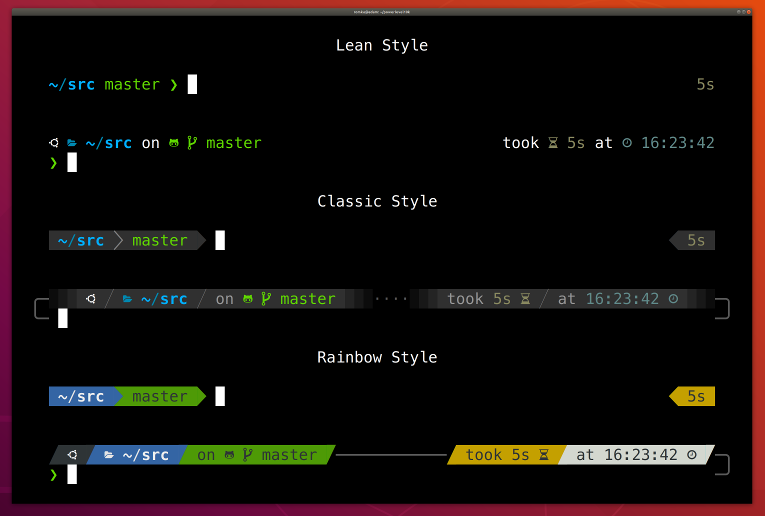
- [Getting started](#getting-started)
- [Features](#features)
- [Installation](#installation)
- [Configuration](#configuration)
- [Fonts](#fonts)
- [Try it in Docker](#try-it-in-docker)
- [License](#license)
- [FAQ](#faq)
- [Troubleshooting](#troubleshooting)
## Getting started
1. [Install the recommended font](#meslo-nerd-font-patched-for-powerlevel10k). *Optional but highly
recommended.*
1. [Install Powerlevel10k](#installation) itself.
1. Restart Zsh with `exec zsh`.
1. Type `p10k configure` if the configuration wizard doesn't start automatically.
## Features
- [Configuration wizard](#configuration-wizard)
- [Uncompromising performance](#uncompromising-performance)
- [Powerlevel9k compatibility](#powerlevel9k-compatibility)
- [Pure compatibility](#pure-compatibility)
- [Instant prompt](#instant-prompt)
- [Show on command](#show-on-command)
- [Transient prompt](#transient-prompt)
- [Current directory that just works](#current-directory-that-just-works)
- [Extremely customizable](#extremely-customizable)
- [Batteries included](#batteries-included)
- [Extensible](#extensible)
### Configuration wizard
Type `p10k configure` to access the builtin configuration wizard right from your terminal.
Screen recording
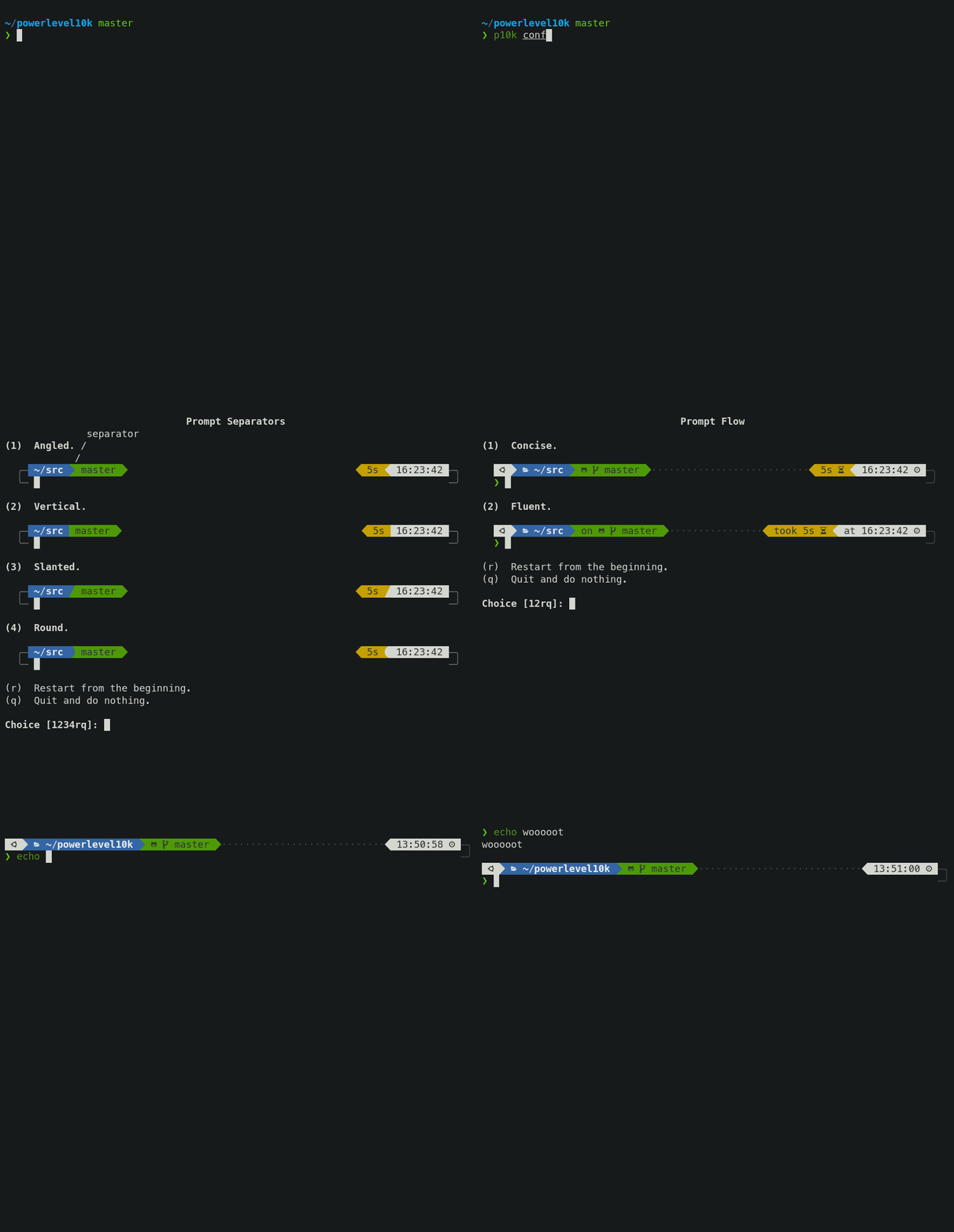
All styles except [Pure](#pure-compatibility) are functionally equivalent. They display the same
information and differ only in presentation.
Configuration wizard creates `~/.p10k.zsh` based on your preferences. Additional prompt
customization can be done by editing this file. It has plenty of comments to help you navigate
through configuration options.
*Tip*: Install [the recommended font](#meslo-nerd-font-patched-for-powerlevel10k) before
running `p10k configure` to unlock all prompt styles.
*FAQ:*
- [What is the best prompt style in the configuration wizard?](
#what-is-the-best-prompt-style-in-the-configuration-wizard)
- [What do different symbols in Git status mean?](
#what-do-different-symbols-in-git-status-mean)
- [How do I change prompt colors?](#how-do-i-change-prompt-colors)
*Troubleshooting*:
- [Some prompt styles are missing from the configuration wizard](
#some-prompt-styles-are-missing-from-the-configuration-wizard).
- [Question mark in prompt](#question-mark-in-prompt).
- [Icons, glyphs or powerline symbols don't render](#icons-glyphs-or-powerline-symbols-dont-render).
- [Sub-pixel imperfections around powerline symbols](
#sub-pixel-imperfections-around-powerline-symbols).
- [Directory is difficult to see in prompt when using Rainbow style](
#directory-is-difficult-to-see-in-prompt-when-using-rainbow-style).
### Uncompromising performance
When you hit *ENTER*, the next prompt appears instantly. With Powerlevel10k there is no prompt lag.
If you install Cygwin on Raspberry Pi, `cd` into a Linux Git repository and activate enough prompt
segments to fill four prompt lines on both sides of the screen... wait, that's just crazy and no
one ever does that. Probably impossible, too. The point is, Powerlevel10k prompt is always fast, no
matter what you do!
Screen recording
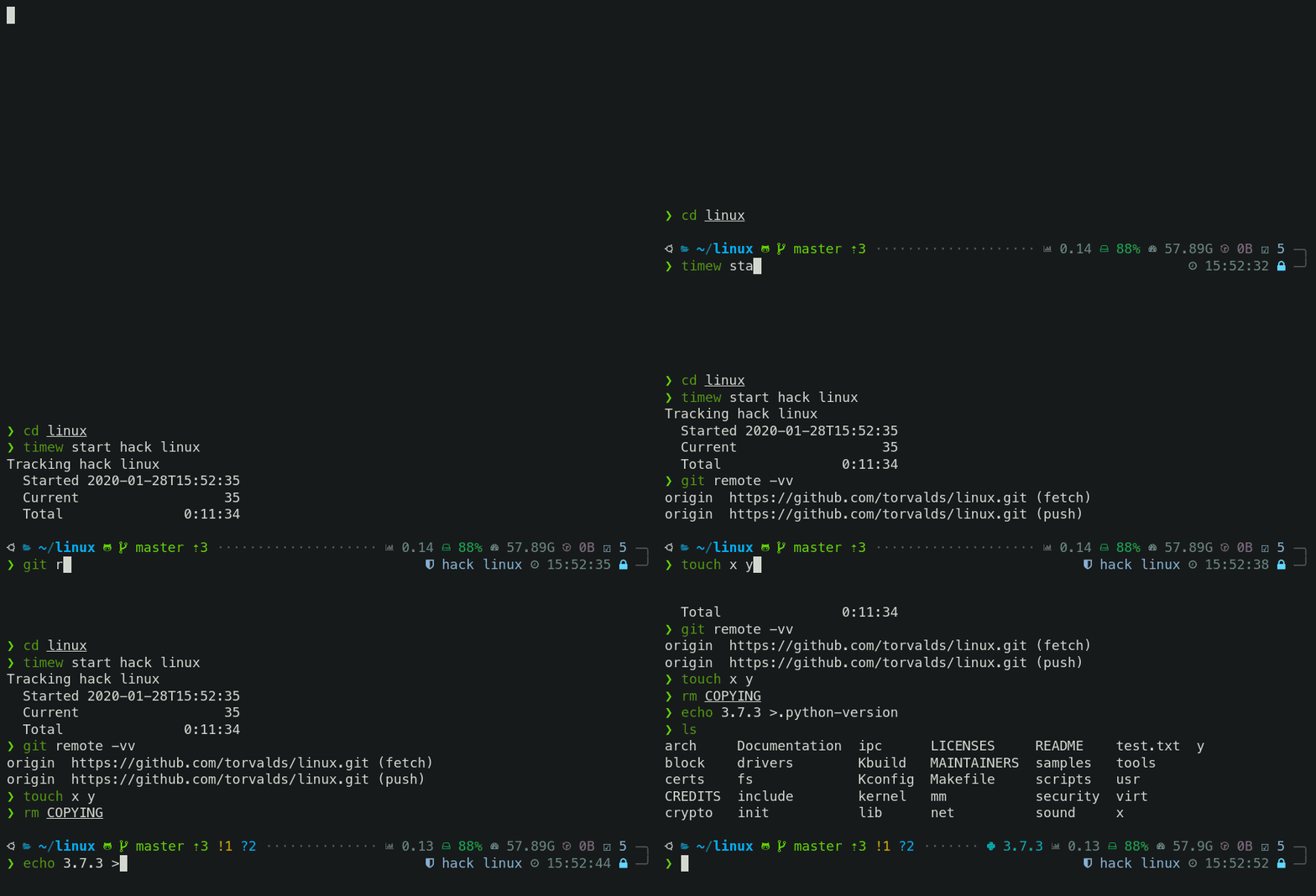
Note how the effect of every command is instantly reflected by the very next prompt.
| Command | Prompt Indicator | Meaning |
|-------------------------------|:----------------:|----------------------------------------------------------------------:|
| `timew start hack linux` | `⌚ hack linux` | time tracking enabled in [timewarrior](https://timewarrior.net/) |
| `touch x y` | `?2` | 2 untracked files in the Git repo |
| `rm COPYING` | `!1` | 1 unstaged change in the Git repo |
| `echo 3.7.3 >.python-version` | `🐍 3.7.3` | the current python version in [pyenv](https://github.com/pyenv/pyenv) |
Other Zsh themes capable of displaying the same information either produce prompt lag or print
prompt that doesn't reflect the current state of the system and then refresh it later. With
Powerlevel10k you get fast prompt *and* up-to-date information.
*FAQ*: [Is it really fast?](#is-it-really-fast)
### Powerlevel9k compatibility
Powerlevel10k understands all [Powerlevel9k](https://github.com/Powerlevel9k/powerlevel9k)
configuration parameters.
Screen recording

[Migration](#installation) from Powerlevel9k to Powerlevel10k is a straightforward process. All
your `POWERLEVEL9K` configuration parameters will still work. Prompt will look the same as before
([almost](
#does-powerlevel10k-always-render-exactly-the-same-prompt-as-powerlevel9k-given-the-same-config))
but it will be [much faster](#uncompromising-performance) ([certainly](#is-it-really-fast)).
*FAQ*:
- [I'm using Powerlevel9k with Oh My Zsh. How do I migrate?](
#im-using-powerlevel9k-with-oh-my-zsh-how-do-i-migrate)
- [Does Powerlevel10k always render exactly the same prompt as Powerlevel9k given the same config?](
#does-powerlevel10k-always-render-exactly-the-same-prompt-as-powerlevel9k-given-the-same-config)
- [What is the relationship between Powerlevel9k and Powerlevel10k?](
#What-is-the-relationship-between-powerlevel9k-and-powerlevel10k)
### Pure compatibility
Powerlevel10k can produce the same prompt as [Pure](https://github.com/sindresorhus/pure). Type
`p10k configure` and select *Pure* style.
Screen recording
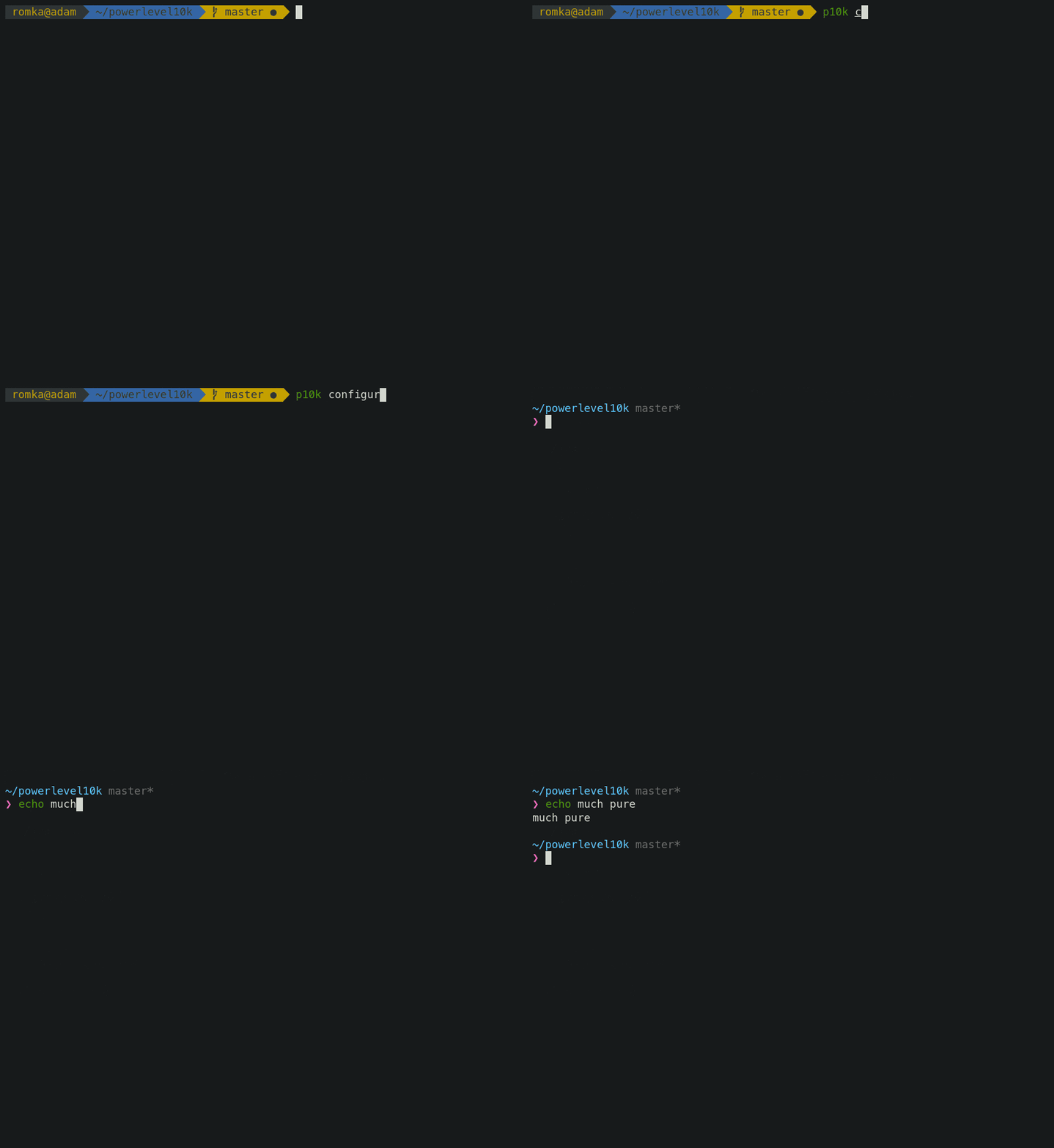
You can still use Powerlevel10k features such as [transient prompt](#transient-prompt) or
[instant prompt](#instant-prompt) when sporting Pure style.
To customize prompt, edit `~/.p10k.zsh`. Powerlevel10k doesn't recognize Pure configuration
parameters, so you'll need to use `POWERLEVEL9K_COMMAND_EXECUTION_TIME_THRESHOLD=3` instead of
`PURE_CMD_MAX_EXEC_TIME=3`, etc. All relevant parameters are in `~/.p10k.zsh`. This file has
plenty of comments to help you navigate through it.
*FAQ:* [What is the best prompt style in the configuration wizard?](
#what-is-the-best-prompt-style-in-the-configuration-wizard)
### Instant prompt
If your `~/.zshrc` loads many plugins, or perhaps just a few slow ones
(for example, [pyenv](https://github.com/pyenv/pyenv) or [nvm](https://github.com/nvm-sh/nvm)), you
may have noticed that it takes some time for Zsh to start.
Screen recording

Powerlevel10k can remove Zsh startup lag **even if it's not caused by a theme**.
Screen recording
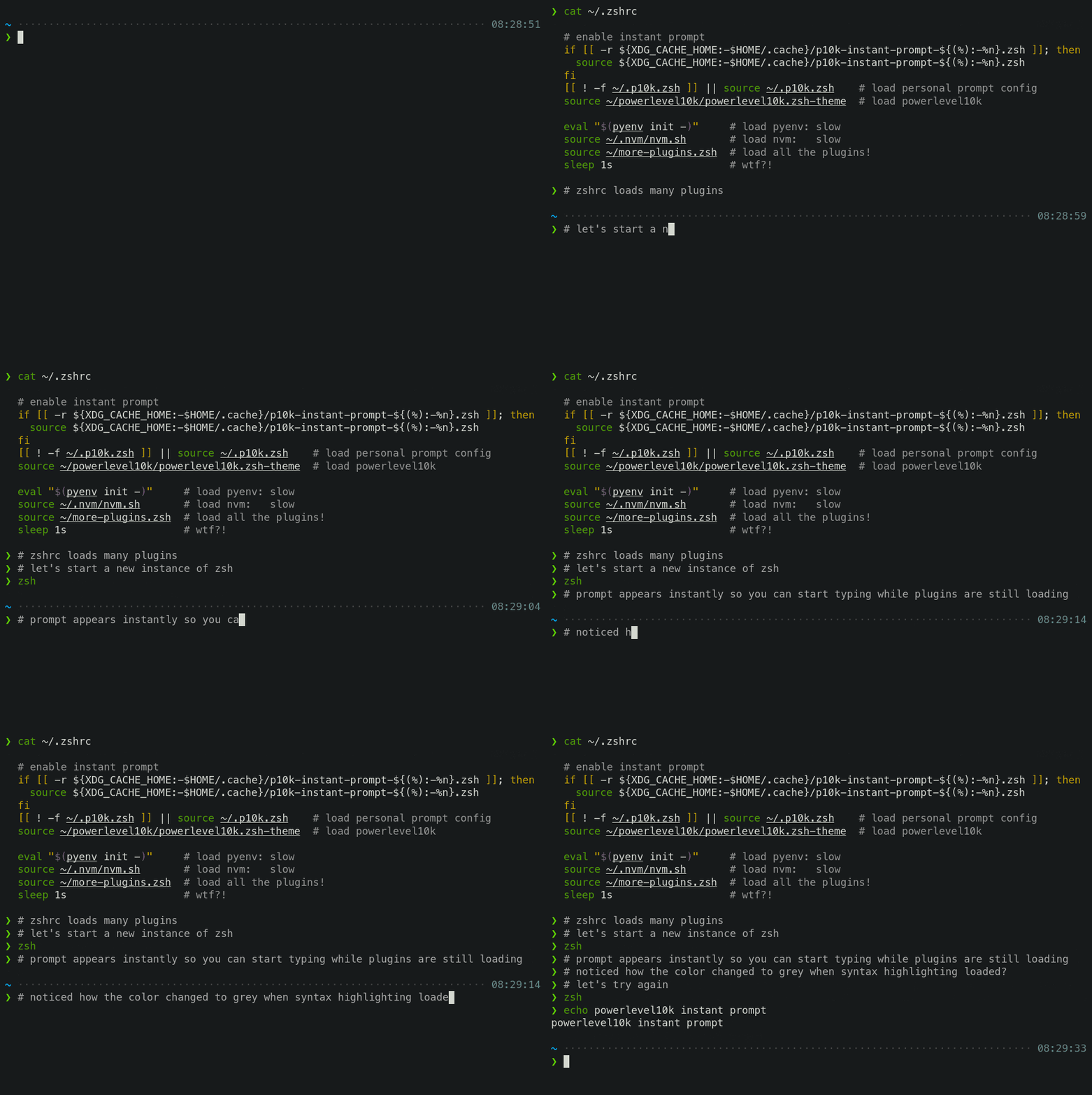
This feature is called *Instant Prompt*. You need to explicitly enable it through `p10k configure`
or [manually](#how-do-i-configure-instant-prompt). It does what it says on the tin -- prints prompt
instantly upon Zsh startup allowing you to start typing while plugins are still loading.
Other themes *increase* Zsh startup lag -- some by a lot, others by a just a little. Powerlevel10k
*removes* it outright.
If you are curious about how *Instant Prompt* works, see
[this section in zsh-bench](https://github.com/romkatv/zsh-bench#instant-prompt).
*FAQ:* [How do I configure instant prompt?](#how-do-i-configure-instant-prompt)
### Show on command
The behavior of some commands depends on global environment. For example, `kubectl run ...` runs an
image on the cluster defined by the current kubernetes context. If you frequently change context
between "prod" and "testing", you might want to display the current context in Zsh prompt. If you do
likewise for AWS, Azure and Google Cloud credentials, prompt will get pretty crowded.
Enter *Show On Command*. This feature makes prompt segments appear only when they are relevant to
the command you are currently typing.
Screen recording

Configs created by `p10k configure` enable show on command for several prompt segments by default.
Here's the relevant parameter for kubernetes context:
```zsh
# Show prompt segment "kubecontext" only when the command you are typing invokes one of these tools.
typeset -g POWERLEVEL9K_KUBECONTEXT_SHOW_ON_COMMAND='kubectl|helm|kubens'
```
To customize when different prompt segments are shown, open `~/.p10k.zsh`, search for
`SHOW_ON_COMMAND` and either remove these parameters to display affected segments unconditionally,
or change their values.
### Transient prompt
When *Transient Prompt* is enabled through `p10k configure`, Powerlevel10k will trim down every
prompt when accepting a command line.
Screen recording
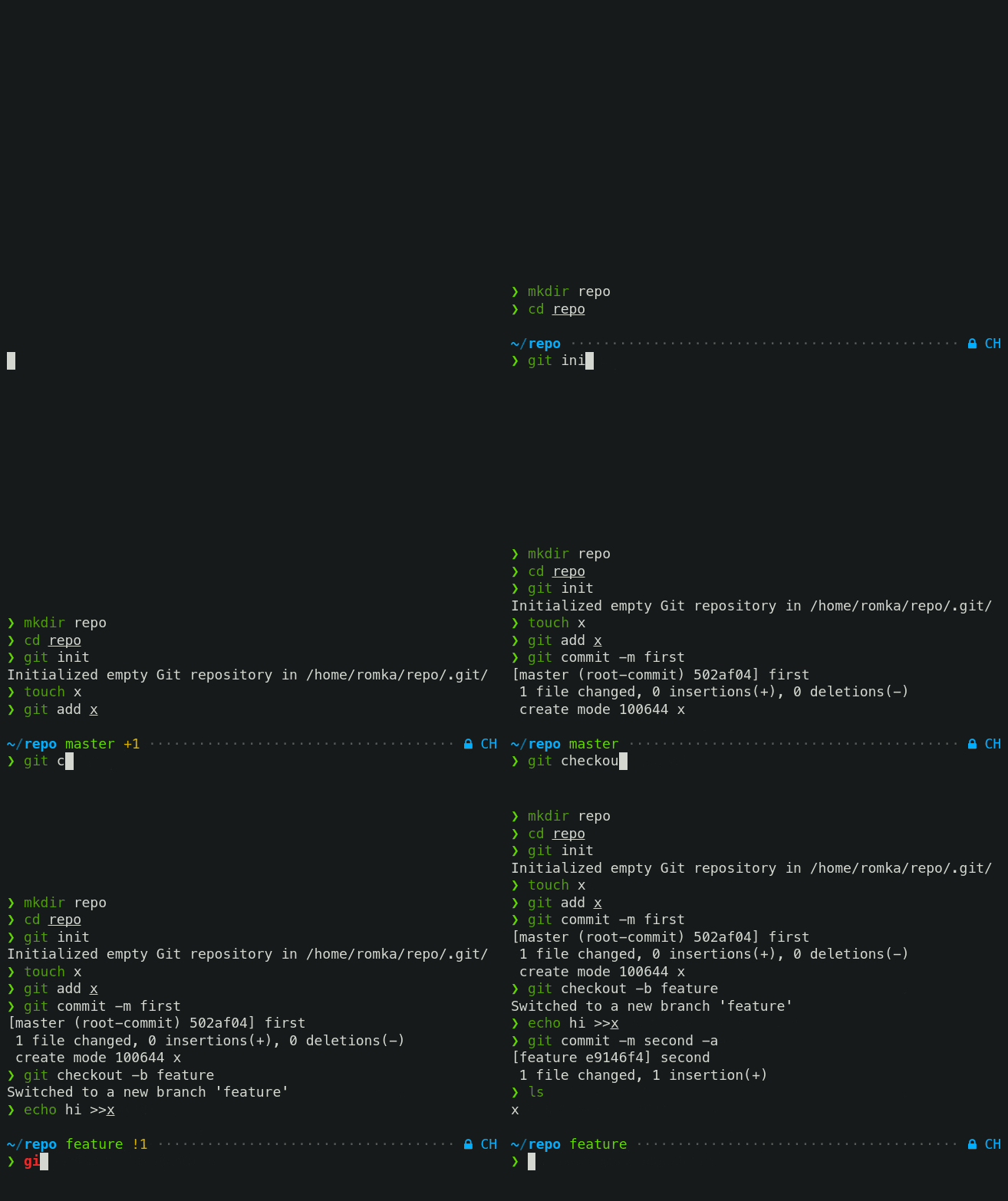
Transient prompt makes it much easier to copy-paste series of commands from the terminal scrollback.
*Tip*: If you enable transient prompt, take advantage of two-line prompt. You'll get the benefit of
extra space for typing commands without the usual drawback of reduced scrollback density. Sparse
prompt (with an empty line before prompt) also works great in combination with transient prompt.
### Current directory that just works
The current working directory is perhaps the most important prompt segment. Powerlevel10k goes to
great length to highlight its important parts and to truncate it with the least loss of information
when horizontal space gets scarce.
Screen recording
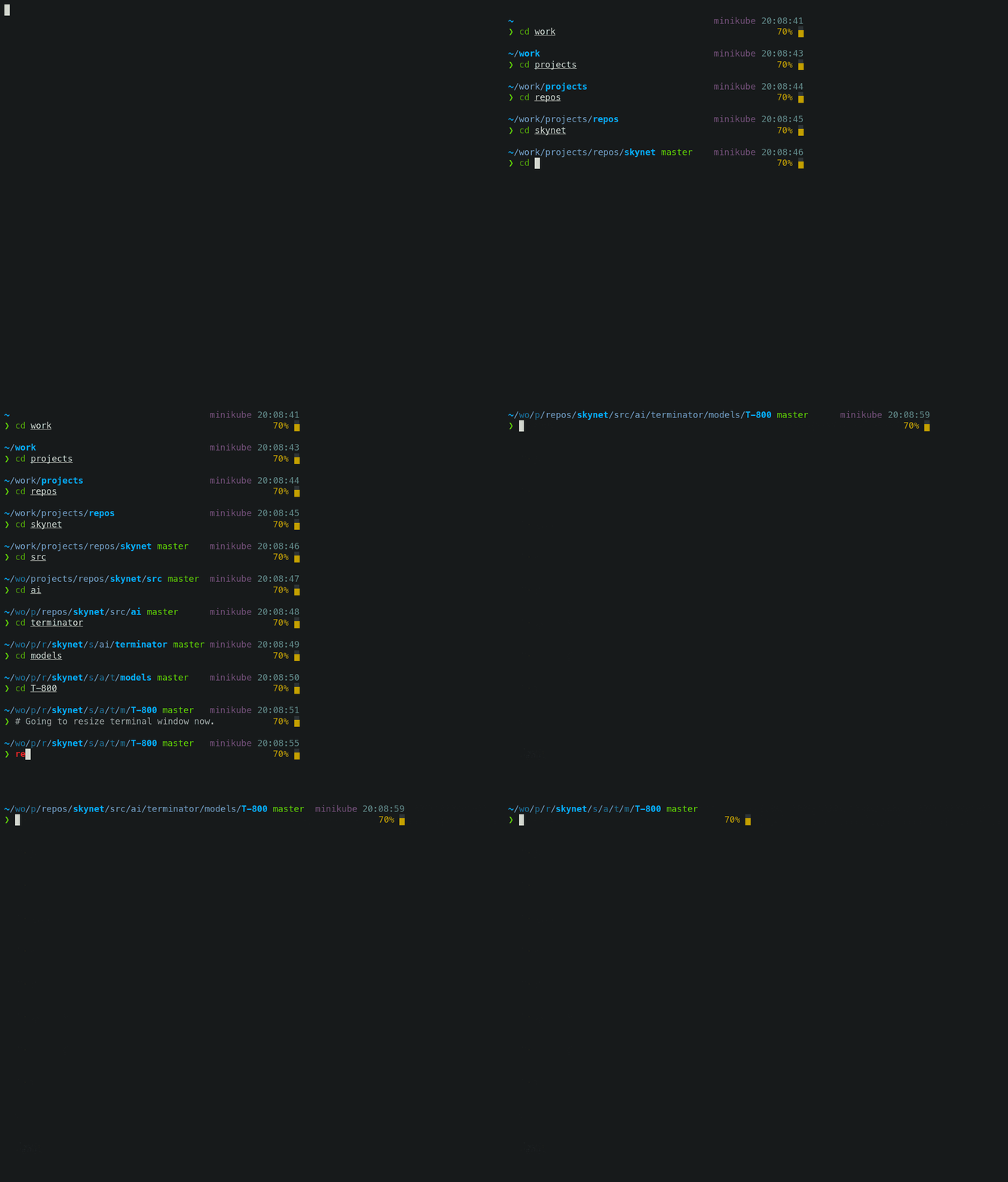
When the full directory doesn't fit, the leftmost segment gets truncated to its shortest unique
prefix. In the screencast, `~/work` becomes `~/wo`. It couldn't be truncated to `~/w` because it
would be ambiguous (there was `~/wireguard` when the session was recorded). The next segment --
`projects` -- turns into `p` as there was nothing else that started with `p` in `~/work/`.
Directory segments are shown in one of three colors:
- Truncated segments are bleak.
- Important segments are bright and never truncated. These include the first and the last segment,
roots of Git repositories, etc.
- Regular segments (not truncated but can be) use in-between color.
*Tip*: If you copy-paste a truncated directory and hit *TAB*, it'll complete to the original.
*Troubleshooting*: [Directory is difficult to see in prompt when using Rainbow style.](
#directory-is-difficult-to-see-in-prompt-when-using-rainbow-style)
### Extremely customizable
Powerlevel10k can be configured to look like any other Zsh theme out there.
Screen recording
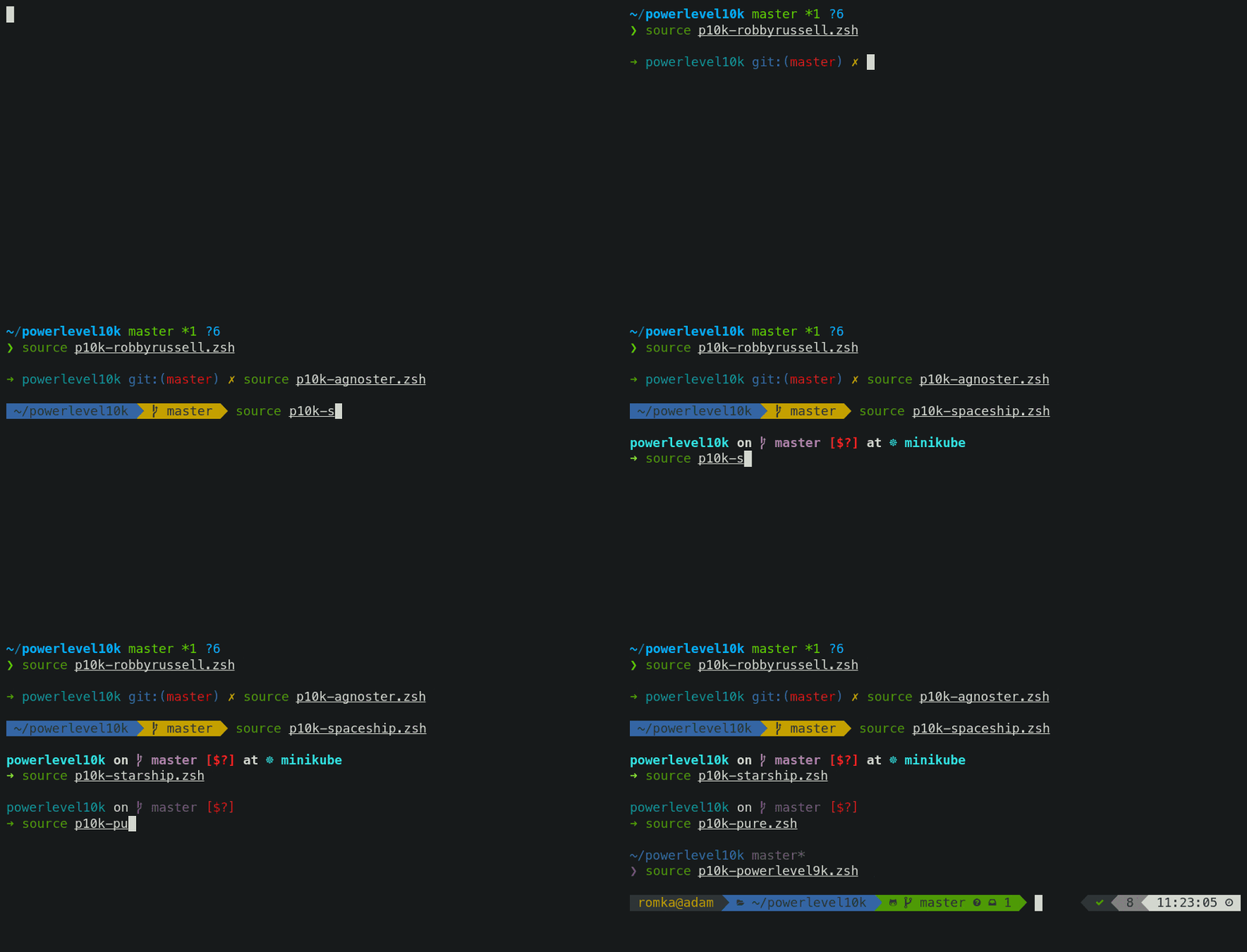
[Pure](#pure-compatibility), [Powerlevel9k](#powerlevel9k-compatibility) and [robbyrussell](
#how-to-make-powerlevel10k-look-like-robbyrussell-oh-my-zsh-theme) emulations are built-in.
To emulate the appearance of other themes, you'll need to write a suitable configuration file. The
best way to go about it is to run `p10k configure`, select the style that is the closest to your
goal and then edit `~/.p10k.zsh`.
The full range of Powerlevel10k appearance spans from spartan:

To ~~ridiculous~~ extravagant:

### Batteries included
Powerlevel10k comes with dozens of built-in high quality prompt segments that can display
information from a variety of sources. When you run `p10k configure` and choose any style
except [Pure](#pure-compatibility), many of these segments get enabled by
default while others can be manually enabled by opening `~/.p10k.zsh` and uncommenting them.
You can enable as many segments as you like. It won't slow down your prompt or Zsh startup.
| Segment | Meaning |
|--------:|---------|
| `anaconda` | virtual environment from [conda](https://conda.io/) |
| `asdf` | tool versions from [asdf](https://github.com/asdf-vm/asdf) |
| `aws` | [aws profile](https://docs.aws.amazon.com/cli/latest/userguide/cli-configure-profiles.html) |
| `aws_eb_env` | [aws elastic beanstalk](https://aws.amazon.com/elasticbeanstalk/) environment |
| `azure` | [azure](https://docs.microsoft.com/en-us/cli/azure) account name |
| `background_jobs` | presence of background jobs |
| `battery` | internal battery state and charge level (yep, batteries *literally* included) |
| `command_execution_time` | duration (wall time) of the last command |
| `context` | user@hostname |
| `cpu_arch` | CPU architecture |
| `dir` | current working directory |
| `direnv` | [direnv](https://direnv.net/) status |
| `disk_usage` | disk usage |
| `dotnet_version` | [dotnet](https://dotnet.microsoft.com) version |
| `fvm` | flutter environment from [fvm](https://github.com/leoafarias/fvm) |
| `gcloud` | [google cloud](https://cloud.google.com/) cli account and project |
| `goenv` | go environment from [goenv](https://github.com/syndbg/goenv) |
| `google_app_cred` | [google application credentials](https://cloud.google.com/docs/authentication/production) |
| `go_version` | [go](https://golang.org) version |
| `haskell_stack` | haskell version from [stack](https://haskellstack.org/) |
| `ip` | IP address and bandwidth usage for a specified network interface |
| `java_version` | [java](https://www.java.com/) version |
| `jenv` | java environment from [jenv](https://github.com/jenv/jenv) |
| `kubecontext` | current [kubernetes](https://kubernetes.io/) context |
| `laravel_version` | [laravel php framework](https://laravel.com/) version |
| `load` | CPU load |
| `luaenv` | lua environment from [luaenv](https://github.com/cehoffman/luaenv) |
| `midnight_commander` | [midnight commander](https://midnight-commander.org/) shell |
| `nix_shell` | [nix shell](https://nixos.org/nixos/nix-pills/developing-with-nix-shell.html) indicator |
| `nnn` | [nnn](https://github.com/jarun/nnn) shell |
| `lf` | [lf](https://github.com/gokcehan/lf) shell |
| `chezmoi_shell` | [chezmoi](https://www.chezmoi.io/) shell |
| `nodeenv` | node.js environment from [nodeenv](https://github.com/ekalinin/nodeenv) |
| `nodenv` | node.js environment from [nodenv](https://github.com/nodenv/nodenv) |
| `node_version` | [node.js](https://nodejs.org/) version |
| `nordvpn` | [nordvpn](https://nordvpn.com/) connection status |
| `nvm` | node.js environment from [nvm](https://github.com/nvm-sh/nvm) |
| `os_icon` | your OS logo (apple for macOS, swirl for debian, etc.) |
| `package` | `name@version` from [package.json](https://docs.npmjs.com/files/package.json) |
| `per_directory_history` | Oh My Zsh [per-directory-history](https://github.com/jimhester/per-directory-history) local/global indicator |
| `perlbrew` | perl version from [perlbrew](https://github.com/gugod/App-perlbrew) |
| `phpenv` | php environment from [phpenv](https://github.com/phpenv/phpenv) |
| `php_version` | [php](https://www.php.net/) version |
| `plenv` | perl environment from [plenv](https://github.com/tokuhirom/plenv) |
| `prompt_char` | multi-functional prompt symbol; changes depending on vi mode: `❯`, `❮`, `V`, `▶` for insert, command, visual and replace mode respectively; turns red on error |
| `proxy` | system-wide http/https/ftp proxy |
| `public_ip` | public IP address |
| `pyenv` | python environment from [pyenv](https://github.com/pyenv/pyenv) |
| `ram` | free RAM |
| `ranger` | [ranger](https://github.com/ranger/ranger) shell |
| `yazi` | [yazi](https://github.com/sxyazi/yazi) shell |
| `rbenv` | ruby environment from [rbenv](https://github.com/rbenv/rbenv) |
| `rust_version` | [rustc](https://www.rust-lang.org) version |
| `rvm` | ruby environment from [rvm](https://rvm.io) |
| `scalaenv` | scala version from [scalaenv](https://github.com/scalaenv/scalaenv) |
| `status` | exit code of the last command |
| `swap` | used swap |
| `taskwarrior` | [taskwarrior](https://taskwarrior.org/) task count |
| `terraform` | [terraform](https://www.terraform.io) workspace |
| `terraform_version` | [terraform](https://www.terraform.io) version |
| `time` | current time |
| `timewarrior` | [timewarrior](https://timewarrior.net/) tracking status |
| `todo` | [todo](https://github.com/todotxt/todo.txt-cli) items |
| `toolbox` | [toolbox](https://github.com/containers/toolbox) name |
| `vcs` | Git repository status |
| `vim_shell` | [vim](https://www.vim.org/) shell (`:sh`) |
| `virtualenv` | python environment from [venv](https://docs.python.org/3/library/venv.html) |
| `vi_mode` | vi mode (you don't need this if you've enabled prompt_char) |
| `vpn_ip` | virtual private network indicator |
| `wifi` | WiFi speed |
| `xplr` | [xplr](https://github.com/sayanarijit/xplr) shell |
### Extensible
If there is no prompt segment that does what you need, implement your own. Powerlevel10k provides
public API for defining segments that are as fast and as flexible as built-in ones.
Screen recording
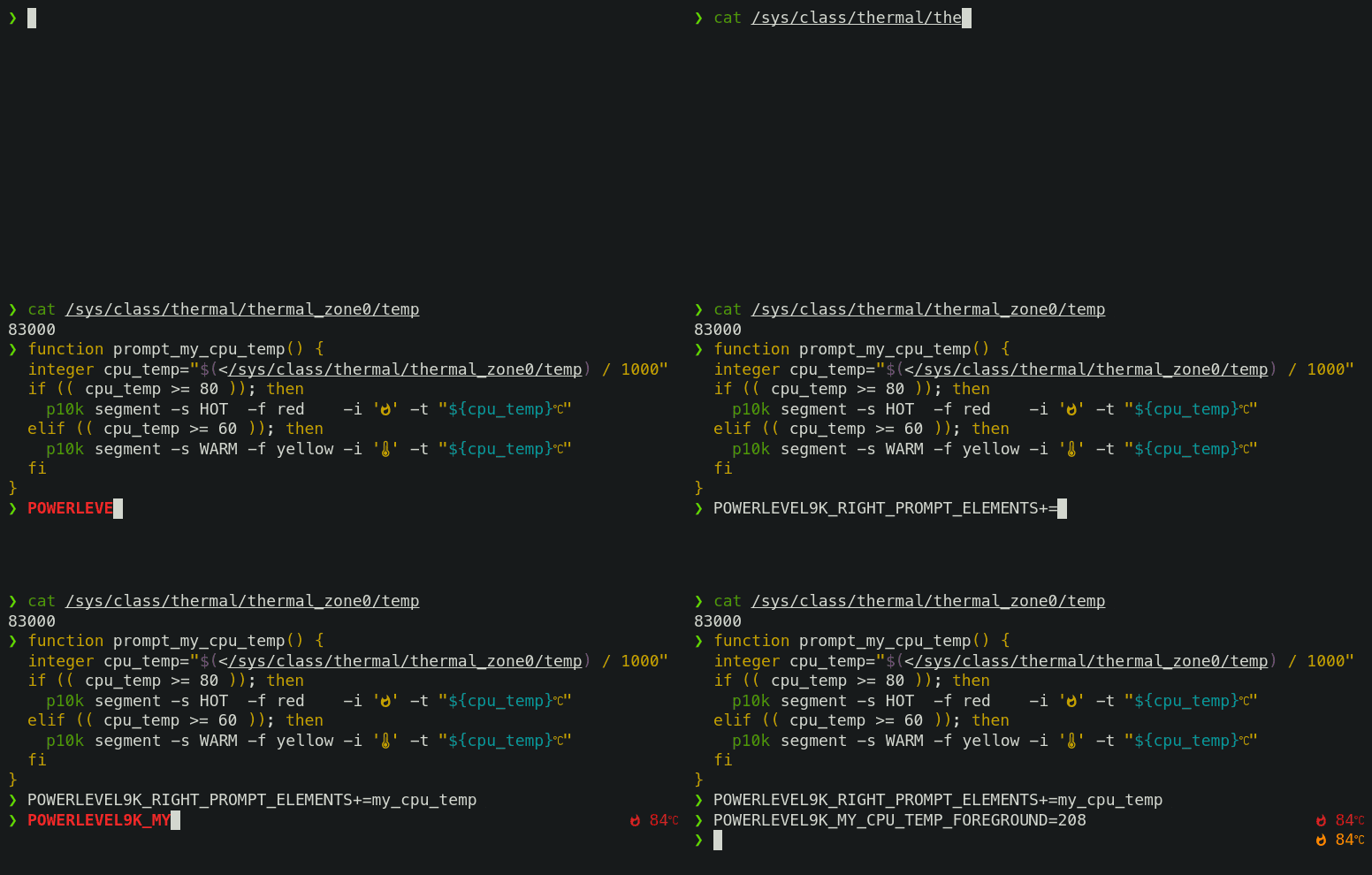
On Linux you can fetch current CPU temperature by reading `/sys/class/thermal/thermal_zone0/temp`.
The screencast shows how to define a prompt segment to display this value. Once the segment is
defined, you can use it like any other segment. All standard customization parameters will work for
it out of the box.
Type `p10k help segment` for reference.
*Note*: If you modify `POWERLEVEL9K_*` parameters in an already initialized interactive shell (as
opposed to editing `~/.p10k.zsh`), the changes might not be immediately effective. To apply the
modifications, invoke `p10k reload`. Setting `POWERLEVEL9K_DISABLE_HOT_RELOAD=false` eliminates the
necessity for `p10k reload` but results in a marginally slower prompt.
*Tip*: Prefix names of your own segments with `my_` to avoid clashes with future versions of
Powerlevel10k.
## Installation
- [Manual](#manual) 👈 **choose this if confused or uncertain**
- [Oh My Zsh](#oh-my-zsh)
- [Prezto](#prezto)
- [Zim](#zim)
- [Antibody](#antibody)
- [Antidote](#antidote)
- [Antigen](#antigen)
- [Zplug](#zplug)
- [Zgen](#zgen)
- [Zplugin](#zplugin)
- [Zinit](#zinit)
- [Zi](#zi)
- [Zap](#zap)
- [Homebrew](#homebrew)
- [Arch Linux](#arch-linux)
- [Alpine Linux](#alpine-linux)
- [Fig](#fig)
### Manual
```zsh
git clone --depth=1 https://github.com/romkatv/powerlevel10k.git ~/powerlevel10k
echo 'source ~/powerlevel10k/powerlevel10k.zsh-theme' >>~/.zshrc
```
Users in China can use the official mirror on gitee.com for faster download.
中国用户可以使用 gitee.com 上的官方镜像加速下载.
```zsh
git clone --depth=1 https://gitee.com/romkatv/powerlevel10k.git ~/powerlevel10k
echo 'source ~/powerlevel10k/powerlevel10k.zsh-theme' >>~/.zshrc
```
This is the simplest kind of installation and it works even if you are using a plugin manager. Just
make sure to disable the current theme in your plugin manager. See
[troubleshooting](#cannot-make-powerlevel10k-work-with-my-plugin-manager) for help.
### Oh My Zsh
1. Clone the repository:
```zsh
git clone --depth=1 https://github.com/romkatv/powerlevel10k.git "${ZSH_CUSTOM:-$HOME/.oh-my-zsh/custom}/themes/powerlevel10k"
```
Users in China can use the official mirror on gitee.com for faster download.
中国用户可以使用 gitee.com 上的官方镜像加速下载.
```zsh
git clone --depth=1 https://gitee.com/romkatv/powerlevel10k.git "${ZSH_CUSTOM:-$HOME/.oh-my-zsh/custom}/themes/powerlevel10k"
```
2. Open `~/.zshrc`, find the line that sets `ZSH_THEME`, and change its value to `"powerlevel10k/powerlevel10k"`.
### Prezto
Add `zstyle :prezto:module:prompt theme powerlevel10k` to `~/.zpreztorc`.
### Zim
Add `zmodule romkatv/powerlevel10k --use degit` to `~/.zimrc` and run `zimfw install`.
### Antibody
Add `antibody bundle romkatv/powerlevel10k` to `~/.zshrc`.
### Antidote
Add `romkatv/powerlevel10k` to `~/.zsh_plugins.txt`.
### Antigen
Add `antigen theme romkatv/powerlevel10k` to `~/.zshrc`. Make sure you have `antigen apply`
somewhere after it.
### Zplug
Add `zplug romkatv/powerlevel10k, as:theme, depth:1` to `~/.zshrc`.
### Zgen
Add `zgen load romkatv/powerlevel10k powerlevel10k` to `~/.zshrc`.
### Zplugin
Add `zplugin ice depth=1; zplugin light romkatv/powerlevel10k` to `~/.zshrc`.
The use of `depth=1` ice is optional. Other types of ice are neither recommended nor officially
supported by Powerlevel10k.
### Zinit
Add `zinit ice depth=1; zinit light romkatv/powerlevel10k` to `~/.zshrc`.
The use of `depth=1` ice is optional. Other types of ice are neither recommended nor officially
supported by Powerlevel10k.
### Zi
Add `zi ice depth=1; zi light romkatv/powerlevel10k` to `~/.zshrc`.
The use of `depth=1` ice is optional. Other types of ice are neither recommended nor officially
supported by Powerlevel10k.
### Zap
Add `plug "romkatv/powerlevel10k"` to `~/.zshrc`.
### Homebrew
```zsh
brew install powerlevel10k
echo "source $(brew --prefix)/share/powerlevel10k/powerlevel10k.zsh-theme" >>~/.zshrc
```
### Arch Linux
```zsh
yay -S --noconfirm zsh-theme-powerlevel10k-git
echo 'source /usr/share/zsh-theme-powerlevel10k/powerlevel10k.zsh-theme' >>~/.zshrc
```
[zsh-theme-powerlevel10k-git](https://aur.archlinux.org/packages/zsh-theme-powerlevel10k-git/)
referenced above is the official Powerlevel10k package.
### Alpine Linux
```zsh
apk add zsh zsh-theme-powerlevel10k
mkdir -p ~/.local/share/zsh/plugins
ln -s /usr/share/zsh/plugins/powerlevel10k ~/.local/share/zsh/plugins/
```
### Fig
Follow the instructions on
[this page](https://fig.io/plugins/other/powerlevel10k).
## Configuration
- [For new users](#for-new-users)
- [For Powerlevel9k users](#for-powerlevel9k-users)
### For new users
On the first run, Powerlevel10k [configuration wizard](#configuration-wizard) will ask you a few
questions and configure your prompt. If it doesn't trigger automatically, type `p10k configure`.
Configuration wizard creates `~/.p10k.zsh` based on your preferences. Additional prompt
customization can be done by editing this file. It has plenty of comments to help you navigate
through configuration options.
*FAQ*:
- [What is the best prompt style in the configuration wizard?](
#what-is-the-best-prompt-style-in-the-configuration-wizard)
- [What do different symbols in Git status mean?](
#what-do-different-symbols-in-git-status-mean)
- [How do I change the format of Git status?](#how-do-i-change-the-format-of-git-status)
- [How do I add username and/or hostname to prompt?](
#how-do-i-add-username-andor-hostname-to-prompt)
- [How do I change prompt colors?](#how-do-i-change-prompt-colors)
- [Why some prompt segments appear and disappear as I'm typing?](
#why-some-prompt-segments-appear-and-disappear-as-im-typing)
*Troubleshooting*:
- [Question mark in prompt](#question-mark-in-prompt).
- [Icons, glyphs or powerline symbols don't render](#icons-glyphs-or-powerline-symbols-dont-render).
- [Sub-pixel imperfections around powerline symbols](
#sub-pixel-imperfections-around-powerline-symbols).
- [Directory is difficult to see in prompt when using Rainbow style](
#directory-is-difficult-to-see-in-prompt-when-using-rainbow-style).
### For Powerlevel9k users
If you've been using Powerlevel9k before, **do not remove the configuration options**. Powerlevel10k
will pick them up and provide you with the same prompt UI you are used to. See
[Powerlevel9k compatibility](#powerlevel9k-compatibility).
*FAQ*:
- [I'm using Powerlevel9k with Oh My Zsh. How do I migrate?](
#im-using-powerlevel9k-with-oh-my-zsh-how-do-i-migrate)
- [What is the relationship between Powerlevel9k and Powerlevel10k?](
#what-is-the-relationship-between-powerlevel9k-and-powerlevel10k)
- [Does Powerlevel10k always render exactly the same prompt as Powerlevel9k given the same config?](
#does-powerlevel10k-always-render-exactly-the-same-prompt-as-powerlevel9k-given-the-same-config)
*Troubleshooting*: [Extra or missing spaces in prompt compared to Powerlevel9k](
#extra-or-missing-spaces-in-prompt-compared-to-powerlevel9k).
## Fonts
Powerlevel10k doesn't require custom fonts but can take advantage of them if they are available.
It works well with [Nerd Fonts](https://github.com/ryanoasis/nerd-fonts),
[Source Code Pro](https://github.com/adobe-fonts/source-code-pro),
[Font Awesome](https://fontawesome.com/), [Powerline](https://github.com/powerline/fonts), and even
the default system fonts. The full choice of style options is available only when using
[Nerd Fonts](https://github.com/ryanoasis/nerd-fonts).
👇 **Recommended font**: Meslo Nerd Font patched for Powerlevel10k. 👇
### Meslo Nerd Font patched for Powerlevel10k
Gorgeous monospace font designed by Jim Lyles for Bitstream, customized by the same for Apple,
further customized by André Berg, and finally patched by yours truly with customized scripts
originally developed by Ryan L McIntyre of Nerd Fonts. Contains all glyphs and symbols that
Powerlevel10k may need. Battle-tested in dozens of different terminals on all major operating
systems.
*FAQ*: [How was the recommended font created?](#how-was-the-recommended-font-created)
#### Automatic font installation
If you are using iTerm2 or Termux, `p10k configure` can install the recommended font for you.
Simply answer `Yes` when asked whether to install *Meslo Nerd Font*.
If you are using a different terminal, proceed with manual font installation. 👇
#### Manual font installation
1. Download these four ttf files:
- [MesloLGS NF Regular.ttf](
https://github.com/romkatv/powerlevel10k-media/raw/master/MesloLGS%20NF%20Regular.ttf)
- [MesloLGS NF Bold.ttf](
https://github.com/romkatv/powerlevel10k-media/raw/master/MesloLGS%20NF%20Bold.ttf)
- [MesloLGS NF Italic.ttf](
https://github.com/romkatv/powerlevel10k-media/raw/master/MesloLGS%20NF%20Italic.ttf)
- [MesloLGS NF Bold Italic.ttf](
https://github.com/romkatv/powerlevel10k-media/raw/master/MesloLGS%20NF%20Bold%20Italic.ttf)
1. Double-click on each file and click "Install". This will make `MesloLGS NF` font available to all
applications on your system.
1. Configure your terminal to use this font:
- **iTerm2**: Type `p10k configure` and answer `Yes` when asked whether to install
*Meslo Nerd Font*. Alternatively, open *iTerm2 → Preferences → Profiles → Text* and set *Font* to
`MesloLGS NF`.
- **Apple Terminal**: Open *Terminal → Preferences → Profiles → Text*, click *Change* under *Font*
and select `MesloLGS NF` family.
- **Hyper**: Open *Hyper → Edit → Preferences* and change the value of `fontFamily` under
`module.exports.config` to `MesloLGS NF`.
- **Visual Studio Code**: Open *File → Preferences → Settings* (PC) or
*Code → Preferences → Settings* (Mac), enter `terminal.integrated.fontFamily` in the search box at
the top of *Settings* tab and set the value below to `MesloLGS NF`.
Consult [this screenshot](
https://raw.githubusercontent.com/romkatv/powerlevel10k-media/389133fb8c9a2347929a23702ce3039aacc46c3d/visual-studio-code-font-settings.jpg)
to see how it should look like or see [this issue](
https://github.com/romkatv/powerlevel10k/issues/671) for extra information.
Note that software installed via [Snap](https://en.wikipedia.org/wiki/Snap_\(software\)) is
unable to use system fonts. If you've install Visual Studio Code via Snap, remove it by running
`sudo snap remove code` and install the official `.deb` build from the
[Visual Studio Code website](https://code.visualstudio.com/Download).
- **GNOME Terminal** (the default Ubuntu terminal): Open *Terminal → Preferences* and click on the
selected profile under *Profiles*. Check *Custom font* under *Text Appearance* and select
`MesloLGS NF Regular`.
- **Konsole**: Open *Settings → Edit Current Profile → Appearance*, click *Select Font* and select
`MesloLGS NF Regular`.
- **Tilix**: Open *Tilix → Preferences* and click on the selected profile under *Profiles*. Check
*Custom font* under *Text Appearance* and select `MesloLGS NF Regular`.
- **Windows Console Host** (the old thing): Click the icon in the top left corner, then
*Properties → Font* and set *Font* to `MesloLGS NF`.
- **Windows Terminal** by Microsoft (the new thing): Open *Settings* (Ctrl+,), click
either on the selected profile under *Profiles* or on *Defaults*, click *Appearance* and set
*Font face* to `MesloLGS NF`.
- **Conemu**: Open *Setup → General → Fonts* and set *Main console font* to `MesloLGS NF`.
- **IntelliJ** (and other IDEs by Jet Brains): Open *IDE → Edit → Preferences → Editor →
Color Scheme → Console Font*. Select *Use console font instead of the default* and set the font
name to `MesloLGS NF`.
- **Termux**: Type `p10k configure` and answer `Yes` when asked whether to install
*Meslo Nerd Font*.
- **Blink**: Type `config`, go to *Appearance*, tap *Add a new font*, tap *Open Gallery*, select
*MesloLGS NF.css*, tap *import* and type `exit` in the home view to reload the font.
- **Tabby** (formerly **Terminus**): Open *Settings → Appearance* and set *Font* to `MesloLGS NF`.
- **Terminator**: Open *Preferences* using the context menu. Under *Profiles* select the *General*
tab (should be selected already), uncheck *Use the system fixed width font* (if not already)
and select `MesloLGS NF Regular`. Exit the Preferences dialog by clicking *Close*.
- **Guake**: Right Click on an open terminal and open *Preferences*. Under *Appearance*
tab, uncheck *Use the system fixed width font* (if not already) and select `MesloLGS NF Regular`.
Exit the Preferences dialog by clicking *Close*.
- **MobaXterm**: Open *Settings* → *Configuration* → *Terminal* → (under *Terminal look and feel*)
and change *Font* to `MesloLGS NF`. If you have *sessions*, you need to change the font in each
of them through *Settings* → right click on an individual session → *Edit Session* → *Terminal
Settings* → *Font settings*.
- **Asbrú Connection Manager**: Open *Preferences → Local Shell Options → Look and Feel*, enable
*Use these personal options* and change *Font:* under *Terminal UI* to `MesloLGS NF Regular`.
To change the font for the remote host connections, go to *Preferences → Terminal Options →
Look and Feel* and change *Font:* under *Terminal UI* to `MesloLGS NF Regular`.
- **Warp**: Open Warp and Navigate to *Settings* then *Appearance*. Scroll down to *Text* Section
and under *"Terminal Font"*, select the `MesloLGS NF` font.
- **WSLtty**: Right click on an open terminal and then on *Options*. In the *Text* section, under
*Font*, click *"Select..."* and set Font to `MesloLGS NF Regular`.
- **Yakuake**: Click *≡* → *Manage Profiles* → *New* → *Appearance*. Click *Choose* next to the
*Font* dropdown, select `MesloLGS NF` and click *OK*. Click *OK* to save the profile. Select the
new profile and click *Set as Default*.
- **Alacritty**: Create or open `~/.config/alacritty/alacritty.toml` and add the following
section to it:
```toml
[font.normal]
family = "MesloLGS NF"
```
- **foot**: Create or open `~/.config/foot/foot.ini` and add the following section to it:
```ini
font=MesloLGS NF:size=12
```
- **kitty**: Create or open `~/.config/kitty/kitty.conf` and add the following line to it:
```text
font_family MesloLGS NF
```
Restart kitty by closing all sessions and opening a new session.
- **puTTY**: Set *Window* → *Appearance* → *Font* to `MesloLGS NF`. Requires puTTY
version >= 0.75.
- **WezTerm**: Create or open `$HOME/.config/wezterm/wezterm.lua` and add the following:
```lua
local wezterm = require 'wezterm';
return {
font = wezterm.font("MesloLGS NF"),
}
```
If the file already exists, only add the line with the font to the existing return.
Also add the first line if it is not already present.
- **urxvt**: Create or open `~/.Xresources` and add the following line to it:
```text
URxvt.font: xft:MesloLGS NF:size=11
```
You can adjust the font size to your preference. After changing the config run
`xrdb ~/.Xresources` to reload it. The new config is applied to all new terminals.
- **xterm**: Create or open `~/.Xresources` and add the following line to it:
```text
xterm*faceName: MesloLGS NF
```
After changing the config run `xrdb ~/.Xresources` to reload it. The new config is applied to
all new terminals.
- **Zed**: Open `~/.config/zed/settings.json` and set `terminal.font_family` to `"MesloLGS NF"`.
```jsonc
{
"terminal": {
"font_family": "MesloLGS NF"
},
// Other settings.
}
```
- Crostini (Linux on Chrome OS): Open
chrome-untrusted://terminal/html/nassh_preferences_editor.html, set *Text font family* to
`'MesloLGS NF'` (including the quotes) and *Custom CSS (inline text)* to the following:
```css
@font-face {
font-family: "MesloLGS NF";
src: url("https://raw.githubusercontent.com/romkatv/powerlevel10k-media/master/MesloLGS%20NF%20Regular.ttf");
font-weight: normal;
font-style: normal;
}
@font-face {
font-family: "MesloLGS NF";
src: url("https://raw.githubusercontent.com/romkatv/powerlevel10k-media/master/MesloLGS%20NF%20Bold.ttf");
font-weight: bold;
font-style: normal;
}
@font-face {
font-family: "MesloLGS NF";
src: url("https://raw.githubusercontent.com/romkatv/powerlevel10k-media/master/MesloLGS%20NF%20Italic.ttf");
font-weight: normal;
font-style: italic;
}
@font-face {
font-family: "MesloLGS NF";
src: url("https://raw.githubusercontent.com/romkatv/powerlevel10k-media/master/MesloLGS%20NF%20Bold%20Italic.ttf");
font-weight: bold;
font-style: italic;
}
```
**_CAVEAT_**: If you open the normal terminal preferences these settings will be overwritten.
- **Deepin Terminal**: Create or open `~/.config/deepin/deepin-terminal/config.conf` and add the following section
to it:
```ini
[basic.interface.font]
value = "MesloLGS NF"
```
- **Ghostty**: Open *Menu → Open Configuration* (Linux) or *Ghostty → Settings...* (Mac) and add
the following line:
```text
font-family = "MesloLGS NF"
```
1. Run `p10k configure` to generate a new `~/.p10k.zsh`. The old config may work
incorrectly with the new font.
_Using a different terminal and know how to set the font for it? Share your knowledge by sending a
PR to expand the list!_
## Try it in Docker
Try Powerlevel10k in Docker. You can safely make any changes to the file system while trying out
the theme. Once you exit Zsh, the container is deleted.
```zsh
docker run -e TERM -e COLORTERM -e LC_ALL=C.UTF-8 -it --rm alpine sh -uec '
apk add git zsh nano vim
git clone --depth=1 https://github.com/romkatv/powerlevel10k.git ~/powerlevel10k
echo "source ~/powerlevel10k/powerlevel10k.zsh-theme" >>~/.zshrc
cd ~/powerlevel10k
exec zsh'
```
*Tip*: Install [the recommended font](#meslo-nerd-font-patched-for-powerlevel10k) before
running the Docker command to get access to all prompt styles.
*Tip*: Run `p10k configure` while in Docker to try a different prompt style.
## License
Powerlevel10k is released under the
[MIT license](https://github.com/romkatv/powerlevel10k/blob/master/LICENSE).
## FAQ
- [How do I update Powerlevel10k?](#how-do-i-update-powerlevel10k)
- [How do I uninstall Powerlevel10k?](#how-do-i-uninstall-powerlevel10k)
- [How do I install Powerlevel10k on a machine without Internet access?](#how-do-i-install-powerlevel10k-on-a-machine-without-internet-access)
- [Where can I ask for help and report bugs?](#where-can-i-ask-for-help-and-report-bugs)
- [Which aspects of shell and terminal does Powerlevel10k affect?](#which-aspects-of-shell-and-terminal-does-powerlevel10k-affect)
- [I'm using Powerlevel9k with Oh My Zsh. How do I migrate?](#im-using-powerlevel9k-with-oh-my-zsh-how-do-i-migrate)
- [Is it really fast?](#is-it-really-fast)
- [How do I configure instant prompt?](#how-do-i-configure-instant-prompt)
- [How do I initialize direnv when using instant prompt?](#how-do-i-initialize-direnv-when-using-instant-prompt)
- [How do I export GPG_TTY when using instant prompt?](#how-do-i-export-gpg_tty-when-using-instant-prompt)
- [What do different symbols in Git status mean?](#what-do-different-symbols-in-git-status-mean)
- [How do I change the format of Git status?](#how-do-i-change-the-format-of-git-status)
- [Why is Git status from `$HOME/.git` not displayed in prompt?](#why-is-git-status-from-homegit-not-displayed-in-prompt)
- [Why does Git status sometimes appear grey and then gets colored after a short period of time?](#why-does-git-status-sometimes-appear-grey-and-then-gets-colored-after-a-short-period-of-time)
- [How do I add username and/or hostname to prompt?](#how-do-i-add-username-andor-hostname-to-prompt)
- [Why some prompt segments appear and disappear as I'm typing?](#why-some-prompt-segments-appear-and-disappear-as-im-typing)
- [How do I change prompt colors?](#how-do-i-change-prompt-colors)
- [Why does Powerlevel10k spawn extra processes?](#why-does-powerlevel10k-spawn-extra-processes)
- [Are there configuration options that make Powerlevel10k slow?](#are-there-configuration-options-that-make-powerlevel10k-slow)
- [Is Powerlevel10k fast to load?](#is-powerlevel10k-fast-to-load)
- [What is the relationship between Powerlevel9k and Powerlevel10k?](#what-is-the-relationship-between-powerlevel9k-and-powerlevel10k)
- [Does Powerlevel10k always render exactly the same prompt as Powerlevel9k given the same config?](#does-powerlevel10k-always-render-exactly-the-same-prompt-as-powerlevel9k-given-the-same-config)
- [What is the best prompt style in the configuration wizard?](#what-is-the-best-prompt-style-in-the-configuration-wizard)
- [How to make Powerlevel10k look like robbyrussell Oh My Zsh theme?](#how-to-make-powerlevel10k-look-like-robbyrussell-oh-my-zsh-theme)
- [Can prompts for completed commands display error status for *those* commands instead of the commands preceding them?](#can-prompts-for-completed-commands-display-error-status-for-those-commands-instead-of-the-commands-preceding-them)
- [What is the minimum supported Zsh version?](#what-is-the-minimum-supported-zsh-version)
- [How were these screenshots and animated gifs created?](#how-were-these-screenshots-and-animated-gifs-created)
- [How was the recommended font created?](#how-was-the-recommended-font-created)
- [How to package Powerlevel10k for distribution?](#how-to-package-powerlevel10k-for-distribution)
### How do I update Powerlevel10k?
The command to update Powerlevel10k depends on how it was installed.
| Installation | Update command |
|-------------------------------|-------------------------------------------------------------|
| [Manual](#manual) | `git -C ~/powerlevel10k pull` |
| [Oh My Zsh](#oh-my-zsh) | `git -C "${ZSH_CUSTOM:-$HOME/.oh-my-zsh/custom}/themes/powerlevel10k" pull` |
| [Prezto](#prezto) | `zprezto-update` |
| [Zim](#zim) | `zimfw update` |
| [Antigen](#antigen) | `antigen update` |
| [Antidote](#antidote) | `antidote update` |
| [Zplug](#zplug) | `zplug update` |
| [Zgen](#zgen) | `zgen update` |
| [Zplugin](#zplugin) | `zplugin update` |
| [Zinit](#zinit) | `zinit update` |
| [Zi](#zi) | `zi update` |
| [Zap](#zap) | `zap update` |
| [Homebrew](#homebrew) | `brew update && brew upgrade` |
| [Arch Linux](#arch-linux) | `yay -S --noconfirm zsh-theme-powerlevel10k-git` |
| [Alpine Linux](#alpine-linux) | `apk update && apk upgrade` |
**IMPORTANT**: Restart Zsh after updating Powerlevel10k. [Do not use `source ~/.zshrc`](
#weird-things-happen-after-typing-source-zshrc).
### How do I uninstall Powerlevel10k?
1. Remove all references to "p10k" from `~/.zshrc`. You might have this snippet at the top:
```zsh
if [[ -r "${XDG_CACHE_HOME:-$HOME/.cache}/p10k-instant-prompt-${(%):-%n}.zsh" ]]; then
source "${XDG_CACHE_HOME:-$HOME/.cache}/p10k-instant-prompt-${(%):-%n}.zsh"
fi
```
And this at the bottom:
```zsh
[[ ! -f ~/.p10k.zsh ]] || source ~/.p10k.zsh
```
These are added by the [configuration wizard](#configuration-wizard). Remove them.
2. Remove all references to "powerlevel10k" from `~/.zshrc`, `~/.zpreztorc` and `~/.zimrc` (some
of these files may be missing -- this is normal). These references have been added manually by
yourself when installing Powerlevel10k. Refer to the [installation instructions](#installation)
if you need a reminder.
3. Verify that all references to "p10k" and "powerlevel10k" are gone from `~/.zshrc`, `~/.zpreztorc`
and `~/.zimrc`.
```zsh
grep -E 'p10k|powerlevel10k' ~/.zshrc ~/.zpreztorc ~/.zimrc 2>/dev/null
```
If this command produces output, there are still references to "p10k" or "powerlevel10k". You
need to remove them.
4. Delete Powerlevel10k configuration file. This file is created by the
[configuration wizard](#configuration-wizard) and may contain manual edits by yourself.
```zsh
rm -f ~/.p10k.zsh
```
5. Delete Powerlevel10k source files. These files have been downloaded when you've installed
Powerlevel10k. The command to delete them depends on which installation method you'd chosen.
Refer to the [installation instructions](#installation) if you need a reminder.
| Installation | Uninstall command |
|-------------------------------|------------------------------------------------------------------|
| [Manual](#manual) | `rm -rf ~/powerlevel10k` |
| [Oh My Zsh](#oh-my-zsh) | `rm -rf -- "${ZSH_CUSTOM:-$HOME/.oh-my-zsh/custom}/themes/powerlevel10k"` |
| [Prezto](#prezto) | n/a |
| [Zim](#zim) | `zimfw uninstall` |
| [Antigen](#antigen) | `antigen purge romkatv/powerlevel10k` |
| [Antidote](#antidote) | `antidote purge romkatv/powerlevel10k` |
| [Zplug](#zplug) | `zplug clean` |
| [Zgen](#zgen) | `zgen reset` |
| [Zplugin](#zplugin) | `zplugin delete romkatv/powerlevel10k` |
| [Zinit](#zinit) | `zinit delete romkatv/powerlevel10k` |
| [Zi](#zi) | `zi delete romkatv/powerlevel10k` |
| [Zap](#zap) | `zsh -ic 'zap clean'` |
| [Homebrew](#homebrew) | `brew uninstall powerlevel10k` |
| [Arch Linux](#arch-linux) | `yay -R --noconfirm zsh-theme-powerlevel10k-git` |
| [Alpine Linux](#alpine-linux) | `apk del zsh-theme-powerlevel10k` |
6. Restart Zsh. [Do not use `source ~/.zshrc`](#weird-things-happen-after-typing-source-zshrc).
7. Delete Powerlevel10k cache files.
```zsh
rm -rf -- "${XDG_CACHE_HOME:-$HOME/.cache}"/p10k-*(N) "${XDG_CACHE_HOME:-$HOME/.cache}"/gitstatus
```
### How do I install Powerlevel10k on a machine without Internet access?
1. Run this command on the machine without Internet access:
```sh
uname -sm | tr '[A-Z]' '[a-z]'
```
2. Run these commands on a machine connected to the Internet after replacing the value of
`target_uname` with the output of the previous command:
```sh
target_uname="replace this with the output of the previous command"
git clone --depth=1 https://github.com/romkatv/powerlevel10k.git ~/powerlevel10k
GITSTATUS_CACHE_DIR="$HOME"/powerlevel10k/gitstatus/usrbin ~/powerlevel10k/gitstatus/install -f -s "${target_uname% *}" -m "${target_uname#* }"
```
3. Copy `~/powerlevel10k` from the machine connected to the Internet to the one without Internet
access.
4. Add `source ~/powerlevel10k/powerlevel10k.zsh-theme` to `~/.zshrc` on the machine without
Internet access:
```zsh
echo 'source ~/powerlevel10k/powerlevel10k.zsh-theme' >>~/.zshrc
```
5. If `~/.zshrc` on the machine without Internet access sets `ZSH_THEME`, remove that line.
```zsh
sed -i.bak '/^ZSH_THEME=/d' ~/.zshrc
```
To update, remove `~/powerlevel10k` on both machines and repeat steps 1-3.
### Where can I ask for help and report bugs?
The best way to ask for help and to report bugs is to [open an issue](
https://github.com/romkatv/powerlevel10k/issues).
[Gitter](
https://gitter.im/powerlevel10k/community?utm_source=badge&utm_medium=badge&utm_campaign=pr-badge)
is another option.
If all else fails, email roman.perepelitsa@gmail.com.
If necessary, encrypt your communication with [this PGP key](
https://api.github.com/users/romkatv/gpg_keys).
### Which aspects of shell and terminal does Powerlevel10k affect?
Powerlevel10k defines prompt and nothing else. It sets [prompt-related options](
http://zsh.sourceforge.net/Doc/Release/Options.html#Prompting), and parameters `PS1` and `RPS1`.
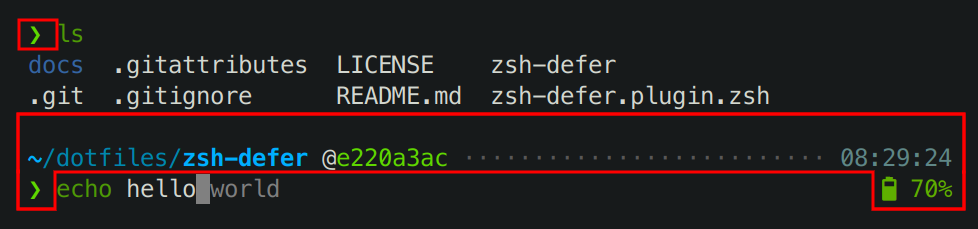
Everything within the highlighted areas on the screenshot is produced by Powerlevel10k.
Powerlevel10k has no control over the terminal content or colors outside these areas.
Powerlevel10k does not affect:
- Terminal window/tab title.
- Colors used by `ls`.
- The behavior of `git` command.
- The content and style of Tab completions.
- Command line colors (syntax highlighting, autosuggestions, etc.).
- Key bindings.
- Aliases.
- Prompt parameters other than `PS1` and `RPS1`.
- Zsh options other than those [related to prompt](
http://zsh.sourceforge.net/Doc/Release/Options.html#Prompting).
- The set of available commands. Powerlevel10k does not install any new commands
with the only exception of `p10k`.
### I'm using Powerlevel9k with Oh My Zsh. How do I migrate?
1. Run this command:
```zsh
# Add powerlevel10k to the list of Oh My Zsh themes.
git clone --depth=1 https://github.com/romkatv/powerlevel10k.git "${ZSH_CUSTOM:-$HOME/.oh-my-zsh/custom}/themes/powerlevel10k"
# Replace ZSH_THEME="powerlevel9k/powerlevel9k" with ZSH_THEME="powerlevel10k/powerlevel10k".
sed -i.bak 's/powerlevel9k/powerlevel10k/g' ~/.zshrc
# Restart Zsh.
exec zsh
```
2. *Optional but highly recommended:*
1. Install [the recommended font](#meslo-nerd-font-patched-for-powerlevel10k).
1. Type `p10k configure` and choose your favorite prompt style.
*Related:*
- [Powerlevel9k compatibility.](#powerlevel9k-compatibility)
- [Does Powerlevel10k always render exactly the same prompt as Powerlevel9k given the same config?](
#does-powerlevel10k-always-render-exactly-the-same-prompt-as-powerlevel9k-given-the-same-config)
- [Extra or missing spaces in prompt compared to Powerlevel9k.](
#extra-or-missing-spaces-in-prompt-compared-to-powerlevel9k)
- [Configuration wizard.](#configuration-wizard)
### Is it really fast?
Yes. See [zsh-bench](https://github.com/romkatv/zsh-bench) or a direct comparison with
[Powerlevel9k](https://asciinema.org/a/NHRjK3BMePw66jtRVY2livHwZ) and
[Spaceship](https://asciinema.org/a/253094).
### How do I configure instant prompt?
See [instant prompt](#instant-prompt) to learn about instant prompt. This section explains how you
can enable and configure it and lists caveats that you should be aware of.
Instant prompt can be enabled either through `p10k configure` or by manually adding the following
code snippet at the top of `~/.zshrc`:
```zsh
# Enable Powerlevel10k instant prompt. Should stay close to the top of ~/.zshrc.
# Initialization code that may require console input (password prompts, [y/n]
# confirmations, etc.) must go above this block; everything else may go below.
if [[ -r "${XDG_CACHE_HOME:-$HOME/.cache}/p10k-instant-prompt-${(%):-%n}.zsh" ]]; then
source "${XDG_CACHE_HOME:-$HOME/.cache}/p10k-instant-prompt-${(%):-%n}.zsh"
fi
```
It's important that you copy the lines verbatim. Don't replace `source` with something else, don't
call `zcompile`, don't redirect output, etc.
When instant prompt is enabled, for the duration of Zsh initialization standard input is redirected
to `/dev/null` and standard output with standard error are redirected to a temporary file. Once Zsh
is fully initialized, standard file descriptors are restored and the content of the temporary file
is printed out.
When using instant prompt, you should carefully check any output that appears on Zsh startup as it
may indicate that initialization has been altered, or perhaps even broken, by instant prompt.
Initialization code that may require console input, such as asking for a keyring password or for a
*[y/n]* confirmation, must be moved above the instant prompt preamble in `~/.zshrc`. Initialization
code that merely prints to console but never reads from it will work correctly with instant prompt,
although output that normally has colors may appear uncolored. You can either leave it be, suppress
the output, or move it above the instant prompt preamble.
Here's an example of `~/.zshrc` that breaks when instant prompt is enabled:
```zsh
if [[ -r "${XDG_CACHE_HOME:-$HOME/.cache}/p10k-instant-prompt-${(%):-%n}.zsh" ]]; then
source "${XDG_CACHE_HOME:-$HOME/.cache}/p10k-instant-prompt-${(%):-%n}.zsh"
fi
keychain id_rsa --agents ssh # asks for password
chatty-script # spams to stdout even when everything is fine
# ...
```
Fixed version:
```zsh
keychain id_rsa --agents ssh # moved before instant prompt
# OK to perform console I/O before this point.
if [[ -r "${XDG_CACHE_HOME:-$HOME/.cache}/p10k-instant-prompt-${(%):-%n}.zsh" ]]; then
source "${XDG_CACHE_HOME:-$HOME/.cache}/p10k-instant-prompt-${(%):-%n}.zsh"
fi
# From this point on, until zsh is fully initialized, console input won't work and
# console output may appear uncolored.
chatty-script >/dev/null # spam output suppressed
# ...
```
If `POWERLEVEL9K_INSTANT_PROMPT` is unset or set to `verbose`, Powerlevel10k will print a warning
when it detects console output during initialization to bring attention to potential issues. You can
silence this warning (without suppressing console output) with `POWERLEVEL9K_INSTANT_PROMPT=quiet`.
This is recommended if some initialization code in `~/.zshrc` prints to console and it's infeasible
to move it above the instant prompt preamble or to suppress its output. You can completely disable
instant prompt with `POWERLEVEL9K_INSTANT_PROMPT=off`. Do this if instant prompt breaks Zsh
initialization and you don't know how to fix it.
The value of `POWERLEVEL9K_INSTANT_PROMPT` can be changed by running `p10k configure` and selecting
the appropriate option on the *Instant Prompt* screen. Alternatively, you can search for
`POWERLEVEL9K_INSTANT_PROMPT` in the existing `~/.p10k.zsh` and change its value there.
*Note*: Instant prompt requires Zsh >= 5.4. It's OK to enable it even when using an older version of
Zsh but it won't do anything.
*FAQ*:
- [How do I initialize direnv when using instant prompt?](
#how-do-i-initialize-direnv-when-using-instant-prompt)
- [How do I export GPG_TTY when using instant prompt?](
#how-do-i-export-gpg_tty-when-using-instant-prompt)
### How do I initialize direnv when using instant prompt?
If you've enabled [instant prompt](#instant-prompt), you should have these lines at the top of
`~/.zshrc`:
```zsh
if [[ -r "${XDG_CACHE_HOME:-$HOME/.cache}/p10k-instant-prompt-${(%):-%n}.zsh" ]]; then
source "${XDG_CACHE_HOME:-$HOME/.cache}/p10k-instant-prompt-${(%):-%n}.zsh"
fi
```
To initialize direnv you need to add one line above that block and one line below it.
```zsh
(( ${+commands[direnv]} )) && emulate zsh -c "$(direnv export zsh)"
if [[ -r "${XDG_CACHE_HOME:-$HOME/.cache}/p10k-instant-prompt-${(%):-%n}.zsh" ]]; then
source "${XDG_CACHE_HOME:-$HOME/.cache}/p10k-instant-prompt-${(%):-%n}.zsh"
fi
(( ${+commands[direnv]} )) && emulate zsh -c "$(direnv hook zsh)"
```
*Related*: [How do I export GPG_TTY when using instant prompt?](
#how-do-i-export-gpg_tty-when-using-instant-prompt)
### How do I export GPG_TTY when using instant prompt?
You can export `GPG_TTY` like this anywhere in `~/.zshrc`:
```zsh
export GPG_TTY=$TTY
```
This works whether you are using [instant prompt](#instant-prompt) or not. It works even if you
aren't using powerlevel10k. As an extra bonus, it's much faster than the commonly used
`export GPG_TTY=$(tty)`.
*Related*: [How do I initialize direnv when using instant prompt?](
#how-do-i-initialize-direnv-when-using-instant-prompt)
### What do different symbols in Git status mean?
When using Lean, Classic or Rainbow style, Git status may look like this:
```text
feature:master wip ⇣42⇡42 ⇠42⇢42 *42 merge ~42 +42 !42 ?42
```
| Symbol | Meaning | Source |
| --------- | -------------------------------------------------------------------- | ------------------------------------------------------ |
| `feature` | current branch; replaced with `#tag` or `@commit` if not on a branch | `git status --ignore-submodules=dirty` |
| `master` | remote tracking branch; only shown if different from local branch | `git rev-parse --abbrev-ref --symbolic-full-name @{upstream}` |
| `wip` | the latest commit's summary contains "wip" or "WIP" | `git show --pretty=%s --no-patch HEAD` |
| `=` | up to date with the remote (neither ahead nor behind) | `git rev-list --count HEAD...@{upstream}` |
| `⇣42` | this many commits behind the remote | `git rev-list --right-only --count HEAD...@{upstream}` |
| `⇡42` | this many commits ahead of the remote | `git rev-list --left-only --count HEAD...@{upstream}` |
| `⇠42` | this many commits behind the push remote | `git rev-list --right-only --count HEAD...@{push}` |
| `⇢42` | this many commits ahead of the push remote | `git rev-list --left-only --count HEAD...@{push}` |
| `*42` | this many stashes | `git stash list` |
| `merge` | repository state | `git status --ignore-submodules=dirty` |
| `~42` | this many merge conflicts | `git status --ignore-submodules=dirty` |
| `+42` | this many staged changes | `git status --ignore-submodules=dirty` |
| `!42` | this many unstaged changes | `git status --ignore-submodules=dirty` |
| `?42` | this many untracked files | `git status --ignore-submodules=dirty` |
| `─` | the number of staged, unstaged or untracked files is unknown | `echo $POWERLEVEL9K_VCS_MAX_INDEX_SIZE_DIRTY` or `git config --get bash.showDirtyState` |
*Related*: [How do I change the format of Git status?](#how-do-i-change-the-format-of-git-status)
### How do I change the format of Git status?
To change the format of Git status, open `~/.p10k.zsh`, search for `my_git_formatter` and edit its
source code.
*Related*: [What do different symbols in Git status mean?](
#what-do-different-symbols-in-git-status-mean)
### Why is Git status from `$HOME/.git` not displayed in prompt?
When using Lean, Classic or Rainbow style, `~/.p10k.zsh` contains the following parameter:
```zsh
# Don't show Git status in prompt for repositories whose workdir matches this pattern.
# For example, if set to '~', the Git repository at $HOME/.git will be ignored.
# Multiple patterns can be combined with '|': '~(|/foo)|/bar/baz/*'.
typeset -g POWERLEVEL9K_VCS_DISABLED_WORKDIR_PATTERN='~'
```
To see Git status for `$HOME/.git` in prompt, open `~/.p10k.zsh` and remove
`POWERLEVEL9K_VCS_DISABLED_WORKDIR_PATTERN`.
### Why does Git status sometimes appear grey and then gets colored after a short period of time?
tl;dr: When Git status in prompt is greyed out, it means Powerlevel10k is currently computing
up-to-date Git status in the background. Prompt will get automatically refreshed when this
computation completes.
When your current directory is within a Git repository, Powerlevel10k computes up-to-date Git
status after every command. If the repository is large, or the machine is slow, this computation
can take quite a bit of time. If it takes longer than 10 milliseconds (configurable via
`POWERLEVEL9K_VCS_MAX_SYNC_LATENCY_SECONDS`), Powerlevel10k displays the last known Git status in
grey and continues to compute up-to-date Git status in the background. When the computation
completes, Powerlevel10k refreshes prompt with new information, this time with colored Git status.
When using *Rainbow* style, Git status is displayed as black on grey while it's still being
computed. Depending on the terminal color palette, this may be difficult to read. In this case you
might want to change the background color to something lighter for more contrast. To do that, open
`~/.p10k.zsh`, search for `POWERLEVEL9K_VCS_LOADING_BACKGROUND`, uncomment it if it's commented out,
and change the value.
```zsh
typeset -g POWERLEVEL9K_VCS_LOADING_BACKGROUND=244
```
Type `source ~/.p10k.zsh` to apply your changes to the current Zsh session.
*Related*: [How do I change prompt colors?](#how-do-i-change-prompt-colors)
### How do I add username and/or hostname to prompt?
When using Lean, Classic or Rainbow style, prompt shows `username@hostname` when you are logged in
as root or via SSH. There is little value in showing `username` or `hostname` when you are logged in
to your local machine as a normal user. So the absence of `username@hostname` in your prompt is an
indication that you are working locally and that you aren't root. You can change it, however.
Open `~/.p10k.zsh`. Close to the top you can see the most important parameters that define which
segments are shown in your prompt. All generally useful prompt segments are listed in there. Some of
them are enabled, others are commented out. One of them is of interest to you.
```zsh
typeset -g POWERLEVEL9K_RIGHT_PROMPT_ELEMENTS=(
...
context # user@hostname
...
)
```
Search for `context` to find the section in the config that lists parameters specific to this prompt
segment. You should see the following lines:
```zsh
# Don't show context unless running with privileges or in SSH.
# Tip: Remove the next line to always show context.
typeset -g POWERLEVEL9K_CONTEXT_{DEFAULT,SUDO}_{CONTENT,VISUAL_IDENTIFIER}_EXPANSION=
```
If you follow the tip and remove (or comment out) the last line, you'll always see
`username@hostname` in prompt. You can change the format to just `username`, or change the color, by
adjusting the values of parameters nearby. There are plenty of comments to help you navigate.
You can also move `context` to a different position in `POWERLEVEL9K_RIGHT_PROMPT_ELEMENTS` or even
to `POWERLEVEL9K_LEFT_PROMPT_ELEMENTS`.
### Why some prompt segments appear and disappear as I'm typing?
Prompt segments can be configured to be shown only when the current command you are typing invokes
a relevant tool.
```zsh
# Show prompt segment "kubecontext" only when the command you are typing invokes
# invokes kubectl, helm, or kubens.
typeset -g POWERLEVEL9K_KUBECONTEXT_SHOW_ON_COMMAND='kubectl|helm|kubens'
```
Configs created by `p10k configure` may contain parameters of this kind. To customize when different
prompt segments are shown, open `~/.p10k.zsh`, search for `SHOW_ON_COMMAND` and either remove these
parameters or change their values.
You can also define a function in `~/.zshrc` to toggle the display of a prompt segment between
*always* and *on command*. This is similar to `kubeon`/`kubeoff` from
[kube-ps1](https://github.com/jonmosco/kube-ps1).
```zsh
function kube-toggle() {
if (( ${+POWERLEVEL9K_KUBECONTEXT_SHOW_ON_COMMAND} )); then
unset POWERLEVEL9K_KUBECONTEXT_SHOW_ON_COMMAND
else
POWERLEVEL9K_KUBECONTEXT_SHOW_ON_COMMAND='kubectl|helm|kubens'
fi
p10k reload
if zle; then
zle push-input
zle accept-line
fi
}
```
Invoke this function by typing `kube-toggle`. You can also bind it to a key by adding two more lines
to `~/.zshrc`:
```zsh
zle -N kube-toggle
bindkey '^]' kube-toggle # ctrl-] to toggle kubecontext in powerlevel10k prompt
```
### How do I change prompt colors?
You can either [change the color palette used by your terminal](
#change-the-color-palette-used-by-your-terminal) or
[set colors through Powerlevel10k configuration parameters](
#set-colors-through-Powerlevel10k-configuration-parameters).
#### Change the color palette used by your terminal
How exactly you change the terminal color palette (a.k.a. color scheme, or theme) depends on the
kind of terminal you are using. Look around in terminal's settings/preferences or consult
documentation.
When you change the terminal color palette, it usually affects only the first 16 colors, numbered
from 0 to 15. In order to see any effect on Powerlevel10k prompt, you need to use prompt style that
utilizes these low-numbered colors. Type `p10k configure` and select *Rainbow*, *Lean* → *8 colors*
or *Pure* → *Original*. Other styles use higher-numbered colors, so they look the same in any
terminal color palette.
#### Set colors through Powerlevel10k configuration parameters
Open `~/.p10k.zsh`, search for "color", "foreground" and "background" and change values of
appropriate parameters. For example, here's how you can set the foreground of `time` prompt segment
to bright red:
```zsh
typeset -g POWERLEVEL9K_TIME_FOREGROUND=160
```
Colors are specified using numbers from 0 to 255. Colors from 0 to 15 look differently in different
terminals. Many terminals also support customization of these colors through color palettes
(a.k.a. color schemes, or themes). Colors from 16 to 255 always look the same.
Type `source ~/.p10k.zsh` to apply your changes to the current Zsh session.
To see how different numbered colors look in your terminal, run the following command:
```zsh
for i in {0..255}; do print -Pn "%K{$i} %k%F{$i}${(l:3::0:)i}%f " ${${(M)$((i%6)):#3}:+$'\n'}; done
```
If your terminal supports truecolor, you can use 24-bit colors in the `#RRGGBB` format in addition
to the numbered colors.
```zsh
typeset -g POWERLEVEL9K_TIME_FOREGROUND='#FF0000'
```
*Related:*
- [Directory is difficult to see in prompt when using Rainbow style.](
#directory-is-difficult-to-see-in-prompt-when-using-rainbow-style)
- [Incorrect foreground color in VSCode Terminal.](#incorrect-foreground-color-in-vscode-terminal)
By default, VSCode Terminal may arbitrarily replace the foreground color of your choice with a
different color. This behavior can be
[turned off](https://code.visualstudio.com/docs/terminal/appearance#_minimum-contrast-ratio) in
VSCode settings.
### Why does Powerlevel10k spawn extra processes?
Powerlevel10k uses [gitstatus](https://github.com/romkatv/gitstatus) as the backend behind `vcs`
prompt; gitstatus spawns `gitstatusd` and `zsh`. See
[gitstatus](https://github.com/romkatv/gitstatus) for details. Powerlevel10k may also spawn `zsh`
to perform computation without blocking prompt. To avoid security hazard, these background processes
aren't shared by different interactive shells. They terminate automatically when the parent `zsh`
process terminates or runs `exec(3)`.
### Are there configuration options that make Powerlevel10k slow?
No, Powerlevel10k is always fast, with any configuration you throw at it. If you have noticeable
prompt latency when using Powerlevel10k, please
[open an issue](https://github.com/romkatv/powerlevel10k/issues).
### Is Powerlevel10k fast to load?
Yes. See [zsh-bench](https://github.com/romkatv/zsh-bench).
### What is the relationship between Powerlevel9k and Powerlevel10k?
Powerlevel10k was forked from Powerlevel9k in March 2019 after a week-long discussion in
[powerlevel9k#1170](https://github.com/Powerlevel9k/powerlevel9k/issues/1170). Powerlevel9k was
already a mature project with a large user base and a release cycle measured in months. Powerlevel10k
was spun off to iterate on performance improvements and new features at much higher pace.
Powerlevel9k and Powerlevel10k are independent projects. When using one, you shouldn't install the
other. Issues should be filed against the project that you actually use. There are no individuals
that have commit rights in both repositories. All bug fixes and new features committed to
Powerlevel9k repository get ported to Powerlevel10k.
Over time, virtually all code in Powerlevel10k has been rewritten. There is currently no meaningful
overlap between the implementations of Powerlevel9k and Powerlevel10k.
Powerlevel10k is committed to maintaining backward compatibility with all configs indefinitely. This
commitment covers all configuration parameters recognized by Powerlevel9k (see
[Powerlevel9k compatibility](#powerlevel9k-compatibility)) and additional parameters that only
Powerlevel10k understands. Names of all parameters in Powerlevel10k start with `POWERLEVEL9K_` for
consistency.
### Does Powerlevel10k always render exactly the same prompt as Powerlevel9k given the same config?
Almost. There are a few differences.
- By default only `git` vcs backend is enabled in Powerlevel10k. If you need `svn` and `hg`, add
them to `POWERLEVEL9K_VCS_BACKENDS`. These backends aren't yet optimized in Powerlevel10k, so
enabling them will make prompt *very slow*.
- Powerlevel10k doesn't support `POWERLEVEL9K_VCS_SHOW_SUBMODULE_DIRTY=true`.
- Powerlevel10k strives to be bug-compatible with Powerlevel9k but not when it comes to egregious
bugs. If you accidentally rely on these bugs, your prompt will differ between Powerlevel9k and
Powerlevel10k. Some examples:
- Powerlevel9k ignores some options that are set after the theme is sourced while Powerlevel10k
respects all options. If you see different icons in Powerlevel9k and Powerlevel10k, you've
probably defined `POWERLEVEL9K_MODE` before sourcing the theme. This parameter gets ignored
by Powerlevel9k but honored by Powerlevel10k. If you want your prompt to look in Powerlevel10k
the same as in Powerlevel9k, remove `POWERLEVEL9K_MODE`.
- Powerlevel9k doesn't respect `ZLE_RPROMPT_INDENT`. As a result, right prompt in Powerlevel10k
can have an extra space at the end compared to Powerlevel9k. Set `ZLE_RPROMPT_INDENT=0` if you
don't want that space. More details in
[troubleshooting](#extra-space-without-background-on-the-right-side-of-right-prompt).
- Powerlevel9k has inconsistent spacing around icons. This was fixed in Powerlevel10k. Set
`POWERLEVEL9K_LEGACY_ICON_SPACING=true` to get the same spacing as in Powerlevel9k. More
details in [troubleshooting](#extra-or-missing-spaces-around-icons).
- There are dozens more bugs in Powerlevel9k that don't exist in Powerlevel10k.
If you notice any other changes in prompt appearance when switching from Powerlevel9k to
Powerlevel10k, please [open an issue](https://github.com/romkatv/powerlevel10k/issues).
### What is the best prompt style in the configuration wizard?
There are as many opinions on what constitutes the best prompt as there are people. It mostly comes
down to personal preference. There are, however, a few hidden implications of different choices.
Pure style is an exact replication of [Pure Zsh theme](https://github.com/sindresorhus/pure). It
exists to ease the migration for users of this theme. Unless you are one of them, choose Lean
style over Pure.
If you want to confine prompt colors to the selected terminal color palette (say, *Solarized Dark*),
use *Rainbow*, *Lean* → *8 colors* or *Pure* → *Original*. Other styles use fixed colors and thus
look the same in any terminal color palette.
All styles except Pure have an option to use *ASCII* charset. Prompt will look less pretty but will
render correctly with all fonts and in all locales.
If you enable transient prompt, take advantage of two-line prompt. You'll get the benefit of
extra space for typing commands without the usual drawback of reduced scrollback density. Having
all commands start from the same offset is also nice.
Similarly, if you enable transient prompt, sparse prompt (with an empty line before prompt) is a
great choice.
If you are using vi keymap, choose prompt with `prompt_char` in it (shown as green `❯` in the
wizard). This symbol changes depending on vi mode: `❯`, `❮`, `V`, `▶` for insert, command, visual
and replace mode respectively. When a command fails, the symbol turns red. *Lean* style always has
`prompt_char` in it. *Rainbow* and *Classic* styles have it only in the two-line configuration
without left frame.
If you value horizontal space or prefer minimalist aesthetics:
- Use a monospace font, such as [the recommended font](#meslo-nerd-font-patched-for-powerlevel10k).
Non-monospace fonts require extra space after icons that are larger than a single column.
- Use Lean style. Compared to Classic and Rainbow, it saves two characters per prompt segment.
- Disable *current time* and *frame*.
- Use *few icons*. The extra icons enabled by the *many icons* option primarily serve decorative
function. Informative icons, such as background job indicator, will be shown either way.
*Note*: You can run configuration wizard as many times as you like. Type `p10k configure` to try new
prompt style.
### How to make Powerlevel10k look like robbyrussell Oh My Zsh theme?
Use [this config](
https://github.com/romkatv/powerlevel10k/blob/master/config/p10k-robbyrussell.zsh).
You can either download it, save as `~/.p10k.zsh` and `source ~/.p10k.zsh` from `~/.zshrc`, or
source `p10k-robbyrussell.zsh` directly from your cloned `powerlevel10k` repository.
### Can prompts for completed commands display error status for *those* commands instead of the commands preceding them?
No. When you hit *ENTER* and the command you've typed starts running, its error status isn't yet
known, so it cannot be shown in prompt. When the command completes, the error status gets known but
it's no longer possible to update prompt for *that* command. This is why the error status for every
command is reflected in the *next* prompt.
For details, see [this post on /r/zsh](
https://www.reddit.com/r/zsh/comments/eg49ff/powerlevel10k_prompt_history_exit_code_colors/fc5huku).
### What is the minimum supported Zsh version?
Zsh 5.3 or newer should work. Fast startup requires Zsh >= 5.4.
### How were these screenshots and animated gifs created?
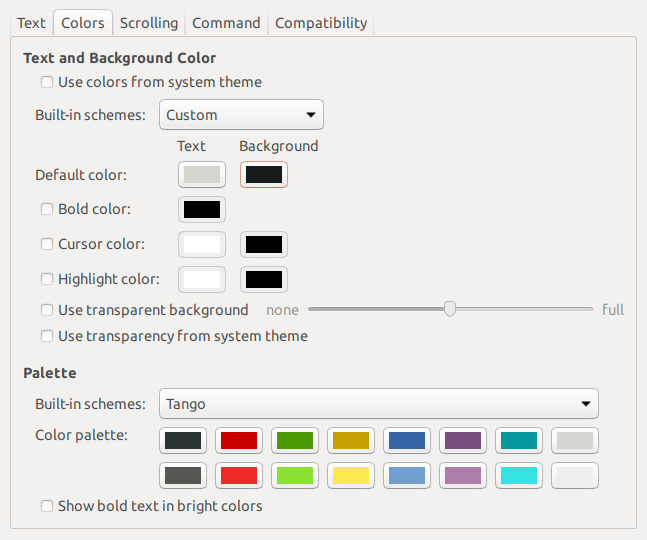
All screenshots and animated gifs were recorded in GNOME Terminal with
[the recommended font](#meslo-nerd-font-patched-for-powerlevel10k) and Tango Dark color palette with
custom background color (`#171A1B` instead of `#2E3436` -- twice as dark).
Syntax highlighting, where present, was provided by [zsh-syntax-highlighting](
https://github.com/zsh-users/zsh-syntax-highlighting).
### How was the recommended font created?
[The recommended font](#meslo-nerd-font-patched-for-powerlevel10k) is the product of many
individuals. Its origin is *Bitstream Vera Sans Mono*, which has given birth to *Menlo*, which in
turn has spawned *Meslo*. Finally, extra glyphs have been added to *Meslo* with scripts forked
from Nerd Fonts. The final font is released under the terms of
[Apache License](
https://raw.githubusercontent.com/romkatv/powerlevel10k-media/master/MesloLGS%20NF%20License.txt).
MesloLGS NF font can be recreated with the following command (requires `git` and `docker`):
```zsh
git clone --depth=1 https://github.com/romkatv/nerd-fonts.git
cd nerd-fonts
./build 'Meslo/S/*'
```
If everything goes well, four `ttf` files will appear in `./out`.
### How to package Powerlevel10k for distribution?
It's currently neither easy nor recommended to package and distribute Powerlevel10k. There are no
instructions you can follow that would allow you to easily update your package when new versions of
Powerlevel10k are released. This may change in the future but not soon.
## Troubleshooting
- [`[oh-my-zsh] theme 'powerlevel10k/powerlevel10k' not found`](#oh-my-zsh-theme-powerlevel10kpowerlevel10k-not-found)
- [Question mark in prompt](#question-mark-in-prompt)
- [Icons, glyphs or powerline symbols don't render](#icons-glyphs-or-powerline-symbols-dont-render)
- [Sub-pixel imperfections around powerline symbols](#sub-pixel-imperfections-around-powerline-symbols)
- [Error: character not in range](#error-character-not-in-range)
- [Cursor is in the wrong place](#cursor-is-in-the-wrong-place)
- [Prompt wrapping around in a weird way](#prompt-wrapping-around-in-a-weird-way)
- [Right prompt is in the wrong place](#right-prompt-is-in-the-wrong-place)
- [Configuration wizard runs automatically every time Zsh is started](#configuration-wizard-runs-automatically-every-time-zsh-is-started)
- [Some prompt styles are missing from the configuration wizard](#some-prompt-styles-are-missing-from-the-configuration-wizard)
- [Cannot install the recommended font](#cannot-install-the-recommended-font)
- [Extra or missing spaces in prompt compared to Powerlevel9k](#extra-or-missing-spaces-in-prompt-compared-to-powerlevel9k)
- [Extra space without background on the right side of right prompt](#extra-space-without-background-on-the-right-side-of-right-prompt)
- [Extra or missing spaces around icons](#extra-or-missing-spaces-around-icons)
- [Weird things happen after typing `source ~/.zshrc`](#weird-things-happen-after-typing-source-zshrc)
- [Transient prompt stops working after some time](#transient-prompt-stops-working-after-some-time)
- [Cannot make Powerlevel10k work with my plugin manager](#cannot-make-powerlevel10k-work-with-my-plugin-manager)
- [Directory is difficult to see in prompt when using Rainbow style](#directory-is-difficult-to-see-in-prompt-when-using-rainbow-style)
- [Incorrect foreground color in VSCode Terminal.](#incorrect-foreground-color-in-vscode-terminal)
- [Horrific mess when resizing terminal window](#horrific-mess-when-resizing-terminal-window)
- [Icons cut off in Konsole](#icons-cut-off-in-konsole)
- [Arch Linux logo has a dot in the bottom right corner](#arch-linux-logo-has-a-dot-in-the-bottom-right-corner)
- [Incorrect git status in prompt](#incorrect-git-status-in-prompt)
### `[oh-my-zsh] theme 'powerlevel10k/powerlevel10k' not found`
When opening a terminal, or starting zsh manually, you may encounter this error message:
```text
[oh-my-zsh] theme 'powerlevel10k/powerlevel10k' not found
```
1. First, run `typeset -p P9K_VERSION` to check whether Powerlevel10k has been loaded.
- If `typeset -p P9K_VERSION` succeeds and prints something like `typeset P9K_VERSION=1.19.14`
(the version could be different), remove the following line from `~/.zshrc`:
```zsh
ZSH_THEME="powerlevel10k/powerlevel10k"
```
- If `typeset -p P9K_VERSION` fails with the error `typeset: no such variable: P9K_VERSION`, run
the following command:
```zsh
git clone --depth=1 https://github.com/romkatv/powerlevel10k.git "${ZSH_CUSTOM:-$HOME/.oh-my-zsh/custom}/themes/powerlevel10k"
```
2. Restart Zsh with `exec zsh`.
### Question mark in prompt
If it looks like a regular `?`, that's normal. It means you have untracked files in the current Git
repository. Type `git status` to see these files. You can change this symbol or disable the display
of untracked files altogether. Search for `untracked files` in `~/.p10k.zsh`.
*FAQ*: [What do different symbols in Git status mean?](
#what-do-different-symbols-in-git-status-mean)
You can also get a weird-looking question mark in your prompt if your terminal's font is missing
some glyphs. See [icons, glyphs or powerline symbols don't render](
#icons-glyphs-or-powerline-symbols-dont-render).
### Icons, glyphs or powerline symbols don't render
Restart your terminal, [install the recommended font](#meslo-nerd-font-patched-for-powerlevel10k)
and run `p10k configure`.
### Sub-pixel imperfections around powerline symbols
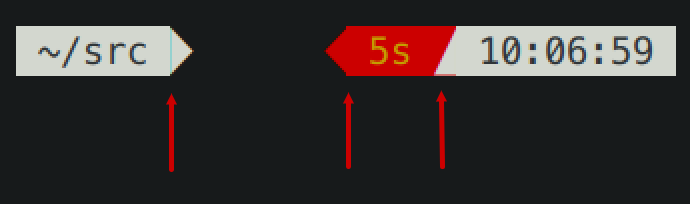
There are three imperfections on the screenshot. From left to right:
1. A thin blue line (a sub-pixel gap) between the content of a prompt segment and the following
powerline connection.
1. Incorrect alignment of a powerline connection and the following prompt segment. The connection
appears shifted to the right.
1. A thin red line below a powerline connection. The connection appears shifted up.
Zsh themes don't have down-to-pixel control over the terminal content. Everything you see on the
screen is made of monospace characters. A white powerline prompt segment is made of text on white
background followed by U+E0B0 (a right-pointing triangle).
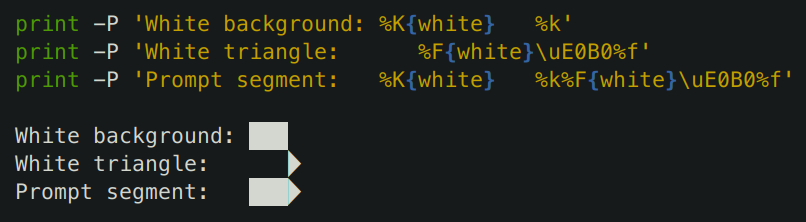
If Powerlevel10k prompt has imperfections around powerline symbols, you'll see exactly the same
imperfections with all powerline themes (Agnoster, Powerlevel9k, Powerline, etc.)
There are several things you can try to deal with these imperfections:
- Try [the recommended font](#meslo-nerd-font-patched-for-powerlevel10k). If you are already using
it, switching to another font may help but is unlikely.
- Change terminal font size one point up or down. For example, in iTerm2 powerline prompt looks
perfect at font sizes 11 and 13 but breaks down at 12.
- Enable builtin powerline glyphs in terminal settings if your terminal supports it (iTerm2 does).
- Change font hinting and/or anti-aliasing mode in the terminal settings.
- Shift all text one pixel up/down/left/right if your terminal has an option to do so.
- Try a different terminal.
A more radical solution is to switch to prompt style without background. Type `p10k configure` and
select *Lean*. This style has a modern lightweight look. As a bonus, it doesn't suffer from
rendering imperfections that afflict powerline-style prompt.
### Error: character not in range
Type `echo '\u276F'`. If you get an error saying "zsh: character not in range", your locale
doesn't support UTF-8. You need to fix it. If you are running Zsh over SSH, see
[this](https://github.com/romkatv/powerlevel10k/issues/153#issuecomment-518347833). If you are
running Zsh locally, Google "set UTF-8 locale in *your OS*".
### Cursor is in the wrong place
Type `echo '\u276F'`. If you get an error saying "zsh: character not in range", see the
[previous section](#zsh-character-not-in-range).
If the `echo` command prints `❯` but the cursor is still in the wrong place, install
[the recommended font](#meslo-nerd-font-patched-for-powerlevel10k) and run
`p10k configure`.
If this doesn't help, add `unset ZLE_RPROMPT_INDENT` at the bottom of `~/.zshrc`.
Still having issues? Run the following command to diagnose the problem:
```zsh
() {
emulate -L zsh
setopt err_return no_unset
local text
print -rl -- 'Select a part of your prompt from the terminal window and paste it below.' ''
read -r '?Prompt: ' text
local -i len=${(m)#text}
local frame="+-${(pl.$len..-.):-}-+"
print -lr -- $frame "| $text |" $frame
}
```
#### If the prompt line aligns with the frame
```text
+------------------------------+
| romka@adam ✓ ~/powerlevel10k |
+------------------------------+
```
If the output of the command is aligned for every part of your prompt (left and right), this
indicates a bug in the theme or your config. Use this command to diagnose it:
```zsh
print -rl -- ${(eq+)PROMPT} ${(eq+)RPROMPT}
```
Look for `%{...%}` and backslash escapes in the output. If there are any, they are the likely
culprits. Open an issue if you get stuck.
#### If the prompt line is longer than the frame
```text
+-----------------------------+
| romka@adam ✓ ~/powerlevel10k |
+-----------------------------+
```
This is usually caused by a terminal bug or misconfiguration that makes it print ambiguous-width
characters as double-width instead of single width. For example,
[this issue](https://github.com/romkatv/powerlevel10k/issues/165).
#### If the prompt line is shorter than the frame and is mangled
```text
+------------------------------+
| romka@adam ✓~/powerlevel10k |
+------------------------------+
```
Note that this prompt is different from the original as it's missing a space after the check mark.
This can be caused by a low-level bug in macOS. See
[this issue](https://github.com/romkatv/powerlevel10k/issues/241).
This can also happen if prompt contains glyphs designated as "wide" in the Unicode standard and your
terminal incorrectly displays them as non-wide. Terminals suffering from this limitation include
Konsole, Hyper and the integrated VSCode Terminal. The solution is to use a different terminal or
remove all wide glyphs from prompt.
#### If the prompt line is shorter than the frame and is not mangled
```text
+--------------------------------+
| romka@adam ✓ ~/powerlevel10k |
+--------------------------------+
```
This can be caused by misconfigured locale. See
[this issue](https://github.com/romkatv/powerlevel10k/issues/251).
### Prompt wrapping around in a weird way
See [cursor is in the wrong place](#cursor-is-in-the-wrong-place).
### Right prompt is in the wrong place
See [cursor is in the wrong place](#cursor-is-in-the-wrong-place).
### Configuration wizard runs automatically every time Zsh is started
When Powerlevel10k starts, it automatically runs `p10k configure` if no `POWERLEVEL9K_*`
parameters are defined. Based on your prompt style choices, the configuration wizard creates
`~/.p10k.zsh` with a bunch of `POWERLEVEL9K_*` parameters in it and adds a line to `~/.zshrc` to
source this file. The next time you start Zsh, the configuration wizard shouldn't run automatically.
If it does, this means the evaluation of `~/.zshrc` terminates prematurely before it reaches the
line that sources `~/.p10k.zsh`. This most often happens due to syntax errors in `~/.zshrc`. These
errors get hidden by the configuration wizard screen, so you don't notice them. When you exit
configuration wizard, look for error messages. You can also use
`POWERLEVEL9K_DISABLE_CONFIGURATION_WIZARD=true zsh` to start Zsh without automatically running the
configuration wizard. Once you can see the errors, fix `~/.zshrc` to get rid of them.
### Some prompt styles are missing from the configuration wizard
If Zsh version is below 5.7.1 or `COLORTERM` environment variable is neither `24bit` nor
`truecolor`, configuration wizard won't offer Pure style with Snazzy color scheme. *Fix*: Install
Zsh >= 5.7.1 and use a terminal with truecolor support. Verify with `print -P '%F{#ff0000}red%f'`.
If the terminal can display fewer than 256 colors, configuration wizard preselects Lean style with
8 colors. All other styles require at least 256 colors. *Fix*: Use a terminal with 256 color support
and make sure that `TERM` environment variable is set correctly. Verify with
`print $terminfo[colors]`.
If there is no UTF-8 locale on the system, configuration wizard won't offer prompt styles that use
Unicode characters. *Fix*: Install a UTF-8 locale. Verify with `locale -a`.
Another case in which configuration wizard may not offer Unicode prompt styles is when the
`MULTIBYTE` shell option is disabled. *Fix*: Enable the `MULTIBYTE` option, or rather don't disable
it (this option is enabled in Zsh by default). Verify with `print -r -- ${options[MULTIBYTE]}`.
When `MULTIBYTE` is enabled and a UTF-8 locale is available, the first few questions asked by the
configuration wizard assess capabilities of the terminal font. If your answers indicate that some
glyphs don't render correctly, configuration wizard won't offer prompt styles that use them. *Fix*:
Restart your terminal and install
[the recommended font](#meslo-nerd-font-patched-for-powerlevel10k). Verify by running
`p10k configure` and checking that all glyphs render correctly.
### Cannot install the recommended font
Once you download [the recommended font](#meslo-nerd-font-patched-for-powerlevel10k),
you can install it just like any other font. Google "how to install fonts on *your OS*".
### Extra or missing spaces in prompt compared to Powerlevel9k
tl;dr: Add `ZLE_RPROMPT_INDENT=0` and `POWERLEVEL9K_LEGACY_ICON_SPACING=true` to `~/.zshrc` to get
the same prompt spacing as in Powerlevel9k.
When using Powerlevel10k with a Powerlevel9k config, you might get additional spaces in prompt here
and there. These come in two flavors.
#### Extra space without background on the right side of right prompt
tl;dr: Add `ZLE_RPROMPT_INDENT=0` to `~/.zshrc` to get rid of that space.
From [Zsh documentation](
http://zsh.sourceforge.net/Doc/Release/Parameters.html#index-ZLE_005fRPROMPT_005fINDENT):
> `ZLE_RPROMPT_INDENT `
>
> If set, used to give the indentation between the right hand side of the right prompt in the line
> editor as given by `RPS1` or `RPROMPT` and the right hand side of the screen. If not set, the
> value `1` is used.
>
> Typically this will be used to set the value to `0` so that the prompt appears flush with the
> right hand side of the screen.
Powerlevel10k respects this parameter. If you set `ZLE_RPROMPT_INDENT=1` (or leave it unset, which
is the same thing as setting it to `1`), you'll get an empty space to the right of right prompt. If
you set `ZLE_RPROMPT_INDENT=0`, your prompt will go to the edge of the terminal. This is how it
works in every theme except Powerlevel9k.
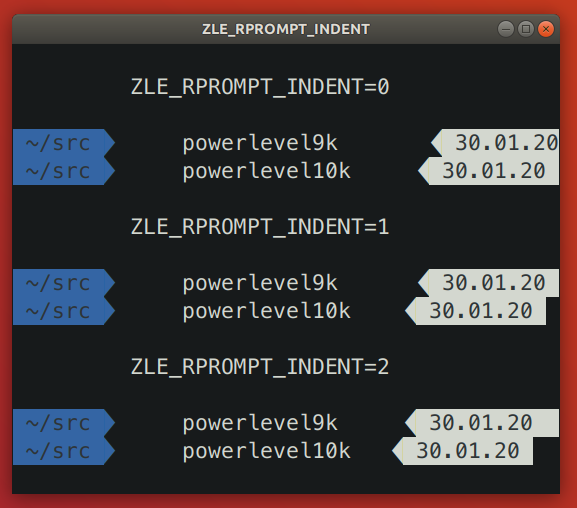
Powerlevel9k issue: [powerlevel9k#1292](https://github.com/Powerlevel9k/powerlevel9k/issues/1292).
It's been fixed in the development branch of Powerlevel9k but the fix hasn't yet made it to
`master`.
Add `ZLE_RPROMPT_INDENT=0` to `~/.zshrc` to get the same spacing on the right edge of prompt as in
Powerlevel9k.
*Note:* Several versions of Zsh have bugs that get triggered when you set `ZLE_RPROMPT_INDENT=0`.
Powerlevel10k can work around these bugs when using powerline prompt style. If you notice visual
artifacts in prompt, or wrong cursor position, try removing `ZLE_RPROMPT_INDENT` from `~/.zshrc`.
#### Extra or missing spaces around icons
tl;dr: Add `POWERLEVEL9K_LEGACY_ICON_SPACING=true` to `~/.zshrc` to get the same spacing around
icons as in Powerlevel9k.
Spacing around icons in Powerlevel9k is inconsistent.
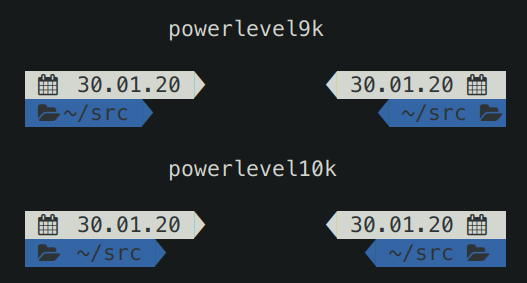
This inconsistency is a constant source of annoyance, so it was fixed in Powerlevel10k. You can add
`POWERLEVEL9K_LEGACY_ICON_SPACING=true` to `~/.zshrc` to get the same spacing around icons as in
Powerlevel9k.
*Note:* It's not a good idea to define `POWERLEVEL9K_LEGACY_ICON_SPACING` when using
`p10k configure`.
### Weird things happen after typing `source ~/.zshrc`
It's almost always a bad idea to run `source ~/.zshrc`, whether you are using Powerlevel10k or not.
This command may result in random errors, misbehaving code and progressive slowdown of Zsh.
If you've made changes to `~/.zshrc` or to files sourced by it, restart Zsh to apply them. The most
reliable way to do this is to type `exit` and then start a new Zsh session. You can also use
`exec zsh`. While not exactly equivalent to complete Zsh restart, this command is much more reliable
than `source ~/.zshrc`.
### Transient prompt stops working after some time
See [weird things happen after typing `source ~/.zshrc`](
#weird-things-happen-after-typing-source-zshrc).
### Cannot make Powerlevel10k work with my plugin manager
If the [installation instructions](#installation) didn't work for you, try disabling your current
theme (so that you end up with no theme) and then installing Powerlevel10k manually.
1. Disable the current theme in your framework / plugin manager.
- **oh-my-zsh:** Open `~/.zshrc` and remove the line that sets `ZSH_THEME`. It might look like this:
`ZSH_THEME="powerlevel9k/powerlevel9k"`.
- **zplug:** Open `~/.zshrc` and remove the `zplug` command that refers to your current theme. For
example, if you are currently using Powerlevel9k, look for
`zplug bhilburn/powerlevel9k, use:powerlevel9k.zsh-theme`.
- **prezto:** Open `~/.zpreztorc` and put `zstyle :prezto:module:prompt theme off` in it. Remove
any other command that sets `theme` such as `zstyle :prezto:module:prompt theme powerlevel9k`.
- **antigen:** Open `~/.zshrc` and remove the line that sets `antigen theme`. It might look like
this: `antigen theme powerlevel9k/powerlevel9k`.
2. Install Powerlevel10k manually.
```zsh
git clone --depth=1 https://github.com/romkatv/powerlevel10k.git ~/powerlevel10k
echo 'source ~/powerlevel10k/powerlevel10k.zsh-theme' >>~/.zshrc
```
This method of installation won't make anything slower or otherwise sub-par.
### Directory is difficult to see in prompt when using Rainbow style
In Rainbow style the current working directory is shown with bright white text on blue background.
The white is fixed and always looks the same but the appearance of "blue" is defined by your
terminal color palette. If it's very light, it may be difficult to see white text on it.
There are several ways to fix this.
- Type `p10k configure` and choose a more readable prompt style.
- [Change terminal color palette](#change-the-color-palette-used-by-your-terminal). Try Tango Dark
or Solarized Dark, or change just the "blue" color.
- [Change directory background and/or foreground color](#set-colors-through-Powerlevel10k-configuration-parameters).
The parameters you are looking for are called `POWERLEVEL9K_DIR_BACKGROUND`,
`POWERLEVEL9K_DIR_FOREGROUND`, `POWERLEVEL9K_DIR_SHORTENED_FOREGROUND`,
`POWERLEVEL9K_DIR_ANCHOR_FOREGROUND` and `POWERLEVEL9K_DIR_ANCHOR_BOLD`. You can find them in
`~/.p10k.zsh`.
*Related*: [Incorrect foreground color in VSCode Terminal.](#incorrect-foreground-color-in-vscode-terminal)
### Incorrect foreground color in VSCode Terminal
By default, VSCode Terminal may arbitrarily replace the foreground color of your choice with a
different color. This behavior can be
[turned off](https://code.visualstudio.com/docs/terminal/appearance#_minimum-contrast-ratio) in
VSCode settings.
### Horrific mess when resizing terminal window
When you resize a terminal window horizontally back and forth a few times, you might see this ugly
picture.
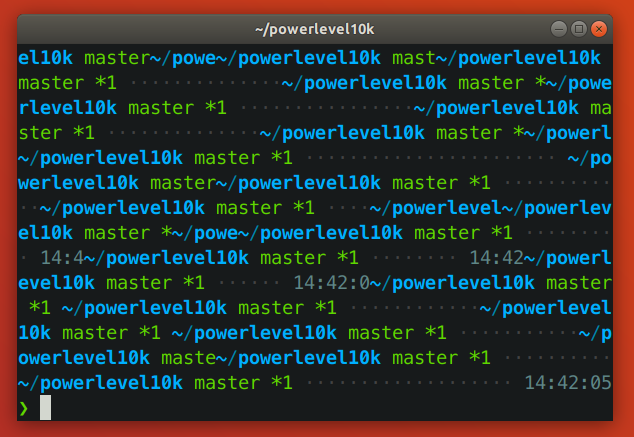
tl;dr: This issue arises when a terminal reflows Zsh prompt upon resizing. It isn't specific to
Powerlevel10k. See [mitigation](#mitigation).
*Note: This section [used to say](
https://github.com/romkatv/powerlevel10k/blob/dce00cdb5daaa8a519df234a7012ba3257b644d4/README.md#horrific-mess-when-resizing-terminal-window)
that the problem is caused by a bug in Zsh. While it's true that it's possible to avoid the problem
in many circumstances by modifying Zsh, it cannot be completely resolved this way. Thus it's unfair
to pin the blame on Zsh.*
#### The anatomy of the problem
The issue is manifested when the vertical distance between the start of the current prompt and the
cursor (henceforth `VD`) changes when the terminal window is resized.
When a terminal window gets shrunk horizontally, there are two ways for a terminal to handle long
lines that no longer fit: *reflow* or *truncate*.
Terminal content before shrinking:
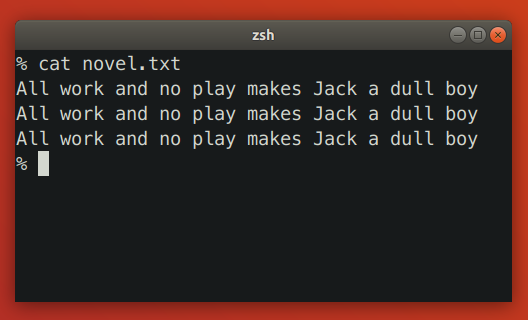
Terminal reflows text when shrinking:
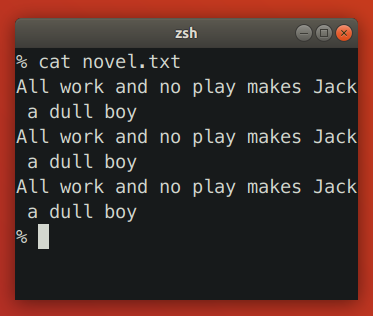
Terminal truncates text when shrinking:
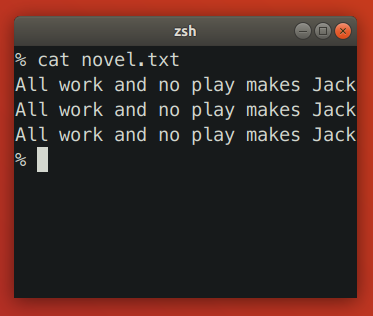
Reflowing strategy can change the height of terminal content. If such content happens to be between
the start of the current prompt and the cursor, Zsh will print prompt on the wrong line. Truncation
strategy never changes the height of terminal content, so it doesn't trigger this issue.
Let's see how the issue plays out in slow motion. We'll start by launching `zsh -f` and pasting
the following code:
```zsh
function pause() { read -s }
functions -M pause 0
reset
print -l {1..3}
setopt prompt_subst
PROMPT=$'${$((pause()))+}left>${(pl.$((COLUMNS-12))..-.)} '
```
When `PROMPT` gets expanded, it calls `pause` to let us observe the state of the terminal. Here's
the initial state:
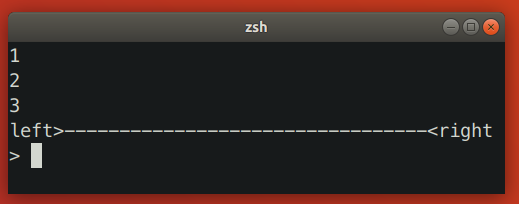
Zsh keeps track of the cursor position relative to the start of the current prompt. In this case it
knows that the cursor is one line below. When we shrink the terminal window, it looks like this:
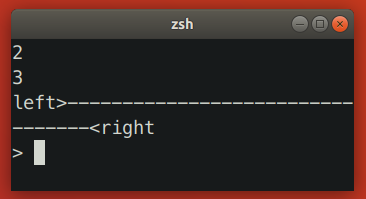
At this point the terminal sends `SIGWINCH` to Zsh to notify it about changes in the terminal
dimensions. Note that this signal is sent *after* the content of the terminal has been reflown.
When Zsh receives `SIGWINCH`, it attempts to erase the current prompt and print it anew. It goes to
the position where it *thinks* the current prompt is -- one line above the cursor (!) -- erases all
terminal content that follows and prints reexpanded prompt there. However, after resizing prompt is
no longer one line above the cursor. It's two lines above! Zsh ends up printing new prompt one line
too low.
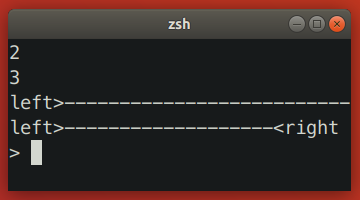
In this case we ended up with unwanted junk content because `VD` has *increased*. When you make
terminal window wider, `VD` can also *decrease*, which would result in the new prompt being printed
higher than intended, potentially erasing useful content in the process.
Here are a few more examples where shrinking terminal window increased `VD`.
- Simple one-line left prompt with right prompt. No `prompt_subst`. Note that the cursor is below
the prompt line (hit *ESC-ENTER* to get it there).
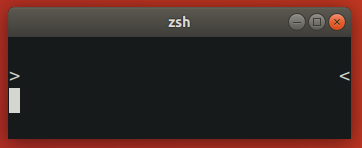
- Simple one-line left prompt. No `prompt_subst`, no right prompt. Here `VD` is bound to increase
upon terminal shrinking due to the command line wrapping around.
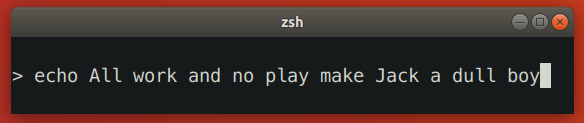
#### Zsh patch
[This Zsh patch](https://github.com/romkatv/zsh/tree/fix-winchanged) fixes the issue on some
terminals. The idea behind the patch is to use `sc` (save cursor) terminal capability before
printing prompt and `rc` (restore cursor) to move cursor back to the original position when prompt
needs to be refreshed.
The patch works only on terminals that reflow saved cursor position together with text when the
terminal window is resized. The patch has no observable effect on terminals that don't reflow text
on resize (both patched and unpatched Zsh behave correctly) and on terminals that reflow text but
not the saved cursor position (both patched and unpatched Zsh redraw prompt at the same incorrect
position). In other words, the patch fixes the resizing issue on some terminals while keeping the
behavior unchanged on others.
There are two alternative approaches to patching Zsh that may seem to work at first glance but in
fact don't:
- Instead of `sc`, use `u7` terminal capability to query the current cursor position and then `cup`
to go back to it. This doesn't work because the absolute position of the start of the current
prompt changes when text gets reflown.
- Recompute `VD` based on new terminal dimensions before attempting to refresh prompt. This doesn't
work because Zsh doesn't know whether terminal reflows text or truncates it. If Zsh could somehow
know that the terminal reflows text, this approach still wouldn't work on terminals that
continuously reflow text and rapid-fire `SIGWINCH` when the window is being resized. In such
environment real terminal dimensions go out of sync with what Zsh thinks the dimensions are.
There is no ETA for the patch making its way into upstream Zsh. See [discussion](
https://www.zsh.org/mla/workers//2019/msg00561.html).
#### Mitigation
There are a few mitigation options for this issue.
- Use [kitty](https://sw.kovidgoyal.net/kitty/) terminal version >= 0.24.0 and enable terminal-shell
integration in Powerlevel10k by defining `POWERLEVEL9K_TERM_SHELL_INTEGRATION=true` in
`~/.p10k.zsh`.
- Apply [the patch](#zsh-patch) and [rebuild Zsh from source](
https://github.com/zsh-users/zsh/blob/master/INSTALL). It won't help if you are using Alacritty,
kitty or some other terminal that reflows text on resize but doesn't reflow saved cursor position.
On such terminals the patch will have no visible effect.
- Disable text reflowing on window resize in terminal settings. If your terminal doesn't have this
setting, try a different terminal.
- Avoid long lines between the start of prompt and cursor.
1. Disable ruler with `POWERLEVEL9K_SHOW_RULER=false`.
2. Disable prompt connection with `POWERLEVEL9K_MULTILINE_FIRST_PROMPT_GAP_CHAR=' '`.
3. Disable right frame with `POWERLEVEL9K_MULTILINE_FIRST_PROMPT_SUFFIX=''`,
`POWERLEVEL9K_MULTILINE_NEWLINE_PROMPT_SUFFIX=''` and
`POWERLEVEL9K_MULTILINE_LAST_PROMPT_SUFFIX=''`.
4. Set `POWERLEVEL9K_RIGHT_PROMPT_ELEMENTS=()`. Right prompt on the last prompt line will cause
resizing issues only when the cursor is below it. This isn't very common, so you might want to
keep some elements in `POWERLEVEL9K_RIGHT_PROMPT_ELEMENTS` provided that none of them are
succeeded by `newline`.
### Icons cut off in Konsole
When using Konsole with a non-monospace font, icons may be cut off on the right side. Here
"non-monospace" refers to any font with glyphs wider than a single column, or wider than two columns
for glyphs designated as "wide" in the Unicode standard.
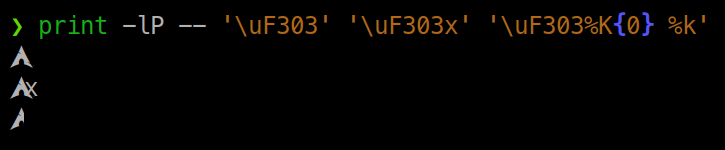
The last line on the screenshot shows a cut off Arch Linux logo.
There are several mitigation options for this issue.
1. Use a different terminal. Konsole is the only terminal that exhibits this behavior.
2. Use a monospace font.
3. Manually add an extra space after the icon that gets cut off. For example, if the content of
`os_icon` prompt segment gets cut off, open `~/.p10k.zsh`, search for
`POWERLEVEL9K_OS_ICON_CONTENT_EXPANSION` and change it as follows:
```zsh
typeset -g POWERLEVEL9K_OS_ICON_CONTENT_EXPANSION='${P9K_CONTENT} ' # extra space at the end
```
4. Use a different icon that is monospace. For example, if Arch Linux logo gets cut off, add
the following parameter to `~/.p10k.zsh`:
```zsh
typeset -g POWERLEVEL9K_LINUX_ARCH_ICON='Arch' # plain "Arch" in place of a logo
```
5. Disable the display of the icon that gets cut off. For example, if the content of
`os_icon` prompt segment gets cut off, open `~/.p10k.zsh` and remove `os_icon` from
`POWERLEVEL9K_LEFT_PROMPT_ELEMENTS` and `POWERLEVEL9K_RIGHT_PROMPT_ELEMENTS`.
*Note*: [Non-monospace fonts are not officially supported by Konsole](
https://bugs.kde.org/show_bug.cgi?id=418553#c5).
### Arch Linux logo has a dot in the bottom right corner
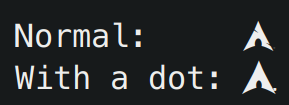
Some fonts have this incorrect dotted icon in bold typeface. There are two ways to fix this issue.
1. Use a font with a correct Arch Linux logo in bold typeface. For example,
[the recommended Powerlevel10k font](#meslo-nerd-font-patched-for-powerlevel10k).
2. Display the icon in regular (non-bold) typeface. To do this, open `~/.p10k.zsh`, search for
`POWERLEVEL9K_OS_ICON_CONTENT_EXPANSION` and remove `%B` from its value.
```zsh
typeset -g POWERLEVEL9K_OS_ICON_CONTENT_EXPANSION='${P9K_CONTENT}' # not bold
```
### Incorrect git status in prompt
Powerlevel10k uses [gitstatusd](https://github.com/romkatv/gitstatus) to inspect the state of git
repositories. The project relies on the [libgit2](https://github.com/libgit2/libgit2) library, which
has some gaps in its implementation. Under some conditions, this may result in discrepancies between
the real state of a git repository (reflected by `git status`) and what gets shown in the
Powerlevel10k prompt.
Most notably, [libgit2 does not support `skipHash`](https://github.com/libgit2/libgit2/issues/6531).
If you see incorrect git status in prompt, run `git config -l` and check whether `skipHash` is
enabled. If it is, consider disabling it. Keep in mind that `skipHash` may be implicitly enabled
when activating certain git features, such as `manyFiles`.
---
## File: gitstatus/docs/listdir.md
# Fast directory listing
In order to find untracked files in a git repository, [gitstatusd](../README.md) needs to list the
contents of every directory. gitstatusd does it 27% faster than a reasonable implementation that a
seasoned C/C++ practitioner might write. This document explains the optimizations that went into it.
As directory listing is a common operation, many other projects can benefit from applying these
optimizations.
## v1
Given a path to a directory, `ListDir()` must produce the list of files in that directory. Moreover,
the list must be sorted lexicographically to enable fast comparison with Git index.
The following C++ implementation gets the job done. For simplicity, it returns an empty list on
error.
```c++
vector ListDir(const char* dirname) {
vector entries;
if (DIR* dir = opendir(dirname)) {
while (struct dirent* ent = (errno = 0, readdir(dir))) {
if (!Dots(ent->d_name)) entries.push_back(ent->d_name);
}
if (errno) entries.clear();
sort(entries.begin(), entries.end());
closedir(dir);
}
return entries;
}
```
Every directory has entries `"."` and `".."`, which we aren't interested in. We filter them out with
a helper function `Dots()`.
```c++
bool Dots(const char* s) { return s[0] == '.' && (!s[1] || (s[1] == '.' && !s[2])); }
```
To check how fast `ListDir()` performs, we can run it many times on a typical directory. One million
runs on a directory with 32 files with 16-character names takes 12.7 seconds.
## v2
Experienced C++ practitioners will scoff at our implementation of `ListDir()`. If it's meant to be
efficient, returning `vector` is an unaffordable convenience. To avoid heap allocations we
can use a simple arena that will allow us to reuse memory between different `ListDir()` calls.
(Changed and added lines are marked with comments.)
```c++
void ListDir(const char* dirname, string& arena, vector& entries) { // +
entries.clear(); // +
if (DIR* dir = opendir(dirname)) {
arena.clear(); // +
while (struct dirent* ent = (errno = 0, readdir(dir))) {
if (!Dots(ent->d_name)) {
entries.push_back(reinterpret_cast(arena.size())); // +
arena.append(ent->d_name, strlen(ent->d_name) + 1); // +
}
}
if (errno) entries.clear();
for (char*& p : entries) p = &arena[reinterpret_cast(p)]; // +
sort(entries.begin(), entries.end(), // +
[](const char* a, const char* b) { return strcmp(a, b) < 0; }); // +
closedir(dir);
}
}
```
To make performance comparison easier, we can normalize them relative to the baseline. v1 will get
performance score of 100. A twice-as-fast alternative will be 200.
| version | optimization | score |
|---------|----------------------------|----------:|
| v1 | baseline | 100.0 |
| **v2** | **avoid heap allocations** | **112.7** |
Avoiding heap allocations makes `ListDir()` 12.7% faster. Not bad. As an added bonus, those casts
will fend off the occasional frontend developer who accidentally wanders into the codebase.
## v3
`opendir()` is an expensive call whose performance is linear in the number of subdirectories in the
path because it needs to perform a lookup for every one of them. We can replace it with `openat()`,
which takes a file descriptor to the parent directory and a name of the subdirectory. Just a single
lookup, less CPU time. This optimization assumes that callers already have a descriptor to the
parent directory, which is indeed the case for gitstatusd, and is often the case in other
applications that traverse filesystem.
```c++
void ListDir(int parent_fd, const char* dirname, string& arena, vector& entries) { // +
entries.clear();
int dir_fd = openat(parent_fd, dirname, O_NOATIME | O_RDONLY | O_DIRECTORY | O_CLOEXEC); // +
if (dir_fd < 0) return; // +
if (DIR* dir = fdopendir(dir_fd)) {
arena.clear();
while (struct dirent* ent = (errno = 0, readdir(dir))) {
if (!Dots(ent->d_name)) {
entries.push_back(reinterpret_cast(arena.size()));
arena.append(ent->d_name, strlen(ent->d_name) + 1);
}
}
if (errno) entries.clear();
for (char*& p : entries) p = &arena[reinterpret_cast(p)];
sort(entries.begin(), entries.end(),
[](const char* a, const char* b) { return strcmp(a, b) < 0; });
closedir(dir);
} else { // +
close(dir_fd); // +
} // +
}
```
This is worth about 3.5% in speed.
| version | optimization | score |
|---------|--------------------------------------|----------:|
| v1 | baseline | 100.0 |
| v2 | avoid heap allocations | 112.7 |
| **v3** | **open directories with `openat()`** | **116.2** |
## v4
Copying file names to the arena isn't free but it doesn't seem like we can avoid it. Poking around
we can see that the POSIX API we are using is implemented on Linux on top of `getdents64` system
call. Its documentation isn't very encouraging:
```text
These are not the interfaces you are interested in. Look at
readdir(3) for the POSIX-conforming C library interface. This page
documents the bare kernel system call interfaces.
Note: There are no glibc wrappers for these system calls.
```
Hmm... The API looks like something we can take advantage of, so let's try it anyway.
First, we'll need a simple `Arena` class that can allocate 8KB blocks of memory.
```c++
class Arena {
public:
enum { kBlockSize = 8 << 10 };
char* Alloc() {
if (cur_ == blocks_.size()) blocks_.emplace_back(kBlockSize, 0);
return blocks_[cur_++].data();
}
void Clear() { cur_ = 0; }
private:
size_t cur_ = 0;
vector blocks_;
};
```
Next, we need to define `struct dirent64_t` ourselves because there is no wrapper for the system
call we are about to use.
```c++
struct dirent64_t {
ino64_t d_ino;
off64_t d_off;
unsigned short d_reclen;
unsigned char d_type;
char d_name[];
};
```
Finally we can get to the implementation of `ListDir()`.
```c++
void ListDir(int parent_fd, Arena& arena, vector& entries) { // +
entries.clear();
int dir_fd = openat(parent_fd, dirname, O_NOATIME | O_RDONLY | O_DIRECTORY | O_CLOEXEC);
if (dir_fd < 0) return;
arena.Clear(); // +
while (true) { // +
char* buf = arena.Alloc(); // +
int n = syscall(SYS_getdents64, dir_fd, buf, Arena::kBlockSize); // +
if (n <= 0) { // +
if (n) entries.clear(); // +
break; // +
} // +
for (int pos = 0; pos < n;) { // +
auto* ent = reinterpret_cast(buf + pos); // +
if (!Dots(ent->d_name)) entries.push_back(ent->d_name); // +
pos += ent->d_reclen; // +
} // +
} // +
sort(entries.begin(), entries.end(),
[](const char* a, const char* b) { return strcmp(a, b) < 0; });
close(dir_fd);
}
```
How are we doing with this one?
| version | optimization | score |
|---------|----------------------------------|----------:|
| v1 | baseline | 100.0 |
| v2 | avoid heap allocations | 112.7 |
| v3 | open directories with `openat()` | 116.2 |
| **v4** | **call `getdents64()` directly** | **137.8** |
Solid 20% speedup. Worth the trouble. Unfortunately, we now have just one `reinterpret_cast` instead
of two, and it's not nearly as scary-looking. Hopefully with the next iteration we can get back some
of that evil vibe of low-level code.
As a bonus, every element in `entries` has `d_type` at offset -1. This can be useful to the callers
that need to distinguish between regular files and directories (gitstatusd, in fact, needs this).
Note how `ListDir()` implements this feature at zero cost, as a lucky accident of `dirent64_t`
memory layout.
## v5
The CPU profile of `ListDir()` reveals that almost all userspace CPU time is spent in `strcmp()`.
Digging into the source code of `std::sort()` we can see that it uses Insertion Sort for short
collections. Our 32-element vector falls under the threshold. Insertion Sort makes `O(N^2)`
comparisons, hence a lot of CPU time in `strcmp()`. Switching to `qsort()` or
[Timsort](https://en.wikipedia.org/wiki/Timsort) is of no use as all good sorting algorithms fall
back to Insertion Sort.
If we cannot make fewer comparisons, perhaps we can make each of them faster? `strcmp()` compares
characters one at a time. It cannot read ahead as it can be illegal to touch memory past the first
null byte. But _we_ know that it's safe to read a few extra bytes past the end of `d_name` for every
entry except the last in the buffer. And since we own the buffer, we can overallocate it so that
reading past the end of the last entry is also safe.
Combining these ideas with the fact that file names on Linux are at most 255 bytes long, we can
invoke `getdents64()` like this:
```c++
int n = syscall(SYS_getdents64, dir_fd, buf, Arena::kBlockSize - 256);
```
And then compare entries like this:
```c++
[](const char* a, const char* b) { return memcmp(a, b, 255) < 0; }
```
This version doesn't give any speedup compared to the previous but it opens an avenue for another
optimization. The pointers we pass to `memcmp()` aren't aligned. To be more specific, their
numerical values are `N * 8 + 3` for some `N`. When given such a pointer, `memcmp()` will check the
first 5 bytes one by one, and only then switch to comparing 8 bytes at a time. If we can handle the
first 5 bytes ourselves, we can pass aligned memory to `memcmp()` and take full advantage of its
vectorized loop.
Here's the implementation:
```
/* Detailed source-code truncated for AI context efficiency. */
```
This is for Little Endian architecture. Big Endian doesn't need `ByteSwap64()`, so it'll be a bit
faster.
| version | optimization | score |
|---------|----------------------------------|----------:|
| v1 | baseline | 100.0 |
| v2 | avoid heap allocations | 112.7 |
| v3 | open directories with `openat()` | 116.2 |
| v4 | call `getdents64()` directly | 137.8 |
| **v5** | **hand-optimize `strcmp()`** | **143.3** |
Fast and respectably arcane.
## Conclusion
Through a series of incremental improvements we've sped up directory listing by 43.3% compared to a
naive implementation (v1) and 27.2% compared to a reasonable implementation that a seasoned C/C++
practitioner might write (v2).
However, these numbers are based on an artificial benchmark while the real judge is always the real
code. Our goal was to speed up gitstatusd. Benchmark was just a tool. Thankfully, the different
versions of `ListDir()` have the same comparative performance within gitstatusd as in the benchmark.
In truth, the directory chosen for the benchmark wasn't arbitrary. It was picked by sampling
gitstatusd when it runs on [chromium](https://github.com/chromium/chromium) git repository.
The final version of `ListDir()` spends 97% of its CPU time in the kernel. If we assume that it
makes the minimum possible number of system calls and these calls are optimal (true to the best
of my knowledge), it puts the upper bound on possible future performance improvements at just 3%.
There is almost nothing left in `ListDir()` to optimize.
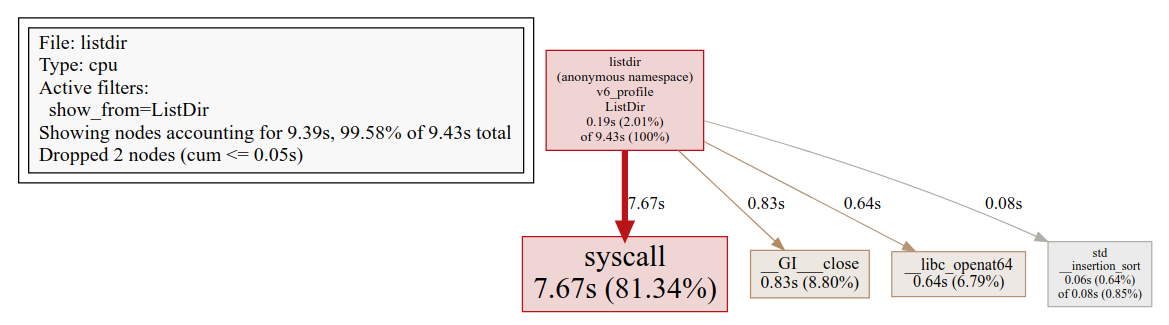
(The CPU profile was created with [gperftools](https://github.com/gperftools/gperftools) and
rendered with [pprof](https://github.com/google/pprof)).
---
## File: gitstatus/README.md
# gitstatus
- **THE PROJECT HAS VERY LIMITED SUPPORT**
- **NO NEW FEATURES ARE IN THE WORKS**
- **MOST BUGS WILL GO UNFIXED**
**gitstatus** is a 10x faster alternative to `git status` and `git describe`. Its primary use
case is to enable fast git prompt in interactive shells.
Heavy lifting is done by **gitstatusd** -- a custom binary written in C++. It comes with Zsh and
Bash bindings for integration with shell.
## Table of Contents
1. [Using from Zsh](#using-from-zsh)
1. [Using from Bash](#using-from-bash)
2. [Using from other shells](#using-from-other-shells)
1. [How it works](#how-it-works)
1. [Benchmarks](#benchmarks)
1. [Why fast](#why-fast)
1. [Requirements](#requirements)
1. [Compiling](#compiling)
1. [License](#license)
## Using from Zsh
The easiest way to take advantage of gitstatus from Zsh is to use a theme that's already integrated
with it. For example, [Powerlevel10k](https://github.com/romkatv/powerlevel10k) is a flexible and
fast theme with first-class gitstatus integration. If you install Powerlevel10k, you don't need to
install gitstatus.

For those who wish to use gitstatus without a theme, there is
[gitstatus.prompt.zsh](gitstatus.prompt.zsh). Install it as follows:
```zsh
git clone --depth=1 https://github.com/romkatv/gitstatus.git ~/gitstatus
echo 'source ~/gitstatus/gitstatus.prompt.zsh' >>! ~/.zshrc
```
Users in China can use the official mirror on gitee.com for faster download.
中国大陆用户可以使用 gitee.com 上的官方镜像加速下载.
```zsh
git clone --depth=1 https://gitee.com/romkatv/gitstatus.git ~/gitstatus
echo 'source ~/gitstatus/gitstatus.prompt.zsh' >>! ~/.zshrc
```
Alternatively, if you have Homebrew installed:
```zsh
brew install romkatv/gitstatus/gitstatus
echo "source $(brew --prefix)/opt/gitstatus/gitstatus.prompt.zsh" >>! ~/.zshrc
```
(If you choose this option, replace `~/gitstatus` with `$(brew --prefix)/opt/gitstatus/gitstatus`
in all code snippets below.)
_Make sure to disable your current theme if you have one._
This will give you a basic yet functional prompt with git status in it. It's
[over 10x faster](#benchmarks) than any alternative that can give you comparable prompt. In order
to customize it, set `PROMPT` and/or `RPROMPT` at the end of `~/.zshrc` after sourcing
`gitstatus.prompt.zsh`. Insert `${GITSTATUS_PROMPT}` where you want git status to go. For example:
```zsh
source ~/gitstatus/gitstatus.prompt.zsh
PROMPT='%~%# ' # left prompt: directory followed by %/# (normal/root)
RPROMPT='$GITSTATUS_PROMPT' # right prompt: git status
```
The expansion of `${GITSTATUS_PROMPT}` can contain the following bits:
| segment | meaning |
|-------------|-------------------------------------------------------|
| `master` | current branch |
| `#v1` | HEAD is tagged with `v1`; not shown when on a branch |
| `@5fc6fca4` | current commit; not shown when on a branch or tag |
| `⇣1` | local branch is behind the remote by 1 commit |
| `⇡2` | local branch is ahead of the remote by 2 commits |
| `⇠3` | local branch is behind the push remote by 3 commits |
| `⇢4` | local branch is ahead of the push remote by 4 commits |
| `*5` | there are 5 stashes |
| `merge` | merge is in progress (could be some other action) |
| `~6` | there are 6 merge conflicts |
| `+7` | there are 7 staged changes |
| `!8` | there are 8 unstaged changes |
| `?9` | there are 9 untracked files |
`$GITSTATUS_PROMPT_LEN` tells you how long `$GITSTATUS_PROMPT` is when printed to the console.
[gitstatus.prompt.zsh](gitstatus.prompt.zsh) has an example of using it to truncate the current
directory.
If you'd like to change the format of git status, or want to have greater control over the
process of assembling `PROMPT`, you can copy and modify parts of
[gitstatus.prompt.zsh](gitstatus.prompt.zsh) instead of sourcing the script. Your `~/.zshrc`
might look something like this:
```zsh
source ~/gitstatus/gitstatus.plugin.zsh
function my_set_prompt() {
PROMPT='%~%# '
RPROMPT=''
if gitstatus_query MY && [[ $VCS_STATUS_RESULT == ok-sync ]]; then
RPROMPT=${${VCS_STATUS_LOCAL_BRANCH:-@${VCS_STATUS_COMMIT}}//\%/%%} # escape %
(( VCS_STATUS_NUM_STAGED )) && RPROMPT+='+'
(( VCS_STATUS_NUM_UNSTAGED )) && RPROMPT+='!'
(( VCS_STATUS_NUM_UNTRACKED )) && RPROMPT+='?'
fi
setopt no_prompt_{bang,subst} prompt_percent # enable/disable correct prompt expansions
}
gitstatus_stop 'MY' && gitstatus_start -s -1 -u -1 -c -1 -d -1 'MY'
autoload -Uz add-zsh-hook
add-zsh-hook precmd my_set_prompt
```
This snippet is sourcing `gitstatus.plugin.zsh` rather than `gitstatus.prompt.zsh`. The former
defines low-level bindings that communicate with gitstatusd over pipes. The latter is a simple
script that uses these bindings to assemble git prompt.
Unlike [Powerlevel10k](https://github.com/romkatv/powerlevel10k), code based on
[gitstatus.prompt.zsh](gitstatus.prompt.zsh) is communicating with gitstatusd synchronously. This
can make your prompt slow when working in a large git repository or on a slow machine. To avoid
this problem, call `gitstatus_query` asynchronously as documented in
[gitstatus.plugin.zsh](gitstatus.plugin.zsh). This can be quite challenging.
## Using from Bash
The easiest way to take advantage of gitstatus from Bash is via
[gitstatus.prompt.sh](gitstatus.prompt.sh). Install it as follows:
```bash
git clone --depth=1 https://github.com/romkatv/gitstatus.git ~/gitstatus
echo 'source ~/gitstatus/gitstatus.prompt.sh' >> ~/.bashrc
```
Users in China can use the official mirror on gitee.com for faster download.
中国大陆用户可以使用 gitee.com 上的官方镜像加速下载.
```bash
git clone --depth=1 https://gitee.com/romkatv/gitstatus.git ~/gitstatus
echo 'source ~/gitstatus/gitstatus.prompt.sh' >> ~/.bashrc
```
Alternatively, if you have Homebrew installed:
```zsh
brew install romkatv/gitstatus/gitstatus
echo "source $(brew --prefix)/opt/gitstatus/gitstatus.prompt.sh" >> ~/.bashrc
```
(If you choose this option, replace `~/gitstatus` with `$(brew --prefix)/opt/gitstatus/gitstatus`
in all code snippets below.)
This will give you a basic yet functional prompt with git status in it. It's
[over 10x faster](#benchmarks) than any alternative that can give you comparable prompt.
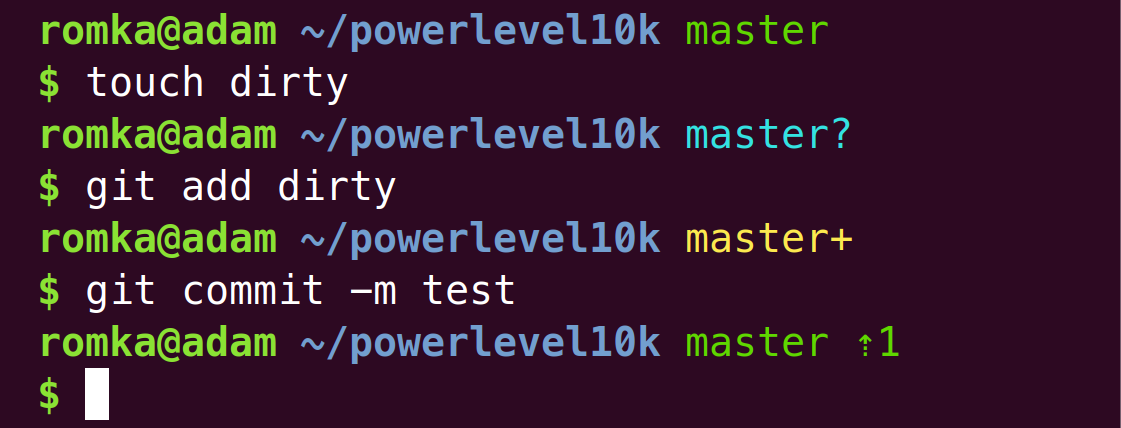
In order to customize your prompt, set `PS1` at the end of `~/.bashrc` after sourcing
`gitstatus.prompt.sh`. Insert `${GITSTATUS_PROMPT}` where you want git status to go. For example:
```bash
source ~/gitstatus/gitstatus.prompt.sh
PS1='\w ${GITSTATUS_PROMPT}\n\$ ' # directory followed by git status and $/# (normal/root)
```
The expansion of `${GITSTATUS_PROMPT}` can contain the following bits:
| segment | meaning |
|-------------|-------------------------------------------------------|
| `master` | current branch |
| `#v1` | HEAD is tagged with `v1`; not shown when on a branch |
| `@5fc6fca4` | current commit; not shown when on a branch or tag |
| `⇣1` | local branch is behind the remote by 1 commit |
| `⇡2` | local branch is ahead of the remote by 2 commits |
| `⇠3` | local branch is behind the push remote by 3 commits |
| `⇢4` | local branch is ahead of the push remote by 4 commits |
| `*5` | there are 5 stashes |
| `merge` | merge is in progress (could be some other action) |
| `~6` | there are 6 merge conflicts |
| `+7` | there are 7 staged changes |
| `!8` | there are 8 unstaged changes |
| `?9` | there are 9 untracked files |
If you'd like to change the format of git status, or want to have greater control over the
process of assembling `PS1`, you can copy and modify parts of
[gitstatus.prompt.sh](gitstatus.prompt.sh) instead of sourcing the script. Your `~/.bashrc` might
look something like this:
```bash
source ~/gitstatus/gitstatus.plugin.sh
function my_set_prompt() {
PS1='\w'
if gitstatus_query && [[ "$VCS_STATUS_RESULT" == ok-sync ]]; then
if [[ -n "$VCS_STATUS_LOCAL_BRANCH" ]]; then
PS1+=" ${VCS_STATUS_LOCAL_BRANCH//\\/\\\\}" # escape backslash
else
PS1+=" @${VCS_STATUS_COMMIT//\\/\\\\}" # escape backslash
fi
(( VCS_STATUS_HAS_STAGED" )) && PS1+='+'
(( VCS_STATUS_HAS_UNSTAGED" )) && PS1+='!'
(( VCS_STATUS_HAS_UNTRACKED" )) && PS1+='?'
fi
PS1+='\n\$ '
shopt -u promptvars # disable expansion of '$(...)' and the like
}
gitstatus_stop && gitstatus_start
PROMPT_COMMAND=my_set_prompt
```
This snippet is sourcing `gitstatus.plugin.sh` rather than `gitstatus.prompt.sh`. The former
defines low-level bindings that communicate with gitstatusd over pipes. The latter is a simple
script that uses these bindings to assemble git prompt.
Note: Bash bindings, unlike Zsh bindings, don't support asynchronous calls.
## Using from other shells
If there are no gitstatusd bindings for your shell, you'll need to get your hands dirty.
Use the existing bindings for inspiration; run `gitstatusd --help` or read the same thing in
[options.cc](src/options.cc).
## How it works
gitstatusd reads requests from stdin and prints responses to stdout. Requests contain an ID and
a directory. Responses contain the same ID and machine-readable git status for the directory.
gitstatusd keeps some state in memory for the directories it has seen in order to serve future
requests faster.
[Zsh bindings](gitstatus.plugin.zsh) and [Bash bindings](gitstatus.plugin.sh) start gitstatusd in
the background and communicate with it via pipes. Themes such as
[Powerlevel10k](https://github.com/romkatv/powerlevel10k) use these bindings to put git status in
`PROMPT`.
Note that gitstatus cannot be used as a drop-in replacement for `git status` command as it doesn't
produce output in the same format. It does perform the same computation though.
## Benchmarks
The following benchmark results were obtained on Intel i9-7900X running Ubuntu 18.04 in
a clean [chromium](https://github.com/chromium/chromium) repository synced to `9394e49a`. The
repository was checked out to an ext4 filesystem on M.2 SSD.
Three functionally equivalent tools for computing git status were benchmarked:
* `gitstatusd`
* `git` with `core.untrackedcache` enabled and `core.fsmonitor` disabled
* `lg2` -- a demo/example executable from [libgit2](https://github.com/romkatv/libgit2) that
implements a subset of `git` functionality on top of libgit2 API; for the purposes of this
benchmark the subset is sufficient to generate the same data as the other tools
Every tool was benchmark in cold and hot conditions. For `git` the first run in a repository was
considered cold, with the following runs considered hot. `lg2` was patched to compute results twice
in a single invocation without freeing the repository in between; the second run was considered hot.
The same patching was not done for `git` because `git` cannot be easily modified to refresh inmemory
index state between invocations; in fact, this limitation is one of the primary reasons developers
use libgit2. `gitstatusd` was benchmarked similarly to `lg2` with two result computations in the
same invocation.
Two commands were benchmarked: `status` and `describe`.
### Status
In this benchmark all tools were computing the equivalent of `git status`. Lower numbers are better.
| Tool | Cold | Hot |
|---------------|-----------:|------------:|
| **gitstatus** | **291 ms** | **30.9 ms** |
| git | 876 ms | 295 ms |
| lg2 | 1730 ms | 1310 ms |
gitstatusd is substantially faster than the alternatives, especially on hot runs. Note that hot runs
are of primary importance to the main use case of gitstatus in interactive shells.
The performance of `git status` fluctuated wildly in this benchmarks for reasons unknown to the
author. Moreover, performance is sticky -- once `git status` settles around a number, it stays
there for a long time. Numbers as diverse as 295, 352, 663 and 730 had been observed on hot runs on
the same repository. The number in the table is the lowest (fastest or best) that `git status` had
shown.
### Describe
In this benchmark all tools were computing the equivalent of `git describe --tags --exact-match`
to find tags that resolve to the same commit as `HEAD`. Lower numbers are better.
| Tool | Cold | Hot |
|---------------|------------:|--------------:|
| **gitstatus** | **4.04 ms** | **0.0345 ms** |
| git | 18.0 ms | 14.5 ms |
| lg2 | 185 ms | 45.2 ms |
gitstatusd is once again faster than the alternatives, more so on hot runs.
## Why fast
Since gitstatusd doesn't have to print all staged/unstaged/untracked files but only report
whether there are any, it can terminate repository scan early. It can also remember which files
were dirty on the previous run and check them first on the next run to avoid the scan entirely if
the files are still dirty. However, the benchmarks above were performed in a clean repository where
these shortcuts do not trigger. All benchmarked tools had to do the same work -- check the status
of every file in the index to see if it has changed, check every directory for newly created files,
etc. And yet, gitstatusd came ahead by a large margin. This section describes what it does that
makes it so fast.
Most of the following comparisons are done against libgit2 rather than git because of the author's
familiarity with the former but not the with latter. libgit2 has clean, well-documented APIs and an
elegant implementation, which makes it so much easier to work with and to analyze performance
bottlenecks.
### Summary for the impatient
Under the benchmark conditions described above, the equivalent of libgit2's
`git_diff_index_to_workdir` (the most expensive part of `status` command) is 46.3 times faster in
gitstatusd. The speedup comes from the following sources.
* gitstatusd uses more efficient data structures and algorithms and employs performance-conscious
coding style throughout the codebase. This reduces CPU time in userspace by 32x compared to libgit2.
* gitstatusd uses less expensive system calls and makes fewer of them. This reduces CPU time spent
in kernel by 1.9x.
* gitstatusd can utilize multiple cores to scan index and workdir in parallel with almost perfect
scaling. This reduces total run time by 12.4x while having virtually no effect on total CPU time.
### Problem statement
The most resource-intensive part of the `status` command is finding the difference between _index_
and _workdir_ (`git_diff_index_to_workdir` in libgit2). Index is a list of all files in the git
repository with their last modification times. This is an obvious simplification but it suffices for
this exposition. On disk, index is stored sorted by file path. Here's an example of git index:
| File | Last modification time |
|-------------|-----------------------:|
| Makefile | 2019-04-01T14:12:32Z |
| src/hello.c | 2019-04-01T14:12:00Z |
| src/hello.h | 2019-04-01T14:12:32Z |
This list needs to be compared to the list of files in the working directory. If any of the files
listed in the index are missing from the workdir or have different last modification time, they are
"unstaged" in gitstatusd parlance. If you run `git status`, they'll be shown as "changes not staged
for commit". Thus, any implementation of `status` command has to call `stat()` or one of its
variants on every file in the index.
In addition, all files in the working directory for which there is no entry in the index at all are
"untracked". `git status` will show them as "untracked files". Finding untracked files requires some
form of work directory traversal.
### Single-threaded scan
Let's see how `git_diff_index_to_workdir` from libgit2 accomplishes these tasks. Here's its CPU
profile from 200 hot runs over chromium repository.
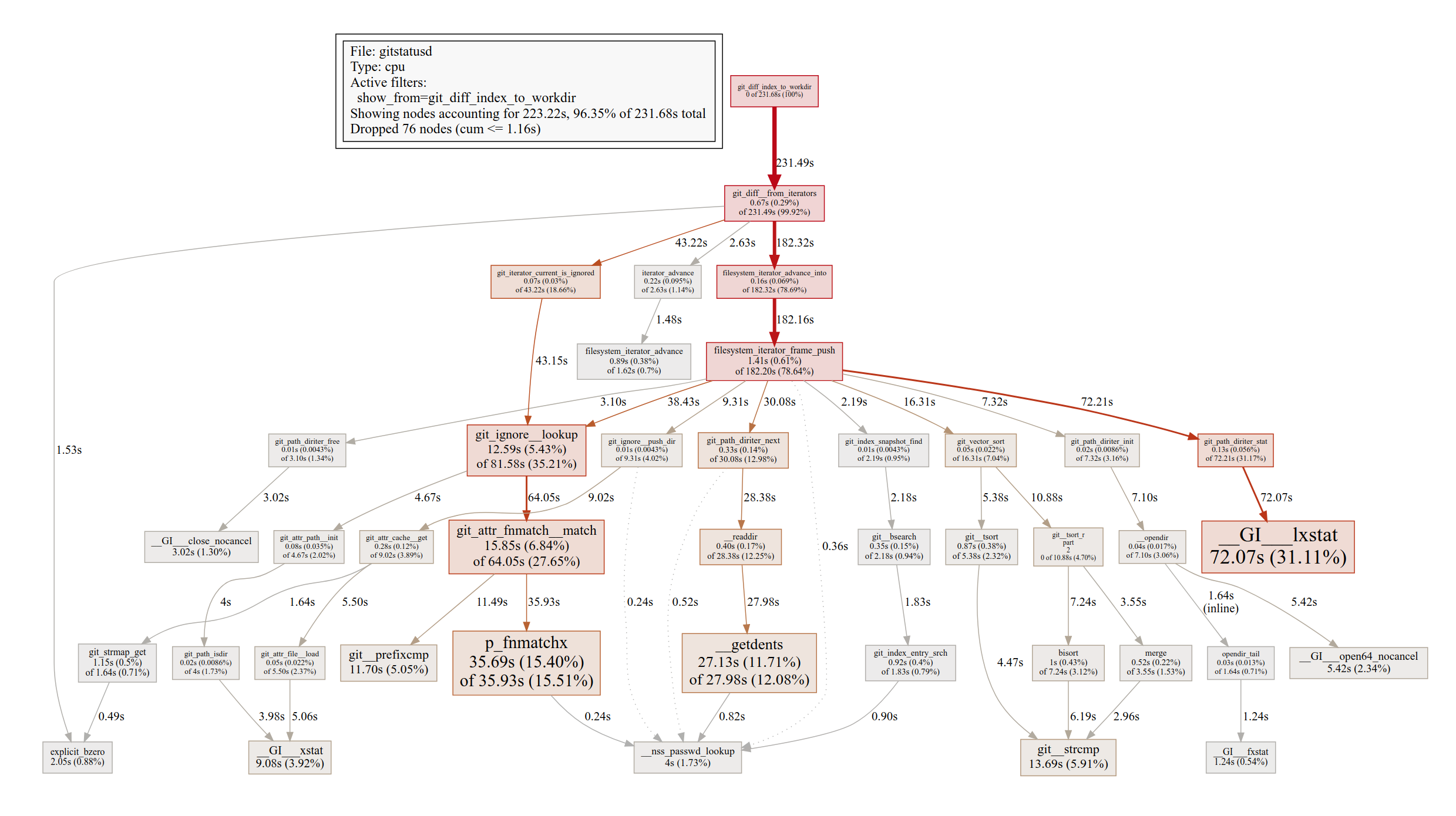
(The CPU profile was created with [gperftools](https://github.com/gperftools/gperftools) and
rendered with [pprof](https://github.com/google/pprof)).
We can see `__GI__lxstat` taking a lot of time. This is the `stat()` call for every file in the
index. We can also identify `__opendir`, `__readdir` and `__GI___close_nocancel` -- glibc wrappers
for reading the contents of a directory. This is for finding untracked files. Out of the total 232
seconds, 111 seconds -- or 47.7% -- was spent on these calls. The rest is computation -- comparing
strings, sorting arrays, etc.
Now let's take a look at the CPU profile of gitstatusd on the same task.
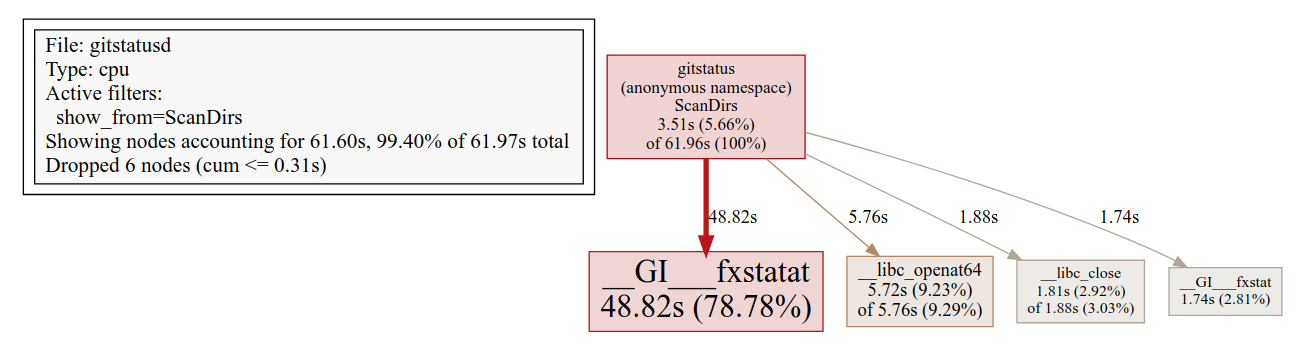
The first impression is that this profile looks pruned. This isn't an artifact. The profile was
generated with the same tools and the same flags as the profile of libgit2.
Since both profiles were generated from the same workload, absolute numbers can be compared. We can
see that gitstatusd took 62 seconds in total compared to libgit2's 232 seconds. System calls at the
core of the algorithm are clearly visible. `__GI___fxstatat` is a flavor of `stat()`, and the other
three calls -- `__libc_openat64`, `__libc_close` and `__GI___fxstat` are responsible for opening
directories and finding untracked files. Notice that there is almost nothing else in the profile
apart from these calls. The rest of the code accounts for 3.77 seconds of CPU time -- 32 times less
than in libgit2.
So, one reason gitstatusd is fast is that it has efficient diffing code -- very little time is spent
outside of kernel. However, if we look closely, we can notice that system calls in gitstatusd are
_also_ faster than in libgit2. For example, libgit2 spent 72.07 seconds in `__GI__lxstat` while
gitstatusd spent only 48.82 seconds in `__GI___fxstatat`. There are two reasons for this difference.
First, libgit2 makes more `stat()` calls than is strictly required. It's not necessary to stat
directories because index only has files. There are 25k directories in chromium repository (and 300k
files) -- that's 25k `stat()` calls that could be avoided. The second reason is that libgit2 and
gitstatusd use different flavors of `stat()`. libgit2 uses `lstat()`, which takes a path to the file
as input. Its performance is linear in the number of subdirectories in the path because it needs to
perform a lookup for every one of them and to check permissions. gitstatusd uses `fstatat()`, which
takes a file descriptor to the parent directory and a name of the file. Just a single lookup, less
CPU time.
Similarly to `lstat()` vs `fstatat()`, it's faster to open files and directories with `openat()`
from the parent directory file descriptor than with regular `open()` that accepts full file path.
gitstatusd takes advantage of `openat()` to open directories as fast as possible. It opens about 90%
of the directories (this depends on the actual directory structure of the repository) from the
immediate parent -- the most efficient way -- and the remaining 10% it opens from the repository's
root directory. The reason it's done this way is to keep the maximum number of simultaneously open
file descriptors bounded. libgit2 can have O(repository depth) simultaneously open file descriptors,
which may be OK for a single-threaded application but can balloon to a large number when scans are
done by many threads simultaneously, like in gitstatusd.
There is no equivalent to `__opendir` or `__readdir` in the gitstatusd profile because it uses the
equivalent of [untracked cache](https://git-scm.com/docs/git-update-index#_untracked_cache) from
git. On the first scan of the workdir gitstatusd lists all files just like libgit2. But, unlike
libgit2, it remembers the last modification time of every directory along with the list of
untracked files under it. On the next scan, gitstatusd can skip listing files in directories whose
last modification time hasn't changed.
To summarize, here's what gitstatusd was doing when the CPU profile was captured:
1. `__libc_openat64`: Open every directory for which there are files in the index.
2. `__GI___fxstat`: Check last modification time of the directory. Since it's the same as on the
last scan, this directory has the same list of untracked files as before, which is empty (the
repository is clean).
3. `__GI___fxstatat`: Check last modification time for every file in the index that belongs to this
directory.
4. `__libc_close`: Close the file descriptor to the directory.
Here's how the very first scan of a repository looks like in gitstatusd:
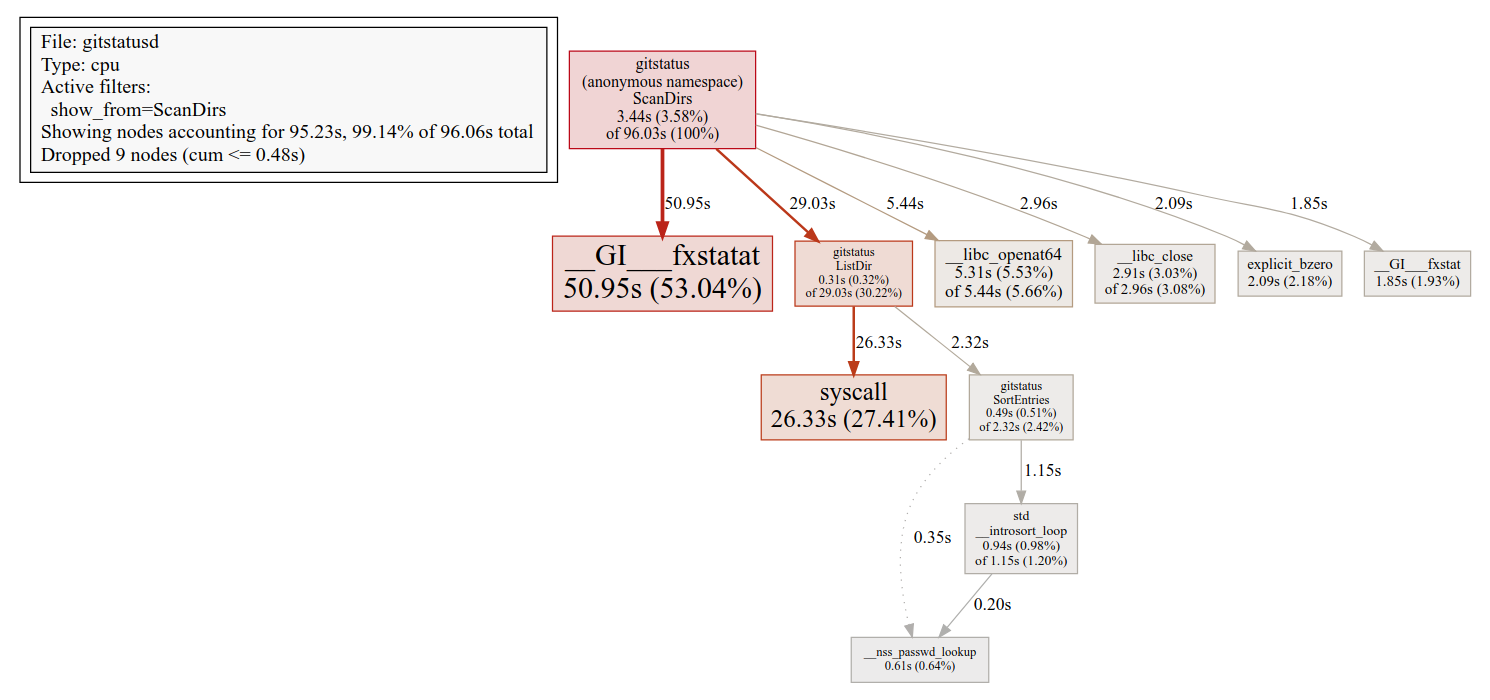
(Some glibc functions are mislabel on this profile. `explicit_bzero` and `__nss_passwd_lookup` are
in reality `strcmp` and `memcmp`.)
This is a superset of the previous -- hot -- profile, with an extra `syscall` and string sorting for
directory listing. gitstatusd uses `getdents64` Linux system call directly, bypassing the glibc
wrapper that libgit2 uses. This is 23% faster. The details of this optimization can be found in a
[separate document](docs/listdir.md).
### Multithreading
The diffing algorithm in gitstatusd was designed from the ground up with the intention of using it
concurrently from multiple threads. With a fast SSD, `status` is CPU bound, so taking advantage of
all available CPU cores is an obvious way to yield results faster.
gitstatusd exhibits almost perfect scaling from multithreading. Engaging all cores allows it to
produce results 12.4 times faster than in single-threaded execution. This is on Intel i9-7900X with
10 cores (20 with hyperthreading) with single-core frequency of 4.3GHz and all-core frequency of
4.0GHz.
Note: `git status` also uses all available cores in some parts of its algorithm while `lg2` does
everything in a single thread.
### Postprocessing
Once the difference between the index and the workdir is found, we have a list of _candidates_ --
files that may be unstaged or untracked. To make the final judgement, these files need to be checked
against `.gitignore` rules and a few other things.
gitstatusd uses [patched libgit2](https://github.com/romkatv/libgit2) for this step. This fork
adds several optimizations that make libgit2 faster. The patched libgit2 performs more than twice
as fast in the benchmark as the original even without changes in the user code (that is, in the
code that uses the libgit2 APIs). The fork also adds several API extensions, most notable of which
is the support for multi-threaded scans. If `lg2 status` is modified to take advantage of these
extensions, it outperforms the original libgit2 by a factor of 18. Lastly, the fork fixes a score of
bugs, most of which become apparent only when using libgit2 from multiple threads.
_WARNING: Changes to libgit2 are extensive but the testing they underwent isn't. It is
**not recommended** to use the patched libgit2 in production._
## Requirements
* To compile: binutils, cmake, gcc, g++, git and GNU make.
* To run: Linux, macOS, FreeBSD, Android, WSL, Cygwin or MSYS2.
## Compiling
There are prebuilt `gitstatusd` binaries in [releases](
https://github.com/romkatv/gitstatus/releases). When using the official shell bindings
provided by gitstatus, the right binary for your architecture gets downloaded automatically.
If prebuilt binaries don't work for you, you'll need to get your hands dirty.
### Compiling for personal use
```zsh
git clone --depth=1 https://github.com/romkatv/gitstatus.git
cd gitstatus
./build -w -s -d docker
```
Users in China can use the official mirror on gitee.com for faster download.
中国大陆用户可以使用 gitee.com 上的官方镜像加速下载.
```zsh
git clone --depth=1 https://gitee.com/romkatv/gitstatus.git
cd gitstatus
./build -w -s -d docker
```
- If it says that `-d docker` is not supported on your OS, remove this flag.
- If it says that `-s` is not supported on your OS, remove this flag.
- If it tell you to install docker but you cannot or don't want to, remove `-d docker`.
- If it says that some command is missing, install it.
If everything goes well, the newly built binary will appear in `./usrbin`. It'll be picked up
by shell bindings automatically.
When you update shell bindings, they may refuse to work with the binary you've built earlier. In
this case you'll need to rebuild.
If you are using gitstatus through [Powerlevel10k](https://github.com/romkatv/powerlevel10k), the
instructions are the same except that you don't need to clone gitstatus. Instead, change your
current directory to `/path/to/powerlevel10k/gitstatus` (`/path/to/powerlevel10k` is the directory
where you've installed Powerlevel10k) and run `./build -w -s -d docker` from there as described
above.
### Compiling for distribution
It's currently neither easy nor recommended to package and distribute gitstatus. There are no
instructions you can follow that would allow you to easily update your package when new versions of
gitstatus are released. This may change in the future but not soon.
## License
GNU General Public License v3.0. See [LICENSE](LICENSE). Contributions are covered by the same
license.