## What is Kener?
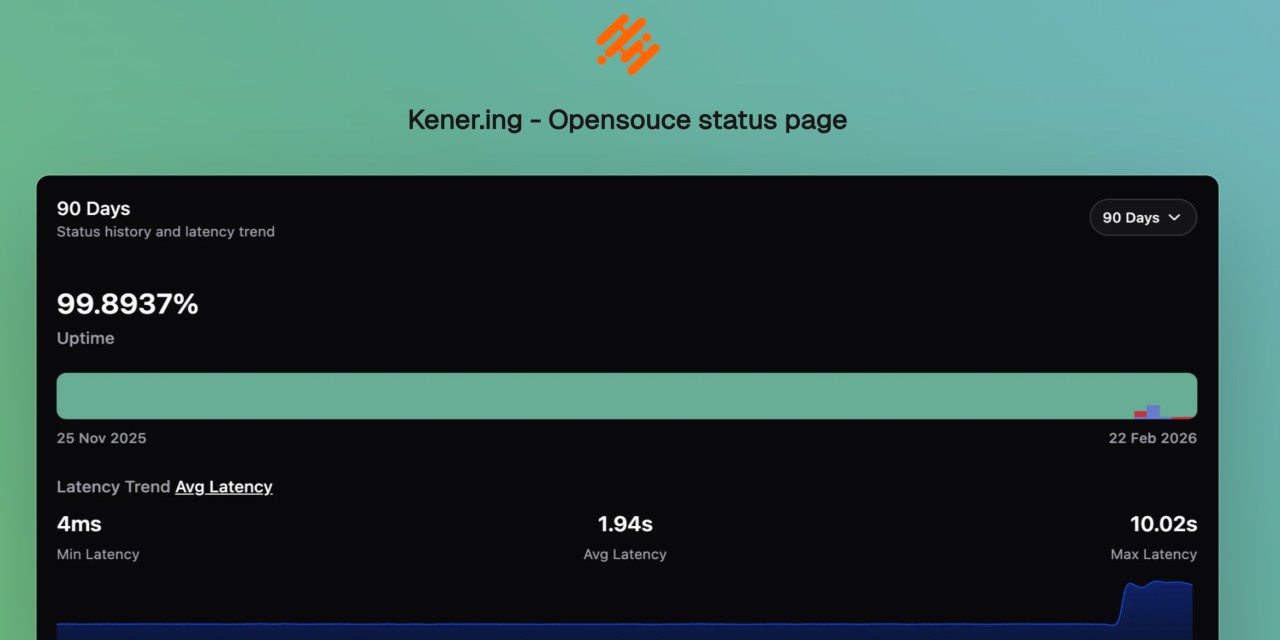
**Kener** is a sleek and lightweight status page system built with **SvelteKit** and **NodeJS**. It’s not here to replace heavyweights like Datadog or Atlassian but rather to offer a simple, modern, and hassle-free way to set up a great-looking status page with minimal effort.
Designed with **ease of use** and **customization in mind**, Kener provides all the essential features you’d expect from a status page—without unnecessary complexity.
### Why Kener?
✅ Minimal overhead – Set up quickly with a clean, modern UI
✅ Customizable – Easily tailor it to match your brand
✅ Open-source & free – Because great tools should be accessible to everyone
### What's in a Name?
“Kener” is inspired by the Assamese word _“Kene”_, meaning _“how’s it going?”_. The _‘.ing’_ was added because, well… that domain was available. 😄
## Quick Start
Get Kener running in minutes.
### Docker (recommended)
```bash
git clone https://github.com/rajnandan1/kener.git
cd kener
# Uses docker-compose.yml (includes Redis + Kener)
# Set a strong KENER_SECRET_KEY and ORIGIN in docker-compose.yml before first run
docker compose up -d
```
Open `http://localhost:3000`.
> [!IMPORTANT]
> Set a strong `KENER_SECRET_KEY` and set `ORIGIN` to your public URL before starting for the first time.
Use `docker-compose.dev.yml` when you want to build from local source instead of pulling the published image:
```bash
docker compose -f docker-compose.dev.yml up -d --build
```
Or combine both files to keep base production config while overriding Kener with a local build:
```bash
docker compose -f docker-compose.yml -f docker-compose.dev.yml up -d --build
```
### Run pre-built image
You can use either image:
- `docker.io/rajnandan1/kener:latest`
- `ghcr.io/rajnandan1/kener:latest`
For subpath deployments (`/status`), use:
- `docker.io/rajnandan1/kener:latest-status`
- `docker.io/rajnandan1/kener:latest-status-alpine`
- `ghcr.io/rajnandan1/kener:latest-status`
- `ghcr.io/rajnandan1/kener:latest-status-alpine`
```bash
mkdir -p database
docker run -d \
--name kener \
-p 3000:3000 \
-v "$(pwd)/database:/app/database" \
-e "KENER_SECRET_KEY=replace_with_a_random_string" \
-e "ORIGIN=http://localhost:3000" \
-e "REDIS_URL=redis://host.docker.internal:6379" \
docker.io/rajnandan1/kener:latest
```
### Run pre-built subpath image (`/status`)
```bash
mkdir -p database
docker run -d \
--name kener-status \
-p 3000:3000 \
-v "$(pwd)/database:/app/database" \
-e "KENER_SECRET_KEY=replace_with_a_random_string" \
-e "ORIGIN=http://localhost:3000" \
-e "KENER_BASE_PATH=/status" \
-e "REDIS_URL=redis://host.docker.internal:6379" \
docker.io/rajnandan1/kener:latest-status
```
> [!NOTE]
> For subpath mode, keep `ORIGIN` as the site origin (`http://localhost:3000`), not `http://localhost:3000/status`.
### Run without Docker
Requirements:
- Node.js `>= 24.14`
- Redis
```bash
git clone https://github.com/rajnandan1/kener.git
cd kener
npm install
# Start Redis (example)
docker run -d --name kener-redis -p 6379:6379 redis:7-alpine
npm run build
npm run start
```
Create a `.env` with at least:
```dotenv
KENER_SECRET_KEY=replace_with_a_random_string
ORIGIN=http://localhost:3000
REDIS_URL=redis://localhost:6379
PORT=3000
```
For the full quick start (including local Docker builds and dev mode), see the docs:
- https://kener.ing/docs/v4/getting-started/quick-start
## Features
Kener combines public status page essentials with advanced admin workflows.
### 📊 Monitoring, Reliability, and Communication
- Monitor **API, Ping, TCP, DNS, SSL, SQL, Heartbeat, and GameDig** checks
- Manage incidents with clear timelines, updates, and acknowledgements
- Schedule maintenance windows and keep users informed throughout
- Send notifications via **Email, Webhook, Slack, and Discord**
- Explore historical monitoring data and uptime trends
### 🎨 Status Page Experience and Branding
- Build branded, customizable status pages (logo, colors, CSS, themes)
- Support **light/dark mode**, localization, and timezone-aware display
- Embed status widgets and badges into external sites and portals
- Provide SEO-friendly public pages for global audiences
### 🛠️ Operations, Collaboration, and Automation
- Invite teams with role-based collaboration across workflows
- Manage multiple status pages from one Kener instance
- Use trigger-based workflows and template-driven messaging
- Manage API keys for secure integrations and automations
- Integrate analytics providers like GA, Plausible, Mixpanel, Umami, and Clarity
- Access the full REST API for incidents, monitors, and reporting
## Technologies Used
- [SvelteKit](https://kit.svelte.dev/)
- [shadcn-svelte](https://www.shadcn-svelte.com/)
## Support Me
If you’re enjoying Kener and want to support its development, consider sponsoring me on GitHub or treating me to a coffee. Your support helps keep the project growing! 🚀
- [Sponsor Me Using GitHub](https://github.com/sponsors/rajnandan1)
- [Buy Me a Coffee](https://www.buymeacoffee.com/rajnandan1)
## Contributing
If you want to contribute to Kener, please read the [Contribution Guide](https://github.com/rajnandan1/kener/blob/main/.github/CONTRIBUTING.md).
## Star History
[](https://star-history.dera.page/#rajnandan1/kener&Date)
---
### Src Routes (Docs) Docs Content V4 Alerting Overview (`src/routes/(docs)/docs/content/v4/alerting/overview.md`)
---
title: "Alerting Overview"
description: "How alerts are evaluated, triggered, and delivered in Kener"
---
Kener alerting turns monitor signals into notifications through configured triggers.
## Flow {#flow}
```
Monitor result -> Alert configuration evaluation -> Alert event -> Trigger delivery
```
## Alert types {#alert-types}
- **STATUS**: evaluates monitor status (`DOWN` or `DEGRADED` targets)
- **LATENCY**: evaluates latency threshold in milliseconds
- **UPTIME**: evaluates uptime percentage threshold
## Trigger lifecycle {#trigger-lifecycle}
Each alert event is sent as:
- `TRIGGERED` when failure threshold is reached
- `RESOLVED` when success threshold is reached
If incident creation is enabled on the configuration, Kener can also create/update incidents from alert events.
## Supported trigger providers {#supported-trigger-providers}
Current runtime supports:
- `webhook`
- `discord`
- `slack`
- `email`
## Template variable model {#template-variable-model}
Trigger templates render with alert and site variables (for example `{{alert_name}}`, `{{alert_status}}`, `{{site_name}}`, `{{site_url}}`).
Use [Templates](/docs/v4/alerting/templates) for the canonical variable list.
## Secret interpolation {#secret-interpolation}
Secrets are interpolated from environment variables using `$VAR_NAME` syntax (not `{{env.VAR_NAME}}`).
Example:
```
Authorization: Bearer $API_TOKEN
```
## Next steps {#next-steps}
- [Alert Configurations](/docs/v4/alerting/alert-configurations)
- [Triggers](/docs/v4/alerting/triggers)
- [Templates](/docs/v4/alerting/templates)
- [Webhook Examples](/docs/v4/alerting/webhook-examples)
---
### Src Routes (Docs) Docs Content V4 Incidents Overview (`src/routes/(docs)/docs/content/v4/incidents/overview.md`)
---
title: Incidents Overview
description: Track service disruptions with incidents, updates, and monitor impact in Kener
---
Incidents are records for outages or degradations that affect one or more monitors. They provide a user-facing timeline of what happened, current status, and resolution progress.
## What an incident includes {#what-an-incident-includes}
Each incident has:
- Title
- Start time
- Current state
- Affected monitors and impact level (`DOWN` / `DEGRADED`)
- Updates timeline
## State lifecycle {#state-lifecycle}
Incidents typically move through:
`INVESTIGATING → IDENTIFIED → MONITORING → RESOLVED`
- **INVESTIGATING**: team is actively diagnosing
- **IDENTIFIED**: root cause is known
- **MONITORING**: fix is applied, watching stability
- **RESOLVED**: incident is closed
When an incident becomes `RESOLVED`, Kener sets the end time automatically.
## Sources {#sources}
Incidents can come from:
- **Dashboard** (manual creation)
- **Alerting** (auto-created when an alert is configured to create incidents)
## Public visibility {#public-visibility}
Open incidents appear on the public status page and incident views.
Monitor status shown to users follows incident/maintenance precedence (see impact page).
## Keep it concise for users {#keep-it-concise-for-users}
- Use a clear title
- Add only meaningful updates
- Keep impact accurate per monitor
- Resolve promptly when stable
## Related guides {#related-guides}
- [Creating and Managing Incidents](/docs/v4/incidents/creating-managing)
- [Impact on Monitoring](/docs/v4/incidents/impact-on-monitoring)
- [Alert Configurations](/docs/v4/alerting/alert-configurations)
---
### Src Routes (Docs) Docs Content V4 Maintenances Overview (`src/routes/(docs)/docs/content/v4/maintenances/overview.md`)
---
title: "Maintenances Overview"
description: "Understanding maintenance windows in Kener: What they are, how they work, and how they help communicate planned service disruptions."
---
Maintenance windows in Kener allow you to schedule and communicate planned service disruptions to your users. Unlike incidents, maintenances are scheduled in advance and can be one-time or recurring events.
## What is a Maintenance Window? {#what-is-maintenance}
A maintenance window represents a **planned** period during which one or more services will be unavailable or degraded due to scheduled work. Each maintenance includes:
- **Title** - A clear description of the maintenance work
- **Description** - Details about what's being done and why
- **Schedule (RRULE)** - When and how often the maintenance occurs
- **Duration** - How long each maintenance window lasts
- **Affected Monitors** - Services impacted and their expected status
- **Status** - Whether the maintenance is ACTIVE or INACTIVE
## Maintenance vs Incident {#maintenance-vs-incident}
Understanding the difference between maintenances and incidents is crucial:
| Aspect | Maintenance | Incident |
| :------------- | :--------------------------------------- | :------------------------------------- |
| **Nature** | Planned work | Unplanned disruption |
| **Scheduling** | Scheduled in advance with RRULE | Created when issue occurs |
| **Duration** | Known duration configured upfront | Duration determined by resolution time |
| **Recurrence** | Can be recurring (weekly, monthly, etc.) | Always one-time events |
| **Visibility** | Shown during scheduled window | Shown from start until resolved |
| **End Time** | Pre-calculated based on duration | Set when issue is resolved |
**Key Distinction:** Maintenances are **preventive** and **scheduled**, while incidents are **reactive** and **unplanned**.
## One-Time vs Recurring Maintenances {#one-time-vs-recurring}
Kener supports two types of maintenance schedules:
### One-Time Maintenance {#one-time}
A maintenance that occurs exactly once at a specific date and time.
**Use Cases:**
- Database migration during off-hours
- Major system upgrade
- Infrastructure change
- One-off server maintenance
**RRULE:** `FREQ=MINUTELY;COUNT=1`
**Example:**
- **Title:** "Database Migration"
- **Start:** May 15, 2026 at 2:00 AM
- **Duration:** 3 hours
- **Occurs:** Once
### Recurring Maintenance {#recurring}
A maintenance that repeats on a schedule using iCalendar RRULE format.
**Use Cases:**
- Weekly security updates every Sunday
- Monthly database optimization
- Daily backup window
- Bi-weekly deployment window
**RRULE Examples:**
- Weekly: `FREQ=WEEKLY;BYDAY=SU` (every Sunday)
- Monthly: `FREQ=MONTHLY;BYMONTHDAY=1` (first of each month)
- Daily: `FREQ=DAILY` (every day)
**Example:**
- **Title:** "Weekly Security Updates"
- **Start:** Sunday, May 15, 2026 at 3:00 AM
- **RRULE:** `FREQ=WEEKLY;BYDAY=SU`
- **Duration:** 1 hour
- **Occurs:** Every Sunday at 3:00 AM
## iCalendar RRULE Format {#rrule-format}
Kener uses the industry-standard [iCalendar RRULE](http://www.kanzaki.com/docs/ical/rrule.html) format for scheduling recurring maintenances. This powerful format allows you to express complex recurring patterns.
**Basic RRULE Structure:**
```
FREQ=frequency;[INTERVAL=n;][BYDAY=days;][COUNT=n;]
```
**Example Patterns:**
| Pattern | RRULE | Meaning |
| :---------------------- | :--------------------------------- | :-------------------- |
| Every Sunday | `FREQ=WEEKLY;BYDAY=SU` | Weekly on Sunday |
| Every 2 weeks on Monday | `FREQ=WEEKLY;INTERVAL=2;BYDAY=MO` | Bi-weekly on Monday |
| Every day | `FREQ=DAILY` | Daily |
| First of each month | `FREQ=MONTHLY;BYMONTHDAY=1` | Monthly on day 1 |
| Weekdays only | `FREQ=WEEKLY;BYDAY=MO,TU,WE,TH,FR` | Monday through Friday |
Learn more in [RRULE Patterns](/docs/v4/maintenances/rrule-patterns).
## Maintenance Events {#maintenance-events}
When you create a maintenance, Kener automatically generates **maintenance events** based on the RRULE:
- **One-Time Maintenances:** Generate 1 event at creation time
- **Recurring Maintenances:** Generate events for the next 7 days, refreshed hourly
Each event represents a single occurrence of the maintenance window and tracks:
- Start date/time
- End date/time (calculated from duration)
- Status (SCHEDULED → READY → ONGOING → COMPLETED, or CANCELLED)
Events are covered in detail in [Maintenance Events](/docs/v4/maintenances/events).
## Maintenance Status {#maintenance-status}
Maintenances have two levels of status:
### Maintenance-Level Status {#maintenance-level-status}
Controls whether the maintenance is active in the system:
- **ACTIVE** - Maintenance is enabled and will generate events
- **INACTIVE** - Maintenance is disabled and will not affect monitors
**Note:** Changing a maintenance to INACTIVE does not cancel already scheduled events. You must manually cancel or delete those events.
### Event-Level Status {#event-level-status}
Tracks the lifecycle of each individual maintenance occurrence:
- **SCHEDULED** - Event created, more than 60 minutes away
- **READY** - Event starts within 60 minutes (notification sent)
- **ONGOING** - Event is currently in progress
- **COMPLETED** - Event has finished
- **CANCELLED** - Event was manually cancelled
Events automatically transition through states based on the current time. An ONGOING event can also be completed early, and SCHEDULED/READY/ONGOING events can be cancelled — see [Managing Events Manually](/docs/v4/maintenances/events#managing-events-manually).
## Affected Monitors {#affected-monitors}
Each maintenance specifies which monitors are affected and their expected status during the maintenance window:
**Monitor Impact Options:**
- **MAINTENANCE** - Show as under maintenance (recommended)
- **DOWN** - Show as completely unavailable
- **DEGRADED** - Show as partially available
- **UP** - Show as operational (rare, for non-disruptive maintenance)
When a maintenance event is ONGOING, the specified impact **overrides** the monitor's realtime status on the status page.
Learn more in [Maintenance Impact on Monitoring](/docs/v4/maintenances/impact-on-monitoring).
## Public Visibility {#public-visibility}
Maintenances are visible to users on your public status page:
### Upcoming Maintenances {#upcoming-maintenances}
- Shown on the home page
- Displays upcoming events (configurable days ahead)
- Shows affected monitors and maintenance window
### Ongoing Maintenances {#ongoing-maintenances}
- Prominently displayed during the maintenance window
- Affected monitors show maintenance status
- Duration and progress indicators
### Past Maintenances {#past-maintenances}
- Listed on the events/history page
- Shows completed maintenance events
- Configurable retention period
## Automatic Event Generation {#automatic-event-generation}
Kener runs a scheduler every hour that:
1. Checks all ACTIVE recurring maintenances
2. Generates events for the next 7 days
3. Skips already-created events (no duplicates)
4. Updates event statuses based on current time
**For One-Time Maintenances:**
- Event created immediately when maintenance is created
- No automatic regeneration
**For Recurring Maintenances:**
- Events generated for next 7 days
- Hourly scheduler keeps the 7-day window rolling
- Ensures users always see upcoming occurrences
## Maintenance Duration {#maintenance-duration}
Duration is specified in seconds and determines how long each maintenance window lasts:
**Common Durations:**
- 30 minutes: `1800` seconds
- 1 hour: `3600` seconds
- 2 hours: `7200` seconds
- 4 hours: `14400` seconds
**Display:**
Duration is automatically formatted for display:
- Less than 1 hour: "45m"
- 1-23 hours: "3h" or "2h 30m"
- 24+ hours: "1 day 5h"
## Notifications {#notifications}
When maintenance events change status, notifications can be sent:
**READY (60 minutes before):**
- "Maintenance starting soon" notification
- Gives users advance warning
**ONGOING (when started):**
- "Maintenance in progress" notification
- Confirms maintenance has begun
**COMPLETED (when finished, or completed early):**
- "Maintenance completed" notification
- Confirms services are back to normal
**CANCELLED (when manually cancelled):**
- "Maintenance cancelled" notification
- Shares the same "ended" notification setting as completion
Notifications respect your subscription configuration and trigger settings.
## Use Cases {#use-cases}
**Regular System Updates:**
```
Title: Weekly Security Patches
RRULE: FREQ=WEEKLY;BYDAY=SU
Start: Sunday 3:00 AM
Duration: 1 hour
Impact: MAINTENANCE
```
**Monthly Database Optimization:**
```
Title: Monthly Database Maintenance
RRULE: FREQ=MONTHLY;BYMONTHDAY=1
Start: First of month, 2:00 AM
Duration: 2 hours
Impact: DEGRADED
```
**One-Time Migration:**
```
Title: Major Database Migration
RRULE: FREQ=MINUTELY;COUNT=1
Start: May 15, 2026 at 1:00 AM
Duration: 4 hours
Impact: DOWN
```
## Next Steps {#next-steps}
- [Creating and Managing Maintenances](/docs/v4/maintenances/creating-managing) - Learn how to create and configure maintenances
- [Maintenance Events](/docs/v4/maintenances/events) - Understand event lifecycle and management
- [Maintenance Impact on Monitoring](/docs/v4/maintenances/impact-on-monitoring) - How maintenances affect status display
- [RRULE Patterns](/docs/v4/maintenances/rrule-patterns) - Advanced scheduling patterns and examples
---
### Src Routes (Docs) Docs Content V4 Monitors Overview (`src/routes/(docs)/docs/content/v4/monitors/overview.md`)
---
title: Monitors Overview
description: Choose the right monitor type and understand how monitor status is computed
---
Monitors are checks that run on your schedule and write a status + latency sample. Use this page to pick the right monitor type and understand status behavior.
## Status values {#status}
Kener monitor results can be:
- **UP**: Check succeeded
- **DEGRADED**: Check succeeded but is unhealthy by your logic/threshold
- **DOWN**: Check failed
- **MAINTENANCE**: Overridden by an active maintenance window
- **NO_DATA**: No signal yet (mainly used by heartbeat monitors before first ping)
## Status priority {#status-priority}
Final status is resolved by priority:
```
MAINTENANCE > INCIDENT > REALTIME > DEFAULT
```
So realtime checks do not override an active maintenance or incident state.
## Scheduling {#scheduling}
Monitors run from cron expressions (for example `* * * * *` for every minute). Use tighter schedules for critical services and relaxed schedules for low-risk dependencies.
## Uptime calculation {#uptime-calculation}
Default uptime formula:
```
UP + MAINTENANCE
-------------------------------- x 100
UP + MAINTENANCE + DEGRADED + DOWN
```
## Monitor types {#monitor-types}
- [API Monitor](/docs/v4/monitors/api) — HTTP/HTTPS checks with custom eval logic
- [Ping Monitor](/docs/v4/monitors/ping) — ICMP reachability/latency for hosts
- [TCP Monitor](/docs/v4/monitors/tcp) — TCP port open/timeout/error checks
- [DNS Monitor](/docs/v4/monitors/dns) — DNS record matching (`ANY`/`ALL`)
- [SSL Monitor](/docs/v4/monitors/ssl) — TLS certificate expiry thresholds
- [SQL Monitor](/docs/v4/monitors/sql) — Run SQL query against DB connection
- [Heartbeat Monitor](/docs/v4/monitors/heartbeat) — Push-based health signal
- [GameDig Monitor](/docs/v4/monitors/gamedig) — Game server query checks
- [gRPC Monitor](/docs/v4/monitors/grpc) — gRPC Health Checking Protocol
- [Docker Monitor](/docs/v4/monitors/docker) — Container state and healthcheck via the Docker Engine API, or the daemon itself
- [Group Monitor](/docs/v4/monitors/group) — Weighted aggregate of member monitors
- [Prometheus Monitor](/docs/v4/monitors/prometheus) — PromQL instant query with threshold-based status
## Related docs {#related-docs}
- [Grace Period](/docs/v4/monitors/grace-period) — require N consecutive checks before a status change is recorded
- [Monitors (general)](/docs/v4/monitors)
- [Sharing Monitors](/docs/v4/sharing)
- [Alert Configurations](/docs/v4/alerting/alert-configurations)
---
### Agents Domain (`docs/agents/domain.md`)
# Domain Docs
How the engineering skills should consume this repo's domain documentation when exploring the codebase.
This repo is configured as a **single-context** repo.
## Before exploring, read these
- **`CONTEXT.md`** at the repo root.
- **`docs/adr/`** — read ADRs that touch the area you're about to work in.
If any of these files don't exist, **proceed silently**. Don't flag their absence; don't suggest creating them upfront. The producer skill (`/grill-with-docs`) creates them lazily when terms or decisions actually get resolved.
## File structure
Single-context repo:
```text
/
├── CONTEXT.md
├── docs/adr/
│ ├── 0001-event-sourced-orders.md
│ └── 0002-postgres-for-write-model.md
└── src/
```
## Use the glossary's vocabulary
When your output names a domain concept (in an issue title, a refactor proposal, a hypothesis, a test name), use the term as defined in `CONTEXT.md`. Don't drift to synonyms the glossary explicitly avoids.
If the concept you need isn't in the glossary yet, that's a signal — either you're inventing language the project doesn't use (reconsider) or there's a real gap (note it for `/grill-with-docs`).
## Flag ADR conflicts
If your output contradicts an existing ADR, surface it explicitly rather than silently overriding:
> _Contradicts ADR-0007 (event-sourced orders) — but worth reopening because…_
---
### Agents Issue Tracker (`docs/agents/issue-tracker.md`)
# Issue tracker: GitHub
Issues and PRDs for this repo live as GitHub issues. Use the `gh` CLI for all operations.
## Conventions
- **Create an issue**: `gh issue create --title "..." --body "..."`. Use a heredoc for multi-line bodies.
- **Read an issue**: `gh issue view --comments`, filtering comments by `jq` and also fetching labels.
- **List issues**: `gh issue list --state open --json number,title,body,labels,comments --jq '[.[] | {number, title, body, labels: [.labels[].name], comments: [.comments[].body]}]'` with appropriate `--label` and `--state` filters.
- **Comment on an issue**: `gh issue comment --body "..."`
- **Apply / remove labels**: `gh issue edit --add-label "..."` / `--remove-label "..."`
- **Close**: `gh issue close --comment "..."`
Infer the repo from `git remote -v` — `gh` does this automatically when run inside a clone.
## When a skill says "publish to the issue tracker"
Create a GitHub issue.
## When a skill says "fetch the relevant ticket"
Run `gh issue view --comments`.
---
### Agents Triage Labels (`docs/agents/triage-labels.md`)
# Triage Labels
The skills speak in terms of five canonical triage roles. This file maps those roles to the actual label strings used in this repo's issue tracker.
| Label in mattpocock/skills | Label in our tracker | Meaning |
| -------------------------- | -------------------- | ---------------------------------------- |
| `needs-triage` | `needs-triage` | Maintainer needs to evaluate this issue |
| `needs-info` | `needs-info` | Waiting on reporter for more information |
| `ready-for-agent` | `ready-for-agent` | Fully specified, ready for an AFK agent |
| `ready-for-human` | `ready-for-human` | Requires human implementation |
| `wontfix` | `wontfix` | Will not be actioned |
When a skill mentions a role (e.g. "apply the AFK-ready triage label"), use the corresponding label string from this table.
Edit the right-hand column to match whatever vocabulary you actually use.
---
### Src Routes (Docs) Docs Content V3 Alerting (`src/routes/(docs)/docs/content/v3/alerting.md`)
---
title: Alert Config | Server.yaml | Kener
description: Alerts are the heart of Kener. This is where you define the alerts you want to show on your site.
---
Use the `config/server.yaml` file to configure the alert settings.
## Alert Triggers {#alert-triggers}
Kener supports multiple alerting mechanisms.
Currently, Kener supports the following alerting mechanisms:
- Webhook
- Discord
- Slack
We are adding more alerting mechanisms in the future.
### Configure Alerts {#configure-alerts}
In the `server.yaml` file, you can add the alerting mechanisms under the `triggers` key. It accepts an array of objects.
```yaml
triggers:
- name: Awesome Webhook
type: "webhook"
url: "https://kener.requestcatcher.com/test"
method: "POST"
headers:
Authorization: Bearer $SOME_TOKEN_FROM_ENV
- name: My Discord Channel
type: "discord"
url: "https://discord.com/api/webhooks/your-webhook-url"
- name: Some Slack Channel
type: slack
url: https://hooks.slack.com/services/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
```
| Key | Description |
| ---- | ----------------------------------------------------------------------- |
| name | Name of the alerting mechanism. This will be used in the monitor config |
| type | Type of the alerting mechanism. Can be `webhook`, `discord`, `slack` |
| url | URL of the webhook or discord or slack channel |
There may be additional keys based on the type of alerting mechanism.
In webhook alerting, you can also add headers and method to the request.
```yaml
- name: Awesome Webhook
type: "webhook"
url: "https://kener.requestcatcher.com/test"
method: "POST"
headers:
Authorization: Bearer $SOME_TOKEN_FROM_ENV
```
### Webhook {#webhook}
Body of the webhook will be sent as below:
```json
{
"id": "mockoon-9",
"alert_name": "Mockoon DOWN",
"severity": "critical",
"status": "TRIGGERED",
"source": "Kener",
"timestamp": "2024-11-27T04:55:00.369Z",
"description": "🚨 **Service Alert**: Check the details below",
"details": {
"metric": "Mockoon",
"current_value": 1,
"threshold": 1
},
"actions": [
{
"text": "View Monitor",
"url": "https://kener.ing/monitor-mockoon"
}
]
}
```
| Key | Description |
| --------------------- | ----------------------------------------------------------- |
| id | Unique ID of the alert |
| alert_name | Name of the alert |
| severity | Severity of the alert. Can be `critical`, `warn` |
| status | Status of the alert. Can be `TRIGGERED`, `RESOLVED` |
| source | Source of the alert. Can be `Kener` |
| timestamp | Timestamp of the alert |
| description | Description of the alert. This you can customize. See below |
| details | Details of the alert. |
| details.metric | Name of the monitor |
| details.current_value | Current value of the monitor |
| details.threshold | Alert trigger hreshold of the monitor |
| actions | Actions to be taken. Link to view the monitor. |
### Discord {#discord}
The discord message when alert is `TRIGGERED` will look like this
The discord message when alert is `RESOLVED` will look like this
### Slack {#slack}
The slack message when alert is `TRIGGERED` will look like this
The slack message when alert is `RESOLVED` will look like this
### Add Alerts to Monitors {#add-alerts-to-monitors}
Once you have set up the triggers, you can add them to your monitors in the `config/monitors.yaml` file.
```yaml
- name: OkBookmarks
tag: "okbookmarks"
image: "https://okbookmarks.com/assets/img/extension_icon128.png"
api:
method: GET
url: https://okbookmarks.com
alerts:
DOWN:
failureThreshold: 1
successThreshold: 1
createIncident: true
description: "🚨 **Service Alert**. This is a custom message"
triggers:
- Awesome Webhook
- My Discord Channel
- Some Slack Channel
```
The `alerting` object lets you define the alerting mechanism for the monitor. It can do alerting for `DOWN` or `DEGRADED` status. You can add both or one of them.
- `failureThreshold`: Number of consecutive failures before alerting
- `successThreshold`: Number of consecutive successes before resolving the alert
- `createIncident`: If set to `true`, Kener will create an incident that will be shown on the status page
- `description`: Custom message for the alert
- `triggers`: Array of alerting triggers to send the alert to. The name should match the name in the `server.yaml` file.
It will send alerts to the webhook, discord, and slack channels.
The alert will be set when the monitor goes down for 1 health check.
There will be one more alert when the monitor is up again after, 1 health check is successful.
---
### Src Routes (Docs) Docs Content V3 Apikeys (`src/routes/(docs)/docs/content/v3/apikeys.md`)
---
title: API Keys | Kener
description: Learn how to set up and work with API keys in kener.
---
API keys can be used to call the [APIs of kener](/docs/v3/kener-apis). You can create multiple API keys and use them to call the APIs.
API keys once generated cannot be viewed again so please keep them safe and secure.
## Create API Key {#create-api-key}
1. To create an API key click on the `Create API Key` button in the API Keys page.
2. Add a name for the key so that it is easy for you to remember
3. Click on Create.
---
### Src Routes (Docs) Docs Content V3 Changelogs (`src/routes/(docs)/docs/content/v3/changelogs.md`)
---
title: Changelogs | Kener
description: Changelogs for Kener
---
Here are the changelogs for Kener. Changelogs are only published when there are new features or breaking changes.
## v3.2.16 {#v3-2-16}
### ✨ Features {#v3-2-16-features}
- **Hidden Categories:** You can now create hidden categories that will not show up for users that are not logged in. All the monitors will also not show up. Some one however can directly get to see them if they visit the monitor link directly
- **Configure data rage:** Now you can configure the data range in home page between 1 and 180 days. You can set different ranges for mobile and desktop devices.
## v3.2.14 {#v3-2-14}
### ✨ Features {#features}
- **Gamedig Monitor Functionality:** Introduced a new monitor type using Gamedig to monitor over 320+ games and services. Includes options for host, port, timeout, game/service selection, and documentation updates. ([#389](https://github.com/rajnandan1/kener/pull/389) by ToxykAuBleu)
- **Event Subscription:** Added functionality for event subscriptions, involving new database tables (`subscribers`, `subscriptions`, `subscription_triggers`), UI enhancements, a comprehensive game list, and package version update (3.2.13 to 3.2.14). ([#385](https://github.com/rajnandan1/kener/pull/385) by rajnandan1)
- **CRUD API for Monitors:** Implemented API endpoints for creating, reading, updating, and deleting monitors (`GET /api/monitor`, `POST /api/monitor`, `GET /api/monitor/[monitor_id]`, `PUT /api/monitor/[monitor_id]`, `DELETE /api/monitor/[monitor_id]`). Includes OpenAPI spec updates. ([#384](https://github.com/rajnandan1/kener/pull/384) by jensvandenreyt)
- **Modify Monitor Data:** Added the ability for users to modify historical monitoring data via a new UI option and backend API, useful for correcting past statuses (e.g., false positives). ([#380](https://github.com/rajnandan1/kener/pull/380) by mcorbin)
- **Site Status Banner:** Now you can choose to show a site status banner in the main home page. The setting has to be turned on in the Home section of the kener portal.
- **Upcoming Maintenance**: Dedicated Page for upcoming maintenance events.
- **Event Page**: Dedicated page for each event (incident/maintenance)
- **Admin Portal UI Update**: Revamped kener management portal for better accessibility.
### 🐛 Bug Fixes {#v3-2-14-bug-fixes}
- **SMTP Secure Variable Fix:** Corrected the evaluation of the `SMTP_SECURE` environment variable to properly handle values like '0' or empty strings, preventing SSL errors with STARTTLS. ([#392](https://github.com/rajnandan1/kener/pull/392) by myned)
- **Group Monitor Fix:** Fix group monitor using queues
### 🌍 Internationalization {#v3-2-14-internationalization}
- **Polish Translation:** Added Polish language support (`pl.json`) and integrated it into the application's localization framework. ([#386](https://github.com/rajnandan1/kener/pull/386) by lolen)
## v3.2.5 {#v3-2-5}
### Features {#v3-2-5-features}
- Added code editing for all JavaScript and JSON fields for trigger custom body and monitor `evals`.
- Syntax highlighting and error checking for monitor evaluation functions
- Added support for custom Discord and Slack body templates in triggers
- Improved variable templating for all notification types
- Added comprehensive user management with 3 roles: admin, editor, and member. Read more in the [access control documentation](/docs/v3/rbac).
- Self-service profile management for all users
- User activation/deactivation controls for admins
- Added dedicated Badges management page in the admin dashboard
- Site-wide status badges to show overall service health
- Version information automatically pulled from package.json
### Improvements {#v3-2-5-improvements}
- Improved build time by migrating lucid-svelte to individual components
### GitHub Issues Resolved in this release {#v3-2-5-github-issues}
- Feature: Enhancement of Webhook Custom Body Functionality [#238](https://github.com/rajnandan1/kener/issues/238)
- Feature: Add LDAP for authentication [#210](https://github.com/rajnandan1/kener/issues/210)
- the event created by tigger can't update affects. [#309](https://github.com/rajnandan1/kener/issues/309)
- Multiple account or RBAC [#334](https://github.com/rajnandan1/kener/issues/334)
- The event that has been edited isn't clickable after you save it [#350](https://github.com/rajnandan1/kener/issues/350)
- /app/package.json ERROR on fresh install [#346](https://github.com/rajnandan1/kener/issues/346)
- Site stops when monitor processing throws an error [#345](https://github.com/rajnandan1/kener/issues/345)
- Support for Self Signed Certificates [#351](https://github.com/rajnandan1/kener/issues/351)
- Wrong month is showing up after clicking on the 'Browse Events' link [#349](https://github.com/rajnandan1/kener/issues/349)
### Migration Notes {#v3-2-5-migration-notes}
This update is fully backward compatible with existing installations. User accounts created before this update will retain admin privileges by default.
## v3.2.1 {#v3-2-1}
### Features {#v3-2-1-features}
- **New Heartbeat Monitors**
- Added support for push-based monitoring via heartbeats
- Monitors systems that send periodic signals to confirm they're running
- Configurable thresholds for degraded and down states
- Secured with secret token authentication
- Accessible via simple HTTP API endpoints
- **Data Interpolation Improvements**
- Fixed data interpolation issues for more accurate uptime calculations
- Improved handling of timestamp boundaries
### Fixes & Improvements {#v3-2-1-fixes-improvements}
- **UI Enhancements**
- Better mobile responsiveness for theme toggles and controls
- Fixed layout issues with bottom navigation buttons
- Improved timezone selector display
- **Data Processing**
- Fixed edge case issues with uptime calculations
- Improved handling of "No Data" status in summaries
- More accurate time range display across timezones
- **Documentation**
- Added comprehensive documentation for Heartbeat Monitors
- Updated API documentation with new endpoints
---
### Src Routes (Docs) Docs Content V3 Concepts (`src/routes/(docs)/docs/content/v3/concepts.md`)
---
title: Concepts | Kener
description: Concepts for Kener
---
Here are the different concepts that Kener uses to make your life easier.
## Monitors {#monitors}
Monitors are the heart of Kener. They are the ones that keep an eye on your services and let you know when something goes wrong. Monitors can be of different types like HTTP, DNS, Ping etc. They can be configured to check your services at different intervals and alert you when something goes wrong.
### HTTP Monitor {#http-monitor}
HTTP Monitor is used to check the status of a website or any http api. It can be configured to check the status of the website at different intervals.
It can also be configured to check for a specific status code or a specific response.
You can also add secrets to the HTTP request using environment variables.
### DNS Monitor {#dns-monitor}
DNS Monitor is used to check the status of a DNS server. It can be configured to check the status of the DNS server at different intervals.
### Ping Monitor {#ping-monitor}
Ping Monitor is used to check the status of a server. It can be configured to check the status of the server at different intervals.
### Data Interpolation {#data-interpolation}
Kener interpolates the data for missing intervals. For example, suppose if you have a cron monitor of 5 minutes and it has run twice at 10AM and 10:05AM and the monitor is `DOWN` at 10AM. Kener will interpolate the data for 10:01AM, 10:02AM, 10:03AM and 10:04AM as `DOWN`. Similarly, if the monitor is UP at 10:05AM, Kener will interpolate the data for 10:06AM, 10:07AM, 10:08AM and 10:09AM as UP. Similarly for missing data points it will consider the previous data point. If there is no previous data point, it will consider it as `UP`.
---
## Triggers {#triggers}
Triggers are the ones that are responsible for sending alerts when something goes wrong. They can be configured to send alerts to different channels like Email, Slack, Discord, Webhook etc.
You can set multiple triggers of the same type.
### Email Trigger {#email-trigger}
Email Trigger is used to send an email when something goes wrong. It can be configured to send an email to different email addresses.
Kener uses [resend.com](https://resend.com) to send emails. Please make sure to sign up in [resend.com](https://resend.com) and get the API key. You will need to set the API key in the environment variable `RESEND_API_KEY`. Learn more in the [environment variables documentation](/docs/v3/environment-vars).
### Slack Trigger {#slack-trigger}
Slack Trigger is used to send a message to a slack channel when something goes wrong. It can be configured to send a message to different slack channels. Needs slack URL
### Discord Trigger {#discord-trigger}
Discord Trigger is used to send a message to a discord channel when something goes wrong. It can be configured to send a message to different discord channels. Needs discord URL
### Webhook Trigger {#webhook-trigger}
Webhook Trigger is used to send a message to a webhook when something goes wrong. It can be configured to send a message to different webhooks. Needs webhook URL. Method will be POST.
Body of the webhook will be sent as below:
```json
{
"id": "mockoon-9",
"alert_name": "Mockoon DOWN",
"severity": "critical",
"status": "TRIGGERED",
"source": "Kener",
"timestamp": "2024-11-27T04:55:00.369Z",
"description": "🚨 **Service Alert**: Check the details below",
"details": {
"metric": "Mockoon",
"current_value": 1,
"threshold": 1
},
"actions": [
{
"text": "View Monitor",
"url": "https://kener.ing/monitor-mockoon"
}
]
}
```
| Key | Description |
| --------------------- | ----------------------------------------------------------- |
| id | Unique ID of the alert |
| alert_name | Name of the alert |
| severity | Severity of the alert. Can be `critical`, `warn` |
| status | Status of the alert. Can be `TRIGGERED`, `RESOLVED` |
| source | Source of the alert. Can be `Kener` |
| timestamp | Timestamp of the alert |
| description | Description of the alert. This you can customize. See below |
| details | Details of the alert. |
| details.metric | Name of the monitor |
| details.current_value | Current value of the monitor |
| details.threshold | Alert trigger hreshold of the monitor |
| actions | Actions to be taken. Link to view the monitor. |
---
## Incidents {#incidents}
Incidents are the ones that are created when something goes wrong. They can be created using Manage portal or using APIs.
There can be two types of incidents - `DOWN` and `DEGRADED`. Incident can have a title, description, severity and status. Status can be `INVESTIGATING`, `IDENTIFIED`, `MONITORING` and `RESOLVED`.
Learn more in the [incident management documentation](/docs/v3/incident-management).
### Incident Updates
Incident updates are done using comment. Each comment has a status and a timestamp. The status of the latest added comment becomes the current status of the incident.
### Incident Monitors {#incident-monitors}
Monitors can be added as affected components for an incident. Depending on the severity of the incident the status of the monitor also changes.
---
### Src Routes (Docs) Docs Content V3 Custom Fonts (`src/routes/(docs)/docs/content/v3/custom-fonts.md`)
---
title: How to Add Custom Fonts | Kener
description: Kener allows you to add custom fonts to your site. This guide will help you add custom fonts to your Kener site.
---
1. Login to your Kener dashboard.
2. Go to the `Theme` page.
3. Scroll down to the `Fonts` section.
4. Remove `Font URL` and `Font Name`
5. In Custom CSS add your font
```css
@font-face {
font-family: "CustomFont";
src:
url("/path-to-font/CustomFont.woff2") format("woff2"),
url("/path-to-font/CustomFont.woff") format("woff"),
url("/path-to-font/CustomFont.ttf") format("truetype");
font-weight: normal;
font-style: normal;
}
* {
font-family: "CustomFont", sans-serif;
}
```
---
### Src Routes (Docs) Docs Content V3 Custom Js Css Guide (`src/routes/(docs)/docs/content/v3/custom-js-css-guide.md`)
---
title: Custom JS and CSS Guide | Kener
description: Custom JS and CSS Guide for Kener
---
Here is a guide to add custom JS and CSS to your Kener instance.
## Adding Custom JS {#adding-custom-js}
Add your custom JS to `static/` file. And in the `src/app.html` file, add the following line:
```html
```
## Adding Custom CSS {#adding-custom-css}
Three are two ways you can add custom CSS to your Kener instance.
### CSS file {#css-file}
Add your custom CSS to `static/` file. And in the `src/app.html` file, add the following line:
```html
```
Do not forget to add the base path if you are using a subpath. For example, if you are using a subpath `/kener`, then the path should be `/kener/your-custom-js-file.js`.
### Inline CSS {#inline-css}
To add inline css go to Manage kener -> Theme -> Custom CSS and add your CSS there.
```css
.my-class {
color: red;
}
```
Do not include <style> tags.
## Grid Layout {#grid-layout}
To change from a column layout to a grid layout in your Kener instance, you can use the following CSS:
```css
@media (min-width: 1330px) {
.section-monitors,
.section-categories,
.section-hero,
.section-back,
.section-events,
.section-legend,
.section-categories,
.section-browser-events {
width: 1330px !important;
max-width: 1330px !important;
}
.section-monitors .monitor-root {
background-color: transparent;
border: none !important;
box-shadow: none;
}
.section-monitors .monitor-root .monitors-card {
display: grid;
grid-template-columns: repeat(2, minmax(0, 1fr));
gap: 0.5rem;
}
.section-monitors .monitor-root .monitors-card .monitor {
grid-column: span 1;
border-radius: 0.375rem;
background-color: hsl(var(--card) / var(--tw-bg-opacity, 1));
border-width: 1px;
}
.section-monitors .monitor-root .monitors-card .monitor:last-child {
border-bottom: inherit;
border-bottom-width: 1px !important;
}
}
```
---
### Src Routes (Docs) Docs Content V3 Customize Site (`src/routes/(docs)/docs/content/v3/customize-site.md`)
---
title: Customize Site - Site.yaml - Kener
description: Customize your Kener site using site.yaml
---
There is a folder called `./config`. Inside which there is a `site.yaml` file. You can modify this file to have your own branding and do few other things.
## Sample site.yaml
```yaml
title: "Kener"
siteName: "Kener.ing"
logo: "/logo.svg"
favicon: "/logo96.png"
home: "/"
theme: dark
themeToggle: true
github:
owner: "rajnandan1"
repo: "kener"
incidentSince: 72
metaTags:
description: "Your description"
keywords: "keyword1, keyword2"
nav:
- name: "Documentation"
url: "/docs"
- name: "GitHub"
iconURL: "/github.svg"
url: "https://github.com/rajnandan1/kener"
siteURL: https://kener.ing
hero:
title: Kener is a Open-Source Status Page System
subtitle: Let your users know what's going on.
footerHTML: |
Made using
Kener
an open source status page system built with Svelte and TailwindCSS.
i18n:
defaultLocale: "en"
locales:
en: "English"
hi: "हिन्दी"
zh-CN: "中文"
ja: "日本語"
vi: "Tiếng Việt"
pattern: "squares"
font:
cssSrc: "https://fonts.bunny.net/css?family=lato:100,100i,300,300i,400,400i,700,700i,900,900i&display=swap"
family: '"Lato", sans-serif'
analytics:
- id: "G-QsFT"
type: "GA"
- id: "deasf0d350"
type: "AMPLITUDE"
- id: "FKOdsKener"
type: "MIXPANEL"
```
---
## title
This translates to
```html
Your Title
```
---
## siteName
This is the name that will be shown in the nav bar, top left corner of the page
## logo
URL of the logo that will be shown in the nav bar. You can also add your logo in the `static` folder. Use the path `/logo.svg` to refer to it if you have added `logo.svg` in the `static` folder. Otherwise, you can use any URL.
## favicon
URL of the favicon that will be shown in the browser tab. You can also add your favicon in the `static` folder. Use the path `/logo96.png` to refer to it if you have added `logo96.png` in the `static` folder. Otherwise, you can use any URL.
## home
This is the location where someone will be taken when they click on the site name in the nav bar
## theme
This is the default theme of the site that will be used when a user lands for the first time. It can be `light` or `dark` or `system` or `none`. Defaults to `system`. The user still gets the option to change the theme.
- setting it to `light` will always set the theme to light when page loads
- setting it to `dark` will always set the theme to dark when page loads
- setting it to `system` will set the theme based on the system preference
- setting it to `none` will set the theme to last selected theme by the user
## themeToggle
This is the option to show the theme toggle. It can be `true` or `false`. Defaults to `true`.
As of now there is no option to change the colors of the theme using `site.yaml`. If you still want to change the colors you can do so by modifying the `src/app.postcss` file.
## favicon
It can be set by modifying the `` tag in `src/app.html` file.
Example add a png called `logo.png` file in `static/` and then
```html
...
...
```
---
## github
For incident kener uses github issues. Create an empty [github](https://github.com) repo and add them to `site.yaml`
```yaml
github:
apiURL: "https://api.github.com"
owner: "username"
repo: "repository"
incidentSince: 720
```
### apiURL
API URL of the github. Default is `https://api.github.com`. If you are using github enterprise then you can change it to your github enterprise api url.
### owner
Owner of the github repository. If the repository is `https://github.com/rajnandan1/kener` then the owner is `rajnandan1`
### repo
Repository name of the github repository. If the repository is `https://github.com/rajnandan1/kener` then the repo is `kener`
### incidentSince
`incidentSince` is in hours. It means if an issue is created before X hours then kener would not honor it. What it means is that kener would not show it active incident pages nor it will update the uptime. Default is 30\*24 hours = 720 hours.
See the [incident management documentation](/docs/v3/incident-management) to create an issue.
---
## metaTags
Meta tags are nothing but html ``. You can use them for SEO purposes
```yaml
metaTags:
description: "Your description"
keywords: "keyword1, keyword2"
og:image: "https://example.com/og.png"
```
will become
```html
```
---
## siteURL
You can set this to generate SiteMaps
```yaml
siteURL: https://kener.ing
```
Sitemaps urls will be `https://kener.ing/sitemap.xml`
---
## hero
Use hero to add a banner to your kener page
```yaml
hero:
title: Kener is a Open-Source Status Page System
subtitle: Let your users know what's going on.
```
### title
Title of the hero section
### subtitle
Subtitle of the hero section
---
## nav
You can add more links to your navbar.
```yaml
nav:
- name: "Home"
url: "/home"
```
### name
Name of the link
### url
URL of the link
### iconURL
Icon of the link. You can add an icon in the `static` folder and refer to it using the path `/github.svg`
---
## categories
You can define categories for your monitors. Each category can have a description. The monitors can be grouped by categories.
`name=home` will be shown in the home page. Categories are shown in the order they are defined in the yaml file. A dropdown will appear in the nav bar to select the category.
```yaml
categories:
- name: API
description: "Kener provides a simple API for you to use to update your status page."
- name: home
description: "loroem ipsum lorem ipsum"
```
### name
Name of the category
### description
Description of the category
---
## footerHTML
You can add HTML to the footer. You can add links to your social media or anything else.
```yaml
footerHTML: |
Made using Kener an open source status page system built with Svelte and TailwindCSS.
```
---
## i18n
You can add translations to your site. By default it is set to `en`. Available translations are present in `locales/` folders in the root directory. You can add more translations by adding a new file in the `locales` folder.
### Enable
Once you have added a new translation file in the `locales` folder, you can enable it by adding the locale code in the `site.yaml` file.
Let us say you have added a `hi.json` file in the `locales` folder. You can enable it by adding the following to the `site.yaml` file.
```yaml
i18n:
defaultLocale: en
locales:
en: English
hi: हिन्दी
```
### defaultLocale
**_defaultLocale_**: The default locale to be used for a user when he or she visits for the first time. It is important to note that the default locale json file should be present in the locales folder.
### locales
**_locales_**: A list of locales that you want to enable. The key is the locale code and the value is the name of the language. The locale code should be the same as the json file name in the locales folder. `en` means `en.json` should be present in the locales folder.
Adding more than one locales will enable a dropdown in the navbar to select the language.
Selected languages are stored in cookies and will be used when the user visits the site again.
There is no auto detection of the language. The user has to manually select the language.
### Variables
There are few variables that you you should not change,
- %hours : This will be replaced by the hours
- %minutes : This will be replaced by the minutes
- %minute : This will be replaced by the minute
- %status : This will be replaced by the status
---
## pattern
You can set the background pattern of the site. It can be `squares`, `dots`, `none`
---
## font
You can set the font of the site. You can use google fonts, [bunny fonts](https://fonts.bunny.net/) (which is a fully GDPR-compliant, zero-tracking/no-logging CDN font service), or any other font.
```yaml
font:
cssSrc: "https://fonts.bunny.net/css?family=lato:100,100i,300,300i,400,400i,700,700i,900,900i&display=swap"
family: '"Lato", sans-serif'
```
### cssSrc
URL of the font css
### family
Font family
---
## analytics
You can add analytics to your site. You can add multiple analytics. Supported analytics are `GA`, `AMPLITUDE`, `MIXPANEL`
```yaml
analytics:
- id: "G-QsFT"
type: "GA"
- id: "deasf0d350"
type: "AMPLITUDE"
- id: "FKOdsKener"
type: "MIXPANEL"
```
## barStyle
Kener shows a bar for a day. By default if any downtime or degradation is there the bar will be red or yellow respectively.
If you want to only show a part of the bar as red or yellow then you can set the `barStyle` to `PARTIAL`. Default is `FULL`
```yaml
barStyle: PARTIAL
```
---
## barRoundness
You can set the roundness of the bar. It can be `SHARP` or `ROUNDED`. Default is `ROUNDED`
```yaml
barRoundness: ROUNDED
```
---
## summaryStyle
The summary of the monitor today is shown in the monitor page. By default it shows the the whole day summary. If you want to show the current status then you can set the `summaryStyle` to `CURRENT`. Default is `DAY`.
```yaml
summaryStyle: CURRENT
```
---
## colors
You can set the colors of UP, DOWN, DEGRADED
```yaml
colors:
UP: "#4ead94"
DOWN: "#ca3038"
DEGRADED: "#e6ca61"
```
---
### Src Routes (Docs) Docs Content V3 Database (`src/routes/(docs)/docs/content/v3/database.md`)
---
title: Database Config - Server.yaml - Kener
description: Add database configuration to your kener server.yaml
---
Kener uses relational database to store its data.
## Supported Database {#supported-database}
- Sqlite (default)
- Postgres
- Mysql
We will be adding more database support in the future.
## Sqlite {#sqlite}
Sqlite is the default database for Kener. You don't need to do anything to use it. The database file will be created in the `database` folder which is present in the root of the project.
The name of the default database file is `kener.db`. The path will be `database/kener.sqlite.db`.
You can change the database file name by changing the environment variable `DATABASE_URL`. Prefix the connection string with `sqlite://` and add the path to the database file.
```bash
export DATABASE_URL=sqlite://./database/awesomeKener.db
```
In this case, the database file will be created in the `database` folder with the name `awesomeKener.db`.
Make sure the `database` folder is writable by the Kener process.
## Postgres {#postgres}
To use Postgres, you need to update the connection string details in the `DATABASE_URL` environment variable. The connection string has to with `postgresql`
```bash
export DATABASE_URL=postgresql://myuser:mypassword@your.host:5432/kenerdb
```
## Mysql {#mysql}
To use Mysql, you need to update the connection string details in the `DATABASE_URL` environment variable. The connection string has to with `mysql`
```bash
export DATABASE_URL=mysql://root:password@your.host:3306/kenerdb
```
## Migrations {#migrations}
To run migrations to latest, run
```bash
npm run migrate
```
When kener runs it will always migrate up to the latest version
---
### Src Routes (Docs) Docs Content V3 Deployment (`src/routes/(docs)/docs/content/v3/deployment.md`)
---
title: Kener Deployment - From Source or Docker
description: Kener can be deployed in multiple ways. You can use the pre-built docker image or build from source.
---
Kener can be deployed in multiple ways. You can use the pre-built docker image or build from source.
## Prerequisites {#prerequisites}
Make sure you have the following installed:
- [Node.js 20 or above](https://nodejs.org/en/download/)
- [npm](https://www.npmjs.com/get-npm)
- [Sqlite3](https://www.sqlite.org/download.html)
- Make sure `./database` directory is present in the root directory
- [Set up Environment Variables](/docs/v3/environment-vars). You can use a `.env` file or pass them as arguments. Be sure to add `NODE_ENV=production` for production deployment
## NPM {#npm}
```bash
npm i
npm run build #build the frontend
npm run start
```
## PM2 {#pm2}
```bash
npm i
npm run build #build the frontend
pm2 start main.js
```
## Docker {#docker}
[Dockerhub](https://hub.docker.com/r/rajnandan1/kener)
```bash
docker.io/rajnandan1/kener:latest
```
[GitHub Packages](https://github.com/rajnandan1/kener/pkgs/container/kener)
```bash
ghcr.io/rajnandan1/kener:latest
```
### Volumes {#docker-volumes}
- `$(pwd)/uploads` You should mount one host directories to persist your image uploads.
- `$(pwd)/database` If you are using sqlite, you should mount one host directory to persist your database.
### Environment Variables {#docker-env-vars}
[Environment variables](/docs/v3/environment-vars) can be passed with `-e` An example `docker run` command:
Make sure `./database` and `./uploads` directories are present in the root directory.
### Examples {#docker-examples}
This example is for sqlite. You can also use postgres. See [database configuration](/docs/v3/environment-vars#database-url).
#### sqlite
```bash
mkdir database uploads
```
```bash
docker run \
-v $(pwd)/database:/app/database \
-v $(pwd)/uploads:/app/uploads \
-p 3000:3000 \
-e "KENER_SECRET_KEY=somesecretkey" \
-e "ORIGIN=http://localhost:3000" \
rajnandan1/kener
```
#### .env
You can also use a .env file
```bash
mkdir database uploads
```
```bash
docker run \
-v $(pwd)/database:/app/database \
-v $(pwd)/uploads:/app/uploads \
--env-file .env \
-p 3000:3000 \
rajnandan1/kener
```
Or use **Docker Compose** with the example [docker-compose.yaml](https://raw.githubusercontent.com/rajnandan1/kener/main/docker-compose.yml)
#### Postgres
```bash
mkdir uploads
```
Database folder is not required for postgres.
```bash
docker run \
-p 3000:3000 \
-v $(pwd)/uploads:/app/uploads \
-e "KENER_SECRET_KEY=somesecretkey" \
-e "DATABASE_URL=postgresql://myuser:mypassword@localhost:5432/mydatabase" \
-e "ORIGIN=http://localhost:3000" \
rajnandan1/kener
```
#### MySQL
```bash
mkdir uploads
```
Database folder is not required for mysql.
```bash
docker run \
-p 3000:3000 \
-v $(pwd)/uploads:/app/uploads \
-e "KENER_SECRET_KEY=somesecretkey" \
-e "DATABASE_URL=mysql://root:password@mysql-container-2.orb.local:3306/kener-2" \
-e "ORIGIN=http://localhost:3000" \
rajnandan1/kener
```
#### Base path
By default kener runs on `/` but you can change it to `/status` or any other path. See [base path configuration](/docs/v3/environment-vars/#kener-base-path).
- Important: The base path should _**NOT**_ have a trailing slash and should start with `/`
- Important: This env variable should be present during both build and run time
- Important: You will have to build the frontend with the same base path
Let us say you are running kener on a subpath `/status`. You can set the base path like this:
```bash
docker build --build-arg KENER_BASE_PATH=/status -t kener .
```
```bash
docker run -p 3000:3000 --env-file .env -v $(pwd)/database:/app/uploads -v $(pwd)/database:/app/database kener
```
## Railway {#railway}
You can deploy Kener on [Railway](https://railway.app) with a single click.
[](https://railway.com/template/spSvic?referralCode=1Pn7vs)
---
### Src Routes (Docs) Docs Content V3 Embed (`src/routes/(docs)/docs/content/v3/embed.md`)
---
title: Embed Monitor | Kener
description: Embed your monitor in your website
---
There are two ways to embed your monitor in your website
## Javascript Embed {#javascript-embed}
You can embed your monitor in your website using javascript. We recommend using this method as it takes care of the height of the embedded monitor.
```html
```
Here is an example
```html
```
### Parameters {#javascript-embed-parameters}
You can pass the following parameters to the embed code
- `theme`: You can pass `light` or `dark` theme
- `monitor`: The monitor url
- `bgc`: Background color of the monitor. Only supports hex color codes. DO NOT include the `#` symbol. Example: `ff0000`
- `locale`: The locale of the monitor. You can pass the code of the locale you have enabled in your kener settings. Example: `en`, `fr` etc
- `tz`: Timezone. Example `Asia/Calcutta`, `Asia/Tokyo`
Replace `[hostname]` with your kener hostname and `[tag]` with your monitor tag.
### Demo {#javascript-embed-demo}
## Iframe Embed {#iframe-embed}
This is the simplest way to embed your monitor in your website. You can use the following code to embed your monitor in your website.
```html
```
Here is an example
```html
```
Replace `[hostname]` with your kener hostname and `[tag]` with your monitor tag.
### Parameters {#iframe-embed-parameters}
You can pass the following parameters to the embed code
- `theme`: You can pass `light` or `dark` theme
- `bgc`: Background color of the monitor. Only supports hex color codes. DO NOT include the `#` symbol. Example: `ff0000`
- `locale`: The locale of the monitor. You can pass the code of the locale you have enabled in your kener settings. Example: `en`, `fr` etc
### Demo {#iframe-embed-demo}
---
### Src Routes (Docs) Docs Content V3 Environment Vars (`src/routes/(docs)/docs/content/v3/environment-vars.md`)
---
title: Environment Variables | Kener
description: Kener needs some environment variables to be set to run properly. Here are the list of environment variables that you need to set.
---
Kener needs some environment variables to be set to run properly. Here are the list of environment variables that you need to set.
All of these are optional but are required for specific features.
## KENER_SECRET_KEY {#kener-secret-key}
[Required]
Please set a strong secret key for Kener to use for encrypting the data. This is required to run Kener.
```bash
export KENER_SECRET_KEY=a-strong-secret-key
```
## ORIGIN {#origin}
[Required]
Set this to the origin of your website(protocl + hostname + port if there). This is required for CORS.
```bash
export ORIGIN=http://localhost:3000
```
If your host is at let us say `https://example.com`, then set the ORIGIN to `https://example.com`. This is required for CORS.
If you are using a reverse proxy like nginx, make sure to set the `ORIGIN` to the domain name of your website.
```bash
export ORIGIN=https://example.com
```
## PORT {#port}
Defaults to 3000 if not specified
```bash
export PORT=4242
```
## KENER_BASE_PATH {#kener-base-path}
By default kener runs on `/` but you can change it to `/status` or any other path.
- Important: The base path should _**NOT**_ have a trailing slash and should start with `/`
- Important: This env variable should be present during both build and run time
```bash
export KENER_BASE_PATH=/status
```
## RESEND_API_KEY {#resend-api-key}
Kener uses [resend.com](https://resend.com) to send emails. Please make sure to sign up in [resend.com](https://resend.com) and get the API key. You will need to set the API key in the environment variable `RESEND_API_KEY`.
```bash
export RESEND_API_KEY=re_sometoken
```
## RESEND_SENDER_EMAIL {#resend-sender-email}
Set the sender email for the emails that are sent by Kener. This is required for sending emails. If you have not added a domain in resend, you can se something like `Some Name `. We recommend adding a domain in resend and using that email domain.
```bash
export RESEND_SENDER_EMAIL=Some Name
```
Please note that the RESEND_API_KEY is required for sending emails. If you do not set this, Kener will not be able to send emails. RESEND_SENDER_EMAIL is a must if you forget your password. If you do not want to use resend, you can set SMTP variables.
## DATABASE_URL {#database-url}
Kener uses a database to store its data. By default, Kener uses sqlite. You can change the database by setting the `DATABASE_URL` environment variable. The connection string has to start with `sqlite`, `postgresql`, or `mysql`. Read more about [database configuration](/docs/v3/database).
```bash
export DATABASE_URL=sqlite://./database/awesomeKener.db
```
## TZ {#tz}
Set the timezone for the server. Set it to UTC.
```bash
export TZ=UTC
```
## SMTP {#smtp}
Kener can also use SMTP to send emails. You can set the SMTP server details in the environment variables.
```bash
export SMTP_HOST=smtp.example.com
export SMTP_PORT=587
export SMTP_USER=username
export SMTP_PASS=password
export SMTP_SECURE=0
export SMTP_FROM_EMAIL=Some Name
```
Generally, port 465 expects implicit SSL (SMTP_SECURE: 1), while port 587 and port 25 usually use STARTTLS (SMTP_SECURE: 0).
So, if you are using SMTP on port 465, set SMTP_SECURE: 1; otherwise, for ports 25 or 587, set SMTP_SECURE: 0.
If you set SMTP variables, Kener will use SMTP to send emails. If you set RESEND_API_KEY, Kener will use resend to send emails. If you do both Kener will use SMTP.
If your SMTP provider does require username and password, you can set `SMTP_USER` and `SMTP_PASS` to `-`.
## Using .env file {#using-env-file}
You can also use a `.env` file to set these variables. Create a `.env` file in the root of the project and add the variables like below
```bash
KENER_SECRET_KEY=please_change_me
PORT=4242
GH_TOKEN=your-github-token
RESEND_API_KEY=re_sometoken
KENER_BASE_PATH=/status
ORIGIN=http://localhost:3000
```
## Secrets in monitors {#secrets-in-monitors}
Kener supports secrets in monitors. Let us say you have a monitor that is API based and you want to keep the API key secret.
Example: `https://api.example.com/users` with a header `Authorization: Bearer $CLIENT_SECRET`
You should set the `CLIENT_SECRET` in the your environment variables.
```bash
export CLIENT_SECRET=your-api-key
```
Remember to set the `CLIENT_SECRET` in your `.env` file if you are using one.
---
### Src Routes (Docs) Docs Content V3 Home Page (`src/routes/(docs)/docs/content/v3/home-page.md`)
---
title: Home Page Setup | Kener
description: Learn how to set up and work with the home page in kener.
---
Home page is the first page that the user sees when they visit your status page. You can customize the home page to show the information that you want to show.
---
## Hero Section {#hero-section}
### Title {#hero-title}
A big text that will be shown on the hero section.
### Subtitle {#hero-subtitle}
A small text that will be shown below the title.
---
## Navigation Links {#navigation-links}
You can navigation links to other urls. You can add as many as you want.
### Icon {#nav-icon}
A small image to be shown along with the link. Icon is optional
### Title {#nav-title}
The title of the link.
### URL {#nav-url}
The URL to redirect to when the link is clicked.
---
## Internationalization {#internationalization}
Add multiple languages to your status page. You can add a new language and add translations for all the text that is shown on the status page by following the [internationalization instructions](/docs/v3/i18n).
- Adding more than one locales will enable a dropdown in the navbar to select the language.
- Selected languages are stored in cookies and will be used when the user visits the site again.
- There is no auto detection of the language. The user has to manually select the language.
### Default Language {#default-language}
The default language of the status page.
---
## Site Categories {#site-categories}
Use this to group monitors. Byh default a readonly home category is created. You can add more categories and move monitors to those categories.
---
## Site Footer {#site-footer}
Add footer text or html to the status page. You can add any text that you want to show in the footer. Make sure if you are adding html it is safe and valid.
---
### Src Routes (Docs) Docs Content V3 Home (`src/routes/(docs)/docs/content/v3/home.md`)
---
title: Kener Documentation | Open Source Status Page
description: Kener is a feature-rich and modern status page system built with SvelteKit and NodeJS. It is open-source and free to use.
---
## Forget Boring Status Pages. Hello Kener!
**Kener** isn't just another status page – it's a beautifully crafted, lightning-fast monitoring system that makes your services look good even when they're down. Built with modern tech (**SvelteKit** + **NodeJS**), it delivers enterprise-grade reliability monitoring without the enterprise price tag (it's completely free!).
### Why Teams Are Switching to Kener
- **📈 Up and running in minutes**, not days – from Docker to deployment in less time than it takes to make coffee
- **🎭 Dark mode that actually looks good** – because your 3 AM incident responses shouldn't burn your retinas
- **🧩 Ridiculously customizable** – make it match your brand or go wild with a unique design
- **⚡ Blazing fast performance** – server-rendered for speed that both users and search engines love
- **🌐 Works everywhere** – auto-adjusts to visitors' time zones and looks great on any device
- **🔄 Real-time data** with gorgeous visualizations that make your uptime metrics pop
- **🛠️ Modern tooling** without the bloat – everything you need, nothing you don't
### Used by Companies That Value Simplicity and Power
From indie developers to growing startups, teams are choosing Kener when they need reliability monitoring that doesn't require a dedicated DevOps team to maintain.
"_My team set up Kener in less than an hour, and our customers love the transparency it provides. The embedded widgets on our pricing page increased conversions by showing our reliability upfront._" – A happy user
## Ready to Transform Your Status Page?
---
### Src Routes (Docs) Docs Content V3 How It Works (`src/routes/(docs)/docs/content/v3/how-it-works.md`)
---
title: How it works | Kener
description: Folder structure and how Kener works
---
Kener has two parts.
- Sveltekit application which is server rendered and is the frontend. It is running on Svelte 4.
- Hooks into the backend to get the data for your monitors
## Folder structure
```bash
├── src (svelte frontend files)
├── static (things put here can be referenced directly example static/logo.png -> /logo.png)
├── src
├──── routes
├────── (docs) (You can delete this, this has routes for documentation)
├──── lib
├────── server
├──────── config (Location for you site.yaml and monitos.yaml)
├──────── data (This is the location where server computate data is stored. Do not touch this)
├── docs (Documentation, you can delete this folder)
```
## Site.yaml
This is the configuration file for your site. This is where you define the name of your site, the look and feel of your site etc. Read the [Site.yaml documentation](/docs/v3/site).
## Monitors.yaml
This is the configuration file for your monitors. This is where you define the monitors you want to show on your site. Read the [Monitors.yaml documentation](/docs/v3/monitors).
## Data
Kener stores its data in a folder which is `./database`. This is where all the data is stored. You can delete this folder if you want to start fresh.
---
### Src Routes (Docs) Docs Content V3 I18n (`src/routes/(docs)/docs/content/v3/i18n.md`)
---
title: i18n | Kener
description: Kener supports multiple languages. You can add translations to your site.
---
You can add translations to your site. By default it is set to `en`. Available translations are present in `src/lib/locales/` folders in the root directory. You can add more translations by adding a new file in the `src/lib/locales` folder.
## How to enable a translation {#how-to-enable-a-translation}
Kener has made it simple to add new translations.
### Step 1 {#step-1}
Copy and update the translation file in the `locales` folder. The translation file should be a json file with the locale code as the name of the file. For example, `en.json`, `fr.json`, `de.json`.
### Step 2 {#step-2}
Open `src/lib/locales/locales.json` and add the locale code and the name of the language.
```json
[
{
"code": "en",
"name": "English"
},
{
"code": "hi",
"name": "हिन्दी"
},
{
"code": "zh-CN",
"name": "中文"
},
{
"code": "ja",
"name": "日本語"
},
{
"code": "vi",
"name": "Tiếng Việt"
},
{
"code": "fr",
"name": "Français"
}
]
```
### Step 3 {#step-3}
Open `src/lib/i18n/client.js` and add the locale code to the `locales` array.
```js
import { ru, enUS, hi, de, zhCN, vi, ja, nl, da, fr, ko } from "date-fns/locale"
```
This should be valid for the date-fns library. You can find the list of locales [here](https://github.com/date-fns/date-fns/blob/9bb51691f201c3ec05ab832acbc5d478f2e5c47a/docs/i18nLocales.md).
Next add a mapping in the `locales` object.
```js
const locales = { ru, en: enUS, hi, dk: de, "zh-CN": zhCN, vi, ja, nl, dk: da, fr, ko }
```
### Step 4 {#step-4}
Restart the server and you will see a dropdown in the navbar to select the language.
DO NOT forget to raise a PR with the new translation file so that others can use it too.
## Variables in translations {#variables-in-translations}
There are few variables that you you should not change,
- %status : This will be replaced by the status
- %lastedFor : This will be replaced by the duration the incident lasted
- %startedAt : This will be replaced by the time the incident started
- %date : This will be replaced by the date
- %duration : This will be replaced by the duration
## Dates {#dates}
The localization for dates are still not there. We are working on it and will be available soon.
---
### Src Routes (Docs) Docs Content V3 Incident Management (`src/routes/(docs)/docs/content/v3/incident-management.md`)
---
title: Incident Management | Kener
description: Kener uses GitHub to power incident management using labels
---
Kener lets you manage incidents using its dashboard or APIs.
## Create Incident {#create-incident}
### Incident Title {#incident-title}
REQUIRED
The title of the incident. This is used to identify the incident in the dashboard.
### Incident Summary {#incident-summary}
REQUIRED
A brief summary of the incident. This is used to give a brief overview of the incident.
### Incident Start Date Time {#incident-start-date-time}
REQUIRED
The start date and time of the incident.
Each incident once created will be in INVESTIGATING status. You can update the status of the incident by adding updates as discussed below
---
## Update Incident {#update-incident}
Add comments to the incident to update the status of the incident.
### Timestamp {#update-timestamp}
REQUIRED
### Message {#update-message}
REQUIRED
The message to be added to the incident.
### Status {#update-status}
REQUIRED
The status of the incident. This can be `INVESTIGATING`, `IDENTIFIED`, `MONITORING`, `RESOLVED`.
### Close Incident {#close-incident}
To close an incident, you need to add a message and set the status to `RESOLVED`.
---
## Add Monitors to Incident {#add-monitors-to-incident}
To add monitors to the incident, you need to add the monitor tag to the incident. This will automatically add the monitor to the incident. You will also get the status of the monitor in the incident. For any event type, this can be `DEGRADED` or `DOWN`. For maintenance event type, this can also be `MAINTENANCE`.
## Maintenance Incidents {#maintenance-incidents}
You can also create a maintenance incident. This is similar to an incident but is used to notify users about maintenance activities. Both start and end date and time are required for maintenance incidents.
---
### Src Routes (Docs) Docs Content V3 Kener Apis (`src/routes/(docs)/docs/content/v3/kener-apis.md`)
---
title: Kener APIs
description: Kener gives APIs to push data and create incident.
---
Kener also gives APIs to push data and create incident. Before you use kener apis you will have to generate the API keys using the dashboard.
1. Go to manage kener dashboard
2. Go to api keys
3. Click on Create New API Key
4. Enter a name for the API key
5. Click on Create
You can use the generated API key to authenticate the APIs. It will be not be shown again, so make sure to save it.
## API Reference
The current version is 3.0.0. We maintain just one version
[API Reference](/api-reference)
You can download the openapi spec
- [JSON](https://raw.githubusercontent.com/rajnandan1/kener/main/openapi.json)
- [YAML](https://raw.githubusercontent.com/rajnandan1/kener/main/openapi.yaml)
---
---
### Src Routes (Docs) Docs Content V3 Monitor Examples (`src/routes/(docs)/docs/content/v3/monitor-examples.md`)
---
title: Monitor Examples | Kener
description: Here are some exhaustive examples for monitors
---
Here are some exhaustive examples for monitors
## Simple GET Monitor
Below example will call https://www.google.com/webhp. If the status code is 200 then it will be UP else DOWN.
```yaml
- name: Google Search
tag: "google-search"
api:
method: GET
url: https://www.google.com/webhp
```
## Simple GET Monitor Without Hyperlink
Below example will call https://www.google.com/webhp. If the status code is 200 then it will be UP else DOWN. It will not show the GET hyperlink in the monitor description.
```yaml
- name: Google Search
tag: "google-search"
api:
method: GET
url: https://www.google.com/webhp
hideURLForGet: true
```
## Monitor with HTML description
Below example will call https://www.google.com/webhp. If the status code is 200 then it will be UP else DOWN. It will show the description in HTML format.
```yaml
- name: Google Search
tag: "google-search"
description: "Hello world"
api:
method: GET
url: https://www.google.com/webhp
```
## Monitor with image
google.png is in the static folder
```yaml
- name: Google Search
tag: "google-search"
image: "/google.png"
api:
method: GET
url: https://www.google.com/webhp
```
## Get Monitor 15 Minute
Below example will call https://www.google.com/webhp every 15 minutes. If the status code is 200 then it will be UP else DOWN.
```yaml
- name: Google Search
description: Search the world's information, including webpages, images, videos and more.
tag: "google-search"
cron: "*/15 * * * *"
api:
method: GET
url: https://www.google.com/webhp
```
## POST Monitor With Body
Below example will call https://www.google.com/webhp with body. If the status code is 200 then it will be UP else DOWN.
```yaml
- name: Google Search
description: Google Search
tag: "google-search-post"
api:
method: POST
url: https://www.google.com/webhp
headers:
Content-Type: application/json
body: '{"order_amount":22222.1,"order_currency":"INR"}'
```
## Secrets in Header
You can set ENV variables in your machine and use them in your monitors. Example below has `GH_TOKEN` as an environment variable. It uses process.env.GH_TOKEN.
```
export GH_TOKEN=some.token.for.github
```
> **_NOTE:_** DO NOT forget the `$` sign in your monitor secret, otherwise it will not be picked up.
```yaml
- name: GitHub Issues
description: GitHub Issues Fetch
tag: "gh-search-issue"
api:
method: GET
url: https://api.github.com/repos/rajnandan1/kener/issues
headers:
Authorization: Bearer $GH_TOKEN
```
## Secrets in Body
Assuming `ORDER_ID` is present in env
```yaml
- name: GitHub Issues
description: GitHub Issues Fetch
tag: "gh-search-issue"
api:
method: POST
url: https://api.github.com/repos/rajnandan1/kener/issues
headers:
Content-Type: application/json
body: '{"order_amount":22222.1,"order_currency":"INR", "order_id": "$ORDER_ID"}'
```
## Eval Body
Read more about [eval](https://kener.ing/docs/v3/monitors-api#eval)
Below example will call https://api.github.com/repos/rajnandan1/kener/issues. If the status code is 200 then it will be UP else DOWN. It will also check if the response time is greater than 2000ms then it will be DEGRADED.
```yaml
- name: GitHub Issues
description: GitHub Issues Fetch
tag: "gh-search-issue"
api:
method: GET
url: https://api.github.com/repos/rajnandan1/kener/issues
eval: |
(function(statusCode, responseTime, responseDataBase64){
const resp = JSON.parse(atob(responseDataBase64));
let status = 'DOWN'
if(statusCode == 200) status = 'UP';
if(Object.keys(resp).length == 0) status = 'DOWN';
if(statusCode == 200 && responseTime > 2000) status = 'DEGRADED';
return {
status: status,
latency: responseTime,
}
})
```
## With default_status UP
Each minute it will set the status as UP
```yaml
- name: Earth
description: Our Planet
tag: "earth"
default_status: UP
```
## With Category
Add this monitor to the API category instead of the default home category
```yaml
- name: Earth
description: Our Planent
tag: "earth"
category: API
```
## Ping Monitor
This will ping the hosts. It will be up if the ping is successful for all the hosts present in the list of ip4 and ip6.
```yaml
- name: Earth
description: Our Planent
tag: "earth"
ping:
hostsV4:
- www.frogment.com
- 52.84.205.24
hostsV6:
- ipv6.google.com
```
If both ping and api monitors are present then API data will overwrite ping data
## Custom Thresholds
The below monitor will show DEGRADED if 3 or more degraded status in a day and DOWN if 2 or more down status in a day. It will also include degraded in downtime calculation.
```yaml
- name: Earth
description: Our blue planet
tag: "earth"
default_status: "UP"
day_degraded_minimum_count: 3
day_down_minimum_count: 2
include_degraded_in_downtime: true
```
## Monitor with Alerts
Make sure you have set up triggers in `server.yaml`. Read more about [alerts](/docs/v3/triggers).
The below example will trigger an alert if the monitor is DOWN for 10 consecutive times. It will also create an incident in GitHub and send alerts to Webhook, Discord and Slack. It will also trigger an alert if the monitor is DEGRADED for 5 consecutive times. It will not create an incident in GitHub and send alerts to Webhook, Discord and Slack.
```yaml
- name: Earth
description: Our blue planet
tag: "earth"
default_status: "UP"
include_degraded_in_downtime: true
alerts:
DOWN:
failureThreshold: 10
successThreshold: 5
createIncident: true
description: "🚨 So much panic in the world and kener tells you about it"
triggers:
- Webhook MyWebhook
- Discord Test
- Slack Test
DEGRADED:
failureThreshold: 5
successThreshold: 2
createIncident: false
description: "⚠️ To degrade is human, to alert is kener"
triggers:
- Webhook MyWebhook
- Discord Test
- Slack Test
```
---
### Src Routes (Docs) Docs Content V3 Monitors Api (`src/routes/(docs)/docs/content/v3/monitors-api.md`)
---
title: API Monitors | Kener
description: Learn how to set up and work with API monitors in kener.
---
API monitors are used to monitor APIs. You can use API monitors to monitor the uptime of your Website or APIs and get notified when they are down.
## Timeout {#timeout}
REQUIRED
The timeout is used to define the time in milliseconds after which the monitor should timeout. If the monitor does not respond within the timeout period, the monitor will be marked as down. For example, `5000` will set the timeout to 5 seconds. It is required and has to be a number greater than 0.
## URL {#url}
REQUIRED
The URL is used to define the URL of the API that you want to monitor. It is required and has to be a valid URL.
## Method {#method}
REQUIRED
The method is used to define the HTTP method that should be used to make the request. It is required and has to be one of the following: `GET`, `POST`, `PUT`, `PATCH`, `DELETE`.
## Headers {#headers}
The headers are used to define the headers that should be sent with the request. It is optional and has to be a valid JSON object.
Header values support `$SECRET` environment variable substitution. If the monitor URL uses plain `http://`, the substituted secrets are sent in cleartext — prefer `https://` unless the endpoint is on a trusted network.
## Eval {#eval}
The eval is used to define the JavaScript code that should be used to evaluate the response. It is optional and has be a valid JavaScript code.
This is an anonymous JS function, it should return a **Promise**, that resolves or rejects to `{status, latency}`, by default it looks like this.
> **_NOTE:_** The eval function should always return a json object. The json object can have only status(UP/DOWN/DEGRADED) and latency(number)
> `{status:"DEGRADED", latency: 200}`.
```javascript
(async function (statusCode, responseTime, responseRaw, modules) {
let statusCodeShort = Math.floor(statusCode/100);
let status = 'DOWN'
if(statusCodeShort >=2 && statusCodeShort <= 3) {
status = 'UP',
}
return {
status: 'DOWN',
latency: responseTime,
}
})
```
- `statusCode` **REQUIRED** is a number. It is the HTTP status code
- `responseTime` **REQUIRED**is a number. It is the latency in milliseconds
- `responseRaw` **REQUIRED** is the raw response of the API
- `modules` is an object that has [`cheerio`](https://www.npmjs.com/package/cheerio) that you can use to parse HTML. `const $ = modules.cheerio.load(responseRaw)`
### Example 1 {#example-1}
The following example shows how to use the eval function to evaluate the response. The function checks if the status code is 2XX then the status is UP, if the status code is 5XX then the status is DOWN. If the response contains the word `Unknown Error` then the status is DOWN. If the response time is greater than 2000 then the status is DEGRADED.
```javascript
async function (statusCode, responseTime, responseRaw, modules) {
let status = "DOWN"
//if the status code is 2XX then the status is UP
if (/^[2]\d{2}$/.test(statusCode)) {
status = "UP"
if (responseTime > 2000) {
status = "DEGRADED"
}
}
//if the status code is 5XX then the status is DOWN
if (/^[5]\d{2}$/.test(statusCode)) status = "DOWN"
if (responseRaw.includes("Unknown Error")) {
status = "DOWN"
}
return {
status: status,
latency: responseTime
}
}
```
### Example 2 {#example-2}
This next example shows how to call another API withing eval. It is scrapping the second last script tag from the response and checking if the heading is "No recent issues" then the status is UP else it is DOWN.
```js
async function (statusCode, responseTime, responseRaw, modules) {
let htmlString = responseRaw
const scriptTags = htmlString.match(/]*src="([^"]+)"[^>]*>/g)
if (scriptTags && scriptTags.length >= 2) {
// Extract the second last script tag's src attribute
const secondLastScript = scriptTags[scriptTags.length - 2]
const srcMatch = secondLastScript.match(/src="([^"]+)"/)
const secondLastScriptSrc = srcMatch ? srcMatch[1] : null
let jsResp = await fetch(secondLastScriptSrc) //api call
let jsRespText = await jsResp.text()
//check if heading":"No recent issues" exists
let noRecentIssues = jsRespText.indexOf('heading":"No recent issues"')
if (noRecentIssues != -1) {
return {
status: "UP",
latency: responseTime
}
}
}
return {
status: "DOWN",
latency: responseTime
}
}
```
### Example 3 {#example-3}
The next example shows how to use cheerio to parse bitbucket status page and check if all the components are operational. If all the components are operational then the status is UP else it is DOWN.
```js
async function (statusCode, responseTime, responseDataBase64, modules) {
let html = atob(responseDataBase64)
const $ = modules.cheerio.load(html)
const components = $(".components-section .components-container .component-container")
let status = true
components.each((index, element) => {
const name = $(element).find(".component-name").text().trim()
const statusText = $(element).find(".component-status").text().trim()
if (statusText !== "Operational") {
status = false
}
})
return {
status: status ? "UP" : "DOWN",
latency: responseTime
}
}
```
## Examples {#examples}
### Website Monitor {#website-monitor}
This is an example to monitor google every 5 minute.
### Get Request with Authorization Header {#get-request-with-authorization-header}
Example to monitor a GET Request with an Authorization header set to `$SOME_TOKEN`.
`$SOME_TOKEN` is set in environment variables as `SOME_TOKEN`
```bash
export SOME_TOKEN=some-token-example
```
### POST Request {#post-request}
Example showing setting up a POST request every minute with a timeout of 2 seconds.
### Custom Response Eval Function {#custom-response-eval-function}
Example showing how to use a custom response eval function. It also shows how to set secrets in body for POST Request.
The secrets have to be present in environment variables.
```bash
export SERVICE_TOKEN=secret1_tone
export SERVICE_SECRET=secret2_secret
```
---
### Src Routes (Docs) Docs Content V3 Monitors Dns (`src/routes/(docs)/docs/content/v3/monitors-dns.md`)
---
title: DNS Monitors | Kener
description: Learn how to set up and work with DNS monitors in kener.
---
DNS monitors are used to monitor DNS servers. Verify DNS queries for your server and match values with the expected values to get notified when they are different.
## Host {#host}
REQUIRED
The host is used to define the host of the DNS server that you want to monitor. It is required and has to be a valid host.
## Lookup Record {#lookup-record}
REQUIRED
The query is used to define the query that you want to monitor. It is required and has to be a valid query. Example: `A`, `MX`, `TXT`, `CNAME`.
## Name Server {#name-server}
REQUIRED
The name server is the DNS server that you want to query. It is required and has to be a valid DNS server.
Few examples:
- 8.8.8.8 (Google)
- 1.1.1.1 (Cloudflare)
## Match Type {#match-type}
REQUIRED
Match type for DNS response. Can be ANY or ALL. If ANY is selected, the monitor will be marked as UP if any of the expected values match the response. If ALL is selected, all the expected values should match the response.
## Expected Values {#expected-values}
REQUIRED
The expected values are the values that you expect the DNS server to return. You can add multiple values. Atleast one is required.
---
### Src Routes (Docs) Docs Content V3 Monitors Gamedig (`src/routes/(docs)/docs/content/v3/monitors-gamedig.md`)
---
title: Gamedig Monitors | Kener
description: Monitor games and services
---
Gamedig monitors are used to monitor games and services. Currently, 320+ games and some services are available. You can view the entire list [here](https://github.com/gamedig/node-gamedig/blob/HEAD/GAMES_LIST.md). More than just the state of the game/service, it provides information about your game/service, such as players list, world name, connection method, and so on.
## Host {#host}
REQUIRED
The host is the domain name, IPv4 or IPv6 of the game/service you want to monitor. The host should be valid.
## Port {#port}
REQUIRED
The port is the query port of the game/service you want to monitor. Some games use a port, different from the one to connect, to accept queries, such as Minecraft with `query-port`.
If you do not know the query port, you can let the monitor guess the port by checking the option `Guess port`.
## Timeout {#timeout}
REQUIRED
The timeout is used to define the time in milliseconds after which the monitor should timeout. If the monitor does not respond within the timeout period, the monitor will be marked as down. For example, 10000 will set the timeout to 10 seconds. It is required and has to be a number greater than 2000 (or 2 seconds).
## Request additional rules {#request-additional-rules}
Valve games can provide additional 'rules' to Gamedig monitors. If checked, they will be available in `reponseRaw.raw` (see [Eval](#eval)), beware that it may increase query time.
## Eval {#eval}
The eval is used to define the JavaScript code that should be used to evaluate the response. It is optional and has be a valid JavaScript code.
This is an anonymous JS function, it should return a **Promise**, that resolves or rejects to `{status, latency}`, by default it looks like this.
> **_NOTE:_** The eval function should always return a json object. The json object can have only status(UP/DOWN/DEGRADED) and latency(number)
> `{status: "DEGRADED", latency: 200}`.
```javascript
async function (responseTime, responseRaw) {
return {
status: "UP",
latency: responseTime
}
}
```
- `responseTime` **REQUIRED** is a number. It is the latency in milliseconds
- `responseRaw` **REQUIRED** is the raw response of the game/service. It varies from game by game, we recommend first printing responseRaw with a simple `console.log`.
## Additional notes {#additional-notes}
Some games/services need more configuration on their part to accept correctly any query of the monitor. You can consult these notes [here](https://github.com/gamedig/node-gamedig/blob/HEAD/GAMES_LIST.md#games-with-additional-notes).
---
### Src Routes (Docs) Docs Content V3 Monitors Group (`src/routes/(docs)/docs/content/v3/monitors-group.md`)
---
title: Group Monitors | Kener
description: Learn how to set up and work with Group monitors in kener.
---
Group monitors are used to monitor multiple monitors at once. You can use Group monitors to monitor multiple monitors at once and get notified when they are down.
## Timeout {#timeout}
REQUIRED
The timeout is used to define the time in milliseconds after which the group monitor should timeout.
Let us say the group monitor runs every minute, it will expect in the same minute all the other monitors to finish. It will wait till the timeout for them to complete. If not completed within that timeout, it will be marked as down.
## Monitors {#monitors}
REQUIRED
You can add as many monitors as you want to monitor. The minimum number of monitors required is 2. The monitor can be any type of monitor.
## Hide monitors in the group {#hide-monitors-in-the-group}
You can hide the monitors that are part of the group monitor. If you hide the monitors, the monitors inside the group will not be shown in the home page.
The group status will be the worst status of the monitors in the group.
---
### Src Routes (Docs) Docs Content V3 Monitors Heartbeat (`src/routes/(docs)/docs/content/v3/monitors-heartbeat.md`)
---
title: Heartbeat Monitors | Kener
description: Heartbeat monitors allow you to monitor systems using a "push" based approach
---
Heartbeat monitors allow you to monitor systems using a "push" based approach, where your services send signals (or "heartbeats") to Kener on a regular basis. If Kener doesn't receive a heartbeat within the configured time period, it will mark the system as degraded or down.
This is useful for monitoring services that:
- Run on a schedule
- Cannot be directly accessed for pull-based monitoring
- Need to report their own health status
## How It Works {#how-it-works}
1. You configure a heartbeat monitor in Kener
2. Kener provides a unique URL endpoint for your service to ping
3. Your service sends HTTP requests to this endpoint at regular intervals
4. If Kener doesn't receive a ping within the configured time window, it will mark the service as degraded or down
## Setting Up a Heartbeat Monitor {#setting-up-a-heartbeat-monitor}
To create a heartbeat monitor:
1. Navigate to the Monitors page in the dashboard
2. Click "Add Monitor"
3. Select "Heartbeat" as the monitor type
4. Configure the following settings:
### Configuration Options {#configuration-options}
| Option | Description |
| ------------------------ | -------------------------------------------------------------------------------------------- |
| Secret String | A unique secret that authenticates your heartbeat requests |
| Degraded After (Minutes) | Number of minutes after which the service is considered degraded if no heartbeat is received |
| Down After (Minutes) | Number of minutes after which the service is considered down if no heartbeat is received |
## Sending Heartbeats {#sending-heartbeats}
Your service needs to send HTTP requests to the Kener heartbeat URL. Both GET and POST requests are supported.
### Endpoint Format {#endpoint-format}
```
https:///api/heartbeat/:
```
Where:
- `` is the tag you configured for your monitor
- `` is the secret you configured during setup
### Example Request {#example-request}
If your monitor has:
- Tag: `nightly-backup`
- Secret String: `super-secret-key`
Your service should send requests to:
```
https:///api/heartbeat/nightly-backup:super-secret-key
```
You can use any HTTP client to send these requests, such as curl:
```bash
curl https:///api/heartbeat/nightly-backup:super-secret-key
```
Or in a scheduled script:
```bash
#!/bin/bash
# Run your task here
./perform-backup.sh
# Send heartbeat to Kener
curl https:///api/heartbeat/nightly-backup:super-secret-key
```
## Monitoring State {#monitoring-state}
The monitor status works as follows:
- **UP**: Heartbeats are being received within the configured time windows
- **DEGRADED**: No heartbeat has been received for longer than the "Degraded After" time period
- **DOWN**: No heartbeat has been received for longer than the "Down After" time period
## Security Considerations {#security-considerations}
- Keep your secret string confidential, as anyone with knowledge of it can send heartbeats
- Consider using HTTPS for your Kener instance to encrypt heartbeat communications
- Rotate the secret string periodically by updating the monitor configuration
## Best Practices {#best-practices}
- Set the "Degraded After" time slightly longer than your expected interval between heartbeats
- Set the "Down After" time based on your SLA requirements
- For critical systems, consider sending heartbeats more frequently than required
- Add logging in your service to track successful and failed heartbeat attempts
Heartbeat monitors provide a simple but effective way to ensure your scheduled tasks and services are running properly, without requiring external polling.
---
### Src Routes (Docs) Docs Content V3 Monitors Ping (`src/routes/(docs)/docs/content/v3/monitors-ping.md`)
---
title: Ping Monitors | Kener
description: Learn how to set up and work with Ping monitors in kener.
---
Ping monitors are used to monitor livenees of your servers. You can use Ping monitors to monitor the uptime of your servers and get notified when they are down.
## Hosts {#hosts}
You can add as many hosts as you want to monitor. The host can be an IP(IP4 and IP6) address or a domain name.
- Type: Choose the type of host you want to monitor. It can be either `IP4` or `IP6` or `DOMAIN`.
- Host: Enter the IP address or domain name of the host you want to monitor.
- Timeout: Enter the timeout in milliseconds for each ping request of each host. For IP6 timeout is not supported.
- Count: The number of pings you want to do for each host. The average latency of all the pings will be used to evaluate the response.
## Eval {#eval}
The eval is used to define the JavaScript code that should be used to evaluate the response. It is optional and has be a valid JavaScript code.
This is an anonymous JS function, it should return a **Promise**, that resolves or rejects to `{status, latency}`, by default it looks like this.
> **_NOTE:_** The eval function should always return a json object. The json object can have only status(UP/DOWN/DEGRADED) and latency(number)
> `{status:"DEGRADED", latency: 200}`.
```javascript
async function (arrayOfPings) {
let latencyTotal = arrayOfPings.reduce((acc, ping) => {
return acc + ping.latency
}, 0)
let alive = arrayOfPings.reduce((acc, ping) => {
return acc && ping.alive
}, true)
return {
status: alive ? "UP" : "DOWN",
latency: latencyTotal / arrayOfPings.length
}
}
```
- `arrayOfPings` **REQUIRED** is an array of Ping Response Objects as shown below.
```json
/*
[
{
alive: true,
min: '145.121',
max: '149.740',
avg: '147.430',
latencies: [ 145.121, 149.74 ],
latency: 145.121,
host: '45.91.169.49',
type: 'IP4'
},
{
alive: true,
min: '145.348',
max: '149.143',
avg: '147.245',
latencies: [ 145.348, 149.143 ],
latency: 145.348,
host: 'kener.ing',
type: 'DOMAIN'
},
{
alive: true,
min: '57.696',
max: '58.330',
avg: '58.013',
latencies: [ 57.696, 58.33 ],
latency: 57.696,
host: '2404:6800:4003:c1c::66',
type: 'IP6'
}
]
*/
```
### Understanding the Input {#understanding-the-input}
Each object in the array represents the ping response of a host.
- `alive` is a boolean. It is true if the host is alive and false if the host is down.
- `min` is a string. It is the minimum latency of the pings.
- `max` is a string. It is the maximum latency of the pings.
- `avg` is a string. It is the average latency of the pings.
- `latencies` is an array of numbers. It is the latency of each ping.
- `latency` is a number. It is the average latency of the pings.
- `host` is a string. It is the host that was pinged.
- `type` is a string. It is the type of the host. It can be either `IP4` or `IP6` or `DOMAIN`.
### Example {#example}
The following example shows how to use the eval function to evaluate the response. The function checks if the combined latency is more 10ms then returns `DEGRADED`.
```javascript
async function (arrayOfPings) {
let latencyTotal = arrayOfPings.reduce((acc, ping) => {
return acc + ping.latency
}, 0)
let areAllOpen = arrayOfPings.reduce((acc, ping) => {
return acc && ping.alive
}, true)
let avgLatency = latencyTotal / arrayOfPings.length
if (areAllOpen && avgLatency > 10) {
return {
status: "DEGRADED",
latency: avgLatency
}
}
return {
status: areAllOpen ? "UP" : "DOWN",
latency: avgLatency
}
}
```
---
### Src Routes (Docs) Docs Content V3 Monitors Sql (`src/routes/(docs)/docs/content/v3/monitors-sql.md`)
---
title: SQL Monitors | Kener
description: Monitor a SQL database
---
SQL monitors are used to monitor a SQL database. You can monitor a SQL database by adding the database connection details to the monitor. The SQL monitor will check the database connection and notify you if the database connection is down.
## Database Type {#database-type}
REQUIRED
The database type is the type of the database you want to monitor. The database type should be one of the following values:
- mysql
- postgres
Instead of giving the connection string as plain text you can add environment variables to the connection string. The environment variables should be in the format of `$`. The environment variables should be defined in the `.env` file.
Example: `mysql://$MYSQL_USER:$MYSQL_PASSWORD@$MYSQL_HOST:$MYSQL_PORT/$MYSQL_DATABASE`
Make sure to define the environment variables in the `.env` file as shown below
```env
MYSQL_USER=root
MYSQL_PASSWORD=password
MYSQL_HOST=localhost
MYSQL_PORT=3306
MYSQL_DATABASE=database
```
## Timeout {#timeout}
REQUIRED
The timeout is the time in milliseconds to wait for the database connection to respond.
## Connection String {#connection-string}
REQUIRED
The connection string is the connection string of the database you want to monitor. The connection string should be a valid connection string for the database type you have selected.
## SQL Query {#sql-query}
REQUIRED
The SQL query is the query you want to run on the database. The SQL query should be a valid SQL query for the database type you have selected.
---
### Src Routes (Docs) Docs Content V3 Monitors Ssl (`src/routes/(docs)/docs/content/v3/monitors-ssl.md`)
---
title: SSL Monitors | Kener
description: Monitor the SSL certificate of a domain
---
SSL monitors are used to monitor the SSL certificate of a domain. You can monitor the SSL certificate of a domain by adding the domain name to the monitor. The SSL monitor will check the SSL certificate of the domain and notify you if the SSL certificate is about to expire.
## Host {#host}
REQUIRED
The host is the domain name of the website you want to monitor. The host should be a valid domain name.
## Port {#port}
REQUIRED
The port is the ssl port of the website you want to monitor. The default ssl port is 443.
## Degraded If {#degraded-if}
REQUIRED
Set this to the number of hours that still remains for the certificate to expire. If the certificate is about to expire in the given number of hours, the monitor status will be set to degraded. Example if you send the value to be 24, the monitor status will be set to degraded if the certificate is about to expire in 24 hours.
## Down If {#down-if}
REQUIRED
Set this to the number of hours that still remains for the certificate to expire. If the certificate is about to expire in the given number of hours, the monitor status will be set to down. Example if you send the value to be 12, the monitor status will be set to down if the certificate is about to expire in 12 hours.
`Degraded If` should be more than `Down If`.
---
### Src Routes (Docs) Docs Content V3 Monitors Tcp (`src/routes/(docs)/docs/content/v3/monitors-tcp.md`)
---
title: TCP Monitors | Kener
description: Learn how to set up and work with TCP monitors in kener.
---
TCP monitors are used to monitor the liveness of your servers. You can use TCP monitors to monitor the uptime of your servers and get notified when they are down.
## Hosts {#hosts}
You can add as many hosts as you want to monitor. The host can be an IP(IP4 and IP6) address or a domain name.
- Type: Choose the type of host you want to monitor. It can be either `IP4` or `IP6` or `DOMAIN`.
- Host: Enter the IP address or domain name of the host you want to monitor.
- Port: Enter the port number of the host you want to monitor.
- Timeout: Enter the timeout in milliseconds for each ping request of each host
## Eval {#eval}
The eval is used to define the JavaScript code that should be used to evaluate the response. It is optional and has be a valid JavaScript code.
This is an anonymous JS function, it should return a **Promise**, that resolves or rejects to `{status, latency}`, by default it looks like this.
> **_NOTE:_** The eval function should always return a json object. The json object can have only status(UP/DOWN/DEGRADED) and latency(number)
> `{status:"DEGRADED", latency: 200}`.
```javascript
async function (arrayOfPings) {
let latencyTotal = arrayOfPings.reduce((acc, ping) => {
return acc + ping.latency
}, 0)
let alive = arrayOfPings.reduce((acc, ping) => {
if (ping.status === "open") {
return acc && true
} else {
return false
}
}, true)
return {
status: alive ? "UP" : "DOWN",
latency: latencyTotal / arrayOfPings.length
}
}
```
- `arrayOfPings` **REQUIRED** is an array of TCP Response Objects as shown below.
```json
/*
[
{
status: 'open',
latency: 31.93,
host: '66.51.120.219',
port: 465,
type: 'IP4'
},
{
status: 'open',
latency: 47.041417,
host: '2404:6800:4003:c1c::66',
port: 80,
type: 'IP6'
},
{
status: 'open',
latency: 82.1865,
host: 'rajnandan.com',
port: 80,
type: 'DOMAIN'
}
]
*/
```
### Understanding the Input Object {#understanding-the-input-object}
Each object in the array represents the tcp response of a host.
- `host`: The host that was pinged.
- `port`: The port that was pinged. Defaults to 80 if not provided.
- `type`: The type of IP address. Can be `IP4` or `IP6`.
- `status`: The status of the ping. Can be `open` , `error` or `timeout`.
- `open`: The host is reachable.
- `error`: There was an error while pinging the host.
- `timeout`: The host did not respond in time.
- `latency`: The time taken to ping the host. This is in milliseconds.
### Example {#example}
The following example shows how to use the eval function to evaluate the response. The function checks if the combined latency is more 10ms then returns `DEGRADED`.
```javascript
async function (arrayOfPings) {
let latencyTotal = arrayOfPings.reduce((acc, ping) => {
return acc + ping.latency
}, 0)
let areAllOpen = arrayOfPings.reduce((acc, ping) => {
if (ping.status === "open") {
return acc && true
} else {
return false
}
}, true)
let avgLatency = latencyTotal / arrayOfPings.length
if (areAllOpen && avgLatency > 10) {
return {
status: "DEGRADED",
latency: avgLatency
}
}
return {
status: areAllOpen ? "UP" : "DOWN",
latency: avgLatency
}
}
```
---
### Src Routes (Docs) Docs Content V3 Monitors (`src/routes/(docs)/docs/content/v3/monitors.md`)
---
title: Monitors | Kener
description: Monitors are the heart of Kener. This is where you define the monitors you want to show on your site.
---
Monitors are the heart of Kener. This is where you define the monitors you want to show on your site.
## Add Monitors {#add-monitors}
Click on the ➕ to add a monitor.
## Tag {#tag}
UNIQUE
&
REQUIRED
The tag is unique to each monitor and is used to identify the monitor in the code. It is also used to generate the URL for the monitor.
## Name {#name}
UNIQUE
&
REQUIRED
Name is also unique to each monitor and is used to identify the monitor in the admin panel or in the status page.
## Image {#image}
The image is used to display a logo or an image for the monitor. It is displayed on the status page and in the admin panel. It is optional.
## Description {#description}
The description is used to describe the monitor. It is displayed on the status page and in the admin panel. It is optional. You can also write html in the description and can use tailwind classes.
## Cron {#cron}
REQUIRED
The cron is used to define the interval at which the monitor should run. It is a cron expression. For example, `* * * * *` will run the monitor every minute.
## Default Status {#default-status}
Using default status you can set a predefined status for the monitor. The predefined status can be `UP`, `DOWN`, or `DEGRADED`. If the monitor does not have api/dns/ping or if the monitor status is not updated using webbhook, manual incident this will the status of the monitor.
## Category Name {#category-name}
The category name is used to group monitors. It is displayed on the status page and in the admin panel. It is optional. By a home category is already present. Adding monitor to the home category will show the monitor on the home page.
## Day Degraded Min Count {#day-degraded-min-count}
REQUIRED
The day degraded minimum count is used to define the minimum number of degraded incidents in a day to mark the monitor as degraded for the day. A degraded day means if you are using Monitor Style as FULL under Theme, the whole bar will be shown as Degraded (yellow color) . It is optional. It has to be more than equal to 1
## Day Down Min Count {#day-down-min-count}
REQUIRED
The day down minimum count is used to define the minimum number of down incidents in a day to mark the monitor as down for the day. A down day means if you are using Monitor Style as FULL under Theme, the whole bar will be shown as Down (red color) . It is optional. It has to be more than equal to 1
## Include Degraded in Uptime {#include-degraded-in-uptime}
The include degraded is used to include the degraded checks in the total bad checks count. It is optional. By default uptime percentage is calculated as (UP+DEGRADED/UP+DEGRADED+DOWN). Setting it as `YES` will change the calculation to (UP/UP+DEGRADED+DOWN)
## Monitor Type {#monitor-type}
REQUIRED
### API Monitor {#api-monitor}
To monitor an API, you need to provide the URL of the API and the expected status code. If the status code is not received, the monitor will be marked as down. Read the [API monitoring documentation](/docs/v3/monitors-api).
### DNS Monitor {#dns-monitor}
To monitor the DNS records, you need to provide the domain name and the record type. If the record is not found, the monitor will be marked as down. Read the [DNS monitoring documentation](/docs/v3/monitors-dns).
### PING Monitor {#ping-monitor}
To monitor the ping, you need to provide the IP address or the domain name. If the ping is not successful, the monitor will be marked as down. Read the [PING monitoring documentation](/docs/v3/monitors-ping).
### GAMEDIG Monitor {#gamedig-monitor}
To monitor game/service, you need to provide the game or service to monitor, the IP address or the domain name and the port. If the query is not successful, the monitor will be marked as down. Read the [GAMEDIG monitoring documentation](/docs/v3/monitors-gamedig).
---
## Triggers {#triggers}
To add a trigger to a monitor make sure you have created a trigger. Read the [trigger documentation](/docs/v3/triggers).
- Click on the 🔔 icon on the top right corner of the monitor.
- Add details for either DOWN or DEGRADED.
- Failure Threshold(Required): The number of consecutive failures before the trigger is activated.
- Success Threshold(Required): The number of consecutive successes before the trigger is deactivated.
- Create Incident: Chose whether to create an incident or not when the trigger is activated. The incident will be created in GitHub. So make sure you have set up the GitHub token in the environment variables. The incident will be closed when the monitor is back to UP.
- Severity (Required): The severity of the incident. It can be `Critcal` or `Warning`.
- Custom Message (Required): Add your owner alert message.
- Choose Triggers: Choose the triggers you want to activate the trigger. You can choose multiple triggers.
- It will take upto 1 minute for the trigger to be activated.
---
## Edit Monitors {#edit-monitors}
Click on the ⚙️ to edit the monitor.
### Deactivate Monitor {#deactivate-monitor}
You can deactivate the monitor by switching the toggle to off. Deactivation a monitor will stop the monitor from running. It will take one minute to deactivate.
### Activate Monitor {#activate-monitor}
You can activate the monitor by switching the toggle to on. Activation a monitor will start the monitor. It will take one minute to activate.
Any changes in the a live monitor will take 2 minutes to reflect.
## Supported Monitors {#supported-monitors}
- [API Monitors](/docs/v3/monitors-api)
- [DNS Monitors](/docs/v3/monitors-dns)
- [PING Monitors](/docs/v3/monitors-ping)
- [TCP Monitors](/docs/v3/monitors-tcp)
- [SQL Monitors](/docs/v3/monitors-sql)
- [SSL Monitors](/docs/v3/monitors-ssl)
- [HEARTBEAT Monitors](/docs/v3/monitors-heartbeat)
- [GROUP Monitors](/docs/v3/monitors-group)
---
### Src Routes (Docs) Docs Content V3 Quick Start (`src/routes/(docs)/docs/content/v3/quick-start.md`)
---
title: Get started | Kener
description: Get started with Kener
---
Here is a demonstration of how to get started with Kener in seconds
## Requirements {#requirements}
- Node.js Minimum version required is `v18`.
- Git
- sqlite3
## Clone the repository {#clone-repository}
```bash
git clone https://github.com/rajnandan1/kener.git
cd kener
```
## Install Dependencies {#install-dependencies}
```bash
npm install
```
## Set up Environment Variables {#set-up-environment-variables}
Kener needs some environment variables to be set to run properly. See the [environment variables documentation](/docs/v3/environment-vars).
```bash
cp .env-min.example .env
```
## Start Kener {#start-kener}
```bash
npm run dev
```
Kener Development Server would be running at PORT 3000. Go to [http://localhost:3000](http://localhost:3000) to see the Kener in action.
Status page will be at [http://localhost:3000](http://localhost:3000)
Status Page Manage Portal will be at [http://localhost:3000/manage/app/site](http://localhost:3000/manage/app/site)
## Create a new User {#create-a-new-user}
If this is the first time your are launching kener then you would be redirected to the [set up page](/manage/setup). Fill in the details and click on `Let's Go` button.
- **Name**: Your Name
- **Email**: Your Email
- **Password**: Your Password
Please note that the email should be a valid email address and password should be atleast 8 characters long with uppercase lowercase and numbers.
## Login
Once you have created the user, you can login with the credentials you have provided by going to the [login page](/manage/signin)
## Video Tutorial {#video-tutorial}
You can watch the video tutorial on how to get started with Kener
[](https://www.youtube.com/watch?v=4L9PnWPqMPw)
## Next Steps {#next-steps}
Learn how to configure kener by going through one of the topics
- [Monitors](/docs/v3/monitors): Learn how to set up and work with monitors in kener.
- [Triggers](/docs/v3/triggers): Learn how to set up and work with triggers in kener.
- [Environment Variables](/docs/v3/environment-vars): Learn how to set up and work with environment variables in kener.
- [API](/docs/v3/kener-apis): Learn how to use the API in kener.
- [Databases](/docs/v3/database): Learn how to set up and work with databases in kener.
- [Theme](/docs/v3/theme): Learn how to set up and work with theme in kener.
---
### Src Routes (Docs) Docs Content V3 Rbac (`src/routes/(docs)/docs/content/v3/rbac.md`)
---
title: Kener Role Based Access Control (RBAC)
description: Role-Based Access Control (RBAC) in Kener
---
Kener includes a comprehensive role-based access control system that allows you to manage user permissions and access to various features. This document explains the available roles, their permissions, and how to manage users effectively.
## Available Roles {#available-roles}
Kener offers three different roles with varying levels of permissions:
| Role | Description |
| ------ | ------------------------------------------------------------------------------ |
| Admin | Full access to all features including user management and system configuration |
| Editor | Can create and edit monitors, triggers, incidents, and other operational data |
| Member | Read-only access with limited interaction capabilities |
## Role Permissions {#role-permissions}
### Admin
Admins have unrestricted access to the entire system:
- **User Management**:
- Create, update, and deactivate users
- Change user roles
- Reset passwords for other users
- Send verification emails
- **System Configuration**:
- Configure all site settings
- Manage API keys
- Set up triggers and integrations
- **Operational Access**:
- Full access to create and manage monitors
- Create and update incidents
- Run tests on monitors and triggers
- Configure all notification channels
### Editor {#editor}
Editors can manage most operational aspects but cannot administer users:
- **Content Management**:
- Create and edit monitors
- Configure monitor settings
- Create and manage triggers
- Create and update incidents
- Add incident updates and comments
- **Limited Access**:
- Cannot manage users
- Cannot change role assignments
- Cannot access certain system-level configurations
### Member {#member}
Members have read-only access with minimal interaction capabilities:
- **View Access**:
- View all monitors and their status
- View incidents and their history
- See system configuration (but cannot modify)
- **Limited Interactions**:
- Can test existing triggers but cannot create or edit them
- Cannot create or update incidents
- Cannot modify any system configuration
## Managing Users {#managing-users}
### Adding New Users {#adding-new-users}
Only Admins and Editors can add new users to the system:
1. Navigate to the **Users** page in the management dashboard
2. Click the **Add New User** button
3. Fill in the required information:
- Name
- Email
- Password
- Role (Member or Editor)
4. Click **Add User** to create the account
When a new user is added, a verification email can be sent to confirm their email address if email sending is configured.
### User Settings {#user-settings}
Admins can manage user accounts through the user settings page:
- **Email Verification**: Send verification emails to users
- **Password Reset**: Reset a user's password
- **Role Management**: Change a user's role between Member and Editor
- **Account Status**: Activate or deactivate user accounts
### Best Practices for User Management {#best-practices}
1. **Follow the Principle of Least Privilege**:
- Assign the minimum necessary permissions for users to perform their job
- Start users with the Member role and elevate as needed
2. **Regular Access Reviews**:
- Periodically review user access and roles
- Remove access for users who no longer need it
3. **Admin Accounts**:
- Limit the number of Admin accounts
- Use strong passwords for Admin accounts
- Consider using email verification for all users
## Role Limitations {#role-limitations}
- The Admin role can only be assigned during initial setup
- Members cannot create or modify content
- Users cannot modify their own role (only an Admin can change roles)
## Email Verification {#email-verification}
When email sending is configured, users can verify their email addresses:
1. Admins can send verification emails from the user management interface
2. Users receive an email with a verification link
3. After clicking the link, the user's email is marked as verified
Email verification improves security and ensures that users have provided valid email addresses for notifications.
---
### Src Routes (Docs) Docs Content V3 Roadmap (`src/routes/(docs)/docs/content/v3/roadmap.md`)
---
title: Roadmap | Kener
description: Roadmap for Kener
---
# Roadmap
☑ ~~Move from file system to sqlite3~~
☑ ~~Add support for webhooks~~
☑ ~~Support DNS probe~~
☑ ~~Color Customization~~
☑ ~~Support for github enterprise~~
☐ Add Rate limiting to APIs
☐ Add support for custom themes
☑ ~~Handle uploaded images for docker containers~~
☑ ~~Introduce sitemap.xml~~
☑ ~~Migrate from moment to date-fns for status page~~ (moment remains in dashboard. Will remove later)
☑ ~~Create Admin UI~~ Released in (3.0.0)
☐ ~~Webhook customization~~
☐ Monitor Update Screen
☐ i18n for admin dashboard
---
Request a feature or start a discussion [here](https://github.com/rajnandan1/kener/discussions/new/choose)
---
### Src Routes (Docs) Docs Content V3 Seo (`src/routes/(docs)/docs/content/v3/seo.md`)
---
title: SEO Setup | Kener
description: Learn how to set up and work with SEO in kener.
---
SEO is important for your status page to be found on the internet. Kener provides you with the ability to set up SEO for your status page.
## Analytics {#analytics}
You can add Google Analytics, Amplitude, Mixpanel. Basic events and page tracking are supported.
### Google Analytics {#google-analytics}
ADD ID. It is the measurement ID that you get from Google Analytics. You can find it in the admin section of your Google Analytics account.
### Amplitude {#amplitude}
Add API key of your Amplitude account
### Mixpanel {#mixpanel}
Add project token of your Mixpanel account.
### Plausible {#plausible}
- Add domain of your Plausible account. Example: `example.com`
- Add API key of your Plausible account. Default is `https://plausible.io/api/event`
- Add Script Source of your Plausible account. Default is `https://plausible.io/js/script.pageview-props.tagged-events.js`
### Microsoft Clarity {#microsoft-clarity}
Add Project ID of your Microsoft Clarity account.
## Search Engine Optimization {#search-engine-optimization}
You can add meta tags for SEO. You can add any `meta` that you want to add to the head of the page. Example: `og:image`, `og:title`, `og:description`, `twitter:image`, `twitter:title`, `twitter:description`.
Once added it will become
```html
```
## Sitemap {#sitemap}
Kener auto generates a sitemap for your status page. You can view it at `/sitemap.xml`
---
### Src Routes (Docs) Docs Content V3 Site Analytics (`src/routes/(docs)/docs/content/v3/site-analytics.md`)
---
title: Site Analytics | Kener
description: Add Google Analytics, Amplitude, Mixpanel etc to your Kener site
---
You can add Google Analytics, Amplitude, Mixpanel etc to your Kener site. In order to do this, you need to add the following configuration to your `site.yaml` file.
```yaml
analytics:
- id: "G-QsFT"
type: "GA"
- id: "deasf0d350"
type: "AMPLITUDE"
- id: "FKOdsKener"
type: "MIXPANEL"
```
## Google Analytics
To add Google Analytics to your site, you need to add the following configuration to your `site.yaml` file.
```yaml
analytics:
- id: "G-QsFT"
type: "GA"
```
`id` is the tracking ID of your Google Analytics account. You can find this in your Google Analytics account.
## Amplitude
To add Amplitude to your site, you need to add the following configuration to your `site.yaml` file.
```yaml
analytics:
- id: "deasf0d350"
type: "AMPLITUDE"
```
`id` is the API key of your Amplitude account. You can find this in your Amplitude account.
## Mixpanel
To add Mixpanel to your site, you need to add the following configuration to your `site.yaml` file.
```yaml
analytics:
- id: "FKOdsKener"
type: "MIXPANEL"
```
`id` is the token of your Mixpanel account. You can find this in your Mixpanel account.
---
### Src Routes (Docs) Docs Content V3 Site (`src/routes/(docs)/docs/content/v3/site.md`)
---
title: Site Info Setup | Kener
description: Learn how to set up and work with site info in kener.
---
Site info is used to define the site information that will be shown on the status page.
## Site Title {#site-title}
REQUIRED
The site title is used to define the title of the site. It is required and has to be a string. It what will be shown on the browser tab. This will become
Example: `Kener - Open-Source and Modern looking Node.js Status Page for Effortless Incident Management`
```html
Kener - Open-Source and Modern looking Node.js Status Page for Effortless Incident Management
```
## Site Name {#site-name}
REQUIRED
This will be shown as a brand name on the status page on the nav bar top left.
## Home Location {#home-location}
REQUIRED
Link to redirect to when Site Name or logo is clicked. Can be your main website. or it can be `/` to be current page. If you are using a base path it should be `/base-path` to keep the the user on the same page.
## Logo {#logo}
Same as Site Name, it is placed left of Site Name as shown in image above
## Favicon {#favicon}
Favicon to be shown in browser tab.
---
### Src Routes (Docs) Docs Content V3 Status Badges (`src/routes/(docs)/docs/content/v3/status-badges.md`)
---
title: Status Badges | Kener
description: Status badges for your monitors
---
There are three types of badges
Syntax
```md
http://[hostname]/badge/[tag]/status
http://[hostname]/badge/[tag]/dot
http://[hostname]/badge/[tag]/uptime
```
---
## Status {#status}
Shows the last health check was UP/DOWN/DEGRADED
Example in HTML
```html
```
Example in MarkDown
```md
```
### Custom Label {#custom-label}
You can set custom label for the status badge. If you do not set a label it will default to the monitor name.
```md
```
---
## Live Status (Dot) {#live-status-dot}
Shows the last health check was UP/DOWN/DEGRADED as SVG dot
```bash
http://[hostname]/badge/[tag]/dot
#or
http://[hostname]/badge/[tag]/dot?animate=ping
```
### Standard {#standard}
```html
```
### Animated {#animated}
```html
```
---
## Uptime {#uptime}
Shows the 90 Day uptime by default. You can `sinceLast` as query param to get uptime since last x seconds.
### 90 Day Uptime {#90-day-uptime}
Example in HTML
```html
```
Example in MarkDown
```md
```
### 15 Minute Uptime {#15-minute-uptime}
Set `sinceLast` as query param to get uptime since last x seconds.
Example in HTML
```html
```
Example in MarkDown
```md
```
### Custom Label {#custom-label-uptime}
You can set custom label for the uptime badge. If you do not set a label it will default to the **monitor name**.
```md
```
### Hide Duration {#hide-duration}
You can hide the duration by setting `hideDuration=true`
```md
```
---
## Customize Badges {#customize-badges}
You can set different colors for badges and style. It only works for `status` and `uptime` badges.
### With Custom Label Color {#with-custom-label-color}
```md
```
### With Custom Value Color {#with-custom-value-color}
```md
```
### With Both Different Colors {#with-both-different-colors}
```md
```
### Style Of the Badge {#style-of-the-badge}
You can change the style of the badge. Supported Styles are `plastic`, `flat`, `flat-square`, `for-the-badge` or `social`. Default is `flat`
#### plastic
```md
```
#### flat
```md
```
#### flat-square
```md
```
#### for-the-badge
```md
```
#### social
```md
```
---
### Src Routes (Docs) Docs Content V3 Theme (`src/routes/(docs)/docs/content/v3/theme.md`)
---
title: Theme Customization | Kener
description: Learn how to customize the theme of your status page in kener.
---
Kener provides you with the ability to customize the theme of your status page. You can change the colors, fonts, and other styles of the status page.
---
## Home Page Pattern {#home-page-pattern}
Kener can show a subtle pattern in all your pages. It is either square or dots. Right now you cannot modify the color of the pattern. However, you can disable it by choosing none
---
## Default Theme {#default-theme}
Kener comes with both dark and light theme. You can set a default theme that will be used every time the user visits.
Setting it to light or dark will make the theme light or dark respectively. Setting it to none will make the theme change based on the user's system preference. Setting it to system will make the theme change based on the user's system preference.
If you want to force a theme to be light or dark you can set it to light or dark and uncheck `Let Users toggle theme between light and dark`
---
## Monitor Style {#monitor-style}
You can change how the bars and summary of a monitor looks like.
### Status Bar {#status-bar}
#### Partial
The status bar will be a gradient from green to red/yellow based on the status of the monitor.
#### Full
The status bar will be a solid color based on the status of the monitor.
---
### Roundness {#roundness}
Adjust the roundness of the status bar.
#### SHARP
#### ROUNDED
---
### Summary Type {#summary-type}
Control how the summary of the monitor looks like.
#### Current
Shows the current live value of the monitor. Example: If it is DOWN currently it will say `DOWN for x minutes`, if it is UP it will say `Status Ok`
#### DAY
Shows the day's impact. Example: If it was down at 10:00 AM and it is 11:00 AM, it will say `DOWN for 1 hour`. If there was no DOWN or DEGRADED state it will say `Status Ok`
---
## Colors {#colors}
You can change the colors of UP/DEGRADED/DOWN/MAINTENANCE states of the monitor. By default, it shows a shade of green, yellow, red and blue respectively.
---
## Font {#font}
You can change the font of the status page. You can choose from a list of google, or [bunny fonts](https://fonts.bunny.net/) (which is a fully GDPR-compliant, zero-tracking/no-logging CDN font service).
### Font URL {#font-url}
Add font url
### Font Family {#font-family}
Add font family name
### Custom CSS {#custom-css}
You can add custom CSS to your status page. This will be added to the head of the page. You can add custom CSS to your status page. This will be added to the head of the page.
```css
.my-class {
color: red;
}
```
Do not include <style> tags.
---
### Src Routes (Docs) Docs Content V3 Triggers (`src/routes/(docs)/docs/content/v3/triggers.md`)
---
title: Triggers | Kener
description: Learn how to set up and work with triggers in kener.
---
Triggers are used to trigger actions based on the status of your monitors. You can use triggers to send notifications, or call webhooks when a monitor goes down or up.
### Name {#name}
REQUIRED
The name is used to define the name of the webhook. It is required and has to be a string.
### Description {#description}
The description is used to define the description of the webhook. It is optional and has to be a string.
Kener supports the following triggers:
- [Webhook](#webhook)
- [Discord](#discord)
- [Slack](#slack)
- [Email](#email)
### Trigger Variables {#triggers-trigger-variables}
You can use the following variables in the triggers using mustache syntax.
| Key | Description | Mustache Variable |
| ------------- | ------------------------------------------------------------ | ----------------- |
| site_name | [string] Name of your site | {{site_name}} |
| logo_url | [string] Logo of your site | {{logo_url}} |
| site_url | [string] Url of your site | {{site_url}} |
| alert_name | [string] Name of the alert | {{alert_name}} |
| status | [string] Status of the alert. Can be `TRIGGERED`, `RESOLVED` | {{status}} |
| is_resolved | [bool] True if alert is `RESOLVED` | {{is_resolved}} |
| is_triggered | [bool] True if alert is `TRIGGERED` | {{is_triggered}} |
| description | [string] Description of the alert. | {{description}} |
| action_text | [string] CTA for next action on the alert | {{action_text}} |
| action_url | [string] URL for next action on the alert | {{action_url}} |
| metric | [string] Name of the monitor | {{metric}} |
| severity | [string] Severity of the alert. Can be `critical`, `warn` | {{severity}} |
| id | [string] Id of the alert | {{id}} |
| current_value | [number] Current count of failures | {{current_value}} |
| threshold | [number] Threshold Failue | {{threshold}} |
| source | [string] Source of the alert | {{source}} |
| timestamp | [string] Timestamp **ISO 8601** formatted | {{timestamp}} |
---
## Webhook {#webhook}
Webhook triggers are used to send a HTTP POST request to a URL when a monitor goes down or up.
### URL {#url}
REQUIRED
The URL is used to define the URL of the webhook. It is required and has to be a valid URL.
You can also pass secrets that are set in the environment variables.
Example: `https://example.com/webhook?secret=$SECRET_X`. Make sure `$SECRET_X` is set in the environment variables.
### Method {#method}
Method will always be `POST`
### Headers {#headers}
The headers are used to define the headers that should be sent with the request. It is optional and has to be a valid JSON object. You can add secrets that are set in the environment variables.
Example: `Authorization: Bearer $SECRET_Y`. Make sure `$SECRET_Y` is set in the environment variables.
While sending webhook kener will add two more headers: `Content-Type: application/json` and `User-Agent: Kener/3.0.0`.
### Body {#body}
Body of the webhook will be sent as below:
```json
{
"id": "mockoon-9",
"alert_name": "Mockoon DOWN",
"severity": "critical",
"status": "TRIGGERED",
"source": "Kener",
"timestamp": "2024-11-27T04:55:00.369Z",
"description": "🚨 **Service Alert**: Check the details below",
"details": {
"metric": "Mockoon",
"current_value": 1,
"threshold": 1
},
"actions": [
{
"text": "View Monitor",
"url": "https://kener.ing/monitor-mockoon"
}
]
}
```
### Custom Body {#custom-body}
Using [mustache variables](#triggers-trigger-variables) you can customize the body of the webhook. If you are not using a json body then please make sure you are using the right content-type by setting custom headers.
### Examples {#webhook-examples}
#### 1. Telegram Webhook
You can use the webhook trigger to send a message to a telegram channel. Enable `Use a custom webhook body`.
Set the URL to `https://api.telegram.org/bot[BOT_TOKEN]/sendMessage`. Replace [BOT_TOKEN] with your bot token.
```json
{
"chat_id": "[CHAT_ID]", // Replace [CHAT_ID] with your chat id
"text": "{{alert_name}}\n\nSeverity:{{severity}}\nStatus: {{status}}\nSource: Kener\nTime: {{timestamp}}\n\n📌 Details:\n- Metric:{{metric}}\n- Current Value:{{current_value}}\n- Threshold:{{threshold}}\n\n🔍 {{action_text}}",
"parse_mode": "HTML"
}
```
If you want to send a message to a group, then replace `[CHAT_ID]` with the group id.
You can also use environment variables to store the bot token and chat id. In that case the URL will be `https://api.telegram.org/bot$BOT_TOKEN/sendMessage`. In the body you can use `"chat_id": "$CHAT_ID"`. Make sure you have set the `BOT_TOKEN` and `CHAT_ID` in the environment variables.
#### 2. Conditional Webhook
You can use `is_triggered` and `is_resolved` to create conditional webhooks.
```json
{
"title": "Monitor Alert for {{metric}} has been {{#is_triggered}}🔴 Triggered{{/is_triggered}}{{#is_resolved}}🟢 Resolved{{/is_resolved}}. Current value is {{current_value}} and threshold set is {{threshold}}"
}
```
The output will be
```json
{
"title": "Monitor Alert for Mockoon has been 🔴 Triggered. Current value is 1 and threshold set is 1"
}
```
```json
{
"title": "Monitor Alert for Mockoon has been 🟢 Resolved. Current value is 0 and threshold set is 1"
}
```
#### 3. Combing mustache with env variables
Combine the above example with `NODE_ENV` environment variable.
```json
{
"title": "Monitor Alert for {{metric}} in environment $NODE_ENV has been {{#is_triggered}}🔴 Triggered{{/is_triggered}}{{#is_resolved}}🟢 Resolved{{/is_resolved}}. Current value is {{current_value}} and threshold set is {{threshold}}."
}
```
---
## Discord {#discord}
Discord triggers are used to send a message to a discord channel when a monitor goes down or up.
### Discord URL {#discord-url}
REQUIRED
The Discord URL is used to define the URL of the discord webhook. It is required and has to be a valid URL.
#### How to get the Discord URL?
1. Go to your discord server
2. Right-click on the channel you want to send the messages
3. Click on `Edit Channel`
4. Go to `Integrations`
5. Click on `Create Webhook`
6. Copy the URL
#### Discord Message
The discord message when alert is `TRIGGERED` will look like this
The discord message when alert is `RESOLVED` will look like this
### Modify Discord Message {#modify-discord-message}
You can modify the discord message by using [mustache variables](#triggers-trigger-variables).
```
/* Detailed source-code truncated for AI context efficiency. */
```
---
## Slack {#slack}
Slack triggers are used to send a message to a slack channel when a monitor goes down or up.
### Slack URL {#slack-url}
REQUIRED
The Slack URL is used to define the URL of the slack webhook. It is required and has to be a valid URL.
#### How to get the Slack URL?
1. Go to your slack workspace
2. Click on `Apps` on the left sidebar
3. Search for `Incoming Webhooks`
4. Click on `Add to Slack`
5. Select the channel you want to send the messages
6. Click on `Add Incoming Webhook Integration`
7. Copy the URL
#### Slack Message
The slack message when alert is `TRIGGERED` will look like this
The slack message when alert is `RESOLVED` will look like this
### Modify Slack Message {#modify-slack-message}
You can modify the slack message by using [mustache variables](#triggers-trigger-variables).
```
/* Detailed source-code truncated for AI context efficiency. */
```
---
## Email {#email}
Email triggers are used to send an email when a monitor goes down or up. Kener supports sending emails via [resend](https://resend.com) or over SMTP.
### Resend {#resend}
To send emails using Resend you just need to set `RESEND_API_KEY` in the environment variables.
### SMTP {#smtp}
To send emails using SMTP, please enter
- Host: SMTP server host
- Port: SMTP server port
- User: SMTP server username
- Password: SMTP server password
Since the password will be stored as plain text we encourage to use environment variables for the password. Let us say if you have an environment variable `SMTP_PASSWORD` then you can use it as `$SMTP_PASSWORD`.
If your SMTP provider does require username and password, you can set `SMTP_USER` and `SMTP_PASS` to `-`.
### To {#to}
REQUIRED
The email addresses to which the email should be sent. It is required and has to be a valid email addresses. You can pass multiple email addresses separated by a comma.
### Sender {#sender}
The email address from which the email should be sent.
It should be in the format `Name `
If you have not connected your domain with resend, then use `Some Name `
### Subject {#subject}
Subject of the email when `TRIGGERED`
```text
[TRIGGERED] Mockoon DOWN at 2024-12-27T04:42:01.430Z
```
Subject of the email when `RESOLVED`
```text
[RESOLVED] Mockoon DOWN at 2024-12-27T04:42:01.430Z
```
### Body {#body}
The emaik message when alert is `TRIGGERED` will look like this
The emaik message when alert is `RESOLVED` will look like this
---
## Edit Triggers {#edit-triggers}
Click on the ⚙️ to edit the trigger.
### Deactivate Trigger {#deactivate-trigger}
You can deactivate the trigger by switching the toggle to off. You cannot send message to a deactivated trigger. Any monitor with this trigger will not send any notifications.
---
---
### Src Routes (Docs) Docs Content V4 Analytics (`src/routes/(docs)/docs/content/v4/analytics.md`)
---
title: Analytics
description: Connect analytics providers to track traffic on your public status page
---
Kener supports injecting analytics scripts into the public status page. Go to **Manage → Analytics Providers** to configure any of the supported providers.
## How it works {#how-it-works}
When a provider is enabled, Kener injects its tracking script into every public status page response via `/capture.js`. Multiple providers can be active simultaneously.
Paste keys and URLs exactly as your provider shows them. Kener escapes every value before injecting it, so quotes or other special characters cannot break tracking for the other providers.
## Supported providers {#supported-providers}
| Provider | Key |
| ----------------- | ---------------------------- |
| Google Analytics | `analytics.googleTagManager` |
| Plausible | `analytics.plausible` |
| Mixpanel | `analytics.mixpanel` |
| Amplitude | `analytics.amplitude` |
| Microsoft Clarity | `analytics.clarity` |
| Umami | `analytics.umami` |
| PostHog | `analytics.posthog` |
| OpenPanel | `analytics.openpanel` |
---
## Google Analytics {#google-analytics}
Uses Google Tag Manager / gtag.js.
| Field | Required | Example |
| -------------- | -------- | ----------------------------------------------------------- |
| Measurement ID | Yes | `G-S05E5E5E5E5` |
| Transport URL | No | `https://www.google-analytics.com` |
| Script Host | No | `https://www.googletagmanager.com/gtag/js?id=G-S05E5E5E5E5` |
**Measurement ID** is found in your Google Analytics property under **Admin → Data Streams → Web → Measurement ID**.
**Script Host** is the full URL of the gtag.js script to load, including the `?id=` query parameter. Leave it empty to use Google's default CDN (`https://www.googletagmanager.com/gtag/js?id=`). Set a custom URL if you proxy the script through your own domain, e.g. `https://your-proxy.example.com/gtag/js?id=G-XXXXXXXXXX`.
Leave **Transport URL** empty to send hits directly to Google Analytics.
> [!TIP]
> Ad blockers commonly block requests to `www.googletagmanager.com` and `www.google-analytics.com`. Use [Saki](https://saki.rajnandan.com/) — a self-hostable Nginx proxy — to route through your own domain:
>
> - **Script Host**: `https://saki.rajnandan.com/tg/script.js?id=G-XXXXXXXXXX`
> - **Transport URL**: `https://saki.rajnandan.com/an/`
---
## Plausible {#plausible}
Privacy-friendly analytics with no cookies.
| Field | Required | Example |
| ------------- | -------- | ---------------------------------------------------------------- |
| Domain | Yes | `kener.ing` |
| API | Yes | `https://plausible.io/api/event` |
| Script Source | Yes | `https://plausible.io/js/script.pageview-props.tagged-events.js` |
**Domain** must match exactly what you registered at plausible.io. For self-hosted Plausible, replace the **API** and **Script Source** URLs with your instance's host.
---
## Mixpanel {#mixpanel}
| Field | Required | Example |
| ------------- | -------- | -------------------------- |
| Project Token | Yes | `abc123def456` |
| API Host | No | `https://api.mixpanel.com` |
Find your **Project Token** in Mixpanel under **Settings → Project Settings**. Leave **API Host** empty to use the default Mixpanel endpoint.
> [!TIP]
> To bypass ad blockers, use [Saki](https://saki.rajnandan.com/). Set **API Host** to `https://saki.rajnandan.com/mxa/`.
---
## Amplitude {#amplitude}
| Field | Required | Example |
| ----------------- | -------- | -------------------------------------- |
| Amplitude API Key | Yes | `a1b2c3d4e5f6...` |
| Server URL | No | `https://api2.amplitude.com/2/httpapi` |
Find your **Amplitude API Key** under **Settings → Projects → [Your Project] → General**. Leave **Server URL** empty to use Amplitude's default. Use `https://api.eu.amplitude.com/2/httpapi` for EU data residency.
> [!TIP]
> To bypass ad blockers, use [Saki](https://saki.rajnandan.com/). Set **Server URL** to `https://saki.rajnandan.com/aapi/2/httpapi`.
---
## Microsoft Clarity {#microsoft-clarity}
| Field | Required | Example |
| ---------- | -------- | ------------ |
| Project ID | Yes | `abc1234xyz` |
Find your **Project ID** in Microsoft Clarity under **Settings → Overview → Tracking Code** (the value after `clarity.ms/tag/`).
---
## Umami {#umami}
Self-hostable, cookie-free analytics.
| Field | Required | Example |
| ---------- | -------- | -------------------------------------- |
| Website ID | Yes | `5e1c3b29-3f7d-4f2a-8e6b-d3f1a2b3c4d5` |
| Script URL | Yes | `https://cloud.umami.is/script.js` |
Find your **Website ID** in Umami under **Settings → Websites**. For self-hosted Umami, replace the **Script URL** with your instance URL, e.g. `https://umami.example.com/script.js`.
---
## PostHog {#posthog}
Product analytics with session recordings.
| Field | Required | Example |
| -------- | -------- | -------------------------- |
| API Key | Yes | `phc_xxxxxxxxxxxxxxxxxxxx` |
| API Host | Yes | `https://us.i.posthog.com` |
Find your **API Key** in PostHog under **Settings → Project → Project API key**. Set **API Host** to `https://eu.i.posthog.com` for the EU cloud, or your self-hosted PostHog URL.
> [!TIP]
> To bypass ad blockers, use [Saki](https://saki.rajnandan.com/). Set **API Host** to `https://saki.rajnandan.com/pha/`.
---
## OpenPanel {#openpanel}
Open-source, self-hostable product analytics.
| Field | Required | Example |
| ---------- | -------- | ------------------------------ |
| Client ID | Yes | `a1b2c3d4-e5f6-...` |
| API URL | Yes | `https://api.openpanel.dev` |
| Script URL | Yes | `https://openpanel.dev/op1.js` |
Find your **Client ID** in OpenPanel under **Settings → Clients**. For self-hosted OpenPanel, set **API URL** to your instance with the `/api` path, e.g. `https://analytics.example.com/api`. The SDK script is served from OpenPanel's CDN; change **Script URL** only if you proxy it through your own domain.
> [!IMPORTANT]
> Only the client ID goes in the browser. Do not enter your OpenPanel client secret anywhere in Kener — it is for server-side events only.
---
## Enable a provider {#enable-a-provider}
1. Go to **Manage → Analytics Providers**.
2. Select the provider from the left panel.
3. Fill in the required fields.
4. Set **Status** to **Enable**.
5. Click **Save Changes**.
A green dot next to the provider name indicates it is active on the public site.
> [!NOTE]
> Changes take effect immediately — no restart required.
---
### Src Routes (Docs) Docs Content V4 Api Reference (`src/routes/(docs)/docs/content/v4/api-reference.md`)
---
title: API Reference
description: Complete REST API documentation for monitors, incidents, and status endpoints
---
Kener provides a comprehensive REST API for managing monitors, incidents, and retrieving status information.
## Base URL
```
https://your-kener-instance.com/api
```
## Authentication
All API requests require authentication using a Bearer token:
```bash
curl -H "Authorization: Bearer YOUR_API_KEY" \
https://your-kener.com/api/monitors
```
### Generating API Keys
1. Log in to the admin panel
2. Navigate to Settings > API Keys
3. Click "Generate New Key"
4. Set permissions and save
5. Copy the key (shown only once)
## Response Format
All responses are JSON:
```json
{
"success": true,
"data": { ... },
"message": "Operation successful"
}
```
### Error Responses
```json
{
"success": false,
"error": {
"code": "INVALID_REQUEST",
"message": "Description of the error"
}
}
```
## Rate Limiting
- **Default limit**: 100 requests per minute
- **Headers**: `X-RateLimit-Limit`, `X-RateLimit-Remaining`
## Endpoints Overview
| Method | Endpoint | Description |
| ------ | --------------- | ------------------- |
| GET | `/monitors` | List all monitors |
| POST | `/monitors` | Create a monitor |
| GET | `/monitors/:id` | Get monitor details |
| PUT | `/monitors/:id` | Update a monitor |
| DELETE | `/monitors/:id` | Delete a monitor |
| GET | `/incidents` | List incidents |
| POST | `/incidents` | Create incident |
| GET | `/status` | Get current status |
| POST | `/v4/images` | Upload an image |
## Quick Examples
### Get All Monitors
```bash
curl -X GET https://your-kener.com/api/monitors \
-H "Authorization: Bearer YOUR_API_KEY"
```
### Create an Incident
```bash
curl -X POST https://your-kener.com/api/incidents \
-H "Authorization: Bearer YOUR_API_KEY" \
-H "Content-Type: application/json" \
-d '{
"title": "Service Disruption",
"status": "investigating",
"impact": "major",
"message": "We are investigating reports of service issues."
}'
```
### Get Current Status
```bash
curl -X GET https://your-kener.com/api/status
```
## SDKs and Libraries
Community-maintained SDKs:
- **JavaScript/Node.js**: `npm install kener-sdk`
- **Python**: `pip install kener-python`
- **Go**: `go get github.com/kener/go-sdk`
## Webhooks
Receive real-time notifications for events:
```json
{
"event": "monitor.down",
"timestamp": "2024-01-15T10:30:00Z",
"data": {
"monitor_id": "abc123",
"name": "API Server",
"status": "down"
}
}
```
See the [OpenAPI reference](/docs/spec/v4/) for authentication and monitor endpoints.
---
### Src Routes (Docs) Docs Content V4 Architecture (`src/routes/(docs)/docs/content/v4/architecture.md`)
---
title: Architecture
description: Technical architecture overview of Kener — how the server, schedulers, queues, database, and build system fit together
---
Kener is a SvelteKit application powered by an Express server, background schedulers, and BullMQ queues. In production, everything runs as a single Node.js process.
## High-Level Overview {#high-level-overview}
```
┌─────────────────────────────────────────────────────────┐
│ Node.js Process │
│ │
│ ┌───────────┐ ┌──────────────┐ ┌──────────────┐ │
│ │ Express │───▶│ SvelteKit │ │ Schedulers │ │
│ │ Server │ │ Handler │ │ (BullMQ) │ │
│ └───────────┘ └──────────────┘ └──────┬───────┘ │
│ │ │
│ ┌──────▼───────┐ │
│ │ Queues │ │
│ │ (BullMQ) │ │
│ └──────┬───────┘ │
│ │ │
│ ┌──────────────────────────────────────────▼────────┐ │
│ │ Database (Knex.js) │ │
│ │ SQLite │ PostgreSQL │ MySQL │ │
│ └───────────────────────────────────────────────────┘ │
│ │
│ ┌───────────────────────────────────────────────────┐ │
│ │ Redis (BullMQ backend) │ │
│ └───────────────────────────────────────────────────┘ │
└─────────────────────────────────────────────────────────┘
```
The Express server handles HTTP requests and delegates to SvelteKit for all page rendering and API routes. Background schedulers poll monitors on a cron schedule and push results through a pipeline of queues for processing, storage, and alerting.
## Production Entry Point {#production-entry-point}
The production server is defined in `scripts/main.ts` and bundled into `build/main.js` at build time. On startup it:
1. Creates an Express app
2. Mounts a `/healthcheck` endpoint
3. Mounts the SvelteKit handler for all other routes
4. Listens on `PORT` (default 3000)
5. Runs database migrations and seeds
6. Starts the background schedulers via `Startup()`
7. Registers graceful shutdown handlers for `SIGTERM` and `SIGINT`
## Development vs Production {#dev-vs-prod}
| Aspect | Development | Production |
| :-------------- | :------------------------------- | :--------------------------------------------- |
| SvelteKit | `vite dev` with HMR | Pre-built `build/handler.js` served by Express |
| Background jobs | Separate process via `vite-node` | Same process, bundled into `build/main.js` |
| TypeScript | JIT compiled | Pre-compiled to JavaScript by esbuild |
| Start command | `npm run dev` | `npm start` → `node build/main.js` |
## Route Groups {#route-groups}
SvelteKit routes are organized into groups under `src/routes/`:
| Route Group | Purpose | Example Routes |
| :----------- | :---------------------------------- | :------------------------------------------------- |
| `(kener)/` | Public status pages | `/`, `/[page_path]`, `/badge/`, `/incidents/` |
| `(manage)/` | Admin dashboard (authenticated) | `/manage/app/monitors/`, `/manage/app/incidents/` |
| `(api)/` | REST API for external consumers | `/api/monitors/`, `/api/incidents/`, `/api/pages/` |
| `(embed)/` | Embeddable status widgets | `/embed/monitor-[tag]/`, `/embed/latency-[tag]/` |
| `(docs)/` | Documentation site (Markdown-based) | `/docs/`, `/docs/monitors/api` |
| `(account)/` | Authentication pages | `/account/signin/`, `/account/logout/` |
| `(assets)/` | Uploaded asset serving | `/assets/images/` |
## Server Architecture {#server-architecture}
### Services {#services}
Monitor execution logic lives in `src/lib/server/services/`. Each monitor type has a dedicated service class:
| Service | Monitor Type | Description |
| :----------------- | :----------- | :---------------------------------- |
| `apiCall.ts` | API | HTTP/HTTPS endpoint monitoring |
| `pingCall.ts` | PING | ICMP ping checks |
| `tcpCall.ts` | TCP | TCP port connectivity |
| `dnsCall.ts` | DNS | DNS record resolution |
| `sslCall.ts` | SSL | SSL certificate validity/expiry |
| `sqlCall.ts` | SQL | Database query monitoring |
| `heartbeatCall.ts` | HEARTBEAT | Passive push-based monitoring |
| `gamedigCall.ts` | GAMEDIG | Game server monitoring |
| `dockerCall.ts` | DOCKER | Docker container/daemon health |
| `groupCall.ts` | GROUP | Aggregates status of child monitors |
The `service.ts` factory dispatches to the correct implementation based on the monitor's `monitor_type` field.
### Schedulers {#schedulers}
Schedulers live in `src/lib/server/schedulers/` and use BullMQ repeatable jobs:
| Scheduler | Interval | Responsibility |
| :------------------------ | :--------------- | :------------------------------------------------------------------------------------------------------------ |
| `appScheduler.ts` | Every 10 seconds | Orchestrates per-monitor schedulers — adds, removes, or updates them based on active monitors in the database |
| `monitorSchedulers.ts` | Per-monitor cron | Triggers monitor execution using each monitor's configured cron expression |
| `maintenanceScheduler.ts` | Every 60 seconds | Generates upcoming maintenance events from RRULE patterns for the next 7 days |
### Queues {#queues}
Queues live in `src/lib/server/queues/` and form a processing pipeline backed by Redis via BullMQ:
```
Scheduler (cron trigger)
│
▼
monitorExecuteQueue ─── Runs the monitor service (API, Ping, etc.)
│
▼
monitorResponseQueue ── Stores results in DB, updates cache
│
▼
alertingQueue ────────── Evaluates alert rules, creates/resolves incidents
│
▼
subscriberQueue ──────── Fans out notifications to subscribers
│
▼
emailQueue ───────────── Sends individual emails
```
Each queue has configurable retries (3 attempts with exponential backoff) and deduplication to prevent duplicate processing.
### Middleware {#middleware}
The SvelteKit `handle` hook in `src/hooks.server.ts` runs on every request and provides:
1. **API authentication** — validates Bearer tokens on all `/api/*` routes (except public endpoints)
2. **Resource loading** — fetches monitors, incidents, maintenances, or pages from the database and attaches them to `event.locals` for downstream handlers
3. **Search index** — initializes the documentation full-text search index on startup
## Database Layer {#database-layer}
Kener uses **Knex.js** as a query builder with support for three database backends:
| Database | Connection Prefix | Driver |
| :--------- | :---------------- | :--------------- |
| SQLite | `sqlite://` | `better-sqlite3` |
| PostgreSQL | `postgresql://` | `pg` |
| MySQL | `mysql://` | `mysql2` |
### Repository Pattern {#repository-pattern}
The database layer follows a repository pattern:
- **`src/lib/server/db/repositories/`** — domain-specific repository classes (monitors, incidents, alerts, users, etc.)
- **`src/lib/server/db/dbimpl.ts`** — facade that composes all repositories and exposes their methods through a single interface
- **`src/lib/server/db/db.ts`** — exports a singleton `DbImpl` instance used throughout the application
All database access goes through the singleton: `import db from "$lib/server/db/db"`.
### Migrations {#migrations}
Migrations are stored in `migrations/` and run automatically on startup via `db.migrate.latest()`. They cover schema changes for monitors, incidents, subscriptions, maintenances, alerting, and more.
## Build System {#build-system}
The build process has two stages:
### Stage 1: SvelteKit Build {#sveltekit-build}
`vite build` compiles the SvelteKit application into `build/`:
- `build/handler.js` — the SvelteKit request handler
- `build/server/` — SSR chunks
- `build/client/` — static assets
### Stage 2: Server Build {#server-build}
`node scripts/build-server.js` uses **esbuild** to bundle `main.ts` and all its server dependencies into `build/main.js`:
- Bundles all project TypeScript into a single ESM file
- Externalizes `node_modules` (resolved at runtime) except CJS packages that need ESM conversion
- Resolves the `$lib` path alias so SvelteKit imports work outside the Vite context
- Injects the package version at build time
### Build Commands {#build-commands}
| Command | What It Does |
| :------------------------ | :------------------------------------------- |
| `npm run build` | Full production build (SvelteKit + server) |
| `npm run build:sveltekit` | SvelteKit build only |
| `npm run build:server` | Server build only |
| `npm start` | Run production server (`node build/main.js`) |
## Graceful Shutdown {#graceful-shutdown}
When the process receives `SIGTERM` or `SIGINT`, the shutdown handler:
1. Stops all schedulers (app, monitor, maintenance)
2. Drains and closes all queues (execute, response, alerting, subscriber, email)
3. Closes the database connection
4. Exits the process
This ensures in-flight jobs complete and no data is lost during deployments or restarts.
## Next Steps {#next-steps}
- [Environment Variables](/docs/v4/setup/environment-variables) — required and optional configuration
- [Database Setup](/docs/v4/setup/database-setup) — choosing and configuring your database
- [Redis Setup](/docs/v4/setup/redis-setup) — configuring Redis for BullMQ queues
- [Monitors](/docs/v4/monitors/overview) — understanding monitor types and configuration
---
### Src Routes (Docs) Docs Content V4 Captcha (`src/routes/(docs)/docs/content/v4/captcha.md`)
---
title: Captcha
description: Protect the public subscribe form from automated abuse with a CAPTCHA provider
---
Kener can require a CAPTCHA challenge before sending subscribe verification emails. Go to **Manage → Captcha Providers** to configure any of the supported providers.
## How it works {#how-it-works}
When a provider is enabled, Kener renders its widget on the public subscribe form and verifies the solved token server-side before sending the OTP email. Only one provider can be active at a time — enabling one disables the others. With no provider enabled, the subscribe form works as before.
## Supported providers {#supported-providers}
| Provider | Key |
| --------------------- | -------------------- |
| hCaptcha | `captcha.hcaptcha` |
| Google reCAPTCHA | `captcha.recaptcha` |
| Cloudflare Turnstile | `captcha.turnstile` |
---
## hCaptcha {#hcaptcha}
| Field | Required | Example |
| ---------- | -------- | ------------------------------------------------- |
| Site Key | Yes | `10000000-ffff-ffff-ffff-000000000001` |
| Secret Key | Yes | `0x0000000000000000000000000000000000000` |
Create a site at [hCaptcha](https://dashboard.hcaptcha.com/sites/new) to get your **Site Key** and **Secret Key**.
---
## Google reCAPTCHA {#google-recaptcha}
| Field | Required | Example |
| ---------- | -------- | ------- |
| Site Key | Yes | `6Lc...` |
| Secret Key | Yes | `6Lc...` |
Register a site at the [reCAPTCHA admin console](https://www.google.com/recaptcha/admin/create) using the **reCAPTCHA v2 "I'm not a robot" Checkbox** type to get your **Site Key** and **Secret Key**.
---
## Cloudflare Turnstile {#cloudflare-turnstile}
| Field | Required | Example |
| ---------- | -------- | --------------- |
| Site Key | Yes | `0x4AAAAAAA...` |
| Secret Key | Yes | `0x4AAAAAAA...` |
Add a widget in the [Cloudflare dashboard](https://dash.cloudflare.com/?to=/:account/turnstile) under **Turnstile** to get your **Site Key** and **Secret Key**.
---
## Enable a provider {#enable-a-provider}
1. Go to **Manage → Captcha Providers**.
2. Select the provider from the left panel.
3. Fill in the **Site Key** and **Secret Key**.
4. Set **Status** to **Enable**.
5. Click **Save Changes**.
A green dot next to the provider name indicates it is active on the public site.
> [!NOTE]
> Changes take effect immediately — no restart required.
---
### Src Routes (Docs) Docs Content V4 Configuration (`src/routes/(docs)/docs/content/v4/configuration.md`)
---
title: Configuration
description: Configure Kener with environment variables, database settings, and customization options
---
Configure Kener to match your needs with environment variables and settings.
## Environment Variables
### Required Variables
```env
# Secret key for JWT tokens (generate a random string)
KENER_SECRET_KEY=your-super-secret-key-here
```
### Database Configuration
```env
# SQLite (default)
DATABASE_URL=sqlite://./database/kener.db
# PostgreSQL
DATABASE_URL=postgresql://user:password@localhost:5432/kener
# MySQL
DATABASE_URL=mysql://user:password@localhost:3306/kener
```
### Optional Variables
```env
# Base path for reverse proxy setups
KENER_BASE_PATH=/status
# Email configuration (Resend)
RESEND_API_KEY=re_123456789
RESEND_SENDER_EMAIL=noreply@yourdomain.com
# Port (default: 3000)
PORT=3000
```
## Site Settings
Configure your status page appearance in the admin panel:
### General Settings
| Setting | Description |
| ---------------- | ------------------------ |
| Site Name | Your status page name |
| Site Description | Meta description for SEO |
| Logo | Custom logo image |
| Favicon | Browser tab icon |
### Theme Settings
```javascript
{
"theme": {
"primary": "#3B82F6",
"background": "#FFFFFF",
"text": "#1F2937"
}
}
```
### Localization
Kener supports multiple languages:
- English (en)
- Spanish (es)
- French (fr)
- German (de)
- And more...
Set the default language:
```env
DEFAULT_LOCALE=en
```
## Monitor Defaults
Configure default settings for new monitors:
```json
{
"defaultInterval": 60,
"defaultTimeout": 10000,
"defaultRetries": 3
}
```
## Notification Settings
### Email Notifications
```env
RESEND_API_KEY=your-api-key
RESEND_SENDER_EMAIL=status@yourdomain.com
```
### Webhook Notifications
Configure webhooks in the admin panel:
```json
{
"url": "https://your-webhook.com/endpoint",
"events": ["incident.created", "monitor.down"],
"secret": "webhook-secret"
}
```
## Security Settings
### API Keys
Generate API keys for integrations:
1. Go to Settings > API Keys
2. Click "Generate New Key"
3. Set permissions and expiry
4. Copy and securely store the key
### Authentication
```env
# Session duration (in seconds)
SESSION_DURATION=86400
# Enable 2FA requirement
REQUIRE_2FA=true
```
## Performance Tuning
### Cron Settings
Adjust monitor check frequency:
```env
# Minimum interval between checks (seconds)
MIN_CHECK_INTERVAL=30
# Maximum concurrent checks
MAX_CONCURRENT_CHECKS=10
```
### Database Optimization
For high-traffic sites:
```env
# Connection pool size
DB_POOL_SIZE=10
# Query timeout (ms)
DB_TIMEOUT=5000
```
## Reverse Proxy
For production deployments, it's recommended to run Kener behind a reverse proxy like Nginx, Apache, Caddy, or Traefik.
**Quick Example (Nginx)**:
```nginx
server {
listen 80;
server_name status.yourdomain.com;
location / {
proxy_pass http://localhost:3000;
proxy_http_version 1.1;
proxy_set_header Upgrade $http_upgrade;
proxy_set_header Connection 'upgrade';
proxy_set_header Host $host;
proxy_cache_bypass $http_upgrade;
}
}
```
**Quick Example (Caddy)**:
```caddyfile
status.yourdomain.com {
reverse_proxy localhost:3000
}
```
📖 **For complete configuration including SSL, subpaths, load balancing, and troubleshooting**, see the [Reverse Proxy Setup Guide](/docs/v4/guides/reverse-proxy).
## Next Steps
- Set up [Monitors](/docs/v4/monitors)
- Configure [Incidents](/docs/v4/incidents)
- Configure [Sharing Monitors](/docs/v4/sharing)
- Explore the [API Reference](/docs/spec/v4/)
---
### Src Routes (Docs) Docs Content V4 Incidents (`src/routes/(docs)/docs/content/v4/incidents.md`)
---
title: Incidents
description: Learn how to create, manage, and communicate service incidents to your users
---
Incidents allow you to communicate service disruptions and updates to your users.
## Understanding Incidents
An incident represents any event that affects your service availability:
- Service outages
- Performance degradation
- Partial system failures
- Security incidents
## Incident Lifecycle
### 1. Investigating
Initial state when an issue is detected:
```
Status: Investigating
Impact: Minor/Major/Critical
```
### 2. Identified
Root cause has been found:
```
Status: Identified
Update: "The issue is caused by database connection limits"
```
### 3. Monitoring
Fix deployed, monitoring for stability:
```
Status: Monitoring
Update: "Fix deployed, monitoring system stability"
```
### 4. Resolved
Issue fully resolved:
```
Status: Resolved
Update: "All systems operational"
```
## Creating an Incident
### Via Admin Panel
1. Go to `/manage/incidents`
2. Click "Create Incident"
3. Fill in the details:
- **Title** - Brief description
- **Status** - Current state
- **Impact** - Severity level
- **Affected Monitors** - Which services
- **Message** - Detailed update
4. Click "Create"
### Via API
```bash
curl -X POST https://your-kener.com/api/incidents \
-H "Authorization: Bearer YOUR_API_KEY" \
-H "Content-Type: application/json" \
-d '{
"title": "API Latency Issues",
"status": "investigating",
"impact": "minor",
"message": "We are investigating increased API response times."
}'
```
## Updating Incidents
Keep your users informed with regular updates:
```bash
curl -X POST https://your-kener.com/api/incidents/123/updates \
-H "Authorization: Bearer YOUR_API_KEY" \
-H "Content-Type: application/json" \
-d '{
"status": "identified",
"message": "Root cause identified. Working on a fix."
}'
```
## Impact Levels
| Level | Description | Example |
| ------------ | ------------------ | --------------------- |
| **None** | Informational | Planned maintenance |
| **Minor** | Slight degradation | Slow response times |
| **Major** | Significant impact | Feature unavailable |
| **Critical** | Full outage | Complete service down |
## Scheduled Maintenance
Plan maintenance windows in advance:
1. Create a maintenance window
2. Set start and end times
3. Select affected monitors
4. Add description
5. Users see upcoming maintenance
```json
{
"title": "Database Maintenance",
"scheduledStart": "2024-01-15T02:00:00Z",
"scheduledEnd": "2024-01-15T04:00:00Z",
"impact": "minor",
"message": "Scheduled database maintenance. Expect brief interruptions."
}
```
## Best Practices
### Communication
- **Be transparent** - Share what you know
- **Update frequently** - Even if no change
- **Use plain language** - Avoid jargon
- **Set expectations** - Provide ETAs when possible
### Response
- **Acknowledge quickly** - Show you're aware
- **Escalate appropriately** - Know when to involve others
- **Document everything** - For post-mortems
- **Follow up** - Post-incident review
## Notifications
Configure how users are notified:
- **Email** - Automatic email updates
- **Webhooks** - Integrate with your tools
- **RSS Feed** - Subscribe to updates
- **API** - Build custom integrations
---
### Src Routes (Docs) Docs Content V4 Installation (`src/routes/(docs)/docs/content/v4/installation.md`)
---
title: Installation
description: Complete guide to installing Kener via npm, Docker, or Docker Compose
---
This guide covers all the installation methods available for Kener.
## System Requirements
| Requirement | Minimum | Recommended |
| ----------- | --------------------- | ------------- |
| Node.js | 18.x | 20.x or later |
| RAM | 512 MB | 1 GB |
| Storage | 500 MB | 2 GB |
| OS | Linux, macOS, Windows | Linux |
## Installation Methods
### Method 1: npm (Recommended for Development)
The simplest way to get started:
```bash
# Clone the repository
git clone https://github.com/rajnandan1/kener.git
cd kener
# Install dependencies
npm install
# Run database migrations
npm run migrate
# Start development server
npm run dev
```
### Method 2: Docker
Perfect for production deployments:
```bash
# Pull the latest image
docker pull rajnandan1/kener:latest
# Run with volume mounts
docker run -d \
--name kener \
-p 3000:3000 \
-v $(pwd)/database:/app/database \
-e KENER_SECRET_KEY=your-secret-key \
rajnandan1/kener:latest
```
### Method 3: Docker Compose
For easier management with Docker:
```yaml
# docker-compose.yml
version: "3.8"
services:
kener:
image: rajnandan1/kener:latest
ports:
- "3000:3000"
volumes:
- ./database:/app/database
environment:
- KENER_SECRET_KEY=your-secret-key
- DATABASE_URL=sqlite://./database/kener.db
restart: unless-stopped
```
Run with:
```bash
docker-compose up -d
```
## Database Setup
### SQLite (Default)
SQLite requires no additional setup. Just set:
```env
DATABASE_URL=sqlite://./database/kener.db
```
### PostgreSQL
For production, PostgreSQL is recommended:
```env
DATABASE_URL=postgresql://user:password@localhost:5432/kener
```
### MySQL
MySQL is also supported:
```env
DATABASE_URL=mysql://user:password@localhost:3306/kener
```
## Running Migrations
After installation, run migrations to set up the database:
```bash
npm run migrate
```
## Verifying Installation
After starting Kener:
1. Open `http://localhost:3000` in your browser
2. You should see the status page
3. Navigate to `/manage` to access the admin panel
4. Create your admin account
## Troubleshooting
### Port Already in Use
```bash
# Find what's using port 3000
lsof -i :3000
# Kill the process or use a different port
PORT=3001 npm run dev
```
### Permission Errors
```bash
# Fix folder permissions
chmod -R 755 ./database
```
### Database Connection Failed
Verify your `DATABASE_URL` is correct and the database server is running.
## Next Steps
- Configure your [environment variables](/docs/v4/setup/environment-variables)
- Set up your first [monitor](/docs/v4/monitors)
- Customize your [status page](/docs/v4/setup/site-configuration)
---
### Src Routes (Docs) Docs Content V4 Internationalization (`src/routes/(docs)/docs/content/v4/internationalization.md`)
---
title: Internationalization
description: Configure language localization, timezone behavior, and date/time formats for your Kener status page.
---
Kener internationalization has three parts:
1. **Localization** (translated UI text)
2. **Timezone handling** (how date/time values are displayed)
3. **Date & time format** (how dates and times are formatted)
Use this page to configure all three from the admin UI.
## Quick setup {#quick-setup}
1. Open **Manage → Internationalization**.
2. In **Languages**:
- select available locales,
- pick a default locale,
- click **Save Languages**.
3. In **Timezone Settings**:
- enable or disable **Allow users to switch timezones**,
- click **Save Timezone**.
4. In **Date & Time Format**:
- set formats for **Date + Time**, **Date Only**, and **Time Only**,
- click **Save Format**.
## Localization {#localization}
### How it works {#localization-how-it-works}
- Locale files are JSON files in `src/lib/locales/`.
- Each locale file stores translations under `mappings`.
- Admin settings store:
- selected locales,
- default locale.
Only selected locales are exposed to users in the language selector.
### Add or update translations {#localization-add-update}
1. Edit the locale file(s) in `src/lib/locales/`.
2. Add missing keys under `mappings`.
3. Run translation checks.
Example locale shape:
```json
{
"name": "English",
"mappings": {
"Status": "Status",
"All Systems Operational": "All Systems Operational"
}
}
```
### Validate localization {#localization-validate}
Run these from project root:
```bash
node scripts/check-translations.js
node scripts/sort-translations.js
```
- `check-translations` reports missing/unused keys.
- `sort-translations` normalizes key order in locale files.
## Timezone handling {#timezone}
### How it works {#timezone-how-it-works}
- Kener stores timestamps in UTC (Unix seconds).
- On the client, Kener detects browser timezone automatically.
- If timezone switching is enabled, users can change timezone manually from the public page controls.
- The admin dashboard (`/manage`) always uses your browser timezone and shows the GMT offset (for example `2026-08-20 12:02:00 GMT+8`); hover a time to see it in UTC.
### Admin toggle {#timezone-admin-toggle}
In **Manage → Internationalization**, the timezone switch controls whether manual timezone selection is shown to users:
- **ON**: users can switch timezones.
- **OFF**: users see auto-detected timezone behavior only.
### Server timezone variable {#timezone-server-variable}
Server-side timezone behavior is also affected by `TZ`.
For setup details, see: [/docs/v4/setup/environment-variables#timezone](/docs/v4/setup/environment-variables#timezone)
## Date & time format {#date-time-format}
Kener uses three separate format strings to display dates and times across the status page:
| Field | Where it is used | Default |
| --------------- | ------------------------------------------------------- | ------- |
| **Date + Time** | Incident timestamps, maintenance windows, event details | `PPp` |
| **Date Only** | Day headings, uptime history dates | `PP` |
| **Time Only** | Monitoring tick tooltips, time-only displays | `p` |
Set these in **Manage → Internationalization → Date & Time Format**. Type a format string directly or click a suggestion badge to fill the input.
### Format tokens {#format-tokens}
Formats use [date-fns `format` tokens](https://date-fns.org/docs/format). Common examples:
| Token | Output example | Notes |
| ------------ | ---------------------- | ------------------------ |
| `PP` | Apr 29, 1453 | Locale-aware date |
| `PPp` | Apr 29, 1453, 12:00 AM | Locale-aware date + time |
| `yyyy-MM-dd` | 1453-04-29 | ISO date |
| `HH:mm` | 14:30 | 24-hour time |
| `p` | 12:00 AM | Locale-aware time |
### What does "Locale" mean? {#locale-format}
Tokens that start with an uppercase `P` (like `PP`, `PPp`) are **locale-aware** — they automatically adapt to the user's browser language. For example, `PP` renders as "Apr 29, 2025" in English but "29 avr. 2025" in French. Non-locale tokens like `yyyy-MM-dd` always produce the same output regardless of language.
> [!TIP]
> Kener does not display seconds anywhere in the UI. Avoid adding seconds tokens (`ss`, `pp` with seconds) to keep the interface clean. Use `PPp` instead of `PPpp`, and `p` or `HH:mm` instead of `pp` or `HH:mm:ss`.
## Stored settings reference {#stored-settings}
Kener saves internationalization settings in site data with keys like:
| Key | Purpose |
| -------------------- | ------------------------------------------------------------------------------------ |
| `i18n.defaultLocale` | Default locale shown on first visit (unless user already has a language preference). |
| `i18n.locales[]` | List of available locales and whether each one is selected. |
| `tzToggle` | Enables/disables manual timezone switching in the public UI. |
| `dateAndTimeFormat` | JSON object with `datePlusTime`, `dateOnly`, and `timeOnly` format strings. |
## Verification checklist {#verification}
- Language selector shows only selected locales.
- Default language is used for first-time visits.
- `translation-report.json` has no unexpected missing keys.
- Time values render correctly for your locale/timezone.
- Timezone selector visibility matches your `tzToggle` setting.
## Troubleshooting {#troubleshooting}
- **Missing translation keys in report**
- Add keys to all required locale files under `mappings`.
- Re-run `node scripts/check-translations.js`.
- **Language not appearing in selector**
- Make sure it is selected in **Manage → Internationalization**.
- Save language settings.
- **Timezone selector not visible**
- Enable **Allow users to switch timezones** and save.
- **Unexpected server-side time behavior**
- Verify `TZ` is set as documented in [/docs/v4/setup/environment-variables#timezone](/docs/v4/setup/environment-variables#timezone).
---
### Src Routes (Docs) Docs Content V4 Monitors (`src/routes/(docs)/docs/content/v4/monitors.md`)
---
title: Monitors
description: Pick a monitor type and create monitors from the admin panel or the API
---
Monitors are the core of Kener. They continuously check the health of your services and track their availability.
## Monitor Types {#monitor-types}
Each monitor type has its own page with its `type_data` options and an example. See the list in [Monitors Overview](/docs/v4/monitors/overview#monitor-types).
## Creating a Monitor {#creating-a-monitor}
### Via Admin Panel {#via-admin-panel}
1. Navigate to `/manage/app/monitors`
2. Click "New Monitor"
3. Fill in the monitor details
4. Save and activate
### Via API {#via-api}
Send the type in `monitor_type` and its settings in `type_data`. The `cron` expression sets how often the check runs.
```bash
curl -X POST https://your-kener.com/api/v4/monitors \
-H "Authorization: Bearer YOUR_API_KEY" \
-H "Content-Type: application/json" \
-d '{
"tag": "api-health",
"name": "API Health Check",
"monitor_type": "API",
"cron": "* * * * *",
"type_data": {
"url": "https://api.example.com/health",
"method": "GET",
"timeout": 10000
}
}'
```
See the [API Reference](/docs/spec/v4/) for every field.
## Monitor Status
Monitors can have the following statuses:
| Status | Description |
| --------------- | ------------------------------------ |
| **UP** | Service is operational |
| **DOWN** | Service is not responding |
| **DEGRADED** | Service is slow or partially working |
| **MAINTENANCE** | Scheduled maintenance in progress |
## Check Intervals
Configure how often monitors run:
- **1 minute** - Critical services
- **5 minutes** - Standard monitoring
- **15 minutes** - Less critical services
## Alerting
Set up alerts for monitor status changes:
1. Go to monitor settings
2. Configure alert thresholds
3. Add notification channels
4. Save settings
## Best Practices
1. **Start simple** - Begin with basic health endpoints
2. **Use appropriate intervals** - Don't over-monitor
3. **Set meaningful names** - Make them descriptive
4. **Group related monitors** - Organize by service
5. **Test your alerts** - Verify notifications work
---
### Src Routes (Docs) Docs Content V4 Oidc (`src/routes/(docs)/docs/content/v4/oidc.md`)
---
title: OpenID Connect (OIDC)
description: Configure single sign-on with an external identity provider
---
Use **Manage → OpenID Connect** to let users sign in via an external identity provider (Keycloak, Authentik, Azure AD, Okta, etc.) instead of — or in addition to — local username/password.
## How it works {#how-it-works}
Kener implements the standard OpenID Connect Authorization Code Flow with PKCE:
1. User clicks **Sign in with {provider}** on the login page.
2. Kener redirects to the identity provider's authorization endpoint.
3. User authenticates at the provider.
4. Provider redirects back to Kener with an authorization code.
5. Kener exchanges the code for tokens and reads the user's identity and group memberships.
6. A Kener session is created and roles are assigned based on group mappings.
OIDC users and local users are kept completely separate — there is no account merging. If a local account with the same email already exists, the OIDC login will be rejected with an error message.
## Setup {#setup}
### 1. Create a client in your identity provider {#create-client}
Create an OIDC client (also called an "application" in some providers) with these settings:
| Setting | Value |
| --------------- | ------------------------------------------------- |
| Client protocol | OpenID Connect |
| Access type | Confidential |
| Redirect URI | `https://your-kener-domain/account/oidc/callback` |
| Web origins | `https://your-kener-domain` |
If Kener is deployed under a subpath via [`KENER_BASE_PATH`](/docs/v4/setup/environment-variables#kener-base-path), include it in the redirect URI — e.g. with `KENER_BASE_PATH=/status` register `https://your-kener-domain/status/account/oidc/callback`.
Copy the **Client ID** and **Client Secret** from your provider.
### 2. Enable the groups claim {#enable-groups-claim}
Most providers don't include group memberships in the ID token by default. You need to configure a mapper/scope:
**Keycloak:**
1. Go to your client → Client Scopes → Dedicated scope
2. Add Mapper → Group Membership
3. Token Claim Name: `groups`
4. Full group path: OFF
5. Add to ID token: ON
**Authentik:**
1. Go to your provider → Advanced protocol settings
2. Add scope: `groups`
**Azure AD:**
1. App registration → Token configuration
2. Add groups claim → Security groups
The claim name varies by provider. Common values: `groups` (Keycloak, Authentik), `roles`, `cognito:groups` (AWS Cognito).
### 3. Configure Kener {#configure-kener}
Go to **Manage → OpenID Connect** and fill in:
| Setting | Description |
| --------------------- | ----------------------------------------------------------------------------- |
| Enable OpenID Connect | Turn on OIDC authentication |
| Provider Name | Displayed on the login button (e.g. "Keycloak") |
| Issuer URL | Your provider's issuer URL (must support `.well-known/openid-configuration`) |
| Client ID | From step 1 |
| Client Secret | From step 1 |
| Scopes | Space-separated list (default: `openid profile email`) |
| Groups Claim Name | The claim in the ID token that contains group memberships (default: `groups`) |
Click **Test Connection** to verify Kener can reach the provider's discovery endpoint.
Click **Save Settings**.
### 4. Set up group-to-role mappings {#group-role-mapping}
In the **Group → Role Mapping** section, map OIDC group names to Kener roles:
| OIDC Group | Kener Role |
| -------------------- | ---------- |
| `Windows-Admins` | `admin` |
| `Monitoring-Viewers` | `member` |
When a user signs in via OIDC, Kener reads their group memberships from the ID token and assigns the corresponding roles. Roles are synchronized on every login — if a user is removed from a group in the identity provider, they lose the corresponding Kener role on next sign-in.
Roles assigned manually (not through any OIDC mapping) are preserved and not affected by the sync.
Deleting a mapping stops Kener from managing that role: users who already hold it keep it (it is now treated as manually assigned) until an administrator removes it on the Users page.
If none of a user's groups match any mapping, the configured **Default Role** is assigned.
## Settings reference {#settings-reference}
| Setting | Default | Description |
| -------------------------------- | -------- | ----------------------------------------------------------------------- |
| Allow local login | ON | When OFF, the password form is hidden and only the OIDC button is shown |
| Auto-create users on first login | OFF | When ON, new Kener users are created automatically on first OIDC login |
| Default Role | `member` | Fallback role when no group mapping matches |
## Lockout recovery {#lockout-recovery}
If local login is disabled and the identity provider becomes unreachable, no one can sign in. To recover, set the environment variable:
```
KENER_FORCE_LOCAL_LOGIN=true
```
This re-enables the local login form regardless of the OIDC setting. Remove the variable after the provider is back.
## Limitations {#limitations}
- **No RP-Initiated Logout**: Signing out of Kener does not end the session at the identity provider. The user remains authenticated at the provider until the session expires there.
- **HTTPS required**: The `openid-client` library enforces HTTPS for the issuer URL. An `http://` issuer is only accepted when Kener runs in development mode (`npm run dev`); in production it fails with a discovery error.
- **No account merging**: OIDC users and local users are separate. A user cannot sign in via both methods with the same account.
## Related pages {#related-pages}
- [User Management](/docs/v4/user-management)
- [Environment Variables](/docs/v4/setup/environment-variables)
---
### Src Routes (Docs) Docs Content V4 Pages (`src/routes/(docs)/docs/content/v4/pages.md`)
---
title: Pages
description: Create and configure status pages, monitor visibility, and display preferences
---
Use Pages to create separate status views (for example: `home`, `services`, or `infrastructure`) and control which monitors appear on each page.
## Create a page {#create-a-page}
1. Open **Manage → Pages**.
2. Click **New Page**.
3. Fill required fields:
- **Path** (URL segment)
- **Title**
- **Header**
4. Click **Create Page**.
> [!NOTE]
> The page path is automatically sanitized to a URL-friendly value (lowercase, spaces become `-`).
> [!IMPORTANT]
> The default home page (`/`) is created by default. You cannot change its path and you cannot delete it.
## General information fields {#general-information-fields}
| Field | Required | Description |
| -------------- | -------- | ----------------------------------------------- |
| `Path` | Yes | URL path for the page (for example `services`). |
| `Title` | Yes | Browser tab title. |
| `Header` | Yes | Main heading shown on the status page. |
| `Page Content` | No | Markdown content shown under the header. |
| `Page Logo` | No | Optional logo image for the page. |
## Add monitors to a page {#add-monitors-to-a-page}
In **Page Monitors**:
1. Select a monitor from the dropdown.
2. Click **Add**.
3. Repeat for all monitors you want on this page.
Remove a monitor by clicking the remove button next to it.
> [!IMPORTANT]
> Only monitors added to a page are shown on that page.
## Display settings {#display-settings}
Each page has its own display preferences.
### Monitor status history days {#monitor-status-history-days}
- **Desktop days**: how many days of status history to show on desktop.
- **Mobile days**: how many days of status history to show on mobile.
### Monitor layout style {#monitor-layout-style}
Choose one layout:
- `default-list`
- `default-grid`
- `compact-list`
- `compact-grid`
Click **Save Preferences** after changes.
## Social preview and SEO {#social-preview-and-seo}
Each page can override the site-level SEO defaults set in [Site Configuration](/docs/v4/setup/site-configuration#social-preview-and-seo).
| Field | Description |
| ---------------------- | ------------------------------------------------------------- |
| `Meta Title` | Custom `` and `og:title` for this page. |
| `Meta Description` | Custom `<meta name="description">` and `og:description`. |
| `Social Preview Image` | Custom `og:image` and `twitter:image` shown in link previews. |
When a field is left empty, the site-level value is used. When the site-level value is also empty, the page title and header are used as automatic fallbacks.
**Override hierarchy**: Page setting → Site setting → Auto-generated from page title/header.
> [!TIP]
> Upload a 1200×630 image for best results across social platforms.
## Delete a page {#delete-a-page}
Non-home pages can be deleted from **Danger Zone**.
To confirm deletion, type:
```text
delete <page_path>
```
Example:
```text
delete services
```
## Manage pages via API {#manage-pages-via-api}
Pages support full CRUD through the v4 REST API (`/api/v4/pages`), including assigning monitors. The home page has an empty stored path, so the API addresses it with the special segment `~home` (for example `PATCH /api/v4/pages/~home`); its path cannot be changed and it cannot be deleted. See the [API Reference](/docs/spec/v4/) for endpoints and schemas.
## Tips {#tips}
- Keep page paths short and stable (changing links later is disruptive).
- Create pages by audience (for example: public services vs internal systems).
- Add only relevant monitors per page to keep status pages readable.
- Use [Sharing Monitors](/docs/v4/sharing) to control badge/embed visibility per monitor.
---
### Src Routes (Docs) Docs Content V4 Rss Feed (`src/routes/(docs)/docs/content/v4/rss-feed.md`)
---
title: RSS Feed
description: Public RSS 2.0 feed of recent incidents and scheduled maintenance
---
Kener exposes a public RSS 2.0 feed of incidents and scheduled maintenance so feed readers, bots, and dashboards can pick up status changes without polling the API.
## Feed URLs {#feed-urls}
| URL | Scope |
| ---------------------- | ------------------------------------------------------------ |
| `/rss.xml` | Default page (root). Honors `forceExclusivity` when enabled. |
| `/{page_path}/rss.xml` | A named status page — only items for that page's monitors. |
URLs respect `KENER_BASE_PATH`, so a deployment at `https://status.example.com/status` exposes the feed at `https://status.example.com/status/rss.xml`.
Both routes return:
- `Content-Type: application/rss+xml; charset=utf-8`
- `Cache-Control: public, max-age=300`
## What's in the feed {#whats-in-the-feed}
The feed includes incidents and maintenance events from the last 90 days, capped at 50 most-recent items, sorted by date descending.
Hidden monitors never appear in an item's list of affected monitors. Which items appear depends on the feed:
- `/{page_path}/rss.xml`, and `/rss.xml` when `forceExclusivity` is on, include an item only when it is global (`is_global = YES`) or affects a monitor that is on the page, `ACTIVE`, and not hidden. See [Monitor Visibility](/docs/v4/monitors/visibility#where-each-rule-applies).
- `/rss.xml` when `forceExclusivity` is off includes every incident and every maintenance event. An item tied only to hidden monitors stays listed and shows no affected monitors.
- Unknown `page_path` returns `404`.
- If `siteURL` is not configured, the feed returns `404`.
## Item shape {#item-shape}
| Field | Notes |
| ------------- | --------------------------------------------------------------------------------------------------- |
| `title` | `[Incident] ...` or `[Maintenance] ...` |
| `link` | Absolute URL to `/incidents/{id}` or `/maintenances/{id}` |
| `guid` | `incident-{id}` or `maintenance-{event_id}` — stable, not a permalink |
| `pubDate` | RFC-822. Incidents use latest comment time (fallback start time); maintenances use scheduled start. |
| `description` | CDATA-wrapped text: status, affected monitors, latest update or maintenance description |
For maintenances, `{event_id}` is the maintenance **event** id (one item per recurrence), matching the URLs used elsewhere in the app.
## Verify your feed {#verify-your-feed}
```bash
curl -i https://status.example.com/rss.xml
```
You should see `200 OK`, `application/rss+xml`, and a `<channel>` block with one `<item>` per recent event.
## Related pages {#related-pages}
- [User Subscriptions](/docs/v4/subscriptions) — email-based delivery
- [Pages](/docs/v4/pages) — how page scoping works
- [Base Path Deployment](/docs/v4/guides/base-path) — `KENER_BASE_PATH` setup
---
### Src Routes (Docs) Docs Content V4 Sharing (`src/routes/(docs)/docs/content/v4/sharing.md`)
---
title: Sharing Monitors
description: Configure badge and embed sharing, including site-level and monitor-level controls
---
Kener supports sharing monitor data through **badges** and **embeds**, plus a **live events** embed.
## What you can share {#what-you-can-share}
### Badges {#badges}
From **Manage → Badges**, you can generate:
- Status badge
- Uptime badge
- Latency badge (`average`, `maximum`, `minimum`)
- Dot badges
You can customize style, label, colors, and time range.
### All-monitors badge {#all-monitors-badge}
Status and dot badges accept `_` instead of a monitor tag:
```
/badge/_/status
/badge/_/dot
```
The `_` badge shows the overall status of **every active, non-hidden monitor site-wide**. It is not scoped to a page, so on a multi-page setup it may not match an individual page's banner.
### Overall status priority {#overall-status-priority}
When multiple monitor statuses collapse into one overall status (the page banner and the `_` badge), the worst state wins:
`DOWN` > `DEGRADED` > `MAINTENANCE` > `UP`
> [!NOTE]
> Maintenance never masks an active problem: a page with one monitor under maintenance and another down or degraded reports the outage, not the maintenance. `NO_DATA` is shown only when no monitor has reported any data.
### Embeds {#embeds}
From **Manage → Embed**, you can generate:
- **Status Bar** embed for a monitor
- **Latency Chart** embed for a monitor
- **Live Events** embed (incidents + maintenances)
You can copy output as `iframe` or `script`.
### Live Events widget {#live-events-widget}
Live Events embed supports:
- incidents on/off
- maintenances on/off
- optional monitor tag filtering
This lets you show one combined events feed or a scoped feed for selected monitors.
## Where controls are configured {#where-controls-are-configured}
### Site-level controls {#site-level-controls}
In **Manage → Site Configurations → Monitor Sub Menu Options**:
- `showShareBadgeMonitor`
- `showShareEmbedMonitor`
These are global toggles for monitor sharing actions.
### Monitor-level controls {#monitor-level-controls}
In **Manage → Monitors → [monitor] → Sharing Options**:
- `showShareBadgeMonitor`
- `showShareEmbedMonitor`
These are saved per monitor in `monitor_settings_json.sharing_options`.
## Precedence rules (important) {#precedence-rules}
> [!IMPORTANT]
> Site-level settings override monitor-level settings.
A sharing action is visible only when **both** are enabled:
- site-level toggle is enabled
- monitor-level toggle is enabled
If site-level is disabled, monitor-level cannot re-enable it.
## How this appears on the public monitor page {#public-monitor-page-behavior}
On a monitor page, the share buttons in the top action bar are shown only when allowed by both levels:
- **Badges** menu requires site + monitor badge permission.
- **Embed** menu requires site + monitor embed permission.
## Recommended setup flow {#recommended-setup-flow}
1. Enable global sharing defaults in **Site Configurations**.
2. For sensitive monitors, disable badge/embed in monitor **Sharing Options**.
3. Use **Manage → Badges** and **Manage → Embed** to generate final snippets.
4. Verify visibility from a public monitor page.
## Related pages {#related-pages}
- [Monitors Overview](/docs/v4/monitors/overview)
- [Pages](/docs/v4/pages)
- [Configuration](/docs/v4/setup/site-configuration)
---
### Src Routes (Docs) Docs Content V4 Subscriptions (`src/routes/(docs)/docs/content/v4/subscriptions.md`)
---
title: User Subscriptions
description: Let users subscribe to incident and maintenance email updates
---
Use subscriptions to let users receive email updates for **incidents** and **maintenances**.
## How subscriptions work {#how-subscriptions-work}
1. Admin enables subscriptions in dashboard settings.
2. Email must be configured (SMTP/Resend) so verification and update emails can be sent.
3. User subscribes from the public status page using email + OTP verification.
4. User enables incidents and/or maintenances preferences.
5. When events are triggered, Kener sends emails to active subscribers for that event type.
## Prerequisites {#prerequisites}
Before users can subscribe:
- Subscriptions must be enabled in **Manage → Subscriptions**.
- At least one email subscription type must be enabled (`incidents` and/or `maintenances`).
- Email setup must be valid.
> [!IMPORTANT]
> The subscribe UI is shown only when subscriptions are enabled **and** email sending is available.
See [Email Setup](/docs/v4/setup/email-setup).
## Enable subscriptions (admin) {#enable-subscriptions-admin}
Go to **Manage → Subscriptions**:
1. Turn on **Enable Subscriptions**.
2. Enable one or both:
- **Incident Updates**
- **Maintenance Updates**
3. Save.
This writes the `subscriptionsSettings` site configuration used by the subscription API.
## How users subscribe (public flow) {#how-users-subscribe-public-flow}
From the status page, user clicks **Subscribe**:
1. Enter email. If a [Captcha provider](/docs/v4/captcha) is enabled, solve the challenge first.
2. Kener sends a 6-digit verification code.
3. User enters OTP to verify.
4. Kener stores a subscriber session token in browser storage.
5. User toggles preferences for incidents and/or maintenances.
If token is invalid/expired, user is asked to verify again.
## Add subscriber from backend (admin) {#add-subscriber-from-backend-admin}
You can add subscribers manually from **Manage → Subscriptions**:
1. Click **Add Subscriber**.
2. Enter email.
3. Select event types (incidents, maintenances).
4. Save.
Admins can also:
- Toggle incident/maintenance subscription per subscriber
- Delete subscribers
## When notifications are triggered {#when-notifications-are-triggered}
Kener emails subscribers about an incident or maintenance only when it is global (`is_global = YES`) or affects at least one monitor that is not hidden. See [Monitor visibility](/docs/v4/monitors/visibility#where-each-rule-applies).
### Incident notifications {#incident-notifications}
Kener queues an incident subscription email for each update posted on an incident, from any source:
- An update added in the dashboard
- An update added through the API (`POST /api/v4/incidents/{incident_id}/comments`)
- The update an alert adds when it creates the incident, and when it resolves it
Updates on legacy incidents of type `MAINTENANCE` (from before v4 maintenances) do not queue this email.
### Maintenance notifications {#maintenance-notifications}
Maintenance subscription emails are queued on maintenance event status transitions:
- `READY` (starting soon)
- `ONGOING`
- `COMPLETED`
## How emails are delivered {#how-emails-are-delivered}
When an event is queued:
1. Kener selects active subscribers for that `event_type`.
2. Kener renders the `subscription_update` email template with event/site variables.
3. Kener enqueues **one email per recipient** (privacy-safe fan-out).
4. Email sender queue sends the final emails.
## Verify your setup {#verify-your-setup}
- Enable subscriptions in dashboard.
- Confirm email setup works.
- Subscribe with a test email from public status page.
- Enable incident and/or maintenance preferences.
- Trigger a test incident or wait for maintenance state transition.
- Confirm email arrives.
---
### Src Routes (Docs) Docs Content V4 User Management (`src/routes/(docs)/docs/content/v4/user-management.md`)
---
title: User Management
description: Manage users, roles, permissions, and invitations in Kener
---
Use **Manage → Users** to invite teammates and manage account status. Use **Manage → Roles** to control access with fine-grained permissions.
## Roles and permissions {#roles-and-permissions}
Kener uses a role-based access control (RBAC) system. Each user can be assigned one or more **roles**, and each role has a set of **permissions** that determine what actions the user can perform.
### Built-in roles {#built-in-roles}
Three readonly roles are seeded automatically:
| Role | Permissions | Notes |
| -------- | ----------- | ----- |
| `admin` | All permissions | Full access including `api_keys.delete` |
| `editor` | All except `api_keys.delete` | Day-to-day operations |
| `member` | All `.read` permissions only | View-only access |
Built-in roles cannot be edited or deleted.
### Custom roles {#custom-roles}
From **Manage → Roles**, users with the `roles.write` permission can create custom roles:
1. Click **Create Role**.
2. Enter a role ID (lowercase, numbers, underscores, hyphens) and display name.
3. Optionally clone permissions from an existing role.
4. After creation, assign permissions in the **Permissions** panel.
Custom roles can be edited, deactivated, or deleted. When deleting a custom role, you can either remove user assignments or migrate them to another role.
### Permission domains {#permission-domains}
Permissions follow a `domain.action` format:
| Domain | Actions |
| ------ | ------- |
| `monitors` | `read`, `write` |
| `incidents` | `read`, `write` |
| `maintenances` | `read`, `write` |
| `pages` | `read`, `write` |
| `triggers` | `read`, `write` |
| `alerts` | `read`, `write` |
| `api_keys` | `read`, `write`, `delete` |
| `users` | `read`, `write` |
| `settings` | `read`, `write` |
| `subscribers` | `read`, `write` |
| `email_templates` | `read`, `write` |
| `images` | `write` |
| `roles` | `read`, `write`, `assign_permissions`, `assign_users` |
Permissions are enforced at both the **route level** (page access) and the **action level** (API operations).
`monitors.read` also shows hidden monitors on the public site to the signed-in user. See [Monitor Visibility](/docs/v4/monitors/visibility#signed-in-viewers).
### Managing role permissions {#managing-role-permissions}
From the roles table, click **Permissions** on any role to view or edit its permissions. Permissions are grouped by domain and can be toggled individually. Readonly (built-in) roles show permissions in read-only mode.
### Managing role users {#managing-role-users}
Click **Users** on any role to see assigned users. Users with `roles.assign_users` permission can add or remove users from roles.
## User management {#user-management}
Users with the `users.write` permission can:
- invite new users
- resend invitation emails
- update user roles
- activate/deactivate users
- send verification emails
Owner-specific restrictions:
- the owner must always retain the `admin` role
- the owner account cannot be deactivated
## Invite flow {#invite-flow}
> [!IMPORTANT]
> Email must be configured before invitation flow can be used.
From **Manage → Users**:
1. Click **Add User**.
2. Enter name, email, and select one or more roles.
3. Invitation email is sent with a secure token link.
Current behavior:
- invited user is created with inactive account and empty password
- invitation token expires after 7 days
- all selected roles must be active
## How users accept invitation {#how-users-accept-invitation}
When user opens invitation link:
1. Token is validated (view + token + expiry).
2. User sets password on invitation page.
3. On success, account is activated and marked verified.
4. User signs in normally.
If link is invalid, expired, or already used, invitation page shows an error and user cannot activate from that link.
## Verification emails {#verification-emails}
- Users with `users.write` permission can send verification emails to other users.
- Any user can trigger verification for their own account (if unverified).
## Common tasks {#common-tasks}
- **Change user roles**: open user settings sheet, toggle roles, and click **Update Roles**. Users can be assigned multiple roles simultaneously.
- **Deactivate user**: toggle account inactive in user settings sheet. Existing sessions are invalidated.
- **Re-invite user**: resend invitation if user has not set password yet.
## UI behavior notes {#ui-behavior-notes}
- The current signed-in user is highlighted in the users table.
- Users table can be filtered by active/inactive status.
- Role badges show the user's assigned role IDs.
## Requirements and dependencies {#requirements-and-dependencies}
- Email setup is required for:
- inviting users
- resending invitation emails
- verification emails
See [Email Setup](/docs/v4/setup/email-setup).
## Related pages {#related-pages}
- [Site Configuration](/docs/v4/setup/site-configuration)
- [User Subscriptions](/docs/v4/subscriptions)
---
### Src Routes (Docs) Docs Content V4 Alerting Alert Configurations (`src/routes/(docs)/docs/content/v4/alerting/alert-configurations.md`)
---
title: "Alert Configurations"
description: "Create alert rules with thresholds, severity, and trigger routing"
---
Alert configurations define when notifications should be sent for a monitor.
## Required settings {#required-settings}
Each configuration needs:
- monitor
- alert type (`STATUS`, `LATENCY`, or `UPTIME`)
- alert value
- failure threshold
- success threshold
- at least one trigger
## Alert value by type {#alert-value-by-type}
| Alert type | Value format |
| :--------- | :-------------------------------- |
| `STATUS` | `DOWN` or `DEGRADED` |
| `LATENCY` | latency threshold in milliseconds |
| `UPTIME` | minimum uptime percentage |
## Threshold behavior {#threshold-behavior}
- **Failure threshold**: consecutive failing evaluations before `TRIGGERED`
- **Success threshold**: consecutive passing evaluations before `RESOLVED`
Higher thresholds reduce noise; lower thresholds detect faster.
## Severity and incidents {#severity-and-incidents}
- Severity is `CRITICAL` or `WARNING`.
- Optional incident creation links alert events to incidents.
## Common patterns {#common-patterns}
### Critical outage alert {#critical-outage-alert}
- Type: `STATUS`
- Value: `DOWN`
- Failure threshold: `1`
- Success threshold: `2`
- Severity: `CRITICAL`
### Performance alert {#performance-alert}
- Type: `LATENCY`
- Value: `1000`
- Failure threshold: `3`
- Success threshold: `5`
- Severity: `WARNING`
## Troubleshooting {#troubleshooting}
- **Not triggering**: verify configuration is active and conditions actually fail consecutively
- **Not resolving**: verify success threshold and check for intermittent failures
- **No notifications**: verify attached trigger is active and correctly configured
## Related pages {#related-pages}
- [Triggers](/docs/v4/alerting/triggers)
- [Templates](/docs/v4/alerting/templates)
- [Webhook Examples](/docs/v4/alerting/webhook-examples)
---
### Src Routes (Docs) Docs Content V4 Alerting Templates (`src/routes/(docs)/docs/content/v4/alerting/templates.md`)
---
title: "Alert Templates"
description: "Use Mustache variables to customize webhook, chat, and email alert messages"
---
Templates define the body and subject sent by triggers. Kener uses Mustache rendering.
## Canonical alert variables {#canonical-alert-variables}
| Variable |
| :---------------------------- |
| `{{alert_id}}` |
| `{{alert_name}}` |
| `{{alert_for}}` |
| `{{alert_value}}` |
| `{{alert_status}}` |
| `{{alert_severity}}` |
| `{{alert_message}}` |
| `{{alert_source}}` |
| `{{alert_timestamp}}` |
| `{{alert_cta_url}}` |
| `{{alert_cta_text}}` |
| `{{alert_incident_id}}` |
| `{{alert_incident_url}}` |
| `{{alert_failure_threshold}}` |
| `{{alert_success_threshold}}` |
| `{{is_resolved}}` |
| `{{is_triggered}}` |
`{{alert_name}}` is the tag of the monitor the alert fired for. The shipped templates build their headline as `Alert {{alert_name}} for {{alert_for}} {{alert_value}} {{alert_status}} at {{alert_timestamp}}`. Any trigger created before this change whose stored template still uses a bare `{{alert_name}}` as a headline now shows only the tag there. The old defaults did this in four places: the email subject, the email heading, the Discord embed title, and the Slack section text. Paste the headline string wherever you want the full headline back.
## Canonical site variables {#canonical-site-variables}
| Variable |
| :----------------------- |
| `{{site_url}}` |
| `{{site_name}}` |
| `{{site_logo_url}}` |
| `{{colors_up}}` |
| `{{colors_down}}` |
| `{{colors_degraded}}` |
| `{{colors_maintenance}}` |
## Mustache patterns {#mustache-patterns}
Basic interpolation:
```text
{{alert_name}}
```
Conditional sections:
```text
{{#is_triggered}}TRIGGERED{{/is_triggered}}{{#is_resolved}}RESOLVED{{/is_resolved}}
```
## Runtime default templates {#runtime-default-templates}
Default templates are defined in:
- webhook: `src/lib/server/templates/webhook_alert_template.ts`
- discord: `src/lib/server/templates/discord_alert_template.ts`
- slack: `src/lib/server/templates/slack_alert_template.ts`
- email: `src/lib/server/templates/email_alert_template.ts`
## Secret interpolation {#secret-interpolation}
Use `$VAR_NAME` (not `{{env.VAR_NAME}}`) for secrets.
```text
Authorization: Bearer $API_TOKEN
```
## Troubleshooting {#troubleshooting}
- **Variables show empty**: variable not present for that event
- **Conditional block not rendering**: verify section syntax and boolean variable name
- **Secrets not replaced**: confirm env var exists in runtime environment
## Related pages {#related-pages}
- [Triggers](/docs/v4/alerting/triggers)
- [Webhook Examples](/docs/v4/alerting/webhook-examples)
---
### Src Routes (Docs) Docs Content V4 Alerting Triggers (`src/routes/(docs)/docs/content/v4/alerting/triggers.md`)
---
title: "Alert Triggers"
description: "Configure Webhook, Discord, Slack, and Email delivery channels"
---
Triggers are delivery channels used by alert configurations.
## Supported trigger types {#supported-trigger-types}
Runtime currently supports:
- `webhook`
- `discord`
- `slack`
- `email`
## Trigger meta by type {#trigger-meta-by-type}
| Type | Key fields |
| :-------- | :------------------------------------------ |
| `webhook` | `url`, `headers`, `webhook_body` |
| `discord` | `url`, `discord_body` |
| `slack` | `url`, `slack_body` |
| `email` | `to`, `from`, `email_subject`, `email_body` |
> [!NOTE]
> For webhook headers, use an array shape: `[{"key":"Authorization","value":"Bearer $TOKEN"}]`.
## Template variables {#template-variables}
Trigger bodies/subjects can use Mustache variables. Use the canonical list in [Templates](/docs/v4/alerting/templates).
## Secret handling {#secret-handling}
Use `$VAR_NAME` for runtime environment substitution in URL, headers, and body.
Examples:
- URL: `https://hooks.example.com/$HOOK_ID`
- Header value: `Bearer $API_TOKEN`
- Body value: `"token": "$WEBHOOK_SECRET"`
## Testing triggers {#testing-triggers}
Use the trigger test flow in Manage UI to validate payload, auth, and destination behavior before attaching to production alerts.
## Webhook provider examples {#webhook-provider-examples}
Telegram, PagerDuty, Teams, and other provider payload examples are in:
- [Alerting Trigger Examples Guide](/docs/v4/guides/alerting-trigger-examples)
---
### Src Routes (Docs) Docs Content V4 Alerting Webhook Examples (`src/routes/(docs)/docs/content/v4/alerting/webhook-examples.md`)
---
title: "Webhook Examples"
description: "Index page for alerting webhook examples now maintained under Guides"
---
Webhook provider examples are now maintained in Guides.
## Moved examples {#moved-examples}
Use:
- [Alerting Trigger Examples Guide](/docs/v4/guides/alerting-trigger-examples)
This guide includes Telegram and other common webhook integrations with runtime-compatible variables and `$ENV_VAR` secret usage.
## Quick reminder {#quick-reminder}
- Use Mustache variables from [Templates](/docs/v4/alerting/templates)
- Use `$VAR_NAME` for secrets in URL/headers/body
- For webhook headers, use `[{"key":"...","value":"..."}]`
---
### Src Routes (Docs) Docs Content V4 Api Reference Authentication (`src/routes/(docs)/docs/content/v4/api-reference/authentication.md`)
---
title: Authentication
description: Learn how to authenticate with the Kener API using API keys and Bearer tokens
---
Learn how to authenticate with the Kener API.
## API Keys
API keys are the primary method of authentication for the Kener API.
### Creating an API Key
1. Log in to the admin panel at `/manage`
2. Navigate to **Settings** > **API Keys**
3. Click **Generate New Key**
4. Configure the key:
- **Name**: A descriptive name
- **Permissions**: Select allowed operations
- **Expiry**: Optional expiration date
5. Click **Create**
6. **Copy the key immediately** - it won't be shown again
### Using API Keys
Include the API key in the `Authorization` header:
```bash
curl -X GET https://your-kener.com/api/monitors \
-H "Authorization: Bearer YOUR_API_KEY"
```
### Key Permissions
| Permission | Description |
| ----------------- | ------------------------------ |
| `read:monitors` | View monitors and their status |
| `write:monitors` | Create and update monitors |
| `delete:monitors` | Delete monitors |
| `read:incidents` | View incidents |
| `write:incidents` | Create and update incidents |
| `admin` | Full access to all endpoints |
## Security Best Practices
### Store Keys Securely
```bash
# Don't hardcode keys
export KENER_API_KEY="your-api-key"
# Use in scripts
curl -H "Authorization: Bearer $KENER_API_KEY" ...
```
### Use Environment Variables
```javascript
// Node.js
const apiKey = process.env.KENER_API_KEY
```
```python
# Python
import os
api_key = os.environ.get('KENER_API_KEY')
```
### Rotate Keys Regularly
- Create new keys periodically
- Revoke unused or compromised keys
- Use different keys for different applications
### Use Minimal Permissions
Only grant the permissions each key actually needs:
```json
{
"name": "monitoring-service",
"permissions": ["read:monitors", "write:incidents"]
}
```
## Error Codes
| Code | HTTP Status | Description |
| -------------- | ----------- | ------------------------------ |
| `UNAUTHORIZED` | 401 | Missing or invalid API key |
| `FORBIDDEN` | 403 | Key lacks required permissions |
| `KEY_EXPIRED` | 401 | API key has expired |
| `KEY_REVOKED` | 401 | API key has been revoked |
### Error Response Example
```json
{
"success": false,
"error": {
"code": "UNAUTHORIZED",
"message": "Invalid API key provided"
}
}
```
## Rate Limiting
API keys are subject to rate limiting:
- **Default**: 100 requests per minute
- **Headers**:
- `X-RateLimit-Limit`: Maximum requests allowed
- `X-RateLimit-Remaining`: Requests remaining
- `X-RateLimit-Reset`: Unix timestamp when limit resets
```bash
# Example headers
X-RateLimit-Limit: 100
X-RateLimit-Remaining: 95
X-RateLimit-Reset: 1705312800
```
## Revoking Keys
If a key is compromised:
1. Go to **Settings** > **API Keys**
2. Find the key in the list
3. Click **Revoke**
4. Generate a new key if needed
## Testing Authentication
Verify your API key works:
```bash
curl -X GET https://your-kener.com/api/me \
-H "Authorization: Bearer YOUR_API_KEY"
```
Response:
```json
{
"success": true,
"data": {
"key_name": "my-api-key",
"permissions": ["read:monitors", "write:incidents"],
"created_at": "2024-01-01T00:00:00Z"
}
}
```
---
### Src Routes (Docs) Docs Content V4 Changelogs V4.0.0 (`src/routes/(docs)/docs/content/v4/changelogs/v4.0.0.md`)
---
title: v4.0.0 Changelog
description: See what's new in Kener v4.0.0, including new features, improvements, and bug fixes
---
Kener v4.0.0 is a major release with architecture, API, and data-model changes. This release adds new platform capabilities (pages, recurring maintenance, customizable templates, improved subscriptions), and introduces several migration requirements for existing v3 deployments.
## Breaking changes {#breaking-changes}
### Redis is now required for full functionality {#redis-required}
Redis is now a core runtime dependency for queues/background workflows (alerts, scheduling, email fan-out, docs indexing updates, and related async operations).
If you are upgrading from v3, make sure `REDIS_URL` is configured in your environment.
### Heartbeat endpoint changed {#heartbeat-endpoint-changed}
Heartbeat monitor URL changed from v3 to v4:
- v3: `/api/heartbeat/{tag}:{secret}`
- v4: `/ext/heartbeat/{tag}:{secret}`
Both `GET` and `POST` remain supported, but old integrations must update the path.
### Subscription system redesigned {#subscriptions-redesigned}
The subscription model and storage were redesigned in v4.
Deprecated tables:
- `subscription_triggers`
- `subscriptions`
- `subscribers`
The `invitations` table is also deprecated as part of the v4 redesign and user-flow updates.
### API contract changed (v3 → v4) {#api-contract-changed}
Comparing `static/api-references/v3.json` and `static/api-references/v4.json`:
- **36 endpoints/methods added**
- **16 endpoints/methods removed**
Notable direction of change:
- New resource namespaces under `/api/v4/*`
- Added first-class resources for:
- `incidents` + incident comments
- `maintenances` + maintenance events
- `monitors` + monitoring data edits
- `pages`
- `site` config keys
- Legacy v3 routes such as `/api/incident/*`, `/api/monitor*`, `/api/status` were replaced by v4 resource-oriented routes.
## Data model and migration notes {#data-model-and-migration-notes}
### New page model and subpath support {#pages-and-subpath-support}
v4 introduces page-scoped status views and monitor mapping:
- `pages`
- `pages_monitors`
You can now publish multiple status pages/subpaths from one instance and control monitor visibility per page.
### Categories and monitor ordering moved to pages {#categories-and-monitor-ordering}
In v4, monitor grouping/display should be managed through **Pages**.
- Add monitors to a page and they will be shown in that page order.
- The monitor order on a page is the order users see on the status page.
### Recurring maintenance scheduling {#recurring-maintenance-scheduling}
v4 adds RRULE-based maintenance scheduling with dedicated tables:
- `maintenances`
- `maintenance_monitors`
- `maintenances_events`
This enables one-time and recurring maintenance windows with generated event instances.
### Monitor maintenance impact and status override {#monitor-maintenance-impact}
Maintenance now supports per-monitor impact/status behavior (for example `MAINTENANCE` override while events are ongoing), improving incident communication during planned work.
### Monitoring data enhancements {#monitoring-data-enhancements}
Monitoring data now includes richer operational context, including support for `error_message` fields and improved data inspection/update workflows in v4 APIs and dashboard tooling.
## New and improved capabilities {#new-and-improved-capabilities}
### User subscriptions and admin workflows {#subscriptions-and-admin-workflows}
- Subscription UX has been redesigned
- Better incidents/maintenances preference flows
- Admin can add/manage subscribers directly from dashboard
- Subscription notifications now align with v4 incident and maintenance lifecycle events
### Customizable email templates {#customizable-email-templates}
Built-in email templates can now be managed and customized from the dashboard (**Manage → Templates**), including subscription-related templates.
### Announcement banner {#announcement-banner}
v4 supports site-wide announcement banners with richer controls (message, type, dismiss behavior, optional CTA).
### Embed and event visibility improvements {#embed-and-events-improvements}
- Live events embed experiences were expanded
- Better event surfacing for ongoing incidents/maintenances
- Improved sharing/embedding workflows for status communications
### Uptime calculation flexibility {#uptime-calculation-flexibility}
Uptime behavior is more configurable in v4, including formula-level flexibility and maintenance-aware behavior.
### Rendering and dashboard UX upgrades {#rendering-and-dashboard-upgrades}
v4 includes broader frontend/runtime improvements, including more client-driven data interactions for monitor and operational views, with improved responsiveness and control.
## Known migration issues (v3 → v4) {#known-migration-issues}
Community-reported issues when upgrading from v3 to v4. Review these before migrating.
### Uploaded files and custom fonts return 404 {#uploads-return-404}
v3 served static files (images, fonts) from the `/uploads/` directory. v4 stores images in the database and serves them from `/assets/images/[id]`.
After upgrading, any URL referencing `/uploads/...` will return 404. This affects:
- Custom font files (`.woff2`, `.woff`, `.ttf`) referenced in Custom CSS
- Any image previously uploaded via the v3 dashboard
**Fix:** Re-upload site images (logo, favicon, etc.) through the v4 dashboard (**Manage → Site**). For custom fonts, host them externally (CDN or self-hosted URL) and update your Custom CSS `@font-face` `src` URLs accordingly.
### Subscriptions and subscribers are not migrated {#subscriptions-not-migrated}
The subscription system was fully redesigned in v4 with new tables (`subscriber_users`, `subscriber_methods`, `user_subscriptions_v2`). Data from v3 tables (`subscribers`, `subscriptions`, `subscription_triggers`) is **not** automatically migrated.
**Fix:** After upgrading, re-configure subscription settings in the v4 dashboard. Existing subscribers will need to re-subscribe.
### Monitor timeout type error {#monitor-timeout-type-error}
Monitors migrated from v3 may store the `timeout` value as a string (e.g. `"30000"`) instead of a number. This causes a runtime error:
```
"msecs" argument must be of type number. Received type string ('30000')
```
**Fix:** Open each affected monitor in the v4 dashboard, verify the timeout value, and save. Re-saving converts the value to the correct numeric type.
### Monitors not visible on status pages {#monitors-not-visible}
v4 introduced a [Pages](/docs/v4/pages) model where monitors must be explicitly assigned to a page before they appear on any status page. After migration, existing monitors will not be visible until assigned.
**Fix:** Go to **Manage → Pages**, create or edit a page, and assign your monitors to it.
### Site images (logo, favicon) need re-upload {#site-images-reupload}
Site branding images (logo, favicon) uploaded in v3 are stored as file paths pointing to `/uploads/`. v4 expects these as database-stored images.
**Fix:** Go to **Manage → Site** and re-upload your logo and favicon.
## Upgrade checklist from v3 {#upgrade-checklist-from-v3}
Before promoting v4 to production:
1. Configure Redis (`REDIS_URL`).
2. Update all heartbeat callers to `/ext/heartbeat/{tag}:{secret}`.
3. Re-upload site images (logo, favicon) via **Manage → Site** — v3 `/uploads/` paths no longer work.
4. Assign monitors to pages via **Manage → Pages** — monitors are not visible until assigned.
5. Open and re-save any monitors that used a custom timeout to fix string-to-number type issues.
6. Re-configure subscriptions — v3 subscriber data is not migrated to the new v4 system.
7. If you used custom fonts via `/uploads/`, host them externally and update Custom CSS `@font-face` URLs.
8. Audit integrations/scripts for removed v3 API routes.
9. Regenerate or re-import API clients from `static/api-references/v4.json`.
10. Validate custom domain + `ORIGIN` and auth form behavior in production.
## See also {#see-also}
- [Heartbeat Monitor](/docs/v4/monitors/heartbeat)
- [User Subscriptions](/docs/v4/subscriptions)
- [Pages](/docs/v4/pages)
- [RRULE Patterns](/docs/v4/maintenances/rrule-patterns)
- [Email Templates](/docs/v4/guides/email-templates)
---
### Src Routes (Docs) Docs Content V4 Changelogs V4.0.14 (`src/routes/(docs)/docs/content/v4/changelogs/v4.0.14.md`)
---
title: v4.0.14 Changelog
description: See what's new in Kener v4.0.14, including new features, improvements, and bug fixes
---
## Breaking changes {#breaking-changes}
### Group monitor scoring model revised {#group-scoring-model-revised}
The group monitor status scoring has been changed from an unnormalized scale to a normalized 0–1 scale.
**Old model:**
| Status | Score |
| :------- | :---- |
| UP | 0 |
| DEGRADED | 1 |
| DOWN | 2 |
Thresholds: `< 1` → UP, `>= 1` → DEGRADED, `>= 2` → DOWN
**New model:**
| Status | Score |
| :------- | :---- |
| UP | 1 |
| DEGRADED | 0.5 |
| DOWN | 0 |
Thresholds: `= 1` → UP, `> 0 and < 1` → DEGRADED, `= 0` → DOWN
Members in `MAINTENANCE` are treated as UP (score `1`) and do not affect the group status.
**Impact:** Group monitors will now show **DEGRADED** when any member is down or degraded, instead of staying UP. Previously, with 5 equal-weight monitors, 1 DOWN member produced a score of `0.4` (UP). Now it produces `0.8` (DEGRADED).
No configuration changes are needed — existing group monitor weights and settings remain valid.
> [!IMPORTANT]
> If you have alerting rules that trigger on DEGRADED status, they will fire more frequently after this update.
## New features {#new-features}
### Localized status badges {#localized-status-badges}
Status badges now support a `locale` query parameter. The status text (Operational, Degraded, Down, etc.) is rendered in the selected language when that locale is activated in your i18n settings.
```
/badge/{tag}/status?locale=de
```
The badges page in the admin dashboard includes a language selector for status badges.
### Server-side search and filters for monitors {#monitors-search-filter}
The monitors list in the admin dashboard now supports server-side search by name or tag and filtering by status. A collapsible filter panel with Search and Clear buttons replaces the old client-side filtering.
### Filters for monitoring data {#monitoring-data-filters}
The monitoring data page in the admin dashboard now uses the same collapsible filter panel pattern with explicit Search and Clear buttons instead of auto-fetching on filter changes.
## Bug fixes {#bug-fixes}
### Environment variables in webhook trigger URLs {#webhook-env-vars}
Fixed environment variables (e.g. `$TELEGRAM_BOT_TOKEN`) not being replaced in webhook trigger URLs. The URL was not included in the environment secret scan. Slack and Discord were already working correctly. ([#647](https://github.com/rajnandan1/kener/issues/647))
### Webhook template `alert_incident_url` missing quotes {#webhook-template-quotes}
Fixed the default webhook alert template producing invalid JSON when `alert_incident_url` had a value — the URL was rendered without surrounding quotes.
### Notification duration localization {#notification-duration-localization}
Fixed the "Ongoing" text in notification event durations not being passed through the translation function.
## Improvements {#improvements}
### Dynamic version in notification user-agent {#dynamic-user-agent}
Webhook, Slack, and Discord notification HTTP requests now send the actual Kener version in the `User-Agent` header instead of a hardcoded `Kener/4.0.0`.
### Translation updates {#translation-updates}
Added new status-related translation keys across all supported locales.
---
### Src Routes (Docs) Docs Content V4 Changelogs V4.0.16 (`src/routes/(docs)/docs/content/v4/changelogs/v4.0.16.md`)
---
title: v4.0.16 Changelog
description: See what's new in Kener v4.0.16, including new features, improvements, and bug fixes
---
## New features {#new-features}
### gRPC monitor {#grpc-monitor}
Kener now supports monitoring gRPC services using the standard [gRPC Health Check Protocol](https://github.com/grpc/grpc/blob/master/doc/health-checking.md) (grpc.health.v1). ([#505](https://github.com/rajnandan1/kener/issues/505))
**Configuration:**
| Field | Required | Description |
| :------ | :------- | :------------------------------------------------------------------------------------------------------- |
| Host | Yes | gRPC server hostname or IP |
| Port | Yes | gRPC server port (default `50051`) |
| Service | No | Fully qualified service name (e.g. `my.package.ServiceName`). Leave empty to check overall server health |
| TLS | No | Enable TLS/SSL encrypted connections |
| Timeout | No | Request timeout in milliseconds (default `10000`) |
**Status mapping:**
| Health status | Kener status |
| :------------ | :----------- |
| `SERVING` | UP |
| `NOT_SERVING` | DOWN |
| Timeout | DOWN |
| `UNKNOWN` | DEGRADED |
### Page monitor ordering {#page-monitor-ordering}
Monitors on a status page can now be reordered using up/down arrows in the page editor. Previously, monitors were displayed in creation order. A new `position` column in the database controls the display sequence.
### CSRF protection {#csrf-protection}
Added origin-based CSRF protection for all state-changing form submissions (POST, PUT, PATCH, DELETE). When an `Origin` header is present, the server validates it against the expected host and rejects mismatched requests with HTTP 403. Combined with the existing `SameSite=Lax` cookie policy, this prevents cross-site form attacks. ([#570](https://github.com/rajnandan1/kener/issues/570))
### Zeabur deployment {#zeabur-deployment}
Added a one-click deployment template for [Zeabur](https://zeabur.com) that provisions Kener with PostgreSQL and Redis pre-configured.
## Bug fixes {#bug-fixes}
### JSON settings merge in monitor API {#json-settings-merge}
Fixed the PUT `/api/v4/monitors/{tag}` endpoint not correctly merging `monitor_settings_json` when the existing value was already a parsed object. The field is now always stringified before storage, preventing data loss during partial updates. ([#654](https://github.com/rajnandan1/kener/pull/654))
## Improvements {#improvements}
### Traditional Chinese locale {#zh-tw-locale}
Added full Traditional Chinese (zh-TW) translation with 1000+ keys covering the entire UI.
---
### Src Routes (Docs) Docs Content V4 Changelogs V4.0.17 (`src/routes/(docs)/docs/content/v4/changelogs/v4.0.17.md`)
---
title: v4.0.17 Changelog
description: See what's new in Kener v4.0.17, including new features, improvements, and bug fixes
---
## New features {#new-features}
### Customizable date and time formats {#date-time-formats}
Admins can now configure how dates and times are displayed across the entire status page. Three separate format strings control different contexts:
| Format | Default | Used for |
| :------------- | :------ | :---------------------------------- |
| `datePlusTime` | `PPp` | Incident and maintenance timestamps |
| `dateOnly` | `PP` | Day headings, calendar dates |
| `timeOnly` | `p` | Time-only displays, tooltips |
Both locale-aware tokens (e.g. `PP`, `PPp`, `p`) and fixed tokens (e.g. `yyyy-MM-dd`, `HH:mm`) from [date-fns](https://date-fns.org/docs/format) are supported. Configure formats under **Manage → Internationalization → Date & Time Format**, which includes live preview and common format suggestions.
### Render deployment {#render-deployment}
Added a one-click deployment template for [Render](https://render.com) that provisions Kener with PostgreSQL and Redis pre-configured. The template uses the `rajnandan1/kener:latest` Docker image and automatically sets up `DATABASE_URL`, `REDIS_URL`, `KENER_SECRET_KEY`, and `ORIGIN` environment variables.
## Bug fixes {#bug-fixes}
### Group monitor cache sync via API {#group-monitor-cache-sync}
Fixed group monitors showing stale status after updating monitoring data through the API. The PATCH `/api/v4/monitors/{tag}/data` and PATCH `/api/v4/monitors/{tag}/data/{timestamp}` endpoints now refresh the Redis cache (`kener:cache:{tag}:last_status`) after writes, ensuring group monitors immediately reflect the latest child monitor status.
## Improvements {#improvements}
### Documentation landing page redesign {#docs-landing-page}
Redesigned the documentation landing page with feature cards highlighting Kener's core capabilities — monitoring, incident management, notifications, maintenance scheduling, multi-user collaboration, and more — each linking to the relevant documentation section.
### Internationalization documentation {#i18n-docs}
Expanded the internationalization documentation with a new date & time format section, format token reference table, stored settings reference, and a quick-setup guide with troubleshooting tips.
---
### Src Routes (Docs) Docs Content V4 Changelogs V4.0.18 (`src/routes/(docs)/docs/content/v4/changelogs/v4.0.18.md`)
---
title: v4.0.18 Changelog
description: See what's new in Kener v4.0.18, including new features, improvements, and bug fixes
---
## New features {#new-features}
### Incident deletion {#incident-deletion}
Admins and editors can now permanently delete incidents from the manage dashboard. Deleting an incident removes all associated data including comments, monitor links, and alert associations. A confirmation dialog requires typing `delete incident {id}` to prevent accidental deletions.
The deletion is also available via the API using `DELETE /api/v4/incidents/{incident_id}`, which now correctly unlinks associated alerts before removing the incident.
### Monitoring data deletion {#monitoring-data-deletion}
Added the ability to delete monitoring data with flexible filtering options:
- **By monitor**: delete data for a specific monitor tag, or all monitors at once
- **By date range**: specify start and end timestamps to delete data within a window
- **From the monitor page**: each monitor's Danger Zone card now includes a "Delete Monitoring Data" section with date range inputs and confirmation
This is available both from **Manage → Monitoring Data** (bulk deletion with filters) and from individual monitor settings pages.
## Bug fixes {#bug-fixes}
### Timezone handling with UTC {#timezone-utc-fix}
Fixed an issue where selecting UTC as the timezone was not properly recognized. UTC is now explicitly included in the available timezones list, and the timezone store correctly validates and persists the UTC selection. The minute grid component also now respects the selected timezone when grouping data by hour.
## Improvements {#improvements}
### Missing translations {#missing-translations}
Added missing translation keys across all supported locales, including uppercase status labels (`UP`, `DOWN`, `DEGRADED`, `MAINTENANCE`) and the `Update Incident` string.
---
### Src Routes (Docs) Docs Content V4 Changelogs V4.0.19 (`src/routes/(docs)/docs/content/v4/changelogs/v4.0.19.md`)
---
title: v4.0.19 Changelog
description: See what's new in Kener v4.0.19, including new features, improvements, and bug fixes
---
## New features {#new-features}
### Site-level SEO meta tags {#site-level-seo}
Admins can now set a custom **meta title** and **meta description** for the entire status page from **Manage → Site Configurations → Social Preview & SEO**. These values are used as defaults for all pages and control how the site appears in search engine results and social link previews.
Both fields are optional — leave them empty to use the existing page title and header as defaults.
| Field | Effect |
| :----------------- | :---------------------------------------------------- |
| `Meta Title` | Sets the `<title>` tag shown in search results |
| `Meta Description` | Sets the `<meta name="description">` tag for snippets |
The **social preview image** upload has been merged into this same card. A single Save button persists the image, title, and description together.
### Page-level SEO meta tags {#page-level-seo}
Each page now supports its own **meta title**, **meta description**, and **social preview image** via **Manage → Pages → [page] → Social Preview & SEO**. These override the site-level defaults for that specific page.
The override hierarchy is:
1. **Page-level** setting from `page_settings_json` (if set)
2. **Site-level** setting from Site Configurations (if set)
3. **Auto-generated** defaults (page title + site name, page header)
| Meta tag | Page-level key | Site-level fallback | Auto fallback |
| :--------------------- | :----------------------- | :-------------------- | :-------------------------- |
| `<title>` | `metaPageTitle` | `metaSiteTitle` | `{page_title} - {siteName}` |
| `<meta description>` | `metaPageDescription` | `metaSiteDescription` | Page header text |
| `<meta og:image>` | `socialPagePreviewImage` | `socialPreviewImage` | None |
| `<meta twitter:image>` | `socialPagePreviewImage` | `socialPreviewImage` | None |
---
### Src Routes (Docs) Docs Content V4 Changelogs V4.0.20 (`src/routes/(docs)/docs/content/v4/changelogs/v4.0.20.md`)
---
title: v4.0.20 Changelog
description: See what's new in Kener v4.0.20, including new features, improvements, and bug fixes
---
## New features {#new-features}
### Sitemap configuration {#sitemap-configuration}
Admins can now configure how `sitemap.xml` is generated from **Manage → Site Configurations → Sitemap**. Three modes are available:
| Mode | Behaviour |
| :--------- | :--------------------------------------------------------------------------------------------------------- |
| **Auto** | Automatically includes all pages, visible active monitors, and current/previous month event pages |
| **Manual** | Only the URLs you explicitly add are included |
| **Off** | Returns a 404 for `/sitemap.xml` |
In **Auto** mode you can also add extra manual URLs alongside the auto-generated ones. The sitemap URL is shown in the admin UI for easy copying.
### HEIC/HEIF image support {#heic-heif-support}
All image upload fields — logo, favicon, social preview, page logo, monitor image — now accept **HEIC** and **HEIF** formats (common on iPhones). Uploaded HEIC/HEIF images are automatically converted to JPEG server-side using `heic-convert` before processing with sharp.
The default `BODY_SIZE_LIMIT` has been increased to **3 MB** (from the SvelteKit default of 512 KB) to accommodate larger image uploads. You can override this via the `BODY_SIZE_LIMIT` environment variable.
## Improvements {#improvements}
### Open Graph & Twitter Card meta tags {#og-twitter-meta}
All public-facing pages now emit complete Open Graph and Twitter Card meta tags:
- **Status pages** (`/`, `/[page_path]`) — `og:title`, `og:description`, `og:type`, `og:image`, `twitter:card`, `twitter:image`
- **Incident pages** — article-type OG tags with the first comment as description
- **Maintenance pages** — article-type OG tags with the maintenance description
- **Event pages** — OG tags with month-specific title and description
- **Monitor pages** — OG tags with monitor name and status
### Improved SEO semantics {#seo-semantics}
- Page headers and incident/maintenance titles are now wrapped in proper `<h1>`/`<h2>` HTML heading tags for better SEO structure.
- `robots` meta tag (`noindex, nofollow`) added to admin, account, and embed layouts to prevent search engines from indexing private pages.
- `robots.txt` expanded with explicit `Allow`/`Disallow` rules and entries for AI crawlers (GPTBot, ClaudeBot, PerplexityBot, Google-Extended, etc.).
### Page-level SEO field key fix {#page-seo-key-fix}
Page-level SEO settings now use the correct keys (`metaPageTitle`, `metaPageDescription`, `socialPagePreviewImage`) consistently. Previously, the dashboard controller read `metaTitle`/`metaDescription`/`socialPreviewImage` which didn't match what the page settings form saved. Pages with zero monitors also now correctly return SEO metadata.
### Separate save buttons for page settings {#separate-save-buttons}
The page settings UI now has separate **Save** buttons and loading states for Display settings and SEO settings, so saving one section doesn't affect the other.
## Bug fixes {#bug-fixes}
- Fixed image upload error handling on pages — non-OK responses are now caught before attempting to parse JSON.
- Removed unused `MonitorAlerting.svelte` component and stale `llms.txt`/`sitemap.xml` server handlers.
---
### Src Routes (Docs) Docs Content V4 Changelogs V4.0.22 (`src/routes/(docs)/docs/content/v4/changelogs/v4.0.22.md`)
---
title: v4.0.22 Changelog
description: See what's new in Kener v4.0.22, including new features, improvements, and bug fixes
---
## New features {#new-features}
> [!NOTE]
> The migration for sqlite3 was broken in the release 4.0.21. So it has been fixed in this release.
### Multi-monitor alert configurations {#multi-monitor-alerts}
Alert configurations can now be applied to **multiple monitors** at once. Previously each alert config was tied to a single monitor — creating the same alert for several monitors required duplicating it.
- A searchable multi-select UI replaces the single-monitor dropdown when creating or editing alerts.
- Alert logs show which specific monitor triggered each alert.
- Existing single-monitor configs are automatically migrated to the new schema.
New database migration adds a `monitor_alerts_config_monitors` junction table and a `monitor_tag` column on `monitor_alerts_v2` to track per-monitor trigger history.
### Upcoming maintenances on status pages {#upcoming-maintenances}
Upcoming scheduled maintenance events are now displayed on the home page, custom page routes, and individual monitor detail pages. This gives visitors advance notice of planned work.
Visibility is controlled by the existing **Event Display Settings → Maintenances → Upcoming** toggle in **Manage → Site Configurations**.
### Maintenance subscriber notifications {#maintenance-notifications}
Maintenance events can now trigger subscriber notifications at each lifecycle stage: **created**, **reminder**, **started**, and **ended**. Configure which events send notifications in **Manage → Site Configurations → Maintenance Notification Settings**.
| Event type | When sent | Default |
| :--------- | :--------------------------- | :------ |
| Created | New event is generated | Off |
| Reminder | Event enters READY state | On |
| Started | Event enters ONGOING state | On |
| Ended | Event enters COMPLETED state | On |
The **reminder buffer** (default 1 hour) controls how far before the start time the READY transition and reminder notification happen.
### Analytics documentation {#analytics-docs}
A new [Analytics](/docs/v4/analytics) documentation page covers all seven supported providers — Google Analytics, Plausible, Mixpanel, Amplitude, Microsoft Clarity, Umami, and PostHog — with configuration tables, setup instructions, and ad-blocker proxy tips.
## Improvements {#improvements}
### Google Tag Manager transport URL and script host {#gtm-transport-url}
The Google Tag Manager integration now supports two new optional fields:
- **Transport URL** — custom endpoint for analytics hits (useful for bypassing ad blockers with a proxy like [Saki](https://github.com/nicholasgasior/saki)).
- **Script Host** — custom URL for the gtag.js script instead of the default `googletagmanager.com`.
Configure both in **Manage → Analytics Providers → Google Analytics**.
### Improved TCP and API monitor error handling {#tcp-api-error-handling}
- **TCP monitors** now collect all host connection failure messages and report them as a combined error.
- **API monitors** now create an HTTPS agent with keep-alive and socket pooling, distinguish timeout errors more accurately (`ECONNABORTED` vs message-based), and truncate eval errors to 200 characters.
### "Included Monitors" shows count {#included-monitors-count}
The group monitor popover and related components now display the number of included monitors — e.g. "Included Monitors (5)" — making it easier to see group size at a glance. All locale files updated with the `%count` placeholder.
### Czech and Slovak translation updates {#czech-slovak-translations}
Updated Czech (`cs.json`) and Slovak (`sk.json`) translations with new and corrected strings.
## Bug fixes {#bug-fixes}
- Fixed custom CSS and custom fonts documentation guide links pointing to incorrect URLs.
- Removed unused `<svelte:head>` elements and stale metadata from documentation layouts.
- Removed `knip.json` — the project now uses default knip configuration.
## Security {#security}
Patched critical and high-severity vulnerabilities by adding `overrides` for `fast-xml-parser`, `rollup`, `undici`, `minimatch`, `devalue`, `dompurify`, `cookie`, and `mailparser`. Updated `@sveltejs/kit` to ^2.53.3 and `svelte` to ^5.53.5.
---
### Src Routes (Docs) Docs Content V4 Changelogs V4.0.23 (`src/routes/(docs)/docs/content/v4/changelogs/v4.0.23.md`)
---
title: v4.0.23 Changelog
description: See what's new in Kener v4.0.23, including new features, improvements, and bug fixes
---
## New features {#new-features}
### Role-based access control (RBAC) {#rbac}
Kener now uses a full RBAC system with roles, permissions, and user-role assignments. This replaces the previous single-role-per-user model with a flexible, permission-driven approach.
- **Permissions** follow a `domain.action` format (e.g. `monitors.read`, `incidents.write`). There are 30+ permissions covering all domains: monitors, incidents, maintenances, pages, triggers, alerts, API keys, users, settings, subscribers, email templates, images, and roles.
- **Built-in roles** — `admin`, `editor`, and `member` — are seeded automatically and cannot be edited or deleted. Admin gets all permissions, editor gets all except `api_keys.delete`, and member gets read-only access.
- **Custom roles** can be created, edited, deactivated, and deleted from the new **Manage → Roles** page. Permissions can be cloned from an existing role during creation.
- **Multi-role assignment** — users can now be assigned multiple roles simultaneously. A user's effective permissions are the union of all their roles' permissions.
- Permissions are enforced at both the **route level** (page access) and the **action level** (API operations).
New database tables: `roles`, `permissions`, `roles_permissions`, `users_roles`. Existing users are automatically migrated from the old `users.role` column to the new `users_roles` table.
See [User Management](/docs/v4/user-management) for full details.
### Roles management UI {#roles-management-ui}
A new **Manage → Roles** page provides full role administration:
- View all roles with their status and type (readonly or custom).
- **Permissions panel** — toggle individual permissions grouped by domain. Readonly roles show permissions in read-only mode.
- **Users panel** — view, add, and remove users assigned to each role.
- **Duplicate role** — create a new role by cloning permissions from an existing one.
- **Delete role** — choose to remove user assignments or migrate users to another role before deletion.
### Login role validation {#login-role-validation}
Users must have at least one active role to sign in. If a user's account exists but has no active roles assigned, login is blocked with a descriptive error message directing them to contact an administrator.
## Improvements {#improvements}
### Multi-role user invitations {#multi-role-invitations}
The **Add User** dialog now shows checkboxes for all active roles instead of a single role dropdown. At least one role must be selected when inviting a new user. All selected roles are validated to be active before the invitation is sent.
### Permission-based UI visibility {#permission-based-ui}
Sidebar navigation and action buttons throughout the manage dashboard are now driven by the current user's permissions. Pages and actions that the user lacks permission for are hidden rather than showing access-denied errors.
## Breaking changes {#breaking-changes}
### Vault page removed {#vault-removed}
The **Manage → Vault** page has been removed from the admin dashboard. The vault route and its associated permission (`vault`) have been dropped from the route permission map.
### User role column migration {#role-column-migration}
The `role` column on the `users` table is migrated to the `users_roles` junction table. A down migration re-creates the `role` column by backfilling from `users_roles` if you need to roll back. Existing user roles are preserved during the migration.
---
### Src Routes (Docs) Docs Content V4 Changelogs V4.1.0 (`src/routes/(docs)/docs/content/v4/changelogs/v4.1.0.md`)
---
title: v4.1.0 Changelog
description: See what's new in Kener v4.1.0, including new features, improvements, and bug fixes
---
## New features {#new-features}
### Confirmation Threshold (grace period) {#confirmation-threshold}
Monitors can now require **N consecutive checks** before a status change is committed, so transient blips no longer dent uptime % or the day bars.
- Set a per-monitor **Grace period** (1–60, default **1 = off**) in **Monitor → General Settings**, or via `confirmation_threshold` on the v4 monitor create/update API.
- Damping happens once in the scheduled-check write path. A new `monitoring_data.raw_status` column records what each check actually observed, while `status` holds the confirmed side.
- On the Nth consecutive opposite observation the status flips and the pending window is **retroactively backfilled** — a confirmed outage reads as down from its first failing check, and recovery is symmetric.
- Everything downstream — uptime %, day bars, badges, alert evaluation, group scoring — inherits the damped `status` automatically. Alerts compose by `max(grace period, failure threshold)`.
See [Grace Period](/docs/v4/monitors/grace-period) for full details.
### Manual maintenance event transitions {#maintenance-manual-transitions}
Individual maintenance events can now be **manually completed or cancelled** from the maintenance management UI, letting the recorded timeline reflect what actually happened.
- New **Complete** and **Cancel** actions move an event to a terminal `COMPLETED` or `CANCELLED` status and adjust `end_date_time` accordingly.
- Terminal statuses are final — a completed or cancelled event can't be edited further.
- The v4 API supports status transitions alongside window edits, with the two enforced as mutually exclusive.
- Subscribers are notified of the transition.
See [Maintenance Events](/docs/v4/maintenances/events).
### Last known status for "None" monitors {#none-last-known-status}
The **None** monitor type can now optionally reuse the **last known status** (status, latency, and source) instead of reporting no data when no value is pushed. Enable it with the new checkbox in the monitor configuration UI.
### Page settings {#page-settings}
Status pages gained per-page presentation controls, configurable in the manage UI and over the v4 pages API:
- **Per-page status history** — separate day counts for **mobile** (default 30) and **desktop** (default 90), each bounded to 1–365.
- **Monitor layout styles** — choose between `default-list`, `default-grid`, `compact-list`, and `compact-grid`.
- **Meta / social overrides** — per-page title, description, and preview image.
Page settings accept deep-merge `PATCH` payloads over the API, and invalid payloads are now rejected with validation errors.
### Inline monitor toggles {#inline-monitor-toggles}
The **Manage → Monitors** list now lets you flip a monitor's **active/inactive** state and **visibility** inline, without opening the full edit page for a one-bit change.
### API: address the home page with `~home` {#api-home-token}
The home page is stored with an empty path and previously couldn't be addressed over the REST API. `GET`/`PATCH`/`DELETE /api/v4/pages/~home` now targets it, and list and single-page responses render its `page_path` as `~home` so what you read is exactly what you can address. `PATCH` accepts every field except the (fixed) home page path, and `DELETE` is rejected with a 400. Unmatched `/api/` routes now return JSON 404s instead of falling through to an HTML page.
### API: absolute `url` on incident and maintenance responses {#api-absolute-url}
v4 API responses now carry an absolute `url` field so consumers link to the right page instead of concatenating ids onto paths:
| Response | `url` |
| :---------------------------------- | :------------------------------------------- |
| Incident | `<site>/incidents/<id>` |
| Maintenance (list/get/create/update) | `<site>/maintenances/<id>?type=maintenance` |
| Maintenance event | `<site>/maintenances/<event_id>` |
The URL is built from the configured Site URL plus base path.
### API: delete a monitor by tag {#api-delete-monitor}
A new **`DELETE /api/v4/monitors/{monitor_tag}`** endpoint removes a monitor through the same path the manage UI uses. Monitor deletion now also explicitly cleans up alert-config rows (v2 alerts and the trigger/monitor junctions), fixing orphaned rows left behind on SQLite — which never enforced the `ON DELETE CASCADE` foreign keys. Shared alert configs survive until their last monitor is detached.
## Improvements {#improvements}
### Rich maintenance descriptions on list views {#maintenance-html-descriptions}
Maintenance descriptions now render as **sanitized HTML** on list views — the home page, custom pages, monitor pages, events pages, and embeds — matching the detail page. HTML formatting and line breaks display correctly instead of showing literal tags, with sanitization kept since these render to anonymous visitors.
### Searchable monitor picker for groups {#group-monitor-search}
The group monitor picker now has a **search bar**, making it practical to find and add monitors on instances with hundreds of them instead of scrolling a flat list.
### Database connection pool tuning and health checks {#db-pool-tuning}
The database layer now tunes connection-pool sizing, clamps the pool bounds to safe values, guards the Redis probe, and hardens the error page. The configured database type is logged at startup for clearer diagnostics.
### Broader alert evaluation {#alert-evaluation}
Consecutive status and latency checks now count **all alert-visible sample types**, improving alert reliability, and manually submitted data triggers a best-effort alert re-evaluation after updates.
### Localization {#localization}
- Added a **Ukrainian** translation.
- Fixed syntax errors in the **French** locale strings.
- Updated the default v4 **alert body** description, which still referenced pre-v4 template variables.
## Bug fixes {#bug-fixes}
- **Overall status now follows worst-wins ordering** (`DOWN > DEGRADED > MAINTENANCE > UP`) consistently across components, so an active maintenance no longer masks a real outage in the aggregated status.
- **Social preview images use absolute URLs** — `og:image` and `twitter:image` meta tags now prepend the Site URL, fixing previews that failed because of relative paths.
- **Fixed overlapping header sections** on the public page by adding a single frosted backdrop behind the fixed nav and the sticky theme bar, so page content no longer shows through while scrolling.
---
### Src Routes (Docs) Docs Content V4 Changelogs V4.1.1 (`src/routes/(docs)/docs/content/v4/changelogs/v4.1.1.md`)
---
title: v4.1.1 Changelog
description: See what's new in Kener v4.1.1, including new features, improvements, and bug fixes
---
## New features {#new-features}
### Display events inline {#display-events-inline}
A new **Display Events Inline** toggle in **Manage → Site Configurations** controls how active events surface on the public site.
- **On** — ongoing incidents, ongoing maintenances, and upcoming maintenances render as inline sections directly on the home, custom, and monitor pages, alongside a dedicated events list.
- **Off** (default) — events stay in the notifications popover in the top bar.
The two surfaces are mutually exclusive: when inline events are enabled the notifications popover is hidden so events aren't shown twice.
### Public RSS feeds {#rss-feeds}
Kener now publishes a public **RSS 2.0** feed of incidents and scheduled maintenance, so users can subscribe without email.
- Routes: `GET /rss.xml` (default page), `GET /{page_path}/rss.xml` (named page), and `GET /monitors/{monitor_tag}/rss.xml` (single monitor).
- The public layout emits a `<link rel="alternate" type="application/rss+xml">` in `<head>`, scoped to the current view, so browsers and readers auto-discover the right feed.
- An RSS icon button appears next to the Subscribe / share controls, gated on a new **`showRssFeed`** option (default on) under **Manage → Site Configurations → Monitor Sub Menu Options**.
- Coverage mirrors the events page — past (last 90 days) and upcoming maintenance windows — and site-wide maintenances show as `Affected: All monitors`. Responses are cached for 5 minutes.
## Improvements {#improvements}
### Path-based heartbeat URLs {#heartbeat-url-format}
Heartbeat monitors now use a path-separated endpoint, `/ext/heartbeat/{tag}/{secret}`, instead of the old `{tag}:{secret}` form. Legacy colon-style URLs are automatically rewritten, so existing heartbeats keep working without changes. See [Heartbeat Monitor](/docs/v4/monitors/heartbeat).
### "Started" column on incidents {#incident-started-column}
The **Manage → Incidents** table gained a **Started** column showing when each incident began, and date formatting across the incidents UI is now standardized for consistent display in cells and tooltips.
### Isolated web and worker database pools {#db-pool-isolation}
Background jobs can no longer starve page loads of database connections. The connection pool is split by execution context (routed via `AsyncLocalStorage`):
- **Web pool** — `DATABASE_POOL_MAX` (default 10) — serves HTTP requests.
- **Worker pool** — `DATABASE_WORKER_POOL_MAX` (default 5, new) — serves schedulers and BullMQ workers.
This fixes `KnexTimeoutError: Timeout acquiring a connection` errors seen when monitor bursts overlapped page loads. See [Environment Variables](/docs/v4/setup/environment-variables).
### Faster monitor-bars aggregation {#monitor-bars-index}
Added a covering index `(monitor_tag, timestamp, status, latency)` on `monitoring_data` so the daily status aggregation behind the status-page bars is served entirely from the index. This removes per-row table lookups and cuts multi-second queries on large instances (~1M+ rows) to near-instant.
## Bug fixes {#bug-fixes}
- **Redis writes recover after replica failover.** Clients now reconnect on `READONLY` errors, so after a primary failover writes resume without restarting Kener. Point `REDIS_URL` at the writer/primary endpoint when your provider exposes separate reader and writer URLs.
---
### Src Routes (Docs) Docs Content V4 Changelogs V4.1.2 (`src/routes/(docs)/docs/content/v4/changelogs/v4.1.2.md`)
---
title: v4.1.2 Changelog
description: See what's new in Kener v4.1.2, including new features, improvements, and bug fixes
---
## New features {#new-features}
### DNS-over-TLS for DNS monitors {#dns-over-tls}
DNS monitors can now query resolvers over an encrypted connection. A new **`transport`** option (`UDP`, default, or `TLS`) enables DNS-over-TLS (RFC 7858) with supporting fields:
- **`tlsPort`** (default `853`) — the DoT port on the resolver.
- **`tlsServername`** — TLS SNI hostname, needed when pointing at an IP-based resolver like `1.1.1.1`.
- **`allowSelfSignedCert`** — skip TLS verification for private resolvers.
UDP lookups with a blank `nameServer` also got smarter: Kener now walks the zone's authoritative nameservers before falling back to `8.8.8.8`. See [DNS Monitor](/docs/v4/monitors/dns).
### Redirect control for API monitors {#api-follow-redirects}
API monitors gained a **Follow Redirects** toggle (default on) and a **Max Redirects** limit (default 5, up to 20). Turn the toggle off to evaluate the redirect response itself — its `3xx` status code and headers — instead of the destination, useful for monitoring that a redirect is in place or catching unexpected ones.
## Improvements {#improvements}
### Self-signed TLS for gRPC monitors {#grpc-insecure-tls}
gRPC monitors with TLS enabled can now set **`insecure`** to skip certificate verification — the equivalent of `grpcurl -insecure` — for servers with self-signed certificates. See [gRPC Monitor](/docs/v4/monitors/grpc).
### `external_url` in the monitors API {#external-url-api}
The monitors API now accepts `external_url` in `POST` and `PATCH /api/v4/monitors` requests and returns it in monitor responses, so API-managed monitors can set their public link without a dashboard visit.
### New and updated translations {#translations}
Two new locales: **Traditional Chinese (Hong Kong)** `zh-HK` and **Traditional Chinese (Macau)** `zh-MO`. Simplified Chinese, Traditional Chinese (Taiwan), and Vietnamese translations were also refreshed.
## Bug fixes {#bug-fixes}
- **Incident comments notify subscribers.** Incidents created or updated from the dashboard or API never reached email subscribers — only alert-driven incidents did. Posting a comment on an incident now notifies "incidents" subscribers regardless of where the incident came from, and alert-driven incidents notify exactly once through the same path. Notification subjects now carry the incident state (e.g. `INVESTIGATING`).
- **Site theme respected on first visit.** The default color scheme configured in site settings is now applied to first-time visitors instead of only after they toggle the theme.
- **Favicon works with `KENER_BASE_PATH`.** The favicon now resolves correctly when Kener is served from a sub-path, and pages no longer break when no favicon is configured.
- **Charts re-render on id changes.** Chart container ids are now reactive, fixing stale chart styling when a chart's id changes after mount.
---
### Src Routes (Docs) Docs Content V4 Changelogs V4.1.3 (`src/routes/(docs)/docs/content/v4/changelogs/v4.1.3.md`)
---
title: v4.1.3 Changelog
description: See what's new in Kener v4.1.3, including new features, improvements, and bug fixes
---
Release date: **August 31, 2026**
## New features {#new-features}
### OpenID Connect single sign-on {#oidc}
Kener now supports login through an external identity provider (Keycloak, Authentik, Azure AD, Okta, and others) using the OIDC Authorization Code Flow with PKCE. Configure it under **Manage → OpenID Connect**: set the issuer, client credentials, and optional group-to-role mappings so provider groups map to Kener admin, editor, or member roles. OIDC users stay separate from local accounts. See [OpenID Connect](/docs/v4/oidc). Thanks to [@Plattenspatz](https://github.com/Plattenspatz).
### Prometheus monitors {#prometheus-monitors}
A new **Prometheus** monitor type queries a Prometheus server, evaluates the returned value against thresholds, and maps it to `UP`, `DEGRADED`, or `DOWN`. Two options control failure semantics: **`noDataStatus`** decides what an empty query result means, and **`errorStatus`** decides what an unreachable server or unusable response means — useful when the metric measures capacity or lag rather than liveness, so a lost scrape does not show up as an outage. See [Prometheus Monitor](/docs/v4/monitors/prometheus). Thanks to [@123FLO321](https://github.com/123FLO321).
### OpenPanel analytics {#openpanel}
[OpenPanel](https://openpanel.dev) joins the list of supported analytics providers. Add your client ID in site settings and Kener injects the tracker on the status page. See [Analytics](/docs/v4/analytics).
### Filter monitoring data by status {#monitoring-status-filter}
The **Monitoring Data** admin page gained a status dropdown. Pick a status (`UP`, `DOWN`, `DEGRADED`, …) to filter the table and the row count, and deletion respects the same filter — so you can remove, say, only the `DOWN` rows a misconfigured monitor wrote. Thanks to [@lokiee0](https://github.com/lokiee0).
## Improvements {#improvements}
### Faster status pages on large databases {#status-page-performance}
The latest-status lookup used a `MAX(timestamp)` self-join that PostgreSQL planned as a full scan of `monitoring_data` (~500ms per page load at 1.7M rows). It now runs one indexed descent per monitor on every supported database. A migration also tunes PostgreSQL autovacuum on `monitoring_data` so the nightly retention cleanup no longer leaves the table bloated. Existing large PostgreSQL installs should run a one-time `VACUUM (ANALYZE)` — see [Database Setup](/docs/v4/setup/database-setup).
### Inline event labels {#inline-event-labels}
Incidents and maintenances rendered inline on the status page now carry a localized **INCIDENT** or **MAINTENANCE** tag, so the two event types are distinguishable at a glance.
### Validation hardening {#validation-hardening}
IP address validation now goes through one shared validator with correct octet and IPv6 checks, backing both DNS resolver and nameserver validation. API and Prometheus monitors guard against malformed stored configuration instead of crashing, and Prometheus responses with mismatched scalar/vector shapes are rejected. The `axios` dependency floor rose to `1.13.5`.
### Updated translations {#translations}
Turkish translations were refreshed.
## Bug fixes {#bug-fixes}
- **Admin timestamps show your timezone.** Admin pages (alert logs, API keys, subscriptions, users) parsed naive UTC strings as local time, so timestamps were off by your UTC offset on SQLite. They now render in the browser timezone with a GMT offset, and hovering shows the UTC value.
- **Mixed-case emails can sign up.** Signup stored emails lowercased but looked them up with the original casing, so addresses like `Timothy.Pace@example.com` failed with "Failed to create user". Lookups are now case-insensitive.
- **Sparse monthly maintenance rules expand.** RRULEs with an ordinal weekday, such as `FREQ=MONTHLY;BYDAY=1WE` (first Wednesday), now generate the right occurrences, and the maintenance preview no longer skips them. See [RRULE Patterns](/docs/v4/maintenances/rrule-patterns).
- **Monitor secrets work in headers.** Secret placeholders inside header fields are now substituted, and secret values containing `$` characters are inserted literally instead of being mangled by replacement-pattern expansion.
- **Affected-monitor badges wrap.** Incident and maintenance cards with many affected monitors overflowed or hid badges behind a scrollbar; badges now wrap inside the card.
- **Analytics values are escaped.** Provider IDs are escaped before injection into `/capture.js`, so a malformed value cannot break or script the tracker bootstrap.
---
### Src Routes (Docs) Docs Content V4 Changelogs V4.1.5 (`src/routes/(docs)/docs/content/v4/changelogs/v4.1.5.md`)
---
title: v4.1.5 Changelog
description: See what's new in Kener v4.1.5, including new features, improvements, and bug fixes
---
Release date: **September 6, 2026**
This release also carries everything that shipped in v4.1.4, which had no changelog of its own.
> [!IMPORTANT]
> Kener now requires **Node.js 24.14 or newer** (previously 20). The official Docker image already ships Node 24. If you run Kener from source on Node 20 or 22, upgrade Node before upgrading Kener.
## New features {#new-features}
### Docker container monitors {#docker-monitors}
A new **Docker Container** monitor type reads container state from the Docker Engine API and maps it to a Kener status, including the container's `HEALTHCHECK` result when it has one. A running container with a healthy or absent healthcheck is `UP`, a `starting` healthcheck or a restarting container is `DEGRADED`, and unhealthy, paused, exited, or missing containers are `DOWN` with the exit code or last probe output attached. Set `checkType` to `daemon` to ping the daemon itself, which makes a useful parent monitor for a host.
The daemon connection lives on the monitor: local socket, plain `tcp`, or `tls` with an optional client certificate. The three PEM fields accept `$SECRET` references, so the client key stays in an environment variable instead of the database. A **Browse** button lists containers from the daemon so you do not have to type the name. See [Docker Monitors](/docs/v4/monitors/docker). Thanks to [@kensac](https://github.com/kensac).
Read the security note before mounting the socket: anything that can reach the Docker socket is root on the host, a `:ro` mount does not restrict the API, and Kener only needs three `GET` endpoints, so put a deny-by-default socket proxy in front of it.
### CAPTCHA on the subscribe form {#captcha}
The public subscribe form can now require a CAPTCHA before Kener sends the verification email. Configure a provider under **Manage → Captcha Providers**: hCaptcha, Google reCAPTCHA (v2 checkbox), or Cloudflare Turnstile. One provider is active at a time, enabling one disables the others, and the token is verified server-side before the OTP goes out. With no provider enabled the form behaves exactly as before. Changes apply immediately, no restart. See [Captcha](/docs/v4/captcha). Thanks to [@otherwiseGG](https://github.com/otherwiseGG).
### Outbound HTTP proxy {#http-proxy}
Kener can route its outbound traffic through a forward proxy. `HTTP_PROXY`, `HTTPS_PROXY`, and `NO_PROXY` cover API and Prometheus checks, webhook, Discord and Slack triggers, Resend email, and OIDC discovery, with HTTPS targets tunnelled through `CONNECT`. API and Prometheus monitors also take a per-monitor **Proxy URL** that overrides the environment for that monitor, with `$SECRET` substitution for the credentials.
`NO_PROXY` accepts exact hosts, `host:port`, `.suffix`, `*.host`, and IPv4 ranges; CIDR is not supported. Put LAN Prometheus servers and Docker daemons there. Proxy credentials go in the URL and reserved characters have to be percent-encoded. See [Environment Variables](/docs/v4/setup/environment-variables#http-proxy).
## Improvements {#improvements}
### Trigger failures say what actually failed {#trigger-errors}
A failed `fetch` throws `TypeError: fetch failed` and buries the real cause two levels down, so testing a webhook, Discord, or Slack trigger only ever reported "fetch failed". Errors now unwrap to the innermost cause, so a refused proxy tunnel reads as `Proxy response (403) !== 200 when HTTP Tunneling` instead.
### Proxy URLs are validated on save {#proxy-validation}
Node silently ignores a proxy URL whose scheme is not `http://` or `https://` and throws on a malformed authority, both at check time rather than at save time. Saving a monitor now rejects a proxy URL that is not a valid `http(s)` URL, so a typo fails where you made it.
### RepoCloud deploy button {#repocloud}
The README gained a one-click **Deploy on RepoCloud** button. Thanks to [@cosark](https://github.com/cosark).
## Bug fixes {#bug-fixes}
- **`{{alert_name}}` is the monitor tag again.** It expanded to a whole sentence (`Alert <tag> for <for> <value> <status> at <time>`), so custom webhook bodies using `{{alert_name}}` got the full headline instead of the tag. It is now just the tag, and the shipped templates compose the headline from the separate placeholders, so default triggers render unchanged. A trigger created before this change whose stored template still uses a bare `{{alert_name}}` as a headline, in the email subject, email heading, Discord embed title, or Slack section text, now shows only the tag there. See [Templates](/docs/v4/alerting/templates) for the headline string to paste back.
- **Docs styling no longer leaks onto the status page and admin.** Bundling every route group's CSS into one file let the docs typography, prose rules, and admin overrides apply everywhere. Each sheet is now scoped to its own route group, and the docs font loads only on the docs.
- **Embedded widgets use your status colors.** A `.body` selector that should have been `body` meant the custom `UP`, `DEGRADED`, and `DOWN` colors never reached embeds.
- **Test files stay out of the production bundle.** The Express API handler auto-loader globbed `./*/*.ts`, so a co-located test file in an action folder was eagerly imported into the build. It now matches only `get`, `post`, `put`, and `delete`.
- **Outdated documentation links.** Stale links in the contributing guide, the v3 monitor examples, and the admin users page now point at the right pages. Thanks to [@ilyhalight](https://github.com/ilyhalight).
---
### Src Routes (Docs) Docs Content V4 Changelogs V4.1.7 (`src/routes/(docs)/docs/content/v4/changelogs/v4.1.7.md`)
---
title: v4.1.7 Changelog
description: See what's new in Kener v4.1.7, including a security fix for stored OIDC and captcha secrets and fixes for hidden monitors
---
Release date: **October 7, 2026**
> [!IMPORTANT]
> This release fixes a security issue in v4.1.3 to v4.1.6. Upgrade, then check whether you need to rotate your OIDC client secret and captcha secret key. See [Security](#security).
## Security {#security}
### Stored OIDC and captcha secrets were readable with read-only access {#site-data-secrets}
| Field | Value |
| ----------------- | ------------------------------------------------------------------------------------------- |
| Affected versions | v4.1.3 to v4.1.6 |
| Fixed in | v4.1.7 |
| Severity | Medium, CVSS 3.1 score 6.5 (`CVSS:3.1/AV:N/AC:L/PR:L/UI:N/S:U/C:H/I:N/A:N`) |
| Weakness | CWE-200 (Exposure of Sensitive Information), CWE-522 (Insufficiently Protected Credentials) |
The site-data read endpoints returned two stored secrets in plain text: the OIDC `client_secret` (stored since v4.1.3) and the **Secret Key** of the hCaptcha, reCAPTCHA, and Turnstile providers (stored since v4.1.5).
- The dashboard API (`POST /manage/api`) returned them from the `getAllSiteData` and `getSiteDataByKey` actions. These actions need only the `settings.read` permission. All three built-in roles have it, including **Member**.
- The REST API returned them from `GET /api/v4/site` and `GET /api/v4/site/{config_key}` to any valid API key.
A user who reads the OIDC client secret can act as your Kener OIDC client toward your identity provider.
Kener now masks both secrets in every response, for example `**********************1234`. When you save a form that still shows the masked value, Kener keeps the stored secret. OIDC sign-in and captcha checks still use the real secret.
What to do:
1. Upgrade to v4.1.7.
2. If anyone outside your administrators had a role with `settings.read`, or held an API key, treat both secrets as exposed. Create a new client secret in your identity provider and a new secret key in your captcha provider.
3. Save the new values under **Manage → OpenID Connect** and **Manage → Captcha Providers**.
> [!NOTE]
> API clients now get the masked value from `GET /api/v4/site`. A `PATCH /api/v4/site/{config_key}` that sends the masked value back keeps the stored secret, and its response shows the saved value masked.
## Bug fixes {#bug-fixes}
- **Hidden monitors no longer show on the public incident page.** `/incidents/{id}` listed every monitor linked to the incident, including monitors set to **Hidden in Status Page**. Anyone who opened the incident saw the hidden monitor's name, image, and description. The page now leaves hidden monitors out, the same as the maintenance page. Inactive monitors that are not hidden still show.
- **The Live Events embed lists global events again.** `/embed/events/live` dropped a global incident or maintenance that had no linked monitor or only hidden monitors. The embed now lists these events and leaves hidden monitors out of their monitor list. With `tags=` in the URL, an event shows only when it links to a requested monitor that is not hidden.
- **`/rss.xml` keeps maintenance events whose monitors are all hidden.** With `forceExclusivity` off, the root feed dropped a non-global maintenance event when all of its monitors were hidden, but the root events page kept it. The feed now lists the event without an "Affected:" line.
## Documentation {#documentation}
- The new [Monitor Visibility](/docs/v4/monitors/visibility) page explains how `status`, `is_hidden`, page membership, `forceExclusivity`, and the sharing options decide where a monitor shows up publicly. It covers two surprises: a monitor that is on no page is still public through its monitor page, badges, and embeds, and turning off sharing only hides the share buttons.
- [RSS Feed](/docs/v4/rss-feed) now gives the hidden-monitor rules for each feed.
---
### Src Routes (Docs) Docs Content V4 Changelogs V4.1.8 (`src/routes/(docs)/docs/content/v4/changelogs/v4.1.8.md`)
---
title: v4.1.8 Changelog
description: See what's new in Kener v4.1.8, including hidden monitors for your team, SSL certificate details, image uploads through the API, and v4 API writes that match the dashboard
---
Release date: **October 22, 2026**
> [!IMPORTANT]
> Two changes can surprise you after the upgrade:
>
> - Signed-in users whose role has `monitors.read` now see hidden monitors on the status site. All three built-in roles have it. See [Hidden monitors for your team](#hidden-monitors-for-your-team).
> - Some `/api/v4` writes now return `400` for input that they stored before, and some writes now do more, for example send subscriber emails. See [API changes](#api-changes).
## New features {#new-features}
### Hidden monitors for your team {#hidden-monitors-for-your-team}
A signed-in user whose role has `monitors.read` now sees hidden monitors on the status site. Before, a monitor set to **Hidden in Status Page** was hidden from everyone, your team too. Now you can keep private monitors in the same Kener install. All three built-in roles (`admin`, `editor`, `member`) have `monitors.read`. A user whose custom role does not have it sees what an anonymous visitor sees.
For these users, hidden monitors show on:
- `/` and `/{page_path}`, when the monitor is on the page.
- `/monitors/{tag}`, with its status bars, latency chart, and day details.
- The affected monitors on `/incidents/{id}` and `/maintenances/{id}`.
Badges, embeds, RSS feeds, `sitemap.xml`, events pages, inline events, the notifications list, and subscriber emails still hide hidden monitors for every viewer.
If you added hidden monitors to a public page, your signed-in members now see them there. Anonymous visitors still do not.
Kener now sends `Cache-Control: private` on each response to a signed-in request, unless the route sets its own header.
> [!WARNING]
> A CDN rule that ignores the origin's `Cache-Control` header can cache a signed-in page and serve its hidden monitors to anonymous visitors. Do not cache HTML or `/dashboard-apis/*` responses for requests that carry the `kener-user` cookie.
See [Signed-in viewers](/docs/v4/monitors/visibility#signed-in-viewers).
### SSL certificate details on the status page {#ssl-certificate-details}
SSL monitors now show the certificate state on the home page bars and on `/monitors/{tag}`:
| State | Meaning |
| :----------- | :------------------------------------------------------------------------------------------------------ |
| **SECURED** | The certificate is valid and has not expired |
| **INSECURE** | The certificate expired or failed verification, for example self-signed, unknown CA, or wrong host name |
| **UNKNOWN** | The latest check read no certificate, for example after a connection error or a timeout |
The page also shows the time remaining, the expiry date, and the issuer. If the page stays open past the expiry, the label changes to **INSECURE** by itself.
The SSL monitor also gets three optional fields:
- `timeout` (**Timeout (ms)**) sets the TLS handshake timeout. The default is `10000`. Before, a host that did not answer kept the worker waiting with no limit.
- `tlsServername` (**TLS Server Name (SNI)**) sets the SNI name for a monitor whose host is an IP address. Kener sends no SNI for a bare IP.
- `allowSelfSignedCert` (**Allow Self-Signed / Untrusted Certificates**) judges an untrusted certificate by its expiry only. The monitor can be `UP`, but the page still shows **INSECURE**, because a browser rejects that certificate.
A DOWN threshold of `0` hours is now allowed. `latency` is still the TLS handshake time, so latency alerts, badges, embeds, and API data do not change. See [SSL Monitor](/docs/v4/monitors/ssl#status-page). Thanks to [@phatlet](https://github.com/phatlet).
### Upload images through the API {#api-image-upload}
`POST /api/v4/images` takes an API key and a base64 image, and returns an `/assets/images/<id>` URL. Put that URL in `page_logo`, the site `logo`, the `favicon`, a monitor `image`, or any other image field. Before, only the dashboard could upload an image, so a tool that copies config between two Kener instances could not copy logos.
```bash
curl -X POST https://your-kener.com/api/v4/images \
-H "Authorization: Bearer $KENER_API_KEY" \
-H "Content-Type: application/json" \
-d "{\"base64\":\"$(base64 < logo.png | tr -d '\n')\",\"mime_type\":\"image/png\"}"
```
- The image ID comes from the image content: the first 16 hex characters of its SHA-256, plus `.png` or `.jpg`. When you upload the same image again, Kener stores nothing new and returns the same ID. Old image IDs keep working.
- When you leave out `max_width` and `max_height`, Kener keeps the original size. The dashboard still fits images inside 256×256.
- On MySQL, a migration changes `images.data` from `text` to `longtext`. Before, MySQL rejected an image over about 49 KB with "Data too long", in the dashboard too. The migration does nothing on PostgreSQL and SQLite.
See the [API Reference](/docs/spec/v4/).
### Inline events and the event list together {#event-list-placement}
Before, **Display Events Inline** controlled two things. On showed inline event cards and a side column with the event list, and it removed the top bar button. Off showed the button only. Now a separate **Event List** setting picks where the list of current and past events shows:
| `eventListPlacement` | Status pages (`/` and `/{page_path}`) | Monitor pages |
| :------------------------------------- | :------------------------------------ | :------------- |
| `button` (**Top bar button**, default) | Top bar button | Top bar button |
| `aside` (**Side column**) | Column on the right | Top bar button |
| `hidden` (**Hidden**) | No list | No list |
So you can now show the inline cards and the top bar button together. An install that has no `eventListPlacement` yet keeps its home page look: Kener uses `aside` when inline events are on, and `button` when they are off. No migration runs.
If you have inline events on, two pages change:
- Custom status pages (`/{page_path}`) now show the side column. Before, they showed no event list.
- Monitor pages now show the top bar button. Before, they showed no event list.
The side column and the button badge now load the events of the current page when you switch between custom pages. Before, they kept the events of the first page. See [Event display settings](/docs/v4/setup/site-configuration#event-display-settings).
### Set your own heartbeat secret {#heartbeat-secret}
The heartbeat secret is the last part of the heartbeat URL, `/ext/heartbeat/{tag}/{secret}`. Before, the admin UI could only make a random one. Now you can type a known value in **Heartbeat secret**, or set `type_data.secretString` through the API. Then you can give a sender, such as a Prometheus Alertmanager rule, its URL before the monitor exists.
- The rule is at least 12 characters, using only `A-Z a-z 0-9 . _ ~ -`. The admin form keeps the save button off while the value breaks the rule.
- `POST /api/v4/monitors` and `PATCH /api/v4/monitors/{tag}` return `400` with code `BAD_REQUEST` for a new or changed secret that breaks the rule. Before, the API stored any value, for example `a/b?c`.
- A heartbeat monitor saved with no secret gets a generated one, and the response includes it. Before, a heartbeat monitor created through the API with no secret could never receive a heartbeat.
- A cloned heartbeat monitor gets a new secret. Before, the clone kept the secret of its source.
- A stored secret that a save sends back unchanged keeps working, even when it breaks the rule.
See [Heartbeat secret](/docs/v4/monitors/heartbeat#heartbeat-secret).
### Default Docker connection from `DOCKER_HOST` {#docker-host}
A new Docker monitor now starts on the connection in `DOCKER_HOST`. Before, it always started on `/var/run/docker.sock`, so behind a socket proxy you typed the proxy address into each new monitor.
| Environment | A new Docker monitor starts on |
| :----------------------------------------------------- | :---------------------------------------------------------------- |
| `DOCKER_HOST` not set | `socket`, `/var/run/docker.sock` |
| `DOCKER_HOST=unix:///run/proxy/docker.sock` | `socket`, `/run/proxy/docker.sock` |
| `DOCKER_HOST=tcp://docker-socket-proxy:2375` | `tcp`, `docker-socket-proxy:2375` |
| The same, with `DOCKER_TLS_VERIFY` or `DOCKER_TLS` set | `tls`, `docker-socket-proxy:2375` |
| Any other value, for example `ssh://` | `socket`, `/var/run/docker.sock`, and the server logs one warning |
A saved Docker monitor keeps its stored connection. A monitor that you create through `/api/v4/monitors` does not use this default, so send `connectionType` and `daemon`. See [Default connection](/docs/v4/monitors/docker#default-connection) and [DOCKER_HOST](/docs/v4/setup/environment-variables#docker-host).
### State and impact flags in subscriber emails {#subscriber-email-flags}
A `subscription_update` email template can now change with the state and impact of an incident, for example a red banner when an incident starts and a green one when it is resolved. Mustache cannot compare strings, so most of the new variables are flags:
| Variable | Value |
| :------------------------------------------------------------------ | :---------------------------------------------------------------------------------------- |
| `update_state` | The state of the update, for example `INVESTIGATING` |
| `is_investigating`, `is_identified`, `is_monitoring`, `is_resolved` | `true` for the state of the update |
| `incident_impact` | The worst impact among the visible monitors of the incident: `DOWN`, `DEGRADED`, or empty |
| `is_down`, `is_degraded` | `true` for that worst impact |
| `is_maintenance` | `true` in maintenance emails |
Existing templates render as before. See [subscription_update](/docs/v4/guides/email-templates#subscription-update-variables). Thanks to [@codekuu](https://github.com/codekuu).
## API changes {#api-changes}
Every v4 API write now runs the same code as the same dashboard write. Before, 11 route files wrote to the database themselves, so an API write could skip a step that the dashboard does.
Incidents:
- `POST /api/v4/incidents/{incident_id}/comments` now emails subscribers. An update that reopens a resolved incident now clears its end time. Thanks to [@andrewmitchell-automations](https://github.com/andrewmitchell-automations).
- `PATCH /api/v4/incidents/{incident_id}/comments/{comment_id}` now changes the incident state and end time, the same as the dashboard.
- A RESOLVED update dated before the incident start returns `400` with "A RESOLVED comment cannot be dated before the incident start". This applies to `POST` and `PATCH`.
- `DELETE /api/v4/incidents/{incident_id}/comments/{comment_id}` stores the update as `INACTIVE`, not `DELETED`. Every v4 comment route returns `404` for an update that is not `ACTIVE`.
- `DELETE /api/v4/incidents/{incident_id}` deletes the updates of the incident. Before, they stayed with status `DELETED`.
- `POST /api/v4/incidents` keeps an `end_date_time` that you send. A monitor impact other than `DOWN`, `DEGRADED`, or `MAINTENANCE` returns `400`. The same monitor twice returns `201`. Before, it returned `500` and left a half-saved incident.
- An incident end before its start returns `400`, for a new end and a new start alike. A `start_date_time` of `0` returns `400`. A `PATCH` with `title: ""` keeps the old title.
Maintenances:
- `PATCH /api/v4/maintenances/{maintenance_id}` with a new start keeps the `COMPLETED` and `CANCELLED` events. A new start in the same minute no longer sends a second "Maintenance Created" email.
- `PATCH /api/v4/maintenances/{maintenance_id}/events/{event_id}` returns `400` for a window shorter than one minute.
Monitors, pages, and site data:
- `POST /api/v4/monitors` and `PATCH /api/v4/monitors/{tag}` return `400` with code `BAD_REQUEST` for a proxy that is not an `http://` or `https://` URL, for example `socks5://proxy.internal:1080`. A `PATCH` that sends back the stored proxy unchanged still succeeds.
- The same two routes now check the heartbeat secret. See [Set your own heartbeat secret](#heartbeat-secret).
- `POST /api/v4/pages` and `PATCH /api/v4/pages/{page_path}` return `400` for a monitor tag listed twice, before they save anything. Before, `POST` saved the page and `PATCH` removed all its monitors, and then both returned `500`.
- `PATCH /api/v4/site/oidcSettings` now clears the OIDC config cache, the same as the dashboard.
The same work changes three things in the dashboard:
- A manual edit of monitoring data now updates the latest status and queues an alert evaluation, the same as the API. So a manual DOWN edit can fire an alert.
- A RESOLVED update dated before the incident start fails before Kener saves anything. Before, the dashboard saved the update, returned a server error, and left the incident open. Alerts get the same check.
- An incident edit whose new start is after the stored end is now rejected.
## Security {#security}
Three production dependencies move past critical advisories. Thanks to [@codekuu](https://github.com/codekuu).
| Package | Before | Now | Advisory |
| :------------ | :----- | :----- | :--------------------------------------------------------- |
| `protobufjs` | 7.5.4 | 7.6.6 | GHSA-xq3m-2v4x-88gg (critical), GHSA-75px-5xx7-5xc7 (high) |
| `proxy-addr` | 2.0.7 | 2.0.8 | GHSA-jqcg-44mw-7w3h (critical) |
| `shell-quote` | 1.8.3 | 1.12.0 | GHSA-w7jw-789q-3m8p (critical) |
The fixes for hidden monitors that leaked to the public are in [Bug fixes](#bug-fixes).
## Improvements {#improvements}
### Warning when a secret goes over plain HTTP {#secret-over-http}
The API and Prometheus monitor editors now show a warning when the monitor uses a `$SECRET` variable and its URL or proxy uses plain `http://`. Kener sends that secret in clear text. HTTP targets still work. Thanks to [@lokiee0](https://github.com/lokiee0).
### Release images publish when one image fails {#release-images}
The release workflow builds four Docker images. Before, when one build failed, GitHub cancelled the other three. So the v4.1.6 and v4.1.7 images did not publish at release, and `latest` stayed on v4.1.5. Now each image builds on its own. The v4.1.7 images were published again on October 8, 2026.
## Bug fixes {#bug-fixes}
- **Inline incidents no longer show hidden monitors.** With inline events on, an ongoing incident on `/`, `/{page_path}`, or `/monitors/{tag}` showed the name and image of a hidden monitor to anonymous visitors. Inline incidents now leave hidden monitors out for every viewer.
- **Event lists no longer match events through hidden monitors.** Inline events and `/dashboard-apis/notifications?tags=…` matched an event through any linked monitor, hidden or not. So anyone who knew the tag of a hidden monitor could read the titles of the events that affect only that monitor. Now an event shows only when it is global or links a monitor that is not hidden. On the page of a hidden monitor, signed-in users see only global events inline. They still see the events of that monitor in its day details.
- **Maintenance emails and `/maintenances/{id}` no longer name hidden monitors.** Maintenance emails listed hidden monitors, for example `Billing DB(MAINTENANCE)`. The page data of `/maintenances/{id}` (`__data.json`) held the tag of a hidden monitor for anonymous visitors, but the page did not show it.
- **Subscribers get emails only for events that a status page shows.** A non-global event whose linked monitors are all hidden no longer emails its title to subscribers. A non-global event with no linked monitors sends no email either. `{{incident_impact}}` now counts only visible monitors, so a hidden DOWN monitor no longer makes the email say DOWN.
- **A masked secret no longer becomes the stored secret.** Since [v4.1.7](/docs/v4/changelogs/v4.1.7#site-data-secrets), Kener masks the OIDC `client_secret` and the captcha **Secret Key** in responses. On an instance with no stored secret, a save that sent the masked value stored the mask as the real secret. This happened, for example, when you copied `oidcSettings` from one instance to another. Kener now stores an empty string, and the `PATCH` response shows `""`. A copied captcha config with `isEnabled: true` shows as misconfigured until you enter the **Secret Key**.
- **Latency and uptime alerts close their incidents.** With incident creation on, a LATENCY or UPTIME alert opened an incident with no monitor and no link to the alert, so the incident never closed. These incidents now get the monitor with the `DEGRADED` impact, and they close with the alert. The opening email of an alert incident now also carries the impact.
- **Status bars no longer return `500` for bad numbers.** On PostgreSQL, `/dashboard-apis/monitor-bars` and `/dashboard-apis/monitor-bar` returned `500` for `days=abc` or `endOfDayTodayAtTz=NaN`. A bad value now gets the same default as a missing one. A timezone that Kener cannot read now falls back to UTC, so the browser no longer sends `NaN`. Thanks to [@anandghegde](https://github.com/anandghegde).
- **Embeds use the defaults for a bad `days` or `height`.** `/embed/monitor-{tag}` and `/embed/latency-{tag}` sent `days=NaN` to the API, and drew the latency chart at `height: NaNpx`. A bad value now gets the default: 90 days and 128 px. Only whole numbers count, so `?height=300px` and `?days=30abc` now also get the defaults.
- **The duration label stays under the navbar.** On incident and maintenance cards, the duration between the start and end dates drew on top of the navbar when you scrolled.
## Documentation {#documentation}
- Every v4 monitor API example now sends `monitor_type`. Before, the examples sent `type`, which the API ignores, so a copied example created an `API` monitor.
- [Monitors Overview](/docs/v4/monitors/overview) now lists the Prometheus monitor.
- [User Subscriptions](/docs/v4/subscriptions#when-notifications-are-triggered) now says that each incident update emails subscribers, from any source, and which events send no email.
---
### Src Routes (Docs) Docs Content V4 Getting Started Basic Setup (`src/routes/(docs)/docs/content/v4/getting-started/basic-setup.md`)
---
title: Basic Setup
description: Learn how to set up Kener with a simple configuration
---
Once you have Kener running, you should now have a basic status page up and running. However, you may want to customize it further to fit your needs. In this section, we will go through some of the basic setup options available in Kener.
Most of the default settings are designed to work out of the box, but you can customize them by using the dashboard.
## Customize {#customize}
### Site Configuration {#site-configuration}
- **Site Name**: The name of your status page. This will be displayed in the header and title of the page.
- **Site URL**: The URL of your status page. This is used for sharing and linking to your status page.
> [!IMPORTANT]
> Setting up the Site URL correctly is very important for Kener to function properly.
## Add your first monitor (website) {#add-your-first-monitor-website}
Use this flow to add a simple HTTP/website monitor.
### Step 1: Create a new monitor {#create-new-monitor}
1. Open **Manage → Monitors**.
2. Click **New Monitor**.
3. In **General Settings**, set at least:
- **Tag** (unique id, e.g. `homepage`)
- **Name** (display name)
- **Monitor Type** = API/Website monitor
### Step 2: Configure website check {#configure-website-check}
In **Configuration**, set your target URL and check interval/cron.
Example target URL:
```text
https://example.com
```
### Step 3: Make it visible on status page {#make-monitor-visible}
Open **Page Visibility** and add the monitor to at least one page.
> [!IMPORTANT]
> A monitor not added to any page will not appear on the public status page.
### Step 4: Verify {#verify-monitor}
1. Save the monitor.
2. Open **View** from the monitor page.
3. Confirm it appears and starts collecting checks.
For all API/website monitor options, see [API Monitors](/docs/v4/monitors/api).
---
### Src Routes (Docs) Docs Content V4 Getting Started Introduction (`src/routes/(docs)/docs/content/v4/getting-started/introduction.md`)
---
title: Introduction
description: Welcome to Kener - the modern, open-source status page system
---
Kener is an open-source status page system designed to help you monitor and communicate the status of your services effectively.
> [!NOTE]
> This documentation is for kener version 4x. There are few changes from version 3.x. Please refer to the [migration guide](/docs/v4/changelogs/v4.0.0) if you are upgrading from version 3.x. If you are looking for version 3.x documentation, you can find it [here](/docs/v3/home).
Kener is a simple status monitoring app that helps you keep your users informed about the status of your services. It is built with Node.js and Svelte, and uses Redis for caching.
Kener is built and maintained by [Rajnandan1](https://www.rajnandan.com). It is licensed under the MIT License. Please consider supporting the project by starring it on [GitHub](https://github.com/rajnandan1/kener) or by [sponsoring](https://github.com/sponsors/rajnandan1) the development.
## Important Links {#important-links}
1. Live demo - [https://kener.ing](https://kener.ing)
2. Feature requests - [raise](https://github.com/rajnandan1/kener/issues/new?template=feature_request.md)
3. Bug reports - [report](https://github.com/rajnandan1/kener/issues/new?template=bug_report.md)
4. Discussions - [discuss](https://github.com/rajnandan1/kener/discussions)
5. Roadmap - [view](https://github.com/users/rajnandan1/projects/4)
6. Discord - [join](https://discord.gg/uSTpnuK9XR)
7. Contribution - [contribute](https://github.com/rajnandan1/kener/blob/main/.github/CONTRIBUTING.md)
## One Click Deployment {#one-click-deployment}
[](https://railway.com/deploy/spSvic?referralCode=1Pn7vs&utm_medium=integration&utm_source=template&utm_campaign=generic)
[](https://zeabur.com/templates/1YRTMI?referralCode=rajnandan1)
[](https://render.com/deploy?repo=https%3A%2F%2Fgithub.com%2Frajnandan1%2Fkener)
Ready to get started? Head over to the [Quick Start](/docs/v4/getting-started/quick-start) guide.
## Ways to Sponsor {#ways-to-sponsor}
1. [GitHub Sponsors](https://github.com/sponsors/rajnandan1)
2. [PayPal](https://www.paypal.com/paypalme/rajnandan1)
3. [Buy Me a Coffee](https://www.buymeacoffee.com/rajnandan1)
4. [GitHub Star](https://github.com/rajnandan1/kener)
---
### Src Routes (Docs) Docs Content V4 Getting Started Quick Start (`src/routes/(docs)/docs/content/v4/getting-started/quick-start.md`)
---
title: Quick Start
description: Get Kener up and running in under 5 minutes
---
Get Kener up and running in under 5 minutes with this quick start guide.
For production-focused deployment details (Docker image options, Node.js server setup, and healthcheck URL), use [Deployment](/docs/v4/setup/deployment).
## Docker Quick Start {#docker-quick-start}
The fastest way to get started is with Docker Compose.
```bash
git clone https://github.com/rajnandan1/kener.git
cd kener
# Update KENER_SECRET_KEY and ORIGIN in docker-compose.yml before first run
docker compose up -d
```
Kener will be available at `http://localhost:3000`.
> [!IMPORTANT]
> Set a strong value for `KENER_SECRET_KEY` and set `ORIGIN` to your public URL in `docker-compose.yml` before starting.
### Build from local source (optional) {#docker-build-from-local-source-optional}
Use this if you want to test your local changes in Docker:
```bash
docker compose -f docker-compose.dev.yml up -d --build
```
Need full deployment options? See [Deployment](/docs/v4/setup/deployment).
## Development Setup {#development-setup}
For local development with hot reload:
```bash
git clone https://github.com/rajnandan1/kener.git
cd kener
npm install
# Start Redis (if not already running)
docker run -d --name kener-redis -p 6379:6379 redis:7-alpine
npm run dev
```
Open `http://localhost:3000`.
> [!NOTE]
> `npm run dev` automatically runs migration and seed steps via npm pre-scripts.
---
### Src Routes (Docs) Docs Content V4 Guides Alerting Trigger Examples (`src/routes/(docs)/docs/content/v4/guides/alerting-trigger-examples.md`)
---
title: Alerting Trigger Examples
description: Copy-ready webhook payload examples for Telegram and other common providers
---
Use these with a **Webhook** trigger. All examples use runtime-supported Mustache variables and `$ENV_VAR` secret interpolation.
## Telegram {#telegram}
```text
URL: https://api.telegram.org/bot$TELEGRAM_BOT_TOKEN/sendMessage
```
```json
{
"chat_id": "$TELEGRAM_CHAT_ID",
"text": "{{#is_triggered}}🚨 *Alert Triggered*{{/is_triggered}}{{#is_resolved}}✅ *Alert Resolved*{{/is_resolved}}\n\n*{{alert_name}}*\nStatus: {{alert_status}}\nSeverity: {{alert_severity}}\nType: {{alert_for}}\nValue: {{alert_value}}\n\n{{alert_message}}\n\n[{{alert_cta_text}}]({{alert_cta_url}})",
"parse_mode": "Markdown",
"disable_web_page_preview": true
}
```
## PagerDuty Events API v2 {#pagerduty}
```text
URL: https://events.pagerduty.com/v2/enqueue
```
```json
{
"routing_key": "$PAGERDUTY_INTEGRATION_KEY",
"event_action": "{{#is_triggered}}trigger{{/is_triggered}}{{#is_resolved}}resolve{{/is_resolved}}",
"dedup_key": "kener-{{alert_id}}",
"payload": {
"summary": "{{alert_name}} - {{alert_status}}",
"source": "{{alert_source}}",
"severity": "{{#is_triggered}}critical{{/is_triggered}}{{#is_resolved}}info{{/is_resolved}}",
"timestamp": "{{alert_timestamp}}"
},
"links": [{ "href": "{{alert_cta_url}}", "text": "{{alert_cta_text}}" }]
}
```
## Microsoft Teams (Incoming Webhook) {#teams}
```text
URL: $TEAMS_WEBHOOK_URL
```
```json
{
"@type": "MessageCard",
"@context": "http://schema.org/extensions",
"themeColor": "{{#is_triggered}}D13438{{/is_triggered}}{{#is_resolved}}28A745{{/is_resolved}}",
"summary": "{{alert_name}}",
"sections": [
{
"activityTitle": "{{#is_triggered}}🚨 Alert Triggered{{/is_triggered}}{{#is_resolved}}✅ Alert Resolved{{/is_resolved}}",
"facts": [
{ "name": "Status", "value": "{{alert_status}}" },
{ "name": "Severity", "value": "{{alert_severity}}" },
{ "name": "Type", "value": "{{alert_for}}" },
{ "name": "Value", "value": "{{alert_value}}" }
],
"markdown": true
}
],
"potentialAction": [
{
"@type": "OpenUri",
"name": "{{alert_cta_text}}",
"targets": [{ "os": "default", "uri": "{{alert_cta_url}}" }]
}
]
}
```
## Opsgenie {#opsgenie}
```text
URL: https://api.opsgenie.com/v2/alerts
Headers: [{"key":"Authorization","value":"GenieKey $OPSGENIE_API_KEY"},{"key":"Content-Type","value":"application/json"}]
```
```json
{
"message": "{{alert_name}}",
"alias": "kener-alert-{{alert_id}}",
"description": "{{alert_message}}",
"priority": "{{#is_triggered}}P1{{/is_triggered}}{{#is_resolved}}P5{{/is_resolved}}",
"source": "{{alert_source}}",
"details": {
"status": "{{alert_status}}",
"severity": "{{alert_severity}}",
"type": "{{alert_for}}",
"value": "{{alert_value}}",
"time": "{{alert_timestamp}}"
}
}
```
## Generic custom API {#generic-api}
```text
URL: https://api.example.com/alerts
Headers: [{"key":"Authorization","value":"Bearer $CUSTOM_API_TOKEN"},{"key":"Content-Type","value":"application/json"}]
```
```json
{
"alert": {
"id": "{{alert_id}}",
"name": "{{alert_name}}",
"status": "{{alert_status}}",
"severity": "{{alert_severity}}"
},
"monitor": {
"type": "{{alert_for}}",
"value": "{{alert_value}}",
"failure_threshold": "{{alert_failure_threshold}}",
"success_threshold": "{{alert_success_threshold}}"
},
"context": {
"message": "{{alert_message}}",
"timestamp": "{{alert_timestamp}}",
"url": "{{alert_cta_url}}"
},
"site": {
"name": "{{site_name}}",
"url": "{{site_url}}"
}
}
```
## Required environment variables {#required-env}
```env
TELEGRAM_BOT_TOKEN=...
TELEGRAM_CHAT_ID=...
PAGERDUTY_INTEGRATION_KEY=...
TEAMS_WEBHOOK_URL=...
OPSGENIE_API_KEY=...
CUSTOM_API_TOKEN=...
```
## Notes {#notes}
- Use `$VAR_NAME` for secrets (not `{{env.VAR_NAME}}`).
- Webhook headers must be key/value array entries.
- Validate provider payloads with test channels before production routing.
---
### Src Routes (Docs) Docs Content V4 Guides Api Custom Eval Examples (`src/routes/(docs)/docs/content/v4/guides/api-custom-eval-examples.md`)
---
title: API Custom Eval Examples
description: Ready-to-use API monitor eval functions for UP, DEGRADED, and DOWN states
---
Use these snippets directly in an API monitor.
## JSONPlaceholder todos threshold eval {#todos-threshold-eval}
API: `https://jsonplaceholder.typicode.com/todos`
Response: Array of todo objects with `completed` boolean field.
```json
[
{
"userId": 1,
"id": 1,
"title": "delectus aut autem",
"completed": false
},
{
"userId": 1,
"id": 2,
"title": "quis ut nam facilis et officia qui",
"completed": true
},
...
]
```
### Eval function:
```javascript
async function (statusCode, responseTime, responseRaw) {
if (statusCode !== 200) {
return { status: "DOWN", latency: responseTime }
}
let todos
try {
todos = JSON.parse(responseRaw)
} catch {
return { status: "DOWN", latency: responseTime }
}
if (!Array.isArray(todos)) {
return { status: "DOWN", latency: responseTime }
}
const completedCount = todos.filter((t) => t && t.completed === true).length
if (completedCount <= 10) {
return { status: "UP", latency: responseTime }
}
if (completedCount <= 20) {
return { status: "DEGRADED", latency: responseTime }
}
return { status: "DOWN", latency: responseTime }
}
```
## POST request body with $SECRET_PARAM (no eval) {#post-secret-param-body}
```json
{
"method": "POST",
"headers": [{ "key": "Content-Type", "value": "application/json" }],
"body": "{\"token\":\"$SECRET_PARAM\",\"action\":\"ping\"}"
}
```
```env
SECRET_PARAM=your_real_secret_value
```
> [!IMPORTANT]
> `$SECRET_PARAM` is resolved from environment variables at runtime. If `SECRET_PARAM` is not set in `.env` (or process env), your request body will not be populated with the secret value.
## Cheerio HTML content check {#cheerio-html-check-eval}
```javascript
async function (statusCode, responseTime, responseRaw, modules) {
if (statusCode !== 200) {
return { status: "DOWN", latency: responseTime }
}
let html = responseRaw
const $ = modules.cheerio.load(html)
const header = $('[class^="ContentBox_header"]')
let status = true
if (!header.text().includes("We’re fully operational")) {
status = false
}
return {
status: status ? "UP" : "DOWN",
latency: responseTime
}
}
```
---
### Src Routes (Docs) Docs Content V4 Guides Base Path (`src/routes/(docs)/docs/content/v4/guides/base-path.md`)
---
title: Base Path Deployment
description: Deploy Kener under a subpath like /status using KENER_BASE_PATH with Docker and reverse proxies
---
Use this guide when Kener should be served from a subpath (for example `https://example.com/status`) instead of domain root.
## Quick setup {#quick-setup}
Set these values:
| Variable | Value for subpath setup |
| :---------------- | :---------------------- |
| `KENER_BASE_PATH` | `/status` |
| `ORIGIN` | `https://example.com` |
> [!IMPORTANT]
> `ORIGIN` must be the site origin only (scheme + host + optional port), not the full `/status` URL.
## Prebuilt Docker images for subpath {#prebuilt-images}
Use the prebuilt subpath tags:
- `docker.io/rajnandan1/kener:latest-status`
- `docker.io/rajnandan1/kener:latest-status-alpine`
- `ghcr.io/rajnandan1/kener:latest-status`
- `ghcr.io/rajnandan1/kener:latest-status-alpine`
Release tags follow the same pattern:
- `vX.Y.Z-status`
- `vX.Y.Z-status-alpine`
## Run with Docker {#run-docker}
```bash
docker run -d \
--name kener-status \
-p 3000:3000 \
-v "$(pwd)/database:/app/database" \
-e "KENER_SECRET_KEY=replace_with_a_random_string" \
-e "ORIGIN=https://example.com" \
-e "KENER_BASE_PATH=/status" \
-e "REDIS_URL=redis://host.docker.internal:6379" \
docker.io/rajnandan1/kener:latest-status
```
## Run with Docker Compose {#run-compose}
Use the provided `docker-compose.status.yml` file:
```bash
docker compose -f docker-compose.status.yml up -d
```
This compose file already sets:
- `image: rajnandan1/kener:latest-status`
- `KENER_BASE_PATH: /status`
## Reverse proxy mapping {#reverse-proxy-mapping}
Your proxy path and `KENER_BASE_PATH` must match exactly.
For `/status`, proxy traffic to Kener on the same `/status` path.
For full examples, see [Reverse Proxy Setup](/docs/v4/guides/reverse-proxy).
## Verify setup {#verify-setup}
Check these URLs:
- `https://example.com/status`
- `https://example.com/status/healthcheck`
If CSS/JS files 404, re-check:
1. `KENER_BASE_PATH` is set to `/status`
2. proxy path is also `/status`
3. Kener was rebuilt/restarted after env changes
## Related docs {#related-docs}
- [Environment Variables](/docs/v4/setup/environment-variables)
- [Reverse Proxy Setup](/docs/v4/guides/reverse-proxy)
---
### Src Routes (Docs) Docs Content V4 Guides Comparison (`src/routes/(docs)/docs/content/v4/guides/comparison.md`)
---
title: Kener vs Other Status Pages
description: Compare Kener with Upptime, Gatus, cState, Cachet, Uptime Kuma, Atlassian Statuspage, Better Stack, Instatus, Hyperping, and PagerDuty
---
Choosing the right status page tool depends on your monitoring needs, budget, and how much control you want. This guide compares Kener with popular open-source alternatives and SaaS products.
## Quick Comparison Table {#quick-comparison}
| Feature | Kener | Upptime | Gatus | cState | Cachet | Uptime Kuma |
|---|---|---|---|---|---|---|
| **Type** | Open source | Open source | Open source | Open source | Open source | Open source |
| **Built with** | SvelteKit + Node.js | GitHub Actions | Go | Hugo (static) | PHP / Laravel | Node.js |
| **Self-hosted** | Yes | GitHub-only | Yes | Static hosting | Yes | Yes |
| **Admin dashboard** | Yes | No (GitHub UI) | No (YAML config) | No (CMS/CLI) | Yes | Yes |
| **Active monitoring** | Yes (11 types) | HTTP only | Yes (8+ types) | No | No | Yes (10+ types) |
| **Incident management** | Yes (full lifecycle) | GitHub Issues | No | Markdown files | Yes | No |
| **Maintenance windows** | Yes (with RRULE) | Yes (basic) | No | Markdown files | Yes (basic) | Yes (basic) |
| **Alerting** | Yes (4 channels) | Yes (9+ channels) | Yes (10+ channels) | No | No | Yes (78+ channels) |
| **Subscriber notifications** | Yes (email) | No | No | No | Yes (email) | No |
| **Multi-database** | SQLite, PostgreSQL, MySQL | None (file-based) | SQLite, PostgreSQL | None (static) | MySQL, PostgreSQL, SQLite | SQLite |
| **REST API** | Yes (17+ endpoints) | Read-only | No | Read-only | Yes | Yes |
| **RBAC** | Yes (3 roles) | No | No | No | Yes (basic) | No |
| **i18n** | Yes | Yes | No | Yes | Yes (10+ languages) | Yes (30+ languages) |
| **Custom theming** | Yes (CSS, colors, fonts) | Basic | No | Hugo themes | Yes (Bootstrap) | Basic |
| **Embeddable widgets** | Yes (badges, bars, charts) | No | No | Badges only | Yes (badges) | Yes (badges) |
| **License** | MIT | MIT | Apache 2.0 | MIT | BSD-3 | MIT |
## Open Source Alternatives {#open-source}
### Upptime {#upptime}
[Upptime](https://github.com/upptime/upptime) runs entirely on GitHub infrastructure — Actions for monitoring, Issues for incidents, and Pages for the status page. It requires zero server setup.
**Best for:** Teams already on GitHub who want a no-cost, zero-maintenance solution.
**Limitations:**
- HTTP monitoring only (no TCP, DNS, SSL, Ping, gRPC, SQL)
- 5-minute minimum check interval (GitHub Actions constraint)
- No admin dashboard — everything managed through GitHub UI and config files
- No subscriber notifications or alerting beyond GitHub integrations
- No database-backed data storage
### Gatus {#gatus}
[Gatus](https://github.com/TwiN/gatus) is a developer-oriented monitoring tool written in Go with a lightweight status page UI.
**Best for:** DevOps teams who prefer YAML-based configuration and want minimal resource usage (10–30 MB RAM).
**Limitations:**
- No admin UI — all configuration via YAML files
- No incident management or maintenance scheduling
- No subscriber notifications
- No REST API for external integrations
- No embeddable widgets or badges
### cState {#cstate}
[cState](https://github.com/cstate/cstate) is a static status page built with Hugo. It generates a fast, serverless site that can be hosted anywhere.
**Best for:** Teams that only need incident communication without active monitoring.
**Limitations:**
- No active monitoring — it is purely a communication page
- Incidents created via Markdown files or CMS
- No alerting, no subscriber notifications
- No admin dashboard
- No database or API beyond read-only static JSON
### Cachet {#cachet}
[Cachet](https://github.com/cachethq/cachet) is a PHP/Laravel status page with a web dashboard, metric graphs, and subscriber notifications.
**Best for:** PHP teams who want a traditional status page with a dashboard.
**Limitations:**
- No built-in active monitoring (requires external tools)
- Development has been slow — major rewrite has been in progress for years
- PHP/Laravel dependency stack
- No modern UI framework
- Limited alerting capabilities
### Uptime Kuma {#uptime-kuma}
[Uptime Kuma](https://github.com/louislam/uptime-kuma) is a popular self-hosted monitoring tool with a polished UI and 78+ notification integrations.
**Best for:** Teams that need a monitoring dashboard with broad notification support.
**Limitations:**
- Status page is secondary to the monitoring dashboard — limited customization
- No incident lifecycle management (investigating → identified → resolved)
- No subscriber notifications
- No maintenance scheduling with recurring rules
- No multi-database support (SQLite only)
- No REST API for automation
- No RBAC or multi-user team management
- No embeddable status widgets beyond basic badges
## SaaS Alternatives {#saas}
### Atlassian Statuspage {#statuspage}
[Statuspage.io](https://www.atlassian.com/software/statuspage) is the most widely recognized SaaS status page, used by major companies.
| Plan | Price | Subscribers | Team Members |
|---|---|---|---|
| Free | $0/mo | 100 | 2 |
| Hobby | $29/mo | 250 | 5 |
| Startup | $99/mo | 1,000 | 10 |
| Business | $399/mo | 5,000 | 25 |
| Enterprise | $1,499/mo | 25,000 | 50 |
**Key differences from Kener:**
- No built-in active monitoring — requires external tools (PagerDuty, Datadog, etc.)
- Subscriber limits per plan (Kener has no subscriber caps)
- Limited customization on lower tiers (custom CSS only on Startup+)
- No self-hosting option — data stays on Atlassian infrastructure
### Better Stack {#betterstack}
[Better Stack](https://betterstack.com) combines uptime monitoring, status pages, incident management, and log management.
**Key differences from Kener:**
- Free tier includes 10 monitors with 3-minute intervals
- Paid plans can get expensive for teams
- Includes log management (beyond status page scope)
- No self-hosting — fully managed SaaS
- Vendor lock-in for monitoring data
### Instatus {#instatus}
[Instatus](https://instatus.com) focuses on fast, beautifully designed status pages using Jamstack architecture.
**Key differences from Kener:**
- Starts at ~$15–20/mo
- 30+ language support
- No built-in monitoring — integrates with external providers (UptimeRobot, Datadog, Pingdom, etc.)
- Static pages served via CDN (fast but no real-time updates)
- No self-hosting option
### Hyperping {#hyperping}
[Hyperping](https://hyperping.com) offers uptime monitoring with status pages and on-call scheduling.
| Plan | Price | Monitors | Status Pages |
|---|---|---|---|
| Free | $0/mo | 5 | 1 (limited) |
| Essentials | $24/mo | 50 | 1 |
| Pro | $74/mo | 100 | Multiple |
**Key differences from Kener:**
- 30-second check intervals on paid plans
- Includes on-call scheduling (Kener does not)
- No self-hosting option
- Monitor limits per plan
### PagerDuty Status Page {#pagerduty}
[PagerDuty](https://www.pagerduty.com/platform/business-ops/status-pages/) offers status pages as an add-on to their incident management platform.
**Key differences from Kener:**
- Status page is a $89/mo add-on to existing PagerDuty plans ($21–41/user/mo)
- Subscriber limits (250–500 depending on plan)
- Primarily an incident management tool — status page is secondary
- No self-hosting, significant vendor lock-in
- Annual renewal price increases reported (10–15%)
## Why Kener {#why-kener}
| Capability | Kener | Typical SaaS | Typical OSS |
|---|---|---|---|
| **11 monitor types** (API, TCP, DNS, SSL, Ping, SQL, gRPC, Heartbeat, GameDig, Group) | Yes | Varies (often HTTP-only or external) | 1–5 types |
| **Full incident lifecycle** (investigating → identified → monitoring → resolved) | Yes | Yes | Rare |
| **Recurring maintenance** (RRULE patterns) | Yes | Basic scheduling | Rare |
| **Auto-generated incidents** from alerts | Yes | Some | No |
| **Subscriber email notifications** | Yes (unlimited) | Yes (capped by plan) | Rare |
| **RBAC** (Admin, Editor, Member) | Yes | Yes (paid tiers) | Rare |
| **Multi-database** (SQLite, PostgreSQL, MySQL) | Yes | N/A (managed) | Usually 1 |
| **Embeddable widgets** (status bars, latency charts, badges) | Yes | Some | Basic badges |
| **Custom CSS/JS injection** | Yes | Paid tiers only | Varies |
| **Custom fonts and theming** | Yes | Limited | Varies |
| **Multiple status pages** | Yes | Paid tiers only | Rare |
| **REST API** (17+ endpoints) | Yes | Yes | Limited |
| **i18n support** | Yes | Some | Varies |
| **Self-hosted, your data** | Yes | No | Yes |
| **Cost** | Free (open source) | $29–1,499+/mo | Free |
### Kener is a good fit if you need {#good-fit}
- **Built-in monitoring + status page** in one tool (no external monitoring service required)
- **Full control** over your data and infrastructure
- **No subscriber or monitor caps** — scale without upgrading plans
- **Rich incident management** with auto-generation from alerts
- **Recurring maintenance windows** with complex scheduling (RRULE)
- **Multiple database options** to match your existing infrastructure
- **Embeddable widgets** for external dashboards or documentation sites
- **Team management** with role-based access control
> [!TIP]
> Kener provides monitoring + status page + incident management + alerting in a single self-hosted package. Most open-source alternatives cover only one or two of these, and SaaS tools charge per feature tier.
---
### Src Routes (Docs) Docs Content V4 Guides Custom Fonts (`src/routes/(docs)/docs/content/v4/guides/custom-fonts.md`)
---
title: How to Add Custom Fonts
description: Use self-hosted or external font files with Kener via Custom CSS
---
Kener supports two ways to use custom fonts on your status page:
1. **Font CSS URL** — point to a hosted stylesheet (Google Fonts, Bunny Fonts, etc.)
2. **Custom CSS** — define `@font-face` rules for self-hosted font files
## Use a hosted font {#use-a-hosted-font}
If your font is available from a CDN (Google Fonts, Bunny Fonts, etc.):
1. Go to **Manage → Customizations**.
2. In the **Font** card, set **Font CSS URL** to the stylesheet URL — e.g. `https://fonts.bunny.net/css?family=lato:400,700&display=swap`.
3. Set **Font Family Name** to the font name — e.g. `Lato`.
4. Click **Save Font**.
## Use a self-hosted font {#use-a-self-hosted-font}
If you want to use your own font files (`.woff2`, `.woff`, `.ttf`), host them on a CDN or static file server and reference them in Custom CSS.
> [!IMPORTANT]
> Kener v4 does not serve files from a local `/uploads/` directory. Font files must be hosted at a publicly accessible URL.
1. Upload your font files to a CDN or static host and note the URLs.
2. Go to **Manage → Customizations**.
3. Clear the **Font CSS URL** and **Font Family Name** fields in the **Font** card and save.
4. In the **Custom CSS** card, add your `@font-face` rules:
```css
@font-face {
font-family: "CustomFont";
src:
url("https://cdn.example.com/fonts/CustomFont.woff2") format("woff2"),
url("https://cdn.example.com/fonts/CustomFont.woff") format("woff"),
url("https://cdn.example.com/fonts/CustomFont.ttf") format("truetype");
font-weight: normal;
font-style: normal;
}
* {
font-family: "CustomFont", sans-serif;
}
```
5. Click **Save Custom CSS**.
## Verify {#verify}
Open your public status page and confirm the font renders correctly. Use browser DevTools → **Computed** tab on any text element to confirm the applied `font-family`.
## Migrating from v3 {#migrating-from-v3}
In v3, font files could be placed in the `/uploads/` directory and referenced as `/uploads/CustomFont.woff2`. This path no longer works in v4.
**Fix:** Move your font files to an external host and update the `@font-face` `src` URLs accordingly.
## See also {#see-also}
- [Site Customizations](/docs/v4/setup/customizations)
---
### Src Routes (Docs) Docs Content V4 Guides Custom Js Css Guide (`src/routes/(docs)/docs/content/v4/guides/custom-js-css-guide.md`)
---
title: Custom JS and CSS Guide
description: Add custom JavaScript and CSS to your Kener instance with static files or inline CSS
---
Use this guide to customize Kener with your own JavaScript and CSS.
## Add custom JavaScript {#add-custom-javascript}
1. Add your JS file to `static/` (for example `static/custom.js`).
2. Open `src/app.html`.
3. Add your script tag before `</body>`:
```html
<script src="/custom.js"></script>
```
## Add custom CSS {#add-custom-css}
You can add CSS using either a file or inline CSS.
### Option 1: CSS file {#option-1-css-file}
1. Add your CSS file to `static/` (for example `static/custom.css`).
2. Open `src/app.html`.
3. Add this in `<head>`:
```html
<link rel="stylesheet" href="/custom.css" />
```
If you use a subpath deployment, include the base path in the asset URL.
Example with `/status` base path:
```html
<script src="/status/custom.js"></script>
<link rel="stylesheet" href="/status/custom.css" />
```
For subpath setup details, see [Base Path Deployment](/docs/v4/guides/base-path).
### Option 2: Inline CSS in dashboard {#option-2-inline-css}
1. Go to **Manage → Customizations → Custom CSS**.
2. Add raw CSS.
3. Click **Save Custom CSS**.
```css
.my-class {
color: red;
}
```
> [!CAUTION]
> Do not include `<style>` tags in the Custom CSS editor.
## Card border radius example {#card-border-radius-example}
Use this CSS to make all card components square (border radius `0`) without Tailwind utility classes:
```css
.rounded-3xl,
.rounded-xl,
.rounded-2xl,
.rounded-md,
.rounded-btn,
.rounded-full {
border-radius: 0 !important;
}
```
## Verify changes {#verify-changes}
1. Hard-refresh your status page.
2. Open browser DevTools and confirm custom JS/CSS files load without 404 errors.
3. Confirm your visual changes are applied.
---
### Src Routes (Docs) Docs Content V4 Guides Email Templates (`src/routes/(docs)/docs/content/v4/guides/email-templates.md`)
---
title: Email Templates
description: Generate and customize built-in email templates with template variables and usage references
---
Use **Manage → Templates** to edit Kener’s built-in general email templates.
## Quick setup {#quick-setup}
1. Open **Manage → Templates**.
2. Select a template from the dropdown.
3. Edit **Subject** and **HTML Body**.
4. Click **Update Template**.
> [!IMPORTANT]
> You need an `admin` or `editor` role to update templates.
## Available templates {#available-templates}
Kener currently includes these templates:
| Template ID | Purpose |
| --------------------------- | ------------------------------------------------- |
| `invite_user` | Team member invitation email |
| `verify_email` | Email verification link email |
| `forgot_password` | Password reset link email |
| `subscription_account_code` | OTP code for subscription account verification |
| `subscription_update` | Incident/maintenance update email for subscribers |
## How customization works {#how-customization-works}
Each template has:
- `template_subject`
- `template_html_body`
- `template_text_body` (used as plain-text body when provided)
Kener renders subject and HTML body with Mustache variables.
> [!NOTE]
> If `template_text_body` is empty, Kener falls back to generating plain-text content from rendered HTML.
## Common variables {#common-variables}
All templates can use site-level variables:
| Variable |
| --------------- |
| `{{site_name}}` |
| `{{site_url}}` |
| `{{logo}}` |
| `{{favicon}}` |
| `{{tagline}}` |
## Variables by template {#variables-by-template}
### invite_user {#invite-user-variables}
| Variable | Description |
| ------------------------------------------------------------------------- | ------------------------- |
| `{{site_name}}`, `{{site_url}}`, `{{logo}}`, `{{favicon}}`, `{{tagline}}` | Site branding/context |
| `{{invitation_link}}` | Invitation acceptance URL |
### verify_email {#verify-email-variables}
| Variable | Description |
| ------------------------------------------------------------------------- | ---------------------- |
| `{{site_name}}`, `{{site_url}}`, `{{logo}}`, `{{favicon}}`, `{{tagline}}` | Site branding/context |
| `{{verification_link}}` | Email verification URL |
### forgot_password {#forgot-password-variables}
| Variable | Description |
| ------------------------------------------------------------------------- | --------------------- |
| `{{site_name}}`, `{{site_url}}`, `{{logo}}`, `{{favicon}}`, `{{tagline}}` | Site branding/context |
| `{{reset_link}}` | Password reset URL |
### subscription_account_code {#subscription-account-code-variables}
| Variable | Description |
| ------------------------------------------------------------------------- | --------------------------- |
| `{{site_name}}`, `{{site_url}}`, `{{logo}}`, `{{favicon}}`, `{{tagline}}` | Site branding/context |
| `{{email_code}}` | OTP code sent to subscriber |
### subscription_update {#subscription-update-variables}
| Variable | Description |
| --------------------------------------------------------------------------------------- | ----------------------------------------------------------------------------------------------------------------- |
| `{{site_name}}`, `{{site_url}}`, `{{logo}}`, `{{favicon}}`, `{{tagline}}` | Site branding/context |
| `{{title}}` | Event title |
| `{{update_subject}}` | Event subject line (also used by default subject template) |
| `{{update_text}}` | Main update content |
| `{{cta_text}}` | Call-to-action text |
| `{{cta_url}}` | Call-to-action URL |
| `{{update_id}}` | Event/update identifier |
| `{{event_type}}` | Event category |
| `{{update_state}}` | Incident updates: the comment's state, e.g. `INVESTIGATING` |
| `{{#is_investigating}}`, `{{#is_identified}}`, `{{#is_monitoring}}`, `{{#is_resolved}}` | Incident updates: true for the comment's state |
| `{{incident_impact}}` | Incident updates: the worst impact among the incident's monitors that are not hidden, `DOWN`, `DEGRADED` or empty |
| `{{#is_down}}`, `{{#is_degraded}}` | Incident updates: true for that worst impact |
| `{{#is_maintenance}}` | True for maintenance mails |
The flags let a template change its look by what the mail is about, which Mustache cannot do by comparing strings. For example, a banner only on resolved incidents:
```html
{{#is_resolved}}
<p style="background:#16a34a;color:#fff;padding:8px">Resolved</p>
{{/is_resolved}}
```
## Best practices {#best-practices}
- Keep subject lines short and user-facing.
- Prefer editing wording and branding, not template structure.
- Keep Mustache variables exactly as documented.
- Test critical flows after updates (invite, verify, reset, subscription update).
## Troubleshooting {#troubleshooting}
- **Variables render blank**: confirm variable name spelling and braces.
- **Emails fail after edits**: verify template still contains required flow links (`invitation_link`, `verification_link`, `reset_link`).
- **Defaults did not come back after restart**: seeds only insert missing templates; existing customized templates are not overwritten.
## Related pages {#related-pages}
- [Email Setup](/docs/v4/setup/email-setup)
- [User Management](/docs/v4/user-management)
- [User Subscriptions](/docs/v4/subscriptions)
- [Alerting Templates](/docs/v4/alerting/templates)
---
### Src Routes (Docs) Docs Content V4 Guides Mattermost Webhook Trigger (`src/routes/(docs)/docs/content/v4/guides/mattermost-webhook-trigger.md`)
---
title: Mattermost Webhook Trigger
description: Send Kener alerts to Mattermost using the Webhook trigger with Slack-compatible payloads
---
Use this guide to send Kener alerts to Mattermost via **Incoming Webhooks** using the **Webhook** trigger type.
Mattermost supports Slack-compatible webhook payloads, so you can reuse the same JSON body patterns with minor adjustments.
## Quick setup {#quick-setup}
1. In Mattermost, create an **Incoming Webhook** and copy the webhook URL.
2. In Kener, go to **Manage → Alerting → Triggers**.
3. Create a new trigger with:
- **Type**: `webhook`
- **URL**: `$MATTERMOST_WEBHOOK_URL`
- **Headers**: `[{"key":"Content-Type","value":"application/json"}]`
4. Set the webhook body from the example below.
5. Save and run a trigger test.
## Example webhook body {#example-webhook-body}
```json
{
"text": "{{#is_triggered}}:rotating_light: Alert Triggered{{/is_triggered}}{{#is_resolved}}:white_check_mark: Alert Resolved{{/is_resolved}}\n\n**{{alert_name}}**\nStatus: {{alert_status}}\nSeverity: {{alert_severity}}\nType: {{alert_for}}\nValue: {{alert_value}}\n\n{{alert_message}}\n\n[{{alert_cta_text}}]({{alert_cta_url}})"
}
```
## Required variables {#required-variables}
| Variable | Required | Description |
| :----------------------- | :------- | :----------------------------------- |
| `MATTERMOST_WEBHOOK_URL` | Yes | Incoming webhook URL from Mattermost |
## Verification {#verification}
After saving the trigger:
1. Use the trigger test button in Kener.
2. Confirm a message appears in the target Mattermost channel.
3. Verify both trigger and resolve flows render as expected.
## Troubleshooting {#troubleshooting}
- **HTTP 400/403 from Mattermost**: Re-check webhook URL and channel permissions.
- **No message in channel**: Confirm the webhook is active and mapped to the expected channel/team.
- **Variables not rendering**: Ensure you used Mustache variables like `{{alert_name}}` and not escaped placeholders.
- **Secrets exposed in UI**: Use `$MATTERMOST_WEBHOOK_URL` in URL/body/headers and define it in environment variables.
## Related docs {#related-docs}
- [Alert Triggers](/docs/v4/alerting/triggers)
- [Alerting Trigger Examples](/docs/v4/guides/alerting-trigger-examples)
- [Templates](/docs/v4/alerting/templates)
---
### Src Routes (Docs) Docs Content V4 Guides Reverse Proxy (`src/routes/(docs)/docs/content/v4/guides/reverse-proxy.md`)
---
title: Reverse Proxy Setup
description: Configure Nginx, Apache, Caddy, or Traefik as a reverse proxy for Kener with SSL, subpath routing, and load balancing
---
Running Kener behind a reverse proxy is the recommended approach for production deployments. A reverse proxy handles SSL/TLS termination, load balancing, caching, and provides additional security layers.
## Why Use a Reverse Proxy {#why-use-reverse-proxy}
**Benefits**:
- **SSL/TLS Termination**: Handle HTTPS at the proxy level
- **Port Mapping**: External 80/443 → Internal 3000
- **Multiple Services**: Run multiple apps on one server
- **Load Balancing**: Distribute traffic across multiple Kener instances
- **Caching**: Cache static assets for better performance
- **Security**: Hide internal architecture, add rate limiting, block malicious requests
- **Logging**: Centralized access logs
## Before You Begin {#before-you-begin}
If you specifically need `/status` (or any subpath) deployment, follow [Base Path Deployment](/docs/v4/guides/base-path) first, then return here for your proxy-specific config.
### Prerequisites {#prerequisites}
- Kener running on port 3000 (or custom port)
- Reverse proxy software installed (Nginx, Apache, Caddy, or Traefik)
- Domain name pointing to your server
- SSL certificate (Let's Encrypt recommended)
### Environment Variables {#environment-variables}
Set these in your `.env` file:
```bash
# If using a subpath, set base path
KENER_BASE_PATH=/status # Optional, only if serving from subpath
# Port Kener listens on (internal)
PORT=3000
```
## Nginx Configuration {#nginx}
Nginx is one of the most popular reverse proxies for Node.js applications.
### Basic Configuration (Root Domain) {#nginx-basic}
Serve Kener at `https://status.example.com/`:
```
/* Detailed source-code truncated for AI context efficiency. */
```
### Subpath Configuration {#nginx-subpath}
Serve Kener at `https://example.com/status/`:
**Environment Variable**:
```bash
KENER_BASE_PATH=/status
```
**Nginx Config**:
```nginx
server {
listen 443 ssl http2;
server_name example.com;
# SSL configuration (same as above)
ssl_certificate /etc/letsencrypt/live/example.com/fullchain.pem;
ssl_certificate_key /etc/letsencrypt/live/example.com/privkey.pem;
# Kener at /status
location /status/ {
proxy_pass http://localhost:3000/status/;
proxy_http_version 1.1;
proxy_set_header Host $host;
proxy_set_header X-Real-IP $remote_addr;
proxy_set_header X-Forwarded-For $proxy_add_x_forwarded_for;
proxy_set_header X-Forwarded-Proto $scheme;
proxy_set_header X-Forwarded-Prefix /status;
proxy_redirect off;
}
# Other services
location / {
# Your main site
}
}
```
> [!WARNING]
> When using subpaths, ensure both `KENER_BASE_PATH` and the nginx `location` directive include the trailing slash consistently.
### Load Balancing (Multiple Instances) {#nginx-load-balancing}
Run multiple Kener instances for high availability:
```nginx
upstream kener_backend {
least_conn; # Use least-connection algorithm
server localhost:3000 max_fails=3 fail_timeout=30s;
server localhost:3001 max_fails=3 fail_timeout=30s;
server localhost:3002 max_fails=3 fail_timeout=30s;
}
server {
listen 443 ssl http2;
server_name status.example.com;
# SSL config...
location / {
proxy_pass http://kener_backend;
proxy_http_version 1.1;
proxy_set_header Host $host;
proxy_set_header X-Real-IP $remote_addr;
proxy_set_header X-Forwarded-For $proxy_add_x_forwarded_for;
proxy_set_header X-Forwarded-Proto $scheme;
}
}
```
### Testing Nginx Configuration {#nginx-testing}
```bash
# Test configuration syntax
sudo nginx -t
# Reload configuration
sudo systemctl reload nginx
# Check logs if issues occur
sudo tail -f /var/log/nginx/error.log
```
## Apache Configuration {#apache}
Apache with mod_proxy is another popular choice.
### Enable Required Modules {#apache-modules}
```bash
# Enable modules
sudo a2enmod proxy
sudo a2enmod proxy_http
sudo a2enmod ssl
sudo a2enmod headers
sudo a2enmod rewrite
# Restart Apache
sudo systemctl restart apache2
```
### Basic Configuration (Root Domain) {#apache-basic}
Create `/etc/apache2/sites-available/status.example.com.conf`:
```apache
<VirtualHost *:80>
ServerName status.example.com
# Redirect to HTTPS
RewriteEngine On
RewriteCond %{HTTPS} off
RewriteRule ^(.*)$ https://%{HTTP_HOST}$1 [R=301,L]
</VirtualHost>
<VirtualHost *:443>
ServerName status.example.com
# SSL Configuration
SSLEngine on
SSLCertificateFile /etc/letsencrypt/live/status.example.com/fullchain.pem
SSLCertificateKeyFile /etc/letsencrypt/live/status.example.com/privkey.pem
SSLProtocol all -SSLv2 -SSLv3 -TLSv1 -TLSv1.1
SSLCipherSuite HIGH:!aNULL:!MD5
# Proxy Configuration
ProxyPreserveHost On
ProxyPass / http://localhost:3000/
ProxyPassReverse / http://localhost:3000/
# Headers
RequestHeader set X-Forwarded-Proto "https"
RequestHeader set X-Forwarded-Port "443"
# Security Headers
Header always set X-Frame-Options "SAMEORIGIN"
Header always set X-Content-Type-Options "nosniff"
Header always set X-XSS-Protection "1; mode=block"
# Logs
ErrorLog ${APACHE_LOG_DIR}/kener-error.log
CustomLog ${APACHE_LOG_DIR}/kener-access.log combined
</VirtualHost>
```
### Subpath Configuration {#apache-subpath}
Serve Kener at `https://example.com/status/`:
**Environment Variable**:
```bash
KENER_BASE_PATH=/status
```
**Apache Config**:
```apache
<VirtualHost *:443>
ServerName example.com
# SSL configuration...
# Kener at /status
<Location /status>
ProxyPass http://localhost:3000/status
ProxyPassReverse http://localhost:3000/status
RequestHeader set X-Forwarded-Prefix /status
</Location>
# Other locations...
</VirtualHost>
```
### Enable Site and Reload {#apache-enable}
```bash
# Enable the site
sudo a2ensite status.example.com.conf
# Test configuration
sudo apache2ctl configtest
# Reload Apache
sudo systemctl reload apache2
# Check logs
sudo tail -f /var/log/apache2/kener-error.log
```
## Caddy Configuration {#caddy}
Caddy automatically handles SSL certificates via Let's Encrypt.
### Basic Configuration (Root Domain) {#caddy-basic}
Create `/etc/caddy/Caddyfile`:
```caddyfile
status.example.com {
reverse_proxy localhost:3000
# Optional: Custom headers
header {
X-Frame-Options "SAMEORIGIN"
X-Content-Type-Options "nosniff"
X-XSS-Protection "1; mode=block"
}
}
```
That's it! Caddy automatically:
- Obtains SSL certificate from Let's Encrypt
- Redirects HTTP to HTTPS
- Configures modern TLS settings
### Subpath Configuration {#caddy-subpath}
Serve Kener at `https://example.com/status/`:
**Environment Variable**:
```bash
KENER_BASE_PATH=/status
```
**Caddyfile**:
```caddyfile
example.com {
# Kener at /status
handle /status/* {
reverse_proxy localhost:3000
}
# Other services
handle /* {
# Your main site
}
}
```
### Load Balancing {#caddy-load-balancing}
```caddyfile
status.example.com {
reverse_proxy localhost:3000 localhost:3001 localhost:3002 {
lb_policy least_conn
health_uri /api/health
health_interval 30s
}
}
```
### Reload Caddy {#caddy-reload}
```bash
# Reload configuration
sudo systemctl reload caddy
# Check logs
sudo journalctl -u caddy -f
```
## Traefik Configuration {#traefik}
Traefik is a modern reverse proxy ideal for Docker/Kubernetes environments.
### Docker Compose with Traefik {#traefik-docker}
**docker-compose.yml**:
```
/* Detailed source-code truncated for AI context efficiency. */
```
### Traefik Subpath Configuration {#traefik-subpath}
```yaml
kener:
image: rajnandan1/kener:latest
environment:
- KENER_BASE_PATH=/status
labels:
- "traefik.enable=true"
- "traefik.http.routers.kener.rule=Host(`example.com`) && PathPrefix(`/status`)"
- "traefik.http.routers.kener.entrypoints=websecure"
- "traefik.http.routers.kener.tls.certresolver=letsencrypt"
- "traefik.http.services.kener.loadbalancer.server.port=3000"
- "traefik.http.middlewares.kener-stripprefix.stripprefix.prefixes=/status"
```
## SSL/TLS Configuration {#ssl-tls}
### Obtaining SSL Certificates {#obtaining-ssl}
#### Let's Encrypt with Certbot (Nginx/Apache) {#certbot}
```bash
# Install certbot
sudo apt install certbot python3-certbot-nginx # For Nginx
sudo apt install certbot python3-certbot-apache # For Apache
# Obtain certificate (Nginx)
sudo certbot --nginx -d status.example.com
# Obtain certificate (Apache)
sudo certbot --apache -d status.example.com
# Auto-renewal (runs twice daily)
sudo systemctl status certbot.timer
```
#### Manual Certificate Installation {#manual-cert}
If you have your own SSL certificates:
```bash
# Copy certificates
sudo cp fullchain.pem /etc/ssl/certs/status.example.com.crt
sudo cp privkey.pem /etc/ssl/private/status.example.com.key
# Set permissions
sudo chmod 644 /etc/ssl/certs/status.example.com.crt
sudo chmod 600 /etc/ssl/private/status.example.com.key
```
### SSL Best Practices {#ssl-best-practices}
1. **Use TLS 1.2 and 1.3 only**
```nginx
ssl_protocols TLSv1.2 TLSv1.3;
```
2. **Strong cipher suites**
```nginx
ssl_ciphers 'ECDHE-ECDSA-AES128-GCM-SHA256:ECDHE-RSA-AES128-GCM-SHA256:ECDHE-ECDSA-AES256-GCM-SHA384:ECDHE-RSA-AES256-GCM-SHA384';
ssl_prefer_server_ciphers off;
```
3. **Enable HSTS** (HTTP Strict Transport Security)
```nginx
add_header Strict-Transport-Security "max-age=31536000; includeSubDomains" always;
```
4. **Regular renewal**
- Let's Encrypt certificates expire every 90 days
- Certbot auto-renews by default
- Test renewal: `sudo certbot renew --dry-run`
## Troubleshooting {#troubleshooting}
### 502 Bad Gateway {#502-bad-gateway}
**Cause**: Reverse proxy can't reach Kener.
**Solutions**:
1. **Check if Kener is running**:
```bash
curl http://localhost:3000
# Or check with the custom port
curl http://localhost:8080
```
2. **Check Kener logs**:
```bash
npm start
# Look for "Kener is running on port 3000!"
```
3. **Verify port in proxy config matches Kener's PORT**:
```bash
grep PORT .env
# Should match proxy_pass port in nginx config
```
4. **Check firewall**:
```bash
sudo ufw status
# Ensure port 3000 is accessible locally
```
### 404 Not Found (Subpath Issue) {#404-subpath}
**Cause**: Mismatch between `KENER_BASE_PATH` and proxy configuration.
**Solutions**:
1. **Verify environment variable**:
```bash
grep KENER_BASE_PATH .env
# Should match nginx location directive
```
2. **Check trailing slashes**:
```nginx
# Both should have or both should omit trailing slash
location /status/ {
proxy_pass http://localhost:3000/status/;
}
```
3. **Restart Kener after changing .env**:
```bash
# Changes require restart
npm start
```
### Assets Not Loading {#assets-not-loading}
**Cause**: Base path misconfiguration or caching issues.
**Solutions**:
1. **Check browser console** for 404s on CSS/JS files
2. **Verify KENER_BASE_PATH configuration**:
```bash
# Check your .env
grep KENER_BASE_PATH .env
```
3. **Clear browser cache** or test in incognito mode
4. **Check proxy headers**:
```nginx
proxy_set_header X-Forwarded-Proto $scheme;
proxy_set_header X-Forwarded-Prefix /status;
```
### SSL Certificate Errors {#ssl-errors}
**Cause**: Certificate issues or misconfiguration.
**Solutions**:
1. **Verify certificate paths**:
```bash
sudo ls -l /etc/letsencrypt/live/status.example.com/
```
2. **Check certificate validity**:
```bash
sudo certbot certificates
```
3. **Test SSL configuration**:
- Use [SSL Labs Server Test](https://www.ssllabs.com/ssltest/)
- Check for mixed content warnings in browser console
4. **Renew expired certificates**:
```bash
sudo certbot renew
sudo systemctl reload nginx # or apache2
```
### WebSocket Connection Issues {#websocket-issues}
**Cause**: Missing Upgrade headers (if WebSockets are used in future).
**Solution**: Ensure proxy includes:
```nginx
proxy_set_header Upgrade $http_upgrade;
proxy_set_header Connection 'upgrade';
```
### Performance Issues {#performance-issues}
**Solutions**:
1. **Enable gzip compression** (Nginx):
```nginx
gzip on;
gzip_types text/plain text/css application/json application/javascript text/xml application/xml text/javascript;
gzip_vary on;
gzip_comp_level 6;
```
2. **Increase worker connections** (Nginx):
```nginx
events {
worker_connections 4096;
}
```
3. **Adjust proxy timeouts**:
```nginx
proxy_connect_timeout 120s;
proxy_read_timeout 120s;
proxy_send_timeout 120s;
```
4. **Enable caching for static assets** (see [Nginx Basic Config](#nginx-basic))
## Testing Your Setup {#testing-setup}
### 1. Local Testing {#local-testing}
```bash
# Test Kener directly
curl http://localhost:3000
# Test through reverse proxy
curl http://localhost # If proxy is on port 80
```
### 2. External Testing {#external-testing}
```bash
# Test HTTPS
curl https://status.example.com
# Check headers
curl -I https://status.example.com
# Test specific path
curl https://status.example.com/api/health
```
### 3. SSL Testing {#ssl-testing}
```bash
# Check certificate
openssl s_client -connect status.example.com:443 -servername status.example.com
# Test SSL configuration
curl -v https://status.example.com 2>&1 | grep -i ssl
```
### 4. Load Testing {#load-testing}
```bash
# Simple load test with Apache Bench
ab -n 1000 -c 10 https://status.example.com/
# Or use specialized tools:
# - wrk: https://github.com/wrktracker/wrk
# - k6: https://k6.io/
```
## Best Practices {#best-practices}
### Security {#security-best-practices}
1. **Keep software updated**:
```bash
sudo apt update && sudo apt upgrade
```
2. **Use strong SSL/TLS configuration**
3. **Enable security headers** (see examples above)
4. **Implement rate limiting**:
```nginx
limit_req_zone $binary_remote_addr zone=api:10m rate=10r/s;
location /api/ {
limit_req zone=api burst=20 nodelay;
}
```
5. **Hide server version**:
```nginx
server_tokens off; # Nginx
```
### Performance {#performance-best-practices}
1. **Enable caching** for static assets
2. **Use HTTP/2** for better performance
3. **Enable gzip/brotli compression**
4. **Set appropriate buffer sizes**:
```nginx
proxy_buffer_size 4k;
proxy_buffers 8 4k;
proxy_busy_buffers_size 8k;
```
### Monitoring {#monitoring-best-practices}
1. **Monitor proxy logs**:
```bash
sudo tail -f /var/log/nginx/access.log
```
2. **Set up log rotation** to prevent disk space issues
3. **Monitor SSL certificate expiry**:
```bash
sudo certbot certificates
```
4. **Use monitoring tools**: Prometheus, Grafana, or commercial services
## Next Steps {#next-steps}
- [Environment Variables](/docs/v4/setup/environment-variables) - Configure KENER_BASE_PATH and other variables
- [Database Setup](/docs/v4/setup/database-setup) - Set up PostgreSQL/MySQL for production
- [Email Setup](/docs/v4/setup/email-setup) - Configure email notifications
- [Deployment](/docs/v4/setup/deployment) - Deploy with Docker/Docker Compose
---
### Src Routes (Docs) Docs Content V4 Incidents Auto Generated (`src/routes/(docs)/docs/content/v4/incidents/auto-generated.md`)
---
title: "Auto-Generated Incidents"
description: "Learn how Kener's alerting system can automatically create and manage incidents when monitors detect issues."
---
Kener can automatically create incidents when alert configurations trigger, providing seamless integration between monitoring, alerting, and incident management.
## Overview {#overview}
Auto-generated incidents are created by the alerting system when:
1. An alert configuration triggers (failure threshold reached)
2. The alert is configured with "Create Incident: YES"
3. No active incident already exists for that alert
These incidents are then automatically updated when the alert resolves, providing a complete, automated incident lifecycle.
## How It Works {#how-it-works}
### Alert Trigger → Incident Creation {#alert-to-incident}
When an alert's failure threshold is reached:
**1. Alert Triggers**
- Monitor consistently fails alert condition
- Failure threshold consecutive checks exceeded
- Alert status changes to TRIGGERED
**2. Check Incident Setting**
- Alert configuration has `create_incident = YES`
- Proceeds to incident creation
**3. Create Incident**
- Title: `[Monitor Name] [Alert Type]: [Alert Value]`
- Start Time: When alert triggered
- State: INVESTIGATING
- Source: ALERT
- Status: OPEN
**4. Add Initial Update**
- Markdown-formatted table with alert details
- State: INVESTIGATING (converted to TRIGGERED for alert context)
- Timestamp: Alert trigger time
**5. Add Affected Monitor**
- Monitor that triggered the alert
- Impact: Alert value (DOWN or DEGRADED for STATUS alerts, DOWN for others)
**6. Link Alert to Incident**
- Alert record stores incident_id
- Incident can be traced back to originating alert
- Maintains relationship for automatic updates
**7. Send Notifications**
- All configured triggers receive TRIGGERED notification
- Email, Slack, Discord, Webhook as configured
- Users see incident on status page
### Alert Resolution → Incident Closure {#resolution-to-closure}
When the alert resolves:
**1. Alert Resolves**
- Monitor consistently passes alert condition
- Success threshold consecutive checks exceeded
- Alert status changes to RESOLVED
**2. Check for Linked Incident**
- Alert has associated incident_id
- Incident exists and is not already resolved
**3. Add Resolution Update**
- Calculates total incident duration
- Creates Markdown update with resolution details
- State: RESOLVED
- Timestamp: When alert resolved
**4. Close Incident**
- Incident state → RESOLVED
- End time → Resolution update timestamp
- Monitor removed from incident / returns to realtime
**5. Send Notifications**
- All configured triggers receive RESOLVED notification
- Status page updated to show resolution
## Incident Title Format {#incident-title}
Auto-generated incidents use this title format:
```
[Monitor Name] [Alert Type]: [Alert Value]
```
**Examples:**
```
Payment API STATUS: DOWN
Web Server LATENCY: 1000
Database Connection UPTIME: 99.9
Authentication Service STATUS: DEGRADED
```
**Components:**
- **Monitor Name** - Friendly name of the monitor from configuration
- **Alert Type** - STATUS, LATENCY, or UPTIME
- **Alert Value** - The threshold value (DOWN, DEGRADED, milliseconds, or percentage)
## Initial Update Content {#initial-update}
The first update includes a detailed Markdown table:
```markdown
Alert triggered
| Setting | Value |
| :-------------------- | :---------- |
| **Monitor Name** | Payment API |
| **Monitor Tag** | payment-api |
| **Incident Status** | TRIGGERED |
| **Severity** | CRITICAL |
| **Alert Type** | STATUS |
| **Alert Value** | DOWN |
| **Failure Threshold** | 3 |
```
This provides complete context about:
- Which monitor triggered
- Alert configuration details
- Severity assessment
- Trigger conditions
## Resolution Update Content {#resolution-update}
When the alert resolves, a detailed closure update is added:
```markdown
The alert has been resolved, Total duration: 47 minutes
#### Alert Details
| Setting | Value |
| :-------------------- | :---------- |
| **Monitor Name** | Payment API |
| **Incident Status** | RESOLVED |
| **Monitor Tag** | payment-api |
| **Alert Type** | STATUS |
| **Alert Value** | DOWN |
| **Severity** | CRITICAL |
| **Failure Threshold** | 3 |
| **Success Threshold** | 5 |
```
This includes:
- Total incident duration
- Alert configuration
- Resolution confirmation
- Success threshold that was met
## Configuration Requirements {#configuration-requirements}
To enable auto-generated incidents:
### 1. Create Alert Configuration {#create-alert-config}
Navigate to **Manage > Alerts > Create Alert**
**Configure:**
- Monitor to watch
- Alert type (STATUS, LATENCY, UPTIME)
- Alert value (threshold)
- Failure threshold
- Success threshold
- Severity (CRITICAL or WARNING)
**Enable Incident Creation:**
- Set **Create Incident** to **YES**
See [Alert Configurations](/docs/v4/alerting/alert-configurations) for complete details.
### 2. Configure Triggers (Optional) {#configure-triggers}
While triggers are optional for incident creation, they enable notifications:
**Create Triggers:**
- Discord
- Slack
- Email
- Webhook
**Attach to Alert:**
- Select triggers when creating/editing alert
- Triggers fire on both TRIGGERED and RESOLVED events
See [Triggers](/docs/v4/alerting/triggers) for setup.
## Manual vs Auto-Generated {#manual-vs-auto}
### Identification {#identification}
**Auto-Generated Incidents:**
- Source: ALERT
- Have linked alert_id in database
- Title follows format: `[Monitor] [Type]: [Value]`
- Initial update is formatted table
- Cannot have end_date_time until resolved
**Manual Incidents:**
- Source: DASHBOARD
- No linked alert_id
- Title is user-defined
- Initial update is user-written
- Can have end_date_time set manually
### Behavior Differences {#behavior-differences}
| Aspect | Auto-Generated | Manual |
| :------------- | :-------------------------------- | :------------------------ |
| **Creation** | Automatic on alert trigger | User-created |
| **Updates** | Auto-resolved when alert resolves | Manually updated |
| **Title** | System-generated format | User-defined |
| **End Time** | Set on alert resolution | Set manually or via state |
| **Alert Link** | Yes | No |
| **Reopening** | New alert trigger = new incident | Can be manually reopened |
### Managing Auto-Generated Incidents {#managing-auto-incidents}
**You Can:**
- Add additional manual updates
- Edit the title
- Add/remove monitors
- Edit timestamps
- Delete the incident
**You Cannot:**
- Prevent automatic resolution update (when alert resolves)
- Disconnect from originating alert
- Manually resolve before alert resolves (it will be auto-reopened)
**Best Practice:** Let auto-generated incidents complete their lifecycle automatically. Add supplementary manual updates as needed for additional context.
## Alert States vs Incident States {#alert-vs-incident-states}
### Alert States {#alert-states}
Alerts have two states:
- **TRIGGERED** - Alert condition met
- **RESOLVED** - Alert condition cleared
### Incident States {#incident-states}
Incidents have four states:
- **INVESTIGATING** - Initial
- **IDENTIFIED** - Root cause found
- **MONITORING** - Fix applied
- **RESOLVED** - Complete
### Mapping {#state-mapping}
**When Alert Triggers:**
- Alert State: TRIGGERED
- Incident created with: INVESTIGATING
- Initial update shows: TRIGGERED (in alert context)
**When Alert Resolves:**
- Alert State: RESOLVED
- Incident updated to: RESOLVED
- Resolution update added
**Manual State Changes:**
- You can manually add updates with IDENTIFIED or MONITORING states
- Helps communicate progress while alert is still active
- Final resolution still happens automatically
## Multiple Alerts, One Monitor {#multiple-alerts-one-monitor}
A monitor can have multiple alert configurations:
**Example:**
```
Monitor: api-gateway
Alert 1: STATUS - DOWN (failure: 1)
Alert 2: LATENCY - 1000ms (failure: 5)
Alert 3: UPTIME - 99.9% (failure: 10)
```
**Each Alert:**
- Can trigger independently
- Creates its own incident
- Has its own lifecycle
- Resolves independently
**Result:**
- Same monitor can appear in multiple incidents simultaneously
- Each incident has different root cause/context
- Users see all active incidents for that monitor
## Notifications {#notifications}
### Trigger Notifications {#trigger-notifications}
When incident is auto-created:
**TRIGGERED Notification Sent:**
- To all triggers configured on the alert
- Includes alert details
- Uses configured templates
- Variable: `is_triggered = true`
When incident is auto-resolved:
**RESOLVED Notification Sent:**
- To same triggers
- Includes resolution details and duration
- Uses configured templates
- Variable: `is_resolved = true`
See [Triggers](/docs/v4/alerting/triggers) and [Templates](/docs/v4/alerting/templates) for customization.
### Subscriber Notifications {#subscriber-notifications}
If subscription system is configured:
**Incident Created:**
- Subscribers receive notification
- Includes initial update
- Links to incident page
**Incident Resolved:**
- Subscribers receive resolution notification
- Includes resolution update
- Shows total duration
See [Subscriptions](/docs/v4/subscriptions) for setup.
## Alert Logs {#alert-logs}
Every alert trigger creates an alert event log:
**Navigate to:** Manage > Alerts > [Alert] > Alert Logs
**Log Includes:**
- Alert ID
- Timestamp (triggered and resolved)
- Status (TRIGGERED or RESOLVED)
- Associated incident ID (if created)
- Actions: View incident, Change status, Delete
**Use Cases:**
- Track alert frequency
- Audit incident creation
- Verify alert configuration
- Analyze patterns
## Troubleshooting {#troubleshooting}
### Incident Not Created {#incident-not-created}
**Check:**
1. Alert configuration has "Create Incident: YES"
2. Alert actually triggered (check alert logs)
3. Alert has required permissions
4. No database errors in logs
**Common Issues:**
- Create Incident set to NO
- Failure threshold not yet reached
- Monitor not actually failing
### Incident Not Auto-Resolving {#incident-not-resolving}
**Check:**
1. Alert actually resolved (check alert logs)
2. Success threshold reached
3. Monitor consistently passing checks
4. Incident still linked to alert
**Common Issues:**
- Success threshold too high
- Monitor still intermittently failing
- Alert was manually deleted
- Incident was manually modified
### Multiple Incidents Created {#multiple-incidents}
**Causes:**
- Multiple alerts on same monitor
- Each alert creates its own incident
- This is expected behavior
**Solution:**
- Each incident tracks different concern
- All are valid
- Close/merge manually if desired
### Notifications Not Sent {#notifications-not-sent}
**Check:**
1. Triggers configured on alert
2. Triggers are active
3. Trigger credentials valid
4. Check trigger logs for errors
See [Troubleshooting Triggers](/docs/v4/alerting/triggers#troubleshooting-triggers) for detailed diagnosing.
## Best Practices {#best-practices}
### Alert Configuration {#alert-config-best-practices}
**Enable Incident Creation For:**
- User-facing service failures
- Critical monitor failures
- Issues requiring communication
- Problems needing timeline
**Don't Enable For:**
- Internal monitoring
- Non-critical services
- Noisy/flaky monitors
- Short-lived issues
### Combining Auto and Manual {#combining-auto-manual}
**Auto-Generated Provides:**
- Automatic detection and creation
- Consistent formatting
- Automatic resolution
- Integration with alerts
**Add Manual Updates For:**
- Root cause analysis
- Progress updates
- Workarounds for users
- Post-mortem information
**Workflow:**
```
1. Alert triggers → Auto-creates incident
2. You investigate → Add IDENTIFIED update
3. You deploy fix → Add MONITORING update
4. Alert resolves → Auto-adds RESOLVED update
5. You add post-mortem → Add final manual update
```
### Threshold Tuning {#threshold-tuning}
**Failure Threshold:**
- Too low: Too many incidents
- Too high: Slow detection
- Start conservative (3-5)
**Success Threshold:**
- Too low: Premature resolution
- Too high: Incidents stay open too long
- Should be ≥ failure threshold
**Iterate:**
- Monitor incident frequency
- Adjust based on false positives/negatives
- Different monitors may need different thresholds
## Next Steps {#next-steps}
- [Alert Configurations](/docs/v4/alerting/alert-configurations) - Set up alerts that create incidents
- [Triggers](/docs/v4/alerting/triggers) - Configure notification channels
- [Incident Updates](/docs/v4/incidents/updates) - Add manual updates to auto-generated incidents
- [Incident Overview](/docs/v4/incidents/overview) - Understand incident basics
---
### Src Routes (Docs) Docs Content V4 Incidents Creating Managing (`src/routes/(docs)/docs/content/v4/incidents/creating-managing.md`)
---
title: "Creating and Managing Incidents"
description: "Learn how to create new incidents, edit incident details, and manage affected monitors in Kener."
---
This guide covers how to create and manage incidents through the Kener dashboard.
## Accessing Incident Management {#accessing-incidents}
Navigate to **Manage > Incidents** or visit `/manage/app/incidents` to view and manage all incidents.
The incidents dashboard shows:
- All open incidents
- Current state of each incident
- Duration (ongoing or total)
- Affected monitors count
- Quick actions to edit incidents
## Creating a New Incident {#creating-new-incident}
Click **New Incident** to create a new incident.
### Step 1: Basic Information {#basic-information}
#### Title (Required) {#title}
A clear, concise description of the issue that will be visible to users.
**Best Practices:**
- Be specific but brief
- Mention the affected service
- Avoid internal jargon
title: Creating and Managing Incidents
description: Create incidents, add affected monitors, post updates, and resolve incidents
- ✅ "API Gateway Responding Slowly"
Use **Manage → Incidents** to create and manage incidents.
- ❌ "DB01 high CPU" (too technical)
## Create an incident {#create-an-incident}
1. Open **New Incident**.
2. Fill required fields:
- **Title**
- **Start Date/Time** (entered in local timezone)
3. Optional:
- **Global visibility** toggle
- Initial update message
4. Add affected monitors (optional but recommended).
5. Click **Create Incident**.
## Add affected monitors {#add-affected-monitors}
For each monitor, set an impact:
- `DOWN`
- `DEGRADED`
You can add, remove, and change impact while editing the incident.
- Can be in the past (for recording historical incidents)
## Add updates and change state {#add-updates-and-change-state}
Updates are timeline entries shown to users. When posting an update, choose a state:
- `INVESTIGATING`
- `IDENTIFIED`
- `MONITORING`
- `RESOLVED`
When set to `RESOLVED`, the incident closes and end time is recorded.
## Edit an incident {#edit-an-incident}
You can edit:
- Title
- Start time
- Global visibility
- Affected monitors and impact
Save changes to apply them immediately.
## Delete incident {#delete-incident}
**Affected Services:**
Incidents can be deleted from the incident edit view.
- REST API
> [!WARNING]
> Deletion is irreversible and removes incident timeline context.
## Good practices {#good-practices}
- Keep titles user-facing and clear.
- Add regular, concise updates during active incidents.
- Keep monitor impact accurate as recovery progresses.
## Related guides {#related-guides}
- [Incidents Overview](/docs/v4/incidents/overview)
- [Impact on Monitoring](/docs/v4/incidents/impact-on-monitoring)
- [Alert Configurations](/docs/v4/alerting/alert-configurations)
**What Changes Immediately:**
- Title updates on status page
- Monitor list and impacts update
- Start time reflected in duration calculation
- Changes visible to all users
## Incident States and Progression {#incident-states}
While you cannot directly change state when editing, understanding state progression helps you manage incidents effectively.
### States Review {#states-review}
1. **INVESTIGATING** - Initial state, team investigating
2. **IDENTIFIED** - Root cause found
3. **MONITORING** - Fix applied, monitoring stability
4. **RESOLVED** - Issue fully resolved
### Recommended Progression {#recommended-progression}
**Typical Path:**
```
INVESTIGATING → IDENTIFIED → MONITORING → RESOLVED
```
**Quick Resolution Path:**
```
INVESTIGATING → RESOLVED
```
**Extended Investigation:**
```
INVESTIGATING → IDENTIFIED → MONITORING → INVESTIGATING → IDENTIFIED → MONITORING → RESOLVED
```
**Note:** States can move backward if issues recur or fixes are ineffective.
## Best Practices {#best-practices}
### Incident Creation {#creation-best-practices}
**Create incidents when:**
- Multiple users report issues
- Monitoring detects significant problems
- Service quality degrades noticeably
- You want to proactively communicate
**Avoid creating incidents for:**
- Minor, localized issues
- Issues that auto-recover in seconds
- False alarms
- Non-user-facing problems (unless they might escalate)
### Title Guidelines {#title-guidelines}
**Good Titles:**
- "Payment Processing Delays"
- "Search Functionality Unavailable"
- "Elevated API Error Rates"
- "Slow Dashboard Loading Times"
**Poor Titles:**
- "Server 03 Down" (too technical)
- "Issue" (too vague)
- "URGENT!!!" (inappropriate tone)
- "Users complaining" (unprofessional)
### Monitor Selection {#monitor-selection-best-practices}
**Be Accurate:**
- Only include truly affected monitors
- Update impacts as situation changes
- Remove monitors that recover
**Be Comprehensive:**
- Include all affected user-facing services
- Don't forget related monitors
- Consider downstream impacts
### Timing {#timing-best-practices}
**Start Time:**
- Set to when users first experienced issues
- Not when your team first noticed
- Check logs for accurate time
**Updates:**
- Add updates regularly (every 15-30 minutes for critical issues)
- Include substantive information
- See [Incident Updates](/docs/v4/incidents/updates)
## Filtering and Organization {#filtering-organization}
### State Filter {#state-filter}
Use the state dropdown to filter incidents:
- **All States** - Show all incidents
- **Investigating** - Only investigating incidents
- **Identified** - Only identified incidents
- **Monitoring** - Only monitoring incidents
- **Resolved** - Only resolved incidents
### Pagination {#pagination}
Incidents are displayed 10 per page. Use pagination controls to navigate through multiple pages.
## Deleting Incidents {#deleting-incidents}
To delete an incident:
1. Open the incident for editing
2. Scroll to **Danger Zone**
3. Click **Delete Incident**
4. Confirm deletion
**Warning:** This action cannot be undone.
**What Gets Deleted:**
- The incident record
- All incident updates (comments)
- Monitor-incident associations
**What Remains:**
- Monitors (unaffected)
- Alert configurations (if incident was auto-generated)
- Historical monitoring data
## Next Steps {#next-steps}
- [Incident Updates](/docs/v4/incidents/updates) - Learn how to add updates and change incident state
- [Incident Impact on Monitoring](/docs/v4/incidents/impact-on-monitoring) - Understand how incidents affect monitor status
- [Auto-Generated Incidents](/docs/v4/incidents/auto-generated) - Configure alerts to create incidents automatically
---
### Src Routes (Docs) Docs Content V4 Incidents Impact On Monitoring (`src/routes/(docs)/docs/content/v4/incidents/impact-on-monitoring.md`)
---
title: Impact on Monitoring
description: Understand incident status precedence and Event Display Settings
---
When a monitor is part of an active incident, incident impact can override realtime status shown on the status page.
## Status precedence {#status-precedence}
Kener applies status sources in this order (later overrides earlier):
`default status → realtime monitor result → incident impact → maintenance impact`
This ensures users see consistent incident/maintenance communication while checks continue in the background.
## Incident impact values {#incident-impact-values}
Set impact per monitor in an incident:
- `DOWN`
- `DEGRADED`
Use `DOWN` for full outage and `DEGRADED` for partial impact.
## Realtime checks still run {#realtime-checks-still-run}
Incident override does **not** stop monitor execution.
- Monitoring jobs still run on schedule
- Data points are still stored
- Incident impact only affects effective/public status
## Event Display Settings {#event-display-settings}
Control incident visibility at:
**Manage → Site Configurations → Event Display Settings**
These incident settings are used when Kener builds notification/event payloads for users.
### Incidents settings {#incidents-settings}
| Setting | Effect for users |
| ------------------------------- | ------------------------------------------------------------------------ |
| `incidents.enabled` | Master switch. If `false`, incidents are not included in event payloads. |
| `incidents.ongoing.show` | If `true`, ongoing incidents are included. |
| `incidents.resolved.show` | If `true`, resolved incidents are included. |
| `incidents.resolved.maxCount` | Maximum number of resolved incidents returned. |
| `incidents.resolved.daysInPast` | How far back to look for resolved incidents. |
### How values are applied {#how-values-are-applied}
At runtime, Kener checks these flags before querying incidents:
- If disabled, query returns no incidents.
- If enabled, only selected categories (ongoing/resolved) are fetched.
- Resolved incidents are limited by `maxCount` and `daysInPast`.
So changing these values directly changes what incident events users receive/see.
## Practical guidance {#practical-guidance}
- Keep incident impact aligned with real user impact.
- Update impact as recovery progresses.
- Use Event Display Settings to reduce noisy timelines.
## Related guides {#related-guides}
- [Incidents Overview](/docs/v4/incidents/overview)
- [Creating and Managing Incidents](/docs/v4/incidents/creating-managing)
---
### Src Routes (Docs) Docs Content V4 Incidents Updates (`src/routes/(docs)/docs/content/v4/incidents/updates.md`)
---
title: "Incident Updates"
description: "Learn how incident updates work, their significance in the incident timeline, and how they control incident state progression."
---
Incident updates (also called comments) are the primary mechanism for communicating incident progress and controlling incident state. Each update creates a timestamped entry in the incident timeline that's visible to your users.
## What are Incident Updates? {#what-are-updates}
An incident update is a timestamped message that:
- Describes current status or actions taken
- Changes the incident state
- Appears on the public status page
- Creates an audit trail
- Communicates transparently with users
Updates are stored as "comments" in the database but are displayed as a timeline on the status page.
## Update Components {#update-components}
Each update consists of:
### Message (Required) {#message}
The actual status update text that users will see.
**Format:** Supports full Markdown formatting including:
- **Bold** and _italic_ text
- Headers
- Lists (bulleted and numbered)
- Links
- Code blocks
- Tables
**Example:**
```markdown
We've identified the root cause as a database connection pool exhaustion.
**Actions Taken:**
- Increased connection pool size from 100 to 500
- Restarted application servers
- Enabled connection pool monitoring
**Next Steps:**
- Monitor error rates for 15 minutes
- Verify connection pool health
```
### State (Required) {#state}
The incident state after this update. This is **crucial** because:
- The incident's current state = the state of the most recent update
- Changing state in an update changes the incident's state
- State progression drives the incident lifecycle
**Available States:**
- **INVESTIGATING** - Initial investigation
- **IDENTIFIED** - Root cause found
- **MONITORING** - Fix applied, watching for stability
- **RESOLVED** - Issue fully resolved
**Important:** When you set state to **RESOLVED**, Kener automatically sets the incident's `end_date_time` to the update's timestamp.
### Timestamp (Required) {#timestamp}
When this update was made.
**Default:** Current date and time
**Can Be Modified:**
- Useful for backdating updates
- Aligning timeline with actual events
- Recording updates made after the fact
**Display:** Shown in your local timezone but stored as UTC
## Creating Updates {#creating-updates}
### During Incident Creation {#during-creation}
When creating a new incident, you can optionally provide an **Initial Update**:
1. Fill out the incident details
2. Add text in the "Initial Update" field
3. Uses Markdown formatting
4. Automatically created with state "INVESTIGATING"
5. Timestamp matches incident start time
### Adding Updates to Existing Incidents {#adding-updates}
1. Navigate to the incident detail page
2. Click **Add Update** button
3. Enter your message (Markdown supported)
4. Select the new state
5. Optionally adjust the timestamp
6. Click **Add Update**
**What Happens:**
- Update is added to the incident timeline
- Incident state changes to the update's state
- If state is RESOLVED, end_date_time is set
- Update appears immediately on status page
- Subscribers receive notifications (if configured)
## Editing Updates {#editing-updates}
You can edit any existing update:
1. Find the update in the incident timeline
2. Click the **Edit** (pencil icon) button
3. Modify the message
4. Change the state if needed
5. Adjust the timestamp if needed
6. Click **Save**
**Important State Changes:**
**Moving to RESOLVED:**
- Sets incident end_date_time to update timestamp
- Closes the incident on status page
- Triggers resolution notifications
**Moving FROM RESOLVED:**
- Clears incident end_date_time
- Reopens the incident
- Shows as ongoing again
## Deleting Updates {#deleting-updates}
You can delete updates:
1. Find the update in the timeline
2. Click the **Delete** (trash icon) button
3. Confirm deletion
**Warning:** This cannot be undone.
**What Happens:**
- Update is permanently removed
- Incident state reverts to the previous update's state
- Timeline adjusts
- If you delete the most recent update, the incident takes the state of the second-most-recent update
**Special Case:** If you delete all updates, the incident retains its original state from creation.
## Update Status {#update-status}
Each update has a status field that controls visibility:
### ACTIVE (Default) {#active-status}
The update is visible on the public status page and in the incident timeline.
### INACTIVE {#inactive-status}
The update is hidden from public view but retained in the database.
**Use Cases:**
- Internal notes not meant for users
- Potentially sensitive information
- Draft updates
- Historical record keeping
**How to Set:**
Currently managed through API calls. Dashboard UI support may be added in the future.
## Update Best Practices {#best-practices}
### Frequency {#frequency-best-practices}
**Critical Incidents:**
- Update every 15-30 minutes
- Even if no progress ("Still investigating...")
- Keeps users informed
**Major Incidents:**
- Update every 30-60 minutes
- When significant progress made
- At state transitions
**Minor Incidents:**
- Update when state changes
- When fix is applied
- When resolved
### Content Guidelines {#content-guidelines}
**Be Clear:**
- Use simple language
- Avoid jargon and acronyms
- Explain technical terms if necessary
**Be Specific:**
- What IS affected, not just what you're doing
- What users can expect
- Estimated timelines (if available)
**Be Honest:**
- Admit uncertainty when present
- Don't promise what you can't deliver
- Update estimates as they change
**Good Examples:**
```markdown
## Investigating (Good)
We're seeing 20% of API requests failing with 503 errors.
Our team is investigating the cause. Retries should succeed,
but you may experience delays.
```
```markdown
## Identified (Good)
We've identified a database replication lag as the cause.
The secondary database is catching up. ETA for full resolution: 15 minutes.
```
```markdown
## Monitoring (Good)
Database replication is back in sync. Error rates have dropped to normal levels.
We're monitoring for the next 20 minutes to ensure stability before resolving.
```
```markdown
## Resolved (Good)
All systems are operating normally. Total incident duration: 47 minutes.
**Root Cause:** Database replication lag due to a large batch import.
**Prevention:** We've implemented rate limiting on batch imports and improved monitoring.
```
**Poor Examples:**
```markdown
## Bad - Too Vague
We're working on it.
```
```markdown
## Bad - Too Technical
Increased innodb_buffer_pool_size and optimized query Q47392.
```
```markdown
## Bad - Unprofessional
Really sorry about this mess! Not sure what happened.
```
### State Progression {#state-progression-best-practices}
**Don't Skip States Unnecessarily:**
- Helps users understand progress
- Provides detailed timeline
- Better transparency
**It's OK to Skip:**
- INVESTIGATING → RESOLVED (if quick fix)
- IDENTIFIED → RESOLVED (if no monitoring needed)
**States Can Go Backward:**
- MONITORING → INVESTIGATING (if issue returns)
- RESOLVED → INVESTIGATING (if reopened)
- This is normal for complex incidents
### Markdown Usage {#markdown-usage}
**Use Structure:**
```markdown
## Summary
Brief overview of current status
**Impact:**
- What's affected
- Who's affected
**Next Steps:**
- What we're doing
- Expected timeline
```
**Use Lists:**
- Easier to scan
- Clearer action items
- Better readability
**Use Bold for Emphasis:**
- Highlight important information
- Draw attention to key points
- **Don't overuse**
**Link to Resources:**
- Status page for related monitors
- Documentation for workarounds
- Support channels for help
## Special Use Cases {#special-use-cases}
### Backdating Updates {#backdating-updates}
If you're creating updates after the fact:
1. Add the update
2. Adjust the timestamp to when it actually occurred
3. Maintains accurate timeline
4. Preserves historical accuracy
**Example:**
Issue occurred at 10:00 AM, but you're recording it at 2:00 PM. Set update timestamps to 10:00 AM, 10:30 AM, etc.
### Multiple Updates at Once {#multiple-updates}
For complex incidents with many developments:
1. Add updates in chronological order
2. Adjust timestamps to spread them appropriately
3. Ensure state progression makes sense
4. Most recent update determines current state
### Resolution Updates {#resolution-updates}
When resolving an incident, include:
**Summary:**
- What was fixed
- Verification of resolution
- Confidence level
**Root Cause:**
- What caused the incident
- Why it happened
- Technical details (optional)
**Prevention:**
- Steps taken to prevent recurrence
- Monitoring improvements
- Process changes
**Example:**
```markdown
All services are fully operational. The incident has been resolved.
**Root Cause:**
A misconfigured load balancer was routing traffic to unhealthy backend servers.
**Resolution:**
- Fixed load balancer health check configuration
- Restarted affected backend servers
- Verified traffic routing correctly
**Prevention:**
- Added health check validation to deployment pipeline
- Implemented automated health check monitoring
- Updated runbooks for faster diagnosis
**Total Duration:** 1 hour 15 minutes
```
## Timeline Display {#timeline-display}
On the public status page, updates are displayed:
**Order:** Most recent first (reverse chronological)
**Information Shown:**
- State badge (color-coded)
- Timestamp
- Message content (rendered Markdown)
**Styling:**
- Each update in a card
- State-appropriate colors
- Clear visual separation
## Update Notifications {#update-notifications}
When configured with the subscription system:
**Users Receive:**
- Email notifications for new updates
- Subject includes incident ID and state
- Rendered HTML of update message
- Link to full incident page
**Notifications Sent When:**
- New update is added
- State changes
- Incident is created
- Incident is resolved
See [Subscription documentation](/docs/v4/subscriptions) for setup.
## Next Steps {#next-steps}
- [Incident Impact on Monitoring](/docs/v4/incidents/impact-on-monitoring) - How incident state affects monitor status
- [Creating and Managing Incidents](/docs/v4/incidents/creating-managing) - Back to incident management basics
- [Auto-Generated Incidents](/docs/v4/incidents/auto-generated) - How alerts create and update incidents automatically
---
### Src Routes (Docs) Docs Content V4 Maintenances Creating Managing (`src/routes/(docs)/docs/content/v4/maintenances/creating-managing.md`)
---
title: "Creating and Managing Maintenances"
description: "Learn how to create, edit, and manage maintenance windows in Kener using the dashboard interface."
---
This guide covers how to create and manage maintenance windows through the Kener management dashboard.
## Accessing Maintenances {#accessing-maintenances}
Navigate to the maintenances section:
1. Log into the management dashboard at `/manage/app`
2. Click **Maintenances** in the sidebar
3. You'll see a list of all existing maintenances
From here you can:
- View all maintenances (filter by ACTIVE/INACTIVE/ALL)
- Create new maintenances
- Edit existing maintenances
- View maintenance events
## Creating a Maintenance {#creating-maintenance}
### Step 1: Start Creation {#step-1-start}
Click the **New Maintenance** button in the top-right corner of the maintenances list page.
### Step 2: Choose Schedule Type {#step-2-schedule-type}
Select whether this is a one-time or recurring maintenance:
**One-Time:**
- Occurs exactly once
- Ideal for migrations, upgrades, one-off work
- RRULE automatically set to `FREQ=MINUTELY;COUNT=1`
**Recurring:**
- Repeats on a schedule
- Ideal for regular updates, backups, routine maintenance
- Configure frequency and pattern
### Step 3: Basic Information {#step-3-basic-info}
**Title** (Required)
- Keep it concise and descriptive
- Examples: "Weekly Security Updates", "Database Migration"
**Description** (Optional)
- Provide details about the maintenance work
- What's being done and why
- Any user-facing impacts
- Supports Markdown formatting
**Example:**
```markdown
**What:** Upgrading database servers to latest version
**Why:** Security patches and performance improvements
**Impact:** Read-only mode during maintenance
```
### Step 4: Schedule Configuration {#step-4-schedule}
#### For One-Time Maintenances {#one-time-schedule}
**Start Date/Time** (Required)
- Select the exact date and time when maintenance begins
- Time is in your local timezone
- Stored in UTC internally
title: Creating and Managing Maintenances
description: Create a maintenance window, choose impact, and manage recurring schedules
```
Use **Manage → Maintenances** to create and manage planned work windows.
```
## Create a maintenance {#create-a-maintenance}
#### For Recurring Maintenances {#recurring-schedule}
1. Click **New Maintenance**.
2. Choose schedule type:
- One-time
- Recurring (RRULE)
3. Fill required fields:
- Title
- Start date/time
- Duration
4. Select affected monitors and set impact.
5. Click **Create Maintenance**.
**First Occurrence Date/Time** (Required)
## Impact settings {#impact-settings}
- Date determines the starting point for the recurrence pattern
Set per monitor:
**RRULE Pattern** (Required)
- `MAINTENANCE` (recommended)
- `DOWN`
- `DEGRADED`
- `UP`
Enter an iCalendar RRULE pattern directly or use the quick pattern buttons:
## RRULE quick examples {#rrule-quick-examples}
**Quick Pattern Buttons:**
```text
FREQ=WEEKLY;BYDAY=SU
FREQ=DAILY
FREQ=MONTHLY;BYMONTHDAY=1
```
- **Every Sunday** - `FREQ=WEEKLY;BYDAY=SU`
For one-time maintenances, Kener uses:
- **Weekdays** - `FREQ=WEEKLY;BYDAY=MO,TU,WE,TH,FR`
```text
FREQ=MINUTELY;COUNT=1
```
## Edit maintenance {#edit-maintenance}
You can edit title, description, schedule, duration, monitor list, and status.
When schedule/duration changes, future generated events are recalculated.
## Activate or pause {#activate-or-pause}
- `ACTIVE`: normal behavior and event generation
- `INACTIVE`: disables maintenance behavior
RRULE: FREQ=WEEKLY;BYDAY=SU
## Delete maintenance {#delete-maintenance}
Deleting a maintenance removes it and related events.
> [!WARNING]
> Deletion is irreversible.
> RRULE: FREQ=WEEKLY;INTERVAL=2;BYDAY=MO
## Related guides {#related-guides}
- [Maintenance Events](/docs/v4/maintenances/events)
- [Impact on Monitoring](/docs/v4/maintenances/impact-on-monitoring)
- [RRULE Patterns](/docs/v4/maintenances/rrule-patterns)
**Total Duration:**
The system calculates `duration_seconds = (hours × 3600) + (minutes × 60)`
**Examples:**
- 30 minutes: Hours=0, Minutes=30 → 1800 seconds
- 2 hours: Hours=2, Minutes=0 → 7200 seconds
- 2.5 hours: Hours=2, Minutes=30 → 9000 seconds
**Note:** Duration applies to **each** occurrence of the maintenance, not the entire maintenance period.
### Step 6: Affected Monitors {#step-6-monitors}
Select which monitors are affected by this maintenance:
#### Selecting Monitors {#selecting-monitors}
1. Check the boxes next to monitors you want to include
2. All active monitors are available for selection
3. You can select multiple monitors
#### Setting Monitor Impact {#setting-impact}
For each selected monitor, choose its status during maintenance:
**UP**
- Monitor remains operational
- Rare, for non-disruptive maintenance
- Example: Adding monitoring to existing service
**DOWN**
- Monitor completely unavailable
- Use for services that will be offline
- Example: Server restart
**DEGRADED**
- Monitor partially available or slow
- Use for services with reduced capacity
- Example: Read-only database mode
**MAINTENANCE** (Recommended)
- Shows as under maintenance
- Clear communication to users
- Example: General maintenance work
**Best Practice:** Use MAINTENANCE status when possible for clarity.
**Example Configuration:**
```
Monitors:
- API Server → MAINTENANCE
- Database → DOWN
- Frontend → DEGRADED
```
### Step 7: Review and Create {#step-7-create}
Review your configuration:
- Check schedule type and RRULE (displayed at bottom)
- Verify duration calculation
- Confirm affected monitors and their impacts
Click **Create Maintenance** to save.
**What Happens Next:**
1. Maintenance is created with status ACTIVE
2. Events are generated:
- One-Time: 1 event created immediately
- Recurring: Events for next 7 days created
3. Events appear on the status page according to their timing
## Editing a Maintenance {#editing-maintenance}
### Accessing Edit Mode {#accessing-edit}
From the maintenances list:
1. Click on a maintenance row, or
2. Click the pencil icon in the Actions column
### What You Can Edit {#what-can-edit}
**Always Editable:**
- Title
- Description
- Status (ACTIVE/INACTIVE)
- Affected monitors and their impacts
**Schedule Editable With Caution:**
- Start date/time
- RRULE (frequency, interval, days)
- Duration
**Warning:** Changing schedule settings affects event generation:
- **One-Time:** Non-completed events deleted, new event created
- **Recurring:** Future SCHEDULED events deleted, new events generated
### Editing Schedule {#editing-schedule}
When you edit start time, RRULE, or duration:
**For One-Time Maintenances:**
1. All non-completed events are deleted
2. A new event is generated with the updated schedule
3. ONGOING or COMPLETED events are preserved
**For Recurring Maintenances:**
1. Future SCHEDULED events are deleted
2. New events are generated for the next 7 days
3. READY, ONGOING, and COMPLETED events are preserved
**Example Scenario:**
```
Original: Every Sunday at 3 AM for 1 hour
Edited to: Every Sunday at 4 AM for 2 hours
Result:
- All SCHEDULED events deleted
- New events created: Every Sunday at 4 AM, 2-hour duration
- Currently ONGOING or past COMPLETED events unchanged
```
### Editing Monitors {#editing-monitors}
Adding or removing monitors:
1. Check/uncheck monitors in the selection area
2. For new monitors, set their impact status
3. Save changes
**Effect:**
- Applies immediately to all future events
- Does not retroactively change past events
### Changing Status {#changing-status}
Toggle between ACTIVE and INACTIVE:
**ACTIVE → INACTIVE:**
- Stops new event generation
- Existing events remain (must manually cancel/delete if needed)
- Maintenance hidden from users
**INACTIVE → ACTIVE:**
- Resumes event generation for recurring maintenances
- Events generated for next 7 days
### Deleting a Maintenance {#deleting-maintenance}
Click the **Delete** button at the bottom of the edit page.
**Warning:** This action:
1. Deletes the maintenance record permanently
2. Deletes **all** associated events (past and future)
3. Cannot be undone
**Confirmation Required:** You must confirm deletion before it proceeds.
**Alternative:** Instead of deleting, consider setting status to INACTIVE to preserve historical data.
## Managing Events {#managing-events}
### Viewing Events {#viewing-events}
On the maintenance edit page, scroll down to see the **Maintenance Events** section.
Events are displayed with:
- Status badge (SCHEDULED, READY, ONGOING, COMPLETED, CANCELLED)
- Start and end date/time
- Duration
- Current event highlighted
### Event Actions {#event-actions}
**Cancel Individual Event:**
1. Click the trash icon next to an event
2. Confirm cancellation
3. Event status changes to CANCELLED
**Note:** You cannot edit individual events directly. Changes must be made at the maintenance level.
### Event Status Indicators {#event-status-indicators}
**Ongoing:**
- Green badge
- Event is currently in progress
- Monitor statuses overridden
**Upcoming:**
- Blue badge with countdown
- Shows "In X hours/days"
- Event scheduled for future
**Completed:**
- Gray badge
- Event finished
- Historical record only
## Maintenance List View {#list-view}
The maintenances list page shows:
### Filters {#filters}
**Status Filter:**
- ALL - Show all maintenances
- ACTIVE - Only active maintenances
- INACTIVE - Only inactive maintenances
### Table Columns {#table-columns}
**ID**
- Unique maintenance identifier
- Used in API calls
**Title**
- Hover to see full title and description
**Type**
- One-Time (calendar icon)
- Recurring (repeat icon)
**Duration**
- Shows maintenance window length
- Hover for full details (start time, RRULE)
**Monitors**
- Count of affected monitors
- Hover to see monitor tags
**Next Event**
- Shows upcoming or current event
- Badge indicates status
- Hover for event details
**Status**
- ACTIVE (blue) or INACTIVE (gray)
**Actions**
- Edit button (pencil icon)
### Pagination {#pagination}
- 10 maintenances per page
- Navigate with Previous/Next buttons
- Shows "X-Y of Z total"
## Best Practices {#best-practices}
**Clear Titles:**
Use descriptive, concise titles that immediately communicate the maintenance purpose.
```
✅ Weekly Security Updates
✅ Monthly Database Optimization
❌ Maintenance
❌ Work
```
**Detailed Descriptions:**
Include what, why, and impact in descriptions.
```markdown
**What:** Upgrading Kubernetes cluster to v1.28
**Why:** Security patches and new features
**Impact:** Services remain available, brief restarts possible
```
**Appropriate Impact Levels:**
- Use MAINTENANCE for general maintenance
- Use DOWN only when truly unavailable
- Use DEGRADED for reduced capacity
**Advance Notice:**
Schedule maintenances with sufficient lead time:
- Critical systems: 7+ days notice
- Regular maintenance: 2-3 days notice
- Emergency work: As much notice as possible
**Recurring Schedules:**
- Choose low-traffic times (e.g., 2-4 AM)
- Be consistent (same day/time each week)
- Avoid holidays and peak usage periods
**Duration Buffers:**
Add buffer time to your estimates:
- Estimate 1 hour? Schedule 1.5 hours
- Better to finish early than run over
## Troubleshooting {#troubleshooting}
**Problem:** Events not appearing on status page
**Solutions:**
- Check maintenance status is ACTIVE
- Verify events are within visibility window (configure in page settings)
- Check affected monitors are not hidden
**Problem:** RRULE validation error
**Solutions:**
- Ensure BYDAY is set for weekly frequency
- Check interval is positive number
- Verify RRULE syntax (see [RRULE Patterns](/docs/v4/maintenances/rrule-patterns))
**Problem:** Events not generated for recurring maintenance
**Solutions:**
- Check maintenance status is ACTIVE
- Wait for hourly scheduler to run
- Verify start_date_time is not too far in future
**Problem:** Can't delete event
**Solutions:**
- COMPLETED events can be deleted
- ONGOING events should be cancelled first
- Or delete the entire maintenance
## Next Steps {#next-steps}
- [Maintenance Events](/docs/v4/maintenances/events) - Learn about event lifecycle and automatic transitions
- [Maintenance Impact on Monitoring](/docs/v4/maintenances/impact-on-monitoring) - How maintenances affect monitor status display
- [RRULE Patterns](/docs/v4/maintenances/rrule-patterns) - Advanced scheduling patterns and examples
---
### Src Routes (Docs) Docs Content V4 Maintenances Events (`src/routes/(docs)/docs/content/v4/maintenances/events.md`)
---
title: "Maintenance Events"
description: "Understanding maintenance events: automatic generation, lifecycle states, and status transitions in Kener."
---
Maintenance events are the individual occurrences of a maintenance window. This guide explains how events are generated, their lifecycle, and how they transition between states.
## What is a Maintenance Event? {#what-is-event}
A maintenance event represents a single occurrence of a maintenance window. Each event has:
- **Start Date/Time** - When this occurrence begins
- **End Date/Time** - When this occurrence ends (start + duration)
- **Status** - Current state (SCHEDULED, READY, ONGOING, COMPLETED, CANCELLED)
- **Maintenance ID** - Links back to the parent maintenance
**Relationship:**
```
Maintenance (1) → Events (many)
"Weekly Updates" → [Event 1, Event 2, Event 3, ...]
```
## Automatic Event Generation {#automatic-generation}
Events are created automatically by Kener based on the maintenance type and schedule.
### One-Time Maintenances {#one-time-generation}
**When:** Event created immediately when maintenance is created
**How Many:** Exactly 1 event
**Example:**
```
Maintenance: Database Migration
RRULE: FREQ=MINUTELY;COUNT=1
Start: May 15, 2026 at 2:00 AM
Duration: 3 hours
Generated Event:
- Start: May 15, 2026 at 2:00 AM
- End: May 15, 2026 at 5:00 AM
- Status: SCHEDULED
```
### Recurring Maintenances {#recurring-generation}
**When:**
- Initial events created when maintenance is created
- New events generated every hour by scheduler
**How Many:** Events for the next 7 days
**Example:**
```
Maintenance: Weekly Security Updates
RRULE: FREQ=WEEKLY;BYDAY=SU
Start: May 15, 2026 at 3:00 AM
Duration: 1 hour
Generated Events (assuming today is May 10):
1. May 15, 3:00 AM - 4:00 AM (SCHEDULED)
2. May 22, 3:00 AM - 4:00 AM (SCHEDULED)
3. May 29, 3:00 AM - 4:00 AM (SCHEDULED)
4. June 5, 3:00 AM - 4:00 AM (SCHEDULED)
```
**Rolling Window:**
The scheduler runs every hour and ensures there are always events for the next 7 days:
- Today is May 15 → Events through May 22 exist
- Tomorrow (May 16) → Scheduler creates event for May 23
- Continuous 7-day lookahead
### Duplicate Prevention {#duplicate-prevention}
The system prevents duplicate events:
1. Check if event for specific start time already exists
2. Skip creation if duplicate found
3. Only create missing events
This ensures the hourly scheduler doesn't create duplicates.
## Event Lifecycle States {#event-lifecycle}
Every maintenance event progresses through a series of states that track its progress.
### State Diagram {#state-diagram}
```
SCHEDULED → READY → ONGOING → COMPLETED
↓ ↓ ↓
[CANCELLED at any point]
```
### State Descriptions {#state-descriptions}
#### SCHEDULED {#scheduled-state}
**When:** Event created, more than 60 minutes until start time
**Meaning:**
- Maintenance is scheduled but not imminent
- Visible to users in upcoming maintenances
- No notifications sent yet
**Displayed As:** "Scheduled" or "In X hours/days"
**Example:**
```
Current Time: May 15, 12:00 PM
Event Start: May 15, 3:00 PM
Status: SCHEDULED (3 hours away)
```
#### READY {#ready-state}
**When:** Current time is within 60 minutes of start time
**Meaning:**
- Maintenance starting soon
- Advance notification sent to subscribers
- Monitor status not yet overridden
**Displayed As:** "Starting soon" or "In X minutes"
**Notification:** "Maintenance Starting Soon" notification sent
**Example:**
```
Current Time: May 15, 2:15 PM
Event Start: May 15, 3:00 PM
Status: READY (45 minutes away)
Action: Send notification
```
**Automatic Transition:**
```
SCHEDULED → READY
Condition: (current_time + 60 minutes) >= start_time
Executed by: Status update scheduler (runs every minute)
```
#### ONGOING {#ongoing-state}
**When:** Current time is between start time and end time
**Meaning:**
- Maintenance is actively happening
- Monitor statuses overridden to configured impact levels
- Shown prominently on status page
**Displayed As:** "Ongoing" or "In progress"
**Notification:** "Maintenance In Progress" notification sent
**Example:**
```
Current Time: May 15, 3:30 PM
Event Start: May 15, 3:00 PM
Event End: May 15, 4:00 PM
Status: ONGOING (30 minutes in, 30 minutes remaining)
Action: Override monitor statuses
```
**Automatic Transition:**
```
READY → ONGOING
Condition: current_time >= start_time AND current_time < end_time
Executed by: Status update scheduler (runs every minute)
```
#### COMPLETED {#completed-state}
**When:** Current time is past end time, or an admin completes an ONGOING event early
**Meaning:**
- Maintenance has finished
- Monitor statuses restored to realtime values
- Historical record
**Displayed As:** "Completed"
**Notification:** "Maintenance Completed" notification sent
**Example:**
```
Current Time: May 15, 4:05 PM
Event End: May 15, 4:00 PM
Status: COMPLETED (finished 5 minutes ago)
Action: Restore monitor statuses
```
**Automatic Transition:**
```
ONGOING → COMPLETED
Condition: current_time >= end_time
Executed by: Status update scheduler (runs every minute)
```
**Manual Completion:**
An ONGOING event can be completed early from the maintenance edit page or via the API (see [Completing an Event Early](#completing-events)). Its end time is moved to the moment it was completed, so the recorded window reflects what actually happened.
#### CANCELLED {#cancelled-state}
**When:** Manually cancelled by an admin (allowed for SCHEDULED, READY, and ONGOING events)
**Meaning:**
- The occurrence was called off — before or during its window
- Monitor statuses are not (or no longer) overridden
- Kept in history, explicitly marked as cancelled vs completed
**Time Handling:**
- Cancelled before start: the planned window is kept unchanged
- Cancelled while ONGOING: the end time is moved to the moment of cancellation
**Displayed As:** "Cancelled"
**Notification:** "Maintenance Cancelled" notification sent (controlled by the same "ended" notification setting as completion)
> [!NOTE]
> COMPLETED and CANCELLED are terminal — an event cannot be moved out of them. For recurring maintenances, a cancelled occurrence is never regenerated, so cancelling is how you skip one occurrence while keeping the schedule.
## Automatic Status Transitions {#automatic-transitions}
Kener runs a scheduler **every minute** that updates event statuses based on the current time.
### Transition Logic {#transition-logic}
**SCHEDULED → READY:**
```javascript
// Find events where:
status === 'SCHEDULED' AND
start_date_time > current_time AND
start_date_time <= (current_time + 3600) // 60 minutes in seconds
// Update to READY
// Send "starting soon" notification
```
**READY → ONGOING:**
```javascript
// Find events where:
status === 'READY' AND
start_date_time <= current_time AND
end_date_time >= current_time
// Update to ONGOING
// Send "in progress" notification
// Override monitor statuses
```
**ONGOING → COMPLETED:**
```javascript
// Find events where:
status === 'ONGOING' AND
end_date_time < current_time
// Update to COMPLETED
// Send "completed" notification
// Restore monitor statuses
```
### Scheduler Details {#scheduler-details}
**Frequency:** Every minute
**Purpose:**
1. Update event statuses based on time
2. Send appropriate notifications
3. Trigger monitor status overrides/restores
**Implementation:**
Runs as part of `UpdateMaintenanceEventStatuses()` in maintenance controller
## Event Notifications {#event-notifications}
Notifications are triggered during state transitions:
### Notification Types {#notification-types}
**Starting Soon (SCHEDULED → READY):**
```
Subject: Maintenance Starting Soon
Body: "{title} is starting in {time_until_start}"
Monitors: List of affected monitors with impacts
When: 60 minutes before start
```
**In Progress (READY → ONGOING):**
```
Subject: Maintenance In Progress
Body: "{title} is now in progress"
Monitors: List of affected monitors with impacts
When: At start time
```
**Completed (ONGOING → COMPLETED):**
```
Subject: Maintenance Completed
Body: "{title} has been completed"
Monitors: List of affected monitors with impacts
When: At end time, or immediately when completed early
```
**Cancelled (manual cancellation):**
```
Subject: Maintenance Cancelled
Body: "{title} has been cancelled"
Monitors: List of affected monitors with impacts
When: Immediately when an admin cancels the event
```
Completed and Cancelled notifications share the same "ended" notification setting.
### Notification Channels {#notification-channels}
Notifications are sent based on your subscription configuration:
- Email (if enabled)
- Webhooks (if configured)
- Slack (if configured)
- Discord (if configured)
Only users subscribed to maintenance updates receive notifications.
## Viewing Events {#viewing-events}
### Dashboard View {#dashboard-view}
On the maintenance edit page:
1. Scroll to **Maintenance Events** section
2. Events listed in chronological order
3. Current/next event highlighted
4. Shows status, dates, and duration
**Event Display:**
```
┌─────────────────────────────────────┐
│ [SCHEDULED] Scheduled │
│ May 22, 2026 03:00 → 04:00 │
│ Duration: 1h │
├─────────────────────────────────────┤
│ [ONGOING] Ongoing (Current) │
│ May 15, 2026 03:00 → 04:00 │
│ Duration: 1h │
├─────────────────────────────────────┤
│ [COMPLETED] Completed │
│ May 8, 2026 03:00 → 04:00 │
│ Duration: 1h │
└─────────────────────────────────────┘
```
### Status Page View {#status-page-view}
Users see events on the public status page:
**Ongoing Maintenances:**
- Prominently displayed on home page
- Affected monitors show MAINTENANCE status
- Progress/countdown indicator
**Upcoming Maintenances:**
- Listed in separate section
- Shows start time and affected services
- Countdown to start
**Past Maintenances:**
- Events/history page
- Filterable by date range
- Shows completed events
## Managing Events Manually {#managing-events-manually}
### Completing an Event Early {#completing-events}
If the maintenance work finishes before the scheduled end:
1. Find the ONGOING event on the maintenance edit page
2. Click **Complete**
3. Confirm
The event moves to COMPLETED, its end time is set to the current time, monitor statuses return to realtime values, and the completion notification is sent.
Via the API: `PATCH /api/v4/maintenances/{maintenance_id}/events/{event_id}` with body `{"status": "COMPLETED"}`.
### Cancelling Events {#cancelling-events}
From the maintenance edit page:
1. Find the event in the list (SCHEDULED, READY, or ONGOING)
2. Click **Cancel**
3. Confirm
Via the API: `PATCH /api/v4/maintenances/{maintenance_id}/events/{event_id}` with body `{"status": "CANCELLED"}`.
**When to Cancel:**
- Maintenance no longer needed
- Maintenance was aborted partway through
- Skipping one occurrence of a recurring maintenance
**Note:** Cancelled events remain in history but are not executed. A cancelled occurrence of a recurring maintenance is never regenerated.
### Deleting Events {#deleting-events}
Events can be permanently deleted:
1. Click trash icon on event
2. Confirm deletion
3. Event removed from database
**Warning:** Deletion is permanent and cannot be undone.
**When to Delete:**
- Cleaning up old historical events
- Removing erroneous events
- Database maintenance
**Best Practice:** Cancel rather than delete to preserve history.
### Editing Event Times {#cannot-edit-events}
Individual event times cannot be edited from the dashboard. To change event timing or duration:
1. Edit the parent maintenance
2. Update start time, RRULE, or duration
3. Save maintenance
**Result:**
- Future SCHEDULED events deleted
- New events generated with updated settings
- ONGOING/COMPLETED/CANCELLED events preserved
API consumers can edit a single event's window directly: `PATCH /api/v4/maintenances/{maintenance_id}/events/{event_id}` with both `start_date_time` and `end_date_time`. A request cannot combine time fields with a `status` transition.
## Event Retention {#event-retention}
Events are retained indefinitely by default:
**SCHEDULED Events:**
- Kept until executed or cancelled
- Automatically progress through lifecycle
**COMPLETED Events:**
- Kept as historical records
- Visible on status page based on page settings
**CANCELLED Events:**
- Kept as historical records
- Marked explicitly as cancelled
**Deletion:**
- Events deleted when parent maintenance is deleted
- Can be manually deleted via dashboard
- No automatic cleanup (configure if needed)
## Events and Monitor Status {#events-and-monitor-status}
During ONGOING events:
- Monitor status **overridden** to configured impact
- Realtime monitoring continues in background
- Status page shows maintenance impact
See [Maintenance Impact on Monitoring](/docs/v4/maintenances/impact-on-monitoring) for details.
## Troubleshooting {#troubleshooting}
**Problem:** Events not transitioning to READY/ONGOING
**Solutions:**
- Check scheduler is running (`npm start` in production)
- Verify system clock is accurate
- Check logs for scheduler errors
**Problem:** No events generated for recurring maintenance
**Solutions:**
- Verify maintenance status is ACTIVE
- Check RRULE is valid
- Wait for hourly scheduler to run
- Check start_date_time is not too far in future
**Problem:** Events not visible on status page
**Solutions:**
- Check page settings for visibility window
- Verify events are within configured date range
- Ensure affected monitors are not hidden
**Problem:** Too many events generated
**Solutions:**
- For one-time: Check RRULE contains `COUNT=1`
- For recurring: Events for next 7 days is expected
- Old events can be manually deleted
## Next Steps {#next-steps}
- [Maintenance Impact on Monitoring](/docs/v4/maintenances/impact-on-monitoring) - How events affect monitor status display
- [RRULE Patterns](/docs/v4/maintenances/rrule-patterns) - Advanced scheduling patterns for recurring maintenances
- [Creating and Managing Maintenances](/docs/v4/maintenances/creating-managing) - Learn how to create and edit maintenances
---
### Src Routes (Docs) Docs Content V4 Maintenances Impact On Monitoring (`src/routes/(docs)/docs/content/v4/maintenances/impact-on-monitoring.md`)
---
title: "Maintenance Impact on Monitoring"
description: "How maintenance windows affect monitor status display and the precedence rules for status during maintenance events."
---
This guide explains how maintenance events impact the status displayed for monitors on your status page, and the precedence rules that determine which status is shown.
## Status Override Concept {#status-override}
When a maintenance event is **ONGOING**, the monitor statuses on your status page are temporarily **overridden** to show the configured maintenance impact instead of realtime monitoring data.
**Key Principle:** During maintenance, users see the **expected** status (configured in maintenance), not the actual monitoring results.
**Why Override?**
- Prevents false alarms during planned work
- Communicates expected behavior to users
- Distinguishes planned vs unplanned disruptions
## Monitor Status Precedence {#status-precedence}
Kener uses a precedence system to determine which status to display for a monitor. Higher priority statuses override lower ones.
### Precedence Order (Highest to Lowest) {#precedence-order}
```
1. Maintenance Event (ONGOING)
2. Active Incident
3. Realtime Monitoring Data
4. Default Monitor Status
```
**How it Works:**
1. Check if monitor is in an ONGOING maintenance event → Use maintenance impact
2. Else, check if monitor is in an OPEN incident → Use incident impact
3. Else, use latest realtime monitoring data
4. If no data, use monitor's default status
### Detailed Precedence Rules {#detailed-rules}
#### 1. Maintenance Event Status (Highest Priority) {#maintenance-priority}
**When:** Maintenance event status is **ONGOING** and monitor is affected
**Override:** Monitor shows the configured **monitor_impact** from maintenance
**Example:**
```
Monitor: API Server
Realtime Status: UP (all checks passing)
Maintenance: ONGOING
Monitor Impact: MAINTENANCE
Displayed Status: MAINTENANCE
```
**Rationale:** Users need to know service is under maintenance, even if currently responding.
#### 2. Active Incident Status {#incident-priority}
**When:** Incident status is **OPEN** and monitor is affected
**Override:** Monitor shows the configured **monitor_impact** from incident
**Example:**
```
Monitor: Database
Realtime Status: UP (checks passing now)
Incident: OPEN
Monitor Impact: DOWN
Displayed Status: DOWN
```
**Rationale:** Incident status takes precedence over current checks during active issues.
**Note:** Maintenance status takes precedence over incident status. If both exist, maintenance wins.
#### 3. Realtime Monitoring Data {#realtime-priority}
**When:** No maintenance or incident affecting this monitor
**Display:** Show latest monitoring check result (UP, DOWN, DEGRADED)
**Example:**
```
Monitor: Web Server
Latest Check: DOWN (connection timeout)
No Maintenance: ✓
No Incident: ✓
Displayed Status: DOWN
```
#### 4. Default Monitor Status (Lowest Priority) {#default-priority}
**When:** No monitoring data exists yet
**Display:** Monitor's configured default status
**Example:**
```
Monitor: New Service
No Checks Run: (just created)
Default Status: UP
Displayed Status: UP
```
## Monitor Impact Levels {#impact-levels}
When configuring a maintenance, you specify the impact for each affected monitor:
### MAINTENANCE {#maintenance-impact}
**Visual:** Orange/yellow, wrench icon
**Meaning:** Service is under planned maintenance
**When to Use:**
- General maintenance work
- Service available but under maintenance
- Default/recommended choice
**User Interpretation:** "Service may be affected due to planned work"
**Example:**
```yaml
Monitor: API Server
Impact: MAINTENANCE
During Event: Shows orange "Under Maintenance"
```
### DOWN {#down-impact}
**Visual:** Red, X icon
**Meaning:** Service is completely unavailable
**When to Use:**
- Service will be offline
- No access during maintenance
- Total outage expected
**User Interpretation:** "Service is unavailable"
**Example:**
```yaml
Monitor: Database Server
Impact: DOWN
During Event: Shows red "Down for Maintenance"
```
### DEGRADED {#degraded-impact}
**Visual:** Yellow, warning icon
**Meaning:** Service is partially available or slow
**When to Use:**
- Service in read-only mode
- Reduced capacity
- Slower response times expected
**User Interpretation:** "Service has limited functionality"
**Example:**
```yaml
Monitor: API Server
Impact: DEGRADED
During Event: Shows yellow "Degraded Performance"
```
### UP {#up-impact}
**Visual:** Green, checkmark icon
**Meaning:** Service is fully operational
**When to Use:**
- Rare, for non-disruptive maintenance
- Adding monitoring to existing service
- Backend work with no user impact
**User Interpretation:** "Service is operational"
**Example:**
```yaml
Monitor: Web Server
Impact: UP
During Event: Shows green "Operational" (rare use case)
```
## Status During Event Lifecycle {#status-during-lifecycle}
Monitor status override behavior changes based on event status:
### SCHEDULED Events {#scheduled-events}
**Override:** ❌ No
**Displayed Status:** Realtime monitoring data
**Visibility:** Event shown in "Upcoming Maintenances" section
**Example:**
```
Event Status: SCHEDULED
Event Start: In 3 hours
Monitor Status: UP (from realtime checks)
Display: UP (no override yet)
```
### READY Events {#ready-events}
**Override:** ❌ No
**Displayed Status:** Realtime monitoring data
**Visibility:** Event shown as "Starting Soon", notification sent
**Example:**
```
Event Status: READY
Event Start: In 45 minutes
Monitor Status: UP (from realtime checks)
Display: UP (no override yet)
```
### ONGOING Events {#ongoing-events}
**Override:** ✅ Yes
**Displayed Status:** Configured maintenance impact
**Visibility:** Event prominently displayed, monitors show maintenance status
**Example:**
```
Event Status: ONGOING
Monitor Impact: MAINTENANCE
Monitor Realtime: UP
Display: MAINTENANCE (override active)
```
### COMPLETED Events {#completed-events}
**Override:** ❌ No
**Displayed Status:** Realtime monitoring data (restored)
**Visibility:** Event shown in "Past Maintenances" section
**Example:**
```
Event Status: COMPLETED
Monitor Impact: (was MAINTENANCE)
Monitor Realtime: UP
Display: UP (override removed)
```
### CANCELLED Events {#cancelled-events}
**Override:** ❌ No
**Displayed Status:** Realtime monitoring data
**Visibility:** Event marked as cancelled in history
## Multiple Maintenances on Same Monitor {#multiple-maintenances}
If multiple maintenance events are ONGOING for the same monitor simultaneously:
**Precedence:** First maintenance event found (by database query order)
**Behavior:**
1. Query finds all ONGOING maintenance events for monitor
2. Use impact from first event returned
3. Others are ignored for status purposes
**Example:**
```
Monitor: API Server
Maintenance A: ONGOING
- Impact: DOWN
- Event ID: 101
Maintenance B: ONGOING
- Impact: DEGRADED
- Event ID: 102
Result: Whichever is returned first by query wins
Recommendation: Avoid overlapping maintenances
```
**Best Practice:** Don't schedule overlapping maintenances for the same monitor.
## Realtime Monitoring During Maintenance {#realtime-during-maintenance}
**Key Point:** Realtime monitoring **continues** during maintenance events.
**What Happens:**
1. Monitor checks continue to run on schedule
2. Data is recorded in `monitoring_data` table
3. Status page shows maintenance impact (override)
4. Backend data available for analysis
**Why Continue Monitoring?**
- Verify service comes back after maintenance
- Detect unexpected issues during maintenance
- Maintain complete monitoring history
- Automatic transition when maintenance ends
**Example:**
```
During ONGOING maintenance event:
Monitor Checks:
- 3:00 AM: DOWN (expected, service offline)
- 3:15 AM: DOWN
- 3:30 AM: DOWN
- 3:45 AM: UP (service restored)
- 4:00 AM: UP
Status Page Display:
- 3:00-4:00 AM: MAINTENANCE (override)
- After 4:00 AM: UP (realtime, override removed)
Backend Data: All checks recorded
```
## Impact on Uptime Calculations {#impact-on-uptime}
Maintenance windows affect uptime calculations based on your monitor configuration:
### Default Behavior {#default-uptime-behavior}
**Maintenance Status Impact:**
- MAINTENANCE impact: **Excluded** from downtime (treated as UP)
- DOWN impact: **Included** in downtime
- DEGRADED impact: Depends on `include_degraded_in_downtime` setting
**Rationale:** Planned maintenance shouldn't penalize uptime metrics.
### Configuration {#uptime-configuration}
Monitor setting: `include_degraded_in_downtime`
- `"YES"` - DEGRADED counts as downtime
- `"NO"` - DEGRADED counts as uptime
### Examples {#uptime-examples}
**Scenario 1: Maintenance Impact = MAINTENANCE**
```
Monitor: API Server
Maintenance: 1 hour MAINTENANCE impact
Realtime Data: DOWN during maintenance
Uptime Calculation: Excluded from downtime
Result: Uptime maintained at ~100%
```
**Scenario 2: Maintenance Impact = DOWN**
```
Monitor: Database
Maintenance: 1 hour DOWN impact
Realtime Data: DOWN during maintenance
Uptime Calculation: Counted as downtime
Result: Uptime reduced
```
**Scenario 3: Maintenance Impact = DEGRADED**
```
Monitor: API Server
Maintenance: 1 hour DEGRADED impact
include_degraded_in_downtime: NO
Uptime Calculation: Counted as uptime
Result: Uptime maintained
```
## Status Page Display {#status-page-display}
### Home Page {#home-page-display}
**Ongoing Maintenances Section:**
- Listed at top of page
- Shows maintenance title and affected monitors
- Monitors display maintenance impact status
- Countdown/duration shown
**Monitor List:**
- Monitors show override status during ONGOING events
- Badge/icon indicates under maintenance
- Tooltip explains maintenance in progress
### Monitor Detail Page {#monitor-detail-page}
**Status Banner:**
- Shows current status (maintenance override if applicable)
- "Under Maintenance" banner when override active
- Link to maintenance event details
**Status History Chart:**
- Maintenance periods highlighted
- Different visualization for maintenance vs incidents
- Clearly distinguishable from actual downtime
**Uptime Stats:**
- Calculated according to configuration
- Maintenance windows may be excluded
- Footnote explains calculation method
### Maintenance Events Page {#events-page}
Dedicated page showing:
- All ongoing maintenances
- Upcoming maintenances (next N days)
- Past maintenances (last N days)
- Filterable by monitor, date range
## Troubleshooting {#troubleshooting}
**Problem:** Monitor still shows DOWN during ONGOING maintenance
**Solutions:**
- Verify event status is exactly "ONGOING" (not READY or SCHEDULED)
- Check monitor is in `maintenance_monitors` table for this event
- Verify maintenance status is ACTIVE
- Check current time is between start and end time
**Problem:** Maintenance ended but monitor still shows MAINTENANCE
**Solutions:**
- Wait for status update scheduler (runs every minute)
- Check event status transitioned to COMPLETED
- Verify current time is past end_date_time
- Check for overlapping maintenance events
**Problem:** Monitor shows realtime status during maintenance
**Solutions:**
- Verify event status is ONGOING (not SCHEDULED or READY)
- Check monitor_tag matches exactly
- Verify maintenance is ACTIVE
- Check status precedence (incident may override maintenance)
**Problem:** Uptime affected by maintenance window
**Solutions:**
- Check monitor impact level (DOWN counts as downtime)
- Use MAINTENANCE impact to exclude from downtime
- Verify uptime calculation formula in monitor settings
- Review `include_degraded_in_downtime` setting
## Best Practices {#best-practices}
**Use MAINTENANCE Impact:**
```
✅ Impact: MAINTENANCE
Reason: Clear communication, excluded from downtime
```
**Use DOWN Only When Truly Offline:**
```
✅ Impact: DOWN for complete outage
❌ Impact: DOWN for partial degradation
```
**Avoid Overlapping Maintenances:**
```
✅ Schedule maintenances at different times
❌ Multiple ONGOING events for same monitor
```
**Match Impact to Reality:**
```
✅ Database offline → DOWN
✅ Read-only mode → DEGRADED
✅ Backend update, no user impact → MAINTENANCE or UP
```
**Communicate Clearly:**
```
Title: "Database Upgrade to v2.0"
Impact: DOWN
Description: "Database will be completely offline during this window"
```
## Next Steps {#next-steps}
- [Maintenance Events](/docs/v4/maintenances/events) - Learn about event lifecycle and status transitions
- [Creating and Managing Maintenances](/docs/v4/maintenances/creating-managing) - How to configure monitor impacts
- [RRULE Patterns](/docs/v4/maintenances/rrule-patterns) - Advanced scheduling patterns
---
### Src Routes (Docs) Docs Content V4 Maintenances Rrule Patterns (`src/routes/(docs)/docs/content/v4/maintenances/rrule-patterns.md`)
---
title: "RRULE Patterns"
description: "Advanced RRULE patterns and examples for scheduling recurring maintenance windows in Kener."
---
This guide provides comprehensive examples and patterns for using iCalendar RRULE format to schedule recurring maintenance windows.
## RRULE Format Reference {#rrule-reference}
Kener uses the [iCalendar RRULE specification](http://www.kanzaki.com/docs/ical/rrule.html) for recurring maintenance schedules.
### Basic Syntax {#basic-syntax}
```
FREQ=frequency[;INTERVAL=n][;BYDAY=days][;BYMONTHDAY=day][;COUNT=n][;UNTIL=date]
```
### Supported Components {#supported-components}
**FREQ** (Required)
- `DAILY` - Daily recurrence
- `WEEKLY` - Weekly recurrence
- `MONTHLY` - Monthly recurrence
**INTERVAL** (Optional)
- Default: 1
- Integer value: 2 = every other, 3 = every third, etc.
**BYDAY** (Optional, for WEEKLY or MONTHLY with an ordinal prefix)
- Day codes: `MO`, `TU`, `WE`, `TH`, `FR`, `SA`, `SU`
- Multiple days: `MO,WE,FR`
- With MONTHLY, prefix a day code with an ordinal to mean "the Nth such weekday of the month": `1WE` (first Wednesday), `1SU` (first Sunday)
**BYMONTHDAY** (Optional, for MONTHLY)
- Day of month: 1-31
- Example: `BYMONTHDAY=1` (first of month)
**COUNT** (For one-time only)
- `COUNT=1` - Single occurrence
- Used for one-time maintenances
## Common Patterns {#common-patterns}
### Daily Patterns {#daily-patterns}
#### Every Day {#every-day}
**RRULE:** `FREQ=DAILY`
**Description:** Maintenance occurs every single day at the configured time
**Use Case:** Daily backup windows, nightly cleanup tasks
**Example:**
```
Title: Nightly Database Backup
Start: 2:00 AM (any day)
RRULE: FREQ=DAILY
Duration: 30 minutes
Occurrences:
- Today at 2:00 AM
- Tomorrow at 2:00 AM
- Day after at 2:00 AM
- Continues daily...
```
#### Every Other Day {#every-other-day}
**RRULE:** `FREQ=DAILY;INTERVAL=2`
**Description:** Maintenance occurs every 2 days
**Use Case:** Bi-daily tasks
**Example:**
```
Title: System Cache Clear
Start: Monday, May 15 at 3:00 AM
RRULE: FREQ=DAILY;INTERVAL=2
Duration: 15 minutes
Occurrences:
- Mon, May 15 at 3:00 AM
- Wed, May 17 at 3:00 AM
- Fri, May 19 at 3:00 AM
- Continues every 2 days...
```
#### Every Weekday {#every-weekday}
**RRULE:** `FREQ=WEEKLY;BYDAY=MO,TU,WE,TH,FR`
**Description:** Maintenance occurs Monday through Friday only
**Use Case:** Business-day maintenance windows
**Example:**
```
Title: Daily Business Hours Maintenance
Start: Monday, May 15 at 6:00 AM
RRULE: FREQ=WEEKLY;BYDAY=MO,TU,WE,TH,FR
Duration: 1 hour
Occurrences:
- Mon, May 15 at 6:00 AM
- Tue, May 16 at 6:00 AM
- Wed, May 17 at 6:00 AM
- Thu, May 18 at 6:00 AM
- Fri, May 19 at 6:00 AM
- Mon, May 22 at 6:00 AM (skips weekend)
- Continues Mon-Fri...
```
### Weekly Patterns {#weekly-patterns}
#### Every Week (Single Day) {#every-week-single}
**RRULE:** `FREQ=WEEKLY;BYDAY=SU`
**Description:** Maintenance occurs every Sunday
**Use Case:** Weekly security updates, routine maintenance
**Example:**
```
Title: Weekly Security Patches
Start: Sunday, May 15 at 3:00 AM
RRULE: FREQ=WEEKLY;BYDAY=SU
Duration: 2 hours
Occurrences:
- Sun, May 15 at 3:00 AM
- Sun, May 22 at 3:00 AM
- Sun, May 29 at 3:00 AM
- Continues every Sunday...
```
#### Every Week (Multiple Days) {#every-week-multiple}
**RRULE:** `FREQ=WEEKLY;BYDAY=TU,TH`
**Description:** Maintenance occurs every Tuesday and Thursday
**Use Case:** Bi-weekly per week updates
**Example:**
```
Title: Database Optimization
Start: Tuesday, May 16 at 2:00 AM
RRULE: FREQ=WEEKLY;BYDAY=TU,TH
Duration: 1 hour
Occurrences:
- Tue, May 16 at 2:00 AM
- Thu, May 18 at 2:00 AM
- Tue, May 23 at 2:00 AM
- Thu, May 25 at 2:00 AM
- Continues Tue & Thu...
```
#### Bi-Weekly {#bi-weekly}
**RRULE:** `FREQ=WEEKLY;INTERVAL=2;BYDAY=MO`
**Description:** Maintenance occurs every other Monday
**Use Case:** Bi-weekly deployment windows
**Example:**
```
Title: Bi-Weekly Deployment
Start: Monday, May 15 at 10:00 PM
RRULE: FREQ=WEEKLY;INTERVAL=2;BYDAY=MO
Duration: 3 hours
Occurrences:
- Mon, May 15 at 10:00 PM
- Mon, May 29 at 10:00 PM (2 weeks later)
- Mon, Jun 12 at 10:00 PM (2 weeks later)
- Continues every 2 weeks...
```
#### Every Weekend {#every-weekend}
**RRULE:** `FREQ=WEEKLY;BYDAY=SA,SU`
**Description:** Maintenance occurs every Saturday and Sunday
**Use Case:** Weekend maintenance windows
**Example:**
```
Title: Weekend Server Maintenance
Start: Saturday, May 13 at 1:00 AM
RRULE: FREQ=WEEKLY;BYDAY=SA,SU
Duration: 4 hours
Occurrences:
- Sat, May 13 at 1:00 AM
- Sun, May 14 at 1:00 AM
- Sat, May 20 at 1:00 AM
- Sun, May 21 at 1:00 AM
- Continues every weekend...
```
### Monthly Patterns {#monthly-patterns}
#### First of Every Month {#first-of-month}
**RRULE:** `FREQ=MONTHLY;BYMONTHDAY=1`
**Description:** Maintenance occurs on the 1st of each month
**Use Case:** Monthly billing maintenance, monthly reports
**Example:**
```
Title: Monthly Billing Processing
Start: June 1, 2026 at 12:00 AM
RRULE: FREQ=MONTHLY;BYMONTHDAY=1
Duration: 2 hours
Occurrences:
- Jun 1, 2026 at 12:00 AM
- Jul 1, 2026 at 12:00 AM
- Aug 1, 2026 at 12:00 AM
- Continues monthly...
```
#### Nth Day-of-Week of Month (Ordinal BYDAY) {#first-weekday-of-month}
**RRULE:** `FREQ=MONTHLY;BYDAY=1WE`
**Description:** Maintenance occurs on the first Wednesday of each month
**Use Case:** Monthly patch windows tied to a specific weekday
**Example:**
```
Title: Monthly Patch Window
Start: June 3, 2026 at 2:30 PM
RRULE: FREQ=MONTHLY;BYDAY=1WE
Duration: 90 minutes
Occurrences:
- Jun 3, 2026 at 2:30 PM
- Jul 1, 2026 at 2:30 PM
- Aug 5, 2026 at 2:30 PM
- Continues monthly...
```
#### Middle of Month {#middle-of-month}
**RRULE:** `FREQ=MONTHLY;BYMONTHDAY=15`
**Description:** Maintenance occurs on the 15th of each month
**Use Case:** Mid-month updates
**Example:**
```
Title: Mid-Month Database Optimization
Start: May 15, 2026 at 2:00 AM
RRULE: FREQ=MONTHLY;BYMONTHDAY=15
Duration: 3 hours
Occurrences:
- May 15, 2026 at 2:00 AM
- Jun 15, 2026 at 2:00 AM
- Jul 15, 2026 at 2:00 AM
- Continues monthly...
```
#### Last Day of Month {#last-of-month}
**RRULE:** `FREQ=MONTHLY;BYMONTHDAY=-1`
**Description:** Maintenance occurs on the last day of each month
**Use Case:** End-of-month processing
**Example:**
```
Title: End of Month Reports
Start: May 31, 2026 at 11:00 PM
RRULE: FREQ=MONTHLY;BYMONTHDAY=-1
Duration: 1 hour
Occurrences:
- May 31, 2026 at 11:00 PM
- Jun 30, 2026 at 11:00 PM
- Jul 31, 2026 at 11:00 PM
- Continues monthly...
```
#### Quarterly {#quarterly}
**RRULE:** `FREQ=MONTHLY;INTERVAL=3;BYMONTHDAY=1`
**Description:** Maintenance occurs every 3 months on the 1st
**Use Case:** Quarterly system upgrades
**Example:**
```
Title: Quarterly System Review
Start: January 1, 2026 at 3:00 AM
RRULE: FREQ=MONTHLY;INTERVAL=3;BYMONTHDAY=1
Duration: 4 hours
Occurrences:
- Jan 1, 2026 at 3:00 AM
- Apr 1, 2026 at 3:00 AM
- Jul 1, 2026 at 3:00 AM
- Oct 1, 2026 at 3:00 AM
- Continues quarterly...
```
## Real-World Examples {#real-world-examples}
### Example 1: Production Deploy Window {#example-deploy}
**Scenario:** Deploy updates every Tuesday and Thursday at 10 PM for 2 hours
**Configuration:**
```yaml
Title: Production Deployment Window
Description: Bi-weekly production deployments with potential service disruption
Start Date: Tuesday, May 16, 2026 at 10:00 PM
RRULE: FREQ=WEEKLY;BYDAY=TU,TH
Duration: 7200 seconds (2 hours)
Affected Monitors:
- API Server: DEGRADED
- Web Frontend: DEGRADED
- Admin Portal: MAINTENANCE
```
**Result:** Deployments every Tuesday and Thursday night, users see degraded performance notice.
### Example 2: Weekend Database Maintenance {#example-database}
**Scenario:** Database optimization every Sunday at 3 AM for 3 hours
**Configuration:**
```yaml
Title: Weekly Database Optimization
Description: Routine database maintenance including index rebuilding and cleanup
Start Date: Sunday, May 14, 2026 at 3:00 AM
RRULE: FREQ=WEEKLY;BYDAY=SU
Duration: 10800 seconds (3 hours)
Affected Monitors:
- Primary Database: MAINTENANCE
- API Server: DEGRADED
- Background Jobs: DOWN
```
**Result:** Every Sunday morning, database shows maintenance while APIs show degraded.
### Example 3: Monthly Security Patches {#example-security}
**Scenario:** Security patches first Sunday of each month at 2 AM for 1 hour
**Configuration:**
```yaml
Title: Monthly Security Updates
Description: Critical security patches and system updates
Start Date: Sunday, June 4, 2026 at 2:00 AM
RRULE: FREQ=MONTHLY;BYDAY=1SU
Duration: 3600 seconds (1 hour)
Affected Monitors:
- All Servers: MAINTENANCE
```
**Note:** Use ordinal weekday syntax in `BYDAY` for "first X weekday" patterns:
- First Sunday: `BYDAY=1SU`
- First Wednesday: `BYDAY=1WE`
### Example 4: Business Hours Backup {#example-backup}
**Scenario:** Weekday backups at 6 AM for 30 minutes
**Configuration:**
```yaml
Title: Daily Business Backup
Description: Incremental backup of business data
Start Date: Monday, May 15, 2026 at 6:00 AM
RRULE: FREQ=WEEKLY;BYDAY=MO,TU,WE,TH,FR
Duration: 1800 seconds (30 minutes)
Affected Monitors:
- File Server: DEGRADED
- Backup Service: MAINTENANCE
```
**Result:** Backups run Mon-Fri mornings, users see brief degradation notice.
### Example 5: One-Time Major Upgrade {#example-upgrade}
**Scenario:** Database migration on specific date for extended period
**Configuration:**
```yaml
Title: Database Migration to v2.0
Description: Major database upgrade requiring extended downtime
Start Date: Saturday, June 10, 2026 at 11:00 PM
RRULE: FREQ=MINUTELY;COUNT=1
Duration: 21600 seconds (6 hours)
Affected Monitors:
- Primary Database: DOWN
- API Server: DOWN
- Web Application: DOWN
- Mobile App: DOWN
```
**Result:** One-time event on specific date/time, full outage for 6 hours.
## Advanced Techniques {#advanced-techniques}
### Combining Patterns {#combining-patterns}
While a single RRULE supports one pattern, you can create multiple maintenances for complex schedules:
**Scenario:** Maintenance on weekends AND first of month
**Solution:**
```yaml
Maintenance 1:
Title: Weekend Maintenance
RRULE: FREQ=WEEKLY;BYDAY=SA,SU
Maintenance 2:
Title: Monthly Maintenance
RRULE: FREQ=MONTHLY;BYMONTHDAY=1
```
### Avoiding Holidays {#avoiding-holidays}
RRULE doesn't support holiday exclusions directly.
**Workaround:**
1. Create recurring maintenance as usual
2. Manually cancel events that fall on holidays
3. Or schedule maintenance to avoid common holiday dates
### Time Zone Considerations {#timezone-considerations}
**Important:** Start times are stored in UTC but displayed in local timezone.
**Best Practice:**
- Choose start times that work across time zones
- Be aware of DST changes
- Document timezone in maintenance description
**Example:**
```yaml
Title: Global Maintenance Window
Description: Scheduled at 2 AM UTC (6 PM PST, 10 PM EST)
Start: 2:00 AM UTC
```
## RRULE Validation {#validation}
### Valid RRULEs {#valid-rrules}
✅ `FREQ=DAILY`
✅ `FREQ=WEEKLY;BYDAY=MO`
✅ `FREQ=WEEKLY;BYDAY=MO,WE,FR`
✅ `FREQ=WEEKLY;INTERVAL=2;BYDAY=SU`
✅ `FREQ=MONTHLY;BYMONTHDAY=1`
✅ `FREQ=MONTHLY;BYDAY=1WE`
✅ `FREQ=MINUTELY;COUNT=1`
### Invalid RRULEs {#invalid-rrules}
❌ `FREQ=WEEKLY` (missing BYDAY for weekly)
❌ `BYDAY=MO` (missing FREQ)
❌ `FREQ=YEARLY` (yearly not supported)
❌ `FREQ=HOURLY` (hourly not supported)
❌ `FREQ=WEEKLY;BYDAY=` (empty BYDAY)
### Common Errors {#common-errors}
**Error:** "BYDAY required for WEEKLY frequency"
```
Problem: FREQ=WEEKLY without BYDAY
Solution: Add BYDAY=MO,TU,WE,TH,FR,SA,SU or specific days
```
**Error:** "Invalid RRULE format"
```
Problem: Syntax error in RRULE
Solution: Check semicolons, equals signs, comma separators
```
## Testing Your RRULE {#testing-rrule}
### Using Dashboard Preview {#dashboard-preview}
The maintenance creation form shows the generated RRULE at the bottom:
1. Configure frequency, interval, days
2. Check "Generated RRULE" preview
3. Verify it matches your intent
### Checking Generated Events {#checking-events}
After creating a maintenance:
1. View the maintenance edit page
2. Scroll to "Maintenance Events" section
3. Verify events appear on expected dates/times
### Online RRULE Tools {#online-tools}
Test your RRULE with external tools:
- [iCalendar.org Validator](https://icalendar.org/validator.html)
- [RRULE Tool](https://icalendar.org/rrule-tool.html)
- [Recurr Documentation](https://github.com/simshaun/recurr)
**Note:** Paste your RRULE with DTSTART prefix:
```
DTSTART:20260515T030000Z
RRULE:FREQ=WEEKLY;BYDAY=SU
```
## Troubleshooting {#troubleshooting}
**Problem:** Events not generating as expected
**Solutions:**
- Verify RRULE syntax is correct
- Check maintenance status is ACTIVE
- Wait for hourly scheduler to run
- Verify start_date_time is reasonable
**Problem:** Wrong days selected
**Solutions:**
- Check BYDAY codes (MO=Monday, TU=Tuesday, etc.)
- Verify no typos in day codes
- Remember to separate multiple days with commas
**Problem:** Events appearing on wrong dates
**Solutions:**
- Check start_date_time is correct
- Verify time zone interpretation
- Confirm INTERVAL matches expectation
## Best Practices {#best-practices}
**Keep It Simple:**
```
✅ FREQ=WEEKLY;BYDAY=SU
❌ Complex patterns that are hard to explain
```
**Document Complex Schedules:**
```yaml
Title: Bi-Weekly Tue/Thu Deployment
Description: |
Occurs every other week on Tuesday and Thursday
RRULE: FREQ=WEEKLY;INTERVAL=2;BYDAY=TU,TH
```
**Test Before Production:**
```
1. Create maintenance with INACTIVE status
2. Verify events generate correctly
3. Check dates and times
4. Set to ACTIVE when confirmed
```
**Use Descriptive Titles:**
```
✅ "Weekly Sunday 3AM Security Updates"
❌ "Maintenance"
```
## Reference Card {#reference-card}
**Quick Reference:**
| Pattern | RRULE |
| :---------------- | :------------------------------------- |
| One-time | `FREQ=MINUTELY;COUNT=1` |
| Every day | `FREQ=DAILY` |
| Every other day | `FREQ=DAILY;INTERVAL=2` |
| Weekdays | `FREQ=WEEKLY;BYDAY=MO,TU,WE,TH,FR` |
| Every Sunday | `FREQ=WEEKLY;BYDAY=SU` |
| Bi-weekly Mondays | `FREQ=WEEKLY;INTERVAL=2;BYDAY=MO` |
| First of month | `FREQ=MONTHLY;BYMONTHDAY=1` |
| First Wednesday | `FREQ=MONTHLY;BYDAY=1WE` |
| 15th of month | `FREQ=MONTHLY;BYMONTHDAY=15` |
| Quarterly | `FREQ=MONTHLY;INTERVAL=3;BYMONTHDAY=1` |
**Day Codes:**
- MO = Monday
- TU = Tuesday
- WE = Wednesday
- TH = Thursday
- FR = Friday
- SA = Saturday
- SU = Sunday
## Next Steps {#next-steps}
- [Creating and Managing Maintenances](/docs/v4/maintenances/creating-managing) - Apply these patterns in the dashboard
- [Maintenance Events](/docs/v4/maintenances/events) - Understand how RRULE generates events
- [Maintenance Overview](/docs/v4/maintenances/overview) - Learn maintenance fundamentals
---
### Src Routes (Docs) Docs Content V4 Monitors Api (`src/routes/(docs)/docs/content/v4/monitors/api.md`)
---
title: API Monitor
description: Monitor HTTP/HTTPS endpoints with custom methods, payloads, and eval logic
---
API monitors send HTTP requests and evaluate the response with JavaScript.
## Minimum setup {#minimum-setup}
1. Set `url`
2. Choose `method` (default `GET`)
3. Set `timeout` (default `10000` ms)
4. Save (optional: custom `eval` function)
## Configuration fields {#configuration-fields}
| Field | Type | Default | Notes |
| :-------------------- | :--------------------------------------------- | :--------------- | :------------------------------------------------------------------------------------------------------------------------------------------------------------- |
| `url` | `string` | — | Required |
| `method` | `GET\|POST\|PUT\|PATCH\|DELETE\|HEAD\|OPTIONS` | `GET` | |
| `headers` | `{ key, value }[]` | `[]` | Optional custom headers |
| `body` | `string` | `""` | Sent for non-GET/HEAD methods |
| `timeout` | `number` | `10000` | Request timeout in ms |
| `allowSelfSignedCert` | `boolean` | `false` | Disables TLS verify when true |
| `proxy` | `string` | — | Optional forward proxy, e.g. `http://user:$PROXY_PASS@proxy.internal:3128`; overrides the [environment proxy](/docs/v4/setup/environment-variables#http-proxy) |
| `eval` | `string` (JS function) | built-in default | Receives response details |
> [!WARNING]
> Header, body, URL and proxy values support `$SECRET` env substitution. If the URL (or an `http://` proxy) is unencrypted, the substituted secrets are sent in cleartext — use `https://` unless the endpoint is on a trusted network.
## Default eval behavior {#default-eval}
Built-in eval marks the monitor **UP** when:
- status code is `429`, or
- status code is in `2xx` or `3xx`
Otherwise it returns **DOWN**.
## Custom eval contract {#custom-eval-contract}
Your function receives:
- `statusCode`
- `responseTime`
- `responseRaw`
- `modules` (currently includes `cheerio`)
It must return:
```javascript
{ status: "UP" | "DEGRADED" | "DOWN" | "MAINTENANCE", latency: number }
```
## Example {#example}
```json
{
"monitor_type": "API",
"type_data": {
"url": "https://api.example.com/health",
"method": "GET",
"timeout": 10000
}
}
```
## Troubleshooting {#troubleshooting}
- **Always DOWN**: verify URL/method/headers/body
- **TLS errors**: enable `allowSelfSignedCert` only for trusted self-signed endpoints
- **Eval errors**: simplify eval and validate return shape
- **`Failed to establish tunnel`**: the proxy refused the connection; see [proxy settings](/docs/v4/setup/environment-variables#http-proxy)
---
### Src Routes (Docs) Docs Content V4 Monitors Dns (`src/routes/(docs)/docs/content/v4/monitors/dns.md`)
---
title: DNS Monitor
description: Validate DNS records against expected values over UDP or DNS-over-TLS
---
DNS monitors query records for a host and compare returned values to your expected values.
## Minimum setup {#minimum-setup}
Configure:
- `host`
- `lookupRecord` (default `A`)
- `matchType` (`ANY` or `ALL`, default `ANY`)
- at least one expected value in `values`
For UDP transport, `nameServer` is optional (leave blank to walk authoritative nameservers, then fall back to `8.8.8.8`).
For DNS-over-TLS (`transport: "TLS"`), `nameServer` is required.
## Configuration fields {#configuration-fields}
| Field | Type | Default | Notes |
| :-------------------- | :------------ | :------ | :------------------------------------------------- |
| `host` | `string` | — | Required |
| `transport` | `UDP\|TLS` | `UDP` | Query transport |
| `nameServer` | `string` | `""` | Optional for UDP; required for TLS |
| `tlsPort` | `number` | `853` | DoT port when `transport` is `TLS` |
| `tlsServername` | `string` | `""` | TLS SNI hostname for IP-based DoT resolvers |
| `allowSelfSignedCert` | `boolean` | `false` | Disable TLS verification for private DoT resolvers |
| `lookupRecord` | `string` | `A` | Required |
| `matchType` | `ANY\|ALL` | `ANY` | Required |
| `values` | `string[]` | `[]` | Required (non-empty values) |
## Transport modes {#transport-modes}
### UDP (default)
Standard DNS over UDP port 53. When `nameServer` is blank, Kener walks authoritative nameservers for the zone before falling back to `8.8.8.8`.
### DNS-over-TLS (DoT)
Encrypted DNS over TCP port 853 (RFC 7858). Queries go directly to the configured resolver — authoritative lookup is not used.
Common public resolvers:
| Resolver | Address | TLS Server Name |
| :------- | :-------- | :------------------ |
| Google | `8.8.8.8` | `dns.google` |
| Cloudflare | `1.1.1.1` | `cloudflare-dns.com` |
| Quad9 | `9.9.9.9` | `dns.quad9.net` |
When connecting to an IP address, set `tlsServername` to the provider's hostname if the resolver requires SNI.
## Match behavior {#match-behavior}
- `ANY`: monitor is **UP** when at least one expected value is present
- `ALL`: monitor is **UP** only when all expected values are present
## Normalization rules {#normalization-rules}
Before comparison, values are normalized by runtime logic:
- lowercased
- trailing `.` removed
- trimmed whitespace
## Examples {#examples}
### UDP
```json
{
"monitor_type": "DNS",
"type_data": {
"host": "example.com",
"lookupRecord": "A",
"matchType": "ANY",
"values": ["93.184.216.34"]
}
}
```
### DNS-over-TLS
```json
{
"monitor_type": "DNS",
"type_data": {
"host": "example.com",
"transport": "TLS",
"nameServer": "1.1.1.1",
"tlsPort": 853,
"tlsServername": "cloudflare-dns.com",
"lookupRecord": "A",
"matchType": "ANY",
"values": ["93.184.216.34"]
}
}
```
## Troubleshooting {#troubleshooting}
- **Unexpected DOWN**: copy exact record output (after normalization rules)
- **No response**: check `lookupRecord` type and resolver reachability
- **Partial mismatches**: use `ANY` for multi-value dynamic DNS setups
- **DoT TLS errors**: set `tlsServername` when using an IP resolver; enable `allowSelfSignedCert` only for trusted private resolvers
---
### Src Routes (Docs) Docs Content V4 Monitors Docker (`src/routes/(docs)/docs/content/v4/monitors/docker.md`)
---
title: Docker Monitors
description: Monitor a Docker container's state and healthcheck, or the Docker daemon itself, from the Docker Engine API
---
Docker monitors read a container's state from the [Docker Engine API](https://docs.docker.com/reference/api/engine/) and map it to a Kener status. If the container has a `HEALTHCHECK`, its result is used too. The connection to the daemon is part of the monitor, like every other monitor type.
## Minimum setup {#minimum-setup}
1. Create a monitor with the type **Docker Container**.
2. Check the connection type and the socket path or daemon address. They start on [`DOCKER_HOST`](#default-connection) when it is set.
3. Enter the container name, or click **Browse** to pick one from the daemon.
4. Click **Save**. Test Monitor runs against the saved settings.
5. Click **Test Monitor**.
Kener talks to the daemon from the machine it runs on. If Kener itself runs in a container, mount the socket:
```yaml
services:
kener:
volumes:
- /var/run/docker.sock:/var/run/docker.sock
```
> [!CAUTION]
> Anyone who can reach the Docker socket is root on the host, and a `:ro` mount does not limit the API. Put a deny-by-default socket proxy in front of it. Kener only needs `GET /_ping`, `GET /containers/json`, and `GET /containers/{name}/json`. With `tecnativa/docker-socket-proxy`, `CONTAINERS=1` grants those but also every other `GET` under `/containers`, including logs, `archive`, and `export`; a proxy with path-level allowlisting can restrict it to the three paths above. Never expose `tcp` without TLS outside a trusted network.
## Connection types {#connection-types}
| Type | Address | Notes |
| :------- | :--------------------------------------------------- | :------------------------------------------------------------------------------------------------------------- |
| `socket` | `/var/run/docker.sock` (or `\\.\pipe\docker_engine`) | Default unless [`DOCKER_HOST`](#default-connection) is set. The Kener process needs read access to the socket. |
| `tcp` | `10.0.0.5:2375` | No encryption. Trusted networks only. |
| `tls` | `docker.example.com:2376` | HTTPS, optionally with a client certificate and key for `--tlsverify`. |
The address may carry a scheme (`tcp://host:port`). Without a port, Kener uses `2375` for `tcp` and `2376` for `tls`.
### Default connection {#default-connection}
A new Docker monitor starts on the local socket. Behind a socket proxy, set the standard Docker variable once, and every new Docker monitor starts on the proxy instead:
```yaml
services:
kener:
environment:
- DOCKER_HOST=tcp://docker-socket-proxy:2375
```
| `DOCKER_HOST` | The form starts on |
| :------------------------------------------------------- | :--------------------------------- |
| unset | `socket`, `/var/run/docker.sock` |
| `unix:///run/proxy/docker.sock` | `socket`, `/run/proxy/docker.sock` |
| `tcp://docker-socket-proxy:2375` | `tcp`, `docker-socket-proxy:2375` |
| `tcp://...` with `DOCKER_TLS_VERIFY` or `DOCKER_TLS` set | `tls`, the same address |
Any other scheme, such as `ssh://` or `npipe://`, logs one warning and keeps the local socket. A saved monitor keeps its own connection. The variable only fills the dashboard form: a monitor created through the API must send `connectionType` and `daemon`. TLS certificates stay per monitor, as [below](#tls-secrets).
### Keeping the TLS key out of the database {#tls-secrets}
The three PEM fields accept `$SECRET` references, the same substitution API monitor headers use. Set the PEM in an environment variable and reference it:
```bash
DOCKER_TLS_KEY="-----BEGIN PRIVATE KEY-----
..."
```
Then enter `$DOCKER_TLS_KEY` as the client key. Kener resolves it on every check, so the key never reaches the database or the browser. The certificate and key are a pair: provide both or neither.
## Status logic {#status-logic}
**Docker daemon** checks call `GET /_ping`: **UP** when the daemon answers, otherwise **DOWN**. Use one as the parent monitor for a host.
**Container** checks use this table:
| Container state | Status |
| :----------------------------------- | :----------------------------------- |
| Running, no `HEALTHCHECK` or healthy | **UP** |
| Running, healthcheck `starting` | **DEGRADED** |
| Restarting | **DEGRADED** |
| Running, healthcheck `unhealthy` | **DOWN**, with the last probe output |
| Paused | **DOWN** |
| Created, exited, dead, removing | **DOWN**, with the exit code |
| Not found on the daemon | **DOWN** |
Latency is the round-trip time of the Docker API call, so the latency chart shows daemon responsiveness, not the application inside the container.
## Configuration fields {#configuration-fields}
| Field | Type | Default | Notes |
| :--------------- | :------- | :------------------------------------------------------------------- | :----------------------------------------------------- |
| `connectionType` | `string` | `socket`, or from [`DOCKER_HOST`](#default-connection) | `socket`, `tcp`, or `tls` |
| `daemon` | `string` | `/var/run/docker.sock`, or from [`DOCKER_HOST`](#default-connection) | Required. Socket path, or `host:port` for tcp and tls. |
| `tlsCa` | `string` | None | CA PEM for `tls`. `$SECRET` allowed. |
| `tlsCert` | `string` | None | Client certificate PEM for `tls`. `$SECRET` allowed. |
| `tlsKey` | `string` | None | Client key PEM for `tls`. `$SECRET` allowed. |
| `checkType` | `string` | `container` | `container` or `daemon` |
| `containerName` | `string` | None | Container name or id. Required for `container`. |
| `timeout` | `number` | `10000` | Docker API request timeout in ms |
## Example {#example}
```json
{
"monitor_type": "DOCKER",
"type_data": {
"connectionType": "tls",
"daemon": "docker.example.com:2376",
"tlsCa": "$DOCKER_TLS_CA",
"tlsCert": "$DOCKER_TLS_CERT",
"tlsKey": "$DOCKER_TLS_KEY",
"checkType": "container",
"containerName": "kener-app",
"timeout": 10000
}
}
```
## Verify {#verify}
Save the monitor, then click **Test Monitor**. A healthy container returns `UP` with the API round-trip time. A stopped one returns `DOWN` with the container state and exit code.
## Troubleshooting {#troubleshooting}
- **"Docker socket not found"**: the socket is not mounted into the Kener container, or the path is wrong.
- **"Permission denied on the Docker socket"**: the Kener process cannot read the socket. Use a socket proxy rather than loosening the socket permissions.
- **"Container ... not found"**: the daemon answered, but no container has that name or id. Click **Browse** to see what the daemon reports.
- **Browse fails behind a socket proxy**: the proxy must allow `CONTAINERS`. Container checks fail the same way until it does.
- **TLS errors**: give the CA that signed the daemon's certificate, and the client certificate and key together if the daemon runs with `--tlsverify`.
Related: [Monitors Overview](/docs/v4/monitors/overview), [API Monitors](/docs/v4/monitors/api) for the `$SECRET` substitution rules
---
### Src Routes (Docs) Docs Content V4 Monitors Gamedig (`src/routes/(docs)/docs/content/v4/monitors/gamedig.md`)
---
title: GameDig Monitor
description: Monitor game server availability using the GameDig query protocol
---
GameDig monitors query game servers and evaluate the response.
## Minimum setup {#minimum-setup}
Set:
- `gameId`
- `host`
- `port`
- `timeout` (default `10000` ms)
Optional flags:
- `guessPort` (default `false`)
- `requestRules` (default `false`)
## Configuration fields {#configuration-fields}
| Field | Type | Default | Notes |
| :------------- | :--------------------- | :----------------- | :----------------------------------- |
| `gameId` | `string` | first game in list | Required |
| `host` | `string` | — | Required |
| `port` | `number` | `27015` | Depends on game |
| `timeout` | `number` | `10000` | Must be >= 2000 in form validation |
| `guessPort` | `boolean` | `false` | Allows alternate query port attempts |
| `requestRules` | `boolean` | `false` | Includes additional rules data |
| `eval` | `string` (JS function) | built-in default | Optional |
## Default eval behavior {#default-eval}
If query succeeds, default eval returns:
- status **UP**
- latency = `responseTime`
If query fails or eval throws, monitor returns **DOWN**.
## Custom eval contract {#custom-eval-contract}
Function input:
- `responseTime`
- `responseRaw`
Return:
```javascript
{ status: "UP" | "DEGRADED" | "DOWN" | "MAINTENANCE", latency: number }
```
## Example {#example}
```json
{
"monitor_type": "GAMEDIG",
"type_data": {
"gameId": "minecraft",
"host": "mc.example.com",
"port": 25565,
"timeout": 10000,
"guessPort": false,
"requestRules": false
}
}
```
## Troubleshooting {#troubleshooting}
- **Always DOWN**: wrong `gameId`/query port or blocked UDP/TCP query traffic
- **High latency**: increase timeout and verify server region/network path
- **Missing details**: enable `requestRules` for supported games
---
### Src Routes (Docs) Docs Content V4 Monitors Grace Period (`src/routes/(docs)/docs/content/v4/monitors/grace-period.md`)
---
title: Grace Period (Confirmation Threshold)
description: Require N consecutive checks before a status change is recorded, so transient blips don't count as downtime
---
A grace period makes a monitor ignore transient flapping: its recorded status changes only after several consecutive checks agree. A single failed ping no longer registers as downtime or dents your uptime %.
## How it works {#how-it-works}
The grace period is a count of consecutive checks (internally the **Confirmation Threshold**). With a grace period of `N`, a monitor's recorded status flips between healthy (`UP`) and unhealthy (`DOWN`/`DEGRADED`) only after `N` consecutive checks land on the new side. Shorter runs are treated as transient and never appear as a status change.
It is **count-based, not time-based**: `5` means 5 consecutive checks. On an every-minute cron that is about 5 minutes.
Example — grace period `5`, every-minute checks:
```
11:05 ping fails → still UP (1/5)
11:06 ping fails → still UP (2/5)
11:07 ping fails → still UP (3/5)
11:08 ping fails → still UP (4/5)
11:09 ping fails → DOWN, recorded from 11:05 (5/5)
```
If the check recovers before the 5th failure, the whole stretch stays `UP`.
> [!NOTE]
> The change is **retroactive**. When an outage is confirmed it is recorded from its first failing check, not the moment of confirmation, so start times stay accurate. Recovery is symmetric — the monitor returns to `UP` from the first recovering check, again after `N` consecutive successes.
## Enable it {#enable}
Set it per monitor in **Manage → Monitors → _(monitor)_ → General Settings → Grace period**.
| Setting | Values | Default | Meaning |
|---|---|---|---|
| Grace period (`confirmation_threshold`) | integer `1`–`60` | `1` | Consecutive checks required to confirm a status change. `1` disables damping (every check is recorded immediately). |
> [!NOTE]
> A grace period of `1` is the default and reproduces Kener's previous behavior exactly — no damping, no delay.
## API {#api}
Set `confirmation_threshold` when creating or updating a monitor:
```json
PATCH /api/v4/monitors/{monitor_tag}
{ "confirmation_threshold": 5 }
```
It is validated as an integer between `1` and `60`. See the [API Reference](/docs/spec/v4/).
## What gets damped {#scope}
The grace period damps the **recorded timeline** — status bars, current status, and uptime % — not just alerts. Everything that reads a monitor's status sees the confirmed value.
- Applies to **all monitor types** uniformly (a no-op for monitors that never flap).
- Counts only scheduled checks.
- `DEGRADED` counts as "not `UP`": a service flapping between `DOWN` and `DEGRADED` still confirms unhealthy. Changing severity *within* an already-unhealthy stretch (`DOWN` ↔ `DEGRADED`) is recorded immediately.
## During the grace window {#during-window}
While a change is pending confirmation, the monitor keeps showing its current confirmed status (for example, still `UP`). No diagnostic data is lost: the held sample keeps its **real latency** and its **error text**, tagged `| Status held during grace period`. Once confirmed, the backfilled samples append `| Down confirmed after N consecutive checks`.
## Interactions {#interactions}
- **Alerts** — [alert failure/success thresholds](/docs/v4/alerting/alert-configurations) evaluate the already-damped timeline, so the effective delay is the **larger** of the grace period and the alert threshold (a max, not a sum).
- **Maintenance & incidents** — while a [maintenance](/docs/v4/maintenances/impact-on-monitoring) or incident overlay is active, it wins the display and the grace count **freezes**; a fresh count begins when normal monitoring resumes.
- **NO_DATA** — a no-data check stays grey, is **neutral** to the count (neither advances nor resets it), and is never rewritten.
- **Manual / API pushes & default status** — data-API pushes and default-status fill pass through undamped and do not move the count.
- **Group monitors** — a [group](/docs/v4/monitors/group) scores on its members' confirmed status, so member grace periods propagate automatically. Set a grace period on the group itself only if you also want to damp the aggregate.
- **Heartbeat** — stacks on top of the heartbeat's own down/degraded timing.
## Verify {#verify}
1. Set a grace period of `3` on a test monitor and save.
2. Make the target fail for 2 checks → status stays `UP`.
3. Let it fail a 3rd consecutive check → status flips to `DOWN` and the prior 2 samples backfill to `DOWN`.
4. Restore the target → after 3 consecutive successes it returns to `UP`.
> [!TIP]
> Pick a grace period slightly longer than your typical transient blip but short enough to still catch real outages quickly. For an every-minute monitor, `3`–`5` is a good starting point.
## Related docs {#related}
- [Monitors Overview](/docs/v4/monitors/overview)
- [Alert Configurations](/docs/v4/alerting/alert-configurations)
- [Maintenance impact on monitoring](/docs/v4/maintenances/impact-on-monitoring)
---
### Src Routes (Docs) Docs Content V4 Monitors Group (`src/routes/(docs)/docs/content/v4/monitors/group.md`)
---
title: Group Monitor
description: Combine multiple monitors into a weighted aggregate status
---
Group monitors aggregate member monitor status and latency into one monitor.
## Minimum setup {#minimum-setup}
Requirements from current validation:
- at least **2** member monitors
- members must be active, non-group monitors
- weights must sum to approximately `1` (tolerance `0.01`)
- `executionDelay` must be `>= 1000` ms
- `latencyCalculation` in `AVG | MAX | MIN`
## Status scoring model {#status-scoring-model}
Member statuses are normalized to a 0–1 scale:
- `UP = 1`
- `DEGRADED = 0.5`
- `DOWN = 0`
Members in `MAINTENANCE` are treated as `UP` (score `1`) and do not affect the group status.
Weighted score:
```
Σ(member.weight * statusScore)
```
Mapped group status:
- `= 1` → **UP** (all members healthy)
- `> 0` and `< 1` → **DEGRADED** (partial failure)
- `= 0` → **DOWN** (all members down)
### Example {#scoring-example}
5 monitors with equal weight (`0.2` each), 1 is DOWN:
```
4 × 0.2 × 1 (UP) + 1 × 0.2 × 0 (DOWN) = 0.8 → DEGRADED
```
## Latency aggregation {#latency-aggregation}
Group latency uses selected mode:
- `AVG`: average member latency
- `MAX`: slowest member latency
- `MIN`: fastest member latency
## Execution delay {#execution-delay}
`executionDelay` (in milliseconds) controls how long the group monitor waits before running its aggregation. This delay gives member monitors time to complete their own checks and update the cache before the group reads their statuses.
- Default: `1000` (1 second). Minimum: `1000`.
- If member monitors take longer to finish (e.g. slow API checks), increase this value so the group always reads fresh results.
- Only affects cron-driven execution. When a member's status is updated via the API, the cache is updated immediately and the group will read the new value on its next run.
## Configuration fields {#configuration-fields}
| Field | Type | Default | Notes |
| :------------------- | :--------------------- | :------ | :--------------------------------------------- |
| `monitors` | `Array<{tag, weight}>` | `[]` | Required, min 2 |
| `executionDelay` | `number` | `1000` | ms to wait before aggregating; must be >= 1000 |
| `latencyCalculation` | `AVG\|MAX\|MIN` | `AVG` | |
## Example {#example}
```json
{
"monitor_type": "GROUP",
"type_data": {
"monitors": [
{ "tag": "api", "weight": 0.6 },
{ "tag": "db", "weight": 0.3 },
{ "tag": "cache", "weight": 0.1 }
],
"executionDelay": 1500,
"latencyCalculation": "AVG"
}
}
```
## Troubleshooting {#troubleshooting}
- **Cannot save**: verify weights sum to `1`, min member count, and delay >= `1000`
- **Unexpected stale status (cron)**: increase `executionDelay` so member checks finish before the group aggregates
- **Unexpected stale status (API updates)**: ensure you are running a version that updates the cache on API writes — older versions only updated the cache from cron, causing the group to miss API-driven status changes
- **Group too sensitive/lenient**: adjust weights — higher weight on critical monitors makes their failure impact the group score more
---
### Src Routes (Docs) Docs Content V4 Monitors Grpc (`src/routes/(docs)/docs/content/v4/monitors/grpc.md`)
---
title: gRPC Health Check Monitor
description: Monitor gRPC services using the standard Health Checking Protocol
---
gRPC monitors call the standard [gRPC Health Checking Protocol](https://grpc.io/docs/guides/health-checking/) (`grpc.health.v1.Health/Check`) and map the response to monitor status.
## Minimum setup {#minimum-setup}
Set:
- `host`
- `port` (default `50051`)
Optionally set `service` to check a specific service name instead of overall server health.
## Status logic {#status-logic}
The `ServingStatus` from the health check response maps to:
- `SERVING` → **UP**
- `NOT_SERVING` → **DOWN**
- `UNKNOWN` / `SERVICE_UNKNOWN` → **DEGRADED**
Connection errors and timeouts return **DOWN**.
## Configuration fields {#configuration-fields}
| Field | Type | Default | Notes |
| :-------- | :-------- | :------ | :-------------------------------------------- |
| `host` | `string` | — | Required |
| `port` | `number` | `50051` | Required |
| `service` | `string` | `""` | Fully qualified service name; empty = overall |
| `tls` | `boolean` | `false` | Use TLS credentials |
| `insecure` | `boolean` | `false` | Skip TLS certificate verification (TLS only) |
| `timeout` | `number` | `10000` | Request deadline in ms |
## Example {#example}
```json
{
"monitor_type": "GRPC",
"type_data": {
"host": "grpc.example.com",
"port": 50051,
"service": "my.package.MyService",
"tls": true,
"timeout": 5000
}
}
```
### Self-signed TLS example {#self-signed-example}
```json
{
"monitor_type": "GRPC",
"type_data": {
"host": "grpc.example.com",
"port": 50051,
"tls": true,
"insecure": true,
"timeout": 5000
}
}
```
## Troubleshooting {#troubleshooting}
- **Immediate DOWN**: wrong host/port, service not running, or firewall blocking the connection
- **DEGRADED**: server returned `UNKNOWN` or `SERVICE_UNKNOWN` — verify the service name is registered
- **Timeout**: increase `timeout` or check network latency to the gRPC server
- **TLS errors**: ensure the server has a valid certificate, disable `insecure`, or check if TLS should be disabled
- **Self-signed certificate** (messages mentioning `--use-system-ca`): set `tls: true` and `insecure: true` on the monitor (same as `grpcurl -insecure`). Alternatively, trust the issuer: run Node with `NODE_OPTIONS='--use-system-ca'` so the OS CA store is used (Node 22+ defaults to bundled CA roots only)
---
### Src Routes (Docs) Docs Content V4 Monitors Heartbeat (`src/routes/(docs)/docs/content/v4/monitors/heartbeat.md`)
---
title: Heartbeat Monitor
description: Push health signals from jobs, workers, and external systems
---
Heartbeat monitors are push-based: your job calls a URL, and Kener measures how long it has been since the last signal.
## Heartbeat endpoint {#heartbeat-endpoint}
URL format:
```
/ext/heartbeat/{tag}/{secret}
```
Accepted methods: `GET` and `POST`.
> Older heartbeat URLs used a colon — `/ext/heartbeat/{tag}:{secret}`. Those still work; they are rewritten to the path-separated form automatically, so existing cron jobs need no changes.
## Heartbeat secret {#heartbeat-secret}
The `{secret}` part of the URL is the heartbeat secret. The monitor tag is public, so the secret is what stops others from sending fake heartbeats. Kener stores it in `type_data.secretString`.
Rule: at least 12 characters, using only `A-Z a-z 0-9 . _ ~ -`. A secret that follows the rule goes into the URL without encoding.
- **Admin UI**: type a value in **Heartbeat secret**, or click **New URL** for a random one.
- **API**: set `type_data.secretString` on `POST /api/v4/monitors` or `PATCH /api/v4/monitors/{tag}`. A new or changed value that breaks the rule returns HTTP `400` with code `BAD_REQUEST`, and the message starts with `Heartbeat secret breaks the rule`. See the [API Reference](/docs/spec/v4/).
- **Not set**: when a `HEARTBEAT` monitor is saved without `secretString`, Kener generates one, for example `focused-galois-sharp-chaum`. The `POST`/`PATCH` response includes it.
- **Clone**: a cloned heartbeat monitor gets a new secret. Give the sender the clone's URL.
> [!TIP]
> For infrastructure as code, set `secretString` yourself when you create the monitor. Then the sender (a cron job, a Prometheus Alertmanager rule) can be configured with the URL before the monitor exists.
Kener checks the rule only for a new or changed `secretString`. A secret stored before the rule keeps working, and a save that sends it back unchanged succeeds.
## Minimum setup {#minimum-setup}
Set:
- `degradedRemainingMinutes` (default `5`)
- `downRemainingMinutes` (default `10`)
`downRemainingMinutes` must be greater than `degradedRemainingMinutes`.
## Status logic {#status-logic}
If no heartbeat has ever been received:
- status is **NO_DATA**
Otherwise let `diff` = elapsed time since last heartbeat:
- `diff > downRemainingMinutes` → **DOWN**
- `diff > degradedRemainingMinutes` → **DEGRADED**
- otherwise → **UP**
Latency is recorded as elapsed time since the last heartbeat (ms).
## Example {#example}
Request body for `POST /api/v4/monitors`:
```json
{
"tag": "my-job",
"name": "My job",
"monitor_type": "HEARTBEAT",
"type_data": {
"degradedRemainingMinutes": 5,
"downRemainingMinutes": 10,
"secretString": "my-job-hb-secret-01"
}
}
```
Minimal cron usage pattern:
```bash
*/5 * * * * /path/to/job.sh && curl -s "https://your-kener-host/ext/heartbeat/my-job/my-job-hb-secret-01"
```
## Troubleshooting {#troubleshooting}
- **Always NO_DATA**: endpoint never called or wrong `tag`/`secret`
- **`Invalid heartbeat secret`**: the URL secret does not match `secretString`. Copy the URL again from the monitor page, or from the API response.
- **Always DOWN/DEGRADED**: thresholds too low for actual job interval
- **Signal accepted but stale**: ensure heartbeat is sent only after successful completion
---
### Src Routes (Docs) Docs Content V4 Monitors Ping (`src/routes/(docs)/docs/content/v4/monitors/ping.md`)
---
title: Ping Monitor
description: Monitor host reachability and latency with ICMP checks
---
Ping monitors run ICMP checks against one or more hosts and evaluate the combined result.
## Minimum setup {#minimum-setup}
Add at least one host entry with:
- `type`: `IP4` or `IP6`
- `host`
- `timeout` (ms)
- `count` (number of ping packets)
## Configuration fields {#configuration-fields}
| Field | Type | Default | Notes |
| :--------- | :--------------------------------- | :----------------- | :------- |
| `hosts` | `Array<{type,host,timeout,count}>` | one empty host row | Required |
| `pingEval` | `string` (JS function) | built-in default | Optional |
Default host values: `type=IP4`, `timeout=1000`, `count=3`.
## Default eval behavior {#default-eval}
Default logic:
- **UP** if all hosts are alive
- **DOWN** otherwise
- latency = average latency across hosts
## Custom eval contract {#custom-eval-contract}
Function input:
- `arrayOfPings`
Return object:
```javascript
{ status: "UP" | "DEGRADED" | "DOWN" | "MAINTENANCE", latency: number }
```
## Example {#example}
```json
{
"monitor_type": "PING",
"type_data": {
"hosts": [{ "type": "IP4", "host": "8.8.8.8", "timeout": 1000, "count": 3 }]
}
}
```
## Troubleshooting {#troubleshooting}
- **Validation fails**: host type must match detected address type
- **Frequent DOWN**: some networks/firewalls block ICMP
- **Noisy latency**: increase `count` or timeout to reduce false negatives
---
--- METRICS ---
- Files Extracted: 110
- Estimated Token Budget: ~125113 tokens
- Canonical Reference: https://codewiki.google/github.com/rajnandan1/kener