---
# Introduction
**MJML** is a markup language created by [Mailjet](https://www.mailjet.com/) and designed to reduce the pain of coding a responsive email. Its semantic syntax makes the language easy and straightforward while its rich standard components library shortens your development time and lightens your email codebase. **MJML**’s open-source engine takes care of translating the **MJML** you wrote into responsive HTML.
# Installation
You can install **MJML** with NPM to use it with NodeJS or the Command Line Interface. If you're not sure what those are, head over to Usage for other ways to use **MJML**.
```bash
npm install mjml
```
# Development
To work on **MJML**, make changes and create pull requests, download and install [yarn](https://yarnpkg.com/lang/en/docs/install/) for easy development.
```bash
git clone https://github.com/mjmlio/mjml.git && cd mjml
yarn
yarn build
```
You can also run `yarn build:watch` to rebuild the package as you code.
# Usage
## Online
Don't want to install anything? Use the free online editor!
## Applications and plugins
**MJML** comes with tools and plugins, check out:
- [Visual Studio Code plugin](https://github.com/mjmlio/vscode-mjml) (**MJML** is included). Also available at [Visual Studio Code Marketplace](https://marketplace.visualstudio.com/items?itemName=mjmlio.vscode-mjml) and the [Open VSX Registry](https://open-vsx.org/extension/mjmlio/vscode-mjml) or in the extensions tab of the Visual Studio Code app.
- [Sublime Text plugin](https://packagecontrol.io/packages/MJML-syntax) (**MJML** needs to be installed separately)
For more tools, check the [Community](https://mjml.io/community) page.
## Command line interface
> Compiles the file and outputs the HTML generated in `output.html`
```bash
mjml input.mjml -o output.html
```
You can pass optional `arguments` to the CLI and combine them.
| argument | description | default value |
| -------------------------------- | ------------------------------------------------------ | ------------- |
| `mjml [input] -o [output]` | Writes the output to [output] | |
| `mjml [input] -s` | Writes the output to `stdout` | |
| `mjml [input] -s --noStdoutFileComment` | Writes the output to `stdout` without file comment in the first line | |
| `mjml -w [input]` | Watches the changes made to `[input]` (file or folder) | |
| `mjml [input] --config.allowIncludes` | Enables `mj-include` processing (`true` or `false`) | `false` |
| `mjml [input] --config.allowMixedSyntax` | Allows mixing block and CSS variable syntax when `sanitizeStyles` is enabled (`true` or `false`) | `false` |
| `mjml [input] --config.beautify` | Beautifies the output (`true` or `false`) | `true` |
| `mjml [input] --config.includePath` | Adds allowlisted include root(s), as a string path or JSON array of paths | |
| `mjml [input] --config.minify` | Minifies the output (`true` or `false`) | `false` |
| `mjml [input] --config.minifyOptions` | Options for HTML minifier, use `minifyCss` to control CSS minification | See [mjml-cli documentation](https://github.com/mjmlio/mjml/blob/master/packages/mjml-cli/README.md) |
| `mjml [input] --config.juicePreserveTags` | Preserve some tags when inlining CSS | See [mjml-cli documentation](https://github.com/mjmlio/mjml/blob/master/packages/mjml-cli/README.md) |
| `mjml [input] --config.mjmlConfigPath` | Path to `.mjmlconfig` file for custom components | current working directory |
| `mjml [input] --config.sanitizeStyles` | Sanitizes template variables inside CSS before minification (`true` or `false`) | `false` |
| `mjml [input] --config.useMjmlConfigOptions` | Allows to use the `options` attribute from `.mjmlconfig` file | `false` |
| `mjml [input] --config.templateSyntax` | Sets custom template delimiters as JSON array (`[{"prefix":"{{","suffix":"}}"}]`) | `[{"prefix":"{{","suffix":"}}"},{"prefix":"[[","suffix":"]]"}]` |
See [mjml-cli documentation](https://github.com/mjmlio/mjml/blob/master/packages/mjml-cli/README.md) for more information about config options.
## Inside Node.js
```javascript
import mjml2html from 'mjml'
/*
Compile an mjml string
*/
async function renderMjml() {
const htmlOutput = await mjml2html(`
Hello World!
`, options)
/*
Print the responsive HTML generated and MJML errors if any
*/
console.log(htmlOutput)
}
renderMjml()
```
You can pass optional `options` as an object to the `mjml2html` function:
| option | unit | description | default value |
| -------------------- | ------------------ | -------------------------------------------------------------------------------------------------------------------------------------------------------- | ------------------------------------------------------------------------------------------------------- |
| allowMixedSyntax | boolean | Allows mixed block/value/property template syntaxes during CSS sanitization | `false` |
| beautify | boolean | Option to beautify the HTML output | `false` |
| filePath | string | Path of file, used for relative paths in `mj-include` instances | `.` |
| fonts | object | Default fonts imported in the HTML rendered by MJML | See in [index.js](https://github.com/mjmlio/mjml/blob/master/packages/mjml-core/src/index.js) |
| ignoreIncludes | boolean | Option to ignore `mj-include` instances | `true` |
| includePath | string or string[] | Additional allowlisted include root(s), used when `ignoreIncludes` is `false` | |
| juicePreserveTags | object | Preserve some tags when inlining CSS, see [documentation](https://documentation.mjml.io/#inside-node-js) for more info | |
| keepComments | boolean | Option to keep comments in the HTML output | `true` |
| minify | boolean | Option to minify the HTML output | `false` |
| minifyOptions | object | Options for htmlnano minification (including `minifyCss`), see [documentation](https://documentation.mjml.io/#inside-node-js) for more info | |
| mjmlConfigPath | string | The path or directory of the `.mjmlconfig` file (for custom components use) | `process.cwd()` |
| preprocessors | array of functions | Preprocessors applied to the xml before parsing. Input must be xml, not json. Functions must be `(xml: string) => string` | `[]` |
| sanitizeStyles | boolean | Sanitizes template variables in CSS before minification | `false` |
| templateSyntax | array of objects | Custom template delimiters used by sanitization (`[{ prefix, suffix }]`) | `[{"prefix":"{{","suffix":"}}"},{"prefix":"[[","suffix":"]]"}]` |
| useMjmlConfigOptions | boolean | Allows to use the `options` attribute from `.mjmlconfig` file | `false` |
| validationLevel | string | Available values for the [validator](https://documentation.mjml.io/#validating-mjml): `strict`, `soft`, `skip` | `soft`. |
## Client-side (in browser)
```javascript
var mjml2html = require('mjml-browser')
/*
Compile a mjml string
*/
mjml2html(`
Hello World!
`, options).then(function (htmlOutput) {
/*
Print the responsive HTML generated and MJML errors if any
*/
console.log(htmlOutput)
})
```
## API
A free-to-use **MJML** API is available to make it easy to integrate **MJML** in your application. Head over here to [learn more about the API](https://mjml.io/api).
# MJML Slack
**MJML** wouldn't be as cool without its amazing community. Head over the [Community Slack](https://join.slack.com/t/mjml/shared_invite/zt-gqmwfwmr-kPBnfuuB7wof5httaTcXxg) to meet fellow **MJML**'ers.
---
### Overview (`packages/mjml-accordion/README.md`)
### mj-accordion
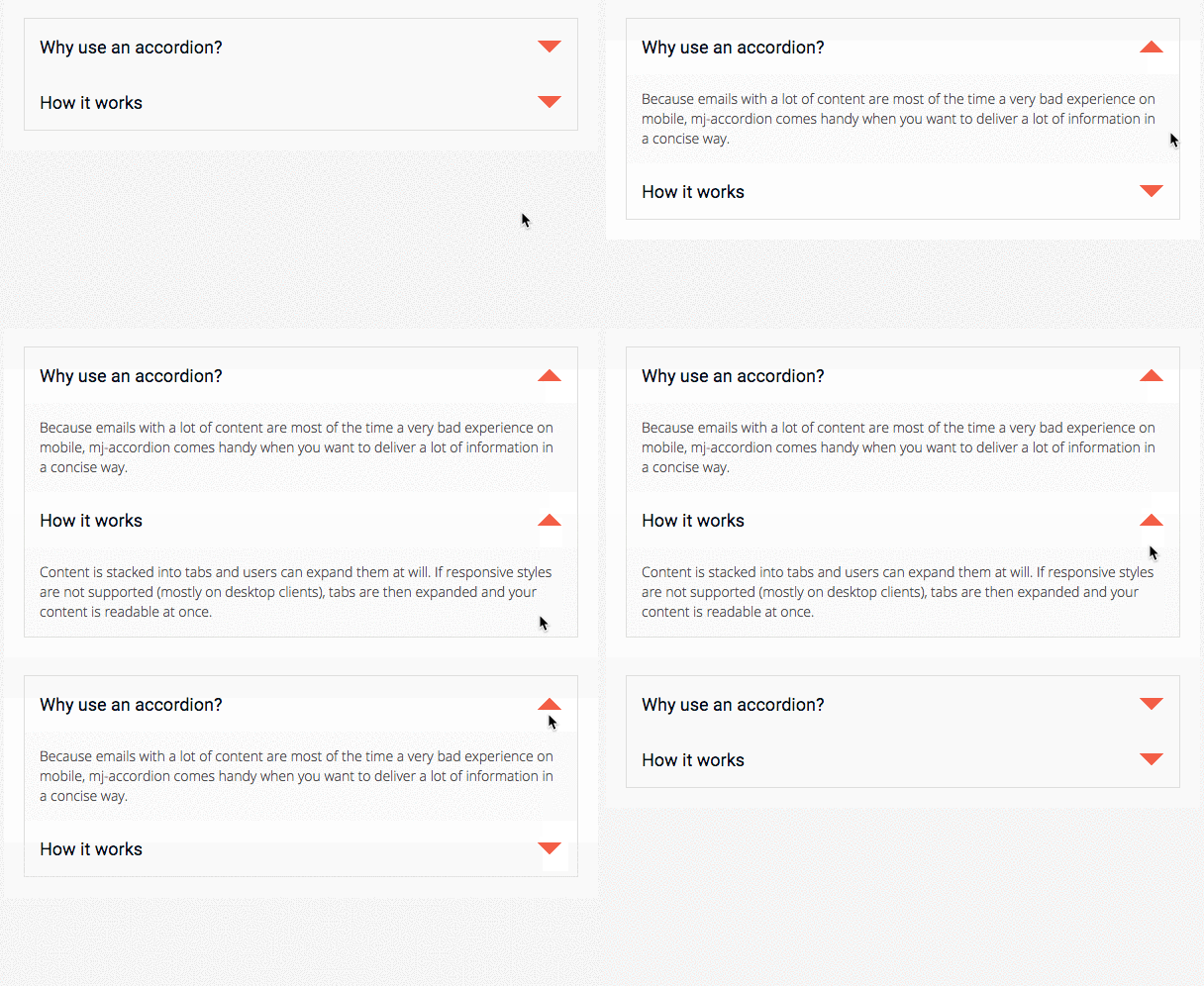
An interactive MJML component that stacks content in tabs, so the information is collapsed and only the titles are visible.
Readers can interact by clicking on the tabs to reveal the content, providing a better experience for mobile users by reducing the amount of scrolling.
Note
mj-accordion-text and mj-accordion-title are "ending tags", which means that they can contain HTML code but they cannot contain other MJML components.
#### mj-accordion-element
Creates an accordion title/text pair. An accordion can have any number of these pairs.
Note
Inheritance applies for attributes supported in both mj-accordion and
mj-accordion-element except where the latter overrides.
##### Attributes
| attribute | accepts | description | default value |
| ------------------ | ----------------------- | ----------------------------------------------------------------------------------------- | ------------- |
| background-color | CSS color formats | background color | |
| border | string | CSS border format. affects each horizontal border in the accordion except the top one | |
| css-class | string | class name, added to the root HTML element created | |
| font-family | string | font | |
| icon-align | `top` `middle` `bottom` | icon alignment | |
| icon-height | `px` `%` | icon width | `32px` |
| icon-position | `left` `right` | postion of icon | |
| icon-unwrapped-alt | string | alt text when accordion is unwrapped | |
| icon-unwrapped-url | string | icon when accordion is unwrapped | |
| icon-width | `px` `%` | icon height | `32px` |
| icon-wrapped-alt | string | alt text when accordion is wrapped | |
| icon-wrapped-url | string | icon when accordion is wrapped | |
#### mj-accordion-title
Displays the title in a title/text pair.
##### Attributes
| attribute | accepts | description | default value |
| ---------------- | ----------------- | ---------------------------------------------------- | ------------- |
| background-color | CSS color formats | background color | |
| color | CSS color formats | text color | |
| css-class | string | class name, added to the root HTML element created | |
| font-family | string | font family | |
| font-size | `px` | font size | `13px` |
| font-weight | string | text thickness | |
| padding | `px` `%` | accordion title padding, supports up to 4 parameters | `16px` |
| padding-bottom | `px` `%` | accordion title bottom padding | |
| padding-left | `px` `%` | accordion title left padding | |
| padding-right | `px` `%` | accordion title right padding | |
| padding-top | `px` `%` | accordion title top padding | |
#### mj-accordion-text
Displays the text in a title/text pair.
##### Attributes
| attribute | accepts | description | default value |
| ---------------- | ----------------- | --------------------------------------------------- | ------------- |
| background-color | CSS color formats | background color | |
| color | CSS color formats | text color | |
| css-class | string | class name, added to the root HTML element created | |
| font-family | string | font family | |
| font-size | `px` | font size | `13px` |
| font-weight | string | text thickness | |
| letter-spacing | `px` `em` | letter spacing | |
| line-height | `px` `%` | space between the lines | `1` |
| padding | `px` `%` | accordion text padding, supports up to 4 parameters | `16px` |
| padding-bottom | `px` `%` | accordion text bottom padding | |
| padding-left | `px` `%` | accordion text left padding | |
| padding-right | `px` `%` | accordion text right padding | |
| padding-top | `px` `%` | accordion text top padding | |
---
### Overview (`packages/mjml-body/README.md`)
### mj-body
This is the starting point of your email. To aid accessibility, MJML automatically adds a `div` tag as the child of the body, with the following ARIA attributes `role="article"`, `aria-roledescription="email"` and `aria-label="EMAIL NAME"`, where 'EMAIL NAME' is taken from the content of the `mj-title` tag. The `lang` and `dir` attributes are also added here, with values taken from the `mjml` tag.
```xml
```
#### Attributes
| attribute | accepts | description | default value |
| ------------------- | ----------------- | ----------------------------------------------------- | ------------- |
| background-color | CSS color formats | the general background color | |
| css-class | string | class, added to the `body` tag in the generated HTML. | |
| id | string | id, added to the `body` tag in the generated HTML | |
| width | `px` | email width | `600px` |
---
### Overview (`packages/mjml-browser/README.md`)
## MJML Browser build
This package allows MJML to be used client-side.
### Usage
It can be used as the regular mjml package :
```javascript
var mjml2html = require('mjml-browser')
var result = mjml2html(mjml, options)
```
### Unavailable features
- `mj-include` tags are unavailable and will be ignored.
- features involving the `.mjmlconfig` file are unavailable, which means no custom components.
---
### Overview (`packages/mjml-button/README.md`)
### mj-button
Displays a customizable button.
Important
The mj-button won't be fully clickable because of client support.
See discussion at
Issue #359.
```xml
Don't click me!
```
Note
mj-button is an "ending tag", which means that it can contain HTML code but it cannot contain other MJML components.
---
### Overview (`packages/mjml-carousel/README.md`)
### mj-carousel
Displays a gallery of images or "carousel". Readers can interact by hovering and clicking on thumbnails depending on the email client they use.
```xml
```
#### Attributes
| attribute | accepts | description | default value |
| -------------------------- | ------------------------------ | ------------------------------------------------------ | --------------------------------- |
| align | `left` `center` `right` | horizontal alignment | `center` |
| border-radius | string | border radius | `6px` |
| container-background-color | CSS color formats | column background color | |
| css-class | string | class name, added to the root HTML element created | |
| icon-width | `px` `%` | width of the icons on left and right of the main image | `44px` |
| left-icon | string | icon on the left of the main image | `https://i.imgur.com/xTh3hln.png` |
| padding | `px` `%` | carousel padding, supports up to 4 parameters | |
| padding-bottom | `px` `%` | carousel bottom padding | |
| padding-left | `px` `%` | carousel left padding | |
| padding-right | `px` `%` | carousel right padding | |
| padding-top | `px` `%` | carousel top padding | |
| right-icon | string | icon on the right of the main image | `https://i.imgur.com/os7o9kz.png` |
| tb-border | string | border of the thumbnails in CSS border format | `2px solid transparent` |
| tb-border-radius | string | border-radius of the thumbnails | `6px` |
| tb-hover-border-color | CSS color formats | border color of the hovered thumbnail | `#fead0d` |
| tb-selected-border-color | CSS color formats | border color of the selected thumbnail | `#ccc` |
| tb-width | `px` `%` | thumbnail width | |
| thumbnails | `visible` `hidden` `supported` | display the thumbnails | `hidden` |
#### Attributes
| attribute | accepts | description | default value |
| ---------------- | -------- | -------------------------------------------------- | ------------- |
| alt | string | image description | `''` |
| border-radius | string | border radius of the main image | |
| css-class | string | class name, added to the root HTML element created | |
| href | string | link to redirect to on click, URL format | |
| rel | string | specify the rel attribute | |
| src | string | URL format | |
| target | string | link target on click | `_blank` |
| tb-border | string | CSS border format | |
| tb-border-radius | string | border radius of the thumbnail | |
| thumbnails-src | string | specify a different thumbnail image in URL format | |
| title | string | tooltip & accessibility | |
---
### Overview (`packages/mjml-cli/README.md`)
## mjml-cli
# Installation
We recommend installing and using MJML locally, in a project folder where you'll use MJML:
```bash
npm install mjml
```
In the folder where you installed MJML you can now run:
```bash
./node_modules/.bin/mjml input.mjml
```
To avoid typing `./node_modules/.bin/`, add it to your PATH:
```bash
export PATH="$PATH:./node_modules/.bin"
```
You can now run MJML directly, in that folder:
```bash
mjml input.mjml
```
MJML is written with [NodeJS](https://nodejs.org/en/)
You can download and install the MJML engine from [NPM](https://www.npmjs.com).
# Command Line Interface
In addition to the translation engine, which converts MJML to email HTML, we've bundled a Command Line Interface (CLI) helping you to achieve the basic features it offers and integrate it seamlessly in your development flow.
### Render MJML to HTML
```bash
mjml input.mjml
```
It will output a HTML file called `input.html`.
Input can also be a directory.
### Migrate MJML3 to MJML4
```bash
$> mjml -m input.mjml -o result.mjml
```
It will output a MJML file called `result.mjml`.
### Validate MJML
```bash
$> mjml -v input.mjml
```
It will log validation errors. If there are errors, exits with code 1. Otherwise, exits with code 0.
### Render and redirect the result to stdout
```bash
mjml -s input.mjml
# or
mjml --stdout input.mjml
```
### Render and redirect the result to a file
```bash
mjml input.mjml -o my-email.html
# or
mjml input.mjml --output my-email.html
```
You can output the resulting email responsive HTML in a file.
If the output file does not exist it will be created, but output directories must already exist.
If output is a directory, output file(s) will be `output/input-file-name.html`
### Set the validation mode
```bash
mjml -l skip -r input.mjml
```
Accepted values are
- 'normal' : *(default)* will display validation messages but compile anyway
- 'skip' : the file is rendered without being validated
- 'strict' : will throw an error if validation fails
### Watch changes on a file
```bash
mjml -w input.mjml
# or
mjml --watch input.mjml
```
If you like live-coding, you might want to use the `-w` option that enables you to re-render your file every time you save it.
It can be time-saving when you can just split you screen and see the HTML output modified when you modify your MJML.
Of course, the `-w` option can be used with an `--output` option too.
### Available options
```bash
mjml input.mjml --config.optionName value
# or
mjml input.mjml -c.optionName value
```
All the options that can be passed to mjml2html (see general documentation) can be provided. The most common ones are detailed below.
### Minify and beautify the output HTML
```bash
$> mjml input.mjml --config.beautify true --config.minify false
```
These are the default options.
### Change minify options
```bash
$> mjml input.mjml --config.minifyOptions='{"minifyCss": true, "removeEmptyAttributes": false}'
```
Defaults when minify is enabled (htmlnano):
- collapseWhitespace: true
- minifyCss: 'lite' (if not provided)
- removeEmptyAttributes: true
- removeComments: 'safe'
- minifyJs: false
See htmlnano documentation for more options, and cssnano for `minifyCss` presets/options.
Compatibility note:
- The CSS minifier is configured via `minifyCss`. For backward compatibility, `minifyCSS` is still accepted and mapped internally:
- `{"minifyCSS": false}` → disables CSS minification
- `{"minifyCSS": true}` → enables CSS minification with the `'lite'` preset
- To customize string quotation, pass a cssnano option, for example:
- `--config.minifyOptions '{"minifyCss":{"preset":["default", {"normalizeString":{"preferredQuote":"single"}}]}}'`
### Sanitize template variables in CSS
When your MJML contains template variables inside `` or inline `style="..."`, enable sanitization so CSS minification (PostCSS/cssnano) doesn't parse your template tokens:
```bash
$> mjml input.mjml --config.sanitizeStyles true --config.minify true
```
Alternatively, keep HTML minification but skip CSS minification entirely:
```bash
$> mjml input.mjml --config.minify true --config.minifyOptions='{"minifyCss": false}'
```
### Allow mixed template syntaxes
By default, mixing block tokens and CSS tokens in the same document is disallowed to avoid subtle parsing issues. Opt in with:
```bash
$> mjml input.mjml --config.sanitizeStyles true --config.minify true --config.allowMixedSyntax true
```
### Specify template syntax delimiters
You can provide one or more template syntaxes via JSON. Each entry is an object with `prefix` and `suffix`:
```bash
$> mjml input.mjml \
--config.sanitizeStyles true \
--config.templateSyntax='[{"prefix":"[[","suffix":"]]"},{"prefix":"{{","suffix":"}}"}]'
```
This is equivalent to setting the same `templateSyntax` array in `.mjmlconfig.js` or passing it programmatically.
### Change juice options (library used for inlining mj-style css)
```bash
$> mjml input.mjml --config.juiceOptions='{"preserveImportant": true}'
```
The defaults are "applyStyleTags": false, "insertPreservedExtraCss": false, "removeStyleTags": false
See juice documentation for more available options
### Preserve specific tags when using inline mj-style
```bash
$> mjml input.mjml --config.juicePreserveTags='{"myTag": { "start": "<#", "end": "` the css will be inlined using the juice library. As a side effect, juice will convert all tags' attributes into lower case. If you need to preserve some cases (i.e. for a templating lib) you can specify the tags to preserve. With the example above, all tags of the form `<# myVar="" >` or `` will be left untouched. By default juice already ignores `<% EJS %>` and `{{ HBS }}` tags.
### Override base path for mj-include relative paths
```bash
$> mjml ./my-project/input.mjml --config.filePath ./my-partials/
```
If you like to keep your partials together and you want to be able to mj-include them without having to change the relative path of the includes depending on the compiled file path, you can use this option. In this exemple, `` will include `./my-partials/header.mjml`, ignoring the actual path of `input.mjml`.
### Allow includes (opt-in)
By default, includes are ignored for security (`ignoreIncludes: true`). Enable them during local development with `--config.allowIncludes true`:
```bash
$> mjml input.mjml --config.allowIncludes true
```
When enabled, include paths are restricted to the directory of the input file and its subdirectories. Absolute paths and paths escaping the project directory are denied.
### Allowlist include directories
If your includes live outside the template folder (e.g., a sibling `_common` directory), you can explicitly allow additional roots with `includePath`. Paths are resolved relative to `--config.filePath` when provided.
```bash
# Allow includes and declare two additional roots (JSON array)
$> mjml template.mjml \
--config.filePath /project/templates/newsletter \
--config.allowIncludes true \
--config.includePath '["../_common","../vendor"]'
# Or provide absolute paths
$> mjml template.mjml \
--config.filePath /project/templates/newsletter \
--config.allowIncludes true \
--config.includePath '["/project/templates/_common","/project/vendor"]'
```
Notes:
- `includePath` accepts a string or a JSON array of paths.
- Allowed roots are the `filePath` directory plus any `includePath` entries; absolute paths outside these roots and parent-directory escapes remain denied.
- Relative `includePath` entries are resolved against the working directory from which the CLI is invoked (`process.cwd()`), not against `filePath` or the template file's directory.
Security notes:
- Includes are ignored by default (`ignoreIncludes: true`). Enable explicitly only when needed.
- Paths are fully URL-decoded before validation (handles double/triple encoding).
- Early rejects: absolute paths, UNC paths (`//server/...` or `\\server\\...`), Windows drive letters (`C:\...`), and null bytes (`%00`).
- Canonical checks: we resolve and follow symlinks and verify the target stays inside `filePath` or `includePath` roots.
- Allowed file types: `mjml`, `css`, and `html` via ``; other extensions are not supported.
### Best practices for shared partials
- If templates reference partials relative to a shared base (e.g., `./_common/header.mjml`), set `--config.filePath` to that base.
- If templates use relative paths to siblings (e.g., `../_common/header.mjml`), keep paths as-is and use `--config.includePath` to allowlist the sibling directories.
- Always run with `--config.allowIncludes true` when developing locally; production defaults should keep includes ignored unless explicitly needed.
### Log error stack
```bash
$> mjml input.mjml --config.stack true
```
---
### Overview (`packages/mjml-column/README.md`)
### mj-column
Columns enable you to organize the content of your sections into distinct columns which stack when viewed on a mobile device.
They must be located within `mj-section` tags in order to be considered by the engine.
Caution
The sum of columns in a section cannot be greater than
the width of the parent mj-section (or 100%).
Every single column has to contain something because they are responsive containers, and will be vertically stacked on a mobile view. Any standard component, or component that you have defined and registered, can be placed within a column – except `mj-column` or `mj-section` elements.
```xml
```
Caution
Columns are used as a container for your content and should not be used to offset. Any MJML component included in a column will have a width equivalent to 100% of this column's width.
Caution
Neither the mj-column or mj-section tags can be nested in an mj-column tag
#### Attributes
| attribute | accepts | description | default attributes |
| ---------------------- | ----------------------- | ---------------------------------------------------------------------------------------- | ---------------------------------------------- |
| background-color | CSS color formats | background color for a column | |
| border | string | CSS border format | |
| border-bottom | string | CSS border format | |
| border-left | string | CSS border format | |
| border-radius | string | border radius | |
| border-right | string | CSS border format | |
| border-top | string | CSS border format | |
| css-class | string | class name, added to the root HTML element created | |
| direction | `ltr` `rtl` | set the display order of direct children | `ltr` |
| inner-background-color | CSS color formats | inner background color for column; requires a padding | |
| inner-border | string | CSS border; requires a padding format | |
| inner-border-bottom | string | CSS border format; requires a padding | |
| inner-border-left | string | CSS border format; requires a padding | |
| inner-border-radius | string | border radius ; requires a padding | |
| inner-border-right | string | CSS border format; requires a padding | |
| inner-border-top | string | CSS border format; requires a padding | |
| padding | `px` `%` | column padding, supports up to 4 parameters | |
| padding-bottom | `px` `%` | column bottom padding | |
| padding-left | `px` `%` | column left padding | |
| padding-right | `px` `%` | column right padding | |
| padding-top | `px` `%` | column top padding | |
| width | `px` `%` | column width | (100 / number of non-raw elements in section)% |
| vertical-align | `top` `middle` `bottom` | vertical alignment. Note: `middle` only applies when all `mj-column` instances use it | `top` |
---
### Overview (`packages/mjml-group/README.md`)
### mj-group
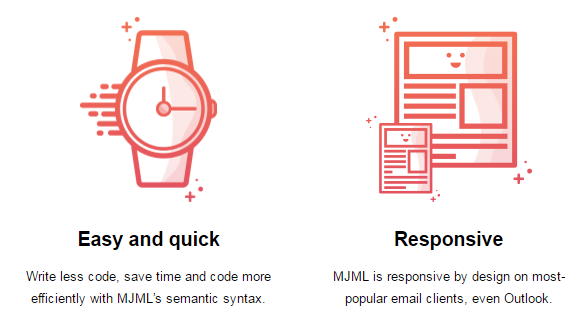
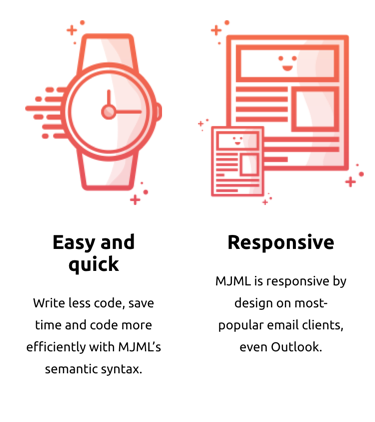
Prevent adjacent `mj-column` instances from stacking on mobile by wrapping them inside an `mj-group` tag, keeping them side by side on mobile.
DesktopMobile
```xml
Easy and quick
Write less code, save time and code more efficiently with MJML’s semantic syntax.
Responsive
MJML is responsive by design on most-popular email clients, even Outlook.
```
Important
Column inside a group must have a width in percentage, not in pixel.
Note
You can nest both mj-column and mj-group inside a mj-section.
#### Attributes
| attribute | accepts | description | default attributes |
| ---------------- | ----------------- | -------------------------------------------------- | ---------------------------------------------- |
| background-color | CSS color formats | background color for a group | |
| css-class | string | class name, added to the root HTML element created | |
| direction | `ltr` `rtl` | set the display order of direct children | `ltr` |
| vertical-align | string | CSS values, e.g. `middle` `top` `bottom` | |
| width | `px` `%` | group width | (100 / number of non-raw elements in section)% |
---
### Overview (`packages/mjml-head-attributes/README.md`)
### mj-attributes
Inside the `mj-attributes` tag, you can cite other MJML components, like `mj-text` for example, to override the default settings for that component.
An `mj-all` tag is like the above, but affects all MJML components.
An `mj-class` tag creates a named group of MJML attributes you can apply to MJML
components using `mj-class=""`.
```xml
Hello World!
```
Important
MJML will apply found attributes in the following order:
inline attributes within tags,
attributes found in tags within the mj-attributes tag, e.g. mj-text,
---
### Overview (`packages/mjml-head-breakpoint/README.md`)
### mj-breakpoint
Allows you to control at what width the layout should change from the desktop/mobile view to the desktop one.
```xml
Hello World!
```
#### Attributes
| attribute | accepts | description | default value |
| --------- | ------- | ------------------ | ------------- |
| width | `px` | breakpoint's value | |
---
### Overview (`packages/mjml-head-font/README.md`)
### mj-font
Imports external fonts and is only applied if the template uses the font.
The `href` attribute should point to a hosted CSS file that contains a `@font-face` declaration, for example: [https://fonts
.googleapis.com/css?family=Raleway](https://fonts.googleapis.com/css?family=Raleway)
```xml
Hello World!
```
#### Attributes
| attribute | accepts | description | default value |
| --------- | ------- | ------------------------ | ------------- |
| href | string | URL of a hosted CSS file | |
| name | string | name of the font | |
---
### Overview (`packages/mjml-head-html-attributes/README.md`)
### mj-html-attributes
Allows you to add custom attributes on any HTML tag within the generated HTML, using CSS selectors.
It's not needed for most email creations, but can be useful in some cases, e.g. editable templates.
```xml
42
Hello World!
```
In the generated HTML, an `mj-text` tag becomes a `td` tag with a child `div` tag.
In this example, the `td` tag will have the `class="custom"` attribute. Using the css selector `path=".custom div"`, the `div` inside the `td` will get the attribute `data-id="42"`.
To use this component, you will likely have to look at the generated HTML to see exactly where the `css-class` is applied, to know which CSS selector you need to add your custom attribute to.
You can use multiple `mj-selector` tags inside a `mj-html-attributes` tag, and multiple `mj-html-attribute` tags inside a `mj-selector` tag.
Caution
mj-html-attributes re-parses the generated HTML internally. Template tags that look like HTML or XML (for example EJS <%= value %>) can be altered or broken during that pass. Prefer running your templating engine after MJML rendering, or avoid combining those tags with mj-html-attributes.
---
### Overview (`packages/mjml-head-preview/README.md`)
### mj-preview
This tag allows you to set the preview text that will be displayed in the inbox of the recipient.
```xml
Hello MJML
Hello World!
```
`mj-preview` doesn't support any attributes.
---
### Overview (`packages/mjml-head-style/README.md`)
### mj-style
Allows you to set CSS styles that will be applied to your MJML document as well as the outputted HTML.
The CSS styles will be added to the `head` tag of the rendered HTML by default, but can also be inlined by using the `inline="inline"` attribute.
Here is an example showing its use in combination with the `css-class` attribute, which is supported by all body components.
```xml
.blue-text div {
color: blue !important;
}
.red-text div {
color: red !important;
text-decoration: underline !important;
}
I'm red and underlinedI'm blue because of inlineI'm green
```
Tip
MJML generates multiple HTML tags from a single MJML tag. For optimal flexibility, the css-class will be applied to the most outer HTML tag, therefore if you want to target a specific child tag with a CSS selector, you may need to look at the generated HTML to determine the exact selector you need.
#### Attributes
| attribute | accepts | description | default value |
| --------- | ------- | -------------------------------- | ------------- |
| inline | string | set to `inline` to inline styles | |
---
### Overview (`packages/mjml-head-title/README.md`)
### mj-title
Defines the document's title by populating the title tag. This can be shown in the browsers title bar in some cases.
Its content is also used to populate the value of the `aria-label` attribute located in the immediate child `div` of the `body` tag, which is used to aid accessibility.
```xml
Hello MJML
Hello World!
```
---
### Overview (`packages/mjml-hero/README.md`)
### mj-hero
Displays a hero image and behaves like an `mj-section` tag with a single `mj-column` tag.
The `background-height` and `background-width` attributes are mandatory and it's best to use an image with width the same as the `mj-body` (`width="600px"` by default) and height the same or larger than the `height` of `mj-hero`.
Use `background-color` to provide a fallback color in case an email client doesn't support `background-url`.
Note
The height attribute is only required for mode="fixed-height".
Fixed height
```xml
GO TO SPACE
ORDER YOUR TICKET NOW
```
Fluid height
```xml
GO TO SPACE
ORDER YOUR TICKET NOW
```
#### Attributes
| attribute | accepts | description | default value |
| ---------------------- | ----------------------- | ------------------------------------------------------------------ | ----------------------------- |
| background-color | CSS color formats | hero background color | #ffffff |
| background-height | `px` `%` | height of the image used, mandatory | |
| background-position | string | CSS values, i.e. `left` `center` `right` + `top` `center` `bottom` | `center center` |
| background-url | string | absolute background in URL format | `null` |
| background-width | `px` `%` | width of the image used, mandatory | inherits parent element width |
| border-radius | string | border radius | |
| css-class | string | class name, added to the root HTML element created | |
| height | `px` `%` | hero section height, (required for `fixed-height` mode) | `0px` |
| inner-background-color | CSS color formats | content background color | |
| inner-padding | `px` `%` | hero inner padding, supports up to 4 parameters | |
| inner-padding-bottom | `px` `%` | hero bottom inner padding | |
| inner-padding-left | `px` `%` | hero left inner padding | |
| inner-padding-right | `px` `%` | hero right inner padding | |
| inner-padding-top | `px` `%` | hero top inner padding | |
| mode | string | `fluid-height` or `fixed-height` | `fluid-height` |
| padding | `px` `%` | hero padding, supports up to 4 parameters | `0px` |
| padding-bottom | `px` `%` | hero bottom padding | `null` |
| padding-left | `px` `%` | hero left padding | `null` |
| padding-right | `px` `%` | hero right padding | `null` |
| padding-top | `px` `%` | hero top padding | `null` |
| vertical-align | `top` `middle` `bottom` | content vertical alignment | `top` |
---
### Overview (`packages/mjml-image/README.md`)
### mj-image
Displays a responsive image in your email. It is similar to the HTML `` tag.
Note that if no width is provided, the image will use the parent column width.
```xml
```
#### Attributes
| attribute | accepts | description | default value |
| -------------------------- | ----------------------- | ------------------------------------------------------------------------------- | --------------------- |
| align | `left` `center` `right` | image alignment | `center` |
| alt | string | image description | `''` |
| border | string | CSS border format | `0` |
| border-bottom | string | CSS border format | |
| border-left | string | CSS border format | |
| border-radius | string | border radius | |
| border-right | string | CSS border format | |
| border-top | string | CSS border format | |
| container-background-color | CSS color formats | inner element background color | |
| css-class | string | class name, added to the root HTML element created | |
| fluid-on-mobile | boolean | if `true`, will be full width on mobile even if `width` is set | |
| font-size | `px` | size of the alt text when image is not rendered | `13px` |
| height | `px` | image height | `auto` |
| href | string | link to redirect to on click, in URL format | |
| max-height | `px` `%` | specify the maximum height of an image | |
| name | string | specify the link name attribute | |
| padding | `px` `%` | hero padding, supports up to 4 parameters | `10px 25px` |
| padding-bottom | `px` `%` | hero bottom padding | |
| padding-left | `px` `%` | hero left padding | |
| padding-right | `px` `%` | hero right padding | |
| padding-top | `px` `%` | hero top padding | |
| rel | string | specify the rel attribute | |
| sizes | string | set width based on query | |
| src | string | image source in URL format | |
| srcset | string | enables to set a different image source based on the viewport, using CSS syntax | |
| target | string | link target on click | `_blank` |
| title | string | tooltip & accessibility | |
| usemap | string | reference to image map, be careful, it isn't supported everywhere | |
| width | `px` | image width | inherits parent width |
---
### Overview (`packages/mjml-navbar/README.md`)
### mj-navbar
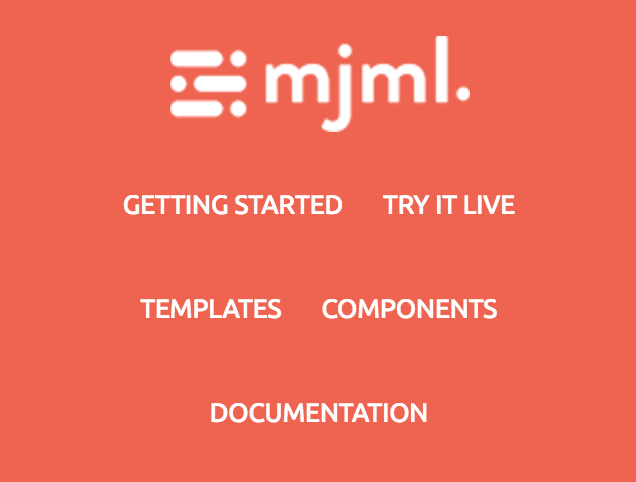
Displays a navigation menu with an optional `hamburger` mode for mobile devices.
```xml
Getting startedTry it liveTemplatesComponents
```
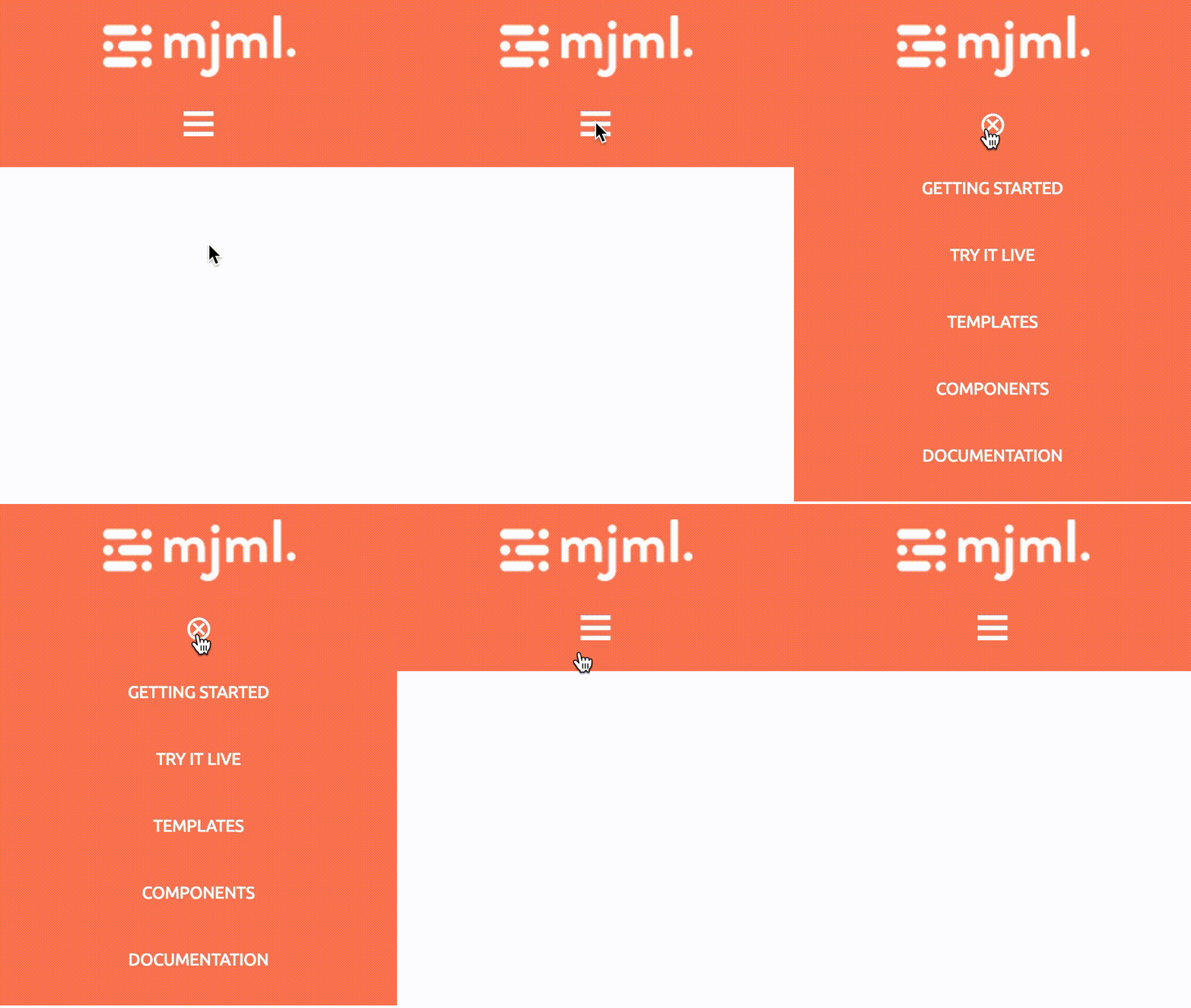
Standard DesktopStandard MobileMode hamburger enabled:
Note
The hamburger feature works only on Apple Mail clients, when the width is below the specified (or default) breakpoint. For other email clients, the links are displayed inline and the hamburger icon is not visible.
Note
All attributes prefixed with ico- help to customize the hamburger icon, hence they only work with the hamburger mode enabled.
#### Attributes
| attribute | accepts | description | default value |
| ------------------- | ----------------------------- | ----------------------------------------------------------------------------------------------------------------------- | -------------------------------------- |
| align | `left` `center` `right` | align content | `center` |
| base-url | string | base URL for child components | `null` |
| css-class | string | class name, added to the root HTML element created | |
| hamburger | string | activate the hamburger navigation on mobile if the value is hamburger | `null` |
| ico-align | `left` `center` `right` | hamburger icon alignment (`hamburger="hamburger"` required) | `center` |
| ico-close | string | char code for a custom close icon, e.g. ASCII code decimal (`hamburger="hamburger"` required) | `⊗` |
| ico-color | CSS color formats | hamburger icon color (`hamburger="hamburger"` required) | `#000000` |
| ico-font-family | string | hamburger icon font (`hamburger="hamburger"` required) | `Ubuntu, Helvetica, Arial, sans-serif` |
| ico-font-size | `px` `%` | hamburger icon size (`hamburger="hamburger"` required) | `30px` |
| ico-line-height | `px` `%` | hamburger icon line height (`hamburger="hamburger"` required) | `30px` |
| ico-open | string | char code for a custom open icon, e.g. ASCII code decimal (`hamburger="hamburger"` required) | `☰` |
| ico-padding | `px` `%` | hamburger icon padding, supports up to 4 parameters (`hamburger="hamburger"` required) | `10px` |
| ico-padding-bottom | `px` `%` | hamburger icon bottom padding (`hamburger="hamburger"` required) | |
| ico-padding-left | `px` `%` | hamburger icon left padding (`hamburger="hamburger"` required) | |
| ico-padding-right | `px` `%` | hamburger icon right padding (`hamburger="hamburger"` required) | |
| ico-padding-top | `px` `%` | hamburger icon top padding (`hamburger="hamburger"` required) | |
| ico-text-decoration | string | hamburger icon text decoration e.g. `none` `underline` `overline` `line-through` (`hamburger="hamburger"` required) | `none` |
| ico-text-transform | string | hamburger icon text transformation `none` `capitalize` `uppercase` `lowercase` (`hamburger="hamburger"` required) | `uppercase` |
| padding | `px` `%` | navbar padding, supports up to 4 parameters | |
| padding-bottom | `px` `%` | navbar bottom padding | |
| padding-left | `px` `%` | navbar left padding | |
| padding-right | `px` `%` | navbar right padding | |
| padding-top | `px` `%` | navbar top padding | |
#### Attributes
| attribute | accepts | description | default value |
| --------------- | ----------------- | ------------------------------------------------------------ | -------------------------------------- |
| color | CSS color formats | text color | `#000000` |
| css-class | string | class name, added to the root HTML element created | |
| font-family | string | font | `Ubuntu, Helvetica, Arial, sans-serif` |
| font-size | `px` | text size | `13px` |
| font-style | string | CSS values, i.e. `normal` `italic` `oblique` | |
| font-weight | string | text thickness | |
| href | string | link to redirect to on click, in URL format | |
| letter-spacing | `px` `em` | letter-spacing | |
| line-height | `px` `%` | space between the lines | `22px` |
| name | string | specify the link name attribute | |
| padding | `px` `%` | navbar link padding, supports up to 4 parameters | `15px 10px` |
| padding-bottom | `px` `%` | bottom padding | |
| padding-left | `px` `%` | left padding | |
| padding-right | `px` `%` | right padding | |
| padding-top | `px` `%` | top padding | |
| rel | string | specify the rel attribute | |
| target | string | link target on click | |
| text-decoration | string | CSS values, i.e. `underline` `overline` `none` | `none` |
| text-transform | string | CSS values, i.e. `capitalize` `uppercase` `lowercase` `none` | `uppercase` |
---
### Overview (`packages/mjml-preset-core/README.md`)
## mjml-preset-core
### Installation
```bash
npm install --save mjml-preset-core
```
This is the set of mjml components bundled together for simple setup.
### Usage
```javascript
import mjml2html from 'mjml-core'
import presetCore from 'mjml-preset-core'
async function example() {
const result = await mjml2html(`code`, { presets: [presetCore] })
console.log(result)
}
example()
```
---
### Overview (`packages/mjml-raw/README.md`)
### mj-raw
Displays raw HTML that is not parsed by the MJML engine. Anything left inside this tag should be raw, responsive HTML. If placed inside the `mj-head` tag, its content will be added at the end of the HTML `` tag.
```xml
```
You can tell the minifier to ignore some content by wrapping it between two `` tags.
You can use `mj-raw` to add a templating language. Note that if you and use the `minify` option, you might get a `Parsing error`, especially when using the `<` character. These can be ignored by using the `` tags.
```xml
{% if foo < 5 %}
{% endif %}
```
Note
mj-raw is an "ending tag", which means that it can contain HTML code but it cannot contain other MJML components.
You can also use `mj-raw` to add text at the beginning of the generated html, before the `` line. For this you need to:
- add the `mj-raw` tag inside the `mjml` tag, outside of the `mj-head` and `mj-body` tags.
- add the `position="file-start"` attribute to the `mj-raw` tag:
Note that if you put multiple lines in this `mj-raw` and use the minify option, these lines will be joined into a single line by the minifier. These can be ignored by using the `` tags.
```xml
This will be added at the beginning of the file
```
---
### Overview (`packages/mjml-section/README.md`)
### mj-section
Sections are rows within your email. They will be used to structure the layout.
```xml
```
The `full-width` attribute will be used to manage the background width. Setting it will change the width of the section from the default 600px to 100%.
Note
To invert the order in which columns display in the desktop view, first setup your columns in the order you want them to appear stacked in the mobile view and then add direction="rtl" to the mj-section tag.
Caution
mj-section tags cannot nest in other mj-section tags
Important
Limitations of background-imagebackground-size and background-position in Outlook desktop :
If background-size is not specified, no-repeat will be ignored in Outlook.
If the specified background-size is a single attribute in percent, the height will be auto as in standard CSS. In Outlook, the image will never overflow the element, it will shrink instead of being cropped similar to other clients.
#### Attributes
| attribute | accepts | description | default value |
| --------------------- | ----------------------- | ------------------------------------------------------------------------------------------------------ | ------------- |
| background-color | CSS color formats | section color | |
| background-position | string | CSS values, i.e. `left` `center` `right` + `top` `center` `bottom` (see outlook limitations below) | `top center` |
| background-position-x | string | CSS values, i.e. `left` `center` `right` (see outlook limitations below) | |
| background-position-y | string | CSS values, i.e. `top` `center` `bottom` (see outlook limitations below) | |
| background-repeat | `repeat` `no-repeat` | set the background image to repeat | |
| background-size | string | CSS values e.g. `auto` `cover` `contain` `px` `%` size | `auto` |
| background-url | string | background image, in URL format | |
| border | string | CSS border format | |
| border-bottom | string | CSS border format | |
| border-left | string | CSS border format | |
| border-radius | string | border radius | |
| border-right | string | CSS border format | |
| border-top | string | CSS border format | |
| css-class | string | class name, added to the root HTML element created | |
| direction | `ltr` `rtl` | set the display order of direct children | `ltr` |
| full-width | `full-width` `false` | make the section full-width | |
| gutter | `px` `%` | sets an equal spacing between each column | |
| padding | `px` `%` | section padding, supports up to 4 parameters | `20px 0` |
| padding-bottom | `px` `%` | section bottom padding | |
| padding-left | `px` `%` | section left padding | |
| padding-right | `px` `%` | section right padding | |
| padding-top | `px` `%` | section top padding | |
| text-align | `left` `center` `right` | CSS text-align | `center` |
---
### Overview (`packages/mjml-social/README.md`)
### mj-social
Displays calls-to-action for various social networks with their associated logo. You can add multiple social networks using `mj-social-element` tags.
Caution
The mj-social-elementname attribute is a shortcut for some common social elements. You should avoid rely too much on this as those icons are hosted by Mailjet for their Email Builder. Use custom element syntax instead.
```xml
Facebook
Google
Twitter
X
```
#### Attributes
| attribute | accepts | description | default value |
| -------------------------- | ----------------------- | -------------------------------------------------- | -------------------------------------- |
| align | `left` `right` `center` | align content | `center` |
| border | string | icon border, applied to each `mj-social-element` | |
| border-radius | `px` `%` | border radius | `3px` |
| color | CSS color formats | text color | `#333333` |
| css-class | string | class name, added to the root HTML element created | |
| container-background-color | CSS color formats | inner element background color | |
| font-family | string | font name | `Ubuntu, Helvetica, Arial, sans-serif` |
| font-size | `px` | font size | `13px` |
| font-style | string | font style | normal |
| font-weight | string | font weight | normal |
| icon-height | `px` `%` | icon height, overrides `icon-size` | icon-size |
| icon-padding | `px` `%` | padding around the icons | |
| icon-size | `px` `%` | icon size (width and height) | `20px` |
| inner-padding | `px` `%` | social network surrounding padding | `null` |
| line-height | `px` `%` | space between lines | `22px` |
| mode | `horizontal` `vertical` | direction of social elements | `horizontal` |
| padding | `px` `%` | social padding, supports up to 4 parameters | `10px 25px` |
| padding-bottom | `px` `%` | bottom padding | |
| padding-left | `px` `%` | left padding | |
| padding-right | `px` `%` | right padding | |
| padding-top | `px` `%` | top padding | |
| text-padding | `px` `%` | padding around the text | |
| text-decoration | string | CSS values, e.g. `underline` `overline` `none` | `none` |
#### mj-social-element
This component enables you to display a given social network inside `mj-social`.
Note that default icons are transparent, which allows `background-color` to actually be the icon color.
Note
mj-social-element is an "ending tag", which means that it can contain HTML code but it cannot contain other MJML components.
#### Attributes
| attribute | accepts | description | default value |
| ---------------- | ----------------------- | ------------------------------------------------------------------------------- | -------------------------------------- |
| align | `left` `center` `right` | align content | `center` |
| alt | string | image alt attribute | `''` |
| background-color | CSS color formats | icon color | Each social `name` has its own default |
| border | string | icon border (CSS shorthand), applied to the `` | `0` |
| border-radius | string | border radius | `3px` |
| color | CSS color formats | text color | `#000` |
| css-class | string | class name, added to the root HTML element created | |
| font-family | string | font name | `Ubuntu, Helvetica, Arial, sans-serif` |
| font-size | `px` | font size | `13px` |
| font-style | string | font style | |
| font-weight | string | font weight | |
| href | string | button redirection, in URL format | |
| icon-height | percent/px | icon height, overrides icon-size | `icon-size` |
| icon-padding | `px` `%` | padding around the icon | |
| icon-position | `left` `right` | sets the side of the icon | |
| icon-size | `px` `%` | icon size (width and height) | |
| line-height | `px` `%` | space between lines | `1` |
| name | string | social network name, see supported list below | |
| padding | `px` `%` | social element padding, supports up to 4 parameters | `4px` |
| padding-bottom | `px` `%` | bottom padding | |
| padding-left | `px` `%` | left padding | |
| padding-right | `px` `%` | right padding | |
| padding-top | `px` `%` | top padding | |
| rel | string | specify the rel attribute for the link | |
| sizes | string | set icon width based on query | |
| src | string | image source, in URL format | Each social `name` has its own default |
| srcset | string | enables to set a different image source based on the viewport, using CSS syntax | |
| target | string | link target | `_blank` |
| text-decoration | string | CSS values, e.g. `underline` `overline` `none` | `none` |
| text-padding | `px` `%` | padding around the text | `4px 4px 4px 0` |
| title | string | image title attribute | |
| vertical-align | `top` `middle` `bottom` | vertically align elements | `middle` |
Supported networks with a share url:
- `facebook`
- `twitter`
- `x`
- `google`
- `pinterest`
- `linkedin`
- `tumblr`
- `xing`
Without a share url:
- `github`
- `instagram`
- `web`
- `snapchat`
- `youtube`
- `vimeo`
- `medium`
- `soundcloud`
- `dribbble`
When using a network with share url, the `href` attribute will be inserted in the share url (i.e. `https://www.facebook.com/sharer/sharer.php?u=[[URL]]`). To keep your `href` unchanged, add `-noshare` to the network name. Example :
`Twitter`
#### Custom Social Element
You can add any unsupported network like this:
```xml
Optional label
```
You can also use mj-social this way with no `href` attribute to make a simple list of inlined images-texts.
---
### Overview (`packages/mjml-spacer/README.md`)
### mj-spacer
Displays a blank space, that can be used to separate content.
```xml
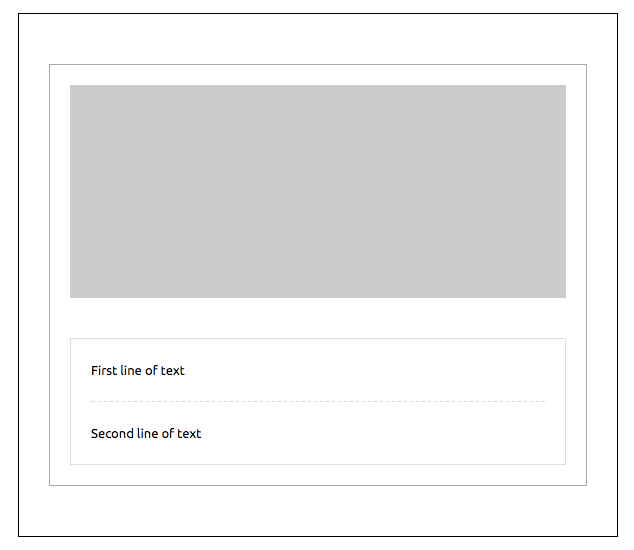
A first line of textA second line of text
```
#### Attributes
| attribute | accepts | description | default value |
| -------------------------- | ----------------- | -------------------------------------------------- | ------------- |
| container-background-color | CSS color formats | inner element background color | |
| css-class | string | class name, added to the root HTML element created | |
| height | `px` `%` | spacer height | `0px` |
| padding | `px` `%` | spacer padding, supports up to 4 parameters | |
| padding-bottom | `px` `%` | bottom padding | |
| padding-left | `px` `%` | left padding | |
| padding-right | `px` `%` | right padding | |
| padding-top | `px` `%` | top padding | |
---
### Overview (`packages/mjml-table/README.md`)
### mj-table
Display a data table. It only accepts plain HTML.
```xml
Year
Language
Inspired from
1995
PHP
C, Shell Unix
1995
JavaScript
Scheme, Self
```
Note
mj-table is an "ending tag", which means that it can contain HTML code but it cannot contain other MJML components. Therefore, it will accept any tag you would add inside an HTML table tag.
---
### Overview (`packages/mjml-validator/README.md`)
## Validating MJML
MJML provides a validation layer that helps you building your email. It can detect if you misplaced or mispelled a MJML component, or if you used any unauthorised attribute on a specific component. It supports 3 levels of validation:
- `skip`: your document is rendered without going through validation
- `soft`: your document will go through validation and is rendered, even if it has errors
- `strict`: your document is going through validation and is not rendered if it has any error
By default, the level is set to `soft`.
### In CLI
When using the `mjml` command line, you can add the option `-c.validationLevel` or `--config.validationLevel` with the validation level you want.
> Set the validation level to `skip` (so that the file is not validated) and render the file
```bash
mjml --config.validationLevel=skip template.mjml
```
Alternatively, you can validate the file without rendering by adding the `--validate` option
```bash
mjml --validate template.mjml
```
### In Javascript
In Javascript, you can provide the level through the `options` parameters on `mjml2html`:
```javascript
import mjml2html from 'mjml'
async function validate() {
const result = await mjml2html(inputMJML, { validationLevel: 'strict' })
return result
}
```
Setting to `strict` will raise a `MJMLValidationError` exception. This object has 2 methods:
- `getErrors` returns an array of objects with `line`, `message`, `tagName` as well as a `formattedMessage` which contains the `line`, `message` and `tagName` concatenated in a sentence.
- `getMessages` returns an array of `formattedMessage`.
When setting to `soft`, no exception will be raised. You can get the errors in the object returned by `mjml2html`. It is the same object returned by `getErrors` on strict mode.
---
### Overview (`packages/mjml-wrapper/README.md`)
### mj-wrapper
Enables you to wrap multiple `mj-section` tags together. It's especially useful to achieve nested layouts with shared border or background images across sections.
```xml
First line of text Second line of text
```
The `full-width` attribute will be used to manage the background width.
Setting it will change the width of the section from the default 600px to 100%.
Important
When applying full-width to mj-wrapper, any mj-section tags which are also set to full-width will default to standard width.
Caution
If you're using the background-url attribute for mj-wrapper then do not add one into a child mj-section as this is not supported for Outlook desktop
Also, if you’re using the background-color attribute for mj-wrapper and the background-url attribute on its mj-section or mj-hero children, the background-color will appear over the background-image on Outlook desktop.
#### Attributes
| attribute | accepts | description | default value |
| --------------------- | ----------------------- | ------------------------------------------------------------------------------------------------------ | ------------- |
| background-color | CSS color formats | section color | |
| background-position | string | CSS values, i.e. `left` `center` `right` + `top` `center` `bottom` (see outlook limitations below) | `top center` |
| background-position-x | string | CSS values, i.e. `left` `center` `right` (see outlook limitations below) | |
| background-position-y | string | CSS values, i.e. `top` `center` `bottom` (see outlook limitations below) | |
| background-repeat | `repeat` `no-repeat` | set the background image to repeat | |
| background-size | string | CSS values e.g. `auto` `cover` `contain` `px` `%` size | `auto` |
| background-url | string | background image, in URL format | |
| border | string | CSS border format | |
| border-bottom | string | CSS border format | |
| border-left | string | CSS border format | |
| border-radius | string | border radius | |
| border-right | string | CSS border format | |
| border-top | string | CSS border format | |
| css-class | string | class name, added to the root HTML element created | |
| full-width | `full-width` `false` | make the section full-width | |
| gap | `px` | applies a vertical gap between child `mj-section` instances | |
| padding | `px` `%` | section padding, supports up to 4 parameters | `20px 0` |
| padding-bottom | `px` `%` | section bottom padding | |
| padding-left | `px` `%` | section left padding | |
| padding-right | `px` `%` | section right padding | |
| padding-top | `px` `%` | section top padding | |
| text-align | `left` `center` `right` | CSS text-align | `center` |
---
# Introduction
**MJML** is a markup language created by [Mailjet](https://www.mailjet.com/) and designed to reduce the pain of coding a responsive email. Its semantic syntax makes the language easy and straightforward while its rich standard components library shortens your development time and lightens your email codebase. **MJML**’s open-source engine takes care of translating the **MJML** you wrote into responsive HTML.
# Installation
You can install **MJML** with NPM to use it with NodeJS or the Command Line Interface. If you're not sure what those are, head over to Usage for other ways to use **MJML**.
```bash
npm install mjml
```
# Usage
## Online
Don't want to install anything? Use the free online editor!
## Applications and plugins
**MJML** comes with tools and plugins, check out:
- [Visual Studio Code plugin](https://github.com/mjmlio/vscode-mjml) (**MJML** is included). Also available at [Visual Studio Code Marketplace](https://marketplace.visualstudio.com/items?itemName=mjmlio.vscode-mjml) and the [Open VSX Registry](https://open-vsx.org/extension/mjmlio/vscode-mjml) or in the extensions tab of the Visual Studio Code app.
- [Sublime Text plugin](https://packagecontrol.io/packages/MJML-syntax) (**MJML** needs to be installed separately)
For more tools, check the [Community](https://mjml.io/community) page.
## Command line interface
> Compiles the file and outputs the HTML generated in `output.html`
```bash
mjml input.mjml -o output.html
```
You can pass optional `arguments` to the CLI and combine them.
| argument | description | default value |
| -------------------------------- | ------------------------------------------------------ | ------------- |
| `mjml [input] -o [output]` | Writes the output to [output] | |
| `mjml [input] -s` | Writes the output to `stdout` | |
| `mjml [input] -s --noStdoutFileComment` | Writes the output to `stdout` without file comment in the first line | |
| `mjml -w [input]` | Watches the changes made to `[input]` (file or folder) | |
| `mjml [input] --config.allowIncludes` | Enables `mj-include` processing (`true` or `false`) | `false` |
| `mjml [input] --config.allowMixedSyntax` | Allows mixing block and CSS variable syntax when `sanitizeStyles` is enabled (`true` or `false`) | `false` |
| `mjml [input] --config.beautify` | Beautifies the output (`true` or `false`) | `true` |
| `mjml [input] --config.includePath` | Adds allowlisted include root(s), as a string path or JSON array of paths | |
| `mjml [input] --config.minify` | Minifies the output (`true` or `false`) | `false` |
| `mjml [input] --config.minifyOptions` | Options for HTML minifier, use `minifyCss` to control CSS minification | See [mjml-cli documentation](https://github.com/mjmlio/mjml/blob/master/packages/mjml-cli/README.md) |
| `mjml [input] --config.juicePreserveTags` | Preserve some tags when inlining CSS | See [mjml-cli documentation](https://github.com/mjmlio/mjml/blob/master/packages/mjml-cli/README.md) |
| `mjml [input] --config.mjmlConfigPath` | Path to `.mjmlconfig` file for custom components | current working directory |
| `mjml [input] --config.sanitizeStyles` | Sanitizes template variables inside CSS before minification (`true` or `false`) | `false` |
| `mjml [input] --config.useMjmlConfigOptions` | Allows to use the `options` attribute from `.mjmlconfig` file | `false` |
| `mjml [input] --config.templateSyntax` | Sets custom template delimiters as JSON array (`[{"prefix":"{{","suffix":"}}"}]`) | `[{"prefix":"{{","suffix":"}}"},{"prefix":"[[","suffix":"]]"}]` |
See [mjml-cli documentation](https://github.com/mjmlio/mjml/blob/master/packages/mjml-cli/README.md) for more information about config options.
## Inside Node.js
```javascript
import mjml2html from 'mjml'
/*
Compile an mjml string
*/
async function renderMjml() {
const htmlOutput = await mjml2html(`
Hello World!
`, options)
/*
Print the responsive HTML generated and MJML errors if any
*/
console.log(htmlOutput)
}
renderMjml()
```
You can pass optional `options` as an object to the `mjml2html` function:
| option | unit | description | default value |
| -------------------- | ------------------ | -------------------------------------------------------------------------------------------------------------------------------------------------------- | ------------------------------------------------------------------------------------------------------- |
| allowMixedSyntax | boolean | Allows mixed block/value/property template syntaxes during CSS sanitization | `false` |
| beautify | boolean | Option to beautify the HTML output | `false` |
| filePath | string | Path of file, used for relative paths in `mj-include` instances | `.` |
| fonts | object | Default fonts imported in the HTML rendered by MJML | See in [index.js](https://github.com/mjmlio/mjml/blob/master/packages/mjml-core/src/index.js) |
| ignoreIncludes | boolean | Option to ignore `mj-include` instances | `true` |
| includePath | string or string[] | Additional allowlisted include root(s), used when `ignoreIncludes` is `false` | |
| juicePreserveTags | object | Preserve some tags when inlining CSS, see [documentation](https://documentation.mjml.io/#inside-node-js) for more info | |
| keepComments | boolean | Option to keep comments in the HTML output | `true` |
| minify | boolean | Option to minify the HTML output | `false` |
| minifyOptions | object | Options for htmlnano minification (including `minifyCss`), see [documentation](https://documentation.mjml.io/#inside-node-js) for more info | |
| mjmlConfigPath | string | The path or directory of the `.mjmlconfig` file (for custom components use) | `process.cwd()` |
| preprocessors | array of functions | Preprocessors applied to the xml before parsing. Input must be xml, not json. Functions must be `(xml: string) => string` | `[]` |
| sanitizeStyles | boolean | Sanitizes template variables in CSS before minification | `false` |
| templateSyntax | array of objects | Custom template delimiters used by sanitization (`[{ prefix, suffix }]`) | `[{"prefix":"{{","suffix":"}}"},{"prefix":"[[","suffix":"]]"}]` |
| useMjmlConfigOptions | boolean | Allows to use the `options` attribute from `.mjmlconfig` file | `false` |
| validationLevel | string | Available values for the [validator](https://documentation.mjml.io/#validating-mjml): `strict`, `soft`, `skip` | `soft`. |
## Client-side (in browser)
```javascript
var mjml2html = require('mjml-browser')
/*
Compile a mjml string
*/
mjml2html(`
Hello World!
`, options).then(function (htmlOutput) {
/*
Print the responsive HTML generated and MJML errors if any
*/
console.log(htmlOutput)
})
```
## API
A free-to-use **MJML** API is available to make it easy to integrate **MJML** in your application. Head over here to [learn more about the API](https://mjml.io/api).
# MJML Slack
**MJML** wouldn't be as cool without its amazing community. Head over the [Community Slack](https://join.slack.com/t/mjml/shared_invite/zt-gqmwfwmr-kPBnfuuB7wof5httaTcXxg) to meet fellow **MJML**'ers.
---
### Doc Basic (`doc/basic.md`)
## Basic layout example
In this section, you're going to learn how to code a basic email template using MJML.
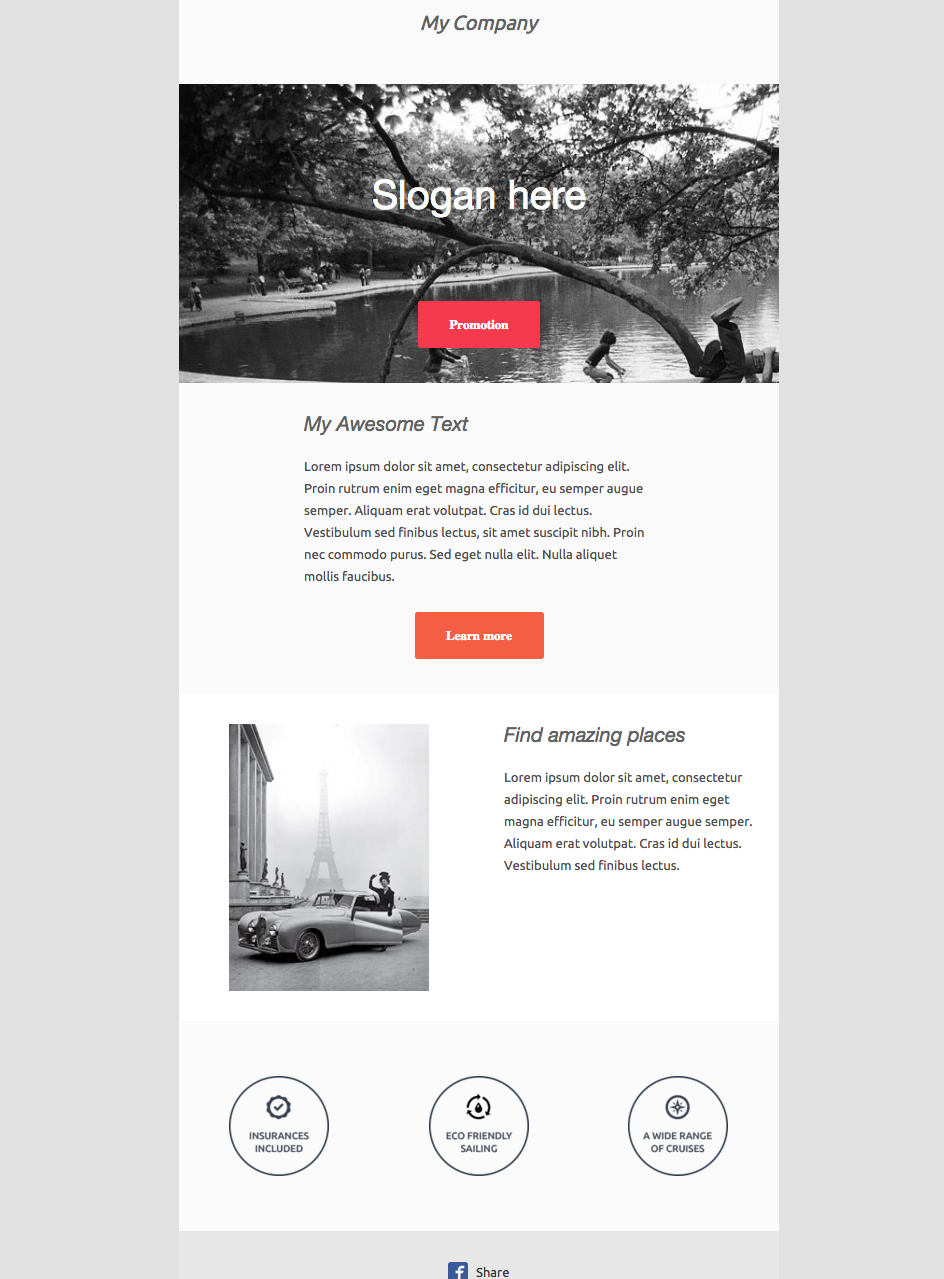
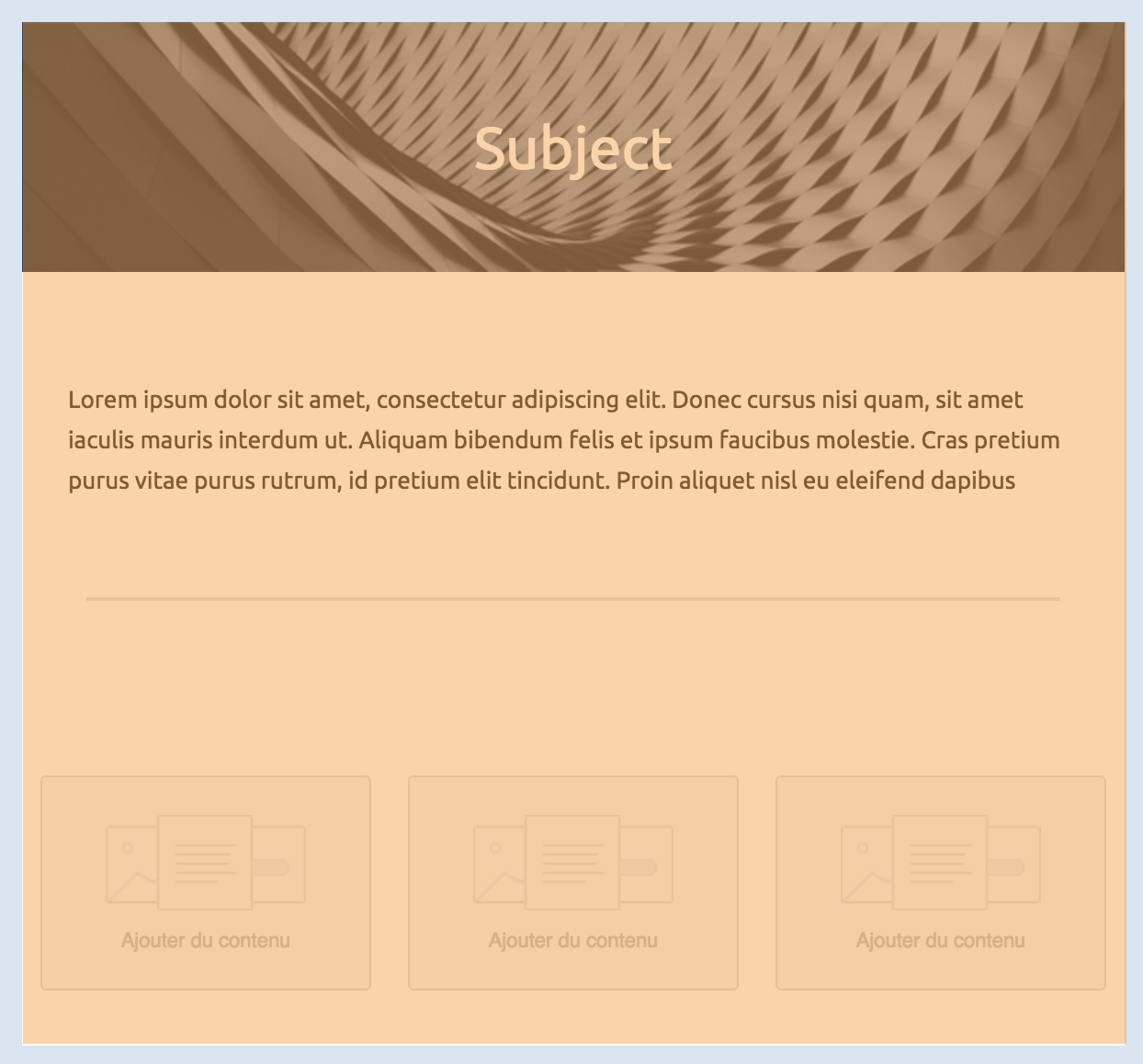
Here‘s what we’re building:
### Sections
```html
```
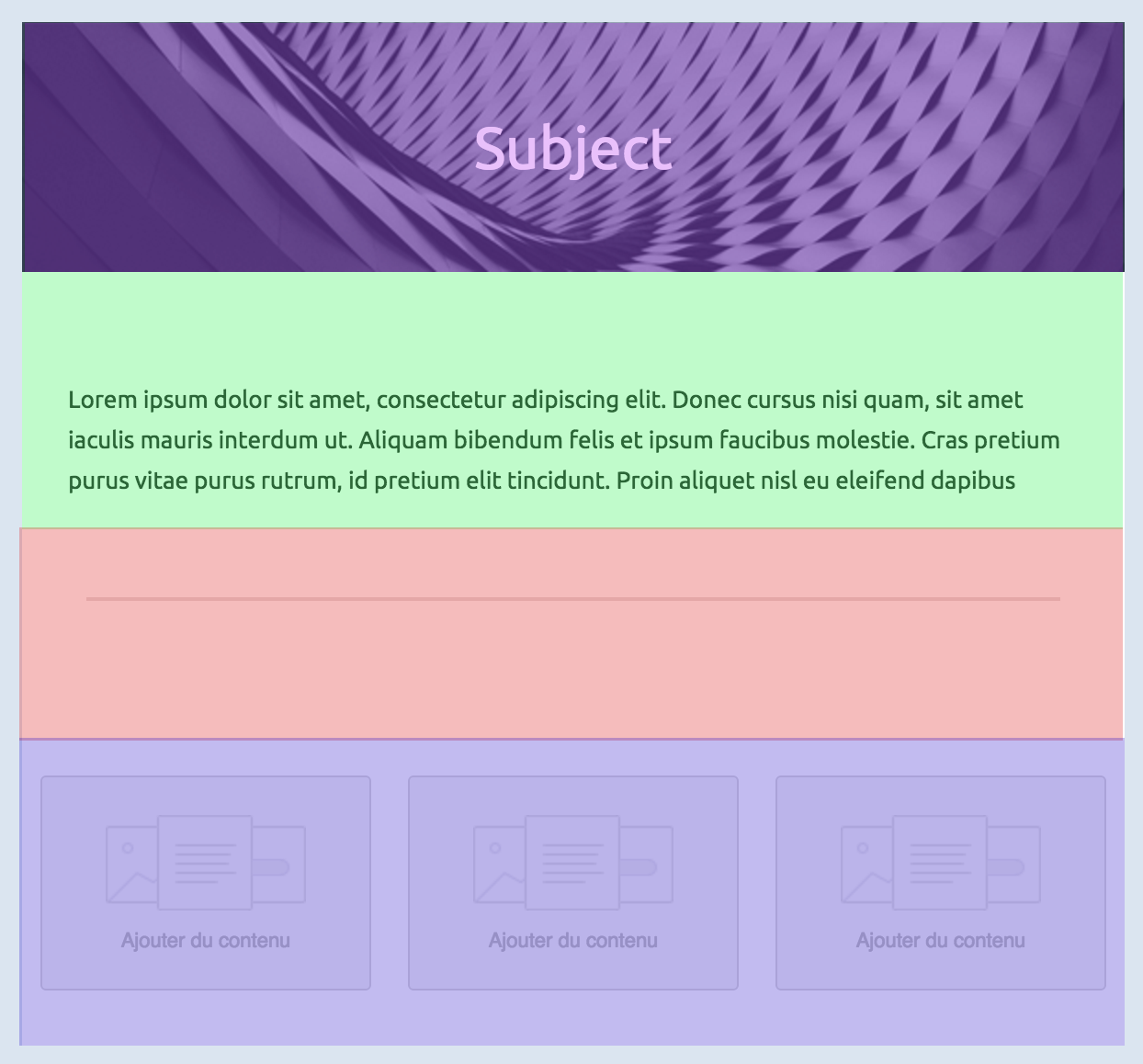
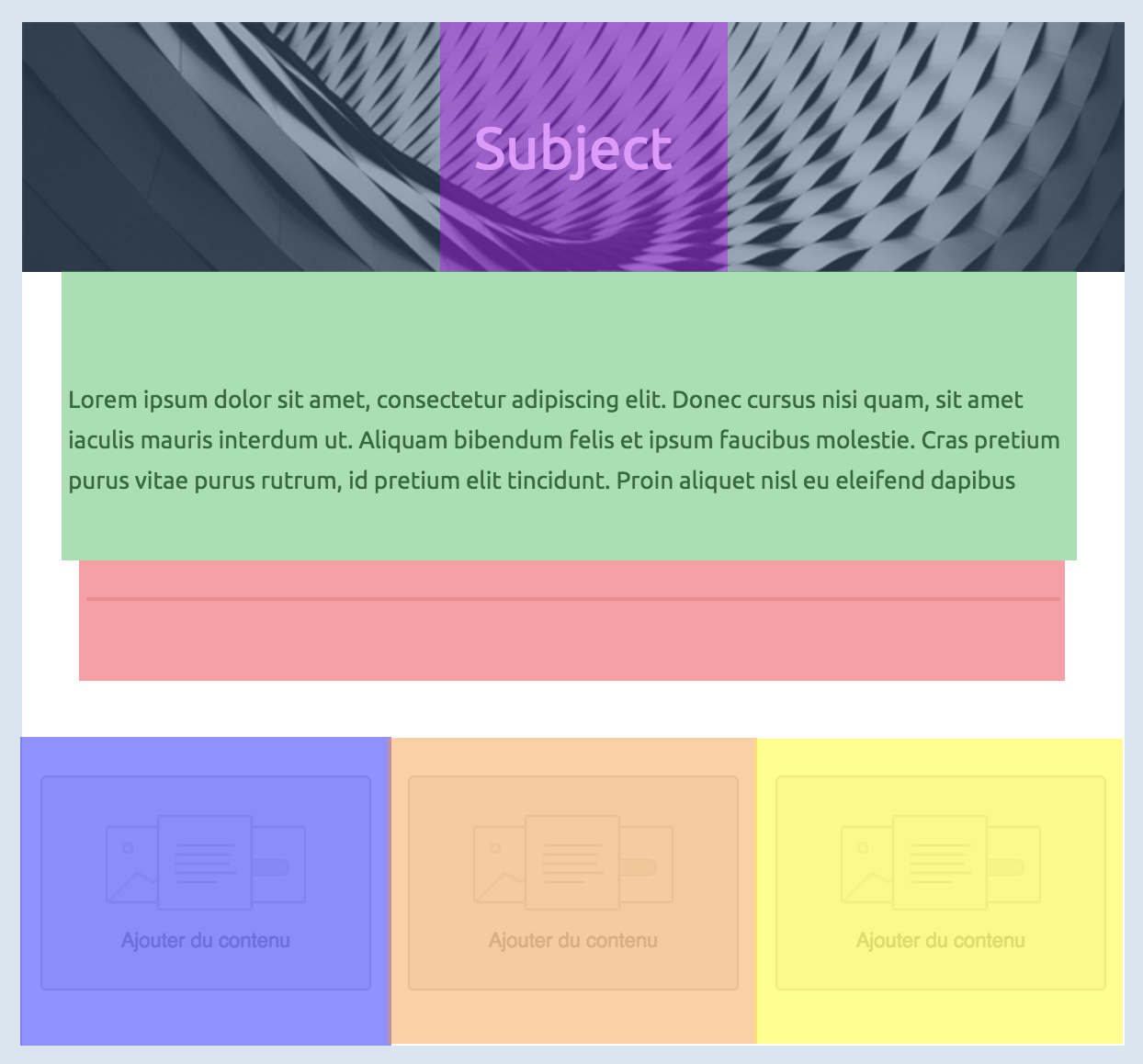
First, we’ll create the basic structure, dividing the email into six sections.
#### Company Header
```html
My Company
```
The first section of the email consists in a centered banner, containing only the company name. The following markup is the MJML representation of the layout we want to obtain.
Important
Remember everything has to be contained within the column.
#### Image Header
```html
Slogan here
Promotion
```
Next comes a section with a background image and a block of text (representing the company slogan) and a button pointing to a page listing all the company promotions.
To add the image header, you will have to replace the section's `background-color` with a `background-url`.
Similarly to the first company header, you will have to center the text.
The button `href` sets where the button links to.
In order to have the background rendered full-width in the column, set the column width to 600px with `width="600px"`.
#### Introduction Text
```html
My Awesome Text
Lorem ipsum dolor sit amet, consectetur adipiscing elit. Proin rutrum enim
eget magna efficitur, eu semper augue semper. Aliquam erat volutpat. Cras
id dui lectus. Vestibulum sed finibus lectus, sit amet suscipit nibh.
Proin nec commodo purus. Sed eget nulla elit. Nulla aliquet mollis
faucibus.
Learn more
```
The introduction text will consist of a heading, the main text and a button.
The title is a regular `mj-text` tag that can be styled as a heading.
#### 2 Columns Section
```html
Find amazing places
Lorem ipsum dolor sit amet, consectetur adipiscing elit. Proin rutrum enim
eget magna efficitur, eu semper augue semper. Aliquam erat volutpat. Cras
id dui lectus. Vestibulum sed finibus lectus.
```
This section is made up of two columns. One containing an image, the other containing text.
For the image, note that when a tag does not have any children, you can use the XML self-closing tag syntax: ``
For the text, you are going to use two `mj-text` tags like, as previously; one with a heading style, and the other one styled as regular text.
#### Icons
```html
```
This section uses a 3-column layout to display the 3 icons horizontally across the email.
#### Social Icons
```html
Share
```
MJML has an `mj-social` component as standard. Here, we're going to use `facebook` only, but there are several default social media sites to choose from, or you can add your own bespoke.
---
### Doc Body Components (`doc/body_components.md`)
## Standard Body components
Body components ease your development process by providing ready made responsive layouts that you can use to create your email template.
---
### Doc Community Components (`doc/community-components.md`)
## Community components
In addition to the standard components available in MJML, our awesome community is contributing by creating their own components.
To use a community component, proceed as follows:
- Install MJML locally with `npm install mjml` in a folder
- Install the community component with `npm install {component-name}` in the same folder
- Create a `.mjmlconfig` file in the same folder with this code:
```json
{
"packages": ["component-name/path-to-js-file"]
}
```
You can now use the component in an MJML file, for example `index.mjml`, and run MJML locally in your terminal. Ensure that you’re in the folder where you installed MJML and the community component, e.g.: `./node_modules/.bin/mjml index.mjml`.
---
### Doc Community Contributions (`doc/community-contributions.md`)
## Community Contributions
The MJML ecosystem has a dedicated community that we count to help make it grow and provide it with even more awesome tools, always aiming to make development with MJML an efficient and fun process!
Getting involved is really easy. If you want to contribute, feel free to [open an issue](https://github.com/mjmlio/mjml/issues) or [submit a pull-request](https://github.com/mjmlio/mjml/pulls)!
Here are some tools that utilise MJML:
### Mailjet
[Mailjet](https://www.mailjet.com/demo/) offers an integrated MJML workspace designed for creating, previewing, and managing email templates. Its MJML editor supports syntax highlighting, live preview, and validation, helping you move quickly while keeping your markup in good shape.
The drag-and-drop editor in Mailjet is also built on MJML, so visually created templates share the same responsive structure as those coded by hand.
When your template is ready, you can export it in MJML or HTML, or send emails directly through Mailjet.
### Parcel
[Parcel](https://parcel.io) is the code editor built for email. This feature packed tool includes syntax highlighting, Emmet, inline documentation, autocomplete, live preview, screenshots, and full MJML, CSS, and HTML validation.
Use Focus Mode to keep the preview aligned with the code you're working on, or Inspect Element to easily find the code that produces specific elements in the preview.
Export MJML to HTML with a click.
### IntelliJ IDEA Plugin - MJML Support
[IntelliJ IDEA](https://www.jetbrains.com/idea/) is an IDE developed by JetBrains. The plugin provides you with a (near) realtime preview, auto complete, inline documentation and code analysis.
It is available on the [JetBrains Marketplace](https://plugins.jetbrains.com/plugin/16418-mjml-support).
### Gradle Plugin - MJML Compilation
[Gradle](https://gradle.org/) is a build tool for a various set of languages and environments. The plugin provides an easy way to embed your MJML templates to your Java/Kotlin application in its resources in precompiled form (HTML).
It is available through the gradle plugin system [io.freefair.mjml.java](https://plugins.gradle.org/plugin/io.freefair.mjml.java) and documentation is available here [FreeFair User Guide](https://docs.freefair.io/gradle-plugins/current/reference/).
### Neos CMS
[Neos CMS](https://www.neos.io/) is a content management system that combines structured content with application. This package adds the helper for compiling MJML markup as well as some prototypes which allow you to use TailwindCSS like classes in your MJML markup.
It is available on [packagist](https://packagist.org/packages/garagist/mjml).
### Easy-email
[Easy-email](https://github.com/zalify/easy-email) drag-and-drop email editor based on MJML. Transform structured JSON data into HTML that’s compatible with major email clients.
### Email Love
The [Email Love Figma plugin](https://www.figma.com/community/plugin/1387891288648822744/email-love-html-email-builder) takes the headache out of the email development process by enabling you to export responsive, production-ready email HTML or MJML directly from Figma.
### Templatical
[Templatical](https://templatical.com) is a drag-and-drop email editor you embed in your own web app. Templates are stored as portable JSON and rendered to MJML by [@templatical/renderer](https://www.npmjs.com/package/@templatical/renderer), which you then compile to HTML with the `mjml` package. Framework-agnostic, themeable, and it can also generate templates from a coding agent via skill or MCP.
---
### Doc Components 1 (`doc/components_1.md`)
## Components
Components are the core of MJML. A component is an abstraction of a more complex responsive HTML layout. It exposes attributes, enabling you to create bespoke styling.
MJML comes out of the box with a set of standard components to help you easily build your first templates without having to reinvent the wheel.
For instance, the `mj-button` component is, on the inside, a complex HTML layout:
```html
Hello There!
```
### Which email clients/versions are supported?
For full details of component support, [please visit our support matrix](https://mjml.io/compatibility).
### mjml
An MJML document starts with an `mjml` tag. It can contain only `mj-head` and `mj-body` tags. Both have the same purpose of `head` and `body` in a HTML document.
#### Attributes
| attribute | accepts | description | default value |
| --------- | ------- | -------------------------------------------------------------------------------------------------------------------------------------------------------------------------------------------------------- | ------------- |
| owa | string | if set to `desktop`, this will force the desktop version for older (self-hosted) versions of Outlook.com that don't support media queries (cf. [this issue](https://github.com/mjmlio/mjml/issues/2241)) | `none` |
| lang | string | adds a `lang` attribute in the `html` and `body > div` tags | `und` |
| dir | string | adds a `dir` attribute in the `html` and `body > div` tags | `auto` |
### mj-head
Contains components related to the document head such as style and meta elements (see [head components](#standard-head-components)).
---
### Doc Components 2 (`doc/components_2.md`)
### mj-include
The `mjml-core` package allows you to include external `.mjml` files
to build your email template.
Important
MJML 5 — includes are disabled by default.
mj-include tags are silently ignored unless you opt in. If your included
content is missing from the output, enable includes explicitly using ignoreIncludes: false for Node.js or --config.allowIncludes true for the CLI
```xml
This is a header
```
You can wrap your external `.mjml` files inside the default `mjml > mj-body`
tags to make it easier to preview outside the main template.
```xml
```
The MJML engine will then replace your included files before starting the rendering process.
#### Other file types
You can include external `.css` files which will be inserted in the same way as using an `mj-style` tag. You need to specify that you're including a CSS file using the attribute `type="css"` attribute.
If you want the CSS to be inlined, you can use the `css-inline="inline"` attribute.
```xml
```
You can also include external `html` files. They will be inserted the same way as when using an `mj-raw` tag. You need to specify that you're including an HTML file using the attribute `type="html"`.
```xml
```
---
### Doc Config.Json (`doc/config.json`)
[
"mjml/doc/guide.md",
"mjml/doc/install.md",
"mjml/doc/getting_started.md",
"mjml/doc/basic.md",
"mjml/doc/components_1.md",
"mjml/packages/mjml-body/README.md",
"mjml/doc/components_2.md",
"mjml/doc/head_components.md",
"mjml/packages/mjml-head-attributes/README.md",
"mjml/packages/mjml-head-breakpoint/README.md",
"mjml/packages/mjml-head-font/README.md",
"mjml/packages/mjml-head-html-attributes/README.md",
"mjml/packages/mjml-head-preview/README.md",
"mjml/packages/mjml-head-style/README.md",
"mjml/packages/mjml-head-title/README.md",
"mjml/doc/body_components.md",
"mjml/packages/mjml-accordion/README.md",
"mjml/packages/mjml-button/README.md",
"mjml/packages/mjml-carousel/README.md",
"mjml/packages/mjml-column/README.md",
"mjml/packages/mjml-divider/README.md",
"mjml/packages/mjml-group/README.md",
"mjml/packages/mjml-hero/README.md",
"mjml/packages/mjml-image/README.md",
"mjml/packages/mjml-navbar/README.md",
"mjml/packages/mjml-raw/README.md",
"mjml/packages/mjml-section/README.md",
"mjml/packages/mjml-social/README.md",
"mjml/packages/mjml-spacer/README.md",
"mjml/packages/mjml-table/README.md",
"mjml/packages/mjml-text/README.md",
"mjml/packages/mjml-wrapper/README.md",
"mjml/doc/ending-tags.md",
"mjml/doc/community-components.md",
"mjml/doc/ports.md",
"mjml/doc/mjml-bar-chart.md",
"mjml/doc/mjml-chart.md",
"mjml/doc/mjml-chartjs.md",
"mjml/doc/mjml-qr-code.md",
"mjml/doc/mjml-mso-button.md",
"mjml/packages/mjml-validator/README.md",
"mjml/doc/create.md",
"mjml/doc/using_mjml_in_json.md",
"mjml/doc/tooling.md",
"mjml/doc/community-contributions.md"
]
---
### Doc Create (`doc/create.md`)
## Creating a Component
One of the great advantages of MJML is that it's component-based. Components abstract complex patterns and can easily be reused. In addition to the standard library of components, it is also possible to create your own components!
We have published [a step-by-step guide](https://medium.com/mjml-making-responsive-email-easy/tutorial-creating-your-own-component-with-mjml-4-1c0e84e97b36) that explains how to create a custom components with MJML. It will introduce you to the [boilerplate repo](https://github.com/mjmlio/mjml-component-boilerplate) hosted on Github, which provides a fast way of getting started with developing your own components.
---
### Doc Ending Tags (`doc/ending-tags.md`)
### Ending tags
Some MJML components are "ending tags". These are mostly the components that will contain text content, like `mj-text` or `mj-button`.
These components can contain both text and HTML content, which will remain unprocessed by the MJML engine. You cannot use other MJML components.
Since the content is not processed, this means that any text won't be escaped, so if you use characters that are used to define html tags in your text, like `<` or `>`, you should use the encoded characters `<` and `<`.
There can also be issues if you use the `minify` option, `mj-html-attributes` or an inline `mj-style`, because these require the HTML to be re-parsed internally. In particular, `mj-html-attributes` can rewrite template tags that resemble HTML/XML (for example EJS `<%= value %>`).
If you're just using the `minify` option, and need to use the `< >` characters, e.g for a templating language, you can also avoid this problem by wrapping the troublesome content between two `` tags.
Here is the list of all ending tags :
- `mj-accordion-text`
- `mj-accordion-title`
- `mj-button`
- `mj-navbar-link`
- `mj-raw`
- `mj-social-element`
- `mj-text`
- `mj-table`
---
### Doc Getting Started (`doc/getting_started.md`)
## Getting Started
This is a responsive email:
Like a regular HTML template, we can split this one into different parts to fit in a grid.
The body of your email, represented by the `mj-body` tag contains the entire content of your document:
From here, you can first define your sections:
Inside any section, there should be columns (even if you need only one column). Columns are what makes MJML responsive.
Below, you'll find some basic rules of MJML to keep in mind for later. We'll remind them when useful but better start learning them early on.
### Column sizing
#### Auto sizing
The default behavior of the MJML translation engine is to divide the section space (600px by default, but it can be changed with the `width` attribute on `mj-body`) in as many columns as you declare.
Note
Any MJML component included in a column will have a width equivalent to 100% of this column's width.
Let's take the following layout to illustrate this:
```html
```
Since the first section defines only 2 columns, the engine will translate that in a layout where each column takes 50% of the total space (300px each). If we add a third one, it goes down to 33%, and with a fourth one to 25%.
#### Manual sizing
You can also manually set the size of your columns, in pixels or percentage, by using the `width` attribute on `mj-column`.
Let's take the following layout to illustrate this:
```html
```
#### Section gutter
To add consistent spacing between columns, set a `gutter` on `mj-section`. The gutter is declared on the section and applies to all of its columns.
```html
```
When stacked in a single column on mobile, the gutter will display vertically between the columns.
**Note:** the gutter is automatically removed from any declared width on `mj-column`. You do not need to work the values out yourself. e.g. if you declare a `4%` gutter and two `mj-column` instances with `50%` width each then the actual displayed width of the column will be 48% with 2% gutters between the two columns.
You can use the existing `padding` attribute to set spacing between the end columns and the edges.
---
### Doc Guide (`doc/guide.md`)
---
title: API Reference
language_tabs:
- html: MJML
toc_footers:
- Fork me on Github
- Submit an Issue
search: true
---
# MJML Guide
MJML (Mailjet Markup Language) is a markup language designed to reduce the pain of coding a responsive email.
Its semantic syntax makes it easy and straightforward whilst its rich standard components library speeds up your development time and lightens your email codebase.
MJML’s open-source engine generates high quality responsive HTML compliant with best practices.
## Overview
MJML rolls up all of what Mailjet has learned about HTML email design and abstracts the whole layer of complexity related to responsive email design.
Get your speed and productivity boosted with MJML’s semantic syntax. Say goodbye to endless HTML table nesting or email client specific CSS. Building a responsive email is super easy with tags such as `` and ``.
MJML has been designed with responsiveness in mind. The abstraction it offers guarantee that you will always be up-to-date with the industry practices.
Email clients update their specs and requirements regularly, but we geek about that stuff - we’ll stay on top of it so you can spend less time reading up on latest email client updates and more time designing beautiful emails.
```html
Hello World
```
---
### Doc Head Components (`doc/head_components.md`)
## Standard Head components
Head components ease your development process, for example, enabling you to import fonts, define default styles or create classes for MJML components.
---
### Doc Install (`doc/install.md`)
## Installation
You can [install MJML](https://www.npmjs.com/package/mjml) with NPM to use it with NodeJS or the Command Line Interface. If you're not sure what those are,
[head over to Usage](#usage) for other ways to use MJML.
```bash
npm install mjml
```
## Development
To work on MJML, make changes and create pull requests, [download and
install yarn](https://yarnpkg.com/lang/en/docs/install/) for easy development.
```bash
git clone https://github.com/mjmlio/mjml.git && cd mjml
yarn
yarn build
```
You can also run `yarn build:watch` to rebuild the package as you code.
## Usage
### Online
Don't want to install anything? [Use the free online editor](https://mjml.io/try-it-live)!
### Applications and plugins
MJML comes with an ecosystem of tools and plugins, check out:
- [Visual Studio Code plugin](https://github.com/mjmlio/vscode-mjml) (**MJML** is included). Also available at [Visual Studio Code Marketplace](https://marketplace.visualstudio.com/items?itemName=mjmlio.vscode-mjml) and the [Open VSX Registry](https://open-vsx.org/extension/mjmlio/vscode-mjml) or in the extensions tab of the Visual Studio Code app.
- [Sublime Text plugin](https://packagecontrol.io/packages/MJML-syntax) (MJML needs to be installed separately)
For more information, [check the Tooling section](#tooling).
For more tools, [check the Community page](https://mjml.io/community).
### Command line interface
> Compiles the file and outputs the HTML generated in `output.html`
```bash
mjml input.mjml -o output.html
```
You can pass optional `arguments` to the CLI and combine them.
| argument | description | default value |
| ------------------------------------------------------- | ---------------------------------------------------------------------------------------------------------------------------------------------------------------------------------------------------------------------------------- | ---------------------------------------------------------------------------------- |
| `mjml [input] -o [output]` | Writes the output to [output] | |
| `mjml [input] -s` | Writes the output to `stdout` | |
| `mjml [input] -s --noStdoutFileComment` | Writes the output to `stdout` without an comment containing the source file in the first line | the outputs first line contains the file in the format `` |
| `mjml -w [input]` | Watches the changes made to `[input]` (file or folder) | |
| `mjml [input] --config.allowIncludes` | Enables `mj-include` processing (`true` or `false`) | `false` |
| `mjml [input] --config.allowMixedSyntax` | Allow mixing block tokens (e.g. `{%...%}`) with CSS tokens (e.g. `color: {{...}}`) in the same document | `false` |
| `mjml [input] --config.beautify` | Beautifies the output (`true` or `false`) | `true` |
| `mjml [input] --config.filePath` | Sets the base directory for resolving `mj-include` paths and scoping the include sandbox. Relative paths in `--config.includePath` are resolved from this directory. Useful with `--stdin` when there is no input file on disk. | _directory of the input file_ |
| `mjml [input] --config.includePath` | Adds allowlisted include root(s), as a string path or JSON array of paths. Relative paths are resolved from the CLI working directory. | |
| `mjml [input] --config.juicePreserveTags` | Preserve some tags when inlining css, see [mjml-cli documentation](https://github.com/mjmlio/mjml/blob/master/packages/mjml-cli/README.md) for more info | |
| `mjml [input] --config.minify` | Minifies the output (`true` or `false`) | `false` |
| `mjml [input] --config.minifyOptions` | Options for HTML minifier. Use `minifyCss` to control CSS minification (legacy: `minifyCSS` is still accepted). See [mjml-cli documentation](https://github.com/mjmlio/mjml/blob/master/packages/mjml-cli/README.md) for more info | |
| `mjml [input] --config.mjmlConfigPath [mjmlconfigPath]` | Uses the `.mjmlconfig` file in the specified path or directory to include custom components | _The `.mjmlconfig` file in the current working directory, if any_ |
| `mjml [input] --config.sanitizeStyles` | Optional setting when using templating syntax to sanitize the input to PostCSS preventing (`true` or `false`) errors | `false` |
| `mjml [input] --config.stack` | Prints the full error stack trace on compilation errors (`true` or `false`) | `false` |
| `mjml [input] --config.templateSyntax` | JSON array of `{ prefix, suffix }` objects to declare templating delimiters (used by sanitization and restore) | |
| `mjml [input] --config.useMjmlConfigOptions` | Allows to use the `options` attribute from `.mjmlconfig` file | `false` |
| `mjml [input] --config.validationLevel` | [Validation level](https://github.com/mjmlio/mjml/tree/master/packages/mjml-validator#validating-mjml): `strict`, `soft` or `skip` | `soft` |
#### Minify options compatibility
CSS minification is controlled via `minifyCss`. For backward compatibility, the legacy `minifyCSS` key is still accepted and mapped internally:
- Disable CSS minification:
```bash
mjml input.mjml -o output.html --config.minify true --config.minifyOptions '{"minifyCss": false}'
# legacy:
mjml input.mjml -o output.html --config.minify true --config.minifyOptions '{"minifyCSS": false}'
```
- Enable CSS minification with presets or options:
```bash
# lite preset
mjml input.mjml -o output.html --config.minify true --config.minifyOptions '{"minifyCss": "lite"}'
# legacy equivalent (maps to lite)
mjml input.mjml -o output.html --config.minify true --config.minifyOptions '{"minifyCSS": true}'
# default preset with single quotes for strings
mjml input.mjml -o output.html --config.minify true --config.minifyOptions '{"minifyCss": {"preset":["default", {"normalizeString":{"preferredQuote":"single"}}]}}'
```
### Inside Node.js
```javascript
import mjml2html from 'mjml'
/*
Compile an mjml string
*/
async function renderMjml() {
const htmlOutput = await mjml2html(
`
Hello World!
`,
options,
)
/*
Print the responsive HTML generated and MJML errors if any
*/
console.log(htmlOutput)
}
renderMjml()
```
You can pass optional `options` as an object to the `mjml2html` function:
| option | accepts | description | default value |
| -------------------- | -------------------------- | ------------------------------------------------------------------------------------------------------------------------------------------------------ | --------------------------------------------------------------------------------------------------------------------------------------------------------------------------------------------------------------------------------------------------------------------------------------------------------------------------------------------------------------------------------- |
| allowMixedSyntax | boolean | Allow mixing block tokens and CSS tokens within the same document when sanitizing/minifying CSS | `false` |
| beautify | boolean | Option to beautify the HTML output | `false` |
| filePath | string | Path of the input file or a base directory; determines the default include sandbox (includes are allowed only under this directory when enabled) | '.' |
| ignoreIncludes | boolean | Option to ignore `mj-include` instances | `true` |
| includePath | string or array of strings | One or more explicit directories where includes are allowed, in addition to `filePath`. Paths outside these directories are denied. | |
| fonts | object | Default fonts imported in the HTML rendered by MJML | See in [index.js](https://github.com/mjmlio/mjml/blob/master/packages/mjml-core/src/index.js) |
| juicePreserveTags | object | Optional setting when inlining CSS, see [mjml-cli documentation](https://github.com/mjmlio/mjml/blob/master/packages/mjml-cli/README.md) for more info | |
| keepComments | boolean | Option to keep comments in the HTML output | `true` |
| minify | boolean | Option to minify the HTML output | `false` |
| minifyOptions | object | Options for HTML minifier, see [mjml-cli documentation](https://github.com/mjmlio/mjml/blob/master/packages/mjml-cli/README.md) for more info | `{"collapseWhitespace": true, "minifyCss": "lite", "removeEmptyAttributes": true}`
`minifyCss` can be `false`, `lite`, `default`, or a cssnano preset object, for example `minifyCss: { preset: ['default', { normalizeString: { preferredQuote: 'single' } }] }` |
| mjmlConfigPath | string | The path or directory of the [`.mjmlconfig` file](#community-components) | `process.cwd()` |
| preprocessors | array of functions | Preprocessors applied to the xml before parsing. Functions must be `(xml: string) => string` | `[]` |
| sanitizeStyles | boolean | Optional setting when using templating syntax to sanitize the input to PostCSS preventing errors | `false` |
| templateSyntax | array of objects | When `sanitizeStyles` is `true`, you can pass optional syntax e.g. `templateSyntax: [{ prefix: '{{', suffix: '}}' }, { prefix: '{=', suffix: '=}' }]` | `[{"prefix":"{{","suffix":"}}"},{"prefix":"[[","suffix":"]]"}]` |
| useMjmlConfigOptions | boolean | Allows to use the `options` attribute from `.mjmlconfig` file | `false` |
| validationLevel | string | Available values for the [validator](https://github.com/mjmlio/mjml/tree/master/packages/mjml-validator#validating-mjml): `strict` `soft` `skip` | `soft` |
#### Include path examples
Includes are ignored by default for security (`ignoreIncludes: true`). Enable them explicitly and scope allowed folders with `includePath`.
CLI example:
```bash
$> mjml template.mjml \
--config.filePath /project/templates/newsletter \
--config.allowIncludes true \
--config.includePath '["../_common","../vendor"]'
```
- Single include directory
```js
import mjml2html from 'mjml'
async function compileOne(source) {
const { html, errors } = await mjml2html(source, {
ignoreIncludes: false,
filePath: '/project/templates/campaignA/email1.mjml',
includePath: '/project/templates/_common',
})
}
```
- Multiple include directories
```js
async function compileMany(source) {
const { html, errors } = await mjml2html(source, {
ignoreIncludes: false,
filePath: '/project/templates/campaignA/email1.mjml',
includePath: ['/project/templates/_common', '/project/templates/_footers'],
})
}
```
#### Security notes:
- Includes are ignored by default (`ignoreIncludes: true`). Enable explicitly and scope allowed folders with `includePath`.
- Paths are fully URL-decoded before validation (handles double/triple encoding like `%252F`).
- **Early rejects:** absolute paths, UNC-style paths (`//server/...` or `\\server\\...`), Windows drive letters (`C:\...`), and null bytes (`%00`).
- **Canonical boundary checks:** we resolve and follow symlinks and require the target to stay inside `filePath` or any `includePath` roots.
### Best practices for shared partials
- Project templates root: Set `filePath` to your templates root and write includes relative to that base (e.g., `./_common/header.mjml`). Simple setup; templates must use base-relative paths.
- Explicit allowlist: Keep template-relative paths (e.g., `../_common/header.mjml`) and declare `includePath` with sibling/shared folders. No template changes; supports multiple shared roots.
- Security: Only files under `filePath` and `includePath` are allowed. Absolute paths outside these roots and `..` escapes are denied.
### API
A free-to-use MJML API is available to make it easy to integrate MJML in your application. Head
over here to [learn more about the API](https://mjml.io/api).
---
### Doc Mjml Bar Chart (`doc/mjml-bar-chart.md`)
### mj-bar-chart
An open-source component that allows you to create fully embedded static bar charts in your MJML templates.
These bar charts are easily customizable, 100% built with HTML tables, and do not require any external dependencies.
The package is available on [GitHub](https://github.com/Freezystem/mjml-bar-chart) and [NPM](https://www.npmjs.com/package/@freezystem/mjml-bar-chart).
You can also render as stacked bars, add a link to your sources, vertically align labels, and much more:
This component is lightweight, written with TypeScript, and is thoroughly tested.
It is available as UMD (CJS + AMD), ESM and TS module format.
---
### Doc Mjml Chart (`doc/mjml-chart.md`)
### mj-chart
Displays charts as images in your email.
Thanks to [image-charts](https://image-charts.com/) for their contribution with this component. It's available on [Github](https://github.com/image-charts/mjml-charts) and [NPM](https://www.npmjs.com/package/mjml-chart).
---
### Doc Mjml Chartjs (`doc/mjml-chartjs.md`)
### mj-chartjs
Displays [Chart.js](https://www.chartjs.org/) charts as images in your email. Chart.js is an open-source Javascript charting library.
It’s available on [Github](https://github.com/typpo/mjml-chartjs) and [NPM](https://www.npmjs.com/package/mjml-chartjs). By default, it uses the open-source [QuickChart](https://quickchart.io/) API for chart rendering.
---
### Doc Mjml Mso Button (`doc/mjml-mso-button.md`)
### mjml-msobutton
A button that uses the [VML](https://docs.microsoft.com/en-us/windows/win32/vml/shape-element--vml) solution for radius, which is supported in Outlook desktop
It uses the same attributes as the standard `mj-button` but includes three additional ones:
| attribute | accepts | description | default value |
| ---------- | ------- | ------------------------------ | ------------- |
| mso-proof | boolean | Active the bulletproof mode | `false` |
| mso-width | `px` | The width of the VML solution | `200px` |
| mso-height | `px` | The height of the VML solution | `40px` |
These new attributes allow MJML to generate a “bulletproof button“ which incorporates radius, stroke and alignment, [using this method](https://buttons.cm/),
It's available on [Github](https://github.com/adrien-zinger/mjml-mso-button) and [NPM](https://www.npmjs.com/package/mjml-msobutton).
**Usage**
Use it like a standard `mj-button`:
```html
Click !
```
**Problems that you should know**
1. This cannot be used with an image in background
2. It creates a duplication of code in the HTML
3. The width and the height cannot be used with the auto value.
> Sample project on github [here](https://github.com/adrien-zinger/mjml-msobutton-sample)
---
### Doc Mjml Qr Code (`doc/mjml-qr-code.md`)
### mj-qr-code
Displays QR codes in your email. It's available on [Github](https://github.com/typpo/mjml-qr-code) and [NPM](https://www.npmjs.com/package/mjml-qr-code).
By default, it uses the open-source QuickChart [QR code API](https://quickchart.io/).
---
### Doc Ports (`doc/ports.md`)
## Ports and Language Bindings
MJML is also available for other platforms to use. The community has created ports to these and wrappers for the official Node implementation.
Note: These contributions are not directly supported by the MJML team.
### Rust: MRML
This project is a reimplementation of the nice MJML markup language in Rust.
[https://github.com/jdrouet/mrml](https://github.com/jdrouet/mrml)
#### Missing implementations / components:
- `mj-style set to inline`: not yet implemented. It requires parsing the generated HTML to apply the inline styles afterward (that's how it's done in MJML) which would kill the performance. Applying it at render time would improve the performance but it would still require it to parse the CSS.
### .NET: MJML.NET
A blazingly-fast unofficial port of MJML 4 to .NET 6.
[https://github.com/SebastianStehle/mjml-net](https://github.com/SebastianStehle/mjml-net)
### Elixir: MJML (Rust NIFs for Elixir)
Native Implemented Function (NIF) bindings for the MJML Rust implementation (mrml).
[https://github.com/adoptoposs/mjml_nif](https://github.com/adoptoposs/mjml_nif)
### Ruby: Emjay
A pure-Ruby MJML parser and processor based on Nokogiri, with feature parity for MJML 5.4. Comes with a builtin ActionMailer interceptor for rendering Rails emails.
[https://github.com/julik/emjay](https://github.com/julik/emjay)
### Ruby: MRML Ruby
Ruby wrapper for MRML, the MJML markup language implementation in Rust.
[https://github.com/hardpixel/mrml-ruby](https://github.com/hardpixel/mrml-ruby)
### React: mjml-react
React components for MJML components.
[https://github.com/faire/mjml-react#readme](https://github.com/faire/mjml-react#readme)
### Python: mjml-python
Python wrapper for MRML, the MJML markup language implementation in Rust.
[https://github.com/mgd020/mjml-python](https://github.com/mgd020/mjml-python)
### Python: mjml-python
Python implementation for MJML.
[https://github.com/FelixSchwarz/mjml-python](https://github.com/FelixSchwarz/mjml-python)
### Python / Django: django-mjml
The simplest way to use MJML in Django templates.
[https://github.com/liminspace/django-mjml](https://github.com/liminspace/django-mjml)
### PHP / Laravel: Laravel MJML
Build responsive e-mails easily using MJML and Laravel Mailables.
- [https://github.com/EvanSchleret/lara-mjml](https://github.com/EvanSchleret/lara-mjml)
- [https://github.com/asahasrabuddhe/laravel-mjml](https://github.com/asahasrabuddhe/laravel-mjml) (not maintained)
---
### Doc Tooling (`doc/tooling.md`)
## Tooling
In order to provide you with the best and most efficient experience using MJML, we've developed some tools to integrate it seamlessly into your development workflow:
### Visual Studio Code
[Visual Studio Code](https://code.visualstudio.com/) is a free code editor made by [Microsoft](https://www.microsoft.com/). We recommend this package as it is among the most feature-rich MJML plugins for code editors; with live previews, syntax highlighting and linting, as well as export features including HTML and screenshots.
It is available [on Github](https://github.com/mjmlio/vscode-mjml) and through the [Visual Studio Marketplace](https://marketplace.visualstudio.com/items?itemName=mjmlio.vscode-mjml).
### Sublime Text
[Sublime Text](https://www.sublimetext.com/) is a powerful text editor. We’ve provided you with a package to color MJML tags.
It is available [on Github](https://github.com/mjmlio/mjml-syntax) and through the [Sublime Package Control](https://packagecontrol.io/packages/MJML-syntax).
### Gulp
[Gulp](https://gulpjs.com/) is a tool designed to help you automate and enhance your workflow. Our plugin enables you to plug the MJML translation engine into your workflow, helping you to streamline your development workflow.
It is available here on [Github](https://github.com/mjmlio/gulp-mjml).
## Template Tokens in CSS
MJML can safely minify and beautify HTML and CSS while preserving template tokens embedded in CSS. This is useful when your templating system (Liquid, Handlebars, etc.) injects dynamic values into style attributes or `