# Technical Documentation: maboloshi/github-chinese

> ℹ️ **Provenance:** Multi-Tier Ingestion · [CodeWiki Reference](https://codewiki.google/github.com/maboloshi/github-chinese)

### Overview (`README.md`)

<div align="center"><a name="readme-top"></a>

# [GitHub 中文化插件][github-project-link]

> 让 GitHub 界面全面中文化 | 源自 [52cik/github-hans](https://github.com/52cik/github-hans)

**简体中文** · [繁體中文](./README_zh-TW.md) · [反馈问题][github-issues-link]


[![GitHub stars][github-stars-shield]][github-stars-link]
[![GitHub forks][github-forks-shield]][github-forks-link]
[![GitHub issues][github-issues-shield]][github-issues-link]
[![license GPL-3.0][github-license-shield]][github-license-link]
[![GreasyFork installs][greasyFork-shield]][greasyFork-link]


<a href="https://hellogithub.com/repository/738d0abae49543f18d887a7e29ec9e90" target="_blank">
  <picture>
    <source media="(prefers-color-scheme: dark)" srcset="https://api.hellogithub.com/v1/widgets/recommend.svg?rid=738d0abae49543f18d887a7e29ec9e90&claim_uid=zepvSg6Vwl4EqMr&theme=dark" />
    <source media="(prefers-color-scheme: light)" srcset="https://api.hellogithub.com/v1/widgets/recommend.svg?rid=738d0abae49543f18d887a7e29ec9e90&claim_uid=zepvSg6Vwl4EqMr&theme=neutral" />
    <img alt="Featured｜HelloGitHub" src="https://api.hellogithub.com/v1/widgets/recommend.svg?rid=738d0abae49543f18d887a7e29ec9e90&claim_uid=zepvSg6Vwl4EqMr&theme=neutral" style="width: 250px; height: 54px;" />
  </picture>
</a>

</div>

> [!warning]
> 本项目从未发布至 GitCode，如您发现请截图并保留证据

<details>
<summary><kbd>目录树</kbd></summary>

#### TOC
- [🌟 功能特性](#-功能特性)
- [🌐 兼容环境](#-兼容环境)
- [💻 安装指南](#-安装指南)
    - [浏览器（Tampermonkey）](#浏览器tampermonkey)
    - [VS Code 市场扩展](#vs-code-市场扩展)
- [🔧 本地调试](#-本地调试)
- [🔄 更新日志](#-更新日志)
- [📌 待办事项](#-待办事项)
- [🤝 参与贡献](#-参与贡献)
- [🖼️ 效果预览](#-效果预览)
- [🙏 特别鸣谢](#-特别鸣谢)
- [📈 项目统计](#-项目统计)
- [🎁 欢迎打赏](#-欢迎打赏)
</details>

## 🌟 功能特性

- [x] 全面中文化 GitHub 界面元素（菜单栏、标题、按钮等）
- [x] 智能正则匹配功能
- [x] 支持项目描述的人机翻译
- [x] 自动本地化时间元素
- [x] 持续更新词库

## 🌐 兼容环境

浏览器类型           | 支持的脚本管理器
:------------------: | :---------------:
Chrome / Chromium 内核 | [Tampermonkey][Tampermonkey], [Violentmonkey][Violentmonkey]
Safari（全平台）     | [Tampermonkey][Tampermonkey], [Macaque][Macaque], [Stay][Stay]
Firefox / Gecko 内核   | [Tampermonkey][Tampermonkey], [Violentmonkey][Violentmonkey]
Via（Android）       | 内置管理器
VS Code 集成浏览器  |

## 💻 安装指南

### 浏览器（Tampermonkey）

1. 安装用户脚本管理器：
    - 推荐：[Tampermonkey][Tampermonkey]
1. **基于 Chrome / Chromium 内核浏览器：**
    1. 务必开启 “扩展程序” 管理中的 **“开发者模式”**[^1]
    1. 务必开启 “扩展程序” 管理中脚本管理器扩展的 **“允许运行用户脚本”**
    1. 具体可参考 [Tampermonkey 官方指引](https://www.tampermonkey.net/faq.php#Q209)
1. 选择安装源：
    - [GitHub 源【开发版】][main.user.js]
    - [南大镜像源【开发版】][main(nju.edu).user.js]
    - [GreasyFork 源【稳定版】][main(greasyfork).user.js]
1. 刷新页面后，插件即可生效
1. 必要时，重启浏览器

[^1]: [Chrome 切换到 Manifest V3后，使用问题](https://github.com/maboloshi/github-chinese/issues/234)

> [!NOTE]
> **版本说明**：
> - 🚀 开发版：实时更新，每周五自动更新词库
> - 🛡️ 稳定版：每周一同步开发版词库，更稳定

### VS Code 集成浏览器

请参考[扩展的自述文件](vscode-extension/README.md)。

## 🔧 本地调试

1. 安装 [Tampermonkey][Tampermonkey]，并启用 “允许访问文件网址”。
1. 下载词库文件到本地（如：`D:\github-chinese\locals.js`）
1. 在脚本管理器中修改引用路径：
   ```js
   // 原始路径
   // @require https://raw.githubusercontent.com/...
   
   // 修改为
   // @require file:///D:/github-chinese/locals.js
   ```
1. 刷新页面生效

> [!IMPORTANT]
> **若无效：**
> 1. 进入 [Tampermonkey][Tampermonkey] 插件`设置页`
> 1. 将 `通用 - 配置模式` 设置为`高级`，进入高级设置模式
> 1. 找到 `安全 - 允许脚本访问本地文件` 并设置为 `外部(@require 和 @resource)`

> [!TIP]
> 💡 **温馨提示：** 您可以将词库文件拖拽至浏览器地址栏，复制路径直接使用。

<div align="right">

[

</div>


## 🔄 更新日志

### 最新版本

#### v1.9.4.4 (2026-06-20)

1. 兼容修复`1.9.2.4`,`1.9.4.4`：
   - 区分 React GlobalNav 与页面主体共享的 Primer 弹层，恢复下拉菜单即时、完整翻译。

#### v1.9.4.3 (2026-06-17)

1. 兼容修复`1.9.2.3`,`1.9.4.3`：
   - 收窄 React 搜索模块忽略范围，恢复仓库议题页和搜索页主体区域翻译。

#### v1.9.4.2 (2026-06-17)

1. 兼容修复`1.9.2.2`,`1.9.4.2`：
   - 在保持 React 头部搜索框稳定的前提下，恢复头部导航、菜单、搜索弹层和提示翻译。

#### v1.9.4.1 (2026-06-16)

1. 临时修复`1.9.2`,`1.9.4`：
   - 关于 GitHub 引入 React 机制导致头部搜索框消失。副作用整个头部导航全部加入忽略规则，无法翻译。

#### v1.9.4 (2026-05-17)

1. 代码重构：
   - 全面结构化重组：抽离配置常量 `CONFIG`、状态管理器 `State`
   - 引入 `safe()` 错误边界包裹关键函数，便于排错
   - 函数拆分细化：`watchUpdate` → `setupMutationObserver` + `processMutations`，`transDesc` → `handleTransClick` + `requestRemoteTrans` + `showTransResult`
   - `processMutations` 祖先去重：同一批 mutation 中后代节点不再重复遍历
1. 新增功能：
   - 翻译结果 UI 暗色主题适配（CSS 变量 + `prefers-color-scheme` 媒体查询），使用 `GM_addStyle` 插入
   - 未命中词条管理器 `MissedTermsManager`（记录、导出 JSON、清空、统计、菜单）
   - 开发者模式（`CONFIG.DEV`）控制未命中词条菜单显隐
   - Tampermonkey `onurlchange` 事件支持（`setupUrlChangeListener`）
1. 修复：
   - 修复翻译 API 响应 XSS 漏洞：`innerHTML` 模板拼接改为 `textContent` 安全赋值（由 #692 报告）
   - 修复 TreeWalker 过滤器在 `ignoreSelectors` 为空时抛出 `SyntaxError`
   - 修复翻译按钮可能重复添加的问题（`nextSibling` 空值检查）
   - 修复 `RELATIVE-TIME` shadowRoot 为 null 时的崩溃
   - 修复从未识别页面离开后 `State.pageConfig` 未清空，导致旧配置残留的问题
1. 性能优化：减少无效迭代，消除不必要的 DOM 遍历

#### v1.9.3 (2024-08-18)

1. 新增功能：通过设置中文环境，自动本地化时间元素，仅保留`on`开头的时间正则，并停用时间元素监视
1. 优化突变翻译处理：
   - 引入`characterDataPage`规则，对特定页面启用`筛选字符数据`的变更
   - 引入`ignoreMutationSelectorPage`规则，忽略特定突变元素
1. 合并`reIgnoreClass，reIgnoreItemprop，ignoreId，ignoreTag`为`ignoreSelectorPage`规则，处理全局及特定页面，忽略特定元素
1. 引入全局缓存模式，减少重复构建包括不限于基于`page`变化的忽略规则、正则规则数组等
1. 调整：更新讯飞听见翻译引擎v2.0
1. 优化：梳理、优化脚本
1. 调整：调整词库语言代码为`zh-CN`, 与环境语言设置一致

<details><summary><kbd>查看更多历史版本</kbd></summary>

#### v1.9.2 (2024-06-14)

1. 适配`www.githubstatus.com`
1. 适配`skills.github.com`

#### v1.9.1 (2024-05-23)

1. 更新`切换正则功能按钮`

#### v1.9.0 (2023-12-09)

1. 重新定义版本号规则, 如`1.9.0-2023-12-09`。
   - `1.9.0`: 主版本号（由项目所有者更新）
   - `2023-12-09`：`词库`发布版本号（由 GitHub Action 自动更新）
1. 加强: [GitHub 源【开发版】][main.user.js]每周一凌晨自动更新`词库`发布版本号
1. 加强: [GreasyFork 源【稳定版】][main(greasyfork).user.js]每周五凌晨自动更新`词库`发布版本号, 词库内容同上一次[GitHub 源【开发版】][main.user.js]
1. 加强：在 `README.md` 中自动更新贡献者头像
1. 更新: 忽略规则, 词条等

#### v1.8.5 (2023-08-31)

1. 优化: `transDesc 函数`代码
1. 修复: 重复添加`translate-me`翻译按钮
1. 加强：`watchUpdate 函数`新增节点文本更新的情况
1. 调整: `transBySelector和transDesc函数`延迟执行时间
1. 更新: 忽略规则, 词条等

#### v1.8.4 (2023-08-08)

1. 修复: `Itemprop`过滤规则, 依然使用正则方式
1. 修复: `tooltipped`样式提示, 依然使用正则方式

#### v1.8.3 (2023-08-07)

1. 梳理、优化脚本
1. 更新: 忽略规则, 大量词条等

#### v1.8.2 (2023-05-15)

1. `greasyfork 托管`源切换到`按页面精细化词条模式`
1. 调整词库格式
1. 功能加强: 优化`元素筛选器`翻译逻辑
1. 更新: 忽略规则, 大量词条等

#### v1.8.1 (2023-01-22)

1. 修复: #8 与 dark reader 扩展发生冲突，导致时间显示出现问题
1. `GitHub`源开始切换到`按页面精细化词条模式(开发版)`, 词库未完全迁移适配
1. 停止`greasyfork`源词库文件的同步更新

#### v1.8.0 (2023-01-18)

1. 删除: `TURBO-FRAME`框架处理代码. Github 已调整新动态加载模式, 直接检测`url`的变化就能获取对应的`page`信息
1. 新增: 支持时间元素的`Shadow DOM`翻译, 并监听变化
1. 新增: 启用并更新`时间元素翻译`专项正则词条
1. 新增: 仅当`page`有效才翻译页面
1. 修复: 原`简介翻译`引擎`GitHub中文社区`失效, 改为`讯飞`引擎(测试)
1. 修复: 追加公共正则重复迭代的问题
1. 修复: 正则标记变量`RegExp`与构造函数`new RegExp`冲突
1. 更新: 忽略规则, 词条等

预告, 下次将细化`page`匹配规则, 导致词库文件结构大调整, 词库文件会适当变大, 页面正则更精细效率会提升

#### v1.7.9 (2022-07-17)

GitHub 的 ajax 载入方式逐步从 [defunkt/jquery-pjax](https://github.com/defunkt/jquery-pjax) 切换到 [hotwired/turbo](turbo.hotwired.dev), 导致已有的动态监测方式逐步失效

目前, 通过以下修复:

1. 新增 `BODY` 元素新增监视
1. 解析 `TURBO-FRAME` 框架, 获取对应的 `page`
1. 修复 github 新动态加载模式, 导致`翻译描述`返回值无法插入
1. 修复 github 新动态加载模式, 导致`chrome`浏览器自带翻译功能卡死页面

其他更新:

1. 修复`rePagePath`,`rePagePathRepo`,`rePagePathOrg`匹配规则，限制路径匹配层次，排除干扰
1. 直接使用网页URL`document.URL`变化触发`标题翻译`和`JS 筛选器`翻译
1. 修复`关闭正则`无法生效, 需要刷新页面才生效
1. 日常更新词库和忽略规则
1. 更新`JS 筛选器`规则

#### v1.7.8 (2022-06-29)

1. 紧急修复: GitHub 变更了`document.body`和`title`更新机制, 导致原有的`监测更新`规则部分失效, 目前使用`document.documentElement`监视整个页面 DOM 的变更
1. 跳过`<HEAD>`标签
1. `标题翻译`和`JS 筛选器`翻译, 依据 URL变化更新

#### v1.7.7 (2022-06-26)

1. 新增`时间元素翻译`功能
1. 重写`页面标题翻译`函数
1. 梳理`遍历节点`函数逻辑
1. 优化`transPage`函数，默认翻译公共部分
1. 调整`getPage`函数, 使`ClassName匹配规则`优先
1. 优化`translate`函数, 跳过`不存在英文字母和符号,.`, 保留首尾空白部分等
1. 部分函数重命名，使用`es6`新语法
1. 日常更新词库和忽略规则，修复一个`JS 选择器规则`

#### v1.7.6 (2022-05-12)

1. 日常更新词库和忽略规则
1. 添加手动开启/禁用正则翻译，添加切换菜单
1. 优化翻译文本函数：避免已翻译词汇二次匹配，提高效率；局部翻译优先于全局

</details>

<div align="right">

[

</div>


## 📌 待办事项

1. 添加 GitHub 专用名词解释
1. 整理 [Git](https://git-scm.com/) & [GitHub](https://github.com/) 学习资料
1. 完善文档翻译，需大家 PR 共同翻译

## 🤝 参与贡献

欢迎通过以下方式参与贡献：

1. 完善词库翻译（编辑 `locals.js`）
1. 提交议题报告，参与话题讨论
1. 改进代码逻辑

[![][pr-welcome-shield]][pr-welcome-link]

### 翻译参考资源:

1. [Pro Git 第二版 简体中文](https://git-scm.com/book/zh/v2)
1. [Pro Git: 翻译约定](https://github.com/progit/progit2-zh/blob/master/TRANSLATION_NOTES.asc)
1. [Git 官方软件包的简体中文翻译](https://github.com/git/git/blob/master/po/zh_CN.po)
1. [GitHub 词汇表官方译本](https://docs.github.com/cn/get-started/quickstart/github-glossary)
1. **[CSS 选择器](https://developer.mozilla.org/zh-CN/docs/Web/CSS/Reference/Selectors) 用于编写忽略规则**

> [查看详细贡献指南](https://github.com/maboloshi/github-chinese/discussions/57)

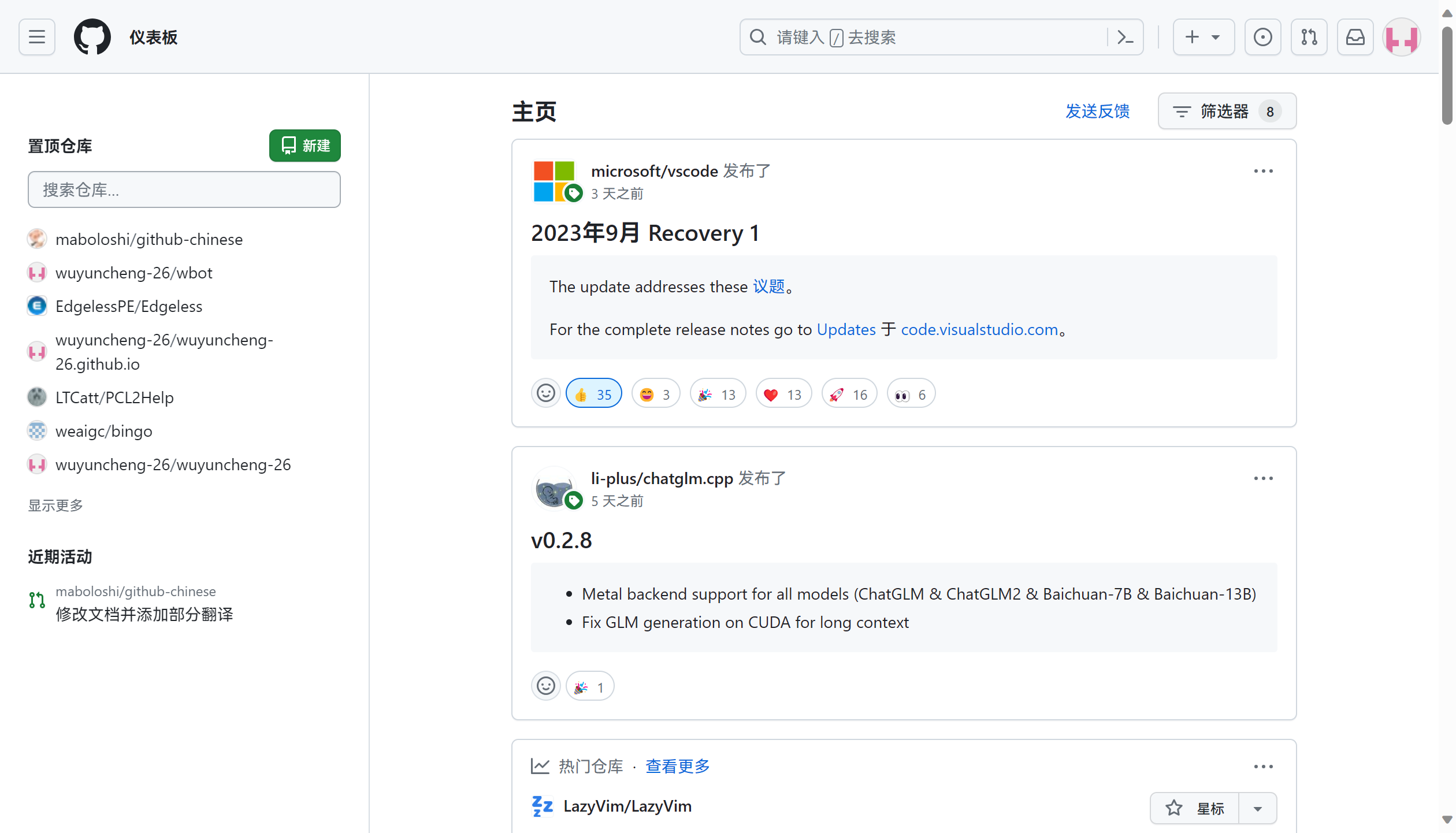
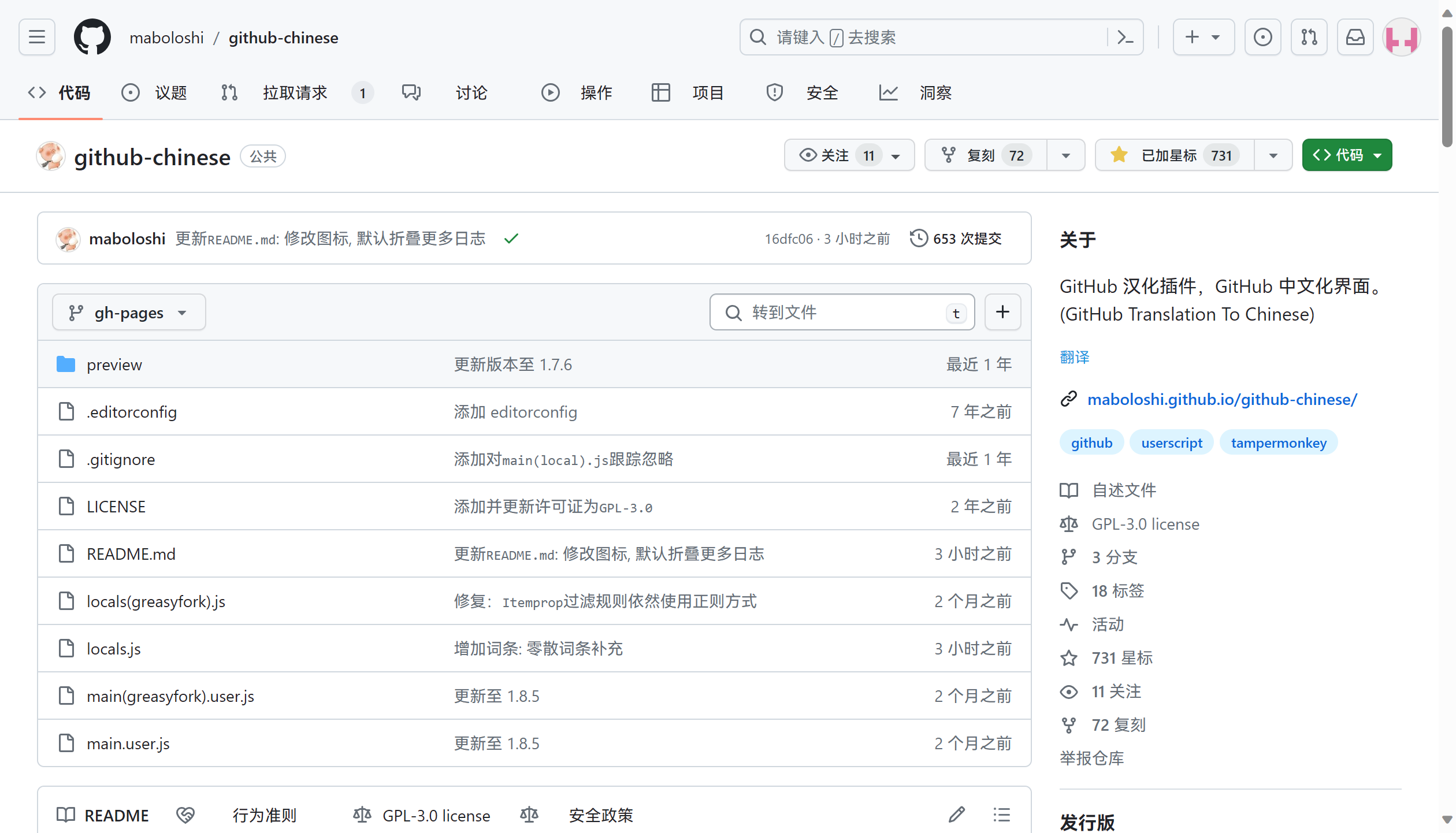
## 🖼️ 效果预览

  <picture>
    <source media="(prefers-color-scheme: light)" srcset="https://raw.githubusercontent.com/maboloshi/github-chinese/gh-pages/preview/img1.png"/>
    <source media="(prefers-color-scheme: dark)" srcset="https://raw.githubusercontent.com/maboloshi/github-chinese/gh-pages/preview/img3.png"/>
    <img src="https://raw.githubusercontent.com/maboloshi/github-chinese/gh-pages/preview/img1.png" width="75%" />
  </picture>
  <picture>
    <source media="(prefers-color-scheme: light)" srcset="https://raw.githubusercontent.com/maboloshi/github-chinese/gh-pages/preview/img2.png"/>
    <source media="(prefers-color-scheme: dark)" srcset="https://raw.githubusercontent.com/maboloshi/github-chinese/gh-pages/preview/img4.png"/>
    <img src="https://raw.githubusercontent.com/maboloshi/github-chinese/gh-pages/preview/img2.png" width="75%" />
  </picture>

## 🙏 特别鸣谢

### 核心团队

- [maboloshi](https://github.com/maboloshi) - 项目作者
- [wyc-26](https://github.com/wyc-26)，[陈生杂物房](https://github.com/TC999) - 项目协作者
- [52cik](https://github.com/52cik) - 项目原作者

### 贡献者墙

一如既往，感谢我们出色的贡献者❤️！


<a href="https://github.com/maboloshi" title="沙漠之子"><img src="https://avatars.githubusercontent.com/u/7850715?v=4" width="42;" alt="沙漠之子"/></a>
<a href="https://github.com/52cik" title="楼教主"><img src="https://avatars.githubusercontent.com/u/5033310?v=4" width="42;" alt="楼教主"/></a>
<a href="https://github.com/TC999" title="陈生杂物房"><img src="https://avatars.githubusercontent.com/u/88823709?v=4" width="42;" alt="陈生杂物房"/></a>
<a href="https://github.com/wyc-26" title="wyc-26"><img src="https://avatars.githubusercontent.com/u/154735436?v=4" width="42;" alt="wyc-26"/></a>
<a href="https://github.com/qznfbnj" title="其智乃反不能及"><img src="https://avatars.githubusercontent.com/u/100760086?v=4" width="42;" alt="其智乃反不能及"/></a>
<a href="https://github.com/PtJade-Ceramic" title="PtJade Ceramic"><img src="https://avatars.githubusercontent.com/u/185668489?v=4" width="42;" alt="PtJade Ceramic"/></a>
<a href="https://github.com/tangyuan0821" title="Tang Yuan"><img src="https://avatars.githubusercontent.com/u/195516213?v=4" width="42;" alt="Tang Yuan"/></a>
<a href="https://github.com/LuYifei2011" title="Lu Yifei"><img src="https://avatars.githubusercontent.com/u/118034848?v=4" width="42;" alt="Lu Yifei"/></a>
<a href="https://github.com/mvanhorn" title="Matt Van Horn"><img src="https://avatars.githubusercontent.com/u/455140?v=4" width="42;" alt="Matt Van Horn"/></a>
<a href="https://github.com/th-dd" title="叹号大帝"><img src="https://avatars.githubusercontent.com/u/162813557?v=4" width="42;" alt="叹号大帝"/></a>
<a href="https://github.com/MrBaoboer" title="Mr.Baoboer"><img src="https://avatars.githubusercontent.com/u/272576744?v=4" width="42;" alt="Mr.Baoboer"/></a>
<a href="https://github.com/pylover7" title="大叶子"><img src="https://avatars.githubusercontent.com/u/56282729?v=4" width="42;" alt="大叶子"/></a>
<a href="https://github.com/cat-kun" title="cat-kun"><img src="https://avatars.githubusercontent.com/u/8529528?v=4" width="42;" alt="cat-kun"/></a>
<a href="https://github.com/ChinaGodMan" title="人民的勤务员"><img src="https://avatars.githubusercontent.com/u/96548841?v=4" width="42;" alt="人民的勤务员"/></a>
<a href="https://github.com/pooneyy" title="poney"><img src="https://avatars.githubusercontent.com/u/85266337?v=4" width="42;" alt="poney"/></a>
<a href="https://github.com/pecasha" title="Pecasha"><img src="https://avatars.githubusercontent.com/u/9607128?v=4" width="42;" alt="Pecasha"/></a>
<a href="https://github.com/Kisechan" title="Kise Platinyl"><img src="https://avatars.githubusercontent.com/u/162338950?v=4" width="42;" alt="Kise Platinyl"/></a>
<a href="https://github.com/wang93wei" title="AlanWang"><img src="https://avatars.githubusercontent.com/u/6371053?v=4" width="42;" alt="AlanWang"/></a>
<a href="https://github.com/Iamliuxiaozhen" title="Oliver Lin"><img src="https://avatars.githubusercontent.com/u/149680880?v=4" width="42;" alt="Oliver Lin"/></a>
<a href="https://github.com/SomSamantray" title="Som Samantray"><img src="https://avatars.githubusercontent.com/u/92726151?v=4" width="42;" alt="Som Samantray"/></a>
<a href="https://github.com/heicks" title="create new ██████╗  ██╔══██╗ ██████╔╝ ██╔══██╗ ██████╔╝ ╚═════╝  　　██╗ 　  ██╗ 　　██║ 　  ██║ 　　██║  　 ██║ 　　██║  　 ██║ 　　╚█████╔╝  　　╚═════╝  ███████╗ ██╔════╝　 ██║████═╗　 ██║　   ██　║ ╚██████╔╝　 　╚══════╝"><img src="https://avatars.githubusercontent.com/u/12287943?v=4" width="42;" alt="create new ██████╗  ██╔══██╗ ██████╔╝ ██╔══██╗ ██████╔╝ ╚═════╝  　　██╗ 　  ██╗ 　　██║ 　  ██║ 　　██║  　 ██║ 　　██║  　 ██║ 　　╚█████╔╝  　　╚═════╝  ███████╗ ██╔════╝　 ██║████═╗　 ██║　   ██　║ ╚██████╔╝　 　╚══════╝"/></a>
<a href="https://github.com/daydaygo" title="dayday"><img src="https://avatars.githubusercontent.com/u/3986303?v=4" width="42;" alt="dayday"/></a>
<a href="https://github.com/pangshitong" title="pangshitong"><img src="https://avatars.githubusercontent.com/u/41714457?v=4" width="42;" alt="pangshitong"/></a>
<a href="https://github.com/saime428" title="saime428"><img src="https://avatars.githubusercontent.com/u/51110572?v=4" width="42;" alt="saime428"/></a>
<a href="https://github.com/wang4yu6peng13" title="wang4yu6peng13"><img src="https://avatars.githubusercontent.com/u/10207042?v=4" width="42;" alt="wang4yu6peng13"/></a>
<a href="https://github.com/wmwlwmwl" title="wmwlwmwl"><img src="https://avatars.githubusercontent.com/u/168271477?v=4" width="42;" alt="wmwlwmwl"/></a>
<a href="https://github.com/xuexb" title="前端小武"><img src="https://avatars.githubusercontent.com/u/3872051?v=4" width="42;" alt="前端小武"/></a>
<a href="https://github.com/xuezhaju" title="学渣驹"><img src="https://avatars.githubusercontent.com/u/175468713?v=4" width="42;" alt="学渣驹"/></a>
<a href="https://github.com/3DMXM" title="小莫"><img src="https://avatars.githubusercontent.com/u/28587093?v=4" width="42;" alt="小莫"/></a>
<a href="https://github.com/YiShengJunn" title="益生君"><img src="https://avatars.githubusercontent.com/u/134821571?v=4" width="42;" alt="益生君"/></a>
<a href="https://github.com/yrljroli" title="苓𥤚"><img src="https://avatars.githubusercontent.com/u/169890386?v=4" width="42;" alt="苓𥤚"/></a>
<a href="https://github.com/TNTXZ" title="TNTXZ"><img src="https://avatars.githubusercontent.com/u/119731745?v=4" width="42;" alt="TNTXZ"/></a>
<a href="https://github.com/shuwn" title="Shuwn Hsu"><img src="https://avatars.githubusercontent.com/u/20023822?v=4" width="42;" alt="Shuwn Hsu"/></a>
<a href="https://github.com/OctoBored" title="OctoBored"><img src="https://avatars.githubusercontent.com/u/212877535?v=4" width="42;" alt="OctoBored"/></a>
<a href="https://github.com/NyA1K0" title="NyA!K0"><img src="https://avatars.githubusercontent.com/u/177237971?v=4" width="42;" alt="NyA!K0"/></a>
<a href="https://github.com/MaydayV" title="MaydayV"><img src="https://avatars.githubusercontent.com/u/61279703?v=4" width="42;" alt="MaydayV"/></a>
<a href="https://github.com/KS-OTO" title="KS-OTO"><img src="https://avatars.githubusercontent.com/u/6616413?v=4" width="42;" alt="KS-OTO"/></a>
<a href="https://github.com/swsoyee" title="InfinityLoop"><img src="https://avatars.githubusercontent.com/u/20528423?v=4" width="42;" alt="InfinityLoop"/></a>
<a href="https://github.com/ImgBotApp" title="Imgbot"><img src="https://avatars.githubusercontent.com/u/31427850?v=4" width="42;" alt="Imgbot"/></a>
<a href="https://github.com/HeavenlessLing" title="Heavenless"><img src="https://avatars.githubusercontent.com/u/238226870?v=4" width="42;" alt="Heavenless"/></a>
<a href="https://github.com/BluewhaleYF" title="Flint Shen"><img src="https://avatars.githubusercontent.com/u/206069864?v=4" width="42;" alt="Flint Shen"/></a>
<a href="https://github.com/neveler" title="neveler"><img src="https://avatars.githubusercontent.com/u/55753029?v=4" width="42;" alt="neveler"/></a>
<a href="https://github.com/Aethersailor" title="Aethersailor"><img src="https://avatars.githubusercontent.com/u/22260104?v=4" width="42;" alt="Aethersailor"/></a>


> 贡献者列表，由 [GitHub Action][update-contributors-images] 自动生成

<div align="right">

[

</div>


## 📈 项目统计

<a href="https://star-history.dera.page/#maboloshi/github-chinese&Timeline">
  <picture>
    <source media="(prefers-color-scheme: dark)" srcset="https://star-history.dera.page/svg?repos=maboloshi/github-chinese&type=Timeline&theme=dark" />
    <source media="(prefers-color-scheme: light)" srcset="https://star-history.dera.page/svg?repos=maboloshi/github-chinese&type=Timeline" />
    <img alt="Star History Chart" src="https://star-history.dera.page/svg?repos=maboloshi/github-chinese&type=Timeline" width="75%" />
  </picture>
</a>


<div align="right">

[

</div>

## 🎁 欢迎打赏
[赞赏列表](https://github.com/maboloshi/maboloshi/issues/1)
|                                        微信赞赏                                        |                                       支付宝赞赏                                       |
| :--------------------------------------------------------------------------------: | :--------------------------------------------------------------------------------: |
| <img src="https://cdn.jsdelivr.net/gh/maboloshi/maboloshi/img/wechat.png?raw=true" alt="WeChat QRcode" width=200> <br><small>☕喝点咖啡继续干☕</small> | <img src="https://cdn.jsdelivr.net/gh/maboloshi/maboloshi/img/alipay-1.jpg?raw=true" alt="AliPay QRcode" width=200> <br><small>🌶️来包辣条吧~🍪</small> |


[back-to-top]: https://img.shields.io/badge/-BACK_TO_TOP-151515?style=flat-square
[github-project-link]: https://github.com/maboloshi/github-chinese "GitHub 中文化插件"
[github-issues-link]: https://github.com/maboloshi/github-chinese/issues "议题"
[github-issues-shield]: https://img.shields.io/github/issues/maboloshi/github-chinese?style=flat-square&logo=github&label=Issue
[github-stars-link]: https://github.com/maboloshi/github-chinese/stargazers "星标"
[github-stars-shield]: https://img.shields.io/github/stars/maboloshi/github-chinese?style=flat-square&logo=github&label=Star
[github-forks-link]: https://github.com/maboloshi/github-chinese/network "复刻"
[github-forks-shield]: https://img.shields.io/github/forks/maboloshi/github-chinese?style=flat-square&logo=github&label=Fork
[github-license-link]: https://opensource.org/licenses/GPL-3.0  "许可证"
[github-license-shield]: https://img.shields.io/github/license/maboloshi/github-chinese?style=flat-square&logo=github&label=License
[greasyFork-link]: https://greasyfork.org/scripts/435208  "GreasyFork 源 - GitHub 中文化插件"
[greasyFork-shield]: https://img.shields.io/greasyfork/dt/435208?style=flat-square&logo=GreasyFork&label=GreasyFork%20Installs
[pr-welcome-link]: https://github.com/maboloshi/github-chinese/pulls
[pr-welcome-shield]: https://img.shields.io/badge/🤯_pr_welcome-%E2%86%92-ffcb47?labelColor=black&style=for-the-badge "欢迎提交 PR"
[Tampermonkey]: http://tampermonkey.net/ "篡改猴"
[Violentmonkey]: https://violentmonkey.github.io/ "暴力猴"
[Macaque]: https://macaque.app/ "猕猴"
[Stay]: https://apps.apple.com/cn/app/stay-for-safari-%E6%B5%8F%E8%A7%88%E5%99%A8%E4%BC%B4%E4%BE%A3/id1591620171 "Stay"
[main.user.js]: https://github.com/maboloshi/github-chinese/raw/gh-pages/main.user.js "GitHub 中文化插件 - GitHub 源"
[main(nju.edu).user.js]:https://mirror.nju.edu.cn/github-chinese/main(nju.edu).user.js "GitHub 中文化插件 - 南大镜像源"
[main(greasyfork).user.js]: https://greasyfork.org/scripts/435208-github-%E4%B8%AD%E6%96%87%E5%8C%96%E6%8F%92%E4%BB%B6/code/GitHub%20%E4%B8%AD%E6%96%87%E5%8C%96%E6%8F%92%E4%BB%B6.user.js "GitHub 中文化插件 - GreasyFork 源"
[update-contributors-images]: https://github.com/maboloshi/github-chinese/blob/gh-pages/.github/workflows/update_contributors_images.yml

---

### Overview (`vscode-extension/README.md`)

# GitHub 中文化 (VS Code 扩展)

[](https://opensource.org/licenses/GPL-3.0)

一键安装 GitHub 扩展，实现 VS Code 集成浏览器中 GitHub 网页的中文化。

## 工作原理

- 扩展启用 VS Code 的 proposed `browser` API（`vscode.window.browserTabs` + `startCDPSession()`）
- 在扩展宿主侧从 [南大镜像](https://mirror.nju.edu.cn/github-chinese/) 拉取词库 `locals.js` 与主脚本 `main.user.js`，规避页面 CORS 限制
- 通过 CDP `Page.addScriptToEvaluateOnNewDocument` 直接注入源码（非 eval），绕过 github.com 的 CSP 限制（IBE 因使用 `new Function` 被 CSP 拦截）
- 注入内容内置 GM_* 兼容层与 document-end 语义（等 `DOMContentLoaded` 后执行）

## 先决条件

### 添加启动参数

VS Code 必须带 `--enable-proposed-api maboloshi.github-chinese` 参数启动，否则无法使用 browser API。

<details>
<summary>带参数启动 VS Code 的方式</summary>

- 打开[运行对话框](https://learn.microsoft.com/windows/advanced-settings/modern-run)，输入：

  ```cmd
  "%LOCALAPPDATA%\Programs\Microsoft VS Code\Code.exe" --enable-proposed-api maboloshi.github-chinese
  ```
  
- 或修改[“开始”菜单](https://www.microsoft.com/zh-cn/windows/tips/start-menu)的 VS Code 快捷方式，在 `目标` 字段末尾追加 [COMMAND_LINE_ARGUMENTS](https://learn.microsoft.com/openspecs/windows_protocols/ms-shllink/17b69472-0f34-4bcf-b290-eccdb8de224b)：

  ```cmd
   --enable-proposed-api maboloshi.github-chinese
  ```
  
  然后从“开始”菜单启动

</details>

## 安装方式

### 方案一：从 GitHub Actions 下载（推荐）

> 该方案需要登录 GitHub 账号，若你没有账号，请使用 [方案二](#方案二从源码构建)

1. 打开本仓库的 [Actions](https://github.com/maboloshi/github-chinese/actions/workflows/build-vscode-extension.yml) 页面

2. 选择最近一次成功运行的 workflow

3. 滚动到页面底部，在 **Artifacts** 区域下载 `github-chinese-extension.vsix`

4. 在 VS Code 中按 `Ctrl+Shift+P` 打开命令面板

5. 输入 `Extensions: Install from VSIX...` 并选择刚才下载的 `.vsix` 文件

6. 安装完成后，在 VS Code 集成浏览器中刷新 GitHub 页面即可生效

### 方案二：从源码构建

#### 环境要求

- [Git](https://git-scm.cn/install) （可选，用于克隆仓库，若不打算安装 Git ，请自行将仓库下载至本地）

- [NodeJS](https://nodejs.org)

#### 构建步骤

在 PowerShell 中执行以下代码：

```shell
git clone https://github.com/maboloshi/github-chinese.git # 克隆仓库

# 若你的网络环境无法访问 GitHub 克隆仓库，请自行寻找加速器等解决

cd github-chinese/vscode-extension # 进入插件目录

npm install # 安装依赖

# 若你的网络环境缓慢，请使用这行命令：

# npm install --registry=https://registry.npmmirror.com

npx @vscode/vsce package # 打包插件
```

构建完成后，按方案一的第 4-5 步安装生成的 `.vsix` 文件。

> [!NOTE]
> 本扩展尚未上架 [VS Code 市场](https://code.visualstudio.com/docs/configure/extensions/extension-marketplace#_find-and-install-an-extension)，需通过 [源码构建](#方案二从源码构建) 或从 [Actions](https://github.com/maboloshi/github-chinese/actions/workflows/build-vscode-extension) 下载 VSIX 安装。

## 命令

- `GitHub 中文化: 检查注入状态` — 查看 browser API 可用性、注入标签数与词库加载状态
- `GitHub 中文化: 刷新集成浏览器注入` — 重新拉取词库/主脚本并重新注入所有已打开的集成浏览器标签

## 常见问题

### 为什么打开 GitHub 页面没有汉化？

请检查以下几点：

1. **确认已安装依赖扩展**：Integrated Browser Extensions 必须已安装并启用
2. **确认启动参数正确**：VS Code 必须带 `--enable-proposed-api boylett.integrated-browser-extensions` 参数启动
3. **确认扩展已启用**：在扩展面板中确认 `GitHub 中文化` 扩展已启用
4. **刷新页面**：在 VS Code 的集成浏览器中按 `Ctrl+R` 或 `F5` 刷新页面
5. **重启 VS Code**：尝试完全退出并重新启动 VS Code

## 调试

[打开扩展开发宿主窗口](https://code.visualstudio.com/api/get-started/your-first-extension#debugging-the-extension)。

---

### Ai Review (`docs/ai-review.md`)

# AI 代码审查（DeepSeek）— 使用说明

本仓库内置一个"类 Copilot"的 AI 代码审查工作流：任何用户可**自动或按需**请求 DeepSeek 对 PR 进行中文代码审查，审查以**机器人身份**发布，**每次审查消耗请求者自己的 DeepSeek 额度**，仓库不保存任何密钥明文。

## 如何工作

```mermaid
flowchart LR
  U[用户] -- 提交/评论 PR 或 /review --> W[GitHub Actions<br/>本仓库/fork]
  W -- 拉取 PR diff --> D
  W -- 调用 DeepSeek（用请求者 LLM_API_KEY） --> D[(DeepSeek)]
  W -- 机器人身份发布中文审查 --> P[PR]
```

- `script/ai_review.py`：拉取 PR 元数据与 diff → 读取 `.github/copilot-instructions.md`（强制中文）→ 调用 DeepSeek → 生成结构化审查（概览 / 问题分级 / 优点 / 重写建议）。
- 发布身份：
  - 默认：`github-actions[bot]`（无需任何额外配置）。
  - 若配置了 GitHub App：以 `gh-chinese-ai-reviewer[bot]` 发布（可发布到任意已安装该 App 的仓库，含上游）。

## 触发方式

| 触发 | 说明 |
|---|---|
| `pull_request`（opened / synchronize / ready_for_review） | 打开或更新 PR 时自动审查（需工作流位于默认分支） |
| 评论 `/review` | 在 PR 上评论 `/review` 即按需审查 |
| `workflow_dispatch` | 手动指定 `repo` 与 `pr` 审查任意公开 PR |
| `schedule`（每 15 分钟） | 轮询「看护清单」中的上游 PR，响应其中由本仓库属主发出的 `/review` |

去重：同一 head SHA 只会审查一次（评论尾部 `` 标记）。

## 配置（fork 自建实例）

### Secrets（Settings → Secrets and variables → Actions）

| 名称 | 必填 | 说明 |
|---|---|---|
| `LLM_API_KEY` | ✅ | 你的 DeepSeek API key（https://platform.deepseek.com/api_keys）。只存在你自己的 fork，明文从不出你侧 |
| `APP_ID` | 可选 | 用于以 App 机器人身份发布（见下「GitHub App」） |
| `APP_PRIVATE_KEY` | 可选 | GitHub App 私钥（`.pem` 全文） |
| `LLM_BASE_URL` / `LLM_MODEL` | 可选 | 默认 `https://api.deepseek.com` / `deepseek-chat` |

### Variables（可选，Step 2 轮询用）

| 名称 | 说明 |
|---|---|
| `REVIEW_TARGET` | 轮询的目标仓库，默认 `maboloshi/github-chinese` |
| `REVIEW_WATCHLIST` | 逗号分隔的 PR 号，如 `760,766`；只轮询这些 PR 上的 `/review` |

### GitHub App（可选，bot 身份发布）

1. https://github.com/settings/apps/new 创建 App（名称勿以 `GitHub`/`Gist` 开头）
2. 权限：**Pull requests Read & write**、**Issues Write**；Webhook 可关；安装范围 **Any account**
3. 生成私钥 `.pem`；把 `APP_ID`、`APP_PRIVATE_KEY` 配进 Secrets
4. 安装到你自己的 fork（`Install App`）；发布到上游仓库时，请仓库维护者从 App 公共页 https://github.com/apps/<app-name> 安装

## 安全模型

- **任何人看不到明文**：DeepSeek key 只存在于请求者自己的 fork secret / 本地；上游仓库零密钥。
- **自负额度**：每次审查只用触发者自己的 `LLM_API_KEY`（`secrets.LLM_API_KEY`）。
- **bot 身份**：审查以 `github-actions[bot]` 或 GitHub App 机器人发布，不占用用户账号。
- **提示词注入**：密钥绝不进入 prompt；模型输出只作为文本渲染，不执行。
- **工作流安全**：不使用 `pull_request_target`；第三方 Action 建议钉版本；不打印密钥。
- **已知限制**：
  - 上游 `/review` 为**轮询**（约 15 分钟），非即时。
  - fork PR 的 `pull_request` 事件**读不到 secrets** → fork 内 PR 自动审需要把工作流放到 fork 默认分支；上游 PR 的自动审依赖 fork 侧 `push` 反查或轮询。
  - 发布到上游需仓库维护者安装 GitHub App（可随时撤销）。

## 常见问题

- **工作流没跑？** 确认工作流文件在**默认分支**（`issue_comment` / `schedule` / `workflow_dispatch` 只在默认分支触发）。
- **提示缺 `LLM_API_KEY`？** 在 fork 的 Secrets 添加。
- **`/review` 没反应？** 轮询有延迟（≤15 分钟）；确认该 PR 在 `REVIEW_WATCHLIST` 中（若配置）。
- **想只审一次？** 去重按 head SHA，同一提交不会重复审查。

---

--- METRICS ---
- Files Extracted: 3
- Estimated Token Budget: ~6448 tokens
- Canonical Reference: https://codewiki.google/github.com/maboloshi/github-chinese