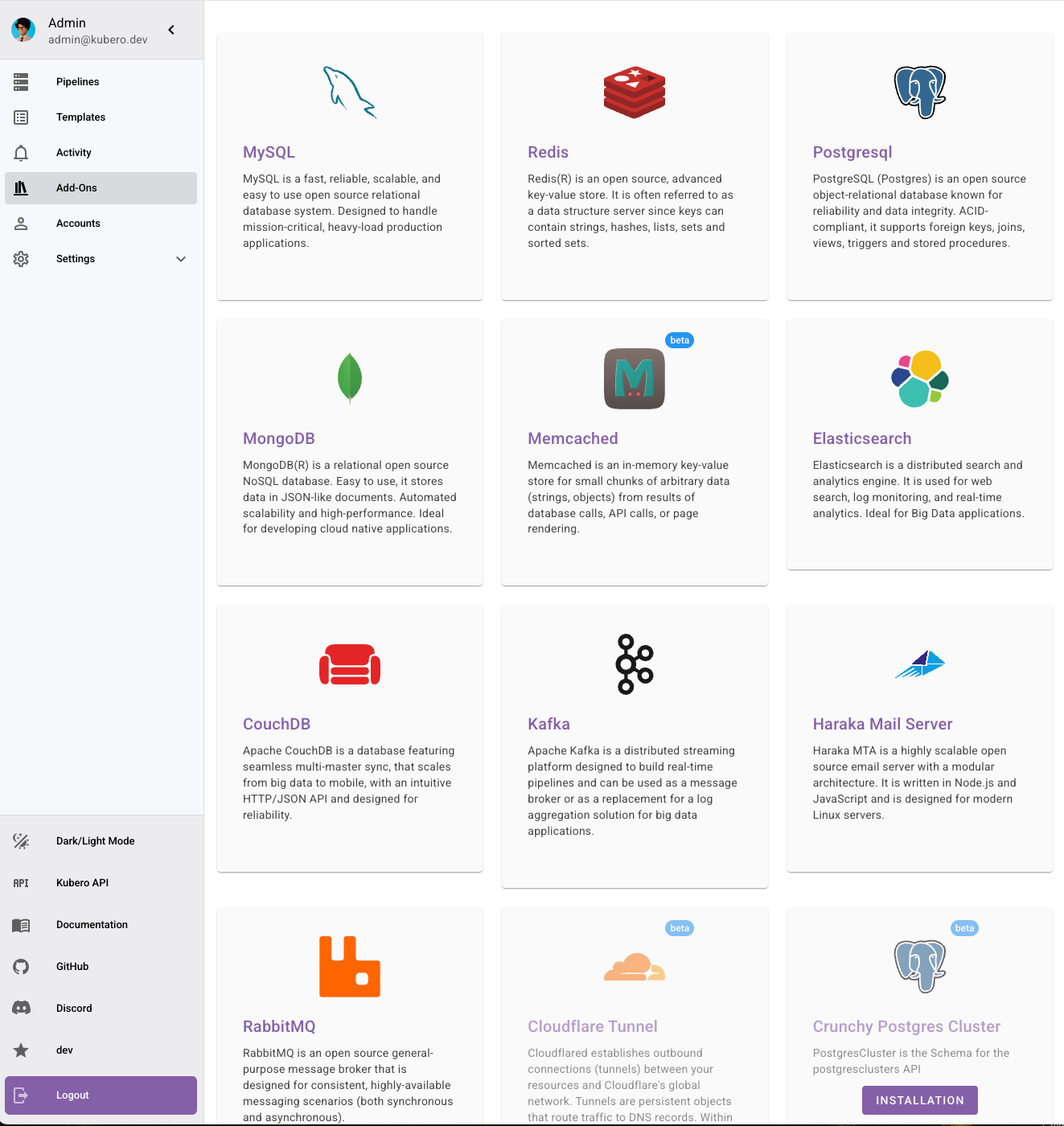
 | MySQL | [groundhog2k](https://github.com/groundhog2k/helm-charts/tree/master/charts/mysql) | ✅ |
|
| MySQL | [groundhog2k](https://github.com/groundhog2k/helm-charts/tree/master/charts/mysql) | ✅ |
|  | PostgreSQL | [groundhog2k](https://github.com/groundhog2k/helm-charts/tree/master/charts/postgres) | ✅ |
|
| PostgreSQL | [groundhog2k](https://github.com/groundhog2k/helm-charts/tree/master/charts/postgres) | ✅ |
|  | Redis | [groundhog2k](https://github.com/groundhog2k/helm-charts/tree/master/charts/redis) | ✅ |
|
| Redis | [groundhog2k](https://github.com/groundhog2k/helm-charts/tree/master/charts/redis) | ✅ |
|  | MongoDB | [groundhog2k](https://github.com/groundhog2k/helm-charts/tree/master/charts/mongodb) | ✅ |
|
| MongoDB | [groundhog2k](https://github.com/groundhog2k/helm-charts/tree/master/charts/mongodb) | ✅ |
|  | RabbitMQ | [groundhog2k](https://github.com/groundhog2k/helm-charts/tree/master/charts/rabbitmq) | ✅ |
|
| RabbitMQ | [groundhog2k](https://github.com/groundhog2k/helm-charts/tree/master/charts/rabbitmq) | ✅ |
|  | CouchDB | [Apache](https://apache.github.io/couchdb-helm) | ✅ |
|
| CouchDB | [Apache](https://apache.github.io/couchdb-helm) | ✅ |
|  | Haraka Mail Server | [Kubero](https://github.com/kubero-dev/haraka-docker) | ✅ |
| | MySQL | [Bitnami](https://github.com/bitnami/charts/tree/main/bitnami/mysql) | ⚠️ (deprecated) |
| | PostgreSQL | [Bitnami](https://github.com/bitnami/charts/tree/main/bitnami/postgresql) | ⚠️ (deprecated) |
| | Redis | [Bitnami](https://github.com/bitnami/charts/tree/main/bitnami/redis) | ⚠️ (deprecated) |
| | MongoDB | [Bitnami](https://github.com/bitnami/charts/tree/main/bitnami/mongodb) | ⚠️ (deprecated) |
|
| Haraka Mail Server | [Kubero](https://github.com/kubero-dev/haraka-docker) | ✅ |
| | MySQL | [Bitnami](https://github.com/bitnami/charts/tree/main/bitnami/mysql) | ⚠️ (deprecated) |
| | PostgreSQL | [Bitnami](https://github.com/bitnami/charts/tree/main/bitnami/postgresql) | ⚠️ (deprecated) |
| | Redis | [Bitnami](https://github.com/bitnami/charts/tree/main/bitnami/redis) | ⚠️ (deprecated) |
| | MongoDB | [Bitnami](https://github.com/bitnami/charts/tree/main/bitnami/mongodb) | ⚠️ (deprecated) |
|  | Elasticsearch | [Bitnami](https://github.com/bitnami/charts/tree/main/bitnami/elasticsearch) | ⚠️ (deprecated) |
|
| Elasticsearch | [Bitnami](https://github.com/bitnami/charts/tree/main/bitnami/elasticsearch) | ⚠️ (deprecated) |
|  | Kafka | [Bitnami](https://github.com/bitnami/charts/tree/main/bitnami/kafka) | ⚠️ (deprecated) |
|
| Kafka | [Bitnami](https://github.com/bitnami/charts/tree/main/bitnami/kafka) | ⚠️ (deprecated) |
|  | Memcache | [Bitnami](https://github.com/bitnami/charts/tree/main/bitnami/memcached) | ⚠️ (deprecated) |
| | RabbitMQ | [Bitnami](https://github.com/bitnami/charts/tree/main/bitnami/rabbitmq) | ⚠️ (deprecated) |
| | PostgreSQL HA | [CloudNative](https://github.com/cloudnative-pg/cloudnative-pg) | |
|
| Memcache | [Bitnami](https://github.com/bitnami/charts/tree/main/bitnami/memcached) | ⚠️ (deprecated) |
| | RabbitMQ | [Bitnami](https://github.com/bitnami/charts/tree/main/bitnami/rabbitmq) | ⚠️ (deprecated) |
| | PostgreSQL HA | [CloudNative](https://github.com/cloudnative-pg/cloudnative-pg) | |
|  | Cludflare Tunnels | [Adianth](https://github.com/adyanth/cloudflare-operator) | |
|
| Cludflare Tunnels | [Adianth](https://github.com/adyanth/cloudflare-operator) | |
|  | Minio | [Minio](https://artifacthub.io/packages/olm/community-operators/minio-operator) | |
| | Percona MongoDB Cluster | [Percona](https://artifacthub.io/packages/olm/community-operators/mongodb-operator) | |
| | Crunchy Postgres Cluster | [Crunchy Data](https://artifacthub.io/packages/olm/community-operators/postgresql) | |
| | Redis Cluster | [Opstree](https://artifacthub.io/packages/olm/community-operators/redis-operator) | |
|
| Minio | [Minio](https://artifacthub.io/packages/olm/community-operators/minio-operator) | |
| | Percona MongoDB Cluster | [Percona](https://artifacthub.io/packages/olm/community-operators/mongodb-operator) | |
| | Crunchy Postgres Cluster | [Crunchy Data](https://artifacthub.io/packages/olm/community-operators/postgresql) | |
| | Redis Cluster | [Opstree](https://artifacthub.io/packages/olm/community-operators/redis-operator) | |
|  | CockroachDB | [CockroachDB](https://artifacthub.io/packages/olm/community-operators/cockroachdb) | |
|
| CockroachDB | [CockroachDB](https://artifacthub.io/packages/olm/community-operators/cockroachdb) | |
|  | Clickhouse | [Altinity ](https://artifacthub.io/packages/olm/community-operators/clickhouse) | |
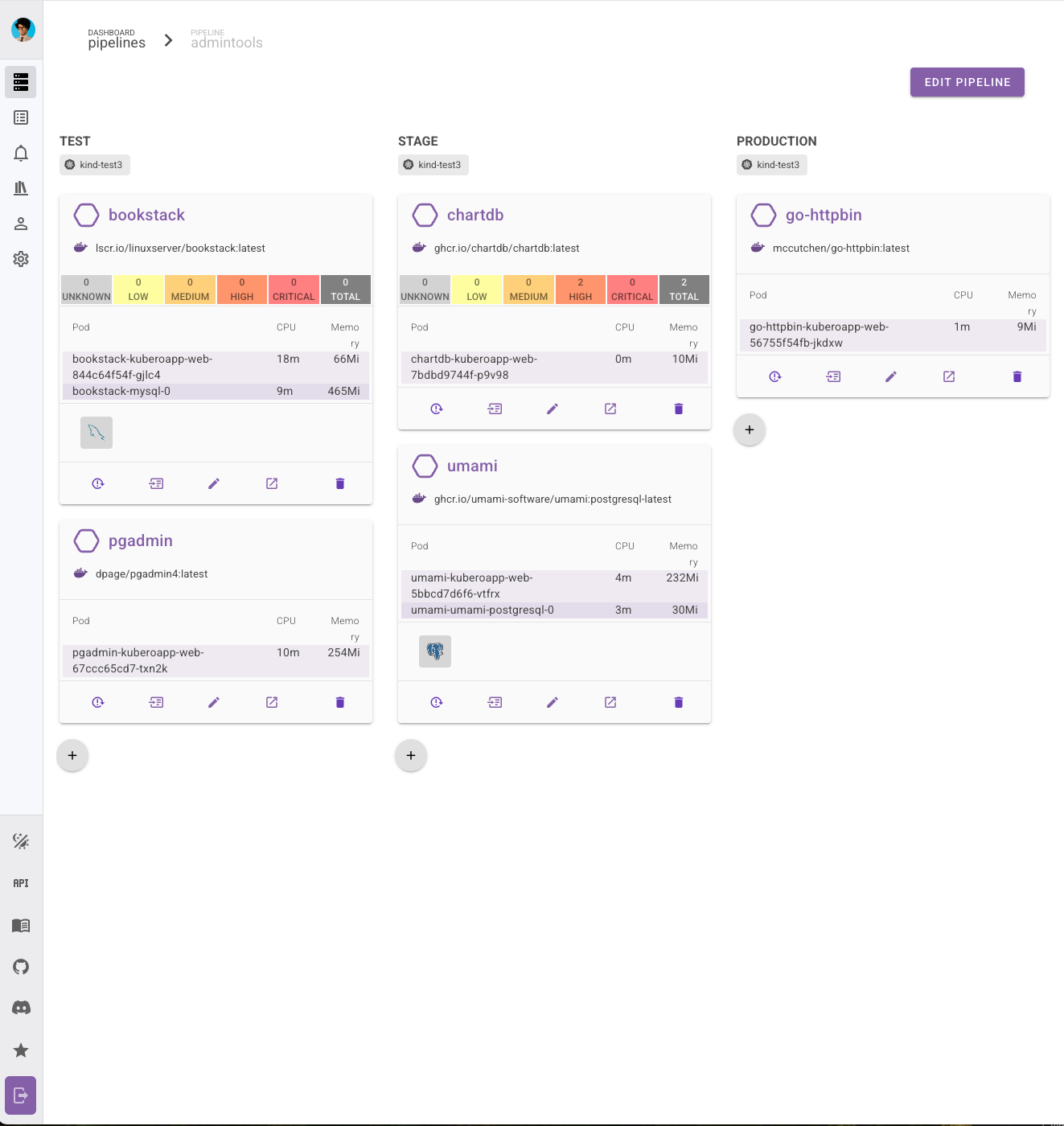
\* These add-ons are shipped with the Kubero Operator. They are not High Availability (HA) ready but greate to to get you started as fast as possible.
\*\* All Bitnami add-ons are deprecated and will be removed in future releases due to Broadcom's image repository removal. [read more here](https://github.com/bitnami/charts/issues/35164)
## 164+ Application templates (similar to Heroku Buttons)
- WordPress
- Grafana
- Bitwarden
- [Kuma](https://uptime.kuma.pet)
- [Trilium Notes](https://github.com/zadam/trilium)
- ...
Check out the full [list here](https://www.kubero.dev/templates/) or submit your own app! [Read here](https://github.com/kubero-dev/kubero/blob/main/services/) how to do it.
## Quickstart
**1) Download and unpack the Kubero CLI** (MacOS, Linux, Windows)
| Clickhouse | [Altinity ](https://artifacthub.io/packages/olm/community-operators/clickhouse) | |
\* These add-ons are shipped with the Kubero Operator. They are not High Availability (HA) ready but greate to to get you started as fast as possible.
\*\* All Bitnami add-ons are deprecated and will be removed in future releases due to Broadcom's image repository removal. [read more here](https://github.com/bitnami/charts/issues/35164)
## 164+ Application templates (similar to Heroku Buttons)
- WordPress
- Grafana
- Bitwarden
- [Kuma](https://uptime.kuma.pet)
- [Trilium Notes](https://github.com/zadam/trilium)
- ...
Check out the full [list here](https://www.kubero.dev/templates/) or submit your own app! [Read here](https://github.com/kubero-dev/kubero/blob/main/services/) how to do it.
## Quickstart
**1) Download and unpack the Kubero CLI** (MacOS, Linux, Windows)Binaries (MacOS, Linux) ```bash $ curl -fsSL get.kubero.dev | bash ``` Brew (MacOS, Linux) ```bash $ brew tap kubero-dev/kubero $ brew install kubero-cli ``` **2) Run `kubero install` to install all components on a new or your existing cluster** You can bring your own existing cluster or create one with the kubero install on one of the following providers: - GKE - Scaleway - DigitalOcean - Linode - Kind (local) ## Supported GIT repositories (hosted and self-hosted) - Gitea / Forgejo - Gogs - Github - Gitlab - Bitbucket ## Tested languages/frameworks Basically *everything* that can be packaged in a single container can be deployed by Kubero. - GoLang (including Hugo, gin-gonic) - Python (including Flask) - JavaScript/NodeJS - PHP (including Laravel) - Ruby (including Rails) - Static HTML - Rust (including Rocket) - ... ## How GitOps Works 1. Create a pipeline with the phases you need (review, test, stage, production) 2. (optional) Connect the pipeline to your git repository (GitHub, Bitbucket, GiLab, Gitea, Gogs) 3. Configure your apps with cronjobs and addons Kubero starts now building your app. Once the build is complete, Kubero will launch the final container and make it accessible via the configured domain. ## Techstack - Backend - [NestJS](https://nestjs.com/) - [TypeScript](https://www.typescriptlang.org/) - [Jest](https://jestjs.io/) - Frontend - [Vue.js](https://vuejs.org/) - [Vuetify](https://vuetifyjs.com/en/) - CLI - [Go](https://golang.org/) - [Cobra](https://cobra.dev/) - Operator - [Operator SDK](https://sdk.operatorframework.io/) - [Helm](https://helm.sh/) - Infrastructure - [Kubernetes](https://kubernetes.io/) - [Kind (Development)](https://kind.sigs.k8s.io/) ## Links - Documentation https://www.kubero.dev/docs/ - Roadmap https://github.com/orgs/kubero-dev/projects/1/views/3 ## Community [](https://discord.gg/tafRPMWS4r) ## Contributing All contributions are welcome! - Rise an issue/bug/error - Open a feature request - Discuss ideas in the discussions section or discord - Fix typos (I do a lot of them) - Contribute code - Write articles ## Supporting this project Starring this project is a huge motivation. ⭐ Thank you! [](https://starchart.cc/kubero-dev/kubero) --- ### Overview (`client/README.md`) # base ## Project setup ``` # yarn yarn # npm npm install # pnpm pnpm install # bun bun install ``` ### Compiles and hot-reloads for development ``` # yarn yarn dev # npm npm run dev # pnpm pnpm dev # bun pnpm run dev ``` ### Compiles and minifies for production ``` # yarn yarn build # npm npm run build # pnpm pnpm build # bun pnpm run build ``` ### Lints and fixes files ``` # yarn yarn lint # npm npm run lint # pnpm pnpm lint # bun pnpm run lint ``` ### Customize configuration See [Configuration Reference](https://vitejs.dev/config/). --- ### Overview (`server/README.md`) ## Description This is Kubero server part of the Kubero project. It is a NestJS application that provides REST API for the Kubero project. It is a part of the Kubero project that is a platform for managing Kubernetes clusters. ## Project setup ```bash $ yarn install ``` ## Compile and run the project ```bash # development $ yarn run start # watch mode $ yarn run start:dev # production mode $ yarn run start:prod ``` ## Administration Commands ```bash # Reset admin account (creates or updates with new password) $ yarn cli:reset-admin ``` ## Run tests ```bash # unit tests $ yarn run test # e2e tests $ yarn run test:e2e # test coverage $ yarn run test:cov ``` ## Resources Check out a few resources that may come in handy when working with NestJS: - Visit the [NestJS Documentation](https://docs.nestjs.com) to learn more about the framework. - For questions and support, please visit our [Discord channel](https://discord.gg/G7Qnnhy). - To dive deeper and get more hands-on experience, check out our official video [courses](https://courses.nestjs.com/). - Deploy your application to AWS with the help of [NestJS Mau](https://mau.nestjs.com) in just a few clicks. - Visualize your application graph and interact with the NestJS application in real-time using [NestJS Devtools](https://devtools.nestjs.com). - Need help with your project (part-time to full-time)? Check out our official [enterprise support](https://enterprise.nestjs.com). - To stay in the loop and get updates, follow us on [X](https://x.com/nestframework) and [LinkedIn](https://linkedin.com/company/nestjs). - Looking for a job, or have a job to offer? Check out our official [Jobs board](https://jobs.nestjs.com). --- ### Overview (`services/README.md`) # Kubero Services Services can be added to Kubero by creating a pull request to this repository. Required qualifications to submit a service: - Single app container (not counting addons) - Publicly accessible Docker images - Maintained and documented (1 commit within the last 6 months) - Icon/Logo (square, max 300x300px) ## How to add a new services 1) Fork this repository 2) Create a new folder with the name of your service 3) Add a app.yaml and service.yaml 4) Create a pull request ### app.yaml The app yaml that describes your service technically. You can use the following template to get started. If you have a running instace of Kubero you can use the CLI to lookup the values for your service. ``` /* Detailed source-code truncated for AI context efficiency. */ ``` --- --- METRICS --- - Files Extracted: 4 - Estimated Token Budget: ~4177 tokens - Canonical Reference: https://codewiki.google/github.com/kubero-dev/kubero