# Repository: jitsi/jitsi-meet # Stars: 29023 ## CLAUDE.md # CLAUDE.md This file provides guidance to Claude Code (claude.ai/code) when working with code in this repository. ## Development Commands ### Building and Development - `npm run lint-fix` - Automatically fix linting issues - `npm run tsc:ci` - Run TypeScript checks for both web and native platforms - `npm run tsc:web` - TypeScript check for web platform only - `npm run tsc:native` - TypeScript check for native platform only - `npm run lint:ci` - Run ESLint without type checking - `make dev` - Start development server with webpack-dev-server - `make compile` - Build production bundles - `make clean` - Clean build directory - `make all` - Full build (compile + deploy) ### Testing - `npm test` - Run full test suite using WebDriverIO - `npm run test-single -- ` - Run single test file - `npm run test-dev` - Run tests against development environment - `npm run test-dev-single -- ` - Run single test in dev mode ### Language Tools - `npm run lang-sort` - Sort language files - `npm run lint:lang` - Validate JSON language files ### Platform-Specific TypeScript TypeScript configuration is split between web and native platforms with separate tsconfig files. ## Architecture Overview ### Multi-Platform Structure Jitsi Meet supports both web and React Native platforms with platform-specific file extensions and directories: - `.web.ts/.web.tsx` - Web-specific implementations - `.native.ts/.native.tsx` - React Native-specific implementations - `.any.ts/.any.tsx` - Shared cross-platform code - `.android.ts/.android.tsx` - Android-specific code - `.ios.ts/.ios.tsx` - iOS-specific code - `web/` directories - Web-specific components and modules - `native/` directories - React Native-specific components and modules - `react/features/mobile/` - Native-only features ### Core Directories - `react/features/` - Main application features organized by domain (83+ feature modules) - `modules/` - Legacy JavaScript modules and APIs - `css/` - SCSS stylesheets compiled to CSS - `libs/` - Compiled output directory for JavaScript bundles - `static/` - Static assets and HTML files - `tests/` - WebDriverIO end-to-end tests ### Feature-Driven Architecture The application is organized under `react/features/` with each feature containing: - **`actionTypes.ts`** - Redux action type constants - **`actions.ts`** - Redux action creators (platform-specific variants with `.any.ts`, `.web.ts`, `.native.ts`) - **`reducer.ts`** - Redux reducer functions - **`middleware.ts`** - Redux middleware for side effects - **`functions.ts`** - Utility functions and selectors - **`constants.ts`** - Feature-specific constants - **`logger.ts`** - Feature-specific logger instance - **`types.ts`** - TypeScript type definitions ### Key Application Files - `app.js` - Main web application entry point - `webpack.config.js` - Multi-bundle Webpack configuration - `Makefile` - Build system for development and production - `package.json` - Dependencies and scripts with version requirements ### Bundle Architecture The application builds multiple bundles: - `app.bundle.js` / `app.bundle.min.js` - Main application bundle (entry: `./app.js`) - `external_api.js` / `external_api.min.js` - External API for embedders (entry: `./modules/API/external/index.js`) - `alwaysontop.js` / `alwaysontop.min.js` - Always-on-top window functionality (entry: `./react/features/always-on-top/index.tsx`) - `close3.js` / `close3.min.js` - Close3 functionality (entry: `./static/close3.js`) - `face-landmarks-worker.js` / `face-landmarks-worker.min.js` - Face landmarks detection worker (entry: `./react/features/face-landmarks/faceLandmarksWorker.ts`) - `noise-suppressor-worklet.js` / `noise-suppressor-worklet.min.js` - Audio noise suppression worklet (entry: `./react/features/stream-effects/noise-suppression/NoiseSuppressorWorklet.ts`) - `screenshot-capture-worker.js` / `screenshot-capture-worker.min.js` - Screenshot capture worker (entry: `./react/features/screenshot-capture/worker.ts`) ### Redux Architecture Features follow a Redux-based architecture with: - Actions, reducers, and middleware in each feature directory - Cross-platform state management - Modular feature organization with clear boundaries The codebase uses a registry-based Redux architecture: - **ReducerRegistry** - Features register their reducers independently - **MiddlewareRegistry** - Features register middleware without cross-dependencies - **IReduxState** - Global state is strongly typed with 80+ feature states ### Dependencies - Uses `lib-jitsi-meet` as the core WebRTC library - React with TypeScript support - React Native for mobile applications - Webpack for bundling with development server ### TypeScript Configuration - `tsconfig.web.json` - Web platform TypeScript config (excludes native files) - `tsconfig.native.json` - React Native TypeScript config (excludes web files) - Strict TypeScript settings with ES2024 target - Platform-specific module suffixes (`.web`, `.native`) ### Key Base Features - **`base/app/`** - Application lifecycle management - **`base/conference/`** - Core conference logic - **`base/tracks/`** - Media track management - **`base/participants/`** - Participant management - **`base/config/`** - Configuration management - **`base/redux/`** - Redux infrastructure ### Component Patterns - **Abstract Components** - Base classes for cross-platform components - **Platform-Specific Components** - Separate implementations in `web/` and `native/` directories - **Hook-based patterns** - Modern React patterns for component logic ### Testing Framework - WebDriverIO for end-to-end testing - Test files are located in `tests/specs/` and use page objects in `tests/pageobjects/`. - Environment configuration via `.env` files - Support for Chrome, Firefox, and grid testing ## Development Guidelines ### Adding New Features 1. Create feature directory under `react/features/[feature-name]/` 2. Follow the standard file structure (actionTypes, actions, reducer, etc.) 3. Register reducers and middleware using the registry pattern 4. Define TypeScript interfaces for state and props 5. Use platform-specific files for web/native differences 6. Add feature-specific logger for debugging ### Working with Existing Features 1. Check for existing `.any.ts`, `.web.ts`, `.native.ts` variants 2. Follow established action-reducer-middleware patterns 3. Use existing base utilities rather than creating new ones 4. Leverage abstract components for cross-platform logic 5. Maintain type safety across the entire state tree ### Testing The project uses WebDriver (WebdriverIO) for end-to-end testing. Test files are located in `tests/specs/` and use page objects in `tests/pageobjects/`. ### Build System - **Webpack** - Main build system for web bundles - **Makefile** - Coordinates build process and asset deployment - **Metro** - React Native bundler (configured in `metro.config.js`) ### Platform-Specific Notes - Web builds exclude files matching `**/native/*`, `**/*.native.ts`, etc. - Native builds exclude files matching `**/web/*`, `**/*.web.ts`, etc. - Use `moduleSuffixes` in TypeScript config to handle platform-specific imports - Check `tsconfig.web.json` and `tsconfig.native.json` for platform-specific exclusions ## Environment and Setup Requirements ### System Requirements - **Node.js and npm** are required - Development server runs at https://localhost:8080/ - Certificate errors in development are expected (self-signed certificates) ### Development Workflow - Development server proxies to configurable target (default: https://alpha.jitsi.net) - Hot module replacement enabled for development - Bundle analysis available via `ANALYZE_BUNDLE=true` environment variable - Circular dependency detection via `DETECT_CIRCULAR_DEPS=true` ## Code Quality Requirements - All code must pass `npm run lint:ci` and `npm run tsc:ci` with 0 warnings before committing - TypeScript strict mode enabled - avoid `any` type - ESLint config extends `@jitsi/eslint-config` - Prefer TypeScript for new features, convert existing JavaScript when possible ## Code Style and Standards ### Conventional Commits Format Follow [Conventional Commits](https://www.conventionalcommits.org) with **mandatory scopes**: ``` feat(feature-name): description fix(feature-name): description docs(section): description ``` Available types: build, chore, ci, docs, feat, fix, perf, refactor, revert, style, test ### Feature Layout Structure When adding new features: ``` react/features/sample/ ├── actionTypes.ts ├── actions.ts ├── components/ │ ├── AnotherComponent.tsx │ └── OneComponent.tsx ├── middleware.ts └── reducer.ts ``` ### TypeScript Requirements - All new features must be written in TypeScript - Convert JavaScript to TypeScript when modifying existing code - Import middleware in `react/features/app/middlewares.{any,native,web}.js` - Import reducers in appropriate registry files - Avoid `index` files ### Bundle Size Management - Bundle size limits are enforced to prevent bloat - For increases, analyze first: `npx webpack -p --analyze-bundle` - Open analyzer: `npx webpack-bundle-analyzer build/app-stats.json` - Justify any dependency additions that increase bundle size ## Testing and Quality Assurance ### Tests - End-to-end tests are defined in the tests/ - Tests run automatically for project member PRs via Jenkins - Tests cover peer-to-peer, invites, iOS, Android, and web platforms - Beta testing available at https://beta.meet.jit.si/ ### Manual Testing Checklist - Test with 2 participants (P2P mode) - Test with 3+ participants (JVB mode) - Verify audio/video in both modes - Test mobile apps if changes affect mobile - Check that TLS certificate chain is complete for mobile app compatibility ## Common Issues and Debugging ### P2P vs JVB Problems - **Works with 2 participants, fails with 3+**: JVB/firewall issue, check UDP 10000 - **Works on web, fails on mobile apps**: TLS certificate chain issue, need fullchain.pem - Use the tests from tests/ directory to verify functionality across platforms ### Development Server Issues - Certificate warnings are normal for development (self-signed) - Use different backend with WEBPACK_DEV_SERVER_PROXY_TARGET environment variable - Check firewall settings if local development fails ### Configuration and Customization - Extensive configuration options documented in handbook - See `config.js` for client-side options - Options marked 🚫 are not overwritable through `configOverwrite` - Reference [Configuration Guide](https://jitsi.github.io/handbook/docs/dev-guide/dev-guide-configuration) for details ## Architecture Deep Dive ### Core Application Files - **`./conference.js`** - Foundation for user-conference interactions (connection, joining, muting) - **`./modules/external-api`** - External API for iframe integration and events - **`./lang/`** - Translations in `main-[language].json` files - **`./css/`** - SCSS files organized by features, matching React feature structure ### State Management Flow 1. Actions dispatched from components 2. Middleware processes side effects 3. Reducers update state 4. Components re-render based on state changes 5. Registry pattern keeps features decoupled ### Cross-Platform Strategy - Abstract components handle shared logic - Platform files (.web.ts, .native.ts) handle platform differences - Build system excludes irrelevant platform files - TypeScript configs ensure proper platform targeting ## External Resources - [Jitsi Handbook](https://jitsi.github.io/handbook/) - Comprehensive documentation - [Community Forum](https://community.jitsi.org/) - Ask questions and get support - [Architecture Guide](https://jitsi.github.io/handbook/docs/architecture) - System overview - [Contributing Guidelines](https://jitsi.github.io/handbook/docs/dev-guide/dev-guide-contributing/) - Detailed contribution process ## README.md #

Jitsi Meet

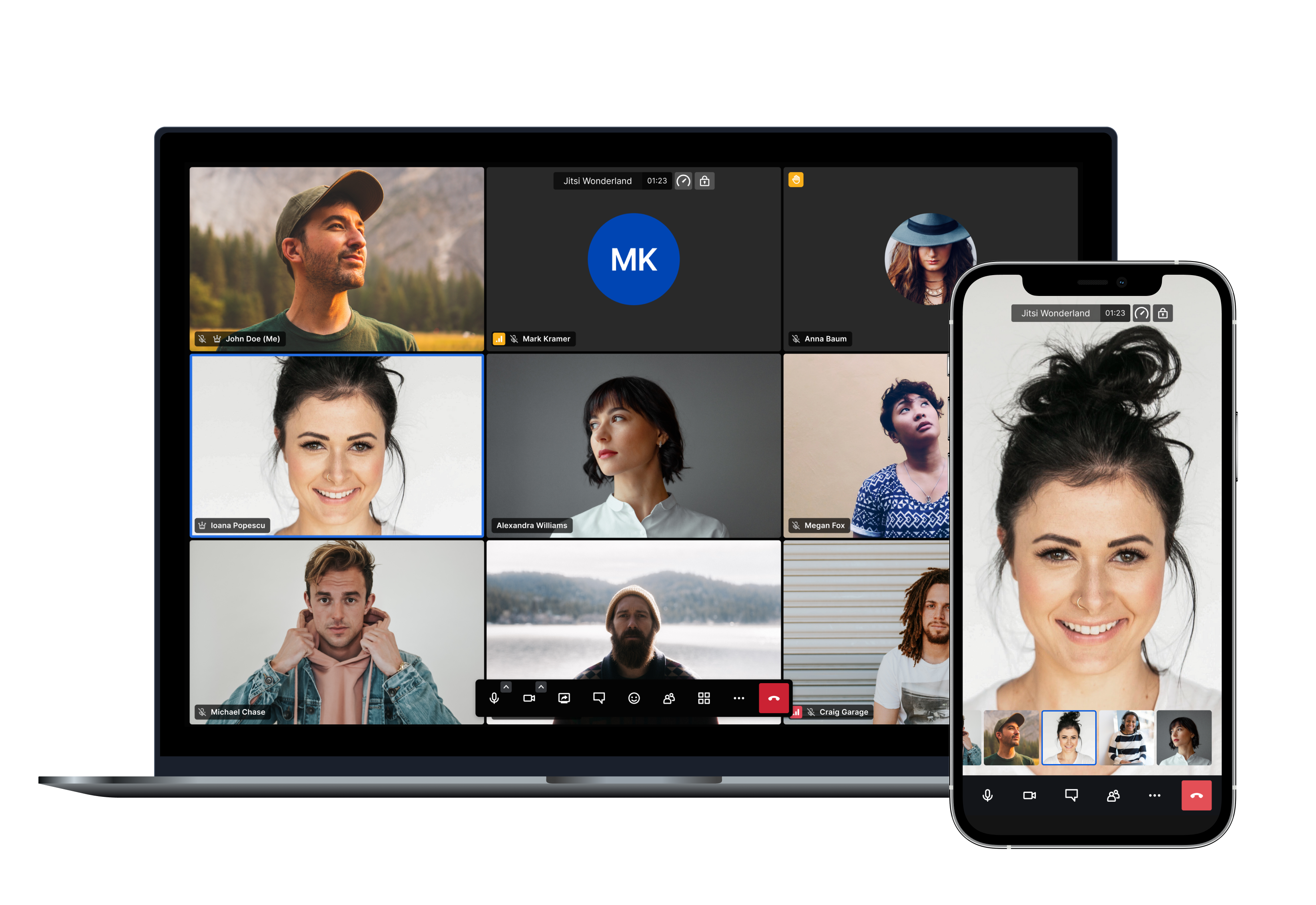
Jitsi Meet is a set of Open Source projects which empower users to use and deploy video conferencing platforms with state-of-the-art video quality and features.


Amongst others here are the main features Jitsi Meet offers: * Support for all current browsers * Mobile applications * Web and native SDKs for integration * HD audio and video * Content sharing * Raise hand and reactions * Chat with private conversations * Polls * Virtual backgrounds And many more! ## Using Jitsi Meet Using Jitsi Meet is straightforward, as it's browser based. Head over to [meet.jit.si](https://meet.jit.si) and give it a try. It's scalable and free to use. All you need is a Google, Facebook or GitHub account in order to start a meeting. All browsers are supported! Using mobile? No problem, you can either use your mobile web browser or our fully-featured mobile apps: | Android | Android (F-Droid) | iOS | |:-:|:-:|:-:| | [](https://play.google.com/store/apps/details?id=org.jitsi.meet) | [](https://f-droid.org/packages/org.jitsi.meet/) | [](https://itunes.apple.com/us/app/jitsi-meet/id1165103905) | If you are feeling adventurous and want to get an early scoop of the features as they are being developed you can also sign up for our open beta testing here: * [Android](https://play.google.com/apps/testing/org.jitsi.meet) * [iOS](https://testflight.apple.com/join/isy6ja7S) ## Running your own instance If you'd like to run your own Jitsi Meet installation head over to the [handbook](https://jitsi.github.io/handbook/docs/devops-guide/) to get started. We provide Debian packages and a comprehensive Docker setup to make deployments as simple as possible. Advanced users also have the possibility of building all the components from source. You can check the latest releases [here](https://jitsi.github.io/handbook/docs/releases). ## Jitsi as a Service If you like the branding capabilities of running your own instance but you'd like to avoid dealing with the complexity of monitoring, scaling and updates, JaaS might be for you. [8x8 Jitsi as a Service (JaaS)](https://jaas.8x8.vc) is an enterprise-ready video meeting platform that allows developers, organizations and businesses to easily build and deploy video solutions. With Jitsi as a Service we now give you all the power of Jitsi running on our global platform so you can focus on building secure and branded video experiences. ## Documentation All the Jitsi Meet documentation is available in [the handbook](https://jitsi.github.io/handbook/). ## Security For a comprehensive description of all Jitsi Meet's security aspects, please check [this link](https://jitsi.org/security). For a detailed description of Jitsi Meet's End-to-End Encryption (E2EE) implementation, please check [this link](https://jitsi.org/e2ee-whitepaper/). For information on reporting security vulnerabilities in Jitsi Meet, see [SECURITY.md](./SECURITY.md). ## Contributing If you are looking to contribute to Jitsi Meet, first of all, thank you! Please see our [guidelines for contributing](CONTRIBUTING.md).