# Technical Documentation: formkit/auto-animate
> ℹ️ **Provenance:** Multi-Tier Ingestion · [CodeWiki Reference](https://codewiki.google/github.com/formkit/auto-animate)
### Overview (`README.md`)
 # Add motion to your apps with a single line of code.
AutoAnimate is a zero-config, drop-in animation utility that adds smooth transitions to your web app. You can use it with Vue, React, Solid or any other JavaScript application.
# Add motion to your apps with a single line of code.
AutoAnimate is a zero-config, drop-in animation utility that adds smooth transitions to your web app. You can use it with Vue, React, Solid or any other JavaScript application.
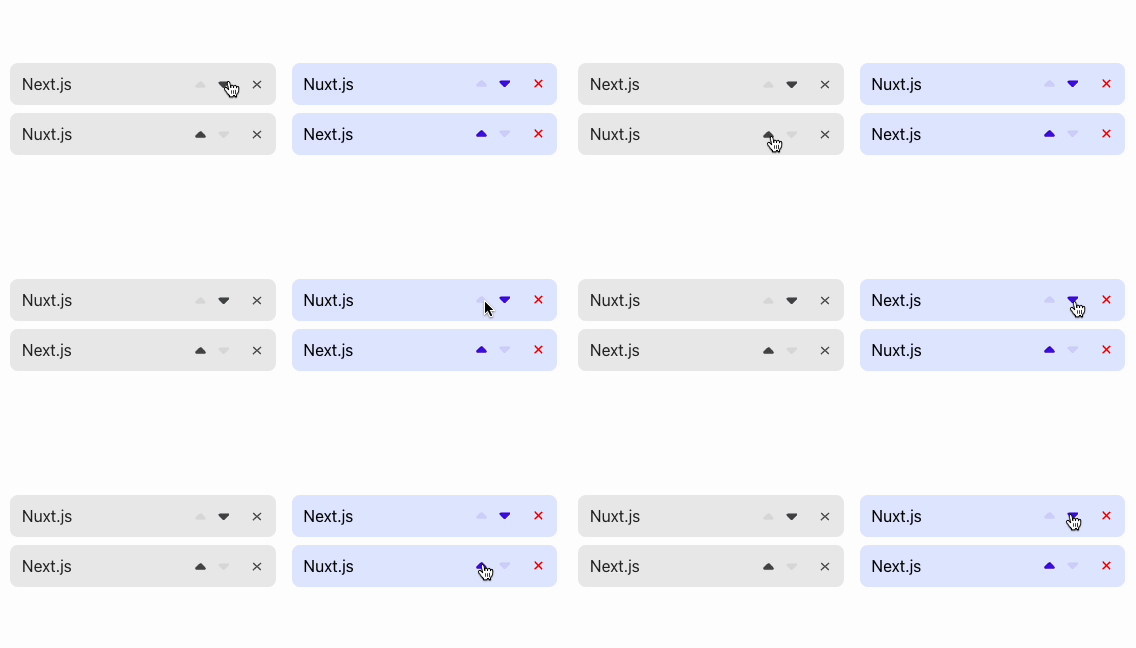
 With one line of code, you can improve your interfaces, for example:
 ## Installation
Install using your package manager of choice.
```bash
# yarn
yarn add @formkit/auto-animate
# npm
npm install @formkit/auto-animate
# pnpm
pnpm add @formkit/auto-animate
```
Boom! Done. That was fast! 🐇
## Usage
📖 [View the documentation site for usage instructions](https://auto-animate.formkit.com#usage).
## Examples
📖 [View the documentation site for examples](https://auto-animate.formkit.com#examples).
## Plugins
📖 [View the documentation site for plugin instructions](https://auto-animate.formkit.com#plugins).
## Support us
Is AutoAnimate saving you time?
Please consider [supporting us with a recurring or one-time donation](https://github.com/sponsors/formkit)! 🙏
## Contributing
Thank you for your willingness to contribute to this free and open source project! When contributing, consider first discussing your desired change with the core team via GitHub issues, Discord, or other method.
---
### Overview (`.dmux-hooks/README.md`)
# dmux Hooks
This directory contains hooks that run automatically at key lifecycle events in dmux.
## Quick Start
1. **Read the documentation**:
- `AGENTS.md` - Complete reference (for any AI agent)
- `CLAUDE.md` - Same content (Claude Code looks for this filename)
2. **Check examples**:
- `examples/` directory contains starter templates
3. **Create a hook**:
```bash
touch worktree_created
chmod +x worktree_created
nano worktree_created
```
4. **Test it**:
```bash
export DMUX_ROOT="$(pwd)"
export DMUX_WORKTREE_PATH="$(pwd)"
./worktree_created
```
## Available Hooks
- `before_pane_create` - Before pane creation
- `pane_created` - After pane created
- `worktree_created` - After worktree setup
- `before_pane_close` - Before closing
- `pane_closed` - After closed
- `before_worktree_remove` - Before worktree removal
- `worktree_removed` - After worktree removed
- `pre_merge` - Before merge
- `post_merge` - After merge
- `run_test` - When running tests
- `run_dev` - When starting dev server
## Documentation
See `AGENTS.md` or `CLAUDE.md` for complete documentation including:
- Environment variables
- HTTP callback API
- Common patterns
- Best practices
- Testing strategies
## Note
This directory is **version controlled**. Hooks you create here will be shared with your team.
---
--- METRICS ---
- Files Extracted: 2
- Estimated Token Budget: ~801 tokens
- Canonical Reference: https://codewiki.google/github.com/formkit/auto-animate
## Installation
Install using your package manager of choice.
```bash
# yarn
yarn add @formkit/auto-animate
# npm
npm install @formkit/auto-animate
# pnpm
pnpm add @formkit/auto-animate
```
Boom! Done. That was fast! 🐇
## Usage
📖 [View the documentation site for usage instructions](https://auto-animate.formkit.com#usage).
## Examples
📖 [View the documentation site for examples](https://auto-animate.formkit.com#examples).
## Plugins
📖 [View the documentation site for plugin instructions](https://auto-animate.formkit.com#plugins).
## Support us
Is AutoAnimate saving you time?
Please consider [supporting us with a recurring or one-time donation](https://github.com/sponsors/formkit)! 🙏
## Contributing
Thank you for your willingness to contribute to this free and open source project! When contributing, consider first discussing your desired change with the core team via GitHub issues, Discord, or other method.
---
### Overview (`.dmux-hooks/README.md`)
# dmux Hooks
This directory contains hooks that run automatically at key lifecycle events in dmux.
## Quick Start
1. **Read the documentation**:
- `AGENTS.md` - Complete reference (for any AI agent)
- `CLAUDE.md` - Same content (Claude Code looks for this filename)
2. **Check examples**:
- `examples/` directory contains starter templates
3. **Create a hook**:
```bash
touch worktree_created
chmod +x worktree_created
nano worktree_created
```
4. **Test it**:
```bash
export DMUX_ROOT="$(pwd)"
export DMUX_WORKTREE_PATH="$(pwd)"
./worktree_created
```
## Available Hooks
- `before_pane_create` - Before pane creation
- `pane_created` - After pane created
- `worktree_created` - After worktree setup
- `before_pane_close` - Before closing
- `pane_closed` - After closed
- `before_worktree_remove` - Before worktree removal
- `worktree_removed` - After worktree removed
- `pre_merge` - Before merge
- `post_merge` - After merge
- `run_test` - When running tests
- `run_dev` - When starting dev server
## Documentation
See `AGENTS.md` or `CLAUDE.md` for complete documentation including:
- Environment variables
- HTTP callback API
- Common patterns
- Best practices
- Testing strategies
## Note
This directory is **version controlled**. Hooks you create here will be shared with your team.
---
--- METRICS ---
- Files Extracted: 2
- Estimated Token Budget: ~801 tokens
- Canonical Reference: https://codewiki.google/github.com/formkit/auto-animate