 [](https://circleci.com/gh/facebookresearch/pytorch3d)
[](https://anaconda.org/pytorch3d/pytorch3d)
# Introduction
PyTorch3D provides efficient, reusable components for 3D Computer Vision research with [PyTorch](https://pytorch.org).
Key features include:
- Data structure for storing and manipulating triangle meshes
- Efficient operations on triangle meshes (projective transformations, graph convolution, sampling, loss functions)
- A differentiable mesh renderer
- Implicitron, see [its README](projects/implicitron_trainer), a framework for new-view synthesis via implicit representations. ([blog post](https://ai.facebook.com/blog/implicitron-a-new-modular-extensible-framework-for-neural-implicit-representations-in-pytorch3d/))
PyTorch3D is designed to integrate smoothly with deep learning methods for predicting and manipulating 3D data.
For this reason, all operators in PyTorch3D:
- Are implemented using PyTorch tensors
- Can handle minibatches of hetereogenous data
- Can be differentiated
- Can utilize GPUs for acceleration
Within FAIR, PyTorch3D has been used to power research projects such as [Mesh R-CNN](https://arxiv.org/abs/1906.02739).
See our [blog post](https://ai.facebook.com/blog/-introducing-pytorch3d-an-open-source-library-for-3d-deep-learning/) to see more demos and learn about PyTorch3D.
## Installation
For detailed instructions refer to [INSTALL.md](INSTALL.md).
## License
PyTorch3D is released under the [BSD License](LICENSE).
## Tutorials
Get started with PyTorch3D by trying one of the tutorial notebooks.
|
[](https://circleci.com/gh/facebookresearch/pytorch3d)
[](https://anaconda.org/pytorch3d/pytorch3d)
# Introduction
PyTorch3D provides efficient, reusable components for 3D Computer Vision research with [PyTorch](https://pytorch.org).
Key features include:
- Data structure for storing and manipulating triangle meshes
- Efficient operations on triangle meshes (projective transformations, graph convolution, sampling, loss functions)
- A differentiable mesh renderer
- Implicitron, see [its README](projects/implicitron_trainer), a framework for new-view synthesis via implicit representations. ([blog post](https://ai.facebook.com/blog/implicitron-a-new-modular-extensible-framework-for-neural-implicit-representations-in-pytorch3d/))
PyTorch3D is designed to integrate smoothly with deep learning methods for predicting and manipulating 3D data.
For this reason, all operators in PyTorch3D:
- Are implemented using PyTorch tensors
- Can handle minibatches of hetereogenous data
- Can be differentiated
- Can utilize GPUs for acceleration
Within FAIR, PyTorch3D has been used to power research projects such as [Mesh R-CNN](https://arxiv.org/abs/1906.02739).
See our [blog post](https://ai.facebook.com/blog/-introducing-pytorch3d-an-open-source-library-for-3d-deep-learning/) to see more demos and learn about PyTorch3D.
## Installation
For detailed instructions refer to [INSTALL.md](INSTALL.md).
## License
PyTorch3D is released under the [BSD License](LICENSE).
## Tutorials
Get started with PyTorch3D by trying one of the tutorial notebooks.
| |
| |
|:-----------------------------------------------------------------------------------------------------------:|:--------------------------------------------------:|
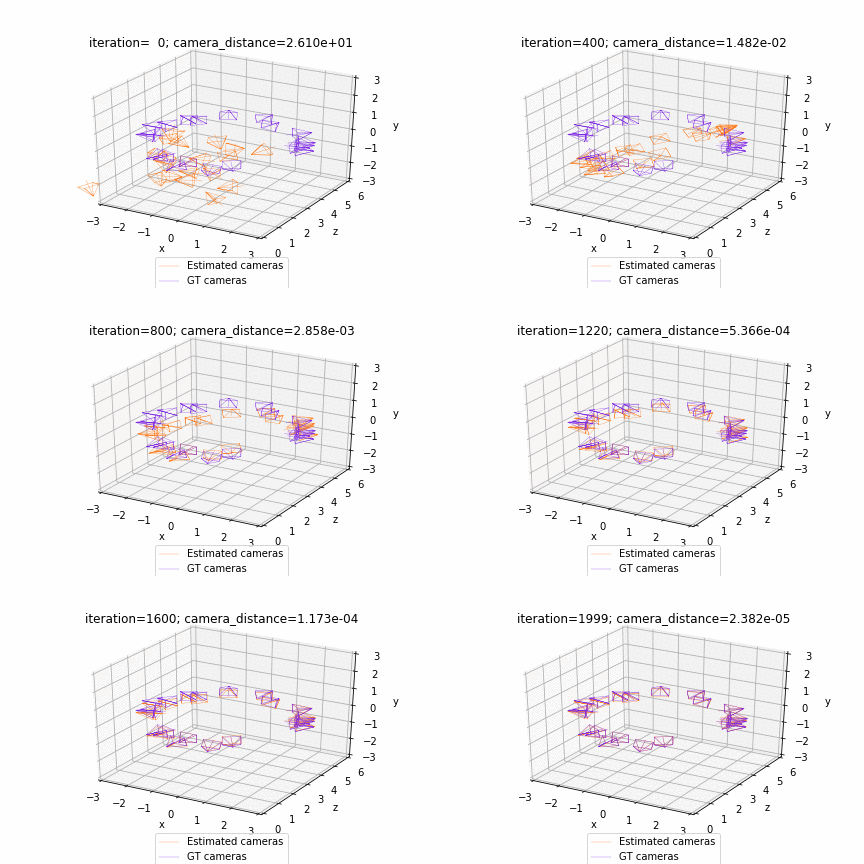
| [Deform a sphere mesh to dolphin](https://github.com/facebookresearch/pytorch3d/blob/main/docs/tutorials/deform_source_mesh_to_target_mesh.ipynb)| [Bundle adjustment](https://github.com/facebookresearch/pytorch3d/blob/main/docs/tutorials/bundle_adjustment.ipynb) |
|
|
|:-----------------------------------------------------------------------------------------------------------:|:--------------------------------------------------:|
| [Deform a sphere mesh to dolphin](https://github.com/facebookresearch/pytorch3d/blob/main/docs/tutorials/deform_source_mesh_to_target_mesh.ipynb)| [Bundle adjustment](https://github.com/facebookresearch/pytorch3d/blob/main/docs/tutorials/bundle_adjustment.ipynb) |
|  |
| 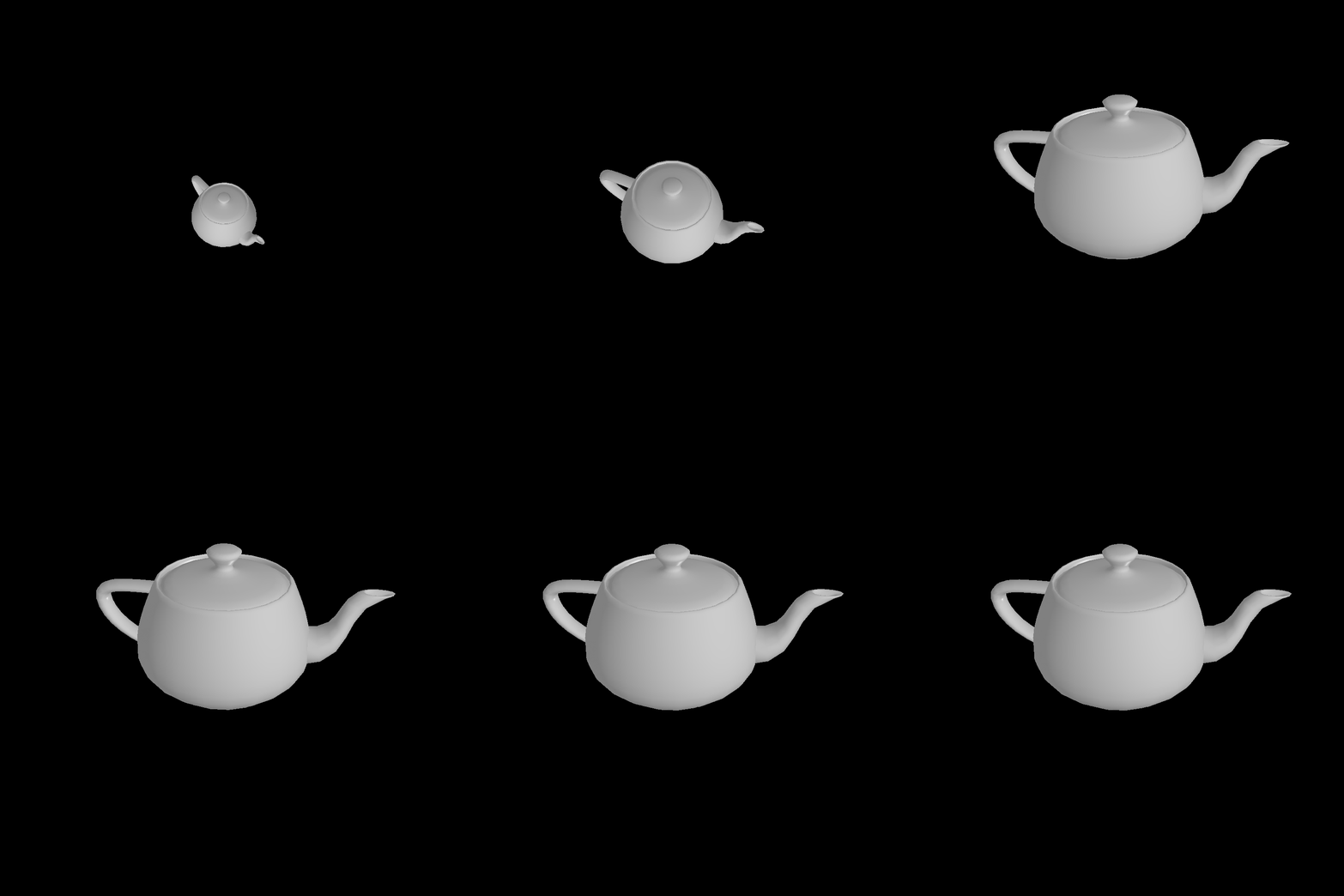 |:------------------------------------------------------------:|:--------------------------------------------------:|
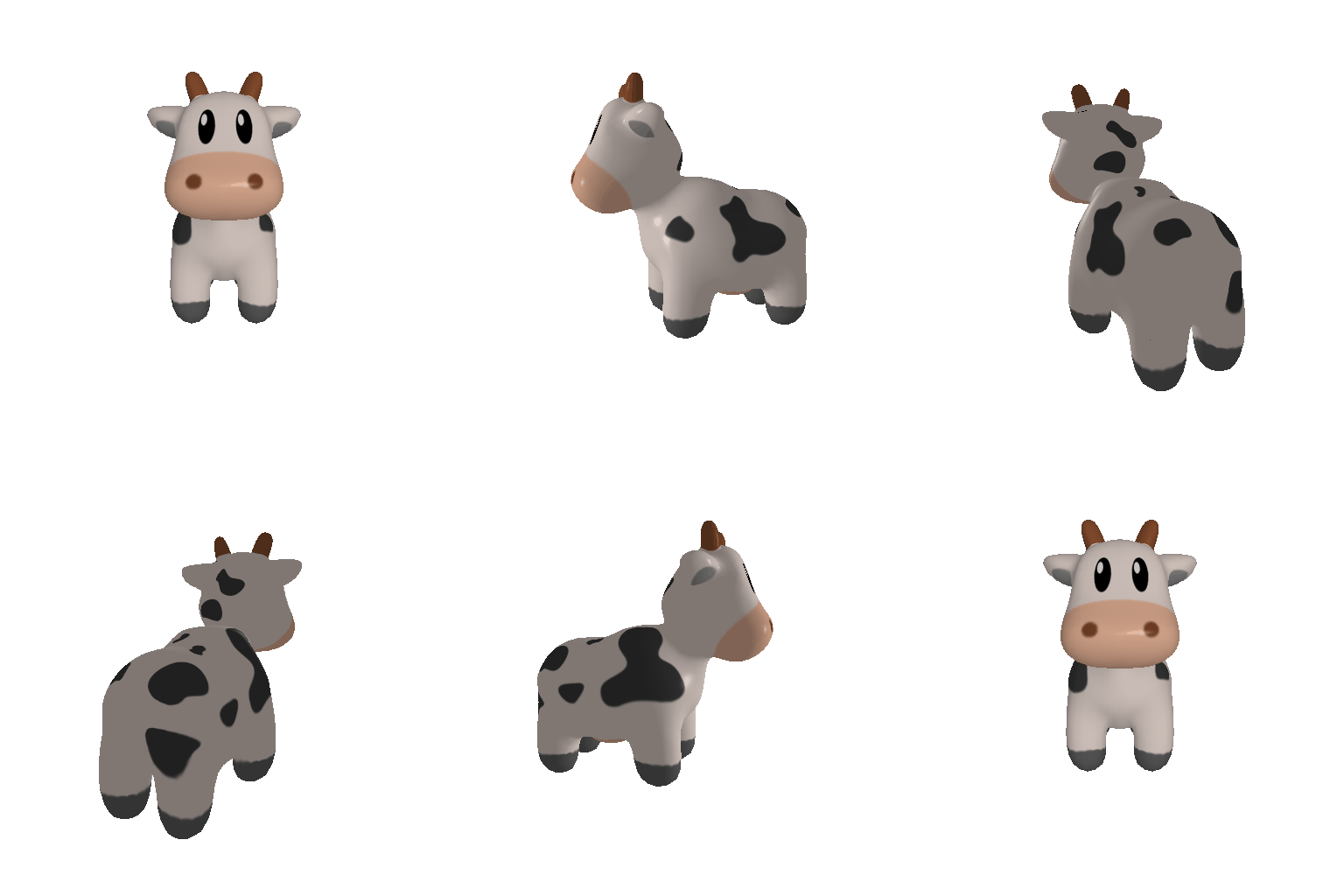
| [Render textured meshes](https://github.com/facebookresearch/pytorch3d/blob/main/docs/tutorials/render_textured_meshes.ipynb)| [Camera position optimization](https://github.com/facebookresearch/pytorch3d/blob/main/docs/tutorials/camera_position_optimization_with_differentiable_rendering.ipynb)|
|
|:------------------------------------------------------------:|:--------------------------------------------------:|
| [Render textured meshes](https://github.com/facebookresearch/pytorch3d/blob/main/docs/tutorials/render_textured_meshes.ipynb)| [Camera position optimization](https://github.com/facebookresearch/pytorch3d/blob/main/docs/tutorials/camera_position_optimization_with_differentiable_rendering.ipynb)|
| 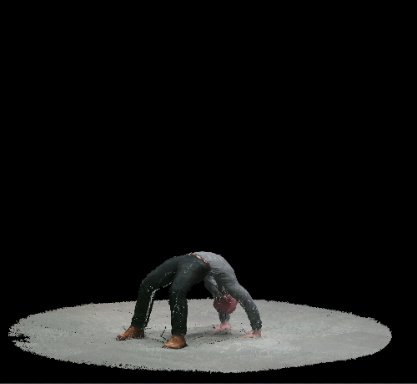 |
| 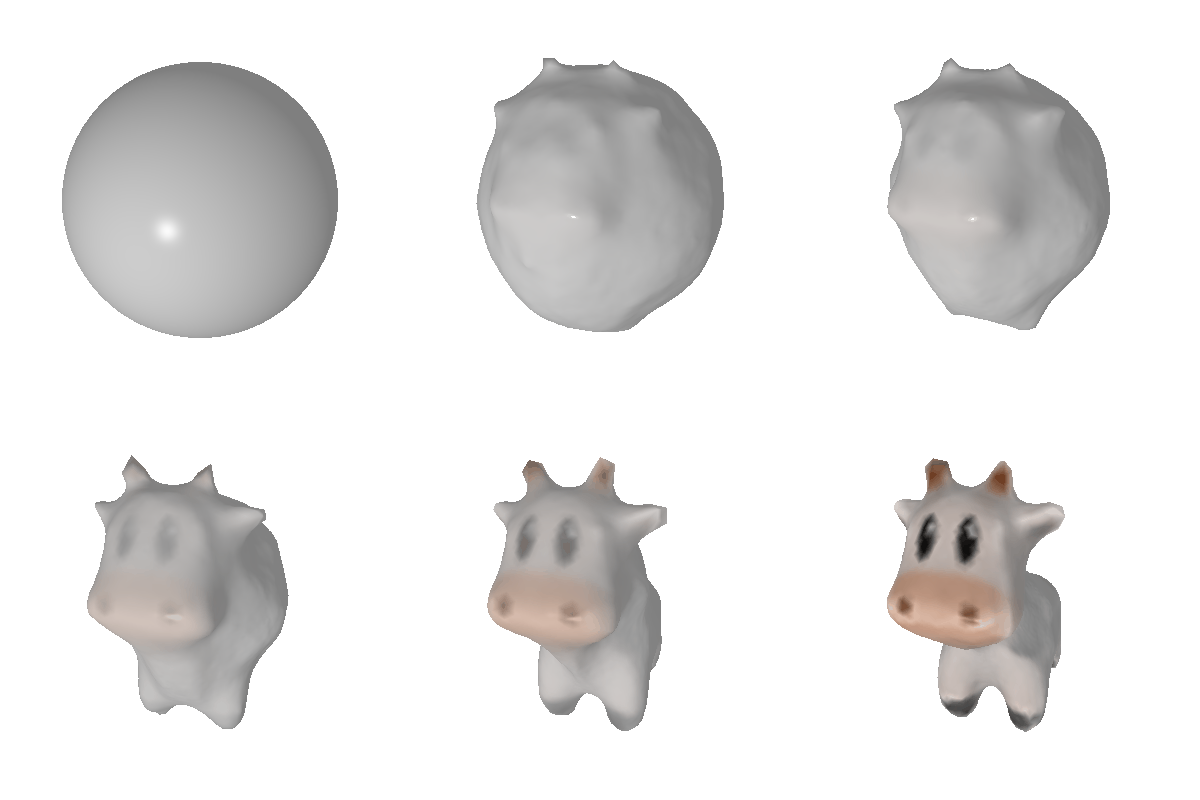 |:------------------------------------------------------------:|:--------------------------------------------------:|
| [Render textured pointclouds](https://github.com/facebookresearch/pytorch3d/blob/main/docs/tutorials/render_colored_points.ipynb)| [Fit a mesh with texture](https://github.com/facebookresearch/pytorch3d/blob/main/docs/tutorials/fit_textured_mesh.ipynb)|
|
|:------------------------------------------------------------:|:--------------------------------------------------:|
| [Render textured pointclouds](https://github.com/facebookresearch/pytorch3d/blob/main/docs/tutorials/render_colored_points.ipynb)| [Fit a mesh with texture](https://github.com/facebookresearch/pytorch3d/blob/main/docs/tutorials/fit_textured_mesh.ipynb)|
| 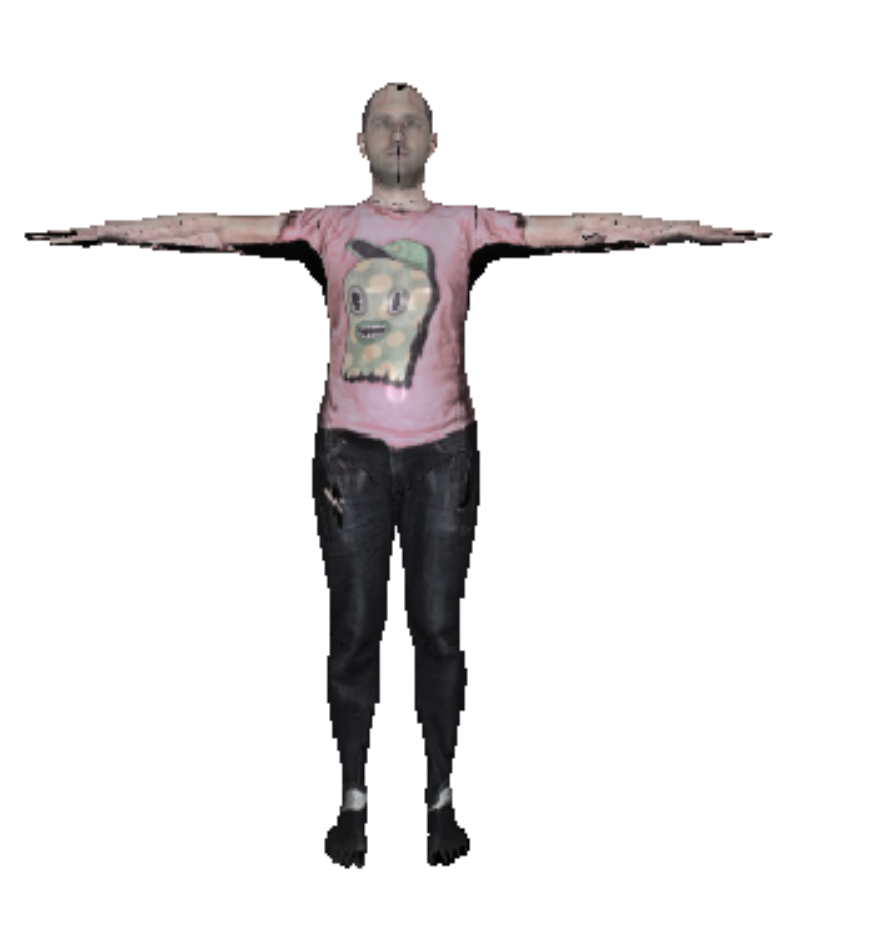 |
| 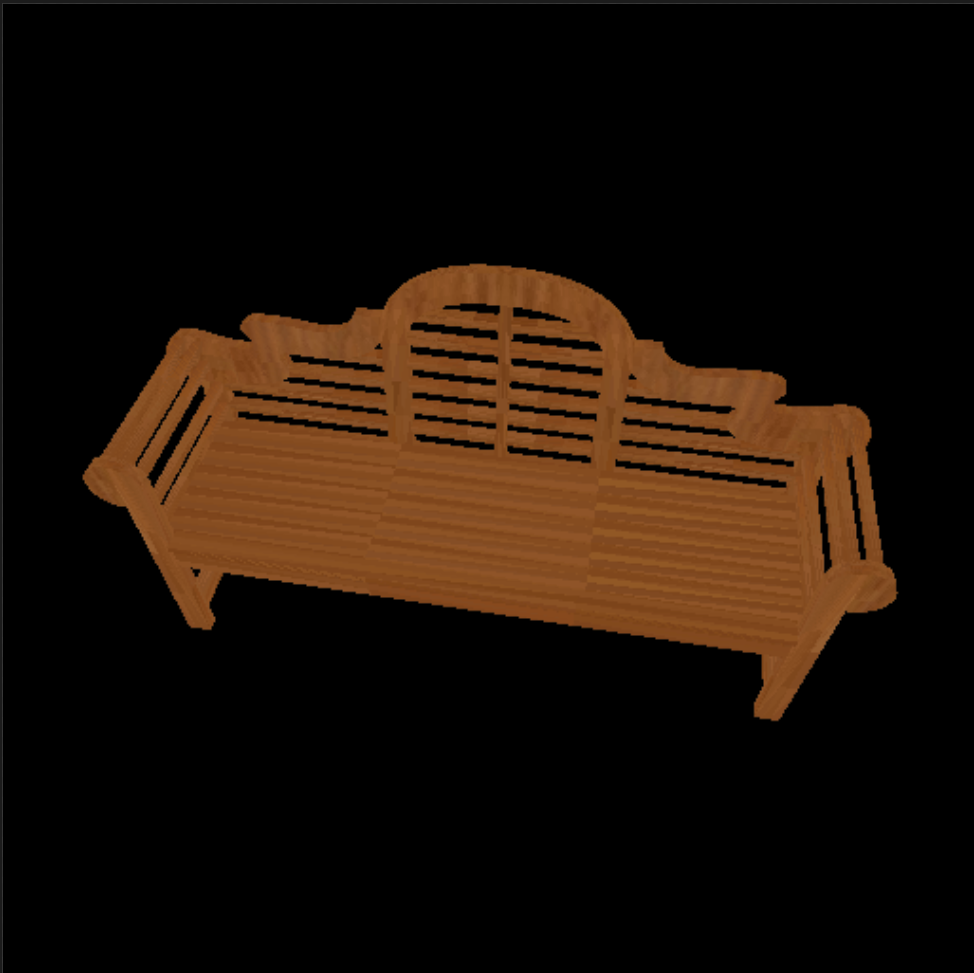 |:------------------------------------------------------------:|:--------------------------------------------------:|
| [Render DensePose data](https://github.com/facebookresearch/pytorch3d/blob/main/docs/tutorials/render_densepose.ipynb)| [Load & Render ShapeNet data](https://github.com/facebookresearch/pytorch3d/blob/main/docs/tutorials/dataloaders_ShapeNetCore_R2N2.ipynb)|
|
|:------------------------------------------------------------:|:--------------------------------------------------:|
| [Render DensePose data](https://github.com/facebookresearch/pytorch3d/blob/main/docs/tutorials/render_densepose.ipynb)| [Load & Render ShapeNet data](https://github.com/facebookresearch/pytorch3d/blob/main/docs/tutorials/dataloaders_ShapeNetCore_R2N2.ipynb)|
| 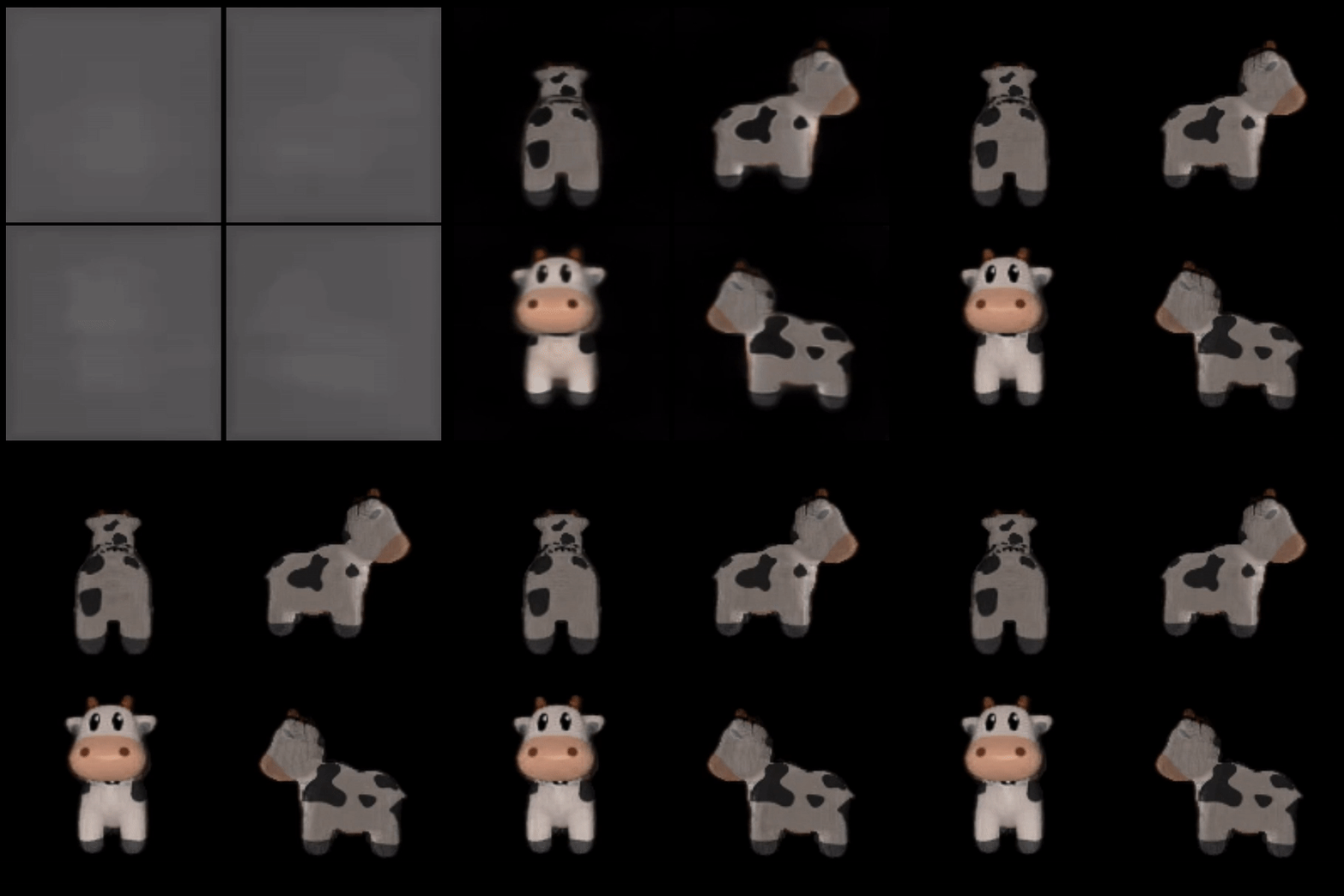 |
| 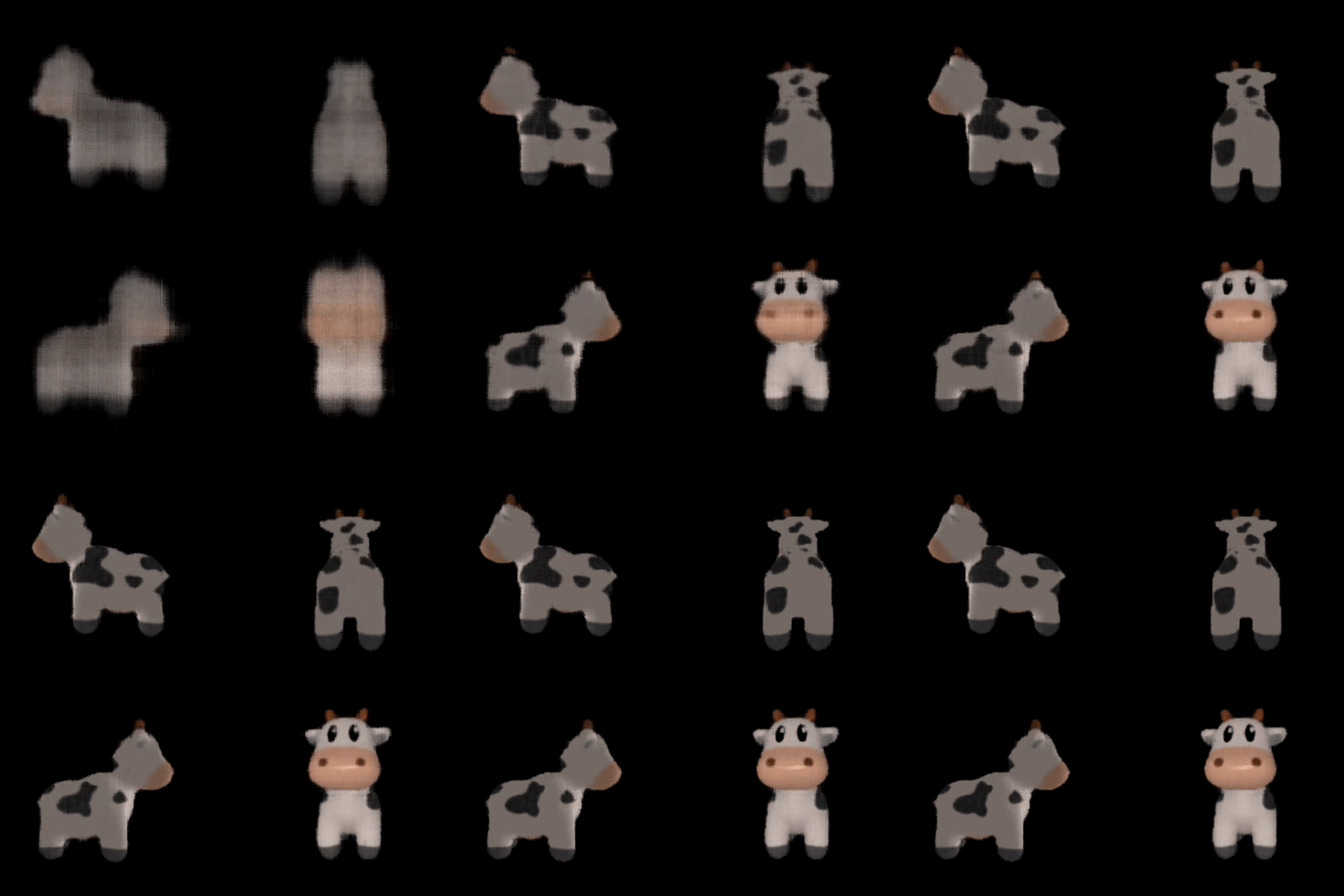 |:------------------------------------------------------------:|:--------------------------------------------------:|
| [Fit Textured Volume](https://github.com/facebookresearch/pytorch3d/blob/main/docs/tutorials/fit_textured_volume.ipynb)| [Fit A Simple Neural Radiance Field](https://github.com/facebookresearch/pytorch3d/blob/main/docs/tutorials/fit_simple_neural_radiance_field.ipynb)|
| |
|:------------------------------------------------------------:|:--------------------------------------------------:|
| [Fit Textured Volume](https://github.com/facebookresearch/pytorch3d/blob/main/docs/tutorials/fit_textured_volume.ipynb)| [Fit A Simple Neural Radiance Field](https://github.com/facebookresearch/pytorch3d/blob/main/docs/tutorials/fit_simple_neural_radiance_field.ipynb)|
| |  |:------------------------------------------------------------:|:--------------------------------------------------:|
| [Fit Textured Volume in Implicitron](https://github.com/facebookresearch/pytorch3d/blob/main/docs/tutorials/implicitron_volumes.ipynb)| [Implicitron Config System](https://github.com/facebookresearch/pytorch3d/blob/main/docs/tutorials/implicitron_config_system.ipynb)|
## Documentation
Learn more about the API by reading the PyTorch3D [documentation](https://pytorch3d.readthedocs.org/).
We also have deep dive notes on several API components:
- [Heterogeneous Batching](https://github.com/facebookresearch/pytorch3d/tree/main/docs/notes/batching.md)
- [Mesh IO](https://github.com/facebookresearch/pytorch3d/tree/main/docs/notes/meshes_io.md)
- [Differentiable Rendering](https://github.com/facebookresearch/pytorch3d/tree/main/docs/notes/renderer_getting_started.md)
### Overview Video
We have created a short (~14 min) video tutorial providing an overview of the PyTorch3D codebase including several code examples. Click on the image below to watch the video on YouTube:
## Development
We welcome new contributions to PyTorch3D and we will be actively maintaining this library! Please refer to [CONTRIBUTING.md](./.github/CONTRIBUTING.md) for full instructions on how to run the code, tests and linter, and submit your pull requests.
## Development and Compatibility
- `main` branch: actively developed, without any guarantee, Anything can be broken at any time
- REMARK: this includes nightly builds which are built from `main`
- HINT: the commit history can help locate regressions or changes
- backward-compatibility between releases: no guarantee. Best efforts to communicate breaking changes and facilitate migration of code or data (incl. models).
## Contributors
PyTorch3D is written and maintained by the Facebook AI Research Computer Vision Team.
In alphabetical order:
* Amitav Baruah
* Steve Branson
* Krzysztof Chalupka
* Jiali Duan
* Luya Gao
* Georgia Gkioxari
* Taylor Gordon
* Justin Johnson
* Patrick Labatut
* Christoph Lassner
* Wan-Yen Lo
* David Novotny
* Nikhila Ravi
* Jeremy Reizenstein
* Dave Schnizlein
* Roman Shapovalov
* Olivia Wiles
## Citation
If you find PyTorch3D useful in your research, please cite our tech report:
```bibtex
@article{ravi2020pytorch3d,
author = {Nikhila Ravi and Jeremy Reizenstein and David Novotny and Taylor Gordon
and Wan-Yen Lo and Justin Johnson and Georgia Gkioxari},
title = {Accelerating 3D Deep Learning with PyTorch3D},
journal = {arXiv:2007.08501},
year = {2020},
}
```
If you are using the pulsar backend for sphere-rendering (the `PulsarPointRenderer` or `pytorch3d.renderer.points.pulsar.Renderer`), please cite the tech report:
```bibtex
@article{lassner2020pulsar,
author = {Christoph Lassner and Michael Zollh\"ofer},
title = {Pulsar: Efficient Sphere-based Neural Rendering},
journal = {arXiv:2004.07484},
year = {2020},
}
```
## News
Please see below for a timeline of the codebase updates in reverse chronological order. We are sharing updates on the releases as well as research projects which are built with PyTorch3D. The changelogs for the releases are available under [`Releases`](https://github.com/facebookresearch/pytorch3d/releases), and the builds can be installed using `conda` as per the instructions in [INSTALL.md](INSTALL.md).
**[Oct 31st 2023]:** PyTorch3D [v0.7.5](https://github.com/facebookresearch/pytorch3d/releases/tag/v0.7.5) released.
**[May 10th 2023]:** PyTorch3D [v0.7.4](https://github.com/facebookresearch/pytorch3d/releases/tag/v0.7.4) released.
**[Apr 5th 2023]:** PyTorch3D [v0.7.3](https://github.com/facebookresearch/pytorch3d/releases/tag/v0.7.3) released.
**[Dec 19th 2022]:** PyTorch3D [v0.7.2](https://github.com/facebookresearch/pytorch3d/releases/tag/v0.7.2) released.
**[Oct 23rd 2022]:** PyTorch3D [v0.7.1](https://github.com/facebookresearch/pytorch3d/releases/tag/v0.7.1) released.
**[Aug 10th 2022]:** PyTorch3D [v0.7.0](https://github.com/facebookresearch/pytorch3d/releases/tag/v0.7.0) released with Implicitron and MeshRasterizerOpenGL.
**[Apr 28th 2022]:** PyTorch3D [v0.6.2](https://github.com/facebookresearch/pytorch3d/releases/tag/v0.6.2) released
**[Dec 16th 2021]:** PyTorch3D [v0.6.1](https://github.com/facebookresearch/pytorch3d/releases/tag/v0.6.1) released
**[Oct 6th 2021]:** PyTorch3D [v0.6.0](https://github.com/facebookresearch/pytorch3d/releases/tag/v0.6.0) released
**[Aug 5th 2021]:** PyTorch3D [v0.5.0](https://github.com/facebookresearch/pytorch3d/releases/tag/v0.5.0) released
**[Feb 9th 2021]:** PyTorch3D [v0.4.0](https://github.com/facebookresearch/pytorch3d/releases/tag/v0.4.0) released with support for implicit functions, volume rendering and a [reimplementation of NeRF](https://github.com/facebookresearch/pytorch3d/tree/main/projects/nerf).
**[November 2nd 2020]:** PyTorch3D [v0.3.0](https://github.com/facebookresearch/pytorch3d/releases/tag/v0.3.0) released, integrating the pulsar backend.
**[Aug 28th 2020]:** PyTorch3D [v0.2.5](https://github.com/facebookresearch/pytorch3d/releases/tag/v0.2.5) released
**[July 17th 2020]:** PyTorch3D tech report published on ArXiv: https://arxiv.org/abs/2007.08501
**[April 24th 2020]:** PyTorch3D [v0.2.0](https://github.com/facebookresearch/pytorch3d/releases/tag/v0.2.0) released
**[March 25th 2020]:** [SynSin](https://arxiv.org/abs/1912.08804) codebase released using PyTorch3D: https://github.com/facebookresearch/synsin
**[March 8th 2020]:** PyTorch3D [v0.1.1](https://github.com/facebookresearch/pytorch3d/releases/tag/v0.1.1) bug fix release
**[Jan 23rd 2020]:** PyTorch3D [v0.1.0](https://github.com/facebookresearch/pytorch3d/releases/tag/v0.1.0) released. [Mesh R-CNN](https://arxiv.org/abs/1906.02739) codebase released: https://github.com/facebookresearch/meshrcnn
---
### README (`docs/README.md`)
## Setup
### Install dependencies
```
pip install -U recommonmark sphinx sphinx_rtd_theme sphinx_markdown_tables
```
### Add symlink to the root README.md
We want to include the root readme as an overview. Before generating the docs create a symlink to the root readme.
```
cd docs
ln -s ../README.md overview.md
```
In `conf.py` for deployment this is done using `subprocess.call`.
### Add a new file
Add a new `.md` or `.rst` file and add the name to the doc tree in `index.rst` e.g
```
.. toctree::
:maxdepth: 1
:caption: Intro Documentation
overview
```
To autogenerate docs from docstrings in the source code, add the import path for the function e.g.
```
Chamfer Loss
--------------------
.. autoclass:: loss.chamfer.chamfer_distance
:members:
:undoc-members:
.. automethod:: __init__
````
### Build
From `pytorch3d/docs` run:
```
> make html
```
The website is generated in `_build/html`.
### Common Issues
Sphinx can be fussy, and sometimes about things you weren’t expecting. For example, you might encounter something like:
WARNING: toctree contains reference to nonexisting document u'overview'
...
checking consistency...
|:------------------------------------------------------------:|:--------------------------------------------------:|
| [Fit Textured Volume in Implicitron](https://github.com/facebookresearch/pytorch3d/blob/main/docs/tutorials/implicitron_volumes.ipynb)| [Implicitron Config System](https://github.com/facebookresearch/pytorch3d/blob/main/docs/tutorials/implicitron_config_system.ipynb)|
## Documentation
Learn more about the API by reading the PyTorch3D [documentation](https://pytorch3d.readthedocs.org/).
We also have deep dive notes on several API components:
- [Heterogeneous Batching](https://github.com/facebookresearch/pytorch3d/tree/main/docs/notes/batching.md)
- [Mesh IO](https://github.com/facebookresearch/pytorch3d/tree/main/docs/notes/meshes_io.md)
- [Differentiable Rendering](https://github.com/facebookresearch/pytorch3d/tree/main/docs/notes/renderer_getting_started.md)
### Overview Video
We have created a short (~14 min) video tutorial providing an overview of the PyTorch3D codebase including several code examples. Click on the image below to watch the video on YouTube:
## Development
We welcome new contributions to PyTorch3D and we will be actively maintaining this library! Please refer to [CONTRIBUTING.md](./.github/CONTRIBUTING.md) for full instructions on how to run the code, tests and linter, and submit your pull requests.
## Development and Compatibility
- `main` branch: actively developed, without any guarantee, Anything can be broken at any time
- REMARK: this includes nightly builds which are built from `main`
- HINT: the commit history can help locate regressions or changes
- backward-compatibility between releases: no guarantee. Best efforts to communicate breaking changes and facilitate migration of code or data (incl. models).
## Contributors
PyTorch3D is written and maintained by the Facebook AI Research Computer Vision Team.
In alphabetical order:
* Amitav Baruah
* Steve Branson
* Krzysztof Chalupka
* Jiali Duan
* Luya Gao
* Georgia Gkioxari
* Taylor Gordon
* Justin Johnson
* Patrick Labatut
* Christoph Lassner
* Wan-Yen Lo
* David Novotny
* Nikhila Ravi
* Jeremy Reizenstein
* Dave Schnizlein
* Roman Shapovalov
* Olivia Wiles
## Citation
If you find PyTorch3D useful in your research, please cite our tech report:
```bibtex
@article{ravi2020pytorch3d,
author = {Nikhila Ravi and Jeremy Reizenstein and David Novotny and Taylor Gordon
and Wan-Yen Lo and Justin Johnson and Georgia Gkioxari},
title = {Accelerating 3D Deep Learning with PyTorch3D},
journal = {arXiv:2007.08501},
year = {2020},
}
```
If you are using the pulsar backend for sphere-rendering (the `PulsarPointRenderer` or `pytorch3d.renderer.points.pulsar.Renderer`), please cite the tech report:
```bibtex
@article{lassner2020pulsar,
author = {Christoph Lassner and Michael Zollh\"ofer},
title = {Pulsar: Efficient Sphere-based Neural Rendering},
journal = {arXiv:2004.07484},
year = {2020},
}
```
## News
Please see below for a timeline of the codebase updates in reverse chronological order. We are sharing updates on the releases as well as research projects which are built with PyTorch3D. The changelogs for the releases are available under [`Releases`](https://github.com/facebookresearch/pytorch3d/releases), and the builds can be installed using `conda` as per the instructions in [INSTALL.md](INSTALL.md).
**[Oct 31st 2023]:** PyTorch3D [v0.7.5](https://github.com/facebookresearch/pytorch3d/releases/tag/v0.7.5) released.
**[May 10th 2023]:** PyTorch3D [v0.7.4](https://github.com/facebookresearch/pytorch3d/releases/tag/v0.7.4) released.
**[Apr 5th 2023]:** PyTorch3D [v0.7.3](https://github.com/facebookresearch/pytorch3d/releases/tag/v0.7.3) released.
**[Dec 19th 2022]:** PyTorch3D [v0.7.2](https://github.com/facebookresearch/pytorch3d/releases/tag/v0.7.2) released.
**[Oct 23rd 2022]:** PyTorch3D [v0.7.1](https://github.com/facebookresearch/pytorch3d/releases/tag/v0.7.1) released.
**[Aug 10th 2022]:** PyTorch3D [v0.7.0](https://github.com/facebookresearch/pytorch3d/releases/tag/v0.7.0) released with Implicitron and MeshRasterizerOpenGL.
**[Apr 28th 2022]:** PyTorch3D [v0.6.2](https://github.com/facebookresearch/pytorch3d/releases/tag/v0.6.2) released
**[Dec 16th 2021]:** PyTorch3D [v0.6.1](https://github.com/facebookresearch/pytorch3d/releases/tag/v0.6.1) released
**[Oct 6th 2021]:** PyTorch3D [v0.6.0](https://github.com/facebookresearch/pytorch3d/releases/tag/v0.6.0) released
**[Aug 5th 2021]:** PyTorch3D [v0.5.0](https://github.com/facebookresearch/pytorch3d/releases/tag/v0.5.0) released
**[Feb 9th 2021]:** PyTorch3D [v0.4.0](https://github.com/facebookresearch/pytorch3d/releases/tag/v0.4.0) released with support for implicit functions, volume rendering and a [reimplementation of NeRF](https://github.com/facebookresearch/pytorch3d/tree/main/projects/nerf).
**[November 2nd 2020]:** PyTorch3D [v0.3.0](https://github.com/facebookresearch/pytorch3d/releases/tag/v0.3.0) released, integrating the pulsar backend.
**[Aug 28th 2020]:** PyTorch3D [v0.2.5](https://github.com/facebookresearch/pytorch3d/releases/tag/v0.2.5) released
**[July 17th 2020]:** PyTorch3D tech report published on ArXiv: https://arxiv.org/abs/2007.08501
**[April 24th 2020]:** PyTorch3D [v0.2.0](https://github.com/facebookresearch/pytorch3d/releases/tag/v0.2.0) released
**[March 25th 2020]:** [SynSin](https://arxiv.org/abs/1912.08804) codebase released using PyTorch3D: https://github.com/facebookresearch/synsin
**[March 8th 2020]:** PyTorch3D [v0.1.1](https://github.com/facebookresearch/pytorch3d/releases/tag/v0.1.1) bug fix release
**[Jan 23rd 2020]:** PyTorch3D [v0.1.0](https://github.com/facebookresearch/pytorch3d/releases/tag/v0.1.0) released. [Mesh R-CNN](https://arxiv.org/abs/1906.02739) codebase released: https://github.com/facebookresearch/meshrcnn
---
### README (`docs/README.md`)
## Setup
### Install dependencies
```
pip install -U recommonmark sphinx sphinx_rtd_theme sphinx_markdown_tables
```
### Add symlink to the root README.md
We want to include the root readme as an overview. Before generating the docs create a symlink to the root readme.
```
cd docs
ln -s ../README.md overview.md
```
In `conf.py` for deployment this is done using `subprocess.call`.
### Add a new file
Add a new `.md` or `.rst` file and add the name to the doc tree in `index.rst` e.g
```
.. toctree::
:maxdepth: 1
:caption: Intro Documentation
overview
```
To autogenerate docs from docstrings in the source code, add the import path for the function e.g.
```
Chamfer Loss
--------------------
.. autoclass:: loss.chamfer.chamfer_distance
:members:
:undoc-members:
.. automethod:: __init__
````
### Build
From `pytorch3d/docs` run:
```
> make html
```
The website is generated in `_build/html`.
### Common Issues
Sphinx can be fussy, and sometimes about things you weren’t expecting. For example, you might encounter something like:
WARNING: toctree contains reference to nonexisting document u'overview'
...
checking consistency...
 ## Batch modes for meshes
Assume you want to construct a batch containing two meshes, with `mesh1 = (v1: V1 x 3, f1: F1 x 3)` containing `V1` vertices and `F1` faces, and `mesh2 = (v2: V2 x 3, f2: F2 x 3)` with `V2 (!= V1)` vertices and `F2 (!= F1)` faces. The [Meshes][meshes] data structure provides three different ways to batch *heterogeneous* meshes. If `meshes = Meshes(verts = [v1, v2], faces = [f1, f2])` is an instantiation of the data structure, then
* List: Returns the examples in the batch as a list of tensors. Specifically, `meshes.verts_list()` returns the list of vertices `[v1, v2]`. Similarly, `meshes.faces_list()` returns the list of faces `[f1, f2]`.
* Padded: The padded representation constructs a tensor by padding the extra values. Specifically, `meshes.verts_padded()` returns a tensor of shape `2 x max(V1, V2) x 3` and pads the extra vertices with `0`s. Similarly, `meshes.faces_padded()` returns a tensor of shape `2 x max(F1, F2) x 3` and pads the extra faces with `-1`s.
* Packed: The packed representation concatenates the examples in the batch into a tensor. In particular, `meshes.verts_packed()` returns a tensor of shape `(V1 + V2) x 3`. Similarly, `meshes.faces_packed()` returns a tensor of shape `(F1 + F2) x 3` for the faces. In the packed mode, auxiliary variables are computed that enable efficient conversion between packed and padded or list modes.
## Batch modes for meshes
Assume you want to construct a batch containing two meshes, with `mesh1 = (v1: V1 x 3, f1: F1 x 3)` containing `V1` vertices and `F1` faces, and `mesh2 = (v2: V2 x 3, f2: F2 x 3)` with `V2 (!= V1)` vertices and `F2 (!= F1)` faces. The [Meshes][meshes] data structure provides three different ways to batch *heterogeneous* meshes. If `meshes = Meshes(verts = [v1, v2], faces = [f1, f2])` is an instantiation of the data structure, then
* List: Returns the examples in the batch as a list of tensors. Specifically, `meshes.verts_list()` returns the list of vertices `[v1, v2]`. Similarly, `meshes.faces_list()` returns the list of faces `[f1, f2]`.
* Padded: The padded representation constructs a tensor by padding the extra values. Specifically, `meshes.verts_padded()` returns a tensor of shape `2 x max(V1, V2) x 3` and pads the extra vertices with `0`s. Similarly, `meshes.faces_padded()` returns a tensor of shape `2 x max(F1, F2) x 3` and pads the extra faces with `-1`s.
* Packed: The packed representation concatenates the examples in the batch into a tensor. In particular, `meshes.verts_packed()` returns a tensor of shape `(V1 + V2) x 3`. Similarly, `meshes.faces_packed()` returns a tensor of shape `(F1 + F2) x 3` for the faces. In the packed mode, auxiliary variables are computed that enable efficient conversion between packed and padded or list modes.
 ## Use cases for batch modes
The need for different mesh batch modes is inherent to the way PyTorch operators are implemented. To fully utilize the optimized PyTorch ops, the [Meshes][meshes] data structure allows for efficient conversion between the different batch modes. This is crucial when aiming for a fast and efficient training cycle. An example of this is [Mesh R-CNN][meshrcnn]. Here, in the same forward pass different parts of the network assume different inputs, which are computed by converting between the different batch modes. In particular, [vert_align][vert_align] assumes a *padded* input tensor while immediately after [graph_conv][graphconv] assumes a *packed* input tensor.
## Use cases for batch modes
The need for different mesh batch modes is inherent to the way PyTorch operators are implemented. To fully utilize the optimized PyTorch ops, the [Meshes][meshes] data structure allows for efficient conversion between the different batch modes. This is crucial when aiming for a fast and efficient training cycle. An example of this is [Mesh R-CNN][meshrcnn]. Here, in the same forward pass different parts of the network assume different inputs, which are computed by converting between the different batch modes. In particular, [vert_align][vert_align] assumes a *padded* input tensor while immediately after [graph_conv][graphconv] assumes a *packed* input tensor.
 [meshes]: https://github.com/facebookresearch/pytorch3d/blob/main/pytorch3d/structures/meshes.py
[graphconv]: https://github.com/facebookresearch/pytorch3d/blob/main/pytorch3d/ops/graph_conv.py
[vert_align]: https://github.com/facebookresearch/pytorch3d/blob/main/pytorch3d/ops/vert_align.py
[meshrcnn]: https://github.com/facebookresearch/meshrcnn
---
### Notes Cameras (`docs/notes/cameras.md`)
---
hide_title: true
sidebar_label: Cameras
---
# Cameras
## Camera Coordinate Systems
When working with 3D data, there are 4 coordinate systems users need to know
* **World coordinate system**
This is the system the object/scene lives - the world.
* **Camera view coordinate system**
This is the system that has its origin on the image plane and the `Z`-axis perpendicular to the image plane. In PyTorch3D, we assume that `+X` points left, and `+Y` points up and `+Z` points out from the image plane. The transformation from world to view happens after applying a rotation (`R`) and translation (`T`).
* **NDC coordinate system**
This is the normalized coordinate system that confines in a volume the rendered part of the object/scene. Also known as view volume. For square images, under the PyTorch3D convention, `(+1, +1, znear)` is the top left near corner, and `(-1, -1, zfar)` is the bottom right far corner of the volume. For non-square images, the side of the volume in `XY` with the smallest length ranges from `[-1, 1]` while the larger side from `[-s, s]`, where `s` is the aspect ratio and `s > 1` (larger divided by smaller side).
The transformation from view to NDC happens after applying the camera projection matrix (`P`).
* **Screen coordinate system**
This is another representation of the view volume with the `XY` coordinates defined in pixel space instead of a normalized space. (0,0) is the top left corner of the top left pixel
and (W,H) is the bottom right corner of the bottom right pixel.
An illustration of the 4 coordinate systems is shown below
## Defining Cameras in PyTorch3D
Cameras in PyTorch3D transform an object/scene from world to view by first transforming the object/scene to view (via transforms `R` and `T`) and then projecting the 3D object/scene to a normalized space via the projection matrix `P = K[R | T]`, where `K` is the intrinsic matrix. The camera parameters in `K` define the normalized space. If users define the camera parameters in NDC space, then the transform projects points to NDC. If the camera parameters are defined in screen space, the transformed points are in screen space.
Note that the base `CamerasBase` class makes no assumptions about the coordinate systems. All the above transforms are geometric transforms defined purely by `R`, `T` and `K`. This means that users can define cameras in any coordinate system and for any transforms. The method `transform_points` will apply `K` , `R` and `T` to the input points as a simple matrix transformation. However, if users wish to use cameras with the PyTorch3D renderer, they need to abide to PyTorch3D's coordinate system assumptions (read below).
We provide instantiations of common camera types in PyTorch3D and how users can flexibly define the projection space below.
## Interfacing with the PyTorch3D Renderer
The PyTorch3D renderer for both meshes and point clouds assumes that the camera transformed points, meaning the points passed as input to the rasterizer, are in PyTorch3D's NDC space. So to get the expected rendering outcome, users need to make sure that their 3D input data and cameras abide by these PyTorch3D coordinate system assumptions. The PyTorch3D coordinate system assumes `+X:left`, `+Y: up` and `+Z: from us to scene` (right-handed) . Confusions regarding coordinate systems are common so we advise that you spend some time understanding your data and the coordinate system they live in and transform them accordingly before using the PyTorch3D renderer.
Examples of cameras and how they interface with the PyTorch3D renderer can be found in our tutorials.
### Camera Types
All cameras inherit from `CamerasBase` which is a base class for all cameras. PyTorch3D provides four different camera types. The `CamerasBase` defines methods that are common to all camera models:
* `get_camera_center` that returns the optical center of the camera in world coordinates
* `get_world_to_view_transform` which returns a 3D transform from world coordinates to the camera view coordinates `(R, T)`
* `get_full_projection_transform` which composes the projection transform (`K`) with the world-to-view transform `(R, T)`
* `transform_points` which takes a set of input points in world coordinates and projects to NDC coordinates ranging from [-1, -1, znear] to [+1, +1, zfar].
* `get_ndc_camera_transform` which defines the conversion to PyTorch3D's NDC space and is called when interfacing with the PyTorch3D renderer. If the camera is defined in NDC space, then the identity transform is returned. If the cameras is defined in screen space, the conversion from screen to NDC is returned. If users define their own camera in screen space, they need to think of the screen to NDC conversion. We provide examples for the `PerspectiveCameras` and `OrthographicCameras`.
* `transform_points_ndc` which takes a set of points in world coordinates and projects them to PyTorch3D's NDC space
* `transform_points_screen` which takes a set of input points in world coordinates and projects them to the screen coordinates ranging from [0, 0, znear] to [W, H, zfar]
Users can easily customize their own cameras. For each new camera, users should implement the `get_projection_transform` routine that returns the mapping `P` from camera view coordinates to NDC coordinates.
#### FoVPerspectiveCameras, FoVOrthographicCameras
These two cameras follow the OpenGL convention for perspective and orthographic cameras respectively. The user provides the near `znear` and far `zfar` field which confines the view volume in the `Z` axis. The view volume in the `XY` plane is defined by field of view angle (`fov`) in the case of `FoVPerspectiveCameras` and by `min_x, min_y, max_x, max_y` in the case of `FoVOrthographicCameras`.
These cameras are by default in NDC space.
#### PerspectiveCameras, OrthographicCameras
These two cameras follow the Multi-View Geometry convention for cameras. The user provides the focal length (`fx`, `fy`) and the principal point (`px`, `py`). For example, `camera = PerspectiveCameras(focal_length=((fx, fy),), principal_point=((px, py),))`
The camera projection of a 3D point `(X, Y, Z)` in view coordinates to a point `(x, y, z)` in projection space (either NDC or screen) is
```
# for perspective camera
x = fx * X / Z + px
y = fy * Y / Z + py
z = 1 / Z
# for orthographic camera
x = fx * X + px
y = fy * Y + py
z = Z
```
The user can define the camera parameters in NDC or in screen space. Screen space camera parameters are common and for that case the user needs to set `in_ndc` to `False` and also provide the `image_size=(height, width)` of the screen, aka the image.
The `get_ndc_camera_transform` provides the transform from screen to NDC space in PyTorch3D. Note that the screen space assumes that the principal point is provided in the space with `+X left`, `+Y down` and origin at the top left corner of the image. To convert to NDC we need to account for the scaling of the normalized space as well as the change in `XY` direction.
Below are example of equivalent `PerspectiveCameras` instantiations in NDC and screen space, respectively.
```python
# NDC space camera
fcl_ndc = (1.2,)
prp_ndc = ((0.2, 0.5),)
cameras_ndc = PerspectiveCameras(focal_length=fcl_ndc, principal_point=prp_ndc)
# Screen space camera
image_size = ((128, 256),) # (h, w)
fcl_screen = (76.8,) # fcl_ndc * min(image_size) / 2
prp_screen = ((115.2, 32), ) # w / 2 - px_ndc * min(image_size) / 2, h / 2 - py_ndc * min(image_size) / 2
cameras_screen = PerspectiveCameras(focal_length=fcl_screen, principal_point=prp_screen, in_ndc=False, image_size=image_size)
```
The relationship between screen and NDC specifications of a camera's `focal_length` and `principal_point` is given by the following equations, where `s = min(image_width, image_height)`.
The transformation of x and y coordinates between screen and NDC is exactly the same as for px and py.
```
fx_ndc = fx_screen * 2.0 / s
fy_ndc = fy_screen * 2.0 / s
px_ndc = - (px_screen - image_width / 2.0) * 2.0 / s
py_ndc = - (py_screen - image_height / 2.0) * 2.0 / s
```
---
### Notes Cubify (`docs/notes/cubify.md`)
---
hide_title: true
sidebar_label: Cubify
---
# Cubify
The [cubify operator](https://github.com/facebookresearch/pytorch3d/blob/main/pytorch3d/ops/cubify.py) converts an 3D occupancy grid of shape `BxDxHxW`, where `B` is the batch size, into a mesh instantiated as a [Meshes](https://github.com/facebookresearch/pytorch3d/blob/main/pytorch3d/structures/meshes.py) data structure of `B` elements. The operator replaces every occupied voxel (if its occupancy probability is greater than a user defined threshold) with a cuboid of 12 faces and 8 vertices. Shared vertices are merged, and internal faces are removed resulting in a **watertight** mesh.
The operator provides three alignment modes {*topleft*, *corner*, *center*} which define the span of the mesh vertices with respect to the voxel grid. The alignment modes are described in the figure below for a 2D grid.
---
### Notes Datasets (`docs/notes/datasets.md`)
---
hide_title: true
sidebar_label: Data loaders
---
# Data loaders for common 3D Datasets
### ShapetNetCore
ShapeNet is a dataset of 3D CAD models. ShapeNetCore is a subset of the ShapeNet dataset and can be downloaded from https://www.shapenet.org/. There are two versions ShapeNetCore: v1 (55 categories) and v2 (57 categories).
The PyTorch3D [ShapeNetCore data loader](https://github.com/facebookresearch/pytorch3d/blob/main/pytorch3d/datasets/shapenet/shapenet_core.py) inherits from `torch.utils.data.Dataset`. It takes the path where the ShapeNetCore dataset is stored locally and loads models in the dataset. The ShapeNetCore class loads and returns models with their `categories`, `model_ids`, `vertices` and `faces`. The `ShapeNetCore` data loader also has a customized `render` function that renders models by the specified `model_ids (List[int])`, `categories (List[str])` or `indices (List[int])` with PyTorch3D's differentiable renderer.
The loaded dataset can be passed to `torch.utils.data.DataLoader` with PyTorch3D's customized collate_fn: `collate_batched_meshes` from the `pytorch3d.dataset.utils` module. The `vertices` and `faces` of the models are used to construct a [Meshes](https://github.com/facebookresearch/pytorch3d/blob/main/pytorch3d/structures/meshes.py) object representing the batched meshes. This `Meshes` representation can be easily used with other ops and rendering in PyTorch3D.
### R2N2
The R2N2 dataset contains 13 categories that are a subset of the ShapeNetCore v.1 dataset. The R2N2 dataset also contains its own 24 renderings of each object and voxelized models. The R2N2 Dataset can be downloaded following the instructions [here](http://3d-r2n2.stanford.edu/).
The PyTorch3D [R2N2 data loader](https://github.com/facebookresearch/pytorch3d/blob/main/pytorch3d/datasets/r2n2/r2n2.py) is initialized with the paths to the ShapeNet dataset, the R2N2 dataset and the splits file for R2N2. Just like `ShapeNetCore`, it can be passed to `torch.utils.data.DataLoader` with a customized collate_fn: `collate_batched_R2N2` from the `pytorch3d.dataset.r2n2.utils` module. It returns all the data that `ShapeNetCore` returns, and in addition, it returns the R2N2 renderings (24 views for each model) along with the camera calibration matrices and a voxel representation for each model. Similar to `ShapeNetCore`, it has a customized `render` function that supports rendering specified models with the PyTorch3D differentiable renderer. In addition, it supports rendering models with the same orientations as R2N2's original renderings.
---
### Notes Io (`docs/notes/io.md`)
---
hide_title: true
sidebar_label: File IO
---
# File IO
There is a flexible interface for loading and saving point clouds and meshes from different formats.
The main usage is via the `pytorch3d.io.IO` object, and its methods
`load_mesh`, `save_mesh`, `load_pointcloud` and `save_pointcloud`.
For example, to load a mesh you might do
```
from pytorch3d.io import IO
device=torch.device("cuda:0")
mesh = IO().load_mesh("mymesh.obj", device=device)
```
and to save a pointcloud you might do
```
pcl = Pointclouds(...)
IO().save_pointcloud(pcl, "output_pointcloud.ply")
```
For meshes, this supports OBJ, PLY and OFF files.
For pointclouds, this supports PLY files.
In addition, there is experimental support for loading meshes from
[glTF 2 assets](https://github.com/KhronosGroup/glTF/tree/master/specification/2.0)
stored either in a GLB container file or a glTF JSON file with embedded binary data.
This must be enabled explicitly, as described in
`pytorch3d/io/experimental_gltf_io.py`.
---
### Notes Iou3d (`docs/notes/iou3d.md`)
---
hide_title: true
sidebar_label: IoU3D
---
# Intersection Over Union of Oriented 3D Boxes: A New Algorithm
Author: Georgia Gkioxari
Implementation: Georgia Gkioxari and Nikhila Ravi
## Description
Intersection over union (IoU) of boxes is widely used as an evaluation metric in object detection ([1][pascalvoc], [2][coco]).
In 2D, IoU is commonly applied to axis-aligned boxes, namely boxes with edges parallel to the image axis.
In 3D, boxes are usually not axis aligned and can be oriented in any way in the world.
We introduce a new algorithm which computes the *exact* IoU of two *oriented 3D boxes*.
Our algorithm is based on the simple observation that the intersection of two oriented 3D boxes, `box1` and `box2`, is a convex polyhedron (convex n-gon in 2D) with `n > 2` comprised of connected *planar units*.
In 3D, these planar units are 3D triangular faces.
In 2D, they are 2D edges.
Each planar unit belongs strictly to either `box1` or `box2`.
Our algorithm finds these units by iterating through the sides of each box.
1. For each 3D triangular face `e` in `box1` we check wether `e` is *inside* `box2`.
2. If `e` is not *inside*, then we discard it.
3. If `e` is *inside* or *partially inside*, then the part of `e` *inside* `box2` is added to the units that comprise the final intersection shape.
4. We repeat for `box2`.
Below, we show a visualization of our algorithm for the case of 2D oriented boxes.
[meshes]: https://github.com/facebookresearch/pytorch3d/blob/main/pytorch3d/structures/meshes.py
[graphconv]: https://github.com/facebookresearch/pytorch3d/blob/main/pytorch3d/ops/graph_conv.py
[vert_align]: https://github.com/facebookresearch/pytorch3d/blob/main/pytorch3d/ops/vert_align.py
[meshrcnn]: https://github.com/facebookresearch/meshrcnn
---
### Notes Cameras (`docs/notes/cameras.md`)
---
hide_title: true
sidebar_label: Cameras
---
# Cameras
## Camera Coordinate Systems
When working with 3D data, there are 4 coordinate systems users need to know
* **World coordinate system**
This is the system the object/scene lives - the world.
* **Camera view coordinate system**
This is the system that has its origin on the image plane and the `Z`-axis perpendicular to the image plane. In PyTorch3D, we assume that `+X` points left, and `+Y` points up and `+Z` points out from the image plane. The transformation from world to view happens after applying a rotation (`R`) and translation (`T`).
* **NDC coordinate system**
This is the normalized coordinate system that confines in a volume the rendered part of the object/scene. Also known as view volume. For square images, under the PyTorch3D convention, `(+1, +1, znear)` is the top left near corner, and `(-1, -1, zfar)` is the bottom right far corner of the volume. For non-square images, the side of the volume in `XY` with the smallest length ranges from `[-1, 1]` while the larger side from `[-s, s]`, where `s` is the aspect ratio and `s > 1` (larger divided by smaller side).
The transformation from view to NDC happens after applying the camera projection matrix (`P`).
* **Screen coordinate system**
This is another representation of the view volume with the `XY` coordinates defined in pixel space instead of a normalized space. (0,0) is the top left corner of the top left pixel
and (W,H) is the bottom right corner of the bottom right pixel.
An illustration of the 4 coordinate systems is shown below
## Defining Cameras in PyTorch3D
Cameras in PyTorch3D transform an object/scene from world to view by first transforming the object/scene to view (via transforms `R` and `T`) and then projecting the 3D object/scene to a normalized space via the projection matrix `P = K[R | T]`, where `K` is the intrinsic matrix. The camera parameters in `K` define the normalized space. If users define the camera parameters in NDC space, then the transform projects points to NDC. If the camera parameters are defined in screen space, the transformed points are in screen space.
Note that the base `CamerasBase` class makes no assumptions about the coordinate systems. All the above transforms are geometric transforms defined purely by `R`, `T` and `K`. This means that users can define cameras in any coordinate system and for any transforms. The method `transform_points` will apply `K` , `R` and `T` to the input points as a simple matrix transformation. However, if users wish to use cameras with the PyTorch3D renderer, they need to abide to PyTorch3D's coordinate system assumptions (read below).
We provide instantiations of common camera types in PyTorch3D and how users can flexibly define the projection space below.
## Interfacing with the PyTorch3D Renderer
The PyTorch3D renderer for both meshes and point clouds assumes that the camera transformed points, meaning the points passed as input to the rasterizer, are in PyTorch3D's NDC space. So to get the expected rendering outcome, users need to make sure that their 3D input data and cameras abide by these PyTorch3D coordinate system assumptions. The PyTorch3D coordinate system assumes `+X:left`, `+Y: up` and `+Z: from us to scene` (right-handed) . Confusions regarding coordinate systems are common so we advise that you spend some time understanding your data and the coordinate system they live in and transform them accordingly before using the PyTorch3D renderer.
Examples of cameras and how they interface with the PyTorch3D renderer can be found in our tutorials.
### Camera Types
All cameras inherit from `CamerasBase` which is a base class for all cameras. PyTorch3D provides four different camera types. The `CamerasBase` defines methods that are common to all camera models:
* `get_camera_center` that returns the optical center of the camera in world coordinates
* `get_world_to_view_transform` which returns a 3D transform from world coordinates to the camera view coordinates `(R, T)`
* `get_full_projection_transform` which composes the projection transform (`K`) with the world-to-view transform `(R, T)`
* `transform_points` which takes a set of input points in world coordinates and projects to NDC coordinates ranging from [-1, -1, znear] to [+1, +1, zfar].
* `get_ndc_camera_transform` which defines the conversion to PyTorch3D's NDC space and is called when interfacing with the PyTorch3D renderer. If the camera is defined in NDC space, then the identity transform is returned. If the cameras is defined in screen space, the conversion from screen to NDC is returned. If users define their own camera in screen space, they need to think of the screen to NDC conversion. We provide examples for the `PerspectiveCameras` and `OrthographicCameras`.
* `transform_points_ndc` which takes a set of points in world coordinates and projects them to PyTorch3D's NDC space
* `transform_points_screen` which takes a set of input points in world coordinates and projects them to the screen coordinates ranging from [0, 0, znear] to [W, H, zfar]
Users can easily customize their own cameras. For each new camera, users should implement the `get_projection_transform` routine that returns the mapping `P` from camera view coordinates to NDC coordinates.
#### FoVPerspectiveCameras, FoVOrthographicCameras
These two cameras follow the OpenGL convention for perspective and orthographic cameras respectively. The user provides the near `znear` and far `zfar` field which confines the view volume in the `Z` axis. The view volume in the `XY` plane is defined by field of view angle (`fov`) in the case of `FoVPerspectiveCameras` and by `min_x, min_y, max_x, max_y` in the case of `FoVOrthographicCameras`.
These cameras are by default in NDC space.
#### PerspectiveCameras, OrthographicCameras
These two cameras follow the Multi-View Geometry convention for cameras. The user provides the focal length (`fx`, `fy`) and the principal point (`px`, `py`). For example, `camera = PerspectiveCameras(focal_length=((fx, fy),), principal_point=((px, py),))`
The camera projection of a 3D point `(X, Y, Z)` in view coordinates to a point `(x, y, z)` in projection space (either NDC or screen) is
```
# for perspective camera
x = fx * X / Z + px
y = fy * Y / Z + py
z = 1 / Z
# for orthographic camera
x = fx * X + px
y = fy * Y + py
z = Z
```
The user can define the camera parameters in NDC or in screen space. Screen space camera parameters are common and for that case the user needs to set `in_ndc` to `False` and also provide the `image_size=(height, width)` of the screen, aka the image.
The `get_ndc_camera_transform` provides the transform from screen to NDC space in PyTorch3D. Note that the screen space assumes that the principal point is provided in the space with `+X left`, `+Y down` and origin at the top left corner of the image. To convert to NDC we need to account for the scaling of the normalized space as well as the change in `XY` direction.
Below are example of equivalent `PerspectiveCameras` instantiations in NDC and screen space, respectively.
```python
# NDC space camera
fcl_ndc = (1.2,)
prp_ndc = ((0.2, 0.5),)
cameras_ndc = PerspectiveCameras(focal_length=fcl_ndc, principal_point=prp_ndc)
# Screen space camera
image_size = ((128, 256),) # (h, w)
fcl_screen = (76.8,) # fcl_ndc * min(image_size) / 2
prp_screen = ((115.2, 32), ) # w / 2 - px_ndc * min(image_size) / 2, h / 2 - py_ndc * min(image_size) / 2
cameras_screen = PerspectiveCameras(focal_length=fcl_screen, principal_point=prp_screen, in_ndc=False, image_size=image_size)
```
The relationship between screen and NDC specifications of a camera's `focal_length` and `principal_point` is given by the following equations, where `s = min(image_width, image_height)`.
The transformation of x and y coordinates between screen and NDC is exactly the same as for px and py.
```
fx_ndc = fx_screen * 2.0 / s
fy_ndc = fy_screen * 2.0 / s
px_ndc = - (px_screen - image_width / 2.0) * 2.0 / s
py_ndc = - (py_screen - image_height / 2.0) * 2.0 / s
```
---
### Notes Cubify (`docs/notes/cubify.md`)
---
hide_title: true
sidebar_label: Cubify
---
# Cubify
The [cubify operator](https://github.com/facebookresearch/pytorch3d/blob/main/pytorch3d/ops/cubify.py) converts an 3D occupancy grid of shape `BxDxHxW`, where `B` is the batch size, into a mesh instantiated as a [Meshes](https://github.com/facebookresearch/pytorch3d/blob/main/pytorch3d/structures/meshes.py) data structure of `B` elements. The operator replaces every occupied voxel (if its occupancy probability is greater than a user defined threshold) with a cuboid of 12 faces and 8 vertices. Shared vertices are merged, and internal faces are removed resulting in a **watertight** mesh.
The operator provides three alignment modes {*topleft*, *corner*, *center*} which define the span of the mesh vertices with respect to the voxel grid. The alignment modes are described in the figure below for a 2D grid.
---
### Notes Datasets (`docs/notes/datasets.md`)
---
hide_title: true
sidebar_label: Data loaders
---
# Data loaders for common 3D Datasets
### ShapetNetCore
ShapeNet is a dataset of 3D CAD models. ShapeNetCore is a subset of the ShapeNet dataset and can be downloaded from https://www.shapenet.org/. There are two versions ShapeNetCore: v1 (55 categories) and v2 (57 categories).
The PyTorch3D [ShapeNetCore data loader](https://github.com/facebookresearch/pytorch3d/blob/main/pytorch3d/datasets/shapenet/shapenet_core.py) inherits from `torch.utils.data.Dataset`. It takes the path where the ShapeNetCore dataset is stored locally and loads models in the dataset. The ShapeNetCore class loads and returns models with their `categories`, `model_ids`, `vertices` and `faces`. The `ShapeNetCore` data loader also has a customized `render` function that renders models by the specified `model_ids (List[int])`, `categories (List[str])` or `indices (List[int])` with PyTorch3D's differentiable renderer.
The loaded dataset can be passed to `torch.utils.data.DataLoader` with PyTorch3D's customized collate_fn: `collate_batched_meshes` from the `pytorch3d.dataset.utils` module. The `vertices` and `faces` of the models are used to construct a [Meshes](https://github.com/facebookresearch/pytorch3d/blob/main/pytorch3d/structures/meshes.py) object representing the batched meshes. This `Meshes` representation can be easily used with other ops and rendering in PyTorch3D.
### R2N2
The R2N2 dataset contains 13 categories that are a subset of the ShapeNetCore v.1 dataset. The R2N2 dataset also contains its own 24 renderings of each object and voxelized models. The R2N2 Dataset can be downloaded following the instructions [here](http://3d-r2n2.stanford.edu/).
The PyTorch3D [R2N2 data loader](https://github.com/facebookresearch/pytorch3d/blob/main/pytorch3d/datasets/r2n2/r2n2.py) is initialized with the paths to the ShapeNet dataset, the R2N2 dataset and the splits file for R2N2. Just like `ShapeNetCore`, it can be passed to `torch.utils.data.DataLoader` with a customized collate_fn: `collate_batched_R2N2` from the `pytorch3d.dataset.r2n2.utils` module. It returns all the data that `ShapeNetCore` returns, and in addition, it returns the R2N2 renderings (24 views for each model) along with the camera calibration matrices and a voxel representation for each model. Similar to `ShapeNetCore`, it has a customized `render` function that supports rendering specified models with the PyTorch3D differentiable renderer. In addition, it supports rendering models with the same orientations as R2N2's original renderings.
---
### Notes Io (`docs/notes/io.md`)
---
hide_title: true
sidebar_label: File IO
---
# File IO
There is a flexible interface for loading and saving point clouds and meshes from different formats.
The main usage is via the `pytorch3d.io.IO` object, and its methods
`load_mesh`, `save_mesh`, `load_pointcloud` and `save_pointcloud`.
For example, to load a mesh you might do
```
from pytorch3d.io import IO
device=torch.device("cuda:0")
mesh = IO().load_mesh("mymesh.obj", device=device)
```
and to save a pointcloud you might do
```
pcl = Pointclouds(...)
IO().save_pointcloud(pcl, "output_pointcloud.ply")
```
For meshes, this supports OBJ, PLY and OFF files.
For pointclouds, this supports PLY files.
In addition, there is experimental support for loading meshes from
[glTF 2 assets](https://github.com/KhronosGroup/glTF/tree/master/specification/2.0)
stored either in a GLB container file or a glTF JSON file with embedded binary data.
This must be enabled explicitly, as described in
`pytorch3d/io/experimental_gltf_io.py`.
---
### Notes Iou3d (`docs/notes/iou3d.md`)
---
hide_title: true
sidebar_label: IoU3D
---
# Intersection Over Union of Oriented 3D Boxes: A New Algorithm
Author: Georgia Gkioxari
Implementation: Georgia Gkioxari and Nikhila Ravi
## Description
Intersection over union (IoU) of boxes is widely used as an evaluation metric in object detection ([1][pascalvoc], [2][coco]).
In 2D, IoU is commonly applied to axis-aligned boxes, namely boxes with edges parallel to the image axis.
In 3D, boxes are usually not axis aligned and can be oriented in any way in the world.
We introduce a new algorithm which computes the *exact* IoU of two *oriented 3D boxes*.
Our algorithm is based on the simple observation that the intersection of two oriented 3D boxes, `box1` and `box2`, is a convex polyhedron (convex n-gon in 2D) with `n > 2` comprised of connected *planar units*.
In 3D, these planar units are 3D triangular faces.
In 2D, they are 2D edges.
Each planar unit belongs strictly to either `box1` or `box2`.
Our algorithm finds these units by iterating through the sides of each box.
1. For each 3D triangular face `e` in `box1` we check wether `e` is *inside* `box2`.
2. If `e` is not *inside*, then we discard it.
3. If `e` is *inside* or *partially inside*, then the part of `e` *inside* `box2` is added to the units that comprise the final intersection shape.
4. We repeat for `box2`.
Below, we show a visualization of our algorithm for the case of 2D oriented boxes.


 ##### Fragments
The **rasterizer** returns 4 output tensors in a named tuple.
- **`pix_to_face`**: LongTensor of shape `(N, image_size, image_size, faces_per_pixel)` specifying the indices of the faces (in the packed faces) which overlap each pixel in the image.
- **`zbuf`**: FloatTensor of shape `(N, image_size, image_size, faces_per_pixel)` giving the z-coordinates of the nearest faces at each pixel in world coordinates, sorted in ascending z-order.
- **`bary_coords`**: FloatTensor of shape `(N, image_size, image_size, faces_per_pixel, 3)`
giving the barycentric coordinates in NDC units of the nearest faces at each pixel, sorted in ascending z-order.
- **`pix_dists`**: FloatTensor of shape `(N, image_size, image_size, faces_per_pixel)` giving the signed Euclidean distance (in NDC units) in the x/y plane of each point closest to the pixel.
See the renderer API reference for more details about each component in the pipeline.
---
**NOTE:**
The differentiable renderer API is experimental and subject to change!.
---
### Coordinate transformation conventions
Rendering requires transformations between several different coordinate frames: world space, view/camera space, NDC space and screen space. At each step it is important to know where the camera is located, how the +X, +Y, +Z axes are aligned and the possible range of values. The following figure outlines the conventions used PyTorch3D.
##### Fragments
The **rasterizer** returns 4 output tensors in a named tuple.
- **`pix_to_face`**: LongTensor of shape `(N, image_size, image_size, faces_per_pixel)` specifying the indices of the faces (in the packed faces) which overlap each pixel in the image.
- **`zbuf`**: FloatTensor of shape `(N, image_size, image_size, faces_per_pixel)` giving the z-coordinates of the nearest faces at each pixel in world coordinates, sorted in ascending z-order.
- **`bary_coords`**: FloatTensor of shape `(N, image_size, image_size, faces_per_pixel, 3)`
giving the barycentric coordinates in NDC units of the nearest faces at each pixel, sorted in ascending z-order.
- **`pix_dists`**: FloatTensor of shape `(N, image_size, image_size, faces_per_pixel)` giving the signed Euclidean distance (in NDC units) in the x/y plane of each point closest to the pixel.
See the renderer API reference for more details about each component in the pipeline.
---
**NOTE:**
The differentiable renderer API is experimental and subject to change!.
---
### Coordinate transformation conventions
Rendering requires transformations between several different coordinate frames: world space, view/camera space, NDC space and screen space. At each step it is important to know where the camera is located, how the +X, +Y, +Z axes are aligned and the possible range of values. The following figure outlines the conventions used PyTorch3D.
 For example, given a teapot mesh, the world coordinate frame, camera coordinate frame and image are shown in the figure below. Note that the world and camera coordinate frames have the +z direction pointing in to the page.
 ---
**NOTE: PyTorch3D vs OpenGL**
While we tried to emulate several aspects of OpenGL, there are differences in the coordinate frame conventions.
- The default world coordinate frame in PyTorch3D has +Z pointing in to the screen whereas in OpenGL, +Z is pointing out of the screen. Both are right handed.
- The NDC coordinate system in PyTorch3D is **right-handed** compared with a **left-handed** NDC coordinate system in OpenGL (the projection matrix switches the handedness).
---
**NOTE: PyTorch3D vs OpenGL**
While we tried to emulate several aspects of OpenGL, there are differences in the coordinate frame conventions.
- The default world coordinate frame in PyTorch3D has +Z pointing in to the screen whereas in OpenGL, +Z is pointing out of the screen. Both are right handed.
- The NDC coordinate system in PyTorch3D is **right-handed** compared with a **left-handed** NDC coordinate system in OpenGL (the projection matrix switches the handedness).
 ---
### Rasterizing Non Square Images
To rasterize an image where H != W, you can specify the `image_size` in the `RasterizationSettings` as a tuple of (H, W).
The aspect ratio needs special consideration. There are two aspect ratios to be aware of:
- the aspect ratio of each pixel
- the aspect ratio of the output image
In the cameras e.g. `FoVPerspectiveCameras`, the `aspect_ratio` argument can be used to set the pixel aspect ratio. In the rasterizer, we assume square pixels, but variable image aspect ratio (i.e rectangle images).
In most cases you will want to set the camera aspect ratio to 1.0 (i.e. square pixels) and only vary the `image_size` in the `RasterizationSettings`(i.e. the output image dimensions in pixels).
---
### The pulsar backend
Since v0.3, [pulsar](https://arxiv.org/abs/2004.07484) can be used as a backend for point-rendering. It has a focus on efficiency, which comes with pros and cons: it is highly optimized and all rendering stages are integrated in the CUDA kernels. This leads to significantly higher speed and better scaling behavior. We use it at Facebook Reality Labs to render and optimize scenes with millions of spheres in resolutions up to 4K. You can find a runtime comparison plot below (settings: `bin_size=None`, `points_per_pixel=5`, `image_size=1024`, `radius=1e-2`, `composite_params.radius=1e-4`; benchmarked on an RTX 2070 GPU).
---
### Rasterizing Non Square Images
To rasterize an image where H != W, you can specify the `image_size` in the `RasterizationSettings` as a tuple of (H, W).
The aspect ratio needs special consideration. There are two aspect ratios to be aware of:
- the aspect ratio of each pixel
- the aspect ratio of the output image
In the cameras e.g. `FoVPerspectiveCameras`, the `aspect_ratio` argument can be used to set the pixel aspect ratio. In the rasterizer, we assume square pixels, but variable image aspect ratio (i.e rectangle images).
In most cases you will want to set the camera aspect ratio to 1.0 (i.e. square pixels) and only vary the `image_size` in the `RasterizationSettings`(i.e. the output image dimensions in pixels).
---
### The pulsar backend
Since v0.3, [pulsar](https://arxiv.org/abs/2004.07484) can be used as a backend for point-rendering. It has a focus on efficiency, which comes with pros and cons: it is highly optimized and all rendering stages are integrated in the CUDA kernels. This leads to significantly higher speed and better scaling behavior. We use it at Facebook Reality Labs to render and optimize scenes with millions of spheres in resolutions up to 4K. You can find a runtime comparison plot below (settings: `bin_size=None`, `points_per_pixel=5`, `image_size=1024`, `radius=1e-2`, `composite_params.radius=1e-4`; benchmarked on an RTX 2070 GPU).
 Pulsar's processing steps are tightly integrated CUDA kernels and do not work with custom `rasterizer` and `compositor` components. We provide two ways to use Pulsar: (1) there is a unified interface to match the PyTorch3D calling convention seamlessly. This is, for example, illustrated in the [point cloud tutorial](https://github.com/facebookresearch/pytorch3d/blob/main/docs/tutorials/render_colored_points.ipynb). (2) There is a direct interface available to the pulsar backend, which exposes the full functionality of the backend (including opacity, which is not yet available in PyTorch3D). Examples showing its use as well as the matching PyTorch3D interface code are available in [this folder](https://github.com/facebookresearch/pytorch3d/tree/master/docs/examples).
---
### Texturing options
For mesh texturing we offer several options (in `pytorch3d/renderer/mesh/texturing.py`):
1. **Vertex Textures**: D dimensional textures for each vertex (for example an RGB color) which can be interpolated across the face. This can be represented as an `(N, V, D)` tensor. This is a fairly simple representation though and cannot model complex textures if the mesh faces are large.
2. **UV Textures**: vertex UV coordinates and **one** texture map for the whole mesh. For a point on a face with given barycentric coordinates, the face color can be computed by interpolating the vertex uv coordinates and then sampling from the texture map. This representation requires two tensors (UVs: `(N, V, 2), Texture map: `(N, H, W, 3)`), and is limited to only support one texture map per mesh.
3. **Face Textures**: In more complex cases such as ShapeNet meshes, there are multiple texture maps per mesh and some faces have texture while other do not. For these cases, a more flexible representation is a texture atlas, where each face is represented as an `(RxR)` texture map where R is the texture resolution. For a given point on the face, the texture value can be sampled from the per face texture map using the barycentric coordinates of the point. This representation requires one tensor of shape `(N, F, R, R, 3)`. This texturing method is inspired by the SoftRasterizer implementation. For more details refer to the [`make_material_atlas`](https://github.com/facebookresearch/pytorch3d/blob/main/pytorch3d/io/mtl_io.py#L123) and [`sample_textures`](https://github.com/facebookresearch/pytorch3d/blob/main/pytorch3d/renderer/mesh/textures.py#L452) functions. **NOTE:**: The `TexturesAtlas` texture sampling is only differentiable with respect to the texture atlas but not differentiable with respect to the barycentric coordinates.
Pulsar's processing steps are tightly integrated CUDA kernels and do not work with custom `rasterizer` and `compositor` components. We provide two ways to use Pulsar: (1) there is a unified interface to match the PyTorch3D calling convention seamlessly. This is, for example, illustrated in the [point cloud tutorial](https://github.com/facebookresearch/pytorch3d/blob/main/docs/tutorials/render_colored_points.ipynb). (2) There is a direct interface available to the pulsar backend, which exposes the full functionality of the backend (including opacity, which is not yet available in PyTorch3D). Examples showing its use as well as the matching PyTorch3D interface code are available in [this folder](https://github.com/facebookresearch/pytorch3d/tree/master/docs/examples).
---
### Texturing options
For mesh texturing we offer several options (in `pytorch3d/renderer/mesh/texturing.py`):
1. **Vertex Textures**: D dimensional textures for each vertex (for example an RGB color) which can be interpolated across the face. This can be represented as an `(N, V, D)` tensor. This is a fairly simple representation though and cannot model complex textures if the mesh faces are large.
2. **UV Textures**: vertex UV coordinates and **one** texture map for the whole mesh. For a point on a face with given barycentric coordinates, the face color can be computed by interpolating the vertex uv coordinates and then sampling from the texture map. This representation requires two tensors (UVs: `(N, V, 2), Texture map: `(N, H, W, 3)`), and is limited to only support one texture map per mesh.
3. **Face Textures**: In more complex cases such as ShapeNet meshes, there are multiple texture maps per mesh and some faces have texture while other do not. For these cases, a more flexible representation is a texture atlas, where each face is represented as an `(RxR)` texture map where R is the texture resolution. For a given point on the face, the texture value can be sampled from the per face texture map using the barycentric coordinates of the point. This representation requires one tensor of shape `(N, F, R, R, 3)`. This texturing method is inspired by the SoftRasterizer implementation. For more details refer to the [`make_material_atlas`](https://github.com/facebookresearch/pytorch3d/blob/main/pytorch3d/io/mtl_io.py#L123) and [`sample_textures`](https://github.com/facebookresearch/pytorch3d/blob/main/pytorch3d/renderer/mesh/textures.py#L452) functions. **NOTE:**: The `TexturesAtlas` texture sampling is only differentiable with respect to the texture atlas but not differentiable with respect to the barycentric coordinates.
 ---
### A simple renderer
A renderer in PyTorch3D is composed of a **rasterizer** and a **shader**. Create a renderer in a few simple steps:
```
# Imports
from pytorch3d.renderer import (
FoVPerspectiveCameras, look_at_view_transform,
RasterizationSettings, BlendParams,
MeshRenderer, MeshRasterizer, HardPhongShader
)
# Initialize an OpenGL perspective camera.
R, T = look_at_view_transform(2.7, 10, 20)
cameras = FoVPerspectiveCameras(device=device, R=R, T=T)
# Define the settings for rasterization and shading. Here we set the output image to be of size
# 512x512. As we are rendering images for visualization purposes only we will set faces_per_pixel=1
# and blur_radius=0.0. Refer to rasterize_meshes.py for explanations of these parameters.
raster_settings = RasterizationSettings(
image_size=512,
blur_radius=0.0,
faces_per_pixel=1,
)
# Create a Phong renderer by composing a rasterizer and a shader. Here we can use a predefined
# PhongShader, passing in the device on which to initialize the default parameters
renderer = MeshRenderer(
rasterizer=MeshRasterizer(cameras=cameras, raster_settings=raster_settings),
shader=HardPhongShader(device=device, cameras=cameras)
)
```
---
### A custom shader
Shaders are the most flexible part of the PyTorch3D rendering API. We have created some examples of shaders in `shaders.py` but this is a non exhaustive set.
A shader can incorporate several steps:
- **texturing** (e.g interpolation of vertex RGB colors or interpolation of vertex UV coordinates followed by sampling from a texture map (interpolation uses barycentric coordinates output from rasterization))
- **lighting/shading** (e.g. ambient, diffuse, specular lighting, Phong, Gouraud, Flat)
- **blending** (e.g. hard blending using only the closest face for each pixel, or soft blending using a weighted sum of the top K faces per pixel)
We have examples of several combinations of these functions based on the texturing/shading/blending support we have currently. These are summarised in this table below. Many other combinations are possible and we plan to expand the options available for texturing, shading and blending.
|Example Shaders | Vertex Textures| UV Textures | Textures Atlas | Flat Shading| Gouraud Shading| Phong Shading | Hard blending | Soft Blending |
| ------------- |:-------------: | :--------------:| :--------------:| :--------------:| :--------------:| :--------------:|:--------------:|:--------------:|
| HardPhongShader | ✔️ |✔️|✔️||| ✔️ | ✔️||
| SoftPhongShader | ✔️ |✔️|✔️||| ✔️ | | ✔️|
| HardGouraudShader | ✔️ |✔️|✔️|| ✔️ || ✔️||
| SoftGouraudShader | ✔️ |✔️|✔️|| ✔️ ||| ✔️|
| HardFlatShader | ✔️ |✔️|✔️| ✔️ ||| ✔️||
| SoftSilhouetteShader |||||||| ✔️|
---
### Notes Visualization (`docs/notes/visualization.md`)
---
hide_title: true
sidebar_label: Plotly Visualization
---
# Overview
PyTorch3D provides a modular differentiable renderer, but for instances where we want interactive plots or are not concerned with the differentiability of the rendering process, we provide [functions to render meshes and pointclouds in plotly](https://github.com/facebookresearch/pytorch3d/blob/main/pytorch3d/vis/plotly_vis.py). These plotly figures allow you to rotate and zoom the rendered images and support plotting batched data as multiple traces in a singular plot or divided into individual subplots.
# Examples
These rendering functions accept plotly x,y, and z axis arguments as `kwargs`, allowing us to customize the plots. Here are two plots with colored axes, a [Pointclouds plot](assets/plotly_pointclouds.png), a [batched Meshes plot in subplots](assets/plotly_meshes_batch.png), and a [batched Meshes plot with multiple traces](assets/plotly_meshes_trace.png). Refer to the [render textured meshes](https://pytorch3d.org/tutorials/render_textured_meshes) and [render colored pointclouds](https://pytorch3d.org/tutorials/render_colored_points) tutorials for code examples.
# Saving plots to images
If you want to save these plotly plots, you will need to install a separate library such as [Kaleido](https://plotly.com/python/static-image-export/).
Install Kaleido
```
$ pip install Kaleido
```
Export a figure as a .png image. The image will be saved in the current working directory.
```
fig = ...
fig.write_image("image_name.png")
```
---
### Notes Why Pytorch3d (`docs/notes/why_pytorch3d.md`)
---
hide_title: true
sidebar_label: Why PyTorch3D
---
# Why PyTorch3D
Our goal with PyTorch3D is to help accelerate research at the intersection of deep learning and 3D. 3D data is more complex than 2D images and while working on projects such as [Mesh R-CNN](https://github.com/facebookresearch/meshrcnn) and [C3DPO](https://github.com/facebookresearch/c3dpo_nrsfm), we encountered several challenges including 3D data representation, batching, and speed. We have developed many useful operators and abstractions for working on 3D deep learning and want to share this with the community to drive novel research in this area.
In PyTorch3D we have included efficient 3D operators, heterogeneous batching capabilities, and a modular differentiable rendering API, to equip researchers in this field with a much needed toolkit to implement cutting-edge research with complex 3D inputs.
---
### Modules Implicitron Data Basics (`docs/modules/implicitron/data_basics.rst`)
pytorch3d.implicitron.dataset in general
========================================
Basics of data for implicitron
.. automodule:: pytorch3d.implicitron.dataset.dataset_base
:members:
:undoc-members:
:show-inheritance:
.. automodule:: pytorch3d.implicitron.dataset.dataset_map_provider
:members:
:undoc-members:
:show-inheritance:
.. automodule:: pytorch3d.implicitron.dataset.data_loader_map_provider
:members:
:undoc-members:
:show-inheritance:
.. automodule:: pytorch3d.implicitron.dataset.data_source
:members:
:undoc-members:
:show-inheritance:
.. automodule:: pytorch3d.implicitron.dataset.scene_batch_sampler
:members:
:undoc-members:
:show-inheritance:
---
### Modules Implicitron Datasets (`docs/modules/implicitron/datasets.rst`)
pytorch3d.implicitron.dataset specific datasets
===============================================
specific datasets
.. automodule:: pytorch3d.implicitron.dataset.json_index_dataset_map_provider
:members:
:undoc-members:
:show-inheritance:
.. automodule:: pytorch3d.implicitron.dataset.json_index_dataset_map_provider_v2
:members:
:undoc-members:
:show-inheritance:
.. automodule:: pytorch3d.implicitron.dataset.rendered_mesh_dataset_map_provider
:members:
:undoc-members:
:show-inheritance:
---
### Modules Implicitron Evaluation (`docs/modules/implicitron/evaluation.rst`)
pytorch3d.implicitron.evaluation
================================
evaluation
.. automodule:: pytorch3d.implicitron.evaluation.evaluate_new_view_synthesis
:members:
:undoc-members:
:show-inheritance:
.. automodule:: pytorch3d.implicitron.evaluation.evaluator
:members:
:undoc-members:
:show-inheritance:
---
### Modules Implicitron Index (`docs/modules/implicitron/index.rst`)
pytorch3d.implicitron
=====================
.. toctree::
models/index.rst
data_basics
datasets
evaluation
tools
---
### Modules Implicitron Tools (`docs/modules/implicitron/tools.rst`)
pytorch3d.implicitron.tools
===========================
Tools for implicitron
.. automodule:: pytorch3d.implicitron.tools.camera_utils
:members:
:undoc-members:
:show-inheritance:
.. automodule:: pytorch3d.implicitron.tools.circle_fitting
:members:
:undoc-members:
:show-inheritance:
.. automodule:: pytorch3d.implicitron.tools.config
:members:
:undoc-members:
:show-inheritance:
.. automodule:: pytorch3d.implicitron.tools.eval_video_trajectory
:members:
:undoc-members:
:show-inheritance:
.. automodule:: pytorch3d.implicitron.tools.image_utils
:members:
:undoc-members:
:show-inheritance:
.. automodule:: pytorch3d.implicitron.tools.metric_utils
:members:
:undoc-members:
:show-inheritance:
.. automodule:: pytorch3d.implicitron.tools.model_io
:members:
:undoc-members:
:show-inheritance:
.. automodule:: pytorch3d.implicitron.tools.point_cloud_utils
:members:
:undoc-members:
:show-inheritance:
.. automodule:: pytorch3d.implicitron.tools.rasterize_mc
:members:
:undoc-members:
:show-inheritance:
.. automodule:: pytorch3d.implicitron.tools.stats
:members:
:undoc-members:
:show-inheritance:
.. automodule:: pytorch3d.implicitron.tools.video_writer
:members:
:undoc-members:
:show-inheritance:
.. automodule:: pytorch3d.implicitron.tools.vis_utils
:members:
:undoc-members:
:show-inheritance:
---
### Modules Renderer Blending (`docs/modules/renderer/blending.rst`)
pytorch3d.renderer.blending
===========================
blending
.. automodule:: pytorch3d.renderer.blending
:members:
:undoc-members:
:show-inheritance:
---
### Modules Renderer Camera Conversions (`docs/modules/renderer/camera_conversions.rst`)
pytorch3d.renderer.camera_conversions
=====================================
camera_conversions
.. automodule:: pytorch3d.renderer.camera_conversions
:members:
:undoc-members:
:show-inheritance:
---
### Modules Renderer Camera Utils (`docs/modules/renderer/camera_utils.rst`)
pytorch3d.renderer.camera_utils
===============================
camera_utils
.. automodule:: pytorch3d.renderer.camera_utils
:members:
:undoc-members:
:show-inheritance:
---
### Modules Renderer Cameras (`docs/modules/renderer/cameras.rst`)
pytorch3d.renderer.cameras
==========================
cameras
.. automodule:: pytorch3d.renderer.cameras
:members:
:undoc-members:
:show-inheritance:
---
### Modules Renderer Compositing (`docs/modules/renderer/compositing.rst`)
pytorch3d.renderer.compositing
==============================
compositing
.. automodule:: pytorch3d.renderer.compositing
:members:
:undoc-members:
:show-inheritance:
---
### Modules Renderer Fisheyecameras (`docs/modules/renderer/fisheyecameras.rst`)
pytorch3d.renderer.fisheyecameras
=================================
fisheyecameras
.. automodule:: pytorch3d.renderer.fisheyecameras
:members:
:undoc-members:
:show-inheritance:
---
### Modules Renderer Index (`docs/modules/renderer/index.rst`)
pytorch3d.renderer
==================
.. toctree::
blending
camera_conversions
camera_utils
cameras
compositing
fisheyecameras
lighting
materials
splatter_blend
utils
implicit/index
mesh/index
opengl/index
points/index
---
### Modules Renderer Lighting (`docs/modules/renderer/lighting.rst`)
pytorch3d.renderer.lighting
===========================
lighting
.. automodule:: pytorch3d.renderer.lighting
:members:
:undoc-members:
:show-inheritance:
---
### Modules Renderer Materials (`docs/modules/renderer/materials.rst`)
pytorch3d.renderer.materials
============================
materials
.. automodule:: pytorch3d.renderer.materials
:members:
:undoc-members:
:show-inheritance:
---
### Modules Renderer Splatter Blend (`docs/modules/renderer/splatter_blend.rst`)
pytorch3d.renderer.splatter_blend
=================================
splatter_blend
.. automodule:: pytorch3d.renderer.splatter_blend
:members:
:undoc-members:
:show-inheritance:
---
### Modules Renderer Utils (`docs/modules/renderer/utils.rst`)
pytorch3d.renderer.utils
========================
utils
.. automodule:: pytorch3d.renderer.utils
:members:
:undoc-members:
:show-inheritance:
---
### Modules Vis Plotly Vis (`docs/modules/vis/plotly_vis.rst`)
pytorch3d.vis.plotly_vis
========================
plotly_vis
.. automodule:: pytorch3d.vis.plotly_vis
:members:
:undoc-members:
:show-inheritance:
---
### Modules Vis Texture Vis (`docs/modules/vis/texture_vis.rst`)
pytorch3d.vis.texture_vis
=========================
texture_vis
.. automodule:: pytorch3d.vis.texture_vis
:members:
:undoc-members:
:show-inheritance:
---
### Modules Implicitron Models Base Model (`docs/modules/implicitron/models/base_model.rst`)
pytorch3d.implicitron.models.base_model
=======================================
base_model
.. automodule:: pytorch3d.implicitron.models.base_model
:members:
:undoc-members:
:show-inheritance:
---
### Modules Implicitron Models Generic Model (`docs/modules/implicitron/models/generic_model.rst`)
pytorch3d.implicitron.models.generic_model
==========================================
generic_model
.. automodule:: pytorch3d.implicitron.models.generic_model
:members:
:undoc-members:
:show-inheritance:
---
### Modules Implicitron Models Index (`docs/modules/implicitron/models/index.rst`)
pytorch3d.implicitron.models
============================
.. toctree::
base_model
generic_model
metrics
model_dbir
feature_extractor/index
global_encoder/index
implicit_function/index
renderer/index
view_pooler/index
visualization/index
---
### Modules Implicitron Models Metrics (`docs/modules/implicitron/models/metrics.rst`)
pytorch3d.implicitron.models.metrics
====================================
metrics
.. automodule:: pytorch3d.implicitron.models.metrics
:members:
:undoc-members:
:show-inheritance:
---
### Modules Implicitron Models Model Dbir (`docs/modules/implicitron/models/model_dbir.rst`)
pytorch3d.implicitron.models.model_dbir
=======================================
model_dbir
.. automodule:: pytorch3d.implicitron.models.model_dbir
:members:
:undoc-members:
:show-inheritance:
---
### Modules Renderer Implicit Harmonic Embedding (`docs/modules/renderer/implicit/harmonic_embedding.rst`)
pytorch3d.renderer.implicit.harmonic_embedding
==============================================
harmonic_embedding
.. automodule:: pytorch3d.renderer.implicit.harmonic_embedding
:members:
:undoc-members:
:show-inheritance:
---
### Modules Renderer Implicit Index (`docs/modules/renderer/implicit/index.rst`)
pytorch3d.renderer.implicit
===========================
.. toctree::
harmonic_embedding
raymarching
raysampling
renderer
sample_pdf
utils
---
### Modules Renderer Implicit Raymarching (`docs/modules/renderer/implicit/raymarching.rst`)
pytorch3d.renderer.implicit.raymarching
=======================================
raymarching
.. automodule:: pytorch3d.renderer.implicit.raymarching
:members:
:undoc-members:
:show-inheritance:
---
### Modules Renderer Implicit Raysampling (`docs/modules/renderer/implicit/raysampling.rst`)
pytorch3d.renderer.implicit.raysampling
=======================================
raysampling
.. automodule:: pytorch3d.renderer.implicit.raysampling
:members:
:undoc-members:
:show-inheritance:
---
### Modules Renderer Implicit Renderer (`docs/modules/renderer/implicit/renderer.rst`)
pytorch3d.renderer.implicit.renderer
====================================
renderer
.. automodule:: pytorch3d.renderer.implicit.renderer
:members:
:undoc-members:
:show-inheritance:
---
### Modules Renderer Implicit Sample Pdf (`docs/modules/renderer/implicit/sample_pdf.rst`)
pytorch3d.renderer.implicit.sample_pdf
======================================
sample_pdf
.. automodule:: pytorch3d.renderer.implicit.sample_pdf
:members:
:undoc-members:
:show-inheritance:
---
### Modules Renderer Implicit Utils (`docs/modules/renderer/implicit/utils.rst`)
pytorch3d.renderer.implicit.utils
=================================
utils
.. automodule:: pytorch3d.renderer.implicit.utils
:members:
:undoc-members:
:show-inheritance:
---
### Modules Renderer Mesh Clip (`docs/modules/renderer/mesh/clip.rst`)
pytorch3d.renderer.mesh.clip
============================
clip
.. automodule:: pytorch3d.renderer.mesh.clip
:members:
:undoc-members:
:show-inheritance:
---
### Modules Renderer Mesh Index (`docs/modules/renderer/mesh/index.rst`)
pytorch3d.renderer.mesh
=======================
.. toctree::
clip
rasterize_meshes
rasterizer
renderer
shader
shading
textures
utils
---
### Modules Renderer Mesh Rasterize Meshes (`docs/modules/renderer/mesh/rasterize_meshes.rst`)
pytorch3d.renderer.mesh.rasterize_meshes
========================================
rasterize_meshes
.. automodule:: pytorch3d.renderer.mesh.rasterize_meshes
:members:
:undoc-members:
:show-inheritance:
---
### Modules Renderer Mesh Rasterizer (`docs/modules/renderer/mesh/rasterizer.rst`)
pytorch3d.renderer.mesh.rasterizer
==================================
rasterizer
.. automodule:: pytorch3d.renderer.mesh.rasterizer
:members:
:undoc-members:
:show-inheritance:
---
### Modules Renderer Mesh Renderer (`docs/modules/renderer/mesh/renderer.rst`)
pytorch3d.renderer.mesh.renderer
================================
renderer
.. automodule:: pytorch3d.renderer.mesh.renderer
:members:
:undoc-members:
:show-inheritance:
---
### Modules Renderer Mesh Shader (`docs/modules/renderer/mesh/shader.rst`)
pytorch3d.renderer.mesh.shader
==============================
shader
.. automodule:: pytorch3d.renderer.mesh.shader
:members:
:undoc-members:
:show-inheritance:
---
### Modules Renderer Mesh Shading (`docs/modules/renderer/mesh/shading.rst`)
pytorch3d.renderer.mesh.shading
===============================
shading
.. automodule:: pytorch3d.renderer.mesh.shading
:members:
:undoc-members:
:show-inheritance:
---
### Modules Renderer Mesh Textures (`docs/modules/renderer/mesh/textures.rst`)
pytorch3d.renderer.mesh.textures
================================
textures
.. automodule:: pytorch3d.renderer.mesh.textures
:members:
:undoc-members:
:show-inheritance:
---
### Modules Renderer Mesh Utils (`docs/modules/renderer/mesh/utils.rst`)
pytorch3d.renderer.mesh.utils
=============================
utils
.. automodule:: pytorch3d.renderer.mesh.utils
:members:
:undoc-members:
:show-inheritance:
---
### Modules Renderer Opengl Index (`docs/modules/renderer/opengl/index.rst`)
pytorch3d.renderer.opengl
=========================
.. toctree::
opengl_utils
rasterizer_opengl
---
### Modules Renderer Opengl Opengl Utils (`docs/modules/renderer/opengl/opengl_utils.rst`)
pytorch3d.renderer.opengl.opengl_utils
======================================
opengl_utils
.. automodule:: pytorch3d.renderer.opengl.opengl_utils
:members:
:undoc-members:
:show-inheritance:
---
### Modules Renderer Opengl Rasterizer Opengl (`docs/modules/renderer/opengl/rasterizer_opengl.rst`)
pytorch3d.renderer.opengl.rasterizer_opengl
===========================================
rasterizer_opengl
.. automodule:: pytorch3d.renderer.opengl.rasterizer_opengl
:members:
:undoc-members:
:show-inheritance:
---
### Modules Renderer Points Compositor (`docs/modules/renderer/points/compositor.rst`)
pytorch3d.renderer.points.compositor
====================================
compositor
.. automodule:: pytorch3d.renderer.points.compositor
:members:
:undoc-members:
:show-inheritance:
---
### Modules Renderer Points Index (`docs/modules/renderer/points/index.rst`)
pytorch3d.renderer.points
=========================
.. toctree::
compositor
rasterize_points
rasterizer
renderer
pulsar/index
---
### Modules Renderer Points Rasterize Points (`docs/modules/renderer/points/rasterize_points.rst`)
pytorch3d.renderer.points.rasterize_points
==========================================
rasterize_points
.. automodule:: pytorch3d.renderer.points.rasterize_points
:members:
:undoc-members:
:show-inheritance:
---
### Modules Renderer Points Rasterizer (`docs/modules/renderer/points/rasterizer.rst`)
pytorch3d.renderer.points.rasterizer
====================================
rasterizer
.. automodule:: pytorch3d.renderer.points.rasterizer
:members:
:undoc-members:
:show-inheritance:
---
### Modules Renderer Points Renderer (`docs/modules/renderer/points/renderer.rst`)
pytorch3d.renderer.points.renderer
==================================
renderer
.. automodule:: pytorch3d.renderer.points.renderer
:members:
:undoc-members:
:show-inheritance:
---
### Modules Implicitron Models Feature Extractor Feature Extractor (`docs/modules/implicitron/models/feature_extractor/feature_extractor.rst`)
pytorch3d.implicitron.models.feature_extractor.feature_extractor
================================================================
feature_extractor
.. automodule:: pytorch3d.implicitron.models.feature_extractor.feature_extractor
:members:
:undoc-members:
:show-inheritance:
---
### Modules Implicitron Models Feature Extractor Index (`docs/modules/implicitron/models/feature_extractor/index.rst`)
pytorch3d.implicitron.models.feature_extractor
==============================================
.. toctree::
feature_extractor
resnet_feature_extractor
---
### Modules Implicitron Models Feature Extractor Resnet Feature Extractor (`docs/modules/implicitron/models/feature_extractor/resnet_feature_extractor.rst`)
pytorch3d.implicitron.models.feature_extractor.resnet_feature_extractor
=======================================================================
resnet_feature_extractor
.. automodule:: pytorch3d.implicitron.models.feature_extractor.resnet_feature_extractor
:members:
:undoc-members:
:show-inheritance:
---
### Modules Implicitron Models Global Encoder Autodecoder (`docs/modules/implicitron/models/global_encoder/autodecoder.rst`)
pytorch3d.implicitron.models.global_encoder.autodecoder
=======================================================
autodecoder
.. automodule:: pytorch3d.implicitron.models.global_encoder.autodecoder
:members:
:undoc-members:
:show-inheritance:
---
### Modules Implicitron Models Global Encoder Global Encoder (`docs/modules/implicitron/models/global_encoder/global_encoder.rst`)
pytorch3d.implicitron.models.global_encoder.global_encoder
==========================================================
global_encoder
.. automodule:: pytorch3d.implicitron.models.global_encoder.global_encoder
:members:
:undoc-members:
:show-inheritance:
---
### Modules Implicitron Models Global Encoder Index (`docs/modules/implicitron/models/global_encoder/index.rst`)
pytorch3d.implicitron.models.global_encoder
===========================================
.. toctree::
autodecoder
global_encoder
---
### Modules Implicitron Models Implicit Function Base (`docs/modules/implicitron/models/implicit_function/base.rst`)
pytorch3d.implicitron.models.implicit_function.base
===================================================
base
.. automodule:: pytorch3d.implicitron.models.implicit_function.base
:members:
:undoc-members:
:show-inheritance:
---
### Modules Implicitron Models Implicit Function Decoding Functions (`docs/modules/implicitron/models/implicit_function/decoding_functions.rst`)
pytorch3d.implicitron.models.implicit_function.decoding_functions
=================================================================
decoding_functions
.. automodule:: pytorch3d.implicitron.models.implicit_function.decoding_functions
:members:
:undoc-members:
:show-inheritance:
---
### Modules Implicitron Models Implicit Function Idr Feature Field (`docs/modules/implicitron/models/implicit_function/idr_feature_field.rst`)
pytorch3d.implicitron.models.implicit_function.idr_feature_field
================================================================
idr_feature_field
.. automodule:: pytorch3d.implicitron.models.implicit_function.idr_feature_field
:members:
:undoc-members:
:show-inheritance:
---
### Modules Implicitron Models Implicit Function Index (`docs/modules/implicitron/models/implicit_function/index.rst`)
pytorch3d.implicitron.models.implicit_function
==============================================
.. toctree::
base
decoding_functions
idr_feature_field
neural_radiance_field
scene_representation_networks
utils
voxel_grid
voxel_grid_implicit_function
---
### Modules Implicitron Models Implicit Function Neural Radiance Field (`docs/modules/implicitron/models/implicit_function/neural_radiance_field.rst`)
pytorch3d.implicitron.models.implicit_function.neural_radiance_field
====================================================================
neural_radiance_field
.. automodule:: pytorch3d.implicitron.models.implicit_function.neural_radiance_field
:members:
:undoc-members:
:show-inheritance:
---
### Modules Implicitron Models Implicit Function Scene Representation Networks (`docs/modules/implicitron/models/implicit_function/scene_representation_networks.rst`)
pytorch3d.implicitron.models.implicit_function.scene_representation_networks
============================================================================
scene_representation_networks
.. automodule:: pytorch3d.implicitron.models.implicit_function.scene_representation_networks
:members:
:undoc-members:
:show-inheritance:
---
### Modules Implicitron Models Implicit Function Utils (`docs/modules/implicitron/models/implicit_function/utils.rst`)
pytorch3d.implicitron.models.implicit_function.utils
====================================================
utils
.. automodule:: pytorch3d.implicitron.models.implicit_function.utils
:members:
:undoc-members:
:show-inheritance:
---
### Modules Implicitron Models Implicit Function Voxel Grid (`docs/modules/implicitron/models/implicit_function/voxel_grid.rst`)
pytorch3d.implicitron.models.implicit_function.voxel_grid
=========================================================
voxel_grid
.. automodule:: pytorch3d.implicitron.models.implicit_function.voxel_grid
:members:
:undoc-members:
:show-inheritance:
---
### Modules Implicitron Models Implicit Function Voxel Grid Implicit Function (`docs/modules/implicitron/models/implicit_function/voxel_grid_implicit_function.rst`)
pytorch3d.implicitron.models.implicit_function.voxel_grid_implicit_function
===========================================================================
voxel_grid_implicit_function
.. automodule:: pytorch3d.implicitron.models.implicit_function.voxel_grid_implicit_function
:members:
:undoc-members:
:show-inheritance:
---
### Modules Implicitron Models Renderer Base (`docs/modules/implicitron/models/renderer/base.rst`)
pytorch3d.implicitron.models.renderer.base
==========================================
base
.. automodule:: pytorch3d.implicitron.models.renderer.base
:members:
:undoc-members:
:show-inheritance:
---
### Modules Implicitron Models Renderer Index (`docs/modules/implicitron/models/renderer/index.rst`)
pytorch3d.implicitron.models.renderer
=====================================
.. toctree::
base
lstm_renderer
multipass_ea
ray_point_refiner
ray_sampler
ray_tracing
raymarcher
rgb_net
sdf_renderer
---
### Modules Implicitron Models Renderer Lstm Renderer (`docs/modules/implicitron/models/renderer/lstm_renderer.rst`)
pytorch3d.implicitron.models.renderer.lstm_renderer
===================================================
lstm_renderer
.. automodule:: pytorch3d.implicitron.models.renderer.lstm_renderer
:members:
:undoc-members:
:show-inheritance:
---
### Modules Implicitron Models Renderer Multipass Ea (`docs/modules/implicitron/models/renderer/multipass_ea.rst`)
pytorch3d.implicitron.models.renderer.multipass_ea
==================================================
multipass_ea
.. automodule:: pytorch3d.implicitron.models.renderer.multipass_ea
:members:
:undoc-members:
:show-inheritance:
---
### Modules Implicitron Models Renderer Ray Point Refiner (`docs/modules/implicitron/models/renderer/ray_point_refiner.rst`)
pytorch3d.implicitron.models.renderer.ray_point_refiner
=======================================================
ray_point_refiner
.. automodule:: pytorch3d.implicitron.models.renderer.ray_point_refiner
:members:
:undoc-members:
:show-inheritance:
---
### Modules Implicitron Models Renderer Ray Sampler (`docs/modules/implicitron/models/renderer/ray_sampler.rst`)
pytorch3d.implicitron.models.renderer.ray_sampler
=================================================
ray_sampler
.. automodule:: pytorch3d.implicitron.models.renderer.ray_sampler
:members:
:undoc-members:
:show-inheritance:
---
### Modules Implicitron Models Renderer Ray Tracing (`docs/modules/implicitron/models/renderer/ray_tracing.rst`)
pytorch3d.implicitron.models.renderer.ray_tracing
=================================================
ray_tracing
.. automodule:: pytorch3d.implicitron.models.renderer.ray_tracing
:members:
:undoc-members:
:show-inheritance:
---
### Modules Implicitron Models Renderer Raymarcher (`docs/modules/implicitron/models/renderer/raymarcher.rst`)
pytorch3d.implicitron.models.renderer.raymarcher
================================================
raymarcher
.. automodule:: pytorch3d.implicitron.models.renderer.raymarcher
:members:
:undoc-members:
:show-inheritance:
---
### Modules Implicitron Models Renderer Rgb Net (`docs/modules/implicitron/models/renderer/rgb_net.rst`)
pytorch3d.implicitron.models.renderer.rgb_net
=============================================
rgb_net
.. automodule:: pytorch3d.implicitron.models.renderer.rgb_net
:members:
:undoc-members:
:show-inheritance:
---
### Modules Implicitron Models Renderer Sdf Renderer (`docs/modules/implicitron/models/renderer/sdf_renderer.rst`)
pytorch3d.implicitron.models.renderer.sdf_renderer
==================================================
sdf_renderer
.. automodule:: pytorch3d.implicitron.models.renderer.sdf_renderer
:members:
:undoc-members:
:show-inheritance:
---
### Modules Implicitron Models View Pooler Feature Aggregator (`docs/modules/implicitron/models/view_pooler/feature_aggregator.rst`)
pytorch3d.implicitron.models.view_pooler.feature_aggregator
===========================================================
feature_aggregator
.. automodule:: pytorch3d.implicitron.models.view_pooler.feature_aggregator
:members:
:undoc-members:
:show-inheritance:
---
### Modules Implicitron Models View Pooler Index (`docs/modules/implicitron/models/view_pooler/index.rst`)
pytorch3d.implicitron.models.view_pooler
========================================
.. toctree::
feature_aggregator
view_pooler
view_sampler
---
--- METRICS ---
- Files Extracted: 100
- Estimated Token Budget: ~20842 tokens
- Canonical Reference: https://codewiki.google/github.com/facebookresearch/pytorch3d
---
### A simple renderer
A renderer in PyTorch3D is composed of a **rasterizer** and a **shader**. Create a renderer in a few simple steps:
```
# Imports
from pytorch3d.renderer import (
FoVPerspectiveCameras, look_at_view_transform,
RasterizationSettings, BlendParams,
MeshRenderer, MeshRasterizer, HardPhongShader
)
# Initialize an OpenGL perspective camera.
R, T = look_at_view_transform(2.7, 10, 20)
cameras = FoVPerspectiveCameras(device=device, R=R, T=T)
# Define the settings for rasterization and shading. Here we set the output image to be of size
# 512x512. As we are rendering images for visualization purposes only we will set faces_per_pixel=1
# and blur_radius=0.0. Refer to rasterize_meshes.py for explanations of these parameters.
raster_settings = RasterizationSettings(
image_size=512,
blur_radius=0.0,
faces_per_pixel=1,
)
# Create a Phong renderer by composing a rasterizer and a shader. Here we can use a predefined
# PhongShader, passing in the device on which to initialize the default parameters
renderer = MeshRenderer(
rasterizer=MeshRasterizer(cameras=cameras, raster_settings=raster_settings),
shader=HardPhongShader(device=device, cameras=cameras)
)
```
---
### A custom shader
Shaders are the most flexible part of the PyTorch3D rendering API. We have created some examples of shaders in `shaders.py` but this is a non exhaustive set.
A shader can incorporate several steps:
- **texturing** (e.g interpolation of vertex RGB colors or interpolation of vertex UV coordinates followed by sampling from a texture map (interpolation uses barycentric coordinates output from rasterization))
- **lighting/shading** (e.g. ambient, diffuse, specular lighting, Phong, Gouraud, Flat)
- **blending** (e.g. hard blending using only the closest face for each pixel, or soft blending using a weighted sum of the top K faces per pixel)
We have examples of several combinations of these functions based on the texturing/shading/blending support we have currently. These are summarised in this table below. Many other combinations are possible and we plan to expand the options available for texturing, shading and blending.
|Example Shaders | Vertex Textures| UV Textures | Textures Atlas | Flat Shading| Gouraud Shading| Phong Shading | Hard blending | Soft Blending |
| ------------- |:-------------: | :--------------:| :--------------:| :--------------:| :--------------:| :--------------:|:--------------:|:--------------:|
| HardPhongShader | ✔️ |✔️|✔️||| ✔️ | ✔️||
| SoftPhongShader | ✔️ |✔️|✔️||| ✔️ | | ✔️|
| HardGouraudShader | ✔️ |✔️|✔️|| ✔️ || ✔️||
| SoftGouraudShader | ✔️ |✔️|✔️|| ✔️ ||| ✔️|
| HardFlatShader | ✔️ |✔️|✔️| ✔️ ||| ✔️||
| SoftSilhouetteShader |||||||| ✔️|
---
### Notes Visualization (`docs/notes/visualization.md`)
---
hide_title: true
sidebar_label: Plotly Visualization
---
# Overview
PyTorch3D provides a modular differentiable renderer, but for instances where we want interactive plots or are not concerned with the differentiability of the rendering process, we provide [functions to render meshes and pointclouds in plotly](https://github.com/facebookresearch/pytorch3d/blob/main/pytorch3d/vis/plotly_vis.py). These plotly figures allow you to rotate and zoom the rendered images and support plotting batched data as multiple traces in a singular plot or divided into individual subplots.
# Examples
These rendering functions accept plotly x,y, and z axis arguments as `kwargs`, allowing us to customize the plots. Here are two plots with colored axes, a [Pointclouds plot](assets/plotly_pointclouds.png), a [batched Meshes plot in subplots](assets/plotly_meshes_batch.png), and a [batched Meshes plot with multiple traces](assets/plotly_meshes_trace.png). Refer to the [render textured meshes](https://pytorch3d.org/tutorials/render_textured_meshes) and [render colored pointclouds](https://pytorch3d.org/tutorials/render_colored_points) tutorials for code examples.
# Saving plots to images
If you want to save these plotly plots, you will need to install a separate library such as [Kaleido](https://plotly.com/python/static-image-export/).
Install Kaleido
```
$ pip install Kaleido
```
Export a figure as a .png image. The image will be saved in the current working directory.
```
fig = ...
fig.write_image("image_name.png")
```
---
### Notes Why Pytorch3d (`docs/notes/why_pytorch3d.md`)
---
hide_title: true
sidebar_label: Why PyTorch3D
---
# Why PyTorch3D
Our goal with PyTorch3D is to help accelerate research at the intersection of deep learning and 3D. 3D data is more complex than 2D images and while working on projects such as [Mesh R-CNN](https://github.com/facebookresearch/meshrcnn) and [C3DPO](https://github.com/facebookresearch/c3dpo_nrsfm), we encountered several challenges including 3D data representation, batching, and speed. We have developed many useful operators and abstractions for working on 3D deep learning and want to share this with the community to drive novel research in this area.
In PyTorch3D we have included efficient 3D operators, heterogeneous batching capabilities, and a modular differentiable rendering API, to equip researchers in this field with a much needed toolkit to implement cutting-edge research with complex 3D inputs.
---
### Modules Implicitron Data Basics (`docs/modules/implicitron/data_basics.rst`)
pytorch3d.implicitron.dataset in general
========================================
Basics of data for implicitron
.. automodule:: pytorch3d.implicitron.dataset.dataset_base
:members:
:undoc-members:
:show-inheritance:
.. automodule:: pytorch3d.implicitron.dataset.dataset_map_provider
:members:
:undoc-members:
:show-inheritance:
.. automodule:: pytorch3d.implicitron.dataset.data_loader_map_provider
:members:
:undoc-members:
:show-inheritance:
.. automodule:: pytorch3d.implicitron.dataset.data_source
:members:
:undoc-members:
:show-inheritance:
.. automodule:: pytorch3d.implicitron.dataset.scene_batch_sampler
:members:
:undoc-members:
:show-inheritance:
---
### Modules Implicitron Datasets (`docs/modules/implicitron/datasets.rst`)
pytorch3d.implicitron.dataset specific datasets
===============================================
specific datasets
.. automodule:: pytorch3d.implicitron.dataset.json_index_dataset_map_provider
:members:
:undoc-members:
:show-inheritance:
.. automodule:: pytorch3d.implicitron.dataset.json_index_dataset_map_provider_v2
:members:
:undoc-members:
:show-inheritance:
.. automodule:: pytorch3d.implicitron.dataset.rendered_mesh_dataset_map_provider
:members:
:undoc-members:
:show-inheritance:
---
### Modules Implicitron Evaluation (`docs/modules/implicitron/evaluation.rst`)
pytorch3d.implicitron.evaluation
================================
evaluation
.. automodule:: pytorch3d.implicitron.evaluation.evaluate_new_view_synthesis
:members:
:undoc-members:
:show-inheritance:
.. automodule:: pytorch3d.implicitron.evaluation.evaluator
:members:
:undoc-members:
:show-inheritance:
---
### Modules Implicitron Index (`docs/modules/implicitron/index.rst`)
pytorch3d.implicitron
=====================
.. toctree::
models/index.rst
data_basics
datasets
evaluation
tools
---
### Modules Implicitron Tools (`docs/modules/implicitron/tools.rst`)
pytorch3d.implicitron.tools
===========================
Tools for implicitron
.. automodule:: pytorch3d.implicitron.tools.camera_utils
:members:
:undoc-members:
:show-inheritance:
.. automodule:: pytorch3d.implicitron.tools.circle_fitting
:members:
:undoc-members:
:show-inheritance:
.. automodule:: pytorch3d.implicitron.tools.config
:members:
:undoc-members:
:show-inheritance:
.. automodule:: pytorch3d.implicitron.tools.eval_video_trajectory
:members:
:undoc-members:
:show-inheritance:
.. automodule:: pytorch3d.implicitron.tools.image_utils
:members:
:undoc-members:
:show-inheritance:
.. automodule:: pytorch3d.implicitron.tools.metric_utils
:members:
:undoc-members:
:show-inheritance:
.. automodule:: pytorch3d.implicitron.tools.model_io
:members:
:undoc-members:
:show-inheritance:
.. automodule:: pytorch3d.implicitron.tools.point_cloud_utils
:members:
:undoc-members:
:show-inheritance:
.. automodule:: pytorch3d.implicitron.tools.rasterize_mc
:members:
:undoc-members:
:show-inheritance:
.. automodule:: pytorch3d.implicitron.tools.stats
:members:
:undoc-members:
:show-inheritance:
.. automodule:: pytorch3d.implicitron.tools.video_writer
:members:
:undoc-members:
:show-inheritance:
.. automodule:: pytorch3d.implicitron.tools.vis_utils
:members:
:undoc-members:
:show-inheritance:
---
### Modules Renderer Blending (`docs/modules/renderer/blending.rst`)
pytorch3d.renderer.blending
===========================
blending
.. automodule:: pytorch3d.renderer.blending
:members:
:undoc-members:
:show-inheritance:
---
### Modules Renderer Camera Conversions (`docs/modules/renderer/camera_conversions.rst`)
pytorch3d.renderer.camera_conversions
=====================================
camera_conversions
.. automodule:: pytorch3d.renderer.camera_conversions
:members:
:undoc-members:
:show-inheritance:
---
### Modules Renderer Camera Utils (`docs/modules/renderer/camera_utils.rst`)
pytorch3d.renderer.camera_utils
===============================
camera_utils
.. automodule:: pytorch3d.renderer.camera_utils
:members:
:undoc-members:
:show-inheritance:
---
### Modules Renderer Cameras (`docs/modules/renderer/cameras.rst`)
pytorch3d.renderer.cameras
==========================
cameras
.. automodule:: pytorch3d.renderer.cameras
:members:
:undoc-members:
:show-inheritance:
---
### Modules Renderer Compositing (`docs/modules/renderer/compositing.rst`)
pytorch3d.renderer.compositing
==============================
compositing
.. automodule:: pytorch3d.renderer.compositing
:members:
:undoc-members:
:show-inheritance:
---
### Modules Renderer Fisheyecameras (`docs/modules/renderer/fisheyecameras.rst`)
pytorch3d.renderer.fisheyecameras
=================================
fisheyecameras
.. automodule:: pytorch3d.renderer.fisheyecameras
:members:
:undoc-members:
:show-inheritance:
---
### Modules Renderer Index (`docs/modules/renderer/index.rst`)
pytorch3d.renderer
==================
.. toctree::
blending
camera_conversions
camera_utils
cameras
compositing
fisheyecameras
lighting
materials
splatter_blend
utils
implicit/index
mesh/index
opengl/index
points/index
---
### Modules Renderer Lighting (`docs/modules/renderer/lighting.rst`)
pytorch3d.renderer.lighting
===========================
lighting
.. automodule:: pytorch3d.renderer.lighting
:members:
:undoc-members:
:show-inheritance:
---
### Modules Renderer Materials (`docs/modules/renderer/materials.rst`)
pytorch3d.renderer.materials
============================
materials
.. automodule:: pytorch3d.renderer.materials
:members:
:undoc-members:
:show-inheritance:
---
### Modules Renderer Splatter Blend (`docs/modules/renderer/splatter_blend.rst`)
pytorch3d.renderer.splatter_blend
=================================
splatter_blend
.. automodule:: pytorch3d.renderer.splatter_blend
:members:
:undoc-members:
:show-inheritance:
---
### Modules Renderer Utils (`docs/modules/renderer/utils.rst`)
pytorch3d.renderer.utils
========================
utils
.. automodule:: pytorch3d.renderer.utils
:members:
:undoc-members:
:show-inheritance:
---
### Modules Vis Plotly Vis (`docs/modules/vis/plotly_vis.rst`)
pytorch3d.vis.plotly_vis
========================
plotly_vis
.. automodule:: pytorch3d.vis.plotly_vis
:members:
:undoc-members:
:show-inheritance:
---
### Modules Vis Texture Vis (`docs/modules/vis/texture_vis.rst`)
pytorch3d.vis.texture_vis
=========================
texture_vis
.. automodule:: pytorch3d.vis.texture_vis
:members:
:undoc-members:
:show-inheritance:
---
### Modules Implicitron Models Base Model (`docs/modules/implicitron/models/base_model.rst`)
pytorch3d.implicitron.models.base_model
=======================================
base_model
.. automodule:: pytorch3d.implicitron.models.base_model
:members:
:undoc-members:
:show-inheritance:
---
### Modules Implicitron Models Generic Model (`docs/modules/implicitron/models/generic_model.rst`)
pytorch3d.implicitron.models.generic_model
==========================================
generic_model
.. automodule:: pytorch3d.implicitron.models.generic_model
:members:
:undoc-members:
:show-inheritance:
---
### Modules Implicitron Models Index (`docs/modules/implicitron/models/index.rst`)
pytorch3d.implicitron.models
============================
.. toctree::
base_model
generic_model
metrics
model_dbir
feature_extractor/index
global_encoder/index
implicit_function/index
renderer/index
view_pooler/index
visualization/index
---
### Modules Implicitron Models Metrics (`docs/modules/implicitron/models/metrics.rst`)
pytorch3d.implicitron.models.metrics
====================================
metrics
.. automodule:: pytorch3d.implicitron.models.metrics
:members:
:undoc-members:
:show-inheritance:
---
### Modules Implicitron Models Model Dbir (`docs/modules/implicitron/models/model_dbir.rst`)
pytorch3d.implicitron.models.model_dbir
=======================================
model_dbir
.. automodule:: pytorch3d.implicitron.models.model_dbir
:members:
:undoc-members:
:show-inheritance:
---
### Modules Renderer Implicit Harmonic Embedding (`docs/modules/renderer/implicit/harmonic_embedding.rst`)
pytorch3d.renderer.implicit.harmonic_embedding
==============================================
harmonic_embedding
.. automodule:: pytorch3d.renderer.implicit.harmonic_embedding
:members:
:undoc-members:
:show-inheritance:
---
### Modules Renderer Implicit Index (`docs/modules/renderer/implicit/index.rst`)
pytorch3d.renderer.implicit
===========================
.. toctree::
harmonic_embedding
raymarching
raysampling
renderer
sample_pdf
utils
---
### Modules Renderer Implicit Raymarching (`docs/modules/renderer/implicit/raymarching.rst`)
pytorch3d.renderer.implicit.raymarching
=======================================
raymarching
.. automodule:: pytorch3d.renderer.implicit.raymarching
:members:
:undoc-members:
:show-inheritance:
---
### Modules Renderer Implicit Raysampling (`docs/modules/renderer/implicit/raysampling.rst`)
pytorch3d.renderer.implicit.raysampling
=======================================
raysampling
.. automodule:: pytorch3d.renderer.implicit.raysampling
:members:
:undoc-members:
:show-inheritance:
---
### Modules Renderer Implicit Renderer (`docs/modules/renderer/implicit/renderer.rst`)
pytorch3d.renderer.implicit.renderer
====================================
renderer
.. automodule:: pytorch3d.renderer.implicit.renderer
:members:
:undoc-members:
:show-inheritance:
---
### Modules Renderer Implicit Sample Pdf (`docs/modules/renderer/implicit/sample_pdf.rst`)
pytorch3d.renderer.implicit.sample_pdf
======================================
sample_pdf
.. automodule:: pytorch3d.renderer.implicit.sample_pdf
:members:
:undoc-members:
:show-inheritance:
---
### Modules Renderer Implicit Utils (`docs/modules/renderer/implicit/utils.rst`)
pytorch3d.renderer.implicit.utils
=================================
utils
.. automodule:: pytorch3d.renderer.implicit.utils
:members:
:undoc-members:
:show-inheritance:
---
### Modules Renderer Mesh Clip (`docs/modules/renderer/mesh/clip.rst`)
pytorch3d.renderer.mesh.clip
============================
clip
.. automodule:: pytorch3d.renderer.mesh.clip
:members:
:undoc-members:
:show-inheritance:
---
### Modules Renderer Mesh Index (`docs/modules/renderer/mesh/index.rst`)
pytorch3d.renderer.mesh
=======================
.. toctree::
clip
rasterize_meshes
rasterizer
renderer
shader
shading
textures
utils
---
### Modules Renderer Mesh Rasterize Meshes (`docs/modules/renderer/mesh/rasterize_meshes.rst`)
pytorch3d.renderer.mesh.rasterize_meshes
========================================
rasterize_meshes
.. automodule:: pytorch3d.renderer.mesh.rasterize_meshes
:members:
:undoc-members:
:show-inheritance:
---
### Modules Renderer Mesh Rasterizer (`docs/modules/renderer/mesh/rasterizer.rst`)
pytorch3d.renderer.mesh.rasterizer
==================================
rasterizer
.. automodule:: pytorch3d.renderer.mesh.rasterizer
:members:
:undoc-members:
:show-inheritance:
---
### Modules Renderer Mesh Renderer (`docs/modules/renderer/mesh/renderer.rst`)
pytorch3d.renderer.mesh.renderer
================================
renderer
.. automodule:: pytorch3d.renderer.mesh.renderer
:members:
:undoc-members:
:show-inheritance:
---
### Modules Renderer Mesh Shader (`docs/modules/renderer/mesh/shader.rst`)
pytorch3d.renderer.mesh.shader
==============================
shader
.. automodule:: pytorch3d.renderer.mesh.shader
:members:
:undoc-members:
:show-inheritance:
---
### Modules Renderer Mesh Shading (`docs/modules/renderer/mesh/shading.rst`)
pytorch3d.renderer.mesh.shading
===============================
shading
.. automodule:: pytorch3d.renderer.mesh.shading
:members:
:undoc-members:
:show-inheritance:
---
### Modules Renderer Mesh Textures (`docs/modules/renderer/mesh/textures.rst`)
pytorch3d.renderer.mesh.textures
================================
textures
.. automodule:: pytorch3d.renderer.mesh.textures
:members:
:undoc-members:
:show-inheritance:
---
### Modules Renderer Mesh Utils (`docs/modules/renderer/mesh/utils.rst`)
pytorch3d.renderer.mesh.utils
=============================
utils
.. automodule:: pytorch3d.renderer.mesh.utils
:members:
:undoc-members:
:show-inheritance:
---
### Modules Renderer Opengl Index (`docs/modules/renderer/opengl/index.rst`)
pytorch3d.renderer.opengl
=========================
.. toctree::
opengl_utils
rasterizer_opengl
---
### Modules Renderer Opengl Opengl Utils (`docs/modules/renderer/opengl/opengl_utils.rst`)
pytorch3d.renderer.opengl.opengl_utils
======================================
opengl_utils
.. automodule:: pytorch3d.renderer.opengl.opengl_utils
:members:
:undoc-members:
:show-inheritance:
---
### Modules Renderer Opengl Rasterizer Opengl (`docs/modules/renderer/opengl/rasterizer_opengl.rst`)
pytorch3d.renderer.opengl.rasterizer_opengl
===========================================
rasterizer_opengl
.. automodule:: pytorch3d.renderer.opengl.rasterizer_opengl
:members:
:undoc-members:
:show-inheritance:
---
### Modules Renderer Points Compositor (`docs/modules/renderer/points/compositor.rst`)
pytorch3d.renderer.points.compositor
====================================
compositor
.. automodule:: pytorch3d.renderer.points.compositor
:members:
:undoc-members:
:show-inheritance:
---
### Modules Renderer Points Index (`docs/modules/renderer/points/index.rst`)
pytorch3d.renderer.points
=========================
.. toctree::
compositor
rasterize_points
rasterizer
renderer
pulsar/index
---
### Modules Renderer Points Rasterize Points (`docs/modules/renderer/points/rasterize_points.rst`)
pytorch3d.renderer.points.rasterize_points
==========================================
rasterize_points
.. automodule:: pytorch3d.renderer.points.rasterize_points
:members:
:undoc-members:
:show-inheritance:
---
### Modules Renderer Points Rasterizer (`docs/modules/renderer/points/rasterizer.rst`)
pytorch3d.renderer.points.rasterizer
====================================
rasterizer
.. automodule:: pytorch3d.renderer.points.rasterizer
:members:
:undoc-members:
:show-inheritance:
---
### Modules Renderer Points Renderer (`docs/modules/renderer/points/renderer.rst`)
pytorch3d.renderer.points.renderer
==================================
renderer
.. automodule:: pytorch3d.renderer.points.renderer
:members:
:undoc-members:
:show-inheritance:
---
### Modules Implicitron Models Feature Extractor Feature Extractor (`docs/modules/implicitron/models/feature_extractor/feature_extractor.rst`)
pytorch3d.implicitron.models.feature_extractor.feature_extractor
================================================================
feature_extractor
.. automodule:: pytorch3d.implicitron.models.feature_extractor.feature_extractor
:members:
:undoc-members:
:show-inheritance:
---
### Modules Implicitron Models Feature Extractor Index (`docs/modules/implicitron/models/feature_extractor/index.rst`)
pytorch3d.implicitron.models.feature_extractor
==============================================
.. toctree::
feature_extractor
resnet_feature_extractor
---
### Modules Implicitron Models Feature Extractor Resnet Feature Extractor (`docs/modules/implicitron/models/feature_extractor/resnet_feature_extractor.rst`)
pytorch3d.implicitron.models.feature_extractor.resnet_feature_extractor
=======================================================================
resnet_feature_extractor
.. automodule:: pytorch3d.implicitron.models.feature_extractor.resnet_feature_extractor
:members:
:undoc-members:
:show-inheritance:
---
### Modules Implicitron Models Global Encoder Autodecoder (`docs/modules/implicitron/models/global_encoder/autodecoder.rst`)
pytorch3d.implicitron.models.global_encoder.autodecoder
=======================================================
autodecoder
.. automodule:: pytorch3d.implicitron.models.global_encoder.autodecoder
:members:
:undoc-members:
:show-inheritance:
---
### Modules Implicitron Models Global Encoder Global Encoder (`docs/modules/implicitron/models/global_encoder/global_encoder.rst`)
pytorch3d.implicitron.models.global_encoder.global_encoder
==========================================================
global_encoder
.. automodule:: pytorch3d.implicitron.models.global_encoder.global_encoder
:members:
:undoc-members:
:show-inheritance:
---
### Modules Implicitron Models Global Encoder Index (`docs/modules/implicitron/models/global_encoder/index.rst`)
pytorch3d.implicitron.models.global_encoder
===========================================
.. toctree::
autodecoder
global_encoder
---
### Modules Implicitron Models Implicit Function Base (`docs/modules/implicitron/models/implicit_function/base.rst`)
pytorch3d.implicitron.models.implicit_function.base
===================================================
base
.. automodule:: pytorch3d.implicitron.models.implicit_function.base
:members:
:undoc-members:
:show-inheritance:
---
### Modules Implicitron Models Implicit Function Decoding Functions (`docs/modules/implicitron/models/implicit_function/decoding_functions.rst`)
pytorch3d.implicitron.models.implicit_function.decoding_functions
=================================================================
decoding_functions
.. automodule:: pytorch3d.implicitron.models.implicit_function.decoding_functions
:members:
:undoc-members:
:show-inheritance:
---
### Modules Implicitron Models Implicit Function Idr Feature Field (`docs/modules/implicitron/models/implicit_function/idr_feature_field.rst`)
pytorch3d.implicitron.models.implicit_function.idr_feature_field
================================================================
idr_feature_field
.. automodule:: pytorch3d.implicitron.models.implicit_function.idr_feature_field
:members:
:undoc-members:
:show-inheritance:
---
### Modules Implicitron Models Implicit Function Index (`docs/modules/implicitron/models/implicit_function/index.rst`)
pytorch3d.implicitron.models.implicit_function
==============================================
.. toctree::
base
decoding_functions
idr_feature_field
neural_radiance_field
scene_representation_networks
utils
voxel_grid
voxel_grid_implicit_function
---
### Modules Implicitron Models Implicit Function Neural Radiance Field (`docs/modules/implicitron/models/implicit_function/neural_radiance_field.rst`)
pytorch3d.implicitron.models.implicit_function.neural_radiance_field
====================================================================
neural_radiance_field
.. automodule:: pytorch3d.implicitron.models.implicit_function.neural_radiance_field
:members:
:undoc-members:
:show-inheritance:
---
### Modules Implicitron Models Implicit Function Scene Representation Networks (`docs/modules/implicitron/models/implicit_function/scene_representation_networks.rst`)
pytorch3d.implicitron.models.implicit_function.scene_representation_networks
============================================================================
scene_representation_networks
.. automodule:: pytorch3d.implicitron.models.implicit_function.scene_representation_networks
:members:
:undoc-members:
:show-inheritance:
---
### Modules Implicitron Models Implicit Function Utils (`docs/modules/implicitron/models/implicit_function/utils.rst`)
pytorch3d.implicitron.models.implicit_function.utils
====================================================
utils
.. automodule:: pytorch3d.implicitron.models.implicit_function.utils
:members:
:undoc-members:
:show-inheritance:
---
### Modules Implicitron Models Implicit Function Voxel Grid (`docs/modules/implicitron/models/implicit_function/voxel_grid.rst`)
pytorch3d.implicitron.models.implicit_function.voxel_grid
=========================================================
voxel_grid
.. automodule:: pytorch3d.implicitron.models.implicit_function.voxel_grid
:members:
:undoc-members:
:show-inheritance:
---
### Modules Implicitron Models Implicit Function Voxel Grid Implicit Function (`docs/modules/implicitron/models/implicit_function/voxel_grid_implicit_function.rst`)
pytorch3d.implicitron.models.implicit_function.voxel_grid_implicit_function
===========================================================================
voxel_grid_implicit_function
.. automodule:: pytorch3d.implicitron.models.implicit_function.voxel_grid_implicit_function
:members:
:undoc-members:
:show-inheritance:
---
### Modules Implicitron Models Renderer Base (`docs/modules/implicitron/models/renderer/base.rst`)
pytorch3d.implicitron.models.renderer.base
==========================================
base
.. automodule:: pytorch3d.implicitron.models.renderer.base
:members:
:undoc-members:
:show-inheritance:
---
### Modules Implicitron Models Renderer Index (`docs/modules/implicitron/models/renderer/index.rst`)
pytorch3d.implicitron.models.renderer
=====================================
.. toctree::
base
lstm_renderer
multipass_ea
ray_point_refiner
ray_sampler
ray_tracing
raymarcher
rgb_net
sdf_renderer
---
### Modules Implicitron Models Renderer Lstm Renderer (`docs/modules/implicitron/models/renderer/lstm_renderer.rst`)
pytorch3d.implicitron.models.renderer.lstm_renderer
===================================================
lstm_renderer
.. automodule:: pytorch3d.implicitron.models.renderer.lstm_renderer
:members:
:undoc-members:
:show-inheritance:
---
### Modules Implicitron Models Renderer Multipass Ea (`docs/modules/implicitron/models/renderer/multipass_ea.rst`)
pytorch3d.implicitron.models.renderer.multipass_ea
==================================================
multipass_ea
.. automodule:: pytorch3d.implicitron.models.renderer.multipass_ea
:members:
:undoc-members:
:show-inheritance:
---
### Modules Implicitron Models Renderer Ray Point Refiner (`docs/modules/implicitron/models/renderer/ray_point_refiner.rst`)
pytorch3d.implicitron.models.renderer.ray_point_refiner
=======================================================
ray_point_refiner
.. automodule:: pytorch3d.implicitron.models.renderer.ray_point_refiner
:members:
:undoc-members:
:show-inheritance:
---
### Modules Implicitron Models Renderer Ray Sampler (`docs/modules/implicitron/models/renderer/ray_sampler.rst`)
pytorch3d.implicitron.models.renderer.ray_sampler
=================================================
ray_sampler
.. automodule:: pytorch3d.implicitron.models.renderer.ray_sampler
:members:
:undoc-members:
:show-inheritance:
---
### Modules Implicitron Models Renderer Ray Tracing (`docs/modules/implicitron/models/renderer/ray_tracing.rst`)
pytorch3d.implicitron.models.renderer.ray_tracing
=================================================
ray_tracing
.. automodule:: pytorch3d.implicitron.models.renderer.ray_tracing
:members:
:undoc-members:
:show-inheritance:
---
### Modules Implicitron Models Renderer Raymarcher (`docs/modules/implicitron/models/renderer/raymarcher.rst`)
pytorch3d.implicitron.models.renderer.raymarcher
================================================
raymarcher
.. automodule:: pytorch3d.implicitron.models.renderer.raymarcher
:members:
:undoc-members:
:show-inheritance:
---
### Modules Implicitron Models Renderer Rgb Net (`docs/modules/implicitron/models/renderer/rgb_net.rst`)
pytorch3d.implicitron.models.renderer.rgb_net
=============================================
rgb_net
.. automodule:: pytorch3d.implicitron.models.renderer.rgb_net
:members:
:undoc-members:
:show-inheritance:
---
### Modules Implicitron Models Renderer Sdf Renderer (`docs/modules/implicitron/models/renderer/sdf_renderer.rst`)
pytorch3d.implicitron.models.renderer.sdf_renderer
==================================================
sdf_renderer
.. automodule:: pytorch3d.implicitron.models.renderer.sdf_renderer
:members:
:undoc-members:
:show-inheritance:
---
### Modules Implicitron Models View Pooler Feature Aggregator (`docs/modules/implicitron/models/view_pooler/feature_aggregator.rst`)
pytorch3d.implicitron.models.view_pooler.feature_aggregator
===========================================================
feature_aggregator
.. automodule:: pytorch3d.implicitron.models.view_pooler.feature_aggregator
:members:
:undoc-members:
:show-inheritance:
---
### Modules Implicitron Models View Pooler Index (`docs/modules/implicitron/models/view_pooler/index.rst`)
pytorch3d.implicitron.models.view_pooler
========================================
.. toctree::
feature_aggregator
view_pooler
view_sampler
---
--- METRICS ---
- Files Extracted: 100
- Estimated Token Budget: ~20842 tokens
- Canonical Reference: https://codewiki.google/github.com/facebookresearch/pytorch3d