# Technical Documentation: bitwarden/clients
> ℹ️ **Provenance:** Multi-Tier Ingestion · [CodeWiki Reference](https://codewiki.google/github.com/bitwarden/clients)
### Overview (README.md)




---
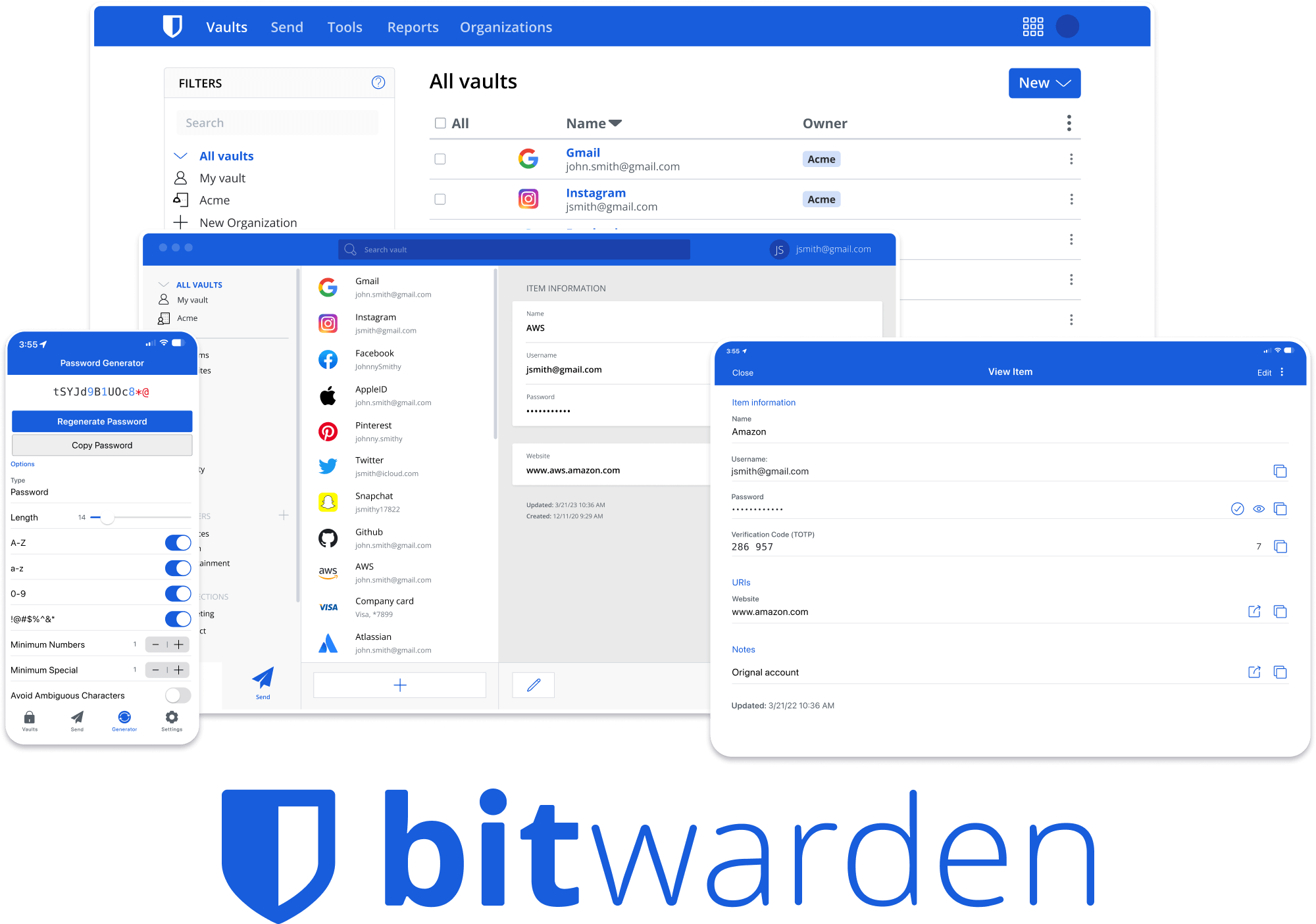
# Bitwarden Client Applications
This repository houses all Bitwarden client applications except the mobile applications ([iOS](https://github.com/bitwarden/ios) | [android](https://github.com/bitwarden/android)).
Please refer to the [Clients section](https://contributing.bitwarden.com/getting-started/clients/) of the [Contributing Documentation](https://contributing.bitwarden.com/) for build instructions, recommended tooling, code style tips, and lots of other great information to get you started.
## Related projects:
- [bitwarden/server](https://github.com/bitwarden/server): The core infrastructure backend (API, database, Docker, etc).
- [bitwarden/ios](https://github.com/bitwarden/ios): Bitwarden iOS Password Manager & Authenticator apps.
- [bitwarden/android](https://github.com/bitwarden/android): Bitwarden Android Password Manager & Authenticator apps.
- [bitwarden/directory-connector](https://github.com/bitwarden/directory-connector): A tool for syncing a directory (AD, LDAP, Azure, G Suite, Okta) to an organization.
# We're Hiring!
Interested in contributing in a big way? Consider joining our team! We're hiring for many positions. Please take a look at our [Careers page](https://bitwarden.com/careers/) to see what opportunities are [currently open](https://bitwarden.com/careers/#open-positions) as well as what it's like to work at Bitwarden.
# Contribute
Code contributions are welcome! Please commit any pull requests against the `main` branch. Learn more about how to contribute by reading the [Contributing Guidelines](https://contributing.bitwarden.com/contributing/). Check out the [Contributing Documentation](https://contributing.bitwarden.com/) for how to get started with your first contribution.
Security audits and feedback are welcome. Please open an issue or email us privately if the report is sensitive in nature. You can read our security policy in the [`SECURITY.md`](SECURITY.md) file.
---
### Cipher Types (`docs/cipher-types.md`)
# Cipher Types Reference
> A guide for engineers adding or modifying a cipher type in the Bitwarden clients monorepo.
---
## 1. Overview
A **CipherType** is a frozen const object (following [ADR-0025](https://contributing.bitwarden.com/architecture/adr/0025-const-objects-vs-enums/)) with integer values 1-5:
| Value | Name |
| ----- | ------------- |
| 1 | `Login` |
| 2 | `SecureNote` |
| 3 | `Card` |
| 4 | `Identity` |
| 5 | `SshKey` |
| 6 | `BankAccount` |
**Key file:** `libs/common/src/vault/enums/cipher-type.ts`
**Helper functions** (same file):
| Function | Purpose |
| ------------------ | -------------------------------------------------------------- |
| `toCipherTypeName` | Returns the string key name for a `CipherType` value |
| `isCipherType` | Type guard - returns `true` if a value is a valid `CipherType` |
| `toCipherType` | Converts an unknown value (including string) to `CipherType` |
---
## 2. The Five-Layer Model Stack
Every cipher type requires classes at five layers. The table below uses **SshKey** as the canonical example.
| Layer | Purpose | SshKey Example Path |
| ------ | --------------------------- | --------------------------------------------------- |
| API | Raw API response shape | `libs/common/src/vault/models/api/ssh-key.api.ts` |
| Data | Serializable storage format | `libs/common/src/vault/models/data/ssh-key.data.ts` |
| Domain | Encrypted business object | `libs/common/src/vault/models/domain/ssh-key.ts` |
| View | Decrypted object for UI | `libs/common/src/vault/models/view/ssh-key.view.ts` |
| Export | Import/export serialization | `libs/common/src/models/export/ssh-key.export.ts` |
**Data flow:** API → Data → Domain (encrypted) → View (decrypted) → Export
**Base class:** All view models extend `ItemView` (`libs/common/src/vault/models/view/item.view.ts`) which requires a `subTitle` getter. Domain models extend `Domain`.
---
## 3. Container Classes (Switch Statement Catalog)
These container classes have switch statements on `CipherType` that **must** receive a new case for each new type.
| Class / File | Methods with switches |
| ----------------------------------------------------------------------------- | ------------------------------------------------------------------------------------------------- |
| `CipherData` - `libs/common/src/vault/models/data/cipher.data.ts` | Constructor |
| `Cipher` - `libs/common/src/vault/models/domain/cipher.ts` | Constructor, `decrypt()`, `toCipherData()`, `fromJSON()`, `toSdkCipher()`, `fromSdkCipher()` |
| `CipherView` - `libs/common/src/vault/models/view/cipher.view.ts` | `item` getter, `fromJSON()`, `fromSdkCipherView()`, `getSdkCipherViewType()`, `toSdkCipherView()` |
| `CipherRequest` - `libs/common/src/vault/models/request/cipher.request.ts` | Constructor |
| `CipherResponse` - `libs/common/src/vault/models/response/cipher.response.ts` | Constructor (conditional property instantiation, not a switch) |
| `CipherExport` - `libs/common/src/models/export/cipher.export.ts` | `toView()`, `toDomain()`, `build()` (constructor) |
| `CipherService` - `libs/common/src/vault/services/cipher.service.ts` | `encryptCipherData()` (private) |
---
## 4. UI Components
### 4a. Form Sections
Each cipher type has a dedicated form section component in:
`libs/vault/src/cipher-form/components/`
| Type | Directory |
| ----------- | ------------------------ |
| Login | `login-details-section/` |
| Card | `card-details-section/` |
| Identity | `identity/` |
| SshKey | `sshkey-section/` |
| BankAccount | `bank-account-section/` |
**Container:** The cipher form parent that wires these together:
- `libs/vault/src/cipher-form/components/cipher-form.component.ts`
- `libs/vault/src/cipher-form/components/cipher-form.component.html`
- `libs/vault/src/cipher-form/cipher-form-container.ts`
Shared sections (not type-specific but may need updates):
- `autofill-options/` - Login URIs
- `additional-options/` - Notes
- `custom-fields/` - Custom fields
- `attachments/` - File attachments
- `item-details/` - Name, folder, organization
- `cipher-generator/` - Password/username generation
- `new-item-nudge/` - New item creation nudge
### 4b. View Sections
Each cipher type has a dedicated view section component in:
`libs/vault/src/cipher-view/`
| Type | Directory |
| ----------- | ------------------------- |
| Login | `login-credentials/` |
| Card | `card-details/` |
| Identity | `view-identity-sections/` |
| SshKey | `sshkey-sections/` |
| BankAccount | `bank-account-sections/` |
**Container:**
- `libs/vault/src/cipher-view/cipher-view.component.ts`
- `libs/vault/src/cipher-view/cipher-view.component.html`
### 4c. Shared Touchpoints
| Concern | File(s) |
| ------------------- | ----------------------------------------------------------------------------------- |
| Icon builder | `libs/common/src/vault/icon/build-cipher-icon.ts` (switch on `CipherType`) |
| Vault filter model | `libs/vault/src/models/vault-filter.model.ts` |
| Filter function | `libs/vault/src/models/filter-function.ts` |
| Web type filter | `apps/web/src/app/vault/individual-vault/vault-filter/` |
| Desktop type filter | `apps/desktop/src/vault/app/vault/vault-filter/filters/type-filter.component.ts` |
| Desktop v3 filter | `apps/desktop/src/vault/app/vault-v3/vault-filter/filters/type-filter.component.ts` |
| Angular lib filter | `libs/angular/src/vault/vault-filter/components/type-filter.component.ts` |
| New item nudge | `libs/vault/src/cipher-form/components/new-item-nudge/new-item-nudge.component.ts` |
---
## 5. Localization
Three apps maintain independent locale files. Each new cipher type needs i18n keys for the type label and any type-specific field labels.
| App | English locale file |
| ------- | -------------------------------------------- |
| Web | `apps/web/src/locales/en/messages.json` |
| Desktop | `apps/desktop/src/locales/en/messages.json` |
| Browser | `apps/browser/src/_locales/en/messages.json` |
| CLI | `apps/cli/src/locales/en/messages.json` |
> Translations for non-English locales are handled separately via Crowdin. Only add keys to the `en` files.
---
## 6. CLI
| Concern | File |
| --------------------- | ----------------------------------------------------------------------- |
| Cipher response model | `apps/cli/src/vault/models/cipher.response.ts` |
| Get command | `apps/cli/src/commands/get.command.ts` |
| Create command | `apps/cli/src/vault/create.command.ts` |
| Delete command | `apps/cli/src/vault/delete.command.ts` |
| Restricted types svc | `apps/cli/src/vault/services/cli-restricted-item-types.service.ts` |
| Restricted types spec | `apps/cli/src/vault/services/cli-restricted-item-types.service.spec.ts` |
---
## 7. Import/Export
| Concern | File |
| -------------------------- | ------------------------------------------------------------------------------ |
| Type-specific export class | `libs/common/src/models/export/ssh-key.export.ts` (example) |
| Main export container | `libs/common/src/models/export/cipher.export.ts` |
| CSV export service | `libs/tools/export-vault-core/src/services/base-vault-export.service.ts` |
| Individual vault export | `libs/tools/export-vault-core/src/services/individual-vault-export.service.ts` |
| Org vault export | `libs/tools/export-vault-core/src/services/org-vault-export.service.ts` |
| Import service | `libs/importer/src/services/import.service.ts` |
| Base importer | `libs/importer/src/importers/base-importer.ts` |
> The CSV export service (`base-vault-export.service.ts`) currently only exports Login and SecureNote types. New types may need explicit CSV column mappings or may only support JSON export.
---
## 8. SDK Integration
The clients repo bridges to `@bitwarden/sdk-internal` via mapper classes and `toSdk*`/`fromSdk*` methods on domain and view models.
| Concern | File |
| ------------------------ | ------------------------------------------------------------------------------------------------------------------- |
| Record mapper | `libs/common/src/vault/models/domain/cipher-sdk-mapper.ts` |
| Domain SDK methods | `libs/common/src/vault/models/domain/cipher.ts` (`toSdkCipher`, `fromSdkCipher`) |
| View SDK methods | `libs/common/src/vault/models/view/cipher.view.ts` (`toSdkCipherView`, `fromSdkCipherView`, `getSdkCipherViewType`) |
| Type-specific domain SDK | `libs/common/src/vault/models/domain/ssh-key.ts` (`toSdkSshKey`, `fromSdkSshKey`) |
| Type-specific view SDK | `libs/common/src/vault/models/view/ssh-key.view.ts` (`toSdkSshKeyView`, `fromSdkSshKeyView`) |
| SDK cipher service | `libs/common/src/vault/services/cipher-sdk.service.ts` |
| SDK abstraction | `libs/common/src/vault/abstractions/cipher-sdk.service.ts` |
**Pattern:** Each type-specific domain model needs `toSdk()` and `static fromSdk()` methods. Each view model needs `toSdkView()` and `static fromSdkView()` methods. The SDK types are imported from `@bitwarden/sdk-internal`.
---
## 9. Browser Extension (Autofill)
Only **Login**, **Card**, and **Identity** currently support autofill. SecureNote and SshKey do not participate in autofill.
Key autofill files that reference `CipherType`:
| Concern | File |
| ---------------------------- | --------------------------------------------------------------------------------------- |
| Autofill service | `apps/browser/src/autofill/services/autofill.service.ts` |
| Autofill service abstraction | `apps/browser/src/autofill/services/abstractions/autofill.service.ts` |
| Overlay background | `apps/browser/src/autofill/background/overlay.background.ts` |
| Notification background | `apps/browser/src/autofill/background/notification.background.ts` |
| Context menu handler | `apps/browser/src/autofill/browser/context-menu-clicked-handler.ts` |
| Cipher context menu | `apps/browser/src/autofill/browser/cipher-context-menu-handler.ts` |
| Main context menu | `apps/browser/src/autofill/browser/main-context-menu-handler.ts` |
| Overlay content service | `apps/browser/src/autofill/services/autofill-overlay-content.service.ts` |
| Inline menu list | `apps/browser/src/autofill/overlay/inline-menu/pages/list/autofill-inline-menu-list.ts` |
| Autofill enum types | `apps/browser/src/autofill/enums/autofill-overlay.enum.ts` |
| Content cipher types | `apps/browser/src/autofill/content/components/cipher/types.ts` |
> If a new cipher type should support autofill, these files will need updates. Otherwise, no changes are needed.
---
## 10. Cross-Repository Dependencies
Adding a new cipher type is a **cross-repo effort** spanning three repositories.
### SDK (`bitwarden/sdk`)
High-level changes needed:
- Add a Rust enum variant to the `CipherType` enum
- Create type-specific Rust structs (encrypted + decrypted)
- Implement serde (de)serialization
- Implement `Encryptable`/`Decryptable` traits
- Add WASM bindings so the TypeScript types are generated
- Bump the SDK version
### Server (`bitwarden/server`)
High-level changes needed:
- Add a C# enum value to `src/Core/Vault/Enums/CipherType.cs`
- Database migration (if schema changes are needed)
- Domain model and DTOs (see file list below)
- Validation rules for the new type
- Event logging for audit trail
- Feature flag and sync controller version gating (see below)
#### Server files to create
| File | Purpose |
| ------------------------------------------------------ | --------------------------------------------- |
| `src/Core/Vault/Models/Data/CipherData.cs` | Core data model (extends `CipherData`) |
| `src/Api/Vault/Models/CipherModel.cs` | API model with `[EncryptedString]` validation |
| `test/Api.Test/Vault/Models/CipherModelTests.cs` | Unit tests for the API model |
| `util/Seeder/Factories/CipherSeeder.cs` | Dev/test seeder factory for the new type |
#### Server files to modify
| File | Change |
| ---------------------------------------------------------- | -------------------------------------------------------------- |
| `src/Core/Vault/Enums/CipherType.cs` | Add enum value |
| `src/Core/Constants.cs` | Add `CipherMinimumVersion` constant and feature flag key |
| `src/Api/Vault/Models/Request/CipherRequestModel.cs` | Add property + `ToCipherData()` method + switch case |
| `src/Api/Vault/Models/Response/CipherResponseModel.cs` | Add property + deserialization case |
| `src/Core/Vault/Services/Implementations/CipherService.cs` | Add serialize/deserialize cases |
| `src/Api/Vault/Controllers/SyncController.cs` | Add version gate to `FilterUnsupportedCipherTypes()` |
| `util/Seeder/Models/CipherViewDto.cs` | Add view DTO + type constant |
| `util/Seeder/Models/EncryptedCipherDto.cs` | Add encrypted DTO |
| `util/Seeder/Models/EncryptedCipherDtoExtensions.cs` | Add `ToData()` mapping |
| `test/Api.Test/Vault/Controllers/SyncControllerTests.cs` | Add tests for version/flag gating |
#### Sync controller version gating
The `SyncController` filters out cipher types that the requesting client doesn't support. This prevents older clients from receiving types they can't handle. The filter lives in the private method `FilterUnsupportedCipherTypes()`.
Each new cipher type needs **two gates** in `Constants.cs`:
1. **Minimum version constant** (e.g., `BankAccountCipherMinimumVersion = "2026.2.0"`) — clients older than this version won't receive the cipher type.
2. **Feature flag key** (e.g., `FeatureFlagKeys.VaultBankAccount`) — allows disabling the type entirely during rollout.
The gating logic is: a cipher type is **filtered out** if `clientVersion < minimumVersion` OR `featureFlag is disabled`. Both conditions must pass for the type to be returned.
> **Note:** SshKey uses a single gate (version only), while BankAccount uses a dual gate (version + feature flag). Prefer the dual-gate pattern for new types so rollout can be controlled server-side.
#### `[Obsolete("Use Data instead.")]` pattern
The server is migrating toward a single `Data` JSON string property on request/response models. Per-type properties (e.g., `SSHKey`, `BankAccount`) are still present for backwards compatibility but are marked `[Obsolete("Use Data instead.")]`. New types should follow this pattern: add the typed property for older clients, mark it obsolete, and ensure the `Data` JSON path also works.
> The clients repo consumes server API contracts via `CipherResponse` and SDK types via `@bitwarden/sdk-internal`. Coordinate version bumps across all three repos.
---
## 11. Restricted Item Types
The `RestrictedItemTypesService` (`libs/common/src/vault/services/restricted-item-types.service.ts`) dynamically determines which cipher types an organization restricts via policy. **No client code change is typically needed** when adding a new type - the service reads the policy configuration from the server.
However, if the new type should appear in the policy configuration UI:
- `apps/web/src/app/admin-console/organizations/policies/policy-edit-definitions/restricted-item-types.component.ts`
- `apps/web/src/app/admin-console/organizations/policies/policy-edit-definitions/restricted-item-types.component.html`
CLI restricted types service:
- `apps/cli/src/vault/services/cli-restricted-item-types.service.ts`
---
## 12. Linked Fields (Optional)
Linked fields allow custom fields to reference a specific property of a cipher type. Not all types support linked fields (SshKey and SecureNote do not).
**Key file:** `libs/common/src/vault/enums/linked-id-type.enum.ts`
Current linked ID const objects:
| Type | Const Object | ID Range |
| -------- | ------------------ | -------: |
| Login | `LoginLinkedId` | 100-101 |
| Card | `CardLinkedId` | 300-305 |
| Identity | `IdentityLinkedId` | 400-418 |
The union type `LinkedIdType = LoginLinkedId | CardLinkedId | IdentityLinkedId` must be expanded if the new type supports linked fields.
In the view model, properties that can be linked are decorated with `@linkedFieldOption`. The view model's `linkedFieldOptions` map (from `ItemView`) is populated from these decorators.
---
## 13. Tests
| Test Area | File(s) |
| ----------------------------- | ----------------------------------------------------------------------------------- |
| Cipher type enum | `libs/common/src/vault/enums/cipher-type.spec.ts` |
| Domain model | `libs/common/src/vault/models/domain/cipher.spec.ts` |
| Domain type-specific (SshKey) | `libs/common/src/vault/models/domain/ssh-key.spec.ts` |
| View model | `libs/common/src/vault/models/view/cipher.view.spec.ts` |
| Cipher service | `libs/common/src/vault/services/cipher.service.spec.ts` |
| Cipher SDK service | `libs/common/src/vault/services/cipher-sdk.service.spec.ts` |
| Cipher encryption service | `libs/common/src/vault/services/default-cipher-encryption.service.spec.ts` |
| Icon builder | `libs/common/src/vault/icon/build-cipher-icon.spec.ts` |
| Export model | `libs/common/src/models/export/cipher.export.spec.ts` |
| Cipher form component | `libs/vault/src/cipher-form/components/cipher-form.component.spec.ts` |
| Cipher view component | `libs/vault/src/cipher-view/cipher-view.component.spec.ts` |
| Restricted types | `libs/common/src/vault/services/restricted-item-types.service.spec.ts` |
| CLI restricted types | `apps/cli/src/vault/services/cli-restricted-item-types.service.spec.ts` |
| Import service | `libs/importer/src/services/import.service.spec.ts` |
| Export services | `libs/tools/export-vault-core/src/services/individual-vault-export.service.spec.ts` |
---
## 14. Recommended Order of Operations
1. **Server** - Add enum value, domain model, DTOs, validation, feature flag, minimum version constant, and sync controller version gating
2. **SDK** - Add Rust enum variant, type structs, serde, crypto traits, and WASM bindings
3. **Clients: Core enum** - Add value to `CipherType` in `libs/common/src/vault/enums/cipher-type.ts`
4. **Clients: Model stack** - Create the 5 model layer files (API, Data, Domain, View, Export)
5. **Clients: Container switches** - Add cases in `CipherData`, `Cipher`, `CipherView`, `CipherRequest`, `CipherResponse`, `CipherExport`, and `CipherService.encryptCipherData()`
6. **Clients: SDK bindings** - Add `toSdk*`/`fromSdk*` methods on domain and view models; update `CipherRecordMapper` if needed
7. **Clients: Localization** - Add i18n keys to `en/messages.json` in web, desktop, browser, and CLI
8. **Clients: Shared UI** - Update icon builder, vault filters, and any shared components
9. **Clients: Per-app UI** - Add form section and view section components; wire into container templates
10. **Clients: Import/Export** - Update `CipherExport` switch cases; update CSV export if applicable; update importers
11. **Clients: CLI** - Update cipher response model, get/create commands
12. **Clients: Autofill** - Only if the new type participates in autofill (Login/Card/Identity only today)
13. **Clients: Tests** - Add/update specs for all touched files; add type-specific domain and view specs
14. **Feature flag** - Gate the new type behind a feature flag for incremental rollout
---
## 15. Complete File Checklist
### New files to create
- [ ] `libs/common/src/vault/models/api/.api.ts`
- [ ] `libs/common/src/vault/models/data/.data.ts`
- [ ] `libs/common/src/vault/models/domain/.ts`
- [ ] `libs/common/src/vault/models/domain/.spec.ts`
- [ ] `libs/common/src/vault/models/view/.view.ts`
- [ ] `libs/common/src/models/export/.export.ts`
- [ ] `libs/vault/src/cipher-form/components/-section/` (component TS, HTML, spec)
- [ ] `libs/vault/src/cipher-view/-sections/` (component TS, HTML)
### Existing files to modify
**Core:**
- [ ] `libs/common/src/vault/enums/cipher-type.ts` - Add new value
- [ ] `libs/common/src/vault/enums/cipher-type.spec.ts` - Update tests
**Container switches:**
- [ ] `libs/common/src/vault/models/data/cipher.data.ts` - Constructor
- [ ] `libs/common/src/vault/models/domain/cipher.ts` - 6 methods
- [ ] `libs/common/src/vault/models/view/cipher.view.ts` - 5 methods
- [ ] `libs/common/src/vault/models/request/cipher.request.ts` - Constructor
- [ ] `libs/common/src/vault/models/response/cipher.response.ts` - Constructor
- [ ] `libs/common/src/models/export/cipher.export.ts` - 3 methods
- [ ] `libs/common/src/vault/services/cipher.service.ts` - `encryptCipherData()`
**UI:**
- [ ] `libs/vault/src/cipher-form/components/cipher-form.component.html` - Add section
- [ ] `libs/vault/src/cipher-form/components/cipher-form.component.ts` - Wire section
- [ ] `libs/vault/src/cipher-view/cipher-view.component.html` - Add section
- [ ] `libs/vault/src/cipher-view/cipher-view.component.ts` - Wire section
- [ ] `libs/common/src/vault/icon/build-cipher-icon.ts` - Add icon case
**Localization:**
- [ ] `apps/web/src/locales/en/messages.json`
- [ ] `apps/desktop/src/locales/en/messages.json`
- [ ] `apps/browser/src/_locales/en/messages.json`
- [ ] `apps/cli/src/locales/en/messages.json`
**CLI:**
- [ ] `apps/cli/src/vault/models/cipher.response.ts`
- [ ] `apps/cli/src/commands/get.command.ts`
**Import/Export:**
- [ ] `libs/tools/export-vault-core/src/services/base-vault-export.service.ts`
**Linked fields (if applicable):**
- [ ] `libs/common/src/vault/enums/linked-id-type.enum.ts`
---
## Historical Reference
The **BankAccount** cipher type (value `6`) was the most recently added type and serves as the best template.
Use `git log --all --oneline --grep="BankAccount"` to find related commits.
**SshKey** (value `5`) is the previous reference implementation:
- `b18fa68acc` - Initial SshKey model stack and container switch additions
- `081fe83d83` - SshKey UI components (form and view sections)
Use `git log --all --oneline --grep="SshKey"` to find additional related commits.
---
### Using Nx To Build Projects (`docs/using-nx-to-build-projects.md`)
# Using Nx to Build Projects
Bitwarden uses [Nx](https://nx.dev/) to make building projects from the monorepo easier. To build, lint, or test a project you'll want to reference the project's `project.json` file for available commands and their names. Then you'll run `npx nx [your_command] [your_project] [your_options]`. Run `npx nx --help` to see available options, there are many.
Please note: the Nx implementation is a work in progress. CI still uses the old npm builds, and we have many "legacy" libraries that use hacks to get them into the Nx project graph.
## Quick Start
### Basic Commands
```bash
# Build a project
npx nx build cli
npx nx build-native desktop # Some apps have special build commands
npx nx build state # Modern libs and apps have simple, all lowercase target names
npx nx build @bitwarden/common # Legacy libs have a special naming convention and include the @bitwarden prefix
# Test a project
npx nx test cli
# Lint a project
npx nx lint cli
# Serve/watch a project (for projects with serve targets)
npx nx serve cli
# Build all projects that differ from origin/main
nx affected --target=build --base=origin/main
# Build, lint, and test every project at once
npx nx run-many --target=build,test,lint --all
# Most projects default to the "oss-dev" build, so if you need the bitwarden license build add a --configuration
npx nx build cli --configuration=commercial-dev
# If you need a production build drop the "dev" suffix
npx nx build cli --configuration=oss # or "commercial"
# Configurations can also be passed to run-many
# For example: to run all Bitwarden licensed builds
npx nx run-many --target=build,test,lint --all --configuration=commercial
# Outputs are distributed in a root level /dist/ folder
# Run a locally built CLI
node dist/apps/cli/oss-dev/bw.js
```
### Global Commands
```bash
# See all projects
npx nx show projects
# Run affected projects only (great for local dev and CI)
npx nx affected:build
npx nx affected:test
npx nx affected:lint
# Show dependency graph
npx nx dep-graph
```
## Library Projects
Our libraries use two different Nx integration patterns depending on their migration status.
### Legacy Libraries
Most existing libraries use a facade pattern where `project.json` delegates to existing npm scripts. This approach maintains backward compatibility with the build methods we used before introducing Nx. These libraries are considered tech debt and Platform has a focus on updating them. For an example reference `libs/common/project.json`.
These libraries use `nx:run-script` executor to call existing npm scripts:
```json
{
"targets": {
"build": {
"executor": "nx:run-script",
"options": {
"script": "build"
}
}
}
}
```
#### Available Commands for Legacy Libraries
All legacy libraries support these standardized commands:
- **`nx build `** - Build the library
- **`nx build:watch `** - Build and watch for changes
- **`nx clean `** - Clean build artifacts
- **`nx test `** - Run tests
- **`nx lint `** - Run linting
### Modern Libraries
Newer libraries like `libs/state` use native Nx executors for better performance and caching.
```json
{
"targets": {
"build": {
"executor": "@nx/js:tsc",
"outputs": ["{options.outputPath}"],
"options": {
"outputPath": "dist/libs/state"
}
}
}
}
```
## What Happens When You Run An Nx Command
```
/* Detailed source-code truncated for AI context efficiency. */
```
## Caching and Performance
### Nx Caching
Nx automatically caches build outputs and only rebuilds what changed:
```bash
# First run builds everything
npx nx build cli
# Second run uses cache (much faster)
npx nx build cli
```
### Clearing Cache
```bash
# Clear all caches
npx nx reset
```
## Additional Resources
- [Nx Intro Documentation](https://nx.dev/getting-started/intro)
- [Nx CLI Commands Reference](https://nx.dev/docs/reference/nx-commands)
- [Nx Workspace Configuration](https://nx.dev/reference/project-configuration)
---
### Libs Nx Plugin Docs Using The Basic Lib Generator (`libs/nx-plugin/docs/using-the-basic-lib-generator.md`)
# Using the basic-lib Generator
The `basic-lib` generator creates a new library with Bitwarden's standard configuration and
structure. It sets up all the necessary files, configurations, and hooks with global configuration
files.
## Command Syntax
You can use the basic lib generator by running this command:
```bash
npx nx g @bitwarden/nx-plugin:basic-lib
```
## Available Options
All fields are required, but do not need to be supplied as CLI flags. Generator users will be asked
interactively for each of these if they are not supplied as CLI flags.
| Option | Description | Required | Default |
| --------------- | ----------------------------------------------- | -------- | ------- |
| `--name` | The name of the library | Yes | - |
| `--description` | A brief description of the library | Yes | none |
| `--team` | The team responsible for the library | Yes | none |
| `--directory` | The directory where the library will be created | Yes | "libs" |
## Step-by-Step Example
Let's create a new utility library called "password-insulter":
1. Open your terminal and navigate to the root of the Bitwarden clients repository
2. Run the generator command:
```bash
nx g @bitwarden/nx-plugin:basic-lib --name=password-insulter --description="Like the password strength meter, but more judgemental" --team=tools
```
3. The generator will create the library structure and update necessary configuration files
4. The new library is now ready to use
## What Gets Generated
The generator creates the following:
- **Library Structure**:
- `libs/password-insulter/`
- `src/`
- `index.ts` - Main entry point
- `README.md` - With the provided description
- `package.json` - Very minimal
- `tsconfig.json` - TypeScript configuration
- `tsconfig.lib.json` - Library-specific TypeScript configuration
- `tsconfig.spec.json` - Test-specific TypeScript configuration
- `jest.config.js` - Test configuration
- `.eslintrc.json` - Linting rules
- **Configuration Updates**:
The generator then updates `tsconfig.base.json` to reference your new library, updates CODEOWNERS to
assign the team to the new folder, and runs `npm i` to link everything up.
## Post-Generation Next Steps
After generating your library:
1. Review the generated README.md and update it with more detailed information if needed
2. Implement your library code in the `src/` directory, using whatever subfolder structure you
prefer
3. Export public APIs through the `src/index.ts` file
4. Write tests for your library
5. Build your library with `npx nx build password-insulter`
6. Lint your library with `npx nx lint password-insulter`
7. Test your library with `npx nx test password-insulter`
## Troubleshooting Common Issues
### Issue: Generator fails with path errors
**Solution**: Ensure you're running the command from the root of the repository.
### Issue: TypeScript path mapping not working
**Solution**: Run `npx nx reset` to clear the Nx cache, then try importing from your library again.
## Extending the Generated Code
The generated library provides a basic structure that you can extend:
- Add additional directories for specific features
- Create subdirectories in `src/` for better organization
- Modify the Jest configuration for specialized testing needs
## Designing a Library
There are a few ways you and your team may want to design a library, there are a lot of factors to
take into account like clean organization, ease of onboarding new members, simplicity of moving
ownership to a new team, and optimizing for module size. Below are a few ways you might want to
design a library.
### Option 1: Feature-based libraries
One strategy to employ is a feature-scoped library.
The import for such a library would be `@bitwarden/[feature]`. For example the `global-state`
feature would be imported with `@bitwarden/global-state`.
If the feature has both a UI component and needs to be used in the CLI it would probably result in a
`@bitwarden/[feature]-ui` or `@bitwarden/[feature]-angular` library as well.
> [!NOTE]
> With more things being added to the SDK and the CLI eventually being written directly in Rust there
> will become less and less need to have a package with an Angular dependency and without it.
Pros
- You'll have smaller libraries that have minimal dependencies, making them easier for another team
to depend on without a circular reference.
- If your team is ever split or a feature you own is moved to another team this can likely be done
with just an update to the GitHub `CODEOWNERS` file.
- You'll have a clearer dependency graph.
- Your modules will be smaller.
Cons
- YOu have to spend the time to think about and define what a feature is.
- You have to create libraries somewhat often.
- You MAY need "glue" libraries still.
- It is not as clear who owns what feature from looking at library names.
> [!NOTE]
> A "Glue" library is a library that might not exist other than the need for two teams to collaborate
> on a cross cutting feature. The glue library might exist to hold an interface that team B is
> expected to implement but team A will be responsible for consuming. This helps glue 2 features
> together while still allowing for team A to consume other things that exist in team B's library but
> still avoid a circular dependency.
### Option 2: Team-based libraries
Another strategy would be to have a library for the vast majority of your teams code in a single
package.
There are many ways you may choose to design the library, but if it's one library you will need to
be dependent on everything that makes all your features tick.
**If all teams go this route it will be impossible to only have these team libraries**. Why? Because
the team grouping is very likely to result in circular dependencies. For example, if team A depends
on team B's library then team B cannot depend on anything in team A's library. If team B did need
something they would need to request that team A move it "downstream". Team A would need to move
their code and come up with a name for it. If they don't want to also re-export those pieces of code
they will need to update the import for every other place that code of used. You may also have to
deal with the code now being separated from similar code or you may decide to move that code too.
Pros
- You have fewer libraries to maintain.
- All your team’s code is in one place.
Cons
- You'll need to move code ad-hoc more often to make glue libraries, and each time try to think
about how to design the package abstraction.
- If your team splits you will need to move a lot more code.
- You’ll have larger modules.
### Option 3: Type-based libraries
You can also split libraries based on the primary kind of file that it holds. For example, you could
have a library holding all `type`’s, one for `abstractions`, and on more `services`. Since one
library for all type’s would be mean having a library that has multiple owners it would be highly
discouraged and therefore this would likely be split by team as well, resulting in packages like
`@bitwarden/platform-types`; this library strategy is really a subset of the team-based one.
Pros
- You’ll be less likely to have circular dependencies within your team’s code, since generally Types
< Abstractions < Services where < means lower level.
- It’s most similar to the organization strategy we’ve had for a while.
Cons
- There is no guarantee that all the types for a given team are lower level than all the types of
another team that they need to depend on. Circular dependencies can still happen amongst teams.
- It’s also possible for a type to need to depend on an abstraction,
- We are generally discouraging teams from making abstractions unless needed (link).
### Option 4: Feature/type hybrid
Another strategy could be to split libraries by the kind of item in feature-scoped libraries.
Pros
- Lowest chance of circular dependencies showing up later.
- Pretty easy to move ownership.
Cons
- The most libraries to maintain.
- Consumers will likely have to import multiple modules in order to use your feature.
### Platform Recommendation
Given the options available with Nx and the pros and cons of each, Platform is planning on using
[feature-based libraries](#option-1-feature-based-libraries) and we recommend other teams do as
well.
We understand that we might have a domain that is a little easier to split into features, but we
believe that the work is worthwhile for teams to do.
There will be some instances that our libraries may only contain abstractions and very simple types
which would then resemble the type-based approach. We will be forced to do this because we have some
things like storage where it’s only really useful which the implementations made in the individual
apps.
Example Platform feature libraries (all of these would be imported like `@bitwarden/[feature]`:
- `storage-core`
- `user-state`
- `global-state`
- `state` (will have its own code but also a meta package re-exporting `user-state` and
`global-state`)
- `clipboard`
- `messaging`
- `ipc`
- `config`
- `http`
- `i18n`
- `environments`
- `server-notifications`
- `sync`
Hopefully these will give you some ideas for how to split up your own features.
## Further Learning
For more information about Nx libraries and generators:
- [Nx Library Generation](https://nx.dev/plugin-features/create-libraries)
- [Nx Library Types](https://nx.dev/more-concepts/library-types)
- [Nx Project Configuration](https://nx.dev/reference/project-configuration)
---
--- METRICS ---
- Files Extracted: 4
- Estimated Token Budget: ~10708 tokens
- Canonical Reference: https://codewiki.google/github.com/bitwarden/clients