# Technical Documentation: MustardChef/WSABuilds

> ℹ️ **Provenance:** Multi-Tier Ingestion · [CodeWiki Reference](https://codewiki.google/github.com/MustardChef/WSABuilds)

### Overview (README.md)

> [!IMPORTANT]  
> <details>
> <summary><h3>IF YOU HAVE BEEN RECENTLY HAVING ISSUES WITH SOME APPS BREAKING OR NOT STARTING OR APPS GETTING SUCK AT LOADING SCREEN OR APPS STUCK ON SPLASHSCREEN ( STUCK ON THE APP ICON SCREEN) OR ANY OTHER SIMILAR CASES AFTER THE <code>1ST OF SEPTEMBER 2026</code>.<br/><br/>UPDATE TO THE LATEST LTS RELEASE!</h3><br/><h5>CLICK HERE FOR MORE INFORMATION</h5></summary>
>
> ---
>
> ### USE THE LINKS BELOW AND UPDATE TO THE LATEST LTS RELEASE:   
>
> - ### LTS Releases:
>    - [Windows 11 x64](https://github.com/MustardChef/WSABuilds/releases/tag/Windows_11_2407.40000.4.0_LTS_8)
>    - [Windows 10 x64](https://github.com/MustardChef/WSABuilds/releases/tag/Windows_10_2407.40000.4.0_LTS_8)
>
> #### If some apps that worked before, still refuse to work after updating, try clearing the app data and cache or reinstalling the apps. If the issue still occurs, you may need to perform a clean install to fix some apps. Create a backup before proceeding. 
>      
> #### LET ME KNOW VIA GITHUB ISSUES AND/OR THE WSA COMMUNITY DISCORD IF THESE RELEASES HAVE SOLVED YOUR ISSUE. THANK YOU.
> </details>


> [!CAUTION]
>
> <h1> Hello. Before you proceed to install WSA, it is important to note that WSA has been having some issues for the past year, where GApps builds have begun crashing on all Windows 11 builds after June 2025. </h1>
> <h1> Fixes and upgrades are being worked on to resolve all bugs and crashes (in the form of https://github.com/MustardChef/WSABuilds/issues/700). </h1>
> 
> <br/>
>
> <h2>If you are affecting by this issue, try these current workarounds in the meantime:</h2>
> <ul>
>   <li><h4> RECOMMENDED FIX FOR BUILDS CONTAINING GAPPS (Google Play Store and Services): https://github.com/MustardChef/WSABuilds/issues/593#issuecomment-3172749449 </h4></li> 
>       OR
>   <li><h4> Switch/Use the builds which do not contain GApps. These are the builds that contain <code>NoGApps</code> in their .7z archive names. </h4></li> 
>   <li><h4> Really old builds of WSA (2211/2210) are known to be working. </h4></li> 
> </ul>
>
>
> <br/>
>
> <h4> Visit https://github.com/MustardChef/WSABuilds/issues/593 for updates and discussions regarding the issue.</h2>
>

> [!TIP]
> ## To view the bugfixes and improvements that are currently being worked on, and the current state of the WSABuilds project, [refer to the corresponding project page](https://github.com/users/MustardChef/projects/5) 
      
<br/>
<p align="center">
      <a href="https://github.com/MustardChef/WSABuilds#downloads"><img src="https://img.shields.io/github/downloads/MustardChef/WSABuilds/total?label=Total%20Downloads&amp;style=for-the-badge"/></a>
      <a href="https://forum.xda-developers.com/t/wsabuilds-latest-windows-subsystem-for-android-wsa-builds-for-   windows-10-and-11-with-magisk-and-google-play-store.4545087/">
            <img src="https://img.shields.io/badge/XDA%20Developers-WSABuilds-EA7100?style=for-the-badge&amp;logoColor=white&amp;logo=XDA-Developers"/></a> 
      <a href="https://ko-fi.com/N4N0K08AC"><img alt="ko-fi" src="https://ko-fi.com/img/githubbutton_sm.svg"/></a>
</p>
<div align="center">
      <picture><img align="center" height="20%" src="https://github.com/MustardChef/WSABuilds/assets/68516357/35cd1d5d-e464-4eb8-a676-b451341f65ad" width="20%"/></picture>
      <h1>WSABuilds</h1>
      <h3>MagiskOnWSA (For Windows™ 10 and 11)</h3>
      <h5>Windows Subsystem For Android™ (WSA) with Google Play Services and Magisk and KernelSU</h5>
      <br/>
      <a href="https://discord.gg/2thee7zzHZ"><img align="center" src="https://invidget.switchblade.xyz/2thee7zzHZ" style="width: 400px;"/></a>
</div>
<br/>


<br/>
<br/>
<br/>

<img align="left" alt="downloads-folder" height="54" src="https://img.icons8.com/3d-fluency/94/downloads-folder.png" width="54"/><h2>Downloads</h2>
<table>
<thead>
<tr>
<th>Operating System</th>
<th>Download Page</th>
</tr>
</thead>
<tbody>
<tr><td rowspan="4"><img src="https://upload.wikimedia.org/wikipedia/commons/e/e6/Windows_11_logo.svg" style="width: 200px;"/></td>
<td><p><a href="https://github.com/MustardChef/WSABuilds/releases/tag/Windows_11_2407.40000.4.0_LTS_8"><img alt="win11x64downpre" src="https://img.shields.io/badge/Download%20Latest%20Pre--Release%20Builds-Windows%2011%20x64-orange?style=for-the-badge&amp;logo=windows11"/></a></p></td>
</tr>
<tr>
<td><p><a href="https://github.com/MustardChef/WSABuilds/releases/tag/Windows_11_2407.40000.4.0_LTS_8_arm64"><img alt="win11arm64downpre" src="https://img.shields.io/badge/Download%20Latest%20Pre--Release%20Builds-Windows%2011%20arm64-orange?style=for-the-badge&amp;logo=windows11"/></a></p></td>
</tr>
<tr>
<td><p><a href="https://github.com/MustardChef/WSABuilds/releases/tag/Windows_11_2407.40000.4.0_LTS_8"><img alt="win11x64downstable" src="https://img.shields.io/badge/Download%20Latest%20Stable%20Builds-Windows%2011%20x64-blue?style=for-the-badge&amp;logo=windows11"/></a></p></td>
</td>
</tr>
<tr>
<td><p><a href="https://github.com/MustardChef/WSABuilds/releases/tag/Windows_11_2407.40000.4.0_LTS_8_arm64"><img alt="win11arm64downstable" src="https://img.shields.io/badge/Download%20Latest%20Stable%20Builds-Windows%2011%20arm64-blue?style=for-the-badge&amp;logo=windows11"/></a></p></td>
</tr>
<tr>
<td rowspan="2"><img src="https://upload.wikimedia.org/wikipedia/commons/0/05/Windows_10_Logo.svg" style="width: 200px;"/></td>
<td><p><a href="https://github.com/MustardChef/WSABuilds/releases/tag/Windows_10_2407.40000.4.0_LTS_8"><img alt="win10x64down" src="https://img.shields.io/badge/Download%20Latest%20Pre--Release%20Builds-Windows%2010%20x64-orange?style=for-the-badge&amp;logo=windows"/></a></p></td>
</td>
</tr>
<tr>
<td><p><a href="https://github.com/MustardChef/WSABuilds/releases/tag/Windows_10_2407.40000.4.0_LTS_8"><img alt="win10x64down" src="https://img.shields.io/badge/Download%20Latest%20Stable%20Builds-Windows%2010%20x64-blue?style=for-the-badge&amp;logo=windows"/></a></p></td>
</tr>
<tr>
<td rowspan="2"><p align="center"><img src="https://img.icons8.com/color/240/null/windows-11.png" style="width: 50px;"/><img src="https://img.icons8.com/color/240/null/windows-10.png" style="width: 50px;"/></p></td>
<td rowspan="2"><p><a href="https://github.com/MustardChef/WSABuilds/blob/master/Documentation/WSABuilds/OldBuilds.md"><img alt="windownold" src="https://img.shields.io/badge/Windows%2010%2F11-Older%20Builds-red?style=for-the-badge"/></a></p></td>
</tr>
<tr>
</tr>
<tr>
<td rowspan="2"><p align="center"><img src="https://img.icons8.com/color/240/null/windows-11.png" style="width: 50px;"/> <img src="https://img.icons8.com/color/240/null/windows-10.png" style="width: 50px;"/></p></td>
<td rowspan="2"><h4>Custom Builds:<h4><p><a href="https://github.com/MustardChef/WSAMagiskDelta"><img alt="windownmagikdelta" src="https://img.shields.io/badge/Windows%2010%2F11-Magisk%20Delta-382bef?style=for-the-badge"/></a></p></h4></h4></td>
</tr>
<tr>
</tr>
<tr>
<td rowspan="2"><picture><p align="center"><img align="centre;" src="https://user-images.githubusercontent.com/68516357/216452358-8137df76-875f-4b59-b77d-ca34c8a2d6d3.png" style="width: 80px;"/></p></picture></td>
<td rowspan="2"><p><a href="https://github.com/MustardChef/WSAPackages"><img src="https://img.shields.io/badge/Download-.msix%20Sources-3A6B35?style=for-the-badge&amp;logoColor=white&amp;logo=Github"/></a></p></td>
</tr>
<tr>
</tr>
</tbody>
</table>

<br/>

<img align="left" alt="system-information" height="58" src="https://img.icons8.com/fluency/48/system-information.png" width="58"/><h2>Requirements</h2>
<center><table>
<thead>
<tr>
<th></th>
<th><img src="https://upload.wikimedia.org/wikipedia/commons/e/e6/Windows_11_logo.svg" style="width: 200px;"/></th>
<th><img src="https://upload.wikimedia.org/wikipedia/commons/0/05/Windows_10_Logo.svg" style="width: 200px;"/></th>
</tr>
</thead>
<tbody>
<tr>
<td rowspan="2"><img height="60" src="https://img.icons8.com/fluency/96/null/windows-update--v1.png" style="float: left;" width="60"/><h4>Windows Build Number<h4></h4></h4></td>
<td>Windows™ 11: Build 22000.526 or higher.</td>
<td>Windows™ 10: 22H2 10.0.19045.2311 or higher. <br/><br/><b><i>May work on Windows™ 10: 20H1 10.0.19041.264 or higher.<b></b></i><sup>1</sup><br/><br/><sub><sup>1. You may need to install <a href="https://www.catalog.update.microsoft.com/Search.aspx?q=KB5014032" rel="noopener noreferrer" target="_blank">KB5014032</a> then install <a href="https://www.catalog.update.microsoft.com/Search.aspx?q=KB5022834" rel="noopener noreferrer" target="_blank">KB5022834</a> to use WSA on these older Windows 10 builds<b><br/><br/><b></b></b></sup></sub></b></td>
</tr>
<tr>
<td colspan="2"><h5><b><i>Custom/modfied Windows OS installations (such as ReviOS, Tiny 10/11 and Ghost Spectre etc.) may have issues with running WSA.<br/></i></b></h5></td>
</tr>
<tr>
<td><img height="60" src="https://img.icons8.com/external-smashingstocks-flat-smashing-stocks/66/null/external-RAM-technology-and-devices-smashingstocks-flat-smashing-stocks.png" style="float: left;" width="60"/><h4>RAM<h4></h4></h4></td>
<td colspan="2"><ul><li>4 to 6 GB (Not Recommended)</li><li>8 GB (Minimum)</li><li>16 GB (Recommended)</li></ul></td>
</tr>
<tr>
<td rowspan="2"><img height="60" src="https://img.icons8.com/3d-fluency/94/null/electronics.png" style="float: left;" width="60"/><h4>Processor<h4></h4></h4></td>
<td colspan="2"><b><i>CPU Architecture: x86_64 or arm64<b><i></i></b></i></b></td>
</tr>
<tr>
<td>Your PC should meet the basic Windows™ 11 requirements i.e Core i3 8th Gen, Ryzen 3000, Snapdragon 8c, or above</td>
<td>N/A <br/><br/> This is a bit of a hit or miss, but it is highly recommended that your processor is listed in the <a href="https://learn.microsoft.com/en-gb/windows-hardware/design/minimum/windows-processor-requirements" rel="noopener noreferrer" target="_blank">supported CPU lists for Windows 11 requirements</a></td>
</tr>
<tr>
<td><img height="60" src="https://img.icons8.com/3d-fluency/94/null/video-card.png" style="float: left;" width="60"/><h4>GPU<h4></h4></h4></td>
<td colspan="2">Any compatible Intel, AMD or Nvidia GPU. <br/> GPU Performance may vary depending on its compatibility with Windows Subsystem For Android™  <br/><br/><details><summary><h4>Users with Intel HD Graphics 530 and older<h4></h4></h4></summary><br/><h5> WSA may not start or graphical glitches will occur when Intel HD Graphics 530 and Older iGPUs are used. This is a known issue, but unfortunately there are no fixes that I currently know of, plus, these GPUs are too old and do not meet Windows 11 requirements and hence are not official supported. <a href="https://github.com/MustardChef/WSABuilds/blob/master/Documentation/Usage%20Guides/General%20Usage%20Guides/ChangingGPU.md" rel="noopener noreferrer" target="_blank">Follow this guide</a> to switch to another iGPU/dGPU/eGPU that you may have or Microsoft Basic Renderer<h5></h5></h5></details><br/><details><summary><h4>Users with Nvidia GPUs<h4></h4></h4></summary><br/><h5> Nvidia GPUs are known to cause problems. If Windows Subsystem For Android™ does not start or there are graphical glitches when an Nvidia GPU is used, <a href="https://github.com/MustardChef/WSABuilds/blob/master/Documentation/Usage%20Guides/General%20Usage%20Guides/ChangingGPU.md" rel="noopener noreferrer" target="_blank">follow this guide</a> to switch to another iGPU/dGPU/eGPU  that you may have or Microsoft Basic Renderer<h5></h5></h5></details></td>
</tr>
<tr>
<td rowspan="2"><img height="60" src="https://img.icons8.com/3d-fluency/94/null/ssd.png" style="float: left;" width="60"/><h4>Storage<h4></h4></h4></td>
<td colspan="2"><b><i>Solid-state drive (RECOMMENDED)<i><b> <br/>OR<br/> <b><i>Hard Disk Drive (HDD)<i><b>   (NOT RECOMMENDED)<i></i></b></i></i></b></b></i></i></b></td>
</tr>
<tr>
<td colspan="2"><b><i>Minimum Storage Requirements: You must have at least 10GB free on the system drive (C:\)<b><i></i></b></i></b></td>
</tr>
<tr>
<td><img height="60" src="https://img.icons8.com/stickers/100/null/storage.png" style="float: left;" width="60"/><h4>Partition<h4></h4></h4></td>
<td colspan="2"><b><i>NTFS ONLY<b><i> <br/><br/> Windows Subsystem For Android™ can only be installed on a NTFS partition, not on an exFAT partition</i></b></i></b></td>
</tr>
<tr>
<td rowspan="3"><img height="58" src="https://user-images.githubusercontent.com/68516357/230764789-ad8f7361-4a3b-49a8-a8e9-24fdc87d5781.png" style="float: left;" width="66"/><h4>Windows Features Needed<h4></h4></h4></td>
<td colspan="2">Virtual Machine Platform Enabled</td>
</tr>
<tr>
<td colspan="2">Windows Hypervisor Platform Enabled</td>
</tr>
<tr>
<td colspan="2"><sub><b><i>These optional settings are for virtualization and provide components that are needed to run WSA. You can enable these settings by pressing the Windows Key + R on your keyboard and typing "OptionalFeatures.exe" into the box, pressing enter and selecting the features above followed by pressing apply</i></b></sub></td>
</tr>
<tr>
<td><img height="60" src="https://user-images.githubusercontent.com/68516357/230759907-5d11950e-1b17-4811-8f4e-a0f82e598079.png" style="float: left;" width="60"/><h4>Virtualization<h4></h4></h4></td>
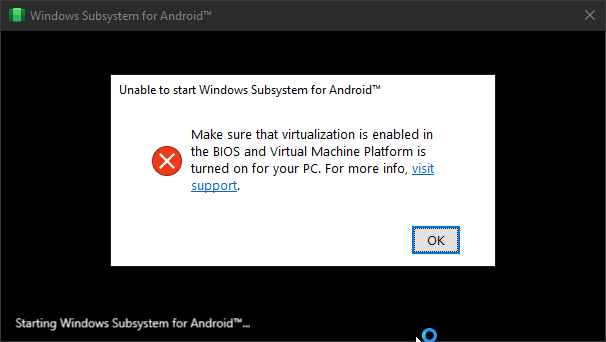
<td colspan="2">The Computer must support virtualization and be enabled in BIOS/UEFI and Optional Features. <br/> <h3><a href="https://support.microsoft.com/en-us/windows/enable-virtualization-on-windows-11-pcs-c5578302-6e43-4b4b-a449-8ced115f58e1" rel="noopener noreferrer" target="_blank">Guide on how to enable</a><h3></h3></h3></td>
</tr>
</tbody>
</table>
<br/>


> [!TIP]
> <details>
> <summary><h2> WSA End Of Support (EoS) Information (Click Here)</h2></summary>
> 
> ## "Microsoft is ending support for the Windows Subsystem for Android™️ (WSA). As a result, the Amazon Appstore on Windows and all applications and games dependent on WSA will no longer be supported beginning March 5, 2025." 
> ###### (Source: [GitHub](https://github.com/microsoft/WSA/discussions/536) and [Microsoft Learn](https://learn.microsoft.com/en-us/windows/android/wsa/))
> ---
> ### WSABuilds has entered LTS (Long Term Support) for WSA versions ≥ 2311.40000.5.0, where the Magisk version, KernelSU version and GApps version will be kept up to date via new releases.
> ### This repo will not be archived and support will still be given to any users installing WSA Builds from this repo. Thank you all for using this repository and supporting my work, its been a pleasure serving this community. 
> ### Do make sure that you keep a look out for any updates to this repo to be notified of any futher changes to WSA and WSABuilds      
>
> ---
> </details>
>
> 
> <details>
> <summary><h2>Next LTS and Non-LTS Release Date: (Click Here)</h2></summary>
>
> ### WSABuilds LTS 8 Hotfix (v2407.40000.4.0)
> ~~``Friday 4th September 2026``~~  **Available Now (via the both Stable and Pre-release buttons in [Downloads](https://github.com/MustardChef/WSABuilds#downloads))**
> ### WSABuilds LTS 7 Hotfix (v2407.40000.4.0)
> ~~``Sunday 4th January 2026``~~  **Available Now (via the both Stable and Pre-release buttons in [Downloads](https://github.com/MustardChef/WSABuilds#downloads))**
> ### Non-LTS Build Update (v2407.40000.4.0_v2):
> ~~``Monday 2nd June 2025``~~  **Available Now (via the Stable release buttons in [Downloads](https://github.com/MustardChef/WSABuilds#downloads))**
> ### WSABuilds LTS 7 (v2407.40000.4.0) 
> ~~``Monday 2nd June 2025``~~  **Available Now (via the Pre-release buttons in [Downloads](https://github.com/MustardChef/WSABuilds#downloads))**    
> ### Non-LTS Build Update (v2407.40000.4.0):
> ~~``Monday 9th December 2024``~~  **Available Now (via the Stable release buttons in [Downloads](https://github.com/MustardChef/WSABuilds#downloads))**
> ### WSABuilds LTS 6 (v2407.40000.4.0) 
> ~~``Monday 9th December 2024``~~  **Available Now (via the Pre-release buttons in [Downloads](https://github.com/MustardChef/WSABuilds#downloads))** 
> ### Non-LTS Build Update (v2407.40000.0.0):
> ~~``Thursday 5th December 2024``~~  **Available Now (via the Stable release buttons in [Downloads](https://github.com/MustardChef/WSABuilds#downloads))**
> ### WSABuilds LTS 5 (v2407.40000.0.0) 
> ~~``Thursday 5th December 2024``~~  **Available Now (via the Pre-release buttons in [Downloads](https://github.com/MustardChef/WSABuilds#downloads))** 
> ### WSABuilds LTS 4 (v2407.40000.0.0): 
> ~~``Monday 15th July 2024``~~  **Available Now (via the Pre-release buttons in [Downloads](https://github.com/MustardChef/WSABuilds#downloads))** 
> ### WSABuilds LTS 3 (v2311.40000.5.0): 
> ~~``Monday 03rd June 2024``~~  **Available Now (via the Pre-release buttons in [Downloads](https://github.com/MustardChef/WSABuilds#downloads))** 
> ### WSABuilds LTS 2 (v2311.40000.5.0): 
> ~~``Friday 03rd May 2024``~~   **Available Now (via the Pre-release buttons in [Downloads](https://github.com/MustardChef/WSABuilds#downloads))** 
> ### WSABuilds LTS 1 (v2311.40000.5.0): 
> ~~``Wednesday 03rd April 2024``~~  **Available Now (via the Pre-release buttons in [Downloads](https://github.com/MustardChef/WSABuilds#downloads))**  

<br/>
<br/>

<a href="https://github.com/MustardChef/WSABuilds/blob/master/Documentation/WSABuilds/Installation.md"><img height="60" src="https://img.icons8.com/color/96/null/software-installer.png" style="float: left;" width="60"/><h1><a href="https://github.com/MustardChef/WSABuilds/blob/master/Documentation/WSABuilds/Installation.md">   Installation</a></h1></a>

<br/>

<a href="https://github.com/MustardChef/WSABuilds/blob/master/Documentation/WSABuilds/Updating.md"><img height="60" src="https://img.icons8.com/external-flaticons-flat-flat-icons/64/null/external-updating-tools-and-material-ecommerce-flaticons-flat-flat-icons.png" style="float: left;" width="60"/><h1><a href="https://github.com/MustardChef/WSABuilds/blob/master/Documentation/WSABuilds/Updating.md">   Updating</a></h1></a>  

<br/>

<a href="https://github.com/MustardChef/WSABuilds/blob/master/Documentation/WSABuilds/Uninstallation.md"><img height="60" src="https://img.icons8.com/color/96/null/uninstall-programs.png" style="float: left;" width="60"/><h1><a href="https://github.com/MustardChef/WSABuilds/blob/master/Documentation/WSABuilds/Uninstallation.md">   Uninstallation</a></h1></a>
    
<br/>

<a href="https://github.com/MustardChef/WSABuilds/blob/master/Documentation/WSABuilds/Backup%20and%20Restore.md"><img height="60" src="https://img.icons8.com/fluency/96/cloud-backup-restore.png" style="float: left;" width="60"/><h1><a href="https://github.com/MustardChef/WSABuilds/blob/master/Documentation/WSABuilds/Backup%20and%20Restore.md">   Backup and Restore Userdata</a></h1></a>

<br/>

<a href="https://github.com/MustardChef/WSABuilds/blob/master/Documentation/WSABuilds/FAQ.md"><img height="60" src="https://img.icons8.com/3d-fluency/94/null/help.png" style="float: left;" width="60"/><h1><a href="https://github.com/MustardChef/WSABuilds/blob/master/Documentation/WSABuilds/FAQ.md">   FAQ</a></h1></a>

<br/>

<a href="https://github.com/MustardChef/WSABuilds/blob/master/Documentation/WSABuilds/App%20Compatibility.md"><img height="60" src="https://img.icons8.com/external-flaticons-lineal-color-flat-icons/64/external-compatibility-relationship-flaticons-lineal-color-flat-icons-2.png" style="float: left;" width="60"/><h1><a href="https://github.com/MustardChef/WSABuilds/blob/master/Documentation/WSABuilds/App%20Compatibility.md">   App Compatibility</a></h1></a>

<br/>

<a href="https://github.com/MustardChef/WSABuilds/blob/master/Documentation/WSABuilds/Usage%20Guide.md"><img height="60" src="https://img.icons8.com/external-xnimrodx-lineal-color-xnimrodx/96/null/external-guide-education-xnimrodx-lineal-color-xnimrodx.png" style="float: left;" width="60"/><h1><a href="https://github.com/MustardChef/WSABuilds/blob/master/Documentation/WSABuilds/Usage%20Guide.md">   Usage Guides</a></h1></a>

<br/>
 

<a href="https://github.com/MustardChef/WSABuilds/blob/master/Documentation/WSABuilds/Having%20Issues.md"><img height="60" src="https://img.icons8.com/external-soft-fill-juicy-fish/96/null/external-bug-coding-and-development-soft-fill-soft-fill-juicy-fish-2.png" style="float: left;" width="60"/><h1><a href="https://github.com/MustardChef/WSABuilds/blob/master/Documentation/WSABuilds/Having%20Issues.md">   Having Issues?</a></h1></a>

<br/>

<a href="https://github.com/MustardChef/WSABuilds/blob/master/Documentation/WSABuilds/Credits.md"><img height="60" src="https://img.icons8.com/external-flaticons-lineal-color-flat-icons/64/null/external-credits-movie-theater-flaticons-lineal-color-flat-icons.png" style="float: left;" width="60"/><h1><a href="https://github.com/MustardChef/WSABuilds/blob/master/Documentation/WSABuilds/Credits.md">   Credits</a></h1></a>

---

### MagiskOnWSA Docs README (`MagiskOnWSA/docs/README.md`)

# Magisk on WSA (with Google Apps)

:warning: Magisk on WSA will no longer be available after March 5, 2025. [Learn more](https://learn.microsoft.com/en-us/windows/android/wsa/).

:warning: For fork developers: Please don't build using GitHub Actions, as GitHub will count your forked GitHub Actions usage against this upstream repository, which may cause this upstream repository gets disabled by GitHub staff like [MagiskOnWSA](https://github.com/LSPosed/MagiskOnWSA) because of numerous forks building GitHub Actions, and counting the forks' Action usage against this upstream repository.

## Support for generating from these systems

- Linux (x86_64 or arm64)

  The following dependencies are required:

  | DistrOS             |                            |            |                    |               |               |
  |:-------------------:|----------------------------|------------|--------------------|---------------|---------------|
  | Debian              | `python3 aria2 unzip sudo` | `whiptail` | `python3-venv`     | `python3-pip` | `p7zip-full`  |
  | openSUSE Tumbleweed | Same as above              | `dialog`   | `python3-venvctrl` | Same as above | Same as above |
  | Arch                | Same as Debian             | `libnewt`  |  Same as Debian    | `python-pip`  | `p7zip`       |

  The python3 library `requests` is used.

  Python version ≥ **3.7.2**.

  - Recommended use

    - Ubuntu (You can use [WSL2](https://apps.microsoft.com/store/search?publisher=Canonical%20Group%20Limited))

      Ready to use right out of the box.

    - Debian (You can use [WSL2](https://apps.microsoft.com/store/detail/debian/9MSVKQC78PK6))

      Ready to use right out of the box.

    - openSUSE Tumbleweed (You can use [WSL2](https://apps.microsoft.com/store/detail/opensuse-tumbleweed/9MSSK2ZXXN11))

      Ready to use right out of the box.

    `run.sh` will handle all dependencies automatically.

    No need to type any commands.

## Features

- Integrate Magisk and GApps in a few clicks within minutes
- Keep each build up to date
- Support both ARM64 and x64
- Support MindTheGapps
- Remove Amazon Appstore
- Fix VPN dialog not showing (use our [VpnDialogs app](https://github.com/LSPosed/VpnDialogs))
- Add device administration feature
- Unattended installation
- Automatically activates developers mode in Windows 11
- Update to the new version while preserving data with a one-click script
- Merged all language packs

## Text Guide

1. Star (if you like).
2. Clone the repo to local:

   ```bash
   git clone https://github.com/LSPosed/MagiskOnWSALocal.git --depth 1
   ```

3. Run `cd MagiskOnWSALocal`.
4. Run `./scripts/run.sh`.
5. Select the WSA version and its architecture (mostly x64).
6. Select the version of Magisk.
7. Choose which brand of GApps you want to install:
   - MindTheGapps

     There is no other variant we can choose.
8. Select the root solution (none means no root).
9. If you are running the script for the first time, it will take some time to complete. After the script completes, two new folders named `output` and `download` will be generated in the `MagiskOnWSALocal` folder. Go to the `output` folder. While running the `./run.sh` script in the step 3, if you selected `Yes` for `Do you want to compress the output?` then in `output` folder you will see a compressed file called `WSA-with-magisk-stable-MindTheGapps_2207.40000.8.0_x64_Release-Nightly`or else there will be folder with the `WSA-with-magisk-stable-MindTheGapps_2207.40000.8.0_x64_Release-Nightly`. If there is a folder open it and skip to step 10. NOTE: The name of compressed file or the folder generated in the `output` folder may be different for you. It will be dependent on the choices made when executing `./run.sh`.
10. Extract the compressed file and open the folder created after the extraction of the file.
11. Here look for file `Run.bat` and run it.
    - If you previously have a MagiskOnWSA installation, it will automatically uninstall the previous one while **preserving all user data** and install the new one, so don't worry about your data.
    - If you have an official WSA installation, you should uninstall it first. (In case you want to preserve your data, you can backup `%LOCALAPPDATA%\Packages\MicrosoftCorporationII.WindowsSubsystemForAndroid_8wekyb3d8bbwe\LocalCache\userdata.vhdx` before uninstallation and restore it after installation.)
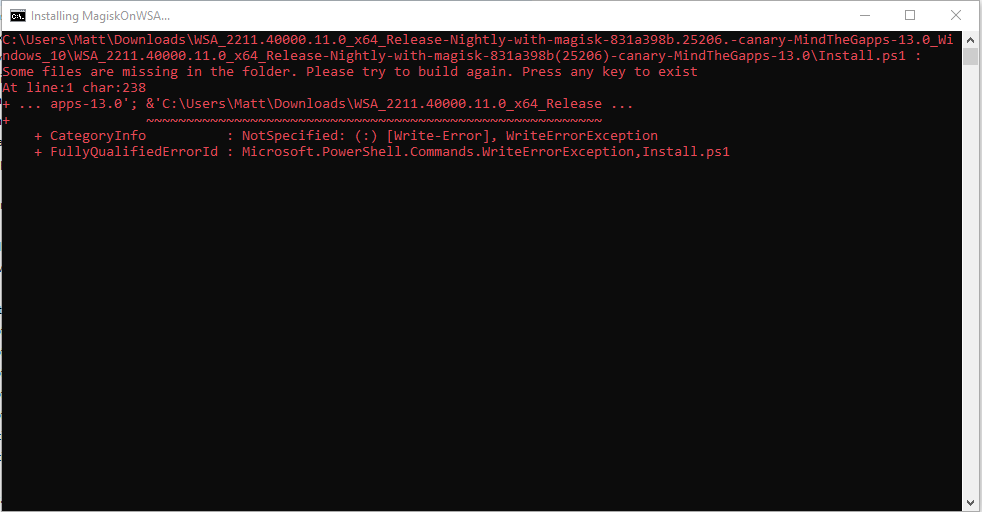
    - If the popup windows disappear **without asking administrative permission** and WSA is not installed successfully, you should manually run `Install.ps1` as Administrator:
        1. Press `Win+x` and select `Windows Terminal (Admin)`.
        2. Input `cd "{X:\path\to\your\extracted\folder}"` and press `enter`, and remember to replace `{X:\path\to\your\extracted\folder}` including the `{}`, for example `cd "D:\wsa"`
        3. Input `PowerShell.exe -ExecutionPolicy Bypass -File .\Install.ps1` and press `Enter`.
        4. The script will run and WSA will be installed.
        5. If this workaround does not work, your PC is not supported for WSA.
12. Magisk/Play Store will be launched. Enjoy by installing LSPosed-Zygisk with Zygisk enabled or Riru and LSPosed-Riru.

---

## FAQ

<details open>

- Can I delete the installed folder?

  No.

- How can I update WSA to a newer version?

  1. Update build scripts:

      ```bash
      git pull
      ```

      For more usage of git, referred to <https://git-scm.com/book>

  2. Rerun the script, replace the content of your previous installation and rerun `Install.ps1`. Don't worry, your data will be preserved.

- How can I get the logcat from WSA?

  `%LOCALAPPDATA%\Packages\MicrosoftCorporationII.WindowsSubsystemForAndroid_8wekyb3d8bbwe\LocalState\diagnostics\logcat`

- How can I update Magisk to a newer version?

  Do the same as updating WSA.

- How to pass Play Integrity (formerly known as SafetyNet)?

  Like all the other emulators, no way.

- Virtualization is not enabled?

  `Install.ps1` helps you enable it if not enabled. After rebooting, rerun `Install.ps1` to install WSA. If it's still not working, you have to enable virtualization in BIOS. That's a long story so ask Google for help.

- How to remount the system as read-write?

  No way in WSA since it's mounted as read-only by Hyper-V. You can modify the system by making a Magisk module. Or directly modify the system.img. Ask Google for help.

- I cannot `adb connect localhost:58526`, what to do?

  Make sure developer mode is enabled. If the issue persists, check the IP address of WSA on the setting page and try `adb connect ip:5555`.

- Why the Magisk online module is empty?

  Magisk actively removes the online module repository. You can install the module locally or by `adb push module.zip /data/local/tmp` and `adb shell su -c magisk --install-module /data/local/tmp/module.zip`.

- Can I use Magisk v23.0 stable or a lower version?

  No. Magisk has bugs preventing itself from running on WSA. Magisk v24+ has fixed them. So you must use Magisk v24 or later.

- How can I get rid of Magisk?

  Choose `none` as the root solution.

- How to install custom GApps?

  [Tutorial](Custom-GApps.md)

- Where can I download MindTheGapps?

  You can download from here [MindTheGapps](https://androidfilehost.com/?w=files&flid=322935) ([mirror](http://downloads.codefi.re/jdcteam/javelinanddart/gapps)).

  Note that there is no x86_64 pre-build, so you need to build it by yourself ([Repository](https://gitlab.com/MindTheGapps/vendor_gapps)).

  Or you can download the built package for 12.1 and 13 for x86_64 from [this page](https://sourceforge.net/projects/wsa-mtg/files/x86_64/).

- Is it possible to migrate data from a lower version like 2305 to a newer version?

  This is certainly available, Microsoft's change of read-only partition from 2305's EROFS to read-only EXT4 only affects the read-only system partition.

  It has no effect on the user data partition. Check the logs if there is a failure to boot.

- How to install KernelSU?

  [Tutorial](KernelSU.md)

</details>

---

## Credits

- [StoreLib](https://github.com/StoreDev/StoreLib): API for downloading WSA
- [Magisk](https://github.com/topjohnwu/Magisk): The most famous root solution on Android
- ~~[The Open GApps Project](https://opengapps.org): One of the most famous Google Apps packages solution~~
- [WSA-Kernel-SU](https://github.com/LSPosed/WSA-Kernel-SU) and [kernel-assisted-superuser](https://git.zx2c4.com/kernel-assisted-superuser/): The kernel `su` for debugging Magisk Integration
- ~~[WSAGAScript](https://github.com/ADeltaX/WSAGAScript): The first GApps integration script for WSA~~
- ~~[erofs-utils](https://github.com/sekaiacg/erofs-utils): Pre-build `erofs-utils` with erofsfuse enabled~~

_The repository is provided as a utility._

_Android is a trademark of Google LLC. Windows is a trademark of Microsoft Corporation._

---

### MagiskOnWSA DLL Docs README (`MagiskOnWSA/DLL/docs/README.md`)

# WSA-Script
## MagiskOnWSA (For Windows™ 10 and 11) by [@YT-Advanced](https://github.com/YT-Advanced/)
### Windows Subsystem For Android™ (WSA) with Google Play Services and Magisk 

<details>     
   <summary><h3> &nbsp; ❓Want to build your custom build❓ <h3></summary>
      

| :exclamation: **Important:**  &nbsp;  `⚠️DO NOT FORK⚠️`               |
|------------------------------------------------------------------------|
|**This repository is designed specifically not to be forked. MagiskOnWSA and some of the various forks and clones that have sprung up on the platform (***potentially***) violate GitHub's Terms of Service due to abuse of GitHub Actions and have been ultimately warned, disabled or banned.**| 
|**Therefore, don't fork this repository unless you're a developer and want to modify the code itself and/or want to contribute to this Github repository.**|
|**If you want to create your Custom Build, please follow the instructions set out clearly, to avoid the repo from being taken down as a result of a misuse of Github Actions due to the large number of forks. AND ALSO if you want to build with Latest Insider version, please skip the first 7 steps**|
      
#### **1. Star this repos (I will happy if you do that)**

#### **2. Check the version from [Releases](https://github.com/YT-Advanced/WSA-Script/releases/) first. If it does not have the version you want, continue to follow this guide. If it does, then feel free to use those prebuild WSA builds**

#### **3. Open [this page directly](https://YT-Advanced.github.io/WSA-Script) then choose the option that you want to build**


#### **4. Click "Create Issues" Button, the issues page will be generated and open. Then you click "Submit New Issues" (green button) and wait.**


#### **5. After about 10 minutes, the bot will reply that the workflow have built successfully (like the picture below), OPEN THE LINK BELOW THE BOT COMMENT**


#### **6. Download the package as artifact**
**DO NOT download it via multithread downloaders like IDM**


#### **7. Install like normal using [the instructions](https://github.com/YT-Advanced/WSA-Script#--installation) in this repository** and most important of all....

</details>

## Downloads

<table>
<thead>
  <tr>
    <th>Click to Download</th>
    <th>Differences</th>
    <th>Current Version</th>
    <th>Date</th>
  </tr>
</thead>
<tbody>
  <tr>
    <td><a href=https://github.com/YT-Advanced/WSA-Script/releases/tag/WSA-Insider-Version><img src="https://img.shields.io/badge/Pre--Release%20Builds-orange?style=for-the-badge" height="28"></a></td>
    <td>Follows the "WSA Preview Program Channel" </br> </br> Builds are generally newer than the "WSA Retail" and "Insider Fast Channel"</td>
    <td>2311.40000.5.0<br></td>
    <td>Builds Released: 05/01/2024</td>
  </tr>
  <tr>
    <td><a href=https://github.com/YT-Advanced/WSA-Script/releases/latest><img src="https://img.shields.io/badge/Stable%20Builds-blue?style=for-the-badge" alt="Image" height="28"></a></td>
    <td>Follows the "WSA Retail Channel" <br><br> Builds are generally more stable than the builds in the "WSA Preview Program Channel" </td>
    <td>2311.40000.5.0<br></td>
    <td>Builds Released: 05/01/2024</td>
  </tr>
  <tr>
    <td colspan="4"><h4>It is recommend to check this table regularly to see if there is a newer update avaliable for WSA for the Stable Builds and Pre-Release Builds<h4></td>
  </tr>
  </tbody>
</table>

## Requirements

<center><table>
<thead>
  <tr>
    <th></th>
    <th><img src="https://upload.wikimedia.org/wikipedia/commons/e/e6/Windows_11_logo.svg" style="width: 200px;"/></th>
    <th><img src="https://upload.wikimedia.org/wikipedia/commons/0/05/Windows_10_Logo.svg" style="width: 200px;"/></th>
  </tr>
</thead>
<tbody>
  <tr>
    <td><img style="float: right;" src="https://img.icons8.com/fluency/96/null/windows-update--v1.png" width="60" height="60"/><h4>Windows Build Number<h4></td>
    <td>Windows™ 11: Build 22000.526 or higher.</td>
    <td>Windows™ 10: 22H2 10.0.19042.2604 or higher. <br /><br /><b>To use WSA, you must install <a href="https://www.catalog.update.microsoft.com/Search.aspx?q=KB5014032" target="_blank" rel="noopener noreferrer">KB5014032</a> then install <a href="https://www.catalog.update.microsoft.com/Search.aspx?q=KB5022834" target="_blank" rel="noopener noreferrer">KB5022834</a> to use WSA on these Windows 10 builds<b><br /><br /><b></td>
  </tr>
  <tr>
    <td><img style="float: right;" src="https://img.icons8.com/external-smashingstocks-flat-smashing-stocks/66/null/external-RAM-technology-and-devices-smashingstocks-flat-smashing-stocks.png" width="60" height="60"/><h4>RAM<h4></td>
    <td colspan="2"><ul><li>4 to 6 GB (Not Recommended)</li><li>8 GB (Minimum)</li><li>16 GB (Recommended)</li></ul></td>
  </tr>
  <tr>
    <td><img style="float: right;" src="https://img.icons8.com/3d-fluency/94/null/electronics.png" width="60" height="60"/><h4>Processor<h4></td>
    <td>Your PC should meet the basic Windows™ 11 requirements i.e Core i3 8th Gen, Ryzen 3000, Snapdragon 8c, or above</td>
    <td>N/A </br></br> This is a bit of a hit or miss, but it is highly recommended that your processor is listed in the <a href="https://learn.microsoft.com/en-gb/windows-hardware/design/minimum/windows-processor-requirements" target="_blank" rel="noopener noreferrer">supported CPU lists for Windows 11 requirements</a></td>
  </tr>
  <tr>
    <td><img style="float: right;" src="https://img.icons8.com/3d-fluency/94/null/video-card.png" width="60" height="60"/><h4>GPU<h4></td>
      <td colspan="2">Any compatible Intel, AMD or Nvidia GPU. <br /> GPU Performance may vary depending on its compatibility with Windows Subsystem For Android™  <br /</td>
  </tr>
  <tr>
    <td rowspan="2"><img style="float: right;" src="https://img.icons8.com/3d-fluency/94/null/ssd.png" width="60" height="60"/><h4>Storage<h4></td>
    <td colspan="2">Solid-state drive (SSD) (RECOMMENDED) <br />OR</br> Hard Disk Drive (HDD)   (NOT RECOMMENDED)</td>
  </tr>
  <tr>
     <td colspan="2"><b><i>Minimum Storage Requirements: You must have at least 10GB free on the system drive (C:\)<b><i></td>
  </tr>
  <tr>
    <td><img style="float: right;" src="https://img.icons8.com/stickers/100/null/storage.png" width="60" height="60"/><h4>Partition<h4></td>
    <td colspan="2"><b><i>NTFS ONLY<b><i> <br /><br /> Windows Subsystem For Android™ can only be installed on a NTFS partition, not on an exFAT partition</td>
  </tr>
  <tr>
    <td rowspan="5"><img style="float: left;" src="https://user-images.githubusercontent.com/68516357/230764789-ad8f7361-4a3b-49a8-a8e9-24fdc87d5781.png" width="66" height="58"/><h4>Windows Features Needed<h4></td>
    <td colspan="2">Virtual Machine Platform Enabled : <b>Require!!</b></td>
  </tr>
  <tr>
    <td colspan="2">Windows Hypervisor Platform Enabled (Optional)</td>
  </tr>
  <tr>
    <td colspan="2">Windows Subsystem For Linux™ Enabled (Optional)</td>
  </tr>
  <tr>
    <td colspan="2">Hyper-V Enabled (Optional)</td>
  </tr>
  <tr>
    <td colspan="2"><b><i>These optional settings are for virtualization and provide components that are needed to run WSA. You can enable these settings by pressing the Windows Key + R on your keyboard and typing "OptionalFeatures.exe" into the box, pressing enter and selecting the features above followed by pressing apply<b><i></td>
  </tr>
  <tr>
    <td><img style="float: right;" src="https://user-images.githubusercontent.com/68516357/230759907-5d11950e-1b17-4811-8f4e-a0f82e598079.png" width="60" height="60"/><h4>Virtualization<h4></td>
    <td colspan="2">The Computer must support virtualization and be enabled in BIOS/UEFI and Optional Features. </br> <h3><a href="https://support.microsoft.com/en-us/windows/enable-virtualization-on-windows-11-pcs-c5578302-6e43-4b4b-a449-8ced115f58e1" target="_blank" rel="noopener noreferrer">Guide on how to enable</a><h3></td>
  </tr>
</tbody>
</table>


&nbsp;

<details>     
   <summary><picture><img style="float: right;" src="https://img.icons8.com/color/96/null/software-installer.png" width="60" height="60"/></picture><h1> &nbsp; Installation<h1></summary>

&nbsp;

> **Note** : 
> If you have the official Windows Subsystem For Android™ installed, you must [completely uninstall](#uninstallation) it to use MagiskOnWSA. 

> In case you want to preserve your data from the previous installation (official or MagiskOnWSA), you can backup `%LOCALAPPDATA%\Packages\MicrosoftCorporationII.WindowsSubsystemForAndroid_8wekyb3d8bbwe\LocalCache\userdata.vhdx` before uninstallation and restore it after installation.  For a more comprehensive and detailed guide, take a look at the **Backup and Restore section** in this README markdown

1. Go to the [Releases page](https://github.com/YT-Advanced/WSA-Script/releases/latest)
2. In the latest release, go to the Assets section and download the Windows Subsystem For Android™ version of your choosing (do not download "Source code")

> **Note** : 
> If you want to download WSA with Magisk Delta, please go to [](https://github.com/YT-Advanced/WSA-Script/actions/workflows/custom_build.yml) and download the package from the Action. 

3. Check integrity of downloaded file by [Follow this guide](Guides/Checksum.md)
4. Extract the zip file
5. Delete the zip file
6. Move the newly extracted folder to a suitable location (Documents folder is a good choice), as you will need to keep the folder on your PC to use MagiskOnWSA

> **Note** :  
> If you're updating WSA, merge the folders and replace the files for all items when asked

7. Open the Windows Subsystem For Android™ folder: Search for and double-click `Run.bat`
   - If you previously have a MagiskOnWSA installation, it will automatically uninstall the previous one while preserving all user data and install the new one, so don't worry about your data.
   - If the popup windows disappear without asking administrative permission and Windows Subsystem For Android™ is not installed successfully, you should manually run Install.ps1 as administrator:
      
      - Press `Win+X` and select **Windows™ Terminal (Admin)**
      
      - Input the command below and press enter, replacing {X:\path\to\your\extracted\folder} including the {} with the path of the extracted folder
        ```Powershell
        cd "{X:\path\to\your\extracted\folder}"
        ```  
        
      - Input the command below and press enter   
        ```Powershell
        PowerShell.exe -ExecutionPolicy Bypass -File .\Install.ps1
        ```
        
      - The script will run and Windows Subsystem For Android™ will be installed
      - If this workaround does not work, your PC is not supported for WSA
      
8. Once the installation process completes, Windows Subsystem For Android™ will launch (if this is a first-time install, a window asking for consent to diagnositic information will be shown instead. Sometimes two identical windows will show, this is fine and nothing bad happens if you click OK in both windows)
9. Click on the PowerShell window, then press any key on the keyboard, the PowerShell window should close
10. Close File Explorer
11. **Enjoy**

&nbsp;

### Notice (Applicable for both Windows 10 and 11):

1. You can NOT delete the Windows Subsystem For Android™ installation folder.
   What `Add-AppxPackage -Register .\AppxManifest.xml` does is to register an appx package with some existing unpackaged files,
   so you need to keep them as long as you want to use Windows Subsystem For Android™. 
   Check https://learn.microsoft.com/en-us/powershell/module/appx/add-appxpackage?view=windowsserver2022-ps for more details.
2. You need to register your Windows Subsystem For Android™ appx package before you can run Windows Subsystem For Android™. 
   For [WSA-Script](https://github.com/YT-Advanced/WSA-Script) and [MagiskOnWSALocal](https://github.com/LSPosed/MagiskOnWSALocal) users, you need to run `Run.bat` in the extracted dir.
   If the script fails, you can take the following steps for diagnosis (admin privilege required):
    1. Open a PowerShell window and change working directory to your Windows Subsystem For Android™ directory.
    
    2. Run the command below in PowerShell. This should fail with an ActivityID, which is a UUID required for the next step.
       ```Powershell
       Add-AppxPackage -ForceApplicationShutdown -ForceUpdateFromAnyVersion -Register .\AppxManifest.xml
       ```
       
    3. Run the command below in PowerShell. This should print the log of the failed operation.
       ```Powershell
       Get-AppPackageLog -ActivityID <UUID>
       ```
    4. Check the log for the reason of failure and fix it.

</details> 

&nbsp;


<details>     
   <summary><picture><img style="float: right;" src="https://img.icons8.com/external-flaticons-flat-flat-icons/64/null/external-updating-tools-and-material-ecommerce-flaticons-flat-flat-icons.png" width="60" height="60"/></picture><h1> &nbsp; Updating<h1></summary>

### How do I update without losing any of my apps and data on Windows Subsystem for Android (WSA)

1. [Download the latest build](https://github.com/YT-Advanced/WSA-Script/releases/latest) (that you want to update to)
2. Make sure Windows Subsystem For Android is not running (Click on "Turn off" in the WSA Settings and wait for the spinning loader to disappear)
2. Using 7-Zip, WinRAR or any other tool of choice, open the .zip file 
3. Within the .zip archive open the subfolder (Example: WSA_2xxx.xxxxx.xx.x_x64_Release-Nightly-with-magisk-xxxxxxx-MindTheGapps-13.0-as-Pixel-5-RemovedAmazon)
4. Select all the files that are within this subfolder and extract them to the current folder where the file for Windows Subsystem For Android are (the folder you extracted, and installed WSA from)
5. When prompted to replace folders, select "Do this for all current items" and click on "Yes" 
6. When prompted to replace files, click on "Replace the files in the destination"
7. Run  the ``Run.bat`` file
8. Launch Windows Subsystem For Android Settings app and go to the ``About`` tab using the sidebar
9. Check if the WSA version matches the latest version/ the version number that you want to update to


</details>   

&nbsp;

<details>     
   <summary><picture><img style="float: right;" src="https://img.icons8.com/color/96/null/uninstall-programs.png" width="60" height="60"/></picture><h1> &nbsp; Uninstallation<h1></summary>

&nbsp;

> **Note**: 
> 
> If you want to preseve your data, make a backup of the `%LOCALAPPDATA%\Packages\MicrosoftCorporationII.WindowsSubsystemForAndroid_8wekyb3d8bbwe\LocalCache\userdata.vhdx` file. After uninstalling, copy the VHDX file back to the `%LOCALAPPDATA%\Package\MicrosoftCorporationII.WindowsSubsystemForAndroid_8wekyb3d8bbwe\LocalCache` folder. For a more comprehensive and detailed guide, take a look at the **Backup and Restore section** in this README markdown

- To remove WSA installed:

   - **1.)** Make sure that Windows Subsystem For Android™ is not running
   - **2.)** Search for ``Windows Subsystem For Android™ Settings`` using the built-in Windows Search, or through Add and Remove Programs and press uninstall
   - **3.)** Delete the WSA folder that extracted you extracted and Run.bat was run from to install WSA (MagiskOnWSA folder)
   - **4.)** Go to ``%LOCALAPPDATA%/Packages/`` and delete the folder named ``MicrosoftCorporationII.WindowsSubsystemForAndroid_8wekyb3d8bbwe``
            
      - If you get an error that states that the file(s) could not be deleted, make sure that WSA is turned off
     
- To remove WSA installed from the Microsoft Store: 
        
   - **1.)** Search for ``Windows Subsystem For Android™ Settings`` using the built-in Windows Search, or through Add and Remove Programs and press uninstall

</details>

&nbsp;
      
<details>     
   <summary><picture><img style="float: right;" src="https://img.icons8.com/fluency/96/cloud-backup-restore.png" width="60" height="60"/></picture><h1> &nbsp; Backup and Restore Userdata<h1></summary>

## Backing Up Your Userdata

In order to make a backup of your WSA data you must copy the Userdata.vhdx (which includes, but is not limited Android Apps and their data, settings etc.), located at `%LOCALAPPDATA%\Packages\MicrosoftCorporationII.WindowsSubsystemForAndroid_8wekyb3d8bbwe\LocalCache\userdata.vhdx`, to a safe location     

## Restoring Your Backup

Before attempting to restore your backup, you must remove WSA if installed. Then before you run the "Run.bat" script (to reinstall WSA after removing it), you need to remove these lines from Install.ps1: 

Official Magisk:
```pwsh
Start-Process "wsa://com.topjohnwu.magisk"
```
Magisk Alpha:
```pwsh
Start-Process "wsa://io.github.vvb2060.magisk"
```
Magisk Delta:
```pwsh
Start-Process "wsa://io.github.huskydg.magisk"
```
Google Play Store:
```pwsh
Start-Process "wsa://com.android.vending"
```
Amazon Appstore:
```pwsh
Start-Process "wsa://com.amazon.venezia"
``` 
After running the script, do not run WSA at all, and go to %localappdata%\Packages and (if the folders do not exist, create them) in MicrosoftCorporationII.WindowsSubsystemForAndroid_8wekyb3d8bbwe\LocalCache\ paste the userdata.vhdx

Now run WSA and your serdata should hopefully be restored
</details>
      
&nbsp;
      
<details>     
   <summary><picture><img style="float: right;" src="https://img.icons8.com/3d-fluency/94/null/help.png" width="60" height="60"/></picture><h1> &nbsp; FAQ<h1></summary>

&nbsp;
**Help me, I am having problems with the MagiskOnWSA Builds**

- Open an [issue in Github](https://github.com/YT-Advanced/WSA-Script/issues) and describe the issue with sufficent detail

**Help me, I am having problems with installing Windows Subsystem For Android™ on Windows™ 10**

- I am not working on the patch, and nor claim to.  Open an issue in Github, and I will try to assist you with the problem if possible. For full support visit the project homepage and open an issue there: https://github.com/cinit/WSAPatch/issues/

**How do I get a logcat?**
- There are two ways:
   ```
   adb logcat
   ```
   or

-  Location in Windows ---> <br/> `%LOCALAPPDATA%\Packages\MicrosoftCorporationII.WindowsSubsystemForAndroid_8wekyb3d8bbwe\LocalState\diagnostics\logcat`

**Can I delete the installed folder?**

- No.

**How can I update Windows Subsystem For Android™ to a new version?**

- As Explained [Installation instructions](#installation). Download the [latest Windows Subsystem For Android™ Version](#downloads) and replace the content of your previous installation and rerun Install.ps1. Don't worry, your data will be preserved

**How do I update Magisk?**

- Do the same as updating Windows Subsystem For Android™.  Wait for a new MagiskOnWSA release that includes the newer Magisk version, then follow the [Installation instructions](#installation) to update

**Can I pass SafetyNet/Play Integrity?**

- No. Virtual machines like Windows Subsystem For Android™ cannot pass these mechanisms on their own due to the lack of signing by Google. Passing requires more exotic (and untested) solutions like: <https://github.com/kdrag0n/safetynet-fix/discussions/145#discussioncomment-2170917>

**What is virtualization?**

- Virtualization is required to run virtual machines like Windows Subsystem For Android™.  `Run.bat` helps you enable it. After rebooting, re-run `Run.bat` to install Windows Subsystem For Android™.  If it's still not working, you have to enable virtualization in your BIOS/UEFI. Instructions vary by PC vendor, look for help online

**Can I remount system partition as read-write?**

- No. Windows Subsystem For Android™ is mounted as read-only by Hyper-V. You can, however, modify the system partition by creating a Magisk module, or by directly modifying the system.img file

**I cannot adb connect localhost:58526**

- Make sure developer mode is enabled. If the issue persists, check the IP address of Windows Subsystem For Android™ on the Settings ---> Developer page and try 

   ```
   adb connect ip:5555
   ```

**Magisk online module list is empty?**

- Magisk actively removes the online module repository. You can install the module locally or by 
  
   **Step 1** 
      
      adb push module.zip /data/local/tmp

   **Step 2**  

      adb shell su -c magisk --install-module /data/local/tmp/module.zip


**How do I uninstall Magisk?**

- Request, using [Issues](https://github.com/YT-Advanced/WSA-Script/issues), a Windows Subsystem For Android™ version that doesn't include Magisk from the [Releases page](https://github.com/YT-Advanced/WSA-Script/releases/latest). Then follow the [Installation instructions](#installation)
</details>

&nbsp;

<details>     
   <summary><picture><img style="float: right;" src="https://img.icons8.com/external-xnimrodx-lineal-color-xnimrodx/96/null/external-guide-education-xnimrodx-lineal-color-xnimrodx.png" width="60" height="60"/></picture><h1> &nbsp; Usage Guides<h1></summary>

&nbsp;

### Install KernelSU Manager:
[<img src="https://img.shields.io/badge/-How%20to%20install%20KernelSU%20Manager-474154?style=for-the-badge&logoColor=white&logo=github" />](Guides/KernelSU.md)

### Install BusyBox:
[<img src="https://img.shields.io/badge/-How%20to%20install%20BusyBox-474154?style=for-the-badge&logoColor=white&logo=github" />](Guides/BusyBox.md)

### Check Integrity Guide:
[<img src="https://img.shields.io/badge/-HOW%20TO%20CHECK%20INTEGRITY%20OF%20DOWNLOAD%20PACKAGES-474154?style=for-the-badge&logoColor=white&logo=github" />](Guides/Checksum.md)

### GPU Guide:
[<img src="https://img.shields.io/badge/-How%20to%20Change%20the%20GPU%20Used-474154?style=for-the-badge&logoColor=white&logo=github" />](Guides/ChangingGPU.md)

### Sideload Guide:
[<img src="https://img.shields.io/badge/-How%20to%20Sideload%20apps-474154?style=for-the-badge&logoColor=white&logo=github" />](Guides/Sideloading.md)

### Moving WSA to another drive or partition:
[<img src="https://img.shields.io/badge/-How%20to%20Move%20WSA%20to%20another%20drive%20or%20partition-474154?style=for-the-badge&logoColor=white&logo=github" />](Guides/MoveToExtDrive.md)

### LocalHost Loopback Guide:
[<img src="https://img.shields.io/badge/-How%20to%20connect%20WSA%20to%20the%20localhost-474154?style=for-the-badge&logoColor=white&logo=github" />](Guides/LocalHostLoopback.md)

</details> 

&nbsp;

<details>     
   <summary><picture><img style="float: right;" src="https://img.icons8.com/external-soft-fill-juicy-fish/96/null/external-bug-coding-and-development-soft-fill-soft-fill-juicy-fish-2.png" width="60" height="60"/></picture><h1> &nbsp; Having Issues?<h1></summary>

### Common Issues:

[<img src="https://img.shields.io/badge/-Fix%20Install.ps1%20Issue-%23EF2D5E?style=for-the-badge&logoColor=white&logo=Github" />](Fixes/FixInstallps1.md)

[<img src="https://img.shields.io/badge/-Fix%20Install.ps1%20Failed%20to%20update-%23EF2D5E?style=for-the-badge&logoColor=white&logo=Github" />](Fixes/nstallPs1FailedToUpdate.md)

[<img src="https://img.shields.io/badge/-Fix Virtualization and Virtual Machine Platform Error-%23EF2D5E?style=for-the-badge&logoColor=white&logo=github" />](Fixes/FixVirtError.md)

[<img src="https://img.shields.io/badge/-Fix%20Internet%20Issues-%23EF2D5E?style=for-the-badge&logoColor=white&logo=Github" />](Fixes/FixInternet.md)
      
[<img src="https://img.shields.io/badge/-Fix%20Error%200x80073CF0-%23EF2D5E?style=for-the-badge&logoColor=white&logo=Github" />](Fixes/Fix%20Error%200x80073CF0.md)

[<img src="https://img.shields.io/badge/-Fix%20Error%200x80073CFD-%23EF2D5E?style=for-the-badge&logoColor=white&logo=Github" />](Fixes/Fix%20Error%200x80073CFD.md)

[<img src="https://img.shields.io/badge/-Fix%20Error%200x80073CF6-%23EF2D5E?style=for-the-badge&logoColor=white&logo=Github" />](Fixes/Fix%20Error%200x80073CF6.md)

[<img src="https://img.shields.io/badge/-Fix%20Error%200x80073CF9-%23EF2D5E?style=for-the-badge&logoColor=white&logo=Github" />](Fixes/Fix%20Error%200x80073CF9.md)

[<img src="https://img.shields.io/badge/-Fix%20Error%200x80073D10-%23EF2D5E?style=for-the-badge&logoColor=white&logo=Github" />](Fixes/Fix%20Error%200x80073D10.md)

[<img src="https://img.shields.io/badge/-Fix%20Error%200x80073CFB-%23EF2D5E?style=for-the-badge&logoColor=white&logo=Github" />](Fixes/Fix%20Error%200x80073CFB.md)

[<img src="https://img.shields.io/badge/-Fix%20Path%20Too%20Long-%23EF2D5E?style=for-the-badge&logoColor=white&logo=Github" />](Fixes/FixPathTooLong.md)

[<img src="https://img.shields.io/badge/-Fix%20Missing%20Icons%20Issue-%23EF2D5E?style=for-the-badge&logoColor=white&logo=Github" />](Fixes/MissingIcons.md)

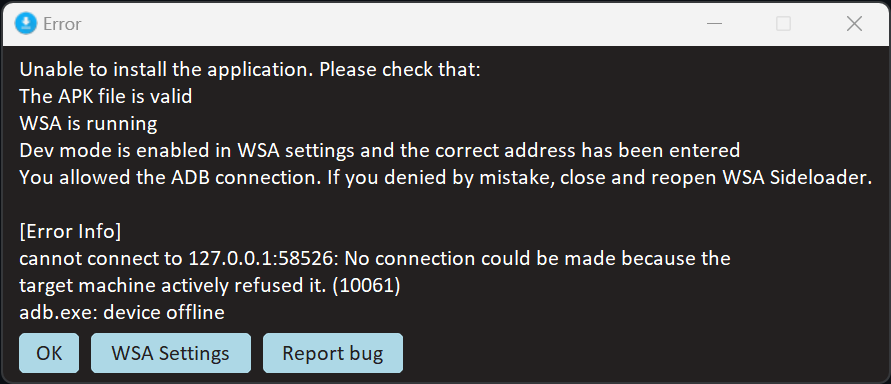
[<img src="https://img.shields.io/badge/-Fix%20Target%20Machine%20Actively%20Refused%20Connection-%23EF2D5E?style=for-the-badge&logoColor=white&logo=Github" />](Fixes/TargetMachineActivelyRefusedConnection.md)

[<img src="https://img.shields.io/badge/-Fix%20Target%20Machine%20Actively%20Refused%20Connection-%23EF2D5E?style=for-the-badge&logoColor=white&logo=Github" />](Fixes/TargetMachineActivelyRefusedConnection.md)

[<img src="https://img.shields.io/badge/-Fix%20Internet%20security%20settings%20blocked%20from%20opening-%23EF2D5E?style=for-the-badge&logoColor=white&logo=Github" />](Fixes/InternetSecuritySettingsBlock.md)

[<img src="https://img.shields.io/badge/-Cannot%20sign%20in%20to%20Google%20Account-%23EF2D5E?style=for-the-badge&logoColor=white&logo=Github" />](Fixes/Google%20Play%20Issues.md)

[<img src="https://img.shields.io/badge/-WSA%20Settings%20App%20Crashes%20%2B%20Android%20Apps%20Do%20Not%20Load%20After%20Installation-%23EF2D5E?style=for-the-badge&logoColor=white&logo=Github" />](Fixes/WSA%20Settings%20App%20Crashes%20%2B%20Android%20Apps%20Do%20Not%20Load%20After%20Installation.md
)

[<img src="https://img.shields.io/badge/-WSA Does Not Load After Install %2B No Splashscreen-%23EF2D5E?style=for-the-badge&logoColor=white&logo=Github" />](Fixes/WSA%20Does%20Not%20Load%20After%20Install%20%2B%20No%20Splashscreen.md)

[<img src="https://img.shields.io/badge/-Keyboard%20Is%20Not%20Working-%23EF2D5E?style=for-the-badge&logoColor=white&logo=Github" />](Fixes/Keyboard%20Is%20Not%20Working.md)   

</details>  

&nbsp;      
      
<details>     
   <summary><picture><img style="float: right;" src="https://img.icons8.com/external-flaticons-lineal-color-flat-icons/64/null/external-credits-movie-theater-flaticons-lineal-color-flat-icons.png" width="60" height="60"/></picture><h1> &nbsp; Credits<h1></summary>

- [Microsoft](https://apps.microsoft.com/store/detail/windows-subsystem-for-android%E2%84%A2-with-amazon-appstore/9P3395VX91NR): For providing Windows Subsystem For Android™ and related files. Windows Subsystem For Android™, Windows Subsystem For Android™ Logo, Windows™ 10 and Windows™ 11 Logos are trademarks of Microsoft Corporation. Microsoft Corporation reserves all rights to these trademarks. By downloading and installing Windows Subsystem For Android™, you agree to the [Terms and Conditions](https://support.microsoft.com/en-gb/windows/microsoft-software-license-terms-microsoft-windows-subsystem-for-android-cf8dfb03-ba62-4daa-b7f3-e2cb18f968ad) and [Privacy Policy](https://privacy.microsoft.com/en-gb/privacystatement)
- [Cinit and the WSAPatch Guide](https://github.com/cinit/WSAPatch): Many thanks for the comprehensive guide, files and support provided by Cinit and the contributers at the WSAPatch repository. Windows™ 10 Builds in this repo rely on the hard work of this project and  hence credit is given where due
- [StoreLib](https://github.com/StoreDev/StoreLib): API for downloading WSA
- [Magisk](https://github.com/topjohnwu/Magisk): The Magic Mask for Android
- [KernelSU](https://github.com/tiann/KernelSU): A Kernel based root solution for Android
- [MagiskOnWSALocal](https://github.com/LSPosed/MagiskOnWSALocal): Integrate Magisk root and Google Apps into WSA
- [WSAOnWin10](https://github.com/A-JiuA/WSAOnWin10): Integrate Magisk root and Google Apps into WSA (Windows Subsystem for Android) and make it run on **Windows 10** with GitHub Actions

***The repository is provided as a utility.***

***Android is a trademark of Google LLC. Windows™ is a trademark of Microsoft LLC.***

</details>

---

### Documentation Fix Guides Troubleshooting (`Documentation/Fix Guides/Troubleshooting.md`)

# Troubleshooting Your Issue

- ### Check if your issue is listed in the list of "Common Issues" below:
     
<picture><a href=""><img style="float: left;" src="https://img.icons8.com/external-soft-fill-juicy-fish/96/null/external-bug-coding-and-development-soft-fill-soft-fill-juicy-fish-2.png" width="60" height="60"/></picture><h2> &nbsp; Common Issues (Click Here)</h2></a></picture>

---

- ### Still having the same issue after following a fixes guide in list of "Common Issues"?

   - #### (For Windows 11 Users) Download WSA from the Microsoft Store or from [WSAPackages](https://github.com/MustardChef/WSAPackages) and test whether or not WSA is working.
   - #### If the official version of WSA (from the Microsoft Store or [WSAPackages](https://github.com/MustardChef/WSAPackages)) does not work, please file a Feedback Hub report using the instructions below (click on the button to view instructions)
 
   <details>     
      <summary><h4>Filing a Feedback Hub Report (click here):<h4></summary>
   
   
   ### Filing a Feedback Hub Report 
   
   I would very much recommend you to file a Feedback Hub report. Make sure you are logged into a Microsoft Account when filing a report. (You can only file a report using the official version)
   
   <br />
   
   Instructions: (As shown by one of devs in WSA Development team at Microsoft)
   
   <br />


   ### After Filing a Feedback Hub Report:


   Also. After completing the report I would highly recommend you to open an issue on the WSA Github Repo (https://github.com/microsoft/WSA) with a link to your Feedback Hub report + full repro of the issue. This will help the dev team see the issue quicker.
   
   I know that its a hassle, but it ensures that it gets some eyes on the issue in the quickest possible way.
   
   </details>

---

- ### Fix to your issue is not listed in the list of "Common Issues" or any of the above troubleshooting steps do not apply?

   #### Open a Github Issue!
  ###### or
   #### Join the Discord and seek assistance there!

   [<img src="https://invidget.switchblade.xyz/2thee7zzHZ" style="width: 400px;"/>](https://discord.gg/2thee7zzHZ)

---

### Documentation Sponsors PetroSky (`Documentation/Sponsors/PetroSky.md`)

<p align="center"><img src="https://github.com/user-attachments/assets/cb787e9d-886b-46f2-bb30-6fe9c8064f5f" width="700"/></p>
<div align="center"><h3>Say goodbye to lag and hello to seamless Android emulation with PetroSky Pro+!</h3><br/> <h2>Visit <a href="http://petrosky.io/MustardChef"> PetroSky.io </a> to get started!</h2></div>


</br>

## Hello, Android Emulator Experts! 

- #### Tired of slow, laggy emulator performance? Frustrated with long load times? PetroSky’s Pro+ plans are here to change that.
- #### Boost Your Android Emulator Performance with PetroSky Pro+!


### Why PetroSky Pro+?
### PetroSky’s Pro+ plans bring powerful Virtual Private Servers (VPS) optimized for Android emulators. No more overloading your computer—let our VPS handle the heavy lifting.

### Key Benefits:
- #### Blazing Speed: Run Android emulators without lag.
- #### Always Accessible: Access your Android setup anytime, anywhere.
- #### Unmatched Power: Run multiple emulators effortlessly.
- #### No PC Upgrades: Upgrade your VPS plan instead of your hardware.
- #### Work Anywhere: Connect from any internet-enabled device.

### Who Can Benefit?
- #### Developers: Test apps across versions side by side.
- #### App Testers: Run tests faster with fewer interruptions.
- #### Anyone: Enjoy Android apps smoothly without slowing your PC.
- #### No tech expertise? No problem—our team will guide you through setup.

---
### Say goodbye to lag and hello to seamless Android emulation with PetroSky Pro+!
### Boost Android Emulator Performance with PetroSky Pro+ Plans!
---

<div align="center"><h1>Visit <a href="http://petrosky.io/MustardChef"> PetroSky.io </a> to get started!</h1></div>

---

### Documentation WSABuilds App Compatibility (`Documentation/WSABuilds/App Compatibility.md`)

## Updated on 11/01/2025

## Legend

This page currently uses Unicode characters from [Unicode Emoji (1.0)](https://unicode.org/Public/emoji/1.0/emoji-data.txt). If you are unable to see these characters, please open an issue.

- ✅ Works
- 🆖 Works, but needs Google Mobile Services
- ⚠️ Works, but with some notable problems
- ❌ Broken

## Support table (OS features)

| Feature | Support level | Notes |
|---------|---------------|-------|
| Multi-touch | ✅ | Demo: [Arcaea](https://www.bilibili.com/video/BV1Ph411n7M5)
| Virtual Wifi (VirtWifi) | ✅
| Bluetooth | ❌ ([GitHub issue](https://github.com/microsoft/WSA/issues/103))
| IPv6 | ✅ | Loading `ipv6.google.com` in Fennec F-Droid on a PC with IPv6 access, works well
| Fingerprint Reader | ❌ | Test failed on ROG Flow X13, with SATRIA app
| VPN | ❌ | VPN Connection request dialog does not appear
| OpenGL ES 3.1 | ❌
| Vulkan | ✅ | Added as experimental feature in [2307.40000.2.0](https://github.com/microsoft/WSA/discussions/374)

### Workarounds

#### VPN

There is no `com.android.vpndialogs` in official builds of WSA. However, it's possible to manually grant the VPN activation permission with AppOps via `adb shell` on these builds. WSABuilds build i.e builds from this repo will contain the `com.android.vpndialogs` and hence will not need the workaround above:

```shell
appops set [package name] ACTIVATE_VPN allow
```

#### Launching Android Apps with URI scheme

Microsoft provides a custom URI scheme for WSA, making it easier to launch apps:

```shell
wsa://[App Package Name]
```

For example, to launch Apple Music in WSA, use:

```shell
wsa://com.apple.android.music
```

## Support tables

* [Apps](#apps)
* [Games](#games)

### Apps
| Application | Latest tested version | Android versions | Support level | Known Issues | Notes |
|-------------|-----------------------|------------------|---------------|--------------|-------|
| 23andMe | 5.114.0 | 11 | ✅ |
| 4PDA | 1.9.35 | 11 | ✅ |
| A+ Gallery | 2.2.55.4 | 11 | ✅ | You might face graphical glitches when using dark theme, hence it's recommended to use light theme instead.
| Activity Launcher | 1.14.6 | 13, 12 | ⚠️ | As of WSA version 2209.40000.28.0, you can't pin shortcuts to a home area of a launcher (like Lawnchair or Rootless Pixel Launcher) with the error `Current launcher does not support PinShortcut. Unable to create shortcut.` | You can still launch specific activities on any app 
| AdGuard | 3.6.10 | 12 | ⚠️ | "Local VPN" doesn't work even with the above workaround. "HTTPS Filtering" doesn't work due to problems with recognition of manually installed certificates. | Not to be confused with "AdGuard Content Blocker"
| ADM | 12.5.4 | 11 | ✅ |
| ADM Pro | 6.4.0 | 11 | ✅ |
| Aegis | 2.0.2 | 11 | ✅ |
| AIDE | 3.2.210316 | 11 | ✅ || Might optionally require GMS
| AIMP | 3.10.1052 | 11 | ✅
| AliExpress | 8.101.15 | 13 | ⚠️ | Sometimes the app crashes after `Sorry, we have detected unusual traffic from your network`, has significant scaling issues that can be mitigated by maximizing the window
| Amaze File Manager | 3.5.3 | 11 | ✅ || Avoid updating the app
| Amazon Alexa | 2.2.466191.0 | 12 | ✅ |
| Android System Info | 1.4.2 | 11 | ✅ ||
| Android System Webview | 118.0.5993.111 | 13, 12 | ✅ ||
| Android System Webview Dev | 103.0.5060.22 | 11 | ✅ || App installs correctly 
| AniLabX | 3.8.12 (Iridium) - Beta | 11 | ✅
| Animiru | 0.16.0.0 | 13 | ✅ | 
| Aniyomi | 0.15.2.1 | 13, 12 | ✅ |
| AntennaPod | 2.5.0 | 11 | ✅
| APKMirror Installer (Beta) | 1.3.2 | 11 | ⚠️ | Cannot remove ads without a subscription which requires Location to be turned on. Apart from this, there are random crashes
| APKPure | 3.17.26 | 11 | ✅ | Sometimes, it might require multiple attempts to install an app
| Apple Music | 3.7.1 | 11 | ✅ | To achieve Hi-Res Lossless, turn off WSA, open settings>sound>more sound settings>pick your device>properties>advanced and set format as 24-bit 192000 Hz (Studio Quality), then start WSA
| App分享 (AppShare) | 2.1.1 (164) | 11 | ❌ | Can't login
| Aptoide App Store | 9.20.2.1 | 11 | ✅ | Sometimes, downloads might get stuck
| AquaMail (Pro) | 1.34.0-118 | 11 | ✅
| ASUS Router | 1.0.0.7.35 | 12 | ✅ | The text on the bottom bar is more narrow than it should be, resulting in cutting off the last letters or taking up two lines. | 
| AtB | 1.23 | 12 | ❌ | Crashes during loading, as it relies on Google Services Framework and on having the latter be given `read_device_config` permissions, which doesn't seem to be possible to give.
| Audible | 3.15.0 | 11 | ✅
| Aurora Store | 4.1.1 | 12, 11 | ✅
| Authy | 26.1.0 | 11 | ❌ | This device does not meet the minimum integrity requirements. |
| BandLab | 10.45.0 | 13, 12 | 🆖 | Slight audio lag with Android 12, it was fixed in Microsoft's 2303.40000.3.0 update | Only tested from installing from Google Play Store with Google services, otherwise app has no issues whatsoever. It's responsive, and in Android 13 there's no audio lag. |
| BankID (Norway) | 2.1 | 12 | ❌ | Spams the desktop browser with new tabs about how the app thinks the phone is rooted. 
| BBC iPlayer | 4.137.0.25403 | 11 | ✅ | Sideloaded
| BBC Sounds | 2.13.0.19989 | 13 | ✅
| Berry Browser | 3.57.8 | 12, 11 | ✅
| Binance | 2.36.5 | 11 | ✅
| Bloons TD 6 - NETFLIX | 43.3 | 13 | ✅ | Scaling can be a problems unless F11 and re-scaling is enabled |
| Boost for Reddit | 1.12.5 | 12 | ✅ 
| Bouncer | 1.26.3 | 11 | ⚠️
| Brave Browser | 1.30.87 | 11 | ✅
| BritBox by BBC & ITV | 2.1.2 (20043) | 11 | ❌ | App crashes on start
| Bromite | 94.0.4606.94 | 11 | ✅ || Use x64 build
| Camera | 2.0.002 | 13 | ⚠️ | While taking pictures or video works fine but changing the camera (to an inactive virtual camera) freezes the app. | Included in the subsystem
| CamScanner | 6.3.0.2110240000 | 11 | ❌ | WSA freezes after taking a snap
| Canvas Student | 6.14.1 | 11 | ✅
| Character.AI | 1.7.5 | 13 | ✅ | Sometimes, the text box for the prompt is broken when you resize the window. Restarting the app will restore the textbox.
| ChMate | 0.8.10.153 | 11 | ✅
| Clubhouse | 1.0.11 | 11 | ⚠️ | Unable to login via phone number, it throws an error after entering the OTP
| Comixology | 3.10.18.310421 | 11 | ✅
| Cignal Play | 2.2-play | 13 | ⚠️ | Stuck on loading animation when viewing live tv
| Coop Medlem | 3.4.30 | 12 | ⚠️ | Coopay activation fails because the app looks for whether a lock screen is enabled or not | Core functionality works, although a bit slowly. 
| CPU-Z | 1.41 | 11 | ✅
| Cronometer | 3.13.1 | 11 | ✅
| Cryptography | 1.24.0 | 12 | ✅
| CX File Explorer | 2.2.0 | 13, 12 | ✅
| Dantotsu | 3.0.0 | 13 | ✅ | To sign-in to the anilist integration, set the default browser to use a browser app in WSA (e.g. Firefox) since it opens the default brower on Windows. This also happens with links as well. | Hovering the mouse pointer, highlights the input element. Keyboard usage is supported on the Manga reader and Media Player.
| Dcoder | 4.0.76 | 11 | ✅
| Decibel X | 6.4.2 | 11 | ⚠️ | App crashes
| Decrypto | 1.4.7 | 12 | ✅
| Delivery Club | 4.64.0 | 11 | ❌ | App crashes after selecting a shipping address
| DevCheck | 3.39 | 11 | ❌ | Blank screen on startup
| Device Info HW | 5.4.1 | 11 | ✅
| Deezer | 7.0.14.1 beta | 12 | ✅ | The Deezer Labs crossfade function doesn't seem to work as of September 2022 | Music and menus seem to work pretty well, even with HiFi bitrates.
| Digital Wellness | 1.5.500315346 (471337) | 13 | ✅ | It's not available in the Settings App by default, requires Activity Launcher to launch it. | You can make it show in the launcher if you enable "Show icon on app list".
| DirecTV for Tablet | 5.29.001 | 11 | ⚠️ || Frequent crashing, other functionality proper.
| Discord | 98.6 | 11 | ✅
| DMM Games Store | 2.8.0 | 11 | 🆖 | Requires GMS
| Duolingo | 5.2.35 | 11 | ✅
| DuckDuckGo Privacy Browser+ | 5.142.2 | 12 | ✅
| Easybell | 2.1.30 | 11 | ✅
| EDS Lite | 2.0.0.237 | 12 | ✅ || Tested on an Intel x86-64 CPU (may work on AMD64 or ARM64). Recommended to add the exFAT module if you have a container that uses this filesystem.
| eGovPH | 2.3.5 | 13 | ⚠️ | Tested on 3 WSA builds, stock WSA, with GMS installed and no root/Magisk/KernelSU, and with GMS-Magisk/KernelSU installed ([WSABuilds non-LTS, no Magisk/root installed, 2311.40000.5.0](https://github.com/MustardChef/WSABuilds/releases/tag/Windows_11_2311.40000.5.0)), ([WSABuilds LTS, with GMS, KernelSU/Magisk installed, 2311.40000.5.0](https://github.com/MustardChef/WSABuilds/releases/tag/Windows_11_2311.40000.5.0_LTS_3)). It is also recommended to temporarily disable developer settings before starting the app. With Magisk/root installed, it would alert "This device is jailbroken, you cannot continue". If no GMS services are present, it will tell you "This device is not supported for required Google Play Services".  The app doesn't start properly if you didn't grant the permissions beforehand in Android settings. For eReport, the app can't progress beyond the Current Location permission prompt as clicking the "Enable Location" doesn't do anything (even with the location permission granted for WSA in Windows); the workaround is to access it via the Suggested eGovPH Services part (found on the Home tab), however, it is stuck in report details as it still checks for the location permission. eKYC verification is problematic for laptop users is wonky with eGovPH's image handling, affecting the verification process (this also applies if you're registering an account from the same device for its face verification). Some pages display no content (notably FAQs and application details in some cases) |  Basic features work such as navigating through the app features/pages. The PhilSys Digital ID page works as well and can recognize it in the verification site from another device. Recommended to use an up-to-date version of Android System WebView since the app mostly relies on it.
| Emby | 2.0.48g | 11 | ✅
| ES File Explorer | 4.2.1.8 | 11 | ✅ || Avoid updating the app
| Excel | 16.0.14527.20162 | 11 | ✅
| F-Droid | 1.19.1 | 13, 12, 11 | ✅
| F1 TV | 2.0.5 | 11 | ⚠️ | Terrible app experience including screen flashes and crashes while watching a video
| FaceApp: Face Editor || 11 | ❌
| Facebook | 377.0.0.22.107 | 12 | ✅ | 
| Facebook Lite | 339.0.0.10.100 | 12 | ✅ |
| Facebook Messenger | 330.0.0.12.116 (x86_64) | 11 | ⚠️ | Chat Heads don't work
| Facebook Messenger Lite | 334.0.0.10.101 | 12 | ✅ | 
| FAST Speed Test | 1.0.8 (88) | 11 | ✅
| FDM (Free Download Manager) (Play Store) | 6.18.1.4896 | 13 | ✅ | The app crashed after the splash screen (after granting its needed permissions) on some versions of the subsystem (due to libhoudini). Works fine again as of WSA 2301.40000.7.0 | Tested on an Intel x86_64 CPU
| Fennec F-Droid | 105.1.0 | 12 | ❌ | While the app is correctly installed, it crashes very often, and sites load very, very slowly compared to Firefox Nightly.
| Files by Google | Unknown | 11 | ✅ || Works fine
| Firefox |124.2.0 (2016012559) | 13, 12, 11 | ✅ | On Android 11, it works albeit with broken rendered webpages. On Android 12, works (without white box after updating WSA to 2205.40000.21.0) | Tested on Intel HD integrated graphics.
| Firefox Nightly | 95.0a1 | 11 | ✅
| Firefox Focus | 106.1 | 12 | ✅
| foobar2000 | 1.2.30 | 11 | ✅
| Formula 1 | 11.0.1533 | 11 | ⚠️ | Live Timing is broken, keeps crashing on initialization
| FX File Explorer | 9.0.1.2 (r9012) | 13, 12, 11 | ✅ | Tested only on the base version (without FX Plus)
| Game Pass | 2110.17.1005 | 11 | ✅ | GMS warnings might appear but these can be safely ignored | Cloud games can be launched but controlling them with controller or touch has not been tested.
| GBoard | Unknown | 12, 11 | ⚠️ | Will not work as expected in newest WSA (2204.x)
| GCash | 5.62.0 | 13, 12, 11 | 🆖 | Requires GMS and developer options disabled. Will warn "limited functionality" if no GMS is present, if present, it works normally. When it is launched for the first time, it will crash due to a lack of permissions granted on previous versions (5.61.0 and below). Starting with 5.62.0, an alert pops up `We have detected that you are running the GCash app on emulator. You will not be able to proceed.` 
| Geekbench | 5.4.1 | 11 | ✅
| GeoGebra | 5.0.674.0 | 11 | ✅
| GitHub | 1.146.0 | 13 | ✅ | Opening any web links using the "Windows default app" doesn't work (including the sign-in). | Set a default browser app first (like Chrome) if you want to use external links within the app
| Globe2Go | 4.7.4.20.0810/3890 | 11 | ✅
| GlobeOne | 1.9.39 | 12, 13| ✅ || May require GMS (otherwise use other login methods available in the app)
| Gmail | 2022.05.01.440951655.Release | 11 | ✅ || May require GMS
| Gojek | 4.30.1 | 11 | 🆖 | Requires GMS
| Google | 14.44.29.28.x86_64 | 13 | 🆖 | Requires GMS
| Google Calendar | 2022.18.2-448173739-release | 11 | ✅ | Requires GMS | Works fine
| Google Camera | Unknown | 11 | ✅ || Works fine
| Google Chrome | 119.0.6045.66 | 13, 12, 11 | ✅ | Requires microG or GMS to sync with Google Account |
| Google Classroom | 8.0.181.20.90.3 | 11 | ✅ || Notifications are generic (do not show content), clicking on them may not open the app. Uploading attachments locally is not possible.
| Google Contacts | 3.68.0.445910596 | Unknown | ✅ || The app may be glitchy from time to time, if that happens, restart the app
| Google Drive | 2.24.127.0.all.alldpi | 13, 11 | ✅ | Works fine, may require GMS
| Google Home | 3.14.1.5 | 13 | 🆖 | Requires GMS. | Tested on a WSA install with GMS. Bluetooth permissions can be easily bypassed by closing and opening the app again.
| Google Keep Notes | 5.24.092.02.90 | 13 | 🆖 | Requires GMS | Tested inside WSA with GMS. The app works properly, including notes, and account syncing, and responds accordingly to app window sizing including its landscape mode.
| Google Meet | 233.0.611229457<br>duo.android<br>20240218.16_p2 | 11, 13 | 🆖 | Requires GMS.| Tested with an NVIDIA RTX 4060 Laptop GPU. The share screen doesn't work due to WSA's windowed nature. Camera effects apart from lighting cannot be enabled and instead display "Something went wrong and the effect can't be started" 
| Google Messages | messages.android<br>20240312_00_RC02<br>phone_dynamic | 13 | 🆖 | Requires GMS.| Tested under WSA with GMS installed. Phone pairing works, along with RCS messaging to phone contacts. Responsive design by resizing also works, albeit it can be quite finicky. Syncing also works, provided a Google account is present.|
| Google Photos | 5.91.0.448844219 | 11 | ✅ | Requires GMS |
| Google Play Games | 2023.08.46243 | 13 | 🆖 | Requires GMS
| Google Play Store | 43.0.18-31 [0] [PR] 679686942 | 13 | 🆖 | Requires GMS. If you're changing languages a lot in the app, there's a prompt to restart the app to complete the update. Wait for a few seconds, then tap/click restart to proceed (sometimes works, sometimes not) or alternatively, clear the app data and open it again. | Play Protect certification status will be `Device is uncertified`
| Google Services Framework (APK) | 12, API 32 | 12 | ❌ | Although installation succeeds and apps become aware of it, it lacks a lot of permissions needed for most functions, e.g. `read_device_config`, which can't be given even with the Settings app.
| Google Translate | 6.45.0.474938783.2-release | 12 | ❌ | Crashes on startup due to reliance on Google Services Framework
| GoTyme | 1.36.0 | 13 | ❌ | App crashes immediately upon launching the app 
| Grab | 5.172.200 | 11 | ✅
| Grayjay | 253 | 13 | ✅ || Tested with the unversal installer variant. Works well on an Intel CPU with integrated graphics (performance may vary)
| Gycso | 1.1.0 | 12, 11 | ✅ |
| HBO Max | 52.15.0.53 | 11 | ⚠️ | Failed to play video (internal player fails to display image and play sound).
| Hidden Settings | 1.7.5 | 12 | ✅
| Hiragana Pro | 1.4.4 | 12 | ✅ | Scaling issue when the app is in landscape mode.
| Hobi | 2.1.7 | 11 | 🆖 | Requires GMS
| Home Assistant | 2022.3.0-full | 11 | ✅ | Basic functionality works, additional/extended functionality has not been yet tested.
| Housesigma Canada Real Estate | 4.3.6 (121) | 11 | ✅
| HTV (hanime tv) | 3.6.7 | 11 | ⚠️ | Failed to play video | Internal player doesn't work, asks for external player and fails again
| huaCtrl PRO | 1.0.27 | 11 | ✅
| Huawei AppGallery | 11.4.2.300 | 11 | ✅ | Frequent crashes were experienced, otherwise the app functionality is fine
| Hyper Square | 3.0.1 | 11 | ✅
| IFTTT | 4.29.2 | 12 | 🆖 | Need GMS to receive notification. Ignore the Notification Reader Access error. | To avoid Play Protect blocking login to the Google Store, use GMS version open_gapps-x86_64-11.0-pico-20220215. (See also: WSAGAScript issue #213). 
| Infinity | 7.2.9 | 13 | ✅ ||Works well in portrait and landscape resizing.
| Instagram | 244.0.0.17.110 | 12, 11 | ⚠️ || Need to use an Android keyboard (eg. MS SwiftKey) to be able to reply to stories (only works in 11. Keyboard app support in 12 is broken.
| Instagram Lite | 339.0.0.10.100 | 12 | ✅ 
| Intra | 1.3.8 | 12 | ✅ || VPN workaround is needed after installation to allow the app to create VPN connections.
| iOS app (any) || 11 | ❌ | Thanks for testing, Brad.
| Ipsos MediaLink | 5.2.20 | 13 | ✅ || The VPN workaround is required, as are Accessibility permissions, and a CA certificate needs to be installed (wsa://com.android.settings) 
| iPusnas | 1.5.1 | 11 | ✅
| iRobot | 5.2.4-release | 12 | ❌ | Error message `java.lang.UnsatisfiedLinkError: dlopen failed: library "libcore_jni.so" not found`
| Insta360 | 1.49.0 | 12 | ❌ | Error message `Sorry, Insta360 app is temporarily incompatible with your device.`
| J2ME Loader | 1.7.9-open | 13, 12, 11 | ✅
| JAKI - Jakarta Kini | 1.2.34 | 11 | 🆖 | Some features require GMS
| JioSaavn | 8.2.1 | 11 | ✅ | Doesn't support fullscreen and rare crashes but running fine
| Jiocinema | 3.0.2.7 | 11 | ✅ | May crash initially but subsequent runs should work correctly. 
| Jlpt | 4.7 | 12 | ✅ ||
| Joey (Reddit client) | 2.0.0.1 | 11 | ✅
| Jolibee  | 1.21.1 | 13 | ✅
| Joplin | 2.4.3 (2097651) | 11 | ✅
| JuiceSSH | 3.2.2 | 11 | ⚠️ | Connecting to SSH server needs multiple tries
| Kahoot || 11 | ✅
| Katakana Pro | 1.4.4 | 12 | ✅
| KawaiiNihongo | 3.10.9 | 12 | ✅
| KDE Connect | 1.29.0 | 13-7 | ❌ | Does not see any device on discover besides host computer, cannot connect to an external phone or computer |
| KernelSU | v0.7.0 | 13 | ✅ || Download this manager app after installing KernelSU root
| Khan Academy | 7.3.3 | 11 | ✅
| Kik | 7.10.1.176 (82) | 11 | ✅
| Kindle | 8.47.1.3370 | 11 | ✅
| Kiwi Browser | 107.0.5304.74 | 13, 12 | ✅ |
| Kobo Books | 8.40.29843 | 11 | ⚠️ | Aspect ratio and resolution are fixed, appears blurry when resized
| Koguma | 0.0.1 | 13 | ✅
| Kotatsu | 6.8.3 | 13 | ✅ | | Keyboard navigation is supported
| KRL Access | 4.1.0 | 11 | ❌ | App crashes
| LANDBANK | 6.1.1 | 13 | ✅ | The app runs for the most part, however, during the user signing up for a bank account, it alerts you to `Error: The device is incompatible with the SDK` when verifying the identity of the user signing up
| Lawnchair | 14 beta 2 | 13, 12, 11 | ✅ | The app drawer seems to be blank in portrait. A workaround would be either maximizing the app or resize it to be in a landscape orientation. Can't change the wallpaper with a toast notification: `Disabled by your admin`.
| Lazada | 7.37.0 | 13 | ⚠️ | Google login requires GMS installed (use Email or Facebook login as alternatives). `Slide to verify` appears too often if logging in. Weird scaling options (interface elements are too large) | Keep it in portrait for the app to be usable.
| Libby | 4.3.1 | 11 | ✅
| LINE | 12.0.1 | 11 | ✅
| Line Rangers | 7.6.3 | 11 | ✅
| LinkedIn | 4.1.632 | 11 | ✅
| Logcat Reader | 1.7.2 | 13 | ✅ | 
| LNReader | 1.1.18 | 13, 12 | ✅ || Partial keyboard navigation is available (example: arrows key up and down - scrolls) when reading a light novel.
| LSPosed | 1.8.6 | 13, 11 | ✅
| Magisk | 25.2 | 13, 11 | ✅ || Magisk developer confirmed able to gain root access - [link to his tweet](https://twitter.com/topjohnwu/status/1451282578514735131)
| ManCityApp | 2.1.11 | 11 | 🆖 || Might require GMS
| MangaYomi | 0.2.2 | 13 | ✅ | Doesn't support keyboard (media) controls on the media player | Manga reader supports keyboard navigation. Tested with the x86_64 release.
| Manzur's Study Circle (MSC) | 1.0.2 | 11 | ✅
| Material Files | 1.5.2 | 12, 11 | ✅
| Maya (Paymaya) | 2.85.1 | 13 | ❌ | App crashes immediately upon launching the app 
| McDonald's | 2.76.0 | 13 | ❌ | Device verification fails on the first welcome screen and displays "Your device did not pass our security check. Please check that you run a Google trusted OS version, that the device is not rooted, and that you have no harmful apps installed.
| Meta Quest (Oculus) | 181.1.0.81.114 | 12 | ⚠️ | Can't log in with a Meta account, but you can install the Facebook or Instagram app and enable "Logging in with accounts" in the Meta Accounts Center, and use the in-app login. Doesn't detect Quest 2 nearby, due to no Bluetooth support.
| microG Settings | 0.3.1.4.240913 | 13 | ✅ | 
| Microsoft Authenticator | 6.2112.8213 | 11 | ✅ || Some features might require GMS
| Microsoft Azure | 3.9.2.2021.09.30-19.35.50 | 11 | ✅
| Microsoft Bing - Search & earn | 23.5.401109307 | 12 | ✅
| Microsoft Edge | 120.0.2210.157 | 13,11 | ❌ | Always stuck in Microsoft Edge First Run Experience and a few seconds later, crashes out
| Microsoft Edge Canary | 103.0.1264.1 | 11 | ❌ || Fails to load websites
| Microsoft Launcher | 6.230703.0.1122680 | 13, 11 | ✅ | Can't set wallpaper
| Microsoft PowerApps | 3.21124.20 | 11 | ✅
| Microsoft Swiftkey Keyboard | 8.10.12.4 | 12, 11 | ✅ | Works on WSA 2203 (Android 11), but on-screen is completely broken in WSA 2204(Dev) (Android 12.1)
| Microsoft Teams | 1416/1.0.0 | 12 | ✅
| Mic Test | 5.2 | 12 | ✅ || lauresprojects.com.mictest
| Mihon (Beta) | 0.16.5-r6916 | 13 | ✅ | Notifications like "Large updates harm sources..." cut off. "Updating Library" progress bar doesn't show, until you clear the Mihon notification. Pressing any key on the keyboard during the Onboarding Guide (the thing when you start Mihon for the first time) will crash the app. | Some of the notifications will be missing due to the Windows Action Center limit of 20. When setting up the tracker, make sure to set the default browser (like Firefox) to sign in. `Copy to Clipboard` in the reader works and you can paste it to any windows app (like Paint).
| Mihon (Stable) | 0.16.5 | 13 | ✅ |Notifications like "Large updates harm sources..." cut off. "Updating Library" progress bar doesn't show, until you clear the Mihon notification. Pressing any key on the keyboard during the Onboarding Guide (the thing when you start Mihon for the first time) will crash the app. | Some of the notifications will be missing due to the Windows Action Center limit of 20. When setting up the tracker, make sure to set the default browser (like Firefox) to sign in.
| MiX | 6.57.0-Beta_B21070510 | 11 | ✅
| Mobile JKN | 3.7.1 | 11 | ✅ || Some features might require GMS
| MOLA | 2.1.3 | 11 | ❌ | App crashes
| Monogolf | 3.4.10 | 13 | ✅ | 
| Monument Browser | 1.0.333 | 12 | ✅
| Moodle | 3.9.5 | 11 | ✅ 
| MPV | 2023-11-30-release | 13, 12 | ✅ | Picture in Picture doesn't work | Keyboard navigation supported in the media player
| MT File Manager | 2.10.0 | 11 | ✅
| Musically (TikTok) | 7.8.0 | 11 | ✅
| Muslim Pro | 1.2.3 | 11 | 🆖 | Requires GMS
| MX Player | 1.40.9 | 11 | ✅
| MX Player Pro | 1.39.13 | 11 | ⚠️ | App crashes, but videos can be played from external sources
| myPLDT Smart | 2.0.1 | 13 | ✅ | Requires GMS only when logging in using Google account. You can try logging in with e-mail instead. | Sideloaded installation
| MyPostNord (Norway) | 3.12 | 12 | ✅ 
| My Verizon | 16.4.2 | 11 | ✅ || The page might be displayed sideways for a short amount of time when the app is launched. The app automatically reverts to the correct orientation in a second.
| NClientV2 (Release)| 3.0.5 | 13 | ✅ | Keyboard navigation is unsupported when reading. | You can try enabling `Disguise app in drawer` but it doesn't work in the Windows start menu, but works with an installed launcher like Lawnchair or Rootless Pixel Launcher.
| Neko | 2.17.1 | 13, 12, 11 | ✅
| Nekogram X | 8.1.2-1-rc01 | 11 | ✅ || Use NoGcm variant
| Netflix (Aurora Store) | 8.4.0 | 11 | ❌ | "Device not supported" error
| Nettfart Mobile | 3.6.8 | 12 | ✅ | The app must be given network permissions in App Settings
| Network IP Scanner | 3.2 | 11 | ⚠️ | Only scans WSA's own VirtWifi network
| NewPipe | 0.22.1 | 11 | ✅
| NextDNS | 1.2 | 12 | ✅ || VPN workaround is needed after installation to allow the app to create VPN connections.
| NFL | 57.0.7 | 11 | ⚠️ | Videos/streams do not play or load. If embedded in an article, they only play without sound.
| Nintendo Switch Online | 2.2.0 | 12 | ✅ | Only displays in portrait 
| Nova Launcher | 7.0.49 (7049) | 11 | ⚠️ | UI is messy, but app drawer is fine
| Nova Launcher Beta | 8.0.2 | 12 | ⚠️ | UI is messy, but app drawer is fine
| Nu Carnival | 1.0.2-erolabs | 11 | ❌ | App stuck on a black screen
| Octopath Traveler: Champions of the Continent (CotC) | 1.5.0 (753410) | 12 | ❌ | OpenGL ES 3.1 (or higher) is unsupported | Security policy violation: 32  (Most likely due to OpenGL issue)
| Office | 16.0.14527.20162 | 11 | ✅ || Might require microG
| Office Lens | 16.0.14527.20178 | 11 | ❌ | Might require GMS, cannot sign in
| Okay? | 4.08 | 11 | ✅
| One Store | 7.6.0 | 11 | ✅
| Open Camera (F-droid) | 1.52 | 13 | ❌ | Crashes upon launching the app
| Opera Browser Beta | 65.1.3381.61349 (x86_64) | 11 | ✅ || Change app layout to Tablet Mode for a better experience
| Opera GX : Gaming Browser | 1.3.6 | 11 | ✅
| Opera Mini Beta | 61.0.2254.59921 | 11 | 🆖 | Requires GMS
| Opera Touch Browser | 2.9.6 | 11 | ⚠️ | My Flow feature requires GMS | GMS warnings might appear but these can be safely ignored
| Oppo App Store (China) | 8.6.4 Beta 1 | 11 | ❌ | App freezes on blank screen
| Oppo Game Center (China) | 9.7.0_14b2c0c_210521 | 11 | ✅
| Oreo: Twist, Lick, Dunk | 1.5.6 | 11 | ✅ | Minor graphical glitches
| OsmAnd~ | 3.9.10 | 11 | ✅
| Oss (Norway) | 2.9.2 | 12 | ❌ | Crashes on startup. The error log shows `java.lang.UnsatisfiedLinkError: couldn't find DSO to load: libhermes.so`
| Oto Music | 3.0.2 | 11 | ✅ || Requires app restart to refresh list
| OTT Navigator | 1.6.7.7 | ❌ | Crashes on video playback
| OurGroceries | 4.0.10 | 11 | ✅ | Premium keys require Google Play Store
| Outlook | 4.2138.0 | 11 | ⚠️ | Cannot activate device administrator with Outlook, which prevents activation.
| Package Manager | v7.0 | 13,12 | ✅ || Recommeded with use of Shizuku for multi-app installation
| PalawanPay | 1.0.4634210 | 13 | ❌ | Starting in this version, Google Play will alert you with "This app won't work for your device" and if you sideloaded an older version of the app, the app prompts you to update but when you press "Update app", it takes you to the Google Play listing, it only lets you uninstall it, or open the app.
| Phigros || 11 | ✅
| Philips Hue | 4.29.0 | 12 | ✅
| Photomath | 8.22.0 | 13 | ✅ || Installed via `adb` command
| Pixel People | 4.7 | 11 | ✅ | Changing window size breaks the game. Runs at low FPS but is still playable.
| Playstation App | 21.11.2 | 11 | ⚠️ | Runs very slow and takes some time to connect to voice chat, beside that it works  
| Plex | 8.26.2.29389 | 11 | ✅
| Plex Dash | 1.1.1 | 11 | ❌ | App crashes after splash screen
| Plexamp | 3.8.2 | 11 | ⚠️ | Layout and app orientation issues
| Pocket | 7.56.0.0 | 11 | ⚠️ | Unable to log in with a Firefox account, instant (push) syncing is unavailable
| Pokémon Home | 3.1.2 | 13 | ✅/🆖 | | Depending where the plan subscribed, it may requires GMS support if subscribed via Google Play
| Polar Flow | 6.12.0 | 12 | ✅ | Not able to sync via Bluetooth since WSA doesn't support it. | Syncing via web and interaction is otherwise fine.
| PornHub || 11 | ✅
| Posten (Norway) | 5.16.4 | 12 | ❌ | If installed through the APKPure app, it crashes after the splash screen. If trying to install a locally downloaded XAPK over ADB that simply had its file extension changed to `.apk`, the error message `Failure [INSTALL_PARSE_FAILED_UNEXPECTED_EXCEPTION: Failed to parse /data/app/vmdl1025447652.tmp/base.apk: AndroidManifest.xml]` shows up.
| PostNord | 8.22.2 | 12 | ⚠️ | On the "Verify mobile number" page, keyboard key presses are not recognised, making it impossible to verify phone numbers.
| PowerPoint | 16.0.14527.20162 | 11 | ✅ | Might require GMS / MicroG
| P R O T O | 1.27.0 | 13 | ⚠️ | Zoom in circuit simulation will be reset when resizing window
| Prep Ladder | 2.0.79-p | 11 | ⚠️ | Video pane opens but no audio or video and time keeps on going
| Pydroid | 5.00_x86_64 | 11 | ✅
| Q-Dance | 8.0.7 | 11 | ❌ | App crashes
| QooApp | 8.3.35 | 13, 11 | ✅ | QooApp Servant may not work due to WSA's windowed nature
| QR & Barcode Scanner (F-droid) | 1.10 | 13 | ⚠️ | Errors out with a `Unable to access camera` even using a built-in laptop camera | You can still generate QR codes for URLs and other stuff
| QR Scanner (F-droid) | 4.5.8 | 13 | ✅ | Does not work with a virtual camera | It can scan and generate QR codes
| QPython 3L | 3.0.0 | 11 | ✅
| QQ | 8.9.28 | 13, 12 | ❌ | App crashes
| QuickNovel | 3.1.4 | 13 | ✅
| Reddit || 11 | ✅
| Relay | 10.0.378 | 11 | ✅
| Remini - AI Photo Enhancer || 11 | ⚠️ | Oops! Something went wrong Your image didn't save. Please try again.
| Remote Desktop (Microsoft) | 10.0.12.1148 | 11 | ✅
| ReVanced Manager | 1.20.1 | 13 | ✅ | 
| Rider | 1.59 | 11 | ✅
| Robinhood - Food & Booking | 2.2.2 | 12 | ⚠️ | App having trouble loading content. Maps & Location picker don't work (Requires GMS). | You can log in only on one device at the same time. Previous device will log out upon signing in on new device.
| Rootless Launcher | 3.9.1 | 11 | ❌ | App crashes
| Rootless Pixel Launcher | 3.9.1 | 13 | ✅ | Can't change wallpaper with a message: `Disabled by your admin`.
| Ruler (F-Droid) | 1.1 | 12 | ❌ | While the app is correctly installed, the ruler lengths are wildly off-course no matter how much in-app calibration is done. | The app also refuses to recognise values above circa 100mm for the 70mm calibration line.
| Saikou β (Beta) | 1.2.1.0 | 13, 12 | ✅ || Some keyboard functionality is somewhat limited but usable (both media playback and manga reading)
| SAI (Split APKs Installer) (Play Store) | 4.5 | 12 | ✅ || Used rootless method only, not yet tested for rooted WSA
| SAI (Split APKs Installer) (F-Droid) | 4.5 | 12 | ✅ || Used rootless method only, not yet tested for rooted WSA
| SATRIA | 1.0.0 | 11 | ❌ | Needs fingerprint reader support
| SD Maid (pro) | 5.2.2 | 11 | ⚠️ | Unable to grant external storage privileges, can be skipped
| Settings | 13, API 33 | 13 | ⚠️ | Setting screen lock to "Swipe", makes it impossible to use any apps without re-installing the entire Subsystem, since no method is provided on the lock screen to swipe or otherwise unlock. Adding a Google account in the Account menu doesn't work (the settings app will quit if you just clicked back when adding a new Google account). "Backup" and "SOS Alarm" send the phone back to the main Settings menu. | Included by default in Subsystem. Accessed by creating a Windows shortcut with this path: `%LOCALAPPDATA%\Microsoft\WindowsApps\MicrosoftCorporationII.WindowsSubsystemForAndroid_8wekyb3d8bbwe\WsaClient.exe /launch wsa://com.android.settings`
| Shazam | 13.19.0-230223 | 13, 12 | ✅ | Shazam on pop-up doesn't work | Requires microphone for song identification
| Shein | 9.9.4 | 13 | ✅ || Keep it in portrait to be usable
| ShemarooMe | 1.0.16 (106) | 11 | ✅
| Shizuku (Play Store) | 13.5.4.r1049.0r53409 | 13, 12, 11 | ✅ | Can't toggle wireless debugging in WSA 2207.40000.8.0 (android 12), use ADB on PC to use connect instead (even with dev options and USB debugging is on). | The service also works with root (Tested with Magisk)
| Shopee (PH) | 3.35.31 | 13, 11 | ⚠️ | Any login attempt, even if Magisk DenyList is enabled for Shopee PH, would result in a ``Login Failed (F13) error: Oops, your account has been restricted due to unusual activities. Please make sure you comply with Shopee policies.`` Google login requires GMS installed (use Email or Facebook login as alternatives). Banner information is stretched horizontally 
| Shosetsu | 2.4.4 | 13, 12 | ✅ | Keyboard navigation is unsupported when reading light novel.
| Showtime | 3.1.1 | 11 | ❌ | App crashes when you try to login. Button clicks don't work
| SIM Toolkit (Google) | 12, API 32 | 12 | ❌ | Does not launch even with a shortcut.
| Simple Gallery | 5.3.9 | 11 | ❌ | App crashes when you try to view a photo
| Sky Map | 1.10.0 - RC3 | 11 | 🆖 | Complains about missing accelerometer controls, requires GMS
| Skype | 8.91.0.406 | 12 | ✅
| SkySafari | 6.8.6.15 | 11 | 🆖 | Failed license check on startup, appears to require GMS
| Slack | 21.11.20.0-B | 11 | ✅
| Smart GigaLife | 3.4.2 | 13 | ⚠️  | Tested on WSA with GMS installed. Suppose Magisk DenyList is not enabled for the app, in that case, it will display a warning: **We noticed that your device OS has been reconfigured** and warns the user that their GigaLife account may be at risk. Enabling DenyList for this would bypass this behavior. The app works fine and all navigation options can be navigated.
| Smart Launcher | 5.5 Build 052 | 11 | ✅
| Smart Life | 3.32.5 | 11 | ❌ | The app is producing constant flashes between light and dark mode, and the UI element of agreement pop-up is moving on screen so it can't be accepted
| Smash Hit | 1.4.3 | 13 | ✅ |
| Snapchat || 11 | ⚠️ | Camera view is flipped | GMS warnings might appear but these can be safely ignored
| Solid Explorer File Manager | 2.8.28b | 12 | ✅
| Sonic Mania Plus - NETFLIX | 5.0.1 | 13 | ✅ | Sometimes an NGP Error will happen
| Sonic Prime Dash | 1.9.0 | 13 | ✅ | |White bars as the border|
| Sonic The Hedgehog 2 Classic | 1.10.2 | 13 | ✅ |
| SoundHound | 10.1.2 | 12 | ✅ |  | Ensure in Windows' audio settings that the microphone has a high enough sound level 
| Speedtest by Ookla | 4.8.0 (177906) | 12 | ✅ | VPN workaround is needed after installation to allow the app to create VPN connections.
| Spotify | 8.7.30.1221 | 12, 11 | ✅ | 
| Spotify Lite | 1.9.0.2883 | 11 | ✅
| Squircle IDE | v2022.1.2 | 12, 11 | ✅
| Steam | 2.3.13 | 11 | ✅
| Steam Chat | 1.0 | 11 | ✅
| Steam Link | 1.1.81 | 11 | ❌ | App crashes
| Stocard | 10.12.1 | 12 | ✅ || To log in to an earlier Stocard account that is set to use Google login, it needs to be transitioned from a Google-based account to an E-mail-based account, which has to be done on a phone.
| SwiFTP FTP Server (Free) (F-Droid) | 3.1 - 30100 | 13, 12, 11 | ✅ | A network connection is required for the FTP service to initialize. Does not work with `Local network access` turned on in WSA Settings
| SwiFTP Server | 1.24 | 11 | ✅
| Symbolab | 9.3.0 | 11 | ✅ || Keyboard not working, in-app keyboard is available though
| Sync for Reddit Pro | 20.0.3 | 11 | ✅
| Tachiyomi (Preview) | 0.15.3-6421 | 13, 12, 11 | ✅ | Notifications like "Large updates harm sources..." cut off. Sometimes, "Updating Library" progress bar doesn't show, requires to clear the Tachiyomi notification. | Some of the notifications will be missing due to the Windows Action Center limit of 20.
| Tachiyomi (Stable) | 0.15.3 | 13, 12, 11 | ✅ | Notifications like "Large updates harm sources..." cut off. Sometimes, "Updating Library" progress bar doesn't show, requires to clear the Tachiyomi notification. | Hovering the mouse pointer, highlights the input element. Some of the notifications will be missing due to the Windows Action Center limit of 20.
| TachiyomiAZ | 8.8.1-AZ | 13, 12, 11 | ✅
| TachiyomiJ2K/TachiJ2K | 1.7.4 | 13, 12, 11 | ✅ | Parsing links (from a browser) causes to open the Tachiyomi extension window or app picker dialog instead of opening TachiJ2K itself when you have multiple Tachiyomi forks are installed.
| TachiyomiSY | 1.10.5 | 13, 12, 11 | ✅
| Tap Tap | 3.1.1 | 12, 11 | ✅ | Sometimes freeze if you brute force the app, fixed by restarting the app
| TeamViewer | 15.22.136 | 11 | ✅
| Telegram | 8.1.2 | 11 | ✅
| Televizo | 1.9.0.1 | 11 | ❌ | Crashes on video playback
| Terminal Emulator for Android | 1.0.70-rebuild | 12 | ✅ | A warning shows up about the app being designed for older Android versions, but can be dismissed
| Termux (F-droid) | 0.118.1 | 13, 12, 11 |✅
| Tesla | 4.6.1 | 11 | ⚠️ | Vehicle graphics and maps do not load, cannot enable phone key. | Internet-based vehicle controls, charge stats, services are functional.
| The Globe and Mail | 6.2.0 (100) | 11 | ✅
| TIDAL | 2.49.0 | 11 | ✅
| TikTok (China) | 18.1.0 | 11 | ⚠️ | App crashes on first startup and you might face hiccups logging in
| TikTok (Global) | 25.0.3 | 12, 11 | ✅
| TikTok (TV Version) | 1.6.0 | 11 | ❌ | App crashes
| TikTok Lite | 21.7.1 | 11 | ❌ | App crashes
| Tivimate | 4.4.0 | 11 | ✅ | Compatibility Options -> Force App to be non-resizeable ; Disable smooth resize ; Keyboard Compatibility ; ForceFullScreen [F11] Note: Version 4.5. And above force crashes, the latest working version remains 4.4.0
| TP-Link Tapo | 2.4.25 | 11 | ✅
| Trello | 2021.14.1.16332-production | 11 | ⚠️ | Login needs web browser installed in WSA, using Windows' default browser will not work
| Trust: Crypto & Bitcoin Wallet | 6.57.1 | 12 | ✅ || For login, you have to go to Android settings => System => Date & Time and toggle the "Set Time Automatically" option. you can access it by this command .\adb.exe shell "am start -n com.android.settings/.Settings"
| Tune In Pro | 28.7 (267721) | 11 | ✅
| Twitter | 9.16.1-release.00 | 11 | ✅ | Optionally requires GMS
| Twitter Lite | 3.1.1 | 12 | ✅ ||
| UC Browser | 13.0.0.1288 (x86) | 11 | ✅ || Avoid updating the app
| Uptodown App Store | 4.35 | 11 | ⚠️ | Keeps "analyzing device" on app details page, thus it's unable to download APKs.
| Vanced Manager | 2.6.2 (Crimson) | 11 | ✅
| Vanced MicroG | 0.2.22.212658 | 11 | ⚠️ | microG Google sign-in method does not work, hence use Huawei sign-in method to sign in to Google account
| Via Browser | 4.3.1 | 11 | ✅
| Viaplay | 5.48 | 12 | ✅ || Episode playback of at least Nella the Princess Knight works correctly, as does the phone-app-exclusive download functionality.
| Vidio | 5.64.5-f0aa483a3d | 11 | 🆖 || Might require GMS for login
| Vipps | 2.142.0 | 12 | ❌ | Shows an error message about requiring "Google Services", even if both Google Play Services and Google Services Framework APKs are installed
| Vivaldi Browser | 4.3.2439.61 | 11 | ✅
| VK | 6.58 | 11 | ✅
| VLC | 3.5.3 | 12, 11 | ✅ || Keyboard supported in media player
| VNeID | 2.1.0 | 13 | ❌ | According to Google Play Store, the app is incompatible. Indeed, after attempting to sideload the APK, it shows a blank screen on launch and constant notifications saying "Your device has been compromised"
| Voice Recorder | 55.1 | 12 | ✅ || com.media.bestrecorder.audiorecorder
| VSCO | 264 | 11 | ⚠️ | Cannot sign in
| Warden | 1.0.3.release | 11 | ⚠️ | App screen flashes otherwise functionality-wise its normal
| Wattpad | 10.44.0 | 13 |  ✅  | *The Wattpad version tested in this WSA install (Magisk with GMS) is a modded one (no ads).* App works, including the theming and responsive design based on the window size. Online sign in works as well (tested using Facebook SSO), along with offline reading support. 
| Wealthsimple Trade | 2.27.1 (2195) | 11 | ✅
| WeChat | 8.0.32 | 13, 12 | ✅
| WhatsApp | 2.21.20.20 | 11 | ⚠️ | WhatsApp cloud chat backups will not work, app was tested with microG installed
| Windscribe | 3.74.1243 | 13 | ✅ || VPN workaround is needed after installation to allow the app to create VPN connections.
| Windy|42.2.3 | 13 | ✅ || The satellite features of this app work, alongside with location features, although you have to grant the app access to it.
| Word | 16.0.14430.20246 | 11 | ✅ || Might require microG services.
| Wulkanowy (F-Droid) | 1.4.3 | 11 | ✅
| Wulkanowy (Play Store) | 1.4.3 | 11 | 🆖
| Wyze | 2.30.0 | 11 | ✅
| Xbox Game Pass (Beta) | 2212.51 | 12 | ✅ || Everything works in this app, tested Cloud Gaming on Windows 11 build 25236 and WSA 2209.400. connected my Xbox Series X controller to PC and the app worked perfectly with it.
| Xbox Game Pass | 2211.42 | 12 | ✅ || Everything works in this app, tested Cloud Gaming on Windows 11 build 25236 and WSA 2209.400. connected my Xbox Series X controller to PC and the app worked perfectly with it.
| Xbox Family Settings | 20221104 | 12 | ✅
| Xbox Beta | 2211.2.7 | 12 | ✅
| Xbox | 2211.1.4 | 12 | ✅
| XBrowser | 3.7.7 | 11 | ✅
| xManager | 3.3 | 11 | ✅
| X-plore File Manager | 4.27.10 | 11 | ✅
| Yahoo! Fantasy Sports | 10.31.0 | 11 | ❌ | App crashes on launch
| Yandex.Maps | 10.6.0 | 11 | ⚠️ | Map doesn't work
| Ymusic | 3.7.2 | 11 | ✅
| Yodayo (Play Store)| 1.4.2 | 13 | ✅ | Requires GMS only when logging in using Google account. You can try logging in with e-mail instead. | 
| Yodayo (APK) | 1.19.0 | 13 | ✅ | Requires GMS only when logging in using Google account. You can try logging in with e-mail instead. | 
| Yokai | 1.8.4.3 | 13 | ✅
| YouTube (Google)| 16.40.35 | 11 | 🆖 | Requires GMS
| YouTube Music (Google) | 5.07.50 | 11 | 🆖 | Requires GMS
| YouTube Music Vanced | 43.9.50 | 11 | ✅
| YouTube Music ReVanced | 6.19.51 | 13 | ✅ || Used the x86-64 version as base
| Youtube ReVanced | 19.16.39 | 11, 13 | ⚠️ | Picture-in-picture doesn't work & Can't join channel membership
| ZArchiver | 0.9.5.8 (9596) | 11 | ✅
| Zenly (w/o GMS) | 4.55.2 | 11 | ⚠️ | App crashes after login, but background location works
| Zoom | 5.8.3.2634 | 11 | ⚠️ | Camera severely glitched, share screen doesn't work due to WSA's windowed nature.
| Æ | 2.0.7 | 12 | ✅ | Adding debit cards requires Vipps, an app that is shown above in this list as not working. | 
| 哔哩哔哩 (Bilibili) || 11 | ✅
| 酷安 (CoolApk) | 11.4.3 | 11 | ⚠️ | Unable to sign in using third-party apps
| 创建快捷方式 (Create Shortcut) | 1.17 | 11 | ✅ || Can be used to access any app
| মুনাজাতে মাকবূল ও মাসনূন দু'আ - Munajate Makbul | 1.0 | 11 | ✅
| 九黎 | 1.3.5.01 | 11 | ❌ | App crashes
| 米游社 (miHoYo Chinese Community) | 2.14.1 | 11 | ⚠️ | The app might lag when inserting a photo into a new post
| СберБанк (SberBank) | 12.9.0 | 11 | ✅
| Тинькофф (Tinkoff Bank) | 5.20.0 | 11 | ✅
| (腾讯会议国际版) VooV | 2.12.5.504 | 11 | ✅
| 微博 (Weibo) | 11.10.1 | 11 | ⚠️ | Cannot sign in using password, shows limit reached for verification codes
| 微博国际版 (Weibo International) | 3.9.8 | 11 | ⚠️ | Cannot sign in
| 微博极速版 (Weibo Fast) | 10.9.2 (4620) | 11 | ⚠️ | Cannot sign in
| 文件管理器+ | 2.7.1 | 11 | ✅
| 超星学习通 | 4.6.1 | 11 | ✅
| 超星学习通 | 5.0.3 | 11 | ❌ | Crashes on startup

### Games

| Game | Latest tested version | Android versions | Support level | Known Issues | Notes |
|-------------|-----------------------|------------------|---------------|--------------|-------|
| 2 3 4 Player Games | 3.8.8 | 12 | ✅ || Touchscreen is recommended for the Team vs. Team matches or some of the driving games
| 8 ball pool | 5.5.6 | 11 | ✅ |
| A Dance of Fire and Ice | 1.15.5 | 11 | ✅ || Keyboard supported
| AFK Arena | 1.72.01 | 11 | ⚠️ | Can't login using Google account
| AirTycoon Online 3 | 1.3.0 | 13 | ⚠️ | You need touchscreen for making the flight routes (using a tablet with spacedesk works just fine and is easy to set up)
| Alan Walker-The Aviation Game | 3.0.6 | 11 | ✅ || Touchscreen and cursor works; keyboard doesn't work
| Alien: Blackout | 2.0 | 11 | ⚠️ | Terrible in-game experience, includes poor performance and low FPS
| Alto's Adventure | 1.8.15 | 13, 11 | ✅
| Alto's Odyssey | 1.0.10 | 11 | ✅
| Among Us | 2022.7.12 | 12, 11 | ✅ | Keyboard may be unresponsive. | Xbox controller works.
| Angry Birds Epic | 3.0.27463.4821 | 11 | ⚠️ | Terrible in-game experience, bad performance and low FPS
| Animal Crossing: Pocket Camp | 5.0.2 | 12 | ❌ | error 802-1-01a-069-008 ||
| Arcaea | 3.8.8 | 11 | ⚠️ | Keyboard doesn't work on login/register form
| Archero | 4.8.2 | 12 | ✅ | Requires GMS and Play Games to load your cloud progress
| Arknights | 18.9.81 | 13 | ✅ | Stable FPS throughout the game using NVIDIA GeForce GTX 1650, AMD GPU untested.
| Arknights (明日方舟; Simplified Chinese) | 1.6.01 | 11 | ✅
| Arknights (CN Server) | 1.9.21 | 12 | ✅
| Asphalt 8 | 7.6.0i| 12, 13 | ✅ | Keyboard supported in latest version (2311.40000.5.0) but requires GMS for game progress syncing thru Google Account. Account progress syncing works using a WSA install with GMS and a Google account.
| Asphalt 9 || 11 | ⚠️ | Keyboard unsupported
| Avakin Life || 13 | ⚠️ | Low FPS with iGPUs
| Azur Lane | 6.1.2 | 12, 11 | ⚠️ | Sometimes stuck on downloading resources, can be fixed by restarting the app. Overall gameplay, got stable FPS using NVIDIA GeForce GTX 1050 Ti Mobile
| Bad Piggies HD | 2.4.3141 | 11 | ✅
| BanG Dream! Girls Band Party! | 4.5.0 | 11 | 🆖 | Requires GMS
| Battle Cats Quest | 1.0.4 | 11 | ✅
| Beat the Boss 4 | 1.7.7 | 13 | ✅
| Blue Archive (GB) | 1.53.225706 | 13 | 🆖 | Tested with GMS / Google login, stable framerate on High settings using NVIDIA GeForce GTX 1650.
| Blue Archive (ブルーアーカイブ; JP) | 1.35.231115 | 13 | ✅ | Installing the HEVC video extension (9NMZLZ57R3T7 or 9N4WGH0Z6VHQ) will work properly. If not installed, it will be stuck in black screen.
| Blue Archive (Global) | 1.60.260228 | 13 | ❌ | The app crashes with no context loaded in few seconds | Installed via `adb` command
| Blue Archive (KR) | 1.39.146794 | 12, 11| ❌ | HEVC codec support required
| Blue Archive (KR, Onestore distributed) | 1.50.203922 | 13 | ✅ | Does not work with Nvidia graphics
| Brawl Stars | 38.159 | 11,13 | ❌ | Game crashes
| C.A.T.S (Crash Arena Turbo Stars) | 2.40.2 | 11 | ✅ | GMS warnings might appear but these can be safely ignored
| Candy Crush Saga | 1.213.2.1 (12132011) | 11 | ✅
| CarX Highway Racing | 1.17.1 | 11 | ⚠️ | Terrible in-game experience, includes poor performance and low FPS
| Clash Mini | 1.1142.10 | 11 | ❌ | App crashes
| Clash of Clans | 15.292.12 | 13 | ❌ | App crashes
| Clash Royale | 3.6.1 | 11 | ❌ | App crashes
| Clouds & Sheep 2 | 1.4.6 | 11 | ✅ | Optionally uses GMS
| Command and Conquer: Rivals | 1.8.1 | 12, 11 | ✅ || It will pop up "Won't run without GPlay services" when starts, but works fine except GPlay login. You may use link email instead.
| Crazy Taxi Classic | 4.7 | 12 | ❌ | An error message on startup says "Download failed because the resources could not be found." | OBB installation has not yet been tested.
| Cricket (Play Games) | 2023.08.46243 | 13 | 🆖 || Requires GMS
| Death Palette (Matsuro) | 4.3.0 | 11 | ✅ | 
| Deus Ex GO | 2.1.111374 | 11 | ⚠️ | Terrible in-game experience, includes poor performance and low FPS
| Destiny Child | 2.8.6 | 11 | ⚠️ | Poor performance during battles
| Dragon Ball Z: DOKKAN BATTLE | 6.4.0 | 13 | 🆖 | Requires Google Apps to get past the Title Screen (Even if the app was sideloaded) | In-app purchases, Bandai Namco ID, and keyboard support weren't tested (expected to be played with just a touchscreen, mouse works well)
| Dwarf Balls | 3.5.2 | 11 | 🆖 | Requires GMS for Google Play login.
| Endless Frontier - Idle RPG | 3.5.3 | 12 | ❌ | OpenGL ES 3.1 is unsupported
| Epic Seven | 1.0.406 | 11 | ⚠️ | Low FPS, unable to sign in with Google
| Extreme Car Driving Simulator | 6.74.0 | 13, 12, 11 | ✅ | Keyboard & controller supported
| F1 Mobile Racing | 5.1.11 | 13 - 7 | ❌ | No 3D rendering with any of the GPUs selected. Just shows a purple screen in game.
| Fancade | 1.7.6 | 11 | ❌ | App crashes
| Fate/Grand Order (US) FGO | 2.34.0 | 12, 11 | 🆖 || Require Google Play Services, skippable if you have Google Play Service (APK) installed
| Fire Emblem Heroes | 6.7.0 | 12, 11 | 🆖 | Requires GMS. If GMS is installed, it cannot be played due to SafetyNet error.
| Flappy Bird | 1.3 | 13 | ⚠️ | Crashes sometimes after 20 points if there's no internet for Google Play Games to be loaded on game startup, which indicates that this game might require GMS | Sideloaded
| Fortnite | 14.10.0 | 11 | ❌ | Crashes at login screen
| Fortnite Installer | 4.1.4 | 11 | ❌ | "Device not supported" error
| Fractal Space | 2.640 | 13-5 | ✅ || No keyboard support. Works fine on controller
| Fractal Space HD | 2.640 | 13-5 | ❌ || Crash on startup, borked
| Fruit Ninja | 3.3.4 | 11 | ✅ | Version check error | Otherwise, other app functionality is fine
| Game Dev Story | 2.47 | 11 | ❌ | App can start but with infinite "loading" screen
| Garage: Bad Dream Adventure | 1.0.191 | 11 | ⚠️ | Stuck after start of Chapter 1
| Geometry Dash | 2.11 | 11 | ✅ | If you use high refresh rate monitor, there is a small period where the game speeds up before the level plays for the first time and the audio will get desynced. You can simply pause and resume or die once to fix it since it won't happen on second attempt.
| Girls' Frontline (EN) | 2.0900_375 | 12, 11 | ⚠️ || Sometimes freeze while downloading resources, fixed by restarting the app
| Golf Rival | 2.54.241 (88) | 11 | 🆖 | Requires GMS | Produces warnings about GMS. Issues include not being able to pan.
| Grand Theft Auto: San Andreas || 11 | ✅
| Guardian Tales | 2.53.1 | 12, 11 | 🆖 | Requires GMS
| Hatsune Miku: Colorful Stage! | 2.3.8 | 13 | ✅ | Game performs well with "lite" setting, frame drop in 3d  
| Hay Day | 1.55.93 (1706) | 1 | ❌ | App crashes on startup (Worked on 1.54.71 and earlier)
| Hill Climb Racing | 1.53.0 (501) | 11 | ✅
| Hitman Sniper | 1.7.193827 | 11 | ⚠️ | Terrible in-game experience, includes poor performance and low FPS
| Honkai Impact 3rd | 7.3.0 | 11, 13 | ⚠️ | Graphics quality is fine, the frame rate does drop down quite a bit during combat, the anti-aliasing isn't as smooth for Kiana and Mei models even at "Max" graphics quality - [as shown in this gameplay video](https://youtu.be/6e-RQ2b2hoM). Combat works but a black screen appears during cutscenes, but cutscene audio still plays in the background. Dialog scenes still appear normal (It is recommended to download all resources for optimal gameplay). Cannot move the character using WASD controls but touch controls for movement/combat skills still work. | Tested under WSA with Google Play, under NVIDIA RTX 4060 Laptop GPU (Vulkan driver is D3D12, but not enabled). It's recommended to change the graphic settings after installing the game for optimal performance.
| Hop Mania (Play Games) | 2023.08.46243 | 13 | 🆖 || Requires GMS, keyboard supported
| Hungry Shark Evolution || 11 | ✅
| iDOLM@STER Million Live! Theater Days | 4.0.401 | 11 | ⚠️ | Anything 3D with a moving background is broken, but everything 2D works perfectly | ARMv7 version is unusably slow, get ARM64
| Jet Car Stunts 2 | 1.0.13 | 11 | ❌ | Loads up but orientation and menus are broken
| Jetpack Joyride | 1.52.1 (58461800) | 11 | ⚠️ | Google Play Games sync doesn't work, otherwise the game functionality is fine
| KINGDOM HEARTS Uχ Dark Road | 4.4.0 (Offline) | 11 | ✅ | GMS warnings might appear but these can be safely ignored
| King of Thieves | 2.57.1 | ✅
| Konosuba:FD | 1.12.1 | 11 | 🆖 | Requires GMS
| Last Day On Earth: Survival || 11 | 🆖 | Might require GMS
| League of Legends: Wild Rift || 11 | ✅
| LIMBO Demo | 1.20 | 11 | ✅
| Love & Deepspace | 2.02 | 13 | ❌ | Asides from requiring GMS, the app crashes with this error: `java.lang.UnsatisfiedLinkError: dlopen failed: library "libanort.so" not found` (upon checking `adb logcat`) | The app is only built for ARM64. Tested on x86_64 platform, rooted with Magisk and sideloaded installation 
| Love Live! All Stars | 3.6.0 | 12 | ⚠️ | Requires GMS, Hovers around 20-30 FPS with stuttering and slowdown on taps, requires root access and disabling SELinux. | Tested on a Ryzen 5 5600X and Nvidia RTX 3060 Ti
| Magic Tiles 3 | 8.086.201 | 11 | ✅
| MapleStory M | 1.9300.3921 | 13 | ✅ |
| Mario Kart Tour | 2.10.0 | 11 | ❌ | Fails to connect to servers after Nintendo login
| MementoMori: AFKRPG | 2.4.0 | 13 | ✅ | Rarely the game will show an error regarding connectivity issue, just restart the game and it'll work fine most of the time. If you experience black background in the battle scene, try restarting the game. | Might require GMS. Tested on i7-12700H and Laptop RTX 3060, and WSA with GMS installed.
| Minecraft (Aurora Store) | 1.17.40.06 | 11 | ❌ | Unable to verify game owner
| Minecraft (China Edition) || 11 | ✅
| Minecraft (Play Store) | 1.20.40.22 | 13, 11 | ⚠️ | Mouse and keyboard issue: The avatar doesn't look at the cursor in the main and game menus, as it should be on PC (and mouse and keyboard connected to Android device). While in the game, it does not recognize the mouse and instead the touchscreen controls will be used, but the keyboard works. Once entered into any text field (e.g. entering command in chat) and exited, the avatar now looks at the cursor again in the game and main menus; but back in the game, the camera no longer moves, and the letters, numbers and the spacebar on the keyboard no longer works, until you restart the app. Otherwise, it works with no issues.
| Minesweeper (Play Games) | 2023.08.46243 | 13 | ⚠️ | Barely playable: The game has portrait orientation but is rotated to the left, so mouse clicks don't correspond to what's displayed. Full screen makes this issue worse by cropping a portrait area on the left of what it was before full screen. | Requires GMS
| Mobile Legends | 1.6.66.7281 | 11 | ✅
| Monument Valley | 2.7.17 | 11 | ✅
| Monument Valley 2 | 2.0.3 | 11 | ✅
| Mortal Kombat X (APKPure) | 5.9.0 | 11 | ❌ | Stuck on initialization screen, message shows up saying "Download failed to start"
| Muse Dash | 3.3.0 | 11 - 6 | ❌ | Stuck on a black screen, nothing loads.
| My Little Pony World | 2022.2.0 aarch64 | 12 | ⚠️ | An authentication error warning about not being signed in with Google shows up on boot, but can be clicked past. The game is heavily graphically demanding on an x64 PC, averaging 15 FPS with an Nvidia 1050 Ti.
| My Talking Angela 2 (Play Store) | 2.2.4.21687 (ARM64_v8a) | 13 | ⚠️ | Does not resize into window, even when the "Resize" button (on the bottom right) is clicked on. Bug in Angela's tub (go to Bathroom → Tub): While grabbing the soap to massage Angela, the shower head briefly appears, then disappears in 1 second. | 
| NieR Re[in]carnation | 2.17.0 | 13, 12, 11 | 🆖 | Requires GMS to get past loading screen. If GMS is installed, terrible in-game experience, including poor performance and low FPS. | Tested on a Ryzen 9 5900X and Nvidia RTX 3080
| New Star Soccer | 4.27 | 13, 12, 11 | ✅ | Keyboard not supported
| osu!lazer | 2023.403.1 | 13 - 5 | ⚠️ | Runs with terrible performance, high latency, generally unplayable
| PAC-MAN (Play Games) | 2023.08.46243 | 13 | 🆖 || Requires GMS, keyboard supported
| PC Creator 2 - Computer Tycoon | 4.1.5 | 13 | ❌ | Mouse does not work with the tutorial, so it cannot be completed ||
| Penguin Isle | 1.59.1 | 13 - 5 | ✅ | Great performance, but UI size breaks with weird resolutions.
| Plants vs Zombies 2 | 10.9.1 | 13, 11 | ✅ | Cloud save using Google Play Games works if GMS is available
| Pojav Launcher | dahlia-209 | 12 | ✅ | Performance was great with an i7-10700K and an RTX 3060 Ti, but will probably be worse on lower hardware.
| Pokémon GO || 12, 11 | ❌ | This device, OS, or software is not compatible
| Pokémon Masters EX | 2.19.0 | 11 | ❌ | 10102 An error has occured.
| Pokémon Unite | 1.2.1.2 | 11 | ⚠️ | Battle experience is terrible
| Pou | 1.4.84 | 11 | ✅
| Prince of Persia: The Shadow and the Flame | 2.0.2 | 13, 12, 11 | ✅
| Princess Connect! Re: Dive (Korean) | 5.6.1 | 12 | ❌ | Only touch effect works after displaying the publisher logo
| Princess Connect! Re: Dive (Japanese) | 6.7.0 | 12 | ❌ | Only touch effect works after displaying the publisher logo
| Princess Connect! Re: Dive (Simplified Chinese) | 4.9.6 | 12 | ❌ | Only touch effect works after displaying "loading..."
| Princess Connect! Re: Dive (Traditional Chinese) | 2.9.0 | 11 | ⚠️ | Battle experience is terrible, cannot sync with Google Play Games
| Princess Connect! Re: Dive (Global) | 4.4.1 | 12 | ❌ | Only touch effect works after displaying the publisher logo
| Ragnarok M: Eternal Love EU | 1.0.70 | 11 | ✅
| Rayman Adventures | 3.9.95 ARMv7 | 12 | ✅ | Gameplay speed is tied to framerate, and even an Nvidia 1050 Ti occasionally gets slowdowns in the ARM version. | The game works well without major problems. The x86_64 version was discontinued after 3.9.0 and is no longer able to download game assets on first launch. Xbox Series controller works both with Bluetooth and USB, but only during levels.
| Rayman Classic | 1.0.1 | 11 | ✅
| Real Racing 3 | 10.1.0 | 12, 11 | ✅ | Only controller is supported. Map keyboard controls to a controller via [Key2Joy](https://github.com/luttje/Key2Joy), use [this](https://github.com/ios7jbpro/WSAKey2Joy/blob/main/RR3.k2j.json) pre-made config. [Demo](https://youtu.be/Bw4iAUDl2cQ).
| RFS - Real Flight Simulator | 1.6.1 | 12.1 | ⚠️ | Does not work with keyboard | Works only by connecting a controller or on PCs with touch
| Roblox | 2.499.381 | 11 | ⚠️ | Graphical anomalies | GMS warnings might appear but these can be safely ignored
| Rocket League Sideswipe | 1.0 (356721) | 11 | ❌ | OpenGL ES 3.1 is unsupported
| Sdorica | 4.5.3 | 13 | ✅ |
| Shadow Fight 2 | 2.16.0 | 11 | ⚠️ | Optionally uses GMS, doesn't support keyboard control makes fighting harder | GMS warnings might appear but these can be safely ignored, Cloud save requires GMS
| Shadow Fight 3 | 1.25.7 | 11 | ✅ | Optionally uses GMS, Cloud save using Facebook not working | Keyboard control is supported (uses the keys W, A, D, X for analog input), GMS warnings might appear but these can be safely ignored, Cloud save requires GMS
| Sky: Children of the Light | 0.15.1 | 11 | ❌ | OpenGL ES 3.1, Vulkan 1.0.3 and Vulkan level 0 missing
| Smash Hit | 1.4.3 | 11 | ✅
| Snake (Play Games) | 2023.08.46243 | 13 | ⚠️ | Full screen must be entered to correct orientation. On the other hand, sprites and assets might not be fully loaded if there's no internet connection. This might lead to anomalies such as invisible food, missing head | Requires GMS, keyboard supported
| Solitaire (Play Games) | 2023.08.46243 | 13 | 🆖 || Requires GMS, keyboard supported
| Standoff 2 | 0.16.6 | 11 | ⚠️ | Battle experience is terrible, includes micro-stutters
| Stardew Valley | 1.4.5.151 | 11 | ✅
| State of Survival | 1.13.40 | 11 | ✅
| Stickman Hook | 7.2.8 | 11 | ❌ | Game fails to initialize
| Strawberry Shortcake Dress Up Dreams | 1.4 | 12 | ❌ | An error message on startup says "Download Failed - An unexpected error occurred. (Error Code: 15)". The error log indicates that it relies on Google Services Framework. | 
| Subway Surfers | 2.24.2 | 11 | ✅ | Doesn't support keyboard control
| Suzy Cube | 1.0.12 | 12 | ❌ | Shows a black screen after the developer logo screen. The error log shows `Unity: NullReferenceException: A null value was found where an object instance was required.`
| Sword Art Online: Integral Factor| 1.9.2 | 11 | ✅ | Keyboard unsupported
| Sword Art Online: Memory Defrag | 3.0.2 | 11 | ✅ | Keyboard unsupported
| Sword Art Online: Unleash Blading | 3.2.0 | 11 | ⚠️ | Can't detect device
| Teamfight Tactics | 12.5.4259171 | 11 | ⚠️ | Crashes often before getting in game but after getting in, not many issues. Can get laggy at times but somewhat playable.
| Terraria | 1.4.3.2.2 | 11 | ✅ || Keyboard supported
| The Battle Cats | 11.2.1 | 11 | ✅
| The Battle of Polytopia | 2.0.59.5719 | 11 | ❌ | Validation error
| The King Of Fighters Allstar | 1.9.3 | 11 | ✅ | Blank screen/app crash on first boot, works on second boot upwards
| This War of Mine | 1.0 | 11 | ❌ | Infinite loop at start-up screen
| Traffic Racer | 3.5 | 13, 12, 11 | ✅ || Keyboard supported
| Trickcal: Chibi Go | 1.0.3 | 13 | ✅ | Some lag at the start with 1% lows, runs better after a while with Subsystem resources set to Continuous and Vulkan driver set to D3D12, possibly better with more memory allocated | Tested with a laptop RTX2050. Did not test with any login and instead used a guest account.
| Toca Kitchen 2 | 2.2-play | 13 | ⚠️ | You can't access the game settings (or any swipe action) with a keyboard and mouse even with trackpad gestures | Recommended to use a touchscreen but it is also possible to play the game with just only the mouse.
| True Skate | 1.5.39 | 11 | ✅ | Minor graphical glitches
| Uma Musume: Pretty Derby (ウマ娘 プリティーダービー; JP) | 1.16.0 | 11 | ⚠️ | Doesn't work with Nvidia GeForce GTX 1660. Works with Microsoft Basic Render Driver with graphical issues. | Some features may require GMS.
| Uma Musume: Pretty Derby (ウマ娘 プリティーダービー; JP) | 1.20.0 | 12 | ❌ | Only touch effect works after displaying the developer logo
| Uma Musume: Pretty Derby (Korean) | 1.0.1 | 12 | ❌ | Only touch effect works after displaying the developer logo
| Uma Musume: Pretty Derby (賽馬娘Pretty Derby; TW/HK/MO) | 1.26.8 | 13 | ❌ | Only touch effect works after displaying the developer logo
| War Robots | 7.7.7 (134783) | 11 | ✅ | GMS warnings might appear but these can be safely ignored
| Warfare Incorporated | 1.63 | 11 | ✅ | The selection box does not work.
| Where is my Water? || 11 | ⚠️ | Many images are replaced with white rectangles
| Where is my Water? 2 || 11 | ⚠️ | Most images are replaced with white rectangles, Vignette overlay is full white and covered the whole playing area. The ground is not textured correctly.
| Where is my Water? Featuring XYY || 11 | ⚠️ | Bells are invisible
| Whirlybird (Play Games) | 2023.08.46243 | 13 | ❌ | The game cannot be controlled at all after pressing "START" | Requires GMS
| Wordament | 3.9.10260 | 11 | ✅
| Дурак Онлайн (Durak Online) | 1.9.2 | 11 | 🆖 | Requires GMS
| 白夜極光 (Alchemy Stars) | 1.2.2 | 11 | ⚠️ | Poor in-game performance
| 公主连结R (Princess Connect! Re: Dive (Simplified Chinese) | 3.4.10 | 11 | ✅
| 神魔之塔 (Tower of Saviors) | 2022.600 | 12 | ✅ | Gameplay and graphics are excellent, but the game will crash at random when downloading game data. | The first time you open it, it will have difficulty downloading game data because it will crash randomly; simply be patient and keep restarting.
| 云·原神 (Genshin Impact (Cloud app)) || 11 | ✅
| 原神（Genshin Impact）| 2.2.0 | 11 | ⚠️ | Working but heavy graphical glitches - [video](https://www.bilibili.com/video/BV1zT4y1o73D?)
| 崩坏学园2 (Honkai Gakuen 2) | 8.5 | 11 | ✅ || Game has inbox keyboard controller for WASD
| 東方LostWord (Touhou: Lost Word) | 1.16.0 | 11 | ❌
| 战双帕弥什 (Punishing: Gray Raven) || 11 | ✅ || Keyboard is supported
| プロジェクトセカイ カラフルステージ！ feat. 初音ミク (Project Sekai Colorful Stage JP) | 3.3.1.Luna | 13, 12, 11 | ⚠️ | Works well, sometimes FPS spikes when a lot of notes appear | Requires an account with progress on it to be able to skip the tutorial(on start screen click the 3 lines on the top right for account settings), if not, the game crashes or freezes on a blackscreen. Multi-Touch Display required. Starting a LIVE takes a while on slower machines.
| 世界計畫 繽紛舞台! feat. 初音未來 (Project Sekai Colorful Stage TW) | 2.3.1.10995 | 13, 12 | ❌ | App hangs when loading LIVE or crashes. Performance issues such as FPS spikes, freezing, etc. Broken textures and animations.
| Subtransit Drive | 1.0.7.2 | 11 | ❌ | Crashes at startup because Vulkan or OpenGL ES 3.1 is required

---

### Documentation WSABuilds Backup And Restore (`Documentation/WSABuilds/Backup and Restore.md`)

# WSABuilds &nbsp; &nbsp; <img src="https://img.shields.io/github/downloads/MustardChef/WSABuilds/total?label=Total%20Downloads&style=for-the-badge"/> &nbsp; 

<picture><img style="float: left;" src="https://img.icons8.com/fluency/96/cloud-backup-restore.png" width="60" height="60"/></picture><h1> &nbsp; Backup and Restore Userdata</h1>

## Backing Up Your Userdata
      
In order to make a backup of your WSA data you must copy the ``Userdata.vhdx`` (which includes, but is not limited Android Apps and their data, settings etc.), located at ``%LOCALAPPDATA%\Packages\MicrosoftCorporationII.WindowsSubsystemForAndroid_8wekyb3d8bbwe\LocalCache\userdata.vhdx``, to a safe location     
      
## Restoring Your Backup

Before attempting to restore your backup, you must remove WSA if installed. Then before you run the ``Run.bat`` script (to reinstall WSA after removing it), you need to remove these lines from ``Install.ps1``, located in the your extracted WSA folder:
      
      
> [!TIP]
> The Lines (as shown below) that you need to remove in ``Install.ps1`` may vary depending on the type of WSA Build that you are trying to install.    
      

#### Android Settings:
```pwsh
Start-Process "wsa://com.android.settings"
```
#### Official Magisk:
```pwsh
Start-Process "wsa://com.topjohnwu.magisk"
```
#### Magisk Delta:
```pwsh
Start-Process "wsa://io.github.huskydg.magisk"
```
#### Magisk Alpha:
```pwsh
Start-Process "wsa://io.github.vvb2060.magisk"
```
#### Google Play Store:
```pwsh
Start-Process "wsa://com.android.vending"
```
#### Amazon Appstore:
```pwsh
Start-Process "wsa://com.amazon.venezia"
``` 

After removing the lines above, run the script. 

When the Powershell window states "Press any key to quit", at that time multiple dialouge boxes will open:


> [!IMPORTANT]
> ****Ignore these and do not click on anything or close these popups****

Go to ``%localappdata%\Packages`` and (if these folders/directory do not exist, create them) in ``MicrosoftCorporationII.WindowsSubsystemForAndroid_8wekyb3d8bbwe\LocalCache\`` paste the userdata.vhdx

Now close the popups and run WSA and your userdata should hopefully be restored

---

### Documentation WSABuilds Credits (`Documentation/WSABuilds/Credits.md`)

# WSABuilds &nbsp; &nbsp; <img src="https://img.shields.io/github/downloads/MustardChef/WSABuilds/total?label=Total%20Downloads&style=for-the-badge"/> &nbsp; 

<picture><img style="float: left;" src="https://img.icons8.com/external-flaticons-lineal-color-flat-icons/64/null/external-credits-movie-theater-flaticons-lineal-color-flat-icons.png" width="60" height="60"/></picture><h1> &nbsp; Credits</h1>


<table>
<thead>
<tr>
<th>Resource</th>
<th>Authors</th>
<th>Description of resource used<br/></th>
<th>License</th>
<th>In Use?<br/></th>
</tr>
</thead>
<tbody>
<tr>
<td><a href="https://github.com/LSPosed/MagiskOnWSALocal" rel="noopener noreferrer" target="_blank">MagiskOnWSALocal</a></td>
<td>LSPosed and contributors</td>
<td>Set of scripts and utilities used by this project to integrate Magisk root and Google Apps into WSA.</td>
<td><a href="https://github.com/LSPosed/MagiskOnWSALocal/blob/main/LICENSE" rel="noopener noreferrer" target="_blank">AGPLv3</a></td>
<td>✅</td>
</tr>
<tr>
<td><a href="https://github.com/YT-Advanced/WSA-Script" rel="noopener noreferrer" target="_blank">WSA-Script</a></td>
<td>YT-Advanced and contributors</td>
<td>Github Action workflow implementation of MagiskOnWSALocal, similar to the original MagiskOnWSA repo (taken-down). The GitHub workflows used in this repo are based on the workflows avaliable in this project.</td>
<td><a href="https://github.com/YT-Advanced/WSA-Script/blob/main/LICENSE" rel="noopener noreferrer" target="_blank">AGPLv3</a></td>
<td>✅</td>
</tr>
<tr>
<td><a href="https://github.com/cinit/WSAPatch" rel="noopener noreferrer" target="_blank">WSAPatch</a></td>
<td>Cinit</td>
<td>Patches for WSA to enable WSA (Windows Subsystem for Android) to run on Windows 10, used in the WSA builds for Windows 10.</td>
<td><a href="https://github.com/cinit/WSAPatch/blob/main/LICENSE" rel="noopener noreferrer" target="_blank">Unlicenced License</a></td>
<td>✅</td>
</tr>
<tr>
<td><a href="https://commons.wikimedia.org/wiki/File:Windows_logo_-_2012_(dark_blue).svg" rel="noopener noreferrer" target="_blank">Windows 10 Logo</a></td>
<td>Microsoft (Original Author), AkshayAnand (Image)</td>
<td>WIndows 10 Logo used in this repo. Follows Microsoft's Brand/Trademark Guidelines.</td>
<td>Public Domain</td>
<td>✅</td>
</tr>
<tr>
<td><a href="https://commons.wikimedia.org/wiki/File:Windows_logo_-_2021.svg" rel="noopener noreferrer" target="_blank">Windows 11 Logo</a></td>
<td>Microsoft (Original Author), OAOV (Image)</td>
<td>WIndows 11 Logo used in this repo. Follows Microsoft's Brand/Trademark Guidelines.</td>
<td>Public Domain</td>
<td>✅</td>
</tr>
<tr>
<td><a href="https://commons.wikimedia.org/wiki/File:Windows_10-Logo.png" rel="noopener noreferrer" target="_blank">WIndows 10 Logo with "Windows" wordmark</a></td>
<td>Microsoft</td>
<td>WIndows 10 Logo used in this repo. Follows Microsoft's Brand/Trademark Guidelines.<br/></td>
<td><a href="https://creativecommons.org/licenses/by-sa/4.0/" rel="noopener noreferrer" target="_blank">CC-BY-SA 4.0</a><br/></td>
<td>✅</td>
</tr>
<tr>
<td><a href="https://commons.wikimedia.org/wiki/File:Windows_11_logo.svg" rel="noopener noreferrer" target="_blank">WIndows 11 Logo with "Windows" wordmark</a></td>
<td>Microsoft</td>
<td>WIndows 11 Logo used in this repo. Follows Microsoft's Brand/Trademark Guidelines.</td>
<td>Public Domain</td>
<td>✅</td>
</tr>
<tr>
<td>Icons8</td>
<td>Icons8</td>
<td>Some icons used in this repo were obtained from Icons8. To view the specific icons used, check the raw Markdown and HTML files,</td>
<td><a href="https://icons8.com/license" rel="noopener noreferrer" target="_blank">Icons8 License</a></td>
<td>✅</td>
</tr>
<td>wsa-app-compatibility</td>
<td>riverar and contributors</td>
<td>App compatibility table has been obtained from this repo</td>
<td>No License</td>
<td>✅</td>
</tr>
</tbody>
</table>

---

### Other Projects used as reference or referenced

- [WSA-Sideloader](https://github.com/infinitepower18/WSA-Sideloader/): Easily sideload Android apps on Windows Subsystem for Android  

- [WSAPacman](https://github.com/alesimula/wsa_pacman): A GUI package manager and package installer for Windows Subsystem for Android (WSA) 

- [APK-Installer](https://github.com/Paving-Base/APK-Installer): An Android Application Installer for Windows 

- [StoreLib](https://github.com/StoreDev/StoreLib): API for downloading WSA

- [Magisk](https://github.com/topjohnwu/Magisk): The Magic Mask for Android

- [KernelSU](https://github.com/tiann/KernelSU): A Kernel based root solution for Android

- [WSAGAScript](https://github.com/ADeltaX/WSAGAScript): The first GApps integration script for WSA

- [MagiskOnWSA](https://github.com/LSPosed/MagiskOnWSA): `Deprecated` Integrate Magisk root and Google Apps into WSA

<br/>

---

### Is this GitHub Repo affiliated with Microsoft™?

<center><h3>NO!</h3></center>

###### - Microsoft and the Dev team at MSFT are the developers of Windows Subsystem For Android. We do not claim to develop, or have a part in developing this emulator. We also have no real influence on the direction of development of WSA and nor do we claim to.

###### - What the WSABuild repo does is that it provides prebuilt WSA builds with Root and GMS built using the MagiskOnWSALocal project (and WSAPatch for the Windows 10 patch.) That is that we simply modify the emulator to add extra functionality to it.

###### - All this is, is an unofficial project not related in any way to Microsoft and the team working on Windows Subsystem For Android.

---

### Is this GitHub Repo affiliated with Google™ or Android™?

<center><h3>NO!</h3></center>

###### This is an unofficial project not related in any way to Google and the team working on Android.

---

<br/>

> [!IMPORTANT]
> ***The repository is provided as a utility.***
> ***Android is a trademark of Google LLC. Windows™ and Windows Subsystem for Android™ are trademarks of Microsoft LLC.***
> ***The developers of this repository are not affiliated with Google LLC or Microsoft LLC.***
> ***The developers of this repository are not responsible for any damage caused by the use of the software provided in this repository***

---

### Documentation WSABuilds Custom Builds (`Documentation/WSABuilds/Custom Builds.md`)

# WSABuilds &nbsp; &nbsp; <img src="https://img.shields.io/github/downloads/MustardChef/WSABuilds/total?label=Total%20Downloads&style=for-the-badge"/> &nbsp; 

<picture><img style="float: left;" src="https://img.icons8.com/fluency/96/request-service.png" width="60" height="60"/></picture><h1> &nbsp; Custom Builds Requests</h1>
   
<h3> &nbsp; ❓Want to request a prebuilt custom build❓ </h3>

<h4> If you can't find the build that you are looking for, I will be happy to fufill any custom build requests. </h4>
<h4> Open an issue in the [Issues page](https://github.com/MustardChef/WSABuilds/issues) with the information below. </h4> 
   
> [!IMPORTANT]
> - State the [Device Model](https://github.com/WSABuilds/MagiskOnWSALocal#--custom-model) (Default: Pixel 5)? 
> - State the Root Solution (Magisk, KernelSU or none)?
> - State if you want a WSA build with Magisk, what [variant of magisk](https://github.com/WSABuilds/MagiskOnWSALocal#--magisk-ver) would you like? 
> - State if you would you like GApps (Google Play Store and Play Services (GMS))? <br/> 
> - State if you would you like to keep the Amazon Appstore?

---

### Documentation WSABuilds FAQ (`Documentation/WSABuilds/FAQ.md`)

# WSABuilds &nbsp; &nbsp; <img src="https://img.shields.io/github/downloads/MustardChef/WSABuilds/total?label=Total%20Downloads&style=for-the-badge"/> &nbsp; 
   
<picture><img style="float: left;" src="https://img.icons8.com/3d-fluency/94/null/help.png" width="60" height="60"/></picture><h1> &nbsp; FAQ</h1>

&nbsp;

**Help me, I am having problems with the MagiskOnWSA Builds**

- Open an [issue in Github](https://github.com/MustardChef/WSABuilds/issues) or [join the Discord](https://github.com/MustardChef/WSABuilds#join-the-discord) and describe the issue with sufficent detail

**Help me, I am having problems with installing Windows Subsystem For Android™ on Windows™ 10**

- I am not working on the patch, and nor claim to.  Open an issue in the Discord or Github, and I will try to assist you with the problem if possible. For full support visit the project homepage and open an issue there: https://github.com/cinit/WSAPatch/issues/

**How do I get a logcat?**
- There are two ways:
   ```
   adb logcat
   ```
   or

-  Location in Windows ---><br/> `%LOCALAPPDATA%\Packages\MicrosoftCorporationII.WindowsSubsystemForAndroid_8wekyb3d8bbwe\LocalState\diagnostics\logcat`

**Can I delete the installed folder?**

- No.

**How can I update Windows Subsystem For Android™ to a new version?**

- As Explained [Installation instructions](#installation). Download the [latest Windows Subsystem For Android™ Version](#downloads) and replace the content of your previous installation and rerun Install.ps1. Don't worry, your data will be preserved

**How do I update Magisk?**

- Do the same as updating Windows Subsystem For Android™.  Wait for a new MagiskOnWSA release that includes the newer Magisk version, then follow the [Installation instructions](#installation) to update

**Can I pass SafetyNet/Play Integrity?**

- No. Virtual machines like Windows Subsystem For Android™ cannot pass these mechanisms on their own due to the lack of signing by Google. Passing requires more exotic (and untested) solutions like: <https: 145#discussioncomment-2170917="" discussions="" github.com="" kdrag0n="" safetynet-fix="">

**What is virtualization?**

- Virtualization is required to run virtual machines like Windows Subsystem For Android™.  `Run.bat` helps you enable it. After rebooting, re-run `Run.bat` to install Windows Subsystem For Android™.  If it's still not working, you have to enable virtualization in your BIOS/UEFI. Instructions vary by PC vendor, look for help online

**Can I remount system partition as read-write?**

- No. Windows Subsystem For Android™ is mounted as read-only by Hyper-V. You can, however, modify the system partition by creating a Magisk module, or by directly modifying the system.img file

**I cannot adb connect localhost:58526**

- Make sure developer mode is enabled. If the issue persists, check the IP address of Windows Subsystem For Android™ on the Settings ---> Developer page and try 

   ```
   adb connect ip:5555
   ```

**Magisk online module list is empty?**

- Magisk actively removes the online module repository. You can install the module locally or by 
  
   **Step 1** 
      
      adb push module.zip /data/local/tmp

   **Step 2**  

      adb shell su -c magisk --install-module /data/local/tmp/module.zip


**How do I uninstall Magisk?**

- Request, using [Issues](https://github.com/MustardChef/WSABuilds/issues), a Windows Subsystem For Android™ version that doesn't include Magisk from the [Releases page](https://github.com/MustardChef/WSABuilds/releases/latest). Then follow the [Installation instructions](#installation)

**Can I switch between OpenGApps and MindTheGapps?**

- No. GApps will no longer function. Do a [complete uninstallation](#uninstallation) before switching

**How do I install custom Magisk or GApps?**

- To request a build with custom Magisk or GApps, feel free to open an issue in the [Issues page](https://github.com/MustardChef/WSABuilds/issues.) You can also achieve this by using the [MagiskOnWSALocal](https://github.com/LSPosed/MagiskOnWSALocal) Script and following the provided instructions located in the repo.

---

### Documentation WSABuilds Having Issues (`Documentation/WSABuilds/Having Issues.md`)

# WSABuilds &nbsp; &nbsp; <img src="https://img.shields.io/github/downloads/MustardChef/WSABuilds/total?label=Total%20Downloads&style=for-the-badge"/> &nbsp; 

<picture><img style="float: left;" src="https://img.icons8.com/external-soft-fill-juicy-fish/96/null/external-bug-coding-and-development-soft-fill-soft-fill-juicy-fish-2.png" width="60" height="60"/></picture><h1> &nbsp; Having Issues?</h1>

&nbsp;

### Common Issues:
[<img src="https://img.shields.io/badge/-Fix%20Extraction%20Errors-%23EF2D5E?style=for-the-badge&amp;logoColor=white&amp;logo=Github"/>](https://github.com/MustardChef/WSABuilds/blob/master/Documentation/Fix%20Guides/Pre-Install%20Issues/Extraction%20Errors.md)


[<img src="https://img.shields.io/badge/-Fix%20Install.ps1%20Issue-%23EF2D5E?style=for-the-badge&amp;logoColor=white&amp;logo=Github"/>](https://github.com/MustardChef/WSABuilds/blob/master/Documentation/Fix%20Guides/Pre-Install%20Issues/FixInstallps1.md)

[<img src="https://img.shields.io/badge/-Fix Virtualization and Virtual Machine Platform Error-%23EF2D5E?style=for-the-badge&amp;logoColor=white&amp;logo=github"/>](https://github.com/MustardChef/WSABuilds/blob/master/Documentation/Fix%20Guides/Post-Install%20Issues/FixVirtError.md)

[<img src="https://img.shields.io/badge/-Fix%20Error%200x80073CF0-%23EF2D5E?style=for-the-badge&amp;logoColor=white&amp;logo=Github"/>](https://github.com/MustardChef/WSABuilds/blob/master/Documentation/Fix%20Guides/Pre-Install%20Issues/Fix%20Error%200x80073CF0.md)

[<img src="https://img.shields.io/badge/-Fix%20Error%200x80073CFB-%23EF2D5E?style=for-the-badge&amp;logoColor=white&amp;logo=Github"/>](https://github.com/MustardChef/WSABuilds/blob/master/Documentation/Fix%20Guides/Pre-Install%20Issues/Fix%20Error%200x80073CFB.md)

[<img src="https://img.shields.io/badge/-Fix%20Error%200x80073CFD-%23EF2D5E?style=for-the-badge&amp;logoColor=white&amp;logo=Github"/>](https://github.com/MustardChef/WSABuilds/blob/master/Documentation/Fix%20Guides/Pre-Install%20Issues/Fix%20Error%200x80073CFD.md)

[<img src="https://img.shields.io/badge/-Fix%20Error%200x80073CF6-%23EF2D5E?style=for-the-badge&amp;logoColor=white&amp;logo=Github"/>](https://github.com/MustardChef/WSABuilds/blob/master/Documentation/Fix%20Guides/Pre-Install%20Issues/Fix%20Error%200x80073CF6.md)

[<img src="https://img.shields.io/badge/-Fix%20Error%200x80073CF9-%23EF2D5E?style=for-the-badge&amp;logoColor=white&amp;logo=Github"/>](https://github.com/MustardChef/WSABuilds/blob/master/Documentation/Fix%20Guides/Pre-Install%20Issues/Fix%20Error%200x80073CF9.md)

[<img src="https://img.shields.io/badge/-Fix%20Error%200x80073D10-%23EF2D5E?style=for-the-badge&amp;logoColor=white&amp;logo=Github"/>](https://github.com/MustardChef/WSABuilds/blob/master/Documentation/Fix%20Guides/Pre-Install%20Issues/Fix%20Error%200x80073D10.md)
      
[<img src="https://img.shields.io/badge/-NamedResource%20Not%20Found:%20Fix%20Error%200x80073B17-%23EF2D5E?style=for-the-badge&amp;logoColor=white&amp;logo=Github"/>](https://github.com/MustardChef/WSABuilds/blob/master/Documentation/Fix%20Guides/Pre-Install%20Issues/NamedResource%20Not%20Found%20-%20Fix%20Error%200x80073B17.md)    

[<img src="https://img.shields.io/badge/-Fix%20Internet%20Security%20Settings%20Blocks%20Installation-%23EF2D5E?style=for-the-badge&amp;logoColor=white&amp;logo=Github"/>](https://github.com/MustardChef/WSABuilds/blob/master/Documentation/Fix%20Guides/Pre-Install%20Issues/InternetSecuritySettingsBlock.md)

[<img src="https://img.shields.io/badge/-Fix%20Keyboard%20Not%20Working%20In%20WSA-%23EF2D5E?style=for-the-badge&amp;logoColor=white&amp;logo=Github"/>](https://github.com/MustardChef/WSABuilds/blob/master/Documentation/Fix%20Guides/Post-Install%20Issues/Keyboard%20Is%20Not%20Working.md)

[<img src="https://img.shields.io/badge/-Fix%20Path%20Too%20Long-%23EF2D5E?style=for-the-badge&amp;logoColor=white&amp;logo=Github"/>](https://github.com/MustardChef/WSABuilds/blob/master/Documentation/Fix%20Guides/Pre-Install%20Issues/FixPathTooLong.md)

[<img src="https://img.shields.io/badge/-Fix%20Missing%20Icons%20Issue-%23EF2D5E?style=for-the-badge&amp;logoColor=white&amp;logo=Github"/>](https://github.com/MustardChef/WSABuilds/blob/master/Documentation/Fix%20Guides/Post-Install%20Issues/MissingIcons.md)

[<img src="https://img.shields.io/badge/-Fix%20Target%20Machine%20Actively%20Refused%20Connection-%23EF2D5E?style=for-the-badge&amp;logoColor=white&amp;logo=Github"/>](https://github.com/MustardChef/WSABuilds/blob/master/Documentation/Fix%20Guides/Post-Install%20Issues/TargetMachineActivelyRefusedConnection.md)
      
[<img src="https://img.shields.io/badge/-Google%20Play%20Issues-%23EF2D5E?style=for-the-badge&amp;logoColor=white&amp;logo=Github"/>](https://github.com/MustardChef/WSABuilds/blob/master/Documentation/Fix%20Guides/Post-Install%20Issues/Google%20Play%20Issues.md)  

[<img src="https://img.shields.io/badge/-WSA%20Settings%20App%20Crashes%20%2B%20Android%20Apps%20Do%20Not%20Load%20After%20Installation-%23EF2D5E?style=for-the-badge&amp;logoColor=white&amp;logo=Github"/>](https://github.com/MustardChef/WSABuilds/blob/master/Documentation/Fix%20Guides/Post-Install%20Issues/WSA%20Settings%20App%20Crashes%20%2B%20Android%20Apps%20Do%20Not%20Load%20After%20Installation.md)   

[<img src="https://img.shields.io/badge/-WSA Does Not Load After Install %2B No Splashscreen-%23EF2D5E?style=for-the-badge&amp;logoColor=white&amp;logo=Github"/>](https://github.com/MustardChef/WSABuilds/blob/master/Documentation/Fix%20Guides/Post-Install%20Issues/WSA%20Does%20Not%20Load%20After%20Install%20%2B%20No%20Splashscreen.md) 

[<img src="https://img.shields.io/badge/-WSA%20Stopped%20Working!-%23EF2D5E?style=for-the-badge&amp;logoColor=white&amp;logo=Github"/>](https://github.com/MustardChef/WSABuilds/blob/master/Documentation/Fix%20Guides/Post-Install%20Issues/WSA%20Stopped%20Working!.md) 

[<img src="https://img.shields.io/badge/-Install.ps1%20Failed%20To%20Update-%23EF2D5E?style=for-the-badge&amp;logoColor=white&amp;logo=Github"/>](https://github.com/MustardChef/WSABuilds/blob/master/Documentation/Fix%20Guides/Pre-Install%20Issues/InstallPs1FailedToUpdate.md) 

[<img src="https://img.shields.io/badge/-Appx%20Module%20Cannot%20Be%20Loaded-%23EF2D5E?style=for-the-badge&amp;logoColor=white&amp;logo=Github"/>](https://github.com/MustardChef/WSABuilds/blob/master/Documentation/Fix%20Guides/Pre-Install%20Issues/Appx%20Module%20Cannot%20Be%20Loaded.md) 

[<img src="https://img.shields.io/badge/-Specified%20Logon%20Error-%23EF2D5E?style=for-the-badge&amp;logoColor=white&amp;logo=Github"/>](https://github.com/MustardChef/WSABuilds/blob/master/Documentation/Fix%20Guides/Pre-Install%20Issues/Specified%20Logon%20Error.md) 

[<img src="https://img.shields.io/badge/-Fix%20Internet%20Issues-%23EF2D5E?style=for-the-badge&amp;logoColor=white&amp;logo=Github"/>](https://github.com/MustardChef/WSABuilds/blob/master/Documentation/Fix%20Guides/Post-Install%20Issues/FixInternet.md)

---

### Documentation WSABuilds Information (`Documentation/WSABuilds/Information.md`)

# WSABuilds &nbsp; &nbsp; <img src="https://img.shields.io/github/downloads/MustardChef/WSABuilds/total?label=Total%20Downloads&style=for-the-badge"/> &nbsp; 

<picture><img style="float: left;" src="https://img.icons8.com/3d-fluency/94/ok.png" width="35" height="35"/></picture><h1> &nbsp; WSABuilds Project Status</h1>

<br />      

<center><h3>⚠️❗IMPORTANT: Read Before Downloading❗⚠️</h3></center>
<div align="left">  
   
<br />


## WSABuilds Repo Info

#### Known Issues that may affect your WSA experiences:
- ***GApps Issues : https://github.com/LSPosed/MagiskOnWSALocal/issues/595***
- ***Folder Issue : Long folder name for the WSA Folder (auto generated by the MagiskOnWSALocal script) may cause WSA to not start. Rename the folder to ``WSA`` after extracting and before installing WSA.***
- ***Installed Magisk Modules disappear after install and subsequent reboot (WSA v2307):*** https://github.com/MustardChef/WSABuilds/issues/154
</div>
<table>
<thead>
<tr>
<th>WSA Version:</th>
<th><img src="https://upload.wikimedia.org/wikipedia/commons/e/e6/Windows_11_logo.svg" width="200"/></th>
<th><img src="https://upload.wikimedia.org/wikipedia/commons/0/05/Windows_10_Logo.svg" width="200"/></th>
</tr>
</thead>
<tbody>
<tr>
<td>v2210.40000.7.0</td>
<td>✅</td>
<td>✅</td>
</tr>
<tr>
<td>v2211.40000.10.0</td>
<td>✅</td>
<td>✅</td>
</tr>
<tr>
<td>v2211.40000.11.0</td>
<td>✅</td>
<td>✅</td>
</tr>
<tr>
<td>v2301.40000.4.0</td>
<td>✅</td>
<td>✅</td>
</tr>
<tr>
<td>v2301.40000.7.0</td>
<td>✅</td>
<td>✅</td>
</tr>
<tr>
<td>v2302.40000.6.0</td>
<td>✅</td>
<td>✅</td>
</tr>
<tr>
<td>v2302.40000.8.0</td>
<td>✅</td>
<td>✅</td>
</tr>
<tr>
<td>v2302.40000.9.0</td>
<td>✅</td>
<td>✅</td>
</tr>
<tr>
<td>v2303.40000.2.0</td>
<td>✅</td>
<td>✅</td>
</tr>
<tr>
<td>v2303.40000.3.0</td>
<td>✅</td>
<td>✅</td>
</tr>
<tr>
<td>v2303.40000.4.0</td>
<td>✅</td>
<td>✅</td>
</tr>
<tr>
<td>v2303.40000.5.0</td>
<td>✅</td>
<td>✅</td>
</tr>
<tr>
<td>v2304.40000.5.0</td>
<td><a href="https://github.com/LSPosed/MagiskOnWSALocal/issues/550">⚠️</a></td>
<td><a href="https://github.com/cinit/WSAPatch/issues/33">⛔</a></td>
</tr>
<tr>
<td>v2304.40000.6.0</td>
<td><a href="https://github.com/LSPosed/MagiskOnWSALocal/issues/550">⚠️</a></td>
<td><a href="https://github.com/cinit/WSAPatch/issues/33">⛔</a></td>
</tr>
<tr>
<td>v2304.40000.7.0</td>
<td>✅</td>
<td><a href="https://github.com/cinit/WSAPatch/issues/33">⛔</a></td>
</tr>
<tr>
<td>v2304.40000.10.0</td>
<td>✅</td>
<td><a href="https://github.com/cinit/WSAPatch/issues/33">⛔</a></td>
</tr>
<tr>
<td>v2305.40000.2.0</td>
<td>✅</td>
<td><a href="https://github.com/cinit/WSAPatch/issues/33">⛔</a></td>
</tr>
<tr>
<td>v2305.40000.3.0</td>
<td>✅</td>
<td>✅</td>
</tr>
<tr>
<td>v2305.40000.4.0</td>
<td>✅</td>
<td>✅</td>
</tr>
<tr>
<td>v2305.40000.5.0</td>
<td>✅</td>
<td>✅</td>
</tr>
<tr>
<td>v2305.40000.6.0</td>
<td>✅</td>
<td>✅</td>
</tr>
<tr>
<td>v2306.40000.1.0</td>
<td>✅</td>
<td>✅</td>
</tr>
<tr>
<td>v2306.40000.2.0</td>
<td>✅</td>
<td>✅</td>
</tr>
<tr>
<td>v2306.40000.3.0</td>
<td>✅</td>
<td>✅</td>
</tr>
<tr>
<td>v2306.40000.4.0</td>
<td>✅</td>
<td>✅</td>
</tr>
<tr>
<td>v2307.40000.2.0</td>
<td>✅</td>
<td>✅</td>
</tr>
<tr>
<td>v2307.40000.3.0</td>
<td>✅</td>
<td>✅</td>
</tr>
<tr>
<td>v2307.40000.5.0</td>
<td>✅</td>
<td>✅</td>
</tr>
<tr>
<td>v2307.40000.6.0</td>
<td>✅</td>
<td>✅</td>
</tr>
<tr>
<td>v2308.40000.1.0</td>
<td>✅</td>
<td>✅</td>
</tr>
<tr>
<td><b><i>v2308.40000.2.0<i><b></b></i></i></b></td>
<td colspan="2">Update Skipped to allow time for adjusting the Docs and the build script (MagiskOnWSALocal). <br/> Sorry for any Inconvenence. Updates will resume as normal after this.</td>
</tr>
<tr>
<td>v2308.40000.3.0</td>
<td>✅</td>
<td>✅</td>
</tr>
<tr>
<td>v2309.40000.2.0</td>
<td>✅</td>
<td>✅</td>
</tr>
<tr>
<td><b><i>v2309.40000.4.0<i> to <i>2310.40000.1.0 and 2311.40000.3.0<i><b></b></i></i></i></i></b></td>
<td colspan="2" rowspan="1">"Updates have been skipped, in order to allow time to switch to GitHub Actions from my Linux Server, which I have been using since the start of the GitHub repo. Rest assure that this will likely be the last disruption. Once again I appologise and would also like to thank you for using this repo."<br/><br/>MustardChef<br/></td>
</tr>
<tr>
<td>v2310.40000.2.0</td>
<td>✅</td>
<td>✅</td>
</tr>
<tr>
<td>v2311.40000.4.0</td>
<td>✅</td>
<td>✅</td>
</tr>
<tr>
<td>v2311.40000.5.0</td>
<td>✅</td>
<td>✅</td>
   
</tr>
</tbody>
</table>
<table>
<thead>
<tr>
<th colspan="4">Indicator Keys</th>
</tr>
</thead>
<tbody>
<tr>
<td>✅</td>
<td>Stable</td>
<td colspan="2">Everything works as intended. <br/> If you think that the build is not stable, please open a <a href="https://github.com/MustardChef/WSABuilds/issues" rel="noopener noreferrer" target="_blank">GitHub Issue</a> or report the issue in our <a href="https://discord.gg/2thee7zzHZ" rel="noopener noreferrer" target="_blank">Discord</a></td>
</tr>
<tr>
<td>⚠️</td>
<td>Unstable</td>
<td>Experience may not be smooth due to known bugs or issues</td>
<td><b><i><u>Click on the Emoji for more information<b><i></i></b></u></i></b></td>
</tr>
<tr>
<td>⛔</td>
<td>Not Working</td>
<td>Build is not working. DO NOT DOWNLOAD! </td>
<td><b><i><u>Click on the Emoji for more information<b><i></i></b></u></i></b></td>
</tr>
<tr>
<td>➖</td>
<td>No Information Yet</td>
<td colspan="2">Not enough information to confirm status. Please join the <a href="https://discord.gg/2thee7zzHZ" rel="noopener noreferrer" target="_blank">Discord</a> and confirm whether or not the builds are working.</td>
</tr>
</tbody>
</table>
<br/>
<br/>
</details>
</div>

---

### Documentation WSABuilds Installation (`Documentation/WSABuilds/Installation.md`)

# WSABuilds &nbsp; &nbsp; <img src="https://img.shields.io/github/downloads/MustardChef/WSABuilds/total?label=Total%20Downloads&style=for-the-badge"/> &nbsp; 


<picture><img style="float: left;" src="https://img.icons8.com/color/96/null/software-installer.png" width="60" height="60"/></picture><h1> &nbsp; Installation</h1>

<br/>


> [!NOTE]
> 
> If you have the official Windows Subsystem For Android™ installed, you must [completely uninstall](#uninstallation) it to use MagiskOnWSA. 

> [!IMPORTANT]
> 
> In case you want to preserve your data from the previous installation (official or MagiskOnWSA), you can backup Userdata.vhdx, located at ``%LOCALAPPDATA%\Packages\MicrosoftCorporationII.WindowsSubsystemForAndroid_8wekyb3d8bbwe\LocalCache\userdata.vhdx`` before uninstallation and restore it after installation. A guide for this process is located further down in this README.

---

### Video Guide:
##### Special Thanks to kilObit (creator of the video)
<a href="https://www.youtube.com/watch?v=11lw-IHPH3A"><img src="https://github.com/MustardChef/WSABuilds/assets/68516357/68874bad-9f71-436b-a35b-f06eb7f9fa57" style="float: left;" height="40%" width="40%"/>

---

### Text Guide:
1. Go to the [Releases page](https://github.com/MustardChef/WSABuilds/releases/latest)
2. In the latest release, go to the Assets section and download the Windows Subsystem For Android™ version of your choosing (do not download "Source code")
3. Extract the .7z archive and rename the folder (that you extracted) to ``WSA``
4. Delete the .7z archive
5. Move the newly extracted folder to a suitable location (Documents folder is a good choice), as you will need to keep the folder on your PC to use MagiskOnWSA

> [!NOTE]   
> If you're updating WSA, merge the folders and replace the files for all items when asked

6. Open the Windows Subsystem For Android™ folder: Search for and double-click `Run.bat`
   - If you previously have a MagiskOnWSA installation, it will automatically uninstall the previous one while preserving all user data and install the new one, so don't worry about your data.
   - If the popup windows disappear without asking administrative permission and Windows Subsystem For Android™ is not installed successfully, you should manually run Install.ps1 as administrator:
      
      - Press Win+x and select Windows™ Terminal (Admin)
      
      - Input the command below and press enter, replacing {X:\path\to\your\extracted\folder} including the {} with the path of the extracted folder
        ```Powershell
        cd "{X:\path\to\your\extracted\folder}"
        ```  
        
      - Input the command below and press enter   
        ```Powershell
        PowerShell.exe -ExecutionPolicy Bypass -File .\Install.ps1
        ```
        
      - The script will run and Windows Subsystem For Android™ will be installed
      - If this workaround does not work, your PC is not supported for WSA
      
7. Once the installation process completes, Windows Subsystem For Android™ will launch (if this is a first-time install, a window asking for consent to diagnositic information will be shown instead. Sometimes two identical windows will show, this is fine and nothing bad happens if you click OK in both windows)
8. Click on the PowerShell window, then press any key on the keyboard, the PowerShell window should close
9. Close File Explorer
10. **Enjoy**

--- 

### Notice (Applicable for both Windows 10 and 11):

1. You can NOT delete the Windows Subsystem For Android™ installation folder.
   What `Add-AppxPackage -Register .\AppxManifest.xml` does is to register an appx package with some existing unpackaged files,
   so you need to keep them as long as you want to use Windows Subsystem For Android™. 
   Check https://learn.microsoft.com/en-us/powershell/module/appx/add-appxpackage?view=windowsserver2022-ps for more details.
2. You need to register your Windows Subsystem For Android™ appx package before you can run Windows Subsystem For Android™. 
   For [WSABuilds](https://github.com/MustardChef/WSABuilds) and [MagiskOnWSALocal](https://github.com/LSPosed/MagiskOnWSALocal) users, you need to run `Run.bat` in the extracted dir.
   If the script fails, you can take the following steps for diagnosis (admin privilege required):
    1. Open a PowerShell window and change working directory to your Windows Subsystem For Android™ directory.
    
    2. Run the command below in PowerShell. This should fail with an ActivityID, which is a UUID required for the next step.
       ```Powershell
       Add-AppxPackage -ForceApplicationShutdown -ForceUpdateFromAnyVersion -Register .\AppxManifest.xml
       ```
       
    3. Run the command below in PowerShell. This should print the log of the failed operation.
       ```Powershell
       Get-AppPackageLog -ActivityID <uuid>
       ```
    4. Check the log for the reason of failure and fix it.

---

### Documentation WSABuilds OldBuilds (`Documentation/WSABuilds/OldBuilds.md`)

#  Old WSA Builds

<img src="https://upload.wikimedia.org/wikipedia/commons/e/e6/Windows_11_logo.svg" style="width: 200px;"/>

[](https://github.com/MustardChef/WSABuilds/releases/tag/Windows_11_2311.40000.4.0)

[](https://github.com/MustardChef/WSABuilds/releases/tag/Windows_11_2311.40000.4.0_arm64)

[](https://github.com/MustardChef/WSABuilds/releases/tag/Windows_11_2310.40000.2.0)

[](https://github.com/MustardChef/WSABuilds/releases/tag/Windows_11_2310.40000.2.0_arm64)

[](https://github.com/MustardChef/WSABuilds/releases/tag/Windows_11_2309.40000.2.0)

[](https://github.com/MustardChef/WSABuilds/releases/tag/Windows_11_2309.40000.2.0_arm64)

[](https://github.com/MustardChef/WSABuilds/releases/tag/Windows_11_2308.40000.3.0)

[](https://github.com/MustardChef/WSABuilds/releases/tag/Windows_11_2308.40000.3.0_arm64)

[](https://github.com/MustardChef/WSABuilds/releases/tag/Windows_11_2308.40000.1.0)

[](https://github.com/MustardChef/WSABuilds/releases/tag/Windows_11_2308.40000.1.0_arm64)

[](https://github.com/MustardChef/WSABuilds/releases/tag/Windows_11_2307.40000.6.0)

[](https://github.com/MustardChef/WSABuilds/releases/tag/Windows_11_2307.40000.6.0_arm64)

[](https://github.com/MustardChef/WSABuilds/releases/tag/Windows_11_2307.40000.5.0)

[](https://github.com/MustardChef/WSABuilds/releases/tag/Windows_11_2307.40000.5.0_arm64)

[](https://github.com/MustardChef/WSABuilds/releases/tag/Windows_11_2307.40000.3.0)

[](https://github.com/MustardChef/WSABuilds/releases/tag/Windows_11_2307.40000.3.0_arm64)

[](https://github.com/MustardChef/WSABuilds/releases/tag/Windows_11_2307.40000.2.0)

[](https://github.com/MustardChef/WSABuilds/releases/tag/Windows_11_2307.40000.2.0_arm64)

[](https://github.com/MustardChef/WSABuilds/releases/tag/Windows_11_2306.40000.4.0)

[](https://github.com/MustardChef/WSABuilds/releases/tag/Windows_11_2306.40000.4.0_arm64)

[](https://github.com/MustardChef/WSABuilds/releases/tag/Windows_11_2306.40000.3.0)

[](https://github.com/MustardChef/WSABuilds/releases/tag/Windows_11_2306.40000.3.0_arm64)

[](https://github.com/MustardChef/WSABuilds/releases/tag/Windows_11_2306.40000.2.0)

[](https://github.com/MustardChef/WSABuilds/releases/tag/Windows_11_2306.40000.2.0_arm64)

[](https://github.com/MustardChef/WSABuilds/releases/tag/Windows_11_2306.40000.1.0)

[](https://github.com/MustardChef/WSABuilds/releases/tag/Windows_11_2306.40000.1.0_arm64)

[](https://github.com/MustardChef/WSABuilds/releases/tag/Windows_11_2305.40000.6.0)

[](https://github.com/MustardChef/WSABuilds/releases/tag/Windows_11_2305.40000.6.0_arm64)

[](https://github.com/MustardChef/WSABuilds/releases/tag/Windows_11_2305.40000.5.0)

[](https://github.com/MustardChef/WSABuilds/releases/tag/Windows_11_2305.40000.5.0_arm64)

[](https://github.com/MustardChef/WSABuilds/releases/tag/Windows_11_2305.40000.4.0)

[](https://github.com/MustardChef/WSABuilds/releases/tag/Windows_11_2305.40000.4.0_arm64)

[](https://github.com/MustardChef/WSABuilds/releases/tag/Windows_11_2305.40000.3.0)

[](https://github.com/MustardChef/WSABuilds/releases/tag/Windows_11_2305.40000.3.0_arm64)

[](https://github.com/MustardChef/WSABuilds/releases/tag/Windows_11_2305.40000.2.0)

[](https://github.com/MustardChef/WSABuilds/releases/tag/Windows_11_2305.40000.2.0_arm64)

[](https://github.com/MustardChef/WSABuilds/releases/tag/Windows_11_2304.40000.10.0)

[](https://github.com/MustardChef/WSABuilds/releases/tag/Windows_11_2304.40000.10.0_arm64)

[](https://github.com/MustardChef/WSABuilds/releases/tag/Windows_11_2304.40000.7.0)

[](https://github.com/MustardChef/WSABuilds/releases/tag/Windows_11_2304.40000.7.0_arm64)

[](https://github.com/MustardChef/WSABuilds/releases/tag/Windows_11_2304.40000.6.0)

[](https://github.com/MustardChef/WSABuilds/releases/tag/Windows_11_2304.40000.6.0_arm64)

[](https://github.com/MustardChef/WSABuilds/releases/tag/Windows_11_2304.40000.5.0)

[](https://github.com/MustardChef/WSABuilds/releases/tag/Windows_11_2304.40000.5.0_arm64)

[](https://github.com/MustardChef/WSABuilds/releases/tag/Windows_11_2304.40000.4.0)

[](https://github.com/MustardChef/WSABuilds/releases/tag/Windows_11_2304.40000.4.0_arm64)

[](https://github.com/MustardChef/WSABuilds/releases/tag/Windows_11_2303.40000.5.0)

[](https://github.com/MustardChef/WSABuilds/releases/tag/Windows_11_2303.40000.5.0_arm64)

[](https://github.com/MustardChef/WSABuilds/releases/tag/Windows_11_2303.40000.4.0)

[](https://github.com/MustardChef/WSABuilds/releases/tag/Windows_11_2303.40000.4.0_arm64)

[](https://github.com/MustardChef/WSABuilds/releases/tag/Windows_11_2303.40000.3.0)

[](https://github.com/MustardChef/WSABuilds/releases/tag/Windows_11_2303.40000.3.0_arm64)

[](https://github.com/MustardChef/WSABuilds/releases/tag/Windows_11_2303.40000.2.0)

[](https://github.com/MustardChef/WSABuilds/releases/tag/Windows_11_2303.40000.2.0_arm64)

[](https://github.com/MustardChef/WSABuilds/releases/tag/Windows_11_2302.40000.9.0)

[](https://github.com/MustardChef/WSABuilds/releases/tag/Windows_11_2302.40000.9.0_arm64)

[](https://github.com/MustardChef/WSABuilds/releases/tag/Windows_11_2302.40000.8.0)

[](https://github.com/MustardChef/WSABuilds/releases/tag/Windows_11_2302.40000.8.0_arm64)

[](https://github.com/MustardChef/WSABuilds/releases/tag/Windows_11_2302.40000.6.0)

[](https://github.com/MustardChef/WSABuilds/releases/tag/Windows_11_2302.40000.6.0_arm64)

[](https://github.com/MustardChef/WSABuilds/releases/tag/Windows_11_2301.40000.7.0)

[](https://github.com/MustardChef/WSABuilds/releases/tag/Windows_11_2301.40000.7.0_arm64)

[](https://github.com/MustardChef/WSABuilds/releases/tag/Windows_11_2301.40000.4.0)

[](https://github.com/MustardChef/WSABuilds/releases/tag/Windows_11_2301.40000.4.0_arm64)

[](https://github.com/MustardChef/WSABuilds/releases/tag/Windows_11_2211.40000.11.0)

[](https://github.com/MustardChef/WSABuilds/releases/tag/Windows_11_2211.40000.10.0)

[](https://github.com/MustardChef/WSABuilds/releases/tag/Windows_11_2210.40000.7.0)

&nbsp;

<img src="https://upload.wikimedia.org/wikipedia/commons/0/05/Windows_10_Logo.svg" style="width: 200px;"/>

[](https://github.com/MustardChef/WSABuilds/releases/tag/Windows_10_2311.40000.4.0)

[](https://github.com/MustardChef/WSABuilds/releases/tag/Windows_10_2310.40000.2.0)

[](https://github.com/MustardChef/WSABuilds/releases/tag/Windows_10_2309.40000.2.0)

[](https://github.com/MustardChef/WSABuilds/releases/tag/Windows_10_2308.40000.3.0)

[](https://github.com/MustardChef/WSABuilds/releases/tag/Windows_10_2308.40000.1.0)

[](https://github.com/MustardChef/WSABuilds/releases/tag/Windows_10_2307.40000.6.0)

[](https://github.com/MustardChef/WSABuilds/releases/tag/Windows_10_2307.40000.5.0)

[](https://github.com/MustardChef/WSABuilds/releases/tag/Windows_10_2307.40000.3.0)

[](https://github.com/MustardChef/WSABuilds/releases/tag/Windows_10_2307.40000.2.0)

[](https://github.com/MustardChef/WSABuilds/releases/tag/Windows_10_2306.40000.4.0)

[](https://github.com/MustardChef/WSABuilds/releases/tag/Windows_10_2306.40000.3.0)

[](https://github.com/MustardChef/WSABuilds/releases/tag/Windows_10_2306.40000.2.0)

[](https://github.com/MustardChef/WSABuilds/releases/tag/Windows_10_2306.40000.1.0)

[](https://github.com/MustardChef/WSABuilds/releases/tag/Windows_10_2305.40000.6.0)

[](https://github.com/MustardChef/WSABuilds/releases/tag/Windows_10_2305.40000.5.0)

[](https://github.com/MustardChef/WSABuilds/releases/tag/Windows_10_2305.40000.4.0)

[](https://github.com/MustardChef/WSABuilds/releases/tag/Windows_10_2305.40000.3.0)

[](https://github.com/MustardChef/WSABuilds/releases/tag/Windows_10_2304.40000.10.0)

[](https://github.com/MustardChef/WSABuilds/releases/tag/Windows_10_2303.40000.5.0)

[](https://github.com/MustardChef/WSABuilds/releases/tag/Windows_10_2303.40000.4.0)

[](https://github.com/MustardChef/WSABuilds/releases/tag/Windows_10_2303.40000.3.0)

[](https://github.com/MustardChef/WSABuilds/releases/tag/Windows_10_2303.40000.2.0)

[](https://github.com/MustardChef/WSABuilds/releases/tag/Windows_10_2302.40000.9.0)

[](https://github.com/MustardChef/WSABuilds/releases/tag/Windows_10_2302.40000.8.0)

[](https://github.com/MustardChef/WSABuilds/releases/tag/Windows_10_2302.40000.6.0)

[](https://github.com/MustardChef/WSABuilds/releases/tag/Windows_10_2301.40000.7.0)

[](https://github.com/MustardChef/WSABuilds/releases/tag/Windows_10_2301.40000.4.0)

[](https://github.com/MustardChef/WSABuilds/releases/tag/Windows_10_2211.40000.11.0)

[](https://github.com/MustardChef/WSABuilds/releases/tag/Windows_10_2211.40000.10.0)

[](https://github.com/MustardChef/WSABuilds/releases/tag/Windows_10_2210.40000.7.0)

---

### Documentation WSABuilds Uninstallation (`Documentation/WSABuilds/Uninstallation.md`)

# WSABuilds &nbsp; &nbsp; <img src="https://img.shields.io/github/downloads/MustardChef/WSABuilds/total?label=Total%20Downloads&style=for-the-badge"/> &nbsp;

<picture><img style="float: left;" src="https://img.icons8.com/color/96/null/uninstall-programs.png" width="60" height="60"/></picture><h1> &nbsp; Uninstallation</h1>


&nbsp;

> [!NOTE]   
>
> If you want to preseve your data, make a backup of the `%LOCALAPPDATA%\Packages\MicrosoftCorporationII.WindowsSubsystemForAndroid_8wekyb3d8bbwe\LocalCache\userdata.vhdx` file. After uninstalling, copy the VHDX file back to the `%LOCALAPPDATA%\Package\MicrosoftCorporationII.WindowsSubsystemForAndroid_8wekyb3d8bbwe\LocalCache` folder. For a more comprehensive and detailed guide, take a look at the **Backup and Restore section** in this README markdown

### To remove WSA installed through WSABuild:

- **1.)** Make sure that Windows Subsystem For Android™ is not running
<br/>

- **2.)** Search for ``Windows Subsystem For Android™ Settings`` using the built-in Windows Search, or through Add and Remove Programs and press uninstall
  
<br/>

- **3.)** Delete the WSA folder that extracted you extracted and Run.bat was run from to install WSA (MagiskOnWSA folder)

<br/>

- **4.)** Go to ``%LOCALAPPDATA%/Packages/`` and check if the folder: ``MicrosoftCorporationII.WindowsSubsystemForAndroid_8wekyb3d8bbwe`` is still present:
   - If the folder is still present: ****Delete it****
      - If you get an error that states that the file(s) could not be deleted, make sure that WSA is turned off
   - If the folder does not exist: ****Skip this step****
           
<br/>

### To remove WSA installed from the Microsoft Store: 
        
   - **1.)** Search for ``Windows Subsystem For Android™ Settings`` using the built-in Windows Search, or through Add and Remove Programs and press uninstall

---

### Documentation WSABuilds Updating (`Documentation/WSABuilds/Updating.md`)

# WSABuilds &nbsp; &nbsp; <img src="https://img.shields.io/github/downloads/MustardChef/WSABuilds/total?label=Total%20Downloads&style=for-the-badge"/> &nbsp;

<picture><img style="float: left;" src="https://img.icons8.com/external-flaticons-flat-flat-icons/64/null/external-updating-tools-and-material-ecommerce-flaticons-flat-flat-icons.png" width="60" height="60"/></picture><h1> &nbsp; Updating</h1>

### How do I update without losing any of my apps and data on Windows Subsystem for Android (WSA)

> [!IMPORTANT]
> Make sure that WSA has been turned off from the settings and that tools such has WSA-System-Control, WSA-Sideloader, WSAPacman etc are not running.

1. [Download the latest build](https://github.com/MustardChef/WSABuilds#downloads) (that you want to update to)

2. Make sure Windows Subsystem For Android is not running (Click on "Turn off" in the WSA Settings and wait for the spinning loader to disappear)

2. Using 7-Zip, WinRAR or any other tool of choice, open the .7z archive 

3. Within the .7z archive, open the subfolder 
    - Example: 
        - WSA_2xxx.xxxxx.xx.x_xx 
        
        or 
        
        - WSA_2xxx.xxxxx.xx.x_xx_Release-Nightly-with-magisk-xxxxxxx-MindTheGapps-xx.x-RemovedAmazon)

4. Select all the files that are within this subfolder and extract them to the current folder where the file for Windows Subsystem For Android (the folder you extracted, and installed WSA from) are located 

5. When prompted to replace folders, select "Do this for all current items" and click on "Yes" 

6. When prompted to replace files, click on "Replace the files in the destination"

7. Run  the ``Run.bat`` file

8. Launch Windows Subsystem For Android Settings app and go to the ``About`` tab using the sidebar

9. Check if the WSA version matches the latest version/ the version number that you want to update to

---

**Join the Discord if you are having any difficulties**

[<img align="left" src="https://invidget.switchblade.xyz/2thee7zzHZ" style="width: 400px;"/>](https://discord.gg/2thee7zzHZ)

---

### Documentation WSABuilds Usage Guide (`Documentation/WSABuilds/Usage Guide.md`)

# WSABuilds &nbsp; &nbsp; <img src="https://img.shields.io/github/downloads/MustardChef/WSABuilds/total?label=Total%20Downloads&style=for-the-badge"/> &nbsp; 

<picture><img style="float: left;" src="https://img.icons8.com/external-xnimrodx-lineal-color-xnimrodx/96/null/external-guide-education-xnimrodx-lineal-color-xnimrodx.png" width="60" height="60"/></picture><h1> &nbsp; Usage Guides</h1>

&nbsp;

### GPU Guide:
[<img src="https://img.shields.io/badge/-How%20to%20Change%20the%20GPU%20Used-474154?style=for-the-badge&amp;logoColor=white&amp;logo=github"/>](https://github.com/MustardChef/WSABuilds/blob/master/Documentation/Usage%20Guides/General%20Usage%20Guides/ChangingGPU.md)

### Sideload Guide/Installing an APK:
[<img src="https://img.shields.io/badge/-How%20to%20Sideload%20apps-474154?style=for-the-badge&amp;logoColor=white&amp;logo=github"/>](https://github.com/MustardChef/WSABuilds/blob/master/Documentation/Usage%20Guides/Sideloading%20Guides/Sideloading.md)

### Moving WSA to another drive or partition:
[<img src="https://img.shields.io/badge/-How%20to%20Move%20WSA%20to%20another%20drive%20or%20partition-474154?style=for-the-badge&amp;logoColor=white&amp;logo=github"/>](https://github.com/MustardChef/WSABuilds/blob/master/Documentation/Usage%20Guides/General%20Usage%20Guides/MoveToExtDrive.md)

### Installing KernelSU:
[<img src="https://img.shields.io/badge/-How%20to%20install%20KernelSU-474154?style=for-the-badge&amp;logoColor=white&amp;logo=github"/>](https://github.com/MustardChef/WSABuilds/blob/master/Documentation/Usage%20Guides/General%20Usage%20Guides/KernelSU.md)

### Installing BusyBox:

[<img src="https://img.shields.io/badge/-How%20to%20install%20BusyBox-474154?style=for-the-badge&amp;logoColor=white&amp;logo=github"/>](https://github.com/MustardChef/WSABuilds/blob/master/Documentation/Usage%20Guides/General%20Usage%20Guides/BusyBox.md)
      
### Localhost Loopback Guide:
      
[<img src="https://img.shields.io/badge/-Localhost%20Loopback-474154?style=for-the-badge&amp;logoColor=white&amp;logo=github"/>](https://github.com/MustardChef/WSABuilds/blob/master/Documentation/Usage%20Guides/General%20Usage%20Guides/LocalHostLoopback.md) 

### Remove Non-Existent App Entries: 

[<img src="https://img.shields.io/badge/-Remove%20Non--Existent%20App%20Entries-474154?style=for-the-badge&amp;logoColor=white&amp;logo=github"/>](https://github.com/MustardChef/WSABuilds/blob/master/Documentation/Usage%20Guides/General%20Usage%20Guides/Remove%20Non%20Existent%20Entries.md)

---

### MagiskOnWSA Docs Custom GApps (`MagiskOnWSA/docs/Custom-GApps.md`)

# How to install custom GApps

1. Build WSA without gapps to let the script download needed files

    `./build.sh --gapps-brand none`
1.
    - For OpenGApps

        Place custom OpenGApps to `download` folder and rename to `OpenGApps-{arch}-{variant}.zip` (e.g. `OpenGApps-x64-pico.zip`)
    - For MindTheGapps

        Place custom MindTheGapps to `download` folder and rename to `MindTheGapps-{arch}.zip` (e.g. `MindTheGapps-x64.zip`)
1. Build WSA offline

    `./build.sh --offline --gapps-brand {brand} --gapps-variant {variant}`

---

### MagiskOnWSA Docs KernelSU (`MagiskOnWSA/docs/KernelSU.md`)

# Install KernelSU

## Install Manager

1. Download KernelSU Manager from [](https://github.com/tiann/KernelSU/actions/workflows/build-manager.yml?query=event%3Apush+is%3Acompleted+branch%3Amain) (Download the artifact named `manager`).

1. Unzip the downloaded zip package and get the manager apk named `KernelSU_vx.x.x-xx-.....apk`.

1. Use the command `adb install <apkname>.apk` to install the manager.

## Install Kernel

1. Download pre-build kernel from [](https://github.com/tiann/KernelSU/actions/workflows/build-kernel-wsa.yml?query=branch%3Amain+event%3Apush+is%3Acompleted) (Remember to download the same architecture).

1. Unzip the downloaded zip package and get the kernel file named `bzImage`.

1. Replace the kernel in the folder named `Tools` in the WSA directory with `bzImage`.

1. Restart WSA and then enjoy.

---

### Documentation Fix Guides Post Install Issues FixInternet (`Documentation/Fix Guides/Post-Install Issues/FixInternet.md`)

# WSABuilds &nbsp; &nbsp; <img src="https://img.shields.io/github/downloads/MustardChef/WSABuilds/total?label=Total%20Downloads&style=for-the-badge"/> &nbsp; 

&nbsp;
&nbsp;

## Issues:
### No Internet


&nbsp;
&nbsp;
&nbsp;
&nbsp;

## Solution: 
These will be split into multiple solutions due to the different causes of the problem of no internet on Windows Subsystem for Android (WSA) and Windows Subsytem for Linux (WSL) 

---

<details>     
   <summary><h3>Fix #1: Uninstalling Hyper-V Network Adapters<h3></summary>

<br />

**Some Hyper-V Network Drivers may be interferring with WSA or WSL**
&nbsp;

**⚠️ Carry these instructions out with caution. ⚠️**

**⚠️ I do not take responsibility for any damage caused ⚠️**
     
&nbsp;
#### **Step 1: Open Device Manager**
1. Using Search or Win + X, open Device manager

&nbsp;
#### **Step 2: Show Hidden Device**
3. Press on "View" 
4. Select "Show hidden devices"

&nbsp;
#### **Step 3: Uninstalling All Hyper-V Network Adapter**
5. Select each driver that has "Hyper-V" in its name
6. Right-Click and select "Uninstall Driver" for each of these drivers

#### **Step 4: Restart Windows**

#### **Step 5: Restart your PC**

</details>


<br />
<br />

---

<details>     
   <summary><h3>Fix #2: Checking Firewall Settings<h3></summary>
   
Sometimes Windows Firewall and other Firewall tools and software may be the cause of internet issues. It is therefore important that we check them if we are facing issues with internet on WSA.    

<br />
<br />

<details>     
   <summary><h4>Users with Windows Firewall<h4></summary>

****1. Open Windows Firewall by pressing the Windows Key and "R" key, Open Run****

****2. Type WF.msc, and then select OK. See also [Open Windows Firewall](https://learn.microsoft.com/en-us/windows/security/operating-system-security/network-security/windows-firewall/best-practices-configuring)****

****3. Go to the "Inbound Connection" tab****


****4. Find the entries in the list that state: "Windows Subsystem for Android™"**** 


****5. Confirm that these entries are Enabled and "Action" is set to "Allow" for both UDP and TCP for all entries (as shown above)**** 

****6. Now, go to the "Outbound Connection" tab****


****7. Find the entries in the list that state: "Windows Subsystem for Android™"**** 


****5. Confirm that these entries are Enabled and "Action" is set to "Allow" for both UDP and TCP for all entries (as shown above)**** 

<br />

> <picture>
>   <source media="(prefers-color-scheme: light)" srcset="https://raw.githubusercontent.com/Mqxx/GitHub-Markdown/main/blockquotes/badge/light-theme/tip.svg">
>   <img alt="Tip" src="https://raw.githubusercontent.com/Mqxx/GitHub-Markdown/main/blockquotes/badge/dark-theme/tip.svg">
> </picture><br />
>     
> You may not have as many entries for "Windows Subsystem for Android™", as shown in the screenshots provded. These are just for illustration purposes and Firewall entries may look different on your device.    

<br />
<br />
<br />

</details>

<details>     
   <summary><h4>Antivirus Users <h4></summary>

It is a known issue that some antivirus firewall such as those built-in to ESET, Bitdefender, AVG and many others, can prevent the internet for Windows Susbsystem for Android (WSA) from working.
It is highly recommended to disable the firewall provided by these Antivirus/Antimalware tools and fallback to Windows Firewall (default), to see if the internet starts working.

Source: From my own experience and reports from others in the Discord community linked at the end. If disabling a certain antivirus/antimalware's built-in firewall works, please join the Discord server (invite at the end of this guide) and inform us.

</details> 


</details> 

<br />
<br />

---

<details>     
   <summary><h3>Fix #3: Changing Android DNS Settings<h3></summary>

****1. By pressing the Windows Key and "R" key, Open Run****

****2. Type wsa://com.android.settings, and then select OK.****

****3. Wait for Android Settings to load and open.****

****4. In Android Settings, click on the "Network and Internet" Section.****

****5. In the "Network and Internet" Section, select "Private DNS" .****

****6. In the "Select Private DNS mode", click on "Private DNS provider hostname".****

****7. In the entry box below, type "dns.google" and click save.****

****8. Now click on the "Internet" section and click on VirtWifi.****

****9. Click on "Disconnect".****

****10. Then click on "Connect".****

Your Internet should now be fixed!


</details> 


<br />
<br />


---

<details>     
   <summary><h3>Fix #4: Enabling and Disabling Advanced Networking from WSA Settings<h3></summary>

1. Go to the Start Menu and search for Windows Subsystem for Android™

<br />

2. Depending on your WSA version, the Advanced Networking setting is located in different places witin the WSA Settings app
   - For 2305 and newer builds, you must go to "Advanced settings" and then to "Experimental features"
   - For 2304 and older builds, this setting is located in the "System" tab/ main screen when you open the Settings app

<br />

3.
   - If Advanced Networking is ***ENABLED***, disable it as this may be causing issues with the internet and restart WSA and check if the interet is working now
   - If Advanced Networking is ***DISABLED***, enable it as this may be causing issues with the internet and restart WSA and check if the interet is working now

<br />

This may fix the internet on WSA.

</details> 


<br />  
<br />

---

## Have futher question or need help?

#### Join the Discord if you have any other questions or need help!

[<img src="https://invidget.switchblade.xyz/2thee7zzHZ" style="width: 400px;"/>](https://discord.gg/2thee7zzHZ)

   
<!--


--!>

---

### Documentation Fix Guides Post Install Issues FixVirtError (`Documentation/Fix Guides/Post-Install Issues/FixVirtError.md`)

# WSABuilds &nbsp; &nbsp; <img src="https://img.shields.io/github/downloads/MustardChef/WSABuilds/total?label=Total%20Downloads&style=for-the-badge"/> &nbsp; 

&nbsp;
&nbsp;

## Issues:

&nbsp;
&nbsp;

<img src="https://user-images.githubusercontent.com/68629435/213985345-a6fc6e97-63f3-4741-8965-8d62a0d6b824.png"/>

## Solution: 

You may encounter this problem, even if Virtualization is enabled on your PC (in the BIOS) and shows up as enabled in Task Manager (as seen below) and Virtual Machine Platform + Windows Hypervisor Platform is Enabled. The solution is:

&nbsp;

1. ***Remove WSA***: Right clicking on "Windows Subsystem for Android™ Settings" and pressing uninstall + Deleting the extracted WSA (MagiskOnWSA/WSABuilds) folder that you extracted and installed from.

&nbsp;

2. ***Go to "Turn Windows features on and off" and if any of these features below are enabled, DISABLE THEM.***

    - Hyper-V
    - Virtual Machine Platform
    - Windows Hypervisor Platform
    - Windows Subsystem for Linux

&nbsp;

3. ***Restart your PC***

&nbsp;

4. ***Boot into your BIOS, and DISABLE Virtualization.***

    - ***[Click here for a guide for Windows 11](https://support.microsoft.com/en-us/windows/enable-virtualization-on-windows-11-pcs-c5578302-6e43-4b4b-a449-8ced115f58e1)***
    - ***[Click here for a guide for Windows 10](https://support.microsoft.com/en-us/windows/enable-virtualization-on-windows-10-pcs-c5578302-6e43-4b4b-a449-8ced115f58e1)***

&nbsp;

5. ***Ensure that you have Control Flow Guard enabled in Windows Security > Apps & browser control > Exploit protection.*** This is a known issue that can prevent WSA from starting

&nbsp;

6.  In registry editor (regedit):
   
    - Go to ``\HKEY_LOCAL_MACHINE\SYSTEM\CurrentControlSet\Services\FsDepends``
        - Change the value of ``Start`` from ``3`` to ``0``
   
    - Go to ``HKEY_LOCAL_MACHINE\System\CurrentControlSet\Control\DeviceGuard``
        - Change the value of ``EnableVirtualizationBasedSecurity`` to ``0``
        - If you do not have a ``EnableVirtualizationBasedSecurity`` DWORD value, create one by right-clicking and adding a new ``DWORD (32 bit)`` value. Rename it to ``EnableVirtualizationBasedSecurity`` and make sure that the value is set to ``0``.    

&nbsp;

7. ***Then in CMD (Run as Adminstrator), paste:***

```cmd
bcdedit /set hypervisorlaunchtype auto
```

&nbsp;

8. ***ENABLE the features that you disabled in ``Step 2`` and restart a second time.*** 

&nbsp;


9. ***Boot into your BIOS, and ENABLE Virtualization.***

    - ***[Click here for a guide for Windows 11](https://support.microsoft.com/en-us/windows/enable-virtualization-on-windows-11-pcs-c5578302-6e43-4b4b-a449-8ced115f58e1)***
    - ***[Click here for a guide for Windows 10](https://support.microsoft.com/en-us/windows/enable-virtualization-on-windows-10-pcs-c5578302-6e43-4b4b-a449-8ced115f58e1)***

&nbsp;

10. ***Restart the Computer***

&nbsp;

11. ***Reinstall WSA by running `Run.bat`***


&nbsp;


<br />
<br />


### For AtlasOS Users:


- #### If the steps above still do not fix your issue, go to the AtlasOS configuration folder and run the ``Enable Hyper-V and VBS`` CMD file. Then restart your PC and try running WSA again  


  <img src="https://github.com/MustardChef/WSABuilds/assets/68516357/1c8ec5b1-b071-4923-9c00-2f7449adf75c" width=70% height=70%>

  <img src="https://github.com/MustardChef/WSABuilds/assets/68516357/738d4850-f7da-4408-b2f5-8483c30e1a9f" alt="Image description">

<br />
<br />

---

## Have futher question or need help?

#### Join the Discord if you have any other questions or need help!

[<img src="https://invidget.switchblade.xyz/2thee7zzHZ" style="width: 400px;"/>](https://discord.gg/2thee7zzHZ)

---

### Documentation Fix Guides Post Install Issues Google Play Issues (`Documentation/Fix Guides/Post-Install Issues/Google Play Issues.md`)

# WSABuilds &nbsp; &nbsp; <img src="https://img.shields.io/github/downloads/MustardChef/WSABuilds/total?label=Total%20Downloads&style=for-the-badge"/> &nbsp; 
<br/>


## Issue: After signing in to your Google Account from the Play Store App, Play Store keeps crashing

### Preface: 
##### This issue will prevent you from opening Play Store and effectively prevent the function of MindTheGapps/OpenGapps. This issue may usually occur after signing in. Known cases indicate that this issue is pretty common on newer hardware (12th or 13th Gen Intel Processors, for example)

---

## Solution:

######  Step 1. 

Open Android Settings by pressing the Windows Key and "R" key, Open Run****

######  Step 2. 

****Type wsa://com.android.settings, and then select OK.****

######  Step 3. 

****Wait for Android Settings to load and open.****

######  Step 4. 

****In Android Settings, click on the "Apps" Section and then click on "All Apps".****

######  Step 5. 

****In the "All Apps" Section, find the "Google Play Services" app .****

######  Step 6. 

****Click on the "Google Play Services" app, which should open a page with various different options for the app ("Permissions", "Notification", "Storage and Cache" etc.)****

######  Step 7. 

****Click on "Storage and Cache"****

######  Step 8. 

****Find the "Manage Space" button and click on it, which should popup a window reading "Google Play services storage"****

######  Step 9. 

****Click on "Clear All Data"****

<br />

The issue should now be fixed


<br />
<br />
<br />
<br />


## Issue: Could not sign-in. There was a problem connecting to play.google.com

### Preface: 
##### This issue will prevent you from signing into Play Store and effectively prevent the function of MindTheGapps/OpenGapps. This issue may usually occur after updating. Known cases have occured after updating from a non Google Apps WSA build to a Google Apps build 


---

## Solution:

### Internet is working on other app in WSA?

<br/>

######  Step 1: 
Turn WSA off through the Windows Subsystem For Android Settings app

###### Step 2:
Open up your favourite VPN and connect to a server. You can use any VPN for this. VPNs recommended: ProtonVPN, AtlasVPN

###### Step 3:
Turn on WSA and open Play Store.

###### Step 4:
You should now be able to log in to Google Play and hopefully download apps!

<br/>

### Internet is not working on other app in WSA?

##### Take a look at the [Internet Fixes Guide](https://github.com/MustardChef/WSABuilds/blob/master/Documentation/Fix%20Guides/Post-Install%20Issues/FixInternet.md)


<br />

---

## Have futher question or need help?

#### Join the Discord if you have any other questions or need help!

[<img src="https://invidget.switchblade.xyz/2thee7zzHZ" style="width: 400px;"/>](https://discord.gg/2thee7zzHZ)

---

### Documentation Fix Guides Post Install Issues Keyboard Is Not Working (`Documentation/Fix Guides/Post-Install Issues/Keyboard Is Not Working.md`)

# WSABuilds &nbsp; &nbsp; <img src="https://img.shields.io/github/downloads/MustardChef/WSABuilds/total?label=Total%20Downloads&style=for-the-badge"/> &nbsp; 
<br/>


## Issue: Keyboard Does Not Work

### Preface: 
##### This issue will prevent you from using your keyboard on WSA


## Solution:

#### 1. ***Open Run by pressing the Windows Key and R***

<br />

#### 2. ***Type in services.msc in the box and then select OK***

<br />

#### 3. ***Search for Touch Keyboard and Handwriting Panel***

<br />

#### 4. ***Enable it by switching startup type to automatic***

<br />

#### 5. ***Click apply*** 

<br />

#### 6. ***Restart your computer.*** 


<br />

---

## Have futher question or need help?

#### Join the Discord if you have any other questions or need help!

[<img src="https://invidget.switchblade.xyz/2thee7zzHZ" style="width: 400px;"/>](https://discord.gg/2thee7zzHZ)

---

### Documentation Fix Guides Post Install Issues MissingIcons (`Documentation/Fix Guides/Post-Install Issues/MissingIcons.md`)

# WSABuilds &nbsp; &nbsp; <img src="https://img.shields.io/github/downloads/MustardChef/WSABuilds/total?label=Total%20Downloads&style=for-the-badge"/> &nbsp; 


## Issue: Icons have disappeared or have turned white after updating WSA or after restarting your computer

<br />

### Preface:
##### This looks like a bug in the WSA itself and the icons can be restored by the following steps.

<br />
<br />

## Solution
 
**1.** Backup `userdata.vhdx` from `%LOCALAPPDATA%\Packages\MicrosoftCorporationII.WindowsSubsystemForAndroid_8wekyb3d8bbwe\LocalCache\` folder

<br />

**2.** Uninstall WSA by [following this guide](https://github.com/MustardChef/WSABuilds#--uninstallation)

<br />
 
**3.** Remove the two lines in `Install.ps1` that automatically launches Magisk and Play Store after the installation is finished

```powershell
function Finish {
    Clear-Host
    Start-Process "wsa://com.topjohnwu.magisk"
    Start-Process "wsa://com.android.vending"
}
```

<br />

**4.** Install WSA by running `Run.bat` or `Install.ps1`
 
<br />

**5.** Restore `userdata.vhdx`  to `%LOCALAPPDATA%\Packages\MicrosoftCorporationII.WindowsSubsystemForAndroid_8wekyb3d8bbwe\LocalCache\userdata.vhdx`

<br />

**6.** Start WSA

<br />

> [!WARNING]
> **Do not start WSA before restoring user data.**

<br />


<br />

---

## Have futher question or need help?

#### Join the Discord if you have any other questions or need help!

[<img src="https://invidget.switchblade.xyz/2thee7zzHZ" style="width: 400px;"/>](https://discord.gg/2thee7zzHZ)

---

### Documentation Fix Guides Post Install Issues TargetMachineActivelyRefusedConnection (`Documentation/Fix Guides/Post-Install Issues/TargetMachineActivelyRefusedConnection.md`)

# WSABuilds &nbsp; &nbsp; <img src="https://img.shields.io/github/downloads/MustardChef/WSABuilds/total?label=Total%20Downloads&style=for-the-badge"/> &nbsp; 

---
## Issue: <br /> Error: No connection could be made because the target machine actively refused it (10061)
### Preface:
##### This issue occurs when you are either using a sideloading application such as [WSA-Sideloader](https://github.com/infinitepower18/WSA-Sideloader) or [WSAPacman](https://github.com/alesimula/wsa_pacman), or when you try to connect to a device using ``adb.exe`` via [Android SDK Platform Tools](https://developer.android.com/tools/releases/platform-tools). This issue arises due to an issue with the inability of Hyper V to reserve port 58526 causing the issue, as seen below.


```
cannot connect to ||127.0.0.1:58526:|| No connection could be made because the target machine actively refused it. (10061)
```
---

## Solution

This is a [bug](https://github.com/microsoft/WSA/issues/136) with the subsystem itself, restarting the PC will usually fix it. But, if you still get this error, try these steps:

<br />

- ##### _**1. Make sure WSA is turned off and disable WSA autostart in Task Manager ---> Startup Apps before proceeding**_

<br />

- ##### _**2. Disable Hyper-V (if it is enabled) using the command**_

```powershell
dism.exe /Online /Disable-Feature:Microsoft-Hyper-V
```

<br />

- ##### **3. Reboot your PC**
 
<br />

- ##### _**4. Reserve port 58526 so Hyper-V doesn't reserve it back using the command**_
```cmd
netsh int ipv4 add excludedportrange protocol=tcp startport=58526 numberofports=1
```

<br />

- ##### _**5. Re-enable Hyper-V (if it was previously enabled) using the command `dism.exe /Online /Enable-Feature:Microsoft-Hyper-V /All` and reboot your PC**_

<br/>
<br/>
<br/>

**Hope this works for you!**

<br />

---

## Have futher question or need help?

#### Join the Discord if you have any other questions or need help!

[<img src="https://invidget.switchblade.xyz/2thee7zzHZ" style="width: 400px;"/>](https://discord.gg/2thee7zzHZ)

---

### Documentation Fix Guides Post Install Issues WSA Does Not Load After Install + No Splashscreen (`Documentation/Fix Guides/Post-Install Issues/WSA Does Not Load After Install + No Splashscreen.md`)

# WSABuilds &nbsp; &nbsp; <img src="https://img.shields.io/github/downloads/MustardChef/WSABuilds/total?label=Total%20Downloads&style=for-the-badge"/> &nbsp; 

---
## Issue: <br /> Windows Subystem for Android (WSA) is unable to run any apps and there is no splashscreen (when opening the Files app from the settings) and no icons for Android apps.
### Preface:
##### Why this occurs is unknown. However, after multiple attempts trying to fix this issue, a solution was found.


https://github.com/MustardChef/WSABuilds/assets/68516357/a9690842-5159-470a-b472-5990faabeac8


---
## Solution

**Rename the extracted folder to a shorter name, which can be anything to your choosing.**

   - **Before:** WSA_2XXX.XXXXXXX_XXXX_Release-Nightly-with-magisk-XXXXXXX-XXXXXX-MindTheGapps-XX.X-RemovedAmazon 

   - **After:** WSAArchive2XXX


https://github.com/MustardChef/WSABuilds/assets/68516357/626ec699-6f74-40ff-94fb-26fbe1c4f182


**Hope this works for you!**


<br />

---

## Have futher question or need help?

#### Join the Discord if you have any other questions or need help!

[<img src="https://invidget.switchblade.xyz/2thee7zzHZ" style="width: 400px;"/>](https://discord.gg/2thee7zzHZ)

---

### Documentation Fix Guides Post Install Issues WSA Settings App Crashes + Android Apps Do Not Load After Installation (`Documentation/Fix Guides/Post-Install Issues/WSA Settings App Crashes + Android Apps Do Not Load After Installation.md`)

# WSABuilds &nbsp; &nbsp; <img src="https://img.shields.io/github/downloads/MustardChef/WSABuilds/total?label=Total%20Downloads&style=for-the-badge"/> &nbsp; 

---
## Issue: <br /> Windows Subystem for Android (WSA) Settings app crashes after installation, when opened, and you are unable to run any apps.
### Preface:
##### Why this occurs is unknown. However, after multiple attempts trying to fix this issue, a solution was found.


https://github.com/MustardChef/WSABuilds/assets/68516357/7333e8b4-7c09-4032-b816-47fc0d83767b


---
## Solution

**Rename the extracted folder to a shorter name, which can be anything to your choosing.**

   - **Before:** WSA_2XXX.XXXXXXX_XXXX_Release-Nightly-with-magisk-XXXXXXX-XXXXXX-MindTheGapps-XX.X-RemovedAmazon 

   - **After:** WSAArchive2XXX


https://github.com/MustardChef/WSABuilds/assets/68516357/7a33df5b-e68b-43b1-9365-9c4d7ff5c2db


**Hope this works for you!**

<br />

---

## Have futher question or need help?

#### Join the Discord if you have any other questions or need help!

[<img src="https://invidget.switchblade.xyz/2thee7zzHZ" style="width: 400px;"/>](https://discord.gg/2thee7zzHZ)

---

### Documentation Fix Guides Post Install Issues WSA Stopped Working! (`Documentation/Fix Guides/Post-Install Issues/WSA Stopped Working!.md`)

# WSABuilds &nbsp; &nbsp; <img src="https://img.shields.io/github/downloads/MustardChef/WSABuilds/total?label=Total%20Downloads&style=for-the-badge"/> &nbsp; 

&nbsp;
&nbsp;

## Issues: WSA Stopped Working! 


&nbsp;
&nbsp;

##### ***You may encounter this problem. WSA has been working fine for you, but all of a sudden, it breaks/ stops working. You are distraught. What do you do, when WSA beloved had been borked.*** 

&nbsp;


## Solution: 

&nbsp;

1. ***Go to "Turn Windows features on and off" and if any of these features below are enabled, DISABLE THEM.***

- Hyper-V
- Virtual Machine Platform
- Windows Hypervisor Platform
- Windows Subsystem for Linux

&nbsp;

2. ***Restart your PC***

&nbsp;

3. ***Boot into your BIOS, and DISABLE Virtualization.***

  - ***[Click here for a guide for Windows 11](https://support.microsoft.com/en-us/windows/enable-virtualization-on-windows-11-pcs-c5578302-6e43-4b4b-a449-8ced115f58e1)***
  - ***[Click here for a guide for Windows 10](https://support.microsoft.com/en-us/windows/enable-virtualization-on-windows-10-pcs-c5578302-6e43-4b4b-a449-8ced115f58e1)***

&nbsp;

4. ***Ensure that you have Control Flow Guard enabled in Windows Security > Apps & browser control > Exploit protection.*** This is a known issue that can prevent WSA from starting

&nbsp;

5.  ***In registry editor (regedit), go to “\HKEY_LOCAL_MACHINE\SYSTEM\CurrentControlSet\Services\FsDepends"***

    Change the value of “Start” from “3” to “0”

> [!NOTE]
> You can change it back to 3, if it makes no difference

&nbsp;

6. ***Then in CMD (Run as Adminstrator), paste:***

```cmd
bcdedit /set hypervisorlaunchtype auto
```

&nbsp;

7. ***ENABLE the features that you disabled in ``Step 1`` and restart a second time.*** 

&nbsp;


8. ***Boot into your BIOS, and ENABLE Virtualization.***

  - ***[Click here for a guide for Windows 11](https://support.microsoft.com/en-us/windows/enable-virtualization-on-windows-11-pcs-c5578302-6e43-4b4b-a449-8ced115f58e1)***
  - ***[Click here for a guide for Windows 10](https://support.microsoft.com/en-us/windows/enable-virtualization-on-windows-10-pcs-c5578302-6e43-4b4b-a449-8ced115f58e1)***

&nbsp;

9. ***Restart the Computer***

&nbsp;

10. ***Try re-running WSA by running `Run.bat` or via the Windows Subsystem for Android Settings app***


&nbsp;

**Hope this works for you!**

<br />

---

## Have futher question or need help?

#### Join the Discord if you have any other questions or need help!

[<img src="https://invidget.switchblade.xyz/2thee7zzHZ" style="width: 400px;"/>](https://discord.gg/2thee7zzHZ)

---

### Documentation Fix Guides Pre Install Issues Appx Module Cannot Be Loaded (`Documentation/Fix Guides/Pre-Install Issues/Appx Module Cannot Be Loaded.md`)

# WSABuilds &nbsp; &nbsp; <img src="https://img.shields.io/github/downloads/MustardChef/WSABuilds/total?label=Total%20Downloads&style=for-the-badge"/> &nbsp; 

## Error: 
#### The 'Get-AppxPackage' command was found in the module 'Appx', but the module could not be loaded due to the following error: [Operation is not supported on this platform. (0x80131539)] For more information, run 'Import-Module Appx'

<br />

---


## Preface:
#### This issue mainly occurs on the LTSC and non official builds of Windows. 

<br />

---


## Solution:

#### 1. Open PowerShell as Administrator
#### 2. Run the following command: 
```powershell
cd <lLocation of the folder with the WSA files>
Import-Module -Name Appx -UseWindowsPowerShell
PowerShell.exe -ExecutionPolicy Bypass -File .\Install.ps1
```

<br />
<br />

---

## Have futher question or need help?

#### Join the Discord if you have any other questions or need help!

[<img src="https://invidget.switchblade.xyz/2thee7zzHZ" style="width: 400px;"/>](https://discord.gg/2thee7zzHZ)

---

### Documentation Fix Guides Pre Install Issues Extraction Errors (`Documentation/Fix Guides/Pre-Install Issues/Extraction Errors.md`)

# WSABuilds &nbsp; &nbsp; <img src="https://img.shields.io/github/downloads/MustardChef/WSABuilds/total?label=Total%20Downloads&style=for-the-badge"/> &nbsp; 

## Error: Cannot Extract Files from the .7z archives for the WSA Builds

<br />

- ### *7-zip*
<img src="https://cdn.discordapp.com/attachments/1096705940285304902/1189194007562170410/image.png?ex=659d4639&is=658ad139&hm=d267becf2e01d6dd4530fd72877033088a534a4d27ddee3a2358d1111dcb8dba&" width="30%" height="30%"/>

- ### *WinRAR*
<img src="https://media.discordapp.net/attachments/1065761648293462106/1187845128006684743/image.png?ex=65985dfb&is=6585e8fb&hm=4320f661b9a02221abc492938186e5bca60d49bad20aaec39759f377c6efb791&=&format=webp&quality=lossless&width=1440&height=328" width="30%" height="30%"/>

- ### *Windows Archive Extractor* 
<img src="https://cdn.discordapp.com/attachments/1096705940285304902/1188930320473530478/image.png?ex=659c50a5&is=6589dba5&hm=4e2c2e1f49bcefd6c9ac44d15bc2714652df7e3e78d987a9fa66f407e79bff77&" width="30%" height="30%"/>

---

## Solution

</br>

### DO NOT USE THE BUILT IN WINDOWS ARCHIVE EXTRACTOR

</br>

### Ensure that WinRAR/ 7-Zip is up to date
###### or
### If you still encounter issues, reinstall WinRAR/ 7-Zip

---

### Documentation Fix Guides Pre Install Issues Fix Error 0x80073CF0 (`Documentation/Fix Guides/Pre-Install Issues/Fix Error 0x80073CF0.md`)

# WSABuilds &nbsp; &nbsp; <img src="https://img.shields.io/github/downloads/MustardChef/WSABuilds/total?label=Total%20Downloads&style=for-the-badge"/> &nbsp; 

---
## Issue: <br /> Error 0x80073CF0 when "Run.bat" is executed to install Windows Subystem for Android (WSA)
### Preface:
##### This issue can arise due to many factors such as corruption of files when downloading the .zip/.7z files or extracting from the .zip/.7z files. This can be also caused if the folder name is too long (This is the case as MagiskOnWSA tends to generate a long string for the .zip/.7z file and the folder within the archive.)


---
## Solution

**1. Ensure the partition/drive you are installing from is NTFS**

<br />

**2. Redownload WSA Build .zip/.7z file from the [Releases page](https://github.com/MustardChef/WSABuilds/releases) (sometime the files can be corrupted during download and extraction)**

<br />

**3. Rename the .zip/.7z  file to a shorter name, which can be anything to your choosing <br /> (For example: WSA_2XXX.XXXXX.X.X_XXXX_Release-Nightly-with-magisk-XXXXXXX-XXXXXX-MindTheGapps-XX.X-RemovedAmazon ----> WSAArchive2XXX)**

<br />

**4. Extract the .zip or .7z archive (depends on the release) using 7-zip or a proper archive tool and not the built in Windows archive extractor** 

<br />

**5. Rename the extracted folder(s) to a shorter name, which can be anything to your choosing** 

#### For example: 
- **Before:** WSA_2XXX.XXXXX.X.X_XXXX_Release-Nightly-with-magisk-XXXXXXX-XXXXXX-MindTheGapps-XX.X-RemovedAmazon
- **After:** WSAExtracted2XXX

<br />

**6. Ensure that 'Run.bat' is run as Administrator**

**Hope this works for you!**


<br />

---

## Have futher question or need help?

#### Join the Discord if you have any other questions or need help!

[<img src="https://invidget.switchblade.xyz/2thee7zzHZ" style="width: 400px;"/>](https://discord.gg/2thee7zzHZ)

---

### Documentation Fix Guides Pre Install Issues Fix Error 0x80073CF6 (`Documentation/Fix Guides/Pre-Install Issues/Fix Error 0x80073CF6.md`)

# WSABuilds &nbsp; &nbsp; <img src="https://img.shields.io/github/downloads/MustardChef/WSABuilds/total?label=Total%20Downloads&style=for-the-badge"/> &nbsp; 

---
## Issue: <br /> Error 0x80073CF6 when "Run.bat" is executed to install Windows Subystem for Android (WSA)
### Preface:
##### This issue can arise due to many factors that is preventing the app from being registered. Although there is no definite solution, we can try these steps to try to fix the problem
##### This installation issue may also arise in systems that are using Modified Windows OSes such as ReviOS, Tiny10/11, etc. This is due to the fact that these OSes have been modified to remove certain features that are deemed unnecessary. This may cause issues with the installation of WSA.
<br />

```Powershell
Add-AppxPackage : Deployment failed with HRESULT: 0x80073CF6, Package could not be registered
In E:\WSA\Install.ps1:102 Character:1
+ Add-AppxPackage -ForceApplicationShutdown -ForceUpdateFromAnyVersion

   + CategoryInfo          : WriteError: (E:\WSA\AppxManifest.xml:String) [Add-AppxPackage], IOException
    + FullyQualifiedErrorId : DeploymentError,Microsoft.Windows.Appx.PackageManager.Commands.AddAppxPackageCommand
```


<br />

---
## Prequisite Steps:

**1. Ensure the partition/drive you are installing from is NTFS**

**2. Redownload WSA Build .zip/.7z artifact (sometime the files can be corrupted during download and extraction)**

**3. If you have installed WSA prior, make sure that it has been uninstalled and delete all folders containing "WindowsSubsystemForAndroid" from the following directories/paths and the subdirectories within:** 

<br />

   - *C:\ProgramData\Microsoft\Windows\AppRepository*
   
   - *C:\ProgramData\Microsoft\Windows\WindowsApps*
   
   - *%localappdata\ProgramData\Packages*

<br />

**4. Restart your Computer**

<br />

If the issue has been fixed, then there is no need to follow through the rest of the guide.
However, if you have the same issue, it is vital that you obtain the logs and try to decipher what is causing the error

To obtain the logs (admin privilege required):

1. Open a PowerShell window and change working directory to your Windows Subsystem For Android™ directory.
    
2. Run the command below in PowerShell. This should fail with an ActivityID, which is a UUID required for the next step.
      ```Powershell
       Add-AppxPackage -ForceApplicationShutdown -ForceUpdateFromAnyVersion -Register .\AppxManifest.xml
      ```   
3. Run the command below in PowerShell. This should print the log of the failed operation.
      
      ```Powershell
       Get-AppPackageLog -ActivityID <UUID>
      ```
      
<br />
<br />


---

### There are various causes that lead to error 0x80073CF6 <br /> Find the fix that matches the error presented in the logs obtained from the instructions above

---
## Issue 1: 0x800706D9 "There are no more endpoints avaliable from endpoint mapper"

<img src="https://user-images.githubusercontent.com/68516357/227363632-7270ee01-9a98-44c2-9ccc-1fb2ef24897c.jpg" style="width: 900px;"/>

### **Windows Firewall**

**1. Ensure that Windows Firewall is on and is working with "Recommended Settings" being enabled**

**2. Ensure that Windows Firewall service is running. If not, enable it.**

**3. Restart your PC**

### Other Firewalls

**1. Ensure that your Firewall is on and is working with "Recommended Settings" being enabled**

**2. Ensure that your Firewall is not blocking or preventing new entries**

**3. Restart your PC**

<br />
<br />

---
## Issue 2: 0x80073B06 "Initial screen image for the current application context cannot be recognized"

```powershell
Installing MagiskOnWSA...
Add AppxPackage: Deployment failed due to HRESULT: 0x80073CF6, unable to register the package.
AppxManifest.xml (24,27): Error 0x80073B06: Unable to install or update package MicrosoftCorporateII.WindowsSubsystemForAndroid_ 8wekyb 3d8bbwe because the initial screen image for the current application context cannot be recognized. The application context may include specific language, DPI, contrast, or other special conditions. If you cannot recognize a context specific splash screen image, add a splash screen image to use as the default setting. Note: For additional information, look for [ActivityId] 94c065bb-5a2a-0004-129b-c1942a5ad901 in the event log, or use the command line Get AppPackageLo g - ActivityID 94c065bb-5a2a-0004-129b-c1942a5ad901 in the location D:  WSA  WSA  Install.ps1:106 Character: 1
+ Add-AppxPackage -ForceApplicationShutdown -ForceUpdateFromAnyVersion  ...
+ ~~~~~~~~~~~~~~~~~~~~~~~~~~~~~~~~~~~~~~~~~~~~~~~~~~~~~~~~~~~~~~~~~~~~~
+ CategoryInfo          : WriteError: (D:\WSA\WSA\AppxManifest.xml:String) [Add-AppxPackage], IOException
+ FullyQualifiedErrorId : DeploymentError,Microsoft.Windows.Appx.PackageManager.Commands.AddAppxPackageCommand
```
### Solution:

**1.** If you encounter this problem when installing from a build built using [MagiskOnWSALocal](https://github.com/LSPosed/MagiskOnWSALocal) or [WSA-Script](https://github.com/YT-Advanced/WSA-Script), try deleting the previously built builds and rebuild. Make sure to delete and reclone the git repo if you are building using MagiskOnWSALocal.

***Or***

**2.** If you encounter this problem when installing using prebuilt builds from [Releases](https://github.com/LSPosed/MagiskOnWSALocal) from this repo, try redownloading the latest build. If the issue persists, report to the [Discord](https://discord.gg/2thee7zzHZ) and I will be happy to assist you


**Hope these fixes work for you!**

<br />

---

## Have futher question or need help?

#### Join the Discord if you have any other questions or need help!

[<img src="https://invidget.switchblade.xyz/2thee7zzHZ" style="width: 400px;"/>](https://discord.gg/2thee7zzHZ)

---

### Documentation Fix Guides Pre Install Issues Fix Error 0x80073CF9 (`Documentation/Fix Guides/Pre-Install Issues/Fix Error 0x80073CF9.md`)

# WSABuilds &nbsp; &nbsp; <img src="https://img.shields.io/github/downloads/MustardChef/WSABuilds/total?label=Total%20Downloads&style=for-the-badge"/> &nbsp; 

---
## Issue: <br /> Error 0x80073CF9 when "Run.bat" is executed to install Windows Subystem for Android (WSA)
### Preface:
##### This issue can arise due to many factors such as corruption of files when downloading the .zip files or extracting from the .zip files. This can be also caused if the folder name is too long (This is the case as MagiskOnWSA tends to generate a long string for the .zip file and the folder within the archive.)

<img src="https://user-images.githubusercontent.com/68516357/219852713-fde4520d-9fa8-4c8b-80e6-ac2adecbeae9.png" style="width: 600px;"/>  

---
## Solution

**1. Ensure the partition/drive you are installing from is NTFS**

<br />

**2. Redownload WSA Build .zip/.7z  file from the [Releases page](https://github.com/MustardChef/WSABuilds/releases) (sometime the files can be corrupted during download and extraction)**

<br />

**3. Rename the .zip/.7z  file to a shorter name, which can be anything to your choosing <br /> (For example: WSA_2XXX.XXXXX.X.X_XXXX_Release-Nightly-with-magisk-XXXXXXX-XXXXXX-MindTheGapps-XX.X-RemovedAmazon ----> WSAArchive2XXX)**

<br />

**4. Extract the .zip or .7z archive (depends on the release) using 7-zip or a proper archive tool and not the built in Windows archive extractor** 

<br />

**5. Rename the extracted folder(s) to a shorter name, which can be anything to your choosing** 

#### For example: 
- **Before:** WSA_2XXX.XXXXX.X.X_XXXX_Release-Nightly-with-magisk-XXXXXXX-XXXXXX-MindTheGapps-XX.X-RemovedAmazon
- **After:** WSAExtracted2XXX

<br />

**6. Ensure that 'Run.bat' is run as Administrator**

**Hope this works for you!**


<br />

---

## Have futher question or need help?

#### Join the Discord if you have any other questions or need help!

[<img src="https://invidget.switchblade.xyz/2thee7zzHZ" style="width: 400px;"/>](https://discord.gg/2thee7zzHZ)

---

### Documentation Fix Guides Pre Install Issues Fix Error 0x80073CFB (`Documentation/Fix Guides/Pre-Install Issues/Fix Error 0x80073CFB.md`)

# WSABuilds &nbsp; &nbsp; <img src="https://img.shields.io/github/downloads/MustardChef/WSABuilds/total?label=Total%20Downloads&style=for-the-badge"/> &nbsp; 

---
## Issue: <br /> Error 0x80073CFB when "Run.bat" is executed to install Windows Subystem for Android (WSA)
### Preface:
##### This issue can arise due to the fact that "the provided package is already installed, and reinstallation of the package was blocked. Check the AppXDeployment-Server event log for details." 


---
## Solution

**1. Go to ``%LOCALAPPDATA%/Packages/``, and make sure that the folder ``MicrosoftCorporationII.WindowsSubsystemForAndroid_8wekyb3d8bbwe`` is deleted. (If it does not exist, move on to Step **2**.)**

<br />

**2. Open Powershell (as Admin) and run the following command:**

```powershell
Get-AppxPackage -Name "MicrosoftCorporationII.WindowsSubsystemForAndroid" -AllUsers | Remove-AppxPackage -AllUsers
```
<br />

**3. Delete all folders related to WSA (except the .zip or .7z files (depends on the release ) for WSA Builds), which include folders extracted for WSA installation.**

<br />

**4. Rextract and re-run ``Run.bat``**

<br />

***The issue should now be fixed***


<br />

---

## Have futher question or need help?

#### Join the Discord if you have any other questions or need help!

[<img src="https://invidget.switchblade.xyz/2thee7zzHZ" style="width: 400px;"/>](https://discord.gg/2thee7zzHZ)

---

### Documentation Fix Guides Pre Install Issues Fix Error 0x80073CFD (`Documentation/Fix Guides/Pre-Install Issues/Fix Error 0x80073CFD.md`)

# WSABuilds &nbsp; &nbsp; <img src="https://img.shields.io/github/downloads/MustardChef/WSABuilds/total?label=Total%20Downloads&style=for-the-badge"/> &nbsp; 

---
## Issue: <br /> Error 0x80073CFD when "Run.bat" is executed to install Windows Subystem for Android (WSA)
### Preface:
##### This issue is caused by having a Windows 10 Build that is too old to run WSA and hence the installer halts and presents the error, as shown below 

<br />

```Powershell
Registering AppxManifest.xml... 
Add-AppxPackage : Deployment failed with HRESULT: 0x80073CFD, 
Prerequisite for an install could not be satisfied. Windows cannot install package MicrosoftCorporationII.WindowsSubsystemForAndroid_2301.40000.7.0_x64__8wekyb3d8bbwe because this package is not compatible with the device. 
The package requires OS version 10.0.19044.2604 or higher on the Windows.Desktop device family. 
The device is currently running OS version 10.0.19043.2364. 
NOTE: For additional information, look for [ActivityId] 8b8599fb-55c1-0002-338b-868bc155d901 in the Event Log or use the command line 
Get-AppPackageLog -ActivityID 8b8599fb-55c1-0002-338b-868bc155d901
```


<br />

---
## Solution:

### The Solution is simple:

Using the [Microsoft Guide](https://support.microsoft.com/en-gb/windows/update-windows-3c5ae7fc-9fb6-9af1-1984-b5e0412c556a#WindowsVersion=Windows_10), update Windows 10 to the latest version

***Or***

Using the [Windows 10 Update Assistant](https://support.microsoft.com/en-us/topic/windows-10-update-assistant-3550dfb2-a015-7765-12ea-fba2ac36fb3f), update Windows 10 to the latest version


<br />

---

## Have futher question or need help?

#### Join the Discord if you have any other questions or need help!

[<img src="https://invidget.switchblade.xyz/2thee7zzHZ" style="width: 400px;"/>](https://discord.gg/2thee7zzHZ)

---

### Documentation Fix Guides Pre Install Issues Fix Error 0x80073D10 (`Documentation/Fix Guides/Pre-Install Issues/Fix Error 0x80073D10.md`)

# WSABuilds &nbsp; &nbsp; <img src="https://img.shields.io/github/downloads/MustardChef/WSABuilds/total?label=Total%20Downloads&style=for-the-badge"/> &nbsp; 

---
## Issue: <br /> Error 0x80073D10 when "Run.bat" is executed to install Windows Subystem for Android (WSA)
### Preface:
##### This issue is caused when your are trying to install the incorrect WSA package for your CPU Archetecture. For example, you are mistakenly trying to install the arm64 package on your x64 system. 

<img src="https://user-images.githubusercontent.com/68516357/222832801-66c0b96a-363d-4f6e-a654-6bfb618c32e2.png" style="width: 500px;"/>  

---

## Solution

**1. To ensure that you download the correct package for your CPU archtecture, go to the [Downloads Section](https://github.com/MustardChef/WSABuilds#downloads) in the Readme.md**

**2. Click on the badge/button matching your Operating System (OS) and CPU Archetecture, which should lead you to the corresponding release**

**3. Download the package and then install it, by following the [Installation guide](https://github.com/MustardChef/WSABuilds#--installation) in README.md**

**4. Enjoy**


<br />

---

## Have futher question or need help?

#### Join the Discord if you have any other questions or need help!

[<img src="https://invidget.switchblade.xyz/2thee7zzHZ" style="width: 400px;"/>](https://discord.gg/2thee7zzHZ)

---

### Documentation Fix Guides Pre Install Issues FixInstallps1 (`Documentation/Fix Guides/Pre-Install Issues/FixInstallps1.md`)

# WSABuilds &nbsp; &nbsp; <img src="https://img.shields.io/github/downloads/MustardChef/WSABuilds/total?label=Total%20Downloads&style=for-the-badge"/> &nbsp; 

&nbsp;
&nbsp;

## Issues: 
  - ## Install.ps1 is not recognized/found <br />
  - ## Some files are missing in the folder

&nbsp;
&nbsp;


<img src="https://media.discordapp.net/attachments/1044322950725259274/1068243571544690719/9Qf3veK.png" />
<img src="https://user-images.githubusercontent.com/68516357/215262023-89e0e0fa-3dd7-4d6d-b93a-224169f61971.png" />
 

<br />
<br />

## Solution


If the popup windows disappear without asking administrative permission and Windows Subsystem For Android™ is not installed successfully, you should manually run Install.ps1 as administrator:

&nbsp;  

**1. Redownload the WSA Build and rename the extracted folder to a shorter name, which can be anything to your choosing** <br /> 

- For example:

   - **Before:** WSA_2XXX.XXXXXXX_XXXX_Release-Nightly-with-magisk-XXXXXXX-XXXXXX-MindTheGapps-XX.X-RemovedAmazon 

   - **After:** WSAArchive2XXX

<br />

**2. Copy the path of the folder by right clicking on the folder and select "Show More Options" and click on "Copy as path"**

<br />

**3. Press Win + X on your keyboard and select Windows™ Terminal (Admin) or Powershell (Admin) depending on the version of Windows™ you are running**

|||
|--------|------|
|<img src="https://upload.wikimedia.org/wikipedia/commons/e/e6/Windows_11_logo.svg" style="width: 200px;"/> |<img src="https://upload.wikimedia.org/wikipedia/commons/0/05/Windows_10_Logo.svg" style="width: 200px;"/> |
|||


<br />

**4. Input the command below and press enter, replacing {X:\path\to\your\extracted\folder} including the {} with the path of the extracted folder**
    
```Powershell
  cd "{X:\path\to\your\extracted\folder}"
```

<br />

**5. Input the command below and press enter** 
    
```Powershell
  PowerShell.exe -ExecutionPolicy Bypass -File .\Install.ps1
```

<br />

**6. The script will run and Windows Subsystem For Android™ will be installed**


<br />

---

## Have futher question or need help?

#### Join the Discord if you have any other questions or need help!

[<img src="https://invidget.switchblade.xyz/2thee7zzHZ" style="width: 400px;"/>](https://discord.gg/2thee7zzHZ)

---

### Documentation Fix Guides Pre Install Issues FixPathTooLong (`Documentation/Fix Guides/Pre-Install Issues/FixPathTooLong.md`)

# WSABuilds &nbsp; &nbsp; <img src="https://img.shields.io/github/downloads/MustardChef/WSABuilds/total?label=Total%20Downloads&style=for-the-badge"/> &nbsp; 

---
## Issue: <br /> Error stating that "Path is too long" when extracting files from .zip archive, needed to install Windows Subystem for Android (WSA)
### Preface:
##### This issue is caused if the folder name is too long. This is the typically the case as MagiskOnWSALocal script tends to generate a long string for the .zip file and the folder within the archive.

<img src="https://user-images.githubusercontent.com/68516357/219853616-154615b8-125c-4b68-b2f7-43fc2f7b1f74.png" style="width: 600px;"/>  

---
## Solution

The solution is simple, all you have to do is:

**1. Rename the .zip/.7z file to a shorter name, which can be anything to your choosing** <br /> 

- For example: 

    - **Before:** WSA_2XXX.XXXXX.X.X_XXXX_Release-Nightly-with-magisk-XXXXXXX-XXXXXX-MindTheGapps-XX.X-RemovedAmazon

    - **After:** WSAArchive2XXX

**2. Rename the extracted folder to a shorter name, which can be anything to your choosing** <br /> 

- For example:

   - **Before:** WSA_2XXX.XXXXXXX_XXXX_Release-Nightly-with-magisk-XXXXXXX-XXXXXX-MindTheGapps-XX.X-RemovedAmazon 

   - **After:** WSAArchive2XXX


<br />

---

## Have futher question or need help?

#### Join the Discord if you have any other questions or need help!

[<img src="https://invidget.switchblade.xyz/2thee7zzHZ" style="width: 400px;"/>](https://discord.gg/2thee7zzHZ)

---

### Documentation Fix Guides Pre Install Issues InstallPs1FailedToUpdate (`Documentation/Fix Guides/Pre-Install Issues/InstallPs1FailedToUpdate.md`)

# WSABuilds &nbsp; &nbsp; <img src="https://img.shields.io/github/downloads/MustardChef/WSABuilds/total?label=Total%20Downloads&style=for-the-badge"/> &nbsp; 

&nbsp;
&nbsp;

## Issues: Install.ps1 Failed To Update

&nbsp;
&nbsp;

<img src="https://github.com/MustardChef/WSABuilds/assets/68516357/7dff07f2-fde7-40b8-946c-d63ea18b2f99"/>

## Solution: 

&nbsp;

**1. Execute:**
```powershell
PowerShell.exe -ExecutionPolicy Bypass -File .\Install.ps1
```
&nbsp;

**Hope this works for you!**


<br />

---

## Have futher question or need help?

#### Join the Discord if you have any other questions or need help!

[<img src="https://invidget.switchblade.xyz/2thee7zzHZ" style="width: 400px;"/>](https://discord.gg/2thee7zzHZ)

---

### Documentation Fix Guides Pre Install Issues InternetSecuritySettingsBlock (`Documentation/Fix Guides/Pre-Install Issues/InternetSecuritySettingsBlock.md`)

# WSABuilds &nbsp; &nbsp; <img src="https://img.shields.io/github/downloads/MustardChef/WSABuilds/total?label=Total%20Downloads&style=for-the-badge"/> &nbsp; 

---
## Issue: <br /> Error stating that "Your Internet security settings prevented one or more files from opening" when trying to run `Install.ps1` or `Run.bat` to install Windows Subystem for Android (WSA)

### Preface:
##### This issue is caused if the folder name is too long. This is the typically the case as MagiskOnWSALocal script tends to generate a long string for the .zip file and the folder within the archive.

<img src="https://github.com/MustardChef/WSABuilds/assets/68516357/b17308cb-6b99-419d-ba79-3119bdbacd9d" style="width: 400px;"/>  

---
## Solution

The solution is simple, all you have to do is:

**1. Rename the .zip/.7z file to a shorter name, which can be anything to your choosing** <br /> 

- For example: 

    - **Before:** WSA_2XXX.XXXXX.X.X_XXXX_Release-Nightly-with-magisk-XXXXXXX-XXXXXX-MindTheGapps-XX.X-RemovedAmazon

    - **After:** WSAArchive2XXX

**2. Rename the extracted folder to a shorter name, which can be anything to your choosing** <br /> 

- For example:

   - **Before:** WSA_2XXX.XXXXXXX_XXXX_Release-Nightly-with-magisk-XXXXXXX-XXXXXX-MindTheGapps-XX.X-RemovedAmazon 

   - **After:** WSAArchive2XXX

---

### Have futher question or need help?

Join the Discord if you have any other questions or need help!

[<img src="https://invidget.switchblade.xyz/2thee7zzHZ" style="width: 400px;"/>](https://discord.gg/2thee7zzHZ)

---

### Documentation Fix Guides Pre Install Issues NamedResource Not Found   Fix Error 0x80073B17 (`Documentation/Fix Guides/Pre-Install Issues/NamedResource Not Found - Fix Error 0x80073B17.md`)

# WSABuilds &nbsp; &nbsp; <img src="https://img.shields.io/github/downloads/MustardChef/WSABuilds/total?label=Total%20Downloads&style=for-the-badge"/> &nbsp; 

---
## Issue: <br /> Error 0x80073B17 when "Run.bat" is executed to install Windows Subystem for Android (WSA)
### Preface:
##### This issue is caused/ associated with the Language Resource creation step which has moved from being processed within the Linux Bash script to a Windows PowerShell script ``MakePri.ps1/MakePri.exe``. Hence this may be caused by ``MakePri.ps1`` failing to run, and the reason for your installation failure is that the content of ``resources.pri`` is incorrect.

<img src="https://user-images.githubusercontent.com/68516357/227787886-ab415c59-38b5-481a-ac16-65d8fed67c81.png" style="width: 800px;"/>  

---

<details>     
   <summary><h2>Main Solution:<h2></summary>

#### This issue should have been fix as of the latest builds on the WSABuild releases and [this commit](https://github.com/LSPosed/MagiskOnWSALocal/commit/975bdcf4d82ef6fbca53ad5b7ea20380fcd94fdd) for [MagiskOnWSALocal](https://github.com/LSPosed/MagiskOnWSALocal/) 

#### Make sure that you delete the extracted WSA folder and download the latest build from [Releases](https://github.com/MustardChef/WSABuilds/releases). Or make sure to reclone the [MagiskOnWSALocal Repo](https://github.com/LSPosed/MagiskOnWSALocal/) and rebuild. If the issue still persists, report this in [the GitHub Issues of this repo](https://github.com/MustardChef/WSABuilds/issues) or to the [Github Issues of the MagiskOnWSALocal Repo](https://github.com/LSPosed/MagiskOnWSALocal/issues)
     
</details>     


<details>     
   <summary><h2>Temporary Solution 1 (if the above permanent fixes do not work):<h2></summary>

---
### If you don't need localization and only English for WSA Settings you can follow the steps below
1. You'll will need to delete the folder for this failed installation and regenerate it (rebuild and reextract)
2. Delete ``resources.pri`` before running the install script, ``Run.bat or Install.ps1``
3. Delete it form filelist.txt to skip the check

---

</details>
     
<details>     
   <summary><h2>Temporary Solution 2 (if the above permanent fixes do not work):<h2></summary>

---
### If you do need localization and language other than English for WSA Settings you can follow the steps below:
### Get the latest build with Language resources already merged and follow the normal [installation process](https://github.com/MustardChef/WSABuilds#--installation):
   

</details> 


<br />

---

## Have futher question or need help?

#### Join the Discord if you have any other questions or need help!

[<img src="https://invidget.switchblade.xyz/2thee7zzHZ" style="width: 400px;"/>](https://discord.gg/2thee7zzHZ)

---

### Documentation Fix Guides Pre Install Issues Specified Logon Error (`Documentation/Fix Guides/Pre-Install Issues/Specified Logon Error.md`)

# WSABuilds &nbsp; &nbsp; <img src="https://img.shields.io/github/downloads/MustardChef/WSABuilds/total?label=Total%20Downloads&style=for-the-badge"/> &nbsp; 

## Issue: A Specified Logon Session Does Not Exist

### Preface: 
##### This issue occurs when you are not installing WSA from an admin account. This is due to the [limitations of installing unsigned MSIX on non-Admin accounts](https://github.com/LSPosed/MagiskOnWSALocal/issues/276#issuecomment-1492594872). 
---
### Example:


---

## Solution:

<br />

### Make sure that the account that you are installing from is a Windows Administrator account.

#### To check:
- ##### 1. Open CMD
- ##### 2. Type ```net localgroup administrators``` and press enter
- ##### 3. Check if the account you are installing from, exists in the list of accounts in the  "administrators" localgroup.
- ##### 4. If it does not, then you are not installing from an admin account.

<br />

### Make sure that you run ```run.bat``` as Administrator.

### Make sure that you run ```Install.ps1``` as Administrator.

---

### Documentation Usage Guides General Usage Guides BusyBox (`Documentation/Usage Guides/General Usage Guides/BusyBox.md`)

# WSABuilds &nbsp; &nbsp; <img src="https://img.shields.io/github/downloads/MustardChef/WSABuilds/total?label=Total%20Downloads&style=for-the-badge"/> &nbsp; 


## Guide: How to install BusyBox

### Preface:
##### Since Magisk has BusyBox built-in already, this proceedure is very simple

## Process

### Step 1: 
Using an Android browser downloaded though the Play Store/sideloaded into WSA, download the following [Magisk Module](https://github.com/Magisk-Modules-Alt-Repo/BuiltIn-BusyBox) to install and symlink BusyBox with its applets to the Magisk built-in busybox binary. No need to do it manually or to get a Custom Build.

### Step 2: 
Through Magisk Manager, install the Magisk module .zip file

### Step 3 (Optional):
You can then test if BusyBox is working by either using a Root Checker:

 
or by using ADB Shell and:

`` adb shell ``
``su``
``busybox | head -1``


### If you find yourself stuck, or do not understand any steps in the guide, Join the Discord and ask here:
[<img src="https://invidget.switchblade.xyz/2thee7zzHZ" style="width: 400px;"/>](https://discord.gg/2thee7zzHZ)

---

### Documentation Usage Guides General Usage Guides ChangingGPU (`Documentation/Usage Guides/General Usage Guides/ChangingGPU.md`)

# WSABuilds &nbsp; &nbsp; <img src="https://img.shields.io/github/downloads/MustardChef/WSABuilds/total?label=Total%20Downloads&style=for-the-badge"/> &nbsp; 


### Guide: Changing the GPU used by Windows Subsystem For Android™

1. Open up Windows Subsystem For Android™ Settings --> Either by going to the Start Menu and searching for it or by using the Search feature


2. Make sure to turn off Windows Subsystem For Android™ by pressing ``Turn off`` in the ``Turn off Windows Subsystem For Android™`` tab


3. In Windows Subsystem For Android™ Settings select the ``Graphics and Performance`` Tab 


4.  Click on the selection for ``GPU used for apps for Android™`` and select the GPU that you would like Windows Subsystem For Android™ to use.

---

### Documentation Usage Guides General Usage Guides KernelSU (`Documentation/Usage Guides/General Usage Guides/KernelSU.md`)

<p align="center"><picture><img src="https://github.com/MustardChef/WSABuilds/assets/68516357/baed9995-189a-4e3e-bf9c-d075a009b433" width="50%" height="50%"/></p>

  
<h1><p align="center">You Have Successfully Installed Windows Subsystem For Android with KernelSU</p></h1>
<h2><p align="center">Stability: ✅Stable &nbsp; &nbsp; &nbsp;→ &nbsp; &nbsp; &nbsp; <i><b>No issues reported<i><b></p></h2>

<br />


## Next Steps:

<br />

### 1. Download the KernelSU Manager .apk

&nbsp; &nbsp; &nbsp; &nbsp; &nbsp; [<img src="https://user-images.githubusercontent.com/68516357/226141505-c93328f9-d6ae-4838-b080-85b073bfa1e0.png" style="width: 200px;"/>](https://github.com/tiann/KernelSU/releases/download/v0.6.8/KernelSU_v0.6.8_11238-release.apk)

### 2. Sideload the KernelSU Manager .apk into WSA
  
<br />

&nbsp; &nbsp; &nbsp; &nbsp; &nbsp; [<img src="https://img.shields.io/badge/-How%20to%20Sideload%20apps-474154?style=for-the-badge&logoColor=white&logo=github" style="width: 300px;"/>](https://github.com/MustardChef/WSABuilds/blob/master/Documentation/Usage%20Guides/Sideloading%20Guides/Sideloading.md)

<br />

## Enjoy WSA with KernelSU!


<br />
<br />


# Having any issues?

### Join the WSA Community Discord server via the invite below to recieve advice and support!
[<img align="left" src="https://invidget.switchblade.xyz/2thee7zzHZ" style="width: 400px;"/>](https://discord.gg/2thee7zzHZ)

---

### Documentation Usage Guides General Usage Guides LocalHostLoopback (`Documentation/Usage Guides/General Usage Guides/LocalHostLoopback.md`)

# WSABuilds &nbsp; &nbsp; <img src="https://img.shields.io/github/downloads/MustardChef/WSABuilds/total?label=Total%20Downloads&style=for-the-badge"/> &nbsp; 
## Guide: LocalHost Loopback

### Localhost Loopback has now been officially added to the update 2308 of WSA, and so this guide is probably outdated now.

---

#### Preface: You want to connect WSA to the localhost (Windows 11 hosting machine) or to a development server I run on Windows 11 or any such scenario where you would want to connect to the Windows 11 localhost, but are unable to 

## Process:

**1.** Run PowerShell as administrator

**2.** Execute 
```powershell
Set-NetFirewallHyperVVMSetting -VMCreatorId '{9E288F02-CE00-4D9E-BE2B-14CE463B0298}' -LoopbackEnabled True
``` 

3.Execute 
```powershell
New-NetFirewallHyperVRule -DisplayName LoopbackAllow -VMCreatorId '{9E288F02-CE00-4D9E-BE2B-14CE463B0298}' -Direction Inbound -Action Allow -LocalPorts [PORT]
```
(replacing [PORT] with the port you're trying to expose)

---

### Documentation Usage Guides General Usage Guides MoveToExtDrive (`Documentation/Usage Guides/General Usage Guides/MoveToExtDrive.md`)

# WSABuilds &nbsp; &nbsp; <img src="https://img.shields.io/github/downloads/MustardChef/WSABuilds/total?label=Total%20Downloads&style=for-the-badge"/> &nbsp; 


## Guide: Moving/Installing Windows Subsystem For Android™ (WSA) to another partition or disk 

### Preface:
##### WSA can take up a lot of storage space, hence you want to move it to another partition or disk with more space. <br /> This guide goes through a method by which you can install WSA from another disk and to store the data in that drive (instead of "%LOCALAPPDATA%\Packages\MicrosoftCorporationII.WindowsSubsystemForAndroid_8wekyb3d8bbwe"). 

### Prerequisites:
- The partition/ disk that you want to move/install Windows Subsystem For Android™ to, ****MUST**** be **NTFS**
- Recommended that both disks, C:/ and the disk/partition that you want to install (move) WSA on (to), are SSDs 
    - HDDs may work, but performance issues may arise
- Basic knowledge on Command Prompt (CMD) usage
- There must be enough space on the disk/partiton that you are installing/moving WSA to (recommended 20GB, as the VHDX can become very large in size)

> [!NOTE] 
> 
> If you want to preseve your data, make a backup of the `%LOCALAPPDATA%\Packages\MicrosoftCorporationII.WindowsSubsystemForAndroid_8wekyb3d8bbwe\LocalCache\userdata.vhdx` file. After uninstalling, copy the VHDX file back to the `%LOCALAPPDATA%\Packages\MicrosoftCorporationII.WindowsSubsystemForAndroid_8wekyb3d8bbwe\LocalCache` folder.


## Process:


- ### Step 1: Remove all previous installations from WSABuilds or official WSA Releases
    - To remove WSA installed through WSABuild:

        - **1.)** Make sure that Windows Subsystem For Android™ is not running
        - **2.)** Search for ``Windows Subsystem For Android™ Settings`` using the built-in Windows Search, or through Add and Remove Programs and press uninstall
        - **3.)** Delete the WSA folder that you extracted and Run.bat was run from to install WSA (MagiskOnWSA folder)
        - **4.)** Go to ``%LOCALAPPDATA%/Packages/`` and delete the folder named ``MicrosoftCorporationII.WindowsSubsystemForAndroid_8wekyb3d8bbwe``
            
            - If you get an error that states that the file(s) could not be deleted, make sure that WSA is turned off
     
    - To remove WSA installed from the Microsoft Store: 
        
        - **1.)** Search for ``Windows Subsystem For Android™ Settings`` using the built-in Windows Search, or through Add and Remove Programs and press uninstall


- ### Step 2: Install WSA from the desired partition 
    - **1.)** Download the latest WSA Build according to Windows Version and CPU Archtecture from [Downloads](https://github.com/MustardChef/WSABuilds#downloads)
    - **2.)** Extract to the desired partition or drive
    -  Using the same process as detailed in [Installation](https://github.com/MustardChef/WSABuilds#--installation)
    - **3.)** Open the extracted folder and run ``Run.bat``
 

- ### Step 3: Moving the AppData (VHDX + data) from your Windows drive (C:\) to the desired partition/drive
     - **1.)** Go to ``%LOCALAPPDATA%\Packages\`` and copy the folder named ``MicrosoftCorporationII.WindowsSubsystemForAndroid_8wekyb3d8bbwe`` to the desired drive/partition, making sure to delete the folder from ``%LOCALAPPDATA%\Packages\`` after copying
     
     - **2.)** Open Command Prompt (Admin) through Windows Terminal (Admin) or directly and run the command:
```shell
mklink /J "%LOCALAPPDATA%\Packages\MicrosoftCorporationII.WindowsSubsystemForAndroid_8wekyb3d8bbwe" "Location_Of_Folder_In_Other_Drive"
```
Replacing Location_Of_Folder_In_Other_Drive with the location of the folder named ``MicrosoftCorporationII.WindowsSubsystemForAndroid_8wekyb3d8bbwe``, copied to the desired to the drive/partition in 1st point of Step 3

- ### Step 4: Testing if everything is working
    - Run Windows Subsystem For Android™ Settings
        - If it crashes, you have made a mistake whilst following the guide. Try following it again. 
    
    
### If you find yourself stuck, or do not understand any steps in the guide, Join the Discord and ask here:
[<img src="https://invidget.switchblade.xyz/2thee7zzHZ" style="width: 400px;"/>](https://discord.gg/2thee7zzHZ)

---

### Documentation Usage Guides General Usage Guides MoveToExtDrive CN (`Documentation/Usage Guides/General Usage Guides/MoveToExtDrive_CN.md`)

# WSABuilds &nbsp; &nbsp; <img src="https://img.shields.io/github/downloads/MustardChef/WSABuilds/total?label=Total%20Downloads&style=for-the-badge"/> &nbsp; 


## 指南：将 Windows Subsystem For Android™（WSA）移动/安装到其他分区或磁盘

### 前言：
##### WSA 可以占用大量存储空间，因此您想将其移动到具有更多空间的其他分区或磁盘。<br />本指南介绍了一种方法，通过该方法，您可以从其他磁盘安装 WSA 并将数据存储在该驱动器中（而不是“%LOCALAPPDATA%\Packages\MicrosoftCorporationII.WindowsSubsystemForAndroid_8wekyb3d8bbwe”）。

### 先决条件：
- 您要将 Windows Subsystem For Android™ 移动/安装到的分区/磁盘，**必须**为 **NTFS**
- 建议 C:/ 和您要安装（移动）WSA 的磁盘/分区都是 SSD
    - HDD 可能可以工作，但可能会出现性能问题
- 基本了解如何使用命令提示符（CMD）
- 安装/移动 WSA 的磁盘/分区上必须有足够的空间（建议为 20GB，因为 VHDX 可以变得非常大）

> **注意**
>
> 如果您要保留数据，请备份 `%LOCALAPPDATA%\Packages\MicrosoftCorporationII.WindowsSubsystemForAndroid_8wekyb3d8bbwe\LocalCache\userdata.vhdx` 文件。卸载后，将 VHDX 文件复制回 `%LOCALAPPDATA%\Packages\MicrosoftCorporationII.WindowsSubsystemForAndroid_8wekyb3d8bbwe\LocalCache` 文件夹。

## 过程：

- ### 步骤 1：从 WSABuilds 或官方 WSA 发行版中删除所有以前的安装
    - 要从 WSABuild 安装中删除 WSA：

        - **1.）** 确保 Windows Subsystem For Android™ 没有运行
        - **2.）** 使用内置的 Windows 搜索或通过“添加和删除程序”搜索“Windows Subsystem For Android™ 设置”，然后按卸载
        - **3.）** 删除您提取和运行 Run.bat 安装 WSA 的 WSA 文件夹（MagiskOnWSA 文件夹）
        - **4.）** 转到“%LOCALAPPDATA%/Packages/”并删除名为“MicrosoftCorporationII.WindowsSubsystemForAndroid_8wekyb3d8bbwe”的文件夹
            - 如果出现无法删除文件的错误，请确保 WSA 已关闭

    - 要从 Microsoft Store 安装中删除 WSA：
        - **1.）** 使用内置的 Windows 搜索或通过“添加和删除程序”搜索“Windows Subsystem For Android™ 设置”，然后


- ### 步骤2：从所需分区安装WSA 
    - **1.)** 从[下载](https://github.com/MustardChef/WSABuilds#downloads)页面下载适用于Windows版本和CPU架构的最新WSA Build 
    - **2.)** 将其解压到所需分区或驱动器
    - 使用与[安装](https://github.com/MustardChef/WSABuilds#--installation)中详细描述的相同过程 
    - **3.)** 打开已提取的文件夹并运行``Run.bat``

- ### 步骤3：将AppData（VHDX +数据）从Windows驱动器（C:\）移动到所需的分区/驱动器 
     - **1.)** 转到``%LOCALAPPDATA%\Packages\``并复制名为``MicrosoftCorporationII.WindowsSubsystemForAndroid_8wekyb3d8bbwe``的文件夹到所需的驱动器/分区，确保在复制后从``%LOCALAPPDATA%\Packages\``中删除该文件夹 
     
     - **2.)** 通过Windows终端（管理员）或直接打开管理员命令提示符，并运行以下命令：
```shell
mklink /J "%LOCALAPPDATA%\Packages\MicrosoftCorporationII.WindowsSubsystemForAndroid_8wekyb3d8bbwe" "Other_Drive中文件夹的位置"
```
用所需分区/驱动器中复制到的名为 ``MicrosoftCorporationII.WindowsSubsystemForAndroid_8wekyb3d8bbwe`` 的文件夹位置替换 "Other_Drive_中的文件夹位置"。

- ### 步骤 4：测试一切是否正常
    - 运行 Windows 子系统 For Android™ 设置
        - 如果崩溃了，那么您在遵循本指南时可能犯了一个错误。请尝试再次遵循指南。
    
    
### 如果您遇到困难或不理解指南中的任何步骤，请加入 Discord 并在此处询问：
[<img src="https://invidget.switchblade.xyz/2thee7zzHZ" style="width: 400px;"/>](https://discord.gg/2thee7zzHZ)

---

### Documentation Usage Guides General Usage Guides Remove Non Existent Entries (`Documentation/Usage Guides/General Usage Guides/Remove Non Existent Entries.md`)

# WSABuilds &nbsp; &nbsp; <img src="https://img.shields.io/github/downloads/MustardChef/WSABuilds/total?label=Total%20Downloads&style=for-the-badge"/> &nbsp; 

## Guide: Removing entries of apps that do not exist

### Preface:
##### Sometimes, switching from a WSA Build with Amazon Appstore to a build with "Removed Amazon Appstore" or a build with "MindTheGapps" to a build with "No-Gapps" etc., the system apps that were installed (either Google Play Store and related apps and/or the Amazon Appstore) from the previous build may still show up in the WSA Settings's "Apps" section. This guide goes through a method by which you can remove these entries from the WSA Settings's "Apps" section.

##### Sometimes after uninstalling WSA completely, apps still show up on Add and Remove programs or third-party uninstallers/app managers

<br />
<br />

### Example:
<img src="https://github.com/MustardChef/WSABuilds/assets/68516357/695fc699-3ee9-4687-98a7-905ae9f6a3ec">


---

<br />


## Steps:

#### 1. Open Registry Editor (regedit.exe) as Administrator
#### 2. Navigate to `Computer\HKEY_CURRENT_USER\SOFTWARE\Microsoft\Windows\CurrentVersion\Uninstall`
#### 3. You will find all the entries from WSA apps here. Search for the app you want to remove from the WSA Settings's "Apps" section.
#### 4. Once you find the entry, delete it.
#### 5. Repeat steps 3 and 4 for all the apps you want to remove from the WSA Settings's "Apps" section.
#### 6. Restart your PC.
#### 7. The apps you deleted the entries of should no longer show up in the WSA Settings's "Apps" section.

<br />

### Hope this helps!

<br />

---

## Have futher question or need help?

#### Join the Discord if you have any other questions or need help!

[<img src="https://invidget.switchblade.xyz/2thee7zzHZ" style="width: 400px;"/>](https://discord.gg/2thee7zzHZ)

---

### Documentation Usage Guides Post Installation Guides Amazon Appstore Only (`Documentation/Usage Guides/Post-Installation Guides/Amazon Appstore Only.md`)

<p align="center"><picture><img src="https://github.com/MustardChef/WSABuilds/assets/68516357/f700076a-27f0-47bb-89da-c5703732a055" width="55%" height="55%"/></p>


<h1><p align="center">You Have Successfully Installed Windows Subsystem For Android with Amazon Appstore Only!</p></h1>
<h2><p align="center">Stability: ✅Stable &nbsp; &nbsp; &nbsp;→ &nbsp; &nbsp; &nbsp; <i><b>No issues reported<i><b></p></h2>

<br />
<br />


# Having any issues?

### Join the WSA Community Discord server via the invite below to recieve advice and support!
[<img align="left" src="https://invidget.switchblade.xyz/2thee7zzHZ" style="width: 400px;"/>](https://discord.gg/2thee7zzHZ)

---

### Documentation Usage Guides Post Installation Guides Gapps And AMZ Appstore (`Documentation/Usage Guides/Post-Installation Guides/Gapps and AMZ Appstore.md`)

<p align="center"><picture><img src="https://github.com/MustardChef/WSABuilds/assets/68516357/b2d357c7-2f6c-442f-8868-105ca55bffaa" width="55%" height="55%"/></p>


<h1><p align="center">You Have Successfully Installed Windows Subsystem For Android with Amazon Appstore and MindTheGapps!</p></h1>
<h2><p align="center">Stability: ✅Stable &nbsp; &nbsp; &nbsp;→ &nbsp; &nbsp; &nbsp; <i><b>No issues reported<i><b></p></h2>

<br />
<br />


# Having any issues?

### Join the WSA Community Discord server via the invite below to recieve advice and support!
[<img align="left" src="https://invidget.switchblade.xyz/2thee7zzHZ" style="width: 400px;"/>](https://discord.gg/2thee7zzHZ)

---

### Documentation Usage Guides Post Installation Guides Magisk (`Documentation/Usage Guides/Post-Installation Guides/Magisk.md`)

<p align="center"><picture><img src="https://github.com/MustardChef/WSABuilds/assets/68516357/176a31b4-b7d3-443c-99bf-51f0a41e9f12" width="55%" height="55%"/></p>


<h1><p align="center">You Have Successfully Installed Windows Subsystem For Android with Magisk</p></h1>
<h2><p align="center">Stability: ⚠️ Unstable</p></h2> <h2><p align="center"><i><b>ISSUE: Module Disappears after install and reboot (https://github.com/MustardChef/WSABuilds/issues/154) on some PCs<i><b><br /><br /><a href="https://github.com/MustardChef/WSABuilds/issues/154#issuecomment-1729105000"><img alt="Static Badge" src="https://img.shields.io/badge/temporary%20Workaround-0349aa?style=for-the-badge&logo=github" style="width: 320px;"/></a></p></h2>

<br />
<br />


# Having any issues?

### Join the WSA Community Discord server via the invite below to recieve advice and support!
[<img align="left" src="https://invidget.switchblade.xyz/2thee7zzHZ" style="width: 400px;"/>](https://discord.gg/2thee7zzHZ)

---

### Documentation Usage Guides Post Installation Guides MagiskDelta (`Documentation/Usage Guides/Post-Installation Guides/MagiskDelta.md`)

<p align="center"><picture><img src="https://github.com/MustardChef/WSABuilds/assets/68516357/cfa27ee2-fad0-4cea-9b2e-bc6008cd6fff" width="55%" height="55%"/></p>


<h1><p align="center">You Have Successfully Installed Windows Subsystem For Android with Magisk Delta and MindTheGapps (and Amazon Appstore removed)!</p></h1>
<h2><p align="center">Stability: ⚠️ Unstable</p></h2> <h2><p align="center"><i><b>ISSUE: Module Disappears after install and reboot (https://github.com/MustardChef/WSABuilds/issues/154) on some PCs<i><b><br /><br /><a href="https://github.com/MustardChef/WSABuilds/issues/154#issuecomment-1729105000"><img alt="Static Badge" src="https://img.shields.io/badge/temporary%20Workaround-0349aa?style=for-the-badge&logo=github" style="width: 320px;"/></a></p></h2>

<br />
<br />


# Having any issues?

### Join the WSA Community Discord server via the invite below to recieve advice and support!
[<img align="left" src="https://invidget.switchblade.xyz/2thee7zzHZ" style="width: 400px;"/>](https://discord.gg/2thee7zzHZ)

---

### Documentation Usage Guides Post Installation Guides MindTheGapps (`Documentation/Usage Guides/Post-Installation Guides/MindTheGapps.md`)

<p align="center"><picture><img src="https://github.com/MustardChef/WSABuilds/assets/68516357/acaf6ba0-e3a1-4e89-8199-dce2d05db64d" width="55%" height="55%"/></p>


<h1><p align="center">You Have Successfully Installed Windows Subsystem For Android with MindTheGapps and Amazon Appstore Removed!</p></h1>
<h2><p align="center">Stability: ✅Stable &nbsp; &nbsp; &nbsp;→ &nbsp; &nbsp; &nbsp; <i><b>No issues reported<i><b></p></h2>

<br />
<br />


# Having any issues?

### Join the WSA Community Discord server via the invite below to recieve advice and support!
[<img align="left" src="https://invidget.switchblade.xyz/2thee7zzHZ" style="width: 400px;"/>](https://discord.gg/2thee7zzHZ)

---

### Documentation Usage Guides Sideloading Guides ADB Sideloading (`Documentation/Usage Guides/Sideloading Guides/ADB-Sideloading.md`)

# WSABuilds &nbsp; &nbsp; <img src="https://img.shields.io/github/downloads/MustardChef/WSABuilds/total?label=Total%20Downloads&style=for-the-badge"/> &nbsp; 

# Sideloading APKs in to Windows Subsystem for Android
-------------

## Setting up ADB to work with WSA
- Launch **Windows Subsystem for Android**.
- Here, click on **Advanced Settings** and then enable **Developer mode** by clicking on the toggle button.
- Take note of **IP address and port** shown in the Developer mode section.
- Launch Windows Terminal and make sure ADB is installed ([install ADB](https://www.xda-developers.com/install-adb-windows-macos-linux/#adbsetupwindows)).
- Use command ``adb pair <IP:port>`` to pair ADB with WSA.
- In Wireless debugging window, see **Device name** and under it **IP address and port**.
- Use command ``adb connect <IP:port>`` to connect WSA with ADB.

Once this is done, use command ``adb devices`` to make sure that WSA is connected.


## Installing APKs using ADB
Now you can install any app you want, but I personally suggest installing a web browser and a file manager first. 

- Download the APK.
- Open File Explorer, right click on downloaded APK and tap on Copy as path.
- Launch Windows Terminal.
- Use ``adb install <file path>`` to install the APK.   
[**P.S.** You can right click to paste in Terminal]


## After installation using ADB
You can now open the web browser you installed in Android, and download and install Aurora Store like you do on any Android device - normally sideloading APK without using ADB.
***
&nbsp; 

### A list of suggested apps to install on WSA:
- [microG](https://microg.org/): A free-as-in-freedom re-implementation of Google’s proprietary Android user space apps and libraries.
- [Aurora Store](https://files.auroraoss.com/AuroraStore/Stable/): an app store that lets you download apps from Google Play without a Google account.
- [FX File Explorer](https://www.nextapp.com/fx/): FX File Explorer is a mix of explorers (SD, FTP, Lan, Cloud and other storage explorers) and is a fast, smooth, beautiful, reliable and full-featured file manager with a simple and intuitive user interface.
- [Bromite](https://github.com/bromite/bromite): A Chromium fork with support for ad blocking and enhanced privacy.

---

### Documentation Usage Guides Sideloading Guides Sideloading (`Documentation/Usage Guides/Sideloading Guides/Sideloading.md`)

# WSABuilds &nbsp; &nbsp; <img src="https://img.shields.io/github/downloads/MustardChef/WSABuilds/total?label=Total%20Downloads&style=for-the-badge"/> &nbsp; 


## Guide: Sideloading APKs

### This guide covers the five different methods of sideloading and installing APKs (from Windows) into Windows Subsystem For Android™

|Application|
|-----------|
|[<img src="https://github-production-user-asset-6210df.s3.amazonaws.com/44692189/243088634-38def9fd-e9e0-48da-90d2-85988bb79c6a.png" style="width: 350px;" style="float: left;"/>](https://github.com/MustardChef/WSABuilds/blob/master/Documentation/Usage%20Guides/Sideloading%20Guides/WSAFiles.md)|
|[<img src="https://github-production-user-asset-6210df.s3.amazonaws.com/44692189/282267911-c30d2a36-84b1-4096-91ce-d1096bfec0cf.png" style="width: 350px;" style="float: left;"/>](https://github.com/MustardChef/WSABuilds/blob/master/Documentation/Usage%20Guides/Sideloading%20Guides/WSA-Sideloader.md)|
|[<img src="https://user-images.githubusercontent.com/68516357/226144462-25e8ba07-9f5b-424b-9ecf-b973e8f396b2.png" style="width: 350px;" style="float: left;"/>](https://github.com/MustardChef/WSABuilds/blob/master/Documentation/Usage%20Guides/Sideloading%20Guides/WSAPacman.md)|
|[<img src="https://user-images.githubusercontent.com/68516357/228315858-1f76e13f-be5a-49c9-8e72-1417b9d6796b.png" style="width: 346px;" style="float: left;"/>](https://github.com/Paving-Base/APK-Installer/blob/main/README.en-US.md)|
|[<img src="https://user-images.githubusercontent.com/68516357/226143960-70ba58b6-7339-48c8-9f25-602e7236eaf5.png" style="width: 346px;" style="float: left;"/>](https://github.com/MustardChef/WSABuilds/blob/master/Documentation/Usage%20Guides/Sideloading%20Guides/ADB-Sideloading.md)|

---

### Documentation Usage Guides Sideloading Guides WSA Sideloader (`Documentation/Usage Guides/Sideloading Guides/WSA-Sideloader.md`)

# WSABuilds &nbsp; &nbsp; <img src="https://img.shields.io/github/downloads/MustardChef/WSABuilds/total?label=Total%20Downloads&style=for-the-badge"/> &nbsp; 

# WSA Sideloader Usage Guide
#### With WSA Sideloader, you can install any APK file onto WSA, as well as XAPK, APKM and APKS files.
#### This guide will show you how to use it.

<br />

<br />

## How to Download and Install WSA-Sideloader

#### You can download WSA Sideloader in 3 different ways:
Operating System|Downloads
|---------|---------|
|<img src="https://upload.wikimedia.org/wikipedia/commons/e/e6/Windows_11_logo.svg" style="width: 150px;"/><br /><img src="https://upload.wikimedia.org/wikipedia/commons/0/05/Windows_10_Logo.svg" style="width: 150px;"/> |[<img src="https://user-images.githubusercontent.com/49786146/159123331-729ae9f2-4cf9-439b-8515-16a4ef991089.png" style="width: 200px;"/>](https://winstall.app/apps/infinitepower18.WSASideloader)|
|<img src="https://upload.wikimedia.org/wikipedia/commons/e/e6/Windows_11_logo.svg" style="width: 150px;"/><br /><img src="https://upload.wikimedia.org/wikipedia/commons/0/05/Windows_10_Logo.svg" style="width: 150px;"/> |[<img src="https://user-images.githubusercontent.com/68516357/226141505-c93328f9-d6ae-4838-b080-85b073bfa1e0.png" style="width: 200px;"/>](https://github.com/infinitepower18/WSA-Sideloader/releases/latest)|

## Setup

***Step 1.  Once installed, you should see this screen:***
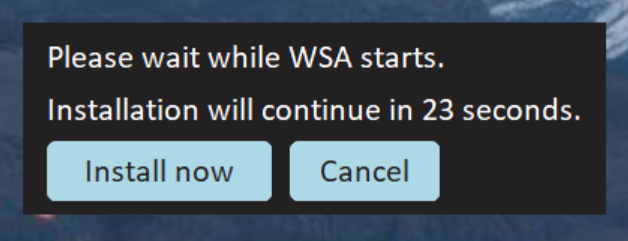
<img width="311" alt="image" src="https://github.com/infinitepower18/WSA-Sideloader/assets/44692189/8f0681b8-5597-4719-86d3-405e8d132722">

> [!NOTE]
> If you get a message that says WSA is not installed, check that you have downloaded and installed WSA correctly as per the WSABuilds instructions.

<br />

***Step 2. Next, open WSA Settings from the start menu or by typing wsa-settings:// in your browser's address bar, select Developer and enable Developer mode.***


<br />

***Step 3. Now, you can click the Browse button to select your APK file. You can also double click a file in File Explorer to automatically open WSA Sideloader with the APK file already selected.***

<img width="1222" alt="Screenshot" src="https://github.com/MustardChef/WSABuilds/assets/44692189/ae20582f-6e24-412a-a1da-cb9a79f17ad0">

<br />

***Step 4. The first time you install an APK, it will ask to allow ADB debugging. Allow it and attempt the installation again. Check the always allow box if you don't want to manually accept the permission every time you install an app.***

<img width="539" alt="image" src="https://github.com/infinitepower18/WSA-Sideloader/assets/44692189/b3e17d61-cd8e-4347-a674-4f738bc24fc1">

<br />

***Step 5. It should take a few seconds to install the APK. Once it says `The application has been successfully installed`, you can click Open app. Bundle files may take longer depending on the file size.***

> [!NOTE] 
> If WSA is off, WSA Sideloader will start it for you. After 30 seconds, the installation will automatically continue.

<img width="314" alt="image" src="https://user-images.githubusercontent.com/44692189/226061387-f0126c32-3a2f-49c4-8ecf-83ad5809ab38.png">

<br />

***You can find all your installed WSA apps on the start menu, as well as via the "Installed apps" button in WSA Sideloader:***

<img width="962" alt="image" src="https://user-images.githubusercontent.com/44692189/226061500-c210ded3-5342-483d-b4b8-c4b683b138a7.png">

## Updating WSA Sideloader
From time to time, there may be updates that improve the reliability of the app, as well as ensuring it works properly with future releases of WSA. 

Therefore, it's highly recommended you keep it up to date. The application will notify you of an update the next time you launch it.

## Troubleshooting
If you get an error like the one below, check that you have allowed the ADB authorization and enabled Developer Mode. Also try disabling and enabling USB debugging under manage developer settings as that can sometimes fix issues with the ADB connection.

<img width="446" alt="image" src="https://github.com/MustardChef/WSABuilds/assets/44692189/e4c65a16-9cca-465f-bfa5-9ea2d8a1b7e3">

If you get a message saying `No connection could be made because the target machine actively refused it`, follow [this guide](https://github.com/MustardChef/WSABuilds/blob/master/Documentation/Fix%20Guides/Post-Install%20Issues/TargetMachineActivelyRefusedConnection.md)

If you continue to face problems, make a note of the error info displayed in WSA Sideloader and join the Discord server below for further assistance.

[<img src="https://invidget.switchblade.xyz/2thee7zzHZ" style="width: 400px;"/>](https://discord.gg/2thee7zzHZ)

## Credits

#### Special Thanks to infinitepower18
#### Feel free to Star the [WSA-Sideloader Github Repo](https://github.com/infinitepower18/WSA-Sideloader/), if you found the app useful

---

### Documentation Usage Guides Sideloading Guides WSAFiles (`Documentation/Usage Guides/Sideloading Guides/WSAFiles.md`)

# Sideloading using the Files app

<br /> 

#### Starting with WSA version 2305, you can sideload APK files using the Files app. This guide will show you how.

<br /> 

> [!IMPORTANT]
> This guide is only applicable for WSA versions 2305 and above. If you're using an older version, you will need to use [ADB](https://github.com/MustardChef/WSABuilds/blob/master/Documentation/Usage%20Guides/Sideloading%20Guides/ADB-Sideloading.md) or one of the [listed APK installers](https://github.com/MustardChef/WSABuilds/blob/master/Documentation/Usage%20Guides/Sideloading%20Guides/Sideloading.md).

<br /> 

## Setup

<br />

***1. Open the Windows Subsystem for Android app, go to Advanced Settings and enable share user folders found under experimental features. Then select the folder that you would like to share by clicking on "Change folder".***

<br />


<br />

***2. Go to the "System" section and open the Files app.***

<br />


<br />

***3. Click on Subsystem for Android, followed by Windows to browse through your Windows files.***


<br />

<img width="962" alt="image" src="https://github.com/MustardChef/WSABuilds/assets/44692189/95885809-deb2-4ac4-b468-7447fb84dde0">

<br />
<br />

***4. Click the APK you want to install and choose package installer if it asks. Agree to the warnings and then click install.***

<br />

<img width="443" alt="image" src="https://github.com/MustardChef/WSABuilds/assets/44692189/9e0698de-e47e-45c9-83a0-8c8ea1297cd4">

<br />

> [!NOTE]
> If you're facing problems, try disabling `Block installation of malicious apps` in the WSA app.

<br />

## After installation 

#### Once installed, you can launch the sideloaded app from the Start Menu.


#### If you want to install bundle files, such as .apkm or .xapk, you can install [SAI](https://apkpure.com/split-apks-installer-sai/com.aefyr.sai) and use that to install bundle files, as well as regular APKs.

---

### Documentation Usage Guides Sideloading Guides WSAPacman (`Documentation/Usage Guides/Sideloading Guides/WSAPacman.md`)

# WSABuilds &nbsp; &nbsp; <img src="https://img.shields.io/github/downloads/MustardChef/WSABuilds/total?label=Total%20Downloads&style=for-the-badge"/> &nbsp; 

# WSAPacman

**Step 1:** &nbsp; Download and install [**WSA Pacman**](https://github.com/alesimula/wsa_pacman/releases) 

**Step 2:** &nbsp; Go to `Windows Subsystem for Android` → `Developer` and turn on **Developer mode**.

> [!IMPORTANT]
> #### You have to give WSAPacman, ADB Debugging permission.
> 
> 

&nbsp;
&nbsp;

## Issues and Solutions

> [!NOTE]
> #### If the "Install" button is greyed out while installing apk
>
> 
>
> #### Solution: Open WSAPacman and turn on WSA from there. 
>

<br />

> [!NOTE]
> #### If WSAPacman states that the "Installation timed out": 
>
> <img src="https://user-images.githubusercontent.com/68516357/222983664-cf41ac0b-194b-4c11-9b40-2975eea6c176.png" style="width: 350px;"/>
>
> #### Solution: Wait for a few minutes, and see if the app is installed and shows in the Start Menu. If not retry the installation <br /> In the case that nothing works, report this to the [WSAPacman Github](https://github.com/alesimula/wsa_pacman)

---

### MagiskOnWSA Docs Fixes Fix Error 0x80073CF0 (`MagiskOnWSA/docs/Fixes/Fix Error 0x80073CF0.md`)

## Issue: </br> Error 0x80073CF0 when "Run.bat" is executed to install Windows Subystem for Android (WSA)
### Preface:
##### This issue can arise due to many factors such as corruption of files when downloading the .zip/.7z files or extracting from the .zip/.7z files. This can be also caused if the folder name is too long (This is the case as MagiskOnWSA tends to generate a long string for the .zip/.7z file and the folder within the archive.)


---
## Solution

**1. Ensure the partition/drive you are installing from is NTFS**

<br>

**2. Redownload WSA Build .zip/.7z file from the [Releases page](https://github.com/MustardChef/WSABuilds/releases) (sometime the files can be corrupted during download and extraction)**

<br>

**3. Rename the .zip/.7z  file to a shorter name, which can be anything to your choosing </br> (For example: WSA_2XXX.XXXXX.X.X_XXXX_Release-Nightly-with-magisk-XXXXXXX-XXXXXX-MindTheGapps-XX.X-RemovedAmazon ----> WSAArchive2XXX)**

<br>

**4. Extract the .zip or .7z archive (depends on the release) using 7-zip or a proper archive tool and not the built in Windows archive extractor** 

<br>

**5. Rename the extracted folder(s) to a shorter name, which can be anything to your choosing** 

#### For example: 
- **Before:** WSA_2XXX.XXXXX.X.X_XXXX_Release-Nightly-with-magisk-XXXXXXX-XXXXXX-MindTheGapps-XX.X-RemovedAmazon
- **After:** WSAExtracted2XXX

<br>

**6. Ensure that 'Run.bat' is run as Administrator**

**Hope this works for you!**

---

### MagiskOnWSA Docs Fixes Fix Error 0x80073CF6 (`MagiskOnWSA/docs/Fixes/Fix Error 0x80073CF6.md`)

## Issue: </br> Error 0x80073CF6 when "Run.bat" is executed to install Windows Subystem for Android (WSA)
### Preface:
##### This issue can arise due to many factors that is preventing the app from being registered. Although there is no definite solution, we can try these steps to try to fix the problem
##### This installation issue may also arise in systems that are using Modified Windows OSes such as ReviOS, Tiny10/11, etc. This is due to the fact that these OSes have been modified to remove certain features that are deemed unnecessary. This may cause issues with the installation of WSA.
</br>

```Powershell
Add-AppxPackage : Deployment failed with HRESULT: 0x80073CF6, Package could not be registered
In E:\WSA\Install.ps1:102 Character:1
+ Add-AppxPackage -ForceApplicationShutdown -ForceUpdateFromAnyVersion

   + CategoryInfo          : WriteError: (E:\WSA\AppxManifest.xml:String) [Add-AppxPackage], IOException
    + FullyQualifiedErrorId : DeploymentError,Microsoft.Windows.Appx.PackageManager.Commands.AddAppxPackageCommand
```


</br>

---
## Prequisite Steps:

**1. Ensure the partition/drive you are installing from is NTFS**

**2. Redownload WSA Build .zip (sometime the files can be corrupted during download and extraction)**

**3. If you have installed WSA prior, make sure that it has been uninstalled and delete all folders containing "WindowsSubsystemForAndroid" from the following directories/paths and the subdirectories within:** 

   - *C:\ProgramData\Microsoft\Windows\AppRepository*
   
   - *C:\ProgramData\Microsoft\Windows\WindowsApps*
   
   - *%localappdata\ProgramData\Packages*

<br>

**4. Restart your Computer**

If the issue has been fixed, then there is no need to follow through the rest of the guide.
However, if you have the same issue, it is vital that you obtain the logs and try to decipher what is causing the error

To obtain the logs (admin privilege required):

1. Open a PowerShell window and change working directory to your Windows Subsystem For Android™ directory.
    
2. Run the command below in PowerShell. This should fail with an ActivityID, which is a UUID required for the next step.
      ```Powershell
       Add-AppxPackage -ForceApplicationShutdown -ForceUpdateFromAnyVersion -Register .\AppxManifest.xml
      ```   
3. Run the command below in PowerShell. This should print the log of the failed operation.
      
      ```Powershell
       Get-AppPackageLog -ActivityID <UUID>
      ```
      
</br>


---

### There are various causes that lead to error 0x80073CF6 </br> Find the fix that matches the error presented in the logs obtained from the instructions above

---
## Issue 1: 0x800706D9 "There are no more endpoints avaliable from endpoint mapper"

<img src="https://user-images.githubusercontent.com/68516357/227363632-7270ee01-9a98-44c2-9ccc-1fb2ef24897c.jpg" style="width: 900px;"/>

### **Windows Firewall**

**1. Ensure that Windows Firewall is on and is working with "Recommended Settings" being enabled**

**2. Ensure that Windows Firewall service is running. If not, enable it.**

**3. Restart your PC**

### Other Firewalls

**1. Ensure that your Firewall is on and is working with "Recommended Settings" being enabled**

**2. Ensure that your Firewall is not blocking or preventing new entries**

**3. Restart your PC**

<br>

---
## Issue 2: 0x80073B06 "Initial screen image for the current application context cannot be recognized"

```powershell
Installing MagiskOnWSA...
Add AppxPackage: Deployment failed due to HRESULT: 0x80073CF6, unable to register the package.
AppxManifest.xml (24,27): Error 0x80073B06: Unable to install or update package MicrosoftCorporateII.WindowsSubsystemForAndroid_ 8wekyb 3d8bbwe because the initial screen image for the current application context cannot be recognized. The application context may include specific language, DPI, contrast, or other special conditions. If you cannot recognize a context specific splash screen image, add a splash screen image to use as the default setting. Note: For additional information, look for [ActivityId] 94c065bb-5a2a-0004-129b-c1942a5ad901 in the event log, or use the command line Get AppPackageLo g - ActivityID 94c065bb-5a2a-0004-129b-c1942a5ad901 in the location D:  WSA  WSA  Install.ps1:106 Character: 1
+ Add-AppxPackage -ForceApplicationShutdown -ForceUpdateFromAnyVersion  ...
+ ~~~~~~~~~~~~~~~~~~~~~~~~~~~~~~~~~~~~~~~~~~~~~~~~~~~~~~~~~~~~~~~~~~~~~
+ CategoryInfo          : WriteError: (D:\WSA\WSA\AppxManifest.xml:String) [Add-AppxPackage], IOException
+ FullyQualifiedErrorId : DeploymentError,Microsoft.Windows.Appx.PackageManager.Commands.AddAppxPackageCommand
```
### Solution:

**1.** If you encounter this problem when installing from a build built using [MagiskOnWSALocal](https://github.com/LSPosed/MagiskOnWSALocal) or [WSA-Script](https://github.com/YT-Advanced/WSA-Script), try deleting the previously built builds and rebuild. Make sure to delete and reclone the git repo if you are building using MagiskOnWSALocal.

***Or***

**2.** If you encounter this problem when installing using prebuilt builds from [Releases](https://github.com/YT-Advanced/WSA-Script/releases/latest) from this repo, try redownloading the latest build. If the issue persists, report to the [Issues](https://github.com/YT-Advanced/WSA-Script/issues) and I will be happy to assist you


---

**Hope these fixes work for you!**

---

### MagiskOnWSA Docs Fixes Fix Error 0x80073CF9 (`MagiskOnWSA/docs/Fixes/Fix Error 0x80073CF9.md`)

## Issue: </br> Error 0x80073CF9 when "Run.bat" is executed to install Windows Subystem for Android (WSA)
### Preface:
##### This issue can arise due to many factors such as corruption of files when downloading the .zip files or extracting from the .zip files. This can be also caused if the folder name is too long (This is the case as MagiskOnWSA tends to generate a long string for the .zip file and the folder within the archive.)

<img src="https://user-images.githubusercontent.com/68516357/219852713-fde4520d-9fa8-4c8b-80e6-ac2adecbeae9.png" style="width: 600px;"/>  

---
## Solution

**1. Ensure the partition/drive you are installing from is NTFS**

**2. Redownload WSA .zip file on [Release page](https://github.com/YT-Advanced/WSA-Script/releases/latest) (sometime the files can be corrupted during download and extraction)**

**3. Rename the .zip folder to a shorter name, which can be anything to your choosing </br> (WSA_2xxx.xxxxx.xx.x_x64_Release-Nightly-with-magisk-xxxxxxx-MindTheGapps-13.0-as-Pixel-5-RemovedAmazon ----> WSAArchive2XXX)**

**4. Extract the .zip using WinRAR or a proper archive tool and not the built in Windows .zip extractor** 

**5. Rename the extracted folder(s) to a shorter name, which can be anything to your choosing** 

#### For example: 
- **Before:** WSA_2XXX.XXXXX.X.X_XXXX_Release-Nightly-with-magisk-XXXXXXX-XXXXXX-MindTheGapps-XX.X-RemovedAmazon
- **After:** WSAExtracted2XXX

**6. Ensure that 'Run.bat' is run as Administrator**

**Hope this works for you!**

---

### MagiskOnWSA Docs Fixes Fix Error 0x80073CFB (`MagiskOnWSA/docs/Fixes/Fix Error 0x80073CFB.md`)

## Issue: </br> Error 0x80073CFB when "Run.bat" is executed to install Windows Subystem for Android (WSA)
### Preface:
##### This issue can arise due to the fact that "the provided package is already installed, and reinstallation of the package was blocked. Check the AppXDeployment-Server event log for details." 


---
## Solution

**1. Go to ``%LOCALAPPDATA%/Packages/``, and make sure that the folder ``MicrosoftCorporationII.WindowsSubsystemForAndroid_8wekyb3d8bbwe`` is deleted. (If it does not exist, move on to Step **2**.)**

<br>

**2. Open Powershell (as Admin) and run the following command:**

```powershell
Get-AppxPackage -Name "MicrosoftCorporationII.WindowsSubsystemForAndroid" -AllUsers | Remove-AppxPackage -AllUsers
```
<br>

**3. Delete all folders related to WSA (expect the .zip files for WSA Builds), which include folders extracted for WSA installation.**

<br>

**4. Re-extract and re-run ``Run.bat``**

<br>

***The issue should now be fixed***

---

---

### MagiskOnWSA Docs Fixes Fix Error 0x80073CFD (`MagiskOnWSA/docs/Fixes/Fix Error 0x80073CFD.md`)

## Issue: </br> Error 0x80073CFD when "Run.bat" is executed to install Windows Subystem for Android (WSA)
### Preface:
##### This issue is caused by having a Windows 10 Build that is too old to run WSA and hence the installer halts and presents the error, as shown below 

</br>

```Powershell
Registering AppxManifest.xml... 
Add-AppxPackage : Deployment failed with HRESULT: 0x80073CFD, 
Prerequisite for an install could not be satisfied. Windows cannot install package MicrosoftCorporationII.WindowsSubsystemForAndroid_2301.40000.7.0_x64__8wekyb3d8bbwe because this package is not compatible with the device. 
The package requires OS version 10.0.19044.2604 or higher on the Windows.Desktop device family. 
The device is currently running OS version 10.0.19043.2364. 
NOTE: For additional information, look for [ActivityId] 8b8599fb-55c1-0002-338b-868bc155d901 in the Event Log or use the command line 
Get-AppPackageLog -ActivityID 8b8599fb-55c1-0002-338b-868bc155d901
```


</br>

---
## Solution:

### The Solution is simple:

Using the [Microsoft Guide](https://support.microsoft.com/en-gb/windows/update-windows-3c5ae7fc-9fb6-9af1-1984-b5e0412c556a#WindowsVersion=Windows_10), update Windows 10 to the latest version

***Or***

Using the [Windows 10 Update Assistant](https://support.microsoft.com/en-us/topic/windows-10-update-assistant-3550dfb2-a015-7765-12ea-fba2ac36fb3f), update Windows 10 to the latest version

---

### MagiskOnWSA Docs Fixes Fix Error 0x80073D10 (`MagiskOnWSA/docs/Fixes/Fix Error 0x80073D10.md`)

## Issue: </br> Error 0x80073D10 when "Run.bat" is executed to install Windows Subystem for Android (WSA)
### Preface:
##### This issue is caused when your are trying to install the incorrect WSA package for your CPU Archetecture. For example, you are mistakenly trying to install the arm64 package on your x64 system. 

<img src="https://user-images.githubusercontent.com/68516357/222832801-66c0b96a-363d-4f6e-a654-6bfb618c32e2.png" style="width: 500px;"/>  

---

## Solution

**1. To ensure that you download the correct package for your CPU archtecture, go to the [Release](https://github.com/YT-Advanced/WSA-Script/releases/latest) of this repository then check again**

**2. Click on the package matching your Operating System (OS) and CPU Archetecture**

**3. Download then install the package by follow the [Installation guide](https://github.com/YT-Advanced/WSA-Script#--installation) in README.md file**

---

### MagiskOnWSA Docs Fixes FixInstallps1 (`MagiskOnWSA/docs/Fixes/FixInstallps1.md`)

<summary><h2>Issue:<h2><h3> &nbsp; Install.ps1 is not recognized/missing<h3></summary>

<img src="https://media.discordapp.net/attachments/1044322950725259274/1068243571544690719/9Qf3veK.png" />
<img src="https://user-images.githubusercontent.com/68516357/215262023-89e0e0fa-3dd7-4d6d-b93a-224169f61971.png" />
   
## Solution

If the popup windows disappear without asking administrative permission and Windows Subsystem For Android™ is not installed successfully, you should manually run Install.ps1 as administrator:

&nbsp;  
**1. Redownload the WSA Build and rename the extracted folder to a shorter name, which can be anything to your choosing** </br> 

- For example:

   - **Before:** WSA_2XXX.XXXXXXX_XXXX_Release-Nightly-with-magisk-XXXXXXX-XXXXXX-MindTheGapps-XX.X-RemovedAmazon 

   - **After:** WSAArchive2XXX

<br>

**2. Copy the path of the folder by right clicking on the folder and select "Show More Options" and click on "Copy as path"**

<br>

**3. Press Win + X on your keyboard and select Windows™ Terminal (Admin) or Powershell (Admin) depending on the version of Windows™ you are running**

|||
|--------|------|
|<img src="https://upload.wikimedia.org/wikipedia/commons/e/e6/Windows_11_logo.svg" style="width: 200px;"/> |<img src="https://upload.wikimedia.org/wikipedia/commons/0/05/Windows_10_Logo.svg" style="width: 200px;"/> |
|||

&nbsp;    
**4. Input the command below and press enter, replacing {X:\path\to\your\extracted\folder} including the {} with the path of the extracted folder**
    
```Powershell
  cd "{X:\path\to\your\extracted\folder}"
```
&nbsp; 
**5. Input the command below and press Enter**

```Powershell
  PowerShell.exe -ExecutionPolicy Bypass -File .\Install.ps1
```
&nbsp;  
**6. The script will run and Windows Subsystem For Android™ will be installed**

</details>

---

### MagiskOnWSA Docs Fixes FixInternet (`MagiskOnWSA/docs/Fixes/FixInternet.md`)

## Issues:
### No Internet


## Solution: 
These will be split into multiple solutions due to the different causes of the problem of no internet on Windows Subsystem for Android (WSA) and Windows Subsytem for Linux (WSL) 

---

<details>     
   <summary><h3>Fix #1: Uninstalling Hyper-V Network Adapters<h3></summary>

**Some Hyper-V Network Drivers may be interferring with WSA or WSL**

**⚠️ Carry these instructions out with caution. ⚠️**

**⚠️ I do not take responsibility for any damage caused ⚠️**
     
#### **Step 1: Open Device Manager**
1. Using Search or Win + X, open Device manager

&nbsp;
#### **Step 2: Show Hidden Device**
3. Press on "View" 
4. Select "Show hidden devices"

&nbsp;
#### **Step 3: Uninstalling All Hyper-V Network Adapter**
5. Select each driver that has "Hyper-V" in its name
6. Right-Click and select "Uninstall Driver" for each of these drivers

#### **Step 4: Restart Windows**

</details>

---
<details>     
   <summary><h3>Fix #2: Checking Firewall Settings<h3></summary>
   
Sometimes Windows Firewall and other Firewall tools and software may be the cause of internet issues. It is therefore important that we check them if we are facing issues with internet on WSA.    

  
   <summary><h4>Users with Windows Firewall<h4></summary>

****1. Open Windows Firewall by pressing the Windows Key and "R" key, Open Run****

****2. Type WF.msc, and then select OK. See also [Open Windows Firewall](https://learn.microsoft.com/en-us/windows/security/operating-system-security/network-security/windows-firewall/best-practices-configuring)****

****3. Go to the "Inbound Connection" tab****


****4. Find the entries in the list that state: "Windows Subsystem for Android™"**** 


****5. Confirm that these entries are Enabled and "Action" is set to "Allow" for both UDP and TCP for all entries (as shown above)**** 

****6. Now, go to the "Outbound Connection" tab****


****7. Find the entries in the list that state: "Windows Subsystem for Android™"**** 


****5. Confirm that these entries are Enabled and "Action" is set to "Allow" for both UDP and TCP for all entries (as shown above)**** 

<br>

> <picture>
>   <source media="(prefers-color-scheme: light)" srcset="https://raw.githubusercontent.com/Mqxx/GitHub-Markdown/main/blockquotes/badge/light-theme/tip.svg">
>   <img alt="Tip" src="https://raw.githubusercontent.com/Mqxx/GitHub-Markdown/main/blockquotes/badge/dark-theme/tip.svg">
> </picture><br>
>     
> You may not have as many entries for "Windows Subsystem for Android™", as shown in the screenshots provded. These are just for illustration purposes and Firewall entries may look different on your device.    


   <summary><h4>Antivirus Users<h4></summary>

It is a known issue that some antivirus firewall such as those built-in to ESET, Bitdefender, AVG and many others, can prevent the internet for Windows Susbsystem for Android (WSA) from working.
It is highly recommended to disable the firewall provided by these Antivirus/Antimalware tools and fallback to Windows Firewall, to see if the internet starts working.

Source: From [this](https://community.bitdefender.com/en/discussion/91237/bitdefender-blocking-wsl2-traffic-solution-to-a-thread-that-was-left-unresolved) 


</details> 


---

<details>     
   <summary><h3>Fix #3: Changing Android DNS Settings<h3></summary>

****1. Open Windows Firewall by pressing the Windows Key and "R" key, Open Run****

****2. Type wsa://com.android.settings, and then select OK.****

****3. Wait for Android Settings to load and open.****

****4. In Android Settings, click on the "Network and Internet" Section.****

****5. In the "Network and Internet" Section, select "Private DNS" .****

****6. In the "Select Private DNS mode", click on "Private DNS provider hostname".****

****7. In the entry box below, type "dns.google" and click save.****

****8. Now click on the "Internet" section and click on VirtWifi.****

****9. Click on "Disconnect".****

****10. Then click on "Connect".****

Your Internet should now be fixed!


</details> 

---

<details>     
   <summary><h3>Fix #4: Enabling and Disabling Advanced Networking from WSA Settings<h3></summary>

1. Go to the Start Menu and search for Windows Subsystem for Android™
2. Depending on your WSA version, the Advanced Networking setting is located in different places witin the WSA Settings app

- For 2305 and newer builds, you must go to "Advanced settings" and then to "Experimental features"
- For 2304 and older builds, this setting is located in the "System" tab/ main screen when you open the Settings app

3. Make sure that if Advanced Networking is enabled, you disable it as this may be causing issues with the internet

This should fix the internet if Advanced Networking was on and the internet was not working due to this

</details>

---

### MagiskOnWSA Docs Fixes FixPathTooLong (`MagiskOnWSA/docs/Fixes/FixPathTooLong.md`)

## Issue: </br> Error stating that "Path is too long" when extracting files from .zip archive, needed to install Windows Subystem for Android (WSA)
### Preface:
##### This issue is caused if the folder name is too long. This is the typically the case as MagiskOnWSALocal script tends to generate a long string for the .zip file and the folder within the archive.

<img src="https://user-images.githubusercontent.com/68516357/219853616-154615b8-125c-4b68-b2f7-43fc2f7b1f74.png" style="width: 600px;"/>  

---
## Solution

The solution is simple, all you have to do is:

**1. Rename the .zip/.7z file to a shorter name, which can be anything to your choosing** </br> 

- For example: 

    - **Before:** WSA_2XXX.XXXXX.X.X_XXXX_Release-Nightly-with-magisk-XXXXXXX-XXXXXX-MindTheGapps-XX.X-RemovedAmazon

    - **After:** WSAArchive2XXX

**2. Rename the extracted folder to a shorter name, which can be anything to your choosing** </br> 

- For example:

   - **Before:** WSA_2XXX.XXXXXXX_XXXX_Release-Nightly-with-magisk-XXXXXXX-XXXXXX-MindTheGapps-XX.X-RemovedAmazon 

   - **After:** WSAArchive2XXX

---

### MagiskOnWSA Docs Fixes FixVirtError (`MagiskOnWSA/docs/Fixes/FixVirtError.md`)

## Issues:

<img src="https://user-images.githubusercontent.com/68629435/213985345-a6fc6e97-63f3-4741-8965-8d62a0d6b824.png"/>

## Solution: 

You may encounter this problem, even if Virtualization is enabled on your PC (in the BIOS) and shows up as enabled in Task Manager (as seen below) and Virtual Machine Platform + Windows Hypervisor Platform is Enabled. The solution is:

1. ***Remove WSA***: Right clicking on "Windows Subsystem for Android™ Settings" and pressing uninstall + Deleting the extracted WSA (MagiskOnWSA/WSABuilds) folder that you extracted and installed from.

2. ***Go to "Turn Windows features on and off" and if any of these features below are enabled, DISABLE THEM.***

- Hyper-V
- Virtual Machine Platform
- Windows Hypervisor Platform
- Windows Subsystem for Linux

3. ***Restart your PC***

4. ***Boot into your BIOS, and DISABLE Virtualization.***

    - ***[Click here for a guide for Windows 11](https://support.microsoft.com/en-us/windows/enable-virtualization-on-windows-11-pcs-c5578302-6e43-4b4b-a449-8ced115f58e1)***
    - ***[Click here for a guide for Windows 10](https://support.microsoft.com/en-us/windows/enable-virtualization-on-windows-10-pcs-c5578302-6e43-4b4b-a449-8ced115f58e1)***

5. ***Ensure that you have Control Flow Guard enabled in Windows Security > Apps & browser control > Exploit protection.*** This is a known issue that can prevent WSA from starting

6.  ***In registry editor (regedit), go to “\HKEY_LOCAL_MACHINE\SYSTEM\CurrentControlSet\Services\FsDepends"***

    Change the value of “Start” from “3” to “0”

> **Note**
> You can change it back to 3, if it makes no difference

7. ***Then in CMD (Run as Adminstrator), paste:***

```cmd
bcdedit /set hypervisorlaunchtype auto
```

8. ***ENABLE the features that you disabled in ``Step 2`` and restart a second time.*** 

9. ***Boot into your BIOS, and ENABLE Virtualization.***

    - ***[Click here for a guide for Windows 11](https://support.microsoft.com/en-us/windows/enable-virtualization-on-windows-11-pcs-c5578302-6e43-4b4b-a449-8ced115f58e1)***
    - ***[Click here for a guide for Windows 10](https://support.microsoft.com/en-us/windows/enable-virtualization-on-windows-10-pcs-c5578302-6e43-4b4b-a449-8ced115f58e1)***

10. ***Restart the Computer***

11. ***Reinstall WSA by running `Run.bat`***

**Hope this works for you!**

---

### MagiskOnWSA Docs Fixes Google Play Issues (`MagiskOnWSA/docs/Fixes/Google Play Issues.md`)

## Issue 1: After signing in to your Google Account from the Play Store App, Play Store keeps crashing

### Preface: 
##### This issue will prevent you from opening Play Store and effectively prevent the function of MindTheGapps/OpenGapps. This issue may usually occur after signing in. Known cases indicate that this issue is pretty common on newer hardware (12th or 13th Gen Intel Processors, for example)

---

## Solution:

######  Step 1. 

**Open Android Settings by pressing the Windows Key and "R" key, Open Run**

######  Step 2. 

**Type wsa://com.android.settings, and then select OK.**

######  Step 3. 

**Wait for Android Settings to load and open.**

######  Step 4. 

**In Android Settings, click on the "Apps" Section and then click on "All Apps".**

######  Step 5. 

**In the "All Apps" Section, find the "Google Play Services" app .**

###### Step 6. 

**Click on the "Google Play Services" app, which should open a page with various different options for the app ("Permissions", "Notification", "Storage and Cache" etc.)**

######  Step 7. 

**Click on "Storage and Cache"**

######  Step 8. 

**Find the "Manage Space" button and click on it, which should popup a window reading "Google Play services storage"**

######  Step 9. 

**Click on "Clear All Data" and done**

</br>

## Issue 2: Could not sign-in. There was a problem connecting to play.google.com

### Preface: 
##### This issue will prevent you from signing into Play Store and effectively prevent the function of MindTheGapps/OpenGapps. This issue may usually occur after updating. Known cases have occured after updating from a non Google Apps WSA build to a Google Apps build 


---

## Solution: If you are using VPN, please disconnect it because VPN may make WSA fail to connect to VirtWifi.

---

### MagiskOnWSA Docs Fixes InstallPs1FailedToUpdate (`MagiskOnWSA/docs/Fixes/InstallPs1FailedToUpdate.md`)

## Issues: Install.ps1 Failed To Update

&nbsp;

<img src="https://github.com/MustardChef/WSABuilds/assets/68516357/7dff07f2-fde7-40b8-946c-d63ea18b2f99"/>

## Solution: 

1. Run Powershell with this command:
```powershell
PowerShell.exe -ExecutionPolicy Bypass -File .\Install.ps1
```
&nbsp;

---

### MagiskOnWSA Docs Fixes InternetSecuritySettingsBlock (`MagiskOnWSA/docs/Fixes/InternetSecuritySettingsBlock.md`)

## Issue: </br> Error stating that "Your Internet security settings prevented one or more files from opening" when trying to run `Install.ps1` or `Run.bat` to install Windows Subystem for Android (WSA)

### Preface:
##### This issue is caused if the folder name is too long. This is the typically the case as MagiskOnWSALocal script tends to generate a long string for the .zip file and the folder within the archive.

<img src="https://github.com/MustardChef/WSABuilds/assets/68516357/b17308cb-6b99-419d-ba79-3119bdbacd9d" style="width: 400px;"/>  

---
## Solution

The solution is simple, all you have to do is:

**1. Rename the .zip/.7z file to a shorter name, which can be anything to your choosing** </br> 

- For example: 

    - **Before:** WSA_2XXX.XXXXX.X.X_XXXX_Release-Nightly-with-magisk-XXXXXXX-XXXXXX-MindTheGapps-XX.X-RemovedAmazon

    - **After:** WSAArchive2XXX

**2. Rename the extracted folder to a shorter name, which can be anything to your choosing** </br> 

- For example:

   - **Before:** WSA_2XXX.XXXXXXX_XXXX_Release-Nightly-with-magisk-XXXXXXX-XXXXXX-MindTheGapps-XX.X-RemovedAmazon 

   - **After:** WSAArchive2XXX

---

---

### MagiskOnWSA Docs Fixes Keyboard Is Not Working (`MagiskOnWSA/docs/Fixes/Keyboard Is Not Working.md`)

## Issue: Keyboard Does Not Work

### Preface: 
##### This issue will prevent you from using your keyboard on WSA


## Solution:

#### 1. ***Open Run by pressing the Windows Key and R***

<br>

#### 2. ***Type in services.msc in the box and then select OK***

<br>

#### 3. ***Search for Touch Keyboard and Handwriting Panel***

<br>

#### 4. ***Enable it by switching startup type to automatic***

<br>

#### 5. ***Click apply*** 

<br>

#### 6. ***Restart your computer.***

---

### MagiskOnWSA Docs Fixes MissingIcons (`MagiskOnWSA/docs/Fixes/MissingIcons.md`)

## Issue: Icons have disappeared or have turned white after updating WSA or after restarting your computer

### Preface:
##### This looks like a bug in the WSA itself and the icons can be restored by the following steps.

## Solution
 
**1.** Backup `userdata.vhdx` from `%LOCALAPPDATA%\Packages\MicrosoftCorporationII.WindowsSubsystemForAndroid_8wekyb3d8bbwe\LocalCache\userdata.vhdx`

**2.** Uninstall WSA by [Following this guide](https://github.com/YT-Advanced/WSA-Script#--uninstallation)
 
**3.** Remove the two lines in `Install.ps1` that automatically launches Magisk and Play Store after the installation is finished

```powershell
function Finish {
    Clear-Host
    Start-Process "wsa://com.topjohnwu.magisk"
    Start-Process "wsa://com.android.vending"
}
```

**4.** Install WSA
 
**5.** Restore `userdata.vhdx`  to `%LOCALAPPDATA%\Packages\MicrosoftCorporationII.WindowsSubsystemForAndroid_8wekyb3d8bbwe\LocalCache\userdata.vhdx`

**6.** Start WSA

</br>

> **Warning**
>**Do not start WSA before restoring user data.**

</br>

---

### MagiskOnWSA Docs Fixes TargetMachineActivelyRefusedConnection (`MagiskOnWSA/docs/Fixes/TargetMachineActivelyRefusedConnection.md`)

## Issue: </br> Error: No connection could be made because the target machine actively refused it (10061)
### Preface:
##### This issue occurs when you are either using a sideloading application such as [WSA-Sideloader](https://github.com/infinitepower18/WSA-Sideloader) or [WSAPacman](https://github.com/alesimula/wsa_pacman), or when you try to connect to a device using ``adb.exe`` via [Android SDK Platform Tools](https://developer.android.com/tools/releases/platform-tools). This issue arises due to an issue with the inability of Hyper V to reserve port 58526 causing the issue, as seen below.


```
cannot connect to ||127.0.0.1:58526:|| No connection could be made because the target machine actively refused it. (10061)
```
---

## Solution

This is a [bug](https://github.com/microsoft/WSA/issues/136) with the subsystem itself, restarting the PC will usually fix it. But, if you still get this error, try these steps:

- ##### _**1. Make sure WSA is turned off and disable WSA autostart in Task Manager ---> Startup Apps before proceeding**_

- ##### _**2. Disable Hyper-V (if it is enabled) using the command**_

```powershell
dism.exe /Online /Disable-Feature:Microsoft-Hyper-V
```

- ##### **3. Reboot your PC**
 
- ##### _**4. Reserve port 58526 so Hyper-V doesn't reserve it back using the command**_
```cmd
netsh int ipv4 add excludedportrange protocol=tcp startport=58526 numberofports=1
```

- ##### _**5. Re-enable Hyper-V (if it was previously enabled) using the command `dism.exe /Online /Enable-Feature:Microsoft-Hyper-V /All` and reboot your PC**_

**Hope this works for you!**

---

### MagiskOnWSA Docs Fixes WSA Does Not Load After Install + No Splashscreen (`MagiskOnWSA/docs/Fixes/WSA Does Not Load After Install + No Splashscreen.md`)

## Issue: </br> Windows Subystem for Android (WSA) is unable to run any apps and there is no splashscreen (when opening the Files app from the settings) and no icons for Android apps.
### Preface:
##### Why this occurs is unknown. However, after multiple attempts trying to fix this issue, a solution was found.


https://github.com/MustardChef/WSABuilds/assets/68516357/a9690842-5159-470a-b472-5990faabeac8


---
## Solution

**Rename the extracted folder to a shorter name, which can be anything to your choosing.**

   - **Before:** WSA_2XXX.XXXXXXX_XXXX_Release-Nightly-with-magisk-XXXXXXX-XXXXXX-MindTheGapps-XX.X-RemovedAmazon 

   - **After:** WSAArchive2XXX

https://github.com/MustardChef/WSABuilds/assets/68516357/626ec699-6f74-40ff-94fb-26fbe1c4f182

**Hope this works for you!**
---

---

### MagiskOnWSA Docs Fixes WSA Settings App Crashes + Android Apps Do Not Load After Installation (`MagiskOnWSA/docs/Fixes/WSA Settings App Crashes + Android Apps Do Not Load After Installation.md`)

## Issue: </br> Windows Subystem for Android (WSA) Settings app crashes after installation, when opened, and you are unable to run any apps.
### Preface:
##### Why this occurs is unknown. However, after multiple attempts trying to fix this issue, a solution was found.

https://github.com/MustardChef/WSABuilds/assets/68516357/7333e8b4-7c09-4032-b816-47fc0d83767b


---
## Solution

**Rename the extracted folder to a shorter name, which can be anything to your choosing.**

   - **Before:** WSA_2XXX.XXXXXXX_XXXX_Release-Nightly-with-magisk-XXXXXXX-XXXXXX-MindTheGapps-XX.X-RemovedAmazon 

   - **After:** WSAArchive2XXX

https://github.com/MustardChef/WSABuilds/assets/68516357/7a33df5b-e68b-43b1-9365-9c4d7ff5c2db


**Hope this works for you!**
---

---

### MagiskOnWSA Docs Fixes WSA Stopped Working (`MagiskOnWSA/docs/Fixes/WSA Stopped Working.md`)

## Issues: WSA Stopped Working! 


##### ***You may encounter this problem. WSA has been working fine for you, but all of a sudden, it breaks/ stops working. You are distraught. What do you do, when WSA beloved had been borked.*** 

## Solution: 

1. ***Go to "Turn Windows features on and off" and if any of these features below are enabled, DISABLE THEM.***

- Hyper-V
- Virtual Machine Platform
- Windows Hypervisor Platform
- Windows Subsystem for Linux

2. ***Restart your PC***

3. ***Boot into your BIOS, and DISABLE Virtualization.***

  - ***[Click here for a guide for Windows 11](https://support.microsoft.com/en-us/windows/enable-virtualization-on-windows-11-pcs-c5578302-6e43-4b4b-a449-8ced115f58e1)***
  - ***[Click here for a guide for Windows 10](https://support.microsoft.com/en-us/windows/enable-virtualization-on-windows-10-pcs-c5578302-6e43-4b4b-a449-8ced115f58e1)***

4. ***Ensure that you have Control Flow Guard enabled in Windows Security > Apps & browser control > Exploit protection.*** This is a known issue that can prevent WSA from starting

5.  ***In registry editor (regedit), go to “\HKEY_LOCAL_MACHINE\SYSTEM\CurrentControlSet\Services\FsDepends"***

    Change the value of “Start” from “3” to “0”

> **Note**
> You can change it back to 3, if it makes no difference


6. ***Then in CMD (Run as Adminstrator), paste:***

```cmd
bcdedit /set hypervisorlaunchtype auto
```

7. ***ENABLE the features that you disabled in ``Step 1`` and restart a second time.*** 

8. ***Boot into your BIOS, and ENABLE Virtualization.***

  - ***[Click here for a guide for Windows 11](https://support.microsoft.com/en-us/windows/enable-virtualization-on-windows-11-pcs-c5578302-6e43-4b4b-a449-8ced115f58e1)***
  - ***[Click here for a guide for Windows 10](https://support.microsoft.com/en-us/windows/enable-virtualization-on-windows-10-pcs-c5578302-6e43-4b4b-a449-8ced115f58e1)***

9. ***Restart the Computer***

10. ***Try re-running WSA by running `Run.bat` or via the Windows Subsystem for Android Settings app***

**Hope this works for you!**

---

### MagiskOnWSA Docs Guides ADB Sideloading (`MagiskOnWSA/docs/Guides/ADB-Sideloading.md`)

# Sideloading APKs in to Windows Subsystem for Android
-------------

## Setting up ADB to work with WSA
- Launch **Windows Subsystem for Android**.
- Here, click on **Advanced Settings** and then enable **Developer mode** by clicking on the toggle button.
- Take note of **IP address and port** shown in the Developer mode section.
- Launch Windows Terminal and make sure ADB is installed ([install ADB](https://www.xda-developers.com/install-adb-windows-macos-linux/#adbsetupwindows)).
- Use command ``adb pair 127.0.0.1:58526`` to pair ADB with WSA.
- In Wireless debugging window, see **Device name** and under it **IP address and port**.
- Use command ``adb connect 127.0.0.1:58526`` to connect WSA with ADB.

Once this is done, use command ``adb devices`` to make sure that WSA is connected.


## Installing APKs using ADB
Now you can install any app you want, but I personally suggest installing a web browser and a file manager first. 
- Download the APK.
- Open File Explorer, right click on downloaded APK and tap on Copy as path.
- Launch Windows Terminal.
- Use ``adb install <file path>`` to install the APK.   
[**P.S.** You can right click to paste in Terminal]

## After installation using ADB
You can now open the web browser you installed in Android, and download and install Aurora Store like you do on any Android device - normally sideloading APK without using ADB.
***
&nbsp; 

### A list of suggested apps to install on WSA:
- [microG](https://microg.org/): A free-as-in-freedom re-implementation of Google’s proprietary Android user space apps and libraries.
- [Aurora Store](https://files.auroraoss.com/AuroraStore/Stable/): an app store that lets you download apps from Google Play without a Google account.
- [MiX](https://forum.xda-developers.com/t/app-2-2-mixplorer-v6-x-released-fully-featured-file-manager.1523691/): MiXplorer mix of explorers (SD, FTP, Lan, Cloud and other storage explorers) is a fast, smooth, beautiful, reliable and full-featured file manager with a simple and intuitive user interface.
- [Bromite](https://github.com/bromite/bromite): A Chromium fork with support for ad blocking and enhanced privacy.

---

### MagiskOnWSA Docs Guides BusyBox (`MagiskOnWSA/docs/Guides/BusyBox.md`)

## Guide: How to install BusyBox

### Preface:
##### Since Magisk has BusyBox built-in already, this proceedure is very simple

## Process

### Step 1: 
Using an Android browser downloaded though the Play Store/sideloaded into WSA, download the following [Magisk Module](https://github.com/Magisk-Modules-Alt-Repo/BuiltIn-BusyBox) to install and symlink BusyBox with its applets to the Magisk built-in busybox binary. No need to do it manually or to get a Custom Build.

### Step 2: 
Through Magisk Manager, install the Magisk module .zip file

### Step 3 (Optional):
You can then test if BusyBox is working by either using a Root Checker:

 
or by using ADB Shell and:

`` adb shell ``
``su``
``busybox | head -1``

---

### MagiskOnWSA Docs Guides ChangingGPU (`MagiskOnWSA/docs/Guides/ChangingGPU.md`)

### Guide: Changing the GPU used by Windows Subsystem For Android™

1. Open up Windows Subsystem For Android™ Settings --> Either by going to the Start Menu and searching for it or by using the Search feature


2. Make sure to turn off Windows Subsystem For Android™ by pressing ``Turn off`` in the ``Turn off Windows Subsystem For Android™`` tab


3. In Windows Subsystem For Android™ Settings select the ``Graphics and Performance`` Tab 


4.  Click on the selection for ``GPU used for apps for Android™`` and select the GPU that you would like Windows Subsystem For Android™ to use.

---

### MagiskOnWSA Docs Guides Checksum (`MagiskOnWSA/docs/Guides/Checksum.md`)

# Check integrity of downloaded file


### **1. Press Win + X on your keyboard and select Windows™ Terminal (Admin) or Powershell (Admin) depending on the version of Windows™ you are running**

|||
|--------|------|
|<img src="https://upload.wikimedia.org/wikipedia/commons/e/e6/Windows_11_logo.svg" style="width: 200px;"/> |<img src="https://upload.wikimedia.org/wikipedia/commons/0/05/Windows_10_Logo.svg" style="width: 200px;"/> |
|||

&nbsp;    
### **2. Input the command below and press enter, replacing {X:\path\to\your\downloaded\archive\package} including the {} with the path of the downloaded archive package**
    
```Powershell
  cd "{X:\path\to\your\downloaded\archive\package}"
```
&nbsp; 
### **3. Input the command below and press enter, replacing WSA_2XXX.XXXXX.X.X_XXXX_Release-Nightly-with-magisk-XXXXXXX-XXXXXX-MindTheGapps-XX.X-RemovedAmazon with the name of the archive package** 
    
```Powershell
  certutil -hashfile "WSA_2XXX.XXXXX.X.X_XXXX_Release-Nightly-with-magisk-XXXXXXX-XXXXXX-MindTheGapps-XX.X-RemovedAmazon" SHA256
```
For PowerShell:
```PowerShell
  (Get-FileHash -Path "WSA_2XXX.XXXXX.X.X_XXXX_Release-Nightly-with-magisk-XXXXXXX-XXXXXX-MindTheGapps-XX.X-RemovedAmazon" -Algorithm SHA256).Hash
```
&nbsp;  

### **4. Compare the SHA256 output with ones at [Release](https://github.com/YT-Advanced/WSA-Script/releases/latest) or in the `sha256-checksum.txt` (if you download artifact from the Custom Build task).** 
- If package don't have the same SHA-256 Hash, please download then check again.
- If package have the same SHA-256, install it by [Following this guide](https://github.com/YT-Advanced/WSA-Script#--installation)

---

### MagiskOnWSA Docs Guides KernelSU (`MagiskOnWSA/docs/Guides/KernelSU.md`)

# Install KernelSU Manager

## Text Guide

1. [Connect to WSA with ADB](ADB-Sideloading.md#setting-up-adb-to-work-with-wsa)
2. Run the following command:
   ```
   adb shell ksuinstall
   ```
   
If the installation completes successfully, the KernelSU Manager will launching.

---

### MagiskOnWSA Docs Guides LocalHostLoopback (`MagiskOnWSA/docs/Guides/LocalHostLoopback.md`)

## Guide: LocalHost Loopback
#### Preface: You want to connect WSA to the localhost (Windows 11 hosting machine) or to a development server I run on Windows 11 or any such scenario where you would want to connect to the Windows 11 localhost, but are unable to 

### Note: Localhost Loopback has now been officially added to the update 2308 of WSA, and so this guide is probably outdated now.

---

## Process:

**1.** Run PowerShell as administrator

**2.** Execute 
```powershell
Set-NetFirewallHyperVVMSetting -VMCreatorId '{9E288F02-CE00-4D9E-BE2B-14CE463B0298}' -LoopbackEnabled True
``` 

3.Execute 
```powershell
New-NetFirewallHyperVRule -DisplayName LoopbackAllow -VMCreatorId '{9E288F02-CE00-4D9E-BE2B-14CE463B0298}' -Direction Inbound -Action Allow -LocalPorts [PORT]
```
(replacing [PORT] with the port you're trying to expose)

---

### MagiskOnWSA Docs Guides MoveToExtDrive (`MagiskOnWSA/docs/Guides/MoveToExtDrive.md`)

## Guide: Moving/Installing Windows Subsystem For Android™ (WSA) to another partition or disk 

### Preface:
##### WSA can take up a lot of storage space, hence you want to move it to another partition or disk with more space. <br> This guide goes through a method by which you can install WSA from another disk and to store the data in that drive (instead of `%LOCALAPPDATA%\Packages\MicrosoftCorporationII.WindowsSubsystemForAndroid_8wekyb3d8bbwe`). 

### Prerequisites:
- The partition/ disk that you want to move/install Windows Subsystem For Android™ to, ****MUST**** be **NTFS**
- Recommended that both disks, C:/ and the disk/partition that you want to install (move) WSA on (to), are SSDs 
    - HDDs may work, but performance issues may arise
- Basic knowledge on Command Prompt (CMD) usage
- There must be enough space on the disk/partiton that you are installing/moving WSA to (recommended 20GB, as the VHDX can become very large in size)

> **Note** 
> 
> If you want to preseve your data, make a backup of the `%LOCALAPPDATA%\Packages\MicrosoftCorporationII.WindowsSubsystemForAndroid_8wekyb3d8bbwe\LocalCache\userdata.vhdx` file. After uninstalling, copy the VHDX file back to the `%LOCALAPPDATA%\Packages\MicrosoftCorporationII.WindowsSubsystemForAndroid_8wekyb3d8bbwe\LocalCache` folder.


## Process:


- ### Step 1: Remove all previous installations from WSABuilds or official WSA Releases
    - To remove WSA installed through WSABuild:

        - **1.)** Make sure that Windows Subsystem For Android™ is not running
        - **2.)** Search for ``Windows Subsystem For Android™ Settings`` using the built-in Windows Search, or through Add and Remove Programs and press uninstall
        - **3.)** Delete the WSA folder that you extracted and Run.bat was run from to install WSA (MagiskOnWSA folder)
        - **4.)** Go to ``%LOCALAPPDATA%/Packages/`` and delete the folder named ``MicrosoftCorporationII.WindowsSubsystemForAndroid_8wekyb3d8bbwe``
            
            - If you get an error that states that the file(s) could not be deleted, make sure that WSA is turned off
     
    - To remove WSA installed from the Microsoft Store: 
        
        - **1.)** Search for ``Windows Subsystem For Android™ Settings`` using the built-in Windows Search, or through Add and Remove Programs and press uninstall


- ### Step 2: Install WSA from the desired partition 
    - **1.)** Download the latest WSA Build according to Windows Version and CPU Archtecture from [Release](https://github.com/YT-Advanced/WSA-Script/releases/latest).
    - **2.)** Extract to the desired partition or drive
    -  Using the same process as detailed in [Installation](https://github.com/YT-Advanced/WSA-Script#--installation)
    - **3.)** Open the extracted folder and run ``Run.bat``
 

- ### Step 3: Moving the AppData (VHDX + data) from your Windows drive (C:\) to the desired partition/drive
     - **1.)** Go to ``%LOCALAPPDATA%\Packages\`` and copy the folder named ``MicrosoftCorporationII.WindowsSubsystemForAndroid_8wekyb3d8bbwe`` to the desired drive/partition, making sure to delete the folder from ``%LOCALAPPDATA%\Packages\`` after copying
     
     - **2.)** Open Command Prompt (Admin) through Windows Terminal (Admin) or directly and run the command:
```shell
mklink /J "%LOCALAPPDATA%\Packages\MicrosoftCorporationII.WindowsSubsystemForAndroid_8wekyb3d8bbwe" "Location_Of_Folder_In_Other_Drive"
```
Replacing Location_Of_Folder_In_Other_Drive with the location of the folder named ``MicrosoftCorporationII.WindowsSubsystemForAndroid_8wekyb3d8bbwe``, copied to the desired to the drive/partition in 1st point of Step 3

- ### Step 4: Testing if everything is working
    - Run Windows Subsystem For Android™ Settings
        - If it crashes, you have made a mistake whilst following the guide. Try following it again.

---

### MagiskOnWSA Docs Guides Sideloading (`MagiskOnWSA/docs/Guides/Sideloading.md`)

## Guide: Sideloading APKs

### This guide covers the four different methods of sideloading and installing APKs (from Windows) into Windows Subsystem For Android™

|Application|
|-----------|
|[<img src="https://github-production-user-asset-6210df.s3.amazonaws.com/44692189/243088634-38def9fd-e9e0-48da-90d2-85988bb79c6a.png" style="width: 350px;" style="float: left;"/>](WSAFiles.md)|
|[<img src="https://user-images.githubusercontent.com/68516357/226143645-0a0ff0df-00f4-4d69-a257-1ffbee039f36.png" style="width: 350px;" style="float: left;"/>](WSA-Sideloader.md)|
|[<img src="https://user-images.githubusercontent.com/68516357/226144462-25e8ba07-9f5b-424b-9ecf-b973e8f396b2.png" style="width: 350px;" style="float: left;"/>](WSAPacman.md)|
|[<img src="https://user-images.githubusercontent.com/68516357/226143960-70ba58b6-7339-48c8-9f25-602e7236eaf5.png" style="width: 346px;" style="float: left;"/>](ADB-Sideloading.md)|
|[<img src="https://user-images.githubusercontent.com/68516357/228315858-1f76e13f-be5a-49c9-8e72-1417b9d6796b.png" style="width: 346px;" style="float: left;"/>](https://github.com/Paving-Base/APK-Installer/blob/main/README.en-US.md#how-to-install-the-apk-installer)|

---

### MagiskOnWSA Docs Guides WSA Sideloader (`MagiskOnWSA/docs/Guides/WSA-Sideloader.md`)

# WSA Sideloader Usage Guide
#### With WSA Sideloader, you can install any APK file onto WSA, as well as XAPK, APKM and APKS files.
#### This guide will show you how to use it.

</br>

</br>

## How to Download and Install WSA-Sideloader

#### You can download WSA Sideloader in 3 different ways:
Operating System|Downloads
|---------|---------|
|<img src="https://upload.wikimedia.org/wikipedia/commons/e/e6/Windows_11_logo.svg" style="width: 150px;"/></br><img src="https://upload.wikimedia.org/wikipedia/commons/0/05/Windows_10_Logo.svg" style="width: 150px;"/> |[<img src="https://user-images.githubusercontent.com/49786146/159123331-729ae9f2-4cf9-439b-8515-16a4ef991089.png" style="width: 200px;"/>](https://winstall.app/apps/infinitepower18.WSASideloader)|
|<img src="https://upload.wikimedia.org/wikipedia/commons/e/e6/Windows_11_logo.svg" style="width: 150px;"/></br><img src="https://upload.wikimedia.org/wikipedia/commons/0/05/Windows_10_Logo.svg" style="width: 150px;"/> |[<img src="https://user-images.githubusercontent.com/68516357/226141505-c93328f9-d6ae-4838-b080-85b073bfa1e0.png" style="width: 200px;"/>](https://github.com/infinitepower18/WSA-Sideloader/releases/latest)|
|<img src="https://upload.wikimedia.org/wikipedia/commons/e/e6/Windows_11_logo.svg" style="width: 150px;"/>|[<img src="https://get.microsoft.com/images/en-us%20dark.svg" style="width: 200px;"/>](https://apps.microsoft.com/store/detail/9NMFSJB25QJR?launch=true&cid=wsabuilds&mode=mini)|

## Setup

***Step 1.  Once installed, you should see this screen:***
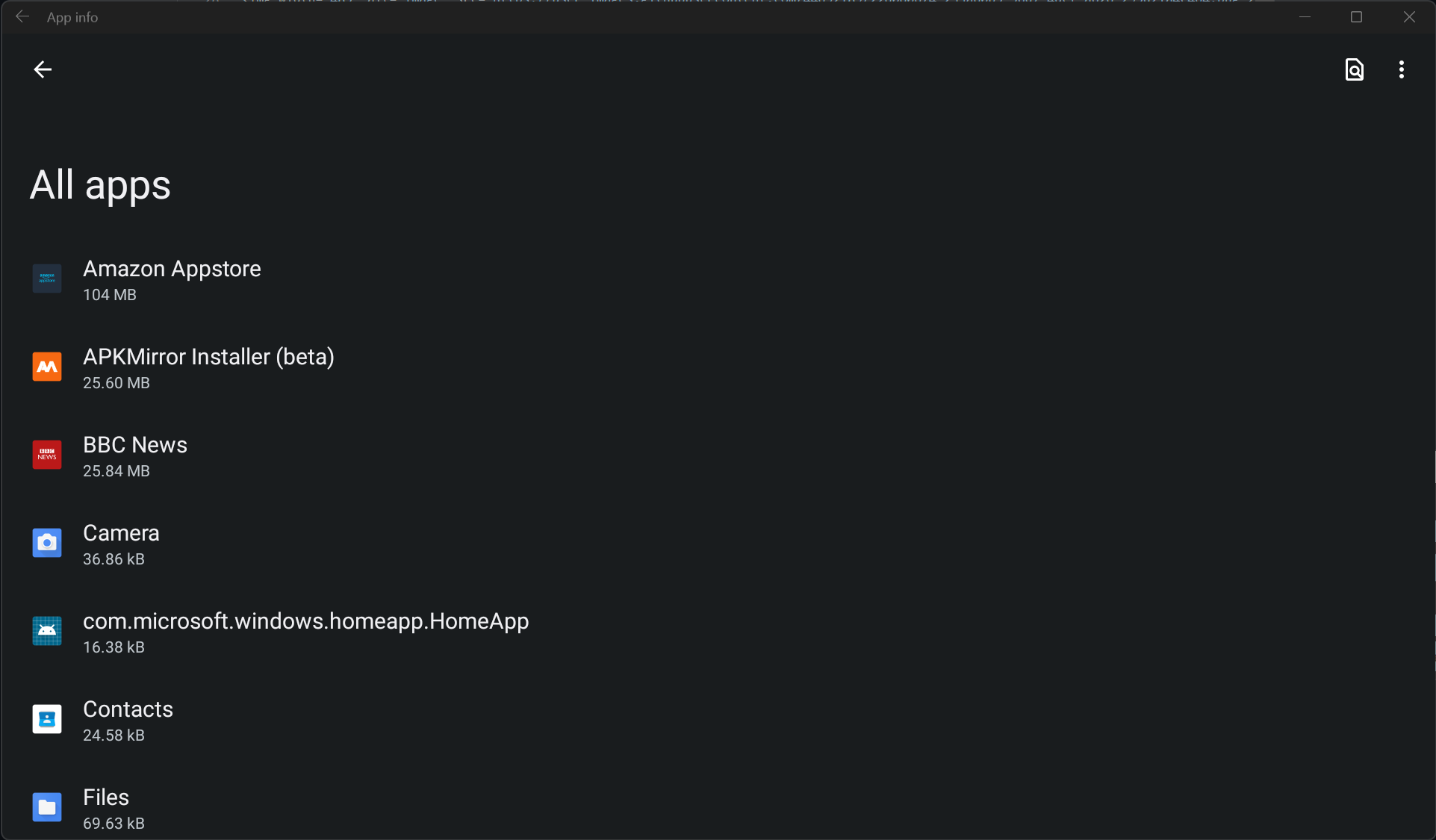
<img width="311" alt="image" src="https://github.com/infinitepower18/WSA-Sideloader/assets/44692189/ede49229-4667-47b1-ac2d-84f2d71b954f">

>**Note** :
> If you get a message that says WSA is not installed, check that you have downloaded and installed WSA correctly as per the WSABuilds instructions.

</br>

***Step 2. Next, open WSA Settings from the start menu or by typing wsa-settings:// in your browser's address bar, select Developer and enable Developer mode.***


</br>

***Step 3. Now, you can click the Browse button to select your APK file. You can also double click a file in File Explorer to automatically open WSA Sideloader with the APK file already selected.***

<img width="1144" alt="image" src="https://github.com/MustardChef/WSABuilds/assets/44692189/a66efe96-8f0c-4a2c-930d-a9c60c7f1945">

</br>

***Step 4. The first time you install an APK, it will ask to allow ADB debugging. Allow it and attempt the installation again. Check the always allow box if you don't want to manually accept the permission every time you install an app.***

<img width="485" alt="image" src="https://user-images.githubusercontent.com/44692189/226060674-233a60b5-56d7-4dcf-a626-295d21a4c464.png">

</br>

***Step 5. It should take a few seconds to install the APK. Once it says `The application has been successfully installed`, you can click Open app. Bundle files may take longer depending on the file size.***

>**Note** : 
> If WSA is off, WSA Sideloader will start it for you. After 30 seconds, the installation will automatically continue.

<img width="314" alt="image" src="https://user-images.githubusercontent.com/44692189/226061387-f0126c32-3a2f-49c4-8ecf-83ad5809ab38.png">

</br>

***You can find all your installed WSA apps on the start menu, as well as via the "Installed apps" button in WSA Sideloader:***

<img width="962" alt="image" src="https://user-images.githubusercontent.com/44692189/226061500-c210ded3-5342-483d-b4b8-c4b683b138a7.png">

## Updating WSA Sideloader
From time to time, there may be updates that improve the reliability of the app, as well as ensuring it works properly with future releases of WSA. 

Therefore, it's highly recommended you keep it up to date. 

- If you installed WSA Sideloader using MS Store, you can update the app via the store. 
- If you installed through other methods, the sideloader will notify you of an update the next time you launch it.

## Troubleshooting
If you get an error like the one below, check that you have allowed the ADB authorization and enabled Developer Mode. Also try disabling and enabling USB debugging under manage developer settings as that can sometimes fix issues with the ADB connection.

<img width="446" alt="image" src="https://user-images.githubusercontent.com/44692189/226061768-61743f6c-2ed3-401a-a561-8754c297ad74.png">

If you get a message saying `No connection could be made because the target machine actively refused it`, follow [this guide](https://github.com/YT-Advanced/WSA-Script/blob/main/docs/Fixes/TargetMachineActivelyRefusedConnection.md)

---

### MagiskOnWSA Docs Guides WSAFiles (`MagiskOnWSA/docs/Guides/WSAFiles.md`)

# Sideloading using the Files app

#### Starting with WSA version 2305, you can sideload APK files using the Files app. This guide will show you how.

> **NOTE:**
> This guide is only applicable for WSA versions 2305 and above. If you're using an older version, you will need to use [ADB](ADB-Sideloading.md) or one of the [listed APK installers](Sideloading.md).

## Setup

***1. Open the Windows Subsystem for Android app, go to Advanced Settings and enable share user folders found under experimental features. Then select the folder that you would like to share by clicking on "Change folder".***


<br>

***2. Go to the "System" section and open the Files app.***


<br>

***3. Click on Subsystem for Android, followed by Windows to browse through your Windows files.***


<br>

<img width="962" alt="image" src="https://github.com/MustardChef/WSABuilds/assets/44692189/95885809-deb2-4ac4-b468-7447fb84dde0">

<br>
<br>

***4. Click the APK you want to install and choose package installer if it asks. Agree to the warnings and then click install.***

<br>

<img width="443" alt="image" src="https://github.com/MustardChef/WSABuilds/assets/44692189/9e0698de-e47e-45c9-83a0-8c8ea1297cd4">

<br>

> **NOTE:**
> If you're facing problems, try disabling `Block installation of malicious apps` in the WSA app.

<br>

## After installation 

#### Once installed, you can launch the sideloaded app from the Start Menu.


#### If you want to install bundle files, such as .apkm or .xapk, you can install [SAI](https://apkpure.com/split-apks-installer-sai/com.aefyr.sai) and use that to install bundle files, as well as regular APKs.

---

### MagiskOnWSA Docs Guides WSAPacman (`MagiskOnWSA/docs/Guides/WSAPacman.md`)

# WSAPacman

**Step 1:** &nbsp; Download and install [**WSA Pacman**](https://github.com/alesimula/wsa_pacman/releases) 

**Step 2:** &nbsp; Go to `Windows Subsystem for Android` → `Developer` and turn on **Developer mode**.

> **Warning**:
> #### You have to give WSAPacman, ADB Debugging permission.
> 
> 

&nbsp;
&nbsp;

## Issues and Solutions

#### If the "Install" button is greyed out while installing apk


#### Solution: Open WSAPacman and turn on WSA from there. 
>

</br>

#### If WSAPacman states that the "Installation timed out": 

<img src="https://user-images.githubusercontent.com/68516357/222983664-cf41ac0b-194b-4c11-9b40-2975eea6c176.png" style="width: 350px;"/>

#### Solution: Wait for a few minutes, and see if the app is installed and shows in the Start Menu. If not retry the installation </br> In the case that nothing works, report this to the [WSAPacman Github](https://github.com/alesimula/wsa_pacman)

---

### MagiskOnWSA DLL Docs Fixes Fix Error 0x80073CF0 (`MagiskOnWSA/DLL/docs/Fixes/Fix Error 0x80073CF0.md`)

## Issue: </br> Error 0x80073CF0 when "Run.bat" is executed to install Windows Subystem for Android (WSA)
### Preface:
##### This issue can arise due to many factors such as corruption of files when downloading the .zip/.7z files or extracting from the .zip/.7z files. This can be also caused if the folder name is too long (This is the case as MagiskOnWSA tends to generate a long string for the .zip/.7z file and the folder within the archive.)


---
## Solution

**1. Ensure the partition/drive you are installing from is NTFS**

<br>

**2. Redownload WSA Build .zip/.7z file from the [Releases page](https://github.com/MustardChef/WSABuilds/releases) (sometime the files can be corrupted during download and extraction)**

<br>

**3. Rename the .zip/.7z  file to a shorter name, which can be anything to your choosing </br> (For example: WSA_2XXX.XXXXX.X.X_XXXX_Release-Nightly-with-magisk-XXXXXXX-XXXXXX-MindTheGapps-XX.X-RemovedAmazon ----> WSAArchive2XXX)**

<br>

**4. Extract the .zip or .7z archive (depends on the release) using 7-zip or a proper archive tool and not the built in Windows archive extractor** 

<br>

**5. Rename the extracted folder(s) to a shorter name, which can be anything to your choosing** 

#### For example: 
- **Before:** WSA_2XXX.XXXXX.X.X_XXXX_Release-Nightly-with-magisk-XXXXXXX-XXXXXX-MindTheGapps-XX.X-RemovedAmazon
- **After:** WSAExtracted2XXX

<br>

**6. Ensure that 'Run.bat' is run as Administrator**

**Hope this works for you!**

---

### MagiskOnWSA DLL Docs Fixes Fix Error 0x80073CF6 (`MagiskOnWSA/DLL/docs/Fixes/Fix Error 0x80073CF6.md`)

## Issue: </br> Error 0x80073CF6 when "Run.bat" is executed to install Windows Subystem for Android (WSA)
### Preface:
##### This issue can arise due to many factors that is preventing the app from being registered. Although there is no definite solution, we can try these steps to try to fix the problem
##### This installation issue may also arise in systems that are using Modified Windows OSes such as ReviOS, Tiny10/11, etc. This is due to the fact that these OSes have been modified to remove certain features that are deemed unnecessary. This may cause issues with the installation of WSA.
</br>

```Powershell
Add-AppxPackage : Deployment failed with HRESULT: 0x80073CF6, Package could not be registered
In E:\WSA\Install.ps1:102 Character:1
+ Add-AppxPackage -ForceApplicationShutdown -ForceUpdateFromAnyVersion

   + CategoryInfo          : WriteError: (E:\WSA\AppxManifest.xml:String) [Add-AppxPackage], IOException
    + FullyQualifiedErrorId : DeploymentError,Microsoft.Windows.Appx.PackageManager.Commands.AddAppxPackageCommand
```


</br>

---
## Prequisite Steps:

**1. Ensure the partition/drive you are installing from is NTFS**

**2. Redownload WSA Build .zip (sometime the files can be corrupted during download and extraction)**

**3. If you have installed WSA prior, make sure that it has been uninstalled and delete all folders containing "WindowsSubsystemForAndroid" from the following directories/paths and the subdirectories within:** 

   - *C:\ProgramData\Microsoft\Windows\AppRepository*
   
   - *C:\ProgramData\Microsoft\Windows\WindowsApps*
   
   - *%localappdata\ProgramData\Packages*

<br>

**4. Restart your Computer**

If the issue has been fixed, then there is no need to follow through the rest of the guide.
However, if you have the same issue, it is vital that you obtain the logs and try to decipher what is causing the error

To obtain the logs (admin privilege required):

1. Open a PowerShell window and change working directory to your Windows Subsystem For Android™ directory.
    
2. Run the command below in PowerShell. This should fail with an ActivityID, which is a UUID required for the next step.
      ```Powershell
       Add-AppxPackage -ForceApplicationShutdown -ForceUpdateFromAnyVersion -Register .\AppxManifest.xml
      ```   
3. Run the command below in PowerShell. This should print the log of the failed operation.
      
      ```Powershell
       Get-AppPackageLog -ActivityID <UUID>
      ```
      
</br>


---

### There are various causes that lead to error 0x80073CF6 </br> Find the fix that matches the error presented in the logs obtained from the instructions above

---
## Issue 1: 0x800706D9 "There are no more endpoints avaliable from endpoint mapper"

<img src="https://user-images.githubusercontent.com/68516357/227363632-7270ee01-9a98-44c2-9ccc-1fb2ef24897c.jpg" style="width: 900px;"/>

### **Windows Firewall**

**1. Ensure that Windows Firewall is on and is working with "Recommended Settings" being enabled**

**2. Ensure that Windows Firewall service is running. If not, enable it.**

**3. Restart your PC**

### Other Firewalls

**1. Ensure that your Firewall is on and is working with "Recommended Settings" being enabled**

**2. Ensure that your Firewall is not blocking or preventing new entries**

**3. Restart your PC**

<br>

---
## Issue 2: 0x80073B06 "Initial screen image for the current application context cannot be recognized"

```powershell
Installing MagiskOnWSA...
Add AppxPackage: Deployment failed due to HRESULT: 0x80073CF6, unable to register the package.
AppxManifest.xml (24,27): Error 0x80073B06: Unable to install or update package MicrosoftCorporateII.WindowsSubsystemForAndroid_ 8wekyb 3d8bbwe because the initial screen image for the current application context cannot be recognized. The application context may include specific language, DPI, contrast, or other special conditions. If you cannot recognize a context specific splash screen image, add a splash screen image to use as the default setting. Note: For additional information, look for [ActivityId] 94c065bb-5a2a-0004-129b-c1942a5ad901 in the event log, or use the command line Get AppPackageLo g - ActivityID 94c065bb-5a2a-0004-129b-c1942a5ad901 in the location D:  WSA  WSA  Install.ps1:106 Character: 1
+ Add-AppxPackage -ForceApplicationShutdown -ForceUpdateFromAnyVersion  ...
+ ~~~~~~~~~~~~~~~~~~~~~~~~~~~~~~~~~~~~~~~~~~~~~~~~~~~~~~~~~~~~~~~~~~~~~
+ CategoryInfo          : WriteError: (D:\WSA\WSA\AppxManifest.xml:String) [Add-AppxPackage], IOException
+ FullyQualifiedErrorId : DeploymentError,Microsoft.Windows.Appx.PackageManager.Commands.AddAppxPackageCommand
```
### Solution:

**1.** If you encounter this problem when installing from a build built using [MagiskOnWSALocal](https://github.com/LSPosed/MagiskOnWSALocal) or [WSA-Script](https://github.com/YT-Advanced/WSA-Script), try deleting the previously built builds and rebuild. Make sure to delete and reclone the git repo if you are building using MagiskOnWSALocal.

***Or***

**2.** If you encounter this problem when installing using prebuilt builds from [Releases](https://github.com/YT-Advanced/WSA-Script/releases/latest) from this repo, try redownloading the latest build. If the issue persists, report to the [Issues](https://github.com/YT-Advanced/WSA-Script/issues) and I will be happy to assist you


---

**Hope these fixes work for you!**

---

### MagiskOnWSA DLL Docs Fixes Fix Error 0x80073CF9 (`MagiskOnWSA/DLL/docs/Fixes/Fix Error 0x80073CF9.md`)

## Issue: </br> Error 0x80073CF9 when "Run.bat" is executed to install Windows Subystem for Android (WSA)
### Preface:
##### This issue can arise due to many factors such as corruption of files when downloading the .zip files or extracting from the .zip files. This can be also caused if the folder name is too long (This is the case as MagiskOnWSA tends to generate a long string for the .zip file and the folder within the archive.)

<img src="https://user-images.githubusercontent.com/68516357/219852713-fde4520d-9fa8-4c8b-80e6-ac2adecbeae9.png" style="width: 600px;"/>  

---
## Solution

**1. Ensure the partition/drive you are installing from is NTFS**

**2. Redownload WSA .zip file on [Release page](https://github.com/YT-Advanced/WSA-Script/releases/latest) (sometime the files can be corrupted during download and extraction)**

**3. Rename the .zip folder to a shorter name, which can be anything to your choosing </br> (WSA_2xxx.xxxxx.xx.x_x64_Release-Nightly-with-magisk-xxxxxxx-MindTheGapps-13.0-as-Pixel-5-RemovedAmazon ----> WSAArchive2XXX)**

**4. Extract the .zip using WinRAR or a proper archive tool and not the built in Windows .zip extractor** 

**5. Rename the extracted folder(s) to a shorter name, which can be anything to your choosing** 

#### For example: 
- **Before:** WSA_2XXX.XXXXX.X.X_XXXX_Release-Nightly-with-magisk-XXXXXXX-XXXXXX-MindTheGapps-XX.X-RemovedAmazon
- **After:** WSAExtracted2XXX

**6. Ensure that 'Run.bat' is run as Administrator**

**Hope this works for you!**

---

### MagiskOnWSA DLL Docs Fixes Fix Error 0x80073CFB (`MagiskOnWSA/DLL/docs/Fixes/Fix Error 0x80073CFB.md`)

## Issue: </br> Error 0x80073CFB when "Run.bat" is executed to install Windows Subystem for Android (WSA)
### Preface:
##### This issue can arise due to the fact that "the provided package is already installed, and reinstallation of the package was blocked. Check the AppXDeployment-Server event log for details." 


---
## Solution

**1. Go to ``%LOCALAPPDATA%/Packages/``, and make sure that the folder ``MicrosoftCorporationII.WindowsSubsystemForAndroid_8wekyb3d8bbwe`` is deleted. (If it does not exist, move on to Step **2**.)**

<br>

**2. Open Powershell (as Admin) and run the following command:**

```powershell
Get-AppxPackage -Name "MicrosoftCorporationII.WindowsSubsystemForAndroid" -AllUsers | Remove-AppxPackage -AllUsers
```
<br>

**3. Delete all folders related to WSA (expect the .zip files for WSA Builds), which include folders extracted for WSA installation.**

<br>

**4. Re-extract and re-run ``Run.bat``**

<br>

***The issue should now be fixed***

---

---

### MagiskOnWSA DLL Docs Fixes Fix Error 0x80073CFD (`MagiskOnWSA/DLL/docs/Fixes/Fix Error 0x80073CFD.md`)

## Issue: </br> Error 0x80073CFD when "Run.bat" is executed to install Windows Subystem for Android (WSA)
### Preface:
##### This issue is caused by having a Windows 10 Build that is too old to run WSA and hence the installer halts and presents the error, as shown below 

</br>

```Powershell
Registering AppxManifest.xml... 
Add-AppxPackage : Deployment failed with HRESULT: 0x80073CFD, 
Prerequisite for an install could not be satisfied. Windows cannot install package MicrosoftCorporationII.WindowsSubsystemForAndroid_2301.40000.7.0_x64__8wekyb3d8bbwe because this package is not compatible with the device. 
The package requires OS version 10.0.19044.2604 or higher on the Windows.Desktop device family. 
The device is currently running OS version 10.0.19043.2364. 
NOTE: For additional information, look for [ActivityId] 8b8599fb-55c1-0002-338b-868bc155d901 in the Event Log or use the command line 
Get-AppPackageLog -ActivityID 8b8599fb-55c1-0002-338b-868bc155d901
```


</br>

---
## Solution:

### The Solution is simple:

Using the [Microsoft Guide](https://support.microsoft.com/en-gb/windows/update-windows-3c5ae7fc-9fb6-9af1-1984-b5e0412c556a#WindowsVersion=Windows_10), update Windows 10 to the latest version

***Or***

Using the [Windows 10 Update Assistant](https://support.microsoft.com/en-us/topic/windows-10-update-assistant-3550dfb2-a015-7765-12ea-fba2ac36fb3f), update Windows 10 to the latest version

---

### MagiskOnWSA DLL Docs Fixes Fix Error 0x80073D10 (`MagiskOnWSA/DLL/docs/Fixes/Fix Error 0x80073D10.md`)

## Issue: </br> Error 0x80073D10 when "Run.bat" is executed to install Windows Subystem for Android (WSA)
### Preface:
##### This issue is caused when your are trying to install the incorrect WSA package for your CPU Archetecture. For example, you are mistakenly trying to install the arm64 package on your x64 system. 

<img src="https://user-images.githubusercontent.com/68516357/222832801-66c0b96a-363d-4f6e-a654-6bfb618c32e2.png" style="width: 500px;"/>  

---

## Solution

**1. To ensure that you download the correct package for your CPU archtecture, go to the [Release](https://github.com/YT-Advanced/WSA-Script/releases/latest) of this repository then check again**

**2. Click on the package matching your Operating System (OS) and CPU Archetecture**

**3. Download then install the package by follow the [Installation guide](https://github.com/YT-Advanced/WSA-Script#--installation) in README.md file**

---

### MagiskOnWSA DLL Docs Fixes FixInstallps1 (`MagiskOnWSA/DLL/docs/Fixes/FixInstallps1.md`)

<summary><h2>Issue:<h2><h3> &nbsp; Install.ps1 is not recognized/missing<h3></summary>

<img src="https://media.discordapp.net/attachments/1044322950725259274/1068243571544690719/9Qf3veK.png" />
<img src="https://user-images.githubusercontent.com/68516357/215262023-89e0e0fa-3dd7-4d6d-b93a-224169f61971.png" />
   
## Solution

If the popup windows disappear without asking administrative permission and Windows Subsystem For Android™ is not installed successfully, you should manually run Install.ps1 as administrator:

&nbsp;  
**1. Redownload the WSA Build and rename the extracted folder to a shorter name, which can be anything to your choosing** </br> 

- For example:

   - **Before:** WSA_2XXX.XXXXXXX_XXXX_Release-Nightly-with-magisk-XXXXXXX-XXXXXX-MindTheGapps-XX.X-RemovedAmazon 

   - **After:** WSAArchive2XXX

<br>

**2. Copy the path of the folder by right clicking on the folder and select "Show More Options" and click on "Copy as path"**

<br>

**3. Press Win + X on your keyboard and select Windows™ Terminal (Admin) or Powershell (Admin) depending on the version of Windows™ you are running**

|||
|--------|------|
|<img src="https://upload.wikimedia.org/wikipedia/commons/e/e6/Windows_11_logo.svg" style="width: 200px;"/> |<img src="https://upload.wikimedia.org/wikipedia/commons/0/05/Windows_10_Logo.svg" style="width: 200px;"/> |
|||

&nbsp;    
**4. Input the command below and press enter, replacing {X:\path\to\your\extracted\folder} including the {} with the path of the extracted folder**
    
```Powershell
  cd "{X:\path\to\your\extracted\folder}"
```
&nbsp; 
**5. Input the command below and press Enter**

```Powershell
  PowerShell.exe -ExecutionPolicy Bypass -File .\Install.ps1
```
&nbsp;  
**6. The script will run and Windows Subsystem For Android™ will be installed**

</details>

---

### MagiskOnWSA DLL Docs Fixes FixInternet (`MagiskOnWSA/DLL/docs/Fixes/FixInternet.md`)

## Issues:
### No Internet


## Solution: 
These will be split into multiple solutions due to the different causes of the problem of no internet on Windows Subsystem for Android (WSA) and Windows Subsytem for Linux (WSL) 

---

<details>     
   <summary><h3>Fix #1: Uninstalling Hyper-V Network Adapters<h3></summary>

**Some Hyper-V Network Drivers may be interferring with WSA or WSL**

**⚠️ Carry these instructions out with caution. ⚠️**

**⚠️ I do not take responsibility for any damage caused ⚠️**
     
#### **Step 1: Open Device Manager**
1. Using Search or Win + X, open Device manager

&nbsp;
#### **Step 2: Show Hidden Device**
3. Press on "View" 
4. Select "Show hidden devices"

&nbsp;
#### **Step 3: Uninstalling All Hyper-V Network Adapter**
5. Select each driver that has "Hyper-V" in its name
6. Right-Click and select "Uninstall Driver" for each of these drivers

#### **Step 4: Restart Windows**

</details>

---
<details>     
   <summary><h3>Fix #2: Checking Firewall Settings<h3></summary>
   
Sometimes Windows Firewall and other Firewall tools and software may be the cause of internet issues. It is therefore important that we check them if we are facing issues with internet on WSA.    

  
   <summary><h4>Users with Windows Firewall<h4></summary>

****1. Open Windows Firewall by pressing the Windows Key and "R" key, Open Run****

****2. Type WF.msc, and then select OK. See also [Open Windows Firewall](https://learn.microsoft.com/en-us/windows/security/operating-system-security/network-security/windows-firewall/best-practices-configuring)****

****3. Go to the "Inbound Connection" tab****


****4. Find the entries in the list that state: "Windows Subsystem for Android™"**** 


****5. Confirm that these entries are Enabled and "Action" is set to "Allow" for both UDP and TCP for all entries (as shown above)**** 

****6. Now, go to the "Outbound Connection" tab****


****7. Find the entries in the list that state: "Windows Subsystem for Android™"**** 


****5. Confirm that these entries are Enabled and "Action" is set to "Allow" for both UDP and TCP for all entries (as shown above)**** 

<br>

> <picture>
>   <source media="(prefers-color-scheme: light)" srcset="https://raw.githubusercontent.com/Mqxx/GitHub-Markdown/main/blockquotes/badge/light-theme/tip.svg">
>   <img alt="Tip" src="https://raw.githubusercontent.com/Mqxx/GitHub-Markdown/main/blockquotes/badge/dark-theme/tip.svg">
> </picture><br>
>     
> You may not have as many entries for "Windows Subsystem for Android™", as shown in the screenshots provded. These are just for illustration purposes and Firewall entries may look different on your device.    


   <summary><h4>Antivirus Users<h4></summary>

It is a known issue that some antivirus firewall such as those built-in to ESET, Bitdefender, AVG and many others, can prevent the internet for Windows Susbsystem for Android (WSA) from working.
It is highly recommended to disable the firewall provided by these Antivirus/Antimalware tools and fallback to Windows Firewall, to see if the internet starts working.

Source: From [this](https://community.bitdefender.com/en/discussion/91237/bitdefender-blocking-wsl2-traffic-solution-to-a-thread-that-was-left-unresolved) 


</details> 


---

<details>     
   <summary><h3>Fix #3: Changing Android DNS Settings<h3></summary>

****1. Open Windows Firewall by pressing the Windows Key and "R" key, Open Run****

****2. Type wsa://com.android.settings, and then select OK.****

****3. Wait for Android Settings to load and open.****

****4. In Android Settings, click on the "Network and Internet" Section.****

****5. In the "Network and Internet" Section, select "Private DNS" .****

****6. In the "Select Private DNS mode", click on "Private DNS provider hostname".****

****7. In the entry box below, type "dns.google" and click save.****

****8. Now click on the "Internet" section and click on VirtWifi.****

****9. Click on "Disconnect".****

****10. Then click on "Connect".****

Your Internet should now be fixed!


</details> 

---

<details>     
   <summary><h3>Fix #4: Enabling and Disabling Advanced Networking from WSA Settings<h3></summary>

1. Go to the Start Menu and search for Windows Subsystem for Android™
2. Depending on your WSA version, the Advanced Networking setting is located in different places witin the WSA Settings app

- For 2305 and newer builds, you must go to "Advanced settings" and then to "Experimental features"
- For 2304 and older builds, this setting is located in the "System" tab/ main screen when you open the Settings app

3. Make sure that if Advanced Networking is enabled, you disable it as this may be causing issues with the internet

This should fix the internet if Advanced Networking was on and the internet was not working due to this

</details>

---

### MagiskOnWSA DLL Docs Fixes FixPathTooLong (`MagiskOnWSA/DLL/docs/Fixes/FixPathTooLong.md`)

## Issue: </br> Error stating that "Path is too long" when extracting files from .zip archive, needed to install Windows Subystem for Android (WSA)
### Preface:
##### This issue is caused if the folder name is too long. This is the typically the case as MagiskOnWSALocal script tends to generate a long string for the .zip file and the folder within the archive.

<img src="https://user-images.githubusercontent.com/68516357/219853616-154615b8-125c-4b68-b2f7-43fc2f7b1f74.png" style="width: 600px;"/>  

---
## Solution

The solution is simple, all you have to do is:

**1. Rename the .zip/.7z file to a shorter name, which can be anything to your choosing** </br> 

- For example: 

    - **Before:** WSA_2XXX.XXXXX.X.X_XXXX_Release-Nightly-with-magisk-XXXXXXX-XXXXXX-MindTheGapps-XX.X-RemovedAmazon

    - **After:** WSAArchive2XXX

**2. Rename the extracted folder to a shorter name, which can be anything to your choosing** </br> 

- For example:

   - **Before:** WSA_2XXX.XXXXXXX_XXXX_Release-Nightly-with-magisk-XXXXXXX-XXXXXX-MindTheGapps-XX.X-RemovedAmazon 

   - **After:** WSAArchive2XXX

---

### MagiskOnWSA DLL Docs Fixes FixVirtError (`MagiskOnWSA/DLL/docs/Fixes/FixVirtError.md`)

## Issues:

<img src="https://user-images.githubusercontent.com/68629435/213985345-a6fc6e97-63f3-4741-8965-8d62a0d6b824.png"/>

## Solution: 

You may encounter this problem, even if Virtualization is enabled on your PC (in the BIOS) and shows up as enabled in Task Manager (as seen below) and Virtual Machine Platform + Windows Hypervisor Platform is Enabled. The solution is:

1. ***Remove WSA***: Right clicking on "Windows Subsystem for Android™ Settings" and pressing uninstall + Deleting the extracted WSA (MagiskOnWSA/WSABuilds) folder that you extracted and installed from.

2. ***Go to "Turn Windows features on and off" and if any of these features below are enabled, DISABLE THEM.***

- Hyper-V
- Virtual Machine Platform
- Windows Hypervisor Platform
- Windows Subsystem for Linux

3. ***Restart your PC***

4. ***Boot into your BIOS, and DISABLE Virtualization.***

    - ***[Click here for a guide for Windows 11](https://support.microsoft.com/en-us/windows/enable-virtualization-on-windows-11-pcs-c5578302-6e43-4b4b-a449-8ced115f58e1)***
    - ***[Click here for a guide for Windows 10](https://support.microsoft.com/en-us/windows/enable-virtualization-on-windows-10-pcs-c5578302-6e43-4b4b-a449-8ced115f58e1)***

5. ***Ensure that you have Control Flow Guard enabled in Windows Security > Apps & browser control > Exploit protection.*** This is a known issue that can prevent WSA from starting

6.  ***In registry editor (regedit), go to “\HKEY_LOCAL_MACHINE\SYSTEM\CurrentControlSet\Services\FsDepends"***

    Change the value of “Start” from “3” to “0”

> **Note**
> You can change it back to 3, if it makes no difference

7. ***Then in CMD (Run as Adminstrator), paste:***

```cmd
bcdedit /set hypervisorlaunchtype auto
```

8. ***ENABLE the features that you disabled in ``Step 2`` and restart a second time.*** 

9. ***Boot into your BIOS, and ENABLE Virtualization.***

    - ***[Click here for a guide for Windows 11](https://support.microsoft.com/en-us/windows/enable-virtualization-on-windows-11-pcs-c5578302-6e43-4b4b-a449-8ced115f58e1)***
    - ***[Click here for a guide for Windows 10](https://support.microsoft.com/en-us/windows/enable-virtualization-on-windows-10-pcs-c5578302-6e43-4b4b-a449-8ced115f58e1)***

10. ***Restart the Computer***

11. ***Reinstall WSA by running `Run.bat`***

**Hope this works for you!**

---

### MagiskOnWSA DLL Docs Fixes Google Play Issues (`MagiskOnWSA/DLL/docs/Fixes/Google Play Issues.md`)

## Issue 1: After signing in to your Google Account from the Play Store App, Play Store keeps crashing

### Preface: 
##### This issue will prevent you from opening Play Store and effectively prevent the function of MindTheGapps/OpenGapps. This issue may usually occur after signing in. Known cases indicate that this issue is pretty common on newer hardware (12th or 13th Gen Intel Processors, for example)

---

## Solution:

######  Step 1. 

**Open Android Settings by pressing the Windows Key and "R" key, Open Run**

######  Step 2. 

**Type wsa://com.android.settings, and then select OK.**

######  Step 3. 

**Wait for Android Settings to load and open.**

######  Step 4. 

**In Android Settings, click on the "Apps" Section and then click on "All Apps".**

######  Step 5. 

**In the "All Apps" Section, find the "Google Play Services" app .**

###### Step 6. 

**Click on the "Google Play Services" app, which should open a page with various different options for the app ("Permissions", "Notification", "Storage and Cache" etc.)**

######  Step 7. 

**Click on "Storage and Cache"**

######  Step 8. 

**Find the "Manage Space" button and click on it, which should popup a window reading "Google Play services storage"**

######  Step 9. 

**Click on "Clear All Data" and done**

</br>

## Issue 2: Could not sign-in. There was a problem connecting to play.google.com

### Preface: 
##### This issue will prevent you from signing into Play Store and effectively prevent the function of MindTheGapps/OpenGapps. This issue may usually occur after updating. Known cases have occured after updating from a non Google Apps WSA build to a Google Apps build 


---

## Solution: If you are using VPN, please disconnect it because VPN may make WSA fail to connect to VirtWifi.

---

### MagiskOnWSA DLL Docs Fixes InstallPs1FailedToUpdate (`MagiskOnWSA/DLL/docs/Fixes/InstallPs1FailedToUpdate.md`)

## Issues: Install.ps1 Failed To Update

&nbsp;

<img src="https://github.com/MustardChef/WSABuilds/assets/68516357/7dff07f2-fde7-40b8-946c-d63ea18b2f99"/>

## Solution: 

1. Run Powershell with this command:
```powershell
PowerShell.exe -ExecutionPolicy Bypass -File .\Install.ps1
```
&nbsp;

---

--- METRICS ---
- Files Extracted: 101
- Estimated Token Budget: ~83953 tokens
- Canonical Reference: https://codewiki.google/github.com/MustardChef/WSABuilds