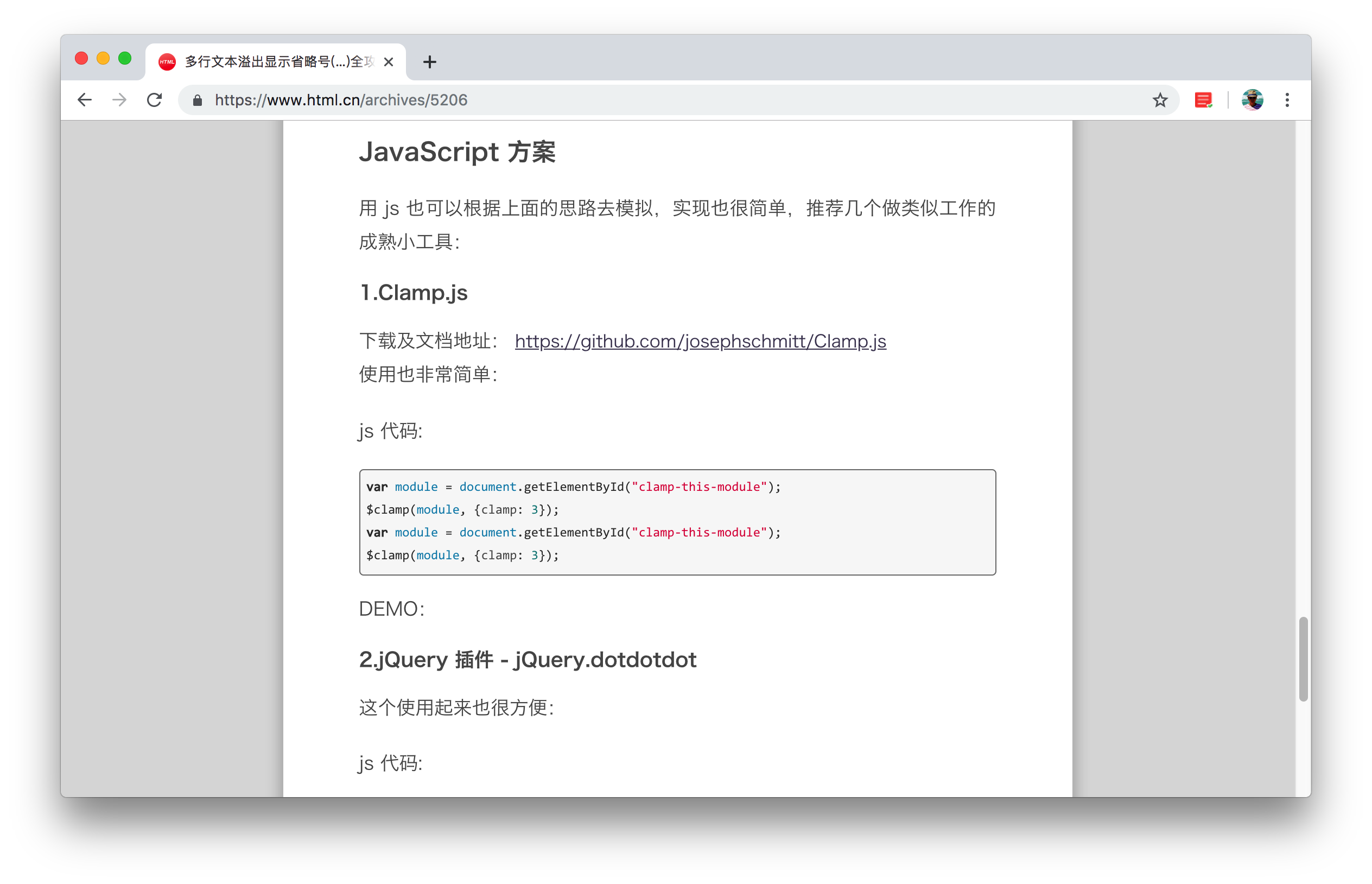
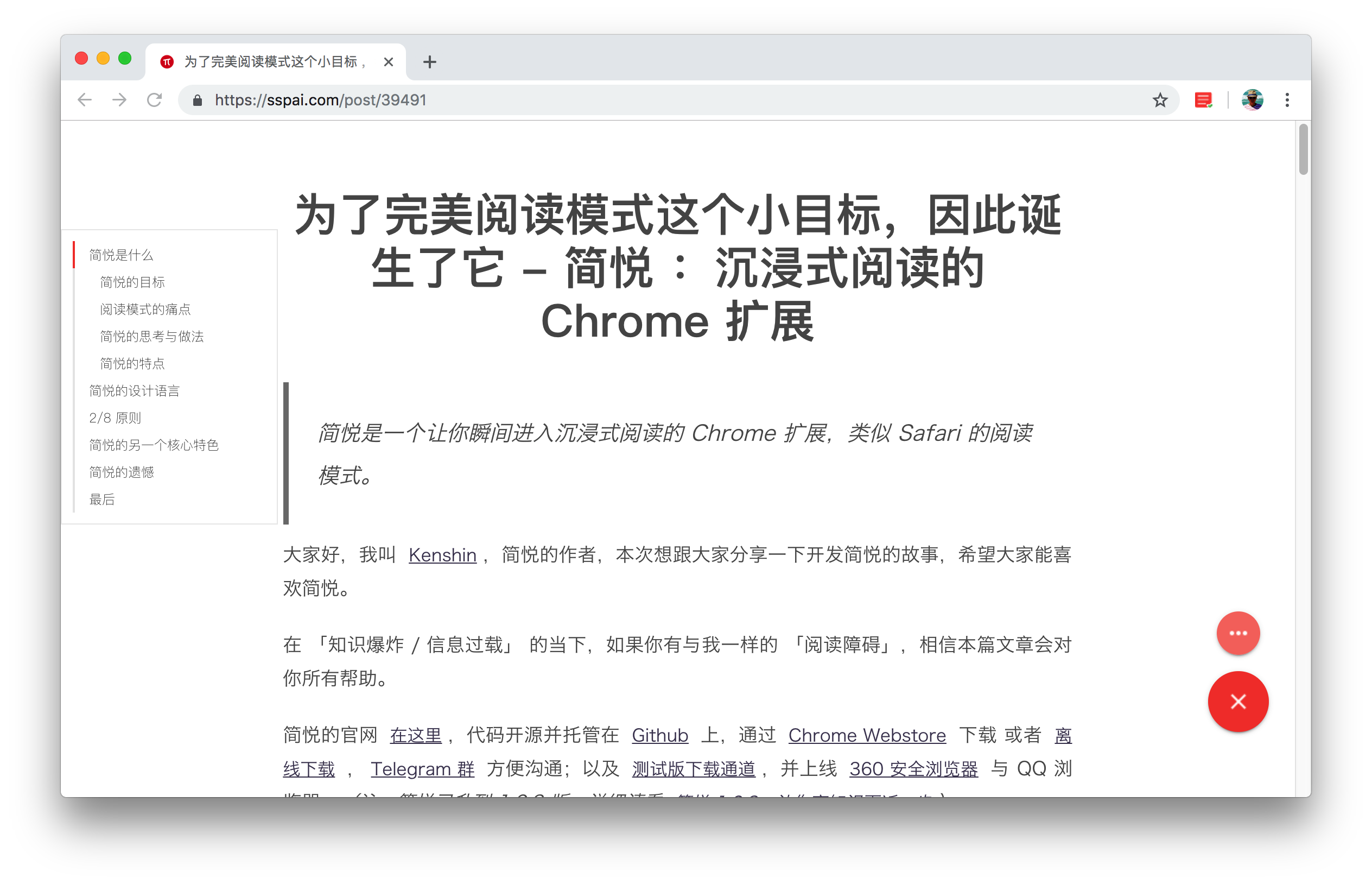
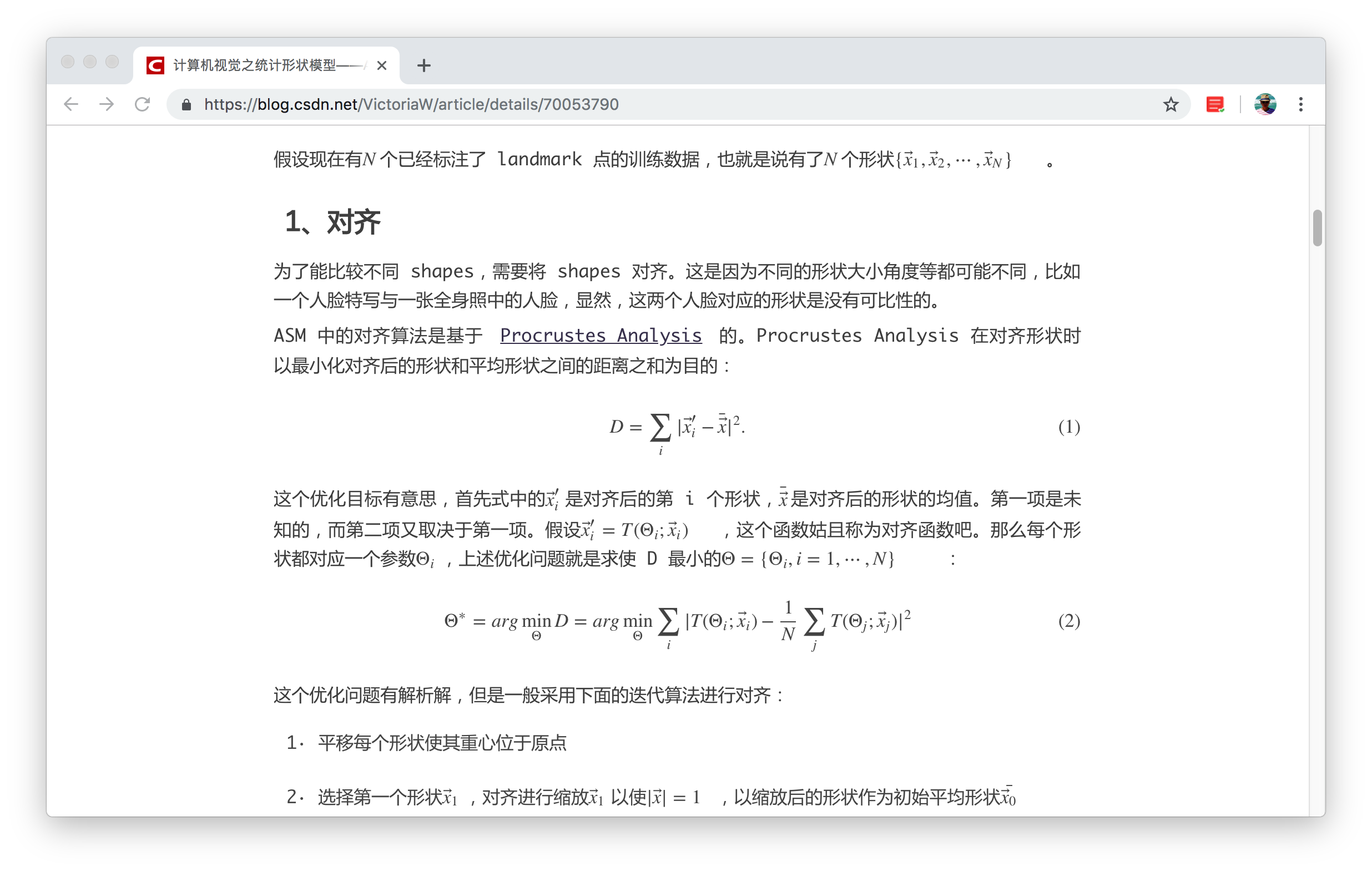
### README (README.md)

简悦1.0 - SimpRead

让你瞬间进入沉浸式阅读的扩展,还原阅读的本质,提升你的阅读体验。

为了达到完美的阅读模式这个小目标 ,我适配了 数百种类型 的网站,因此诞生了简悦。

简悦2.0 - 真正成为你的生产力工具

阅读模式 + 剪藏 + 标注 + 稍后读 = 做你的知识管理粘合剂

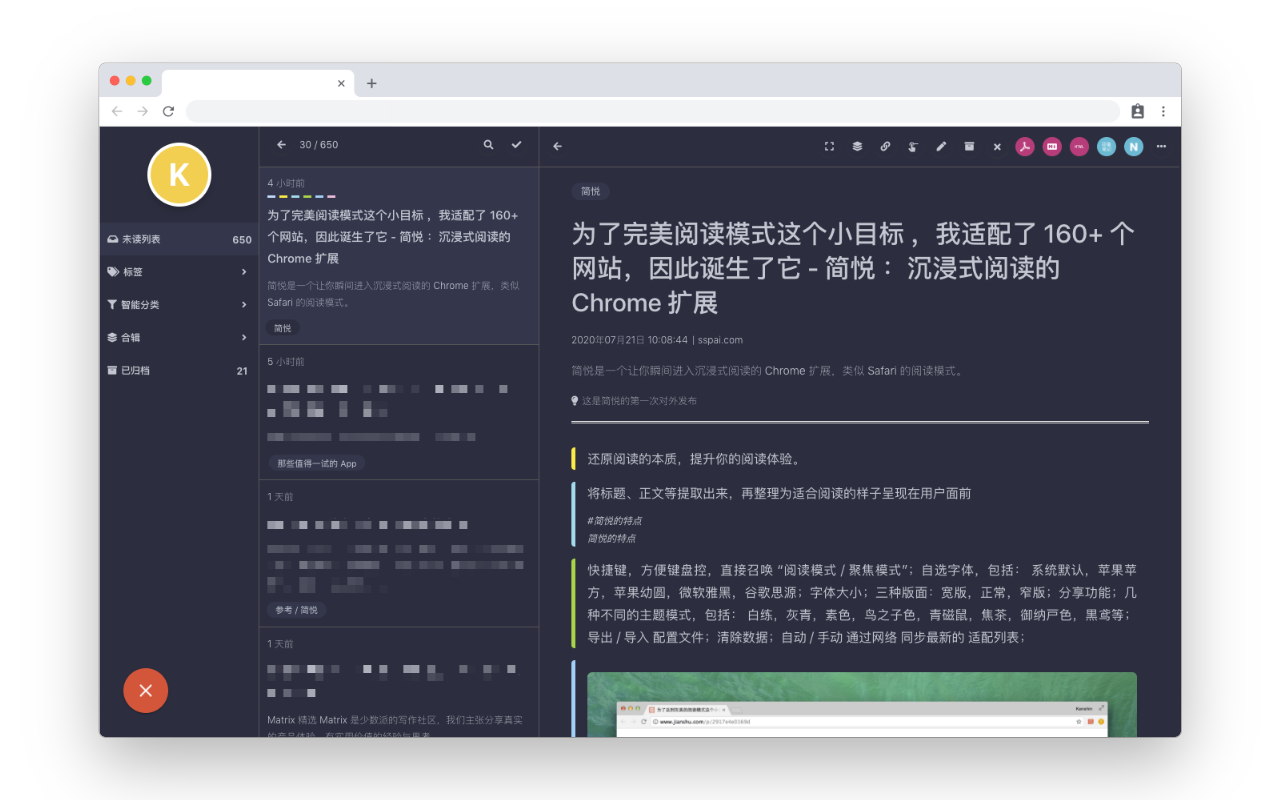
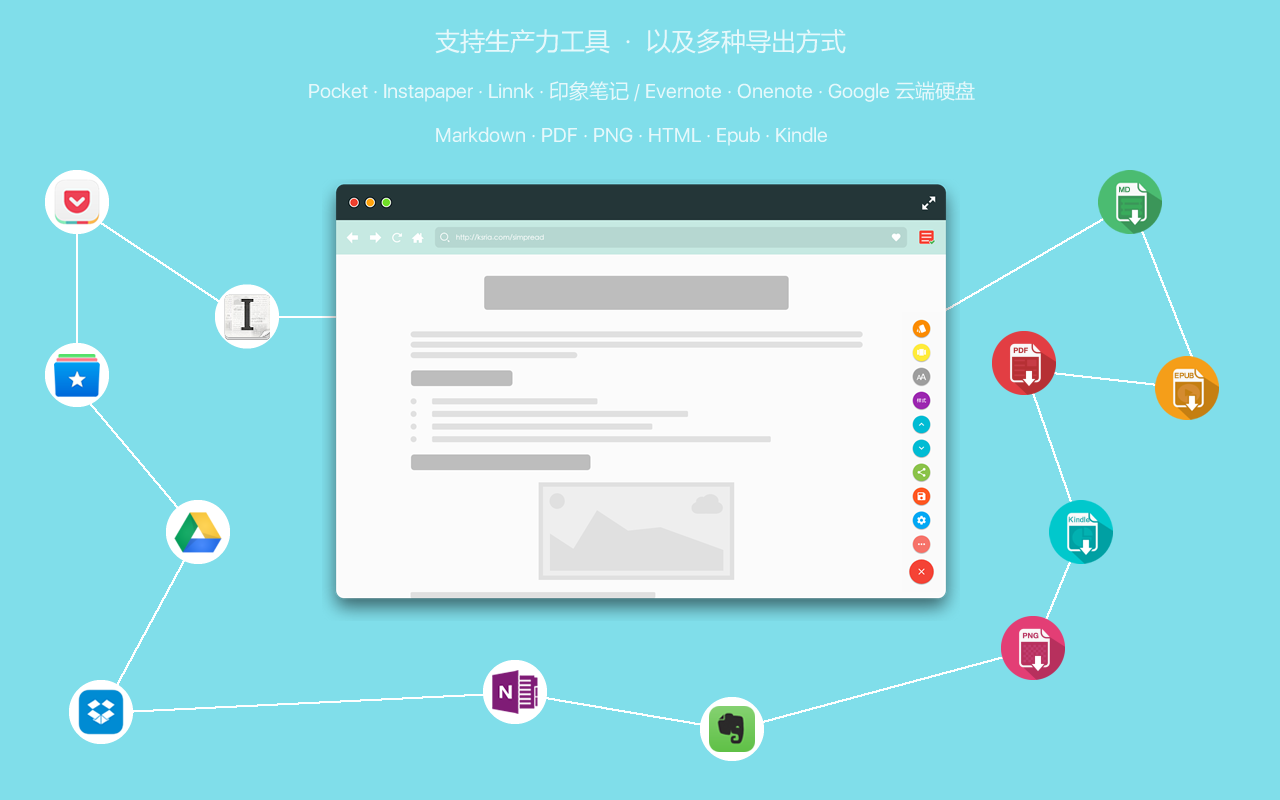
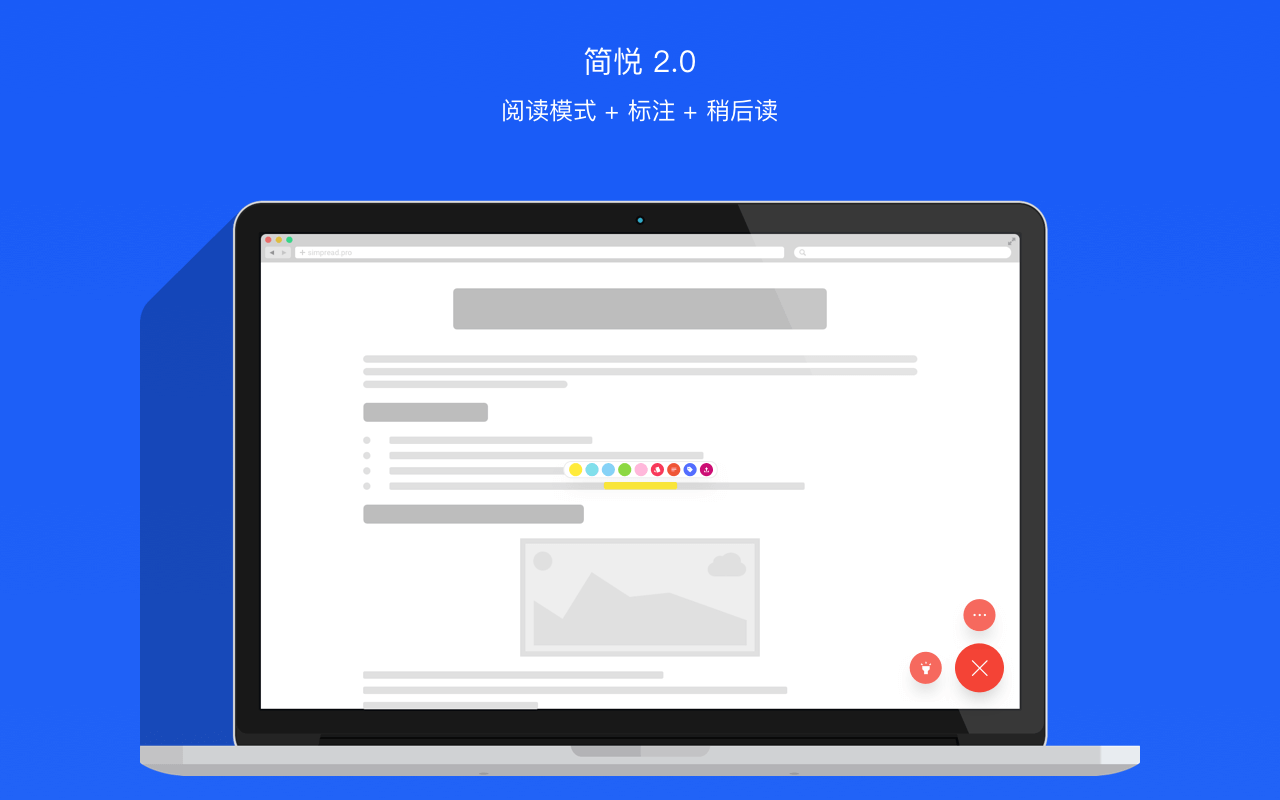
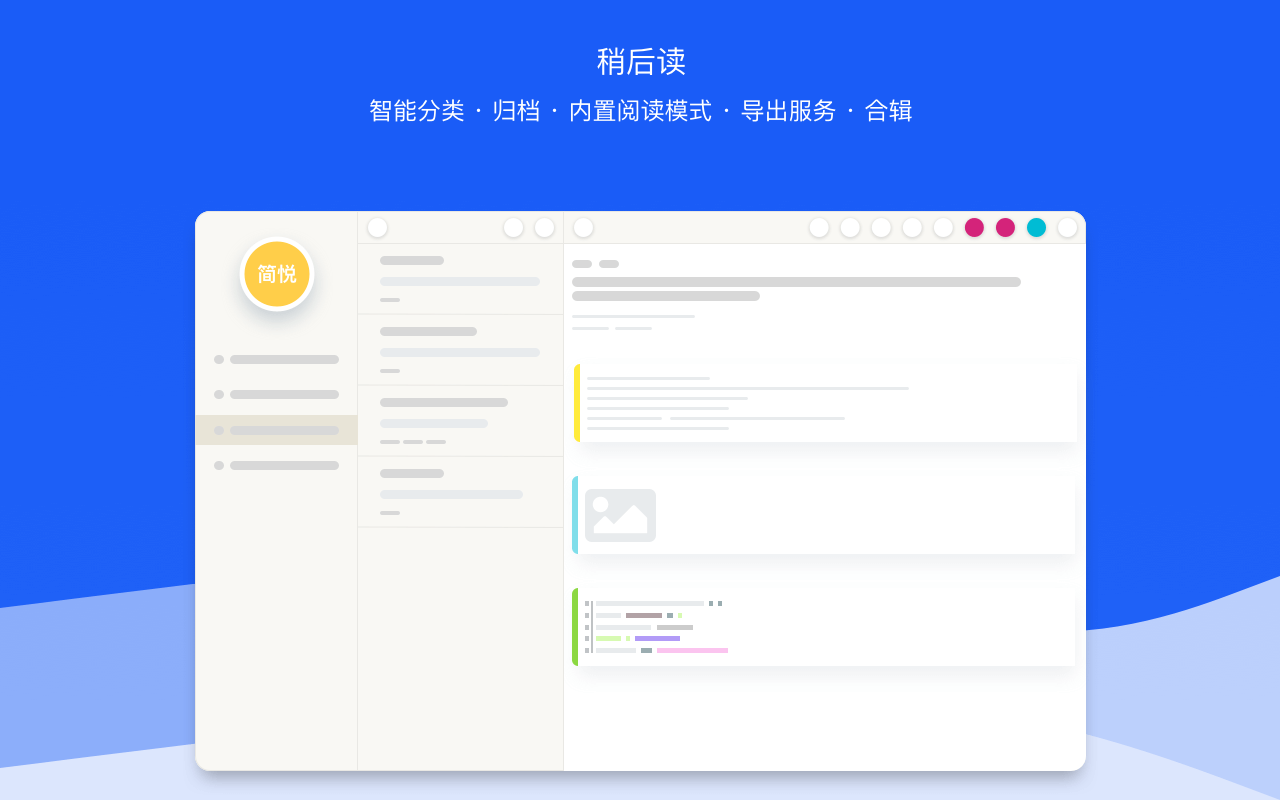
*** ## 目录 * [下载](#马上使用) * [入门指南](#入门指南) * [主要功能一览](#主要功能一览) * [全部功能](#全部功能) * [如何使用](#如何使用) * [简悦各平台版本之间的差异](#简悦各平台版本之间的差异) * [截图](#截图) * [投票](#投票) * [相关链接](#相关链接) * [贡献者](#感谢) * [协作开发](#协作开发) * [开源列表](#简悦的诞生离不开它们) * [许可](#许可) *** ## 马上使用 * [Chrome 应用商店](https://chrome.google.com/webstore/detail/%E7%AE%80%E6%82%A6-simpread/ijllcpnolfcooahcekpamkbidhejabll) 或者 [离线下载](http://ksria.com/simpread/crx/2.0.0/simpread.crx) * [支持 UserScript 的浏览器](https://greasyfork.org/zh-CN/scripts/39998) 如:Apple Safari · Microsoft Edge · Opera · Dolphin 详细 [请看这里](https://github.com/Kenshin/simpread-little) * [iPhone / iPad 版](https://xteko.com/redir?url=http://sr.ksria.cn/jsbox/simpread-1.0.0.box?201805251238&name=%E7%AE%80%E6%82%A6) 详细 [请看这里](http://ksria.com/simpread/docs/#/JSBox) * [Android 版](http://ksria.com/simpread/docs/#/Android) 详细 [请看这里](http://ksria.com/simpread/docs/#/Android) ## 入门指南 * 喜欢简悦,但不会用,对新手极度舒适的 [新手入门](http://ksria.com/simpread/guide) * 参与讨论请加入 [Telegram 群](https://t.me/simpread) * 想知道简悦的高级玩法,请看简悦的 [文档中心](http://ksria.com/simpread/docs/#) [知识库](https://github.com/Kenshin/simpread/discussions/categories/服务) 与 [帮助中心](https://simpread.pro/help) * 更多联系方式请看 [相关链接](#相关链接) ## 主要功能一览 #### 阅读模式 - [聚焦模式](http://ksria.com/simpread/docs/#/聚焦模式) > 不改变当前页面的结构,仅仅高亮需要阅读的部分,不分散用户的注意力;适合 `临时阅读` 或者 `未适配阅读模式` 的网站 - [阅读模式](http://ksria.com/simpread/docs/#/阅读模式) > 简悦 **原创** 功能,逐一适配了 [数百种类型](https://simpread.ksria.cn/sites/) 的网站,自动提取 `标题` `描述` `正文` `媒体资源( 图片/ 视频 )` 等,生成 `符合中文阅读` 的页面 * 支持 [自动生成目录](http://ksria.com/simpread/docs/#/目录) * 支持 [论坛类页面及分页](http://ksria.com/simpread/docs/#/论坛类页面及分页) 如:知乎 · 百度贴吧等 * 支持 [代码段的高亮](https://github.com/Kenshin/simpread/issues/500),包含了大部分常见的网站 * 支持 **本地 HTML** · [TXT 阅读器](http://ksria.com/simpread/docs/#/TXT-阅读器) · 支持 [LaTeX 解析](http://ksria.com/simpread/docs/#/LaTeX-阅读器) · [Markdown 阅读器](http://ksria.com/simpread/docs/#/Markdown-阅读器) * 适配了一些 [常见的科研期刊类网站](https://github.com/Kenshin/simpread/discussions/2103) * 更符合 `中文阅读` 习惯的设置,包括:`字间距` `行间距` 等 以及 `自定义 CSS` ,详细请看 [自定义样式](http://ksria.com/simpread/docs/#/自定义样式) - [手动模式](http://ksria.com/simpread/docs/#/手动框选) > 将页面内容内容均可生成 聚焦模式 or 阅读模式 #### 丰富的导出功能 > 借助于简悦的阅读模式优化整理,导入到各种生产力的工具的会比其原生剪辑工具 **更具有优势**,关于这部份内容 [请看这里](http://ksria.com/simpread/docs/#/服务) 。 - 导出 `Markdown` · `HTML` · `PNG` · [PDF](http://ksria.com/simpread/docs/#/发送到-Epub) · [Epub](http://ksria.com/simpread/docs/#/发送到-Epub) · [离线 HTML](http://ksria.com/simpread/docs/#/离线HTML) · `复制 Markdown 到剪切板` · [Textbundle](http://ksria.com/simpread/docs/#/Textbundle) · [Markdeep](http://ksria.com/simpread/docs/#/定制化导出?id=markdeep) 甚至 [任意格式均可导出](http://ksria.com/simpread/docs/#/定制化导出?id=自定义导出) - 发送阅读模式优化后的页面到 `Kindle`,详细配置 [请看这里](http://ksria.com/simpread/docs/#/发送到-Kindle) - 导出到 `Pocket` · `Instapaper` 的功能,包括:`当前页面的链接` - 导出到生产力工具,包括:`语雀` · [坚果云](http://ksria.com/simpread/docs/#/坚果云) · flomo · [有道云笔记](http://ksria.com/simpread/docs/#/有道云笔记) · [专注笔记](http://ksria.com/simpread/docs/#/专注笔记) · [为知笔记](http://ksria.com/simpread/docs/#/为知笔记) · [Joplin](http://ksria.com/simpread/docs/#/Joplin) · `Dropbox` · [Github](http://ksria.com/simpread/docs/#/Github) · [Notion](http://ksria.com/simpread/docs/#/Notion) · `Onenote` · `Google Drive` · `印象笔记 / Evernote`,详细请看 [导出到生产力](http://ksria.com/simpread/docs/#/导出到生产力工具) - 定制化导出,可以方便导入到 Obsidian · Roam Research · Logseq 等双链笔记,更多说明及用法 [请看这里](https://github.com/Kenshin/simpread/discussions/2085)。 - 支持 [Webhooks](http://ksria.com/simpread/docs/#/%E5%AE%9A%E5%88%B6%E5%8C%96%E5%AF%BC%E5%87%BA?id=webhook) - 将多种符合整合在一起的 [自动化方案](http://ksria.com/simpread/docs/#/自动化),可以理解为 **简悦的 IFTTT**。 #### 标注系统 > **[标注系统](http://ksria.com/simpread/docs/#/标注)** 是简悦 2.0 最重要的一个功能,借用此功能,可以让简悦真正你的成为生产力工具。 > 在 1.0.0 版上线之初就已经构想了此功能,所以在构筑此功能时,加入了很多只有 **简悦 · 标注** 才具有的功能。 - 五种标注颜色 - 四种标注样式 - 自动识别 **文字** · **图片** · **代码段** - **无限层级** 的标签系统 - 每个标签均支持备注与标签系统 - 结合简悦强大的发送到生产力工具的功能,可将当前标注发送到简悦支持的各种生产力工具 - 连续标注 - [浮动标注栏](http://ksria.com/simpread/docs/#/标注?id=浮动工具栏) - [标注侧栏](http://ksria.com/simpread/docs/#/标注?id=标注侧栏) > 如何使用以及详细内容 [请看这里](http://ksria.com/simpread/docs/#/标注) #### 稍后读 > 简悦 2.0 启用了全新的 **[稍后读 2.0](http://ksria.com/simpread/docs/#/稍后读)**, 相比较之前的版本,此版本的稍后读算做是一个真正意义的稍后读。 > 简悦的稍后读借鉴了 ZK 笔记法的一些特点,专门针对信息的整合增加了如下一些新功能: - [**双向链接**](http://ksria.com/simpread/docs/#/双向链接) - [**知识图谱**](http://ksria.com/simpread/docs/#/双向链接?id=图谱) - [**Mindmap**](http://ksria.com/simpread/docs/#/稍后读?id=Mindmap) - **多种信息展示方式(布局)**:[Evergreen](http://ksria.com/simpread/docs/#/稍后读-多种布局?id=Evergreen) · [Workflowy](http://ksria.com/simpread/docs/#/稍后读-多种布局?id=Workflowy) · [Kanban](http://ksria.com/simpread/docs/#/稍后读-多种布局?id=Kanban) - [**读取本地 HTML**](https://github.com/Kenshin/simpread/discussions/2146) #### 同步助手 > [简悦 · 同步助手](http://ksria.com/simpread/docs/#/Sync) 是 **随着简悦 2.1.0 发布的一个全新的 Desktop App**,用于对简悦已知功能的补充,以及会 **持续提供更多** 的可玩性,包括: 1. **[自动同步](http://ksria.com/simpread/docs/#/自动同步)** 2. **小书签** 3. 导出到文件 **本地的任意位置** 4. **原生 PDF · Epub** 导出 5. **直接发送到你的 Kindle** 6. 内置解析 7. **邮件发送** 同步助手的 Logo 自于社区用户 [Shawn](https://shawnan.design/) 的设计。 #### 插件系统 > 使用 JavaScript 编写基于 `简悦` 的插件了,请看 [插件中心](https://simpread.ksria.cn/plugins/) ## 全部功能
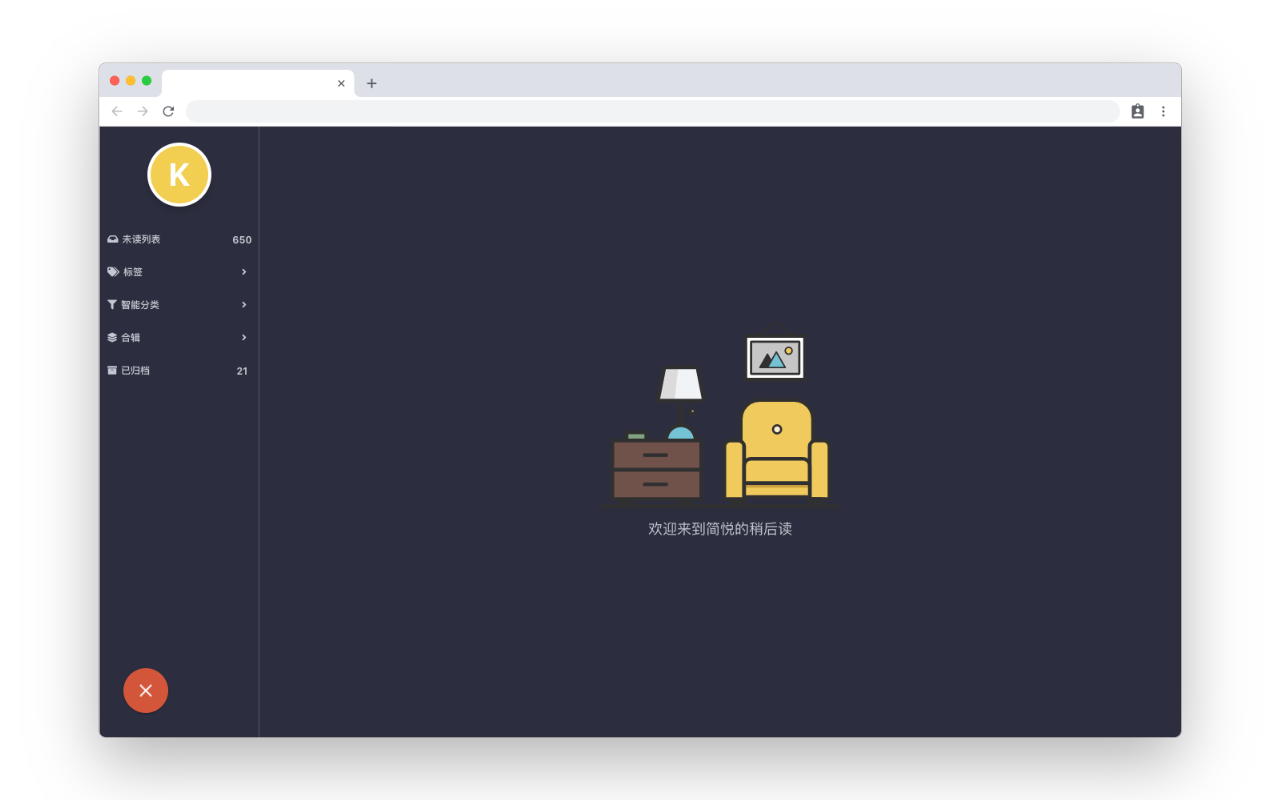
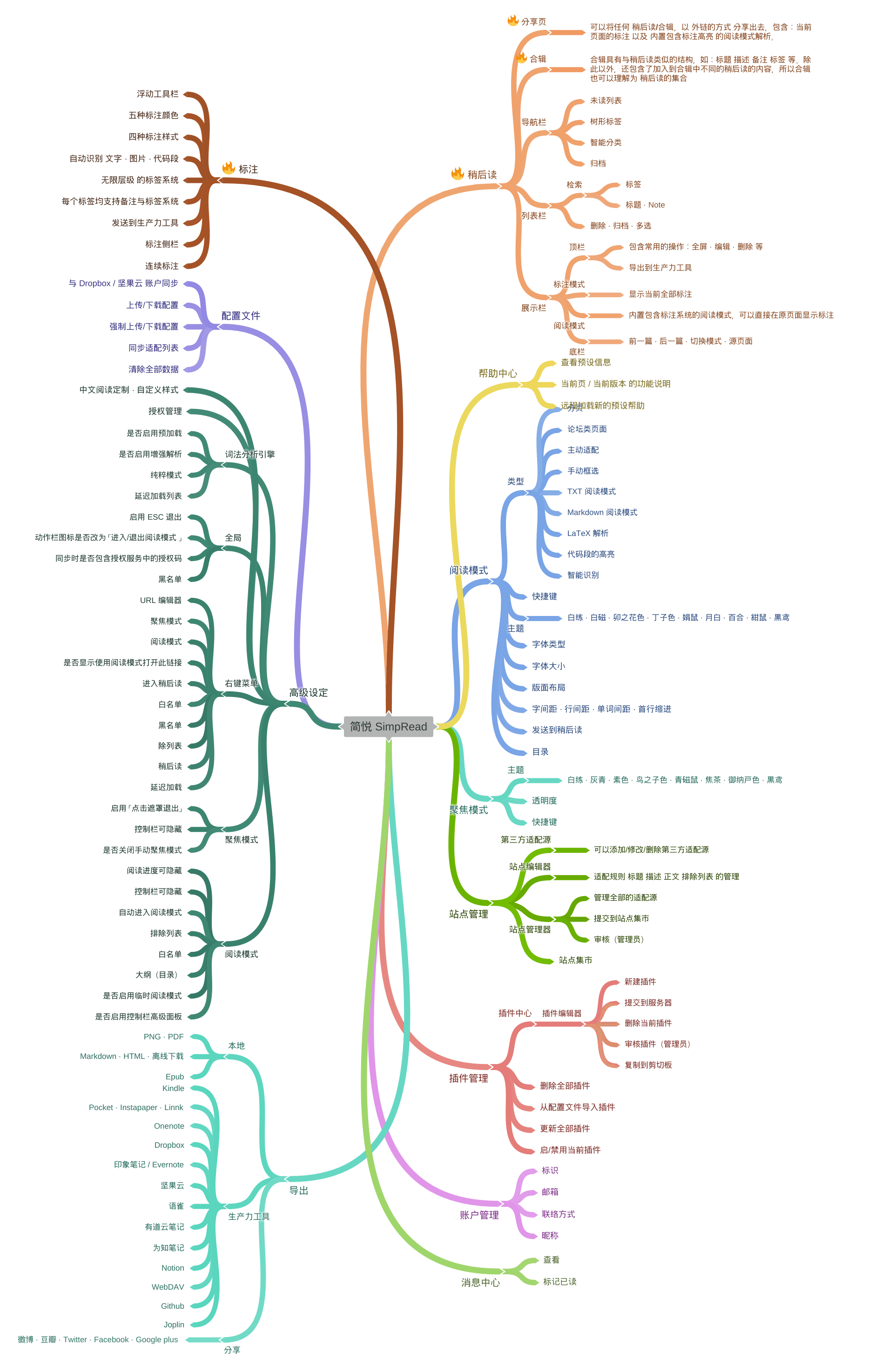
## 截图
更多截图
## 如何使用 > 简悦虽然拥有众多功能,但它支持 **开箱即用**,新手(不想折腾党)来说,只需要看懂下面两种操作即可。 ### 阅读模式 > `简悦`会自动检测当前页面是否已经适配,如适配则在浏览器右上角显示 ,使用以下三种方式启动: - 点击浏览器右上角 `红色icon`; - 右键选择 `简悦 - SimpRead` → `阅读模式`; - 快捷键;_默认为 双击 A_ - 简悦支持自动进入阅读模式,详细请看 [自动进入阅读模式](http://ksria.com/simpread/docs/#/自动进入阅读模式) ### 聚焦模式 > `聚焦模式` 会自动获取当前鼠标所在的段落并高亮,适合任意页面。 - 在需要高亮的区域,右键选择 `简悦 - SimpRead` → `聚焦模式`; - 快捷键;_默认为 A S_ ### 标注模式 > 通过鼠标按下 → 移动 的方式将会产生一个标注,更多细节 [请看这里](http://ksria.com/simpread/docs/#/标注?id=如何使用) ### 稍后读 > 在任意界面可以使用 **标注模式产生一条标注** 或 **快捷键** 方式将当前页面加入,更多细节 [请看这里](http://ksria.com/simpread/docs/#/稍后读) - 快捷键;_默认为 D D_ ## 简悦各平台版本之间的差异 > 包括:Chrome / Firefox / 轻阅版(UserScript)/ JSBox ,请访问 [简悦 · 新闻页](https://www.notion.so/9c109ec145134297ab461f5b52dbadc7?v=ce94e37d8a794cfbbd39bf9dfaf9017a) ## 投票 简悦是一个免费并开源的项目。如果觉得不错,请给我 [投票](https://chrome.google.com/webstore/detail/%E7%AE%80%E6%82%A6-simpread/ijllcpnolfcooahcekpamkbidhejabll/reviews) 。这样让更多人了解并受用与 `简悦` 带来的便利,你的认可是对我最大的鼓励。 ## 相关链接 * [更新日志](http://ksria.com/simpread/changelog.html) * [帮助中心](http://ksria.com/simpread/docs/#) * [新手入门](http://ksria.com/simpread/guide) * [常见问题](http://ksria.com/simpread/docs/#/FAQ) * [反馈](https://github.com/kenshin/simpread/issues) * [联系](http://kenshin.wang) · [邮件](kenshin@ksria.com) · [微博](http://weibo.com/23784148) · [Telegram 群](https://t.me/simpread) ## 感谢 [ksky521](https://github.com/ksky521) · [airycanon](https://github.com/airycanon) · [mikelei8291](https://github.com/mikelei8291) · [chenhbc](https://github.com/chenhbc) · [Nihility](https://github.com/NihilityT) · [WangLeto](https://github.com/WangLeto) · [SevenSteven](https://github.com/Seven-Steven) · [Leo](https://github.com/clinyong) · [Jonas · Gao](https://github.com/JonasGao) · [Cologler](https://github.com/Cologler) · [bgh](https://github.com/bldght) · [Ronglong Pu](https://github.com/PuRonglong) · [zqjimlove](https://github.com/zqjimlove) · [javalover123](https://github.com/javalover123) · [1095533987](https://github.com/1095533987) ## 协作开发 > Pull requests 方式: * 请务必从 **develop** 分支开始;( **注意:非 develop 分支的 pr 将不会被合并** ) * Pull requests * 如果需要合并的话,合并后我会通知你;(在下个版本发布时一起发布) ## 简悦的诞生离不开它们 ## 许可 > 简悦 1.x(截至到 1.1.4.6205)是开源版本,2.x 为闭源版本,且仅闭源了 **标注** 与 **稍后读** 相关功能。 [![license-badge]][license-link] [www-badge]: https://img.shields.io/badge/website-_simpread.ksria.com-1DBA90.svg [www-link]: http://ksria.com/simpread [version-badge]: https://img.shields.io/badge/lastest_version-2.0.0-blue.svg [version-link]: https://github.com/kenshin/simpread/releases [chrome-badge]: https://img.shields.io/badge/download-_chrome_webstore-brightgreen.svg [chrome-link]: https://chrome.google.com/webstore/detail/%E7%AE%80%E6%82%A6-simpread/ijllcpnolfcooahcekpamkbidhejabll [offline-badge]: https://img.shields.io/badge/download-_crx-brightgreen.svg [offline-link]: http://ksria.com/simpread/crx/2.0.0/simpread.crx [license-badge]: https://img.shields.io/badge/license-GPL-blue [license-link]: https://opensource.org/licenses/gpl-license --- ### Package.Json (package.json) { "name": "simpread_project_workflow", "version": "1.0.0", "description": "SimpRead develop/deploy", "author": "Kenshin Wang ", "license": "MIT", "homepage": "http://ksria.com/simpread", "repository": { "type": "git", "url": "git://github.com/kenshin/simpread.git" }, "bugs": { "url": "https://github.com/kenshin/simpread/issues", "email": "kenshin@ksria.com" }, "engines": { "node": ">= 0.10.0" }, "scripts": { "develop": "cross-env NODE_ENV=development webpack --devtool=eval-source-map --progress --colors --watch", "publish": "cross-env NODE_ENV=production webpack -p --progress --colors", "ext_dev": "cross-env NODE_ENV=development webpack --devtool=source-map --progress --colors --watch --config webpack.config.ext.js", "ext_pub": "cross-env NODE_ENV=production webpack -p --progress --color --config webpack.config.ext.js", "server": "webpack-dev-server --hot --progress --colors" }, "devDependencies": { "autoprefixer": "^6.7.7", "babel-core": "^6.21.0", "babel-loader": "^6.2.10", "babel-polyfill": "^6.20.0", "babel-preset-es2015": "^6.18.0", "babel-preset-react": "^6.16.0", "babel-preset-stage-0": "^6.16.0", "cross-env": "^5.1.4", "css-loader": "^0.26.1", "epub-press-js": "^0.5.2", "expose-loader": "^0.7.1", "file-loader": "^0.9.0", "minimatch": "^3.0.4", "nanoid": "1.0.3", "postcss-cssnext": "^2.10.0", "postcss-loader": "^1.3.3", "react": "^0.14.8", "react-dom": "^0.14.8", "style-loader": "^0.13.1", "to-markdown": "^3.0.4", "url-loader": "^0.5.7", "webpack": "^1.14.0", "webpack-dev-server": "^1.16.2" }, "dependencies": { "clean-webpack-plugin": "^0.1.14", "copy-webpack-plugin": "^4.0.1" } } --- ### Ext/Manifest.Json (ext/manifest.json) { "name" : "__MSG_extension_name__", "default_locale" : "zh_CN", "version" : "1.1.2.1025", "short_name" : "SimpRead", "description" : "__MSG_ext_extension_desc__", "homepage_url" : "http://ksria.com/simpread", "author" : "Kenshin Wang ", "icons" : { "16" : "assets/images/icon16.png", "48" : "assets/images/icon48.png", "128" : "assets/images/icon128.png" }, "permissions" : [ "contextMenus", "tabs", "storage", "downloads", "" ], "background": { "scripts" : [ "/bundle/common.js", "/bundle/background.js" ] }, "content_scripts" : [ { "matches" : [ "http://*/*", "https://*/*", "file:///*/*.txt" ], "exclude_matches": [ "http://localhost/*", "https://simpread.herokuapp.com/view/*" ], "js" : [ "/bundle/common.js", "/bundle/vendors.js", "/bundle/contentscripts.js" ], "run_at" : "document_end" } ], "browser_action" : { "browser_style" : true, "default_title" : "简悦 - 打开选项页", "default_icon" : { "16" : "assets/images/icon48.png" } }, "page_action" : { "browser_style" : true, "default_icon" : { "16" : "assets/images/icon16.png" } }, "options_ui": { "page": "options/options.html", "open_in_tab": true }, "web_accessible_resources": [ "/assets/images/*", "website_list.json" ], "content_security_policy" : "script-src 'self' https://www.google-analytics.com; object-src 'self'", "manifest_version": 2 } --- ### Src/Help Tips.Json (src/help_tips.json) { "tips": [ { "idx": 0, "name": "文档中心", "icon": "", "url": "http://ksria.com/simpread/docs" }, { "idx": 1, "name": "新手入门可以看这篇文章", "icon": "", "url": "http://ksria.com/simpread/guide/" }, { "idx": 2, "name": "查看当前版本新增功能", "icon": "", "url": "#" }, { "idx": 3, "name": "查看当前页的功能描述", "icon": "", "url": "#" }, { "idx": 4, "name": "简悦的汇总(新闻页)", "icon": "", "url": "https://simp.red/news" }, { "idx": 5, "name": "请通过 Github issues 提问", "icon": "", "url": "https://github.com/Kenshin/simpread/issues/new" }, { "idx": 6, "name": "如果简悦暂时未支持你使用的导出服务", "icon": "", "url": "https://github.com/Kenshin/simpread/issues/473" }, { "idx": 7, "name": "YouTube 加载出错的朋友请看这里", "icon": "", "url": "https://github.com/Kenshin/simpread/issues/487" }, { "idx": 8, "name": "当使用简悦疑似页面变慢的处理方式", "icon": "", "url": "@performance" }, { "idx": 9, "name": "当阅读模式并未符合你的期望时,如何进一步优化?", "icon": "", "url": "https://github.com/Kenshin/simpread/issues/522" } ] } --- ### Src/Manifest.Json (src/manifest.json) { "name" : "__MSG_extension_name__", "default_locale" : "en", "version" : "1.1.4.6025", "short_name" : "SimpRead", "description" : "__MSG_extension_desc__", "homepage_url" : "http://ksria.com/simpread", "author" : "Kenshin Wang ", "icons" : { "16" : "assets/images/icon16.png", "48" : "assets/images/icon48.png", "128" : "assets/images/icon128.png" }, "permissions" : [ "contextMenus", "tabs", "storage", "tts", "" ], "optional_permissions": [ "cookies", "https://*.youdao.com/", "downloads" ], "background": { "scripts" : [ "/ga.js", "/bundle/common.js", "/bundle/background.js" ] }, "content_scripts" : [ { "matches" : [ "http://*/*", "https://*/*", "file:///*/*.txt", "file:///*/*.md" ], "exclude_matches": [ "http://localhost/*", "https://simpread.herokuapp.com/view/*" ], "js" : [ "/bundle/common.js", "/bundle/vendors.js", "/bundle/contentscripts.js" ], "run_at" : "document_end" } ], "page_action" : { "default_icon" : { "16" : "assets/images/icon16.png" } }, "options_page" : "options/options.html", "web_accessible_resources": [ "/assets/images/*", "website_list.json", "options/corb.html" ], "offline_enabled" : true, "update_url" : "https://clients2.google.com/service/update2/crx", "content_security_policy" : "script-src 'self' 'unsafe-eval' https://ssl.google-analytics.com; object-src 'self'", "manifest_version": 2 } --- ### Src/ Locales/En/Messages.Json (src/_locales/en/messages.json) { "extension_name": { "message": "SimpRead - Reader View", "description": "similar to Safari reading mode, read mode, reader view module, named simpread." }, "extension_desc": { "message": "Immersion-reading mode of Chrome extensions, similar to Safari read mode.", "description": "similar to Safari reading mode, read mode, reader view module, named simpread." }, "ext_extension_desc": { "message": "Immersion-reading mode of extensions, similar to Safari read mode.", "description": "similar to Safari reading mode, read mode, reader view module, named simpread." } } --- ### Src/ Locales/Zh CN/Messages.Json (src/_locales/zh_CN/messages.json) { "extension_name": { "message": "简悦 - SimpRead", "description": "类似 Safari 阅读模式的 Chrome 扩展,阅读模式,阅读器,阅读,命名为 简悦,即:简单阅读,愉悦心情之意。" }, "extension_desc": { "message": "让你瞬间进入沉浸式阅读的 Chrome 扩展,类似 Safari 的阅读模式。", "description": "类似 Safari 阅读模式的 Chrome 扩展,阅读模式,阅读器,阅读,命名为 简悦,即:简单阅读,愉悦心情之意。" }, "ext_extension_desc": { "message": "让你瞬间进入沉浸式阅读的扩展,Chrome 好评率超过 99% 的阅读模式现已来到 Firefox。", "description": "类似 Safari 阅读模式的扩展,阅读模式,阅读器,阅读,命名为 简悦,即:简单阅读,愉悦心情之意。" } } --- ### Src/ Locales/Zh TW/Messages.Json (src/_locales/zh_TW/messages.json) { "extension_name": { "message": "簡悅 - SimpRead", "description": "類似 Safari 閱讀模式的 Chrome 擴展,閱讀模式,閱讀器,閱讀,命名為 簡悅,即:簡單閱讀,愉悅心情之意。" }, "extension_desc": { "message": "讓你瞬間進入沉浸式閱讀的 Chrome 擴展,提供與 Safari 類似的 read mode。", "description": "類似 Safari 閱讀模式的 Chrome 擴展,閱讀模式,閱讀器,閱讀,命名為 簡悅,即:簡單閱讀,愉悅心情之意。" }, "ext_extension_desc": { "message": "讓你瞬間進入沉浸式閱讀的擴展,Chrome 好評率超過 99% 的閱讀模式現已來到 Firefox。", "description": "類似 Safari 閱讀模式的擴展,閱讀模式,閱讀器,閱讀,命名為 簡悅,即:簡單閱讀,愉悅心情之意。" } } --- ### .Github/ISSUE TEMPLATE/Bug Report.Yaml (.github/ISSUE_TEMPLATE/bug_report.yaml) name: 🐛 提交 Bug description: 请提交你的 Bug body: - type: markdown attributes: value: | 谢谢帮忙提交 Bug 这会让简悦变得更好。 - type: textarea id: what-happened attributes: label: 描述这个错误 description: 请尽量详细描述你的错误 validations: required: true - type: textarea id: repro-steps attributes: label: 复现步骤 description: 请尽量用清晰的步骤(哪怕比较多)的描述你的问题,最好可以的话,请截图或者视频说明。 placeholder: | 1. 步骤1 2. 步骤2 3. 步骤3 validations: required: true - type: textarea id: others attributes: label: 其他相关说明 description: 如果有需要,可以在这里继续说明 validations: required: false - type: input id: os attributes: label: 操作系统 placeholder: macOS validations: required: true - type: input id: browser attributes: label: 浏览器 placeholder: 请说明浏览器以及尽量说明浏览器版本 validations: required: true - type: input id: website attributes: label: 发生问题的网址 placeholder: 如果任意网站均可的话,请随便留下一个你遇到问题的地址 validations: required: true --- ### .Github/ISSUE TEMPLATE/Feature Request.Yml (.github/ISSUE_TEMPLATE/feature_request.yml) name: ✨ 功能建议或改善 description: 你的建议会让简悦变得更好 body: - type: markdown attributes: value: | 你的每个想法都是对简悦最大的支持,简悦 60% 的功能都来自用户的简悦。 - type: textarea id: feature attributes: label: 请描述你的建议或任何内容 description: 如有可能请详细说明它 validations: required: true - type: textarea id: context attributes: label: 补充说明 description: 如有可能请说明下这个建议具体使用场景(或如果有这个功能后,会改善你的什么流程? --- ### .Github/ISSUE TEMPLATE/New Site.Yml (.github/ISSUE_TEMPLATE/new_site.yml) name: 🔗 新站适配 description: 提交需要适配的站点 labels: ["new site"] body: - type: markdown attributes: value: | 大部分网页都可以正常使用简悦的阅读模式,简悦官方收录的新站具有大众类型的网站。 - type: textarea id: website attributes: label: 需要适配的新站 placeholder: 请输入这个站点的 URL,如果这个站的规则比较多,请多帮忙提供一些 URL 作为参考 validations: required: true - type: textarea id: what-happened attributes: label: 有需要请描述这个站的性质 description: 尤其是英文类型的网站,我需要判断这个站是否具有适配的必要。 validations: required: false --- ### .Github/ISSUE TEMPLATE/Yinxiang Code.Yml (.github/ISSUE_TEMPLATE/yinxiang_code.yml) name: 🚑 印象笔记或代码高亮问题 description: 关于印象笔记或代码高亮的集中反馈渠道 body: - type: markdown attributes: value: | 谢谢帮忙提交 Bug 这会让简悦变得更好。 - type: dropdown id: browsers attributes: label: 请选择 multiple: false options: - 印象笔记 - 代码高亮 - type: input id: website attributes: label: 发生问题的网址 placeholder: 如果任意网站均可的话,请随便留下一个你遇到问题的地址 validations: required: true ---